Thomas Lee (tfl@psp.co.uk)
MCT and PowerShell MVP


POWERSHELL 101 – WHAT IS IT

AND WHY IT MATTERS
 What IS PowerShell?
 What are Cmdlets, Objects and the Pipeline?
 Language fundamentals
 How do I install and setup PowerShell>
 How do I use PowerShell?
 PowerShell profiles
 Getting the most from PowerShell
 Why does it matter?
 PowerShell is
   Microsoft’s task automation platform.
   Part of Microsoft’s Common Engineering Criteria
   Included with every version of Windows 7/Server 2008
    R2 (and as a OS patch for earlier versions)


 In a couple of years, if you don’t know
  PowerShell you may not have a job as an IT Pro!
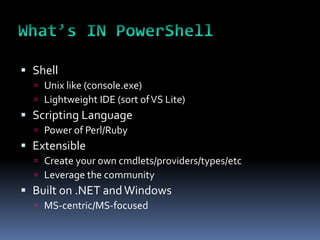
 Shell
   Unix like (console.exe)
   Lightweight IDE (sort of VS Lite)
 Scripting Language
   Power of Perl/Ruby
 Extensible
   Create your own cmdlets/providers/types/etc
   Leverage the community
 Built on .NET and Windows
   MS-centric/MS-focused
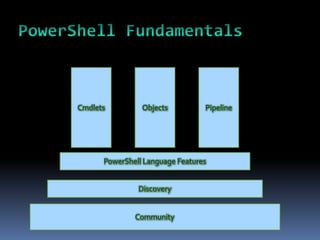
Cmdlets   Objects   Pipeline
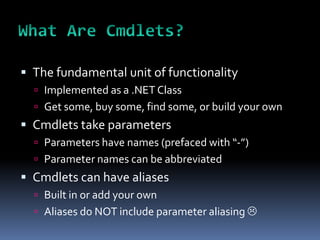
 The fundamental unit of functionality
   Implemented as a .NET Class
   Get some, buy some, find some, or build your own
 Cmdlets take parameters
   Parameters have names (prefaced with “-”)
   Parameter names can be abbreviated
 Cmdlets can have aliases
   Built in or add your own
   Aliases do NOT include parameter aliasing 
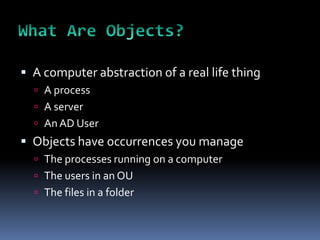
 A computer abstraction of a real life thing
   A process
   A server
   An AD User
 Objects have occurrences you manage
   The processes running on a computer
   The users in an OU
   The files in a folder
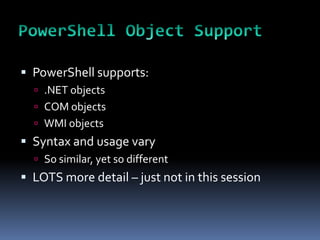
 PowerShell supports:
   .NET objects
   COM objects
   WMI objects
 Syntax and usage vary
   So similar, yet so different
 LOTS more detail – just not in this session
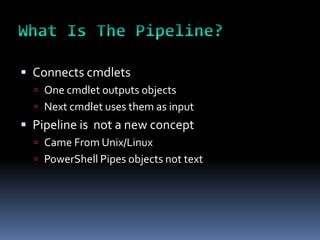
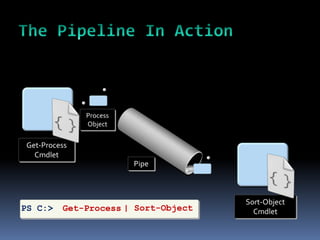
 Connects cmdlets
   One cmdlet outputs objects
   Next cmdlet uses them as input
 Pipeline is not a new concept
   Came From Unix/Linux
   PowerShell Pipes objects not text
 Connects output from a cmdlet to the input of
  another cmdlet
 Combination of the all cmdlets etc makes a
  pipeline
Process
              Object


Get-Process
  Cmdlet
                        Pipe


                                     Sort-Object
PS C:>   Get-Process | Sort-Object     Cmdlet
 Simple to use
   Just string cmdlets/scripts/functions together
   Simpler to write in many cases
 Very powerful in operation
   Lets PowerShell do the heavy lifting
 Integrates functionality stacks
     OS
     Application
     PowerShell Base
     Community
 A key concept in PowerShell
 Built-in help (Get-Help, Get-Command)
 Automatic linking to online help
 Huge PowerShell ecosystem – the community
   Social networking: eg Twitter, Facebook, etc
   Mailing lists and newsgroups
   Web sites and blogs
   User Groups
   3rd party support – free stuff coming!
Cmdlets, Objects, and the Pipeline


DEMO
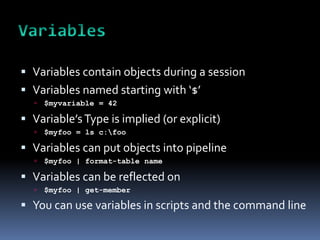
 Variables contain objects during a session
 Variables named starting with ‘$’
     $myvariable = 42

 Variable’s Type is implied (or explicit)
     $myfoo = ls c:foo

 Variables can put objects into pipeline
     $myfoo | format-table name

 Variables can be reflected on
     $myfoo | get-member

 You can use variables in scripts and the command line
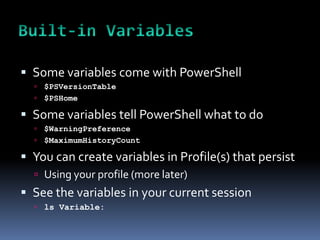
 Some variables come with PowerShell
   $PSVersionTable
   $PSHome

 Some variables tell PowerShell what to do
   $WarningPreference
   $MaximumHistoryCount

 You can create variables in Profile(s) that persist
   Using your profile (more later)
 See the variables in your current session
   ls Variable:
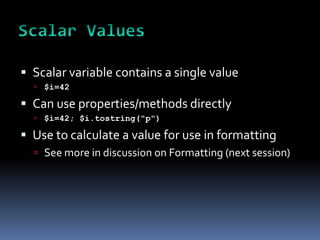
 Scalar variable contains a single value
   $i=42

 Can use properties/methods directly
   $i=42; $i.tostring("p")

 Use to calculate a value for use in formatting
   See more in discussion on Formatting (next session)
 Array variables contain multiple values/objects
 Array members addressed with [], e.g. $a[0]
   $a[0]   is first item in array
     $a[-1] is last item
 Use .GetType()
   $myfoo = LS c:foo
   $myfoo.gettype()
 Array members can be one or multiple types
   LS c: | Get-Member

 Arrays used with loops
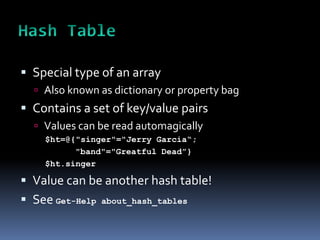
 Special type of an array
   Also known as dictionary or property bag
 Contains a set of key/value pairs
   Values can be read automagically
    $ht=@{"singer"="Jerry Garcia“;
          "band"="Greatful Dead”}
    $ht.singer

 Value can be another hash table!
 See Get-Help   about_hash_tables
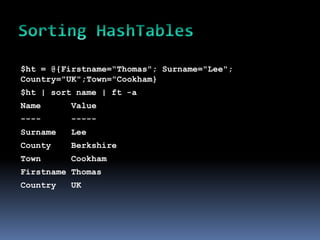
$ht = @{Firstname=“Thomas"; Surname="Lee";
Country="UK";Town="Cookham}
$ht | sort name | ft -a
Name      Value
----      -----
Surname   Lee
County    Berkshire
Town      Cookham
Firstname Thomas
Country   UK
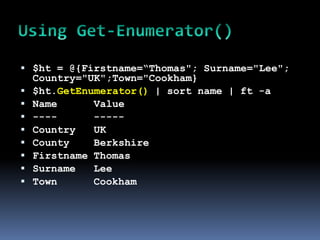
 $ht = @{Firstname=“Thomas"; Surname="Lee";
    Country="UK";Town="Cookham}
   $ht.GetEnumerator() | sort name | ft -a
   Name      Value
   ----      -----
   Country   UK
   County    Berkshire
   Firstname Thomas
   Surname   Lee
   Town      Cookham
 Variables can be implicitly typed
   PowerShell works it out by default
     $I=42;$i.gettype()

 Variables can be explicitly typed
   [int64] $i = 42
   $i.gettype()

 Typing an expression
   $i = [int64] (55 – 13); $i.gettype()
   $i = [int64] 55 – [int32] 13; $i.gettype()
   $i = [int32] 55 – [int64] 13; $i.gettype()
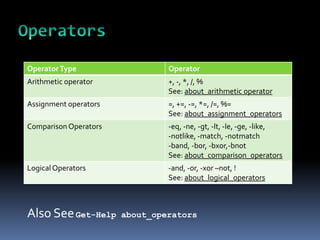
Operator Type                   Operator
Arithmetic operator             +, -, *, /, %
                                See: about_arithmetic operator
Assignment operators            =, +=, -=, *=, /=, %=
                                See: about_assignment_operators
Comparison Operators            -eq, -ne, -gt, -lt, -le, -ge, -like,
                                -notlike, -match, -notmatch
                                -band, -bor, -bxor,-bnot
                                See: about_comparison_operators
Logical Operators               -and, -or, -xor –not, !
                                See: about_logical_operators


Also See Get-Help      about_operators
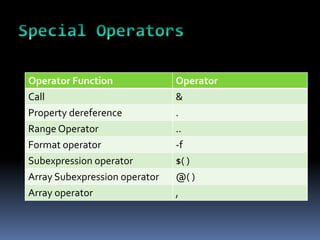
Operator Type           Operator
Redirection operators   >, >> 2> 2>&1
                        See: get-help about-redirection
Split/Join operators    -split, -join
                        See: about_split,about_join
Type operators          -is, -isnot, -as
                        See: about_type_operators
Urinary operators       ++, --
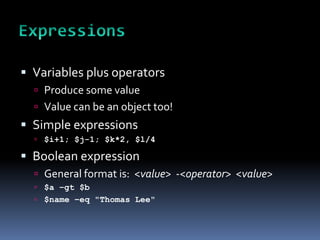
Operator Function              Operator
Call                           &
Property dereference           .
Range Operator                 ..
Format operator                -f
Subexpression operator         $( )
Array Subexpression operator   @( )
Array operator                 ,
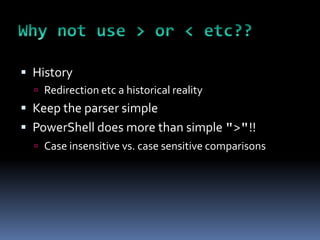
 Variables plus operators
   Produce some value
   Value can be an object too!
 Simple expressions
   $i+1; $j-1; $k*2, $l/4

 Boolean expression
   General format is: <value> -<operator> <value>
   $a –gt $b
   $name –eq "Thomas Lee"
 History
   Redirection etc a historical reality
 Keep the parser simple
 PowerShell does more than simple ">"!!
   Case insensitive vs. case sensitive comparisons
 Lots!
 Modules
   Way of managing PowerShell code in an enterprise
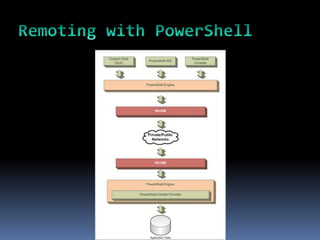
 Remoting
   1:1 or 1:many Remoting
 XML Support
   Native XML
 More, more, more
   Discover, discover, discover!
Objects,Variables, Types, etc


DEMO
 Built in to Win7, Server 2008 R2
   On Server, add ISE Feature
   On Server Core PowerShell – add feature (and .NET)
 Down-level operating systems
   Shipped as an OS Patch with WinRM – KB 968929
   Get it from the net - http://tinyurl.com/pshr2rtm
   NB: Different versions i386 vs x64, XP/Vista/2008
   No version for IA64 or Windows 2000(Or earlier)
   Beware of search engine links to beta versions
 From the Console
   Start/PowerShell
 From the PowerShell ISE
   Start/PowerShellISE
 Part of an application
   GUI layered on PowerShell
   Application focused console
 Third Party IDEs
   PowerShell Plus
   PowerGUI
 Add third party tools
   There are lots!
 Using Built-in tools
   This will vary with what OS you use and which
    applications you are running
 Configure PowerShell using Profiles
 Special scripts that run at startup
 Multiple Profiles
   Per User vs. Per System
   Per PowerShell Console vs. for ALL consoles
   ISE profile – just for ISE
 Creating a profile
 Leveraging other people’s work
 If you use it - stick it in your profile!
 Set up prompt
     Function prompt {“Psh`[$(pwd)]: “}
 Add personal aliases
     Set-Alias gh get-help
 Create PSDrives
     New-PsDrive demo file e:pshdemo
 Set size/title of of PowerShell console
     $host.ui.rawui.WindowTitle = "PowerShell Rocks!!!"
     $host.ui.rawui.buffersize.width=120
     $host.ui.rawui.buffersize.height=9999
     $host.ui.rawui.windowsize.width=120
     $host.ui.rawui.windowsize.height=42
 Start with replacing CMD.Exe with PowerShell
 Get some good training
 Use shared code where possible
 Use great tools
 Don’t re-invent the wheel
 Leverage the community
 Official MOC
   6434 – 3 day based on PowerShell V1
   10325 – upcoming 5 day course (due 8/10)
 PowerShell Master Class
   http://www.powershellmasterclass.com
 New Horizons CWL
   V2 course coming
 Use your favorite search engine!!!
 PowerShell Owner’s Manual
   http://technet.microsoft.com/en-
    us/library/ee221100.aspx
 PowerShell – Getting Started Guide
   http://tinyurl.com/pshgsg
 PowerShell references
   http://www.reskit.net/psmc
 PowerShell is not just an IT Pro tool
 Developers need it too
   Build cmdlets
   Build providers
   Build Management GUIs
 More on this topic in some other day.
 PowerShell:
   Combines cmdlets, objects and the pipeline
   Provides a programming language and many more
    features we’ve not looked at today
   Enables local and remote management
   Is easy to get and easy to customise via profiles
   Is supported by discovery and a vibrant community
 PowerShell is the future of managing Windows
  and Windows applications
 I will answer what I can now


 More questions – email me at:
  doctordns@gmail.com
THE END

PowerShell 101

  • 1.
    Thomas Lee (tfl@psp.co.uk) MCTand PowerShell MVP POWERSHELL 101 – WHAT IS IT AND WHY IT MATTERS
  • 2.
     What ISPowerShell?  What are Cmdlets, Objects and the Pipeline?  Language fundamentals  How do I install and setup PowerShell>  How do I use PowerShell?  PowerShell profiles  Getting the most from PowerShell  Why does it matter?
  • 3.
     PowerShell is  Microsoft’s task automation platform.  Part of Microsoft’s Common Engineering Criteria  Included with every version of Windows 7/Server 2008 R2 (and as a OS patch for earlier versions)  In a couple of years, if you don’t know PowerShell you may not have a job as an IT Pro!
  • 4.
     Shell  Unix like (console.exe)  Lightweight IDE (sort of VS Lite)  Scripting Language  Power of Perl/Ruby  Extensible  Create your own cmdlets/providers/types/etc  Leverage the community  Built on .NET and Windows  MS-centric/MS-focused
  • 7.
    Cmdlets Objects Pipeline
  • 8.
     The fundamentalunit of functionality  Implemented as a .NET Class  Get some, buy some, find some, or build your own  Cmdlets take parameters  Parameters have names (prefaced with “-”)  Parameter names can be abbreviated  Cmdlets can have aliases  Built in or add your own  Aliases do NOT include parameter aliasing 
  • 9.
     A computerabstraction of a real life thing  A process  A server  An AD User  Objects have occurrences you manage  The processes running on a computer  The users in an OU  The files in a folder
  • 10.
     PowerShell supports:  .NET objects  COM objects  WMI objects  Syntax and usage vary  So similar, yet so different  LOTS more detail – just not in this session
  • 11.
     Connects cmdlets  One cmdlet outputs objects  Next cmdlet uses them as input  Pipeline is not a new concept  Came From Unix/Linux  PowerShell Pipes objects not text
  • 12.
     Connects outputfrom a cmdlet to the input of another cmdlet  Combination of the all cmdlets etc makes a pipeline
  • 13.
    Process Object Get-Process Cmdlet Pipe Sort-Object PS C:> Get-Process | Sort-Object Cmdlet
  • 14.
     Simple touse  Just string cmdlets/scripts/functions together  Simpler to write in many cases  Very powerful in operation  Lets PowerShell do the heavy lifting  Integrates functionality stacks  OS  Application  PowerShell Base  Community
  • 15.
     A keyconcept in PowerShell  Built-in help (Get-Help, Get-Command)  Automatic linking to online help  Huge PowerShell ecosystem – the community  Social networking: eg Twitter, Facebook, etc  Mailing lists and newsgroups  Web sites and blogs  User Groups  3rd party support – free stuff coming!
  • 16.
    Cmdlets, Objects, andthe Pipeline DEMO
  • 17.
     Variables containobjects during a session  Variables named starting with ‘$’  $myvariable = 42  Variable’s Type is implied (or explicit)  $myfoo = ls c:foo  Variables can put objects into pipeline  $myfoo | format-table name  Variables can be reflected on  $myfoo | get-member  You can use variables in scripts and the command line
  • 18.
     Some variablescome with PowerShell  $PSVersionTable  $PSHome  Some variables tell PowerShell what to do  $WarningPreference  $MaximumHistoryCount  You can create variables in Profile(s) that persist  Using your profile (more later)  See the variables in your current session  ls Variable:
  • 19.
     Scalar variablecontains a single value  $i=42  Can use properties/methods directly  $i=42; $i.tostring("p")  Use to calculate a value for use in formatting  See more in discussion on Formatting (next session)
  • 20.
     Array variablescontain multiple values/objects  Array members addressed with [], e.g. $a[0]  $a[0] is first item in array  $a[-1] is last item  Use .GetType()  $myfoo = LS c:foo  $myfoo.gettype()  Array members can be one or multiple types  LS c: | Get-Member  Arrays used with loops
  • 21.
     Special typeof an array  Also known as dictionary or property bag  Contains a set of key/value pairs  Values can be read automagically $ht=@{"singer"="Jerry Garcia“; "band"="Greatful Dead”} $ht.singer  Value can be another hash table!  See Get-Help about_hash_tables
  • 22.
    $ht = @{Firstname=“Thomas";Surname="Lee"; Country="UK";Town="Cookham} $ht | sort name | ft -a Name Value ---- ----- Surname Lee County Berkshire Town Cookham Firstname Thomas Country UK
  • 23.
     $ht =@{Firstname=“Thomas"; Surname="Lee"; Country="UK";Town="Cookham}  $ht.GetEnumerator() | sort name | ft -a  Name Value  ---- -----  Country UK  County Berkshire  Firstname Thomas  Surname Lee  Town Cookham
  • 24.
     Variables canbe implicitly typed  PowerShell works it out by default  $I=42;$i.gettype()  Variables can be explicitly typed  [int64] $i = 42  $i.gettype()  Typing an expression  $i = [int64] (55 – 13); $i.gettype()  $i = [int64] 55 – [int32] 13; $i.gettype()  $i = [int32] 55 – [int64] 13; $i.gettype()
  • 25.
    Operator Type Operator Arithmetic operator +, -, *, /, % See: about_arithmetic operator Assignment operators =, +=, -=, *=, /=, %= See: about_assignment_operators Comparison Operators -eq, -ne, -gt, -lt, -le, -ge, -like, -notlike, -match, -notmatch -band, -bor, -bxor,-bnot See: about_comparison_operators Logical Operators -and, -or, -xor –not, ! See: about_logical_operators Also See Get-Help about_operators
  • 26.
    Operator Type Operator Redirection operators >, >> 2> 2>&1 See: get-help about-redirection Split/Join operators -split, -join See: about_split,about_join Type operators -is, -isnot, -as See: about_type_operators Urinary operators ++, --
  • 27.
    Operator Function Operator Call & Property dereference . Range Operator .. Format operator -f Subexpression operator $( ) Array Subexpression operator @( ) Array operator ,
  • 28.
     Variables plusoperators  Produce some value  Value can be an object too!  Simple expressions  $i+1; $j-1; $k*2, $l/4  Boolean expression  General format is: <value> -<operator> <value>  $a –gt $b  $name –eq "Thomas Lee"
  • 29.
     History  Redirection etc a historical reality  Keep the parser simple  PowerShell does more than simple ">"!!  Case insensitive vs. case sensitive comparisons
  • 30.
     Lots!  Modules  Way of managing PowerShell code in an enterprise  Remoting  1:1 or 1:many Remoting  XML Support  Native XML  More, more, more  Discover, discover, discover!
  • 31.
  • 32.
     Built into Win7, Server 2008 R2  On Server, add ISE Feature  On Server Core PowerShell – add feature (and .NET)  Down-level operating systems  Shipped as an OS Patch with WinRM – KB 968929  Get it from the net - http://tinyurl.com/pshr2rtm  NB: Different versions i386 vs x64, XP/Vista/2008  No version for IA64 or Windows 2000(Or earlier)  Beware of search engine links to beta versions
  • 33.
     From theConsole  Start/PowerShell  From the PowerShell ISE  Start/PowerShellISE  Part of an application  GUI layered on PowerShell  Application focused console  Third Party IDEs  PowerShell Plus  PowerGUI
  • 34.
     Add thirdparty tools  There are lots!  Using Built-in tools  This will vary with what OS you use and which applications you are running  Configure PowerShell using Profiles
  • 35.
     Special scriptsthat run at startup  Multiple Profiles  Per User vs. Per System  Per PowerShell Console vs. for ALL consoles  ISE profile – just for ISE  Creating a profile  Leveraging other people’s work  If you use it - stick it in your profile!
  • 36.
     Set upprompt  Function prompt {“Psh`[$(pwd)]: “}  Add personal aliases  Set-Alias gh get-help  Create PSDrives  New-PsDrive demo file e:pshdemo  Set size/title of of PowerShell console  $host.ui.rawui.WindowTitle = "PowerShell Rocks!!!"  $host.ui.rawui.buffersize.width=120  $host.ui.rawui.buffersize.height=9999  $host.ui.rawui.windowsize.width=120  $host.ui.rawui.windowsize.height=42
  • 37.
     Start withreplacing CMD.Exe with PowerShell  Get some good training  Use shared code where possible  Use great tools  Don’t re-invent the wheel  Leverage the community
  • 38.
     Official MOC  6434 – 3 day based on PowerShell V1  10325 – upcoming 5 day course (due 8/10)  PowerShell Master Class  http://www.powershellmasterclass.com  New Horizons CWL  V2 course coming
  • 39.
     Use yourfavorite search engine!!!  PowerShell Owner’s Manual  http://technet.microsoft.com/en- us/library/ee221100.aspx  PowerShell – Getting Started Guide  http://tinyurl.com/pshgsg  PowerShell references  http://www.reskit.net/psmc
  • 40.
     PowerShell isnot just an IT Pro tool  Developers need it too  Build cmdlets  Build providers  Build Management GUIs  More on this topic in some other day.
  • 41.
     PowerShell:  Combines cmdlets, objects and the pipeline  Provides a programming language and many more features we’ve not looked at today  Enables local and remote management  Is easy to get and easy to customise via profiles  Is supported by discovery and a vibrant community  PowerShell is the future of managing Windows and Windows applications
  • 42.
     I willanswer what I can now  More questions – email me at: doctordns@gmail.com
  • 43.