Digital Scholar
Webinar
January 10, 2018
Hosted by the Southern California Clinical and Translational Science Institute (SC CTSI)
University of Southern California (USC) and Children’s Hospital Los Angeles (CHLA)
Katja Reuter, PhD,
Director of the Digital
Scholar Program
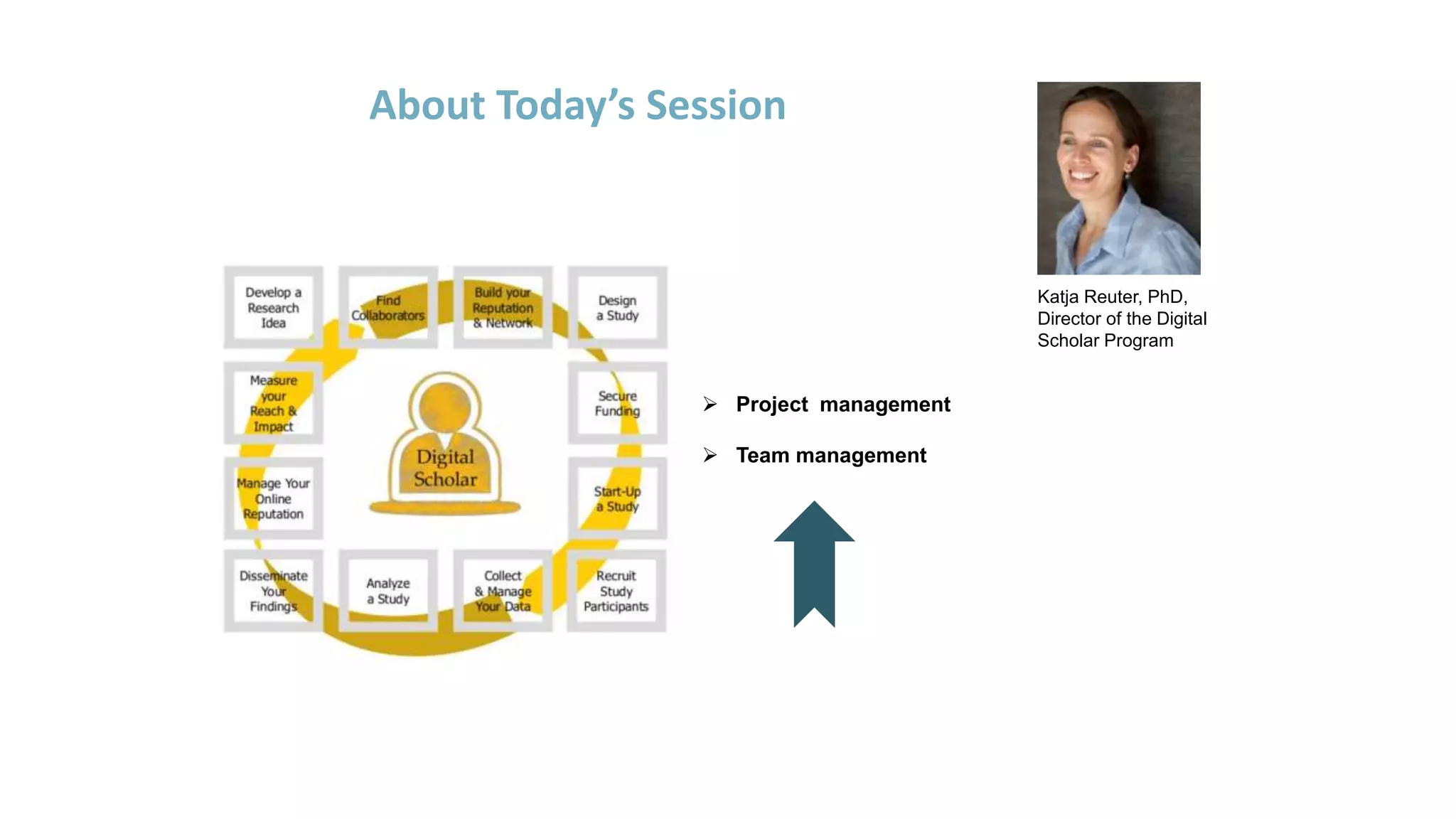
About Today’s Session
 Project management
 Team management
Electronic Laboratory Notebooks (eLNs)
Today’s Learning Objectives
 Describe the potential and strengths of using electronic Laboratory
Notebook (eLN) solutions
 Identify different types of eLNs
 Describe basic features of eLN and how they are used
 Describe potential weaknesses of using eLNs and how to address them
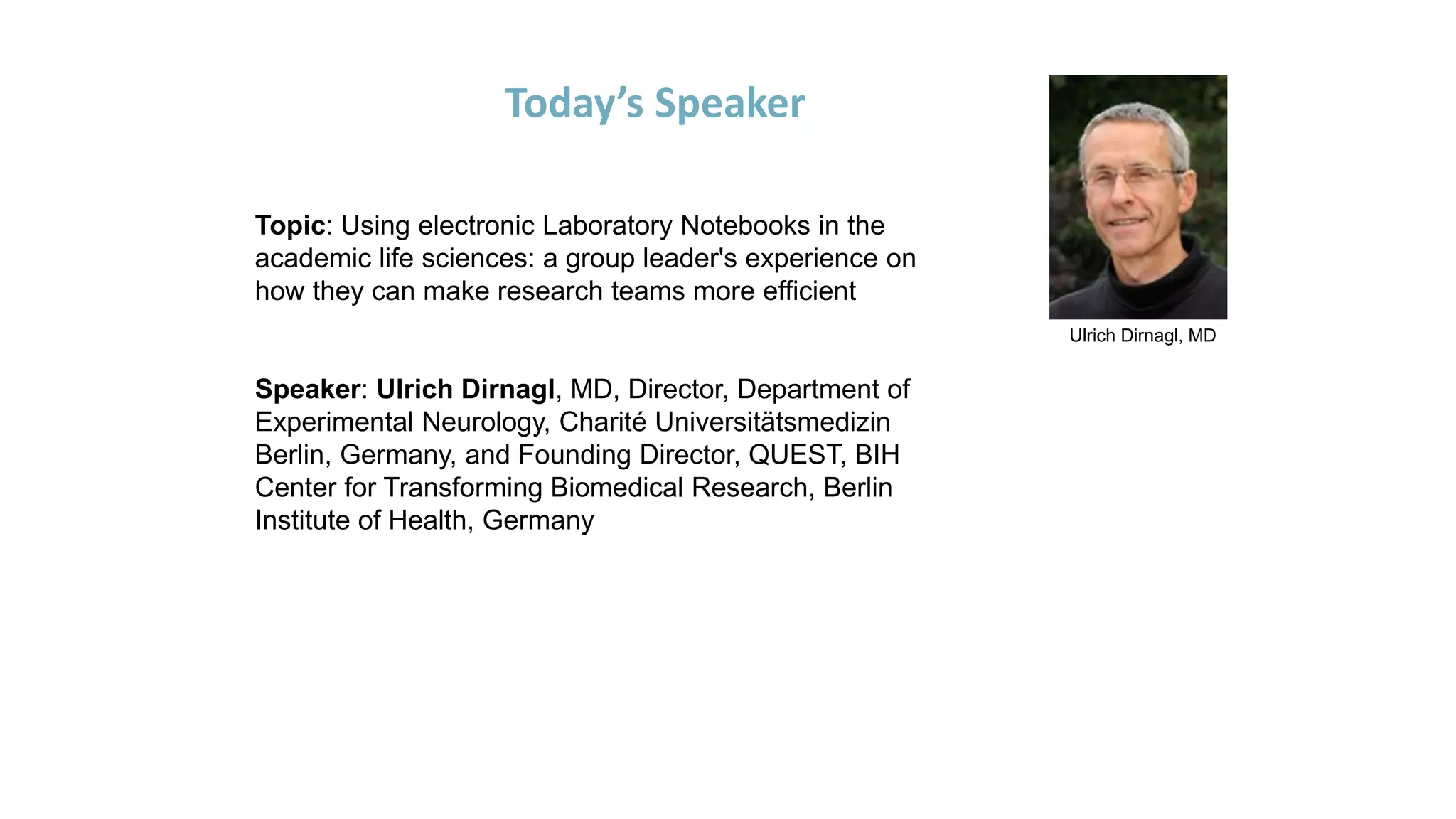
Ulrich Dirnagl, MD
Today’s Speaker
Topic: Using electronic Laboratory Notebooks in the
academic life sciences: a group leader's experience on
how they can make research teams more efficient
Speaker: Ulrich Dirnagl, MD, Director, Department of
Experimental Neurology, Charité Universitätsmedizin
Berlin, Germany, and Founding Director, QUEST, BIH
Center for Transforming Biomedical Research, Berlin
Institute of Health, Germany
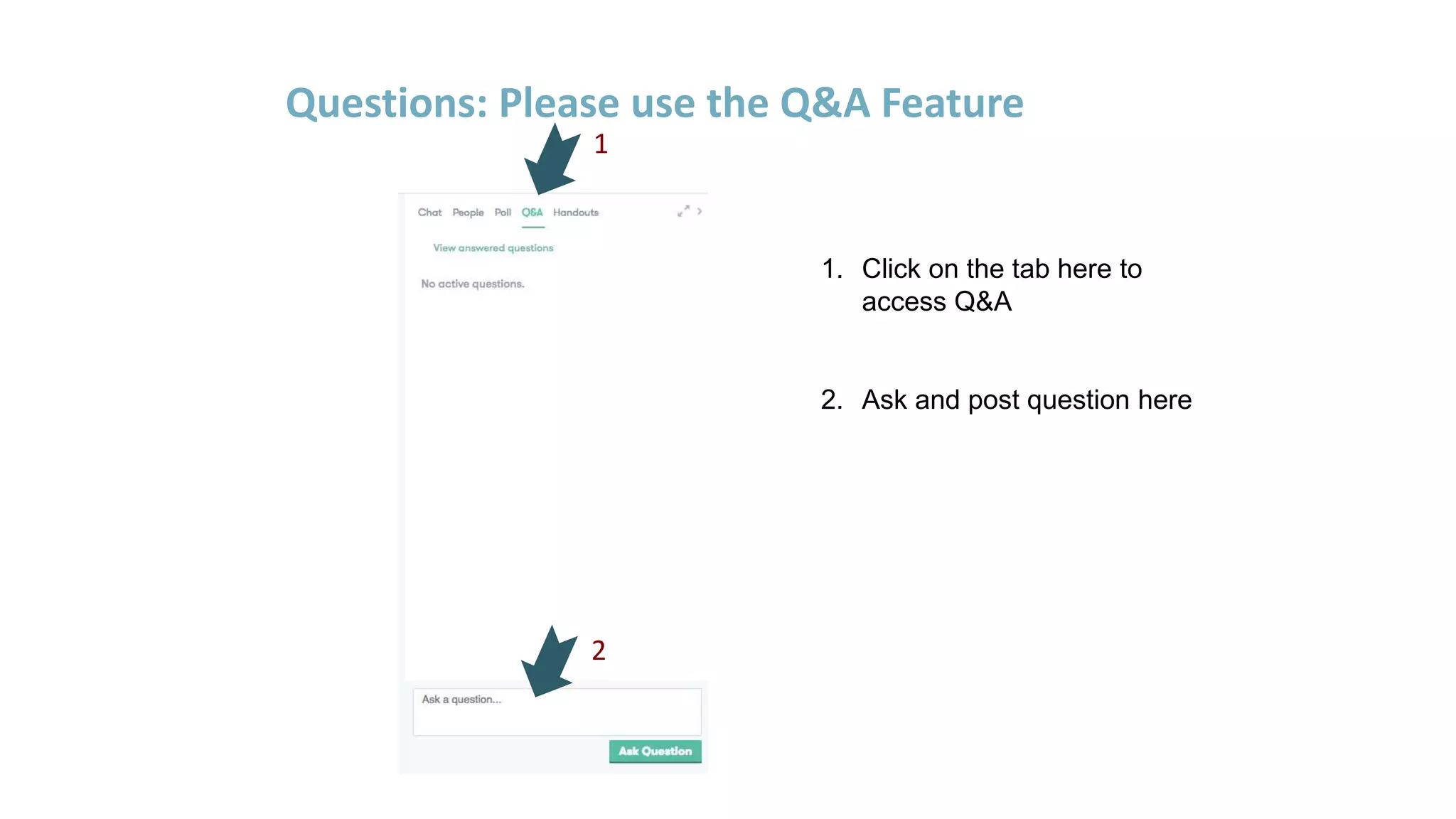
Questions: Please use the Q&A Feature
1. Click on the tab here to
access Q&A
2. Ask and post question here
1
2
USING ELECTRONIC LABORATORY NOTEBOOKS IN THE
ACADEMIC LIFE SCIENCES:
A GROUP LEADER'S EXPERIENCE ON HOW THEY CAN MAKE RESEARCH TEAMS
MORE EFFICIENT
Ulrich Dirnagl
University of Southern California 1/10/2018
I strongly believe that paper laboratory notebooks are no longer state of
the art.
There are a number of competitors offering high quality ELNs (Benchhive,
LabCollector, SciNote, Labfolder …. For an extensive but still incomplete
list see
https://www.labsexplorer.com/c/2017-review-of-best-electronic-
laboratory-notebooks_6 )
Labfolder is a startup founded by scientists in the Berlin area.
I do not own any shares or do not receive any royalties or benefits from
Labfolder. I just happen to have extensive experience with it.
Disclaimer / Conflict of interest statement
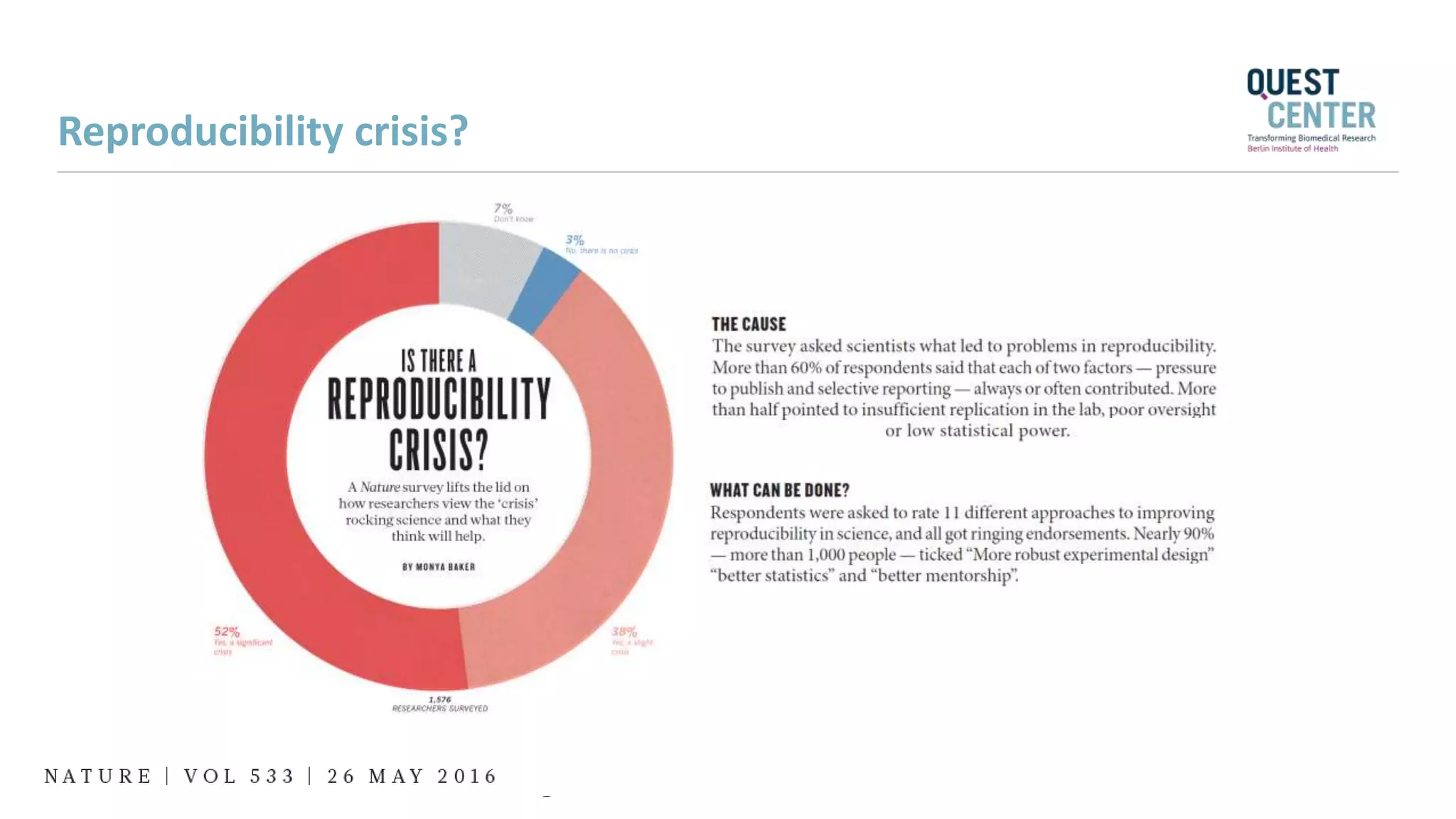
Reproducibility crisis?
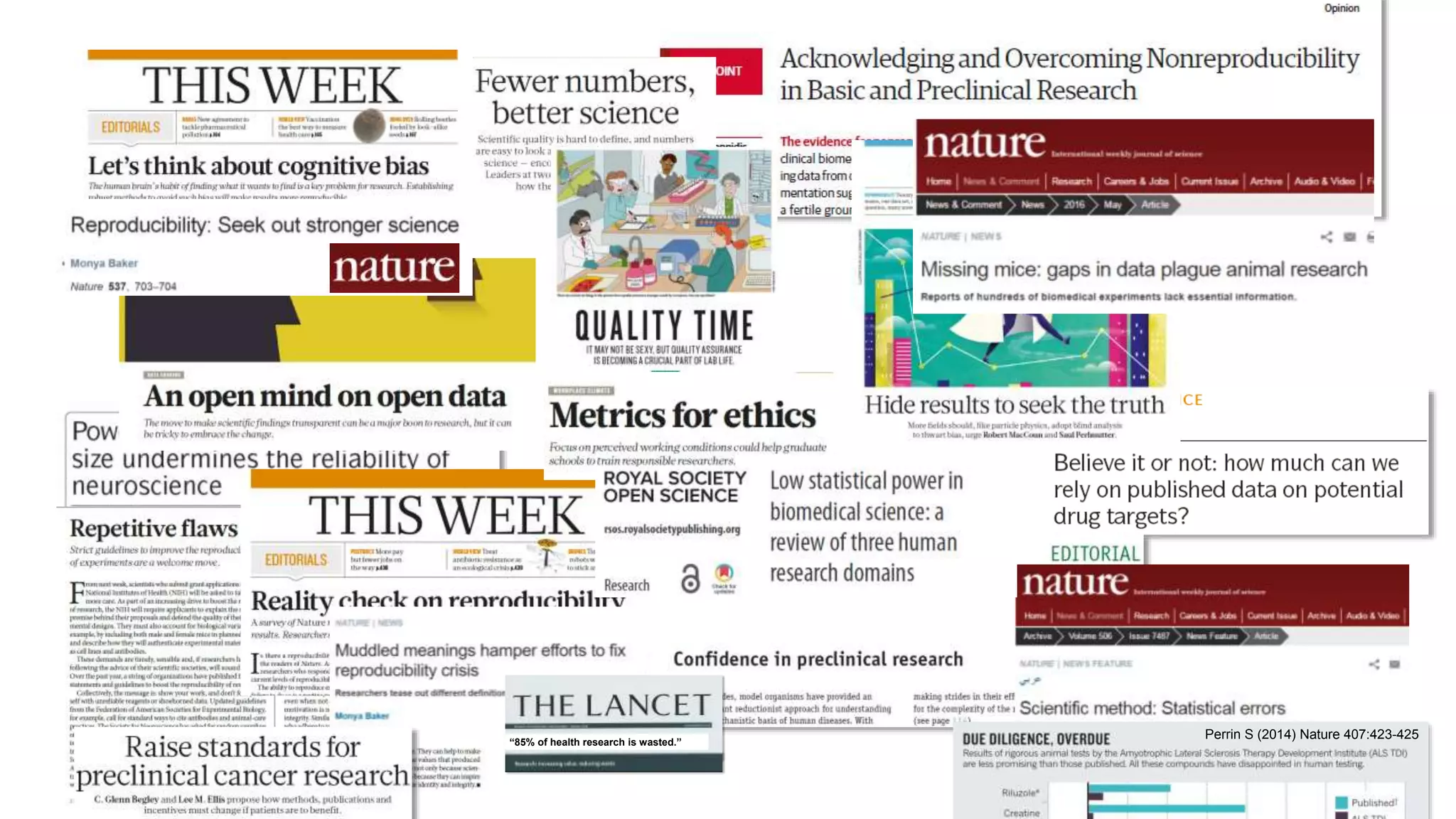
“85% of health research is wasted.”
Perrin S (2014) Nature 407:423-425
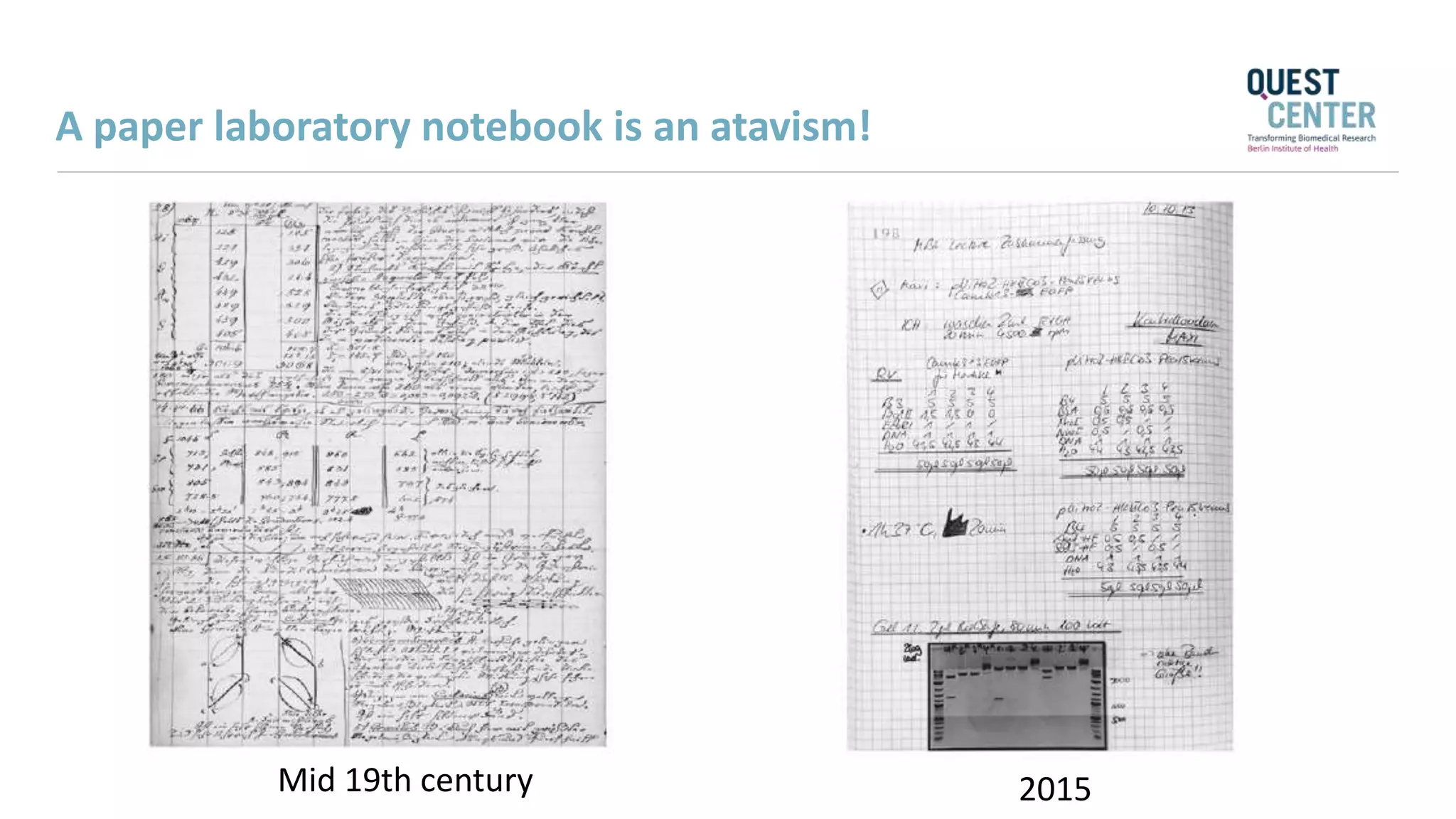
Mid 19th century 2015
A paper laboratory notebook is an atavism!
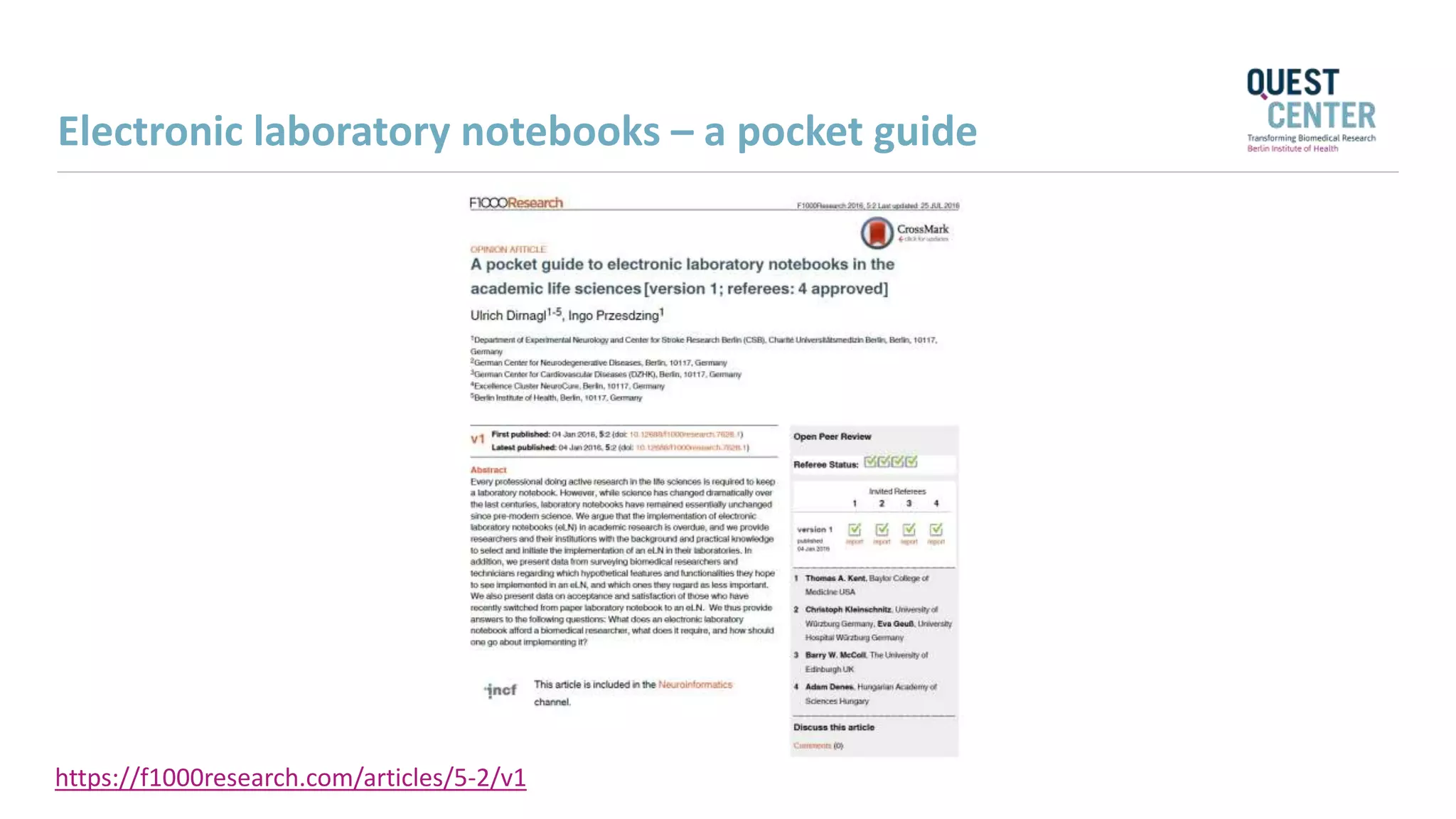
Electronic laboratory notebooks – a pocket guide
https://f1000research.com/articles/5-2/v1
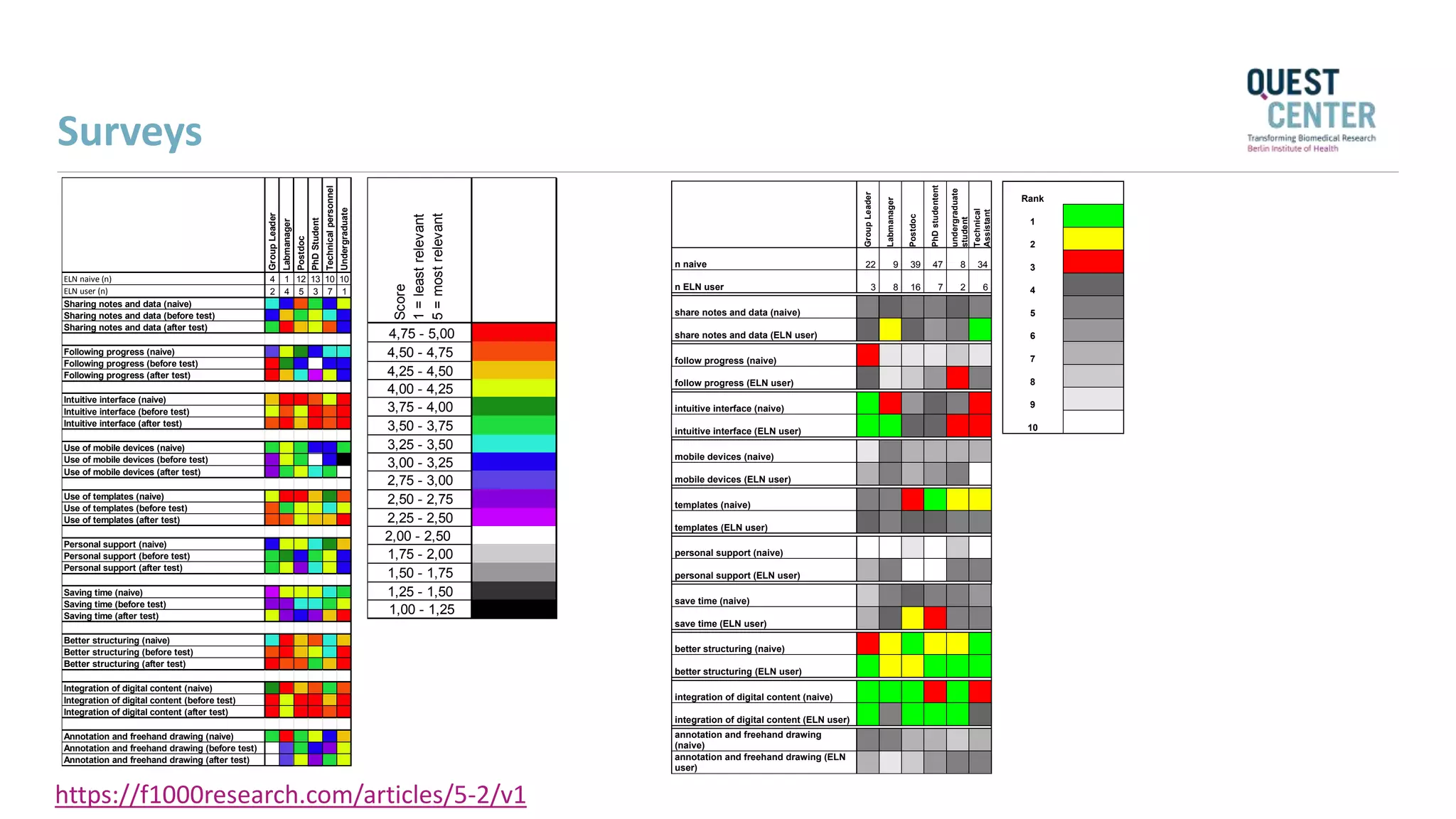
Surveys
Score
1=leastrelevant
5=mostrelevant
4,75 - 5,00
4,50 - 4,75
4,25 - 4,50
4,00 - 4,25
3,75 - 4,00
3,50 - 3,75
3,25 - 3,50
3,00 - 3,25
2,75 - 3,00
2,50 - 2,75
2,25 - 2,50
2,00 - 2,50
1,75 - 2,00
1,50 - 1,75
1,25 - 1,50
1,00 - 1,25
GroupLeader
Labmanager
Postdoc
PhDStudent
Technicalpersonnel
Undergraduate
ELN naive (n) 4 1 12 13 10 10
ELN user (n) 2 4 5 3 7 1
Sharing notes and data (naive)
Sharing notes and data (before test)
Sharing notes and data (after test)
Following progress (naive)
Following progress (before test)
Following progress (after test)
Intuitive interface (naive)
Intuitive interface (before test)
Intuitive interface (after test)
Use of mobile devices (naive)
Use of mobile devices (before test)
Use of mobile devices (after test)
Use of templates (naive)
Use of templates (before test)
Use of templates (after test)
Personal support (naive)
Personal support (before test)
Personal support (after test)
Saving time (naive)
Saving time (before test)
Saving time (after test)
Better structuring (naive)
Better structuring (before test)
Better structuring (after test)
Integration of digital content (naive)
Integration of digital content (before test)
Integration of digital content (after test)
Annotation and freehand drawing (naive)
Annotation and freehand drawing (before test)
Annotation and freehand drawing (after test)
GroupLeader
Labmanager
Postdoc
PhDstudentent
undergraduate
student
Technical
Assistant
n naive 22 9 39 47 8 34
n ELN user 3 8 16 7 2 6
share notes and data (naive)
share notes and data (ELN user)
follow progress (naive)
follow progress (ELN user)
intuitive interface (naive)
intuitive interface (ELN user)
mobile devices (naive)
mobile devices (ELN user)
templates (naive)
templates (ELN user)
personal support (naive)
personal support (ELN user)
save time (naive)
save time (ELN user)
better structuring (naive)
better structuring (ELN user)
integration of digital content (naive)
integration of digital content (ELN user)
annotation and freehand drawing
(naive)
annotation and freehand drawing (ELN
user)
Rank
1
2
3
4
5
6
7
8
9
10
https://f1000research.com/articles/5-2/v1
* Minimum
requirement
for a state of
the art eLN
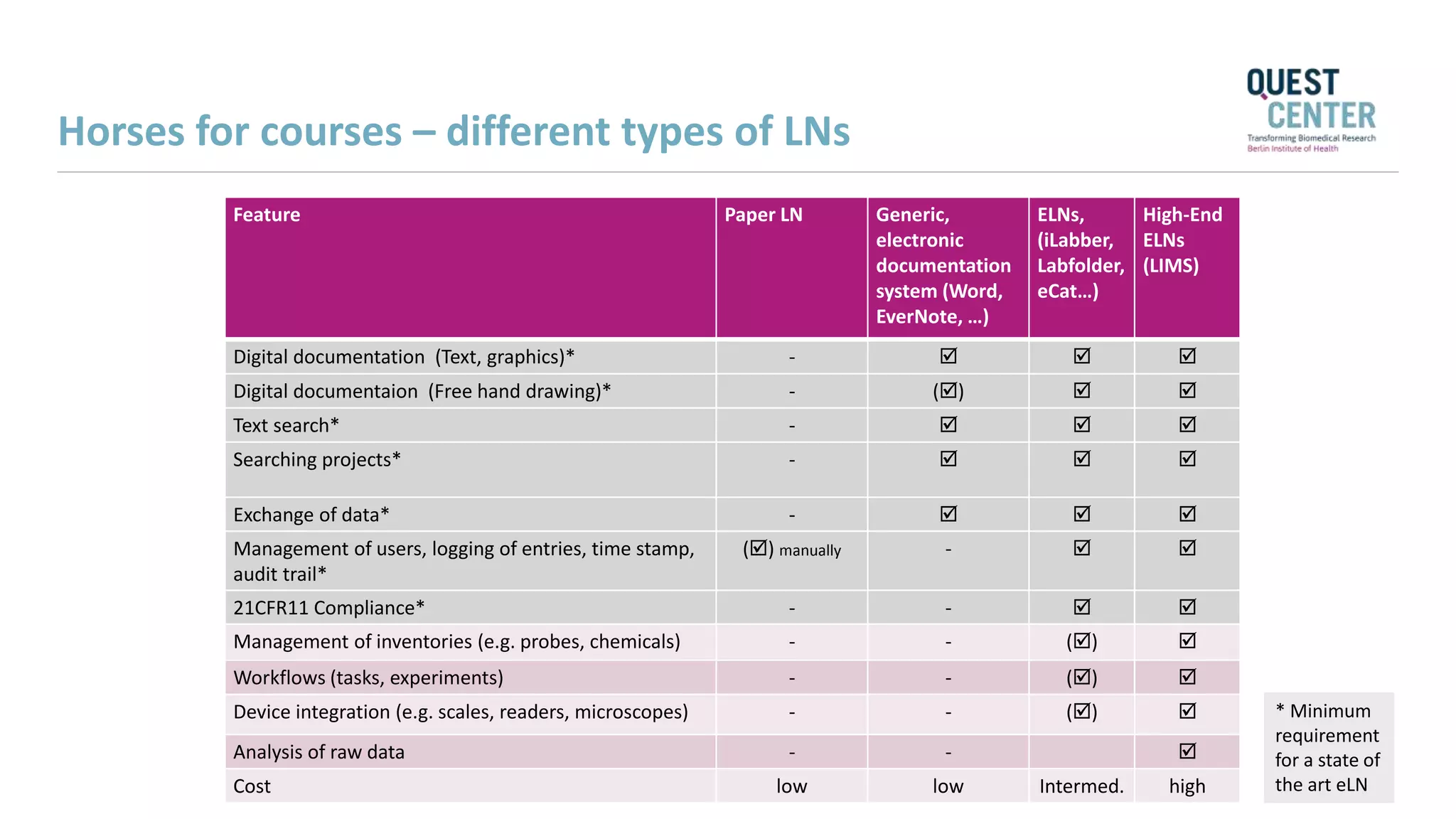
Feature Paper LN Generic,
electronic
documentation
system (Word,
EverNote, …)
ELNs,
(iLabber,
Labfolder,
eCat…)
High-End
ELNs
(LIMS)
Digital documentation (Text, graphics)* -   
Digital documentaion (Free hand drawing)* - ()  
Text search* -   
Searching projects* -   
Exchange of data* -   
Management of users, logging of entries, time stamp,
audit trail*
() manually -  
21CFR11 Compliance* - -  
Management of inventories (e.g. probes, chemicals) - - () 
Workflows (tasks, experiments) - - () 
Device integration (e.g. scales, readers, microscopes) - - () 
Analysis of raw data - - 
Cost low low Intermed. high
Horses for courses – different types of LNs
Electronic laboratory notebook
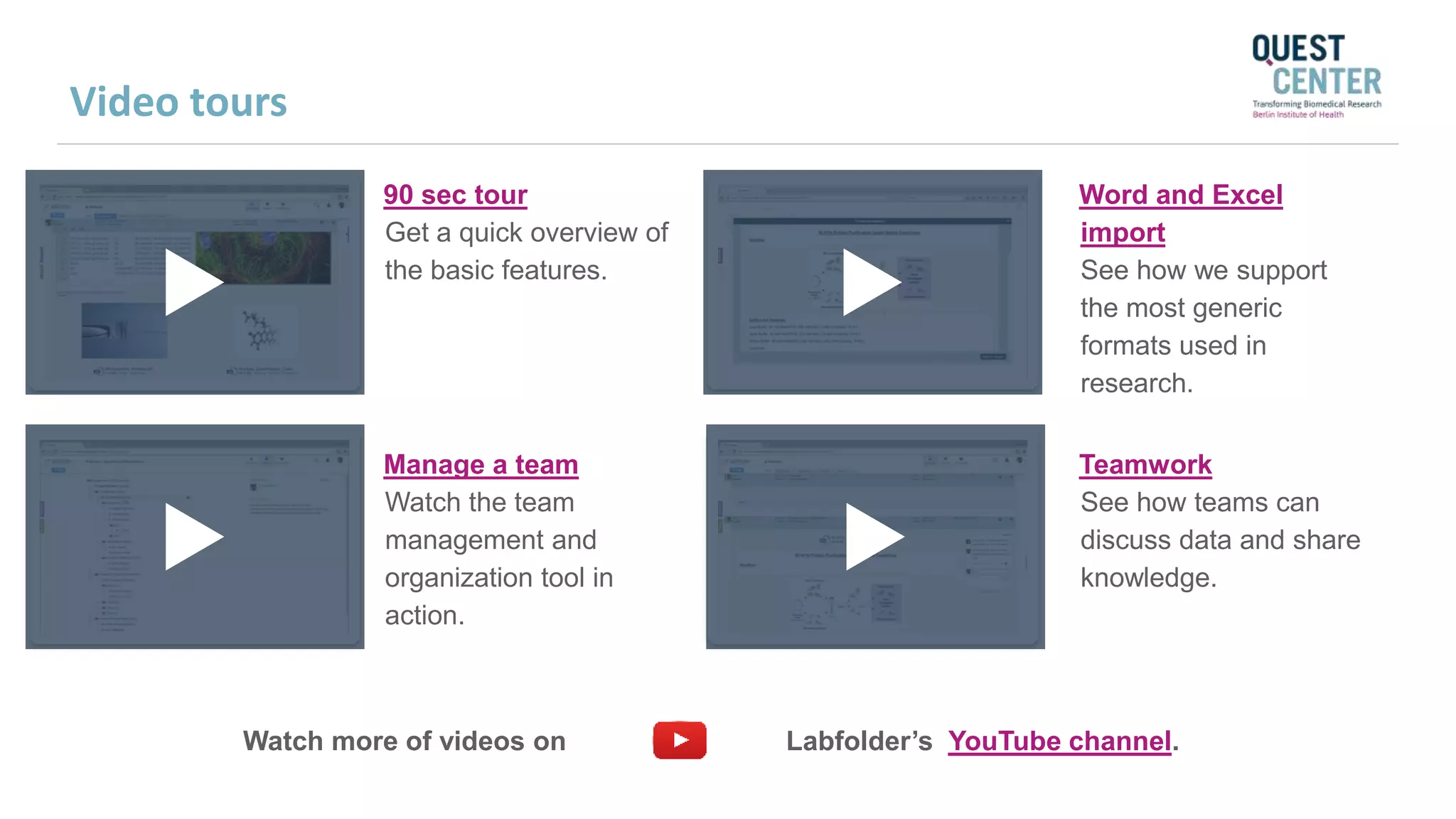
90 sec tour
Get a quick overview of
the basic features.
Teamwork
See how teams can
discuss data and share
knowledge.
Word and Excel
import
See how we support
the most generic
formats used in
research.
Manage a team
Watch the team
management and
organization tool in
action.
Watch more of videos on Labfolder’s YouTube channel.
Video tours
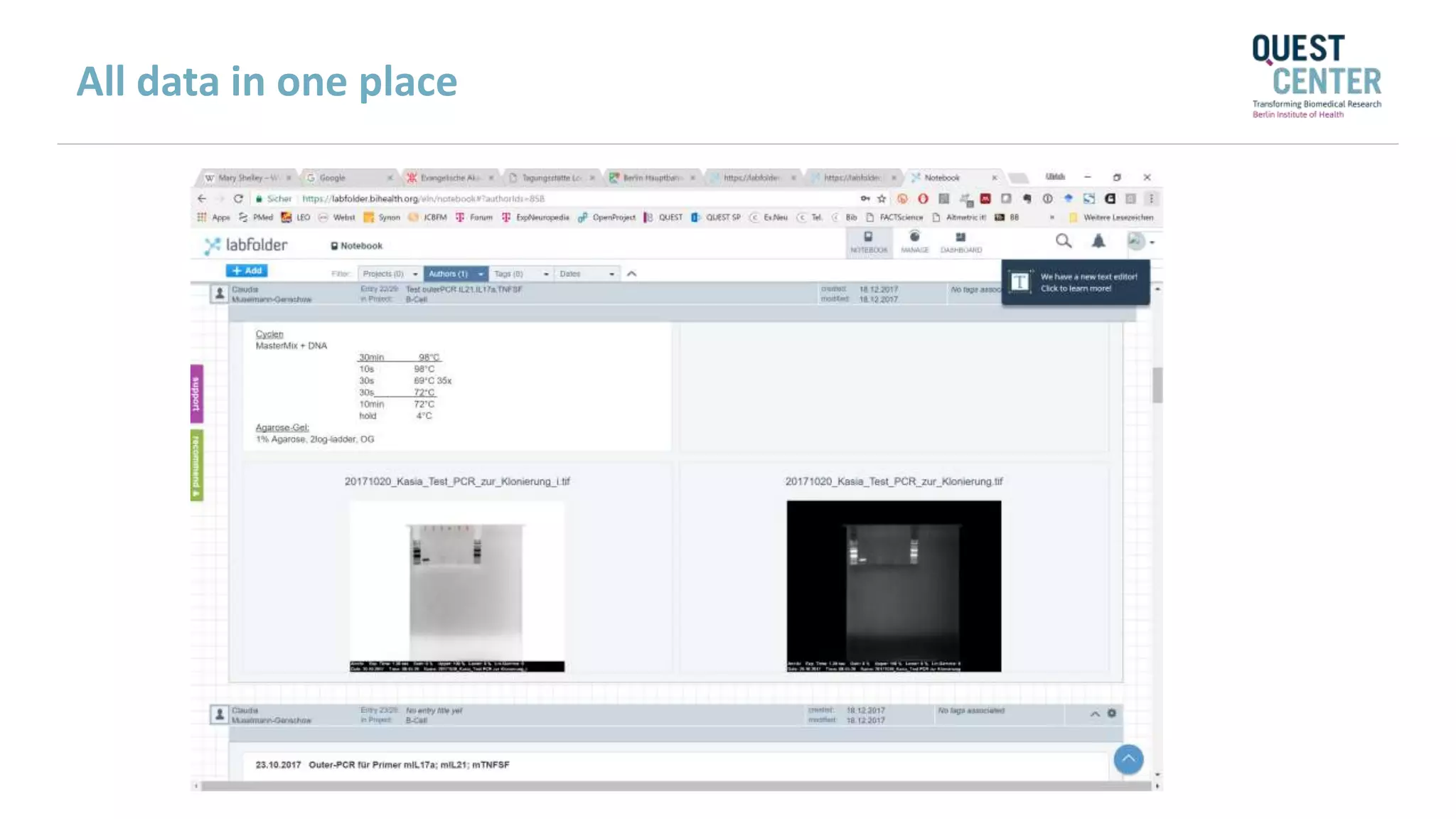
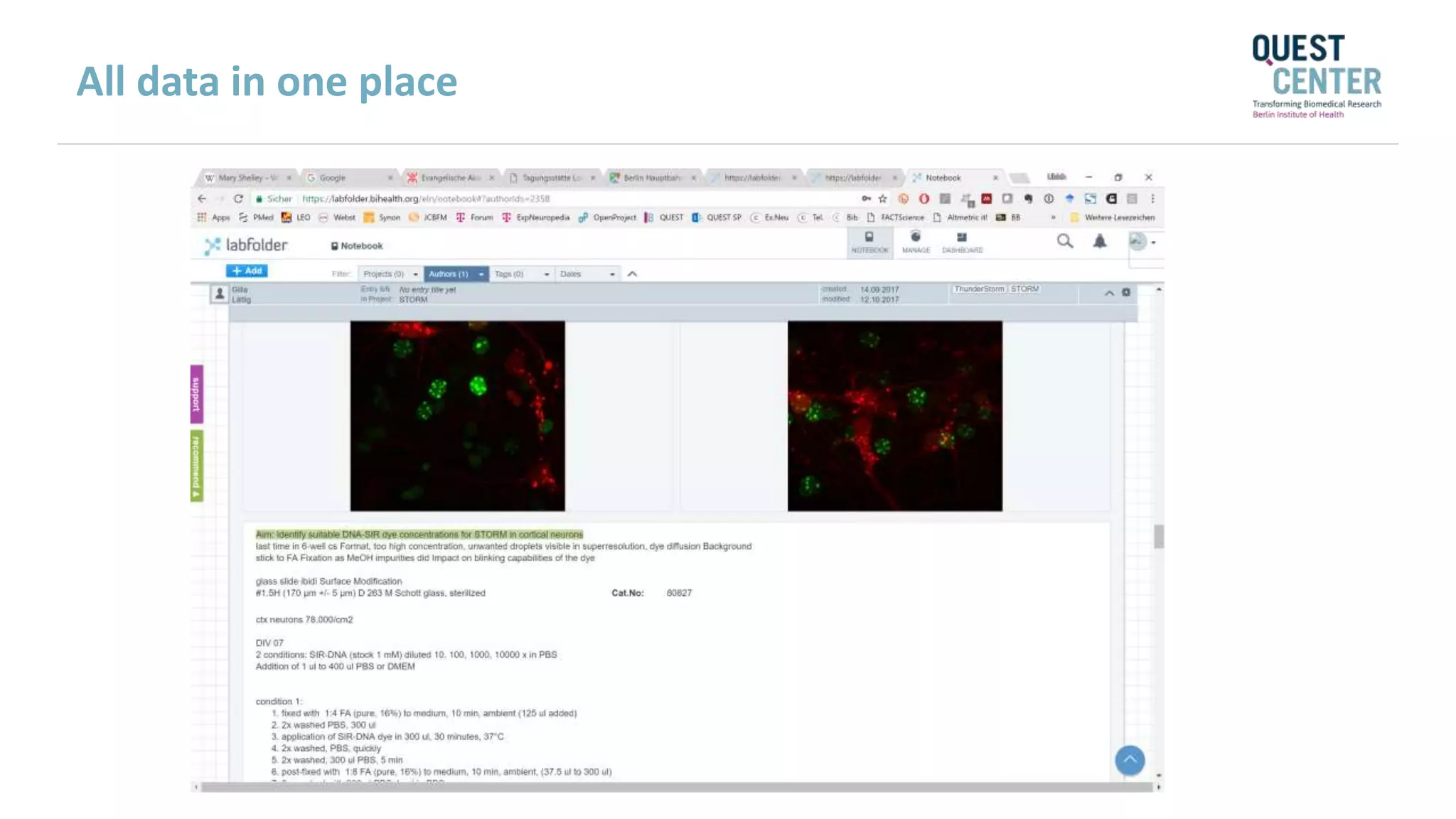
All data in one place
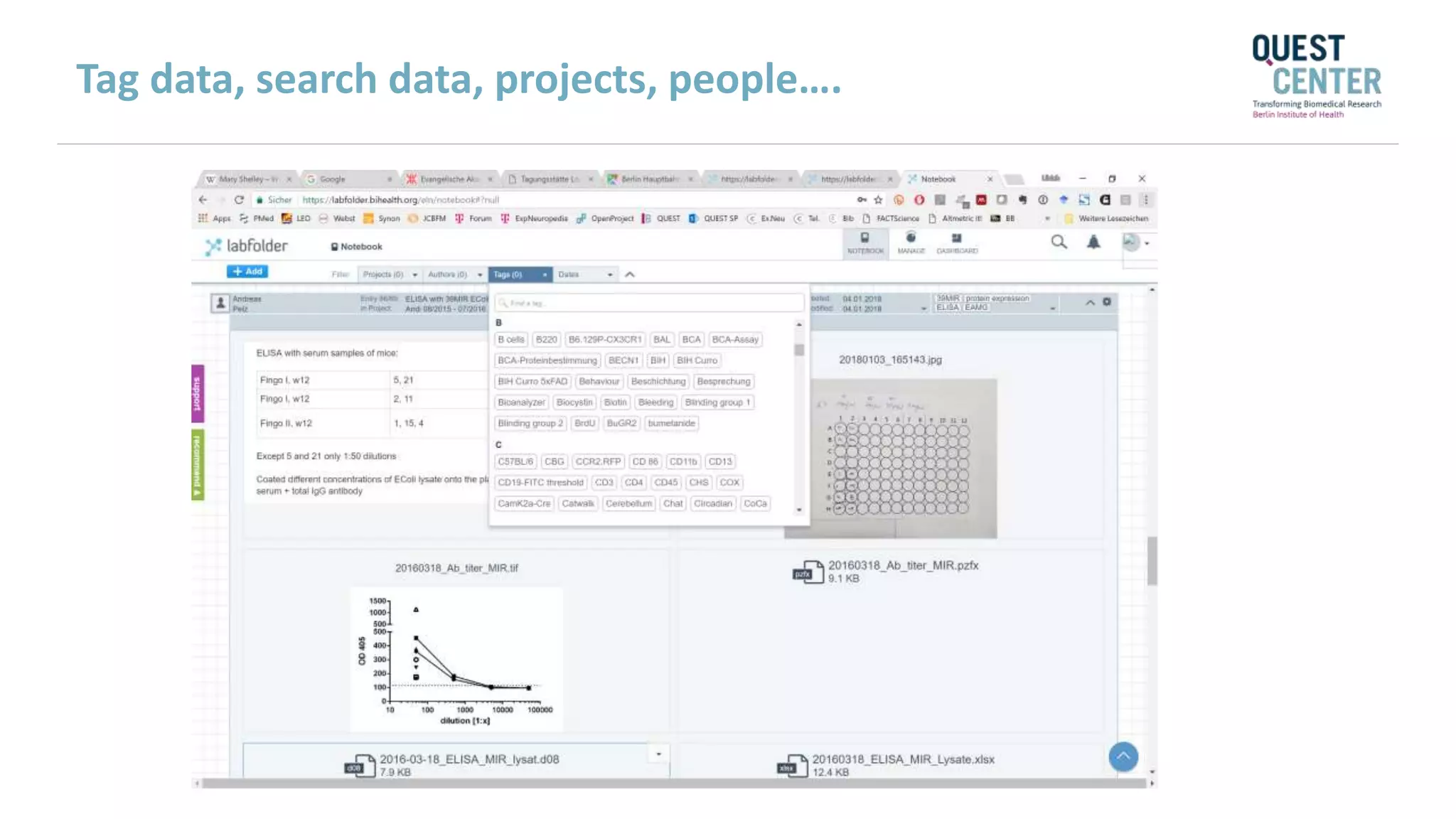
Tag data, search data, projects, people….
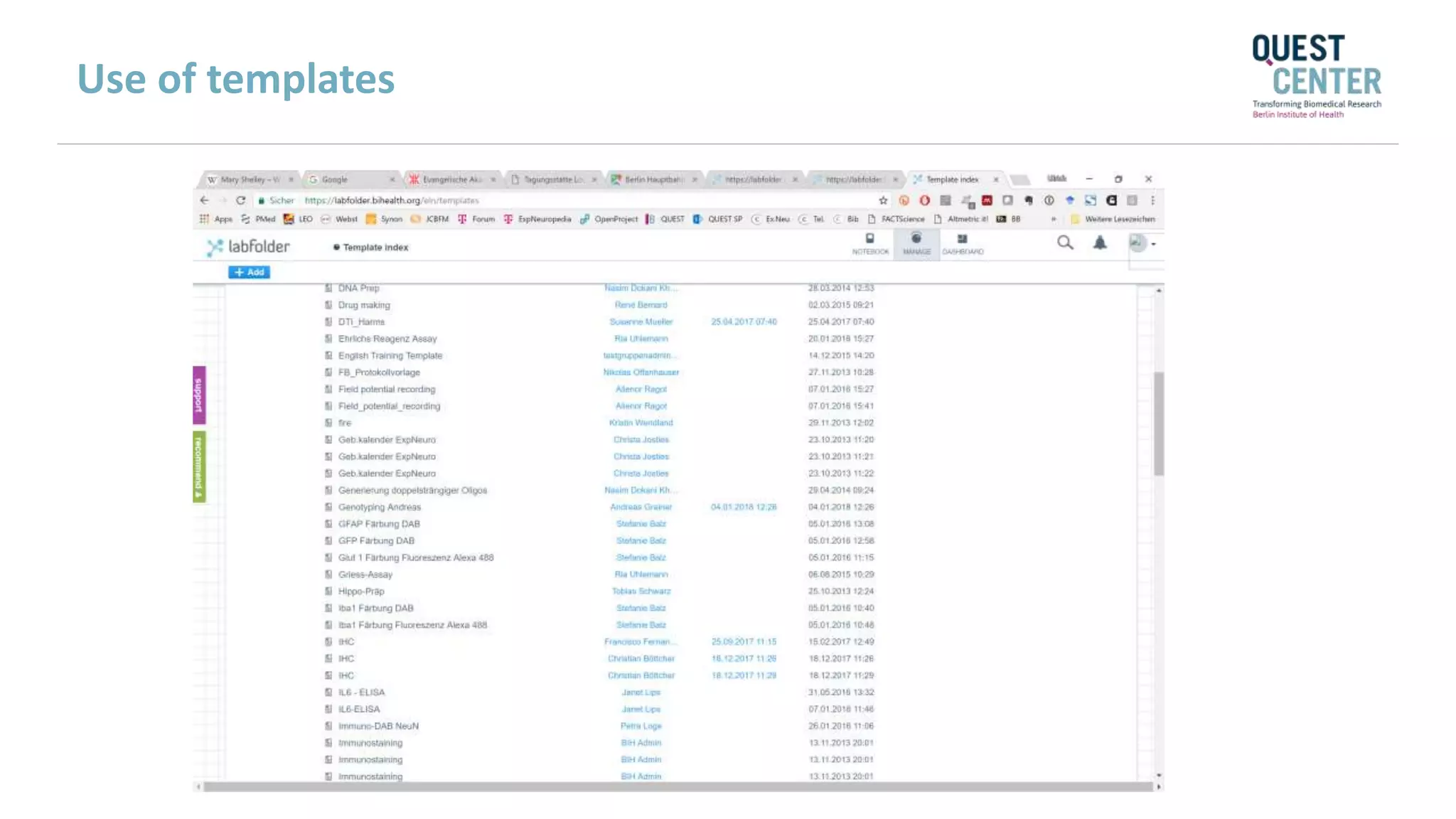
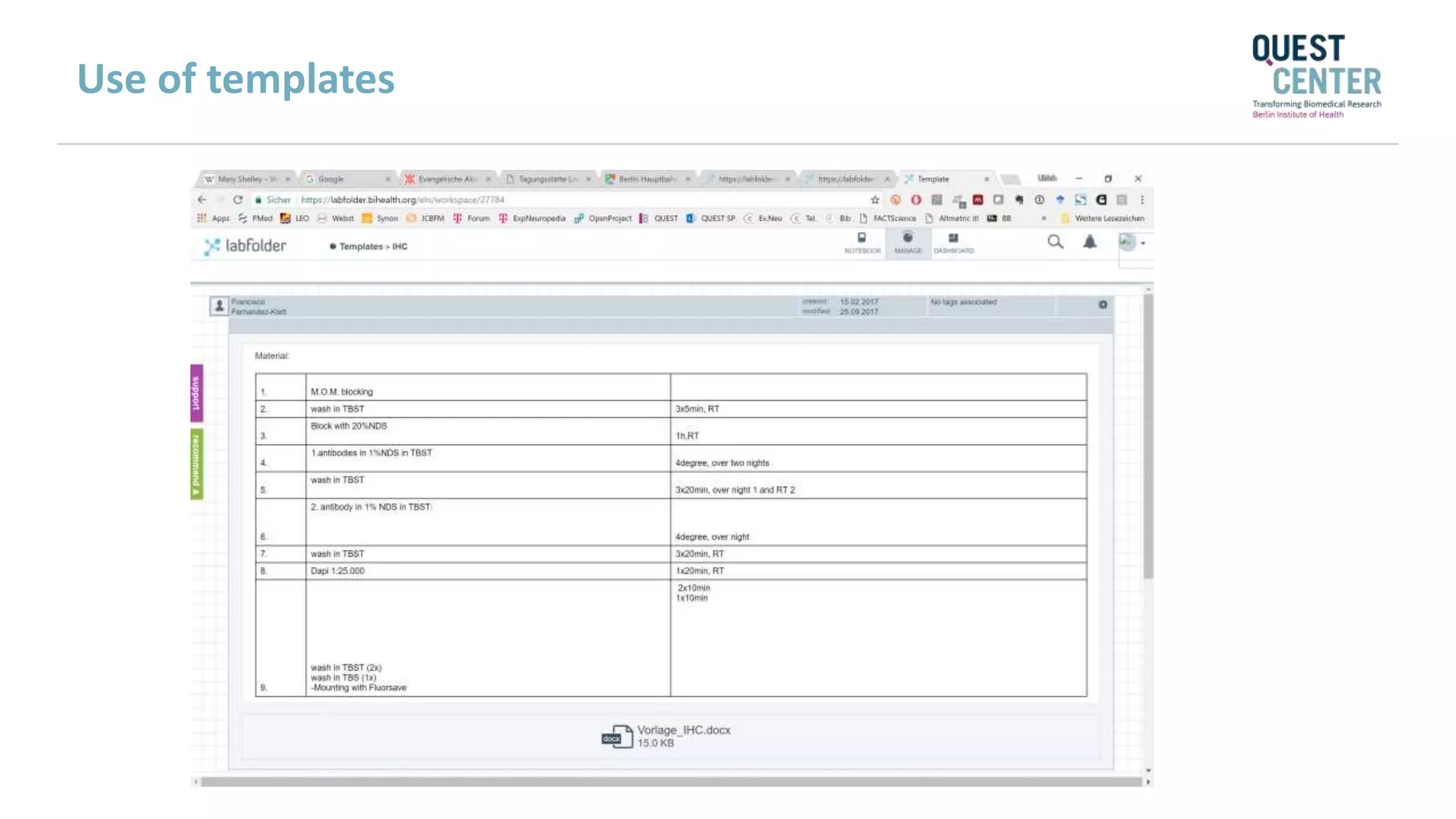
Use of templates
Use of templates
23
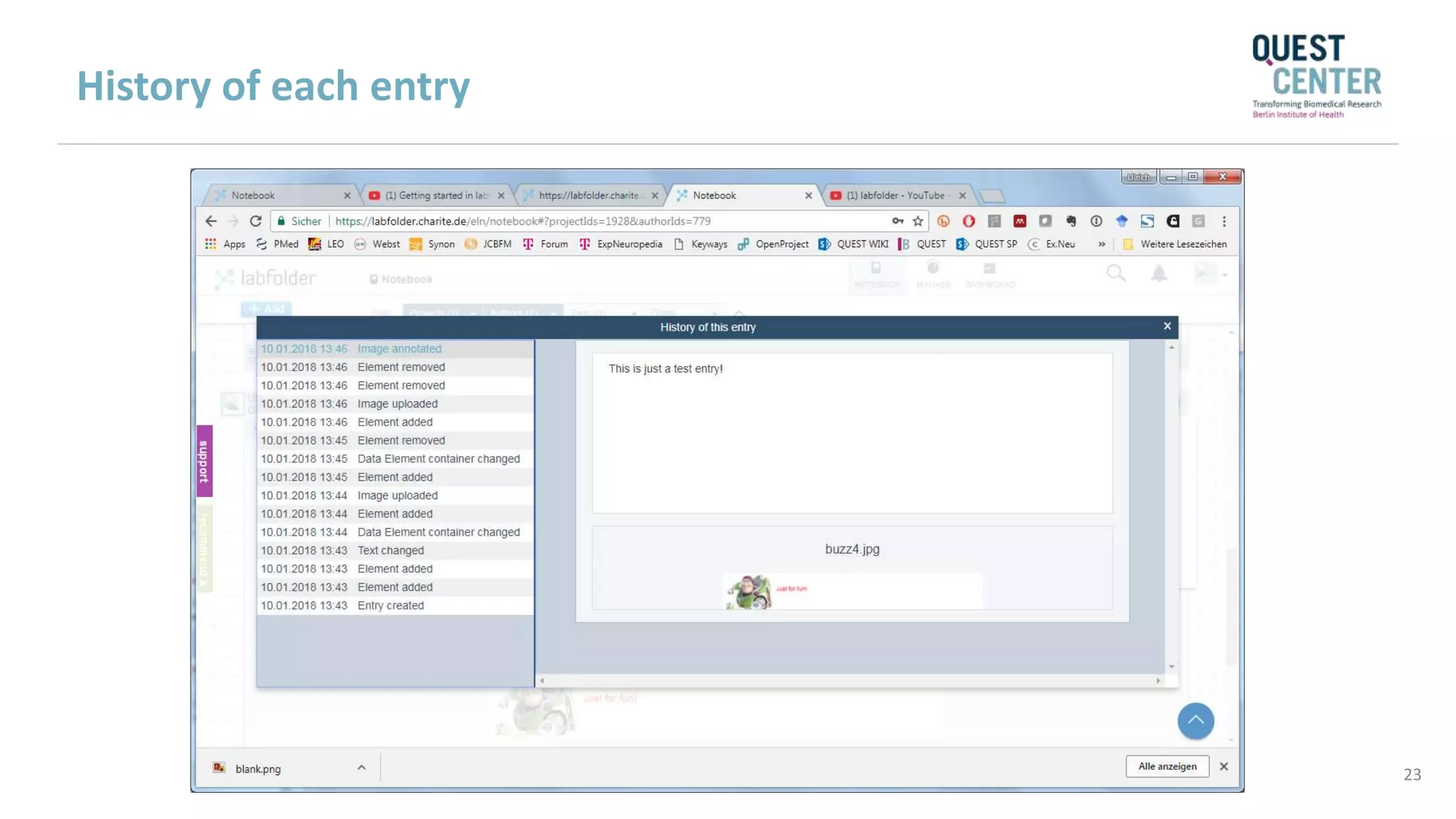
History of each entry
24
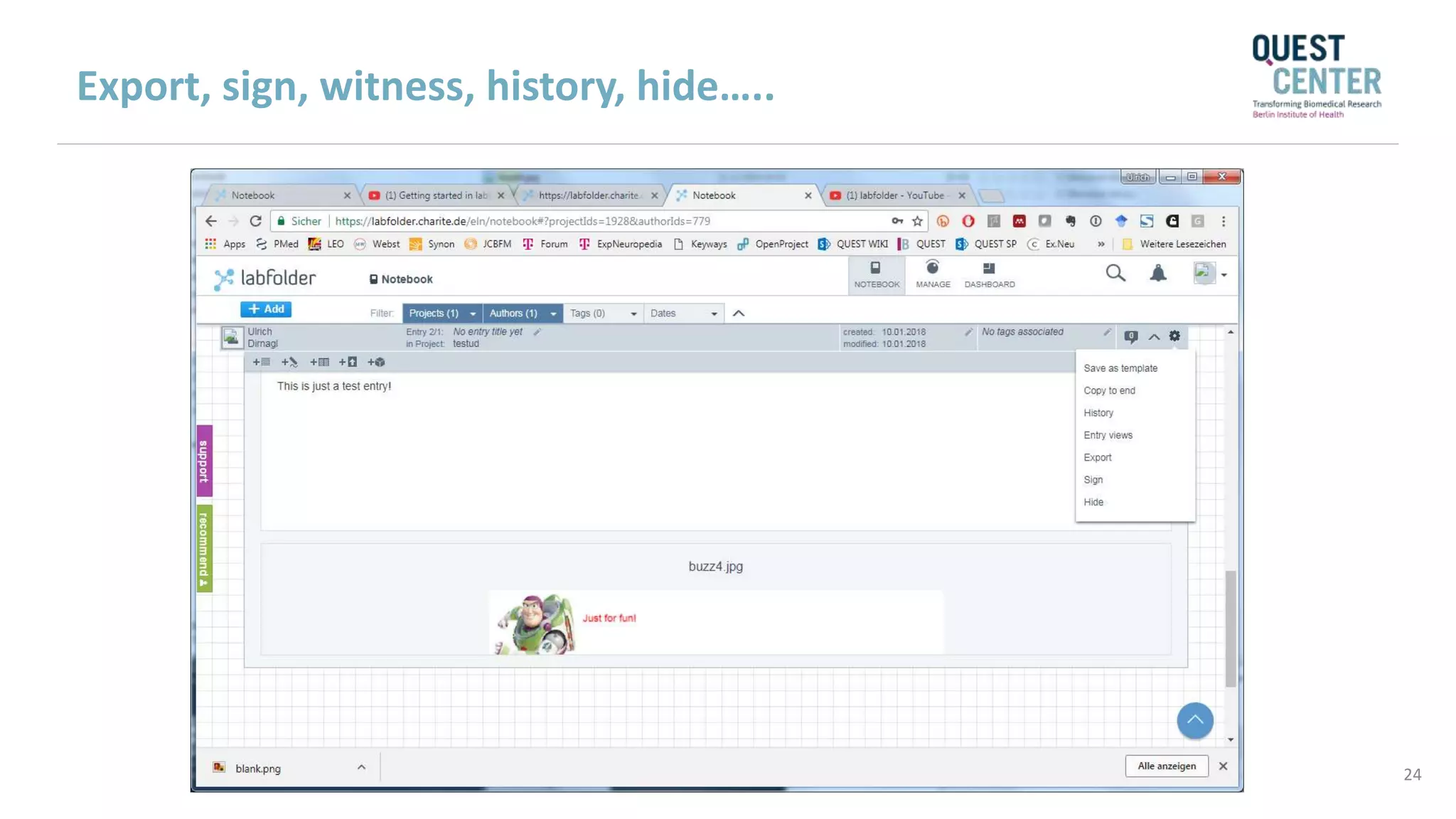
Export, sign, witness, history, hide…..
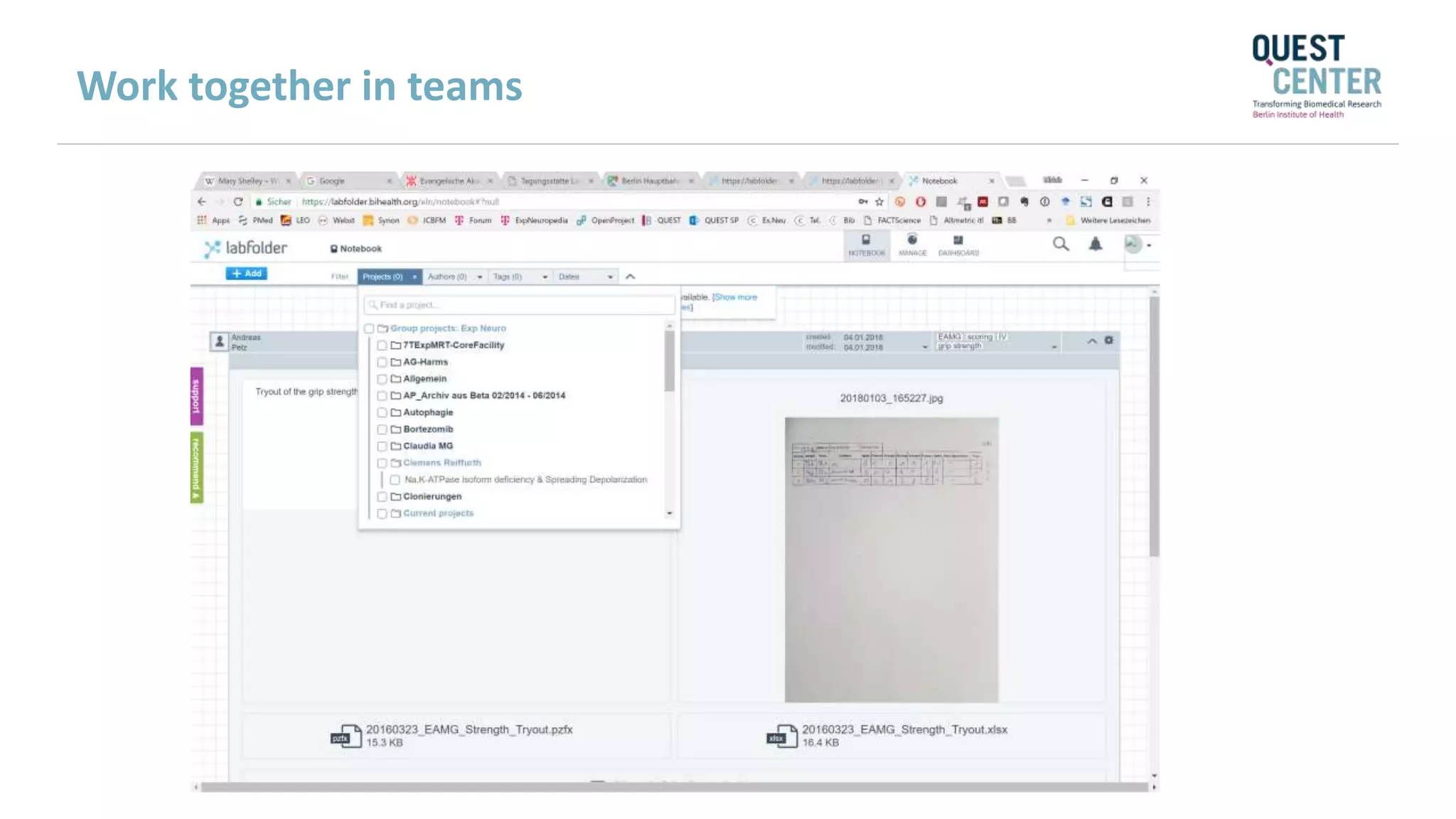
Work together in teams
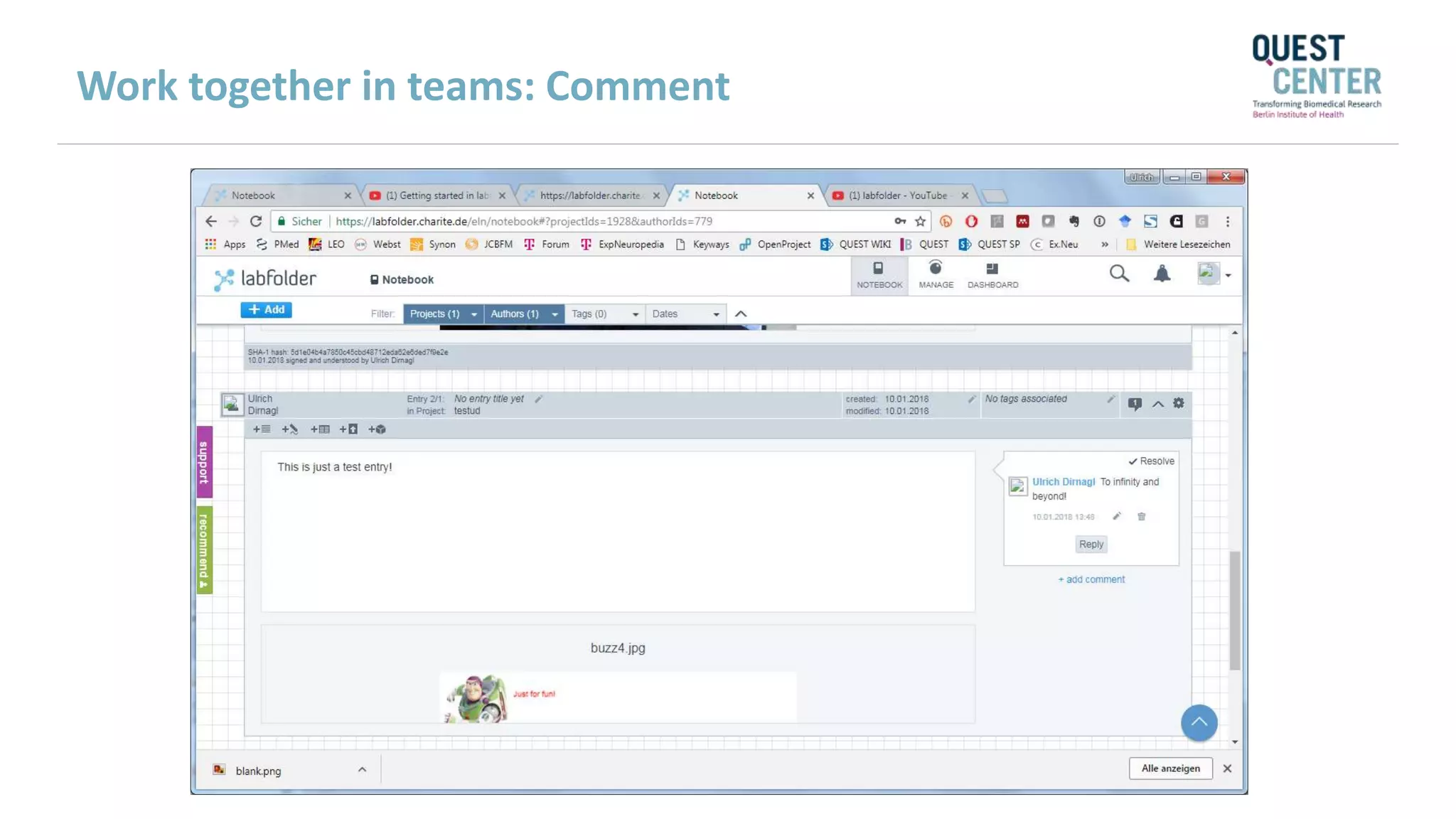
Work together in teams: Comment
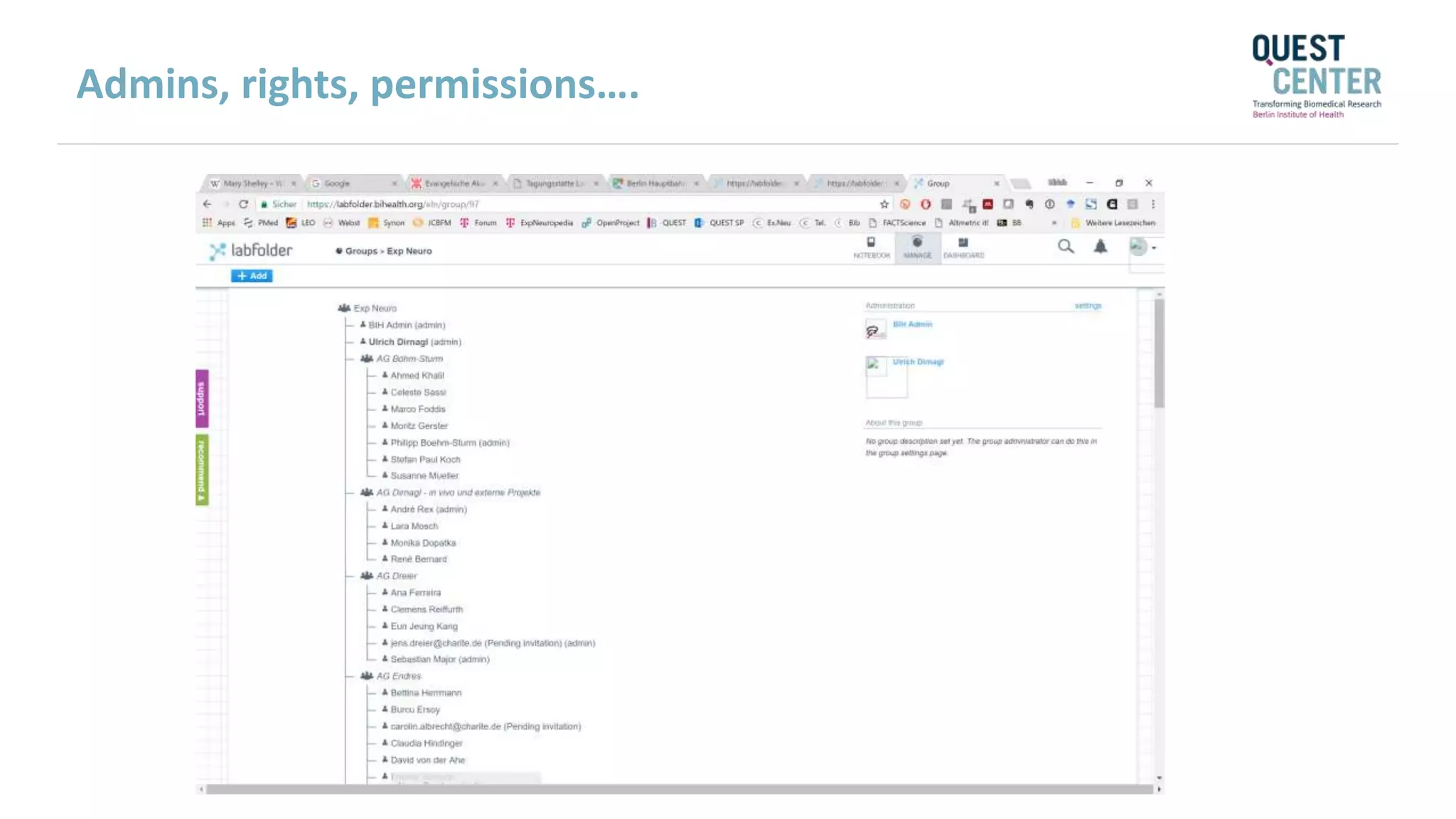
Admins, rights, permissions….
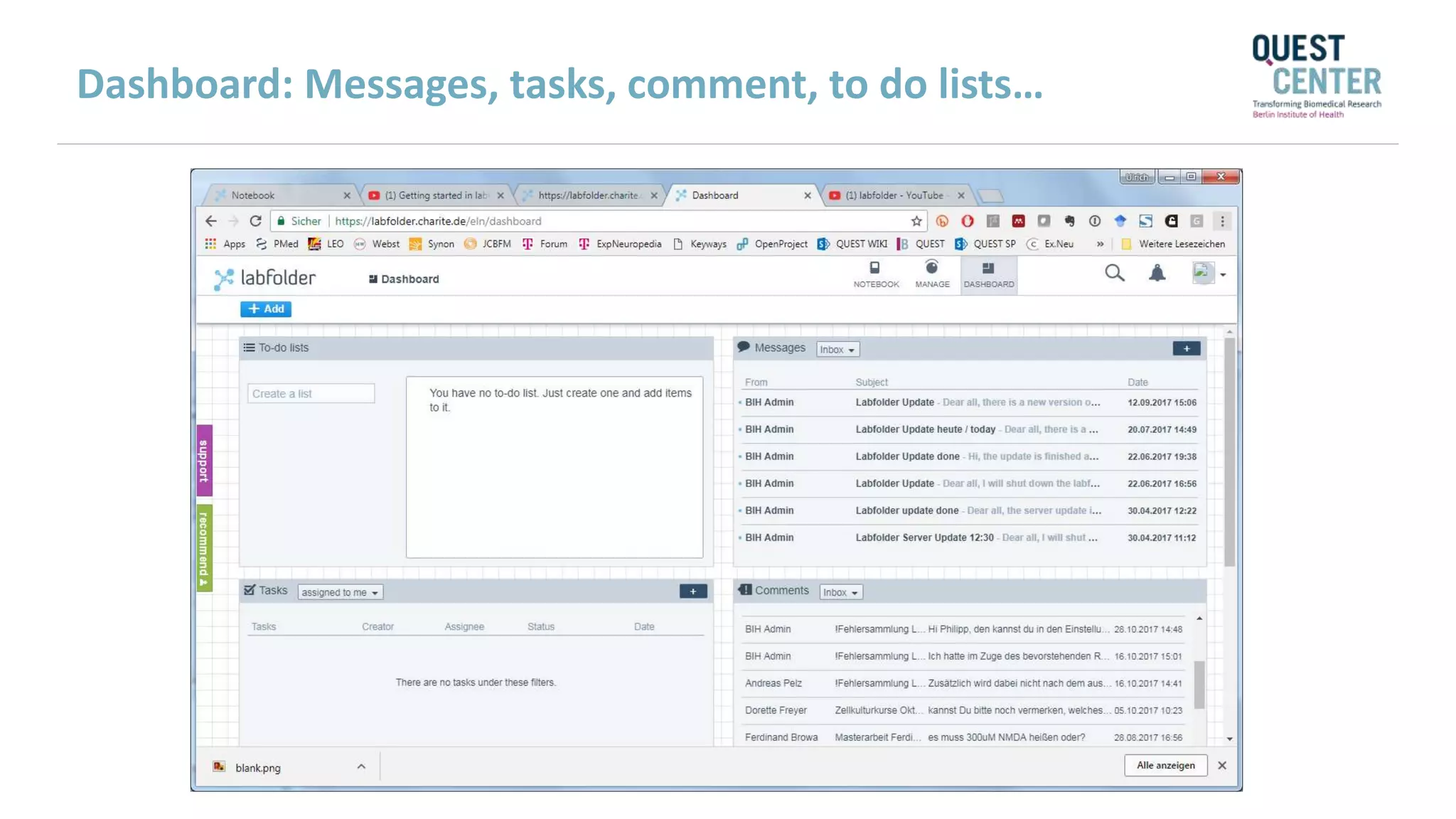
Dashboard: Messages, tasks, comment, to do lists…
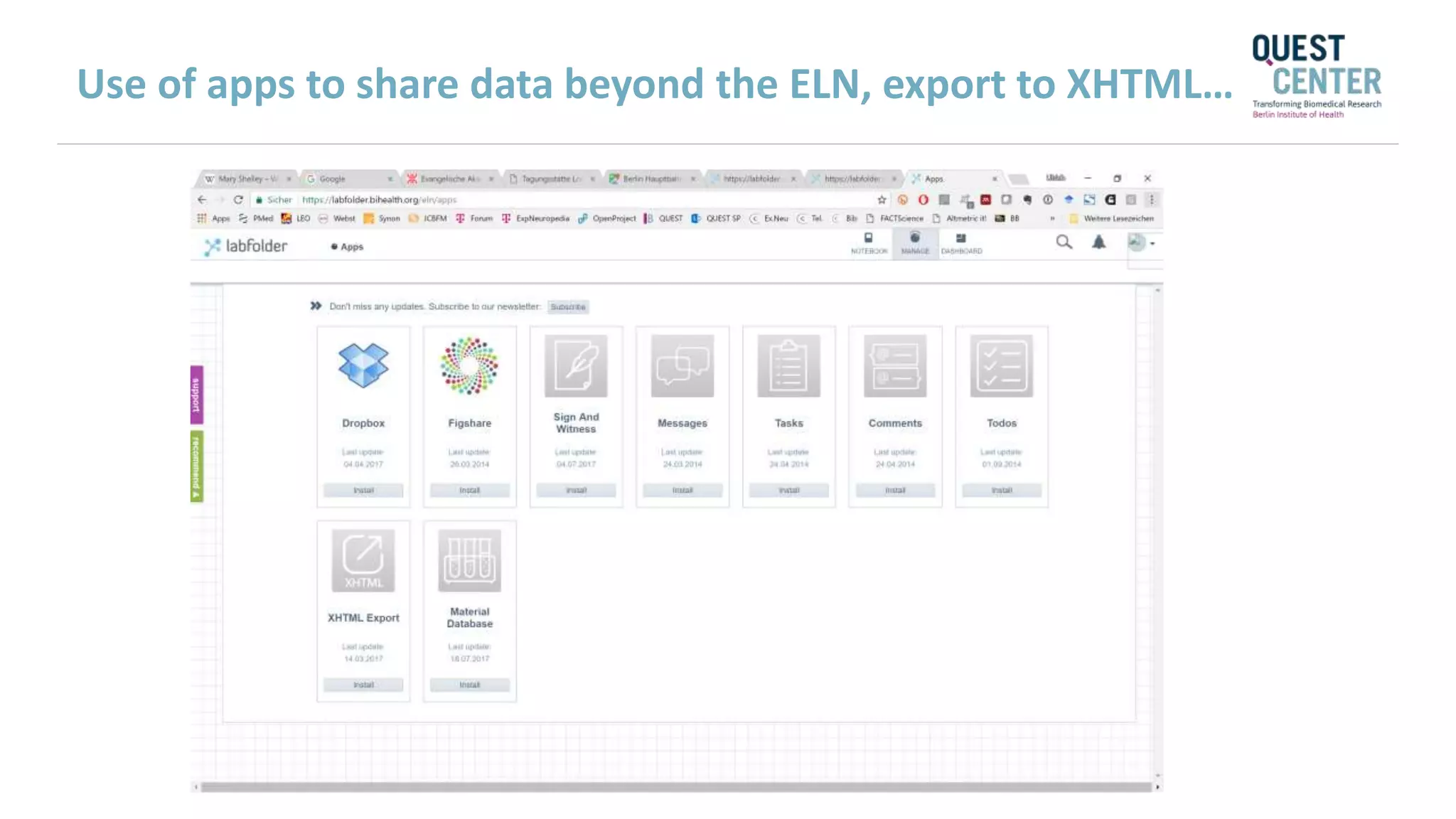
Use of apps to share data beyond the ELN, export to XHTML…
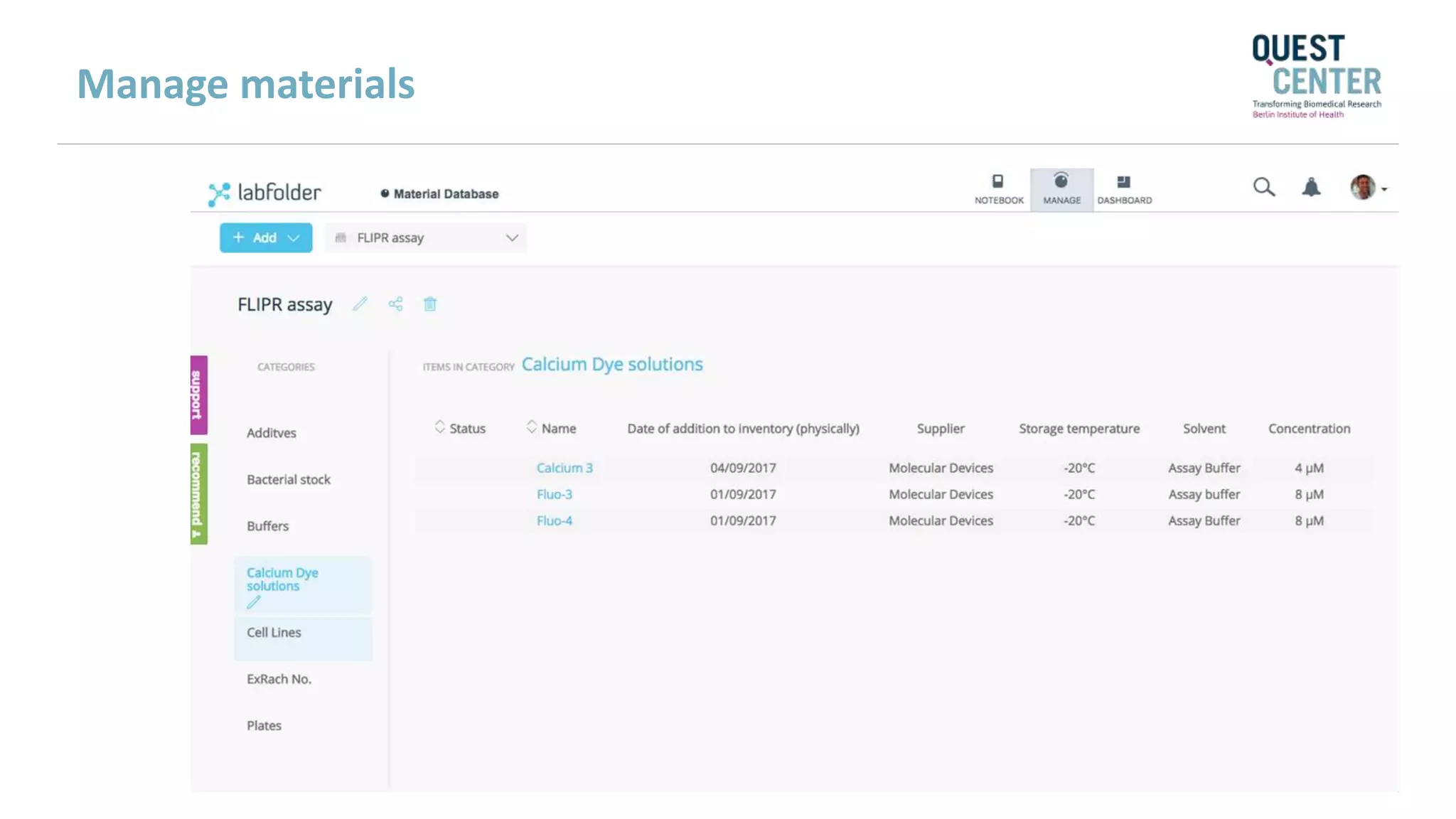
Manage materials
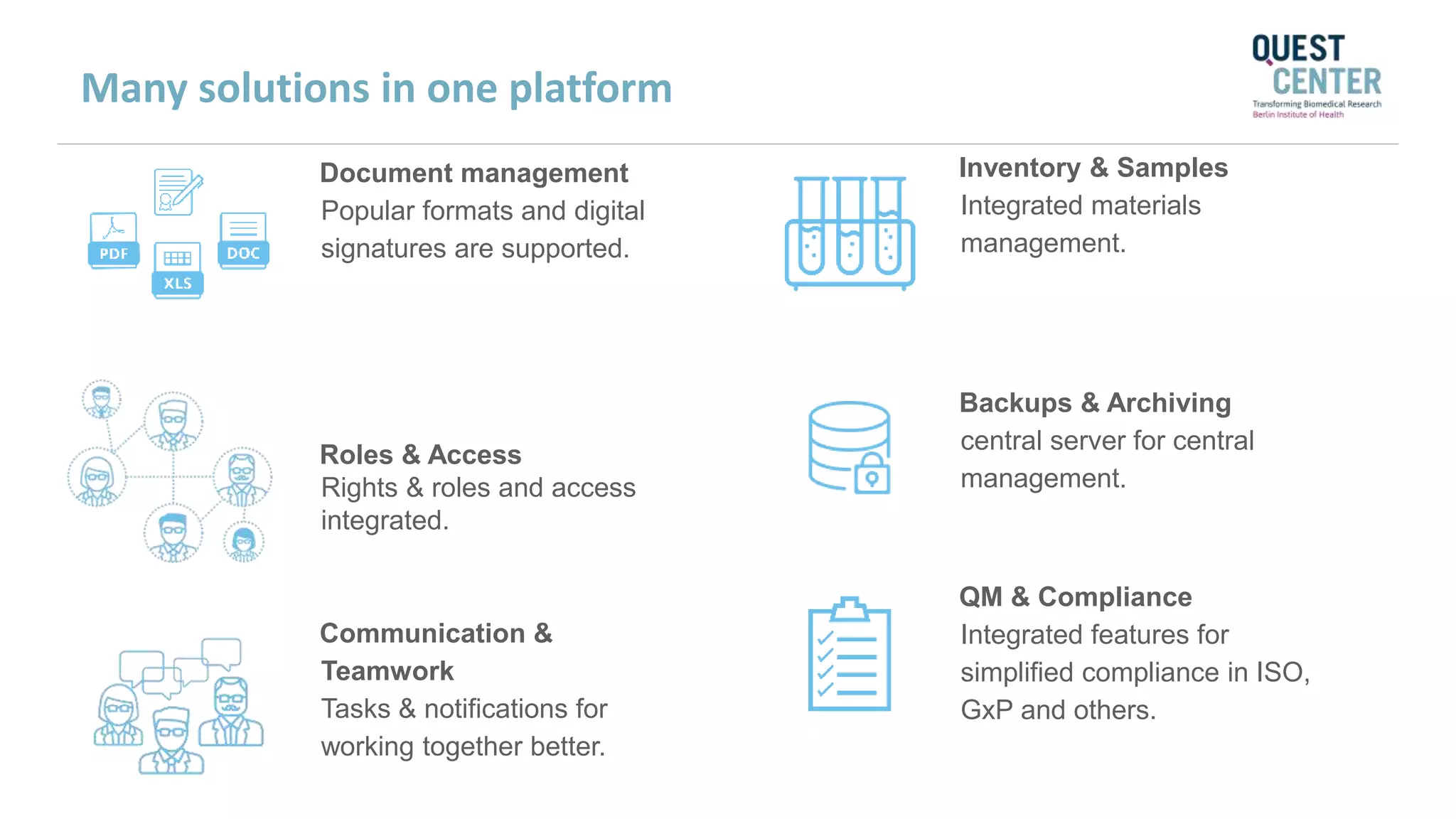
Communication &
Teamwork
Tasks & notifications for
working together better.
QM & Compliance
Integrated features for
simplified compliance in ISO,
GxP and others.
Backups & Archiving
central server for central
management.
Roles & Access
Rights & roles and access
integrated.
Document management
Popular formats and digital
signatures are supported.
Inventory & Samples
Integrated materials
management.
Many solutions in one platform
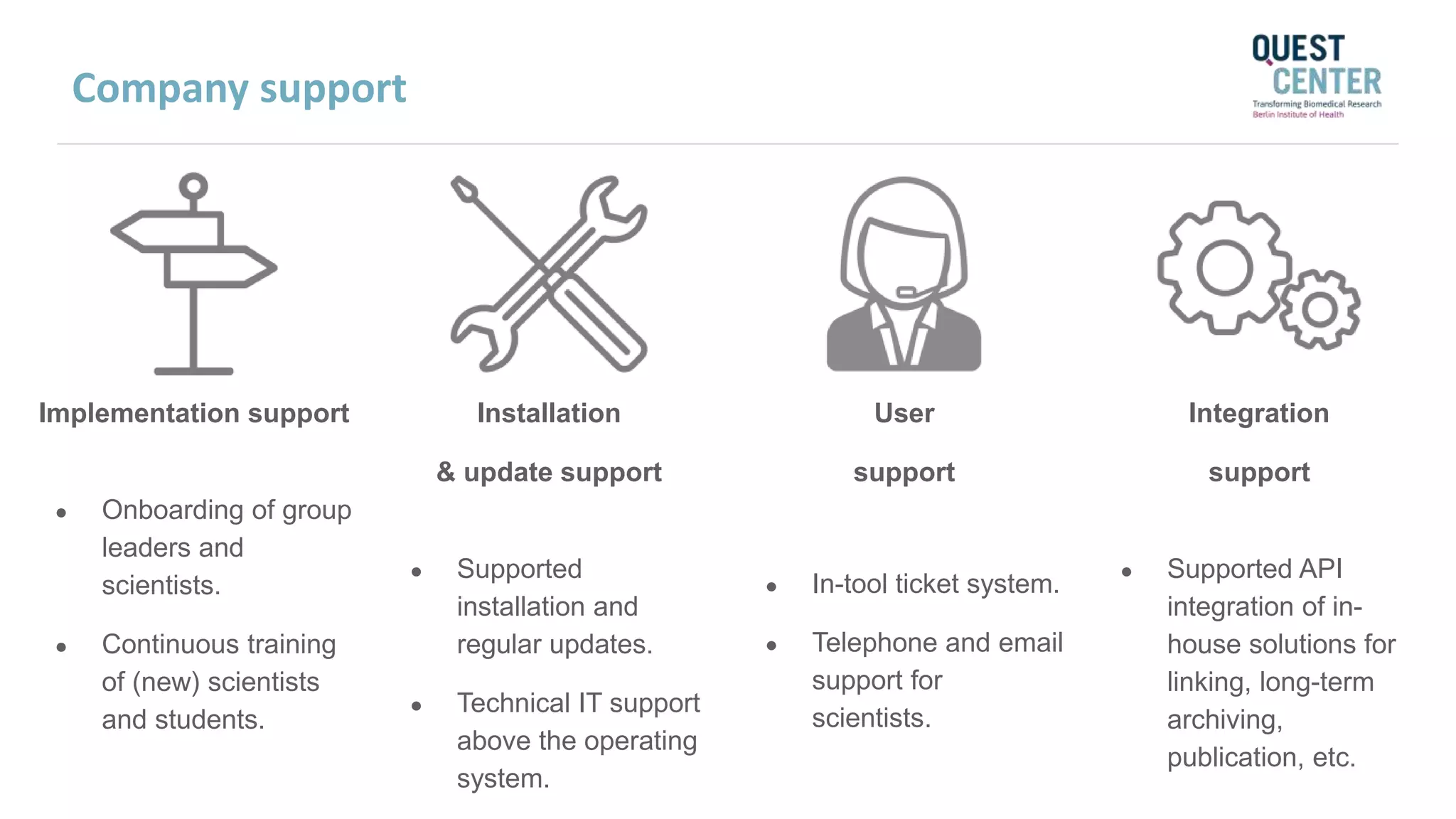
Implementation support
● Onboarding of group
leaders and
scientists.
● Continuous training
of (new) scientists
and students.
Installation
& update support
● Supported
installation and
regular updates.
● Technical IT support
above the operating
system.
Integration
support
● Supported API
integration of in-
house solutions for
linking, long-term
archiving,
publication, etc.
User
support
● In-tool ticket system.
● Telephone and email
support for
scientists.
Company support
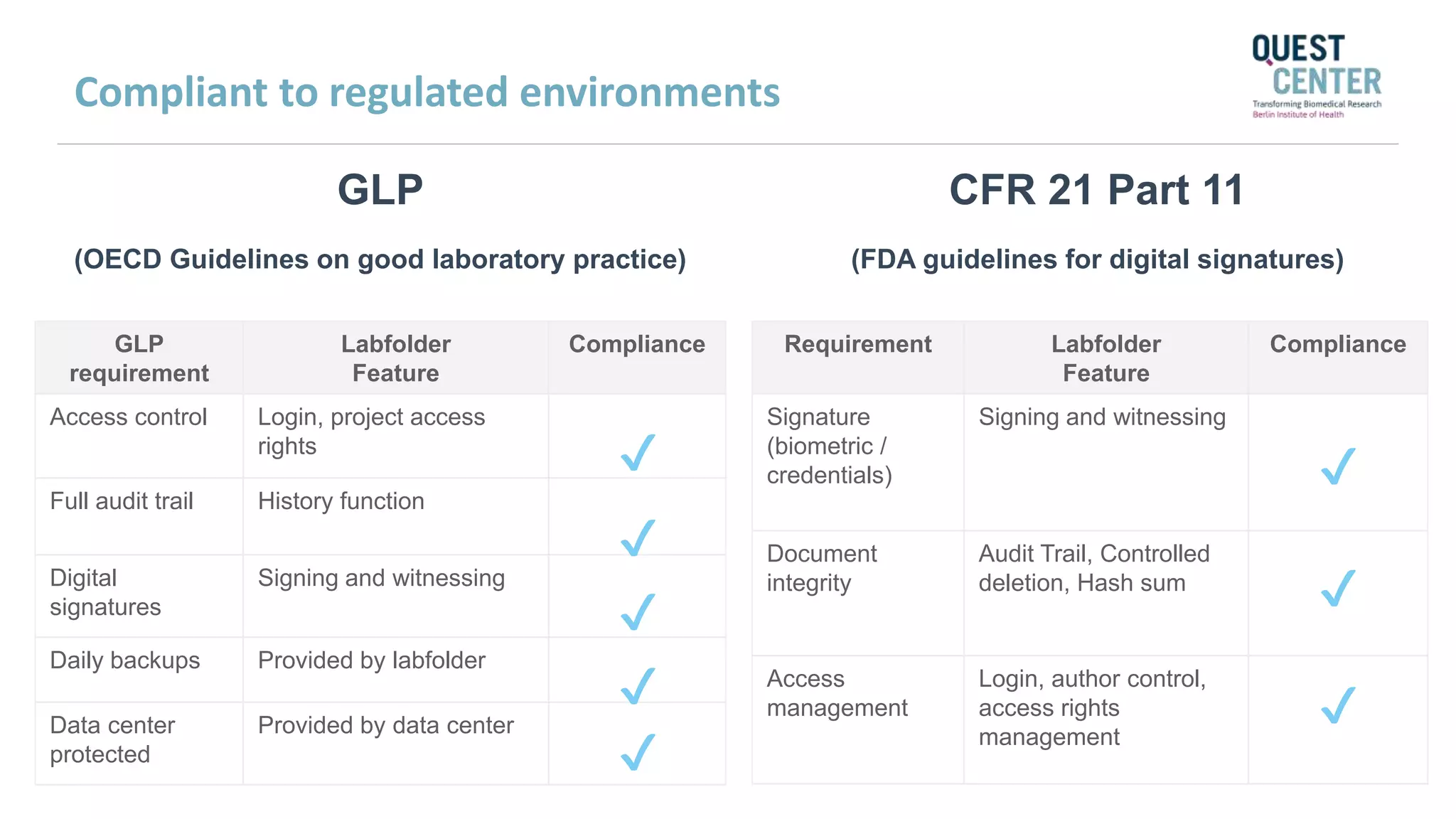
GLP
(OECD Guidelines on good laboratory practice)
GLP
requirement
Labfolder
Feature
Compliance
Access control Login, project access
rights
Full audit trail History function
Digital
signatures
Signing and witnessing
Daily backups Provided by labfolder
Data center
protected
Provided by data center
✔
✔
✔
✔
✔
CFR 21 Part 11
(FDA guidelines for digital signatures)
Requirement Labfolder
Feature
Compliance
Signature
(biometric /
credentials)
Signing and witnessing
Document
integrity
Audit Trail, Controlled
deletion, Hash sum
Access
management
Login, author control,
access rights
management
✔
✔
✔
Compliant to regulated environments
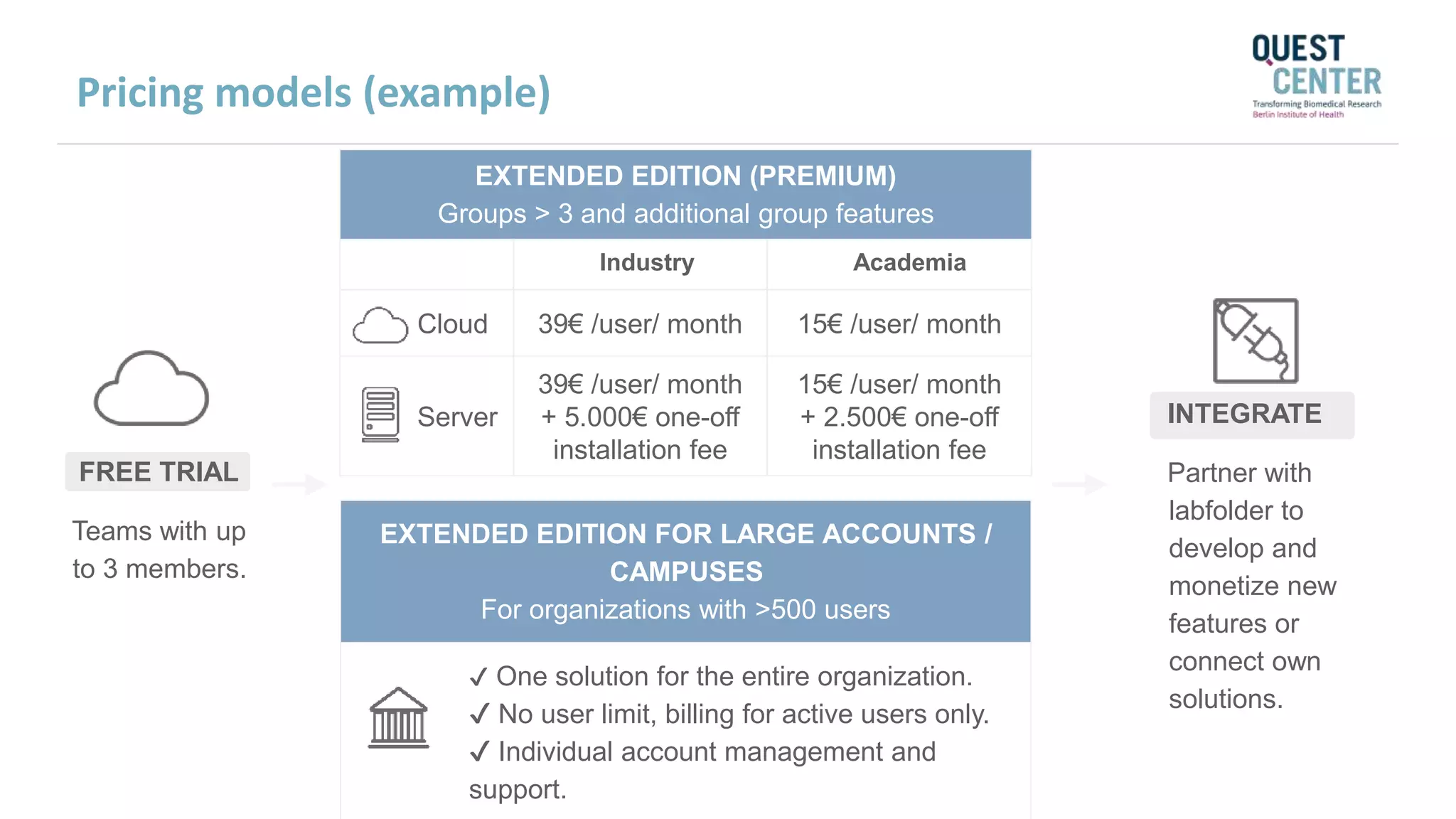
EXTENDED EDITION (PREMIUM)
Groups > 3 and additional group features
Industry Academia
Cloud 39€ /user/ month 15€ /user/ month
Server
39€ /user/ month
+ 5.000€ one-off
installation fee
15€ /user/ month
+ 2.500€ one-off
installation fee
FREE TRIAL
Teams with up
to 3 members.
EXTENDED EDITION FOR LARGE ACCOUNTS /
CAMPUSES
For organizations with >500 users
✔ One solution for the entire organization.
✔ No user limit, billing for active users only.
✔ Individual account management and
support.
INTEGRATE
Partner with
labfolder to
develop and
monetize new
features or
connect own
solutions.
Pricing models (example)
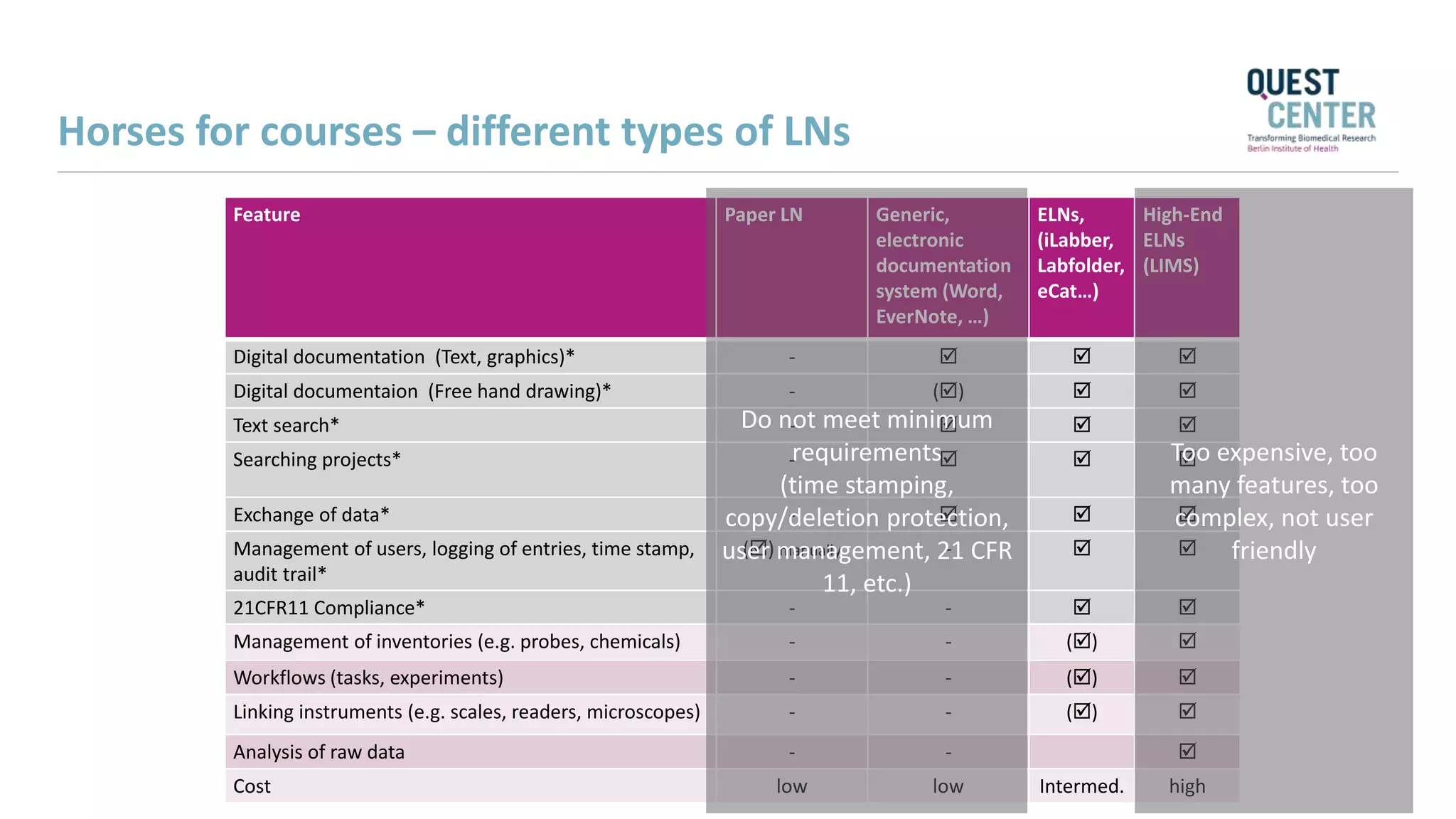
Horses for courses – different types of LNs
Feature Paper LN Generic,
electronic
documentation
system (Word,
EverNote, …)
ELNs,
(iLabber,
Labfolder,
eCat…)
High-End
ELNs
(LIMS)
Digital documentation (Text, graphics)* -   
Digital documentaion (Free hand drawing)* - ()  
Text search* -   
Searching projects* -   
Exchange of data* -   
Management of users, logging of entries, time stamp,
audit trail*
() manually -  
21CFR11 Compliance* - -  
Management of inventories (e.g. probes, chemicals) - - () 
Workflows (tasks, experiments) - - () 
Linking instruments (e.g. scales, readers, microscopes) - - () 
Analysis of raw data - - 
Cost low low Intermed. high
Do not meet minimum
requirements
(time stamping,
copy/deletion protection,
user management, 21 CFR
11, etc.)
Too expensive, too
many features, too
complex, not user
friendly
Challenges
• More expensive than paper LN
• Integration within institutional IT
• Administration, user support day to day
• Local (group) vs institutional solution
• Cloud vs institutional server
• Device integration
• Regulatory issues (GSP, Unions)
• Parallel solutions (paper + eLN)
The future (?)
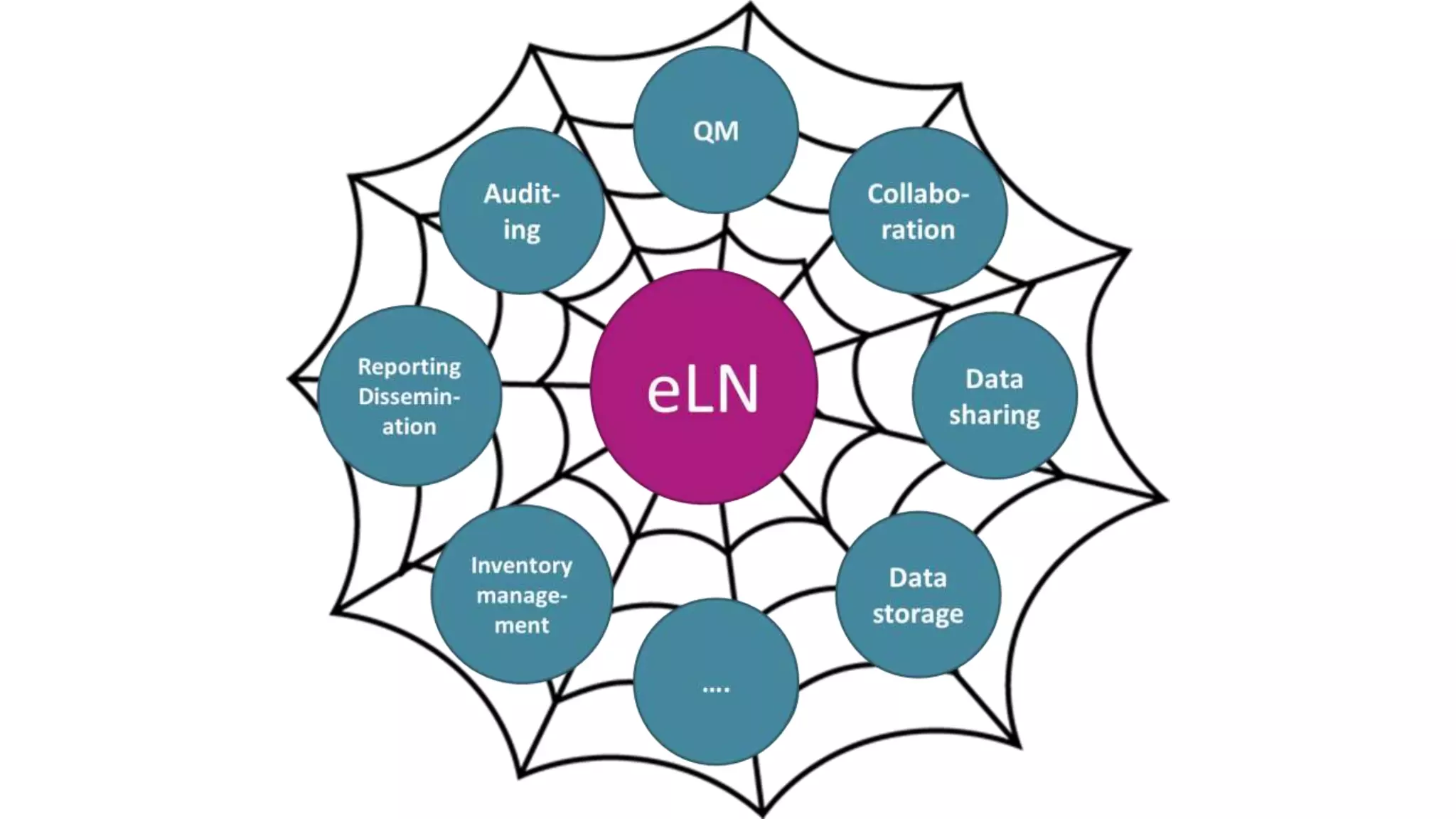
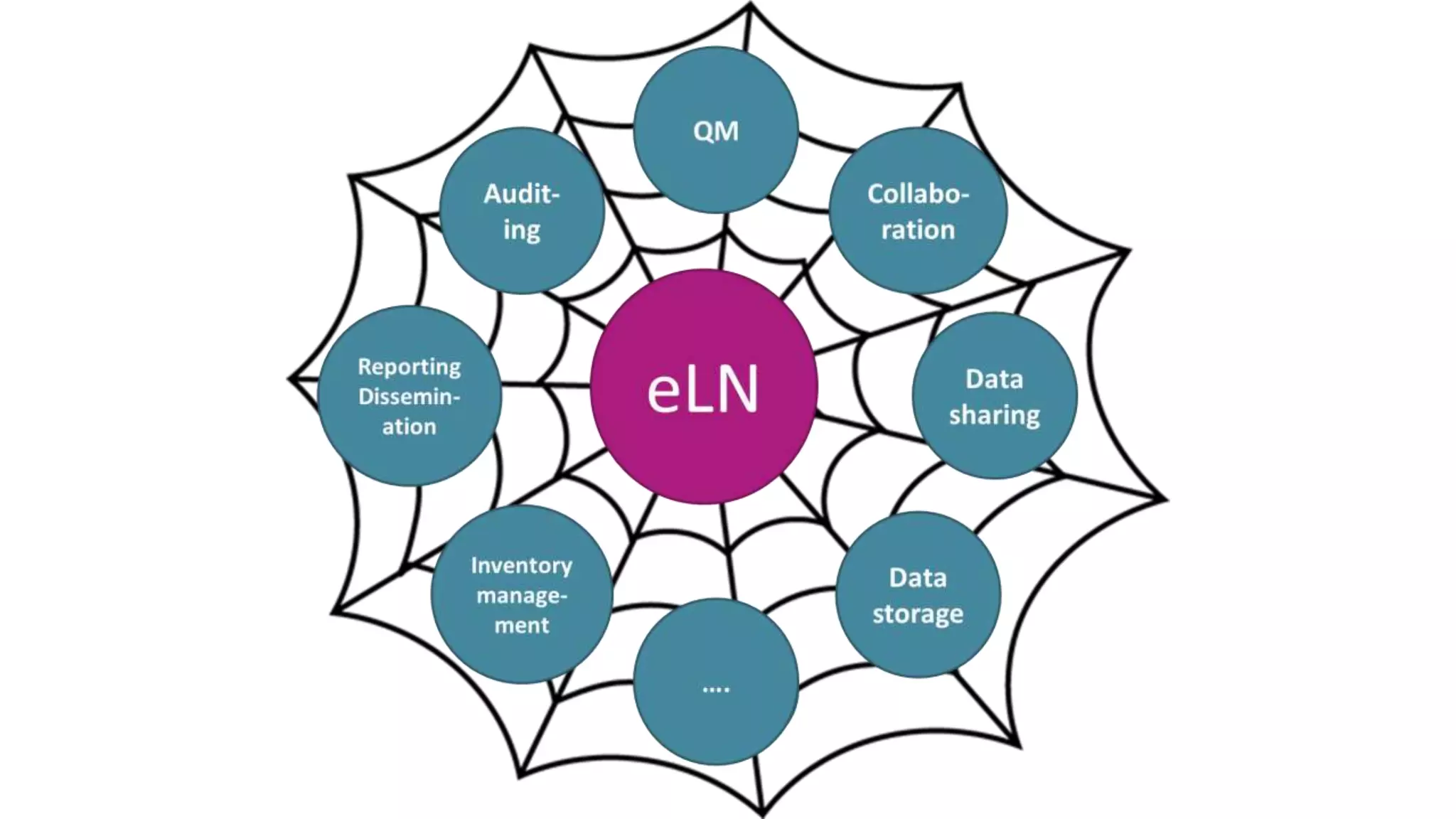
• eLN fully integrated into data collection, collaboration, data dissemination
• Integration with open data [transparency]
• Publication from within eLN [data journals]
• Integration into structured QM Systems
• Auditing (internal/external) [trust]
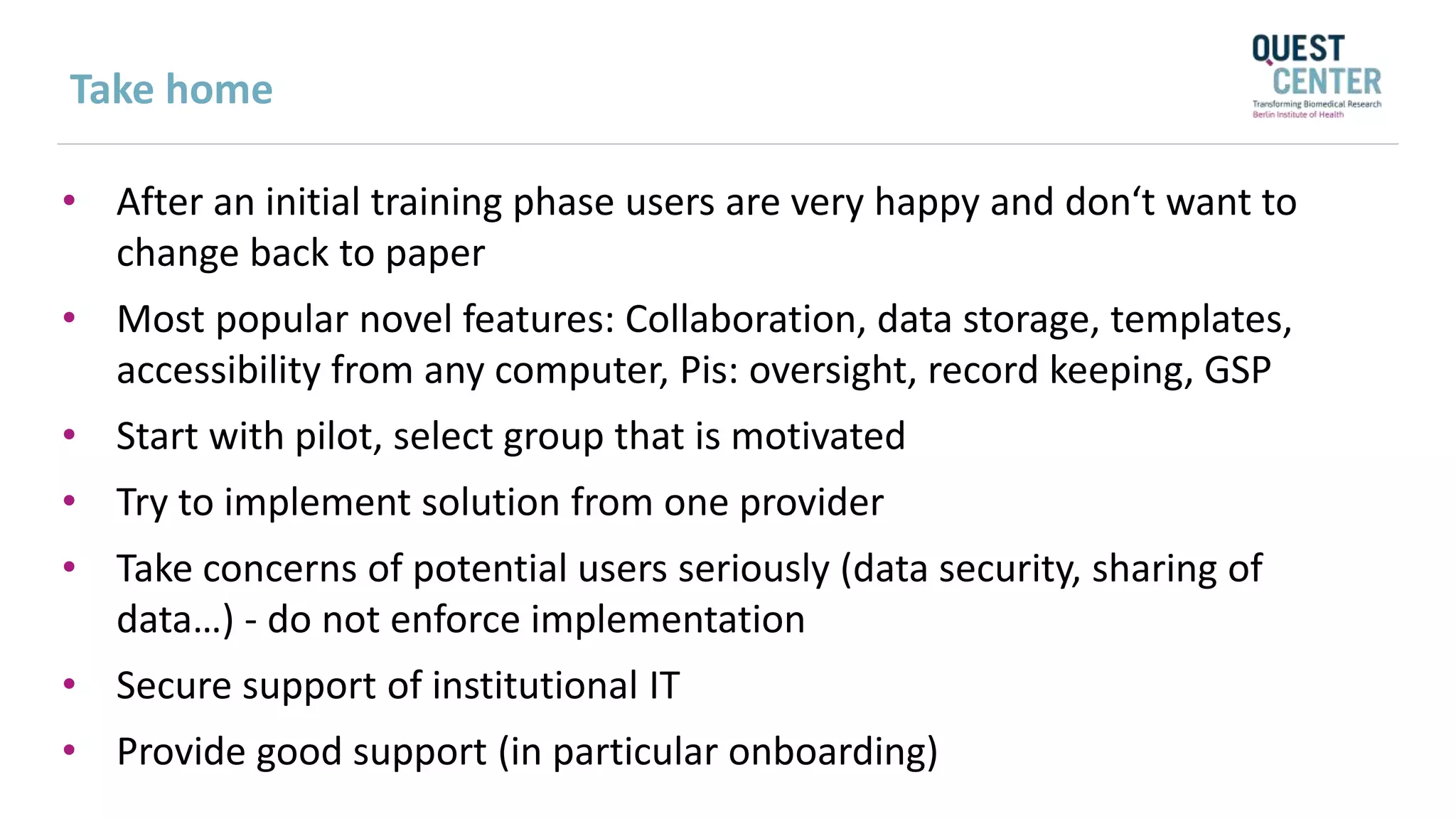
Take home
• After an initial training phase users are very happy and don‘t want to
change back to paper
• Most popular novel features: Collaboration, data storage, templates,
accessibility from any computer, Pis: oversight, record keeping, GSP
• Start with pilot, select group that is motivated
• Try to implement solution from one provider
• Take concerns of potential users seriously (data security, sharing of
data…) - do not enforce implementation
• Secure support of institutional IT
• Provide good support (in particular onboarding)
Q u e s t i o n s
Program director: Katja Reuter, PhD
Email: katja.reuter@usc.edu
Twitter: @dmsci
Next Digital Scholar Webinar
I n f o r m a t i o n a b o u t
t h e p r o g r a m
http://sc-ctsi.org/digital-scholar/
Date & Time: Feb 7, 2018 | 12-1PM PST
Topic: Using alternative scholarly metrics to showcase the impact
of your research: An introduction for researchers
Speaker: Caroline Muglia, MS, Co-Associate Dean for Collections
and Technical Services at University of Southern California
Register at: http://bit.ly/2CLAx5C

Using electronic laboratory notebooks in the academic life sciences: a group leader's experience on how they can make research teams more efficient

  • 1.
    Digital Scholar Webinar January 10,2018 Hosted by the Southern California Clinical and Translational Science Institute (SC CTSI) University of Southern California (USC) and Children’s Hospital Los Angeles (CHLA)
  • 2.
    Katja Reuter, PhD, Directorof the Digital Scholar Program About Today’s Session  Project management  Team management
  • 3.
  • 4.
    Today’s Learning Objectives Describe the potential and strengths of using electronic Laboratory Notebook (eLN) solutions  Identify different types of eLNs  Describe basic features of eLN and how they are used  Describe potential weaknesses of using eLNs and how to address them
  • 5.
    Ulrich Dirnagl, MD Today’sSpeaker Topic: Using electronic Laboratory Notebooks in the academic life sciences: a group leader's experience on how they can make research teams more efficient Speaker: Ulrich Dirnagl, MD, Director, Department of Experimental Neurology, Charité Universitätsmedizin Berlin, Germany, and Founding Director, QUEST, BIH Center for Transforming Biomedical Research, Berlin Institute of Health, Germany
  • 6.
    Questions: Please usethe Q&A Feature 1. Click on the tab here to access Q&A 2. Ask and post question here 1 2
  • 7.
    USING ELECTRONIC LABORATORYNOTEBOOKS IN THE ACADEMIC LIFE SCIENCES: A GROUP LEADER'S EXPERIENCE ON HOW THEY CAN MAKE RESEARCH TEAMS MORE EFFICIENT Ulrich Dirnagl University of Southern California 1/10/2018
  • 8.
    I strongly believethat paper laboratory notebooks are no longer state of the art. There are a number of competitors offering high quality ELNs (Benchhive, LabCollector, SciNote, Labfolder …. For an extensive but still incomplete list see https://www.labsexplorer.com/c/2017-review-of-best-electronic- laboratory-notebooks_6 ) Labfolder is a startup founded by scientists in the Berlin area. I do not own any shares or do not receive any royalties or benefits from Labfolder. I just happen to have extensive experience with it. Disclaimer / Conflict of interest statement
  • 9.
  • 10.
    “85% of healthresearch is wasted.” Perrin S (2014) Nature 407:423-425
  • 11.
    Mid 19th century2015 A paper laboratory notebook is an atavism!
  • 12.
    Electronic laboratory notebooks– a pocket guide https://f1000research.com/articles/5-2/v1
  • 13.
    Surveys Score 1=leastrelevant 5=mostrelevant 4,75 - 5,00 4,50- 4,75 4,25 - 4,50 4,00 - 4,25 3,75 - 4,00 3,50 - 3,75 3,25 - 3,50 3,00 - 3,25 2,75 - 3,00 2,50 - 2,75 2,25 - 2,50 2,00 - 2,50 1,75 - 2,00 1,50 - 1,75 1,25 - 1,50 1,00 - 1,25 GroupLeader Labmanager Postdoc PhDStudent Technicalpersonnel Undergraduate ELN naive (n) 4 1 12 13 10 10 ELN user (n) 2 4 5 3 7 1 Sharing notes and data (naive) Sharing notes and data (before test) Sharing notes and data (after test) Following progress (naive) Following progress (before test) Following progress (after test) Intuitive interface (naive) Intuitive interface (before test) Intuitive interface (after test) Use of mobile devices (naive) Use of mobile devices (before test) Use of mobile devices (after test) Use of templates (naive) Use of templates (before test) Use of templates (after test) Personal support (naive) Personal support (before test) Personal support (after test) Saving time (naive) Saving time (before test) Saving time (after test) Better structuring (naive) Better structuring (before test) Better structuring (after test) Integration of digital content (naive) Integration of digital content (before test) Integration of digital content (after test) Annotation and freehand drawing (naive) Annotation and freehand drawing (before test) Annotation and freehand drawing (after test) GroupLeader Labmanager Postdoc PhDstudentent undergraduate student Technical Assistant n naive 22 9 39 47 8 34 n ELN user 3 8 16 7 2 6 share notes and data (naive) share notes and data (ELN user) follow progress (naive) follow progress (ELN user) intuitive interface (naive) intuitive interface (ELN user) mobile devices (naive) mobile devices (ELN user) templates (naive) templates (ELN user) personal support (naive) personal support (ELN user) save time (naive) save time (ELN user) better structuring (naive) better structuring (ELN user) integration of digital content (naive) integration of digital content (ELN user) annotation and freehand drawing (naive) annotation and freehand drawing (ELN user) Rank 1 2 3 4 5 6 7 8 9 10 https://f1000research.com/articles/5-2/v1
  • 15.
    * Minimum requirement for astate of the art eLN Feature Paper LN Generic, electronic documentation system (Word, EverNote, …) ELNs, (iLabber, Labfolder, eCat…) High-End ELNs (LIMS) Digital documentation (Text, graphics)* -    Digital documentaion (Free hand drawing)* - ()   Text search* -    Searching projects* -    Exchange of data* -    Management of users, logging of entries, time stamp, audit trail* () manually -   21CFR11 Compliance* - -   Management of inventories (e.g. probes, chemicals) - - ()  Workflows (tasks, experiments) - - ()  Device integration (e.g. scales, readers, microscopes) - - ()  Analysis of raw data - -  Cost low low Intermed. high Horses for courses – different types of LNs
  • 16.
  • 17.
    90 sec tour Geta quick overview of the basic features. Teamwork See how teams can discuss data and share knowledge. Word and Excel import See how we support the most generic formats used in research. Manage a team Watch the team management and organization tool in action. Watch more of videos on Labfolder’s YouTube channel. Video tours
  • 18.
    All data inone place
  • 19.
    All data inone place
  • 20.
    Tag data, searchdata, projects, people….
  • 21.
  • 22.
  • 23.
  • 24.
    24 Export, sign, witness,history, hide…..
  • 25.
  • 26.
    Work together inteams: Comment
  • 27.
  • 28.
    Dashboard: Messages, tasks,comment, to do lists…
  • 29.
    Use of appsto share data beyond the ELN, export to XHTML…
  • 30.
  • 31.
    Communication & Teamwork Tasks &notifications for working together better. QM & Compliance Integrated features for simplified compliance in ISO, GxP and others. Backups & Archiving central server for central management. Roles & Access Rights & roles and access integrated. Document management Popular formats and digital signatures are supported. Inventory & Samples Integrated materials management. Many solutions in one platform
  • 32.
    Implementation support ● Onboardingof group leaders and scientists. ● Continuous training of (new) scientists and students. Installation & update support ● Supported installation and regular updates. ● Technical IT support above the operating system. Integration support ● Supported API integration of in- house solutions for linking, long-term archiving, publication, etc. User support ● In-tool ticket system. ● Telephone and email support for scientists. Company support
  • 33.
    GLP (OECD Guidelines ongood laboratory practice) GLP requirement Labfolder Feature Compliance Access control Login, project access rights Full audit trail History function Digital signatures Signing and witnessing Daily backups Provided by labfolder Data center protected Provided by data center ✔ ✔ ✔ ✔ ✔ CFR 21 Part 11 (FDA guidelines for digital signatures) Requirement Labfolder Feature Compliance Signature (biometric / credentials) Signing and witnessing Document integrity Audit Trail, Controlled deletion, Hash sum Access management Login, author control, access rights management ✔ ✔ ✔ Compliant to regulated environments
  • 34.
    EXTENDED EDITION (PREMIUM) Groups> 3 and additional group features Industry Academia Cloud 39€ /user/ month 15€ /user/ month Server 39€ /user/ month + 5.000€ one-off installation fee 15€ /user/ month + 2.500€ one-off installation fee FREE TRIAL Teams with up to 3 members. EXTENDED EDITION FOR LARGE ACCOUNTS / CAMPUSES For organizations with >500 users ✔ One solution for the entire organization. ✔ No user limit, billing for active users only. ✔ Individual account management and support. INTEGRATE Partner with labfolder to develop and monetize new features or connect own solutions. Pricing models (example)
  • 35.
    Horses for courses– different types of LNs Feature Paper LN Generic, electronic documentation system (Word, EverNote, …) ELNs, (iLabber, Labfolder, eCat…) High-End ELNs (LIMS) Digital documentation (Text, graphics)* -    Digital documentaion (Free hand drawing)* - ()   Text search* -    Searching projects* -    Exchange of data* -    Management of users, logging of entries, time stamp, audit trail* () manually -   21CFR11 Compliance* - -   Management of inventories (e.g. probes, chemicals) - - ()  Workflows (tasks, experiments) - - ()  Linking instruments (e.g. scales, readers, microscopes) - - ()  Analysis of raw data - -  Cost low low Intermed. high Do not meet minimum requirements (time stamping, copy/deletion protection, user management, 21 CFR 11, etc.) Too expensive, too many features, too complex, not user friendly
  • 37.
    Challenges • More expensivethan paper LN • Integration within institutional IT • Administration, user support day to day • Local (group) vs institutional solution • Cloud vs institutional server • Device integration • Regulatory issues (GSP, Unions) • Parallel solutions (paper + eLN)
  • 38.
    The future (?) •eLN fully integrated into data collection, collaboration, data dissemination • Integration with open data [transparency] • Publication from within eLN [data journals] • Integration into structured QM Systems • Auditing (internal/external) [trust]
  • 39.
    Take home • Afteran initial training phase users are very happy and don‘t want to change back to paper • Most popular novel features: Collaboration, data storage, templates, accessibility from any computer, Pis: oversight, record keeping, GSP • Start with pilot, select group that is motivated • Try to implement solution from one provider • Take concerns of potential users seriously (data security, sharing of data…) - do not enforce implementation • Secure support of institutional IT • Provide good support (in particular onboarding)
  • 40.
    Q u es t i o n s Program director: Katja Reuter, PhD Email: katja.reuter@usc.edu Twitter: @dmsci Next Digital Scholar Webinar I n f o r m a t i o n a b o u t t h e p r o g r a m http://sc-ctsi.org/digital-scholar/ Date & Time: Feb 7, 2018 | 12-1PM PST Topic: Using alternative scholarly metrics to showcase the impact of your research: An introduction for researchers Speaker: Caroline Muglia, MS, Co-Associate Dean for Collections and Technical Services at University of Southern California Register at: http://bit.ly/2CLAx5C
Editor's Notes

  • #3 Challenges of today’s participant recruitment in the health sciences Crowdsourcing through Amazon’s Mechanical Turk (Mturk) as a new solution to complement existing study recruitment approaches Readily available research study participants and streamlined recruiting and payment systems Potential and limitations of online recruitment, e.g., sample composition, data quality
  • #4 Digital technologies are shaping the way experiments are performed, results captured, and findings disseminated. We will explore what an electronic Laboratory Notebook (eLN) affords a biomedical researcher, what it requires, and how one should go about implementing it?
  • #8 Thank you for the invitation, it is indeed a great honor for me to share our experience in improving the quality of our preclinical research via structured quality management. My first webinar in the role of the speaker, so this is new and exciting for me! Please let me know right away if you have trouble understanding me or problems with the connection : Brief intro * Who are we / What are we doing (translational stroke research) / What organization are we (large academic institution, with all its idiosynchrasies: perverse reward and incentive system - publish or perisch, short contracts, lots of students, PIs who also work in clinical medicine, supervision not a strength...). * We have a 10 year history in the quest for quality. Obtained funding for it, and are meanwhile sort of an (inter)national reference center for QM in academia. Bottom line: Academia is an environment in which QM is unknown at best. If it is known, it is aversive (as stifling creativity). Does not help in careers (quite to the opposite), no money available for QM, university leadership indifferent to opposed. I Motivation: "Houston, we have a problem" (very brief) * Stroke research: Total translational roadblock * Reproducibility crisis II Diagnosis (focus on internal validity) * Low internal validity (All sorts of biases) * [Low external validity] -> will only be mentioned * [Lack of statistical power] -> will only be mentioned * [Negative publication bias] -> will only be mentioned III Therapy (focus on internal validity) * Improve study design (randomisation, blinding, in/exclusion criteria etc.) * Improve analysis * Create value/quality culture * Motivate staff (students, PIs, technicians, postdocs) and help with implementation and daily quality oriented work IV Implementation * Brief history of our process (Started with ISO9001; Shortcomings of ISO9001) * Current status: Building own QM, based on our experience with ISO, develop and provide 'toolbox' * Are at the same time embedded in large European collaboration (funded by industry and European Union) which is charged to come up with a ‘QM system’ for academia * Snapshot of where we are: 'House of Quality' V What's in the toolbox? 2 Examples: * Electronic laboratory notebook * Lab CIRS VI Take home messages Its all about * Culture * Leadership * A process ('the journey is the reward') * Supporting structures etc. can serve as 'scaffold' for and to crystalize the process but are meaningless without the culture change * It takes time * It takes financial resources * We need solid evidence that time and resources are well spent