Creating a
Welcome Video
For Your Research or Teaching
With
Dr. Katherine Guevara, Associate Director of Clinical & Translational
Research Education Programs
&
Eric Pedersen, Ph.D.
Co-Director for Digital Recruitment and Scholarship
SC CTSI Workforce Development at the University of Southern California
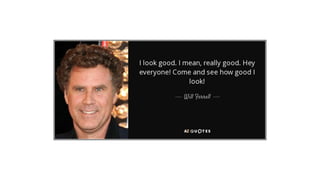
Warm Up
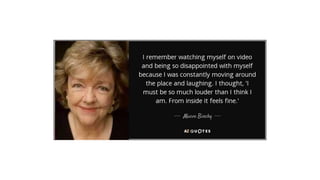
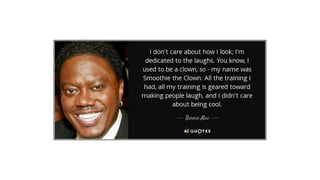
How do you feel watching &
hearing yourself on video?
Welcome Video
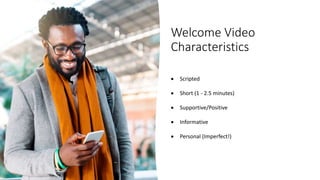
Characteristics
 Scripted
 Short (1 - 2.5 minutes)
 Supportive/Positive
 Informative
 Personal (Imperfect!)
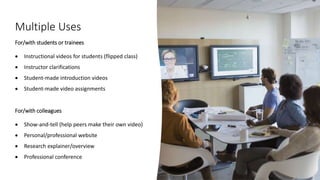
Multiple Uses
For/with students or trainees
 Instructional videos for students (flipped class)
 Instructor clarifications
 Student-made introduction videos
 Student-made video assignments
For/with colleagues
 Show-and-tell (help peers make their own video)
 Personal/professional website
 Research explainer/overview
 Professional conference
Objectives
Identify recording dos & don'ts Script & record a sample video Provide feedback on colleague’s
video
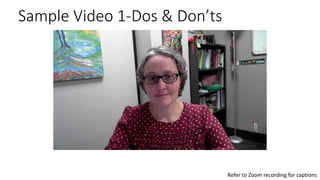
Sample Video 1-Dos & Don’ts
Refer to Zoom recording for captions
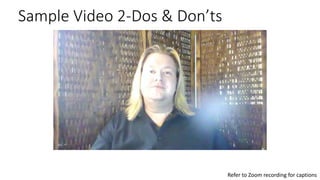
Sample Video 2-Dos & Don’ts
Refer to Zoom recording for captions
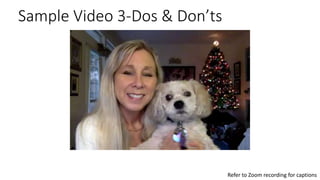
Sample Video 3-Dos & Don’ts
Refer to Zoom recording for captions
Creation Process
Before
 Instructor scripts content. [template provided]
 Instructor practices content without reading.
 Instructor readies materials.
During
 Instructor records practice video(s).
 Colleague provides feedback on practice video. [optional]
 Instructor implements feedback into final recording.
After
 Instructor creates course orientation/introduction module
in the LMS (i.e., Blackboard) to include video.
 Instructor creates assignment based on video.
 Instructor posts video for research/professional purposes.
Let’s try it—
Script your video
Each participant…
1. Uses the provided video script
template to draft what they’d like to
say in their video
2. Reads their script to the group who
offers editing feedback on what to cut
10 minutes
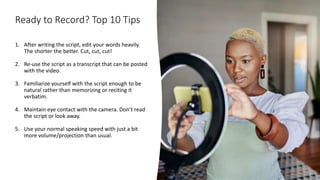
Ready to Record? Top 10 Tips
1. After writing the script, edit your words heavily.
The shorter the better. Cut, cut, cut!
2. Re-use the script as a transcript that can be posted
with the video.
3. Familiarize yourself with the script enough to be
natural rather than memorizing or reciting it
verbatim.
4. Maintain eye contact with the camera. Don’t read
the script or look away.
5. Use your normal speaking speed with just a bit
more volume/projection than usual.
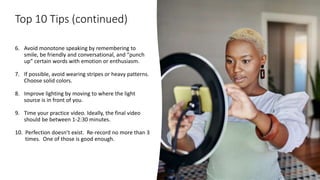
Top 10 Tips (continued)
6. Avoid monotone speaking by remembering to
smile, be friendly and conversational, and “punch
up” certain words with emotion or enthusiasm.
7. If possible, avoid wearing stripes or heavy patterns.
Choose solid colors.
8. Improve lighting by moving to where the light
source is in front of you.
9. Time your practice video. Ideally, the final video
should be between 1-2:30 minutes.
10. Perfection doesn’t exist. Re-record no more than 3
times. One of those is good enough.
Let’s try it—
Record a sample video
1. Rehearse your script to be able to
speak without reading
2. Record a sample video with your phone
5 minutes
Debrief
How did that go?
How do you feel?
Let’s try it—
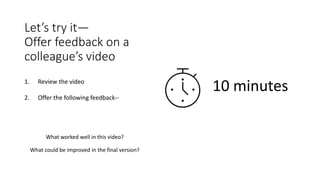
Offer feedback on a
colleague’s video
1. Review the video
2. Offer the following feedback--
What worked well in this video?
What could be improved in the final version?
10 minutes
Eric’s Video
Refer to Zoom recording for captions
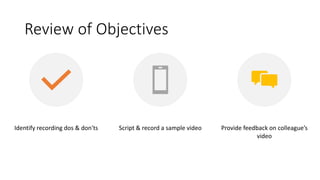
Review of Objectives
Identify recording dos & don'ts Script & record a sample video Provide feedback on colleague’s
video
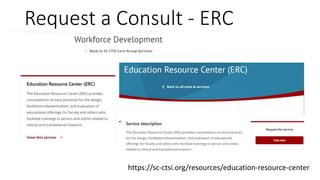
Request a Consult - ERC
https://sc-ctsi.org/resources/education-resource-center
Closing
How will you use a Welcome
Video for your research or
teaching?
Thank You!
SC CTSI | www.sc-ctsi.org Phone: (323) 442-4032 Email: info@sc-ctsi.org Twitter: @SoCalCTSI
Cite us: This work was supported by grants UL1TR001855 and UL1TR000130 from the National Center for Advancing
Translational Science (NCATS) of the U.S. National Institutes of Health. The content is solely the responsibility of the authors
and does not necessarily represent the official views of the National Institutes of Health.
23

CTSI ERC Welcome Videos

  • 1.
    Creating a Welcome Video ForYour Research or Teaching With Dr. Katherine Guevara, Associate Director of Clinical & Translational Research Education Programs & Eric Pedersen, Ph.D. Co-Director for Digital Recruitment and Scholarship SC CTSI Workforce Development at the University of Southern California
  • 2.
    Warm Up How doyou feel watching & hearing yourself on video?
  • 6.
    Welcome Video Characteristics  Scripted Short (1 - 2.5 minutes)  Supportive/Positive  Informative  Personal (Imperfect!)
  • 7.
    Multiple Uses For/with studentsor trainees  Instructional videos for students (flipped class)  Instructor clarifications  Student-made introduction videos  Student-made video assignments For/with colleagues  Show-and-tell (help peers make their own video)  Personal/professional website  Research explainer/overview  Professional conference
  • 8.
    Objectives Identify recording dos& don'ts Script & record a sample video Provide feedback on colleague’s video
  • 9.
    Sample Video 1-Dos& Don’ts Refer to Zoom recording for captions
  • 10.
    Sample Video 2-Dos& Don’ts Refer to Zoom recording for captions
  • 11.
    Sample Video 3-Dos& Don’ts Refer to Zoom recording for captions
  • 12.
    Creation Process Before  Instructorscripts content. [template provided]  Instructor practices content without reading.  Instructor readies materials. During  Instructor records practice video(s).  Colleague provides feedback on practice video. [optional]  Instructor implements feedback into final recording. After  Instructor creates course orientation/introduction module in the LMS (i.e., Blackboard) to include video.  Instructor creates assignment based on video.  Instructor posts video for research/professional purposes.
  • 13.
    Let’s try it— Scriptyour video Each participant… 1. Uses the provided video script template to draft what they’d like to say in their video 2. Reads their script to the group who offers editing feedback on what to cut 10 minutes
  • 14.
    Ready to Record?Top 10 Tips 1. After writing the script, edit your words heavily. The shorter the better. Cut, cut, cut! 2. Re-use the script as a transcript that can be posted with the video. 3. Familiarize yourself with the script enough to be natural rather than memorizing or reciting it verbatim. 4. Maintain eye contact with the camera. Don’t read the script or look away. 5. Use your normal speaking speed with just a bit more volume/projection than usual.
  • 15.
    Top 10 Tips(continued) 6. Avoid monotone speaking by remembering to smile, be friendly and conversational, and “punch up” certain words with emotion or enthusiasm. 7. If possible, avoid wearing stripes or heavy patterns. Choose solid colors. 8. Improve lighting by moving to where the light source is in front of you. 9. Time your practice video. Ideally, the final video should be between 1-2:30 minutes. 10. Perfection doesn’t exist. Re-record no more than 3 times. One of those is good enough.
  • 16.
    Let’s try it— Recorda sample video 1. Rehearse your script to be able to speak without reading 2. Record a sample video with your phone 5 minutes
  • 17.
    Debrief How did thatgo? How do you feel?
  • 18.
    Let’s try it— Offerfeedback on a colleague’s video 1. Review the video 2. Offer the following feedback-- What worked well in this video? What could be improved in the final version? 10 minutes
  • 19.
    Eric’s Video Refer toZoom recording for captions
  • 20.
    Review of Objectives Identifyrecording dos & don'ts Script & record a sample video Provide feedback on colleague’s video
  • 21.
    Request a Consult- ERC https://sc-ctsi.org/resources/education-resource-center
  • 22.
    Closing How will youuse a Welcome Video for your research or teaching?
  • 23.
    Thank You! SC CTSI| www.sc-ctsi.org Phone: (323) 442-4032 Email: info@sc-ctsi.org Twitter: @SoCalCTSI Cite us: This work was supported by grants UL1TR001855 and UL1TR000130 from the National Center for Advancing Translational Science (NCATS) of the U.S. National Institutes of Health. The content is solely the responsibility of the authors and does not necessarily represent the official views of the National Institutes of Health. 23

Editor's Notes