HOW AND WHY YOUR SCHOOL
            SHOULD BE USING FACEBOOK
       T
            www.Blackbaud.com/k12


7/16/2012                       1
YOUR HOST FOR TODAY


                       Frank Barry
                       Internet Strategy,Blackbaud
                       @franswaa


                        #BBSOCIAL


7/16/2012                     2
WHY FACEBOOK?
        Think of your Facebook page as an
        extension of your website. A lot of the
        same principals apply.


7/16/2012                                         3
WHY FACEBOOK?
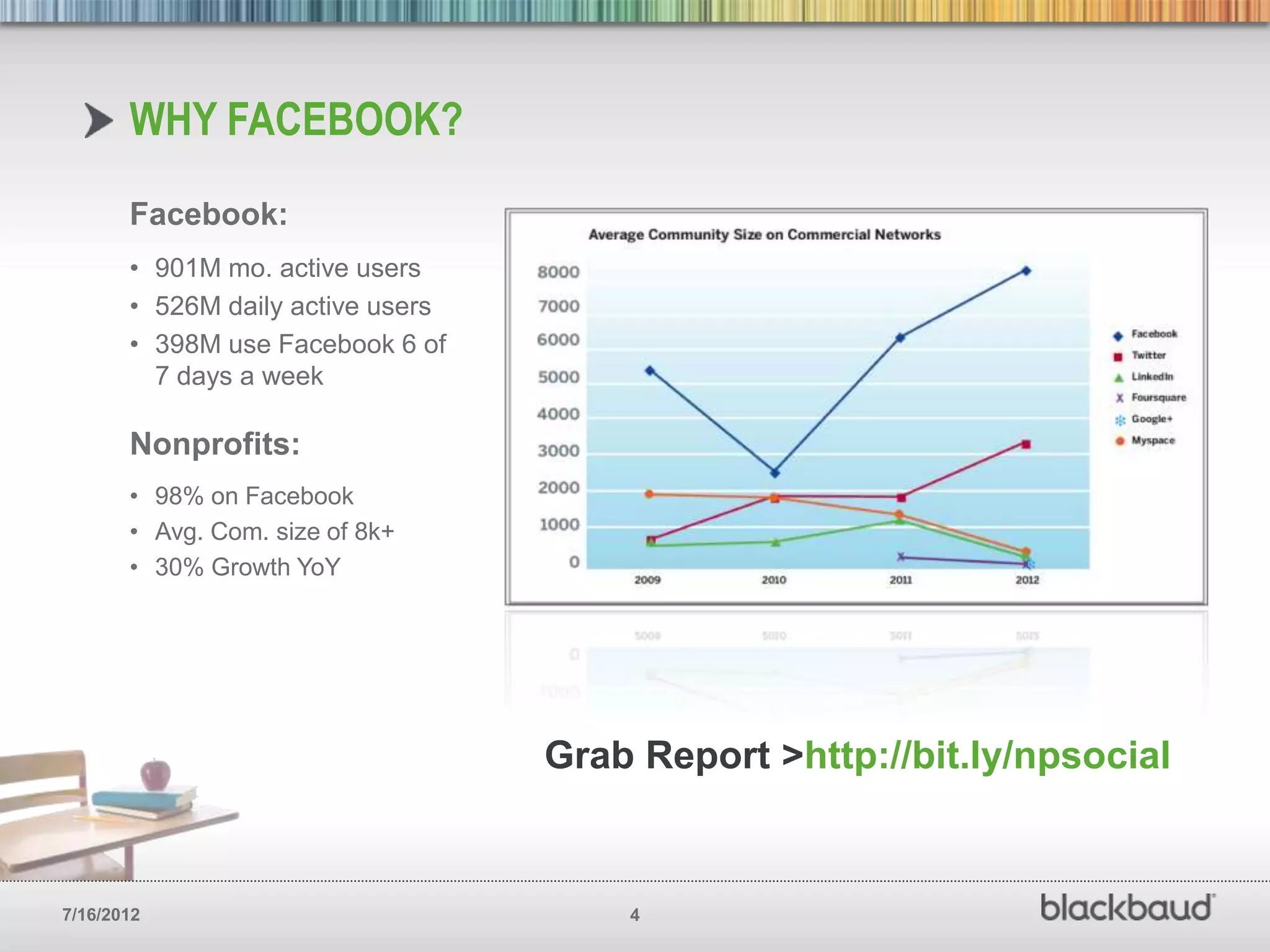
       Facebook:
       • 901M mo. active users
       • 526M daily active users
       • 398M use Facebook 6 of
         7 days a week

       Nonprofits:
       • 98% on Facebook
       • Avg. Com. size of 8k+
       • 30% Growth YoY


                                   Grab Report >http://bit.ly/npsocial


7/16/2012                              4
SET UP YOUR FACEBOOK
       PAGE FOR SUCCESS
        Think of your Facebook page as an
        extension of your website. A lot of the
        same principals apply.


7/16/2012                                         5
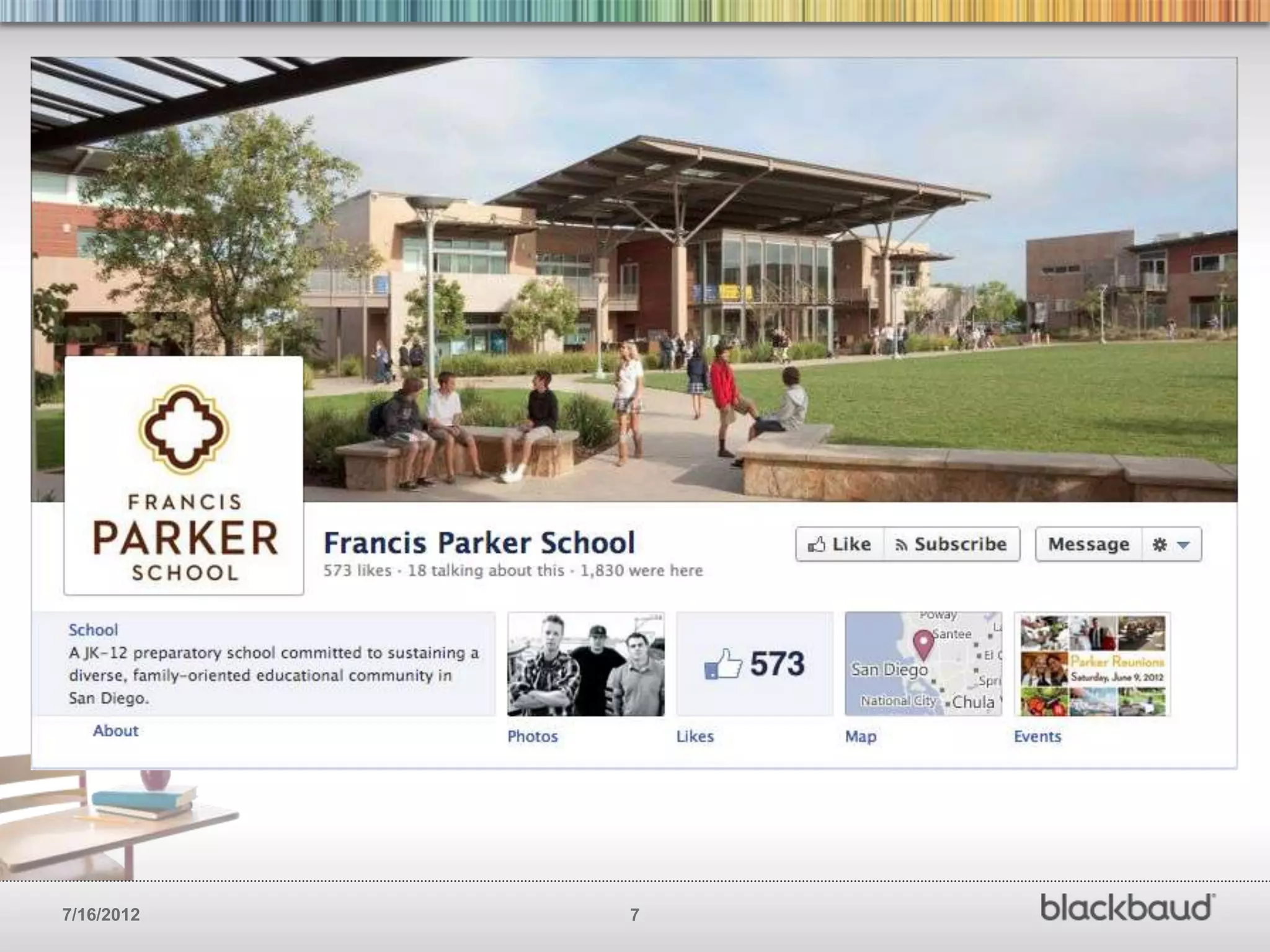
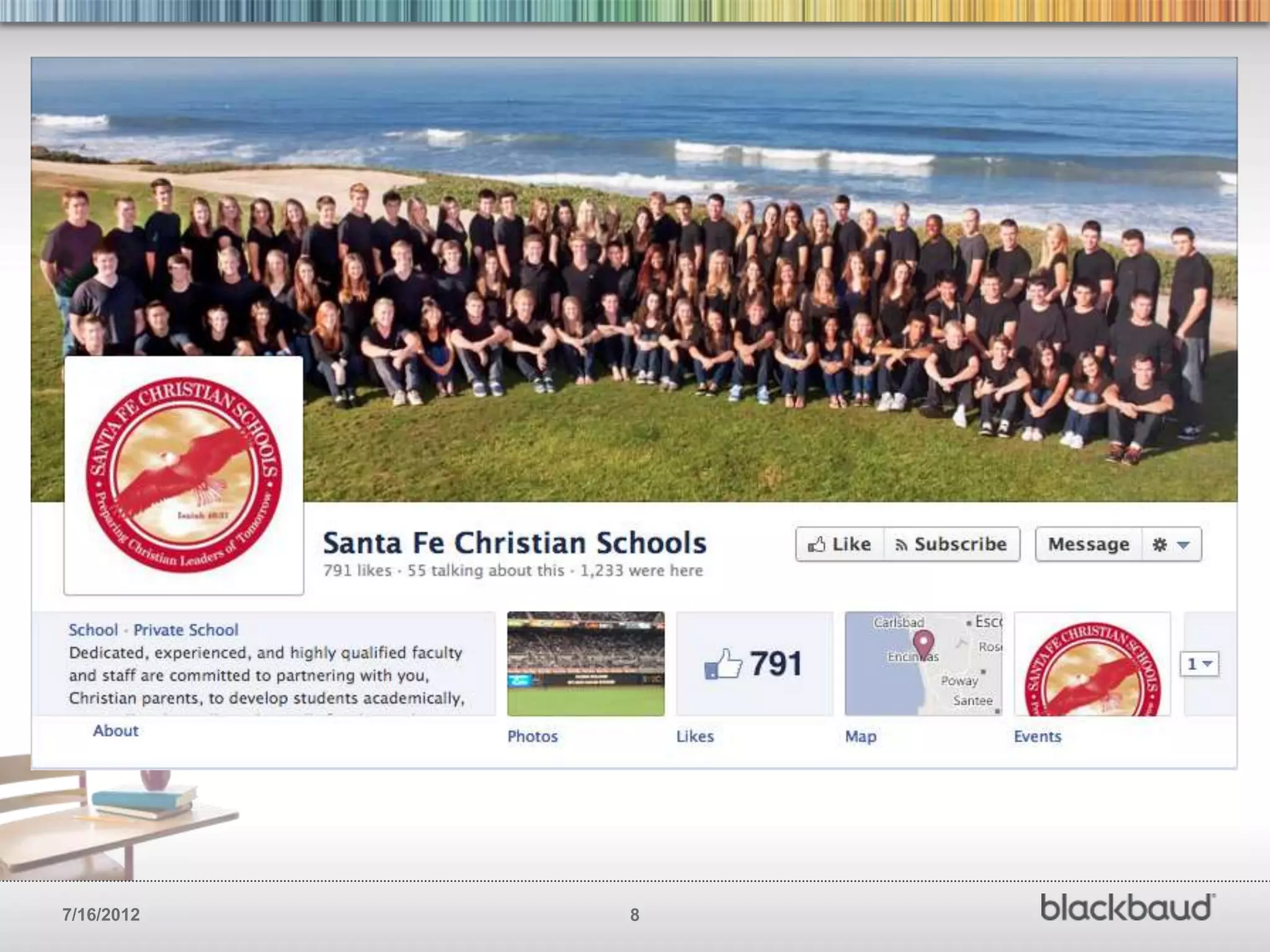
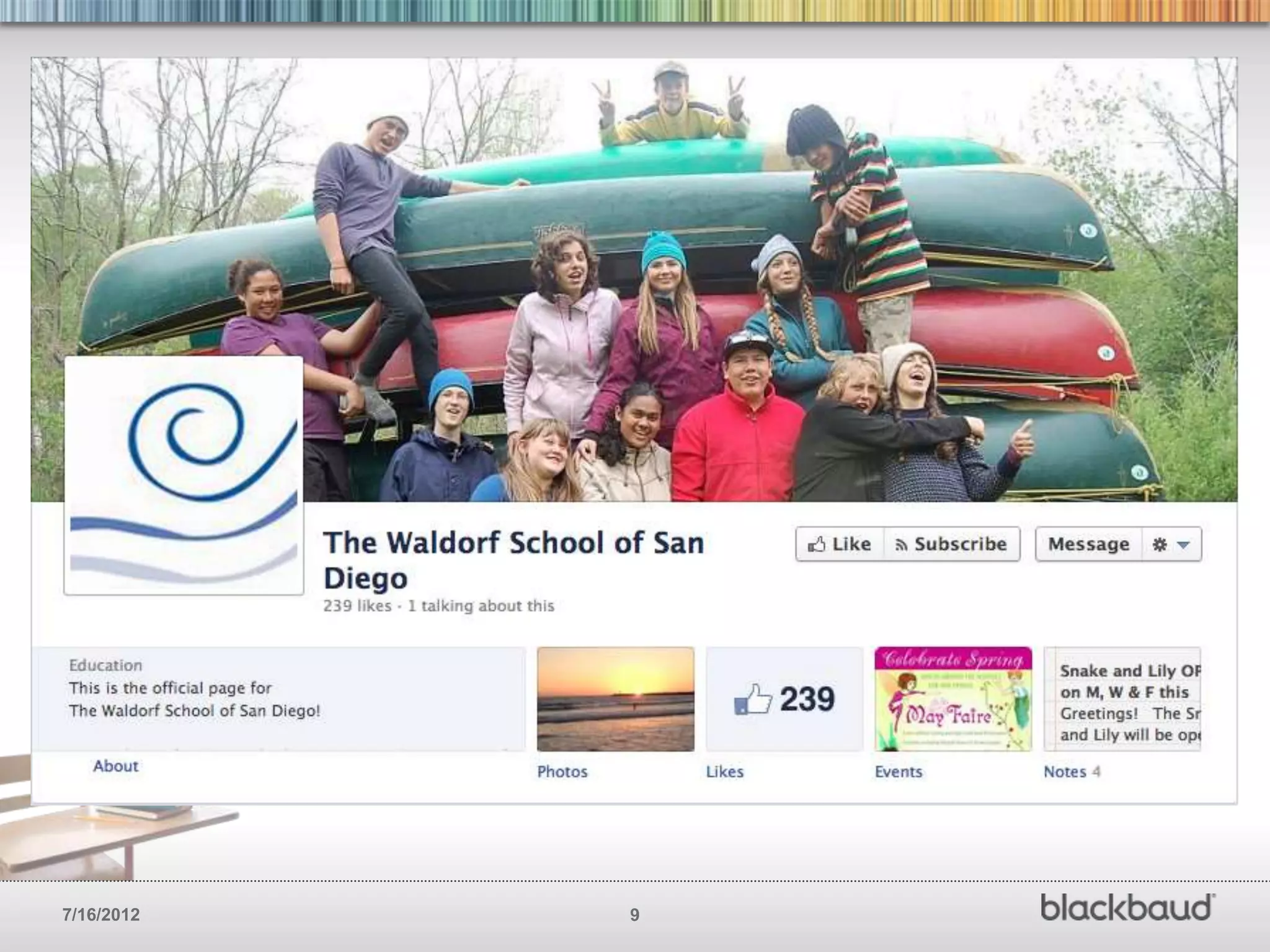
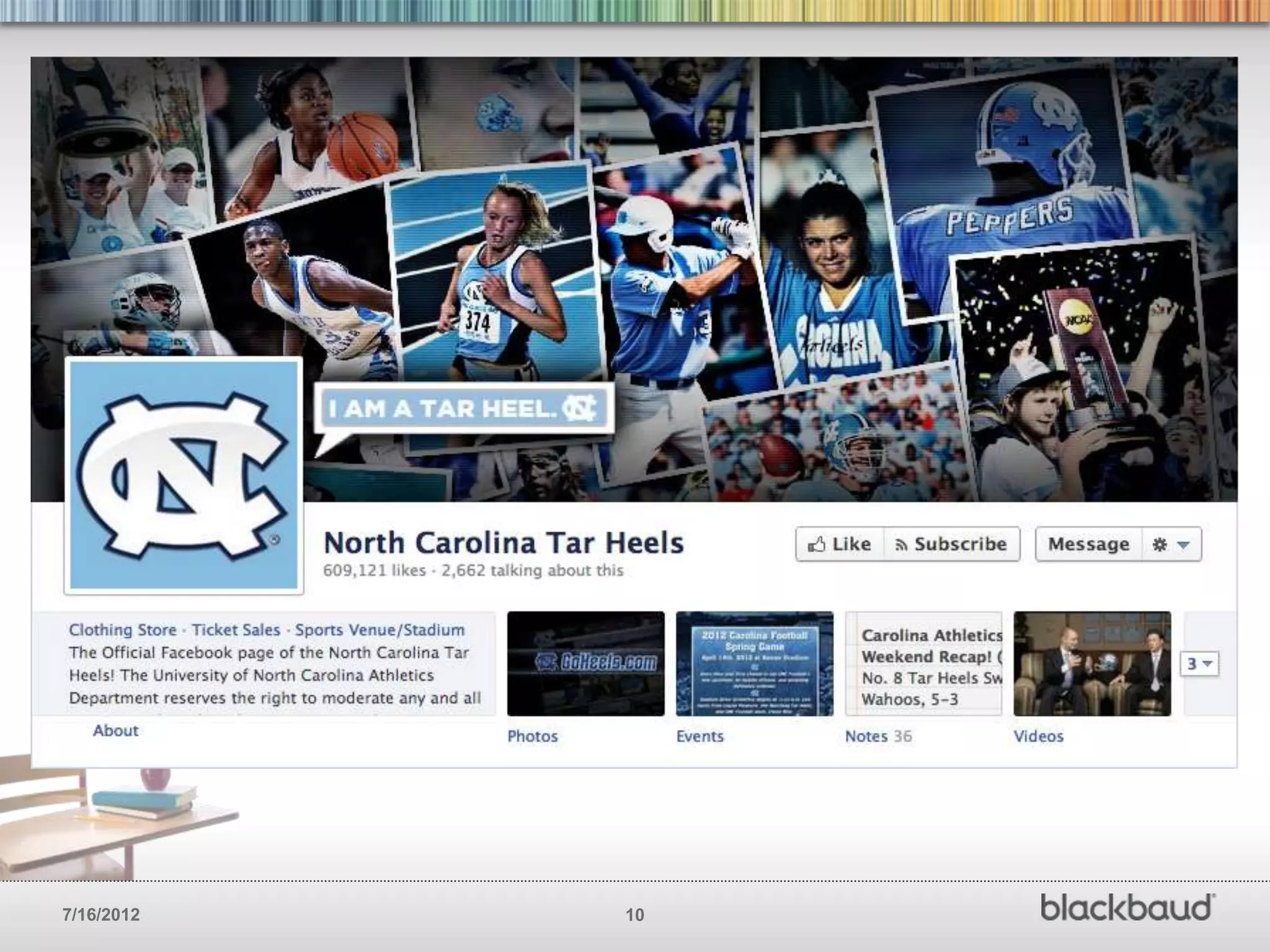
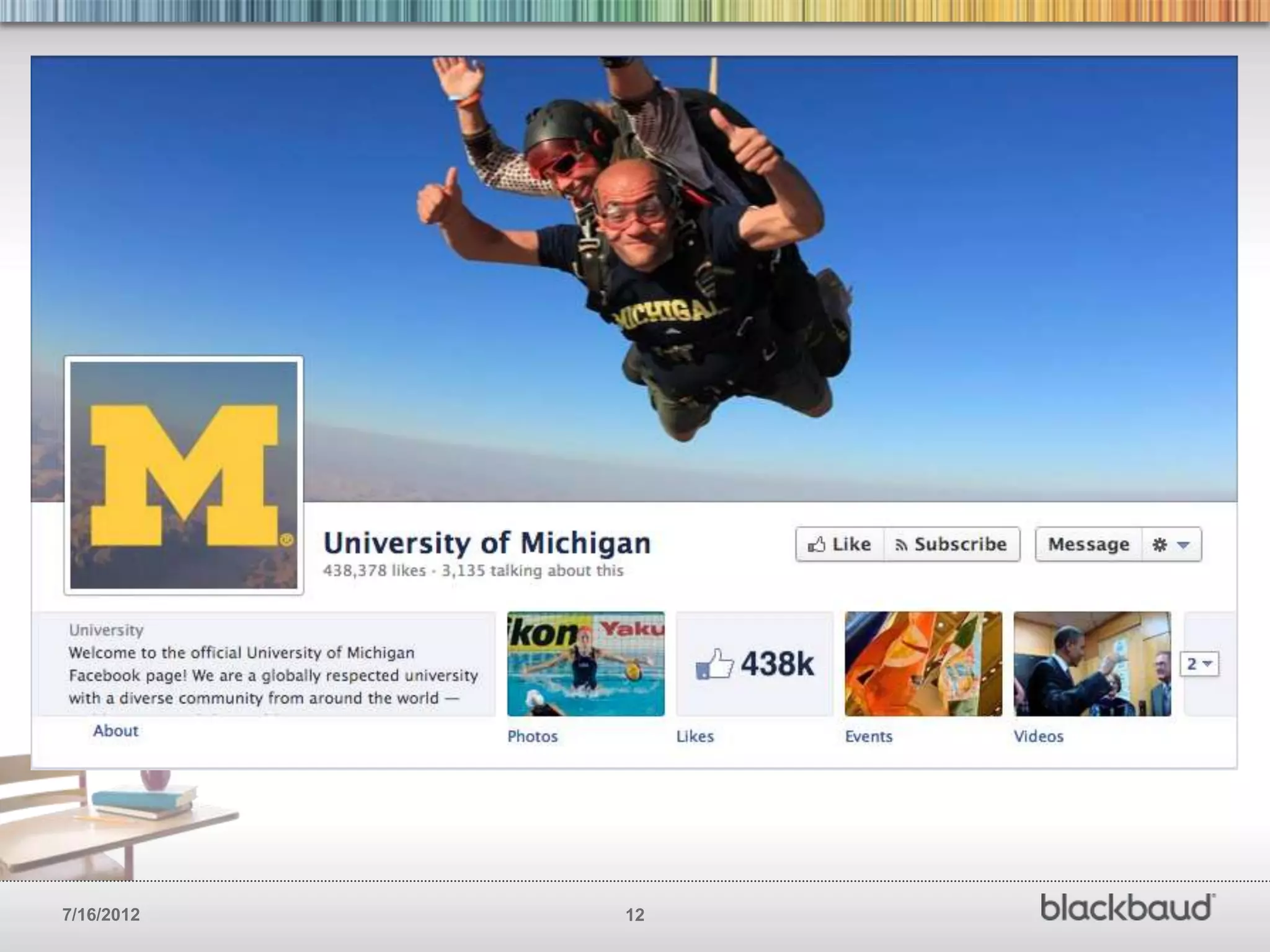
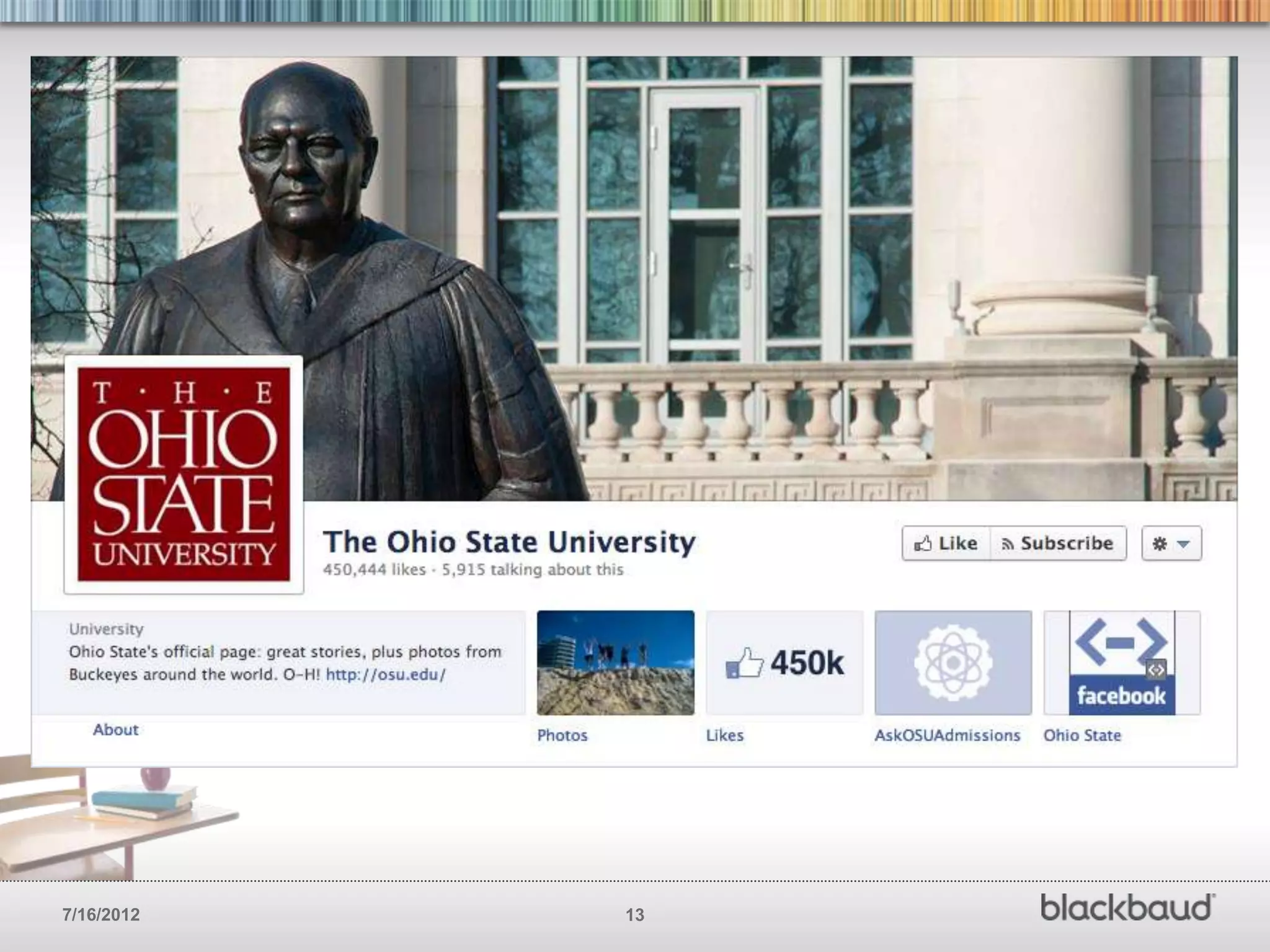
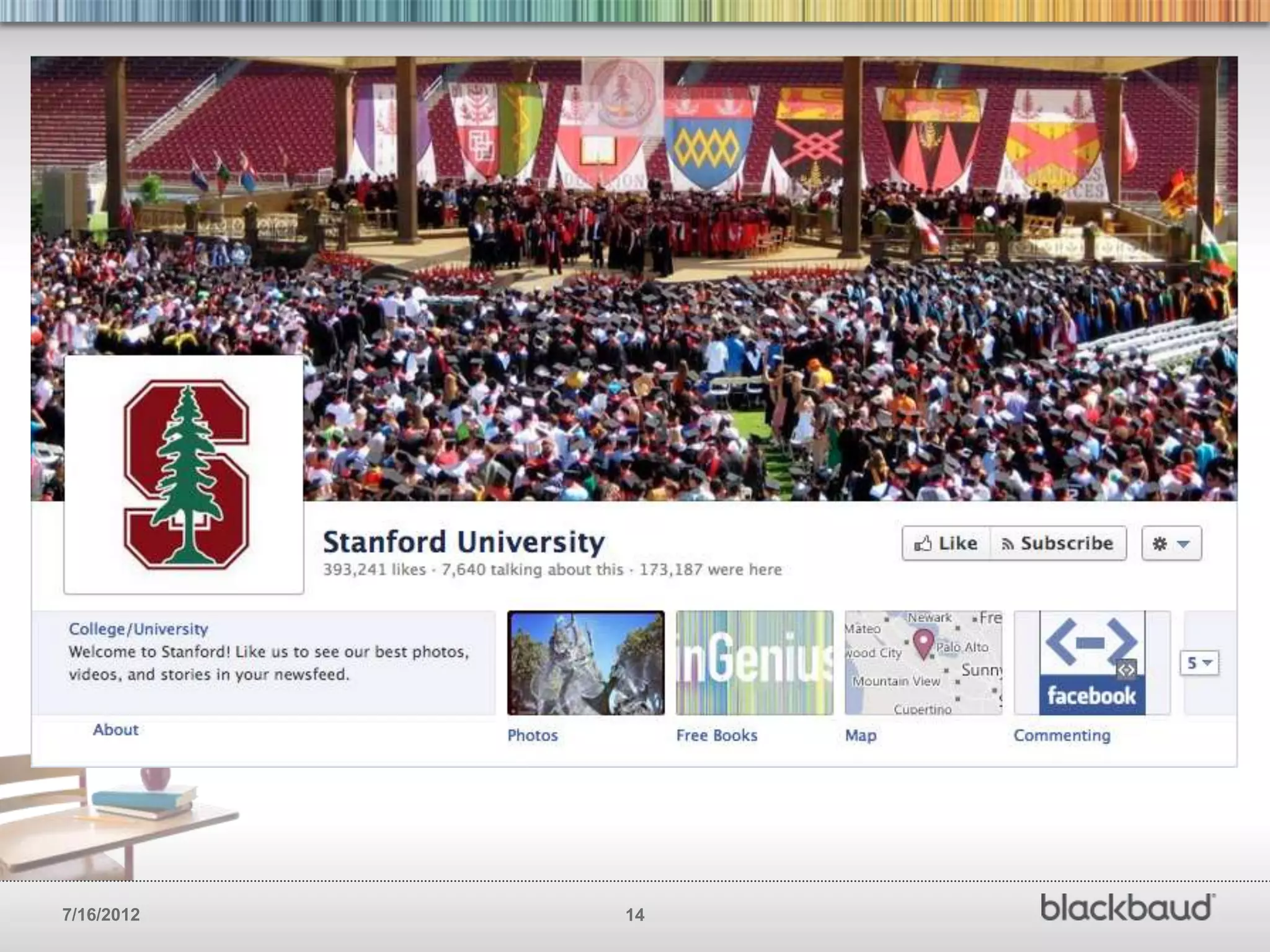
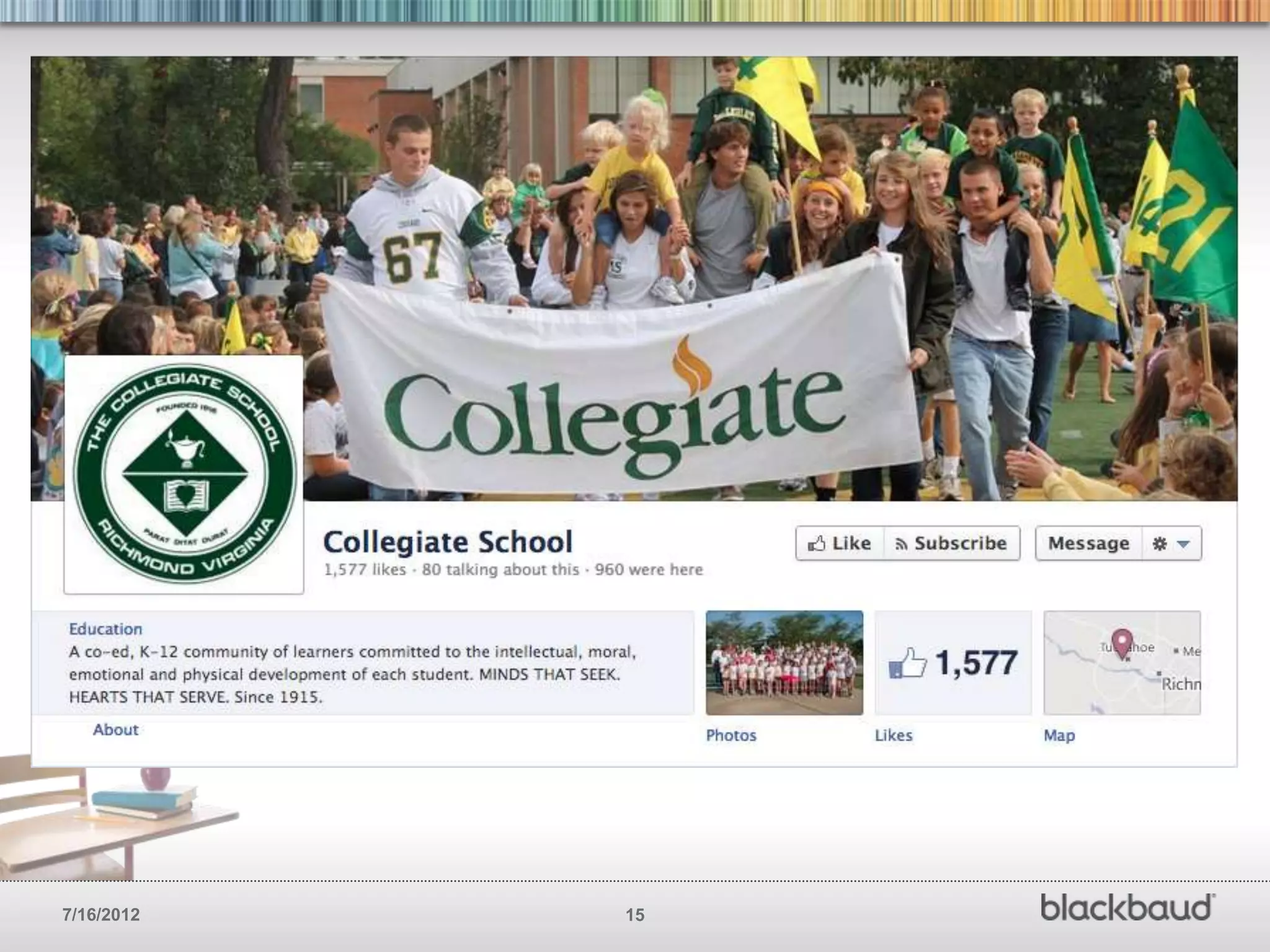
MAKE THE MOST OF YOUR COVER PHOTO
        Your Facebook cover photo is prime real estate. Think about
        it like you would that area on your main website. Use that
        area to communicate your brand, culture, values and mission
        in a compelling way. You’ve got 2 seconds to grab a the
        attention your looking for.


7/16/2012                                     6
7/16/2012   7
7/16/2012   8
7/16/2012   9
7/16/2012   10
7/16/2012   11
7/16/2012   12
7/16/2012   13
7/16/2012   14
7/16/2012   15
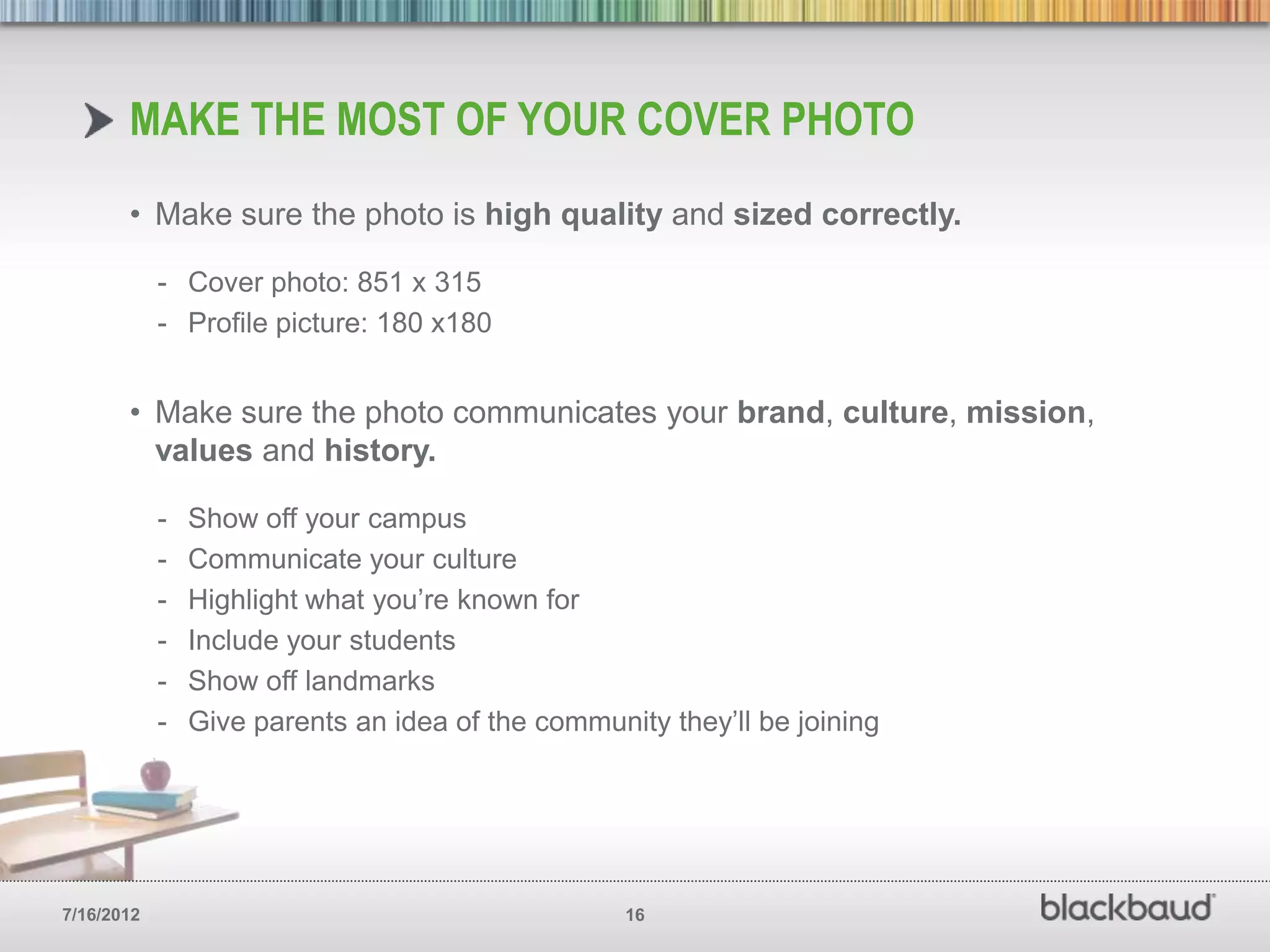
MAKE THE MOST OF YOUR COVER PHOTO
       • Make sure the photo is high quality and sized correctly.

            - Cover photo: 851 x 315
            - Profile picture: 180 x180


       • Make sure the photo communicates your brand, culture, mission,
         values and history.

            -   Show off your campus
            -   Communicate your culture
            -   Highlight what you’re known for
            -   Include your students
            -   Show off landmarks
            -   Give parents an idea of the community they’ll be joining


7/16/2012                                          16
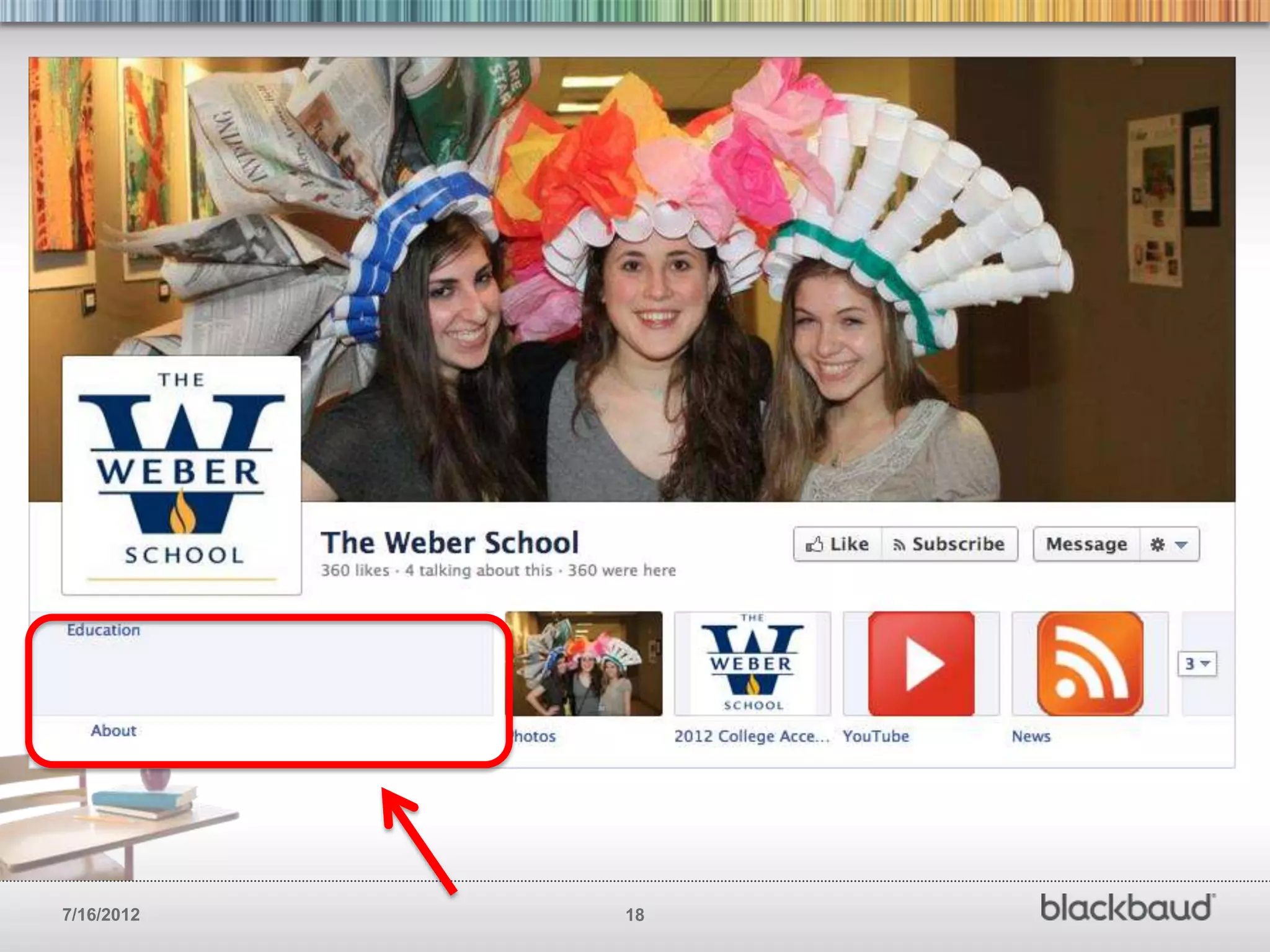
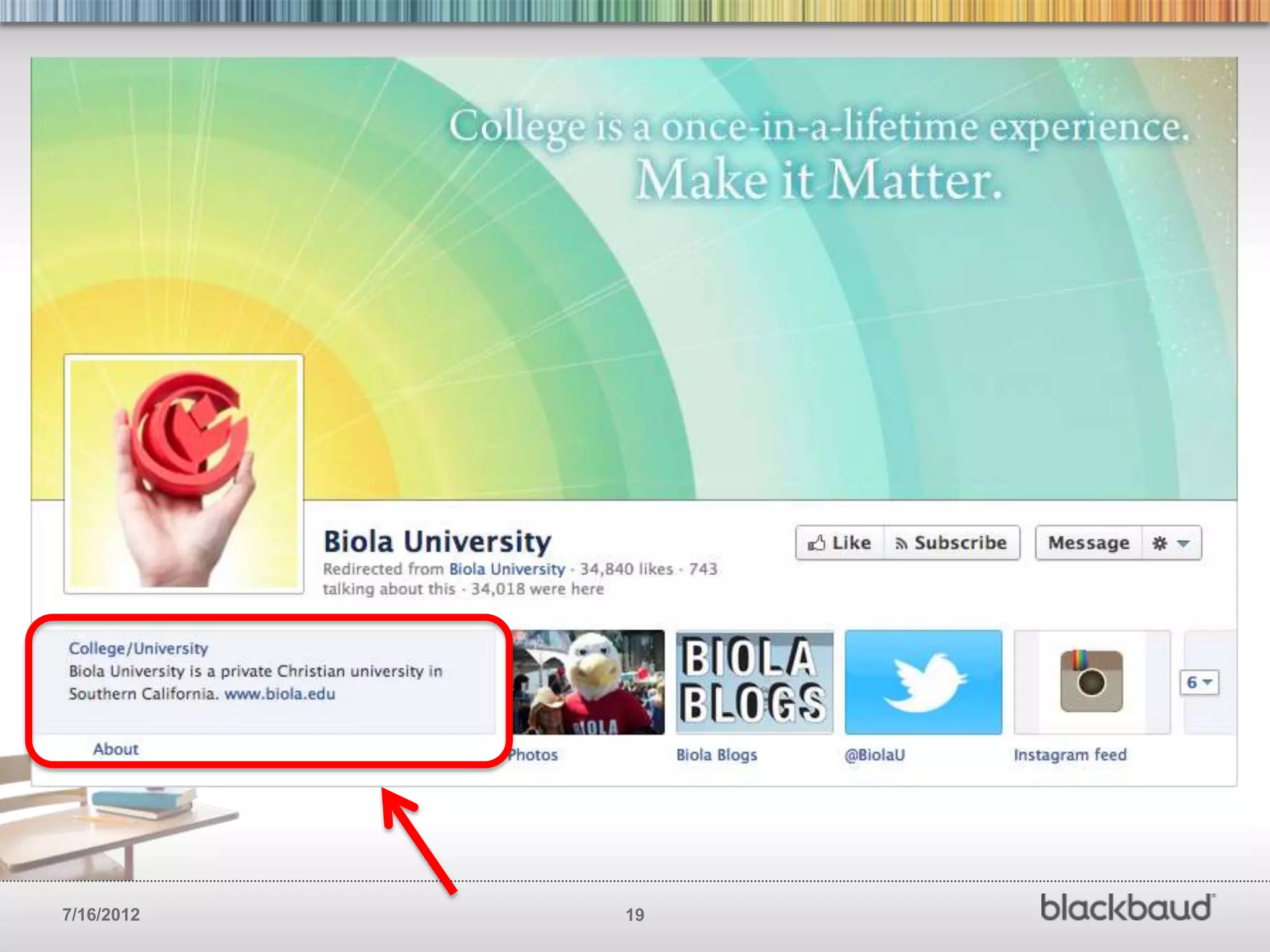
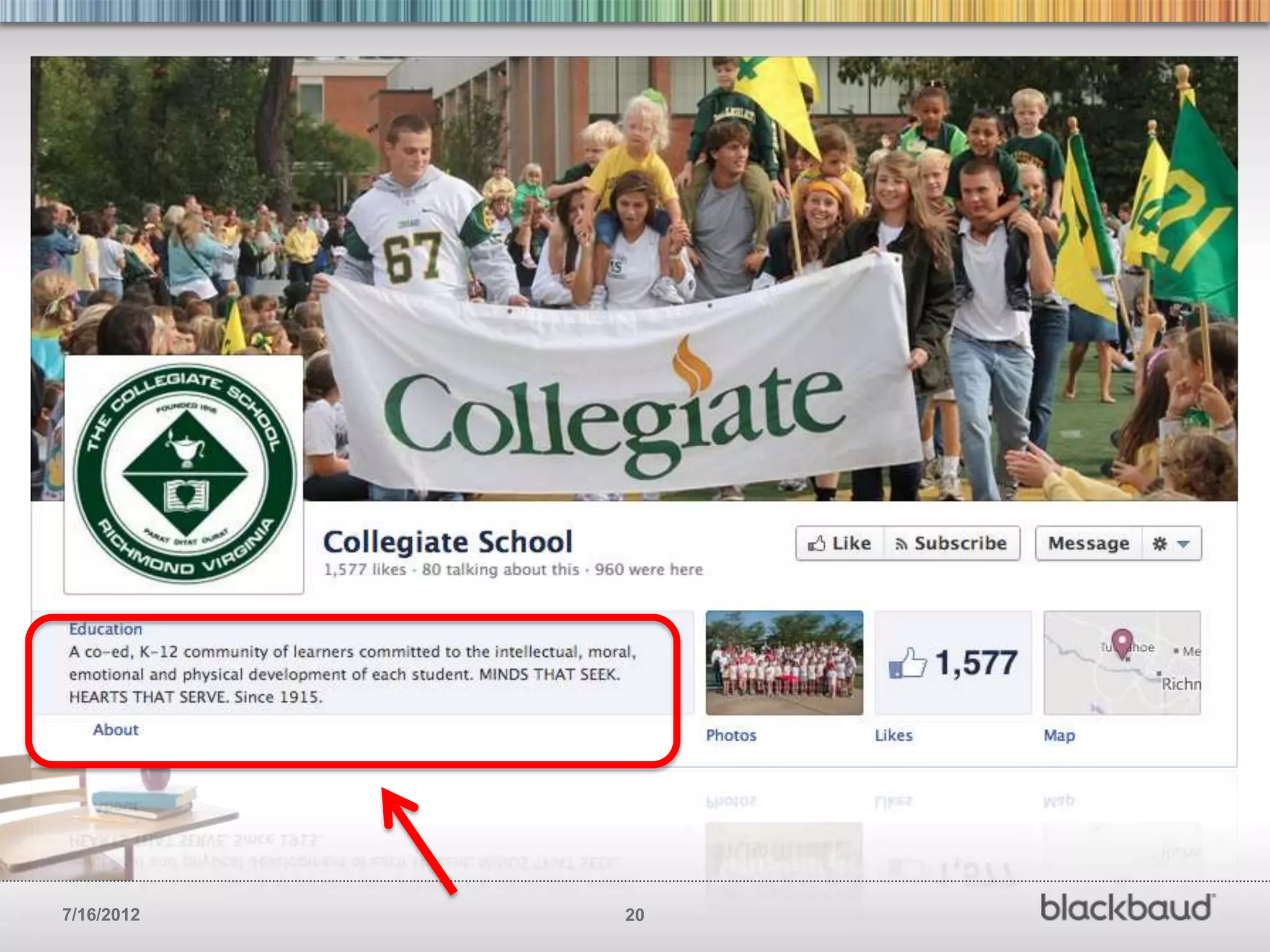
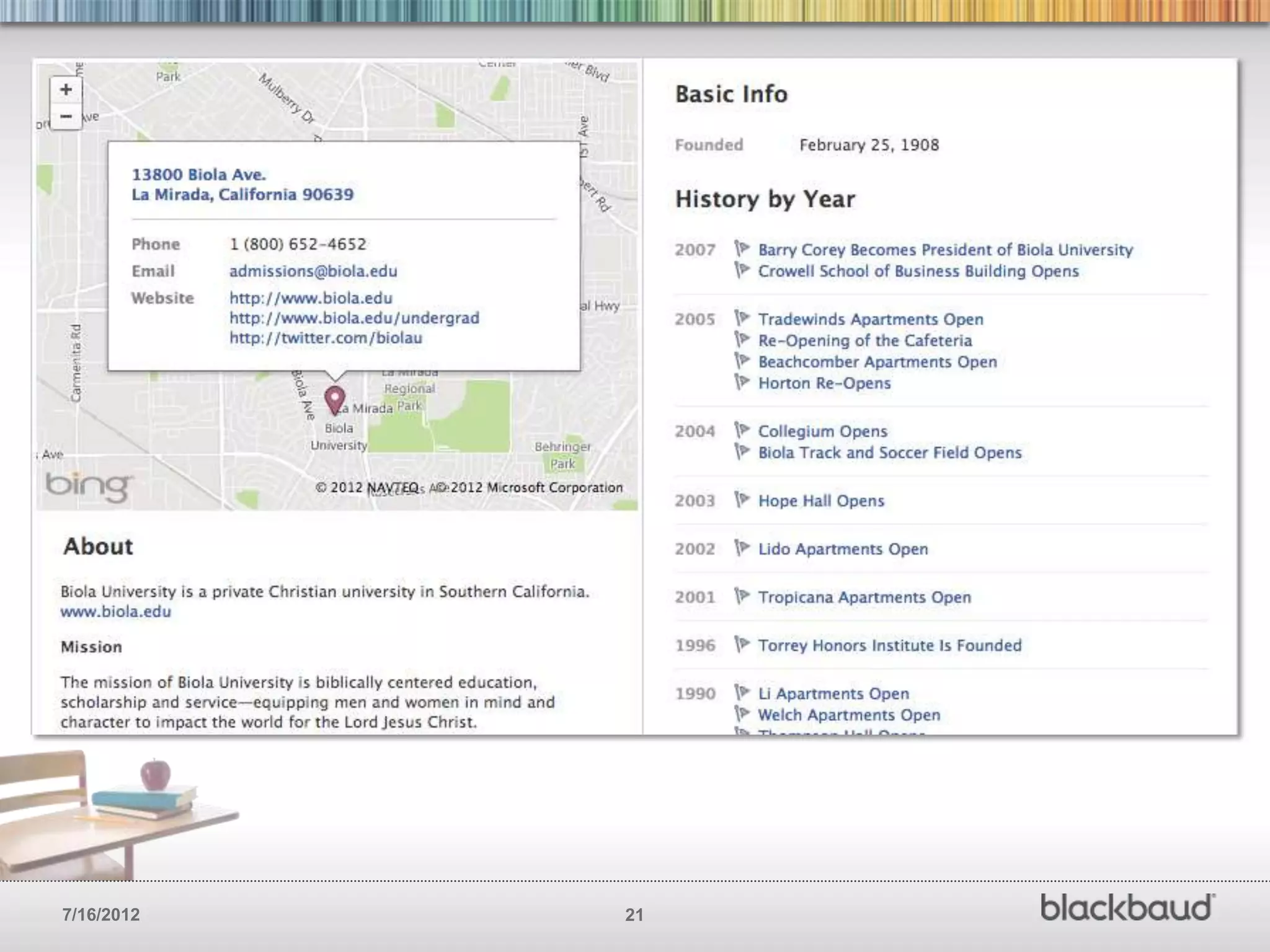
UPDATE YOUR ‘ABOUT’ PAGE
        One of the first things a new visitor will do on your
        page is check out your profile. Parents are your key
        audience here. Make sure you take full advantage of
        this area.


7/16/2012                                      17
7/16/2012   18
7/16/2012   19
7/16/2012   20
7/16/2012   21
UPDATE YOUR ‘ABOUT’ PAGE
       • Tell your story (Don’t be too wordy, but get enough of the point across
         so new visitors understand what you do)

       • Add your mission statement

       • Include links to your website and other social networks

       • Make sure to include all your contact info (email, phone, etc)

       • Include calls-to-action just like you might on your website

       • Add milestones

       • Enter your address w/ map


7/16/2012                                  22
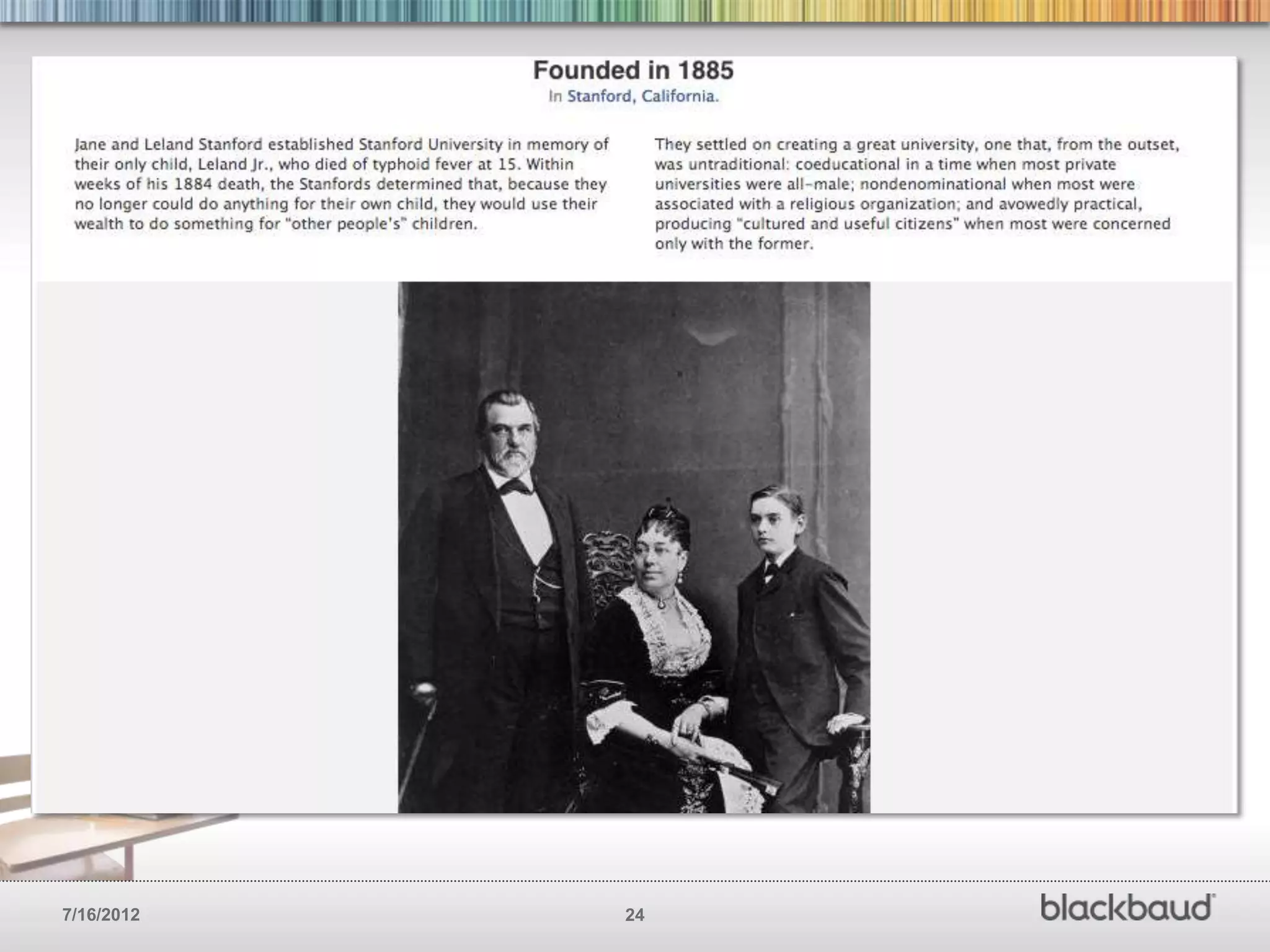
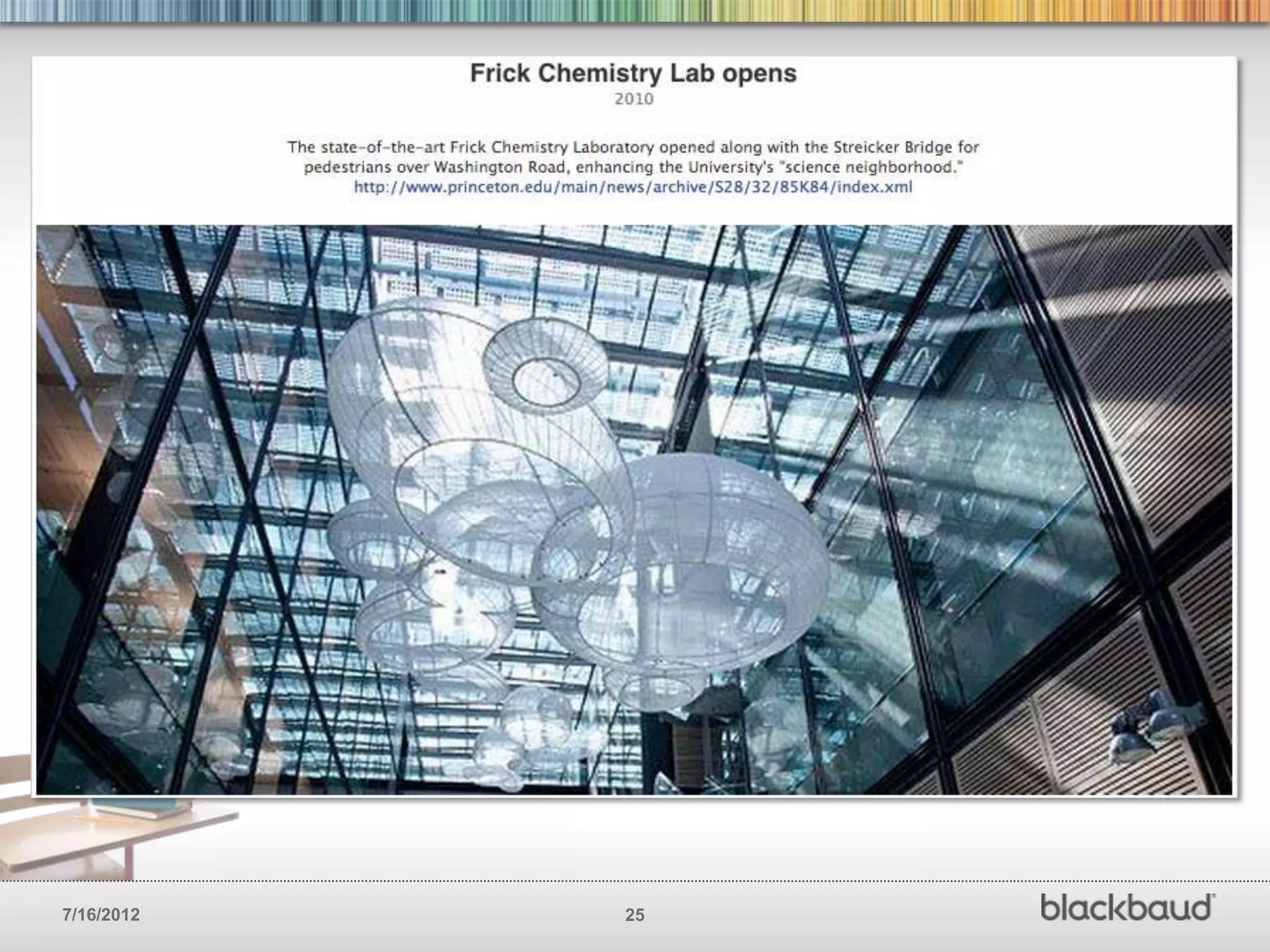
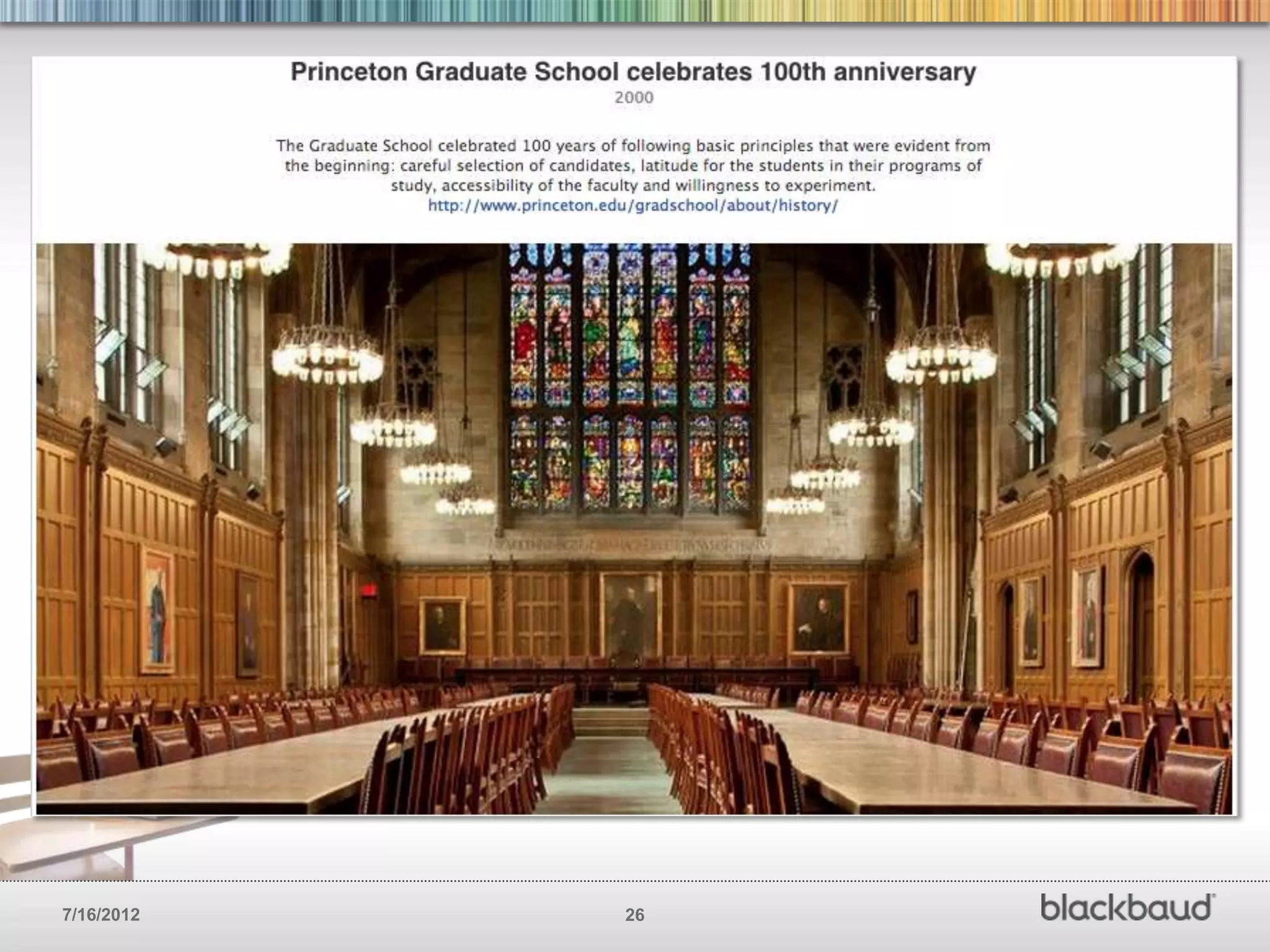
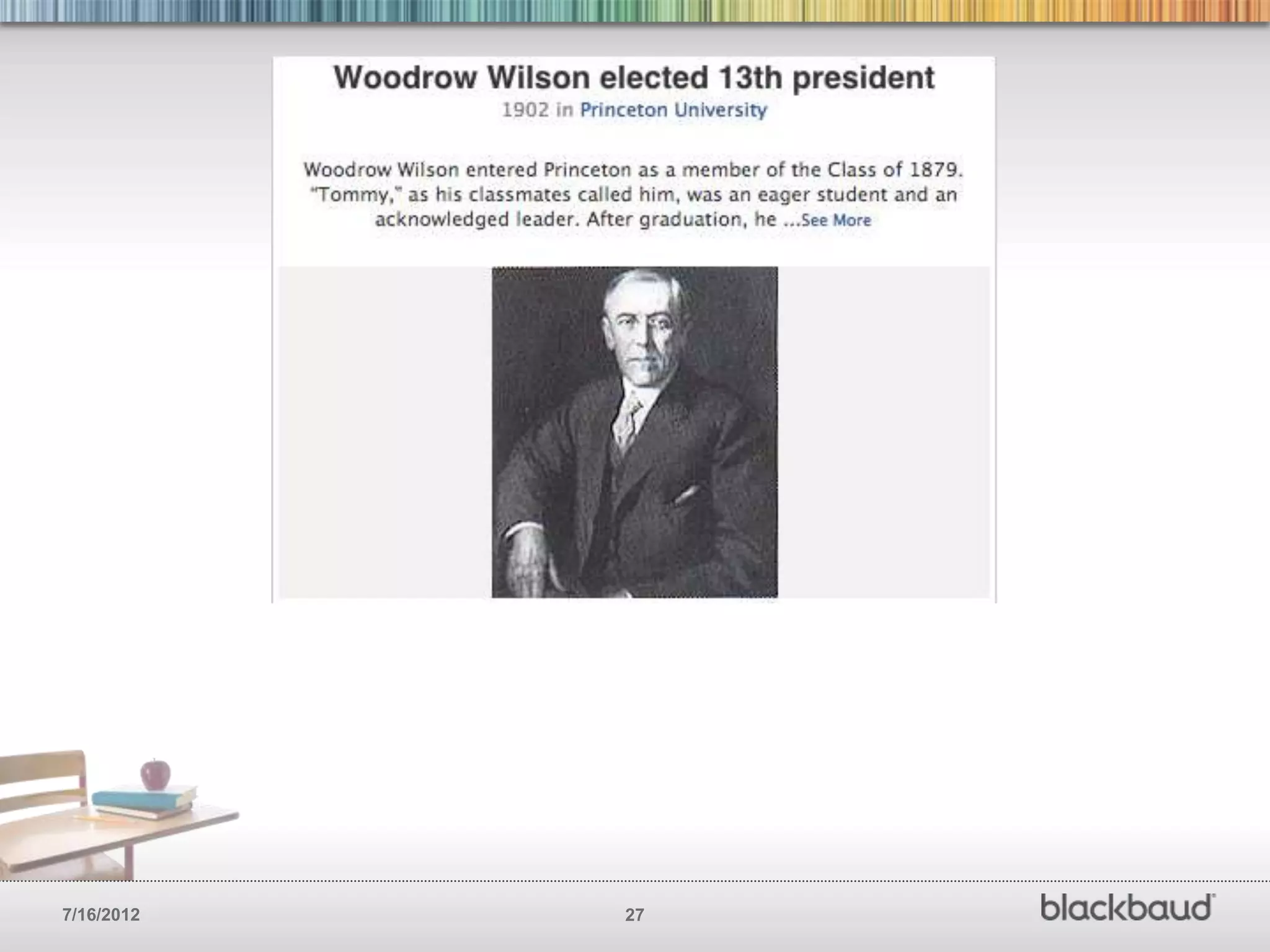
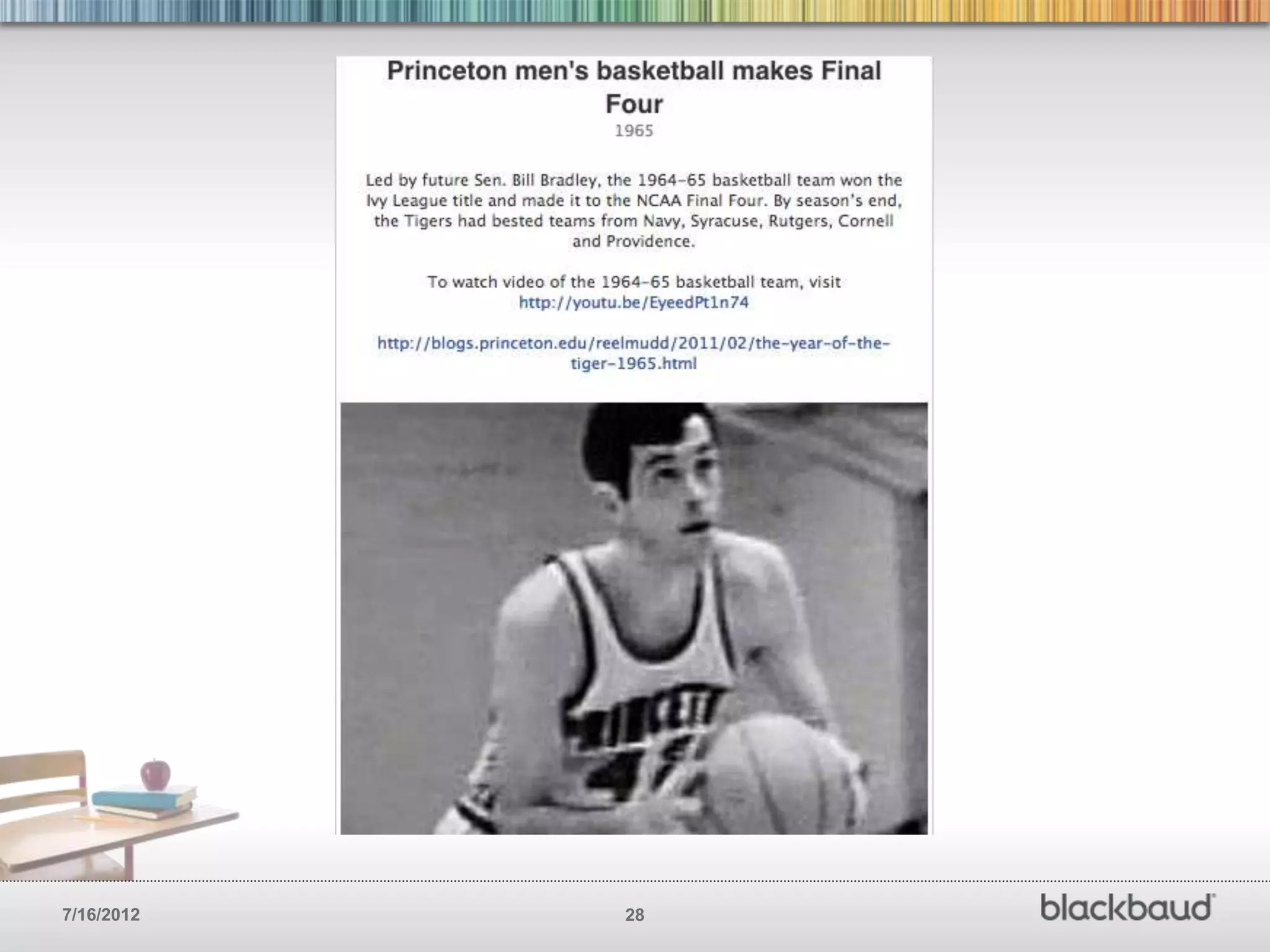
FILL IN YOUR HISTORY AND BIG MILESTONES
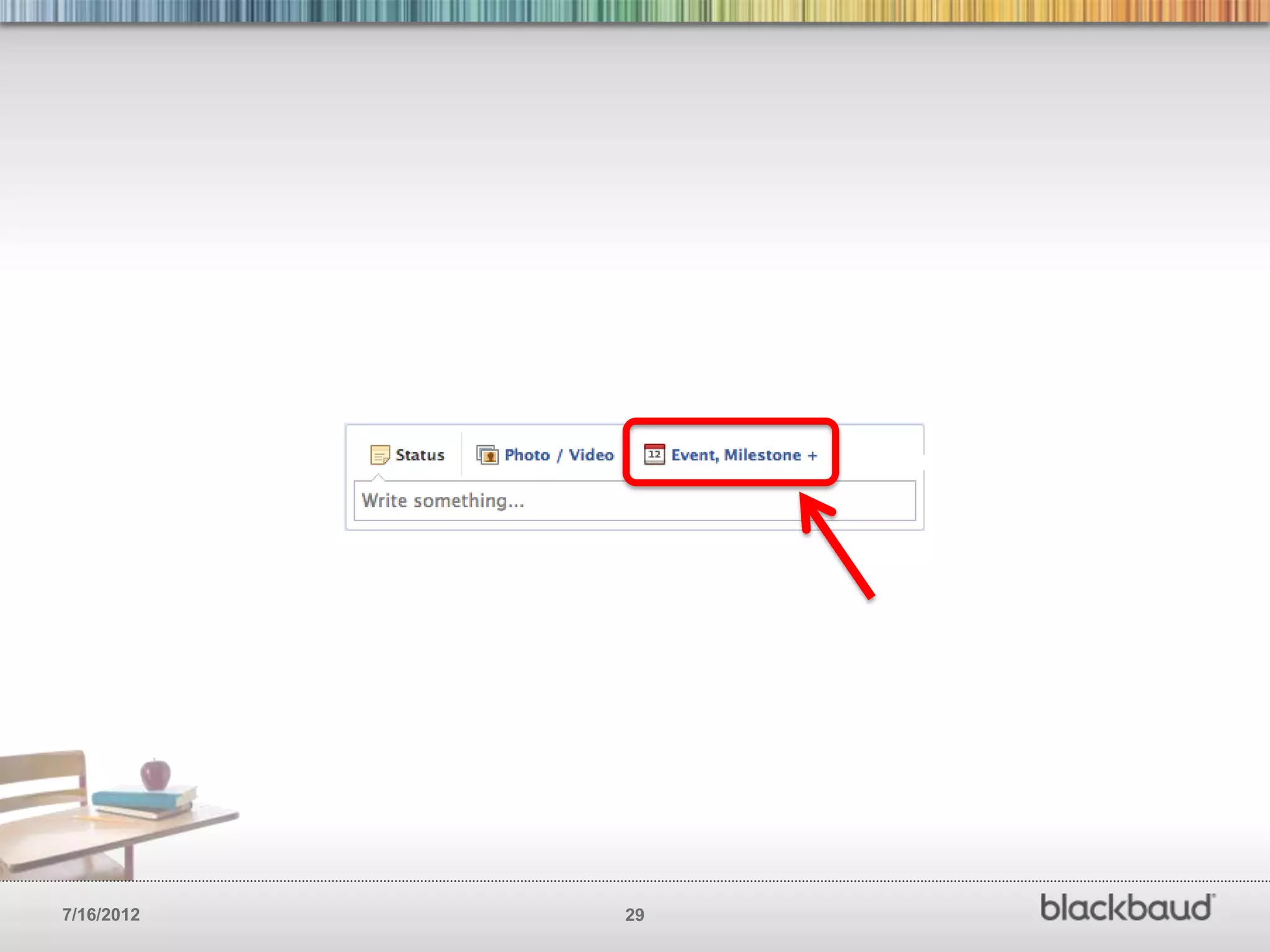
        Milestones give you the ability to tell people more about your
        schools history. If you haven’t yet, think of at least five milestones
        that help tell your story then hop over to Facebook and fill them
        in. Use photos if possible.


7/16/2012                                         23
7/16/2012   24
7/16/2012   25
7/16/2012   26
7/16/2012   27
7/16/2012   28
7/16/2012   29
FILL IN YOUR HISTORY AND BIG MILESTONES
       • Date when school was founded

       • Significant accomplishments, awards, recognitions, etc

       • Famous or well know students

       • Launch of new programs, colleges/schools, community work, etc

       • Significant sporting events

       • Graduations

       • New deans, principals, presidents, etc…


7/16/2012                                30
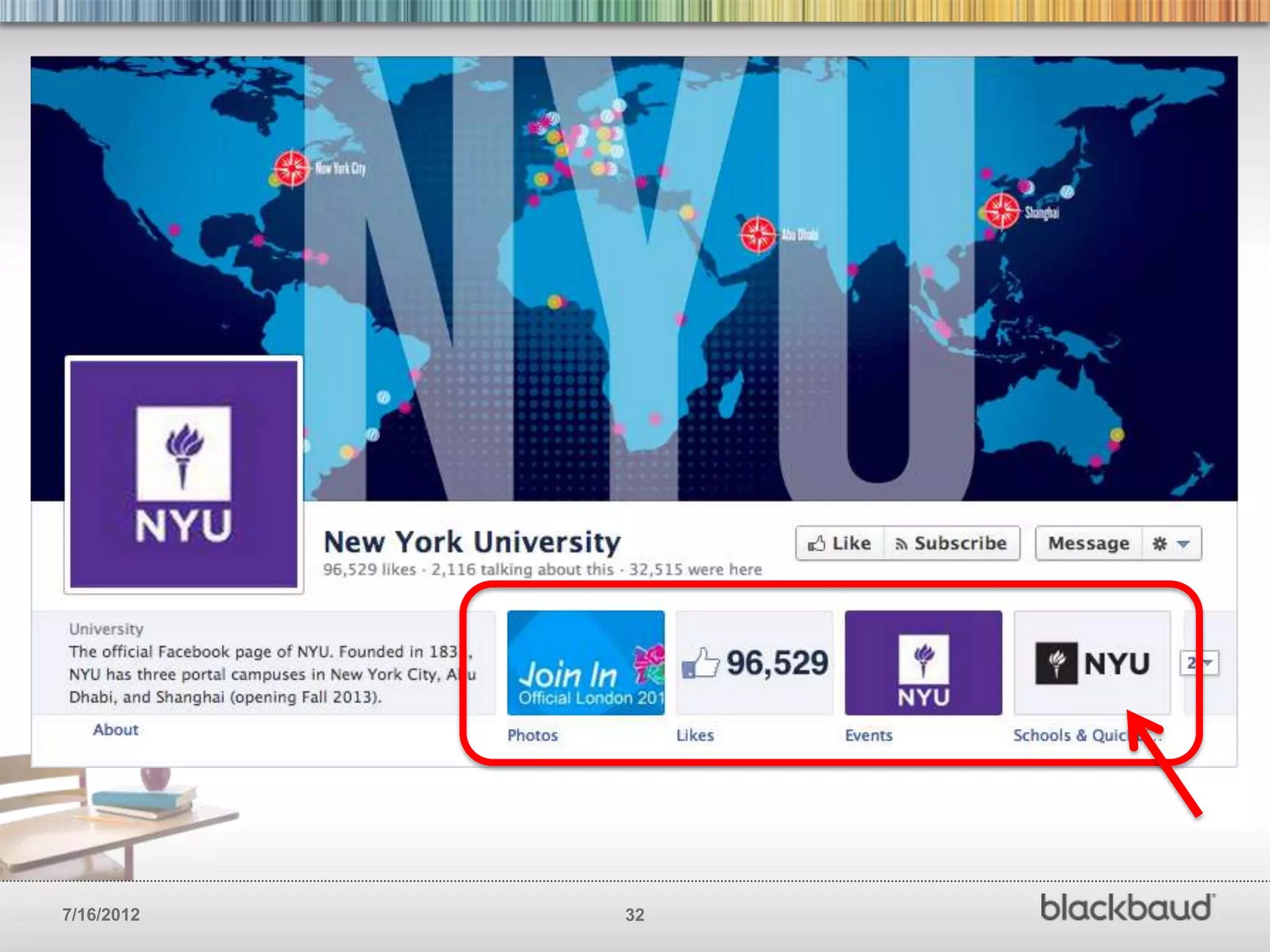
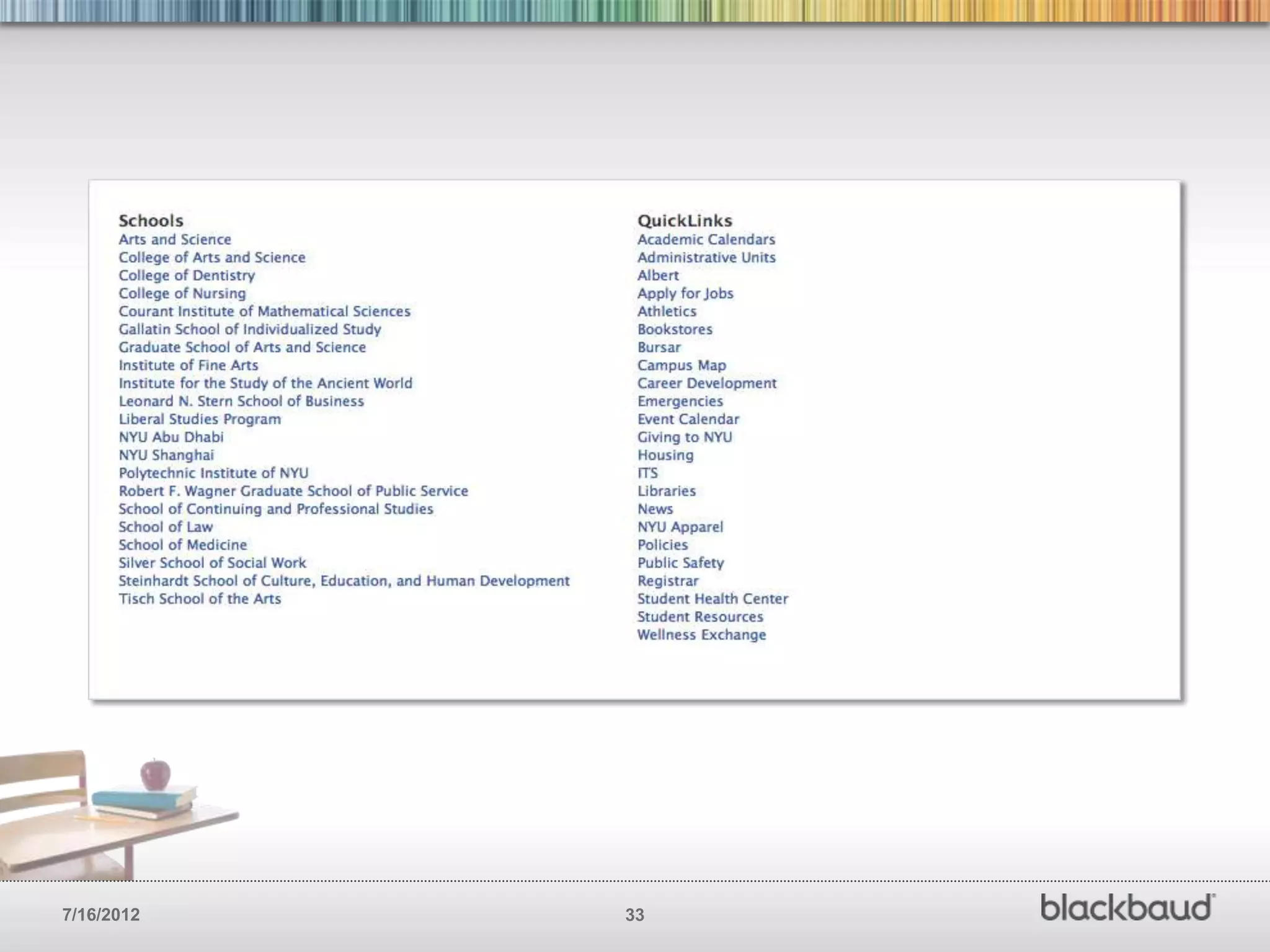
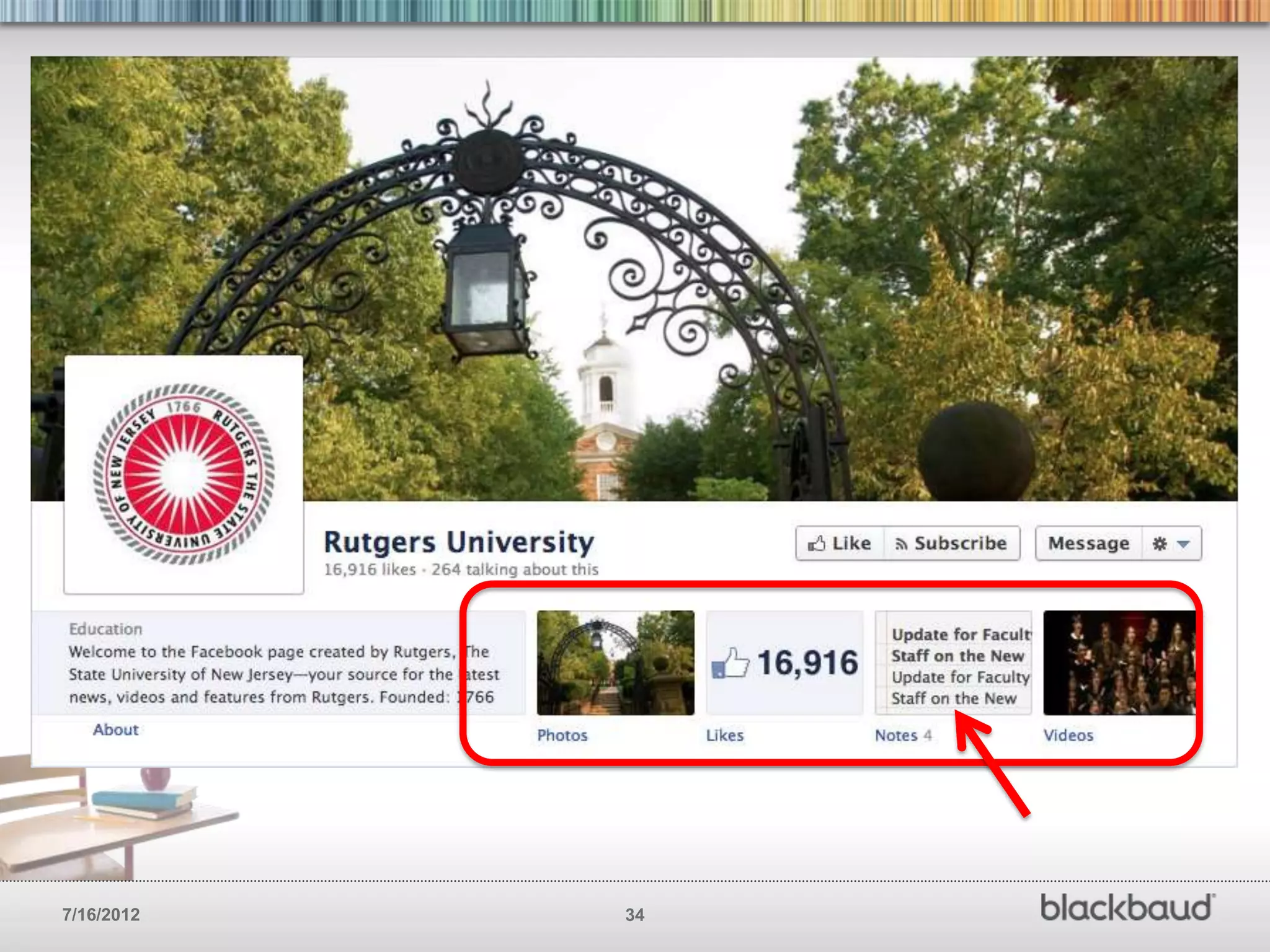
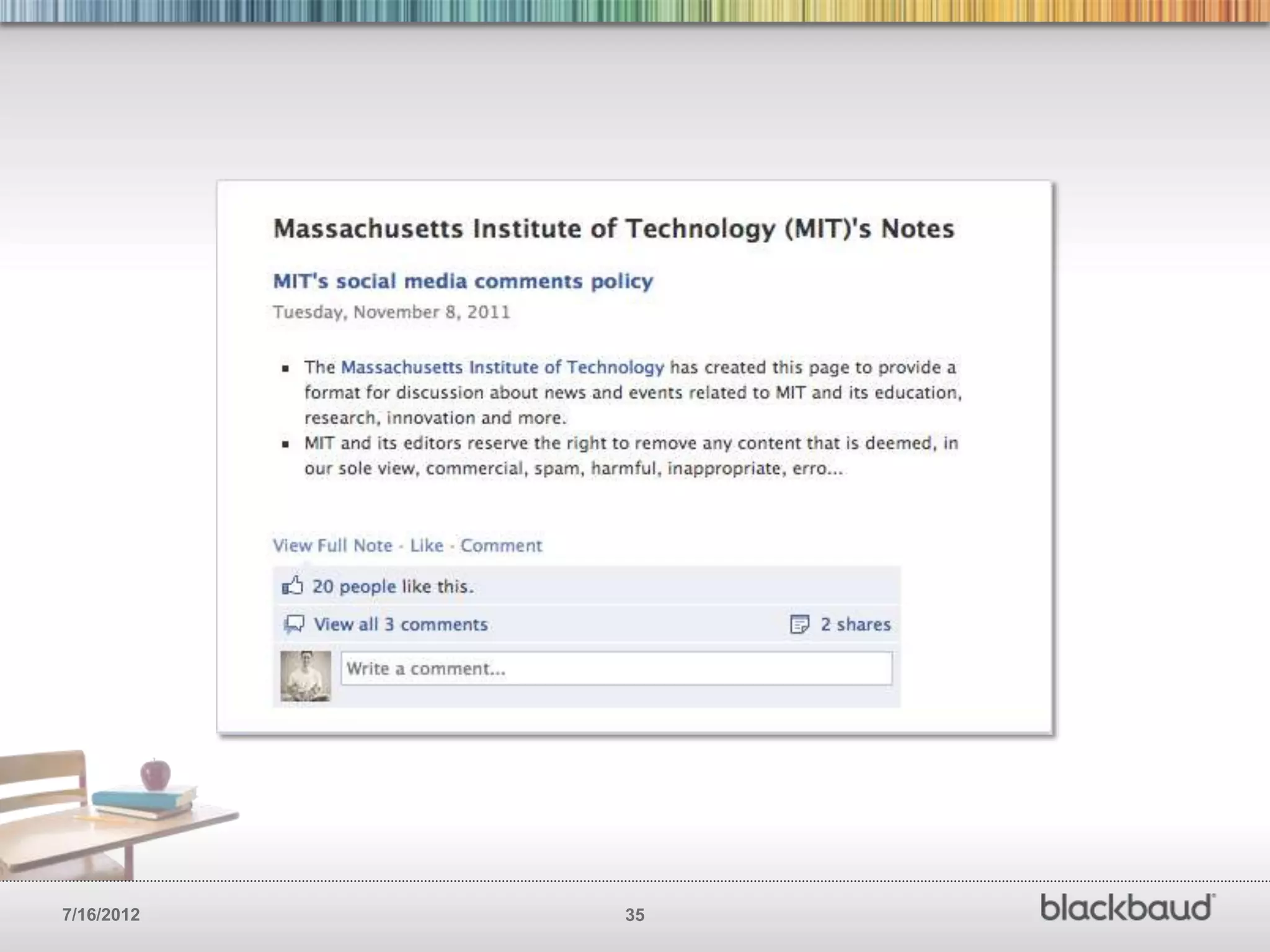
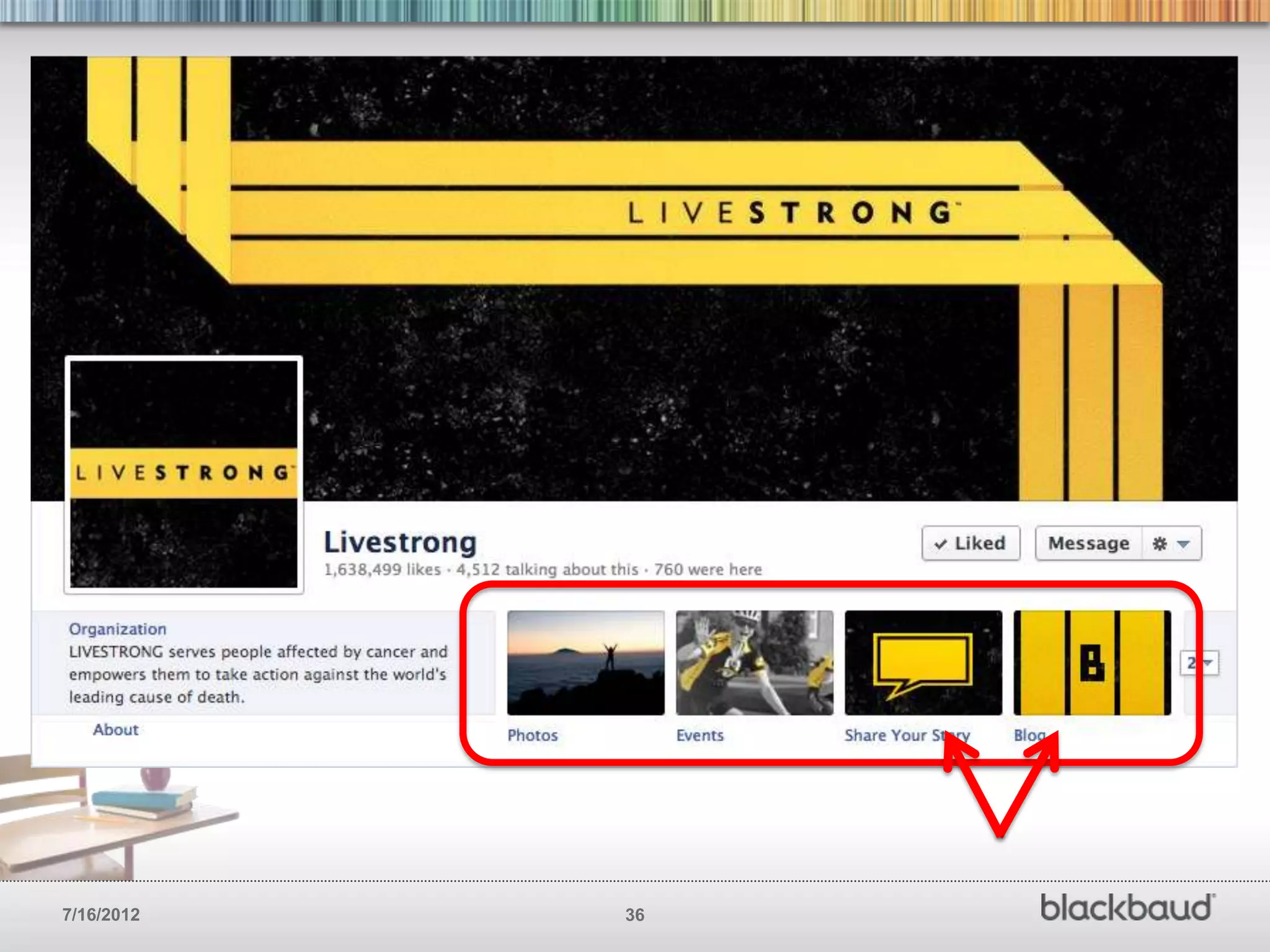
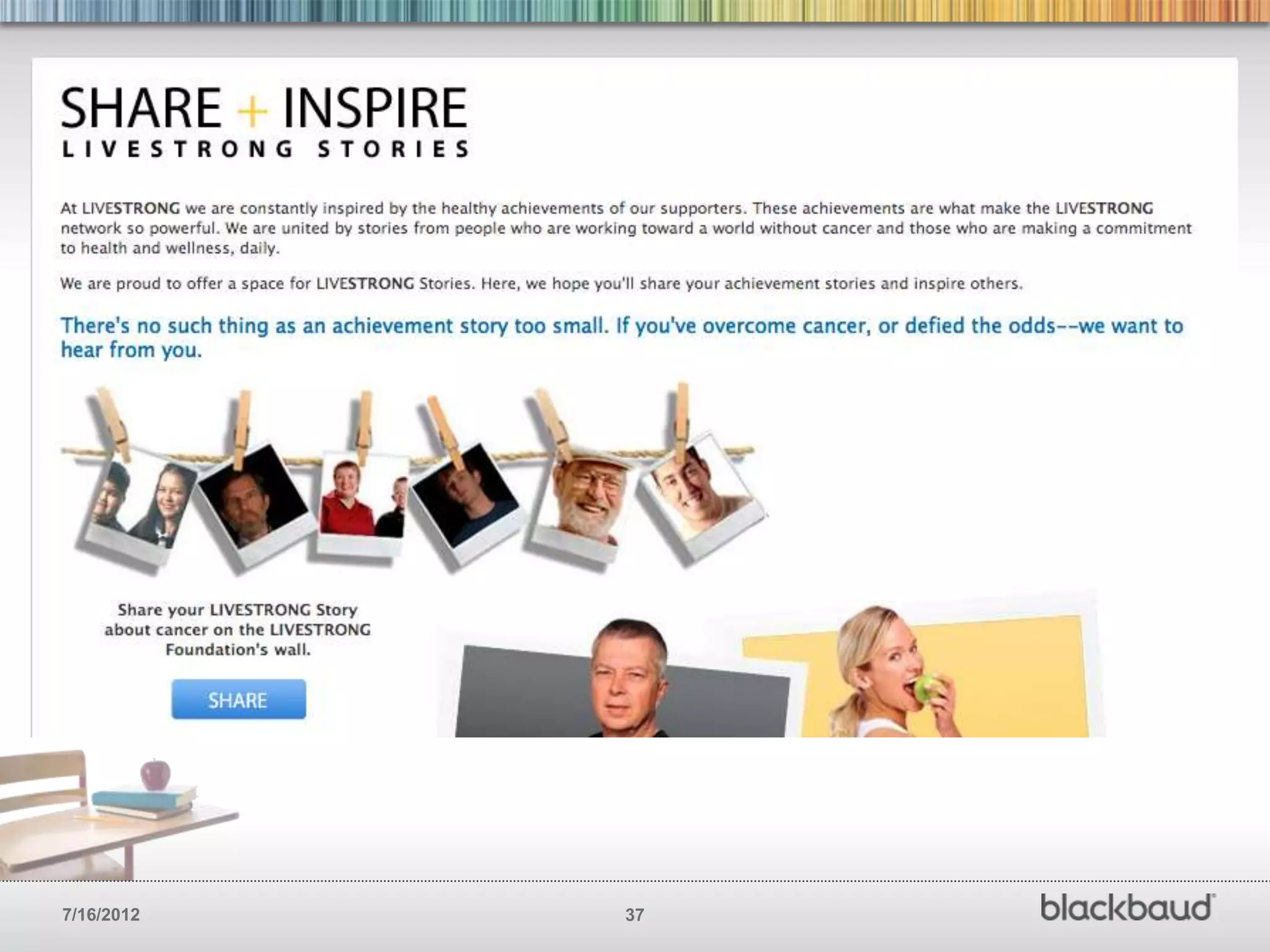
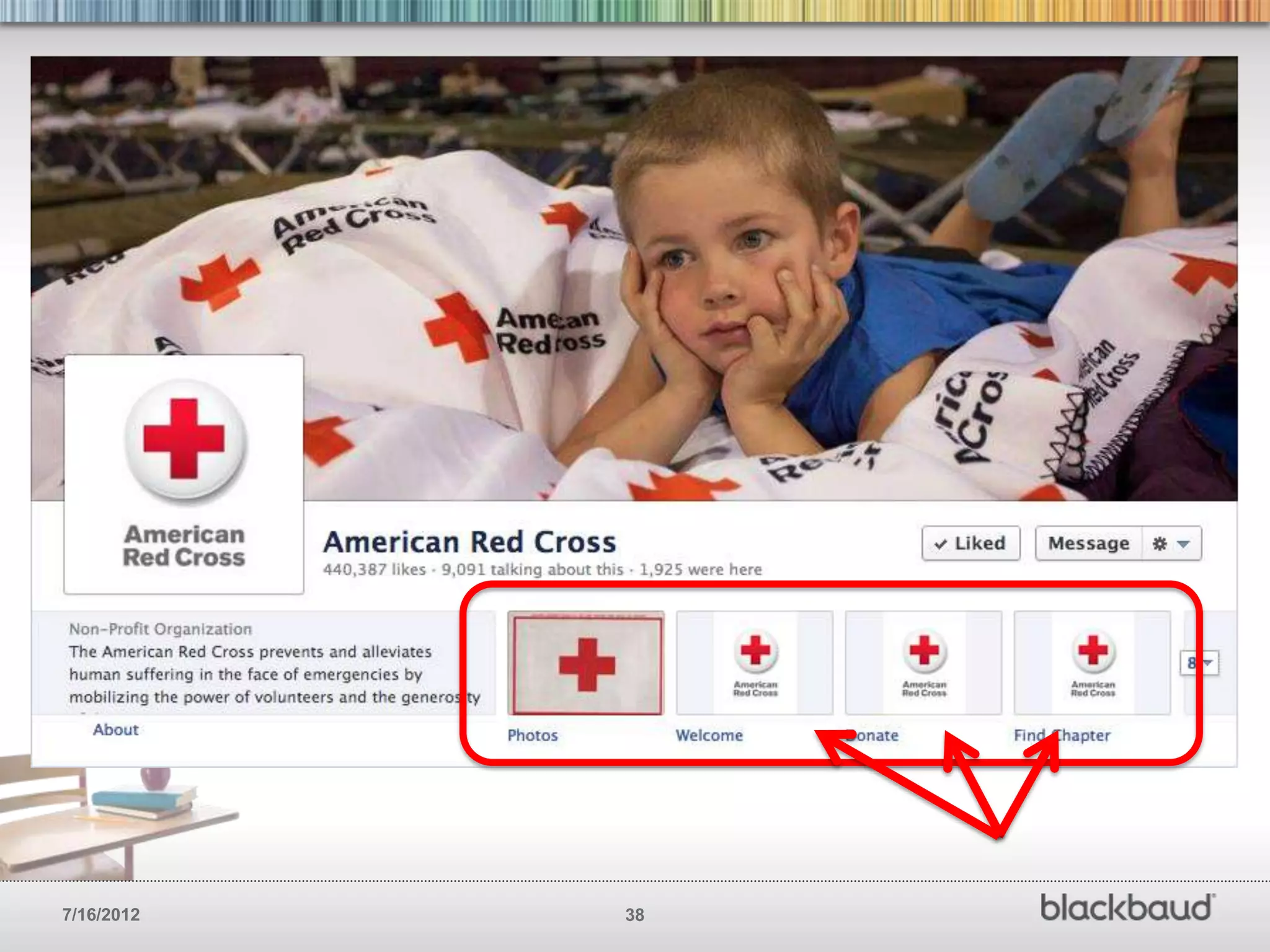
SET UP A FEW APPS
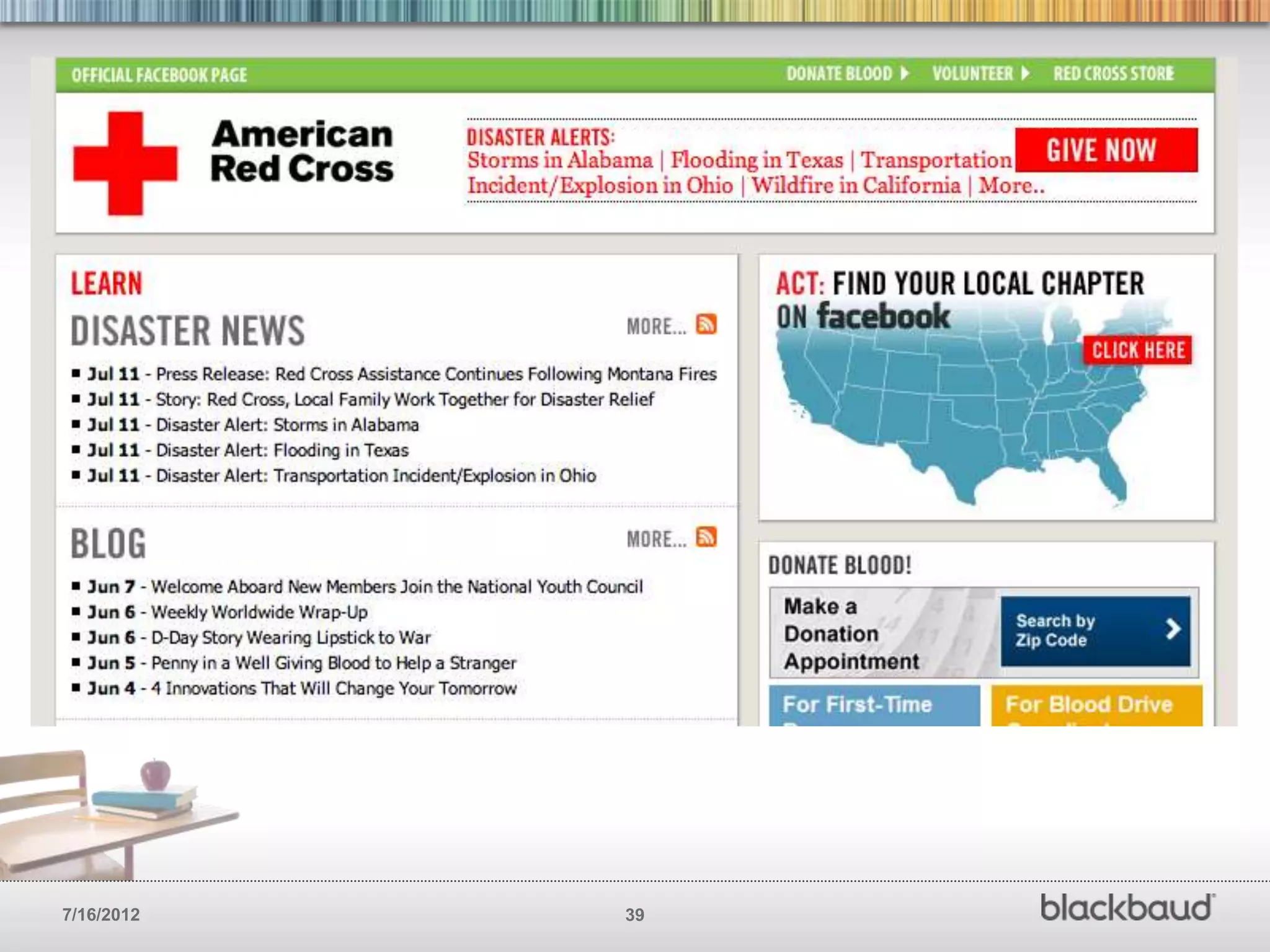
        Apps are Facebooks version of a call
        to action. Use them to get your
        Facebook page visitors to take
        actions you want them to take.


7/16/2012                                      31
7/16/2012   32
7/16/2012   33
7/16/2012   34
7/16/2012   35
7/16/2012   36
7/16/2012   37
7/16/2012   38
7/16/2012   39
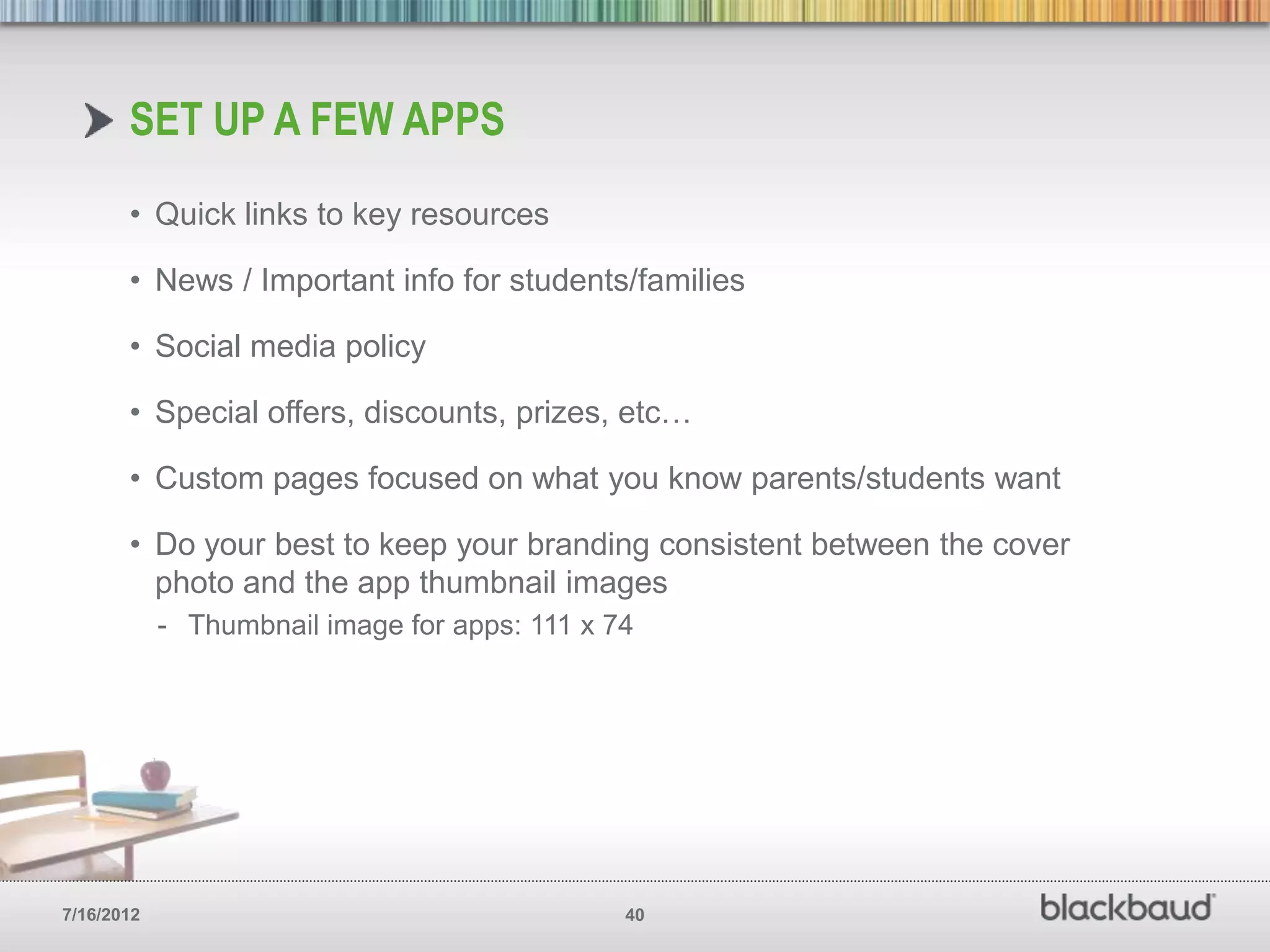
SET UP A FEW APPS
       • Quick links to key resources

       • News / Important info for students/families

       • Social media policy

       • Special offers, discounts, prizes, etc…

       • Custom pages focused on what you know parents/students want

       • Do your best to keep your branding consistent between the cover
         photo and the app thumbnail images
            - Thumbnail image for apps: 111 x 74


7/16/2012                                      40
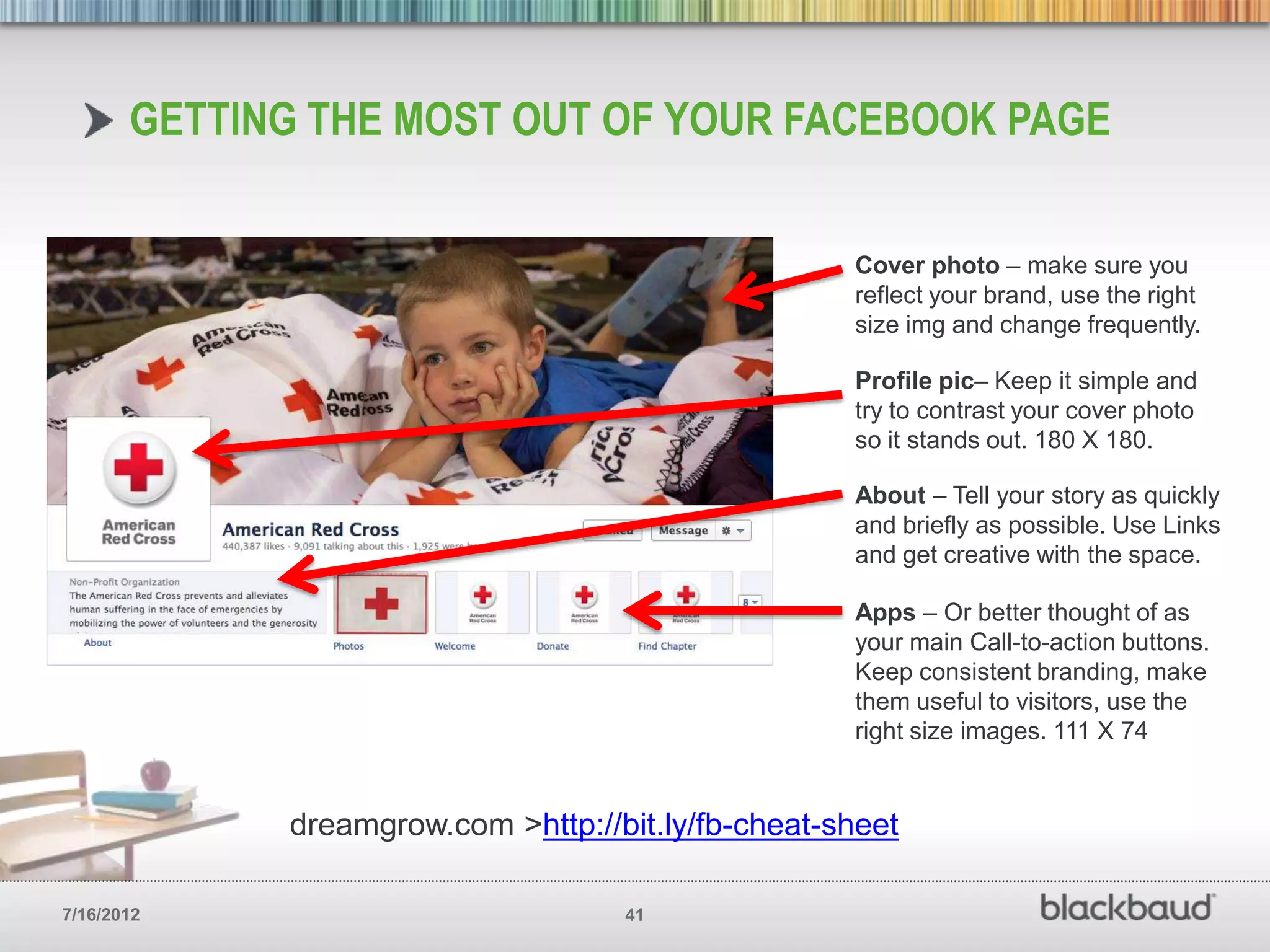
GETTING THE MOST OUT OF YOUR FACEBOOK PAGE


                                                    Cover photo – make sure you
                                                    reflect your brand, use the right
                                                    size img and change frequently.

                                                    Profile pic– Keep it simple and
                                                    try to contrast your cover photo
                                                    so it stands out. 180 X 180.

                                                    About – Tell your story as quickly
                                                    and briefly as possible. Use Links
                                                    and get creative with the space.

                                                    Apps – Or better thought of as
                                                    your main Call-to-action buttons.
                                                    Keep consistent branding, make
                                                    them useful to visitors, use the
                                                    right size images. 111 X 74


             dreamgrow.com >http://bit.ly/fb-cheat-sheet

7/16/2012                           41
GET THE MOST OUT
       OF YOUR POSTS
        Before you can engage alumni on
        Facebook you’ve got to build a
        relationship with them. The best time
        to do this is while they are a student.


7/16/2012                                         42
7/16/2012   43
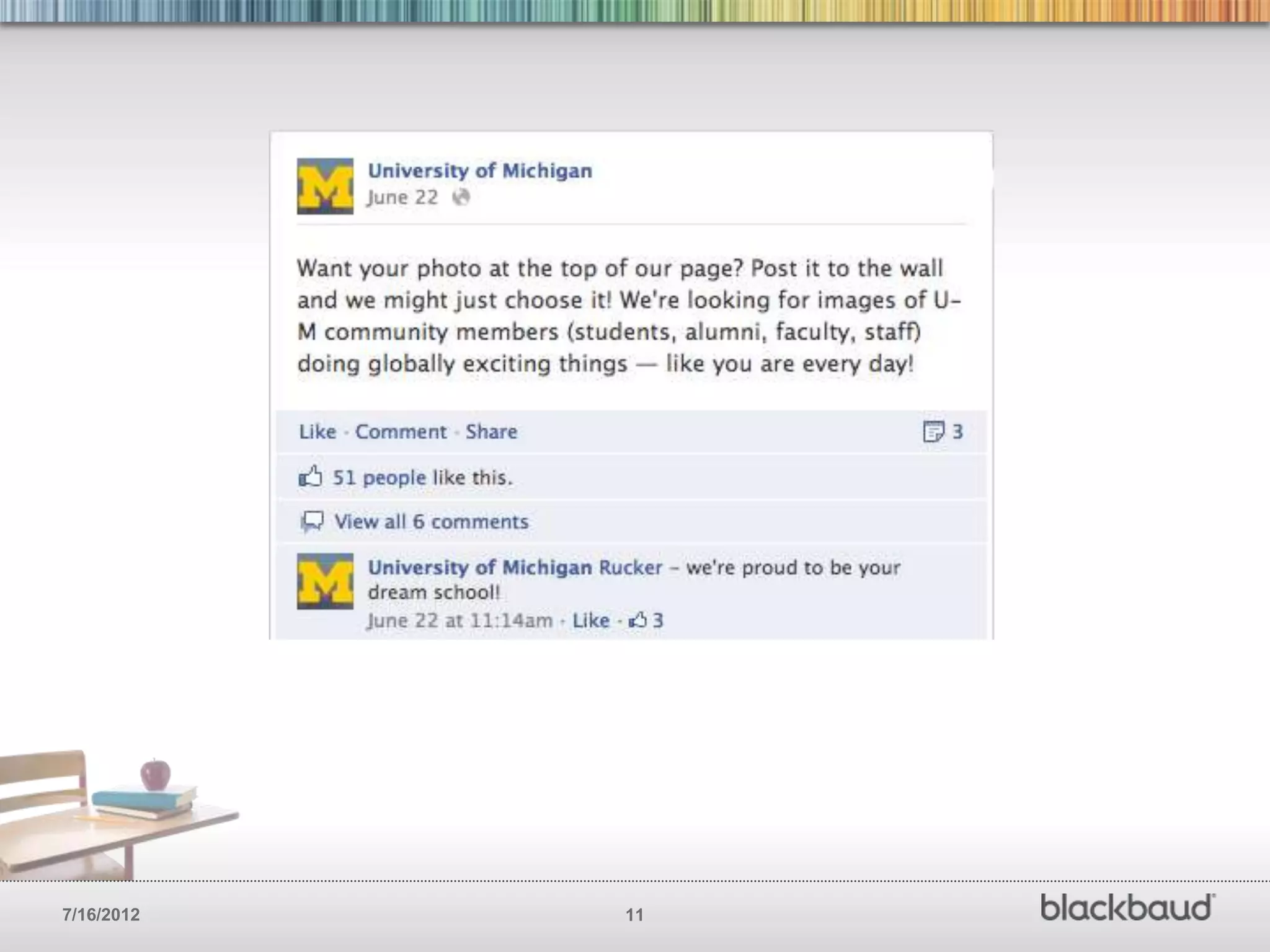
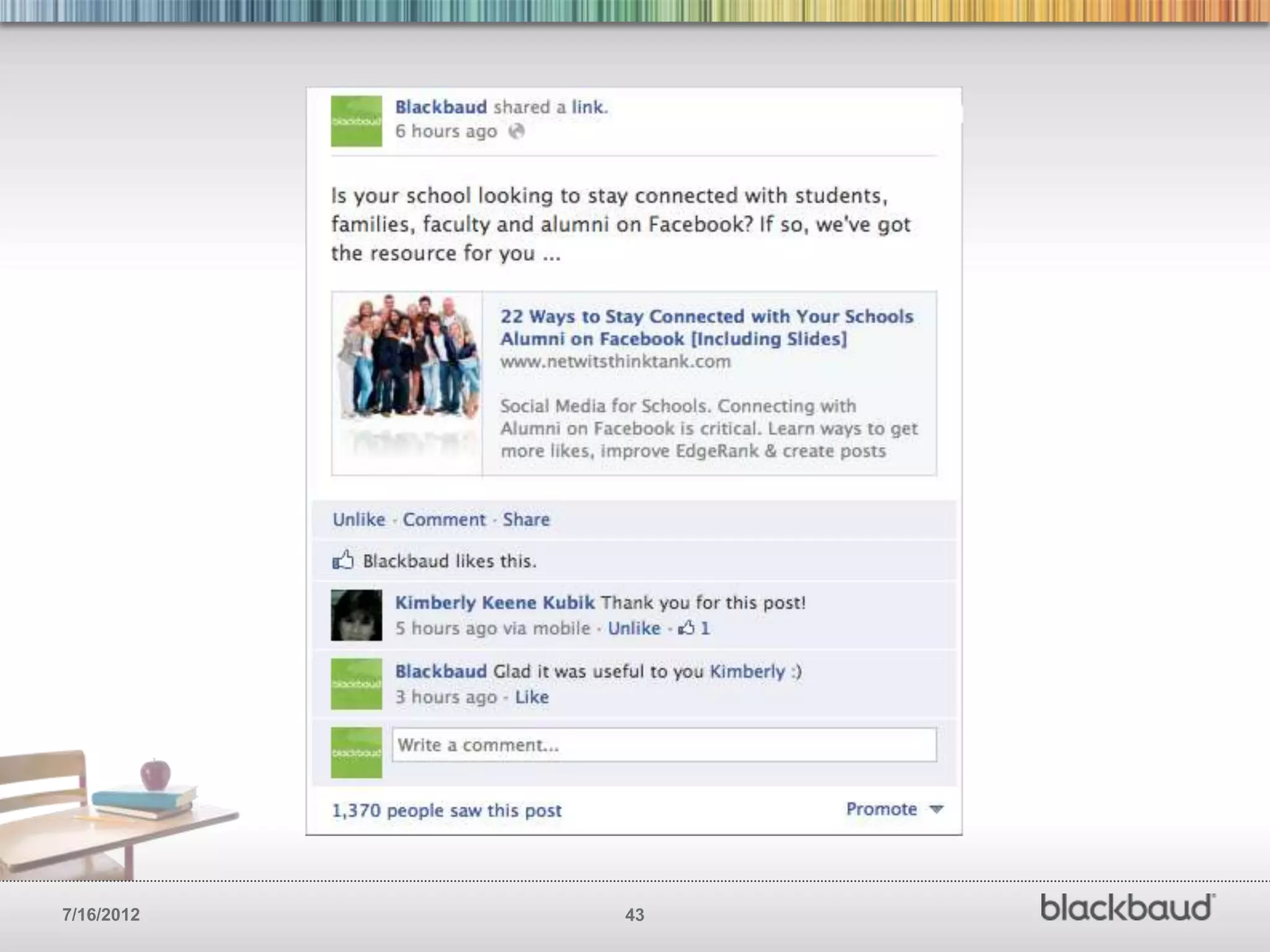
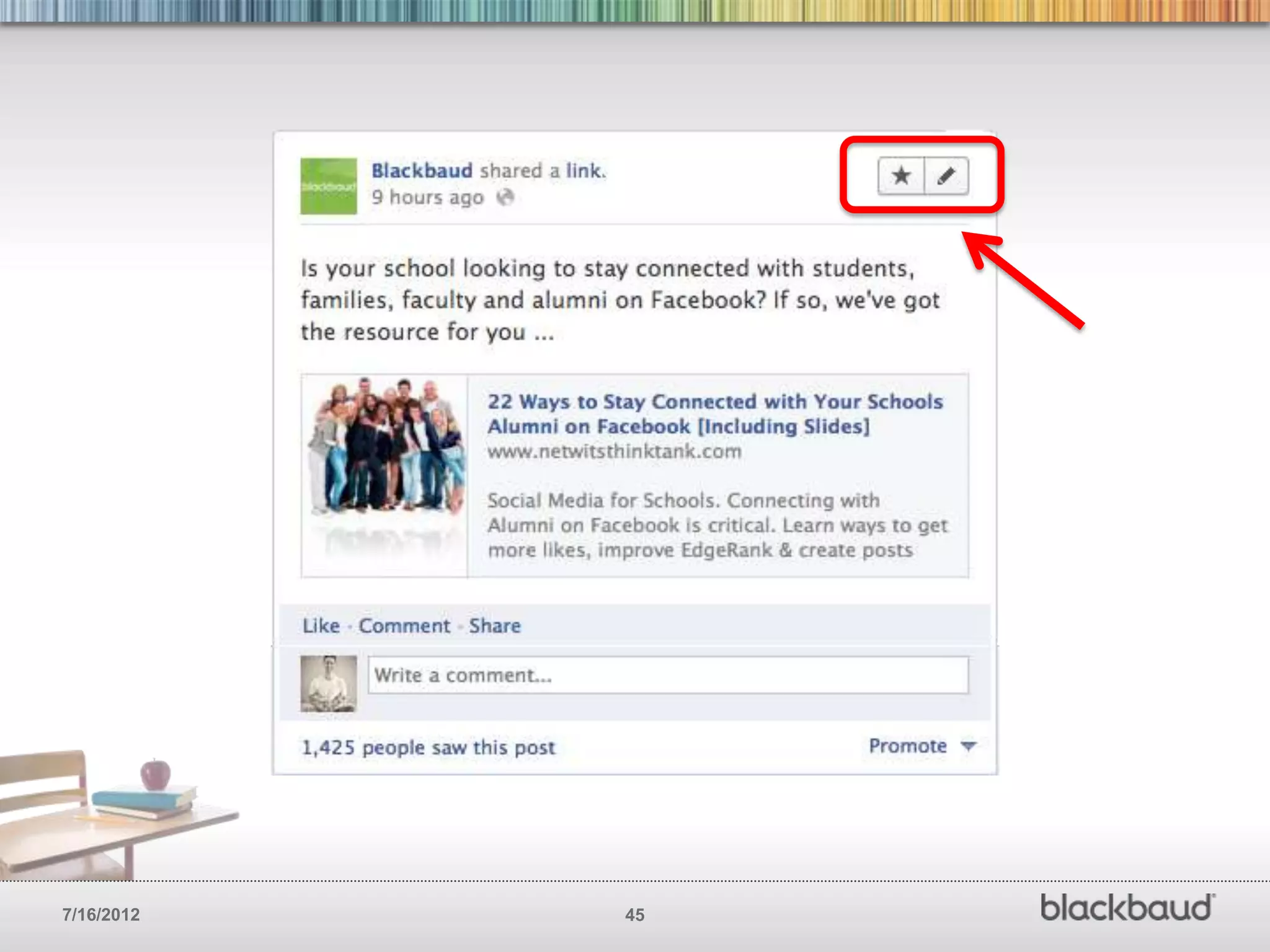
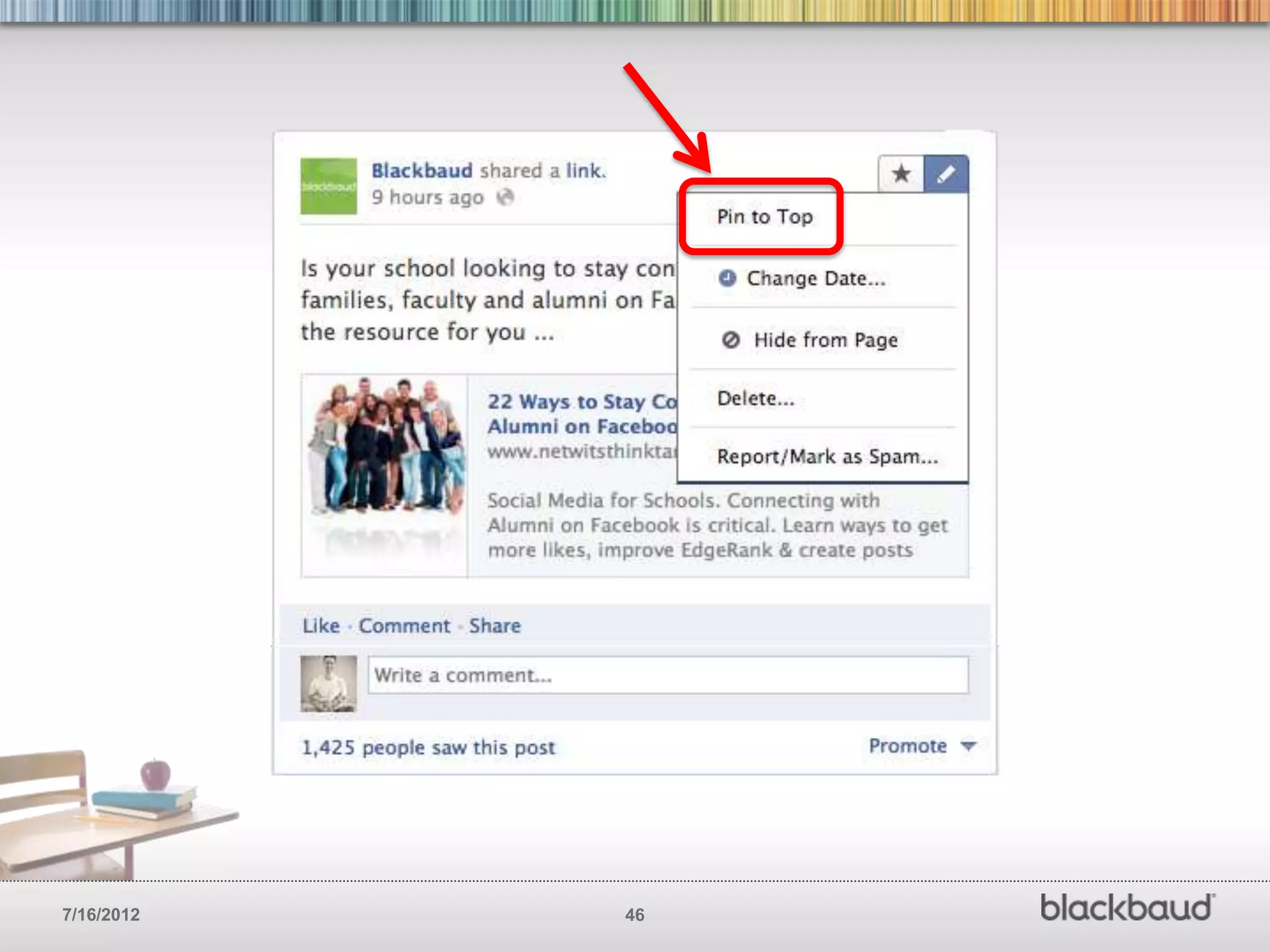
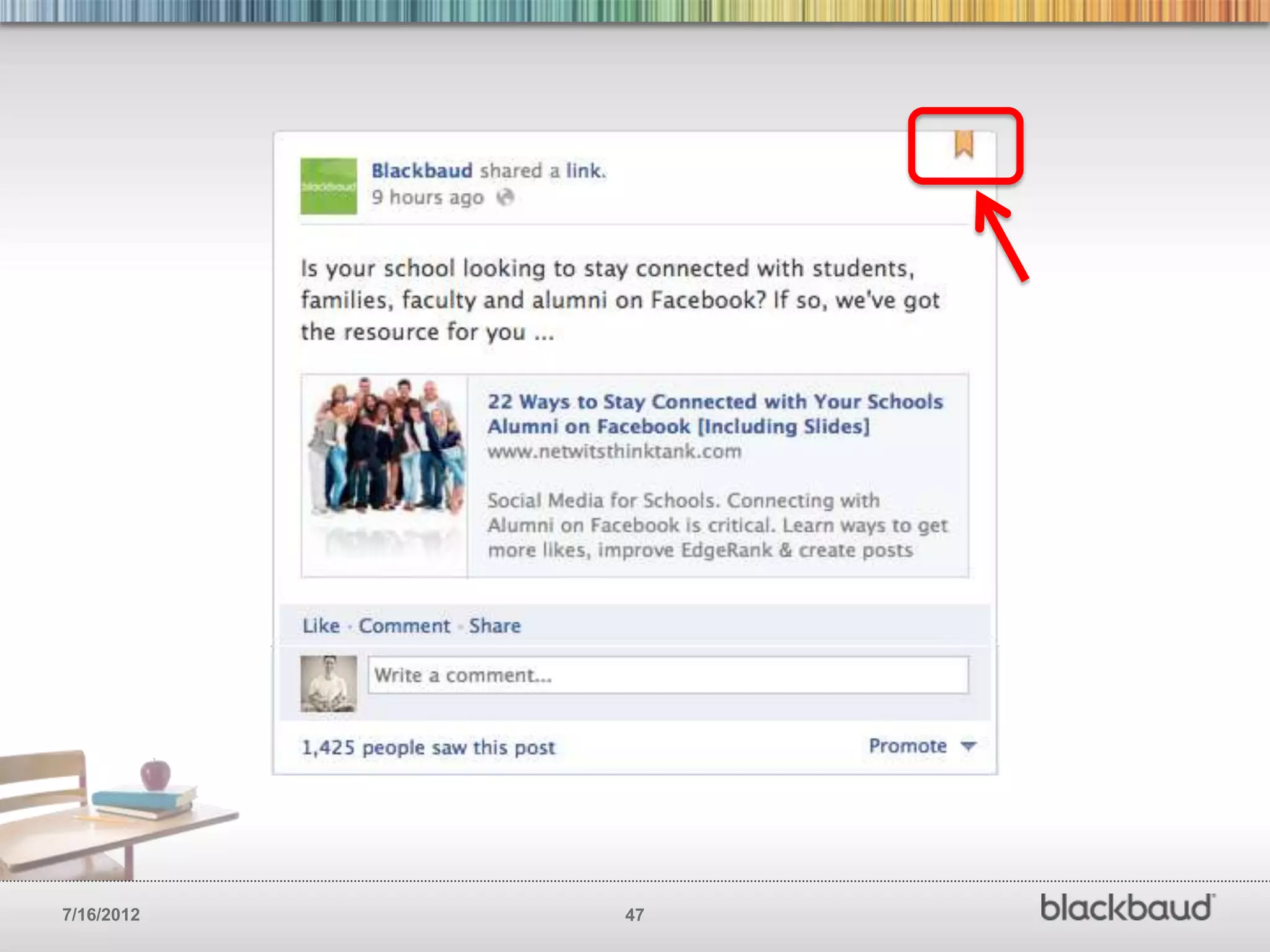
PIN YOUR BEST POSTS
        Pinning post allows you to keep
        your more important message at
        the top of your Facebook page
        for seven days.


7/16/2012                                 44
7/16/2012   45
7/16/2012   46
7/16/2012   47
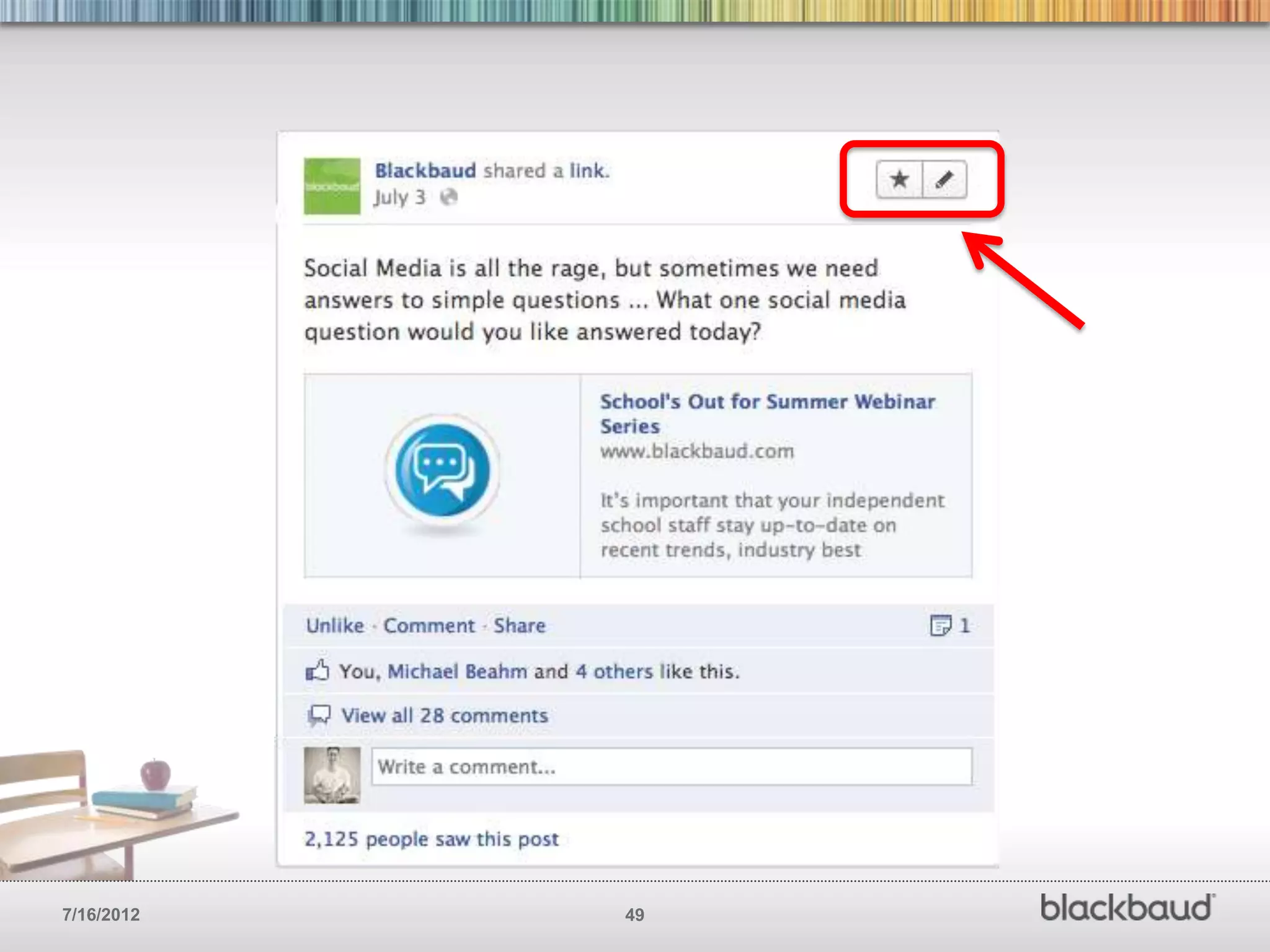
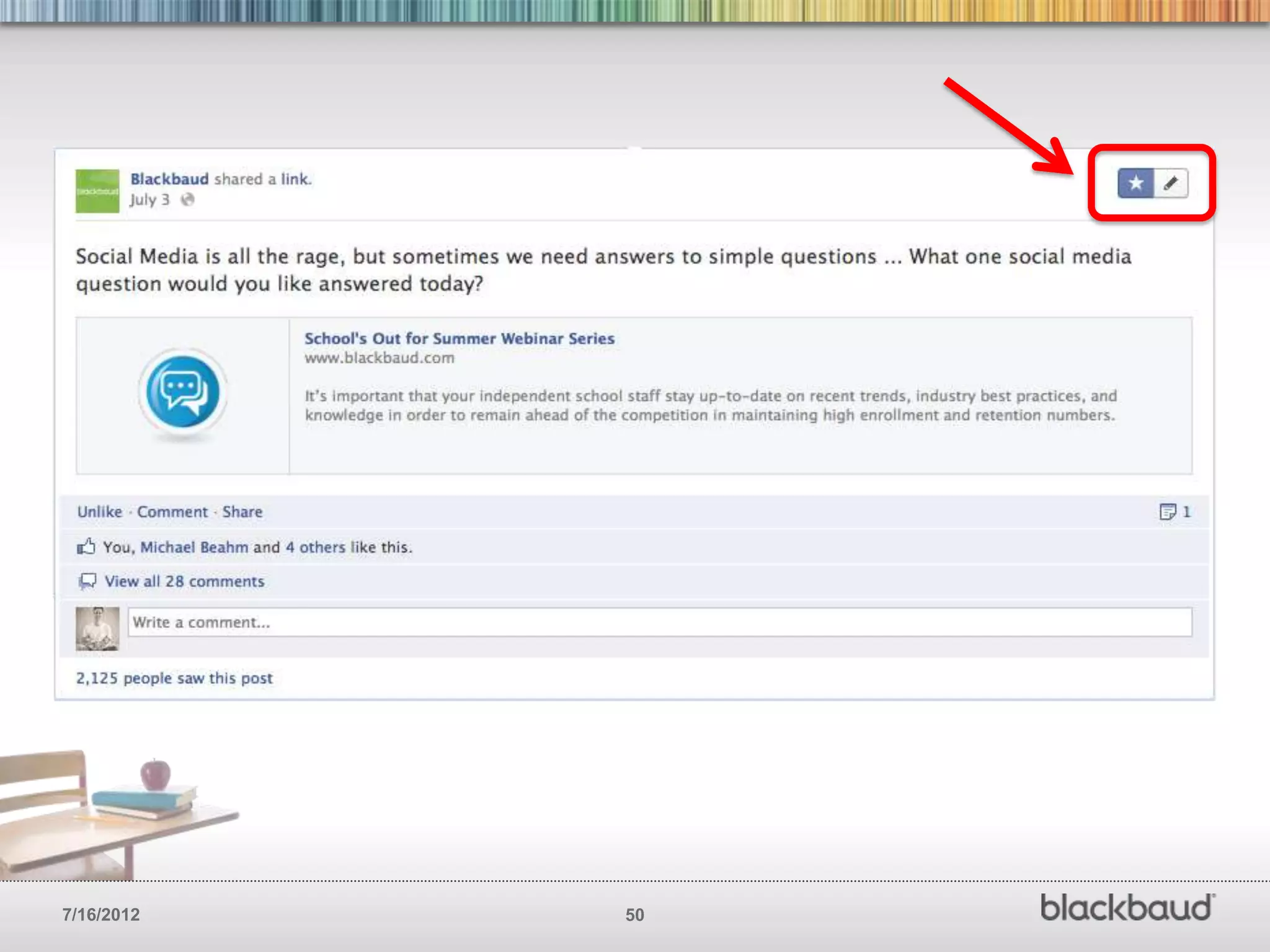
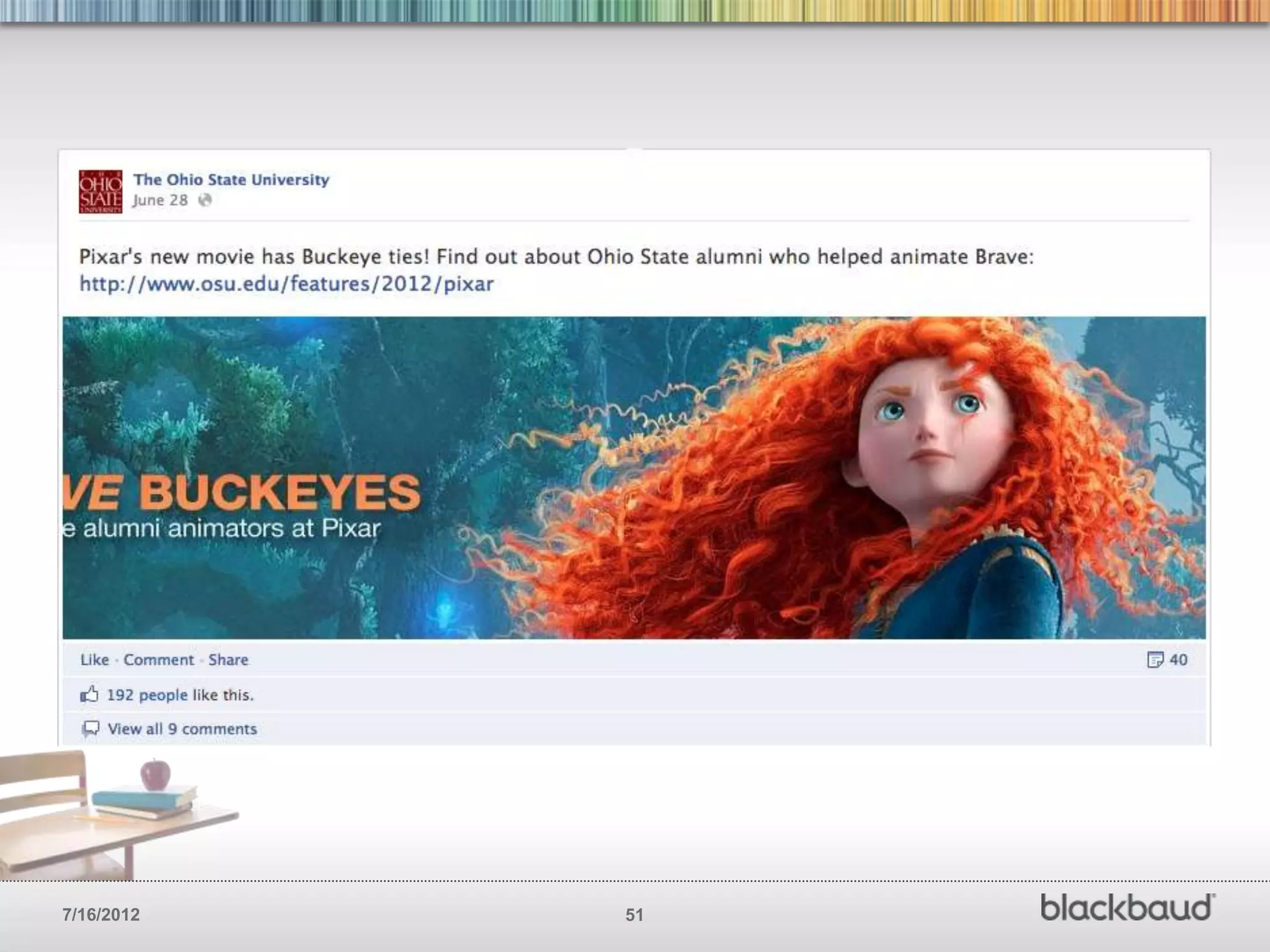
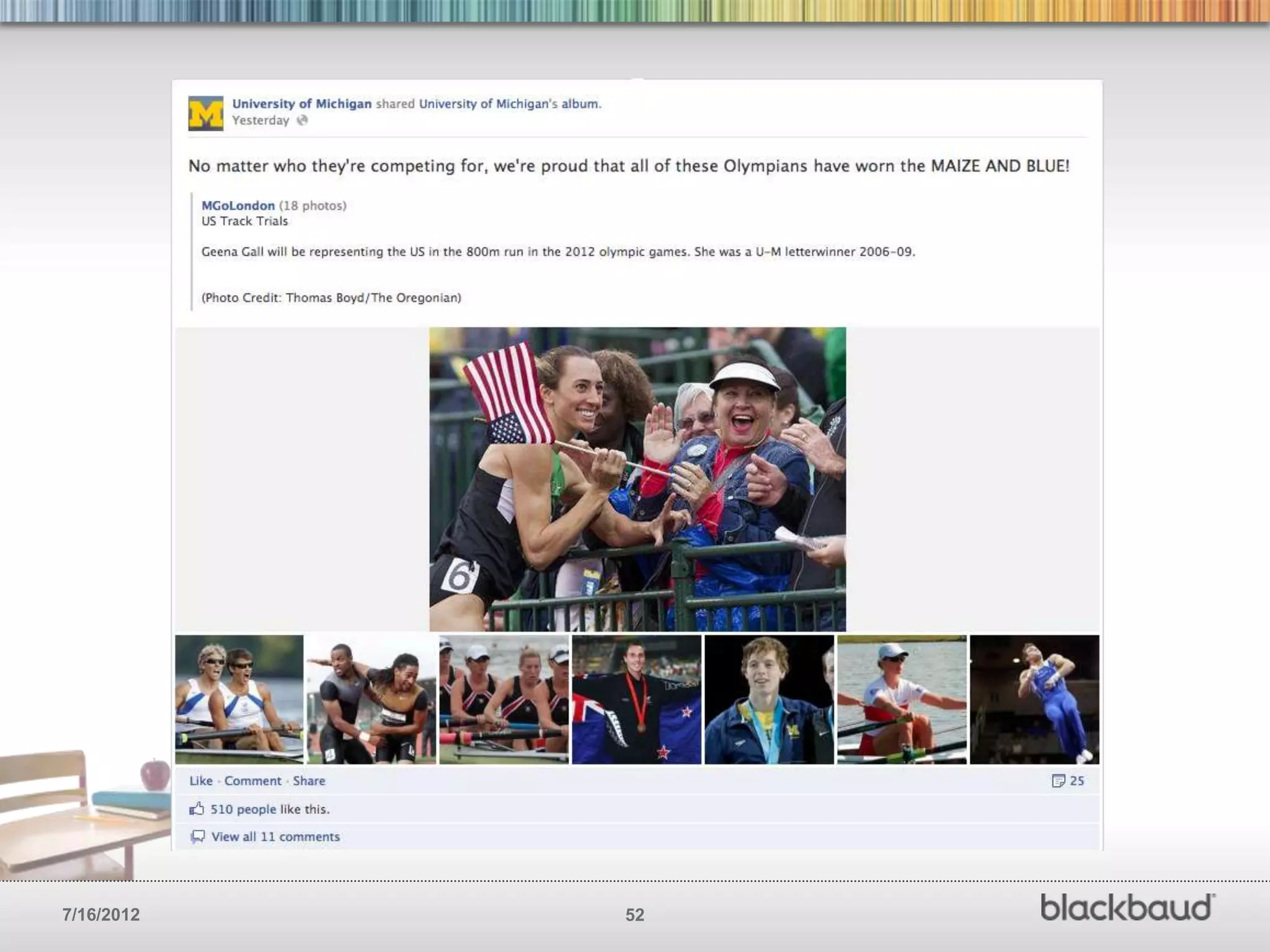
HIGHLIGHT YOUR BEST POSTS
        Highlighting posts give you the opportunity to
        make certain things stand out more than
        others on your Facebook page.


7/16/2012                                       48
7/16/2012   49
7/16/2012   50
7/16/2012   51
7/16/2012   52
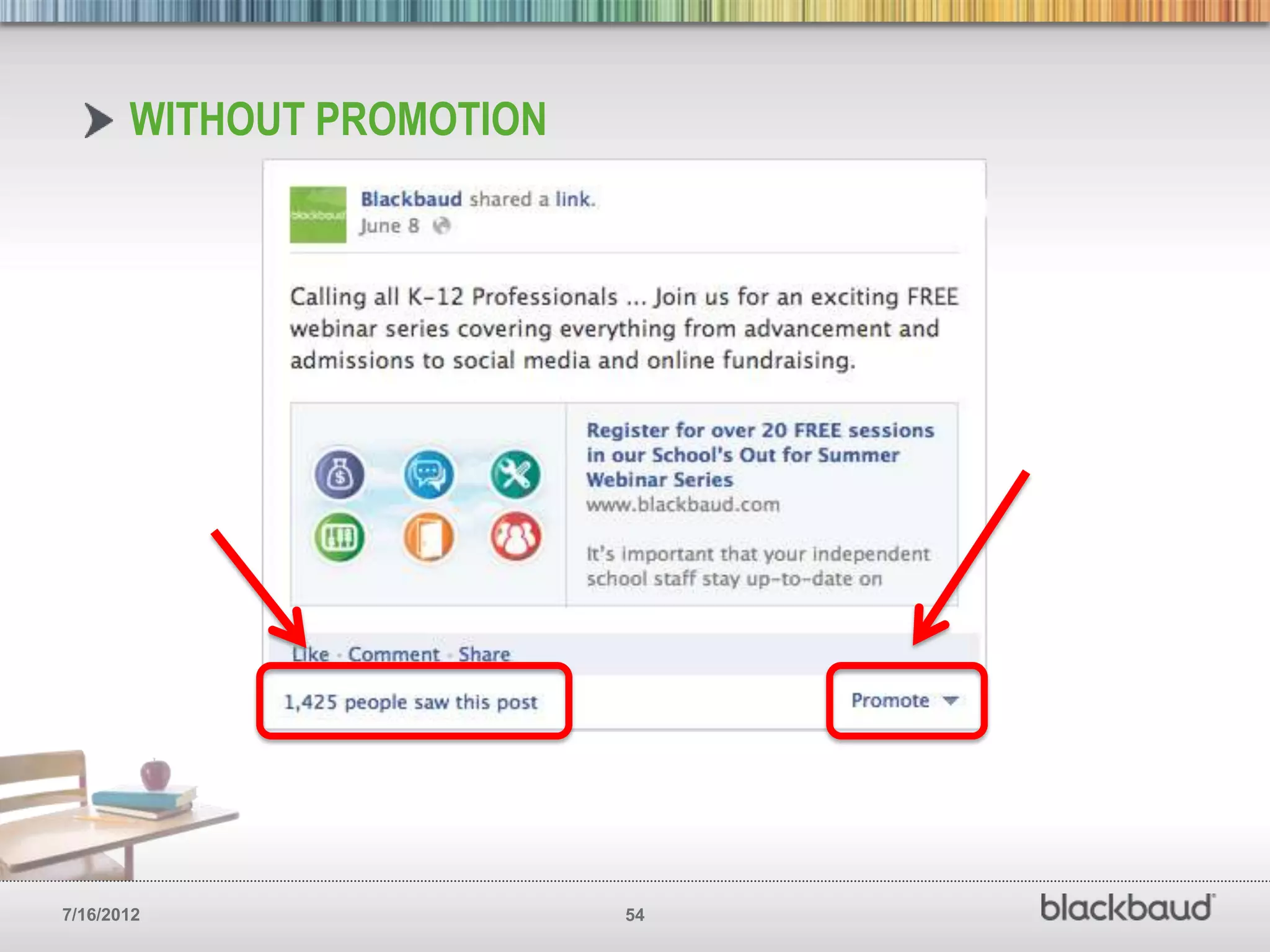
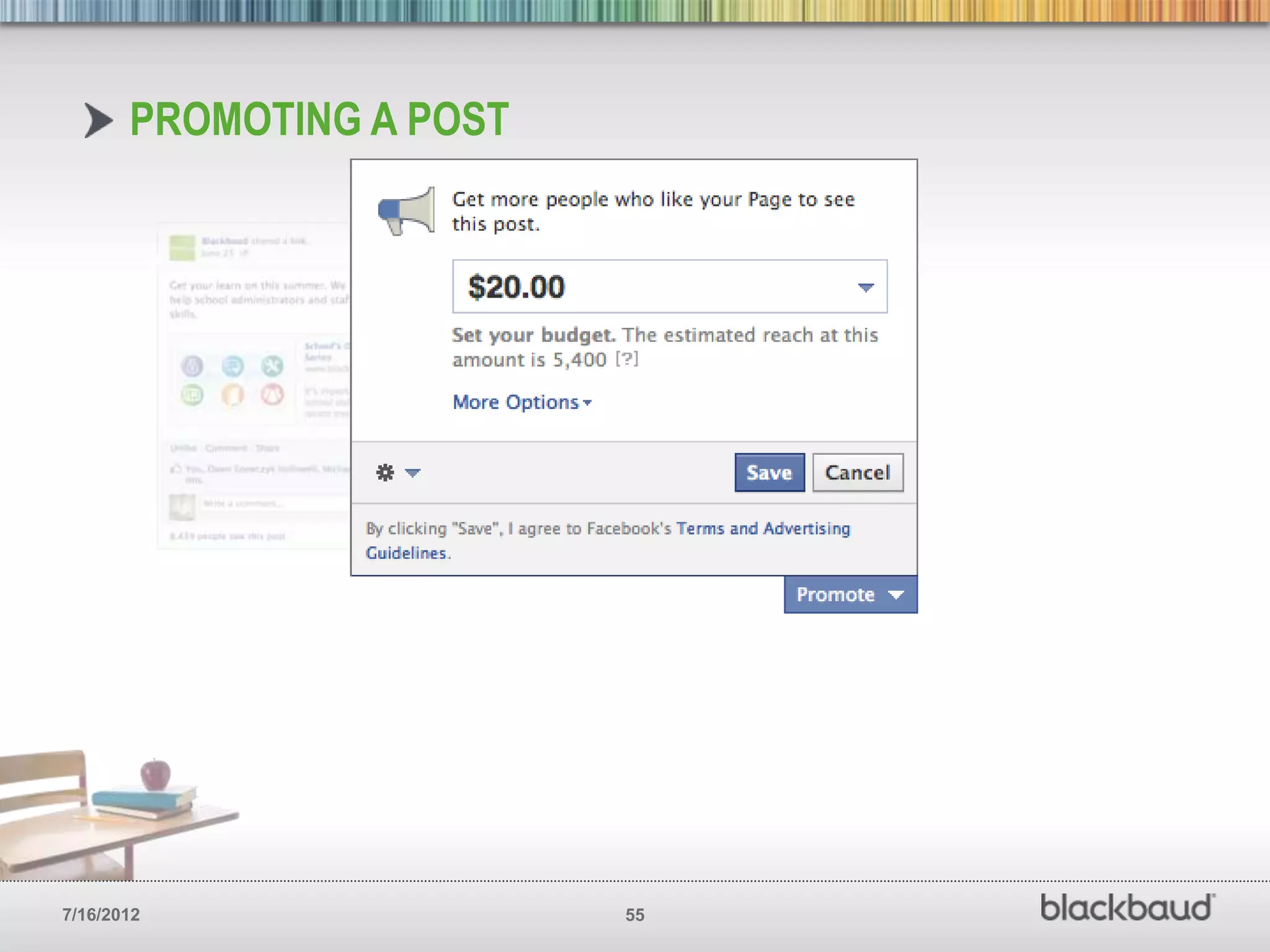
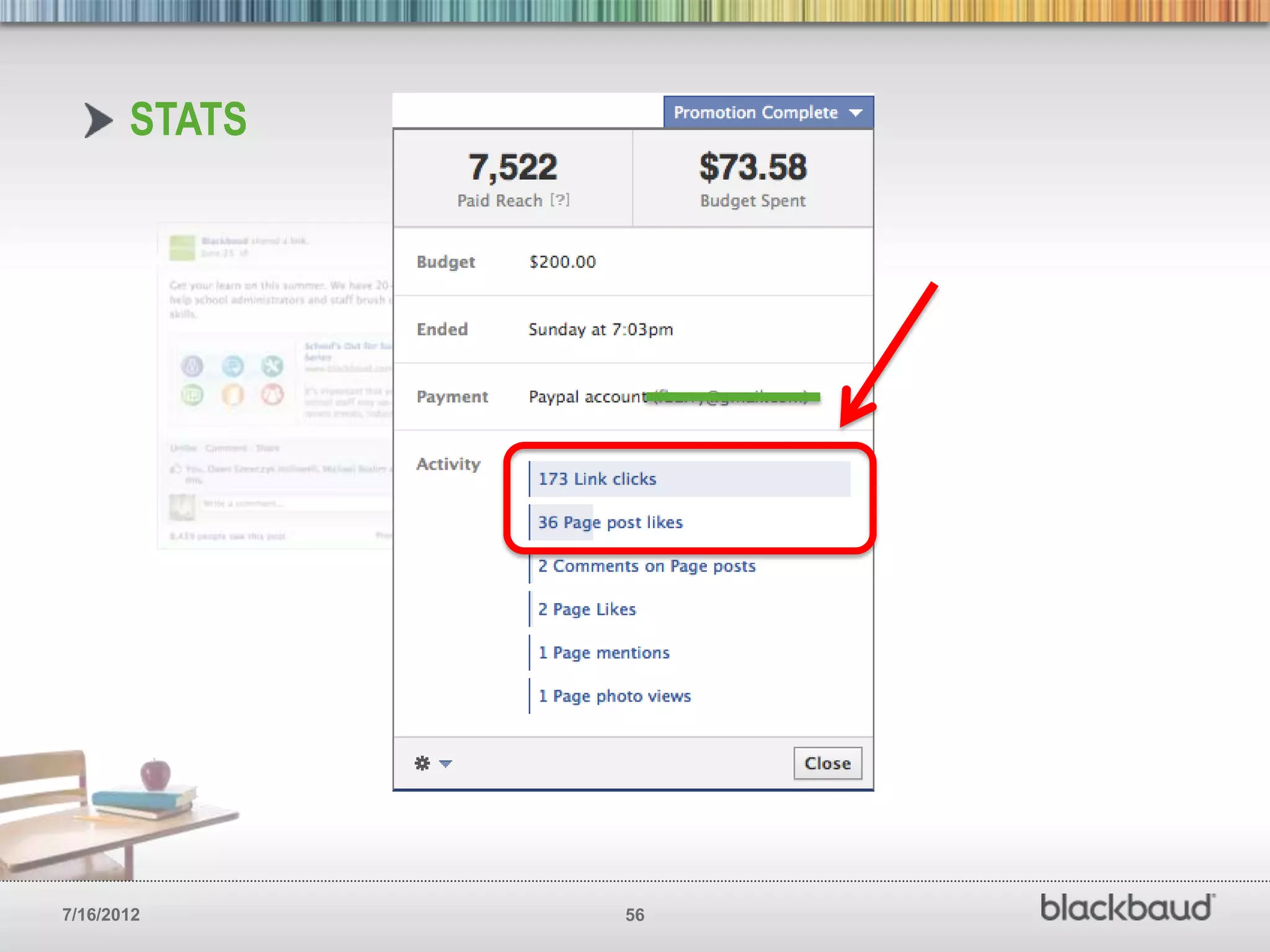
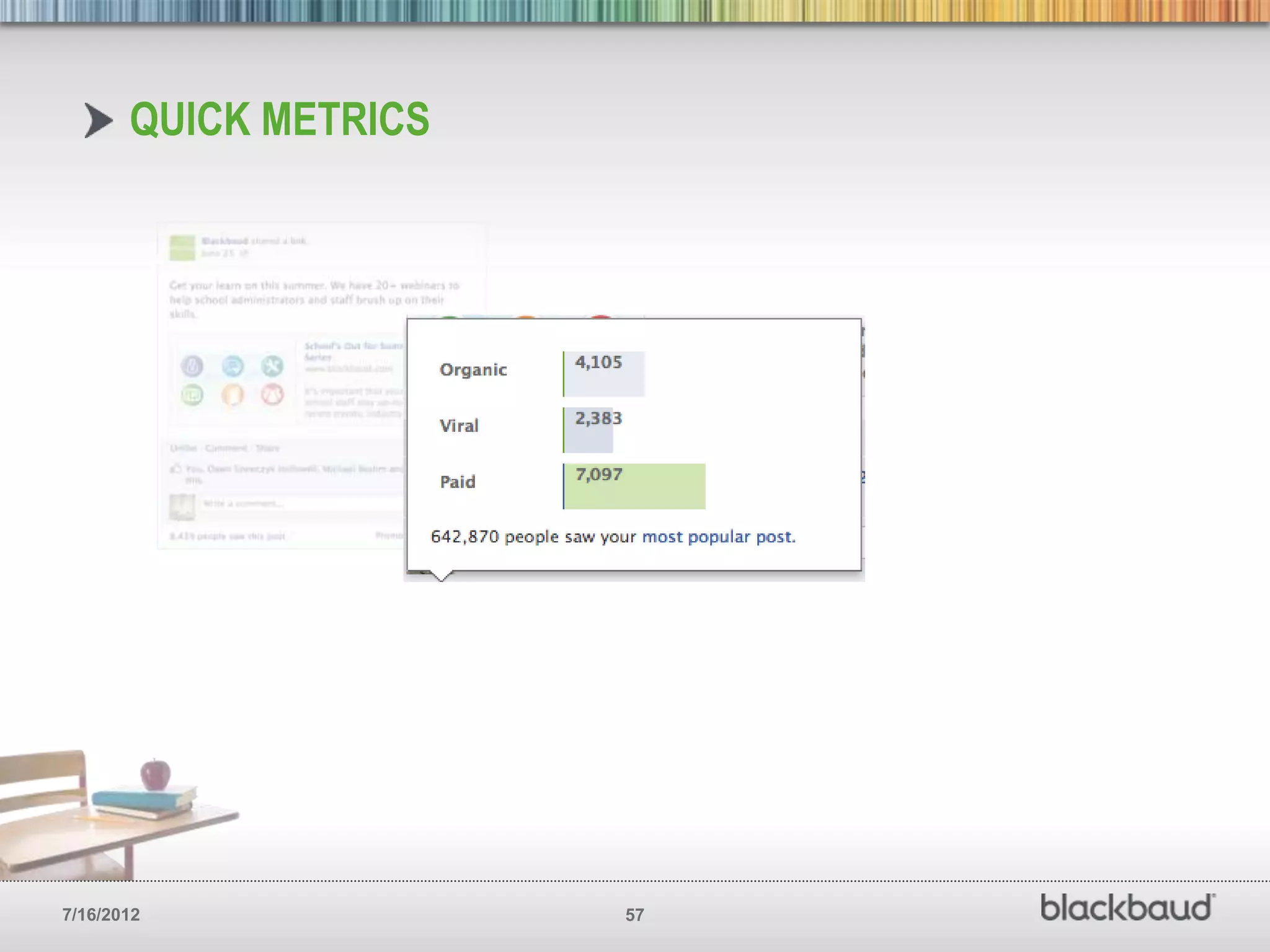
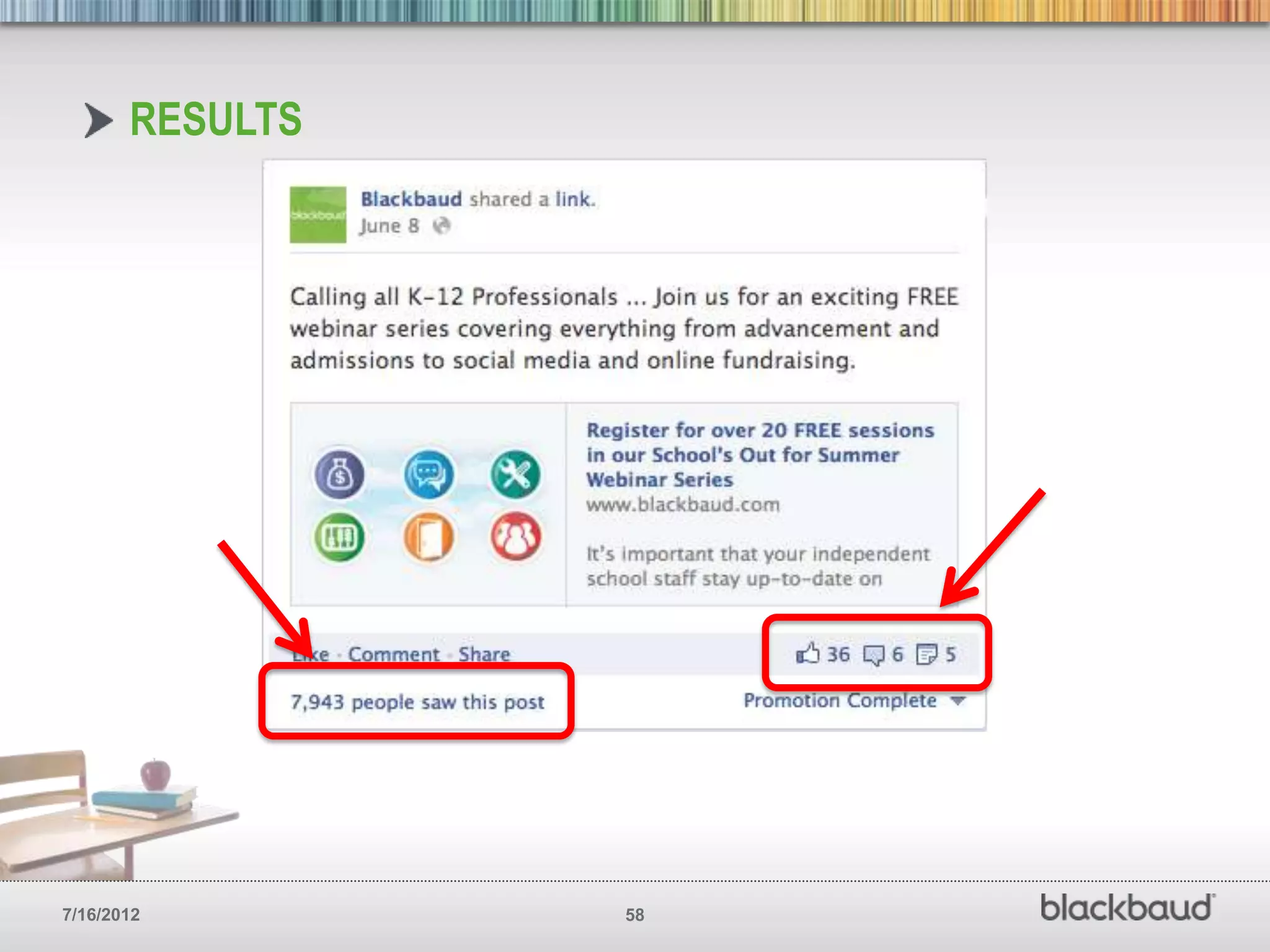
PROMOTE YOU BEST POSTS
        Promoting posts give you the opportunity
        to reach a much larger portion of your
        Facebook fan base. You can easily see a
        fifty percent increase.


7/16/2012                                     53
WITHOUT PROMOTION


7/16/2012                  54
PROMOTING A POST


7/16/2012                 55
STATS


7/16/2012      56
QUICK METRICS


7/16/2012              57
RESULTS


7/16/2012        58
UTILIZE FACEBOOK
       ANALYTICS / INSIGHTS
        You should be tracking key metrics
        for your Facebook page just like you
        do for your main website. See what
        works, what doesn’t and how you
        can improve.


7/16/2012                                      59
7/16/2012   60
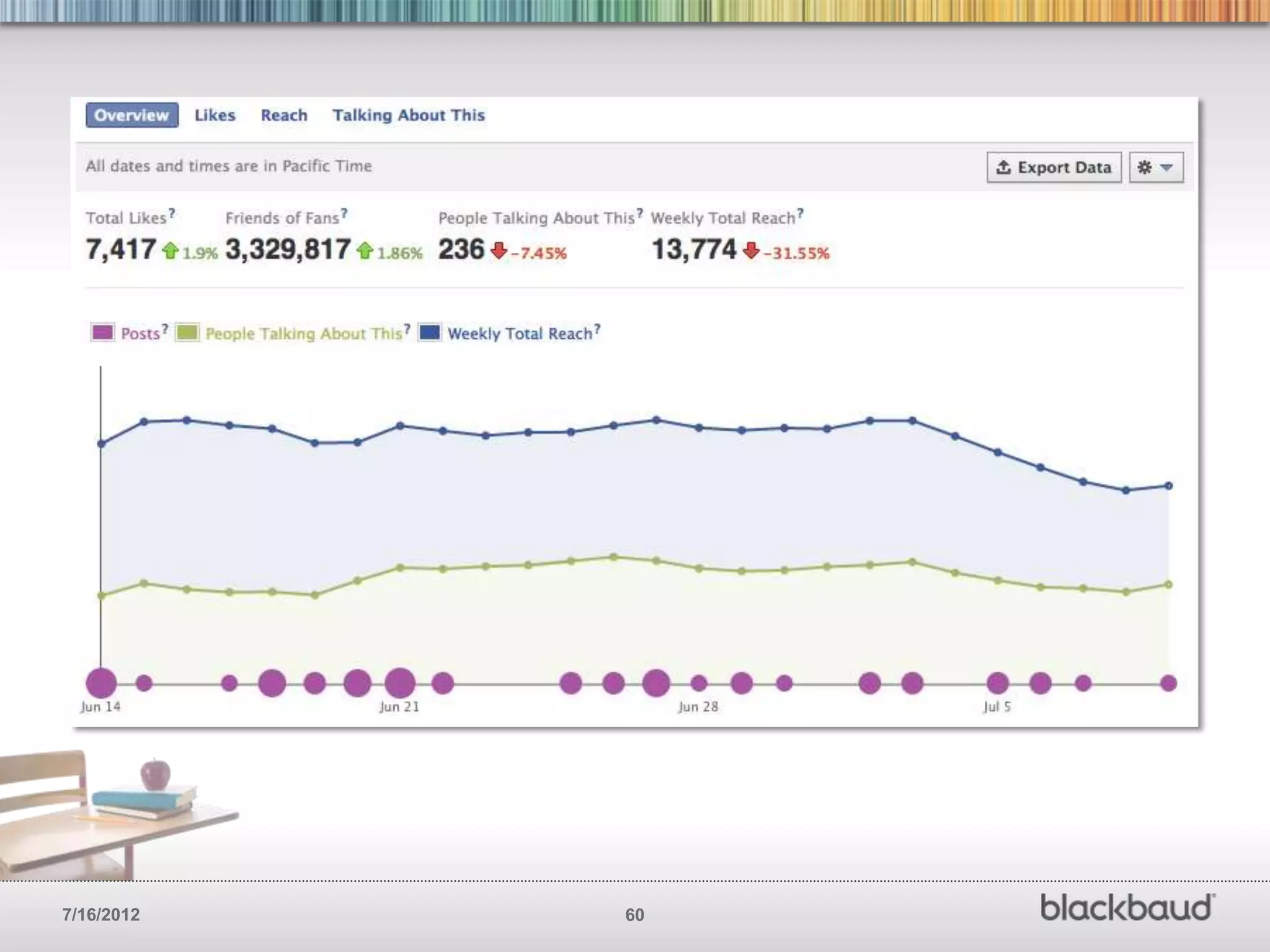
SOME DEFINITIONS
       • People Talking About This (PTAT) — The total number of people that have
         engaged with your page, whether they ―liked‖ something, commented, shared
         or answered a question. This assesses engagement beyond the old standards,
         Likes and clicks.

       • Friends of Fans –The aggregate number of friends all your fans have,
         meaning that each post has the potential to reach these fans (since their ―Like‖
         or comment will go on friends’ news feed, thus propagating your content).

       • Reach — The total number of people who have seen content associated
         with your page — this number offers a sense of how far your message has
         traveled.

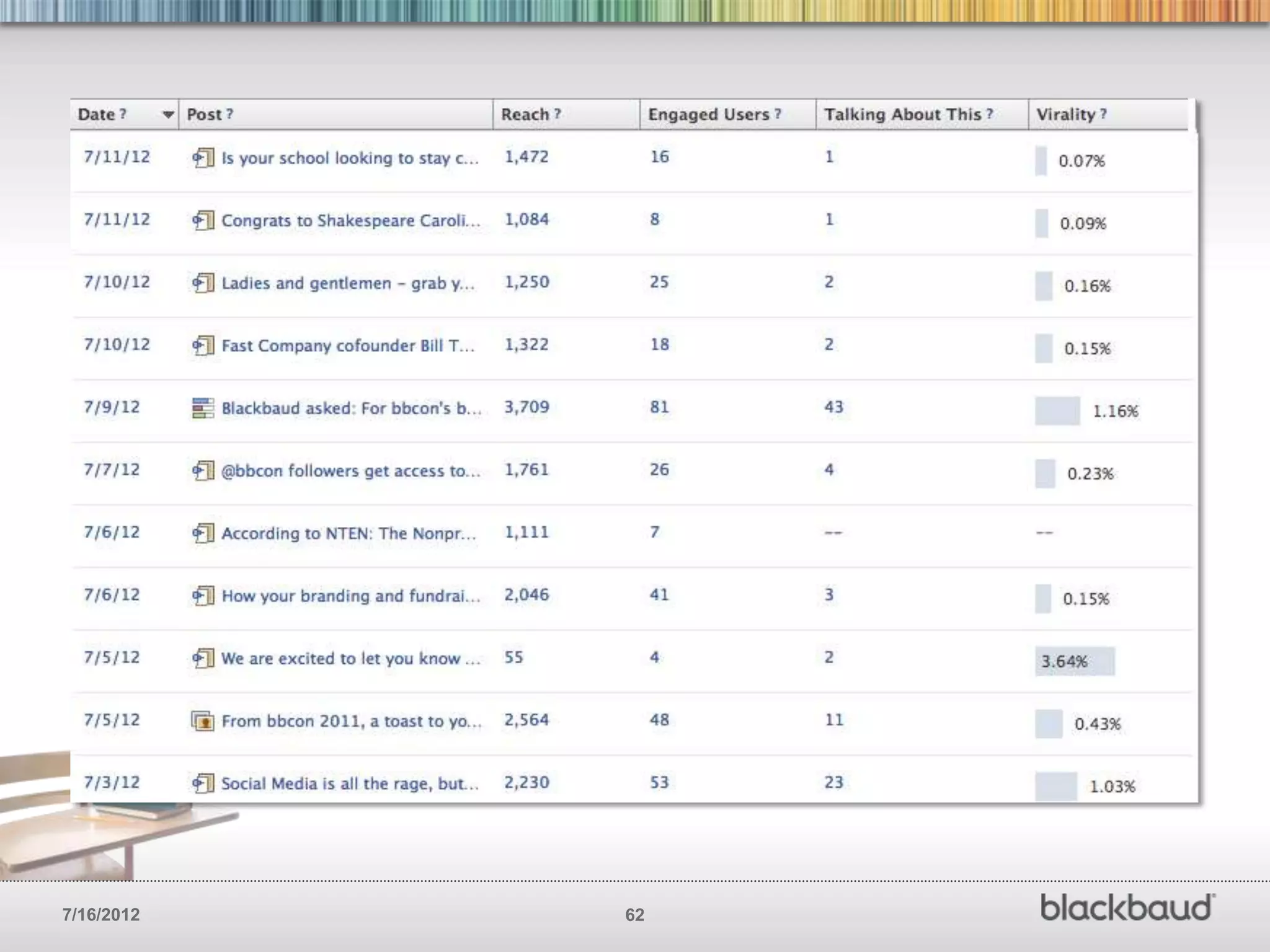
       • Virality — The percentage of fans who saw a story from your Page and
         interacted with it, either by ―liking,‖ commenting or sharing. Pay attention to
         your virality percentage to assess engagement and tweak your content.


7/16/2012                                      61
7/16/2012   62
PAY ATTENTION TO
       YOUR FANS (A LOT)!
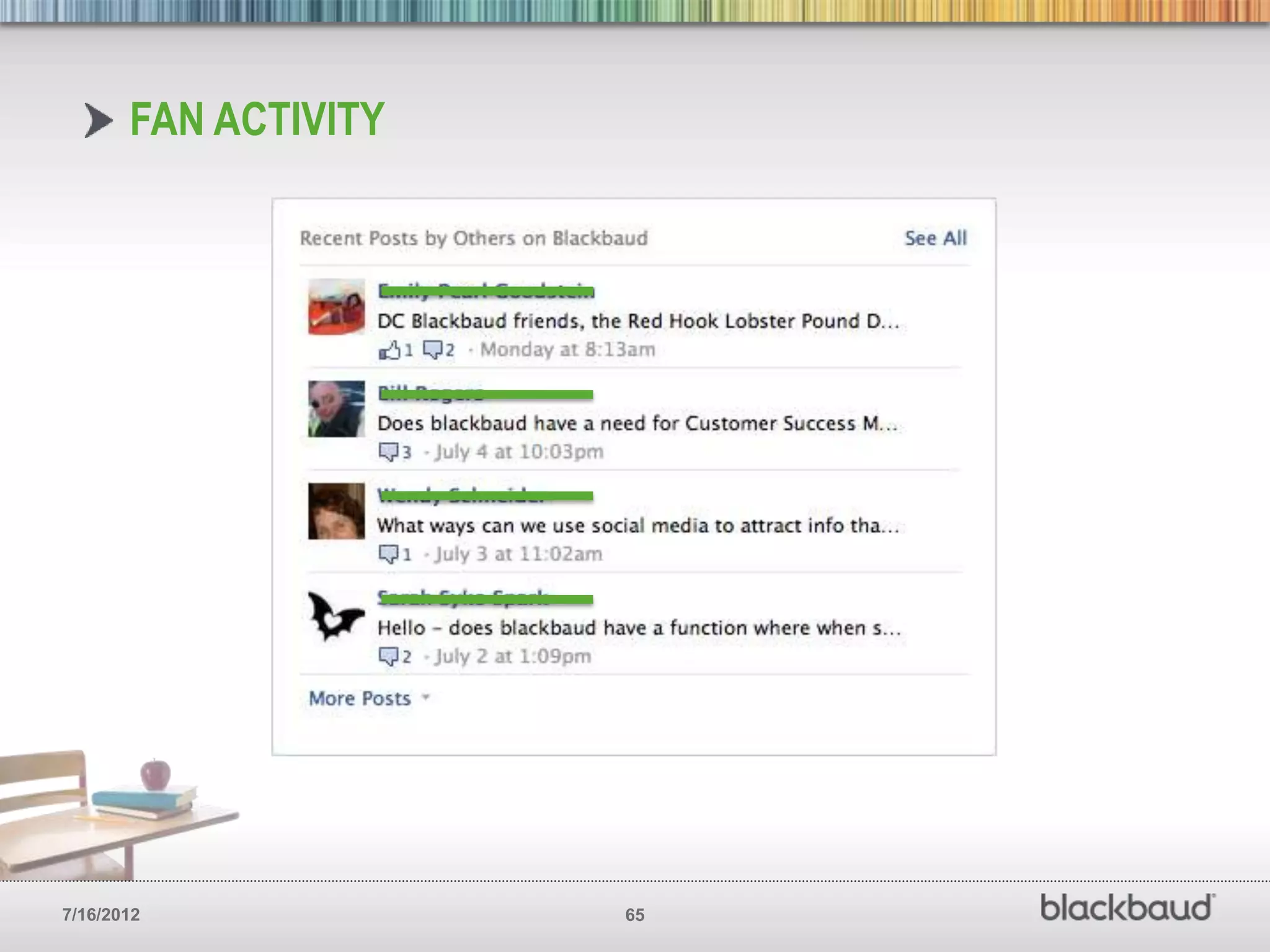
        New brand pages make fan initiated
        engagement take a back seat to
        brand initiated engagement. Make
        sure to actively monitor what your
        fans are doing on your page.


7/16/2012                                    63
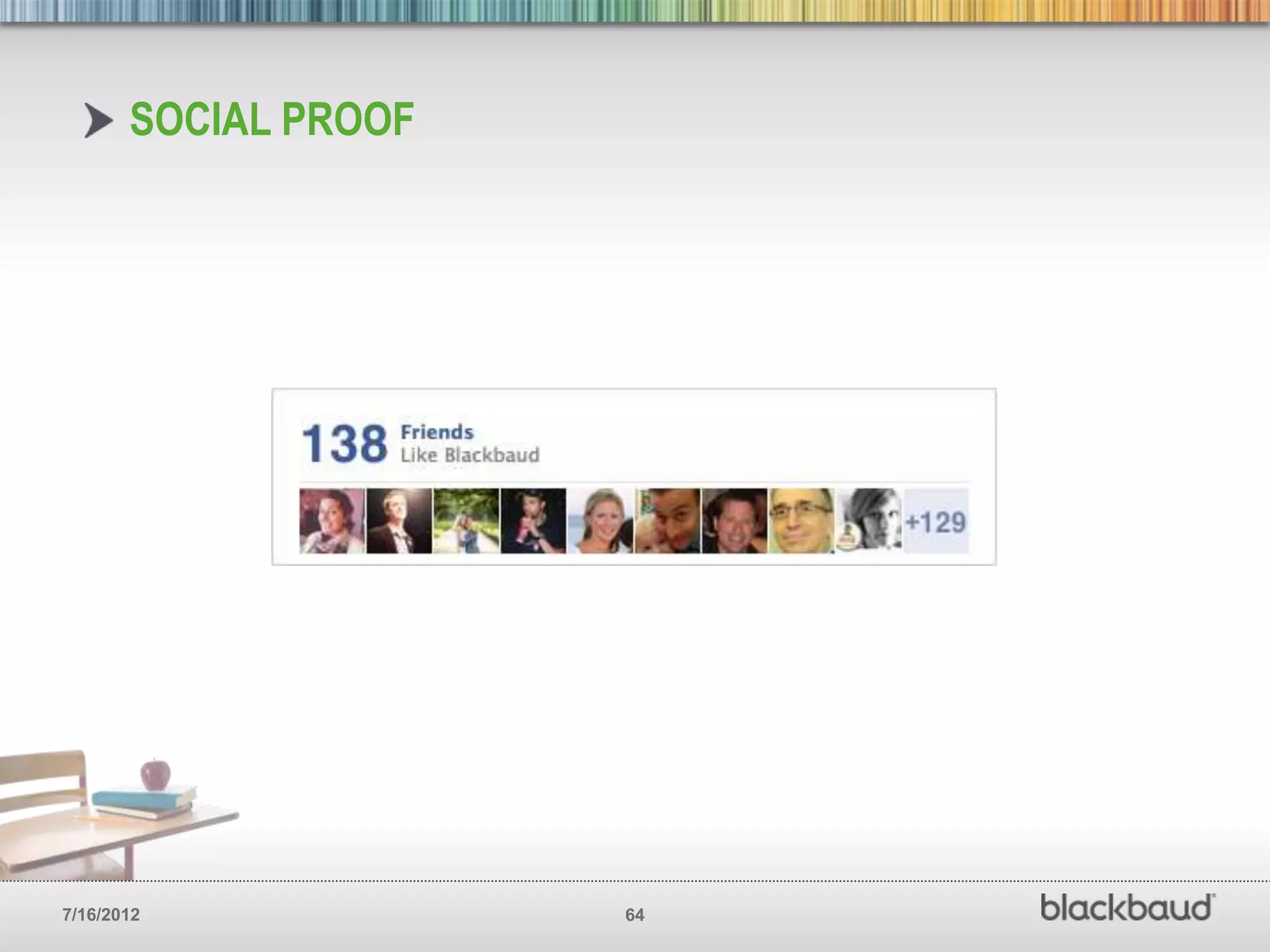
SOCIAL PROOF


7/16/2012             64
FAN ACTIVITY


7/16/2012             65
7/16/2012   66
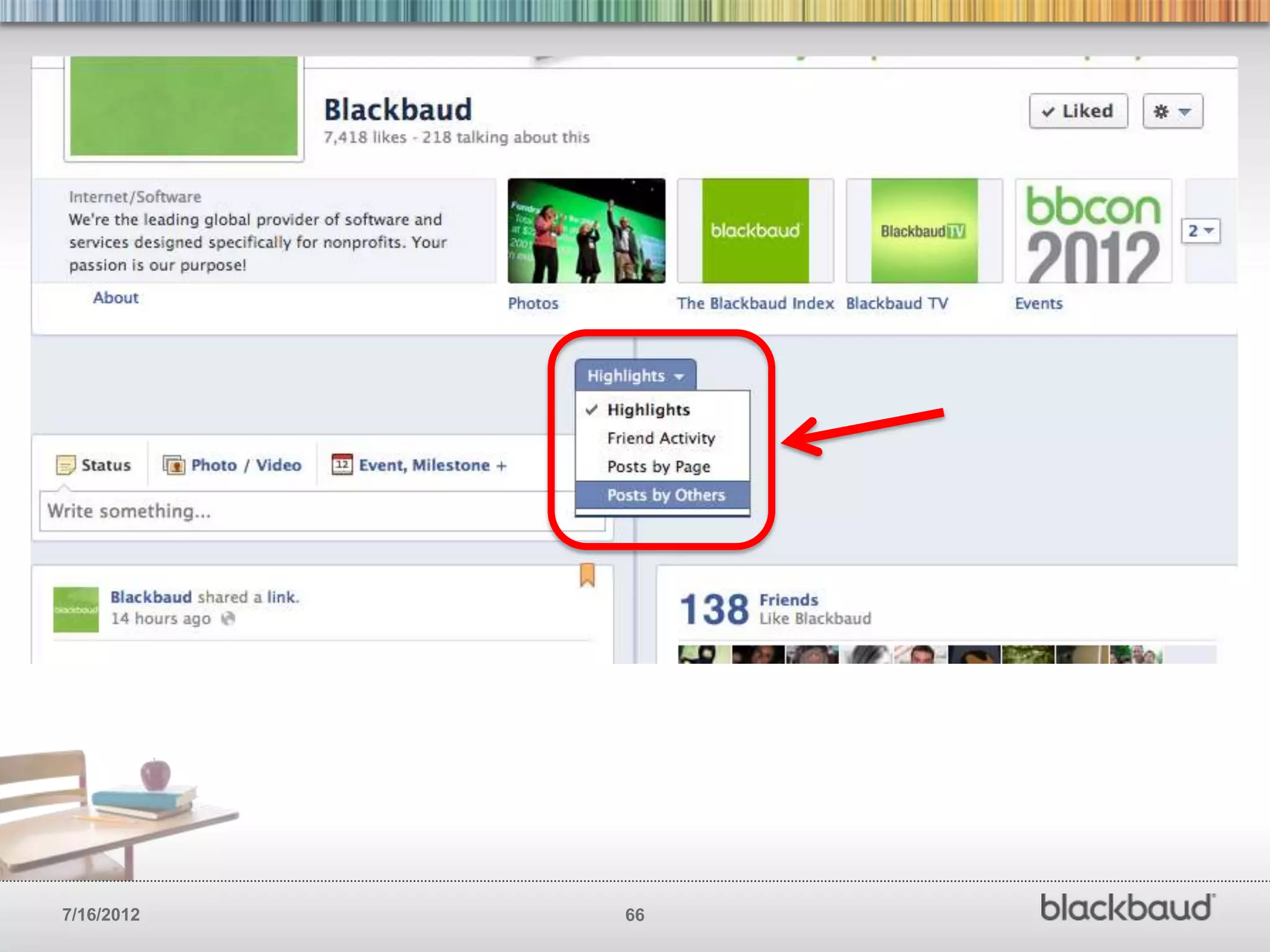
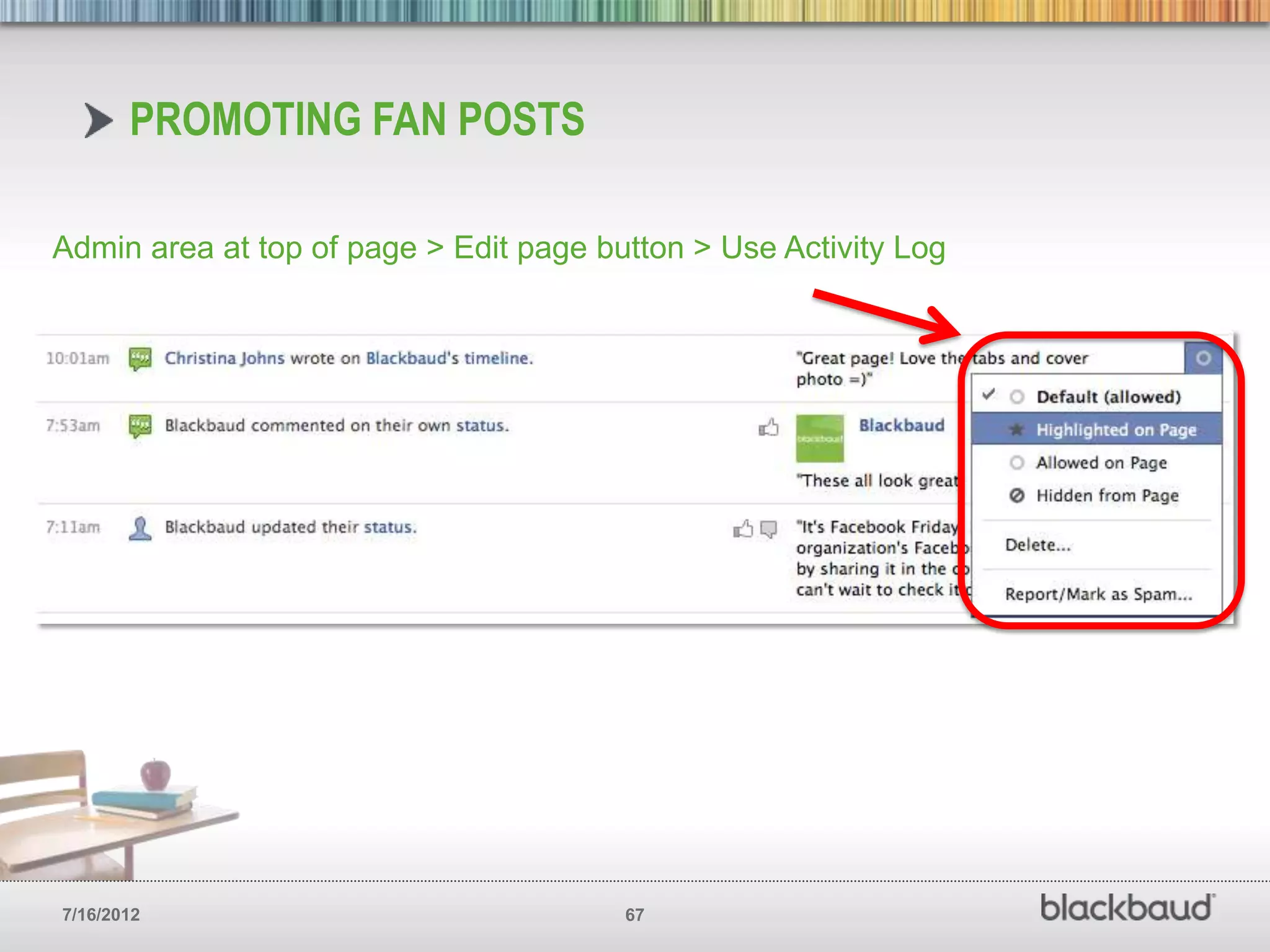
PROMOTING FAN POSTS

Admin area at top of page > Edit page button > Use Activity Log


7/16/2012                               67
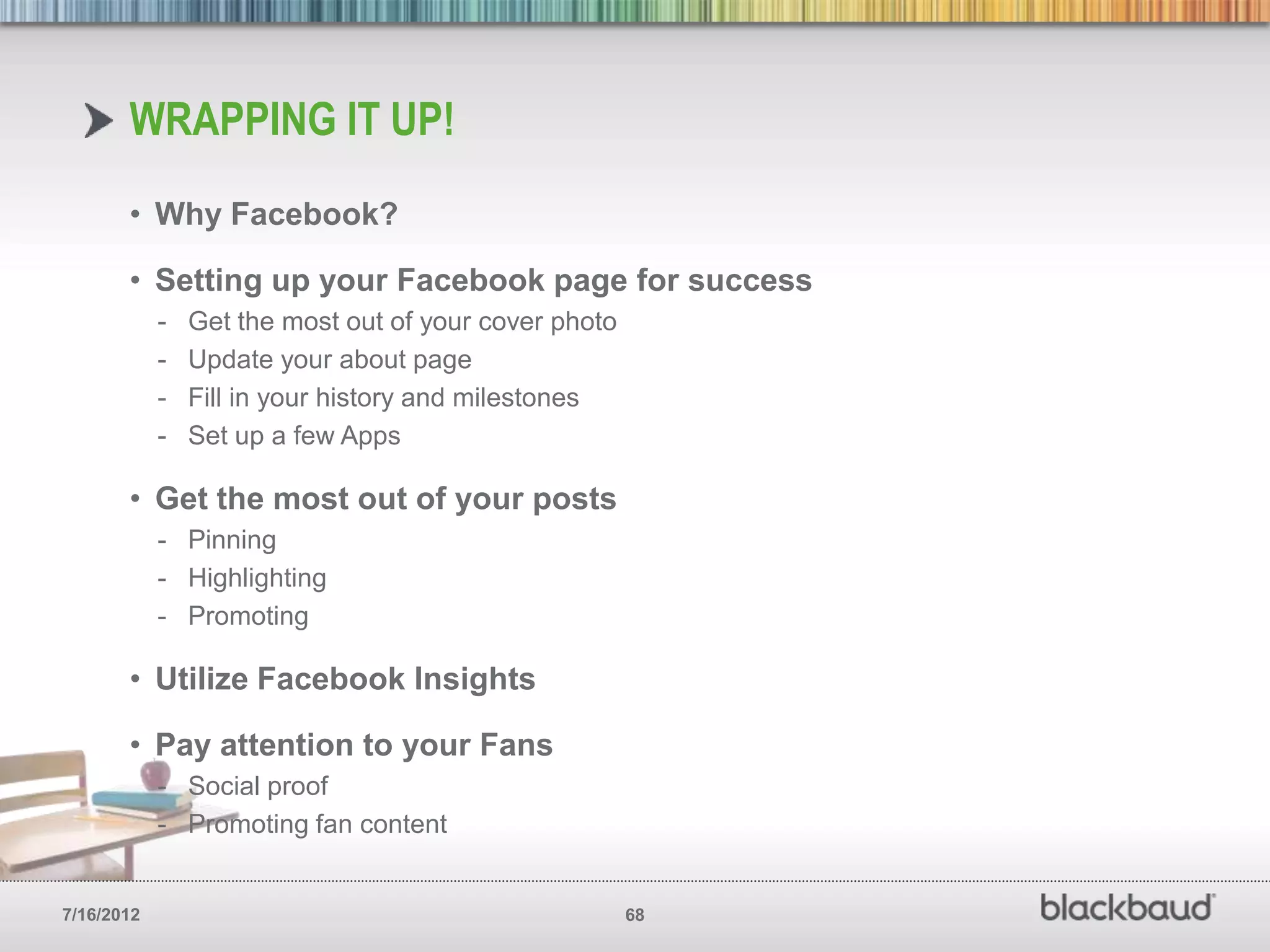
WRAPPING IT UP!
       • Why Facebook?

       • Setting up your Facebook page for success
            -   Get the most out of your cover photo
            -   Update your about page
            -   Fill in your history and milestones
            -   Set up a few Apps

       • Get the most out of your posts
            - Pinning
            - Highlighting
            - Promoting

       • Utilize Facebook Insights

       • Pay attention to your Fans
            - Social proof
            - Promoting fan content


7/16/2012                                              68
Thank you!
        Let’s keep the conversation going…
                          frank.barry@blackbaud.com
                              twitter.com/franswaa


            Social Influencers Whitepaper        Social Network Benchmark
            bit.ly/npoSocialArchetype            Report bit.ly/npsocial


7/16/2012                                   69
Questions?


            NetWitsThinkTank.com   |   Blackbaud.com/k12


7/16/2012            70

Facebook for Schools: 5 Strategies for Success

  • 1.
    HOW AND WHYYOUR SCHOOL SHOULD BE USING FACEBOOK T www.Blackbaud.com/k12 7/16/2012 1
  • 2.
    YOUR HOST FORTODAY Frank Barry Internet Strategy,Blackbaud @franswaa #BBSOCIAL 7/16/2012 2
  • 3.
    WHY FACEBOOK? Think of your Facebook page as an extension of your website. A lot of the same principals apply. 7/16/2012 3
  • 4.
    WHY FACEBOOK? Facebook: • 901M mo. active users • 526M daily active users • 398M use Facebook 6 of 7 days a week Nonprofits: • 98% on Facebook • Avg. Com. size of 8k+ • 30% Growth YoY Grab Report >http://bit.ly/npsocial 7/16/2012 4
  • 5.
    SET UP YOURFACEBOOK PAGE FOR SUCCESS Think of your Facebook page as an extension of your website. A lot of the same principals apply. 7/16/2012 5
  • 6.
    MAKE THE MOSTOF YOUR COVER PHOTO Your Facebook cover photo is prime real estate. Think about it like you would that area on your main website. Use that area to communicate your brand, culture, values and mission in a compelling way. You’ve got 2 seconds to grab a the attention your looking for. 7/16/2012 6
  • 7.
  • 8.
  • 9.
  • 10.
  • 11.
  • 12.
  • 13.
  • 14.
  • 15.
  • 16.
    MAKE THE MOSTOF YOUR COVER PHOTO • Make sure the photo is high quality and sized correctly. - Cover photo: 851 x 315 - Profile picture: 180 x180 • Make sure the photo communicates your brand, culture, mission, values and history. - Show off your campus - Communicate your culture - Highlight what you’re known for - Include your students - Show off landmarks - Give parents an idea of the community they’ll be joining 7/16/2012 16
  • 17.
    UPDATE YOUR ‘ABOUT’PAGE One of the first things a new visitor will do on your page is check out your profile. Parents are your key audience here. Make sure you take full advantage of this area. 7/16/2012 17
  • 18.
  • 19.
  • 20.
  • 21.
  • 22.
    UPDATE YOUR ‘ABOUT’PAGE • Tell your story (Don’t be too wordy, but get enough of the point across so new visitors understand what you do) • Add your mission statement • Include links to your website and other social networks • Make sure to include all your contact info (email, phone, etc) • Include calls-to-action just like you might on your website • Add milestones • Enter your address w/ map 7/16/2012 22
  • 23.
    FILL IN YOURHISTORY AND BIG MILESTONES Milestones give you the ability to tell people more about your schools history. If you haven’t yet, think of at least five milestones that help tell your story then hop over to Facebook and fill them in. Use photos if possible. 7/16/2012 23
  • 24.
  • 25.
  • 26.
  • 27.
  • 28.
  • 29.
  • 30.
    FILL IN YOURHISTORY AND BIG MILESTONES • Date when school was founded • Significant accomplishments, awards, recognitions, etc • Famous or well know students • Launch of new programs, colleges/schools, community work, etc • Significant sporting events • Graduations • New deans, principals, presidents, etc… 7/16/2012 30
  • 31.
    SET UP AFEW APPS Apps are Facebooks version of a call to action. Use them to get your Facebook page visitors to take actions you want them to take. 7/16/2012 31
  • 32.
  • 33.
  • 34.
  • 35.
  • 36.
  • 37.
  • 38.
  • 39.
  • 40.
    SET UP AFEW APPS • Quick links to key resources • News / Important info for students/families • Social media policy • Special offers, discounts, prizes, etc… • Custom pages focused on what you know parents/students want • Do your best to keep your branding consistent between the cover photo and the app thumbnail images - Thumbnail image for apps: 111 x 74 7/16/2012 40
  • 41.
    GETTING THE MOSTOUT OF YOUR FACEBOOK PAGE Cover photo – make sure you reflect your brand, use the right size img and change frequently. Profile pic– Keep it simple and try to contrast your cover photo so it stands out. 180 X 180. About – Tell your story as quickly and briefly as possible. Use Links and get creative with the space. Apps – Or better thought of as your main Call-to-action buttons. Keep consistent branding, make them useful to visitors, use the right size images. 111 X 74 dreamgrow.com >http://bit.ly/fb-cheat-sheet 7/16/2012 41
  • 42.
    GET THE MOSTOUT OF YOUR POSTS Before you can engage alumni on Facebook you’ve got to build a relationship with them. The best time to do this is while they are a student. 7/16/2012 42
  • 43.
  • 44.
    PIN YOUR BESTPOSTS Pinning post allows you to keep your more important message at the top of your Facebook page for seven days. 7/16/2012 44
  • 45.
  • 46.
  • 47.
  • 48.
    HIGHLIGHT YOUR BESTPOSTS Highlighting posts give you the opportunity to make certain things stand out more than others on your Facebook page. 7/16/2012 48
  • 49.
  • 50.
  • 51.
  • 52.
  • 53.
    PROMOTE YOU BESTPOSTS Promoting posts give you the opportunity to reach a much larger portion of your Facebook fan base. You can easily see a fifty percent increase. 7/16/2012 53
  • 54.
  • 55.
  • 56.
  • 57.
  • 58.
  • 59.
    UTILIZE FACEBOOK ANALYTICS / INSIGHTS You should be tracking key metrics for your Facebook page just like you do for your main website. See what works, what doesn’t and how you can improve. 7/16/2012 59
  • 60.
  • 61.
    SOME DEFINITIONS • People Talking About This (PTAT) — The total number of people that have engaged with your page, whether they ―liked‖ something, commented, shared or answered a question. This assesses engagement beyond the old standards, Likes and clicks. • Friends of Fans –The aggregate number of friends all your fans have, meaning that each post has the potential to reach these fans (since their ―Like‖ or comment will go on friends’ news feed, thus propagating your content). • Reach — The total number of people who have seen content associated with your page — this number offers a sense of how far your message has traveled. • Virality — The percentage of fans who saw a story from your Page and interacted with it, either by ―liking,‖ commenting or sharing. Pay attention to your virality percentage to assess engagement and tweak your content. 7/16/2012 61
  • 62.
  • 63.
    PAY ATTENTION TO YOUR FANS (A LOT)! New brand pages make fan initiated engagement take a back seat to brand initiated engagement. Make sure to actively monitor what your fans are doing on your page. 7/16/2012 63
  • 64.
  • 65.
  • 66.
  • 67.
    PROMOTING FAN POSTS Adminarea at top of page > Edit page button > Use Activity Log 7/16/2012 67
  • 68.
    WRAPPING IT UP! • Why Facebook? • Setting up your Facebook page for success - Get the most out of your cover photo - Update your about page - Fill in your history and milestones - Set up a few Apps • Get the most out of your posts - Pinning - Highlighting - Promoting • Utilize Facebook Insights • Pay attention to your Fans - Social proof - Promoting fan content 7/16/2012 68
  • 69.
    Thank you! Let’s keep the conversation going… frank.barry@blackbaud.com twitter.com/franswaa Social Influencers Whitepaper Social Network Benchmark bit.ly/npoSocialArchetype Report bit.ly/npsocial 7/16/2012 69
  • 70.
    Questions? NetWitsThinkTank.com | Blackbaud.com/k12 7/16/2012 70

Editor's Notes