Docker Introduction
github.com/phucnguyenvn
Agenda
1. Story
2. What is Docker
LinuX Container (LXC)
Docker Image
Docker Container
Docker Architecture & Basic command
Linking & Expose
Volume
Dockerfile
3. Demo
4. Docker advantages
The situation we
deploy PHP Projects!
that we feel HURT
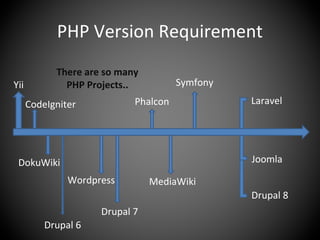
PHP Version Requirement
Yii
CodeIgniter
DokuWiki
Drupal 6
Wordpress

There are so many
PHP Projects..
Phalcon
Symfony
Drupal 7
MediaWiki
Laravel
Joomla
Drupal 8
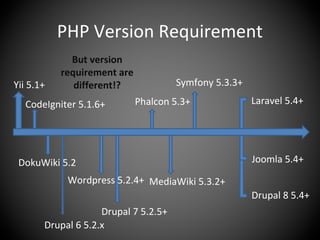
PHP Version Requirement
Yii 5.1+
CodeIgniter 5.1.6+
DokuWiki 5.2
Drupal 6 5.2.x
Wordpress 5.2.4+
But version
requirement are
different!?
Phalcon 5.3+
Symfony 5.3.3+
Drupal 7 5.2.5+
MediaWiki 5.3.2+
Laravel 5.4+
Joomla 5.4+
Drupal 8 5.4+
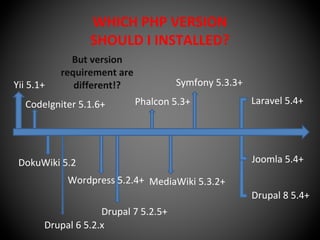
WHICH PHP VERSION
SHOULD I INSTALLED?
Yii 5.1+
CodeIgniter 5.1.6+
DokuWiki 5.2
Drupal 6 5.2.x
Wordpress 5.2.4+
But version
requirement are
different!?
Phalcon 5.3+
Symfony 5.3.3+
Drupal 7 5.2.5+
MediaWiki 5.3.2+
Laravel 5.4+
Joomla 5.4+
Drupal 8 5.4+
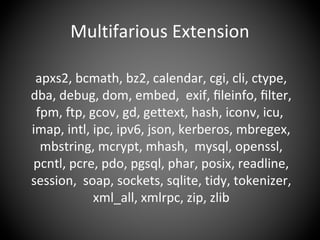
Multifarious Extension
apxs2, bcmath, bz2, calendar, cgi, cli, ctype,
dba, debug, dom, embed, exif, fileinfo, filter,
fpm, ftp, gcov, gd, gettext, hash, iconv, icu,
imap, intl, ipc, ipv6, json, kerberos, mbregex,
mbstring, mcrypt, mhash, mysql, openssl,
pcntl, pcre, pdo, pgsql, phar, posix, readline,
session, soap, sockets, sqlite, tidy, tokenizer,
xml_all, xmlrpc, zip, zlib
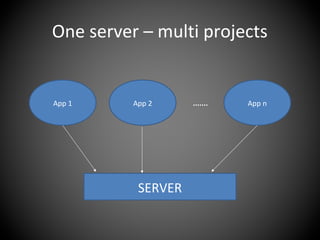
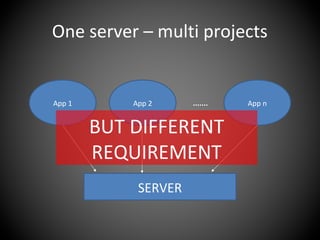
One server – multi projects
SERVER
App 1 App 2 App n.......
One server – multi projects
SERVER
App 1 App 2 App n.......
BUT DIFFERENT
REQUIREMENT
How to solve
problems?
That awesome!
But may it be more lightweight?
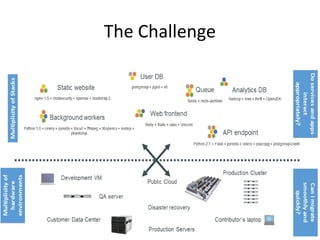
The Challenge
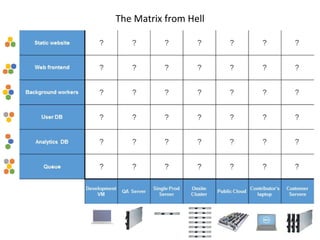
The Matrix from Hell
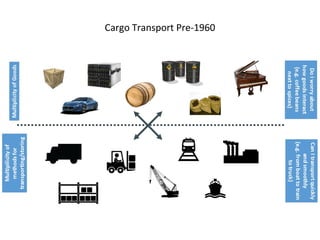
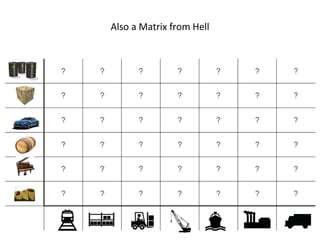
Cargo Transport Pre-1960
Also a Matrix from Hell
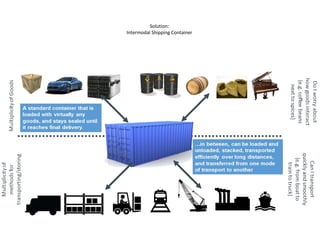
Solution:
Intermodal Shipping Container
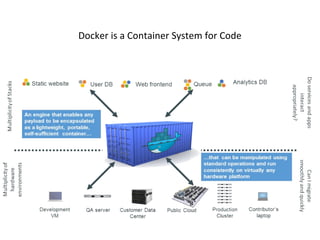
Docker is a Container System for Code
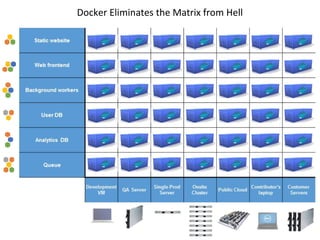
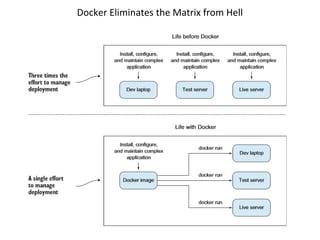
Docker Eliminates the Matrix from Hell
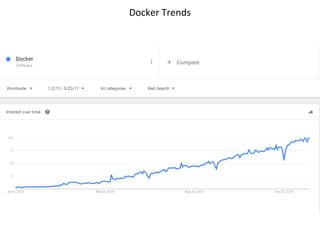
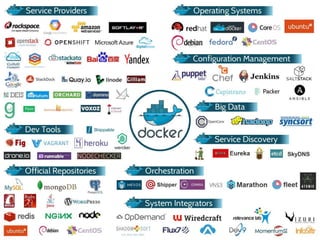
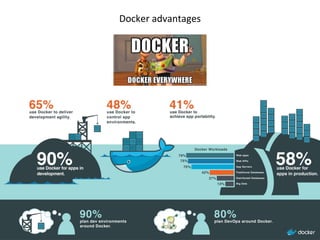
Docker Trends
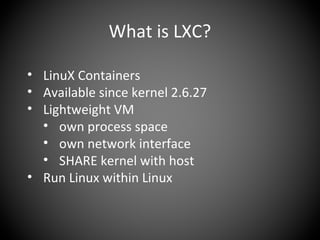
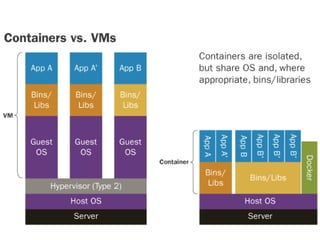
What is LXC?
• LinuX Containers
• Available since kernel 2.6.27
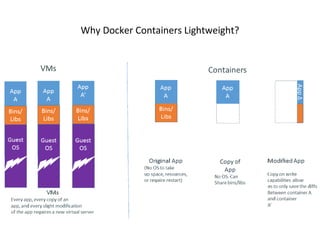
• Lightweight VM
• own process space
• own network interface
• SHARE kernel with host
• Run Linux within Linux
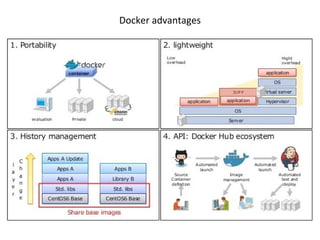
Why Docker Containers Lightweight?
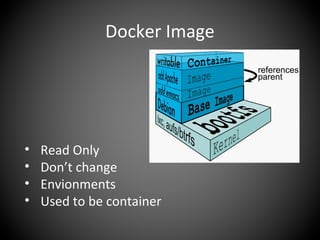
Docker Image
• Read Only
• Don’t change
• Envionments
• Used to be container
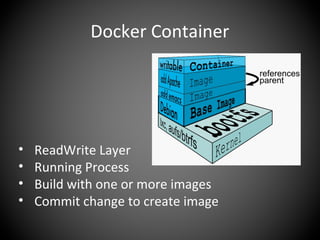
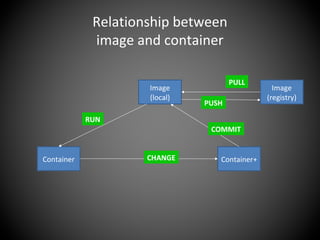
Docker Container
• ReadWrite Layer
• Running Process
• Build with one or more images
• Commit change to create image
Relationship between
image and container
Image
(registry)
PULL
Image
(local)
Container
RUN
Container+CHANGE
COMMIT
PUSH
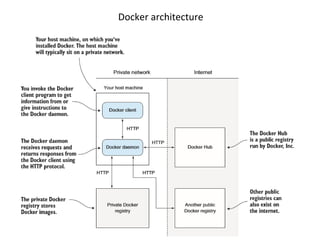
Docker architecture
Basic Command
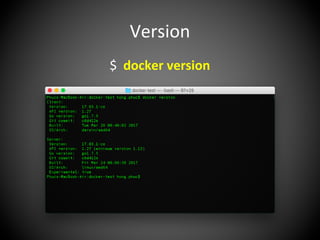
Version
$ docker version
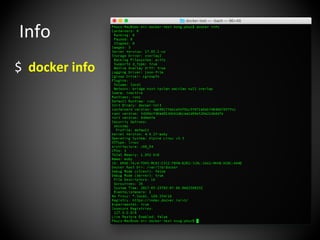
Info
$ docker info
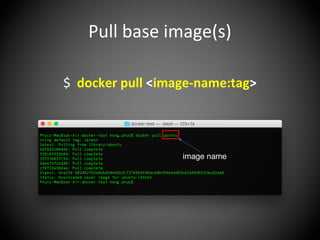
Pull base image(s)
$ docker pull <image-name:tag>
image name
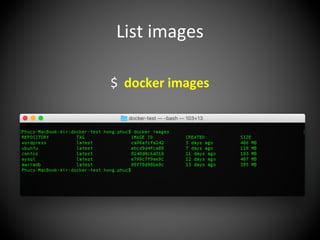
List images
$ docker images
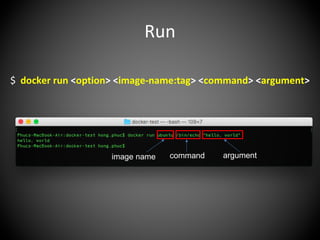
Run
$ docker run <option> <image-name:tag> <command> <argument>
image name command argument
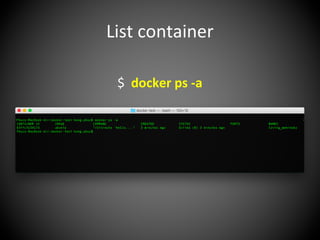
List container
$ docker ps -a
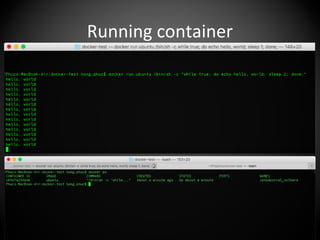
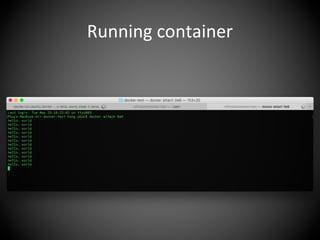
Running container
Running container
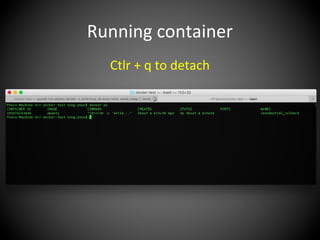
Ctlr + q to detach
Running container
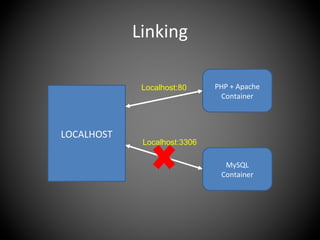
Linking & Expose
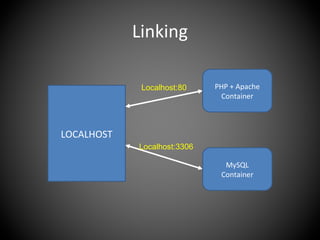
Linking
LOCALHOST
PHP + Apache
Container
MySQL
Container
Localhost:80
Localhost:3306
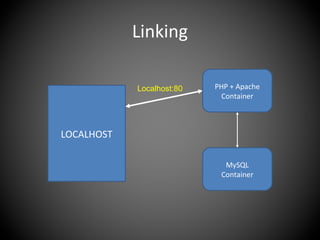
Linking
LOCALHOST
PHP + Apache
Container
MySQL
Container
Localhost:80
Localhost:3306
Linking
LOCALHOST
PHP + Apache
Container
MySQL
Container
Localhost:80
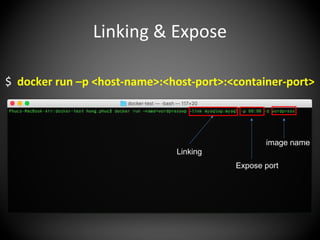
Linking & Expose
image name
Linking
Expose port
$ docker run –p <host-name>:<host-port>:<container-port>
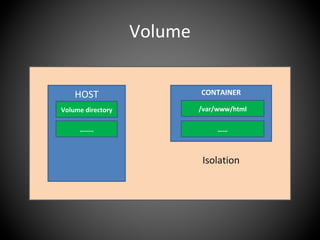
Volume
Volume
HOST
Volume directory
……..
CONTAINER
/var/www/html
……
Isolation
Volume
HOST
Volume directory
……..
CONTAINER
/var/www/html
……
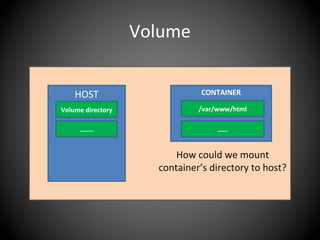
How could we mount
container’s directory to host?
Volume
HOST
Volume directory
……..
CONTAINER
/var/www/html
……
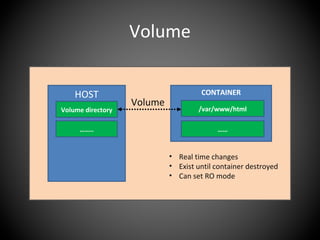
Volume
• Real time changes
• Exist until container destroyed
• Can set RO mode
Volume
HOST
Volume directory
……..
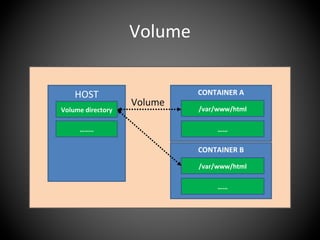
CONTAINER A
/var/www/html
……
Volume
CONTAINER B
/var/www/html
……
Dockerfile
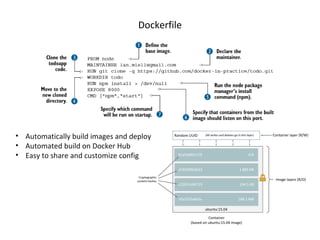
• Automatically build images and deploy
• Automated build on Docker Hub
• Easy to share and customize config
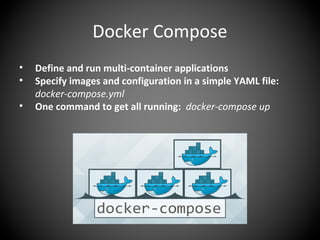
Docker Compose
• Define and run multi-container applications
• Specify images and configuration in a simple YAML file:
docker-compose.yml
• One command to get all running: docker-compose up
Demo
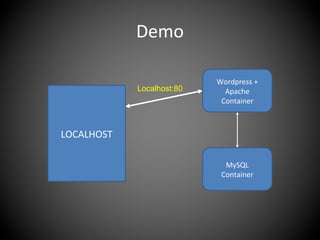
Demo
LOCALHOST
Wordpress +
Apache
Container
MySQL
Container
Localhost:80
Docker advantages
Docker advantages
Docker advantages
Docker advantages
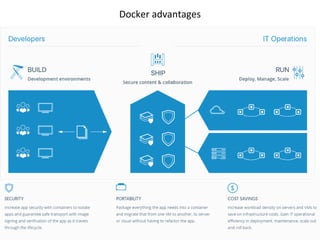
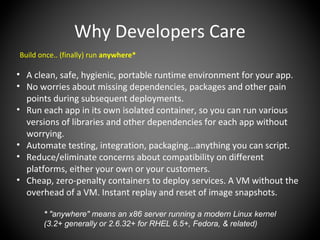
Why Developers Care
Build once.. (finally) run anywhere*
• A clean, safe, hygienic, portable runtime environment for your app.
• No worries about missing dependencies, packages and other pain
points during subsequent deployments.
• Run each app in its own isolated container, so you can run various
versions of libraries and other dependencies for each app without
worrying.
• Automate testing, integration, packaging...anything you can script.
• Reduce/eliminate concerns about compatibility on different
platforms, either your own or your customers.
• Cheap, zero-penalty containers to deploy services. A VM without the
overhead of a VM. Instant replay and reset of image snapshots.
* "anywhere" means an x86 server running a modern Linux kernel
(3.2+ generally or 2.6.32+ for RHEL 6.5+, Fedora, & related)
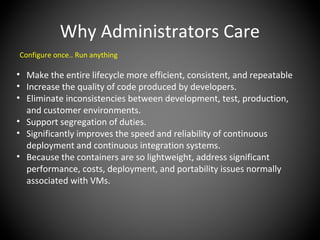
Why Administrators Care
Configure once.. Run anything
• Make the entire lifecycle more efficient, consistent, and repeatable
• Increase the quality of code produced by developers.
• Eliminate inconsistencies between development, test, production,
and customer environments.
• Support segregation of duties.
• Significantly improves the speed and reliability of continuous
deployment and continuous integration systems.
• Because the containers are so lightweight, address significant
performance, costs, deployment, and portability issues normally
associated with VMs.
Resource & Reference
• Docs.docker.com
• Docker Cookbook
• Docker in Practice
• Katacoda.com
Thank you!
Q & A

Docker introduction

Editor's Notes

  • #29 A Dockerfile is a text file with a series of commands in it
  • #50 A Dockerfile is a text file with a series of commands in it
  • #55 +Simplifying configuration: run any platform with it’s own config on top of your infrastructure. +Code pipeline management: the code travel from developer’s machione to production, continueous intergration +Developer productivity: we want it be as close as possible to production, and we want the development environment to be as fast as possible for interactive use +
  • #56 +Simplifying configuration: run any platform with it’s own config on top of your infrastructure. +Code pipeline management: the code travel from developer’s machione to production, continueous intergration +Developer productivity: we want it be as close as possible to production, and we want the development environment to be as fast as possible for interactive use +
  • #57 +Simplifying configuration: run any platform with it’s own config on top of your infrastructure. +Code pipeline management: the code travel from developer’s machione to production, continueous intergration +Developer productivity: we want it be as close as possible to production, and we want the development environment to be as fast as possible for interactive use +
  • #58 +Simplifying configuration: run any platform with it’s own config on top of your infrastructure. +Code pipeline management: the code travel from developer’s machione to production, continueous intergration +Developer productivity: we want it be as close as possible to production, and we want the development environment to be as fast as possible for interactive use +