Blogger
• Before I started A-level Media I knew a bit about blogger in that I
have used it before however since I did my preliminary task I have
learnt so much more about all the features it has to offer. For
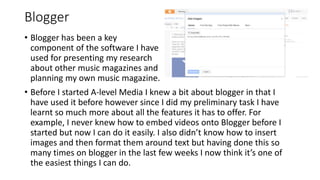
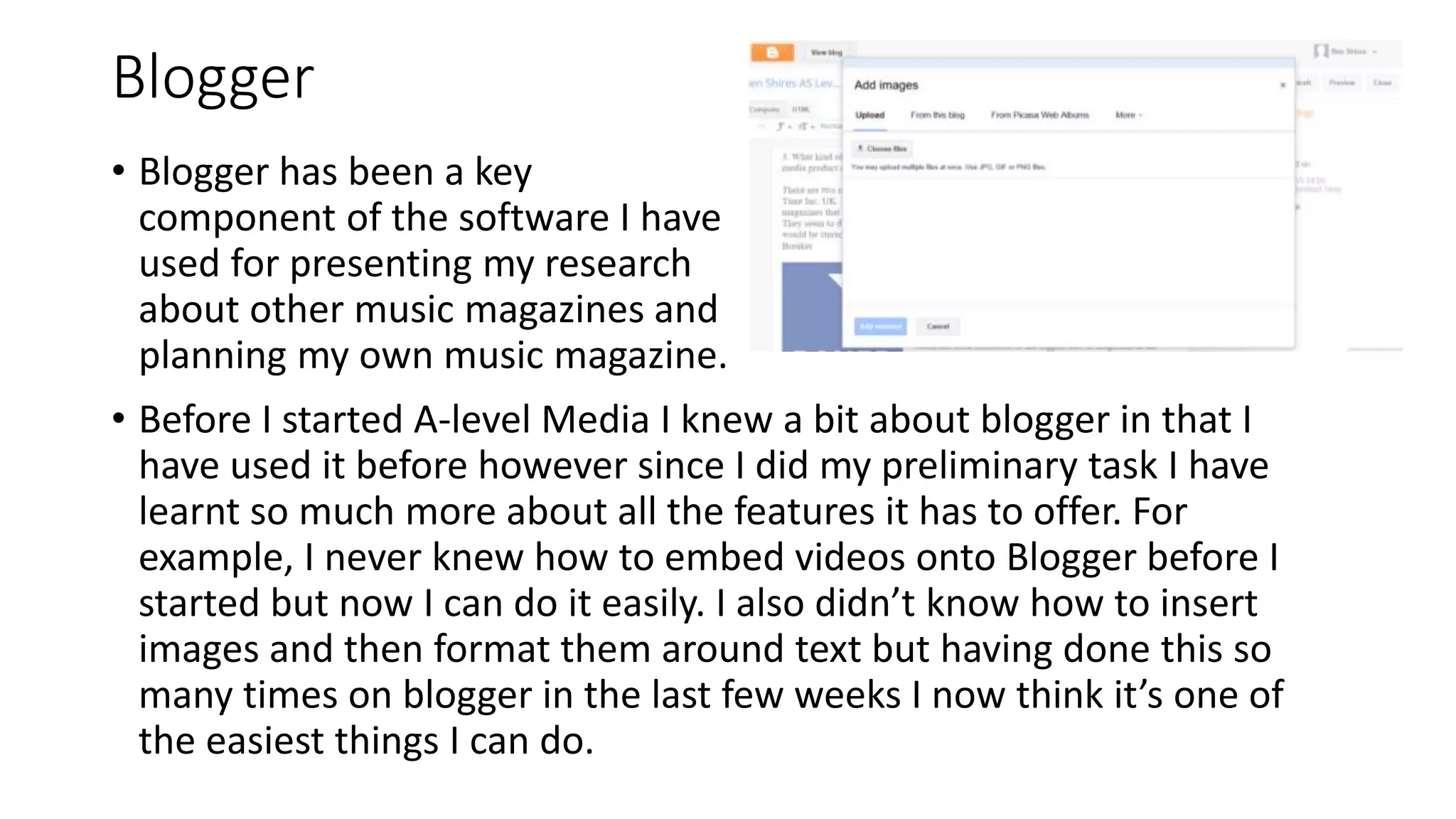
example, I never knew how to embed videos onto Blogger before I
started but now I can do it easily. I also didn’t know how to insert
images and then format them around text but having done this so
many times on blogger in the last few weeks I now think it’s one of
the easiest things I can do.
• Blogger has been a key
component of the software I have
used for presenting my research
about other music magazines and
planning my own music magazine.
Photography
• During the process of constructing my
music magazine I took lots of pictures
that would then go on to be used in my
music magazine. I choose lots of
different locations which meant that my
models were set in a variety of
backgrounds for me to pick from.
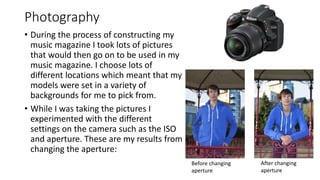
• While I was taking the pictures I
experimented with the different
settings on the camera such as the ISO
and aperture. These are my results from
changing the aperture:
Before changing
aperture
After changing
aperture
Adobe InDesign
• Adobe InDesign has been the main piece of software that I
have used to create my pages. This is the software that I
used to put them together and arrange the layout of the
pages.
• Before using it for creating my music magazine I had never
used Adobe InDesign before but I now believe that I am
familiar with most of the settings and features that it has.
• For example, I now know how to make text go around
images without having to move the actual textbook which I
found was a really useful feature, which I found especially
useful when creating my feature article since I wanted to put
a quote in the middle of the article but I needed the text to
go around it
Adobe Fireworks
• I used Adobe Fireworks to delete the background of
the images that I used as well as changing the lighting
and contrast of the colours.
• I originally planned to use Fireworks to get rid of the
shadow on the picture I decided to use for my front
cover. However, after reviewing the picture I decided
that the shadow actually made the picture look better
because it shows a sort of ‘dark side’ to the artist,
which appeals to both genders, so they want to find
out more about them.
Microsoft Word
• I used Microsoft Word for my
planning because it’s easy to
crop images in here, as well as
typing up text since it spell
checks what I have typed which
means that my work won’t have
any spelling mistakes. • For my preliminary task I used some of
the effects on Microsoft Word on my
front cover because I already knew a lot
about Microsoft Word and what it can
do. However for my actual music
magazine I decided that I could use more
professional features on other software
such as Adobe InDesign.
Microsoft PowerPoint
• I used PowerPoint for a lot of the parts of my planning
because it is easier to import and crop pictures here
which is why I used it to create the mood boards for
things such as my readership profile.
• I also used it to do my initial ideas mind map because
unlike in Microsoft Word I am able to save pages as
JPEGs which means that I ca easily upload them to my
blog as images.
• PowerPoint is also a good piece of software to use
because it means that I can plan what will be on each
slide better so that my information is my organised and
easy to read and understand.

Evaluation Q6

  • 1.
    Blogger • Before Istarted A-level Media I knew a bit about blogger in that I have used it before however since I did my preliminary task I have learnt so much more about all the features it has to offer. For example, I never knew how to embed videos onto Blogger before I started but now I can do it easily. I also didn’t know how to insert images and then format them around text but having done this so many times on blogger in the last few weeks I now think it’s one of the easiest things I can do. • Blogger has been a key component of the software I have used for presenting my research about other music magazines and planning my own music magazine.
  • 2.
    Photography • During theprocess of constructing my music magazine I took lots of pictures that would then go on to be used in my music magazine. I choose lots of different locations which meant that my models were set in a variety of backgrounds for me to pick from. • While I was taking the pictures I experimented with the different settings on the camera such as the ISO and aperture. These are my results from changing the aperture: Before changing aperture After changing aperture
  • 3.
    Adobe InDesign • AdobeInDesign has been the main piece of software that I have used to create my pages. This is the software that I used to put them together and arrange the layout of the pages. • Before using it for creating my music magazine I had never used Adobe InDesign before but I now believe that I am familiar with most of the settings and features that it has. • For example, I now know how to make text go around images without having to move the actual textbook which I found was a really useful feature, which I found especially useful when creating my feature article since I wanted to put a quote in the middle of the article but I needed the text to go around it
  • 4.
    Adobe Fireworks • Iused Adobe Fireworks to delete the background of the images that I used as well as changing the lighting and contrast of the colours. • I originally planned to use Fireworks to get rid of the shadow on the picture I decided to use for my front cover. However, after reviewing the picture I decided that the shadow actually made the picture look better because it shows a sort of ‘dark side’ to the artist, which appeals to both genders, so they want to find out more about them.
  • 5.
    Microsoft Word • Iused Microsoft Word for my planning because it’s easy to crop images in here, as well as typing up text since it spell checks what I have typed which means that my work won’t have any spelling mistakes. • For my preliminary task I used some of the effects on Microsoft Word on my front cover because I already knew a lot about Microsoft Word and what it can do. However for my actual music magazine I decided that I could use more professional features on other software such as Adobe InDesign.
  • 6.
    Microsoft PowerPoint • Iused PowerPoint for a lot of the parts of my planning because it is easier to import and crop pictures here which is why I used it to create the mood boards for things such as my readership profile. • I also used it to do my initial ideas mind map because unlike in Microsoft Word I am able to save pages as JPEGs which means that I ca easily upload them to my blog as images. • PowerPoint is also a good piece of software to use because it means that I can plan what will be on each slide better so that my information is my organised and easy to read and understand.