



Content Strategy for
Library Websites
Rebecca Blakiston
@blakistonr
User Experience Librarian
University of Arizona Libraries
DESIGNING FOR DIGITAL
February 26, 2015
@design4lib
Hello!
@blakistonr
Librarian
Instructor
Facilitator
Project manager
User researcher
Content fanatic
Providing good content is an
essential part of our library
mission…
and yet our locally-curated
web content is often totally
neglected.
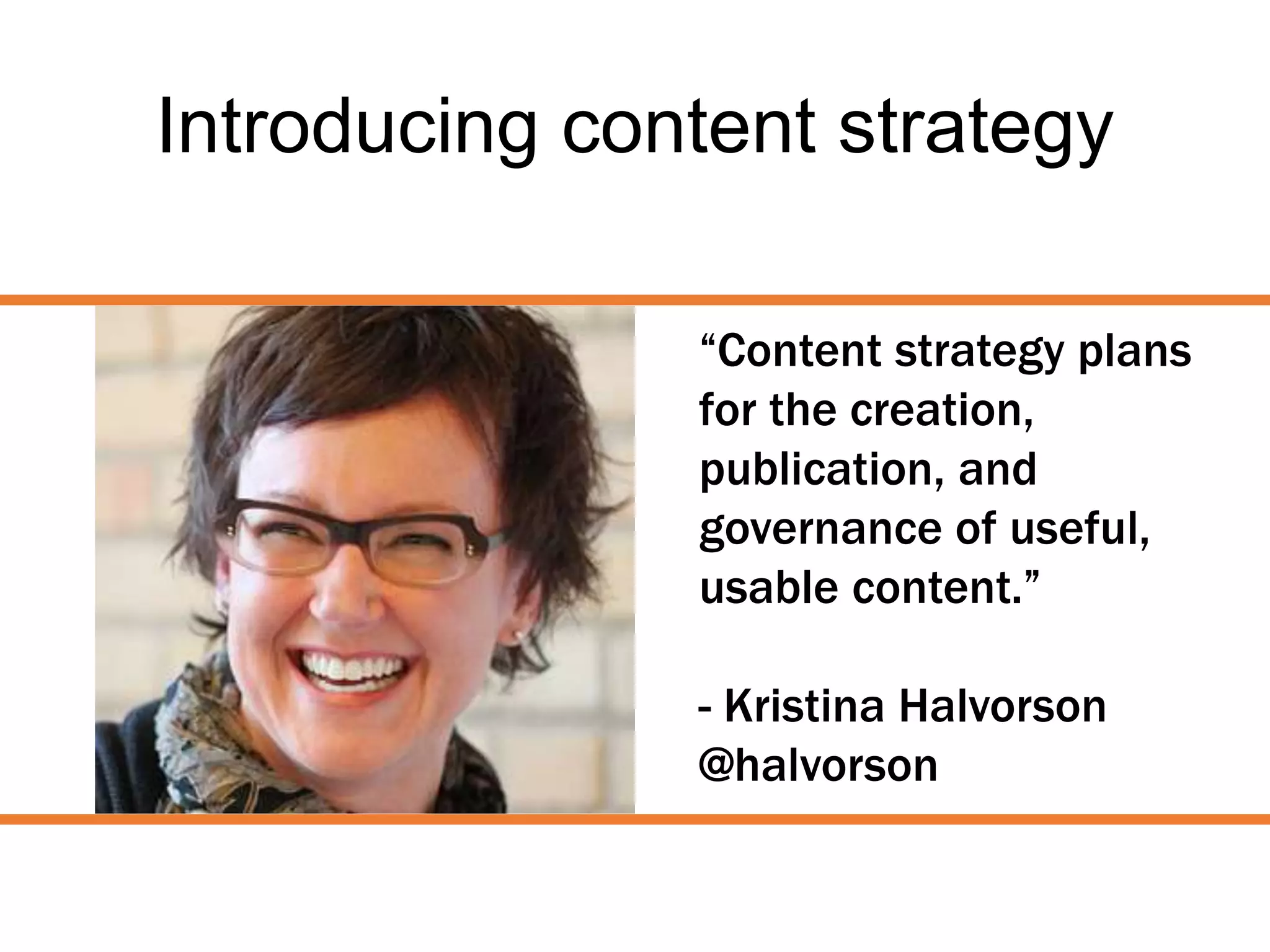
Introducing content strategy
“Content strategy plans
for the creation,
publication, and
governance of useful,
usable content.”
- Kristina Halvorson
@halvorson
Audit
By understanding what we have, we can better plan
how to manage what already exists as well as plan for
the future.
Libguides?
Tutorials?
Videos?
Images?
Online exhibitions?
Digital collections?
News stories?
Blog posts?
Social media?
Catalog?
Login pages?
User accounts?
Discovery tool(s)?
Interlibrary loan system?
Associated websites?
Associated applications?
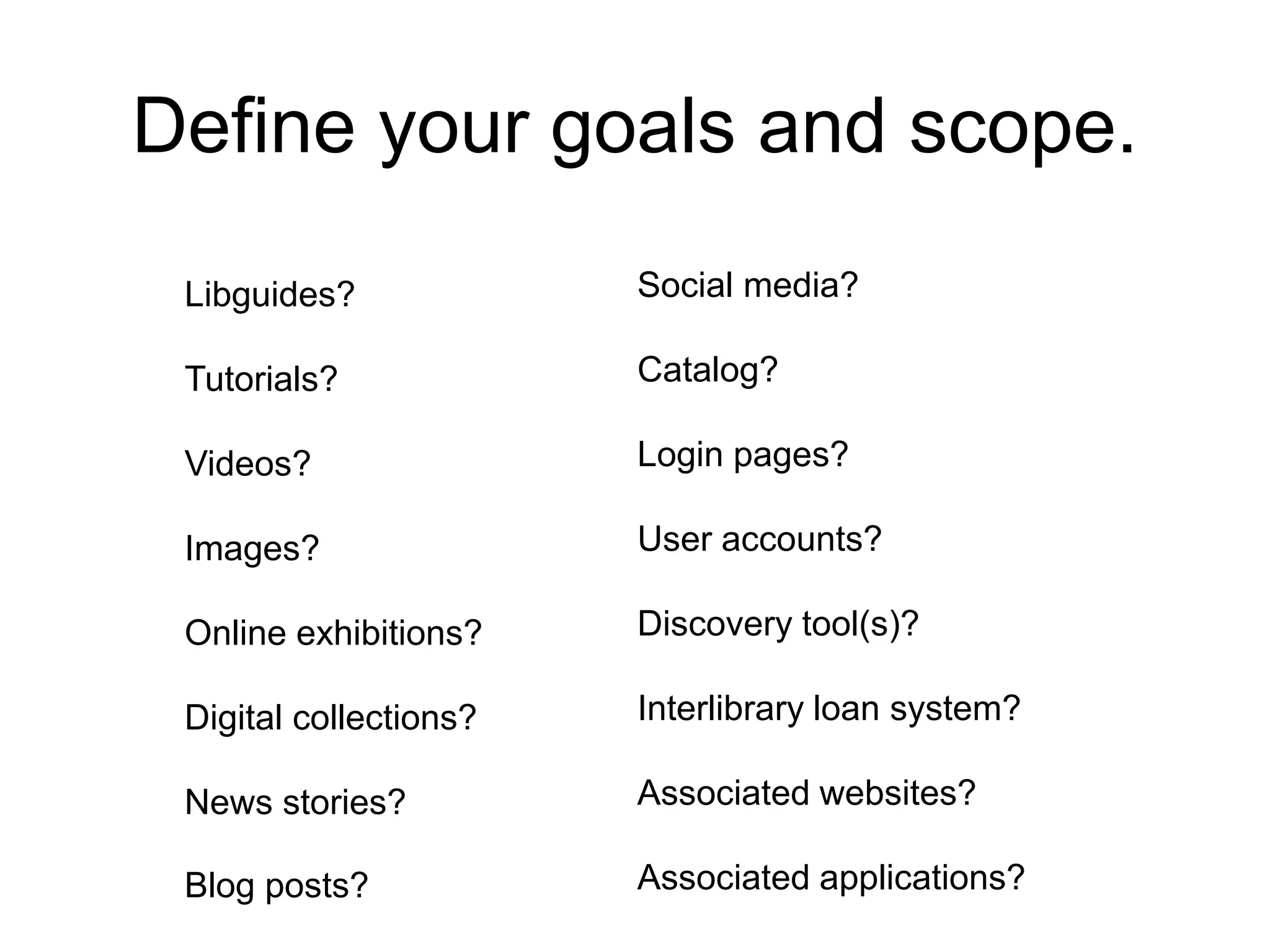
Define your goals and scope.
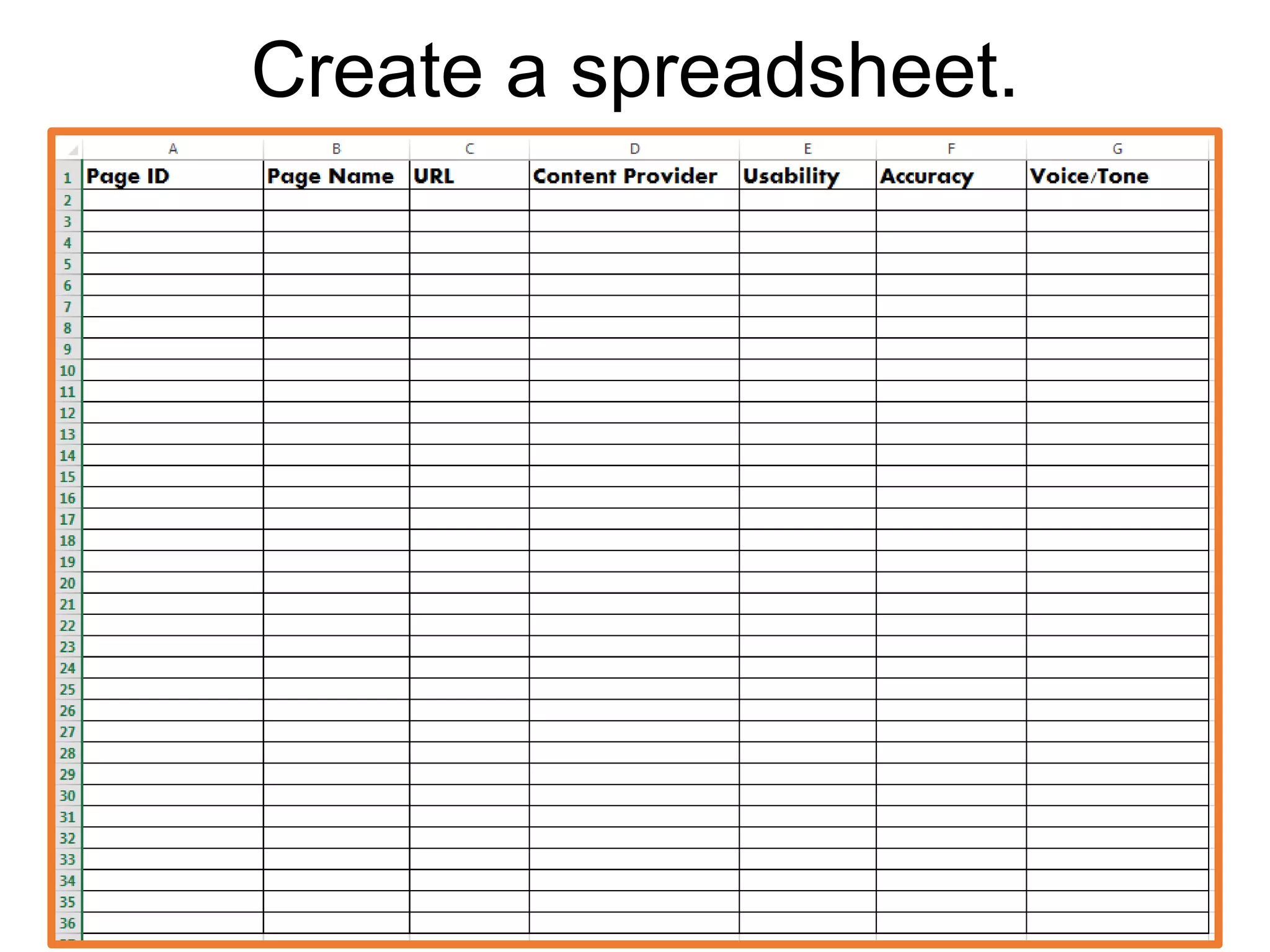
Create a spreadsheet.
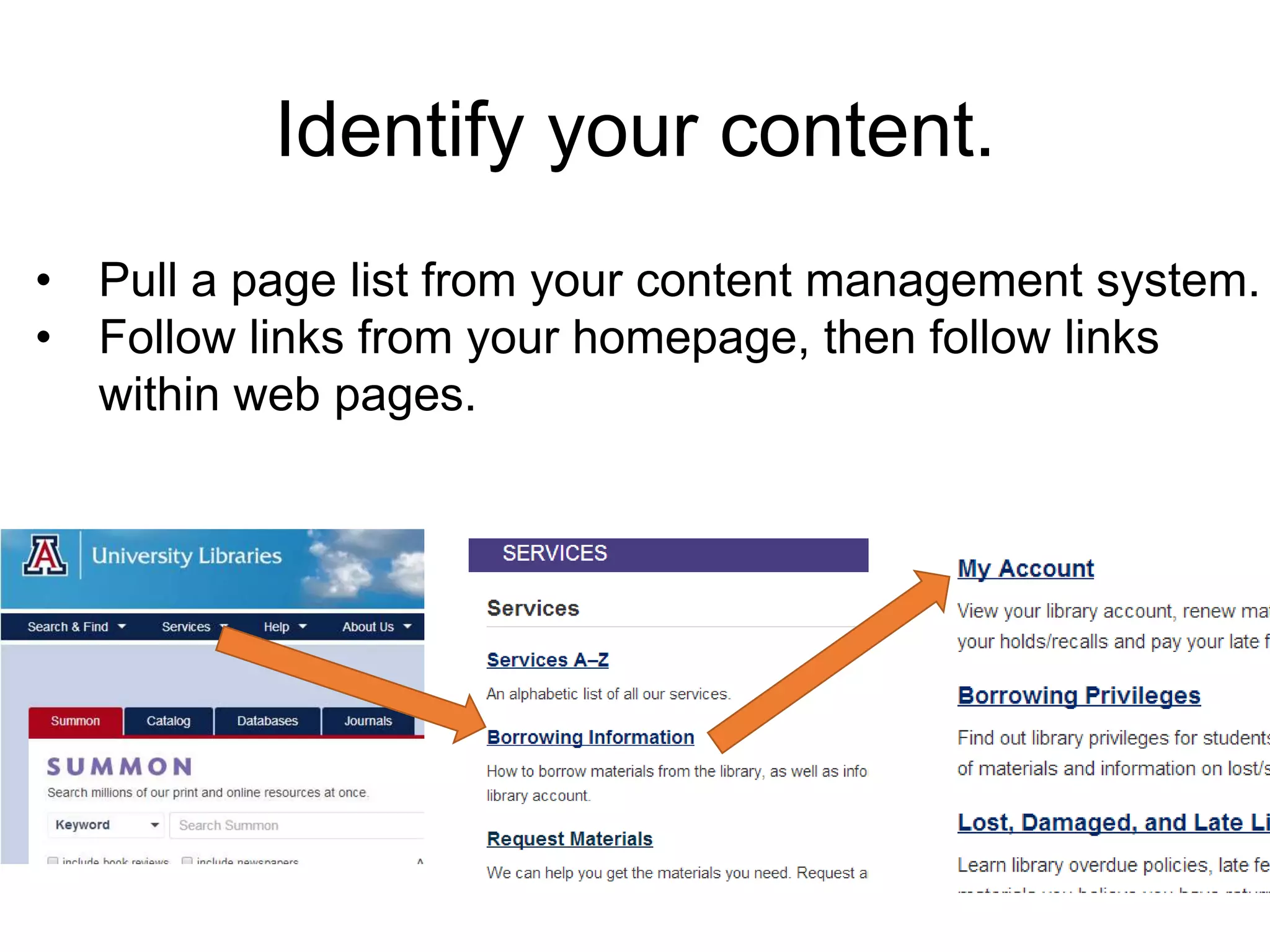
• Pull a page list from your content management system.
• Follow links from your homepage, then follow links
within web pages.
Identify your content.
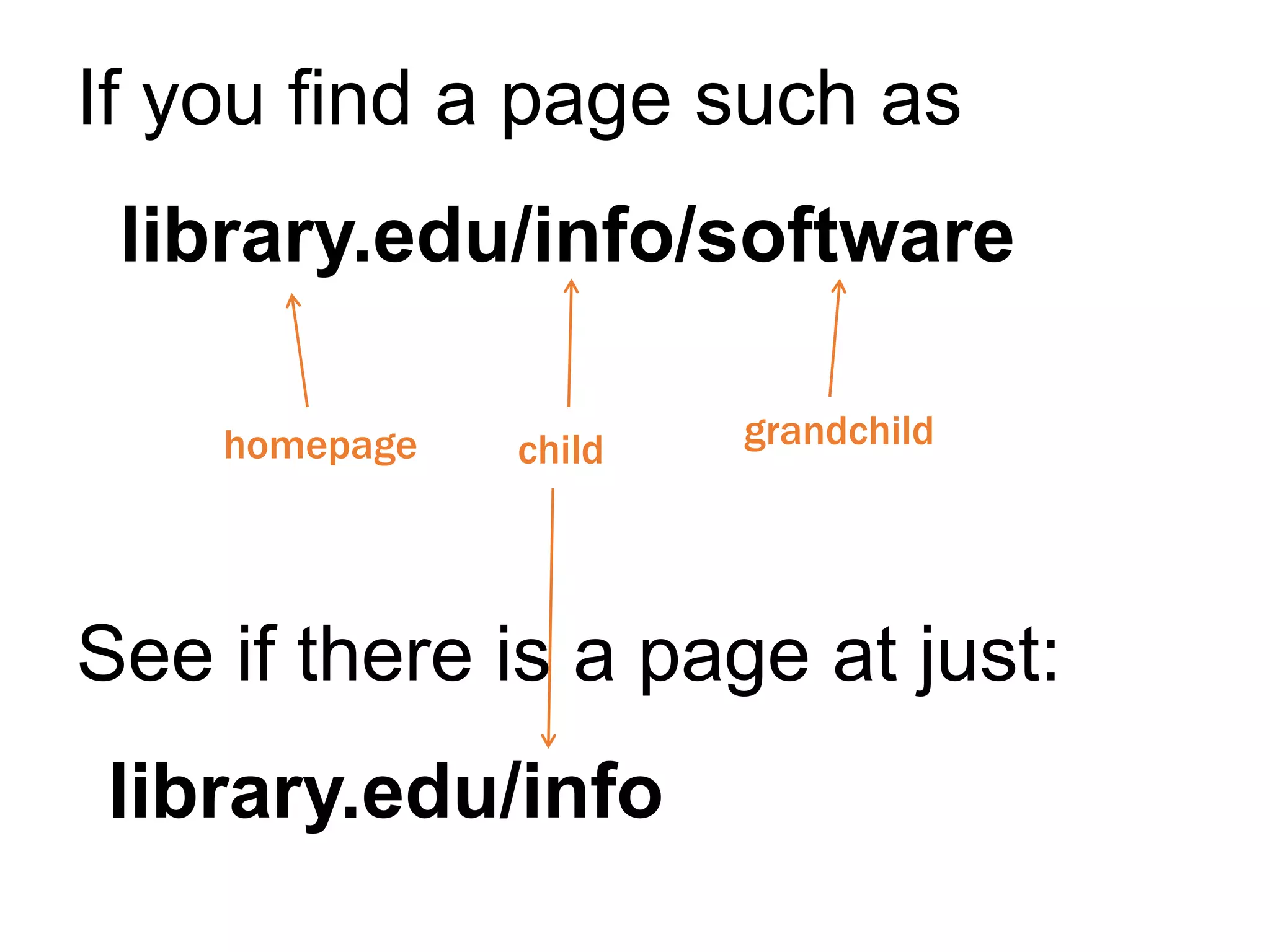
If you find a page such as
library.edu/info/software
See if there is a page at just:
library.edu/info
homepage child grandchild
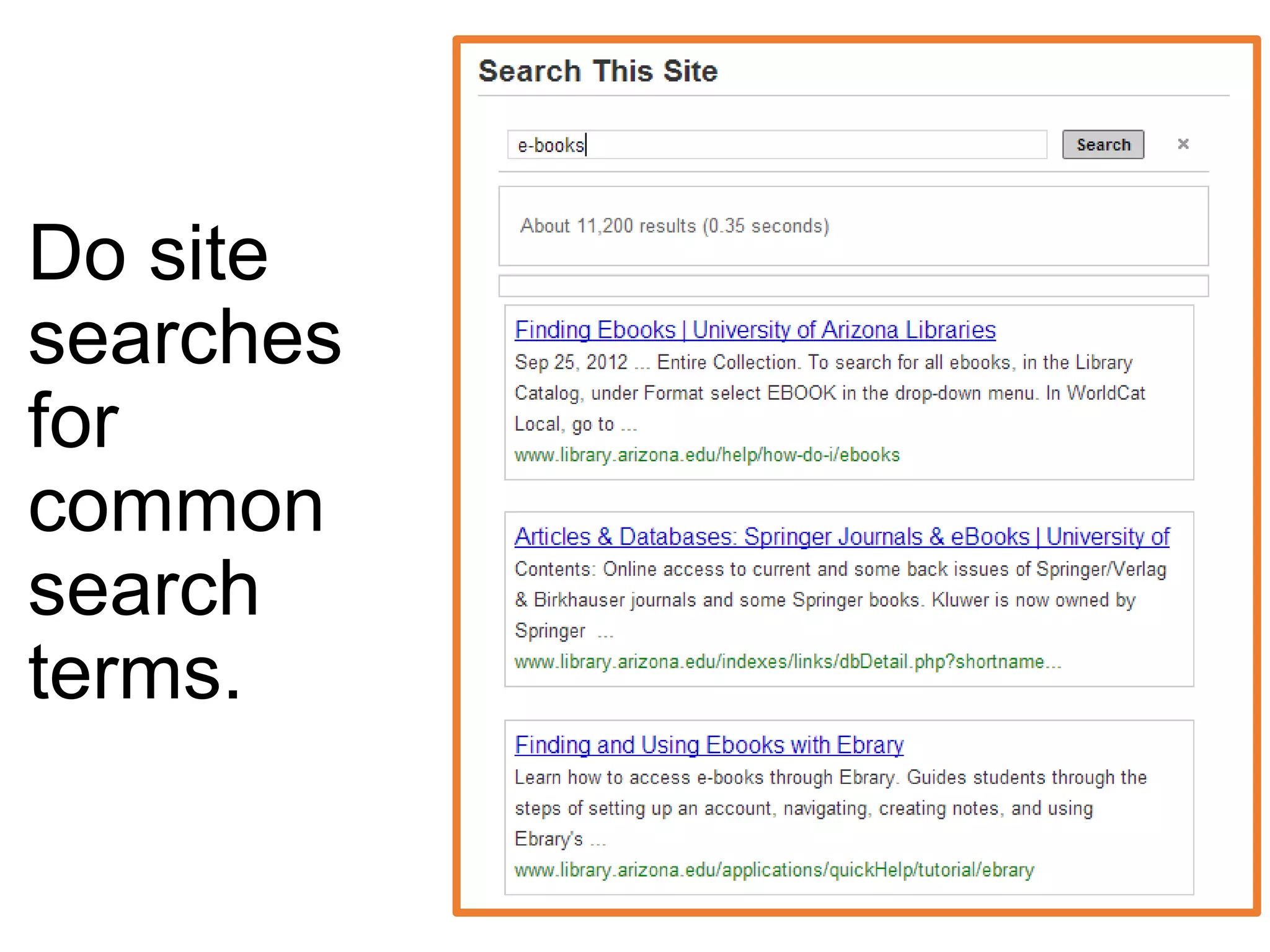
Do site
searches
for
common
search
terms.
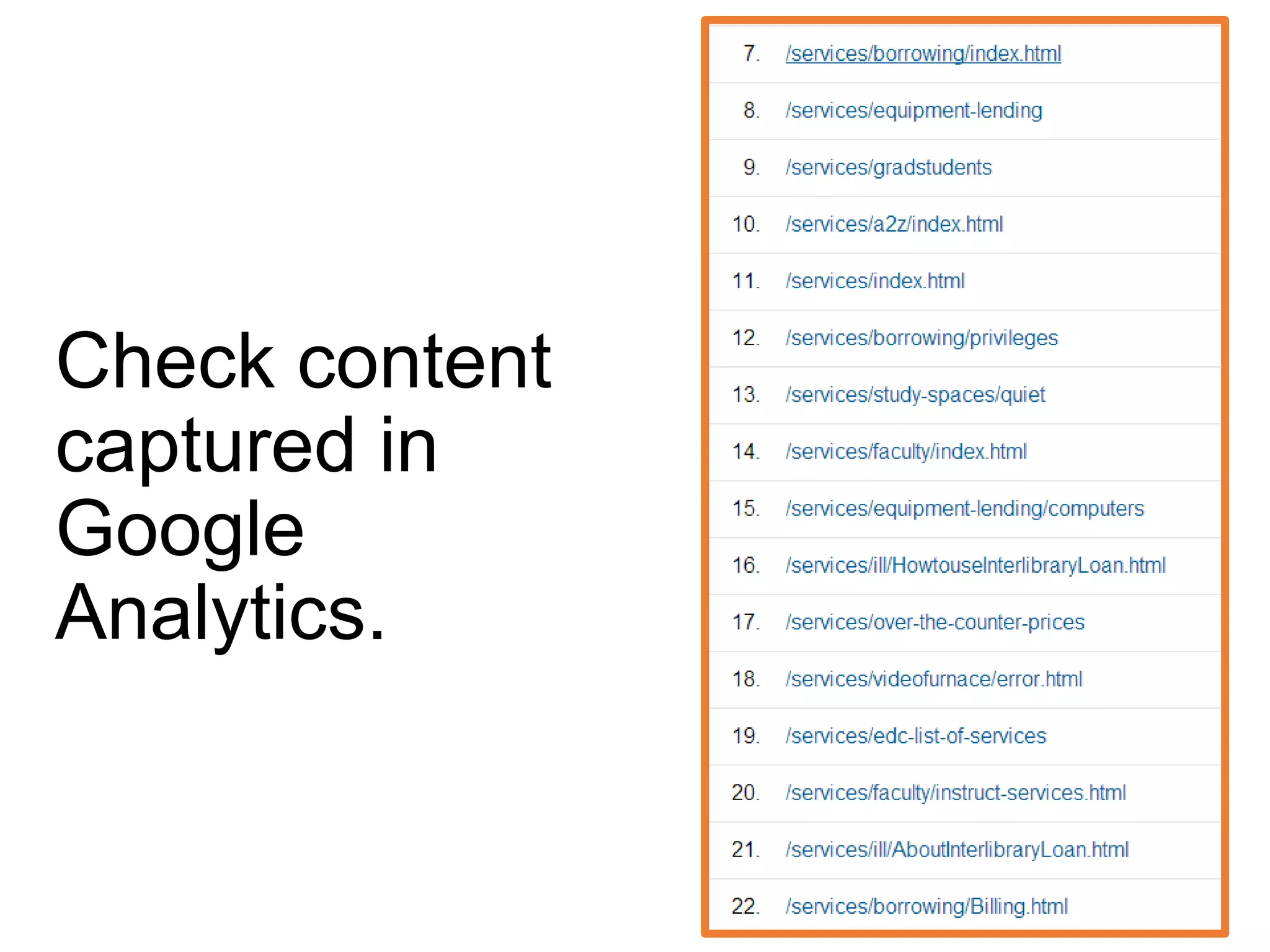
Check content
captured in
Google
Analytics.
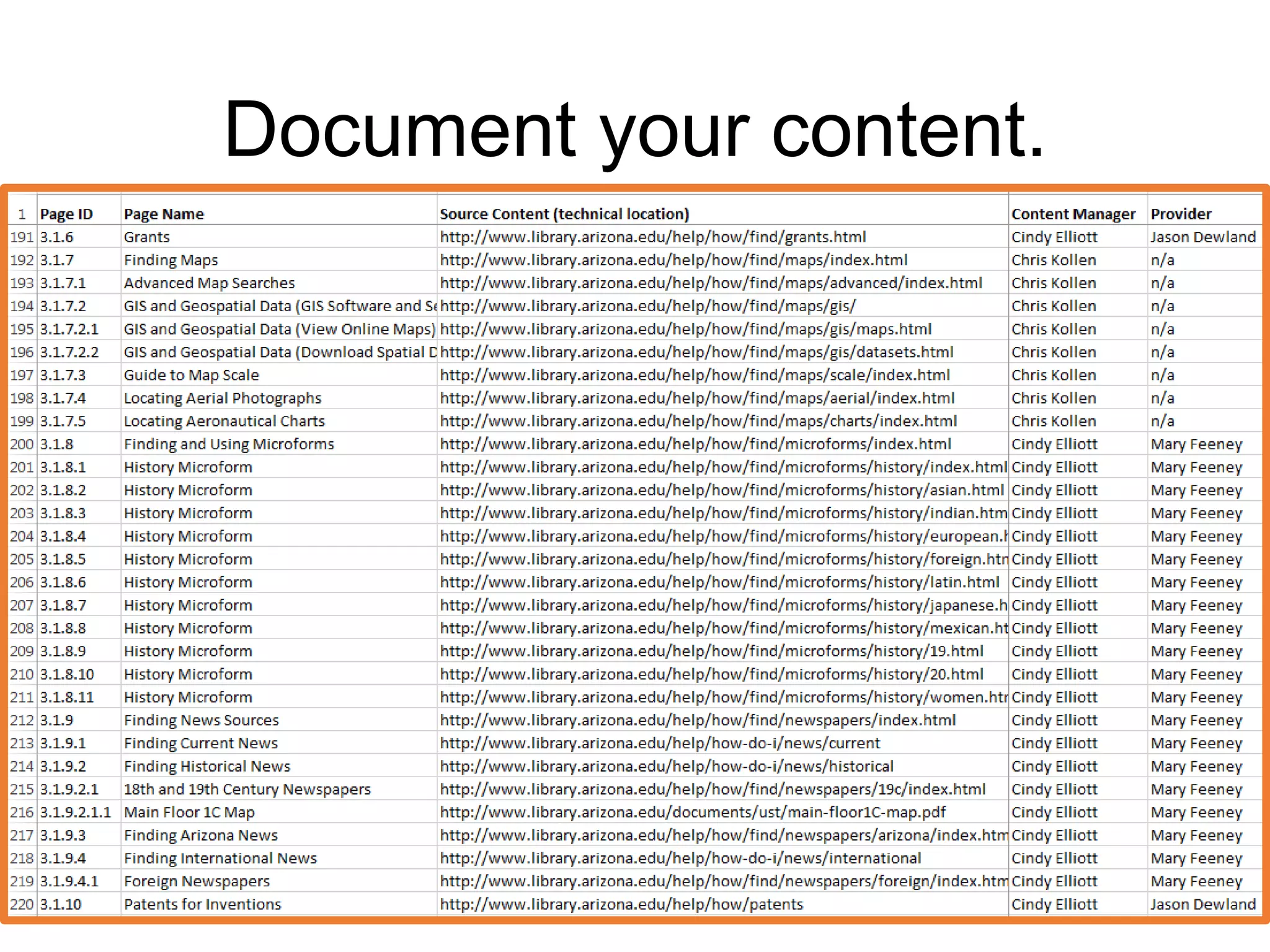
Document your content.
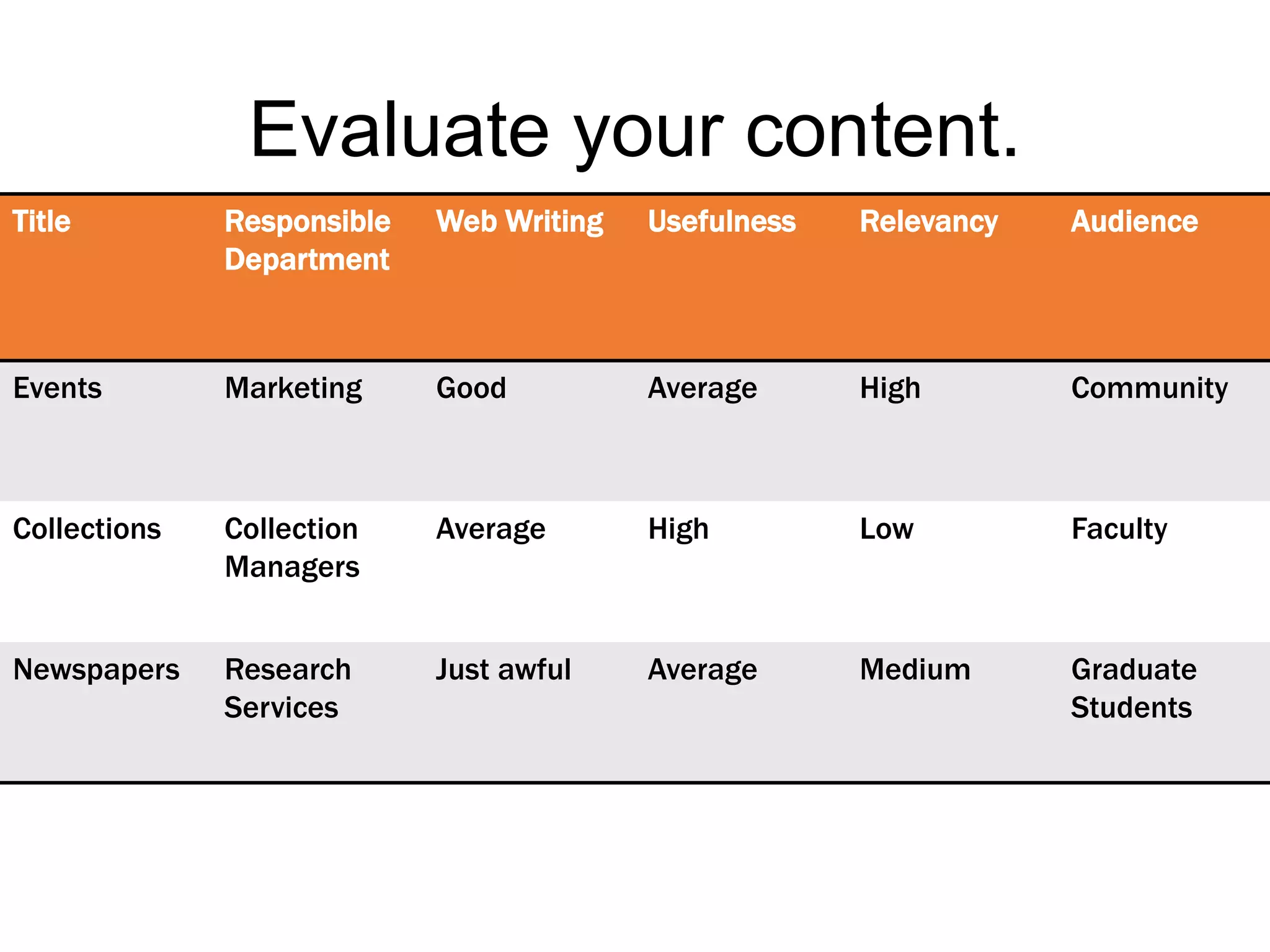
Title Responsible
Department
Web Writing Usefulness Relevancy Audience
Events Marketing Good Average High Community
Collections Collection
Managers
Average High Low Faculty
Newspapers Research
Services
Just awful Average Medium Graduate
Students
Evaluate your content.
Content Audit Questions
Clean up what
you find.
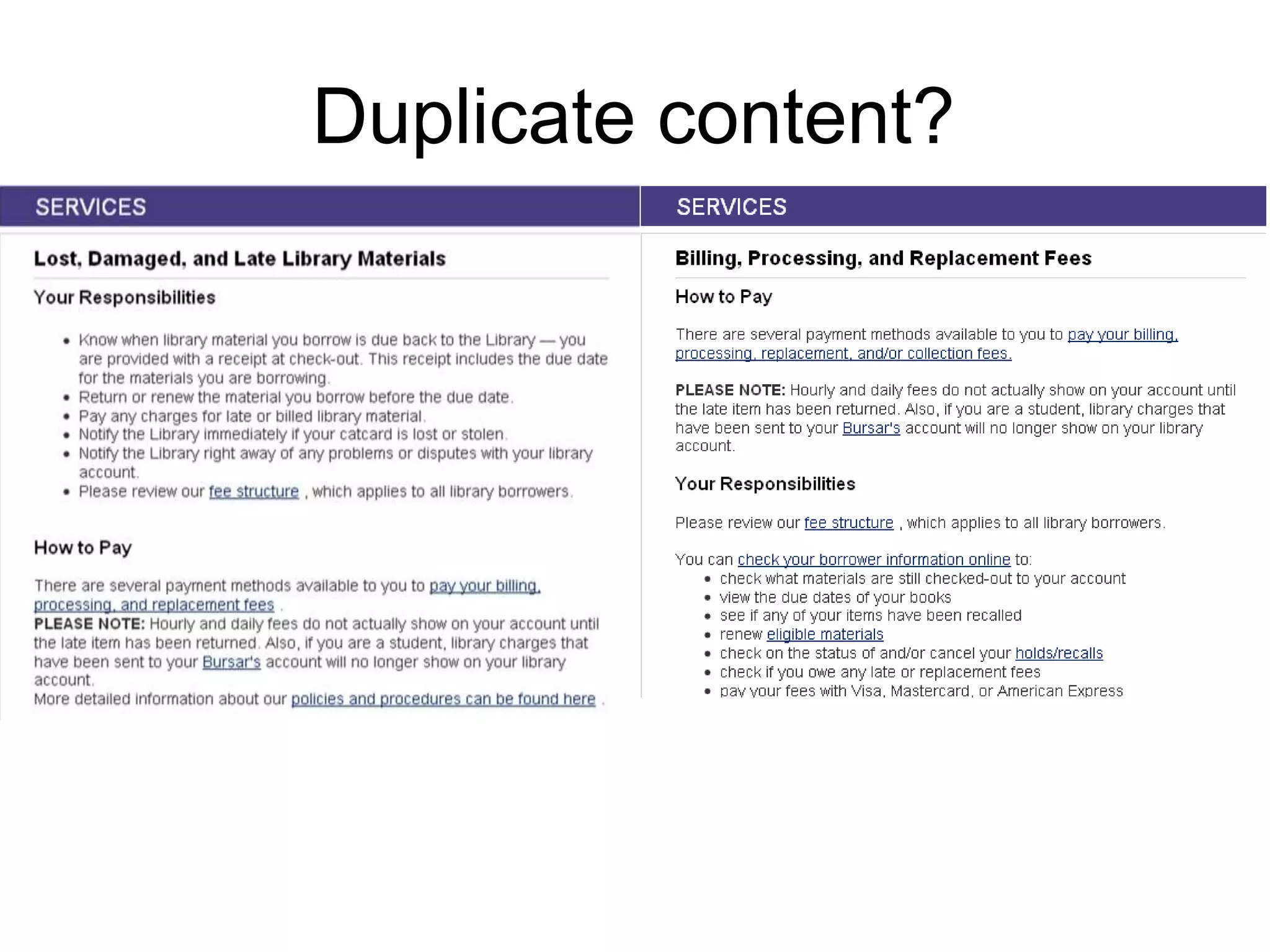
Duplicate content?
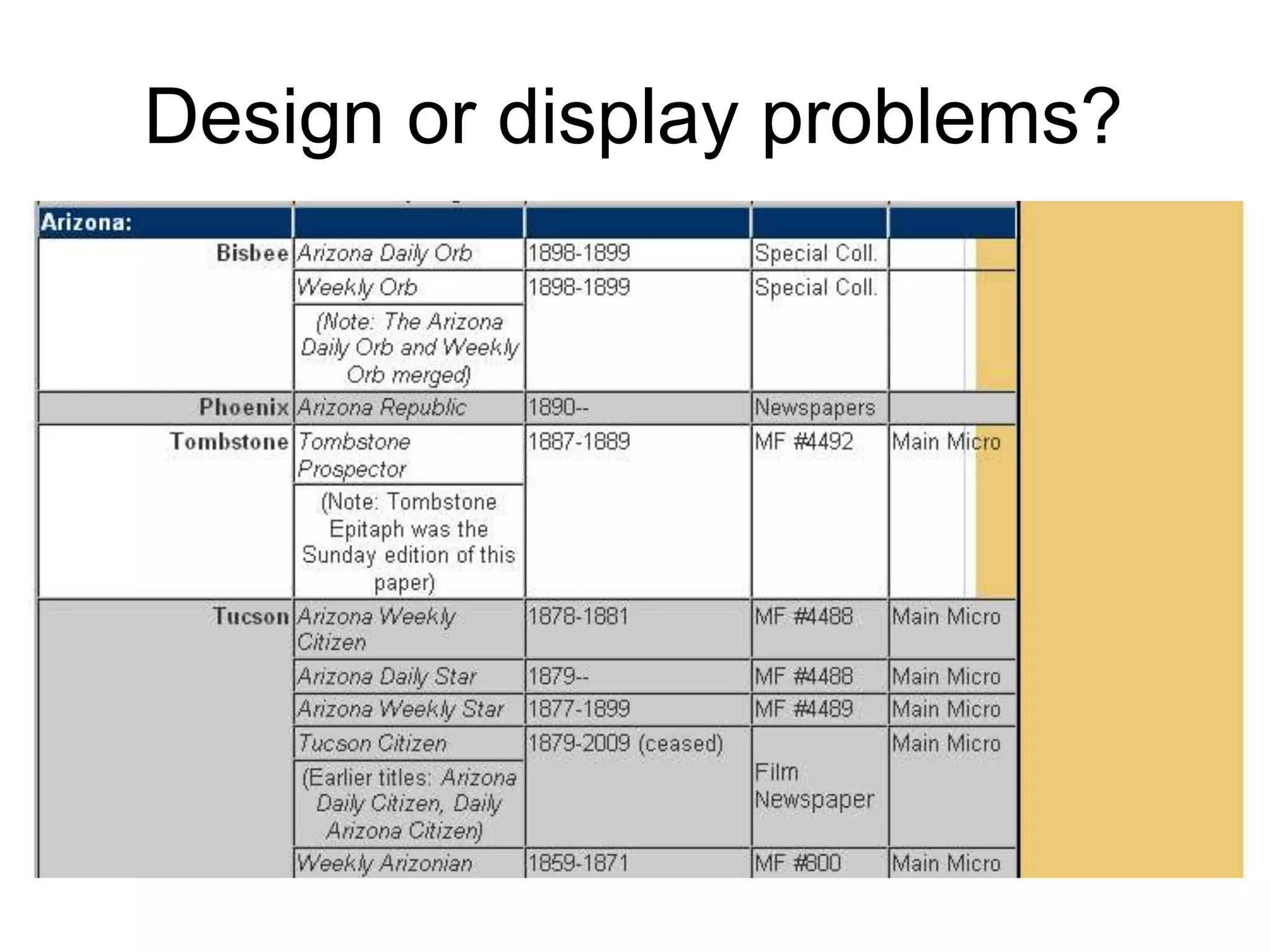
Design or display problems?
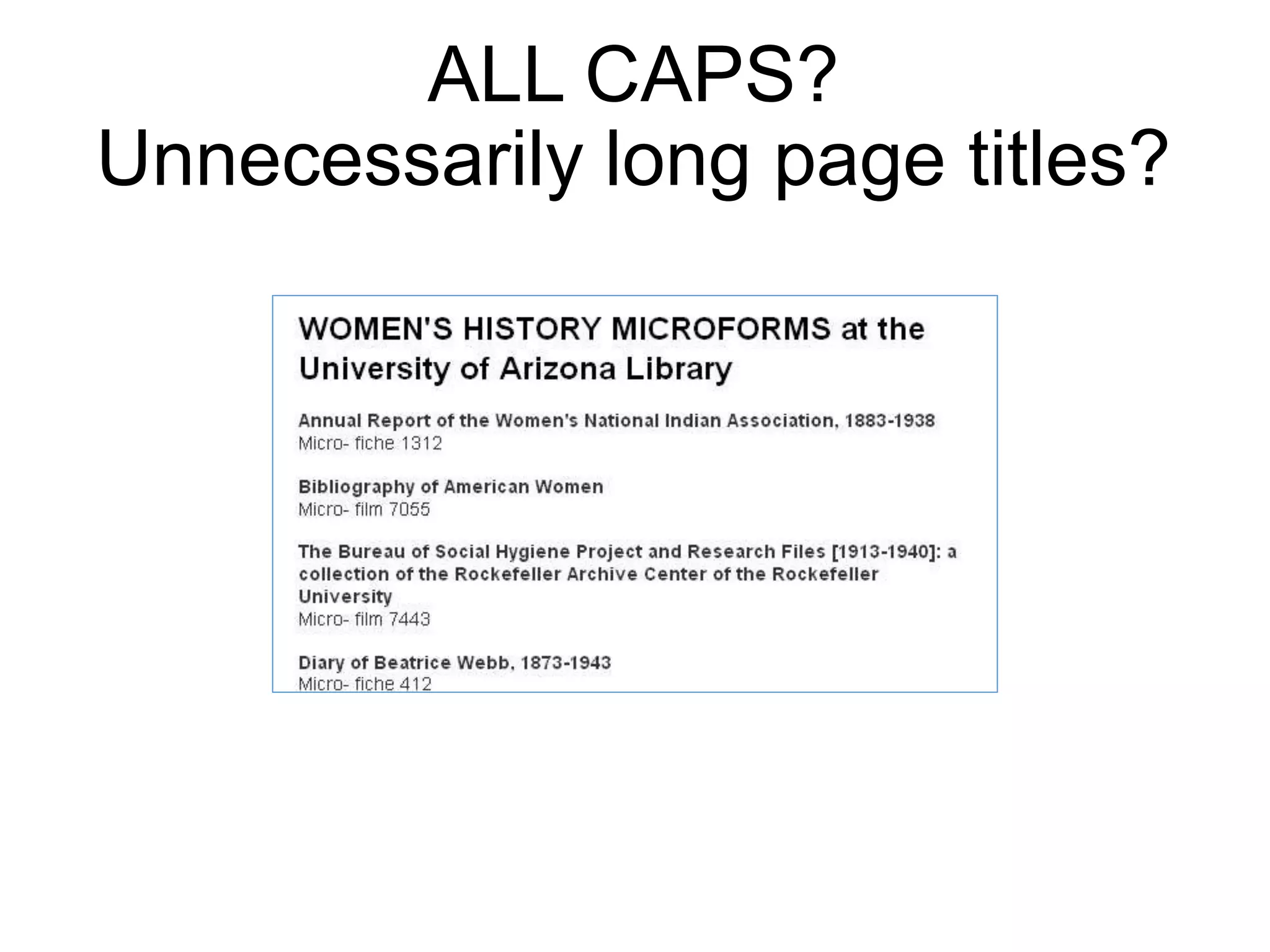
ALL CAPS?
Unnecessarily long page titles?
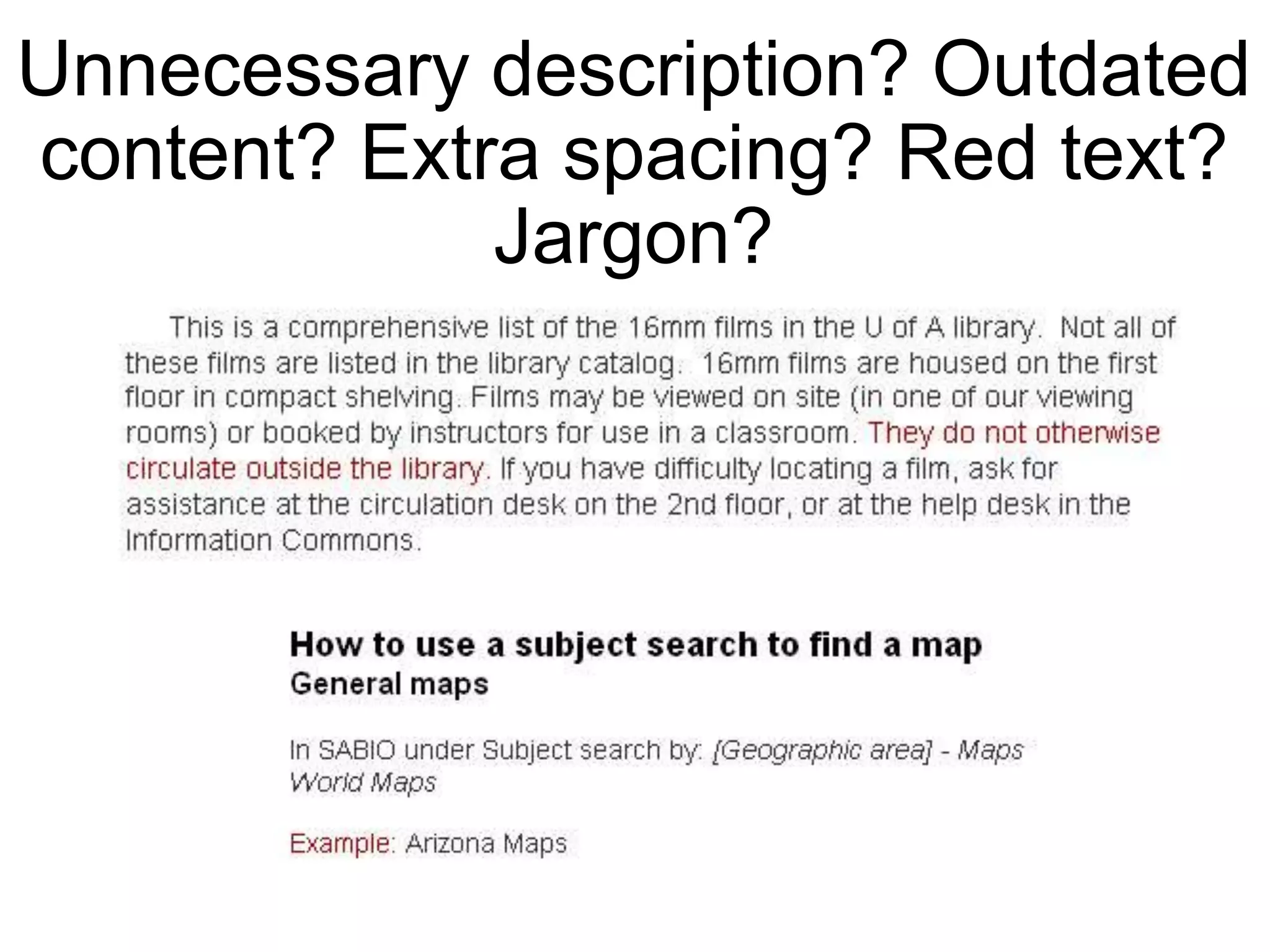
Unnecessary description? Outdated
content? Extra spacing? Red text?
Jargon?
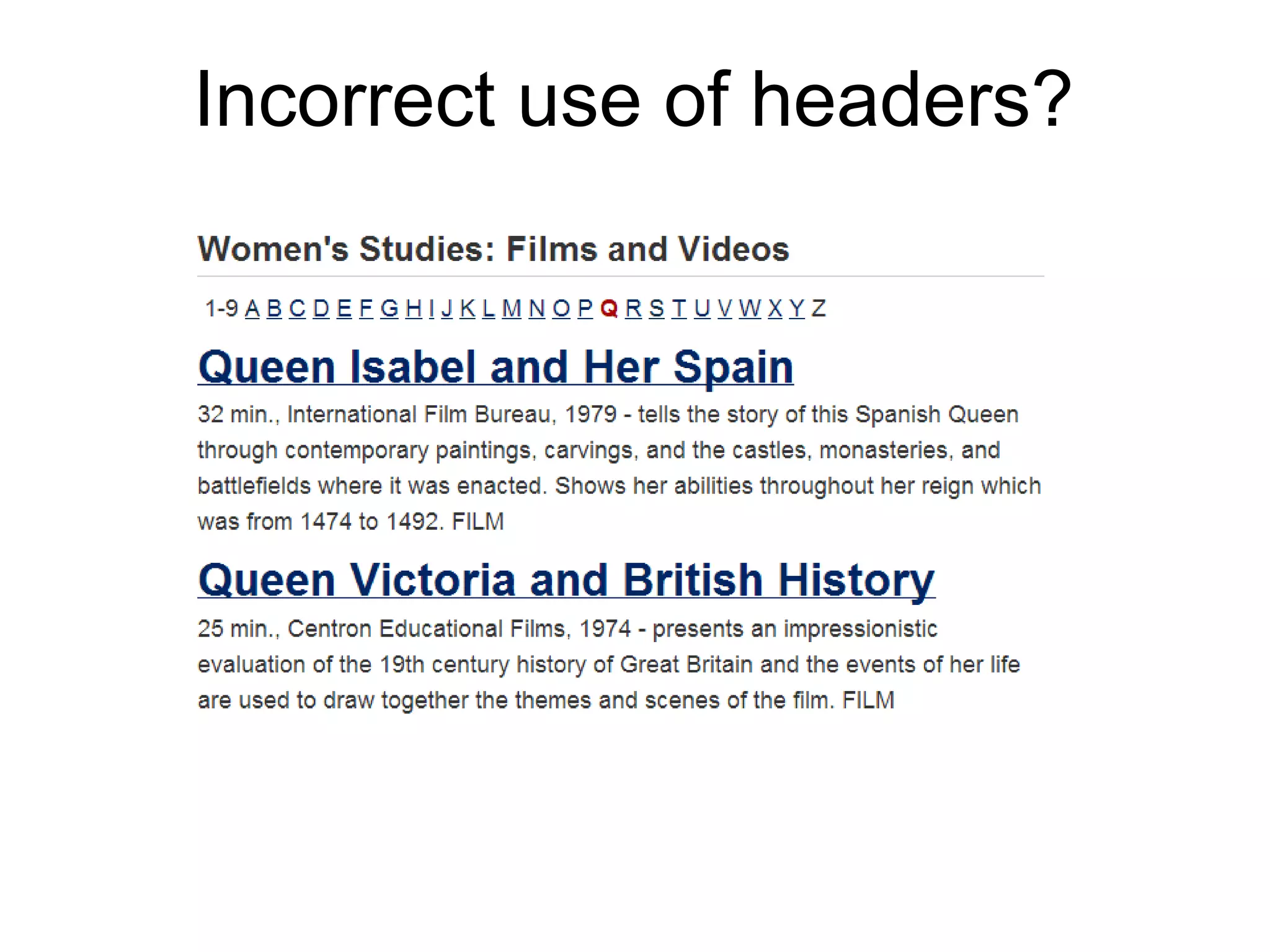
Incorrect use of headers?
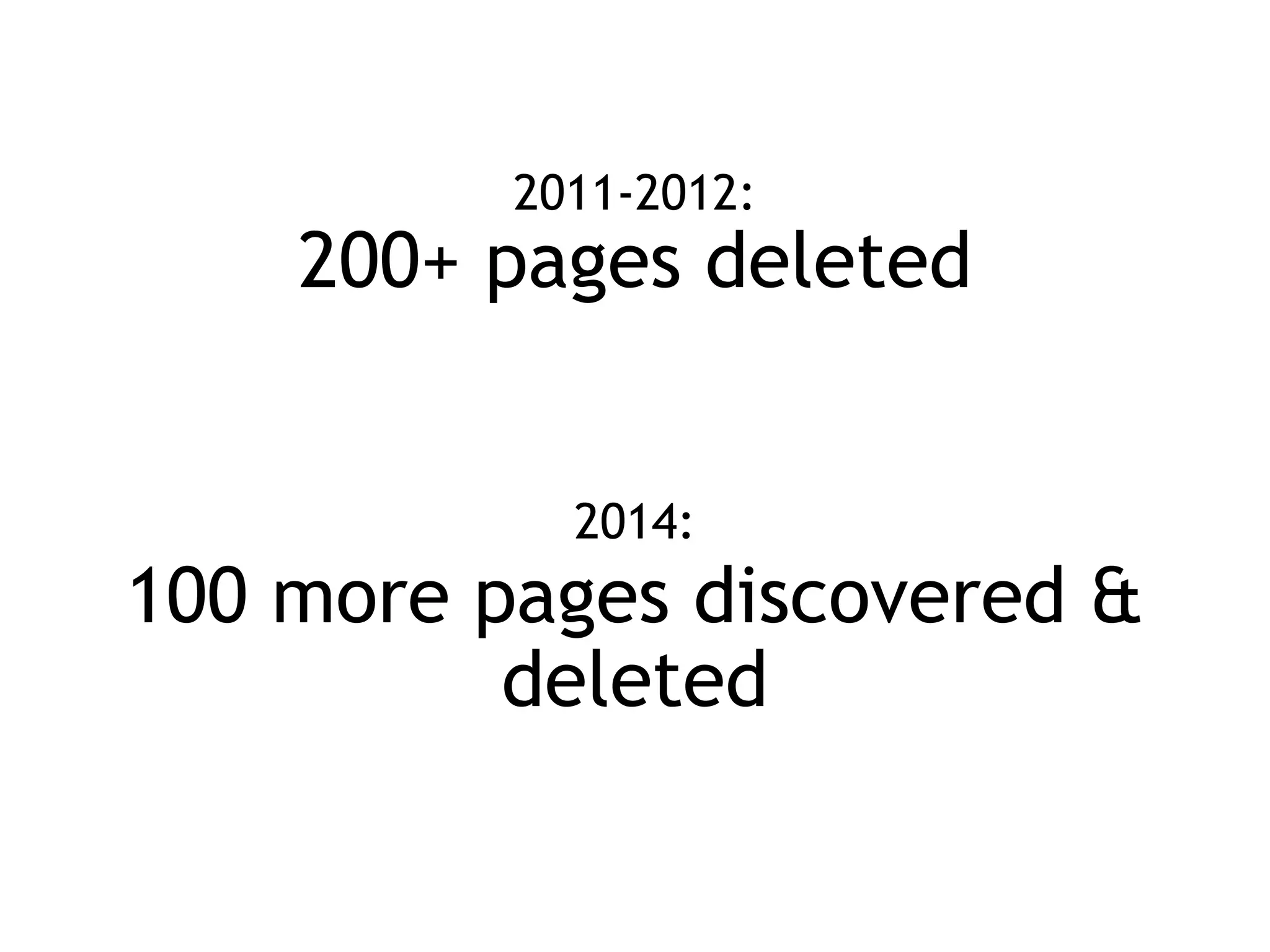
2011-2012:
200+ pages deleted
2014:
100 more pages discovered &
deleted
Be transparent and get buy-in.
Here’s what we
found. Here’s how
we want to make
things better.
Let’s talk.
Analysis
By analyzing our current environment and defining our
website objectives, we can set a strategic foundation
for future directions.
Content
must have
purpose.
How does your web content
contribute to your mission,
vision, strategic plan?
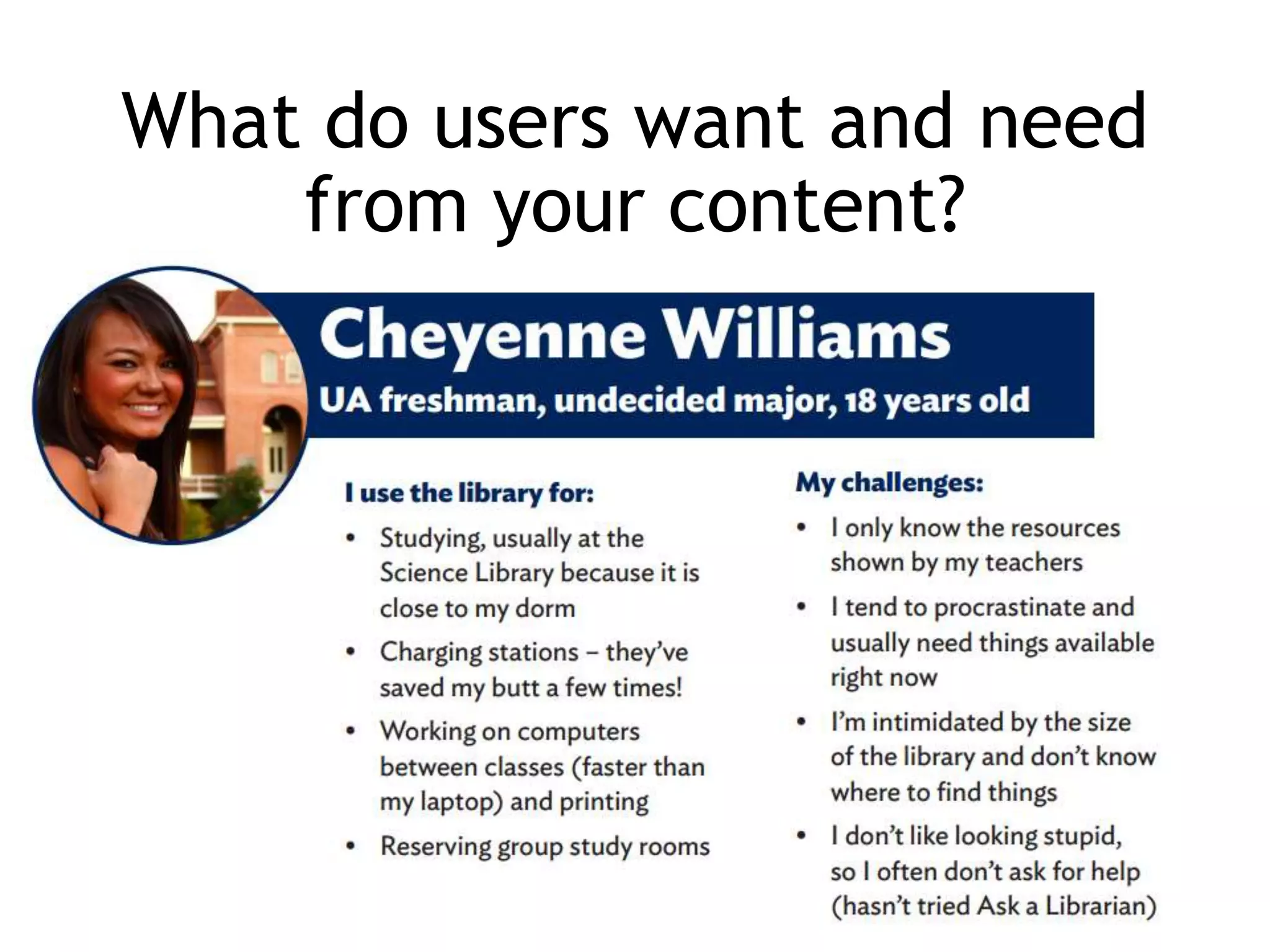
What do users want and need
from your content?
Sample vision:
We champion student and faculty
success by giving them access to
the spaces, technology, collections
and expertise needed for their
research, teaching, studying and
collaboration.
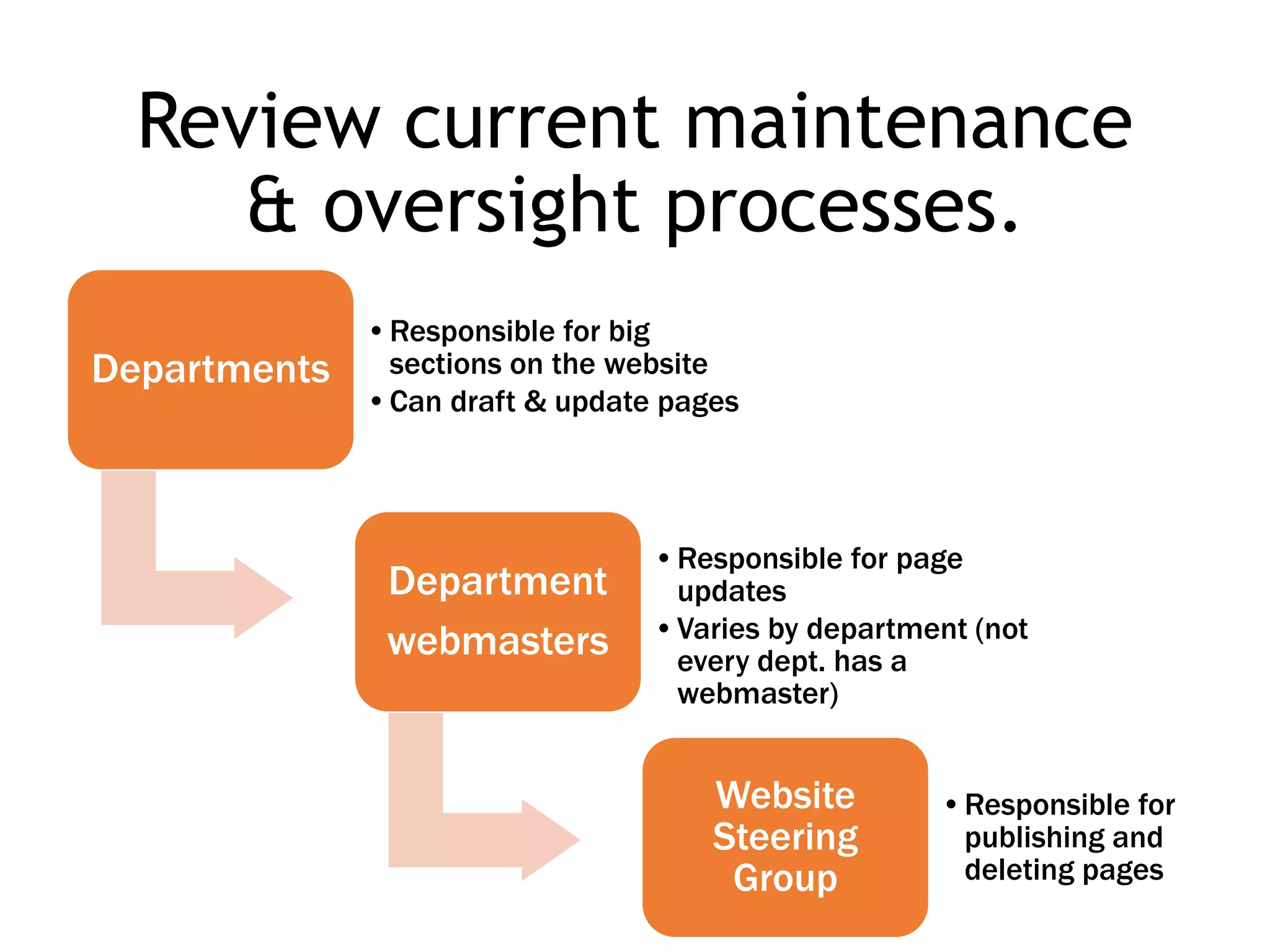
Review current maintenance
& oversight processes.
Departments
•Responsible for big
sections on the website
•Can draft & update pages
Department
webmasters
•Responsible for page
updates
•Varies by department (not
every dept. has a
webmaster)
Website
Steering
Group
•Responsible for
publishing and
deleting pages
Identify any training &
documented expectations or
accountability for content.
How often is content created,
updated, or deleted?
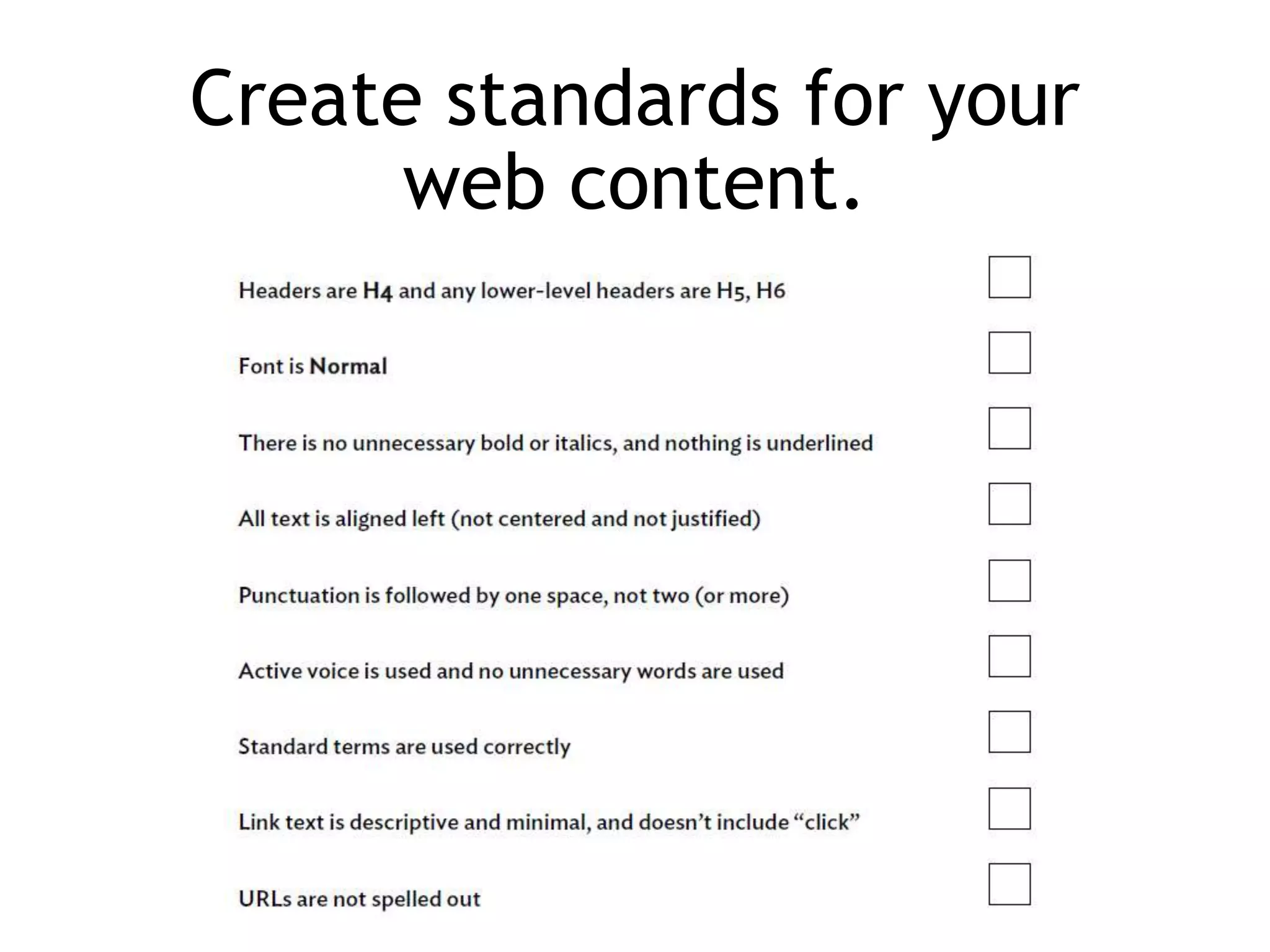
Create standards for your
web content.
Strategy
By establishing an effective and efficient content
strategy, we ensure that our website content is and
continues to be useful, usable, and findable.
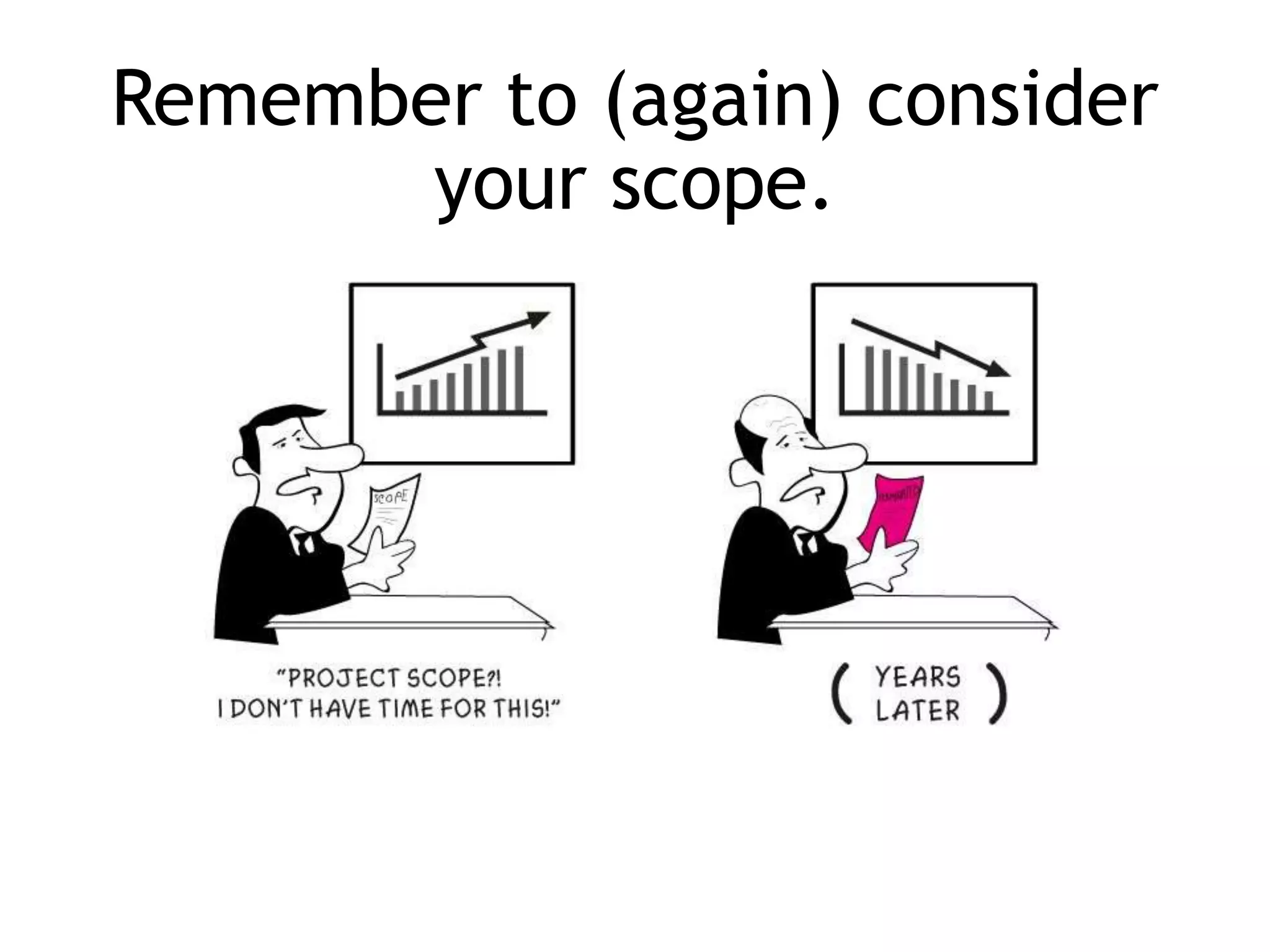
Remember to (again) consider
your scope.
Goals
1. Content focused
2. Accessible
3. Usable
4. Findable
5. Familiar
6. Engaging
7. Understandable
8. Credible
9. Human
Write actionable and measurable*
goals for your website.
*Metrics for content are hard, but not impossible.
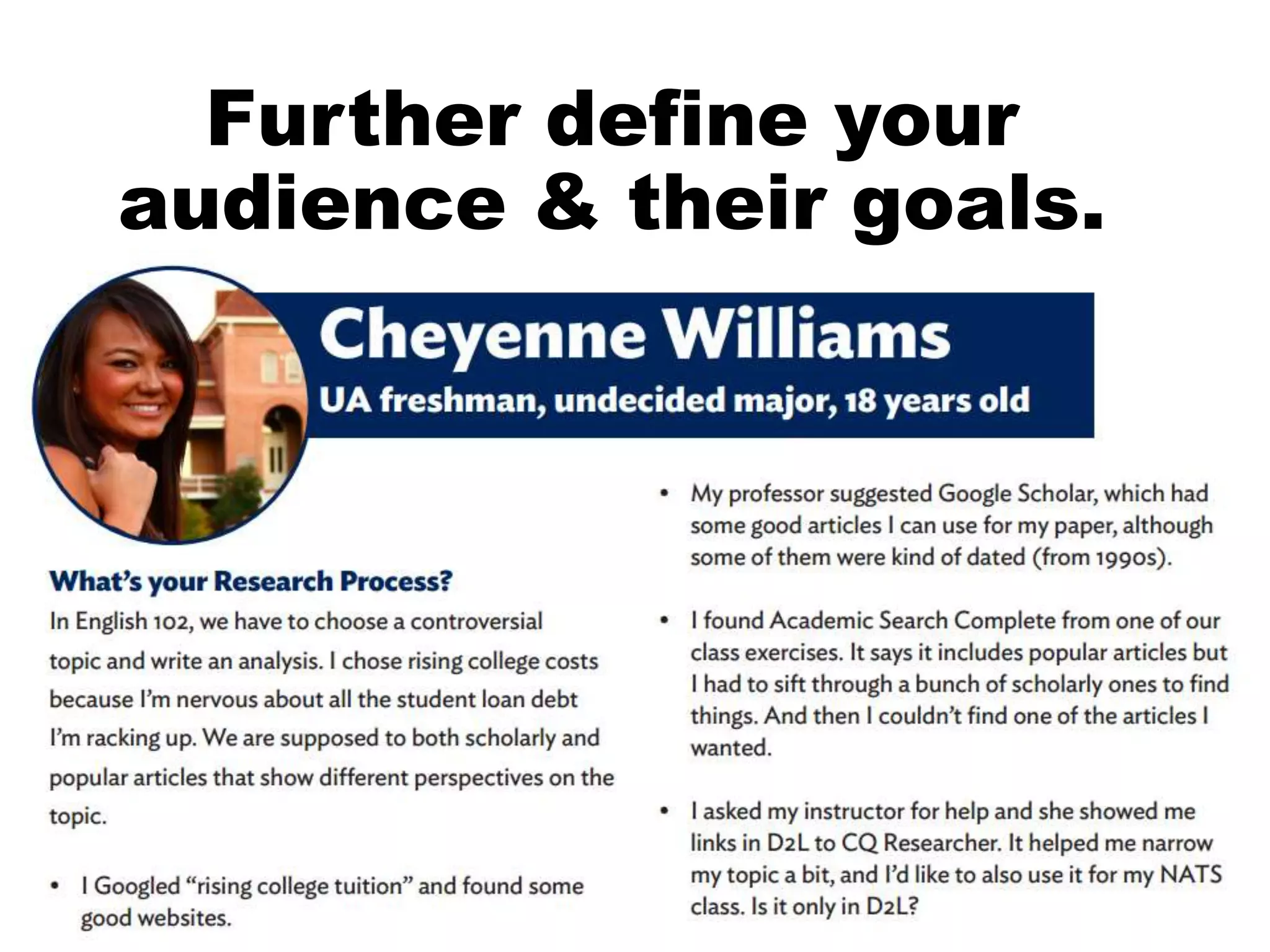
Further define your
audience & their goals.
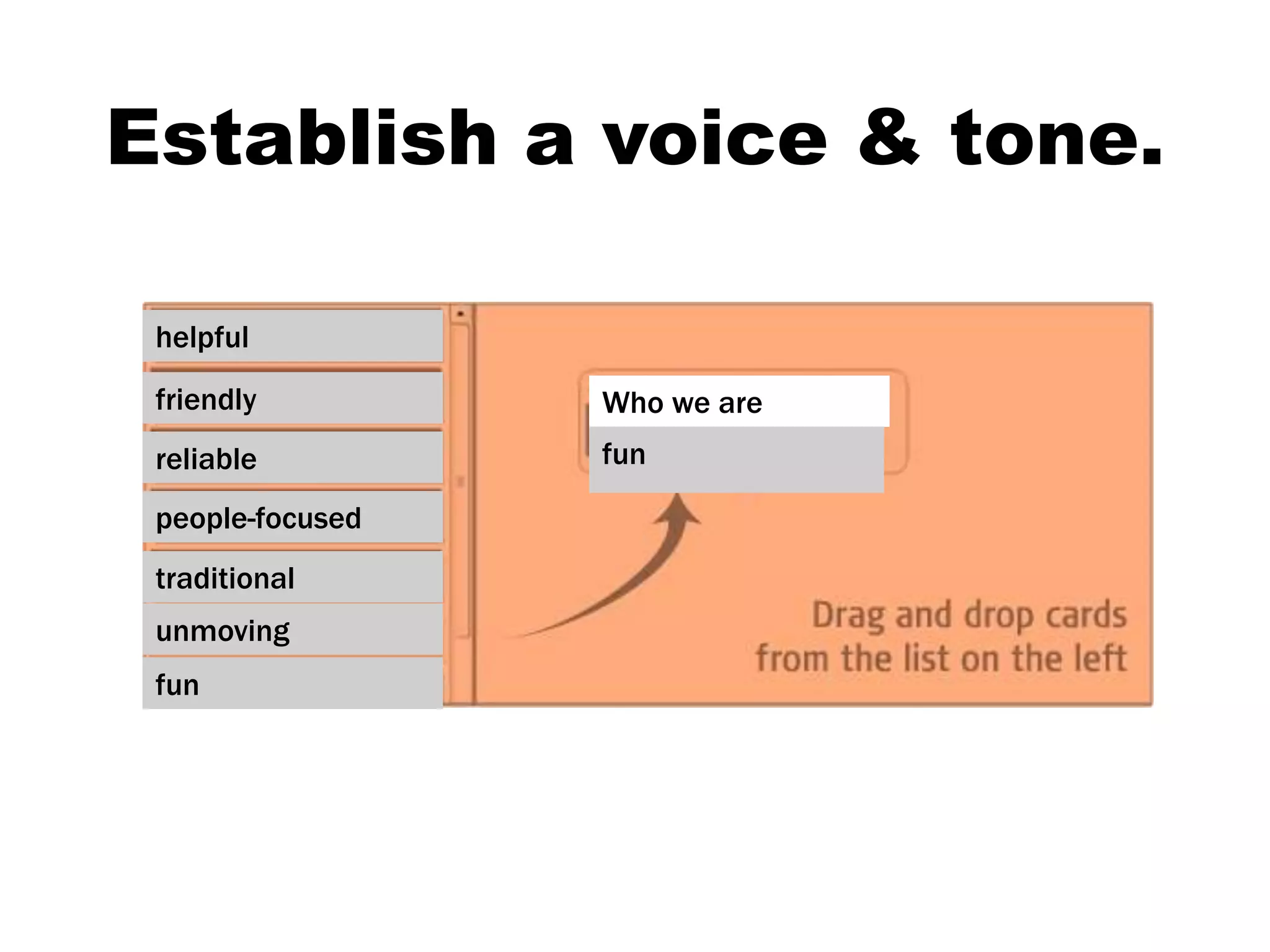
We will capture your ideas then
send to all staff for a sort.
helpful
friendly
reliable
people-focused
traditional
unmoving
fun
Who we are
fun
Establish a voice & tone.
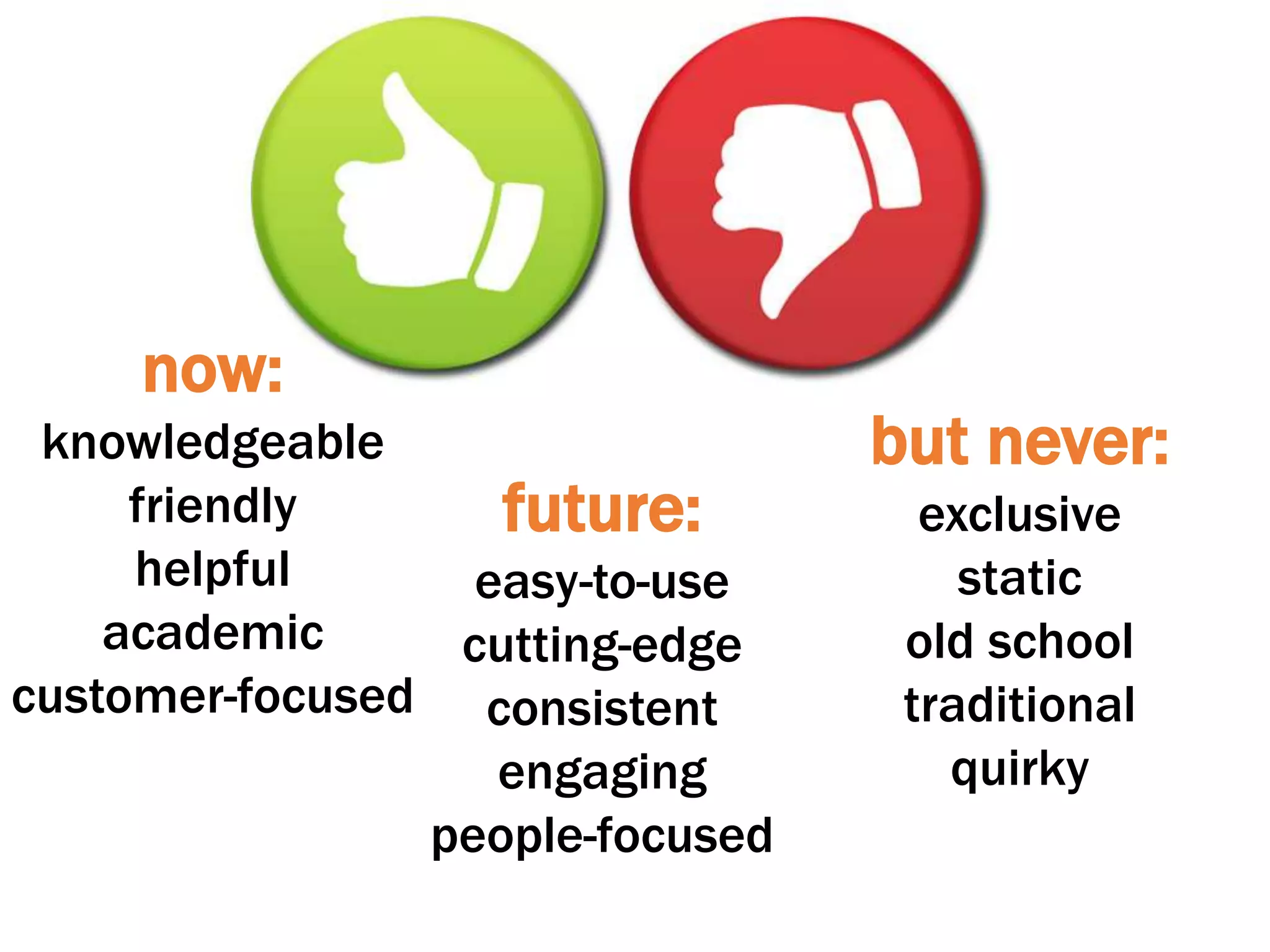
future:
easy-to-use
cutting-edge
consistent
engaging
people-focused
now:
knowledgeable
friendly
helpful
academic
customer-focused
but never:
exclusive
static
old school
traditional
quirky
Identify the players.
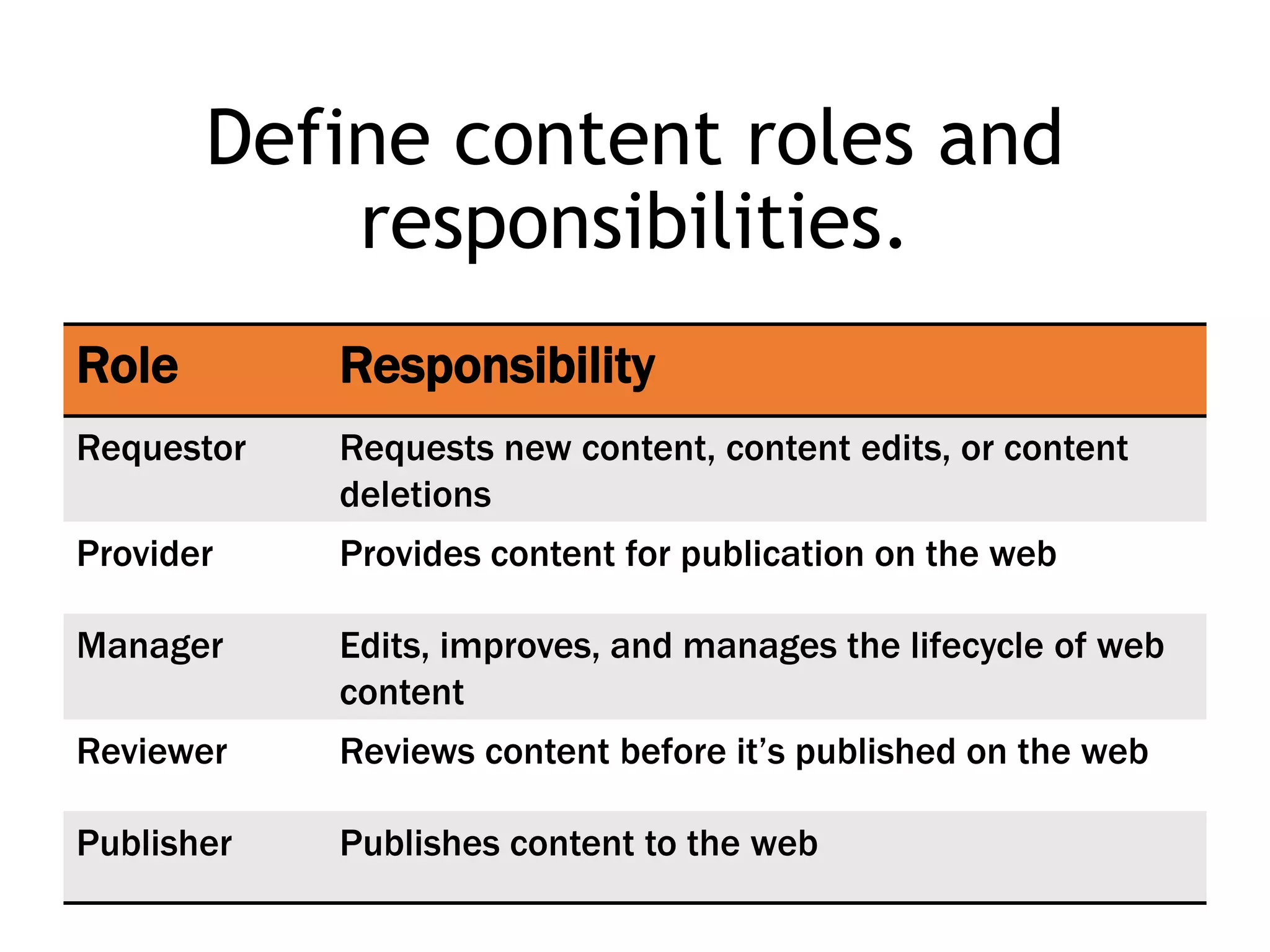
Define content roles and
responsibilities.
Role Responsibility
Requestor Requests new content, content edits, or content
deletions
Provider Provides content for publication on the web
Manager Edits, improves, and manages the lifecycle of web
content
Reviewer Reviews content before it’s published on the web
Publisher Publishes content to the web
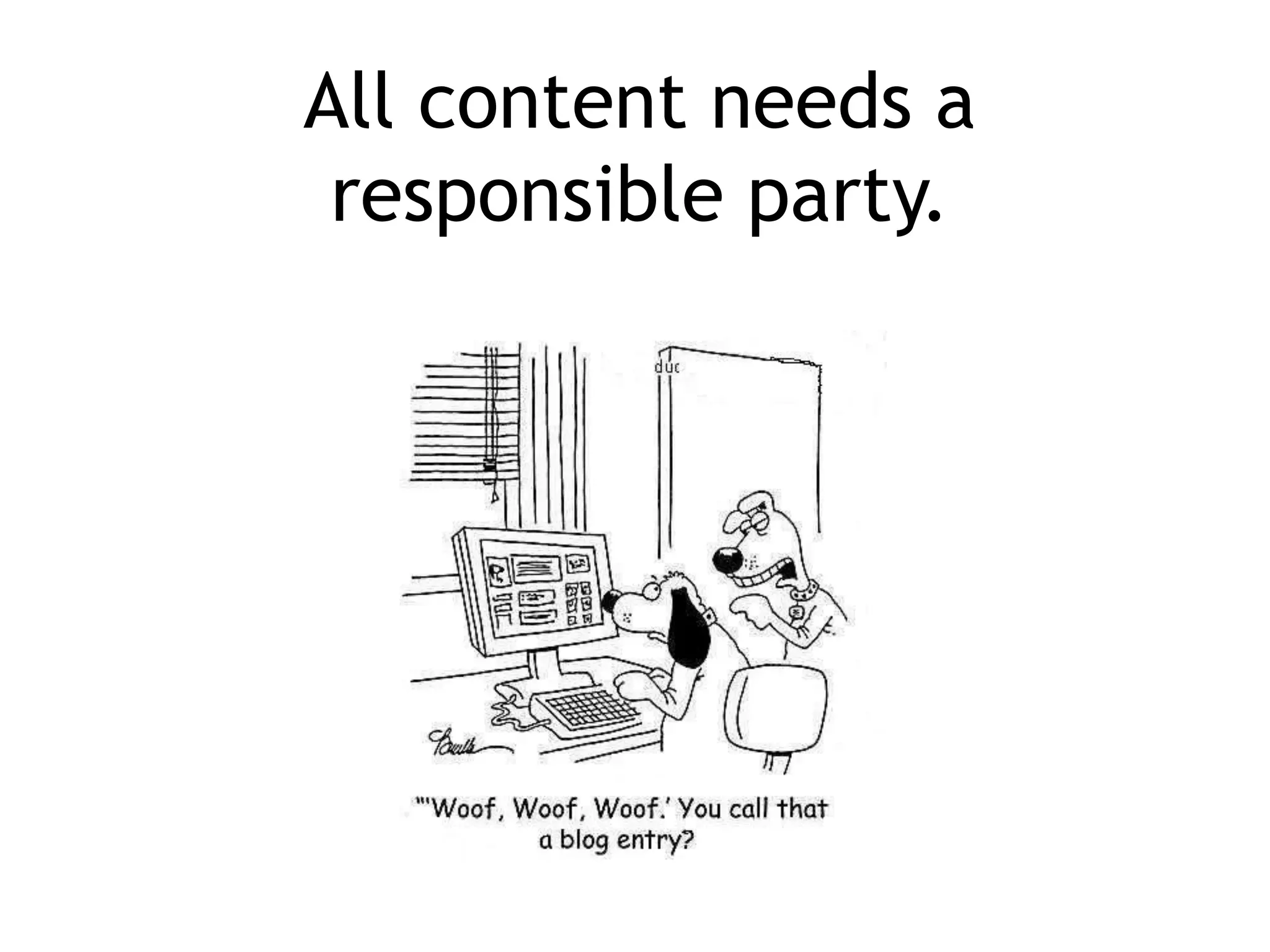
All content needs a
responsible party.
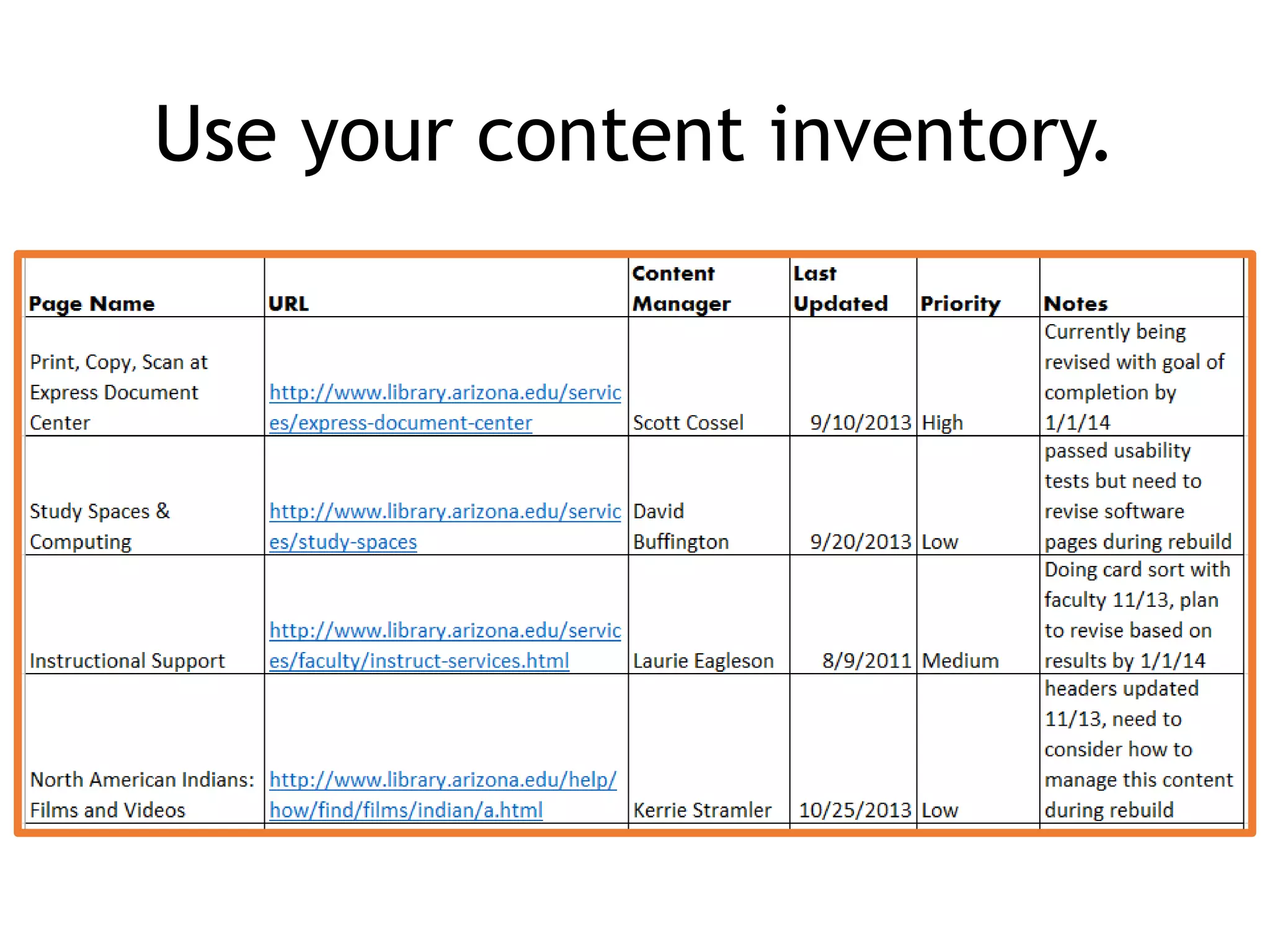
Use your content inventory.
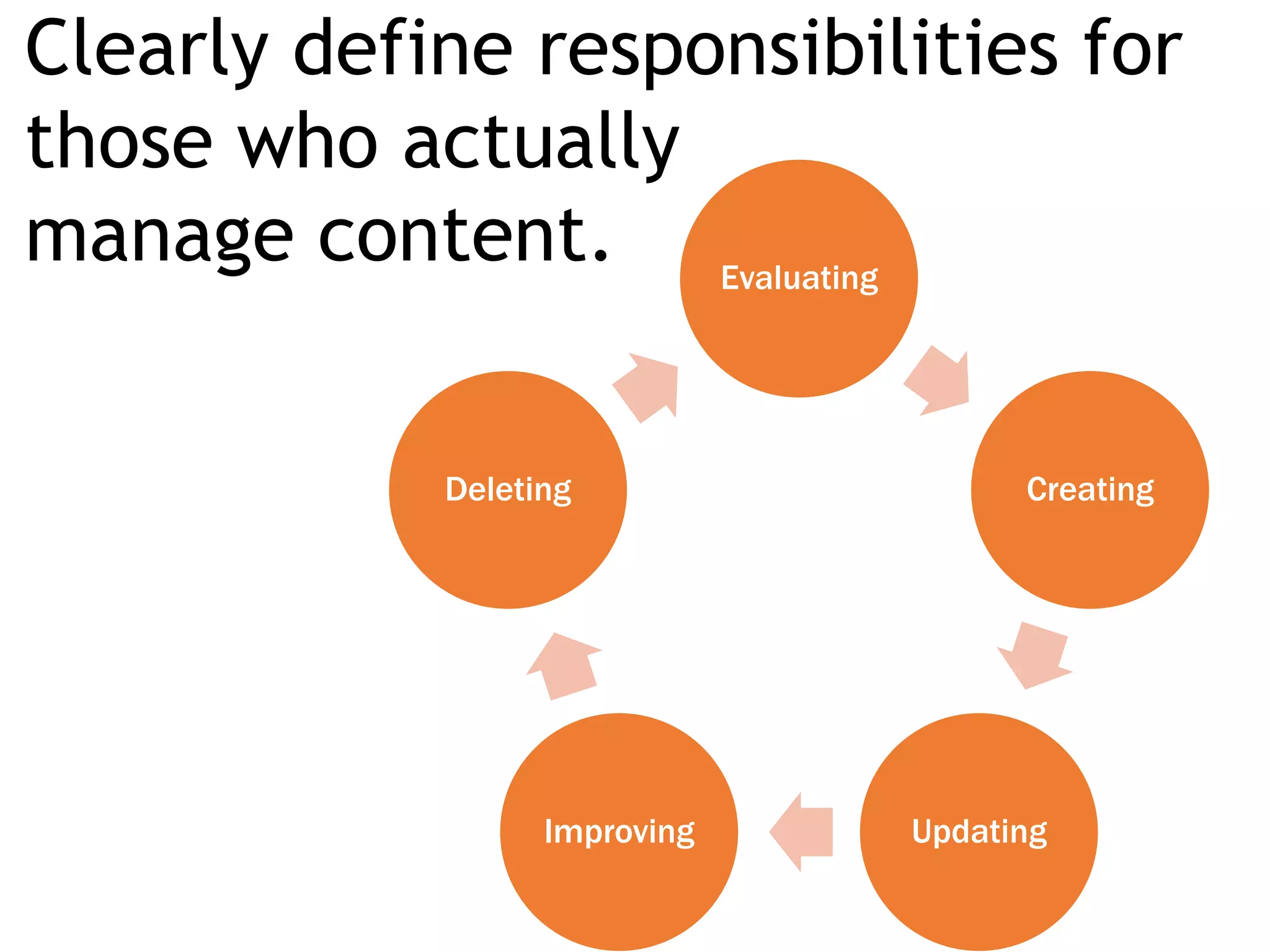
Clearly define responsibilities for
those who actually
manage content. Evaluating
Creating
UpdatingImproving
Deleting
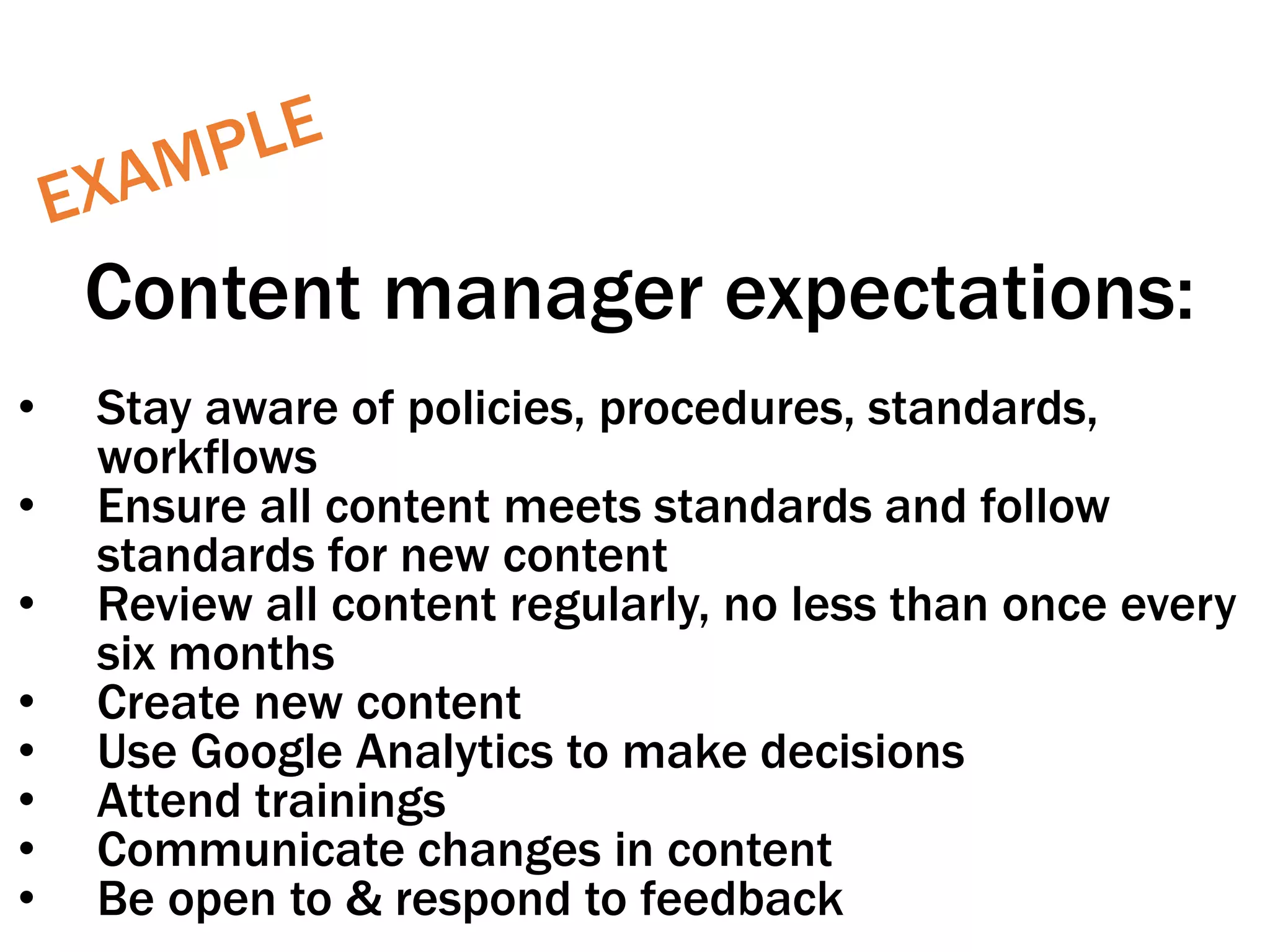
Content manager expectations:
• Stay aware of policies, procedures, standards,
workflows
• Ensure all content meets standards and follow
standards for new content
• Review all content regularly, no less than once every
six months
• Create new content
• Use Google Analytics to make decisions
• Attend trainings
• Communicate changes in content
• Be open to & respond to feedback
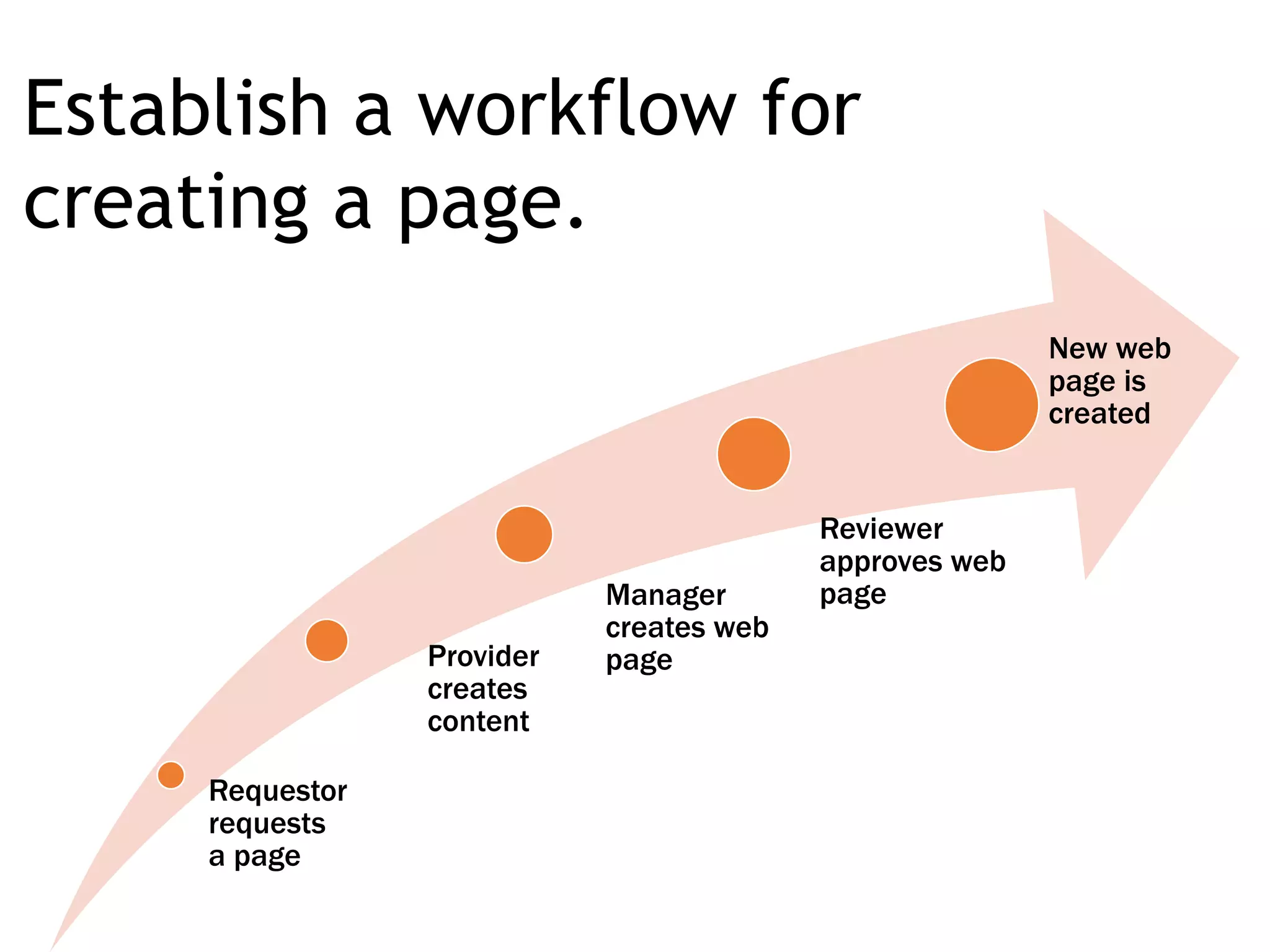
Requestor
requests
a page
Provider
creates
content
Manager
creates web
page
Reviewer
approves web
page
New web
page is
created
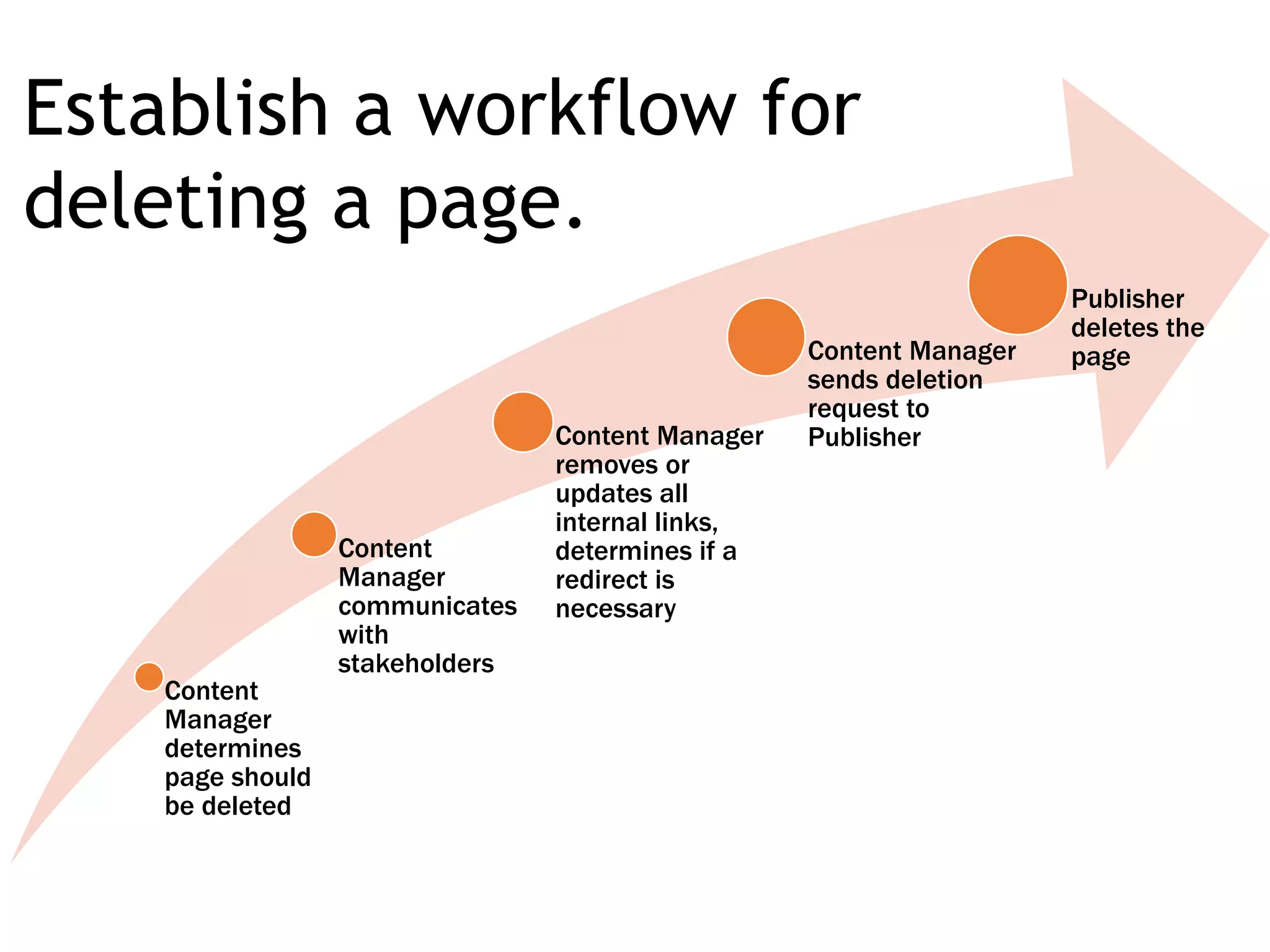
Establish a workflow for
creating a page.
Content
Manager
determines
page should
be deleted
Content
Manager
communicates
with
stakeholders
Content Manager
removes or
updates all
internal links,
determines if a
redirect is
necessary
Content Manager
sends deletion
request to
Publisher
Publisher
deletes the
page
Establish a workflow for
deleting a page.
Create a process
around how
content gets
updated.
And only create
what you can
maintain.
Point People
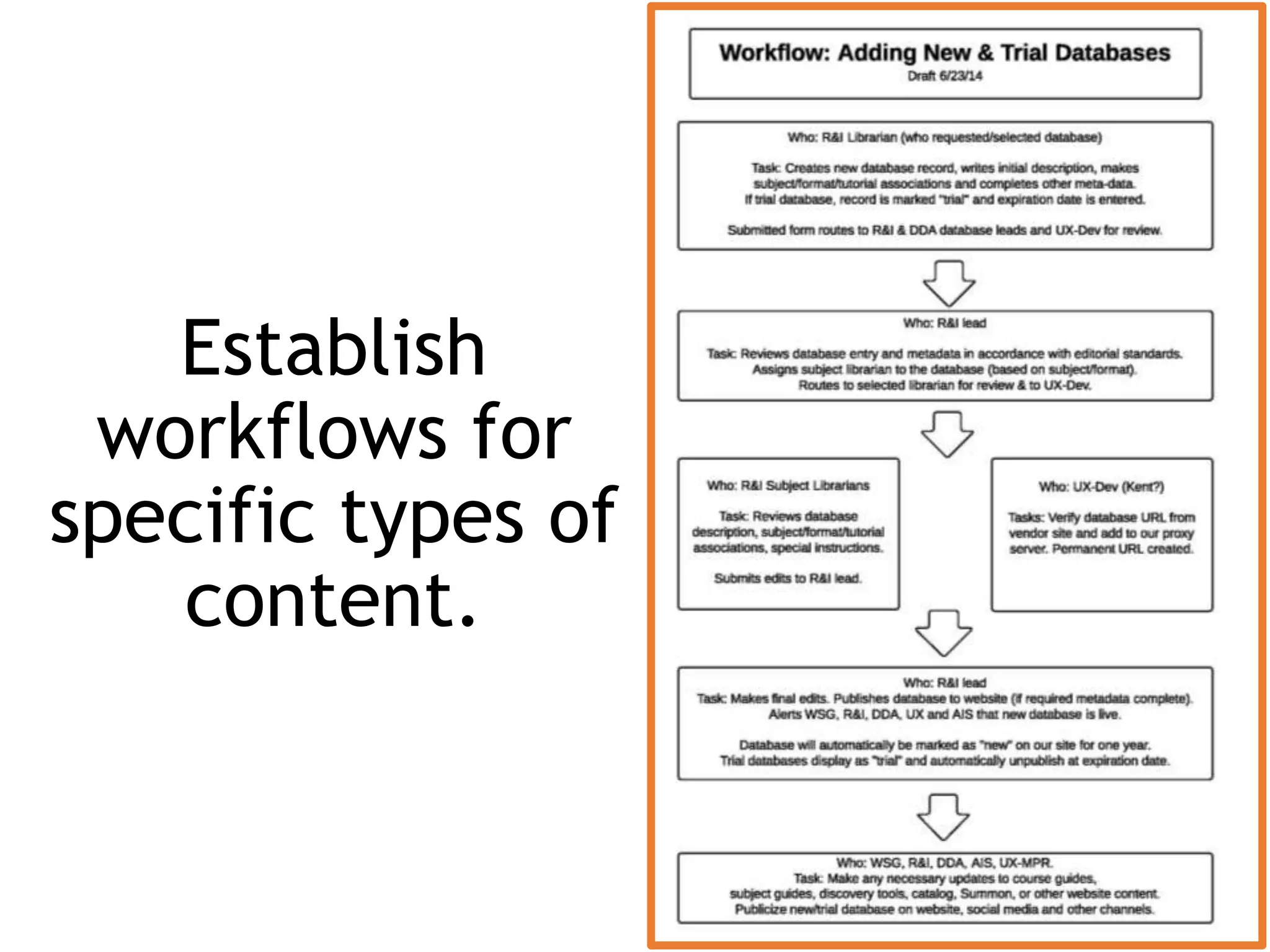
Establish
workflows for
specific types of
content.
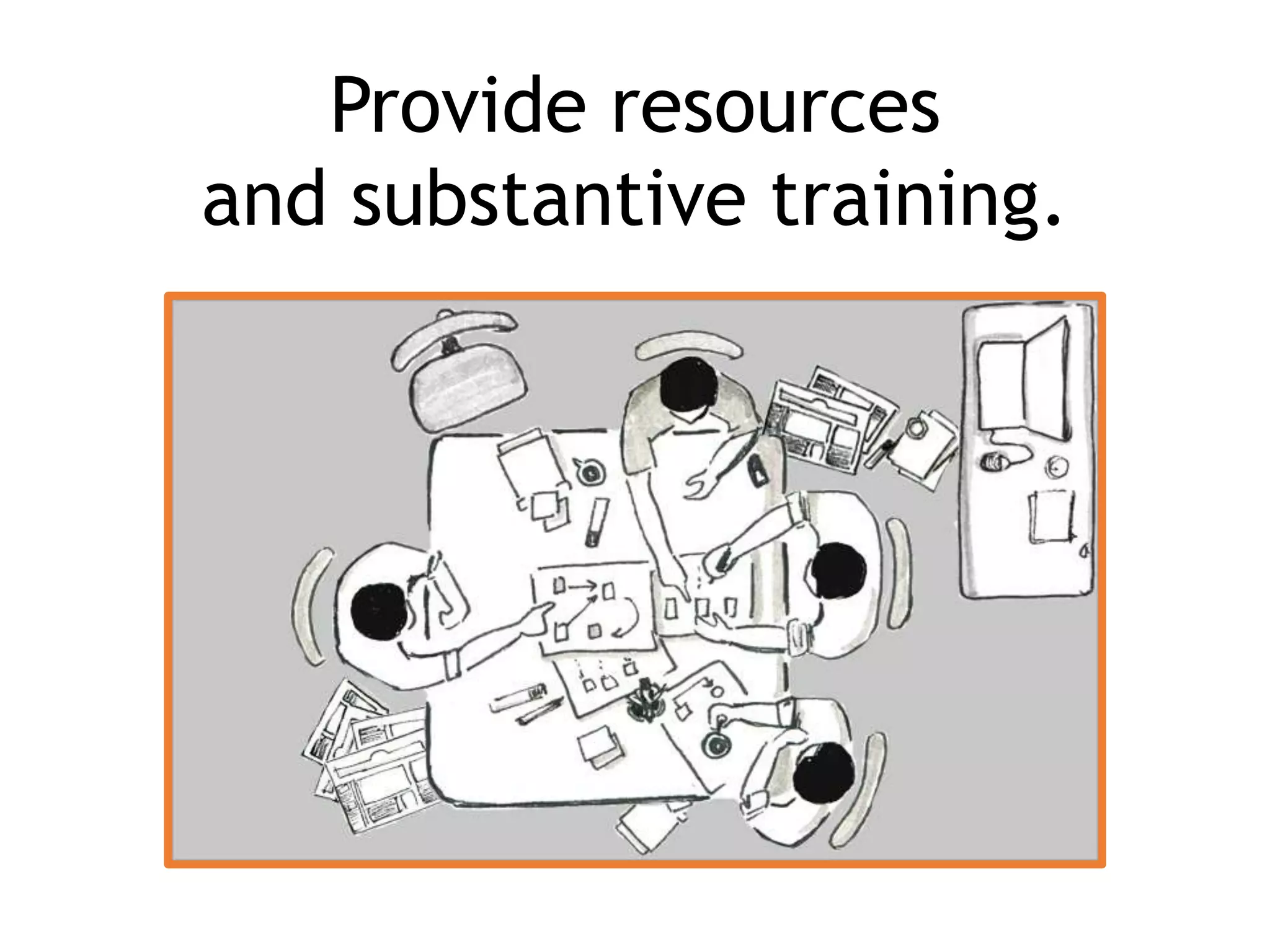
Provide resources
and substantive training.
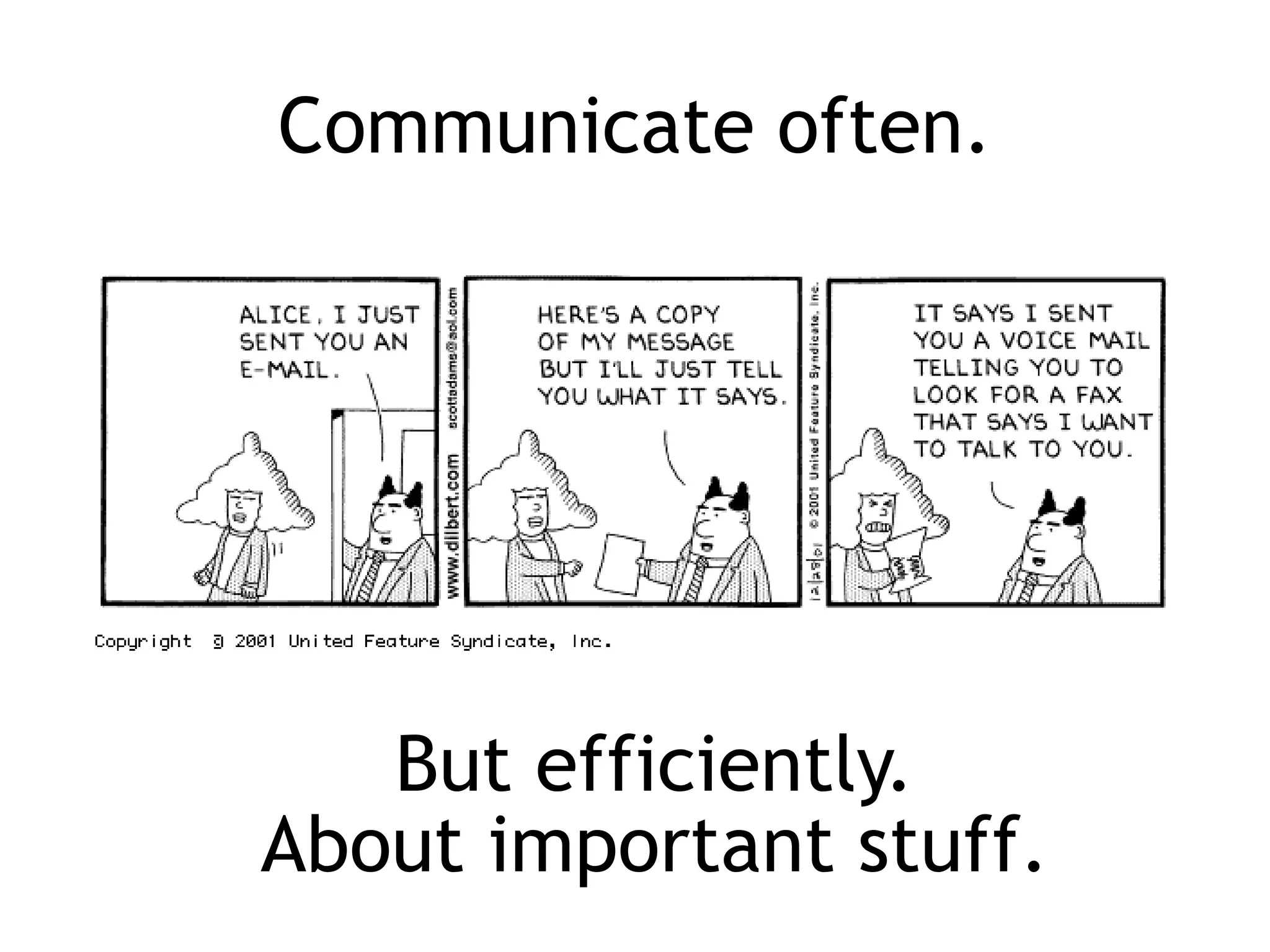
Communicate often.
But efficiently.
About important stuff.
Write like a
human.
Think like a
robot.
Sara Wachter-Boettcher
@sara_ann_marie
Make sure technology
(specifically, your content
management system)
supports it all.
Stop allowing bad things.
• underlines
• red text
•large headers
• Right justification
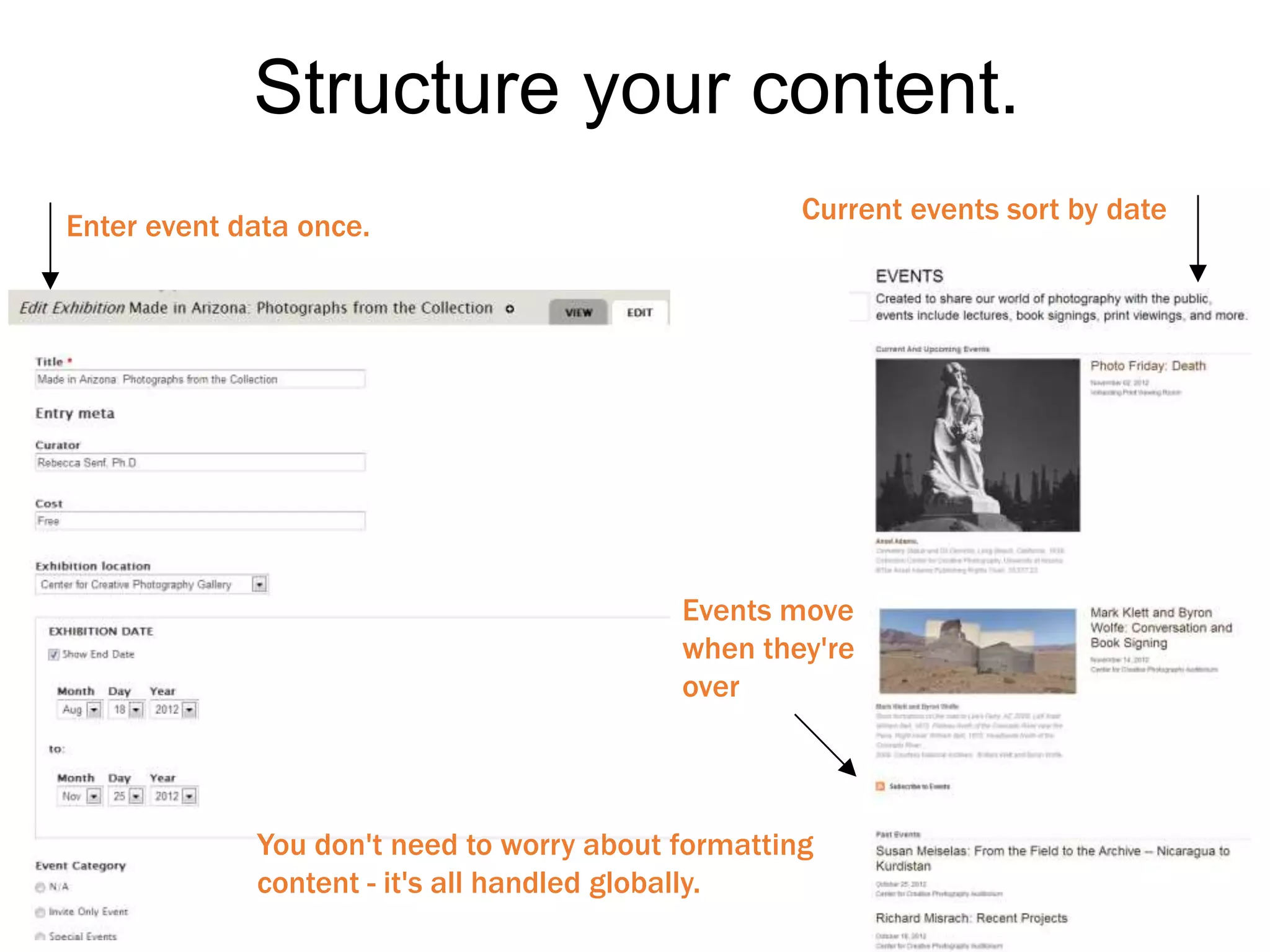
Enter event data once.
Current events sort by date
Events move
when they're
over
You don't need to worry about formatting
content - it's all handled globally.
Structure your content.
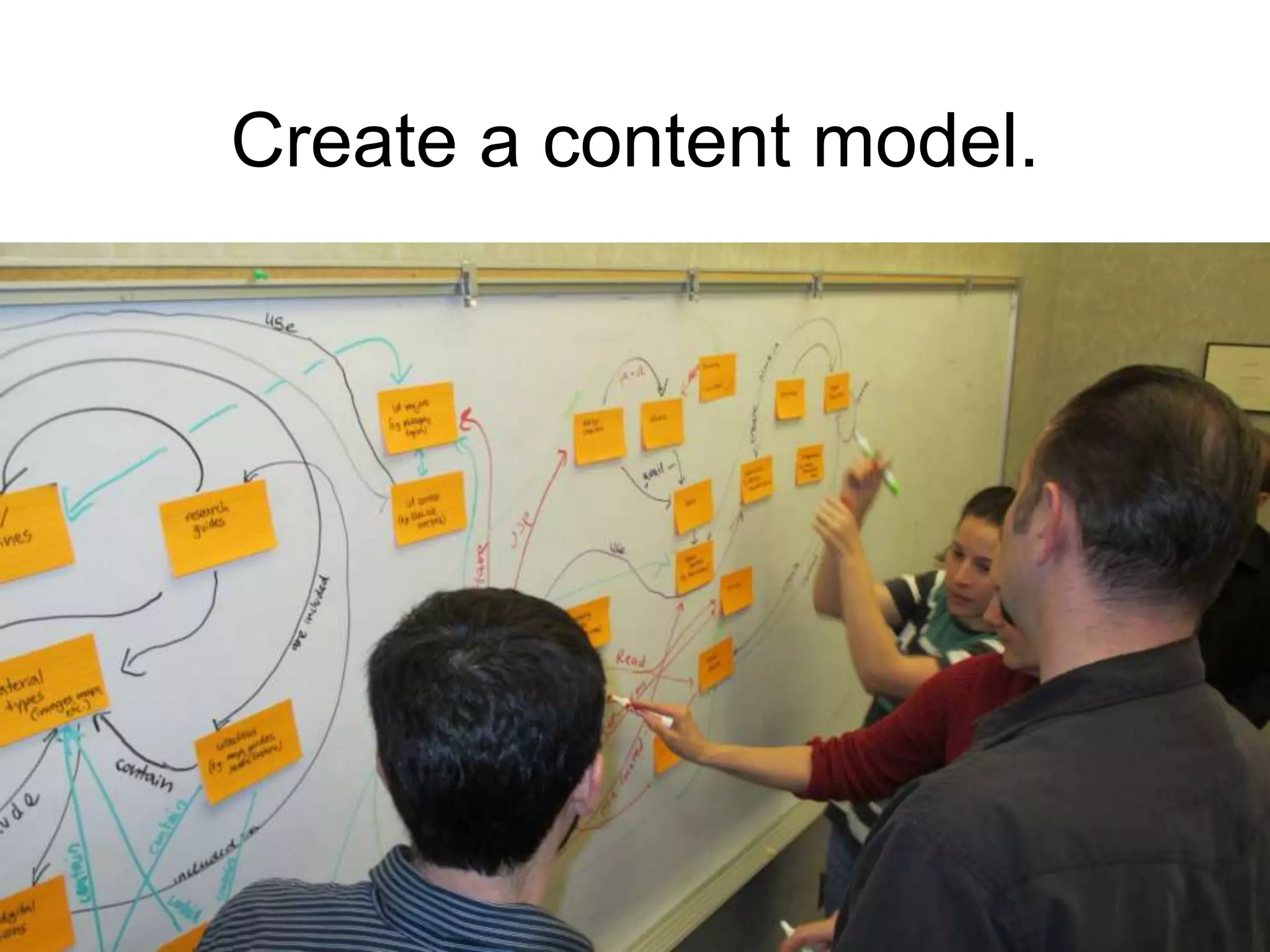
Create a content model.
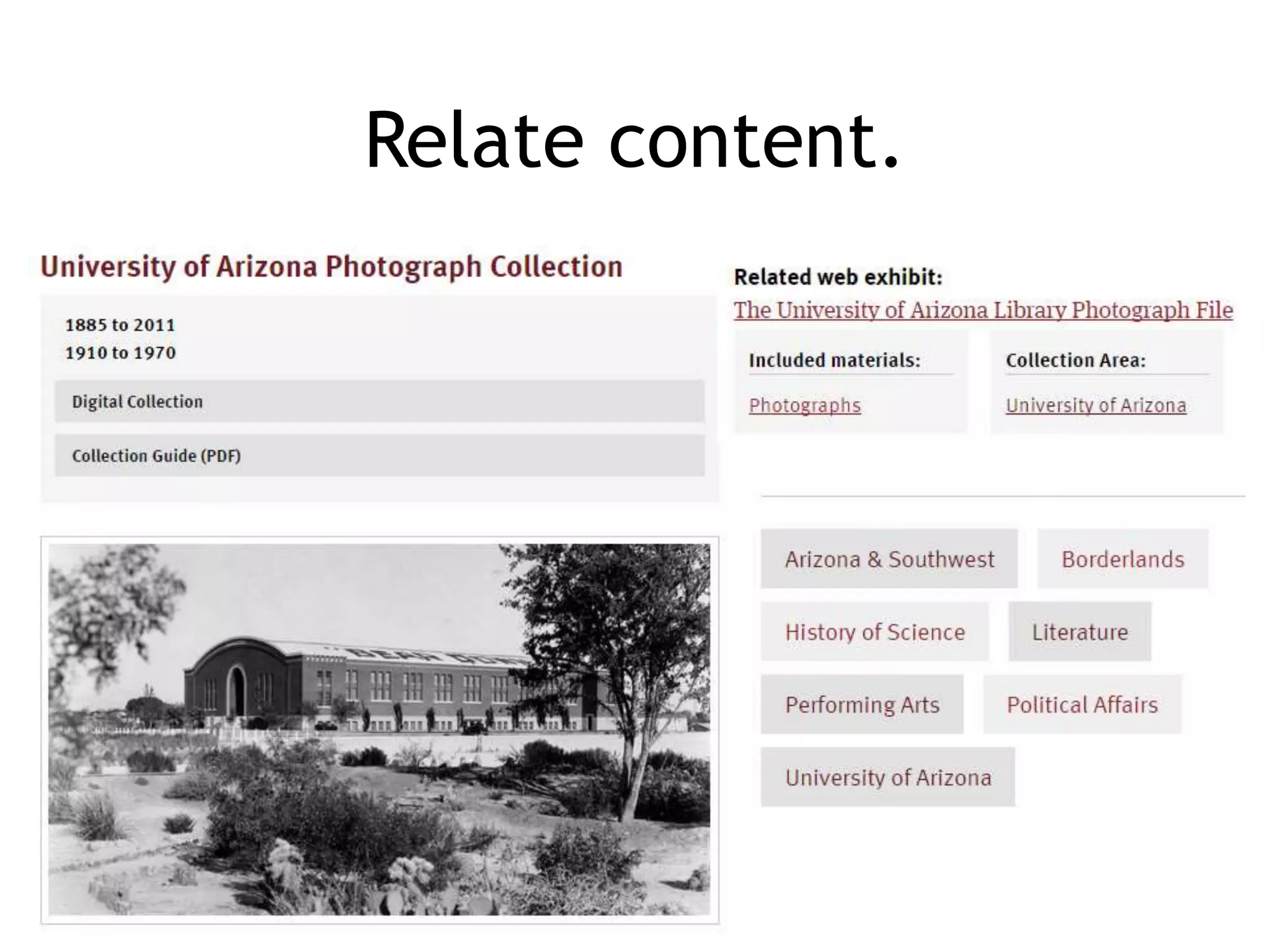
Relate content.
Learn more
Library Juice Academy: Developing a Website Content
Strategy (4-week online course, October 2015)
Blakiston, R. Developing a Content Strategy for an
Academic Library Website, Journal of Electronic Resources
Librarianship, 25:3, 175-191. 2013.
Halvorson, K. Content Strategy for the Web second edition. 2012.
Kissane, E. The Elements of Content Strategy. 2010.
Questions

Content Strategy for Library Websites

Editor's Notes

  • #2 Rebecca - welcome http://1.bp.blogspot.com/_kHpAP39uhMw/S7oqr8fNCnI/AAAAAAAAB0E/kwjXM6lArH4/s1600/thoughtfulfrank.jpg
  • #3 Rebecca
  • #5 First, I want to introduce you to Kristina Halverson, a super cool lady who is a pioneer in content strategy and one of my idols.
  • #9 So how do you go about doing this? The easiest way to document this is using an excel spreadsheet, such as this one. I have provided an example in Moodle for you to use, you can adapt this or feel free to create your own spreadsheet if you prefer. The main elements of the spreadsheet are columns that include at minimum: Page ID, Title, URL, and Notes. The Page ID is helpful for understanding your information architecture, so let’s talk about this in more detail.
  • #10 Ok, so let’s get to it. With your spreadsheet ready to go, you can begin conducting your audit. To start doing this, just go through the website, page by page, following internal links, and tracking what you find in your spreadsheet. You can pull a list of web pages from your content management system if you like (for instance, Drupal nodes), and use this to ensure that you have captured all of the Drupal nodes on your website.
  • #11 Additionally, you can follow the roots of URLs to discover web pages. For instance, you might find a web page that is a grandchild of the homepage. Look at the parent URL to see if a page exists there. You may find pages this way that aren’t actually linked internally anywhere, but that live on your website and have been forgotten about. These can be the most problematic, but are really important because they are findable by your users!
  • #12 You can also conduct site searches to discover web pages that also might not be linked internally, but that are again, still discoverable by users. You may want to conduct some common types of searches to see what you find.
  • #13 To dig even deeper, if you have Google Analytics setup, or a similar analytics tool, you can explore your content here. Make sure that everything captured as content within Google Analytics is also captured within your content inventory spreadsheet. One straightforward way to do this is by each top-level section. So you can see here, I have searched Google Analytics to just look at the content within the Services section.
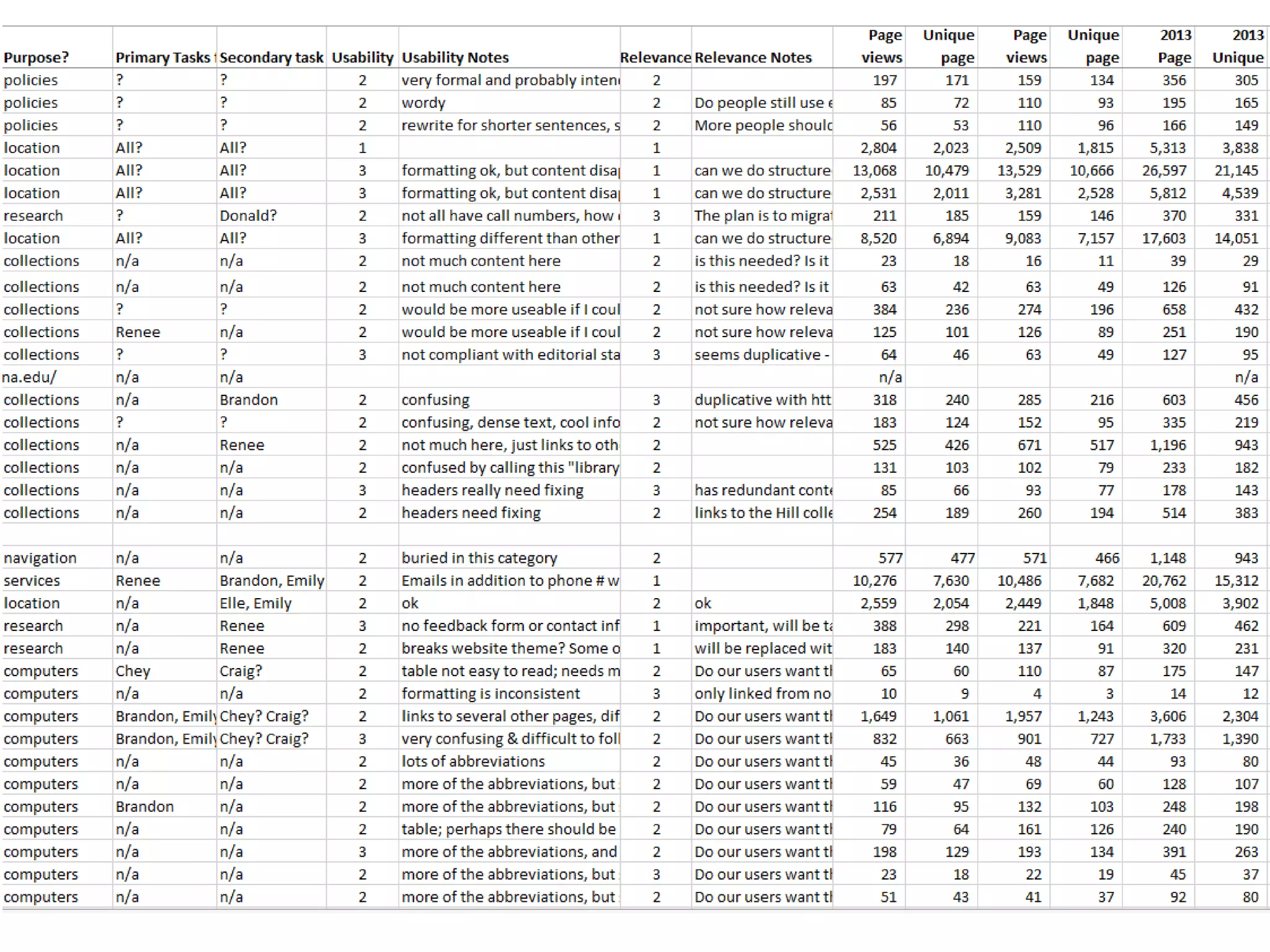
  • #14 So how do you go about doing this? The easiest way to document this is using an excel spreadsheet, such as this one. I have provided an example in Moodle for you to use, you can adapt this or feel free to create your own spreadsheet if you prefer. The main elements of the spreadsheet are columns that include at minimum: Page ID, Title, URL, and Notes. The Page ID is helpful for understanding your information architecture, so let’s talk about this in more detail. Shoshana quantitative inventory What did we capture? Basics: Page ID. Page title. URL. Assigned manager/provider. New info about format/content type, audience, purpose, audience and primary tasks and google analytic data. Also evaluated how usable and how relevant the info was on a scale of 1-3. And yes, this took a long time.
  • #15 Depending on the sort of information you want to capture, you can make columns for different categories. In the previous example, I wanted to capture the content owner responsible for the page and the last updated date. Libraries may find it particularly useful to capture a content owner, creator, or editor as part of this process. This might be an individual or it might be a department or team. In this example, I have a column for “responsible department.” Later on, we are going to be looking at assigned responsibilities related to content, so having a sense of who is responsible for what in the current environment can help with this. You may have other interests, or once you begin the audit you may discover common issues that you want to capture. For instance, do you want to capture wacky, convoluted URLs? Do you want to capture re-directs? Do you want to capture where a particular page is linked from? If you are looking at content beyond simple web pages, such as videos, do you want to capture their length, size, or quality? It is wise to look at the quality of the content overall and capture content problems. You can do this in a simple “notes” field, but if you have the time you can consider doing something more systematic. Perhaps you could rank each web page on its quality of web writing, its formatting, its relevancy, or its accessibility. In this example, I have a column for the quality of web writing, the usefulness, the relevancy, and the intended audience. You could even extend the audit beyond just looking at the website itself, and look at something like Google Analytics data and capture it’s use overall. Even if you don’t do this now, a content inventory can be useful later on since you can more easily do this kind of thing, like a systematic look at web page usage. Again, the way you conduct the audit may vary depending on your own context. It might be of benefit to start simple, with just a “notes” column, and then expand as you find common trends or things or interest you’d like to capture more systematically during the audit.
  • #16 Shoshana Qualitative stuff we added What did we capture? Basics: Page ID. Page title. URL. Assigned manager/provider. New info about format/content type, audience, purpose, audience and primary tasks and google analytic data. Also evaluated how usable and how relevant the info was on a scale of 1-3. And yes, this took a long time.
  • #17 So you’re conducting your audit, however large or small. Let’s move on to the fun part. Cleaning up what you find. Most likely, you are going to find problematic content. Things that are outdated, are poorly written, poorly formatted, or are duplicated. I found a whole lot of stuff like this.
  • #18 Here is one example of a mistake page that I did take a screen shot of – this is a duplicate page I found. Yes, we had two pages about library fines – while the page titles were different, much of the content was duplicative. And both of these pages were linked to from other sections of our website. The intention of the pages were both the same. One of them clearly had to go, and go quickly. When I found this problem, I contacted staff in our access services department – they knew exactly which one was the “correct” version, so I was able to quickly delete the outdated version, and update internal links so that they all pointed to the correct version.
  • #19 Here is an example of a “not-so-good” page that I found. In this case, it was a formatting issue - the tables were running off the frame of the web page. This is something that was noted in the content audit spreadsheet so that the content owner for that page could address it. This is just one example of the tables problem – we found a number of problematic formatting related to tables.
  • #20 We also found a lot of content that used All Caps. We had started to ask content editors to never use all caps, but there was legacy content that still had all caps, so we noted this in the spreadsheet. We also found problems with long titles of web pages – often ones that included “at the University of Arizona Library,” which seemed unnecessary. This was likely because documents were simply copied from print handouts and placed on the web. This helped influence some of our subsequent strategies related to our editorial standards, as well as training for content writers, and the process for creating a new web page.
  • #21 We found text that was red. While we had a standard in place that no text be anything but black – and had made our web page editor not allow red text, there was still some left over from previous web pages. Again, we tracked this in the spreadsheet. In some cases, we were able to fix the problems immediately – clean things up as we went. In other cases, more work was required.
  • #22 Another one of the problems we found over and over again was the misuse of headings. The title of our pages is Heading 3, and so Heading 4 is supposed to be used for headings within the body of the page. Many times, Heading 3 or even Heading 2 was being used instead, incorrectly. This made headers within the body of the web pages larger than the title, which is no good. This turned out to be a big enough problem across a large enough number of pages that rather than me trying to fix all of them as I went, I tracked them and then asked student workers to go in and fix these problems.
  • #23 Shoshana (not to mention the 200+ we buried three years ago) With lots more to come! Currently working with content managers to review the audit and determine what can be deleted. We are also using the audit to determine the highest priority content to breathe new life into and to figure out where things fit in our new information architecture.
  • #24 Throughout this process, you’ve got to make sure people are on board. We didn’t just assign content to people, we met with every single team, with their content manager or content managers in the room, and talked about the content that we found. We shared the audit, which included notes about some of the most problematic content. We asked the teams to commit to supporting their content managers in addressing these problems. Overall, library staff were very responsive to this. They want to have a good website, and appreciated the time we had taken to go through the content, identify issues, and create some new process that would lead to improvements.
  • #26 So, step back for a minute. You’ve been in the weeds looking at individual web pages, but take a breathe now and think about the bigger picture. Think about your organization, why you exist, and what you are trying to do. What are the goals of your library? What is its purpose? What are the goals of your organization, and what are the goals of your users? It’s important to balance the organizational goals and the user goals as you think about this. It’s important to understand this first, before diving into the nitty-gritty of creating new workflows, standards, and processes. Your strategy has to be rooted in something, and that something is purpose. Everyone involved in the content process has to be on board with the purpose, and the content you create on your website has to support that purpose. There are other courses that talk in more depth about your audience, developing personas, and understanding user behavior. I’m not going to go into detail here. But I would like you to think about this and think about your particular context. Because libraries are service-oriented, and because they are usually non-profit, educational institutions, thinking about the user first is a no brainer. What is your website for, and who is it for? What is your organization trying to achieve with your website content?
  • #27 Think about getting a group of stakeholders in your library together – in a larger library, this might be your web team, some front line staff, your director, someone from marketing, and a few other administrators. Discuss your purpose when it comes to your website. Brainstorm a list of things you want your website content to accomplish. This week, I’m asking you to fill out an analysis worksheet about the current state of your website. The first question is, “What is your organization trying to achieve with your website content?” Here are some examples from my own analysis. Feel free to just brainstorm a list of ideas on the worksheet. You might have to do this independently for now, but it is worth having a broader conversation with colleagues for these sorts of questions, to make sure everyone is on the same page.
  • #28 Example A place to start to conduct research or find information about the libraries Information about library resources and services Ability to find library materials, including books, journals, articles, and DVDs Ability to access our content from a mobile device
  • #29 Based on the organizational and user goals for your website content, do you think it would be an easy or challenging activity for your library to agree upon a vision statement for its website? It can be an interesting activity, and a way to get everyone on the same page. This vision, or purpose statement, consider including some principles of what you are trying to do. Try not to make it super generic – try to make it useful enough that it can keep you grounded and can be referred to when it’s time to make some serious decisions about your content.
  • #30 Once everyone is on board with your purpose, goals, and values, it’s time to take a look at the current environment and current processes. Who does what? So the next section of the Analysis worksheet is about current maintenance and oversight of your web content. This is where you will look at what structures, processes, and procedures are currently in place. There is a reading this week by Rick Allen, titled “Content Governance Assessment.” This is from the Meet Content blog. I recommend exploring this blog, by the way, because it’s dedicated to content strategy in higher education. A lot of times you’ll find content strategy readings from the commercial world and it can be tricky to translate into a library setting – this Meet Content blog, on the other hand, has lots of good stuff on it that can be easily translated to the academic or public library environment. So in this particular article, Rick argues that in order to figure out a method for content governance that suits your particular organization best, you have to first evaluate the current roles and responsibilities closely. You have to identify who is doing what in the current environment. And, as Rick says in the article, you have to “consider your entire content ecosystem.” He gives some good questions and checklists to use, which is a good supplement to the analysis template used in this class.
  • #31 Once everyone is on board with your purpose, goals, and values, it’s time to take a look at the current environment and current processes. Who does what? So the next section of the Analysis worksheet is about current maintenance and oversight of your web content. This is where you will look at what structures, processes, and procedures are currently in place. There is a reading this week by Rick Allen, titled “Content Governance Assessment.” This is from the Meet Content blog. I recommend exploring this blog, by the way, because it’s dedicated to content strategy in higher education. A lot of times you’ll find content strategy readings from the commercial world and it can be tricky to translate into a library setting – this Meet Content blog, on the other hand, has lots of good stuff on it that can be easily translated to the academic or public library environment. So in this particular article, Rick argues that in order to figure out a method for content governance that suits your particular organization best, you have to first evaluate the current roles and responsibilities closely. You have to identify who is doing what in the current environment. And, as Rick says in the article, you have to “consider your entire content ecosystem.” He gives some good questions and checklists to use, which is a good supplement to the analysis template used in this class.
  • #32 Example Since the website redesign in 2009, 433 of 1126 (or 38%) of published pages have been modified in some way. I also found out that 104 new pages have been created in that same time period. No record of what pages have been deleted. Another thing I found to be helpful to investigate during this analysis phase is how often content is touched. This can give you a sense of how much work is going into web content currently, as well as if your content is growing, shrinking, or staying about the same. In other words, how often are new web pages created? How often are web pages updated? How often do web pages get deleted? I was able to find out that since the website redesign in 2009, so over the course of two years, 433 of 1126 (or 38%) of published pages have been modified in some way. Another way to put this is that 62% of web pages had not been modified in two years. I also found out that 104 new pages had been created in that same time period. We didn’t have a record of how many pages were deleted, but I imagine we were creating many more pages than we were deleting.  
  • #33 The next piece is creating editorial standards for your content. This is isn’t distinctly in the analysis phase, but that’s kind of where it fell during my process. Standards became the foundational document, and the strategy supported the implementation of those standards. So there is a gray line between the analysis and strategy phase, but I’m not too worried about it. And actually your editorial standards will become a living document, continually updated as you discover new standards that need to be in place. So you may as well get started now! I’ll mention that a lot of people refer to editorial guidelines. I like to use the term standards because it’s a bit more official. Content writers might be expected to follow guidelines, but that’s more loosy-goosy. If content writers are expected to follow standards, it’s an expectation, it’s a rule, it’s something you must obey. Sounds harsh, but your web content is important, so having standards around it is important.
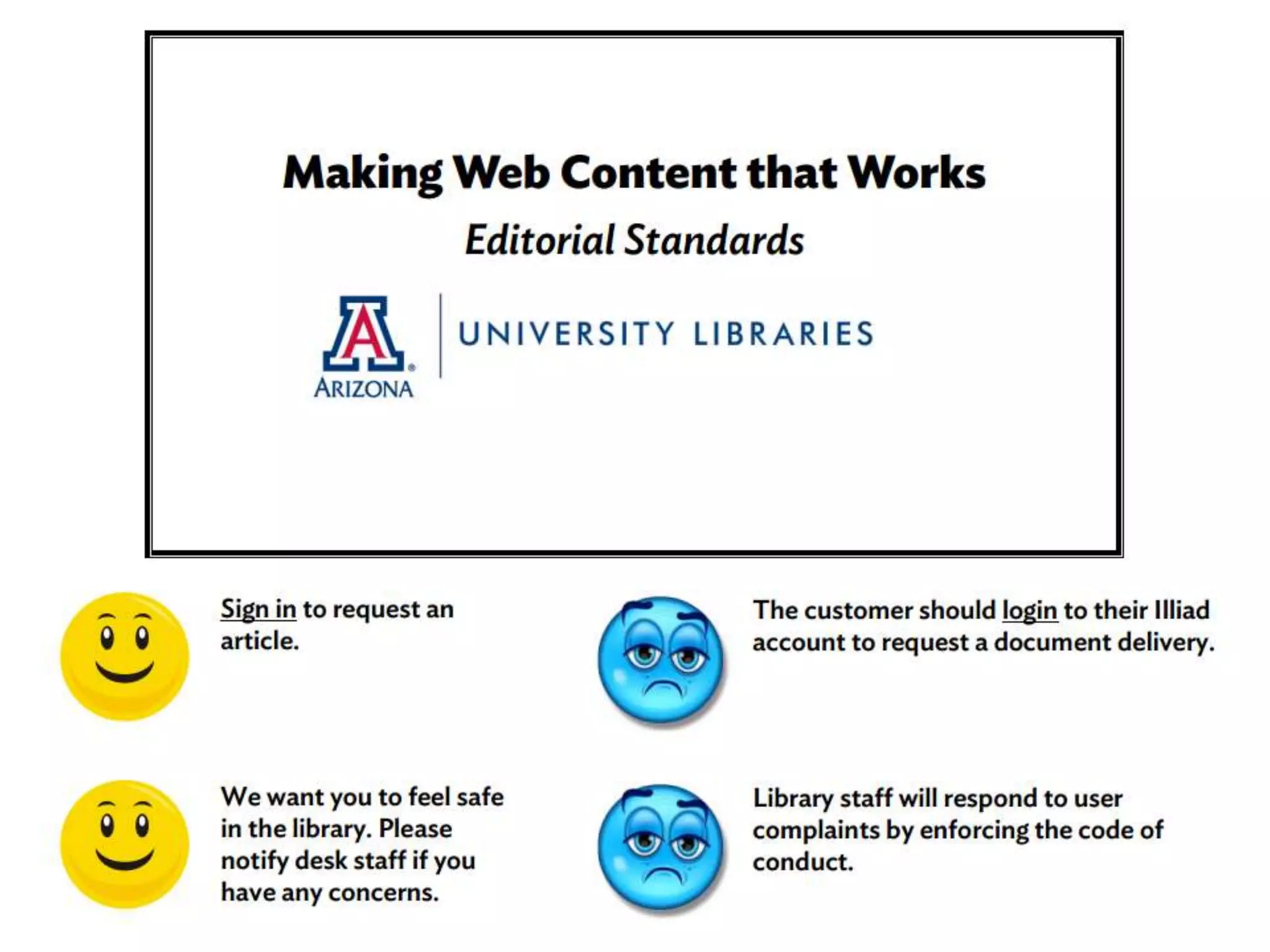
  • #34 In the writing for the web course, we also talk about editorial standards as a way to enforce good web writing. There are lots of things that can go into this kind of document, some related to web writing, but also things related to consistency and formatting. In your standards, you can include rules about use of font styles, italics, bold, use of bulleted and numbered lists, use of headings, use of anchors, and use of images. You can figure out if you have something like this already during the analysis phase. There is a good chance you have something like this already, but it’s quite possible you have nothing. I found that we had nothing like this, so I created something. It started just a few pages long, mostly focusing on standard terms, but is now 13 pages, and includes related documentation for linking standards, as well as policies on using alert messages, and most recently – standards for database descriptions. I have attached the primary document we use as a resource in Moodle, titled: “Making Web Content That Works: Editorial Standards for the UA Libraries.” This should give you some ideas on the type of standards you might need to create for your content. So start thinking about standards, and see about starting to draft a standards document. This could be something you could work on in collaboration with your marketing department, if you have one. Often times, they will have a style guide already in place for their published content. Standards for the web content should be in harmony with standards for print marketing, where there is overlap.
  • #36 Example We will be addressing the main library website. This includes the Drupal site as well as applications, such as subject & course guides, library hours, and news & events. We will not be addressing channels outside our main website at this point (such as Facebook, Twitter, YouTube), although we plan to address them in the future. We will not be addressing other websites, such as Special Collections, until later.
  • #37 Rebecca – here are the goals we established for Project Redux. Number one is the focus on content, and several other point to content as being at the forefront. Our content needs to be accessible, usable, and findable. We want there to be a familiarity. We want the content to be engaging, understandable, and credible. We also want it to be human: we want the library’s personality and identity to come through in our content. http://antiscribe.files.wordpress.com/2012/06/the-monster-in-the-graveyard.jpg
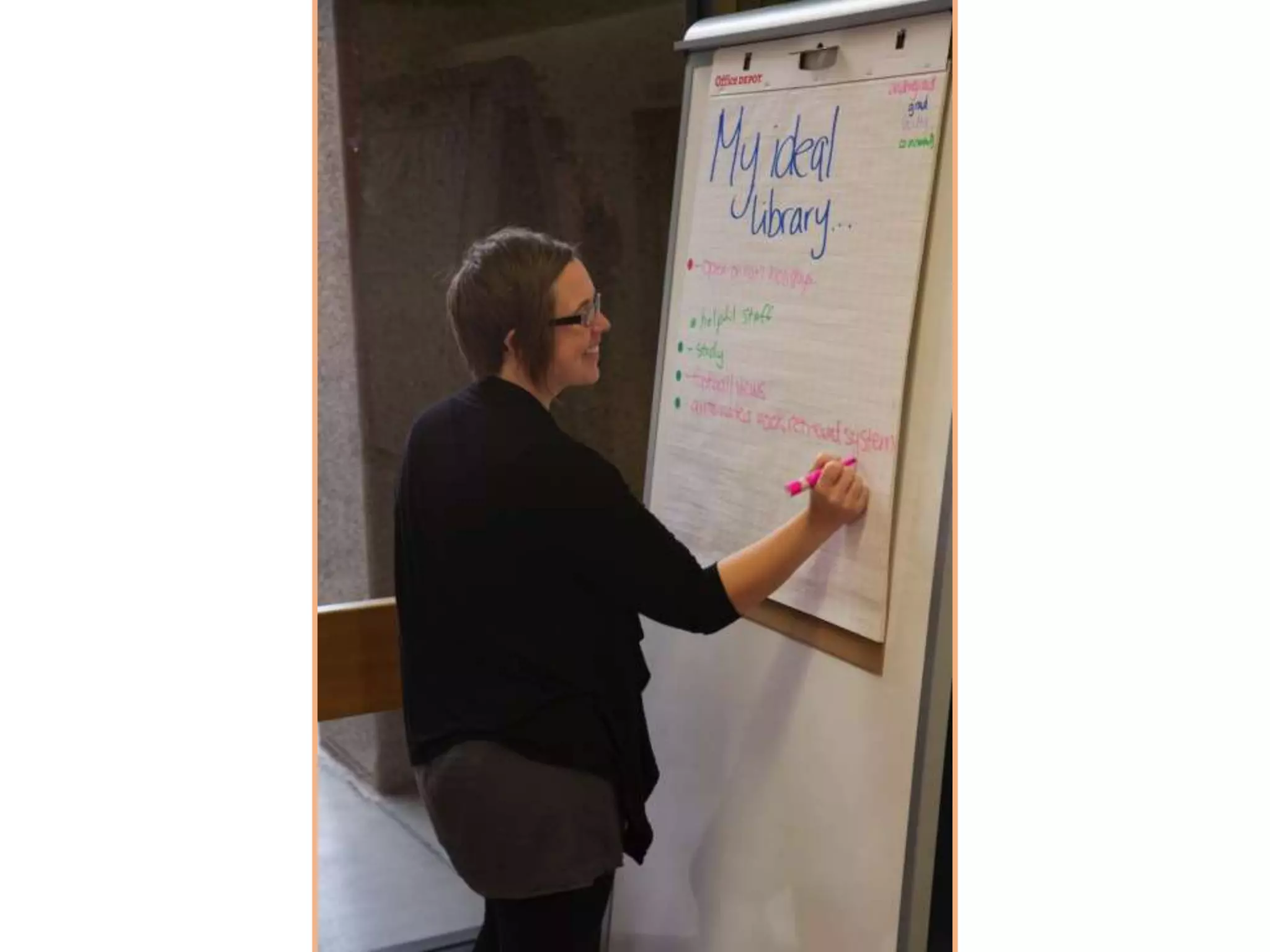
  • #39 We’ve been talking to our stakeholders and users about how they see the library and what they’d like it to be in the future. We did a sorting of adjectives with staff using OptimalSort. For users we set up some easels in the library lobby to get feedback of their ideal library and also had students and faculty participating in other user research to pick adjectives.
  • #40 We’ve been talking to our stakeholders and users about how they see the library and what they’d like it to be in the future. We did a sorting of adjectives with staff using OptimalSort. For users we set up some easels in the library lobby to get feedback of their ideal library and also had students and faculty participating in other user research to pick adjectives. Easy to use: easy access to (online) materials & librarian contact; audio materials Accessible: open on holidays, easy to find info Welcoming/comfy: natural light/lighting, art on the walls, air flow Flexible: movable furniture, different spaces based on noise level Mostly said these are things we are not doing now (even for some services we already offer…)
  • #41 http://www.designstack.co/2014/07/facebook-hand-thumbs-up-art.html
  • #44 Once you have established who will be responsible for this overall management of content, you need to get more specific. I strongly recommend that you have individuals assigned to individual web pages, rather than have them assigned to entire sections of your website. Library content can be complex, cross-linked, and interdisciplinary – it is rare that an entire section of a website should be managed by just one person. Although this might be feasible on smaller websites. Remember your content audit? This will come in handy as you try to figure out who should be responsible for what web pages. I had actually captured in my content audit what team I thought was responsible for each web page – if you work in a larger organization, this is probably a good idea to build into your audit process. In this example, you can see that I had captured which team I thought was responsible for each web page. I used my best educated guess – the tutorial pages would be assigned to the content manager from the Instruction Team, the circulation information pages would be assigned to the Access Services Team, and the interlibrary loan pages would be assigned to the Document Delivery Team. But there were quite a number of pages that were not quite as clear.
  • #46 One of the most important role I defined was for content management. We used to have roles that we called “content owners” or “webmasters,” which were loosely defined and applied inconsistently across the library. We created this new role, and we called it content manager. I preferred the title of content manager over editor or owner, because “manager” implies a bit more than that. The expectation for content managers is not just that they edit and update content when necessarily, but that they proactively manage their content – they can create new content that will benefit users, they can seek out content problems, they can recommend content be deleted. They are involved not just in maintenance, but in the whole lifecycle of the content. Everyone’s environment is different, but I strongly recommend you define a role similar to this. You could have one person in this role, you could have twenty people in this role. These staff members will be your advocates for good web content. They will be the ones in the content weeds, being proactive and making sure your content is usable, engaging, and relevant to users. Also think about the permissions that will be associated with these roles. For us, content managers are the only staff that have permission in Drupal to make changes to our live website. Content providers can draft new pages, but they can’t edit any live web pages. Only publishers can publish new web pages.
  • #47 Once you have a sense of what a role like this might look like, document the associated expectations – the responsibilities of someone who is in this role. Here is an example from my own documentation. We expect all content managers to stay aware of all policies and procedures related to website content, including: Editorial Standards Process for Creation of New Web Pages Process for Deletion of Web Pages Process for Website Changes We expect content managers to ensure that all their current content meets the current Editorial Standards, and to follow the Editorial Standards for all new content. We also expect them to review their assigned content on a regular basis, no less than once every six months. This includes reviewing content for relevance and accuracy and checking for broken or outdated links.
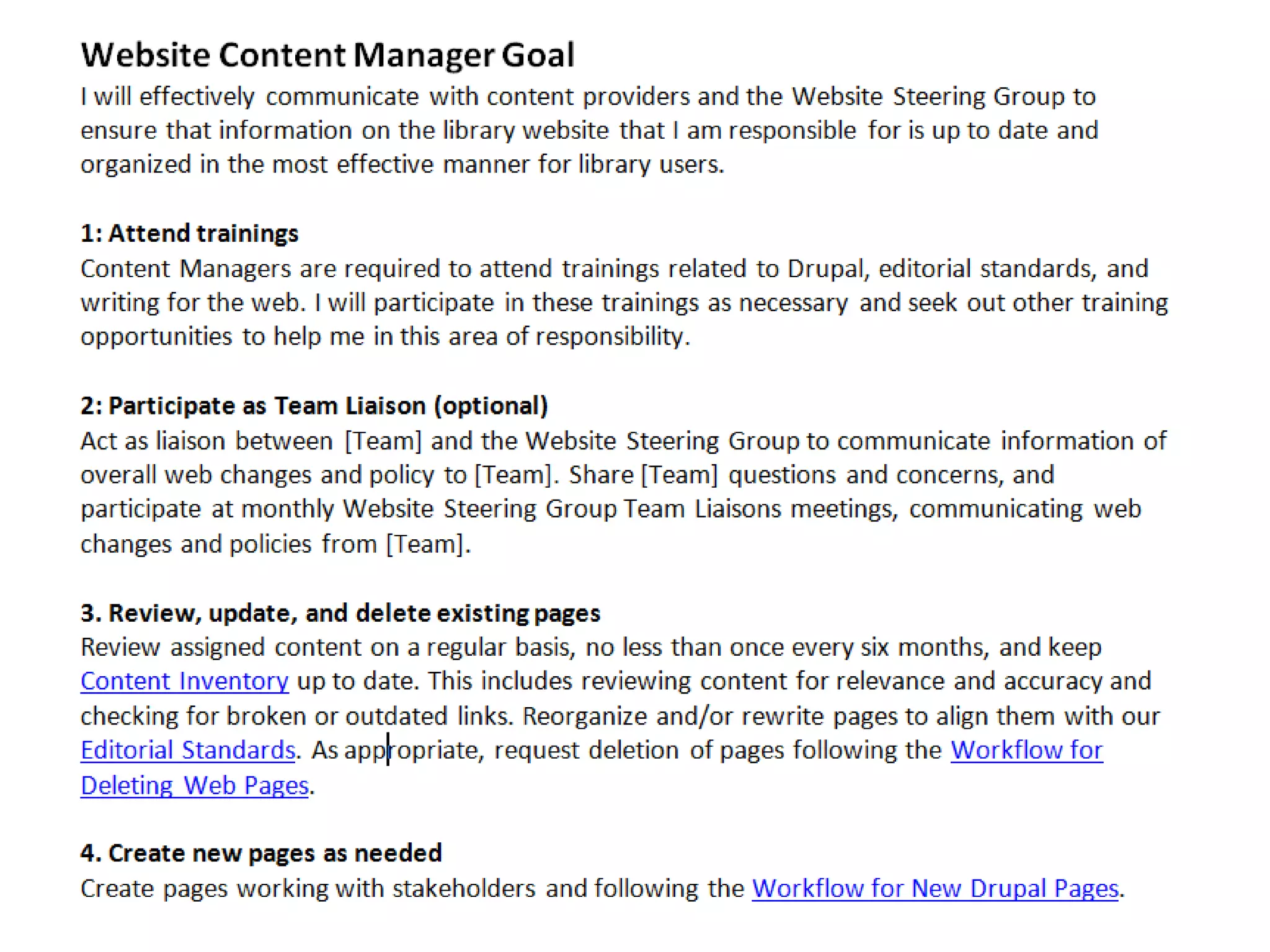
  • #48 It can be especially important to get buy-in from administrators and supervisors. Because in order for new roles and responsibilities to really be effective, there needs to be both a time commitment from the staff member as well as some level of accountability. Fortunately, we were able to get every team leader to agree to assign at least one person as a content manager, and this wasn’t too controversial. We also asked that this be included within that person’s job description, and we provided a template for them to put it within their annual goals, so that it was included as part of their performance evaluation. Shown here is the goal that we provide for content managers. We have a pretty structured, formal review process every year, and throughout the year library staff are updating their goals document. This is a great way to make sure that content management is reflected as part of their regular work. Because being a content manager was a bigger deal than the former “content owner” role, and because it required some dedication and time commitment, we were able to drastically reduce the number of people who had access to edit content on our site. We went from our 79 Drupal user accounts to only 14 content managers. That’s pretty cool, and much more manageable!
  • #50 Similarly, you need a workflow for deleting a page, and here is what we established. This process ensures that there is communication with stakeholders who might use the page and also ensures that we don’t have dead links on our site. In the past, someone could just request a page be deleted and we would have dead links on our site because of it; or worse, a page would just never get deleted when it really should be, because no one was held responsible for the lifecycle of web content. (Remember the 200 pages I mentioned we deleted as part of our audit?)
  • #51 Now what about updating content, who does that, and is there a process of review surrounding that? And who makes decisions surrounding updates? For us, content managers are able to update their pages any time with no oversight. They are trained, and we trust them to know what they are doing – writing things up to standard. We do encourage them to come and consult with us if they are making significant changes though. And we occasionally approach content managers and suggest some changes or updates. But, bigger content changes – what we call “substantial” changes - like adding something to our global menu, or changing content on the homepage, do have a review and approval process surrounding them.
  • #52 Note accountability, we have point people! Franken filter?
  • #53 Organize trainings. - Web writing - Standards - Workflows - Google Analytics
  • #54 Training is really important, and so is ongoing communication. You need to give people the tools and knowledge so that they can do the job you are asking them to do. Once content managers were assigned, we had a series of required training sessions. We went over the editorial standards and new workflows, we had a web writing workshop as well as a Google Analytics workshop. We’ve held refresher trainings from time to time, as well, in addition to webinars that we host. We meet every month with Team Liaisons who are content managers from the different teams. We also have a dedicated email list for content managers for people to communicate about various content-related issues. How do you think training and ongoing communication could work in your organization, and who will be responsible for making sure these things happen?
  • #55 Sara Wachter-Boettcher has some great stuff up on slideshare, content strategy consultant. @sara_ann_marie
  • #56 Something to keep in mind as you create new roles, responsibilities, and workflows is how technology can support all of this. There is a good chance you are managing your web content through a content management system, such as Drupal of Wordpress. A content management system can be very helpful, and it’s worth thinking about the user experience associated with your content management system. Your content providers, creators, and editors may be using this system to input, update, publish, and unpublish content. What is that experience like for them currently, and how could it be improved? This may include accounts and permissions, any content creation forms or templates, buttons, web copy and microcopy associated with forms, and ysiwyg editors, among other things. There is a reading this week, Designing Content Workflow for your CMS, by Rick Allen. This should give you some ideas on what questions to ask stakeholders, what content management system-related tasks to consider, and how to map them out. The process he outlines may also allow you to discover gaps or pieces of the content lifecycle you hadn’t considered, such as archiving content, or drafting content before it’s published. Once you have established your workflows and permissions, and made any adjustments to your CMS, Rick Allen suggests testing out how the various workflows will work in the real world, within your CMS. This will verify that the workflows you’ve established are useful, usable, and sustainable.
  • #58 For the redesign, we decided to work on structuring the content to automate more of this process. Now the workflow is: Content managers create events When the events have passed they change their display style and appear on a different section of the page automatically.
  • #61 Rebecca