Website Best Practices:
  Strategies for Great Content


         SARA LLEVERINO
 HTTP://WEBER.EDU/SARALLEVERINO
Kristina on Content Strategy?

“As a community, we’re rather quiet on the matter of content. In fact, we appear
to have collectively, silently come to the conclusion that content is really
somebody else’s problem—“the client can do it,” “the users will generate it”—so
we, the people who make websites, shouldn’t have to worry about it in the first
place.
Do you think it’s a coincidence, then, that web content is, for the most
part, crap?

Dealing with content is messy. It’s complicated, it’s painful, and it’s expensive.

And yet, the web is content. Content is the web. It deserves our time and
attention.
And that’s where content strategy comes in.”

                                                      - KRISTINA HALVORSON
            http://www.alistapart.com/articles/thedisciplineofcontentstrategy/
Why Have a Content Strategy?

 Content that serves your customer, serves your
  business.
 Your Website is usually the first point of contact
 Reduce frustrations
 Reduce support calls
Be a Content Strategy Ninja
          The Process
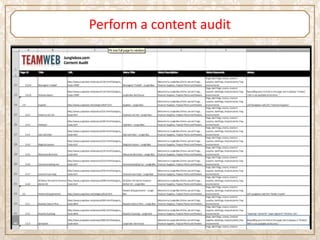
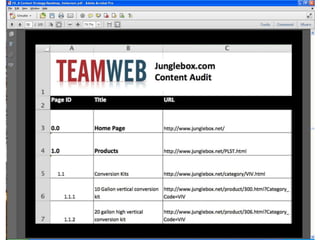
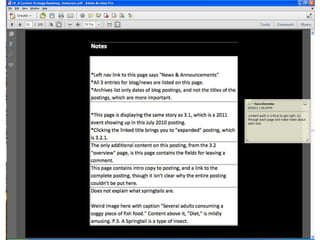
Perform a content audit
Determine Priority

 Analytics
 What questions are asked?
 What common problems are people having?
 Ask users what they want (focus groups)
Create Personas

 Identify 1-3 primary audiences
 Choose a photo representing each and identify them
    Name
    Occupation
    Marital Status
    Children
    Hobbies
    Reasons for coming to your site
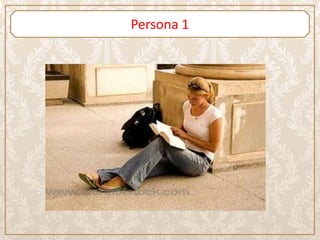
Persona 1
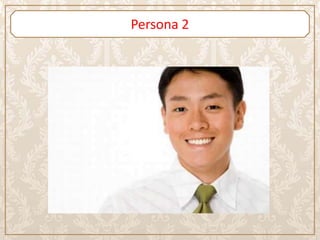
Persona 2
Write use cases

 Make a list of questions users are asking when they
  come to the website.
 What path would they expect to follow to find that
  content?
Define Goals

 Define some overall goals for your site
    Based on personas and use cases
 Write goals for each page
    Page tables
Research, Organize & Write Content

 Gather needed info or facts
 Card Sort
 Write
The Rest

 Create wire frames
 User Testing
 Design
 Program
 User Testing
 Launch
 Analyze
 Maintain
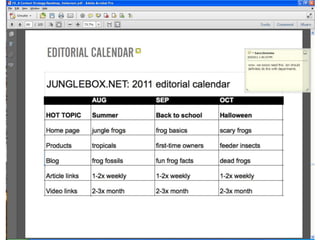
    Editorial Calendar
Questions?
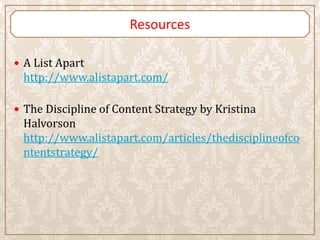
Resources

 A List Apart
 http://www.alistapart.com/

 The Discipline of Content Strategy by Kristina
 Halvorson
 http://www.alistapart.com/articles/thedisciplineofco
 ntentstrategy/

Strategies for Great Content

  • 1.
    Website Best Practices: Strategies for Great Content SARA LLEVERINO HTTP://WEBER.EDU/SARALLEVERINO
  • 2.
    Kristina on ContentStrategy? “As a community, we’re rather quiet on the matter of content. In fact, we appear to have collectively, silently come to the conclusion that content is really somebody else’s problem—“the client can do it,” “the users will generate it”—so we, the people who make websites, shouldn’t have to worry about it in the first place. Do you think it’s a coincidence, then, that web content is, for the most part, crap? Dealing with content is messy. It’s complicated, it’s painful, and it’s expensive. And yet, the web is content. Content is the web. It deserves our time and attention. And that’s where content strategy comes in.” - KRISTINA HALVORSON http://www.alistapart.com/articles/thedisciplineofcontentstrategy/
  • 3.
    Why Have aContent Strategy?  Content that serves your customer, serves your business.  Your Website is usually the first point of contact  Reduce frustrations  Reduce support calls
  • 4.
    Be a ContentStrategy Ninja The Process
  • 5.
  • 8.
    Determine Priority  Analytics What questions are asked?  What common problems are people having?  Ask users what they want (focus groups)
  • 9.
    Create Personas  Identify1-3 primary audiences  Choose a photo representing each and identify them  Name  Occupation  Marital Status  Children  Hobbies  Reasons for coming to your site
  • 10.
  • 11.
  • 12.
    Write use cases Make a list of questions users are asking when they come to the website.  What path would they expect to follow to find that content?
  • 13.
    Define Goals  Definesome overall goals for your site  Based on personas and use cases  Write goals for each page  Page tables
  • 14.
    Research, Organize &Write Content  Gather needed info or facts  Card Sort  Write
  • 15.
    The Rest  Createwire frames  User Testing  Design  Program  User Testing  Launch  Analyze  Maintain  Editorial Calendar
  • 18.
  • 19.
    Resources  A ListApart http://www.alistapart.com/  The Discipline of Content Strategy by Kristina Halvorson http://www.alistapart.com/articles/thedisciplineofco ntentstrategy/

Editor's Notes

  • #9 Page urlPage titlePage description - describe–in detail–every piece of content on each web page: the headline, the body copy, links, calls to action, PDFs and other downloads, videos, forms, shopping carts, registrations, etc
  • #10 Notes: Which content is still relevant and current?Which should be revised/rewritten?What should be deleted?What is missing?Do they all use the same voice and tone?Is the content in line with your goals?Anything else you can think of
  • #12 Choose 1-3 primary audiences (preferably one) Because you can’t be all things to all people. How?Who’s registering?What are their demographics?What time of day are they visiting?What browsers are they using?Who do you think this will appeal to?