





BATRA CMPUTER CENTRE
ISO 9001:2008
Created by :-
What is computer training ?
• Computer training refers to resources, companies and
services dedicated to helping educate users on
computer-related topics. Computer training
professionals instruct and help users acquire
proficiency in a wide array of areas,
including software, hardware ,database management,
programming, networking and more.
• Many computer training services are designed to help
students acquire certification in specific areas in order
to attain job placement or advancement
Why computer training is important?
• Computer training is an important
factor in 21st century workplaces.
The importance of computer
training can be viewed in two ways.
First, it is vital for job applicants to
obtain computer training to make
themselves more valuable to
potential employers and to obtain
higher-paying jobs. Second, it is
important for companies to utilize
computer training in their new-hire
training programs and employee
development initiatives.
Benefits of Computer Training
Improved employability
Potential for advancement
Better pay & benefits
Increased productivity
Training & experience
Communication with friends & family
Access to games & activities
Skills for part time employment as well
Full form of Computer
C ~ Commonly
O ~ Operated
M ~ Machine
P ~ Particularly
U ~ Used for
T ~ Trade
E ~ Education &
R ~ Research Purposes
Computer
• An electronic device which is capable of
receiving information (data) in a
particular form and of performing a
sequence of operations in accordance
with a predetermined but variable set
of procedural instructions (program) to
produce a result in the form of
information or signals.
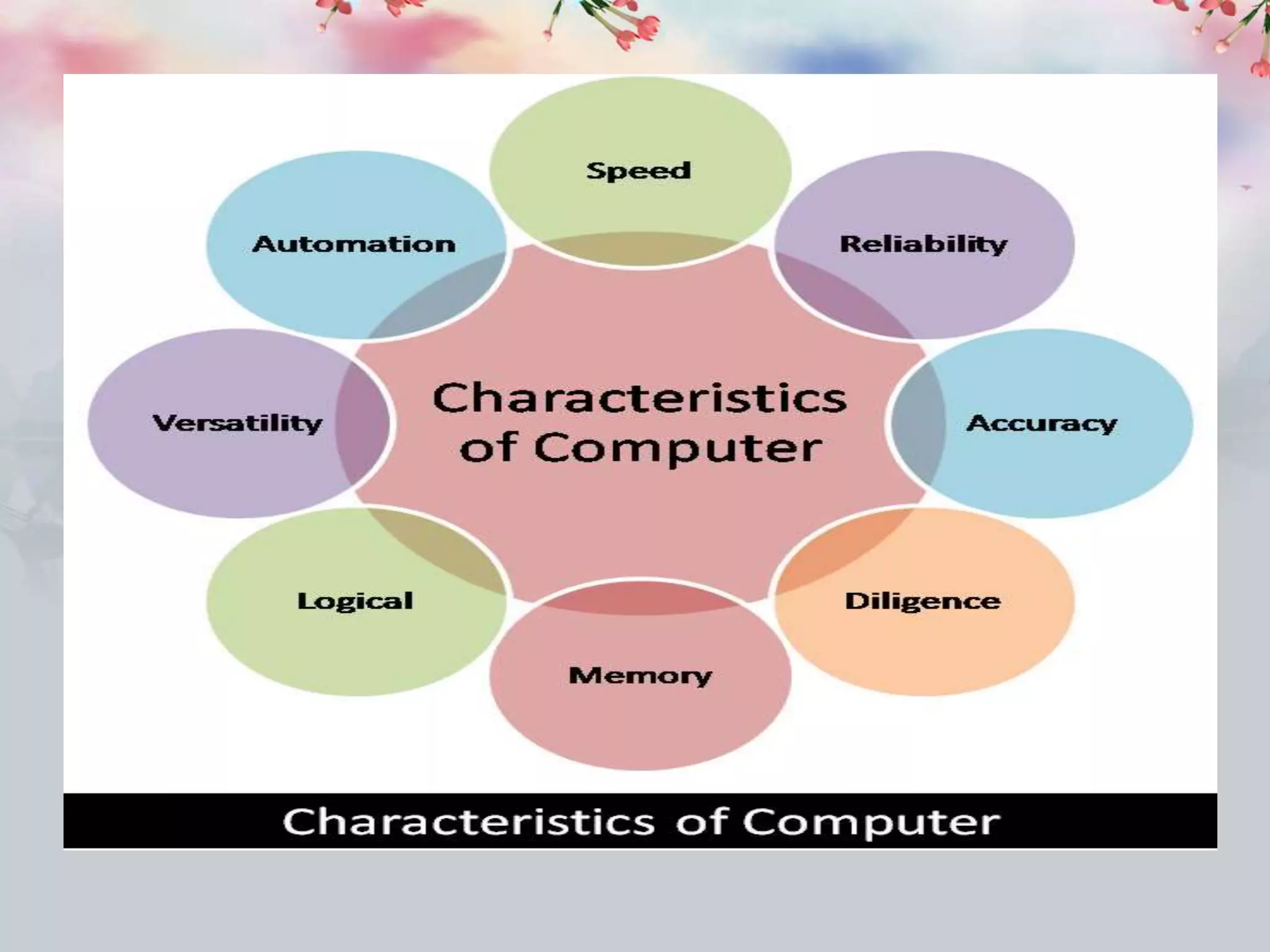
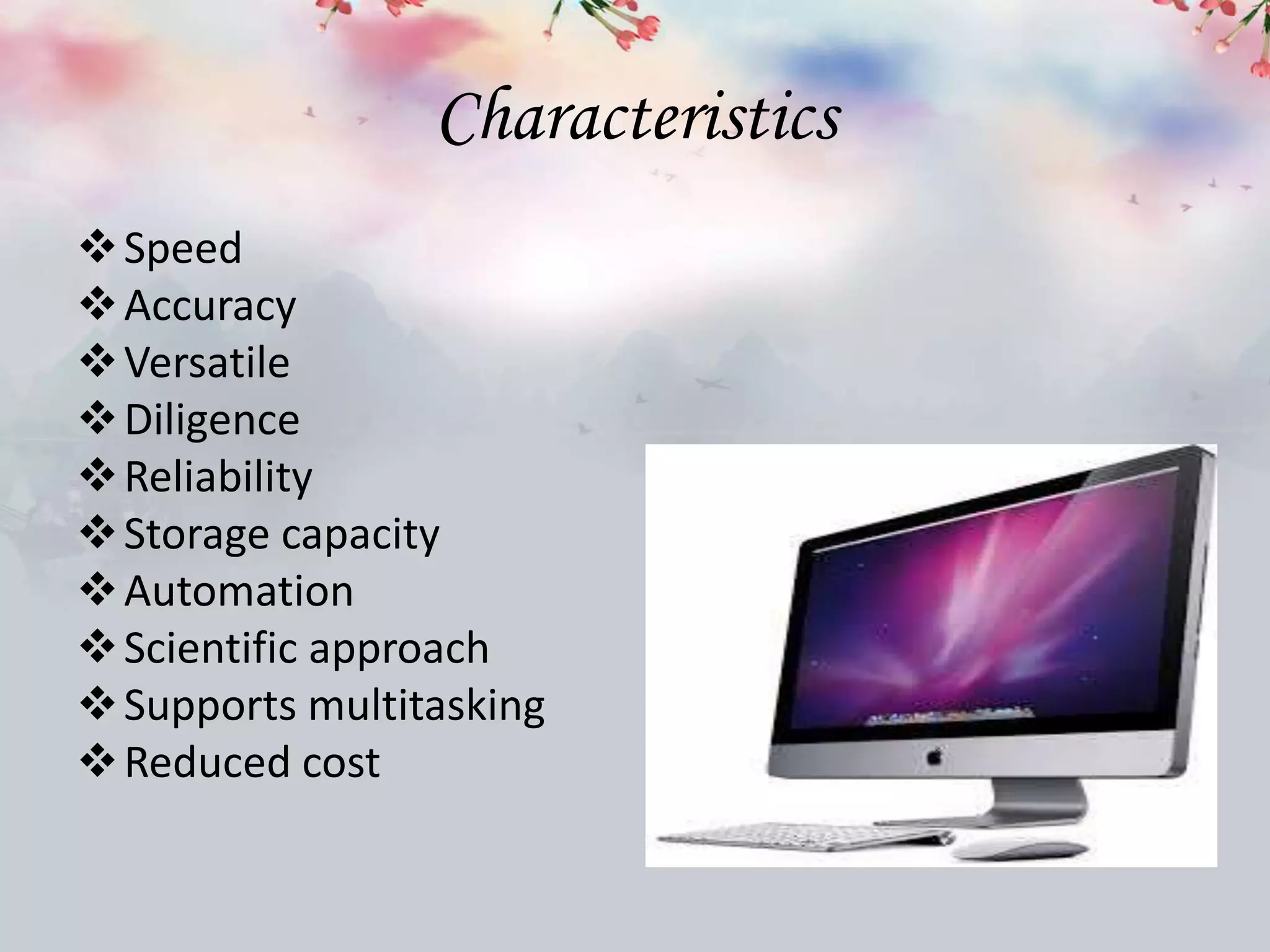
Characteristics
Speed
Accuracy
Versatile
Diligence
Reliability
Storage capacity
Automation
Scientific approach
Supports multitasking
Reduced cost
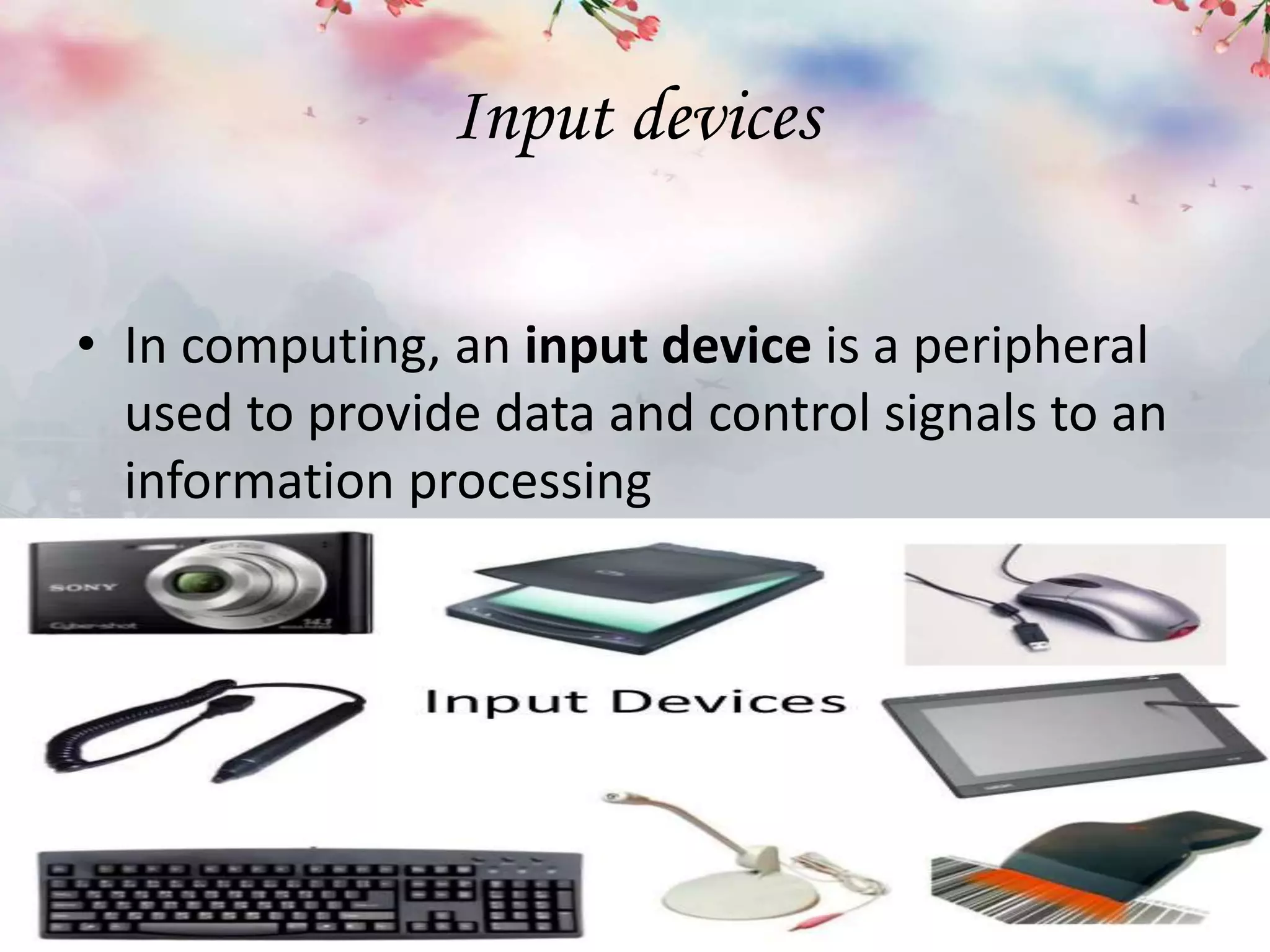
Input devices
• In computing, an input device is a peripheral
used to provide data and control signals to an
information processing
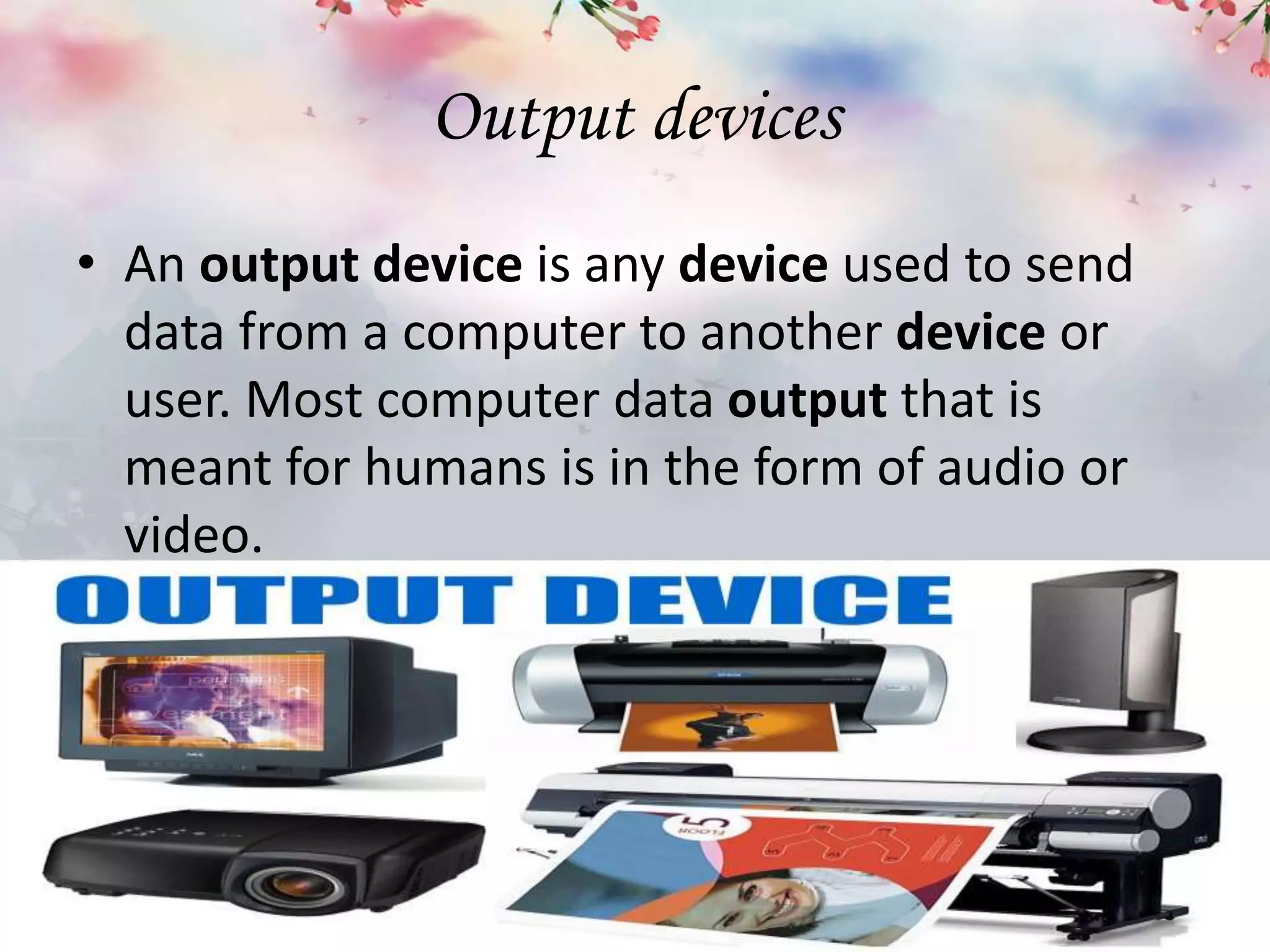
Output devices
• An output device is any device used to send
data from a computer to another device or
user. Most computer data output that is
meant for humans is in the form of audio or
video.
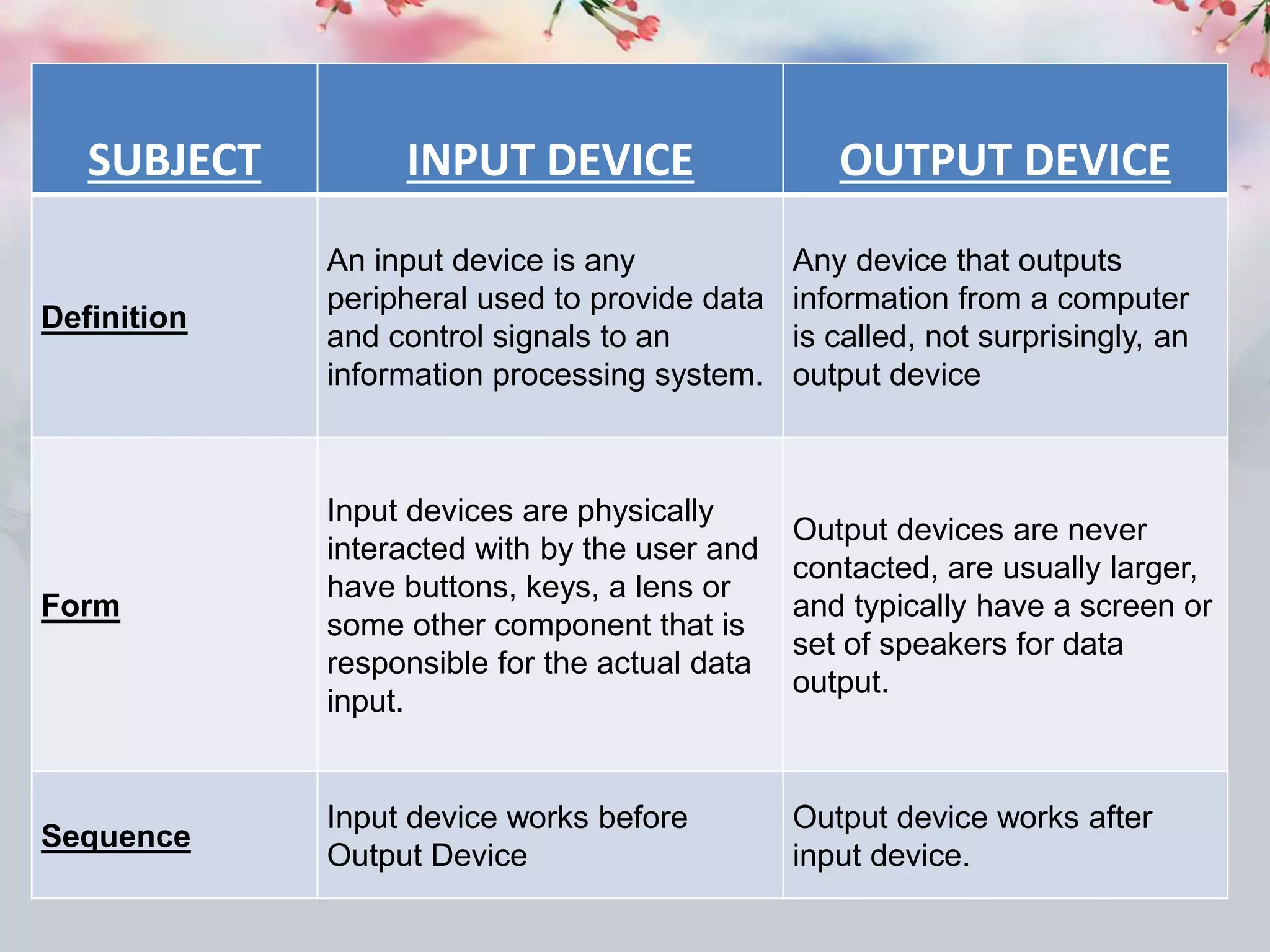
SUBJECT INPUT DEVICE OUTPUT DEVICE
Definition
An input device is any
peripheral used to provide data
and control signals to an
information processing system.
Any device that outputs
information from a computer
is called, not surprisingly, an
output device
Form
Input devices are physically
interacted with by the user and
have buttons, keys, a lens or
some other component that is
responsible for the actual data
input.
Output devices are never
contacted, are usually larger,
and typically have a screen or
set of speakers for data
output.
Sequence
Input device works before
Output Device
Output device works after
input device.
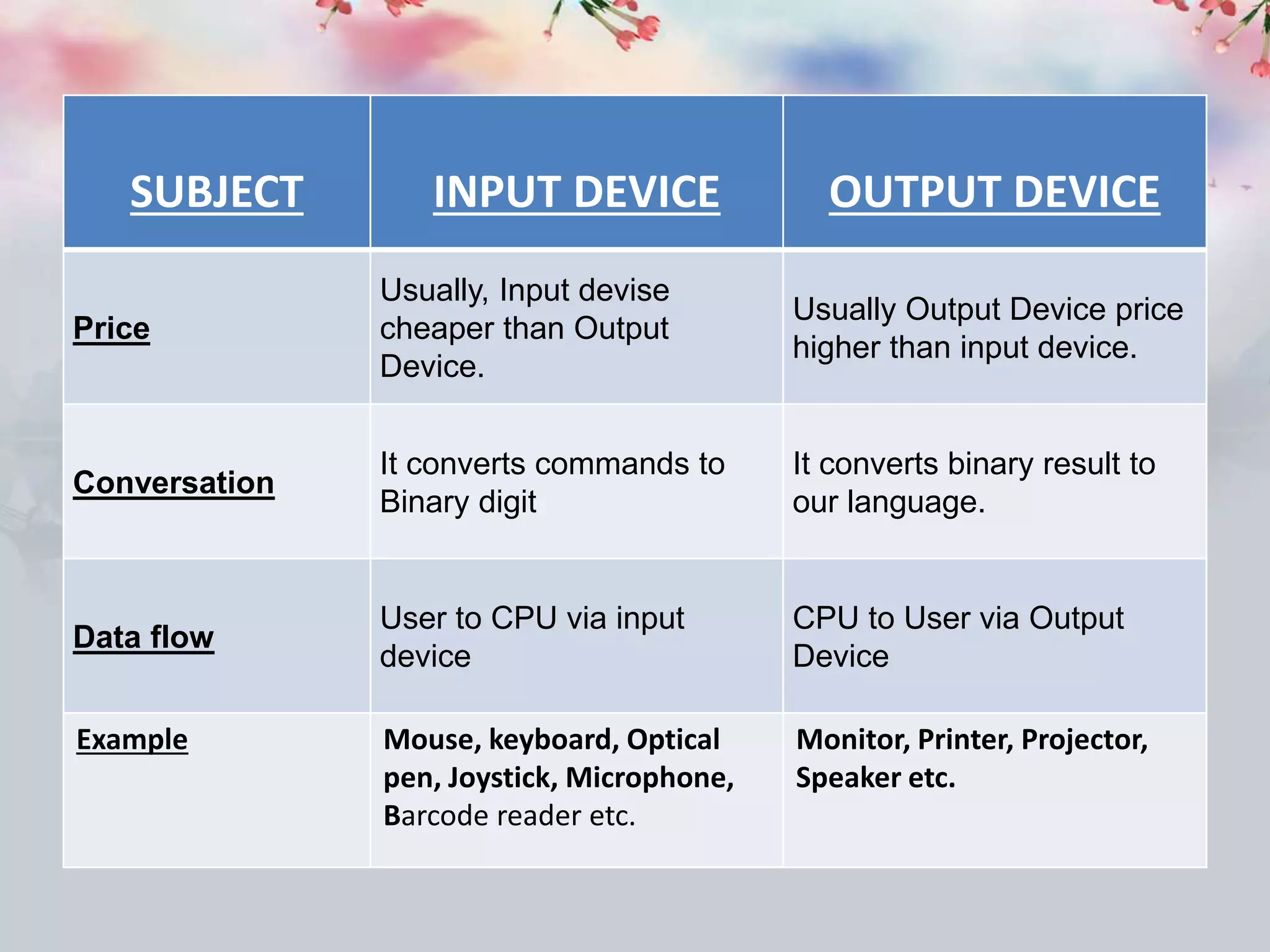
SUBJECT INPUT DEVICE OUTPUT DEVICE
Price
Usually, Input devise
cheaper than Output
Device.
Usually Output Device price
higher than input device.
Conversation
It converts commands to
Binary digit
It converts binary result to
our language.
Data flow
User to CPU via input
device
CPU to User via Output
Device
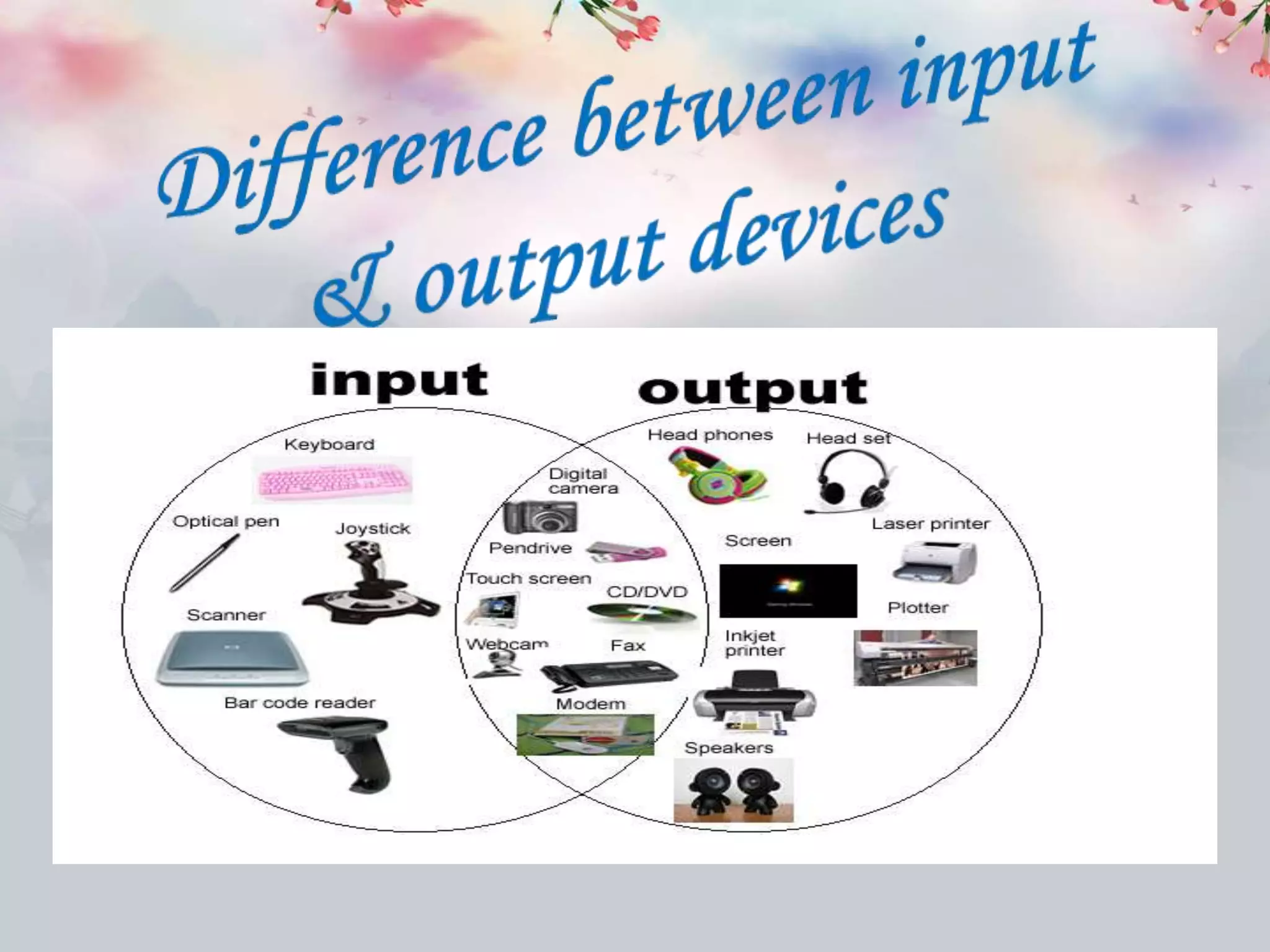
Example Mouse, keyboard, Optical
pen, Joystick, Microphone,
Barcode reader etc.
Monitor, Printer, Projector,
Speaker etc.
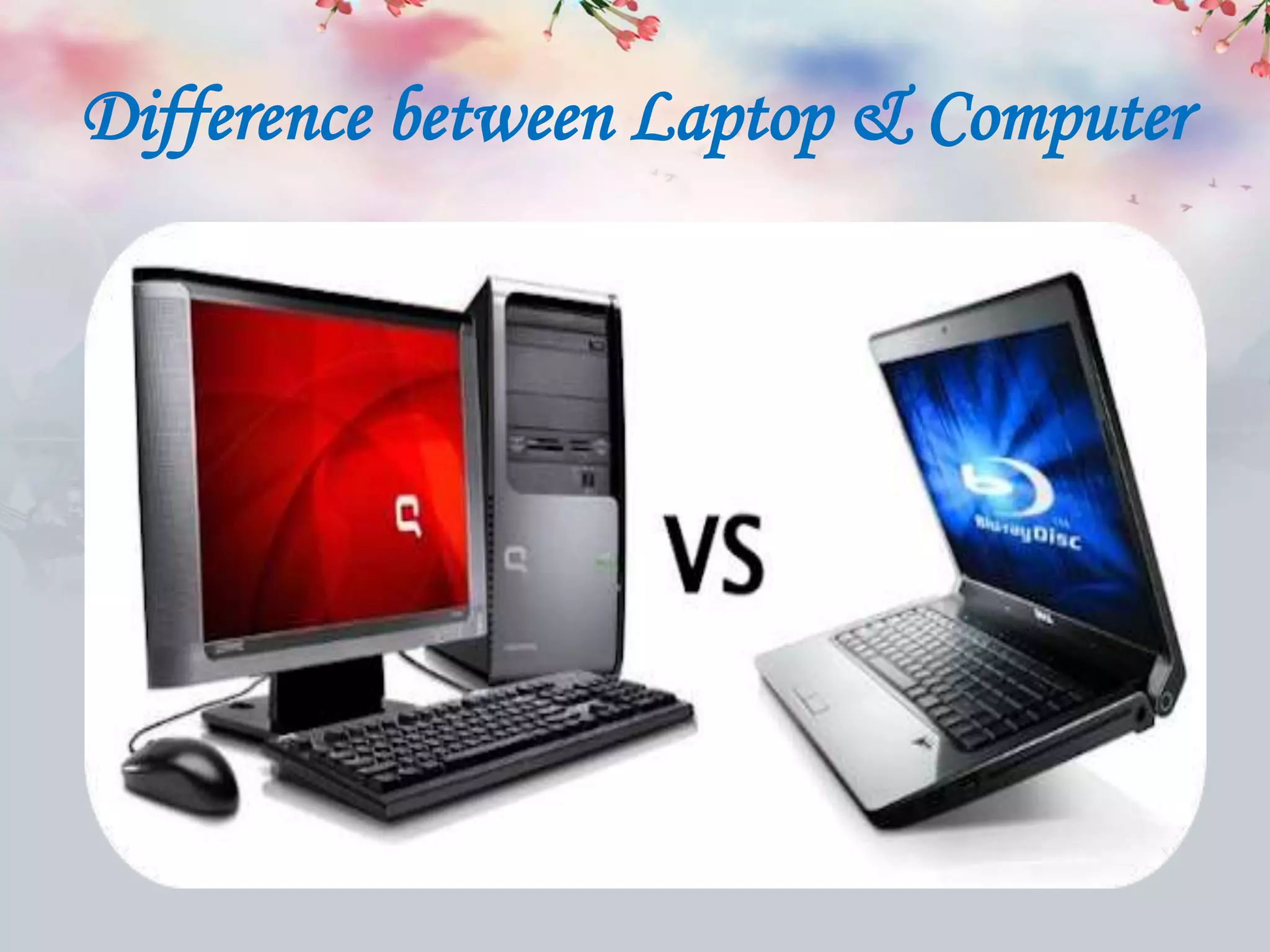
Difference between Laptop & Computer
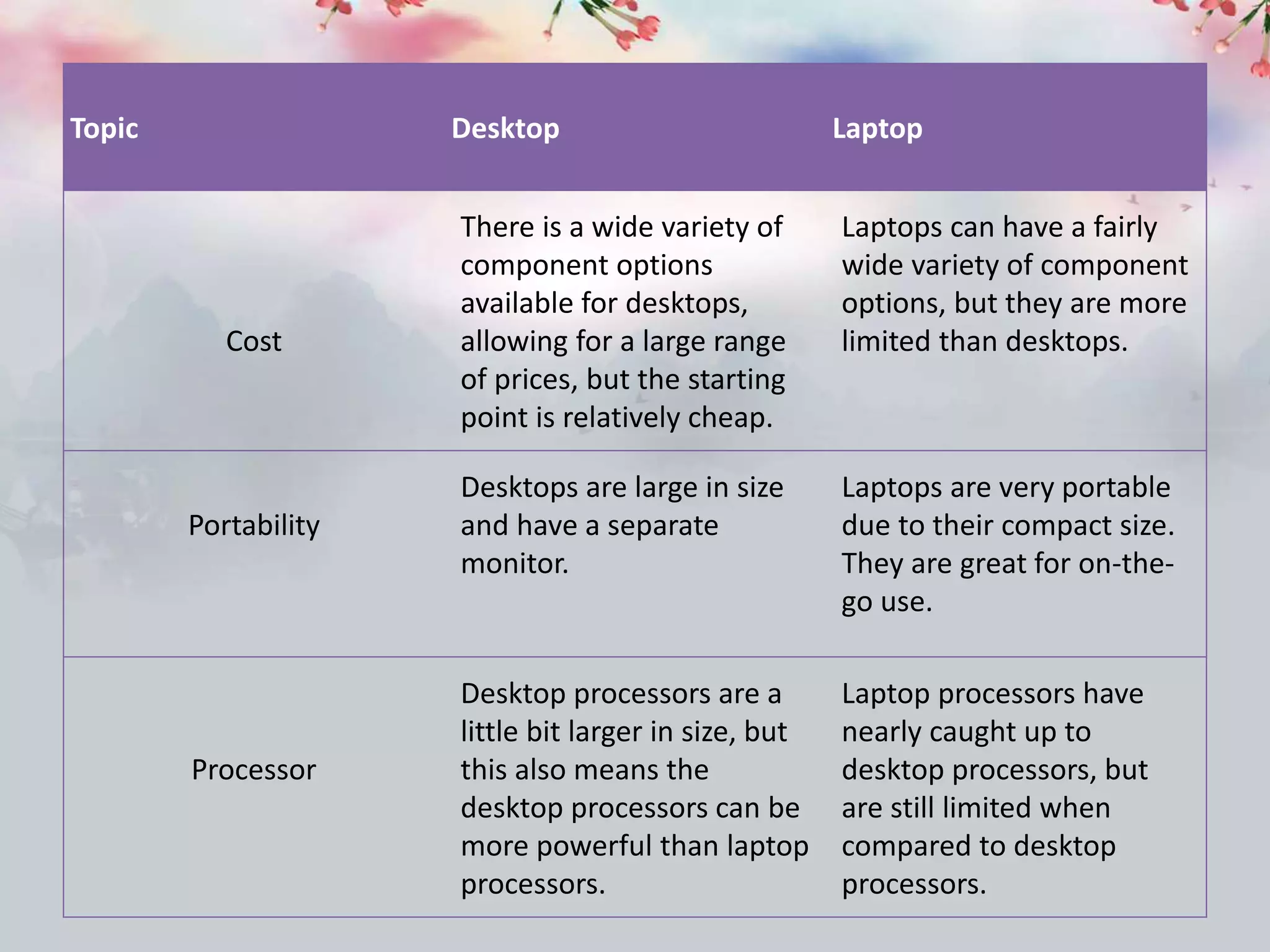
Topic Desktop Laptop
Cost
There is a wide variety of
component options
available for desktops,
allowing for a large range
of prices, but the starting
point is relatively cheap.
Laptops can have a fairly
wide variety of component
options, but they are more
limited than desktops.
Portability
Desktops are large in size
and have a separate
monitor.
Laptops are very portable
due to their compact size.
They are great for on-the-
go use.
Processor
Desktop processors are a
little bit larger in size, but
this also means the
desktop processors can be
more powerful than laptop
processors.
Laptop processors have
nearly caught up to
desktop processors, but
are still limited when
compared to desktop
processors.
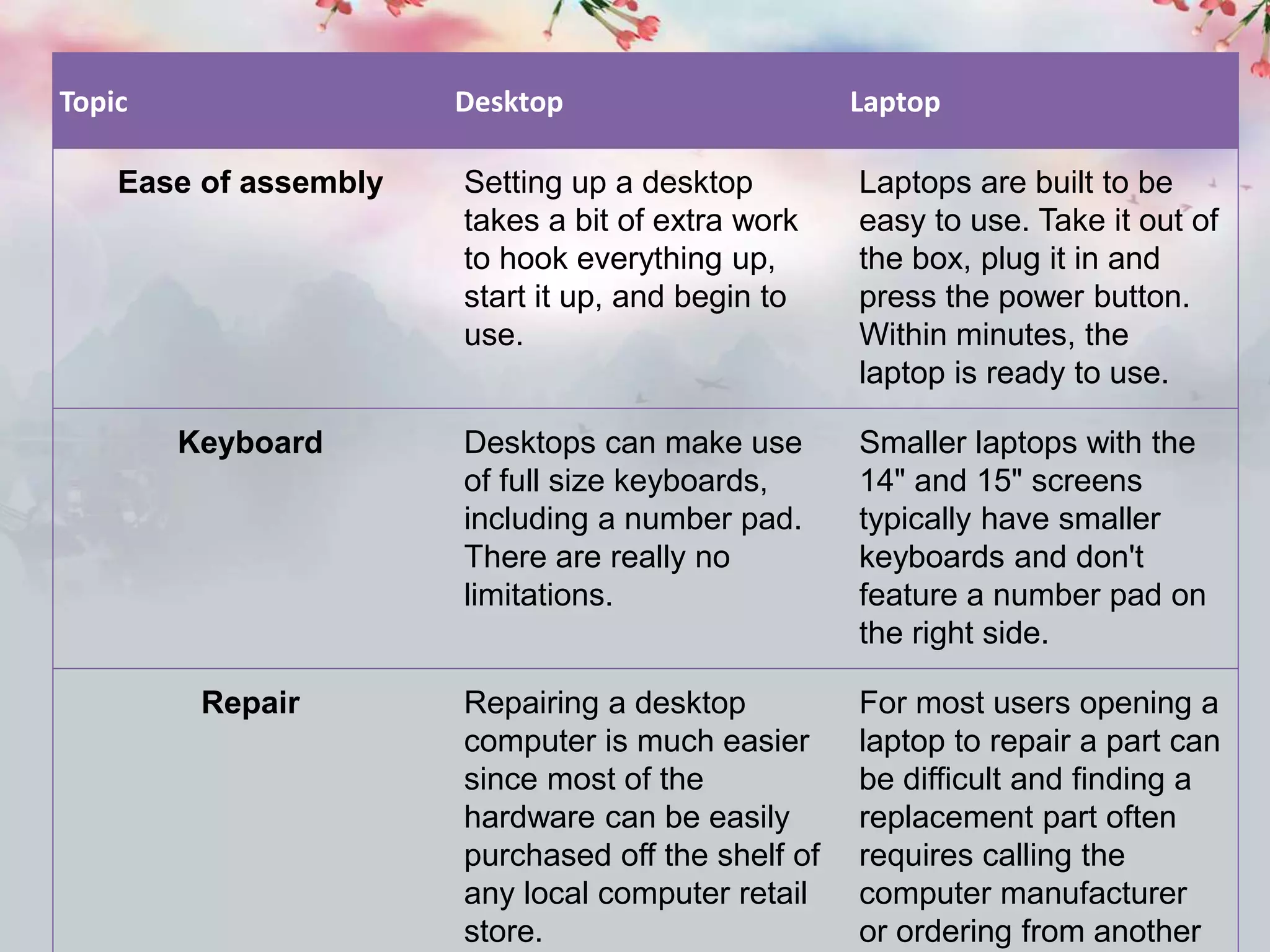
Topic Desktop Laptop
Ease of assembly Setting up a desktop
takes a bit of extra work
to hook everything up,
start it up, and begin to
use.
Laptops are built to be
easy to use. Take it out of
the box, plug it in and
press the power button.
Within minutes, the
laptop is ready to use.
Keyboard Desktops can make use
of full size keyboards,
including a number pad.
There are really no
limitations.
Smaller laptops with the
14" and 15" screens
typically have smaller
keyboards and don't
feature a number pad on
the right side.
Repair Repairing a desktop
computer is much easier
since most of the
hardware can be easily
purchased off the shelf of
any local computer retail
store.
For most users opening a
laptop to repair a part can
be difficult and finding a
replacement part often
requires calling the
computer manufacturer
or ordering from another
Internet
• The Internet, sometimes called simply "the
Net," is a worldwide system of computer
networks - a network of networks in which
users at any one computer can, if they have
permission, get information from any other
computer
Unlimited Communication
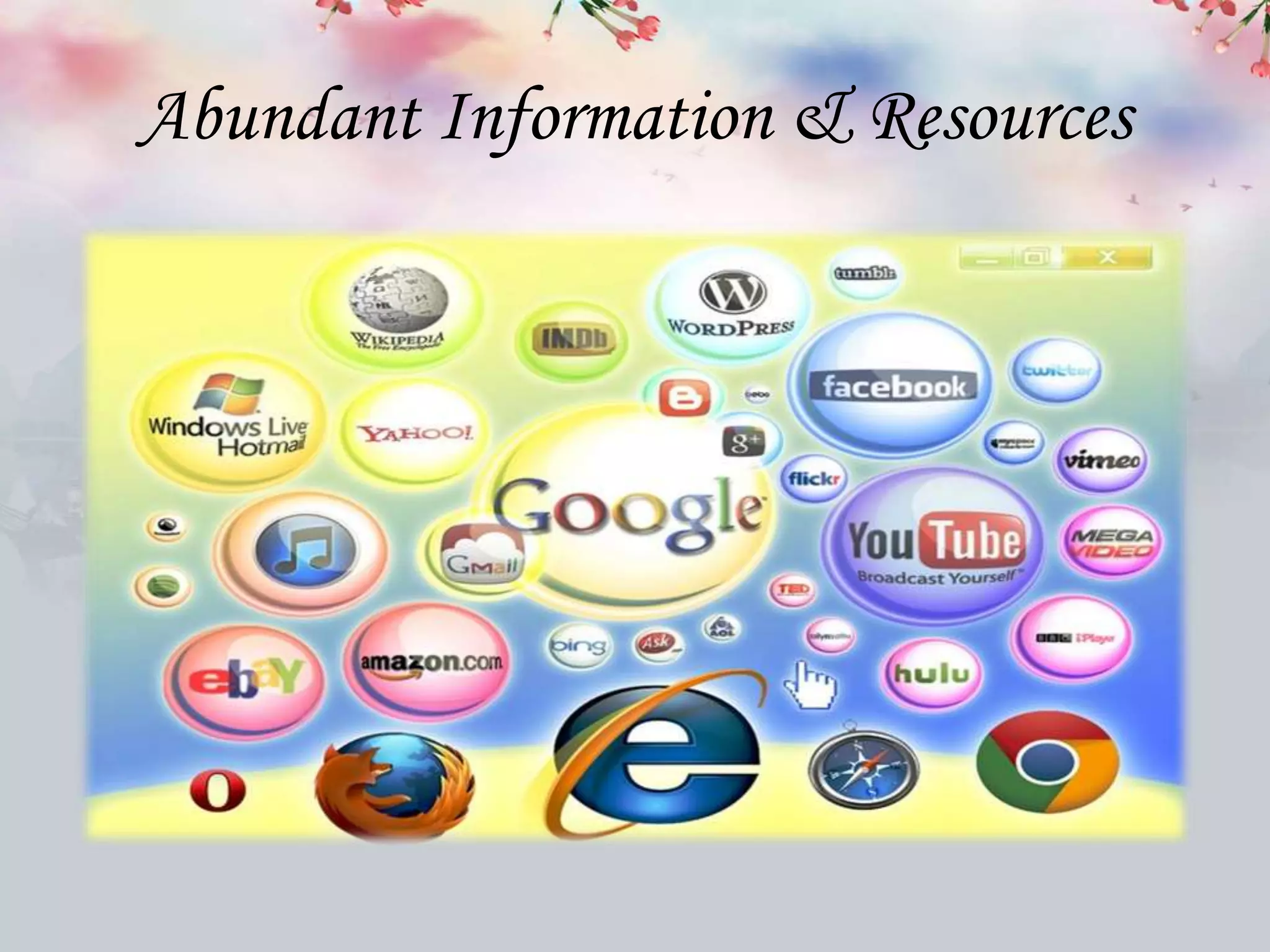
Abundant Information & Resources
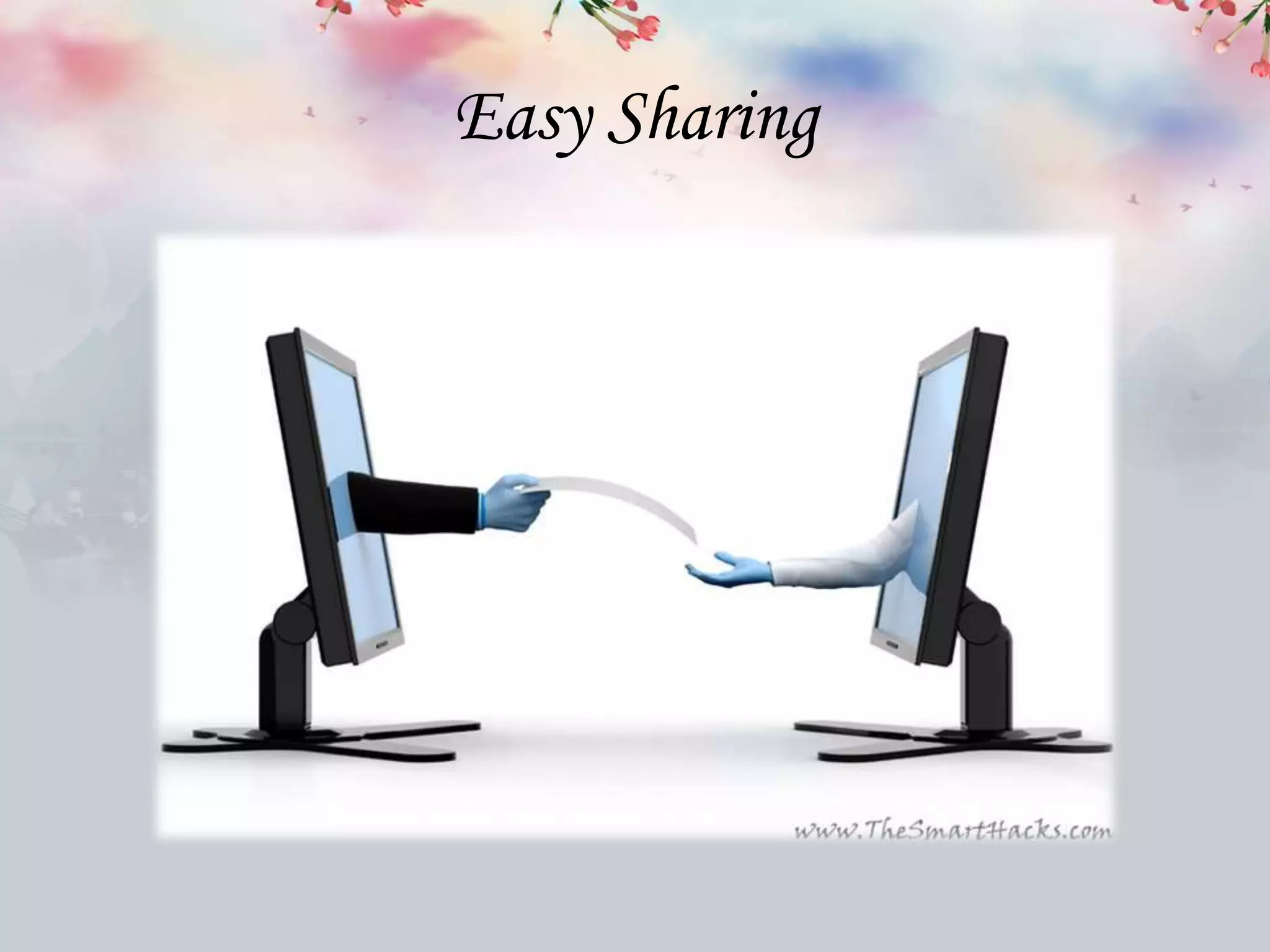
Easy Sharing
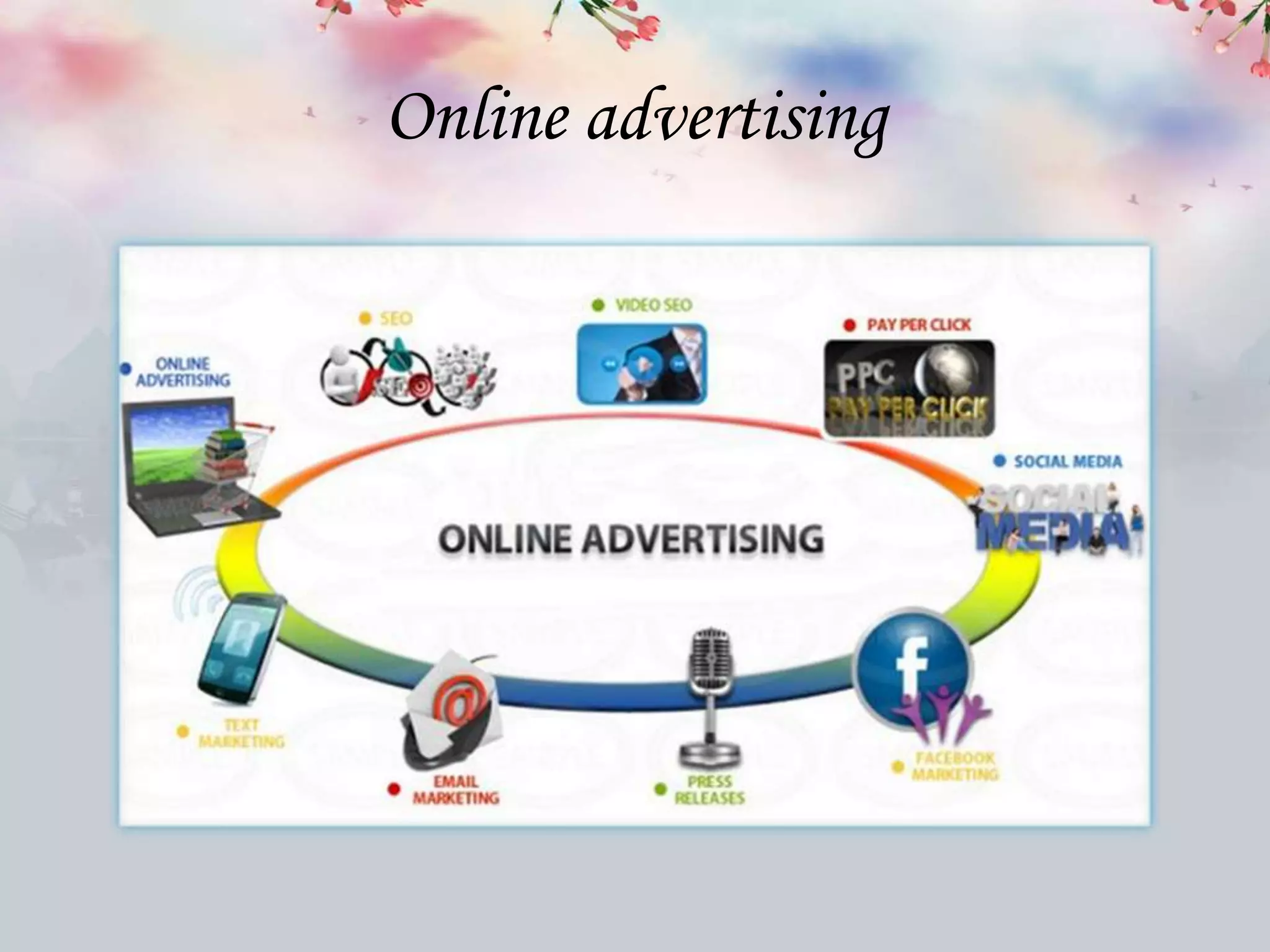
Online advertising
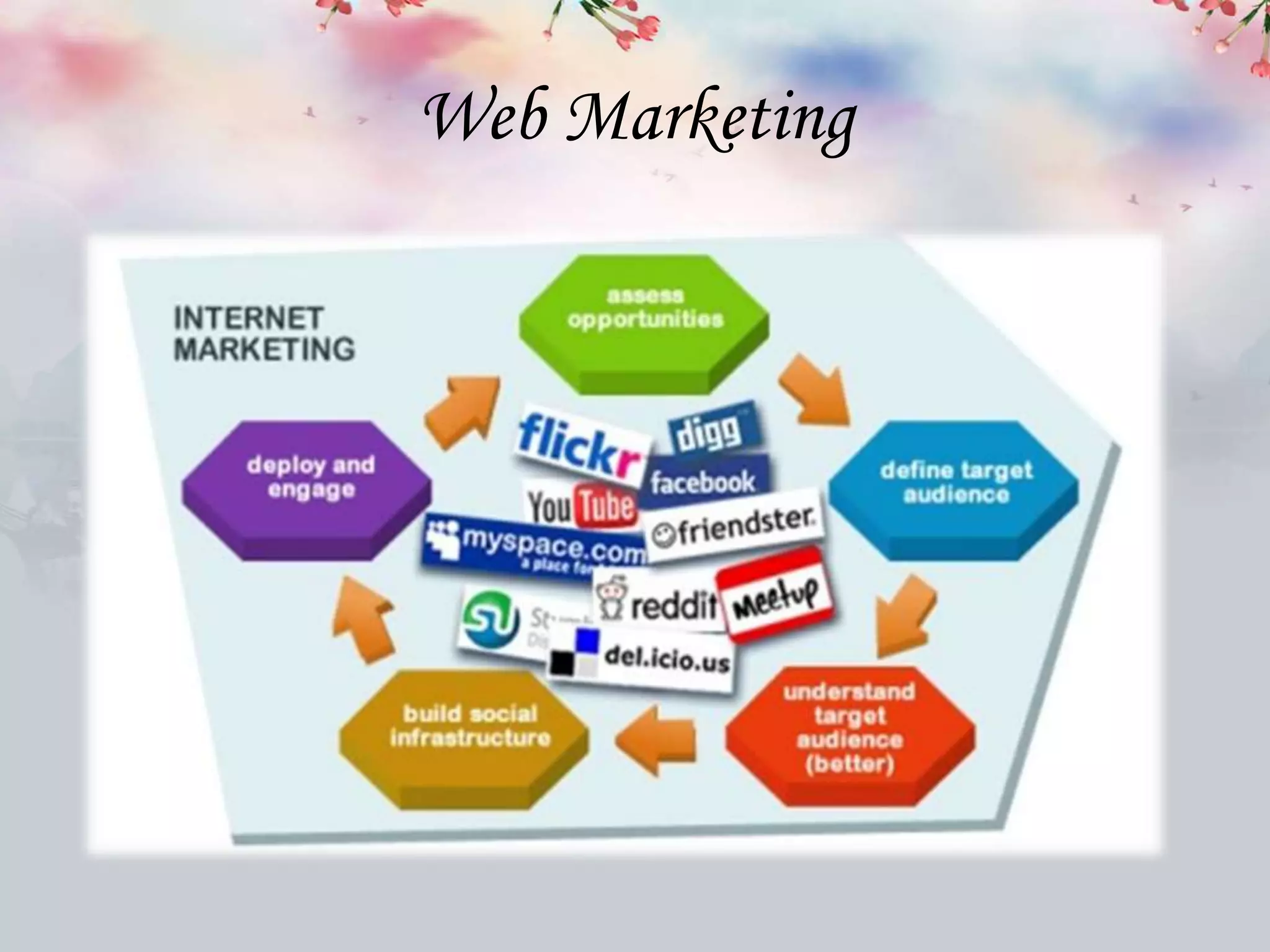
Web Marketing
E - Learning
Web Browser
• A browser is the software application or a
program that you're using right now to search
for, reach and explore websites . A browser is
a program for Internet exploring for
retrieving, presenting, and traversing
information resources on the World Wide
Web.
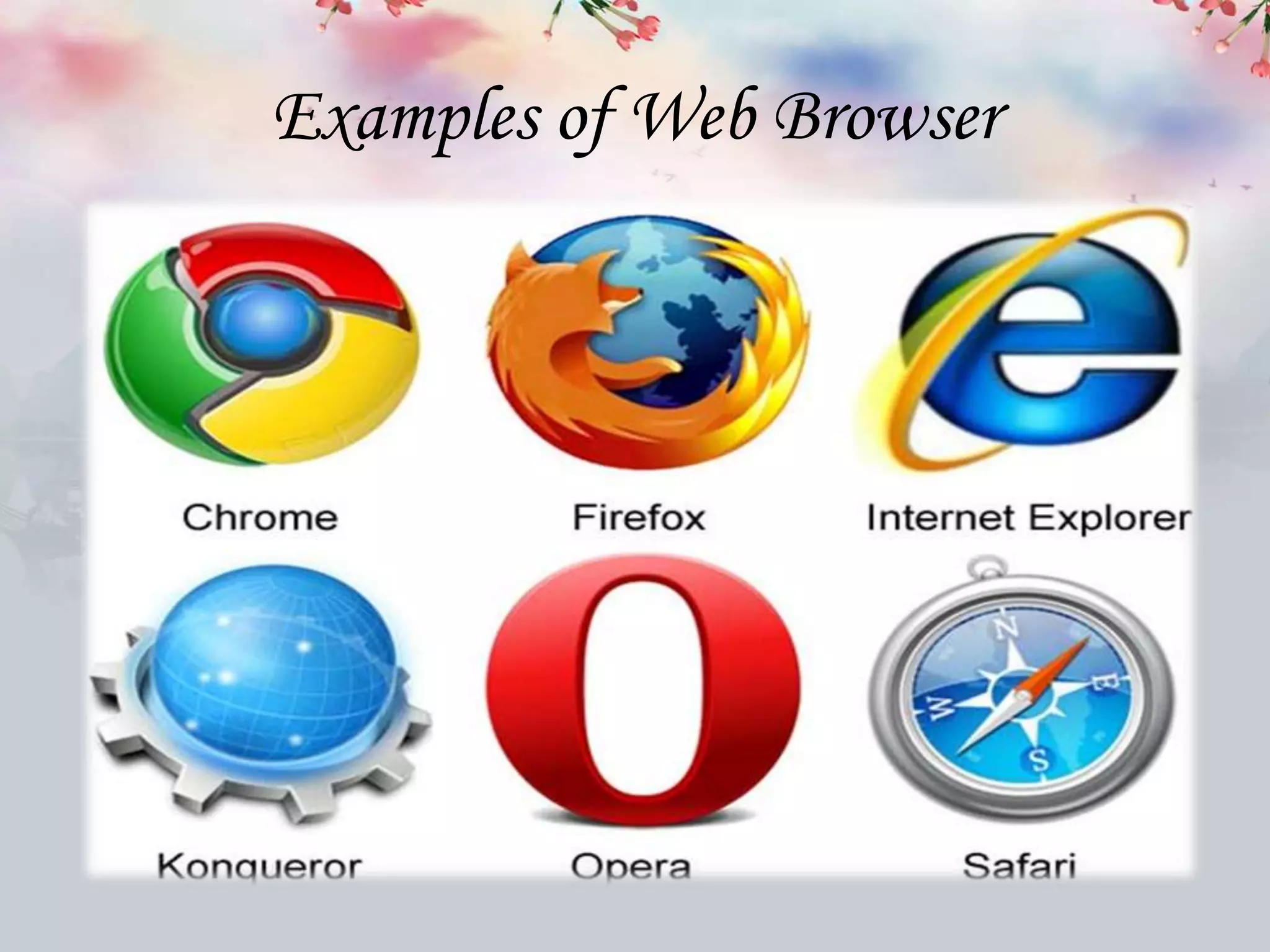
Examples of Web Browser
Search Engine
• Search engines are programs that search
documents for specified keywords and returns
a list of the documents where the keywords
were found. A search engine is really a general
class of programs.
Examples of Search Engine
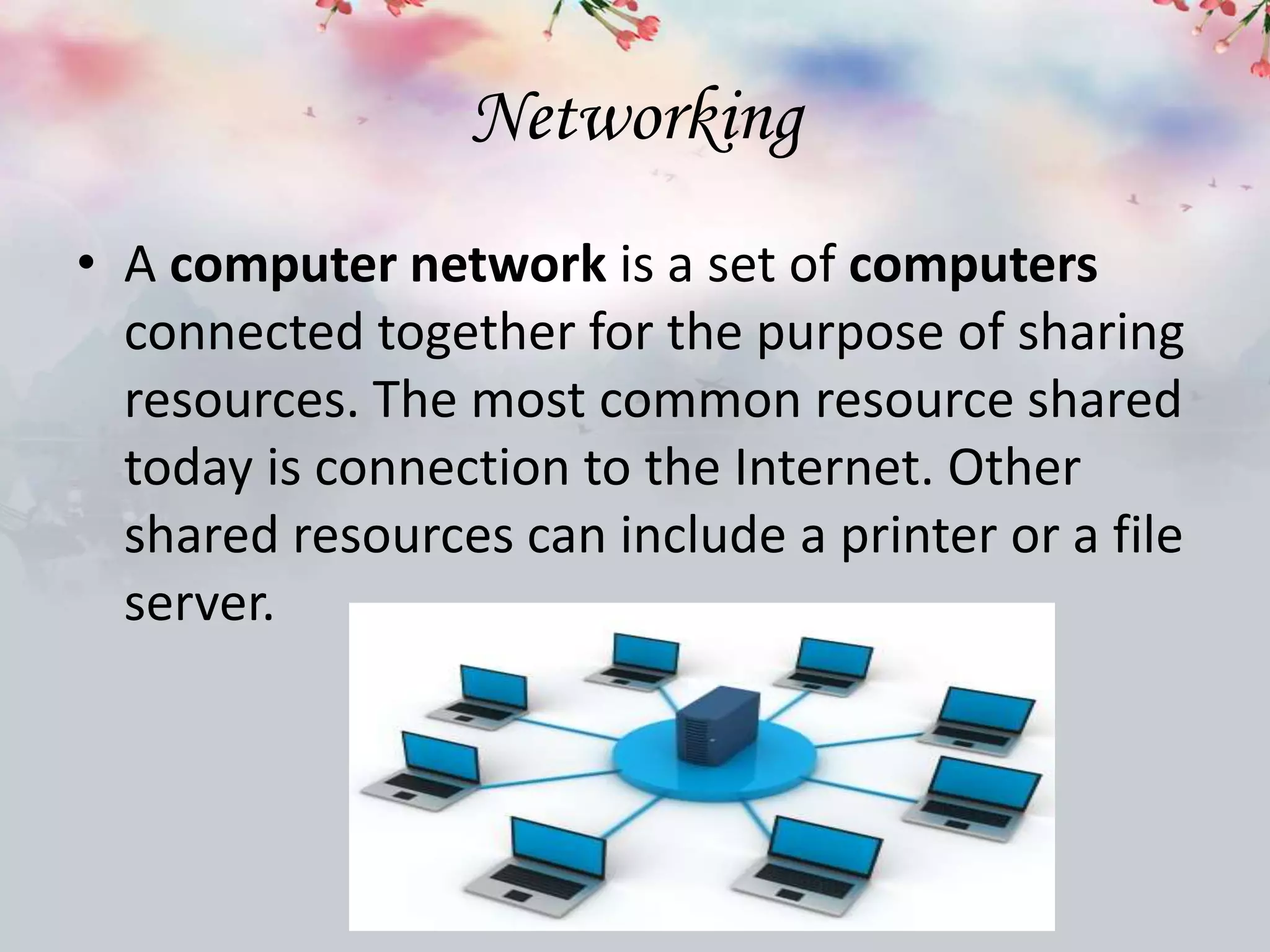
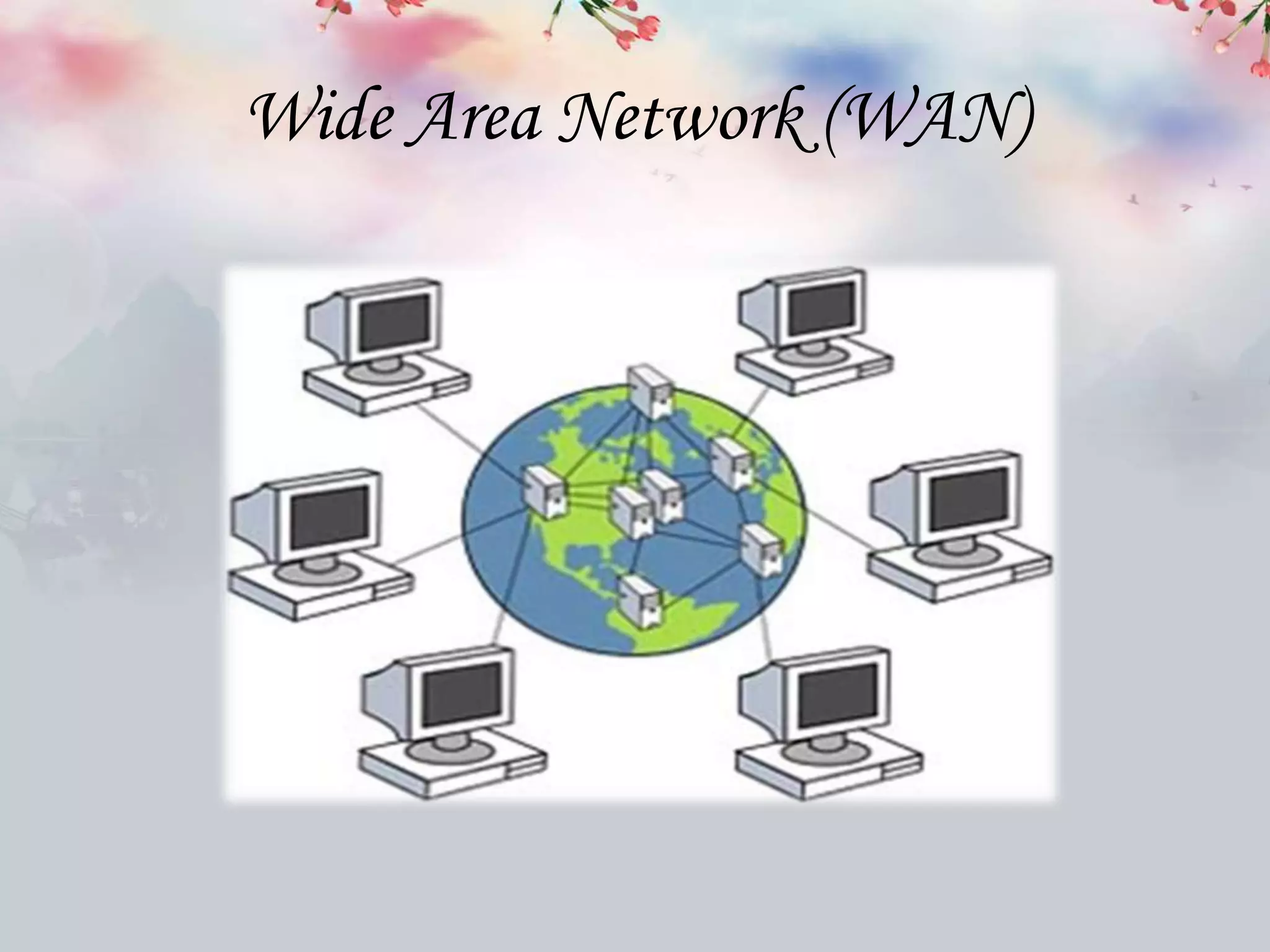
Networking
• A computer network is a set of computers
connected together for the purpose of sharing
resources. The most common resource shared
today is connection to the Internet. Other
shared resources can include a printer or a file
server.
Types of computer Network
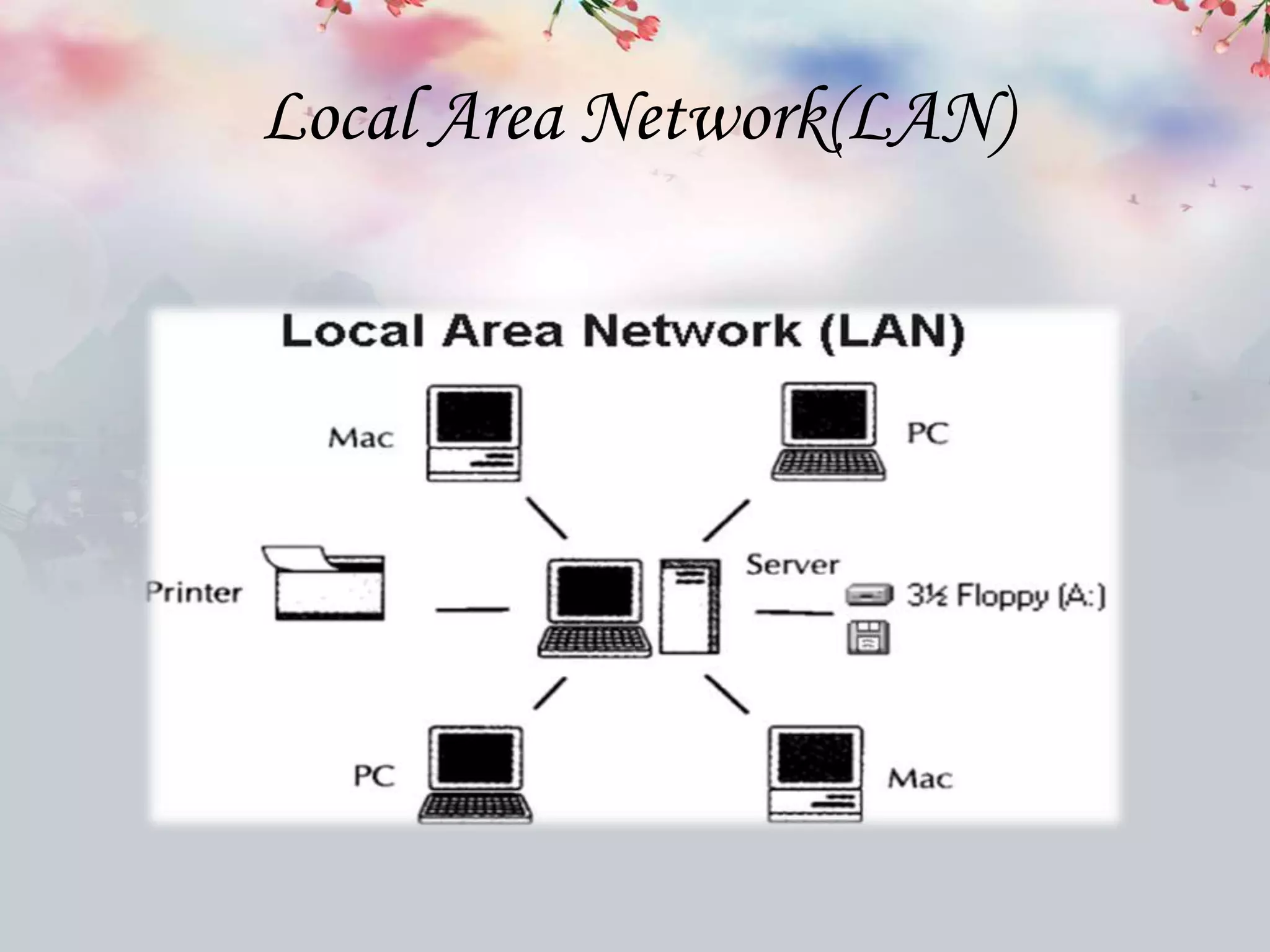
Local Area Network(LAN)
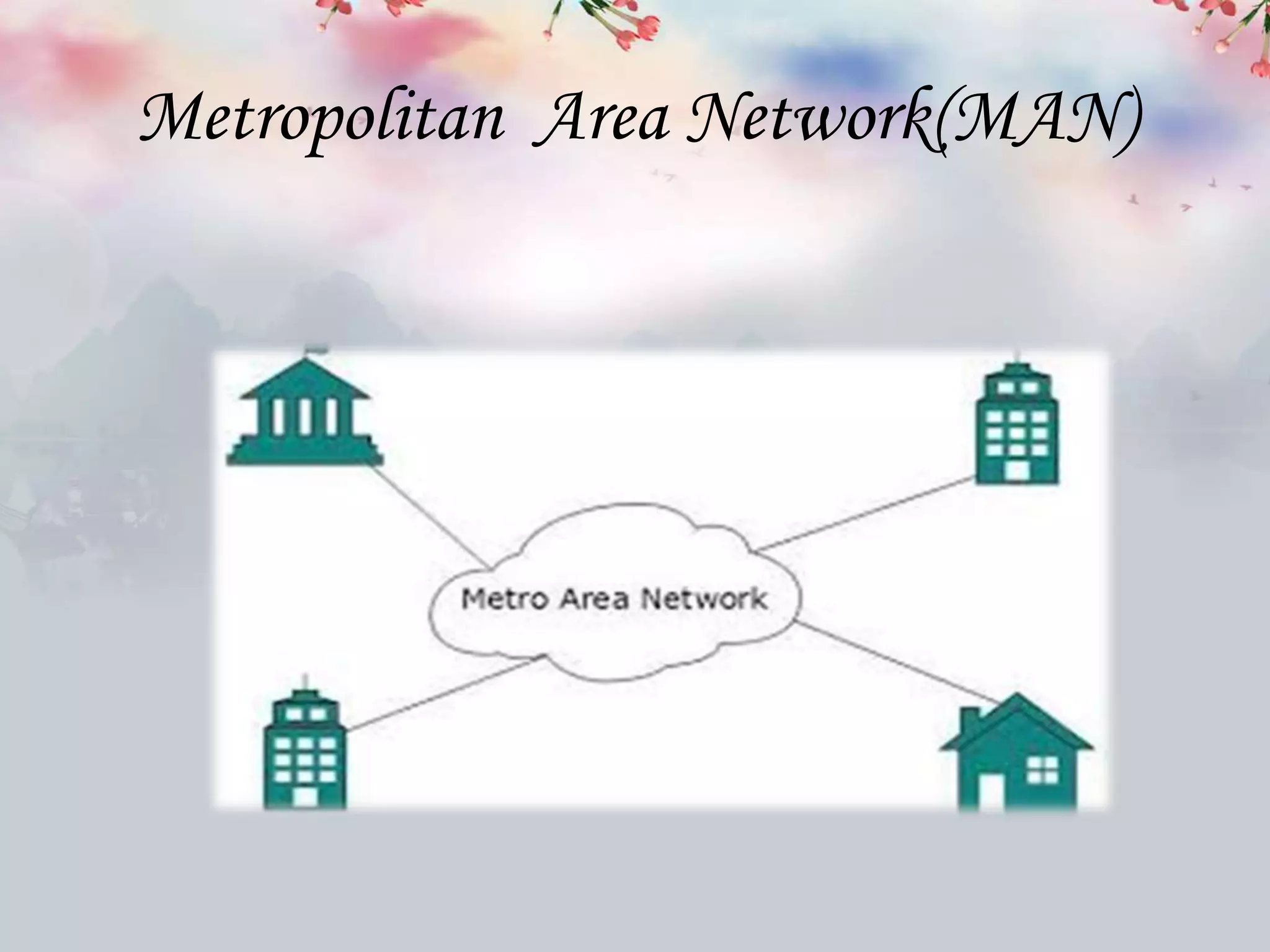
Metropolitan Area Network(MAN)
Wide Area Network (WAN)
Advantages of our training institute
• Training from team of professional PHP developers
with years of experience.
• Training on Core Live Projects to get practical
exposure of programming.
• Training on various CMS & Frame work as per your
requirement.
• Small Batches with early morning, late evening &
weekend batch timing availability.
• GET FREE personal domain & hosting as have our
own dedicates Web Servers.
• Dumps available of more than 2000 solved interview
question Answers.
Address:
15 SCO, Dayal Bagh,
Near Hanuman Mandir,
Ambala Cantt- 133001
Haryana
Ph. No. : 9729666670, 0171-4000670
Email-ID: info.jatinbatra@gmail.com
www.batracomputercentre.com
Courses Available
• BASIC COURSES
• C PROGRAMMING
• C++ PROGRAMMING
• WEB DESIGNING
• WEB DEVELOPMENT
• S.E.O
Basic Computer Course
• Notepad
• WordPad
• MS OFFICE 2010, 2013 [ Word, Excel, Power Point]
• Internet [Gmail, Facebook, Twitter]
• Online Form Filling
• Bill paying, Mobile Recharge, Shopping [Linked, Printer
rest]
• Window Installation, Software Up-Loadations.
Programming Language ‘C’
• Introduction
• Function
• Control Statements
• Arrays & Strings
• Pointers, Structure & Union
Programming Language ‘C++’
• Introduction
• Classes, Objects
• Inheritance
• Constructor & Destructor
• Function
• Pointers Structure
• Arrays & Astrings
• Structures, Union
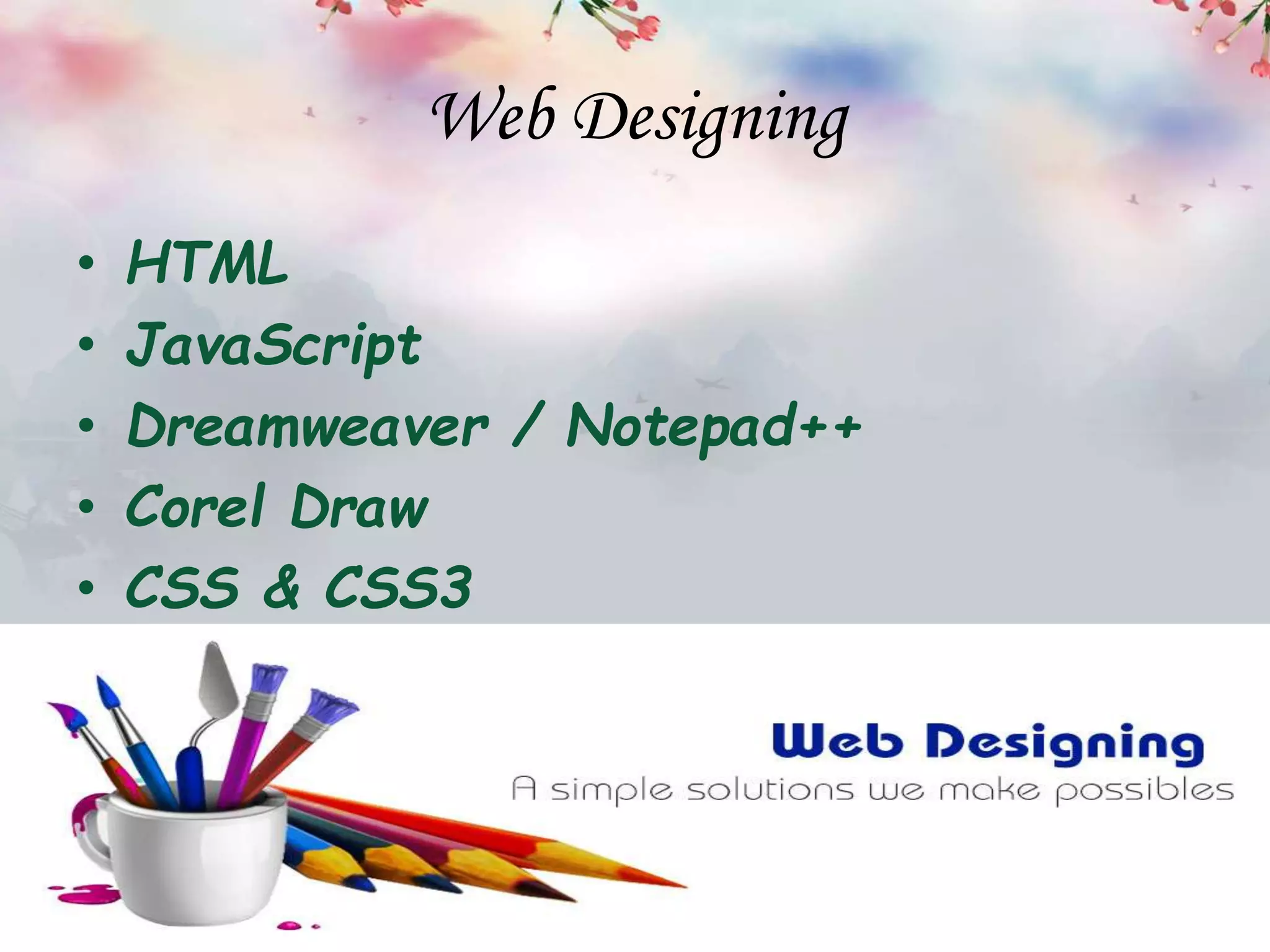
Web Designing
• HTML
• JavaScript
• Dreamweaver / Notepad++
• Corel Draw
• CSS & CSS3
Web Development
• Core PHP
• SQL
• Server Control Structures
• Session
• Cookies
SEO
• Search Engine Basic
• Keyword Research
• Best On-Page SEO Tricks
• Role of Word Press
• Domain Selection
• Social media Importance
• Anchor Text Messages
• Black Hat VS. White Hat Local Place
Benefits  of computer  training

Benefits of computer training

  • 1.
    BATRA CMPUTER CENTRE ISO9001:2008 Created by :-
  • 2.
    What is computertraining ? • Computer training refers to resources, companies and services dedicated to helping educate users on computer-related topics. Computer training professionals instruct and help users acquire proficiency in a wide array of areas, including software, hardware ,database management, programming, networking and more. • Many computer training services are designed to help students acquire certification in specific areas in order to attain job placement or advancement
  • 3.
    Why computer trainingis important? • Computer training is an important factor in 21st century workplaces. The importance of computer training can be viewed in two ways. First, it is vital for job applicants to obtain computer training to make themselves more valuable to potential employers and to obtain higher-paying jobs. Second, it is important for companies to utilize computer training in their new-hire training programs and employee development initiatives.
  • 4.
    Benefits of ComputerTraining Improved employability Potential for advancement Better pay & benefits Increased productivity Training & experience Communication with friends & family Access to games & activities Skills for part time employment as well
  • 5.
    Full form ofComputer C ~ Commonly O ~ Operated M ~ Machine P ~ Particularly U ~ Used for T ~ Trade E ~ Education & R ~ Research Purposes
  • 6.
    Computer • An electronicdevice which is capable of receiving information (data) in a particular form and of performing a sequence of operations in accordance with a predetermined but variable set of procedural instructions (program) to produce a result in the form of information or signals.
  • 8.
  • 9.
    Input devices • Incomputing, an input device is a peripheral used to provide data and control signals to an information processing
  • 10.
    Output devices • Anoutput device is any device used to send data from a computer to another device or user. Most computer data output that is meant for humans is in the form of audio or video.
  • 12.
    SUBJECT INPUT DEVICEOUTPUT DEVICE Definition An input device is any peripheral used to provide data and control signals to an information processing system. Any device that outputs information from a computer is called, not surprisingly, an output device Form Input devices are physically interacted with by the user and have buttons, keys, a lens or some other component that is responsible for the actual data input. Output devices are never contacted, are usually larger, and typically have a screen or set of speakers for data output. Sequence Input device works before Output Device Output device works after input device.
  • 13.
    SUBJECT INPUT DEVICEOUTPUT DEVICE Price Usually, Input devise cheaper than Output Device. Usually Output Device price higher than input device. Conversation It converts commands to Binary digit It converts binary result to our language. Data flow User to CPU via input device CPU to User via Output Device Example Mouse, keyboard, Optical pen, Joystick, Microphone, Barcode reader etc. Monitor, Printer, Projector, Speaker etc.
  • 14.
  • 15.
    Topic Desktop Laptop Cost Thereis a wide variety of component options available for desktops, allowing for a large range of prices, but the starting point is relatively cheap. Laptops can have a fairly wide variety of component options, but they are more limited than desktops. Portability Desktops are large in size and have a separate monitor. Laptops are very portable due to their compact size. They are great for on-the- go use. Processor Desktop processors are a little bit larger in size, but this also means the desktop processors can be more powerful than laptop processors. Laptop processors have nearly caught up to desktop processors, but are still limited when compared to desktop processors.
  • 16.
    Topic Desktop Laptop Easeof assembly Setting up a desktop takes a bit of extra work to hook everything up, start it up, and begin to use. Laptops are built to be easy to use. Take it out of the box, plug it in and press the power button. Within minutes, the laptop is ready to use. Keyboard Desktops can make use of full size keyboards, including a number pad. There are really no limitations. Smaller laptops with the 14" and 15" screens typically have smaller keyboards and don't feature a number pad on the right side. Repair Repairing a desktop computer is much easier since most of the hardware can be easily purchased off the shelf of any local computer retail store. For most users opening a laptop to repair a part can be difficult and finding a replacement part often requires calling the computer manufacturer or ordering from another
  • 17.
    Internet • The Internet,sometimes called simply "the Net," is a worldwide system of computer networks - a network of networks in which users at any one computer can, if they have permission, get information from any other computer
  • 19.
  • 20.
  • 21.
  • 22.
  • 23.
  • 24.
  • 25.
    Web Browser • Abrowser is the software application or a program that you're using right now to search for, reach and explore websites . A browser is a program for Internet exploring for retrieving, presenting, and traversing information resources on the World Wide Web.
  • 26.
  • 27.
    Search Engine • Searchengines are programs that search documents for specified keywords and returns a list of the documents where the keywords were found. A search engine is really a general class of programs.
  • 28.
  • 29.
    Networking • A computernetwork is a set of computers connected together for the purpose of sharing resources. The most common resource shared today is connection to the Internet. Other shared resources can include a printer or a file server.
  • 30.
  • 31.
  • 32.
  • 33.
  • 34.
    Advantages of ourtraining institute • Training from team of professional PHP developers with years of experience. • Training on Core Live Projects to get practical exposure of programming. • Training on various CMS & Frame work as per your requirement. • Small Batches with early morning, late evening & weekend batch timing availability. • GET FREE personal domain & hosting as have our own dedicates Web Servers. • Dumps available of more than 2000 solved interview question Answers.
  • 38.
    Address: 15 SCO, DayalBagh, Near Hanuman Mandir, Ambala Cantt- 133001 Haryana Ph. No. : 9729666670, 0171-4000670 Email-ID: info.jatinbatra@gmail.com www.batracomputercentre.com
  • 39.
    Courses Available • BASICCOURSES • C PROGRAMMING • C++ PROGRAMMING • WEB DESIGNING • WEB DEVELOPMENT • S.E.O
  • 40.
    Basic Computer Course •Notepad • WordPad • MS OFFICE 2010, 2013 [ Word, Excel, Power Point] • Internet [Gmail, Facebook, Twitter] • Online Form Filling • Bill paying, Mobile Recharge, Shopping [Linked, Printer rest] • Window Installation, Software Up-Loadations.
  • 41.
    Programming Language ‘C’ •Introduction • Function • Control Statements • Arrays & Strings • Pointers, Structure & Union
  • 42.
    Programming Language ‘C++’ •Introduction • Classes, Objects • Inheritance • Constructor & Destructor • Function • Pointers Structure • Arrays & Astrings • Structures, Union
  • 43.
    Web Designing • HTML •JavaScript • Dreamweaver / Notepad++ • Corel Draw • CSS & CSS3
  • 44.
    Web Development • CorePHP • SQL • Server Control Structures • Session • Cookies
  • 45.
    SEO • Search EngineBasic • Keyword Research • Best On-Page SEO Tricks • Role of Word Press • Domain Selection • Social media Importance • Anchor Text Messages • Black Hat VS. White Hat Local Place