Hassan Bin Ali
     Department of IT & Communication
     Politeknik Tuanku Syed Sirajuddin


FP202 Fundamental of OS
   By the end of this lecture, students will be able to:
     1) Explain terminologies relating to operating
       system
     2) Describe components of operating system
     3) Identify different interfaces of operating
       system
     4) Describe relations between system calls and
       Application Programming Interface (API)


                                 FP202 Fundamental of OS
OPERATING
    SYSTEM
TERMINOLOGIES

       FP202 Fundamental of OS
   Process of letting the operating system perform
    multiple task at what seems to the user simultaneously.
   The CPU switches from one program to the next so
    quickly that appears as if all of the programs are
    executing at the same time.
   System with multiple processor
      - This is the case, since there are several CPU's to
         execute programs on .
   System with single processor
      - Multitasking done by switching execution very rapidly
      between each program, thus giving the impression of
      simultaneous execution.
     -This process is also known as task switching or timesharing.


                                     FP202 Fundamental of OS
• Goal of multiprogramming is to efficiently
utilize all of the computing resources.
•When a job issues an I/O request (e.g., open
a file, read data from a file), it cannot
continue until the request is fulfilled.
•The CPU then becomes idle (the job is
blocked on the request).


                         FP202 Fundamental of OS
•   Logical extension of multiprogramming termed
    multitasking.
•   Quite often sitting at terminal using a “command line”
    interface to interact with computer.
      Types in commands from keyboard.

      A system program called a shell reads command from

       the command line and makes OS system calls to carry
       out commands.
•   Switching between users is very fast.
•   Goal is to give the illusion that each user has own machine.


                                     FP202 Fundamental of OS
   Buffering is a method of overlapping the
    computation of a job with its execution.
    It temporarily stores input or output data in  an
    attempt to better match the speeds of two
    devices such as a fast CPU and a slow disk
    drive.
   If, for example, the CPU  writes information to
    the buffer, it can continue in its computation
    while the disk drive stores the information. 


                               FP202 Fundamental of OS
• With spooling, the disk is used as a very large buffer.
Usually complete jobs are queued on disk to be completed
later. 
•A typical example is the spooler for a printer. When a print
job is issued, the spooler takes care of it, sending it to the
printer  if it is not busy, or storing it on disk otherwise. 


                                  FP202 Fundamental of OS
OPERATING
   SYSTEM
COMPONENTS

     FP202 Fundamental of OS
  Operating system comprises a set of software
   packages that can be used to manage interactions with
   the hardware.
 The following elements are generally included in this
   set of software:
1) Kernel
- Represents the operating system’s basic functions such
   as management of memory, processes, files, main
   inputs/outputs and communication functionalities.

2) Shell
- Allowing communication with the operating system
  via a control language, letting the user control the
  peripherals without knowing the characteristics of the
  hardware used, management of physical addresses,
  etc.


                                FP202 Fundamental of OS
3) File System
- Allowing files to be recorded in a tree structure.


                               FP202 Fundamental of OS
OPERATING
  SYSTEM
INTERFACES


     FP202 Fundamental of OS
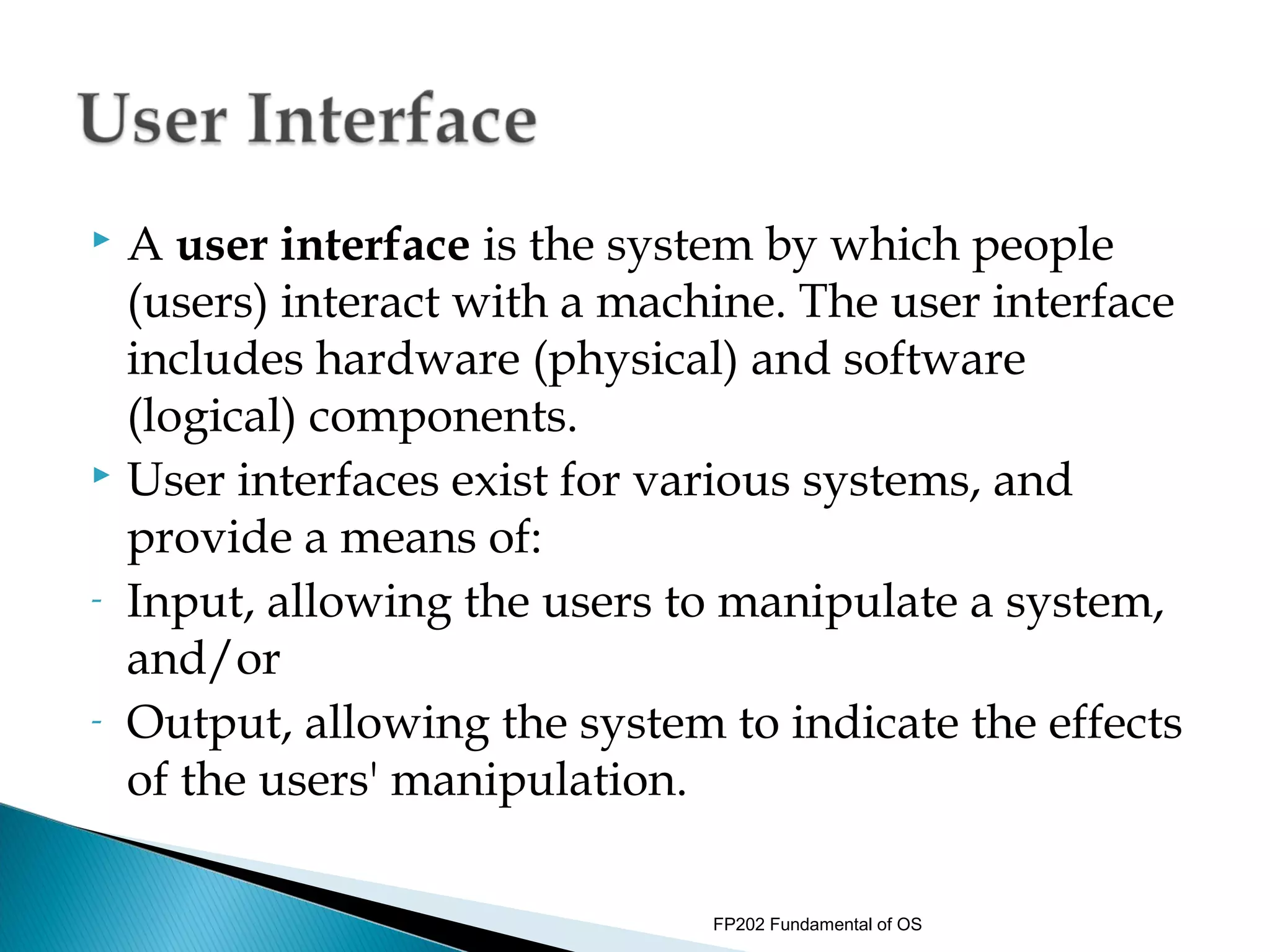
 A user interface is the system by which people
  (users) interact with a machine. The user interface
  includes hardware (physical) and software
  (logical) components.
 User interfaces exist for various systems, and

  provide a means of:
- Input, allowing the users to manipulate a system,

  and/or
- Output, allowing the system to indicate the effects

  of the users' manipulation.

                              FP202 Fundamental of OS
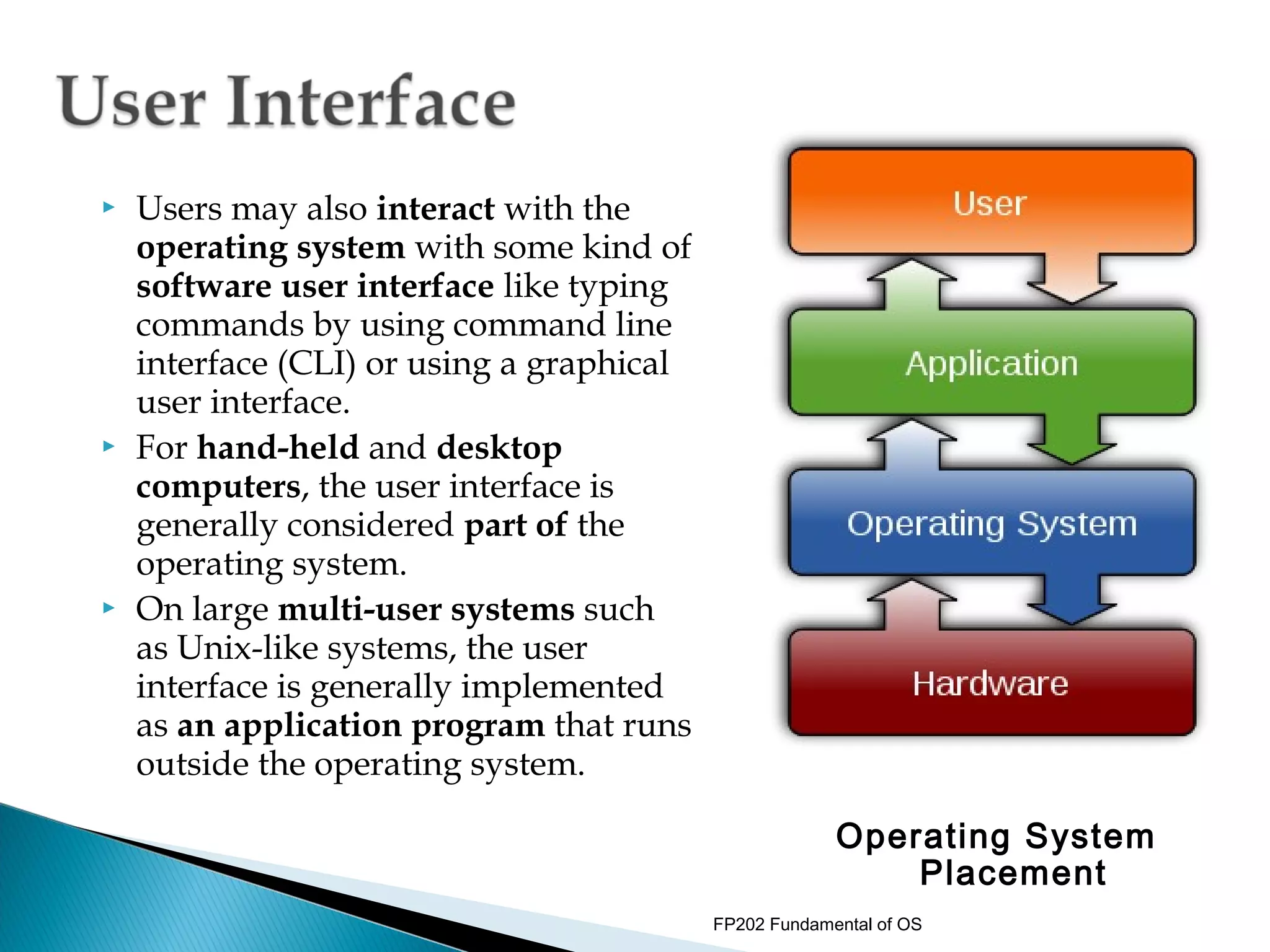
   Users may also interact with the
    operating system with some kind of
    software user interface like typing
    commands by using command line
    interface (CLI) or using a graphical
    user interface.
   For hand-held and desktop
    computers, the user interface is
    generally considered part of the
    operating system.
   On large multi-user systems such
    as Unix-like systems, the user
    interface is generally implemented
    as an application program that runs
    outside the operating system.

                                                        Operating System
                                                            Placement
                                           FP202 Fundamental of OS
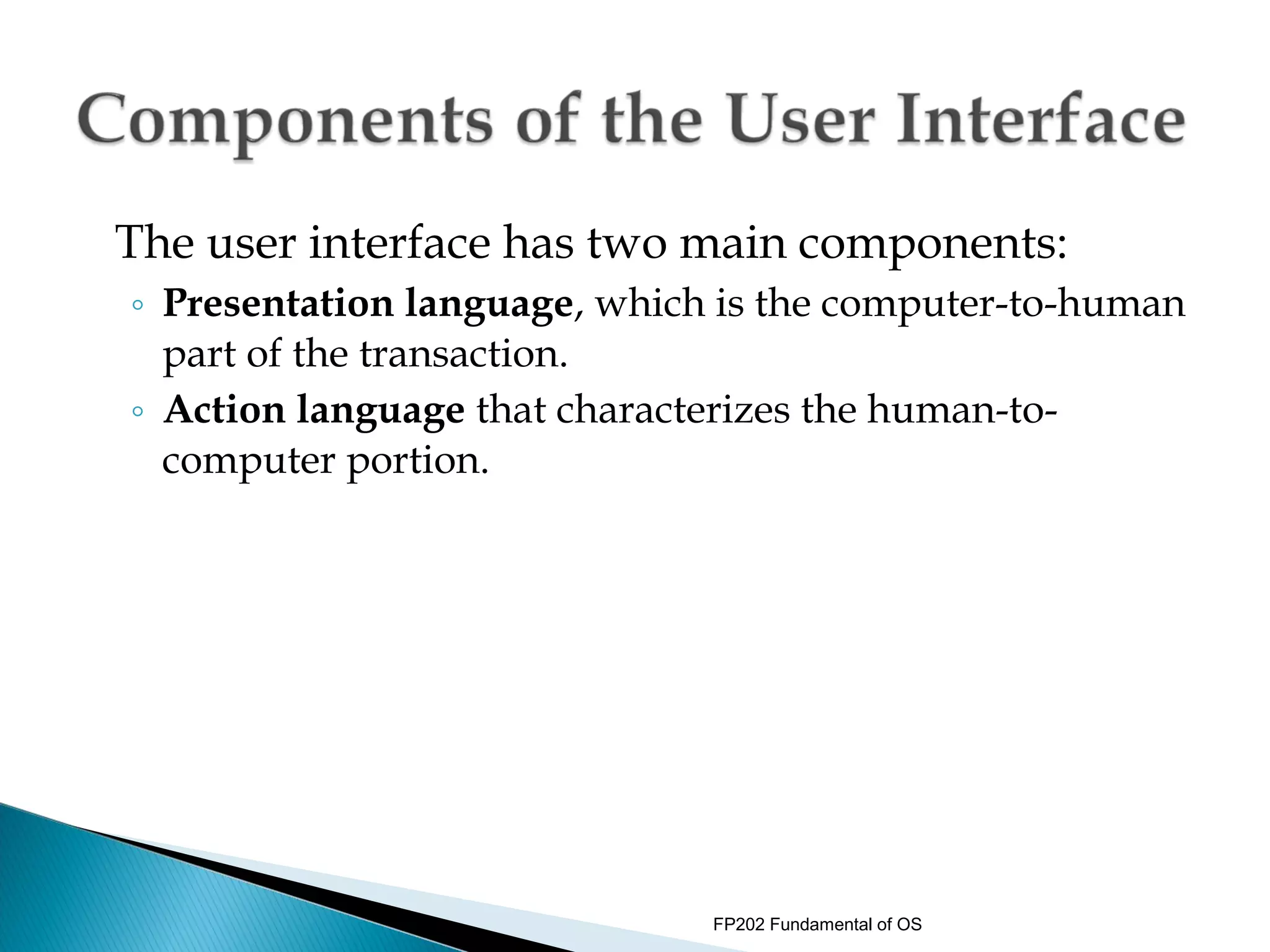
The user interface has two main components:
◦ Presentation language, which is the computer-to-human
  part of the transaction.
◦ Action language that characterizes the human-to-
  computer portion.


                              FP202 Fundamental of OS
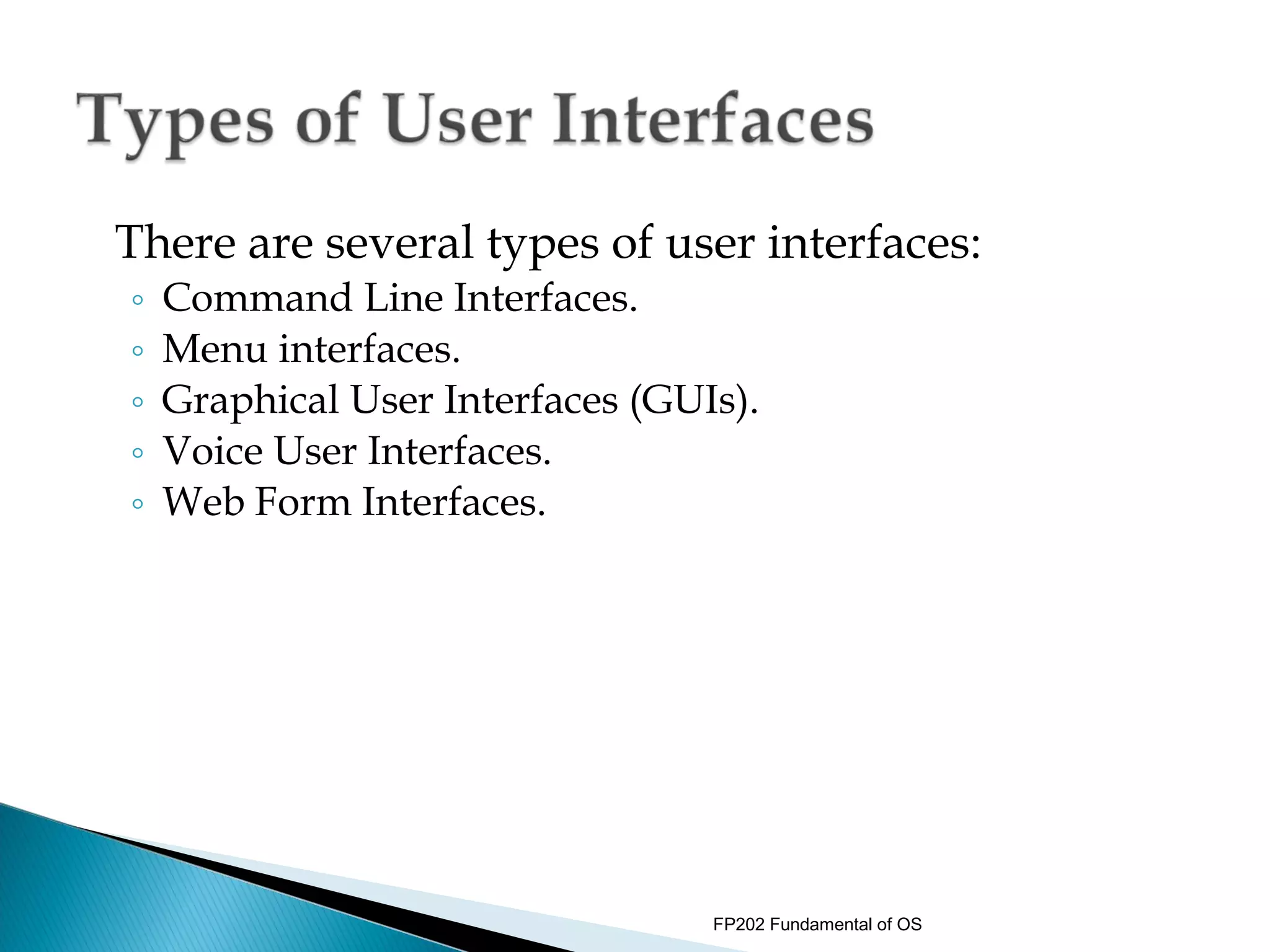
There are several types of user interfaces:
◦   Command Line Interfaces.
◦   Menu interfaces.
◦   Graphical User Interfaces (GUIs).
◦   Voice User Interfaces.
◦   Web Form Interfaces.


                                  FP202 Fundamental of OS
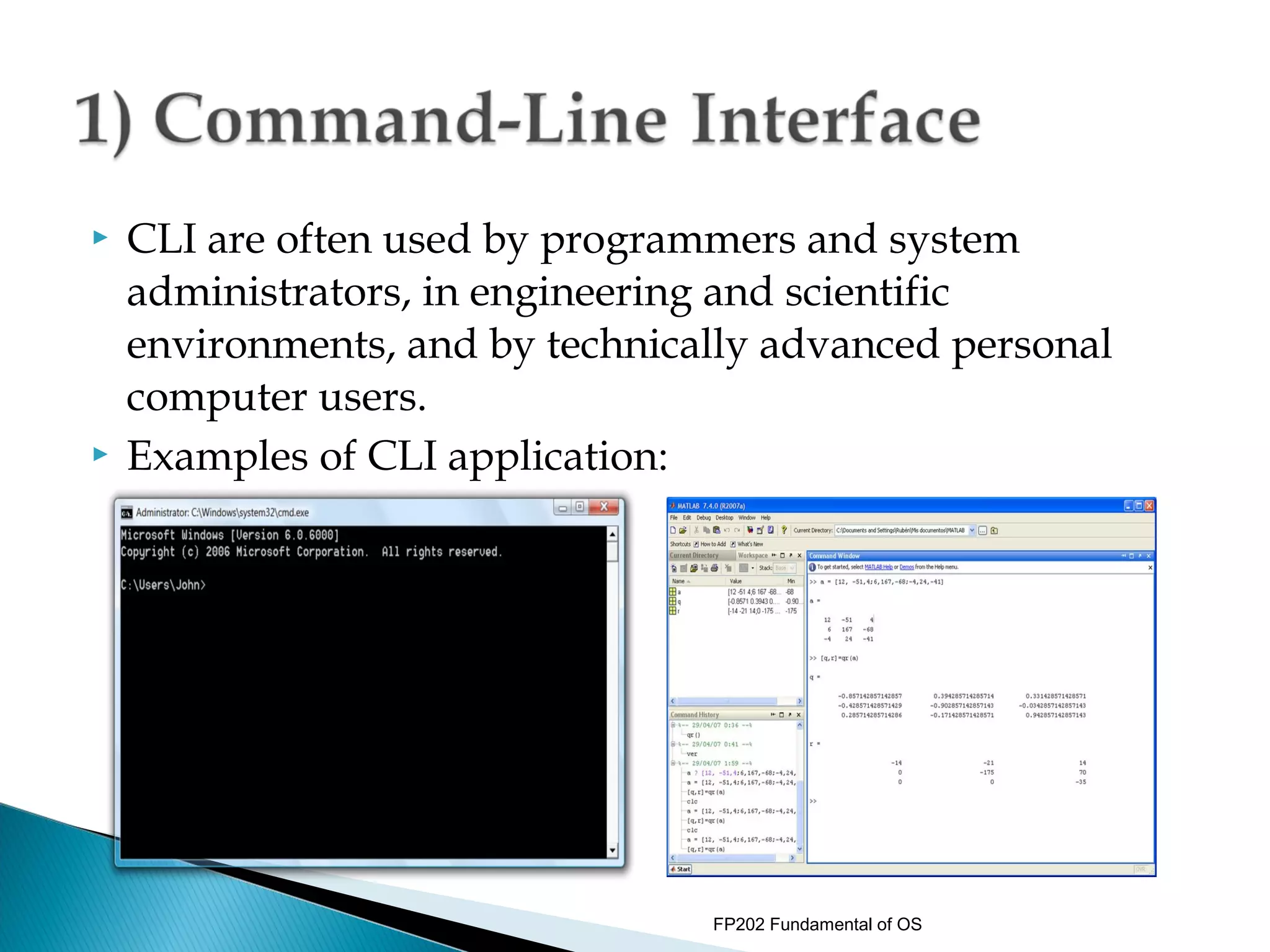
   CLI are often used by programmers and system
    administrators, in engineering and scientific
    environments, and by technically advanced personal
    computer users.
   Examples of CLI application:


                                 FP202 Fundamental of OS
 Menu Interface presents user with a menu of
  choices.
 Rather than learning specific commands, user
  choose them from the menu.
 Menus can contain submenus, in which case user
  need to memorize how to access a particular
  command.
 This is still much easier than memorizing the
  actual command.


                           FP202 Fundamental of OS
   Menu interfaces commonly appear the beginning of
    a game, often at the title screen regardless of how
    menus are used later in the game.
   Past the opening menu, games often provide an
    option menu for saving. While these examples
    constitute menu interfaces, many games include
    menu interfaces to control entity actions as well.
   Some games provide a series of menus through
    which the player controls game entities that is
    analogous to menu systems found in interactive
    kiosks.

                                FP202 Fundamental of OS
   The sophistication of these menu interfaces ranges from
    simple, flat menus to deeply nested menus with many
    sub-options.
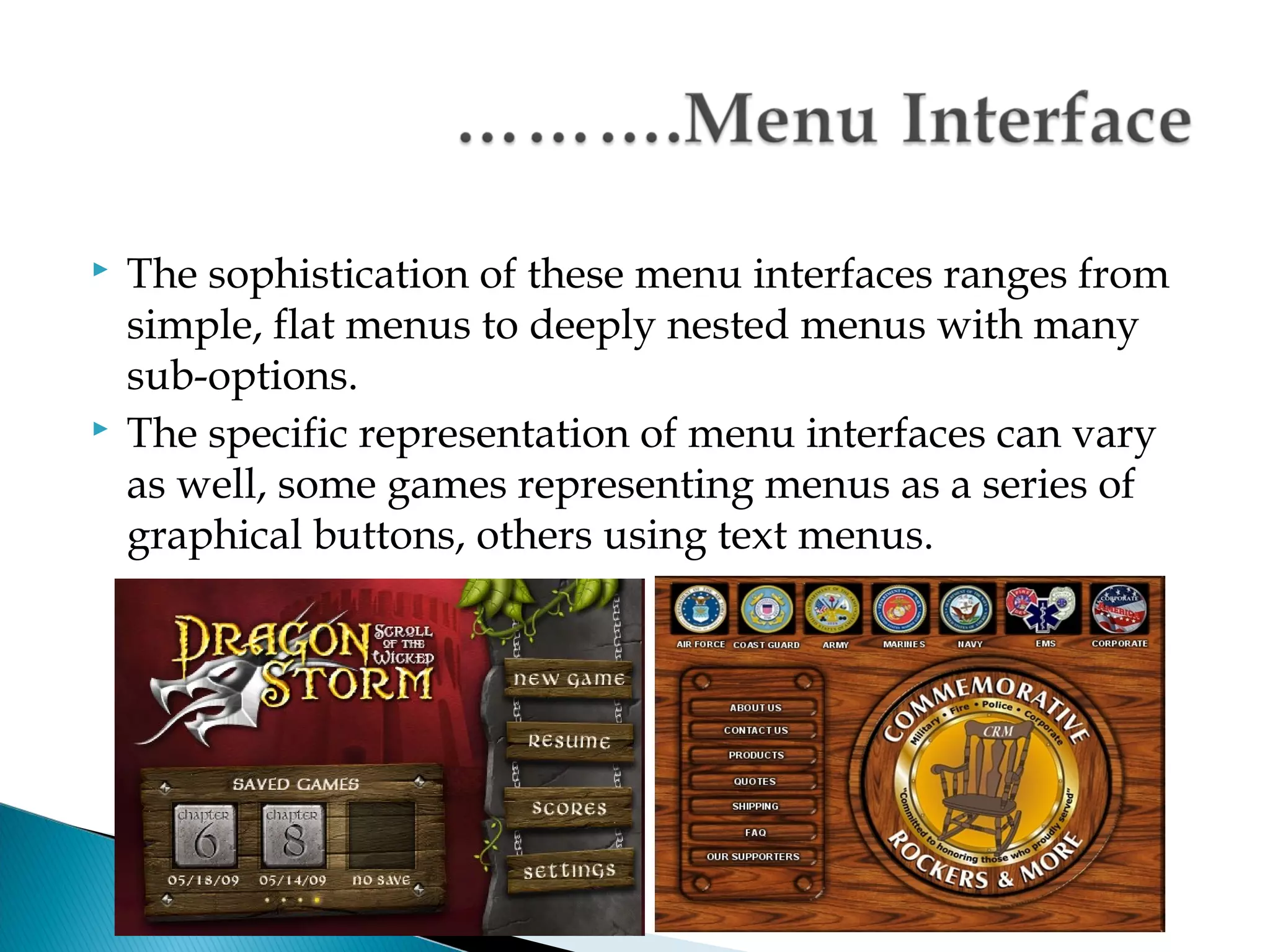
   The specific representation of menu interfaces can vary
    as well, some games representing menus as a series of
    graphical buttons, others using text menus.


                                  FP202 Fundamental of OS
 Menu interface provides the user with an
  onscreen list of available selections.
 A nested menu is a menu that can be reached

  through another menu.


                            FP202 Fundamental of OS
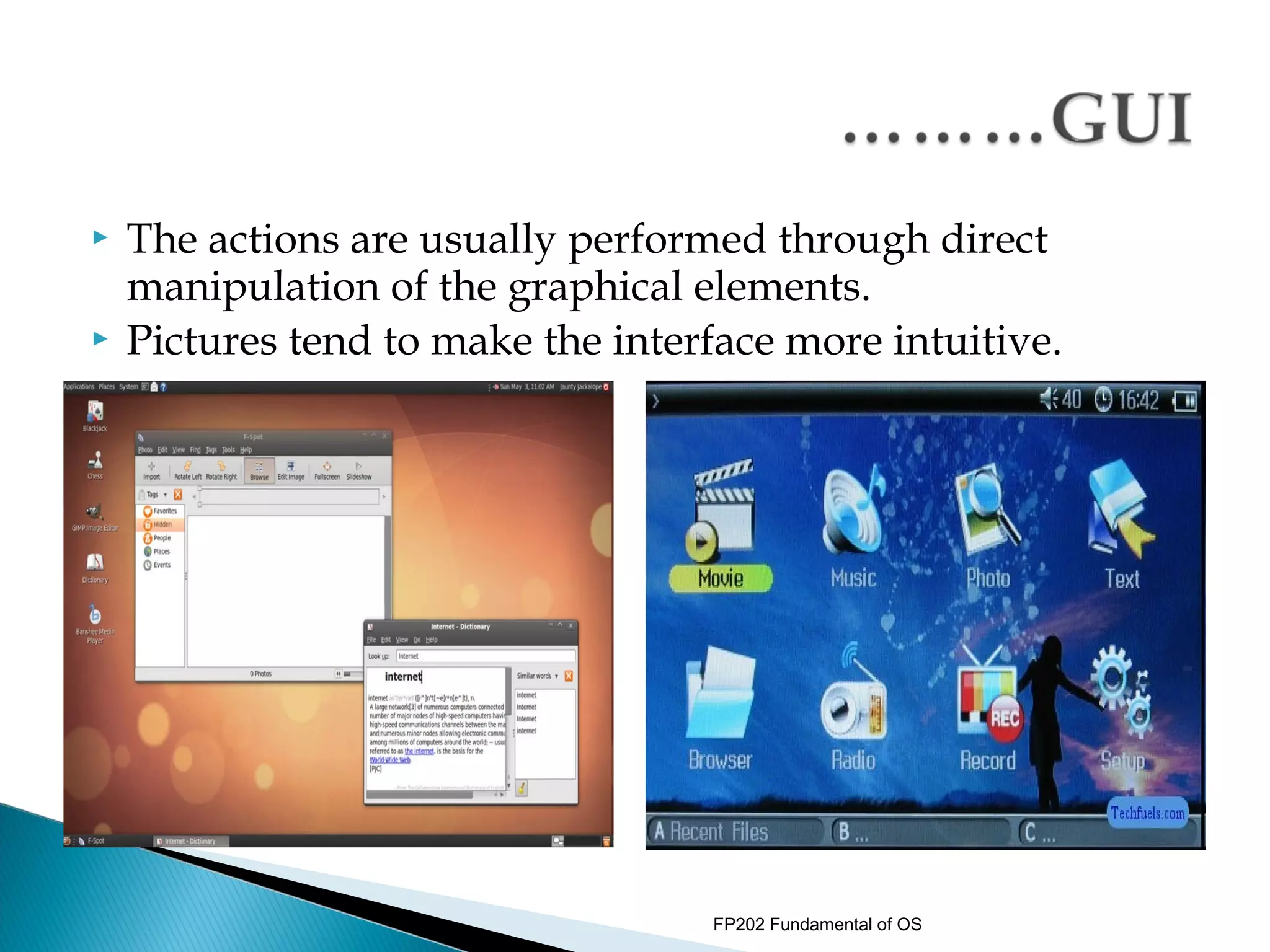
   A graphical user interface or GUI (sometimes
    pronounced gooey) is a type of user interface item that
    allows people to interact with programs in more ways
    than typing such as computers
   Examples: hand-held devices such as MP3 Players,
    Portable Media Players or Gaming devices; household
    appliances and office equipment with images rather than
    text commands.
   A GUI offers graphical icons, and visual indicators, as
    opposed to text-based interfaces, typed command labels
    or text navigation to fully represent the information and
    actions available to a user.


                                   FP202 Fundamental of OS
   The actions are usually performed through direct
    manipulation of the graphical elements.
   Pictures tend to make the interface more intuitive.


                                   FP202 Fundamental of OS
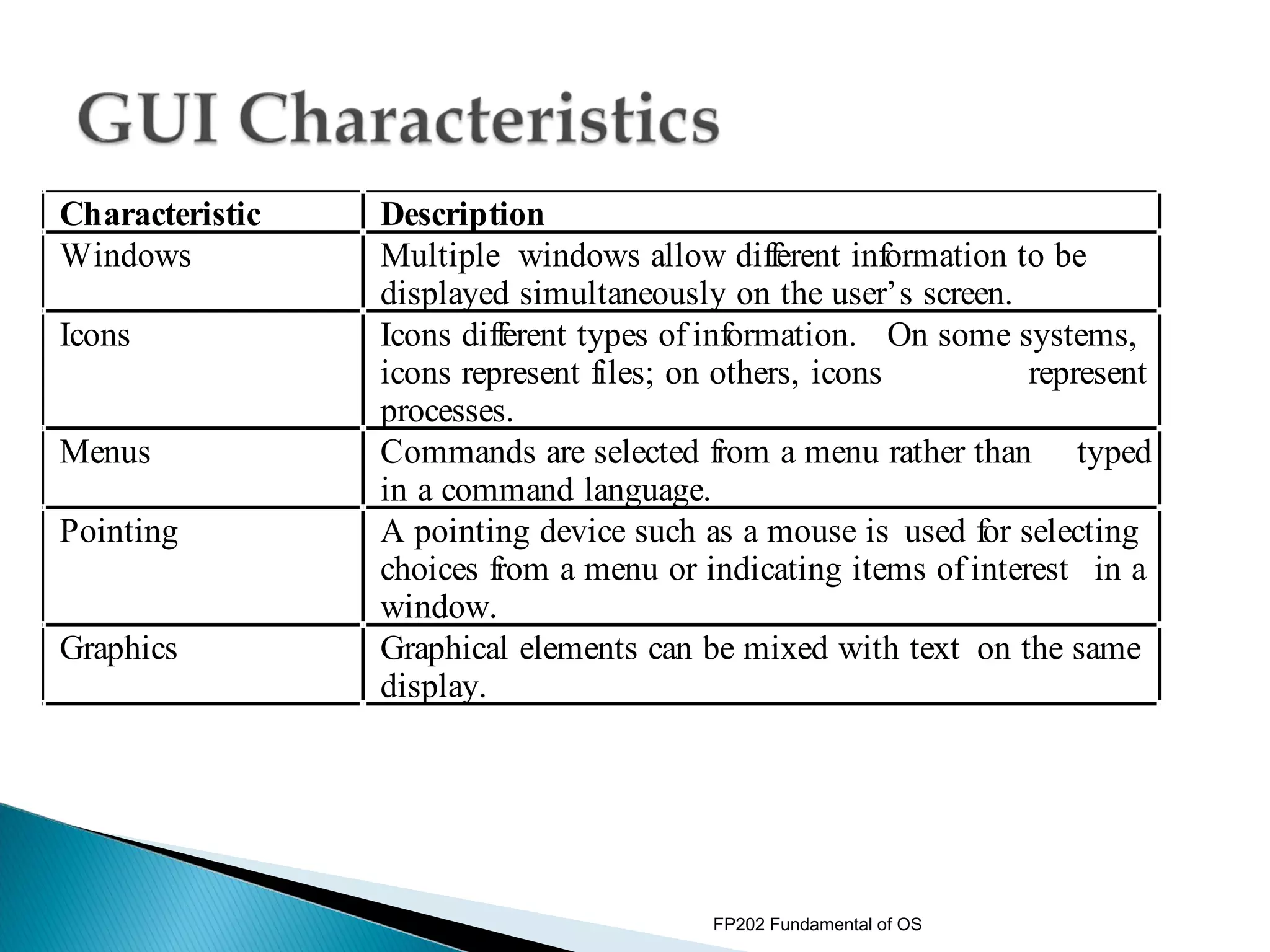
Characteristic   Description
Windows          Multiple windows allow different information to be
                 displayed simultaneously on the user’s screen.
Icons            Icons different types of information. On some systems,
                 icons represent files; on others, icons         represent
                 processes.
Menus            Commands are selected from a menu rather than typed
                 in a command language.
Pointing         A pointing device such as a mouse is used for selecting
                 choices from a menu or indicating items of interest in a
                 window.
Graphics         Graphical elements can be mixed with text on the same
                 display.


                                         FP202 Fundamental of OS
 A Voice User Interface (VUI) makes human
  interaction with computers possible through a
  voice/speech platform in order to initiate an
  automated service or process.
 The VUI is the interface to any speech application.
 Controlling a machine by simply talking to it was
  science fiction only a short time ago.
 However, with advances in technology, VUI have
  become more common place, and people are
  taking advantage of the value that these hands-
  free, eyes-free interfaces provide in many
  situations.

                              FP202 Fundamental of OS
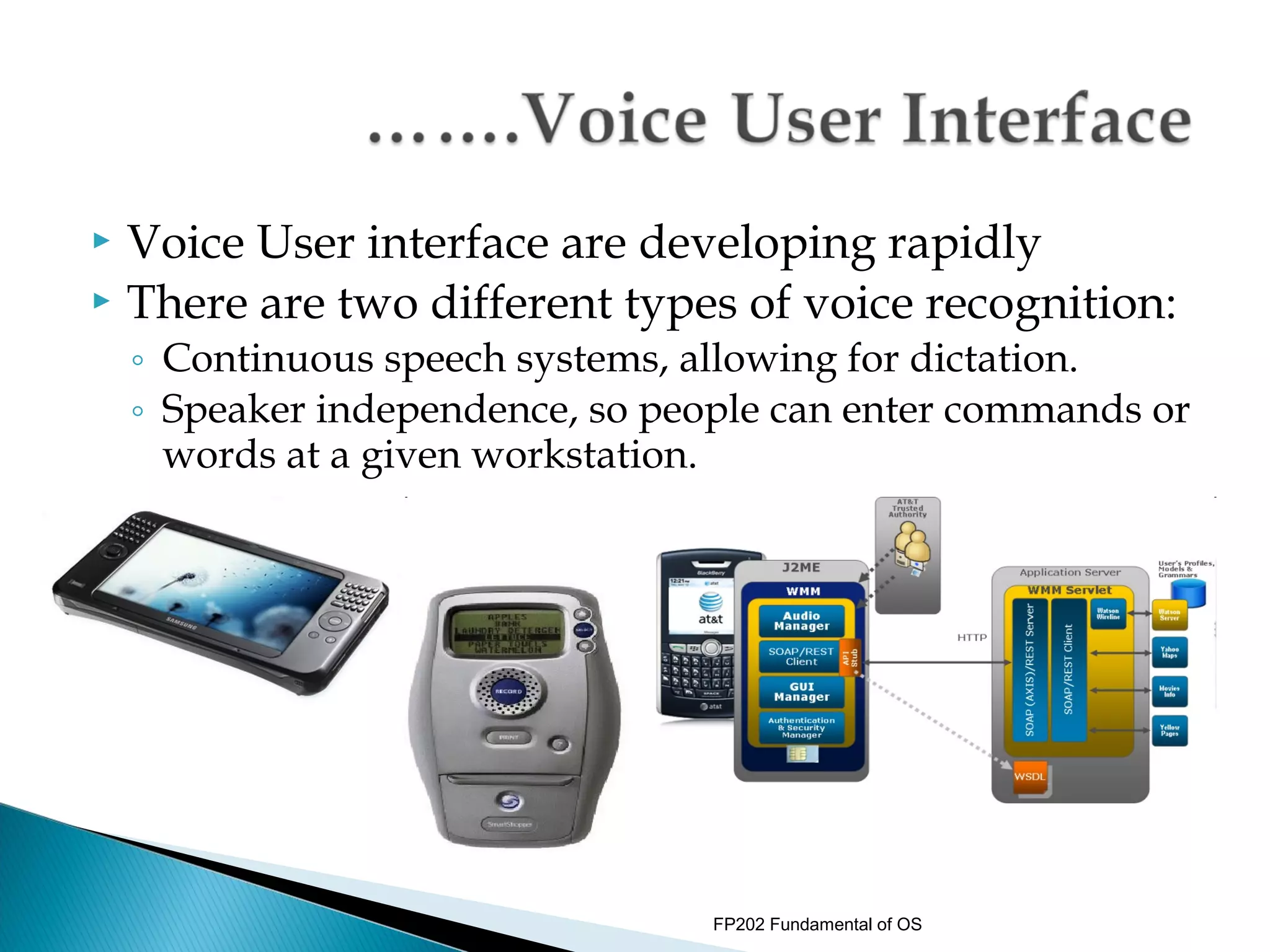
 Voice User interface are developing rapidly
 There are two different types of voice recognition:
    ◦ Continuous speech systems, allowing for dictation.
    ◦ Speaker independence, so people can enter commands or
      words at a given workstation.


                                  FP202 Fundamental of OS
 Web Form interfaces are onscreen forms
  displaying fields containing data items or
  parameters that need to be communicated to the
  user.
 Web Form interfaces may be implemented using

  the Web.


                            FP202 Fundamental of OS
   A Web Form allows a user to enter data that is sent to a
    server for processing.
   Web forms resemble paper forms because internet users
    fill out the forms using checkboxes, radio buttons, or text
    fields.
   For example, Web Forms can be used to enter shipping
    or credit card data to order a product or can be used to
    retrieve data (e.g: searching on a search engine).
   In addition to functioning as input templates for new
    information, Web Forms can also be used to query and
    display existing data in a similar manner to mail merge
    forms, with the same advantages.


                                    FP202 Fundamental of OS
NE W BOOK

Title                  ISBN


Author                 Price

                       Publication
Publisher              date
                       Number of
Edition                copies

Classification         Loan
                       status
Date of
                       Order
purchase
                       status


                               FP202 Fundamental of OS
RELATION
  BETWEEN
SYSTEM CALLS
   AND API
      FP202 Fundamental of OS
   User programs are not allowed to access system resources directly.
    They must ask the OS to do that for them.

    OS provides a set of functions that can be called by user programs
    to request for OS services. These functions are called “system calls”
   System calls run in kernel mode.
    They can be called by executing a special instruction (trap or
    software interrupt) which causes processor to switch to the kernel
    mode and jump to a previously defined location in the kernel.
   When the system call finishes, processor returns to the user
    program and runs in user mode.


                                          FP202 Fundamental of OS
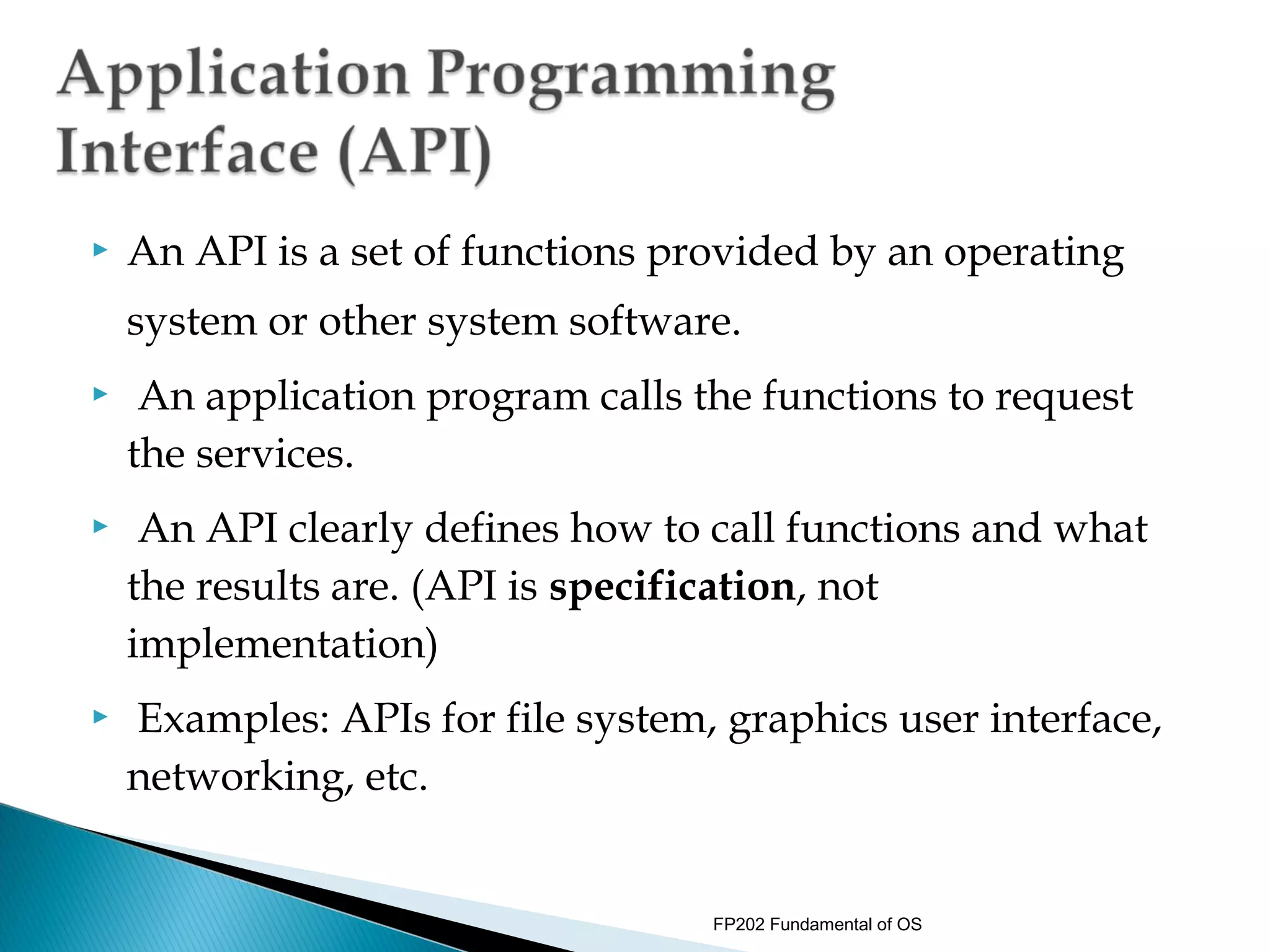
   An API is a set of functions provided by an operating
    system or other system software.
    An application program calls the functions to request
    the services.
    An API clearly defines how to call functions and what
    the results are. (API is specification, not
    implementation)
   Examples: APIs for file system, graphics user interface,
    networking, etc.


                                   FP202 Fundamental of OS
   Portability
    ◦ User programs that follow the API’s definition are
      portable.
    An API can provide a common interface for different
    implementations of a service.
    ◦ For example, the UNIX file system API is the same for
      all kinds of devices.
    ◦ X windows API has many implementations on different
      machine architectures
    Using an API allows upgrading system software
    without changing user programs


                                   FP202 Fundamental of OS

Chapter 1 part 3

  • 1.
    Hassan Bin Ali Department of IT & Communication Politeknik Tuanku Syed Sirajuddin FP202 Fundamental of OS
  • 2.
    By the end of this lecture, students will be able to: 1) Explain terminologies relating to operating system 2) Describe components of operating system 3) Identify different interfaces of operating system 4) Describe relations between system calls and Application Programming Interface (API) FP202 Fundamental of OS
  • 3.
    OPERATING SYSTEM TERMINOLOGIES FP202 Fundamental of OS
  • 4.
    Process of letting the operating system perform multiple task at what seems to the user simultaneously.  The CPU switches from one program to the next so quickly that appears as if all of the programs are executing at the same time.  System with multiple processor - This is the case, since there are several CPU's to execute programs on .  System with single processor - Multitasking done by switching execution very rapidly between each program, thus giving the impression of simultaneous execution. -This process is also known as task switching or timesharing. FP202 Fundamental of OS
  • 5.
    • Goal ofmultiprogramming is to efficiently utilize all of the computing resources. •When a job issues an I/O request (e.g., open a file, read data from a file), it cannot continue until the request is fulfilled. •The CPU then becomes idle (the job is blocked on the request). FP202 Fundamental of OS
  • 6.
    Logical extension of multiprogramming termed multitasking. • Quite often sitting at terminal using a “command line” interface to interact with computer.  Types in commands from keyboard.  A system program called a shell reads command from the command line and makes OS system calls to carry out commands. • Switching between users is very fast. • Goal is to give the illusion that each user has own machine. FP202 Fundamental of OS
  • 7.
    Buffering is a method of overlapping the computation of a job with its execution.  It temporarily stores input or output data in  an attempt to better match the speeds of two devices such as a fast CPU and a slow disk drive.  If, for example, the CPU  writes information to the buffer, it can continue in its computation while the disk drive stores the information.    FP202 Fundamental of OS
  • 8.
    • With spooling,the disk is used as a very large buffer. Usually complete jobs are queued on disk to be completed later.  •A typical example is the spooler for a printer. When a print job is issued, the spooler takes care of it, sending it to the printer  if it is not busy, or storing it on disk otherwise.  FP202 Fundamental of OS
  • 9.
    OPERATING SYSTEM COMPONENTS FP202 Fundamental of OS
  • 10.
     Operatingsystem comprises a set of software packages that can be used to manage interactions with the hardware.  The following elements are generally included in this set of software: 1) Kernel - Represents the operating system’s basic functions such as management of memory, processes, files, main inputs/outputs and communication functionalities. 2) Shell - Allowing communication with the operating system via a control language, letting the user control the peripherals without knowing the characteristics of the hardware used, management of physical addresses, etc. FP202 Fundamental of OS
  • 11.
    3) File System -Allowing files to be recorded in a tree structure. FP202 Fundamental of OS
  • 12.
    OPERATING SYSTEM INTERFACES FP202 Fundamental of OS
  • 13.
     A userinterface is the system by which people (users) interact with a machine. The user interface includes hardware (physical) and software (logical) components.  User interfaces exist for various systems, and provide a means of: - Input, allowing the users to manipulate a system, and/or - Output, allowing the system to indicate the effects of the users' manipulation. FP202 Fundamental of OS
  • 14.
    Users may also interact with the operating system with some kind of software user interface like typing commands by using command line interface (CLI) or using a graphical user interface.  For hand-held and desktop computers, the user interface is generally considered part of the operating system.  On large multi-user systems such as Unix-like systems, the user interface is generally implemented as an application program that runs outside the operating system. Operating System Placement FP202 Fundamental of OS
  • 15.
    The user interfacehas two main components: ◦ Presentation language, which is the computer-to-human part of the transaction. ◦ Action language that characterizes the human-to- computer portion. FP202 Fundamental of OS
  • 16.
    There are severaltypes of user interfaces: ◦ Command Line Interfaces. ◦ Menu interfaces. ◦ Graphical User Interfaces (GUIs). ◦ Voice User Interfaces. ◦ Web Form Interfaces. FP202 Fundamental of OS
  • 17.
    CLI are often used by programmers and system administrators, in engineering and scientific environments, and by technically advanced personal computer users.  Examples of CLI application: FP202 Fundamental of OS
  • 18.
     Menu Interfacepresents user with a menu of choices.  Rather than learning specific commands, user choose them from the menu.  Menus can contain submenus, in which case user need to memorize how to access a particular command.  This is still much easier than memorizing the actual command. FP202 Fundamental of OS
  • 19.
    Menu interfaces commonly appear the beginning of a game, often at the title screen regardless of how menus are used later in the game.  Past the opening menu, games often provide an option menu for saving. While these examples constitute menu interfaces, many games include menu interfaces to control entity actions as well.  Some games provide a series of menus through which the player controls game entities that is analogous to menu systems found in interactive kiosks. FP202 Fundamental of OS
  • 20.
    The sophistication of these menu interfaces ranges from simple, flat menus to deeply nested menus with many sub-options.  The specific representation of menu interfaces can vary as well, some games representing menus as a series of graphical buttons, others using text menus. FP202 Fundamental of OS
  • 21.
     Menu interfaceprovides the user with an onscreen list of available selections.  A nested menu is a menu that can be reached through another menu. FP202 Fundamental of OS
  • 22.
    A graphical user interface or GUI (sometimes pronounced gooey) is a type of user interface item that allows people to interact with programs in more ways than typing such as computers  Examples: hand-held devices such as MP3 Players, Portable Media Players or Gaming devices; household appliances and office equipment with images rather than text commands.  A GUI offers graphical icons, and visual indicators, as opposed to text-based interfaces, typed command labels or text navigation to fully represent the information and actions available to a user. FP202 Fundamental of OS
  • 23.
    The actions are usually performed through direct manipulation of the graphical elements.  Pictures tend to make the interface more intuitive. FP202 Fundamental of OS
  • 24.
    Characteristic Description Windows Multiple windows allow different information to be displayed simultaneously on the user’s screen. Icons Icons different types of information. On some systems, icons represent files; on others, icons represent processes. Menus Commands are selected from a menu rather than typed in a command language. Pointing A pointing device such as a mouse is used for selecting choices from a menu or indicating items of interest in a window. Graphics Graphical elements can be mixed with text on the same display. FP202 Fundamental of OS
  • 25.
     A VoiceUser Interface (VUI) makes human interaction with computers possible through a voice/speech platform in order to initiate an automated service or process.  The VUI is the interface to any speech application.  Controlling a machine by simply talking to it was science fiction only a short time ago.  However, with advances in technology, VUI have become more common place, and people are taking advantage of the value that these hands- free, eyes-free interfaces provide in many situations. FP202 Fundamental of OS
  • 26.
     Voice Userinterface are developing rapidly  There are two different types of voice recognition: ◦ Continuous speech systems, allowing for dictation. ◦ Speaker independence, so people can enter commands or words at a given workstation. FP202 Fundamental of OS
  • 27.
     Web Forminterfaces are onscreen forms displaying fields containing data items or parameters that need to be communicated to the user.  Web Form interfaces may be implemented using the Web. FP202 Fundamental of OS
  • 28.
    A Web Form allows a user to enter data that is sent to a server for processing.  Web forms resemble paper forms because internet users fill out the forms using checkboxes, radio buttons, or text fields.  For example, Web Forms can be used to enter shipping or credit card data to order a product or can be used to retrieve data (e.g: searching on a search engine).  In addition to functioning as input templates for new information, Web Forms can also be used to query and display existing data in a similar manner to mail merge forms, with the same advantages. FP202 Fundamental of OS
  • 29.
    NE W BOOK Title ISBN Author Price Publication Publisher date Number of Edition copies Classification Loan status Date of Order purchase status FP202 Fundamental of OS
  • 30.
    RELATION BETWEEN SYSTEMCALLS AND API FP202 Fundamental of OS
  • 31.
    User programs are not allowed to access system resources directly. They must ask the OS to do that for them.  OS provides a set of functions that can be called by user programs to request for OS services. These functions are called “system calls”  System calls run in kernel mode.  They can be called by executing a special instruction (trap or software interrupt) which causes processor to switch to the kernel mode and jump to a previously defined location in the kernel.  When the system call finishes, processor returns to the user program and runs in user mode. FP202 Fundamental of OS
  • 32.
    An API is a set of functions provided by an operating system or other system software.  An application program calls the functions to request the services.  An API clearly defines how to call functions and what the results are. (API is specification, not implementation)  Examples: APIs for file system, graphics user interface, networking, etc. FP202 Fundamental of OS
  • 33.
    Portability ◦ User programs that follow the API’s definition are portable.  An API can provide a common interface for different implementations of a service. ◦ For example, the UNIX file system API is the same for all kinds of devices. ◦ X windows API has many implementations on different machine architectures  Using an API allows upgrading system software without changing user programs FP202 Fundamental of OS