#CASSANDRA13
Patrick McFadin | Solution Architect, DataStax
The World's Next Top Data Model
#CASSANDRA13
The saga continues!
★ Data model is dead, long live the
data model.
★ Bridging from Relational to Cassandra
★ Become a Super
Modeler
★ Core data modeling techniques
using CQL
#CASSANDRA13
Because I love talking about this
Just to recap...
#CASSANDRA13
Why does this matter?
* Cassandra lives closer to your users or applications
* Not a hammer for all use case nails
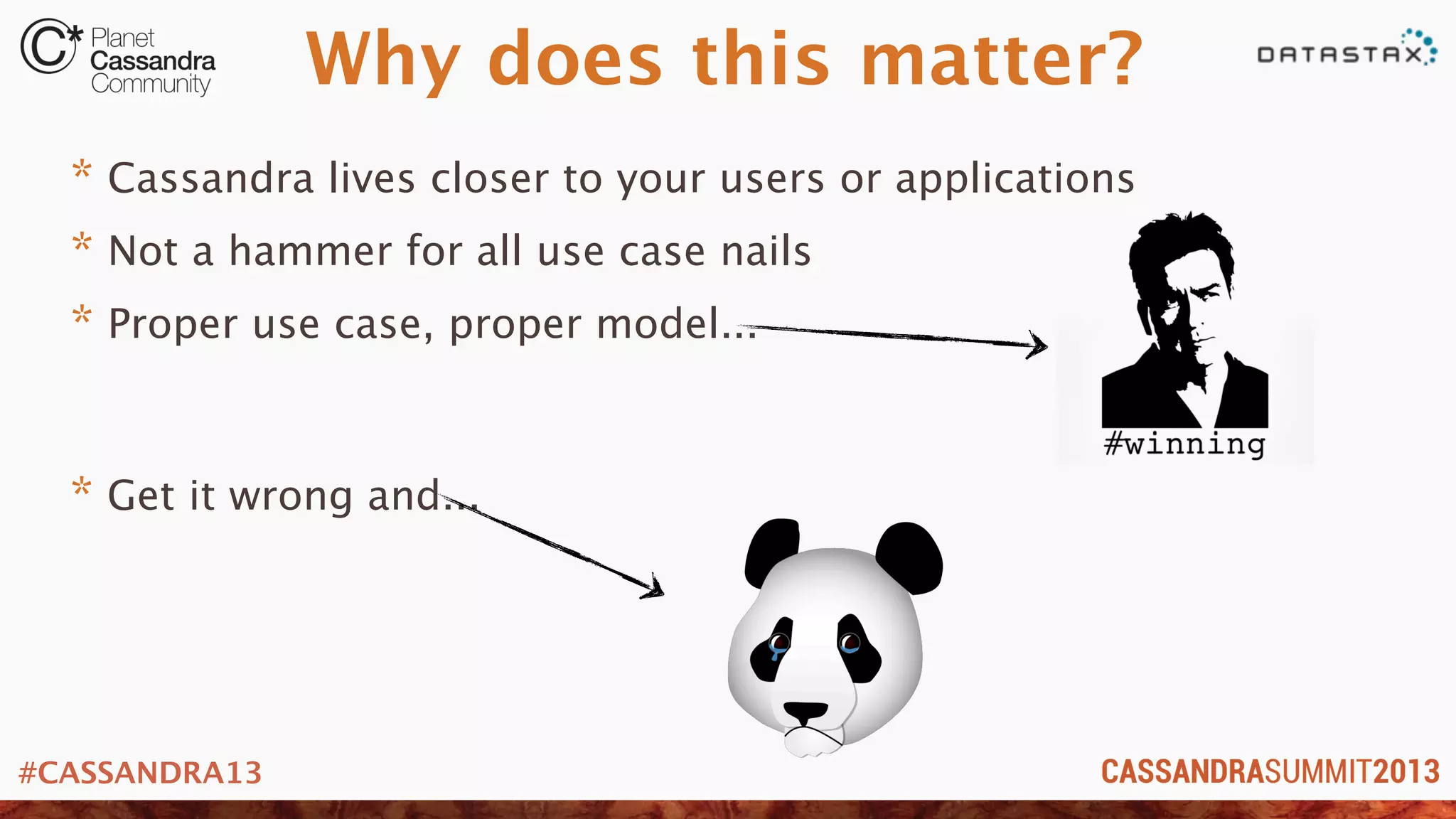
* Proper use case, proper model...
* Get it wrong and...
#CASSANDRA13
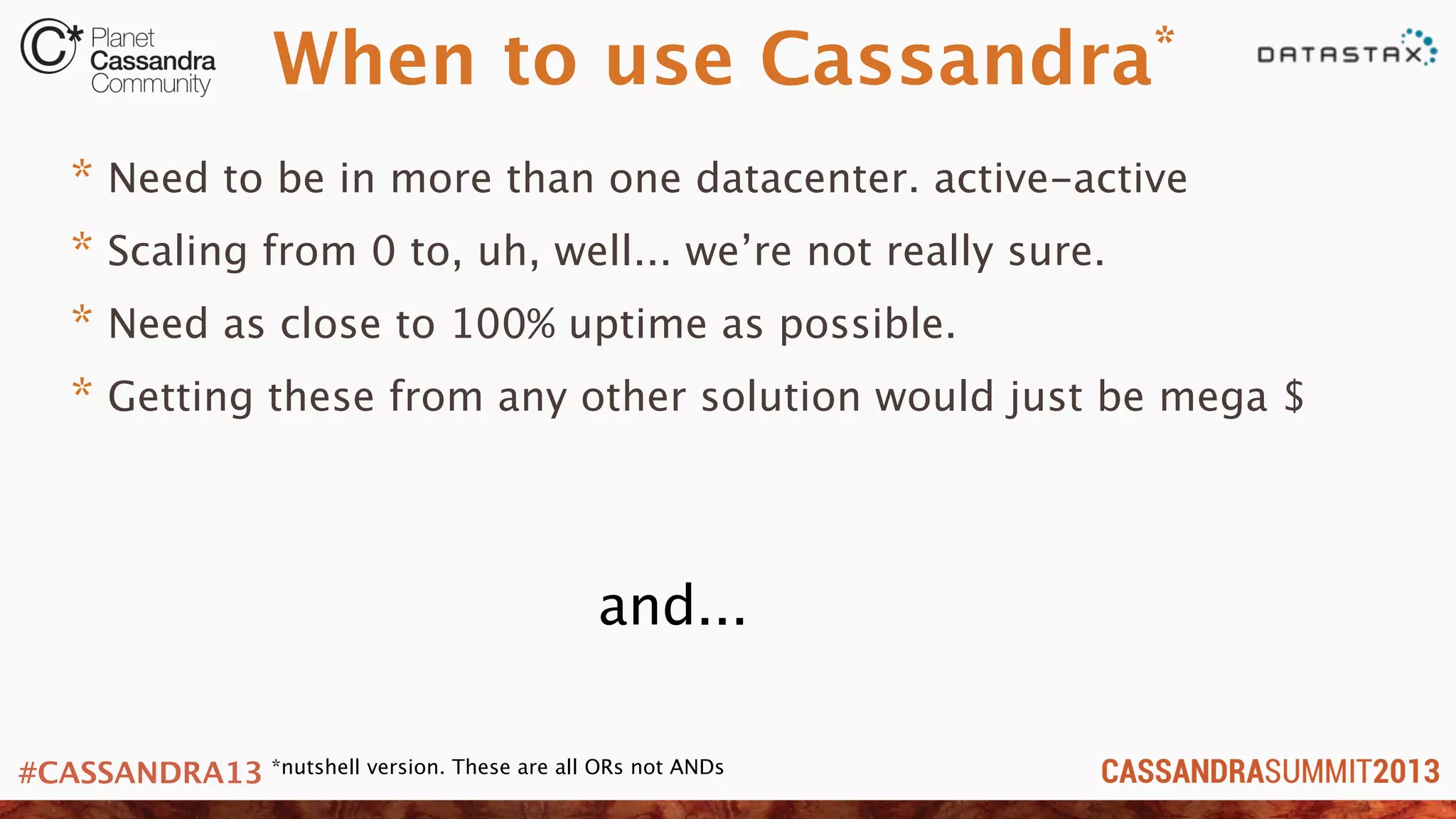
When to use Cassandra*
* Need to be in more than one datacenter. active-active
* Scaling from 0 to, uh, well... we’re not really sure.
* Need as close to 100% uptime as possible.
* Getting these from any other solution would just be mega $
and...
*nutshell version. These are all ORs not ANDs
#CASSANDRA13
You get the data
model right!
#CASSANDRA13
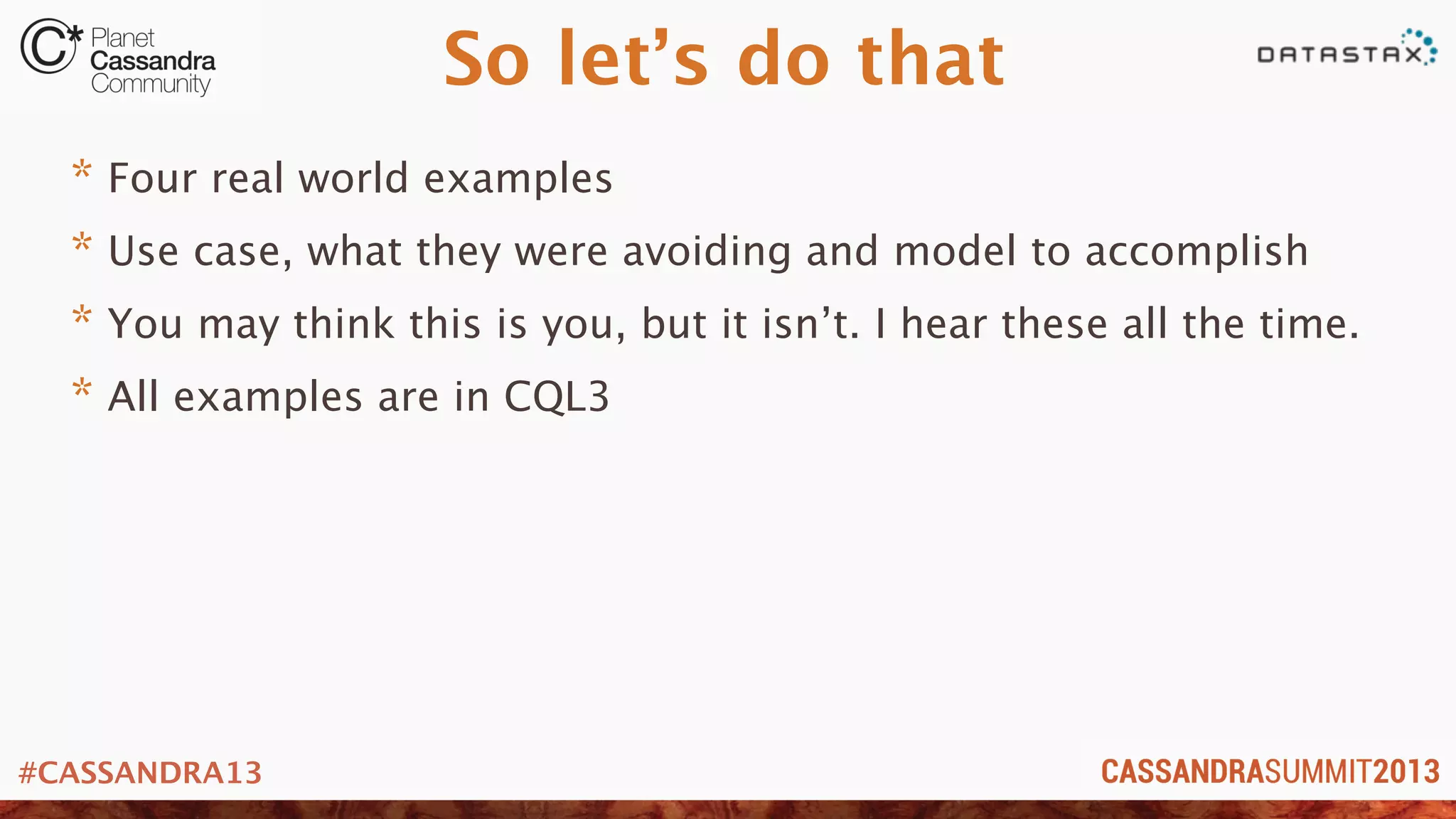
So let’s do that
* Four real world examples
* Use case, what they were avoiding and model to accomplish
* You may think this is you, but it isn’t. I hear these all the time.
* All examples are in CQL3
#CASSANDRA13
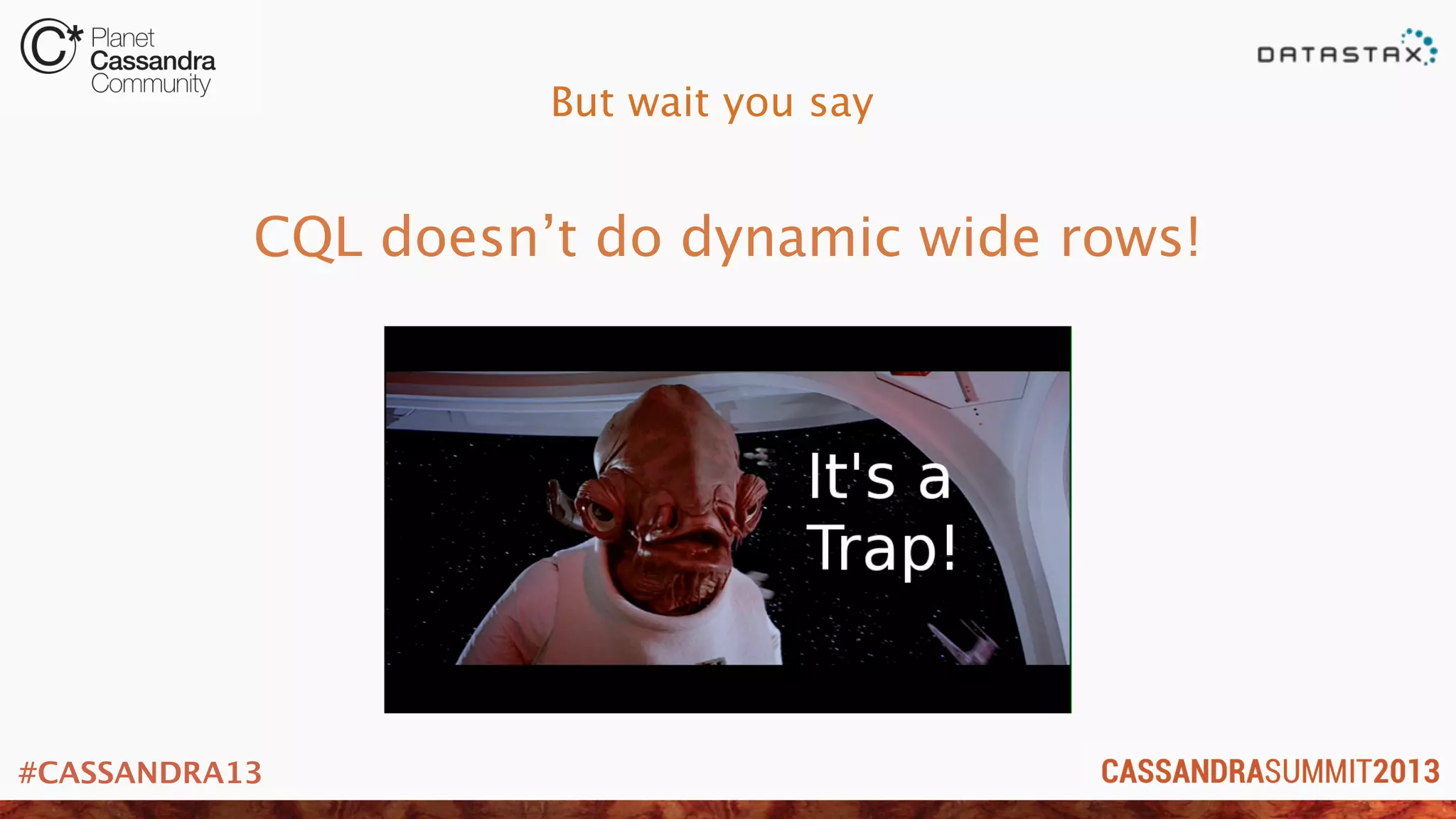
But wait you say
CQL doesn’t do dynamic wide rows!
#CASSANDRA13
Yes it can!
* CQL does wide rows the same way you did them in Thrift
* No really
* Read this blog post
http://www.datastax.com/dev/blog/does-cql-support-dynamic-columns-wide-rows
...or just trust me and I’ll show you how
#CASSANDRA13
Customers giving you money is a good reason for uptime
Shopping Cart Data Model
#CASSANDRA13
Shopping cart use case
* Store shopping cart data reliably
* Minimize (or eliminate) downtime. Multi-dc
* Scale for the “Cyber Monday” problem
* Every minute off-line is lost $$
* Online shoppers want speed!
The bad
#CASSANDRA13
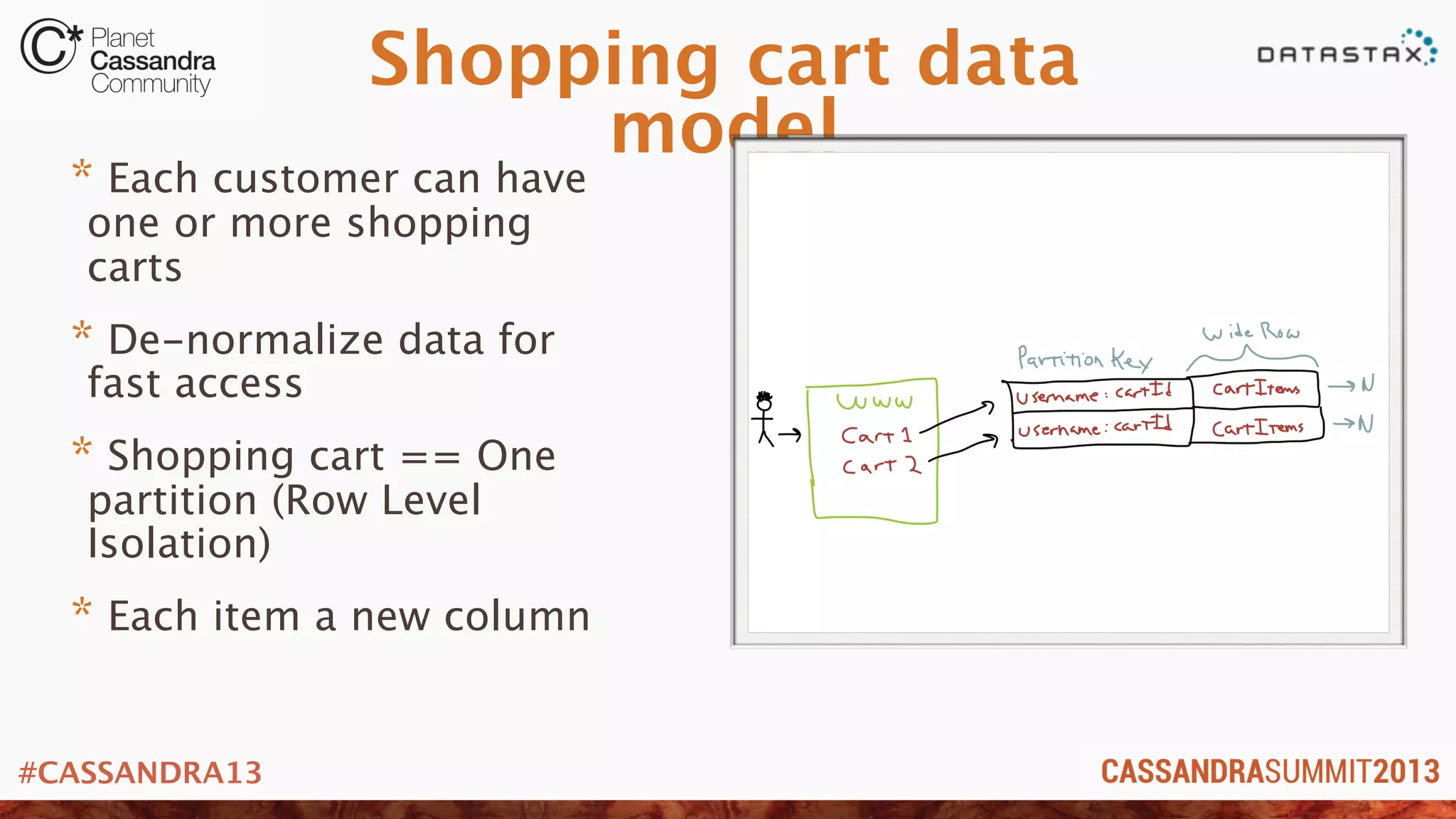
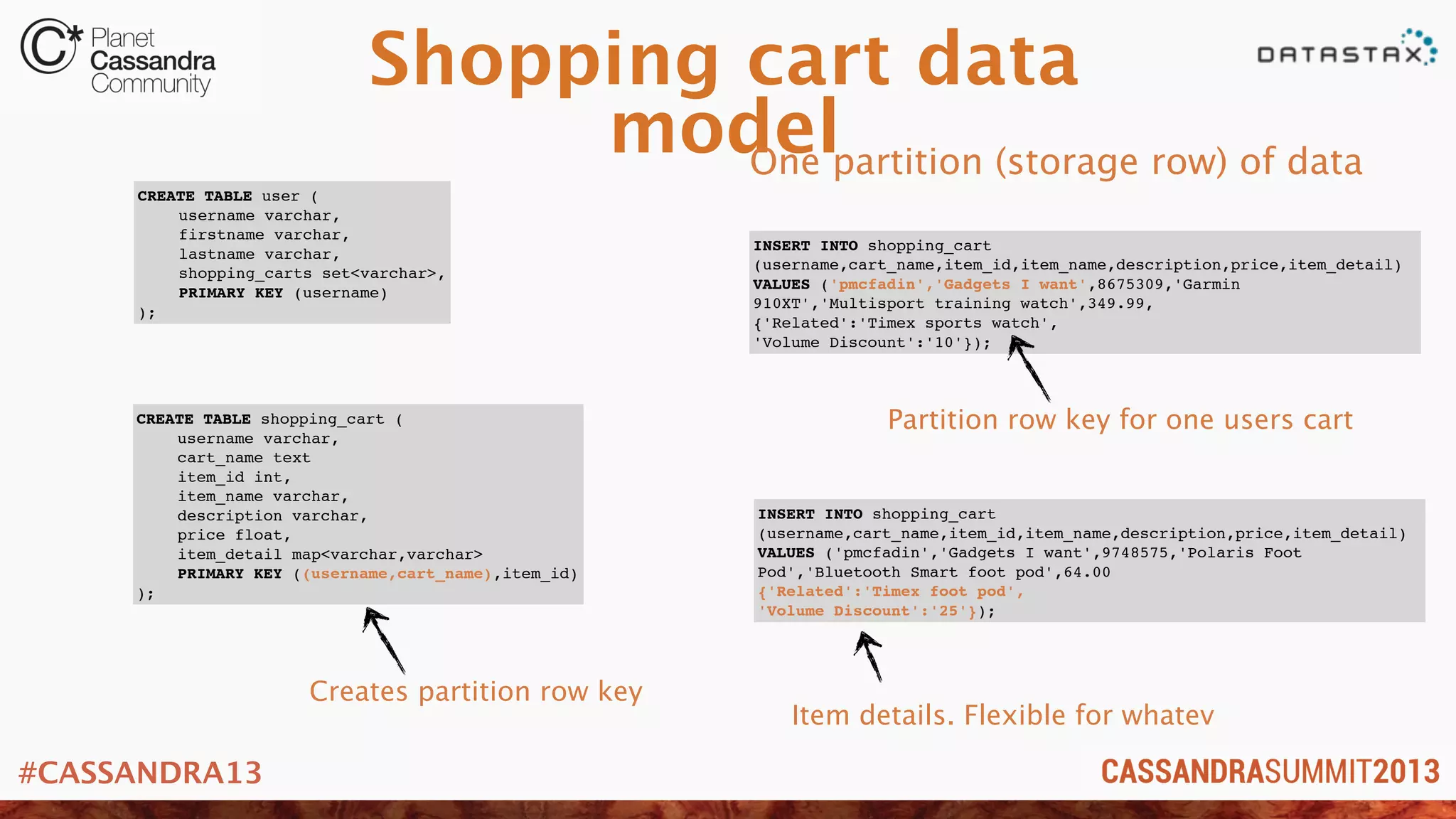
Shopping cart data
model
* Each customer can have
one or more shopping
carts
* De-normalize data for
fast access
* Shopping cart == One
partition (Row Level
Isolation)
* Each item a new column
#CASSANDRA13
Shopping cart data
model
CREATE TABLE user (
! username varchar,
! firstname varchar,
! lastname varchar,
! shopping_carts set<varchar>,
! PRIMARY KEY (username)
);
CREATE TABLE shopping_cart (
! username varchar,
! cart_name text
! item_id int,
! item_name varchar,
description varchar,
! price float,
! item_detail map<varchar,varchar>
! PRIMARY KEY ((username,cart_name),item_id)
);
INSERT INTO shopping_cart
(username,cart_name,item_id,item_name,description,price,item_detail)
VALUES ('pmcfadin','Gadgets I want',8675309,'Garmin
910XT','Multisport training watch',349.99,
{'Related':'Timex sports watch',
'Volume Discount':'10'});
INSERT INTO shopping_cart
(username,cart_name,item_id,item_name,description,price,item_detail)
VALUES ('pmcfadin','Gadgets I want',9748575,'Polaris Foot
Pod','Bluetooth Smart foot pod',64.00
{'Related':'Timex foot pod',
'Volume Discount':'25'});
One partition (storage row) of data
Item details. Flexible for whatev
Partition row key for one users cart
Creates partition row key
#CASSANDRA13
Watching users, making decisions. Freaky, but cool.
User Activity Tracking
#CASSANDRA13
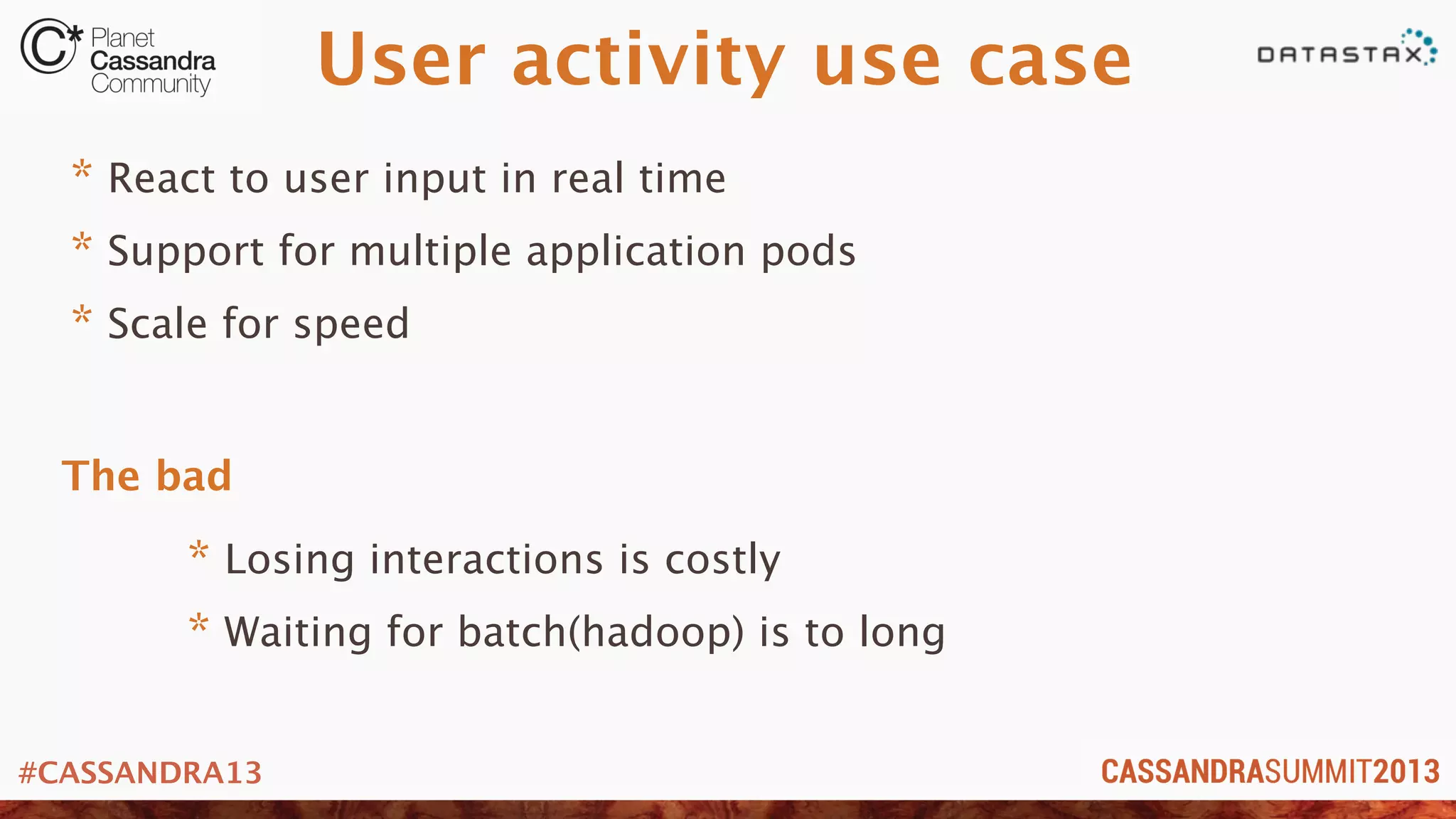
User activity use case
* React to user input in real time
* Support for multiple application pods
* Scale for speed
* Losing interactions is costly
* Waiting for batch(hadoop) is to long
The bad
#CASSANDRA13
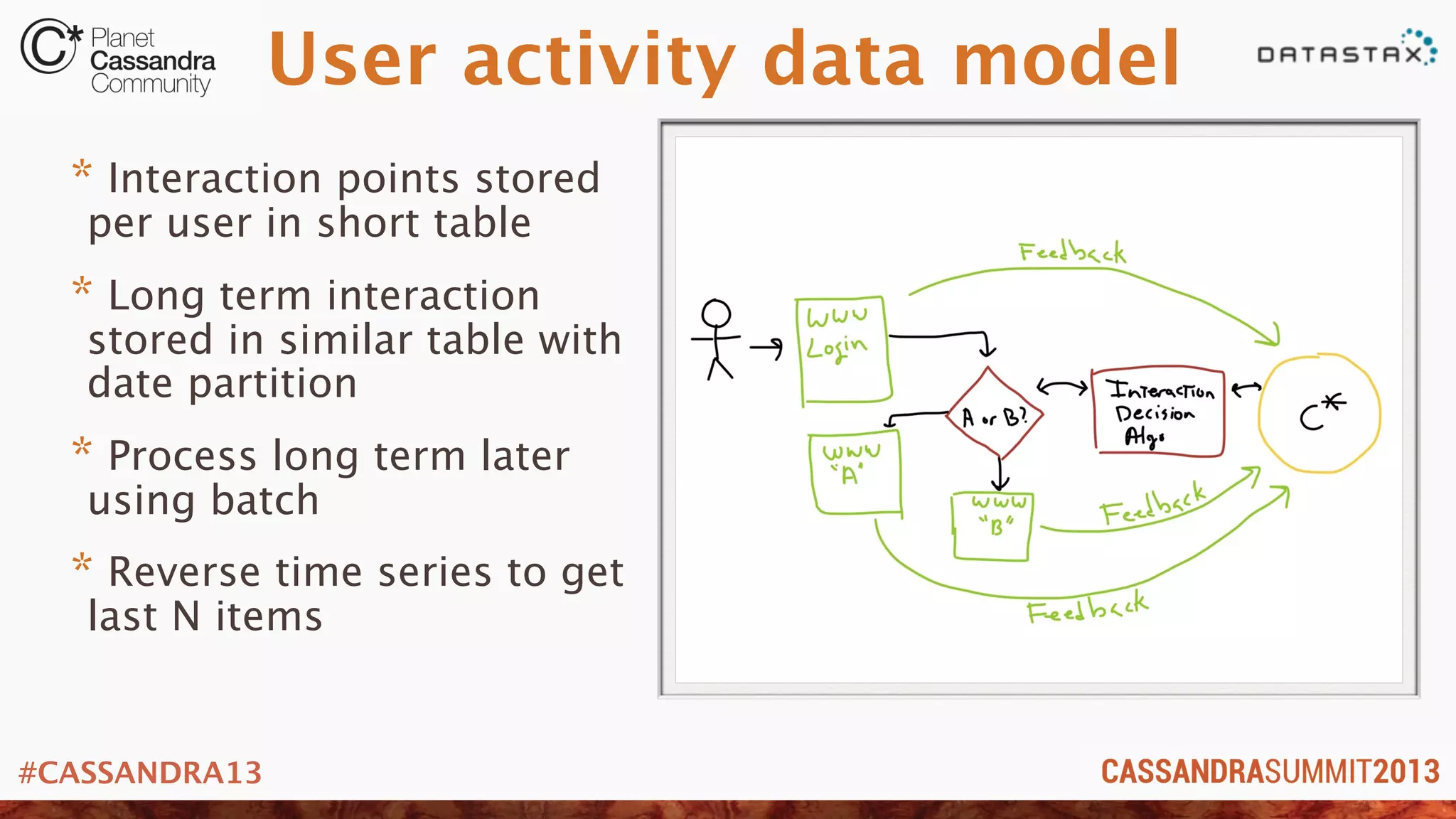
User activity data model
* Interaction points stored
per user in short table
* Long term interaction
stored in similar table with
date partition
* Process long term later
using batch
* Reverse time series to get
last N items
#CASSANDRA13
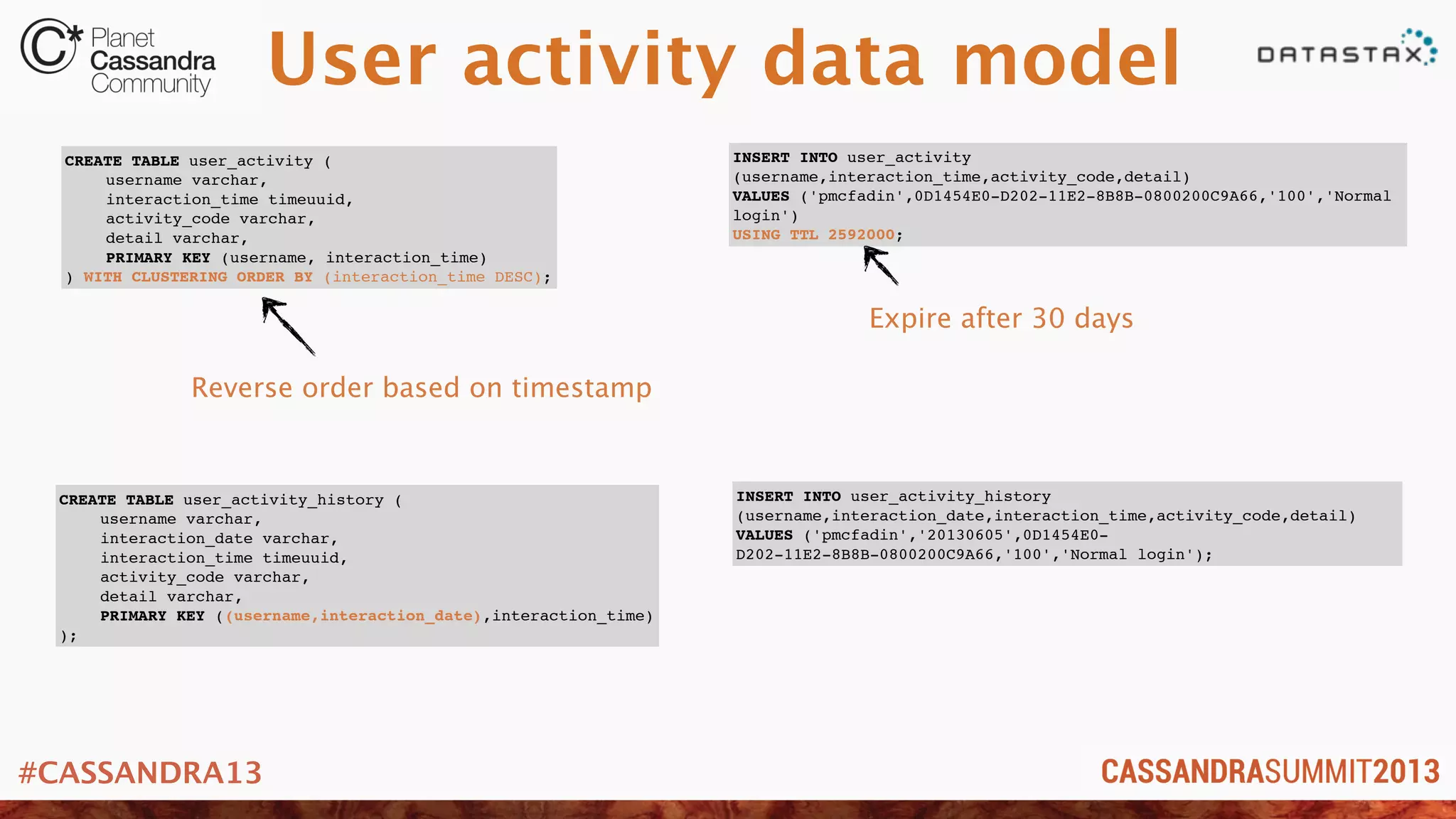
User activity data model
CREATE TABLE user_activity (
! username varchar,
! interaction_time timeuuid,
! activity_code varchar,
! detail varchar,
! PRIMARY KEY (username, interaction_time)
) WITH CLUSTERING ORDER BY (interaction_time DESC);
CREATE TABLE user_activity_history (
! username varchar,
! interaction_date varchar,
! interaction_time timeuuid,
! activity_code varchar,
! detail varchar,
! PRIMARY KEY ((username,interaction_date),interaction_time)
);
INSERT INTO user_activity
(username,interaction_time,activity_code,detail)
VALUES ('pmcfadin',0D1454E0-D202-11E2-8B8B-0800200C9A66,'100','Normal
login')
USING TTL 2592000;
INSERT INTO user_activity_history
(username,interaction_date,interaction_time,activity_code,detail)
VALUES ('pmcfadin','20130605',0D1454E0-
D202-11E2-8B8B-0800200C9A66,'100','Normal login');
Reverse order based on timestamp
Expire after 30 days
#CASSANDRA13
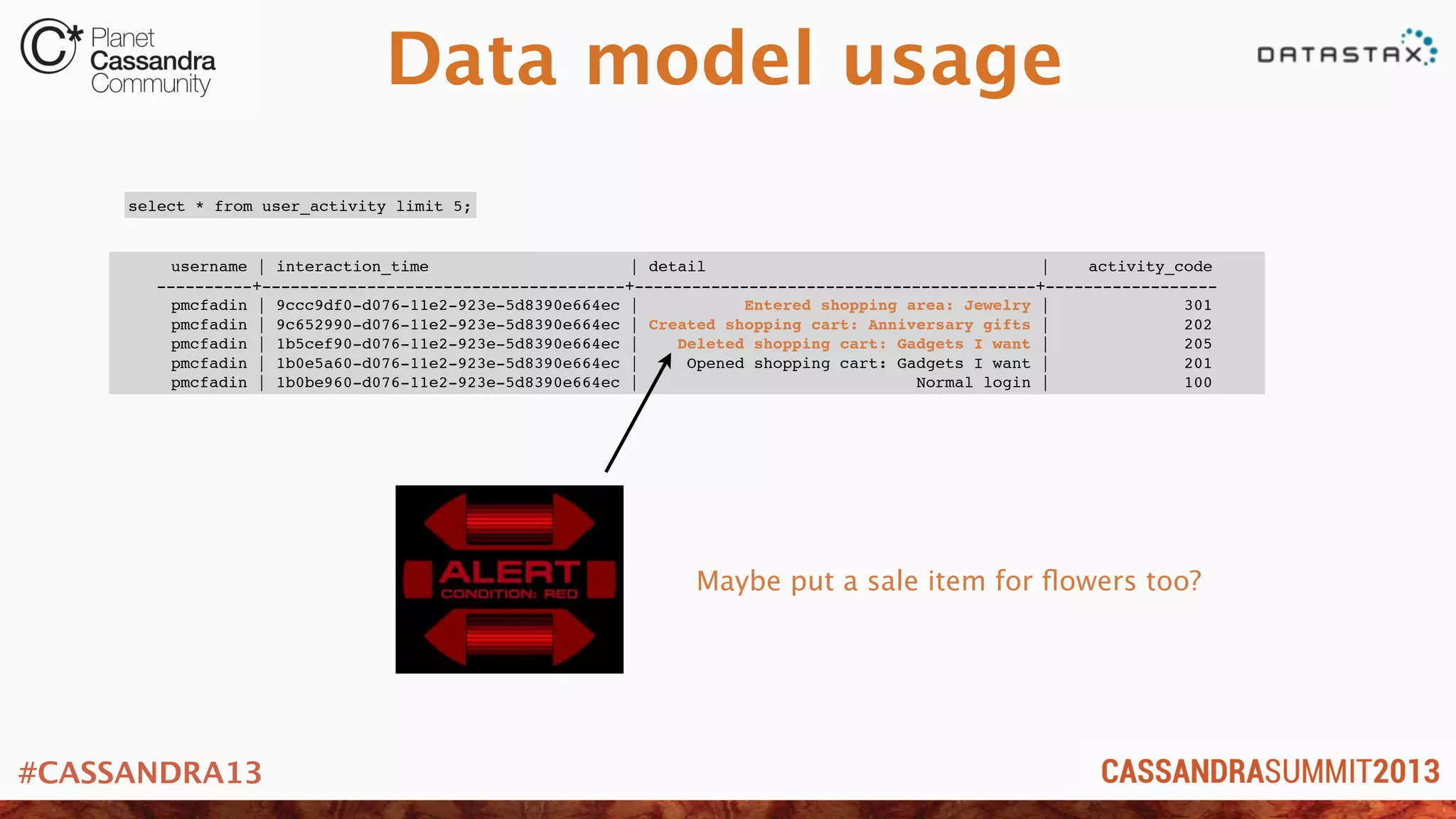
Data model usage
username | interaction_time | detail | activity_code
----------+--------------------------------------+------------------------------------------+------------------
pmcfadin | 9ccc9df0-d076-11e2-923e-5d8390e664ec | Entered shopping area: Jewelry | 301
pmcfadin | 9c652990-d076-11e2-923e-5d8390e664ec | Created shopping cart: Anniversary gifts | 202
pmcfadin | 1b5cef90-d076-11e2-923e-5d8390e664ec | Deleted shopping cart: Gadgets I want | 205
pmcfadin | 1b0e5a60-d076-11e2-923e-5d8390e664ec | Opened shopping cart: Gadgets I want | 201
pmcfadin | 1b0be960-d076-11e2-923e-5d8390e664ec | Normal login | 100
select * from user_activity limit 5;
Maybe put a sale item for flowers too?
#CASSANDRA13
Machines generate logs at a furious pace. Be ready.
Log collection/aggregation
#CASSANDRA13
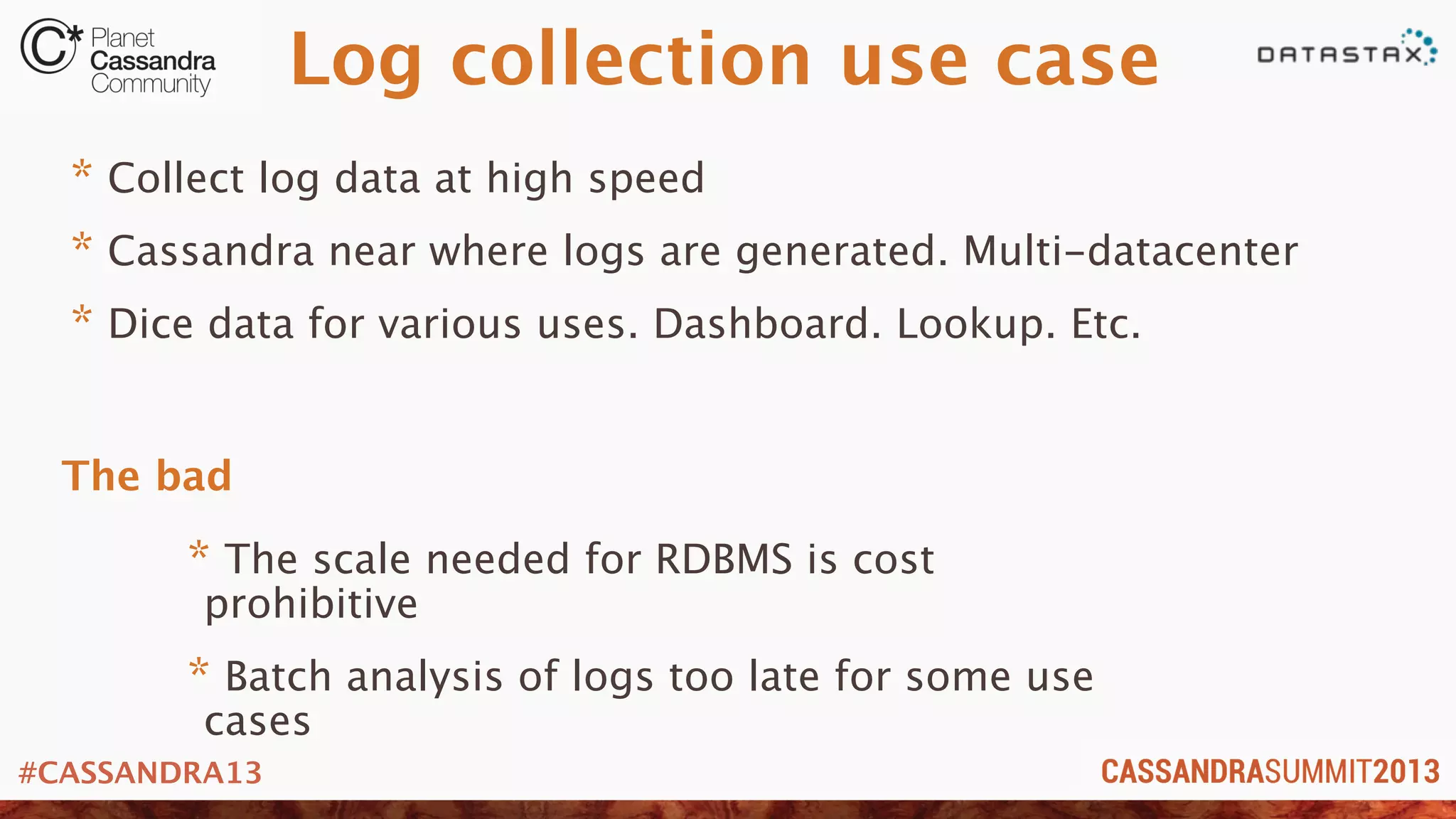
Log collection use case
* Collect log data at high speed
* Cassandra near where logs are generated. Multi-datacenter
* Dice data for various uses. Dashboard. Lookup. Etc.
* The scale needed for RDBMS is cost
prohibitive
* Batch analysis of logs too late for some use
cases
The bad
#CASSANDRA13
Log collection data
model
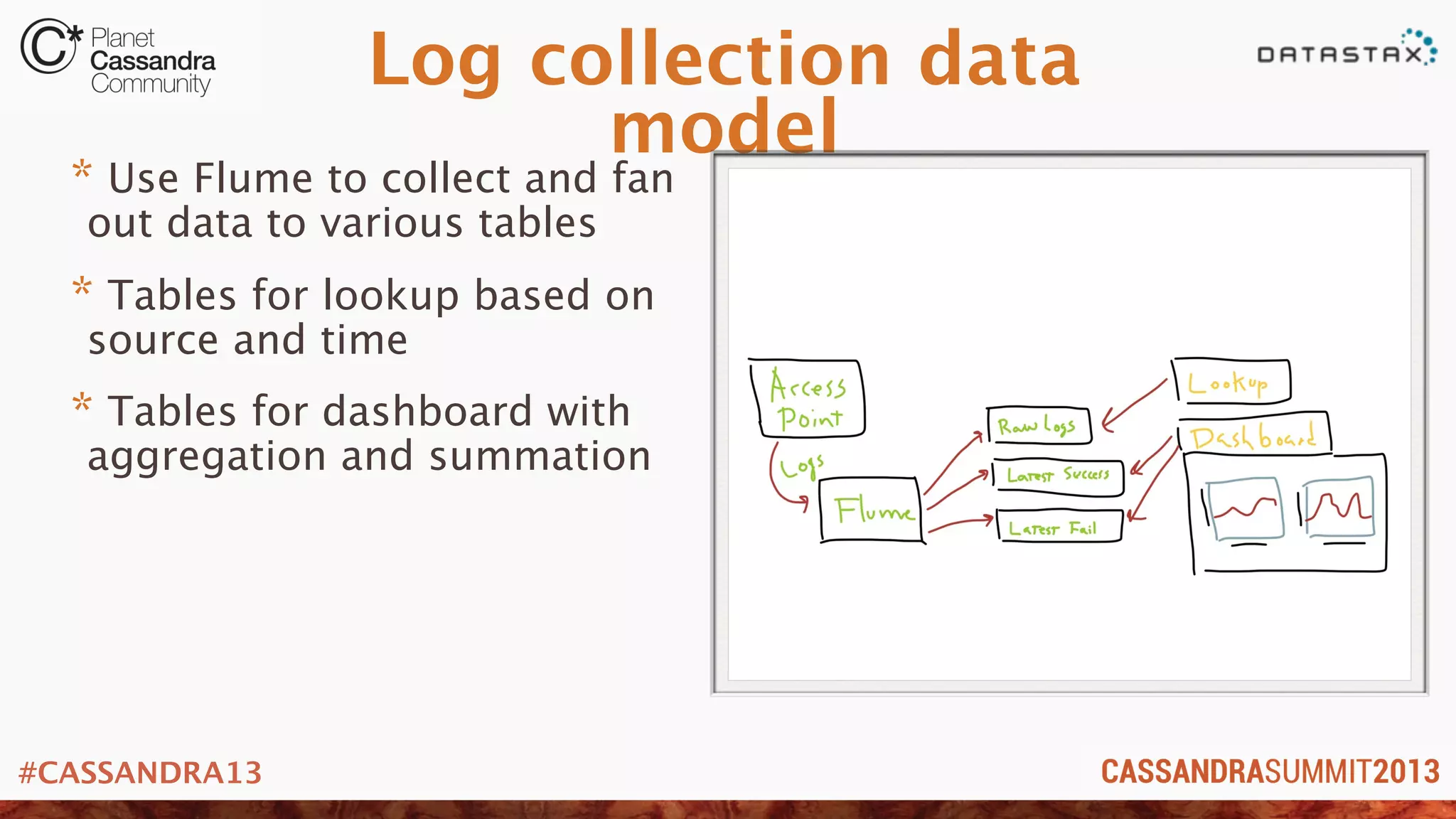
* Use Flume to collect and fan
out data to various tables
* Tables for lookup based on
source and time
* Tables for dashboard with
aggregation and summation
#CASSANDRA13
Log collection data
model
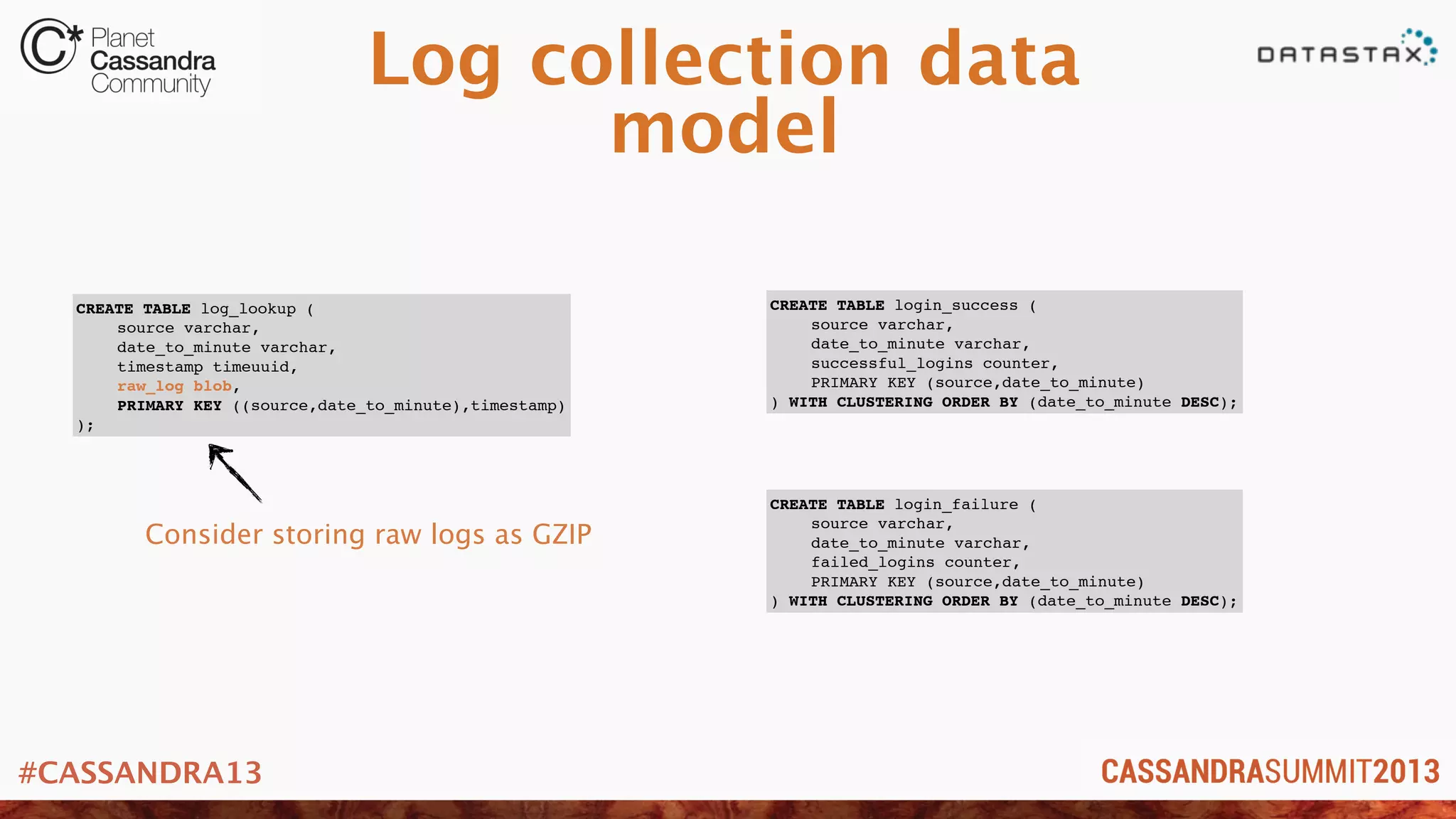
CREATE TABLE log_lookup (
! source varchar,
! date_to_minute varchar,
! timestamp timeuuid,
! raw_log blob,
! PRIMARY KEY ((source,date_to_minute),timestamp)
);
CREATE TABLE login_success (
! source varchar,
! date_to_minute varchar,
! successful_logins counter,
! PRIMARY KEY (source,date_to_minute)
) WITH CLUSTERING ORDER BY (date_to_minute DESC);
CREATE TABLE login_failure (
! source varchar,
! date_to_minute varchar,
! failed_logins counter,
! PRIMARY KEY (source,date_to_minute)
) WITH CLUSTERING ORDER BY (date_to_minute DESC);
Consider storing raw logs as GZIP
#CASSANDRA13
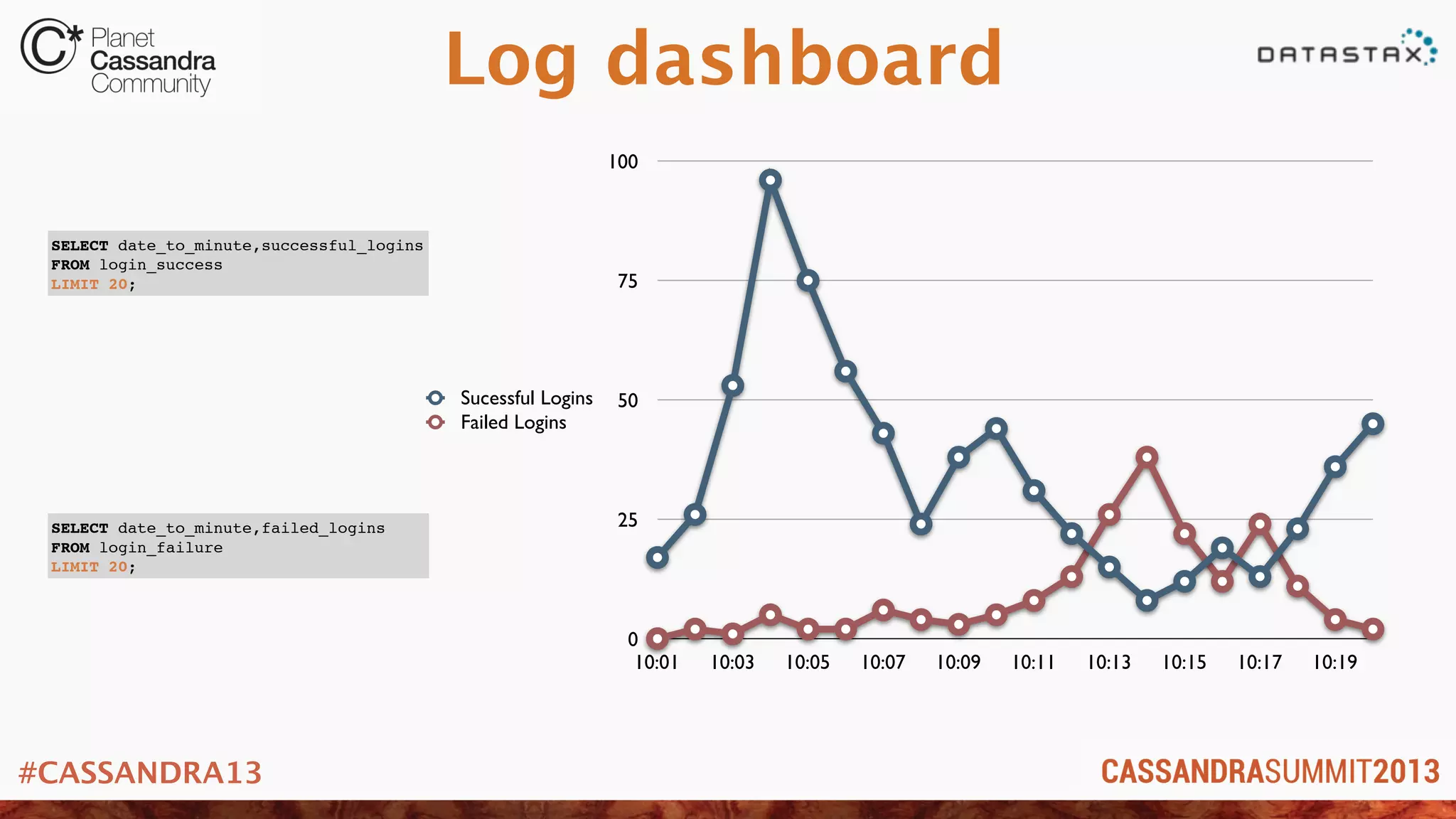
Log dashboard
0
25
50
75
100
10:01 10:03 10:05 10:07 10:09 10:11 10:13 10:15 10:17 10:19
Sucessful Logins
Failed Logins
SELECT date_to_minute,successful_logins
FROM login_success
LIMIT 20;
SELECT date_to_minute,failed_logins
FROM login_failure
LIMIT 20;
#CASSANDRA13
Because mistaks mistakes happen
User Form Versioning
#CASSANDRA13
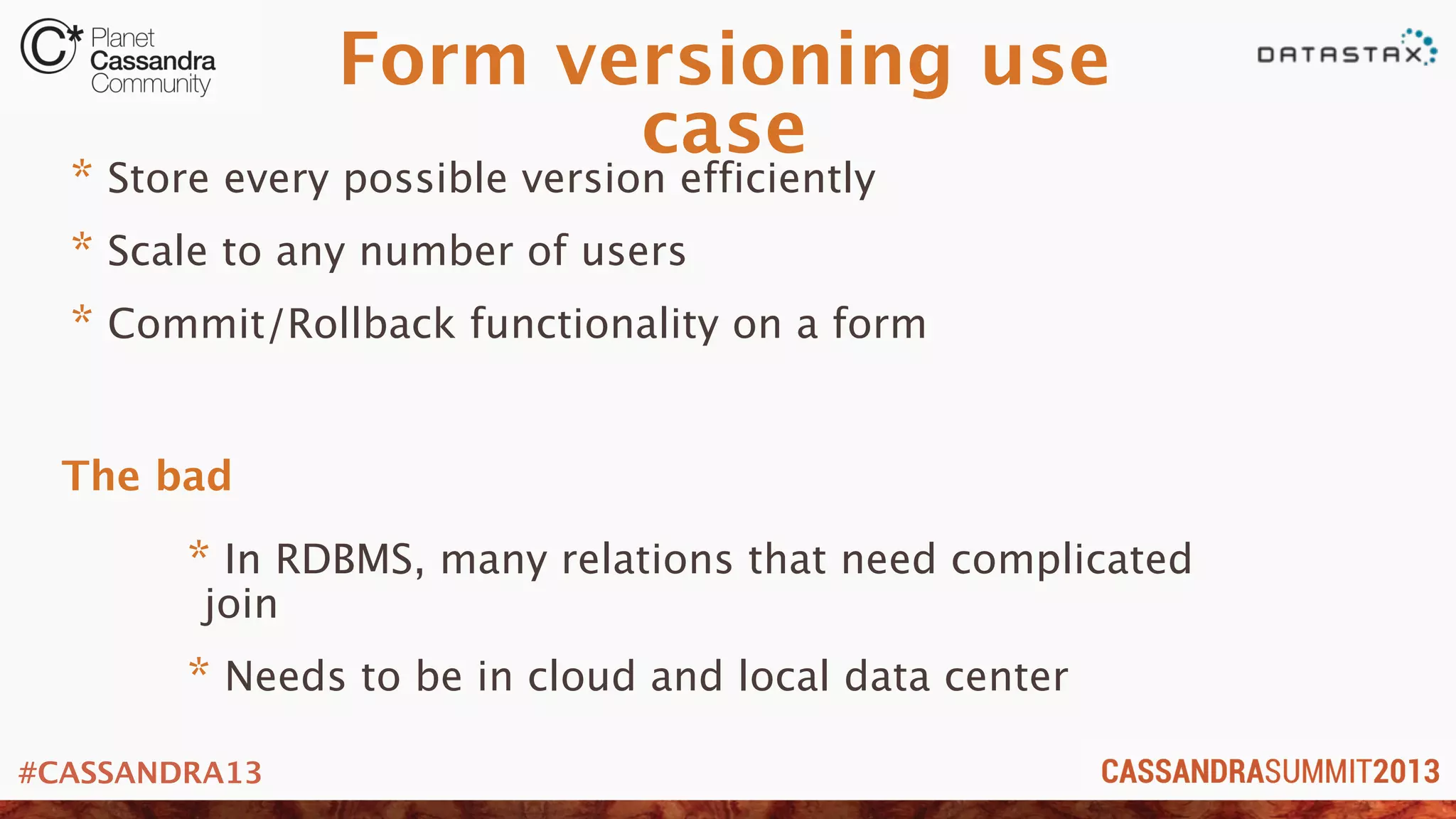
Form versioning use
case
* Store every possible version efficiently
* Scale to any number of users
* Commit/Rollback functionality on a form
* In RDBMS, many relations that need complicated
join
* Needs to be in cloud and local data center
The bad
#CASSANDRA13
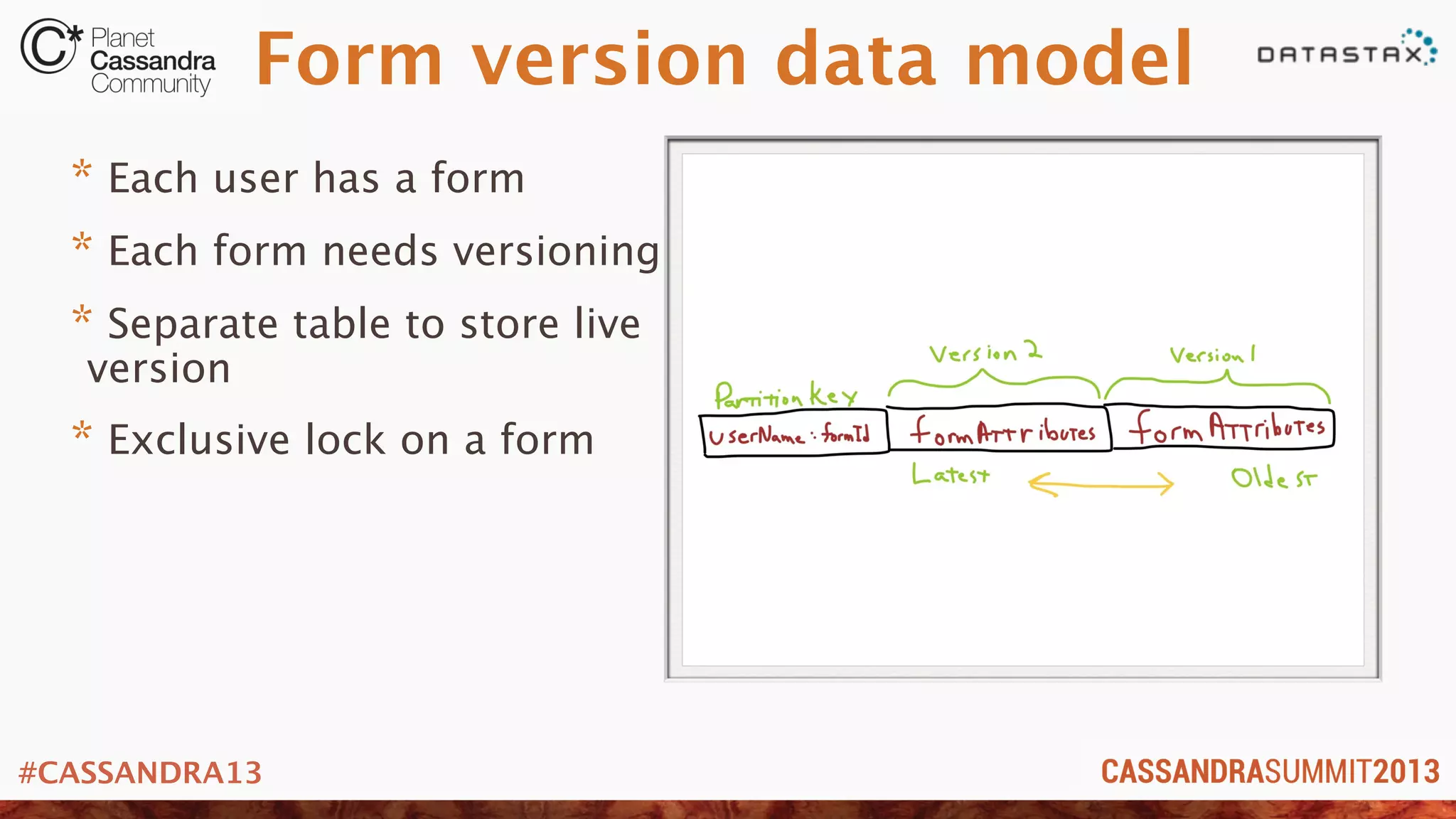
Form version data model
* Each user has a form
* Each form needs versioning
* Separate table to store live
version
* Exclusive lock on a form
#CASSANDRA13
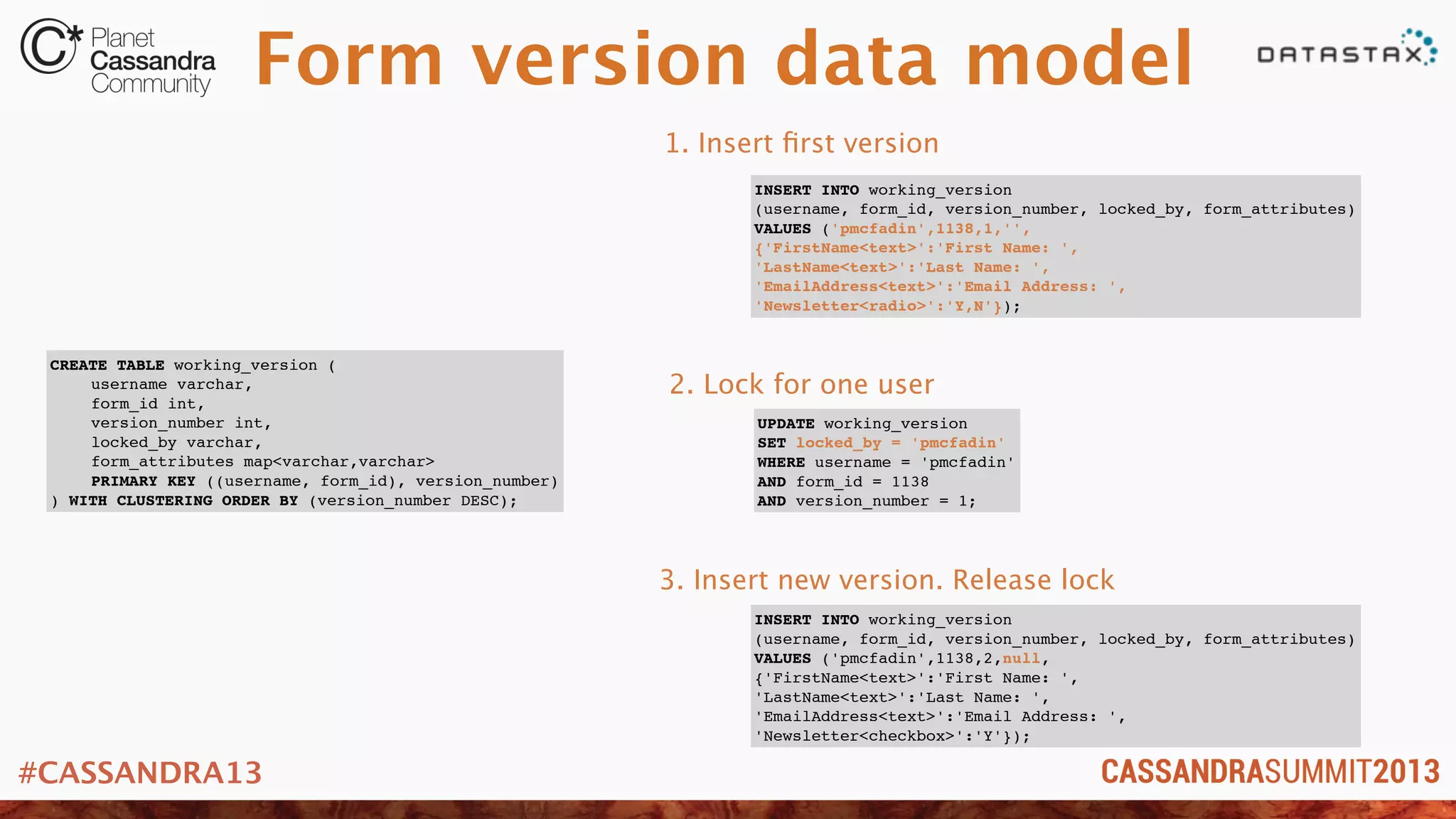
Form version data model
CREATE TABLE working_version (
! username varchar,
! form_id int,
! version_number int,
! locked_by varchar,
! form_attributes map<varchar,varchar>
! PRIMARY KEY ((username, form_id), version_number)
) WITH CLUSTERING ORDER BY (version_number DESC);
INSERT INTO working_version
(username, form_id, version_number, locked_by, form_attributes)
VALUES ('pmcfadin',1138,1,'',
{'FirstName<text>':'First Name: ',
'LastName<text>':'Last Name: ',
'EmailAddress<text>':'Email Address: ',
'Newsletter<radio>':'Y,N'});
UPDATE working_version
SET locked_by = 'pmcfadin'
WHERE username = 'pmcfadin'
AND form_id = 1138
AND version_number = 1;
INSERT INTO working_version
(username, form_id, version_number, locked_by, form_attributes)
VALUES ('pmcfadin',1138,2,null,
{'FirstName<text>':'First Name: ',
'LastName<text>':'Last Name: ',
'EmailAddress<text>':'Email Address: ',
'Newsletter<checkbox>':'Y'});
1. Insert first version
2. Lock for one user
3. Insert new version. Release lock
#CASSANDRA13
That’s it!
“Mind what you have learned. Save you it can.”
- Yoda. Master Data Modeler
#CASSANDRA13
Your data model is next!
* Try out a few things
* See what works
* All else fails, engage an expert in the community
* Want more? Follow me on twitter: @PatrickMcFadin

C* Summit 2013: The World's Next Top Data Model by Patrick McFadin

  • 1.
    #CASSANDRA13 Patrick McFadin |Solution Architect, DataStax The World's Next Top Data Model
  • 2.
    #CASSANDRA13 The saga continues! ★Data model is dead, long live the data model. ★ Bridging from Relational to Cassandra ★ Become a Super Modeler ★ Core data modeling techniques using CQL
  • 3.
    #CASSANDRA13 Because I lovetalking about this Just to recap...
  • 4.
    #CASSANDRA13 Why does thismatter? * Cassandra lives closer to your users or applications * Not a hammer for all use case nails * Proper use case, proper model... * Get it wrong and...
  • 5.
    #CASSANDRA13 When to useCassandra* * Need to be in more than one datacenter. active-active * Scaling from 0 to, uh, well... we’re not really sure. * Need as close to 100% uptime as possible. * Getting these from any other solution would just be mega $ and... *nutshell version. These are all ORs not ANDs
  • 6.
    #CASSANDRA13 You get thedata model right!
  • 7.
    #CASSANDRA13 So let’s dothat * Four real world examples * Use case, what they were avoiding and model to accomplish * You may think this is you, but it isn’t. I hear these all the time. * All examples are in CQL3
  • 8.
    #CASSANDRA13 But wait yousay CQL doesn’t do dynamic wide rows!
  • 9.
    #CASSANDRA13 Yes it can! *CQL does wide rows the same way you did them in Thrift * No really * Read this blog post http://www.datastax.com/dev/blog/does-cql-support-dynamic-columns-wide-rows ...or just trust me and I’ll show you how
  • 10.
    #CASSANDRA13 Customers giving youmoney is a good reason for uptime Shopping Cart Data Model
  • 11.
    #CASSANDRA13 Shopping cart usecase * Store shopping cart data reliably * Minimize (or eliminate) downtime. Multi-dc * Scale for the “Cyber Monday” problem * Every minute off-line is lost $$ * Online shoppers want speed! The bad
  • 12.
    #CASSANDRA13 Shopping cart data model *Each customer can have one or more shopping carts * De-normalize data for fast access * Shopping cart == One partition (Row Level Isolation) * Each item a new column
  • 13.
    #CASSANDRA13 Shopping cart data model CREATETABLE user ( ! username varchar, ! firstname varchar, ! lastname varchar, ! shopping_carts set<varchar>, ! PRIMARY KEY (username) ); CREATE TABLE shopping_cart ( ! username varchar, ! cart_name text ! item_id int, ! item_name varchar, description varchar, ! price float, ! item_detail map<varchar,varchar> ! PRIMARY KEY ((username,cart_name),item_id) ); INSERT INTO shopping_cart (username,cart_name,item_id,item_name,description,price,item_detail) VALUES ('pmcfadin','Gadgets I want',8675309,'Garmin 910XT','Multisport training watch',349.99, {'Related':'Timex sports watch', 'Volume Discount':'10'}); INSERT INTO shopping_cart (username,cart_name,item_id,item_name,description,price,item_detail) VALUES ('pmcfadin','Gadgets I want',9748575,'Polaris Foot Pod','Bluetooth Smart foot pod',64.00 {'Related':'Timex foot pod', 'Volume Discount':'25'}); One partition (storage row) of data Item details. Flexible for whatev Partition row key for one users cart Creates partition row key
  • 14.
    #CASSANDRA13 Watching users, makingdecisions. Freaky, but cool. User Activity Tracking
  • 15.
    #CASSANDRA13 User activity usecase * React to user input in real time * Support for multiple application pods * Scale for speed * Losing interactions is costly * Waiting for batch(hadoop) is to long The bad
  • 16.
    #CASSANDRA13 User activity datamodel * Interaction points stored per user in short table * Long term interaction stored in similar table with date partition * Process long term later using batch * Reverse time series to get last N items
  • 17.
    #CASSANDRA13 User activity datamodel CREATE TABLE user_activity ( ! username varchar, ! interaction_time timeuuid, ! activity_code varchar, ! detail varchar, ! PRIMARY KEY (username, interaction_time) ) WITH CLUSTERING ORDER BY (interaction_time DESC); CREATE TABLE user_activity_history ( ! username varchar, ! interaction_date varchar, ! interaction_time timeuuid, ! activity_code varchar, ! detail varchar, ! PRIMARY KEY ((username,interaction_date),interaction_time) ); INSERT INTO user_activity (username,interaction_time,activity_code,detail) VALUES ('pmcfadin',0D1454E0-D202-11E2-8B8B-0800200C9A66,'100','Normal login') USING TTL 2592000; INSERT INTO user_activity_history (username,interaction_date,interaction_time,activity_code,detail) VALUES ('pmcfadin','20130605',0D1454E0- D202-11E2-8B8B-0800200C9A66,'100','Normal login'); Reverse order based on timestamp Expire after 30 days
  • 18.
    #CASSANDRA13 Data model usage username| interaction_time | detail | activity_code ----------+--------------------------------------+------------------------------------------+------------------ pmcfadin | 9ccc9df0-d076-11e2-923e-5d8390e664ec | Entered shopping area: Jewelry | 301 pmcfadin | 9c652990-d076-11e2-923e-5d8390e664ec | Created shopping cart: Anniversary gifts | 202 pmcfadin | 1b5cef90-d076-11e2-923e-5d8390e664ec | Deleted shopping cart: Gadgets I want | 205 pmcfadin | 1b0e5a60-d076-11e2-923e-5d8390e664ec | Opened shopping cart: Gadgets I want | 201 pmcfadin | 1b0be960-d076-11e2-923e-5d8390e664ec | Normal login | 100 select * from user_activity limit 5; Maybe put a sale item for flowers too?
  • 19.
    #CASSANDRA13 Machines generate logsat a furious pace. Be ready. Log collection/aggregation
  • 20.
    #CASSANDRA13 Log collection usecase * Collect log data at high speed * Cassandra near where logs are generated. Multi-datacenter * Dice data for various uses. Dashboard. Lookup. Etc. * The scale needed for RDBMS is cost prohibitive * Batch analysis of logs too late for some use cases The bad
  • 21.
    #CASSANDRA13 Log collection data model *Use Flume to collect and fan out data to various tables * Tables for lookup based on source and time * Tables for dashboard with aggregation and summation
  • 22.
    #CASSANDRA13 Log collection data model CREATETABLE log_lookup ( ! source varchar, ! date_to_minute varchar, ! timestamp timeuuid, ! raw_log blob, ! PRIMARY KEY ((source,date_to_minute),timestamp) ); CREATE TABLE login_success ( ! source varchar, ! date_to_minute varchar, ! successful_logins counter, ! PRIMARY KEY (source,date_to_minute) ) WITH CLUSTERING ORDER BY (date_to_minute DESC); CREATE TABLE login_failure ( ! source varchar, ! date_to_minute varchar, ! failed_logins counter, ! PRIMARY KEY (source,date_to_minute) ) WITH CLUSTERING ORDER BY (date_to_minute DESC); Consider storing raw logs as GZIP
  • 23.
    #CASSANDRA13 Log dashboard 0 25 50 75 100 10:01 10:0310:05 10:07 10:09 10:11 10:13 10:15 10:17 10:19 Sucessful Logins Failed Logins SELECT date_to_minute,successful_logins FROM login_success LIMIT 20; SELECT date_to_minute,failed_logins FROM login_failure LIMIT 20;
  • 24.
    #CASSANDRA13 Because mistaks mistakeshappen User Form Versioning
  • 25.
    #CASSANDRA13 Form versioning use case *Store every possible version efficiently * Scale to any number of users * Commit/Rollback functionality on a form * In RDBMS, many relations that need complicated join * Needs to be in cloud and local data center The bad
  • 26.
    #CASSANDRA13 Form version datamodel * Each user has a form * Each form needs versioning * Separate table to store live version * Exclusive lock on a form
  • 27.
    #CASSANDRA13 Form version datamodel CREATE TABLE working_version ( ! username varchar, ! form_id int, ! version_number int, ! locked_by varchar, ! form_attributes map<varchar,varchar> ! PRIMARY KEY ((username, form_id), version_number) ) WITH CLUSTERING ORDER BY (version_number DESC); INSERT INTO working_version (username, form_id, version_number, locked_by, form_attributes) VALUES ('pmcfadin',1138,1,'', {'FirstName<text>':'First Name: ', 'LastName<text>':'Last Name: ', 'EmailAddress<text>':'Email Address: ', 'Newsletter<radio>':'Y,N'}); UPDATE working_version SET locked_by = 'pmcfadin' WHERE username = 'pmcfadin' AND form_id = 1138 AND version_number = 1; INSERT INTO working_version (username, form_id, version_number, locked_by, form_attributes) VALUES ('pmcfadin',1138,2,null, {'FirstName<text>':'First Name: ', 'LastName<text>':'Last Name: ', 'EmailAddress<text>':'Email Address: ', 'Newsletter<checkbox>':'Y'}); 1. Insert first version 2. Lock for one user 3. Insert new version. Release lock
  • 28.
    #CASSANDRA13 That’s it! “Mind whatyou have learned. Save you it can.” - Yoda. Master Data Modeler
  • 29.
    #CASSANDRA13 Your data modelis next! * Try out a few things * See what works * All else fails, engage an expert in the community * Want more? Follow me on twitter: @PatrickMcFadin