
#comdaybe
Building search-driven Windows
8 and Windows Phone 8 apps for
SharePoint Server 2013
RealDolmen
Joris Poelmans
About me
• Work at RealDolmen
• Principal consultant and product
manager
• SharePoint Server MVP since 2005
• Active in Belux Information Worker
User Group – www.biwug.be
• Blog: http://jopx.blogspot.com
• E-mail: joris.poelmans@gmail.com
• Twitter: @jopxtwits
• www.slideshare.net/jplq631
Agenda
• Cloud App Model Overview
• Phone 8 Development Basics for
SP2013
• Search explained
• Windows 8 Search App
Cloud App Model Overview
Why building WP8 and W8 apps for SP2013 is
easier...
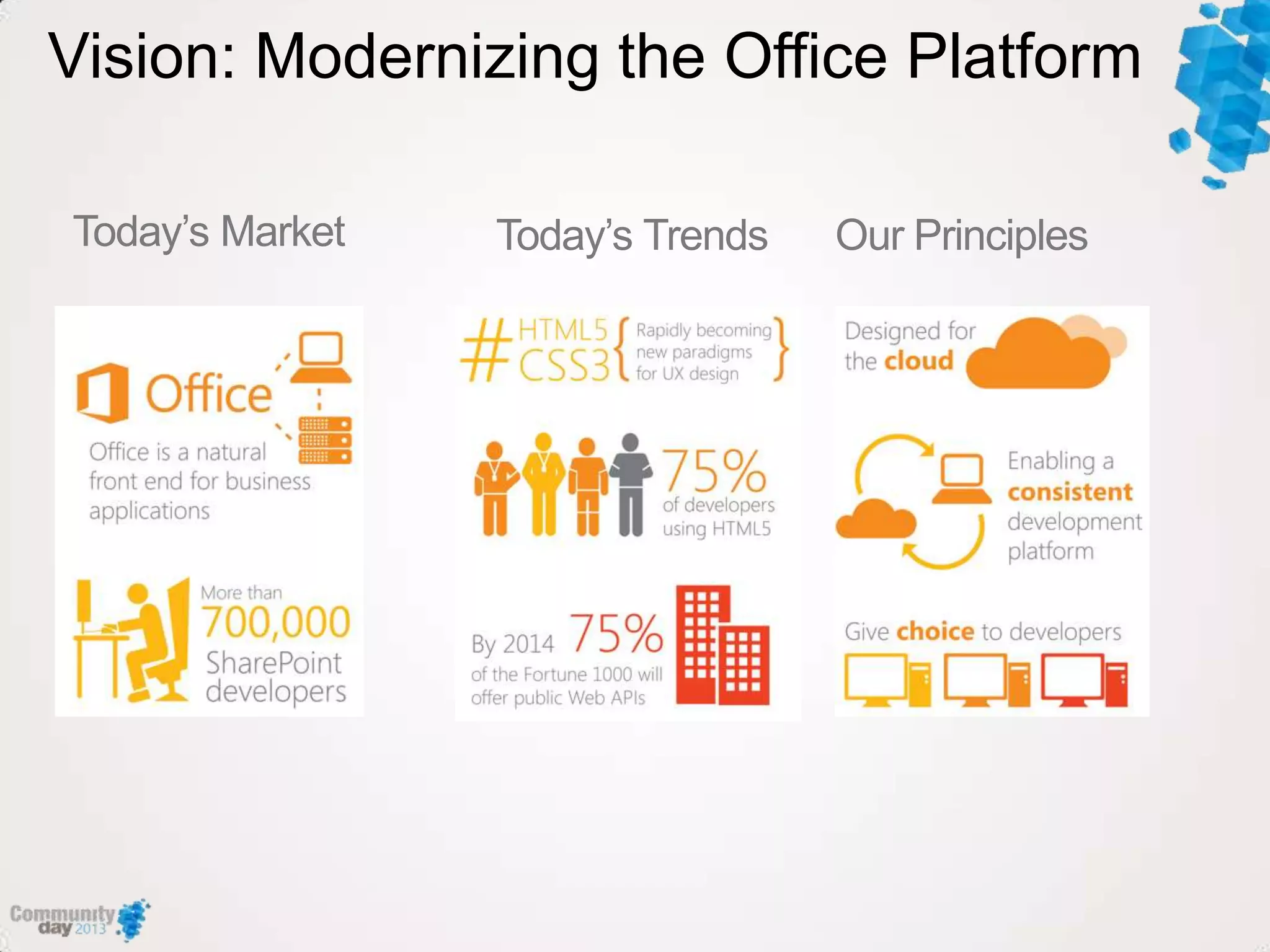
Vision: Modernizing the Office Platform
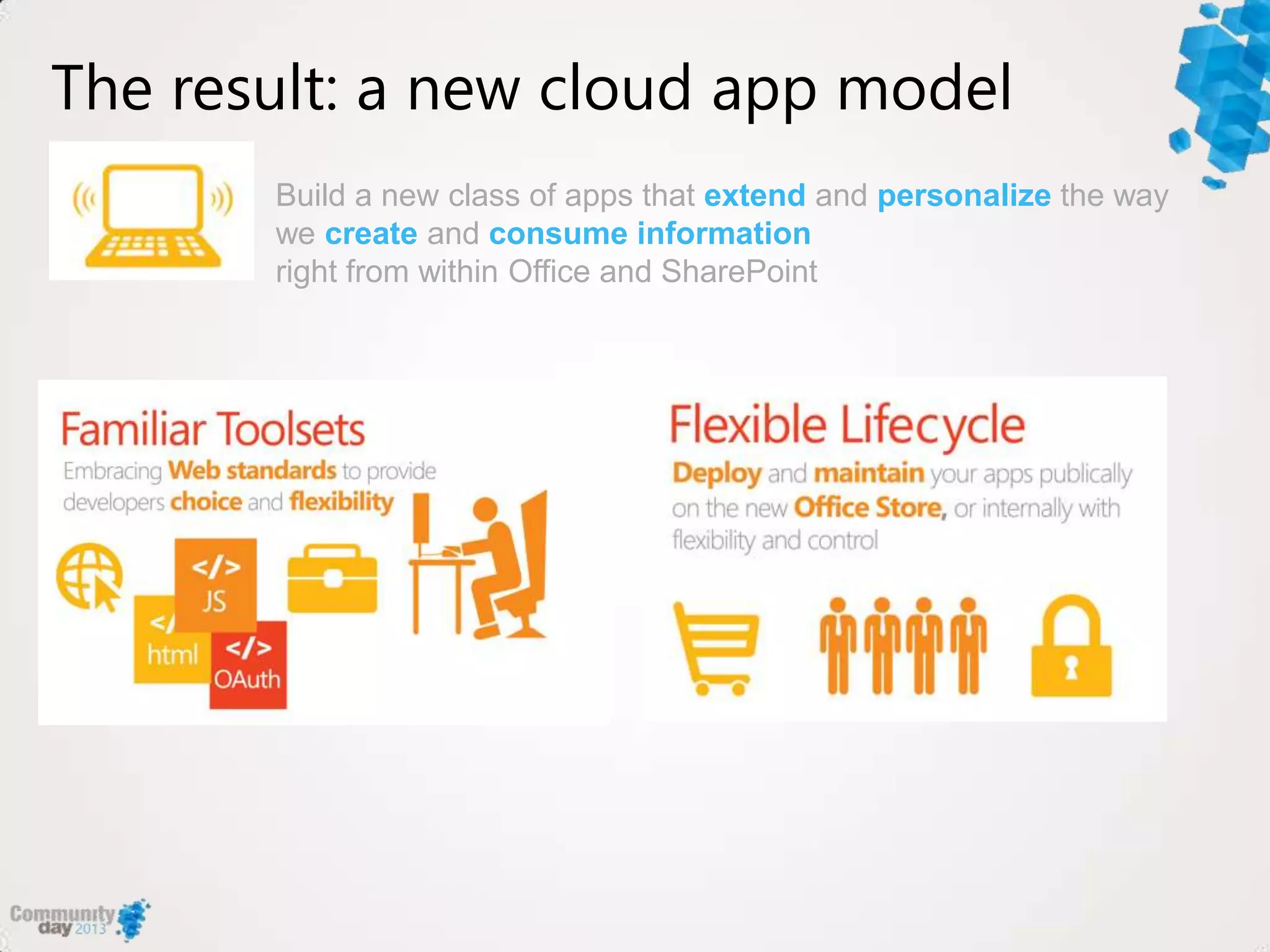
The result: a new cloud app model
Build a new class of apps that extend and personalize the way
we create and consume information
right from within Office and SharePoint
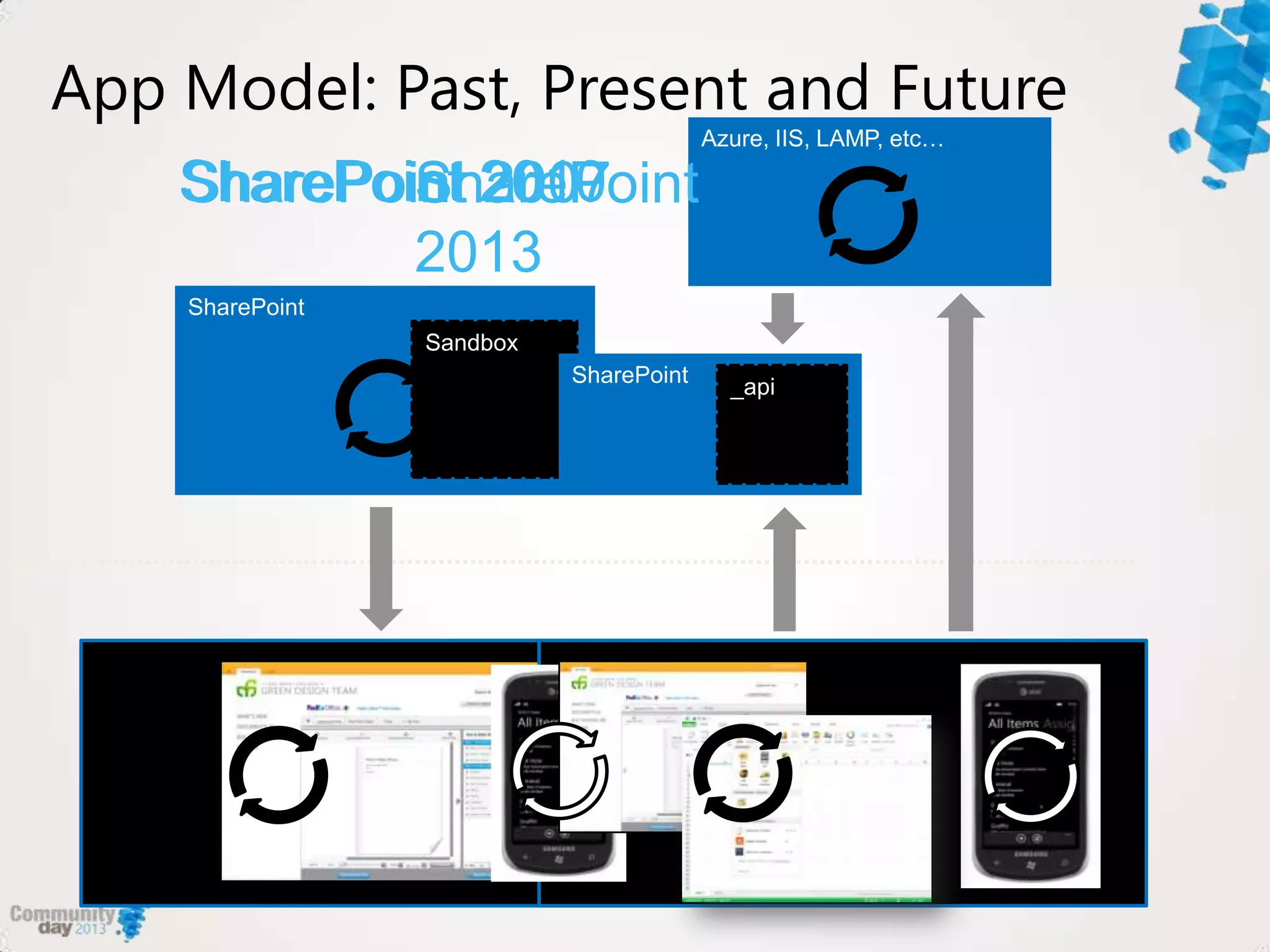
SharePoint 2007SharePoint 2010SharePoint
2013
App Model: Past, Present and Future
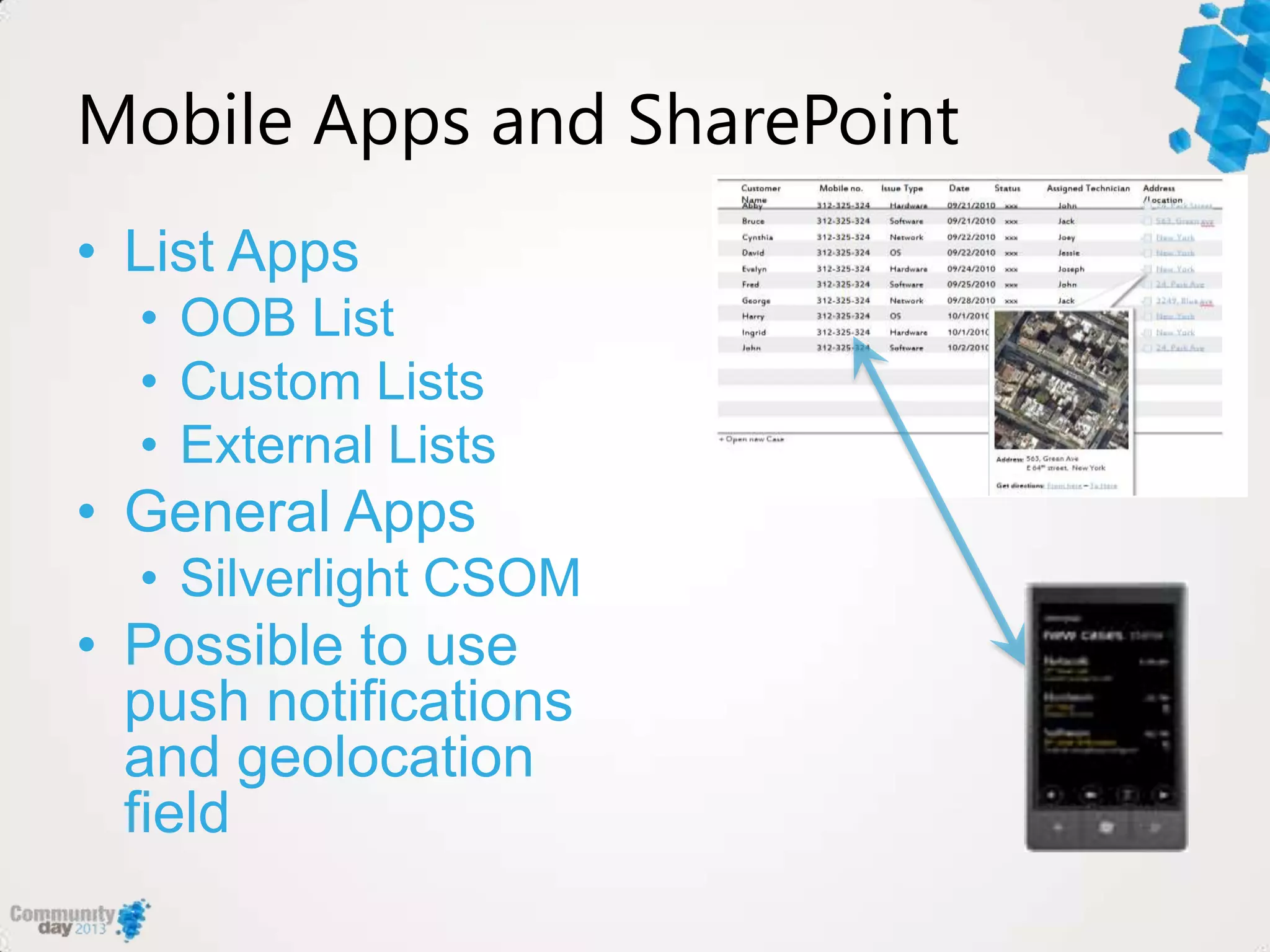
Mobile Apps and SharePoint
• List Apps
• OOB List
• Custom Lists
• External Lists
• General Apps
• Silverlight CSOM
• Possible to use
push notifications
and geolocation
field
Security
• Supported authentication
• Form based authentication
• Office 365/SP Online
• Basic
• Cross firewall connectivity
• Unified Access Gateway (UAG) SP3
• Alternate Access Mappings
Phone development basics
How to get started – the tools and environments
SharePoint Development Environment
• Available options:
• Use Office
365/SharePoint Online
• Windows Azure VMs
• Local virtual machine
• Windows Server 2008 R2/2012
• SQL 2008 R2/2012
• 12 GB RAM minimum see
Hardware and software
requirements for SharePoint
2013 -
http://technet.microsoft.com/en-
us/library/cc262485.aspx
SharePoint Server
2013 is not
supported on
client operating
systems
Phone Development Environment
• Supported environments:
• Windows 7/8 and VS 2010 or 2012
• SharePoint 2013 Client Components SDK -
http://www.microsoft.com/en-us/download/details.aspx?id=35585
• SharePoint SDK for WP8 - http://www.microsoft.com/en-
us/download/details.aspx?id=36818
• 2 new templates (C# only)
– Empty SharePoint Application template
– SharePoint List Application template
• Specific references for interacting with SharePoint
– Microsoft.SharePoint.Client.Phone
– Microsoft.SharePoint.Client.Phone.Auth.UI
– Microsoft.SharePoint.Client.Phone.Runtime
• List application uses MVVM pattern
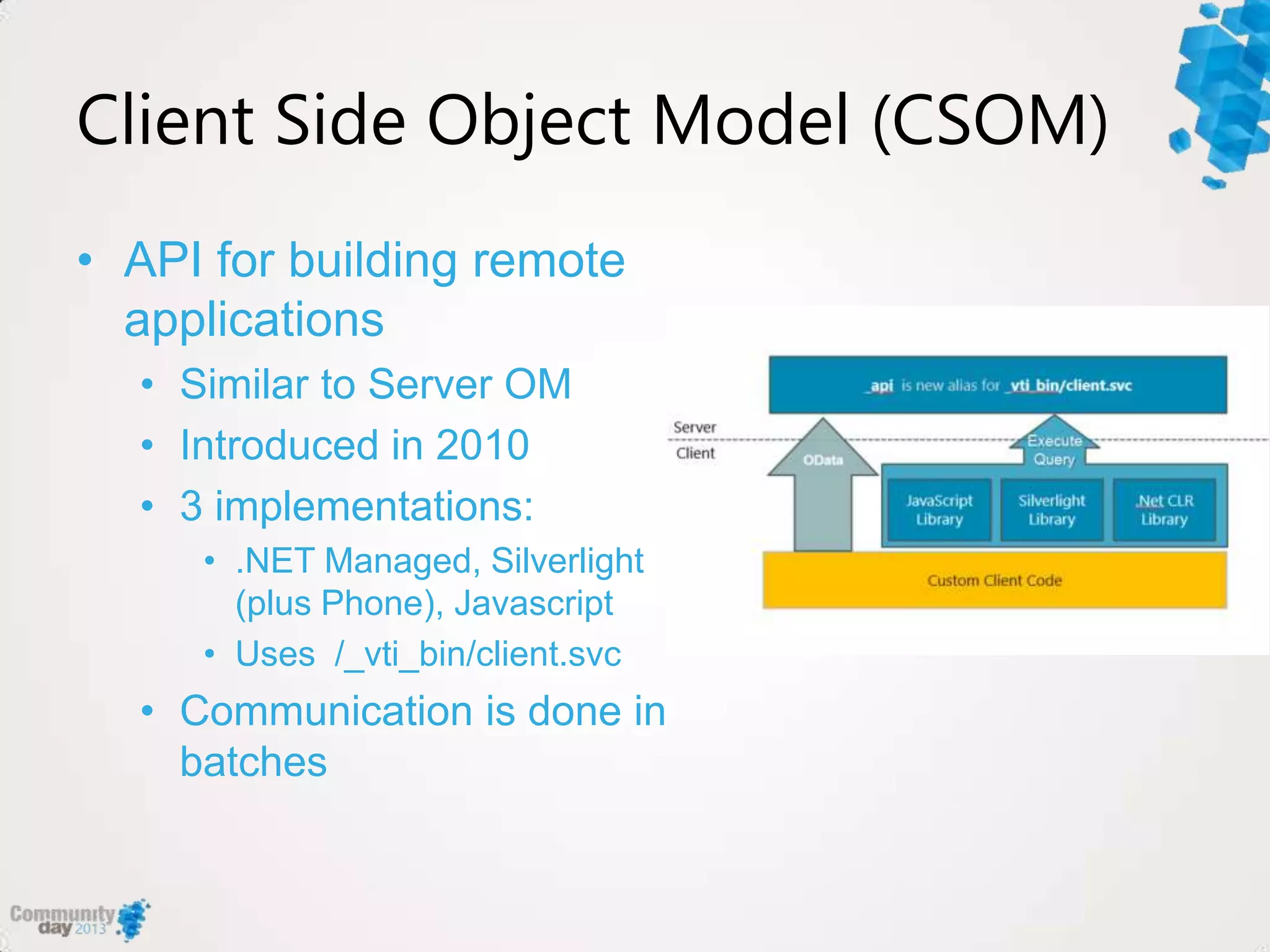
Client Side Object Model (CSOM)
• API for building remote
applications
• Similar to Server OM
• Introduced in 2010
• 3 implementations:
• .NET Managed, Silverlight
(plus Phone), Javascript
• Uses /_vti_bin/client.svc
• Communication is done in
batches
CSOM in 2013 – What’s new
• Extended with REST capabilities
• Direct access from REST clients
• Implemented in accordance with
ODATA
• New APIs for SharePoint Server
• UserProfiles,Search,Taxonomy,Workfl
ow,eDiscovery, IRM,Analytics,
Business Data
• New API for Windows Phone
Applications
demo
WP8 SharePoint Apps
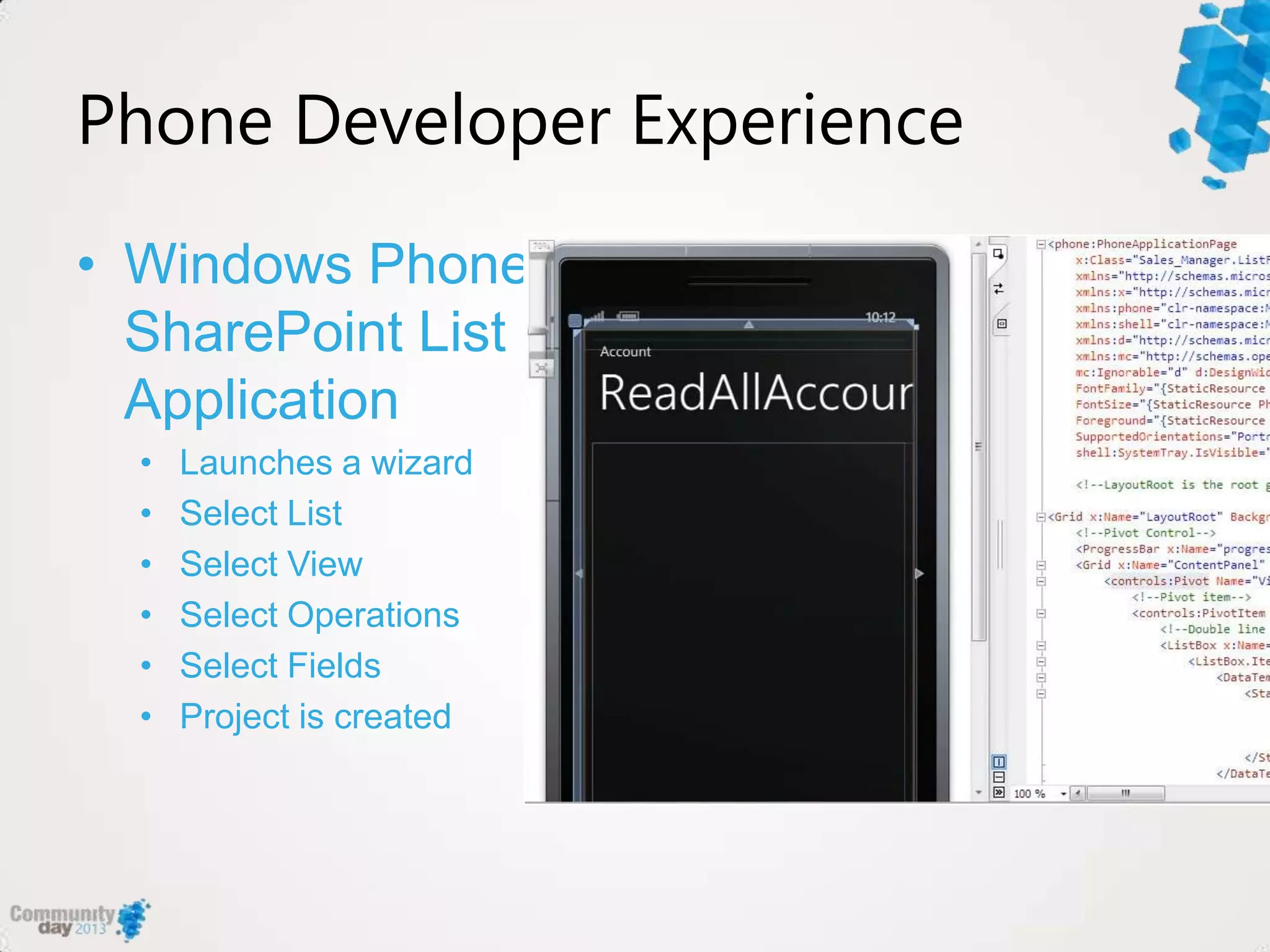
Phone Developer Experience
• Windows Phone
SharePoint List
Application
• Launches a wizard
• Select List
• Select View
• Select Operations
• Select Fields
• Project is created
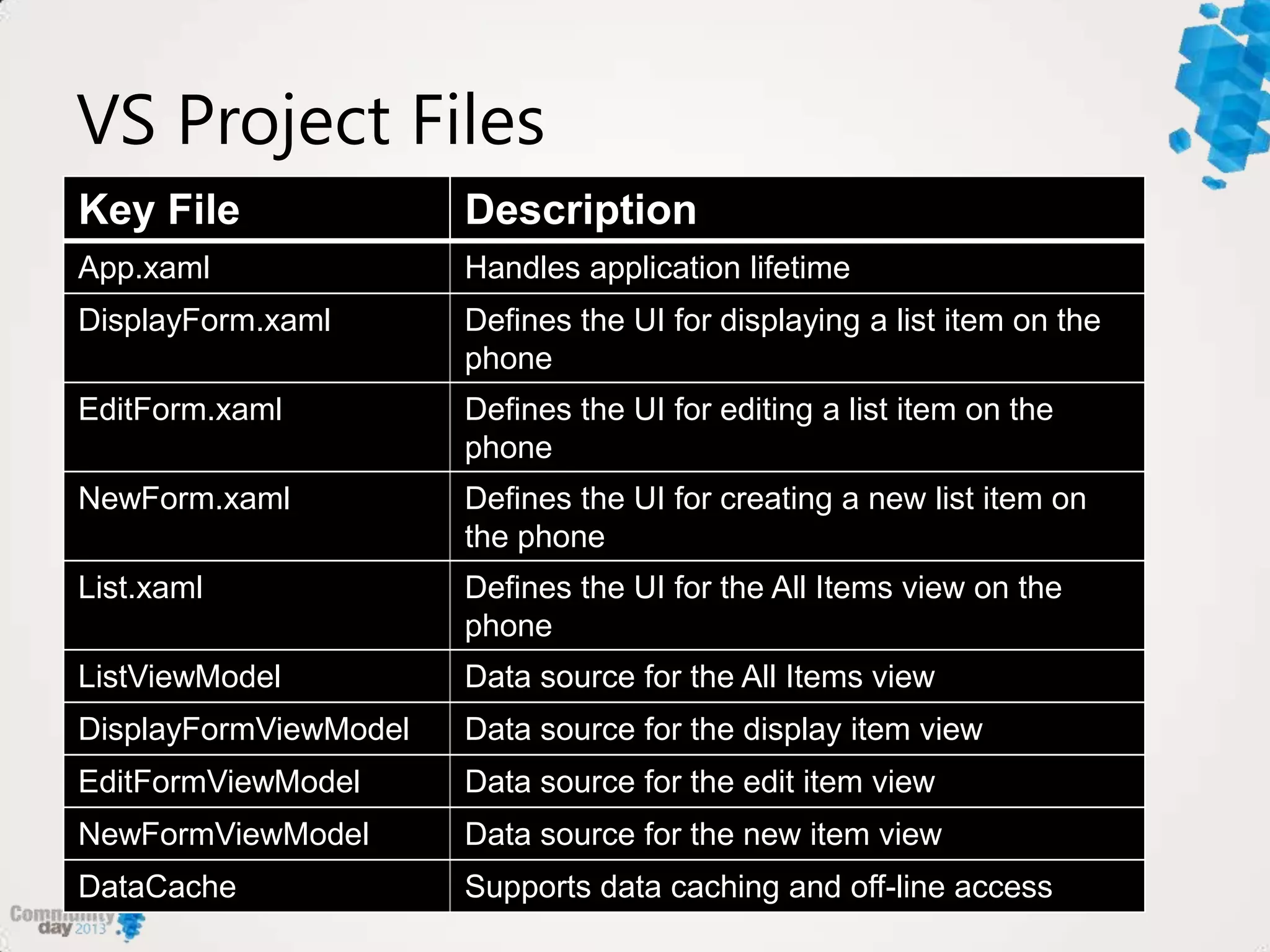
VS Project Files
Key File Description
App.xaml Handles application lifetime
DisplayForm.xaml Defines the UI for displaying a list item on the
phone
EditForm.xaml Defines the UI for editing a list item on the
phone
NewForm.xaml Defines the UI for creating a new list item on
the phone
List.xaml Defines the UI for the All Items view on the
phone
ListViewModel Data source for the All Items view
DisplayFormViewModel Data source for the display item view
EditFormViewModel Data source for the edit item view
NewFormViewModel Data source for the new item view
DataCache Supports data caching and off-line access
Search explained
What‟s new in 2013 and how can you use it
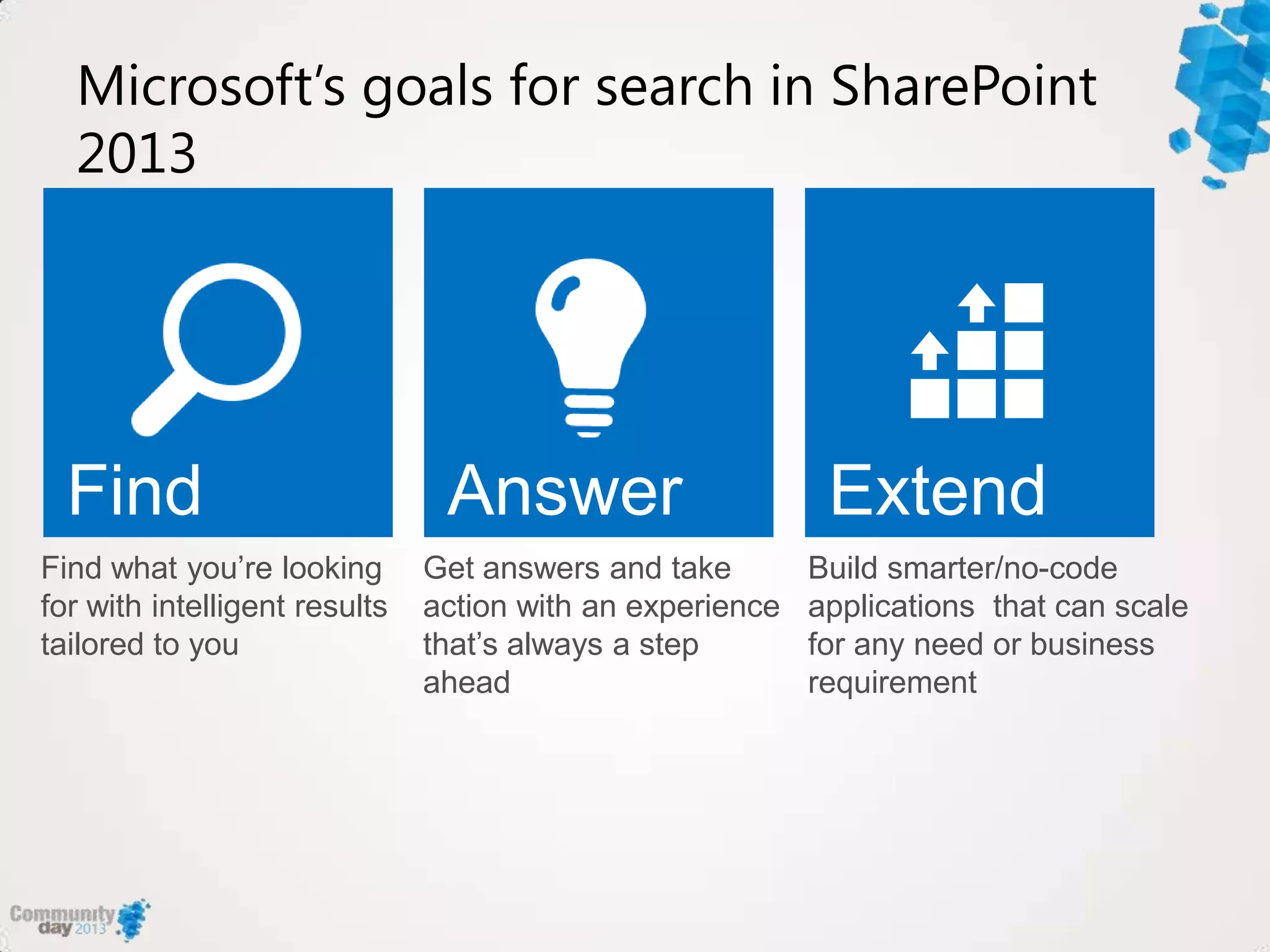
Microsoft’s goals for search in SharePoint
2013
Find what you‟re looking
for with intelligent results
tailored to you
Get answers and take
action with an experience
that‟s always a step
ahead
Build smarter/no-code
applications that can scale
for any need or business
requirement
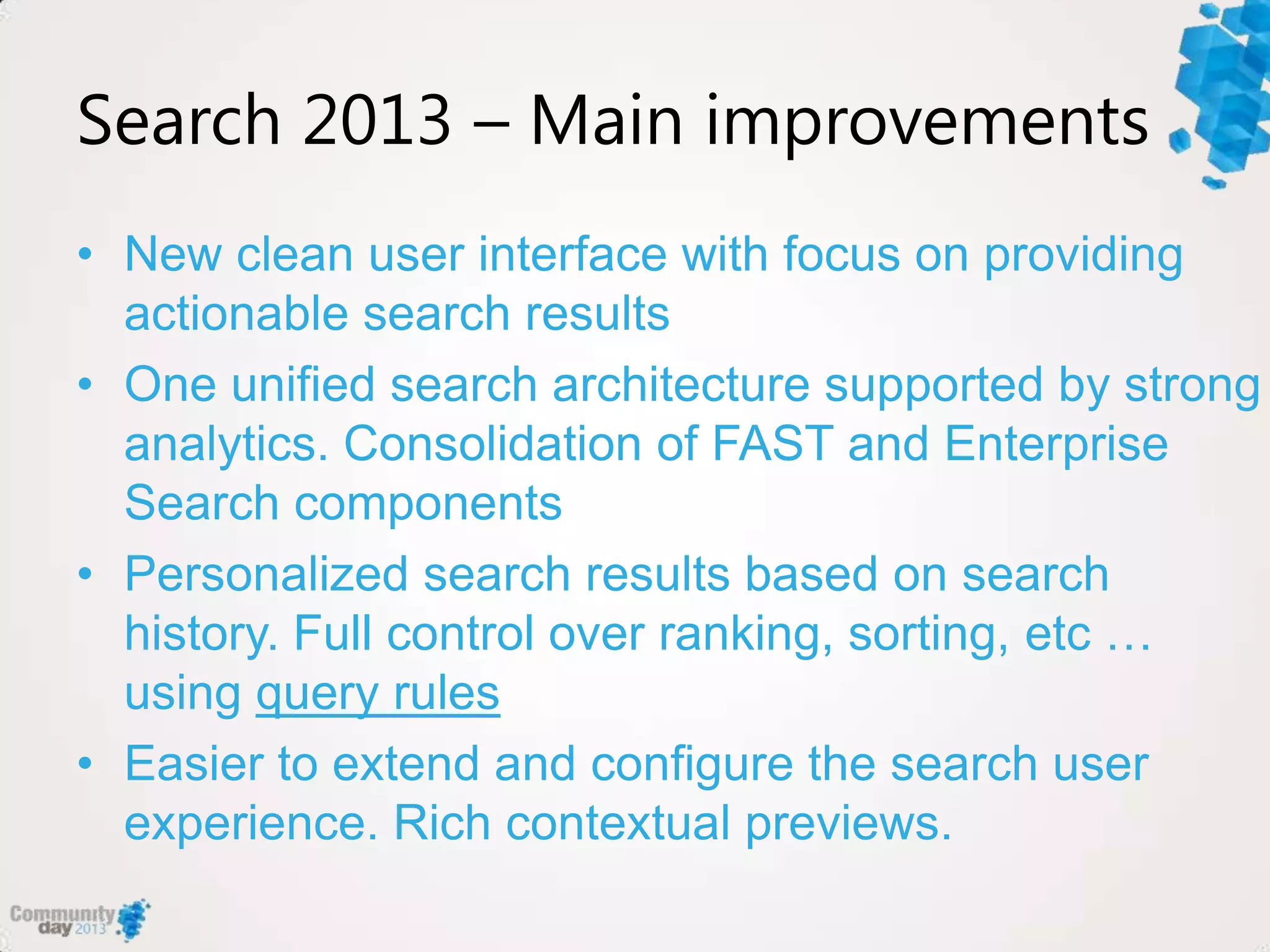
Search 2013 – Main improvements
• New clean user interface with focus on providing
actionable search results
• One unified search architecture supported by strong
analytics. Consolidation of FAST and Enterprise
Search components
• Personalized search results based on search
history. Full control over ranking, sorting, etc …
using query rules
• Easier to extend and configure the search user
experience. Rich contextual previews.
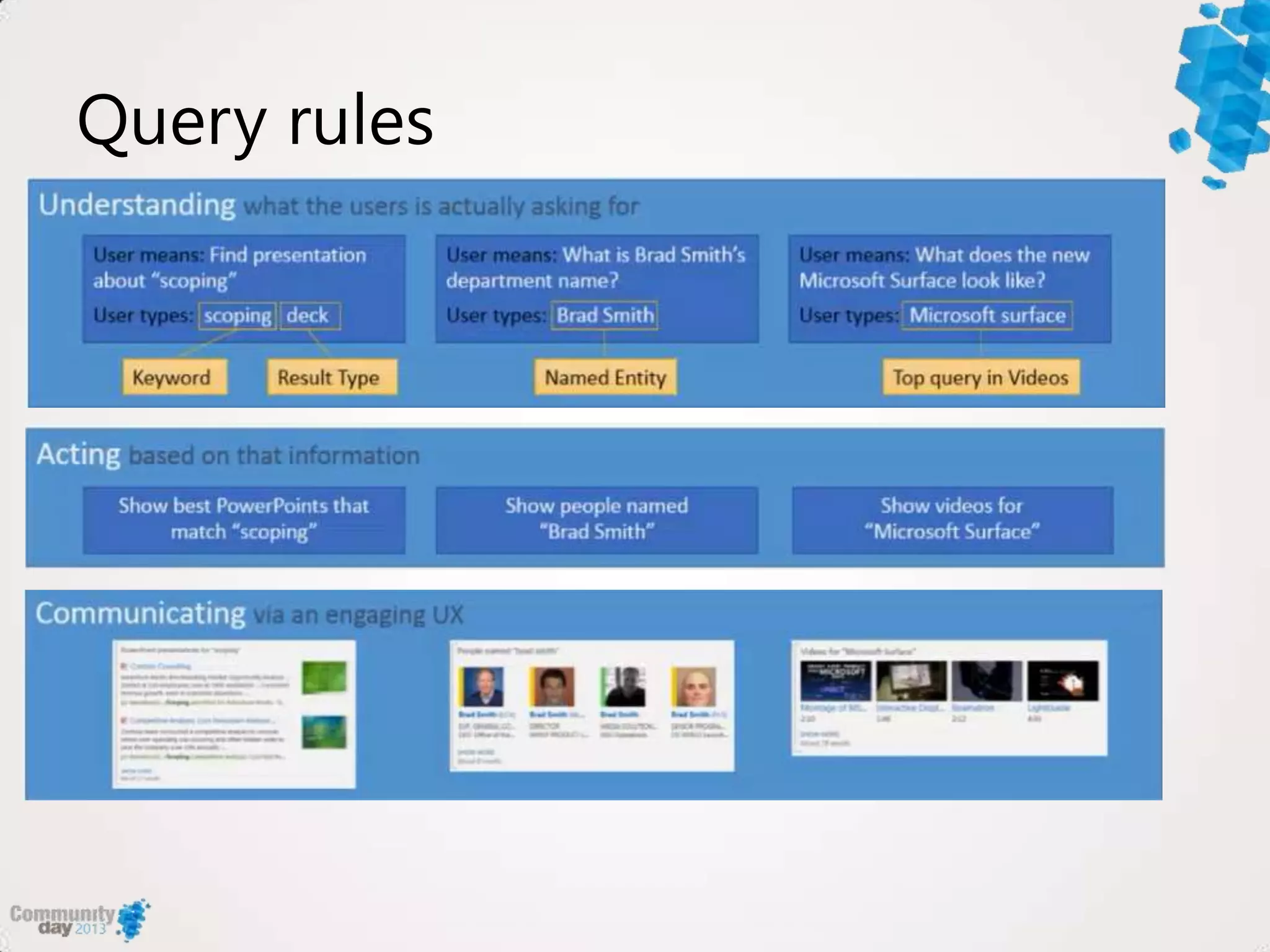
Query rules
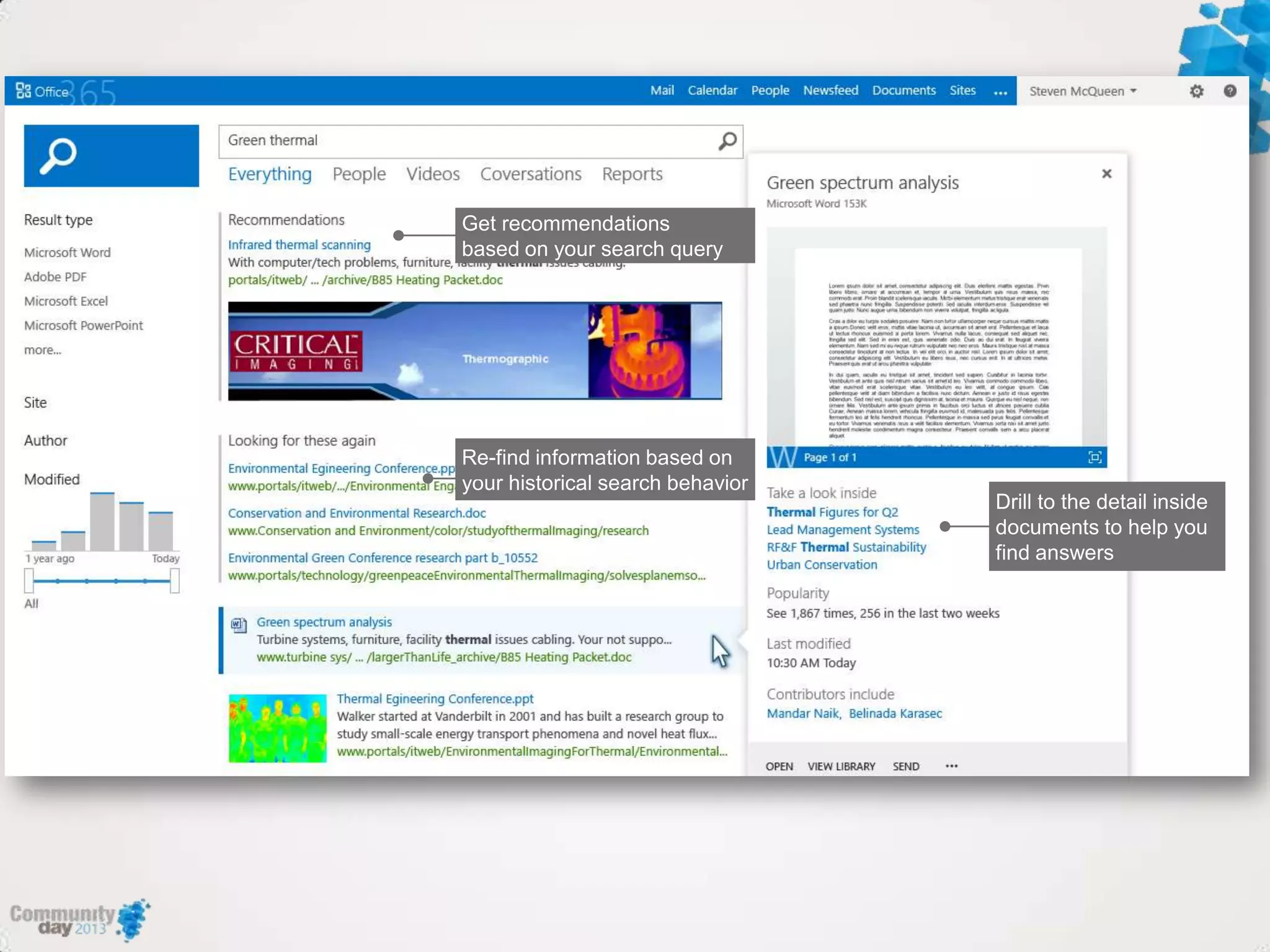
demo
Search in 2013
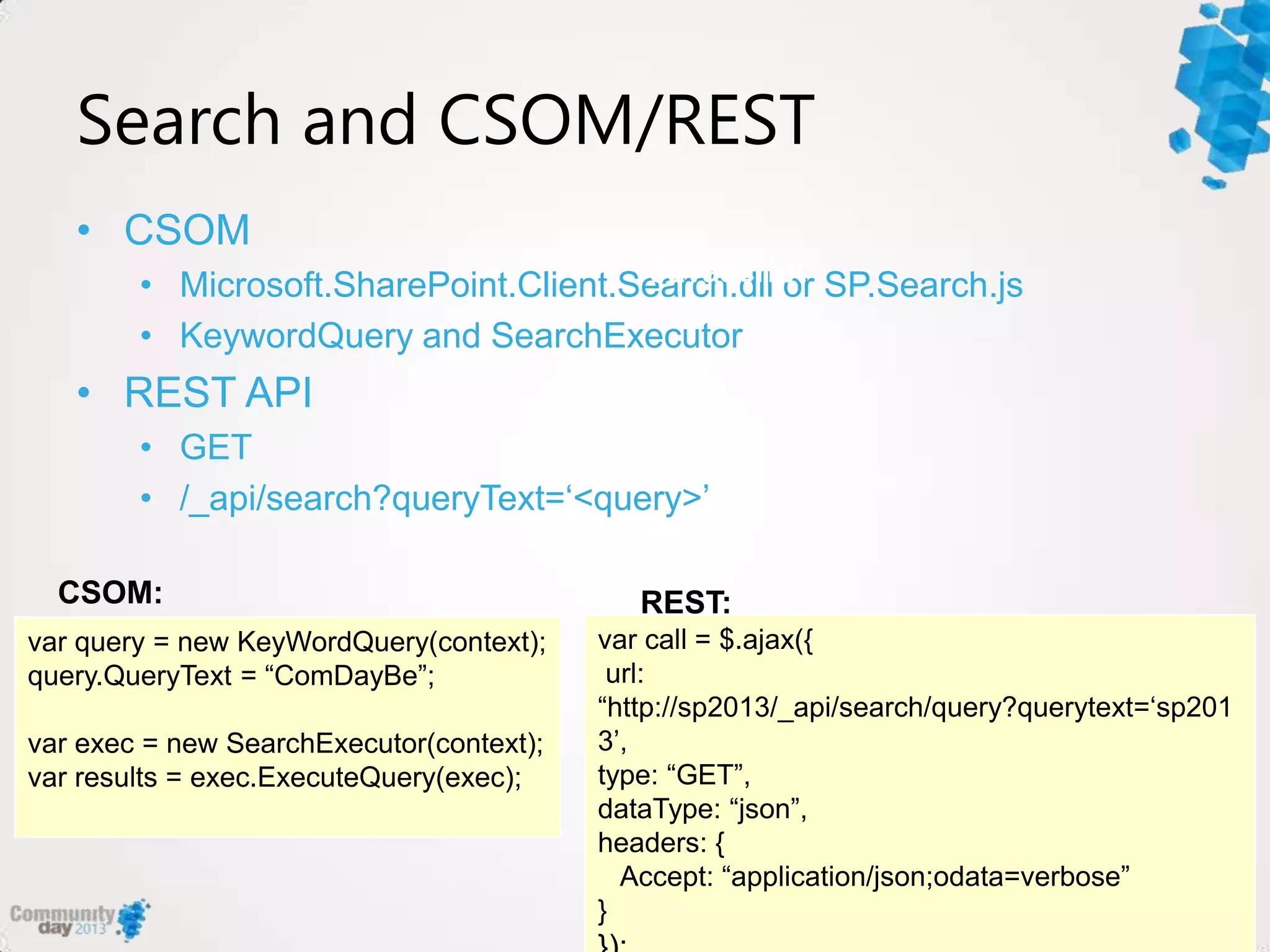
Search and CSOM/REST
• CSOM
• Microsoft.SharePoint.Client.Search.dll or SP.Search.js
• KeywordQuery and SearchExecutor
• REST API
• GET
• /_api/search?queryText=„<query>‟
var query = new KeyWordQuery(context);
query.QueryText = “ComDayBe”;
var exec = new SearchExecutor(context);
var results = exec.ExecuteQuery(exec);
CSOM:
var call = $.ajax({
url:
“http://sp2013/_api/search/query?querytext=„sp201
3‟,
type: “GET”,
dataType: “json”,
headers: {
Accept: “application/json;odata=verbose”
}
Javascript
REST:
demo
Search from WP8 with CSOM
Building a Windows 8
Search App and
What‟s new in 2013 and how can you use it
demo
Search from W8 with CSOM
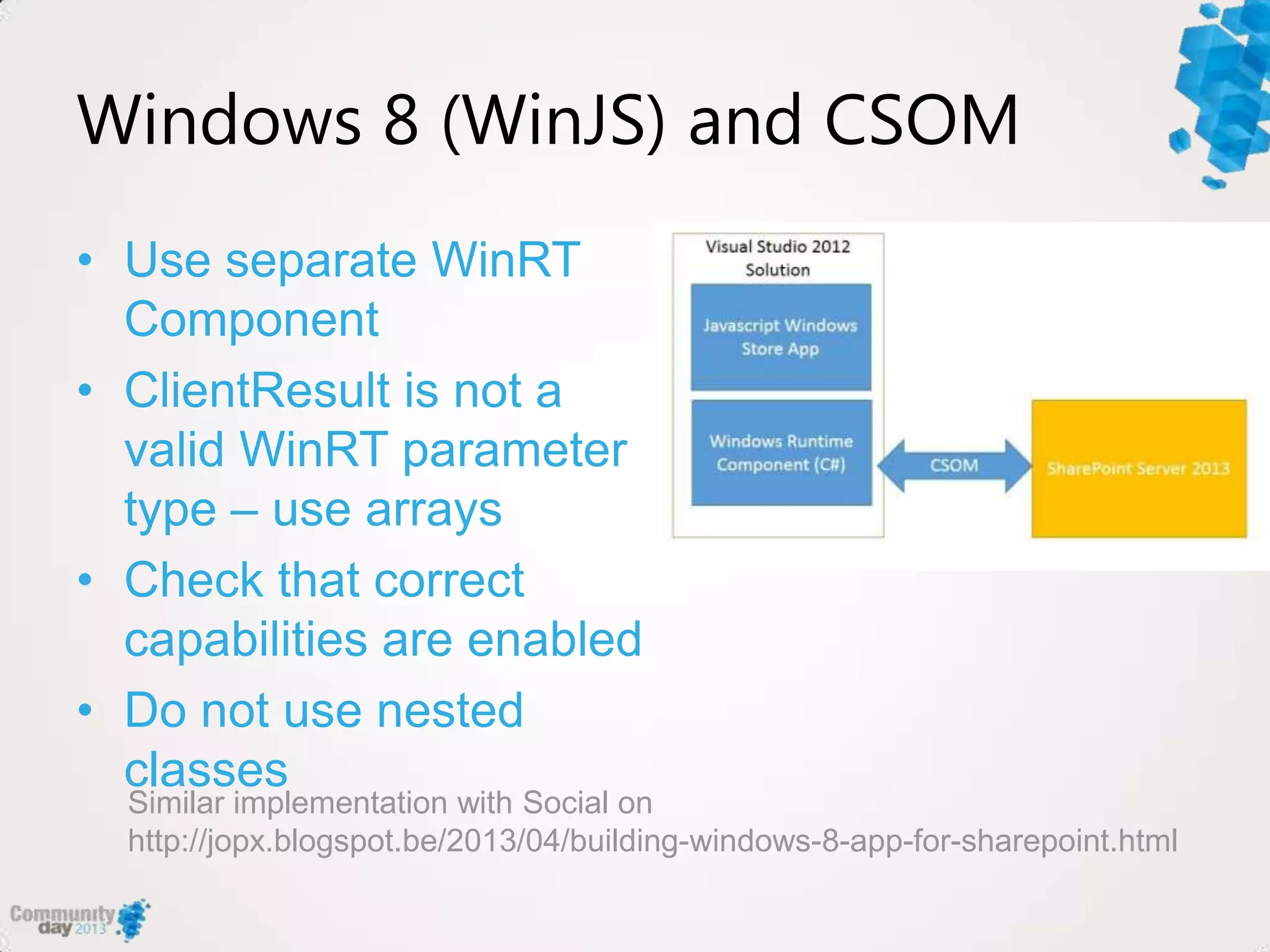
Windows 8 (WinJS) and CSOM
• Use separate WinRT
Component
• ClientResult is not a
valid WinRT parameter
type – use arrays
• Check that correct
capabilities are enabled
• Do not use nested
classes
Similar implementation with Social on
http://jopx.blogspot.be/2013/04/building-windows-8-app-for-sharepoint.html
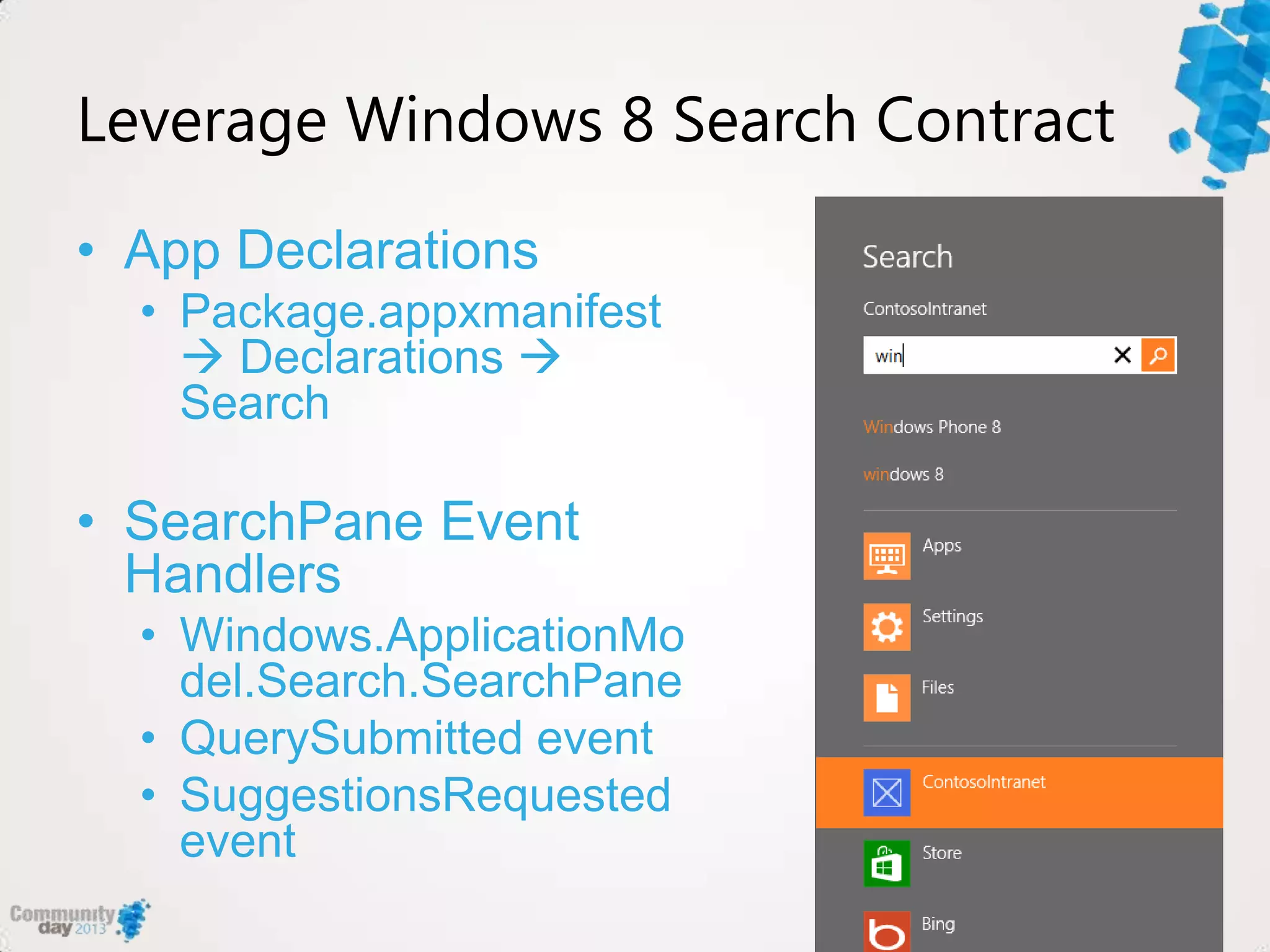
Leverage Windows 8 Search Contract
• App Declarations
• Package.appxmanifest
 Declarations 
Search
• SearchPane Event
Handlers
• Windows.ApplicationMo
del.Search.SearchPane
• QuerySubmitted event
• SuggestionsRequested
event
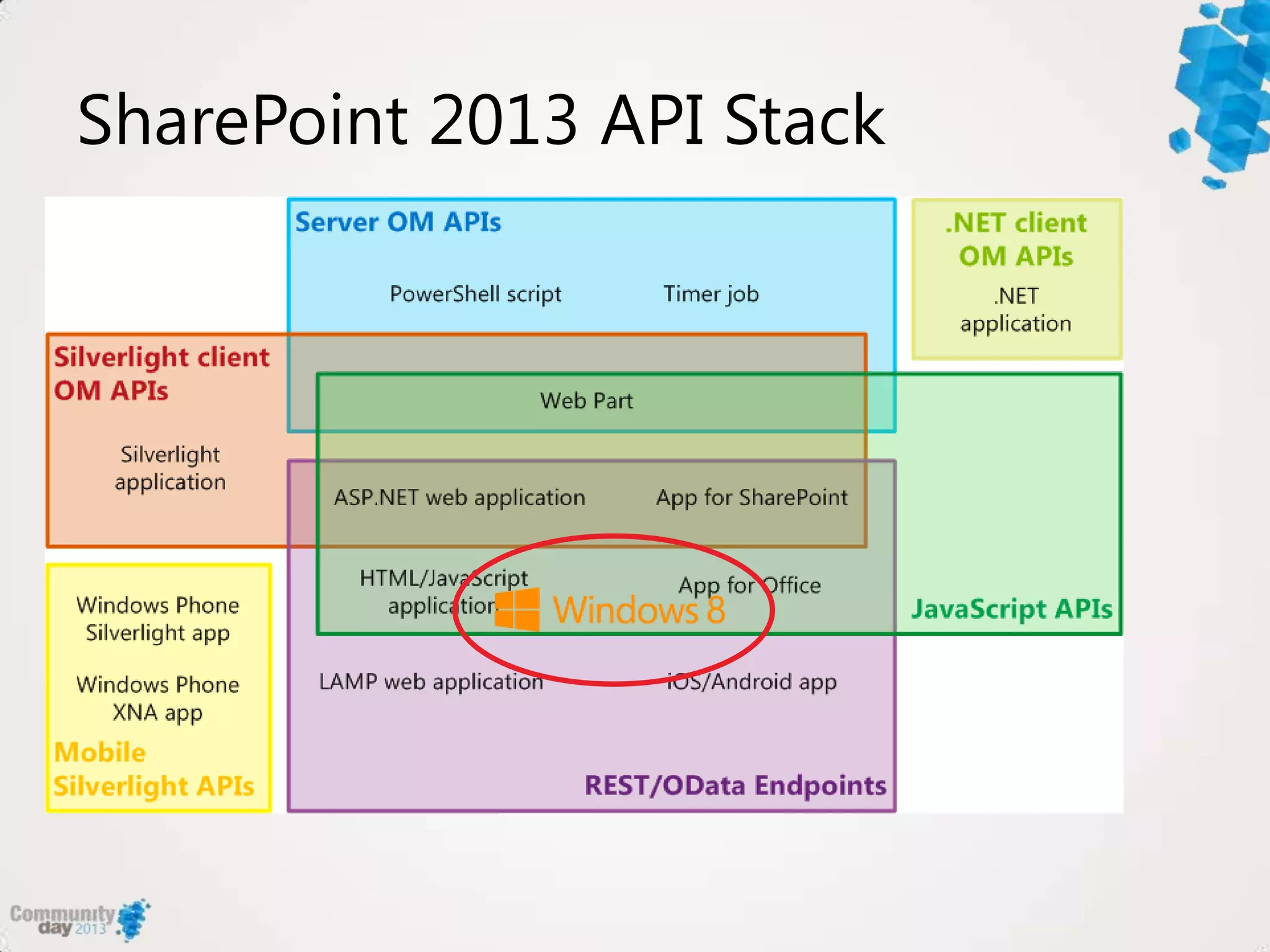
SharePoint 2013 API Stack
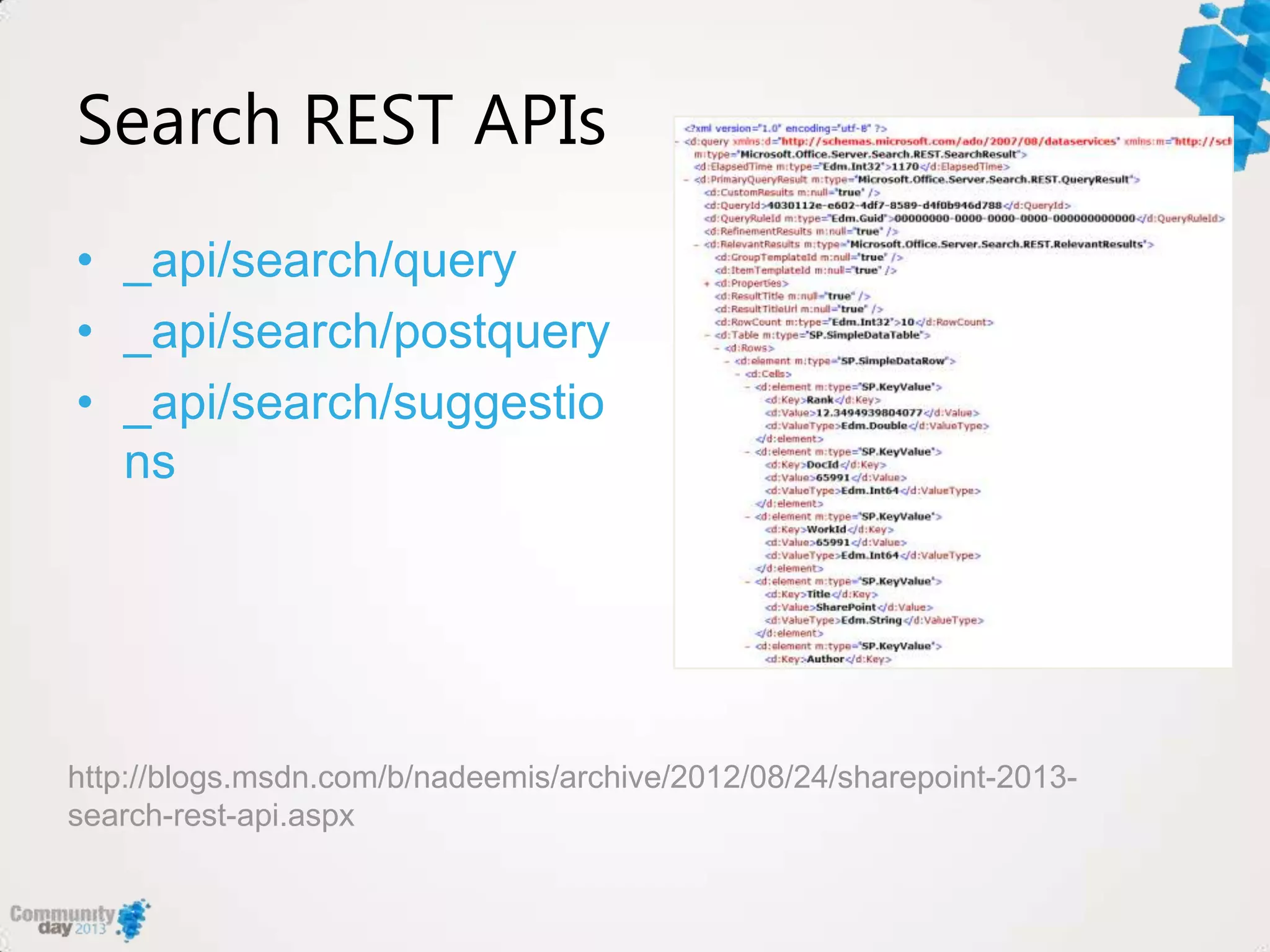
Search REST APIs
• _api/search/query
• _api/search/postquery
• _api/search/suggestio
ns
http://blogs.msdn.com/b/nadeemis/archive/2012/08/24/sharepoint-2013-
search-rest-api.aspx
Summary
• Search CSOM and REST APIs allow
you to extend your apps with SP2013
search
• SP2013 can handle search intent
using query rules
• Focus on specific search personas
and business scenarios
• Check out jopx.blogspot.com for code
samples
Thank you!

Building search-driven Windows 8 and Windows Phone 8 apps for SharePoint Server 2013

  • 1.
    #comdaybe Building search-driven Windows 8and Windows Phone 8 apps for SharePoint Server 2013 RealDolmen Joris Poelmans
  • 2.
    About me • Workat RealDolmen • Principal consultant and product manager • SharePoint Server MVP since 2005 • Active in Belux Information Worker User Group – www.biwug.be • Blog: http://jopx.blogspot.com • E-mail: joris.poelmans@gmail.com • Twitter: @jopxtwits • www.slideshare.net/jplq631
  • 3.
    Agenda • Cloud AppModel Overview • Phone 8 Development Basics for SP2013 • Search explained • Windows 8 Search App
  • 4.
    Cloud App ModelOverview Why building WP8 and W8 apps for SP2013 is easier...
  • 5.
    Vision: Modernizing theOffice Platform
  • 6.
    The result: anew cloud app model Build a new class of apps that extend and personalize the way we create and consume information right from within Office and SharePoint
  • 7.
  • 8.
    Mobile Apps andSharePoint • List Apps • OOB List • Custom Lists • External Lists • General Apps • Silverlight CSOM • Possible to use push notifications and geolocation field
  • 9.
    Security • Supported authentication •Form based authentication • Office 365/SP Online • Basic • Cross firewall connectivity • Unified Access Gateway (UAG) SP3 • Alternate Access Mappings
  • 10.
    Phone development basics Howto get started – the tools and environments
  • 11.
    SharePoint Development Environment •Available options: • Use Office 365/SharePoint Online • Windows Azure VMs • Local virtual machine • Windows Server 2008 R2/2012 • SQL 2008 R2/2012 • 12 GB RAM minimum see Hardware and software requirements for SharePoint 2013 - http://technet.microsoft.com/en- us/library/cc262485.aspx SharePoint Server 2013 is not supported on client operating systems
  • 12.
    Phone Development Environment •Supported environments: • Windows 7/8 and VS 2010 or 2012 • SharePoint 2013 Client Components SDK - http://www.microsoft.com/en-us/download/details.aspx?id=35585 • SharePoint SDK for WP8 - http://www.microsoft.com/en- us/download/details.aspx?id=36818 • 2 new templates (C# only) – Empty SharePoint Application template – SharePoint List Application template • Specific references for interacting with SharePoint – Microsoft.SharePoint.Client.Phone – Microsoft.SharePoint.Client.Phone.Auth.UI – Microsoft.SharePoint.Client.Phone.Runtime • List application uses MVVM pattern
  • 13.
    Client Side ObjectModel (CSOM) • API for building remote applications • Similar to Server OM • Introduced in 2010 • 3 implementations: • .NET Managed, Silverlight (plus Phone), Javascript • Uses /_vti_bin/client.svc • Communication is done in batches
  • 14.
    CSOM in 2013– What’s new • Extended with REST capabilities • Direct access from REST clients • Implemented in accordance with ODATA • New APIs for SharePoint Server • UserProfiles,Search,Taxonomy,Workfl ow,eDiscovery, IRM,Analytics, Business Data • New API for Windows Phone Applications
  • 15.
  • 16.
    Phone Developer Experience •Windows Phone SharePoint List Application • Launches a wizard • Select List • Select View • Select Operations • Select Fields • Project is created
  • 17.
    VS Project Files KeyFile Description App.xaml Handles application lifetime DisplayForm.xaml Defines the UI for displaying a list item on the phone EditForm.xaml Defines the UI for editing a list item on the phone NewForm.xaml Defines the UI for creating a new list item on the phone List.xaml Defines the UI for the All Items view on the phone ListViewModel Data source for the All Items view DisplayFormViewModel Data source for the display item view EditFormViewModel Data source for the edit item view NewFormViewModel Data source for the new item view DataCache Supports data caching and off-line access
  • 18.
    Search explained What‟s newin 2013 and how can you use it
  • 19.
    Microsoft’s goals forsearch in SharePoint 2013 Find what you‟re looking for with intelligent results tailored to you Get answers and take action with an experience that‟s always a step ahead Build smarter/no-code applications that can scale for any need or business requirement
  • 20.
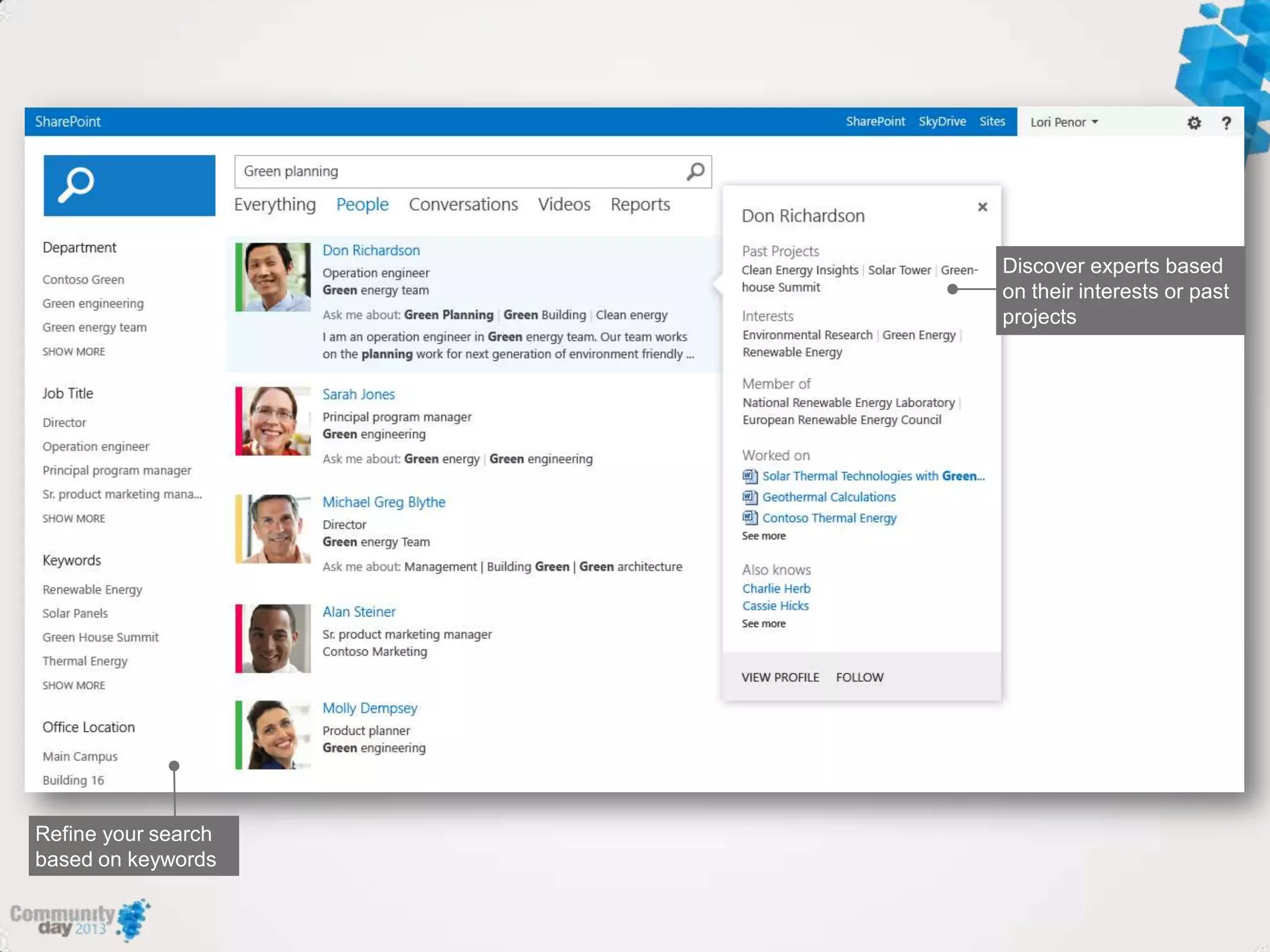
    Search 2013 –Main improvements • New clean user interface with focus on providing actionable search results • One unified search architecture supported by strong analytics. Consolidation of FAST and Enterprise Search components • Personalized search results based on search history. Full control over ranking, sorting, etc … using query rules • Easier to extend and configure the search user experience. Rich contextual previews.
  • 21.
  • 22.
  • 25.
    Search and CSOM/REST •CSOM • Microsoft.SharePoint.Client.Search.dll or SP.Search.js • KeywordQuery and SearchExecutor • REST API • GET • /_api/search?queryText=„<query>‟ var query = new KeyWordQuery(context); query.QueryText = “ComDayBe”; var exec = new SearchExecutor(context); var results = exec.ExecuteQuery(exec); CSOM: var call = $.ajax({ url: “http://sp2013/_api/search/query?querytext=„sp201 3‟, type: “GET”, dataType: “json”, headers: { Accept: “application/json;odata=verbose” } Javascript REST:
  • 26.
  • 27.
    Building a Windows8 Search App and What‟s new in 2013 and how can you use it
  • 28.
  • 29.
    Windows 8 (WinJS)and CSOM • Use separate WinRT Component • ClientResult is not a valid WinRT parameter type – use arrays • Check that correct capabilities are enabled • Do not use nested classes Similar implementation with Social on http://jopx.blogspot.be/2013/04/building-windows-8-app-for-sharepoint.html
  • 30.
    Leverage Windows 8Search Contract • App Declarations • Package.appxmanifest  Declarations  Search • SearchPane Event Handlers • Windows.ApplicationMo del.Search.SearchPane • QuerySubmitted event • SuggestionsRequested event
  • 31.
  • 32.
    Search REST APIs •_api/search/query • _api/search/postquery • _api/search/suggestio ns http://blogs.msdn.com/b/nadeemis/archive/2012/08/24/sharepoint-2013- search-rest-api.aspx
  • 33.
    Summary • Search CSOMand REST APIs allow you to extend your apps with SP2013 search • SP2013 can handle search intent using query rules • Focus on specific search personas and business scenarios • Check out jopx.blogspot.com for code samples
  • 34.