Project Management in Real Life How to balance creative chaos  and control
Objectives Be able to implement at least one new project management tool tomorrow Be able to eventually set up your own PMO
Agenda Why bother? Project Management principles Methodology Scoping & Estimating Planning Managing People Agile techniques Manifesto Scrum, RUP, XP Test-driven development
Intros Take 10 seconds to tell us Your name What you do Your workshop goals
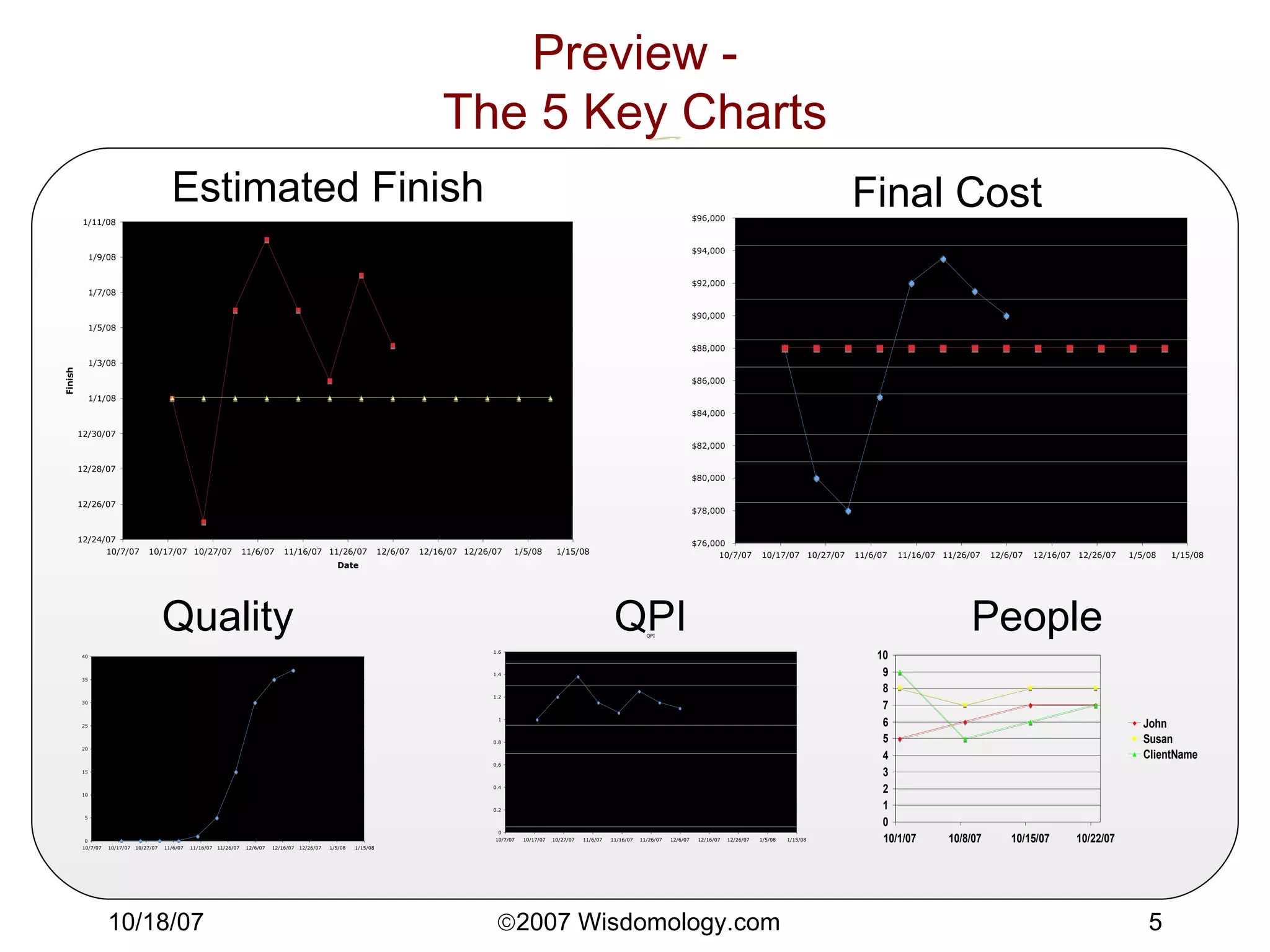
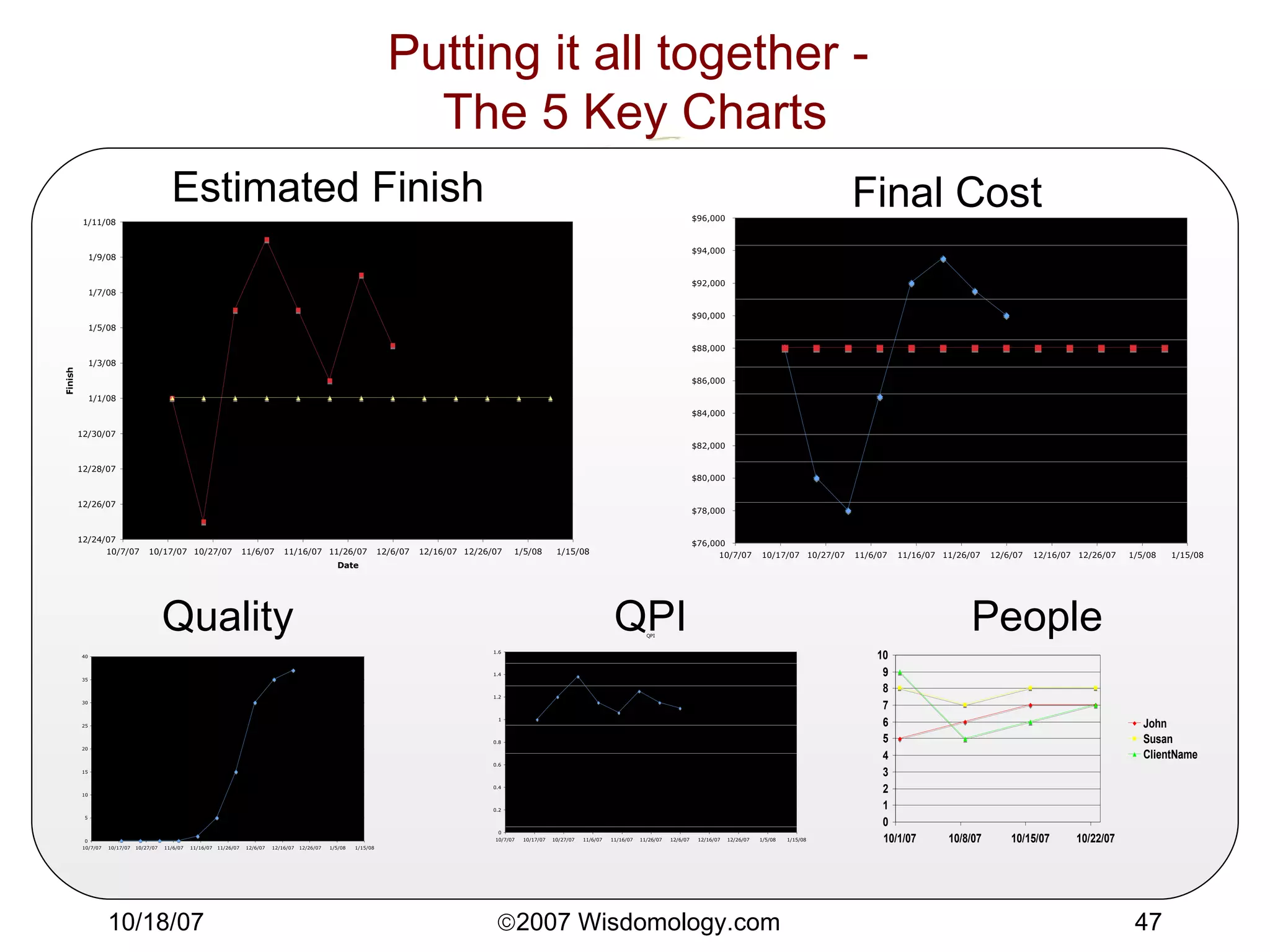
Preview - The 5 Key Charts Estimated Finish Final Cost People QPI Quality
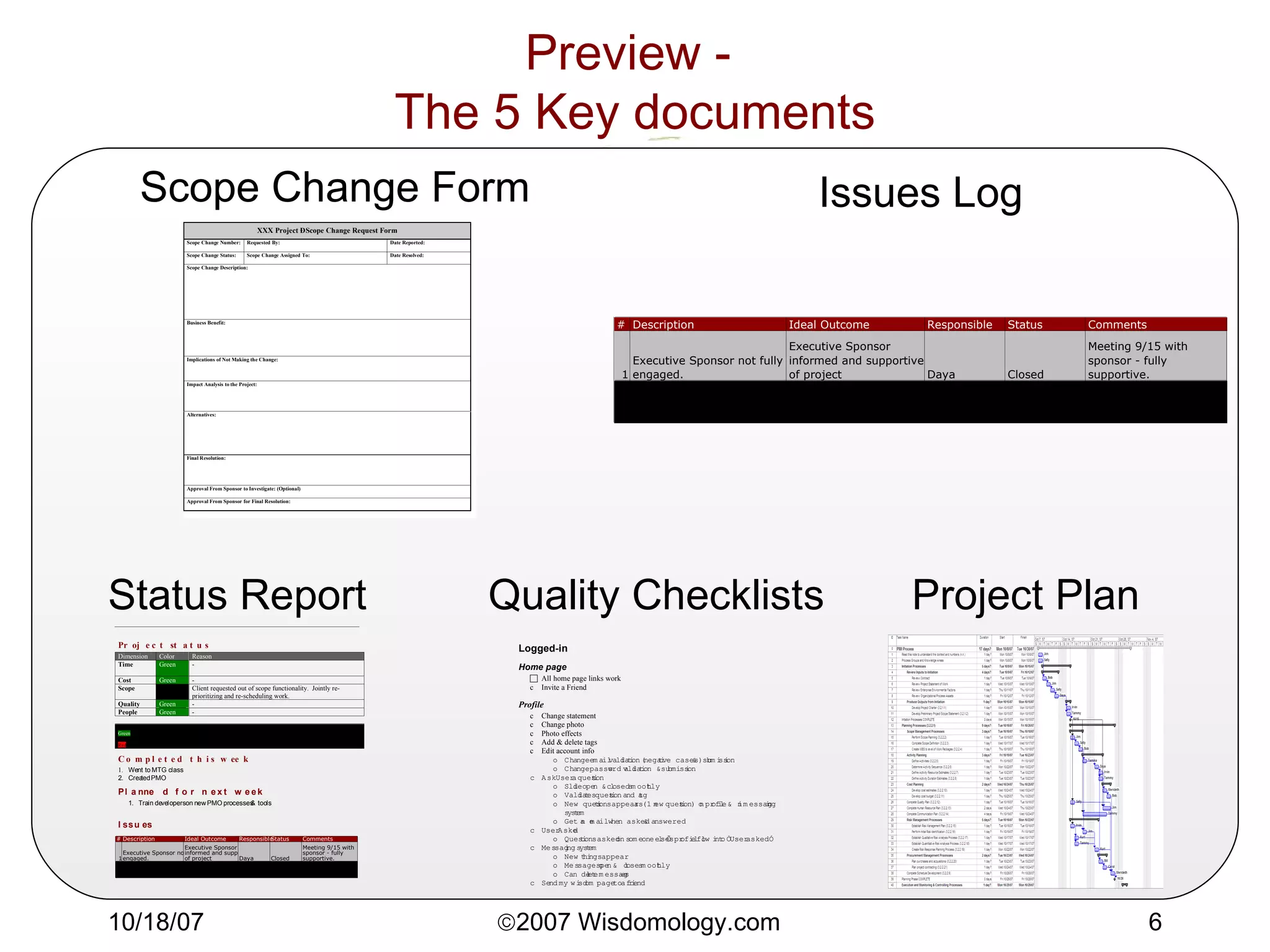
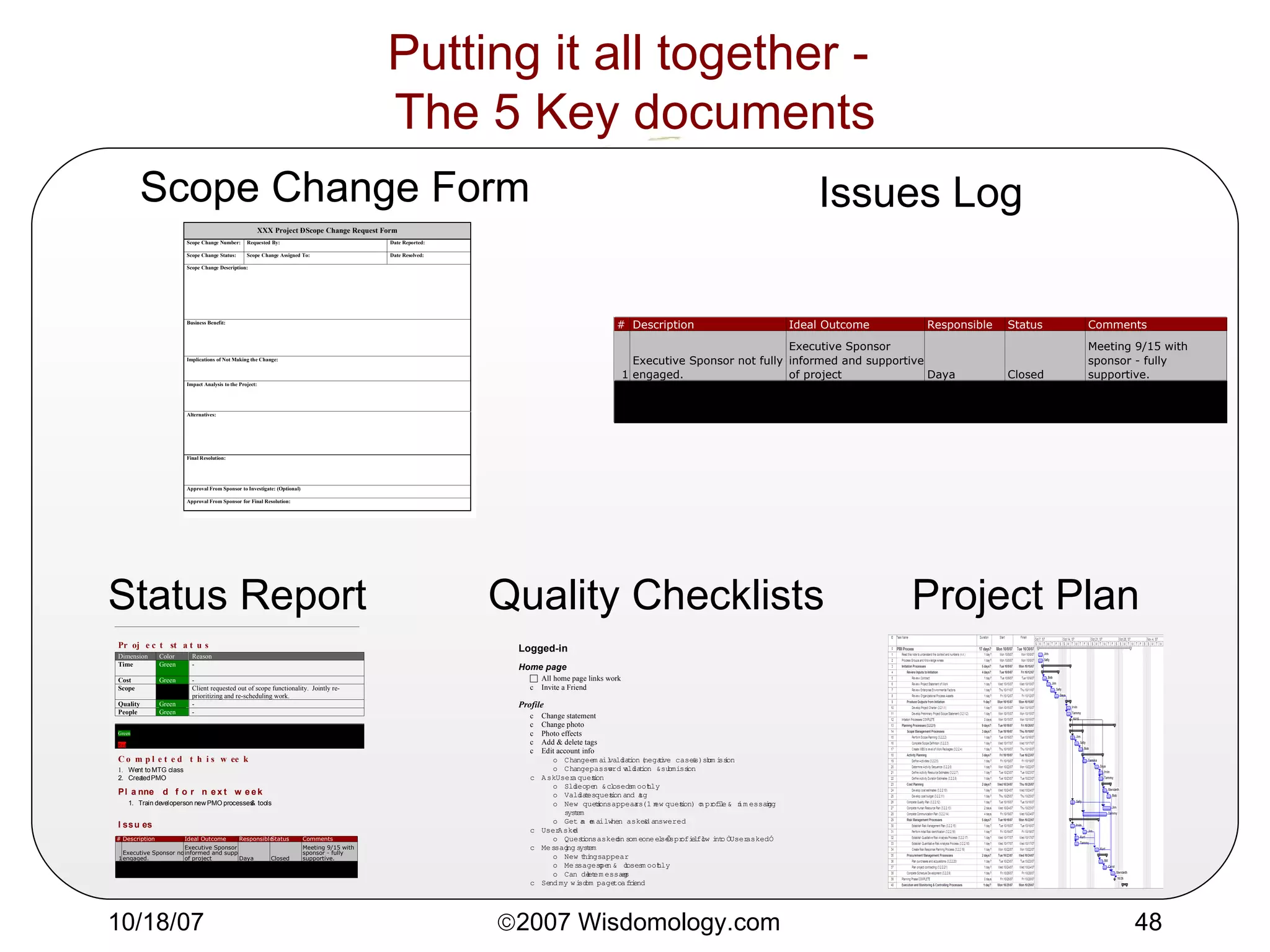
Preview -  The 5 Key documents Scope Change Form Issues Log Project Plan Status Report Quality Checklists
Why Bother? Your projects are late, over-budget, low margin, shipping with bugs You & your team are pulling heroics to keep things under control You & your team are burned out.
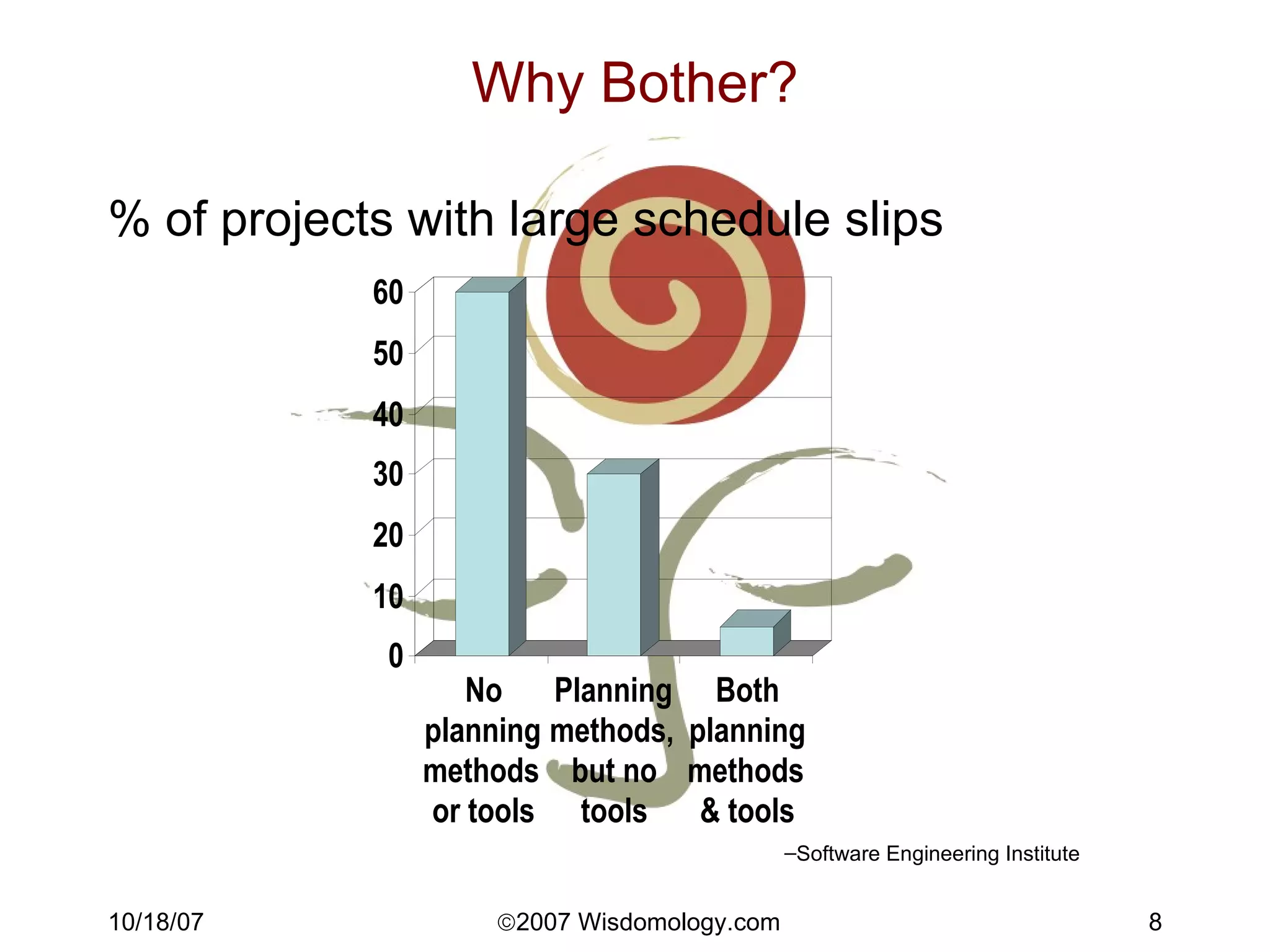
Why Bother? % of projects with large schedule slips Software Engineering Institute
What is a project? Achieve objectives Produce deliverables Start and end date Consume resources (people, $)
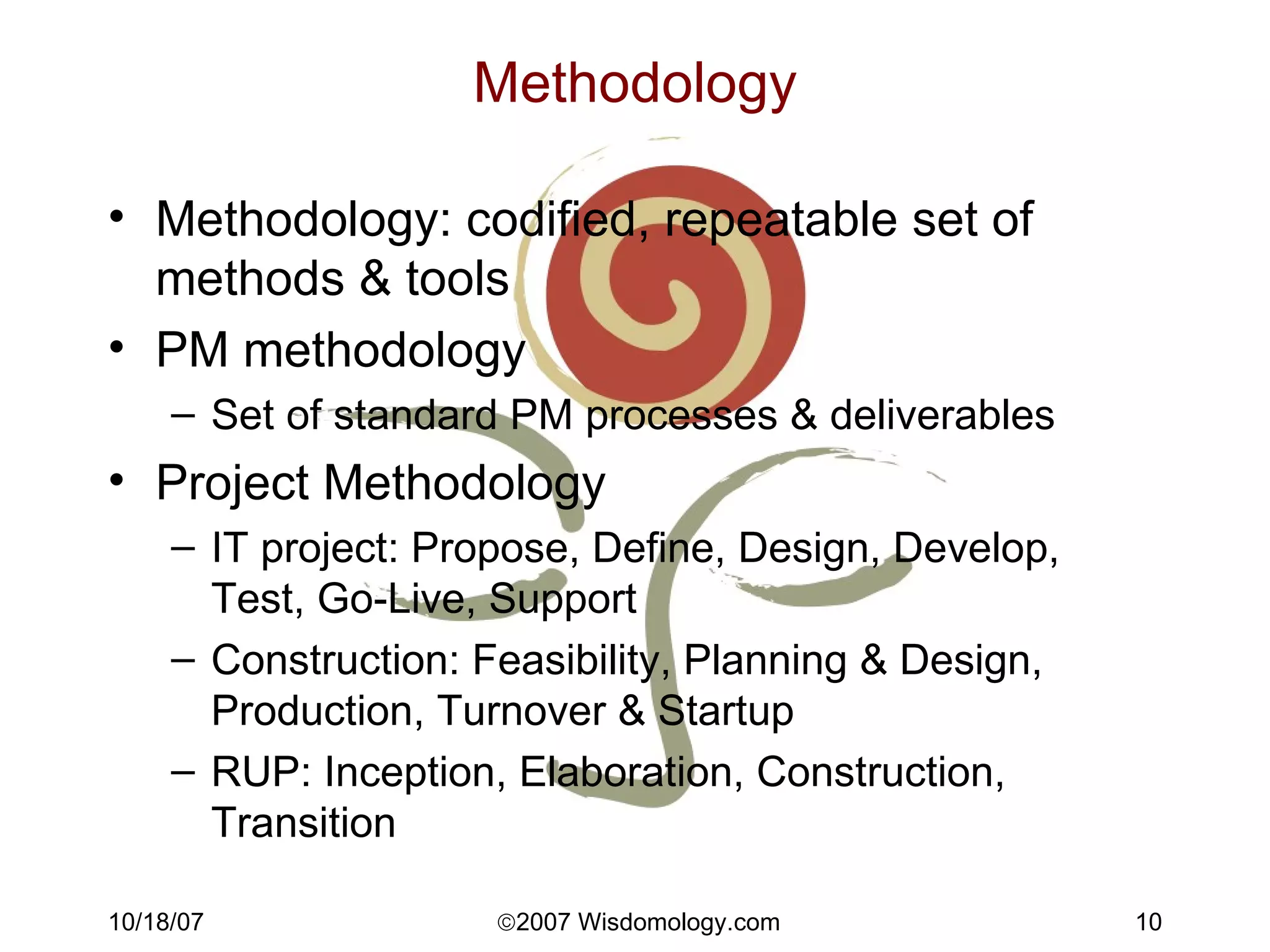
Methodology Methodology: codified, repeatable set of methods & tools PM methodology Set of standard PM processes & deliverables Project Methodology IT project: Propose, Define, Design, Develop, Test, Go-Live, Support Construction: Feasibility, Planning & Design, Production, Turnover & Startup RUP: Inception, Elaboration, Construction, Transition
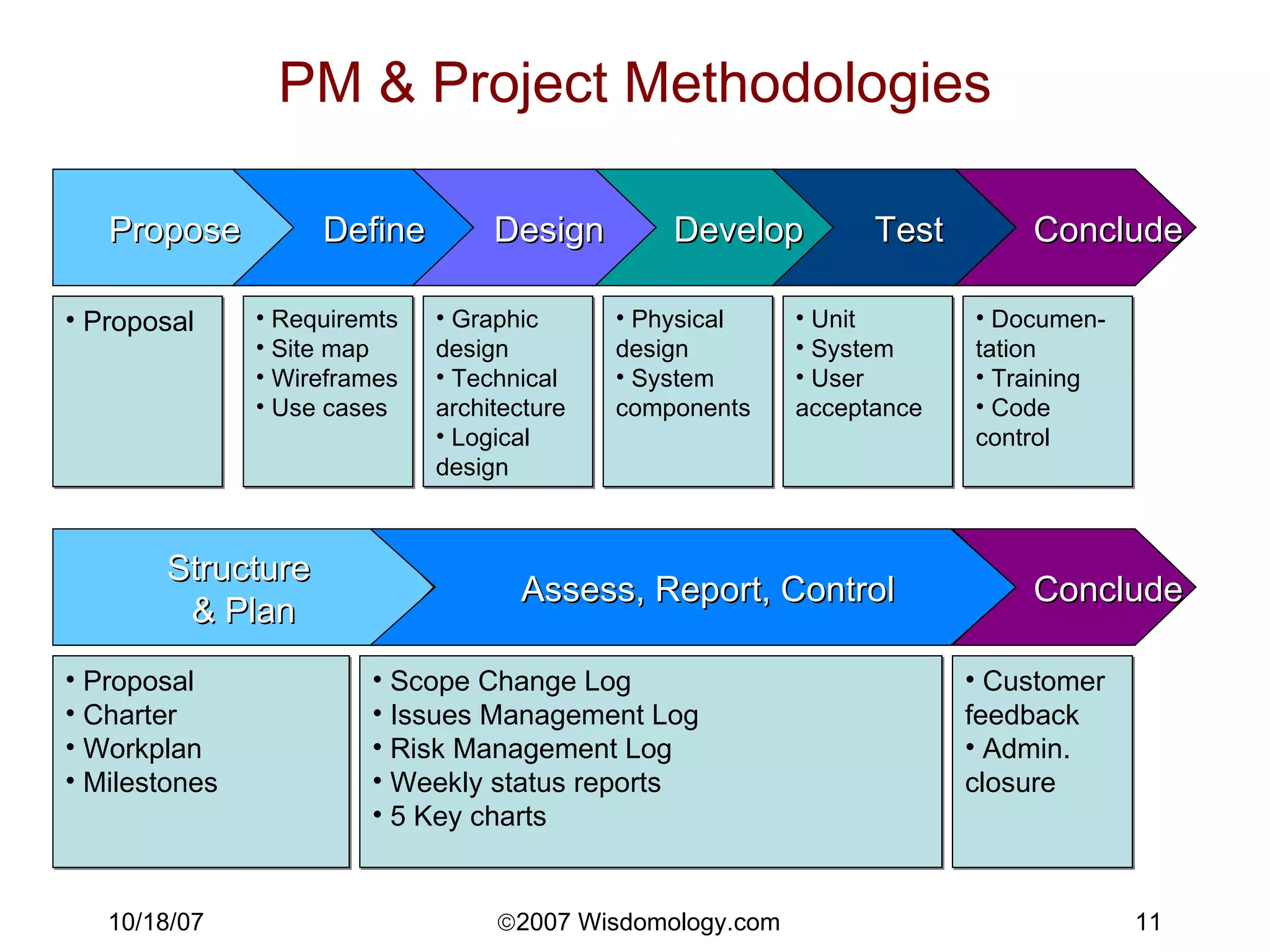
PM & Project Methodologies Propose Define Develop Conclude Design Test Structure  & Plan Conclude Assess, Report, Control Proposal Proposal Charter Workplan Milestones Requiremts Site map Wireframes Use cases Graphic design Technical architecture Logical design Physical design System components Unit System User acceptance Documen-tation Training Code control Scope Change Log Issues Management Log Risk Management Log Weekly status reports 5 Key charts Customer feedback Admin. closure
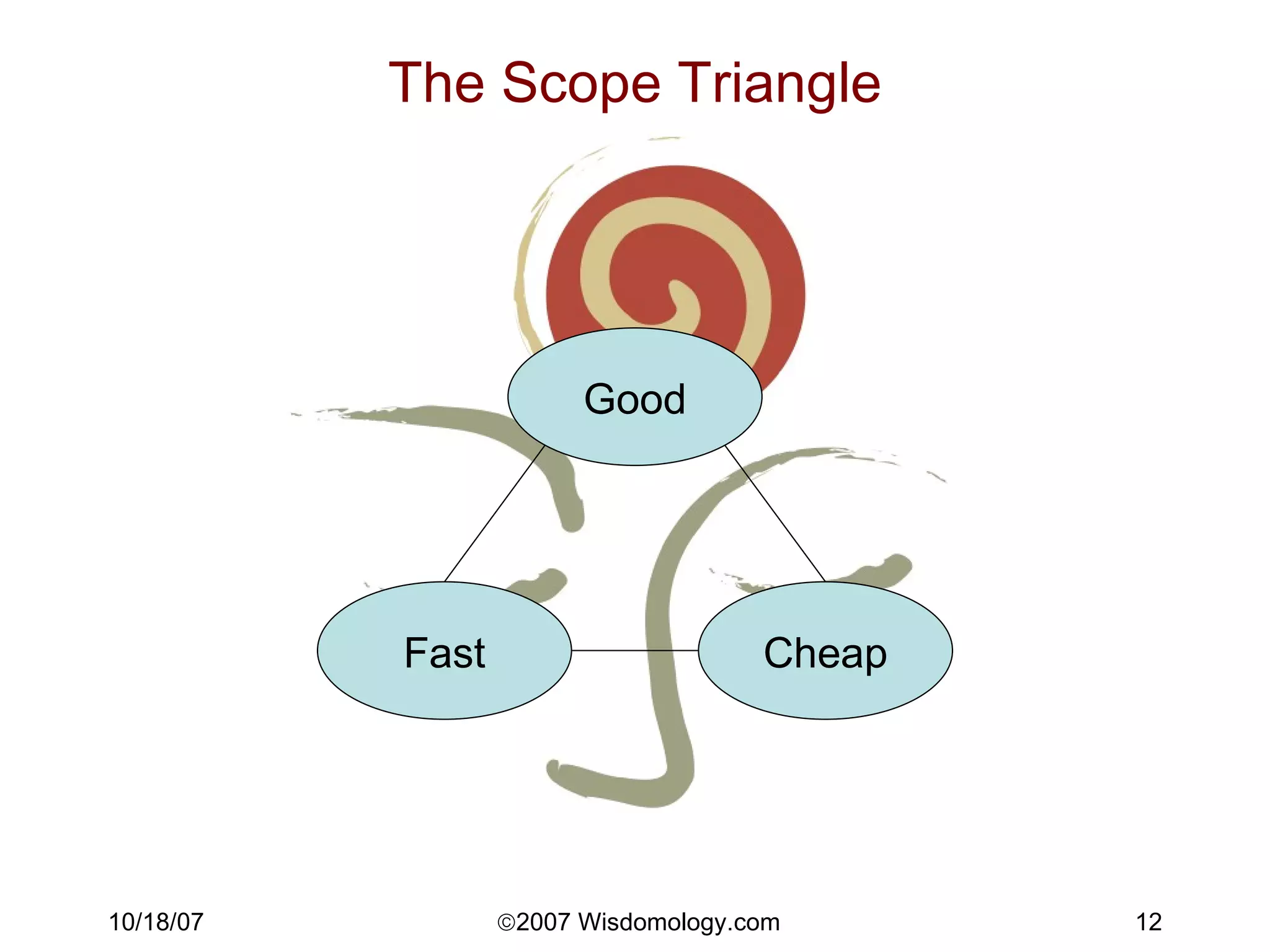
The Scope Triangle Good Cheap Fast
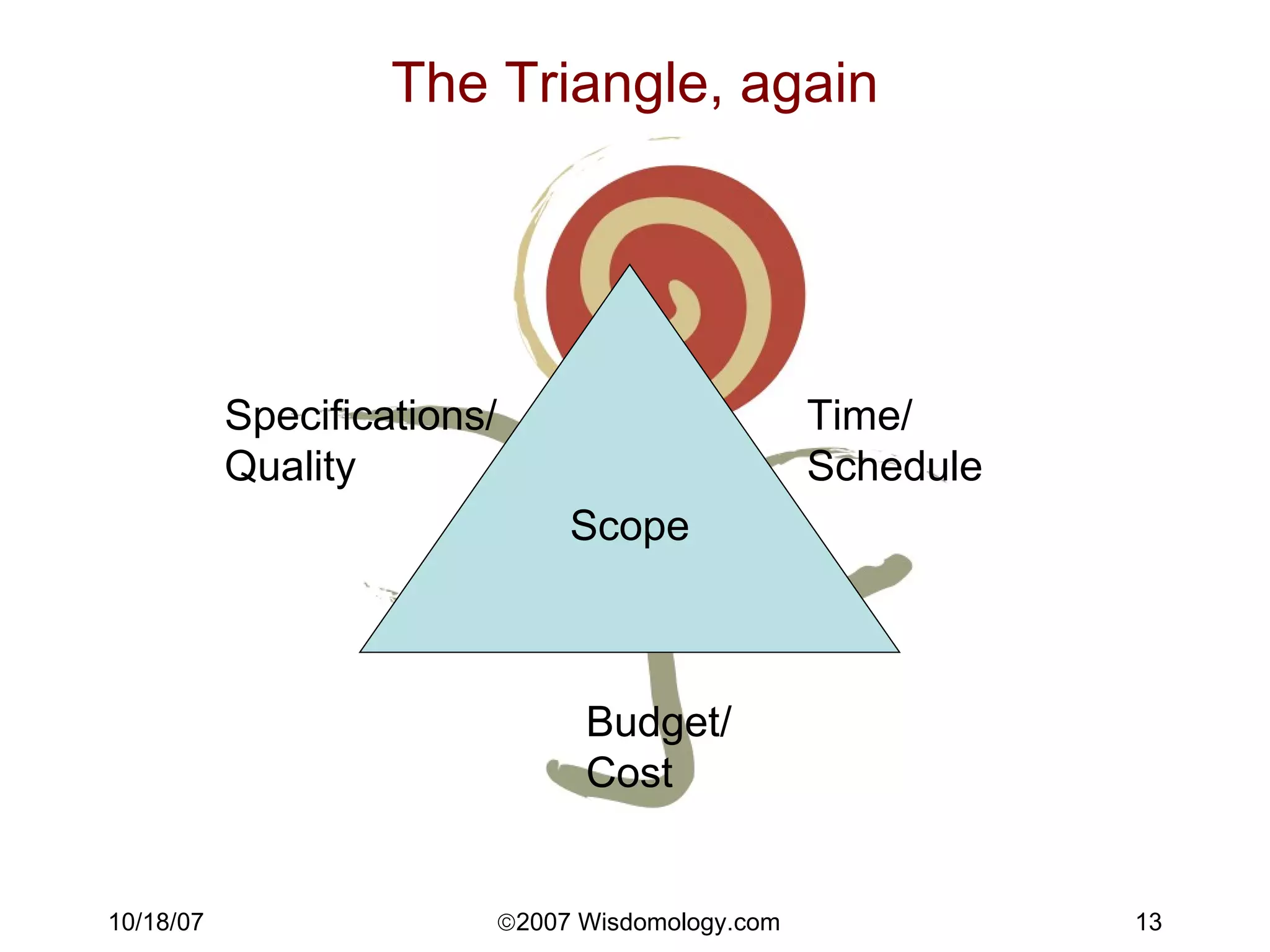
The Triangle, again Scope Specifications/ Quality Time/ Schedule Budget/ Cost
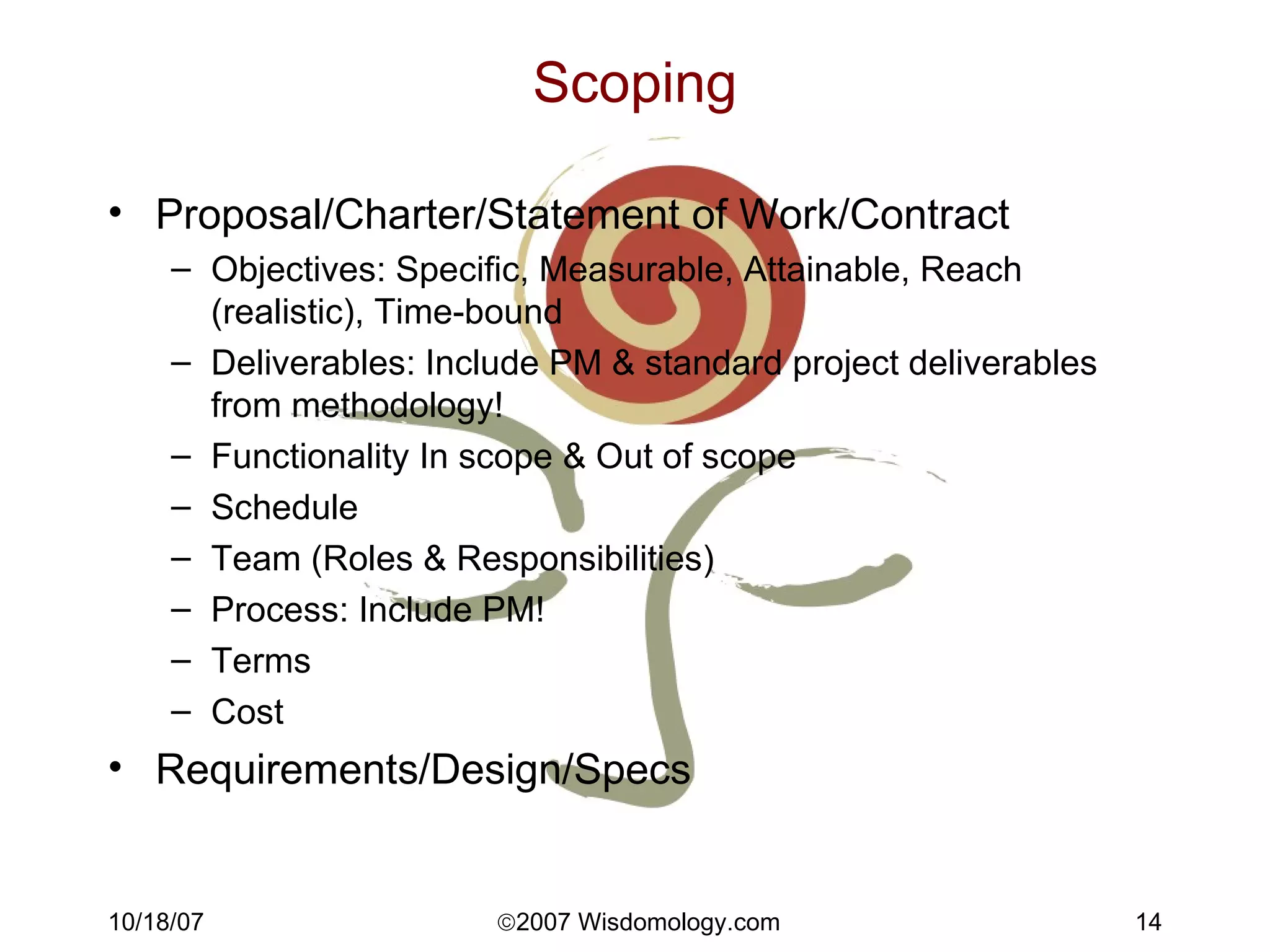
Scoping Proposal/Charter/Statement of Work/Contract Objectives: Specific, Measurable, Attainable, Reach (realistic), Time-bound Deliverables: Include PM & standard project deliverables from methodology! Functionality In scope & Out of scope Schedule Team (Roles & Responsibilities) Process: Include PM! Terms Cost Requirements/Design/Specs
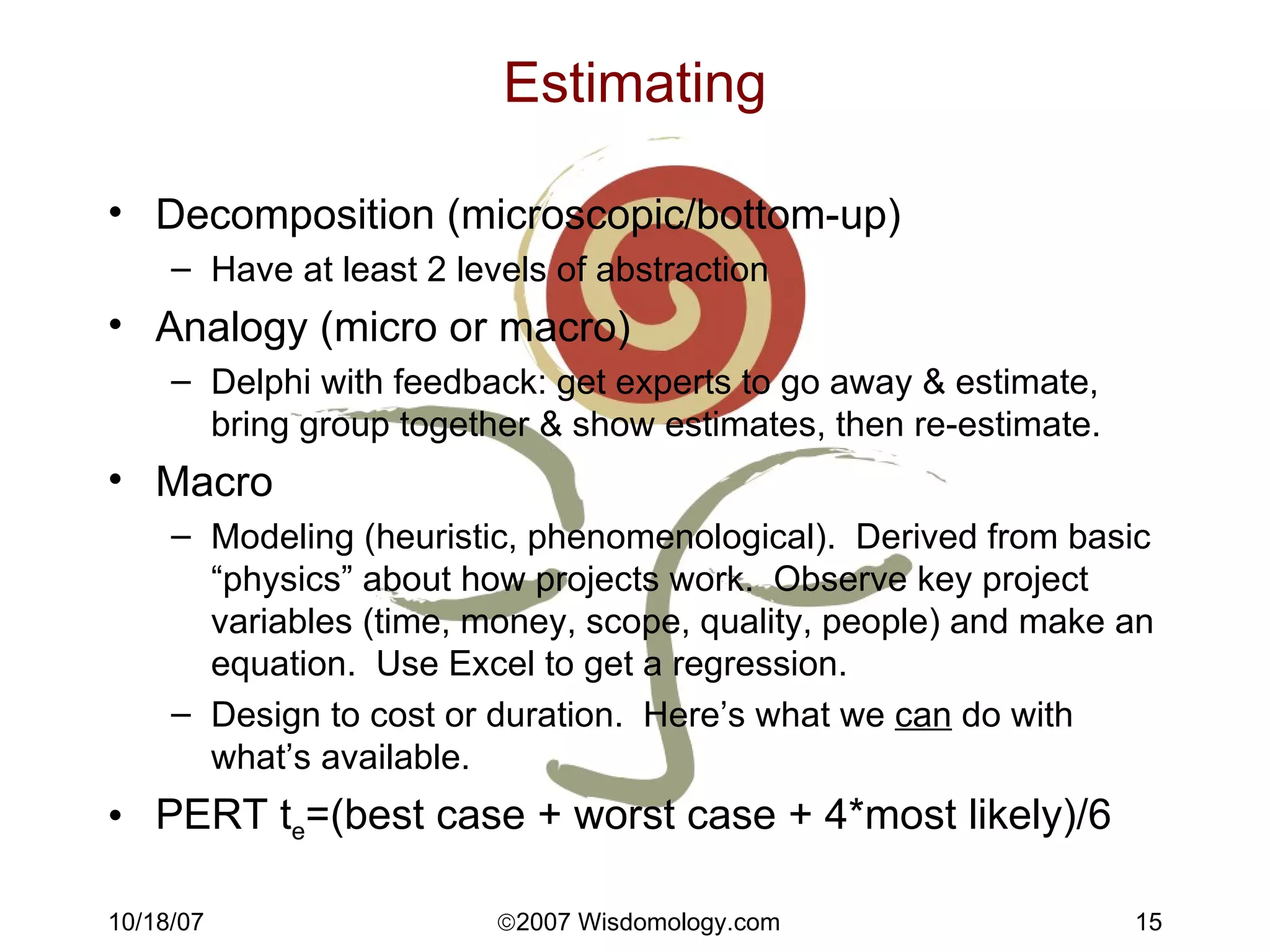
Estimating Decomposition (microscopic/bottom-up) Have at least 2 levels of abstraction Analogy (micro or macro) Delphi with feedback: get experts to go away & estimate, bring group together & show estimates, then re-estimate. Macro Modeling (heuristic, phenomenological).  Derived from basic “physics” about how projects work.  Observe key project variables (time, money, scope, quality, people) and make an equation.  Use Excel to get a regression. Design to cost or duration.  Here’s what we  can  do with what’s available. PERT t e =(best case + worst case + 4*most likely)/6
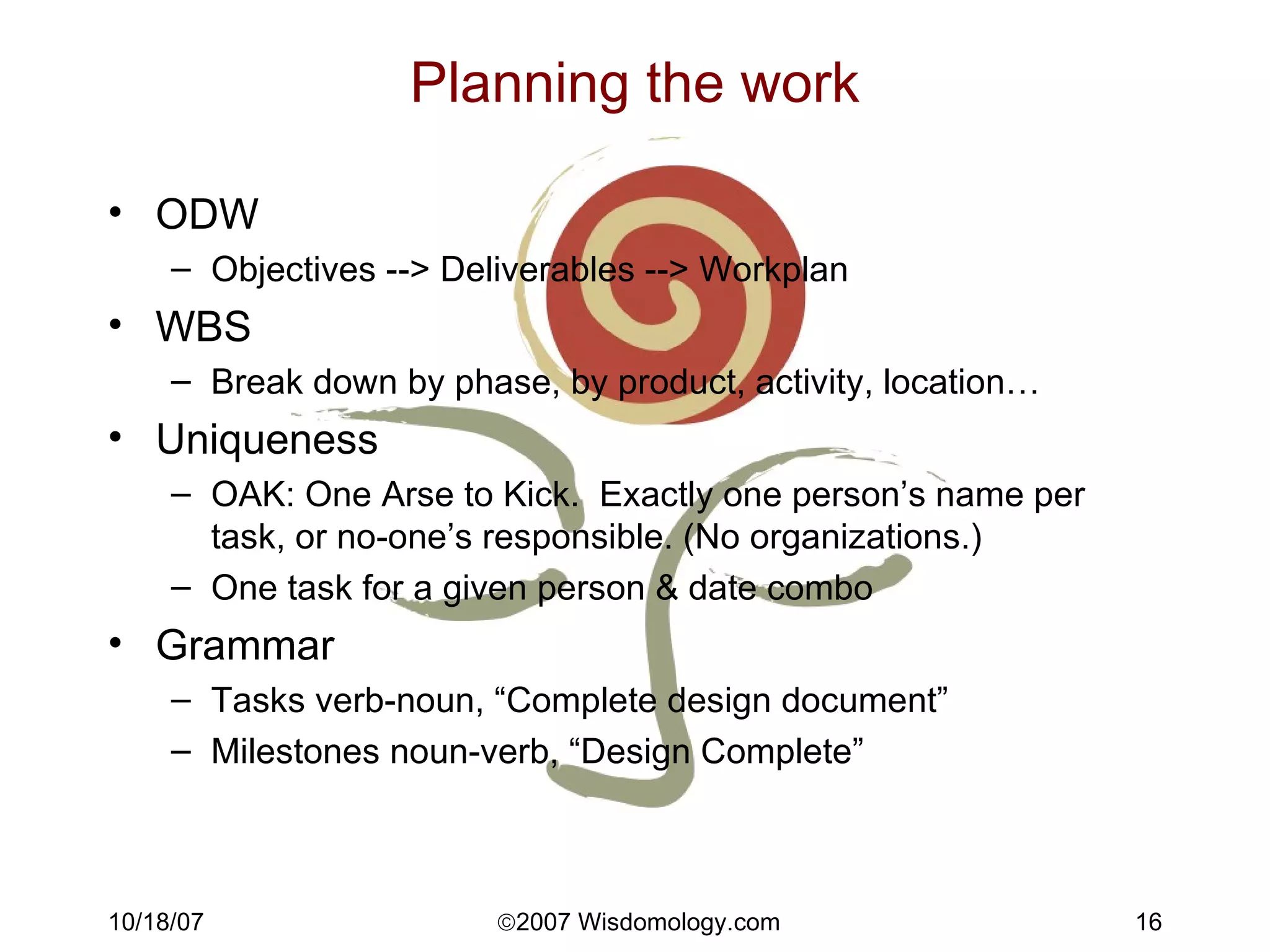
Planning the work ODW Objectives --> Deliverables --> Workplan WBS Break down by phase, by product, activity, location… Uniqueness OAK: One Arse to Kick.  Exactly one person’s name per task, or no-one’s responsible. (No organizations.) One task for a given person & date combo Grammar Tasks verb-noun, “Complete design document” Milestones noun-verb, “Design Complete”
Planning the work, 2 Effort versus Duration Effort (work) is the number of person-hours expended to do the task. Duration is how long it takes from beginning to end. Duration = work/resource allocation Tips Tasks, dependencies, durations, resources Use F-S relationships Ask the people doing the tasks for estimates!! Tasks 0.5 to 10 days, ideal 2-5 days Milestones & summary tasks - no person names Beware the Mythical Man-Month (Fred Brooks)!
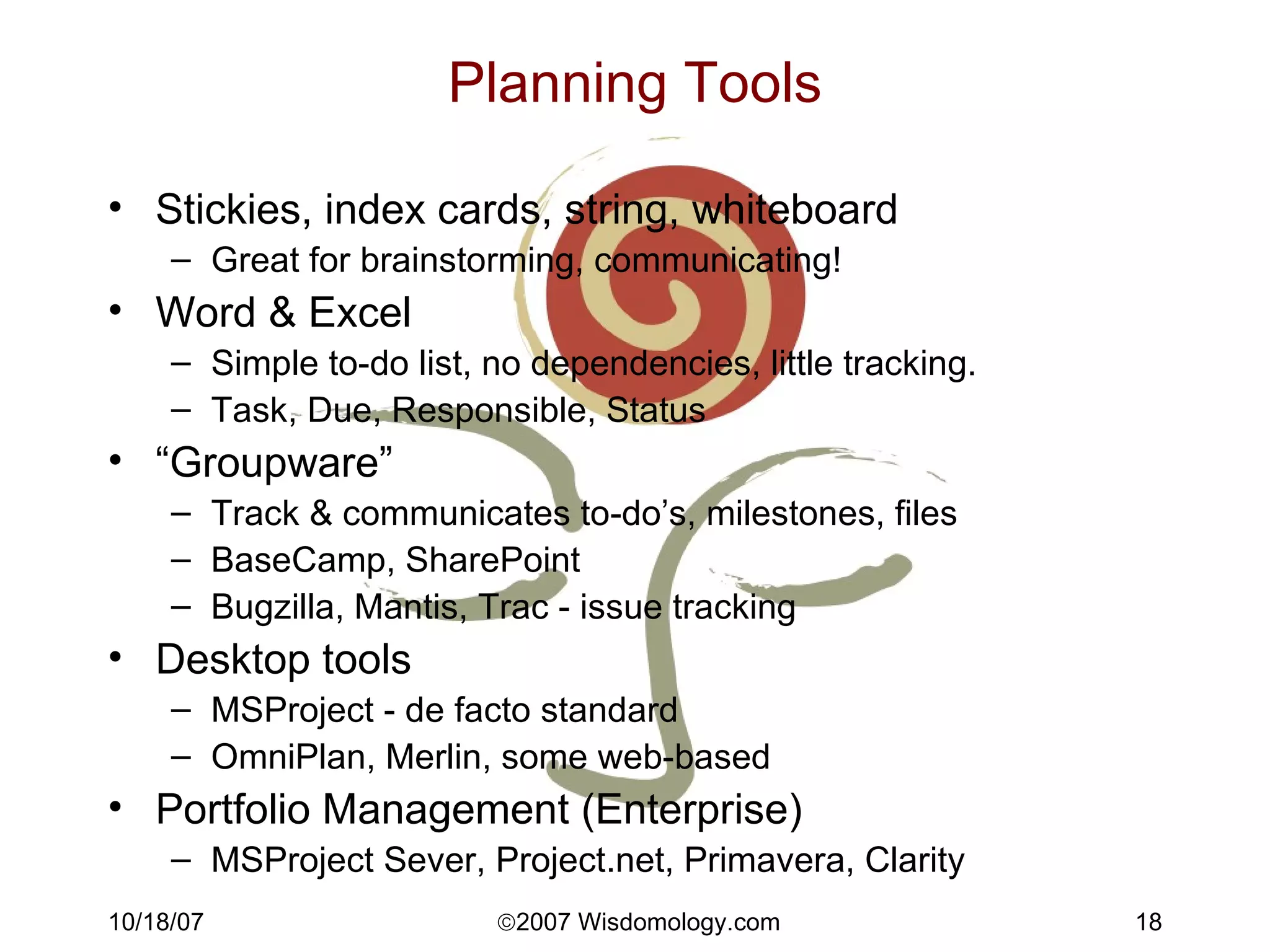
Planning Tools Stickies, index cards, string, whiteboard Great for brainstorming, communicating! Word & Excel Simple to-do list, no dependencies, little tracking. Task, Due, Responsible, Status “ Groupware” Track & communicates to-do’s, milestones, files BaseCamp, SharePoint Bugzilla, Mantis, Trac - issue tracking Desktop tools MSProject - de facto standard OmniPlan, Merlin, some web-based Portfolio Management (Enterprise) MSProject Sever, Project.net, Primavera, Clarity
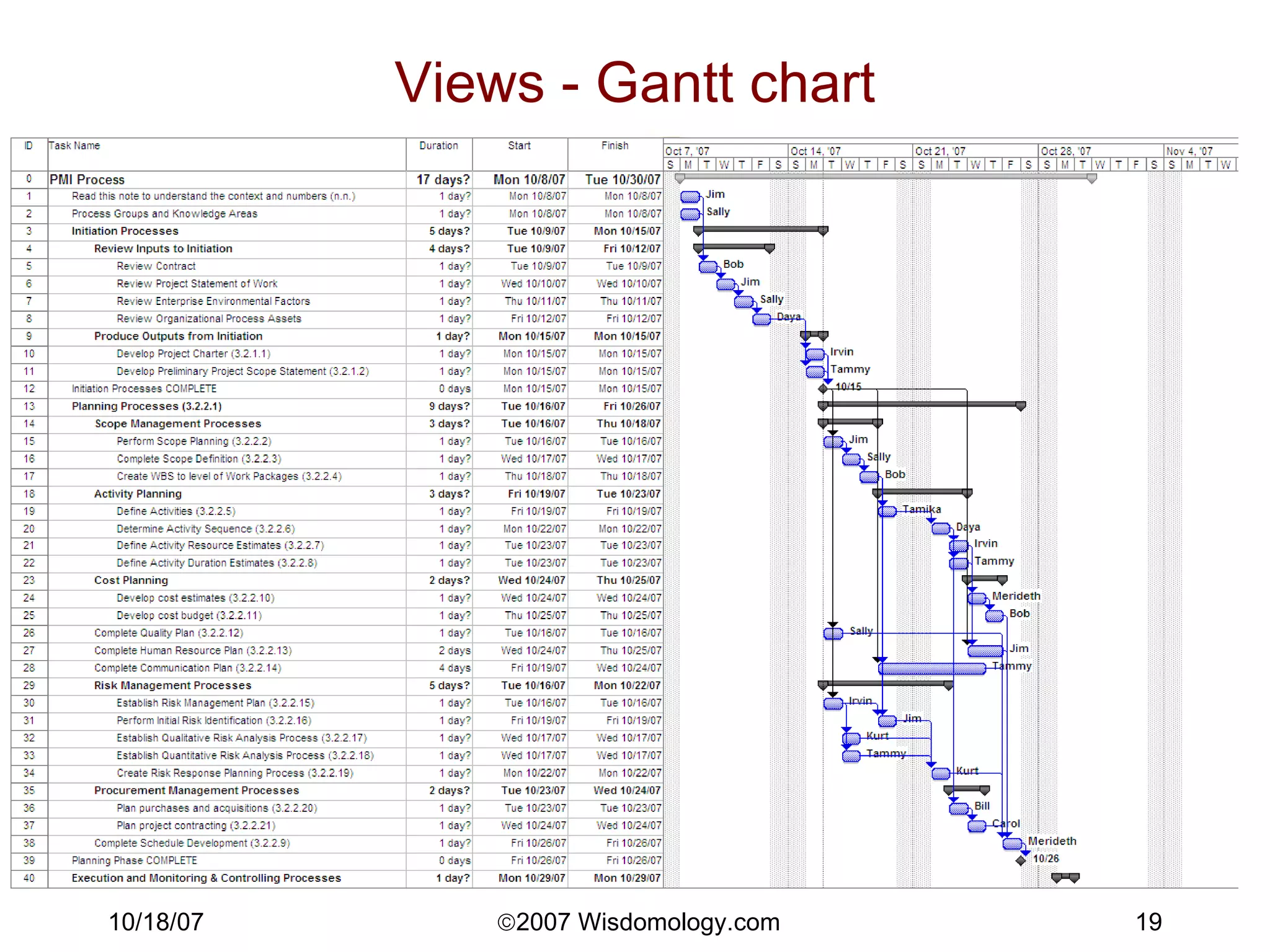
Views - Gantt chart
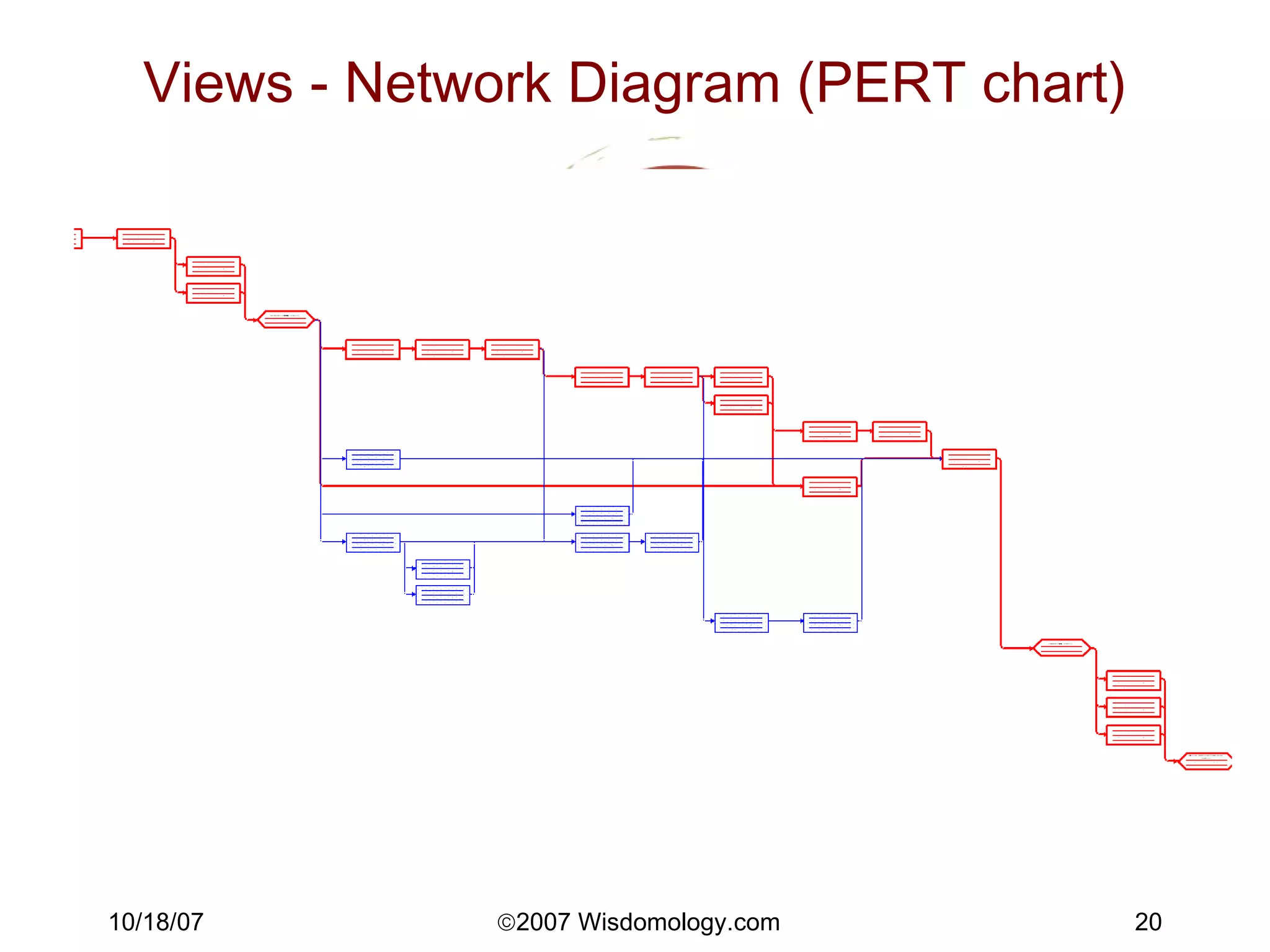
Views - Network Diagram (PERT chart)
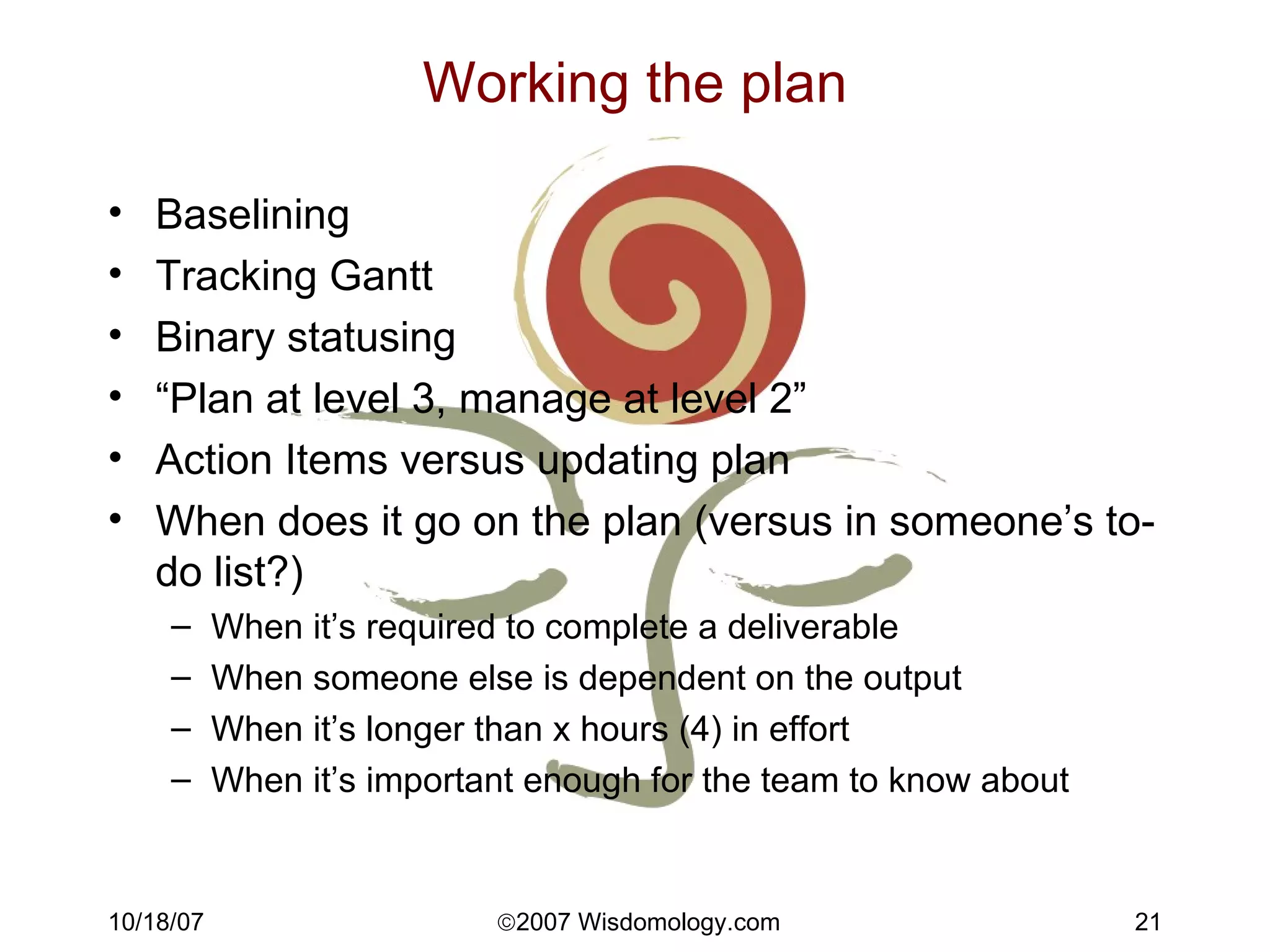
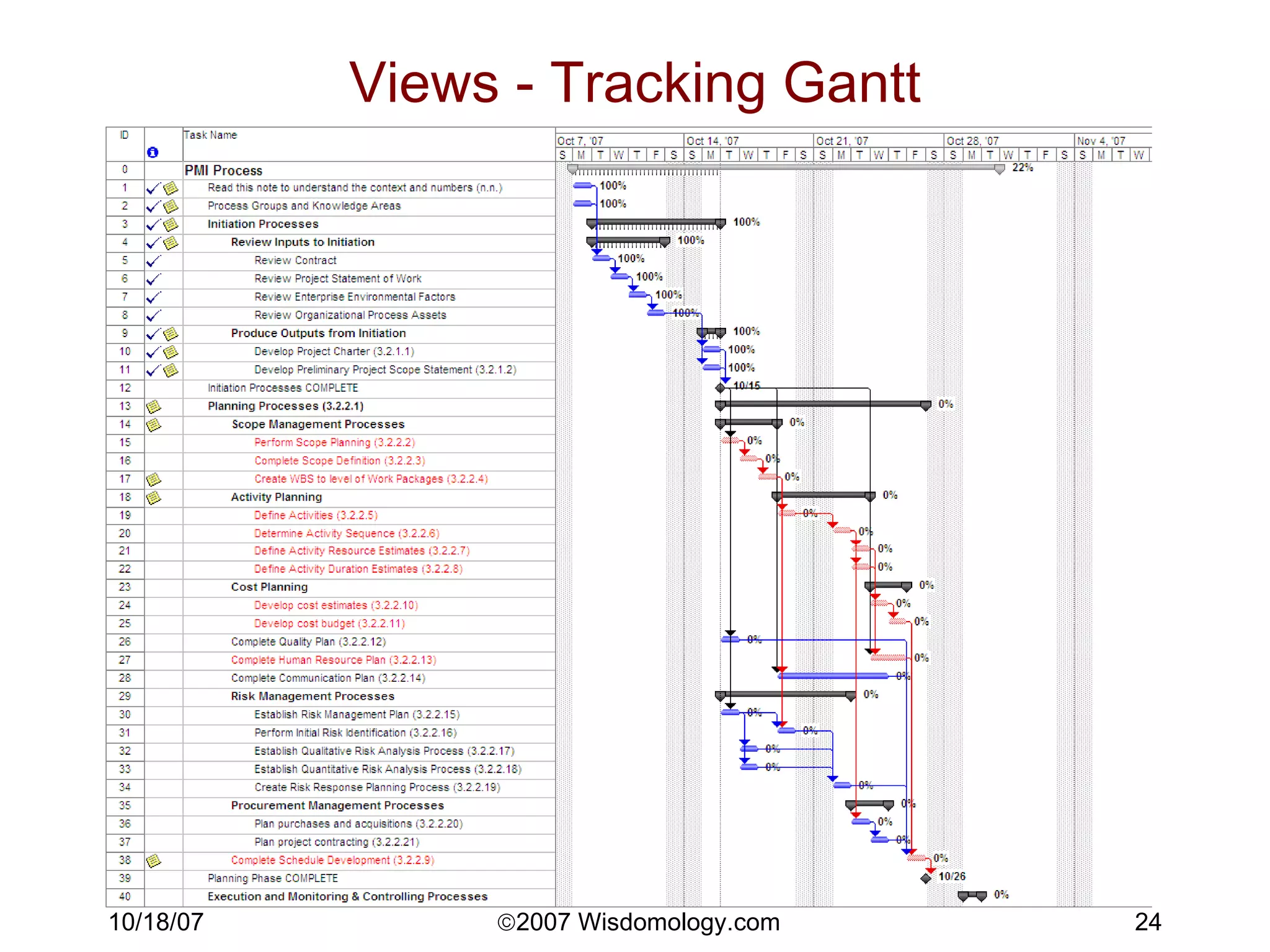
Working the plan Baselining Tracking Gantt Binary statusing “ Plan at level 3, manage at level 2” Action Items versus updating plan When does it go on the plan (versus in someone’s to-do list?) When it’s required to complete a deliverable When someone else is dependent on the output When it’s longer than x hours (4) in effort When it’s important enough for the team to know about
Working the plan 2 Meetings Collaborative plan development First use Gantt to walk everyone through the plan (1+ hours) Then can use personal to-do lists from PM tool
Critical Path Management Critical Path is the longest path through the project plan.  If any task on the critical path slips, the end date slips.  Zero float. Must have successors to each task (dependencies) to calculate Possible to have multiple critical branches. “ Float” = duration until critical, =LF-EF “ Manage The Critical Path” And then know what’s likely to become critical. If you’re strapped for time, make sure you at least know what’s going on with your critical path.
Views - Tracking Gantt
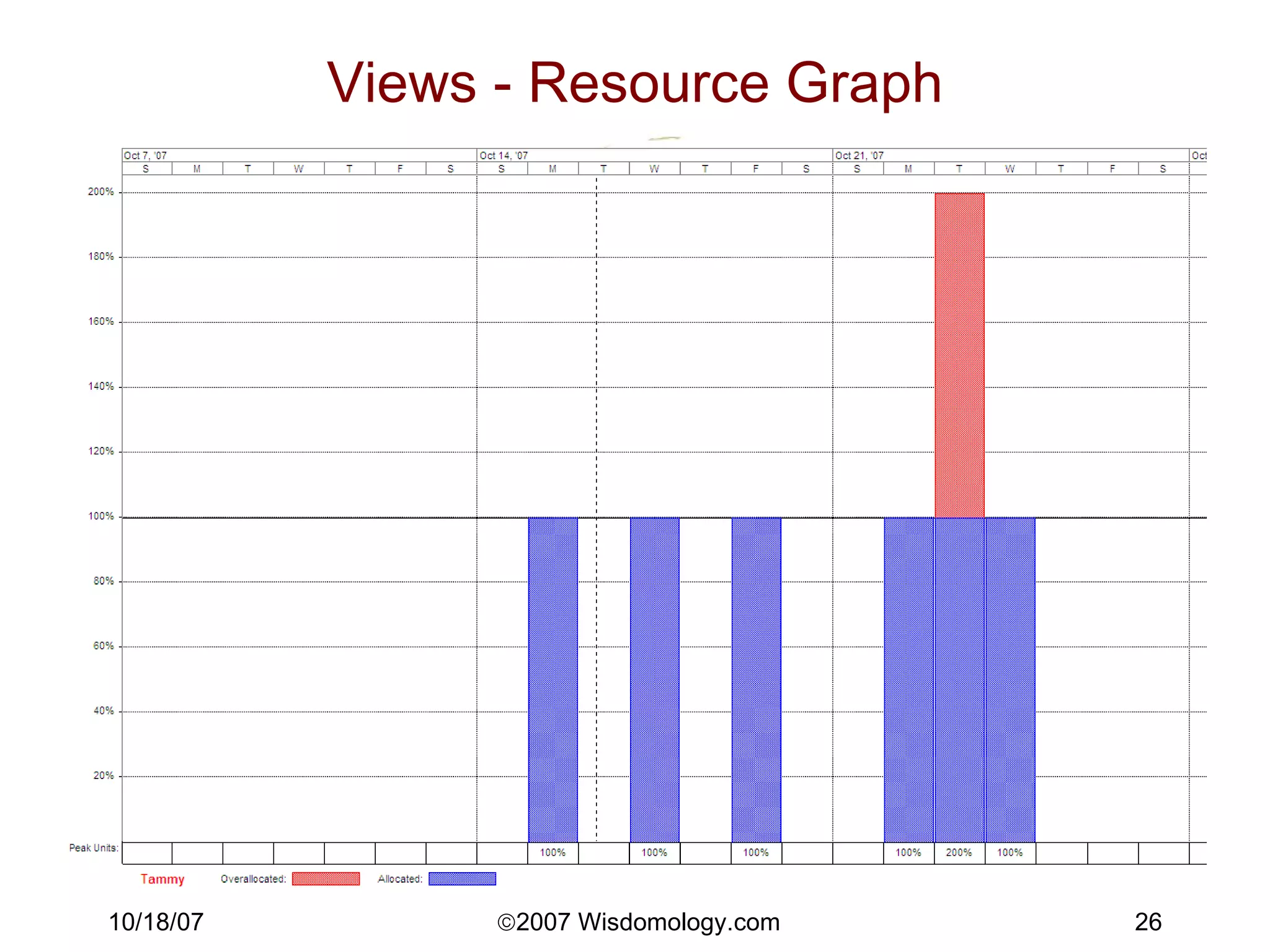
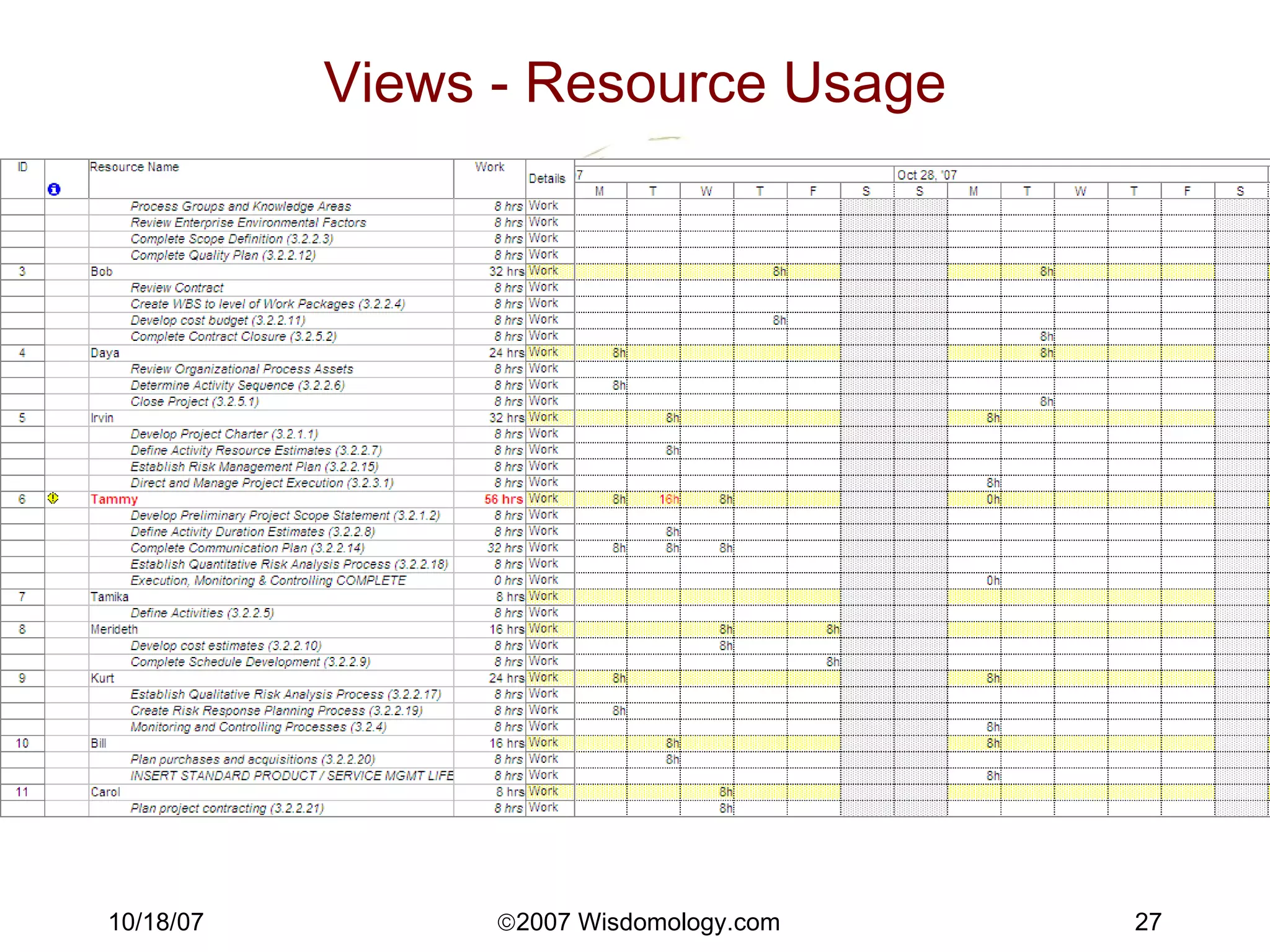
Resource Leveling MSProject or other PM tool Use Resource Usage view, adjust hours in daily yellow blocks Move start date, stretch duration of non-critical tasks, reassign. Otherwise Spreadsheet: People on one axis, days/weeks on other, hours in cells Look out for micro-managing
Views - Resource Graph
Views - Resource Usage
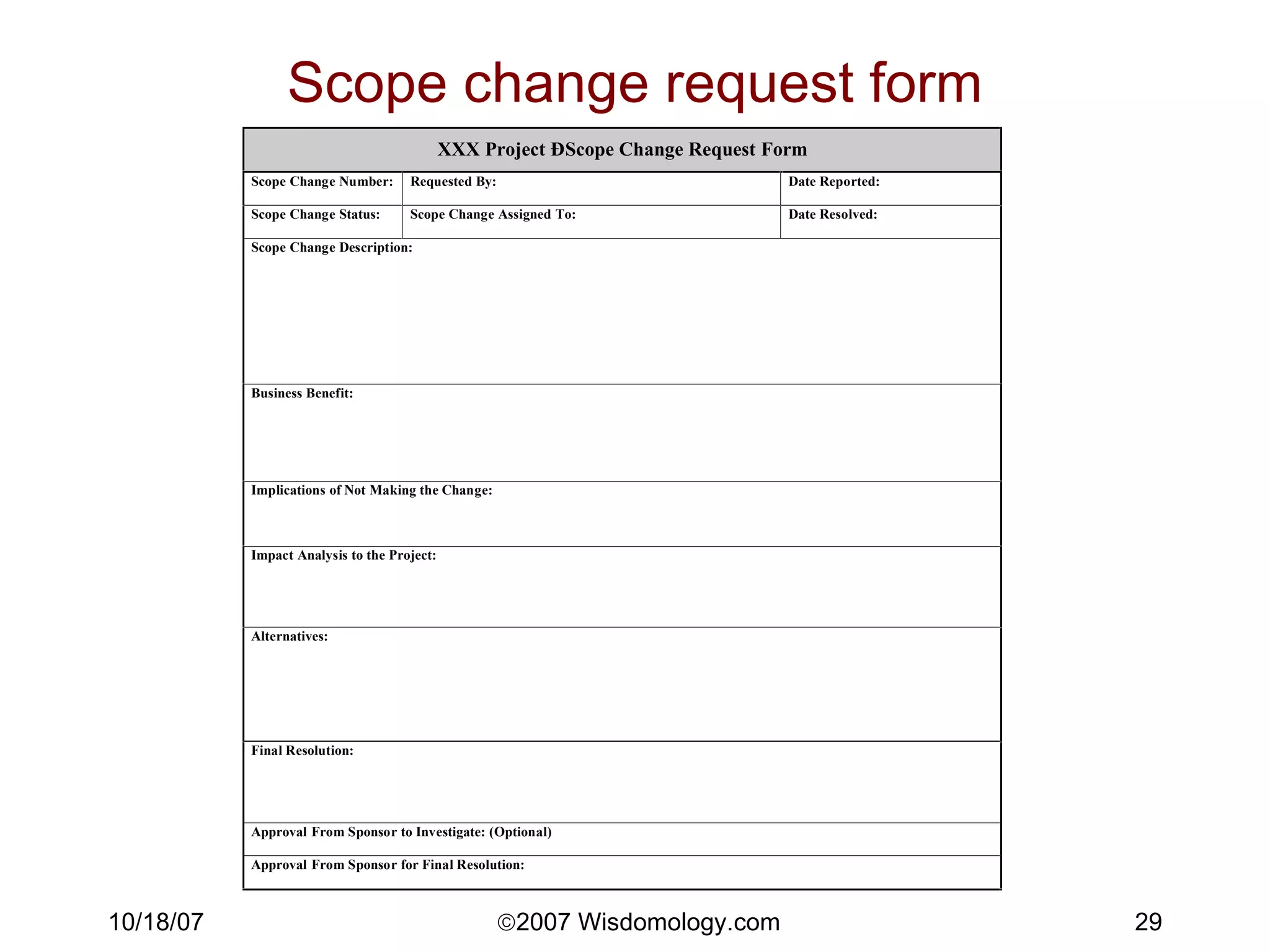
Scope Management Scope Change Request Form Client fills out form Estimator estimates Client approves/denies Work begins Scope Change Log Note well: ANY Change Request takes resources to process, even if it’s a zero-dollar, zero-time change.
Scope change request form
Schedule Management (“crashing the schedule”) If there’s a schedule issue, your levers are Schedule .  Check critical path for date constraints, task dependencies, durations, task drivers, serial vs. parallel Scope .  Toss out the lowest-priority items first. It’s much easier for clients to remember it was late than it was missing their least favorite function points.  Quality . Look for perfectionism that can be downgraded to “good enough”. Cost .  Put more people on it (Fred Brooks: “Adding manpower to a late project makes it later”). People .  Burn out your people.  Heroics often works, but not reliable or sustainable.
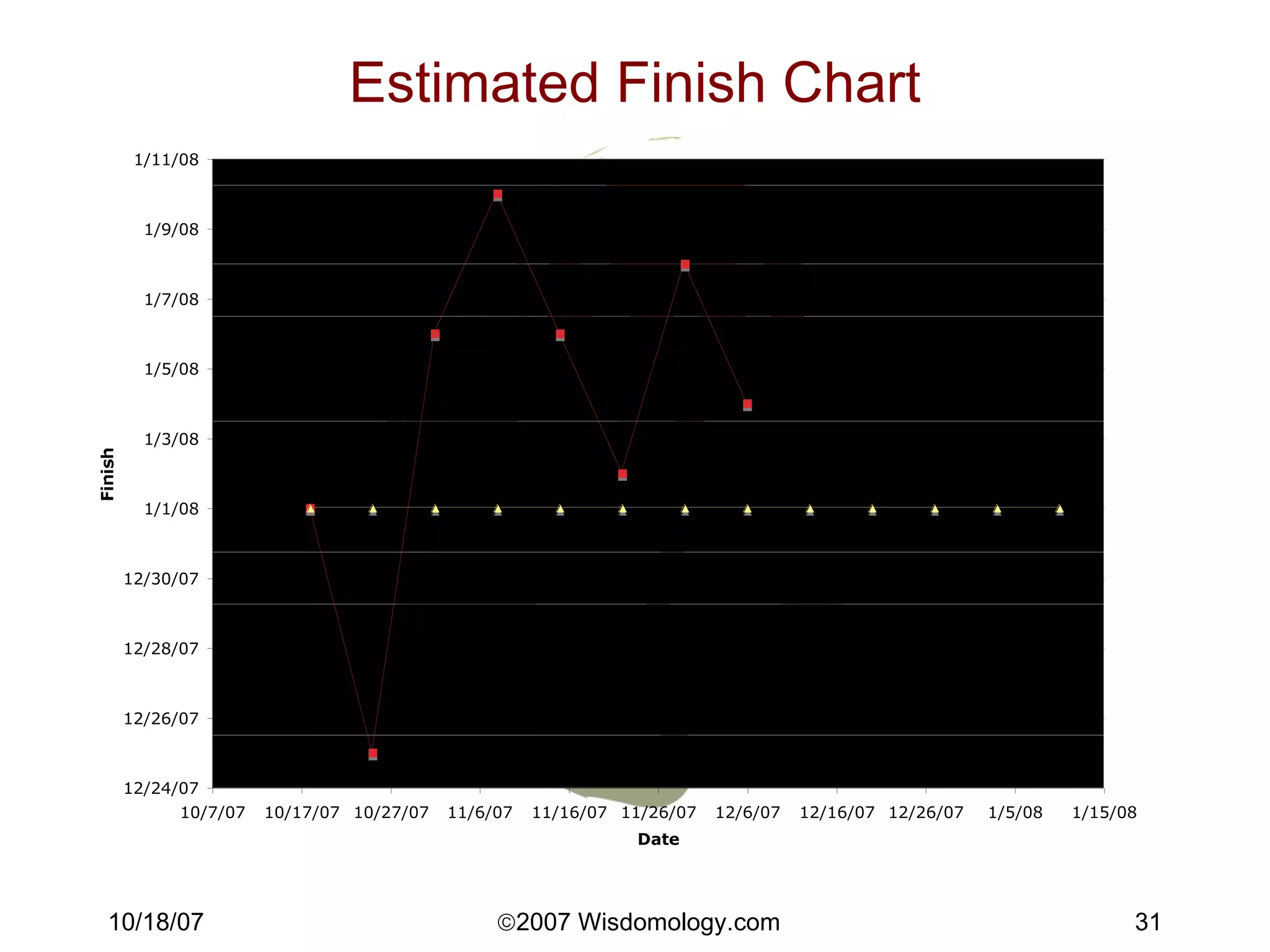
Estimated Finish Chart
Quality Management Ensure product meets customer needs Early = cheap QA the proposal, the requirements & the design Standards & Guidelines Checklists: proposal, reqmts, design, test Learn as you go! Process Documentation & Improvement TQM/6-sigma.  Document, measure, manage. Management or peer review Testing Traceability. From reqmts to design to test cases. Agile & iterative techniques
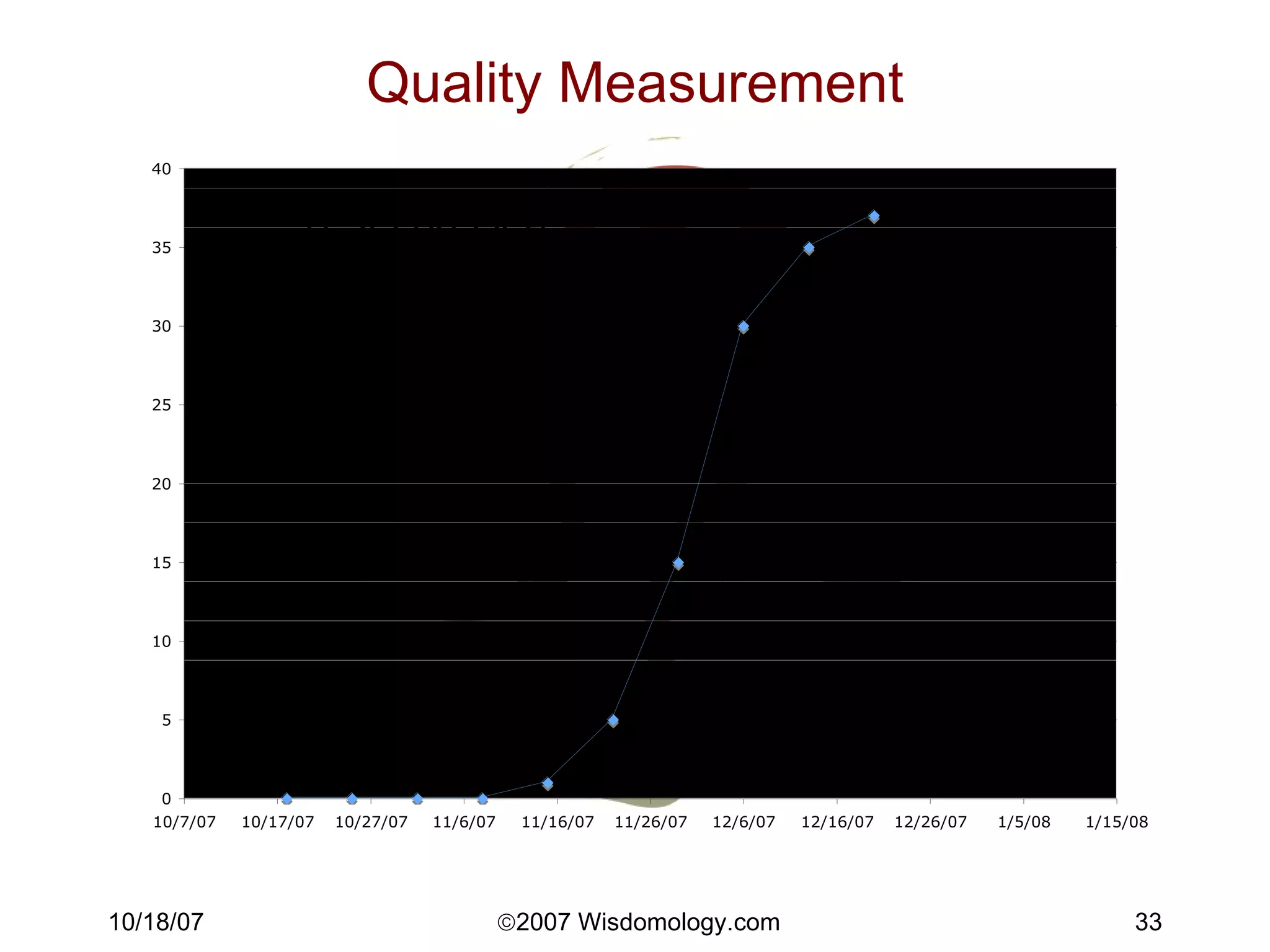
Quality Measurement Tests passed
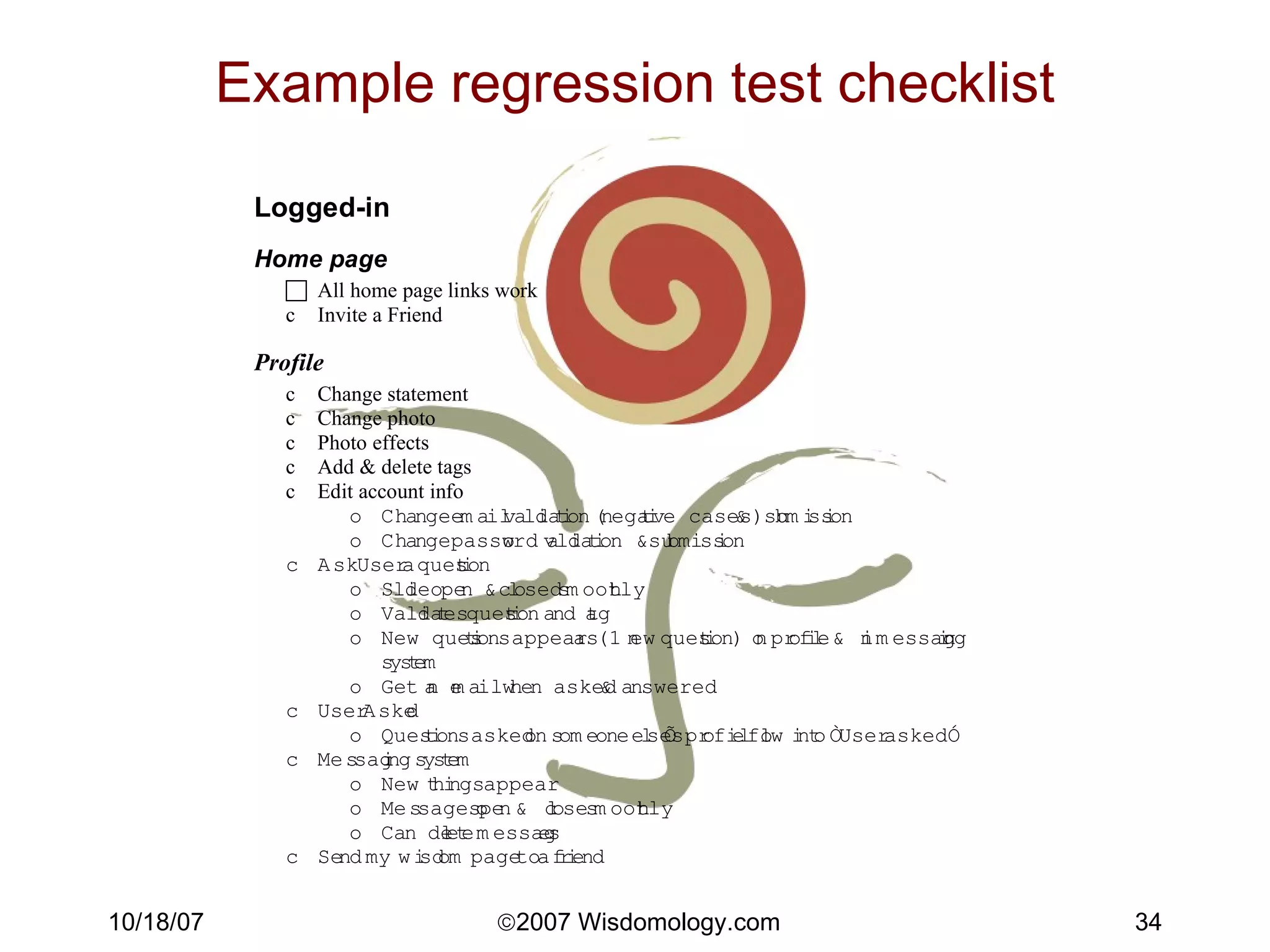
Example regression test checklist
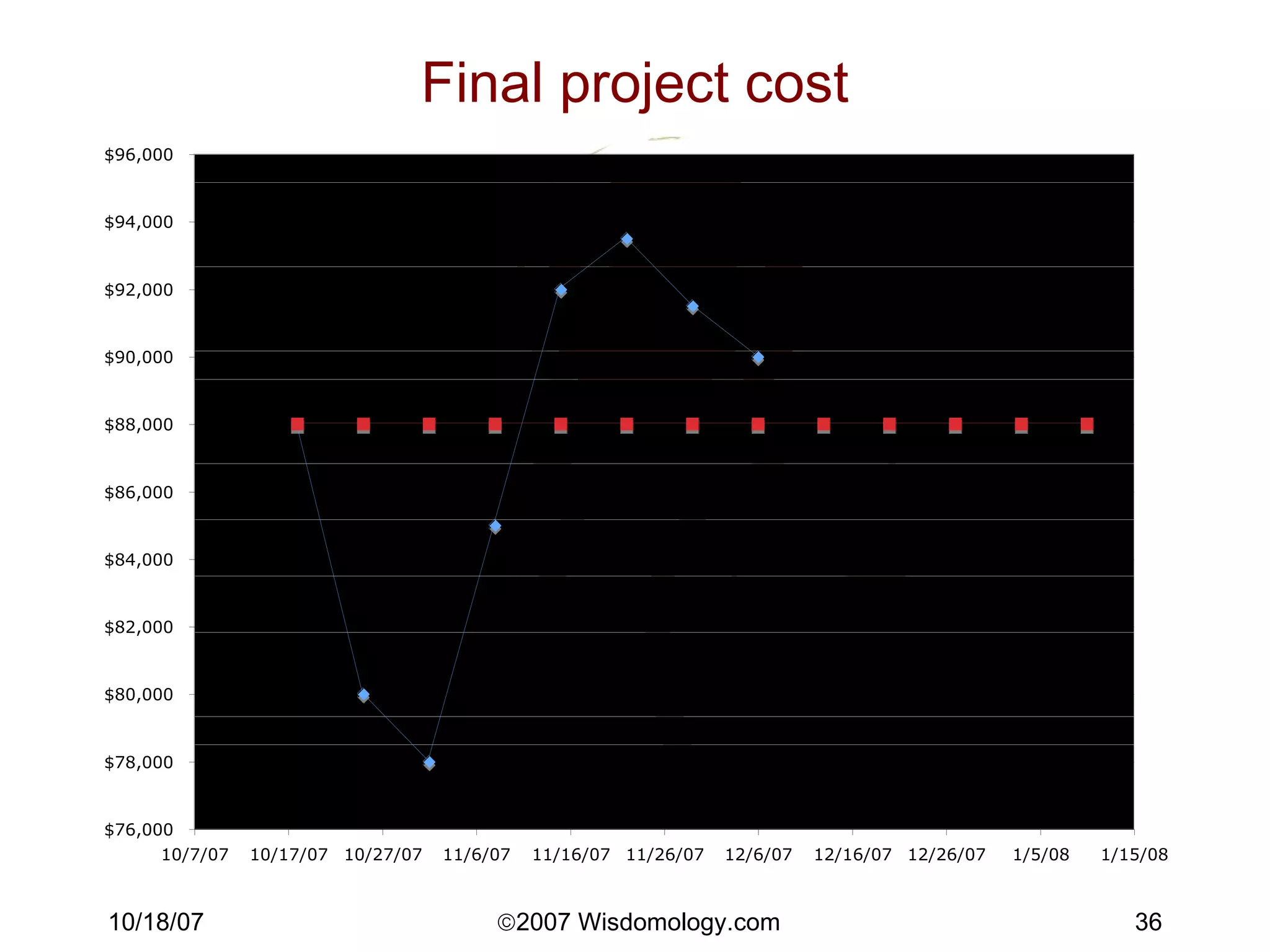
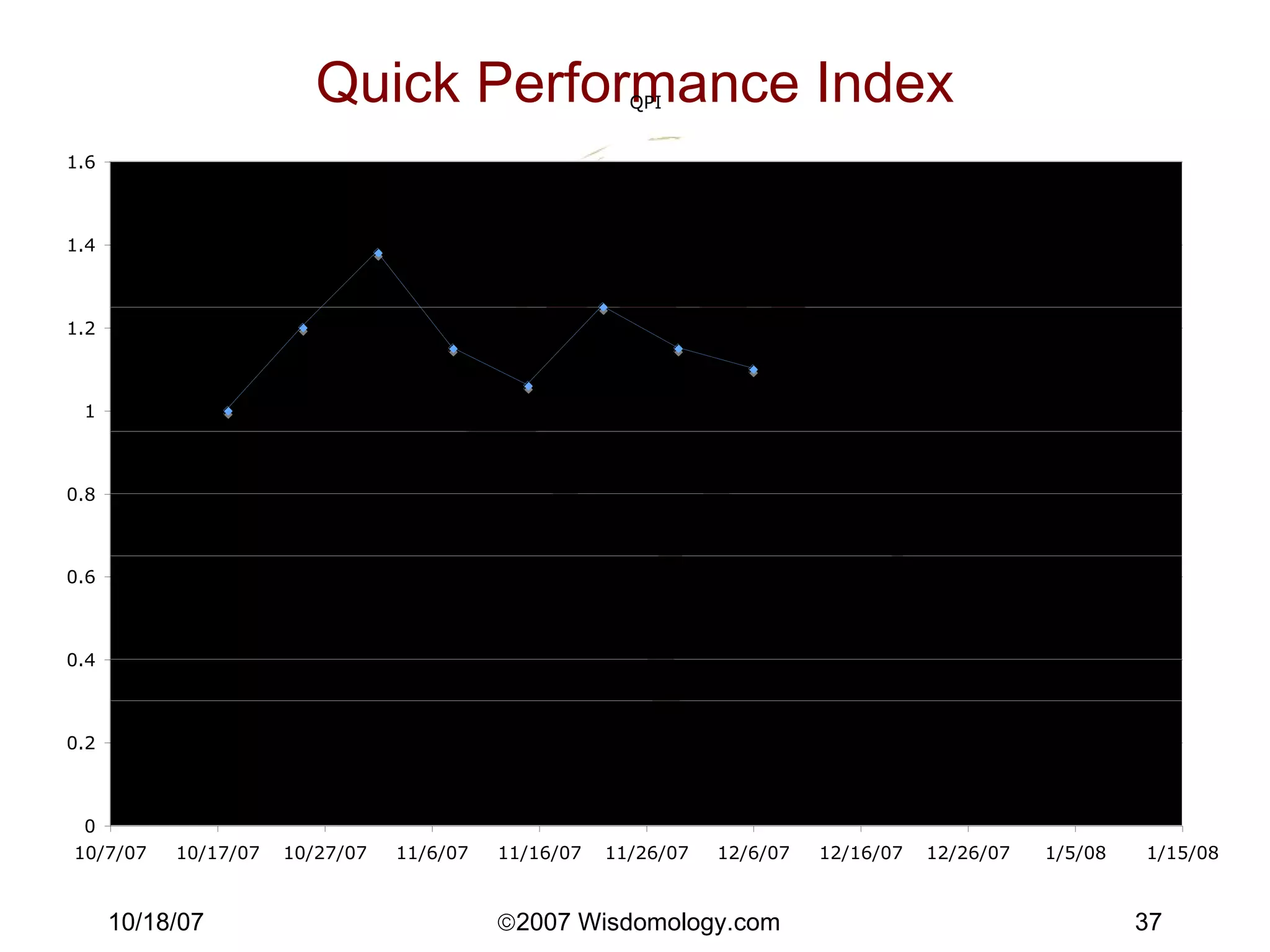
Budget Management Final project cost Estimate weekly & chart Forces PM to know how much has been spent, how much is estimated to be spent QPI = Quick Performance Index % spent / % done Like earned value (get $ credit for tasks completed), but easier to compute & more sensitive to decisions - watch the trend. 1.0 = “ideal” >1 = spending too fast or investing or making advance payments <1 = usually not fully resourced, going to miss date.
Final project cost
Quick Performance Index
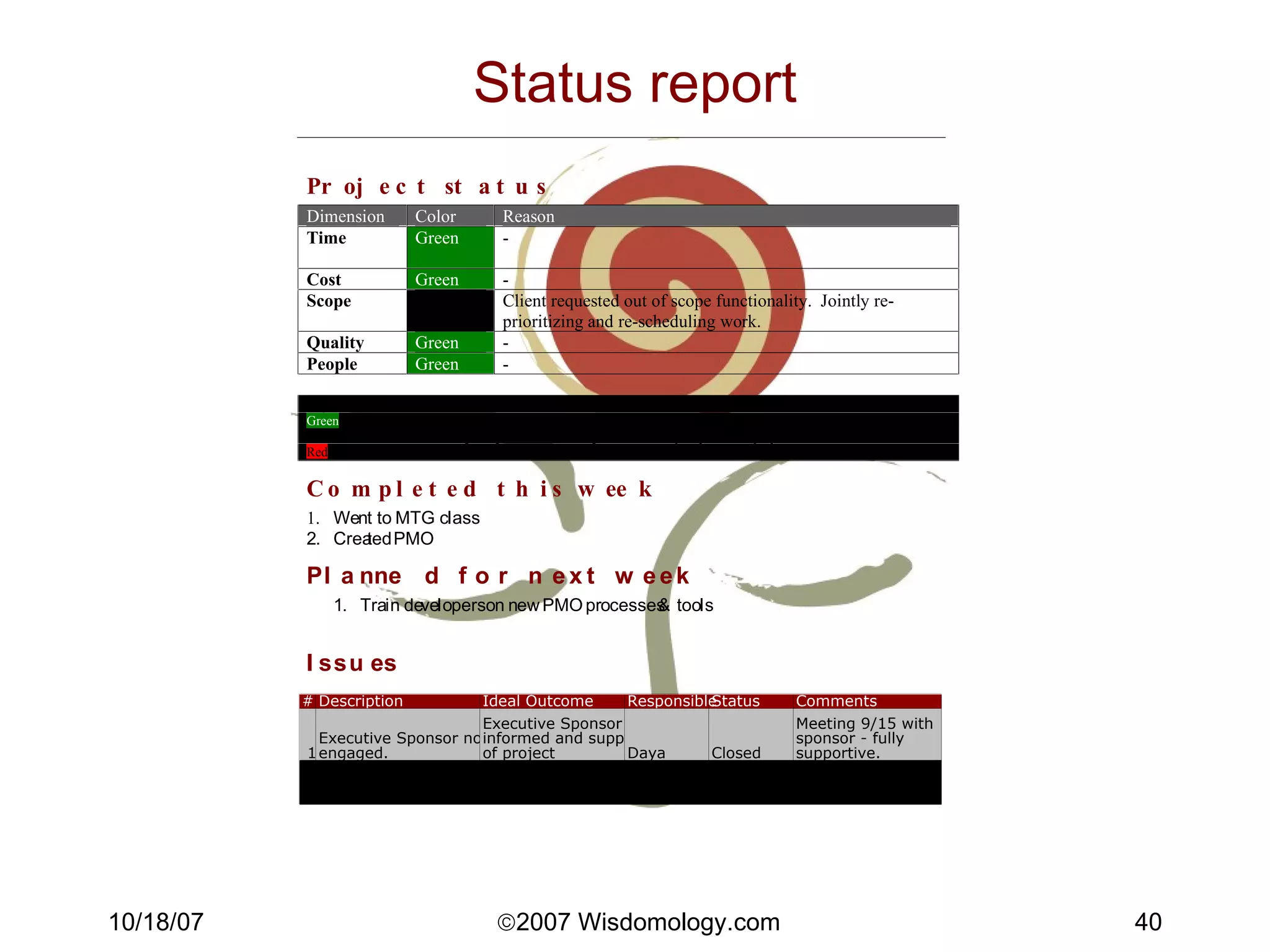
Issues Management Issue = an item which potentially impacts scope, quality, cost, schedule, or people. Issue reporting process Anyone can report an issue. First to PM Escalate if necessary through management. PM owns the “logging & dogging” of all project issues.  All issues reported on weekly status report. Issue log or tracking system
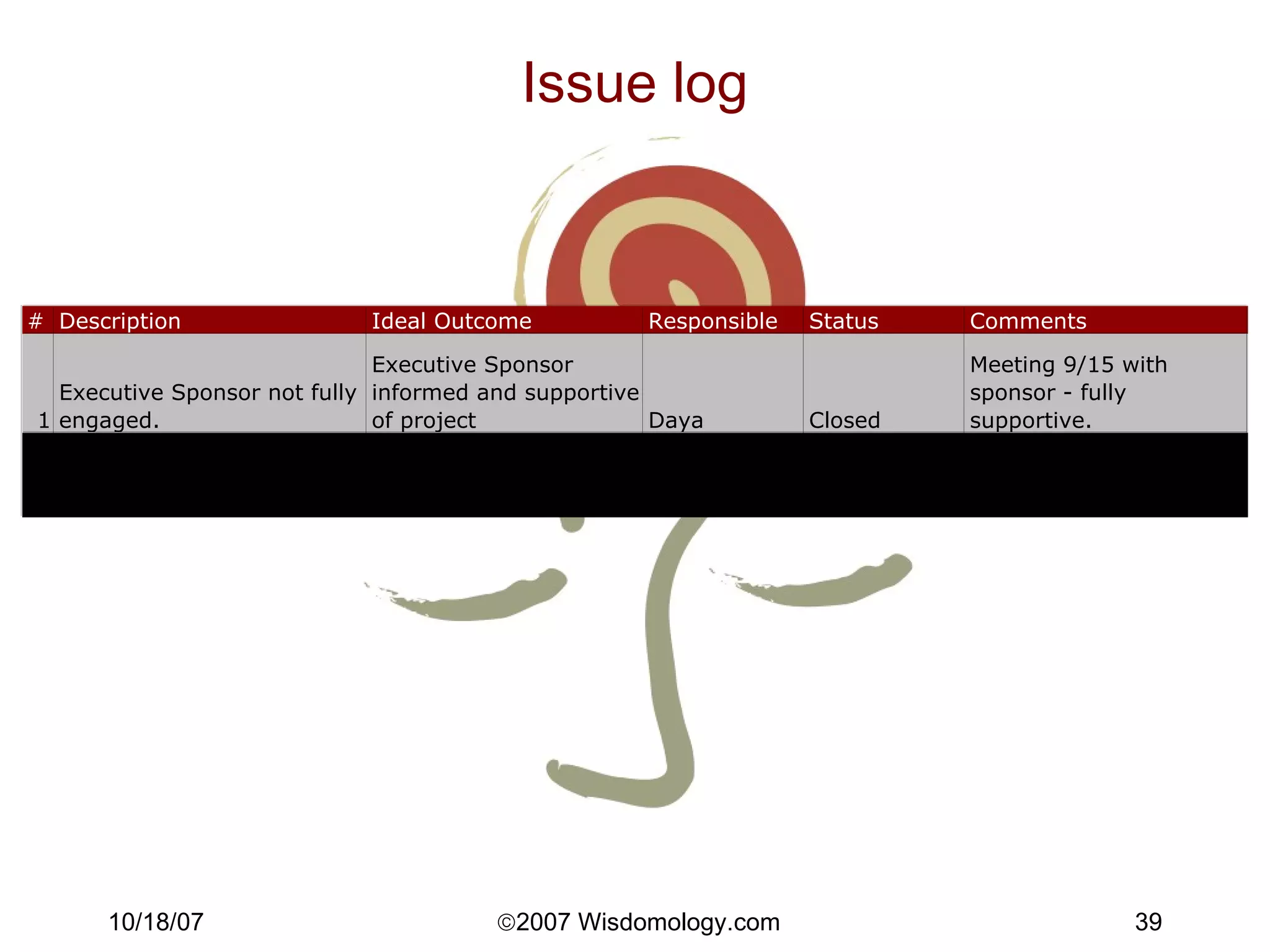
Issue log
Status report
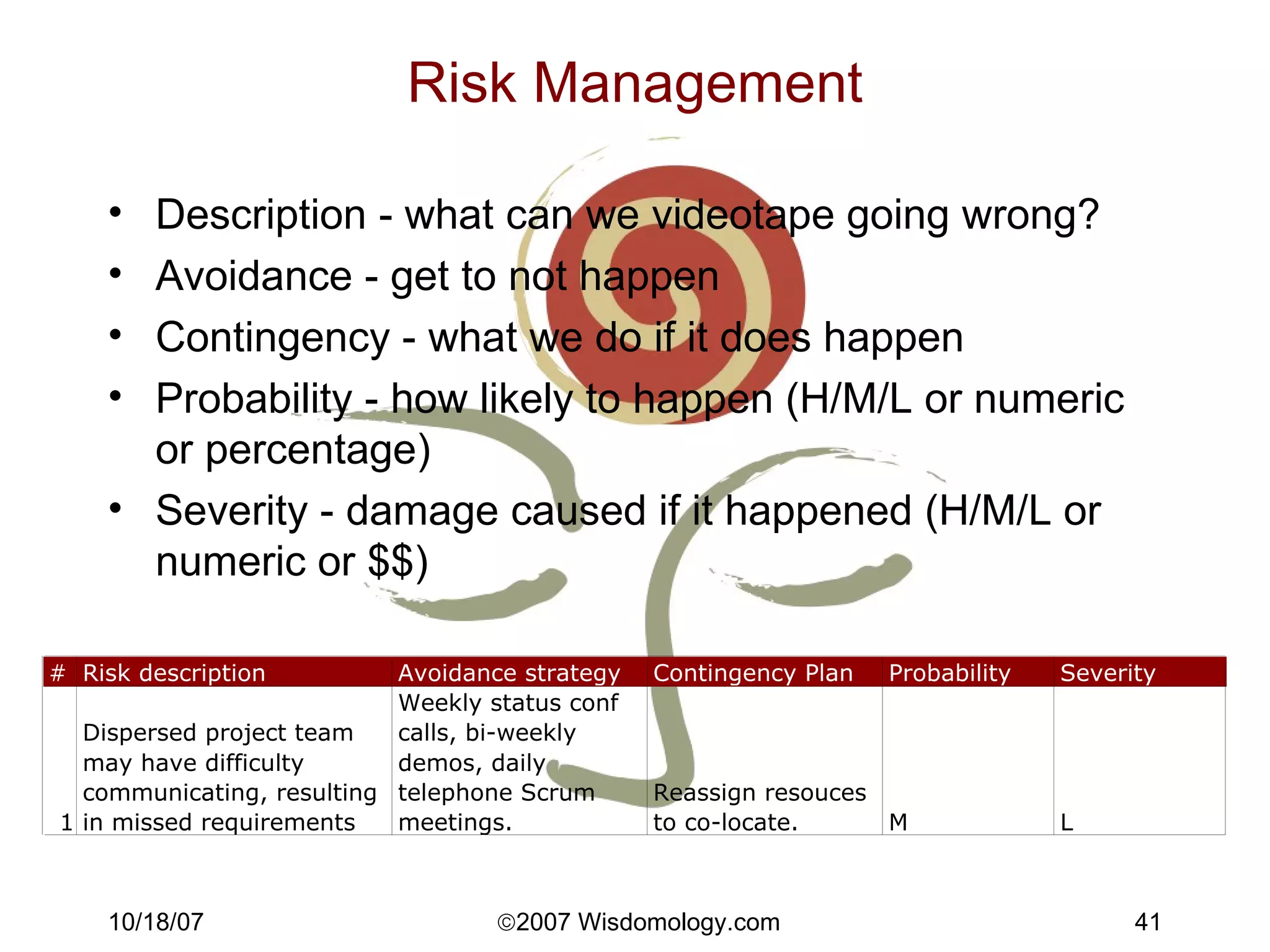
Risk Management Description - what can we videotape going wrong? Avoidance - get to not happen Contingency - what we do if it does happen Probability - how likely to happen (H/M/L or numeric or percentage) Severity - damage caused if it happened (H/M/L or numeric or $$)
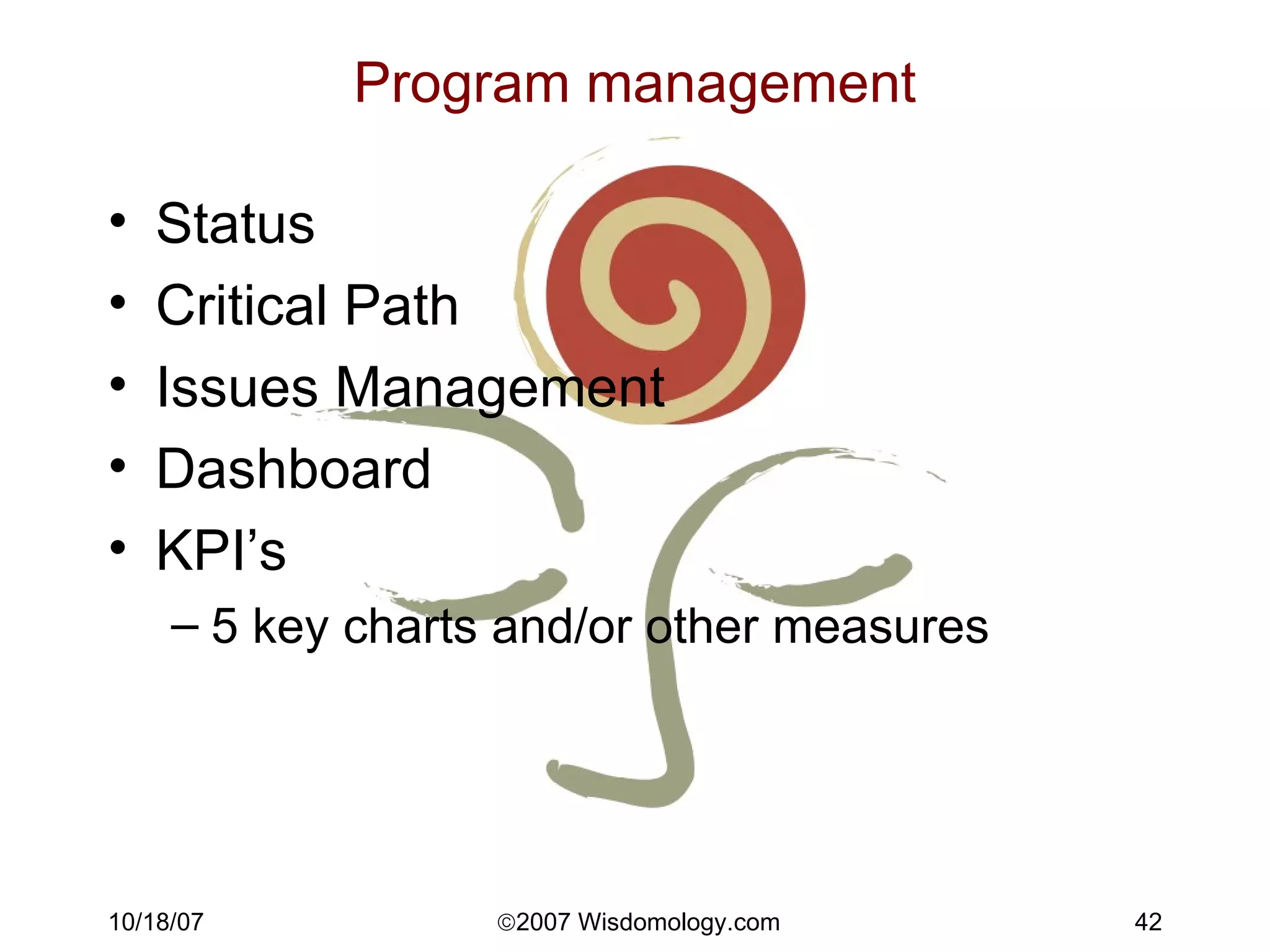
Program management Status Critical Path Issues Management Dashboard KPI’s 5 key charts and/or other measures
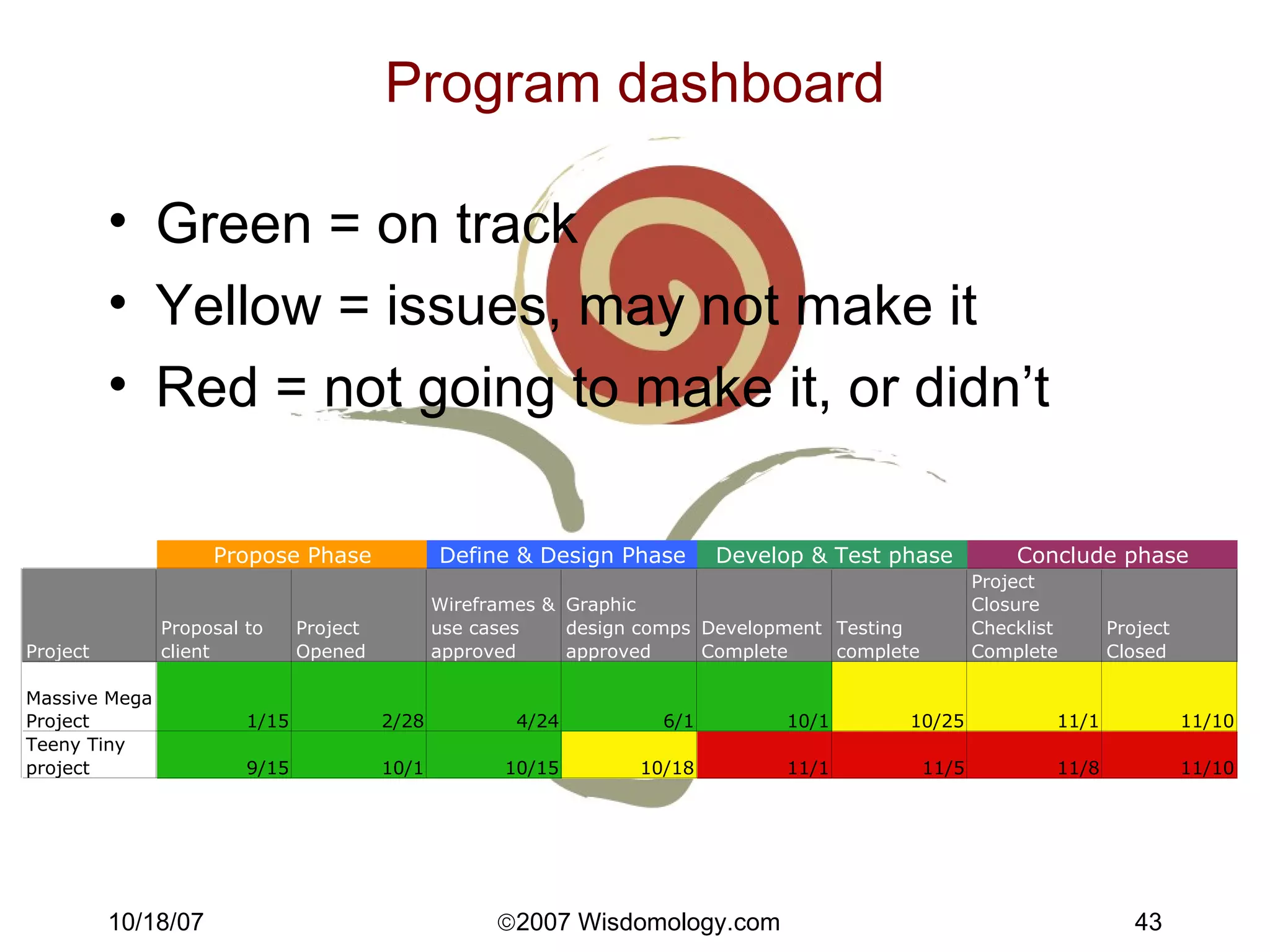
Program dashboard Green = on track Yellow = issues, may not make it Red = not going to make it, or didn’t
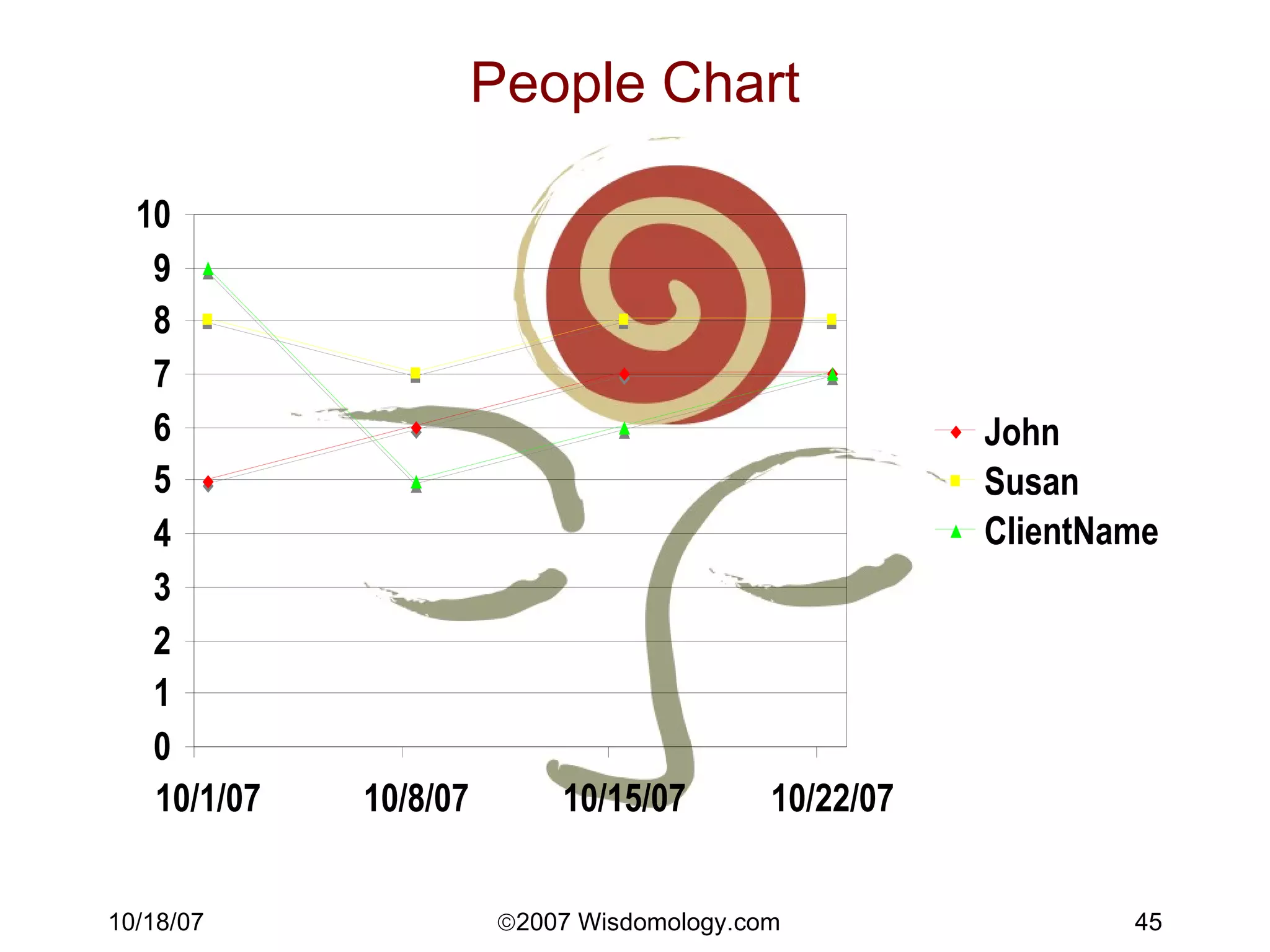
People The soft part is the hard part People are the most complex & least understood driver of success. Energy level, skills, focus, personality, values, experiences, feelings, culture. Overwork, multitasking, clear objectives, clear role, trust, communication. Use the “People Chart”! Names: Mood, Morale, Project Confidence Chart Look for scatter and for trends. The process itself is healthy & expressive.
People Chart
People - Appreciative inquiry Effective Questions, building on strengths Team meetings What worked well? What did we do to make it work? What’s the objective? What are the benefits of achieving the objective? What do we need to do next? Issues log Ideal outcome
Putting it all together -  The 5 Key Charts Estimated Finish Final Cost People QPI Quality
Putting it all together -  The 5 Key documents Scope Change Form Issues Log Project Plan Status Report Quality Checklists
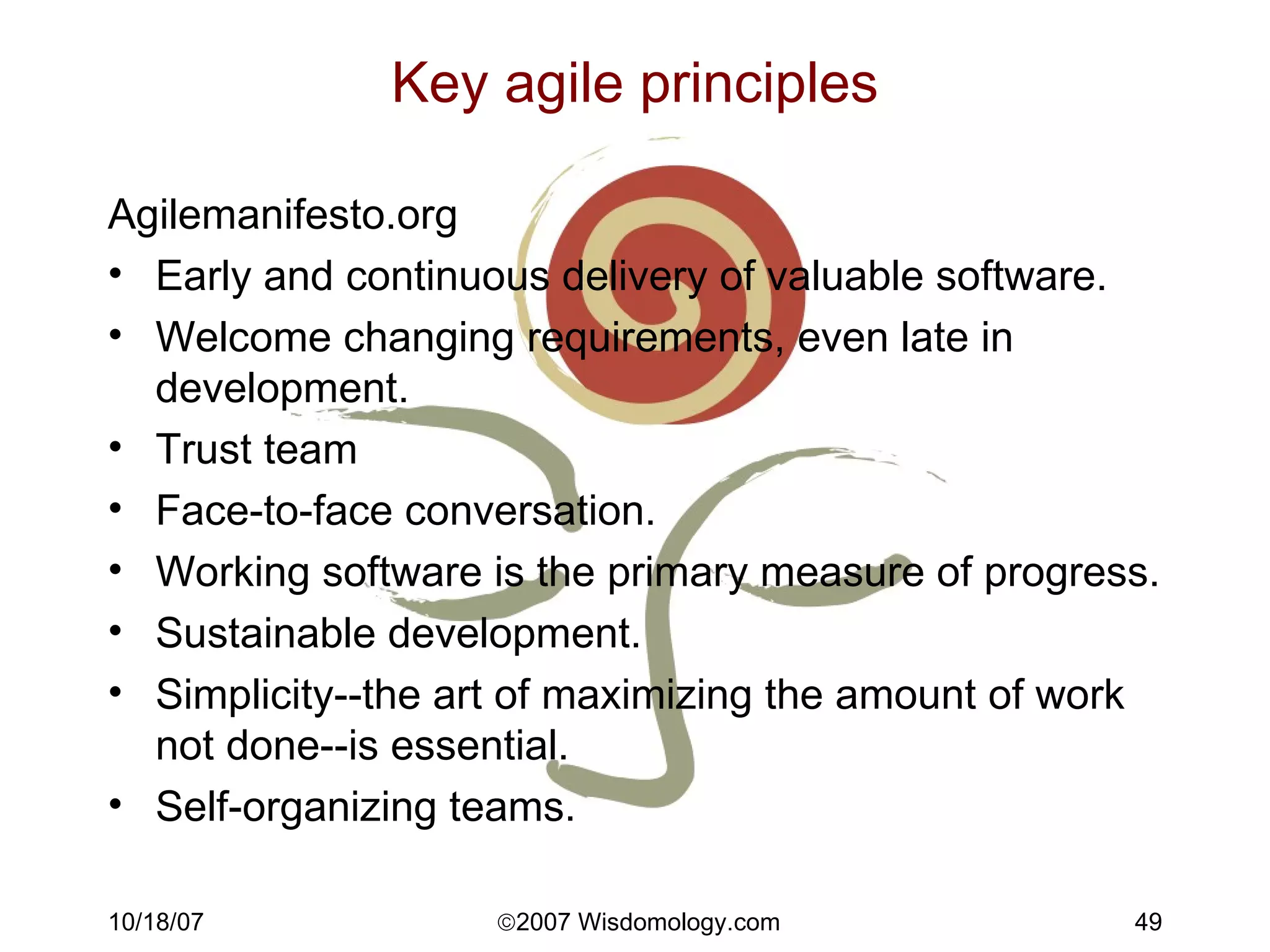
Key agile principles Agilemanifesto.org Early and continuous delivery of valuable software. Welcome changing requirements, even late in development.  Trust team Face-to-face conversation. Working software is the primary measure of progress. Sustainable development. Simplicity--the art of maximizing the amount of work not done--is essential. Self-organizing teams.
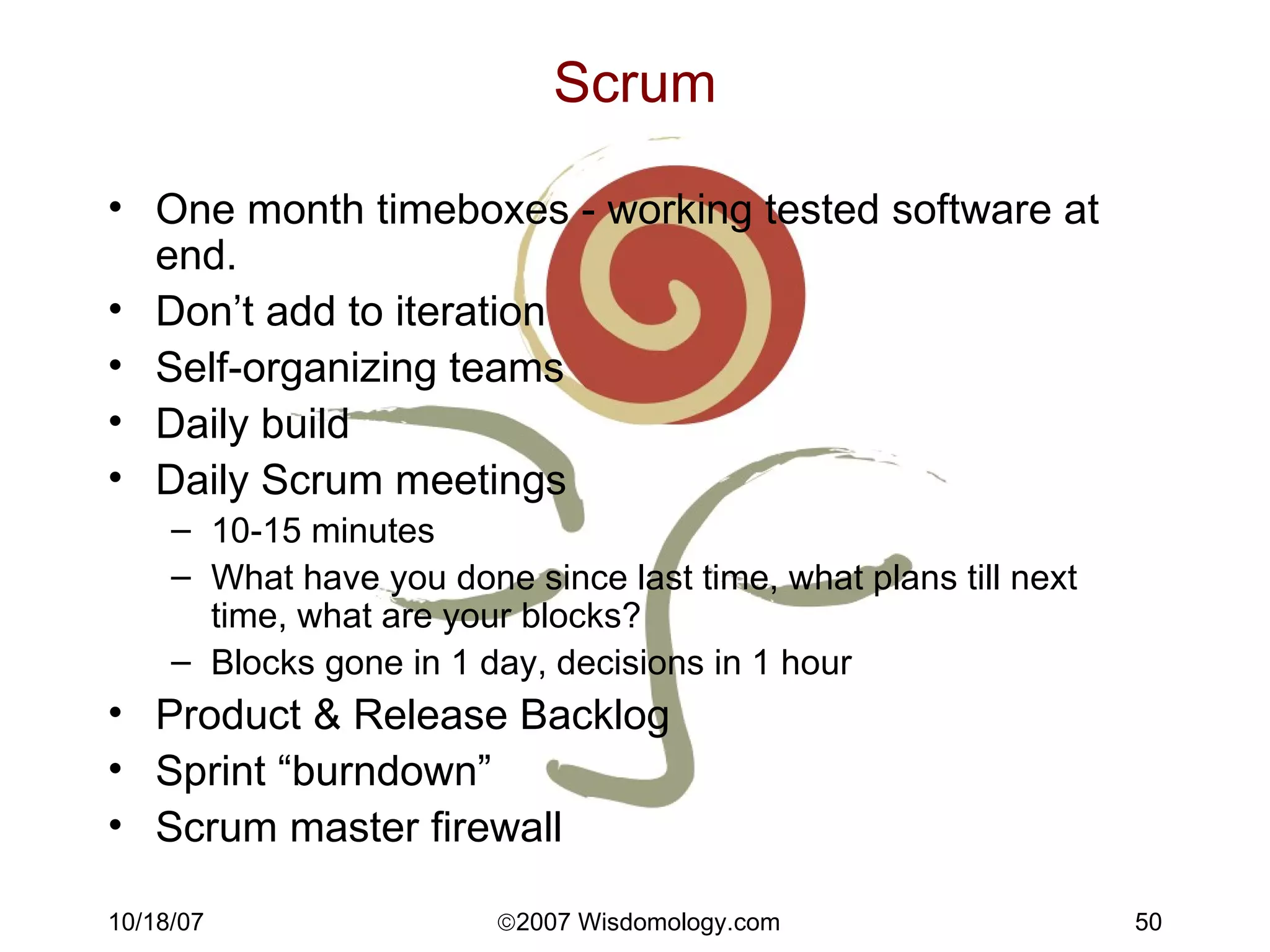
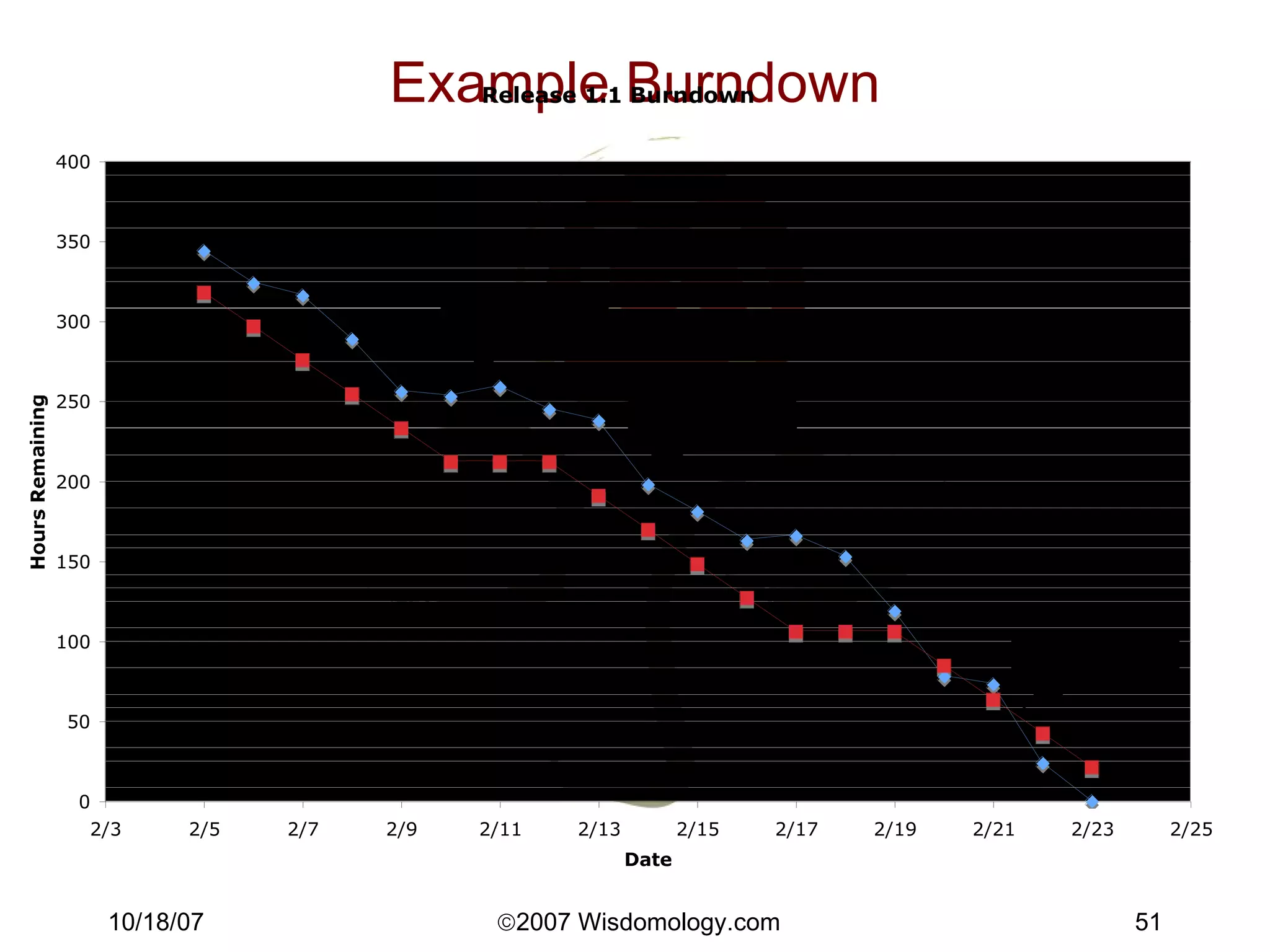
Scrum One month timeboxes - working tested software at end. Don’t add to iteration Self-organizing teams Daily build Daily Scrum meetings 10-15 minutes What have you done since last time, what plans till next time, what are your blocks? Blocks gone in 1 day, decisions in 1 hour Product & Release Backlog Sprint “burndown” Scrum master firewall
Example Burndown
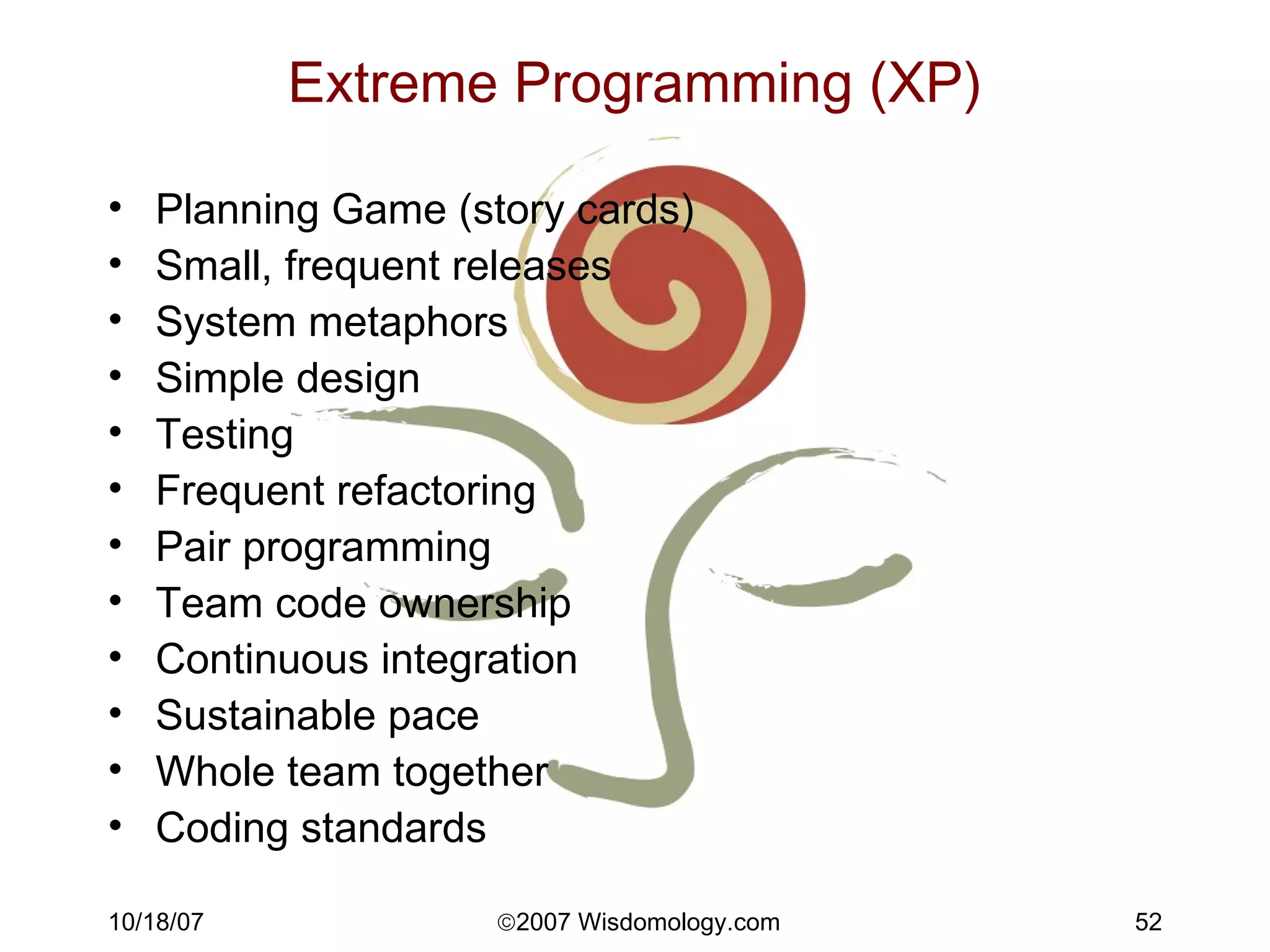
Extreme Programming (XP) Planning Game (story cards) Small, frequent releases System metaphors Simple design Testing Frequent refactoring Pair programming Team code ownership Continuous integration Sustainable pace Whole team together Coding standards
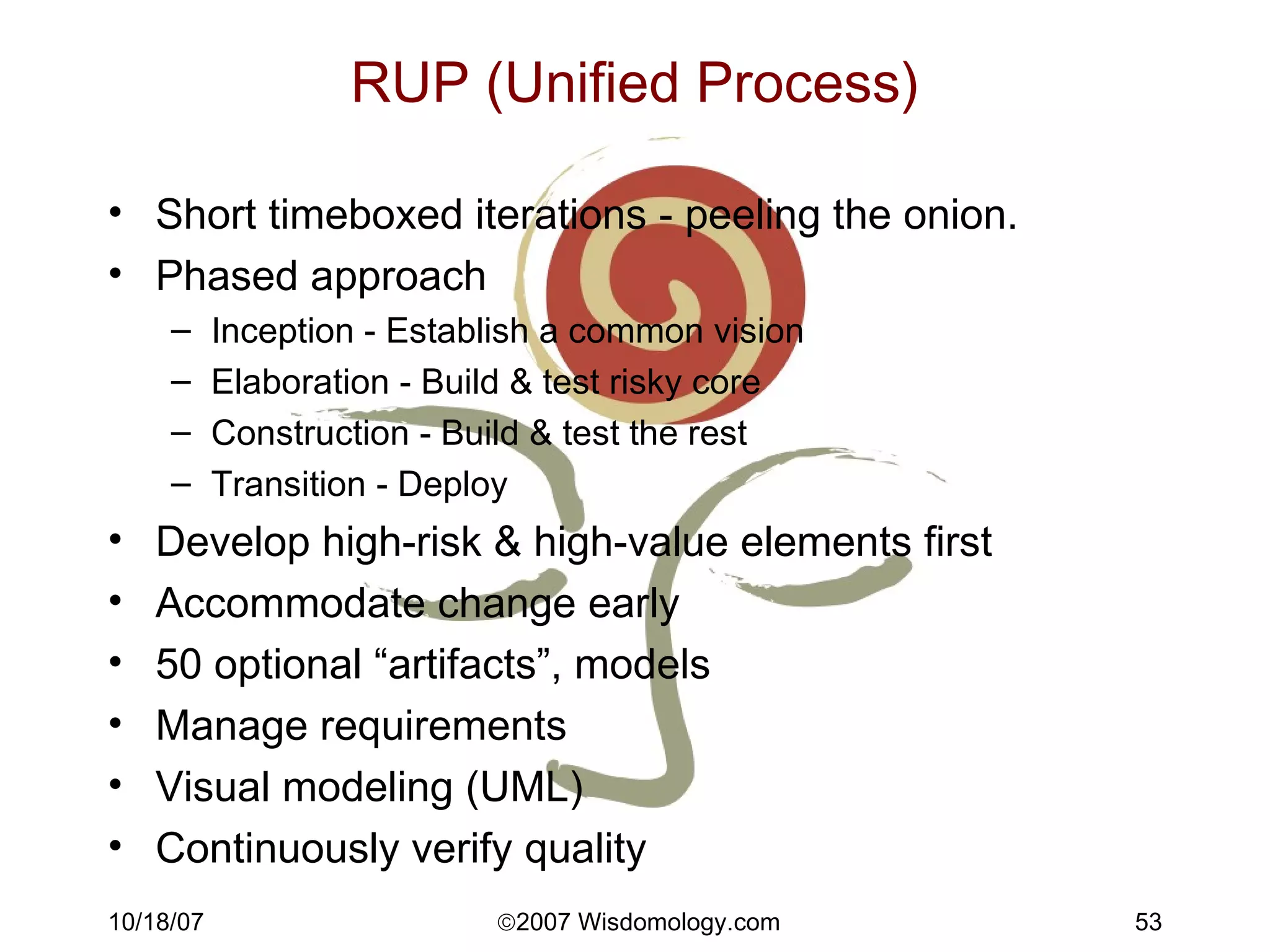
RUP (Unified Process) Short timeboxed iterations - peeling the onion. Phased approach Inception - Establish a common vision Elaboration - Build & test risky core Construction - Build & test the rest Transition - Deploy  Develop high-risk & high-value elements first Accommodate change early 50 optional “artifacts”, models Manage requirements Visual modeling (UML) Continuously verify quality
Resources PMI - Project Management Institute: www.pmi.org PMBOK - Project Management Body of Knowledge  AgileManifesto.org, AgileAlliance.org Craig Larman Agile & Iterative Development

5 Key Chart Project Management (TM) Methodology

  • 1.
    Project Management inReal Life How to balance creative chaos and control
  • 2.
    Objectives Be ableto implement at least one new project management tool tomorrow Be able to eventually set up your own PMO
  • 3.
    Agenda Why bother?Project Management principles Methodology Scoping & Estimating Planning Managing People Agile techniques Manifesto Scrum, RUP, XP Test-driven development
  • 4.
    Intros Take 10seconds to tell us Your name What you do Your workshop goals
  • 5.
    Preview - The5 Key Charts Estimated Finish Final Cost People QPI Quality
  • 6.
    Preview - The 5 Key documents Scope Change Form Issues Log Project Plan Status Report Quality Checklists
  • 7.
    Why Bother? Yourprojects are late, over-budget, low margin, shipping with bugs You & your team are pulling heroics to keep things under control You & your team are burned out.
  • 8.
    Why Bother? %of projects with large schedule slips Software Engineering Institute
  • 9.
    What is aproject? Achieve objectives Produce deliverables Start and end date Consume resources (people, $)
  • 10.
    Methodology Methodology: codified,repeatable set of methods & tools PM methodology Set of standard PM processes & deliverables Project Methodology IT project: Propose, Define, Design, Develop, Test, Go-Live, Support Construction: Feasibility, Planning & Design, Production, Turnover & Startup RUP: Inception, Elaboration, Construction, Transition
  • 11.
    PM & ProjectMethodologies Propose Define Develop Conclude Design Test Structure & Plan Conclude Assess, Report, Control Proposal Proposal Charter Workplan Milestones Requiremts Site map Wireframes Use cases Graphic design Technical architecture Logical design Physical design System components Unit System User acceptance Documen-tation Training Code control Scope Change Log Issues Management Log Risk Management Log Weekly status reports 5 Key charts Customer feedback Admin. closure
  • 12.
    The Scope TriangleGood Cheap Fast
  • 13.
    The Triangle, againScope Specifications/ Quality Time/ Schedule Budget/ Cost
  • 14.
    Scoping Proposal/Charter/Statement ofWork/Contract Objectives: Specific, Measurable, Attainable, Reach (realistic), Time-bound Deliverables: Include PM & standard project deliverables from methodology! Functionality In scope & Out of scope Schedule Team (Roles & Responsibilities) Process: Include PM! Terms Cost Requirements/Design/Specs
  • 15.
    Estimating Decomposition (microscopic/bottom-up)Have at least 2 levels of abstraction Analogy (micro or macro) Delphi with feedback: get experts to go away & estimate, bring group together & show estimates, then re-estimate. Macro Modeling (heuristic, phenomenological). Derived from basic “physics” about how projects work. Observe key project variables (time, money, scope, quality, people) and make an equation. Use Excel to get a regression. Design to cost or duration. Here’s what we can do with what’s available. PERT t e =(best case + worst case + 4*most likely)/6
  • 16.
    Planning the workODW Objectives --> Deliverables --> Workplan WBS Break down by phase, by product, activity, location… Uniqueness OAK: One Arse to Kick. Exactly one person’s name per task, or no-one’s responsible. (No organizations.) One task for a given person & date combo Grammar Tasks verb-noun, “Complete design document” Milestones noun-verb, “Design Complete”
  • 17.
    Planning the work,2 Effort versus Duration Effort (work) is the number of person-hours expended to do the task. Duration is how long it takes from beginning to end. Duration = work/resource allocation Tips Tasks, dependencies, durations, resources Use F-S relationships Ask the people doing the tasks for estimates!! Tasks 0.5 to 10 days, ideal 2-5 days Milestones & summary tasks - no person names Beware the Mythical Man-Month (Fred Brooks)!
  • 18.
    Planning Tools Stickies,index cards, string, whiteboard Great for brainstorming, communicating! Word & Excel Simple to-do list, no dependencies, little tracking. Task, Due, Responsible, Status “ Groupware” Track & communicates to-do’s, milestones, files BaseCamp, SharePoint Bugzilla, Mantis, Trac - issue tracking Desktop tools MSProject - de facto standard OmniPlan, Merlin, some web-based Portfolio Management (Enterprise) MSProject Sever, Project.net, Primavera, Clarity
  • 19.
  • 20.
    Views - NetworkDiagram (PERT chart)
  • 21.
    Working the planBaselining Tracking Gantt Binary statusing “ Plan at level 3, manage at level 2” Action Items versus updating plan When does it go on the plan (versus in someone’s to-do list?) When it’s required to complete a deliverable When someone else is dependent on the output When it’s longer than x hours (4) in effort When it’s important enough for the team to know about
  • 22.
    Working the plan2 Meetings Collaborative plan development First use Gantt to walk everyone through the plan (1+ hours) Then can use personal to-do lists from PM tool
  • 23.
    Critical Path ManagementCritical Path is the longest path through the project plan. If any task on the critical path slips, the end date slips. Zero float. Must have successors to each task (dependencies) to calculate Possible to have multiple critical branches. “ Float” = duration until critical, =LF-EF “ Manage The Critical Path” And then know what’s likely to become critical. If you’re strapped for time, make sure you at least know what’s going on with your critical path.
  • 24.
  • 25.
    Resource Leveling MSProjector other PM tool Use Resource Usage view, adjust hours in daily yellow blocks Move start date, stretch duration of non-critical tasks, reassign. Otherwise Spreadsheet: People on one axis, days/weeks on other, hours in cells Look out for micro-managing
  • 26.
  • 27.
  • 28.
    Scope Management ScopeChange Request Form Client fills out form Estimator estimates Client approves/denies Work begins Scope Change Log Note well: ANY Change Request takes resources to process, even if it’s a zero-dollar, zero-time change.
  • 29.
  • 30.
    Schedule Management (“crashingthe schedule”) If there’s a schedule issue, your levers are Schedule . Check critical path for date constraints, task dependencies, durations, task drivers, serial vs. parallel Scope . Toss out the lowest-priority items first. It’s much easier for clients to remember it was late than it was missing their least favorite function points. Quality . Look for perfectionism that can be downgraded to “good enough”. Cost . Put more people on it (Fred Brooks: “Adding manpower to a late project makes it later”). People . Burn out your people. Heroics often works, but not reliable or sustainable.
  • 31.
  • 32.
    Quality Management Ensureproduct meets customer needs Early = cheap QA the proposal, the requirements & the design Standards & Guidelines Checklists: proposal, reqmts, design, test Learn as you go! Process Documentation & Improvement TQM/6-sigma. Document, measure, manage. Management or peer review Testing Traceability. From reqmts to design to test cases. Agile & iterative techniques
  • 33.
  • 34.
  • 35.
    Budget Management Finalproject cost Estimate weekly & chart Forces PM to know how much has been spent, how much is estimated to be spent QPI = Quick Performance Index % spent / % done Like earned value (get $ credit for tasks completed), but easier to compute & more sensitive to decisions - watch the trend. 1.0 = “ideal” >1 = spending too fast or investing or making advance payments <1 = usually not fully resourced, going to miss date.
  • 36.
  • 37.
  • 38.
    Issues Management Issue= an item which potentially impacts scope, quality, cost, schedule, or people. Issue reporting process Anyone can report an issue. First to PM Escalate if necessary through management. PM owns the “logging & dogging” of all project issues. All issues reported on weekly status report. Issue log or tracking system
  • 39.
  • 40.
  • 41.
    Risk Management Description- what can we videotape going wrong? Avoidance - get to not happen Contingency - what we do if it does happen Probability - how likely to happen (H/M/L or numeric or percentage) Severity - damage caused if it happened (H/M/L or numeric or $$)
  • 42.
    Program management StatusCritical Path Issues Management Dashboard KPI’s 5 key charts and/or other measures
  • 43.
    Program dashboard Green= on track Yellow = issues, may not make it Red = not going to make it, or didn’t
  • 44.
    People The softpart is the hard part People are the most complex & least understood driver of success. Energy level, skills, focus, personality, values, experiences, feelings, culture. Overwork, multitasking, clear objectives, clear role, trust, communication. Use the “People Chart”! Names: Mood, Morale, Project Confidence Chart Look for scatter and for trends. The process itself is healthy & expressive.
  • 45.
  • 46.
    People - Appreciativeinquiry Effective Questions, building on strengths Team meetings What worked well? What did we do to make it work? What’s the objective? What are the benefits of achieving the objective? What do we need to do next? Issues log Ideal outcome
  • 47.
    Putting it alltogether - The 5 Key Charts Estimated Finish Final Cost People QPI Quality
  • 48.
    Putting it alltogether - The 5 Key documents Scope Change Form Issues Log Project Plan Status Report Quality Checklists
  • 49.
    Key agile principlesAgilemanifesto.org Early and continuous delivery of valuable software. Welcome changing requirements, even late in development. Trust team Face-to-face conversation. Working software is the primary measure of progress. Sustainable development. Simplicity--the art of maximizing the amount of work not done--is essential. Self-organizing teams.
  • 50.
    Scrum One monthtimeboxes - working tested software at end. Don’t add to iteration Self-organizing teams Daily build Daily Scrum meetings 10-15 minutes What have you done since last time, what plans till next time, what are your blocks? Blocks gone in 1 day, decisions in 1 hour Product & Release Backlog Sprint “burndown” Scrum master firewall
  • 51.
  • 52.
    Extreme Programming (XP)Planning Game (story cards) Small, frequent releases System metaphors Simple design Testing Frequent refactoring Pair programming Team code ownership Continuous integration Sustainable pace Whole team together Coding standards
  • 53.
    RUP (Unified Process)Short timeboxed iterations - peeling the onion. Phased approach Inception - Establish a common vision Elaboration - Build & test risky core Construction - Build & test the rest Transition - Deploy Develop high-risk & high-value elements first Accommodate change early 50 optional “artifacts”, models Manage requirements Visual modeling (UML) Continuously verify quality
  • 54.
    Resources PMI -Project Management Institute: www.pmi.org PMBOK - Project Management Body of Knowledge AgileManifesto.org, AgileAlliance.org Craig Larman Agile & Iterative Development