





Better Faster Cheaper Melinda Korenchuk Technology Leveraging Cooperative
What do you call something: That requires a series of steps Performed over a limited time span To create a unique result
What kinds of projects do you have? Creating a marketing campaign Replacing a telephone system Implementing a new database application Expanding a facility Upgrading a network Adding a product line
Have you ever embarked on a project and found: - it cost more than you budgeted - it took longer than you expected - you did not achieve what you intended - you couldn't get people to use it - what you needed changed as you went along
    Project Management is a set of tools and practices to help you address those problems. 
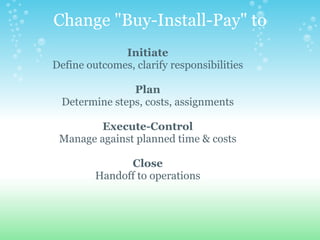
Change "Buy-Install-Pay" to Initiate Define outcomes, clarify responsibilities   Plan Determine steps, costs, assignments   Execute-Control Manage against planned time & costs   Close Handoff to operations
  INITIATE
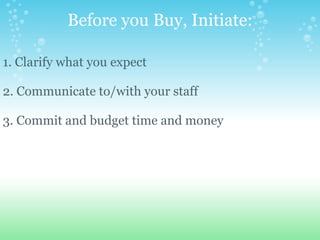
Before you Buy, Initiate:   1. Clarify what you expect  2. Communicate to/with your staff 3. Commit and budget time and money
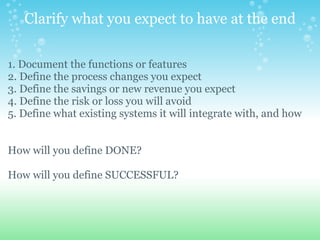
Clarify what you expect to have at the end 1. Document the functions or features  2. Define the process changes you expect 3. Define the savings or new revenue you expect 4. Define the risk or loss you will avoid 5. Define what existing systems it will integrate with, and how  How will you define DONE? How will you define SUCCESSFUL?    
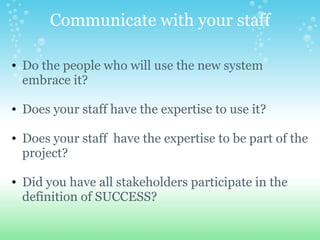
Communicate with your staff Do the people who will use the new system embrace it?   Does your staff have the expertise to use it?     Does your staff  have the expertise to be part of the project?   Did you have all stakeholders participate in the definition of SUCCESS?
Commit Time and Money 1. Determine what you are able to spend for the system 2. Determine the impact on operations' cost 3. Determine how much staff time can be devoted
Commit your Time Change takes time:        - Time to define what you need      - Time to design or choose your solution      - Time to oversee the development/configuration      - Time to test and train       - Time to develop/learn new procedures  
Commit the Right Amount of Dollars Project Costs Might Include:        - Purchasing a system      - Upgrading infrastructure to support the new system      - Contractors to do the work      - Temps to help staff while they participate      - Replacing accessories or supplies      - Training staff      - Downtime during the transition
Now, how are you going to get it done?   The PLAN
Why Plan? 1. You need to know the steps required to get the job done. 2. You need to know what it will really cost you. 3. You need to know who is doing what, and when. 4. You need to know how long it will really take.
Sometimes You will see that the project will cost more than you thought, or take longer than you expected, and Decide not to do it.
  NOT DO IT!!
How to Make a Schedule 1. Create a WBS 2. Assign each task to a person 3. Determine dependencies between tasks 4. Determine how long each task will take  
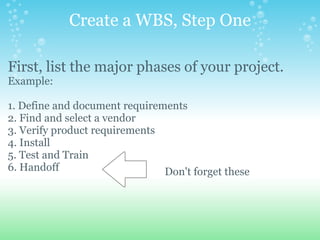
Create a WBS, Step One First, list the major phases of your project.   Example:   1. Define and document requirements 2. Find and select a vendor 3. Verify product requirements 4. Install 5. Test and Train 6. Handoff         Don't forget these
Create a WBS, Step Two Break them into more specific tasks:   1. Define and document requirements      1.1 List the features      1.2 Identify the interfaces and users 2. Find and select a vendor      2.1 Create an RFP      2.2 Review Proposals      2.3 Select      2.4 Complete Contract              2.4.1 Review Vendor's Template              2.4.2 Make changes              2.4.3 Approve and sign                
Assign each task to a person 1. Define and document requirements      1.1 List the features: Joe       1.2 Identify the interfaces and users: Bob 2. Find and select a vendor      2.1 Create an RFP: Sally      2.2 Review Proposals:  Bob       2.3 Select: Bob      2.4 Complete Contract               2.4.1 Review Vendor's Template: Joe               2.4.2 Make changes: Joe               2.4.3 Approve and sign: Bob
Determine Dependencies      1.1 List the features         1.2 Identify the interfaces and users        2.1 Create an RFP (after 1.1 and 1.2)      2.2 Review Proposals (after 2.1)       2.3 Select (after 2.2)          2.4.1 Review Vendor's Template (after 2.3)      2.4.2 Make changes (after 2.4.1)      2.4.3 Approve and sign (after 2.4.2)
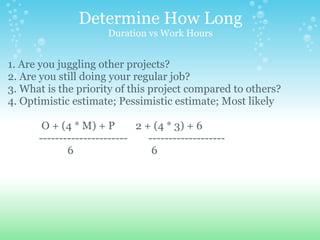
Determine How Long Duration vs Work Hours 1. Are you juggling other projects? 2. Are you still doing your regular job? 3. What is the priority of this project compared to others? 4. Optimistic estimate; Pessimistic estimate; Most likely                 O + (4 * M) + P        2 + (4 * 3) + 6              ----------------------        -------------------                         6                              6
Determine How Long      1.1 List the features  (2 weeks)         1.2 Identify the interfaces and users  (2 weeks)        2.1 Create an RFP  (2 weeks)      2.2 Review Proposals  (2 days)      2.3 Select  (1 day)         2.4.1 Review Vendor's Template  (1 day)      2.4.2 Make changes  (3 days)      2.4.3 Approve and sign  (1 day)
Use a Tool For complex projects, use a project management tool to calculate dates for all your tasks.
Adjust Your Budget 1. Top down budget: management guess at project start 2. Budget estimating based on similar past experience 3. Bottom up or detailed budgeting based on schedule
Buy-in 1. Make sure that all stakeholders know the plan 2. Make sure that task doers agree to the estimates 3. Communicate that the start dates and finish dates are real
        Managing to Plan   vs   Activity Monitoring
 
Avoid SCOPE CREEP Have a Change Management Process that assesses the impact to the project COST and TIME.
Focus Your Resources The more you juggle, the less you accomplish
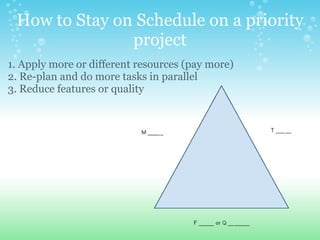
How to Stay on Schedule on a priority project 1. Apply more or different resources (pay more) 2. Re-plan and do more tasks in parallel 3. Reduce features or quality    
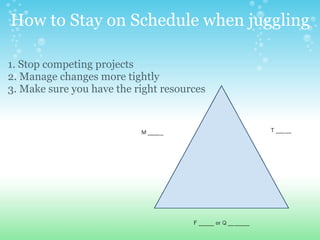
How to Stay on Schedule when juggling 1. Stop competing projects 2. Manage changes more tightly 3. Make sure you have the right resources    
The Project is not done. . . Until the handoff is complete.
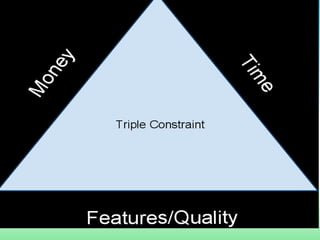
Review: INITIATE: Take Time to Clarify Requirements, Outcomes PLAN:  Layout tasks, durations, assignments, sequences   MANAGE:  Change control, balance the triple constraints CLOSE:  Train, set up maintenance, and hand off                      
Projects are little journeys into the unknown.  Go prepared.

Projects Better Faster Cheaper

  • 1.
    Better Faster CheaperMelinda Korenchuk Technology Leveraging Cooperative
  • 2.
    What do youcall something: That requires a series of steps Performed over a limited time span To create a unique result
  • 3.
    What kinds ofprojects do you have? Creating a marketing campaign Replacing a telephone system Implementing a new database application Expanding a facility Upgrading a network Adding a product line
  • 4.
    Have you everembarked on a project and found: - it cost more than you budgeted - it took longer than you expected - you did not achieve what you intended - you couldn't get people to use it - what you needed changed as you went along
  • 5.
        ProjectManagement is a set of tools and practices to help you address those problems. 
  • 6.
    Change "Buy-Install-Pay" toInitiate Define outcomes, clarify responsibilities   Plan Determine steps, costs, assignments   Execute-Control Manage against planned time & costs   Close Handoff to operations
  • 7.
  • 8.
    Before you Buy,Initiate:   1. Clarify what you expect 2. Communicate to/with your staff 3. Commit and budget time and money
  • 9.
    Clarify what youexpect to have at the end 1. Document the functions or features 2. Define the process changes you expect 3. Define the savings or new revenue you expect 4. Define the risk or loss you will avoid 5. Define what existing systems it will integrate with, and how How will you define DONE? How will you define SUCCESSFUL?    
  • 10.
    Communicate with yourstaff Do the people who will use the new system embrace it?   Does your staff have the expertise to use it?     Does your staff  have the expertise to be part of the project?   Did you have all stakeholders participate in the definition of SUCCESS?
  • 11.
    Commit Time andMoney 1. Determine what you are able to spend for the system 2. Determine the impact on operations' cost 3. Determine how much staff time can be devoted
  • 12.
    Commit your TimeChange takes time:        - Time to define what you need      - Time to design or choose your solution      - Time to oversee the development/configuration      - Time to test and train      - Time to develop/learn new procedures  
  • 13.
    Commit the RightAmount of Dollars Project Costs Might Include:        - Purchasing a system      - Upgrading infrastructure to support the new system      - Contractors to do the work      - Temps to help staff while they participate      - Replacing accessories or supplies      - Training staff      - Downtime during the transition
  • 14.
    Now, how areyou going to get it done?   The PLAN
  • 15.
    Why Plan? 1.You need to know the steps required to get the job done. 2. You need to know what it will really cost you. 3. You need to know who is doing what, and when. 4. You need to know how long it will really take.
  • 16.
    Sometimes You willsee that the project will cost more than you thought, or take longer than you expected, and Decide not to do it.
  • 17.
  • 18.
    How to Makea Schedule 1. Create a WBS 2. Assign each task to a person 3. Determine dependencies between tasks 4. Determine how long each task will take  
  • 19.
    Create a WBS,Step One First, list the major phases of your project.   Example:   1. Define and document requirements 2. Find and select a vendor 3. Verify product requirements 4. Install 5. Test and Train 6. Handoff         Don't forget these
  • 20.
    Create a WBS,Step Two Break them into more specific tasks:   1. Define and document requirements      1.1 List the features      1.2 Identify the interfaces and users 2. Find and select a vendor      2.1 Create an RFP      2.2 Review Proposals      2.3 Select      2.4 Complete Contract              2.4.1 Review Vendor's Template              2.4.2 Make changes              2.4.3 Approve and sign                
  • 21.
    Assign each taskto a person 1. Define and document requirements      1.1 List the features: Joe       1.2 Identify the interfaces and users: Bob 2. Find and select a vendor      2.1 Create an RFP: Sally      2.2 Review Proposals:  Bob       2.3 Select: Bob      2.4 Complete Contract               2.4.1 Review Vendor's Template: Joe               2.4.2 Make changes: Joe               2.4.3 Approve and sign: Bob
  • 22.
    Determine Dependencies     1.1 List the features       1.2 Identify the interfaces and users        2.1 Create an RFP (after 1.1 and 1.2)      2.2 Review Proposals (after 2.1)       2.3 Select (after 2.2)          2.4.1 Review Vendor's Template (after 2.3)      2.4.2 Make changes (after 2.4.1)      2.4.3 Approve and sign (after 2.4.2)
  • 23.
    Determine How LongDuration vs Work Hours 1. Are you juggling other projects? 2. Are you still doing your regular job? 3. What is the priority of this project compared to others? 4. Optimistic estimate; Pessimistic estimate; Most likely                 O + (4 * M) + P        2 + (4 * 3) + 6              ----------------------        -------------------                         6                              6
  • 24.
    Determine How Long     1.1 List the features (2 weeks)        1.2 Identify the interfaces and users (2 weeks)        2.1 Create an RFP (2 weeks)      2.2 Review Proposals (2 days)      2.3 Select (1 day)         2.4.1 Review Vendor's Template (1 day)      2.4.2 Make changes (3 days)      2.4.3 Approve and sign (1 day)
  • 25.
    Use a ToolFor complex projects, use a project management tool to calculate dates for all your tasks.
  • 26.
    Adjust Your Budget 1.Top down budget: management guess at project start 2. Budget estimating based on similar past experience 3. Bottom up or detailed budgeting based on schedule
  • 27.
    Buy-in 1. Makesure that all stakeholders know the plan 2. Make sure that task doers agree to the estimates 3. Communicate that the start dates and finish dates are real
  • 28.
           Managing to Plan   vs   Activity Monitoring
  • 29.
  • 30.
    Avoid SCOPE CREEPHave a Change Management Process that assesses the impact to the project COST and TIME.
  • 31.
    Focus Your ResourcesThe more you juggle, the less you accomplish
  • 32.
    How to Stayon Schedule on a priority project 1. Apply more or different resources (pay more) 2. Re-plan and do more tasks in parallel 3. Reduce features or quality    
  • 33.
    How to Stayon Schedule when juggling 1. Stop competing projects 2. Manage changes more tightly 3. Make sure you have the right resources    
  • 34.
    The Project isnot done. . . Until the handoff is complete.
  • 35.
    Review: INITIATE: TakeTime to Clarify Requirements, Outcomes PLAN:  Layout tasks, durations, assignments, sequences   MANAGE:  Change control, balance the triple constraints CLOSE:  Train, set up maintenance, and hand off                      
  • 36.
    Projects are littlejourneys into the unknown.  Go prepared.