‣ Look back at the development of Killzone Shadow Fall
‣ What is the Next-Gen look?
‣ Key techniques
‣ Image quality and stability
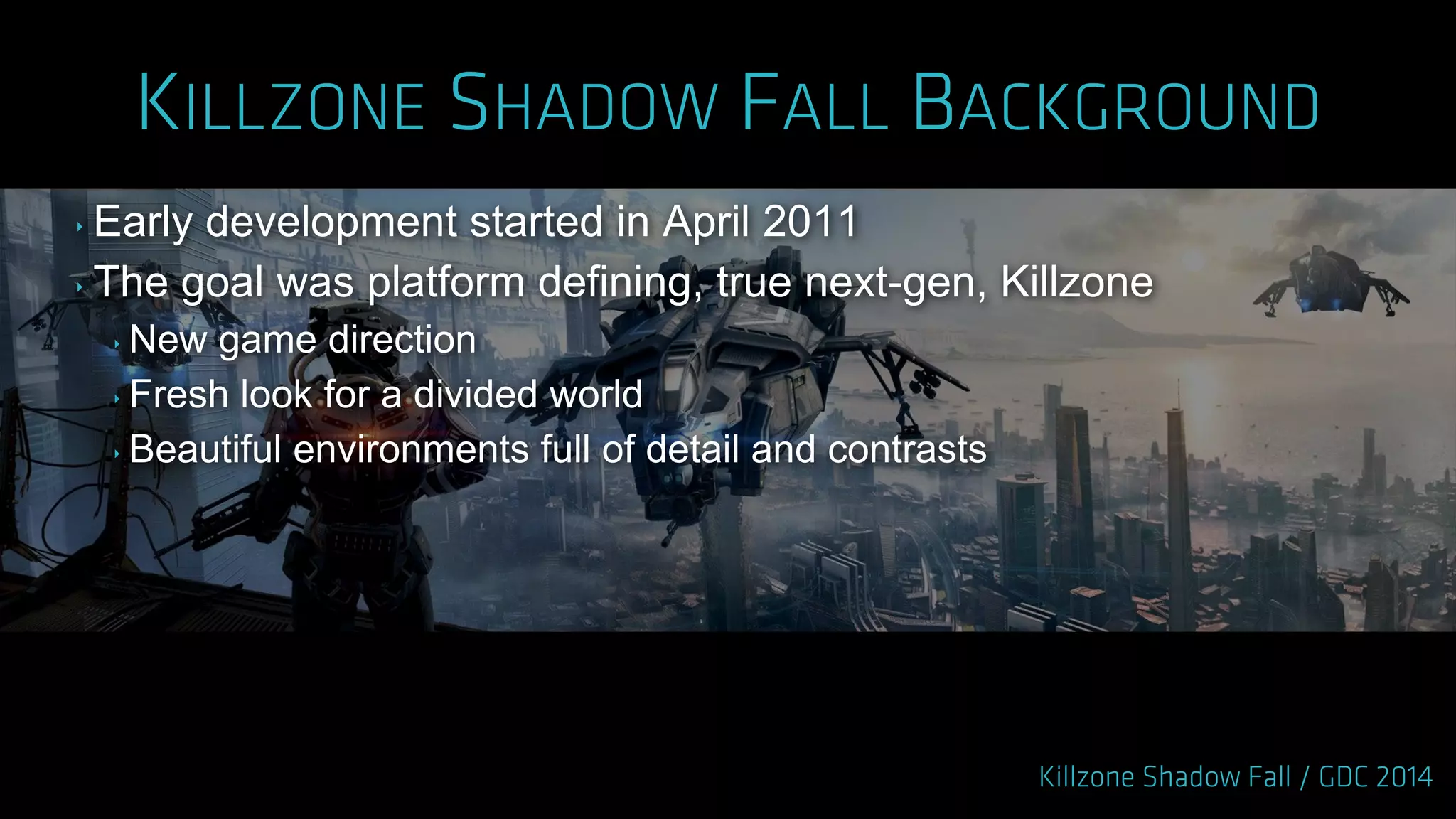
‣ Early development started in April 2011
‣ The goal was platform defining, true next-gen, Killzone
‣ New game direction
‣ Fresh look for a divided world
‣ Beautiful environments full of detail and contrasts
‣ New platform
‣ Hardware under development
‣ Difficult to define scope of the game
‣ No PC fallback for the engine
‣ Features in development throughout production
‣ Launch title
‣ Unmovable release date
‣ Limited time for experiments
‣ Sometimes you have to kill your darlings
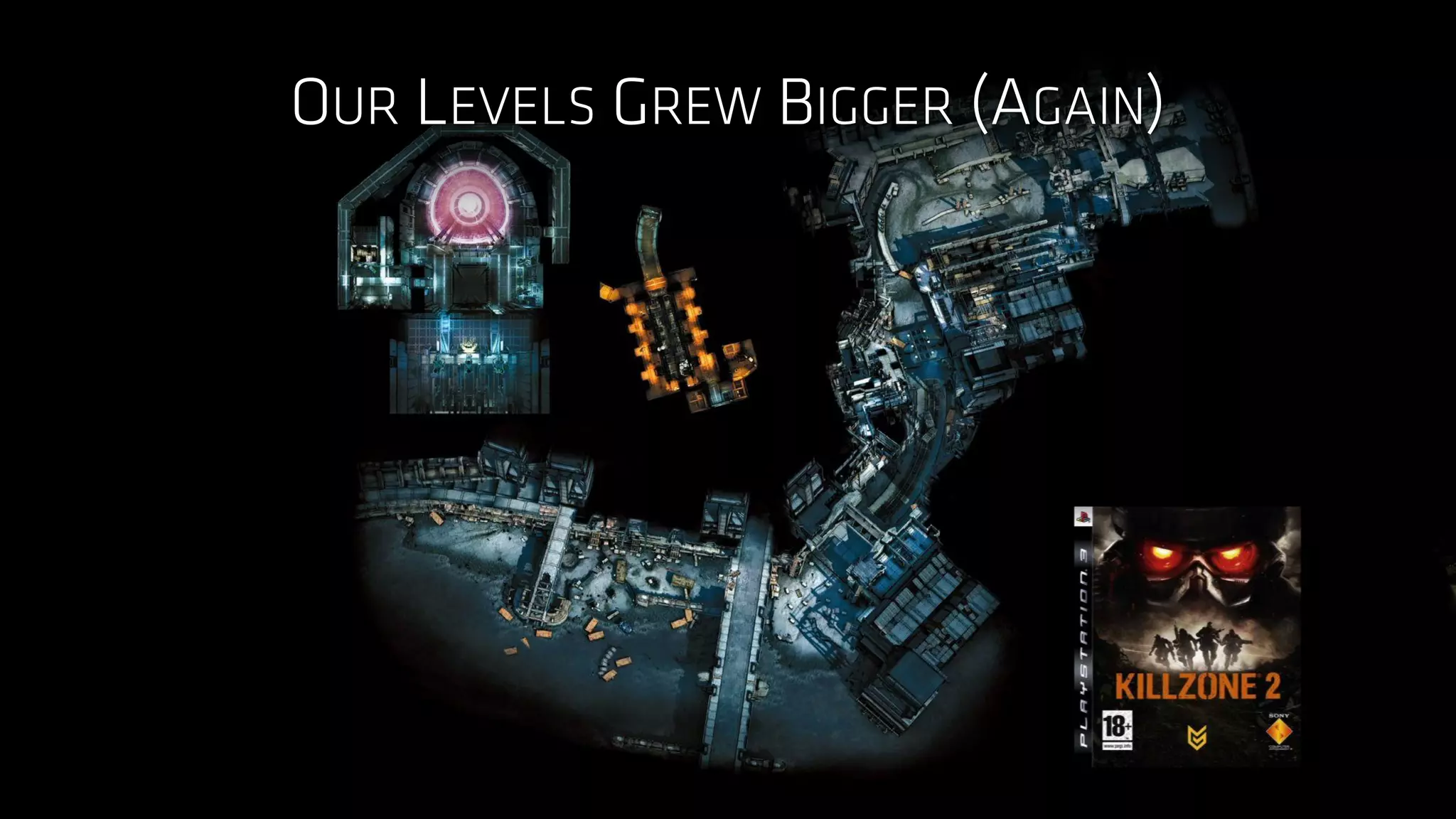
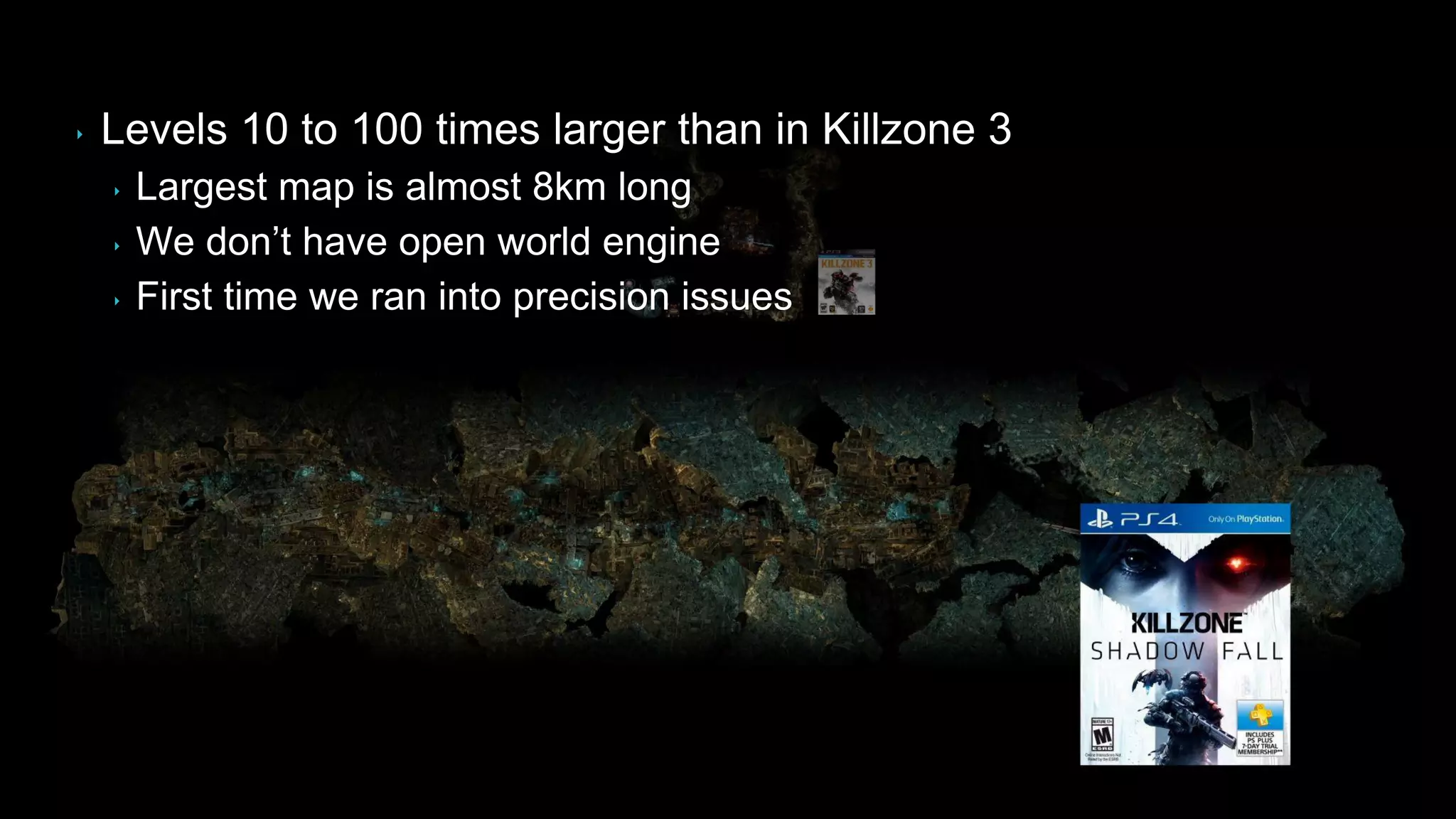
‣ Levels 10 to 100 times larger than in Killzone 3
‣ Largest map is almost 8km long
‣ We don‟t have open world engine
‣ First time we ran into precision issues
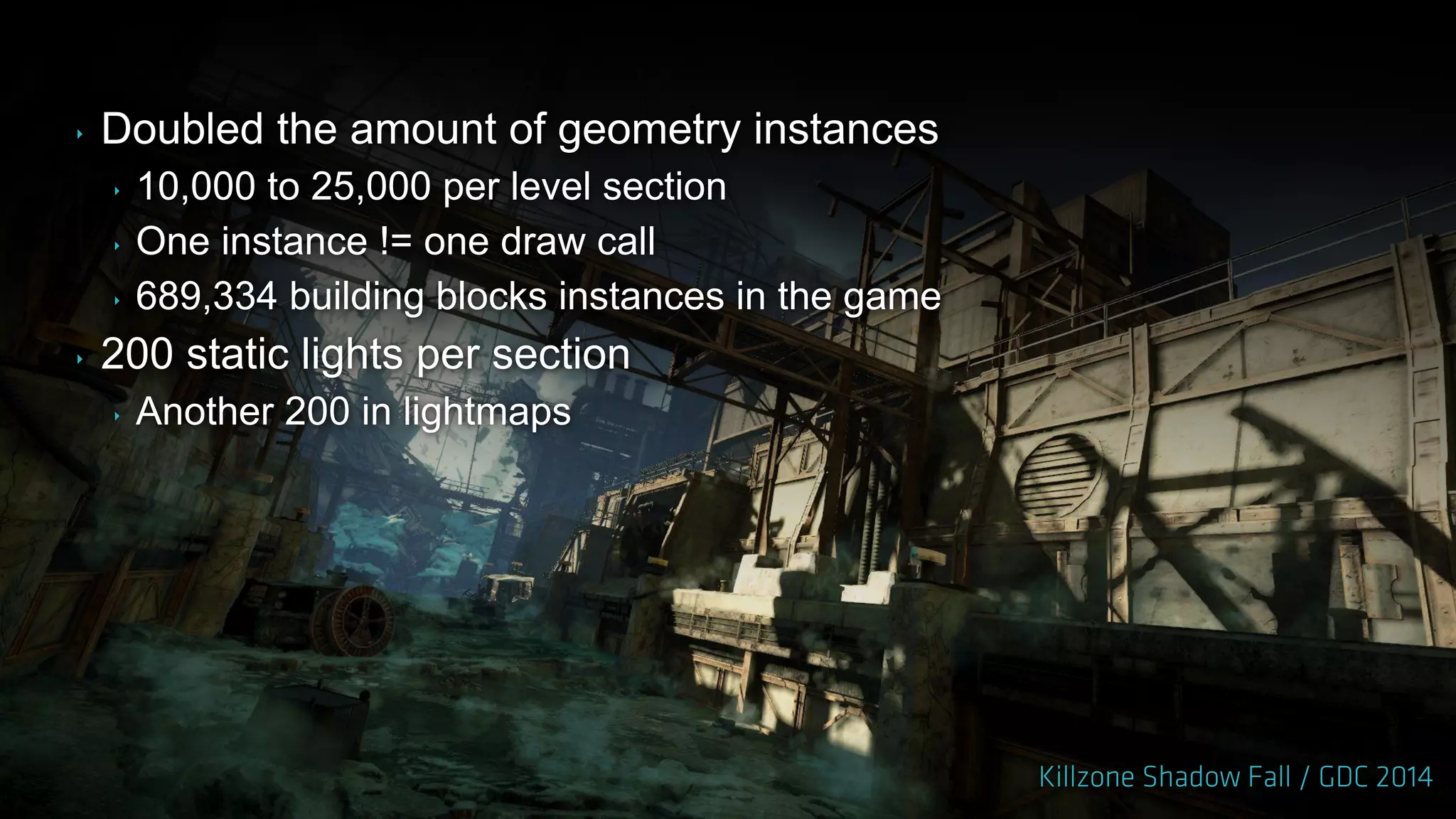
‣ Doubled the amount of geometry instances
‣ 10,000 to 25,000 per level section
‣ One instance != one draw call
‣ 689,334 building blocks instances in the game
‣ 200 static lights per section
‣ Another 200 in lightmaps
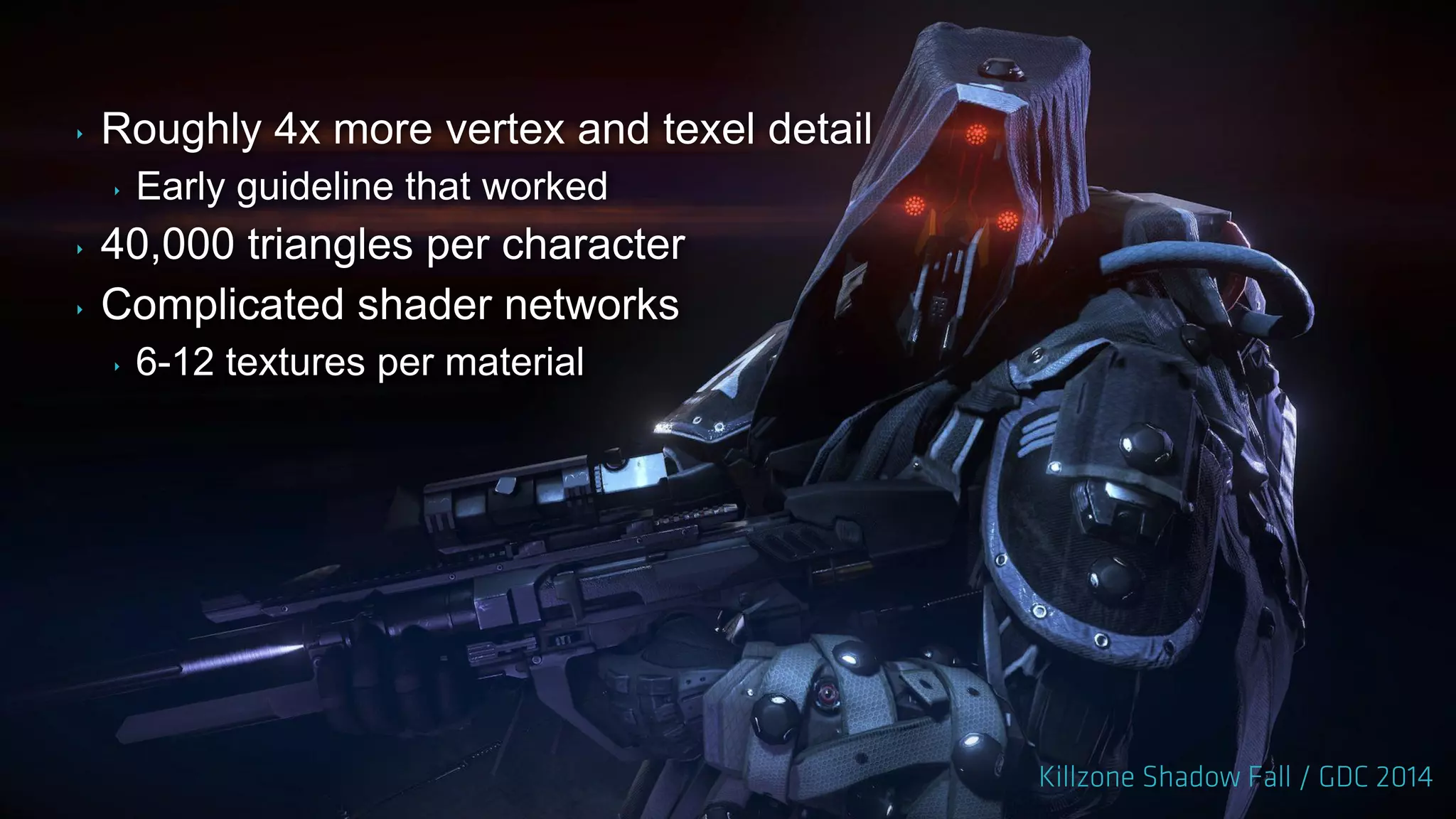
‣ Roughly 4x more vertex and texel detail
‣ Early guideline that worked
‣ 40,000 triangles per character
‣ Complicated shader networks
‣ 6-12 textures per material
‣ Killzone Shadow Fall defining tech features
‣ Lighting
‣ Shading
‣ Reflections
‣ Effects
‣ Image fidelity and temporal stability
‣ Scalability with the amount of content
‣ Everything done with jobs
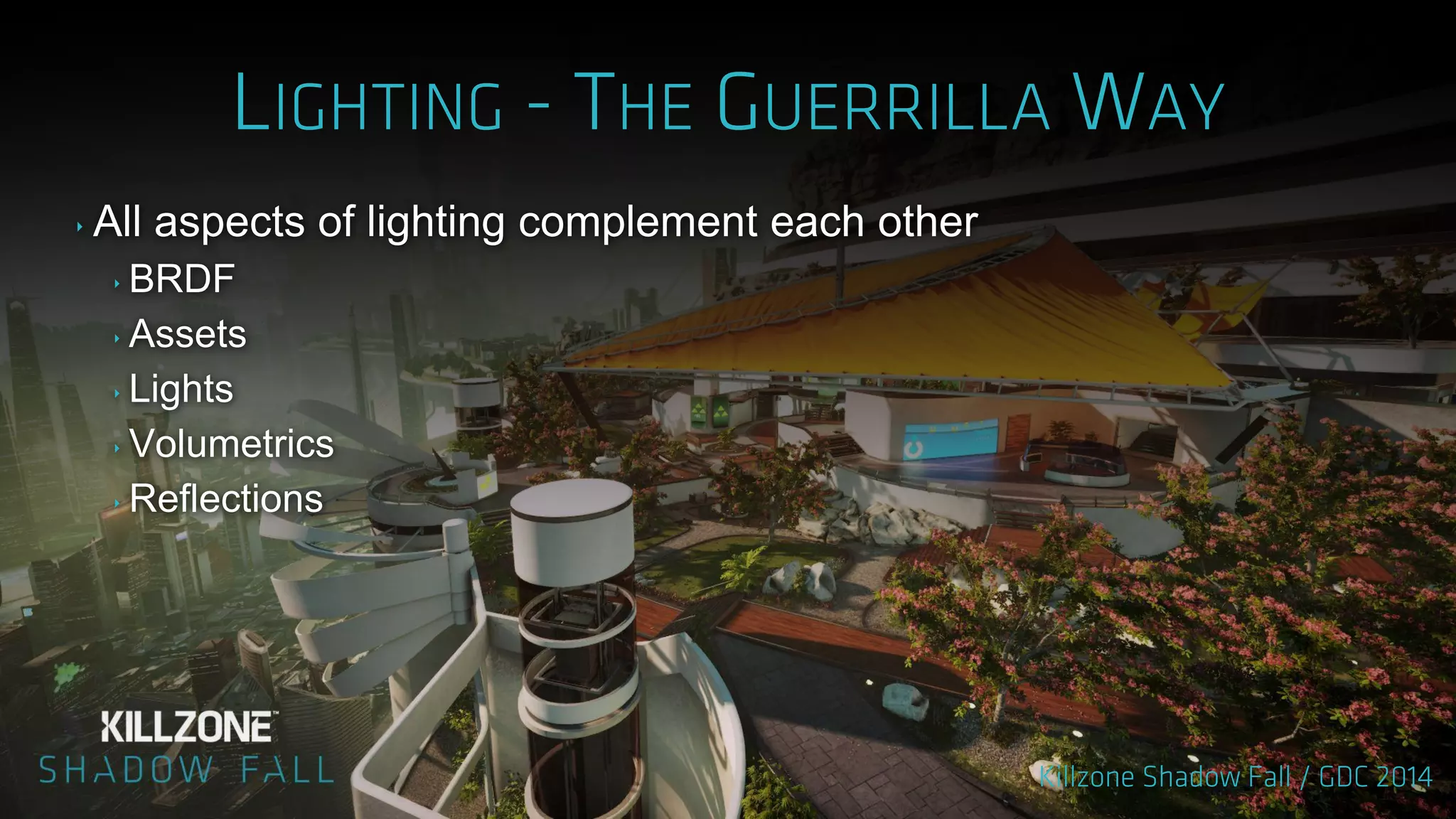
‣ All aspects of lighting complement each other
‣ BRDF
‣ Assets
‣ Lights
‣ Volumetrics
‣ Reflections
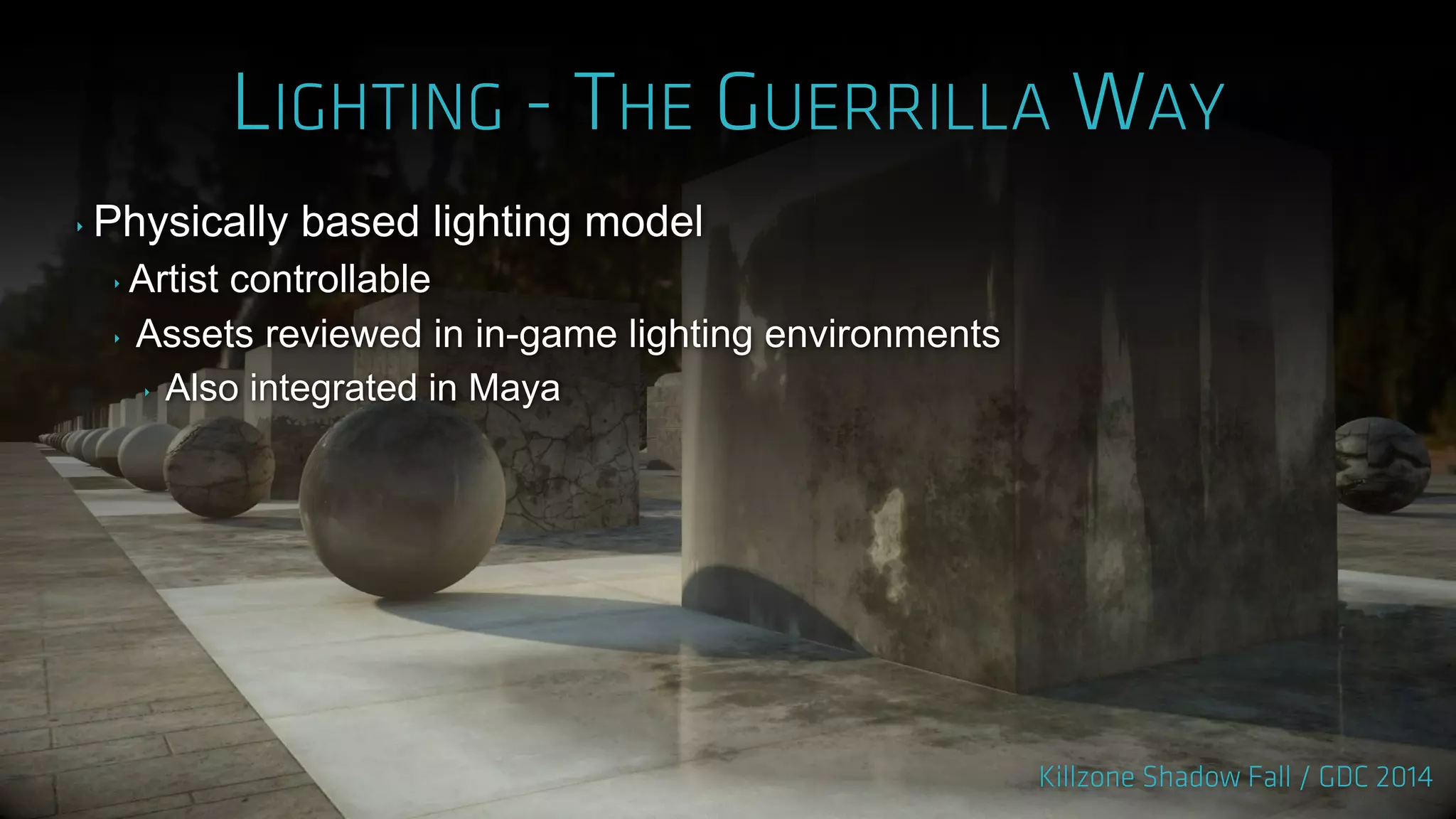
‣ Physically based lighting model
‣ Artist controllable
‣ Assets reviewed in in-game lighting environments
‣ Also integrated in Maya
‣ All lights are area lights
‣ Including textured lights
‣ Consistent specular response
‣ Sunlight
‣ Volumetric
‣ More details in GPU Pro 5
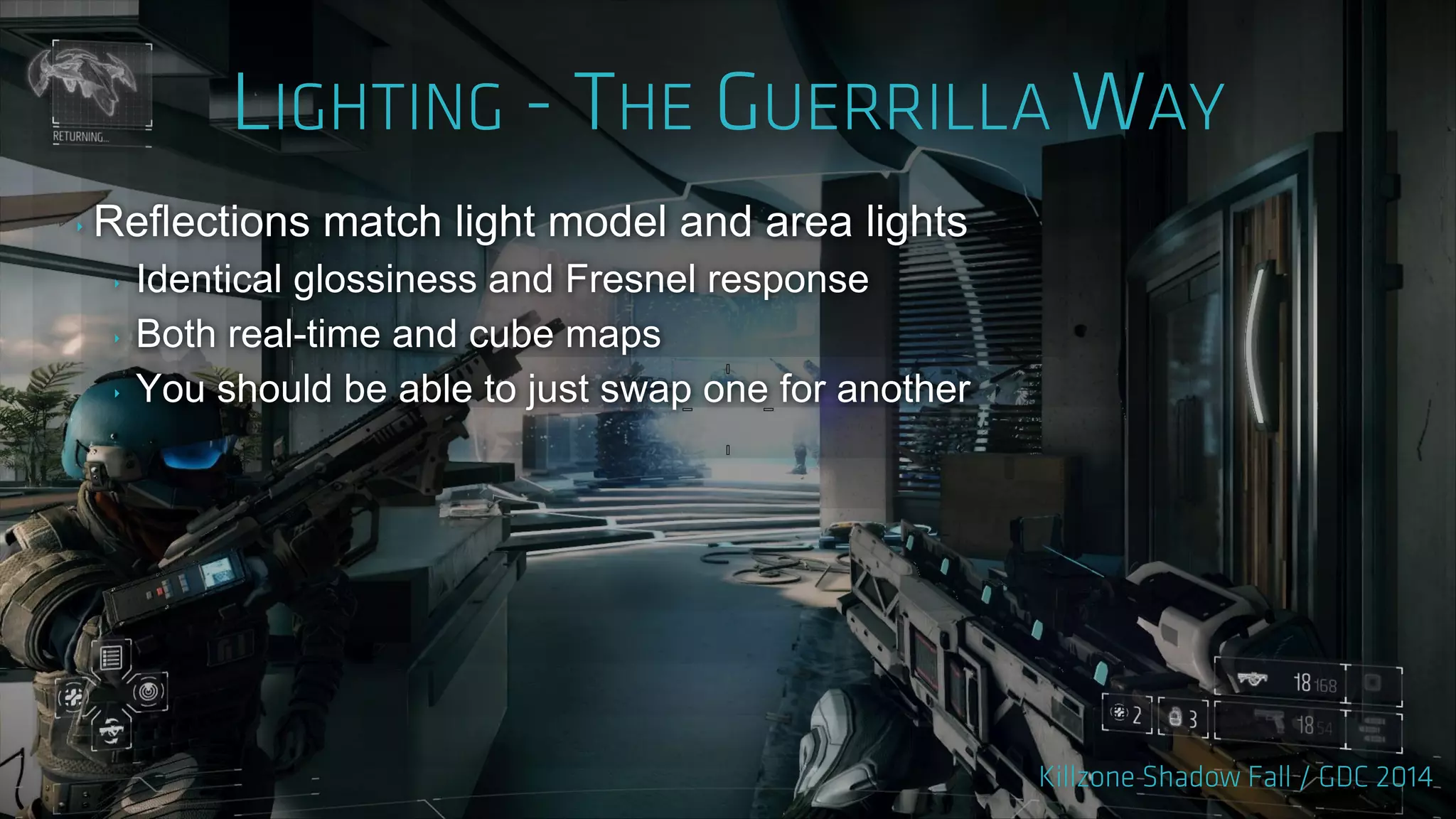
‣ Reflections match light model and area lights
‣ Identical glossiness and Fresnel response
‣ Both real-time and cube maps
‣ You should be able to just swap one for another
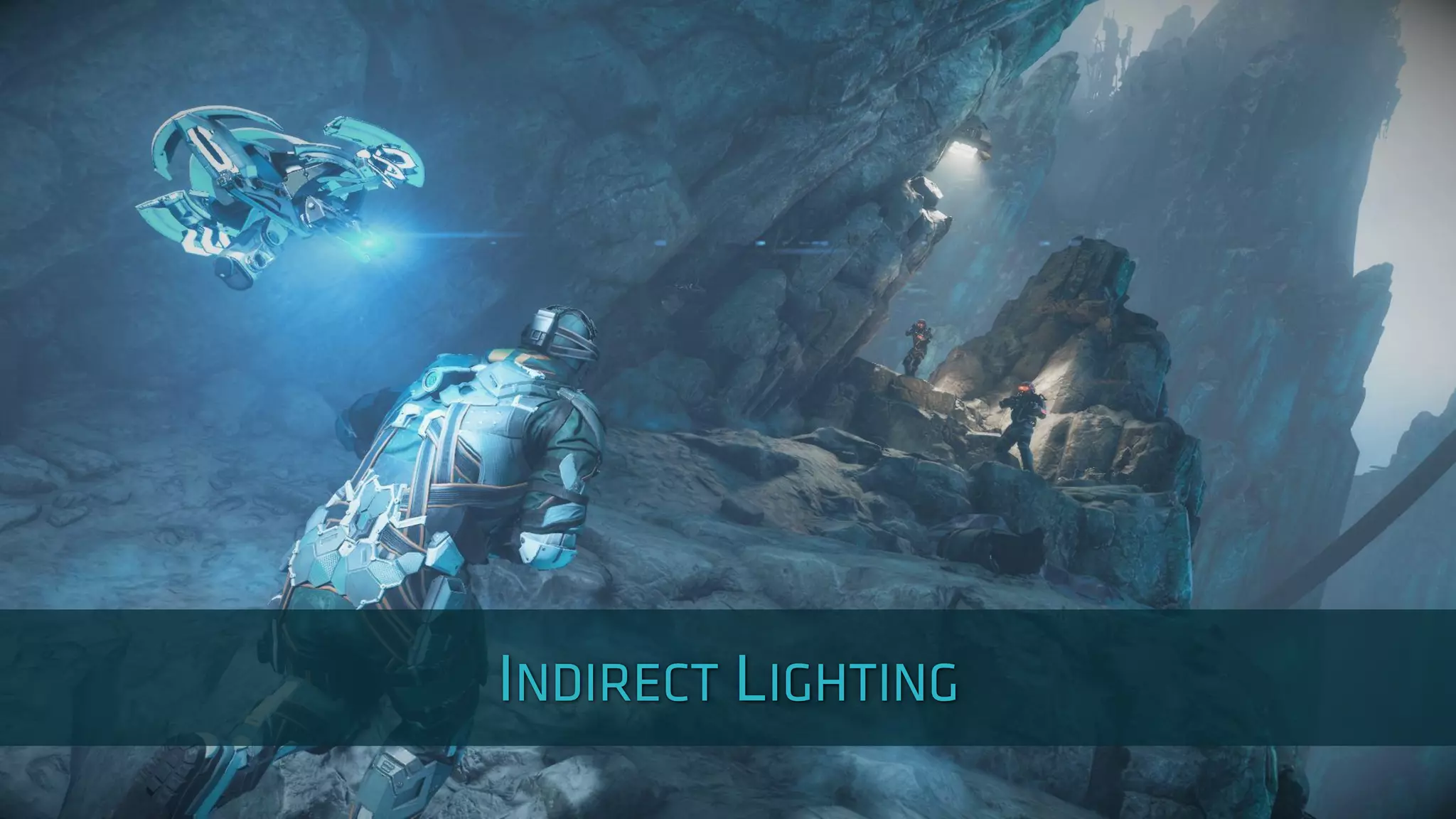
‣ Per-object light probes
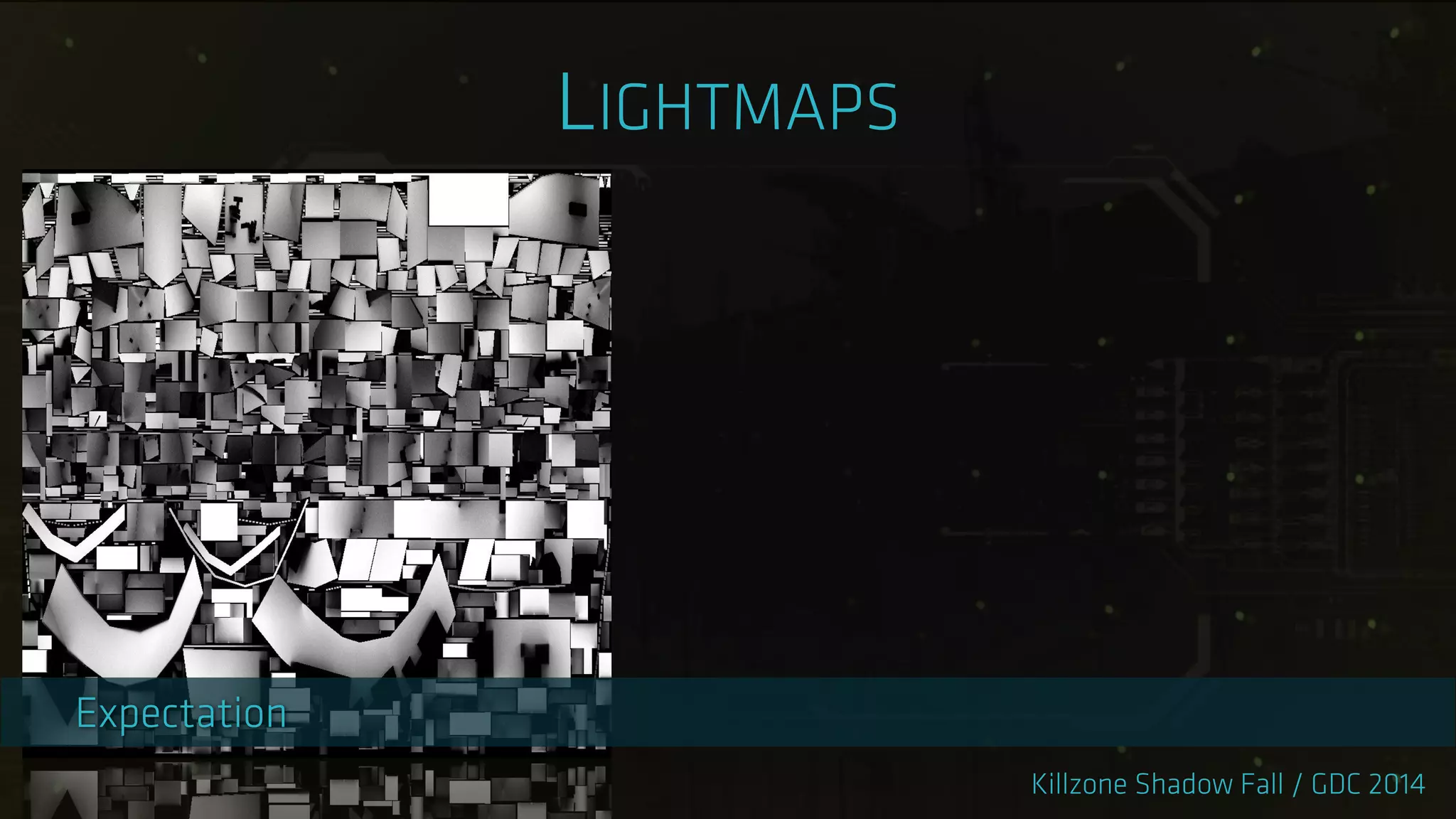
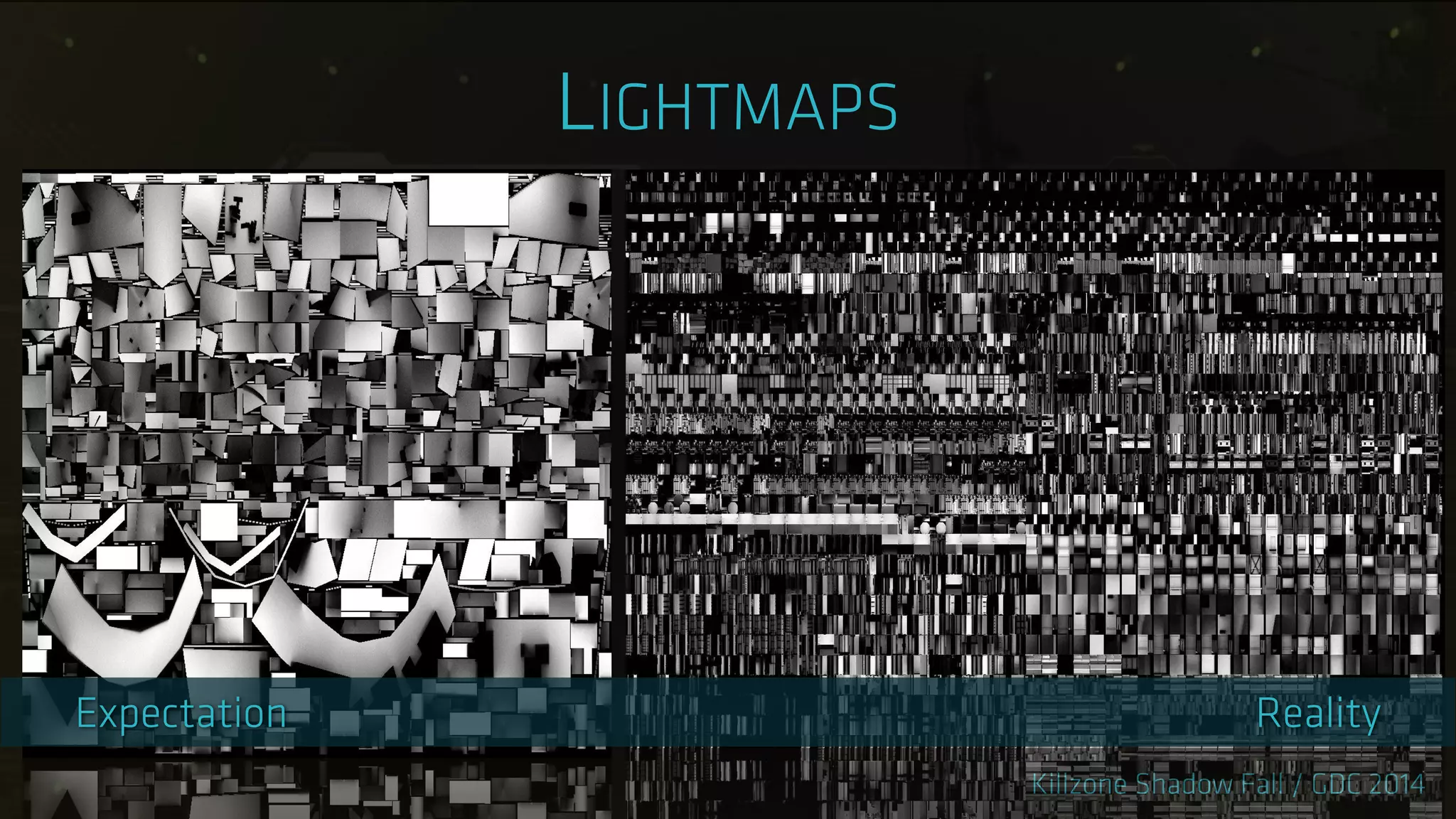
‣ Lightmaps
‣ Need nice unwrapped Us
‣ Static objects only
‣ Level changes break lighting
‣ Wasteful
‣ We measured render times in days
‣ Decided to use light probes
‣ Static and dynamic geometry supported
‣ Works after level changes
‣ Scalable
‣ Applied per pixel
‣ Deferred pass
‣ Works on large objects
‣ Uniform look for static and dynamic objects
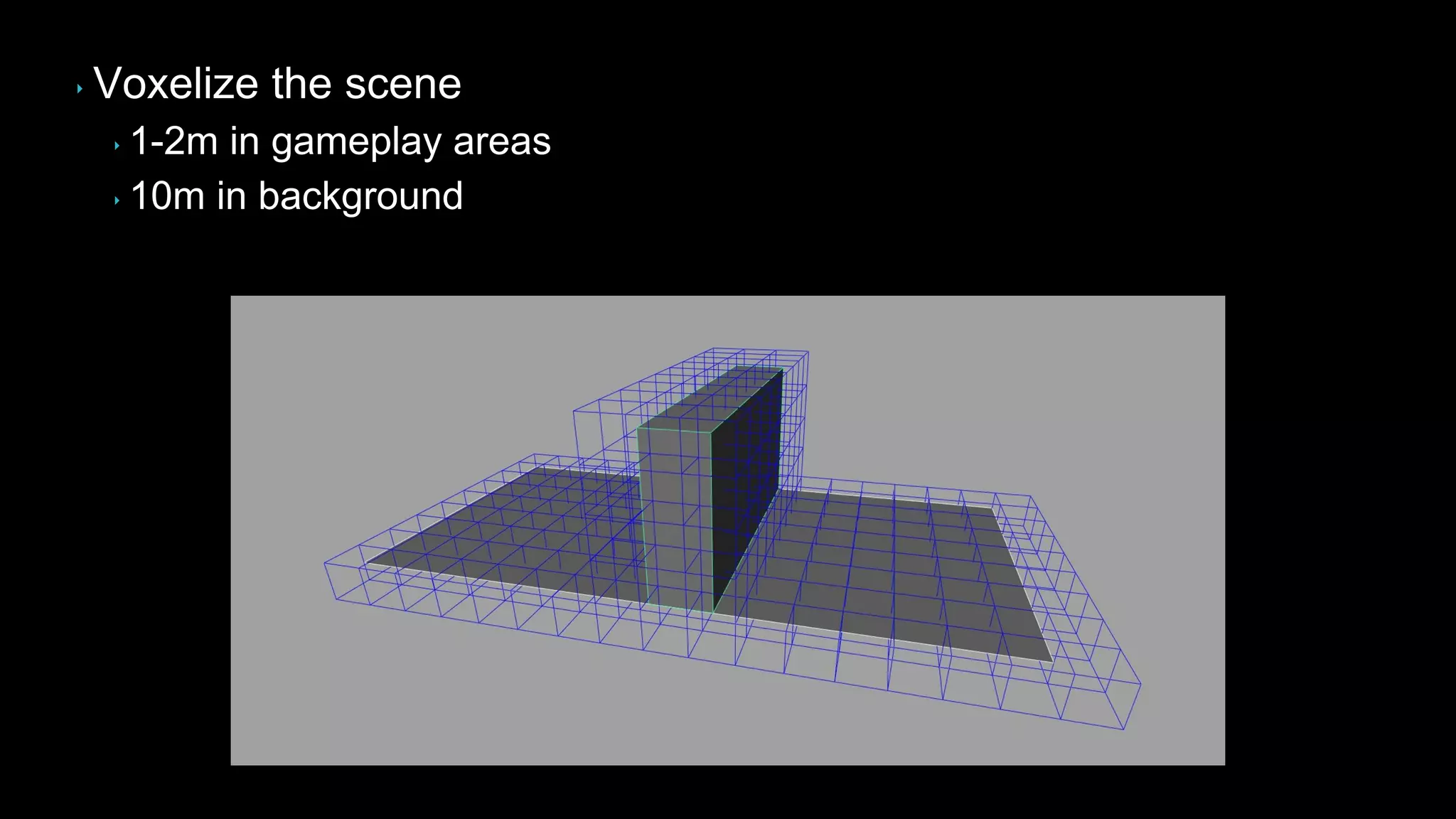
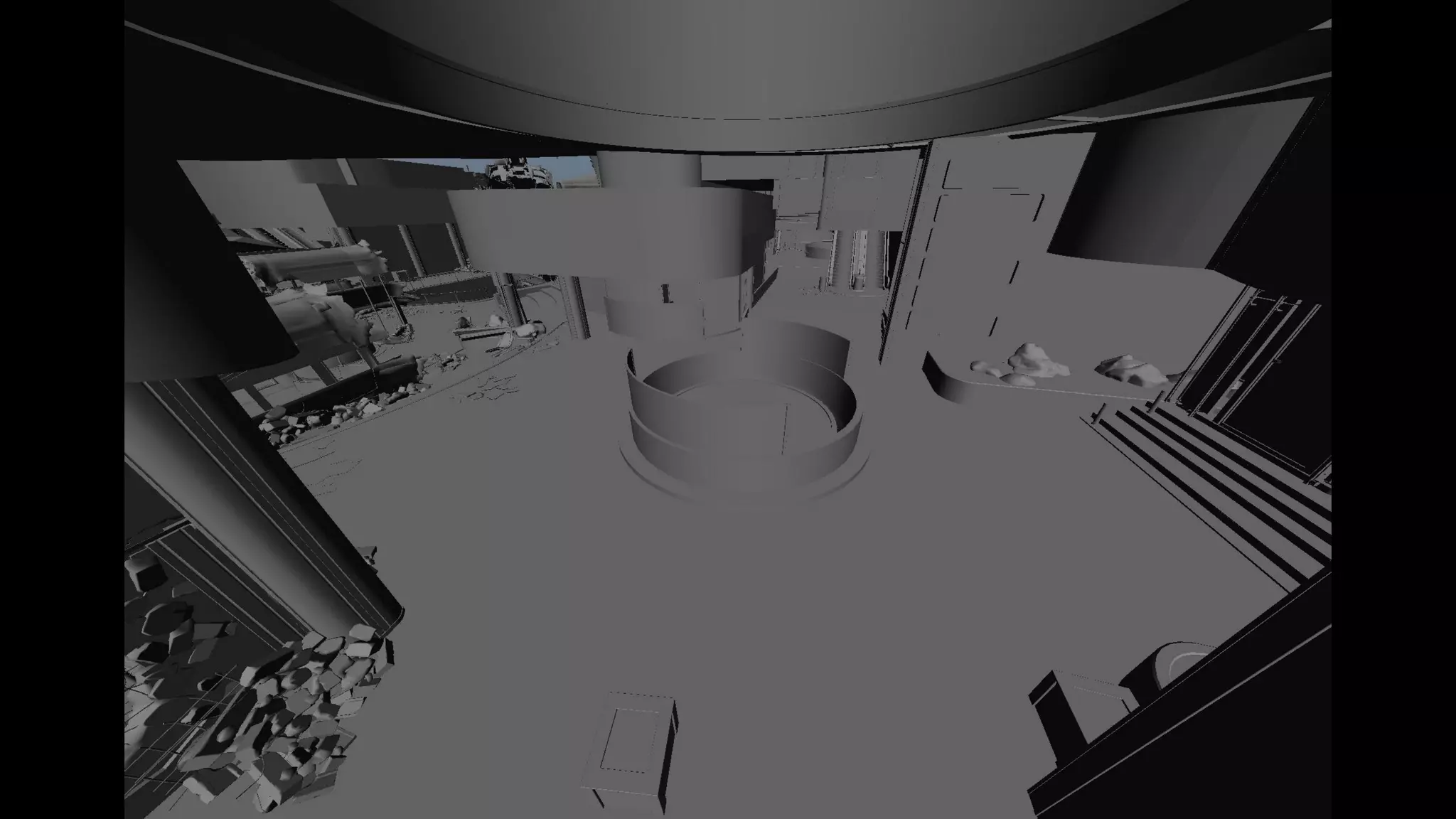
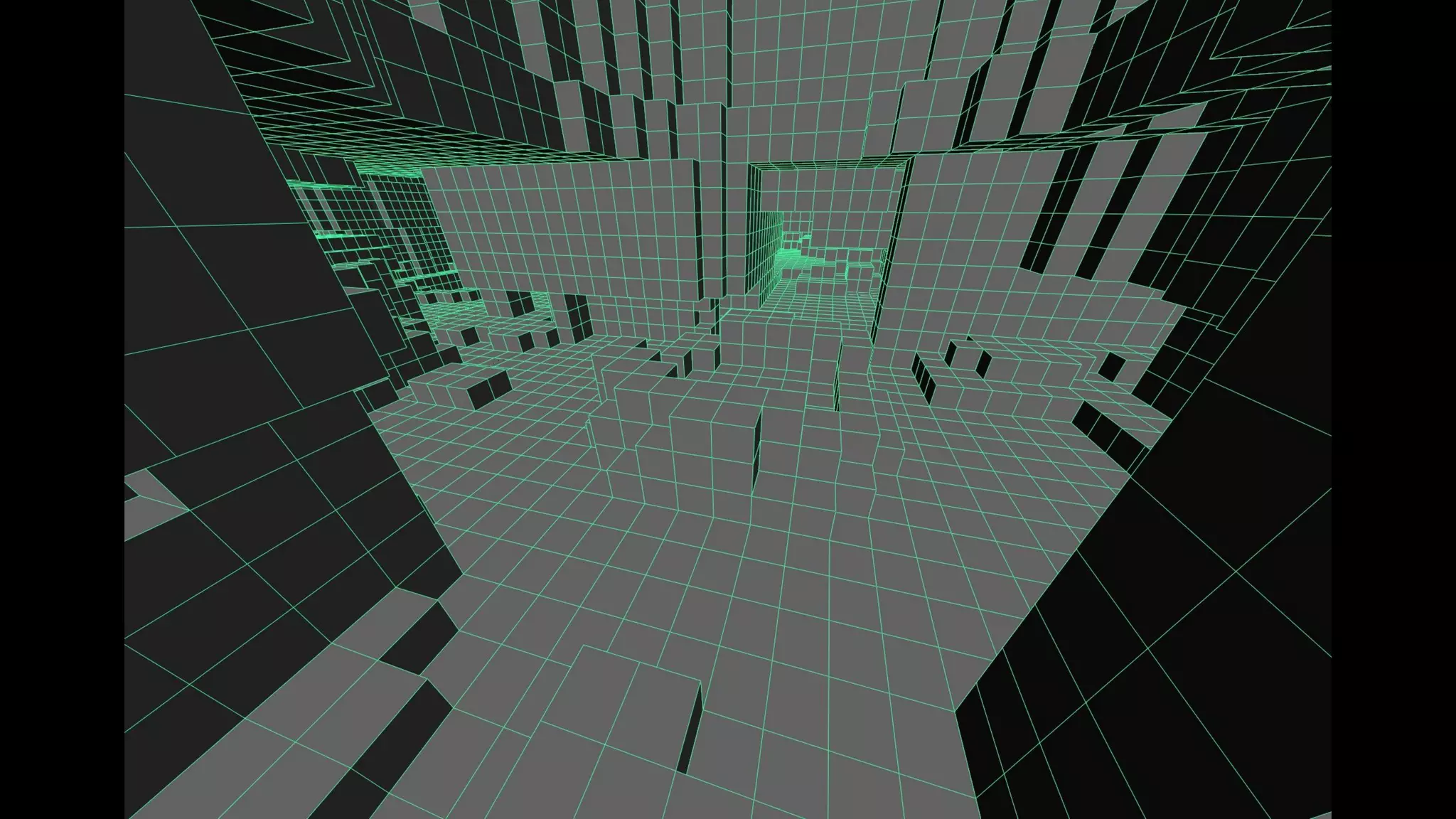
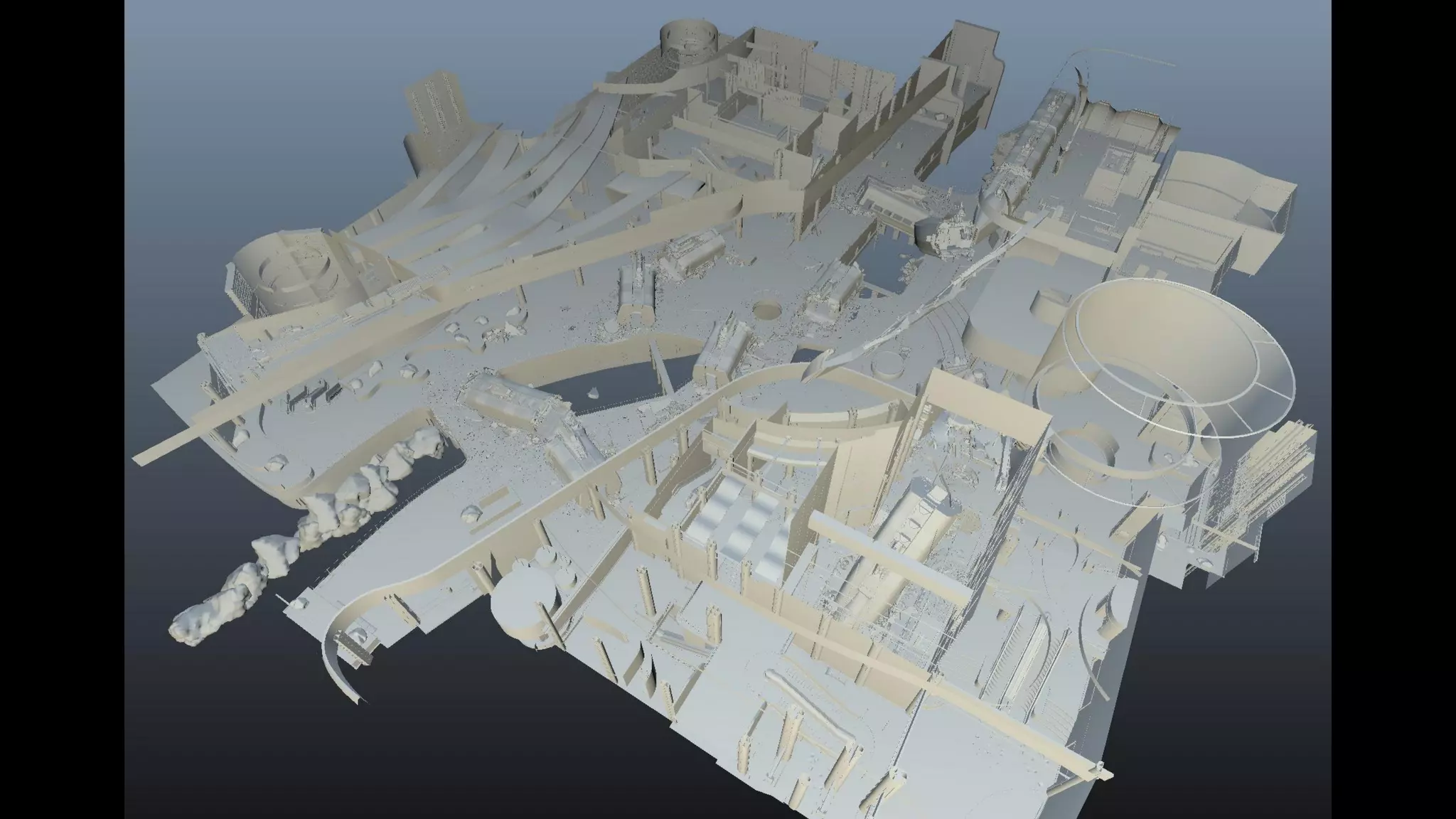
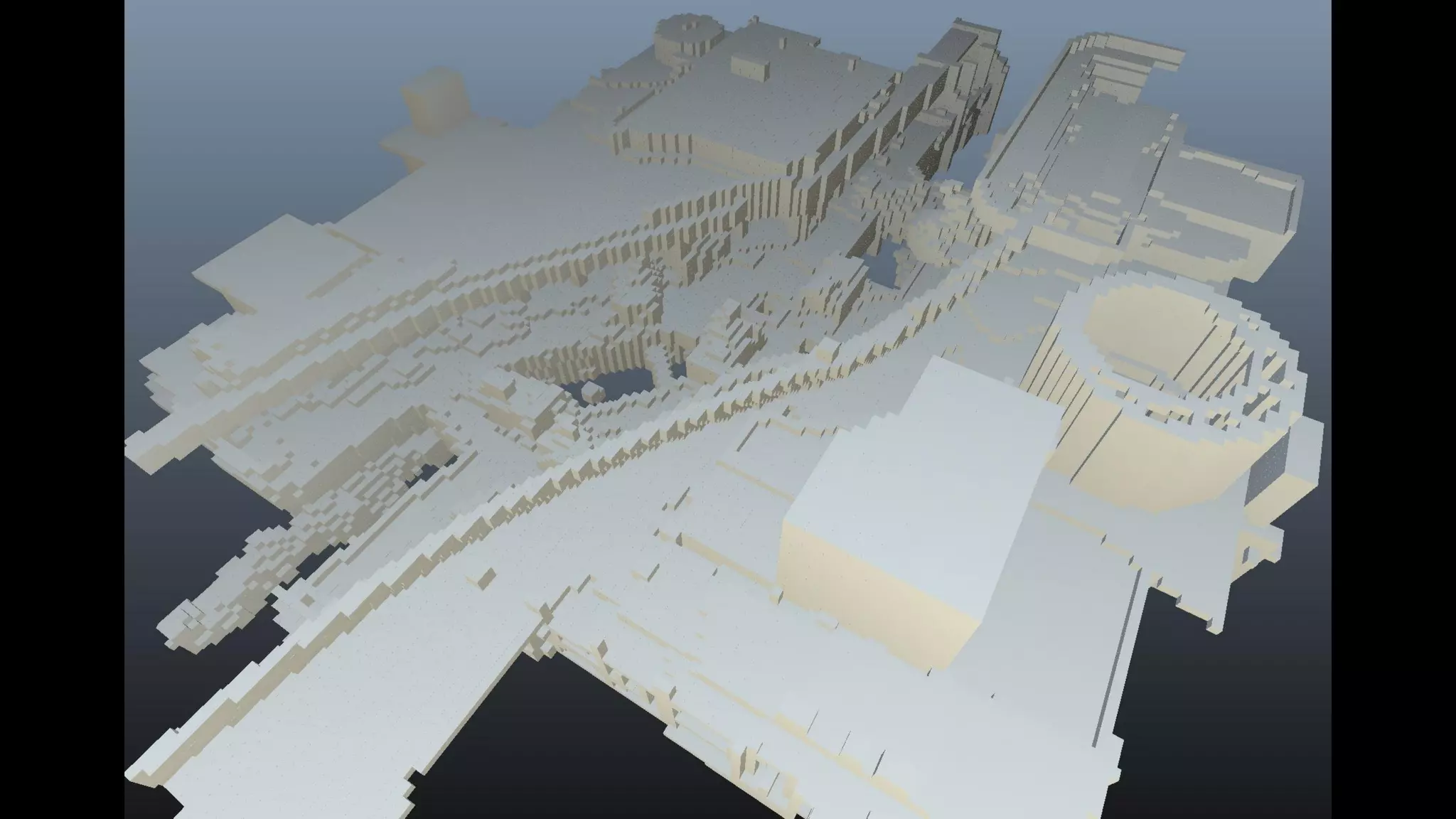
‣ Voxelize the scene
‣ 1-2m in gameplay areas
‣ 10m in background
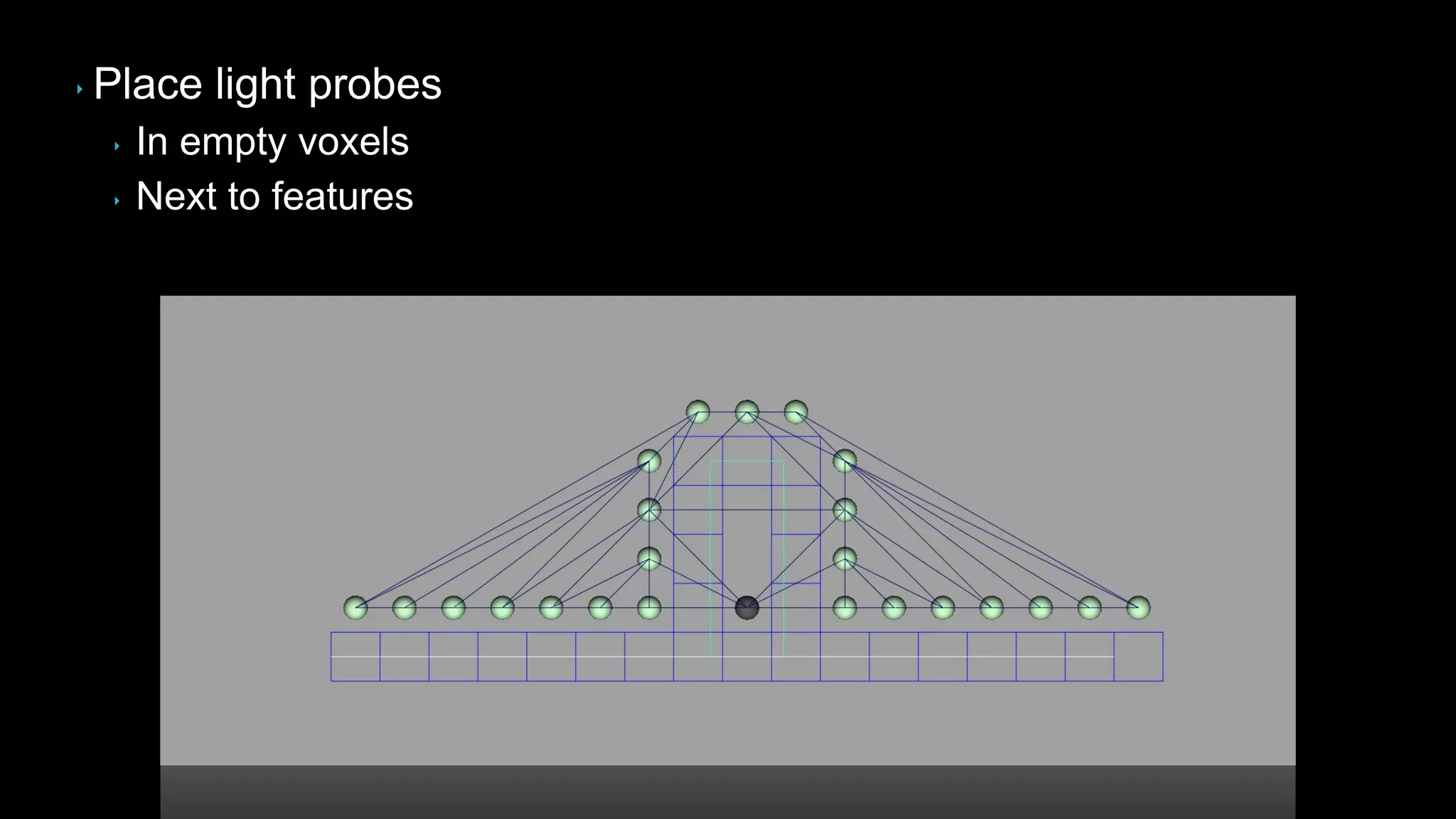
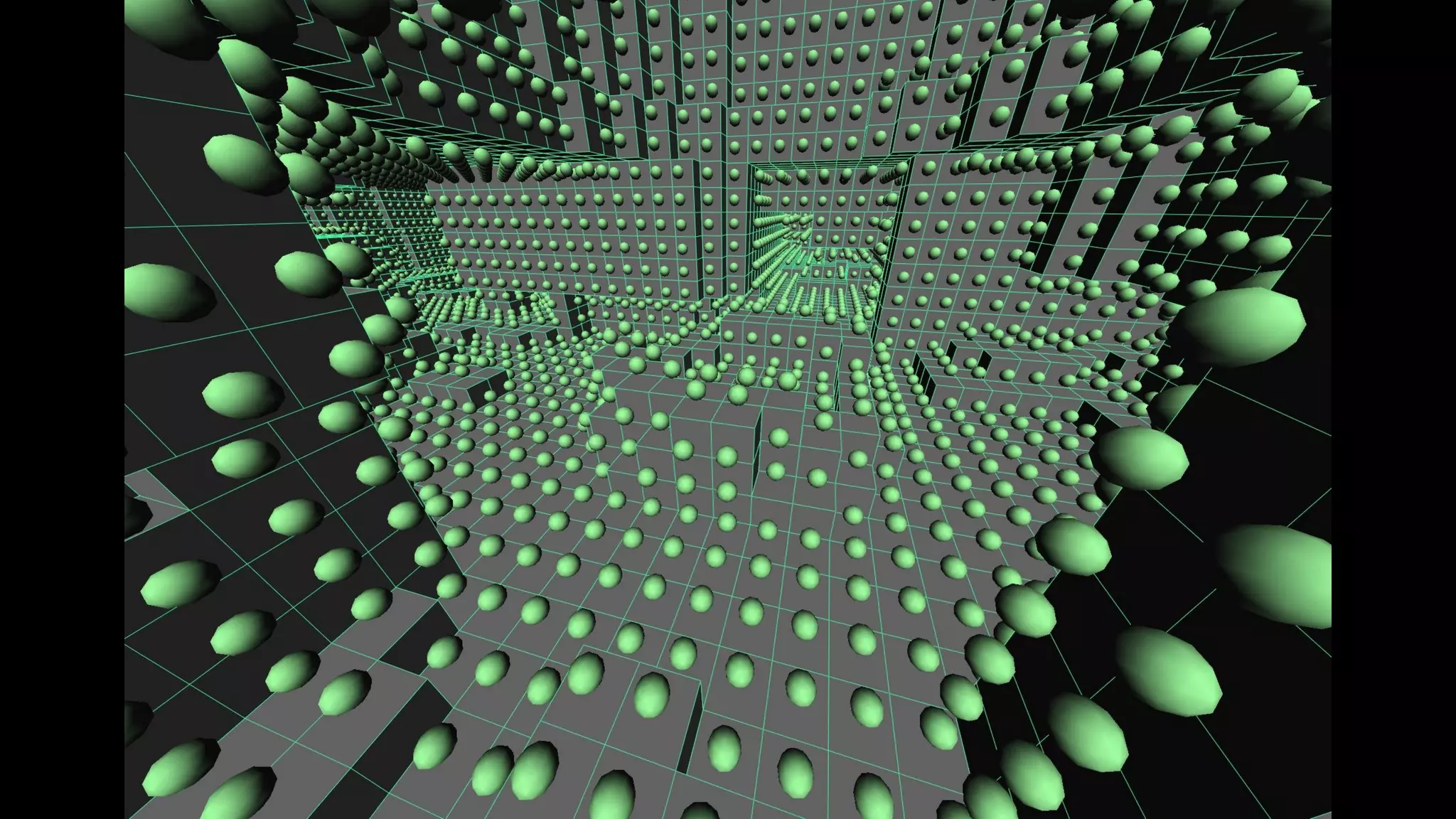
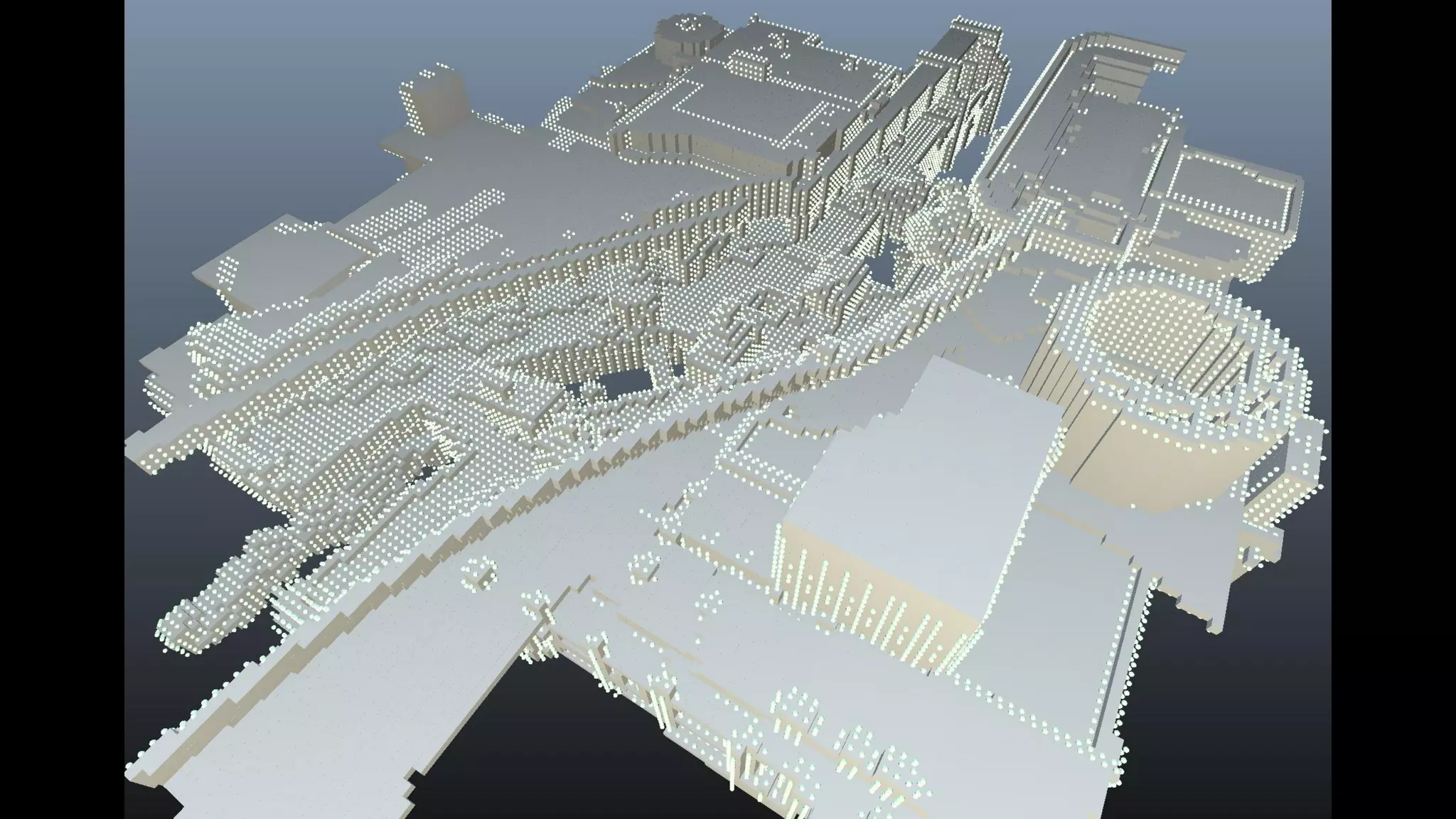
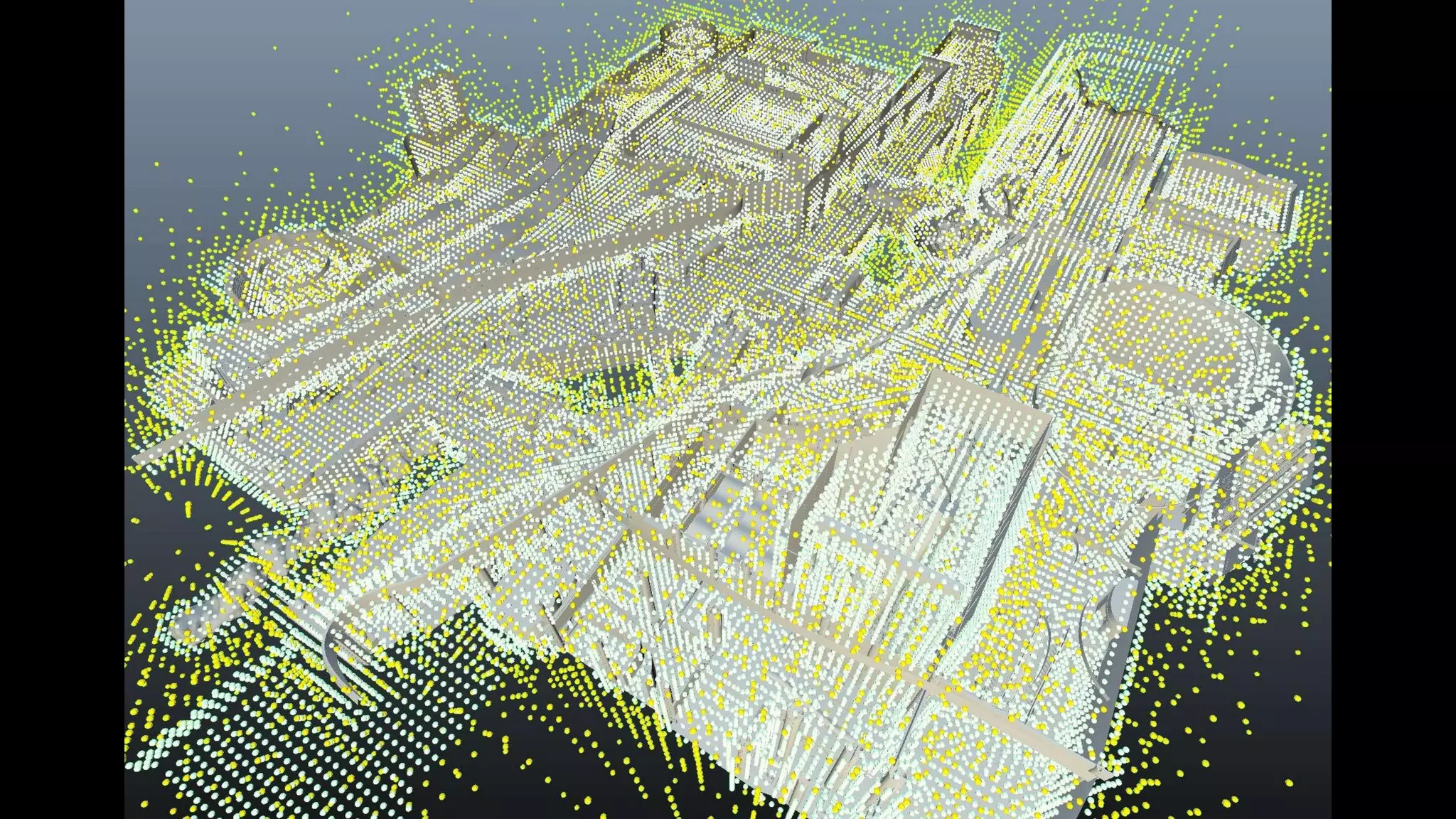
‣ Place light probes
‣ In empty voxels
‣ Next to features
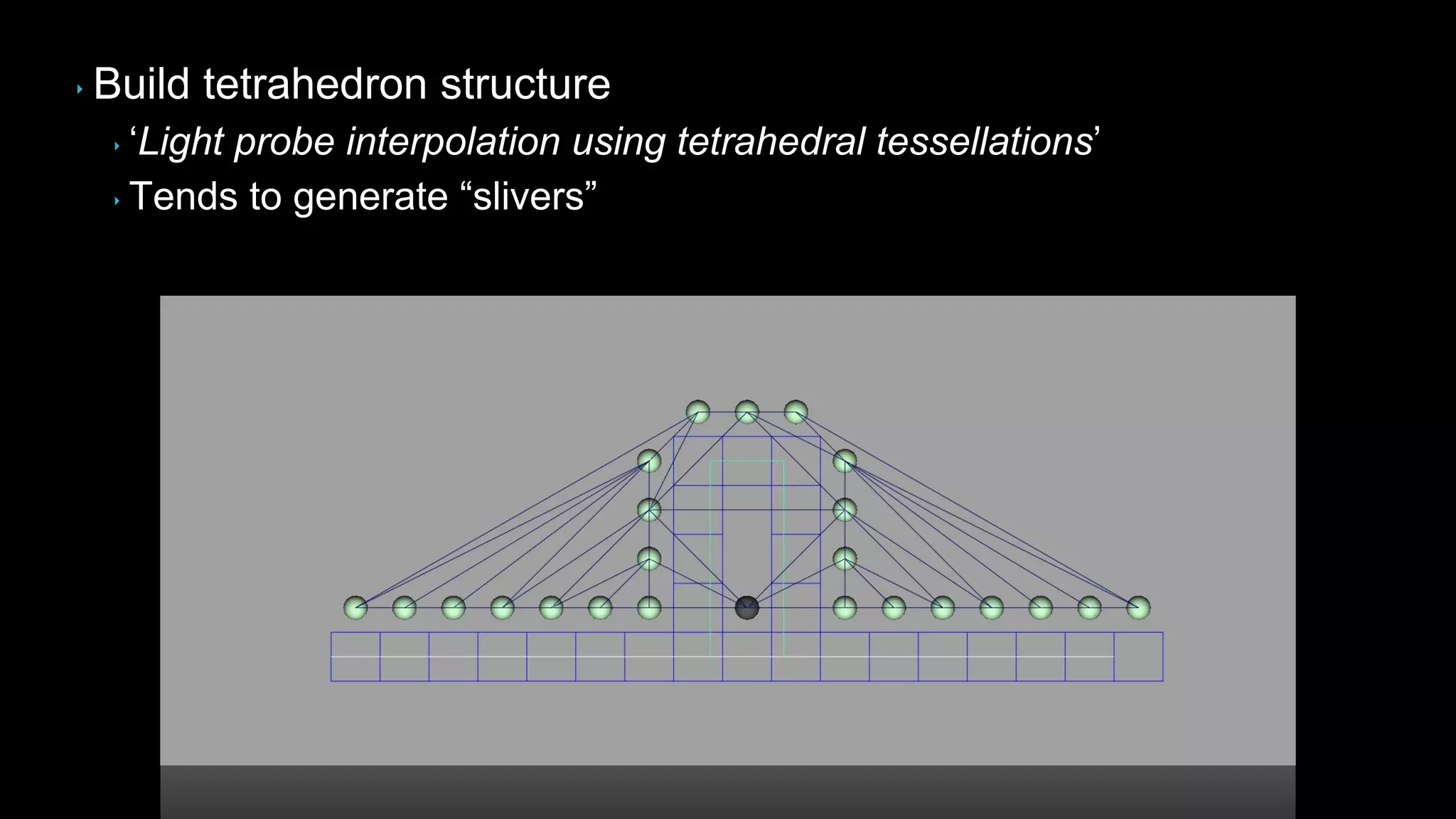
‣ Build tetrahedron structure
‣ „Light probe interpolation using tetrahedral tessellations‟
‣ Tends to generate “slivers”
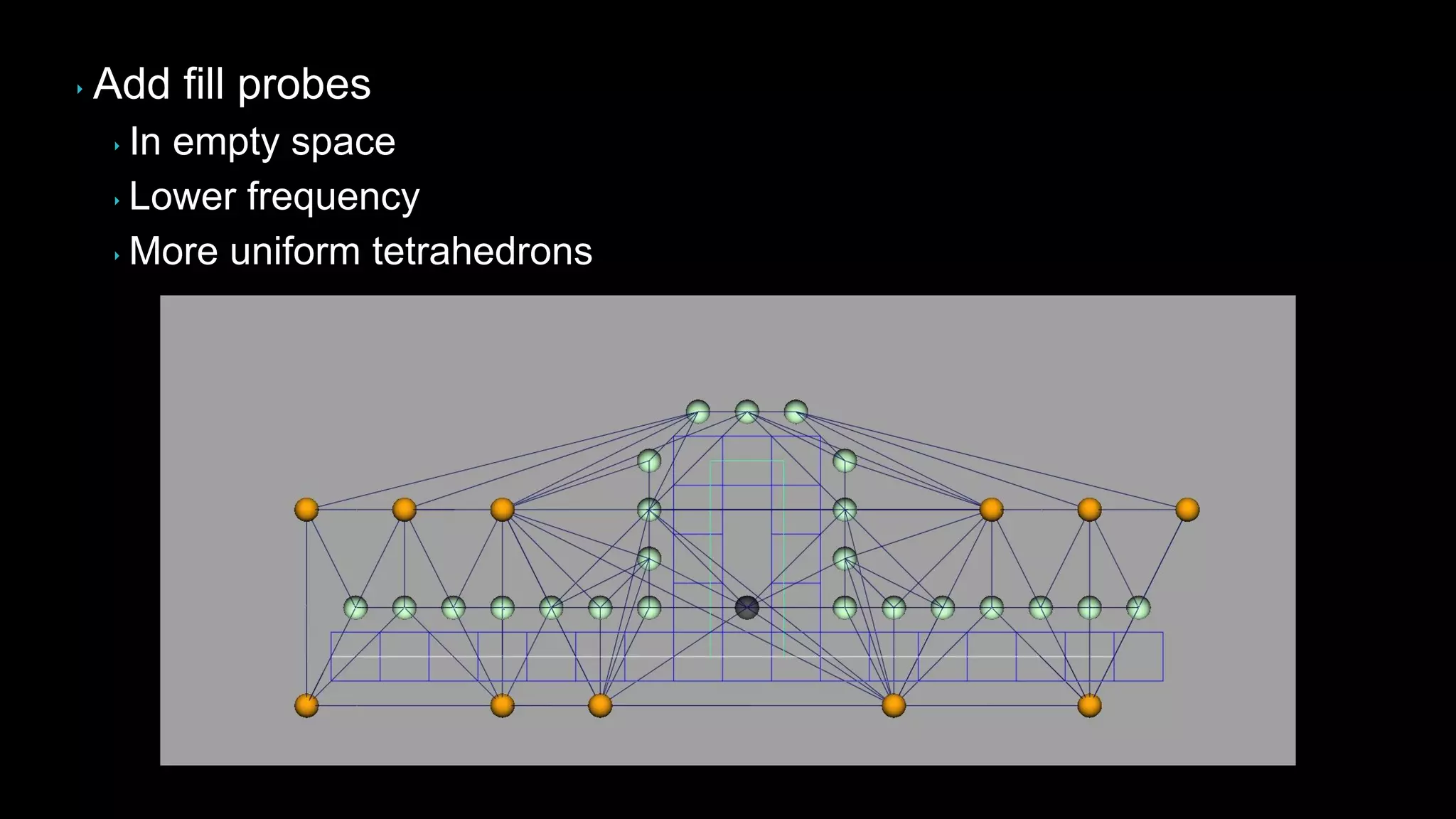
‣ Add fill probes
‣ In empty space
‣ Lower frequency
‣ More uniform tetrahedrons
‣ Few hundred thousand probes per section
‣ Per pixel search during lighting
‣ Tetrahedrons partitioned into a sparse grid
‣ 16m3 per cell
‣ BSP tree per grid cell
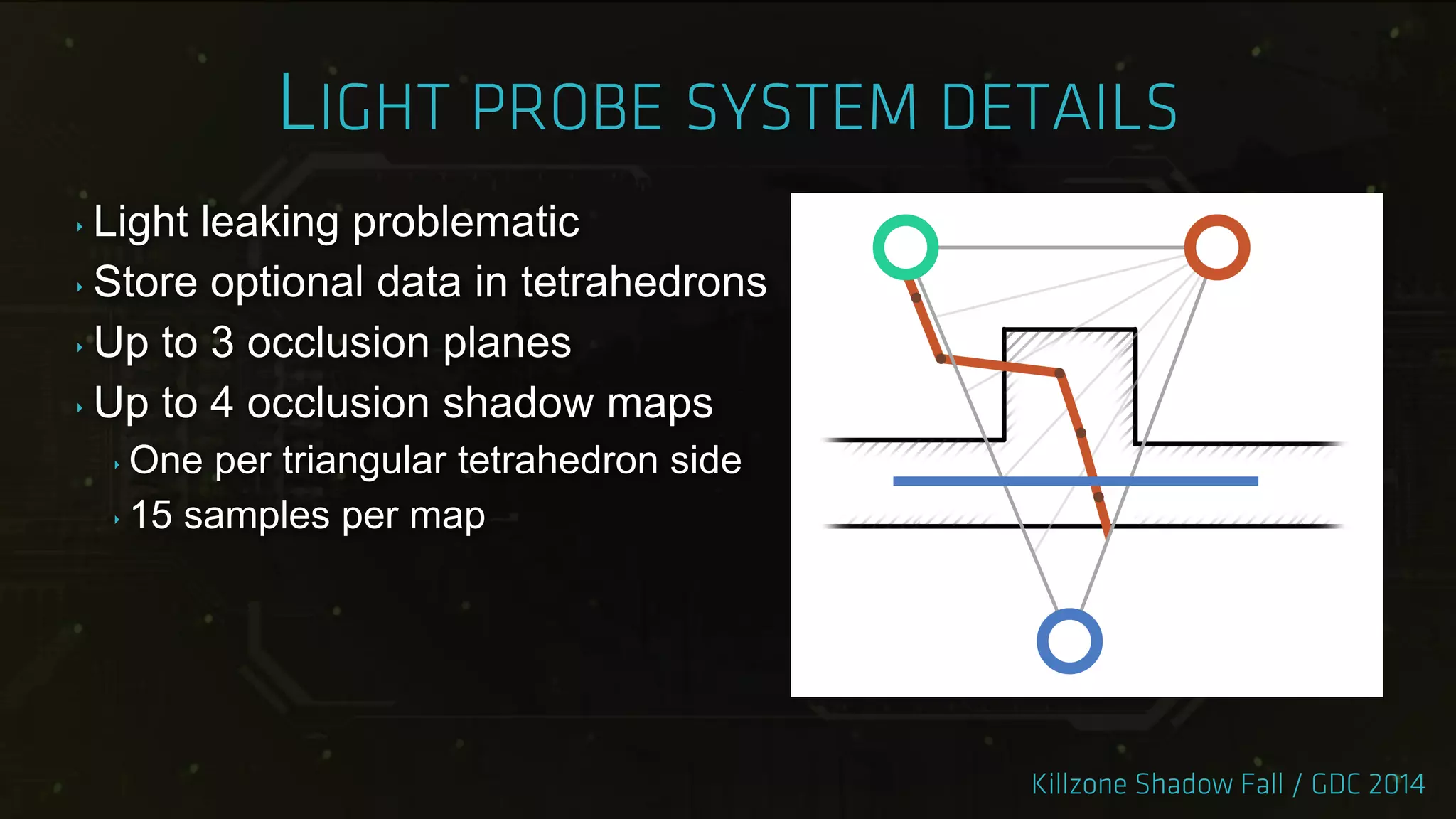
‣ Light leaking problematic
‣ Store optional data in tetrahedrons
‣ Up to 3 occlusion planes
‣ Up to 4 occlusion shadow maps
‣ One per triangular tetrahedron side
‣ 15 samples per map
‣ Tech became available very late
‣ Too risky to switch
‣ Used for all dynamic objects
‣ Used outside gameplay areas
‣ Saved 500mb per section
‣ Only few levels lit exclusively by probes
‣ Most levels still use light maps
‣ In use for our next game
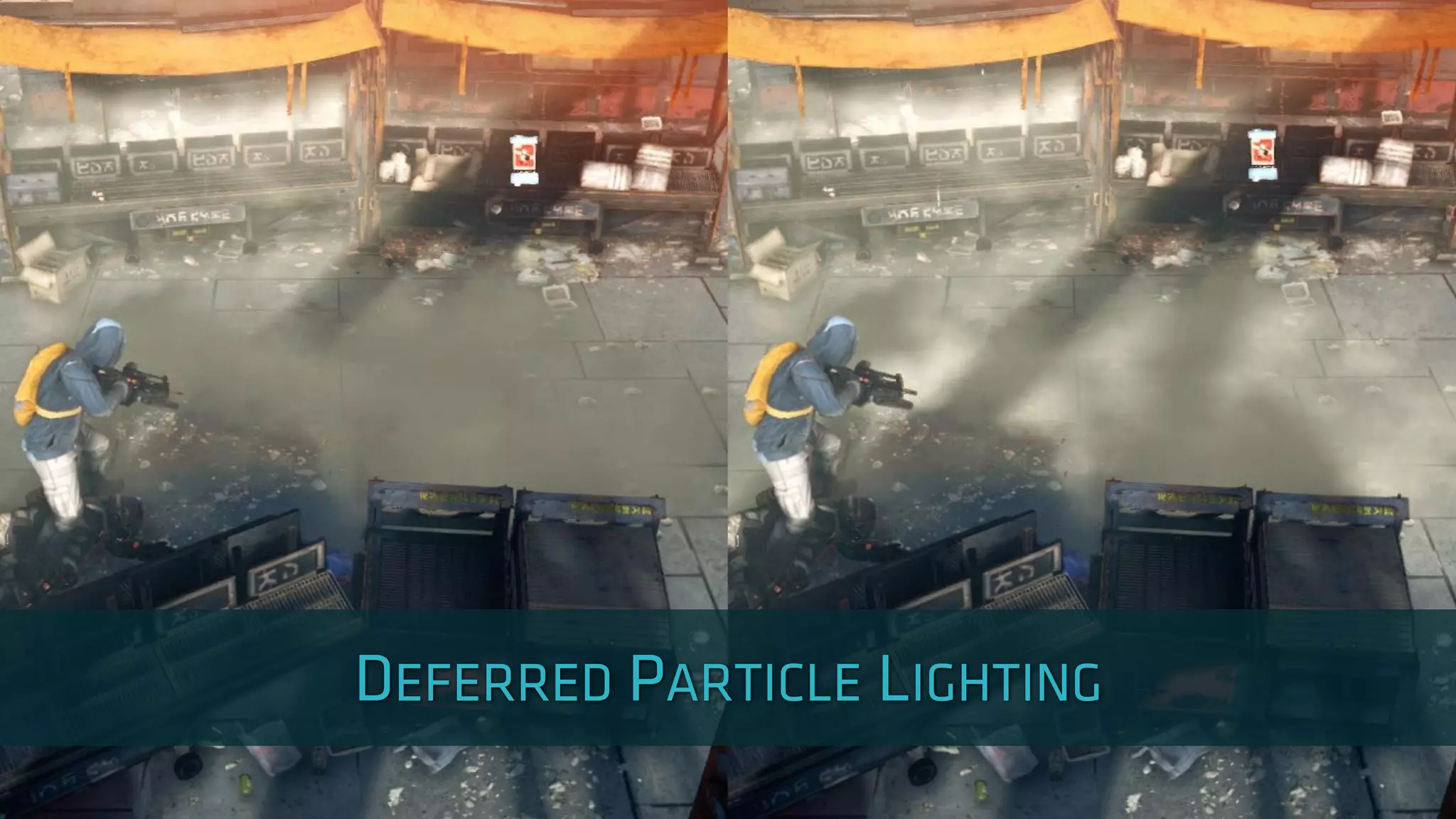
‣ Particle lighting so far
‣ Mostly unlit
‣ Forward rendering
‣ Performance and feature limitations
‣ Particles need to fit our environments
‣ Lighting matching the rest of geometry
‣ Support for all our light types
‣ Shadows
‣ Performance is important
‣ G-Buffer for particle data
‣ Small footprint
‣ Position, Normal, Depth, Accumulated lighting
‣ Flat data array
‣ Store several reference points per particle
‣ 8x8, 4x4, 2x2 or 1x1
‣ Artist chosen based on size
‣ Normals bent outwards
‣ Initialize with IBL lighting
‣ Integrated into regular lighting pass
‣ Runs after each on-screen light
‣ Allows to reuse shadow maps
‣ Final lighting available in particle shaders
‣ Drive transparency based on lighting
‣ Used for fog or dust
‣ Pros
‣ Generic framework - works for any point in space
‣ Builds on strengths of deferred rendering
‣ Support all current and future lighting features
‣ Cons
‣ G-Buffer size limits particle count
‣ Interpolation can be visible
‣ Shadow map rendering turned out to be slow
‣ Up to 60% of lighting budget
‣ 5000+ drawcalls, ~3 million triangles
‣ Tens of shadow casting lights
‣ Four sunlight shadow cascades
‣ Discovered late in production
‣ Cannot optimize art
‣ Cannot reduce lighting quality
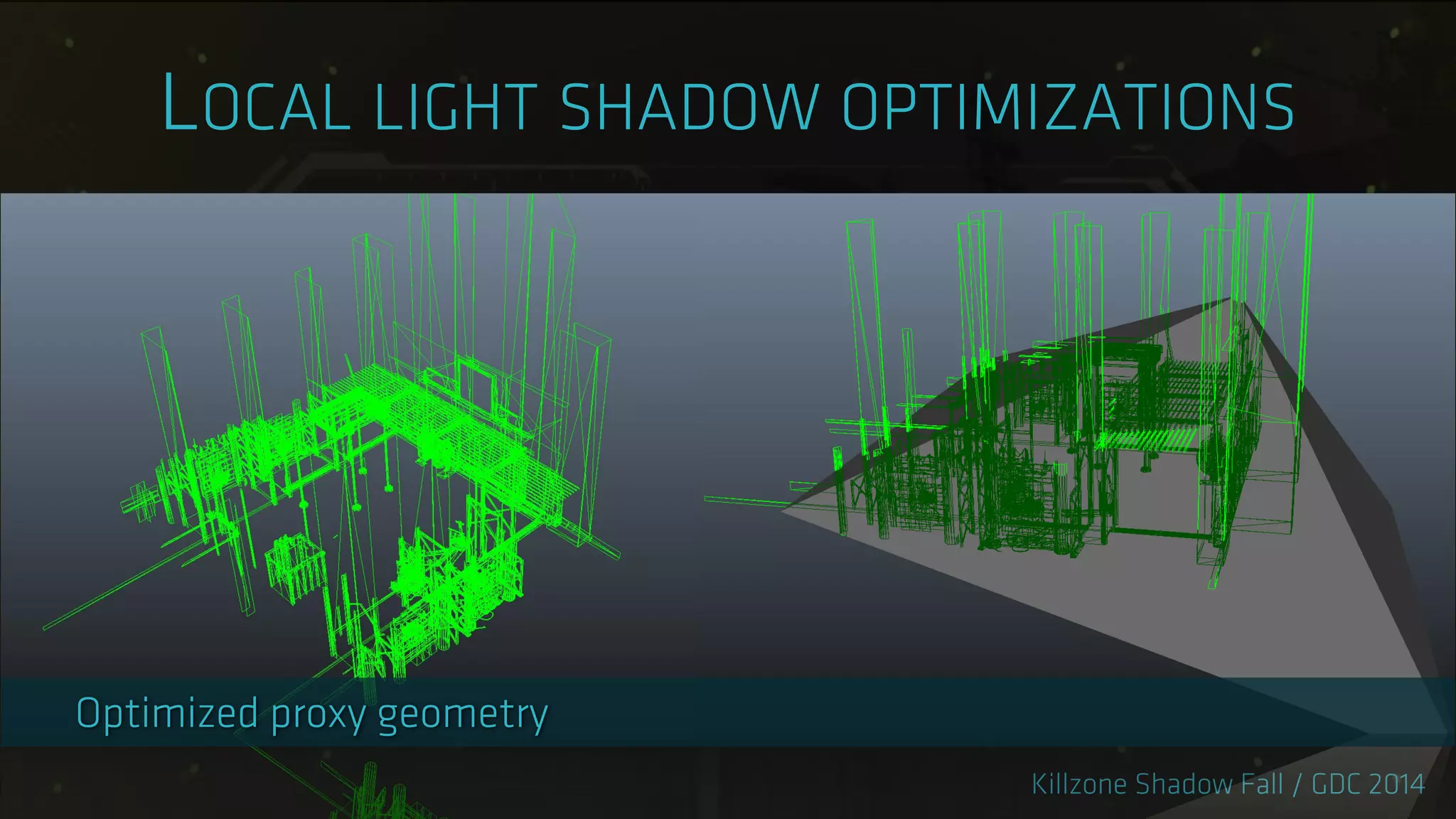
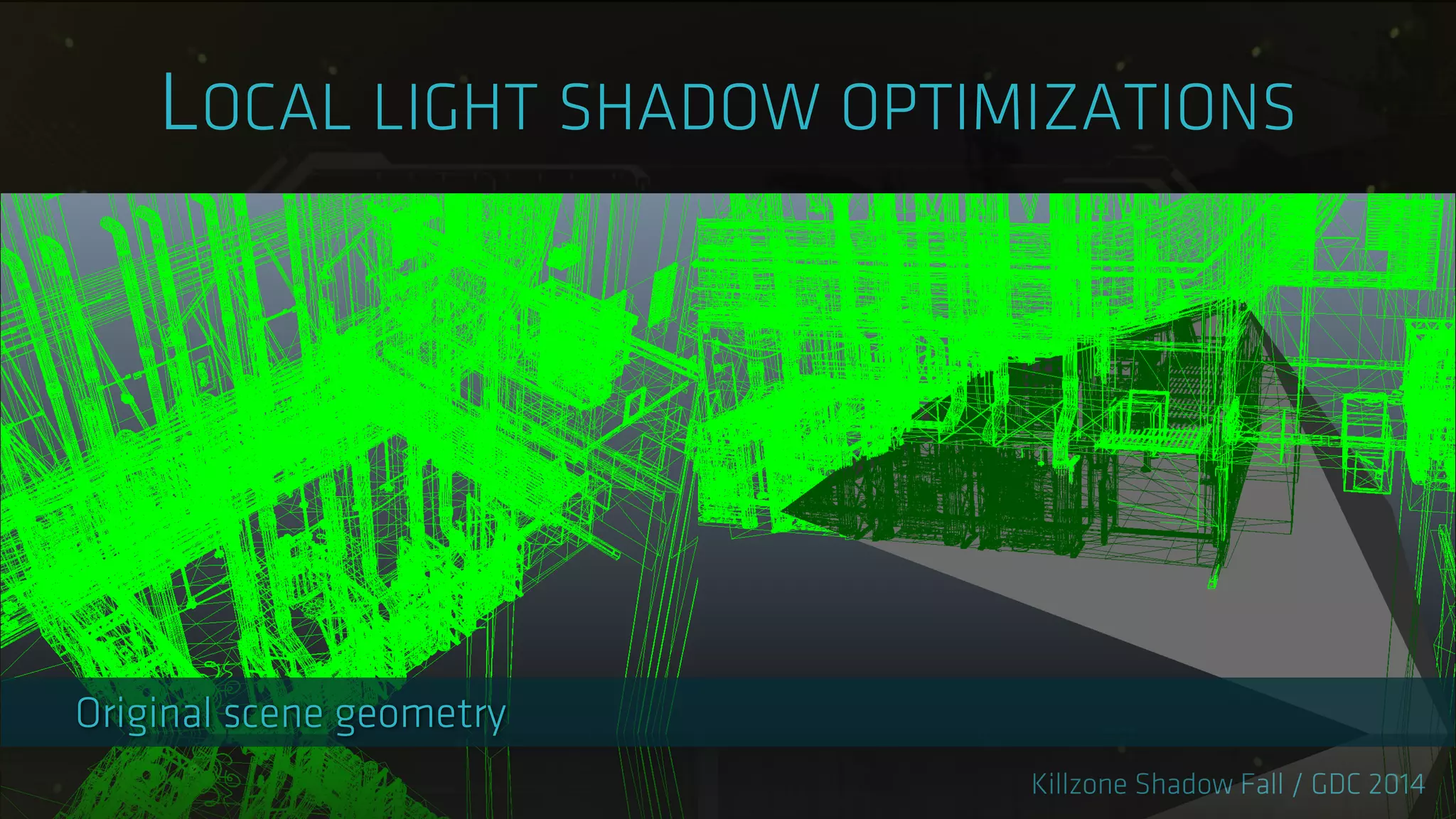
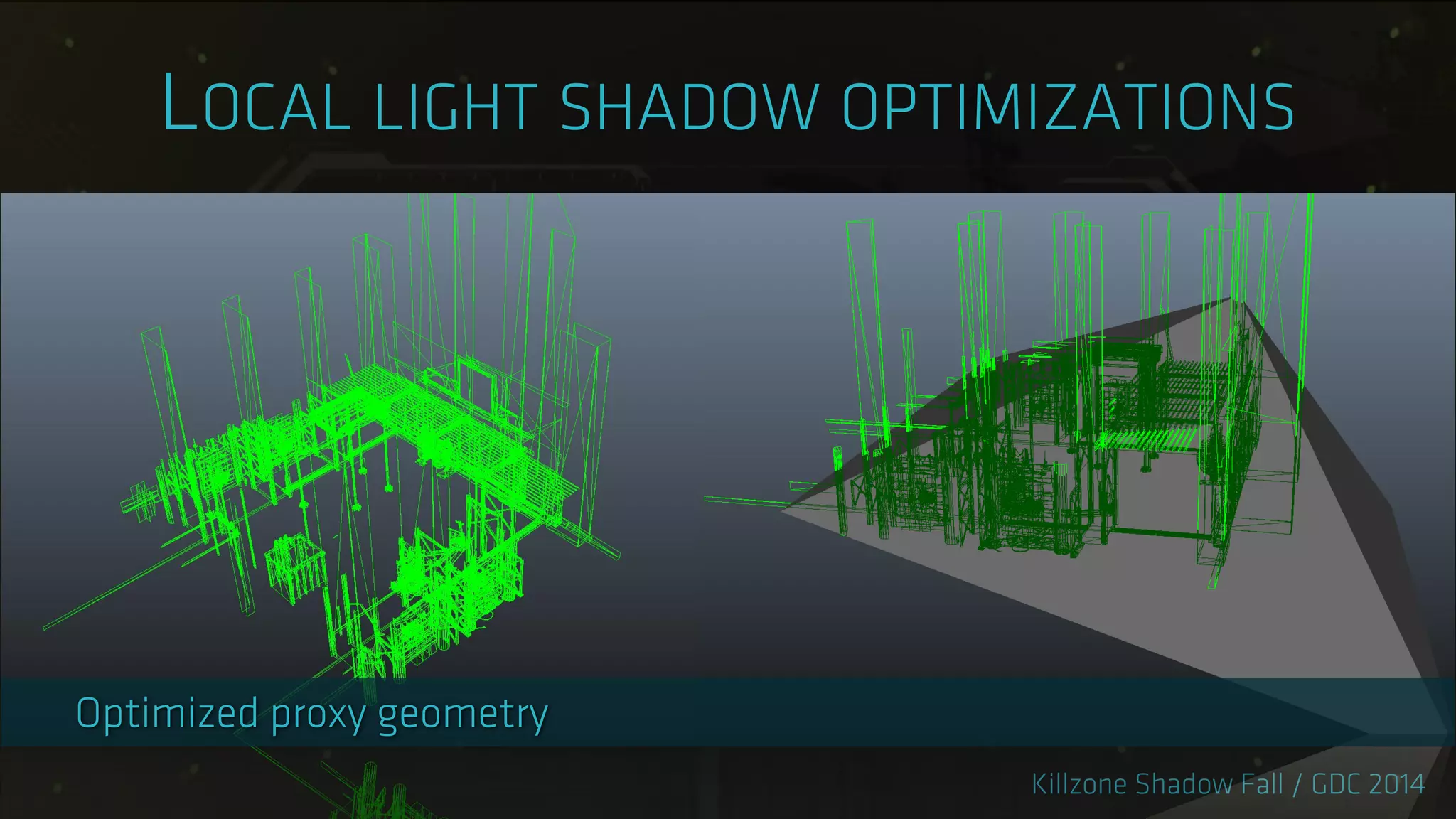
‣ Offline generated shadow proxies
‣ Static lights and geometry
‣ Only polygons affecting shadow map
‣ 60-80% triangle reduction
‣ Single drawcall per light
‣ Dynamic objects rendered separately
‣ 500k triangles
‣ Proxy mesh alone does not work for sunlight
‣ Too many triangles
‣ Too large
‣ Hybrid approach
‣ Baked shadow map
‣ Proxy delta mesh
‣ Pros:
‣ Significant CPU and GPU cost reduction
‣ Cheap long distance sun shadows
‣ 3rd and 4th cascades only use shadow map
‣ Cons:
‣ Memory cost
‣ Breaks on level geometry change
‣ Offline process costs time
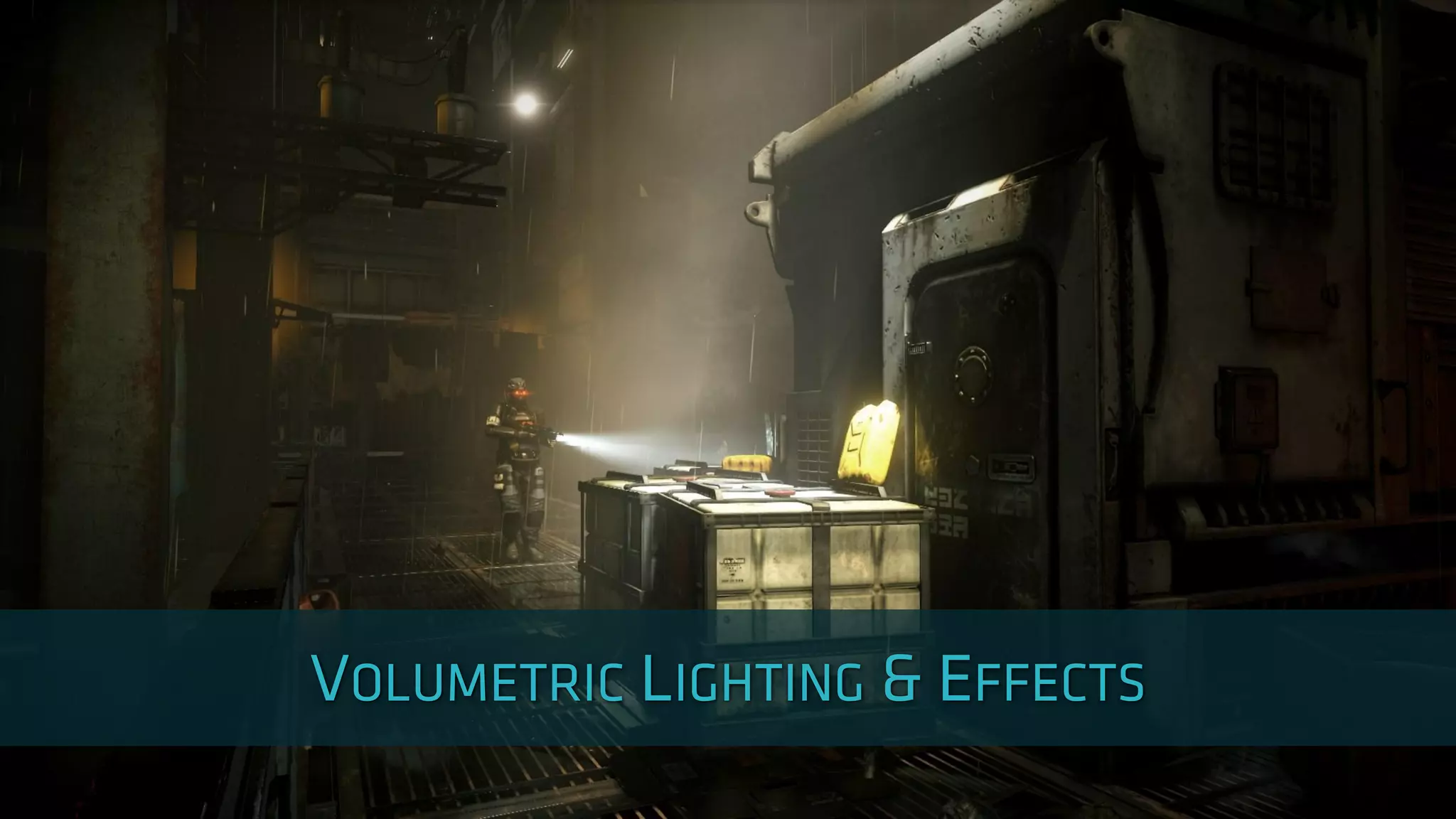
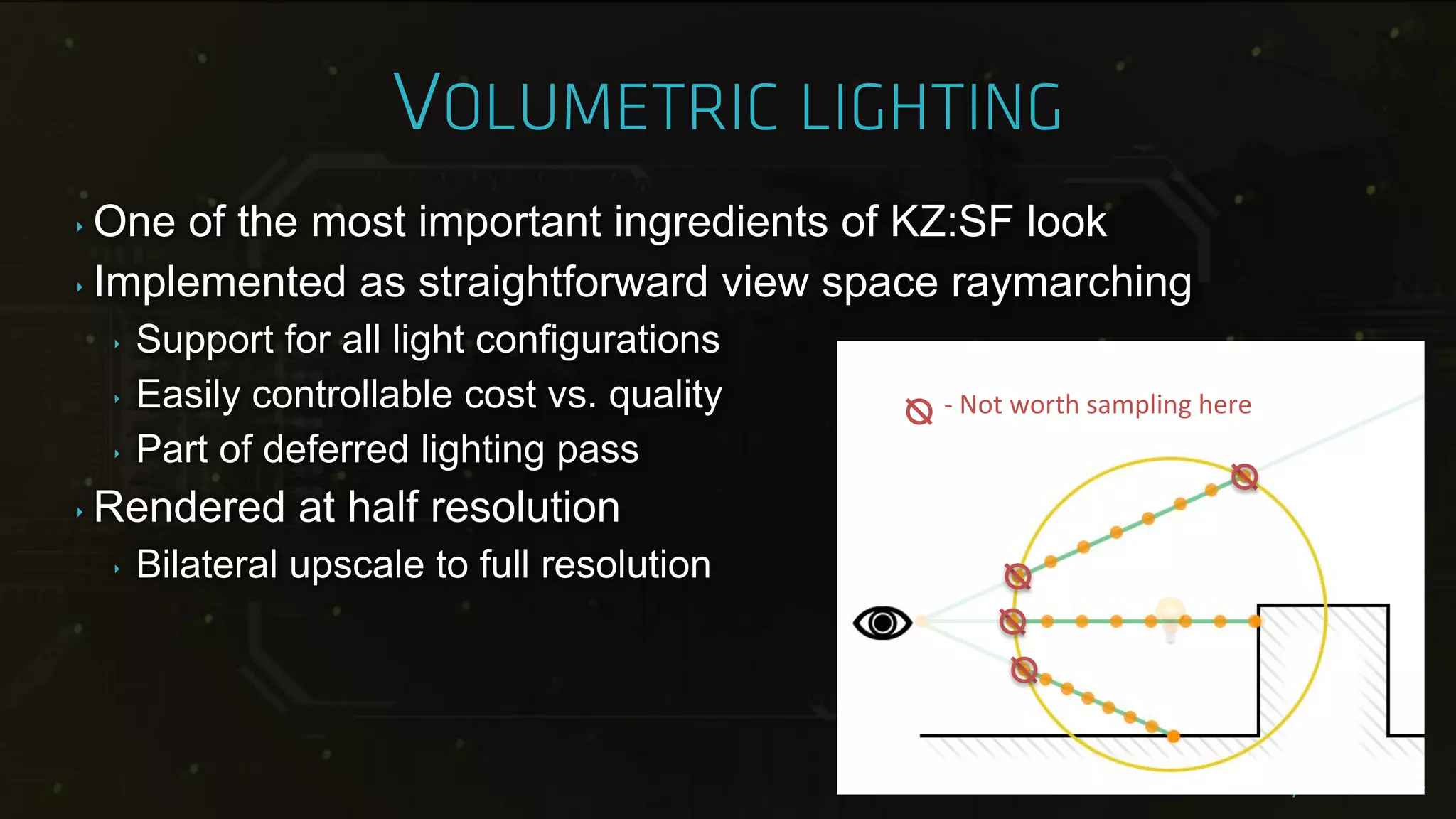
‣ One of the most important ingredients of KZ:SF look
‣ Implemented as straightforward view space raymarching
‣ Support for all light configurations
‣ Easily controllable cost vs. quality
‣ Part of deferred lighting pass
‣ Rendered at half resolution
‣ Bilateral upscale to full resolution
- Not worth sampling here
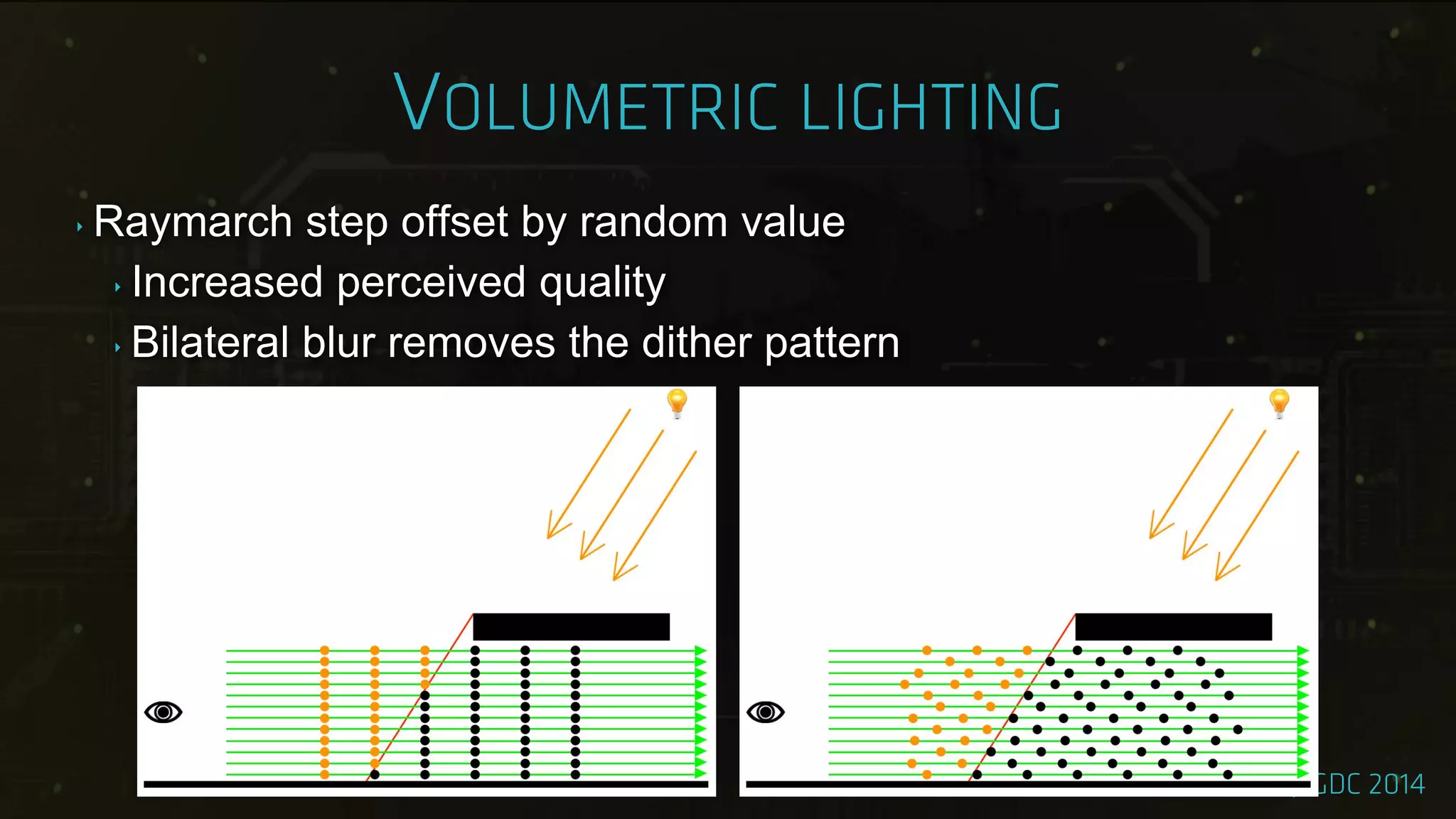
‣ Raymarch step offset by random value
‣ Increased perceived quality
‣ Bilateral blur removes the dither pattern
‣ Plain volumetrics look bland
‣ Particle systems can add structure
‣ Complete artist control
‣ Reacts to physics, player movement, wind forces
‣ Particles rendered into 3D Scattering Amount Buffer
‣ Affects intensity of raymarch samples
‣ 1/8th of native resolution, 16 depth slices
‣ Camera space, quadratic depth distribution
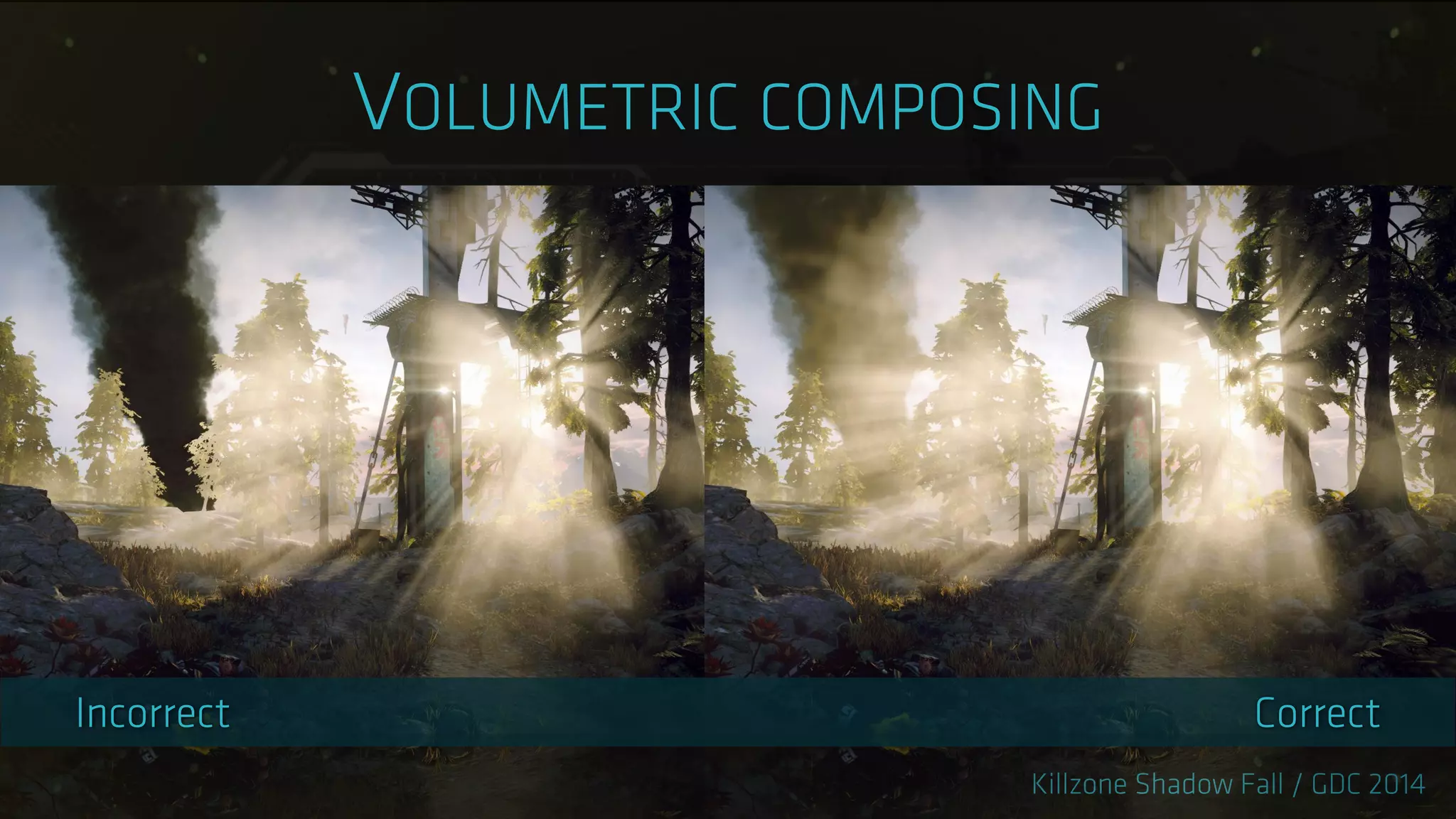
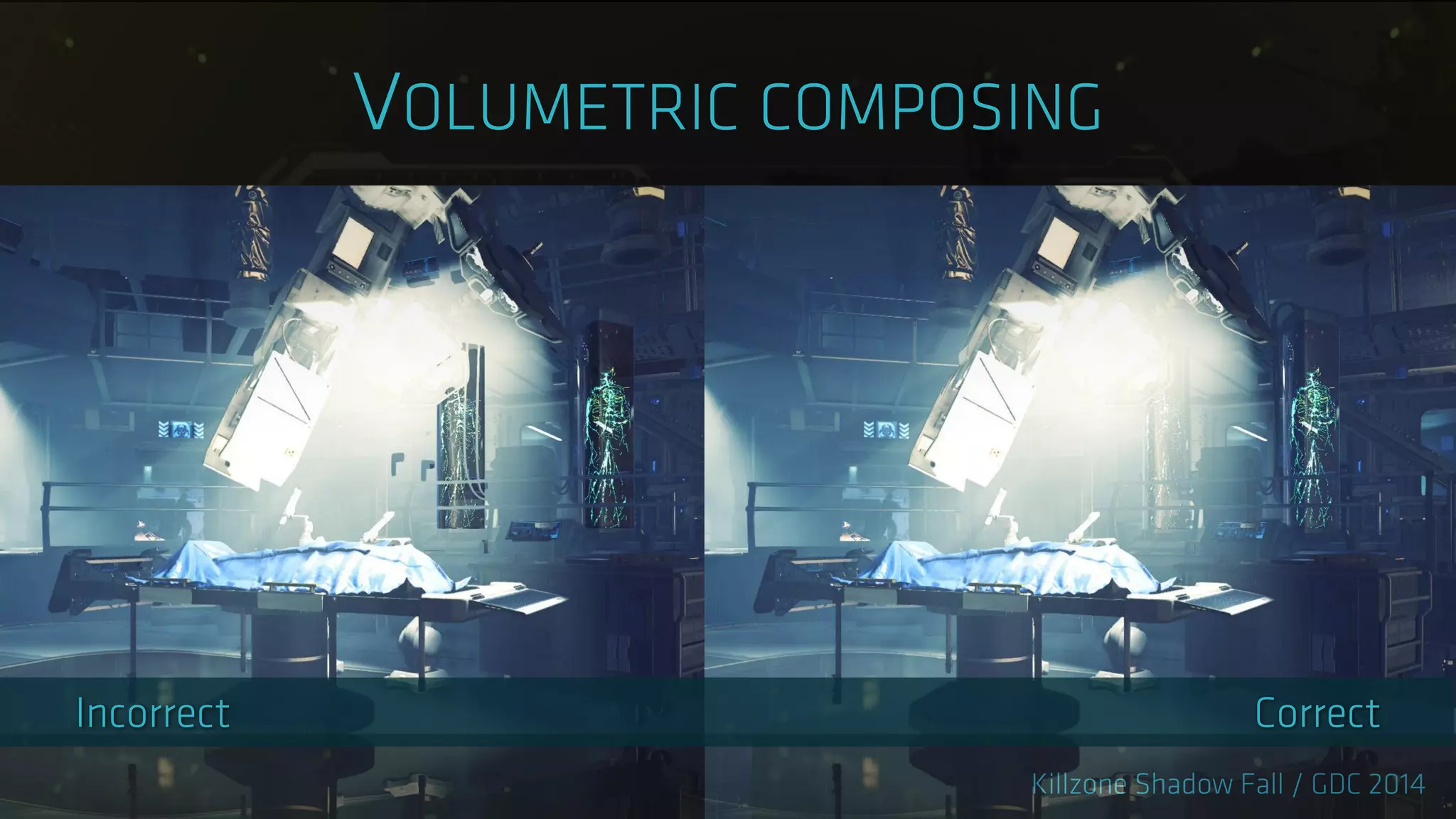
‣ Composing with transparencies is problematic
‣ Solved by 3D Volume Light Intensity Buffer
‣ Similar idea to Scattering Amount Buffer
‣ Half resolution to match volumetrics
‣ Amount of visible volumetrics after ray marching
‣ Between camera and given depth slice
‣ Includes shadows, light attenuation and textures
‣ GPU Pro 5 - „Volumetric Light Effects in Killzone Shadow Fall‟
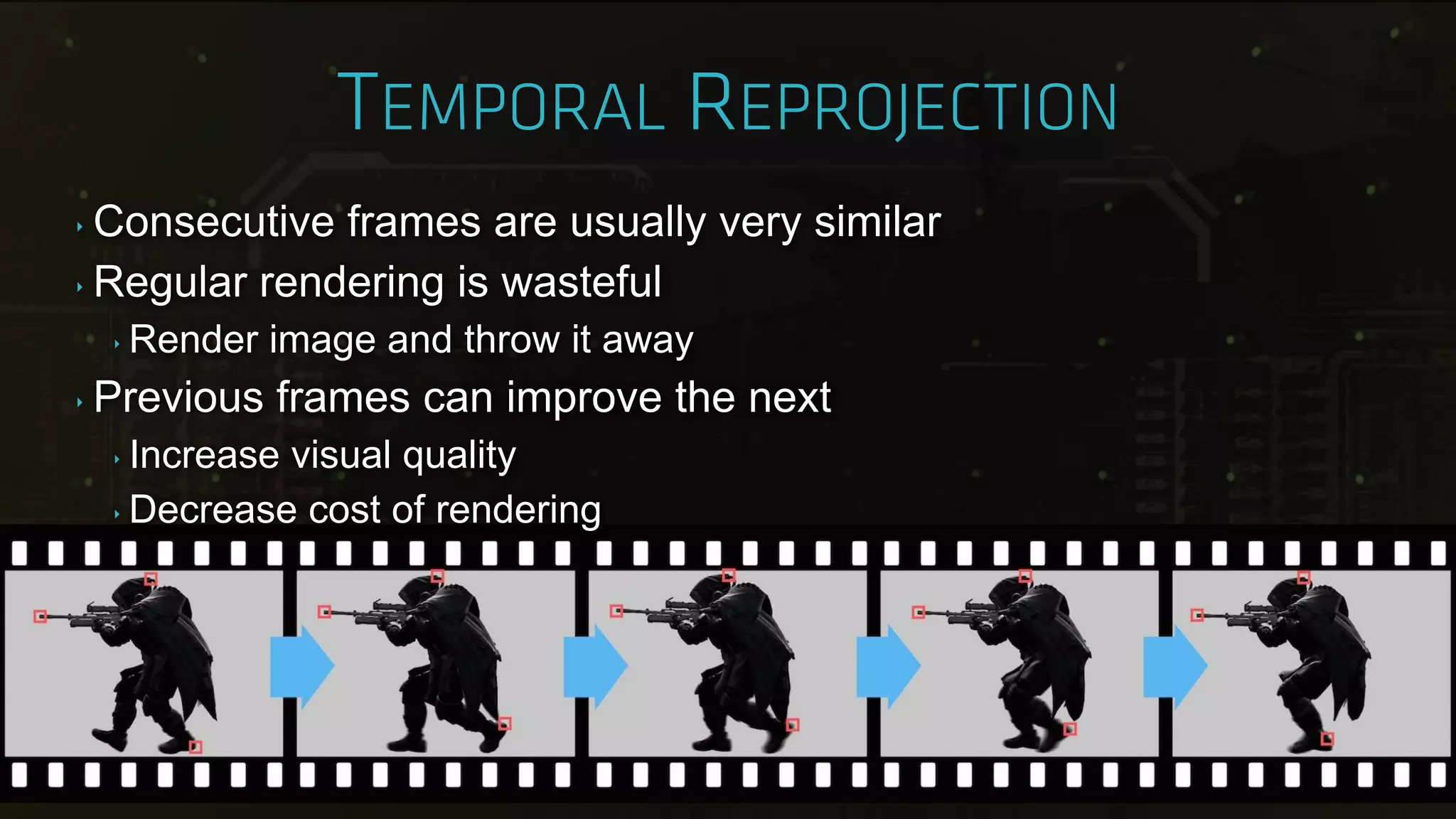
‣ Consecutive frames are usually very similar
‣ Regular rendering is wasteful
‣ Render image and throw it away
‣ Previous frames can improve the next
‣ Increase visual quality
‣ Decrease cost of rendering
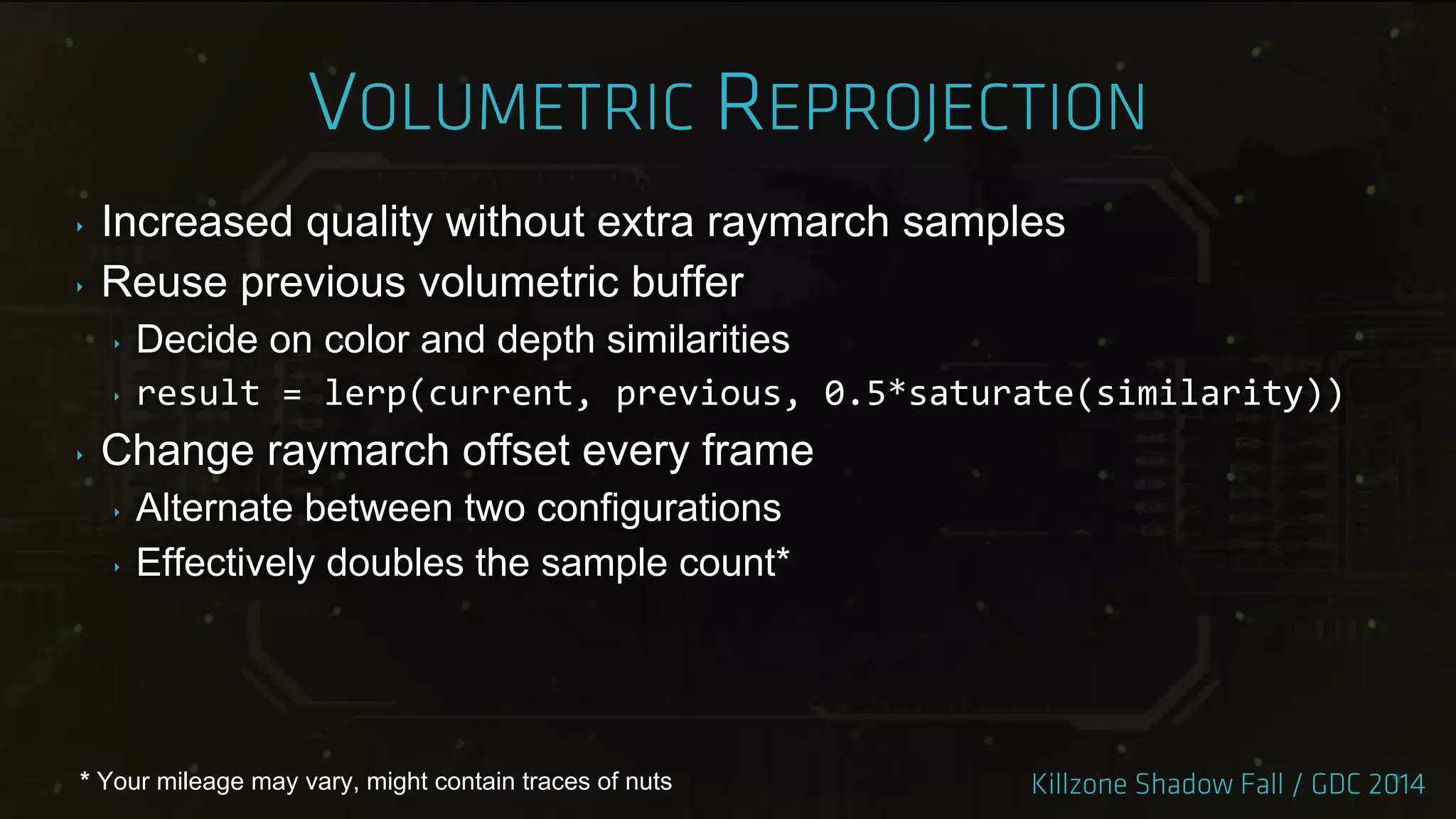
‣ Increased quality without extra raymarch samples
‣ Reuse previous volumetric buffer
‣ Decide on color and depth similarities
‣ result = lerp(current, previous, 0.5*saturate(similarity))
‣ Change raymarch offset every frame
‣ Alternate between two configurations
‣ Effectively doubles the sample count*
* Your mileage may vary, might contain traces of nuts
‣ Post processing benefits from temporal reprojection
‣ Mostly rendered at lower resolution
‣ Sensitive to undersampling or rasterization artifacts
‣ Smoother motion
‣ Bloom
‣ Screen Space Ambient Occlusion
‣ Godrays
‣ Exposure measurement
‣ Shader effects created by FX artists
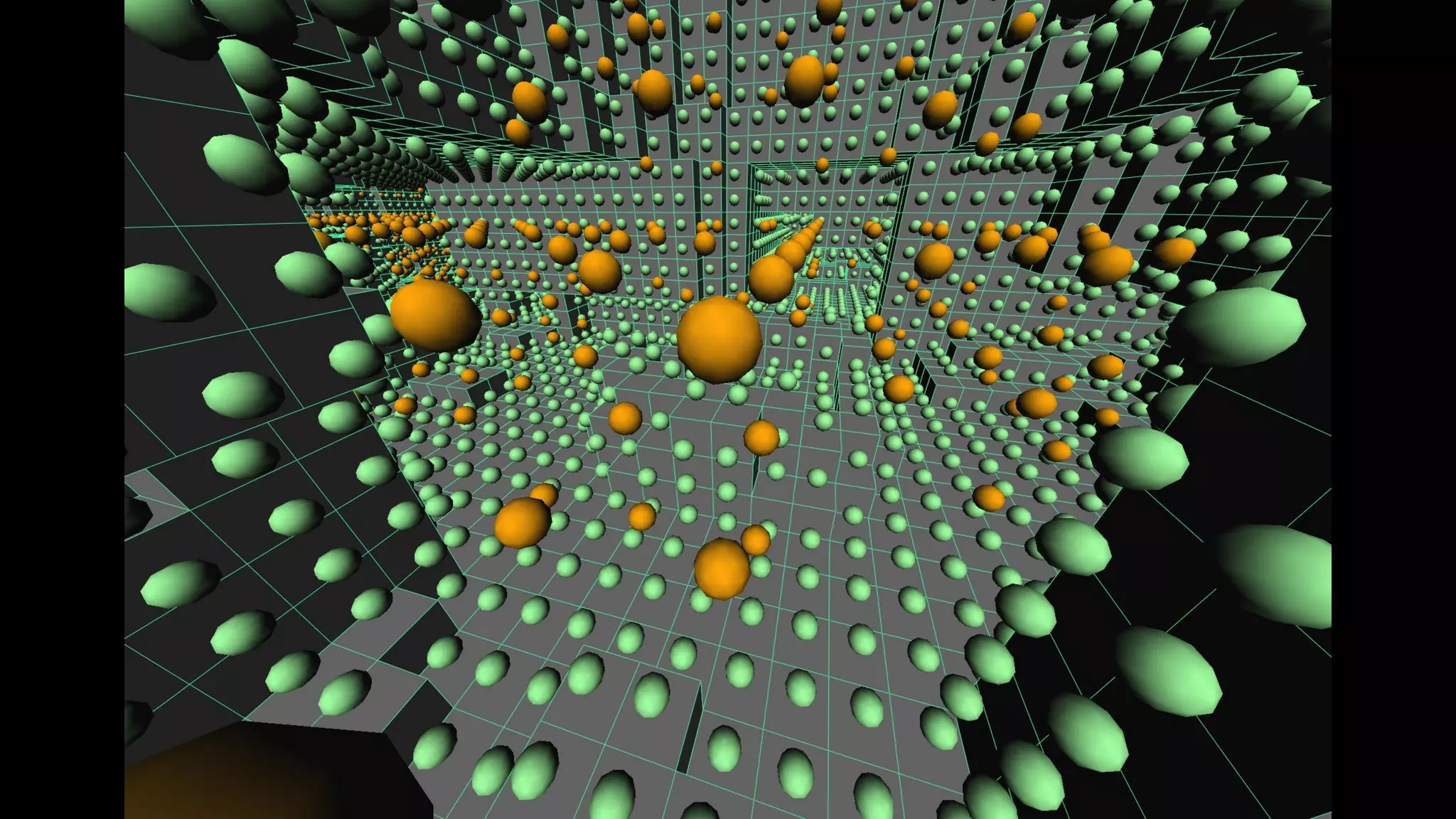
‣ Designed completely in nodegraph editor
‣ Fullscreen passes modifying g-buffer
‣ React to bullet decals or footsteps
‣ Decals write to “user” channel of our g-buffer
‣ Top-down variance shadow map used
‣ Limit rain to outdoors
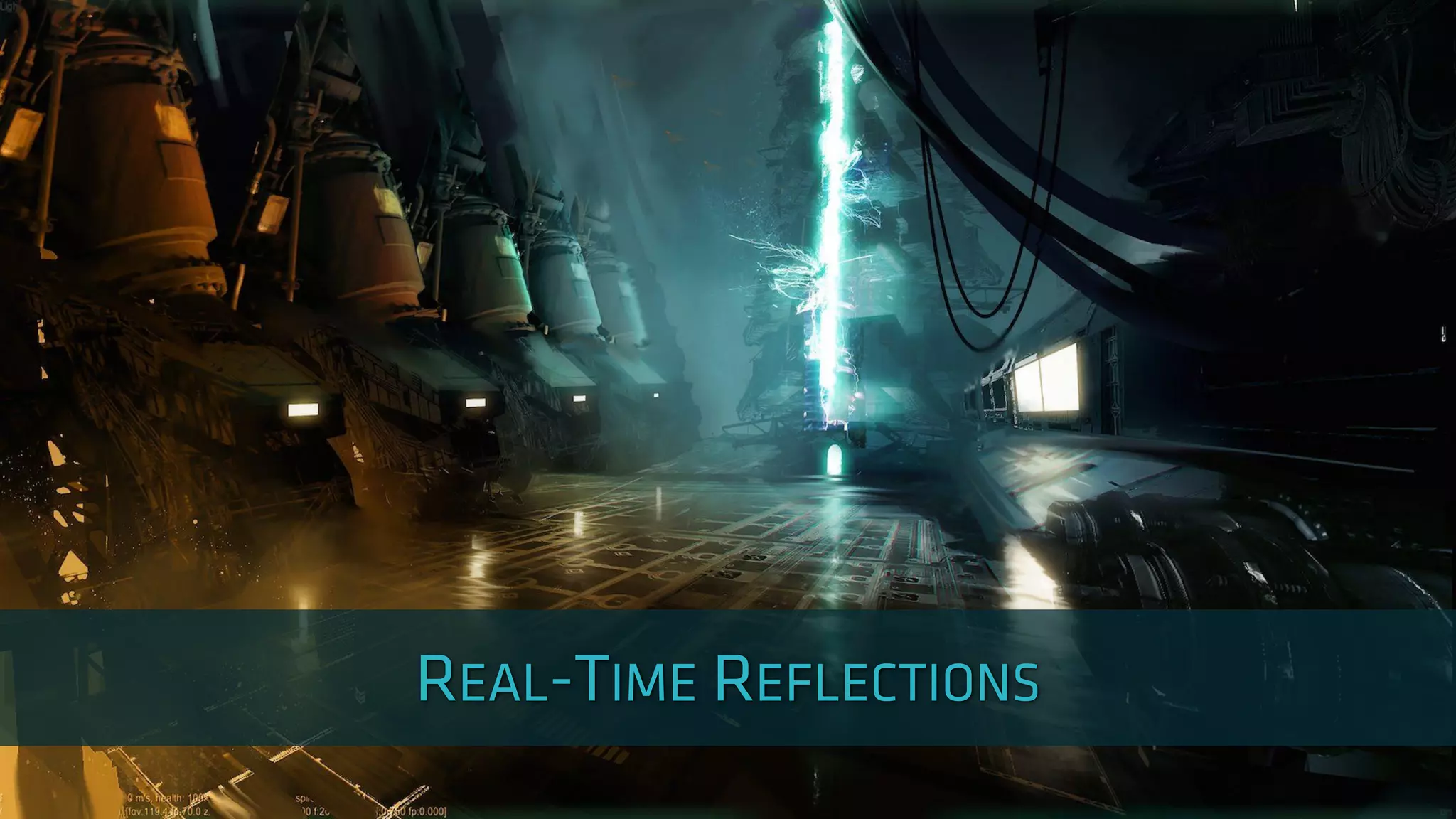
‣ Real-time raytrace system
‣ Dynamic reflections, multiple distances
‣ Static localized cubemap zones
‣ Local reflections
‣ Static background cubemap
‣ Far away reflections
‣ Each stage falls back to next one on miss
‣ The zones are placed by artists
‣ Two pass cubemap rendering
‣ Clean render with reflections disabled
‣ Secondary bounces with reflections enabled
‣ Rendering takes an hour per section
‣ Mipmap filtering matches BRDF specular cone
‣ „Local Image-based Lighting With Parallax-corrected Cubemap‟
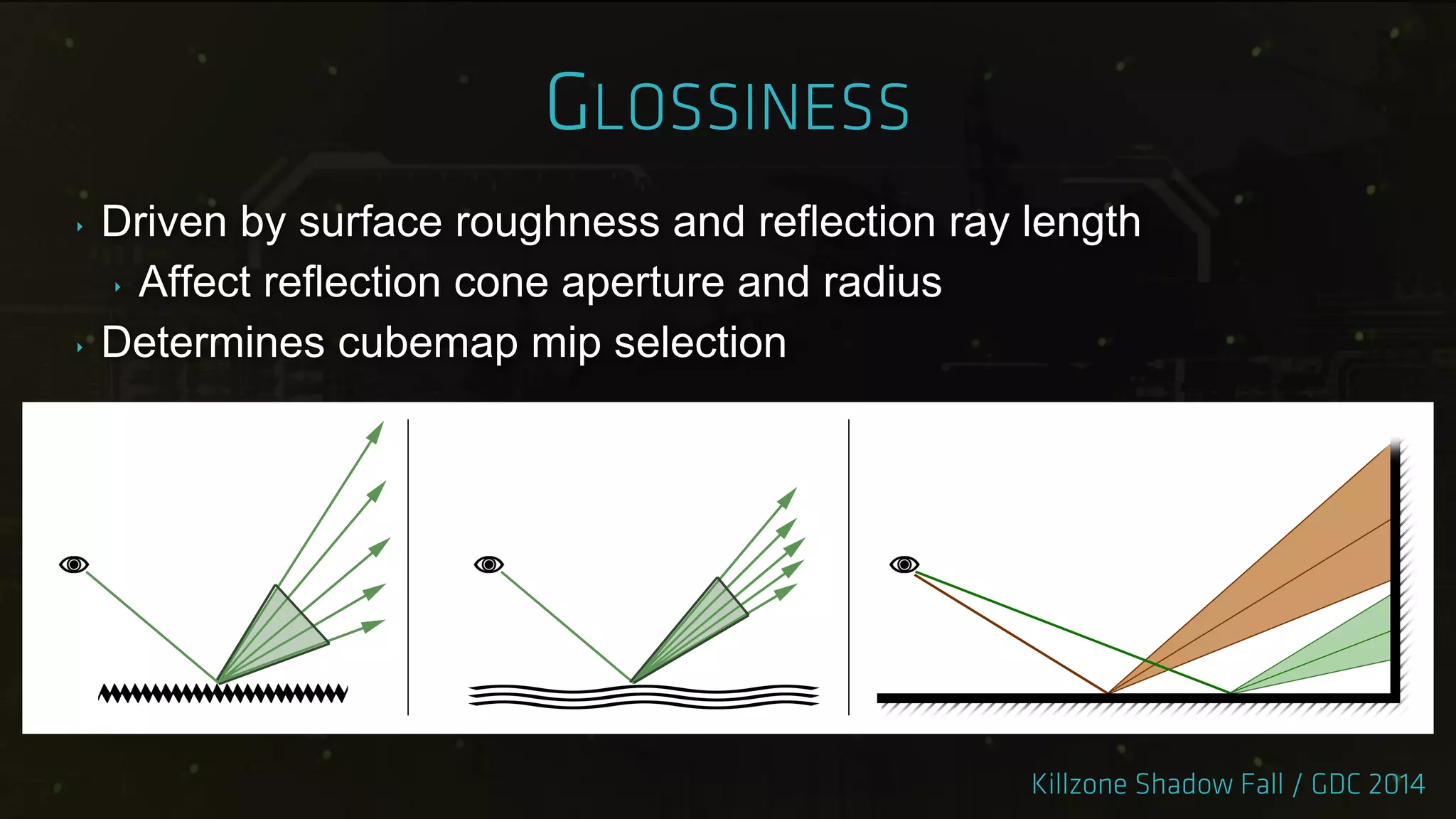
‣ Driven by surface roughness and reflection ray length
‣ Affect reflection cone aperture and radius
‣ Determines cubemap mip selection
‣ Screen space ray-tracing
‣ Stages
‣ Ray-tracing
‣ Filtering and reprojection
‣ Composing with cubemaps
‣ Half resolution
‣ Pick different pixel from 2x2 quad every frame
‣ Cover full resolution after 4 frames
‣ Constant step in screen XY
‣ Smoother surfaces have smaller step
‣ Reflection vector dependent
‣ Ray passes under weapon
‣ Hit depth interpolated from last two depths
‣ Reproject hit color from last frame
‣ Secondary bounces!
‣ Output - hit color / hit mask / glossiness
‣ Generate mip chain from ray-trace results
‣ Matches BRDF just like cubemaps
‣ Use mask to discard „miss‟ pixels
‣ Not depth aware!
‣ Build the reflection buffer
‣ Use gloss buffer to pick mipmap
‣ Mip does match the cone radius
‣ Alternating samples need stabilization
‣ Temporal reprojection supersampling filter
‣ Blend with history if colors are similar
‣ Use reflection neighborhood color range
‣ „Real-Time Global Illumination and Reflections in Dust 514‟
‣ Compose with cubemaps
‣ Ray-trace mask used for blending
‣ Originally went for MSAA
‣ With temporal reprojection for better quality
‣ Implementation started very late
‣ Other features took priority
‣ Launch-title „noob‟ mistake
‣ Introduced small performance hit
‣ Game assets already balanced
‣ No time to find extra GPU performance
‣ Temporal reprojection + FXAA
‣ No MSAA
‣ Better image stability
‣ Accumulate pixels into history buffer
‣ Contains roughly 16 frames worth of data
‣ Uses color similarities criteria
‣ Experimented with sub-pixel jitter
Image by
Andrew Selle
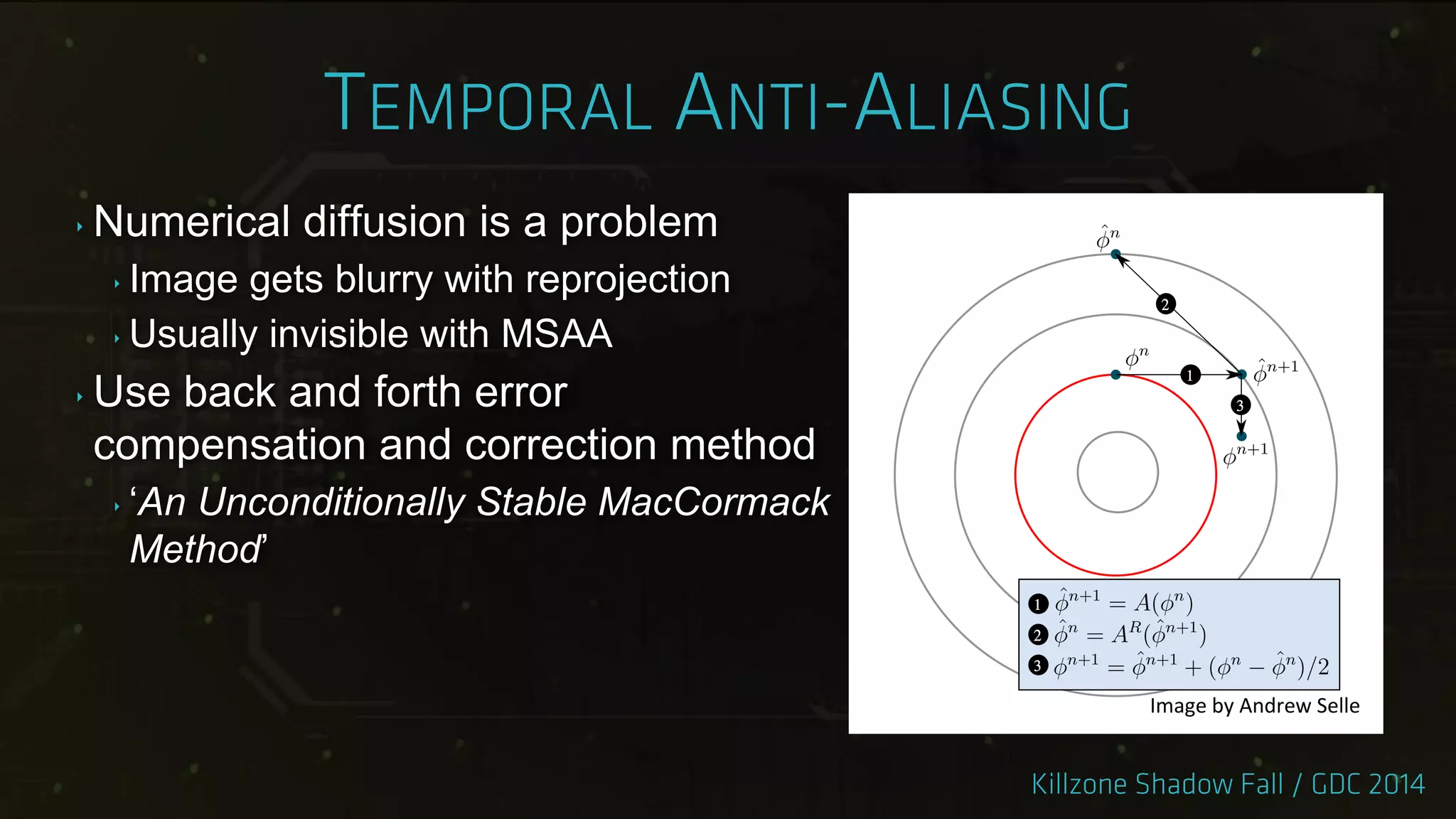
‣ Numerical diffusion is a problem
‣ Image gets blurry with reprojection
‣ Usually invisible with MSAA
‣ Use back and forth error
compensation and correction method
‣ „An Unconditionally Stable MacCormack
Method‟
Image by Andrew Selle
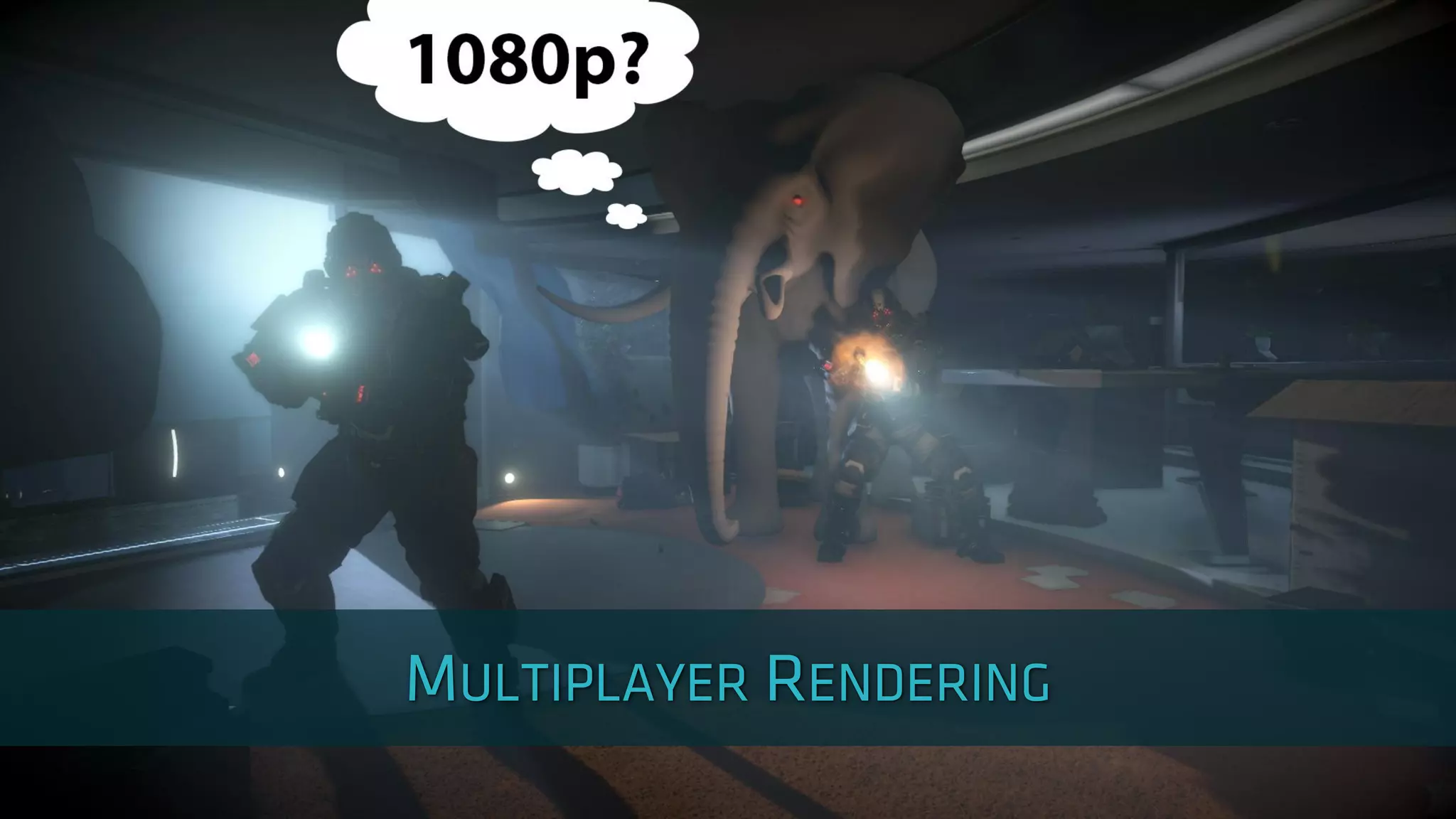
‣ Single player targets 1080p 30 fps
‣ Multiplayer targets 1080p 60 fps
‣ Faster responses
‣ Smoother gameplay
‣ Did not want to downsize the content
‣ Multiplayer needs to look next-gen
‣ No time to create optimized assets
‣ Tech solution needed
‣ Needed 100% speedup
‣ But not lower quality
‣ Reprojection can help here
‣ Render buffers at 960x1080
‣ Alternate rendering of odd/even pixels
‣ Use reprojection to build 1920x1080 frame
‣ Results hard to distinguish from 1080p single player
‣ Usually 80% performance gain
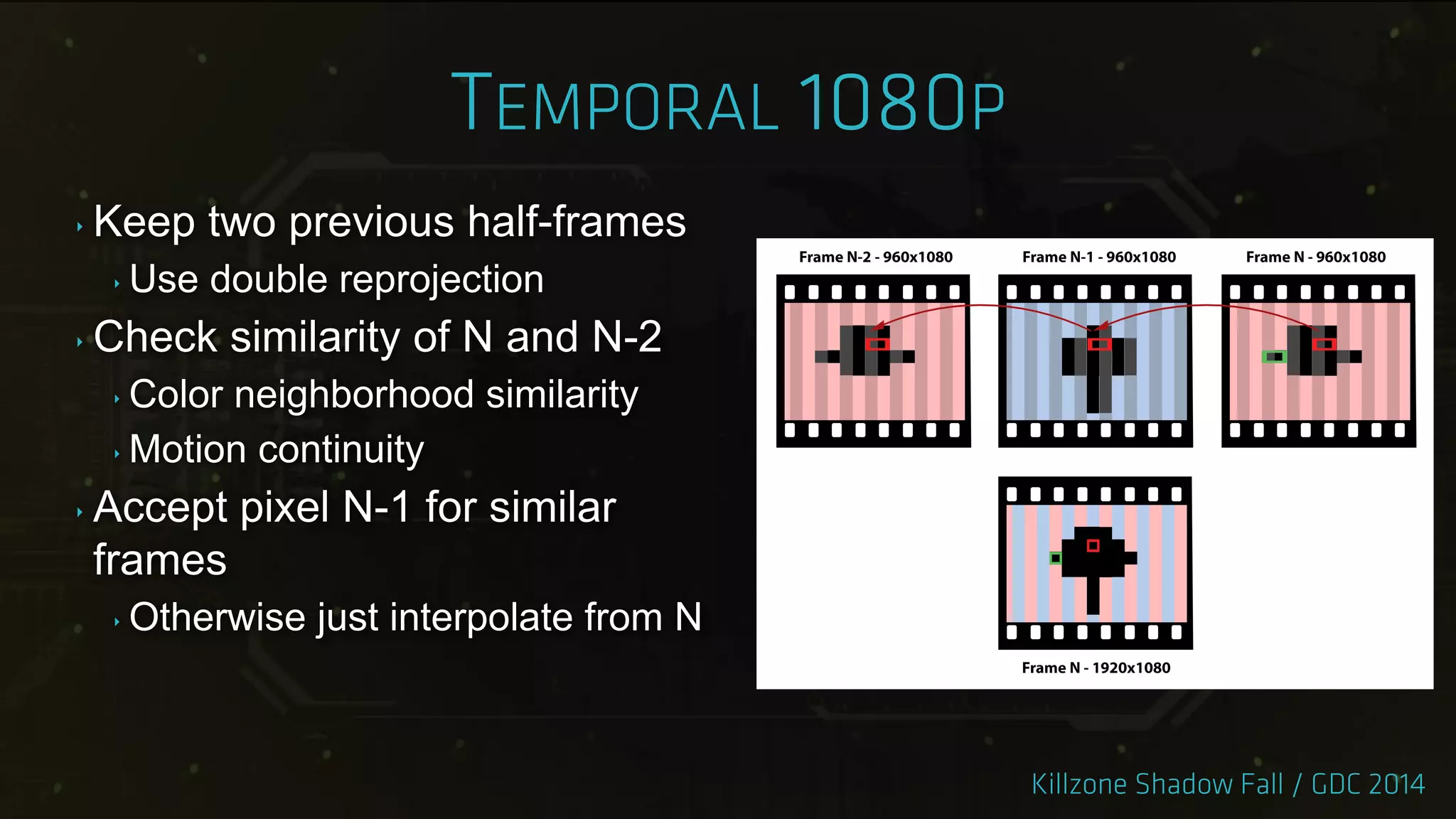
‣ Keep two previous half-frames
‣ Use double reprojection
‣ Check similarity of N and N-2
‣ Color neighborhood similarity
‣ Motion continuity
‣ Accept pixel N-1 for similar
frames
‣ Otherwise just interpolate from N
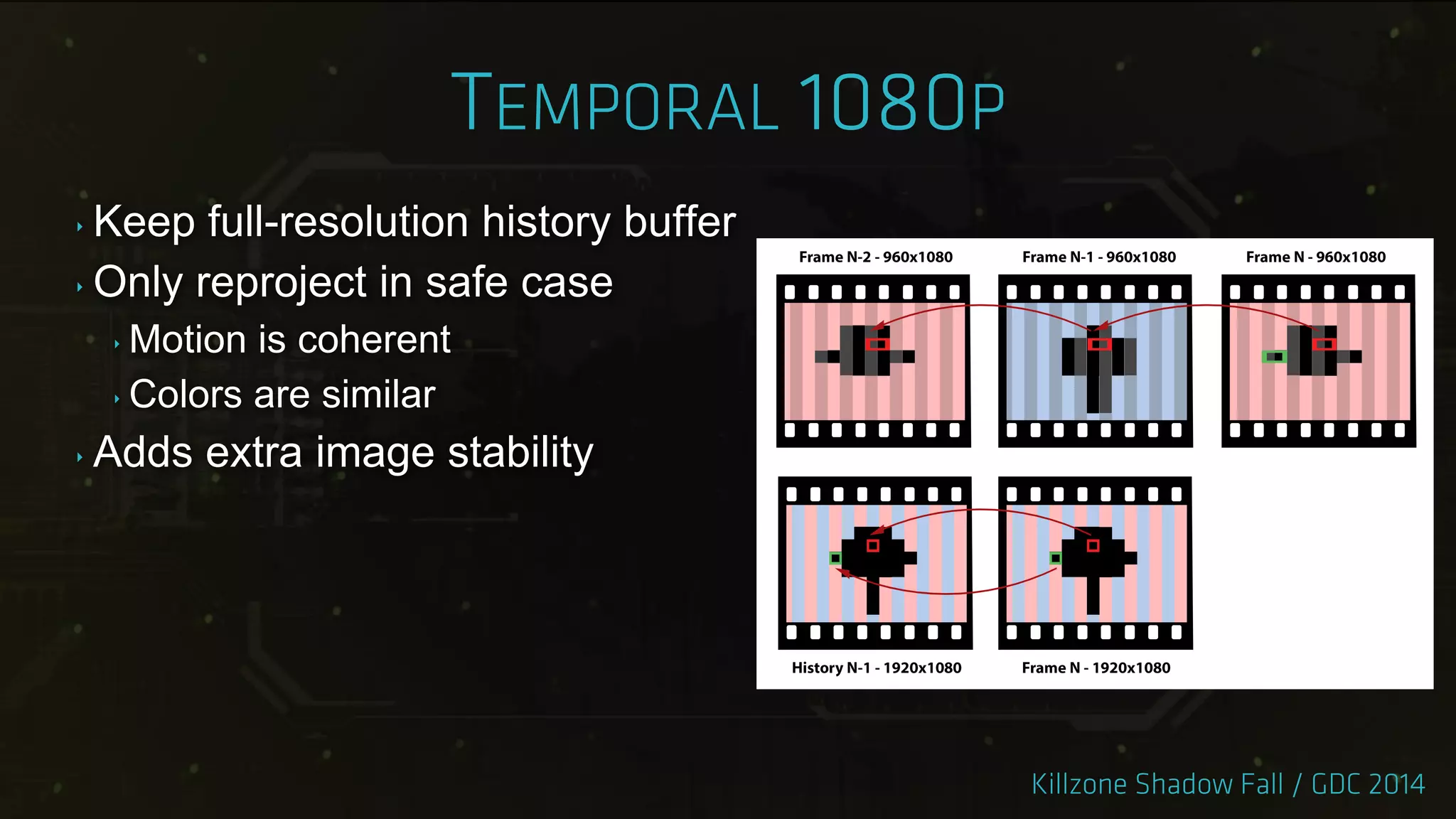
‣ Keep full-resolution history buffer
‣ Only reproject in safe case
‣ Motion is coherent
‣ Colors are similar
‣ Adds extra image stability
‣ Recap:
‣ Physically correct lighting is a big step, go the full distance.
‣ Don‟t let the lightmaps disappoint you, fight back.
‣ It is worth investing into particle lighting and volumetrics.
‣ Real-time reflections are the next thing.
‣ Reproject all the things!
Special thanks: Andreas Varga / Guido de Haan / Hugh Malan /
Jaap van Muijden / Jeroen Krebbers / Kenzo ter Elst /
Michal Drobot / Michiel van der Leeuw / Nathan Vos / Will Vale
‣ Art-driven force simulation framework
‣ Several area affecting primitives
‣ Wind box, explosion, vortex
‣ Statically placed
‣ Attached to entities or player
‣ Focus on complete art-direction control
‣ Affects cloth, particles and shaders
‣ Calculation is running as compute job
‣ 60,000 points sampled each frame
‣ Explicit queries return forces for specific points
‣ Used for cloth simulation or particles
‣ Forces cached in grid around the player
‣ Grids - 16x16x16x25cm, 32x32x32x1m, 16x16x16x2m
‣ Data available in shaders
‣ Used for foliage, tarps or water surface
‣ Includes spring solver with few elasticity presets
‣ Killzone 3 prioritized streaming with bounding boxes
‣ Does not work inside buildings
‣ Shadow fall needs 10+GB RAM without streaming
‣ Have to stream almost all mipmaps
‣ PS4 GPU can report mipmap usage
‣ No change to shaders needed
‣ Precise estimation for texture streaming
‣ Works well with complicated shaders
Taking Killzone Shadow Fall Image Quality Into The Next Generation

Taking Killzone Shadow Fall Image Quality Into The Next Generation

  • 2.
    ‣ Look backat the development of Killzone Shadow Fall ‣ What is the Next-Gen look? ‣ Key techniques ‣ Image quality and stability
  • 3.
    ‣ Early developmentstarted in April 2011 ‣ The goal was platform defining, true next-gen, Killzone ‣ New game direction ‣ Fresh look for a divided world ‣ Beautiful environments full of detail and contrasts
  • 4.
    ‣ New platform ‣Hardware under development ‣ Difficult to define scope of the game ‣ No PC fallback for the engine ‣ Features in development throughout production
  • 5.
    ‣ Launch title ‣Unmovable release date ‣ Limited time for experiments ‣ Sometimes you have to kill your darlings
  • 16.
    ‣ Levels 10to 100 times larger than in Killzone 3 ‣ Largest map is almost 8km long ‣ We don‟t have open world engine ‣ First time we ran into precision issues
  • 17.
    ‣ Doubled theamount of geometry instances ‣ 10,000 to 25,000 per level section ‣ One instance != one draw call ‣ 689,334 building blocks instances in the game ‣ 200 static lights per section ‣ Another 200 in lightmaps
  • 18.
    ‣ Roughly 4xmore vertex and texel detail ‣ Early guideline that worked ‣ 40,000 triangles per character ‣ Complicated shader networks ‣ 6-12 textures per material
  • 20.
    ‣ Killzone ShadowFall defining tech features ‣ Lighting ‣ Shading ‣ Reflections ‣ Effects ‣ Image fidelity and temporal stability ‣ Scalability with the amount of content ‣ Everything done with jobs
  • 21.
    ‣ All aspectsof lighting complement each other ‣ BRDF ‣ Assets ‣ Lights ‣ Volumetrics ‣ Reflections
  • 22.
    ‣ Physically basedlighting model ‣ Artist controllable ‣ Assets reviewed in in-game lighting environments ‣ Also integrated in Maya
  • 23.
    ‣ All lightsare area lights ‣ Including textured lights ‣ Consistent specular response ‣ Sunlight ‣ Volumetric ‣ More details in GPU Pro 5
  • 24.
    ‣ Reflections matchlight model and area lights ‣ Identical glossiness and Fresnel response ‣ Both real-time and cube maps ‣ You should be able to just swap one for another
  • 27.
    ‣ Per-object lightprobes ‣ Lightmaps ‣ Need nice unwrapped Us ‣ Static objects only ‣ Level changes break lighting ‣ Wasteful ‣ We measured render times in days
  • 30.
    ‣ Decided touse light probes ‣ Static and dynamic geometry supported ‣ Works after level changes ‣ Scalable ‣ Applied per pixel ‣ Deferred pass ‣ Works on large objects ‣ Uniform look for static and dynamic objects
  • 32.
    ‣ Voxelize thescene ‣ 1-2m in gameplay areas ‣ 10m in background
  • 33.
    ‣ Place lightprobes ‣ In empty voxels ‣ Next to features
  • 34.
    ‣ Build tetrahedronstructure ‣ „Light probe interpolation using tetrahedral tessellations‟ ‣ Tends to generate “slivers”
  • 35.
    ‣ Add fillprobes ‣ In empty space ‣ Lower frequency ‣ More uniform tetrahedrons
  • 44.
    ‣ Few hundredthousand probes per section ‣ Per pixel search during lighting ‣ Tetrahedrons partitioned into a sparse grid ‣ 16m3 per cell ‣ BSP tree per grid cell
  • 45.
    ‣ Light leakingproblematic ‣ Store optional data in tetrahedrons ‣ Up to 3 occlusion planes ‣ Up to 4 occlusion shadow maps ‣ One per triangular tetrahedron side ‣ 15 samples per map
  • 46.
    ‣ Tech becameavailable very late ‣ Too risky to switch ‣ Used for all dynamic objects ‣ Used outside gameplay areas ‣ Saved 500mb per section ‣ Only few levels lit exclusively by probes ‣ Most levels still use light maps ‣ In use for our next game
  • 48.
    ‣ Particle lightingso far ‣ Mostly unlit ‣ Forward rendering ‣ Performance and feature limitations ‣ Particles need to fit our environments ‣ Lighting matching the rest of geometry ‣ Support for all our light types ‣ Shadows ‣ Performance is important
  • 49.
    ‣ G-Buffer forparticle data ‣ Small footprint ‣ Position, Normal, Depth, Accumulated lighting ‣ Flat data array ‣ Store several reference points per particle ‣ 8x8, 4x4, 2x2 or 1x1 ‣ Artist chosen based on size ‣ Normals bent outwards ‣ Initialize with IBL lighting
  • 51.
    ‣ Integrated intoregular lighting pass ‣ Runs after each on-screen light ‣ Allows to reuse shadow maps ‣ Final lighting available in particle shaders ‣ Drive transparency based on lighting ‣ Used for fog or dust
  • 52.
    ‣ Pros ‣ Genericframework - works for any point in space ‣ Builds on strengths of deferred rendering ‣ Support all current and future lighting features ‣ Cons ‣ G-Buffer size limits particle count ‣ Interpolation can be visible
  • 55.
    ‣ Shadow maprendering turned out to be slow ‣ Up to 60% of lighting budget ‣ 5000+ drawcalls, ~3 million triangles ‣ Tens of shadow casting lights ‣ Four sunlight shadow cascades ‣ Discovered late in production ‣ Cannot optimize art ‣ Cannot reduce lighting quality
  • 56.
    ‣ Offline generatedshadow proxies ‣ Static lights and geometry ‣ Only polygons affecting shadow map ‣ 60-80% triangle reduction ‣ Single drawcall per light ‣ Dynamic objects rendered separately ‣ 500k triangles
  • 60.
    ‣ Proxy meshalone does not work for sunlight ‣ Too many triangles ‣ Too large ‣ Hybrid approach ‣ Baked shadow map ‣ Proxy delta mesh
  • 62.
    ‣ Pros: ‣ SignificantCPU and GPU cost reduction ‣ Cheap long distance sun shadows ‣ 3rd and 4th cascades only use shadow map ‣ Cons: ‣ Memory cost ‣ Breaks on level geometry change ‣ Offline process costs time
  • 65.
    ‣ One ofthe most important ingredients of KZ:SF look ‣ Implemented as straightforward view space raymarching ‣ Support for all light configurations ‣ Easily controllable cost vs. quality ‣ Part of deferred lighting pass ‣ Rendered at half resolution ‣ Bilateral upscale to full resolution - Not worth sampling here
  • 66.
    ‣ Raymarch stepoffset by random value ‣ Increased perceived quality ‣ Bilateral blur removes the dither pattern
  • 68.
    ‣ Plain volumetricslook bland ‣ Particle systems can add structure ‣ Complete artist control ‣ Reacts to physics, player movement, wind forces ‣ Particles rendered into 3D Scattering Amount Buffer ‣ Affects intensity of raymarch samples ‣ 1/8th of native resolution, 16 depth slices ‣ Camera space, quadratic depth distribution
  • 73.
    ‣ Composing withtransparencies is problematic ‣ Solved by 3D Volume Light Intensity Buffer ‣ Similar idea to Scattering Amount Buffer ‣ Half resolution to match volumetrics ‣ Amount of visible volumetrics after ray marching ‣ Between camera and given depth slice ‣ Includes shadows, light attenuation and textures ‣ GPU Pro 5 - „Volumetric Light Effects in Killzone Shadow Fall‟
  • 74.
    ‣ Consecutive framesare usually very similar ‣ Regular rendering is wasteful ‣ Render image and throw it away ‣ Previous frames can improve the next ‣ Increase visual quality ‣ Decrease cost of rendering
  • 75.
    ‣ Increased qualitywithout extra raymarch samples ‣ Reuse previous volumetric buffer ‣ Decide on color and depth similarities ‣ result = lerp(current, previous, 0.5*saturate(similarity)) ‣ Change raymarch offset every frame ‣ Alternate between two configurations ‣ Effectively doubles the sample count* * Your mileage may vary, might contain traces of nuts
  • 77.
    ‣ Post processingbenefits from temporal reprojection ‣ Mostly rendered at lower resolution ‣ Sensitive to undersampling or rasterization artifacts ‣ Smoother motion ‣ Bloom ‣ Screen Space Ambient Occlusion ‣ Godrays ‣ Exposure measurement
  • 79.
    ‣ Shader effectscreated by FX artists ‣ Designed completely in nodegraph editor ‣ Fullscreen passes modifying g-buffer ‣ React to bullet decals or footsteps ‣ Decals write to “user” channel of our g-buffer ‣ Top-down variance shadow map used ‣ Limit rain to outdoors
  • 84.
    ‣ Real-time raytracesystem ‣ Dynamic reflections, multiple distances ‣ Static localized cubemap zones ‣ Local reflections ‣ Static background cubemap ‣ Far away reflections ‣ Each stage falls back to next one on miss
  • 86.
    ‣ The zonesare placed by artists ‣ Two pass cubemap rendering ‣ Clean render with reflections disabled ‣ Secondary bounces with reflections enabled ‣ Rendering takes an hour per section ‣ Mipmap filtering matches BRDF specular cone ‣ „Local Image-based Lighting With Parallax-corrected Cubemap‟
  • 87.
    ‣ Driven bysurface roughness and reflection ray length ‣ Affect reflection cone aperture and radius ‣ Determines cubemap mip selection
  • 88.
    ‣ Screen spaceray-tracing ‣ Stages ‣ Ray-tracing ‣ Filtering and reprojection ‣ Composing with cubemaps ‣ Half resolution ‣ Pick different pixel from 2x2 quad every frame ‣ Cover full resolution after 4 frames
  • 90.
    ‣ Constant stepin screen XY ‣ Smoother surfaces have smaller step ‣ Reflection vector dependent ‣ Ray passes under weapon ‣ Hit depth interpolated from last two depths ‣ Reproject hit color from last frame ‣ Secondary bounces! ‣ Output - hit color / hit mask / glossiness
  • 91.
    ‣ Generate mipchain from ray-trace results ‣ Matches BRDF just like cubemaps ‣ Use mask to discard „miss‟ pixels ‣ Not depth aware! ‣ Build the reflection buffer ‣ Use gloss buffer to pick mipmap ‣ Mip does match the cone radius
  • 92.
    ‣ Alternating samplesneed stabilization ‣ Temporal reprojection supersampling filter ‣ Blend with history if colors are similar ‣ Use reflection neighborhood color range ‣ „Real-Time Global Illumination and Reflections in Dust 514‟ ‣ Compose with cubemaps ‣ Ray-trace mask used for blending
  • 94.
    ‣ Originally wentfor MSAA ‣ With temporal reprojection for better quality ‣ Implementation started very late ‣ Other features took priority ‣ Launch-title „noob‟ mistake ‣ Introduced small performance hit ‣ Game assets already balanced ‣ No time to find extra GPU performance
  • 95.
    ‣ Temporal reprojection+ FXAA ‣ No MSAA ‣ Better image stability ‣ Accumulate pixels into history buffer ‣ Contains roughly 16 frames worth of data ‣ Uses color similarities criteria ‣ Experimented with sub-pixel jitter Image by Andrew Selle
  • 96.
    ‣ Numerical diffusionis a problem ‣ Image gets blurry with reprojection ‣ Usually invisible with MSAA ‣ Use back and forth error compensation and correction method ‣ „An Unconditionally Stable MacCormack Method‟ Image by Andrew Selle
  • 99.
    ‣ Single playertargets 1080p 30 fps ‣ Multiplayer targets 1080p 60 fps ‣ Faster responses ‣ Smoother gameplay ‣ Did not want to downsize the content ‣ Multiplayer needs to look next-gen ‣ No time to create optimized assets ‣ Tech solution needed
  • 100.
    ‣ Needed 100%speedup ‣ But not lower quality ‣ Reprojection can help here ‣ Render buffers at 960x1080 ‣ Alternate rendering of odd/even pixels ‣ Use reprojection to build 1920x1080 frame ‣ Results hard to distinguish from 1080p single player ‣ Usually 80% performance gain
  • 101.
    ‣ Keep twoprevious half-frames ‣ Use double reprojection ‣ Check similarity of N and N-2 ‣ Color neighborhood similarity ‣ Motion continuity ‣ Accept pixel N-1 for similar frames ‣ Otherwise just interpolate from N
  • 102.
    ‣ Keep full-resolutionhistory buffer ‣ Only reproject in safe case ‣ Motion is coherent ‣ Colors are similar ‣ Adds extra image stability
  • 104.
    ‣ Recap: ‣ Physicallycorrect lighting is a big step, go the full distance. ‣ Don‟t let the lightmaps disappoint you, fight back. ‣ It is worth investing into particle lighting and volumetrics. ‣ Real-time reflections are the next thing. ‣ Reproject all the things! Special thanks: Andreas Varga / Guido de Haan / Hugh Malan / Jaap van Muijden / Jeroen Krebbers / Kenzo ter Elst / Michal Drobot / Michiel van der Leeuw / Nathan Vos / Will Vale
  • 106.
    ‣ Art-driven forcesimulation framework ‣ Several area affecting primitives ‣ Wind box, explosion, vortex ‣ Statically placed ‣ Attached to entities or player ‣ Focus on complete art-direction control ‣ Affects cloth, particles and shaders
  • 108.
    ‣ Calculation isrunning as compute job ‣ 60,000 points sampled each frame ‣ Explicit queries return forces for specific points ‣ Used for cloth simulation or particles ‣ Forces cached in grid around the player ‣ Grids - 16x16x16x25cm, 32x32x32x1m, 16x16x16x2m ‣ Data available in shaders ‣ Used for foliage, tarps or water surface ‣ Includes spring solver with few elasticity presets
  • 111.
    ‣ Killzone 3prioritized streaming with bounding boxes ‣ Does not work inside buildings ‣ Shadow fall needs 10+GB RAM without streaming ‣ Have to stream almost all mipmaps ‣ PS4 GPU can report mipmap usage ‣ No change to shaders needed ‣ Precise estimation for texture streaming ‣ Works well with complicated shaders