Johan Andersson, Rendering Architect, DICE Natalya Tatarchuk, Staff Research Engineer, 3D Application Research Group, AMD Graphics Products Group 2.5 Rendering Architecture and Real-time Procedural Shading & Texturing Techniques
Outline Introduction Frostbite Engine Examples from demos Conclusions
Complex Games of Tomorrow Demand High Details and Lots of Attention Everyone realizes the need to make immersive environments Doing so successfully requires many complex shaders with many artist parameters We created ~500 custom unique shaders for ToyShop Newer games and demos demand even more Unique materials aren’t going to be a reasonable solution in that setting We also need to enable artists to work closely with the surface materials so that the final game looks better Shader permutation management is a serious problem facing all game developers
Why Do We Care About Procedural Generation? Recent and upcoming games display giant, rich, complex worlds Varied art assets (images and geometry) are difficult and time-consuming to generate Procedural generation allows creation of many such assets with subtle tweaks of parameters Memory-limited systems can benefit greatly from procedural texturing Smaller distribution size Lots of variation No memory/bandwidth requirements
Procedural Helps You Avoid the Resolution Problem Any stored texture has limited resolution.  If you zoom in too closely, you will see a lack of detail  Or even signs of the original pixels in the texture Procedural patterns can have detail at all scales  Zooming in : introduce new high frequency details as you zoom Zooming out A prebaked texture will start tiling or show seams A procedural texture can be written to cover arbitrarily large areas without seams or repetition No mapping problem  Don’t have to worry about texture seams, cracks and other painful parameterization problems Solid textures
Where Did That Tank Go? Networked games have to deal with sending assets across the network Sending full content (assets, controls) through the network is not the best plan for interactivity - delays Network bandwidth is not increasing at any close rate to the speed of GPUs and CPUs Procedural techniques help with this We can send description in compact form to / from server Master particles Grammar descriptions for objects Etc… Content can be generated directly on the client
Let’s Not Forget About Interactivity! Real-time rendering is quickly becoming fully realistic Excellent foliage, effects, character rendering Often because we can author suitable static assets Interactivity is the next frontier! Game play is the king!  Games are becoming more and more dynamic They make it look like you can blow up anything anywhere… But we can’t use static resources and expect the same level of interactivity without price More objects means more draw calls, more memory, more authoring, more textures, more, more, more…. Eventually the cost becomes too excessive We can generate objects with procedural techniques Then use rules to deform / destroy / modify / move them Better interactivity
Procedural Techniques: Now! Computers are fast enough so that procedural is real-time now! Flexible shader models allow us to directly translate many of the offline shaders Direct3D10® opened new doors for procedural generation in real-time:  flexibility and power Convenience of geometry shaders and stream out More flexible use of texture / buffer resources Ability to directly render and filter volume textures Integer and bitwise operations
Outline Introduction Frostbite Engine Examples from demos Conclusions
Frostbite? DICE next-gen engine & framework  Built from the ground up for Xbox 360 PlayStation 3  Multi-core PCs DirectX 9 SM3 & Direct3D 10 To be used in future DICE games
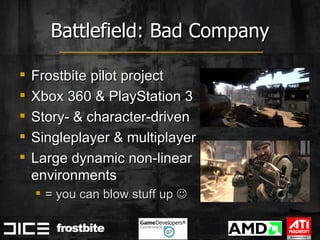
Frostbite pilot project Xbox 360 & PlayStation 3 Story- & character-driven  Singleplayer & multiplayer Large dynamic non-linear environments = you can blow stuff up   Battlefield: Bad Company
Battlefield: Bad Company movie <show teaser movie>
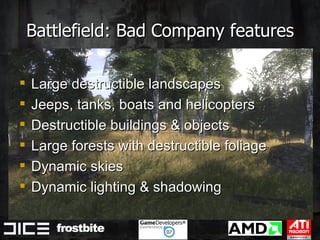
Battlefield: Bad Company features Large destructible landscapes Jeeps, tanks, boats and helicopters Destructible buildings & objects Large forests with destructible foliage  Dynamic skies Dynamic lighting & shadowing
Frostbite design Heavily influenced by BFBC features Big focus on dynamic memory efficient systems & semi-procedural techniques  Due to destruction & non-linear environment But precompute offline whenever possible Flexibility and scalability for future needs Not ”only” a Battlefield-engine
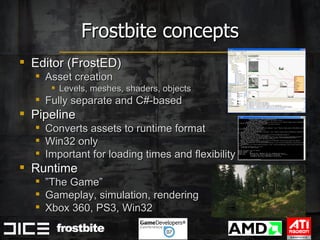
Frostbite concepts Editor (FrostED) Asset creation Levels, meshes, shaders, objects Fully separate and C#-based Pipeline Converts assets to runtime format Win32 only Important for loading times and flexibility Runtime ” The Game” Gameplay, simulation, rendering Xbox 360, PS3, Win32
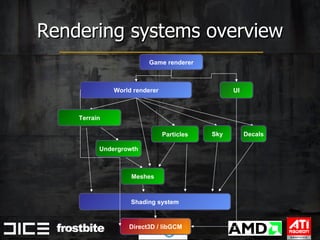
Rendering systems overview Game renderer World renderer UI Shading system Direct3D / libGCM Meshes Particles Undergrowth Sky Decals Terrain
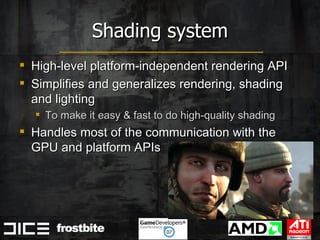
Shading system High-level platform-independent rendering API Simplifies and generalizes rendering, shading and lighting To make it easy & fast to do high-quality shading Handles most of the communication with the GPU and platform APIs
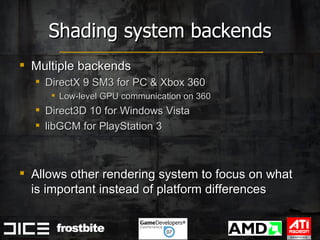
Shading system backends Multiple backends DirectX 9 SM3 for PC & Xbox 360 Low-level GPU communication on 360 Direct3D 10 for Windows Vista libGCM for PlayStation 3 Allows other rendering system to focus on what is important instead of platform differences
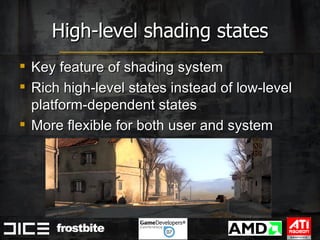
High-level shading states Key feature of shading system Rich high-level states instead of low-level platform-dependent states More flexible for both user and system
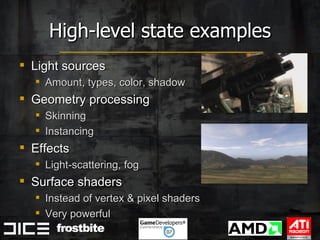
High-level state examples Light sources Amount, types, color, shadow Geometry processing  Skinning Instancing Effects Light-scattering, fog Surface shaders  Instead of vertex & pixel shaders Very powerful
High-level state benefits Easier to use and more productive for users Share & reuse features between systems Hides & manages shader permutation hell Generalized and centralized to shader pipeline Cumbersome manual management in RSC2 & BF2 Platforms may implement states differently  Depending on capabilities  Multi-pass lighting instead of single-pass
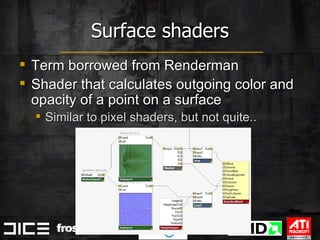
Surface shaders Term borrowed from Renderman Shader that calculates outgoing color and opacity of a point on a surface Similar to pixel shaders, but not quite..
Surface shaders vs pixel shaders Graph-based instead of code Easier to build, tweak & manage for artists Independent of lighting & environment Rich data-centric control flow No need to manually specialize shaders to enable/disable features Calculations can be done on any level Per-pixel, per-vertex, per-object, per-frame Split to multiple passes
 
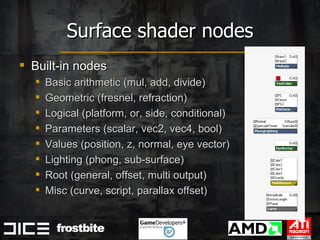
Surface shader nodes Built-in nodes Basic arithmetic (mul, add, divide) Geometric (fresnel, refraction) Logical (platform, or, side, conditional) Parameters (scalar, vec2, vec4, bool) Values (position, z, normal, eye vector) Lighting (phong, sub-surface) Root (general, offset, multi output) Misc (curve, script, parallax offset)
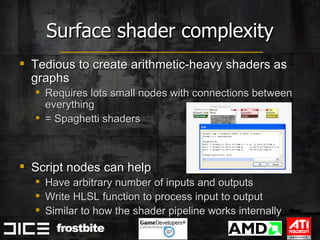
Surface shader complexity Tedious to create arithmetic-heavy shaders as graphs Requires lots small nodes with connections between everything = Spaghetti shaders Script nodes can help Have arbitrary number of inputs and outputs  Write HLSL function to process input to output Similar to how the shader pipeline works internally
Surface shader complexity (cont.) Lots of people work with surface shaders Rendering programmers, technical/lead artists, artists, outsourcing Not everybody want/need/can create shaders fully from scratch Should be able to work on the level most suited Custom shaders on everything is bad Quality, maintenance, performance But the ability to create custom shaders is good Experimentation, pre-production, optimization
Shader complexity solutions Settle on a resonable middle-ground Common approach Most likley artist-centric Programmers mostly work on the code level instead and expose new nodes Not as scaleable Directly support authoring at multiple levels More complex  But exactly what we want
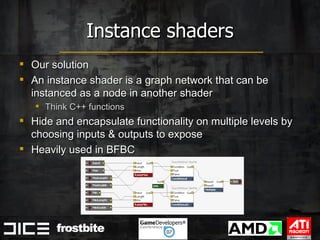
Instance shaders Our solution An instance shader is a graph network that can be instanced as a node in another shader Think C++ functions Hide and encapsulate functionality on multiple levels by choosing inputs & outputs to expose Heavily used in BFBC
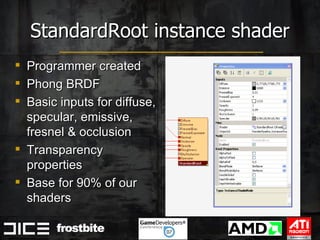
StandardRoot instance shader Programmer created  Phong BRDF Basic inputs for diffuse, specular, emissive, fresnel & occlusion Transparency properties Base for 90% of our shaders
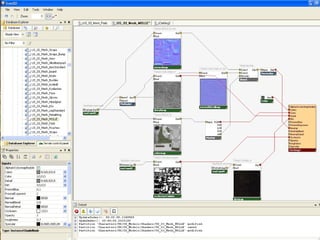
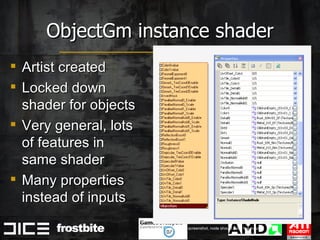
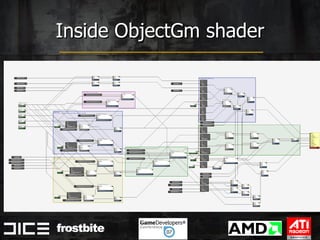
ObjectGm instance shader Artist created Locked down shader for objects Very general, lots of features in same shader Many properties instead of inputs Note: buggy editor screenshot, node should have few inputs
Inside ObjectGm shader
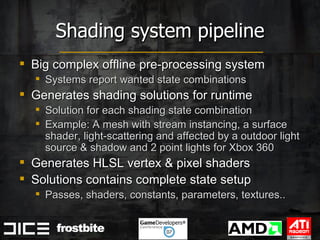
Shading system pipeline Big complex offline pre-processing system Systems report wanted state combinations Generates shading solutions for runtime Solution for each shading state combination Example: A mesh with stream instancing, a surface shader, light-scattering and affected by a outdoor light source & shadow and 2 point lights for Xbox 360 Generates HLSL vertex & pixel shaders Solutions contains complete state setup Passes, shaders, constants, parameters, textures..
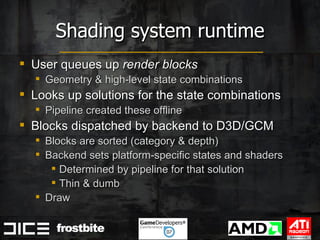
Shading system runtime User queues up  render blocks   Geometry & high-level state combinations Looks up solutions for the state combinations Pipeline created these offline Blocks dispatched by backend to D3D/GCM Blocks are sorted (category & depth) Backend sets platform-specific states and shaders  Determined by pipeline for that solution Thin & dumb Draw
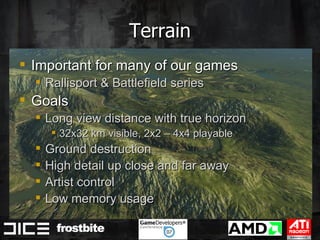
Terrain Important for many of our games  Rallisport & Battlefield series Goals Long view distance with true horizon 32x32 km visible, 2x2 – 4x4 playable Ground destruction High detail up close and far away Artist control Low memory usage
Terrain (cont.) Multiple high-res heightfield textures Easy destruction Fixed grid LOD with vertex texture fetch Normals are calculated in the shader Very high detail in a distance Saves memory Semi-procedural surface shaders Low memory usage  Allows dynamic compositing
Procedural shader splatting Surface shaders for each material Access to per-pixel height, slope, normal, sparse mask textures & decals Abitrary texture compositing & blending Material shaders are merged and blended For each material combination Heavy single-pass shaders Lots of dynamic branching Very flexible & scaleable More details at Siggraph’07 course
Without undergrowth
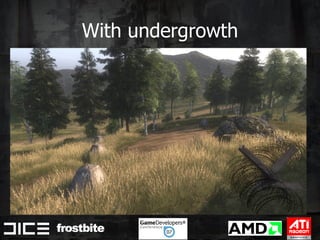
With undergrowth
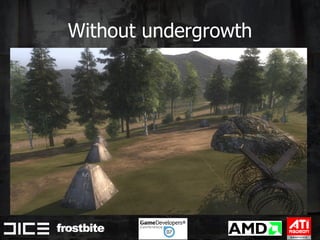
Undergrowth High-density foliage and debris Grass plants, stones, fields, junk, etc Instanced low-poly meshes Procedurally distributed on the fly  Using terrain materials & shaders Gigabyte of memory if stored Easy to regenerate areas for destruction Alpha-tested / alpha-to-coverage  Because of fillrate and sort-independence
Undergrowth generation Patches are dynamically allocated around camera When patches become visible or is changed GPU renders 8-12 material visibility values, terrain normal and cached textures PPU/SPU processes textures and pseudo-randomly distributes mesh instances within patch Easy rendering after generation Arbitrary meshes and surface shaders can be used Rendered with standard stream instancing Only visual, no collision Perfect fit for D3D10 Stream Output  Keeps everything on GPU, reduces latency
Surface shader graphs Surface shaders are created as graph networks (Directed Acyclic Graphs) One node is set as  root   Determines root of shading tree and output color & opacity Nodes have  inputs  and  properties Output from other nodes can be connected to inputs, or tweaked directly Properties can only be set to fixed values
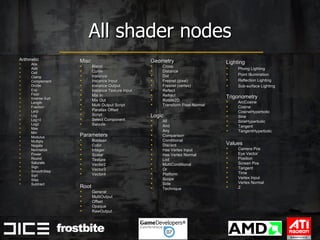
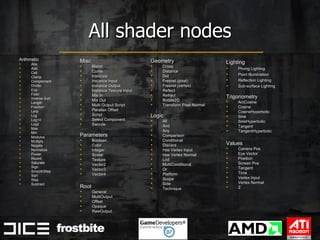
All shader nodes Arithmetic Abs Add Ceil Clamp Complement Divide Exp Floor Inverse Sqrt Length Fraction Lerp Log Log10 Log2 Max Min Modulus Multiply Negate Normalize Power Round Saturate Sign SmoothStep Sqrt Step Subtract Geometry Cross Distance Dot Fresnel (pixel) Fresnel (vertex) Reflect Refract Rotate2D Transform Pixel Normal Logic All And Any Comparison Conditional Discard Has Vertex Input Has Vertex Normal Lod MultiConditional Or Platform Scope Side Technique Misc Blend Curve Instance Instance Input Instance Output Instance Texture Input Mix In Mix Out Multi Output Script Parallax Offset Script Select Component Swizzle Parameters Boolean Color Integer Scalar Texture Vector2 Vector3 Vector4 Root General MultiOutput Offset Opaque RawOutput Lighting Phong Lighting Point Illumination Reflection Lighting Sub-surface Lighting Trigonometry ArcCosine Cosine CosineHyperbolic Sine SineHyperbolic Tangent TangentHyperbolic Values Camera Pos Eye Vector Position Screen Pos Tangent Time Vertex Input Vertex Normal Z
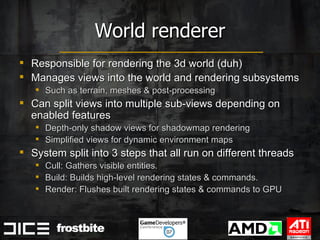
World renderer Responsible for rendering the 3d world (duh) Manages views into the world and rendering subsystems  Such as terrain, meshes & post-processing Can split views into multiple sub-views depending on enabled features  Depth-only shadow views for shadowmap rendering Simplified views for dynamic environment maps System split into 3 steps that all run on different threads Cull: Gathers visible entities. Build: Builds high-level rendering states & commands. Render: Flushes built rendering states & commands to GPU
World renderer cull step Gathers visible entities and light / shadow / entity interactions for every view Copies entity data required for rendering from all visible entities Required for multi-threading since data may be changed while rendering it (not good)
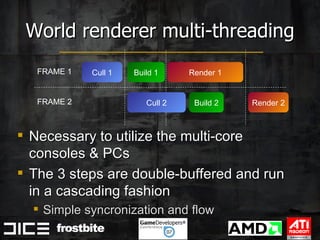
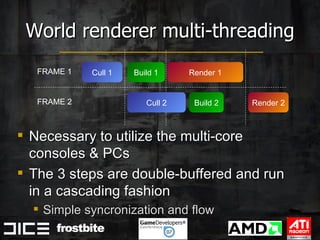
World renderer multi-threading Necessary to utilize the multi-core consoles & PCs The 3 steps are double-buffered and run in a cascading fashion Simple syncronization and flow Cull 1 Build 1 Render 1 Render 2 FRAME 1 FRAME 2 Cull 2 Build 2
World build step Visible entities are passed down to their respective entity renderer Entity renderers communicate with sub-systems  Such as the mesh renderer  Sub-systems builds render blocks and states  Queued per-view in shading system
World render step Final step Flushes queued render blocks in shading system for every view to do actual rendering Applies post-processing for views Bloom, tonemapping, DOF, color correction
Lights & Shadows Sun is main light source Sun shadows trough cascading shadow maps I.e. view frustum is partitioned into exponentially larger frustums and multiple shadowmaps are rendered and used All opaque surfaces cast shadows on everything else
Outdoor lighting Hybrid image-based phenomenological model  Diffuse sun & sky light is analytical (3 directionals: sun, sky, ground) and very simple for ease of control Specular reflections from sky is image-based (dynamic cubemap) and mipmaps used as variable roughness Specular reflections from sun is analytical for precision Unified specular roughness Single [0,1] roughness value controls both cubemap mipmap bias (sky) and analytical specular phong exponent (sun) Can vary per-pixel
Outline Introduction Frostbite Engine Examples from demos Conclusions
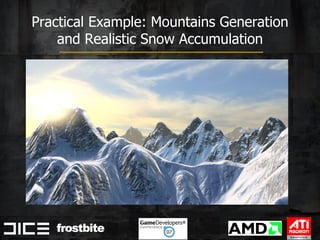
Practical Example: Mountains Generation and Realistic Snow Accumulation
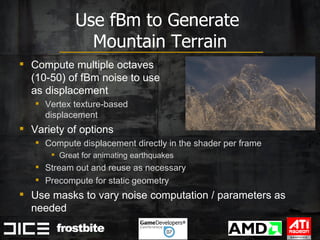
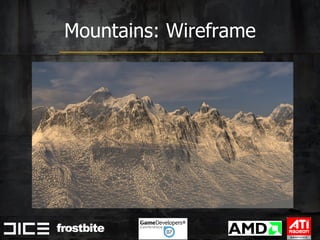
Use fBm to Generate  Mountain Terrain Compute multiple octaves  (10-50) of fBm noise to use  as displacement Vertex texture-based  displacement Variety of options Compute displacement directly in the shader per frame Great for animating earthquakes Stream out and reuse as necessary Precompute for static geometry  Use masks to vary noise computation / parameters as needed
Mountains: Wireframe
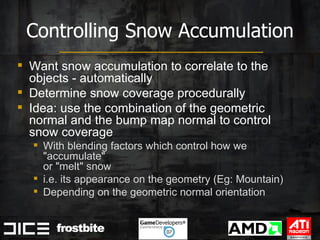
Controlling Snow Accumulation Want snow accumulation to correlate to the objects - automatically Determine snow coverage procedurally Idea: use the combination of the geometric normal and the bump map normal to control snow coverage With blending factors which control how we &quot;accumulate&quot;  or &quot;melt&quot; snow i.e. its appearance on the geometry (Eg: Mountain) Depending on the geometric normal orientation
 
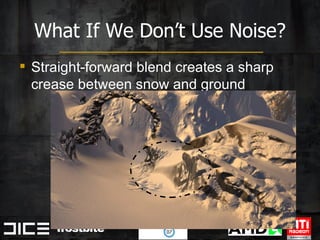
What If We Don’t Use Noise? Straight-forward blend creates a sharp crease between snow and ground
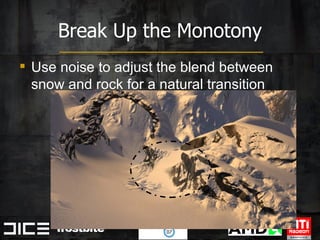
Break Up the Monotony Use noise to adjust the blend between snow and rock for a natural transition
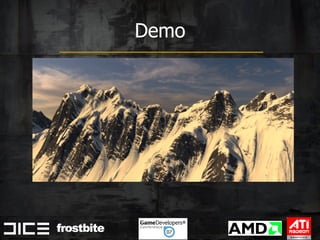
Demo
If You Want to Know More… About generating noise on the GPU Different types of procedural noise And more snow accumulation GDC “The Importance of Being Noisy: Fast, High Quality Noise”, N. Tatarchuk On AMD developer website
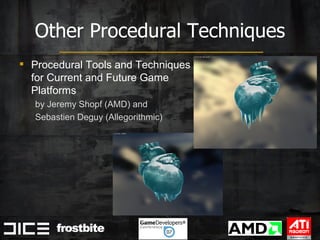
Other Procedural Techniques Procedural Tools and Techniques for Current and Future Game  Platforms  by Jeremy Shopf (AMD) and  Sebastien Deguy (Allegorithmic)
Thanks! Chris Oat & Abe Wiley (snowy mountains)
Questions? Contact: [email_address] [email_address]
Surface shader graphs Surface shaders are created as graph networks (Directed Acyclic Graphs) One node is set as  root   Determines root of shading tree and output color & opacity Nodes have  inputs  and  properties Output from other nodes can be connected to inputs, or tweaked directly Properties can only be set to fixed values
All shader nodes Arithmetic Abs Add Ceil Clamp Complement Divide Exp Floor Inverse Sqrt Length Fraction Lerp Log Log10 Log2 Max Min Modulus Multiply Negate Normalize Power Round Saturate Sign SmoothStep Sqrt Step Subtract Geometry Cross Distance Dot Fresnel (pixel) Fresnel (vertex) Reflect Refract Rotate2D Transform Pixel Normal Logic All And Any Comparison Conditional Discard Has Vertex Input Has Vertex Normal Lod MultiConditional Or Platform Scope Side Technique Misc Blend Curve Instance Instance Input Instance Output Instance Texture Input Mix In Mix Out Multi Output Script Parallax Offset Script Select Component Swizzle Parameters Boolean Color Integer Scalar Texture Vector2 Vector3 Vector4 Root General MultiOutput Offset Opaque RawOutput Lighting Phong Lighting Point Illumination Reflection Lighting Sub-surface Lighting Trigonometry ArcCosine Cosine CosineHyperbolic Sine SineHyperbolic Tangent TangentHyperbolic Values Camera Pos Eye Vector Position Screen Pos Tangent Time Vertex Input Vertex Normal Z
World renderer Responsible for rendering the 3d world (duh) Manages views into the world and rendering subsystems  Such as terrain, meshes & post-processing Can split views into multiple sub-views depending on enabled features  Depth-only shadow views for shadowmap rendering Simplified views for dynamic environment maps System split into 3 steps that all run on different threads Cull: Gathers visible entities. Build: Builds high-level rendering states & commands. Render: Flushes built rendering states & commands to GPU
World renderer cull step Gathers visible entities and light / shadow / entity interactions for every view Copies entity data required for rendering from all visible entities Required for multi-threading since data may be changed while rendering it (not good)
World renderer multi-threading Necessary to utilize the multi-core consoles & PCs The 3 steps are double-buffered and run in a cascading fashion Simple syncronization and flow Cull 1 Build 1 Render 1 Render 2 FRAME 1 FRAME 2 Cull 2 Build 2
World build step Visible entities are passed down to their respective entity renderer Entity renderers communicate with sub-systems  Such as the mesh renderer  Sub-systems builds render blocks and states  Queued per-view in shading system
World render step Final step Flushes queued render blocks in shading system for every view to do actual rendering Applies post-processing for views Bloom, tonemapping, DOF, color correction
Lights & Shadows Sun is main light source Sun shadows trough cascading shadow maps I.e. view frustum is partitioned into exponentially larger frustums and multiple shadowmaps are rendered and used All opaque surfaces cast shadows on everything else
Outdoor lighting Hybrid image-based phenomenological model  Diffuse sun & sky light is analytical (3 directionals: sun, sky, ground) and very simple for ease of control Specular reflections from sky is image-based (dynamic cubemap) and mipmaps used as variable roughness Specular reflections from sun is analytical for precision Unified specular roughness Single [0,1] roughness value controls both cubemap mipmap bias (sky) and analytical specular phong exponent (sun) Can vary per-pixel
Junk

Frostbite Rendering Architecture and Real-time Procedural Shading & Texturing Techniques (GDC 2007)

  • 1.
    Johan Andersson, RenderingArchitect, DICE Natalya Tatarchuk, Staff Research Engineer, 3D Application Research Group, AMD Graphics Products Group 2.5 Rendering Architecture and Real-time Procedural Shading & Texturing Techniques
  • 2.
    Outline Introduction FrostbiteEngine Examples from demos Conclusions
  • 3.
    Outline Introduction FrostbiteEngine Examples from demos Conclusions
  • 4.
    Complex Games ofTomorrow Demand High Details and Lots of Attention Everyone realizes the need to make immersive environments Doing so successfully requires many complex shaders with many artist parameters We created ~500 custom unique shaders for ToyShop Newer games and demos demand even more Unique materials aren’t going to be a reasonable solution in that setting We also need to enable artists to work closely with the surface materials so that the final game looks better Shader permutation management is a serious problem facing all game developers
  • 5.
    Why Do WeCare About Procedural Generation? Recent and upcoming games display giant, rich, complex worlds Varied art assets (images and geometry) are difficult and time-consuming to generate Procedural generation allows creation of many such assets with subtle tweaks of parameters Memory-limited systems can benefit greatly from procedural texturing Smaller distribution size Lots of variation No memory/bandwidth requirements
  • 6.
    Procedural Helps YouAvoid the Resolution Problem Any stored texture has limited resolution. If you zoom in too closely, you will see a lack of detail Or even signs of the original pixels in the texture Procedural patterns can have detail at all scales Zooming in : introduce new high frequency details as you zoom Zooming out A prebaked texture will start tiling or show seams A procedural texture can be written to cover arbitrarily large areas without seams or repetition No mapping problem Don’t have to worry about texture seams, cracks and other painful parameterization problems Solid textures
  • 7.
    Where Did ThatTank Go? Networked games have to deal with sending assets across the network Sending full content (assets, controls) through the network is not the best plan for interactivity - delays Network bandwidth is not increasing at any close rate to the speed of GPUs and CPUs Procedural techniques help with this We can send description in compact form to / from server Master particles Grammar descriptions for objects Etc… Content can be generated directly on the client
  • 8.
    Let’s Not ForgetAbout Interactivity! Real-time rendering is quickly becoming fully realistic Excellent foliage, effects, character rendering Often because we can author suitable static assets Interactivity is the next frontier! Game play is the king! Games are becoming more and more dynamic They make it look like you can blow up anything anywhere… But we can’t use static resources and expect the same level of interactivity without price More objects means more draw calls, more memory, more authoring, more textures, more, more, more…. Eventually the cost becomes too excessive We can generate objects with procedural techniques Then use rules to deform / destroy / modify / move them Better interactivity
  • 9.
    Procedural Techniques: Now!Computers are fast enough so that procedural is real-time now! Flexible shader models allow us to directly translate many of the offline shaders Direct3D10® opened new doors for procedural generation in real-time: flexibility and power Convenience of geometry shaders and stream out More flexible use of texture / buffer resources Ability to directly render and filter volume textures Integer and bitwise operations
  • 10.
    Outline Introduction FrostbiteEngine Examples from demos Conclusions
  • 11.
    Frostbite? DICE next-genengine & framework Built from the ground up for Xbox 360 PlayStation 3 Multi-core PCs DirectX 9 SM3 & Direct3D 10 To be used in future DICE games
  • 12.
    Frostbite pilot projectXbox 360 & PlayStation 3 Story- & character-driven Singleplayer & multiplayer Large dynamic non-linear environments = you can blow stuff up  Battlefield: Bad Company
  • 13.
    Battlefield: Bad Companymovie <show teaser movie>
  • 14.
    Battlefield: Bad Companyfeatures Large destructible landscapes Jeeps, tanks, boats and helicopters Destructible buildings & objects Large forests with destructible foliage Dynamic skies Dynamic lighting & shadowing
  • 15.
    Frostbite design Heavilyinfluenced by BFBC features Big focus on dynamic memory efficient systems & semi-procedural techniques Due to destruction & non-linear environment But precompute offline whenever possible Flexibility and scalability for future needs Not ”only” a Battlefield-engine
  • 16.
    Frostbite concepts Editor(FrostED) Asset creation Levels, meshes, shaders, objects Fully separate and C#-based Pipeline Converts assets to runtime format Win32 only Important for loading times and flexibility Runtime ” The Game” Gameplay, simulation, rendering Xbox 360, PS3, Win32
  • 17.
    Rendering systems overviewGame renderer World renderer UI Shading system Direct3D / libGCM Meshes Particles Undergrowth Sky Decals Terrain
  • 18.
    Shading system High-levelplatform-independent rendering API Simplifies and generalizes rendering, shading and lighting To make it easy & fast to do high-quality shading Handles most of the communication with the GPU and platform APIs
  • 19.
    Shading system backendsMultiple backends DirectX 9 SM3 for PC & Xbox 360 Low-level GPU communication on 360 Direct3D 10 for Windows Vista libGCM for PlayStation 3 Allows other rendering system to focus on what is important instead of platform differences
  • 20.
    High-level shading statesKey feature of shading system Rich high-level states instead of low-level platform-dependent states More flexible for both user and system
  • 21.
    High-level state examplesLight sources Amount, types, color, shadow Geometry processing Skinning Instancing Effects Light-scattering, fog Surface shaders Instead of vertex & pixel shaders Very powerful
  • 22.
    High-level state benefitsEasier to use and more productive for users Share & reuse features between systems Hides & manages shader permutation hell Generalized and centralized to shader pipeline Cumbersome manual management in RSC2 & BF2 Platforms may implement states differently Depending on capabilities Multi-pass lighting instead of single-pass
  • 23.
    Surface shaders Termborrowed from Renderman Shader that calculates outgoing color and opacity of a point on a surface Similar to pixel shaders, but not quite..
  • 24.
    Surface shaders vspixel shaders Graph-based instead of code Easier to build, tweak & manage for artists Independent of lighting & environment Rich data-centric control flow No need to manually specialize shaders to enable/disable features Calculations can be done on any level Per-pixel, per-vertex, per-object, per-frame Split to multiple passes
  • 25.
  • 26.
    Surface shader nodesBuilt-in nodes Basic arithmetic (mul, add, divide) Geometric (fresnel, refraction) Logical (platform, or, side, conditional) Parameters (scalar, vec2, vec4, bool) Values (position, z, normal, eye vector) Lighting (phong, sub-surface) Root (general, offset, multi output) Misc (curve, script, parallax offset)
  • 27.
    Surface shader complexityTedious to create arithmetic-heavy shaders as graphs Requires lots small nodes with connections between everything = Spaghetti shaders Script nodes can help Have arbitrary number of inputs and outputs Write HLSL function to process input to output Similar to how the shader pipeline works internally
  • 28.
    Surface shader complexity(cont.) Lots of people work with surface shaders Rendering programmers, technical/lead artists, artists, outsourcing Not everybody want/need/can create shaders fully from scratch Should be able to work on the level most suited Custom shaders on everything is bad Quality, maintenance, performance But the ability to create custom shaders is good Experimentation, pre-production, optimization
  • 29.
    Shader complexity solutionsSettle on a resonable middle-ground Common approach Most likley artist-centric Programmers mostly work on the code level instead and expose new nodes Not as scaleable Directly support authoring at multiple levels More complex But exactly what we want
  • 30.
    Instance shaders Oursolution An instance shader is a graph network that can be instanced as a node in another shader Think C++ functions Hide and encapsulate functionality on multiple levels by choosing inputs & outputs to expose Heavily used in BFBC
  • 31.
    StandardRoot instance shaderProgrammer created Phong BRDF Basic inputs for diffuse, specular, emissive, fresnel & occlusion Transparency properties Base for 90% of our shaders
  • 32.
    ObjectGm instance shaderArtist created Locked down shader for objects Very general, lots of features in same shader Many properties instead of inputs Note: buggy editor screenshot, node should have few inputs
  • 33.
  • 34.
    Shading system pipelineBig complex offline pre-processing system Systems report wanted state combinations Generates shading solutions for runtime Solution for each shading state combination Example: A mesh with stream instancing, a surface shader, light-scattering and affected by a outdoor light source & shadow and 2 point lights for Xbox 360 Generates HLSL vertex & pixel shaders Solutions contains complete state setup Passes, shaders, constants, parameters, textures..
  • 35.
    Shading system runtimeUser queues up render blocks Geometry & high-level state combinations Looks up solutions for the state combinations Pipeline created these offline Blocks dispatched by backend to D3D/GCM Blocks are sorted (category & depth) Backend sets platform-specific states and shaders Determined by pipeline for that solution Thin & dumb Draw
  • 36.
    Terrain Important formany of our games Rallisport & Battlefield series Goals Long view distance with true horizon 32x32 km visible, 2x2 – 4x4 playable Ground destruction High detail up close and far away Artist control Low memory usage
  • 37.
    Terrain (cont.) Multiplehigh-res heightfield textures Easy destruction Fixed grid LOD with vertex texture fetch Normals are calculated in the shader Very high detail in a distance Saves memory Semi-procedural surface shaders Low memory usage Allows dynamic compositing
  • 38.
    Procedural shader splattingSurface shaders for each material Access to per-pixel height, slope, normal, sparse mask textures & decals Abitrary texture compositing & blending Material shaders are merged and blended For each material combination Heavy single-pass shaders Lots of dynamic branching Very flexible & scaleable More details at Siggraph’07 course
  • 39.
  • 40.
  • 41.
    Undergrowth High-density foliageand debris Grass plants, stones, fields, junk, etc Instanced low-poly meshes Procedurally distributed on the fly Using terrain materials & shaders Gigabyte of memory if stored Easy to regenerate areas for destruction Alpha-tested / alpha-to-coverage Because of fillrate and sort-independence
  • 42.
    Undergrowth generation Patchesare dynamically allocated around camera When patches become visible or is changed GPU renders 8-12 material visibility values, terrain normal and cached textures PPU/SPU processes textures and pseudo-randomly distributes mesh instances within patch Easy rendering after generation Arbitrary meshes and surface shaders can be used Rendered with standard stream instancing Only visual, no collision Perfect fit for D3D10 Stream Output Keeps everything on GPU, reduces latency
  • 43.
    Surface shader graphsSurface shaders are created as graph networks (Directed Acyclic Graphs) One node is set as root Determines root of shading tree and output color & opacity Nodes have inputs and properties Output from other nodes can be connected to inputs, or tweaked directly Properties can only be set to fixed values
  • 44.
    All shader nodesArithmetic Abs Add Ceil Clamp Complement Divide Exp Floor Inverse Sqrt Length Fraction Lerp Log Log10 Log2 Max Min Modulus Multiply Negate Normalize Power Round Saturate Sign SmoothStep Sqrt Step Subtract Geometry Cross Distance Dot Fresnel (pixel) Fresnel (vertex) Reflect Refract Rotate2D Transform Pixel Normal Logic All And Any Comparison Conditional Discard Has Vertex Input Has Vertex Normal Lod MultiConditional Or Platform Scope Side Technique Misc Blend Curve Instance Instance Input Instance Output Instance Texture Input Mix In Mix Out Multi Output Script Parallax Offset Script Select Component Swizzle Parameters Boolean Color Integer Scalar Texture Vector2 Vector3 Vector4 Root General MultiOutput Offset Opaque RawOutput Lighting Phong Lighting Point Illumination Reflection Lighting Sub-surface Lighting Trigonometry ArcCosine Cosine CosineHyperbolic Sine SineHyperbolic Tangent TangentHyperbolic Values Camera Pos Eye Vector Position Screen Pos Tangent Time Vertex Input Vertex Normal Z
  • 45.
    World renderer Responsiblefor rendering the 3d world (duh) Manages views into the world and rendering subsystems Such as terrain, meshes & post-processing Can split views into multiple sub-views depending on enabled features Depth-only shadow views for shadowmap rendering Simplified views for dynamic environment maps System split into 3 steps that all run on different threads Cull: Gathers visible entities. Build: Builds high-level rendering states & commands. Render: Flushes built rendering states & commands to GPU
  • 46.
    World renderer cullstep Gathers visible entities and light / shadow / entity interactions for every view Copies entity data required for rendering from all visible entities Required for multi-threading since data may be changed while rendering it (not good)
  • 47.
    World renderer multi-threadingNecessary to utilize the multi-core consoles & PCs The 3 steps are double-buffered and run in a cascading fashion Simple syncronization and flow Cull 1 Build 1 Render 1 Render 2 FRAME 1 FRAME 2 Cull 2 Build 2
  • 48.
    World build stepVisible entities are passed down to their respective entity renderer Entity renderers communicate with sub-systems Such as the mesh renderer Sub-systems builds render blocks and states Queued per-view in shading system
  • 49.
    World render stepFinal step Flushes queued render blocks in shading system for every view to do actual rendering Applies post-processing for views Bloom, tonemapping, DOF, color correction
  • 50.
    Lights & ShadowsSun is main light source Sun shadows trough cascading shadow maps I.e. view frustum is partitioned into exponentially larger frustums and multiple shadowmaps are rendered and used All opaque surfaces cast shadows on everything else
  • 51.
    Outdoor lighting Hybridimage-based phenomenological model Diffuse sun & sky light is analytical (3 directionals: sun, sky, ground) and very simple for ease of control Specular reflections from sky is image-based (dynamic cubemap) and mipmaps used as variable roughness Specular reflections from sun is analytical for precision Unified specular roughness Single [0,1] roughness value controls both cubemap mipmap bias (sky) and analytical specular phong exponent (sun) Can vary per-pixel
  • 52.
    Outline Introduction FrostbiteEngine Examples from demos Conclusions
  • 53.
    Practical Example: MountainsGeneration and Realistic Snow Accumulation
  • 54.
    Use fBm toGenerate Mountain Terrain Compute multiple octaves (10-50) of fBm noise to use as displacement Vertex texture-based displacement Variety of options Compute displacement directly in the shader per frame Great for animating earthquakes Stream out and reuse as necessary Precompute for static geometry Use masks to vary noise computation / parameters as needed
  • 55.
  • 56.
    Controlling Snow AccumulationWant snow accumulation to correlate to the objects - automatically Determine snow coverage procedurally Idea: use the combination of the geometric normal and the bump map normal to control snow coverage With blending factors which control how we &quot;accumulate&quot; or &quot;melt&quot; snow i.e. its appearance on the geometry (Eg: Mountain) Depending on the geometric normal orientation
  • 57.
  • 58.
    What If WeDon’t Use Noise? Straight-forward blend creates a sharp crease between snow and ground
  • 59.
    Break Up theMonotony Use noise to adjust the blend between snow and rock for a natural transition
  • 60.
  • 61.
    If You Wantto Know More… About generating noise on the GPU Different types of procedural noise And more snow accumulation GDC “The Importance of Being Noisy: Fast, High Quality Noise”, N. Tatarchuk On AMD developer website
  • 62.
    Other Procedural TechniquesProcedural Tools and Techniques for Current and Future Game Platforms by Jeremy Shopf (AMD) and Sebastien Deguy (Allegorithmic)
  • 63.
    Thanks! Chris Oat& Abe Wiley (snowy mountains)
  • 64.
  • 65.
    Surface shader graphsSurface shaders are created as graph networks (Directed Acyclic Graphs) One node is set as root Determines root of shading tree and output color & opacity Nodes have inputs and properties Output from other nodes can be connected to inputs, or tweaked directly Properties can only be set to fixed values
  • 66.
    All shader nodesArithmetic Abs Add Ceil Clamp Complement Divide Exp Floor Inverse Sqrt Length Fraction Lerp Log Log10 Log2 Max Min Modulus Multiply Negate Normalize Power Round Saturate Sign SmoothStep Sqrt Step Subtract Geometry Cross Distance Dot Fresnel (pixel) Fresnel (vertex) Reflect Refract Rotate2D Transform Pixel Normal Logic All And Any Comparison Conditional Discard Has Vertex Input Has Vertex Normal Lod MultiConditional Or Platform Scope Side Technique Misc Blend Curve Instance Instance Input Instance Output Instance Texture Input Mix In Mix Out Multi Output Script Parallax Offset Script Select Component Swizzle Parameters Boolean Color Integer Scalar Texture Vector2 Vector3 Vector4 Root General MultiOutput Offset Opaque RawOutput Lighting Phong Lighting Point Illumination Reflection Lighting Sub-surface Lighting Trigonometry ArcCosine Cosine CosineHyperbolic Sine SineHyperbolic Tangent TangentHyperbolic Values Camera Pos Eye Vector Position Screen Pos Tangent Time Vertex Input Vertex Normal Z
  • 67.
    World renderer Responsiblefor rendering the 3d world (duh) Manages views into the world and rendering subsystems Such as terrain, meshes & post-processing Can split views into multiple sub-views depending on enabled features Depth-only shadow views for shadowmap rendering Simplified views for dynamic environment maps System split into 3 steps that all run on different threads Cull: Gathers visible entities. Build: Builds high-level rendering states & commands. Render: Flushes built rendering states & commands to GPU
  • 68.
    World renderer cullstep Gathers visible entities and light / shadow / entity interactions for every view Copies entity data required for rendering from all visible entities Required for multi-threading since data may be changed while rendering it (not good)
  • 69.
    World renderer multi-threadingNecessary to utilize the multi-core consoles & PCs The 3 steps are double-buffered and run in a cascading fashion Simple syncronization and flow Cull 1 Build 1 Render 1 Render 2 FRAME 1 FRAME 2 Cull 2 Build 2
  • 70.
    World build stepVisible entities are passed down to their respective entity renderer Entity renderers communicate with sub-systems Such as the mesh renderer Sub-systems builds render blocks and states Queued per-view in shading system
  • 71.
    World render stepFinal step Flushes queued render blocks in shading system for every view to do actual rendering Applies post-processing for views Bloom, tonemapping, DOF, color correction
  • 72.
    Lights & ShadowsSun is main light source Sun shadows trough cascading shadow maps I.e. view frustum is partitioned into exponentially larger frustums and multiple shadowmaps are rendered and used All opaque surfaces cast shadows on everything else
  • 73.
    Outdoor lighting Hybridimage-based phenomenological model Diffuse sun & sky light is analytical (3 directionals: sun, sky, ground) and very simple for ease of control Specular reflections from sky is image-based (dynamic cubemap) and mipmaps used as variable roughness Specular reflections from sun is analytical for precision Unified specular roughness Single [0,1] roughness value controls both cubemap mipmap bias (sky) and analytical specular phong exponent (sun) Can vary per-pixel
  • 74.