An Introduction to Android
Agenda
Why Mobile App Development?
Different Operating Systems
Android Devices in the market
Android History
Android Versions
What is Android?
Android Platform
Open Handset Alliance
Open Handset Members
Android Architecture
Android Development Process
Android Build Process
Why Mobile App Development?
Mobile platform is the platform of the future
Double-digit growth in world-wide smart phone ownership
Job market is hot
Market for mobile software rises day by day
Different Operating Systems
Symbian – Nokia – Microsoft
BlackBerry – Research In Motion (RIM)
iOS (known as iPhone OS) – Apple
WebOS – Hewlett Packard (HP)
Bada – Samsung
Windows Mobile - Microsoft
Android Devices in the market
Smart Phones
Tablets
E-Reader Devices
NetBooks
MP4 Players
Internet TVs
Android History
Android Inc.founded in Palo Alto,california ,united
states in October 2003 by Andy Rubin.
It was developed by Google and later the Open
Handset Alliance (OHA).
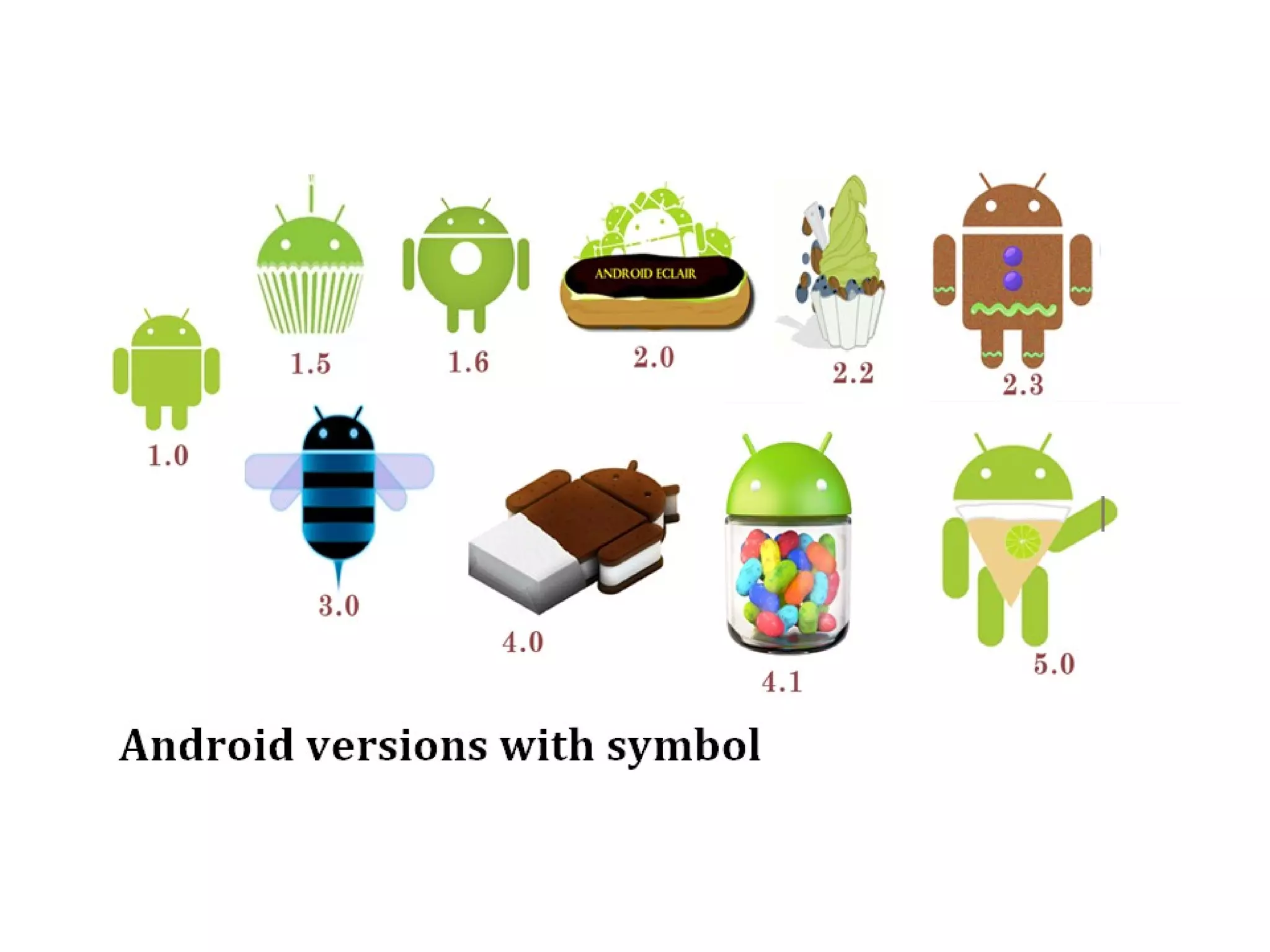
Android Versions
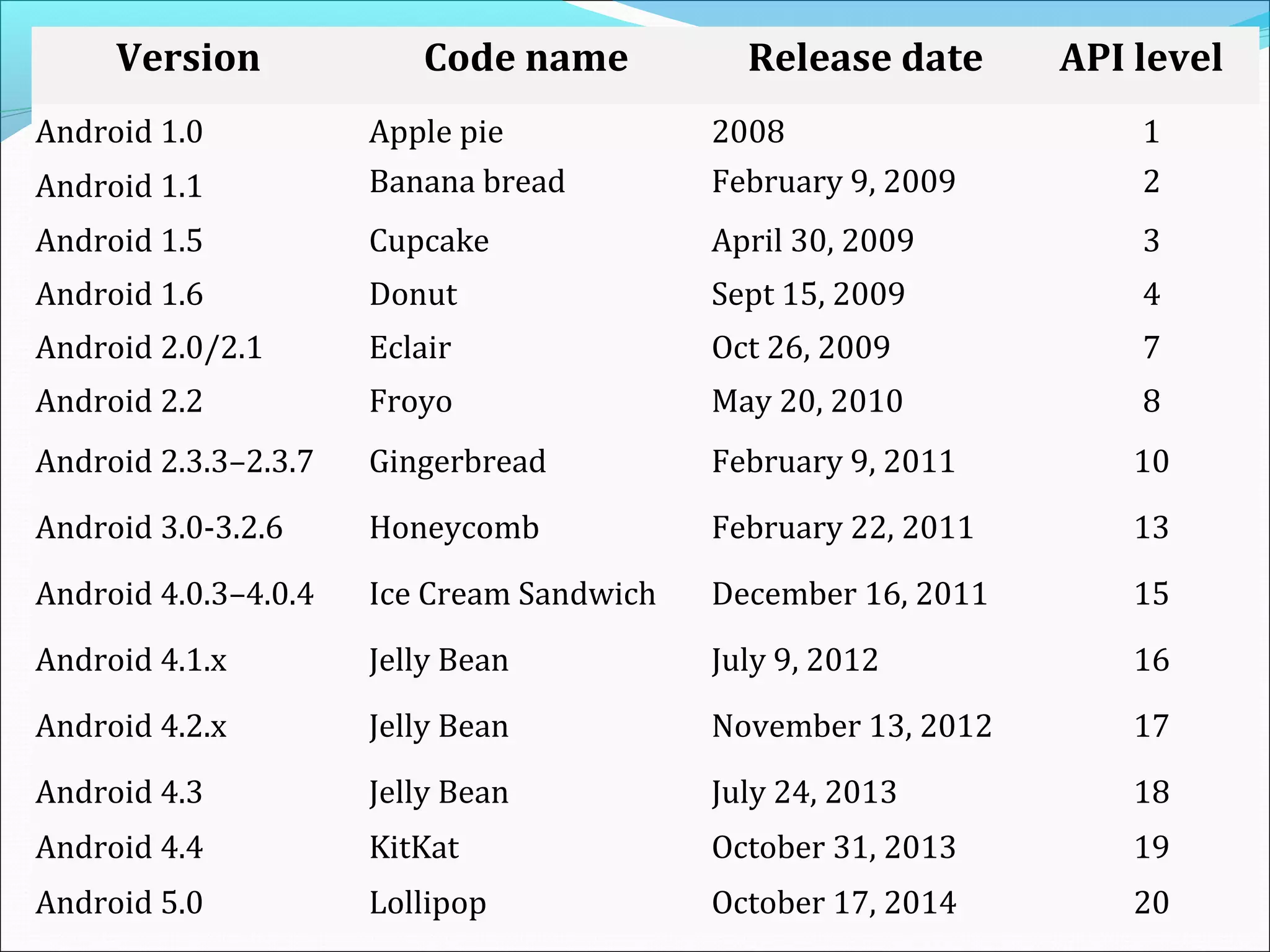
Version Code name Release date API level
Android 1.0 Apple pie 2008 1
Android 1.1 Banana bread February 9, 2009 2
Android 1.5 Cupcake April 30, 2009 3
Android 1.6 Donut Sept 15, 2009 4
Android 2.0/2.1 Eclair Oct 26, 2009 7
Android 2.2 Froyo May 20, 2010 8
Android 2.3.3–2.3.7 Gingerbread February 9, 2011 10
Android 3.0-3.2.6 Honeycomb February 22, 2011 13
Android 4.0.3–4.0.4 Ice Cream Sandwich December 16, 2011 15
Android 4.1.x Jelly Bean July 9, 2012 16
Android 4.2.x Jelly Bean November 13, 2012 17
Android 4.3 Jelly Bean July 24, 2013 18
Android 4.4 KitKat October 31, 2013 19
Android 5.0 Lollipop October 17, 2014 20
What is Android?
 It is a open source software platform and operating system
for mobile devices
 Android is a software environment built for mobile devices
 It is based on the Linux kernel
 Developed by Google and later Open Handset Alliance
(OHA)
 Android application are built in Java language
 Android has its own virtual machine called DVM(Dalvik
Virtual Machine),which is used for executing the android
application
Android platform is
Complete:
 The android application development began with secure
operating system and robust framework for rich
application development
Open:
 The platform is provided through open source licensing,
also we have access to handset features while
developing applications
Free:
 Android applications are free to develop, as Andriod SDK,
ADT, etc required plugins are free
What is Open Handset Alliance?
 Open Handset Alliance is a consortium of
47 hardware, software, and telecom companies devoted to
advancing open standards for mobile devices.
 i.e. to deliver the consumer a richer, less expensive and better
mobile experience.
 OHA’s aim is to Develop technologies that will significantly
lower the cost of developing and distributing mobile devices
and services.
Open Handset Members
 Operators
 T-Mobile, Telecom Italia, Telefonica, NTT DoCoMo, KDDI, Sprint,
China Mobile
 Handset Manufacturers
 HTC, LG, Motorola, Samsung
 Semiconductor Companies
 Audience, Broadcom, Intel, Marvell, NVIDIA, Qualcomm, SiRF,
Synaptics, Texas Instruments
 Software Companies(Applications)
 Ascender, eBay, Esmertec, Google, LivingImage, NMS
communications, Packet Video, SkyPop
 Commercialization Companies
 Aplix, TAT, Wind River, Noser
Android Architecture
Before starting with Android Architecture
Why we are using Linux?
Because Linux kernel is proven core platform
It is reliable
It provides security
Hardware drivers
Process management
Memory management
Power management
Android Architecture
Four main Layers of Android architecture are
1. Applications
2. Application Framework
3. Libraries and Android Runtime
4. Linux Kernel
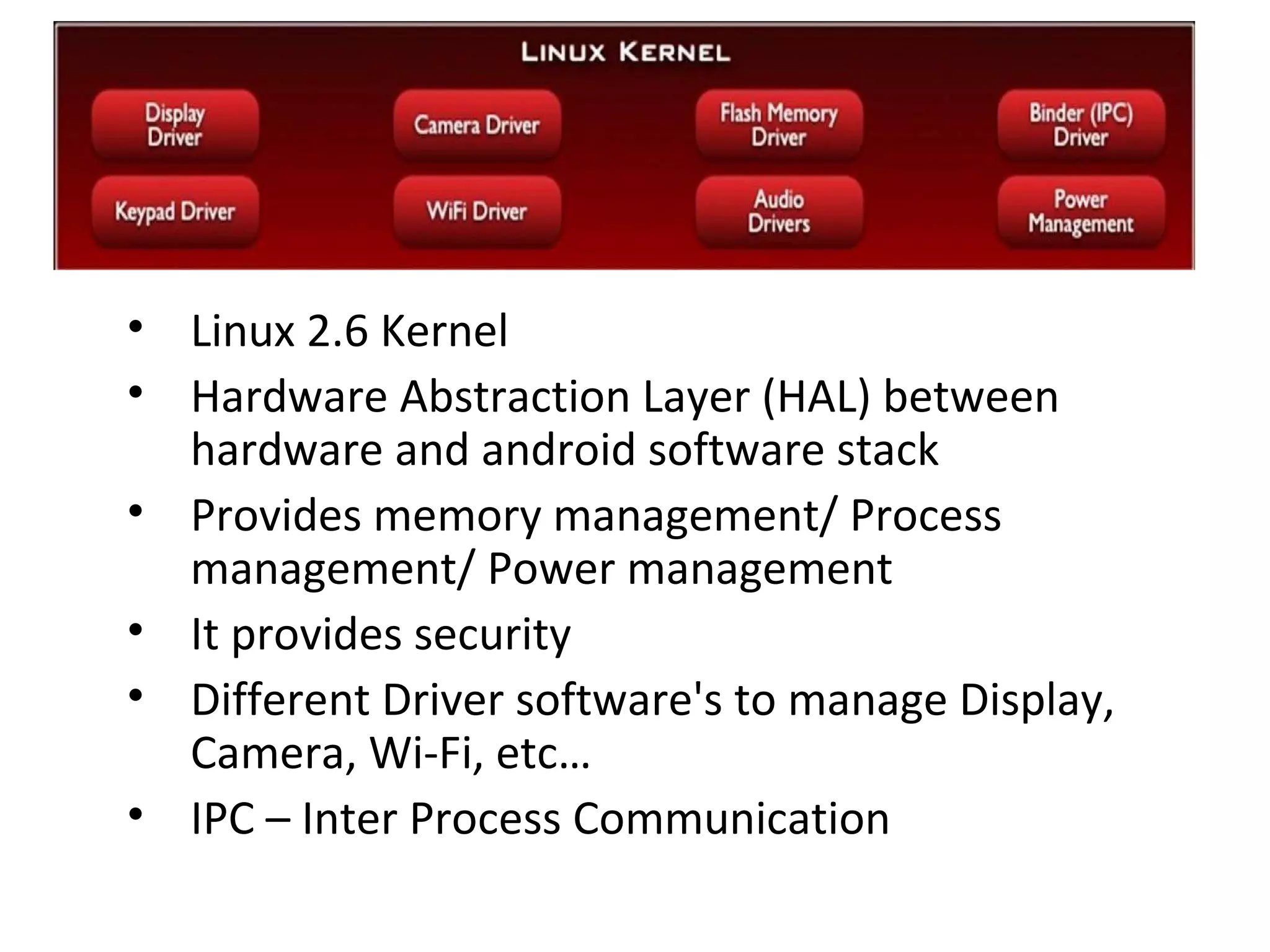
• Linux 2.6 Kernel
• Hardware Abstraction Layer (HAL) between
hardware and android software stack
• Provides memory management/ Process
management/ Power management
• It provides security
• Different Driver software's to manage Display,
Camera, Wi-Fi, etc…
• IPC – Inter Process Communication
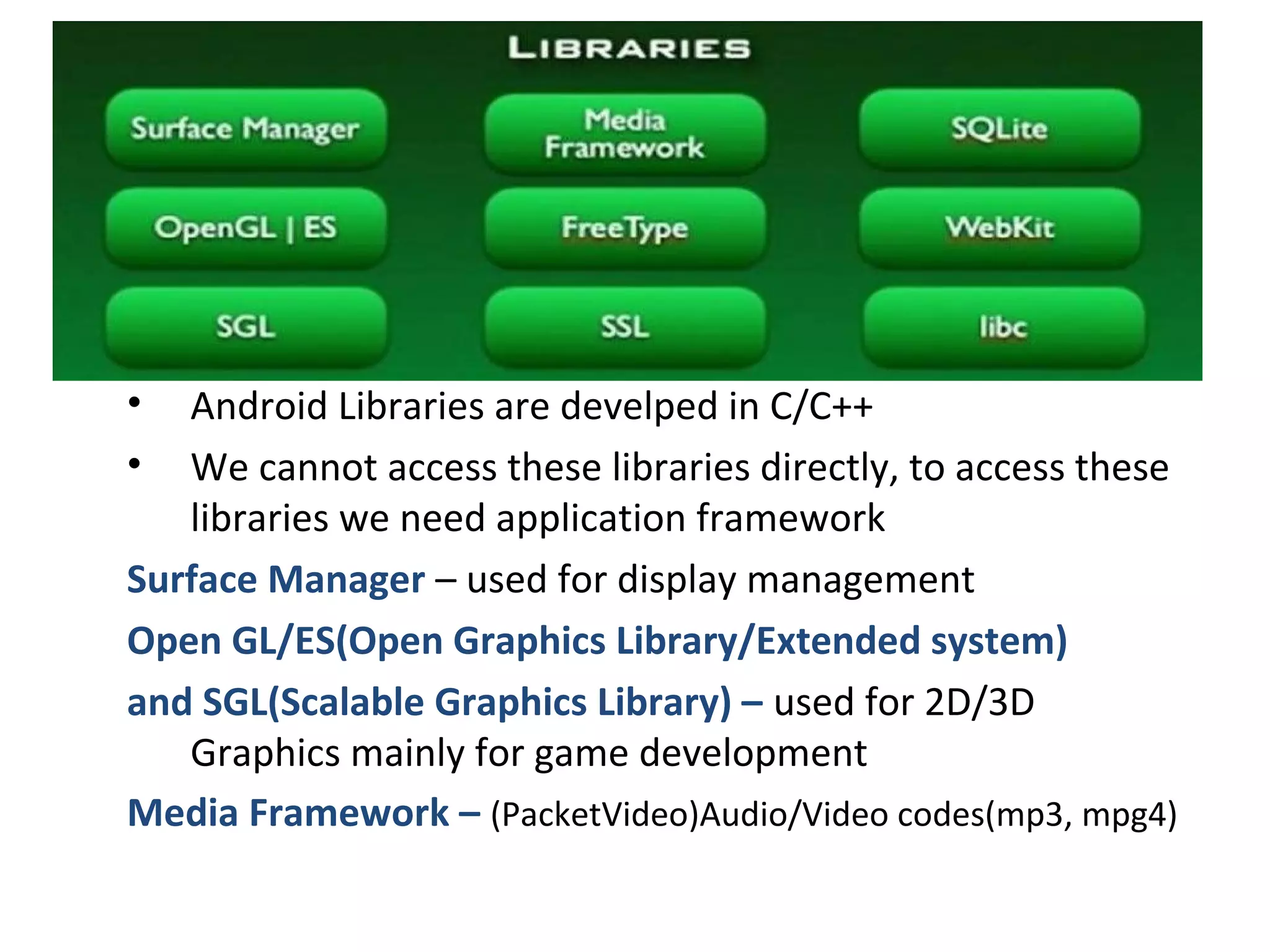
• Android Libraries are develped in C/C++
• We cannot access these libraries directly, to access these
libraries we need application framework
Surface Manager – used for display management
Open GL/ES(Open Graphics Library/Extended system)
and SGL(Scalable Graphics Library) – used for 2D/3D
Graphics mainly for game development
Media Framework – (PacketVideo)Audio/Video codes(mp3, mpg4)
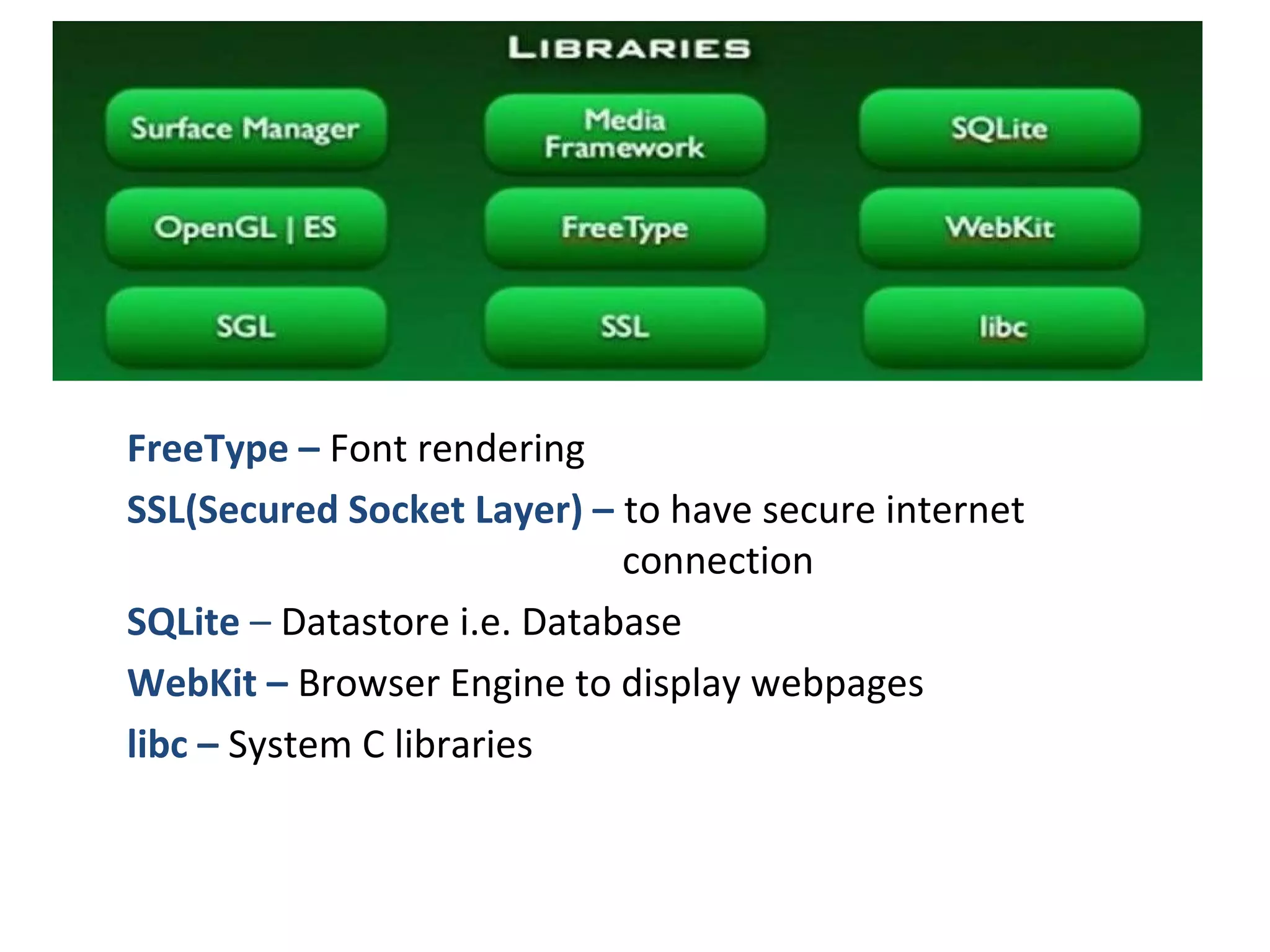
FreeType – Font rendering
SSL(Secured Socket Layer) – to have secure internet
connection
SQLite – Datastore i.e. Database
WebKit – Browser Engine to display webpages
libc – System C libraries
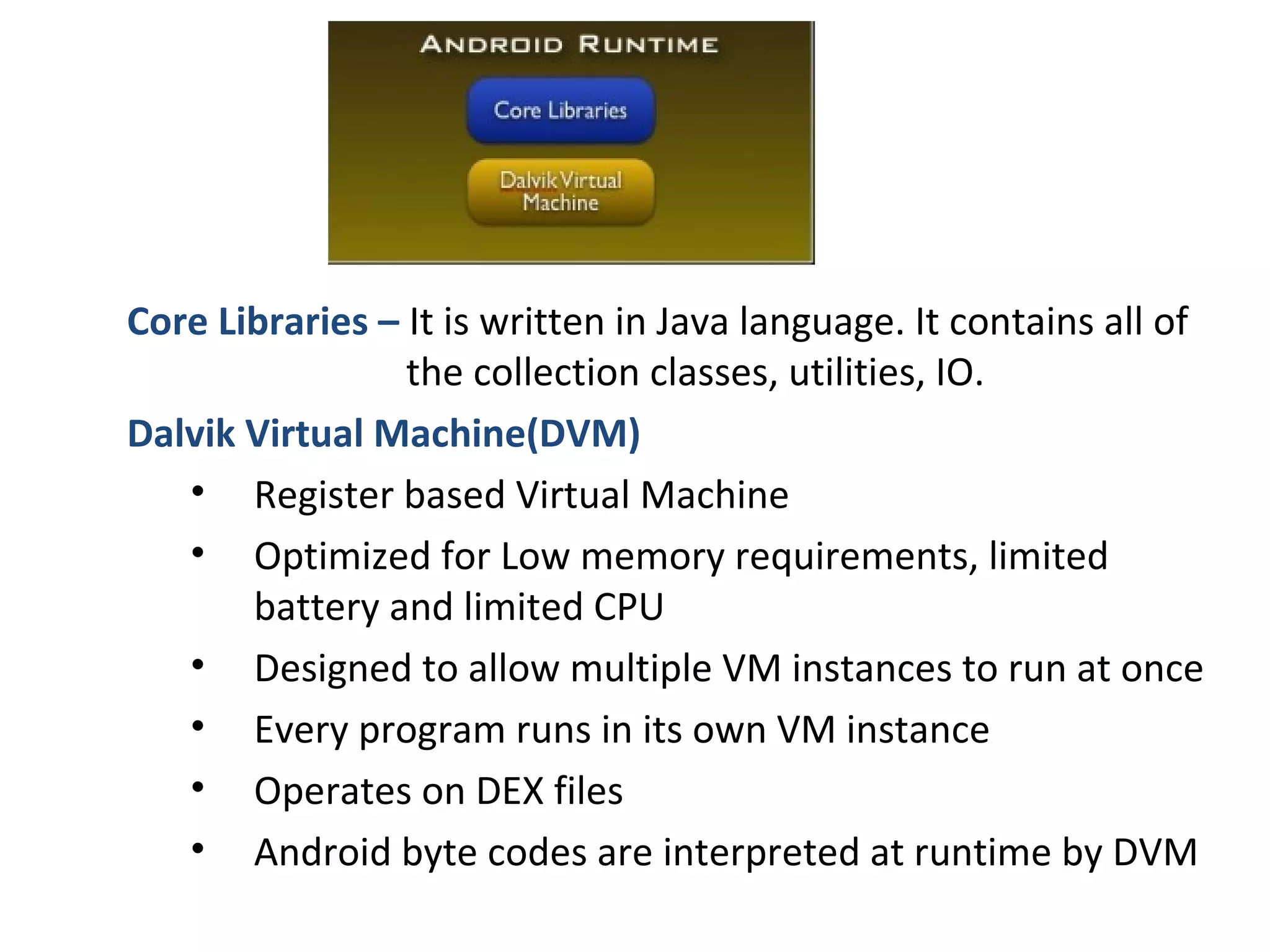
Core Libraries – It is written in Java language. It contains all of
the collection classes, utilities, IO.
Dalvik Virtual Machine(DVM)
• Register based Virtual Machine
• Optimized for Low memory requirements, limited
battery and limited CPU
• Designed to allow multiple VM instances to run at once
• Every program runs in its own VM instance
• Operates on DEX files
• Android byte codes are interpreted at runtime by DVM
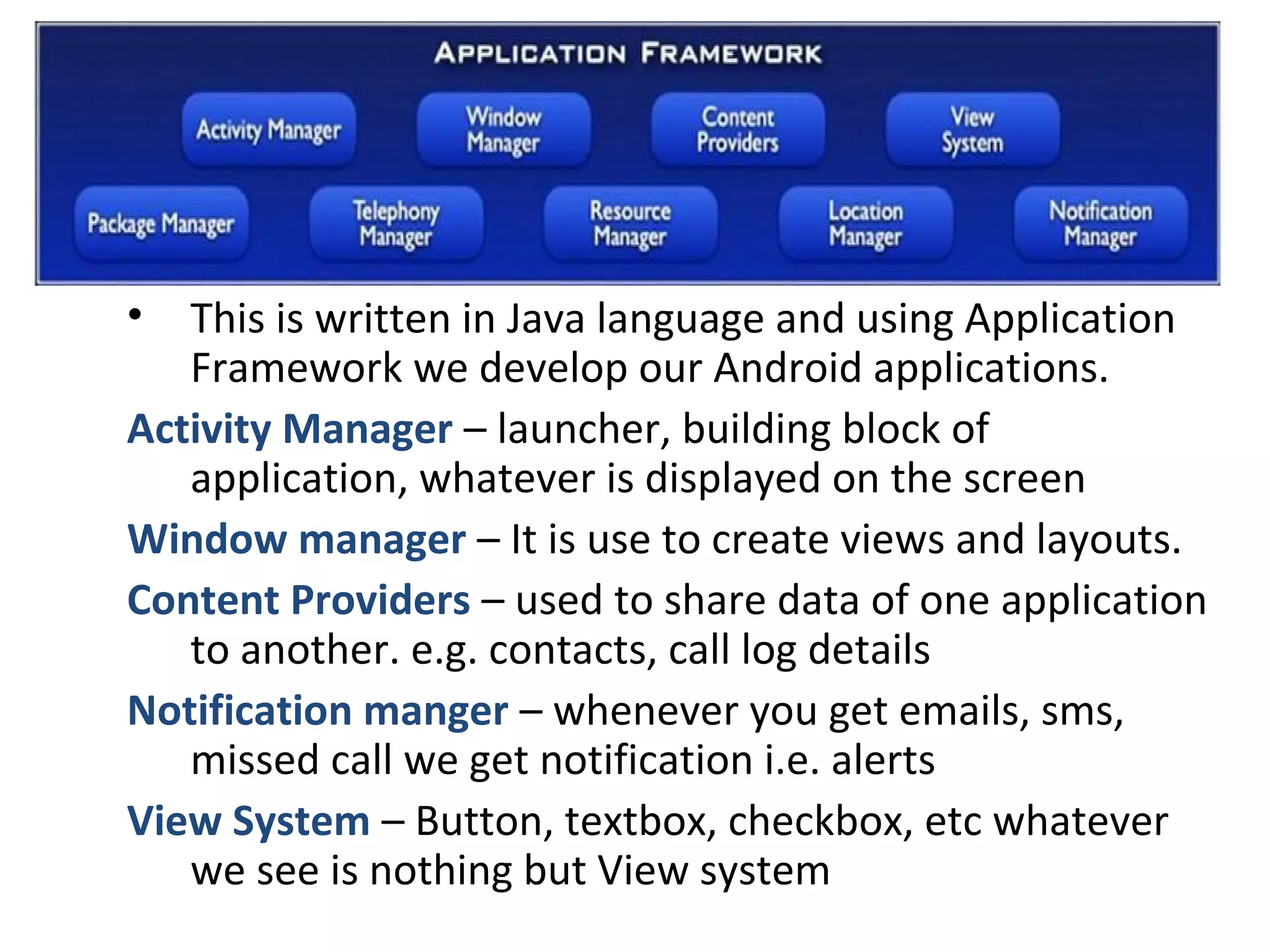
• This is written in Java language and using Application
Framework we develop our Android applications.
Activity Manager – launcher, building block of
application, whatever is displayed on the screen
Window manager – It is use to create views and layouts.
Content Providers – used to share data of one application
to another. e.g. contacts, call log details
Notification manger – whenever you get emails, sms,
missed call we get notification i.e. alerts
View System – Button, textbox, checkbox, etc whatever
we see is nothing but View system
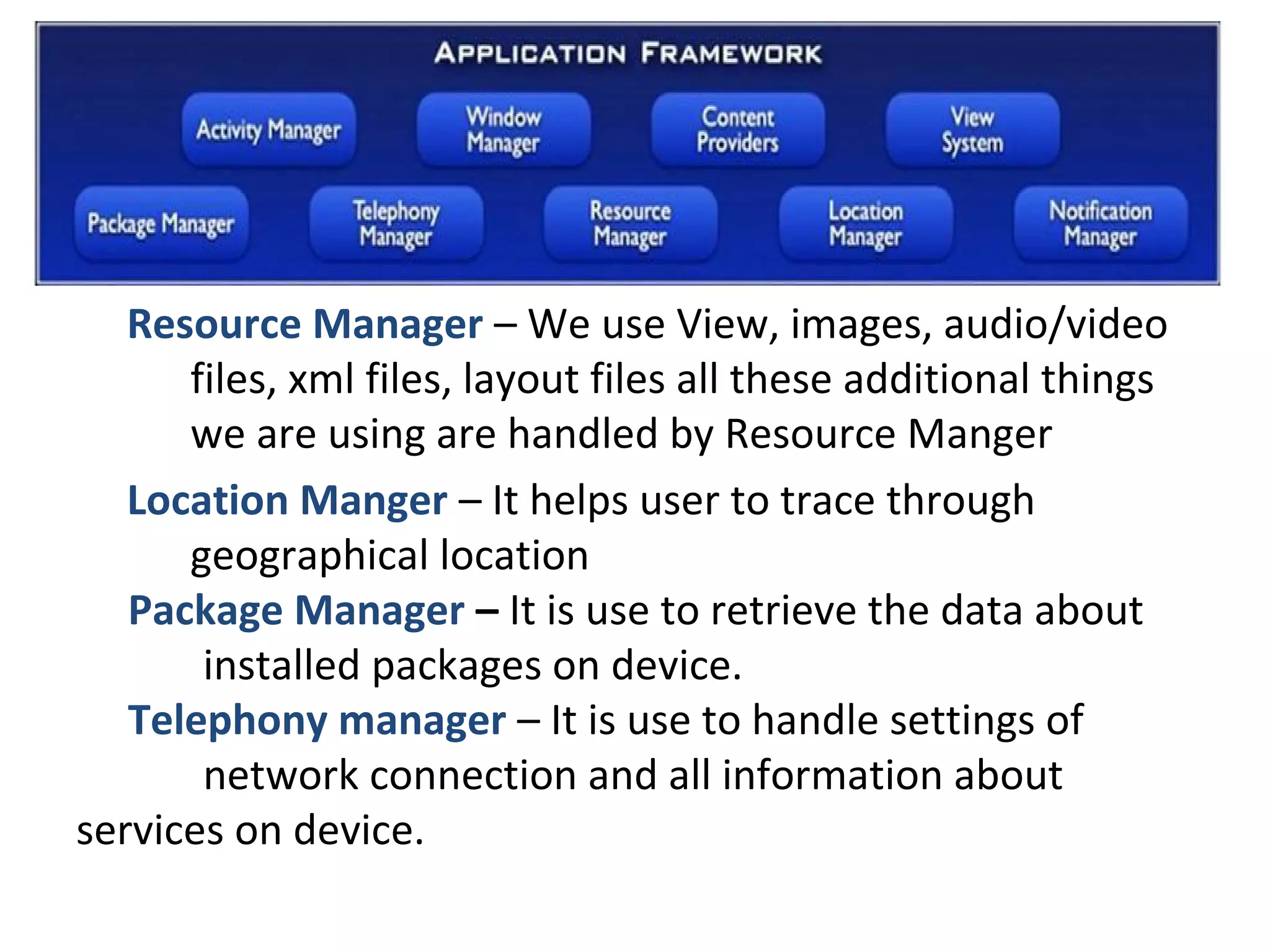
Resource Manager – We use View, images, audio/video
files, xml files, layout files all these additional things
we are using are handled by Resource Manger
Location Manger – It helps user to trace through
geographical location
Package Manager – It is use to retrieve the data about
installed packages on device.
Telephony manager – It is use to handle settings of
network connection and all information about
services on device.
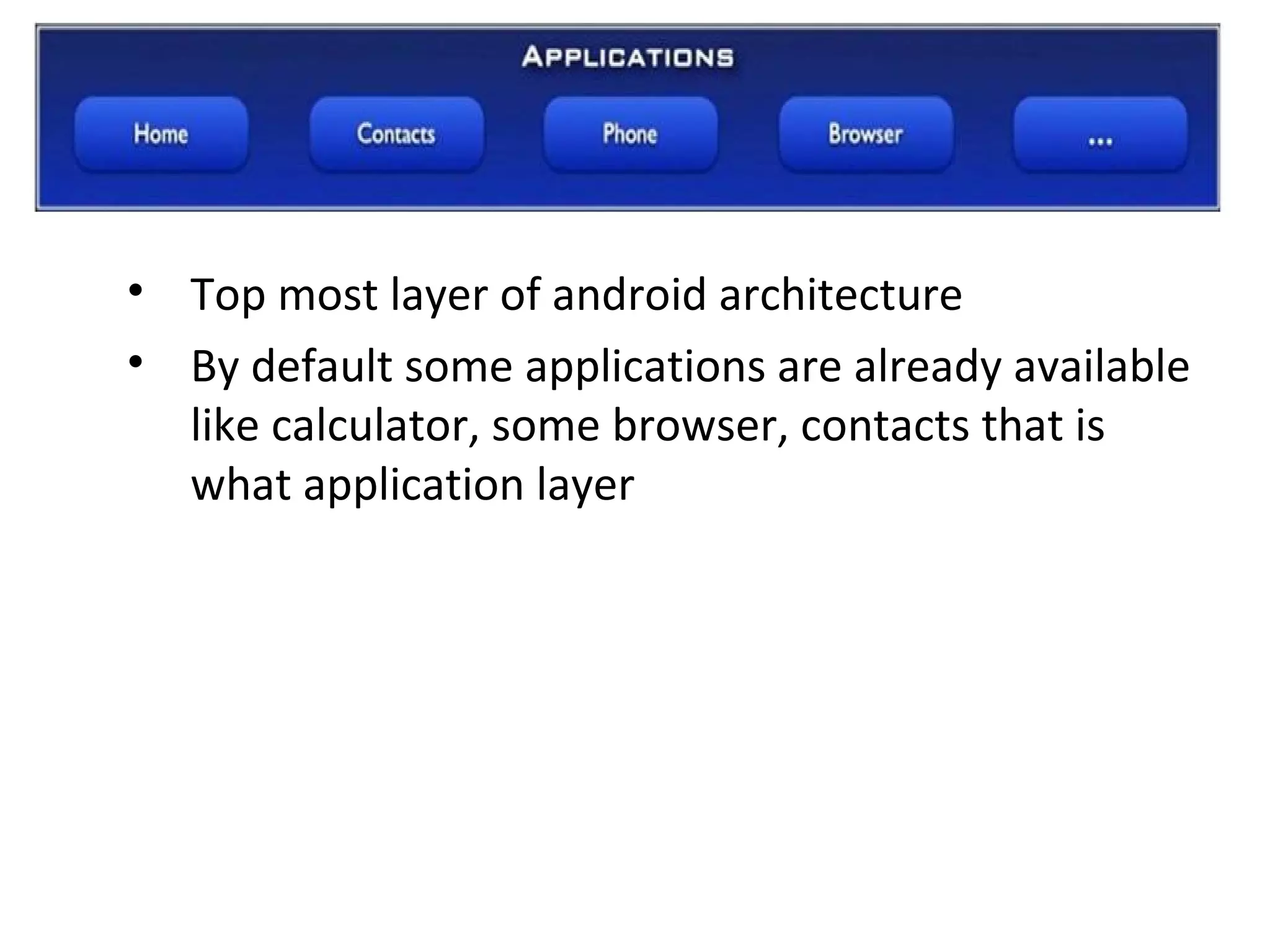
• Top most layer of android architecture
• By default some applications are already available
like calculator, some browser, contacts that is
what application layer
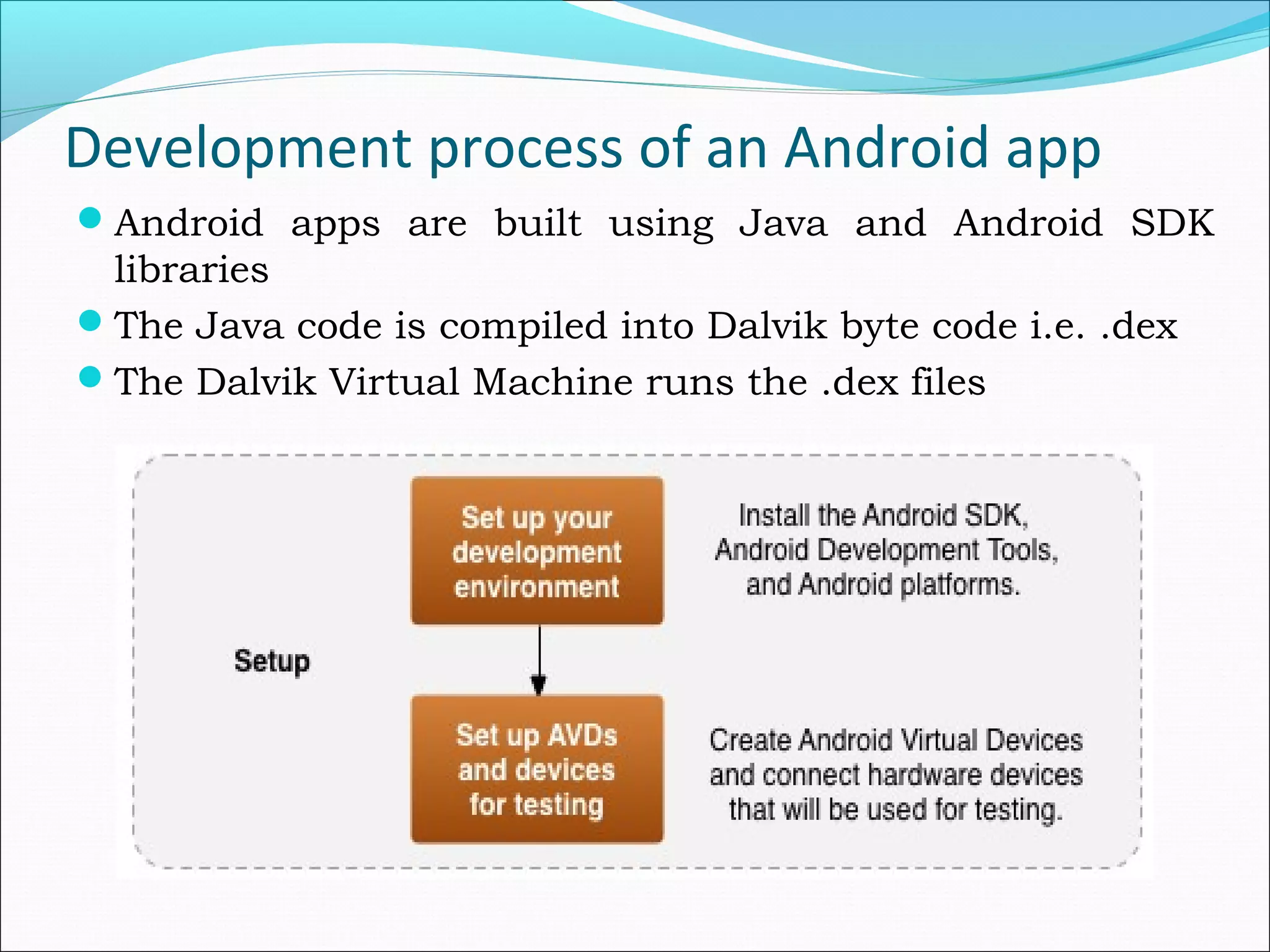
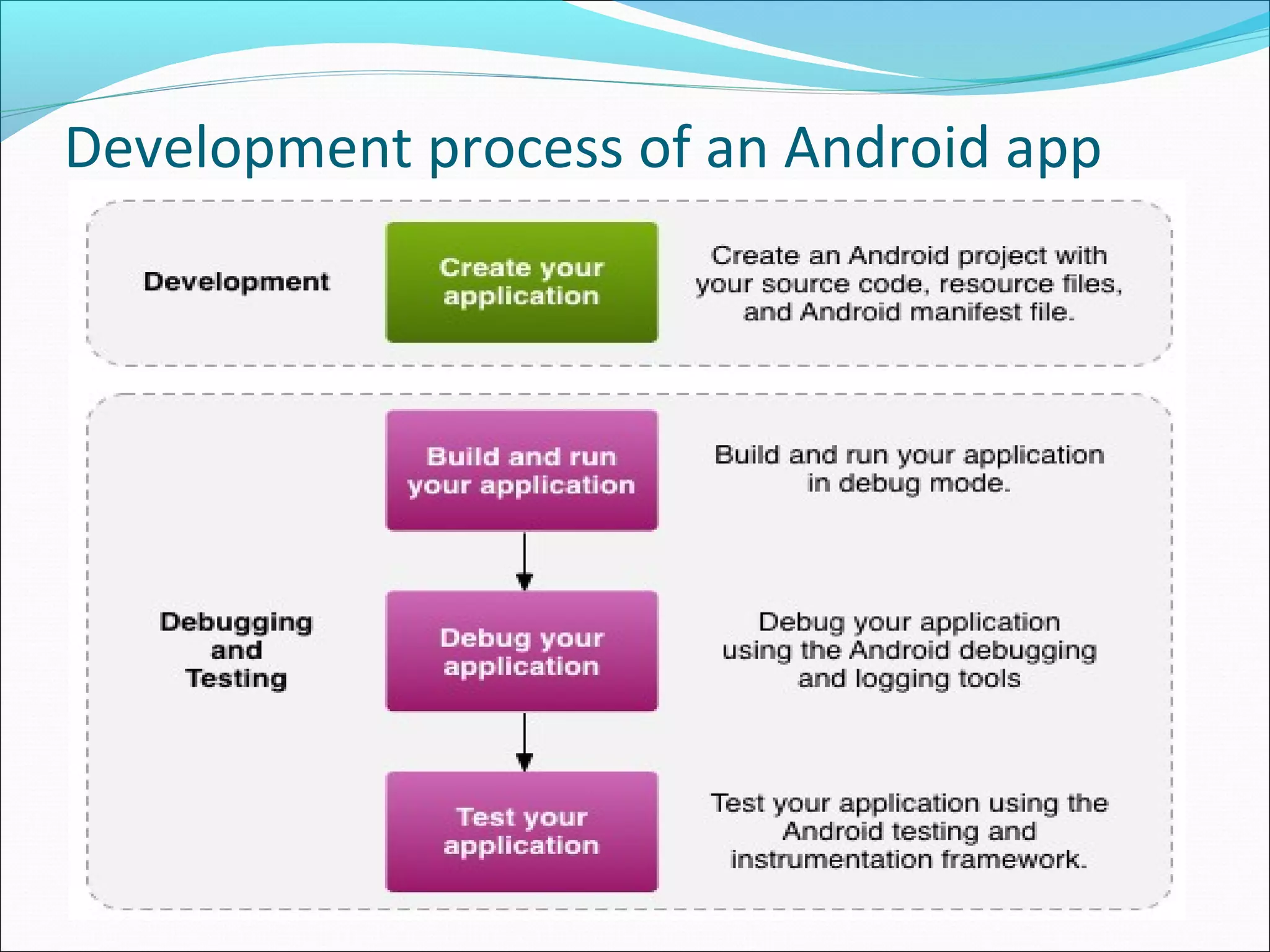
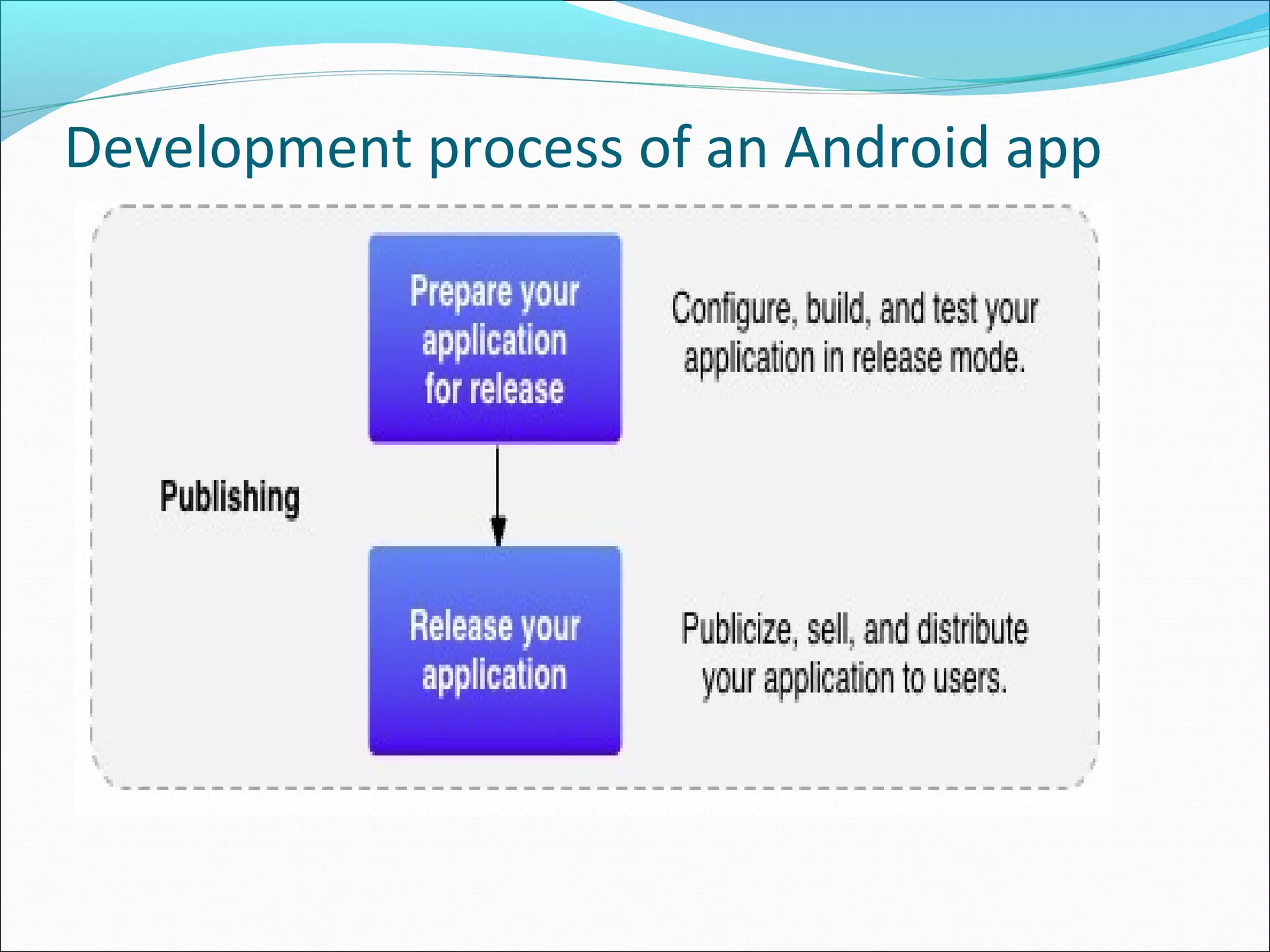
Development process of an Android app
Android apps are built using Java and Android SDK
libraries
The Java code is compiled into Dalvik byte code i.e. .dex
The Dalvik Virtual Machine runs the .dex files
Development process of an Android app
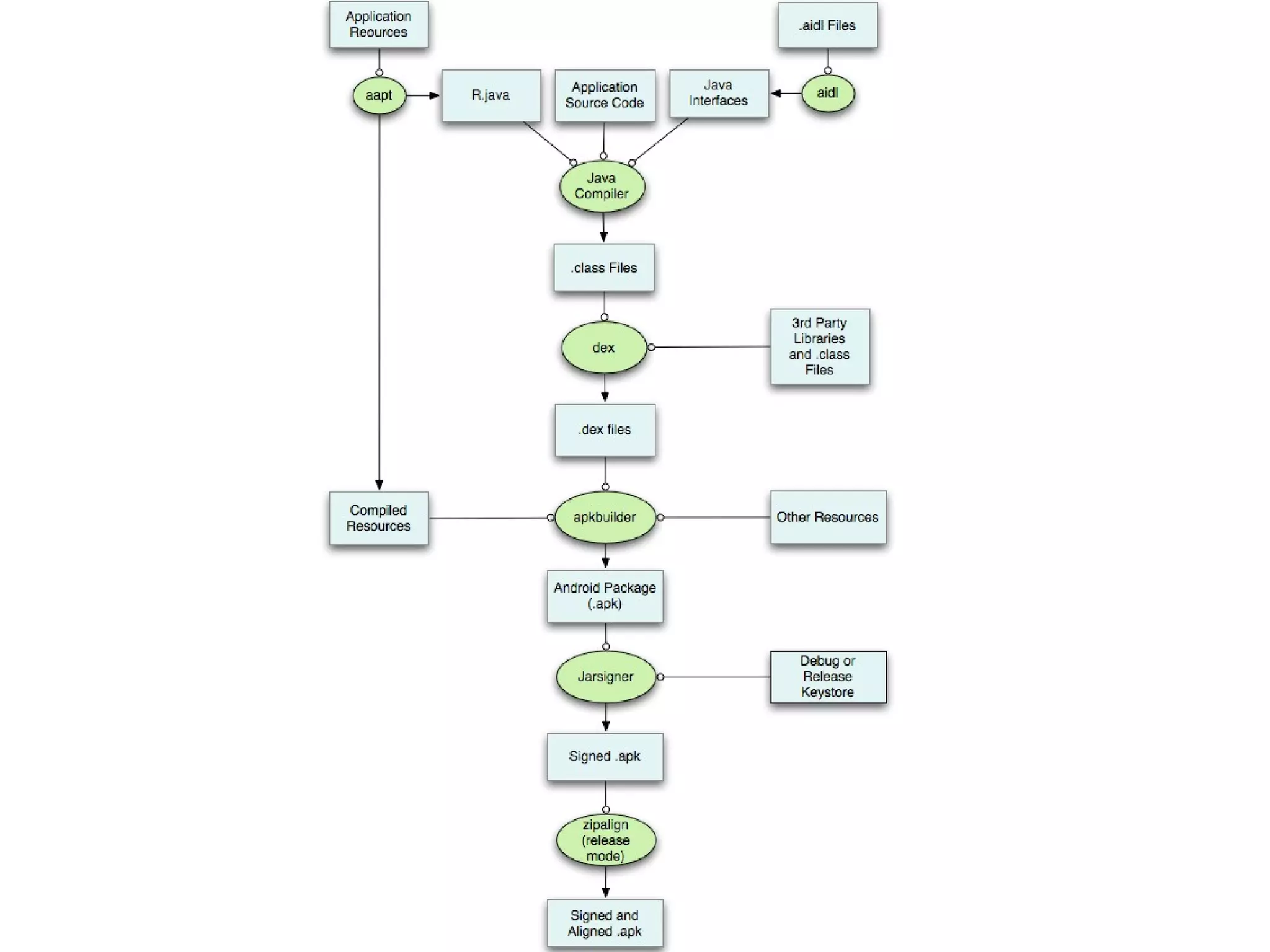
Android application Build Process
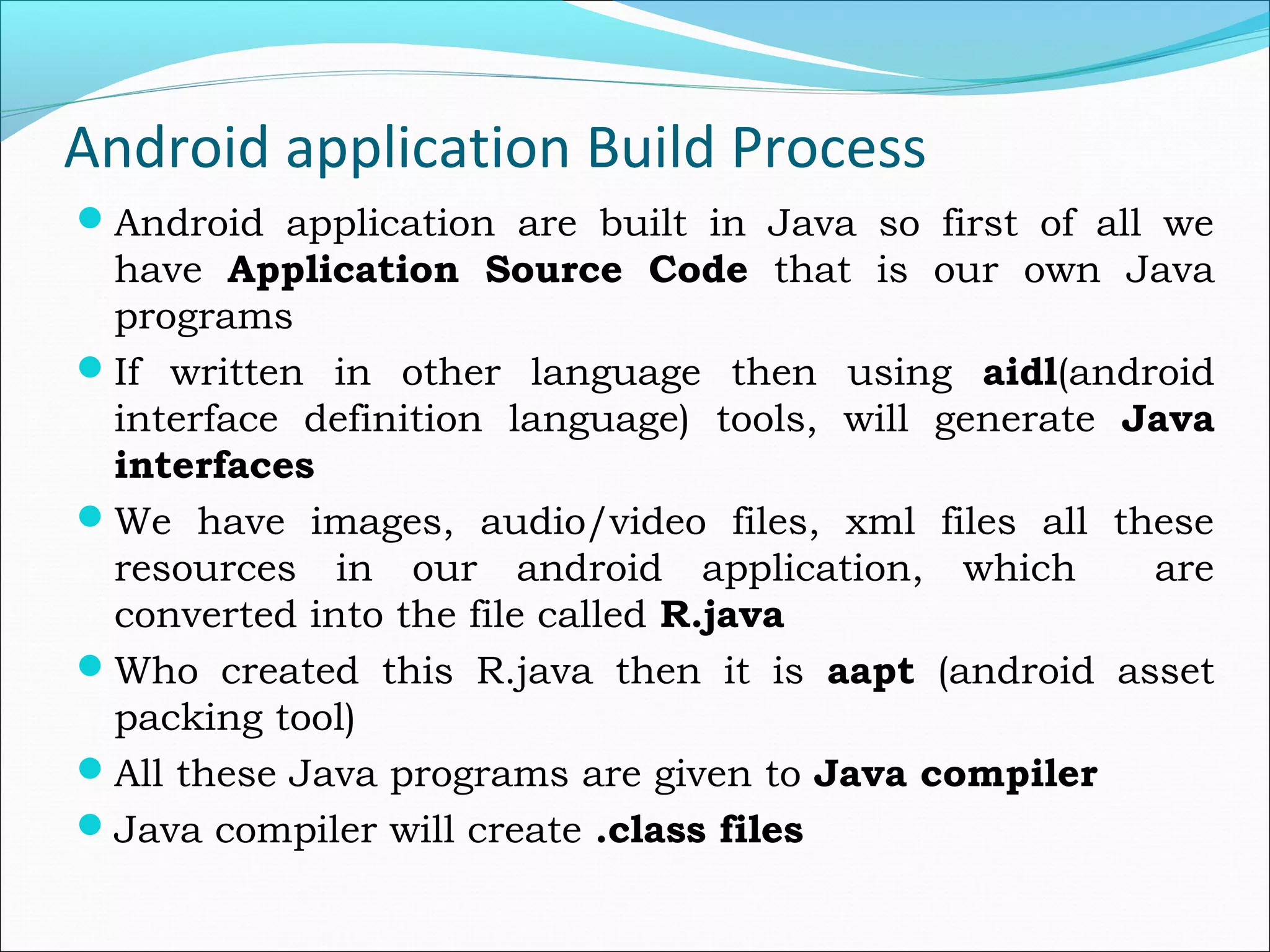
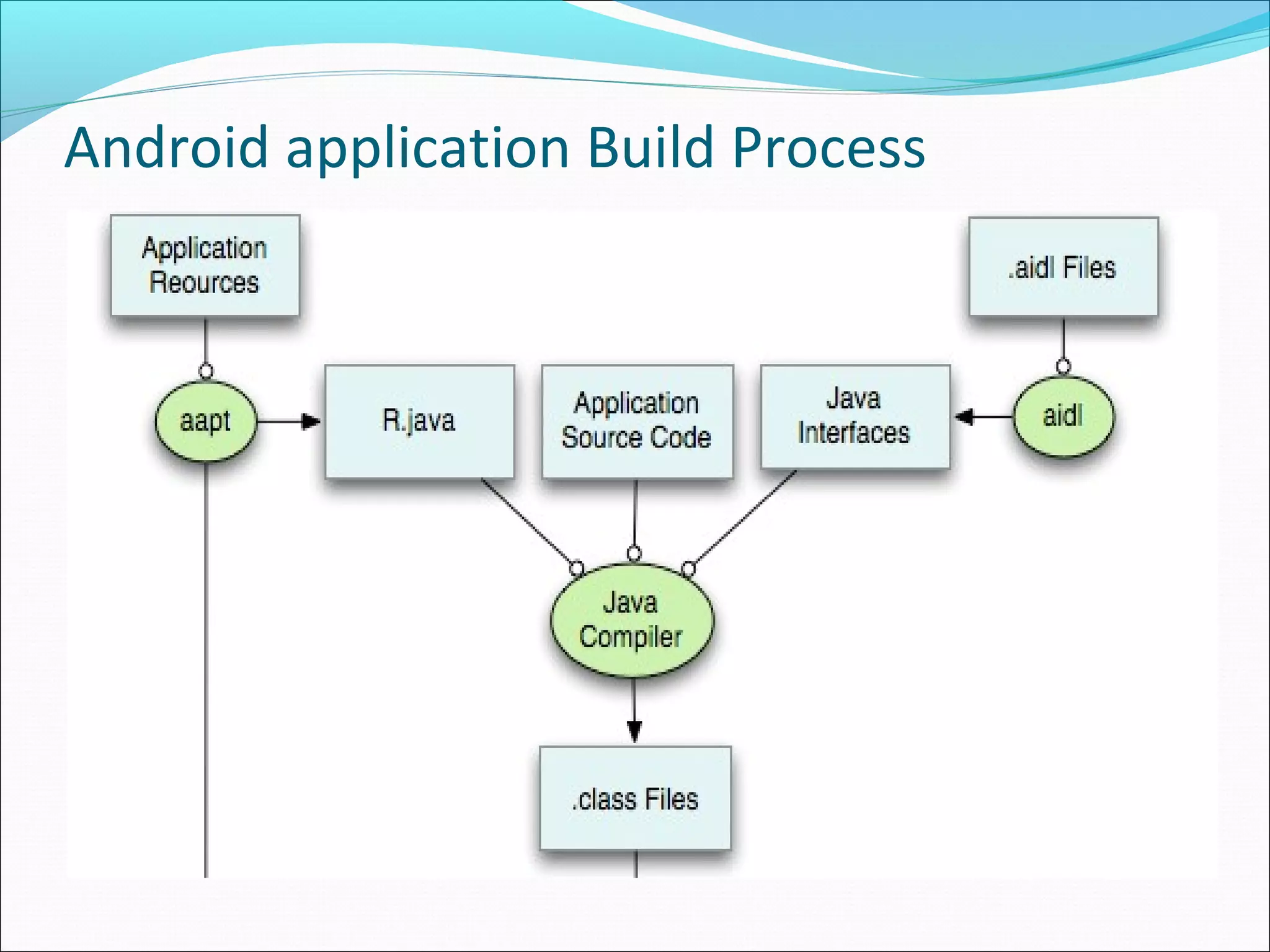
Android application are built in Java so first of all we
have Application Source Code that is our own Java
programs
If written in other language then using aidl(android
interface definition language) tools, will generate Java
interfaces
We have images, audio/video files, xml files all these
resources in our android application, which are
converted into the file called R.java
Who created this R.java then it is aapt (android asset
packing tool)
All these Java programs are given to Java compiler
Java compiler will create .class files
Android application Build Process
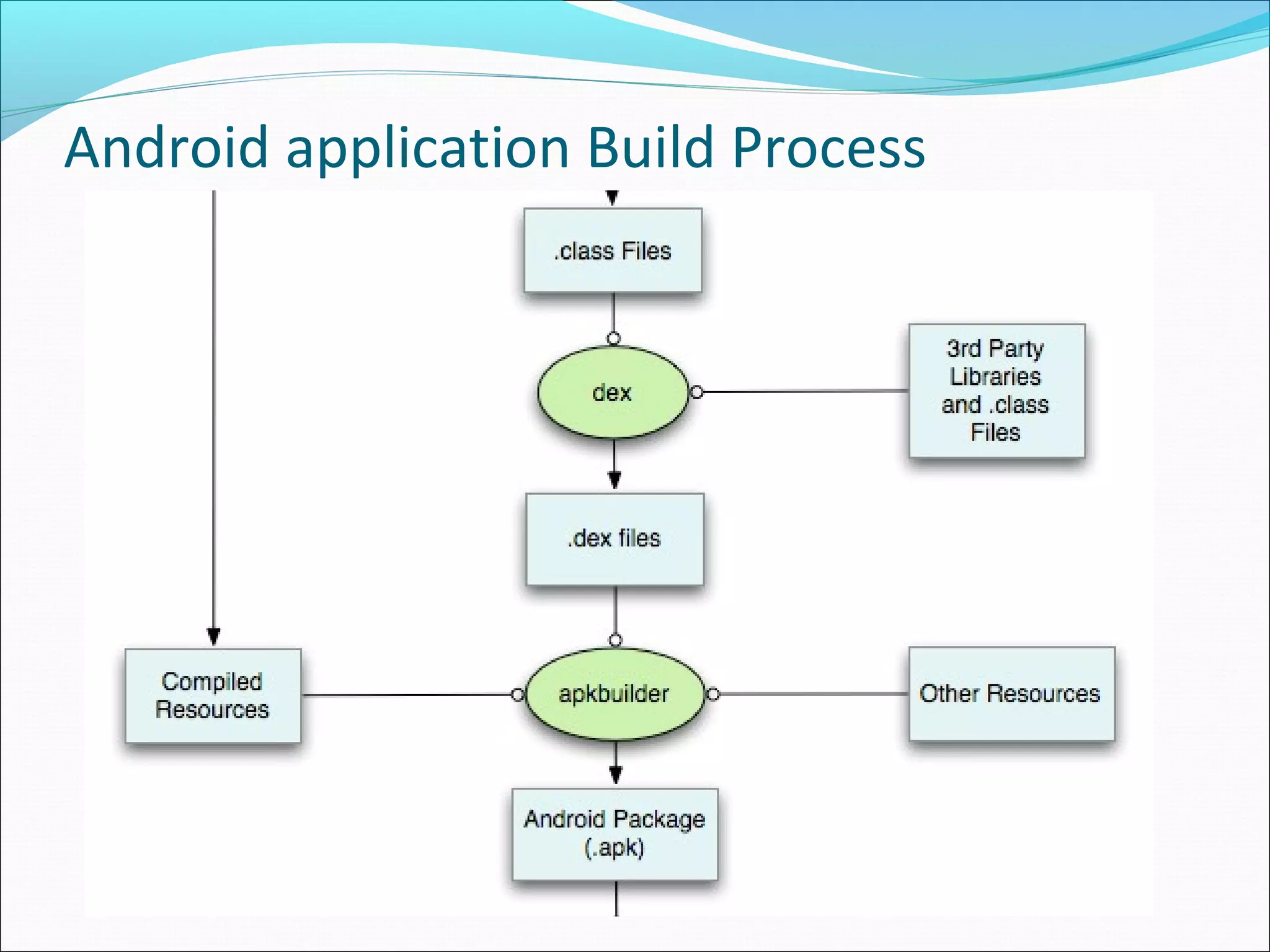
These .class files are given to dex(delvik executable tool)
tools
Some other additional class files like Google map class
files are i.e. 3rd
Party Libraries and Class Files are also
given to Dex tool
Now this Dex tool will create a single dex file.
This dex file along with the compiled resources from AAPT
and other additional resources is given to APK Builder
This APK Builder creates our android application i.e. .apk
file
Android application Build Process
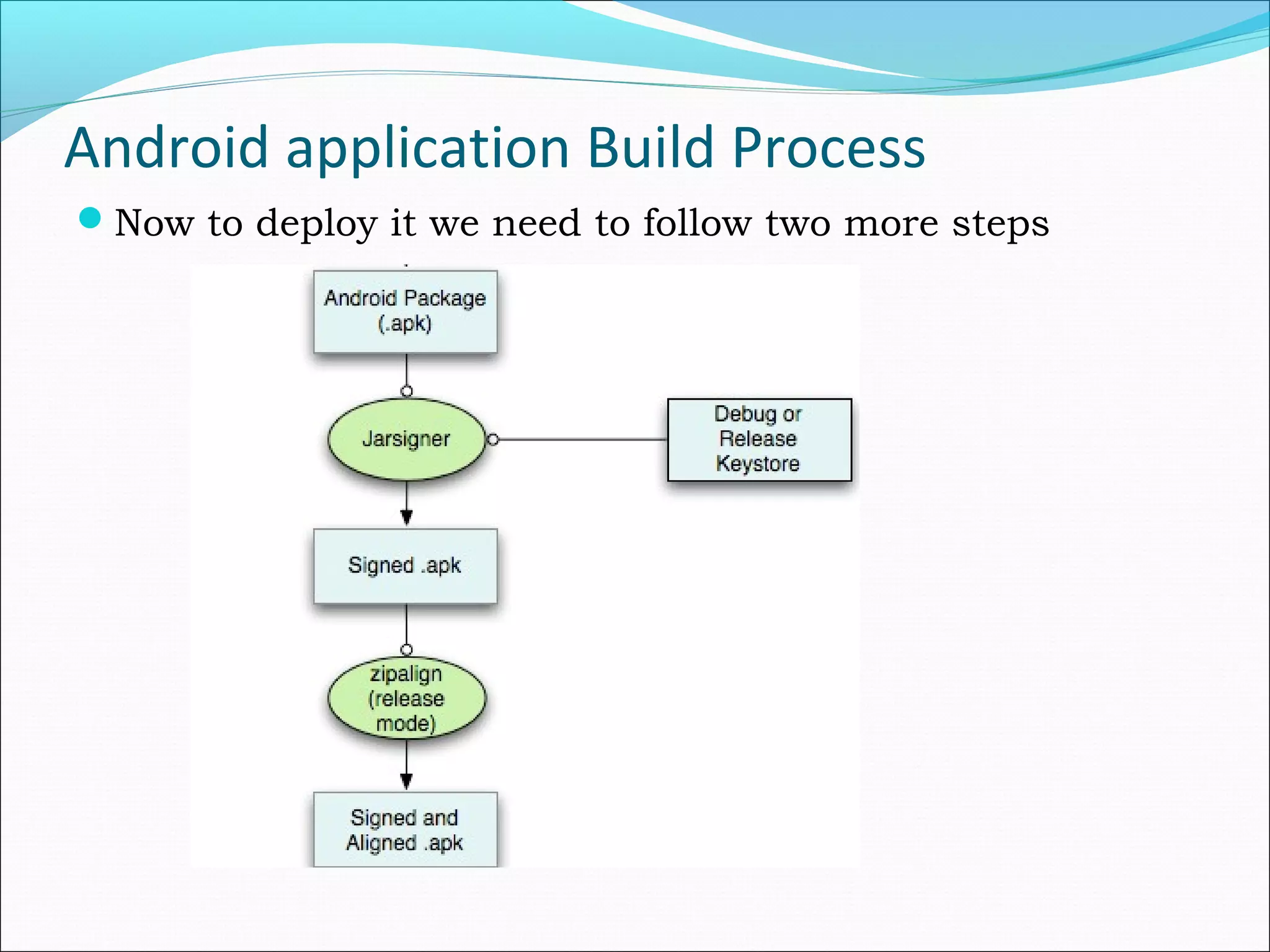
Now to deploy it we need to follow two more steps
References
http://developer.android.com/index.html
http://www.android.com
Thank you
- Rajesh Jambukia

An introduction to Android

  • 1.
  • 2.
    Agenda Why Mobile AppDevelopment? Different Operating Systems Android Devices in the market Android History Android Versions What is Android? Android Platform Open Handset Alliance Open Handset Members Android Architecture Android Development Process Android Build Process
  • 3.
    Why Mobile AppDevelopment? Mobile platform is the platform of the future Double-digit growth in world-wide smart phone ownership Job market is hot Market for mobile software rises day by day
  • 4.
    Different Operating Systems Symbian– Nokia – Microsoft BlackBerry – Research In Motion (RIM) iOS (known as iPhone OS) – Apple WebOS – Hewlett Packard (HP) Bada – Samsung Windows Mobile - Microsoft
  • 5.
    Android Devices inthe market Smart Phones Tablets E-Reader Devices NetBooks MP4 Players Internet TVs
  • 6.
    Android History Android Inc.foundedin Palo Alto,california ,united states in October 2003 by Andy Rubin. It was developed by Google and later the Open Handset Alliance (OHA).
  • 7.
  • 8.
    Version Code nameRelease date API level Android 1.0 Apple pie 2008 1 Android 1.1 Banana bread February 9, 2009 2 Android 1.5 Cupcake April 30, 2009 3 Android 1.6 Donut Sept 15, 2009 4 Android 2.0/2.1 Eclair Oct 26, 2009 7 Android 2.2 Froyo May 20, 2010 8 Android 2.3.3–2.3.7 Gingerbread February 9, 2011 10 Android 3.0-3.2.6 Honeycomb February 22, 2011 13 Android 4.0.3–4.0.4 Ice Cream Sandwich December 16, 2011 15 Android 4.1.x Jelly Bean July 9, 2012 16 Android 4.2.x Jelly Bean November 13, 2012 17 Android 4.3 Jelly Bean July 24, 2013 18 Android 4.4 KitKat October 31, 2013 19 Android 5.0 Lollipop October 17, 2014 20
  • 10.
    What is Android? It is a open source software platform and operating system for mobile devices  Android is a software environment built for mobile devices  It is based on the Linux kernel  Developed by Google and later Open Handset Alliance (OHA)  Android application are built in Java language  Android has its own virtual machine called DVM(Dalvik Virtual Machine),which is used for executing the android application
  • 11.
    Android platform is Complete: The android application development began with secure operating system and robust framework for rich application development Open:  The platform is provided through open source licensing, also we have access to handset features while developing applications Free:  Android applications are free to develop, as Andriod SDK, ADT, etc required plugins are free
  • 12.
    What is OpenHandset Alliance?  Open Handset Alliance is a consortium of 47 hardware, software, and telecom companies devoted to advancing open standards for mobile devices.  i.e. to deliver the consumer a richer, less expensive and better mobile experience.  OHA’s aim is to Develop technologies that will significantly lower the cost of developing and distributing mobile devices and services.
  • 13.
    Open Handset Members Operators  T-Mobile, Telecom Italia, Telefonica, NTT DoCoMo, KDDI, Sprint, China Mobile  Handset Manufacturers  HTC, LG, Motorola, Samsung  Semiconductor Companies  Audience, Broadcom, Intel, Marvell, NVIDIA, Qualcomm, SiRF, Synaptics, Texas Instruments  Software Companies(Applications)  Ascender, eBay, Esmertec, Google, LivingImage, NMS communications, Packet Video, SkyPop  Commercialization Companies  Aplix, TAT, Wind River, Noser
  • 14.
    Android Architecture Before startingwith Android Architecture Why we are using Linux? Because Linux kernel is proven core platform It is reliable It provides security Hardware drivers Process management Memory management Power management
  • 15.
    Android Architecture Four mainLayers of Android architecture are 1. Applications 2. Application Framework 3. Libraries and Android Runtime 4. Linux Kernel
  • 16.
    • Linux 2.6Kernel • Hardware Abstraction Layer (HAL) between hardware and android software stack • Provides memory management/ Process management/ Power management • It provides security • Different Driver software's to manage Display, Camera, Wi-Fi, etc… • IPC – Inter Process Communication
  • 17.
    • Android Librariesare develped in C/C++ • We cannot access these libraries directly, to access these libraries we need application framework Surface Manager – used for display management Open GL/ES(Open Graphics Library/Extended system) and SGL(Scalable Graphics Library) – used for 2D/3D Graphics mainly for game development Media Framework – (PacketVideo)Audio/Video codes(mp3, mpg4)
  • 18.
    FreeType – Fontrendering SSL(Secured Socket Layer) – to have secure internet connection SQLite – Datastore i.e. Database WebKit – Browser Engine to display webpages libc – System C libraries
  • 19.
    Core Libraries –It is written in Java language. It contains all of the collection classes, utilities, IO. Dalvik Virtual Machine(DVM) • Register based Virtual Machine • Optimized for Low memory requirements, limited battery and limited CPU • Designed to allow multiple VM instances to run at once • Every program runs in its own VM instance • Operates on DEX files • Android byte codes are interpreted at runtime by DVM
  • 20.
    • This iswritten in Java language and using Application Framework we develop our Android applications. Activity Manager – launcher, building block of application, whatever is displayed on the screen Window manager – It is use to create views and layouts. Content Providers – used to share data of one application to another. e.g. contacts, call log details Notification manger – whenever you get emails, sms, missed call we get notification i.e. alerts View System – Button, textbox, checkbox, etc whatever we see is nothing but View system
  • 21.
    Resource Manager –We use View, images, audio/video files, xml files, layout files all these additional things we are using are handled by Resource Manger Location Manger – It helps user to trace through geographical location Package Manager – It is use to retrieve the data about installed packages on device. Telephony manager – It is use to handle settings of network connection and all information about services on device.
  • 22.
    • Top mostlayer of android architecture • By default some applications are already available like calculator, some browser, contacts that is what application layer
  • 23.
    Development process ofan Android app Android apps are built using Java and Android SDK libraries The Java code is compiled into Dalvik byte code i.e. .dex The Dalvik Virtual Machine runs the .dex files
  • 24.
    Development process ofan Android app
  • 25.
    Development process ofan Android app
  • 26.
    Android application BuildProcess Android application are built in Java so first of all we have Application Source Code that is our own Java programs If written in other language then using aidl(android interface definition language) tools, will generate Java interfaces We have images, audio/video files, xml files all these resources in our android application, which are converted into the file called R.java Who created this R.java then it is aapt (android asset packing tool) All these Java programs are given to Java compiler Java compiler will create .class files
  • 27.
  • 28.
    Android application BuildProcess These .class files are given to dex(delvik executable tool) tools Some other additional class files like Google map class files are i.e. 3rd Party Libraries and Class Files are also given to Dex tool Now this Dex tool will create a single dex file. This dex file along with the compiled resources from AAPT and other additional resources is given to APK Builder This APK Builder creates our android application i.e. .apk file
  • 29.
  • 30.
    Android application BuildProcess Now to deploy it we need to follow two more steps
  • 32.
  • 33.