Eye Tracking the User Experience of
Mobile: What You Need to Know
Jennifer Romano Bergstrom
April 30, 2014
RUX| Richmond, VA
@romanocog @richmondux
2
http://www.pewinternet.org/three-technology-revolutions/
http://www.pewinternet.org/fact-sheets/mobile-technology-fact-sheet/
@romanocog @richmondux
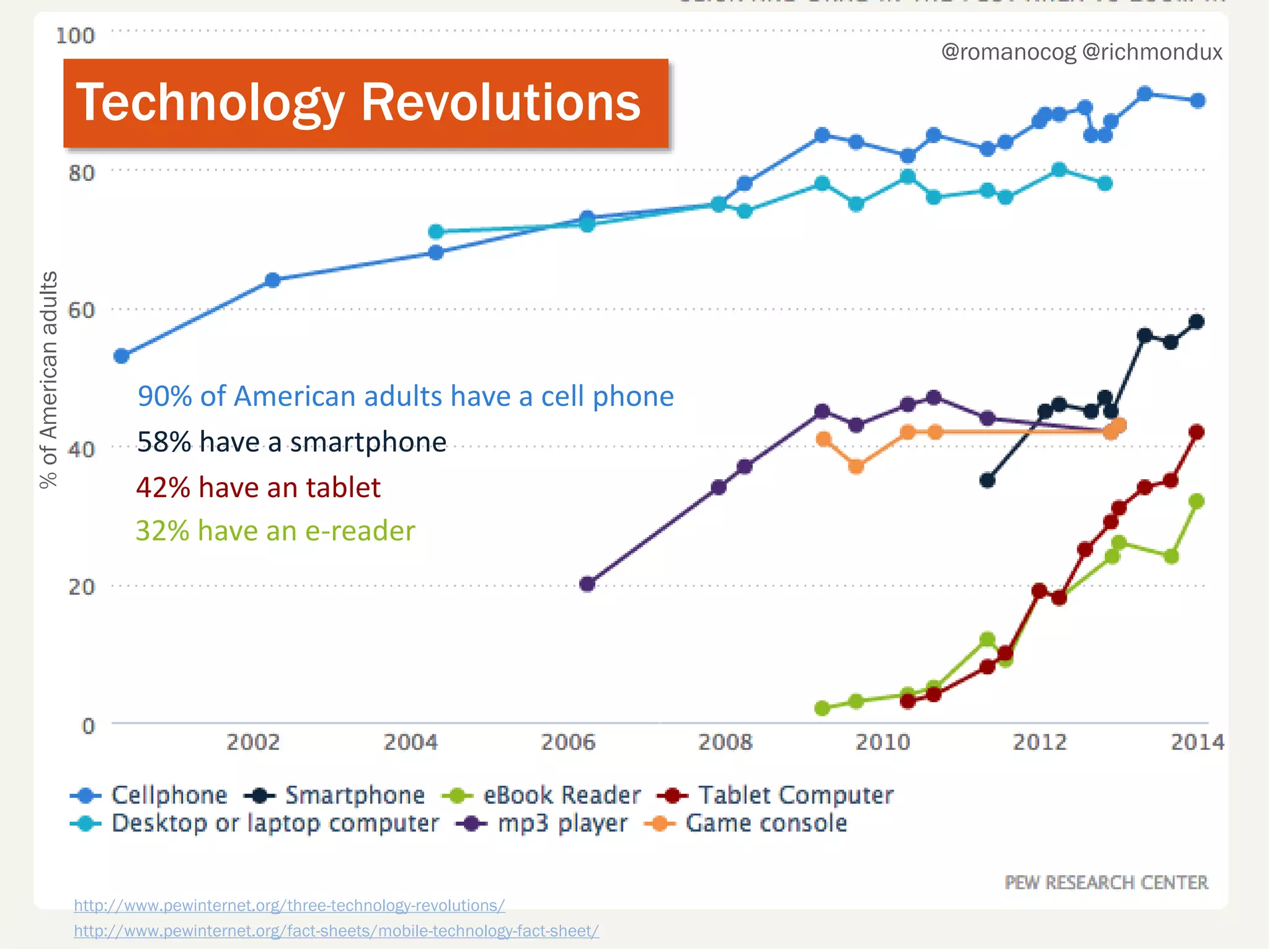
Technology Revolutions
%ofAmericanadults
90% of American adults have a cell phone
58% have a smartphone
42% have an tablet
32% have an e-reader
3
http://www.pewinternet.org/2013/09/19/cell-phone-activities-2013/
@romanocog @richmondux
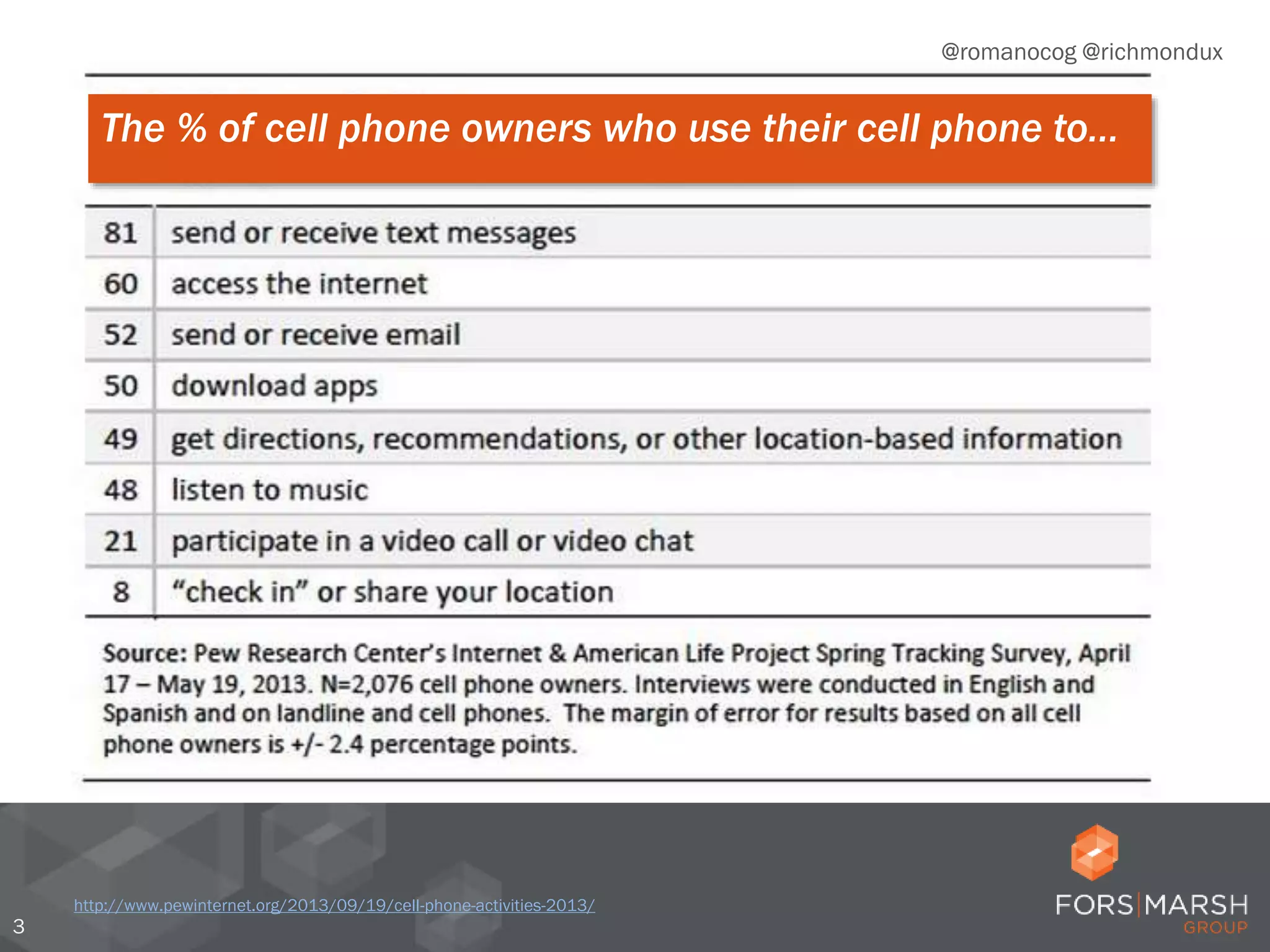
The % of cell phone owners who use their cell phone to…
4
http://www.pewinternet.org/2013/09/19/cell-phone-activities-2013/
@romanocog @richmondux
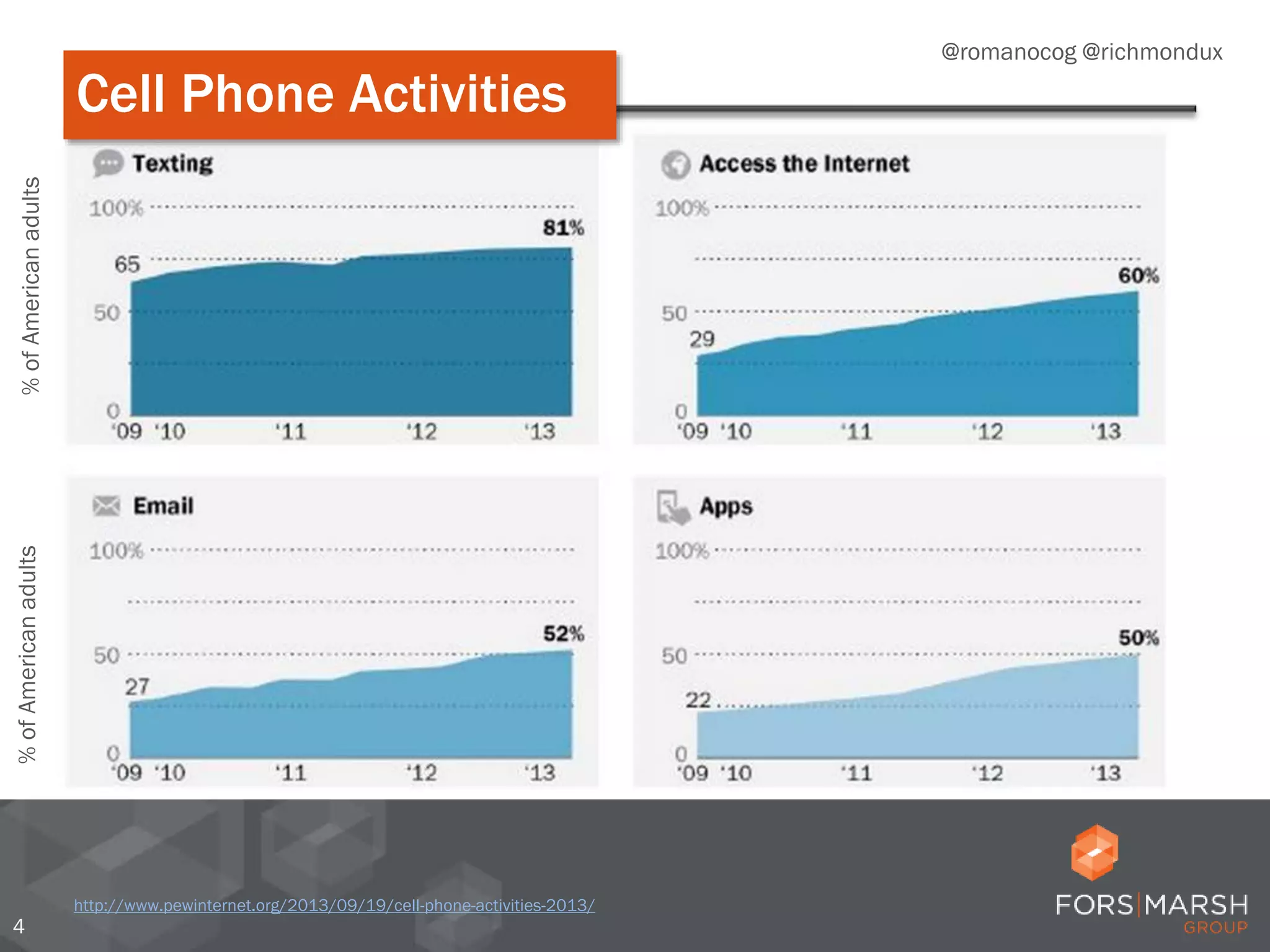
%ofAmericanadults%ofAmericanadults
Cell Phone Activities
5
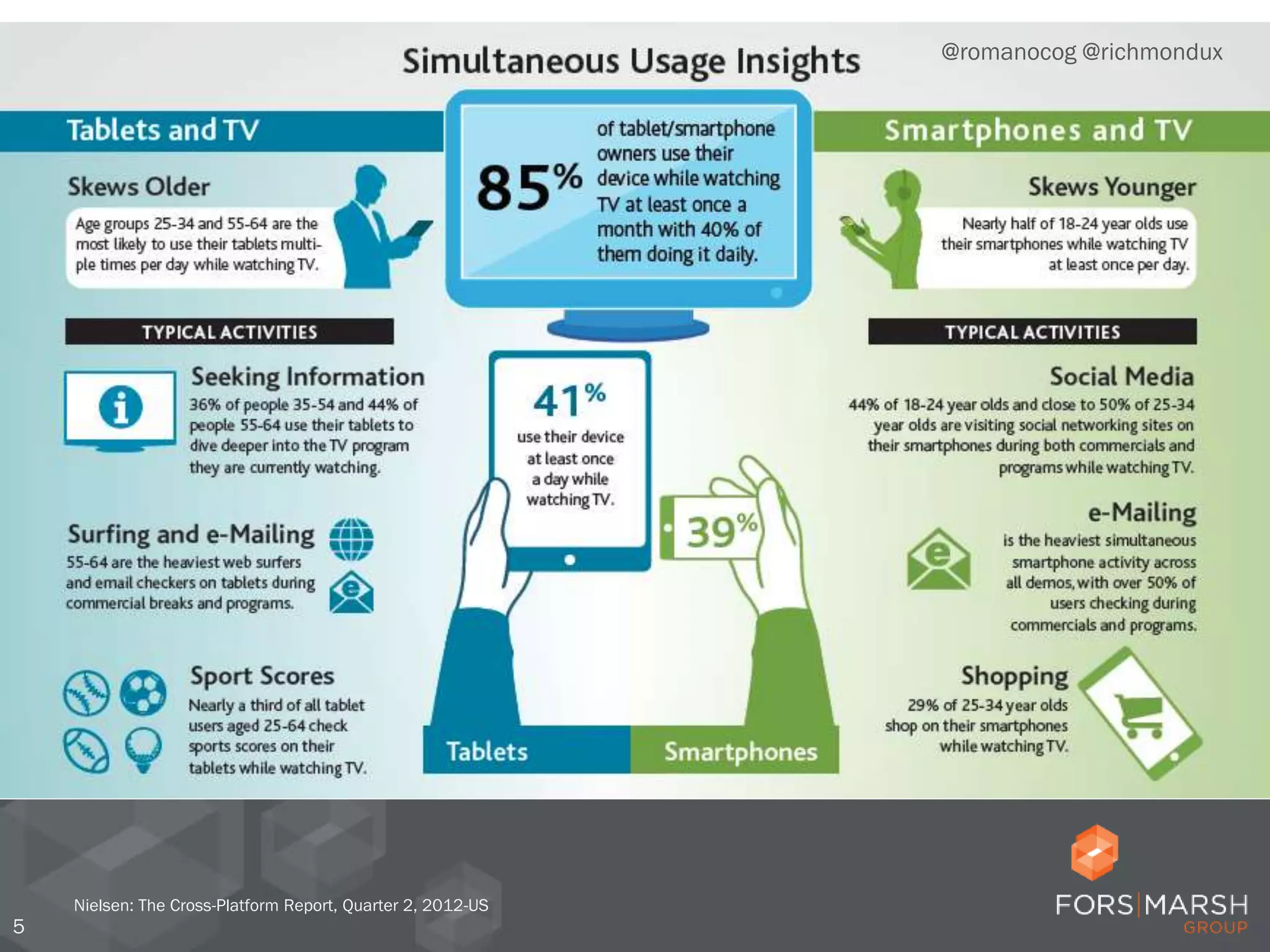
Nielsen: The Cross-Platform Report, Quarter 2, 2012-US
@romanocog @richmondux
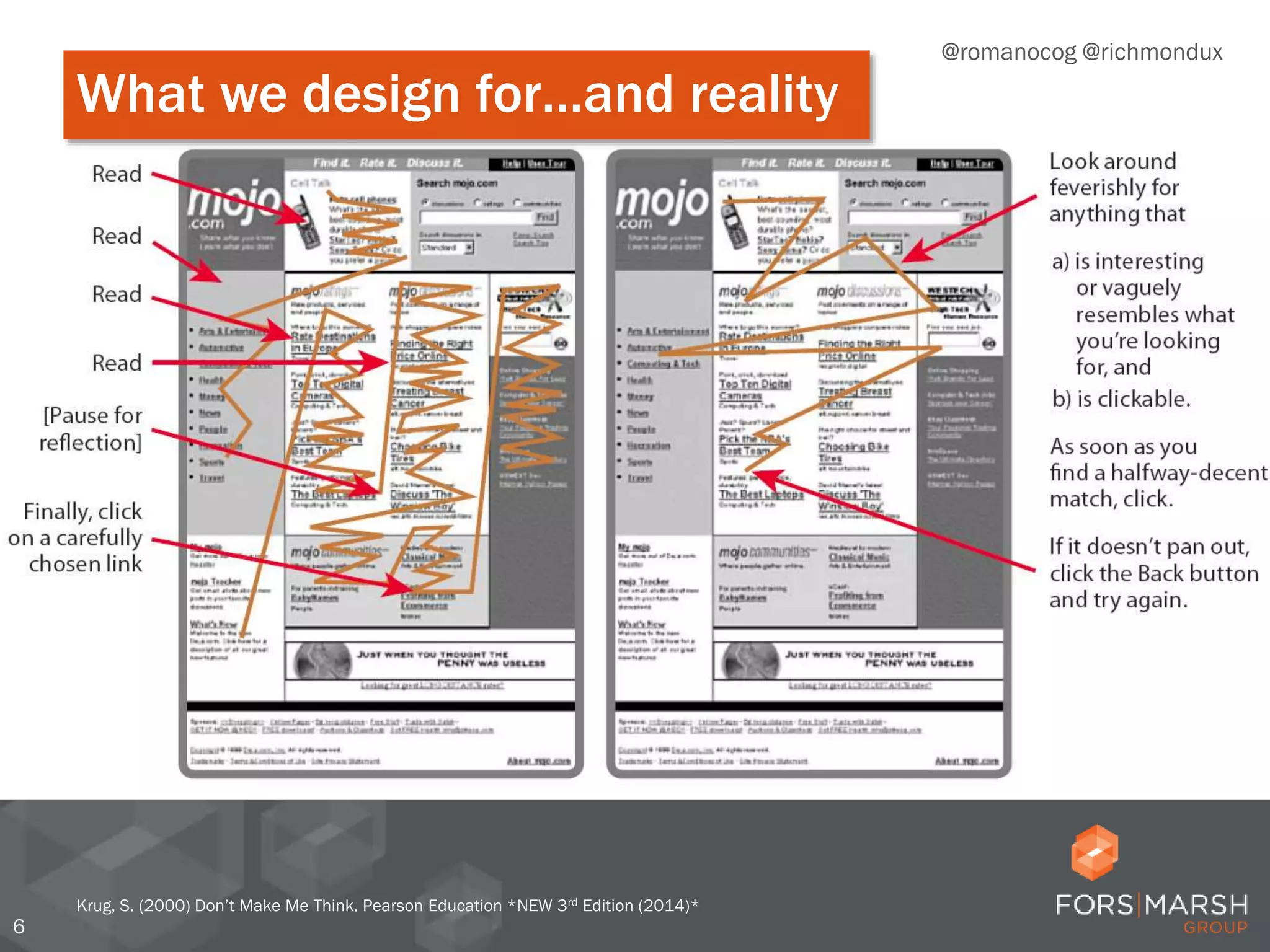
6
Krug, S. (2000) Don’t Make Me Think. Pearson Education *NEW 3rd Edition (2014)*
@romanocog @richmondux
What we design for…and reality
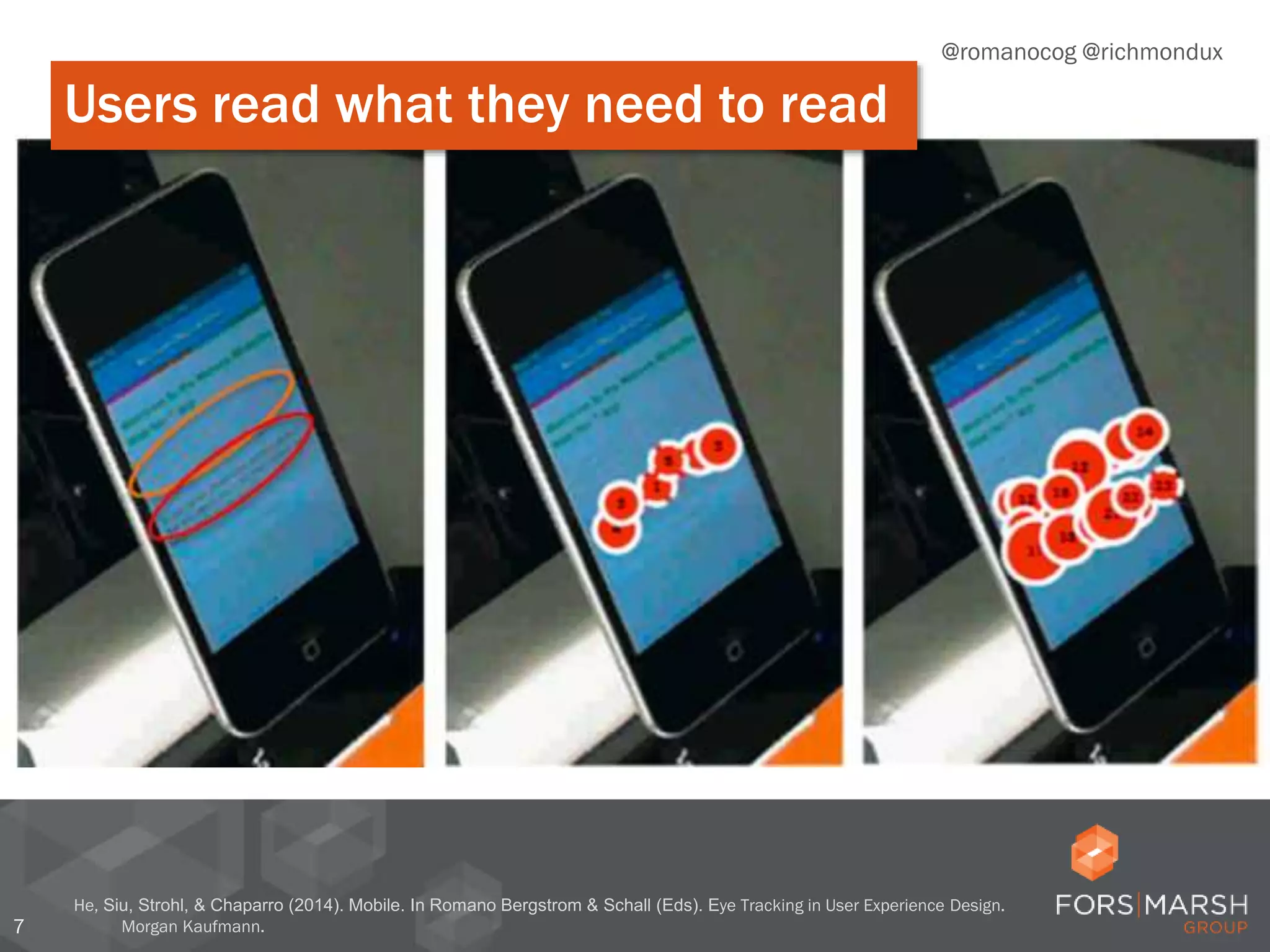
7
He, Siu, Strohl, & Chaparro (2014). Mobile. In Romano Bergstrom & Schall (Eds). Eye Tracking in User Experience Design.
Morgan Kaufmann.
@romanocog @richmondux
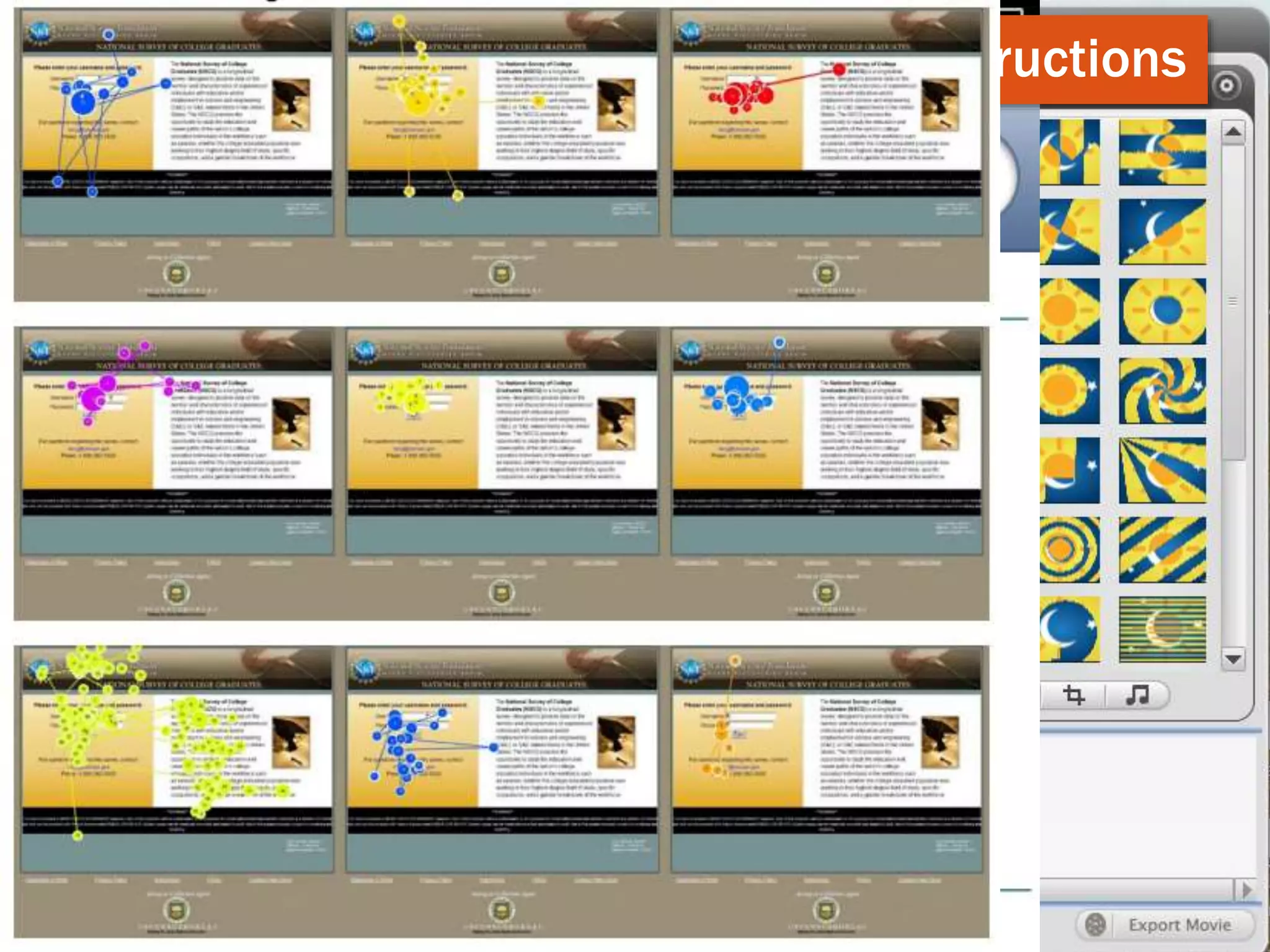
Users read what they need to read
8
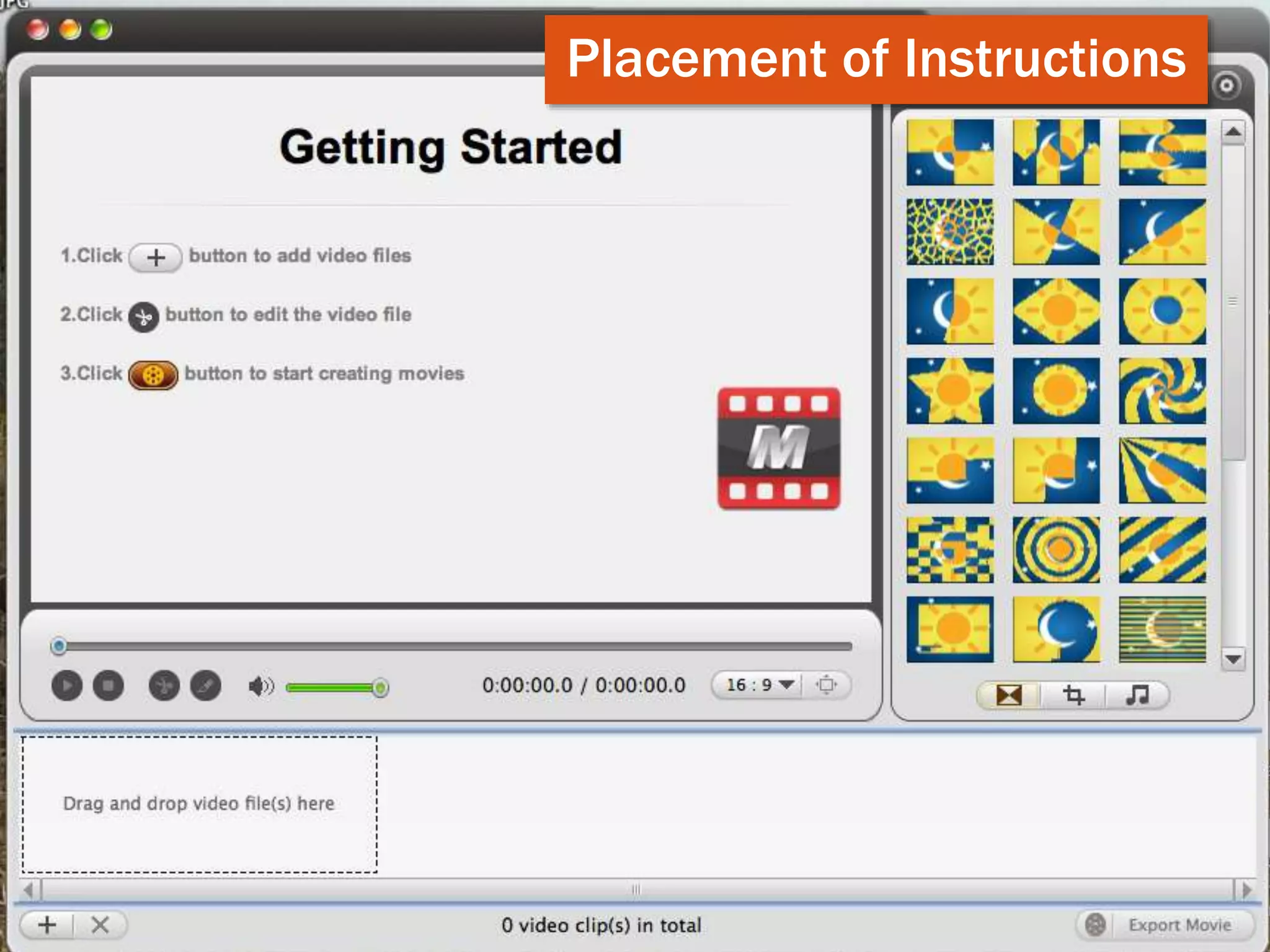
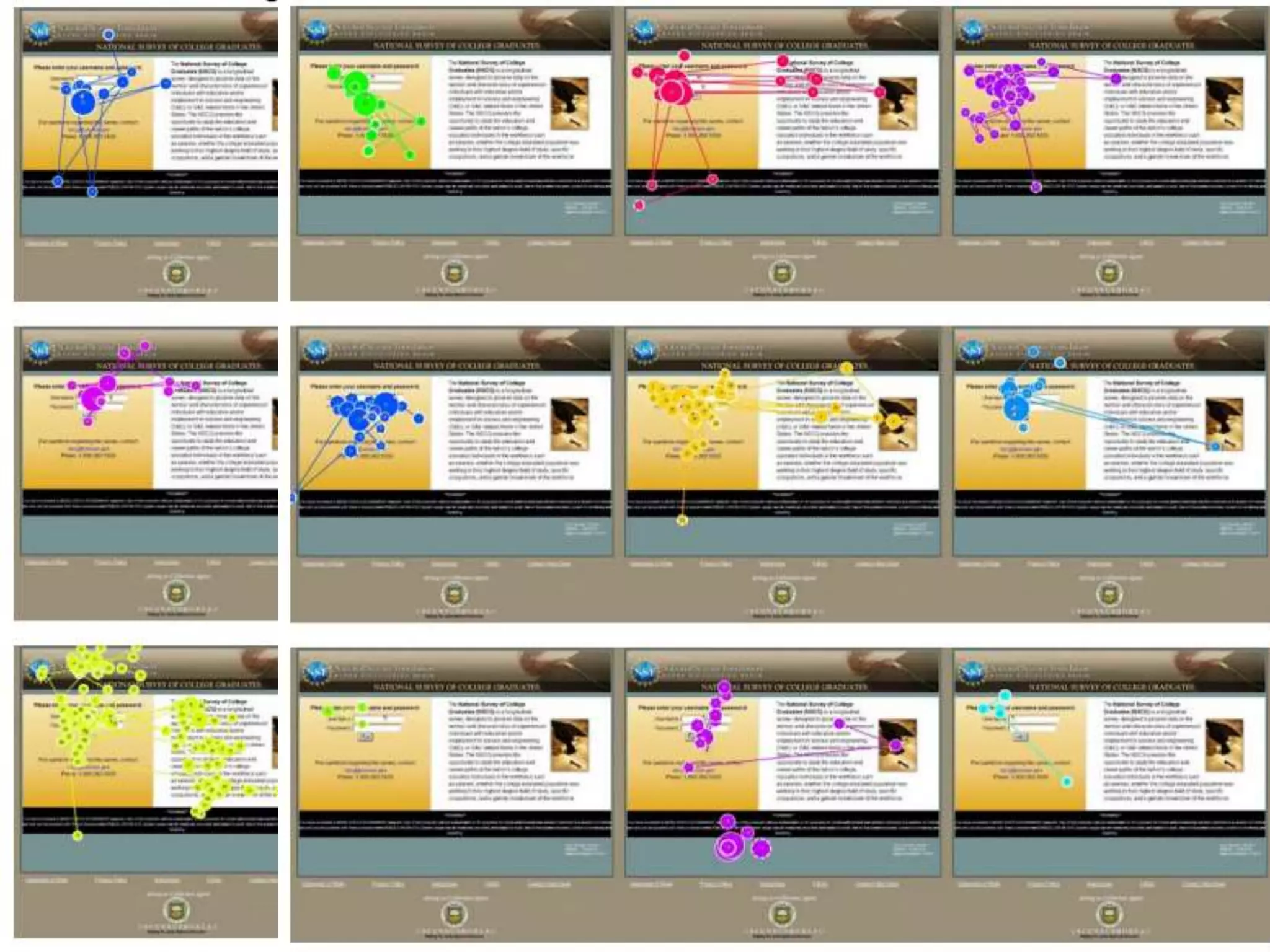
Placement of Instructions
9
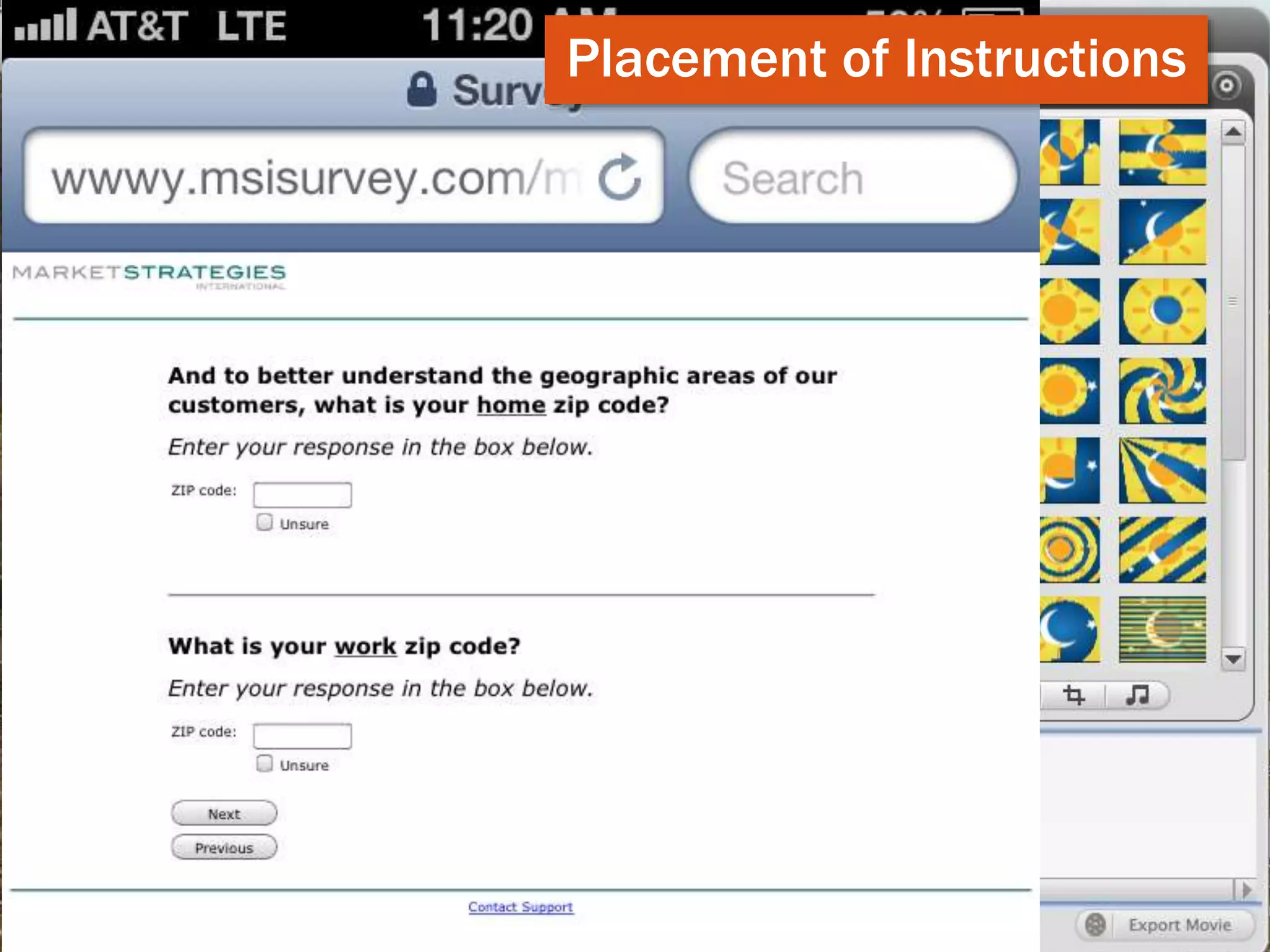
Placement of Instructions
10
Placement of Instructions
11
Placement of Instructions
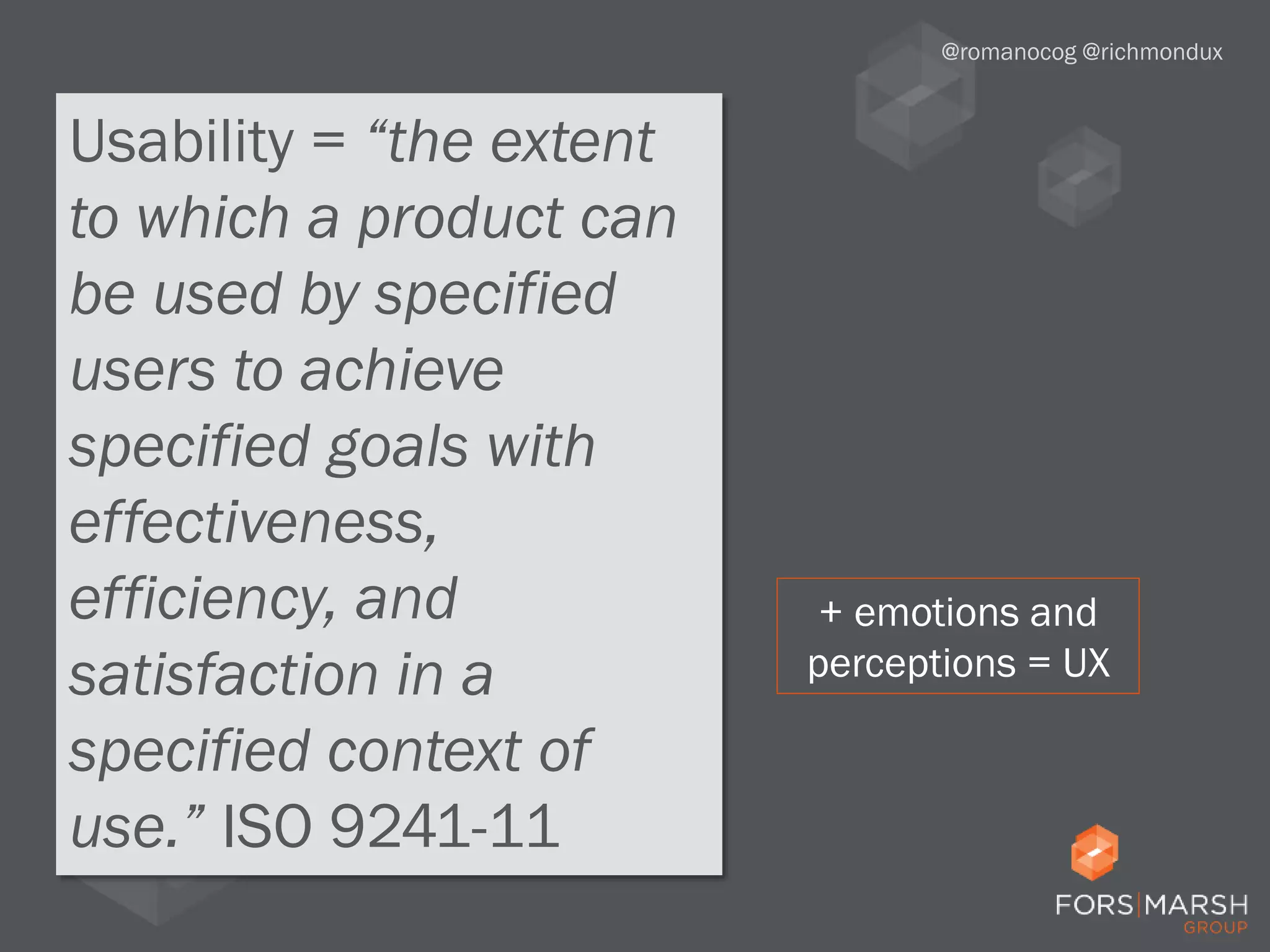
Usability = “the extent
to which a product can
be used by specified
users to achieve
specified goals with
effectiveness,
efficiency, and
satisfaction in a
specified context of
use.” ISO 9241-11
@romanocog @richmondux
+ emotions and
perceptions = UX
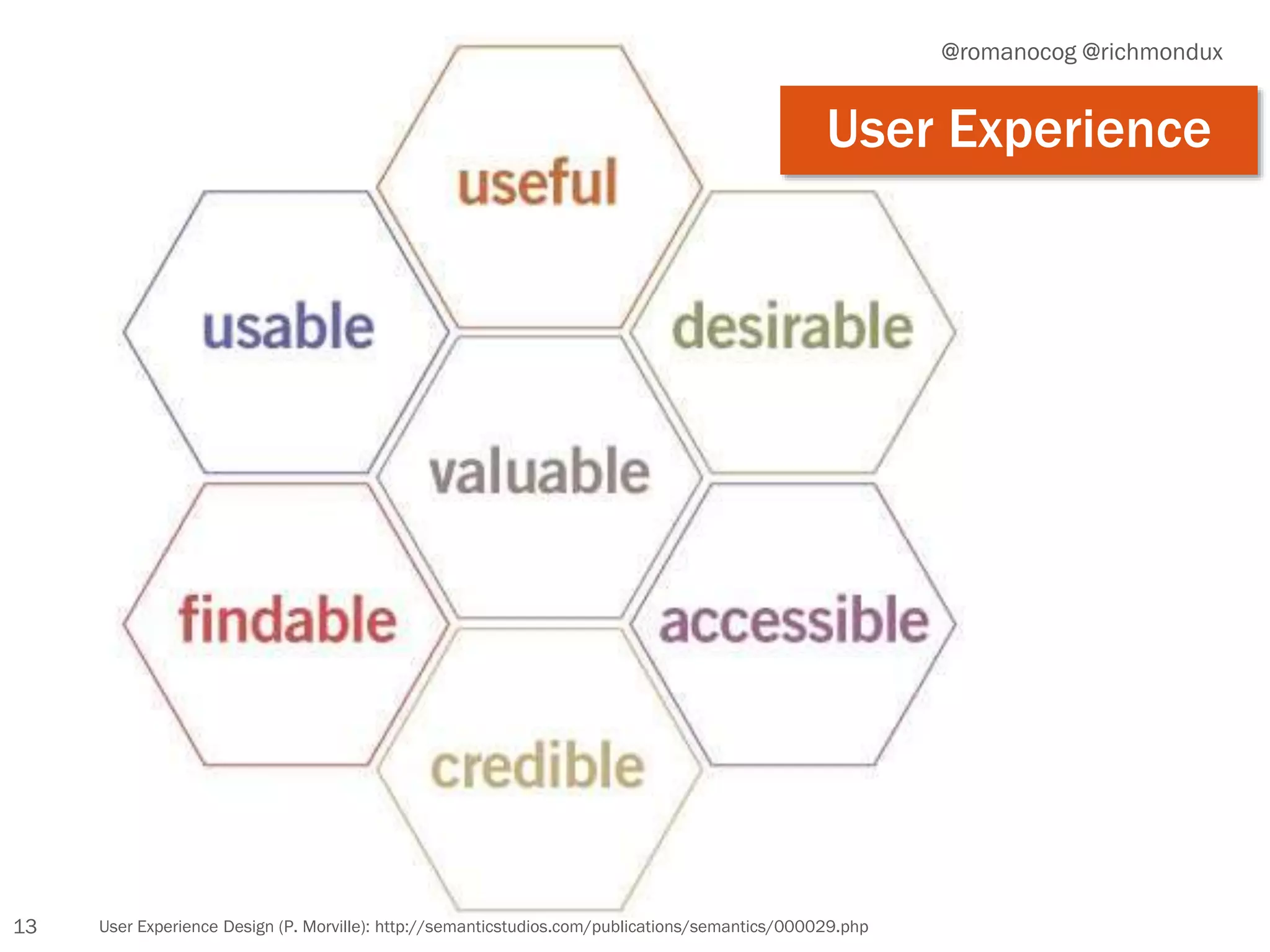
13 User Experience Design (P. Morville): http://semanticstudios.com/publications/semantics/000029.php
@romanocog @richmondux
User Experience
14
@romanocog @richmondux
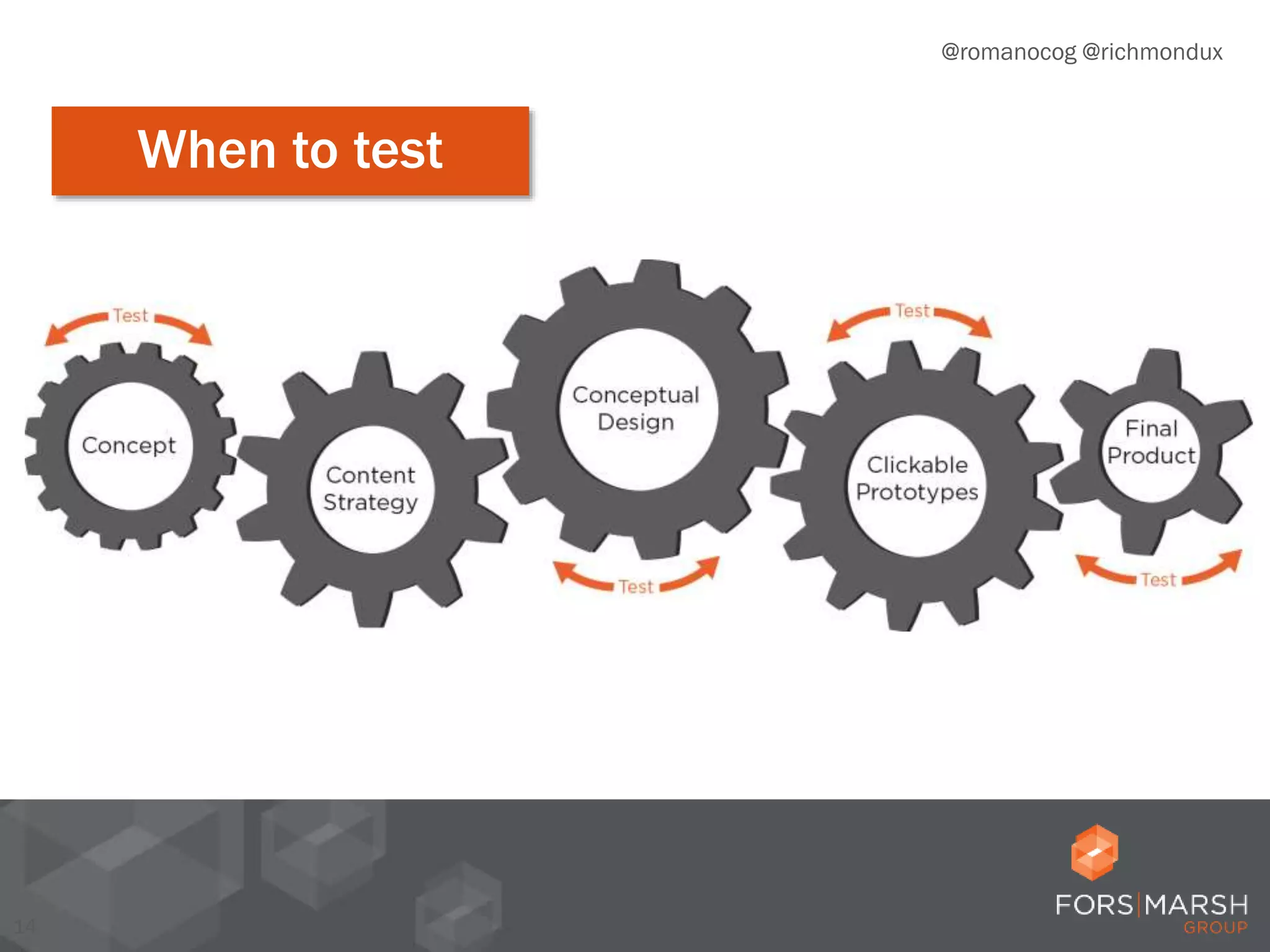
When to test
15
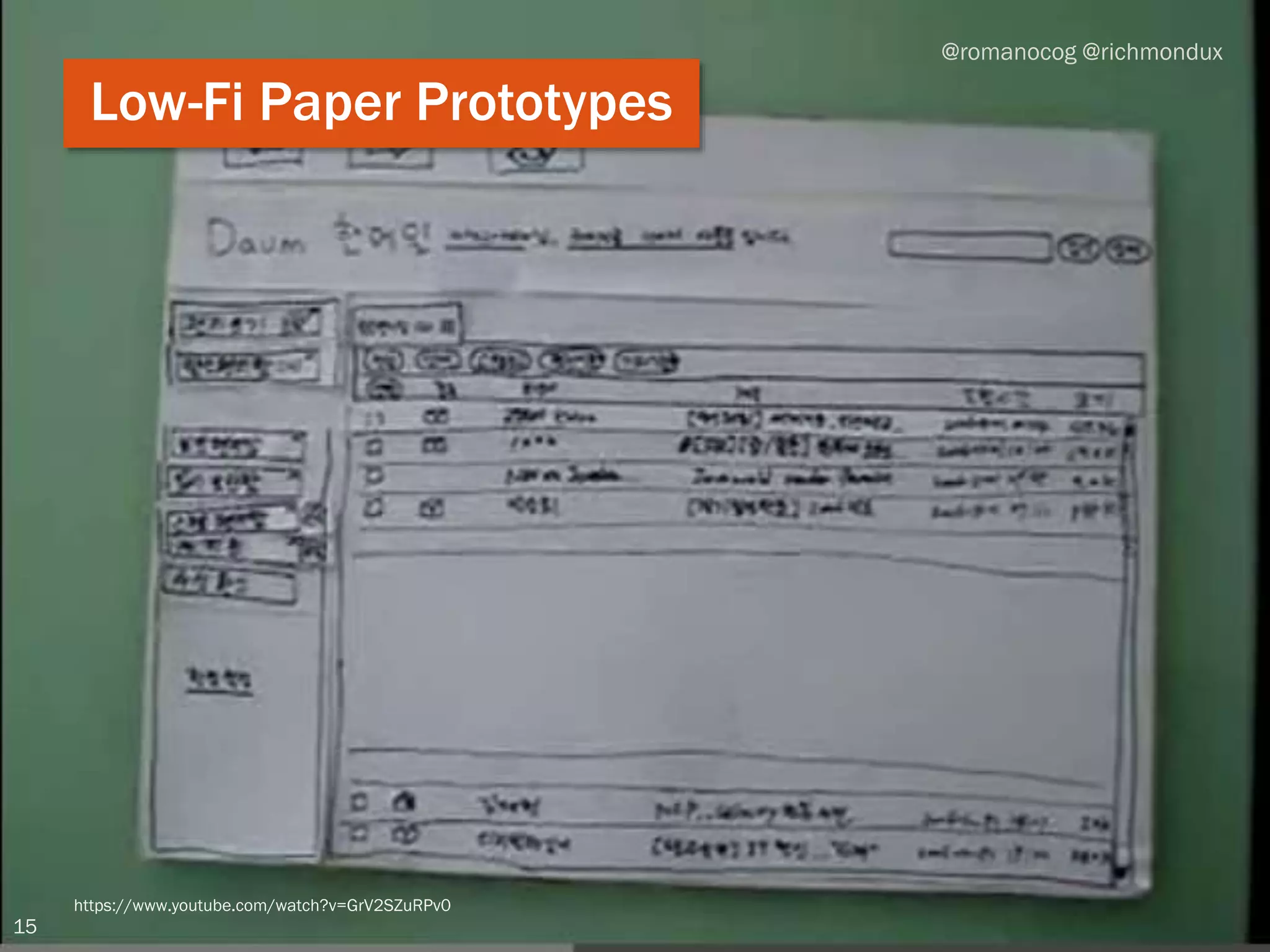
https://www.youtube.com/watch?v=GrV2SZuRPv0
@romanocog @richmondux
Low-Fi Paper Prototypes
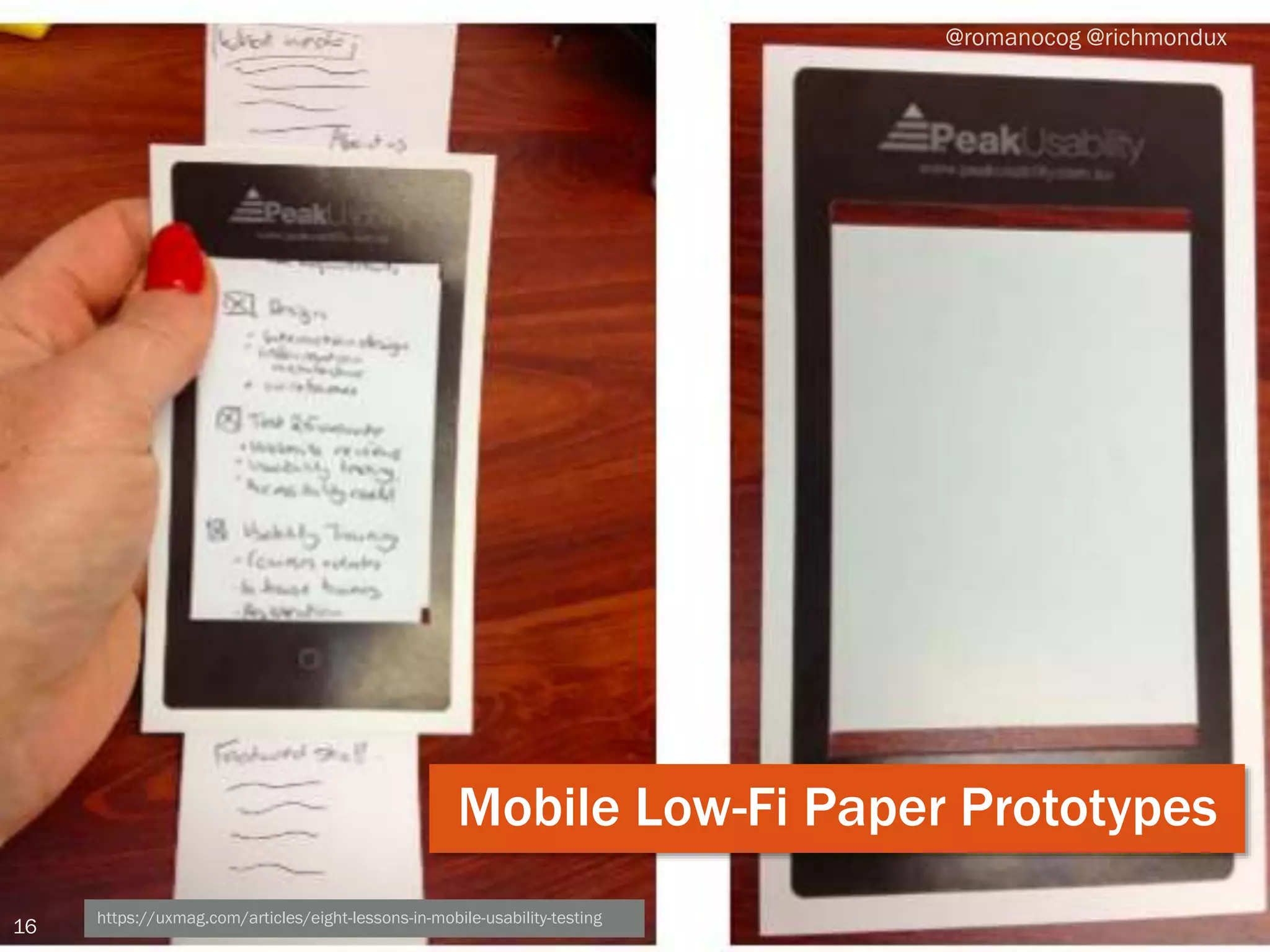
16 https://uxmag.com/articles/eight-lessons-in-mobile-usability-testing
@romanocog @richmondux
Mobile Low-Fi Paper Prototypes
17
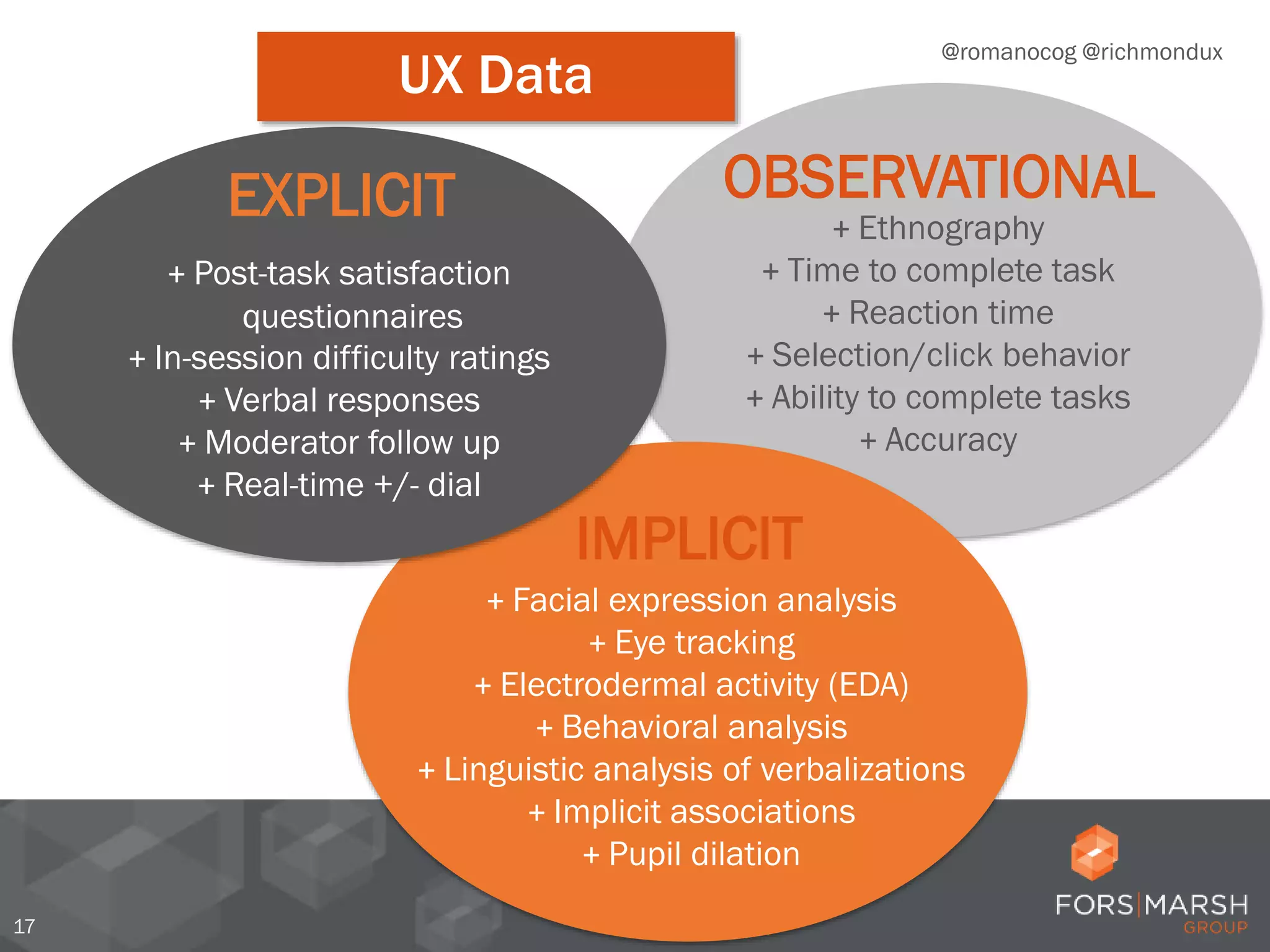
OBSERVATIONAL
+ Ethnography
+ Time to complete task
+ Reaction time
+ Selection/click behavior
+ Ability to complete tasks
+ Accuracy
IMPLICIT
+ Facial expression analysis
+ Eye tracking
+ Electrodermal activity (EDA)
+ Behavioral analysis
+ Linguistic analysis of verbalizations
+ Implicit associations
+ Pupil dilation
EXPLICIT
+ Post-task satisfaction
questionnaires
+ In-session difficulty ratings
+ Verbal responses
+ Moderator follow up
+ Real-time +/- dial
@romanocog @richmondux
UX Data
Traditional UX research is
good at explaining what
people say and do, not
what they think and feel.
@romanocog @richmondux
Why should we measure implicit?
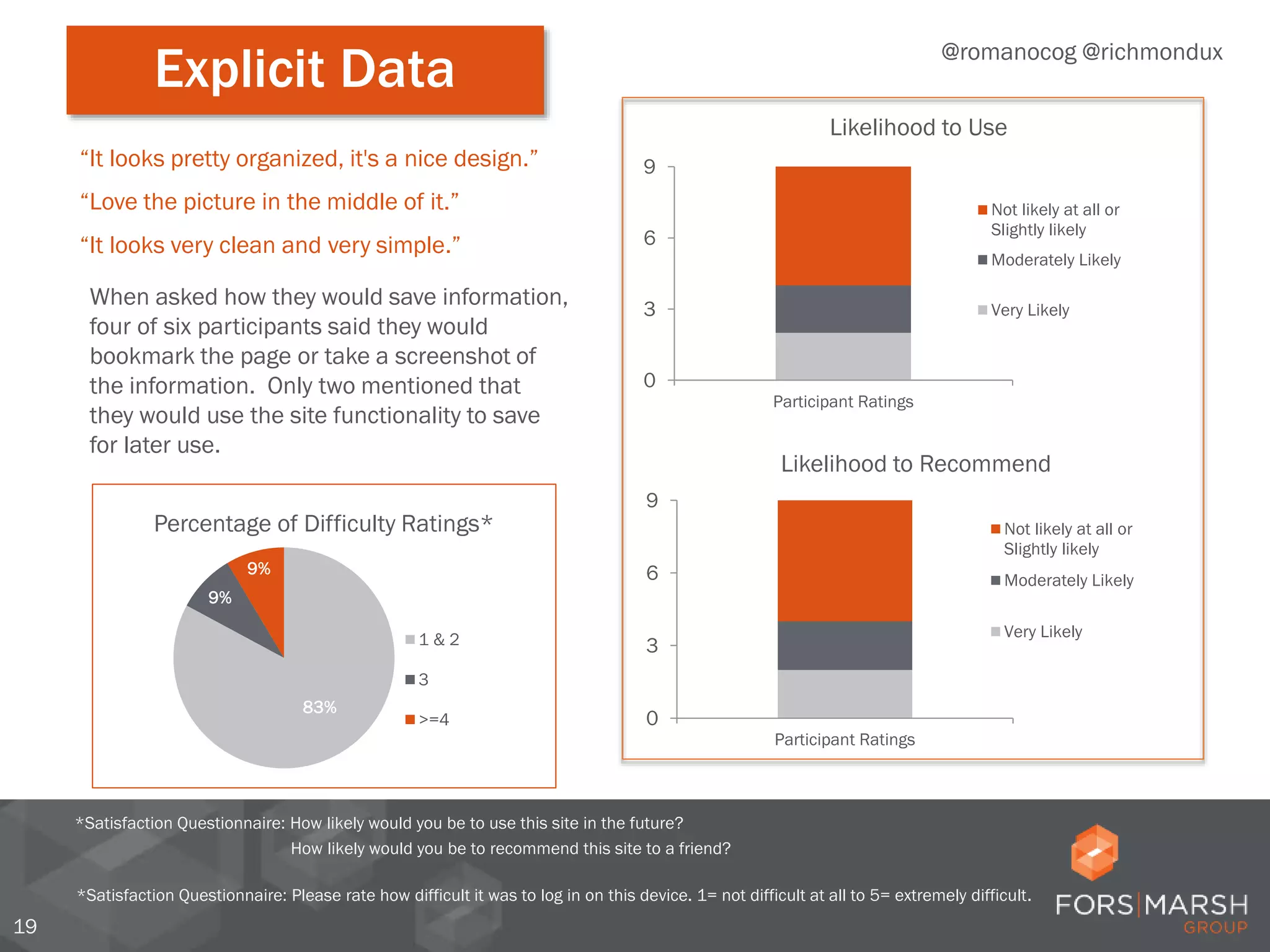
Explicit data
19
*Satisfaction Questionnaire: Please rate how difficult it was to log in on this device. 1= not difficult at all to 5= extremely difficult.
“Love the picture in the middle of it.”
“It looks very clean and very simple.”
“It looks pretty organized, it's a nice design.”
When asked how they would save information,
four of six participants said they would
bookmark the page or take a screenshot of
the information. Only two mentioned that
they would use the site functionality to save
for later use.
83%
9%
9%
Percentage of Difficulty Ratings*
1 & 2
3
>=4
@romanocog @richmondux
Explicit Data
0
3
6
9
Participant Ratings
Likelihood to Recommend
Not likely at all or
Slightly likely
Moderately Likely
Very Likely
0
3
6
9
Participant Ratings
Likelihood to Use
Not likely at all or
Slightly likely
Moderately Likely
Very Likely
*Satisfaction Questionnaire: How likely would you be to use this site in the future?
How likely would you be to recommend this site to a friend?
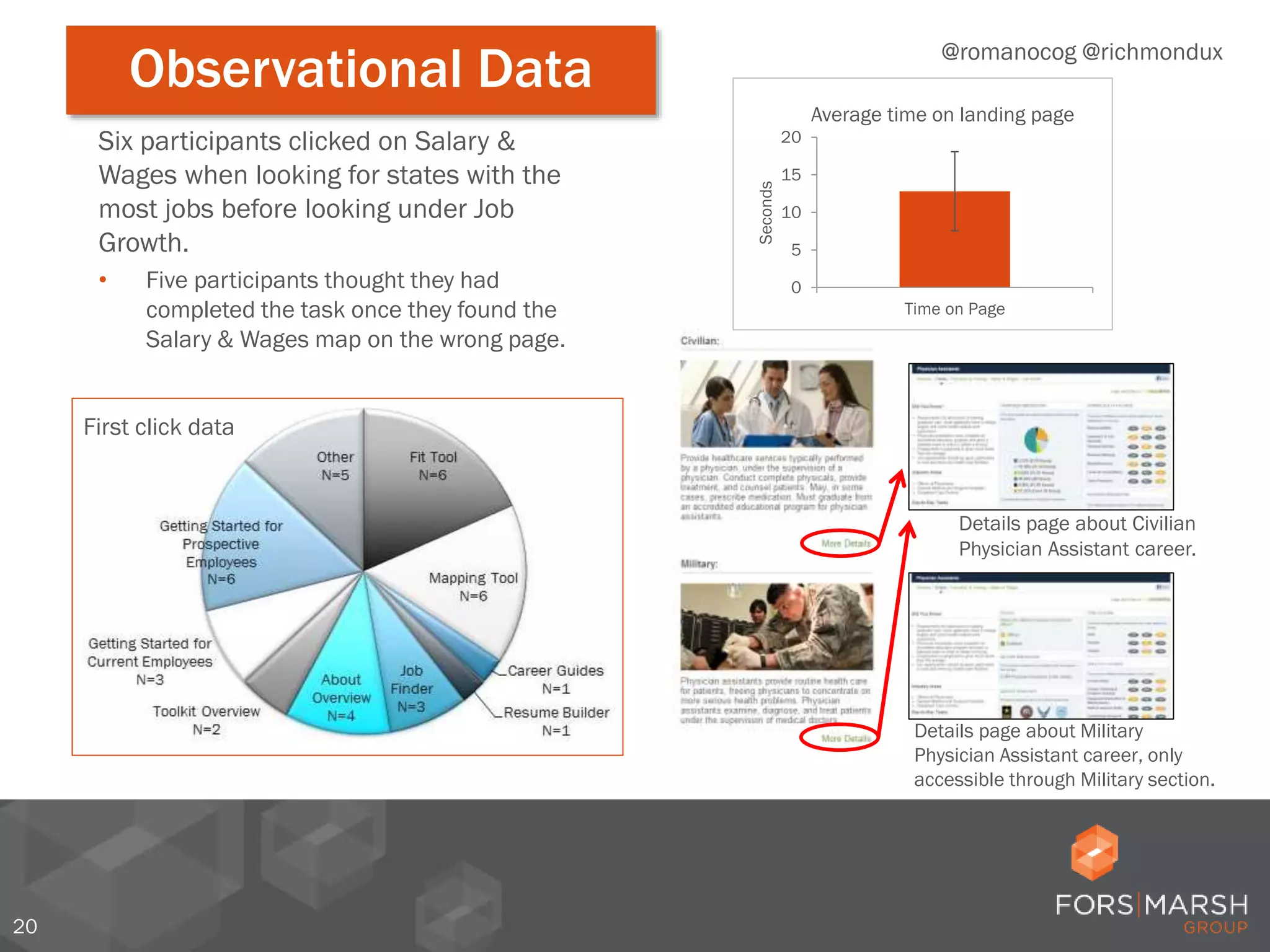
Observational data
20
Details page about Military
Physician Assistant career, only
accessible through Military section.
Details page about Civilian
Physician Assistant career.
Six participants clicked on Salary &
Wages when looking for states with the
most jobs before looking under Job
Growth.
• Five participants thought they had
completed the task once they found the
Salary & Wages map on the wrong page.
0
5
10
15
20
Time on Page
Seconds
Average time on landing page
@romanocog @richmondux
Observational Data
First click data
2121
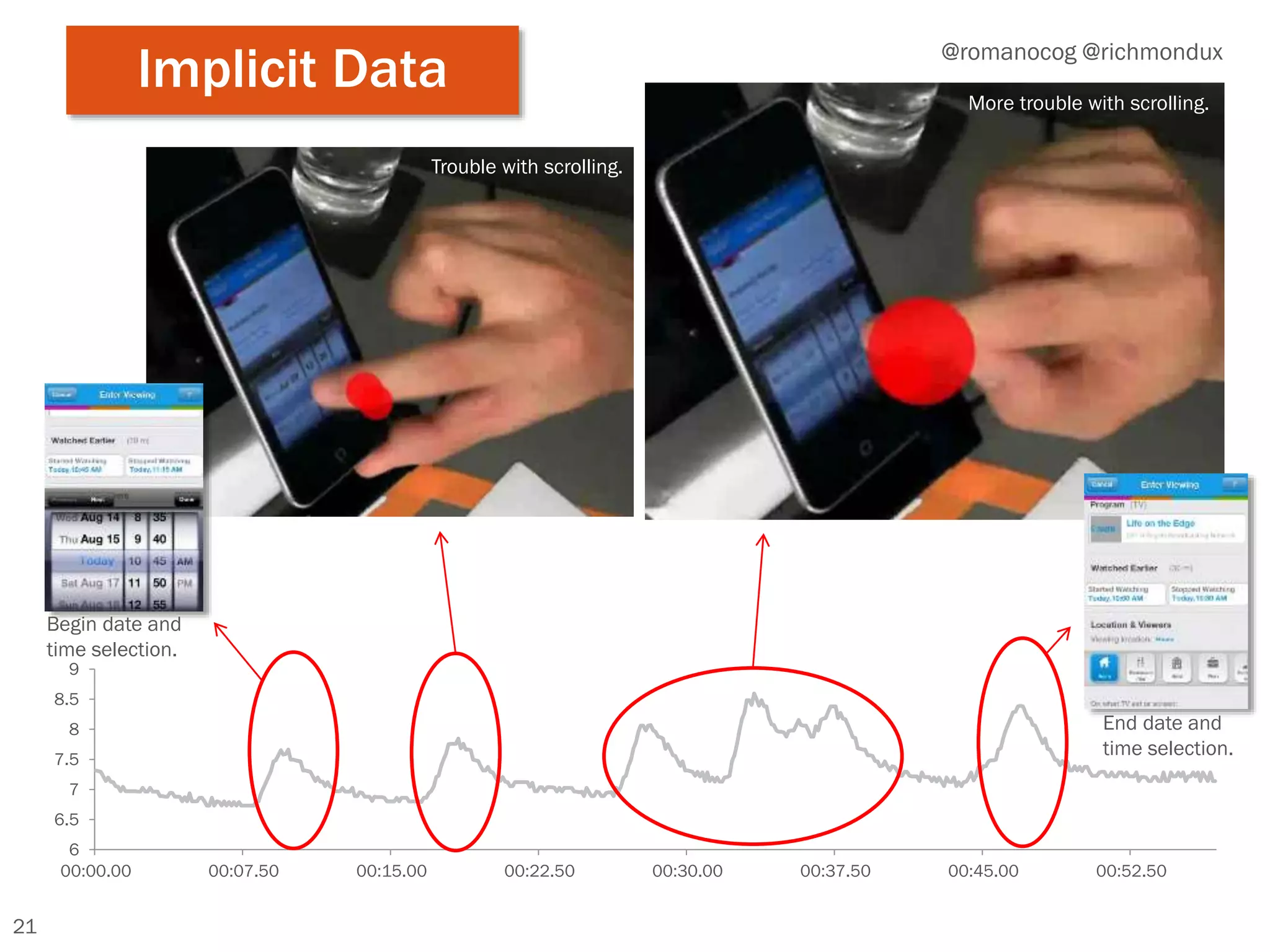
Implicit data
21
6
6.5
7
7.5
8
8.5
9
00:00.00 00:07.50 00:15.00 00:22.50 00:30.00 00:37.50 00:45.00 00:52.50
Begin date and
time selection.
End date and
time selection.
Trouble with scrolling.
More trouble with scrolling.
@romanocog @richmondux
Implicit Data
2222
Trouble with scrolling.
22
@romanocog @richmondux
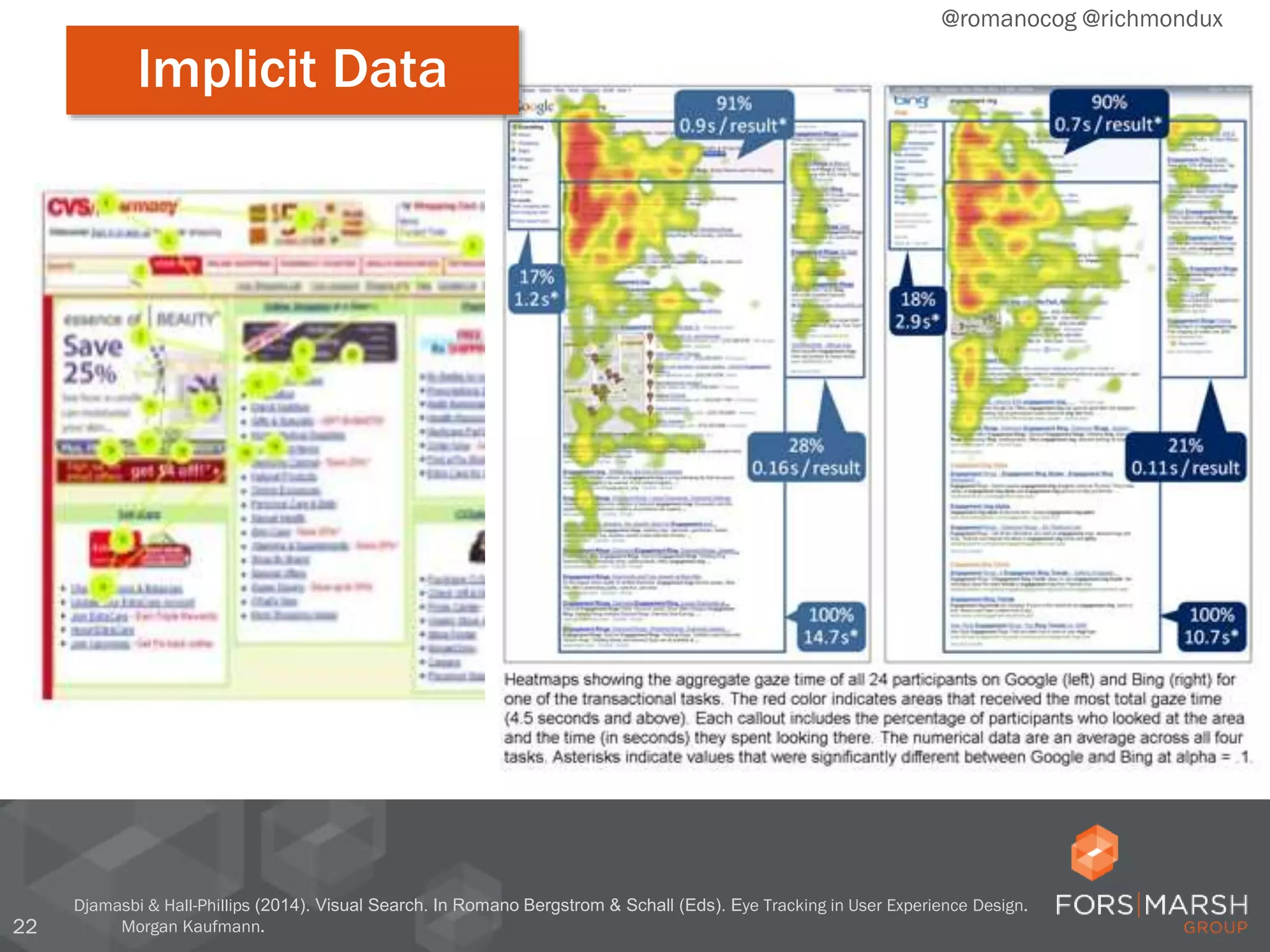
Implicit Data
Djamasbi & Hall-Phillips (2014). Visual Search. In Romano Bergstrom & Schall (Eds). Eye Tracking in User Experience Design.
Morgan Kaufmann.
23
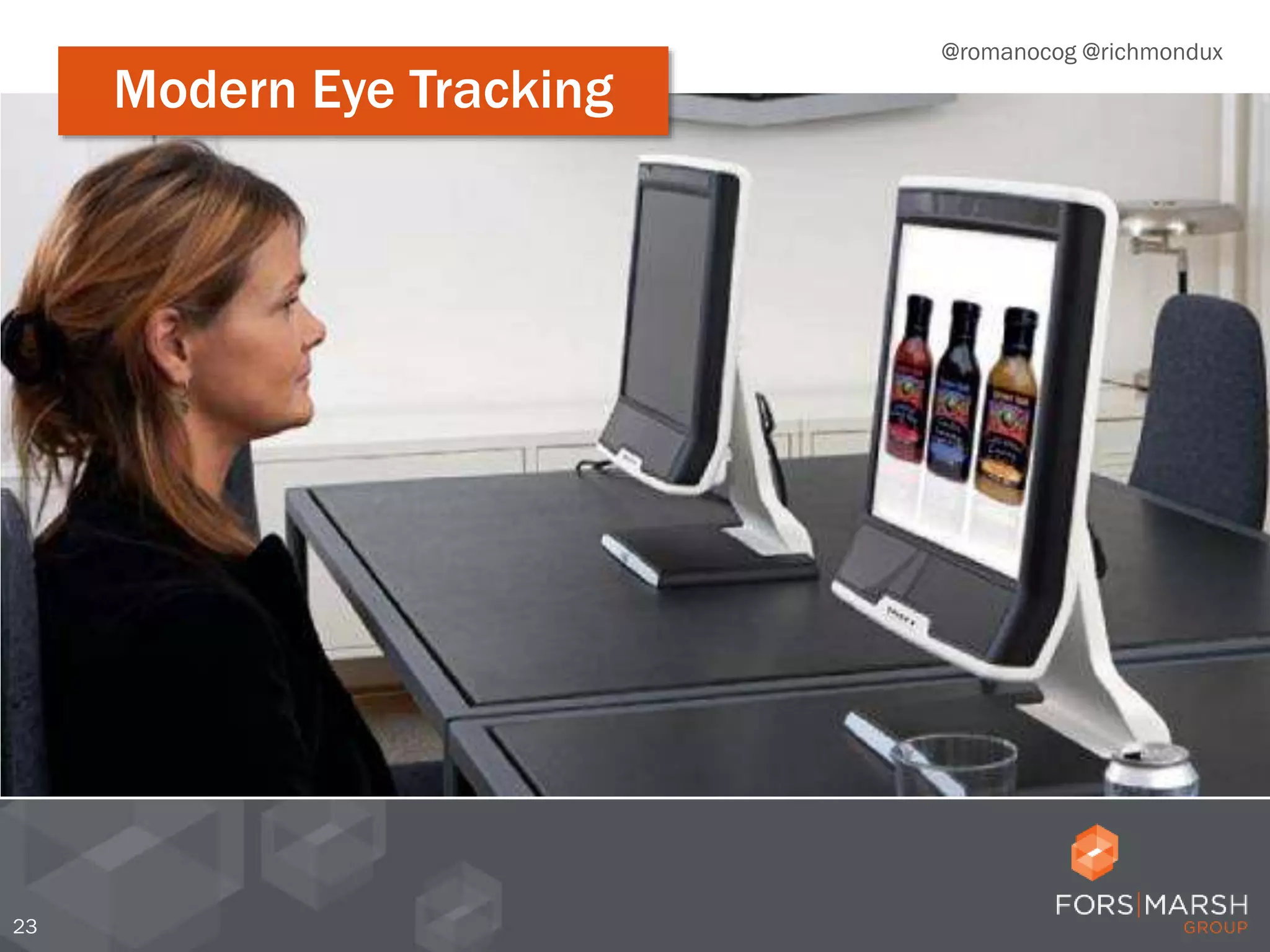
Modern eye trackingModern Eye Tracking
@romanocog @richmondux
24
Modern eye tracking
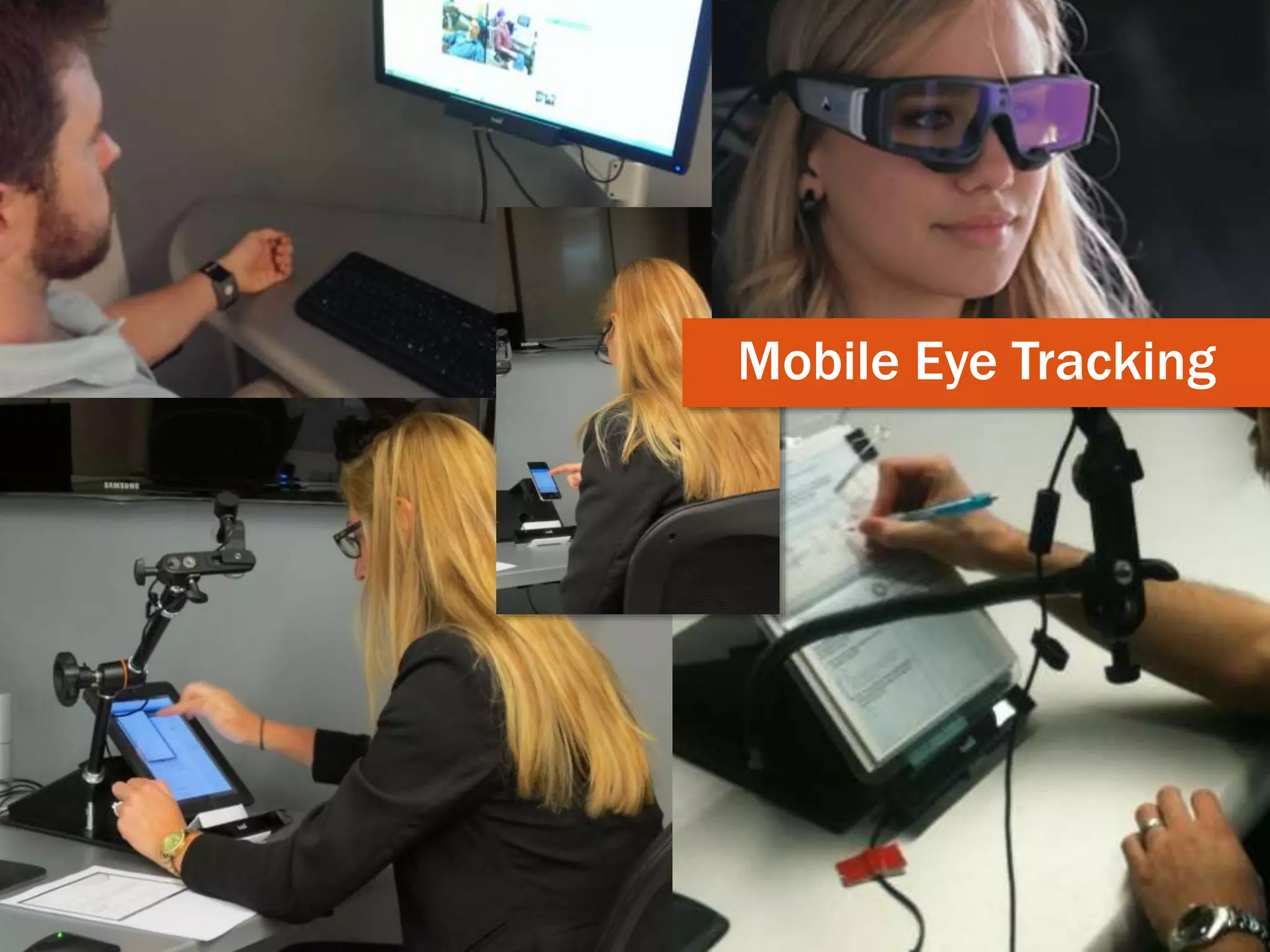
Mobile Eye Tracking
25
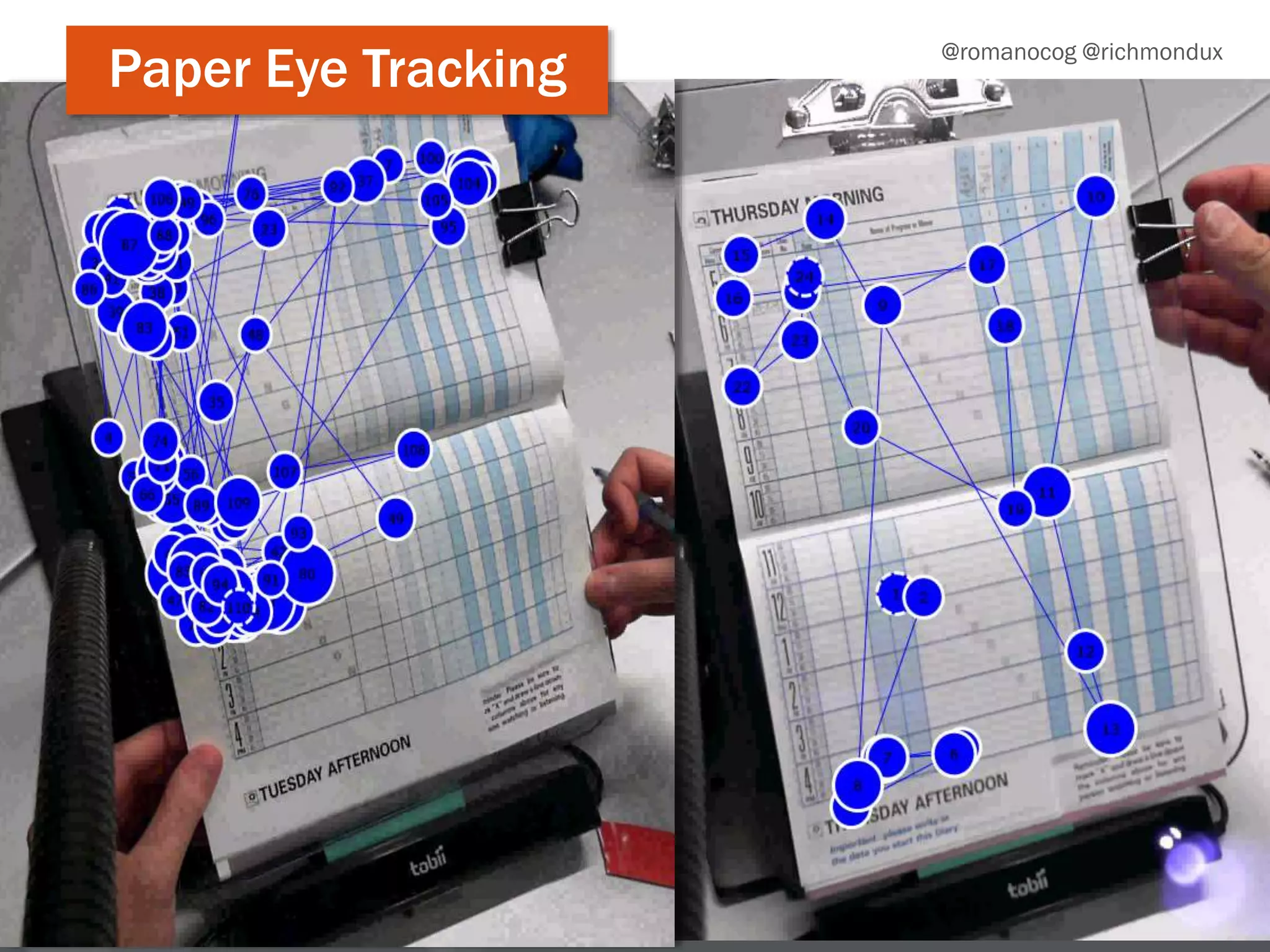
Eye tracking paper
@romanocog @richmondux
Paper Eye Tracking
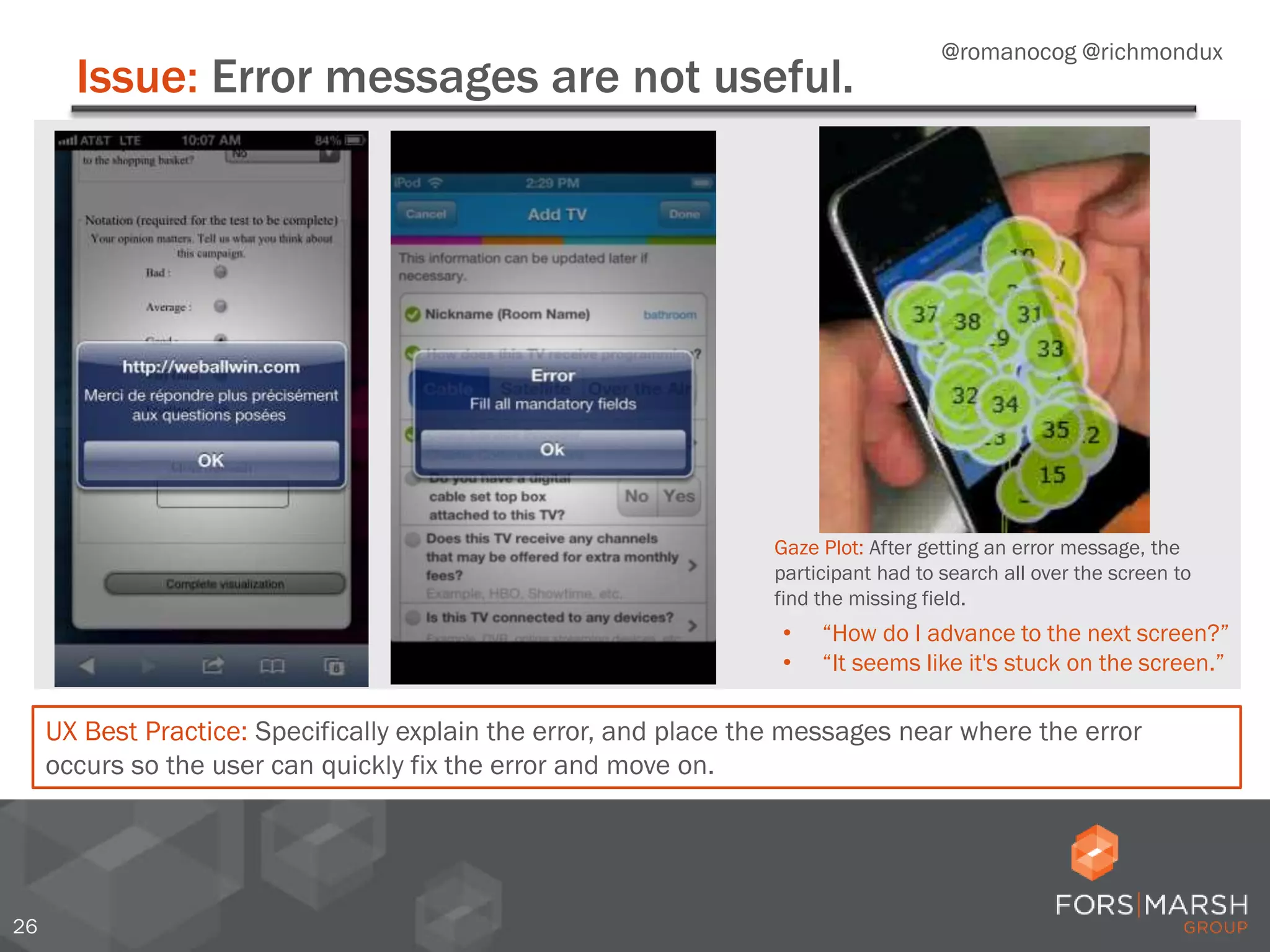
Issue: Error messages are not useful.
26
UX Best Practice: Specifically explain the error, and place the messages near where the error
occurs so the user can quickly fix the error and move on.
• “How do I advance to the next screen?”
• “It seems like it's stuck on the screen.”
M
Gaze Plot: After getting an error message, the
participant had to search all over the screen to
find the missing field.
@romanocog @richmondux
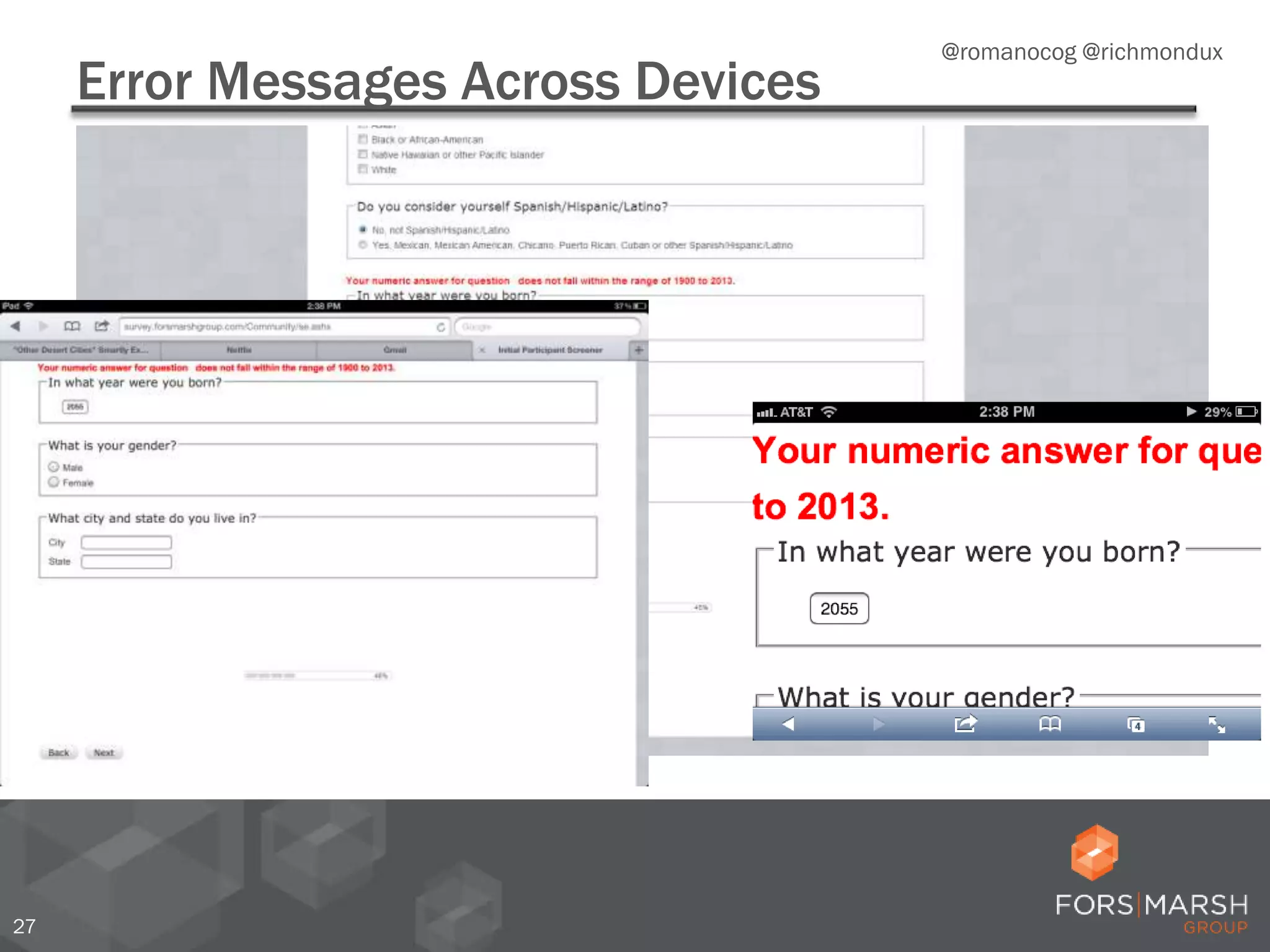
Error Messages Across Devices
27
@romanocog @richmondux
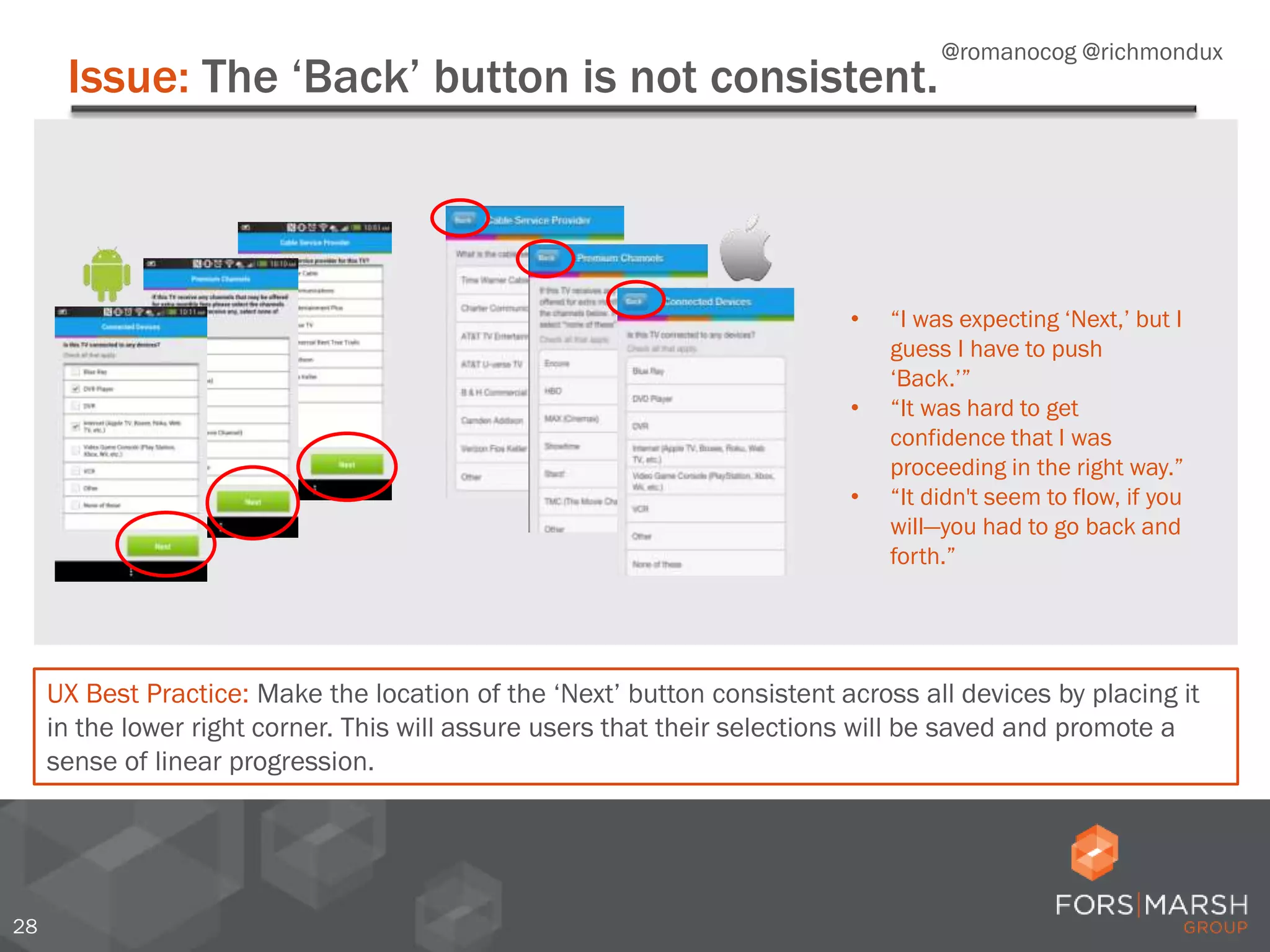
Issue: The ‘Back’ button is not consistent.
28
UX Best Practice: Make the location of the ‘Next’ button consistent across all devices by placing it
in the lower right corner. This will assure users that their selections will be saved and promote a
sense of linear progression.
• “I was expecting ‘Next,’ but I
guess I have to push
‘Back.’”
• “It was hard to get
confidence that I was
proceeding in the right way.”
• “It didn't seem to flow, if you
will—you had to go back and
forth.”
@romanocog @richmondux
Issue: The location of ‘Next’ is not intuitive.
29
* Couper, M.P., Baker, R., & Mechling, J. (2011). Placement and Design of Navigation Buttons in Web Surveys. Survey Practice,
4(1).
• “Where and how you click is a bit counter-intuitive. [It’s] not super
obvious which button to click to get to next sections.”
• “I feel like the ‘Next’ should be at the bottom and not the top.”
UX Best Practice: Users expect consistency and for navigation buttons to be close to the last entry
field.* Place all ‘Next’ and navigation buttons near the last entry fields.
Intuitive ‘Next’ button location Non-intuitive ‘Next’ button location
@romanocog @richmondux
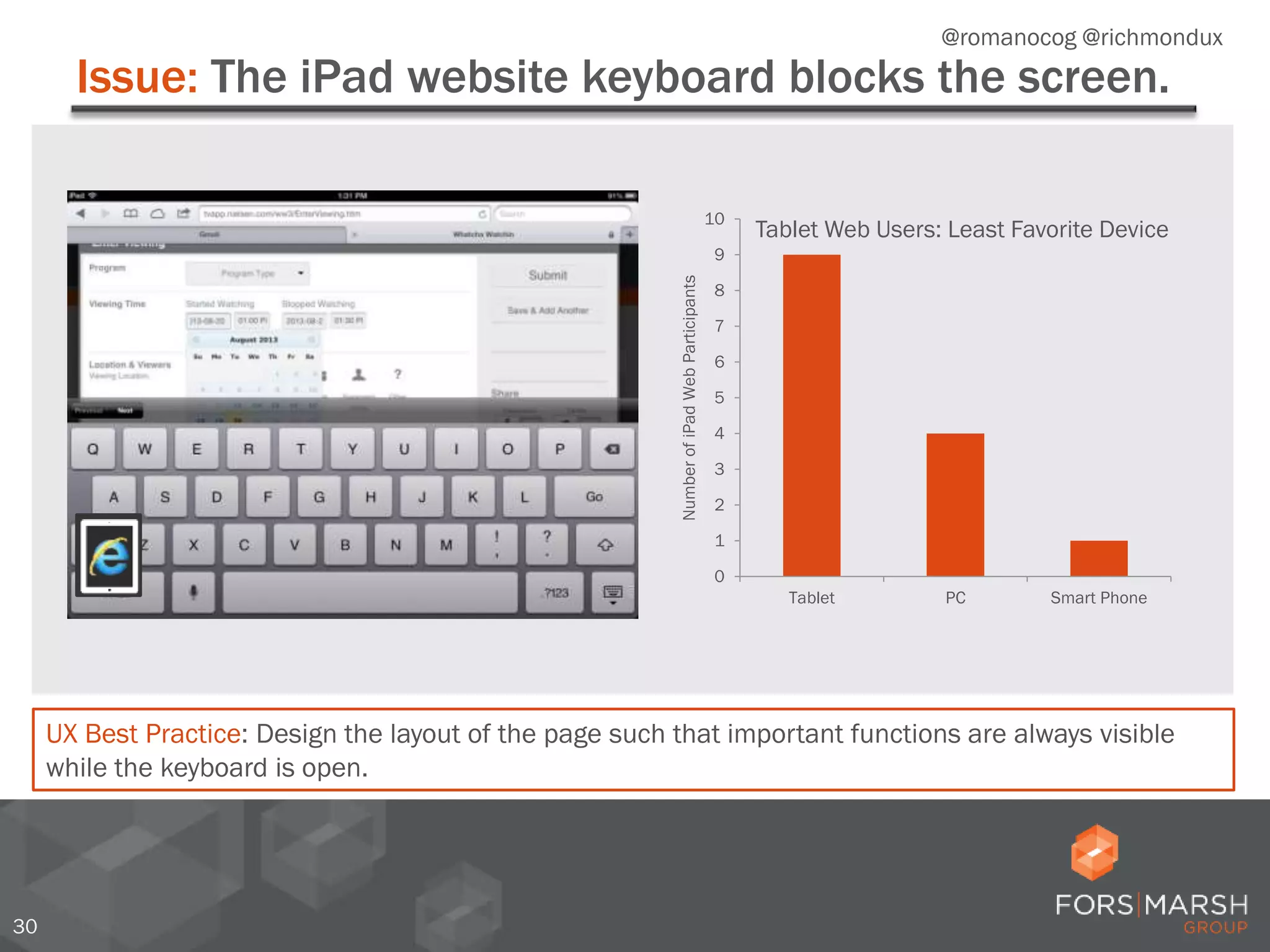
Issue: The iPad website keyboard blocks the screen.
30
UX Best Practice: Design the layout of the page such that important functions are always visible
while the keyboard is open.
0
1
2
3
4
5
6
7
8
9
10
Tablet PC Smart Phone
NumberofiPadWebParticipants
Tablet Web Users: Least Favorite Device
@romanocog @richmondux
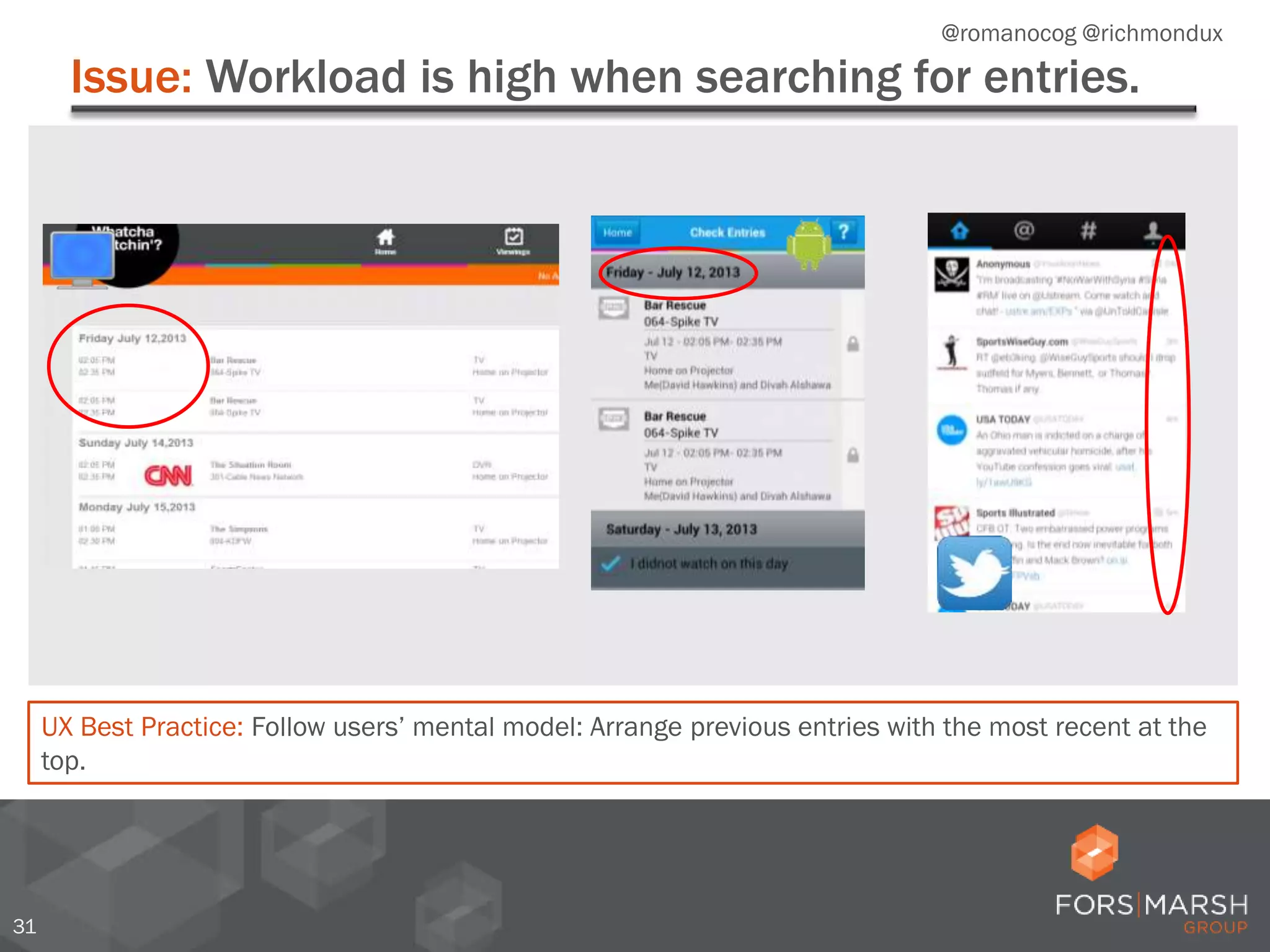
Issue: Workload is high when searching for entries.
31
UX Best Practice: Follow users’ mental model: Arrange previous entries with the most recent at the
top.
@romanocog @richmondux
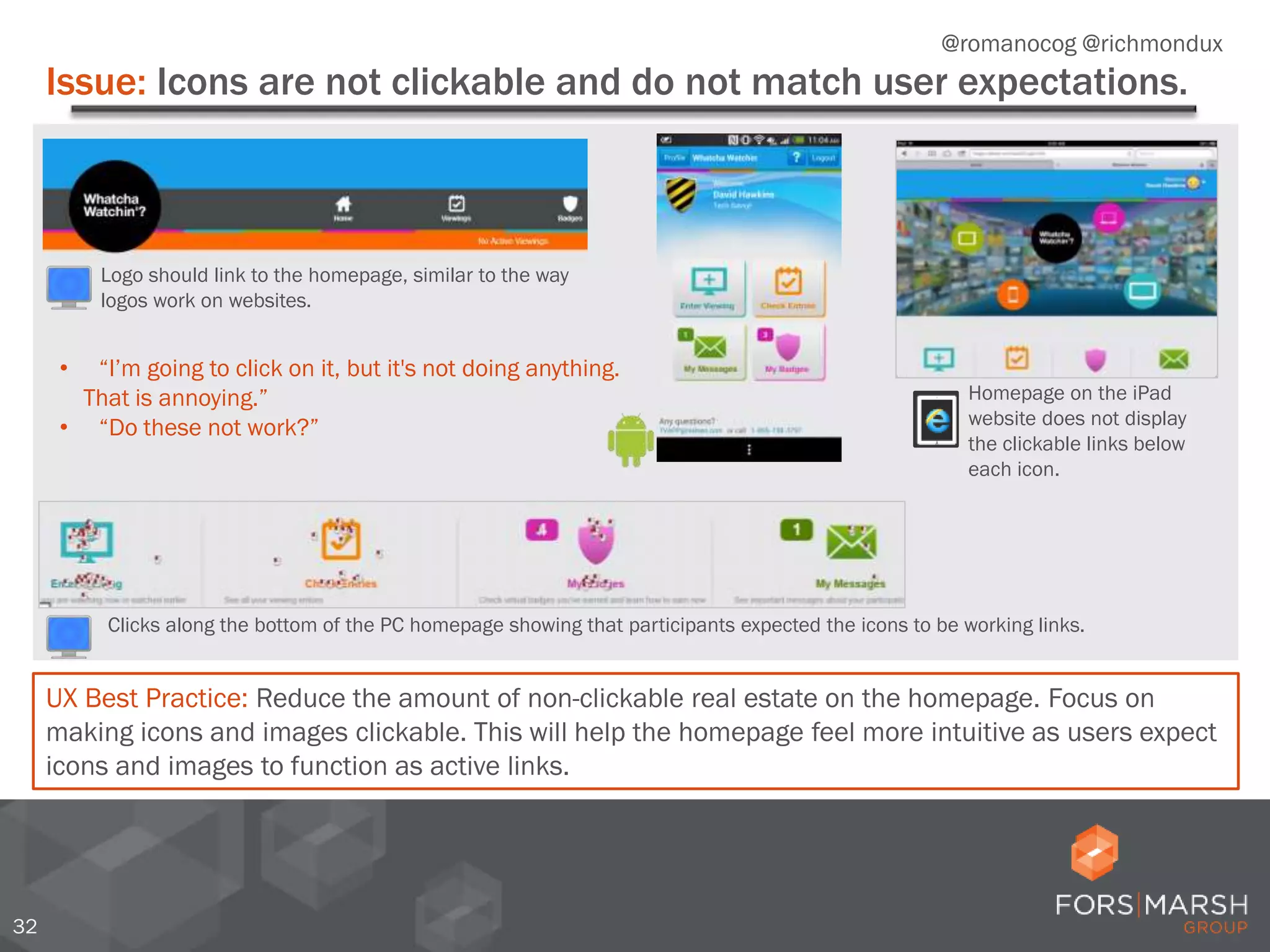
Issue: Icons are not clickable and do not match user expectations.
32
• “I’m going to click on it, but it's not doing anything.
That is annoying.”
• “Do these not work?”
UX Best Practice: Reduce the amount of non-clickable real estate on the homepage. Focus on
making icons and images clickable. This will help the homepage feel more intuitive as users expect
icons and images to function as active links.
Logo should link to the homepage, similar to the way
logos work on websites.
Clicks along the bottom of the PC homepage showing that participants expected the icons to be working links.
Homepage on the iPad
website does not display
the clickable links below
each icon.
@romanocog @richmondux
33
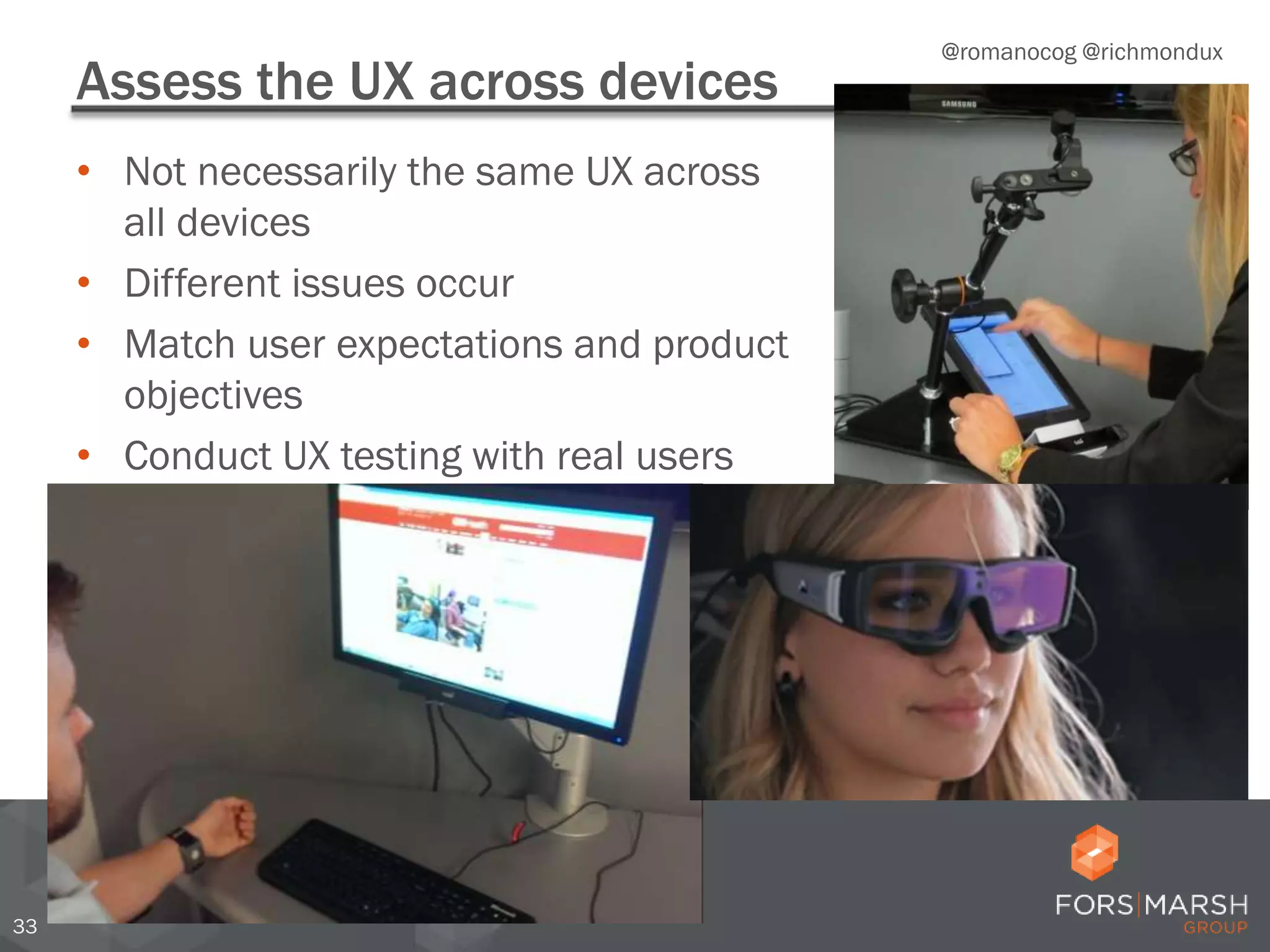
Assess the UX across devices
• Not necessarily the same UX across
all devices
• Different issues occur
• Match user expectations and product
objectives
• Conduct UX testing with real users
@romanocog @richmondux
Thank you!
• Twitter: @forsmarshgroup
• LinkedIn: http://www.linkedin.com/company/fors-marsh-group
• Blog: www.forsmarshgroup.com/index.php/blog
Jennifer Romano Bergstrom
@romanocog
jbergstrom@forsmarshgroup.com
RUX | Richmond, VA

Eye Tracking the User Experience of Mobile: What You Need to Know

  • 1.
    Eye Tracking theUser Experience of Mobile: What You Need to Know Jennifer Romano Bergstrom April 30, 2014 RUX| Richmond, VA @romanocog @richmondux
  • 2.
  • 3.
  • 4.
  • 5.
    5 Nielsen: The Cross-PlatformReport, Quarter 2, 2012-US @romanocog @richmondux
  • 6.
    6 Krug, S. (2000)Don’t Make Me Think. Pearson Education *NEW 3rd Edition (2014)* @romanocog @richmondux What we design for…and reality
  • 7.
    7 He, Siu, Strohl,& Chaparro (2014). Mobile. In Romano Bergstrom & Schall (Eds). Eye Tracking in User Experience Design. Morgan Kaufmann. @romanocog @richmondux Users read what they need to read
  • 8.
  • 9.
  • 10.
  • 11.
  • 12.
    Usability = “theextent to which a product can be used by specified users to achieve specified goals with effectiveness, efficiency, and satisfaction in a specified context of use.” ISO 9241-11 @romanocog @richmondux + emotions and perceptions = UX
  • 13.
    13 User ExperienceDesign (P. Morville): http://semanticstudios.com/publications/semantics/000029.php @romanocog @richmondux User Experience
  • 14.
  • 15.
  • 16.
  • 17.
    17 OBSERVATIONAL + Ethnography + Timeto complete task + Reaction time + Selection/click behavior + Ability to complete tasks + Accuracy IMPLICIT + Facial expression analysis + Eye tracking + Electrodermal activity (EDA) + Behavioral analysis + Linguistic analysis of verbalizations + Implicit associations + Pupil dilation EXPLICIT + Post-task satisfaction questionnaires + In-session difficulty ratings + Verbal responses + Moderator follow up + Real-time +/- dial @romanocog @richmondux UX Data
  • 18.
    Traditional UX researchis good at explaining what people say and do, not what they think and feel. @romanocog @richmondux Why should we measure implicit?
  • 19.
    Explicit data 19 *Satisfaction Questionnaire:Please rate how difficult it was to log in on this device. 1= not difficult at all to 5= extremely difficult. “Love the picture in the middle of it.” “It looks very clean and very simple.” “It looks pretty organized, it's a nice design.” When asked how they would save information, four of six participants said they would bookmark the page or take a screenshot of the information. Only two mentioned that they would use the site functionality to save for later use. 83% 9% 9% Percentage of Difficulty Ratings* 1 & 2 3 >=4 @romanocog @richmondux Explicit Data 0 3 6 9 Participant Ratings Likelihood to Recommend Not likely at all or Slightly likely Moderately Likely Very Likely 0 3 6 9 Participant Ratings Likelihood to Use Not likely at all or Slightly likely Moderately Likely Very Likely *Satisfaction Questionnaire: How likely would you be to use this site in the future? How likely would you be to recommend this site to a friend?
  • 20.
    Observational data 20 Details pageabout Military Physician Assistant career, only accessible through Military section. Details page about Civilian Physician Assistant career. Six participants clicked on Salary & Wages when looking for states with the most jobs before looking under Job Growth. • Five participants thought they had completed the task once they found the Salary & Wages map on the wrong page. 0 5 10 15 20 Time on Page Seconds Average time on landing page @romanocog @richmondux Observational Data First click data
  • 21.
    2121 Implicit data 21 6 6.5 7 7.5 8 8.5 9 00:00.00 00:07.5000:15.00 00:22.50 00:30.00 00:37.50 00:45.00 00:52.50 Begin date and time selection. End date and time selection. Trouble with scrolling. More trouble with scrolling. @romanocog @richmondux Implicit Data
  • 22.
    2222 Trouble with scrolling. 22 @romanocog@richmondux Implicit Data Djamasbi & Hall-Phillips (2014). Visual Search. In Romano Bergstrom & Schall (Eds). Eye Tracking in User Experience Design. Morgan Kaufmann.
  • 23.
    23 Modern eye trackingModernEye Tracking @romanocog @richmondux
  • 24.
  • 25.
    25 Eye tracking paper @romanocog@richmondux Paper Eye Tracking
  • 26.
    Issue: Error messagesare not useful. 26 UX Best Practice: Specifically explain the error, and place the messages near where the error occurs so the user can quickly fix the error and move on. • “How do I advance to the next screen?” • “It seems like it's stuck on the screen.” M Gaze Plot: After getting an error message, the participant had to search all over the screen to find the missing field. @romanocog @richmondux
  • 27.
    Error Messages AcrossDevices 27 @romanocog @richmondux
  • 28.
    Issue: The ‘Back’button is not consistent. 28 UX Best Practice: Make the location of the ‘Next’ button consistent across all devices by placing it in the lower right corner. This will assure users that their selections will be saved and promote a sense of linear progression. • “I was expecting ‘Next,’ but I guess I have to push ‘Back.’” • “It was hard to get confidence that I was proceeding in the right way.” • “It didn't seem to flow, if you will—you had to go back and forth.” @romanocog @richmondux
  • 29.
    Issue: The locationof ‘Next’ is not intuitive. 29 * Couper, M.P., Baker, R., & Mechling, J. (2011). Placement and Design of Navigation Buttons in Web Surveys. Survey Practice, 4(1). • “Where and how you click is a bit counter-intuitive. [It’s] not super obvious which button to click to get to next sections.” • “I feel like the ‘Next’ should be at the bottom and not the top.” UX Best Practice: Users expect consistency and for navigation buttons to be close to the last entry field.* Place all ‘Next’ and navigation buttons near the last entry fields. Intuitive ‘Next’ button location Non-intuitive ‘Next’ button location @romanocog @richmondux
  • 30.
    Issue: The iPadwebsite keyboard blocks the screen. 30 UX Best Practice: Design the layout of the page such that important functions are always visible while the keyboard is open. 0 1 2 3 4 5 6 7 8 9 10 Tablet PC Smart Phone NumberofiPadWebParticipants Tablet Web Users: Least Favorite Device @romanocog @richmondux
  • 31.
    Issue: Workload ishigh when searching for entries. 31 UX Best Practice: Follow users’ mental model: Arrange previous entries with the most recent at the top. @romanocog @richmondux
  • 32.
    Issue: Icons arenot clickable and do not match user expectations. 32 • “I’m going to click on it, but it's not doing anything. That is annoying.” • “Do these not work?” UX Best Practice: Reduce the amount of non-clickable real estate on the homepage. Focus on making icons and images clickable. This will help the homepage feel more intuitive as users expect icons and images to function as active links. Logo should link to the homepage, similar to the way logos work on websites. Clicks along the bottom of the PC homepage showing that participants expected the icons to be working links. Homepage on the iPad website does not display the clickable links below each icon. @romanocog @richmondux
  • 33.
    33 Assess the UXacross devices • Not necessarily the same UX across all devices • Different issues occur • Match user expectations and product objectives • Conduct UX testing with real users @romanocog @richmondux
  • 34.
    Thank you! • Twitter:@forsmarshgroup • LinkedIn: http://www.linkedin.com/company/fors-marsh-group • Blog: www.forsmarshgroup.com/index.php/blog Jennifer Romano Bergstrom @romanocog jbergstrom@forsmarshgroup.com RUX | Richmond, VA