URL: UNIFORM RESOURCE
            LOCATOR

URL Defines As Basically, Is A Way To Tell
Your Web Browser ( Or Other Program)
Where To Look For Something. If You
Want To Make A Hypertext Link To A
Page, You Would Need Its URL.
TYPES OF URL

ABSOLUTE URL


 RELATIVE URL
ABSOLUTE URL
An absolute URL contains more information than a
relative URL does. Relative URLs are more
convenient because they are shorter and often
more portable. However, you can use them only to
reference links on the same server as the page that
contains them.

An absolute URL typically takes the following form:

protocol://hostname/other_information
RELATIVE URL
Relative URLs can take a number of different forms.
When referring to a file that occurs in the same
directory as the referring page, a URL can be as
simple as the name of the file. For example, if you
want to create a link in your home page to the
file internet.html, which is in the same directory as
your home page, you would use:

<a href=“internet.html">The Wonderful World of
Internet!</a>
WHAT IS HYPERLINK ?
In web terms ,a hyperlink is a reference
(an address) to a resource on the web.

Hyperlink can point to any resource on
the web: an HTML page ,an image, a
sound file, a movie etc.
WHAT IS ANCHOR ?
An anchor is a term used to define a hyperlink
destination inside a document.

The HTML anchor element <a>, is used to
define both hyperlinks and anchors.
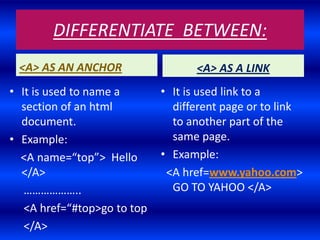
DIFFERENTIATE BETWEEN:
 <A> AS AN ANCHOR                  <A> AS A LINK
• It is used to name a       • It is used link to a
  section of an html           different page or to link
  document.                    to another part of the
• Example:                     same page.
  <A name=“top”> Hello       • Example:
  </A>                        <A href=www.yahoo.com>
   ………………..                    GO TO YAHOO </A>
   <A href=“#top>go to top
   </A>
USAGE OF LINKS
 Inter-file linking:- Link to a different page
  within your own website or link to another
  webpage or website on the world wide web
  (www).
 Intra-file linking:-Jump from one section to
  another section within the same web page
  (also called page jump).
 E-mail linking:-Link to an e-mail program.
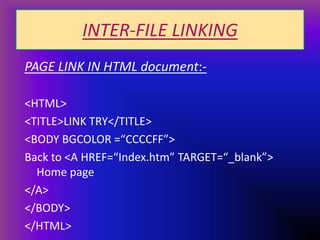
INTER-FILE LINKING
PAGE LINK IN HTML document:-

<HTML>
<TITLE>LINK TRY</TITLE>
<BODY BGCOLOR =“CCCCFF”>
Back to <A HREF=“Index.htm” TARGET=“_blank”>
  Home page
</A>
</BODY>
</HTML>
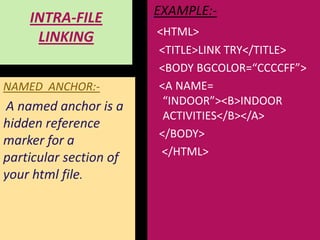
EXAMPLE:-
    INTRA-FILE
                        <HTML>
     LINKING
                        <TITLE>LINK TRY</TITLE>
                        <BODY BGCOLOR=“CCCCFF”>
NAMED ANCHOR:-          <A NAME=
A named anchor is a      “INDOOR”><B>INDOOR
                         ACTIVITIES</B></A>
hidden reference
                        </BODY>
marker for a
                         </HTML>
particular section of
your html file.
E-MAIL LINKING

EXAMPLE:-
<A HREF=“XYZ.123@GMAIL.COM”>
E-MAIL US</A>
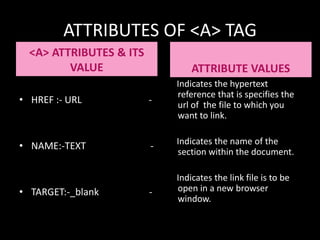
ATTRIBUTES OF <A> TAG
  <A> ATTRIBUTES & ITS
         VALUE                   ATTRIBUTE VALUES
                             Indicates the hypertext
                             reference that is specifies the
• HREF :- URL            -   url of the file to which you
                             want to link.


• NAME:-TEXT             -   Indicates the name of the
                             section within the document.

                             Indicates the link file is to be
• TARGET:-_blank         -   open in a new browser
                             window.
HTML CODING:-
<HTML>
<HEAD>
<TITLE>ONLINE GAMES </TITLE>
</HEAD>
<BODY>Games Galore
The Best Online Games Site</FONT></CENTER><BR>
<FONT SIZE="6"TEXT="ARIAL">Welcome To Games Galore …to play them off-line.
Featured Games:
<OL>
<LI>A HREF="puzzle.html"TARGET="_BLANK">Puzzle Games</A></U></B>
</OL>
<OL TYPE="square">
<LI>Tetris
<LI> Cubics
</OL>
<OL TYPE=1 START=3>
<LI><B><U><A HREF="action games.html">Action Games</A></U></B>
</BODY>
</HTML>
MADE BY:
       1.VARSHA DUBEY
       2.ANJALI KUMARI
       3.SHALU ESOLIYA

CLASS & SECTION:
                   XI-E
LINKING IN HTML

LINKING IN HTML

  • 4.
    URL: UNIFORM RESOURCE LOCATOR URL Defines As Basically, Is A Way To Tell Your Web Browser ( Or Other Program) Where To Look For Something. If You Want To Make A Hypertext Link To A Page, You Would Need Its URL.
  • 5.
    TYPES OF URL ABSOLUTEURL RELATIVE URL
  • 6.
    ABSOLUTE URL An absoluteURL contains more information than a relative URL does. Relative URLs are more convenient because they are shorter and often more portable. However, you can use them only to reference links on the same server as the page that contains them. An absolute URL typically takes the following form: protocol://hostname/other_information
  • 7.
    RELATIVE URL Relative URLscan take a number of different forms. When referring to a file that occurs in the same directory as the referring page, a URL can be as simple as the name of the file. For example, if you want to create a link in your home page to the file internet.html, which is in the same directory as your home page, you would use: <a href=“internet.html">The Wonderful World of Internet!</a>
  • 8.
    WHAT IS HYPERLINK? In web terms ,a hyperlink is a reference (an address) to a resource on the web. Hyperlink can point to any resource on the web: an HTML page ,an image, a sound file, a movie etc.
  • 9.
    WHAT IS ANCHOR? An anchor is a term used to define a hyperlink destination inside a document. The HTML anchor element <a>, is used to define both hyperlinks and anchors.
  • 10.
    DIFFERENTIATE BETWEEN: <A>AS AN ANCHOR <A> AS A LINK • It is used to name a • It is used link to a section of an html different page or to link document. to another part of the • Example: same page. <A name=“top”> Hello • Example: </A> <A href=www.yahoo.com> ……………….. GO TO YAHOO </A> <A href=“#top>go to top </A>
  • 11.
    USAGE OF LINKS Inter-file linking:- Link to a different page within your own website or link to another webpage or website on the world wide web (www).  Intra-file linking:-Jump from one section to another section within the same web page (also called page jump).  E-mail linking:-Link to an e-mail program.
  • 12.
    INTER-FILE LINKING PAGE LINKIN HTML document:- <HTML> <TITLE>LINK TRY</TITLE> <BODY BGCOLOR =“CCCCFF”> Back to <A HREF=“Index.htm” TARGET=“_blank”> Home page </A> </BODY> </HTML>
  • 13.
    EXAMPLE:- INTRA-FILE <HTML> LINKING <TITLE>LINK TRY</TITLE> <BODY BGCOLOR=“CCCCFF”> NAMED ANCHOR:- <A NAME= A named anchor is a “INDOOR”><B>INDOOR ACTIVITIES</B></A> hidden reference </BODY> marker for a </HTML> particular section of your html file.
  • 14.
  • 15.
    ATTRIBUTES OF <A>TAG <A> ATTRIBUTES & ITS VALUE ATTRIBUTE VALUES Indicates the hypertext reference that is specifies the • HREF :- URL - url of the file to which you want to link. • NAME:-TEXT - Indicates the name of the section within the document. Indicates the link file is to be • TARGET:-_blank - open in a new browser window.
  • 16.
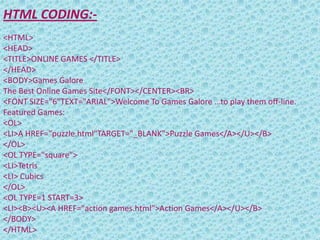
    HTML CODING:- <HTML> <HEAD> <TITLE>ONLINE GAMES</TITLE> </HEAD> <BODY>Games Galore The Best Online Games Site</FONT></CENTER><BR> <FONT SIZE="6"TEXT="ARIAL">Welcome To Games Galore …to play them off-line. Featured Games: <OL> <LI>A HREF="puzzle.html"TARGET="_BLANK">Puzzle Games</A></U></B> </OL> <OL TYPE="square"> <LI>Tetris <LI> Cubics </OL> <OL TYPE=1 START=3> <LI><B><U><A HREF="action games.html">Action Games</A></U></B> </BODY> </HTML>
  • 17.
    MADE BY: 1.VARSHA DUBEY 2.ANJALI KUMARI 3.SHALU ESOLIYA CLASS & SECTION: XI-E