Important steps when using
Zotero on shared computers:
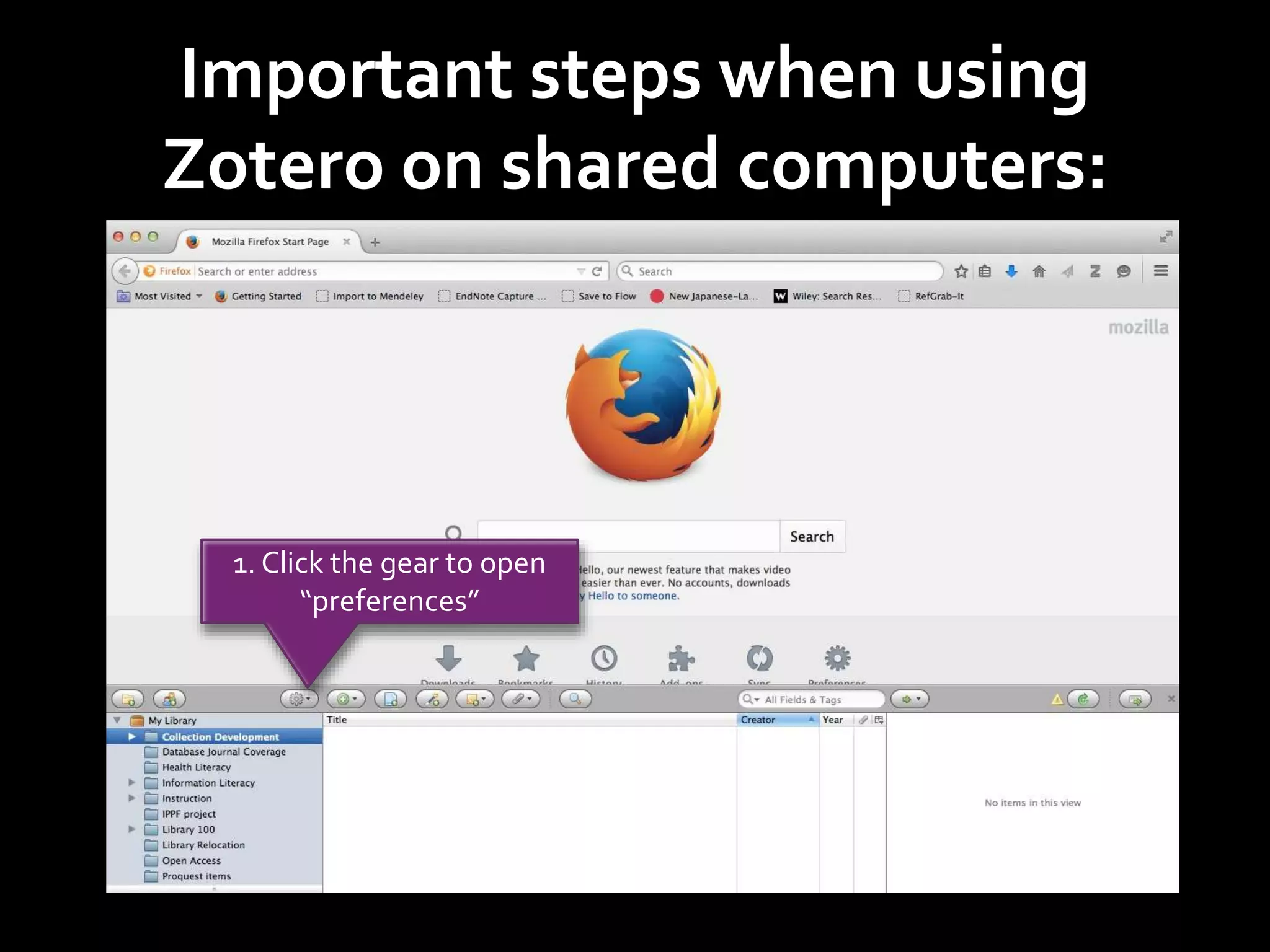
1. Click the gear to open
“preferences”
Important steps when using
Zotero on shared computers:
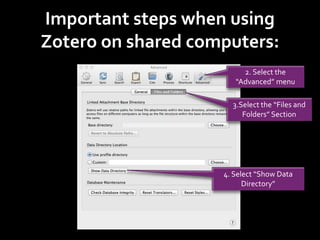
2. Select the
“Advanced” menu
3.Select the “Files and
Folders” Section
4. Select “Show Data
Directory”
Important steps when using
Zotero on shared computers:
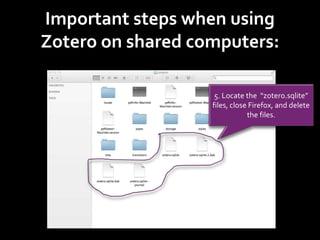
5. Locate the “zotero.sqlite”
files, close Firefox, and delete
the files.
Important steps when using
Zotero on shared computers:
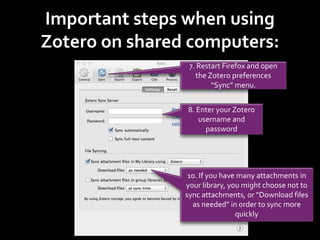
7. Restart Firefox and open
the Zotero preferences
“Sync” menu.
8. Enter your Zotero
username and
password
10. If you have many attachments in
your library, you might choose not to
sync attachments, or “Download files
as needed” in order to sync more
quickly
Important steps when using
Zotero on shared computers:
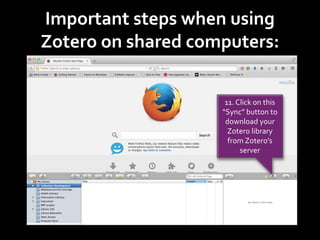
11. Click on this
“Sync” button to
download your
Zotero library
from Zotero’s
server
Important steps when using
Zotero on shared computers:
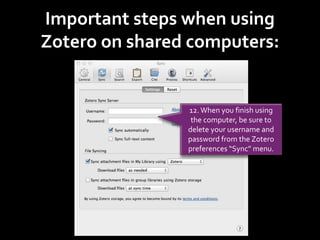
12. When you finish using
the computer, be sure to
delete your username and
password from the Zotero
preferences “Sync” menu.
Important steps when using
Zotero on shared computers:
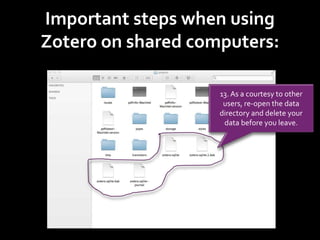
13. As a courtesy to other
users, re-open the data
directory and delete your
data before you leave.

Tutorial about Using Zotero on Shared Computers

  • 1.
    Important steps whenusing Zotero on shared computers: 1. Click the gear to open “preferences”
  • 2.
    Important steps whenusing Zotero on shared computers: 2. Select the “Advanced” menu 3.Select the “Files and Folders” Section 4. Select “Show Data Directory”
  • 3.
    Important steps whenusing Zotero on shared computers: 5. Locate the “zotero.sqlite” files, close Firefox, and delete the files.
  • 4.
    Important steps whenusing Zotero on shared computers: 7. Restart Firefox and open the Zotero preferences “Sync” menu. 8. Enter your Zotero username and password 10. If you have many attachments in your library, you might choose not to sync attachments, or “Download files as needed” in order to sync more quickly
  • 5.
    Important steps whenusing Zotero on shared computers: 11. Click on this “Sync” button to download your Zotero library from Zotero’s server
  • 6.
    Important steps whenusing Zotero on shared computers: 12. When you finish using the computer, be sure to delete your username and password from the Zotero preferences “Sync” menu.
  • 7.
    Important steps whenusing Zotero on shared computers: 13. As a courtesy to other users, re-open the data directory and delete your data before you leave.