ZOTERO PRESENTATION
PRESENTED BY : IAN KIARIE
Course : Commerce (Finance Major)
: 4th year
Presentation Outline
• Definition
• Benefits
• Installation
• Creating accounts
• Creating a Library
• Zotero sections
• Inserting bibliography
• Challenges
Definition of zotero
• It is a free, fairly easy-to-use Firefox extension to help you collect,
manage, and cite your research sources.
• It is free and open source reference management software to
manage bibliographic data
Benefits
1. It’s a free and open source
2. keep you organized
3. With an account you can save you work and use the same later
4. The mode of referencing is automatically formatted when using
zotero
5. Zotero saves your library locally in your computer
6. Easy to use
Installation process
URL
Installation process cont.
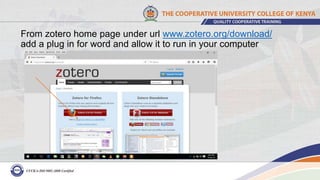
Download zotero for your browser and allow it to install
From zotero home page under url www.zotero.org/download/
add a plug in for word and allow it to run in your computer
Creating a zotero account
Zotero sections
A. Collection
B. Items/Content
C. Details
Zotero sections continued
collections items Details
EBSCO research database page
Inserting bibliography
Step 1: insert citation
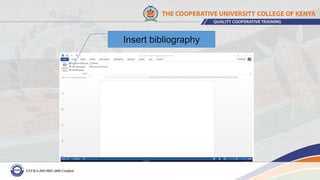
Step 2: insert bibliography
Insert citation
Insert bibliography
CHALLENGES OF USING ZOTERO
i. Late updates of the software
ii. The fact that Zotero resides on your
Firefox browser in your computer
makes it difficult for users to share
items
CONTACT
IAN KIARIE
Email : ian.w.kiarie@gmail.com
: ian.w.kiarie@hotmail.com
Mobile No: 0710877881

Zotero presentation -CUCK