ZENworks Software Packaging en  Application Virtualization Roel van Bueren ROVABU NetWorks
Agenda AOT/AXT versus ‘Windows Installer’ / MSI snAppShot versus  AdminStudio ZENworks Edition’s Repackager ZCM Migration Utility AdminStudio 9.0 Standard Edition AdminStudio 9.01 beta / Virtualization Pack Beta ZENworks Application Virtualization
ZENworks Software Packaging snAppShot -> AdminStudio ZENworks Edition’s Repackager
 
Acresso and Novell


RemoveUsage.exe
 
AdminStudio versions InstallShield AdminStudio 5.5 ZEN Edition (ZEN 6.5) InstallShield AdminStudio 6.0 ZEN Edition (ZEN 7) Macrovision FLEXnet AdminStudio 7.5 ZEN Edition (ZEN 7 SP1) Macrovision FLEXnet AdminStudio 8.0 ZEN Edition (ZCM) AdminStudio 8.5 ZEN Edition (ZCM 10.0.1) AdminStudio 8.6 ZEN Edition (ZCM 10.0.2 ??) AdminStudio 9.0 SE Edition (ZCM 10.1.0 / ZCM SP1) AdminStudio 9.0 ZENworks 7 Edition
 
ZENworks Software Packaging Existing and new ZENworks Configuration Management customers are able to upgrade to the complete  Admin Studio Standard Edition  at no additional charge AdminStudio Standard Edition will  no longer be restricted to a single installation pre management zone .  Customers can install  as many instances  of AdminStudio Standard Edition as required to support the organization
ZENworks Software Packaging Customers will  no longer register with Acresso  to obtain a valid license for AdminStudio Standard Edition.  License keys will be distributed to ZENworks customers via the Novell Customer Center Novell will provide support for AdminStudio Standard Edition to qualified  ZENworks Configuration Management  customers.
ZENworks Software Packaging “ Registering AdminStudio ZENworks Editions” How to register AdminStudio 9 ZENworks Edition  for ZENworks 7 How to register AdminStudio 9 Standard Edition for  ZENworks Configuration Management TID 7001301 Registration and License Activation has changed for both the Limited (ZEN 7) Edition and the Standard (ZCM) Edition.  You are no longer directed to Acresso to register to retrieve a valid license key.  Your license key is now directly available from Novell, in the Novell Customer Center at http://www.novell.com/center
ZENworks Software Packaging Customers will  no longer register with Acresso  to obtain a valid license for AdminStudio Standard Edition.  License keys will be distributed to ZENworks customers via the Novell Customer Center Novell will provide support for AdminStudio Standard Edition to qualified  ZENworks Configuration Management  customers.  Customers  using ZENworks 7  or earlier versions will continue to receive the limited AdminStudio ZENworks Edition.
AdminStudio Standard Edition Repackager Ensure software runs reliably on Windows Vista (or any Windows OS) by automatically repackaging any setup to a fully compliant MSI package.
 
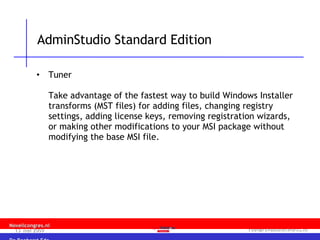
AdminStudio Standard Edition Tuner  Take advantage of the fastest way to build Windows Installer transforms (MST files) for adding files, changing registry settings, adding license keys, removing registration wizards, or making other modifications to your MSI package without modifying the base MSI file.
 
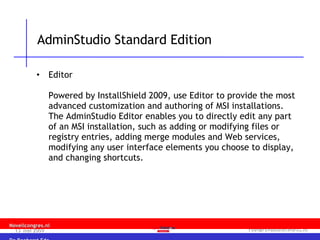
AdminStudio Standard Edition Editor Powered by InstallShield 2009, use Editor to provide the most advanced customization and authoring of MSI installations.  The AdminStudio Editor enables you to directly edit any part of an MSI installation, such as adding or modifying files or registry entries, adding merge modules and Web services, modifying any user interface elements you choose to display, and changing shortcuts.


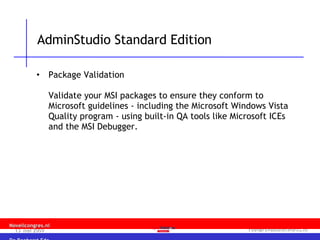
AdminStudio Standard Edition Package Validation  Validate your MSI packages to ensure they conform to Microsoft guidelines - including the Microsoft Windows Vista Quality program - using built-in QA tools like Microsoft ICEs and the MSI Debugger.
 
 
AdminStudio Standard Edition Application Isolation Wizard  Ensure new MSIs won't interfere with installed applications by automatically isolating their shared DLLs and other dependencies before deployment.
 
AdminStudio Standard Edition AdminStudio Distribution Wizard  Automate the deployment of MSI packages via ZENworks Configuration Management.
 
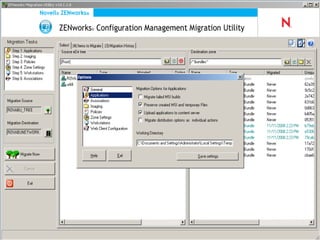
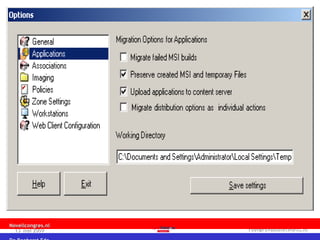
ZCM Migration Utility (SP1)


What is Application Virtualization? “ Application virtualization enables the deployment of software without modifying the local operating system or file system.  It allows software to be delivered and updated in an isolated environment ensuring the integrity of the operating system and all applications.
What is Application Virtualization? Application conflicts, and the need for regression testing, are significantly reduced.   A single application can be bundled and deployed to multiple operating system versions.  Applications are easier to provision, deploy, upgrade, and rollback. (VMware’s definition).


AdminStudio 9.0.1 (beta)


What is ZENworks Application Virtualization? ZAV is a next-generation virtualization technology that allows applications to be deployed in lightweight, pre-configured, single-executable files that execute instantly on any Windows desktop.  Unlike hardware virtualization solutions such as VMware and Virtual PC, which emulate the underlying hardware and therefore require an entire copy of the host operating system, ZAV technology emulates operating system features required for application execution.
 
ZAV
 
 
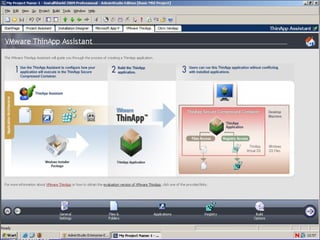
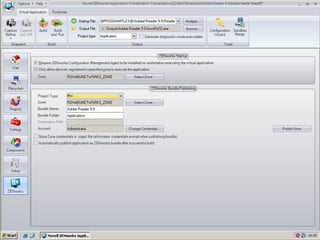
Building Virtual Apps Building from template Snapshot Manual Convert
Building Virtual Apps from Template
Building Virtual Apps by using Snapshot Capture ‘Before’ Install the application Configure the application (optional) Capture ‘After’
 
Building Virtual Apps by Converting ZENworks Packages (AXT) MSI Packages (MSI) Thinstall configuration


ZAV 7.0 and ZCM ZCM deployment Push virtual application to ZCM from within ZAV Studio
ZCM integration


ZAV and ZCM integration
Vragen en antwoorden

ZCM Software Packaging and ZENworks Application Virtualization

  • 1.
    ZENworks Software Packagingen Application Virtualization Roel van Bueren ROVABU NetWorks
  • 2.
    Agenda AOT/AXT versus‘Windows Installer’ / MSI snAppShot versus AdminStudio ZENworks Edition’s Repackager ZCM Migration Utility AdminStudio 9.0 Standard Edition AdminStudio 9.01 beta / Virtualization Pack Beta ZENworks Application Virtualization
  • 3.
    ZENworks Software PackagingsnAppShot -> AdminStudio ZENworks Edition’s Repackager
  • 4.
  • 5.
  • 6.
  • 7.
  • 8.
  • 9.
  • 10.
  • 11.
    AdminStudio versions InstallShieldAdminStudio 5.5 ZEN Edition (ZEN 6.5) InstallShield AdminStudio 6.0 ZEN Edition (ZEN 7) Macrovision FLEXnet AdminStudio 7.5 ZEN Edition (ZEN 7 SP1) Macrovision FLEXnet AdminStudio 8.0 ZEN Edition (ZCM) AdminStudio 8.5 ZEN Edition (ZCM 10.0.1) AdminStudio 8.6 ZEN Edition (ZCM 10.0.2 ??) AdminStudio 9.0 SE Edition (ZCM 10.1.0 / ZCM SP1) AdminStudio 9.0 ZENworks 7 Edition
  • 12.
  • 13.
    ZENworks Software PackagingExisting and new ZENworks Configuration Management customers are able to upgrade to the complete Admin Studio Standard Edition at no additional charge AdminStudio Standard Edition will no longer be restricted to a single installation pre management zone . Customers can install as many instances of AdminStudio Standard Edition as required to support the organization
  • 14.
    ZENworks Software PackagingCustomers will no longer register with Acresso to obtain a valid license for AdminStudio Standard Edition. License keys will be distributed to ZENworks customers via the Novell Customer Center Novell will provide support for AdminStudio Standard Edition to qualified ZENworks Configuration Management customers.
  • 15.
    ZENworks Software Packaging“ Registering AdminStudio ZENworks Editions” How to register AdminStudio 9 ZENworks Edition for ZENworks 7 How to register AdminStudio 9 Standard Edition for ZENworks Configuration Management TID 7001301 Registration and License Activation has changed for both the Limited (ZEN 7) Edition and the Standard (ZCM) Edition. You are no longer directed to Acresso to register to retrieve a valid license key. Your license key is now directly available from Novell, in the Novell Customer Center at http://www.novell.com/center
  • 16.
    ZENworks Software PackagingCustomers will no longer register with Acresso to obtain a valid license for AdminStudio Standard Edition. License keys will be distributed to ZENworks customers via the Novell Customer Center Novell will provide support for AdminStudio Standard Edition to qualified ZENworks Configuration Management customers. Customers using ZENworks 7 or earlier versions will continue to receive the limited AdminStudio ZENworks Edition.
  • 17.
    AdminStudio Standard EditionRepackager Ensure software runs reliably on Windows Vista (or any Windows OS) by automatically repackaging any setup to a fully compliant MSI package.
  • 18.
  • 19.
    AdminStudio Standard EditionTuner Take advantage of the fastest way to build Windows Installer transforms (MST files) for adding files, changing registry settings, adding license keys, removing registration wizards, or making other modifications to your MSI package without modifying the base MSI file.
  • 20.
  • 21.
    AdminStudio Standard EditionEditor Powered by InstallShield 2009, use Editor to provide the most advanced customization and authoring of MSI installations. The AdminStudio Editor enables you to directly edit any part of an MSI installation, such as adding or modifying files or registry entries, adding merge modules and Web services, modifying any user interface elements you choose to display, and changing shortcuts.
  • 22.
  • 23.
  • 24.
  • 25.
  • 26.
  • 27.
    AdminStudio Standard EditionPackage Validation Validate your MSI packages to ensure they conform to Microsoft guidelines - including the Microsoft Windows Vista Quality program - using built-in QA tools like Microsoft ICEs and the MSI Debugger.
  • 28.
  • 29.
  • 30.
    AdminStudio Standard EditionApplication Isolation Wizard Ensure new MSIs won't interfere with installed applications by automatically isolating their shared DLLs and other dependencies before deployment.
  • 31.
  • 32.
    AdminStudio Standard EditionAdminStudio Distribution Wizard Automate the deployment of MSI packages via ZENworks Configuration Management.
  • 33.
  • 34.
  • 35.
  • 36.
  • 37.
  • 38.
    What is ApplicationVirtualization? “ Application virtualization enables the deployment of software without modifying the local operating system or file system. It allows software to be delivered and updated in an isolated environment ensuring the integrity of the operating system and all applications.
  • 39.
    What is ApplicationVirtualization? Application conflicts, and the need for regression testing, are significantly reduced. A single application can be bundled and deployed to multiple operating system versions. Applications are easier to provision, deploy, upgrade, and rollback. (VMware’s definition).
  • 40.
  • 41.
  • 42.
  • 43.
  • 44.
  • 45.
  • 46.
  • 47.
  • 48.
  • 49.
  • 50.
  • 51.
  • 52.
  • 53.
  • 54.
  • 55.
  • 56.
  • 57.
    What is ZENworksApplication Virtualization? ZAV is a next-generation virtualization technology that allows applications to be deployed in lightweight, pre-configured, single-executable files that execute instantly on any Windows desktop. Unlike hardware virtualization solutions such as VMware and Virtual PC, which emulate the underlying hardware and therefore require an entire copy of the host operating system, ZAV technology emulates operating system features required for application execution.
  • 58.
  • 59.
  • 60.
  • 61.
  • 62.
    Building Virtual AppsBuilding from template Snapshot Manual Convert
  • 63.
    Building Virtual Appsfrom Template
  • 64.
    Building Virtual Appsby using Snapshot Capture ‘Before’ Install the application Configure the application (optional) Capture ‘After’
  • 65.
  • 66.
    Building Virtual Appsby Converting ZENworks Packages (AXT) MSI Packages (MSI) Thinstall configuration
  • 67.
  • 68.
  • 69.
  • 70.
  • 71.
  • 72.
  • 73.
  • 74.
    ZAV 7.0 andZCM ZCM deployment Push virtual application to ZCM from within ZAV Studio
  • 75.
  • 76.
  • 77.
  • 78.
  • 79.
    ZAV and ZCMintegration
  • 80.