XQual - XStudio

manage the complete

        life-cycle of your products.
Content
   What is it?

   How does it work?

   Most important features.

   Very small demo (lifecycle)

   Why xstudio?

   Questions?
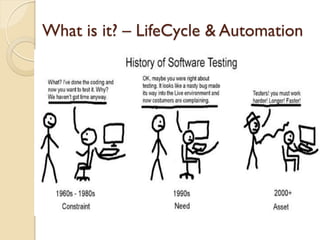
What is it? – LifeCycle & Automation
What is it? LifeCycle & Automation
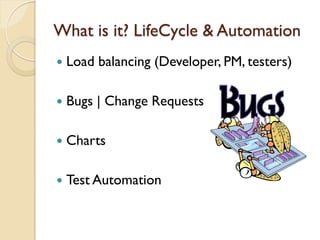
   Load balancing (Developer, PM, testers)

   Bugs | Change Requests

   Charts

   Test Automation
How does it work?
   Uses Mysql Database

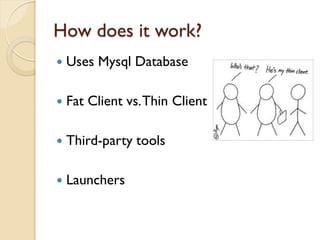
   Fat Client vs. Thin Client

   Third-party tools

   Launchers
How does it work - Easy to install?
   Relatively easy to install

   Mysql Database

   Possible Crash -> Did the job anyway

   Easier to setup a thin client
How does it work – Launchers?

   Use one of the many launchers

   Implement interface (LGPL SDK)

   Interact with any kind of test
    ◦   Junit
    ◦   Java/Beanshell
    ◦   Perl Scripts
    ◦   Many more
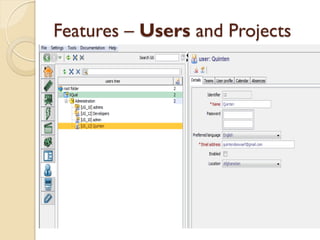
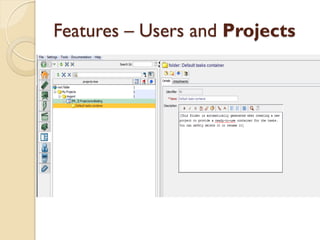
Features – Users and Projects
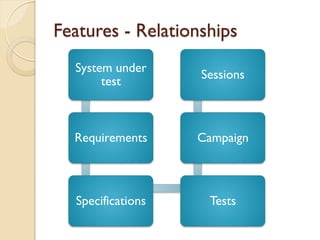
Features - Relationships
  System under
                   Sessions
       test


  Requirements     Campaign


  Specifications    Tests
Features - XAgent

   Background

   Remote hosts

   Distributed & complex environments
Features - XContinuousIntegration

   Command line

   Automatically create tests
Why Xstudio?
   Easy to import tests

   Free!

   Complete LifeCycle

   Integrate your own tests
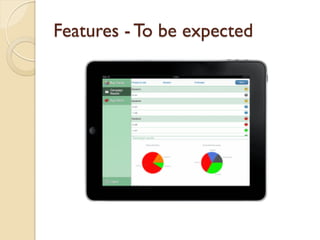
Features - To be expected
QUESTIONS?

XStudio

  • 1.
    XQual - XStudio managethe complete life-cycle of your products.
  • 2.
    Content  What is it?  How does it work?  Most important features.  Very small demo (lifecycle)  Why xstudio?  Questions?
  • 3.
    What is it?– LifeCycle & Automation
  • 4.
    What is it?LifeCycle & Automation  Load balancing (Developer, PM, testers)  Bugs | Change Requests  Charts  Test Automation
  • 5.
    How does itwork?  Uses Mysql Database  Fat Client vs. Thin Client  Third-party tools  Launchers
  • 6.
    How does itwork - Easy to install?  Relatively easy to install  Mysql Database  Possible Crash -> Did the job anyway  Easier to setup a thin client
  • 7.
    How does itwork – Launchers?  Use one of the many launchers  Implement interface (LGPL SDK)  Interact with any kind of test ◦ Junit ◦ Java/Beanshell ◦ Perl Scripts ◦ Many more
  • 8.
    Features – Usersand Projects
  • 9.
    Features – Usersand Projects
  • 10.
    Features - Relationships System under Sessions test Requirements Campaign Specifications Tests
  • 12.
    Features - XAgent  Background  Remote hosts  Distributed & complex environments
  • 13.
    Features - XContinuousIntegration  Command line  Automatically create tests
  • 14.
    Why Xstudio?  Easy to import tests  Free!  Complete LifeCycle  Integrate your own tests
  • 15.
    Features - Tobe expected
  • 16.