World of Mobile Banking – A
 Strategic View
Author:
Muthu Siva
ME(Distinction), MBA(Australia)
FIC(UK), FCMI(UK), FBCS(UK)
Dated 29 Jan 2013
Version 1.0
                                  World of Mobile Banking - Author: Muthu
1 February 2013                                                             1
                                                    Siva
World of Mobile Banking –                                           A strategic View

     I am publishing this paper on 'World of Mobile Banking' a strategic view. 10
     banks across the world are selected(Barclays, Santander, HSBC, Lloyds TSB,
     RBS, ANZ (Australia), Commonwealth Bank of Australia, JP Morgan, Bank of
     America and Citi ) are selected for this strategic comparison.
     The main areas of study are :
•     Registration for Mobile Banking
•    Customer On-boarding time
•    Mobile banking channel features
•    Types of payments that can be made through online
•    Mobile banking security
•    Supplementary mobile related products
•    Mobile banking compatibility with browsers, devices and operating systems
•    User Experience
     This is a high level strategic comparison from customer perspective based
     on information available in their respective websites.
     I have also given 'what is special' about each bank and also chances for
     improvement to acquire more market share. This is my personal view based
     on customer/strategic perspective and my digital banking experience.
•    NEXT: I am working on next versions of paper with more details due to be
     released every three months.

                              World of Mobile Banking - Author: Muthu
1 February 2013                                                                            2
                                                Siva
Barclays
•    LINK:
     http://www.barclays.co.uk/BarclaysMobileBanking/BarclaysMobileBankingapp/P1242609123821
•    ELIGIBILITY TO REGISTER :
      –    For current account holders
      –    Aged 16 or above with uk mobile number
•    TIME TO ACTIVATE THE SERVICE :
      –    Immediate
•    CHANNEL FEATURES :
      –    Check Balances
      –    Transfer money between accounts
      –    Make payments
      –    View mini statements
      –    Find nearest branch or ATM
      –    Currency exchange rate converter
      –    Live stock price
      –    Text alert for current account
      –    Mobile PINsentry
      –    Register again if customers lost the phone Register a joint account on Barclays Mobile Banking on different
           phones
•    What type of payments can be made
      –    Transfer money between accounts
      –    Pay bills and make payments

                                        World of Mobile Banking - Author: Muthu
1 February 2013                                                                                                          3
                                                          Siva
Barclays
• SECURITY
      – same as online banking -PINsentry
      – Mobile banking protection
      – Suggested to get Kaspersky Mobile Security Software (RRP £19.99) free of
        charge if you use Online Banking.
• SUPPLEMENTARY MOBILE RELATED PRODUCTS
      –    Pingit- send upto 750 GBP using mobile per day Receive upto 5000 per day
      –    Anybody with UK mobile banking can use it
      –    Quick Responsive code compatible
      –    Register to only receive money
      –    Topup your mobile using cash machines
• MOBILE DEVICES COMPATIBILITY
      –    iPhones running iOS4.2.1 and above
      –    Android 2.3 and above
      –    BlackBerry OS 5.0 and above
      –    Web enabled and SSL enabled

                               World of Mobile Banking - Author: Muthu
1 February 2013                                                                       4
                                                 Siva
Barclays
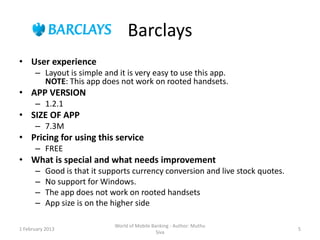
• User experience
      – Layout is simple and it is very easy to use this app.
        NOTE: This app does not work on rooted handsets.
• APP VERSION
      – 1.2.1
• SIZE OF APP
      – 7.3M
• Pricing for using this service
      – FREE
• What is special and what needs improvement
      –    Good is that it supports currency conversion and live stock quotes.
      –    No support for Windows.
      –    The app does not work on rooted handsets
      –    App size is on the higher side

                              World of Mobile Banking - Author: Muthu
1 February 2013                                                                  5
                                                Siva
Santander
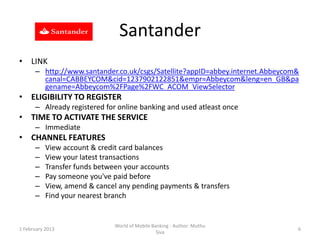
• LINK
      – http://www.santander.co.uk/csgs/Satellite?appID=abbey.internet.Abbeycom&
        canal=CABBEYCOM&cid=1237902122851&empr=Abbeycom&leng=en_GB&pa
        gename=Abbeycom%2FPage%2FWC_ACOM_ViewSelector
• ELIGIBILITY TO REGISTER
      – Already registered for online banking and used atleast once
• TIME TO ACTIVATE THE SERVICE
      – Immediate
• CHANNEL FEATURES
      –    View account & credit card balances
      –    View your latest transactions
      –    Transfer funds between your accounts
      –    Pay someone you've paid before
      –    View, amend & cancel any pending payments & transfers
      –    Find your nearest branch


                               World of Mobile Banking - Author: Muthu
1 February 2013                                                                6
                                                 Siva
Santander
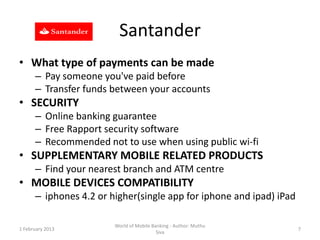
• What type of payments can be made
      – Pay someone you've paid before
      – Transfer funds between your accounts
• SECURITY
      – Online banking guarantee
      – Free Rapport security software
      – Recommended not to use when using public wi-fi
• SUPPLEMENTARY MOBILE RELATED PRODUCTS
      – Find your nearest branch and ATM centre
• MOBILE DEVICES COMPATIBILITY
      – iphones 4.2 or higher(single app for iphone and ipad) iPad

                        World of Mobile Banking - Author: Muthu
1 February 2013                                                      7
                                          Siva
Santander
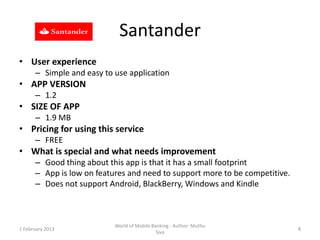
• User experience
      – Simple and easy to use application
• APP VERSION
      – 1.2
• SIZE OF APP
      – 1.9 MB
• Pricing for using this service
      – FREE
• What is special and what needs improvement
      – Good thing about this app is that it has a small footprint
      – App is low on features and need to support more to be competitive.
      – Does not support Android, BlackBerry, Windows and Kindle


                           World of Mobile Banking - Author: Muthu
1 February 2013                                                              8
                                             Siva
HSBC
• LINK
      – http://www.hsbc.co.uk/1/2/ways-to-
        bank/mobile#7_2_1E7B
• ELIGIBILITY TO REGISTER
      – Any Personal HSBC current account for which you have
        been issued with a debit card.
• TIME TO ACTIVATE THE SERVICE
      – Immediate
• CHANNEL FEATURES
      – Check your balance
      – View your recent transactions
      – Top-up your pre-paid mobile phone
                       World of Mobile Banking - Author: Muthu
1 February 2013                                                  9
                                         Siva
HSBC
• What type of payments can be made
      – Top-up up to 5 mobile Pay-As-You-Go phones
• SECURITY
      – Data via this application is secure. During the registration process for Fast
        Balance, you will be asked to set-up a passcode, which should not be shared
        with anyone else. The Get Safe Online website provides guidance on how to
        protect hand held computers and mobile phones.
• SUPPLEMENTARY MOBILE RELATED PRODUCTS
      – Mobile money from Monitise
      – Text Banking
• MOBILE DEVICES COMPATIBILITY
      – For iPhone - any device running Operating System version 3.0 and higher.
      – For Android - any device running Operating System version 2.2 and higher.
      – For BlackBerry - any device running Operating System version 5.0 and higher.


                              World of Mobile Banking - Author: Muthu
1 February 2013                                                                         10
                                                Siva
HSBC
• User experience
      – App is very Basic. Does not allow you to transfer to friends/family.
• APP VERSION
      – 1.1.0
• SIZE OF APP
      – 3.4 MB
• Pricing for using this service
      – FREE
• What is special and what needs improvement
      – Nice thing is that it allows you to top up your pre-paid phones.
      – App is very basic and requires some more features.
      – There are errors in the app that require immediate fixes.


                            World of Mobile Banking - Author: Muthu
1 February 2013                                                                11
                                              Siva
LTSB
•    LINK
      – http://www.lloydstsb.com/internet_banking/mobile_banking.asp
•    ELIGIBILITY TO REGISTER
      – Register for online banking
•    TIME TO ACTIVATE THE SERVICE
      – Immediate
•    CHANNEL FEATURES
      – View account details, including the balance on most of your Lloyds TSB UK personal accounts.
      – See a history of transactions on your Lloyds TSB UK personal current and savings accounts, ISA
        accounts and credit card accounts.
      – Make payments to new and existing recipients.
      – Transfer funds between your Lloyds TSB UK personal current accounts and savings accounts.
      – Check your credit card limit.
      – Log on using the same Internet Banking logon details.
      – Manage your existing overdraft. View your current mortgage balance*.
      – Find a Lloyds TSB branch and Cashpoint® or LINK ATM in the UK.
      – Find useful Lloyds TSB phone numbers
      – Switch to desktop and back whenever you need to.


                                   World of Mobile Banking - Author: Muthu
1 February 2013                                                                                     12
                                                     Siva
LTSB
• What type of payments can be made
      – Transfer funds between your Lloyds TSB UK personal
        current accounts and savings accounts.
      – Make payments to new and existing recipients.
• SECURITY
      – Similar to online banking.
• MOBILE DEVICES COMPATIBILITY
      –    iPhone iOS4.0 and above.
      –    Android 2.2 and above.
      –    Blackberry 5.0 and above.
      –    Most Nokia smartphones up to Symbian^3.


                         World of Mobile Banking - Author: Muthu
1 February 2013                                                    13
                                           Siva
LTSB
• User experience
      – Intuitive interface. Simple and clear layout
• APP VERSION
      – 1.2
• SIZE OF APP
      – 2.6 MB
• Pricing for using this service
      – FREE
• What is special and what needs improvement
      – Good thing is that it supports all the types of devices.
      – Does not support Text.
      – Personalisation features can be added


                            World of Mobile Banking - Author: Muthu
1 February 2013                                                       14
                                              Siva
RBS
•    LINK
      –     http://www.rbs.co.uk/personal/online-banking/g2/mobile-banking.ashx
•    ELIGIBILITY TO REGISTER
      –    RBS customer register for online banking
      –    RBS personal account with debit card
      –    Be over age 11 and have a have a mainland UK mobile number starting 07
      –    The registration process should take less than 10 minutes. Once the process is complete, your
           card details will be verified within 24 hours. If registration takes place during business hours, it
           should only take about 4 hours.
•    TIME TO ACTIVATE THE SERVICE
      – The registration process should take less than 10 minutes. Once the process is complete, your
        card details will be verified within 24 hours. If registration takes place during business hours, it
        should only take about 4 hours.
•    CHANNEL FEATURES
      – Pay friends, family and bills on the move
      – Transfer money between accounts and hit the shops
      – Check your latest transactions on the go


                                      World of Mobile Banking - Author: Muthu
1 February 2013                                                                                              15
                                                        Siva
RBS
• What type of payments can be made
      – Pay friends, family and bills
• SECURITY
      – Online and Mobile Security promise sophisticated encryption technology for
        secure data transfer to and from your mobile device.
• SUPPLEMENTARY MOBILE RELATED PRODUCTS
      – View your RBS Mortgage Account
      – Find your nearest cash machine or local branch
      – Top up your pay as you go mobile phone and up to four others (service not
        available on the 3 network)
• MOBILE DEVICES COMPATIBILITY
      –    Android
      –    Blackberry
      –    iPhone
      –    iPad


                               World of Mobile Banking - Author: Muthu
1 February 2013                                                                      16
                                                 Siva
RBS
• User experience
      – Easy to use menus. User can navigate freely though the
        application
• APP VERSION
      – Version 2.2.73
• SIZE OF APP
      – 3.6MB
• Pricing for using this service
      – FREE
• What is special and what needs improvement
      – Good thing is that it uses sophisticated encryption technology
      – Registration process needs improvement. It is not immediate

                          World of Mobile Banking - Author: Muthu
1 February 2013                                                          17
                                            Siva
ANZgoMoney
• LINK
      – http://www.gomoney.anz.com/
• ELIGIBILITY TO REGISTER
      – Internet banking customer with Australian Mobile phone
      – Can be registered upto 5 devices
• TIME TO ACTIVATE THE SERVICE
      – Immediate
• CHANNEL FEATURES
      – Transfer funds Pay to mobile number
      – Pay to account number
      – The daily limit for all ANZ goMoney™ Pay Anyone and Pay to
        Mobile payments combined is $1,000 in total per day.
      – Limited personalisation available for iPhone customers
                         World of Mobile Banking - Author: Muthu
1 February 2013                                                      18
                                           Siva
ANZgoMoney
• What type of payments can be made
      – Pay to account number
      – Pay to mobile number
• SECURITY
      – Online banking guarantee
• SUPPLEMENTARY MOBILE RELATED PRODUCTS
      – ANZ go Money™
      – Pay bills conveniently with BPAY®
      – Pay anyone if you have their BSB and account number#
• MOBILE DEVICES COMPATIBILITY
      – Android 2.2 or later
      – iPhone 4.0 or later

                          World of Mobile Banking - Author: Muthu
1 February 2013                                                     19
                                            Siva
ANZgoMoney
• User experience
      – Nice and easy to use. Standard interface without clutter
• APP VERSION
      – 2.0.0
• SIZE OF APP
      – 7.2M
• Pricing for using this service
      – FREE
• What is special and what needs improvement
      – Good is that it can be registered upto 5 devices.
      – Size is bulky and needs to be pulled down to match with the
        apps from competitors offering similar feature set

                          World of Mobile Banking - Author: Muthu
1 February 2013                                                       20
                                            Siva
Chase (JP Morgan)
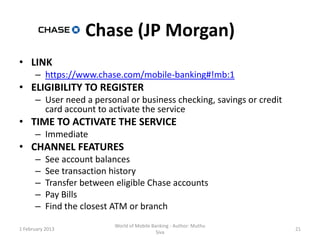
• LINK
      – https://www.chase.com/mobile-banking#!mb:1
• ELIGIBILITY TO REGISTER
      – User need a personal or business checking, savings or credit
        card account to activate the service
• TIME TO ACTIVATE THE SERVICE
      – Immediate
• CHANNEL FEATURES
      –    See account balances
      –    See transaction history
      –    Transfer between eligible Chase accounts
      –    Pay Bills
      –    Find the closest ATM or branch
                            World of Mobile Banking - Author: Muthu
1 February 2013                                                        21
                                              Siva
Chase (JP Morgan)
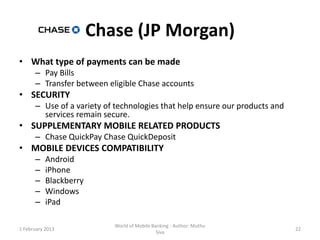
• What type of payments can be made
      – Pay Bills
      – Transfer between eligible Chase accounts
• SECURITY
      – Use of a variety of technologies that help ensure our products and
        services remain secure.
• SUPPLEMENTARY MOBILE RELATED PRODUCTS
      – Chase QuickPay Chase QuickDeposit
• MOBILE DEVICES COMPATIBILITY
      –    Android
      –    iPhone
      –    Blackberry
      –    Windows
      –    iPad

                           World of Mobile Banking - Author: Muthu
1 February 2013                                                              22
                                             Siva
Chase (JP Morgan)
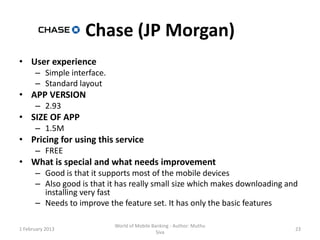
• User experience
      – Simple interface.
      – Standard layout
• APP VERSION
      – 2.93
• SIZE OF APP
      – 1.5M
• Pricing for using this service
      – FREE
• What is special and what needs improvement
      – Good is that it supports most of the mobile devices
      – Also good is that it has really small size which makes downloading and
        installing very fast
      – Needs to improve the feature set. It has only the basic features

                            World of Mobile Banking - Author: Muthu
1 February 2013                                                              23
                                              Siva
Bank of America
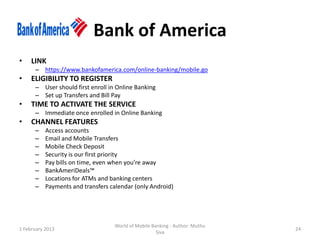
•    LINK
      – https://www.bankofamerica.com/online-banking/mobile.go
•    ELIGIBILITY TO REGISTER
      – User should first enroll in Online Banking
      – Set up Transfers and Bill Pay
•    TIME TO ACTIVATE THE SERVICE
      – Immediate once enrolled in Online Banking
•    CHANNEL FEATURES
      –    Access accounts
      –    Email and Mobile Transfers
      –    Mobile Check Deposit
      –    Security is our first priority
      –    Pay bills on time, even when you’re away
      –    BankAmeriDeals™
      –    Locations for ATMs and banking centers
      –    Payments and transfers calendar (only Android)


                                   World of Mobile Banking - Author: Muthu
1 February 2013                                                              24
                                                     Siva
Bank of America
•    What type of payments can be made
      –    All email and mobile transactions
      –    BankAmeriDeals
      –    eBill payments
•    SECURITY
      –    Mobile Banking is delivered encrypted
      –    Added security of SiteKey and optional SafePass
•    SUPPLEMENTARY MOBILE RELATED PRODUCTS
      –    Access to Merrill Edge® investment accounts
      –    Email and Mobile Transfers service
      –    Mobile Check Deposit
      –    BankAmeriDeals™
      –    Text Banking
•    MOBILE DEVICES COMPATIBILITY
      –    Compatible with iPhone, iPod touch, and iPad. Requires iOS 4.3 or later. This app is optimized for iPhone 5.
      –    For Android - any device running Operating System version 2.2 and higher.
      –    Windows Phone 8, Windows Phone 7.5
      –    BlackBerry® ( doesn’t have Alerts, deposits or BankAmeriDeals™ functionality)
      –    Kindle Fire™ ( doesn’t have Alerts, deposits or location services functionality)


                                         World of Mobile Banking - Author: Muthu
1 February 2013                                                                                                       25
                                                           Siva
Bank of America
•    User experience
      –    The app is very easy to install and use. User interaction is standard and anyone can quickly download, install
           and setup to start using it. Aethetically the user interface is pleasant and easy on the eye.
•    APP VERSION
      –    For iPhone, iPod touch, and iPad -ver 4.2.69
      –    For Android- ver 4.2.38
      –    For Windows- ver 4.2.17.0
      –    BlackBerry - ver 3.6.129
•    SIZE OF APP
      –    For iPhone, iPod touch, and iPad - 3.3 MB
      –    For Android- 1.8M
      –    For Windows- 2MB
      –    BlackBerry -866 KB
•    Pricing for using this service
      –    FREE
•    What is special and what needs improvement
      –    Good is that the app supports all of the mobile devices. Even if some features are missing, it covers all
           mobile users irrespective of which device they own.
      –    Improvement needed in backward compatibility. The app supports only the past operating systems.


                                         World of Mobile Banking - Author: Muthu
1 February 2013                                                                                                        26
                                                           Siva
Citibank
•    LINK
      – https://online.citibank.com/US/JRS/pands/detail.do?ID=CitiMobile
•    ELIGIBILITY TO REGISTER
      – User should have a Citibank® account or Citi® Credit Card account
•    TIME TO ACTIVATE THE SERVICE
      – Immediate. Download the app and Sign on using the same User ID and Password you use to
        access your accounts online
•    CHANNEL FEATURES
      –    Check Account Balances and recent activity, including credit card transactions
      –    Pay bills and track payments
      –    Transfer funds between accounts
      –    Deposit checks
      –    Make Credit Card payments
      –    Check outstanding credit card balance
      –    See recent credit card transactions
      –    View available credit Track rewards
      –    Find nearby ATMs and branches


                                    World of Mobile Banking - Author: Muthu
1 February 2013                                                                                  27
                                                      Siva
Citibank
• What type of payments can be made
      – Make Credit Card payments
      – Pay bills
• SECURITY
      – Accounts are protected by 128-bit encryption
• SUPPLEMENTARY MOBILE RELATED PRODUCTS
      –    Pay other people money using Popmoney
      –    Manage home equity or personal lines and loans, and mortgages
      –    Citi Text Banking
      –    Citi Mobile for smartphones
      –    Citi Tablet apps
• MOBILE DEVICES COMPATIBILITY
      – Requires iOS 4.3 or later. This app is optimized for iPhone 5.
      – Requires Android 2.0 and up

                             World of Mobile Banking - Author: Muthu
1 February 2013                                                            28
                                               Siva
Citibank
• User experience
      – Clean and simple graphics makes this app very easy to learn and use
• APP VERSION
      – Version 4.7
• SIZE OF APP
      – iPhone, iPod touch, and iPad.: 12.8 MB
      – Android: 2.8M
• Pricing for using this service
      – FREE
• What is special and what needs improvement
      – Good this is that this is very secure as it uses 128-bit encryption technology.
      – It also has a nice set of features as compared to its competitors.
      – Improvements to support other devices such as Windows and BlackBerry


                               World of Mobile Banking - Author: Muthu
1 February 2013                                                                           29
                                                 Siva
CommonWealth Bank of Australia

•    LINK
      – http://www.commbank.com.au/mobile.html
•    ELIGIBILITY TO REGISTER
      – Users should be registered for NetCode SMS or NetCode Token security to access the service
        immediately.
•    TIME TO ACTIVATE THE SERVICE
      – Users should be registered for NetCode SMS or NetCode Token security to access the service
        immediately.
•    CHANNEL FEATURES
      – Check account balances and recent transactions transfer money to existing accounts or
        address book payees and billers
      – Access NetBank
      – Mobile Make transfers between linked CBA accounts
      – Pay 3rd party accounts that already exist in your address book
      – Pay bills using BPAY to billers that already exist in your biller address book
      – View Future transactions
      – View Applications lodged with the Bank in the last 3 months
      – Locate your nearest Commonwealth Bank ATM or branch through a manual search or GPS
        (iPhone only).


                                  World of Mobile Banking - Author: Muthu
1 February 2013                                                                                      30
                                                    Siva
CommonWealth Bank of Australia

•    What type of payments can be made
      –    Pay 3rd party accounts that already exist in your address book
      –    Transfer money to existing accounts or address book payees and billers
•    SECURITY
      –    Mobile access to NetBank provides all of the security that computer access to NetBank offers.
      –    As an additional security measure, after a period of inactivity customers will be automatically logged out of
           NetBank to reduce the risk of anyone else viewing account information if their phone is left unattended or
           lost.
•    SUPPLEMENTARY MOBILE RELATED PRODUCTS
      –    Access to CommBank Kaching
      –    Pay to any Australian mobile phone number, email address, or Facebook© friend, all without needing the
           recipient's bank account details.
      –    Log on to CommSec for mobile share trading & investing
      –    Locate your nearest Branch or ATM
      –    Use the Foreign Exchange Toolkit to access currency rates, a currency converter & set alerts, so you are
           notified when your desired rate has been reached.
•    MOBILE DEVICES COMPATIBILITY
      –    Android version 2.1 or above
      –    Windows Phone 8, Windows Phone 7.5, Windows Phone 7
      –    iPhone, iPod touch and iPad. Requires iOS 3.1 or later.


                                         World of Mobile Banking - Author: Muthu
1 February 2013                                                                                                        31
                                                           Siva
CommonWealth Bank of Australia

• User experience
      – The UI is very clear. Easy to use. Simple to learn
• APP VERSION
      – Version 2.4
        Version 1.1 (Windows Phone 8, Windows Phone 7.5, Windows Phone 7)
• SIZE OF APP
      – iPhone, iPod touch and iPad: 6.1 MB
        Android: 2MB
        Windows: Less than 1 MB
• Pricing for using this service
      – FREE
• What is special and what needs improvement
      – Special thing about this app is its ability to locate your nearest Commonwealth
        Bank ATM or branch through a manual search or GPS (iPhone only).
      – Seems it does not have credit payment facility and cheque deposit either.
      – Users can not manage statements or tokens.

                               World of Mobile Banking - Author: Muthu
1 February 2013                                                                      32
                                                 Siva

World of mobile banking

  • 1.
    World of MobileBanking – A Strategic View Author: Muthu Siva ME(Distinction), MBA(Australia) FIC(UK), FCMI(UK), FBCS(UK) Dated 29 Jan 2013 Version 1.0 World of Mobile Banking - Author: Muthu 1 February 2013 1 Siva
  • 2.
    World of MobileBanking – A strategic View I am publishing this paper on 'World of Mobile Banking' a strategic view. 10 banks across the world are selected(Barclays, Santander, HSBC, Lloyds TSB, RBS, ANZ (Australia), Commonwealth Bank of Australia, JP Morgan, Bank of America and Citi ) are selected for this strategic comparison. The main areas of study are : • Registration for Mobile Banking • Customer On-boarding time • Mobile banking channel features • Types of payments that can be made through online • Mobile banking security • Supplementary mobile related products • Mobile banking compatibility with browsers, devices and operating systems • User Experience This is a high level strategic comparison from customer perspective based on information available in their respective websites. I have also given 'what is special' about each bank and also chances for improvement to acquire more market share. This is my personal view based on customer/strategic perspective and my digital banking experience. • NEXT: I am working on next versions of paper with more details due to be released every three months. World of Mobile Banking - Author: Muthu 1 February 2013 2 Siva
  • 3.
    Barclays • LINK: http://www.barclays.co.uk/BarclaysMobileBanking/BarclaysMobileBankingapp/P1242609123821 • ELIGIBILITY TO REGISTER : – For current account holders – Aged 16 or above with uk mobile number • TIME TO ACTIVATE THE SERVICE : – Immediate • CHANNEL FEATURES : – Check Balances – Transfer money between accounts – Make payments – View mini statements – Find nearest branch or ATM – Currency exchange rate converter – Live stock price – Text alert for current account – Mobile PINsentry – Register again if customers lost the phone Register a joint account on Barclays Mobile Banking on different phones • What type of payments can be made – Transfer money between accounts – Pay bills and make payments World of Mobile Banking - Author: Muthu 1 February 2013 3 Siva
  • 4.
    Barclays • SECURITY – same as online banking -PINsentry – Mobile banking protection – Suggested to get Kaspersky Mobile Security Software (RRP £19.99) free of charge if you use Online Banking. • SUPPLEMENTARY MOBILE RELATED PRODUCTS – Pingit- send upto 750 GBP using mobile per day Receive upto 5000 per day – Anybody with UK mobile banking can use it – Quick Responsive code compatible – Register to only receive money – Topup your mobile using cash machines • MOBILE DEVICES COMPATIBILITY – iPhones running iOS4.2.1 and above – Android 2.3 and above – BlackBerry OS 5.0 and above – Web enabled and SSL enabled World of Mobile Banking - Author: Muthu 1 February 2013 4 Siva
  • 5.
    Barclays • User experience – Layout is simple and it is very easy to use this app. NOTE: This app does not work on rooted handsets. • APP VERSION – 1.2.1 • SIZE OF APP – 7.3M • Pricing for using this service – FREE • What is special and what needs improvement – Good is that it supports currency conversion and live stock quotes. – No support for Windows. – The app does not work on rooted handsets – App size is on the higher side World of Mobile Banking - Author: Muthu 1 February 2013 5 Siva
  • 6.
    Santander • LINK – http://www.santander.co.uk/csgs/Satellite?appID=abbey.internet.Abbeycom& canal=CABBEYCOM&cid=1237902122851&empr=Abbeycom&leng=en_GB&pa gename=Abbeycom%2FPage%2FWC_ACOM_ViewSelector • ELIGIBILITY TO REGISTER – Already registered for online banking and used atleast once • TIME TO ACTIVATE THE SERVICE – Immediate • CHANNEL FEATURES – View account & credit card balances – View your latest transactions – Transfer funds between your accounts – Pay someone you've paid before – View, amend & cancel any pending payments & transfers – Find your nearest branch World of Mobile Banking - Author: Muthu 1 February 2013 6 Siva
  • 7.
    Santander • What typeof payments can be made – Pay someone you've paid before – Transfer funds between your accounts • SECURITY – Online banking guarantee – Free Rapport security software – Recommended not to use when using public wi-fi • SUPPLEMENTARY MOBILE RELATED PRODUCTS – Find your nearest branch and ATM centre • MOBILE DEVICES COMPATIBILITY – iphones 4.2 or higher(single app for iphone and ipad) iPad World of Mobile Banking - Author: Muthu 1 February 2013 7 Siva
  • 8.
    Santander • User experience – Simple and easy to use application • APP VERSION – 1.2 • SIZE OF APP – 1.9 MB • Pricing for using this service – FREE • What is special and what needs improvement – Good thing about this app is that it has a small footprint – App is low on features and need to support more to be competitive. – Does not support Android, BlackBerry, Windows and Kindle World of Mobile Banking - Author: Muthu 1 February 2013 8 Siva
  • 9.
    HSBC • LINK – http://www.hsbc.co.uk/1/2/ways-to- bank/mobile#7_2_1E7B • ELIGIBILITY TO REGISTER – Any Personal HSBC current account for which you have been issued with a debit card. • TIME TO ACTIVATE THE SERVICE – Immediate • CHANNEL FEATURES – Check your balance – View your recent transactions – Top-up your pre-paid mobile phone World of Mobile Banking - Author: Muthu 1 February 2013 9 Siva
  • 10.
    HSBC • What typeof payments can be made – Top-up up to 5 mobile Pay-As-You-Go phones • SECURITY – Data via this application is secure. During the registration process for Fast Balance, you will be asked to set-up a passcode, which should not be shared with anyone else. The Get Safe Online website provides guidance on how to protect hand held computers and mobile phones. • SUPPLEMENTARY MOBILE RELATED PRODUCTS – Mobile money from Monitise – Text Banking • MOBILE DEVICES COMPATIBILITY – For iPhone - any device running Operating System version 3.0 and higher. – For Android - any device running Operating System version 2.2 and higher. – For BlackBerry - any device running Operating System version 5.0 and higher. World of Mobile Banking - Author: Muthu 1 February 2013 10 Siva
  • 11.
    HSBC • User experience – App is very Basic. Does not allow you to transfer to friends/family. • APP VERSION – 1.1.0 • SIZE OF APP – 3.4 MB • Pricing for using this service – FREE • What is special and what needs improvement – Nice thing is that it allows you to top up your pre-paid phones. – App is very basic and requires some more features. – There are errors in the app that require immediate fixes. World of Mobile Banking - Author: Muthu 1 February 2013 11 Siva
  • 12.
    LTSB • LINK – http://www.lloydstsb.com/internet_banking/mobile_banking.asp • ELIGIBILITY TO REGISTER – Register for online banking • TIME TO ACTIVATE THE SERVICE – Immediate • CHANNEL FEATURES – View account details, including the balance on most of your Lloyds TSB UK personal accounts. – See a history of transactions on your Lloyds TSB UK personal current and savings accounts, ISA accounts and credit card accounts. – Make payments to new and existing recipients. – Transfer funds between your Lloyds TSB UK personal current accounts and savings accounts. – Check your credit card limit. – Log on using the same Internet Banking logon details. – Manage your existing overdraft. View your current mortgage balance*. – Find a Lloyds TSB branch and Cashpoint® or LINK ATM in the UK. – Find useful Lloyds TSB phone numbers – Switch to desktop and back whenever you need to. World of Mobile Banking - Author: Muthu 1 February 2013 12 Siva
  • 13.
    LTSB • What typeof payments can be made – Transfer funds between your Lloyds TSB UK personal current accounts and savings accounts. – Make payments to new and existing recipients. • SECURITY – Similar to online banking. • MOBILE DEVICES COMPATIBILITY – iPhone iOS4.0 and above. – Android 2.2 and above. – Blackberry 5.0 and above. – Most Nokia smartphones up to Symbian^3. World of Mobile Banking - Author: Muthu 1 February 2013 13 Siva
  • 14.
    LTSB • User experience – Intuitive interface. Simple and clear layout • APP VERSION – 1.2 • SIZE OF APP – 2.6 MB • Pricing for using this service – FREE • What is special and what needs improvement – Good thing is that it supports all the types of devices. – Does not support Text. – Personalisation features can be added World of Mobile Banking - Author: Muthu 1 February 2013 14 Siva
  • 15.
    RBS • LINK – http://www.rbs.co.uk/personal/online-banking/g2/mobile-banking.ashx • ELIGIBILITY TO REGISTER – RBS customer register for online banking – RBS personal account with debit card – Be over age 11 and have a have a mainland UK mobile number starting 07 – The registration process should take less than 10 minutes. Once the process is complete, your card details will be verified within 24 hours. If registration takes place during business hours, it should only take about 4 hours. • TIME TO ACTIVATE THE SERVICE – The registration process should take less than 10 minutes. Once the process is complete, your card details will be verified within 24 hours. If registration takes place during business hours, it should only take about 4 hours. • CHANNEL FEATURES – Pay friends, family and bills on the move – Transfer money between accounts and hit the shops – Check your latest transactions on the go World of Mobile Banking - Author: Muthu 1 February 2013 15 Siva
  • 16.
    RBS • What typeof payments can be made – Pay friends, family and bills • SECURITY – Online and Mobile Security promise sophisticated encryption technology for secure data transfer to and from your mobile device. • SUPPLEMENTARY MOBILE RELATED PRODUCTS – View your RBS Mortgage Account – Find your nearest cash machine or local branch – Top up your pay as you go mobile phone and up to four others (service not available on the 3 network) • MOBILE DEVICES COMPATIBILITY – Android – Blackberry – iPhone – iPad World of Mobile Banking - Author: Muthu 1 February 2013 16 Siva
  • 17.
    RBS • User experience – Easy to use menus. User can navigate freely though the application • APP VERSION – Version 2.2.73 • SIZE OF APP – 3.6MB • Pricing for using this service – FREE • What is special and what needs improvement – Good thing is that it uses sophisticated encryption technology – Registration process needs improvement. It is not immediate World of Mobile Banking - Author: Muthu 1 February 2013 17 Siva
  • 18.
    ANZgoMoney • LINK – http://www.gomoney.anz.com/ • ELIGIBILITY TO REGISTER – Internet banking customer with Australian Mobile phone – Can be registered upto 5 devices • TIME TO ACTIVATE THE SERVICE – Immediate • CHANNEL FEATURES – Transfer funds Pay to mobile number – Pay to account number – The daily limit for all ANZ goMoney™ Pay Anyone and Pay to Mobile payments combined is $1,000 in total per day. – Limited personalisation available for iPhone customers World of Mobile Banking - Author: Muthu 1 February 2013 18 Siva
  • 19.
    ANZgoMoney • What typeof payments can be made – Pay to account number – Pay to mobile number • SECURITY – Online banking guarantee • SUPPLEMENTARY MOBILE RELATED PRODUCTS – ANZ go Money™ – Pay bills conveniently with BPAY® – Pay anyone if you have their BSB and account number# • MOBILE DEVICES COMPATIBILITY – Android 2.2 or later – iPhone 4.0 or later World of Mobile Banking - Author: Muthu 1 February 2013 19 Siva
  • 20.
    ANZgoMoney • User experience – Nice and easy to use. Standard interface without clutter • APP VERSION – 2.0.0 • SIZE OF APP – 7.2M • Pricing for using this service – FREE • What is special and what needs improvement – Good is that it can be registered upto 5 devices. – Size is bulky and needs to be pulled down to match with the apps from competitors offering similar feature set World of Mobile Banking - Author: Muthu 1 February 2013 20 Siva
  • 21.
    Chase (JP Morgan) •LINK – https://www.chase.com/mobile-banking#!mb:1 • ELIGIBILITY TO REGISTER – User need a personal or business checking, savings or credit card account to activate the service • TIME TO ACTIVATE THE SERVICE – Immediate • CHANNEL FEATURES – See account balances – See transaction history – Transfer between eligible Chase accounts – Pay Bills – Find the closest ATM or branch World of Mobile Banking - Author: Muthu 1 February 2013 21 Siva
  • 22.
    Chase (JP Morgan) •What type of payments can be made – Pay Bills – Transfer between eligible Chase accounts • SECURITY – Use of a variety of technologies that help ensure our products and services remain secure. • SUPPLEMENTARY MOBILE RELATED PRODUCTS – Chase QuickPay Chase QuickDeposit • MOBILE DEVICES COMPATIBILITY – Android – iPhone – Blackberry – Windows – iPad World of Mobile Banking - Author: Muthu 1 February 2013 22 Siva
  • 23.
    Chase (JP Morgan) •User experience – Simple interface. – Standard layout • APP VERSION – 2.93 • SIZE OF APP – 1.5M • Pricing for using this service – FREE • What is special and what needs improvement – Good is that it supports most of the mobile devices – Also good is that it has really small size which makes downloading and installing very fast – Needs to improve the feature set. It has only the basic features World of Mobile Banking - Author: Muthu 1 February 2013 23 Siva
  • 24.
    Bank of America • LINK – https://www.bankofamerica.com/online-banking/mobile.go • ELIGIBILITY TO REGISTER – User should first enroll in Online Banking – Set up Transfers and Bill Pay • TIME TO ACTIVATE THE SERVICE – Immediate once enrolled in Online Banking • CHANNEL FEATURES – Access accounts – Email and Mobile Transfers – Mobile Check Deposit – Security is our first priority – Pay bills on time, even when you’re away – BankAmeriDeals™ – Locations for ATMs and banking centers – Payments and transfers calendar (only Android) World of Mobile Banking - Author: Muthu 1 February 2013 24 Siva
  • 25.
    Bank of America • What type of payments can be made – All email and mobile transactions – BankAmeriDeals – eBill payments • SECURITY – Mobile Banking is delivered encrypted – Added security of SiteKey and optional SafePass • SUPPLEMENTARY MOBILE RELATED PRODUCTS – Access to Merrill Edge® investment accounts – Email and Mobile Transfers service – Mobile Check Deposit – BankAmeriDeals™ – Text Banking • MOBILE DEVICES COMPATIBILITY – Compatible with iPhone, iPod touch, and iPad. Requires iOS 4.3 or later. This app is optimized for iPhone 5. – For Android - any device running Operating System version 2.2 and higher. – Windows Phone 8, Windows Phone 7.5 – BlackBerry® ( doesn’t have Alerts, deposits or BankAmeriDeals™ functionality) – Kindle Fire™ ( doesn’t have Alerts, deposits or location services functionality) World of Mobile Banking - Author: Muthu 1 February 2013 25 Siva
  • 26.
    Bank of America • User experience – The app is very easy to install and use. User interaction is standard and anyone can quickly download, install and setup to start using it. Aethetically the user interface is pleasant and easy on the eye. • APP VERSION – For iPhone, iPod touch, and iPad -ver 4.2.69 – For Android- ver 4.2.38 – For Windows- ver 4.2.17.0 – BlackBerry - ver 3.6.129 • SIZE OF APP – For iPhone, iPod touch, and iPad - 3.3 MB – For Android- 1.8M – For Windows- 2MB – BlackBerry -866 KB • Pricing for using this service – FREE • What is special and what needs improvement – Good is that the app supports all of the mobile devices. Even if some features are missing, it covers all mobile users irrespective of which device they own. – Improvement needed in backward compatibility. The app supports only the past operating systems. World of Mobile Banking - Author: Muthu 1 February 2013 26 Siva
  • 27.
    Citibank • LINK – https://online.citibank.com/US/JRS/pands/detail.do?ID=CitiMobile • ELIGIBILITY TO REGISTER – User should have a Citibank® account or Citi® Credit Card account • TIME TO ACTIVATE THE SERVICE – Immediate. Download the app and Sign on using the same User ID and Password you use to access your accounts online • CHANNEL FEATURES – Check Account Balances and recent activity, including credit card transactions – Pay bills and track payments – Transfer funds between accounts – Deposit checks – Make Credit Card payments – Check outstanding credit card balance – See recent credit card transactions – View available credit Track rewards – Find nearby ATMs and branches World of Mobile Banking - Author: Muthu 1 February 2013 27 Siva
  • 28.
    Citibank • What typeof payments can be made – Make Credit Card payments – Pay bills • SECURITY – Accounts are protected by 128-bit encryption • SUPPLEMENTARY MOBILE RELATED PRODUCTS – Pay other people money using Popmoney – Manage home equity or personal lines and loans, and mortgages – Citi Text Banking – Citi Mobile for smartphones – Citi Tablet apps • MOBILE DEVICES COMPATIBILITY – Requires iOS 4.3 or later. This app is optimized for iPhone 5. – Requires Android 2.0 and up World of Mobile Banking - Author: Muthu 1 February 2013 28 Siva
  • 29.
    Citibank • User experience – Clean and simple graphics makes this app very easy to learn and use • APP VERSION – Version 4.7 • SIZE OF APP – iPhone, iPod touch, and iPad.: 12.8 MB – Android: 2.8M • Pricing for using this service – FREE • What is special and what needs improvement – Good this is that this is very secure as it uses 128-bit encryption technology. – It also has a nice set of features as compared to its competitors. – Improvements to support other devices such as Windows and BlackBerry World of Mobile Banking - Author: Muthu 1 February 2013 29 Siva
  • 30.
    CommonWealth Bank ofAustralia • LINK – http://www.commbank.com.au/mobile.html • ELIGIBILITY TO REGISTER – Users should be registered for NetCode SMS or NetCode Token security to access the service immediately. • TIME TO ACTIVATE THE SERVICE – Users should be registered for NetCode SMS or NetCode Token security to access the service immediately. • CHANNEL FEATURES – Check account balances and recent transactions transfer money to existing accounts or address book payees and billers – Access NetBank – Mobile Make transfers between linked CBA accounts – Pay 3rd party accounts that already exist in your address book – Pay bills using BPAY to billers that already exist in your biller address book – View Future transactions – View Applications lodged with the Bank in the last 3 months – Locate your nearest Commonwealth Bank ATM or branch through a manual search or GPS (iPhone only). World of Mobile Banking - Author: Muthu 1 February 2013 30 Siva
  • 31.
    CommonWealth Bank ofAustralia • What type of payments can be made – Pay 3rd party accounts that already exist in your address book – Transfer money to existing accounts or address book payees and billers • SECURITY – Mobile access to NetBank provides all of the security that computer access to NetBank offers. – As an additional security measure, after a period of inactivity customers will be automatically logged out of NetBank to reduce the risk of anyone else viewing account information if their phone is left unattended or lost. • SUPPLEMENTARY MOBILE RELATED PRODUCTS – Access to CommBank Kaching – Pay to any Australian mobile phone number, email address, or Facebook© friend, all without needing the recipient's bank account details. – Log on to CommSec for mobile share trading & investing – Locate your nearest Branch or ATM – Use the Foreign Exchange Toolkit to access currency rates, a currency converter & set alerts, so you are notified when your desired rate has been reached. • MOBILE DEVICES COMPATIBILITY – Android version 2.1 or above – Windows Phone 8, Windows Phone 7.5, Windows Phone 7 – iPhone, iPod touch and iPad. Requires iOS 3.1 or later. World of Mobile Banking - Author: Muthu 1 February 2013 31 Siva
  • 32.
    CommonWealth Bank ofAustralia • User experience – The UI is very clear. Easy to use. Simple to learn • APP VERSION – Version 2.4 Version 1.1 (Windows Phone 8, Windows Phone 7.5, Windows Phone 7) • SIZE OF APP – iPhone, iPod touch and iPad: 6.1 MB Android: 2MB Windows: Less than 1 MB • Pricing for using this service – FREE • What is special and what needs improvement – Special thing about this app is its ability to locate your nearest Commonwealth Bank ATM or branch through a manual search or GPS (iPhone only). – Seems it does not have credit payment facility and cheque deposit either. – Users can not manage statements or tokens. World of Mobile Banking - Author: Muthu 1 February 2013 32 Siva