The document provides instructions for modeling a pump assembly in ABAQUS. Key steps include:
1. Importing the mesh of a pump housing as an orphan mesh and modifying nodal coordinates to change the inner diameter of a hole.
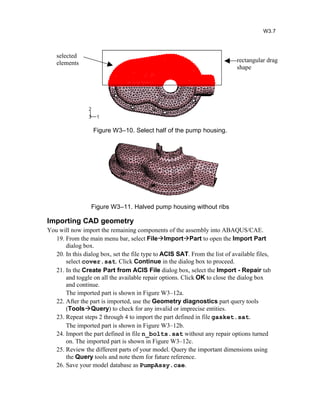
2. Deleting elements to remove ribs from the pump housing and halving the part using element deletion.
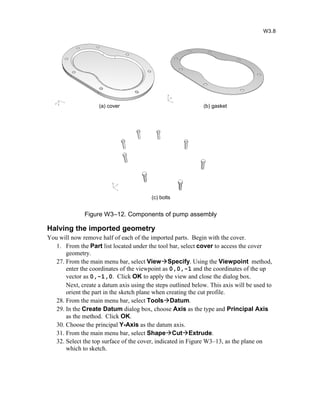
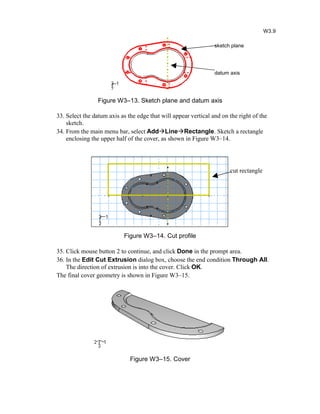
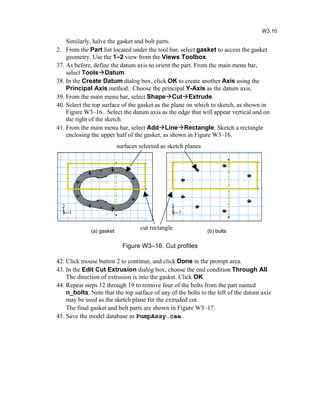
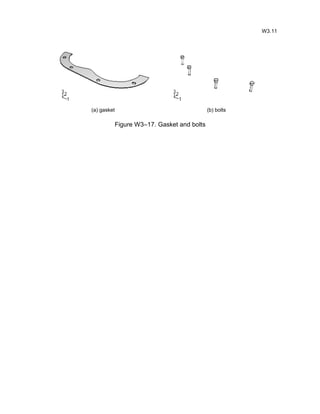
3. Importing CAD geometry for other components (cover, gasket, bolts) and halving the imported parts using extruded cuts.
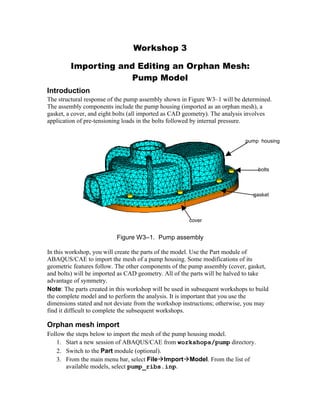
4. Creating the full assembly model by combining the modified pump housing mesh with the halved CAD components. Instructions are provided to ensure the model is set up correctly for subsequent analysis workshops.
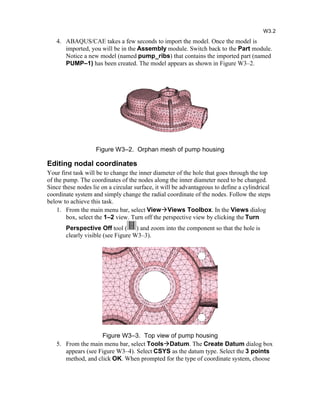
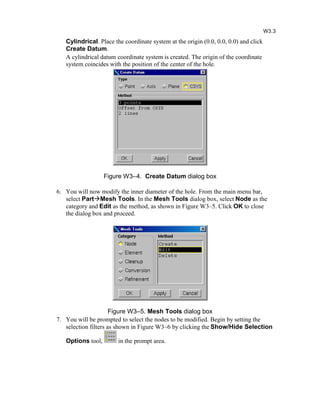
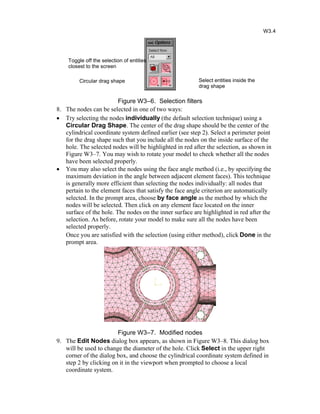
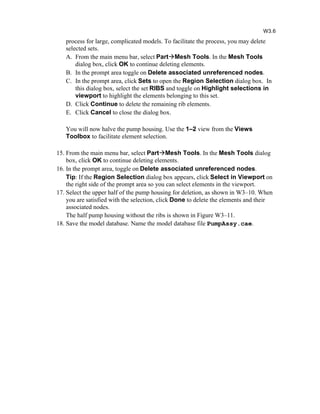
![10. Using the Coordinates specification method, change the 1–coordinate (i.e., the
radial coordinate) by selecting Specify from the pull down list and entering
0.65. Click OK to close the dialog box and then Done in the prompt area to
complete the operation.
Figure W3–8. Edit Nodes dialog box
Deleting elements
You will now remove the ribs on the pump housing and then you will remove half of the
part. Begin by removing some of the elements in the rib located near the front of the
housing, as shown in Figure W3–9. Use the 3–1 view from the Views Toolbox, and
rotate the pump to view one of the front ribs, as shown in Figure W3–9.
Figure W3–9. Rib elements
1. From the main menu bar, select PartMesh Tools. In the Mesh Tools dialog
box, select Element as the category and Delete as the method. Click OK.
11. When prompted to select the elements to be deleted, use the Show/Hide
Selection Options tool to change the drag shape to a Polygon. Select some of
the elements located near the 90 bend of the rib, as shown in Figure W3–9.
12. In the prompt area, toggle on Delete associated unreferenced nodes.
13. Zoom out and rotate the view to confirm that only elements pertaining to the ribs
have been selected. If any other elements are highlighted, deselect them using
[Control]+Click. When you are satisfied with the selection, click Done to delete
the elements and their associated nodes.
14. The remaining ribs on the pump housing can be removed by selecting them
carefully in a similar fashion. However, this can be a tedious and time-consuming
W3.5](https://image.slidesharecdn.com/workshop3-pump-geo-130825051122-phpapp02/85/Workshop3-pump-geo-5-320.jpg)