Digital Champions - Back To The Future
        Wordpress Workshop

                 Paul Webster (Twitter : @watfordgap)


                           22nd / 23rd February 2013
Wordpress Workshop
•    Introductions
•    Aims of Back to the Future
•    What is Social Media
•    Wordpress and Blogging
•    How to …
     - Create account & Dashboard     - Commenting on Posts and Pages
     - Add & Edit Posts and Pages     - Choose a Theme
     - Inserting links                - Organise Menus
     - Using & uploading audio,       - Use Tags and Categories
         pictures & video
                                       - Add Widgets
    Try on on own Wordpress page first, then on www.ntdc.org.uk
    Have Fun!
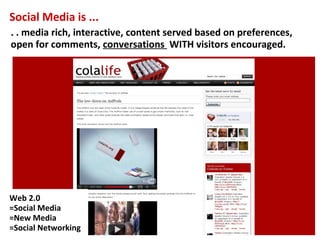
Social Media is ...
. . media rich, interactive, content served based on preferences,
open for comments, conversations WITH visitors encouraged.


Web 2.0
=Social Media
=New Media
=Social Networking
It’s about conversations…..


Social media…is about pursuing relationships and fostering
communities. Paul Adams, Google - http://thinkoutsidein.com/blog
'The Conversational Web', not a Broadcast. Listen more than talk
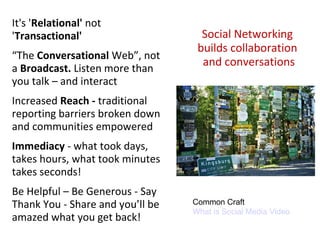
It's 'Relational' not
'Transactional'                     Social Networking
                                   builds collaboration
“The Conversational Web”, not
                                    and conversations
a Broadcast. Listen more than
you talk – and interact
Increased Reach - traditional
reporting barriers broken down
and communities empowered
Immediacy - what took days,
takes hours, what took minutes
takes seconds!
Be Helpful – Be Generous - Say
Thank You - Share and you’ll be   Common Craft
                                  What is Social Media Video
amazed what you get back!
Supporting Groups

• Know your objectives and what you want to say
      • How can we support you to work better or tell your story

• Research where your audience are – do you know?
      • Survey and find out, work in spaces where your target audience are

• Plan how to use the tools – have a strategy
      • Run an event?, e-bulletin update? Do ‘as well as’ what you do

• Choose tool to match audience and implement
      • Look at what other organisations have done, what works elsewhere?

• Sustain the conversation and say thank you
      • Encourage people to return, keep it new, links from websites
The best website for the job
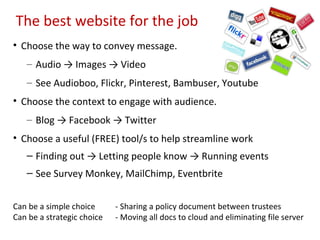
• Choose the way to convey message.
   – Audio → Images → Video
   – See Audioboo, Flickr, Pinterest, Bambuser, Youtube
• Choose the context to engage with audience.
   – Blog → Facebook → Twitter
• Choose a useful (FREE) tool/s to help streamline work
   – Finding out → Letting people know → Running events
   – See Survey Monkey, MailChimp, Eventbrite


Can be a simple choice      - Sharing a policy document between trustees
Can be a strategic choice   - Moving all docs to cloud and eliminating file server
Wordpress


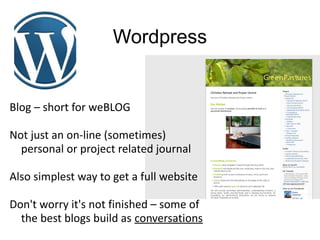
Blog – short for weBLOG

Not just an on-line (sometimes)
  personal or project related journal

Also simplest way to get a full website

Don't worry it's not finished – some of
  the best blogs build as conversations
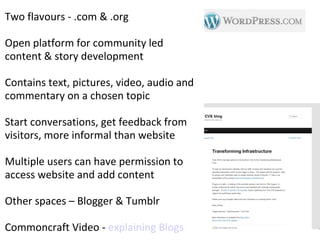
Two flavours - .com & .org

Open platform for community led
content & story development

Contains text, pictures, video, audio and
commentary on a chosen topic

Start conversations, get feedback from
visitors, more informal than website

Multiple users can have permission to
access website and add content

Other spaces – Blogger & Tumblr

Commoncraft Video - explaining Blogs
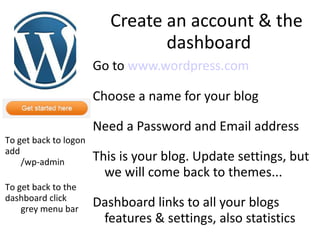
Create an account & the
                                 dashboard
                       Go to www.wordpress.com

                       Choose a name for your blog

                       Need a Password and Email address
To get back to logon
add
    /wp-admin          This is your blog. Update settings, but
                         we will come back to themes...
To get back to the
dashboard click
    grey menu bar
                       Dashboard links to all your blogs
                        features & settings, also statistics
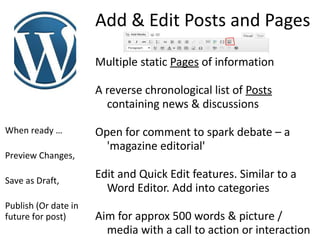
Add & Edit Posts and Pages

                      Multiple static Pages of information

                      A reverse chronological list of Posts
                        containing news & discussions

When ready …          Open for comment to spark debate – a
                        'magazine editorial'
Preview Changes,

Save as Draft,
                      Edit and Quick Edit features. Similar to a
                        Word Editor. Add into categories
Publish (Or date in
future for post)      Aim for approx 500 words & picture /
                        media with a call to action or interaction
Inserting Links
Website link (http://), email address
 (mailto:) or 'Contact Us' form

Link to others talking about the topic

Reference other posts you have
  written elsewhere on the blog

Make links descriptive to reader
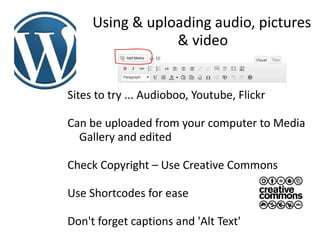
Using & uploading audio, pictures
                 & video


Sites to try ... Audioboo, Youtube, Flickr

Can be uploaded from your computer to Media
  Gallery and edited

Check Copyright – Use Creative Commons

Use Shortcodes for ease

Don't forget captions and 'Alt Text'
Media Ideas
A Picture gallery tells a thousand words
     – Gradual redevelopment of a site

Video can make a compelling case study
  or capture a moment forever
     – The crowd an the opening of a project

Some prefer Audio for telling a story
     – Story telling of memories captured
         forever
Any Questions, so far?!


Lunch
Use Tags & Categories
Applies to Posts

Brings order and helps readers search for
  similar posts. So keep well organised

Are interactive and 'clickable'

Category can also have description

Try and limit to 8 – 10 top level Categories

Use more Tags, think of reader searching
Commenting on Posts &
         Pages
It's what makes a blog into a
   community

Set Moderation so you review first

Make sure you have Spam filter
 activated (Askimet)

Comment other people's blogs to
  raise your profile
Choose a Theme

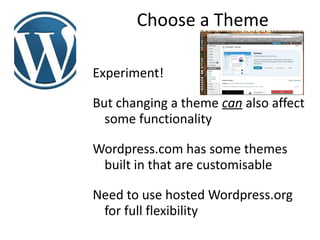
Experiment!

But changing a theme can also affect
  some functionality

Wordpress.com has some themes
 built in that are customisable

Need to use hosted Wordpress.org
 for full flexibility
Organise Menus


Determines the order and structure
 of the pages and posts

Add Links, Pages or Categories
Add Widgets
Not all themes have same so see
 which suits your needs best

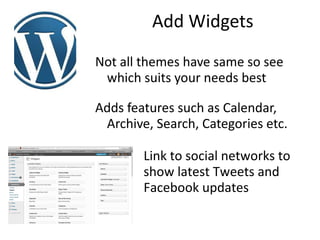
Adds features such as Calendar,
 Archive, Search, Categories etc.

        Link to social networks to
        show latest Tweets and
        Facebook updates
Users
Can be set with different levels of
  permission

Members only area

Username descriptive but not too
 revealing – e.g. 'paulw'

Posts and uploads are tagged with a
  user, good for searching & tracing
Plugins
Wordpress extension written by
 developers

Check reviews & ratings. Can make
  site unstable

Check updates often & apply

e.g. Askimet, BackUpWordpress,
  Jetpack...
Other Considerations
Dashboard statistics recording to show
  popular posts and comments

Interested visitors can subscribe by email or
  follow the RSS feed

Include a Comments & Moderation policy
  statement (http://bramcotetoday.org.uk).
  Views are of 'posters' not 'site owners'

Don't restrict interaction, but respect privacy
What have we made?
Wordpress Tips
• Look for similar organisations, follow them, learn & share with them
• Don't 'over' moderate, allow the community to shape the discussion
  and for it to feel like an open community where all are welcome
• Post when inspired or when you have news. Don't post for the sake
  or it or leave it too long. Readership may decline if no new content.
• Be real, authentic and honest. People read blogs as personal
  account of your work and organisations activity.
• Consider linking posts in series on your blog or with other similar
  organisation in your area or with the same interests
• Don't worry if a post seems 'half finished', blogs are meant to be a
  conversation, encourage dialogue and debate in the comments.
• Comment on other's blogs that are similar and link back to yours.
• Mention your blog on your website, email, social media, posters ...
Wordpress Considerations
• Prepare to have less control over your messages and brand so
  keep scanning and monitoring for mentions.
• A free site Wordpress.com site is sufficient for most groups,
  but does lack some flexibility for advanced users.
• Be ready for Trolls & Spam. Respond consistently with posting
  guidelines and make sure Spam filter is in place (Askimet).
• Don't underestimate time it takes to build a community, feed
  it with new content & reply. Consider sharing load as a team.
• Don't ignore your readers, they've invested time and interest
  in your blog so return the favour and reply to their comments.
• Wordpress.com sites are automatically backed up, but on a
  Wordpress.org site, export your pages or use a Backup Plugin.
Measuring Success
- Check how many times links are clicked if using Bit.ly
- Listen what's said about your organisation using Topsy
- Monitor. Google Analytics, Facebook Insights &
Wordpress page visits, combine in Sparkwi.se
- Measure. Tweetreach, Twitalyzer, SocialBro, www.twentyfeet.com
- Visualize. Infographics on Visual.y, My Social Strand
BUT …. real success is not just about the numbers
- Tell stories of real people and real changes
- Find out how people heard about you
- Build relationships & success by joining in conversations
- Social media presence an reflection of your organisation
- Engage press, funders, authorities with pictures and video
- Say Thank You!
Any Questions?

 Things you'd like
     to be able to do?

 Other websites

 Anything else ….
    (Technology related!)

 Guides and Links ...

http://resources.mediatrust.org/microsite/allourstories ,
http://nptechuk.wordpress.com/sms-links/ and
http://www.problogger.net/31-days-to-building-a-better-blog/
Thank You


  Paul Webster (Twitter : @watfordgap)


            paulwebster43@gmail.com

Wordpress workshop slides

  • 1.
    Digital Champions -Back To The Future Wordpress Workshop Paul Webster (Twitter : @watfordgap) 22nd / 23rd February 2013
  • 2.
    Wordpress Workshop • Introductions • Aims of Back to the Future • What is Social Media • Wordpress and Blogging • How to … - Create account & Dashboard - Commenting on Posts and Pages - Add & Edit Posts and Pages - Choose a Theme - Inserting links - Organise Menus - Using & uploading audio, - Use Tags and Categories pictures & video - Add Widgets Try on on own Wordpress page first, then on www.ntdc.org.uk Have Fun!
  • 3.
    Social Media is... . . media rich, interactive, content served based on preferences, open for comments, conversations WITH visitors encouraged. Web 2.0 =Social Media =New Media =Social Networking
  • 4.
    It’s about conversations….. Socialmedia…is about pursuing relationships and fostering communities. Paul Adams, Google - http://thinkoutsidein.com/blog 'The Conversational Web', not a Broadcast. Listen more than talk
  • 5.
    It's 'Relational' not 'Transactional' Social Networking builds collaboration “The Conversational Web”, not and conversations a Broadcast. Listen more than you talk – and interact Increased Reach - traditional reporting barriers broken down and communities empowered Immediacy - what took days, takes hours, what took minutes takes seconds! Be Helpful – Be Generous - Say Thank You - Share and you’ll be Common Craft What is Social Media Video amazed what you get back!
  • 6.
    Supporting Groups • Knowyour objectives and what you want to say • How can we support you to work better or tell your story • Research where your audience are – do you know? • Survey and find out, work in spaces where your target audience are • Plan how to use the tools – have a strategy • Run an event?, e-bulletin update? Do ‘as well as’ what you do • Choose tool to match audience and implement • Look at what other organisations have done, what works elsewhere? • Sustain the conversation and say thank you • Encourage people to return, keep it new, links from websites
  • 7.
    The best websitefor the job • Choose the way to convey message. – Audio → Images → Video – See Audioboo, Flickr, Pinterest, Bambuser, Youtube • Choose the context to engage with audience. – Blog → Facebook → Twitter • Choose a useful (FREE) tool/s to help streamline work – Finding out → Letting people know → Running events – See Survey Monkey, MailChimp, Eventbrite Can be a simple choice - Sharing a policy document between trustees Can be a strategic choice - Moving all docs to cloud and eliminating file server
  • 8.
    Wordpress Blog – shortfor weBLOG Not just an on-line (sometimes) personal or project related journal Also simplest way to get a full website Don't worry it's not finished – some of the best blogs build as conversations
  • 9.
    Two flavours -.com & .org Open platform for community led content & story development Contains text, pictures, video, audio and commentary on a chosen topic Start conversations, get feedback from visitors, more informal than website Multiple users can have permission to access website and add content Other spaces – Blogger & Tumblr Commoncraft Video - explaining Blogs
  • 10.
    Create an account& the dashboard Go to www.wordpress.com Choose a name for your blog Need a Password and Email address To get back to logon add /wp-admin This is your blog. Update settings, but we will come back to themes... To get back to the dashboard click grey menu bar Dashboard links to all your blogs features & settings, also statistics
  • 11.
    Add & EditPosts and Pages Multiple static Pages of information A reverse chronological list of Posts containing news & discussions When ready … Open for comment to spark debate – a 'magazine editorial' Preview Changes, Save as Draft, Edit and Quick Edit features. Similar to a Word Editor. Add into categories Publish (Or date in future for post) Aim for approx 500 words & picture / media with a call to action or interaction
  • 12.
    Inserting Links Website link(http://), email address (mailto:) or 'Contact Us' form Link to others talking about the topic Reference other posts you have written elsewhere on the blog Make links descriptive to reader
  • 13.
    Using & uploadingaudio, pictures & video Sites to try ... Audioboo, Youtube, Flickr Can be uploaded from your computer to Media Gallery and edited Check Copyright – Use Creative Commons Use Shortcodes for ease Don't forget captions and 'Alt Text'
  • 14.
    Media Ideas A Picturegallery tells a thousand words – Gradual redevelopment of a site Video can make a compelling case study or capture a moment forever – The crowd an the opening of a project Some prefer Audio for telling a story – Story telling of memories captured forever
  • 15.
    Any Questions, sofar?! Lunch
  • 16.
    Use Tags &Categories Applies to Posts Brings order and helps readers search for similar posts. So keep well organised Are interactive and 'clickable' Category can also have description Try and limit to 8 – 10 top level Categories Use more Tags, think of reader searching
  • 17.
    Commenting on Posts& Pages It's what makes a blog into a community Set Moderation so you review first Make sure you have Spam filter activated (Askimet) Comment other people's blogs to raise your profile
  • 18.
    Choose a Theme Experiment! Butchanging a theme can also affect some functionality Wordpress.com has some themes built in that are customisable Need to use hosted Wordpress.org for full flexibility
  • 19.
    Organise Menus Determines theorder and structure of the pages and posts Add Links, Pages or Categories
  • 20.
    Add Widgets Not allthemes have same so see which suits your needs best Adds features such as Calendar, Archive, Search, Categories etc. Link to social networks to show latest Tweets and Facebook updates
  • 21.
    Users Can be setwith different levels of permission Members only area Username descriptive but not too revealing – e.g. 'paulw' Posts and uploads are tagged with a user, good for searching & tracing
  • 22.
    Plugins Wordpress extension writtenby developers Check reviews & ratings. Can make site unstable Check updates often & apply e.g. Askimet, BackUpWordpress, Jetpack...
  • 23.
    Other Considerations Dashboard statisticsrecording to show popular posts and comments Interested visitors can subscribe by email or follow the RSS feed Include a Comments & Moderation policy statement (http://bramcotetoday.org.uk). Views are of 'posters' not 'site owners' Don't restrict interaction, but respect privacy
  • 24.
  • 25.
    Wordpress Tips • Lookfor similar organisations, follow them, learn & share with them • Don't 'over' moderate, allow the community to shape the discussion and for it to feel like an open community where all are welcome • Post when inspired or when you have news. Don't post for the sake or it or leave it too long. Readership may decline if no new content. • Be real, authentic and honest. People read blogs as personal account of your work and organisations activity. • Consider linking posts in series on your blog or with other similar organisation in your area or with the same interests • Don't worry if a post seems 'half finished', blogs are meant to be a conversation, encourage dialogue and debate in the comments. • Comment on other's blogs that are similar and link back to yours. • Mention your blog on your website, email, social media, posters ...
  • 26.
    Wordpress Considerations • Prepareto have less control over your messages and brand so keep scanning and monitoring for mentions. • A free site Wordpress.com site is sufficient for most groups, but does lack some flexibility for advanced users. • Be ready for Trolls & Spam. Respond consistently with posting guidelines and make sure Spam filter is in place (Askimet). • Don't underestimate time it takes to build a community, feed it with new content & reply. Consider sharing load as a team. • Don't ignore your readers, they've invested time and interest in your blog so return the favour and reply to their comments. • Wordpress.com sites are automatically backed up, but on a Wordpress.org site, export your pages or use a Backup Plugin.
  • 27.
    Measuring Success - Checkhow many times links are clicked if using Bit.ly - Listen what's said about your organisation using Topsy - Monitor. Google Analytics, Facebook Insights & Wordpress page visits, combine in Sparkwi.se - Measure. Tweetreach, Twitalyzer, SocialBro, www.twentyfeet.com - Visualize. Infographics on Visual.y, My Social Strand BUT …. real success is not just about the numbers - Tell stories of real people and real changes - Find out how people heard about you - Build relationships & success by joining in conversations - Social media presence an reflection of your organisation - Engage press, funders, authorities with pictures and video - Say Thank You!
  • 28.
    Any Questions? Thingsyou'd like to be able to do? Other websites Anything else …. (Technology related!) Guides and Links ... http://resources.mediatrust.org/microsite/allourstories , http://nptechuk.wordpress.com/sms-links/ and http://www.problogger.net/31-days-to-building-a-better-blog/
  • 29.
    Thank You Paul Webster (Twitter : @watfordgap) paulwebster43@gmail.com