

Wordpress: A Hands
on Learning Session
for Researchers
KMb Learning Session
April 3, 2012
Agenda
1. Introduction to social media
2. Blogging 101
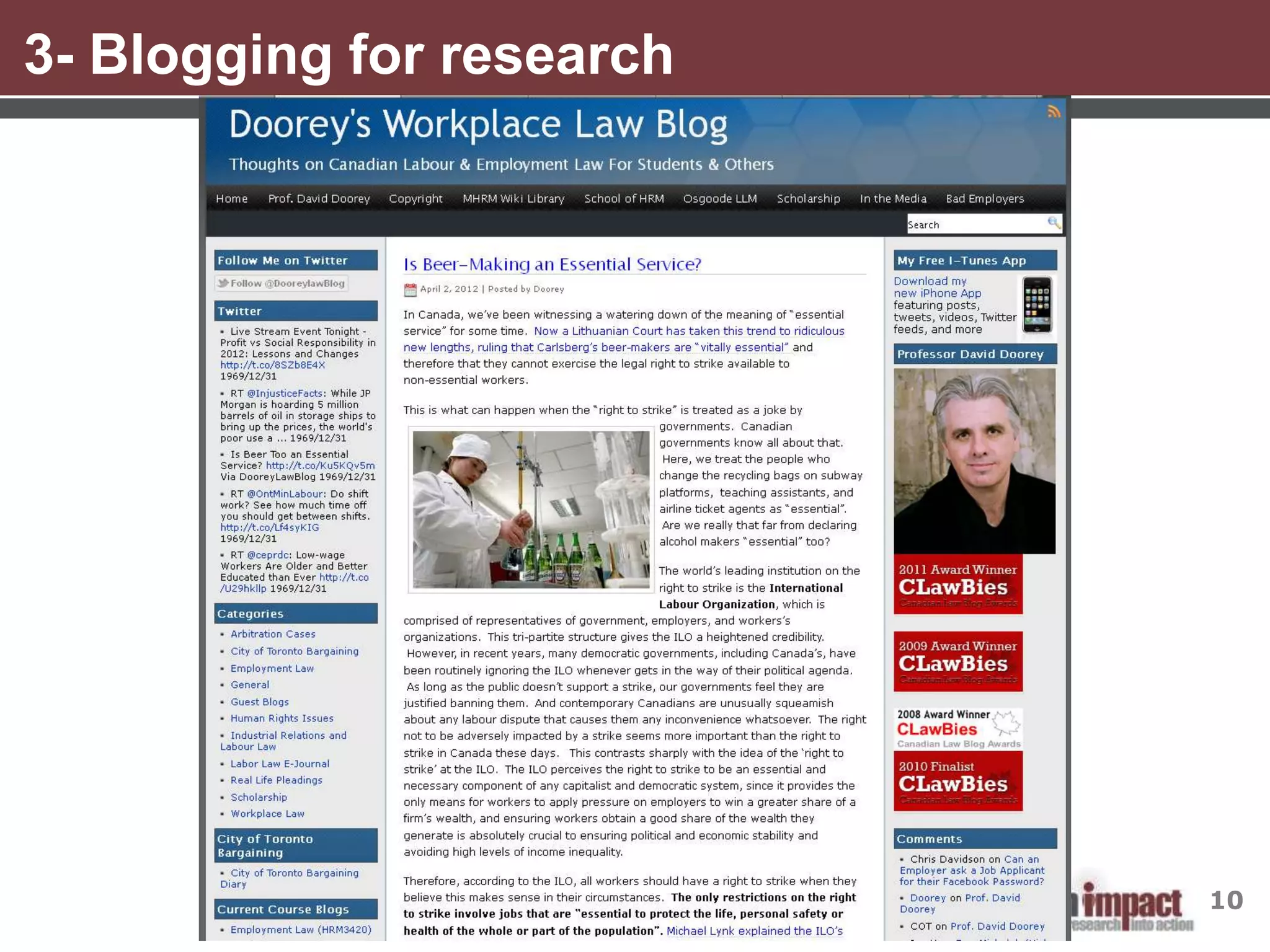
3. Blogging for research
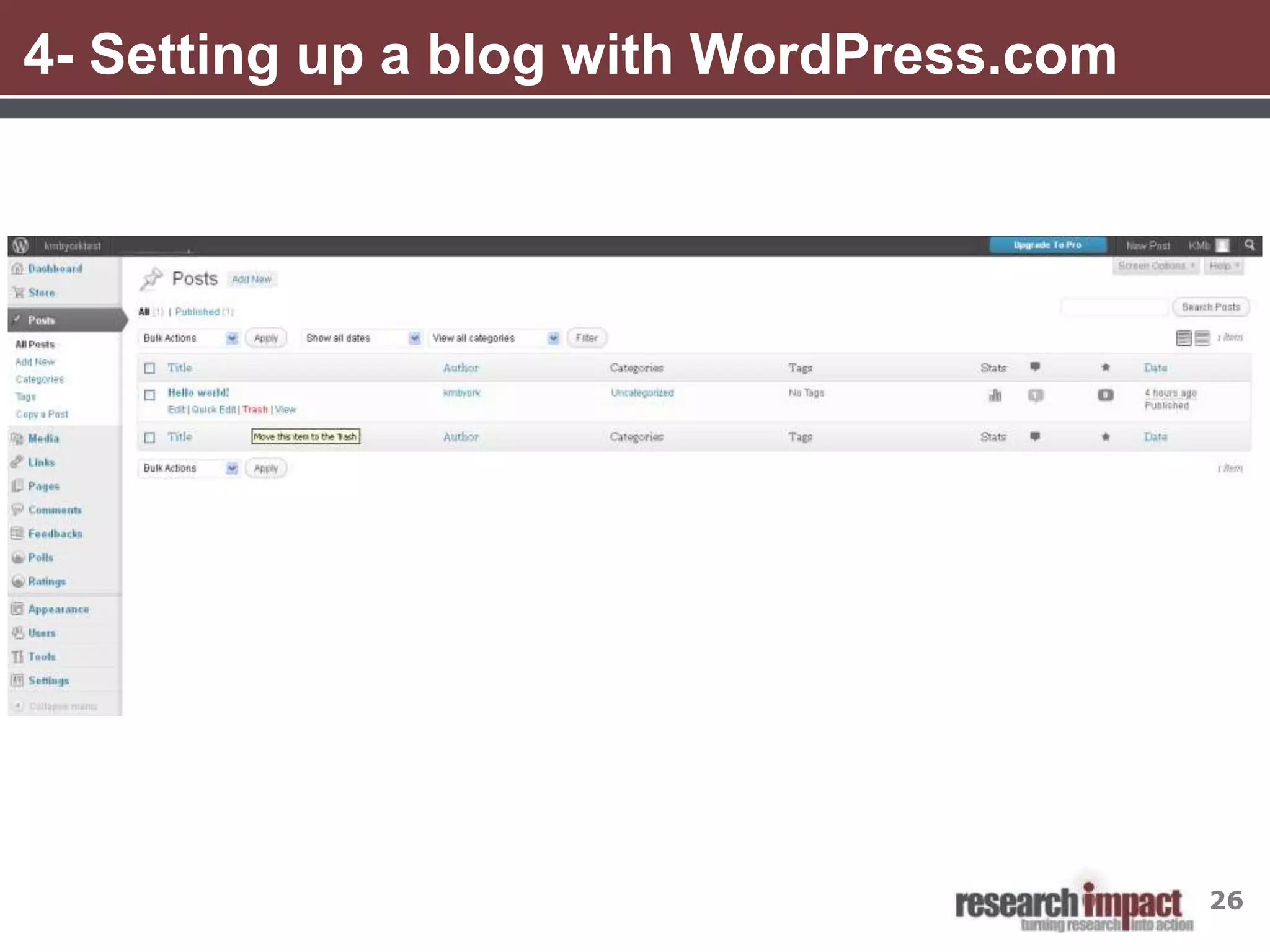
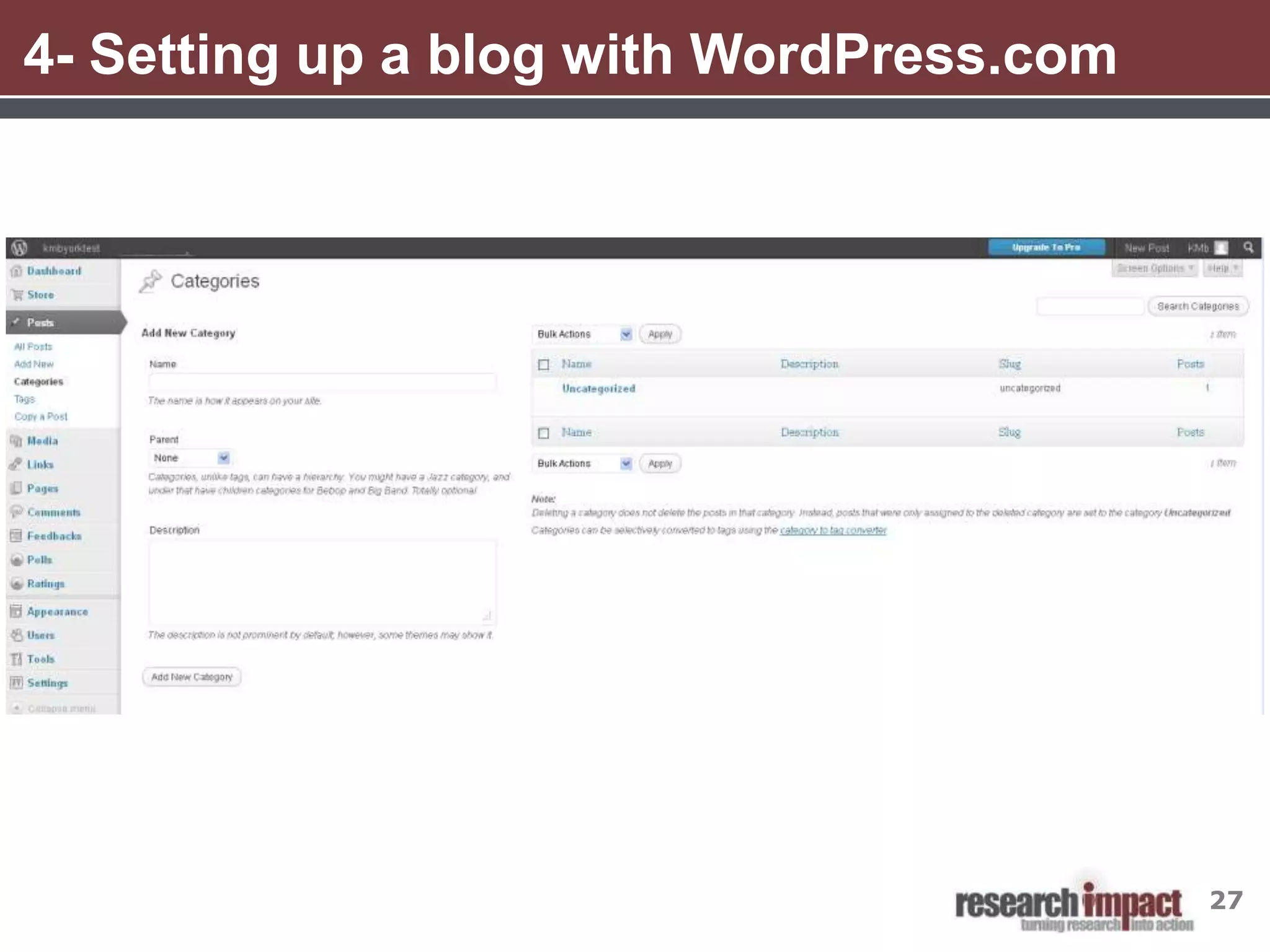
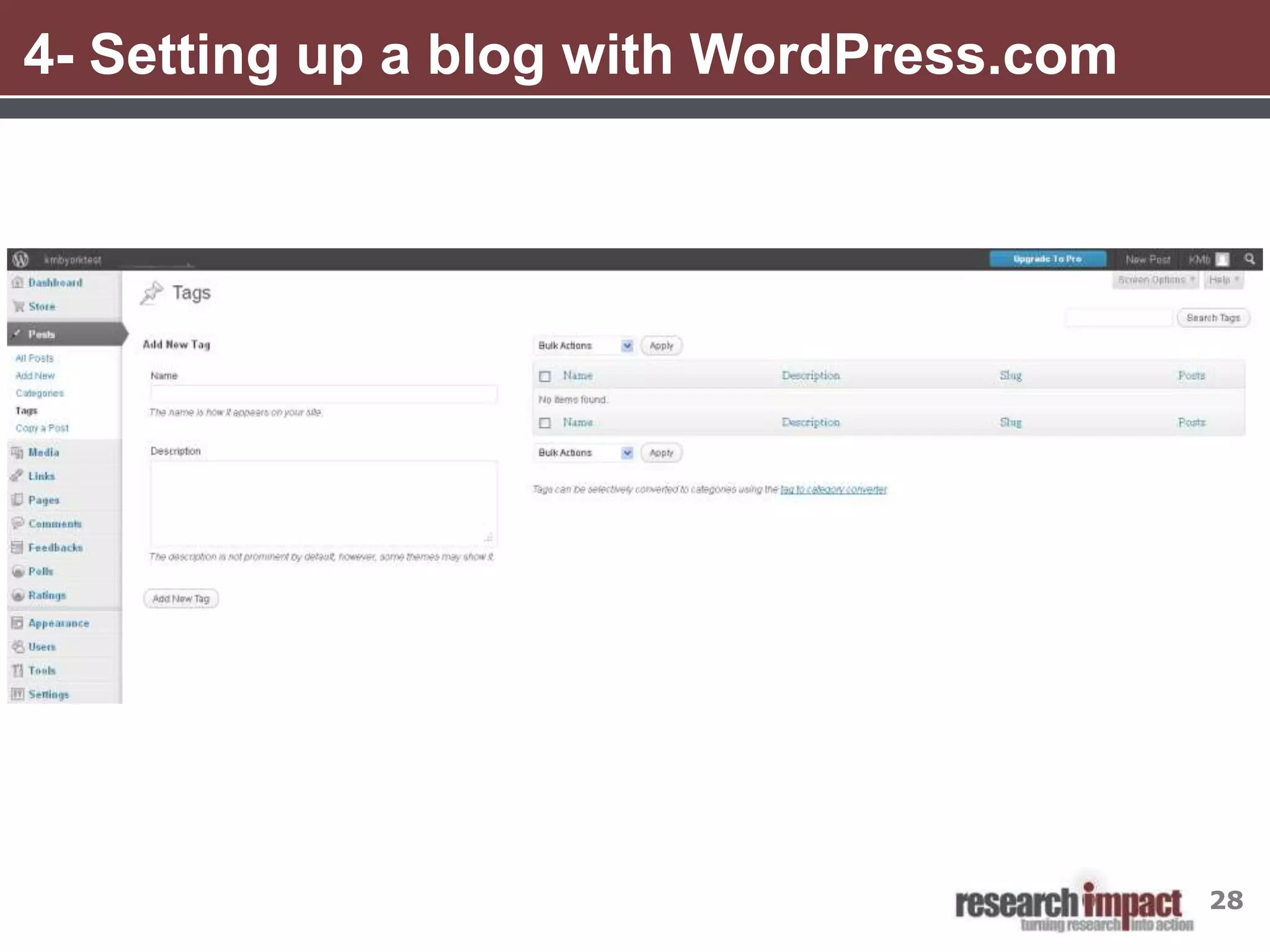
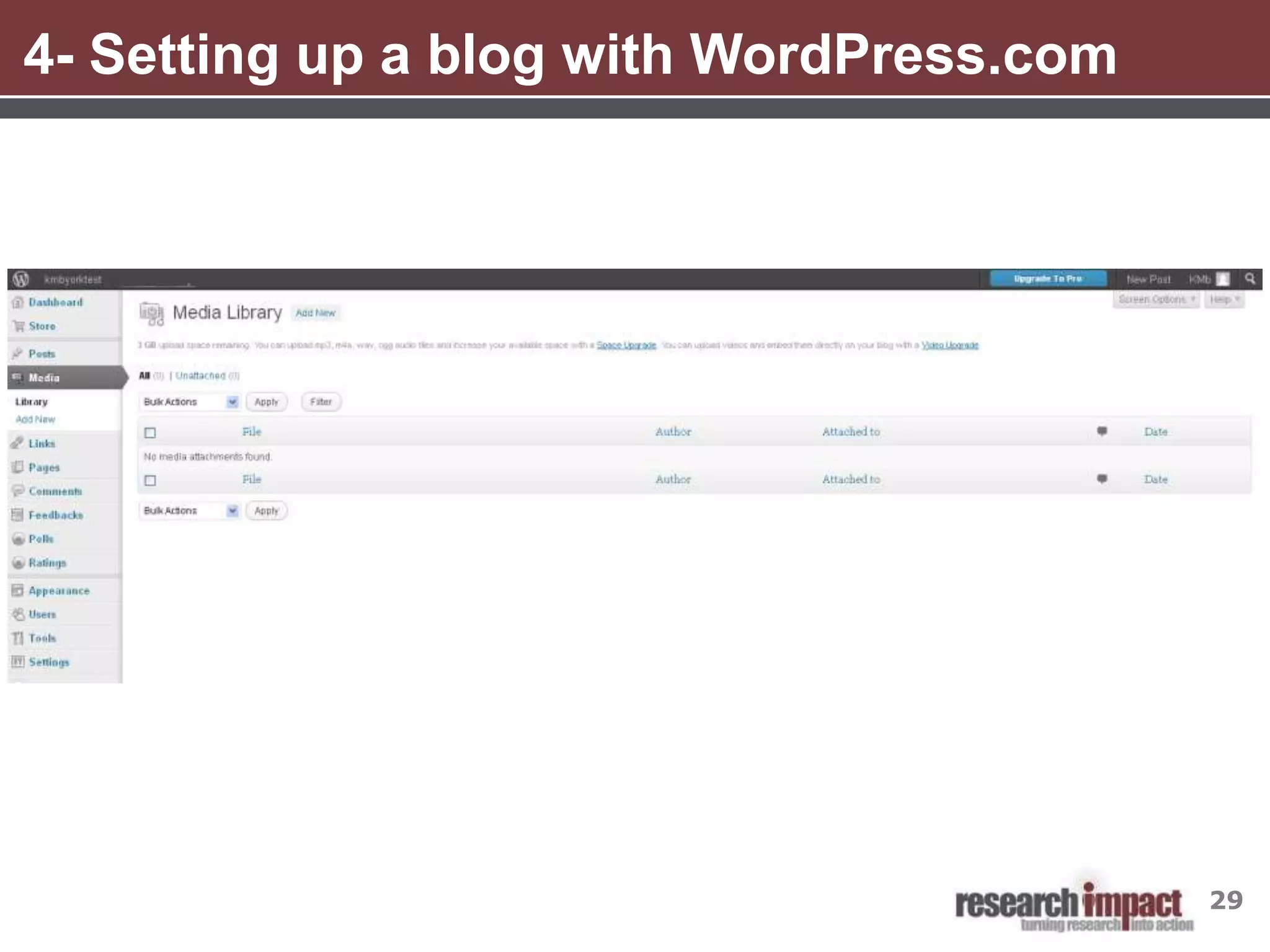
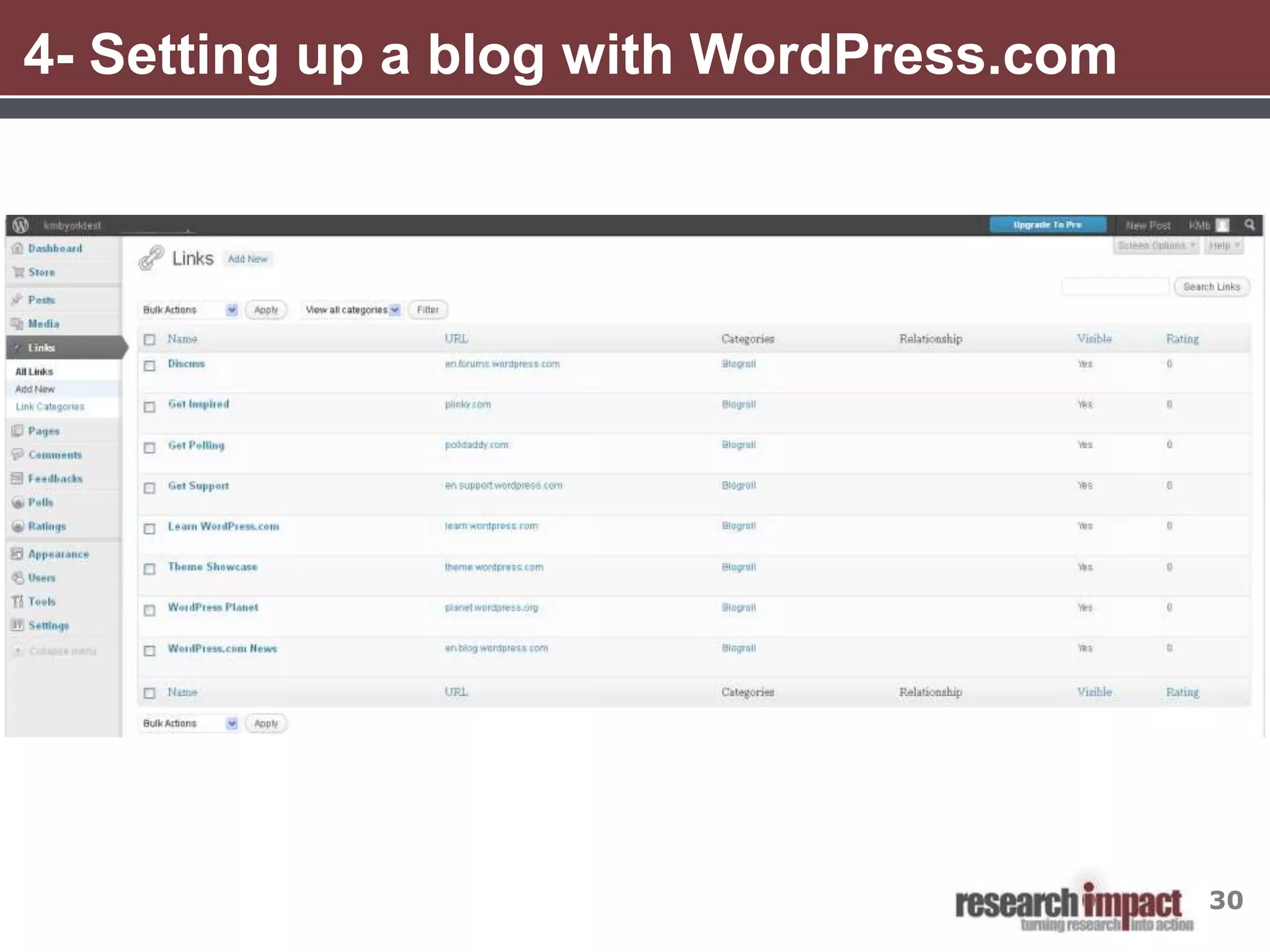
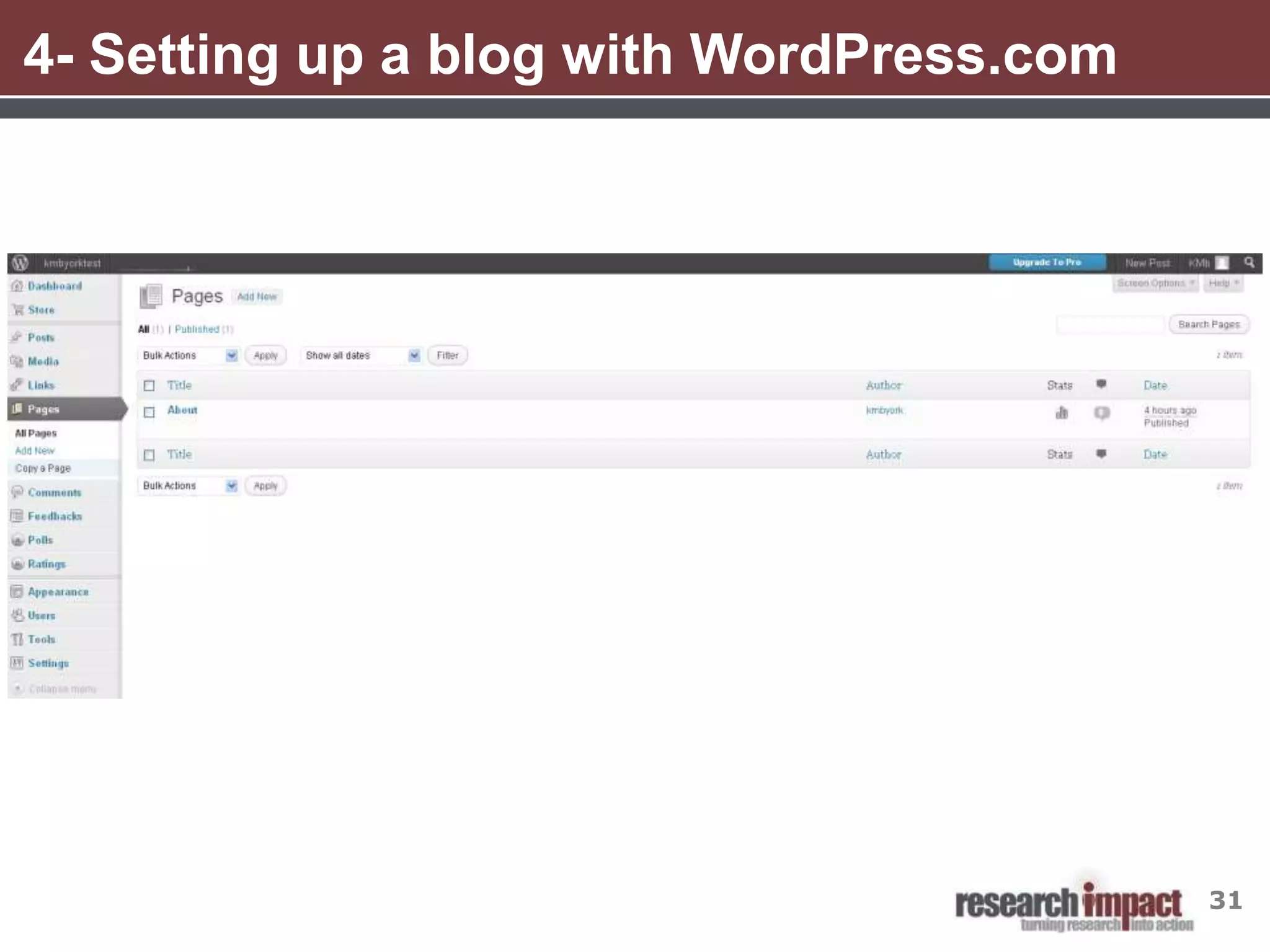
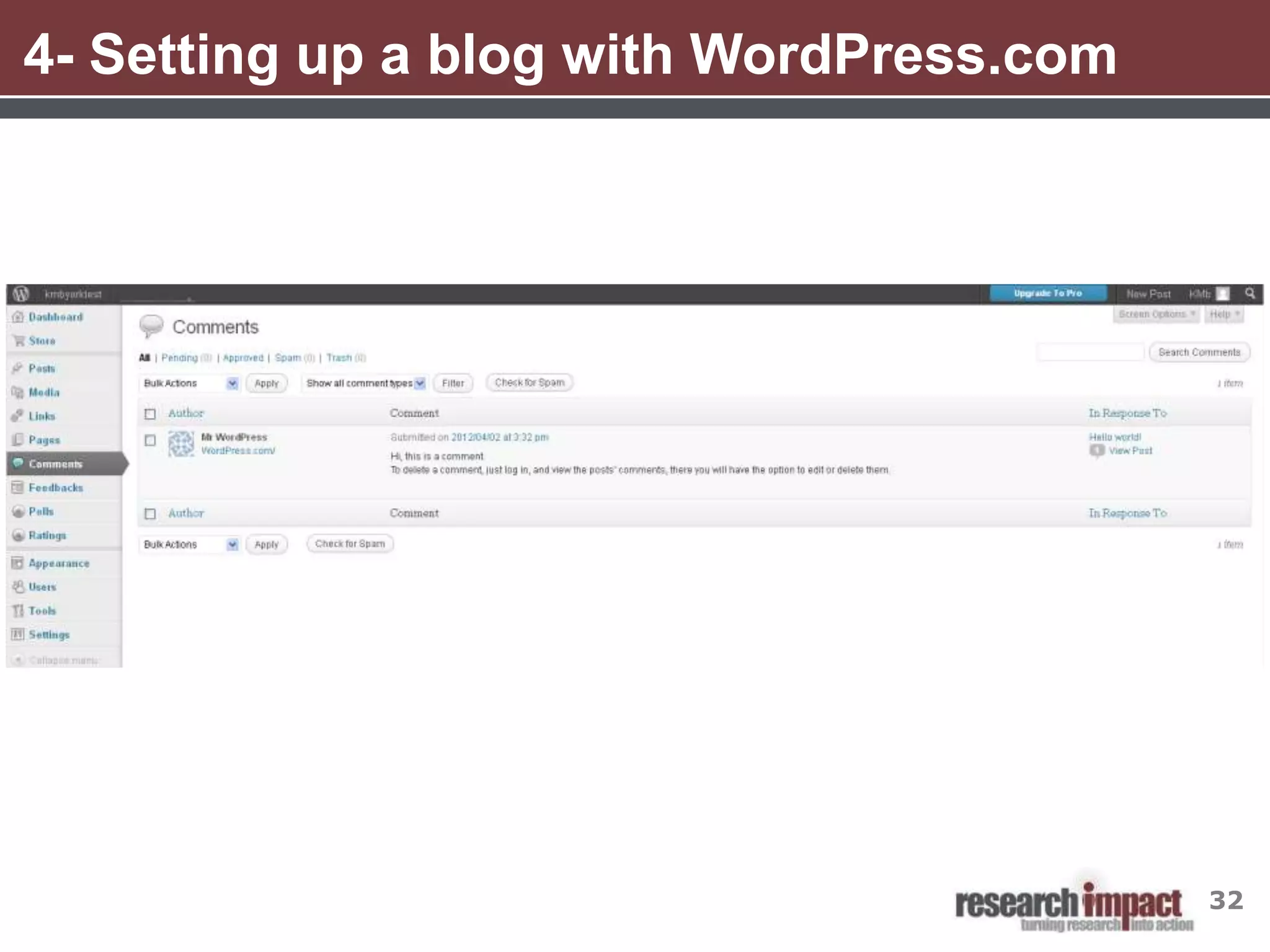
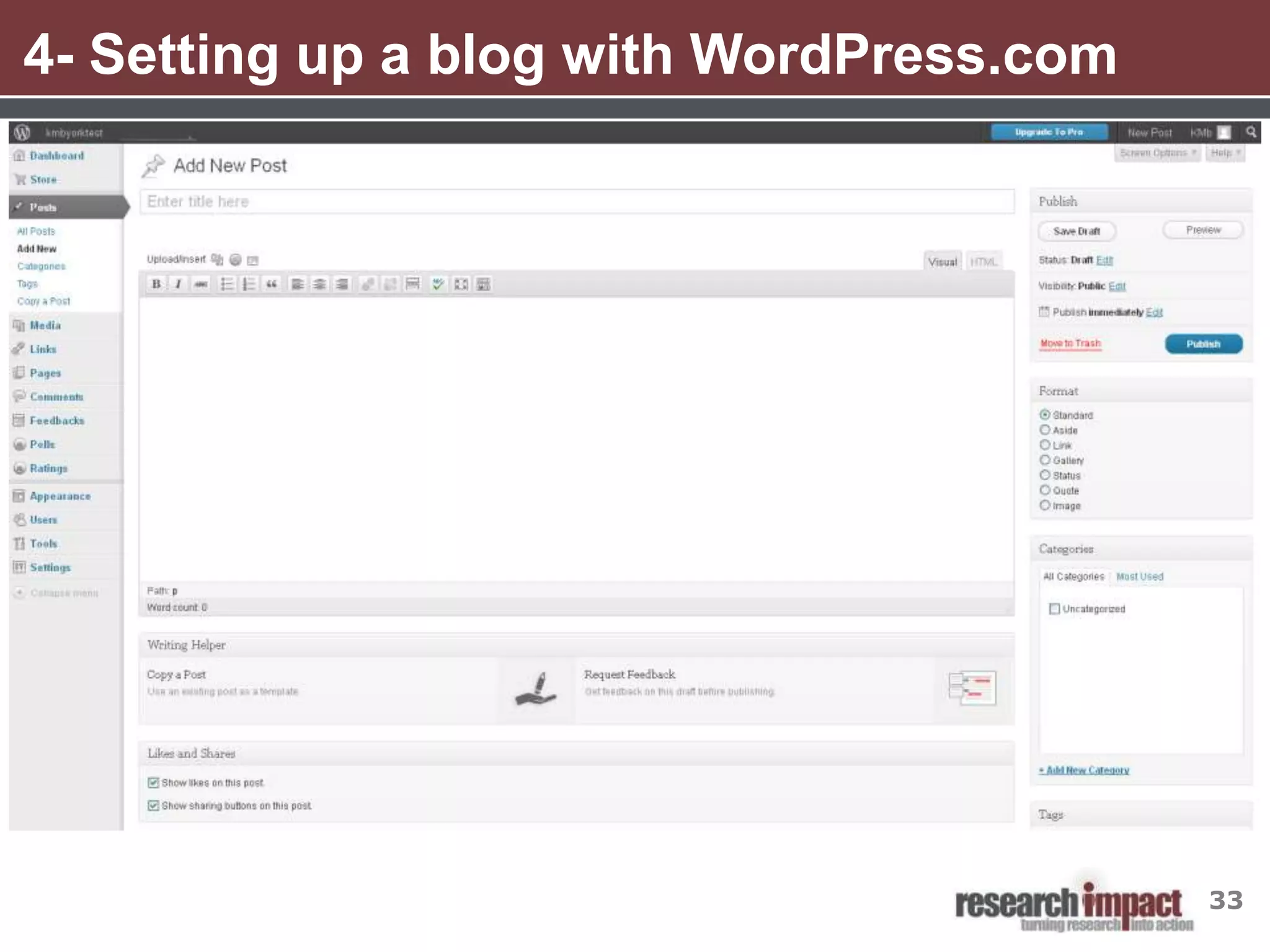
4. Setting up a blog with Wordpress.com
5. Strategies for getting started
6. Additional resources
7. Q and A


                                          2
1- Social Media- Some Definitions
•    “A group of Internet based applications that build on the ideological and
     technological foundations of Web 2.0, and that allow the creation and exchange
     of user-generated content”

•    “Includes web-based and mobile technologies used to turn communication into
     interactive dialogue”

•    “Online communications in which individuals shift fluidly and flexibly between
     the role of audience and author. To do this, they use social software that
     enables anyone without knowledge of coding, to post, comment on, share or
     mash up content and to form communities around shared interests.”


Kaplan, A. M., & Haenlein, M. (2010).Users of the world, unite! The challenges and opportunities of social media. Business
Horizons,53(1), 59-68

Social media. (n.d.). In Wikipedia. Retrieved January 10, 2012, from http://en.wikipedia.org/wiki/Social_media

Thornley, J. (2008, April 8). What is “social media?”. Retrieved January 10, 2012 from ProPR blog http://propr.ca/2008/what-is-
social-media/
                                                                                                                              3
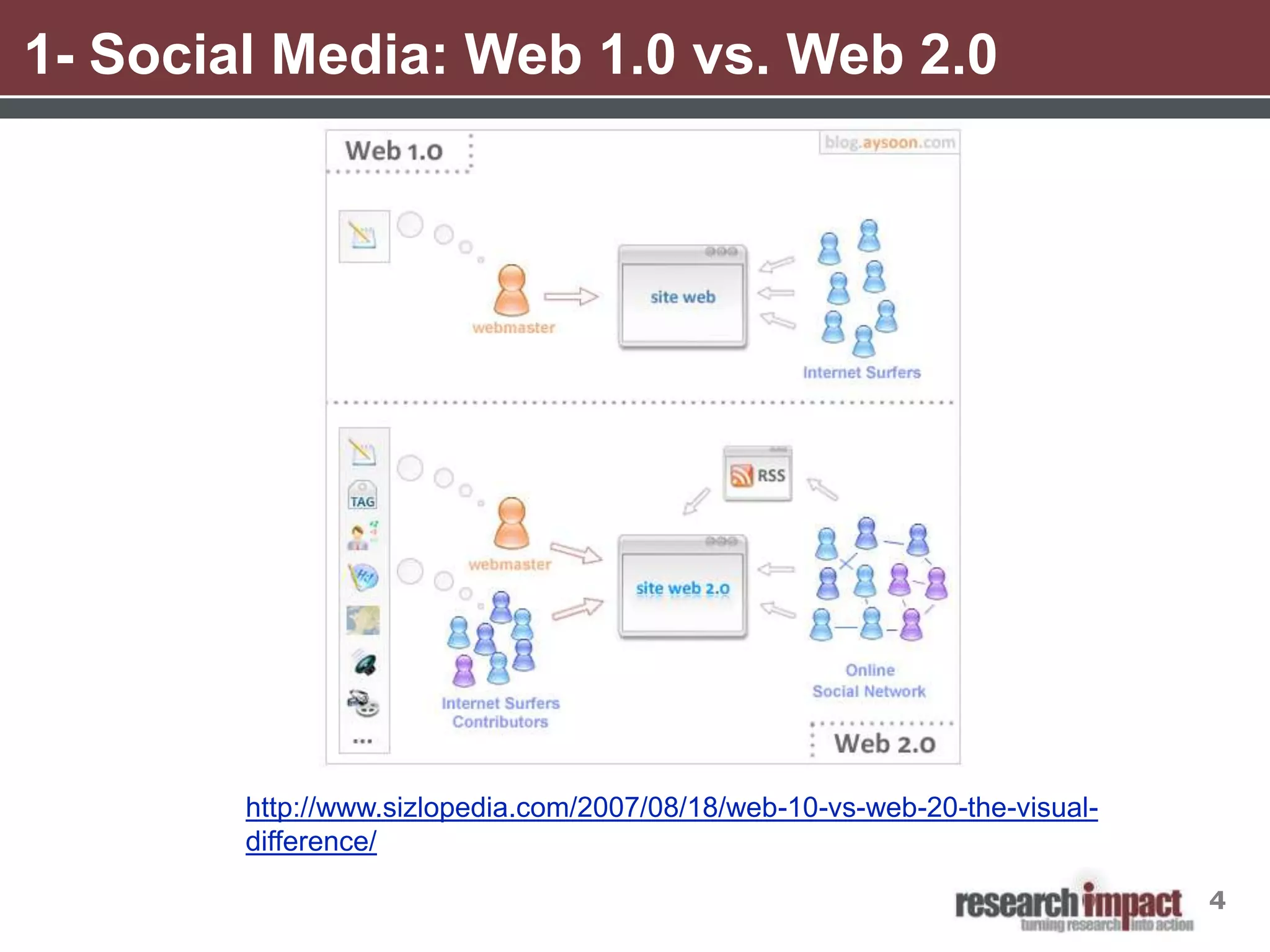
1- Social Media: Web 1.0 vs. Web 2.0


        http://www.sizlopedia.com/2007/08/18/web-10-vs-web-20-the-visual-
        difference/

                                                                            4
1- Social Media and Knowledge Mobilization
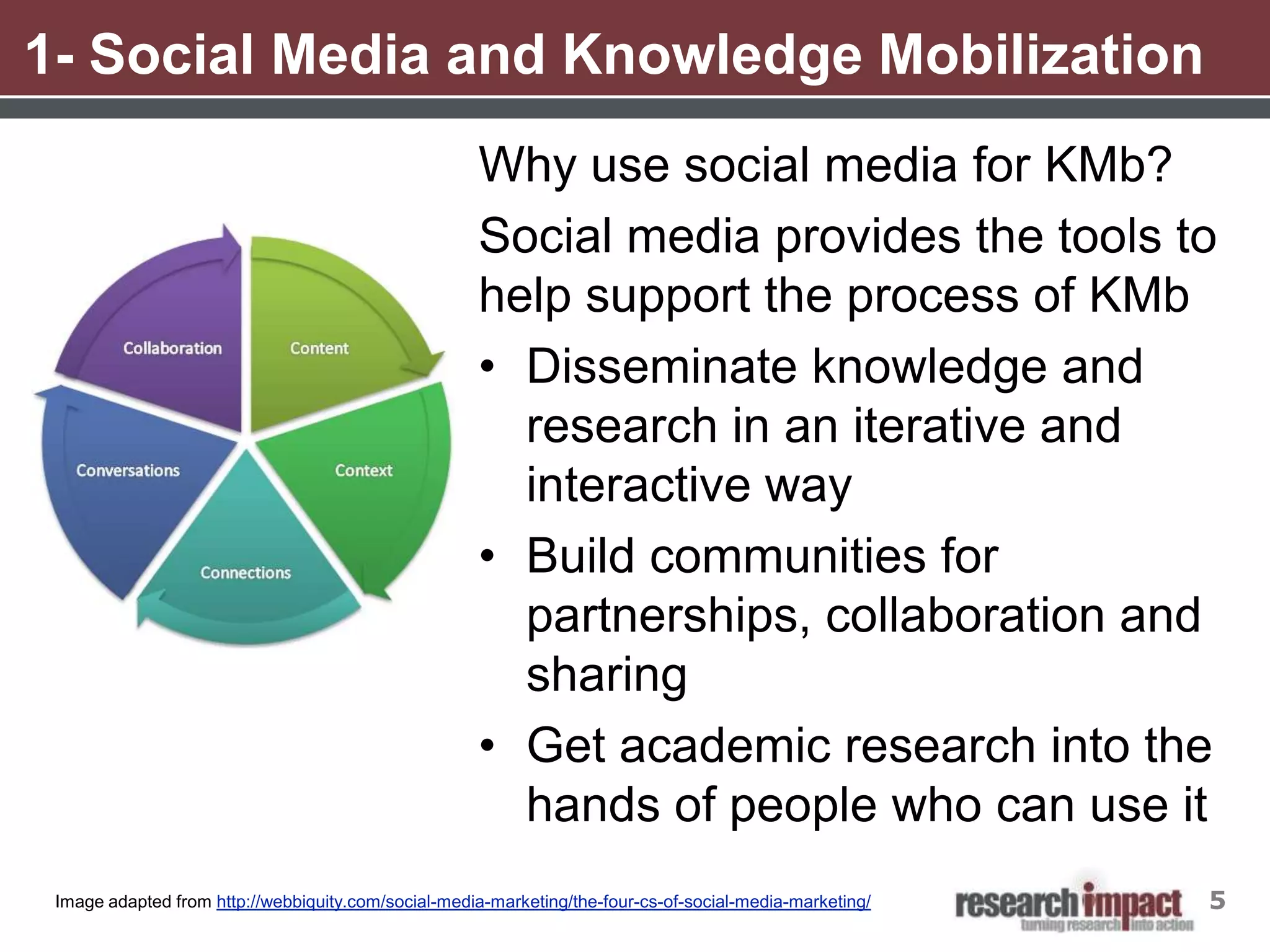
                                                     Why use social media for KMb?
                                                     Social media provides the tools to
                                                     help support the process of KMb
                                                     • Disseminate knowledge and
                                                       research in an iterative and
                                                       interactive way
                                                     • Build communities for
                                                       partnerships, collaboration and
                                                       sharing
                                                     • Get academic research into the
                                                       hands of people who can use it
 Image adapted from http://webbiquity.com/social-media-marketing/the-four-cs-of-social-media-marketing/   5
2- Blogging 101
• The word blog is short for web log

• Blogs contain entries, more commonly called posts, displayed in
     reverse chronological order typically pertaining to a single subject
     or theme

• Readers may leave comments about blog posts, making blogs
     more interactive and social than static websites

• People can subscribe to updates to a blog via RSS or email

• There are a number of free blogging tools available. The most
     popular are- WordPress, Blogger, TypePad


From Wikipedia http://en.wikipedia.org/wiki/blog. Accessed on April 2, 2012   6
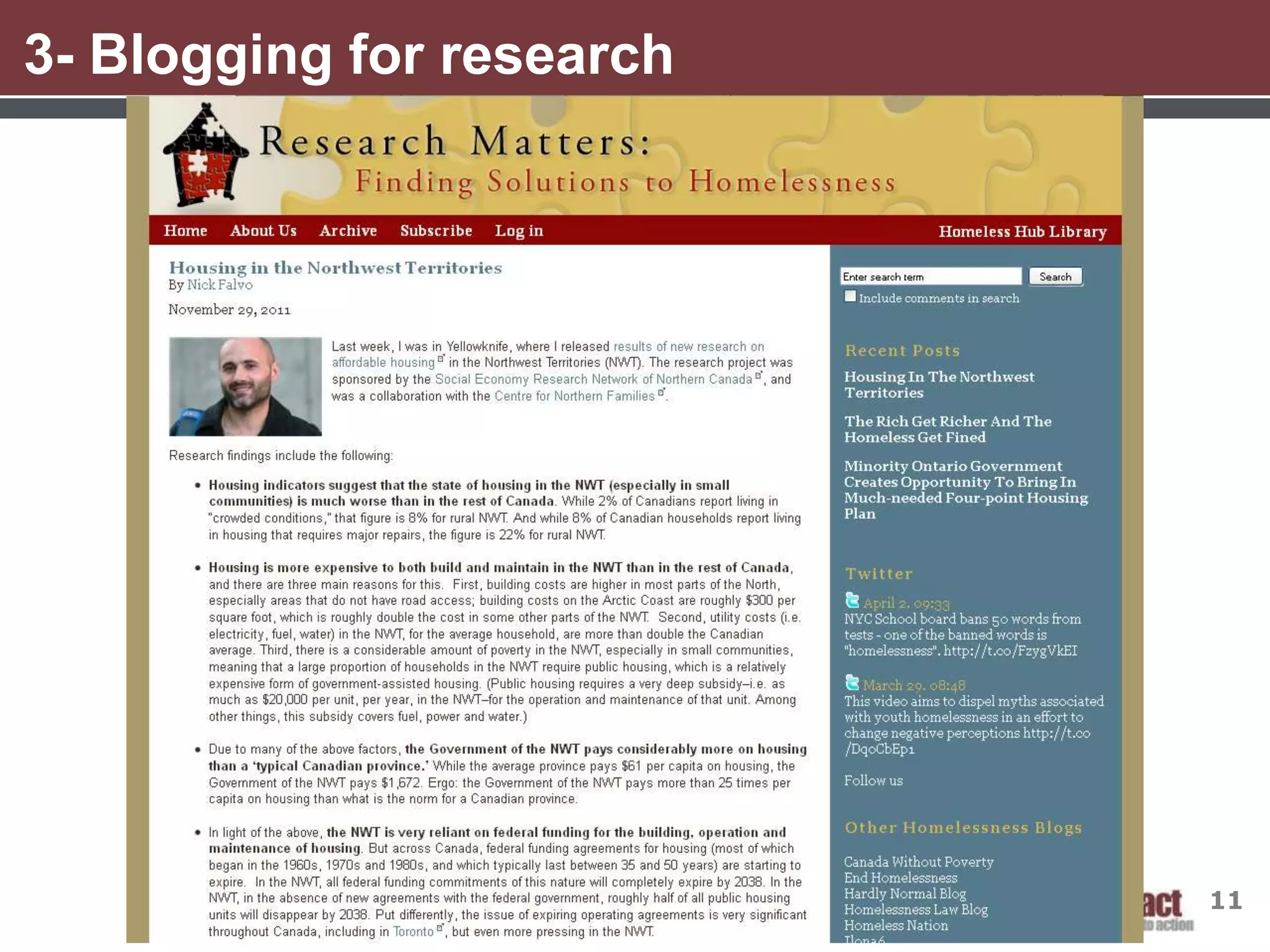
3- Blogging for research
Why blog for research activities?

• Blogs allow you to connect in a more interactive and less formal
  way than traditional websites

• Provides you with a wider audiences and lets interested readers to
  follow your blog posts

• An alternative to traditional academic journals- blogs are open
  access, some blogs are now peer reviewed and they can reach
  readers who may not have access to academic journals


                                                                     7
3- Blogging for research
8 Reasons Why Researchers Should Blog:

1. Public engagement

2. Raise your profile and digital identity

3. Networking

4. Writing practice

5. Helps shape your thoughts/ideas

6. Gets your material out quickly

7. Allows for a quick response from your audience

8. Opens your eyes to the bigger world of social media

Morris, Gareth. (2010). 8 reasons why researchers should blog. Retrieved from

http://www.homelesshub.ca/%28S%28cbktsc45bmzvmjn31tluzrqw%29%29/Library/8-reasons-why-researchers-should-blog-48123.aspx
                                                                                                                           8
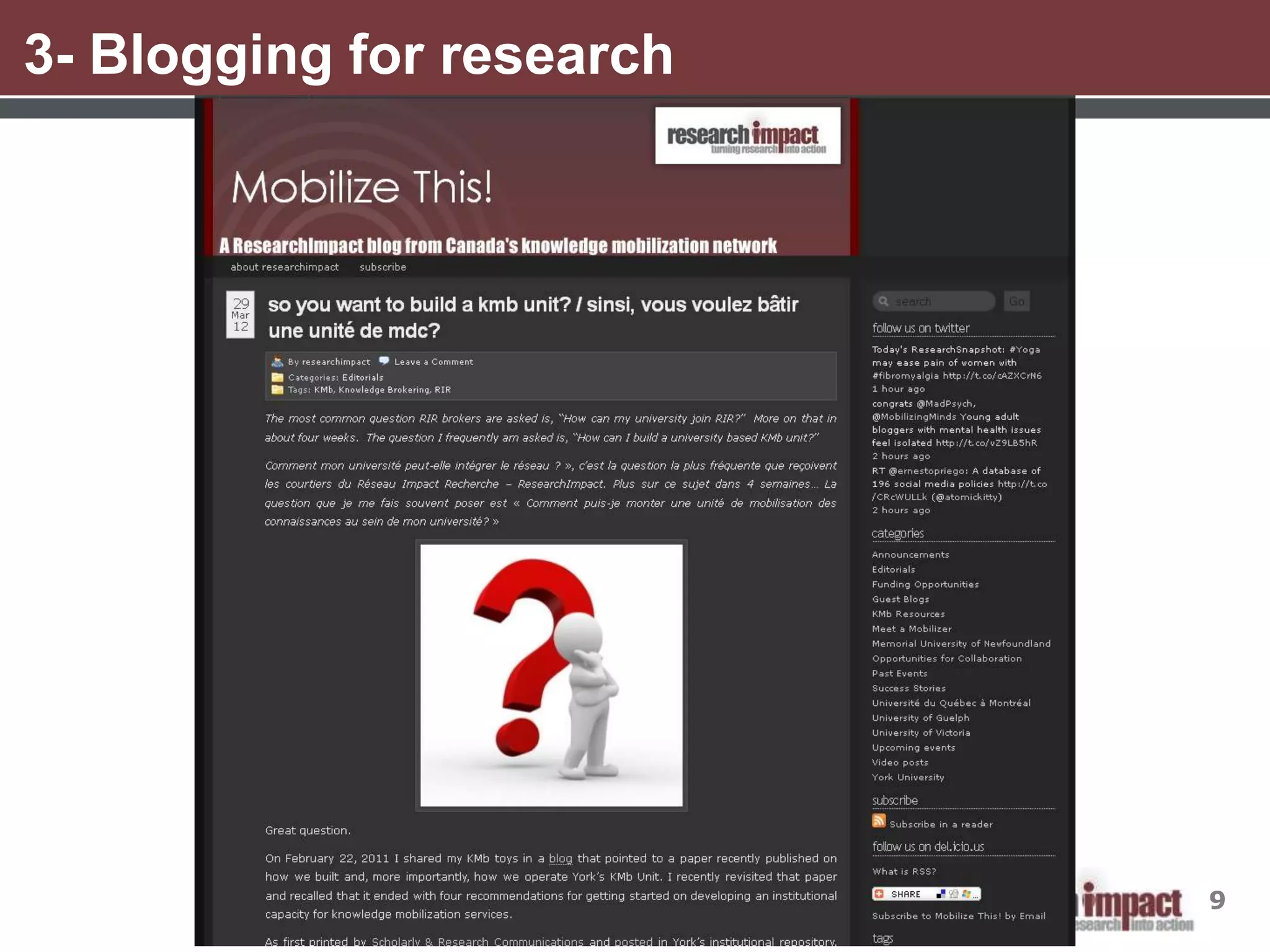
3- Blogging for research


                           9
3- Blogging for research


                           10
3- Blogging for research


                           11
4- Blogging with WordPress
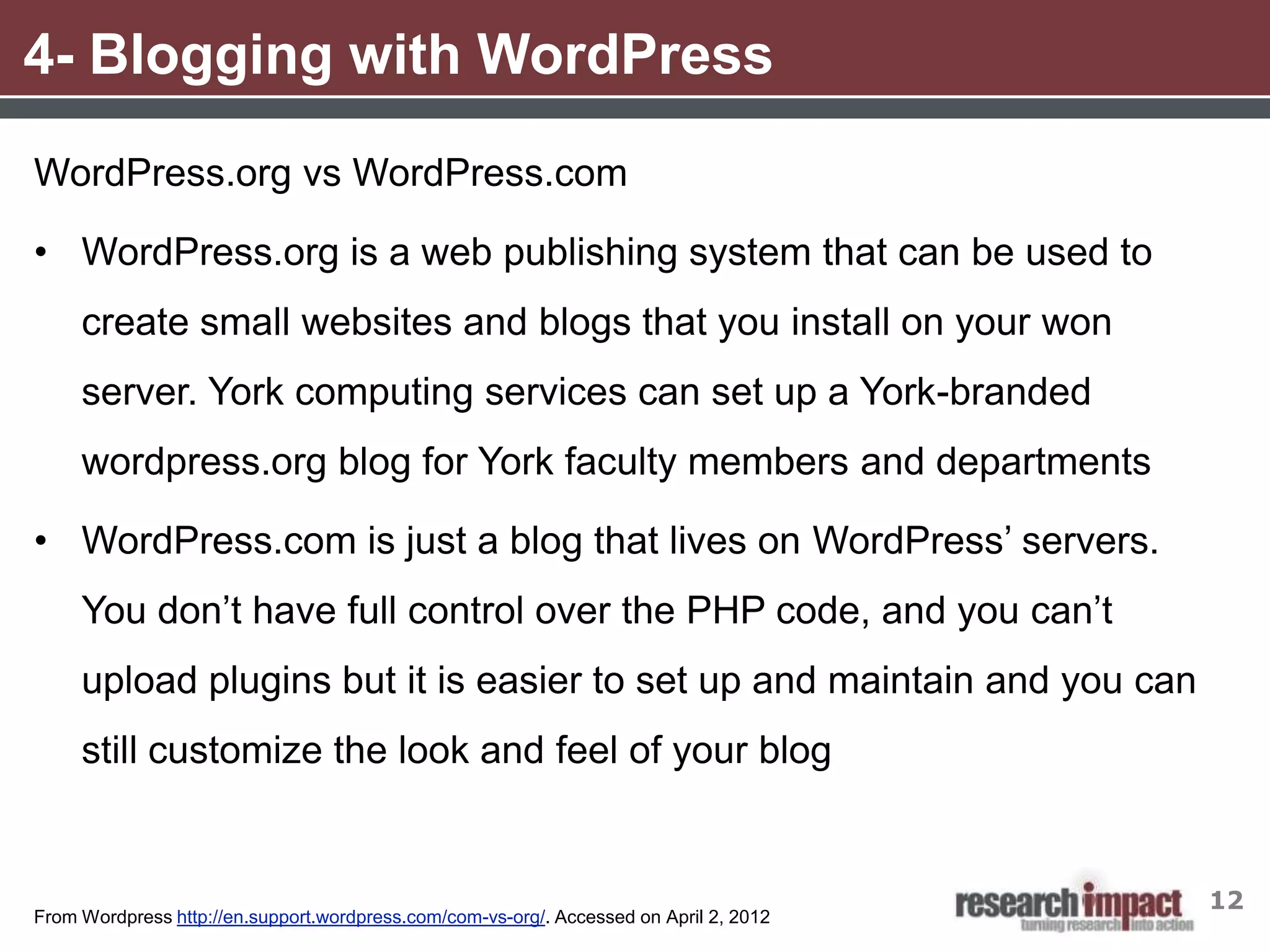
WordPress.org vs WordPress.com

• WordPress.org is a web publishing system that can be used to
     create small websites and blogs that you install on your won
     server. York computing services can set up a York-branded
     wordpress.org blog for York faculty members and departments

• WordPress.com is just a blog that lives on WordPress’ servers.
     You don’t have full control over the PHP code, and you can’t
     upload plugins but it is easier to set up and maintain and you can
     still customize the look and feel of your blog


                                                                                        12
From Wordpress http://en.support.wordpress.com/com-vs-org/. Accessed on April 2, 2012
4- Setting up a blog with WordPress

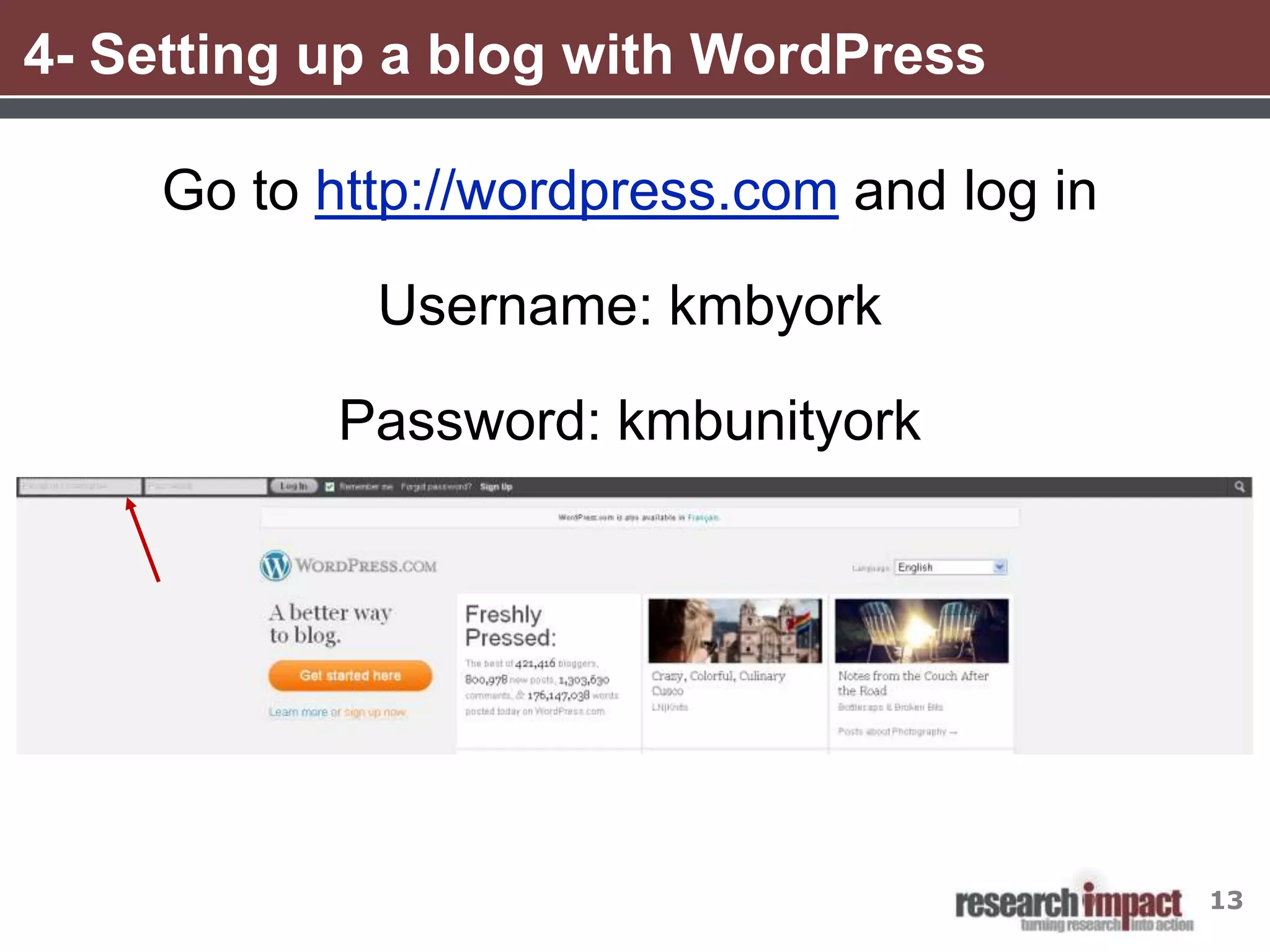
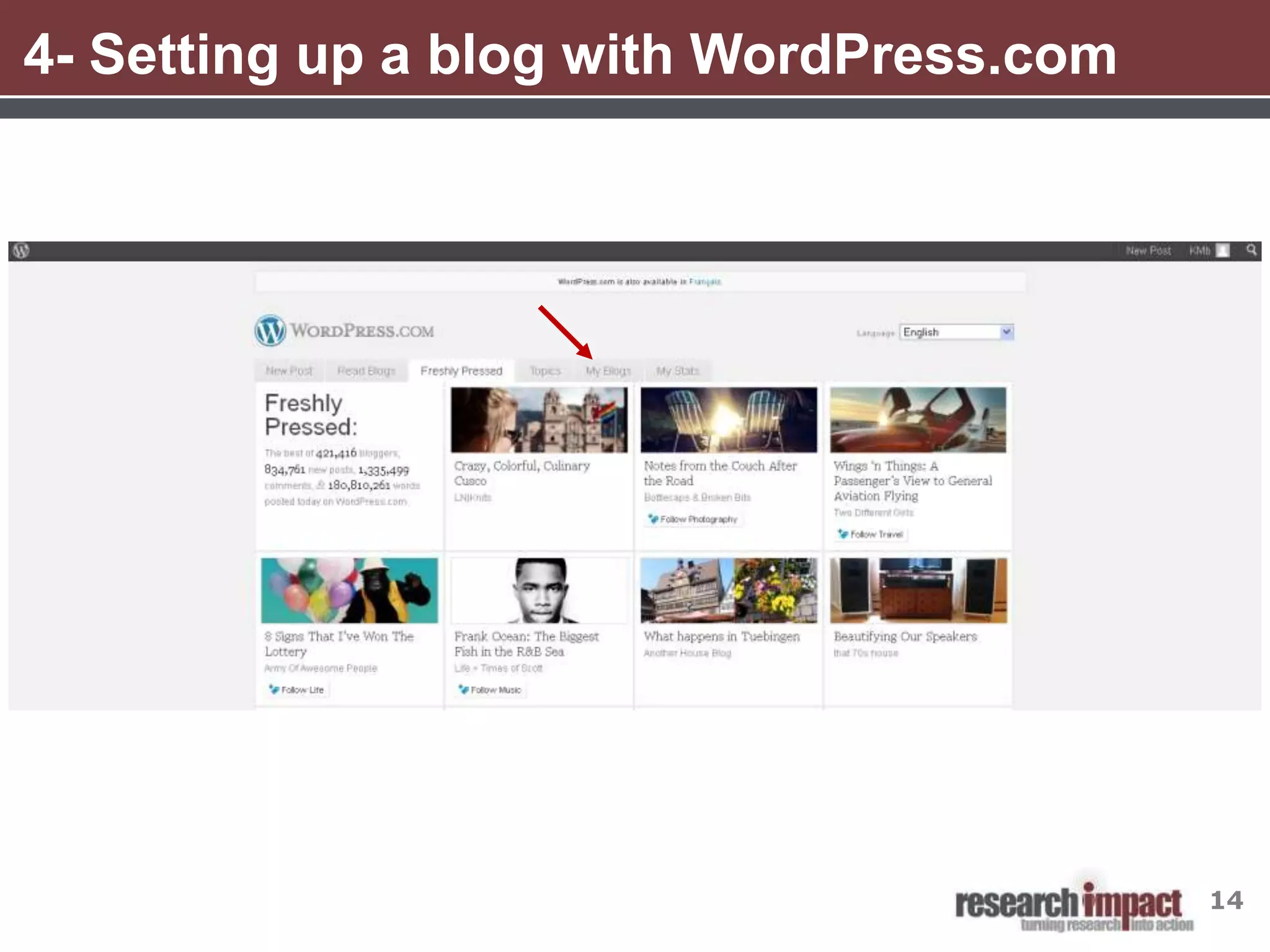
     Go to http://wordpress.com and log in

             Username: kmbyork

           Password: kmbunityork


                                             13
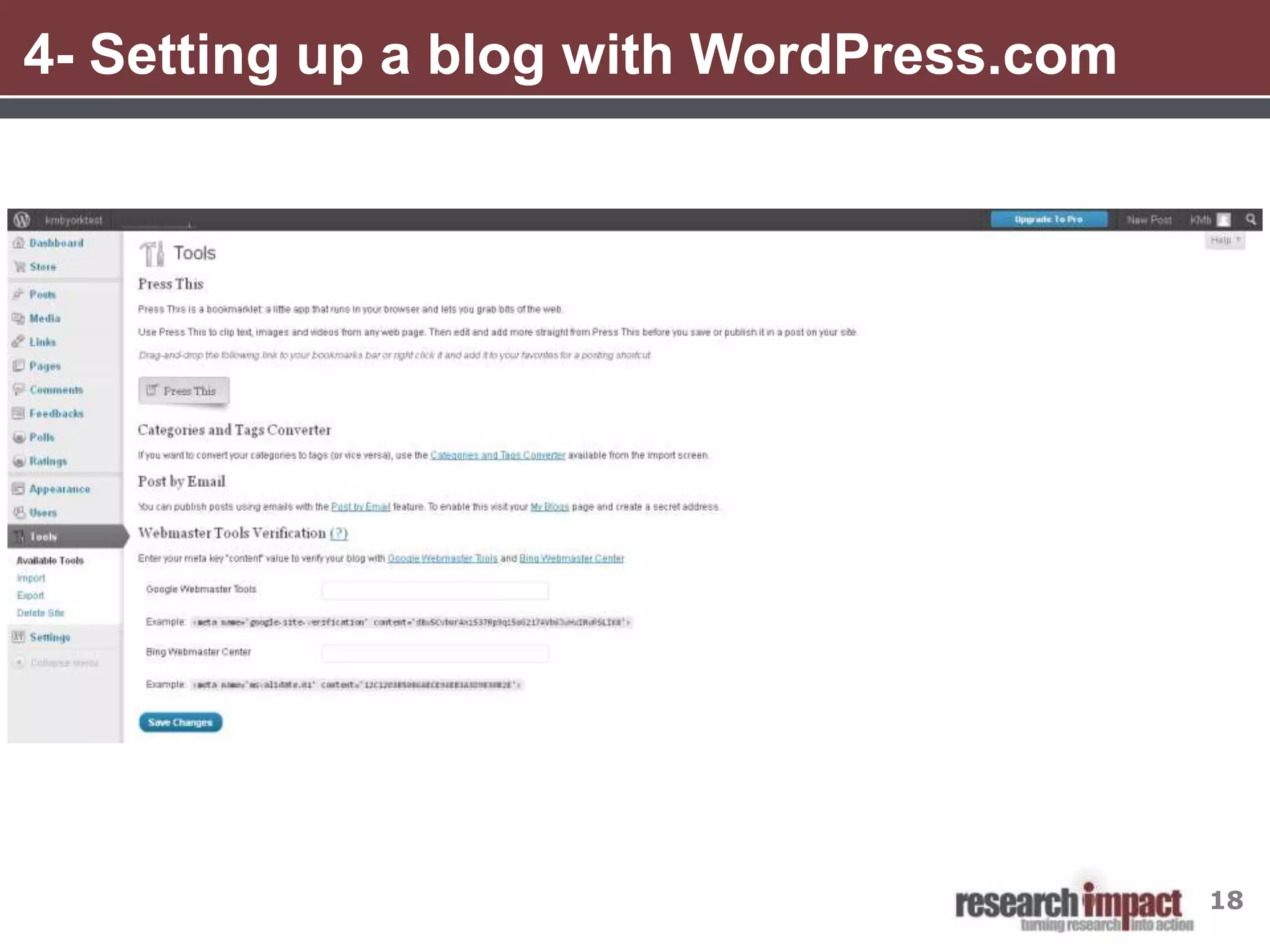
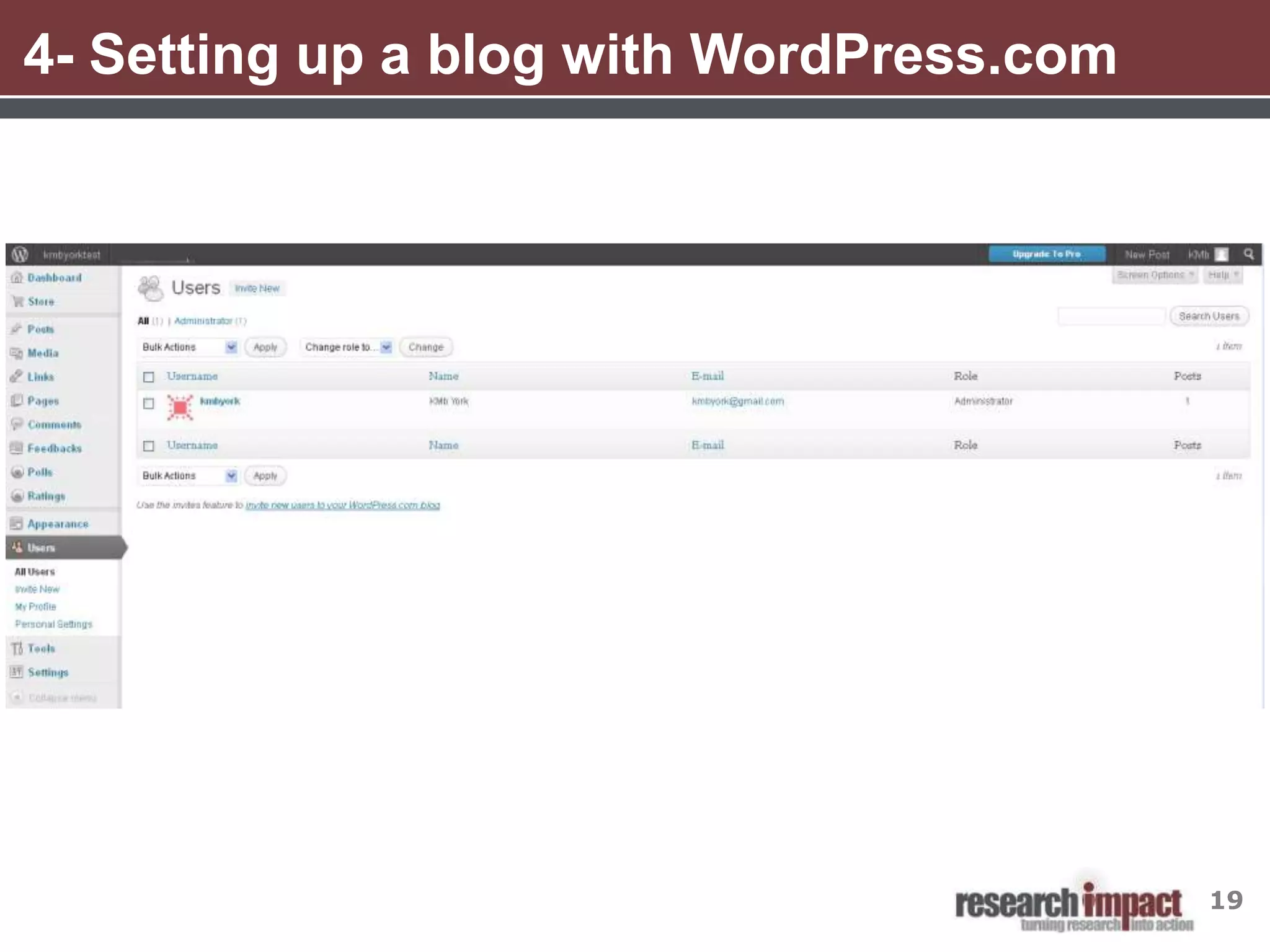
4- Setting up a blog with WordPress.com


                                          14
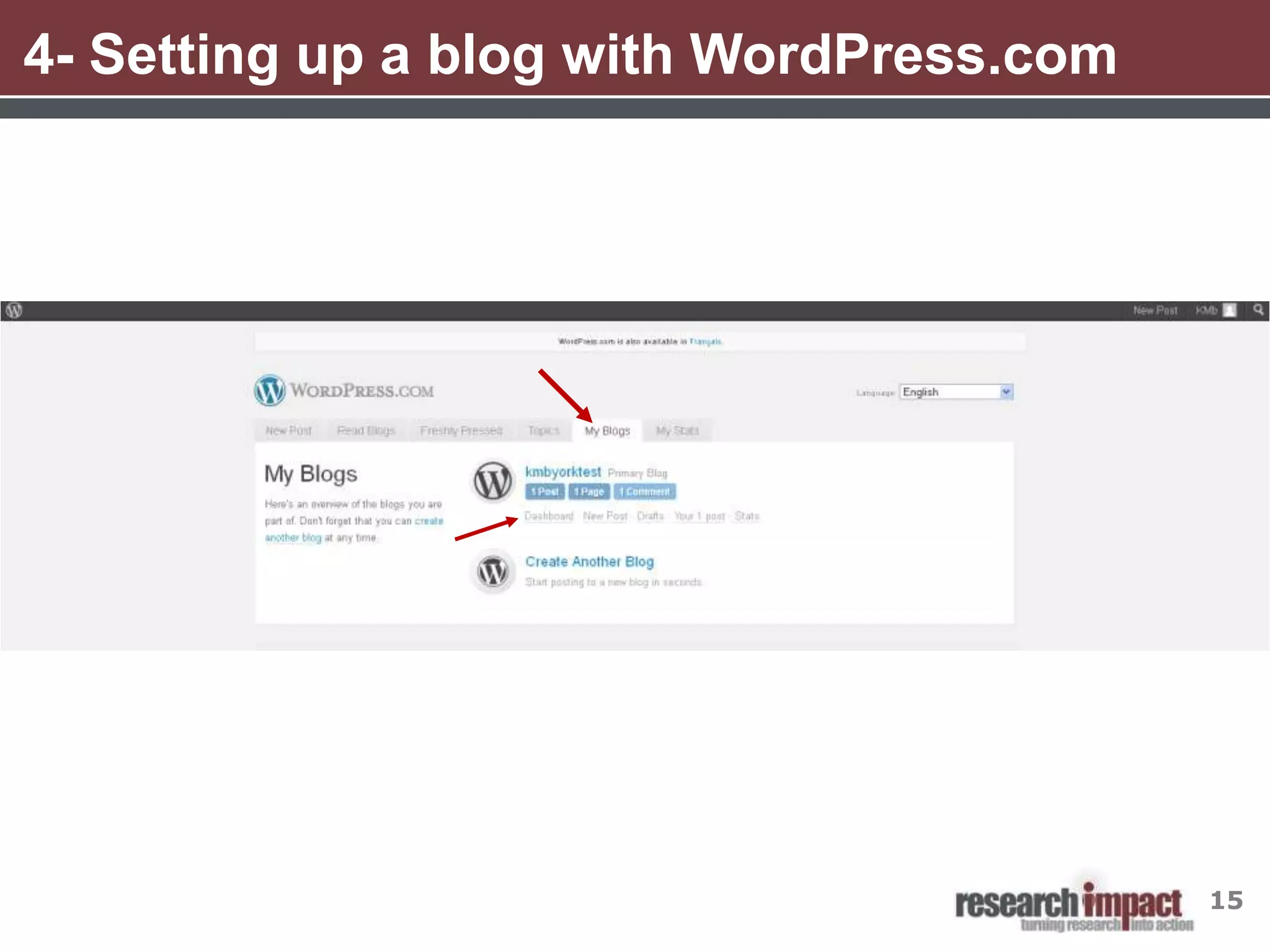
4- Setting up a blog with WordPress.com


                                          15
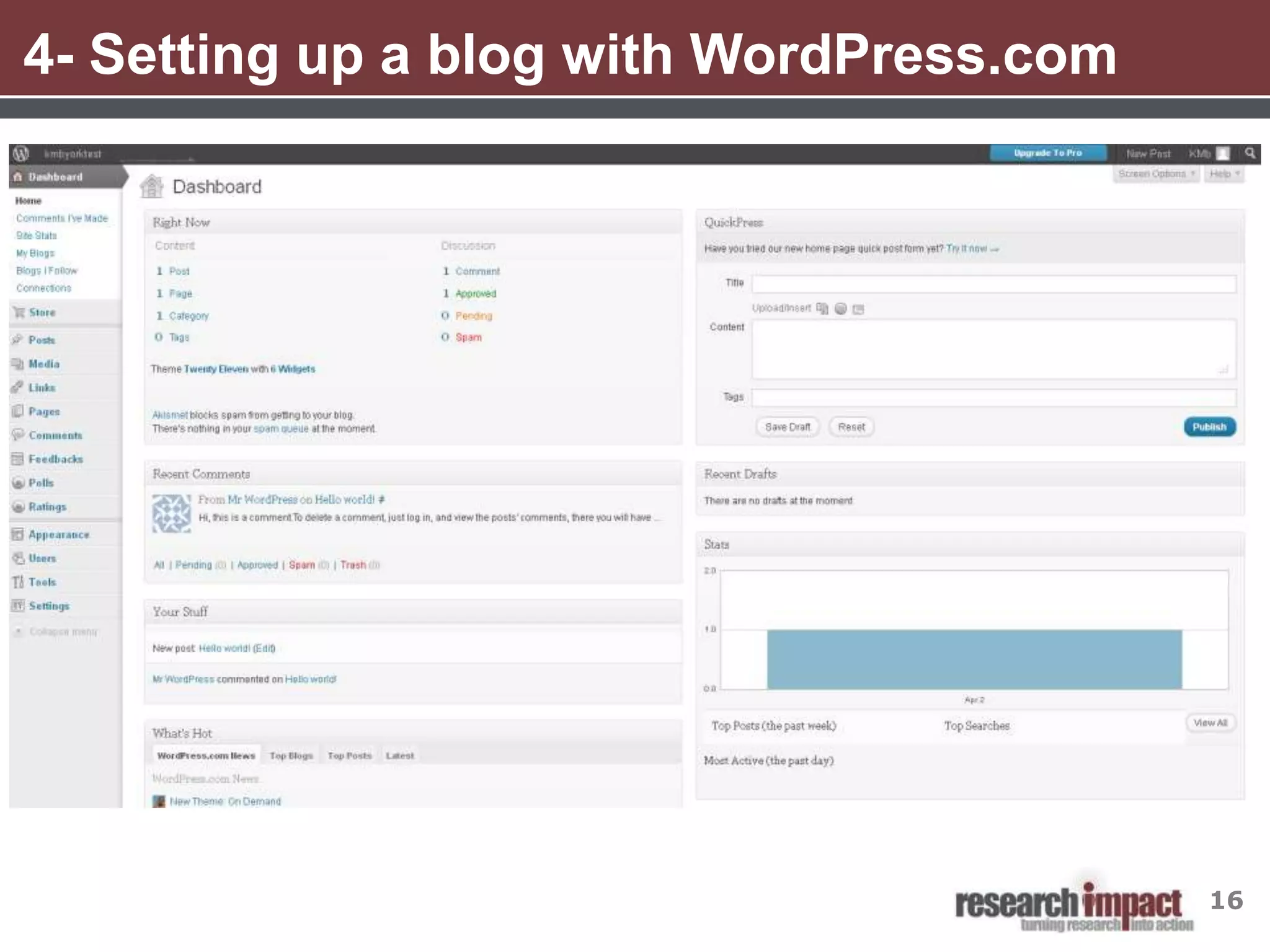
4- Setting up a blog with WordPress.com


                                          16
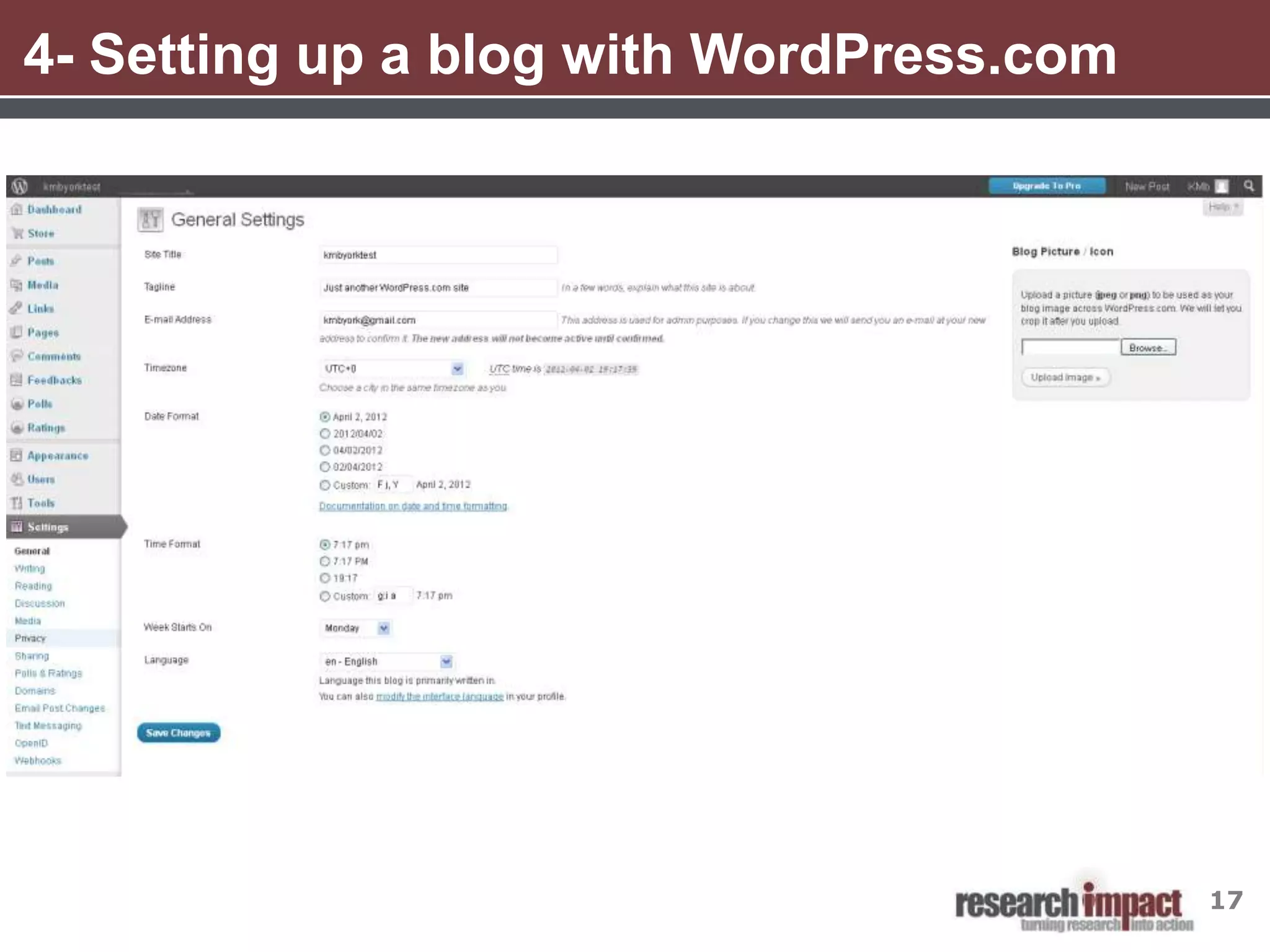
4- Setting up a blog with WordPress.com


                                          17
4- Setting up a blog with WordPress.com


                                          18
4- Setting up a blog with WordPress.com


                                          19
4- Setting up a blog with WordPress.com


                                          20
4- Setting up a blog with WordPress.com


                                          21
4- Setting up a blog with WordPress.com


                                          22
4- Setting up a blog with WordPress.com


                                          23
4- Setting up a blog with WordPress.com


                                          24
Break


        Please be back in 10 minutes


                                       25
4- Setting up a blog with WordPress.com


                                          26
4- Setting up a blog with WordPress.com


                                          27
4- Setting up a blog with WordPress.com


                                          28
4- Setting up a blog with WordPress.com


                                          29
4- Setting up a blog with WordPress.com


                                          30
4- Setting up a blog with WordPress.com


                                          31
4- Setting up a blog with WordPress.com


                                          32
4- Setting up a blog with WordPress.com


                                          33
5- Strategies for Getting Started
Things to Consider Before You Start:

•   What will you blog about?
     • What topics will you blog about?
     • Do you think you have enough to blog about?

•   If you are part of a project or team- who will do the blogging?
      • Who will be responsible for writing the posts, putting them into WordPress and
         monitoring any comments?
      • Will you have one blog author, for example ResearchImpact, or will each
         person who writes a post publish it as themselves?

•   How often will you post?
     • Aim to post at least one blog story per week


                                                                                    34
5- Work Plan for Getting Started
•   Decide on a blog name and register for an account

•   Set up the appearance of your blog by:
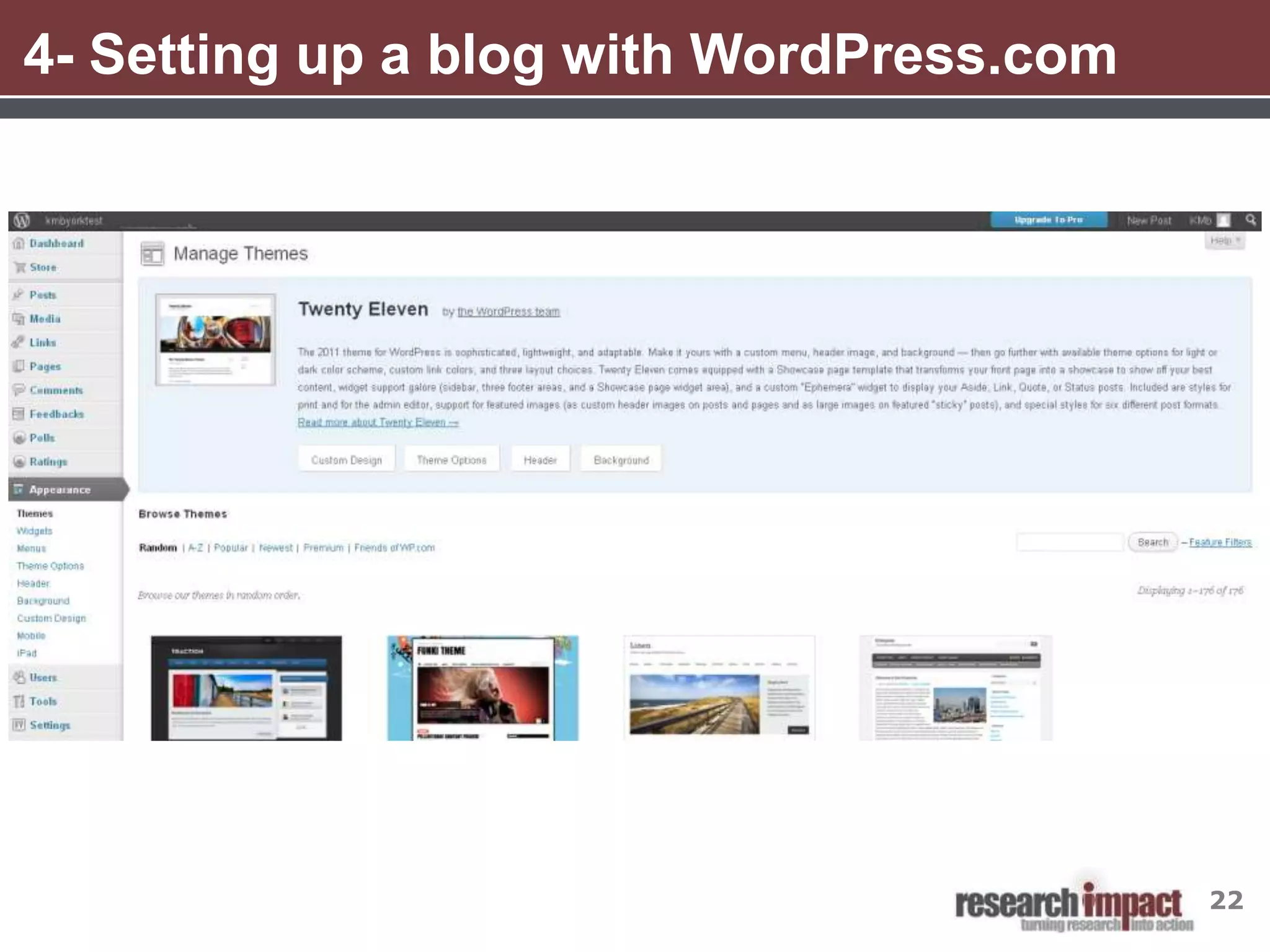
     •   Choosing a theme
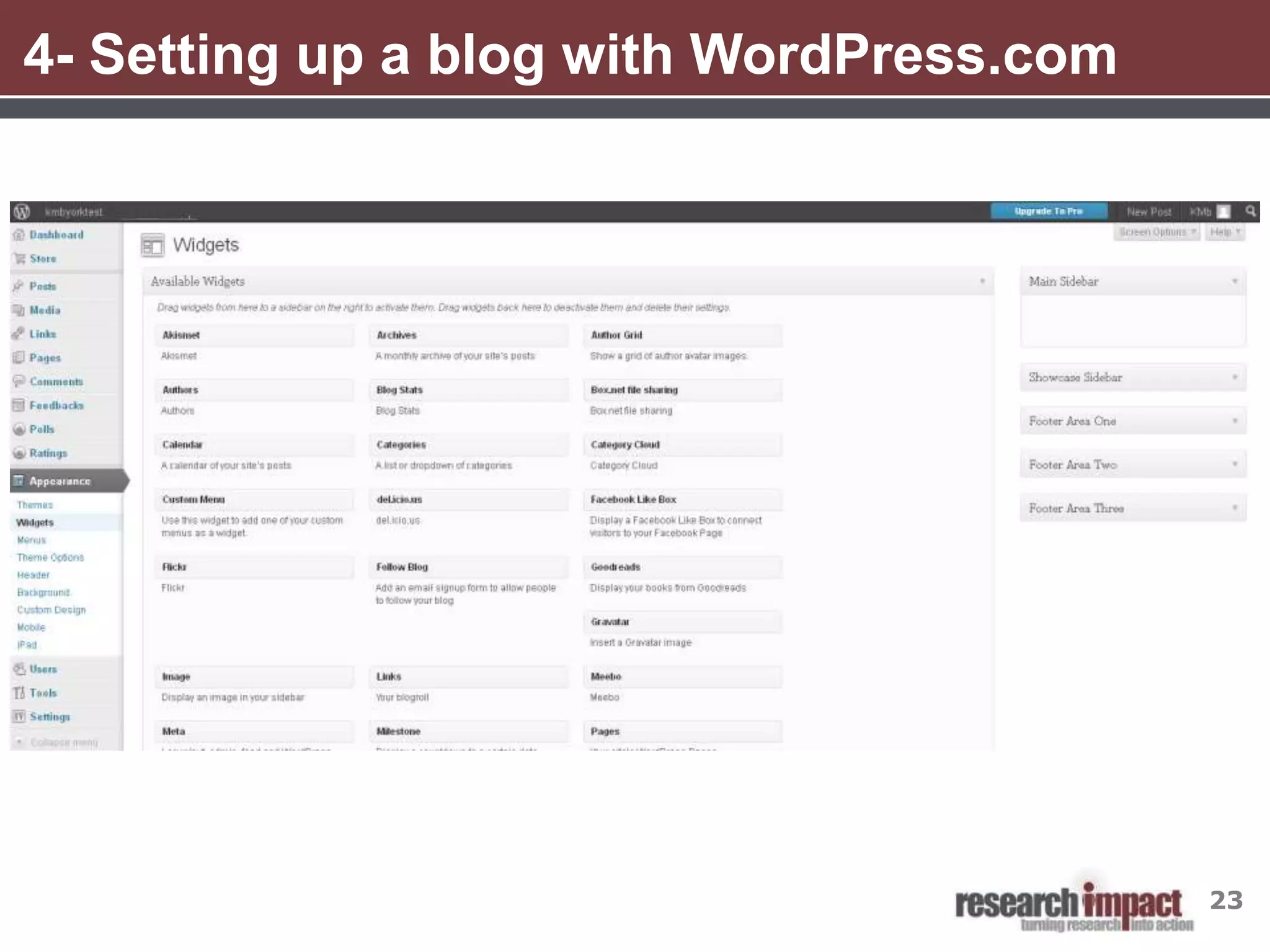
     •   Adding widgets to your sidebar
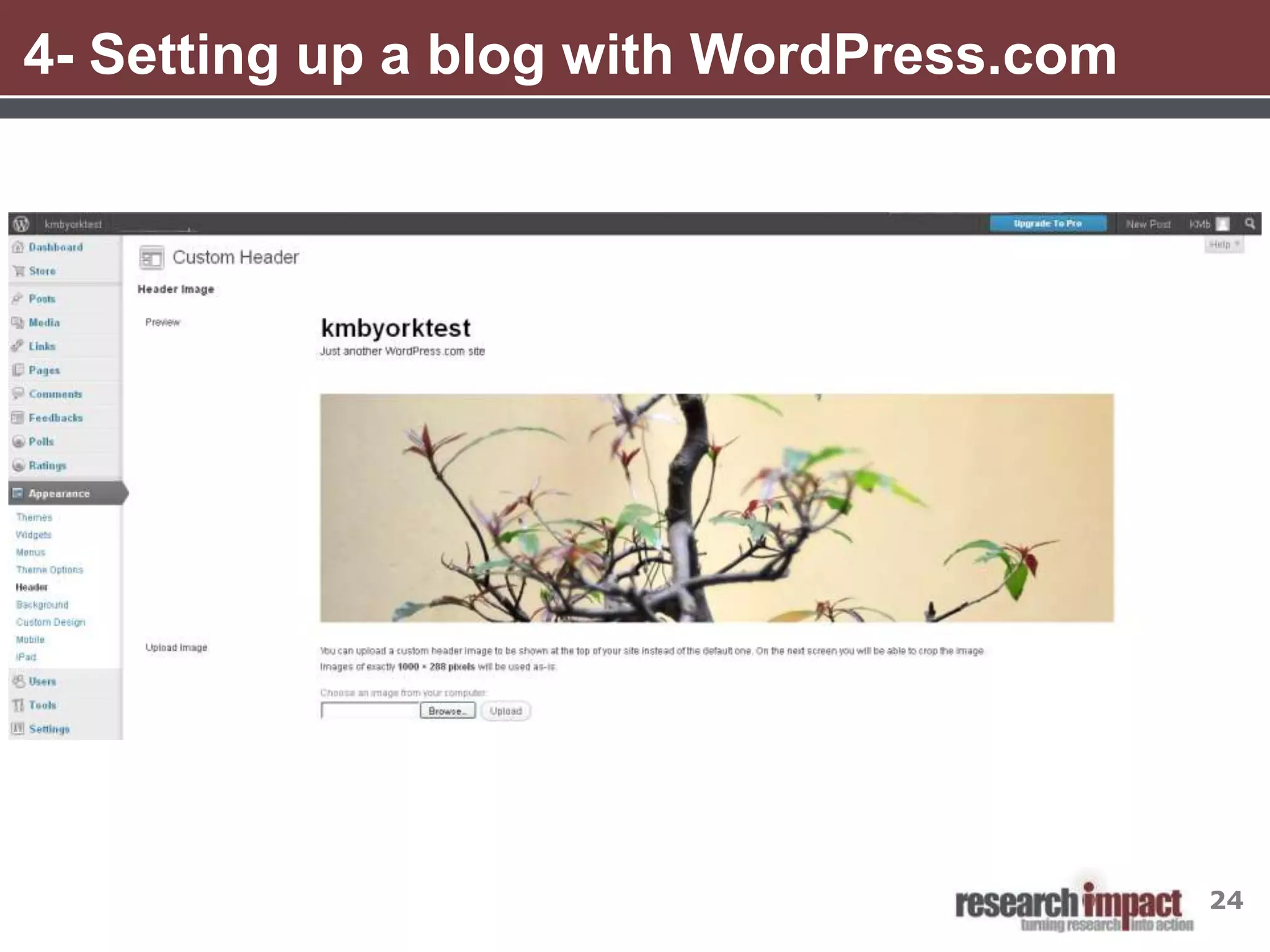
     •   Adding your logo (if you have one) to the header
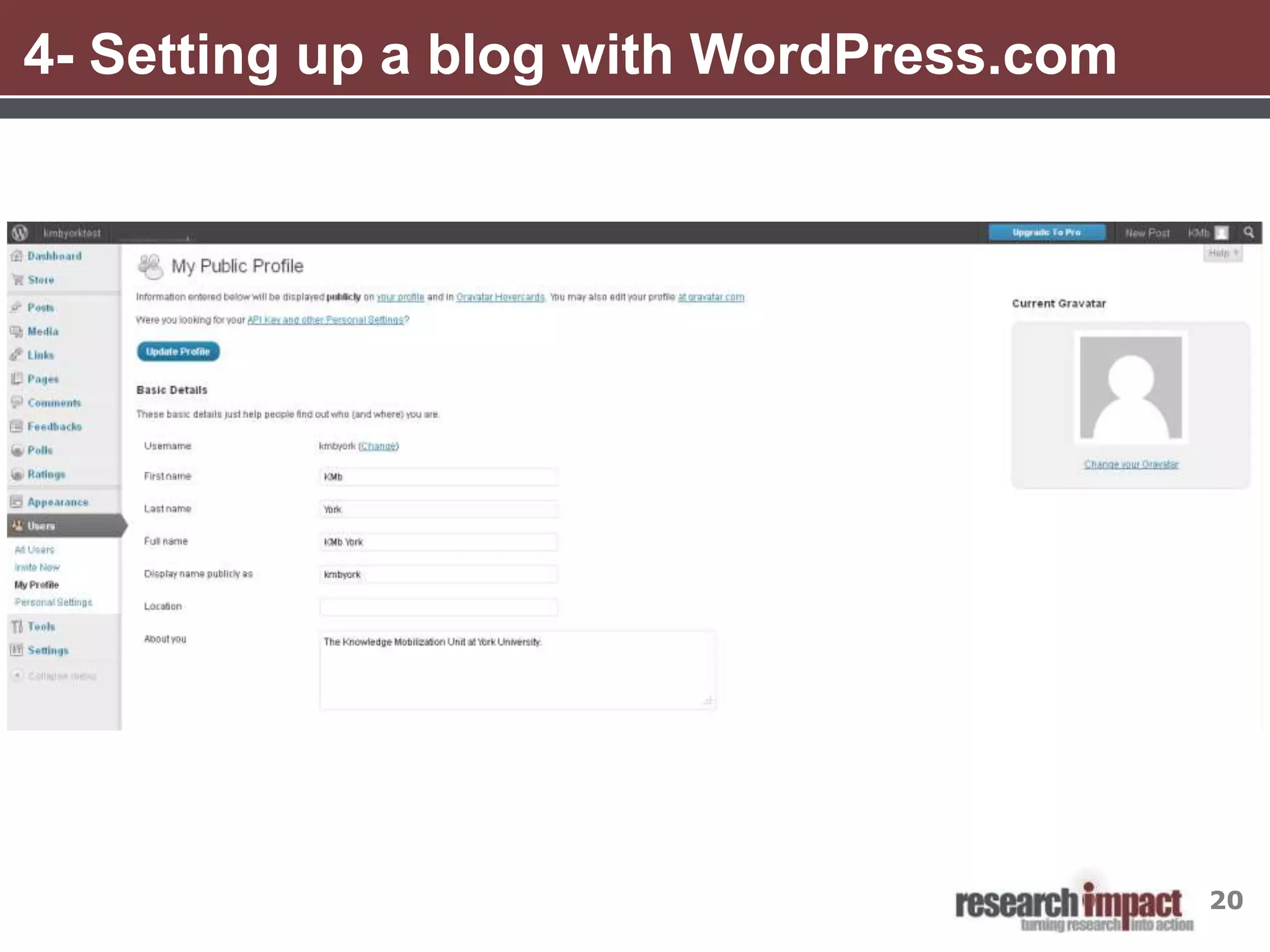
     •   Filling out your profile
     •   Adding an About page


•   Configure settings such as:
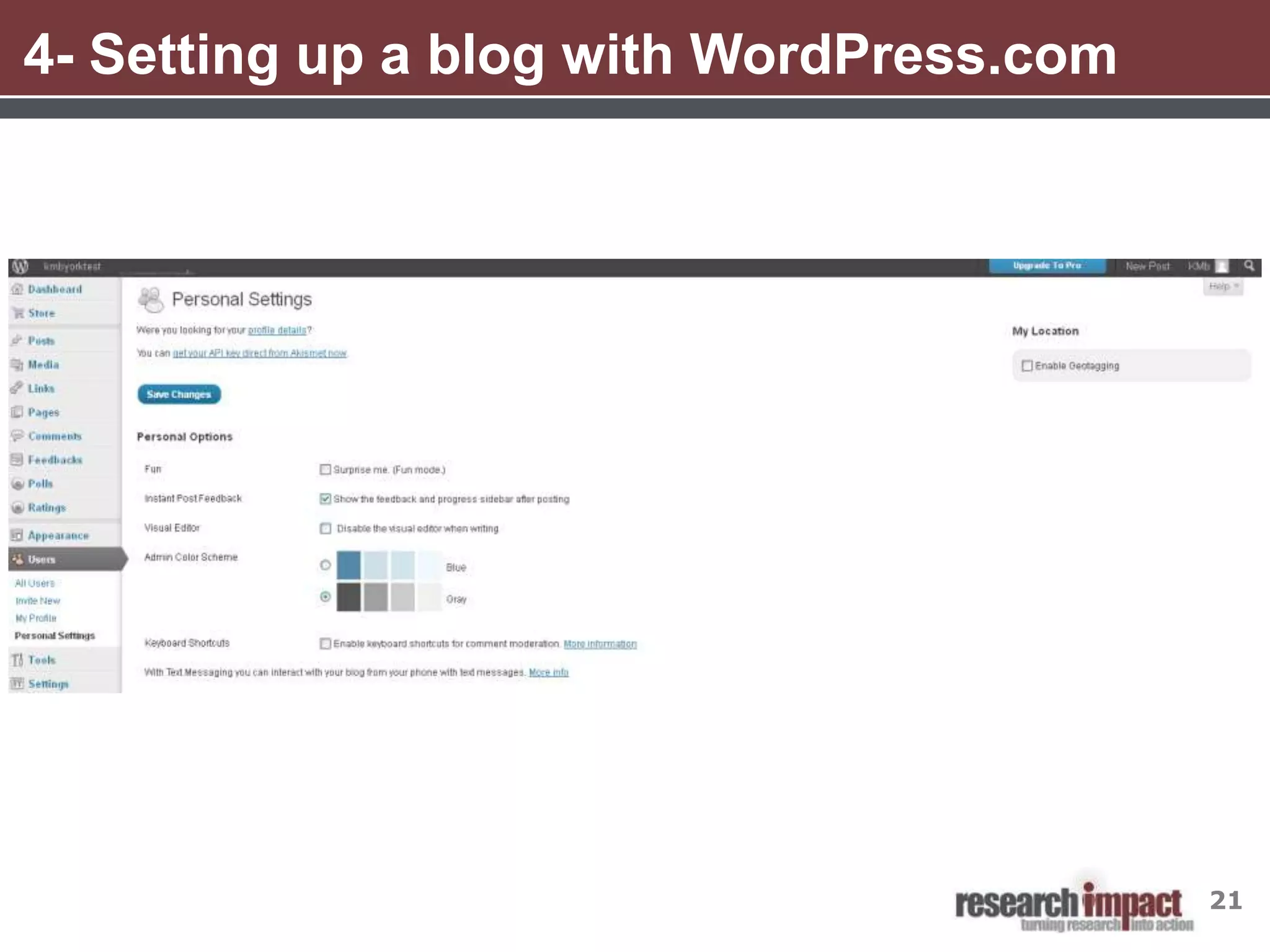
     •   Your personal settings
     •   Connecting your blog to your other social media sites
     •   Set up notifications for new comments


•   Add some categories and tags to help organize your content and facilitate
    searching

•   Write a blog post!

                                                                                35
5- Tips for posting
• Try to keep post between 300-500 words
• Include pictures for visual interest and to break up the text so it is
  easier to read
• Add hyperlinks where appropriate
• Remember to add categories and tags
• Click on Preview to see what it will look like before publishing
• Change the title of pictures so that they are a description of the
  picture for people using screen reading technology
• If the picture seems really close to the text, go into Advanced
  Settings and enter in 5 in the Vertical space and Horizontal space
  boxes
• If you re-use the same picture often, you don’t need to re-upload it
  everytime. Instead, click on Media Library and select the picture
  from there

                                                                           36
Resources
8 Reasons Why Researchers Should Blog
    http://www.homelesshub.ca/%28S%28cbktsc45bmzvmjn31tluzrqw%29
    %29/Library/8-reasons-why-researchers-should-blog-48123.aspx

Doorey’s Workplace Law Blog
    http://www.yorku.ca/ddoorey/lawblog/

How to Write a Good Research Blog Post
   http://scienceofblogging.com/how-to-write-a-good-research-blog-post/

Research Blogging
    http://researchblogging.org
  • A list of blogs that talk about peer reviewed research


                                                                          37
Resources
Research Matters: Finding Solutions to Homelessness
   http://www.homelesshub.ca/researchmatters

Science Blogs
     http://scienceblogs.com/
   • A collection of over 80 science focused blogs

Vanderbilt University Social Media Handbook
    http://web.vanderbilt.edu/resources/social-media-handbook/
  • Very good resources on how to create a social media strategy and how
    to start using various tools


                                                                       38
6- Resources

YorkU’s Graphic Standards Manual
    http://www.yorku.ca/yorkweb/standards/graphicstandards.htm
  • Follow this to ensure you following York’s visual identity standards and
    are using the York logo correctly

YorkU Web Publishing Services
    http://www.yorku.ca/computing/facultystaff/webpages/publishing.html
    • Can help you set up a Wordpress.org blog


                                                                               39
Questions?


             40
Krista Jensen
Knowledge Mobilization Officer
kejensen@yorku.ca x 88847
Website                        SlideShare
www.researchimpact.ca          www.slideshare.net/KMbYork

Twitter                        YouTube
twitter.com/KMbYork            www.slideshare.net/KMbYork
twitter.com/researchimpact
                               Delicious
Mobilize This! Blog            delicious.com/researchimpact
researchimpact.wordpress.com

O3 Space
researchimpact.othree.ca

Wordpress: A Hands on Workshop for Researchers

  • 1.
    Wordpress: A Hands onLearning Session for Researchers KMb Learning Session April 3, 2012
  • 2.
    Agenda 1. Introduction tosocial media 2. Blogging 101 3. Blogging for research 4. Setting up a blog with Wordpress.com 5. Strategies for getting started 6. Additional resources 7. Q and A 2
  • 3.
    1- Social Media-Some Definitions • “A group of Internet based applications that build on the ideological and technological foundations of Web 2.0, and that allow the creation and exchange of user-generated content” • “Includes web-based and mobile technologies used to turn communication into interactive dialogue” • “Online communications in which individuals shift fluidly and flexibly between the role of audience and author. To do this, they use social software that enables anyone without knowledge of coding, to post, comment on, share or mash up content and to form communities around shared interests.” Kaplan, A. M., & Haenlein, M. (2010).Users of the world, unite! The challenges and opportunities of social media. Business Horizons,53(1), 59-68 Social media. (n.d.). In Wikipedia. Retrieved January 10, 2012, from http://en.wikipedia.org/wiki/Social_media Thornley, J. (2008, April 8). What is “social media?”. Retrieved January 10, 2012 from ProPR blog http://propr.ca/2008/what-is- social-media/ 3
  • 4.
    1- Social Media:Web 1.0 vs. Web 2.0 http://www.sizlopedia.com/2007/08/18/web-10-vs-web-20-the-visual- difference/ 4
  • 5.
    1- Social Mediaand Knowledge Mobilization Why use social media for KMb? Social media provides the tools to help support the process of KMb • Disseminate knowledge and research in an iterative and interactive way • Build communities for partnerships, collaboration and sharing • Get academic research into the hands of people who can use it Image adapted from http://webbiquity.com/social-media-marketing/the-four-cs-of-social-media-marketing/ 5
  • 6.
    2- Blogging 101 •The word blog is short for web log • Blogs contain entries, more commonly called posts, displayed in reverse chronological order typically pertaining to a single subject or theme • Readers may leave comments about blog posts, making blogs more interactive and social than static websites • People can subscribe to updates to a blog via RSS or email • There are a number of free blogging tools available. The most popular are- WordPress, Blogger, TypePad From Wikipedia http://en.wikipedia.org/wiki/blog. Accessed on April 2, 2012 6
  • 7.
    3- Blogging forresearch Why blog for research activities? • Blogs allow you to connect in a more interactive and less formal way than traditional websites • Provides you with a wider audiences and lets interested readers to follow your blog posts • An alternative to traditional academic journals- blogs are open access, some blogs are now peer reviewed and they can reach readers who may not have access to academic journals 7
  • 8.
    3- Blogging forresearch 8 Reasons Why Researchers Should Blog: 1. Public engagement 2. Raise your profile and digital identity 3. Networking 4. Writing practice 5. Helps shape your thoughts/ideas 6. Gets your material out quickly 7. Allows for a quick response from your audience 8. Opens your eyes to the bigger world of social media Morris, Gareth. (2010). 8 reasons why researchers should blog. Retrieved from http://www.homelesshub.ca/%28S%28cbktsc45bmzvmjn31tluzrqw%29%29/Library/8-reasons-why-researchers-should-blog-48123.aspx 8
  • 9.
    3- Blogging forresearch 9
  • 10.
    3- Blogging forresearch 10
  • 11.
    3- Blogging forresearch 11
  • 12.
    4- Blogging withWordPress WordPress.org vs WordPress.com • WordPress.org is a web publishing system that can be used to create small websites and blogs that you install on your won server. York computing services can set up a York-branded wordpress.org blog for York faculty members and departments • WordPress.com is just a blog that lives on WordPress’ servers. You don’t have full control over the PHP code, and you can’t upload plugins but it is easier to set up and maintain and you can still customize the look and feel of your blog 12 From Wordpress http://en.support.wordpress.com/com-vs-org/. Accessed on April 2, 2012
  • 13.
    4- Setting upa blog with WordPress Go to http://wordpress.com and log in Username: kmbyork Password: kmbunityork 13
  • 14.
    4- Setting upa blog with WordPress.com 14
  • 15.
    4- Setting upa blog with WordPress.com 15
  • 16.
    4- Setting upa blog with WordPress.com 16
  • 17.
    4- Setting upa blog with WordPress.com 17
  • 18.
    4- Setting upa blog with WordPress.com 18
  • 19.
    4- Setting upa blog with WordPress.com 19
  • 20.
    4- Setting upa blog with WordPress.com 20
  • 21.
    4- Setting upa blog with WordPress.com 21
  • 22.
    4- Setting upa blog with WordPress.com 22
  • 23.
    4- Setting upa blog with WordPress.com 23
  • 24.
    4- Setting upa blog with WordPress.com 24
  • 25.
    Break Please be back in 10 minutes 25
  • 26.
    4- Setting upa blog with WordPress.com 26
  • 27.
    4- Setting upa blog with WordPress.com 27
  • 28.
    4- Setting upa blog with WordPress.com 28
  • 29.
    4- Setting upa blog with WordPress.com 29
  • 30.
    4- Setting upa blog with WordPress.com 30
  • 31.
    4- Setting upa blog with WordPress.com 31
  • 32.
    4- Setting upa blog with WordPress.com 32
  • 33.
    4- Setting upa blog with WordPress.com 33
  • 34.
    5- Strategies forGetting Started Things to Consider Before You Start: • What will you blog about? • What topics will you blog about? • Do you think you have enough to blog about? • If you are part of a project or team- who will do the blogging? • Who will be responsible for writing the posts, putting them into WordPress and monitoring any comments? • Will you have one blog author, for example ResearchImpact, or will each person who writes a post publish it as themselves? • How often will you post? • Aim to post at least one blog story per week 34
  • 35.
    5- Work Planfor Getting Started • Decide on a blog name and register for an account • Set up the appearance of your blog by: • Choosing a theme • Adding widgets to your sidebar • Adding your logo (if you have one) to the header • Filling out your profile • Adding an About page • Configure settings such as: • Your personal settings • Connecting your blog to your other social media sites • Set up notifications for new comments • Add some categories and tags to help organize your content and facilitate searching • Write a blog post! 35
  • 36.
    5- Tips forposting • Try to keep post between 300-500 words • Include pictures for visual interest and to break up the text so it is easier to read • Add hyperlinks where appropriate • Remember to add categories and tags • Click on Preview to see what it will look like before publishing • Change the title of pictures so that they are a description of the picture for people using screen reading technology • If the picture seems really close to the text, go into Advanced Settings and enter in 5 in the Vertical space and Horizontal space boxes • If you re-use the same picture often, you don’t need to re-upload it everytime. Instead, click on Media Library and select the picture from there 36
  • 37.
    Resources 8 Reasons WhyResearchers Should Blog http://www.homelesshub.ca/%28S%28cbktsc45bmzvmjn31tluzrqw%29 %29/Library/8-reasons-why-researchers-should-blog-48123.aspx Doorey’s Workplace Law Blog http://www.yorku.ca/ddoorey/lawblog/ How to Write a Good Research Blog Post http://scienceofblogging.com/how-to-write-a-good-research-blog-post/ Research Blogging http://researchblogging.org • A list of blogs that talk about peer reviewed research 37
  • 38.
    Resources Research Matters: FindingSolutions to Homelessness http://www.homelesshub.ca/researchmatters Science Blogs http://scienceblogs.com/ • A collection of over 80 science focused blogs Vanderbilt University Social Media Handbook http://web.vanderbilt.edu/resources/social-media-handbook/ • Very good resources on how to create a social media strategy and how to start using various tools 38
  • 39.
    6- Resources YorkU’s GraphicStandards Manual http://www.yorku.ca/yorkweb/standards/graphicstandards.htm • Follow this to ensure you following York’s visual identity standards and are using the York logo correctly YorkU Web Publishing Services http://www.yorku.ca/computing/facultystaff/webpages/publishing.html • Can help you set up a Wordpress.org blog 39
  • 40.
  • 41.
    Krista Jensen Knowledge MobilizationOfficer kejensen@yorku.ca x 88847 Website SlideShare www.researchimpact.ca www.slideshare.net/KMbYork Twitter YouTube twitter.com/KMbYork www.slideshare.net/KMbYork twitter.com/researchimpact Delicious Mobilize This! Blog delicious.com/researchimpact researchimpact.wordpress.com O3 Space researchimpact.othree.ca