BLOGGING
FOR
BUSINESS
PRESENTED BY DEBORAH SMITH


                             1
AGENDA
  What is a Blog?
  Why Blog?
  Types of Blogs?
  Getting Started
         10 Tips for a Successful Blog
         Capturing Subscribers
  Wordpress
         Creating and Editing Your Blog
         Wordpress Features and Favorite Tools
  Your Roadmap


                                                 2
WHAT IS A BLOG?
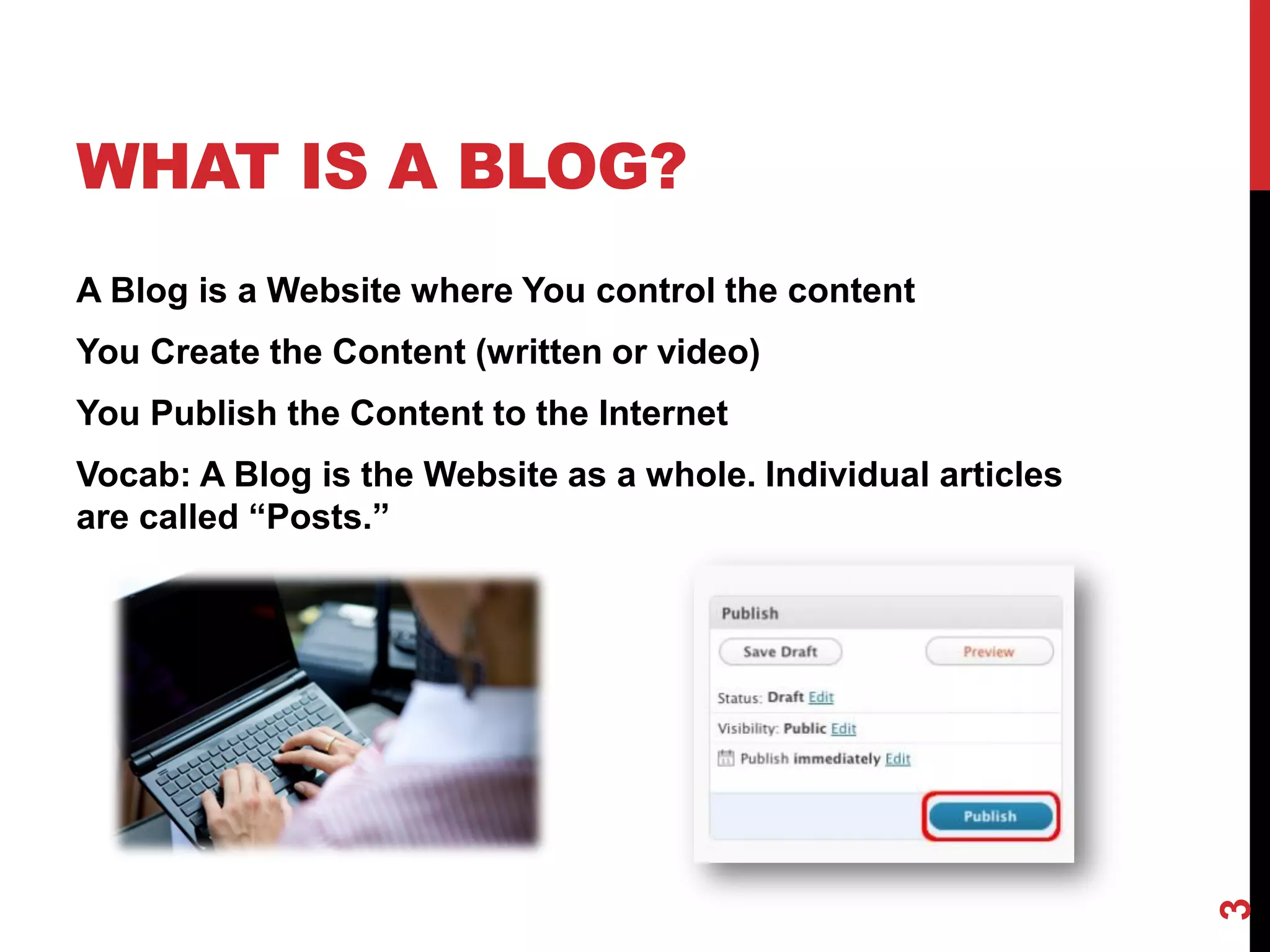
A Blog is a Website where You control the content
You Create the Content (written or video)
You Publish the Content to the Internet
Vocab: A Blog is the Website as a whole. Individual articles
are called “Posts.”


                                                               3
WHY BLOG?
Attract leads, prospects, and opportunity without
actively selling
Gain Access to influential people in your industry
Connect and gain the trust of prospects and
customers
Gain tremendous ground in the search engines


                                                     4
TYPES OF BLOGS
 Business Blogs
    •  Blogs to help promote the
       business that owns them
 Special Interest Blogs
    •   Mom Blogs
    •   Food Blogs
    •   Crafting Blogs
    •   Blogging Blogs
    •   Political Blogs

 Many Special Interest Blogs are
   evolving into Entrepreneurial
   ventures.


                                   5
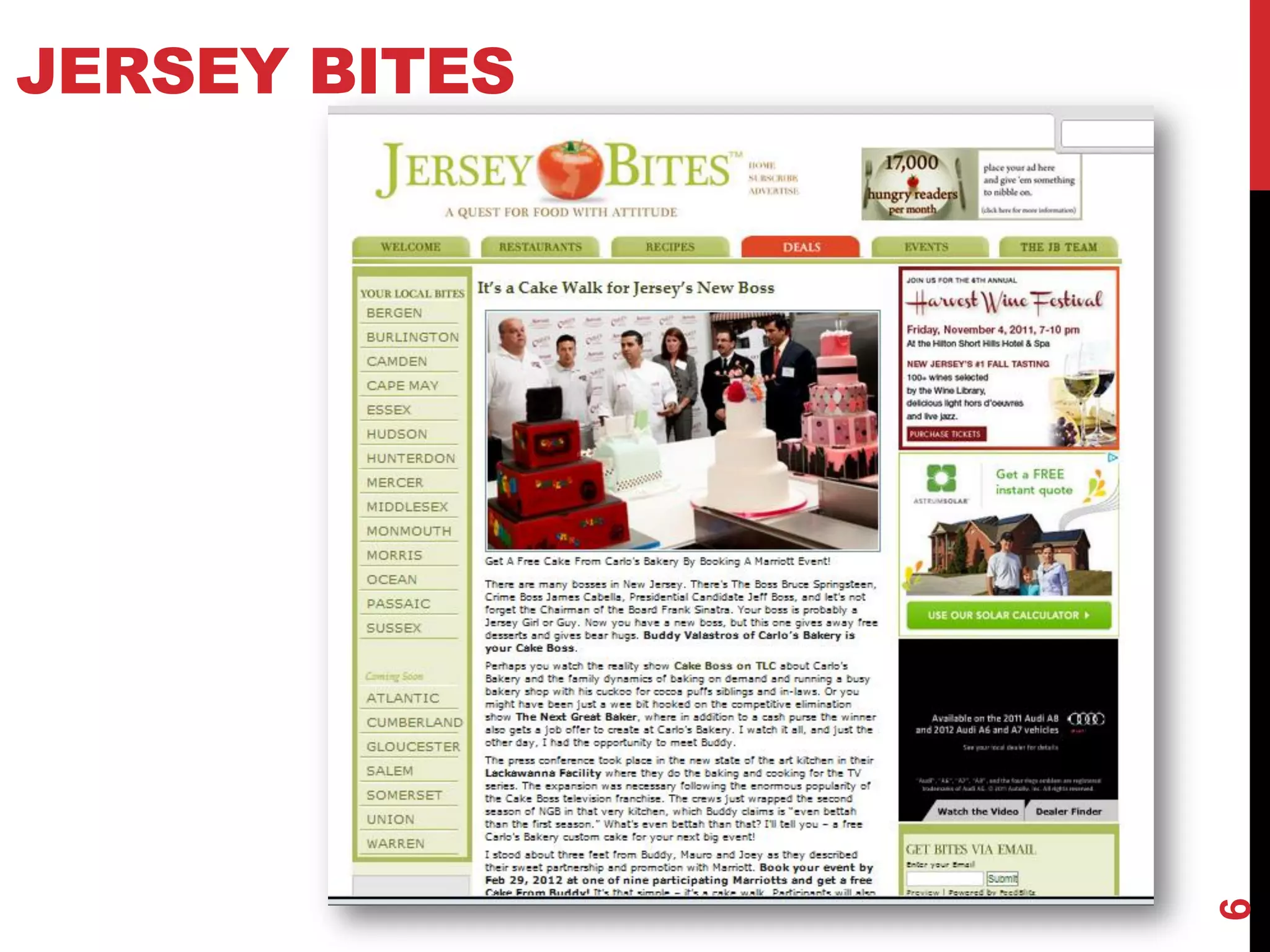
JERSEY BITES


               6
GETTING
STARTED
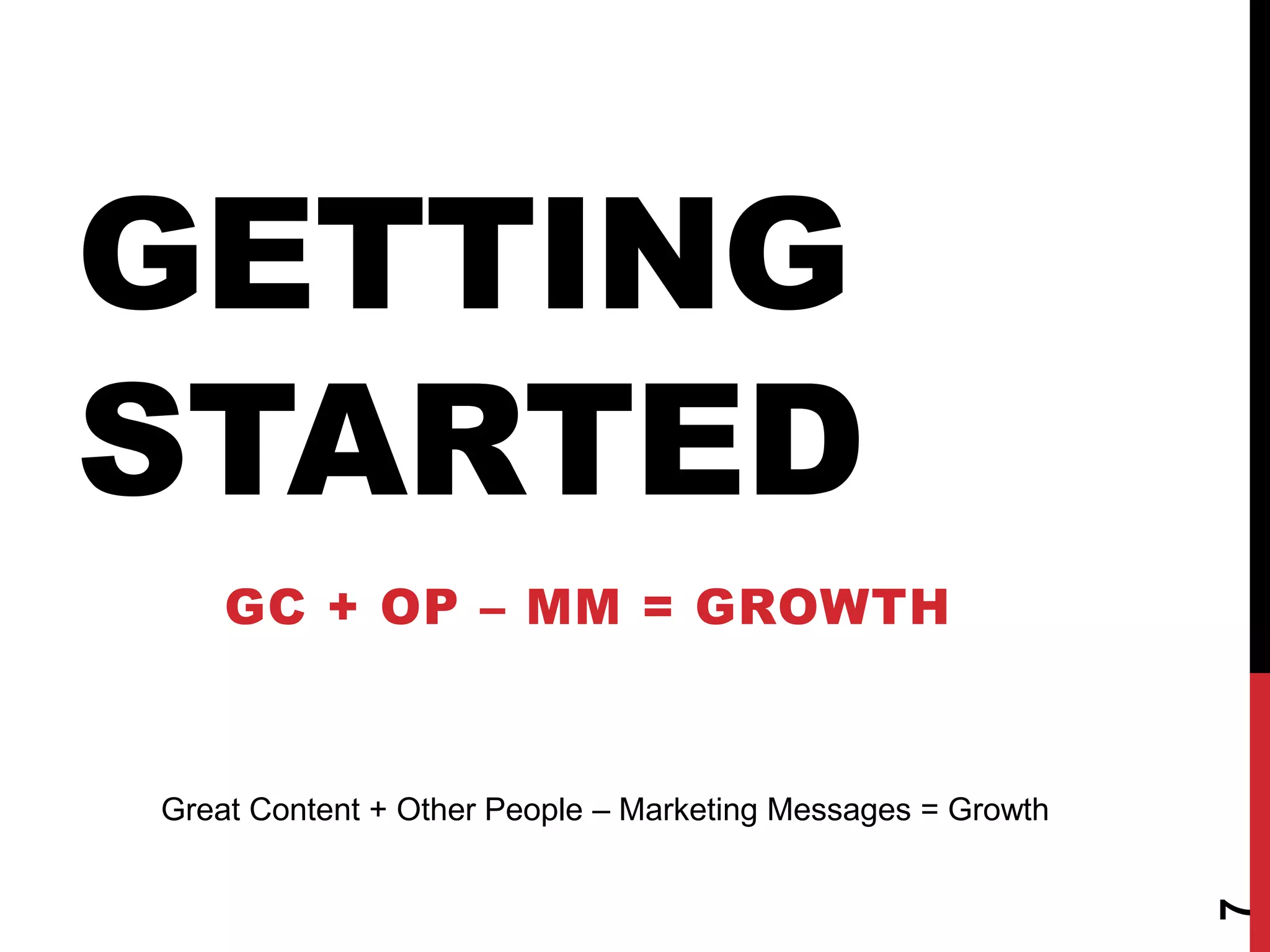
    GC + OP – MM = GROWTH


Great Content + Other People – Marketing Messages = Growth


                                                             7
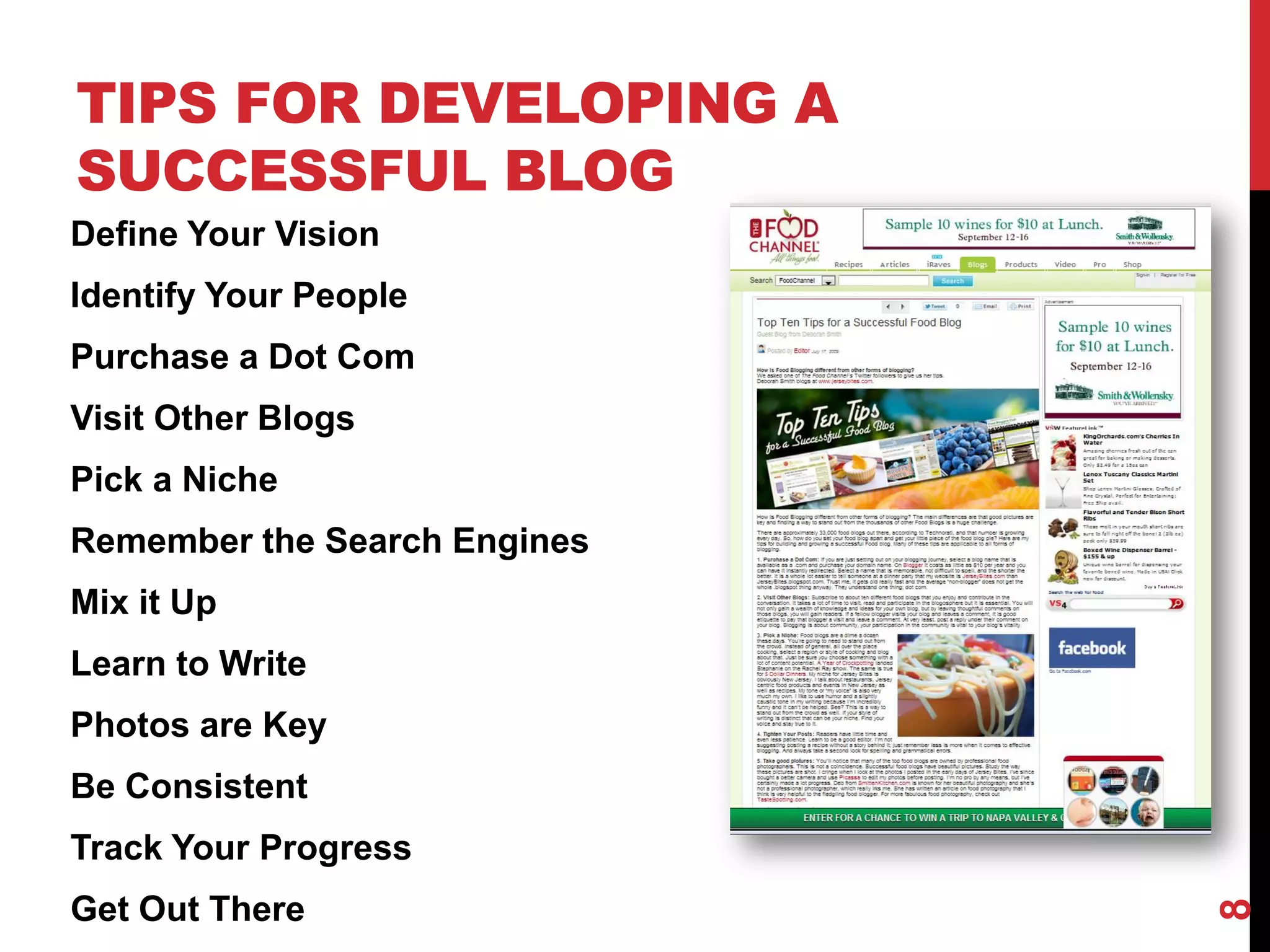
TIPS FOR DEVELOPING A
SUCCESSFUL BLOG
Define Your Vision
Identify Your People
Purchase a Dot Com
Visit Other Blogs
Pick a Niche
Remember the Search Engines
Mix it Up
Learn to Write
Photos are Key
Be Consistent
Track Your Progress
Get Out There


                              8
DEFINE YOUR BLOG’S
VISION
    What do you want to achieve?
    Why do you want it? What are your underlying
    motivations?
    Can Others rally around your vision?
    What perceived problems are you addressing?
    What are you lacking today?
    What can keep you from accomplishing your
    vision?


                                                   9
IDENTIFY YOUR PEOPLE


Who do you know that
can help you with
content?
What other bloggers are
influencers in your
industry?
What can you offer
industry influencers to
get them involved?


 These Lists Will Grow and Evolve Over Time as Your Learn More and Meet
 More People.


                                                                          10
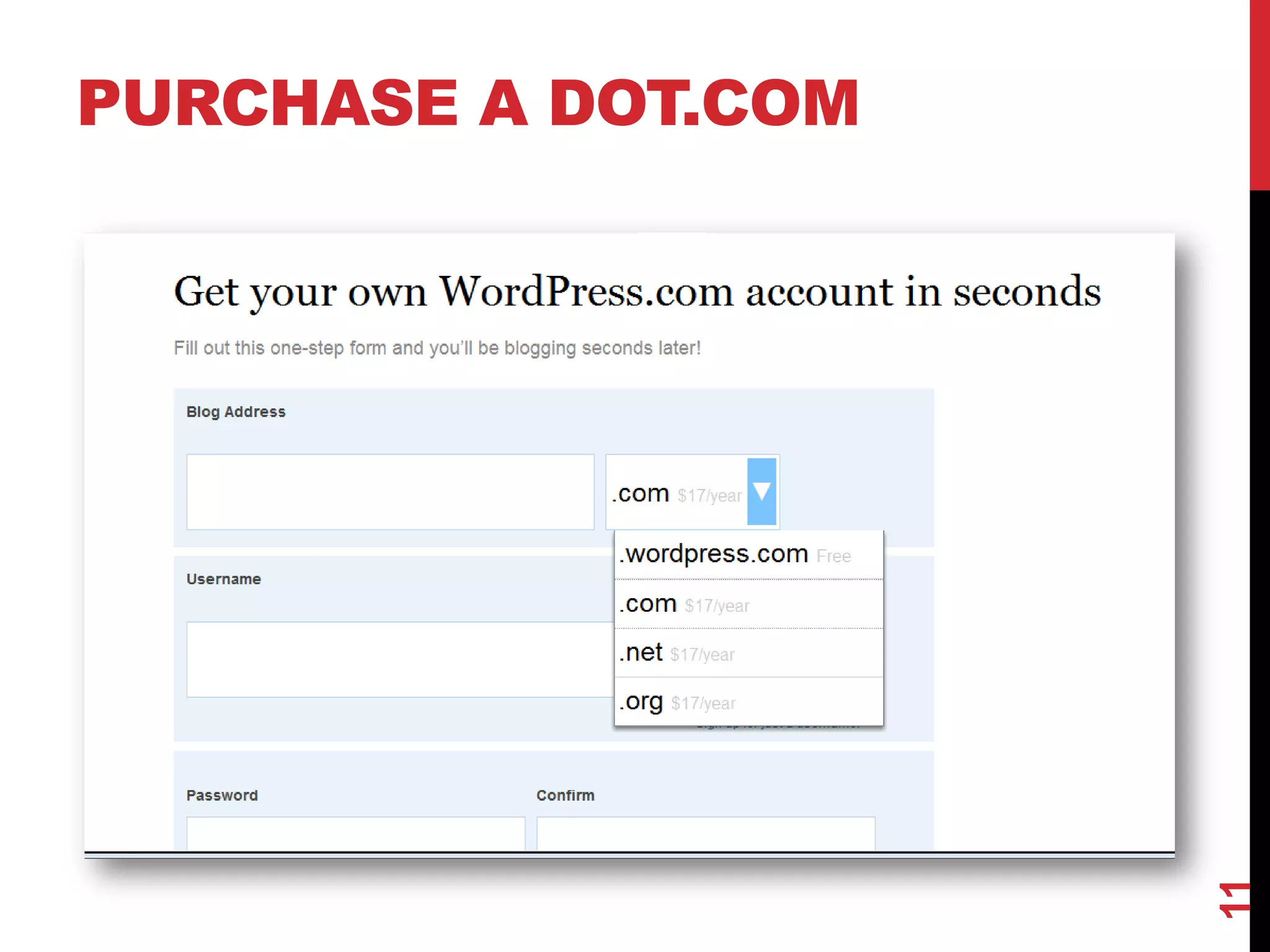
PURCHASE A DOT.COM


                     11
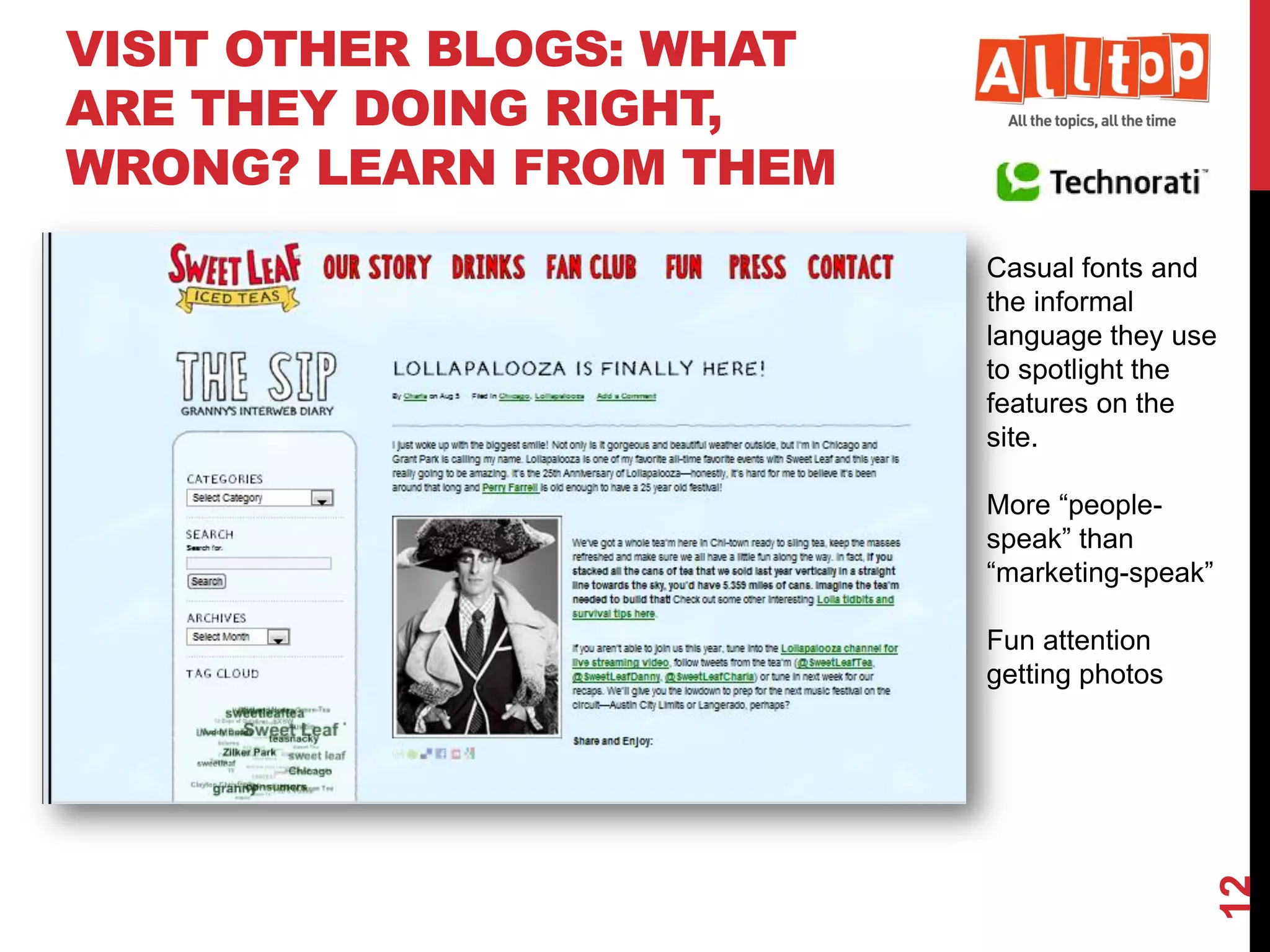
VISIT OTHER BLOGS: WHAT
ARE THEY DOING RIGHT,
WRONG? LEARN FROM THEM
                          Casual fonts and
                          the informal
                          language they use
                          to spotlight the
                          features on the
                          site.

                          More “people-
                          speak” than
                          “marketing-speak”

                          Fun attention
                          getting photos


                                              12
PICK A NICHE
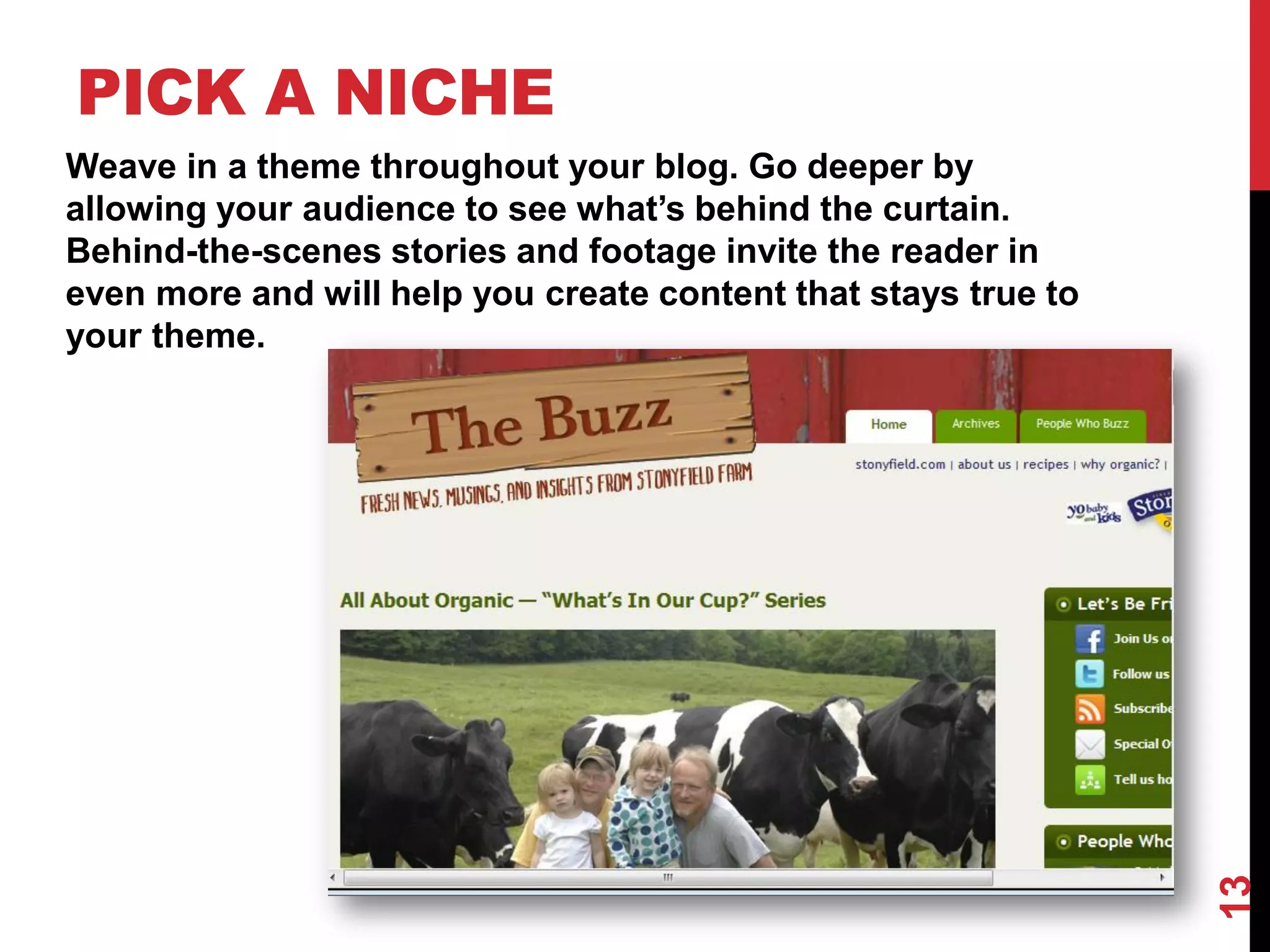
Weave in a theme throughout your blog. Go deeper by
allowing your audience to see what’s behind the curtain.
Behind-the-scenes stories and footage invite the reader in
even more and will help you create content that stays true to
your theme.


                                                                13
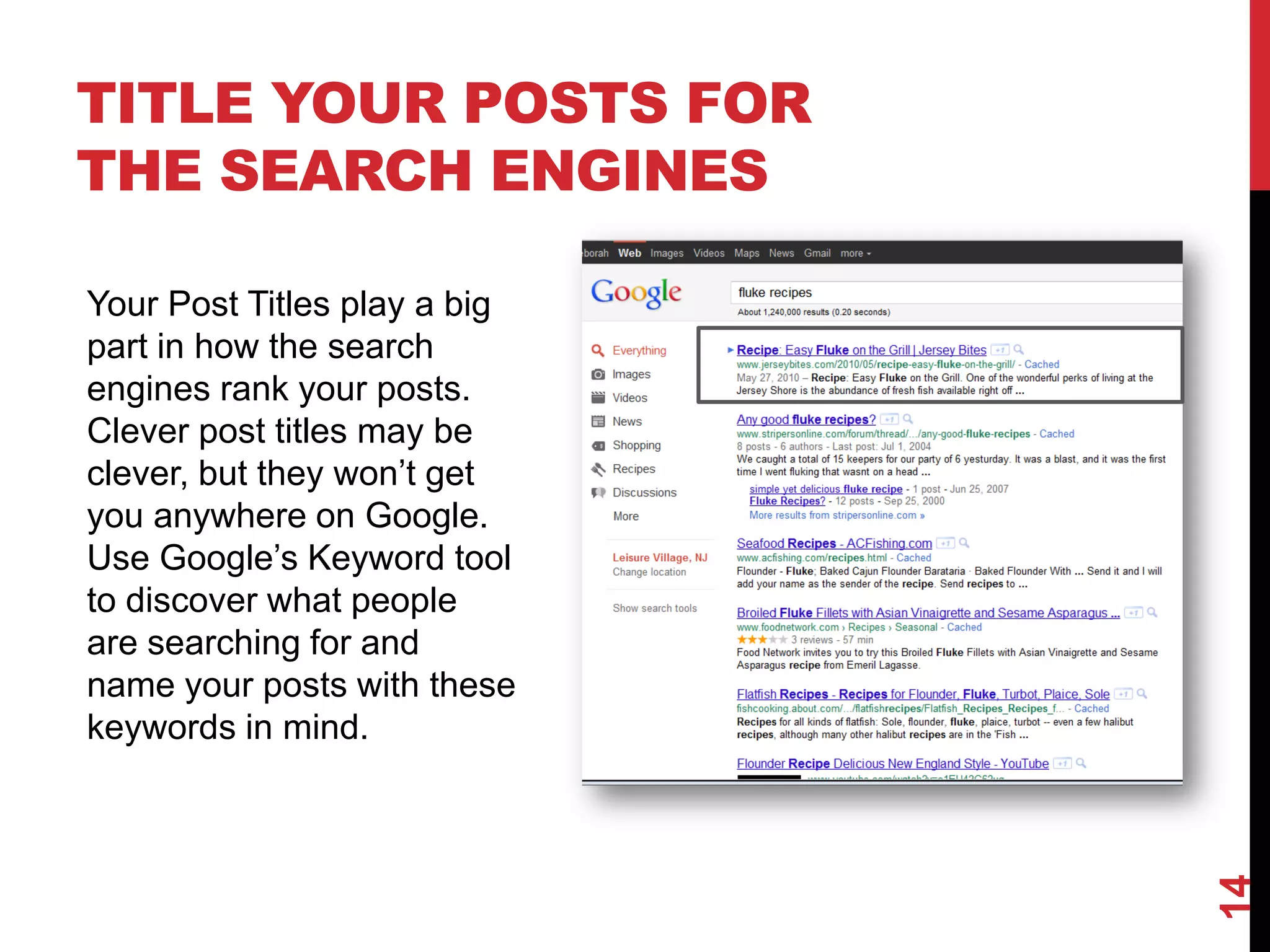
TITLE YOUR POSTS FOR
THE SEARCH ENGINES

Your Post Titles play a big
part in how the search
engines rank your posts.
Clever post titles may be
clever, but they won’t get
you anywhere on Google.
Use Google’s Keyword tool
to discover what people
are searching for and
name your posts with these
keywords in mind.


                              14
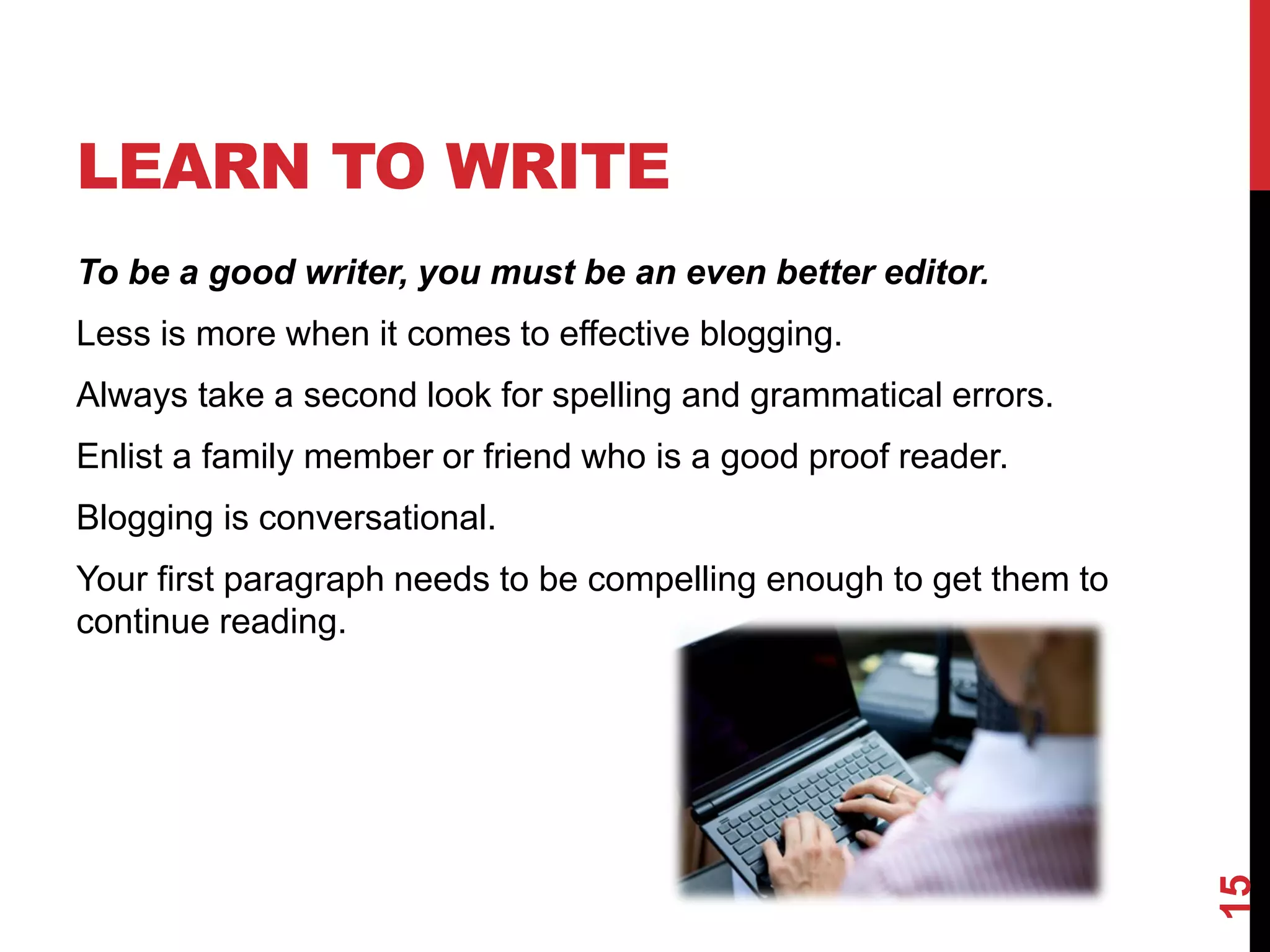
LEARN TO WRITE
To be a good writer, you must be an even better editor.
Less is more when it comes to effective blogging.
Always take a second look for spelling and grammatical errors.
Enlist a family member or friend who is a good proof reader.
Blogging is conversational.
Your first paragraph needs to be compelling enough to get them to
continue reading.


                                                                    15
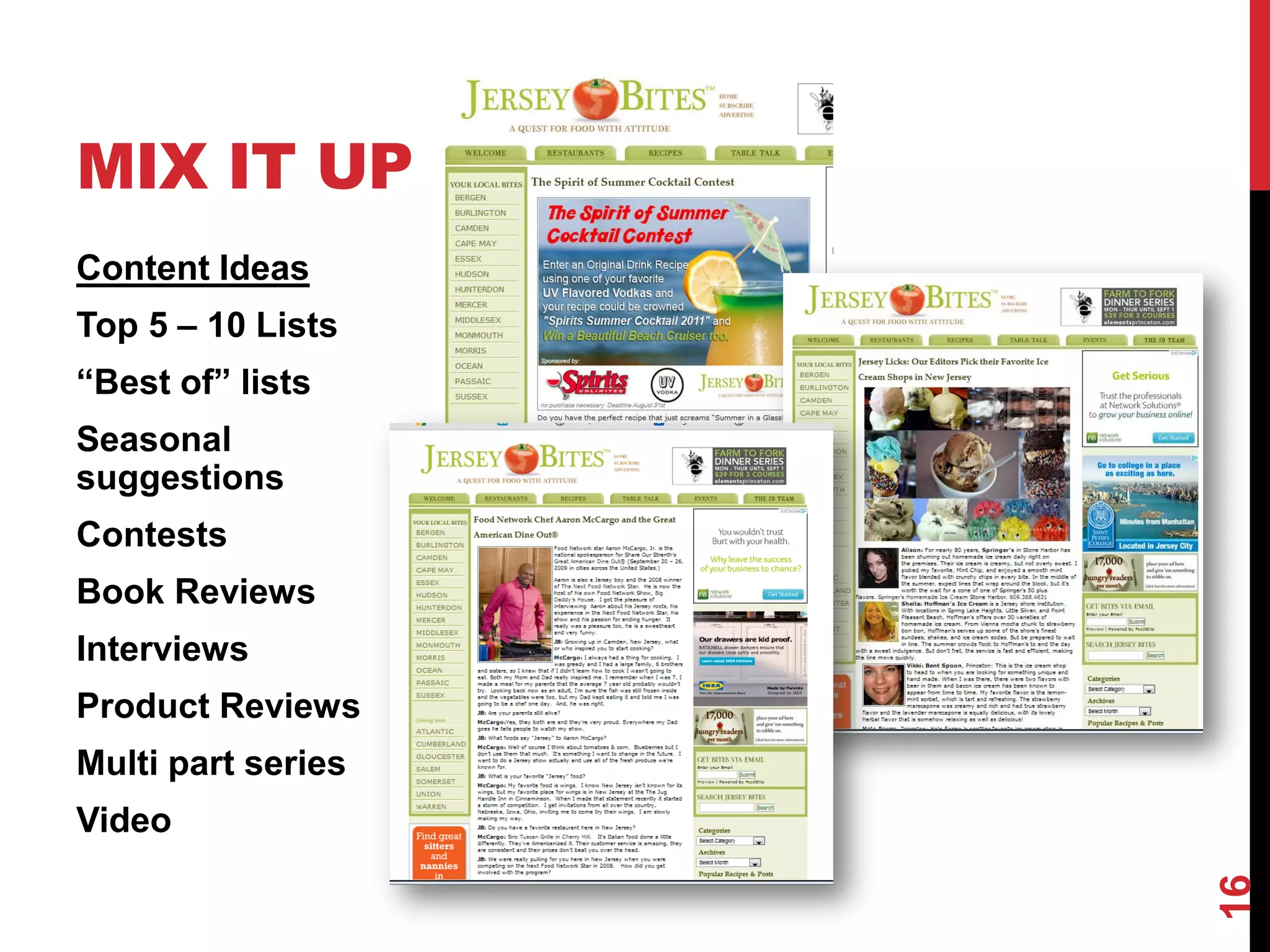
MIX IT UP
Content Ideas
Top 5 – 10 Lists
“Best of” lists
Seasonal
suggestions
Contests
Book Reviews
Interviews
Product Reviews
Multi part series
Video


                    16
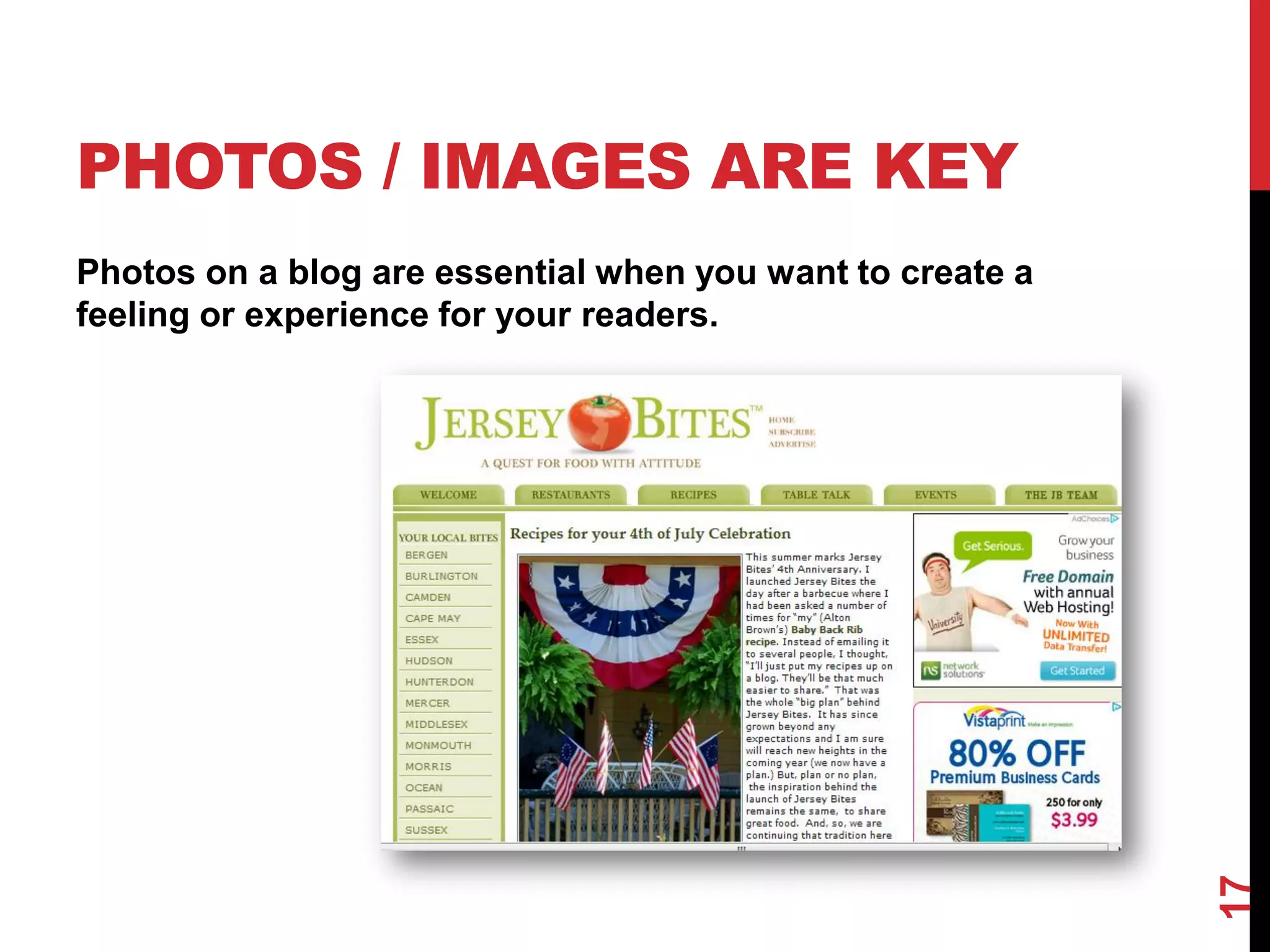
PHOTOS / IMAGES ARE KEY
Photos on a blog are essential when you want to create a
feeling or experience for your readers.


                                                           17
BE CONSISTENT
Pick a Day or Days for Your Blog Posts and Be Consistent
You readers will know when to expect an update from you and the
search engines will start to trust your blog. Your blog will gain
authority and your posts will start to rank higher and higher in the
search engines.
Create a Theme Day
  •   Tasty Tuesday
  •   Win it Wednesday
  •   Motivational Monday
  •   Foodie Things to Do Weekend Roundup


                                                                       18
GET OUT THERE
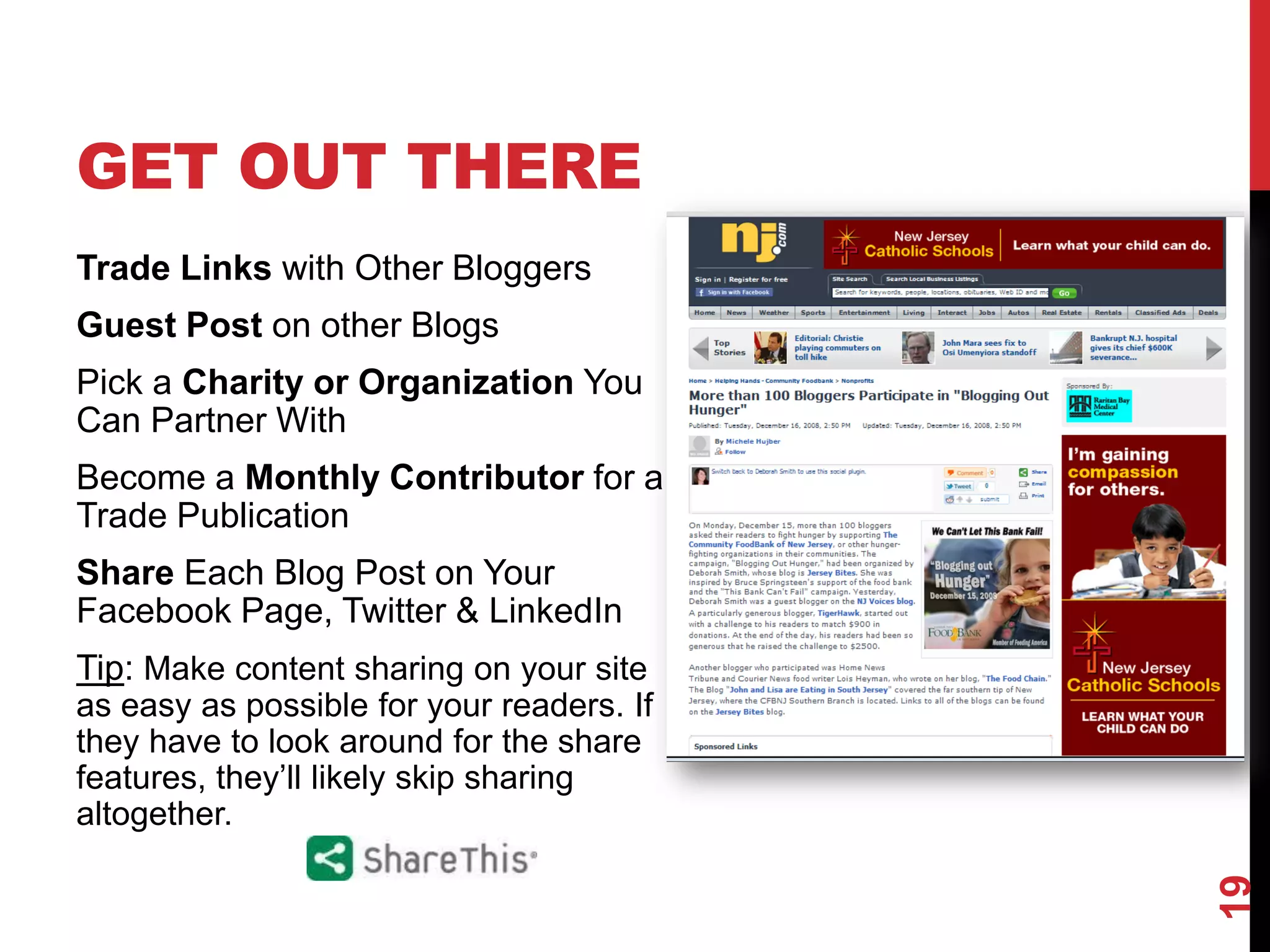
Trade Links with Other Bloggers
Guest Post on other Blogs
Pick a Charity or Organization You
Can Partner With
Become a Monthly Contributor for a
Trade Publication
Share Each Blog Post on Your
Facebook Page, Twitter & LinkedIn
Tip: Make content sharing on your site
as easy as possible for your readers. If
they have to look around for the share
features, they’ll likely skip sharing
altogether.


                                           19
TRACK YOUR
PROGRESS
Install Google Analytics on your blog and study what
works.
 What are your most popular blog posts?
 What Keywords are people using that end up in
 visits?
 What days of the week are you getting the most
 traffic?
 If Monday is a popular day on your blog, be sure to
 have something noteworthy and hopefully “social
 bookmark”- worthy posted every Monday.
 If a particular topic gets more attention, shares, hits,


                                                            20
 come up with more articles on the topic.
CAPTURE
SUBSCRIBERS
Can you offer a white paper or
some other valuable
information in exchange for
Name and Email Addresses?


                                 21
BLOG SEARCH
 ENGINES
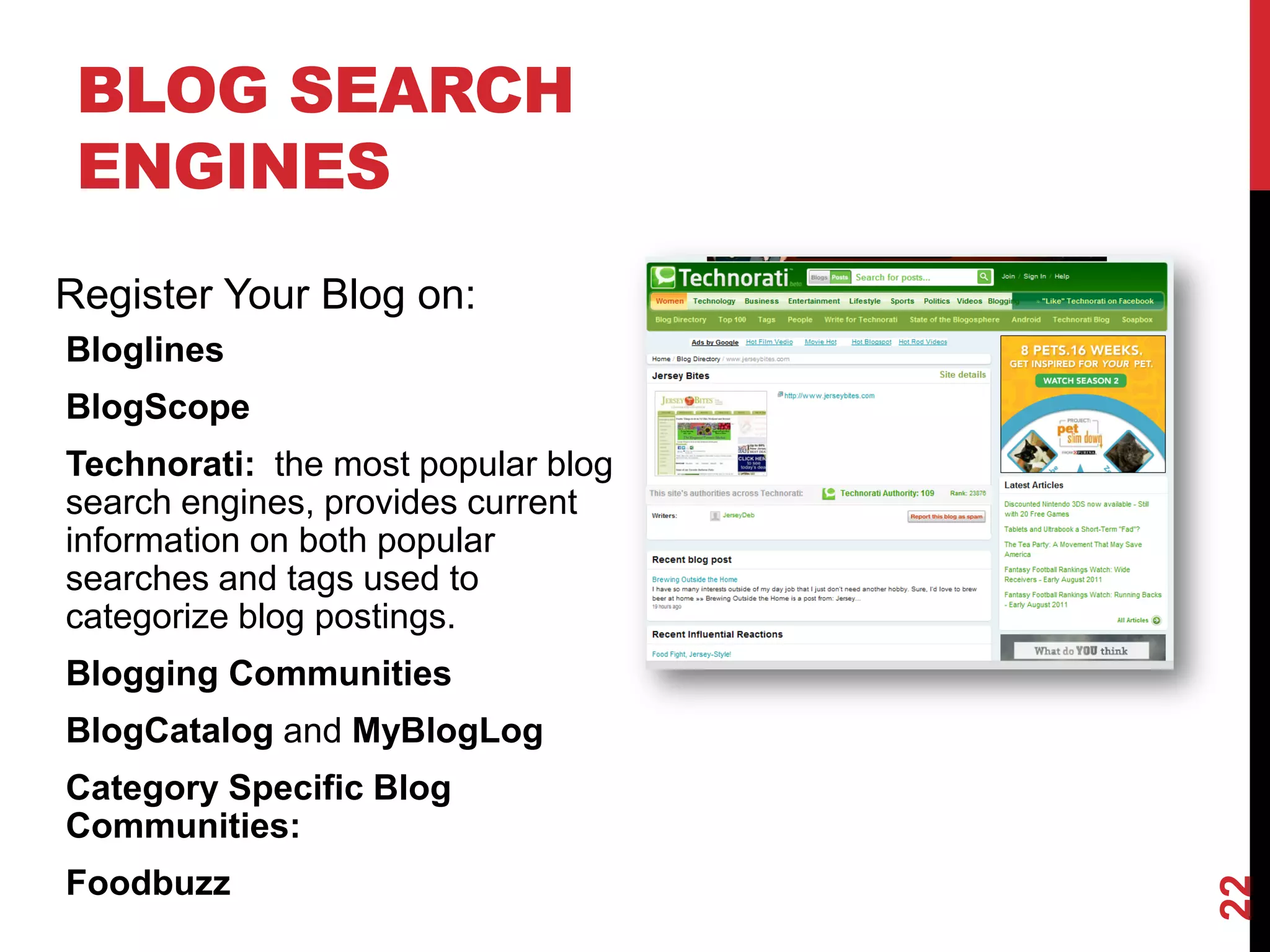
Register Your Blog on:
Bloglines
BlogScope
Technorati: the most popular blog
search engines, provides current
information on both popular
searches and tags used to
categorize blog postings.
Blogging Communities
BlogCatalog and MyBlogLog
Category Specific Blog
Communities:
Foodbuzz


                                    22
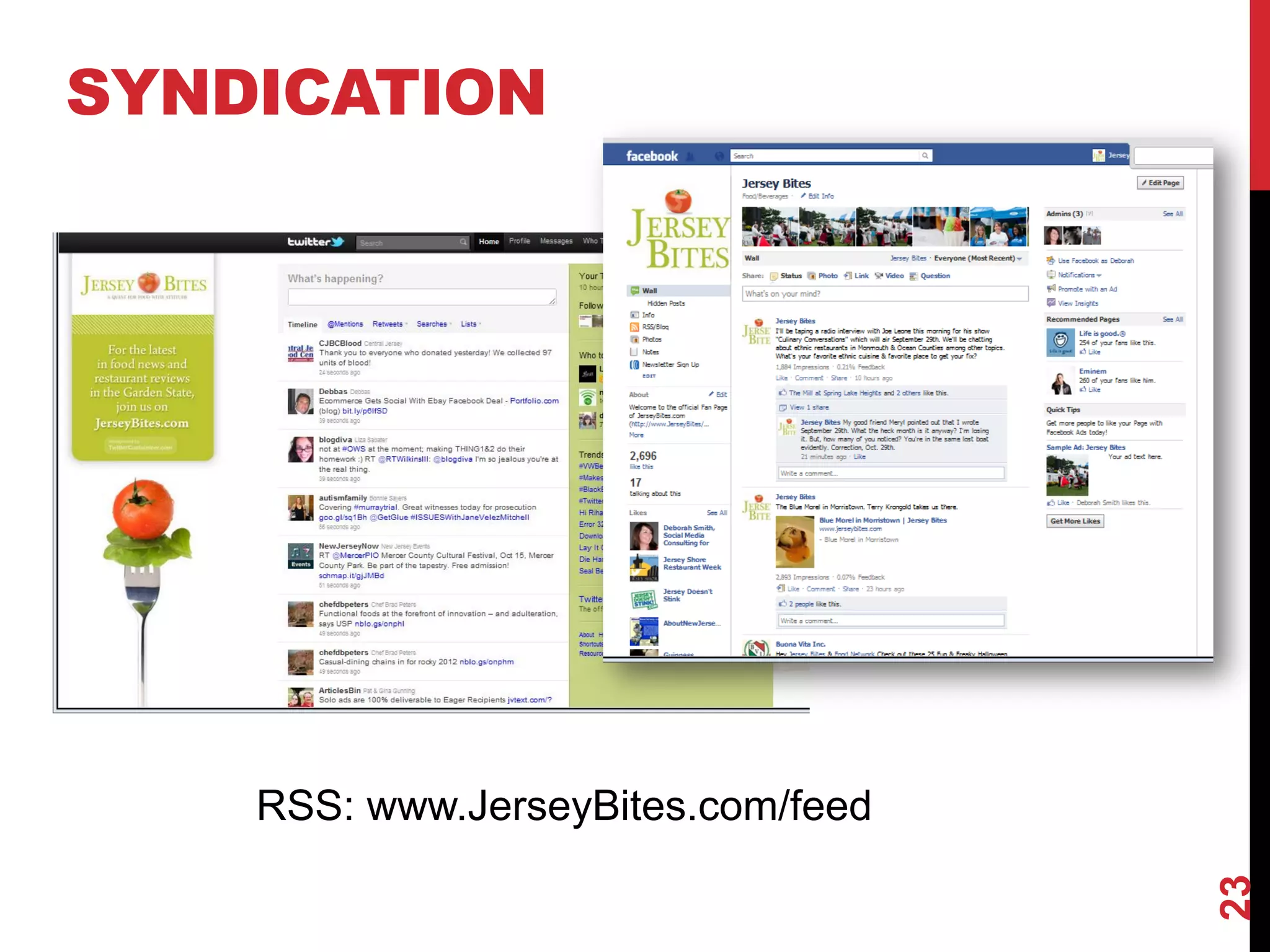
SYNDICATION


    RSS: www.JerseyBites.com/feed


                                    23
24
BLOGGING PLATFORMS

      Wordpress
      Joomla
      Blogspot (blogger)
      Drupal
      Typepad
      Tumblr


                           25
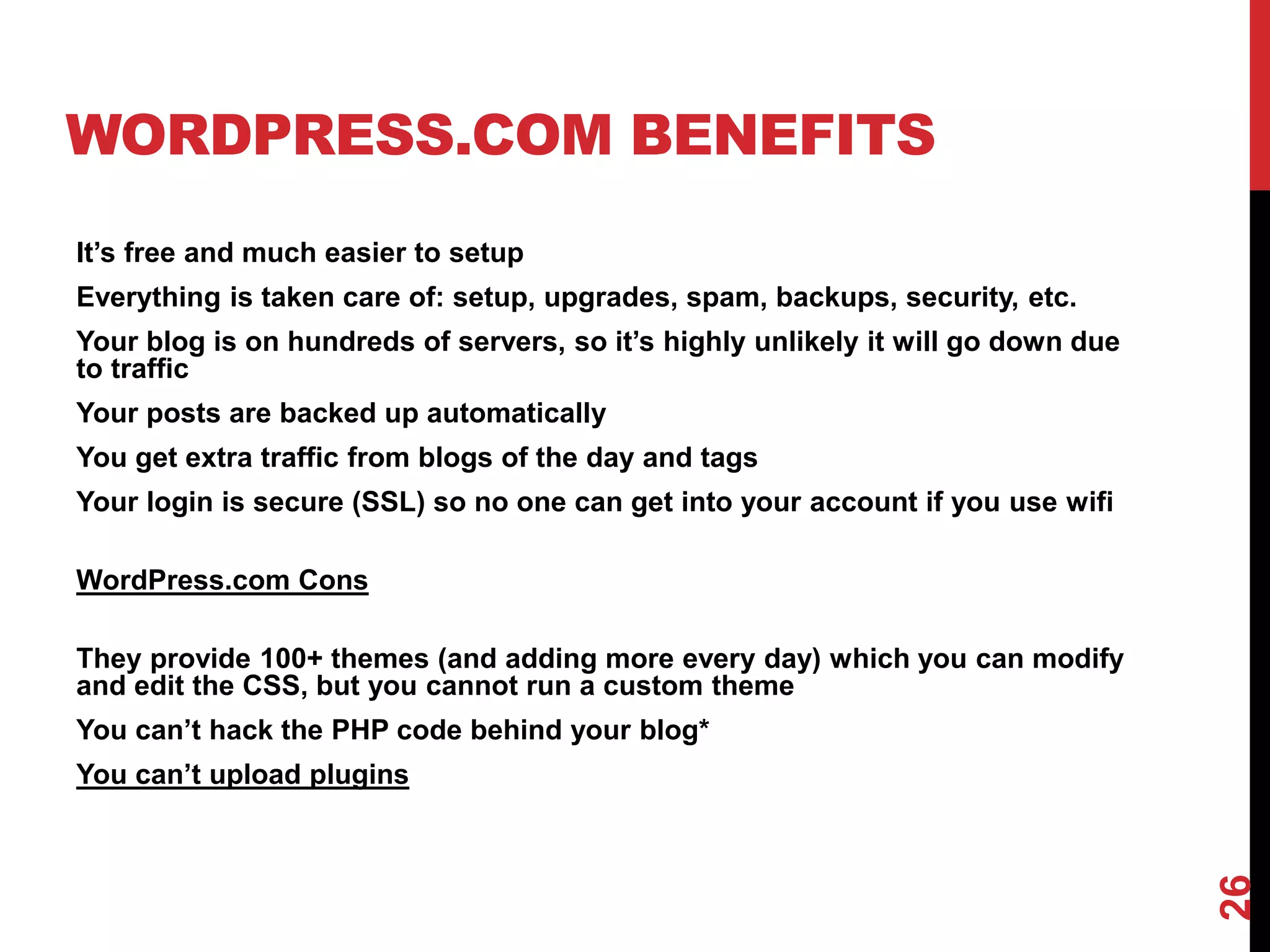
WORDPRESS.COM BENEFITS
It’s free and much easier to setup
Everything is taken care of: setup, upgrades, spam, backups, security, etc.
Your blog is on hundreds of servers, so it’s highly unlikely it will go down due
to traffic
Your posts are backed up automatically
You get extra traffic from blogs of the day and tags
Your login is secure (SSL) so no one can get into your account if you use wifi

WordPress.com Cons

They provide 100+ themes (and adding more every day) which you can modify
and edit the CSS, but you cannot run a custom theme
You can’t hack the PHP code behind your blog*
You can’t upload plugins


                                                                                   26
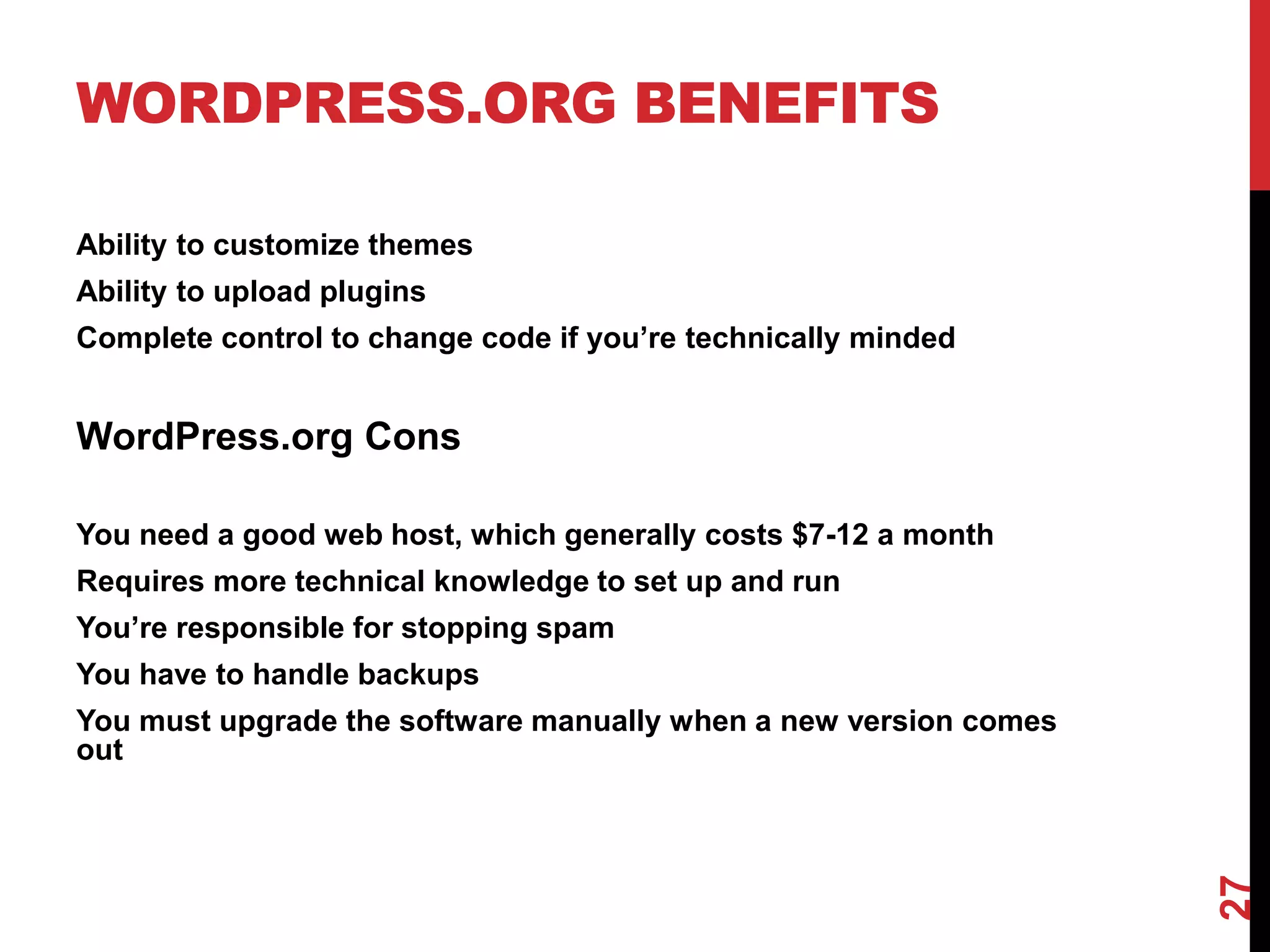
WORDPRESS.ORG BENEFITS

Ability to customize themes
Ability to upload plugins
Complete control to change code if you’re technically minded


WordPress.org Cons

You need a good web host, which generally costs $7-12 a month
Requires more technical knowledge to set up and run
You’re responsible for stopping spam
You have to handle backups
You must upgrade the software manually when a new version comes
out


                                                                  27
PLUGINS ARE POWERFUL
Wordpress plugins can make your blog function in some
pretty cool ways.
        Some of the Plugins I use:
        • Wp-reCAPTCHA
        • Log In Lock Down
        • All in One SEO Pack
        • Embed Iframe
        • Evermore
        • Google XML Sitemap
        • Linked Within
        • Print Friendly and PDF
        • Share This
        • Wordpress Database Backup
        • Wordpress Google Calendar
        • WPtouch Pro


                                                        28
LINKED WITHIN


                29
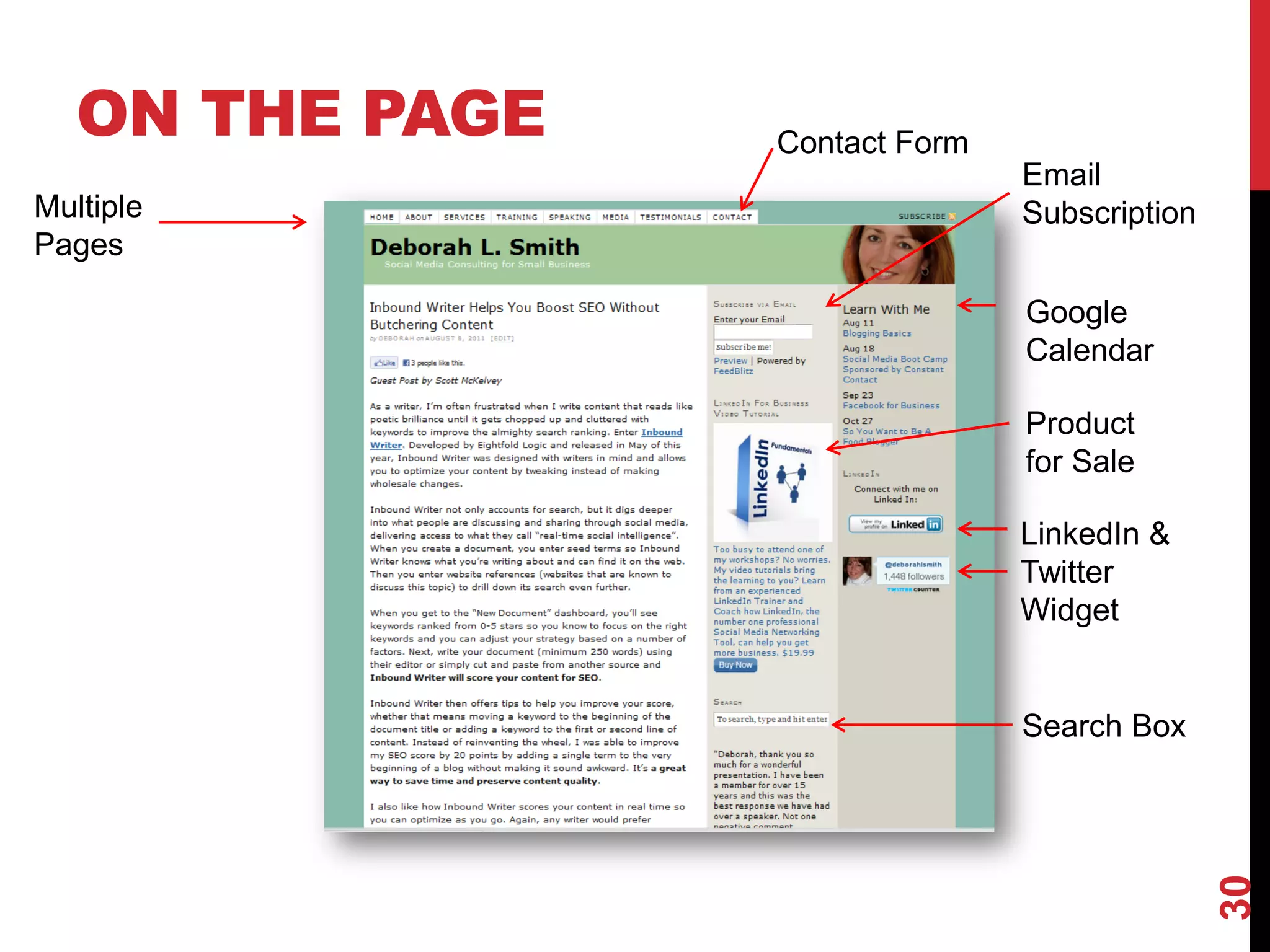
ON THE PAGE   Contact Form
                                Email
Multiple                        Subscription
Pages

                                Google
                                Calendar

                                Product
                                for Sale

                                LinkedIn &
                                Twitter
                                Widget


                                Search Box


                                               30
THE WORDPRESS DASHBOARD


                          31
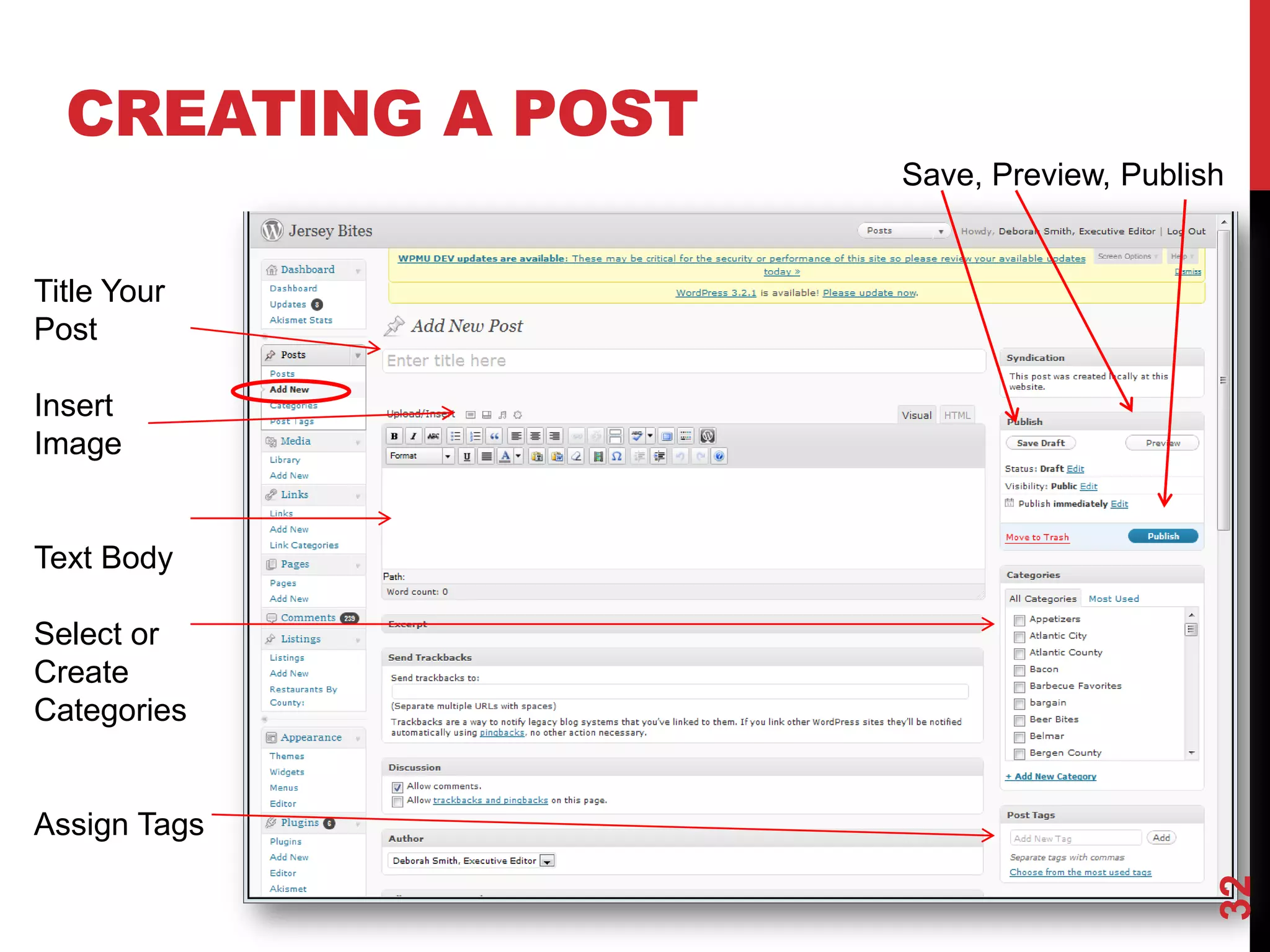
CREATING A POST
                    Save, Preview, Publish


Title Your
Post

Insert
Image


Text Body

Select or
Create
Categories


Assign Tags


                                         32
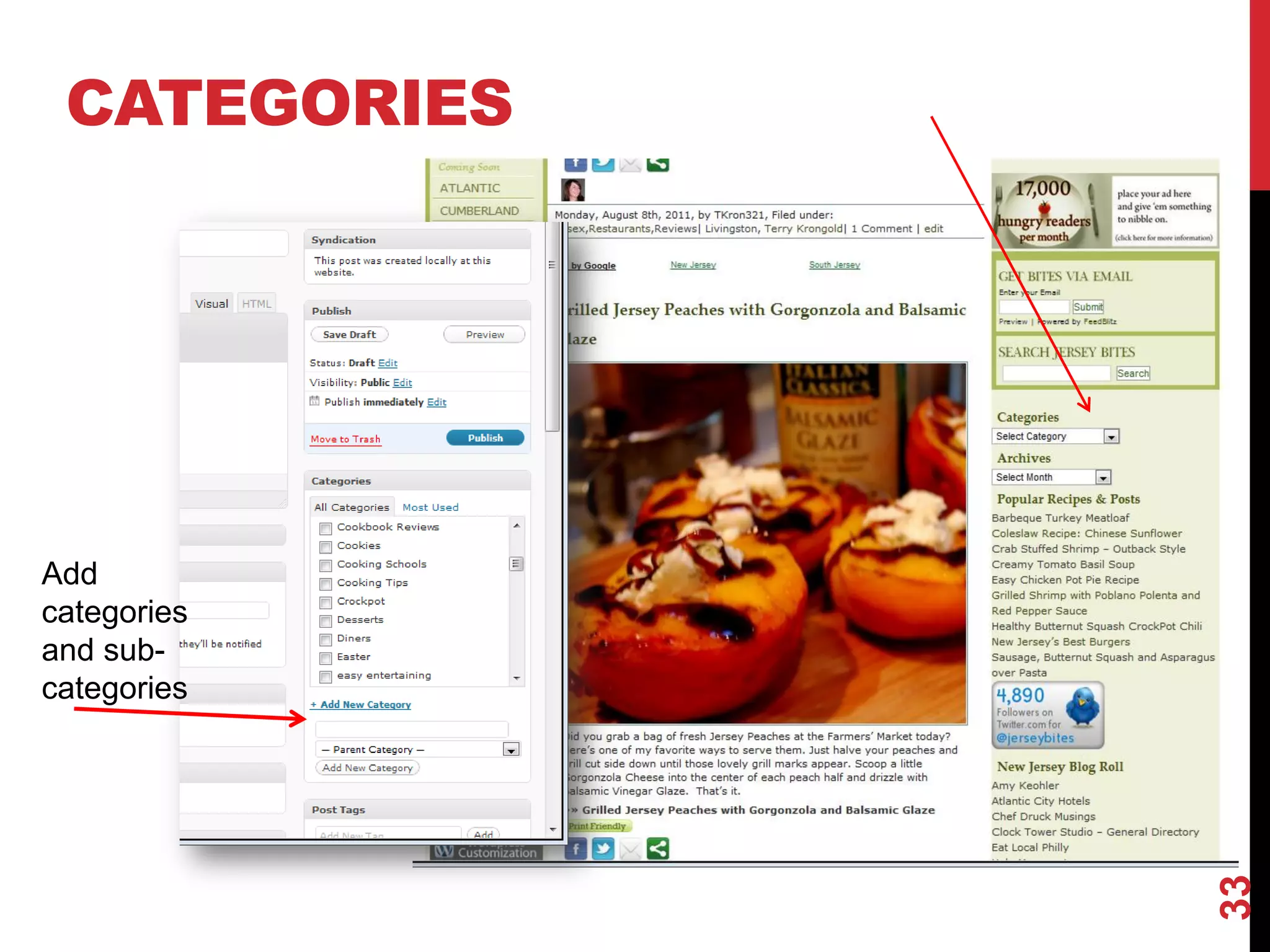
CATEGORIES


Add
categories
and sub-
categories


              33
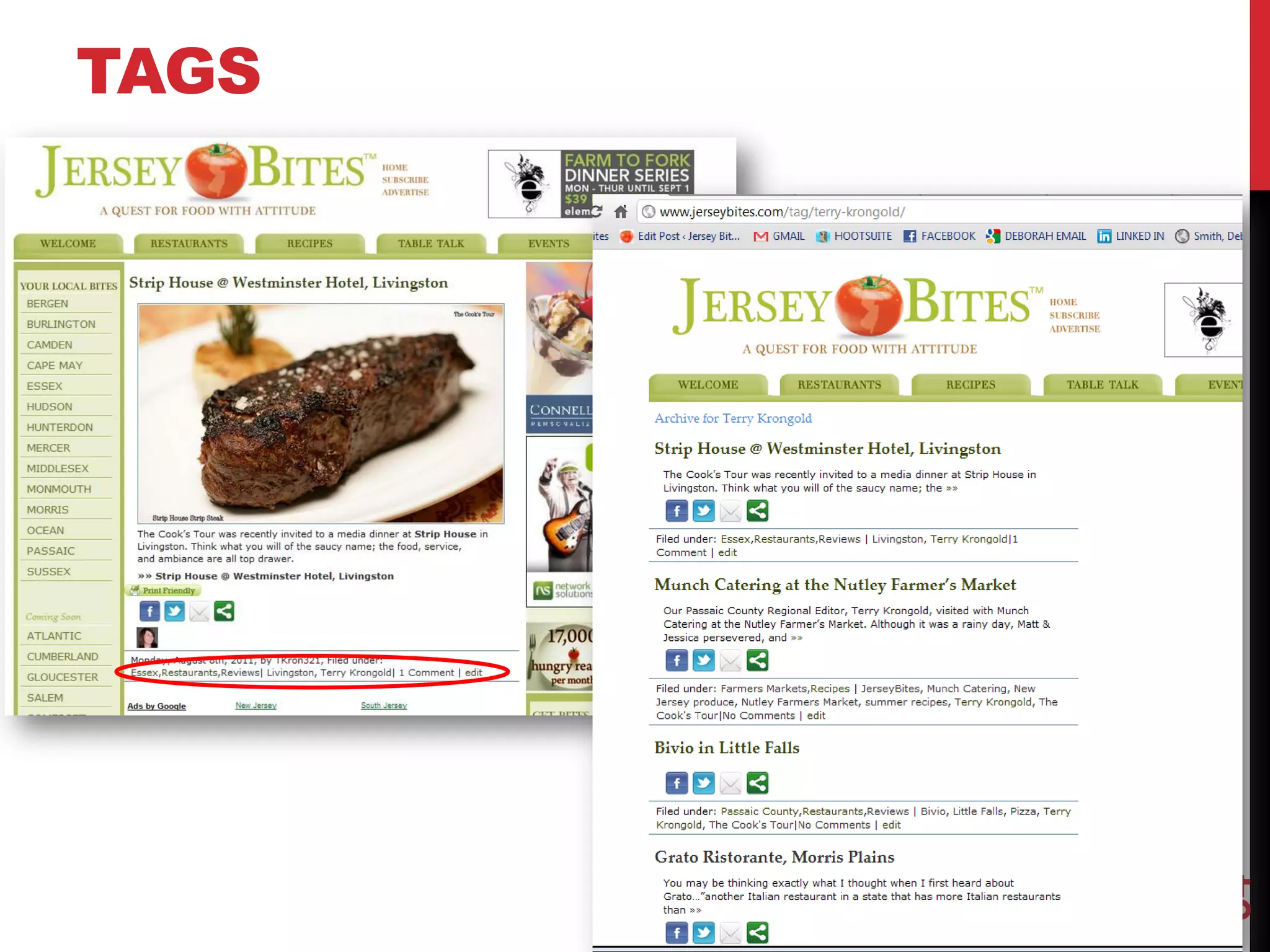
TAGS


       34
WIDGETS
                Drag and Drop Widgets
                to Sidebar


Text Widget
Allows you to
add HTML
Snippets


                                        35
COMMENTS


           36
IMPORT YOUR BLOG


                   37
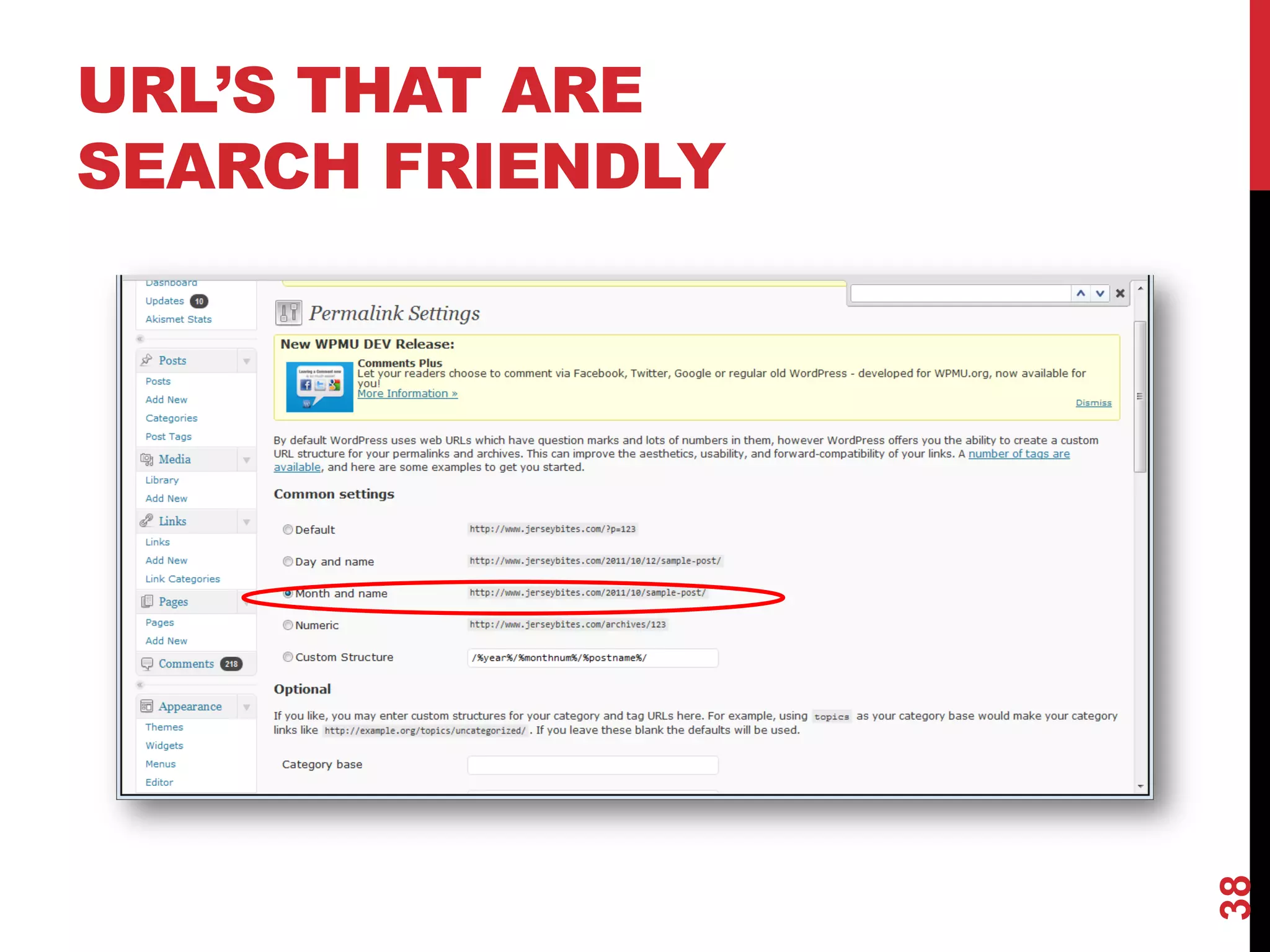
URL’S THAT ARE
SEARCH FRIENDLY


                  38
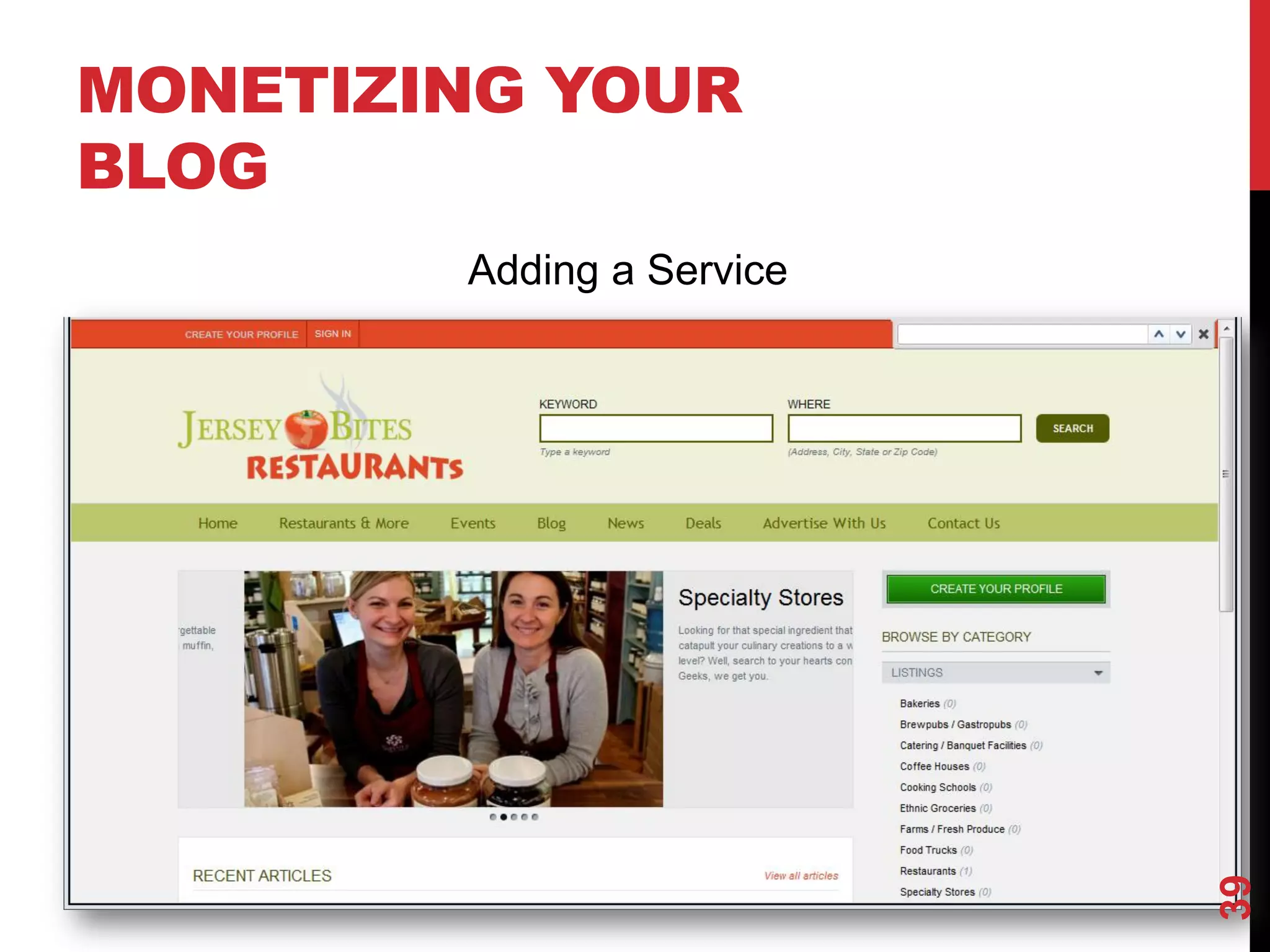
MONETIZING YOUR
BLOG
        Adding a Service


                           39
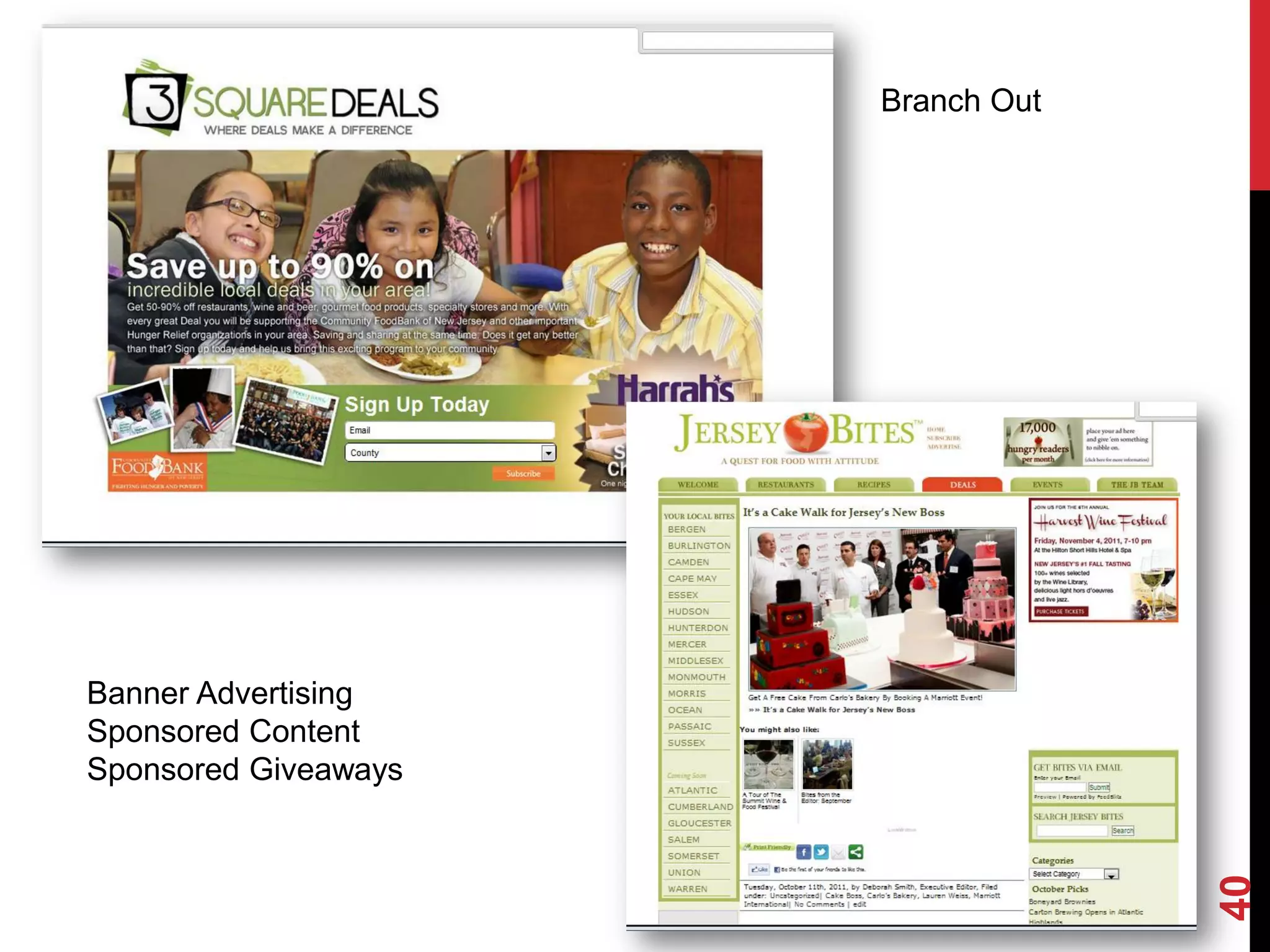
Branch Out


Banner Advertising
Sponsored Content
Sponsored Giveaways


                                   40
RECOMMENDED TOOLS

  Wordpress.com with several plugins
  Feedblitz.com: Email Subscription for Blogs
  Aweber.com: Email Service Provider
  PrintFriendly: Plugin allows for “print friendly” version of
  post
  Twitter: Great for Sharing Blog Content
  Facebook: Great for Sharing Blog Content
  Google Analytics: Study What is Working, What Keyword are
  bringing you visitors, and more
  Flickr: Store photos on Flickr for uploading to WP
  Picasa: Edit photos to make them look their best


                                                                 41
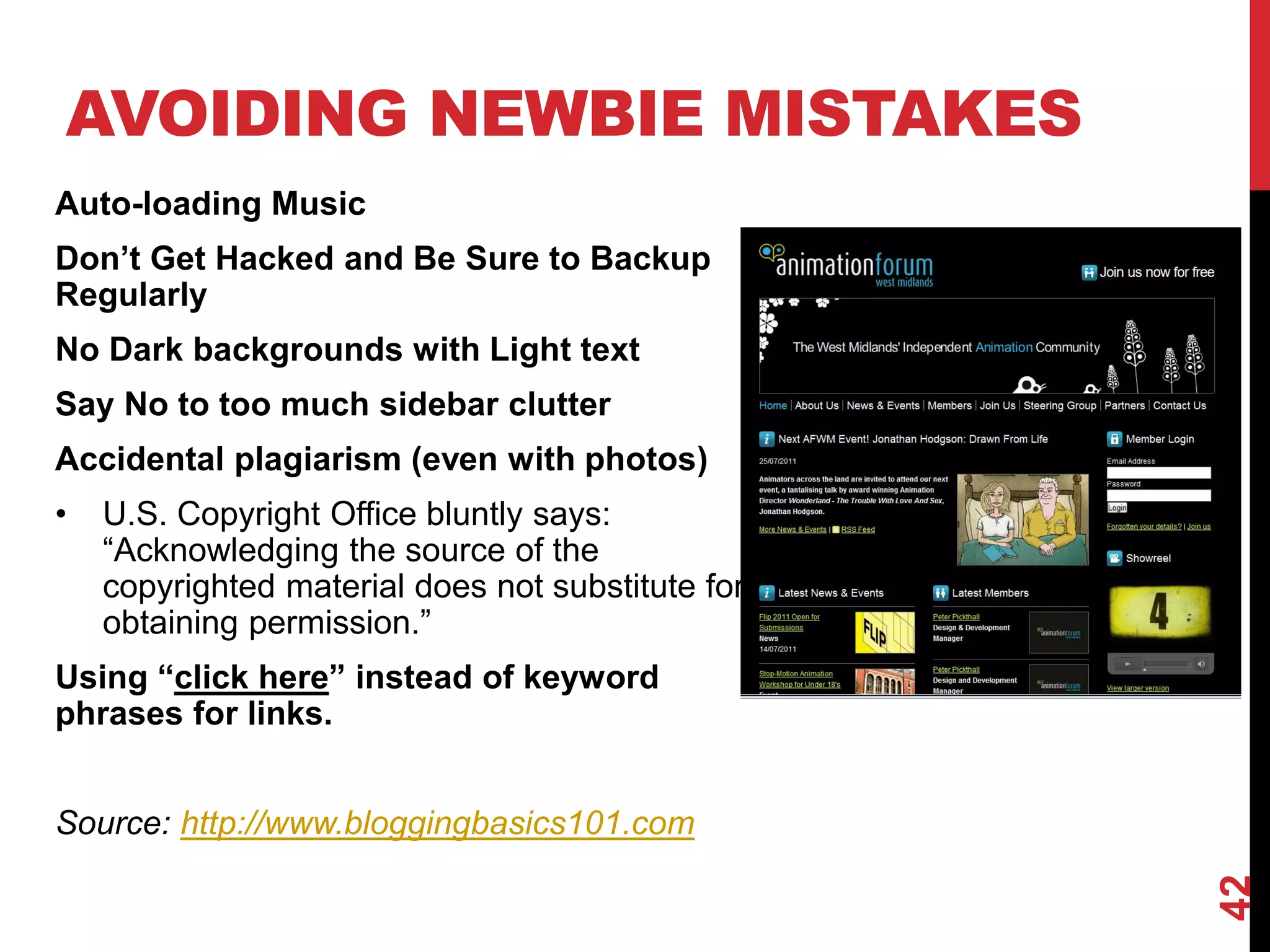
AVOIDING NEWBIE MISTAKES
Auto-loading Music
Don’t Get Hacked and Be Sure to Backup
Regularly
No Dark backgrounds with Light text
Say No to too much sidebar clutter
Accidental plagiarism (even with photos)
•   U.S. Copyright Office bluntly says:
    “Acknowledging the source of the
    copyrighted material does not substitute for
    obtaining permission.”
Using “click here” instead of keyword
phrases for links.


Source: http://www.bloggingbasics101.com


                                                   42
YOUR ROADMAP
 1. Purchase and Read Launch by Michael Stelzner

 2. Research Other Blogs in Your Industry

 3. Map out Your Vision

 4. Identify The People Who Can Assist

 5. Create a Content Calendar

 6. Create a List of Plugins or Widgets

 7. Develop a Design Concept

 8. Have Blog Developed and Uploaded to Web Host

 9. Start Blogging and syndicating to Social Accounts


   And Remember the Three P’s of Blogging


                                                        43
   Passion, Persistence, and Patience
QUESTIONS?
 Deborah Smith, Social Media Consulting
 Foxtrot Media, LLC.
 info@DeborahLSmith.com
 Reach me @ Twitter.com/JerseyBites or @DeborahLSmith
 Facebook.com/SocialMedia4Business
 LinkedIn.com/in/DeborahLeeSmith
 www.DeborahLSmith.com
 www.JerseyBites.com


                                                        44

Blogging for Business

  • 1.
  • 2.
    AGENDA Whatis a Blog? Why Blog? Types of Blogs? Getting Started 10 Tips for a Successful Blog Capturing Subscribers Wordpress Creating and Editing Your Blog Wordpress Features and Favorite Tools Your Roadmap 2
  • 3.
    WHAT IS ABLOG? A Blog is a Website where You control the content You Create the Content (written or video) You Publish the Content to the Internet Vocab: A Blog is the Website as a whole. Individual articles are called “Posts.” 3
  • 4.
    WHY BLOG? Attract leads,prospects, and opportunity without actively selling Gain Access to influential people in your industry Connect and gain the trust of prospects and customers Gain tremendous ground in the search engines 4
  • 5.
    TYPES OF BLOGS Business Blogs • Blogs to help promote the business that owns them Special Interest Blogs • Mom Blogs • Food Blogs • Crafting Blogs • Blogging Blogs • Political Blogs Many Special Interest Blogs are evolving into Entrepreneurial ventures. 5
  • 6.
  • 7.
    GETTING STARTED GC + OP – MM = GROWTH Great Content + Other People – Marketing Messages = Growth 7
  • 8.
    TIPS FOR DEVELOPINGA SUCCESSFUL BLOG Define Your Vision Identify Your People Purchase a Dot Com Visit Other Blogs Pick a Niche Remember the Search Engines Mix it Up Learn to Write Photos are Key Be Consistent Track Your Progress Get Out There 8
  • 9.
    DEFINE YOUR BLOG’S VISION What do you want to achieve? Why do you want it? What are your underlying motivations? Can Others rally around your vision? What perceived problems are you addressing? What are you lacking today? What can keep you from accomplishing your vision? 9
  • 10.
    IDENTIFY YOUR PEOPLE Whodo you know that can help you with content? What other bloggers are influencers in your industry? What can you offer industry influencers to get them involved? These Lists Will Grow and Evolve Over Time as Your Learn More and Meet More People. 10
  • 11.
  • 12.
    VISIT OTHER BLOGS:WHAT ARE THEY DOING RIGHT, WRONG? LEARN FROM THEM Casual fonts and the informal language they use to spotlight the features on the site. More “people- speak” than “marketing-speak” Fun attention getting photos 12
  • 13.
    PICK A NICHE Weavein a theme throughout your blog. Go deeper by allowing your audience to see what’s behind the curtain. Behind-the-scenes stories and footage invite the reader in even more and will help you create content that stays true to your theme. 13
  • 14.
    TITLE YOUR POSTSFOR THE SEARCH ENGINES Your Post Titles play a big part in how the search engines rank your posts. Clever post titles may be clever, but they won’t get you anywhere on Google. Use Google’s Keyword tool to discover what people are searching for and name your posts with these keywords in mind. 14
  • 15.
    LEARN TO WRITE Tobe a good writer, you must be an even better editor. Less is more when it comes to effective blogging. Always take a second look for spelling and grammatical errors. Enlist a family member or friend who is a good proof reader. Blogging is conversational. Your first paragraph needs to be compelling enough to get them to continue reading. 15
  • 16.
    MIX IT UP ContentIdeas Top 5 – 10 Lists “Best of” lists Seasonal suggestions Contests Book Reviews Interviews Product Reviews Multi part series Video 16
  • 17.
    PHOTOS / IMAGESARE KEY Photos on a blog are essential when you want to create a feeling or experience for your readers. 17
  • 18.
    BE CONSISTENT Pick aDay or Days for Your Blog Posts and Be Consistent You readers will know when to expect an update from you and the search engines will start to trust your blog. Your blog will gain authority and your posts will start to rank higher and higher in the search engines. Create a Theme Day • Tasty Tuesday • Win it Wednesday • Motivational Monday • Foodie Things to Do Weekend Roundup 18
  • 19.
    GET OUT THERE TradeLinks with Other Bloggers Guest Post on other Blogs Pick a Charity or Organization You Can Partner With Become a Monthly Contributor for a Trade Publication Share Each Blog Post on Your Facebook Page, Twitter & LinkedIn Tip: Make content sharing on your site as easy as possible for your readers. If they have to look around for the share features, they’ll likely skip sharing altogether. 19
  • 20.
    TRACK YOUR PROGRESS Install GoogleAnalytics on your blog and study what works. What are your most popular blog posts? What Keywords are people using that end up in visits? What days of the week are you getting the most traffic? If Monday is a popular day on your blog, be sure to have something noteworthy and hopefully “social bookmark”- worthy posted every Monday. If a particular topic gets more attention, shares, hits, 20 come up with more articles on the topic.
  • 21.
    CAPTURE SUBSCRIBERS Can you offera white paper or some other valuable information in exchange for Name and Email Addresses? 21
  • 22.
    BLOG SEARCH ENGINES RegisterYour Blog on: Bloglines BlogScope Technorati: the most popular blog search engines, provides current information on both popular searches and tags used to categorize blog postings. Blogging Communities BlogCatalog and MyBlogLog Category Specific Blog Communities: Foodbuzz 22
  • 23.
    SYNDICATION RSS: www.JerseyBites.com/feed 23
  • 24.
  • 25.
    BLOGGING PLATFORMS Wordpress Joomla Blogspot (blogger) Drupal Typepad Tumblr 25
  • 26.
    WORDPRESS.COM BENEFITS It’s freeand much easier to setup Everything is taken care of: setup, upgrades, spam, backups, security, etc. Your blog is on hundreds of servers, so it’s highly unlikely it will go down due to traffic Your posts are backed up automatically You get extra traffic from blogs of the day and tags Your login is secure (SSL) so no one can get into your account if you use wifi WordPress.com Cons They provide 100+ themes (and adding more every day) which you can modify and edit the CSS, but you cannot run a custom theme You can’t hack the PHP code behind your blog* You can’t upload plugins 26
  • 27.
    WORDPRESS.ORG BENEFITS Ability tocustomize themes Ability to upload plugins Complete control to change code if you’re technically minded WordPress.org Cons You need a good web host, which generally costs $7-12 a month Requires more technical knowledge to set up and run You’re responsible for stopping spam You have to handle backups You must upgrade the software manually when a new version comes out 27
  • 28.
    PLUGINS ARE POWERFUL Wordpressplugins can make your blog function in some pretty cool ways. Some of the Plugins I use: • Wp-reCAPTCHA • Log In Lock Down • All in One SEO Pack • Embed Iframe • Evermore • Google XML Sitemap • Linked Within • Print Friendly and PDF • Share This • Wordpress Database Backup • Wordpress Google Calendar • WPtouch Pro 28
  • 29.
  • 30.
    ON THE PAGE Contact Form Email Multiple Subscription Pages Google Calendar Product for Sale LinkedIn & Twitter Widget Search Box 30
  • 31.
  • 32.
    CREATING A POST Save, Preview, Publish Title Your Post Insert Image Text Body Select or Create Categories Assign Tags 32
  • 33.
  • 34.
  • 35.
    WIDGETS Drag and Drop Widgets to Sidebar Text Widget Allows you to add HTML Snippets 35
  • 36.
  • 37.
  • 38.
  • 39.
    MONETIZING YOUR BLOG Adding a Service 39
  • 40.
    Branch Out Banner Advertising SponsoredContent Sponsored Giveaways 40
  • 41.
    RECOMMENDED TOOLS Wordpress.com with several plugins Feedblitz.com: Email Subscription for Blogs Aweber.com: Email Service Provider PrintFriendly: Plugin allows for “print friendly” version of post Twitter: Great for Sharing Blog Content Facebook: Great for Sharing Blog Content Google Analytics: Study What is Working, What Keyword are bringing you visitors, and more Flickr: Store photos on Flickr for uploading to WP Picasa: Edit photos to make them look their best 41
  • 42.
    AVOIDING NEWBIE MISTAKES Auto-loadingMusic Don’t Get Hacked and Be Sure to Backup Regularly No Dark backgrounds with Light text Say No to too much sidebar clutter Accidental plagiarism (even with photos) • U.S. Copyright Office bluntly says: “Acknowledging the source of the copyrighted material does not substitute for obtaining permission.” Using “click here” instead of keyword phrases for links. Source: http://www.bloggingbasics101.com 42
  • 43.
    YOUR ROADMAP 1.Purchase and Read Launch by Michael Stelzner 2. Research Other Blogs in Your Industry 3. Map out Your Vision 4. Identify The People Who Can Assist 5. Create a Content Calendar 6. Create a List of Plugins or Widgets 7. Develop a Design Concept 8. Have Blog Developed and Uploaded to Web Host 9. Start Blogging and syndicating to Social Accounts And Remember the Three P’s of Blogging 43 Passion, Persistence, and Patience
  • 44.
    QUESTIONS? Deborah Smith,Social Media Consulting Foxtrot Media, LLC. info@DeborahLSmith.com Reach me @ Twitter.com/JerseyBites or @DeborahLSmith Facebook.com/SocialMedia4Business LinkedIn.com/in/DeborahLeeSmith www.DeborahLSmith.com www.JerseyBites.com 44