content for
growing brands: 

Branded Content, Organization, & Consistency
OVERVIEW
• Part 1: Branded Content
• What is your brand?
• Value of brand-related content
• Creating brand standards for content
• Part 2: Organizing Content
• Using Categories
• Editorial Calendars
• Part 3: Creating Premium Content
• Repurposing Content
• E-Books and E-Course Creation
section 1
Branded Content
WHAT IS YOUR BRAND?
(noun): a particular identity or image regarded as
an asset.
WHAT IS YOUR BRAND?
Your website, social media, and email newsletter
are extensions of your brand and should be
cohesive.
CHALLENGE
Write 3-5 words to describe your brand.
WHY BRANDED
CONTENT WORKS
• Creates transparency
• Increases visibility
• Sets pattern for consistency
• Allows for innovative thinking
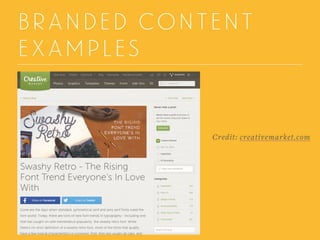
BRANDED CONTENT
EXAMPLES
Credit: creativemarket.com
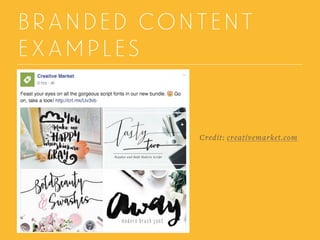
BRANDED CONTENT
EXAMPLES
Credit: creativemarket.com
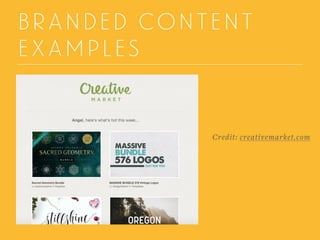
BRANDED CONTENT
EXAMPLES
Credit: creativemarket.com
CHALLENGE
Write down the name of a brand who you feel is
consistent in their content strategy.
CREATING BRANDED
CONTENT GUIDELINES
• Offers regulations without creating confusion
• Decreases content creation time
• Positions brands among their competitors
• Increases chance of consistency
DESIGN GUIDELINES
Design guidelines usually
offer a peek into a brand’s
identity. With a guide to
know what elements make
up a brand, anyone can
create work that stays
within the structure the
company has set.
CREATING BRANDED
CONTENT GUIDELINES
• Create the overall tone for your content
• Choose your formatting
• Select a visual style for your content
• Keep a schedule in mind
CHALLENGE
Describe the overall tone you have for your
content in one sentence.
section 2
Content Organization
CATEGORIZE YOUR
CONTENT
Know the basic topics that your content falls
under. These will become your categories. Using
categories for content in a WordPress blog is a key
factor in SEO ratings. Not only will the categories
help you with blogging, they will be useful when
your create content for social media.
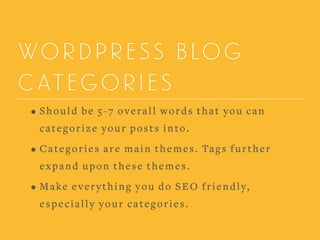
WORDPRESS BLOG
CATEGORIES
• Should be 5-7 overall words that you can
categorize your posts into.
• Categories are main themes. Tags further
expand upon these themes.
• Make everything you do SEO friendly,
especially your categories.
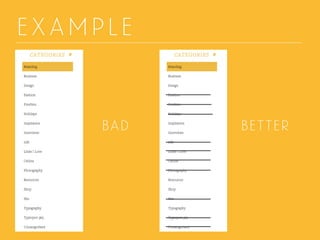
EXAMPLE
BAD BETTER
CHALLENGE
Write three categories for your content.
SCHEDULING YOUR
CONTENT
• Will change your life!
• Increase productivity (by like a thousand
percent)
• Allows for collaboration
• Gets you on track to creating better content
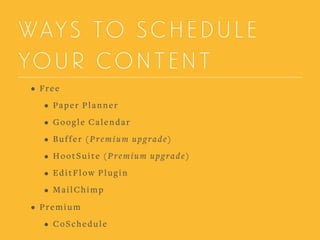
WAYS TO SCHEDULE
YOUR CONTENT
• Free
• Paper Planner
• Google Calendar
• Buffer (Premium upgrade)
• HootSuite (Premium upgrade)
• EditFlow Plugin
• MailChimp
• Premium
• CoSchedule
SCHEDULE YOUR
SOCIAL MEDIA
• Buffer
• Facebook, Google+, LinkedIn, Pinterest, and
Twitter
• HootSuite
• Facebook, Google+, Instagram, LinkedIn, and
Twitter
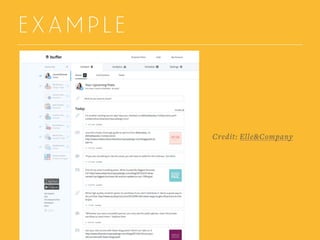
EXAMPLE
Credit: Elle&Company
USING EDIT FLOW
• Calendar
• Custom Statuses
• Editorial Contents
• Editorial Metadata
• Notifications
• Story Budget
• User Groups
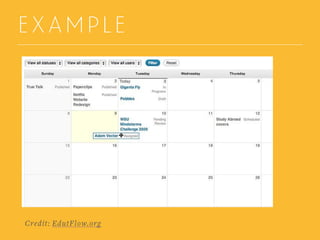
EXAMPLE
Credit: EdutFlow.org
USING COSCHEDULE
• Has the functionality of EditFlow but offers more
• Includes several ways to schedule social media
campaigns
• Offers analytical data
• Starts at $30/month
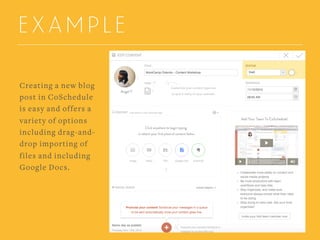
EXAMPLE
Creating a new blog
post in CoSchedule
is easy and offers a
variety of options
including drag-and-
drop importing of
files and including
Google Docs.
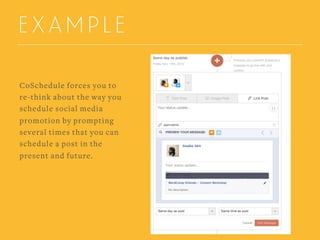
EXAMPLE
CoSchedule forces you to
re-think about the way you
schedule social media
promotion by prompting
several times that you can
schedule a post in the
present and future.
CHALLENGE
Select three times daily to schedule social media
posts.
section 3
Content for Passive Income
WHY PASSIVE INCOME
IS IMPORTANT
Not all content is worth buying. When using the
right tools, you can create another income stream.
Passive income is important for savings,
emergency funds, and having you not rely on being
active to make money. It also allows for your brand
to grow a broader audience.
EBOOKS AND
E-COURSES
• Ebooks
• Downloadable
• Easy to sell to a larger audience
• Can grow into an e-course
• E-courses
• Require steady marketing
• Allows for a higher price point
• Offers more detailed instruction to create
results
HOW TO START YOUR
EBOOK OR E-COURSE
• Organize your topic ideas
• Know your goal
• Do industry research
• Create a release timeline
• Select and organize your content

REPURPOSING YOUR
CONTENT
• Select content that has been proved valuable to
your audience.
• Make sure all of the content fits within the theme.
• Existing content is easier to expand on than
creating all new content
SELL YOUR PRODUCT
• Easy Digital Downloads
• WooCommerce
• Shopify
• Gumroad
CHALLENGE
Name your ebook or e-course and write a
description.
KEEP IN TOUCH!
ANGELICA YARDE
Partner and Director of
Projects at Sevenality
Editor & Designer
at Studio 404
Twitter

@studio404design
E-mail

angel@sevenality.com
Slideshare
www.studio-404.com/blog

WordCamp Content Workshop 2015