CREATING CONTENT
STRATEGIES FOR
WORDPRESS
Tweet! #WCJAX @studio404design
OVERVIEW
• Section 1: Generating Content Ideas
• Approaching Content Creation
• Value of Branded Content
• Creating Branded Content Guidelines
• Section 2: Content Organization
• Editorial Calendars
Tweet! #WCJAX @studio404design
SECTION 1:
GENERATING
CONTENT IDEAS
Tweet! #WCJAX @studio404design
GENERATING CONTENT IDEAS
MYTH
Content creation is difficult to do.
TRUTH
Content creation is as easy or as hard you make
it.
Tweet! #WCJAX @studio404design
GENERATING CONTENT IDEAS
REALITY
We are often overwhelmed with the idea of
creating the content we want for ourselves.
Don’t allow roadblocks to stop you from
executing the great ideas that are waiting to be
discovered.
Tweet! #WCJAX @studio404design
GENERATING CONTENT IDEAS
WHY BRANDED CONTENT WORKS
Creates transparency
Increases visibility
Sets pattern for consistency
Allows for innovative thinking
Tweet! #WCJAX @studio404design
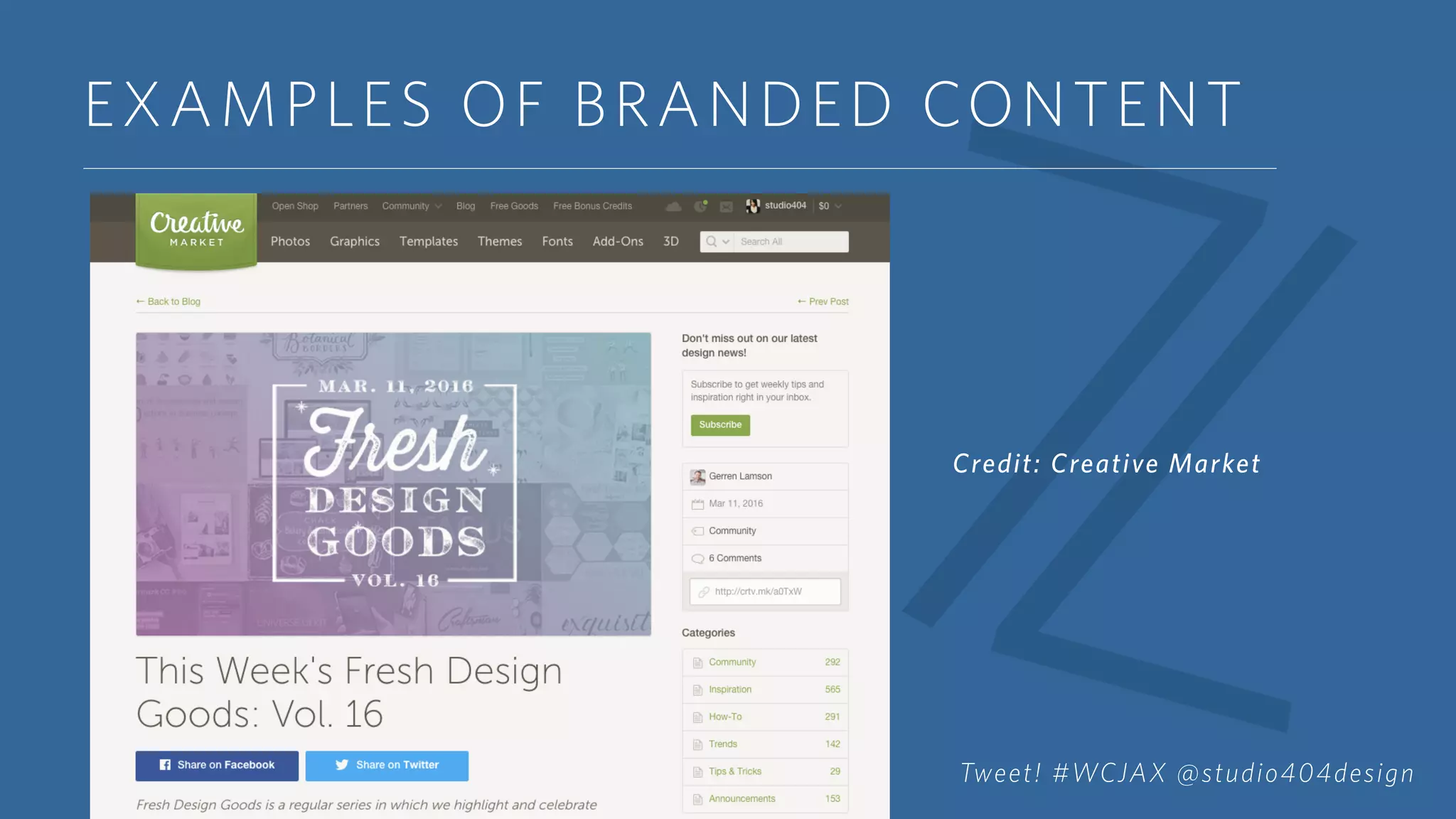
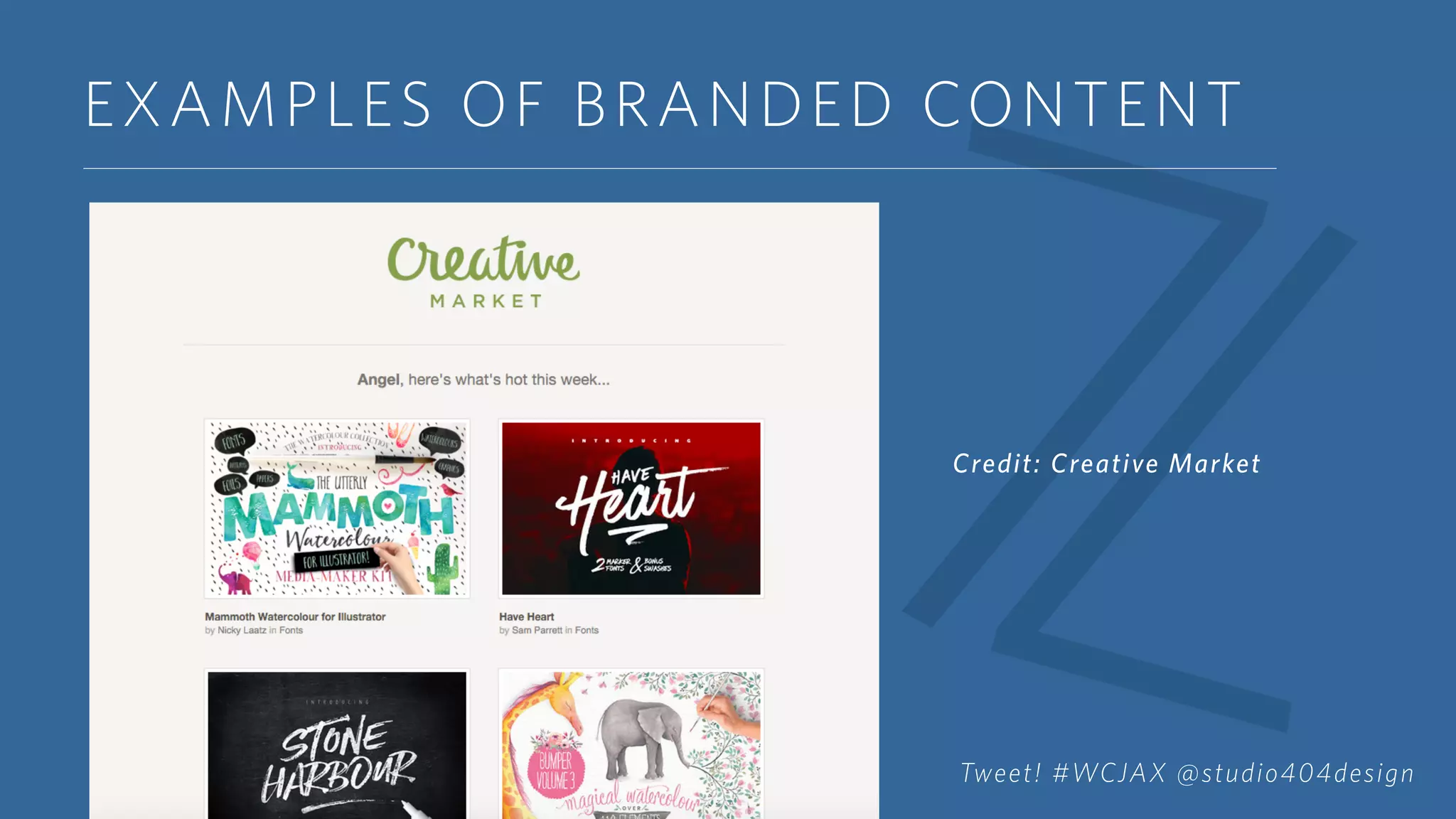
EXAMPLES OF BRANDED CONTENT
Credit: Creative Market
Tweet! #WCJAX @studio404design
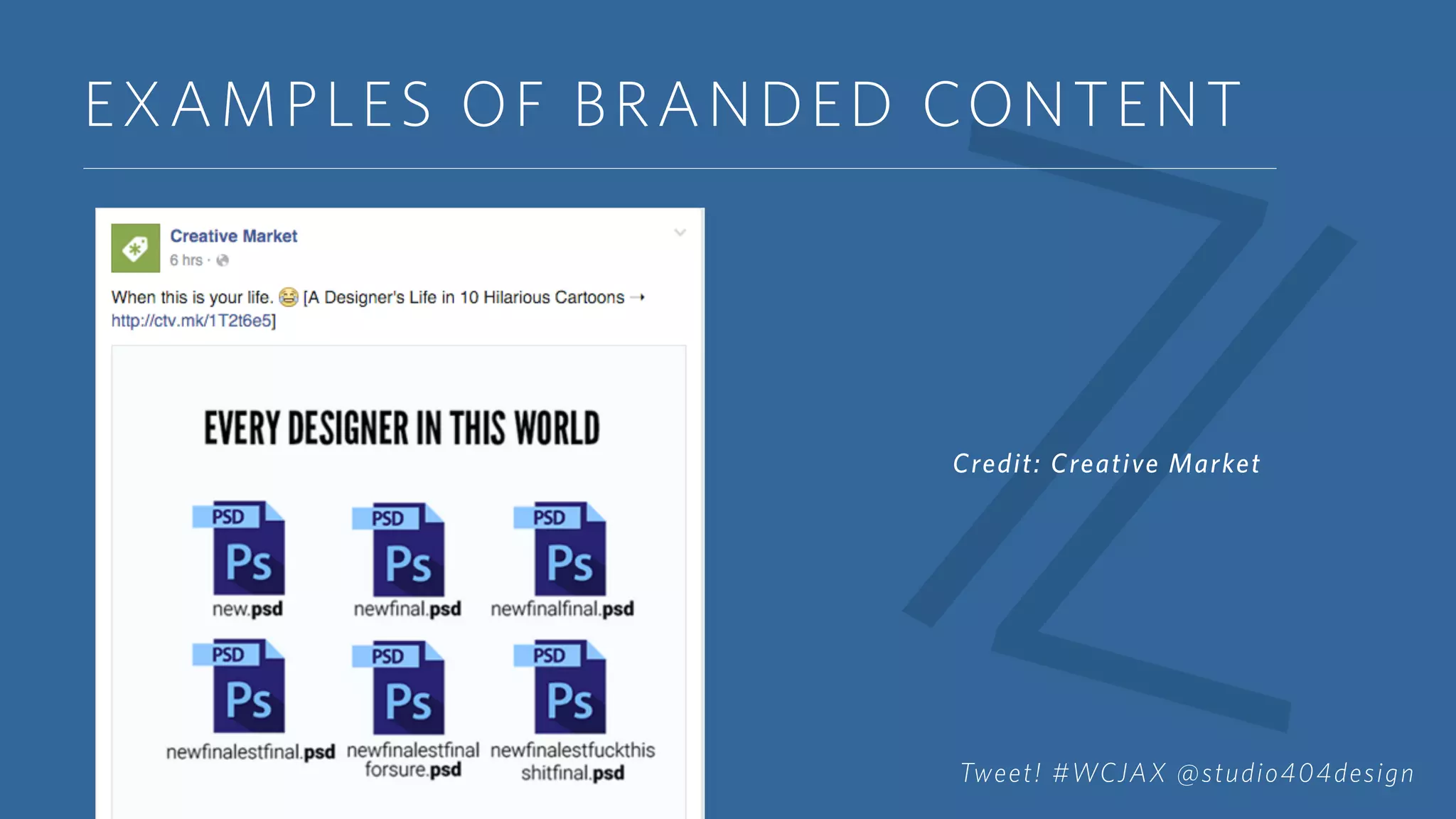
EXAMPLES OF BRANDED CONTENT
Credit: Creative Market
Tweet! #WCJAX @studio404design
EXAMPLES OF BRANDED CONTENT
Credit: Creative Market
Tweet! #WCJAX @studio404design
GENERATING CONTENT IDEAS
CREATING BRANDED CONTENT GUIDELINES
Offers regulations without creating confusion
Decreases content creation time
Positions brands among their competitors
Increases chance of consistency
Tweet! #WCJAX @studio404design
GENERATING CONTENT IDEAS
CREATING BRANDED CONTENT GUIDELINES
Create the overall tone for your content
Choose your formatting and your tone
Select a visual style for your content
Keep a schedule in mind
Tweet! #WCJAX @studio404design
SECTION 2:
CONTENT
ORGANIZATION
Tweet! #WCJAX @studio404design
CONTENT ORGANIZATION
MYTH
Time spent on content organization is time
wasted.
TRUTH
Creating content organization systems saves time
and allows more time for creative thinking.
Tweet! #WCJAX @studio404design
CONTENT ORGANIZATION
Categorize Your Content
Know the basic topics that your content falls under.
These will become your categories. Using categories
for content in a WordPress blog is a key factor for
SEO. Not only will the categories help you with
blogging, they will be useful for your overall content
creation.
Tweet! #WCJAX @studio404design
CONTENT ORGANIZATION
WHAT ARE YOUR CATEGORIES?
Should be 5-7 overall words that you can categorize
your content into.
Categories are main themes. Tags further expand upon
these themes.
Make everything you do SEO friendly, especially your
categories.
Tweet! #WCJAX @studio404design
CONTENT ORGANIZATION
SCHEDULING YOUR CONTENT
Will change your life. (Seriously)
Increases productivity. (By 1,000%. Scientifically
proven*)
Allows opportunity for collaboration and growth.
Challenges better content creation.
*I’m not a scientist. Not a real fact.
Tweet! #WCJAX @studio404design
CONTENT ORGANIZATION
WAYS TO SCHEDULE YOUR CONTENT
Free
Paper Planner
Google Calendar
Buffer (Premium Upgrade)
HootSuite (Premium Upgrade)
EditFlow Plugin
MailChimp
Premium
Co-Schedule
Tweet! #WCJAX @studio404design
CONTENT ORGANIZATION
SCHEDULING SOCIAL MEDIA
Buffer
Facebook, Google+, LinkedIn, Pinterest, Twitter (Instagram coming
soon*)
HootSuite
Facebook, Google+, Instagram, LinkedIn, Twitter
SocialPilot
Facebook, Instagram, LinkedIn, Pinterest, Tumblr, Twitter
*Said via Twitter. Not super official but official enough I guess.
Tweet! #WCJAX @studio404design
CONTENT ORGANIZATION
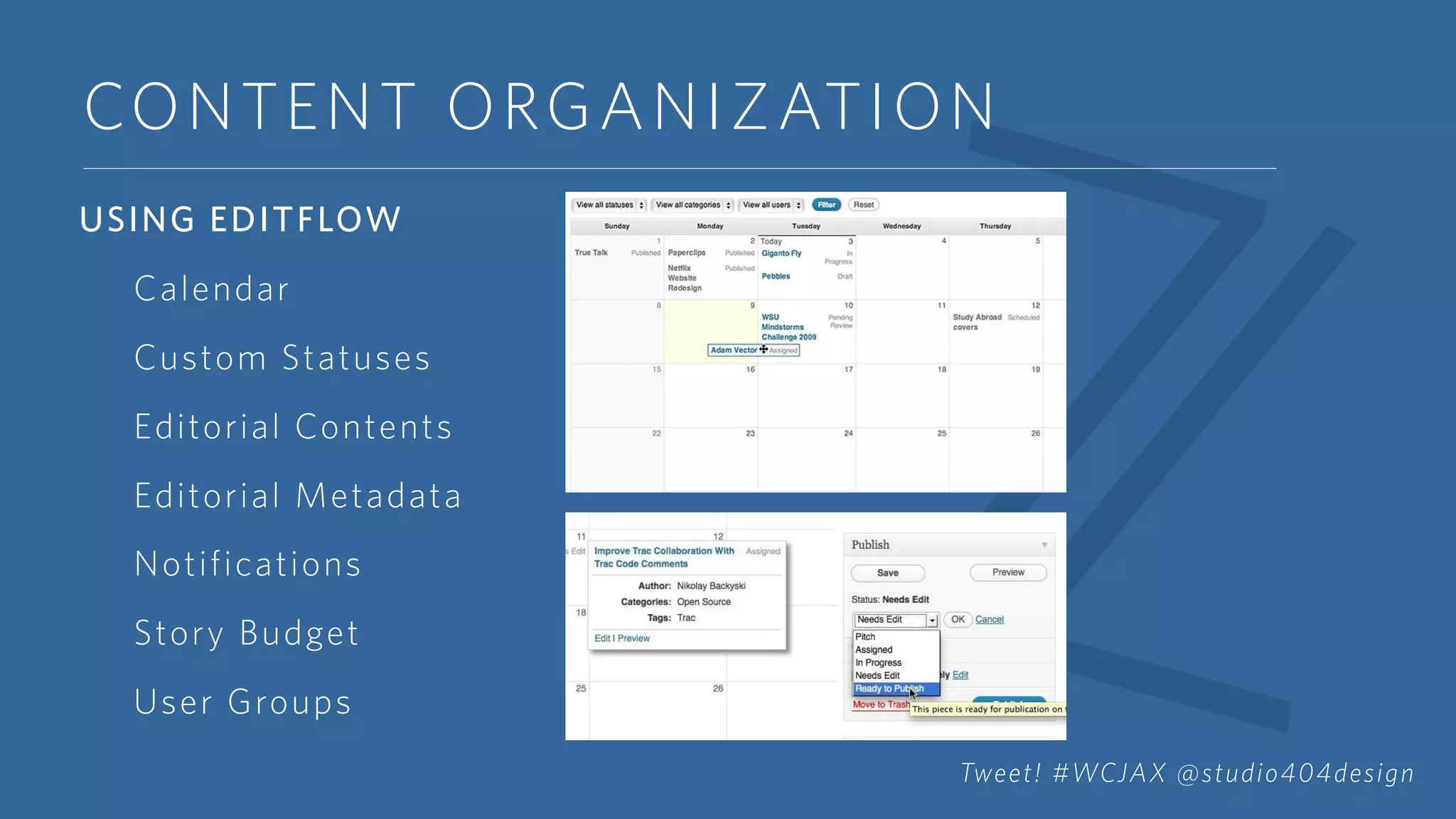
USING EDITFLOW
Calendar
Custom Statuses
Editorial Contents
Editorial Metadata
Notifications
Story Budget
User Groups
Tweet! #WCJAX @studio404design
CONTENT ORGANIZATION
USING COSCHEDULE
Has the functionality of EditFlow but offers more
features
Includes several ways to schedule social media
campaigns
Offers analytical data
Tweet! #WCJAX @studio404design
CONTENT ORGANIZATION
USING COSCHEDULE
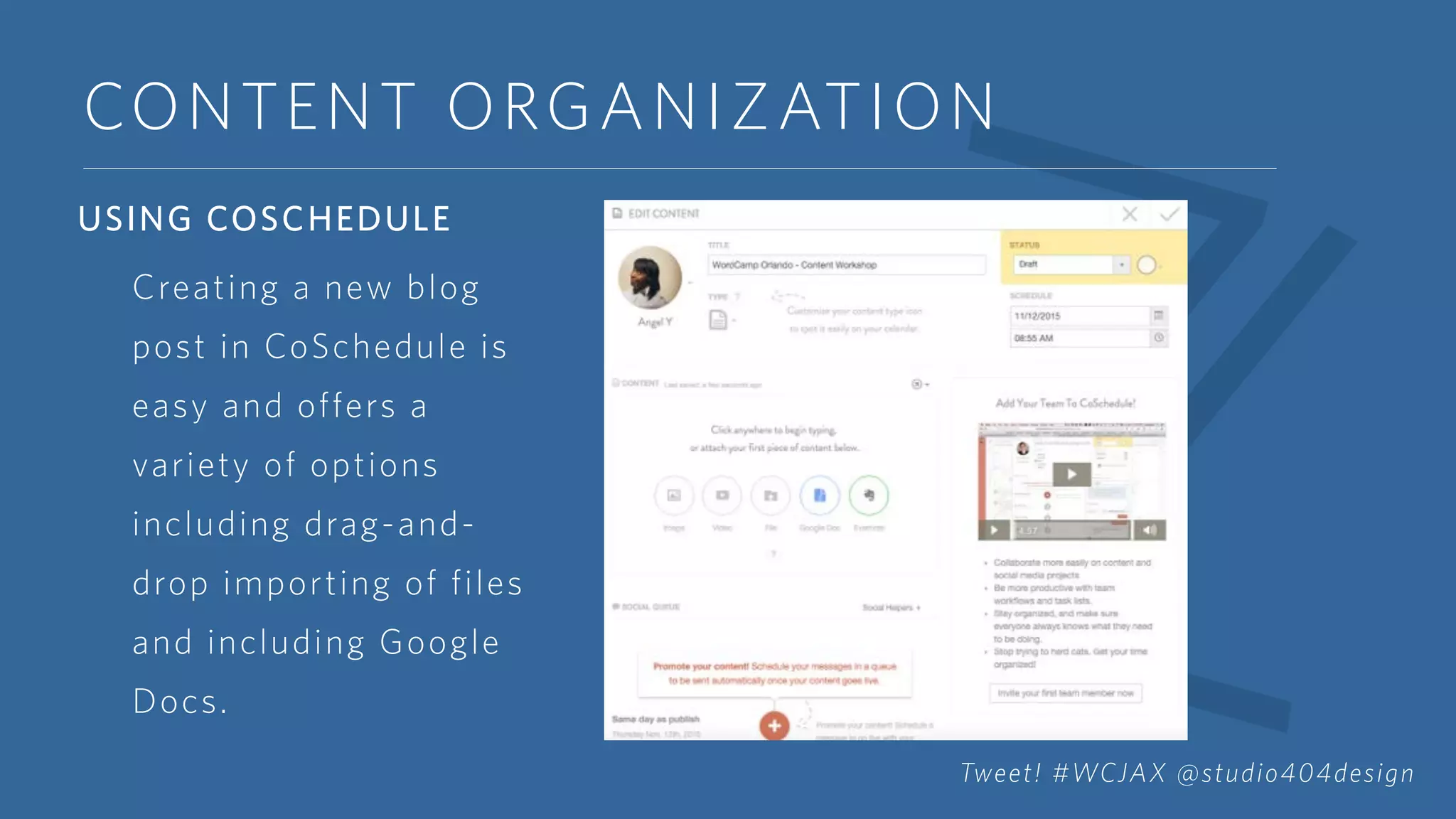
Creating a new blog
post in CoSchedule is
easy and offers a
variety of options
including drag-and-
drop importing of files
and including Google
Docs.
Tweet! #WCJAX @studio404design
CONTENT ORGANIZATION
USING COSCHEDULE
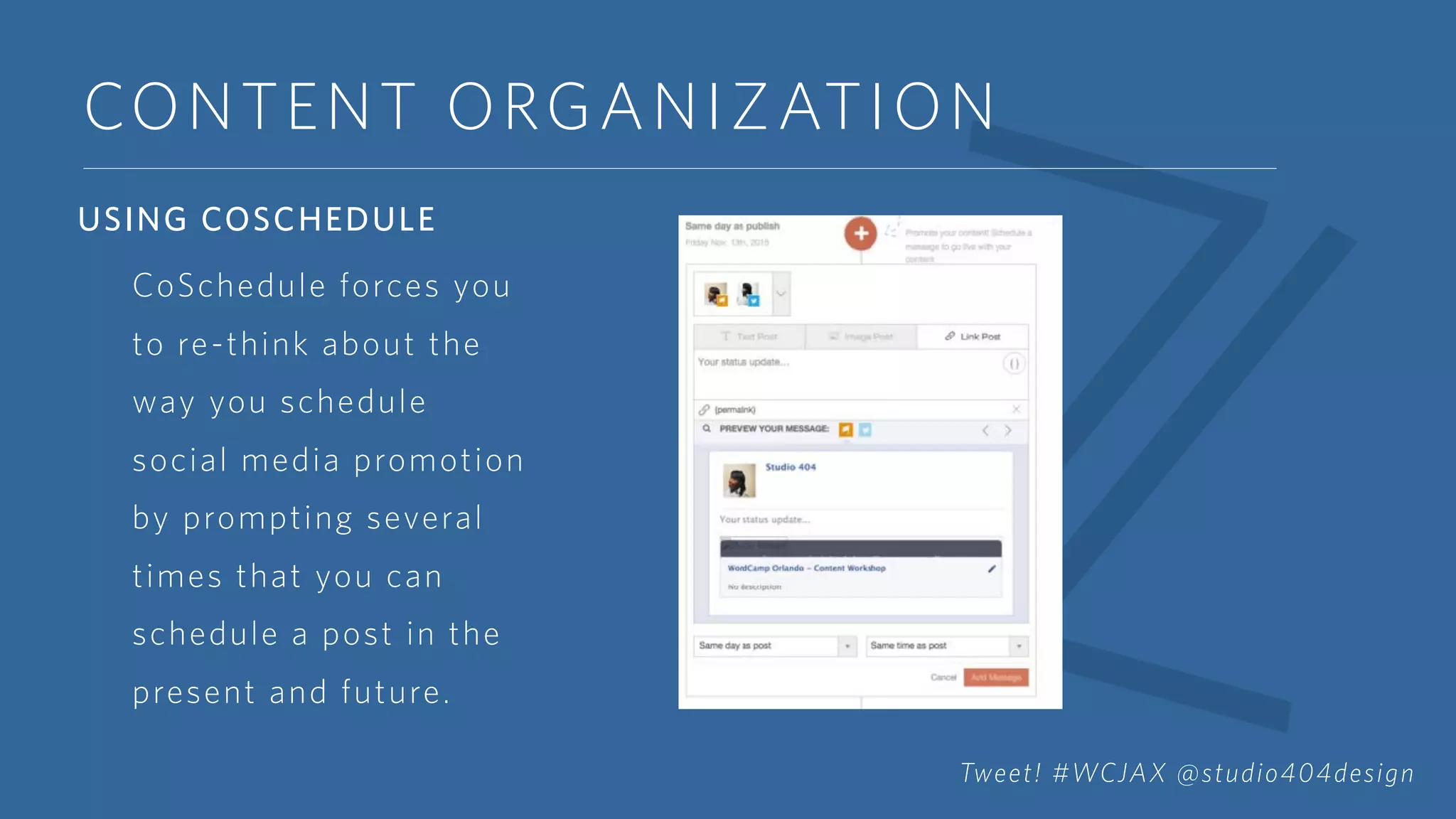
CoSchedule forces you
to re-think about the
way you schedule
social media promotion
by prompting several
times that you can
schedule a post in the
present and future.
Tweet! #WCJAX @studio404design
HEY Y’ALL!
Angelica Yarde
Partner and Director of Projects at Sevenality
Editor & Designer at Studio 404 Paper
Co-Host of Heart + Hustle Podcast
Twitter: @studio404design
E-mail: angel@sevenality.com
Slideshare: www.sevenality.com/blog

Creating Content Strategies for WordPress

  • 1.
  • 2.
    OVERVIEW • Section 1:Generating Content Ideas • Approaching Content Creation • Value of Branded Content • Creating Branded Content Guidelines • Section 2: Content Organization • Editorial Calendars Tweet! #WCJAX @studio404design
  • 3.
  • 4.
    GENERATING CONTENT IDEAS MYTH Contentcreation is difficult to do. TRUTH Content creation is as easy or as hard you make it. Tweet! #WCJAX @studio404design
  • 5.
    GENERATING CONTENT IDEAS REALITY Weare often overwhelmed with the idea of creating the content we want for ourselves. Don’t allow roadblocks to stop you from executing the great ideas that are waiting to be discovered. Tweet! #WCJAX @studio404design
  • 6.
    GENERATING CONTENT IDEAS WHYBRANDED CONTENT WORKS Creates transparency Increases visibility Sets pattern for consistency Allows for innovative thinking Tweet! #WCJAX @studio404design
  • 7.
    EXAMPLES OF BRANDEDCONTENT Credit: Creative Market Tweet! #WCJAX @studio404design
  • 8.
    EXAMPLES OF BRANDEDCONTENT Credit: Creative Market Tweet! #WCJAX @studio404design
  • 9.
    EXAMPLES OF BRANDEDCONTENT Credit: Creative Market Tweet! #WCJAX @studio404design
  • 10.
    GENERATING CONTENT IDEAS CREATINGBRANDED CONTENT GUIDELINES Offers regulations without creating confusion Decreases content creation time Positions brands among their competitors Increases chance of consistency Tweet! #WCJAX @studio404design
  • 11.
    GENERATING CONTENT IDEAS CREATINGBRANDED CONTENT GUIDELINES Create the overall tone for your content Choose your formatting and your tone Select a visual style for your content Keep a schedule in mind Tweet! #WCJAX @studio404design
  • 12.
  • 13.
    CONTENT ORGANIZATION MYTH Time spenton content organization is time wasted. TRUTH Creating content organization systems saves time and allows more time for creative thinking. Tweet! #WCJAX @studio404design
  • 14.
    CONTENT ORGANIZATION Categorize YourContent Know the basic topics that your content falls under. These will become your categories. Using categories for content in a WordPress blog is a key factor for SEO. Not only will the categories help you with blogging, they will be useful for your overall content creation. Tweet! #WCJAX @studio404design
  • 15.
    CONTENT ORGANIZATION WHAT AREYOUR CATEGORIES? Should be 5-7 overall words that you can categorize your content into. Categories are main themes. Tags further expand upon these themes. Make everything you do SEO friendly, especially your categories. Tweet! #WCJAX @studio404design
  • 16.
    CONTENT ORGANIZATION SCHEDULING YOURCONTENT Will change your life. (Seriously) Increases productivity. (By 1,000%. Scientifically proven*) Allows opportunity for collaboration and growth. Challenges better content creation. *I’m not a scientist. Not a real fact. Tweet! #WCJAX @studio404design
  • 17.
    CONTENT ORGANIZATION WAYS TOSCHEDULE YOUR CONTENT Free Paper Planner Google Calendar Buffer (Premium Upgrade) HootSuite (Premium Upgrade) EditFlow Plugin MailChimp Premium Co-Schedule Tweet! #WCJAX @studio404design
  • 18.
    CONTENT ORGANIZATION SCHEDULING SOCIALMEDIA Buffer Facebook, Google+, LinkedIn, Pinterest, Twitter (Instagram coming soon*) HootSuite Facebook, Google+, Instagram, LinkedIn, Twitter SocialPilot Facebook, Instagram, LinkedIn, Pinterest, Tumblr, Twitter *Said via Twitter. Not super official but official enough I guess. Tweet! #WCJAX @studio404design
  • 19.
    CONTENT ORGANIZATION USING EDITFLOW Calendar CustomStatuses Editorial Contents Editorial Metadata Notifications Story Budget User Groups Tweet! #WCJAX @studio404design
  • 20.
    CONTENT ORGANIZATION USING COSCHEDULE Hasthe functionality of EditFlow but offers more features Includes several ways to schedule social media campaigns Offers analytical data Tweet! #WCJAX @studio404design
  • 21.
    CONTENT ORGANIZATION USING COSCHEDULE Creatinga new blog post in CoSchedule is easy and offers a variety of options including drag-and- drop importing of files and including Google Docs. Tweet! #WCJAX @studio404design
  • 22.
    CONTENT ORGANIZATION USING COSCHEDULE CoScheduleforces you to re-think about the way you schedule social media promotion by prompting several times that you can schedule a post in the present and future. Tweet! #WCJAX @studio404design
  • 23.
    HEY Y’ALL! Angelica Yarde Partnerand Director of Projects at Sevenality Editor & Designer at Studio 404 Paper Co-Host of Heart + Hustle Podcast Twitter: @studio404design E-mail: angel@sevenality.com Slideshare: www.sevenality.com/blog