Wireless Routers
Wireless Routers
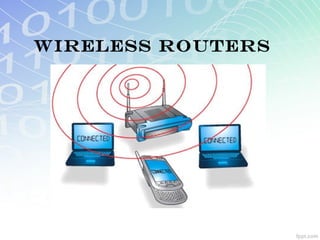
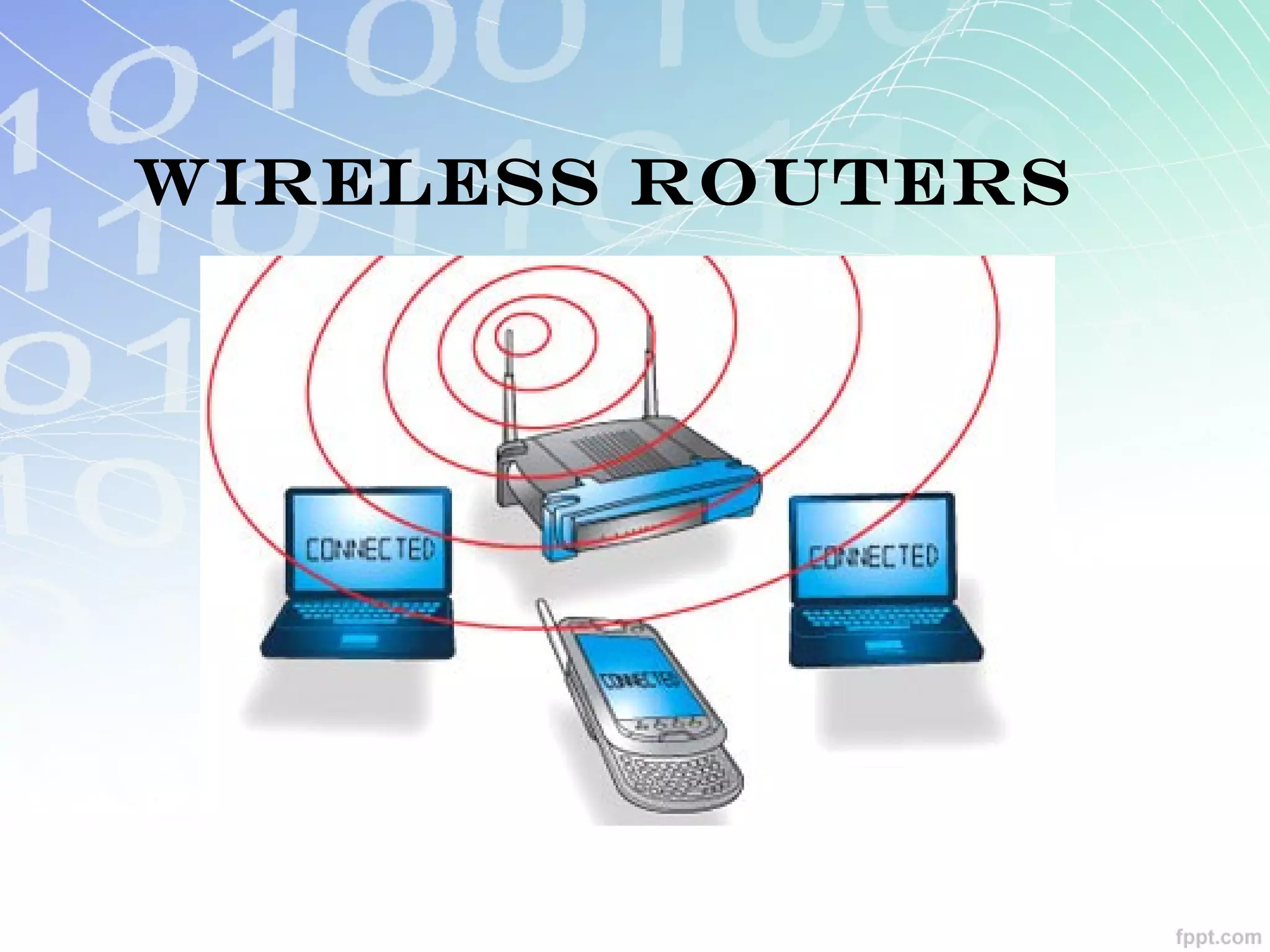
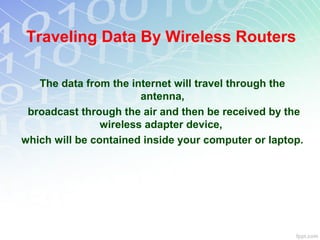
Traveling Data By Wireless Routers

   The data from the internet will travel through the
                        antenna,
 broadcast through the air and then be received by the
                wireless adapter device,
which will be contained inside your computer or laptop.
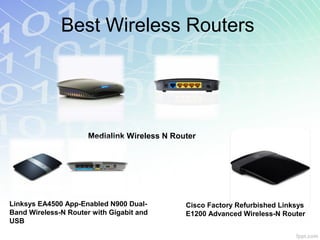
Best Wireless Routers


                      Medialink Wireless N Router


Linksys EA4500 App-Enabled N900 Dual-         Cisco Factory Refurbished Linksys
Band Wireless-N Router with Gigabit and       E1200 Advanced Wireless-N Router
USB
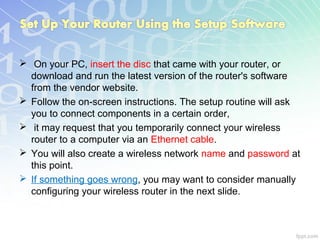
 On your PC, insert the disc that came with your router, or
  download and run the latest version of the router's software
  from the vendor website.
 Follow the on-screen instructions. The setup routine will ask
  you to connect components in a certain order,
 it may request that you temporarily connect your wireless
  router to a computer via an Ethernet cable.
 You will also create a wireless network name and password at
  this point.
 If something goes wrong, you may want to consider manually
  configuring your wireless router in the next slide.
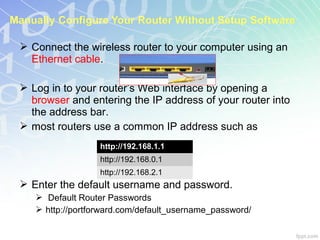
 Connect the wireless router to your computer using an
  Ethernet cable.

 Log in to your router’s Web interface by opening a
  browser and entering the IP address of your router into
  the address bar.
 most routers use a common IP address such as
                  http://192.168.1.1
                  http://192.168.0.1
                  http://192.168.2.1
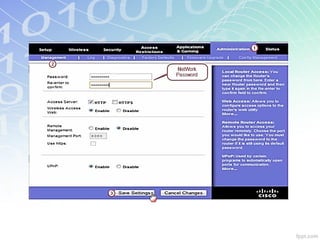
 Enter the default username and password.
    Default Router Passwords
    http://portforward.com/default_username_password/
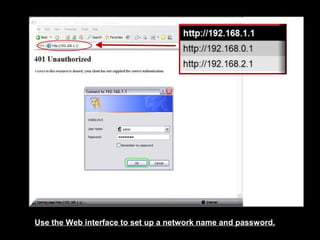
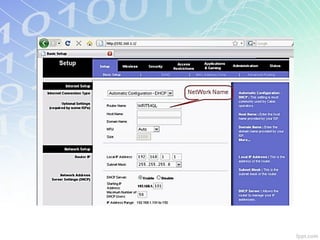
Use the Web interface to set up a network name and password.
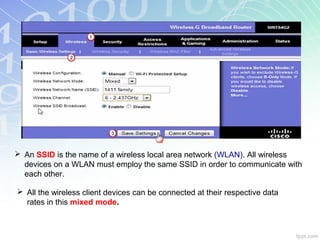
 An SSID is the name of a wireless local area network (WLAN). All wireless
  devices on a WLAN must employ the same SSID in order to communicate with
  each other.

 All the wireless client devices can be connected at their respective data
  rates in this mixed mode.
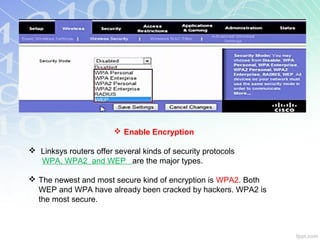
 Enable Encryption

 Linksys routers offer several kinds of security protocols
  WPA, WPA2 and WEP are the major types.

 The newest and most secure kind of encryption is WPA2. Both
  WEP and WPA have already been cracked by hackers. WPA2 is
  the most secure.
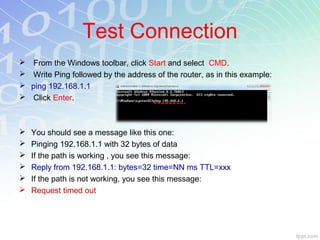
Test Connection
    From the Windows toolbar, click Start and select CMD.
    Write Ping followed by the address of the router, as in this example:
   ping 192.168.1.1
    Click Enter.


   You should see a message like this one:
   Pinging 192.168.1.1 with 32 bytes of data
   If the path is working , you see this message:
   Reply from 192.168.1.1: bytes=32 time=NN ms TTL=xxx
   If the path is not working, you see this message:
   Request timed out

Wireless routers Presentation

  • 1.
  • 2.
  • 3.
    Traveling Data ByWireless Routers The data from the internet will travel through the antenna, broadcast through the air and then be received by the wireless adapter device, which will be contained inside your computer or laptop.
  • 4.
    Best Wireless Routers Medialink Wireless N Router Linksys EA4500 App-Enabled N900 Dual- Cisco Factory Refurbished Linksys Band Wireless-N Router with Gigabit and E1200 Advanced Wireless-N Router USB
  • 5.
     On yourPC, insert the disc that came with your router, or download and run the latest version of the router's software from the vendor website.  Follow the on-screen instructions. The setup routine will ask you to connect components in a certain order,  it may request that you temporarily connect your wireless router to a computer via an Ethernet cable.  You will also create a wireless network name and password at this point.  If something goes wrong, you may want to consider manually configuring your wireless router in the next slide.
  • 6.
     Connect thewireless router to your computer using an Ethernet cable.  Log in to your router’s Web interface by opening a browser and entering the IP address of your router into the address bar.  most routers use a common IP address such as http://192.168.1.1 http://192.168.0.1 http://192.168.2.1  Enter the default username and password.  Default Router Passwords  http://portforward.com/default_username_password/
  • 7.
    Use the Webinterface to set up a network name and password.
  • 9.
     An SSIDis the name of a wireless local area network (WLAN). All wireless devices on a WLAN must employ the same SSID in order to communicate with each other.  All the wireless client devices can be connected at their respective data rates in this mixed mode.
  • 10.
     Enable Encryption Linksys routers offer several kinds of security protocols WPA, WPA2 and WEP are the major types.  The newest and most secure kind of encryption is WPA2. Both WEP and WPA have already been cracked by hackers. WPA2 is the most secure.
  • 13.
    Test Connection  From the Windows toolbar, click Start and select CMD.  Write Ping followed by the address of the router, as in this example:  ping 192.168.1.1  Click Enter.  You should see a message like this one:  Pinging 192.168.1.1 with 32 bytes of data  If the path is working , you see this message:  Reply from 192.168.1.1: bytes=32 time=NN ms TTL=xxx  If the path is not working, you see this message:  Request timed out

Editor's Notes

  • #10 An  SSID  is the name of a wireless local area network (WLAN). All wireless devices on a WLAN must employ the same SSID in order to communicate with each other . All the wireless client devices can be connected at their respective data rates in this mixed mode .