

for Developers Daniel Moth Developer and Platform Group Microsoft http://www.danielmoth.com/Blog
AGENDA Top 7 Ways To “Light Up” Your Apps on Windows Server 2008 Part 1 emphasis on IIS7, PowerShell Part 2 emphasis on WER, Restart and Recovery APIs, TxF
1. Build More Flexible Web Apps
2. Design Highly-Manageable Apps
3. Develop Federation-Aware Apps
4. Build Connected Systems
The Top 7 Ways… Part 2 Build More Flexible Web Applications Design Highly-Manageable Applications Develop Federation-Aware Applications Build Connected Systems Build For Scalability Develop More Reliable Applications Virtualize
5. Build For Scalability
Native Threading Enhancements in Windows Vista and Windows Server 2008   Thread Pools One-Time Initialization Slim Reader/Writer Lock Condition Variables Thread Ordering Service Wait Chain Traversal
Thread Pool in Vista and Server 2008 Re-architected Thread Pool Simpler, more reliable, higher performance Does not use a timer thread Single queue Dedicated persistent thread Clean-up groups Single worker thread type (both I/O and non-I/O) Multiple pools per process More flexible API
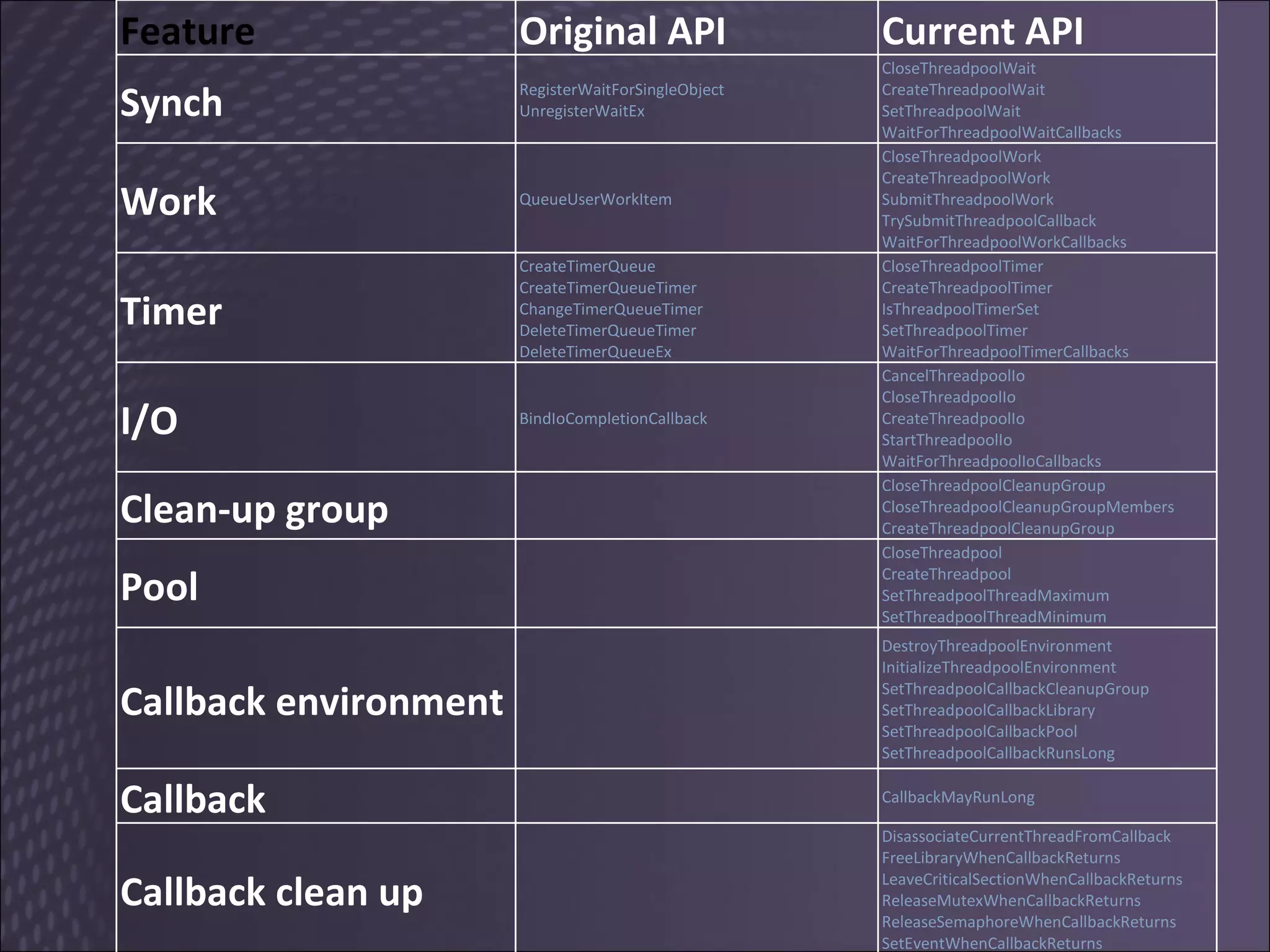
Feature Original API Current API Synch RegisterWaitForSingleObject UnregisterWaitEx CloseThreadpoolWait CreateThreadpoolWait SetThreadpoolWait WaitForThreadpoolWaitCallbacks Work QueueUserWorkItem CloseThreadpoolWork CreateThreadpoolWork SubmitThreadpoolWork TrySubmitThreadpoolCallback WaitForThreadpoolWorkCallbacks Timer CreateTimerQueue CreateTimerQueueTimer ChangeTimerQueueTimer DeleteTimerQueueTimer DeleteTimerQueueEx CloseThreadpoolTimer CreateThreadpoolTimer IsThreadpoolTimerSet SetThreadpoolTimer WaitForThreadpoolTimerCallbacks I/O BindIoCompletionCallback CancelThreadpoolIo CloseThreadpoolIo CreateThreadpoolIo StartThreadpoolIo WaitForThreadpoolIoCallbacks Clean-up group CloseThreadpoolCleanupGroup CloseThreadpoolCleanupGroupMembers CreateThreadpoolCleanupGroup Pool CloseThreadpool CreateThreadpool SetThreadpoolThreadMaximum SetThreadpoolThreadMinimum Callback environment DestroyThreadpoolEnvironment InitializeThreadpoolEnvironment SetThreadpoolCallbackCleanupGroup SetThreadpoolCallbackLibrary SetThreadpoolCallbackPool SetThreadpoolCallbackRunsLong Callback CallbackMayRunLong Callback clean up DisassociateCurrentThreadFromCallback FreeLibraryWhenCallbackReturns LeaveCriticalSectionWhenCallbackReturns ReleaseMutexWhenCallbackReturns ReleaseSemaphoreWhenCallbackReturns SetEventWhenCallbackReturns
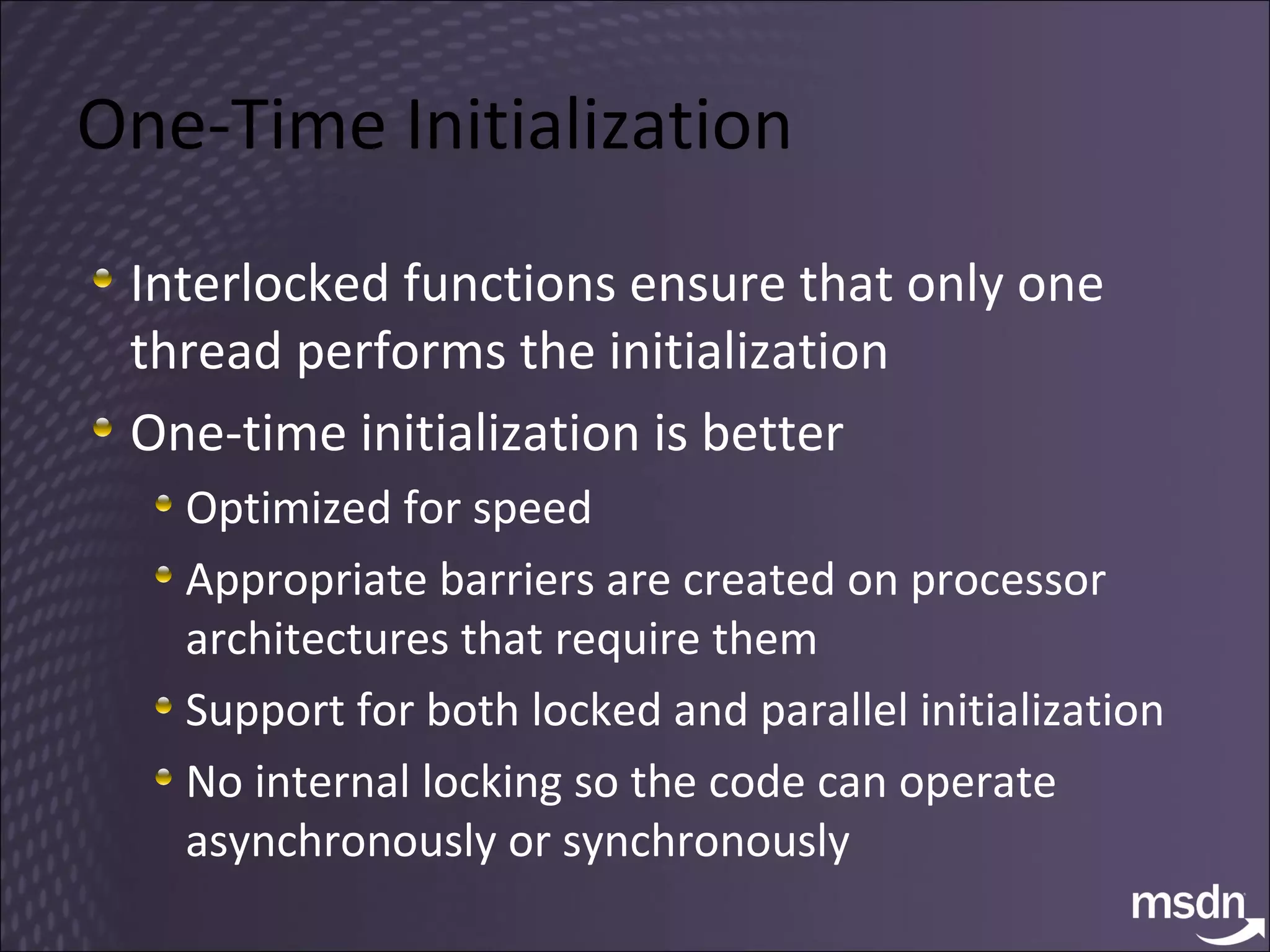
One-Time Initialization Interlocked functions ensure that only one thread performs the initialization One-time initialization is better Optimized for speed Appropriate barriers are created on processor architectures that require them Support for both locked and parallel initialization No internal locking so the code can operate asynchronously or synchronously
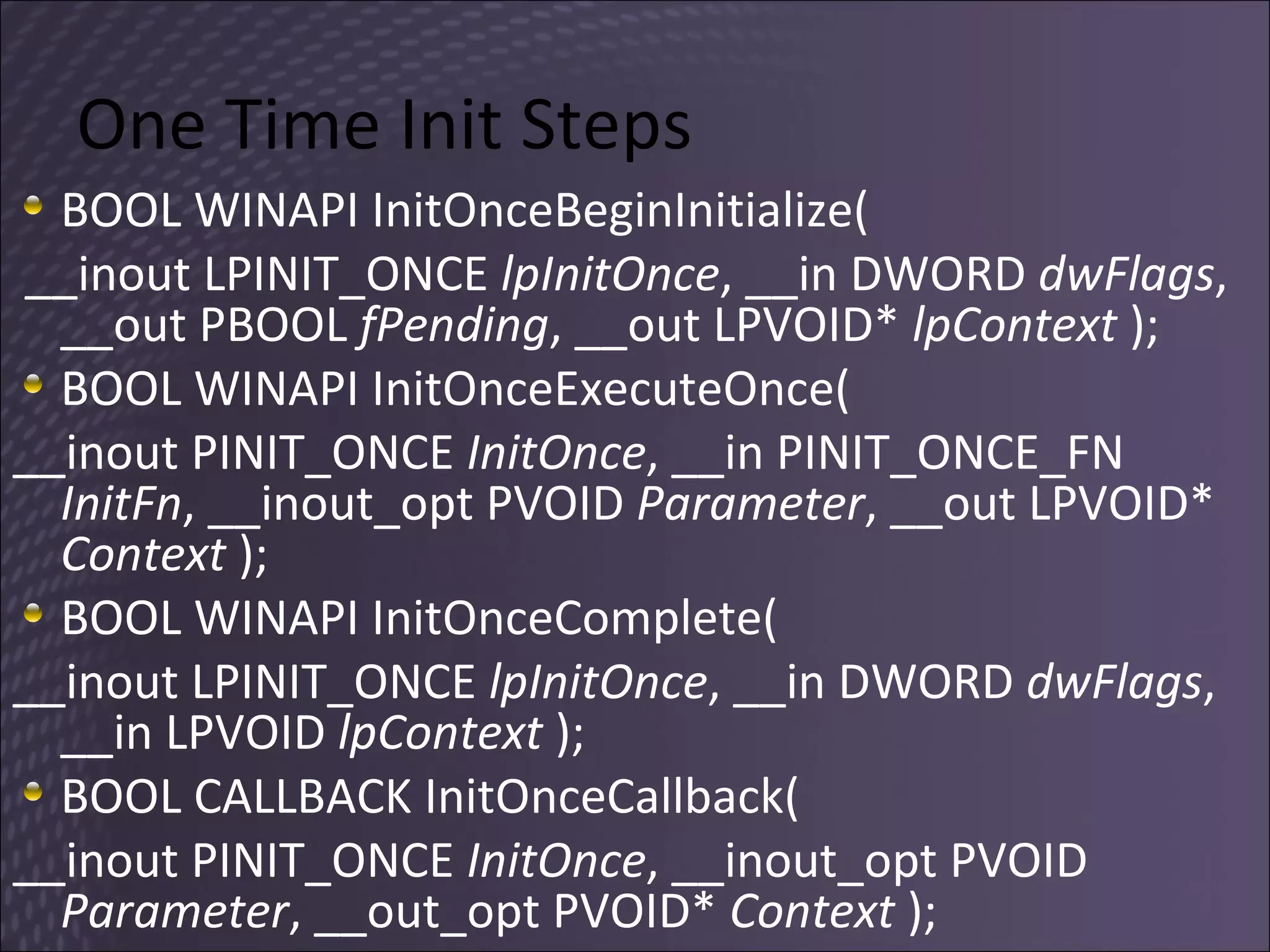
One Time Init Steps BOOL WINAPI InitOnceBeginInitialize( __inout LPINIT_ONCE  lpInitOnce , __in DWORD  dwFlags , __out PBOOL  fPending , __out LPVOID*  lpContext  ); BOOL WINAPI InitOnceExecuteOnce(  __inout PINIT_ONCE  InitOnce , __in PINIT_ONCE_FN  InitFn , __inout_opt PVOID  Parameter , __out LPVOID*  Context  );  BOOL WINAPI InitOnceComplete(  __inout LPINIT_ONCE  lpInitOnce , __in DWORD  dwFlags , __in LPVOID  lpContext  ); BOOL CALLBACK InitOnceCallback(  __inout PINIT_ONCE  InitOnce , __inout_opt PVOID  Parameter , __out_opt PVOID*  Context  );
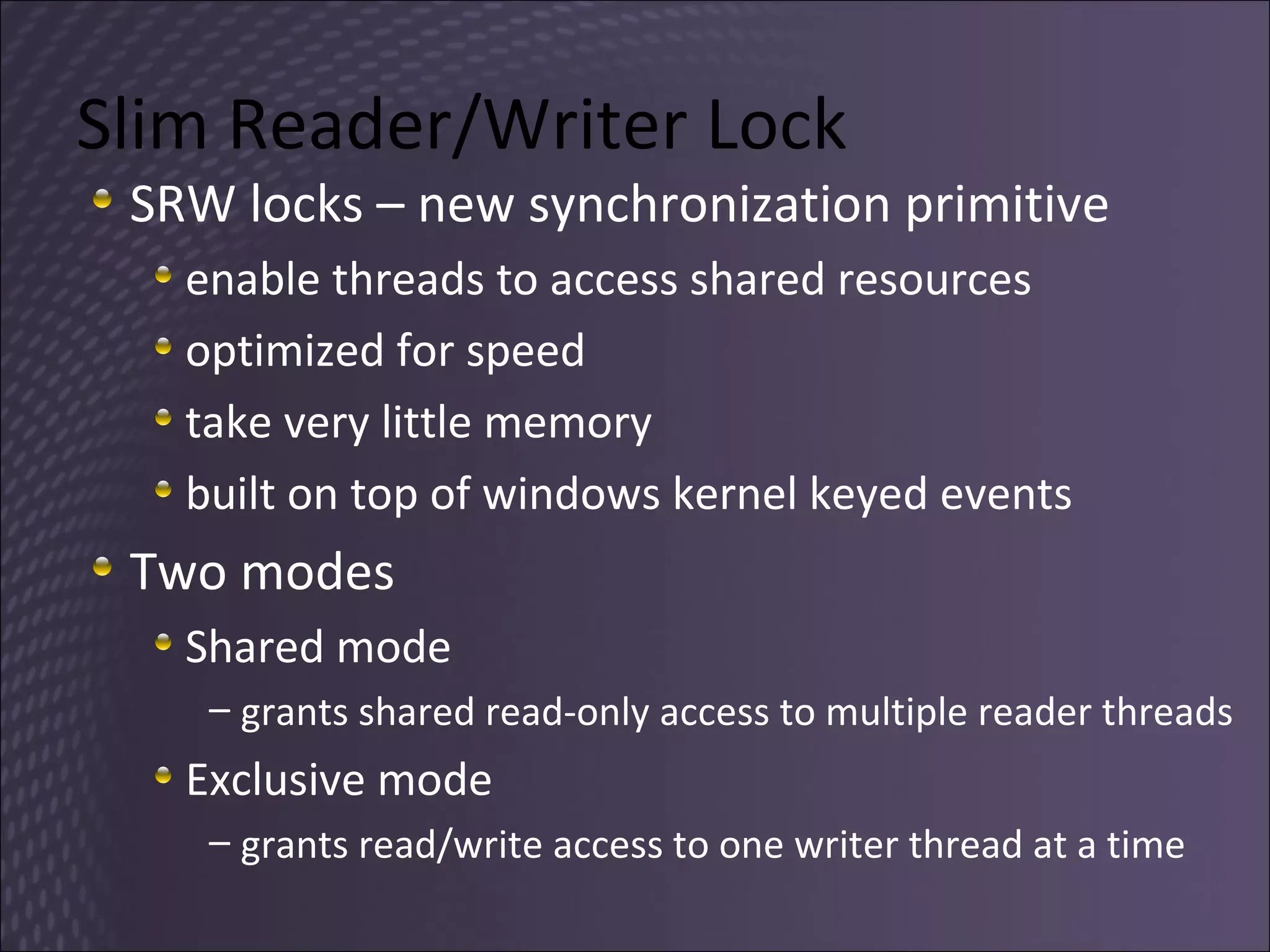
Slim Reader/Writer Lock SRW locks – new synchronization primitive enable threads to access shared resources optimized for speed  take very little memory built on top of windows kernel keyed events Two modes Shared mode grants shared read-only access to multiple reader threads Exclusive mode grants read/write access to one writer thread at a time
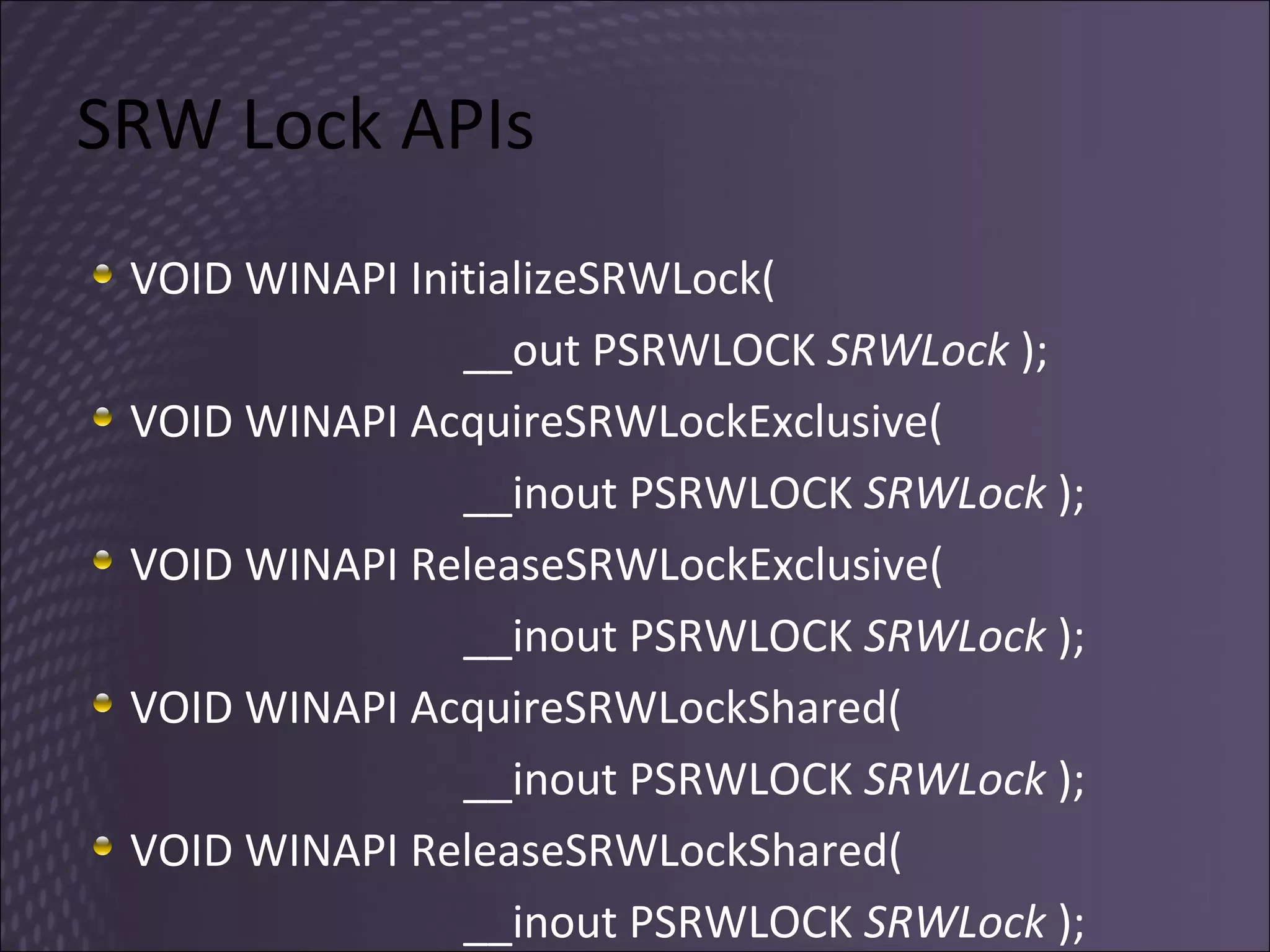
SRW Lock APIs VOID WINAPI InitializeSRWLock(  __out PSRWLOCK  SRWLock  ); VOID WINAPI AcquireSRWLockExclusive(  __inout PSRWLOCK  SRWLock  ); VOID WINAPI ReleaseSRWLockExclusive(  __inout PSRWLOCK  SRWLock  ); VOID WINAPI AcquireSRWLockShared(  __inout PSRWLOCK  SRWLock  ); VOID WINAPI ReleaseSRWLockShared(  __inout PSRWLOCK  SRWLock  );
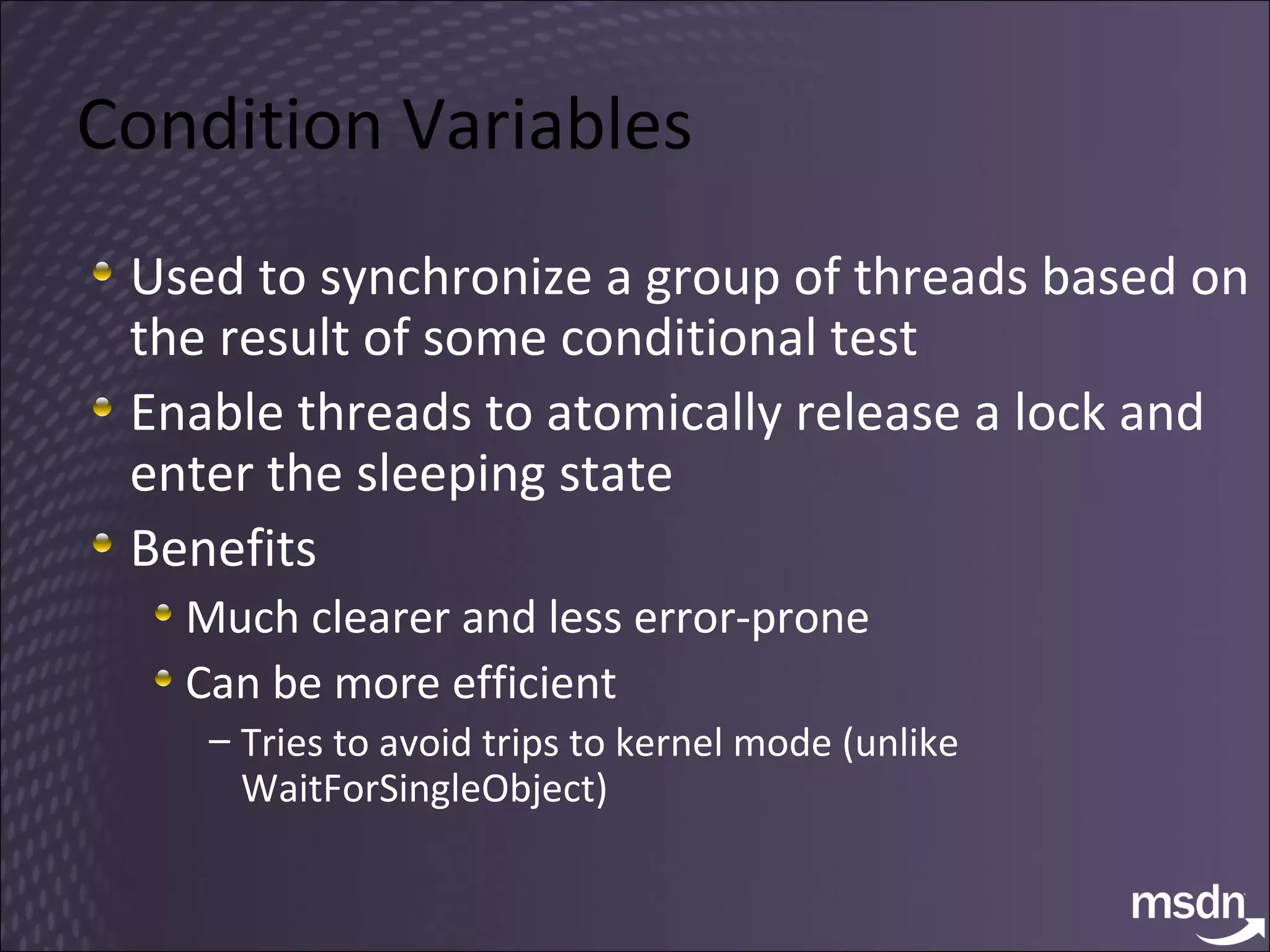
Condition Variables Used to synchronize a group of threads based on the result of some conditional test Enable threads to atomically release a lock and enter the sleeping state Benefits Much clearer and less error-prone Can be more efficient Tries to avoid trips to kernel mode (unlike WaitForSingleObject)
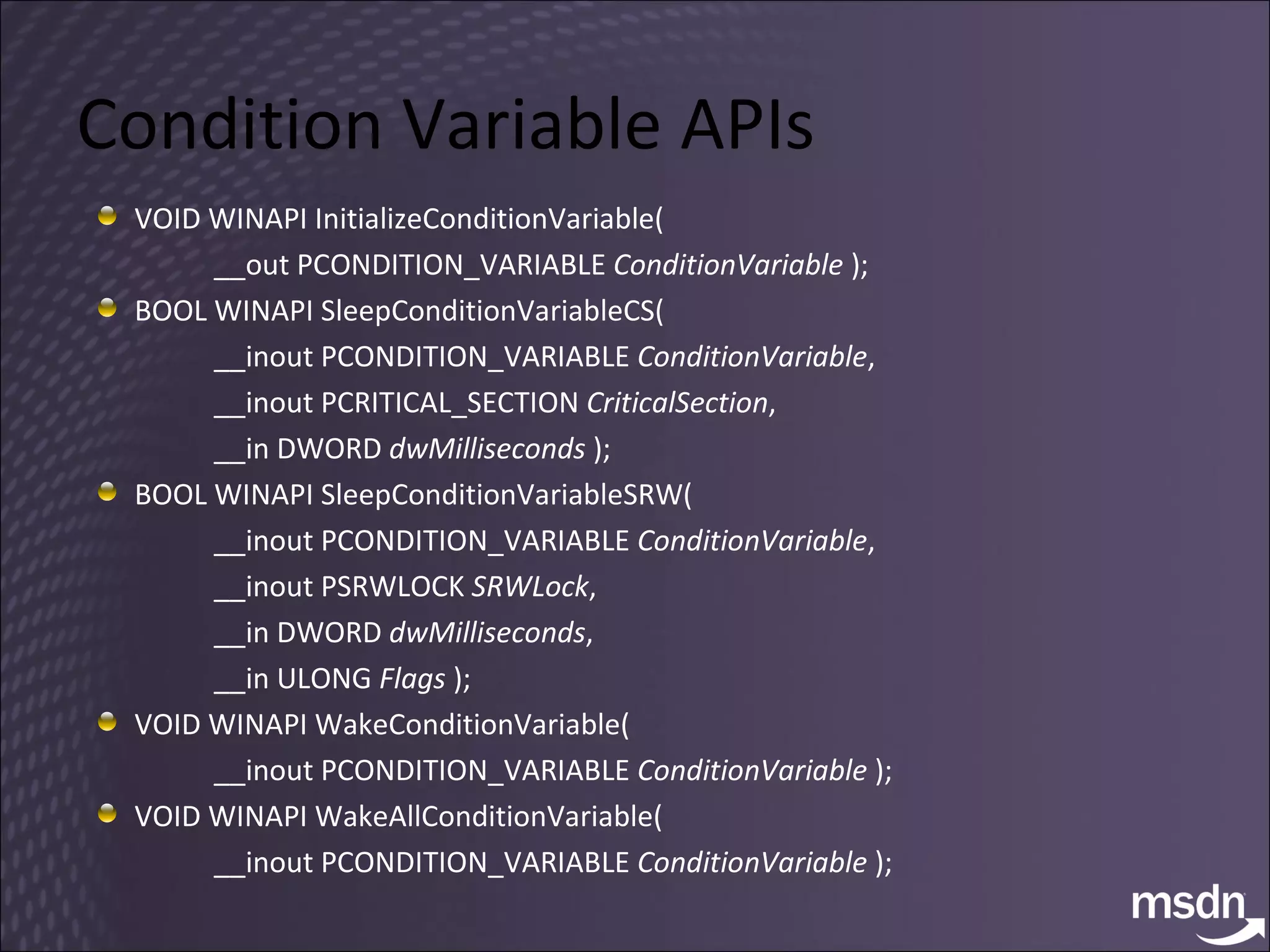
Condition Variable APIs VOID WINAPI InitializeConditionVariable(  __out PCONDITION_VARIABLE  ConditionVariable  ); BOOL WINAPI SleepConditionVariableCS(  __inout PCONDITION_VARIABLE  ConditionVariable ,  __inout PCRITICAL_SECTION  CriticalSection ,  __in DWORD  dwMilliseconds  ); BOOL WINAPI SleepConditionVariableSRW(  __inout PCONDITION_VARIABLE  ConditionVariable ,  __inout PSRWLOCK  SRWLock ,  __in DWORD  dwMilliseconds ,  __in ULONG  Flags  );  VOID WINAPI WakeConditionVariable(  __inout PCONDITION_VARIABLE  ConditionVariable  );  VOID WINAPI WakeAllConditionVariable(  __inout PCONDITION_VARIABLE  ConditionVariable  );
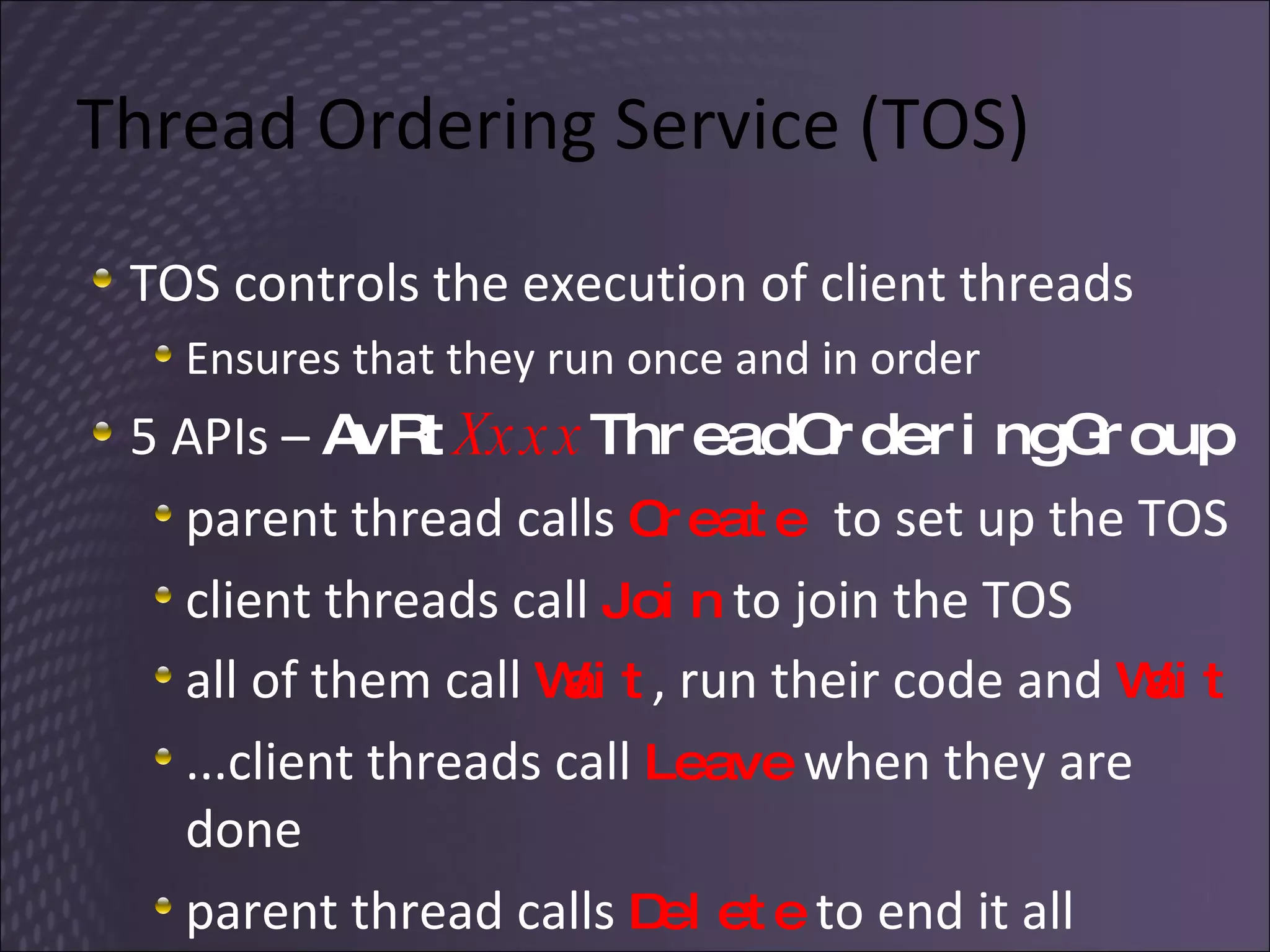
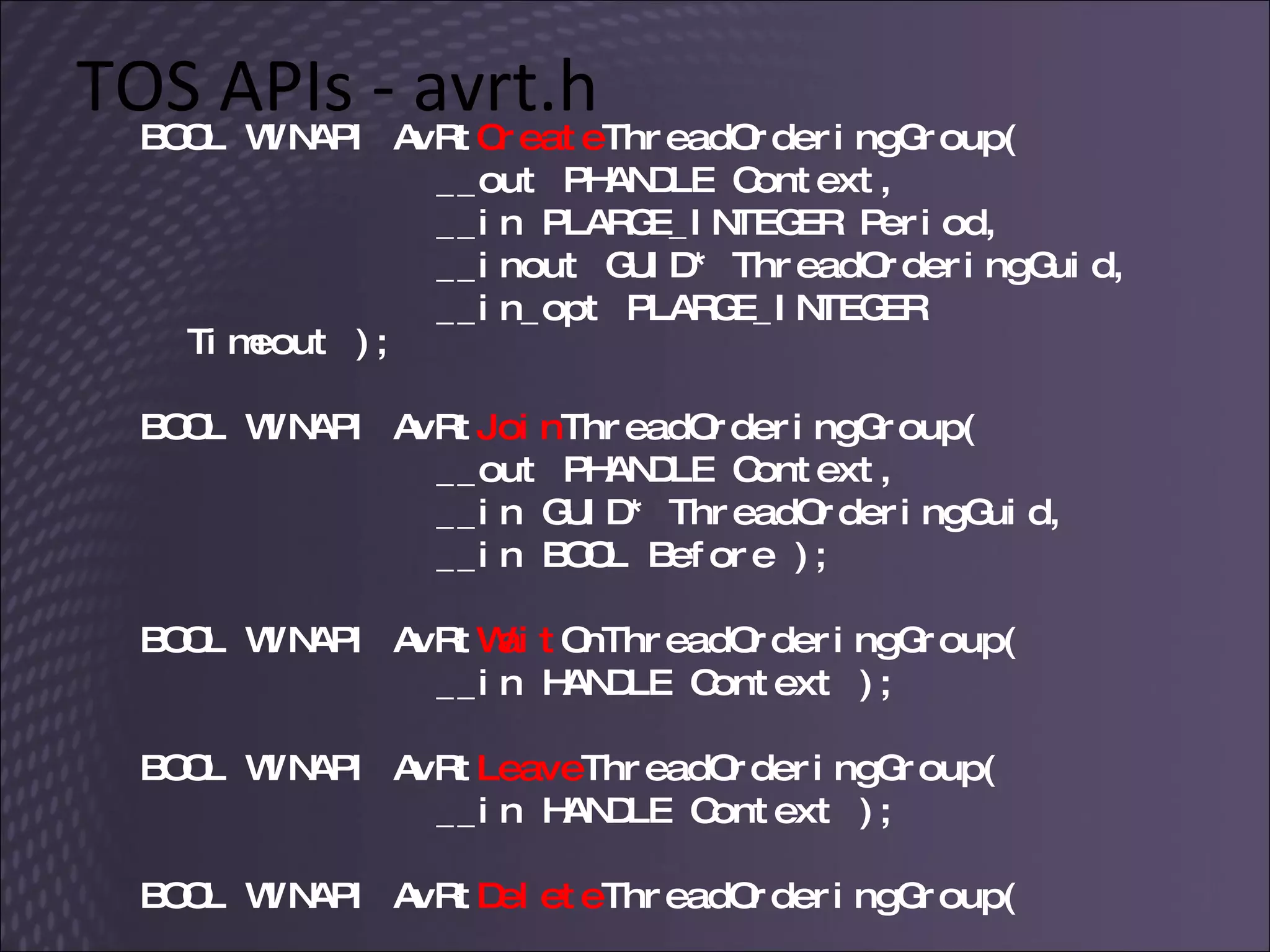
Thread Ordering Service (TOS) TOS controls the execution of client threads Ensures that they run once and in order 5 APIs –  AvRt Xxxx ThreadOrderingGroup parent thread calls  Create  to set up the TOS client threads call  Join  to join the TOS all of them call  Wait , run their code and  Wait ...client threads call  Leave  when they are done parent thread calls  Delete  to end it all
TOS APIs - avrt.h BOOL WINAPI AvRt Create ThreadOrderingGroup( __out PHANDLE Context,  __in PLARGE_INTEGER Period,  __inout GUID* ThreadOrderingGuid,  __in_opt PLARGE_INTEGER Timeout ); BOOL WINAPI AvRt Join ThreadOrderingGroup(  __out PHANDLE Context,  __in GUID* ThreadOrderingGuid,  __in BOOL Before ); BOOL WINAPI AvRt Wait OnThreadOrderingGroup(  __in HANDLE Context ); BOOL WINAPI AvRt Leave ThreadOrderingGroup(  __in HANDLE Context ); BOOL WINAPI AvRt Delete ThreadOrderingGroup(    __in HANDLE Context );
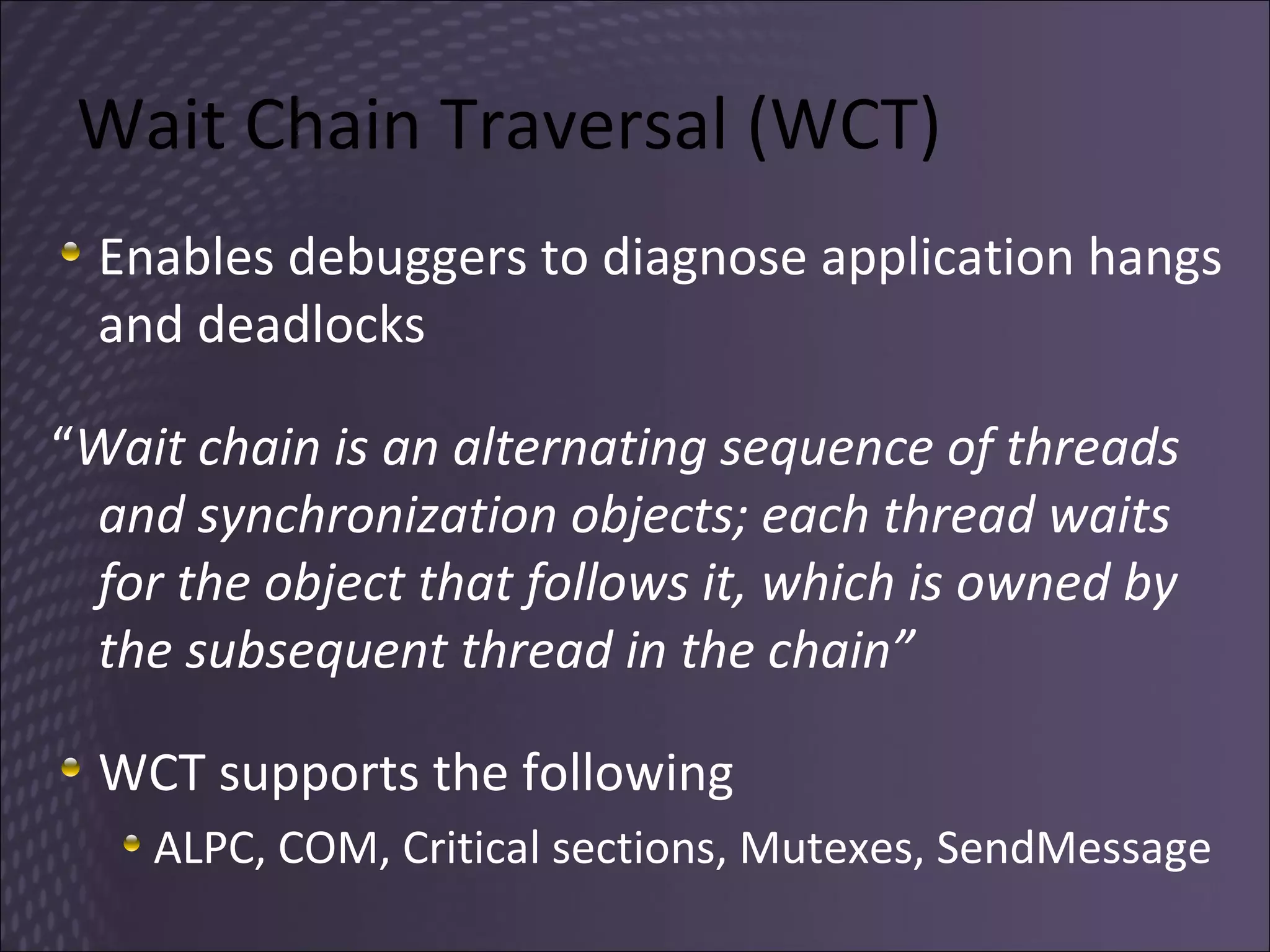
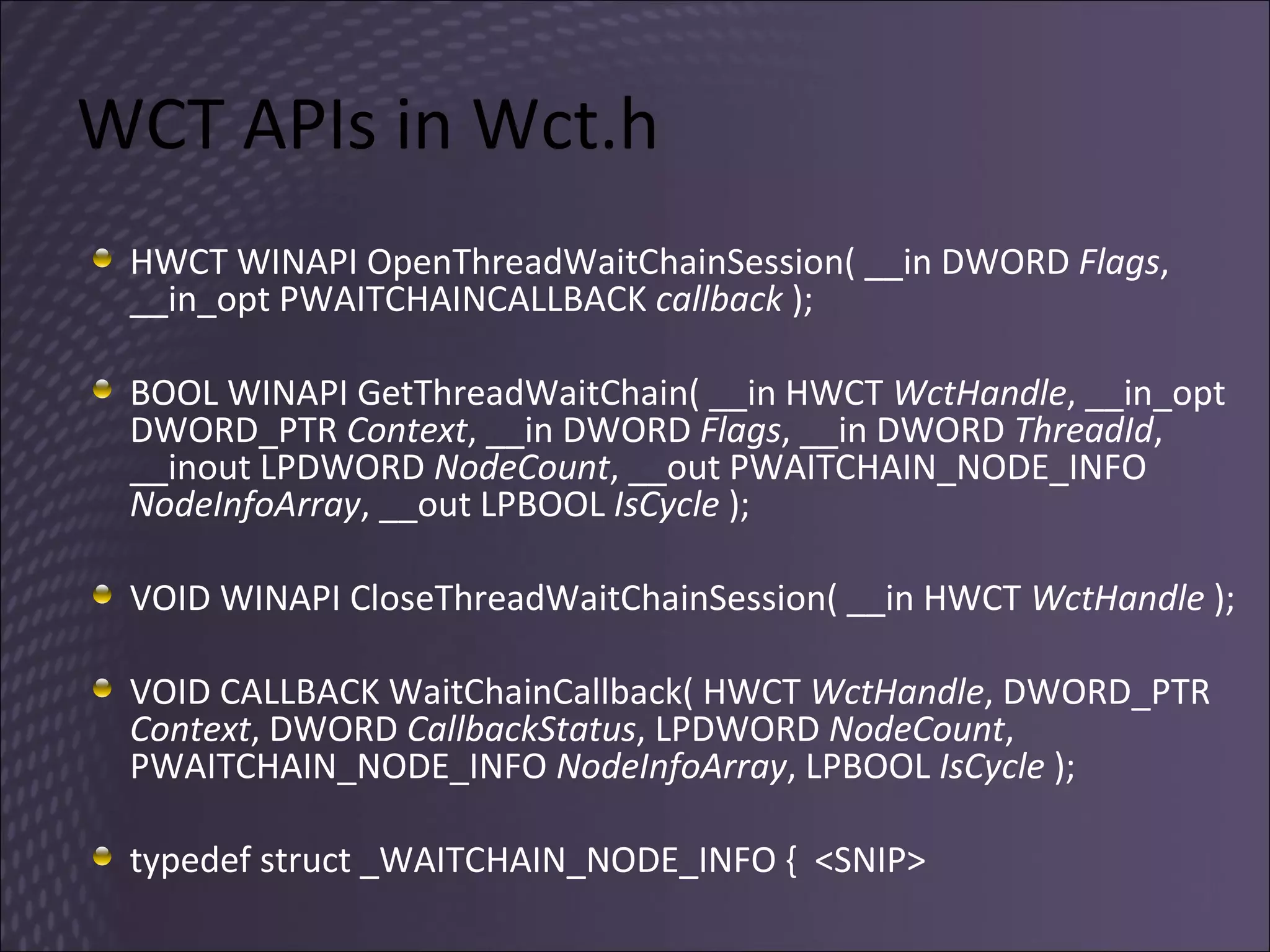
Wait Chain Traversal (WCT) Enables debuggers to diagnose application hangs and deadlocks “ Wait chain is an alternating sequence of threads and synchronization objects; each thread waits for the object that follows it, which is owned by the subsequent thread in the chain” WCT supports the following ALPC, COM, Critical sections, Mutexes, SendMessage
WCT APIs in Wct.h HWCT WINAPI OpenThreadWaitChainSession( __in DWORD  Flags , __in_opt PWAITCHAINCALLBACK  callback  ); BOOL WINAPI GetThreadWaitChain( __in HWCT  WctHandle , __in_opt DWORD_PTR  Context , __in DWORD  Flags , __in DWORD  ThreadId , __inout LPDWORD  NodeCount , __out PWAITCHAIN_NODE_INFO  NodeInfoArray , __out LPBOOL  IsCycle  ); VOID WINAPI CloseThreadWaitChainSession( __in HWCT  WctHandle  ); VOID CALLBACK WaitChainCallback( HWCT  WctHandle , DWORD_PTR  Context , DWORD  CallbackStatus , LPDWORD  NodeCount , PWAITCHAIN_NODE_INFO  NodeInfoArray , LPBOOL  IsCycle  );  typedef struct _WAITCHAIN_NODE_INFO {  <SNIP>
Native Threading Enhancements in Windows Vista and Windows Server 2008   Thread Pools One-Time Initialization Slim Reader/Writer Lock Condition Variables Thread Ordering Service Wait Chain Traversal MSDN Magazine: Oct07, Jun07, Jul07
6. Develop More Reliable Apps
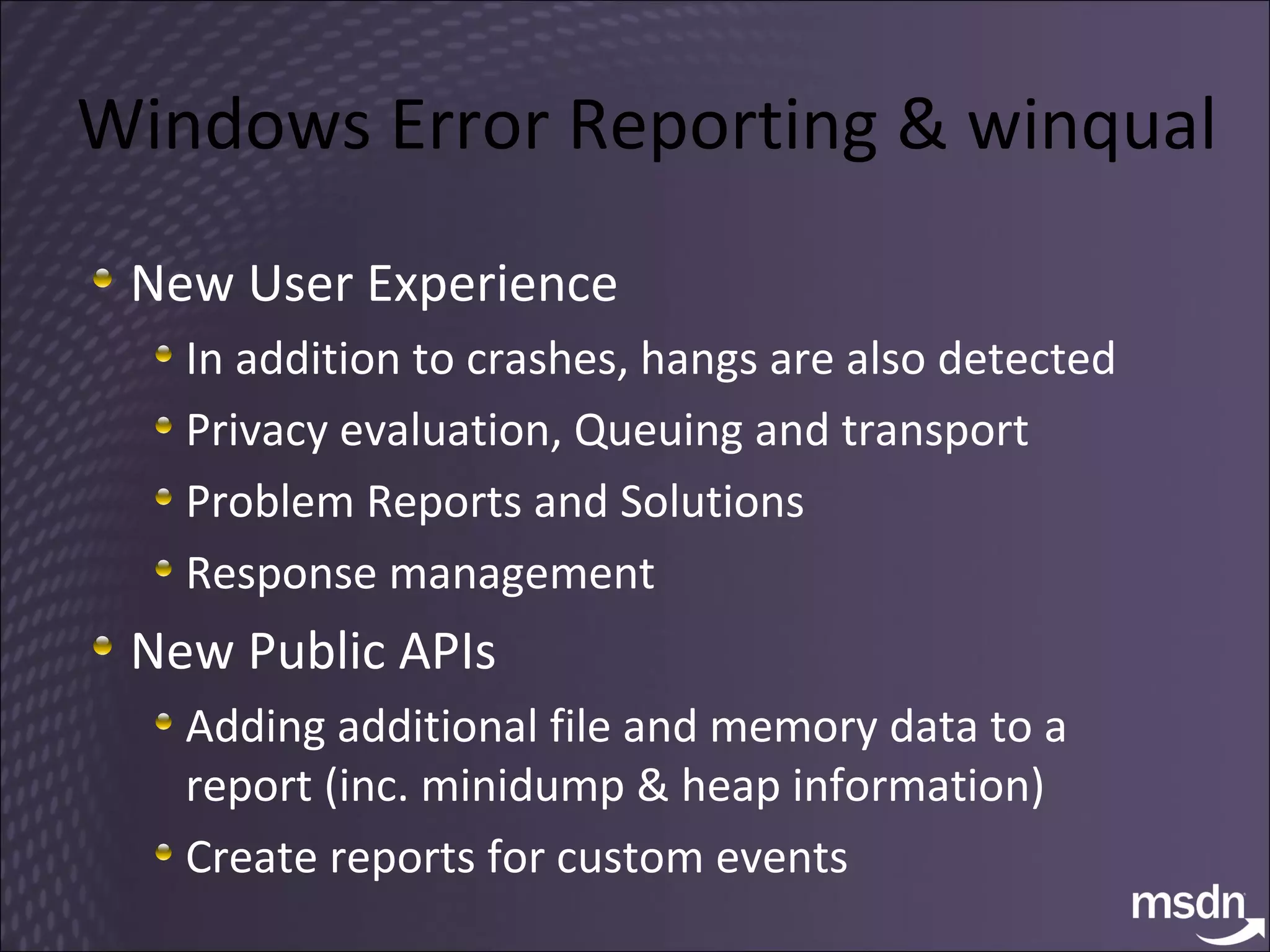
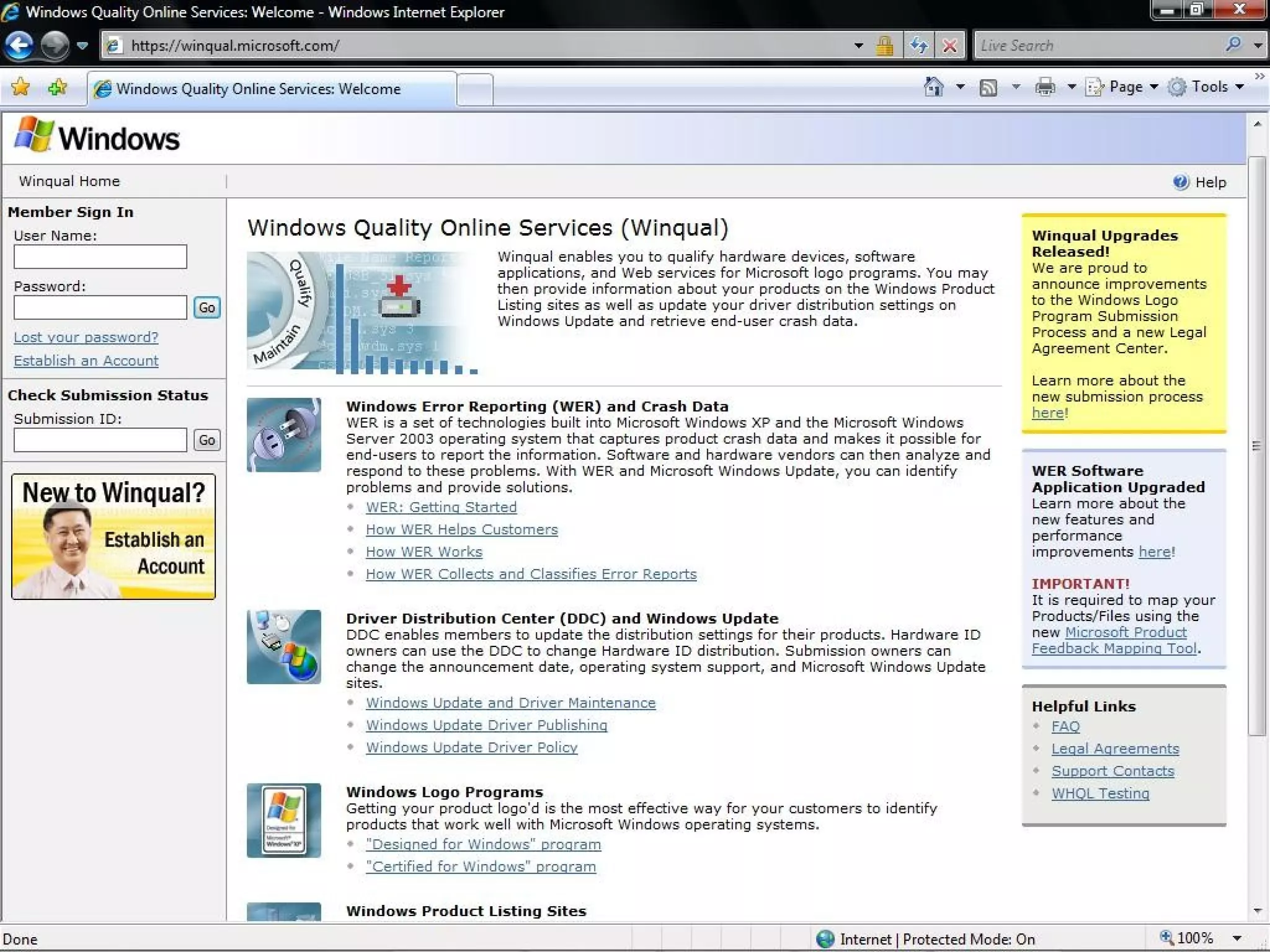
Windows Error Reporting  & winqual New User Experience In addition to crashes, hangs are also detected Privacy evaluation ,  Queuing and transport Problem Reports and Solutions Response management New Public APIs Adding additional file and memory data to a report (inc. minidump & heap information) Create reports for custom events
WER, Restart, Recovery
 
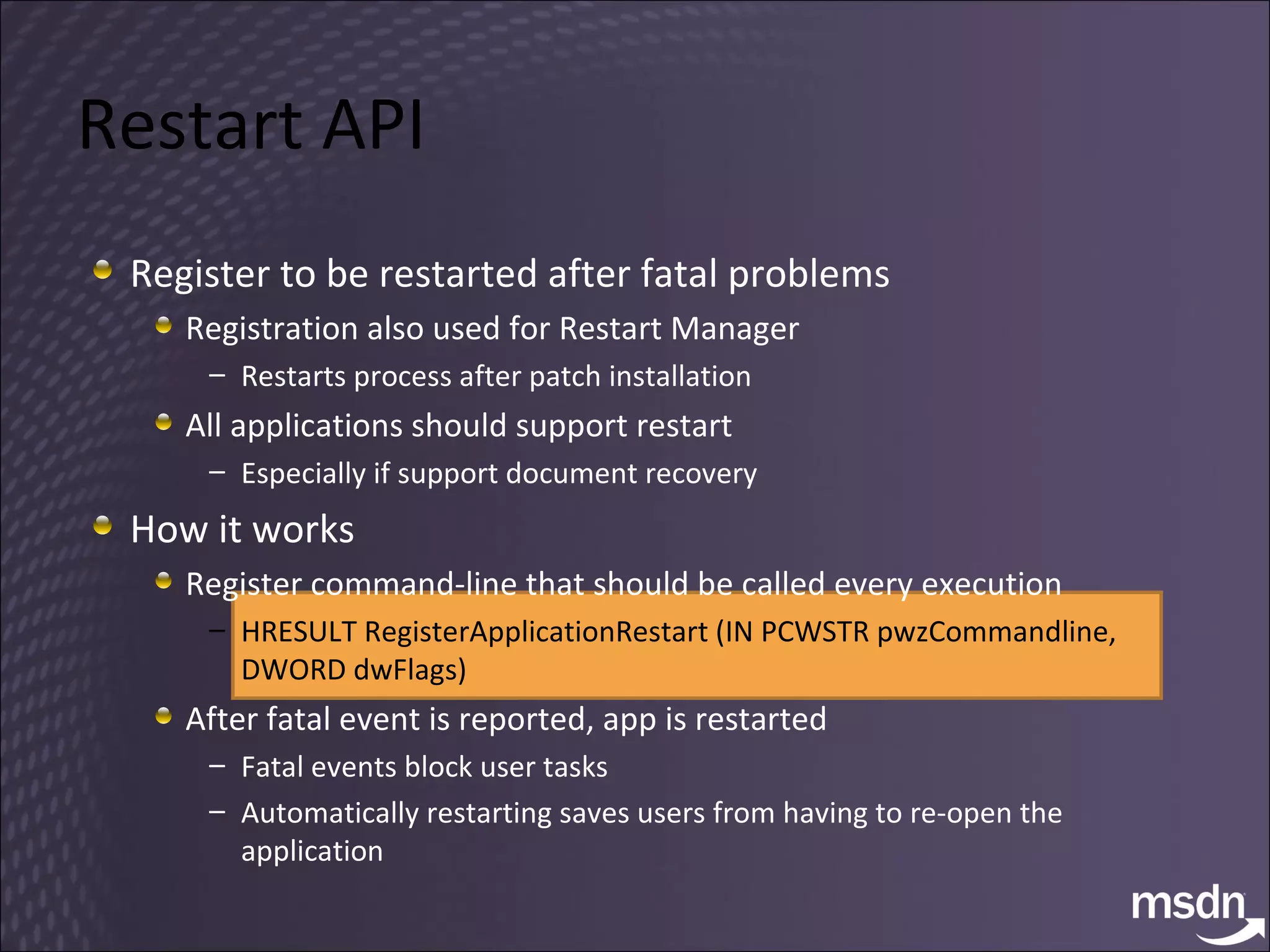
Restart API Register to be restarted after fatal problems Registration also used for Restart Manager Restarts process after patch installation All applications should support restart Especially if support document recovery How it works Register command-line that should be called every execution HRESULT RegisterApplicationRestart (IN PCWSTR pwzCommandline, DWORD dwFlags) After fatal event is reported, app is restarted Fatal events block user tasks Automatically restarting saves users from having to re-open the application
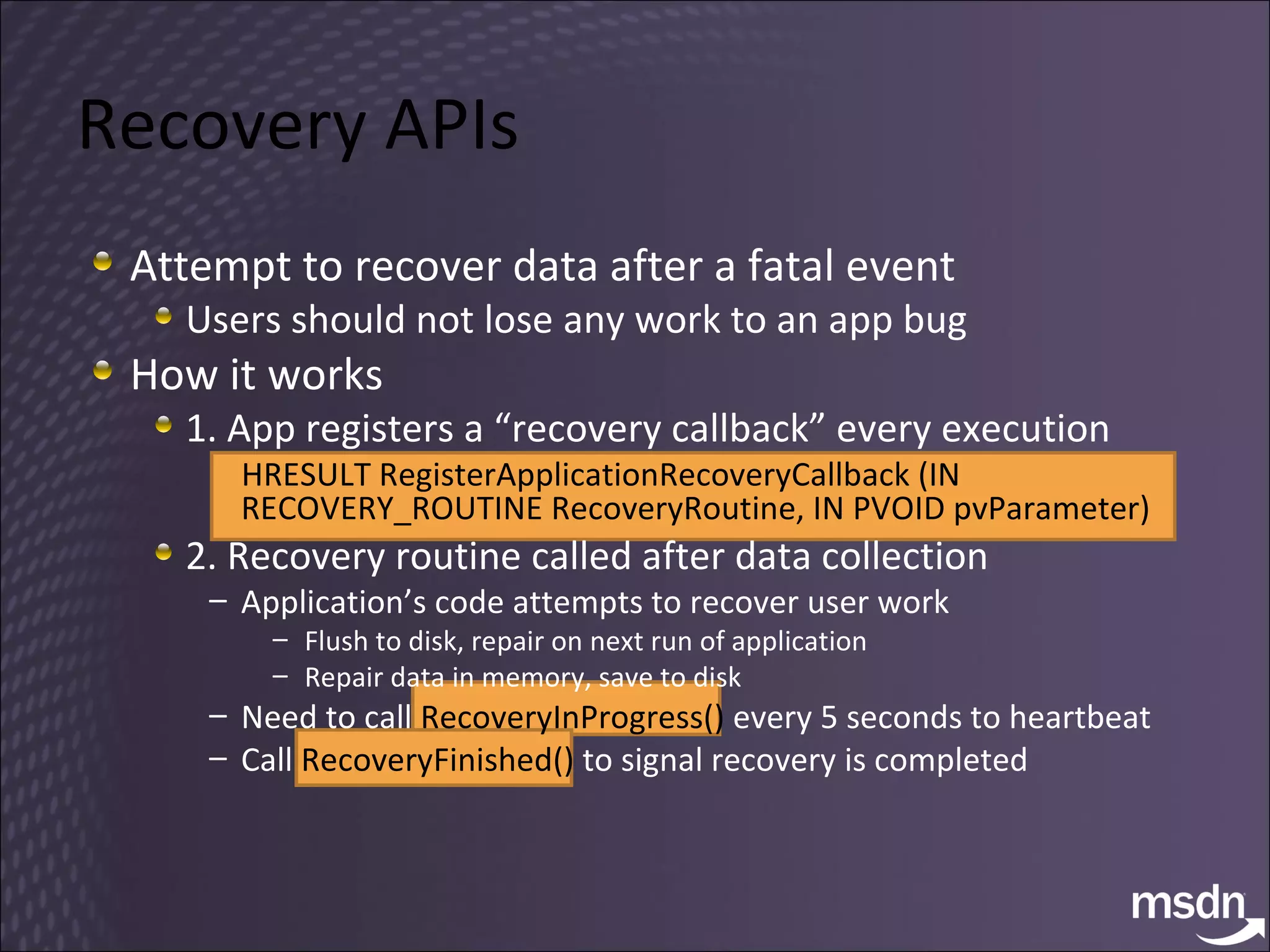
Recovery APIs Attempt to recover data after a fatal event Users should not lose any work to an app bug How it works 1. App registers a “recovery callback” every execution HRESULT RegisterApplicationRecoveryCallback (IN RECOVERY_ROUTINE RecoveryRoutine, IN PVOID pvParameter) 2. Recovery routine called after data collection Application’s code attempts to recover user work Flush to disk, repair on next run of application Repair data in memory, save to disk Need to call  RecoveryInProgress()  every 5 seconds to heartbeat Call  RecoveryFinished()  to signal recovery is completed
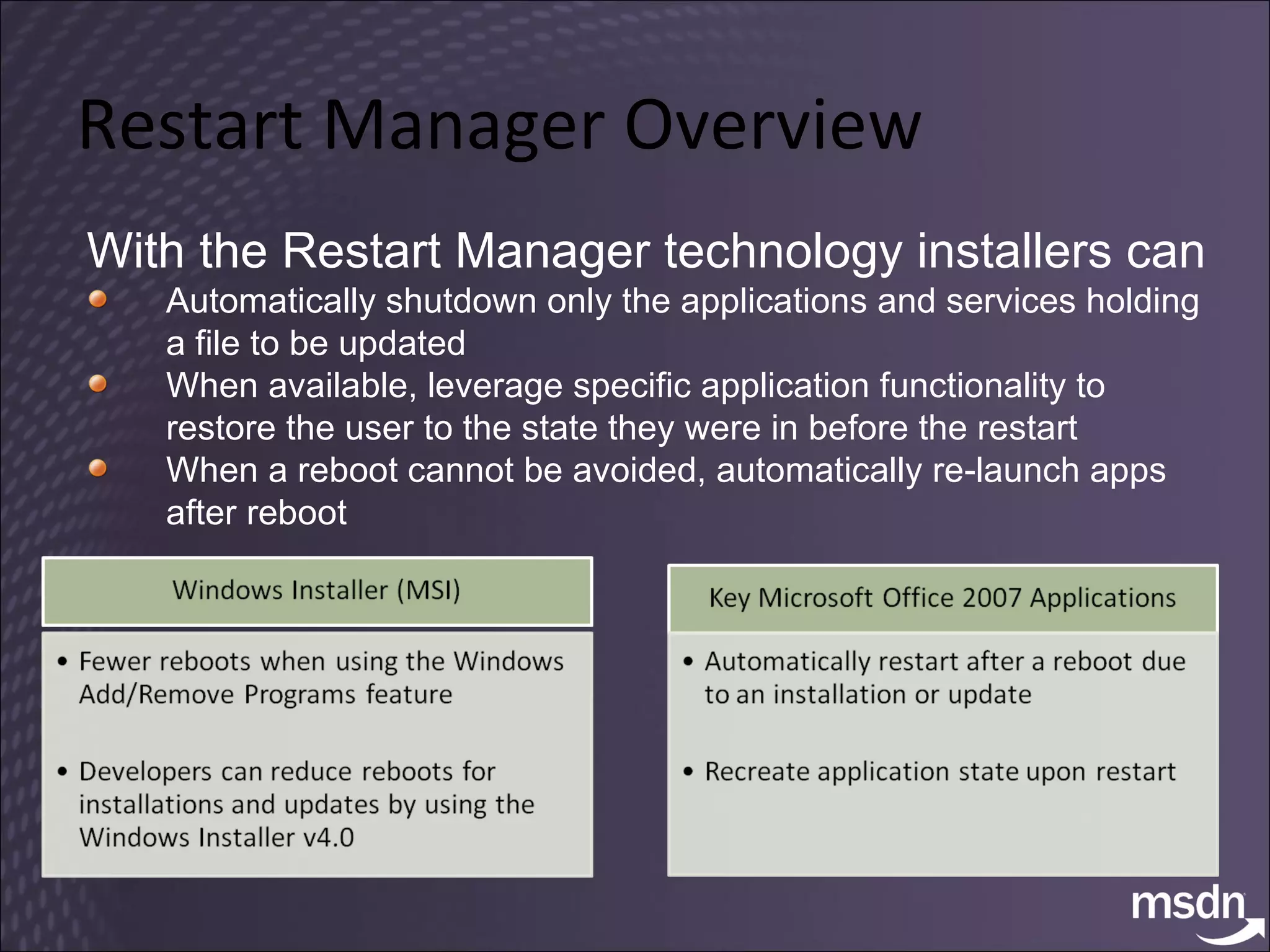
Restart Manager Overview With the Restart Manager technology installers can Automatically shutdown only the applications and services holding a file to be updated When available, leverage specific application functionality to restore the user to the state they were in before the restart When a reboot cannot be avoided, automatically re-launch apps after reboot
Restart Manager
Restart Manager, Call to Action Installer software  call the Restart Manager APIs Applications and Services  Restart Manager &quot;aware”
Transactional NTFS Windows Vista and Windows Server 2008 Does what it says on the tin System.Transactions.dll + PInvoke
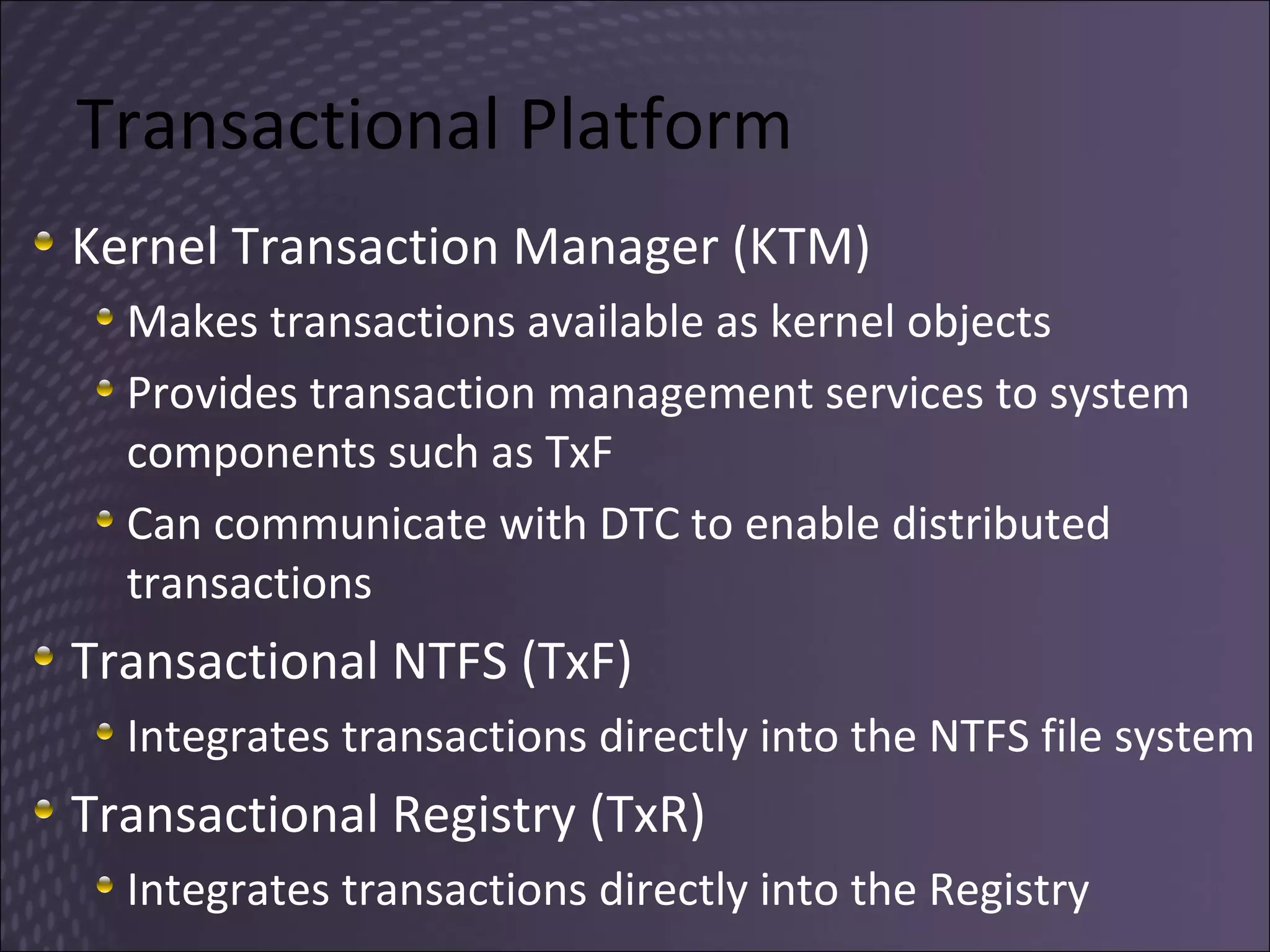
Transactional Platform Kernel Transaction Manager (KTM) Makes transactions available as kernel objects Provides transaction management services to system components such as TxF Can communicate with DTC to enable distributed transactions Transactional NTFS (TxF) Integrates transactions directly into the NTFS file system Transactional Registry (TxR) Integrates transactions directly into the Registry
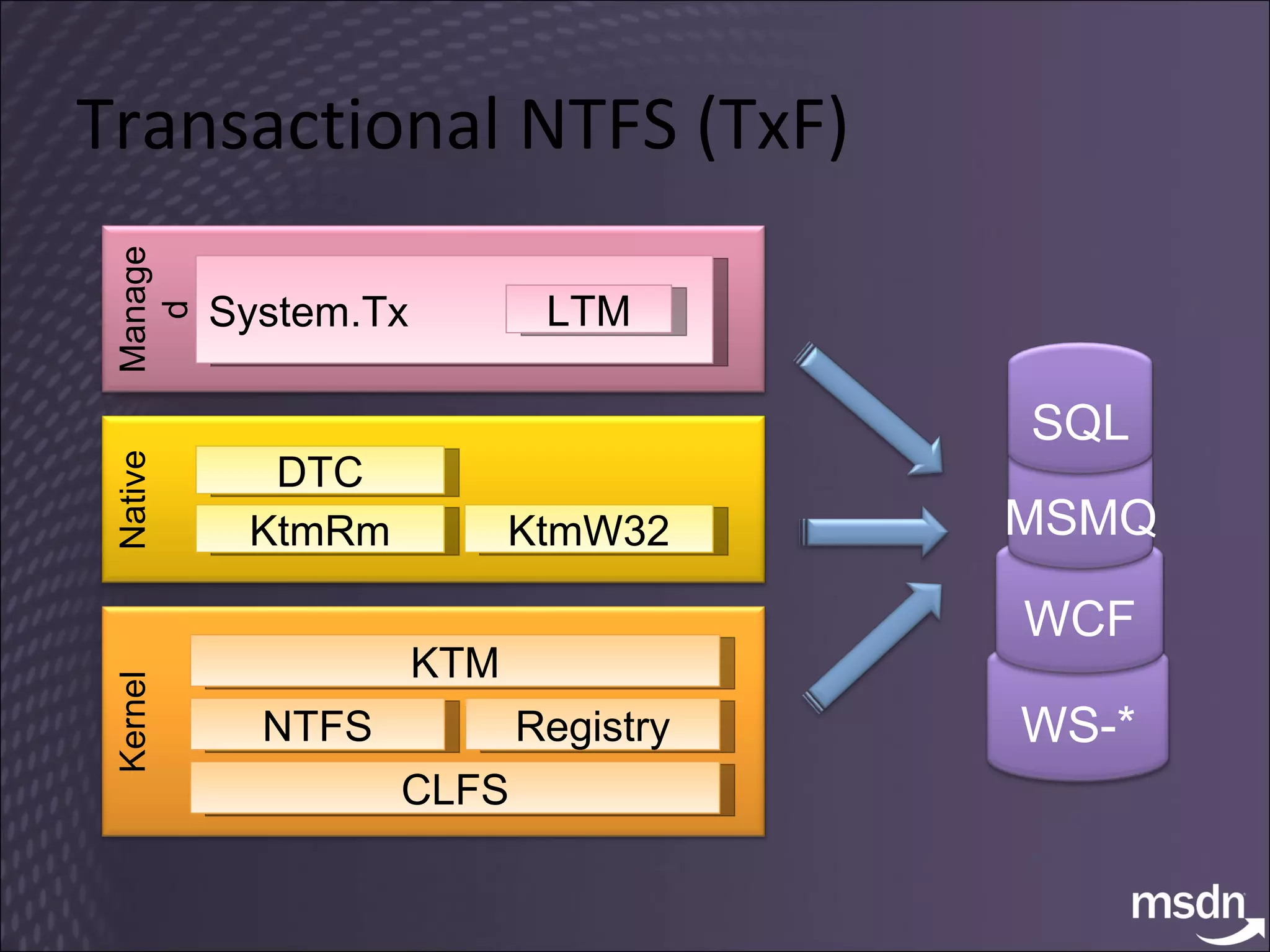
Transactional NTFS (TxF) KTM CLFS NTFS Registry Kernel KtmRm KtmW32 DTC Native Managed System.Tx LTM WS-* WCF MSMQ SQL
TxF
7. Virtualize
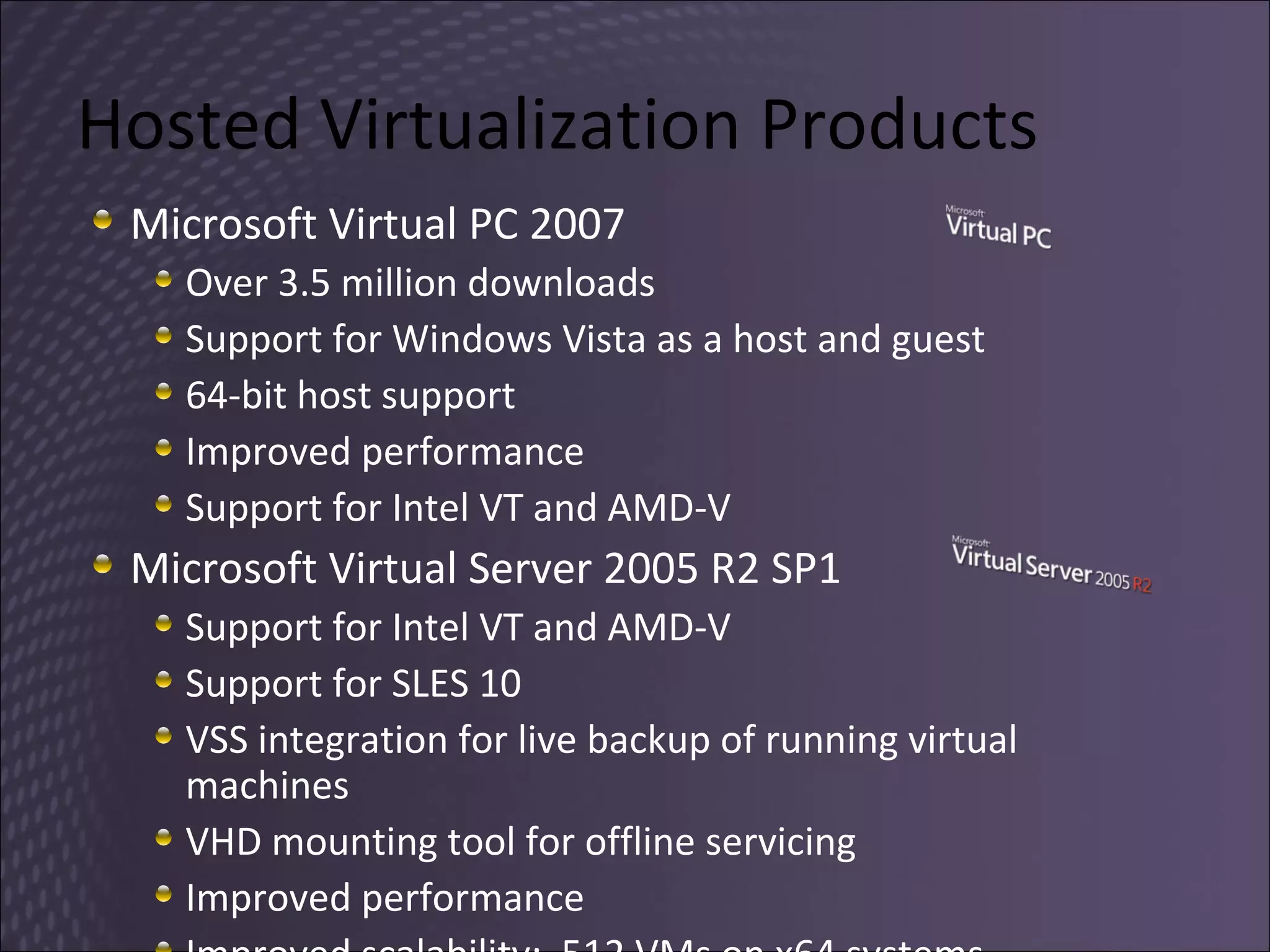
Hosted Virtualization Products Microsoft Virtual PC 2007 Over 3.5 million downloads Support for Windows Vista as a host and guest 64-bit host support  Improved performance Support for Intel VT and AMD-V Microsoft Virtual Server 2005 R2 SP1 Support for Intel VT and AMD-V Support for SLES 10 VSS integration for live backup of running virtual machines VHD mounting tool for offline servicing Improved performance Improved scalability:  512 VMs on x64 systems
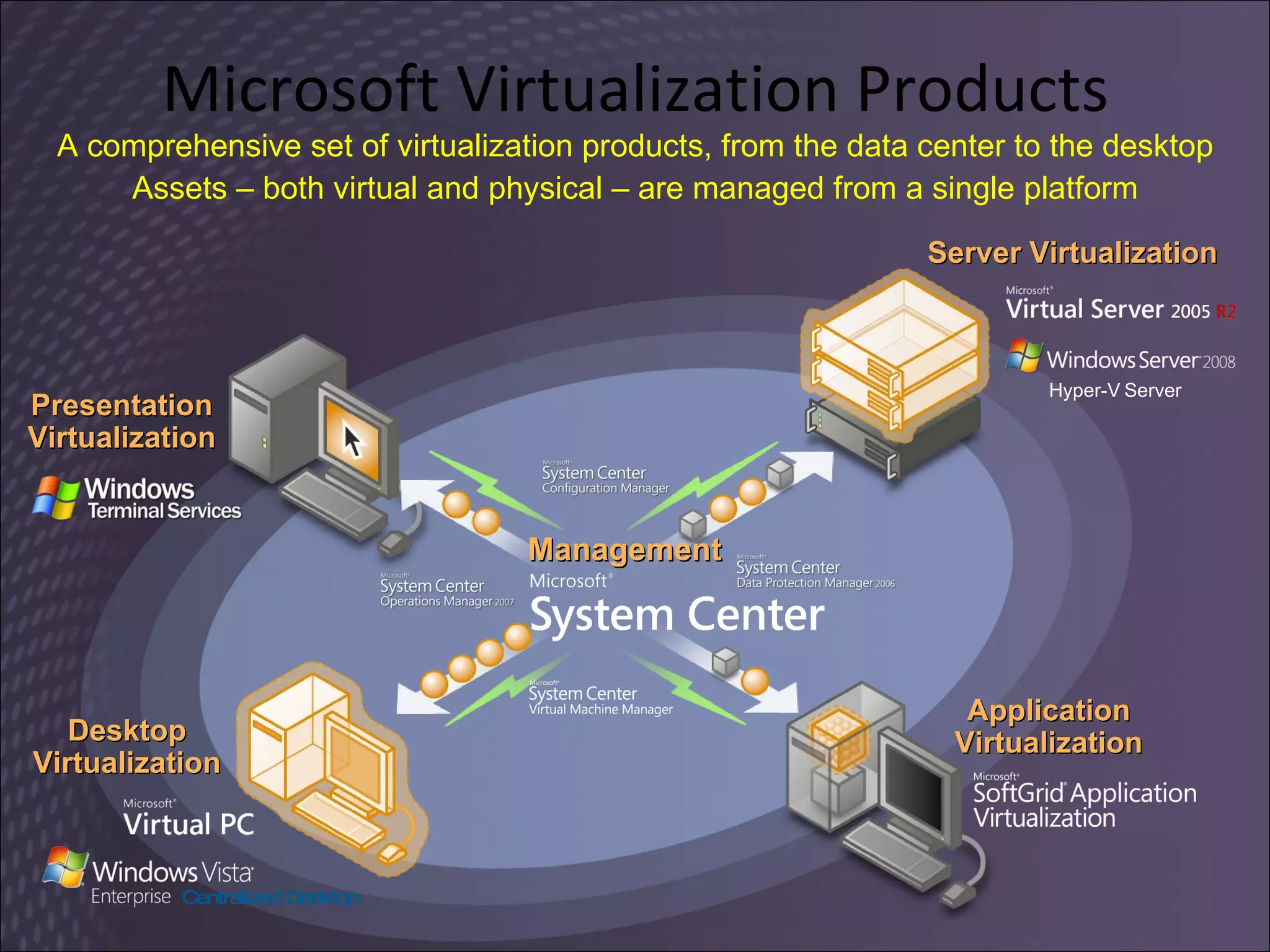
Microsoft Virtualization Products Server Virtualization Application Virtualization Desktop Virtualization Presentation Virtualization Management A comprehensive set of virtualization products, from the data center to the desktop Assets – both virtual and physical – are managed from a single platform Centralized Desktop Hyper-V   Server
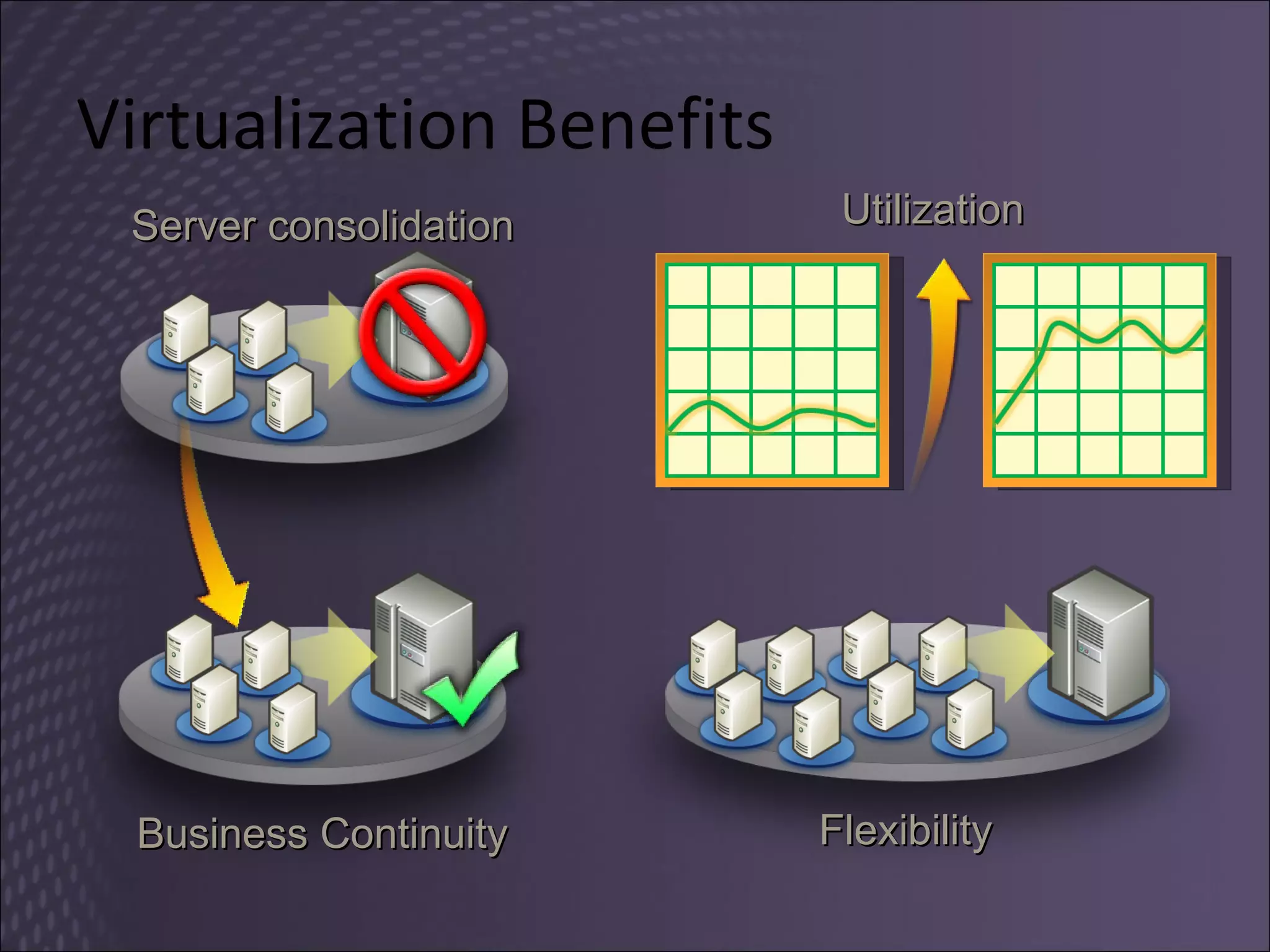
Virtualization Benefits Server consolidation Business Continuity Flexibility Utilization
Hyper-V Flexible and dynamic virtualization solution A role of Windows Server 2008 (Std, EE, DC) Can be a full role with local UI or Server Core role Hypervisor based architecture Managed by Microsoft System Center Also provided as a standalone server Microsoft Hyper-V Server ($28) Codename  &quot;Viridian&quot;,  Windows Server Virtualization
Windows Server Core role Server Core  Minimal Installation option in all x86/x64 editions Command line interface only, no GUI shell Provides essential server functionality Deployed for a single role No need to deploy and service the whole OS Benefits Less code results in fewer patches and servicing burden Low surface area targeted for server roles More secure and reliable with less management
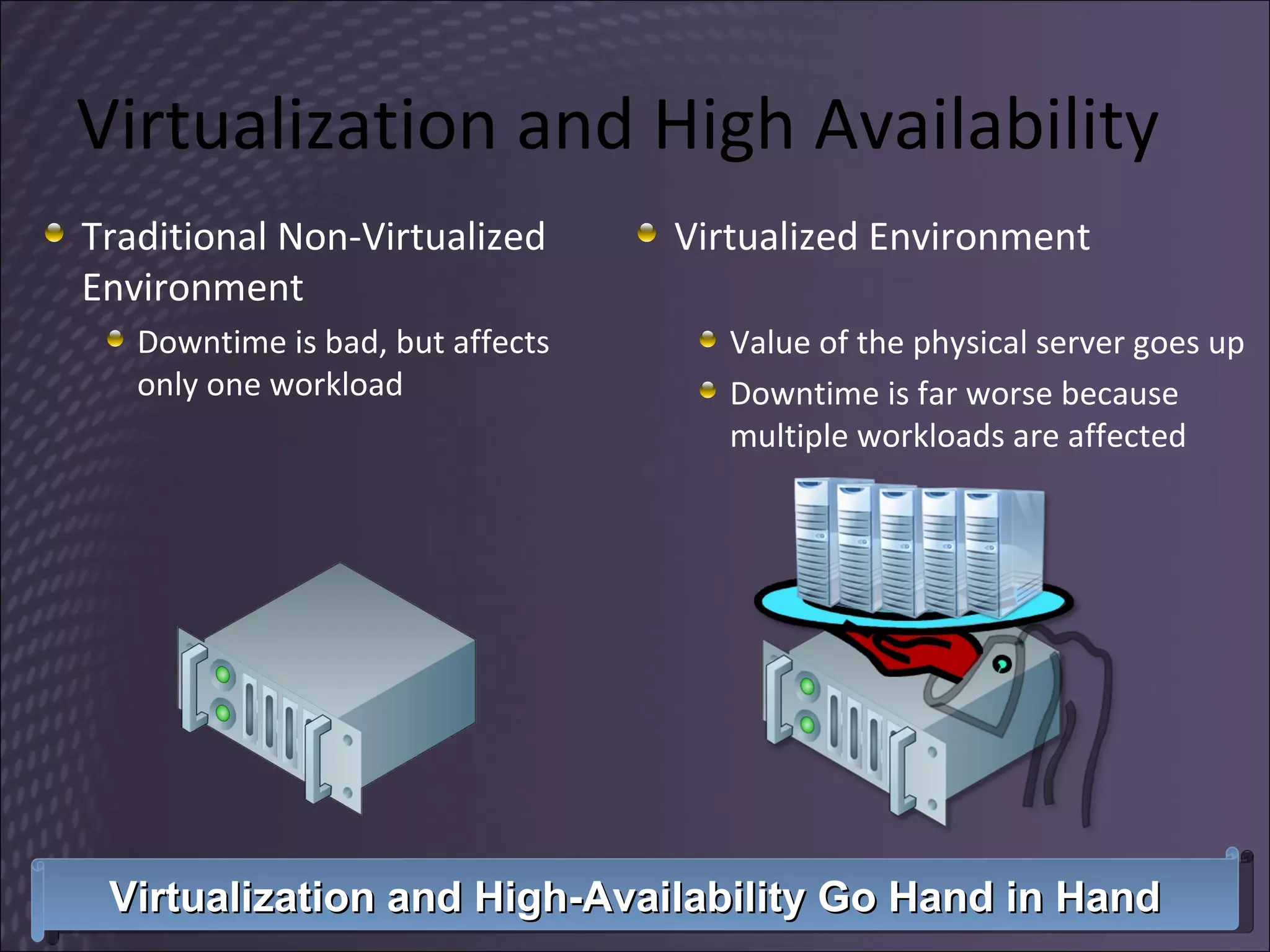
Virtualization and High Availability Traditional Non-Virtualized Environment Downtime is bad, but affects only one workload Virtualized Environment Value of the physical server goes up Downtime is far worse because multiple workloads are affected Virtualization and High-Availability Go Hand in Hand
Microsoft Hyper-V High Availability Planned downtime More common than unplanned Quickly move virtualized workloads in order to service underlying hardware Unplanned downtime Not as common and more difficult Automatic failover to other nodes hardware or power failure
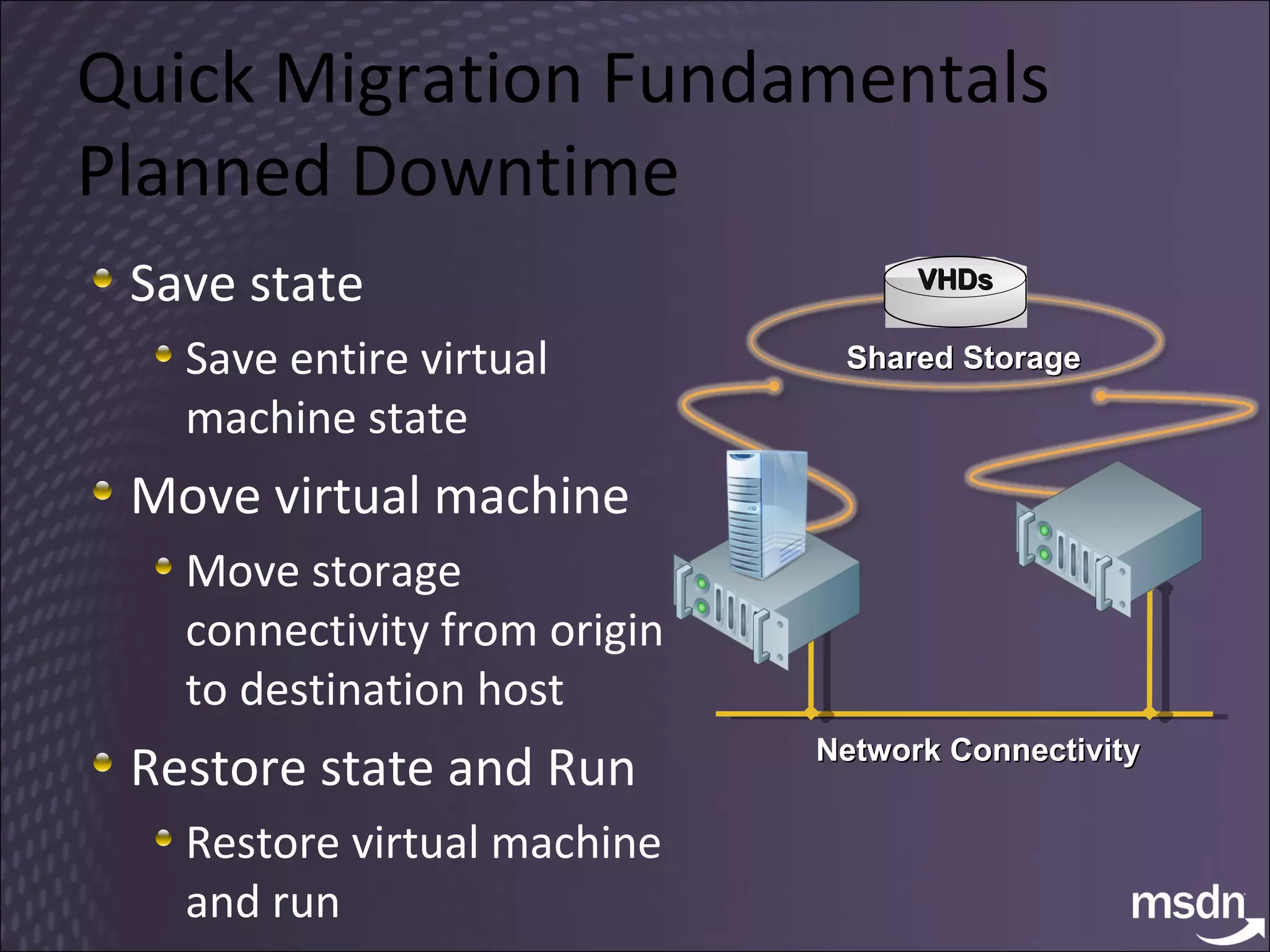
Quick Migration Fundamentals Planned Downtime Save state Save entire virtual machine state Move virtual machine Move storage connectivity from origin to destination host Restore state and Run Restore virtual machine and run Network Connectivity Shared Storage VHDs
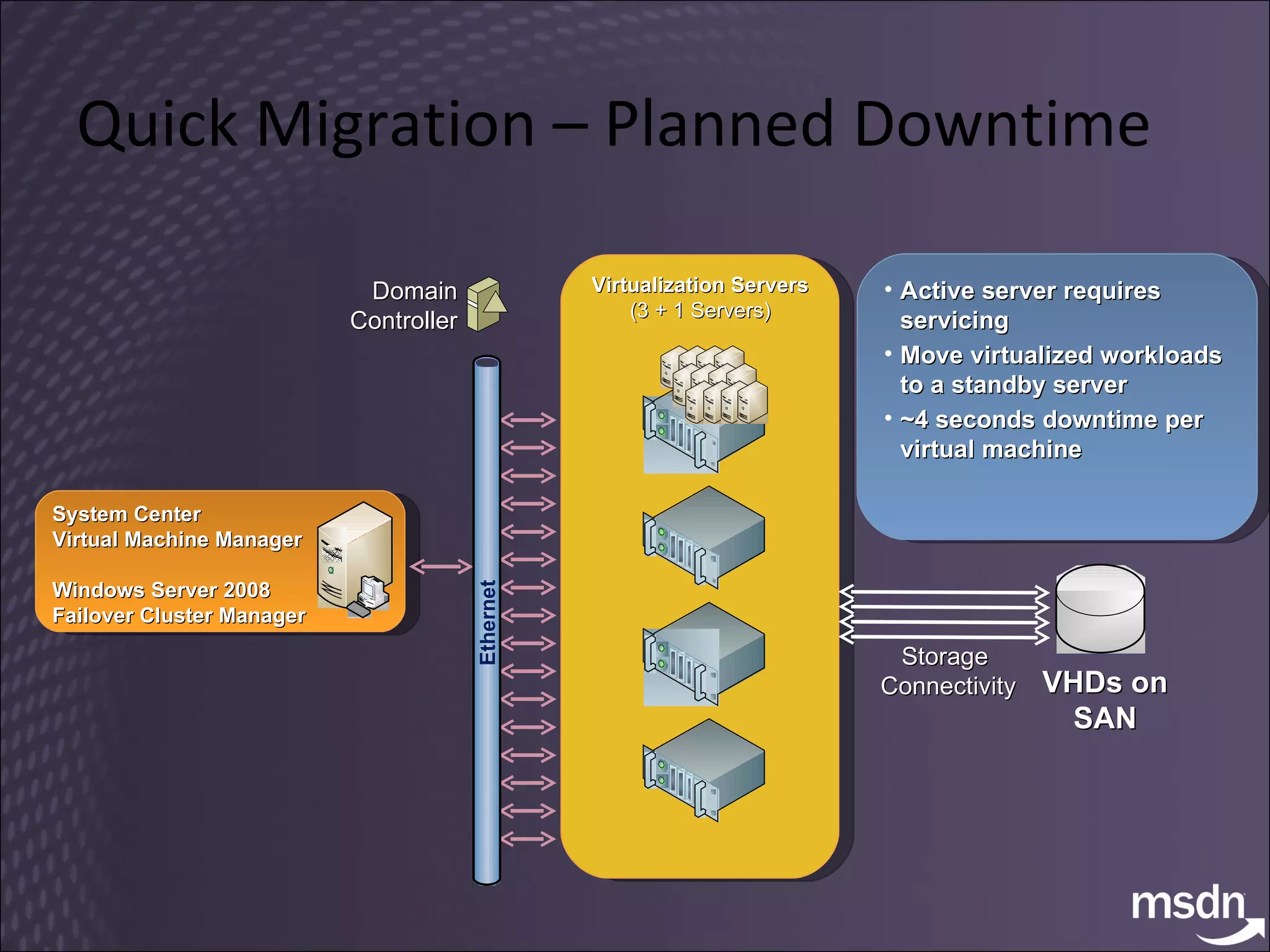
Quick Migration – Planned Downtime Active server requires servicing Move virtualized workloads to a standby server ~4 seconds downtime per virtual machine VHDs on SAN Domain Controller Storage  Connectivity Virtualization Servers (3 + 1 Servers) System Center Virtual Machine Manager Windows Server 2008 Failover Cluster Manager Ethernet
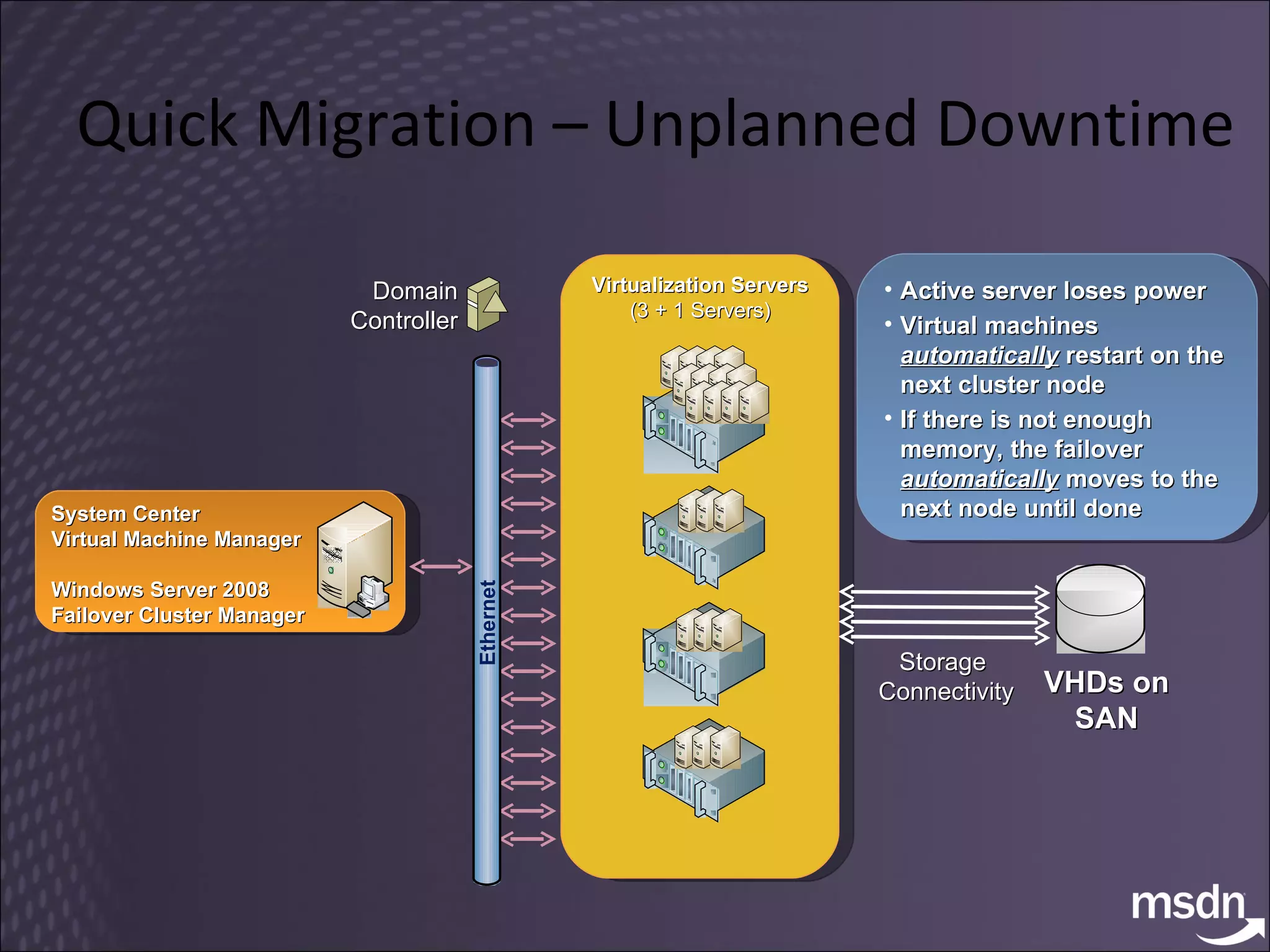
Quick Migration – Unplanned Downtime Active server loses power Virtual machines  automatically   restart on the next cluster node If there is not enough memory, the failover  automatically   moves to the next node until done VHDs on SAN Domain Controller Storage  Connectivity Virtualization Servers (3 + 1 Servers) System Center Virtual Machine Manager Windows Server 2008 Failover Cluster Manager Ethernet
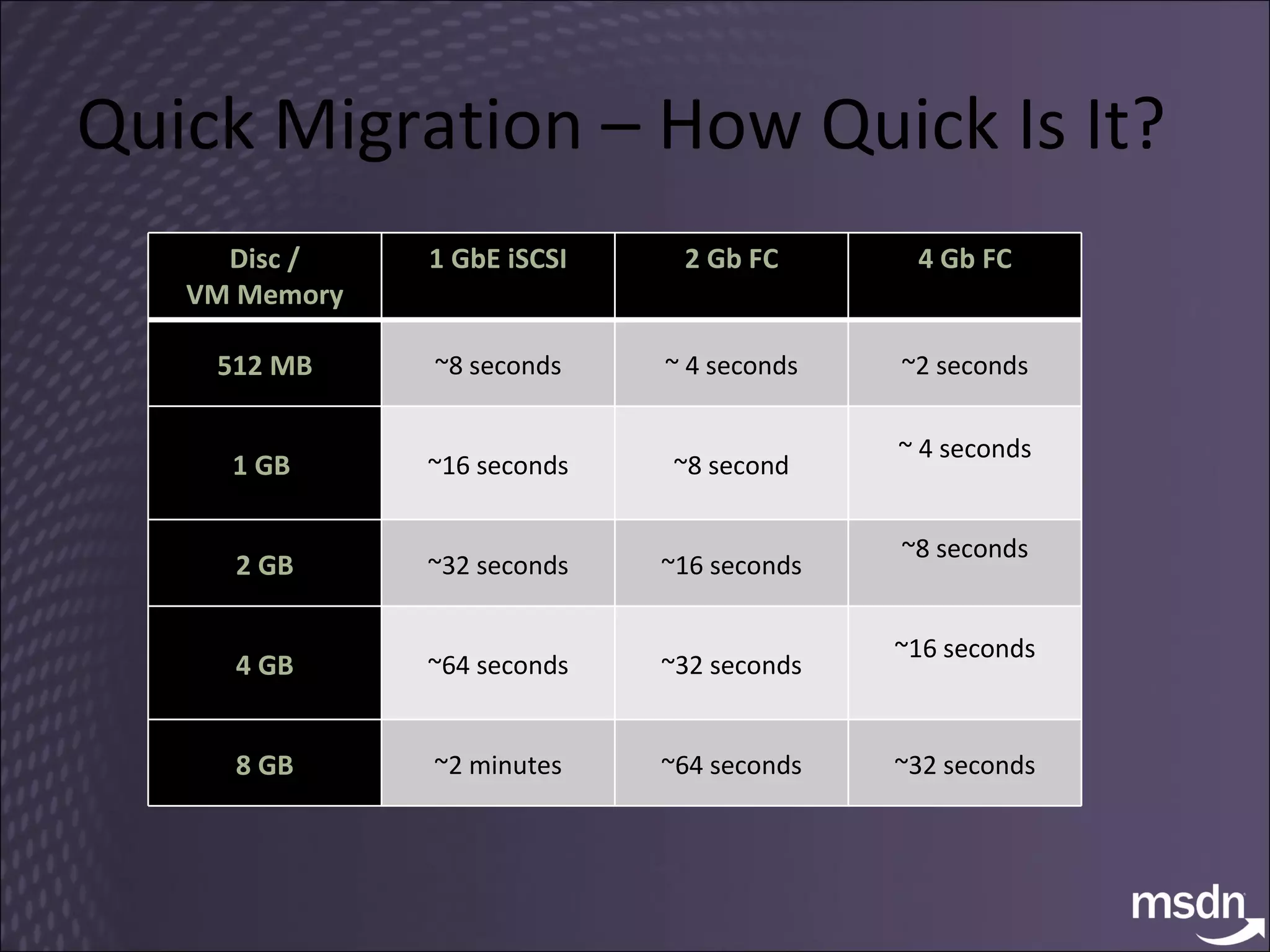
Quick Migration – How Quick Is It? Disc / VM Memory 1 GbE iSCSI 2 Gb FC 4 Gb FC 512 MB ~8 seconds ~ 4 seconds ~2 seconds 1 GB  ~16 seconds ~8 second ~ 4 seconds 2 GB ~32 seconds ~16 seconds ~8 seconds 4 GB ~64 seconds ~32 seconds ~16 seconds 8 GB ~2 minutes ~64 seconds ~32 seconds
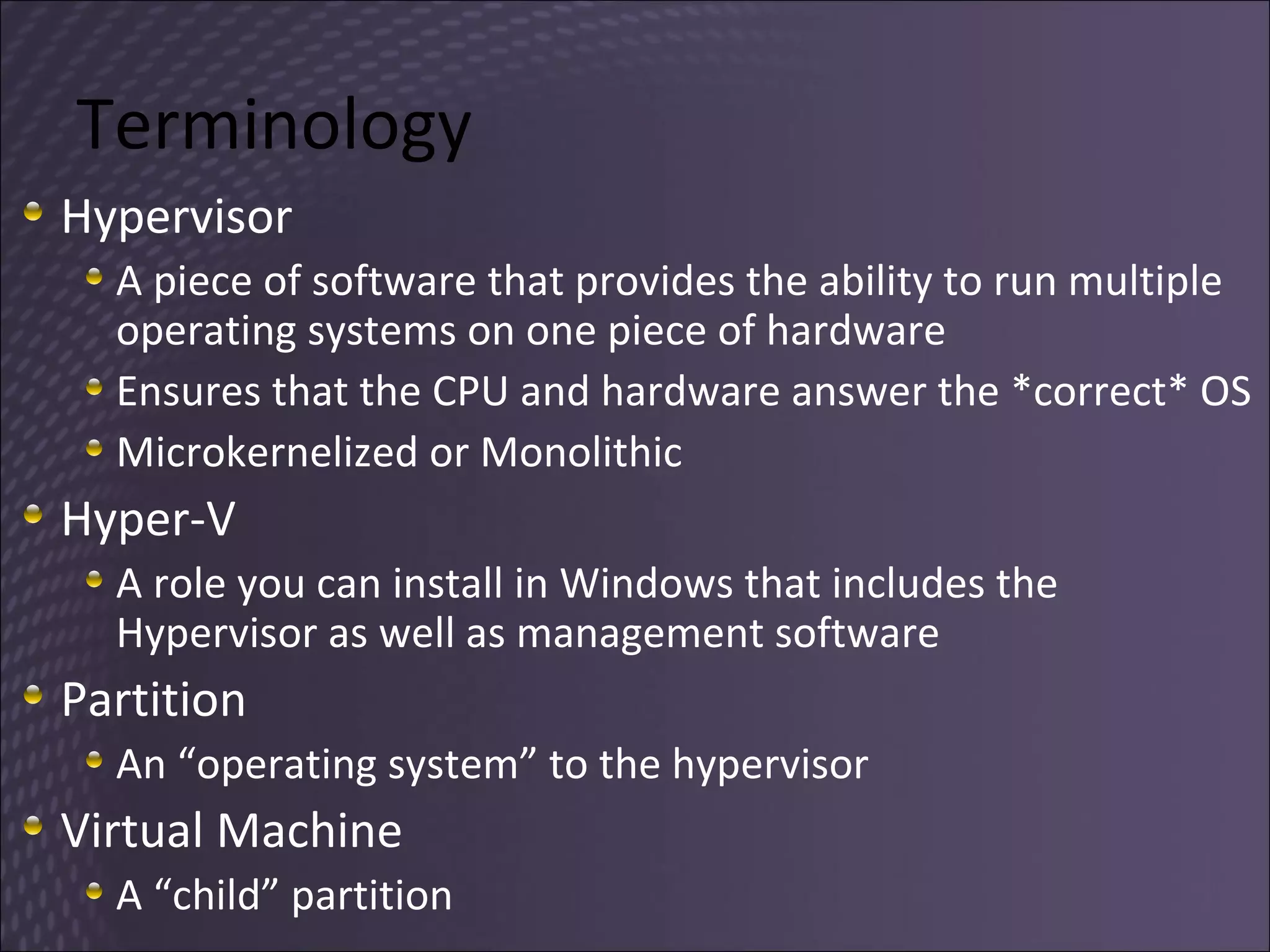
Terminology Hypervisor A piece of software that provides the ability to run multiple operating systems on one piece of hardware Ensures that the CPU and hardware answer the *correct* OS Microkernelized or Monolithic Hyper-V A role you can install in Windows that includes the Hypervisor as well as management software Partition An “operating system” to the hypervisor Virtual Machine A “child” partition
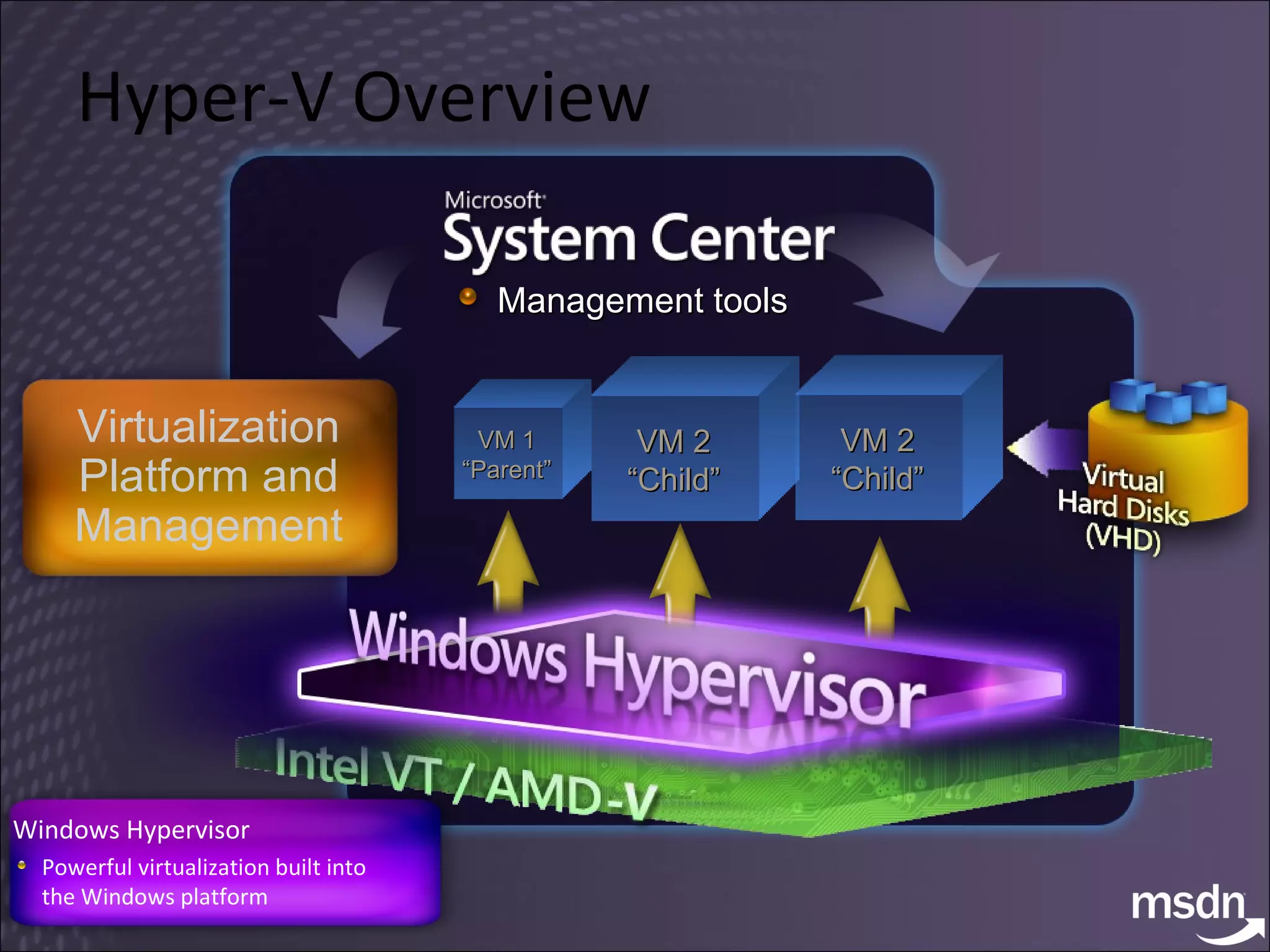
Hyper-V Overview Windows Hypervisor Powerful virtualization built into the Windows platform Virtualization Platform and Management Management tools VM 2 “Child” VM 1 “Parent” VM 2 “Child”
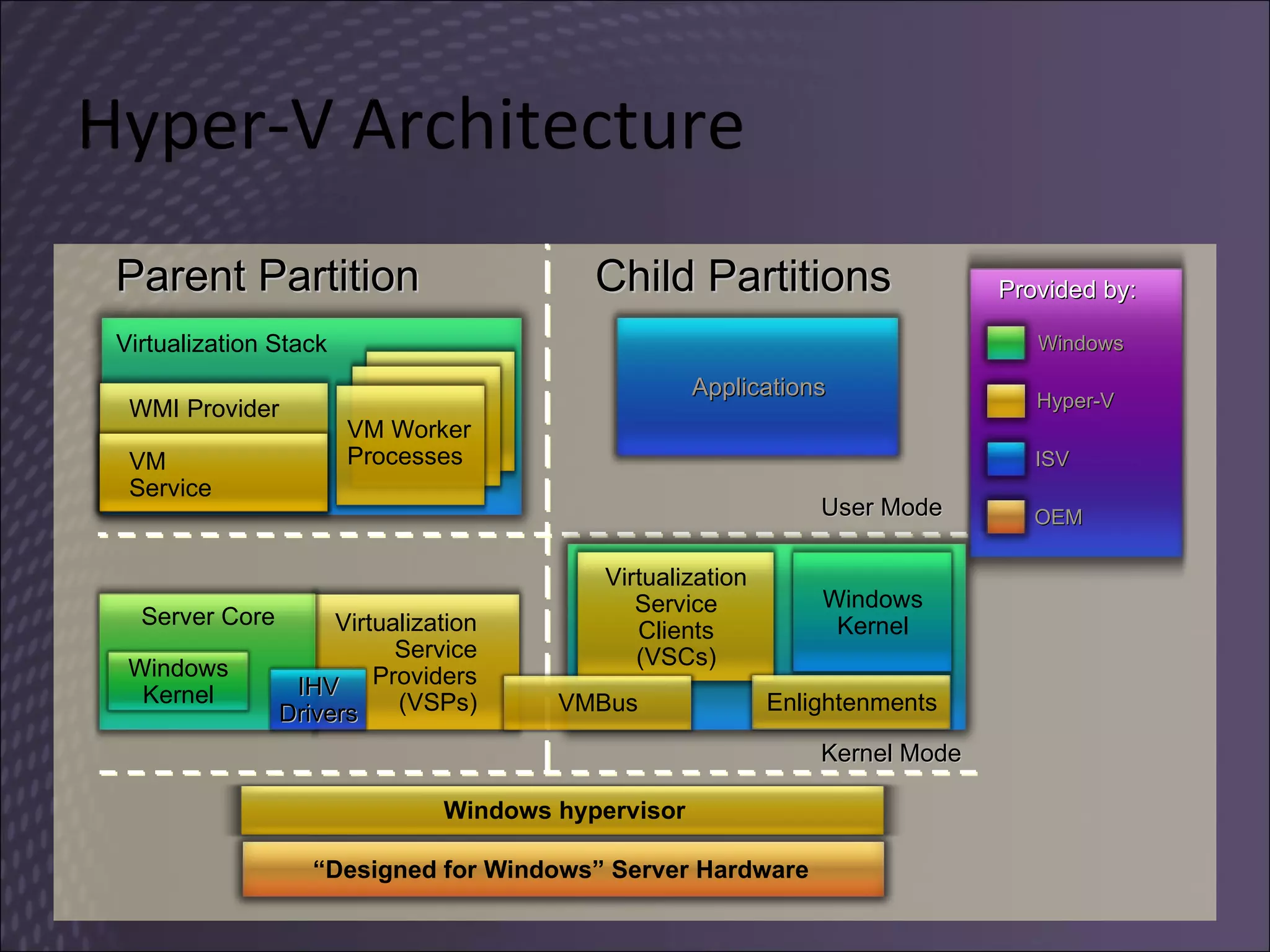
Hyper-V Architecture Parent Partition Child Partitions Kernel Mode User Mode Applications “ Designed for Windows” Server Hardware Virtualization Service Providers (VSPs) Windows Kernel Server Core IHV Drivers Virtualization Service Clients (VSCs) Windows Kernel Enlightenments VMBus Windows hypervisor Virtualization Stack VM Worker Processes VM Service WMI Provider Provided by: Windows ISV OEM Hyper-V
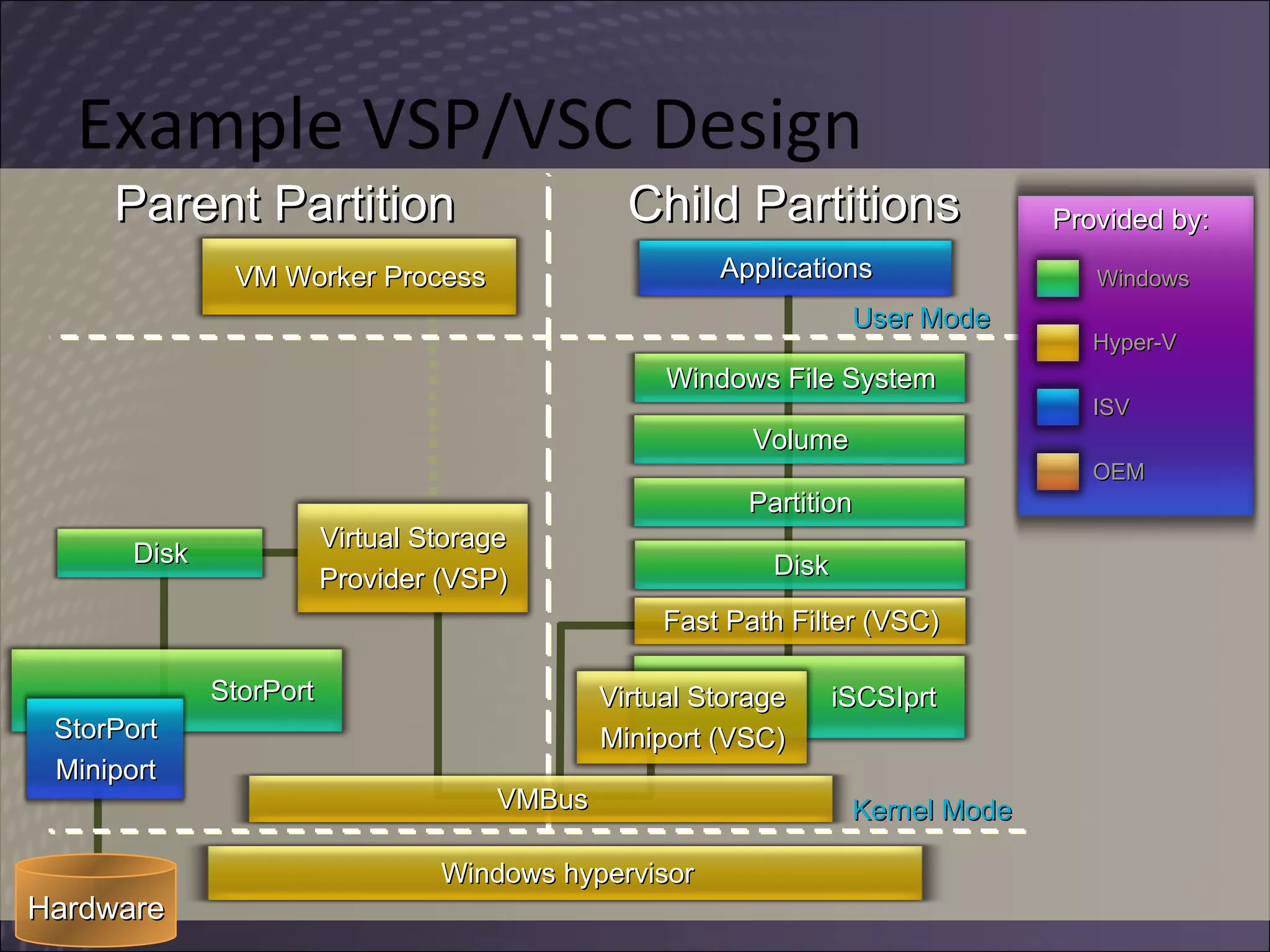
Example VSP/VSC Design Parent Partition Child Partitions Kernel Mode Provided by: Windows ISV OEM Hyper-V Hardware User Mode Windows hypervisor Applications VMBus Windows File System Volume Partition Disk Fast Path Filter (VSC) iSCSIprt Virtual Storage Miniport (VSC) Virtual Storage Provider (VSP) StorPort StorPort Miniport VM Worker Process Disk
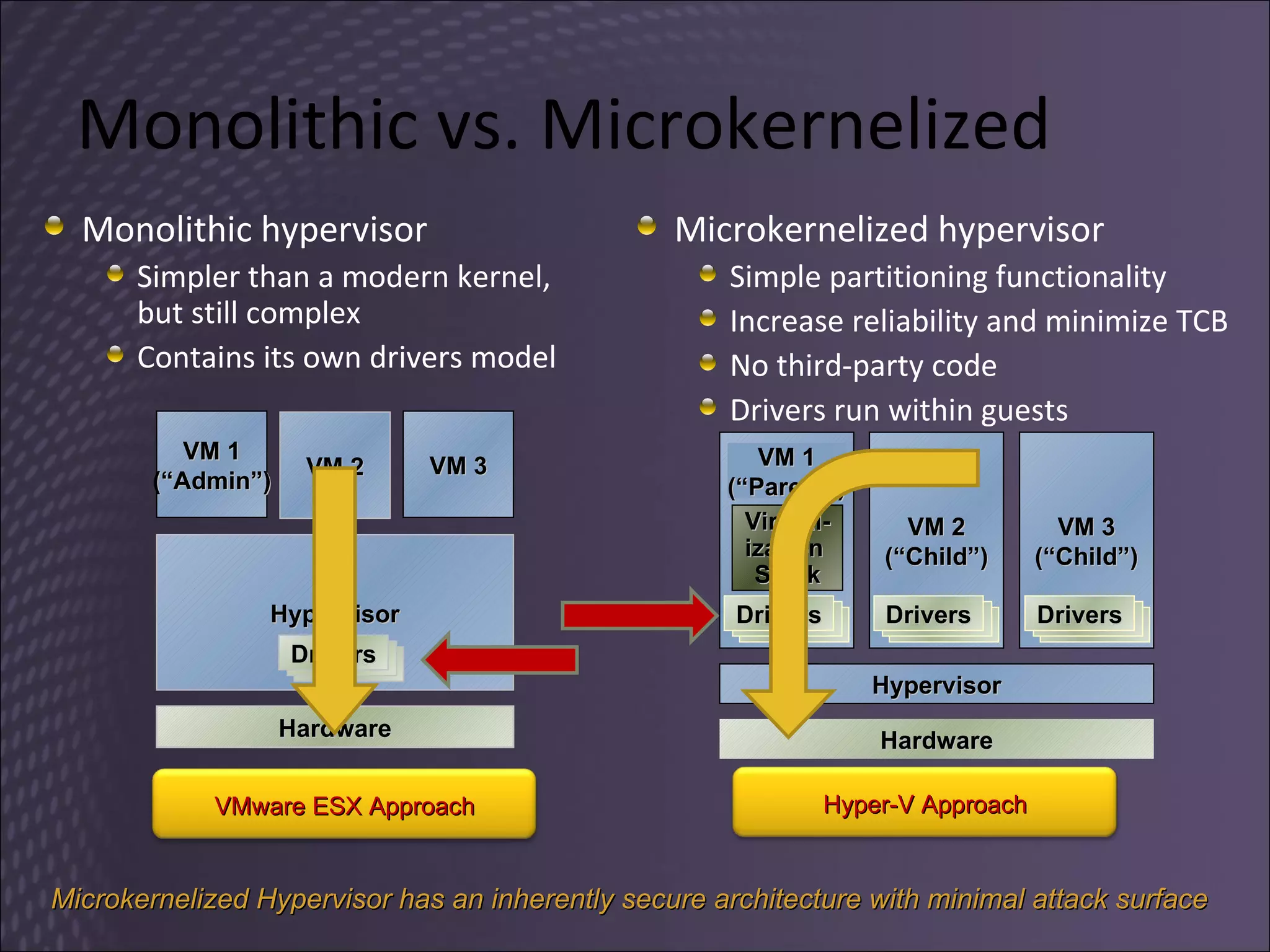
Monolithic vs. Microkernelized Monolithic hypervisor Simpler than a modern kernel, but still complex Contains its own drivers model Microkernelized hypervisor Simple partitioning functionality Increase reliability and minimize TCB No third-party code Drivers run within guests VM 1 (“Admin”) VM 3 Hypervisor VM 2 Hardware Microkernelized Hypervisor has an inherently secure architecture with minimal attack surface Hardware Hypervisor VM 2 (“Child”) VM 3 (“Child”) Virtual- ization  Stack VM 1 (“Parent”) Drivers Drivers Drivers Drivers Drivers Drivers Drivers Drivers Drivers Drivers Drivers Drivers VMware ESX Approach Hyper-V Approach
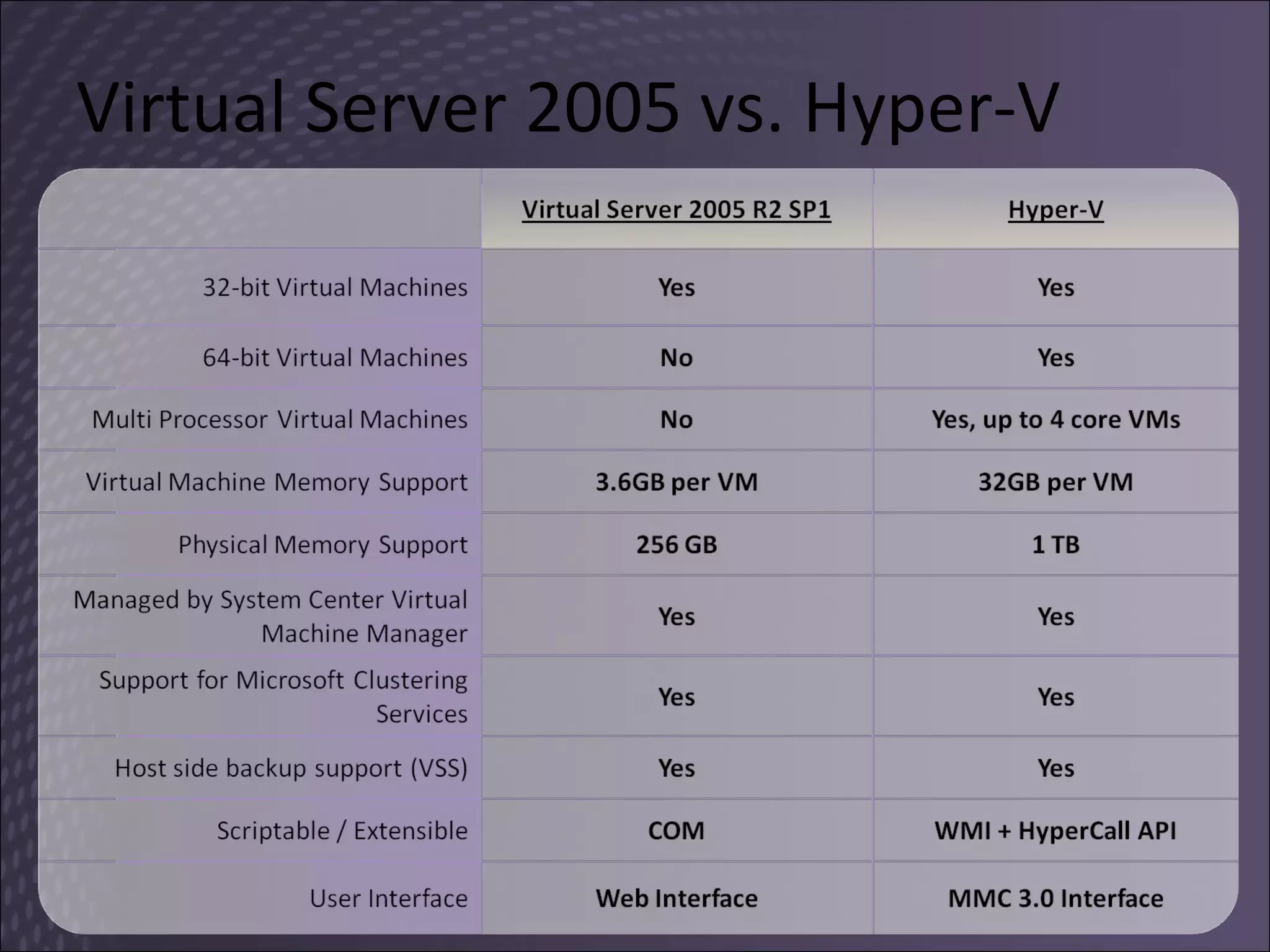
Virtual Server 2005 vs. Hyper-V
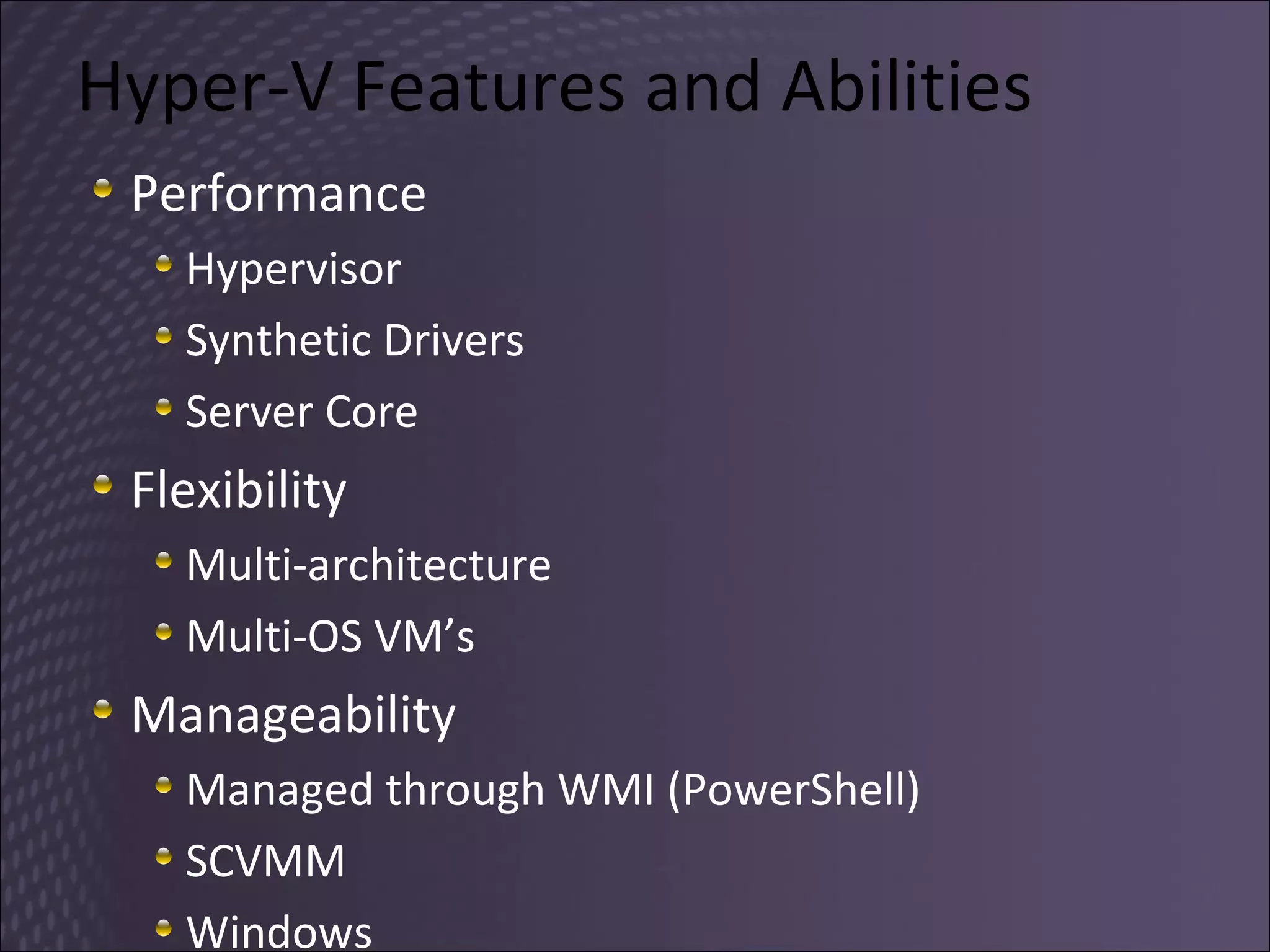
Hyper-V Features and Abilities Performance Hypervisor Synthetic Drivers Server Core Flexibility Multi-architecture Multi-OS VM’s Manageability Managed through WMI (PowerShell) SCVMM Windows
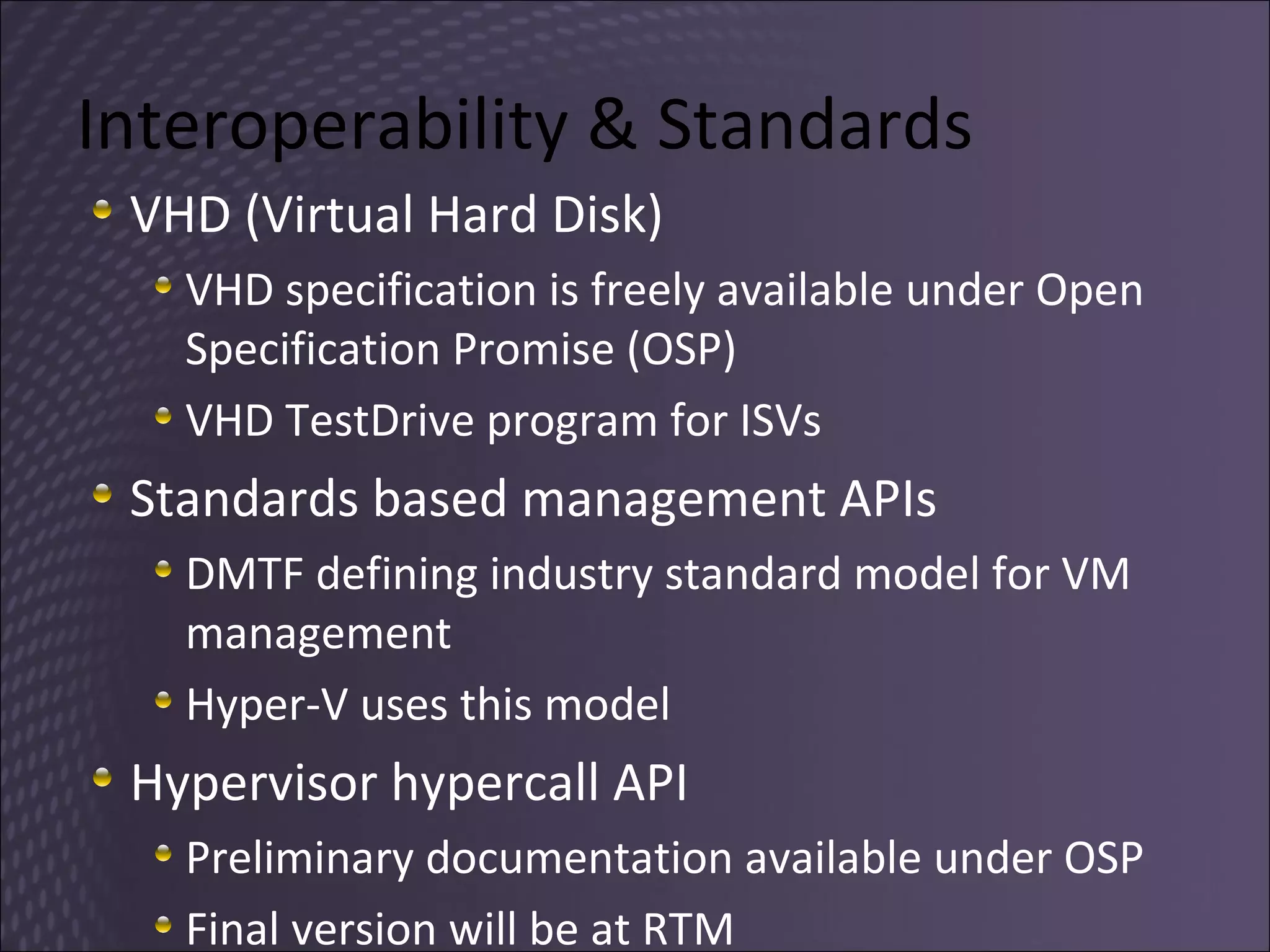
Interoperability & Standards  VHD (Virtual Hard Disk) VHD specification is freely available under Open Specification Promise (OSP) VHD TestDrive program for ISVs Standards based management APIs DMTF defining industry standard model for VM management Hyper-V uses this model Hypervisor hypercall API Preliminary documentation available under OSP Final version will be at RTM
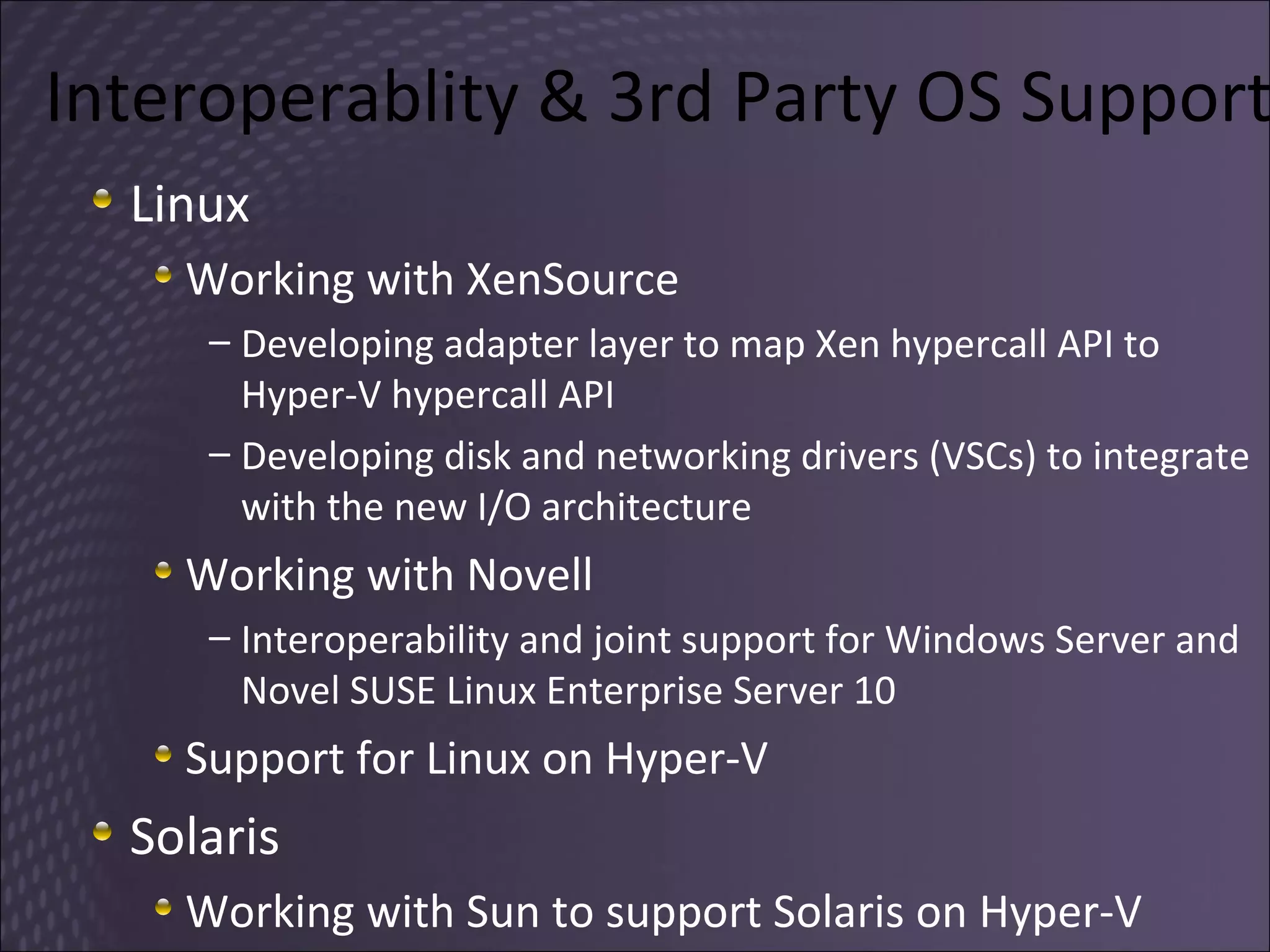
Interoperablity & 3rd Party OS Support Linux Working with XenSource Developing adapter layer to map Xen hypercall API to Hyper-V hypercall API Developing disk and networking drivers (VSCs) to integrate with the new I/O architecture Working with Novell Interoperability and joint support for Windows Server and Novel  SUSE Linux Enterprise Server 10 Support for Linux on Hyper-V Solaris Working with Sun to support Solaris on Hyper-V
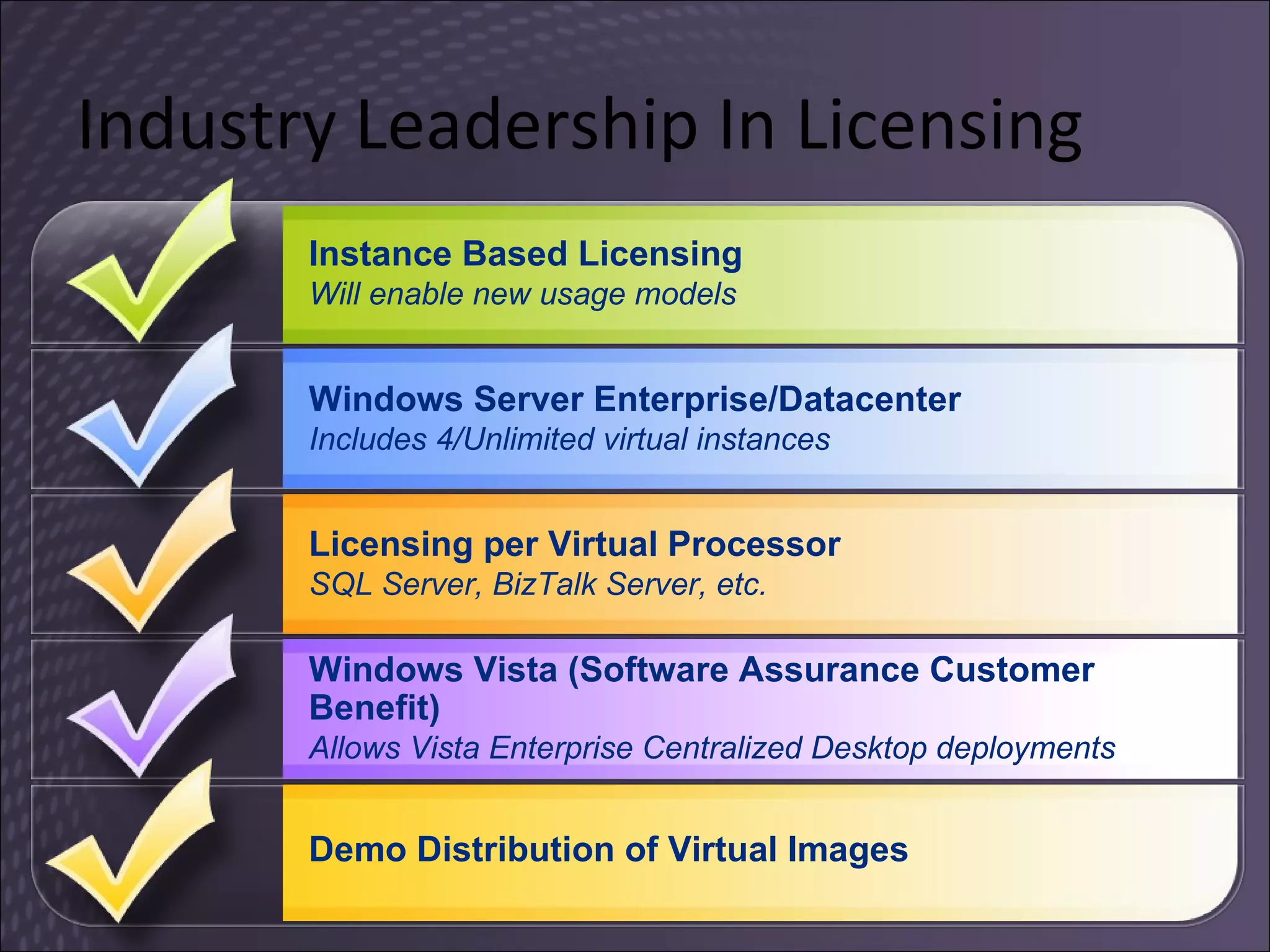
Industry Leadership In Licensing Windows Server Enterprise/Datacenter  Includes 4/Unlimited virtual instances Windows Vista (Software Assurance Customer Benefit) Allows Vista Enterprise Centralized Desktop deployments Licensing per Virtual Processor SQL Server, BizTalk Server, etc. Instance Based Licensing Will enable new usage models Demo Distribution of Virtual Images
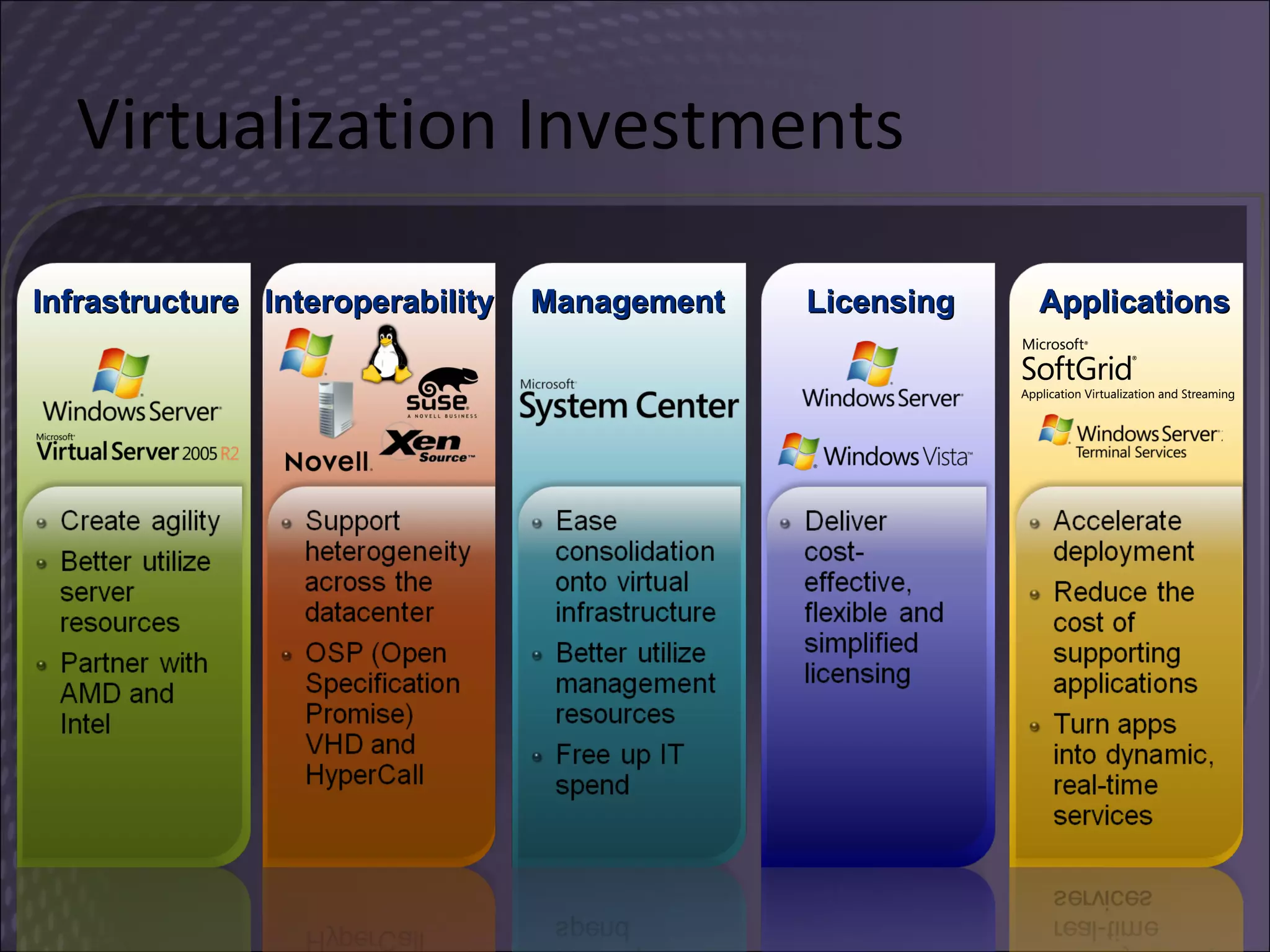
Virtualization Investments Management Interoperability Applications Licensing Infrastructure
Summary Build More Flexible Web Applications Design Highly-Manageable Applications Develop Federation-Aware Applications Build Connected Systems Build For Scalability Develop More Reliable Applications Virtualize
MSDN in the UK Visit  http://msdn.co.uk   Newsletter Events Screencasts Blogs
 

Windows Server 2008 for Developers - Part 2

  • 1.
    for Developers DanielMoth Developer and Platform Group Microsoft http://www.danielmoth.com/Blog
  • 2.
    AGENDA Top 7Ways To “Light Up” Your Apps on Windows Server 2008 Part 1 emphasis on IIS7, PowerShell Part 2 emphasis on WER, Restart and Recovery APIs, TxF
  • 3.
    1. Build MoreFlexible Web Apps
  • 4.
  • 5.
  • 6.
  • 7.
    The Top 7Ways… Part 2 Build More Flexible Web Applications Design Highly-Manageable Applications Develop Federation-Aware Applications Build Connected Systems Build For Scalability Develop More Reliable Applications Virtualize
  • 8.
    5. Build ForScalability
  • 9.
    Native Threading Enhancementsin Windows Vista and Windows Server 2008 Thread Pools One-Time Initialization Slim Reader/Writer Lock Condition Variables Thread Ordering Service Wait Chain Traversal
  • 10.
    Thread Pool inVista and Server 2008 Re-architected Thread Pool Simpler, more reliable, higher performance Does not use a timer thread Single queue Dedicated persistent thread Clean-up groups Single worker thread type (both I/O and non-I/O) Multiple pools per process More flexible API
  • 11.
    Feature Original APICurrent API Synch RegisterWaitForSingleObject UnregisterWaitEx CloseThreadpoolWait CreateThreadpoolWait SetThreadpoolWait WaitForThreadpoolWaitCallbacks Work QueueUserWorkItem CloseThreadpoolWork CreateThreadpoolWork SubmitThreadpoolWork TrySubmitThreadpoolCallback WaitForThreadpoolWorkCallbacks Timer CreateTimerQueue CreateTimerQueueTimer ChangeTimerQueueTimer DeleteTimerQueueTimer DeleteTimerQueueEx CloseThreadpoolTimer CreateThreadpoolTimer IsThreadpoolTimerSet SetThreadpoolTimer WaitForThreadpoolTimerCallbacks I/O BindIoCompletionCallback CancelThreadpoolIo CloseThreadpoolIo CreateThreadpoolIo StartThreadpoolIo WaitForThreadpoolIoCallbacks Clean-up group CloseThreadpoolCleanupGroup CloseThreadpoolCleanupGroupMembers CreateThreadpoolCleanupGroup Pool CloseThreadpool CreateThreadpool SetThreadpoolThreadMaximum SetThreadpoolThreadMinimum Callback environment DestroyThreadpoolEnvironment InitializeThreadpoolEnvironment SetThreadpoolCallbackCleanupGroup SetThreadpoolCallbackLibrary SetThreadpoolCallbackPool SetThreadpoolCallbackRunsLong Callback CallbackMayRunLong Callback clean up DisassociateCurrentThreadFromCallback FreeLibraryWhenCallbackReturns LeaveCriticalSectionWhenCallbackReturns ReleaseMutexWhenCallbackReturns ReleaseSemaphoreWhenCallbackReturns SetEventWhenCallbackReturns
  • 12.
    One-Time Initialization Interlockedfunctions ensure that only one thread performs the initialization One-time initialization is better Optimized for speed Appropriate barriers are created on processor architectures that require them Support for both locked and parallel initialization No internal locking so the code can operate asynchronously or synchronously
  • 13.
    One Time InitSteps BOOL WINAPI InitOnceBeginInitialize( __inout LPINIT_ONCE lpInitOnce , __in DWORD dwFlags , __out PBOOL fPending , __out LPVOID* lpContext ); BOOL WINAPI InitOnceExecuteOnce( __inout PINIT_ONCE InitOnce , __in PINIT_ONCE_FN InitFn , __inout_opt PVOID Parameter , __out LPVOID* Context ); BOOL WINAPI InitOnceComplete( __inout LPINIT_ONCE lpInitOnce , __in DWORD dwFlags , __in LPVOID lpContext ); BOOL CALLBACK InitOnceCallback( __inout PINIT_ONCE InitOnce , __inout_opt PVOID Parameter , __out_opt PVOID* Context );
  • 14.
    Slim Reader/Writer LockSRW locks – new synchronization primitive enable threads to access shared resources optimized for speed take very little memory built on top of windows kernel keyed events Two modes Shared mode grants shared read-only access to multiple reader threads Exclusive mode grants read/write access to one writer thread at a time
  • 15.
    SRW Lock APIsVOID WINAPI InitializeSRWLock( __out PSRWLOCK SRWLock ); VOID WINAPI AcquireSRWLockExclusive( __inout PSRWLOCK SRWLock ); VOID WINAPI ReleaseSRWLockExclusive( __inout PSRWLOCK SRWLock ); VOID WINAPI AcquireSRWLockShared( __inout PSRWLOCK SRWLock ); VOID WINAPI ReleaseSRWLockShared( __inout PSRWLOCK SRWLock );
  • 16.
    Condition Variables Usedto synchronize a group of threads based on the result of some conditional test Enable threads to atomically release a lock and enter the sleeping state Benefits Much clearer and less error-prone Can be more efficient Tries to avoid trips to kernel mode (unlike WaitForSingleObject)
  • 17.
    Condition Variable APIsVOID WINAPI InitializeConditionVariable( __out PCONDITION_VARIABLE ConditionVariable ); BOOL WINAPI SleepConditionVariableCS( __inout PCONDITION_VARIABLE ConditionVariable , __inout PCRITICAL_SECTION CriticalSection , __in DWORD dwMilliseconds ); BOOL WINAPI SleepConditionVariableSRW( __inout PCONDITION_VARIABLE ConditionVariable , __inout PSRWLOCK SRWLock , __in DWORD dwMilliseconds , __in ULONG Flags ); VOID WINAPI WakeConditionVariable( __inout PCONDITION_VARIABLE ConditionVariable ); VOID WINAPI WakeAllConditionVariable( __inout PCONDITION_VARIABLE ConditionVariable );
  • 18.
    Thread Ordering Service(TOS) TOS controls the execution of client threads Ensures that they run once and in order 5 APIs – AvRt Xxxx ThreadOrderingGroup parent thread calls Create to set up the TOS client threads call Join to join the TOS all of them call Wait , run their code and Wait ...client threads call Leave when they are done parent thread calls Delete to end it all
  • 19.
    TOS APIs -avrt.h BOOL WINAPI AvRt Create ThreadOrderingGroup( __out PHANDLE Context, __in PLARGE_INTEGER Period, __inout GUID* ThreadOrderingGuid, __in_opt PLARGE_INTEGER Timeout ); BOOL WINAPI AvRt Join ThreadOrderingGroup( __out PHANDLE Context, __in GUID* ThreadOrderingGuid, __in BOOL Before ); BOOL WINAPI AvRt Wait OnThreadOrderingGroup( __in HANDLE Context ); BOOL WINAPI AvRt Leave ThreadOrderingGroup( __in HANDLE Context ); BOOL WINAPI AvRt Delete ThreadOrderingGroup( __in HANDLE Context );
  • 20.
    Wait Chain Traversal(WCT) Enables debuggers to diagnose application hangs and deadlocks “ Wait chain is an alternating sequence of threads and synchronization objects; each thread waits for the object that follows it, which is owned by the subsequent thread in the chain” WCT supports the following ALPC, COM, Critical sections, Mutexes, SendMessage
  • 21.
    WCT APIs inWct.h HWCT WINAPI OpenThreadWaitChainSession( __in DWORD Flags , __in_opt PWAITCHAINCALLBACK callback ); BOOL WINAPI GetThreadWaitChain( __in HWCT WctHandle , __in_opt DWORD_PTR Context , __in DWORD Flags , __in DWORD ThreadId , __inout LPDWORD NodeCount , __out PWAITCHAIN_NODE_INFO NodeInfoArray , __out LPBOOL IsCycle ); VOID WINAPI CloseThreadWaitChainSession( __in HWCT WctHandle ); VOID CALLBACK WaitChainCallback( HWCT WctHandle , DWORD_PTR Context , DWORD CallbackStatus , LPDWORD NodeCount , PWAITCHAIN_NODE_INFO NodeInfoArray , LPBOOL IsCycle ); typedef struct _WAITCHAIN_NODE_INFO { <SNIP>
  • 22.
    Native Threading Enhancementsin Windows Vista and Windows Server 2008 Thread Pools One-Time Initialization Slim Reader/Writer Lock Condition Variables Thread Ordering Service Wait Chain Traversal MSDN Magazine: Oct07, Jun07, Jul07
  • 23.
    6. Develop MoreReliable Apps
  • 24.
    Windows Error Reporting & winqual New User Experience In addition to crashes, hangs are also detected Privacy evaluation , Queuing and transport Problem Reports and Solutions Response management New Public APIs Adding additional file and memory data to a report (inc. minidump & heap information) Create reports for custom events
  • 25.
  • 26.
  • 27.
    Restart API Registerto be restarted after fatal problems Registration also used for Restart Manager Restarts process after patch installation All applications should support restart Especially if support document recovery How it works Register command-line that should be called every execution HRESULT RegisterApplicationRestart (IN PCWSTR pwzCommandline, DWORD dwFlags) After fatal event is reported, app is restarted Fatal events block user tasks Automatically restarting saves users from having to re-open the application
  • 28.
    Recovery APIs Attemptto recover data after a fatal event Users should not lose any work to an app bug How it works 1. App registers a “recovery callback” every execution HRESULT RegisterApplicationRecoveryCallback (IN RECOVERY_ROUTINE RecoveryRoutine, IN PVOID pvParameter) 2. Recovery routine called after data collection Application’s code attempts to recover user work Flush to disk, repair on next run of application Repair data in memory, save to disk Need to call RecoveryInProgress() every 5 seconds to heartbeat Call RecoveryFinished() to signal recovery is completed
  • 29.
    Restart Manager OverviewWith the Restart Manager technology installers can Automatically shutdown only the applications and services holding a file to be updated When available, leverage specific application functionality to restore the user to the state they were in before the restart When a reboot cannot be avoided, automatically re-launch apps after reboot
  • 30.
  • 31.
    Restart Manager, Callto Action Installer software call the Restart Manager APIs Applications and Services Restart Manager &quot;aware”
  • 32.
    Transactional NTFS WindowsVista and Windows Server 2008 Does what it says on the tin System.Transactions.dll + PInvoke
  • 33.
    Transactional Platform KernelTransaction Manager (KTM) Makes transactions available as kernel objects Provides transaction management services to system components such as TxF Can communicate with DTC to enable distributed transactions Transactional NTFS (TxF) Integrates transactions directly into the NTFS file system Transactional Registry (TxR) Integrates transactions directly into the Registry
  • 34.
    Transactional NTFS (TxF)KTM CLFS NTFS Registry Kernel KtmRm KtmW32 DTC Native Managed System.Tx LTM WS-* WCF MSMQ SQL
  • 35.
  • 36.
  • 37.
    Hosted Virtualization ProductsMicrosoft Virtual PC 2007 Over 3.5 million downloads Support for Windows Vista as a host and guest 64-bit host support Improved performance Support for Intel VT and AMD-V Microsoft Virtual Server 2005 R2 SP1 Support for Intel VT and AMD-V Support for SLES 10 VSS integration for live backup of running virtual machines VHD mounting tool for offline servicing Improved performance Improved scalability: 512 VMs on x64 systems
  • 38.
    Microsoft Virtualization ProductsServer Virtualization Application Virtualization Desktop Virtualization Presentation Virtualization Management A comprehensive set of virtualization products, from the data center to the desktop Assets – both virtual and physical – are managed from a single platform Centralized Desktop Hyper-V Server
  • 39.
    Virtualization Benefits Serverconsolidation Business Continuity Flexibility Utilization
  • 40.
    Hyper-V Flexible anddynamic virtualization solution A role of Windows Server 2008 (Std, EE, DC) Can be a full role with local UI or Server Core role Hypervisor based architecture Managed by Microsoft System Center Also provided as a standalone server Microsoft Hyper-V Server ($28) Codename &quot;Viridian&quot;, Windows Server Virtualization
  • 41.
    Windows Server Corerole Server Core Minimal Installation option in all x86/x64 editions Command line interface only, no GUI shell Provides essential server functionality Deployed for a single role No need to deploy and service the whole OS Benefits Less code results in fewer patches and servicing burden Low surface area targeted for server roles More secure and reliable with less management
  • 42.
    Virtualization and HighAvailability Traditional Non-Virtualized Environment Downtime is bad, but affects only one workload Virtualized Environment Value of the physical server goes up Downtime is far worse because multiple workloads are affected Virtualization and High-Availability Go Hand in Hand
  • 43.
    Microsoft Hyper-V HighAvailability Planned downtime More common than unplanned Quickly move virtualized workloads in order to service underlying hardware Unplanned downtime Not as common and more difficult Automatic failover to other nodes hardware or power failure
  • 44.
    Quick Migration FundamentalsPlanned Downtime Save state Save entire virtual machine state Move virtual machine Move storage connectivity from origin to destination host Restore state and Run Restore virtual machine and run Network Connectivity Shared Storage VHDs
  • 45.
    Quick Migration –Planned Downtime Active server requires servicing Move virtualized workloads to a standby server ~4 seconds downtime per virtual machine VHDs on SAN Domain Controller Storage Connectivity Virtualization Servers (3 + 1 Servers) System Center Virtual Machine Manager Windows Server 2008 Failover Cluster Manager Ethernet
  • 46.
    Quick Migration –Unplanned Downtime Active server loses power Virtual machines automatically restart on the next cluster node If there is not enough memory, the failover automatically moves to the next node until done VHDs on SAN Domain Controller Storage Connectivity Virtualization Servers (3 + 1 Servers) System Center Virtual Machine Manager Windows Server 2008 Failover Cluster Manager Ethernet
  • 47.
    Quick Migration –How Quick Is It? Disc / VM Memory 1 GbE iSCSI 2 Gb FC 4 Gb FC 512 MB ~8 seconds ~ 4 seconds ~2 seconds 1 GB ~16 seconds ~8 second ~ 4 seconds 2 GB ~32 seconds ~16 seconds ~8 seconds 4 GB ~64 seconds ~32 seconds ~16 seconds 8 GB ~2 minutes ~64 seconds ~32 seconds
  • 48.
    Terminology Hypervisor Apiece of software that provides the ability to run multiple operating systems on one piece of hardware Ensures that the CPU and hardware answer the *correct* OS Microkernelized or Monolithic Hyper-V A role you can install in Windows that includes the Hypervisor as well as management software Partition An “operating system” to the hypervisor Virtual Machine A “child” partition
  • 49.
    Hyper-V Overview WindowsHypervisor Powerful virtualization built into the Windows platform Virtualization Platform and Management Management tools VM 2 “Child” VM 1 “Parent” VM 2 “Child”
  • 50.
    Hyper-V Architecture ParentPartition Child Partitions Kernel Mode User Mode Applications “ Designed for Windows” Server Hardware Virtualization Service Providers (VSPs) Windows Kernel Server Core IHV Drivers Virtualization Service Clients (VSCs) Windows Kernel Enlightenments VMBus Windows hypervisor Virtualization Stack VM Worker Processes VM Service WMI Provider Provided by: Windows ISV OEM Hyper-V
  • 51.
    Example VSP/VSC DesignParent Partition Child Partitions Kernel Mode Provided by: Windows ISV OEM Hyper-V Hardware User Mode Windows hypervisor Applications VMBus Windows File System Volume Partition Disk Fast Path Filter (VSC) iSCSIprt Virtual Storage Miniport (VSC) Virtual Storage Provider (VSP) StorPort StorPort Miniport VM Worker Process Disk
  • 52.
    Monolithic vs. MicrokernelizedMonolithic hypervisor Simpler than a modern kernel, but still complex Contains its own drivers model Microkernelized hypervisor Simple partitioning functionality Increase reliability and minimize TCB No third-party code Drivers run within guests VM 1 (“Admin”) VM 3 Hypervisor VM 2 Hardware Microkernelized Hypervisor has an inherently secure architecture with minimal attack surface Hardware Hypervisor VM 2 (“Child”) VM 3 (“Child”) Virtual- ization Stack VM 1 (“Parent”) Drivers Drivers Drivers Drivers Drivers Drivers Drivers Drivers Drivers Drivers Drivers Drivers VMware ESX Approach Hyper-V Approach
  • 53.
  • 54.
    Hyper-V Features andAbilities Performance Hypervisor Synthetic Drivers Server Core Flexibility Multi-architecture Multi-OS VM’s Manageability Managed through WMI (PowerShell) SCVMM Windows
  • 55.
    Interoperability & Standards VHD (Virtual Hard Disk) VHD specification is freely available under Open Specification Promise (OSP) VHD TestDrive program for ISVs Standards based management APIs DMTF defining industry standard model for VM management Hyper-V uses this model Hypervisor hypercall API Preliminary documentation available under OSP Final version will be at RTM
  • 56.
    Interoperablity & 3rdParty OS Support Linux Working with XenSource Developing adapter layer to map Xen hypercall API to Hyper-V hypercall API Developing disk and networking drivers (VSCs) to integrate with the new I/O architecture Working with Novell Interoperability and joint support for Windows Server and Novel SUSE Linux Enterprise Server 10 Support for Linux on Hyper-V Solaris Working with Sun to support Solaris on Hyper-V
  • 57.
    Industry Leadership InLicensing Windows Server Enterprise/Datacenter Includes 4/Unlimited virtual instances Windows Vista (Software Assurance Customer Benefit) Allows Vista Enterprise Centralized Desktop deployments Licensing per Virtual Processor SQL Server, BizTalk Server, etc. Instance Based Licensing Will enable new usage models Demo Distribution of Virtual Images
  • 58.
    Virtualization Investments ManagementInteroperability Applications Licensing Infrastructure
  • 59.
    Summary Build MoreFlexible Web Applications Design Highly-Manageable Applications Develop Federation-Aware Applications Build Connected Systems Build For Scalability Develop More Reliable Applications Virtualize
  • 60.
    MSDN in theUK Visit http://msdn.co.uk Newsletter Events Screencasts Blogs
  • 61.