Wikis in the classroomMitzi Lewis, Midwestern State University“Options for Online Delivery” panelAEJMC 2011 conferenceAuguST 10, 2011
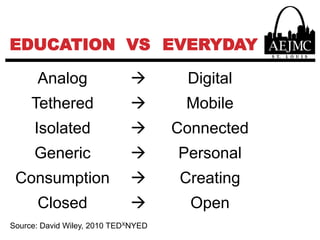
WHY WIKI?Journalism and mass communication are changing…So is the way we teach!
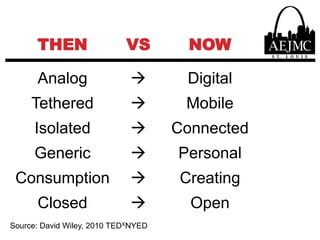
Source: David Wiley, 2010 TEDXNYED
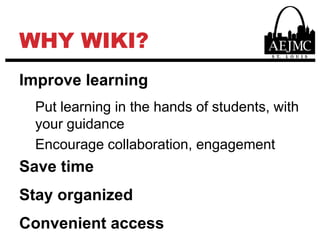
Why wiki?Improve learningPut learning in the hands of students, with your guidanceEncourage collaboration, engagementSave timeStay organizedConvenient access
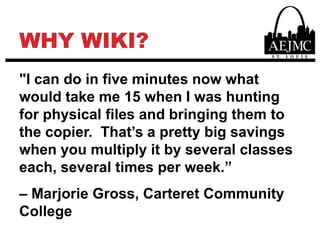
WHY WIKI?"I can do in five minutes now what would take me 15 when I was hunting for physical files and bringing them to the copier.  That’s a pretty big savings when you multiply it by several classes each, several times per week.”– Marjorie Gross, Carteret Community College
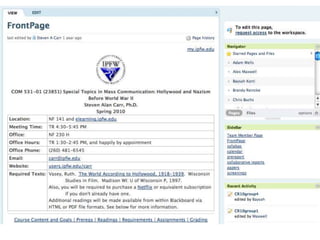
WHY WIKI?”I like how the wiki interface makes editing the web page very easy.  In fact, it’s much easier than [other] web page resources…or the Blackboard course platform.”– Steven Alan Carr, Indiana University–Purdue University Fort Wayne
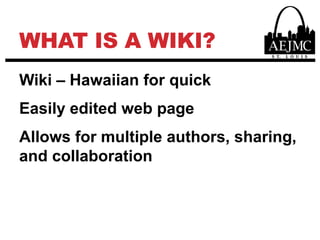
WHAT IS A WIKI?Wiki – Hawaiian for quickEasily edited web pageAllows for multiple authors, sharing, and collaboration
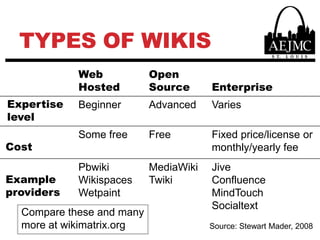
Types of WikisCompare these and many more at wikimatrix.orgSource: Stewart Mader, 2008
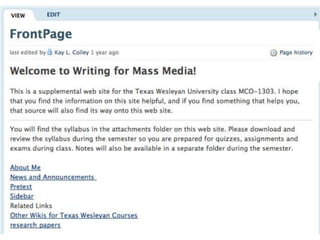
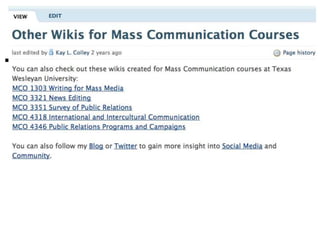
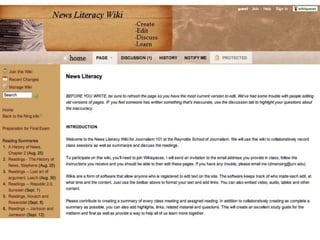
Ways to Use Wikis for TeachingSupplement traditional classesDeliver content for online classes
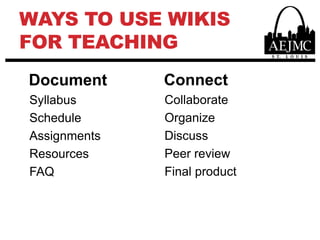
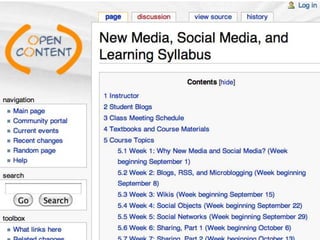
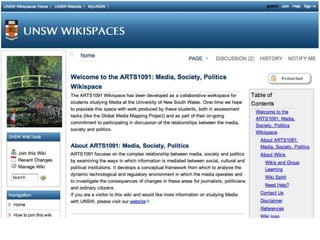
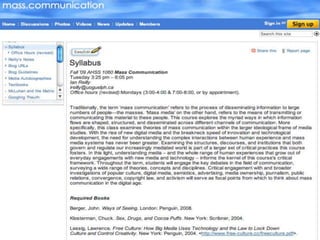
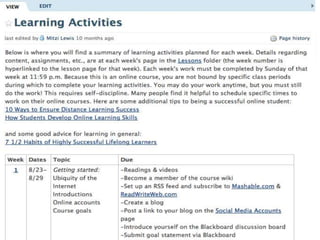
Ways to Use Wikis for TeachingConnectCollaborateOrganizeDiscussPeer reviewFinal productDocumentSyllabusScheduleAssignmentsResourcesFAQ
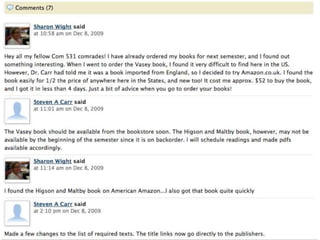
Students Like Wikis24/7 access to course materialsClarify/reinforce understanding from classOwnership
Students Like Wikis“The wiki was a great idea. It helped me stay updated and I liked being able to communicate with the other students.” (supplemental)“You are including most everything we need to know on the weekly lesson page. It is very helpful to have it right there, instead of digging back through older pages to hunt down what we need to do. The embedded links take us right where we need to be for each weeks studies. You give lots of hints and instructions.” (online)
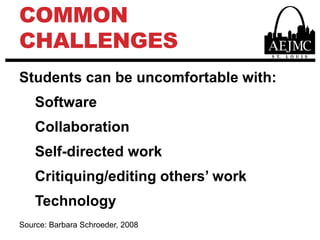
Common challengesStudents can be uncomfortable with:SoftwareCollaborationSelf-directed workCritiquing/editing others’ workTechnologySource: Barbara Schroeder, 2008
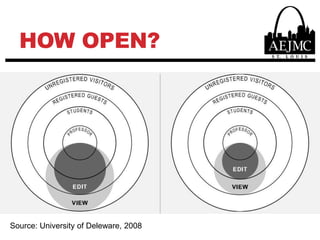
HOW OPEN?Source: University of Deleware, 2008
Best PracticesStress (a) your (potential) limitations from the outset and (b) the idea of learning togetherInclude detailed wiki instructions or a link on the home page and provide time and space for practice (a sandbox page is a good way to start)Do basic wiki training several times in classPost wiki conventions and require participants to abide by them (e.g., http://en.wikipedia.org/wiki/Wiki_etiquette)Be patient with students and realize they may require technical assistance as they learn how to participate in a wiki environment
Best PracticesCreate a culture of trust within the wikiProvide clear and explicit course expectationsAssign meaningful, authentic activitiesInclude a common goal for collaborative activitiesDefine and identify student roles, activities, and assessmentsRemind students of course deadlines and schedulesModel examples of collaborative activities
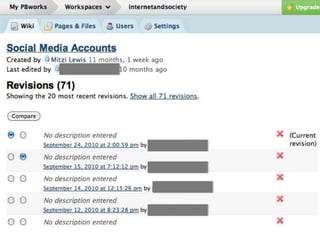
Best PracticesUse two wikis for each class – one for course materials and one for collaborative student assignmentsChoose a platform that is multifunctionalKeep a close eye on your wiki – I’ve had some hijackers add spamUnderstand versioningLink to other social media and websites and have students do the same
Best PracticesKeep the wiki open and solicit input from professionalsKeep the wiki private when sharing non-public information Make students use the wiki – it needs to be a requirement (for a grade), posting and editingUse for assignments in smaller classes – can be tricky to grade assignments with larger classes
What do I need to get started?
Best practice sources & examplesBarbara BoiseSteven Alan CarrHelen CapleKay ColleyDonica MessingIan ReillyDavid Wiley
Questions/commentsContact info:Email:mitzi.lewis@mwsu.eduTwitter: @mitzilewisLinkedIn: linkedin.com/in/mitzilewisGoogle+: gplus.to/mitzilewis
Video and image sourceshttp://www.youtube.com/watch?v=NugRZGDbPFUhttp://www.aejmcstlouis.org/home/aejmchttp://www.youtube.com/watch?v=-dnL00TdmLYhttp://opencontent.littleotak.org/wiki/index.php?title=New_Media,_Social_Media,_and_Learning_Syllabushttp://com531.pbworks.com/w/page/13782051/syllabushttp://writingformassmedia.pbworks.com/w/page/14929197/FrontPagehttp://editingtxwesleyan.pbworks.com/w/page/18572641/Other-Wikis-for-Mass-Communication-Courseshttp://jour101.wikispaces.com/homehttp://arts1091.unsw.wikispaces.net/http://waysofseeing.wetpaint.com/page/Syllabushttp://www.udel.edu/sakai/training/printable/wiki/Wikis_in_Higher_Education_UD.pdfhttp://www.images-graphics-pics.com/signs/safety/clipart.asp?pic=no-money-down-loanhttp://commons.wikimedia.org/wiki/File:Cloud_computing_icon.svg

Wikis in the Classroom

  • 1.
    Wikis in theclassroomMitzi Lewis, Midwestern State University“Options for Online Delivery” panelAEJMC 2011 conferenceAuguST 10, 2011
  • 3.
    WHY WIKI?Journalism andmass communication are changing…So is the way we teach!
  • 4.
  • 5.
  • 6.
    Why wiki?Improve learningPutlearning in the hands of students, with your guidanceEncourage collaboration, engagementSave timeStay organizedConvenient access
  • 7.
    WHY WIKI?"I cando in five minutes now what would take me 15 when I was hunting for physical files and bringing them to the copier. That’s a pretty big savings when you multiply it by several classes each, several times per week.”– Marjorie Gross, Carteret Community College
  • 8.
    WHY WIKI?”I likehow the wiki interface makes editing the web page very easy.  In fact, it’s much easier than [other] web page resources…or the Blackboard course platform.”– Steven Alan Carr, Indiana University–Purdue University Fort Wayne
  • 9.
    WHAT IS AWIKI?Wiki – Hawaiian for quickEasily edited web pageAllows for multiple authors, sharing, and collaboration
  • 11.
    Types of WikisComparethese and many more at wikimatrix.orgSource: Stewart Mader, 2008
  • 12.
    Ways to UseWikis for TeachingSupplement traditional classesDeliver content for online classes
  • 13.
    Ways to UseWikis for TeachingConnectCollaborateOrganizeDiscussPeer reviewFinal productDocumentSyllabusScheduleAssignmentsResourcesFAQ
  • 15.
    Students Like Wikis24/7access to course materialsClarify/reinforce understanding from classOwnership
  • 24.
    Students Like Wikis“Thewiki was a great idea. It helped me stay updated and I liked being able to communicate with the other students.” (supplemental)“You are including most everything we need to know on the weekly lesson page. It is very helpful to have it right there, instead of digging back through older pages to hunt down what we need to do. The embedded links take us right where we need to be for each weeks studies. You give lots of hints and instructions.” (online)
  • 25.
    Common challengesStudents canbe uncomfortable with:SoftwareCollaborationSelf-directed workCritiquing/editing others’ workTechnologySource: Barbara Schroeder, 2008
  • 26.
  • 27.
    Best PracticesStress (a)your (potential) limitations from the outset and (b) the idea of learning togetherInclude detailed wiki instructions or a link on the home page and provide time and space for practice (a sandbox page is a good way to start)Do basic wiki training several times in classPost wiki conventions and require participants to abide by them (e.g., http://en.wikipedia.org/wiki/Wiki_etiquette)Be patient with students and realize they may require technical assistance as they learn how to participate in a wiki environment
  • 28.
    Best PracticesCreate aculture of trust within the wikiProvide clear and explicit course expectationsAssign meaningful, authentic activitiesInclude a common goal for collaborative activitiesDefine and identify student roles, activities, and assessmentsRemind students of course deadlines and schedulesModel examples of collaborative activities
  • 29.
    Best PracticesUse twowikis for each class – one for course materials and one for collaborative student assignmentsChoose a platform that is multifunctionalKeep a close eye on your wiki – I’ve had some hijackers add spamUnderstand versioningLink to other social media and websites and have students do the same
  • 30.
    Best PracticesKeep thewiki open and solicit input from professionalsKeep the wiki private when sharing non-public information Make students use the wiki – it needs to be a requirement (for a grade), posting and editingUse for assignments in smaller classes – can be tricky to grade assignments with larger classes
  • 31.
    What do Ineed to get started?
  • 32.
    What do Ineed to get started?
  • 33.
    Best practice sources& examplesBarbara BoiseSteven Alan CarrHelen CapleKay ColleyDonica MessingIan ReillyDavid Wiley
  • 34.
  • 35.
    Video and imagesourceshttp://www.youtube.com/watch?v=NugRZGDbPFUhttp://www.aejmcstlouis.org/home/aejmchttp://www.youtube.com/watch?v=-dnL00TdmLYhttp://opencontent.littleotak.org/wiki/index.php?title=New_Media,_Social_Media,_and_Learning_Syllabushttp://com531.pbworks.com/w/page/13782051/syllabushttp://writingformassmedia.pbworks.com/w/page/14929197/FrontPagehttp://editingtxwesleyan.pbworks.com/w/page/18572641/Other-Wikis-for-Mass-Communication-Courseshttp://jour101.wikispaces.com/homehttp://arts1091.unsw.wikispaces.net/http://waysofseeing.wetpaint.com/page/Syllabushttp://www.udel.edu/sakai/training/printable/wiki/Wikis_in_Higher_Education_UD.pdfhttp://www.images-graphics-pics.com/signs/safety/clipart.asp?pic=no-money-down-loanhttp://commons.wikimedia.org/wiki/File:Cloud_computing_icon.svg