Insight and Innovation for Technology Leaders October 26, 2007 ∙ Palisades, NY Learning With Wikis Jon Orech English Teacher Curricular Technology Consultant Downers Grove South High School Downers Grove, Illinois [email_address]
What is a  wiki ? (thanks to Lee and Sachi Lefever) A collaborative web space that can be viewed and changed by anyone* on line. The most widely known wiki is  Wikipedia . “ Seven Things You Should Know About Wikis” (Educause Learning Initiative)
Thinking beyond the tools How does the tool promote a fundamental literacy? How does the technology add to and extend the learning experience? What pedagogy will ensure the success of 1 and 2? (D. Jakes)
N.Y. State education standards  met by wikis (Language Arts): “Synthesize information from diverse sources.” (Standard 1) “Evaluate and compare their own and others’ work with regard to different criteria.” (Standard 3) “Use a wide variety of print and electronic forms for communication with peers and adults.” (Standard 4) N.Y. State Education Department
“Extending the learning” Allow 24-7 editing accessibility Improve collaborative writing skills Make students “published” Synthesize and negotiate text Utilize a variety of multi-media Increase “formative” assessment
Cooperative Learning  (Johnson and Johnson) Positive Independence Task Role Goal Resource Individual Accountability Review of history Individual/group assessment
Cooperative Learning Group Processing Self evaluation Comments on wiki Social/ Cooperative Skills Digital Professionalism (Face to Face interaction)
Sample  uses Lit Circle “Cliff’s Notes” Student-Generated assessments  (Inquiry project) On-Line Text book
Essential questions: What are the features of a wiki? How do I make and use a wiki? What are the practical applications? What are the advantages? What are the concerns? How do I ensure student learning?
Features on most  wikis Edit New page Add/ edit text Insert files, images, movies, hyperlinks Imbed HTML Save
More Features of Wikis History Green= added Yellow= changed Red=deleted User settings: Public Restricted Private
How do I make and use one? Select a wiki location* Initiate the space Decide on privacy parameters Enroll users Give “the charge”
Wiki locations Content Management Systems (Blackboard, Moodle) Wikispaces Wetpaint Pbwiki Jottit Which one is  best  for me?
Samples from  wikispaces What collaborative projects would benefit from a wiki? What are the practical applications?
 
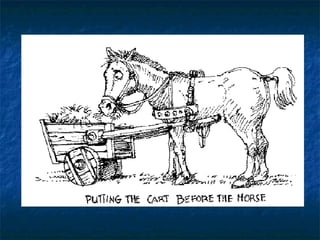
Instead of… “ Wikis are really cool.  How can we get kids to use them?” Think… “ We have this collaborative task; how are we going to compile all the information together?  Hey, let’s use a wiki!”
Most important Develop a  project  that is not merely assessed and “turned in.” Instead, the resulting  product  is something that can be utilized by contributors and/or viewers.
What are the advantages of wikis? Relatively simple technology Promotes “real-world” collaboration skills Asynchronous writing results in richer communication (Mabrito, 2006) Pools strengths of many
More advantages Assessable, easy to track Enables world-wide collaboration Online collaborative writing produces higher quality writing than face-to-face collaboration (Passig and Schwartz, 2007) Meets state standards*
What concerns exist? Lack of security/safety  Labor intensive for moderator “Copy and paste” philosophy Inequitable work distribution “Quilt” instead of a “comforter”
How do I ensure student learning? Develop an acceptable use policy to ensure “Digital Professionalism.” Create student-generated rubrics and have students self assess. “Assessment  for  learning” (Stiggins). Monitor progress and give feedback on the wiki itself. Instill Cooperative Learning pedagogy.

Learning With Wikis

  • 1.
    Insight and Innovationfor Technology Leaders October 26, 2007 ∙ Palisades, NY Learning With Wikis Jon Orech English Teacher Curricular Technology Consultant Downers Grove South High School Downers Grove, Illinois [email_address]
  • 2.
    What is a wiki ? (thanks to Lee and Sachi Lefever) A collaborative web space that can be viewed and changed by anyone* on line. The most widely known wiki is Wikipedia . “ Seven Things You Should Know About Wikis” (Educause Learning Initiative)
  • 3.
    Thinking beyond thetools How does the tool promote a fundamental literacy? How does the technology add to and extend the learning experience? What pedagogy will ensure the success of 1 and 2? (D. Jakes)
  • 4.
    N.Y. State educationstandards met by wikis (Language Arts): “Synthesize information from diverse sources.” (Standard 1) “Evaluate and compare their own and others’ work with regard to different criteria.” (Standard 3) “Use a wide variety of print and electronic forms for communication with peers and adults.” (Standard 4) N.Y. State Education Department
  • 5.
    “Extending the learning”Allow 24-7 editing accessibility Improve collaborative writing skills Make students “published” Synthesize and negotiate text Utilize a variety of multi-media Increase “formative” assessment
  • 6.
    Cooperative Learning (Johnson and Johnson) Positive Independence Task Role Goal Resource Individual Accountability Review of history Individual/group assessment
  • 7.
    Cooperative Learning GroupProcessing Self evaluation Comments on wiki Social/ Cooperative Skills Digital Professionalism (Face to Face interaction)
  • 8.
    Sample usesLit Circle “Cliff’s Notes” Student-Generated assessments (Inquiry project) On-Line Text book
  • 9.
    Essential questions: Whatare the features of a wiki? How do I make and use a wiki? What are the practical applications? What are the advantages? What are the concerns? How do I ensure student learning?
  • 10.
    Features on most wikis Edit New page Add/ edit text Insert files, images, movies, hyperlinks Imbed HTML Save
  • 11.
    More Features ofWikis History Green= added Yellow= changed Red=deleted User settings: Public Restricted Private
  • 12.
    How do Imake and use one? Select a wiki location* Initiate the space Decide on privacy parameters Enroll users Give “the charge”
  • 13.
    Wiki locations ContentManagement Systems (Blackboard, Moodle) Wikispaces Wetpaint Pbwiki Jottit Which one is best for me?
  • 14.
    Samples from wikispaces What collaborative projects would benefit from a wiki? What are the practical applications?
  • 15.
  • 16.
    Instead of… “Wikis are really cool. How can we get kids to use them?” Think… “ We have this collaborative task; how are we going to compile all the information together? Hey, let’s use a wiki!”
  • 17.
    Most important Developa project that is not merely assessed and “turned in.” Instead, the resulting product is something that can be utilized by contributors and/or viewers.
  • 18.
    What are theadvantages of wikis? Relatively simple technology Promotes “real-world” collaboration skills Asynchronous writing results in richer communication (Mabrito, 2006) Pools strengths of many
  • 19.
    More advantages Assessable,easy to track Enables world-wide collaboration Online collaborative writing produces higher quality writing than face-to-face collaboration (Passig and Schwartz, 2007) Meets state standards*
  • 20.
    What concerns exist?Lack of security/safety Labor intensive for moderator “Copy and paste” philosophy Inequitable work distribution “Quilt” instead of a “comforter”
  • 21.
    How do Iensure student learning? Develop an acceptable use policy to ensure “Digital Professionalism.” Create student-generated rubrics and have students self assess. “Assessment for learning” (Stiggins). Monitor progress and give feedback on the wiki itself. Instill Cooperative Learning pedagogy.