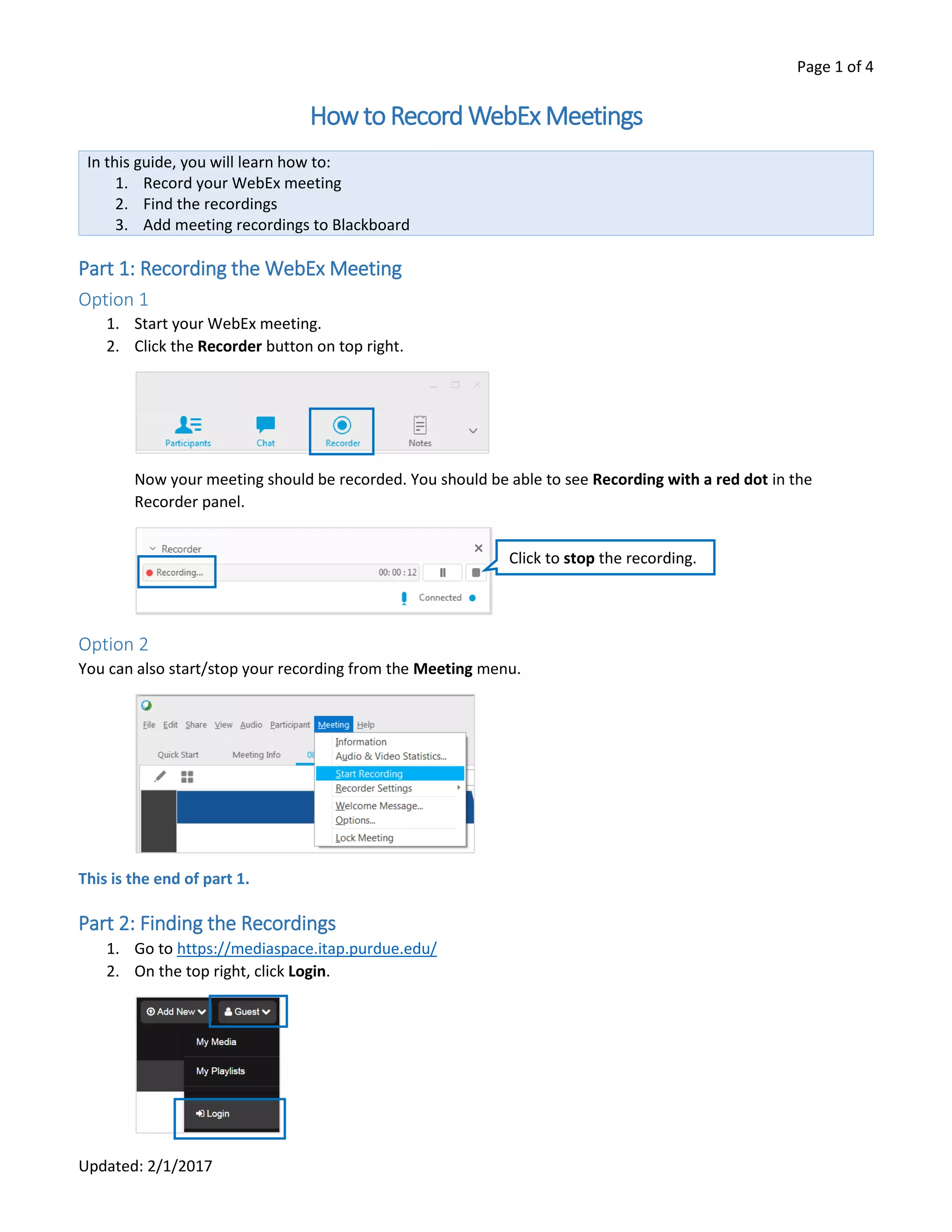
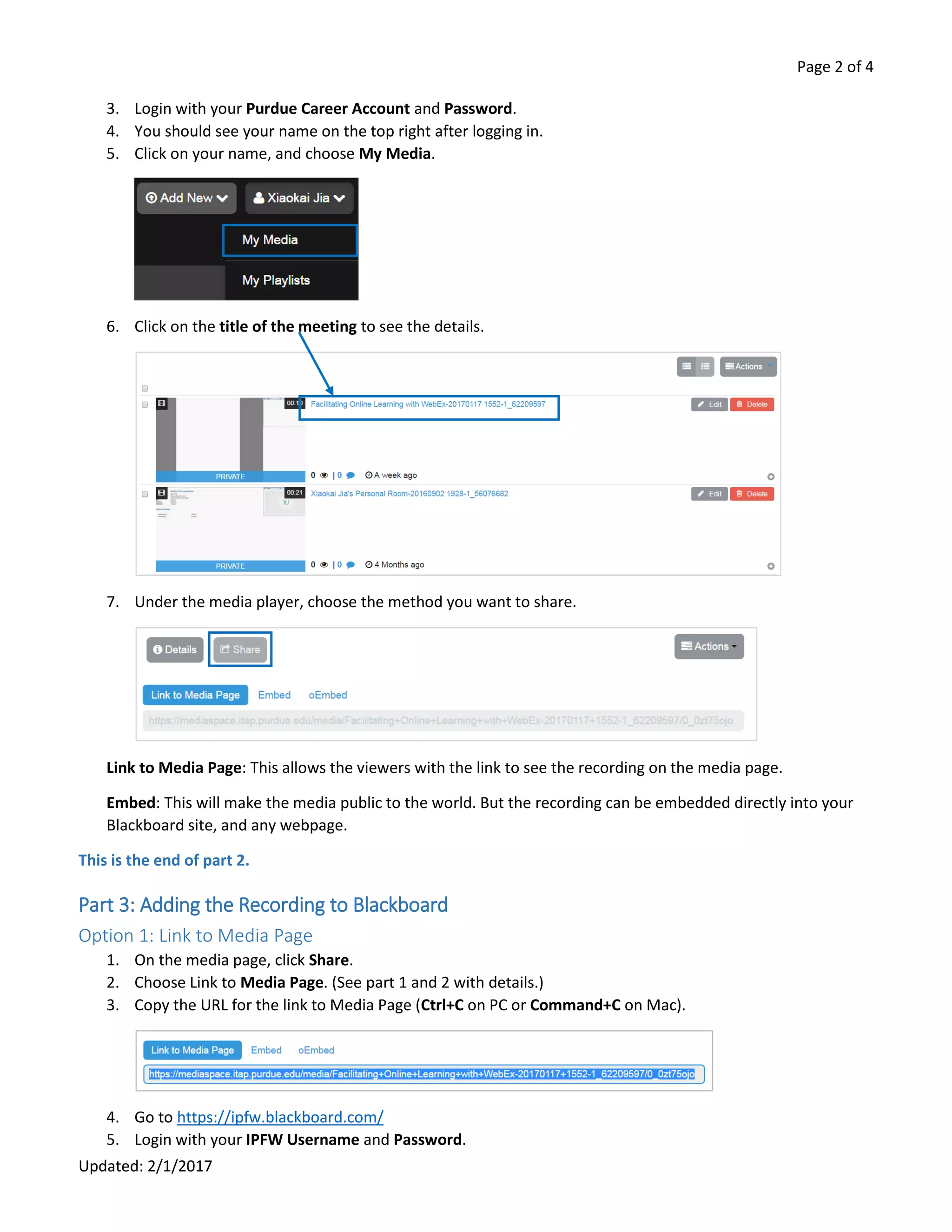
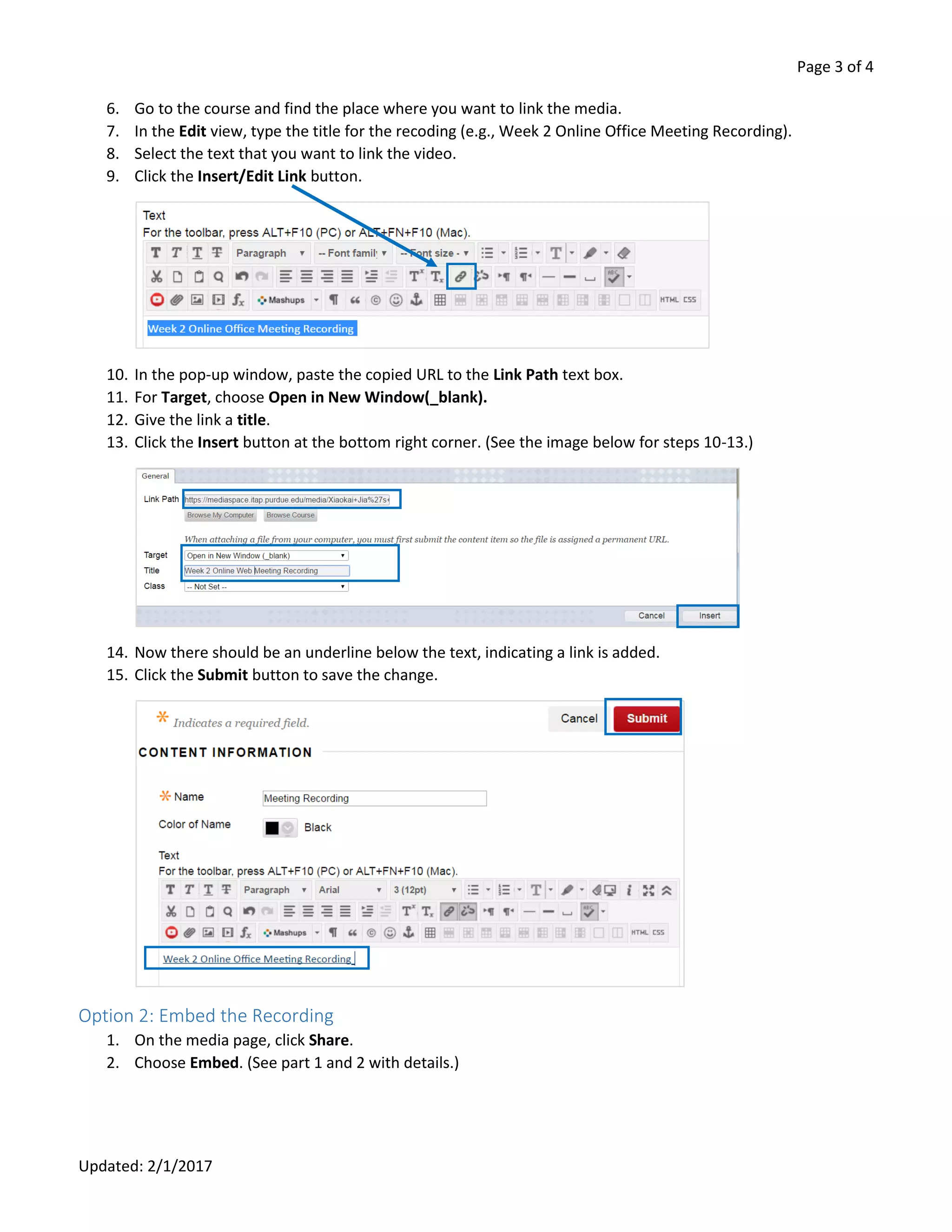
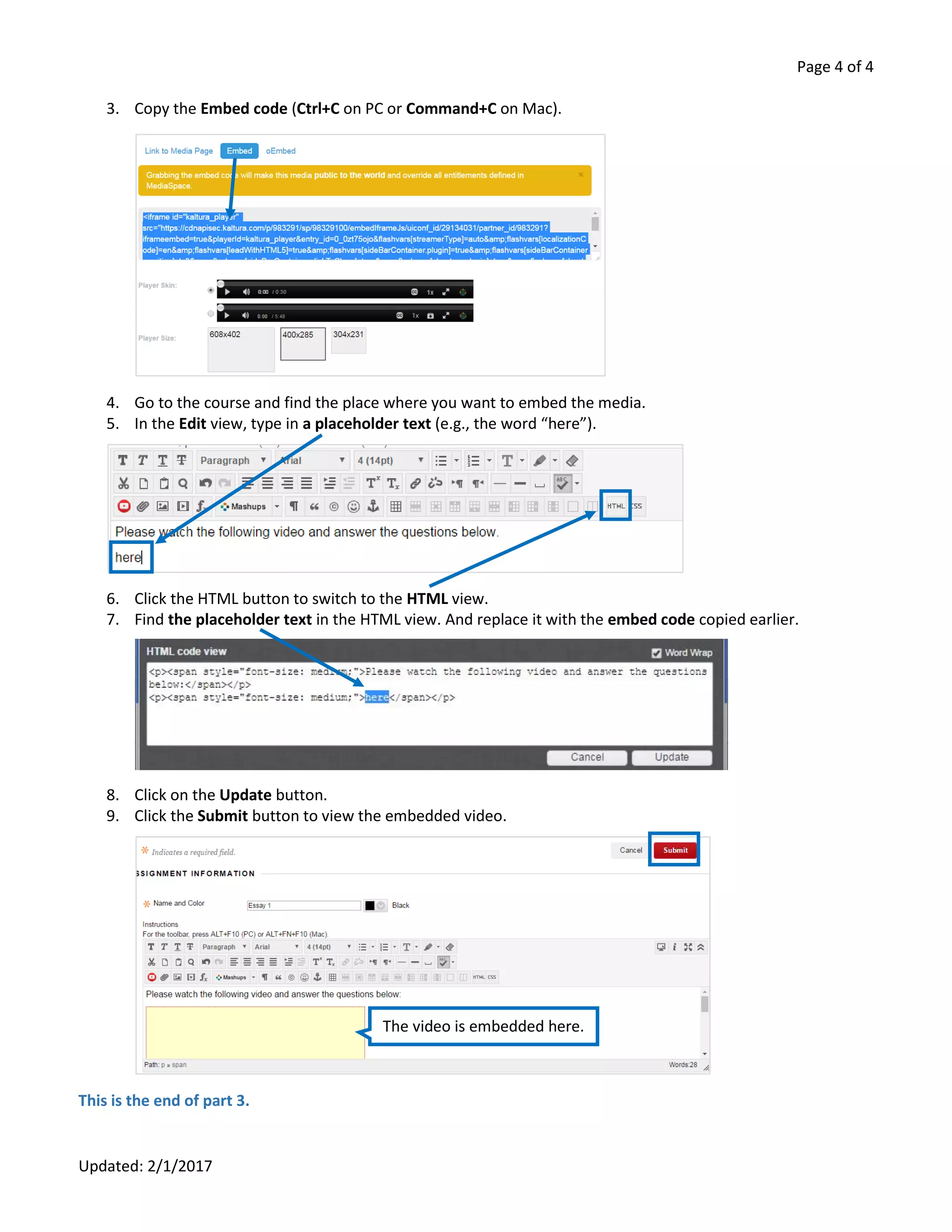
This 4-page document provides instructions for recording a WebEx meeting, finding the recording, and adding the recording to a Blackboard course site. It explains that there are two options for recording a meeting using the Recorder button or Meeting menu. It describes how to access recordings on the Mediaspace site and share them by linking to the media page or embedding the video. Finally, it outlines the steps to add a recording to Blackboard by pasting the media link or embed code.