vSphere Distributed Switch:
Technical Deep Dive
NET2745
Jason Nash, Varrow
Chris Wahl, AHEAD
NET2745
Senior Solutions Architect @ AHEAD
VCDX #104, vExpert
Blogger – WahlNetwork.com
Author – Networking for VMware Administrators
Author – Pluralsight IT Pro training
CCNA Data Center, vCloud Director
Host – VUPaaS and IT Engine Builders Podcasts
Chief Technology Officer @ Varrow
VCDX #49, vExpert
Blogger – JasonNash.com
Author – Pluralsight IT Pro training
XtremIO, Cisco UCS, Nexus 1000v, vC Ops, + more
•  Overview
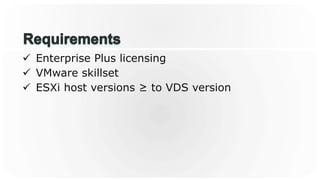
•  Requirements
•  Construction
•  Alternatives
•  Tips
•  Real World Use Cases
ü  Enterprise Plus licensing
ü  VMware skillset
ü  ESXi host versions ≥ to VDS version
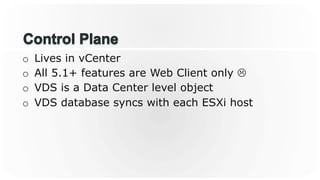
o  Lives in vCenter
o  All 5.1+ features are Web Client only L
o  VDS is a Data Center level object
o  VDS database syncs with each ESXi host
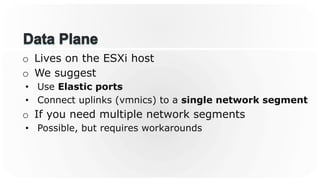
o  Lives on the ESXi host
o  We suggest
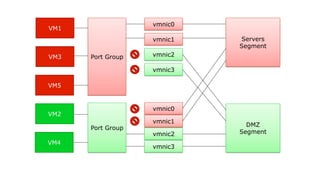
•  Use Elastic ports
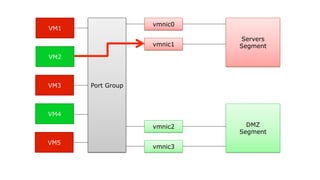
•  Connect uplinks (vmnics) to a single network segment
o  If you need multiple network segments
•  Possible, but requires workarounds
Servers
Segment
DMZ
Segment
vmnic0
vmnic1
vmnic2
vmnic3
Port Group
VM1
VM2
VM3
VM4
VM5
Servers
Segment
DMZ
Segment
vmnic0
vmnic1
vmnic2
vmnic3
Port Group
VM1
VM3
VM5
VM2
VM4
Port Group
vmnic2
vmnic3
vmnic0
vmnic1
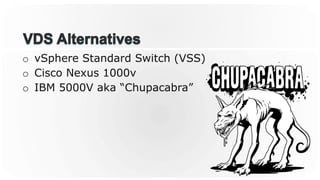
o  vSphere Standard Switch (VSS)
o  Cisco Nexus 1000v
o  IBM 5000V aka “Chupacabra”
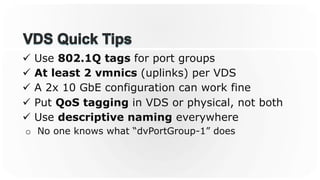
ü  Use 802.1Q tags for port groups
ü  At least 2 vmnics (uplinks) per VDS
ü  A 2x 10 GbE configuration can work fine
ü  Put QoS tagging in VDS or physical, not both
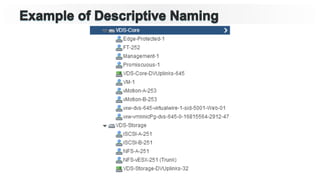
ü  Use descriptive naming everywhere
o  No one knows what “dvPortGroup-1” does
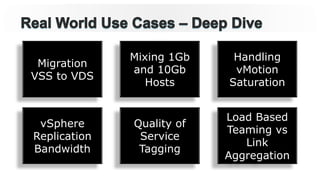
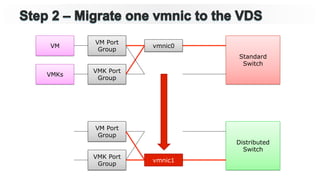
Migration
VSS to VDS
Mixing 1Gb
and 10Gb
Hosts
Handling
vMotion
Saturation
vSphere
Replication
Bandwidth
Quality of
Service
Tagging
Load Based
Teaming vs
Link
Aggregation
Triggers:
Ø  Licensing (purchased Enterprise Plus)
Ø  Consume features found only in VDS
Ø  Reduce operational overhead
Ø  Separate control planes and related responsibilities
Tips and Advice:
Ø  Have a detailed plan in place
Ø  Test the process on a single host with non-prod
VMs
Ø  Test network convergence time and ping drops
Ø  Become comfortable with the steps
Ø  Put in a change control
Ø  Execute change during maintenance window
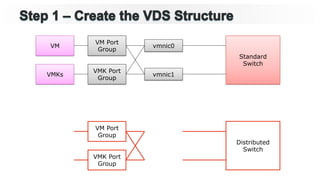
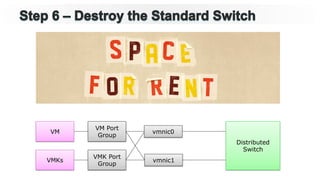
Standard
Switch
Distributed
Switch
vmnic0
vmnic1
VM Port
Group
VM
VMKs
VMK Port
Group
VM Port
Group
VMK Port
Group
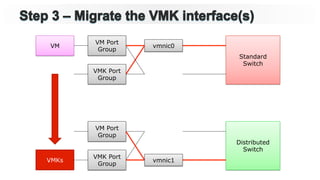
Standard
Switch
Distributed
Switch
vmnic0
VM Port
Group
VM
VMKs
VMK Port
Group
VM Port
Group
VMK Port
Group
vmnic1
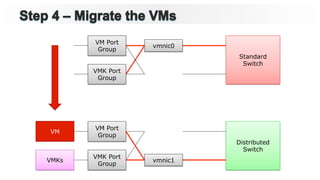
Standard
Switch
Distributed
Switch
vmnic0
VM Port
Group
VM
VMK Port
Group
VM Port
Group
VMK Port
Group
vmnic1VMKs
Standard
Switch
Distributed
Switch
vmnic0
VM Port
Group
VMK Port
Group
VM Port
Group
VMK Port
Group
vmnic1VMKs
VM
Standard
Switch
Distributed
Switch
VM Port
Group
VMK Port
Group
VM Port
Group
VMK Port
Group
vmnic1VMKs
VM vmnic0
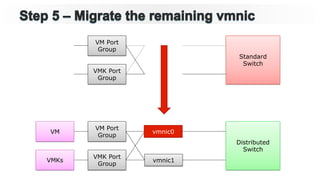
Distributed
Switch
VM Port
Group
VMK Port
Group
vmnic1VMKs
VM vmnic0
Triggers:
Ø  Purchase of new server / switch hardware
Ø  Staged migration to 10 GbE
Ø  Data Center transformation process
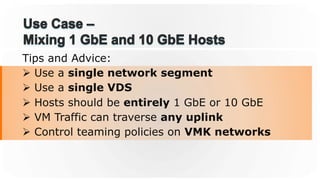
Tips and Advice:
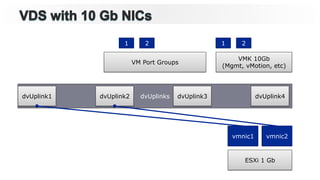
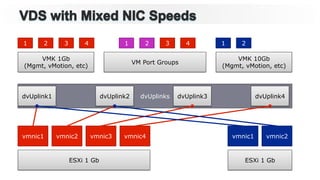
Ø  Use a single network segment
Ø  Use a single VDS
Ø  Hosts should be entirely 1 GbE or 10 GbE
Ø  VM Traffic can traverse any uplink
Ø  Control teaming policies on VMK networks
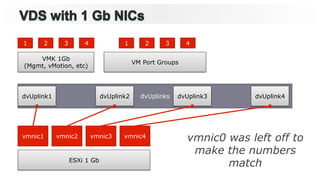
dvUplinks
VM Port Groups
VMK 1Gb
(Mgmt, vMotion, etc)
ESXi 1 Gb
vmnic1 vmnic2 vmnic3 vmnic4
dvUplink1
1 2 3 4 1 2 3 4
dvUplink2 dvUplink3 dvUplink4
vmnic0 was left off to
make the numbers
match
dvUplinks
VM Port Groups
ESXi 1 Gb
vmnic1 vmnic2
dvUplink1
VMK 10Gb
(Mgmt, vMotion, etc)
1 2 1 2
dvUplink2 dvUplink3 dvUplink4
dvUplinks
VM Port Groups
VMK 1Gb
(Mgmt, vMotion, etc)
ESXi 1 Gb
vmnic1 vmnic2 vmnic3 vmnic4
ESXi 1 Gb
vmnic1 vmnic2
dvUplink1
VMK 10Gb
(Mgmt, vMotion, etc)
1 2 3 4 1 2 3 4 1 2
dvUplink2 dvUplink3 dvUplink4
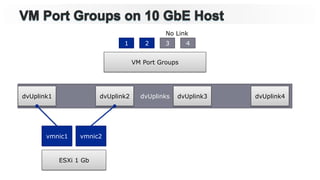
dvUplinks
VM Port Groups
ESXi 1 Gb
vmnic1 vmnic2
dvUplink1
1 2 3 4
dvUplink2 dvUplink3 dvUplink4
No Link
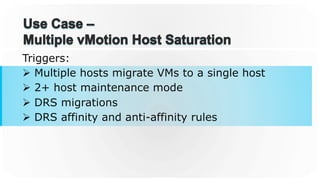
Triggers:
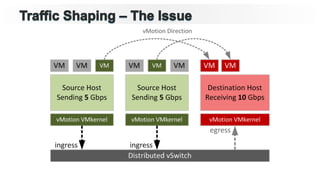
Ø  Multiple hosts migrate VMs to a single host
Ø  2+ host maintenance mode
Ø  DRS migrations
Ø  DRS affinity and anti-affinity rules
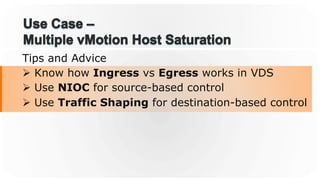
Tips and Advice
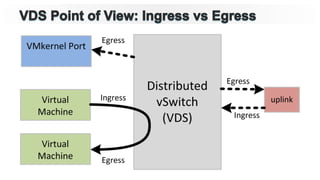
Ø  Know how Ingress vs Egress works in VDS
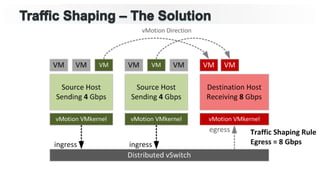
Ø  Use NIOC for source-based control
Ø  Use Traffic Shaping for destination-based control
Triggers:
Ø  Sharing a WAN pipe with other traffic
Ø  Paying for bandwidth at certain % of peak
Ø  Multiple VR tenants between data centers
Ø  Contention with other backup or replication jobs
Tips and Advice:
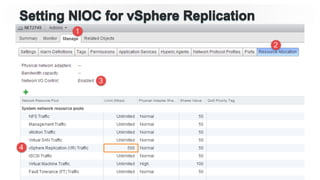
Ø  Use NIOC with Limits (per vmnic)
Ø  Use Network Resource pool for VR
Ø  Alternative is to limit based on VR ports
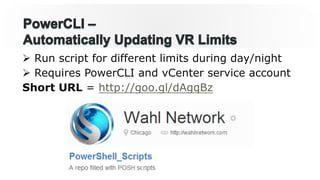
Ø  Run script for different limits during day/night
Ø  Requires PowerCLI and vCenter service account
Short URL = http://goo.gl/dAgqBz
Triggers:
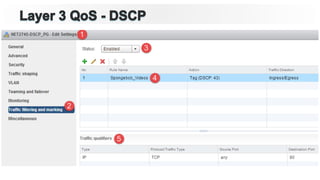
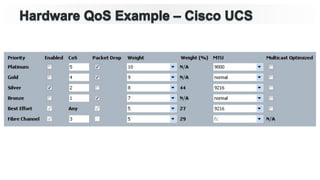
Ø  Tag traffic for various SLAs
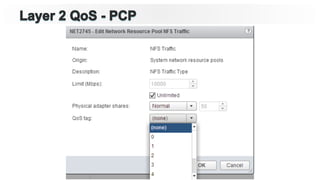
Ø  Use L2 Priority Code Point (PCP)
Ø  Use L3 Differentiated Services Code Point (DSCP)
Ø  Data Center Bridging extensions in 802.1
Ø  Priority-based Flow Control (PFC) – 802.1Qbb
Ø  Enhanced Transmission Selection (ETS) – 802.1Qaz
Tips and Advice:
Ø  KISS: QoS solves contention problems
Ø  Pick a place to tag traffic – virtual or physical
Ø  Try not to enforce QoS in too many ways
Ø  Use clearly defined tagging when needed
Ø  Avoid hard limits on traffic flows
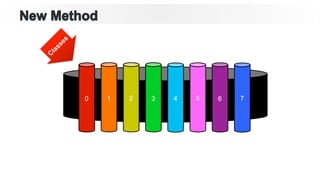
0 1 2 3 4 5 6 7
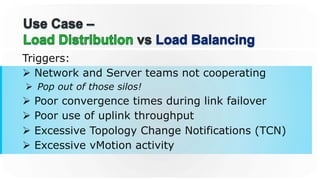
Triggers:
Ø  Network and Server teams not cooperating
Ø  Pop out of those silos!
Ø  Poor convergence times during link failover
Ø  Poor use of uplink throughput
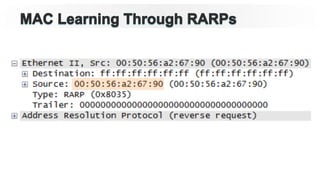
Ø  Excessive Topology Change Notifications (TCN)
Ø  Excessive vMotion activity
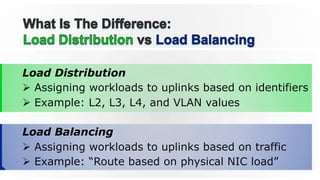
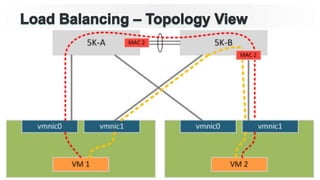
Load Distribution
Ø  Assigning workloads to uplinks based on identifiers
Ø  Example: L2, L3, L4, and VLAN values
Load Balancing
Ø  Assigning workloads to uplinks based on traffic
Ø  Example: “Route based on physical NIC load”
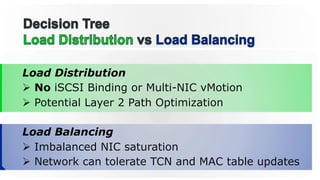
Load Distribution
Ø  No iSCSI Binding or Multi-NIC vMotion
Ø  Potential Layer 2 Path Optimization
Load Balancing
Ø  Imbalanced NIC saturation
Ø  Network can tolerate TCN and MAC table updates
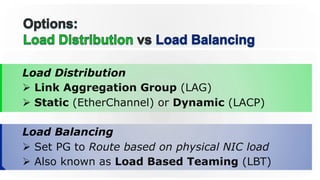
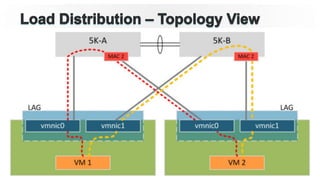
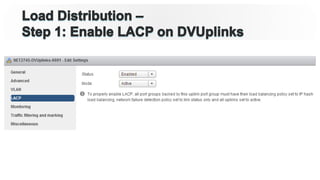
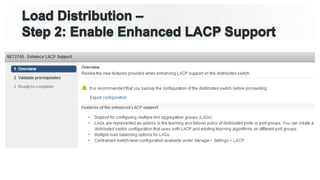
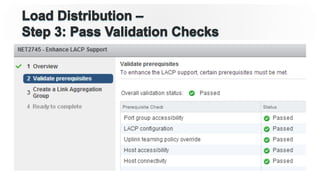
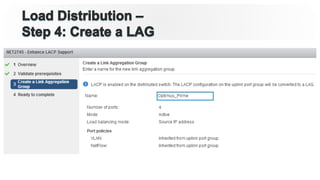
Load Distribution
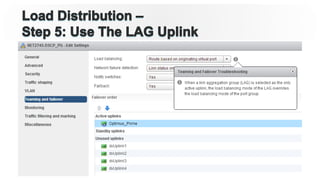
Ø  Link Aggregation Group (LAG)
Ø  Static (EtherChannel) or Dynamic (LACP)
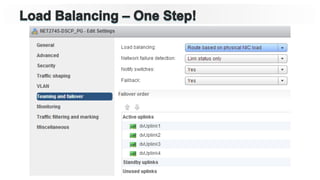
Load Balancing
Ø  Set PG to Route based on physical NIC load
Ø  Also known as Load Based Teaming (LBT)
Chris Wahl
@ChrisWahl
WahlNetwork.com
Jason Nash
@TheJasonNash
JasonNash.com
Thank You
Fill out a survey
Every completed survey is entered into a
drawing for a $25 VMware company store
gift certificate
vSphere Distributed Switch:
Technical Deep Dive
NET2745
Jason Nash, Varrow
Chris Wahl, AHEAD

VMworld 2014: vSphere Distributed Switch