Configuring BIG-IP LTM v11
12/19/2011 Uploaded by Foucss
learnflakes.net
© F5 Networks, Inc.
2
Introductions
Instructor:
– Name:
– Experience:
Students:
– Name:
– Company:
– Job Title:
– Network Experience:
– Industry Experience:
– F5 Product Exposure:
© F5 Networks, Inc.
3
Classroom Facilities
• Emergencies
• Class Roster/Sign In
• Cell phones, email and internet use
• Breaks and lunch
• Punctuality
• Side conversations
• Food and beverages
• Parking
• Restrooms
• Smoking
© F5 Networks, Inc.
4
• BIG-IP Product Family (Application Delivery Controller)
• ARX Series (File Virtualization)
• Enterprise Manager (F5 Device Management)
Product Offerings
© F5 Networks, Inc.
5
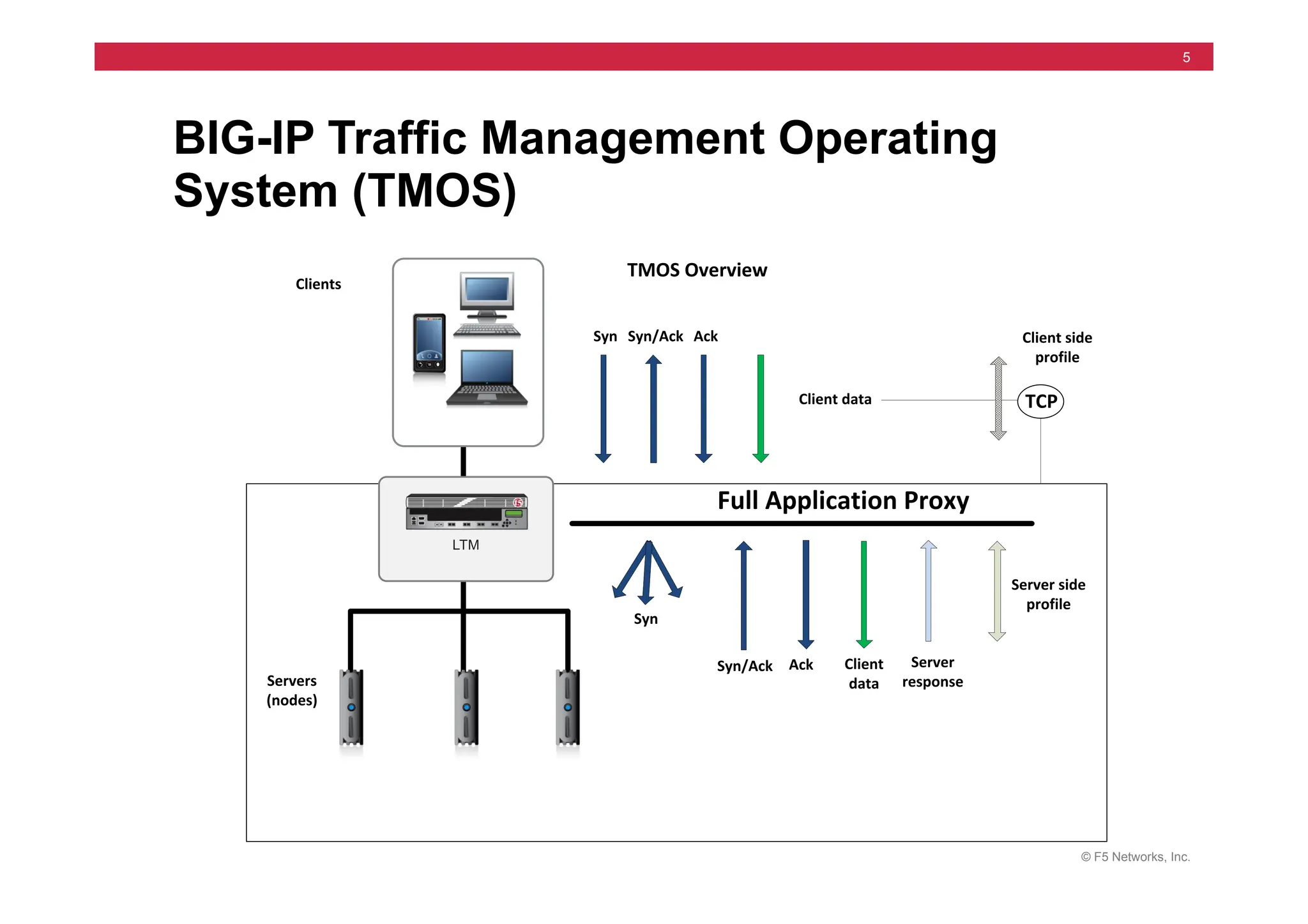
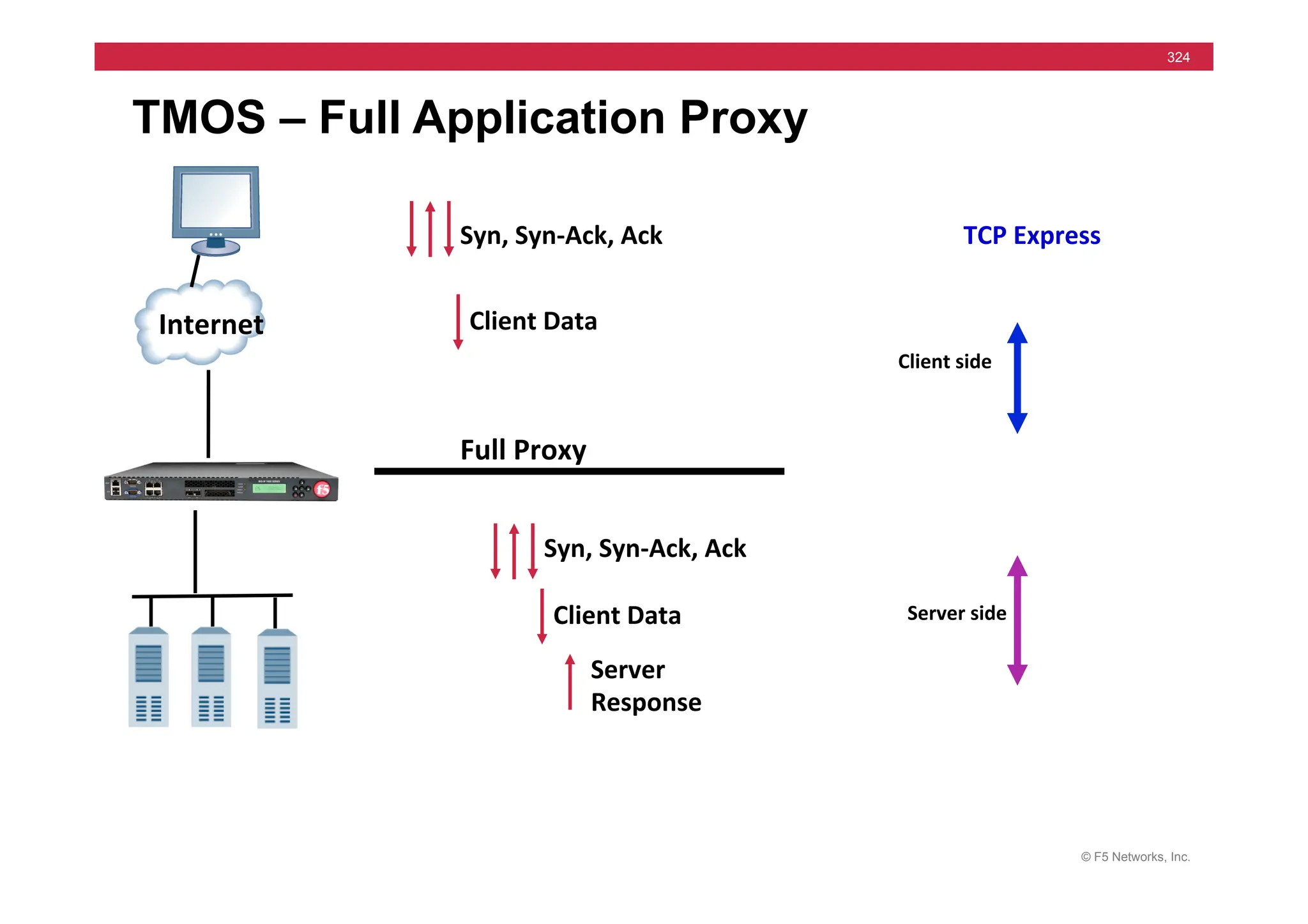
BIG-IP Traffic Management Operating
System (TMOS)
Clients
TMOS	
  Overview
Full	
  Application	
  Proxy
Syn Syn/Ack Ack
Client	
  data
Ack Client	
  
data
Server
response
Servers
(nodes)
Client	
  side
profile
Server	
  side
profile
TCP
Syn/Ack
Syn
© F5 Networks, Inc.
6
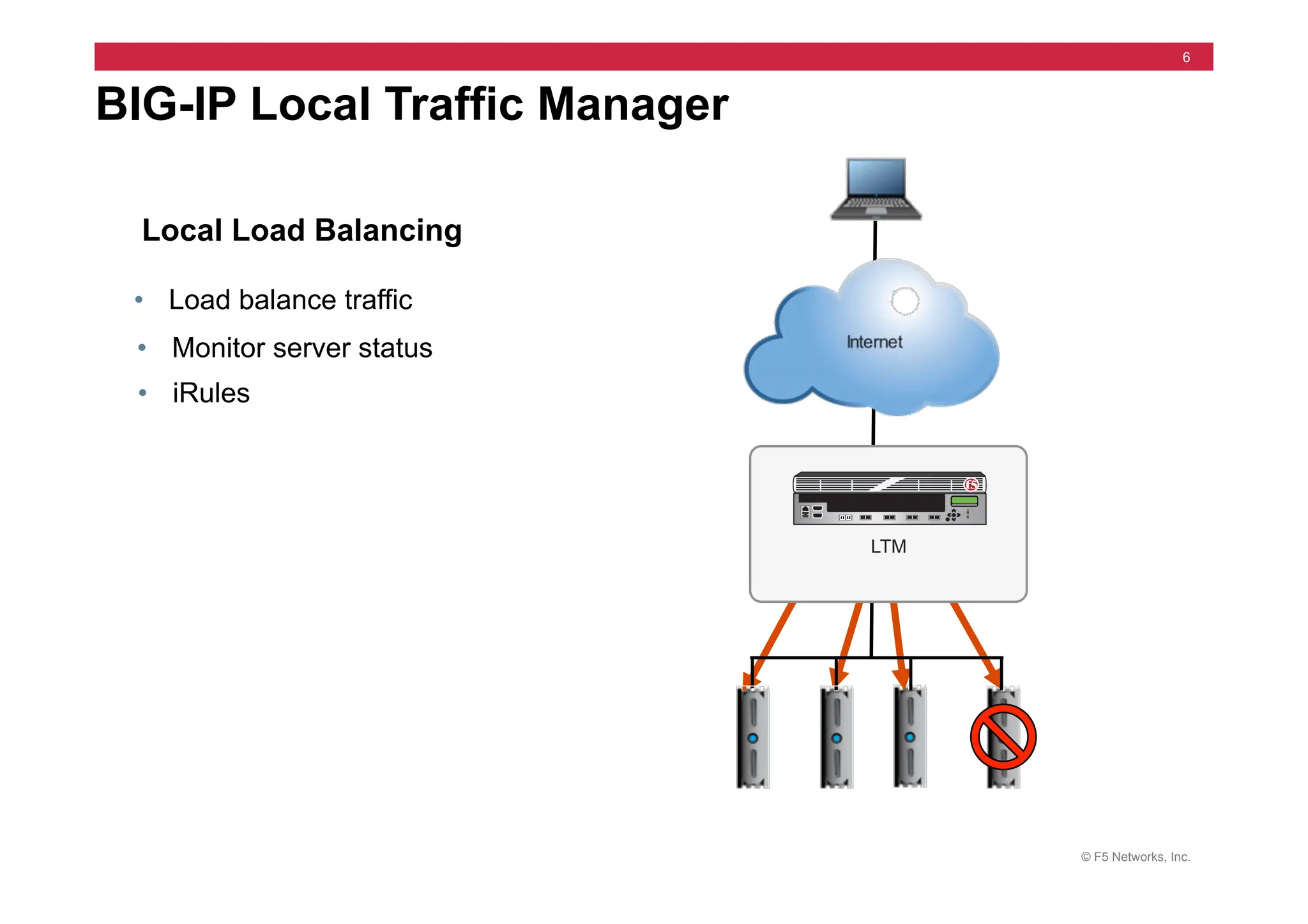
BIG-IP Local Traffic Manager
Local Load Balancing
• Load balance traffic
• Monitor server status
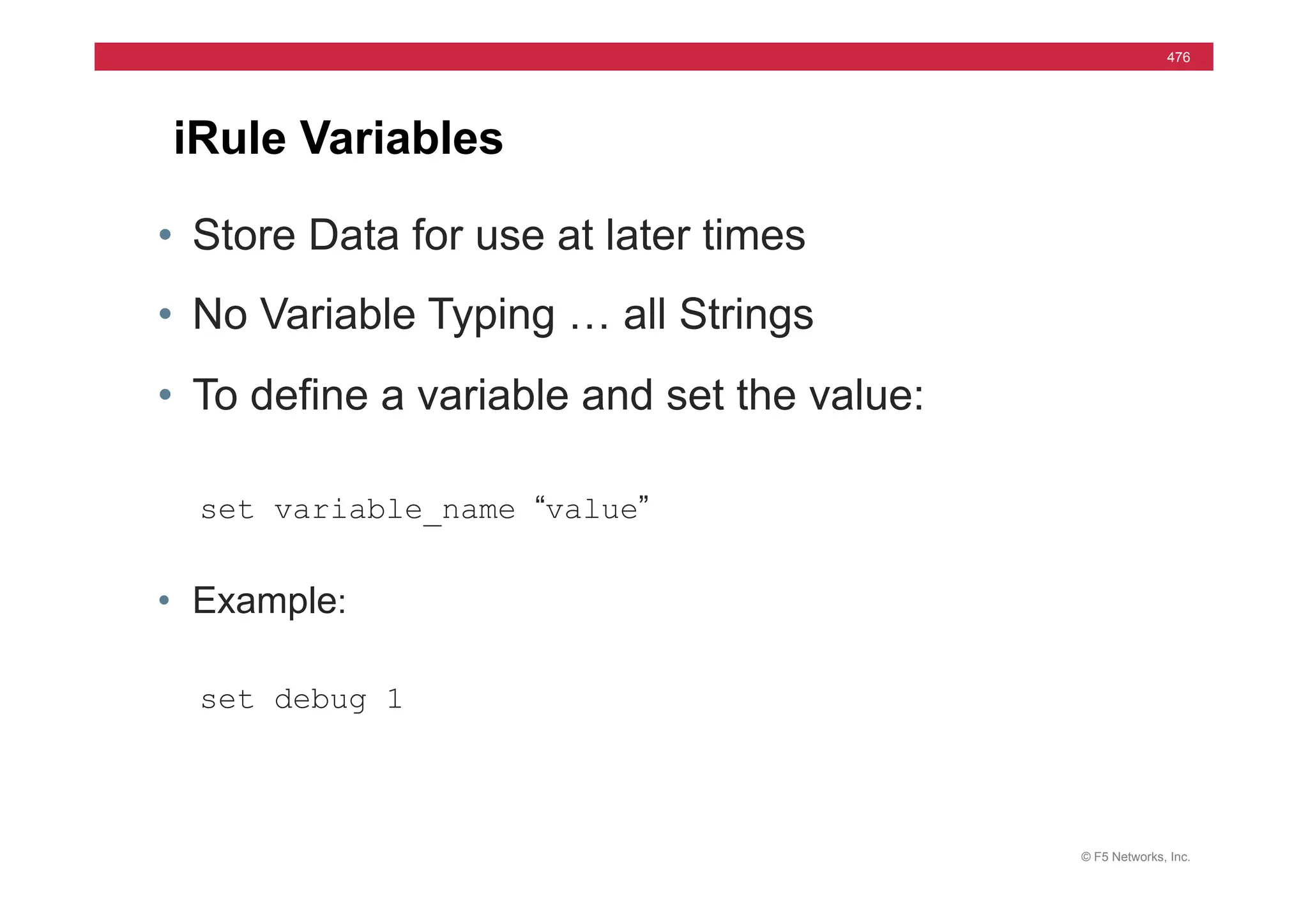
• iRules
LTM
© F5 Networks, Inc.
7
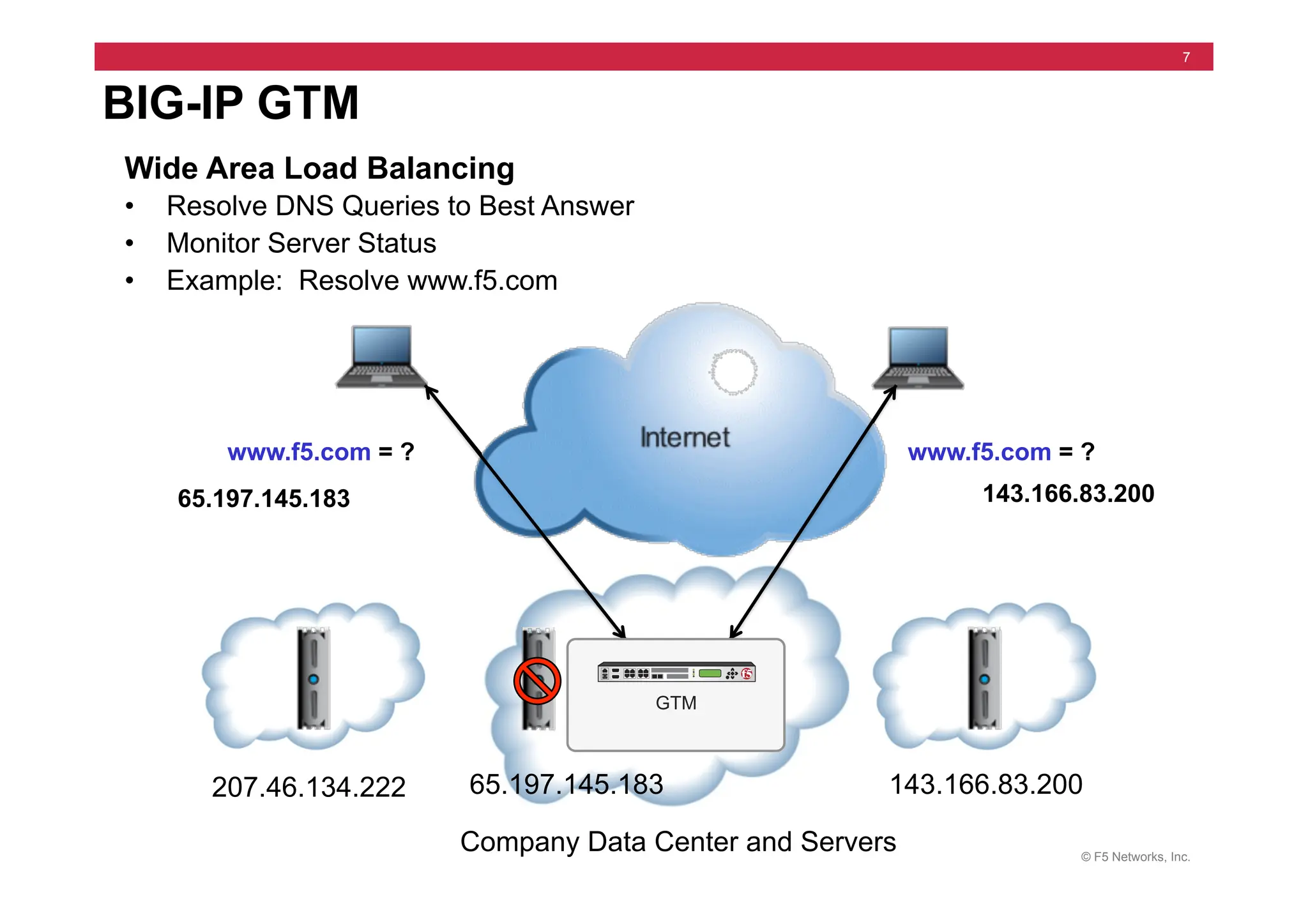
BIG-IP GTM
Wide Area Load Balancing
• Resolve DNS Queries to Best Answer
• Monitor Server Status
• Example: Resolve www.f5.com
207.46.134.222 65.197.145.183 143.166.83.200
Company Data Center and Servers
www.f5.com = ?
65.197.145.183
www.f5.com = ?
143.166.83.200
GTM
© F5 Networks, Inc.
8
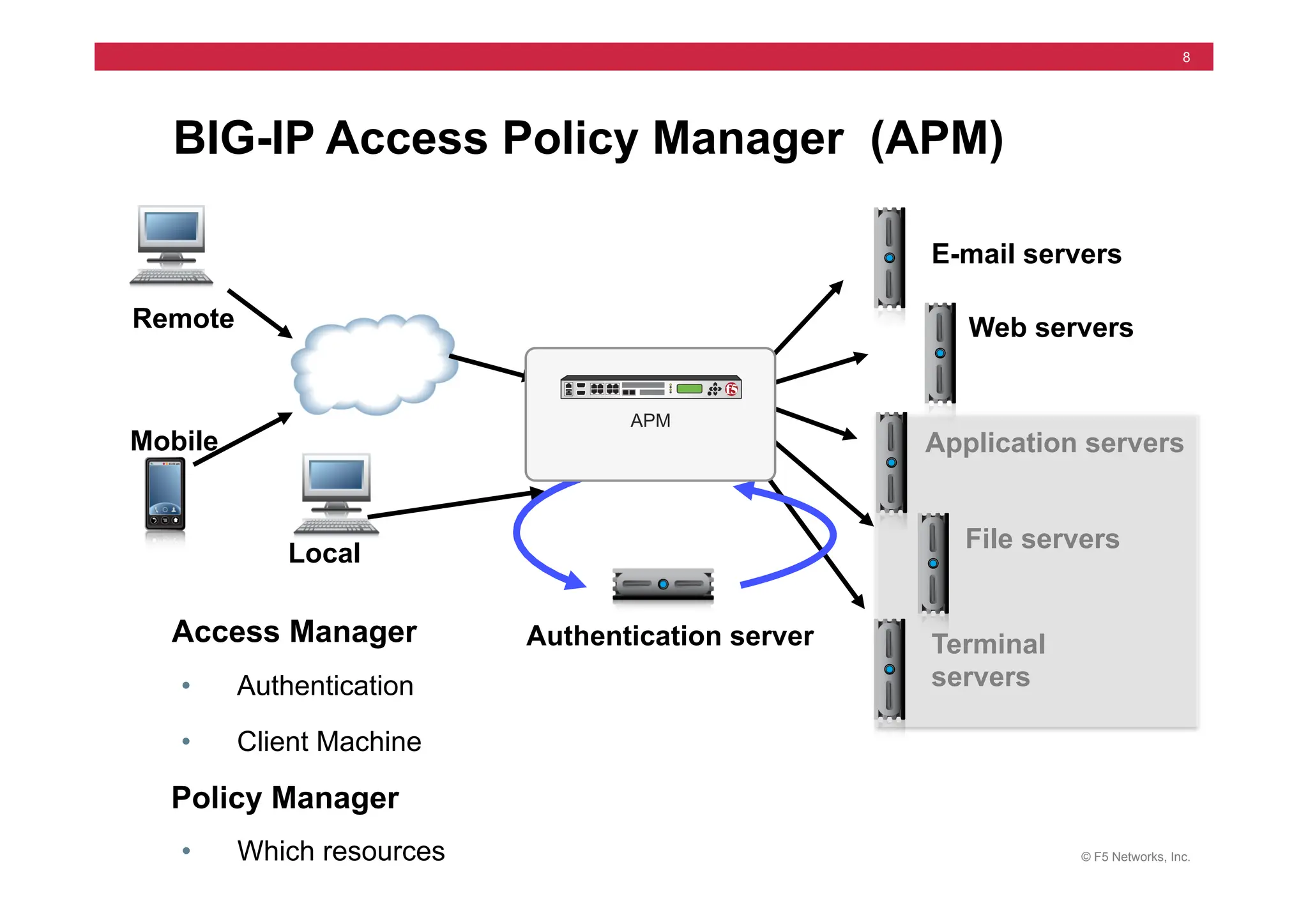
BIG-IP Access Policy Manager (APM)
Application servers
Web servers
E-mail servers
Terminal
servers
Mobile
• Client Machine
• Authentication
Policy Manager
Access Manager
File servers
Local
Remote
• Which resources
Authentication server
APM
© F5 Networks, Inc.
9
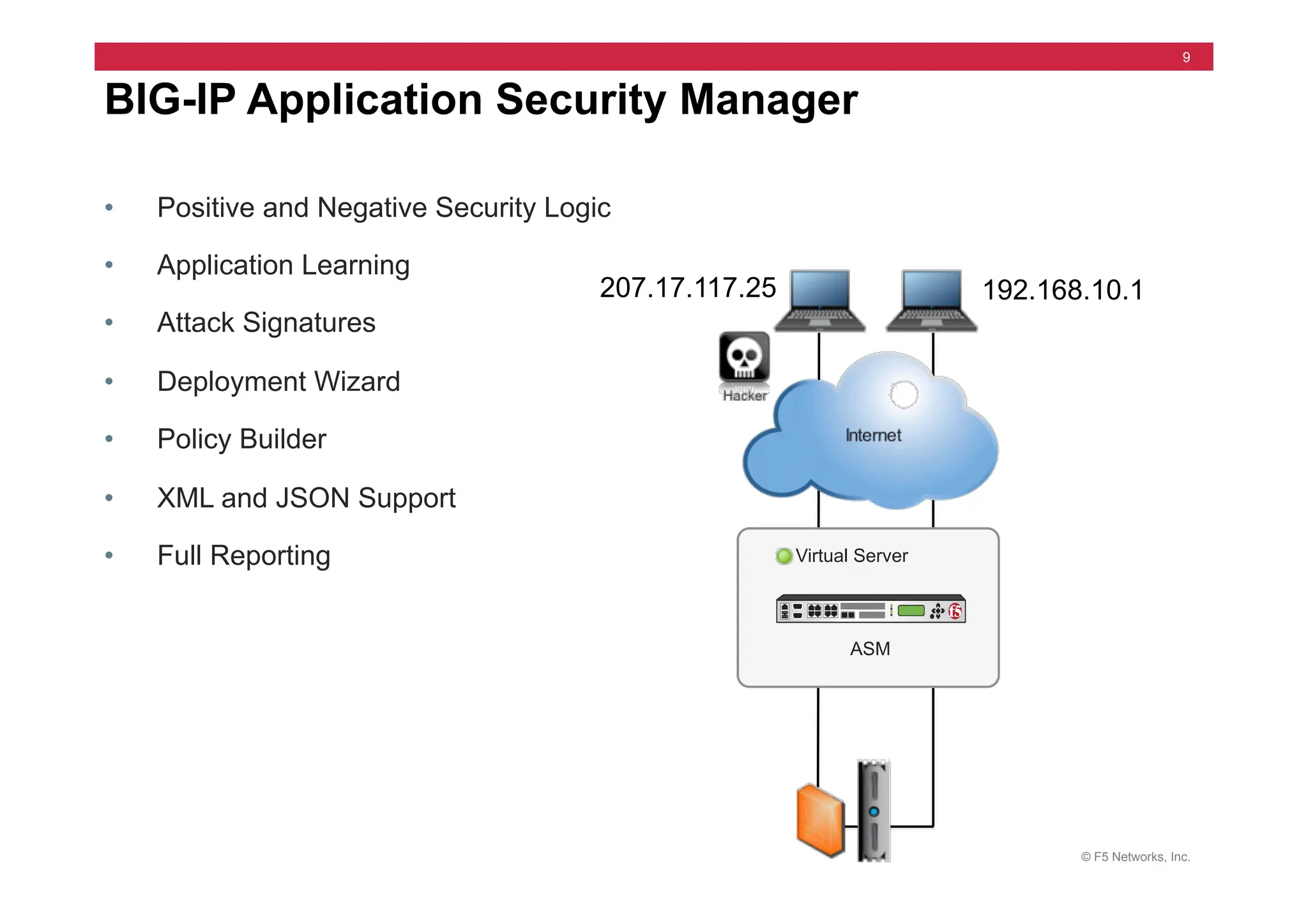
• Positive and Negative Security Logic
• Application Learning
• Attack Signatures
• Deployment Wizard
• Policy Builder
• XML and JSON Support
• Full Reporting
BIG-IP Application Security Manager
207.17.117.25 192.168.10.1
ASM
Virtual Server
© F5 Networks, Inc.
10
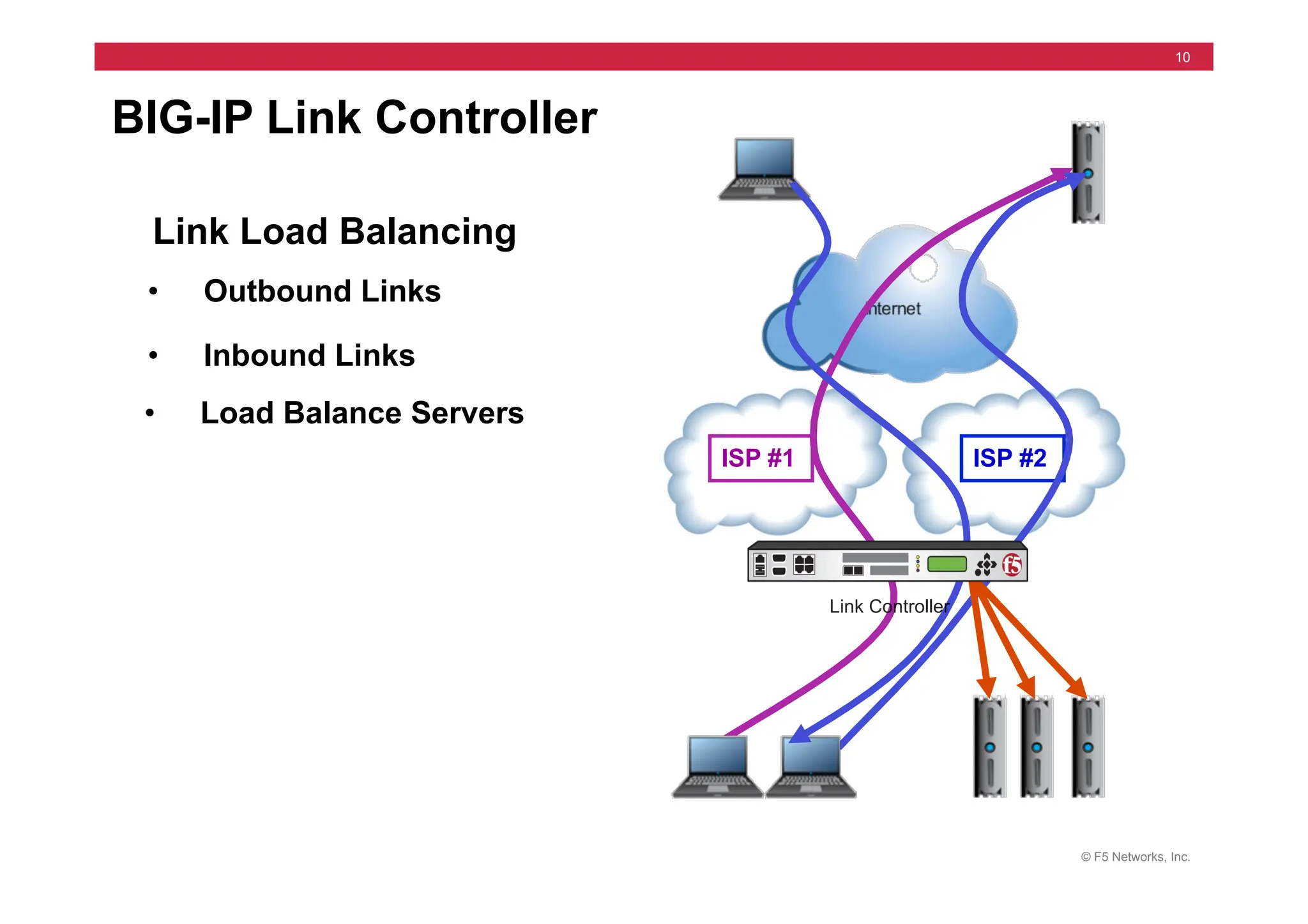
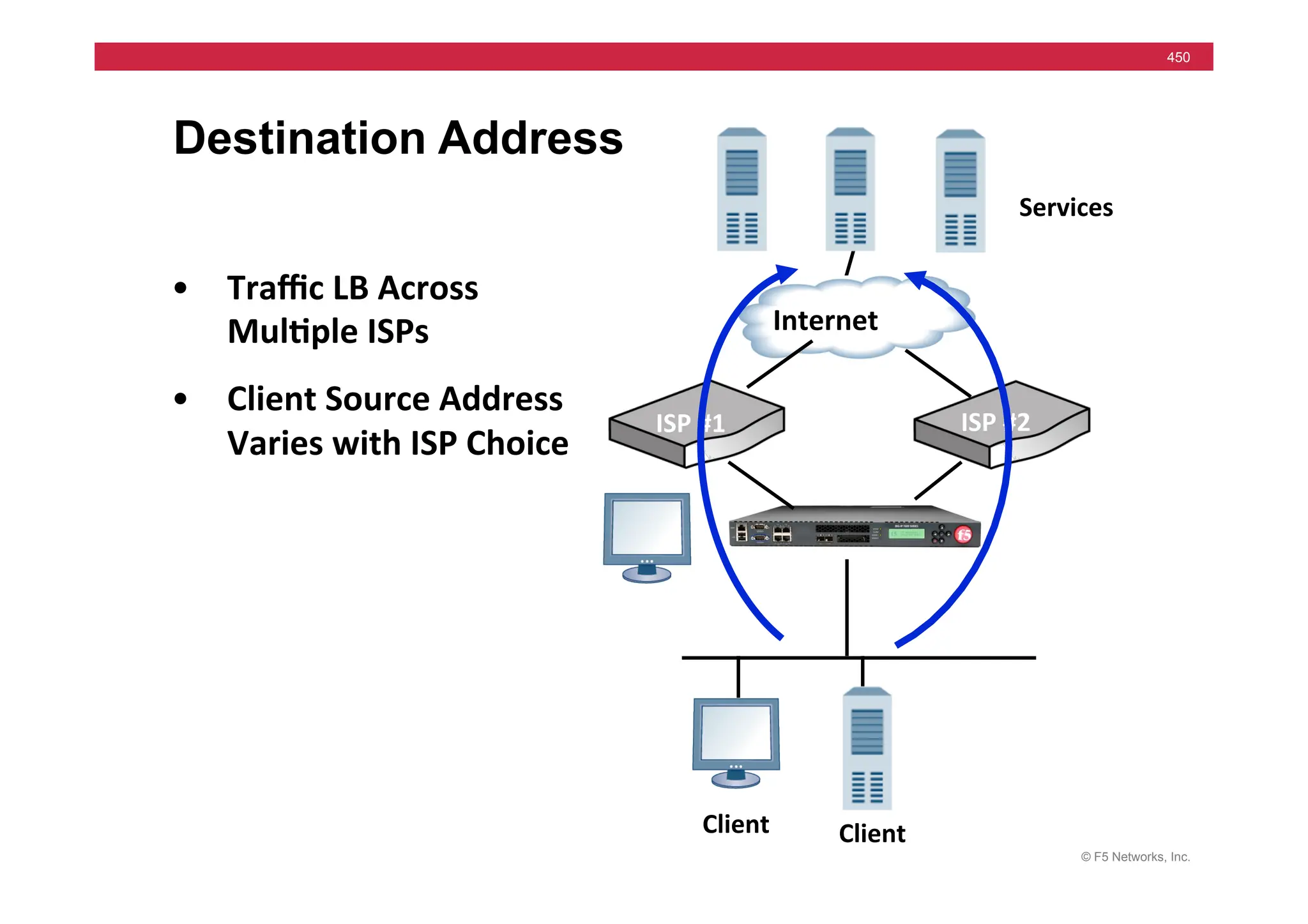
Link Load Balancing
BIG-IP Link Controller
ISP #1 ISP #2
• Outbound Links
• Inbound Links
• Load Balance Servers
Link Controller
© F5 Networks, Inc.
11
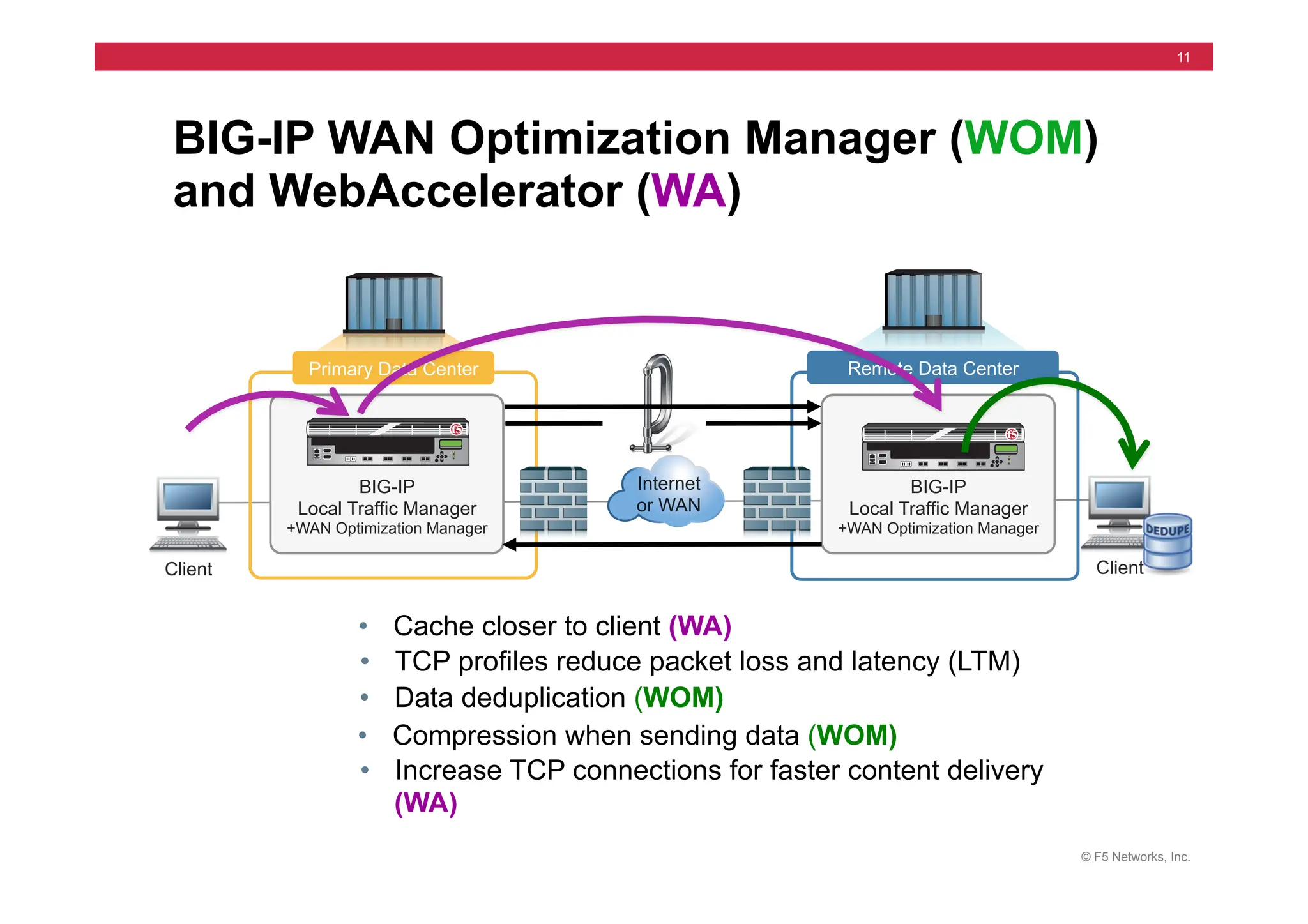
Client Client
Primary Data Center Remote Data Center
Internet
or WAN
BIG-IP
Local Traffic Manager
+WAN Optimization Manager
BIG-IP
Local Traffic Manager
+WAN Optimization Manager
BIG-IP WAN Optimization Manager (WOM)
and WebAccelerator (WA)
• Cache closer to client (WA)
• TCP profiles reduce packet loss and latency (LTM)
• Data deduplication (WOM)
• Compression when sending data (WOM)
• Increase TCP connections for faster content delivery
(WA)
© F5 Networks, Inc.
12
• BIG-IP Edge Gateway includes:
• Application Security Manager
• WAN Optimization Manager
• WebAccelerator Module (WAM)
BIG-IP Edge Gateway
© F5 Networks, Inc.
13
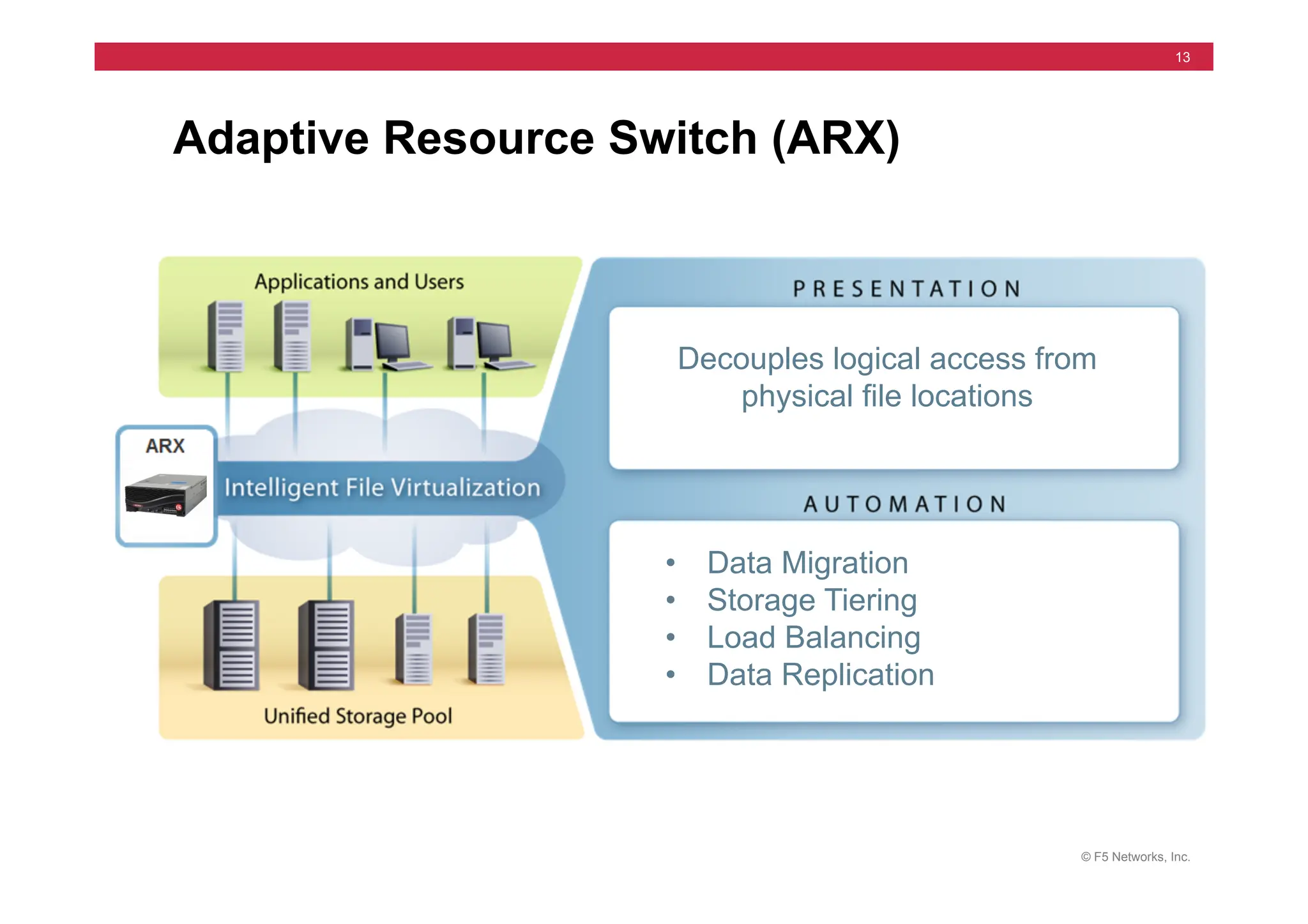
Adaptive Resource Switch (ARX)
Decouples logical access from
physical file locations
• Data Migration
• Storage Tiering
• Load Balancing
• Data Replication
© F5 Networks, Inc.
14
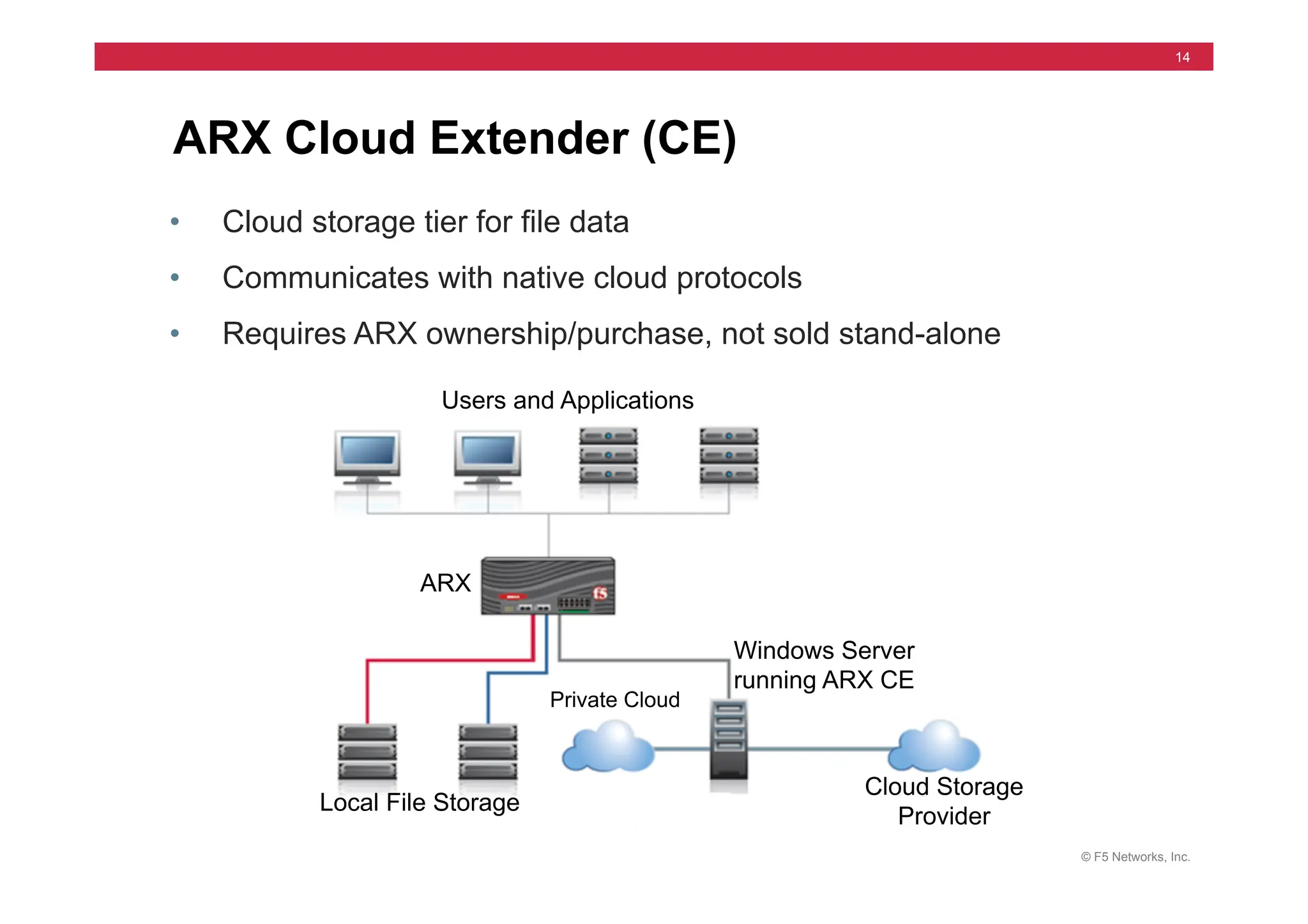
ARX Cloud Extender (CE)
• Cloud storage tier for file data
• Communicates with native cloud protocols
• Requires ARX ownership/purchase, not sold stand-alone
Local File Storage
Private Cloud
Cloud Storage
Provider
ARX
Windows Server
running ARX CE
Users and Applications
© F5 Networks, Inc.
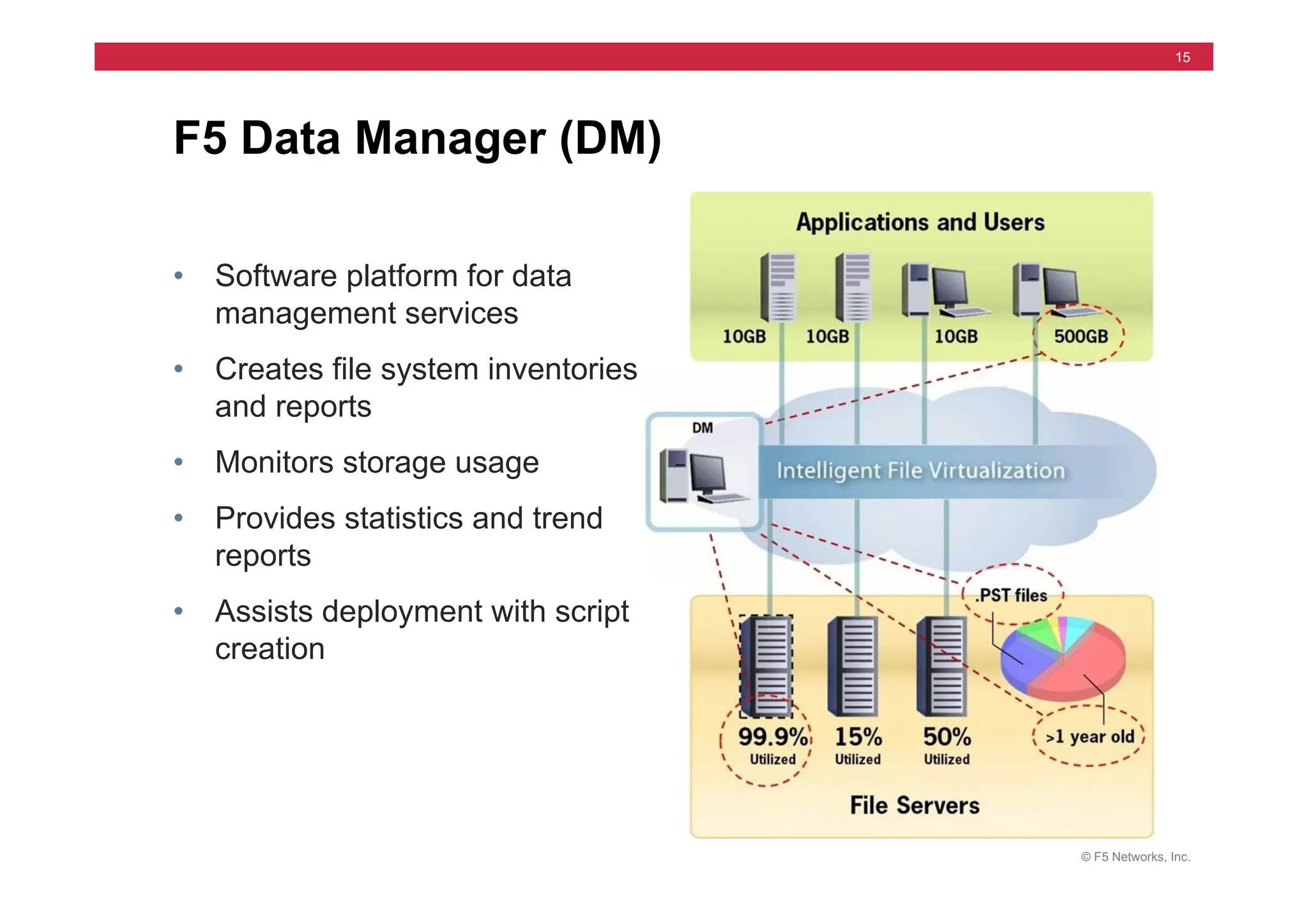
15
• Software platform for data
management services
• Creates file system inventories
and reports
• Monitors storage usage
• Provides statistics and trend
reports
• Assists deployment with script
creation
F5 Data Manager (DM)
© F5 Networks, Inc.
16
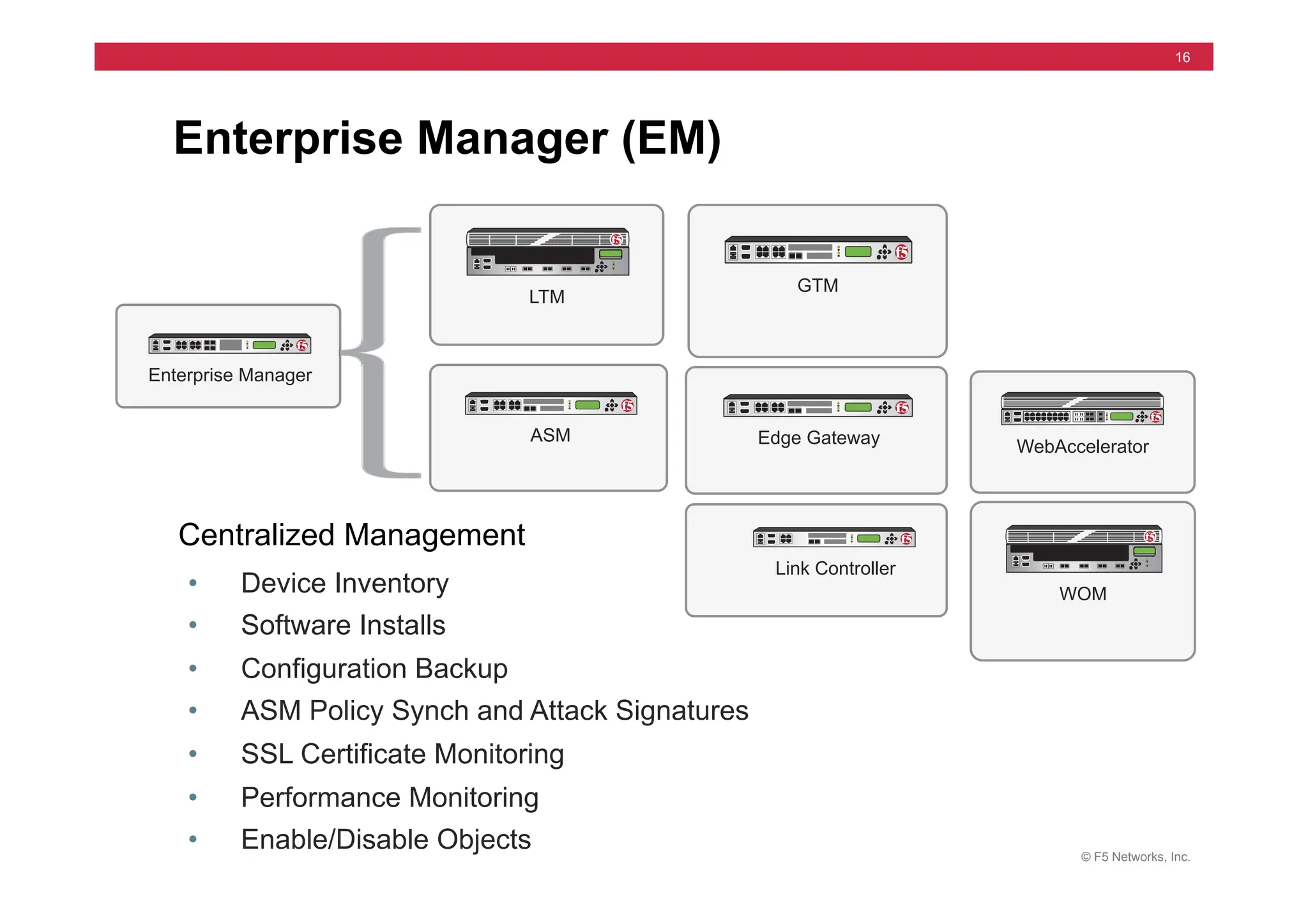
Enterprise Manager (EM)
• Device Inventory
• Software Installs
• Configuration Backup
• ASM Policy Synch and Attack Signatures
• SSL Certificate Monitoring
• Performance Monitoring
• Enable/Disable Objects
Enterprise Manager
WebAccelerator
LTM
GTM
ASM Edge Gateway
WOM
Link Controller
Centralized Management
© F5 Networks, Inc.
17
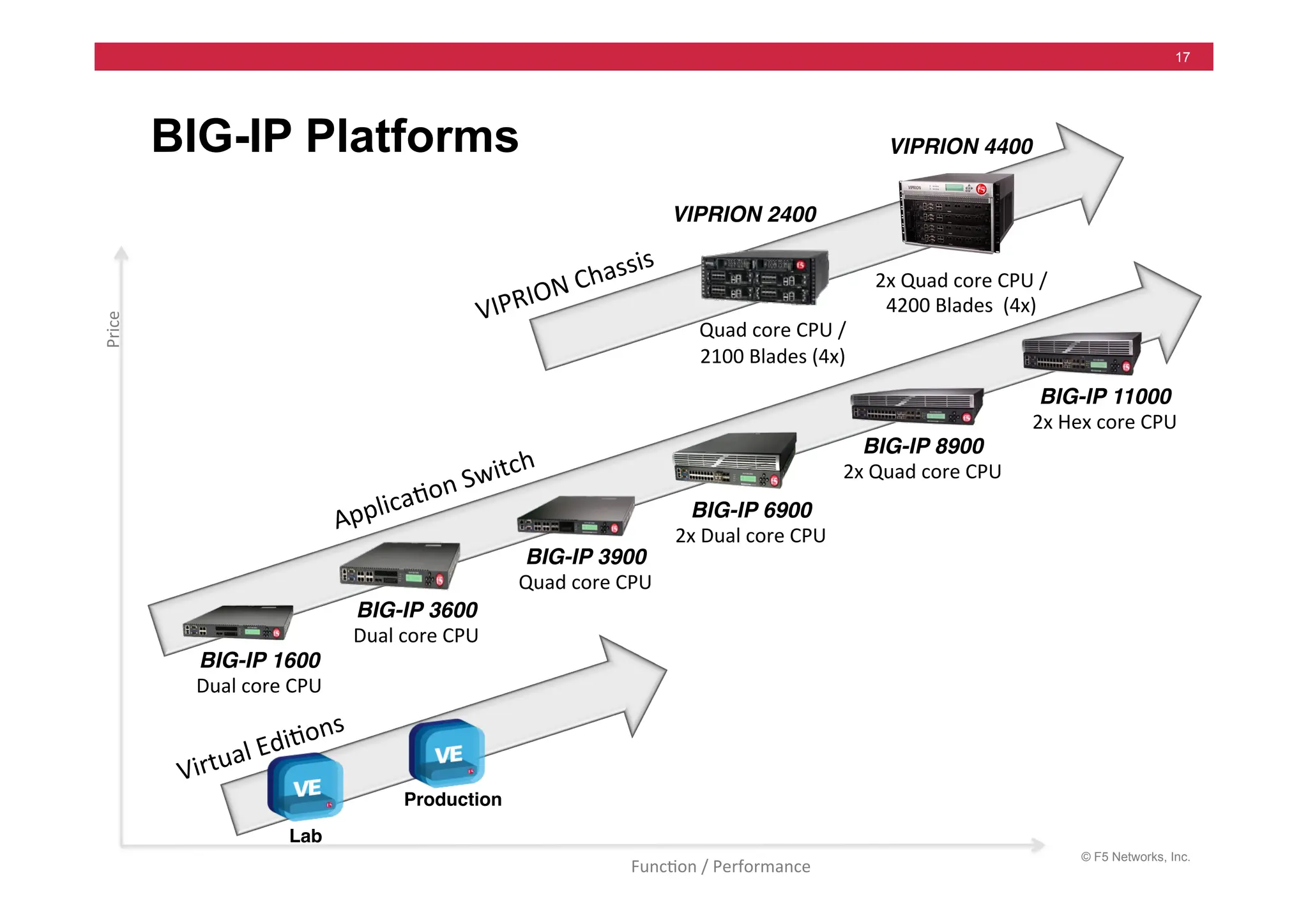
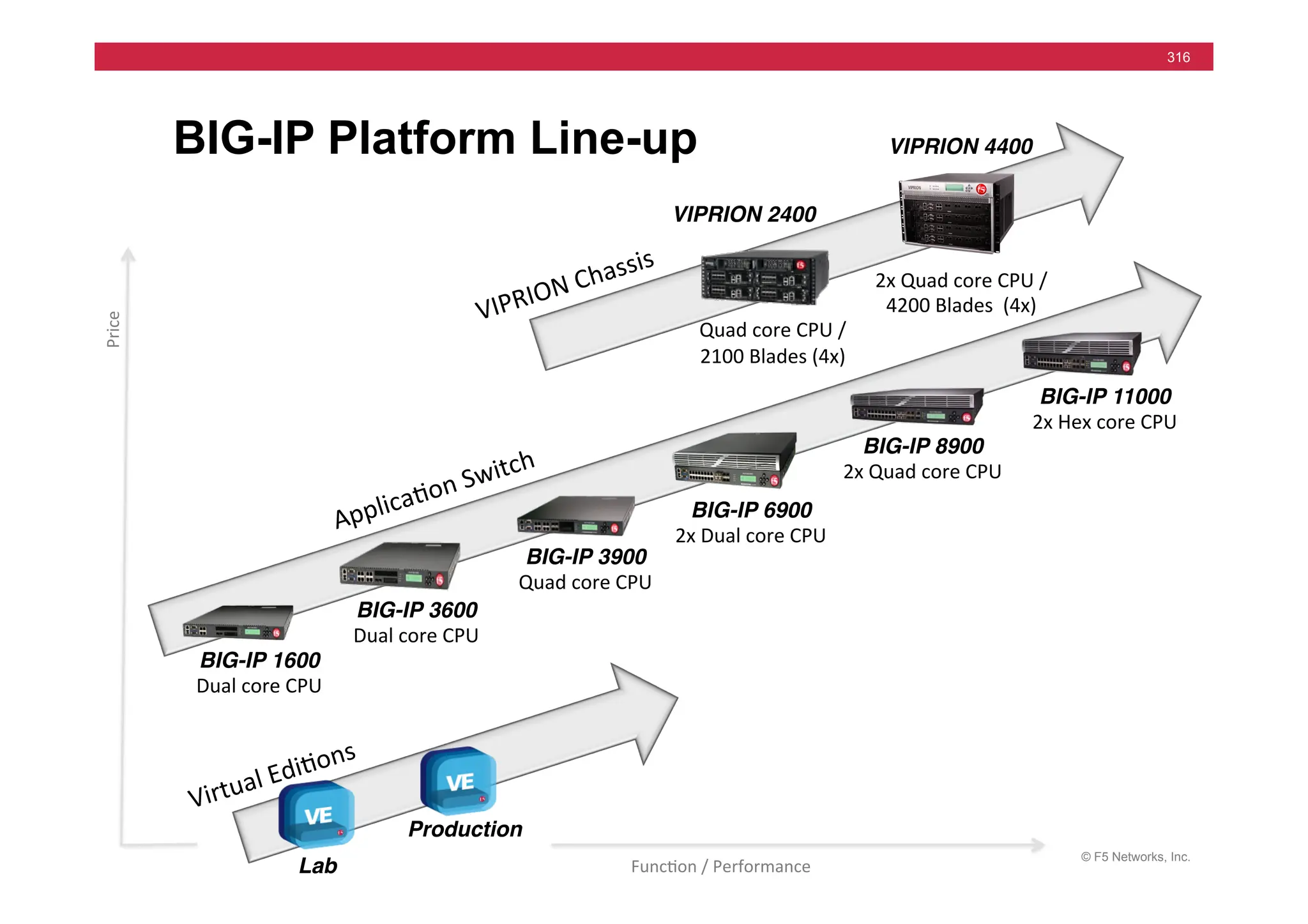
BIG-IP Platforms
"
"
"
"
BIG-IP 3900
Quad	
  core	
  CPU	
  
"
"
" BIG-IP 6900
2x	
  Dual	
  core	
  CPU	
  
"
"
" BIG-IP 8900
2x	
  Quad	
  core	
  CPU
	
  
"
"
" BIG-IP 11000
2x	
  Hex	
  core	
  CPU


   BIG-IP 1600
Dual	
  core	
  CPU	


   BIG-IP 3600
Dual	
  core	
  CPU	
  
VIPRION 2400
"


  Quad	
  core	
  CPU	
  /


  2100	
  Blades	
  (4x)	
  
Applica=on	
  Switch	
  
"
"
"
VIPRION 4400"
2x	
  Quad	
  core	
  CPU	
  /
	
  
4200	
  Blades	
  	
  (4x)	
  
VIPRION	
  Chassis	
  
Production
!
Lab
!
Virtual	
  Edi=ons	
  
Price	
  
Func=on	
  /	
  Performance	
  
© F5 Networks, Inc.
18
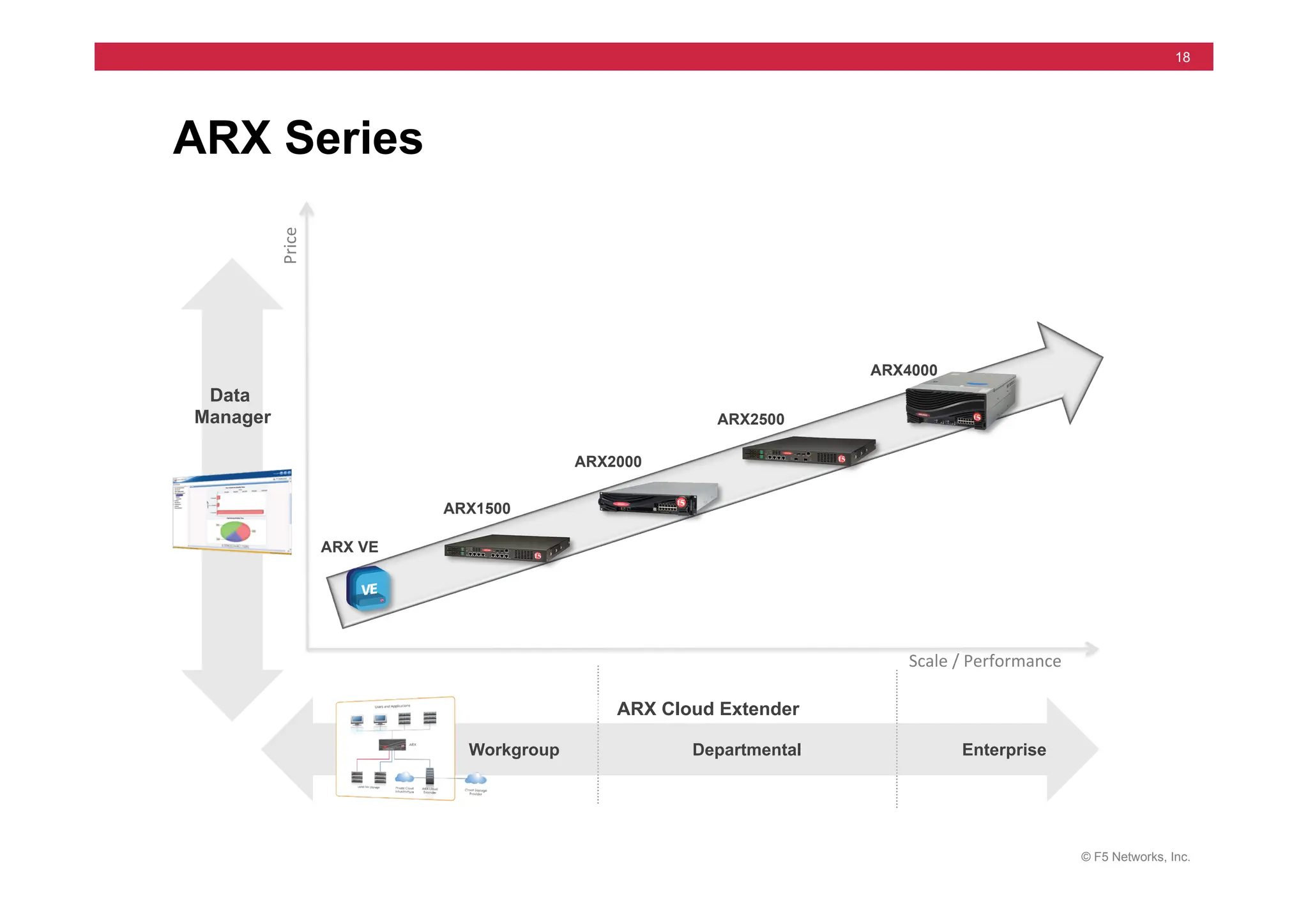
ARX Series
Data
Manager
Workgroup Departmental Enterprise
ARX4000
ARX VE
ARX2000
ARX2500
ARX1500
ARX Cloud Extender
Price	
  
Scale	
  /	
  Performance	
  
© F5 Networks, Inc.
19
• LTM VE
• GTM VE
• ASM VE
• APM VE
• WAM VE
• WOM VE
• ARX VE
• FirePass VE
• EM VE
Virtual Edition (VE)
© F5 Networks, Inc.
20
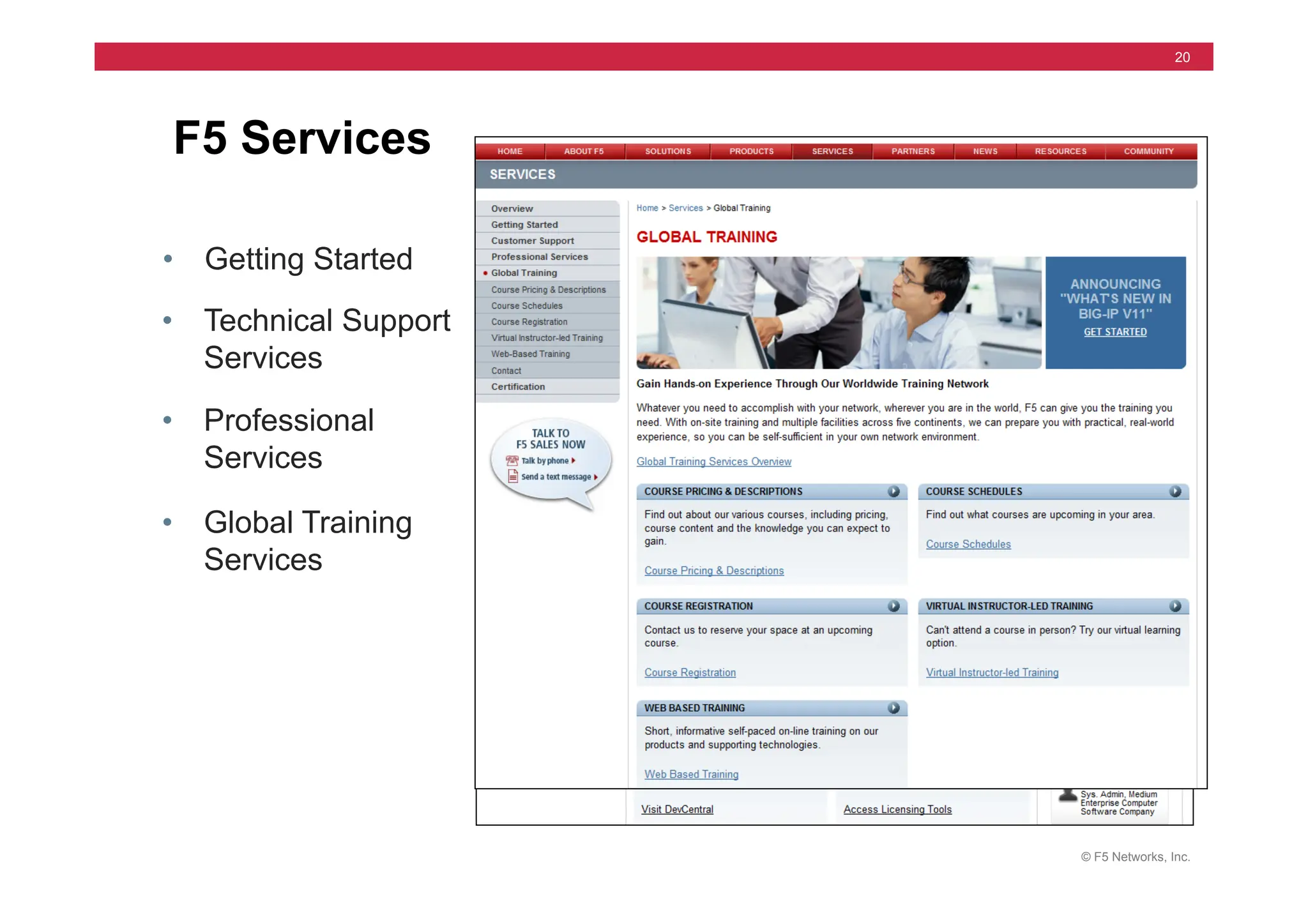
• Getting Started
F5 Services
• Technical Support
Services
• Professional
Services
• Global Training
Services
© F5 Networks, Inc.
21
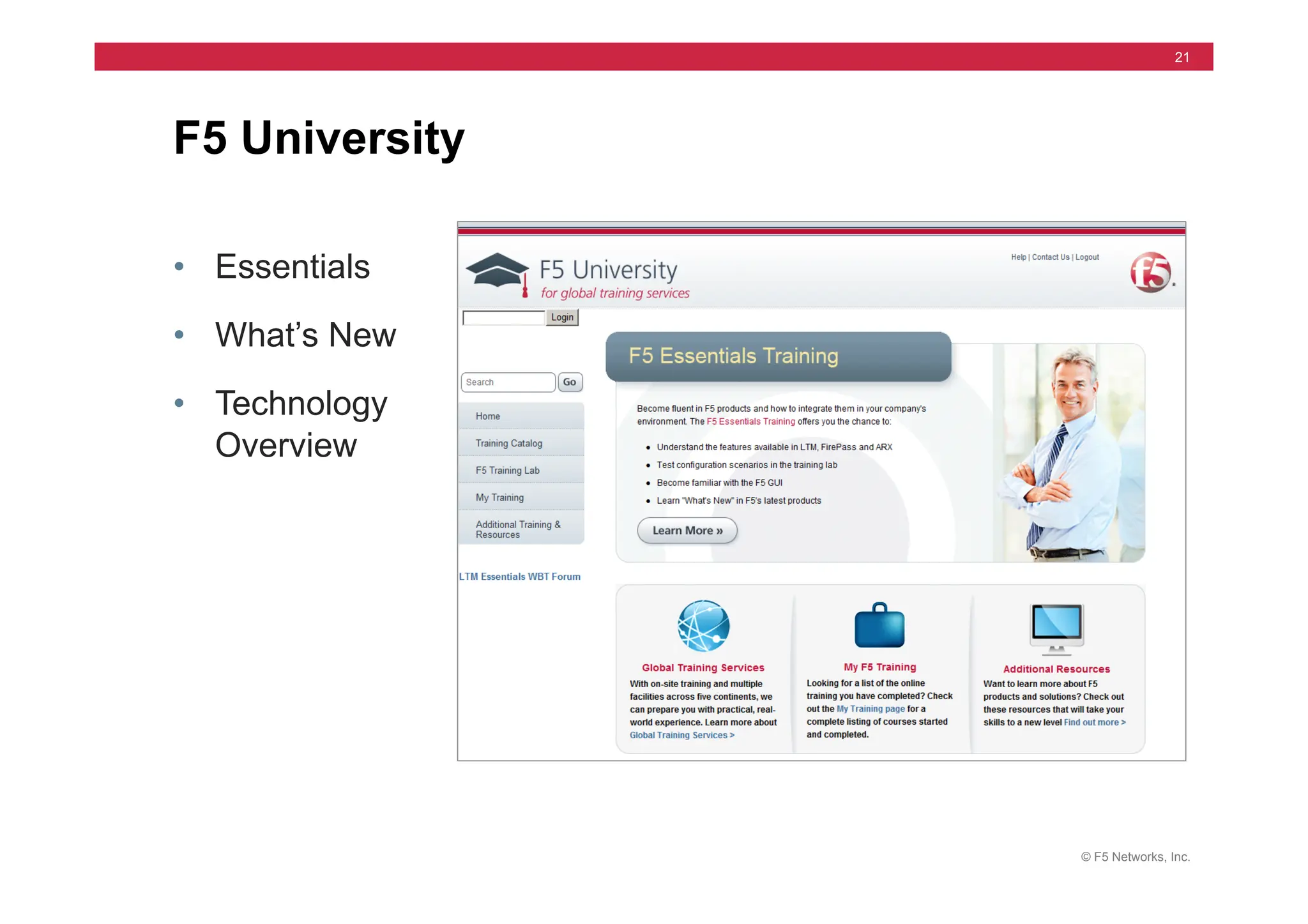
• Essentials
• What’s New
• Technology
Overview
F5 University
© F5 Networks, Inc.
22
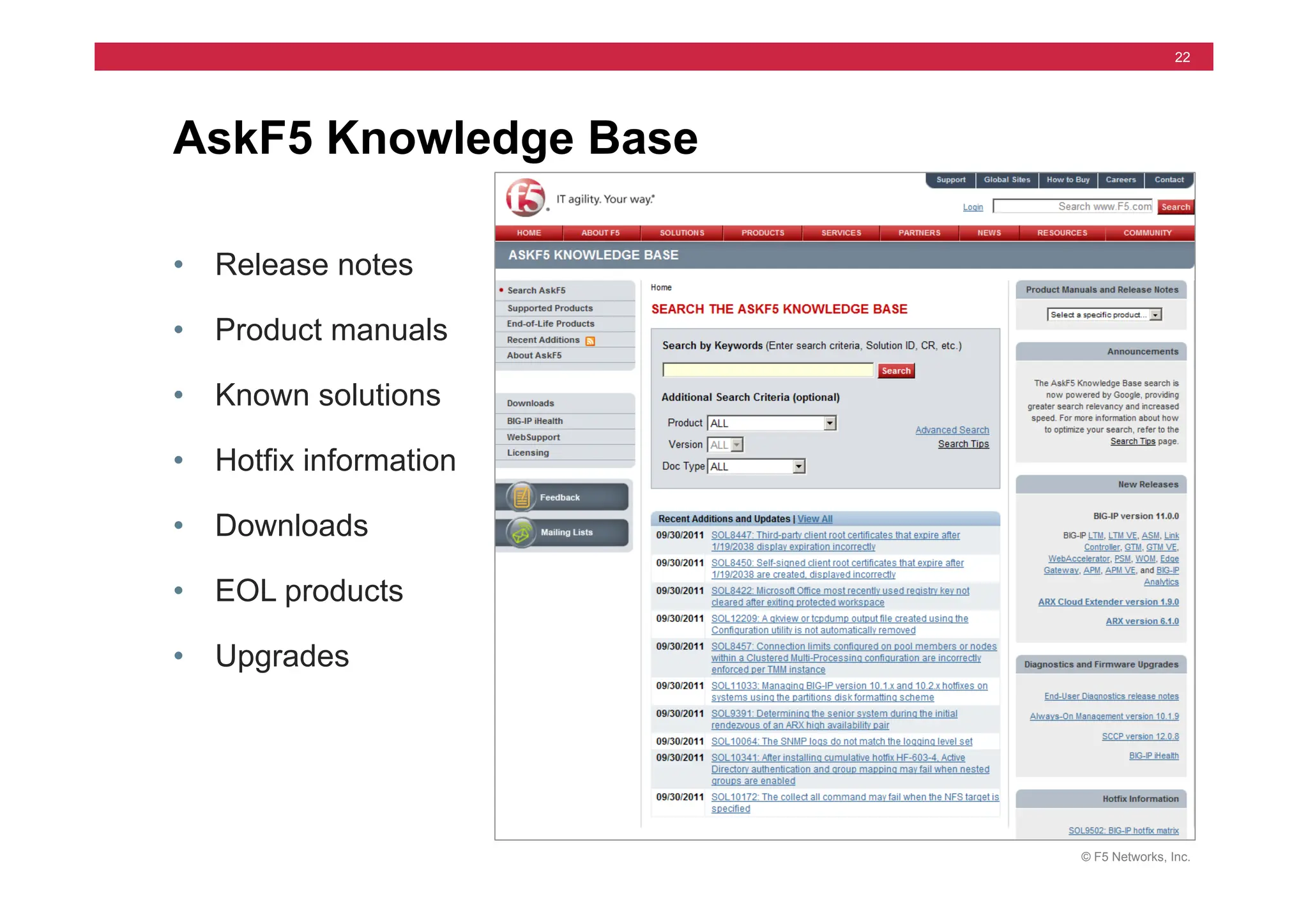
• Release notes
• Product manuals
• Known solutions
• Hotfix information
• Downloads
• EOL products
• Upgrades
AskF5 Knowledge Base
© F5 Networks, Inc.
23
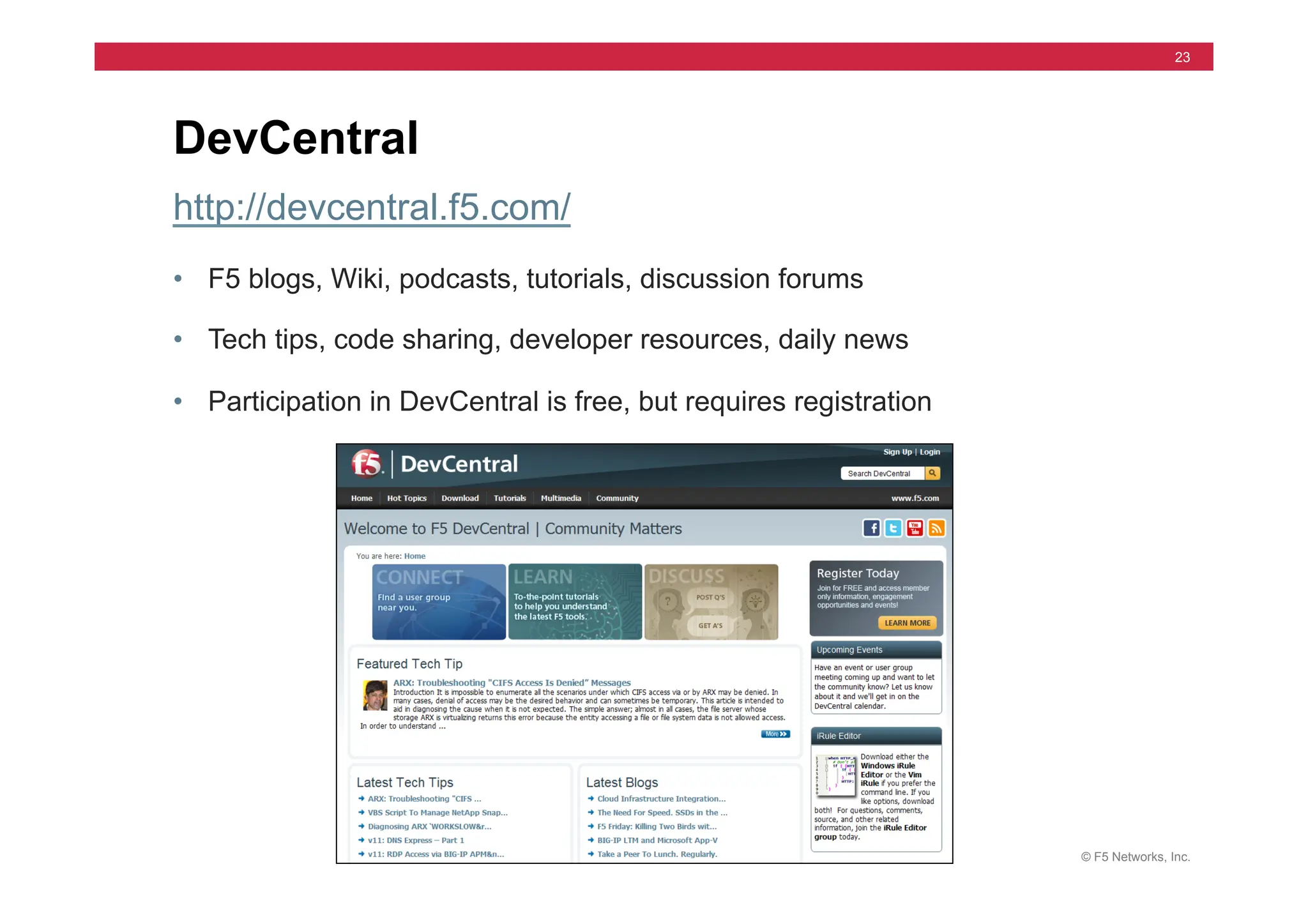
http://devcentral.f5.com/
• F5 blogs, Wiki, podcasts, tutorials, discussion forums
• Tech tips, code sharing, developer resources, daily news
• Participation in DevCentral is free, but requires registration
DevCentral
© F5 Networks, Inc.
24
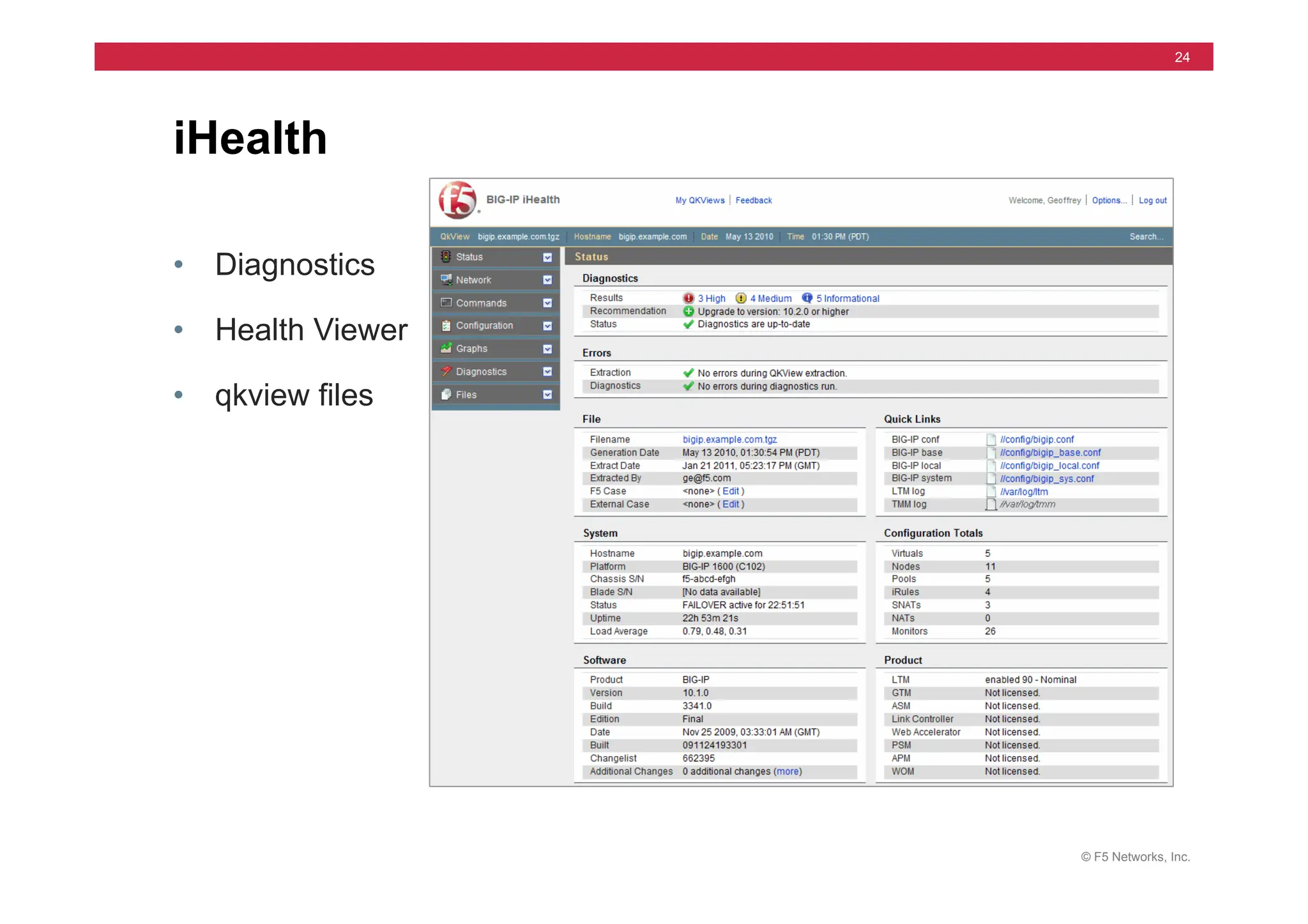
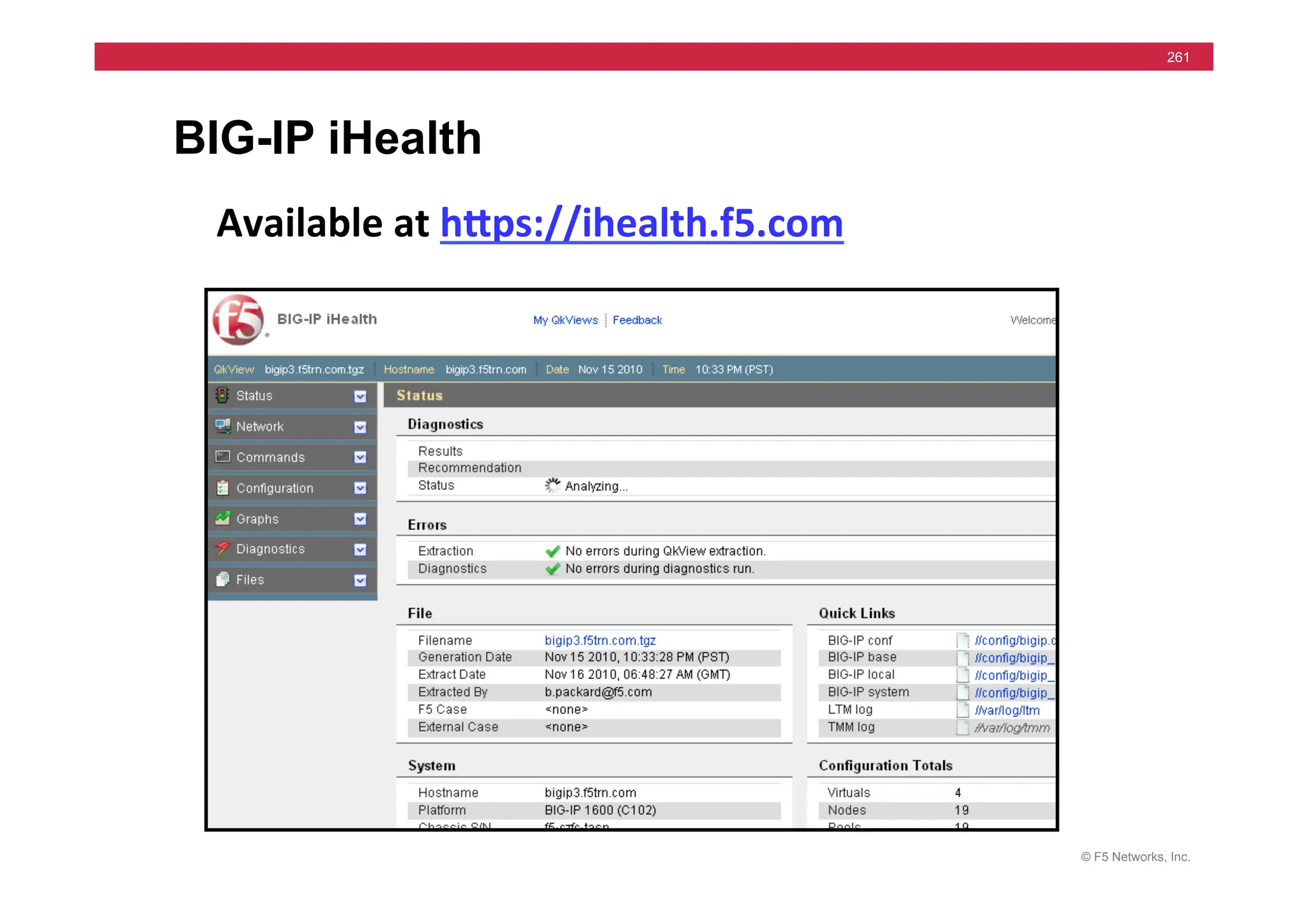
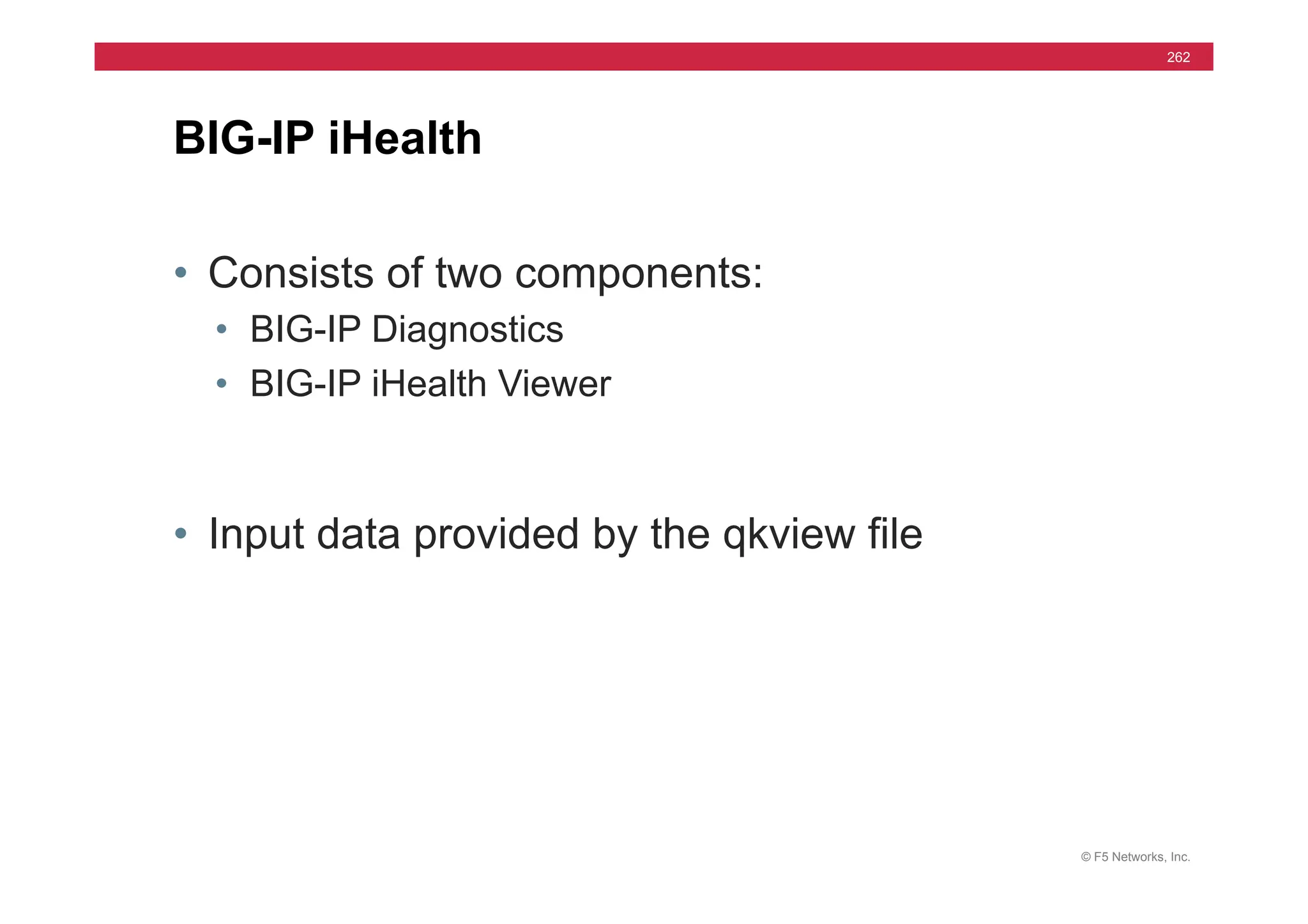
• Diagnostics
• Health Viewer
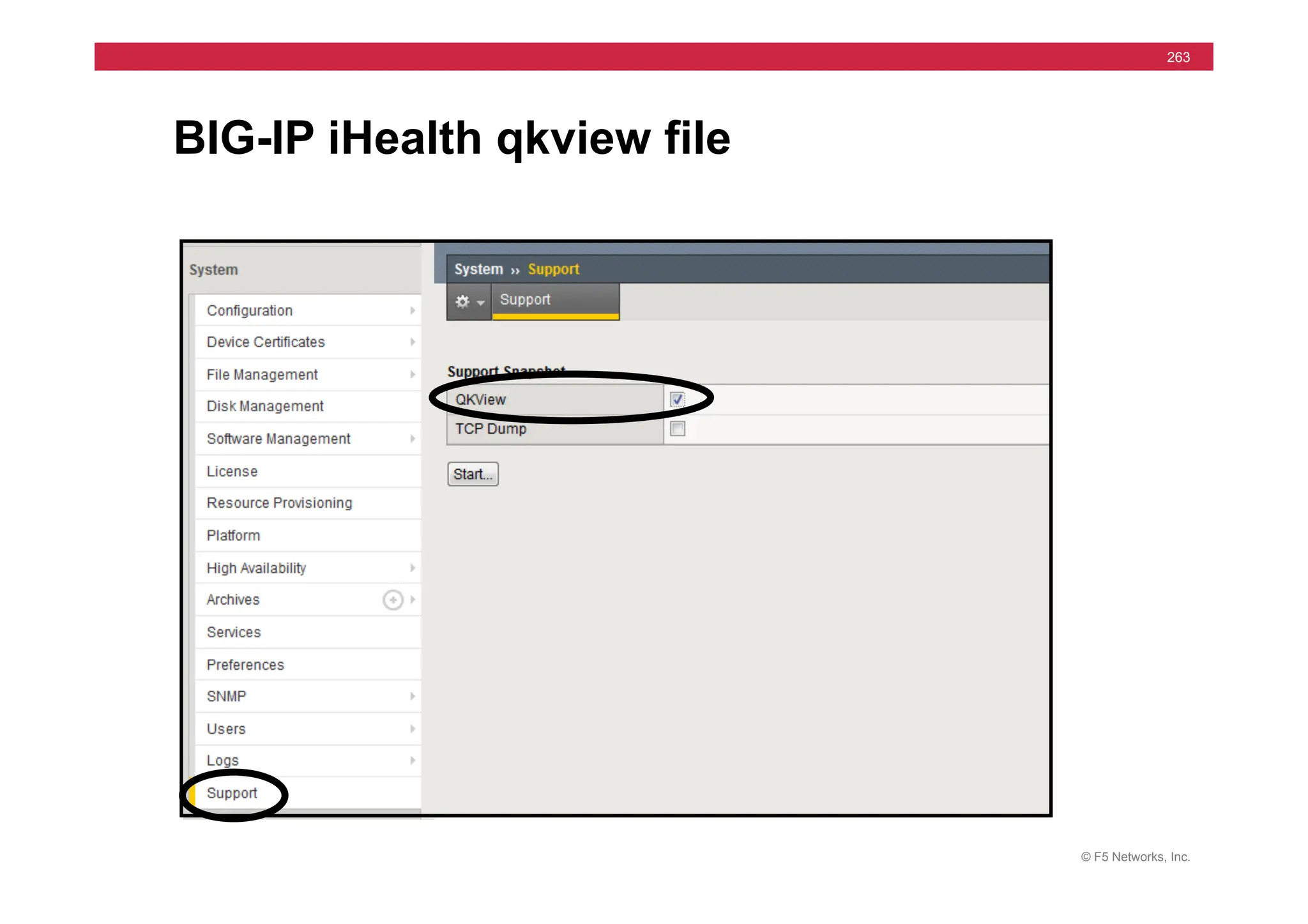
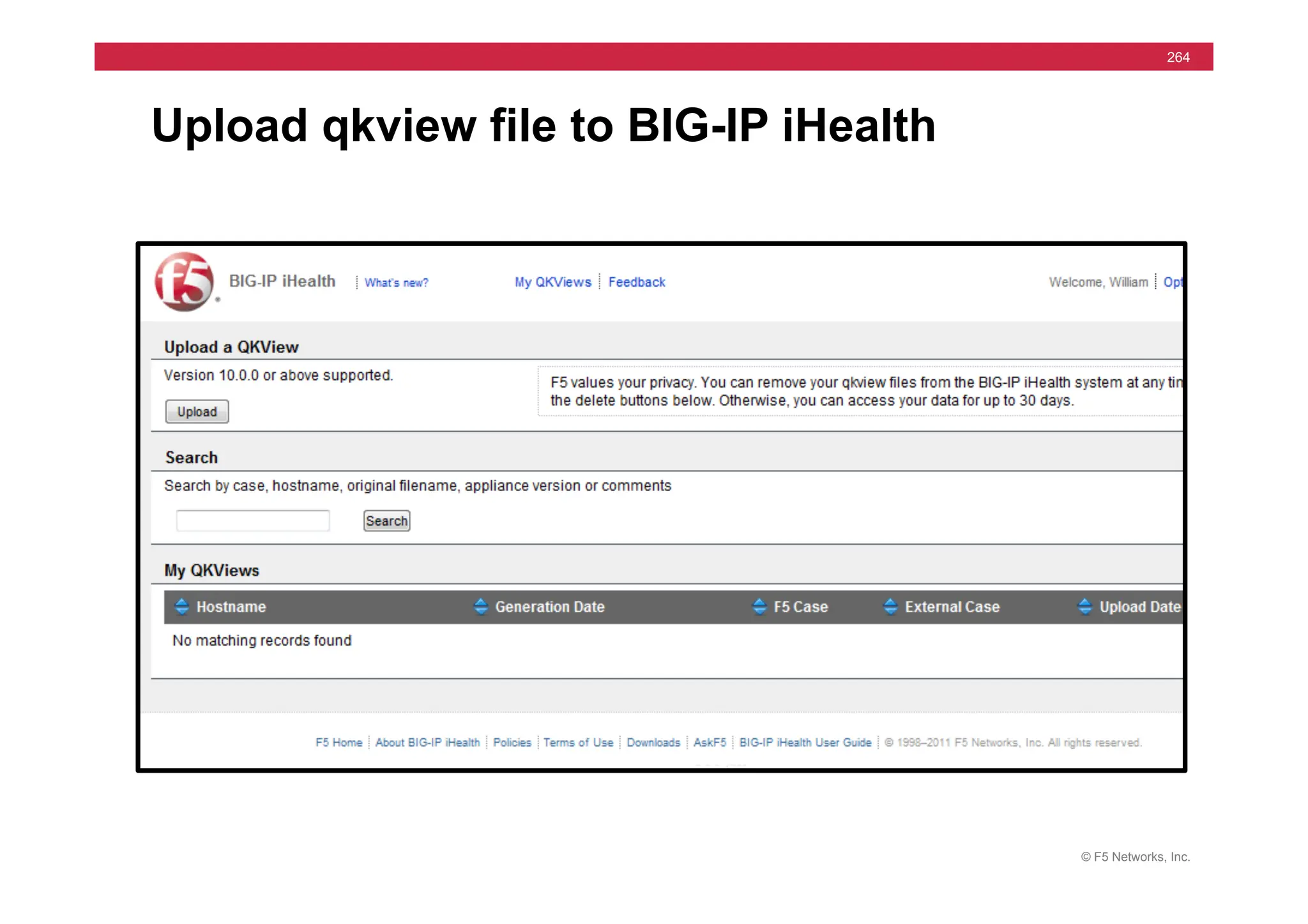
• qkview files
iHealth
© F5 Networks, Inc.
25
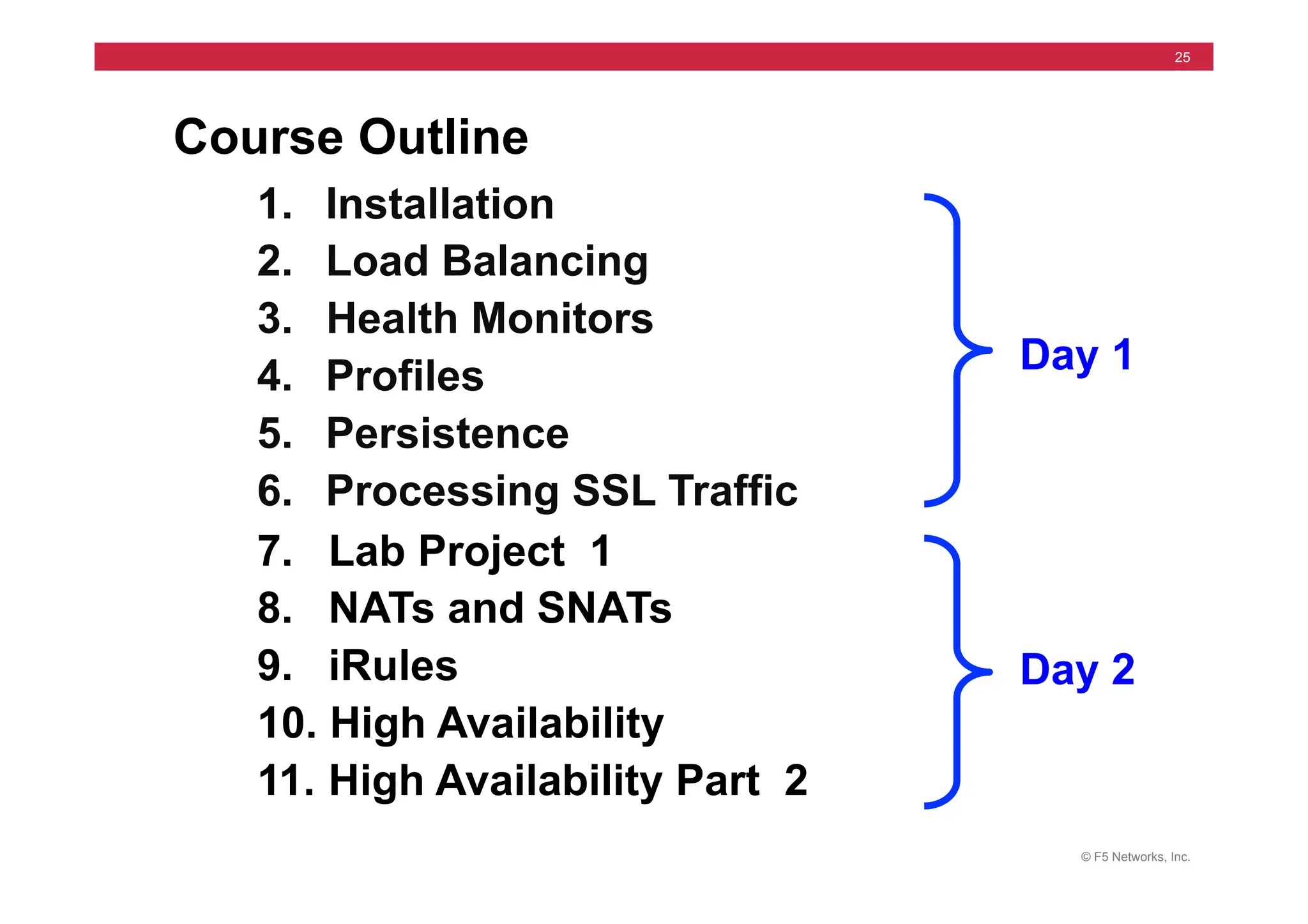
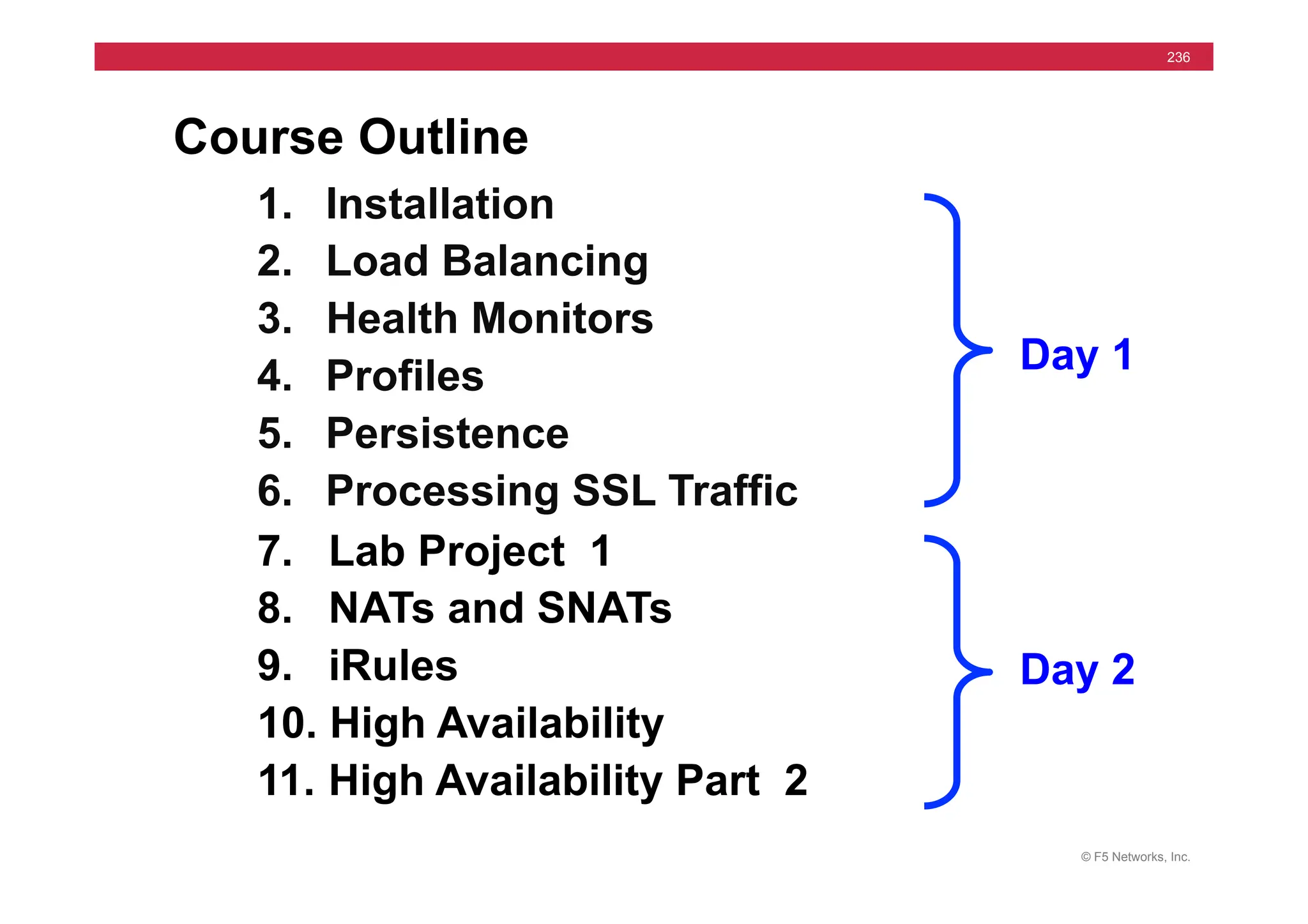
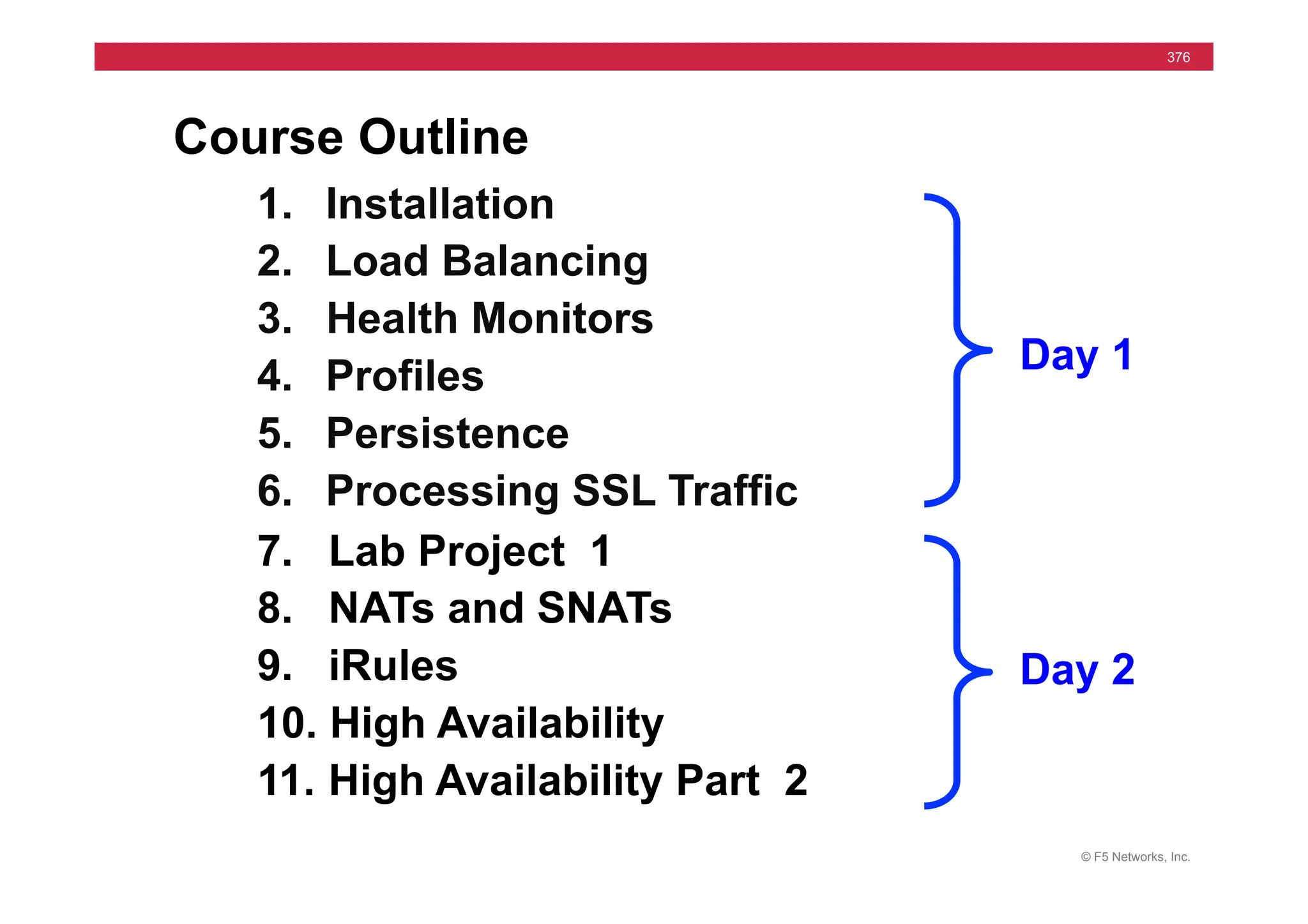
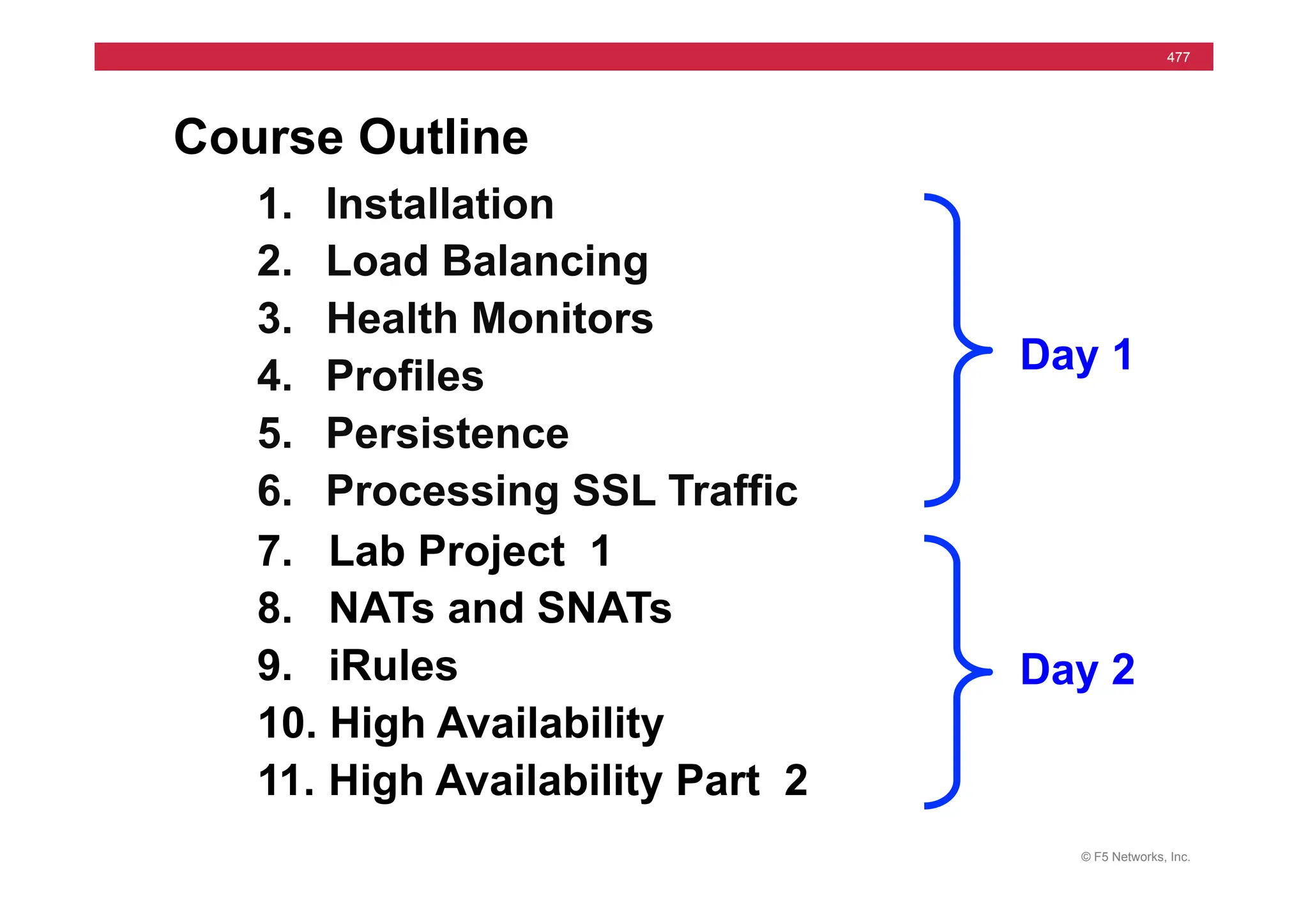
Course Outline
1. Installation
2. Load Balancing
3. Health Monitors
4. Profiles
5. Persistence
6. Processing SSL Traffic
7. Lab Project 1
8. NATs and SNATs
9. iRules
10. High Availability
11. High Availability Part 2
Day 1
Day 2
© F5 Networks, Inc.
26
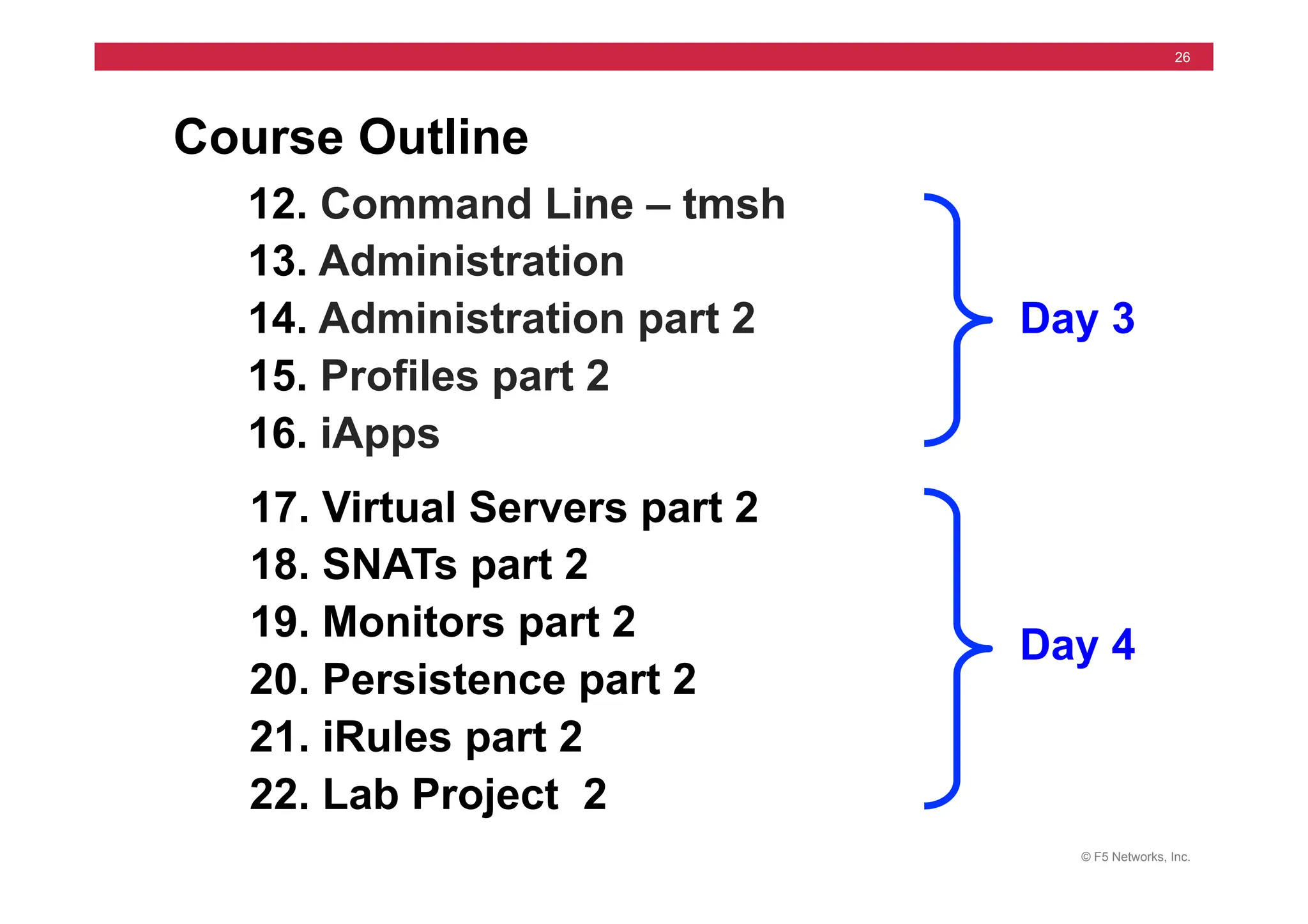
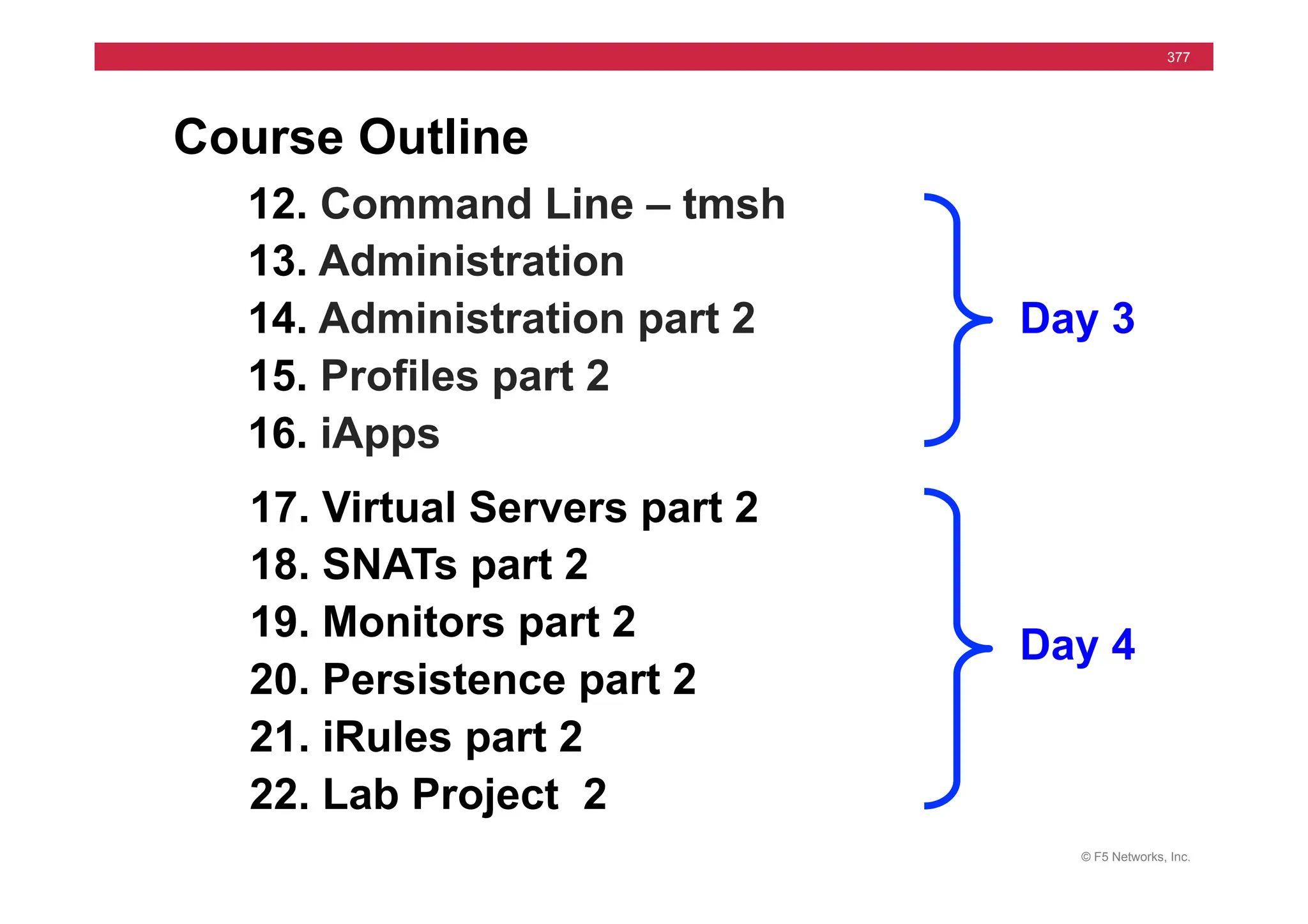
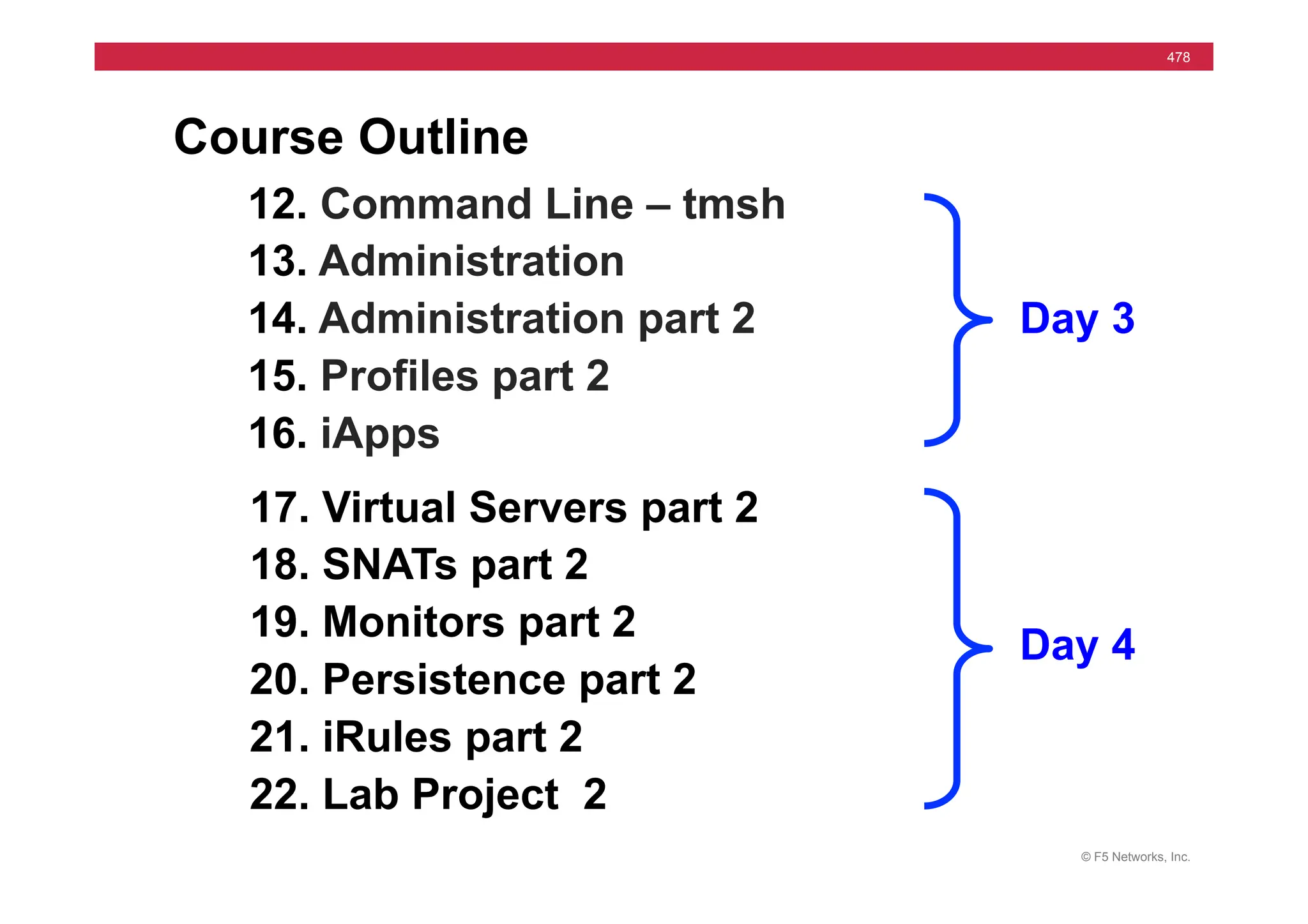
Course Outline
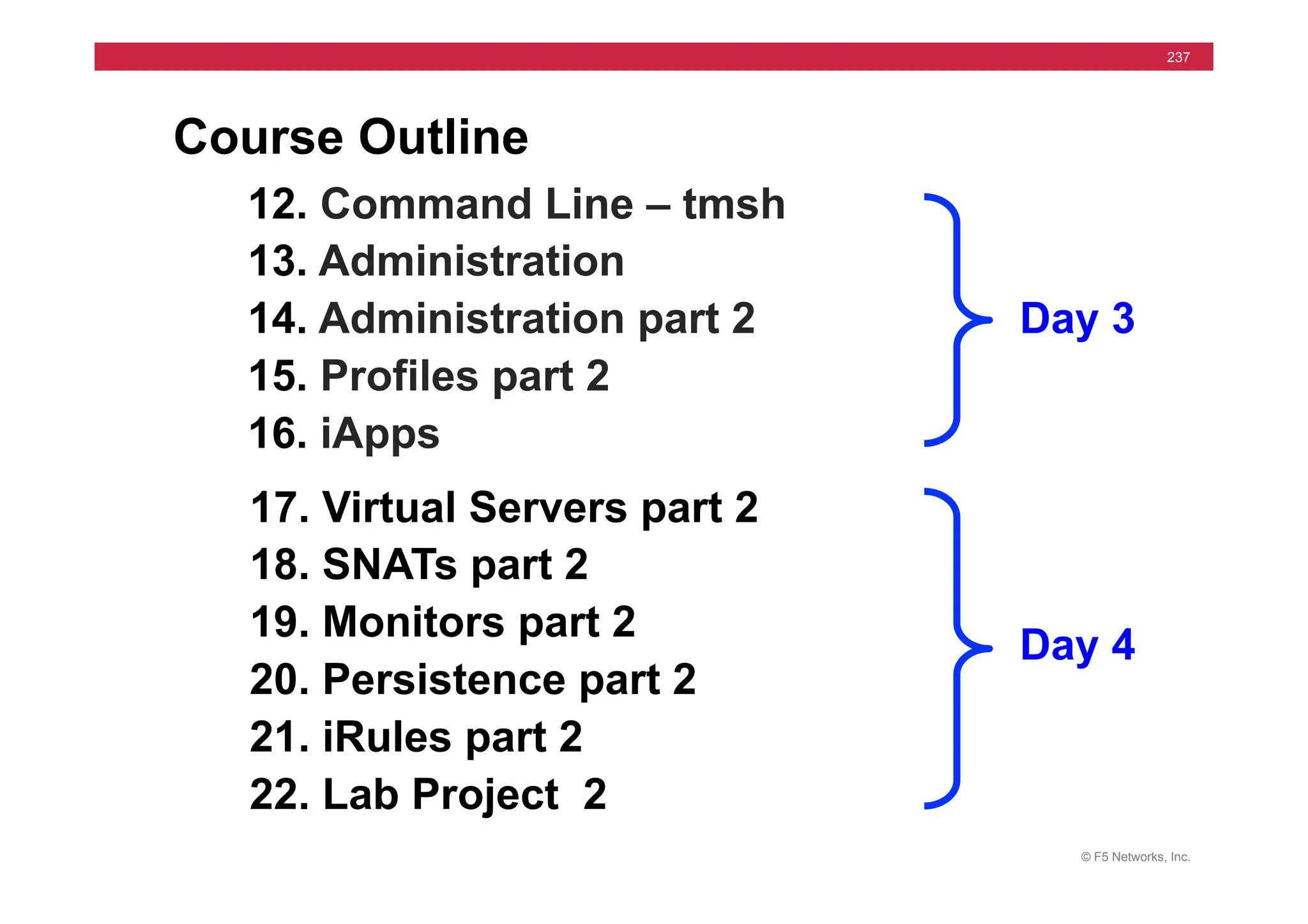
12. Command Line – tmsh
13. Administration
14. Administration part 2
15. Profiles part 2
16. iApps
17. Virtual Servers part 2
18. SNATs part 2
19. Monitors part 2
20. Persistence part 2
21. iRules part 2
22. Lab Project 2
Day 3
Day 4
© F5 Networks, Inc.
27
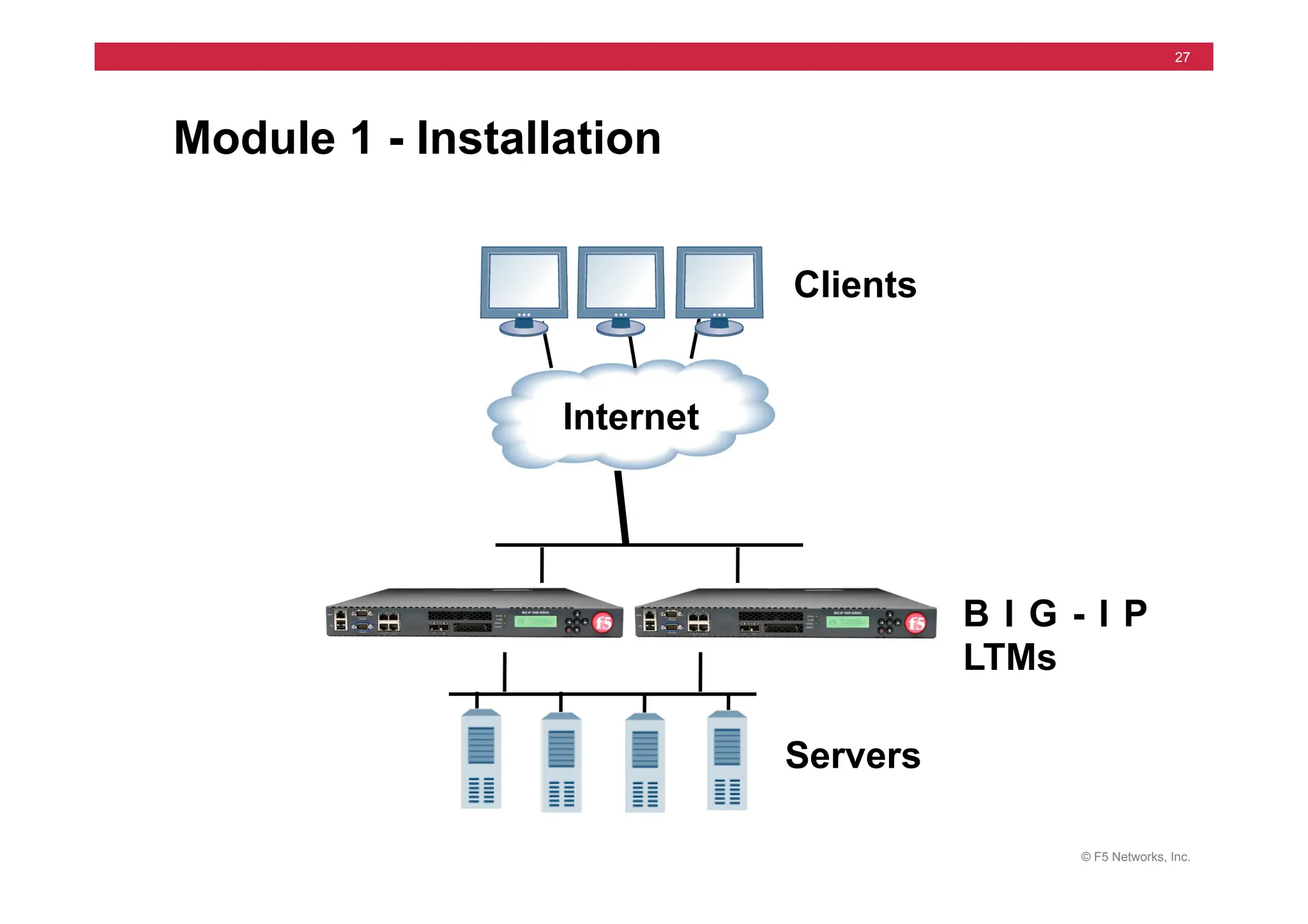
Module 1 - Installation
Internet
B I G - I P
LTMs
Clients
Servers
© F5 Networks, Inc.
28
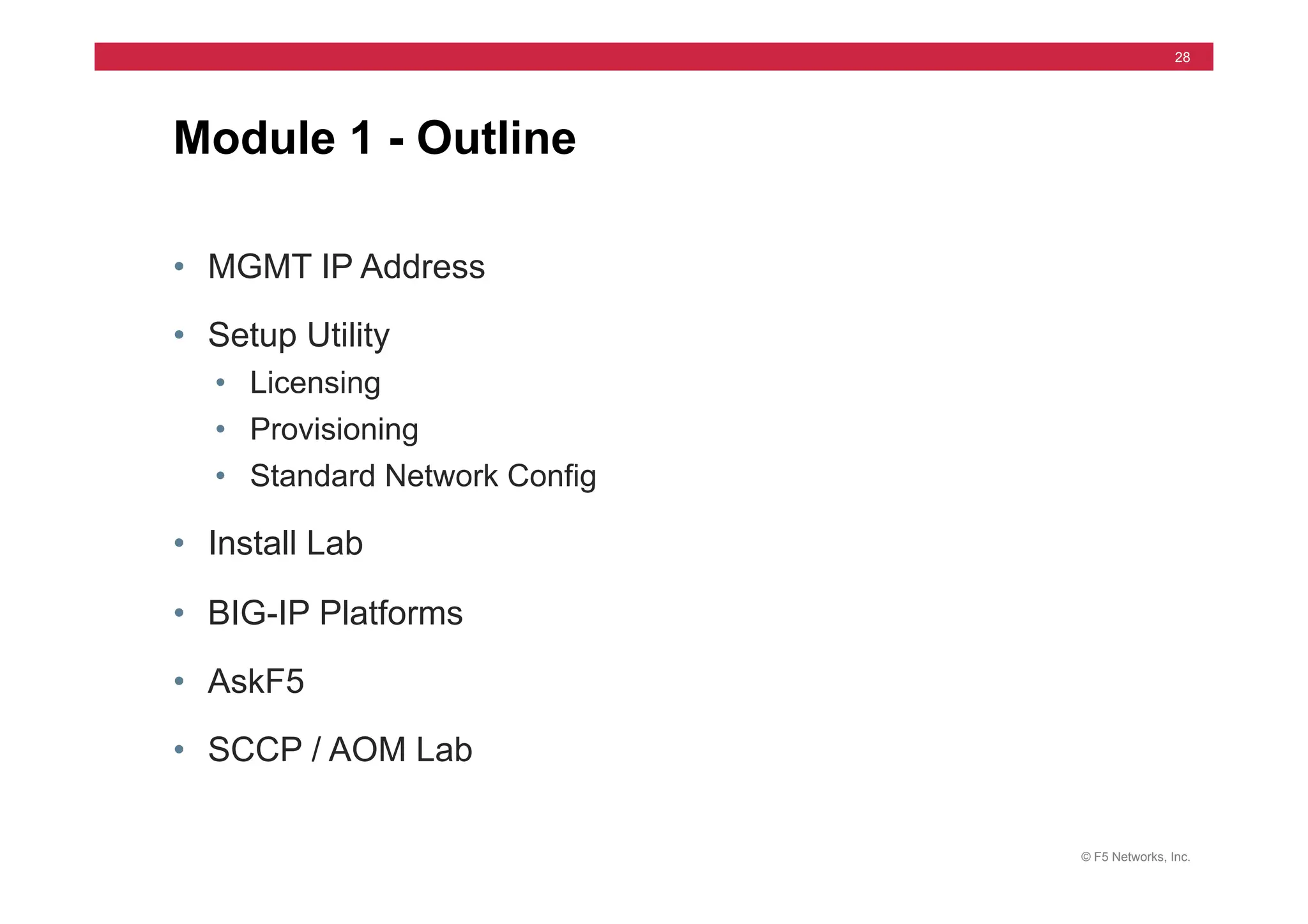
Module 1 - Outline
• MGMT IP Address
• Setup Utility
• Licensing
• Provisioning
• Standard Network Config
• Install Lab
• BIG-IP Platforms
• AskF5
• SCCP / AOM Lab
© F5 Networks, Inc.
29
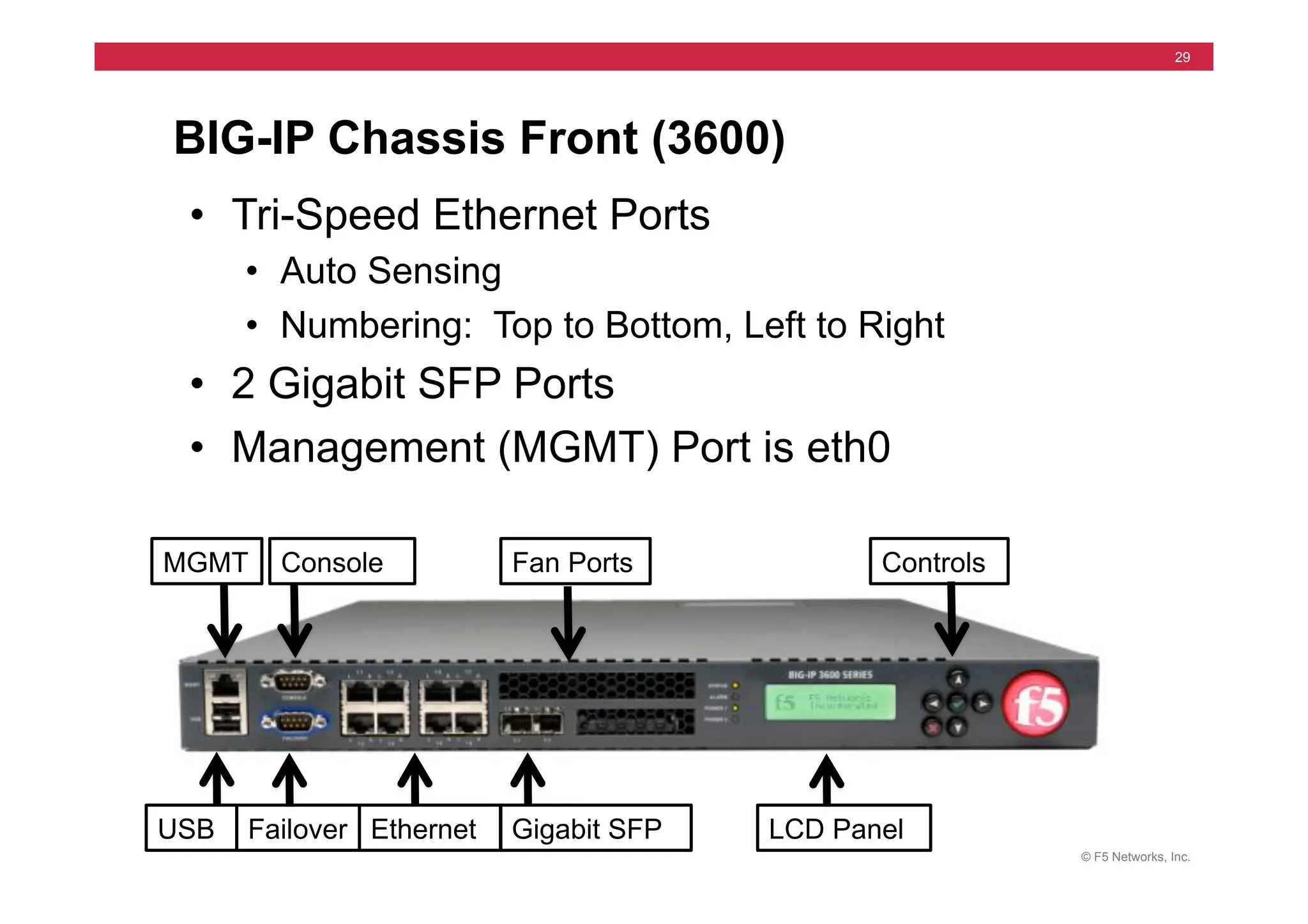
BIG-IP Chassis Front (3600)
• Tri-Speed Ethernet Ports
• Auto Sensing
• Numbering: Top to Bottom, Left to Right
• 2 Gigabit SFP Ports
• Management (MGMT) Port is eth0
USB Failover Ethernet
MGMT Console
LCD Panel
Gigabit SFP
Controls
Fan Ports
© F5 Networks, Inc.
30
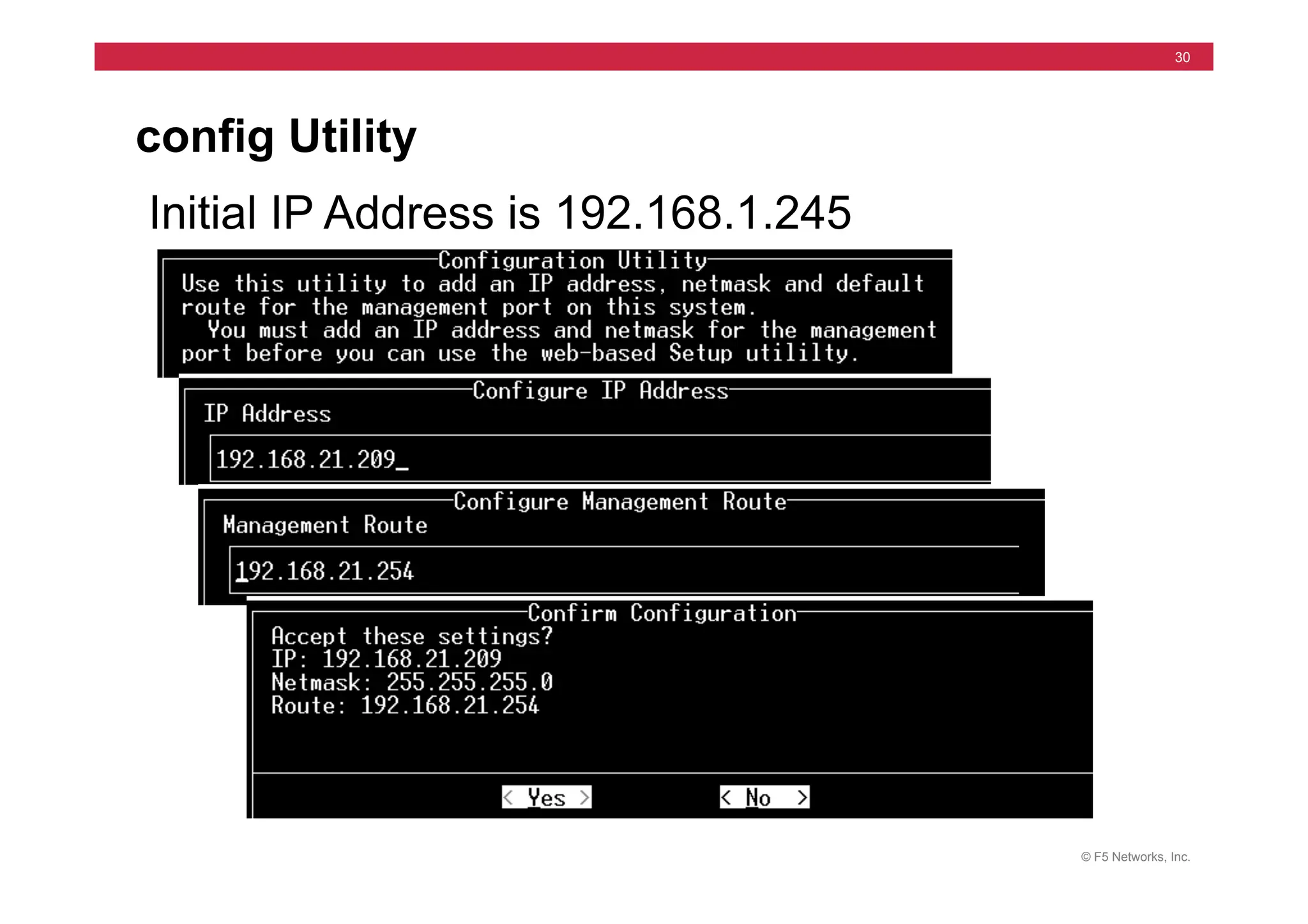
config Utility
Initial IP Address is 192.168.1.245
© F5 Networks, Inc.
31
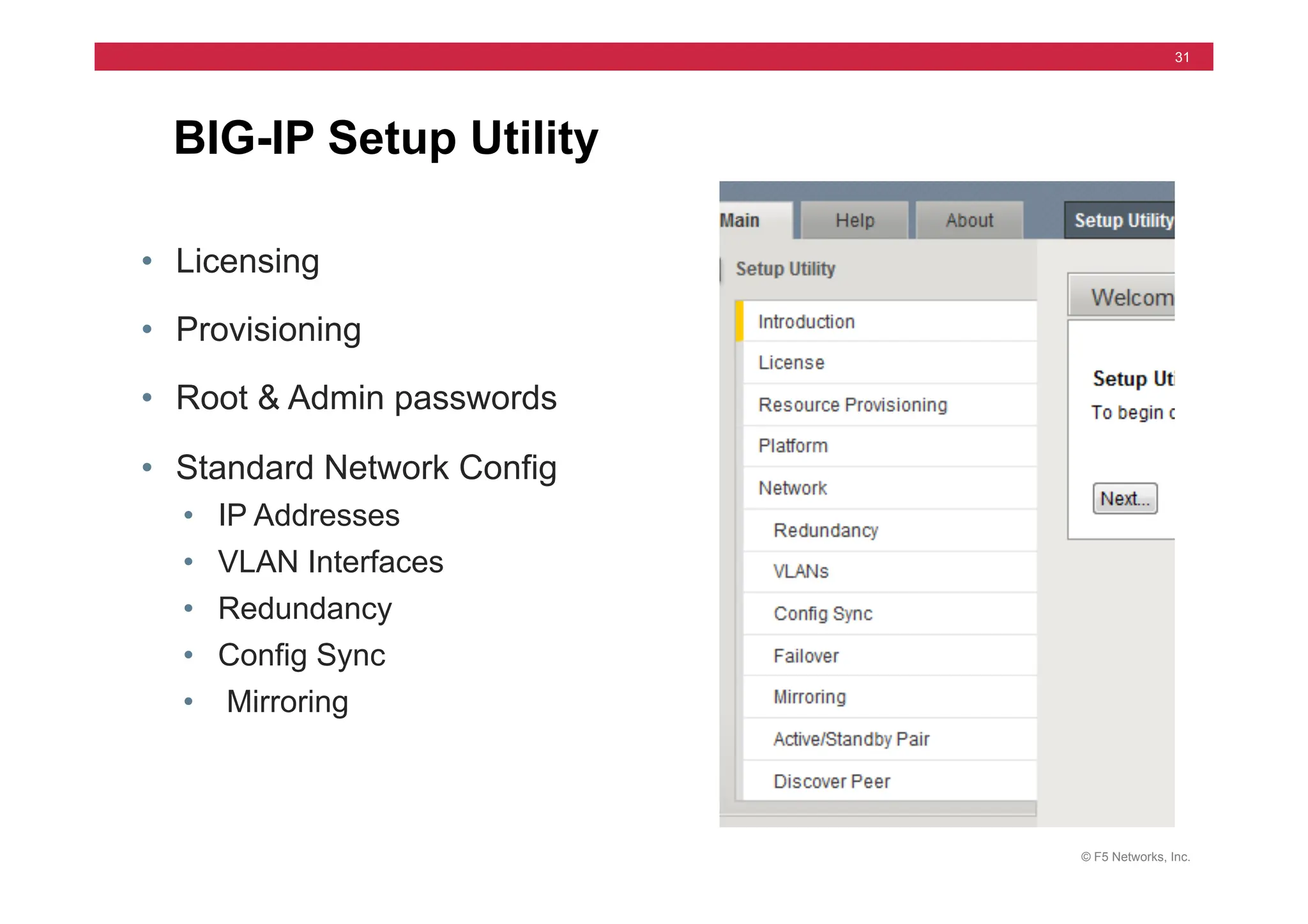
BIG-IP Setup Utility
• Licensing
• Provisioning
• Root & Admin passwords
• Standard Network Config
• IP Addresses
• VLAN Interfaces
• Redundancy
• Config Sync
• Mirroring
© F5 Networks, Inc.
32
Internet	
  
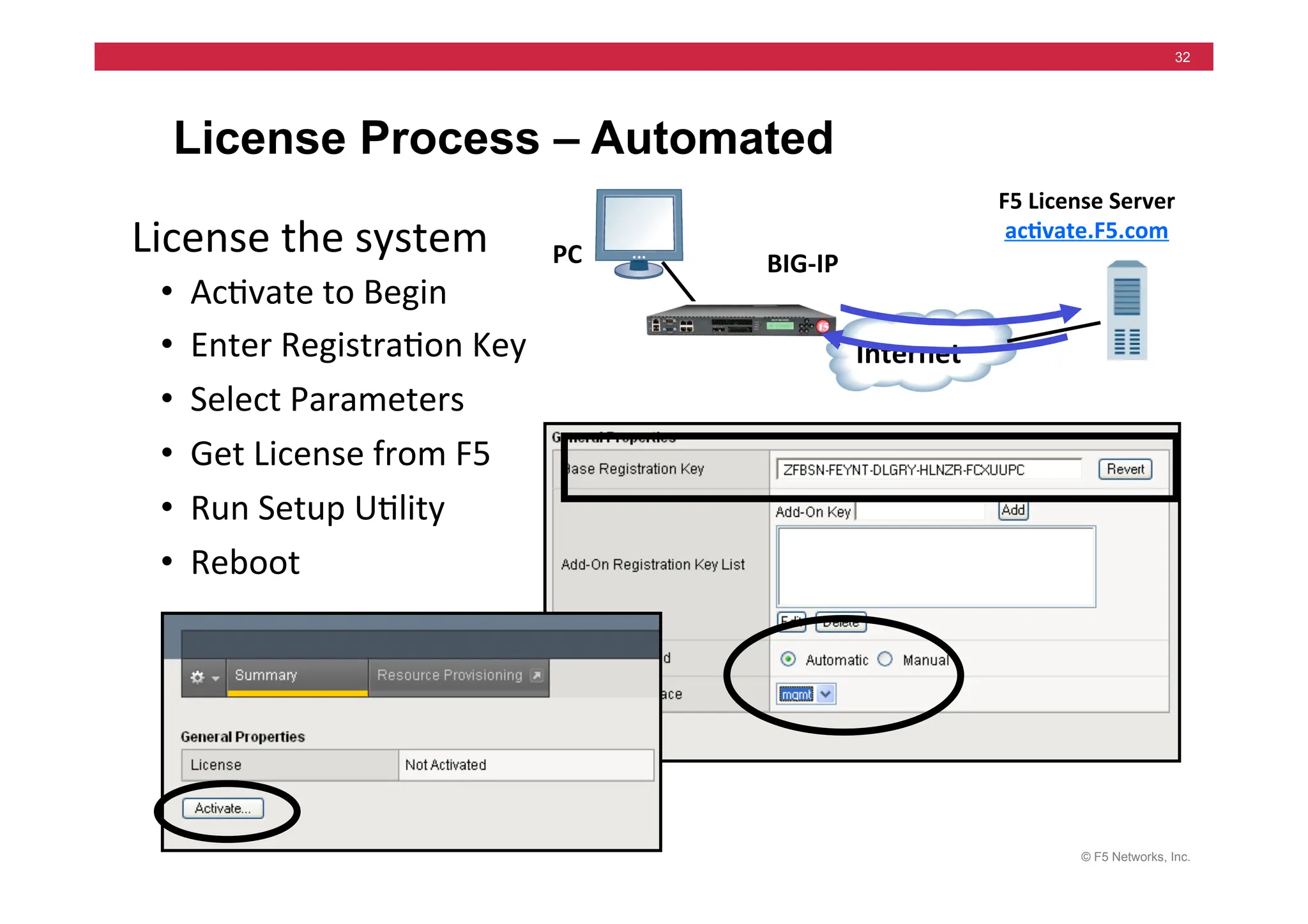
License Process – Automated
•	
  	
  Ac=vate	
  to	
  Begin	
  
•	
  	
  Enter	
  Registra=on	
  Key	
  
•	
  	
  Select	
  Parameters	
  
•	
  	
  Get	
  License	
  from	
  F5	
  
•	
  	
  Run	
  Setup	
  U=lity	
  
•	
  	
  Reboot	
  
PC	
   BIG-­‐IP	
  
License	
  the	
  system	
  
F5	
  License	
  Server	
  
ac5vate.F5.com	
  
© F5 Networks, Inc.
33
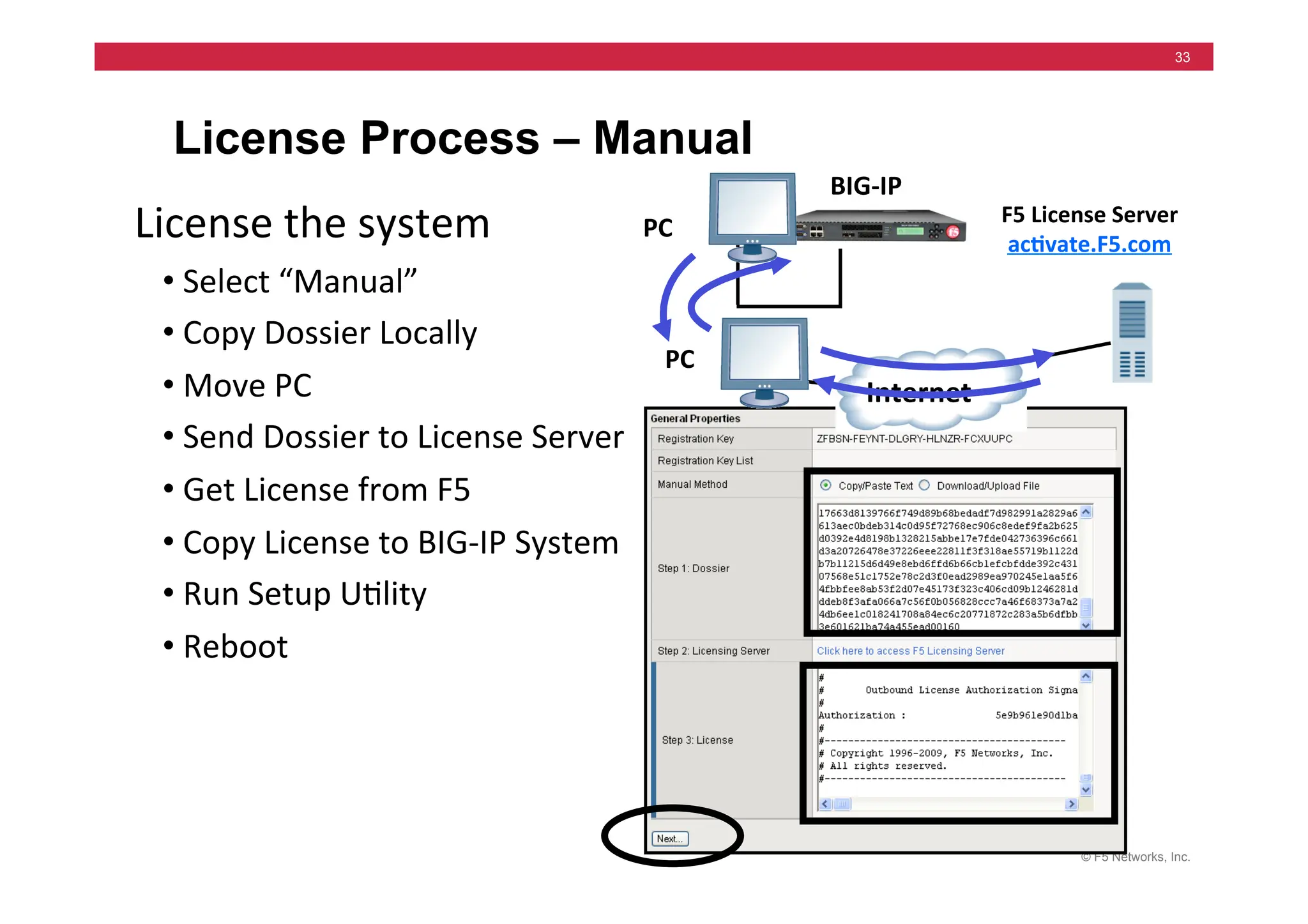
License Process – Manual
PC	
  
BIG-­‐IP	
  
F5	
  License	
  Server	
  
ac5vate.F5.com	
  
Internet	
  
•	
  Select	
  “Manual”	
  
•	
  Copy	
  Dossier	
  Locally	
  
•	
  Move	
  PC	
  	
  
•	
  Send	
  Dossier	
  to	
  License	
  Server	
  
•	
  Get	
  License	
  from	
  F5	
  
•	
  Copy	
  License	
  to	
  BIG-­‐IP	
  System	
  
•	
  Run	
  Setup	
  U=lity	
  
•	
  Reboot	
  
License	
  the	
  system	
   PC	
  
© F5 Networks, Inc.
34
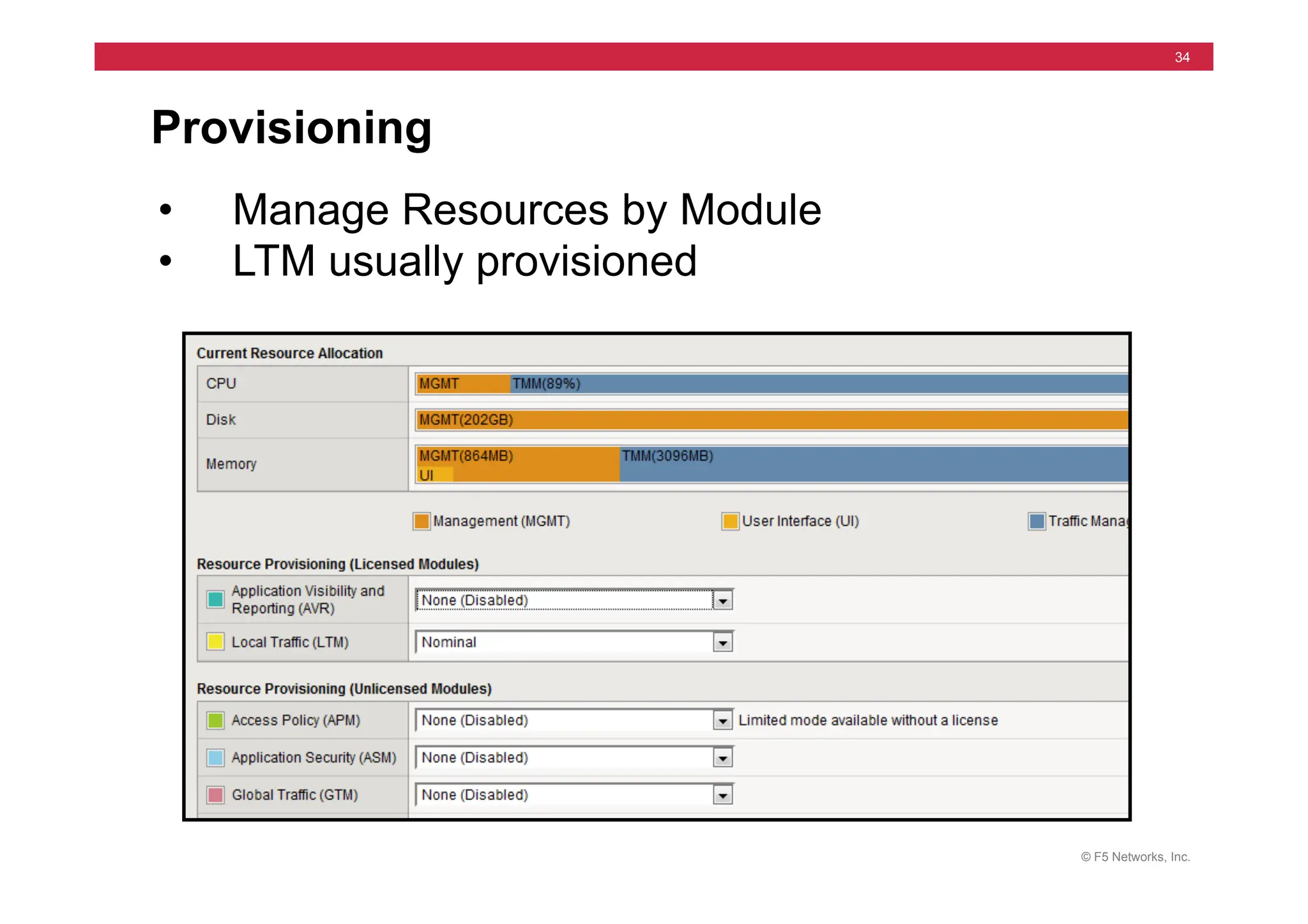
Provisioning
• Manage Resources by Module
• LTM usually provisioned
© F5 Networks, Inc.
35
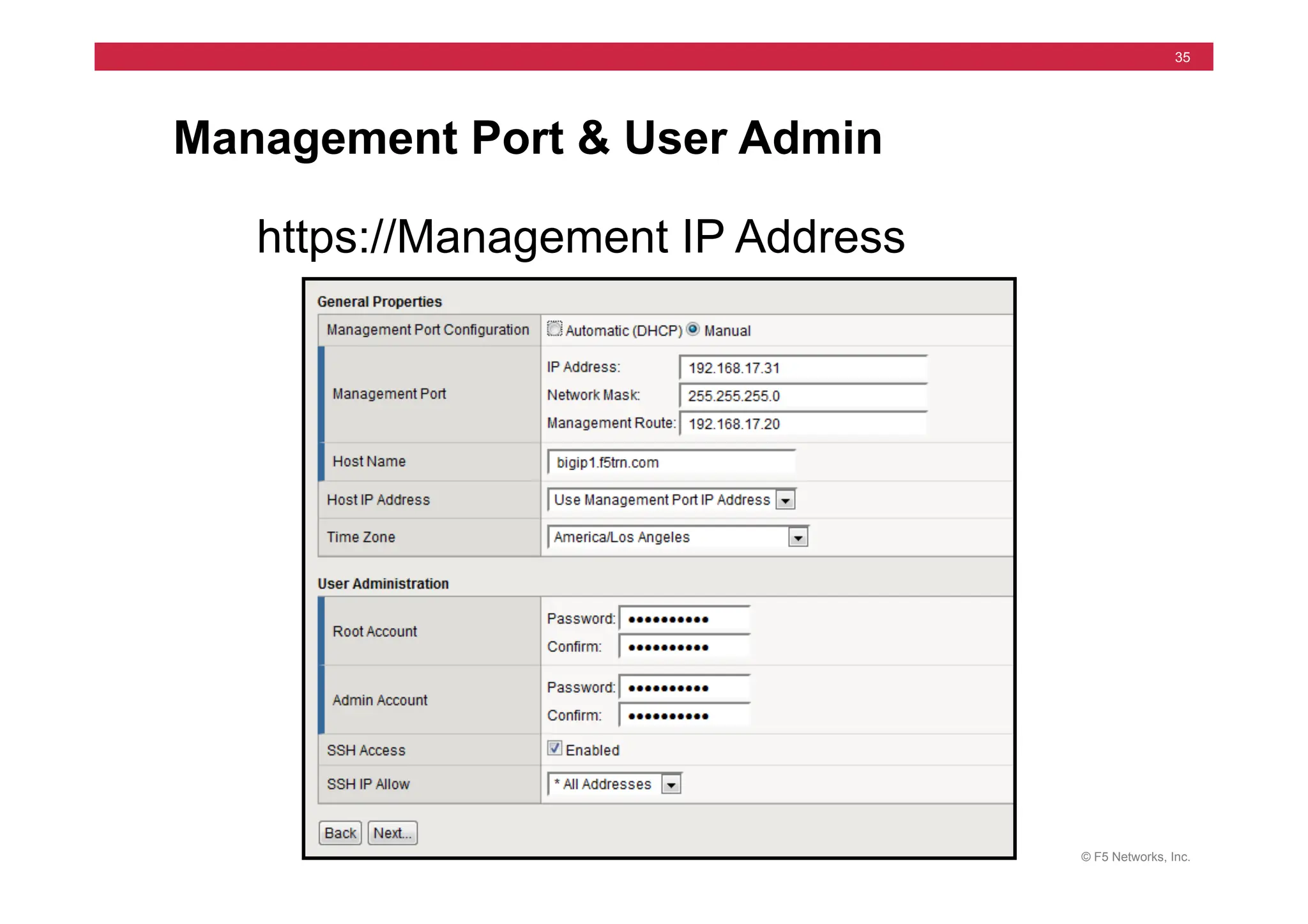
Management Port & User Admin
https://Management IP Address
© F5 Networks, Inc.
36
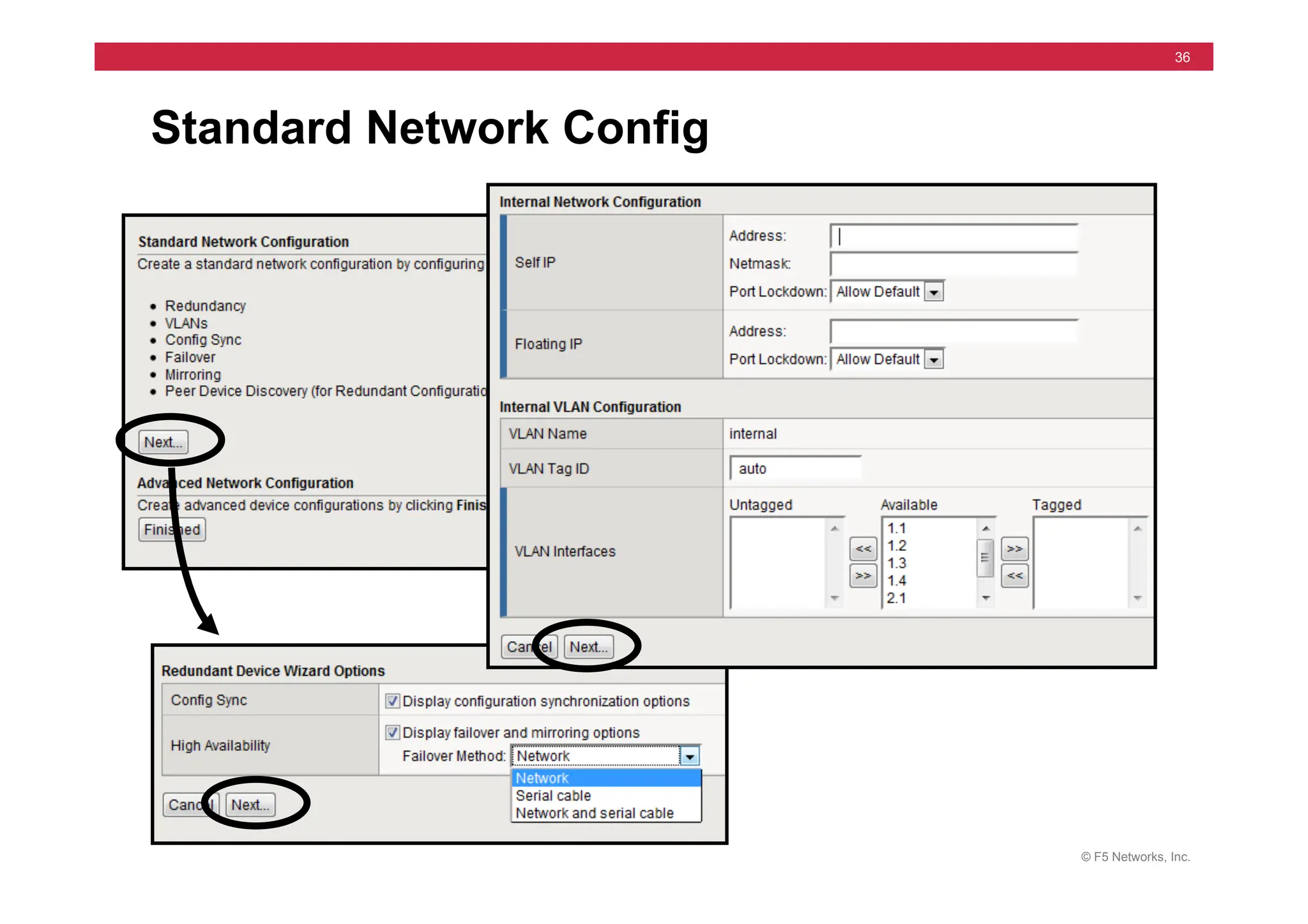
Standard Network Config
© F5 Networks, Inc.
37
Setup Utility – High Availability
© F5 Networks, Inc.
38
Web Configuration Utility
For LTM
© F5 Networks, Inc.
39
Setup / Configuration Access
Two Interfaces:
• Web Interface
• HTTPS (remote)
• Command Line
• SSH (remote)
• Management Port
• Self-IPs
• SCCP / AOM
• Serial Terminal
© F5 Networks, Inc.
40
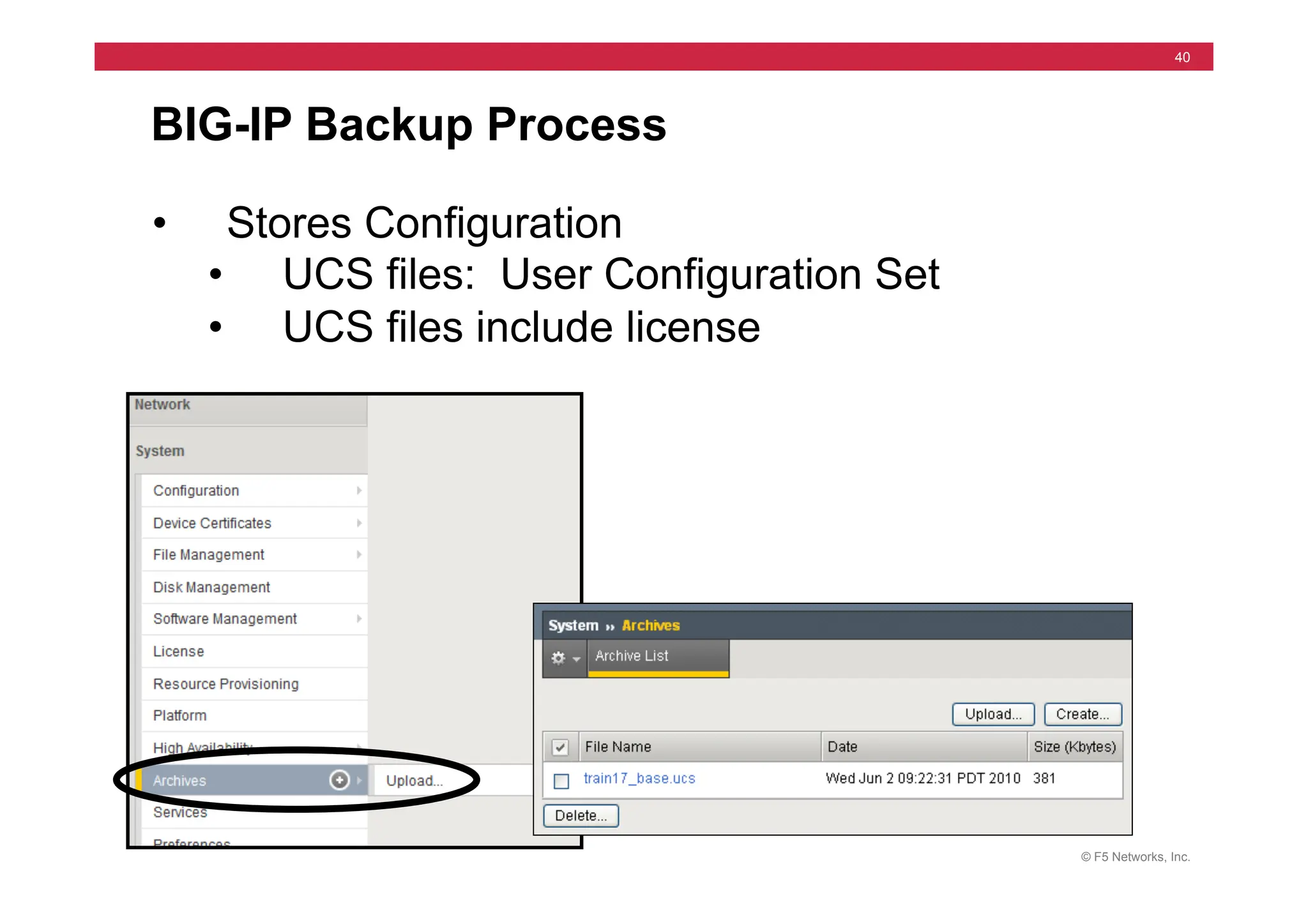
BIG-IP Backup Process
• Stores Configuration
• UCS files: User Configuration Set
• UCS files include license
© F5 Networks, Inc.
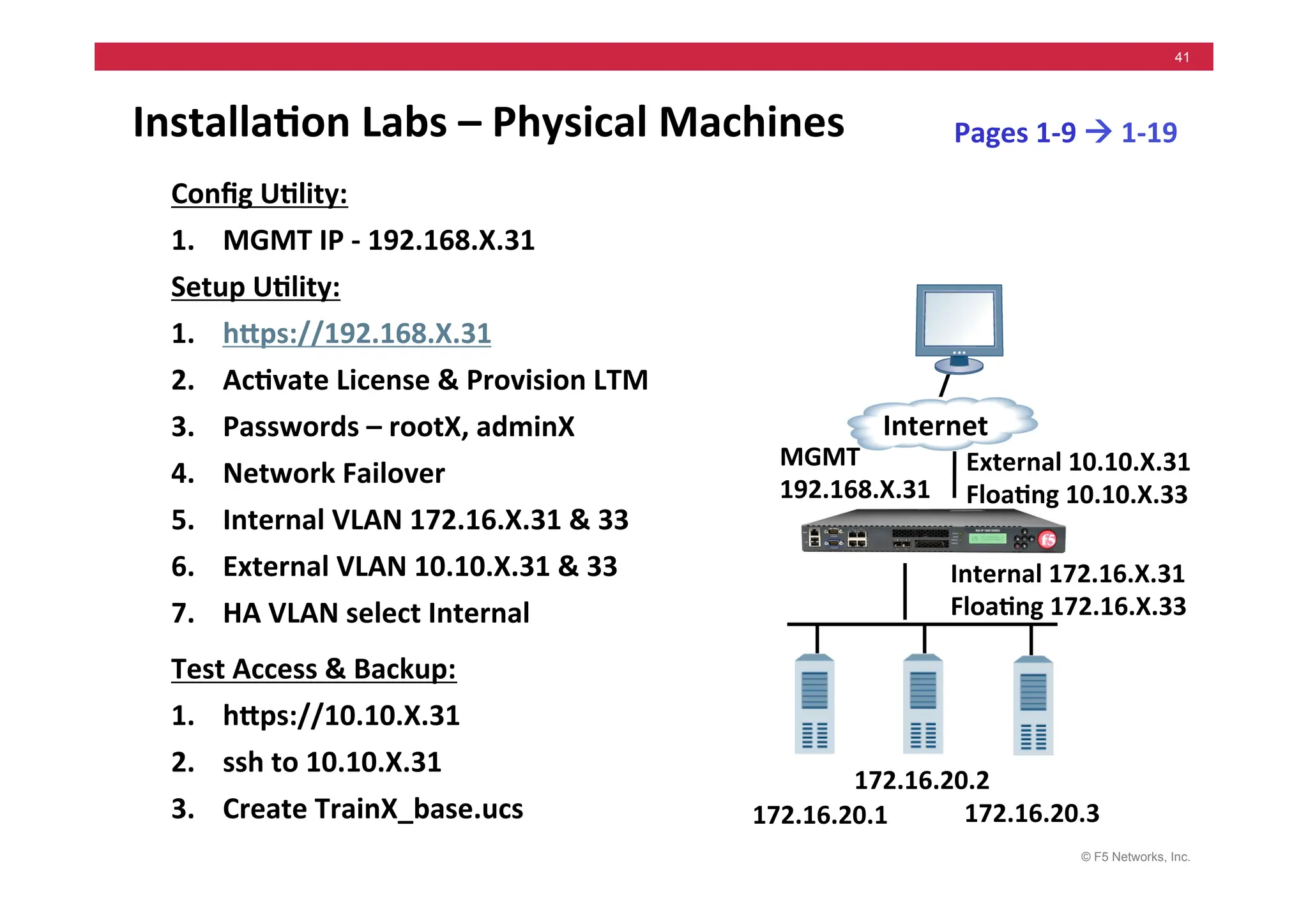
41
Installa5on	
  Labs	
  –	
  Physical	
  Machines	
  
	
   Config	
  U5lity:	
  
1. MGMT	
  IP	
  -­‐	
  192.168.X.31	


Setup	
  U5lity:	
  
1. hMps://192.168.X.31	
  
2. Ac5vate	
  License	
  &	
  Provision	
  LTM	
  
3. Passwords	
  –	
  rootX,	
  adminX	
  
4. Network	
  Failover	
  
5. Internal	
  VLAN	
  172.16.X.31	
  &	
  33	
  
6. External	
  VLAN	
  10.10.X.31	
  &	
  33	
  
7. HA	
  VLAN	
  select	
  Internal	
  
Test	
  Access	
  &	
  Backup:	
  
1. hMps://10.10.X.31	
  
2. ssh	
  to	
  10.10.X.31	
  
3. Create	
  TrainX_base.ucs	
  
Internal	
  172.16.X.31	
  
Floa5ng	
  172.16.X.33	
  
Pages	
  1-­‐9	
  !	
  1-­‐19	
  
172.16.20.1	
  
Internet	
  
172.16.20.3	
  
172.16.20.2	
  
External	
  10.10.X.31	
  
Floa5ng	
  10.10.X.33	
  
MGMT	
  
192.168.X.31	
  
© F5 Networks, Inc.
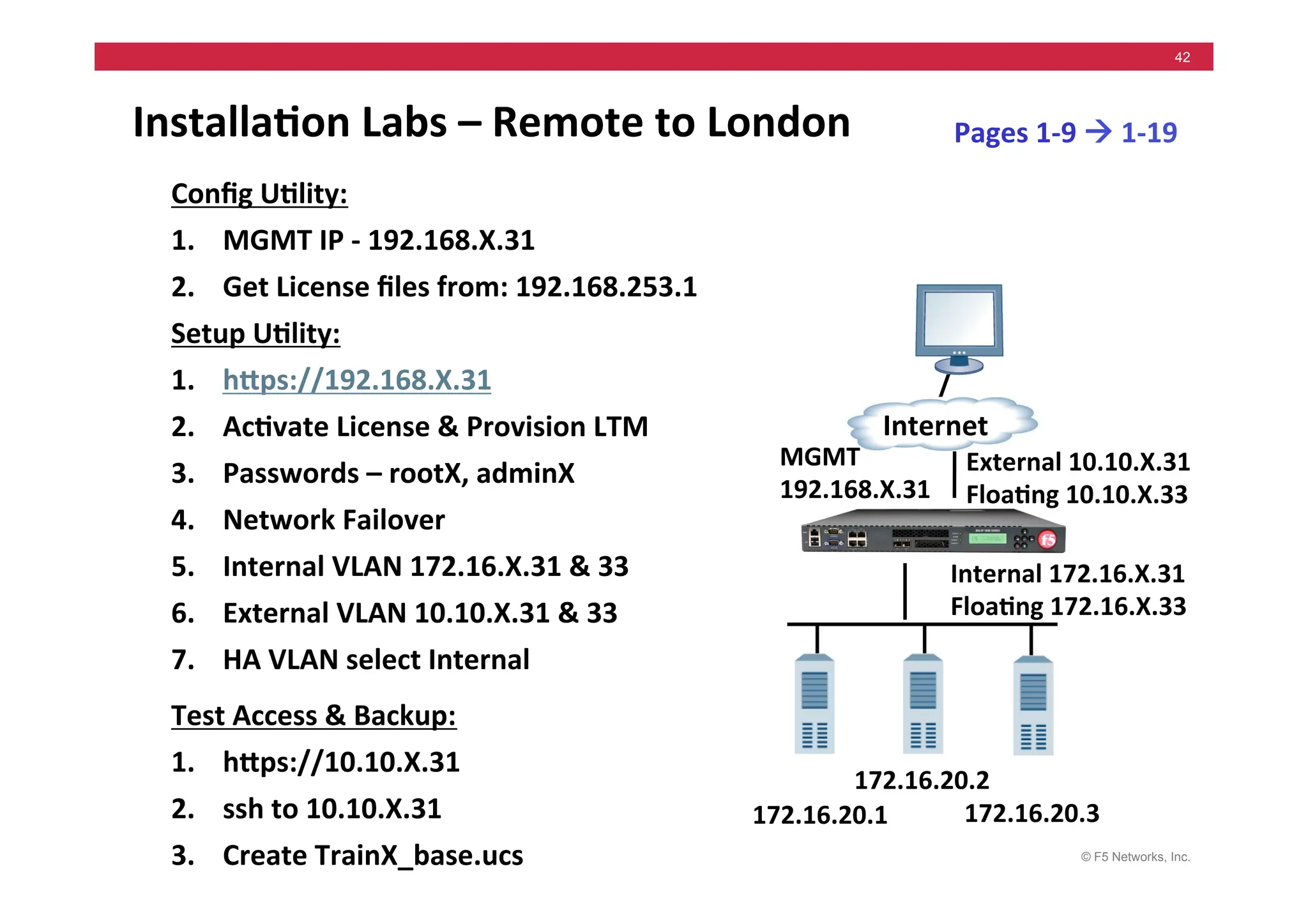
42
Installa5on	
  Labs	
  –	
  Remote	
  to	
  London	
  
Config	
  U5lity:	
  
1. MGMT	
  IP	
  -­‐	
  192.168.X.31	
  
2. Get	
  License	
  files	
  from:	
  192.168.253.1	


Setup	
  U5lity:	
  
1. hMps://192.168.X.31	
  
2. Ac5vate	
  License	
  &	
  Provision	
  LTM	
  
3. Passwords	
  –	
  rootX,	
  adminX	
  
4. Network	
  Failover	
  
5. Internal	
  VLAN	
  172.16.X.31	
  &	
  33	
  
6. External	
  VLAN	
  10.10.X.31	
  &	
  33	
  
7. HA	
  VLAN	
  select	
  Internal	
  
Test	
  Access	
  &	
  Backup:	
  
1. hMps://10.10.X.31	
  
2. ssh	
  to	
  10.10.X.31	
  
3. Create	
  TrainX_base.ucs	
  
Internal	
  172.16.X.31	
  
Floa5ng	
  172.16.X.33	
  
Pages	
  1-­‐9	
  !	
  1-­‐19	
  
172.16.20.1	
  
Internet	
  
172.16.20.3	
  
172.16.20.2	
  
External	
  10.10.X.31	
  
Floa5ng	
  10.10.X.33	
  
MGMT	
  
192.168.X.31	
  
© F5 Networks, Inc.
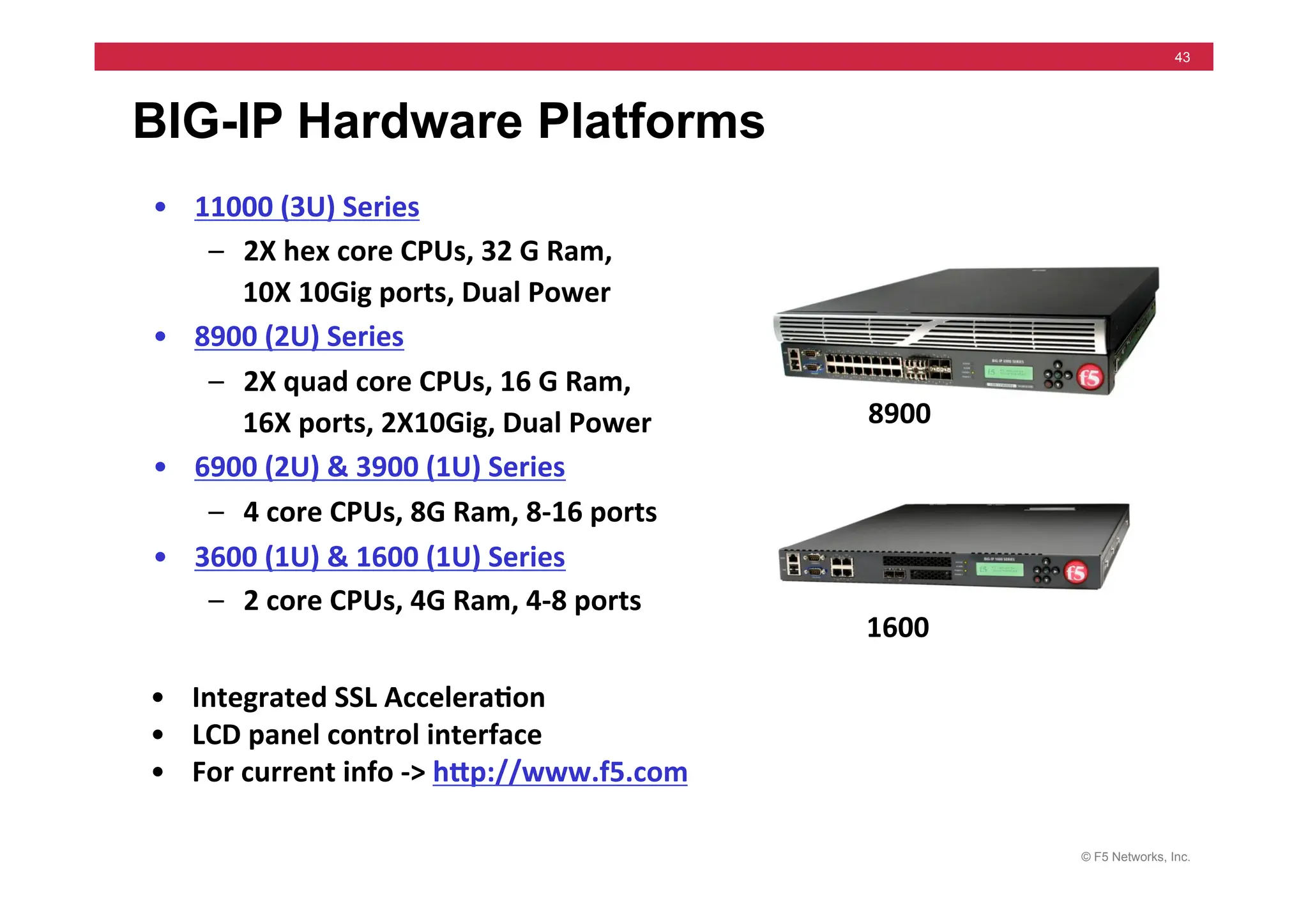
43
BIG-IP Hardware Platforms
• 11000	
  (3U)	
  Series	
  
– 2X	
  hex	
  core	
  CPUs,	
  32	
  G	
  Ram,	
  	
  
10X	
  10Gig	
  ports,	
  Dual	
  Power	
  
• 8900	
  (2U)	
  Series	
  
– 2X	
  quad	
  core	
  CPUs,	
  16	
  G	
  Ram,	
  	
  
16X	
  ports,	
  2X10Gig,	
  Dual	
  Power	
  
• 6900	
  (2U)	
  &	
  3900	
  (1U)	
  Series	
  
– 4	
  core	
  CPUs,	
  8G	
  Ram,	
  8-­‐16	
  ports	
  
• 3600	
  (1U)	
  &	
  1600	
  (1U)	
  Series	
  
– 2	
  core	
  CPUs,	
  4G	
  Ram,	
  4-­‐8	
  ports	
  
• Integrated	
  SSL	
  Accelera5on	
  
• LCD	
  panel	
  control	
  interface	
  
• For	
  current	
  info	
  -­‐>	
  hMp://www.f5.com	
  
8900	
  
1600	
  
© F5 Networks, Inc.
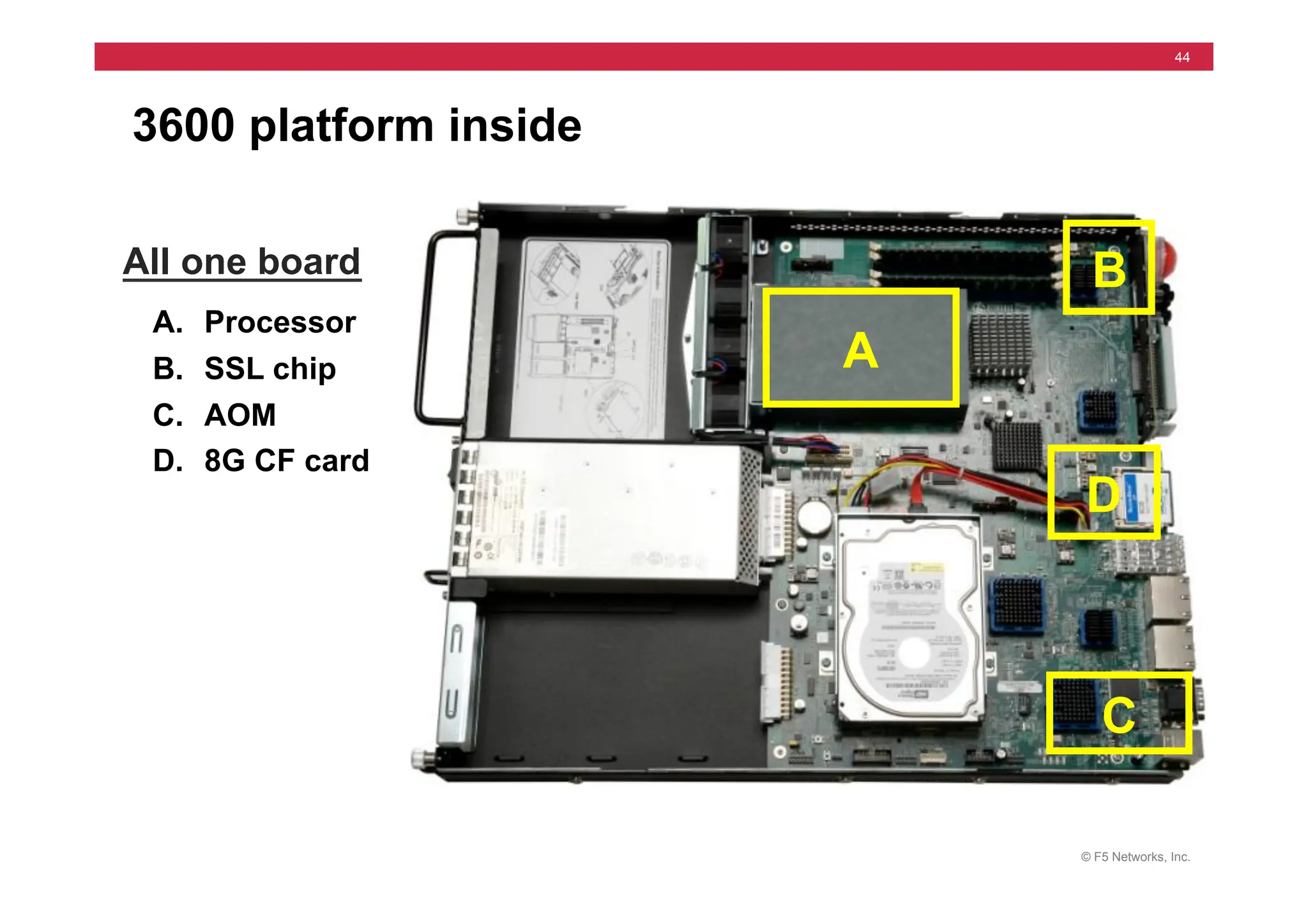
44
3600 platform inside
All one board
A. Processor
B. SSL chip A
B
C. AOM
C
D
D. 8G CF card
© F5 Networks, Inc.
45
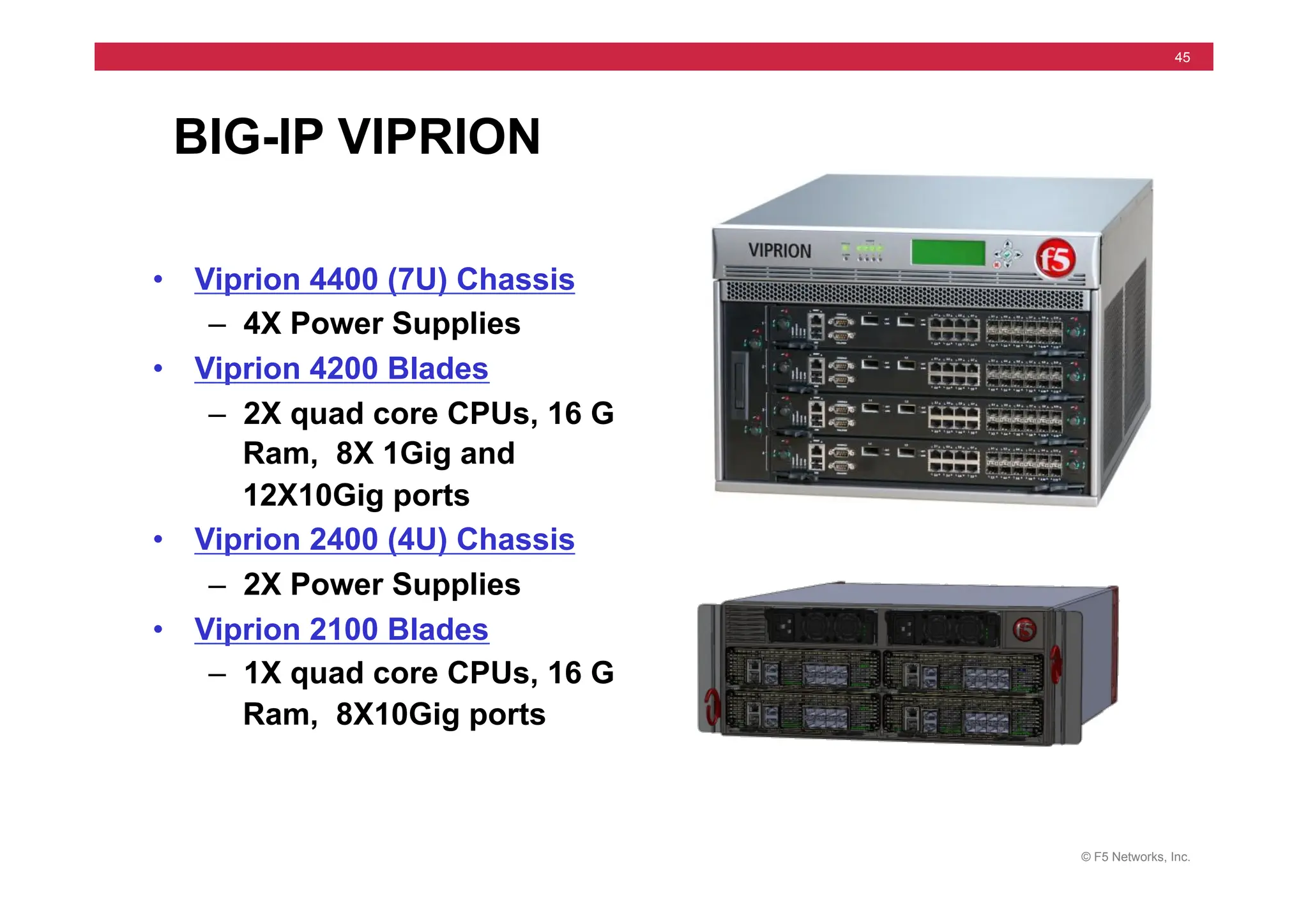
BIG-IP VIPRION
• Viprion 4400 (7U) Chassis
– 4X Power Supplies
• Viprion 4200 Blades
– 2X quad core CPUs, 16 G
Ram, 8X 1Gig and
12X10Gig ports
• Viprion 2400 (4U) Chassis
– 2X Power Supplies
• Viprion 2100 Blades
– 1X quad core CPUs, 16 G
Ram, 8X10Gig ports
© F5 Networks, Inc.
46
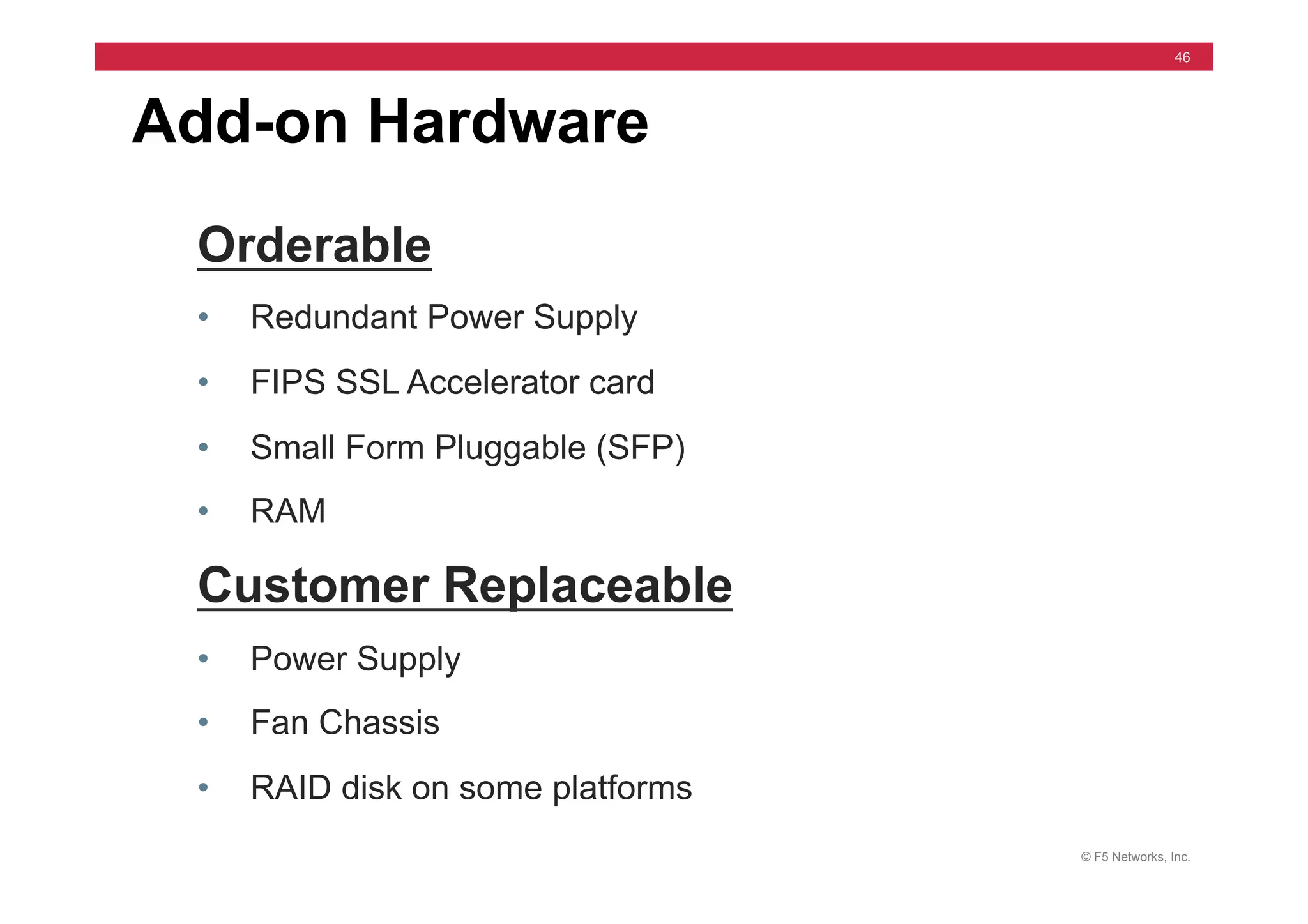
Add-on Hardware
Orderable
• Redundant Power Supply
• FIPS SSL Accelerator card
• Small Form Pluggable (SFP)
• RAM
Customer Replaceable
• Power Supply
• Fan Chassis
• RAID disk on some platforms
© F5 Networks, Inc.
47
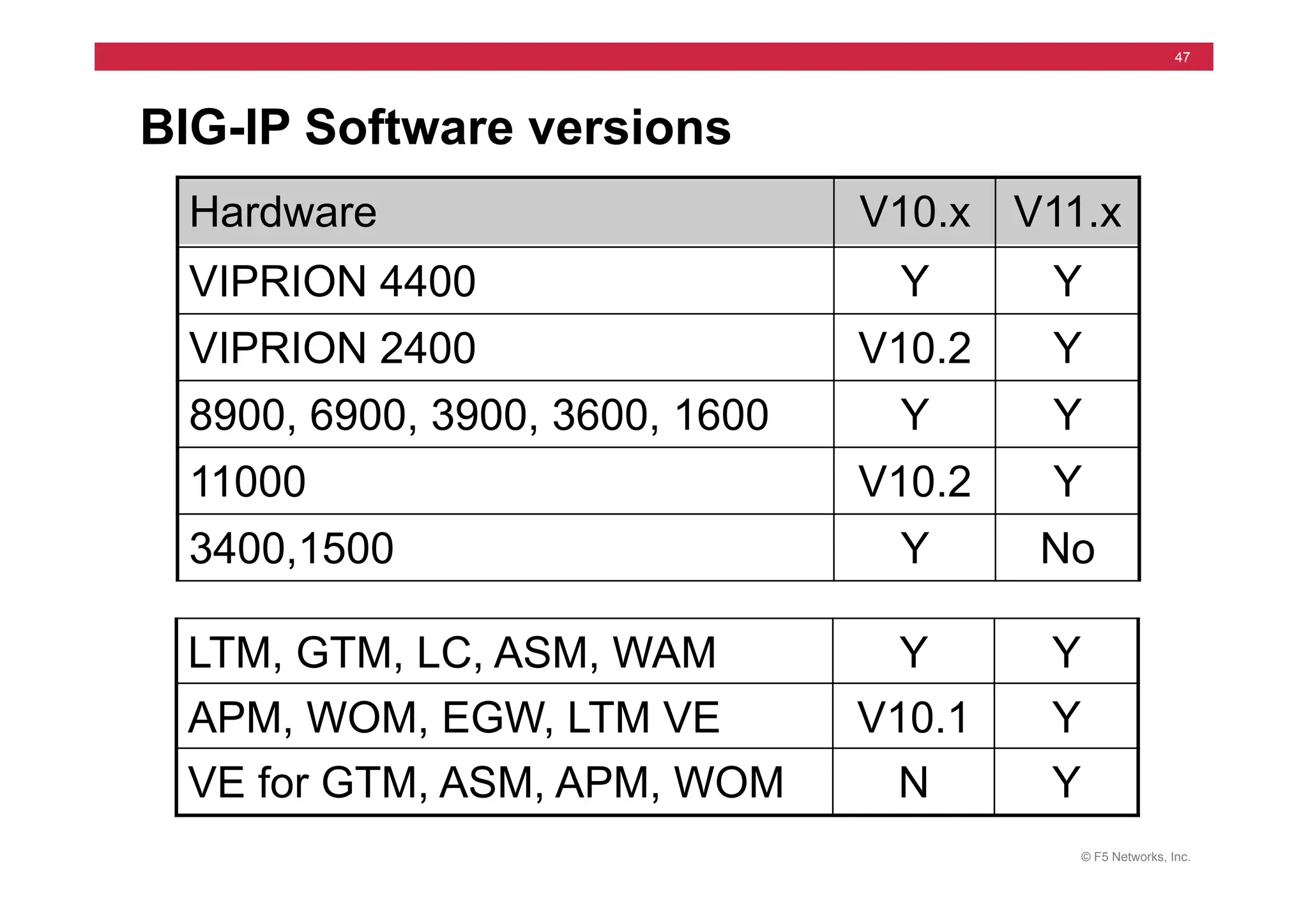
BIG-IP Software versions
LTM, GTM, LC, ASM, WAM Y Y
APM, WOM, EGW, LTM VE V10.1 Y
VE for GTM, ASM, APM, WOM N Y
Hardware V10.x V11.x
VIPRION 4400 Y Y
VIPRION 2400 V10.2 Y
8900, 6900, 3900, 3600, 1600 Y Y
11000 V10.2 Y
3400,1500 Y No
© F5 Networks, Inc.
48
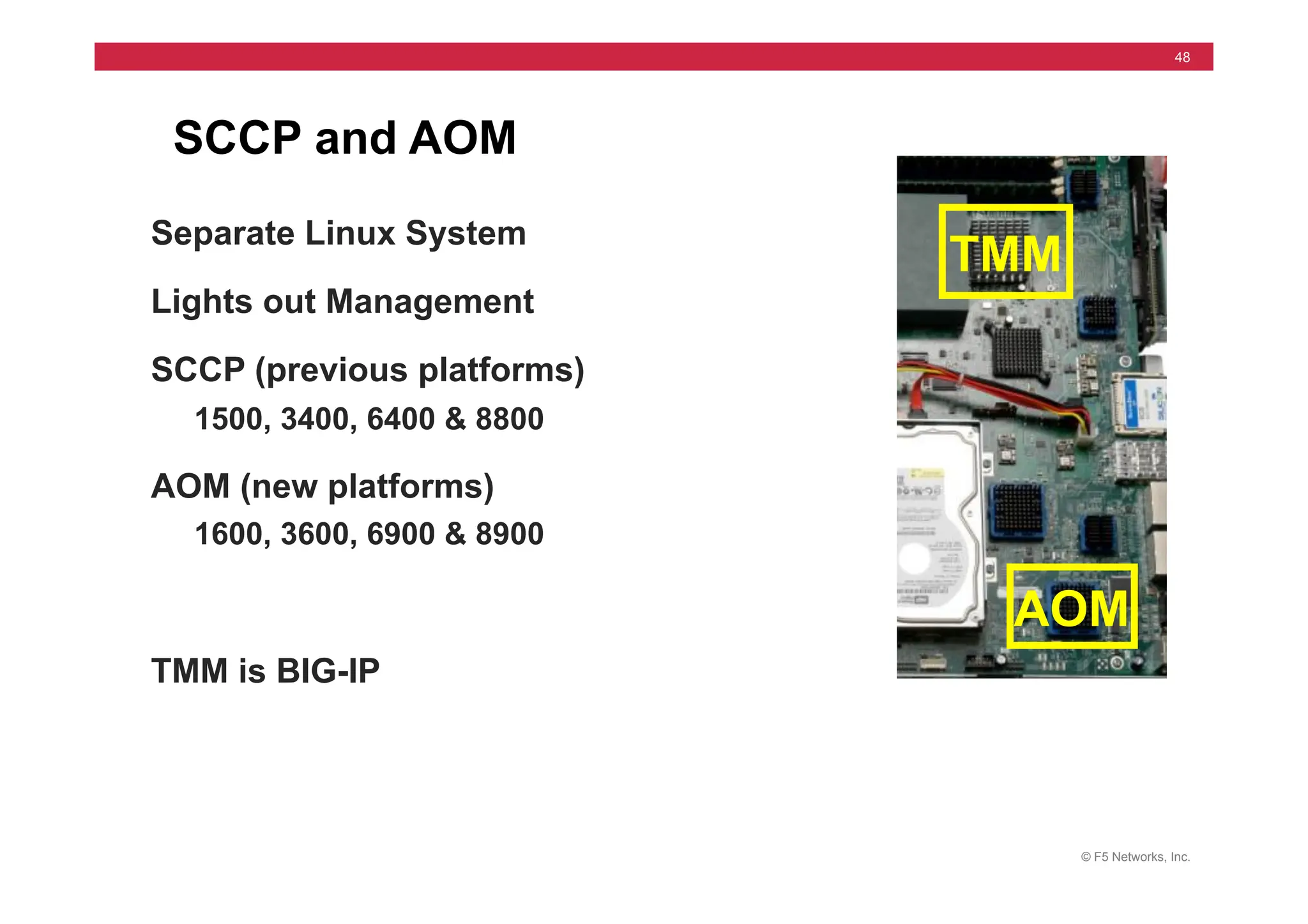
SCCP and AOM
Separate Linux System
Lights out Management
SCCP (previous platforms)
1500, 3400, 6400 & 8800
AOM (new platforms)
1600, 3600, 6900 & 8900
TMM is BIG-IP
TMM
AOM
© F5 Networks, Inc.
49
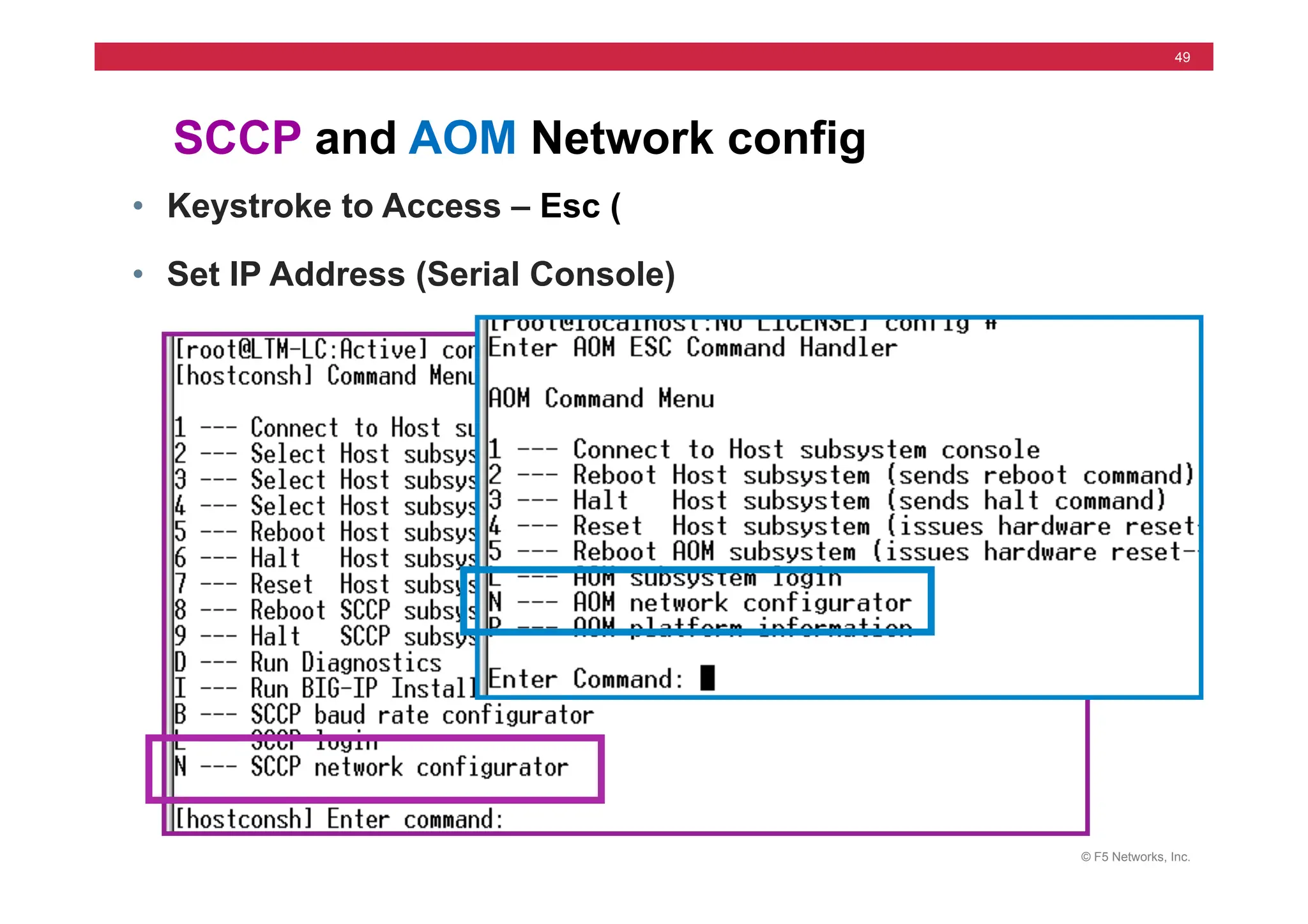
SCCP and AOM Network config
• Keystroke to Access – Esc (
• Set IP Address (Serial Console)
© F5 Networks, Inc.
50
• Case Creation via the support web portal
• Telephone
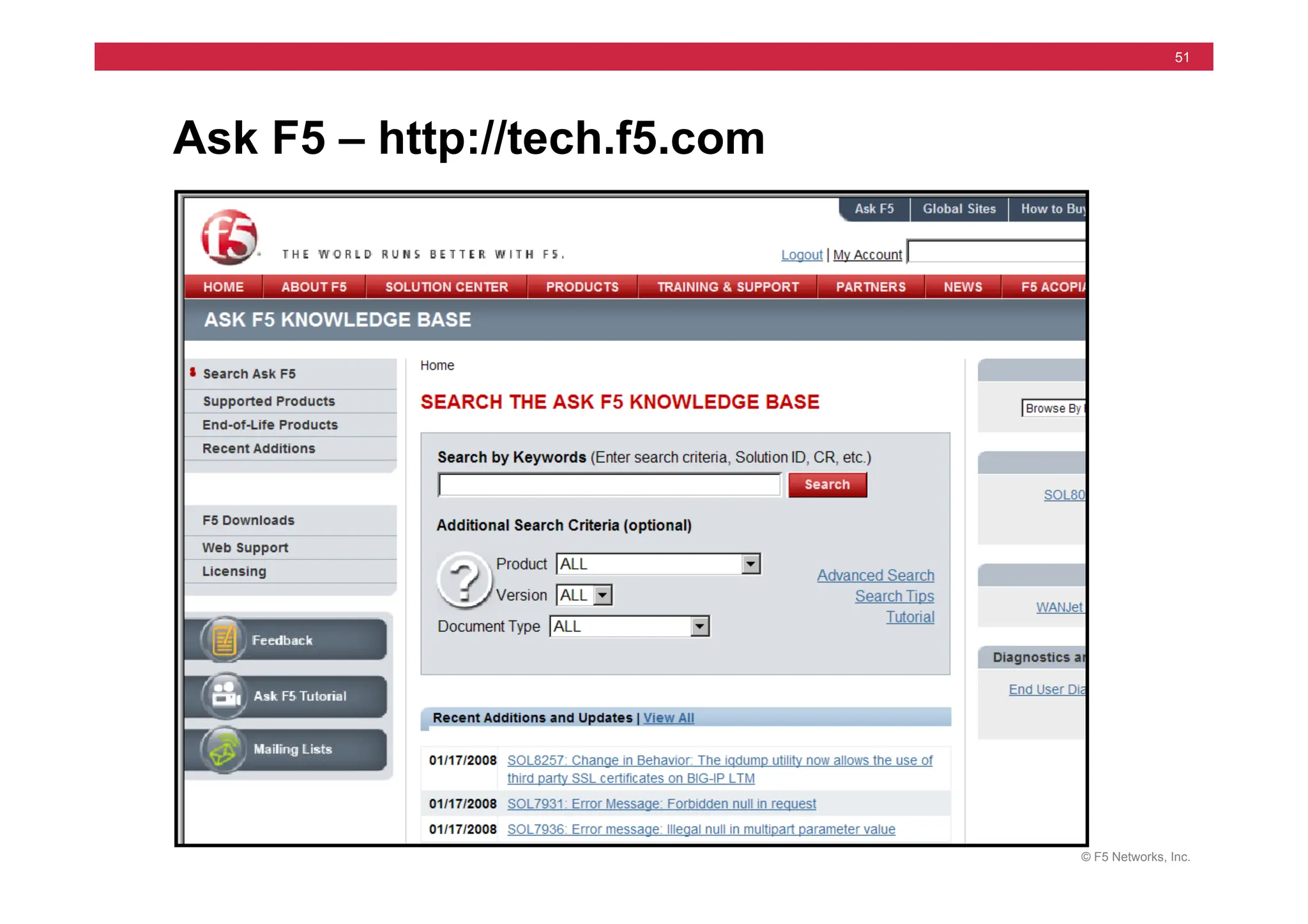
• Web Portal at Ask F5
• Information Needed
• System Serial Number
• Problem Description and Impact
• Contact Information
• Product Documentation
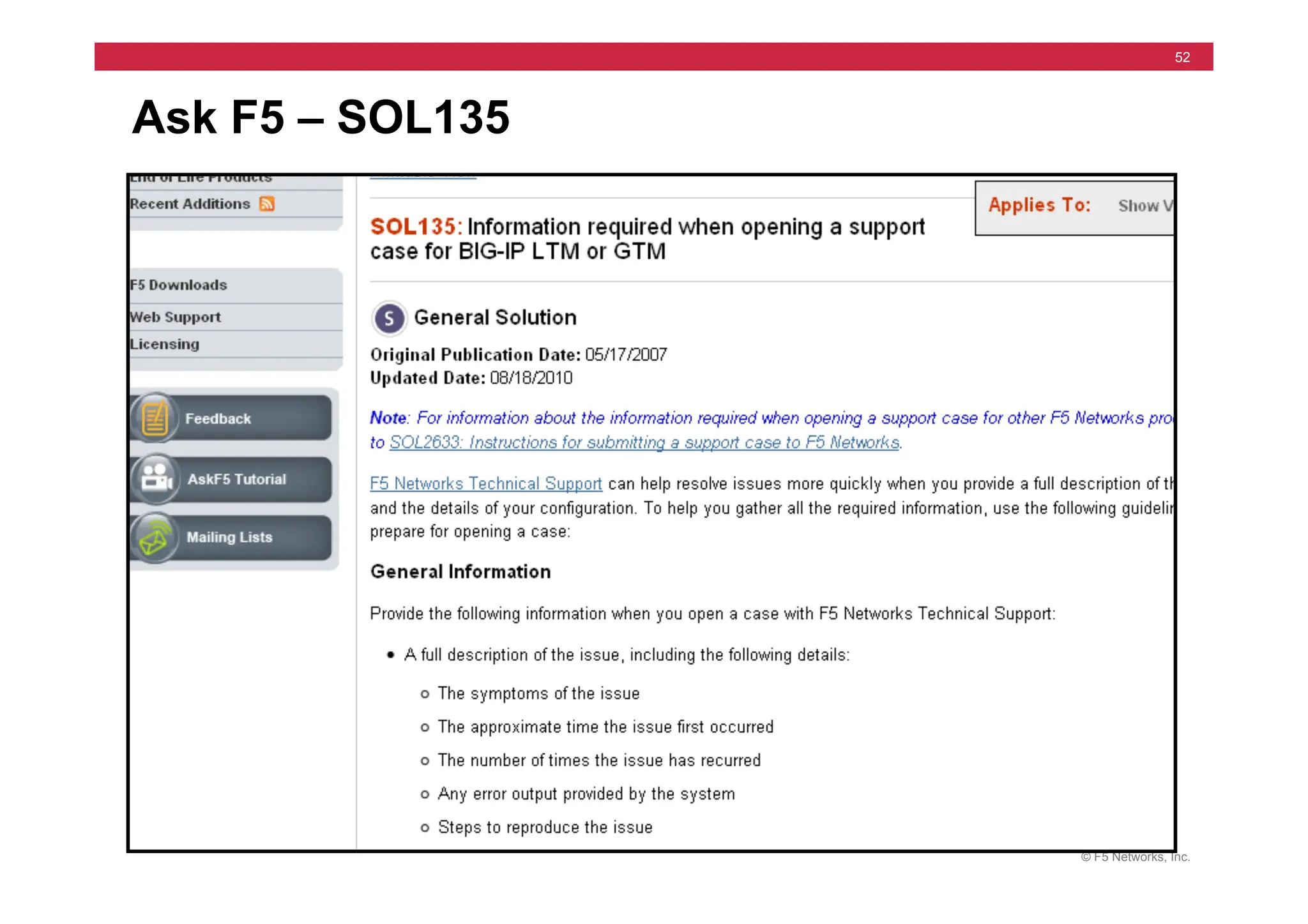
• See Solutions 135 and 2486
Working with F5 Support
© F5 Networks, Inc.
51
Ask F5 – http://tech.f5.com
© F5 Networks, Inc.
52
Ask F5 – SOL135
© F5 Networks, Inc.
53
• tech.out file (qkview)
• Log files
• Packet traces (tcpdump)
• UCS archive
• Core files
Product Specific Information
© F5 Networks, Inc.
54
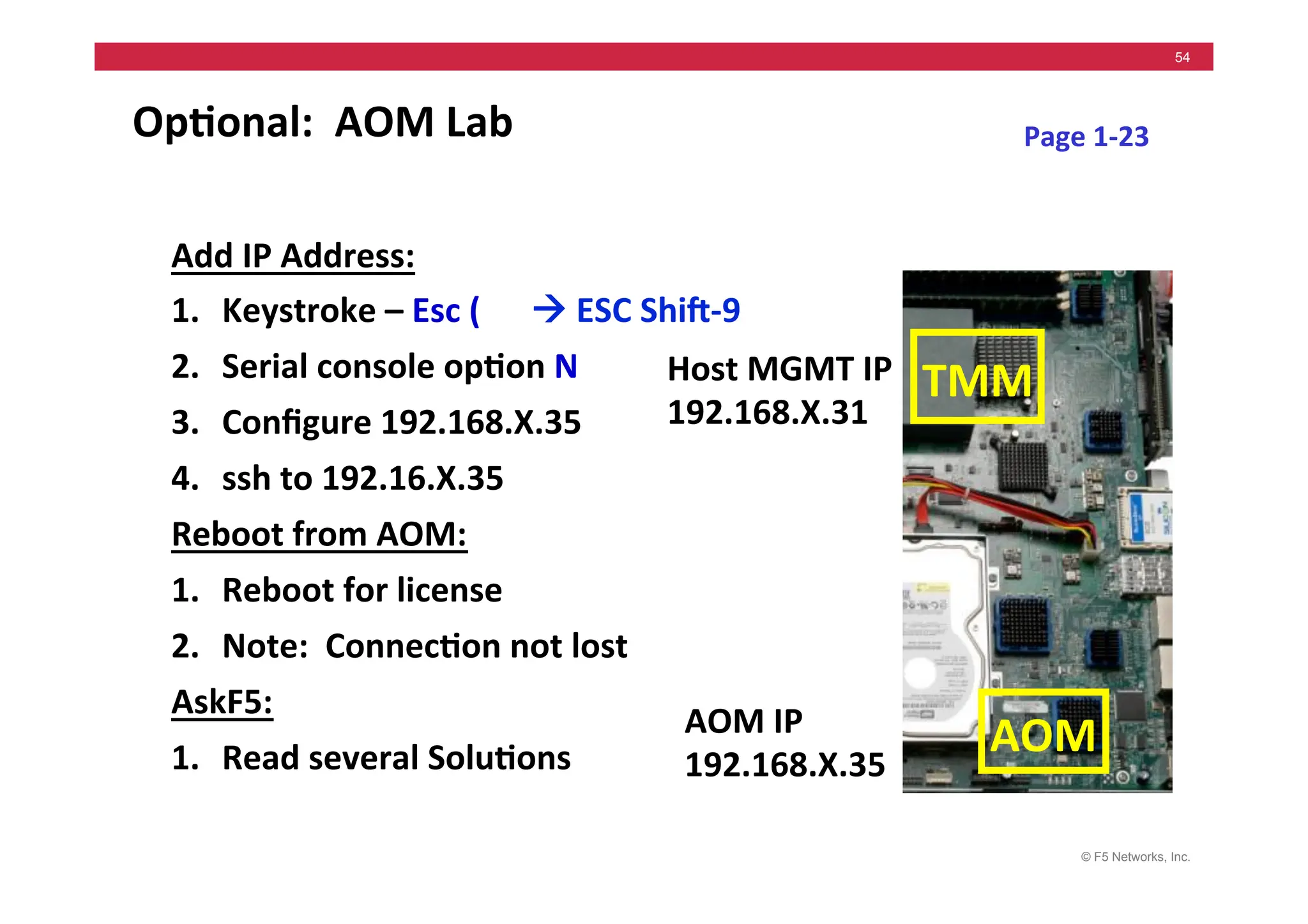
Op5onal:	
  	
  AOM	
  Lab	
  
Add	
  IP	
  Address:	
  
1. Keystroke	
  –	
  Esc	
  (	


  !	
  ESC	
  Shig-­‐9	
  
2. Serial	
  console	
  op5on	
  N	
  
3. Configure	
  192.168.X.35	
  
4. ssh	
  to	
  192.16.X.35	
  
Reboot	
  from	
  AOM:	
  
1. Reboot	
  for	
  license	
  
2. Note:	
  	
  Connec5on	
  not	
  lost	
  
AskF5:	
  
1. Read	
  several	
  Solu5ons	
  
Host	
  MGMT	
  IP	
  
192.168.X.31	
  
Page	
  1-­‐23	
  
AOM	
  IP	
  
192.168.X.35	
  
TMM	
  
AOM	
  
© F5 Networks, Inc.
55
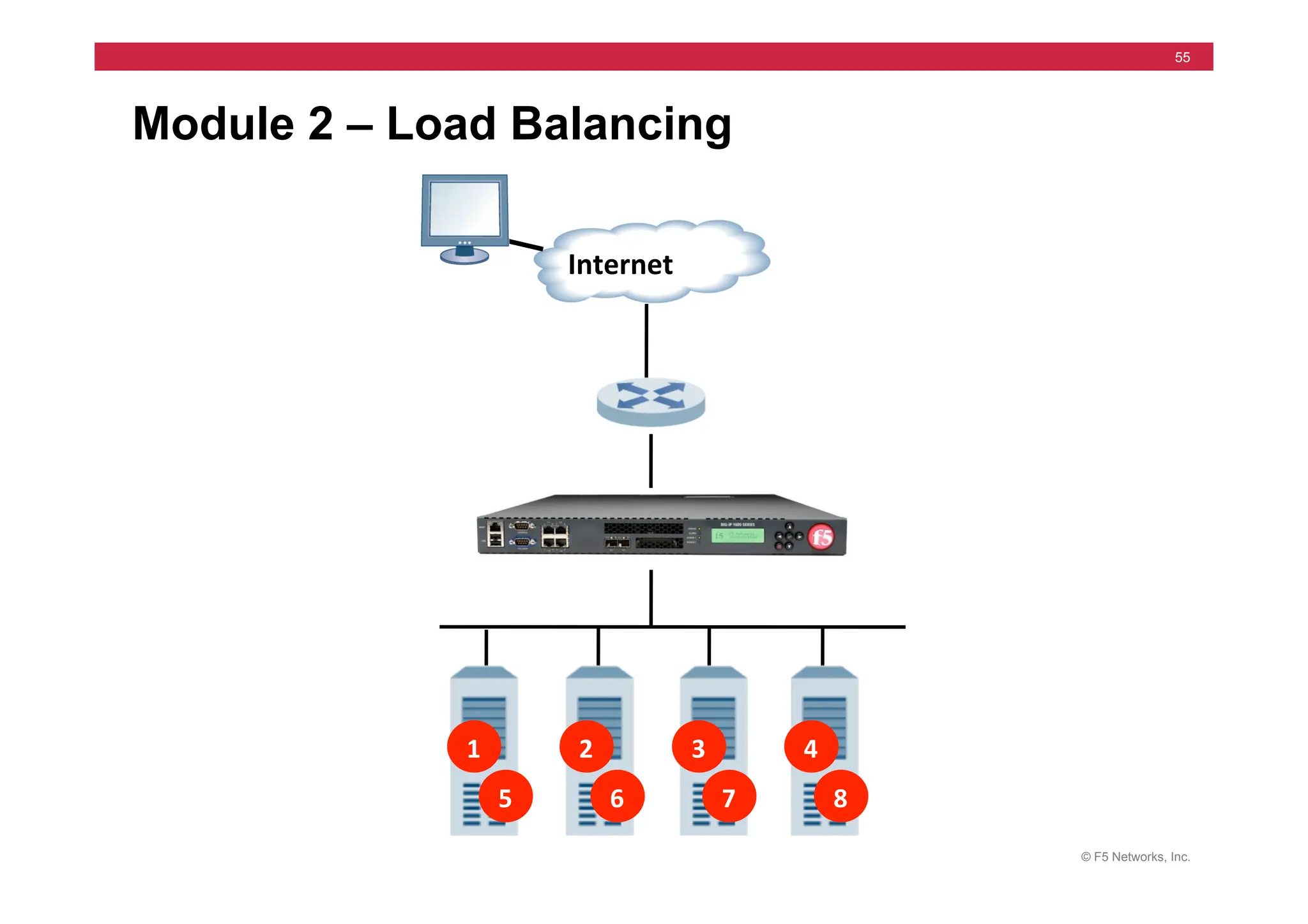
Module 2 – Load Balancing
1	
   2	
   3	
   4	
  
5	
   6	
   7	
   8	
  
Internet	
  
© F5 Networks, Inc.
56
Module 2 – Outline
• Virtual Servers, Members & Nodes
• Configuring Virtual Servers & Pools
• Virtual Server & Pool Lab
• Network Map
• Load Balancing Modes
• Configuring Load Balancing
• Load Balancing Labs
© F5 Networks, Inc.
57
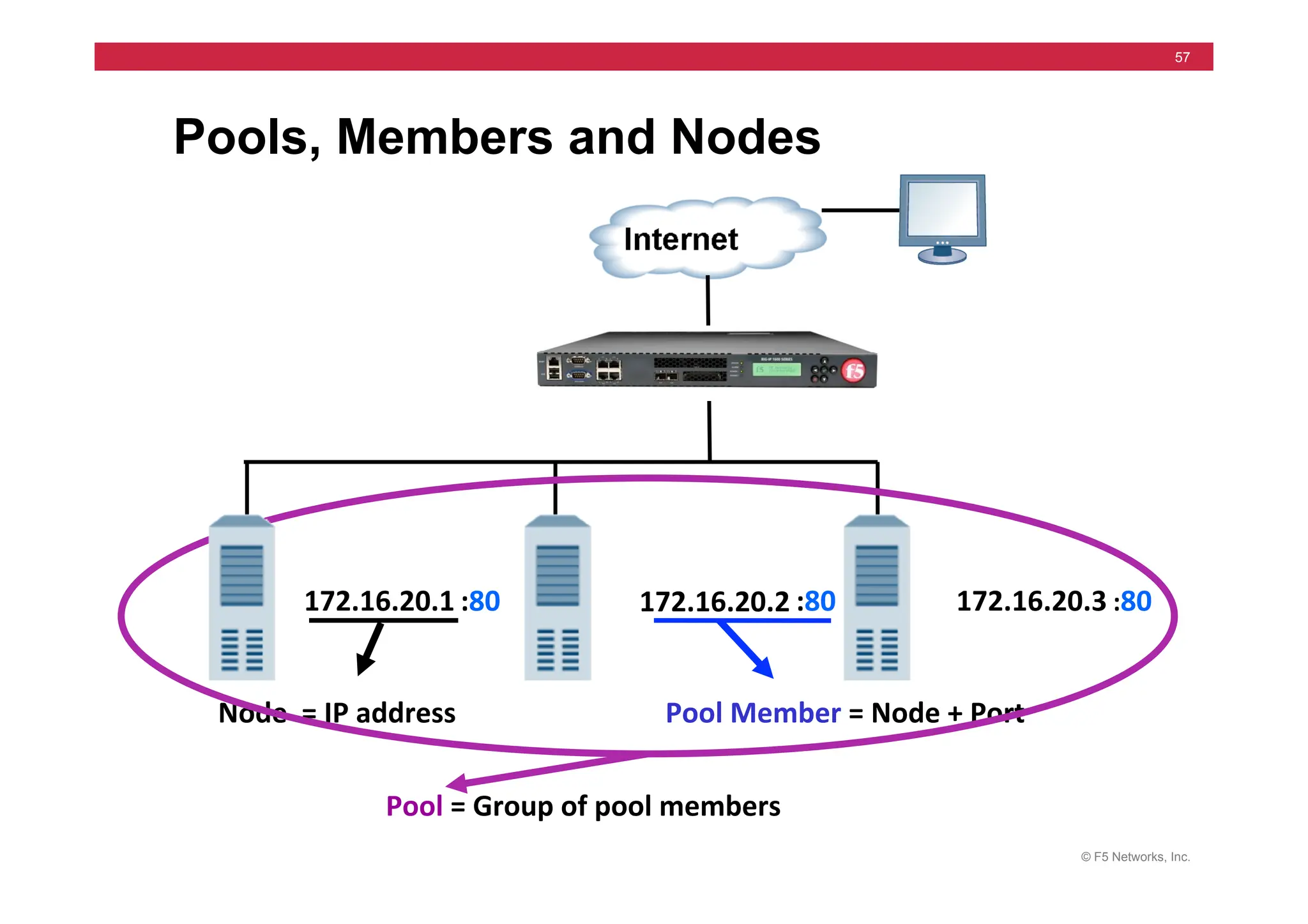
Pools, Members and Nodes
172.16.20.1	
   172.16.20.2	
   172.16.20.3	
  
Node	
  	
  =	
  IP	
  address	
  
:80	
   :80	
   :80	
  
Pool	
  Member	
  =	
  Node	
  +	
  Port	
  
Pool	
  =	
  Group	
  of	
  pool	
  members	
  
© F5 Networks, Inc.
58
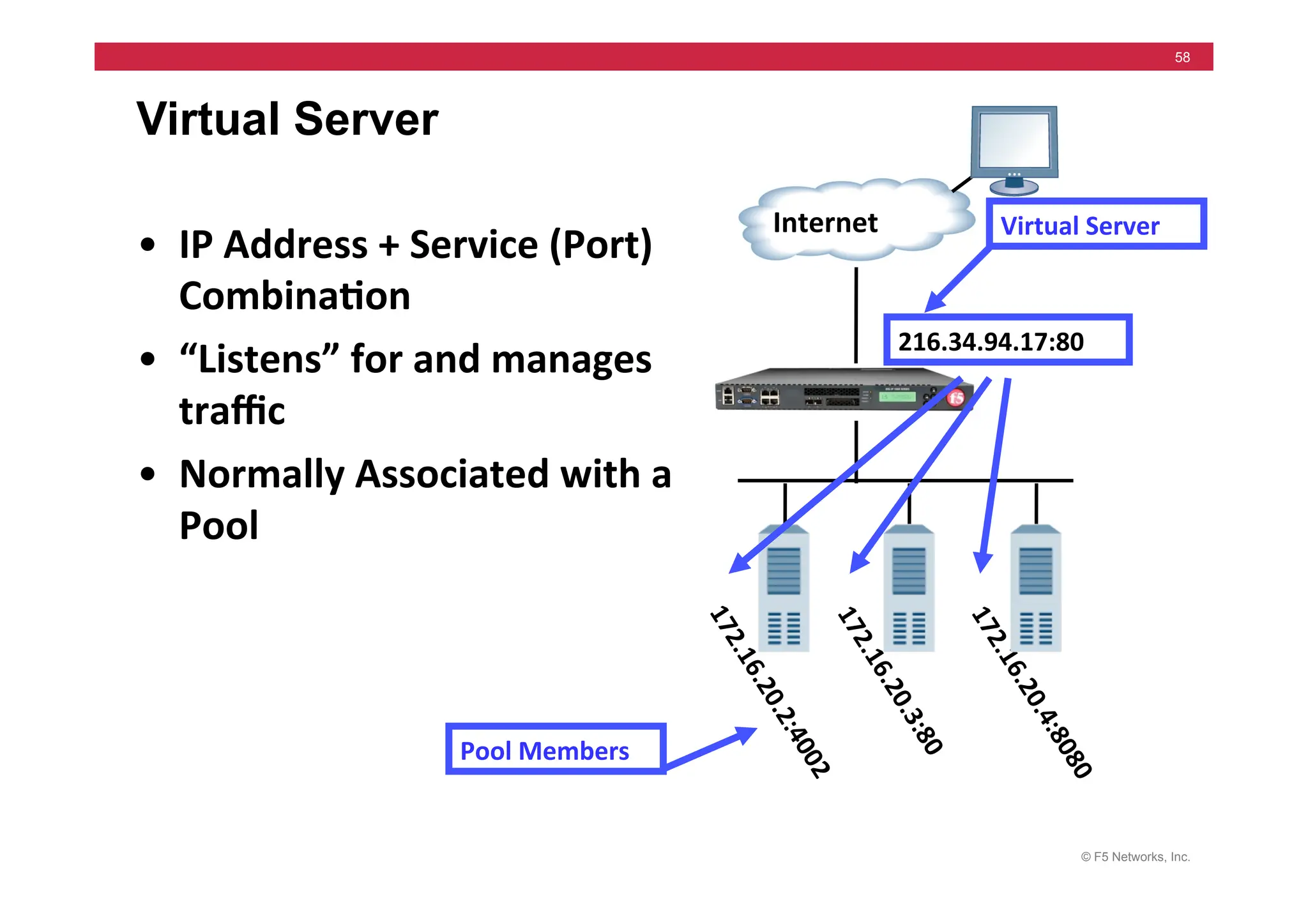
Virtual Server
Internet	
   Virtual	
  Server	
  
• IP	
  Address	
  +	
  Service	
  (Port)	
  
Combina5on	
  
• “Listens”	
  for	
  and	
  manages	
  
traffic	
  	
  
• Normally	
  Associated	
  with	
  a	
  
Pool	
  
216.34.94.17:80	
  
Pool	
  Members	
  
© F5 Networks, Inc.
59
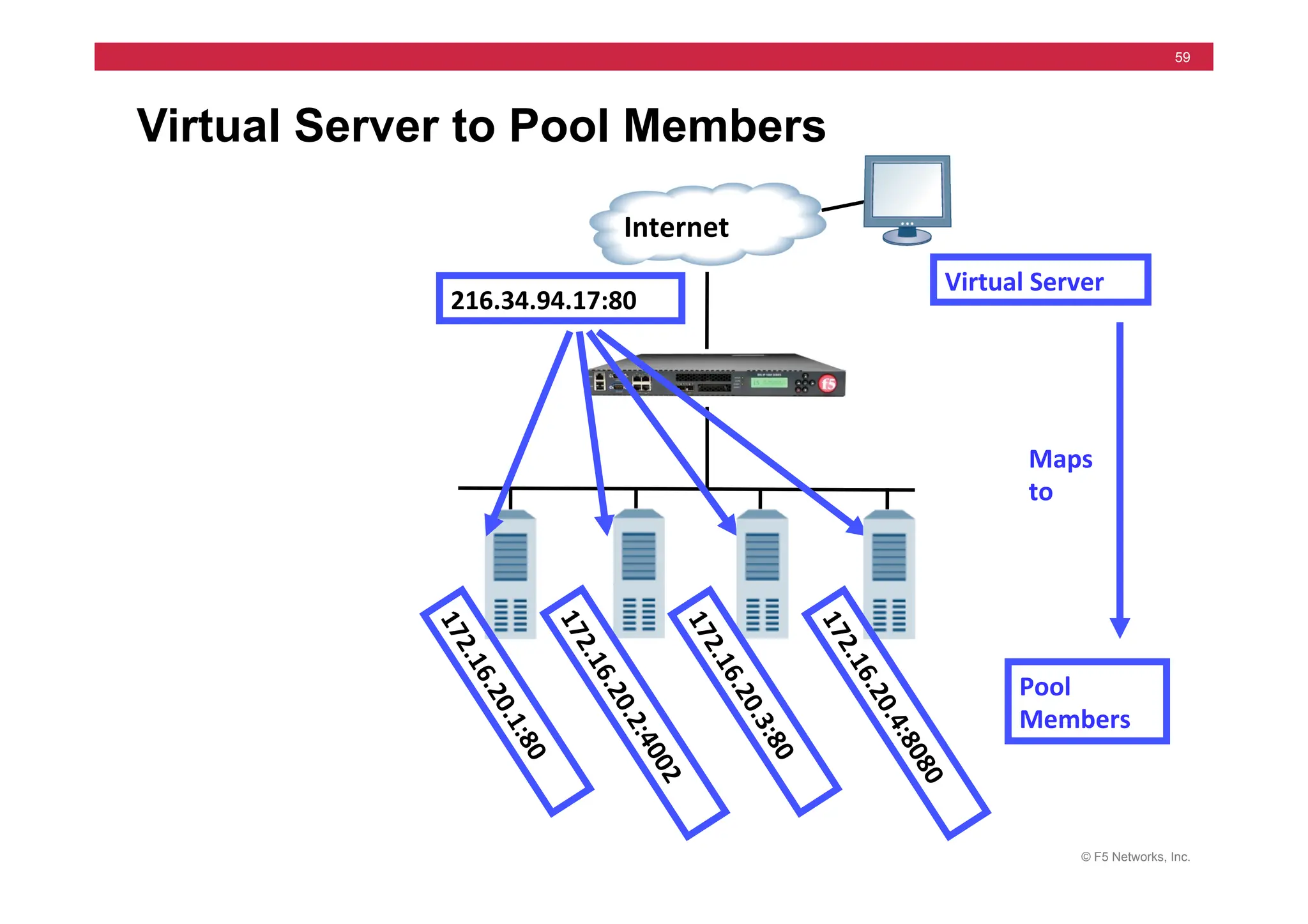
Virtual Server to Pool Members
Internet	
  
Virtual	
  Server	
  
216.34.94.17:80	
  
Pool	
  
Members	
  
Maps	
  
to	
  
© F5 Networks, Inc.
60
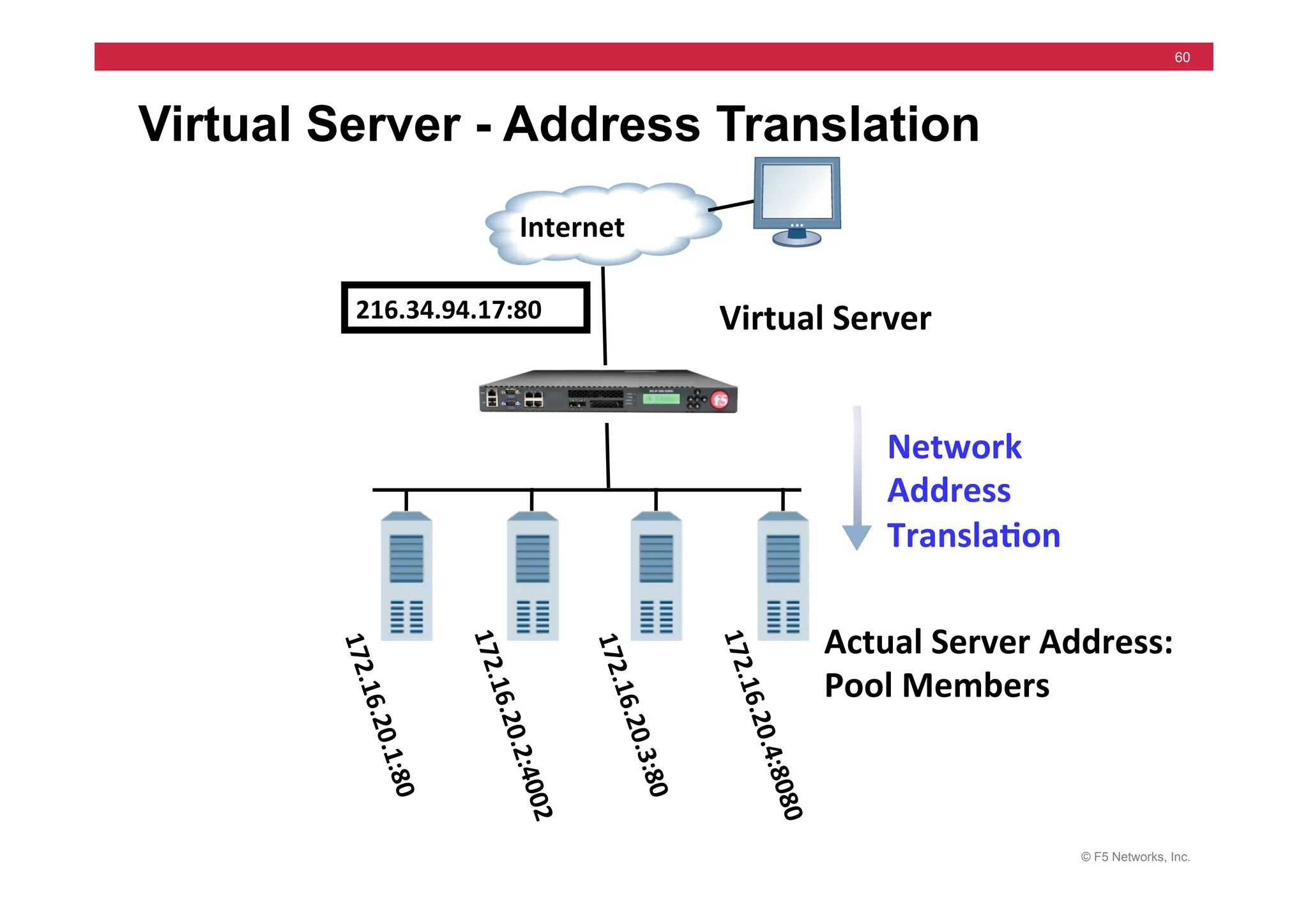
Virtual Server - Address Translation
Actual	
  Server	
  Address:	
  	
  
Pool	
  Members	
  
Network	
  
Address	
  
Transla5on	
  
Virtual	
  Server	
  
Internet	
  
216.34.94.17:80	
  
1
7
2
.
1
6
.
2
0
.
4
:
8
0
8
0
	
  
1
7
2
.
1
6
.
2
0
.
1
:
8
0
	
  
1
7
2
.
1
6
.
2
0
.
2
:
4
0
0
2
	
  
1
7
2
.
1
6
.
2
0
.
3
:
8
0
	
  
© F5 Networks, Inc.
61
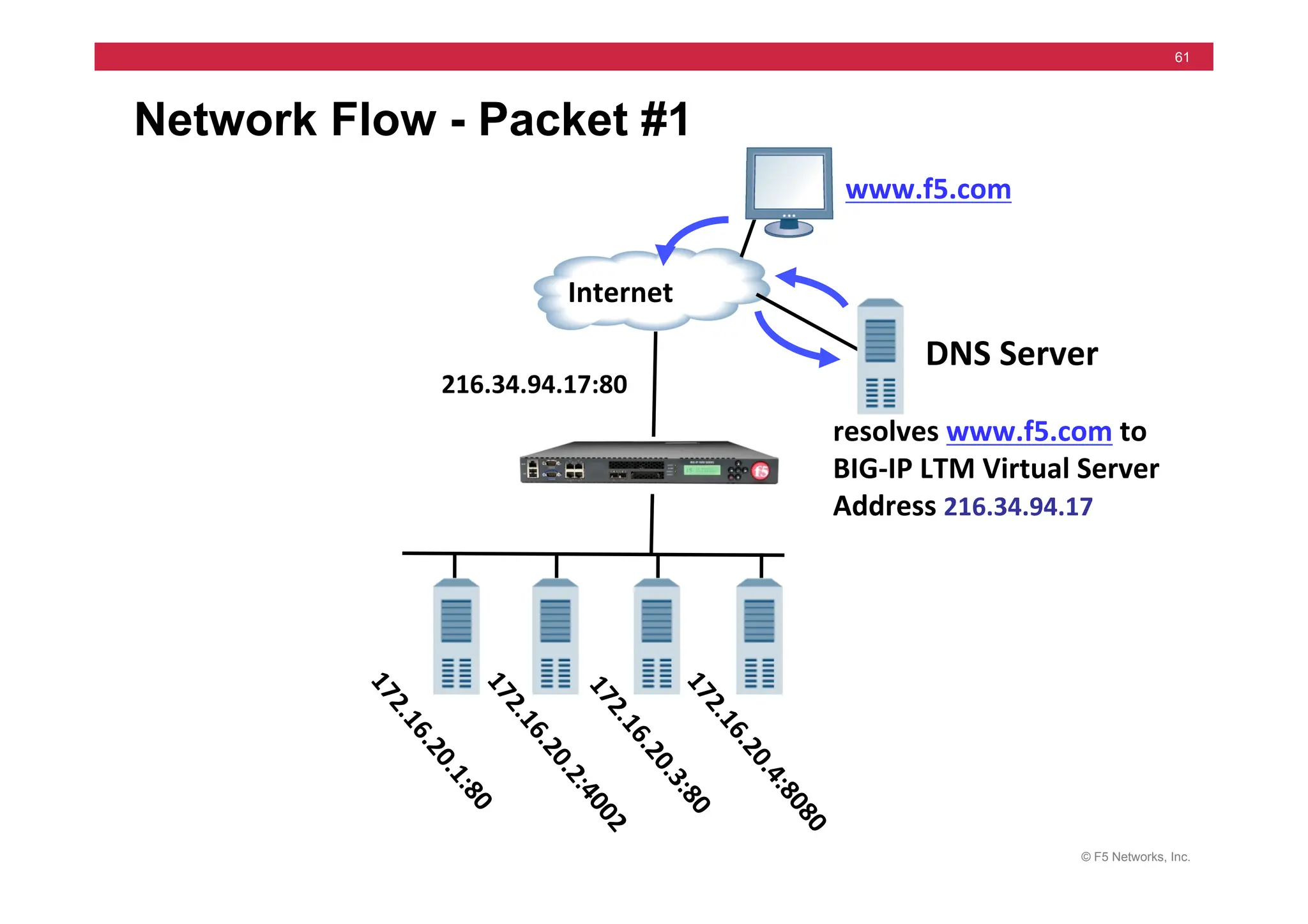
Network Flow - Packet #1
resolves	
  www.f5.com	
  to	
  
BIG-­‐IP	
  LTM	
  Virtual	
  Server	
  
Address	
  216.34.94.17	


Internet	
  
www.f5.com	
  
DNS	
  Server	
  
216.34.94.17:80	
  
© F5 Networks, Inc.
62
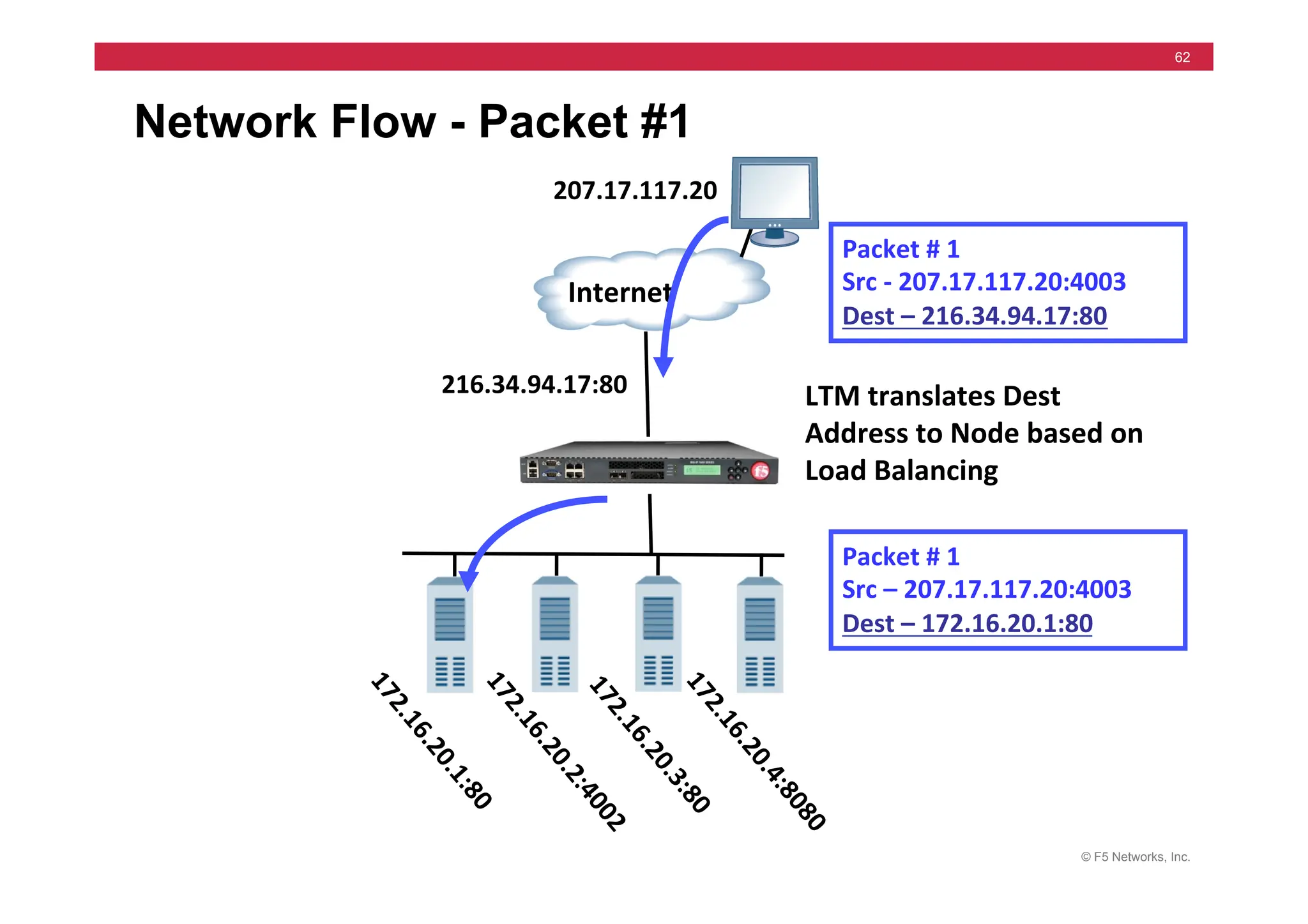
Network Flow - Packet #1
LTM	
  translates	
  Dest	
  
Address	
  to	
  Node	
  based	
  on	
  
Load	
  Balancing	
  
Internet	
  
Packet	
  #	
  1	


Src	
  -­‐	
  207.17.117.20:4003	
  
Dest	
  –	
  216.34.94.17:80	
  
Packet	
  #	
  1	


Src	
  –	
  207.17.117.20:4003	
  
Dest	
  –	
  172.16.20.1:80	
  
207.17.117.20	
  
216.34.94.17:80	
  
© F5 Networks, Inc.
63
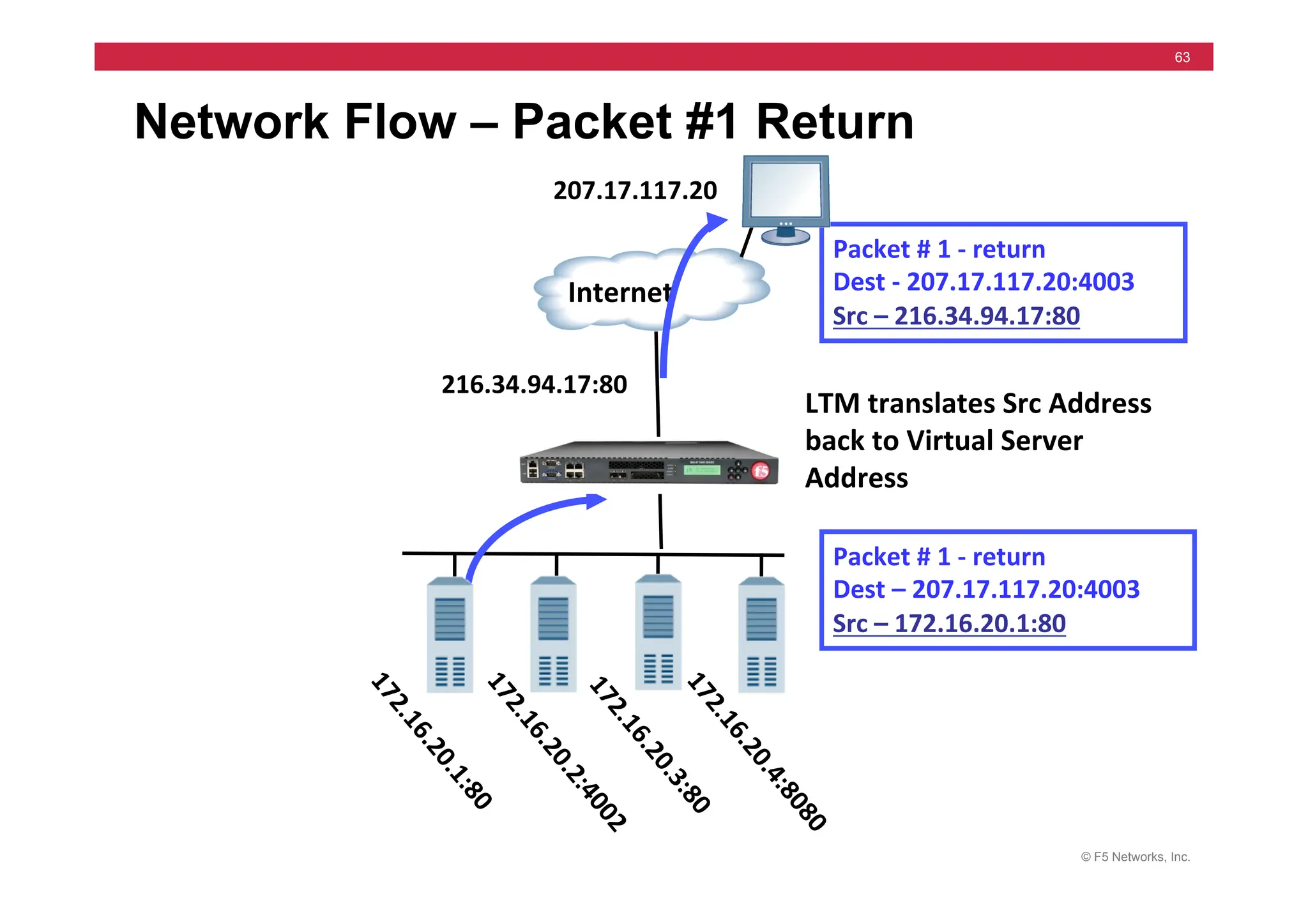
Network Flow – Packet #1 Return
LTM	
  translates	
  Src	
  Address	
  
back	
  to	
  Virtual	
  Server	
  
Address	
  
Internet	
  
Packet	
  #	
  1	
  -­‐	
  return	
  	
  
Dest	
  -­‐	
  207.17.117.20:4003	
  
Src	
  –	
  216.34.94.17:80	
  
Packet	
  #	
  1	
  -­‐	
  return	
  	
  
Dest	
  –	
  207.17.117.20:4003	
  
Src	
  –	
  172.16.20.1:80	
  
207.17.117.20	
  
216.34.94.17:80	
  
© F5 Networks, Inc.
64
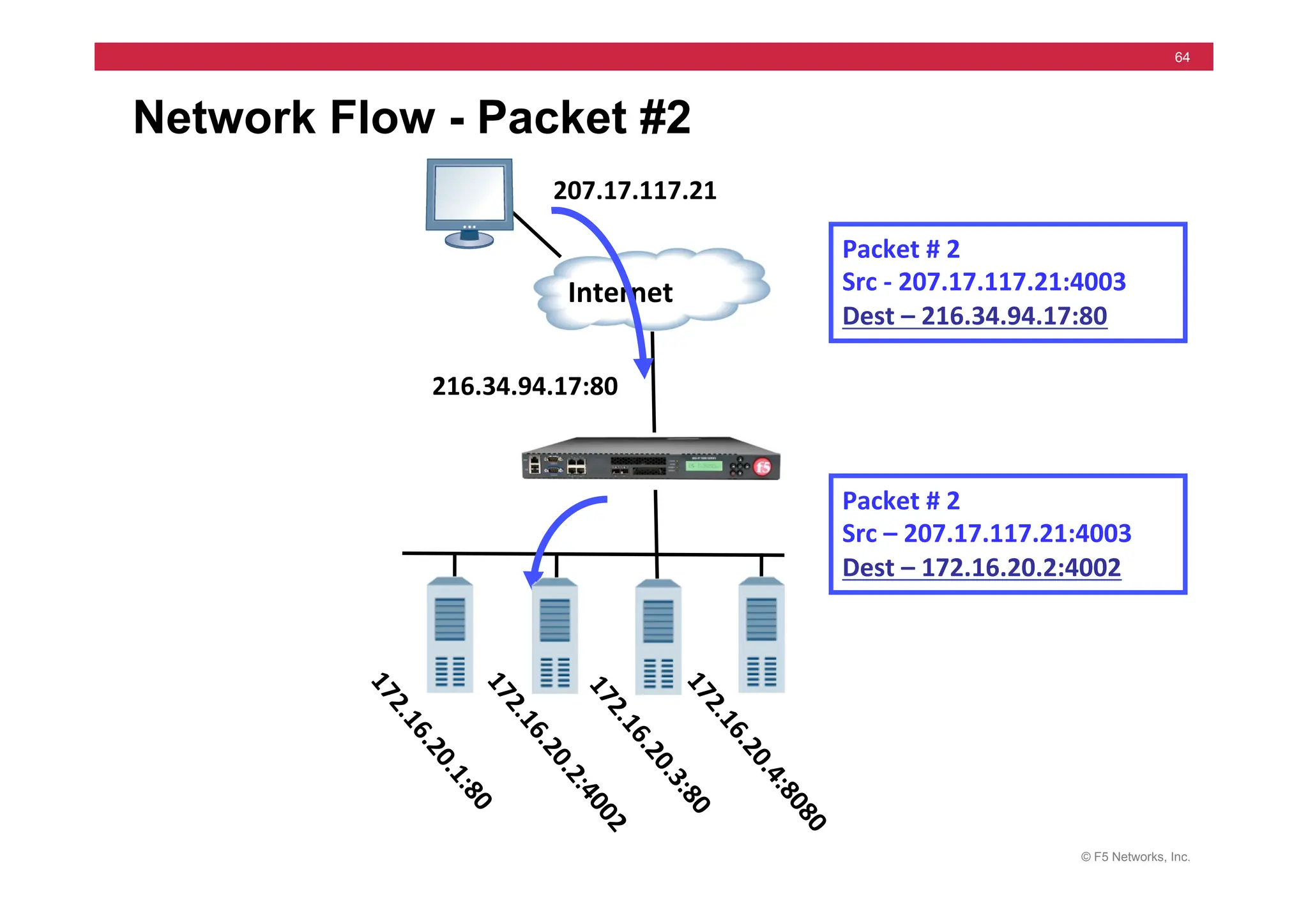
Network Flow - Packet #2
Internet	
  
Packet	
  #	
  2	


Src	
  -­‐	
  207.17.117.21:4003	
  
Dest	
  –	
  216.34.94.17:80	
  
Packet	
  #	
  2	


Src	
  –	
  207.17.117.21:4003	
  
Dest	
  –	
  172.16.20.2:4002	
  
207.17.117.21	
  
216.34.94.17:80	
  
© F5 Networks, Inc.
65
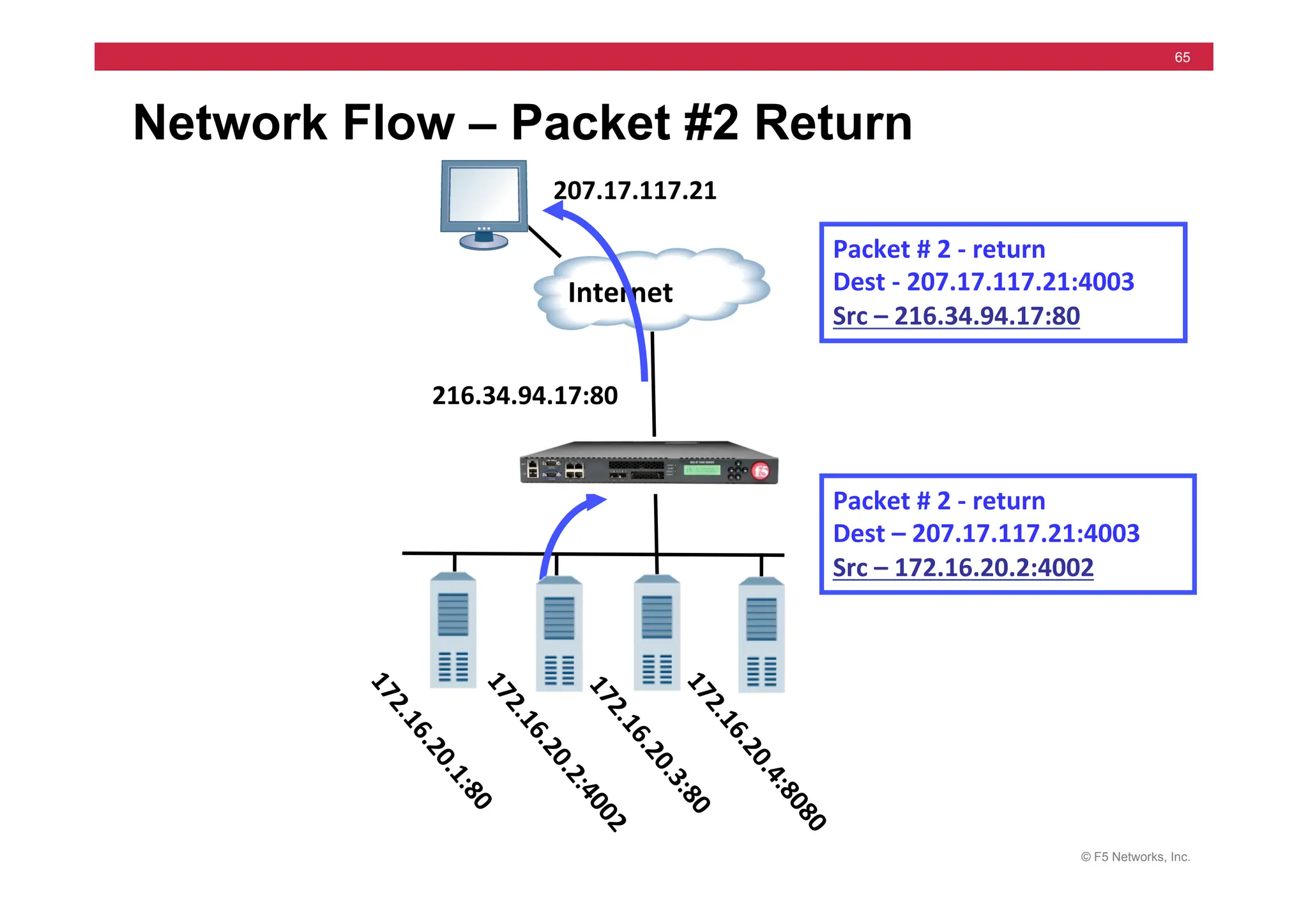
Network Flow – Packet #2 Return
Internet	
  
Packet	
  #	
  2	
  -­‐	
  return	
  	
  
Dest	
  -­‐	
  207.17.117.21:4003	
  
Src	
  –	
  216.34.94.17:80	
  
Packet	
  #	
  2	
  -­‐	
  return	
  	
  
Dest	
  –	
  207.17.117.21:4003	
  
Src	
  –	
  172.16.20.2:4002	
  
207.17.117.21	
  
216.34.94.17:80	
  
© F5 Networks, Inc.
66
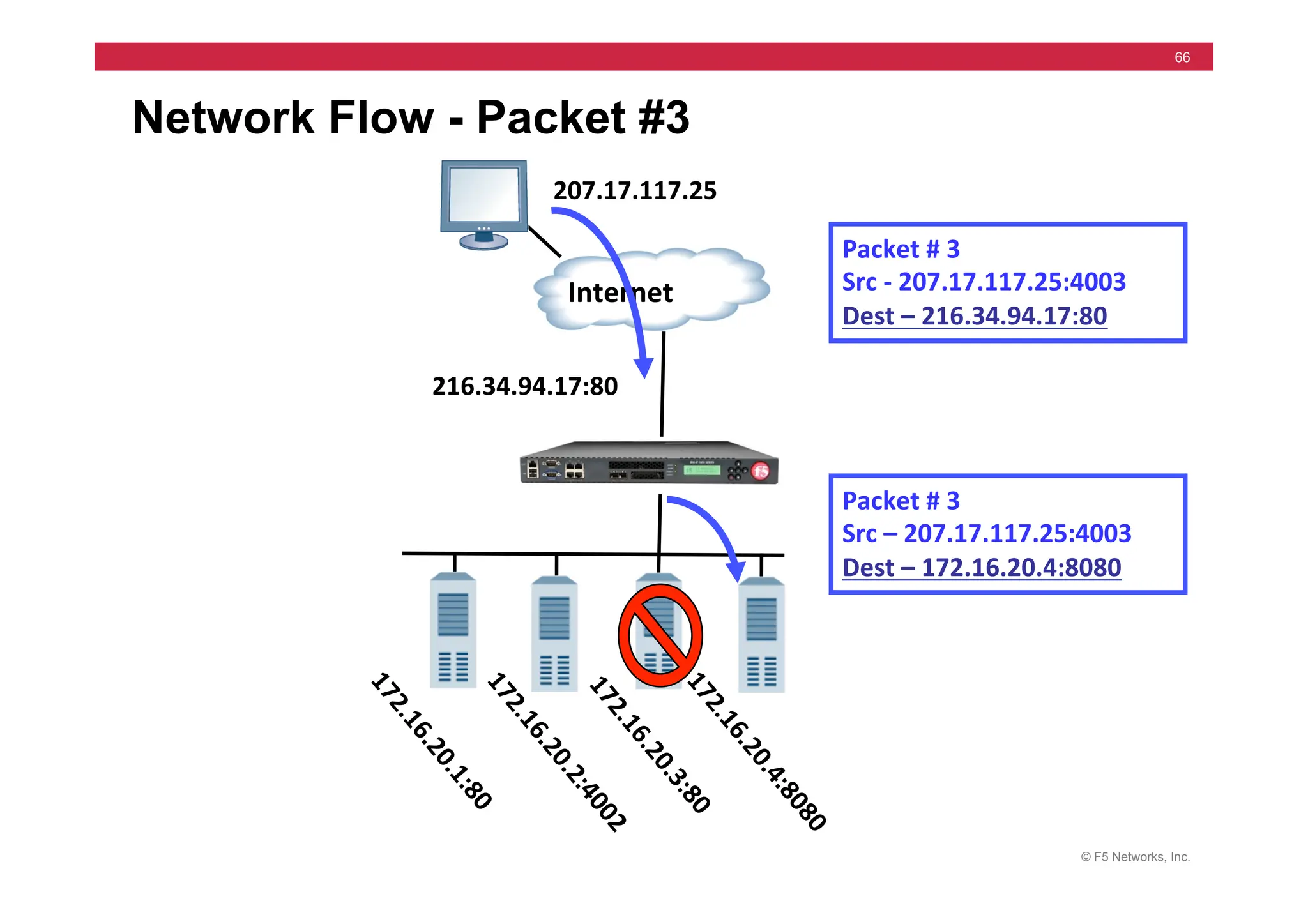
Network Flow - Packet #3
Internet	
  
Packet	
  #	
  3	


Src	
  -­‐	
  207.17.117.25:4003	
  
Dest	
  –	
  216.34.94.17:80	
  
Packet	
  #	
  3	


Src	
  –	
  207.17.117.25:4003	
  
Dest	
  –	
  172.16.20.4:8080	
  
207.17.117.25	
  
216.34.94.17:80	
  
© F5 Networks, Inc.
67
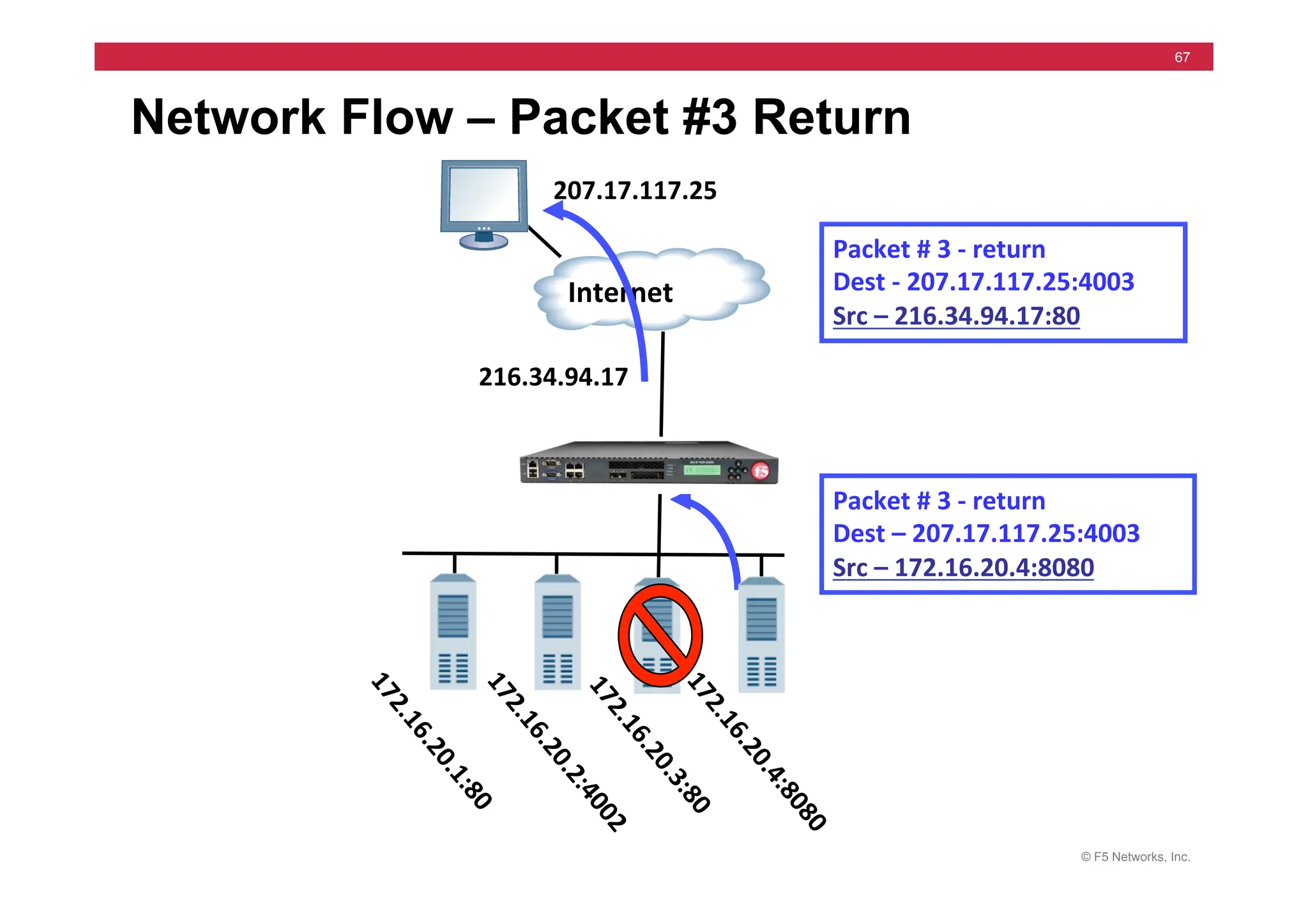
Network Flow – Packet #3 Return
Internet	
  
Packet	
  #	
  3	
  -­‐	
  return	
  	
  
Dest	
  -­‐	
  207.17.117.25:4003	
  
Src	
  –	
  216.34.94.17:80	
  
Packet	
  #	
  3	
  -­‐	
  return	
  	
  
Dest	
  –	
  207.17.117.25:4003	
  
Src	
  –	
  172.16.20.4:8080	
  
207.17.117.25	
  
216.34.94.17	
  
© F5 Networks, Inc.
68
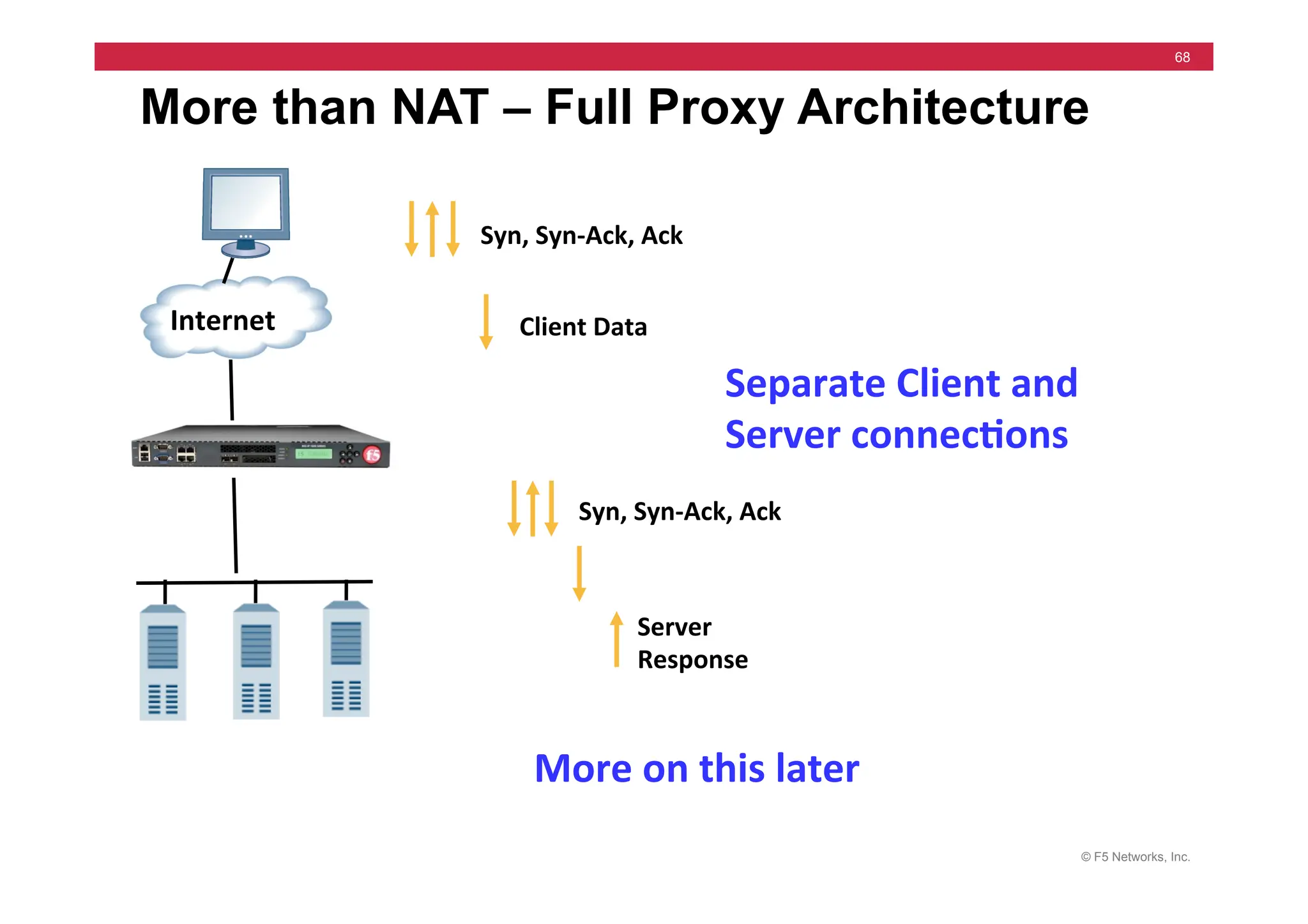
More than NAT – Full Proxy Architecture
Internet	
  
Syn,	
  Syn-­‐Ack,	
  Ack	
  
Client	
  Data	
  
Syn,	
  Syn-­‐Ack,	
  Ack	
  
Server	
  
Response	
  
Separate	
  Client	
  and	
  
Server	
  connec5ons	
  
More	
  on	
  this	
  later	
  
© F5 Networks, Inc.
69
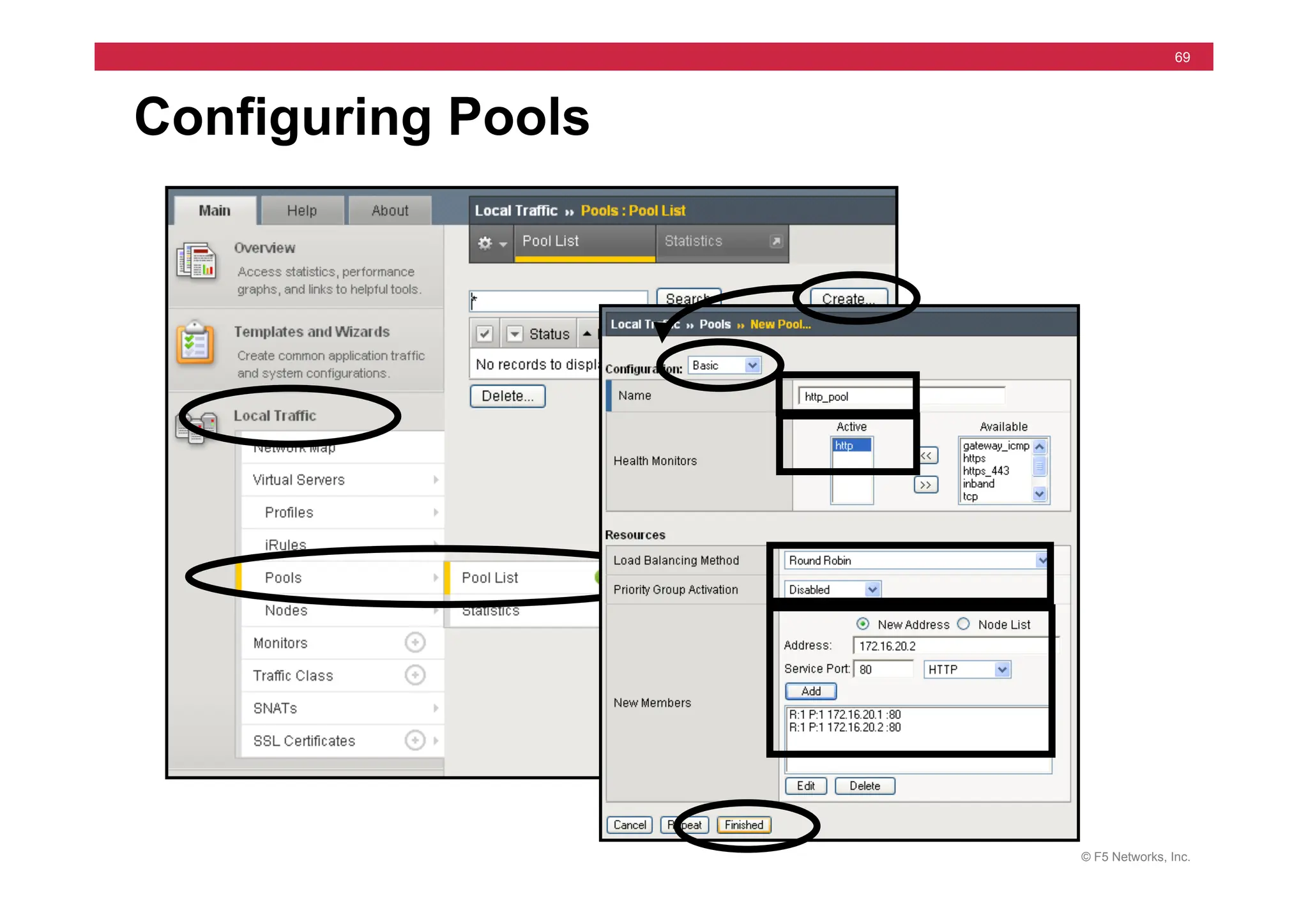
Configuring Pools
© F5 Networks, Inc.
70
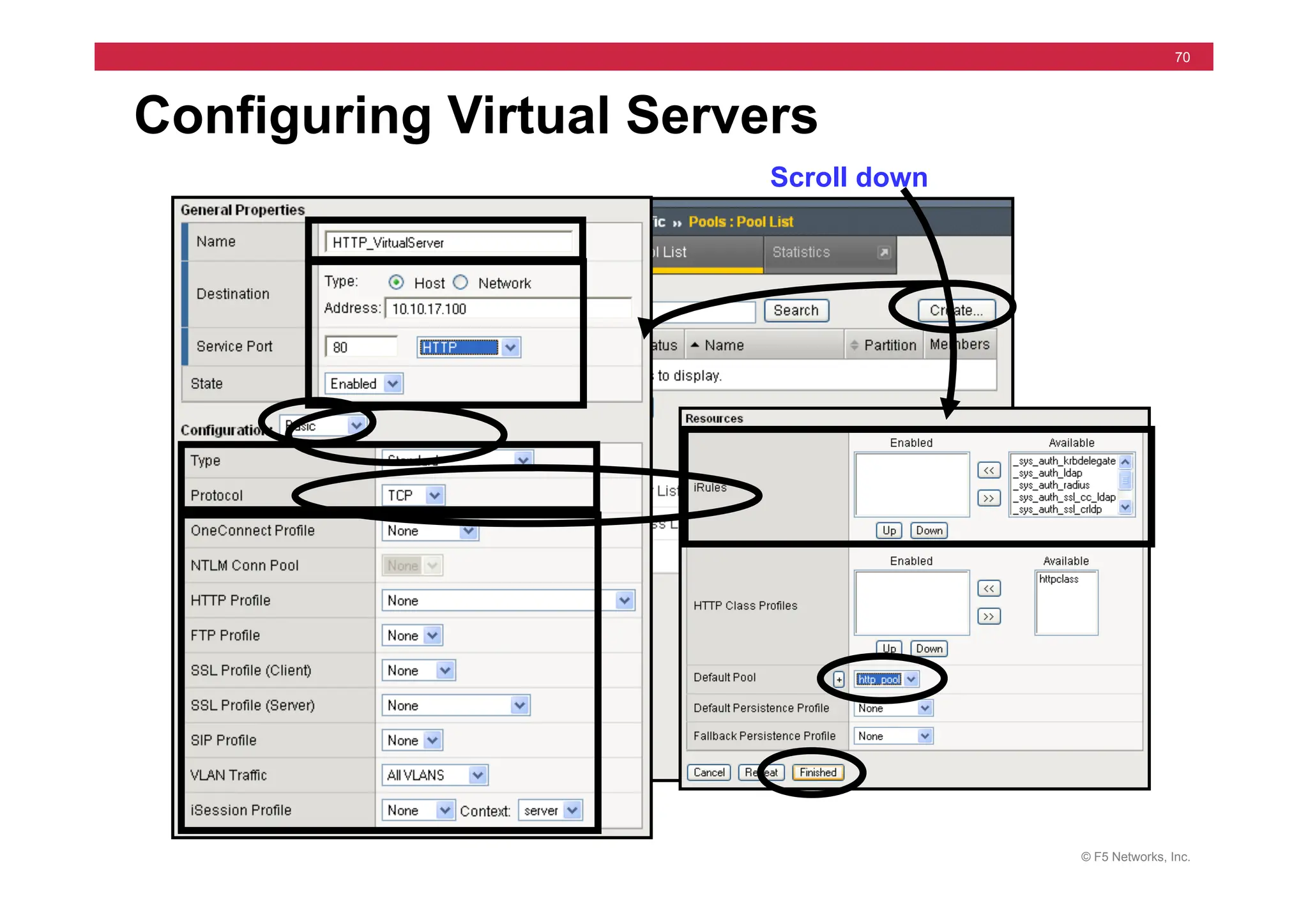
Configuring Virtual Servers
Scroll down
© F5 Networks, Inc.
71
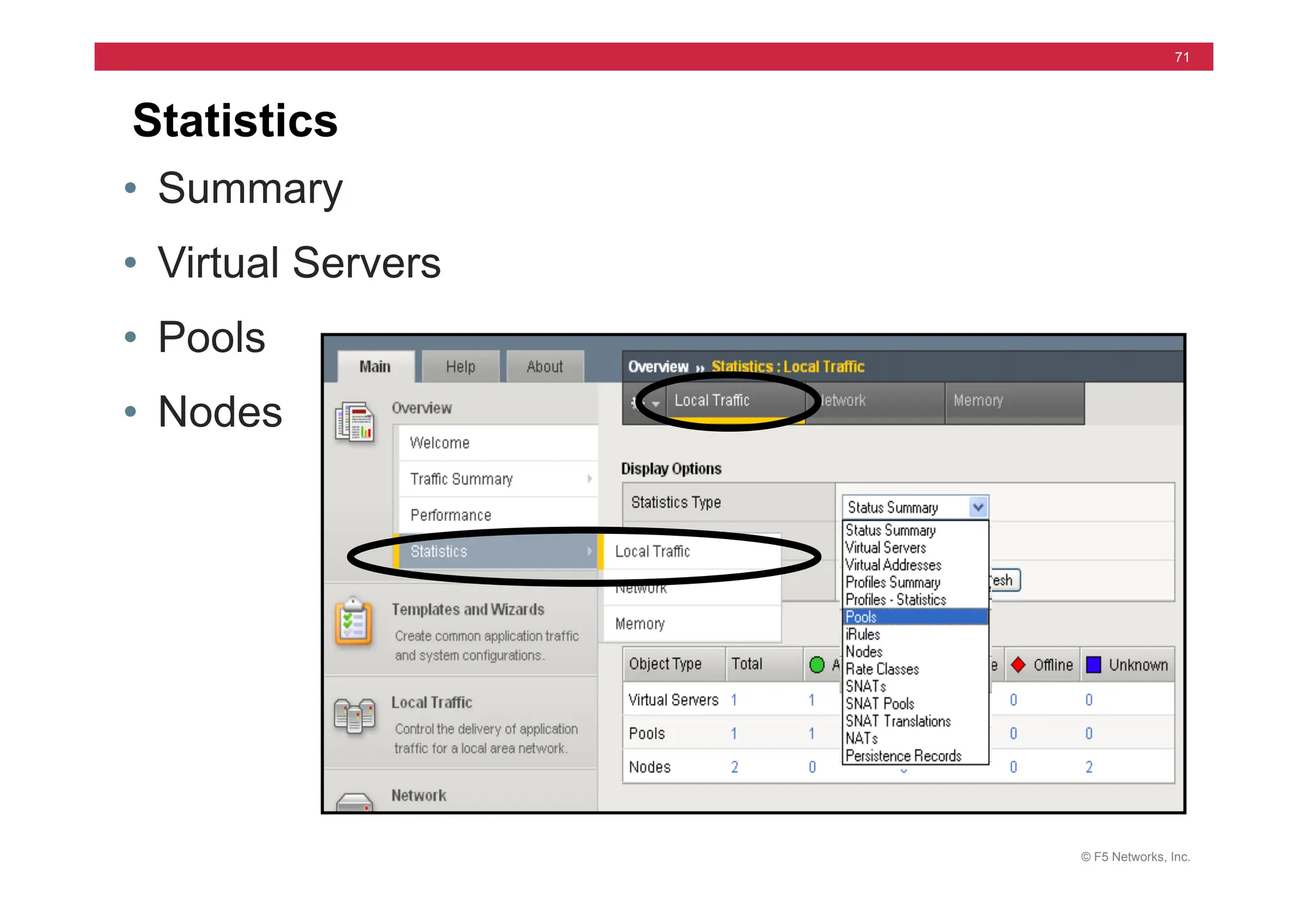
Statistics
• Summary
• Virtual Servers
• Pools
• Nodes
© F5 Networks, Inc.
72
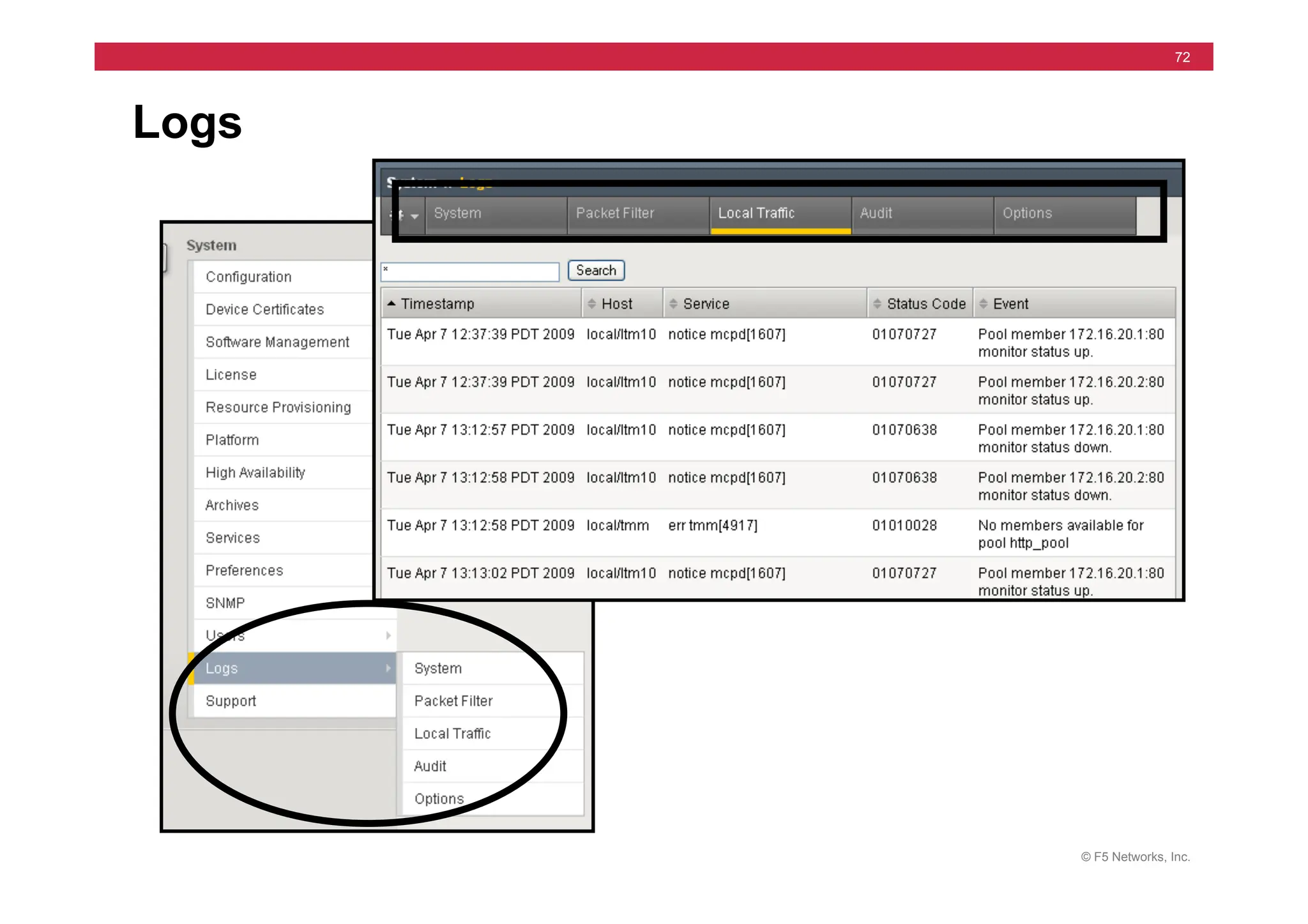
Logs
© F5 Networks, Inc.
73
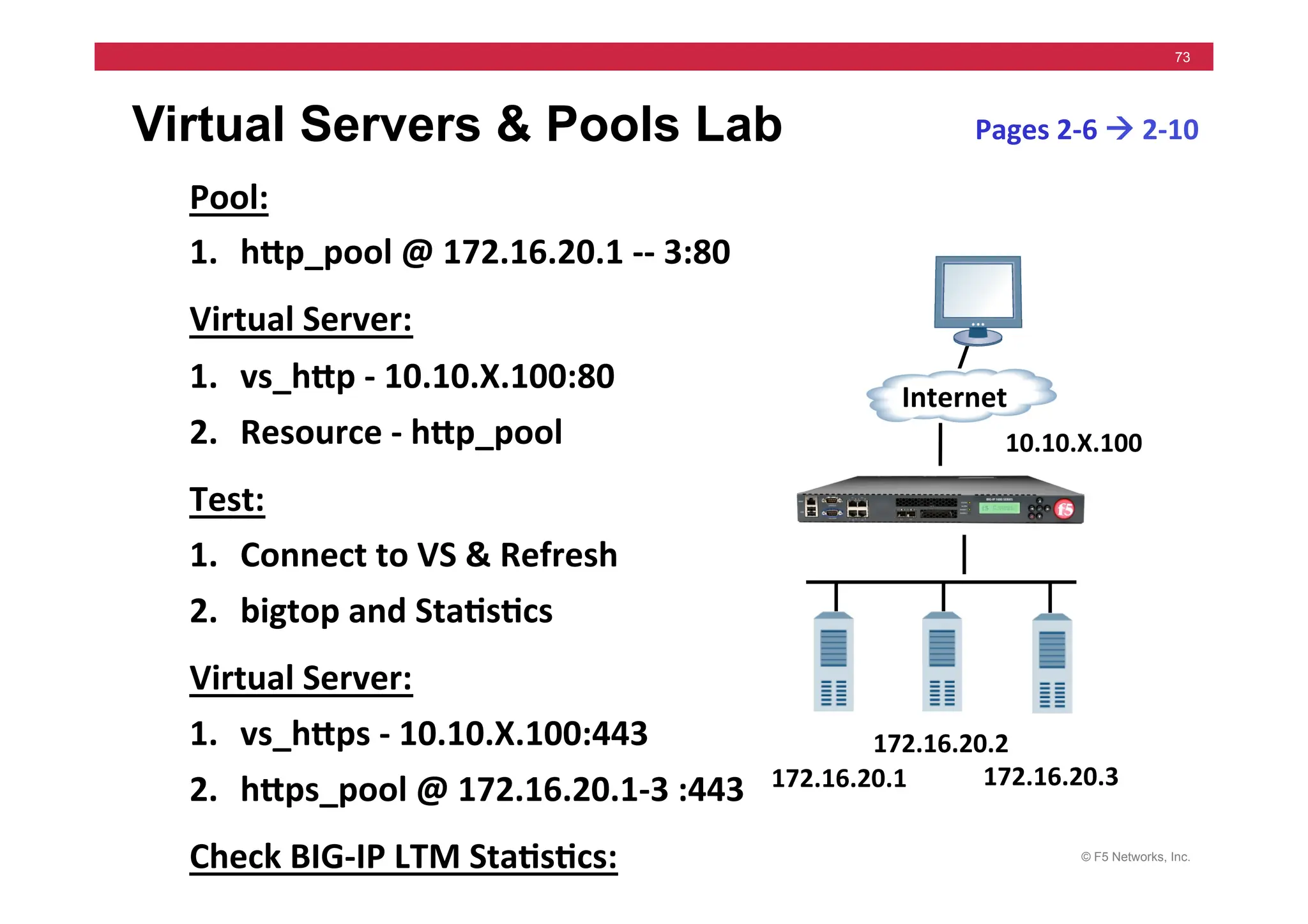
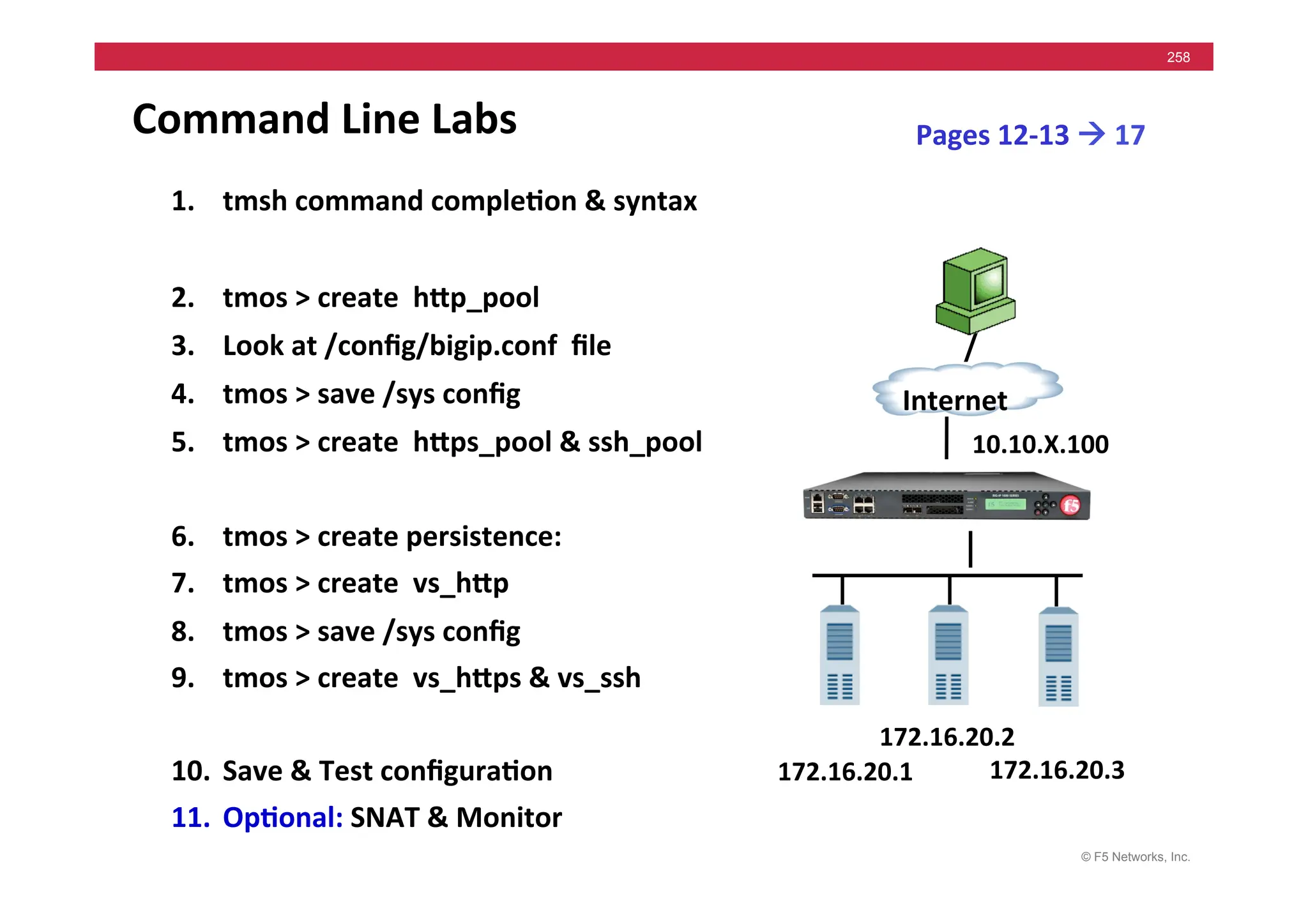
Virtual Servers & Pools Lab
Pool:	
  
1. hMp_pool	
  @	
  172.16.20.1	
  -­‐-­‐	
  3:80	
  
Virtual	
  Server:	
  
1. vs_hMp	
  -­‐	
  10.10.X.100:80	
  
2. Resource	
  -­‐	
  hMp_pool	
  
Test:	
  
1. Connect	
  to	
  VS	
  &	
  Refresh	
  	
  
2. bigtop	
  and	
  Sta5s5cs	
  
Virtual	
  Server:	
  
1. vs_hMps	
  -­‐	
  10.10.X.100:443	
  
2. hMps_pool	
  @	
  172.16.20.1-­‐3	
  :443	
  
Check	
  BIG-­‐IP	
  LTM	
  Sta5s5cs:	
  
Pages	
  2-­‐6	
  !	
  2-­‐10	
  
172.16.20.1	
  
Internet	
  
172.16.20.3	
  
172.16.20.2	
  
10.10.X.100	
  
© F5 Networks, Inc.
74
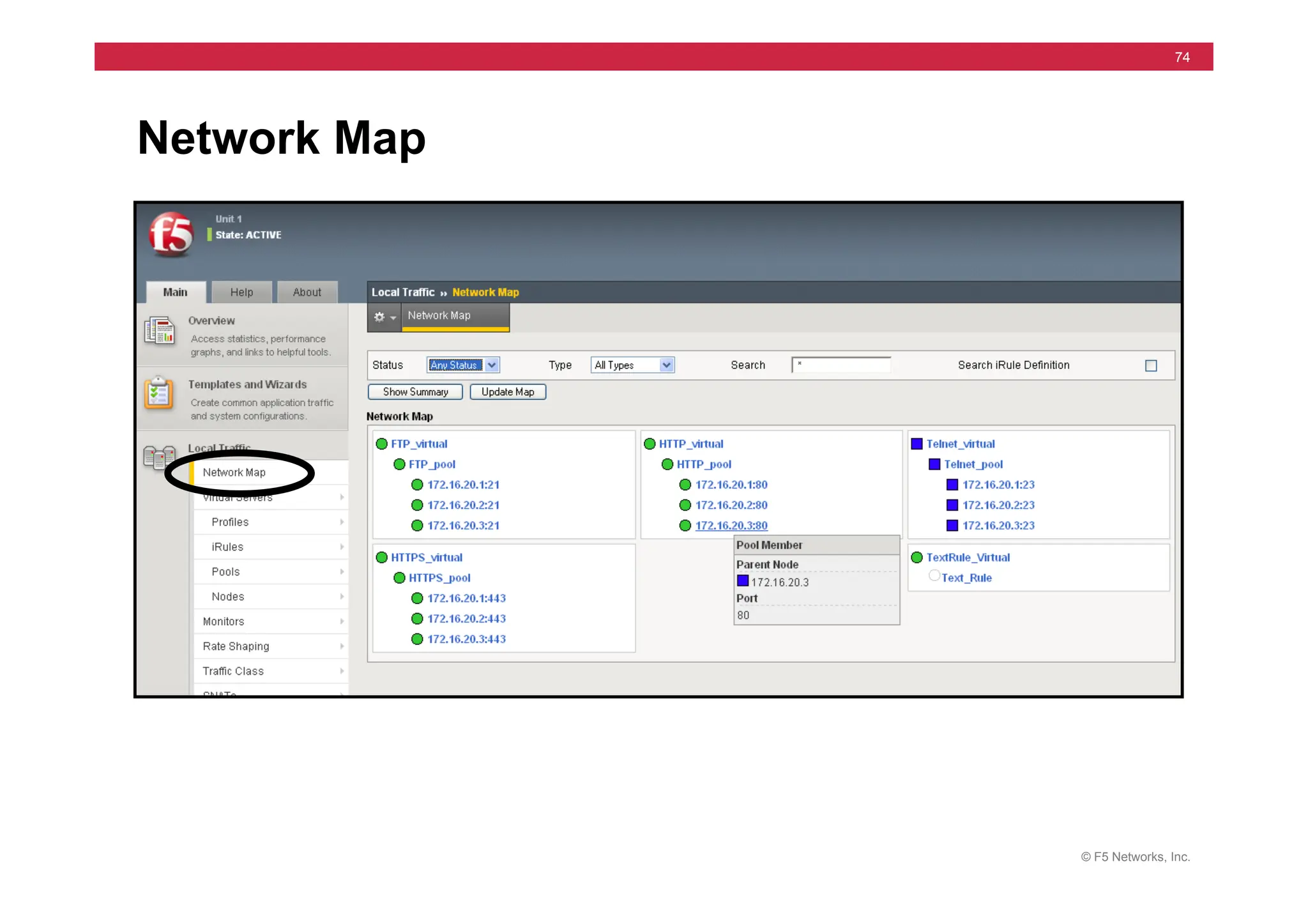
Network Map
© F5 Networks, Inc.
75
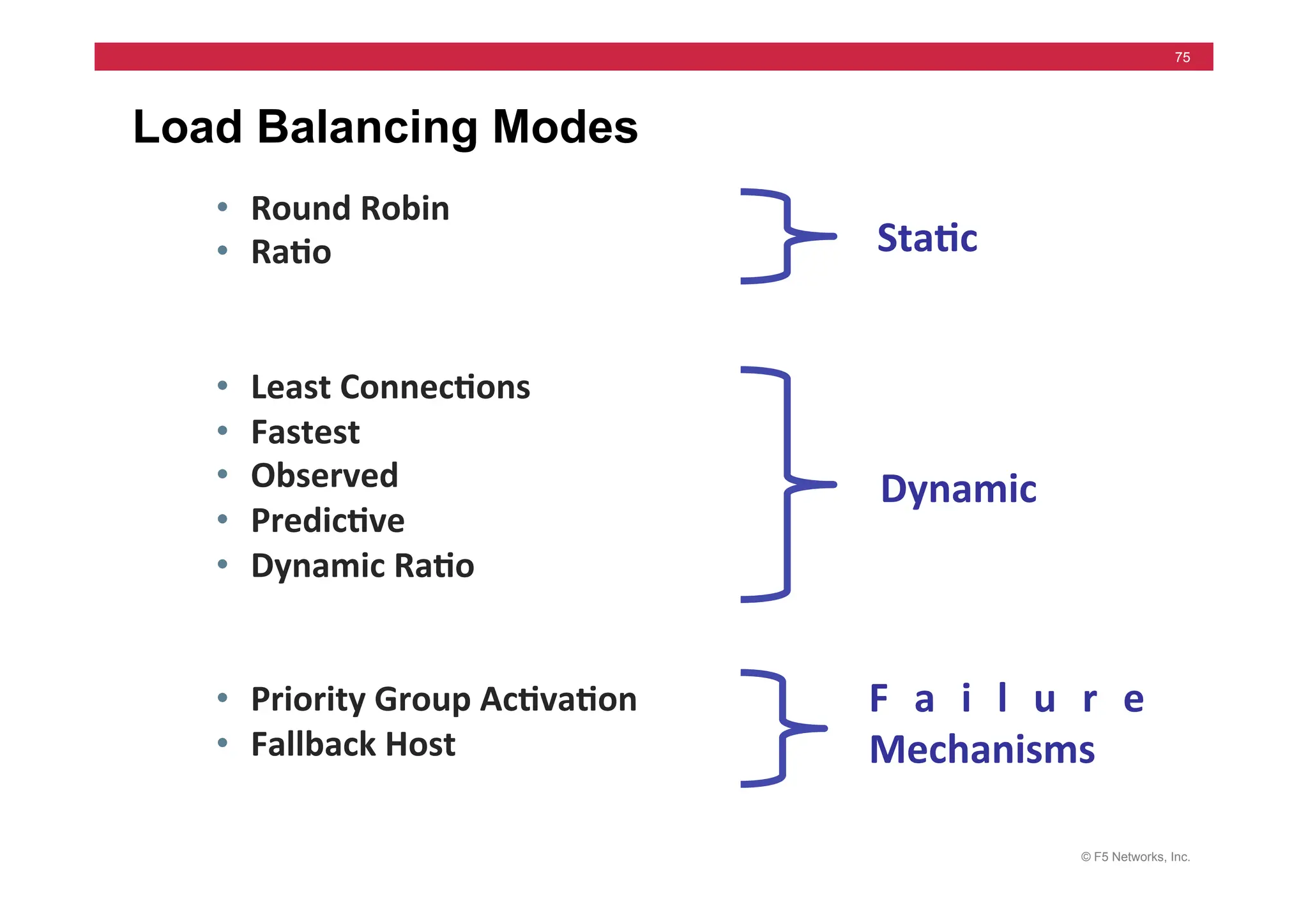
Load Balancing Modes
• Round	
  Robin	
  
• Ra5o	


• Least	
  Connec5ons	
  
• Fastest	
  
• Observed	
  
• Predic5ve	
  
• Dynamic	
  Ra5o	


• Priority	
  Group	
  Ac5va5on	
  
• Fallback	
  Host	
  
Sta5c	
  
Dynamic	
  
F a i l u r e	
  
Mechanisms	
  
© F5 Networks, Inc.
76
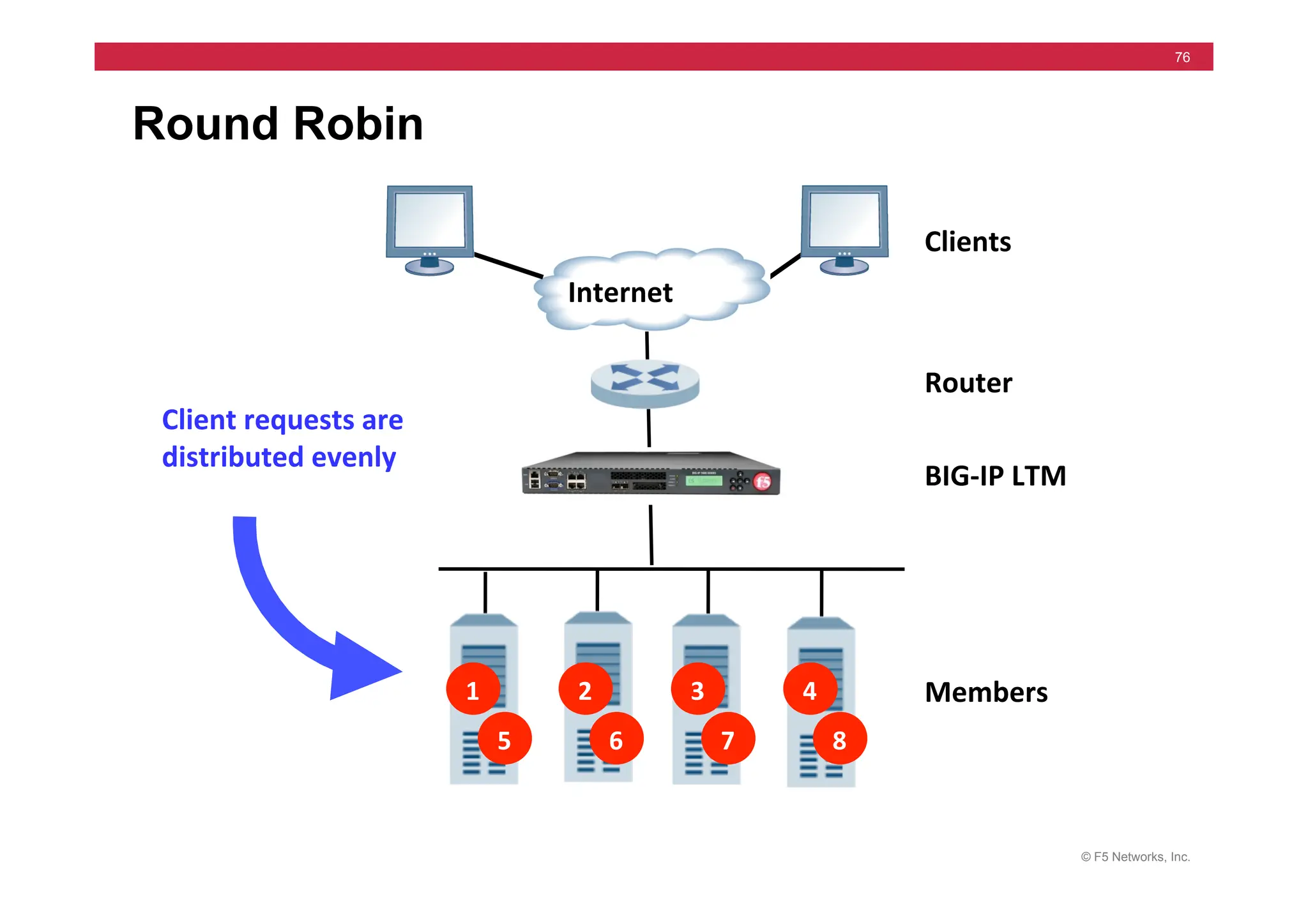
Round Robin
Clients	
  
Router	
  
Members	
  
Client	
  requests	
  are	
  
distributed	
  evenly	
  
1	
   2	
   3	
   4	
  
5	
   6	
   7	
   8	
  
Internet	
  
BIG-­‐IP	
  LTM	
  
© F5 Networks, Inc.
77
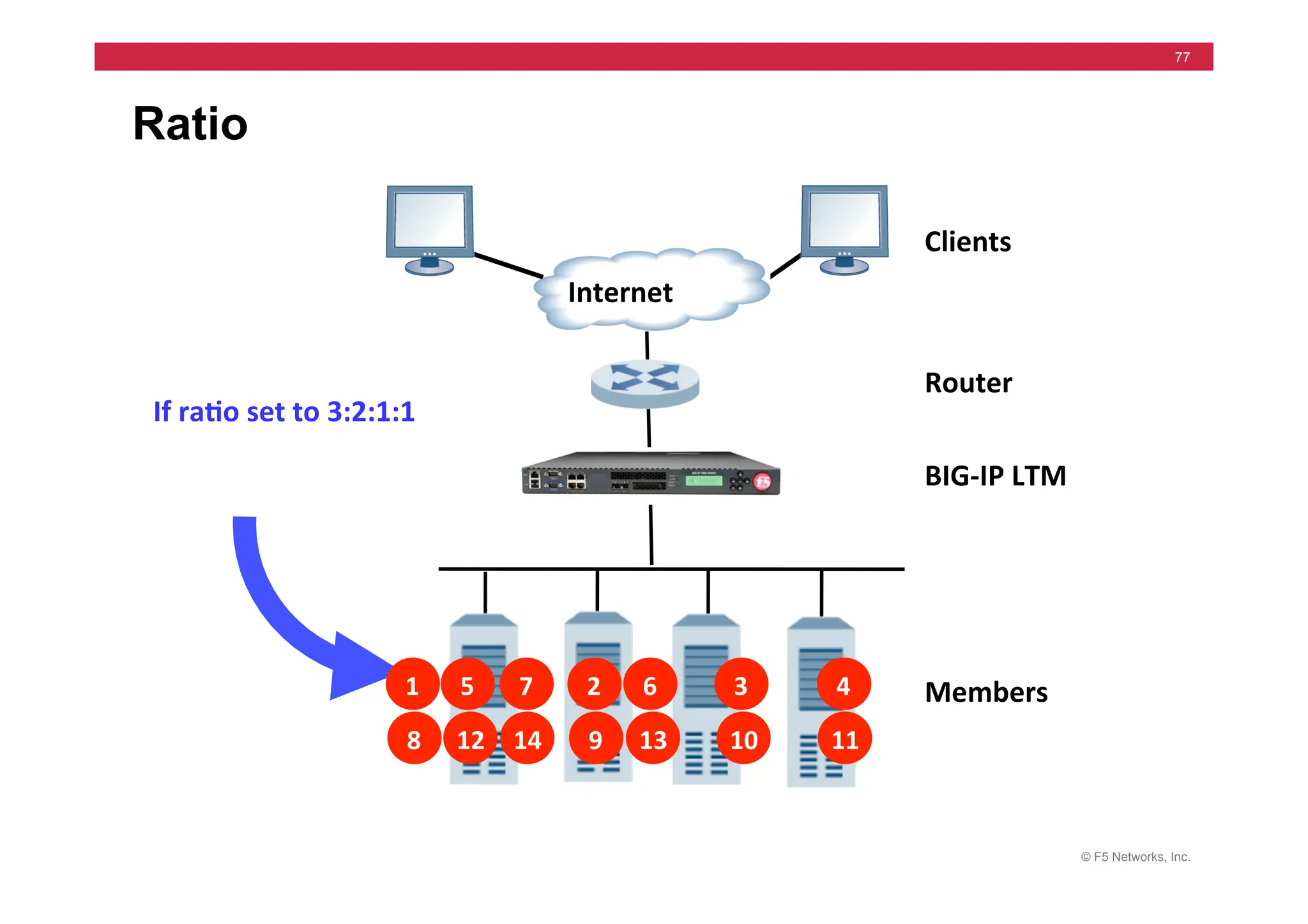
Ratio
Clients	
  
Router	
  
Members	
  
Internet	
  
BIG-­‐IP	
  LTM	
  
1	
   2	
   3	
   4	
  
8	
   9	
   10	
   11	
  
5	
   7	
  
12	
   14	
  
6	
  
13	
  
If	
  ra5o	
  set	
  to	
  3:2:1:1	
  
© F5 Networks, Inc.
78
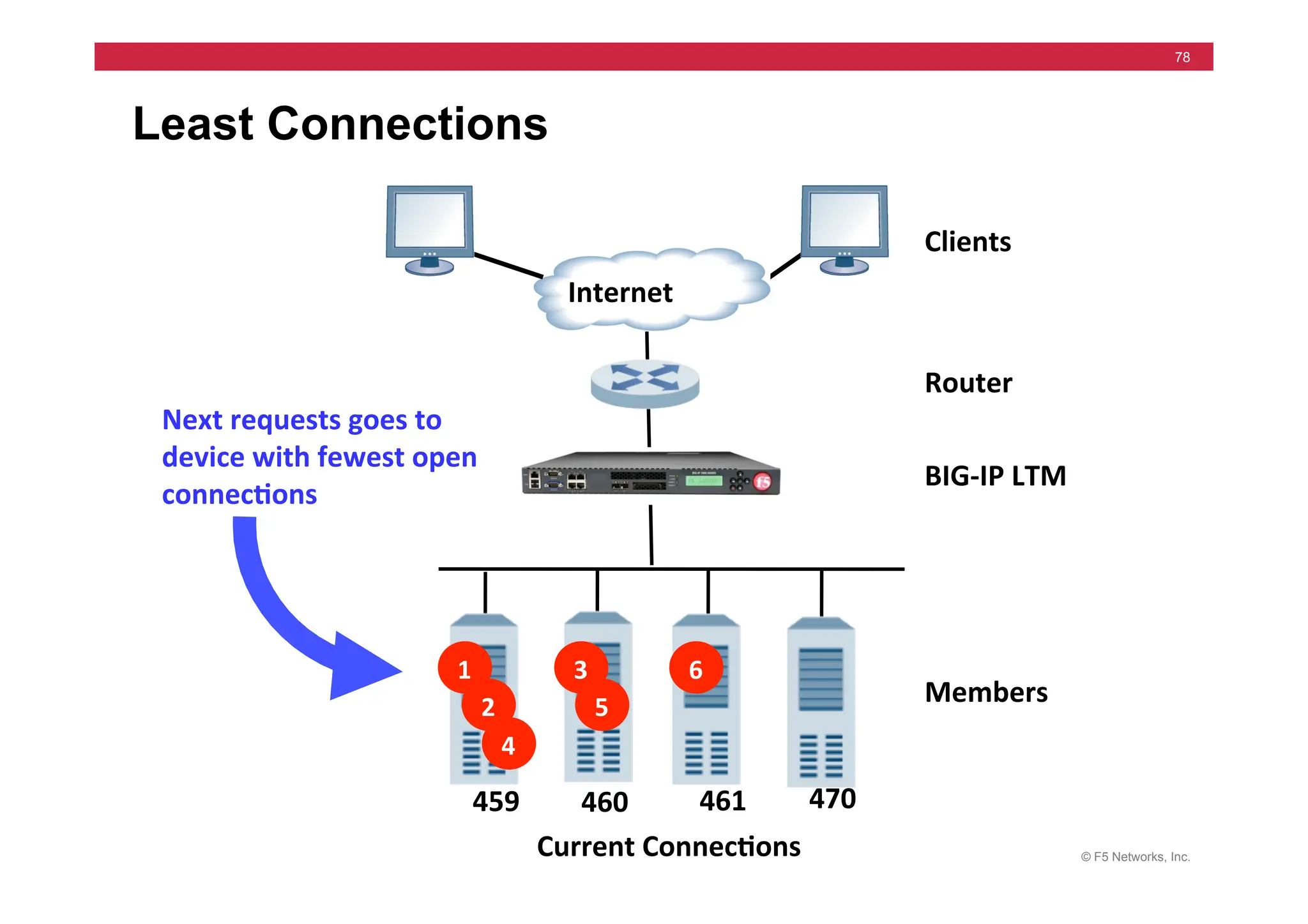
Least Connections
Next	
  requests	
  goes	
  to	
  
device	
  with	
  fewest	
  open	
  
connec5ons	
  
Clients	
  
Router	
  
Members	
  
Internet	
  
BIG-­‐IP	
  LTM	
  
1	
  
2	
  
Current	
  Connec5ons	
  
3	
  
4	
  
5	
  
6	
  
459	
   461	
  
460	
   470	
  
© F5 Networks, Inc.
79
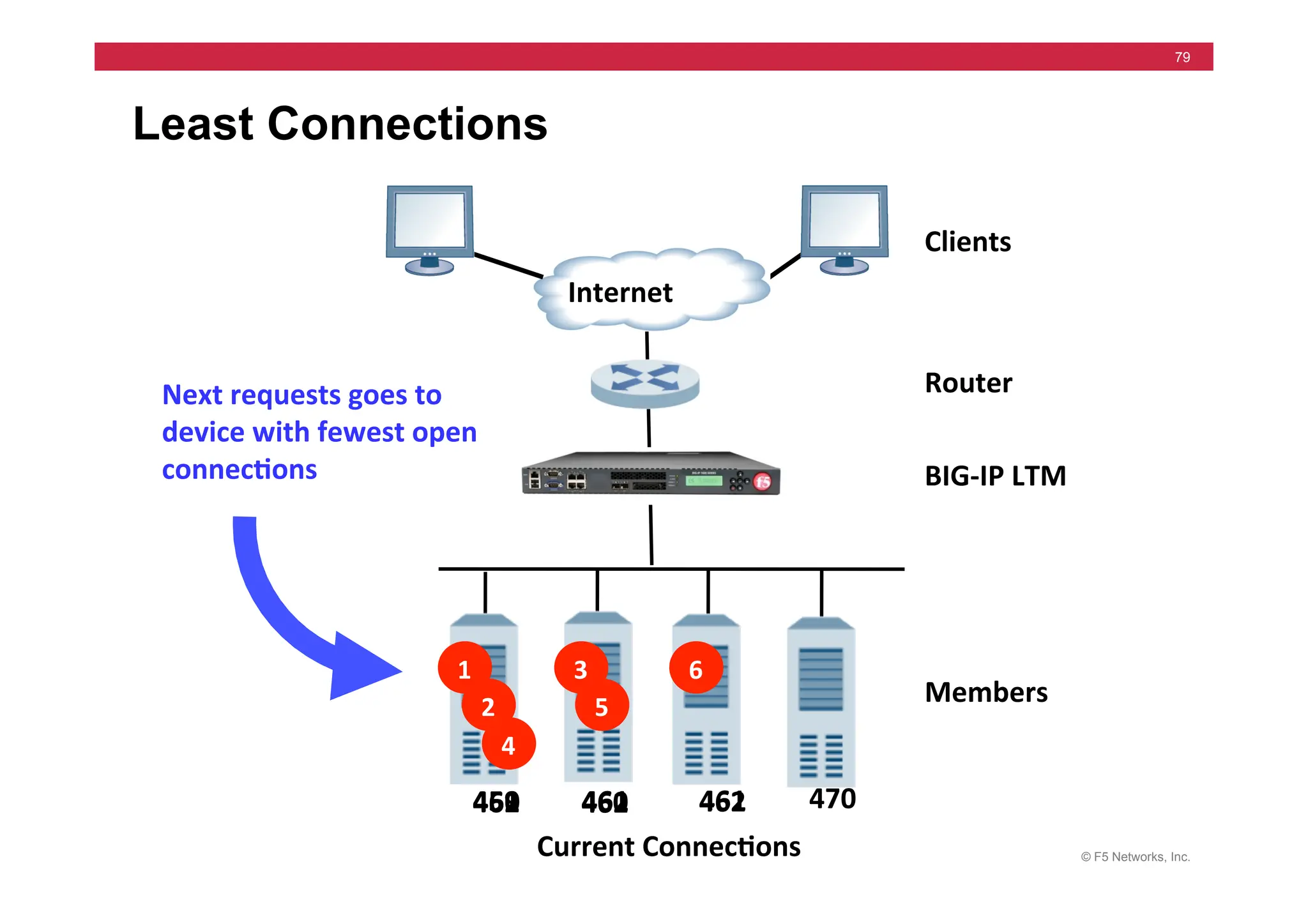
Least Connections
Next	
  requests	
  goes	
  to	
  
device	
  with	
  fewest	
  open	
  
connec5ons	
  
Clients	
  
Router	
  
Members	
  
Internet	
  
BIG-­‐IP	
  LTM	
  
1	
  
2	
  
Current	
  Connec5ons	
  
3	
  
4	
  
5	
  
6	
  
459	
   461	
  
460	
   470	
  
461	
  
460	
   462	
  
462	
   461	
  
462	
  
© F5 Networks, Inc.
80
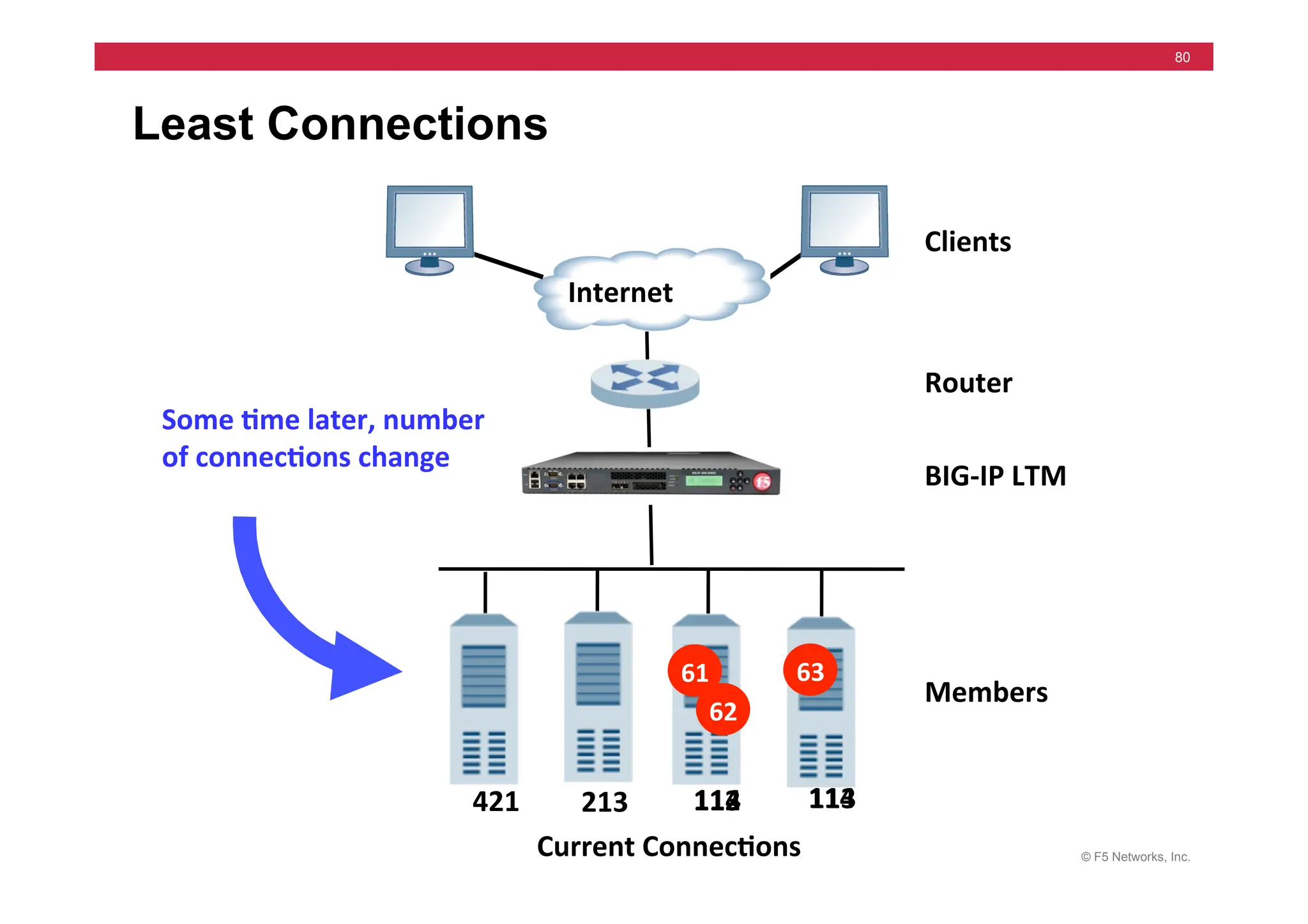
Least Connections
Some	
  5me	
  later,	
  number	
  
of	
  connec5ons	
  change	
  
Clients	
  
Router	
  
Members	
  
Internet	
  
BIG-­‐IP	
  LTM	
  
Current	
  Connec5ons	
  
421	
   113	
  
213	
   113	
  
112	
   114	
  
114	
  
61	
   63	
  
62	
  
© F5 Networks, Inc.
81
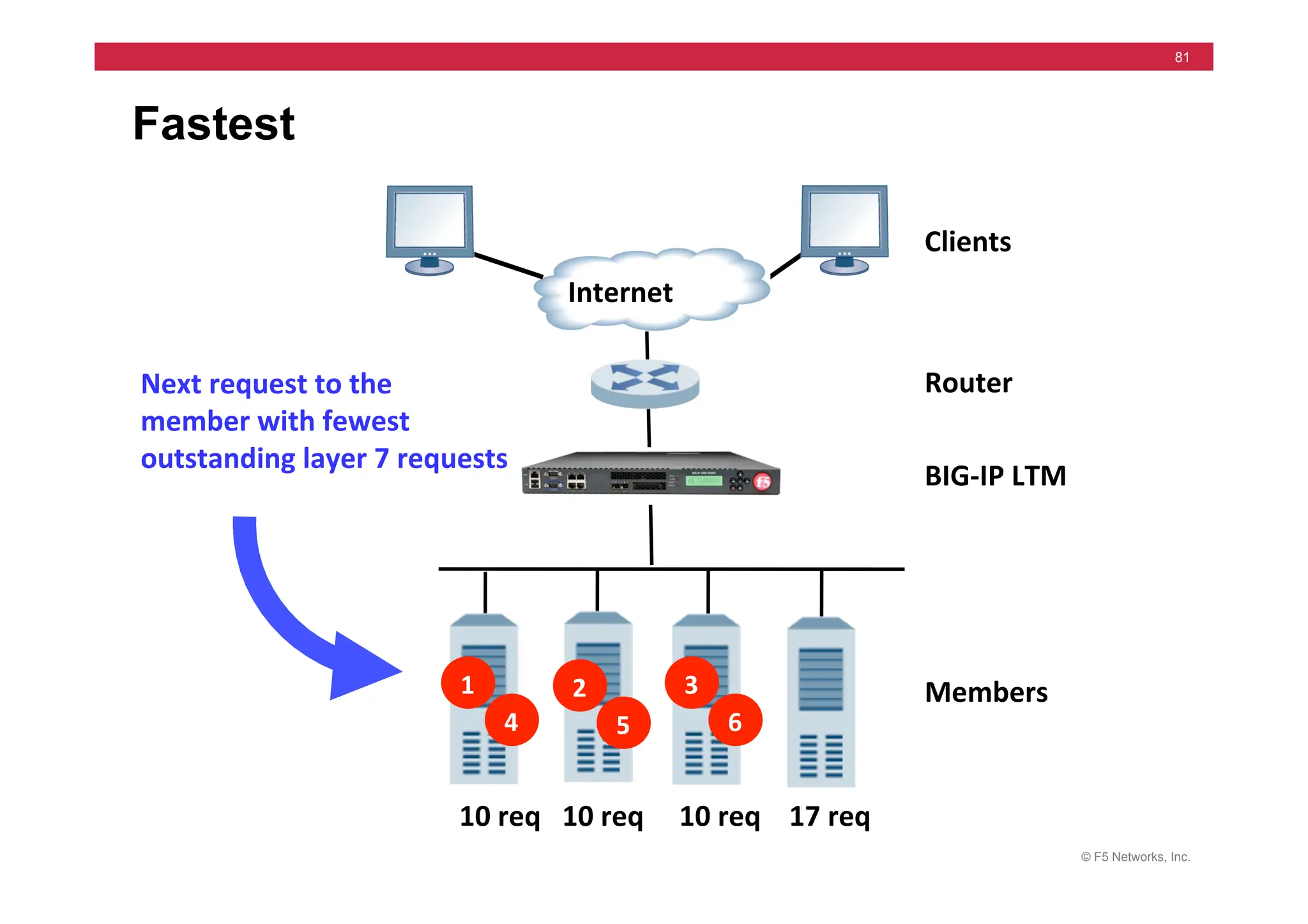
Fastest
Next	
  request	
  to	
  the	
  
member	
  with	
  fewest	
  
outstanding	
  layer	
  7	
  requests	
  
Clients	
  
Router	
  
Members	
  
Internet	
  
BIG-­‐IP	
  LTM	
  
2	
  
5	
  
1	
  
4	
  
3	
  
6	
  
10	
  req	
  	
  	
  10	
  req	


  10	
  req	


  17	
  req	
  
© F5 Networks, Inc.
82
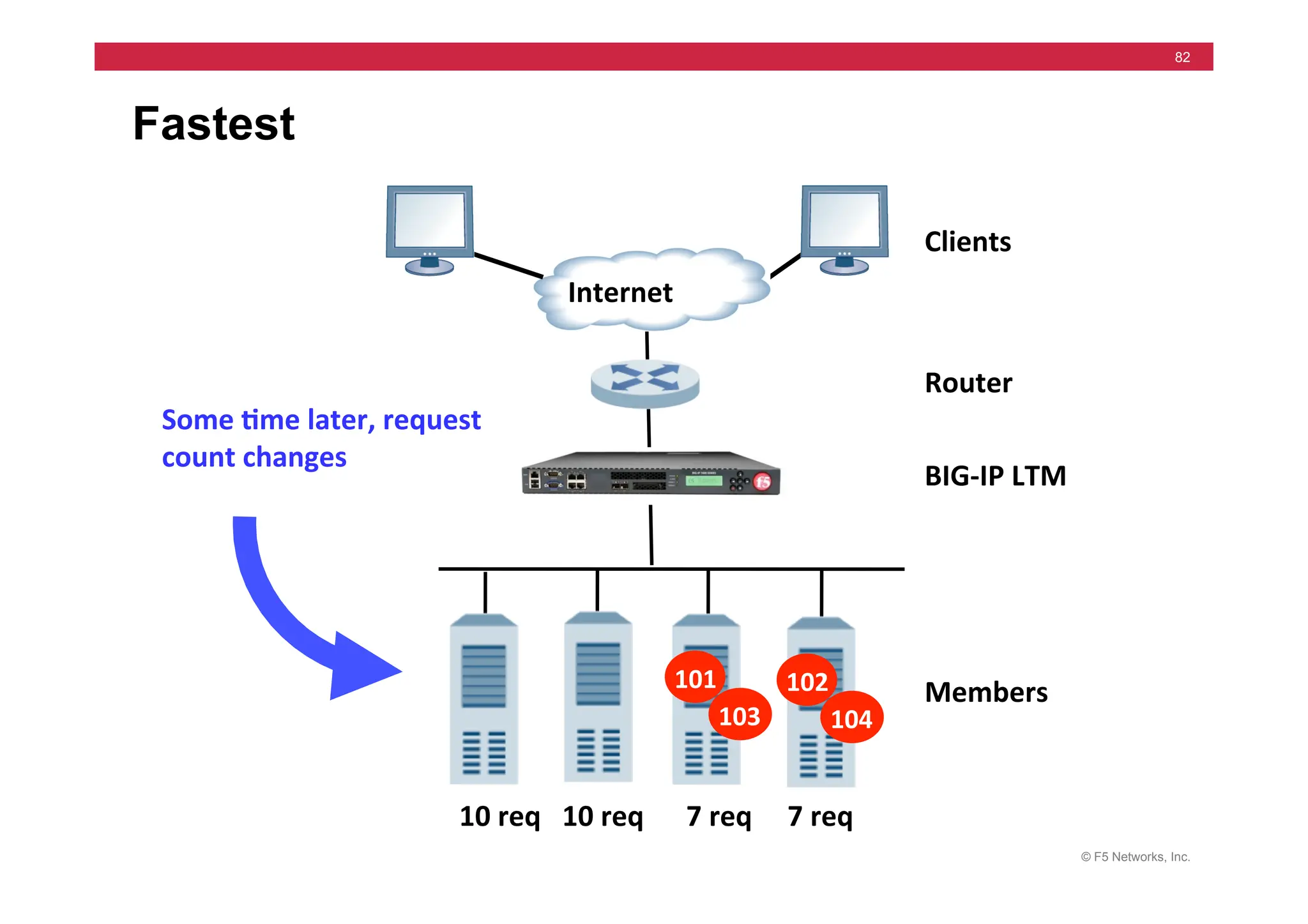
Fastest
Some	
  5me	
  later,	
  request	
  
count	
  changes	
  
Clients	
  
Router	
  
Members	
  
Internet	
  
BIG-­‐IP	
  LTM	
  
10	
  req	
  	
  	
  10	
  req	


  7	
  req	


  7	
  req	
  
102	
  
104	
  
101	
  
103	
  
© F5 Networks, Inc.
83
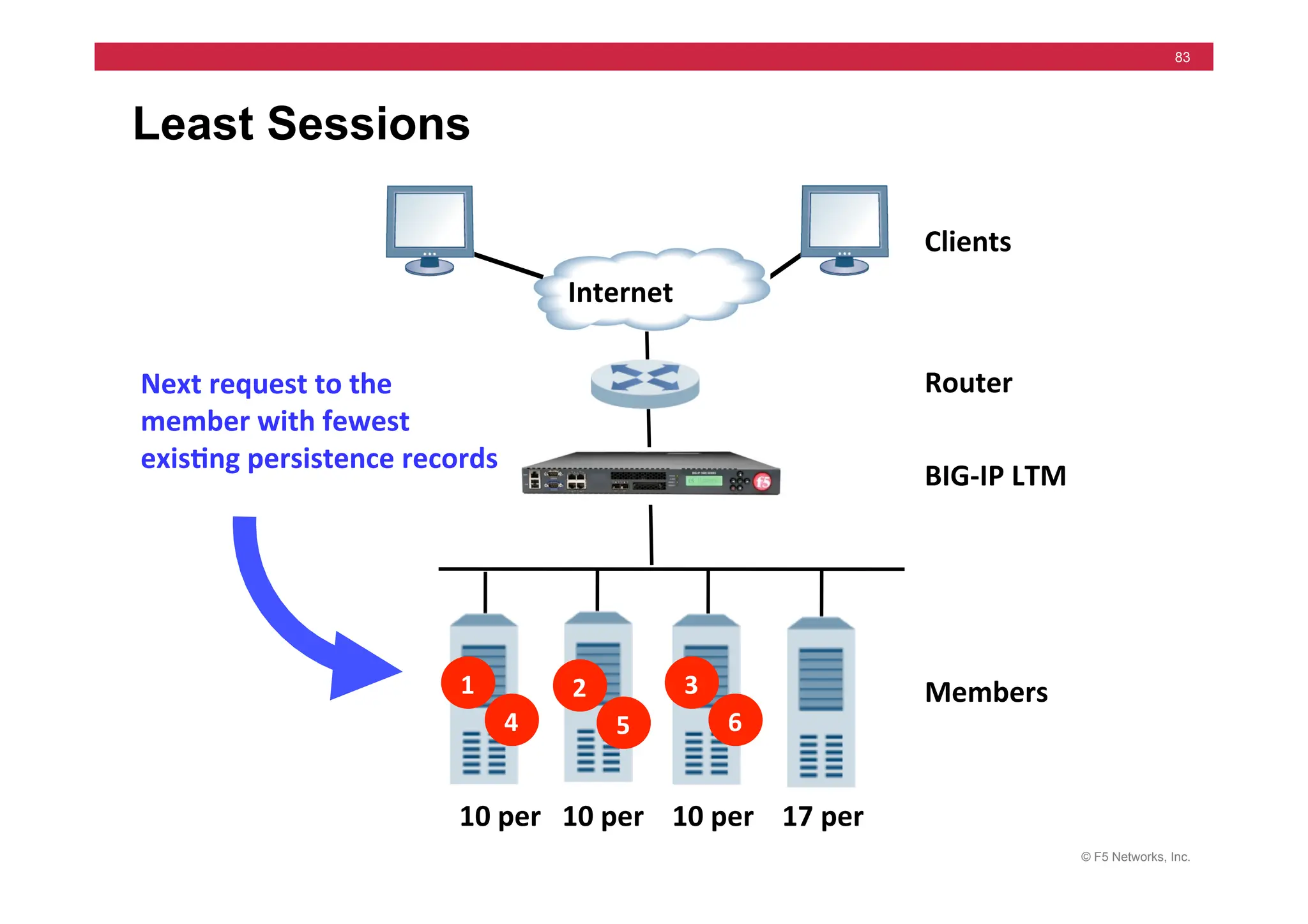
Least Sessions
Next	
  request	
  to	
  the	
  
member	
  with	
  fewest	
  	
  
exis5ng	
  persistence	
  records	
  
Clients	
  
Router	
  
Members	
  
Internet	
  
BIG-­‐IP	
  LTM	
  
2	
  
5	
  
1	
  
4	
  
3	
  
6	
  
10	
  per	
  	
  	
  10	
  per	


  10	
  per	


  17	
  per	
  
© F5 Networks, Inc.
84
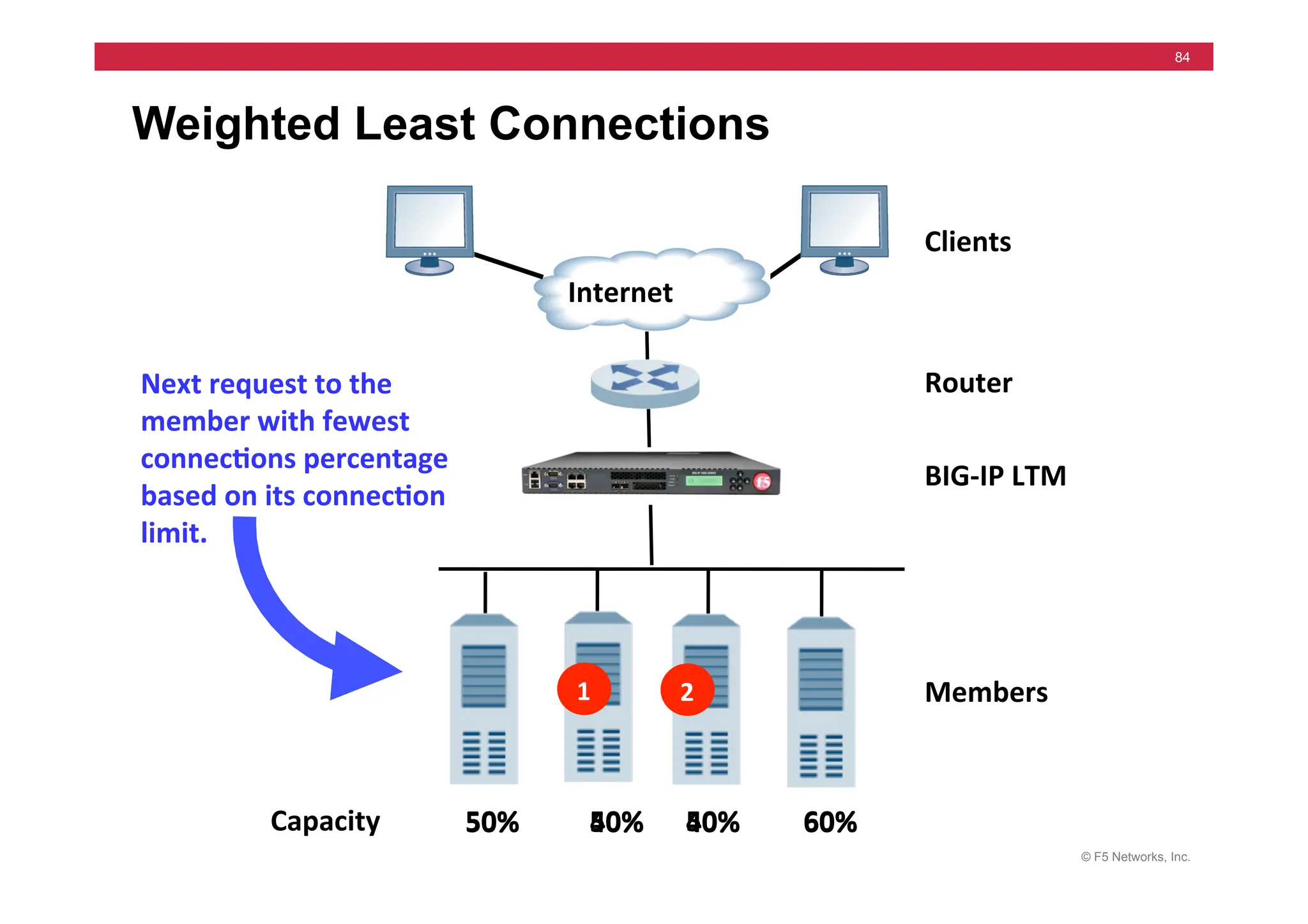
Weighted Least Connections
Next	
  request	
  to	
  the	
  
member	
  with	
  fewest	
  
connec5ons	
  percentage	
  
based	
  on	
  its	
  connec5on	
  
limit.	
  
Clients	
  
Router	
  
Members	
  
Internet	
  
BIG-­‐IP	
  LTM	
  
2	
  
1	
  
50%	


  40%	


  40%	


  60%	
  
50%	


  50%	


  50%	


  60%	
  
50%	


  50%	


  40%	


  60%	
  
Capacity	
  
© F5 Networks, Inc.
85
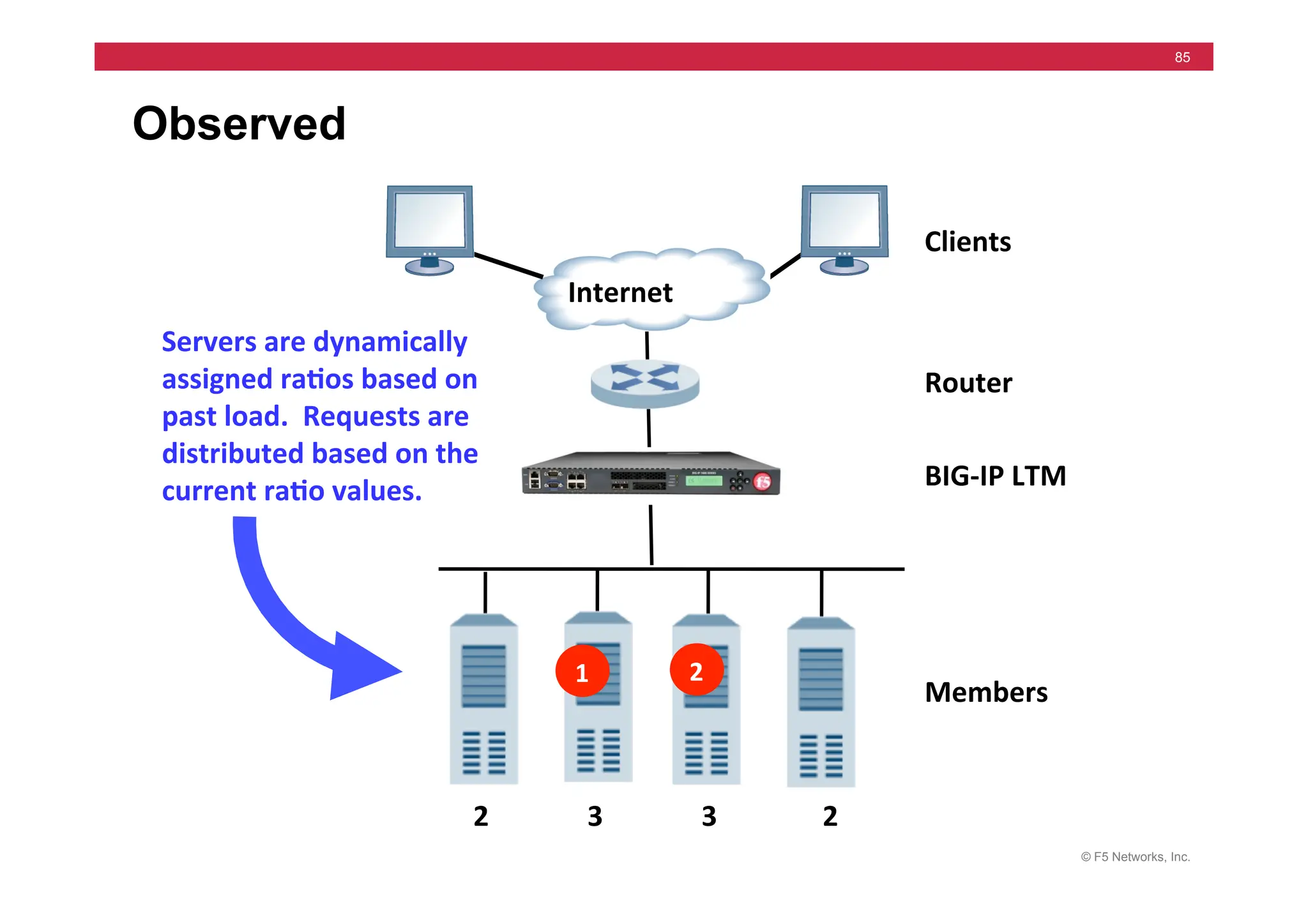
Observed
Servers	
  are	
  dynamically	
  
assigned	
  ra5os	
  based	
  on	
  
past	
  load.	
  	
  Requests	
  are	
  
distributed	
  based	
  on	
  the	
  
current	
  ra5o	
  values.	
  	
  
Clients	
  
Router	
  
Members	
  
Internet	
  
BIG-­‐IP	
  LTM	
  
1	
   2	


  2	


  3	


  3	


  2	
  
© F5 Networks, Inc.
86
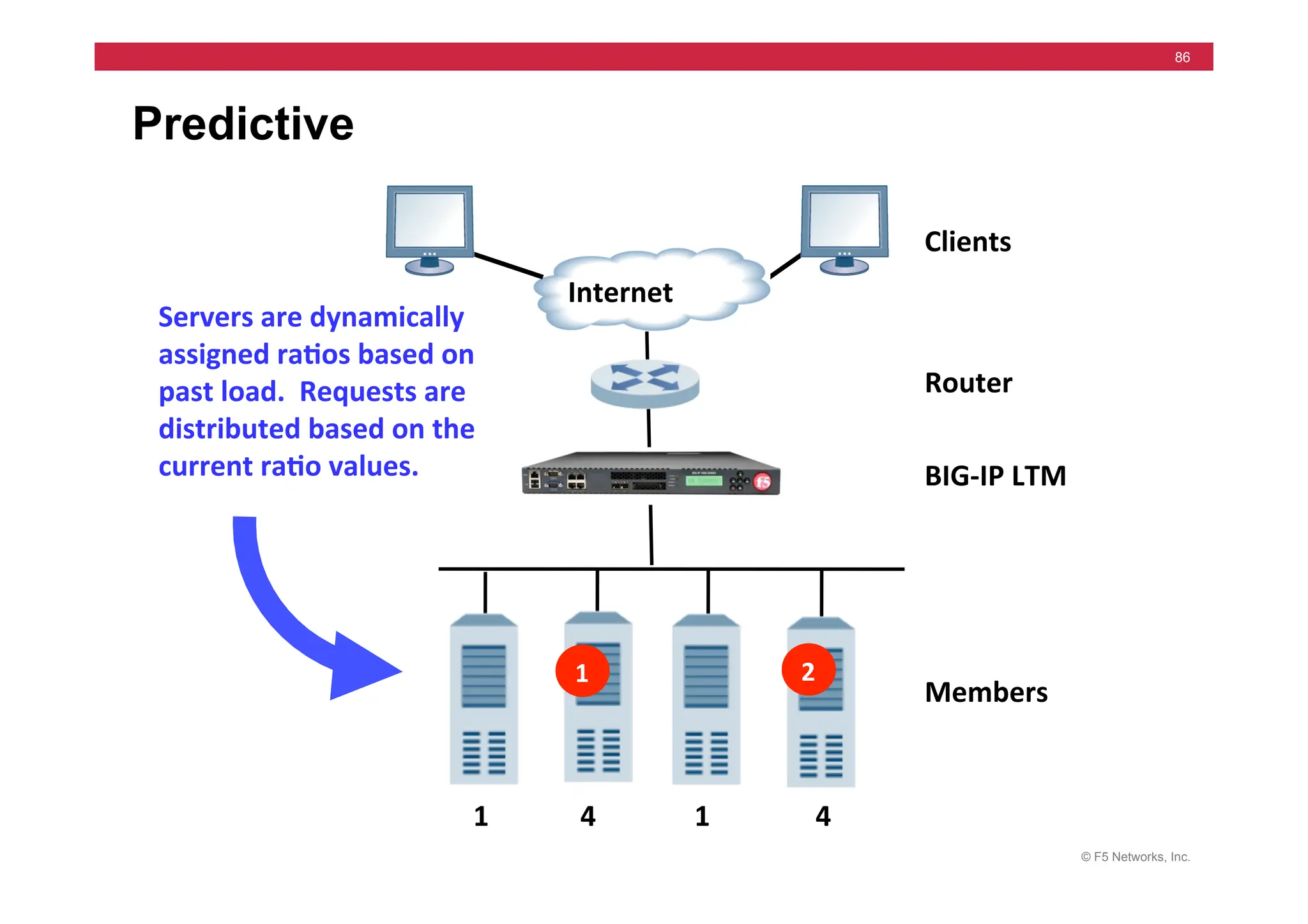
Predictive
Servers	
  are	
  dynamically	
  
assigned	
  ra5os	
  based	
  on	
  
past	
  load.	
  	
  Requests	
  are	
  
distributed	
  based	
  on	
  the	
  
current	
  ra5o	
  values.	
  	
  
Clients	
  
Router	
  
Members	
  
Internet	
  
BIG-­‐IP	
  LTM	
  
1	
   2	


  1	


  4	


  1	


  4	
  
© F5 Networks, Inc.
87
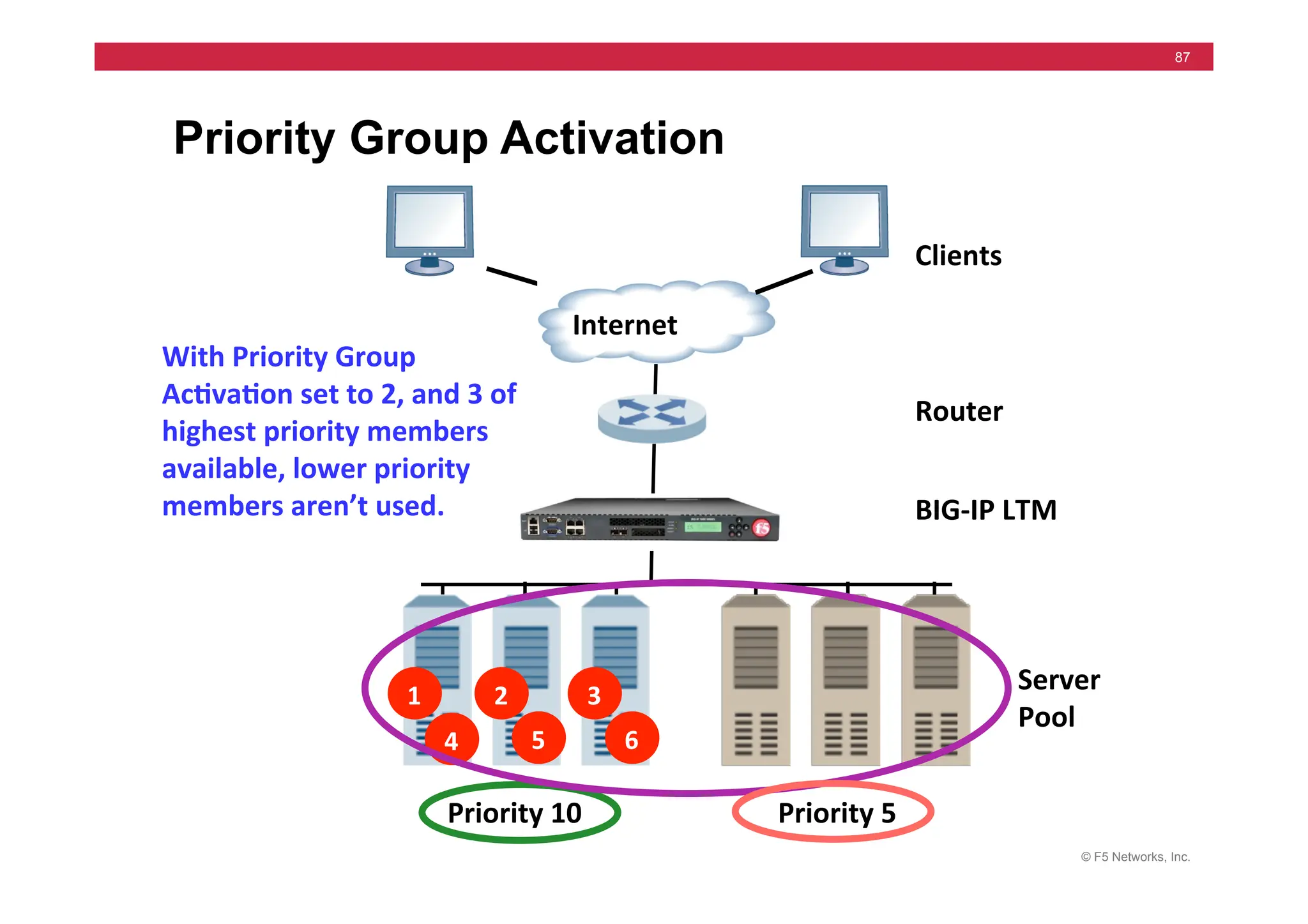
Priority Group Activation
Clients	
  
Router	
  
Server	
  
Pool	
  
1	
   3	
  
5	
  
2	
  
4	
   6	
  
Internet	
  
Priority	
  5	
  
Priority	
  10	
  
With	
  Priority	
  Group	
  
Ac5va5on	
  set	
  to	
  2,	
  and	
  3	
  of	
  
highest	
  priority	
  members	
  
available,	
  lower	
  priority	
  
members	
  aren’t	
  used.	
   BIG-­‐IP	
  LTM	
  
© F5 Networks, Inc.
88
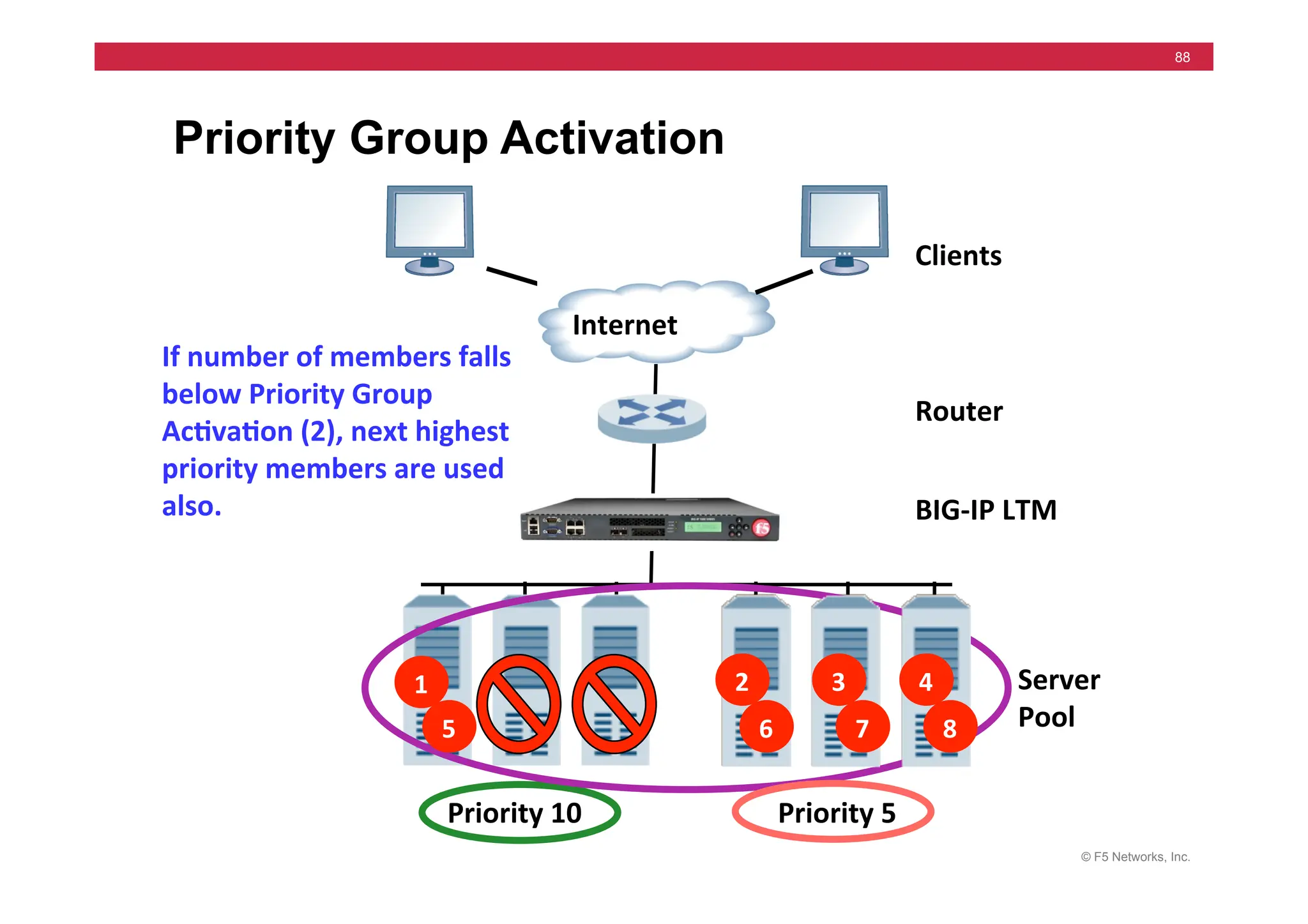
Priority Group Activation
Clients	
  
Router	
  
Server	
  
Pool	
  
Internet	
  
Priority	
  5	
  
Priority	
  10	
  
If	
  number	
  of	
  members	
  falls	
  
below	
  Priority	
  Group	
  
Ac5va5on	
  (2),	
  next	
  highest	
  
priority	
  members	
  are	
  used	
  
also.	
   BIG-­‐IP	
  LTM	
  
5	
  
1	
   2	
  
6	
  
3	
  
7	
  
4	
  
8	
  
© F5 Networks, Inc.
89
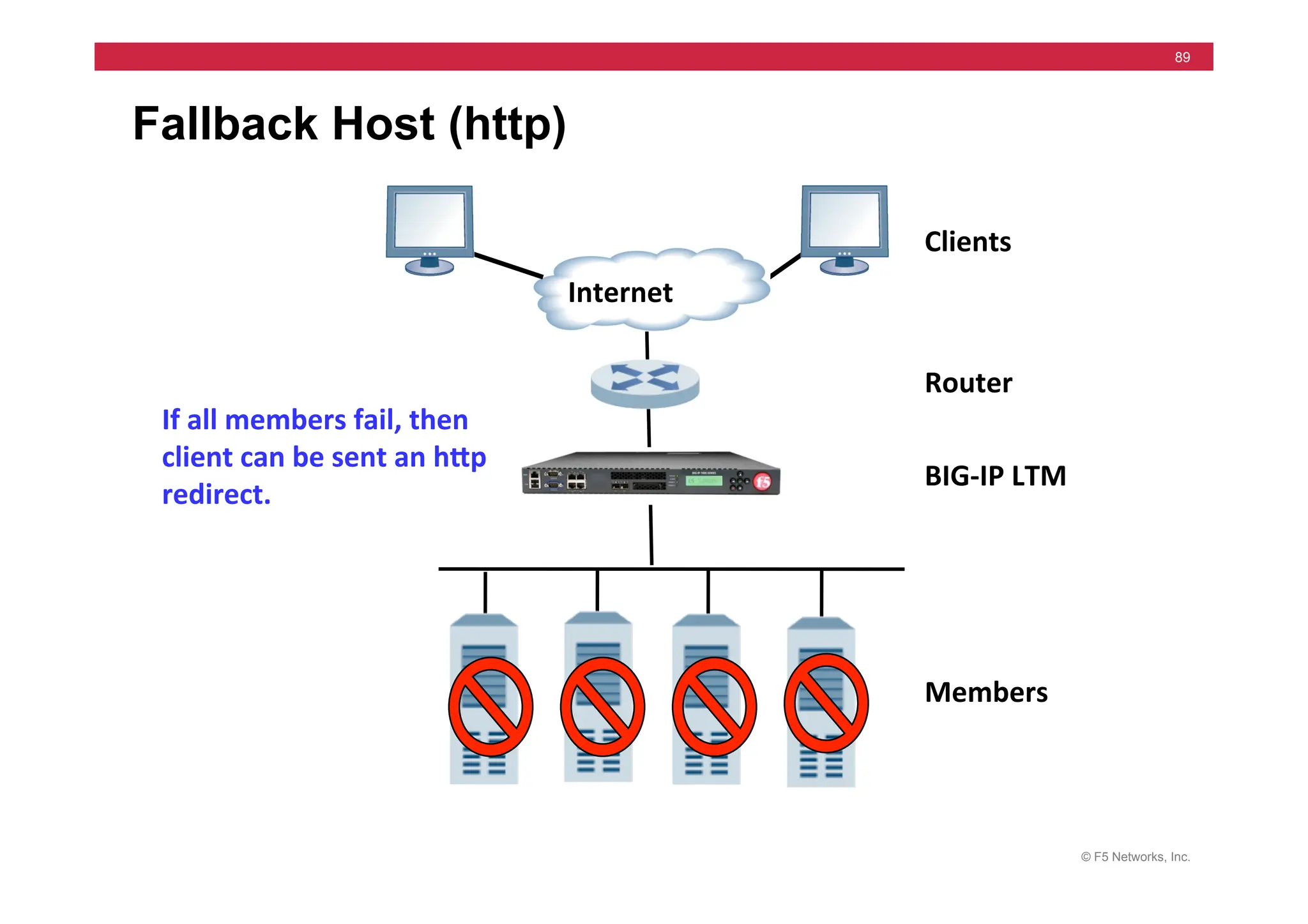
Fallback Host (http)
If	
  all	
  members	
  fail,	
  then	
  
client	
  can	
  be	
  sent	
  an	
  hMp	
  
redirect.	
  
Clients	
  
Router	
  
Members	
  
Internet	
  
BIG-­‐IP	
  LTM	
  
© F5 Networks, Inc.
90
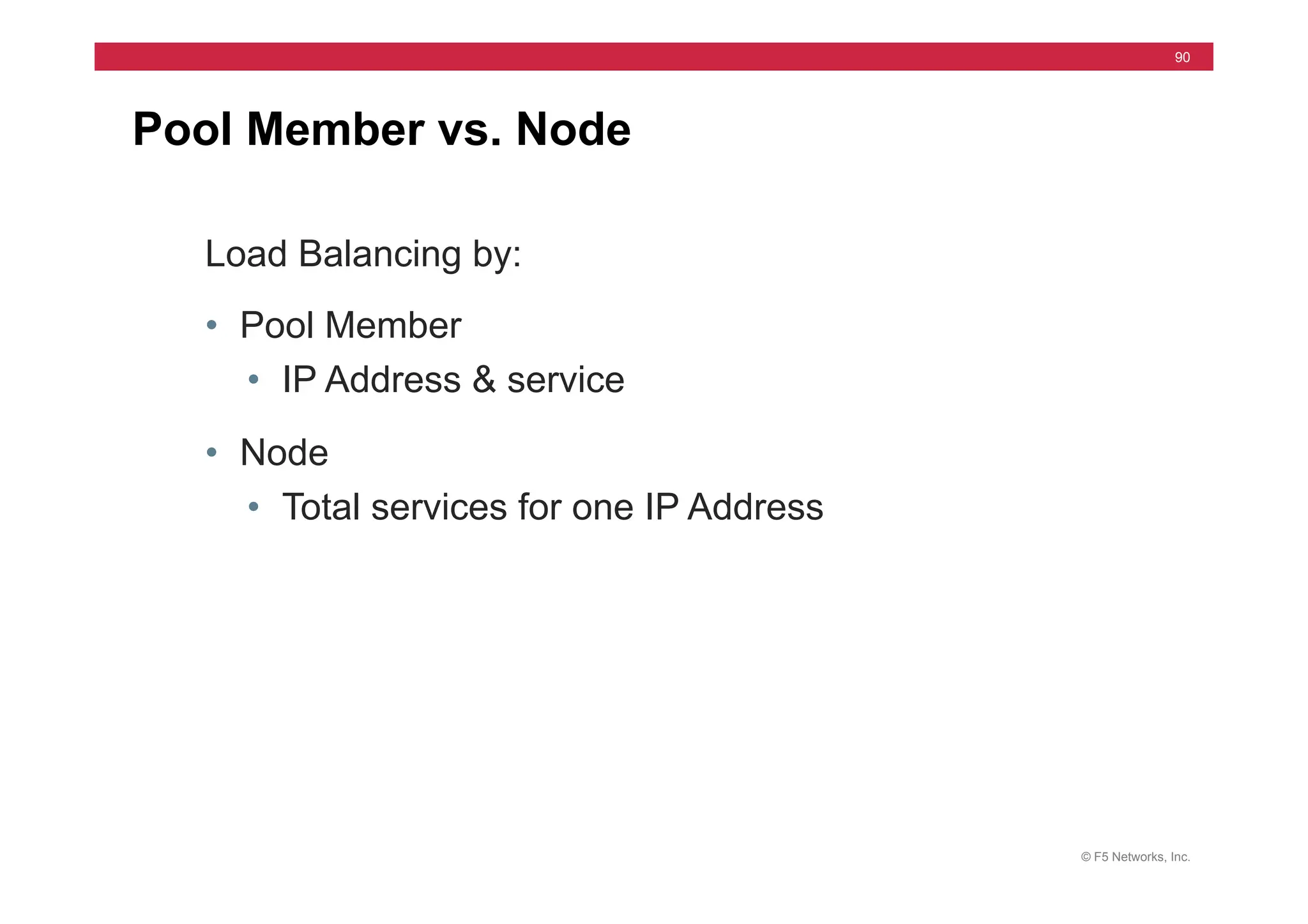
Pool Member vs. Node
Load Balancing by:
• Pool Member
• IP Address & service
• Node
• Total services for one IP Address
© F5 Networks, Inc.
91
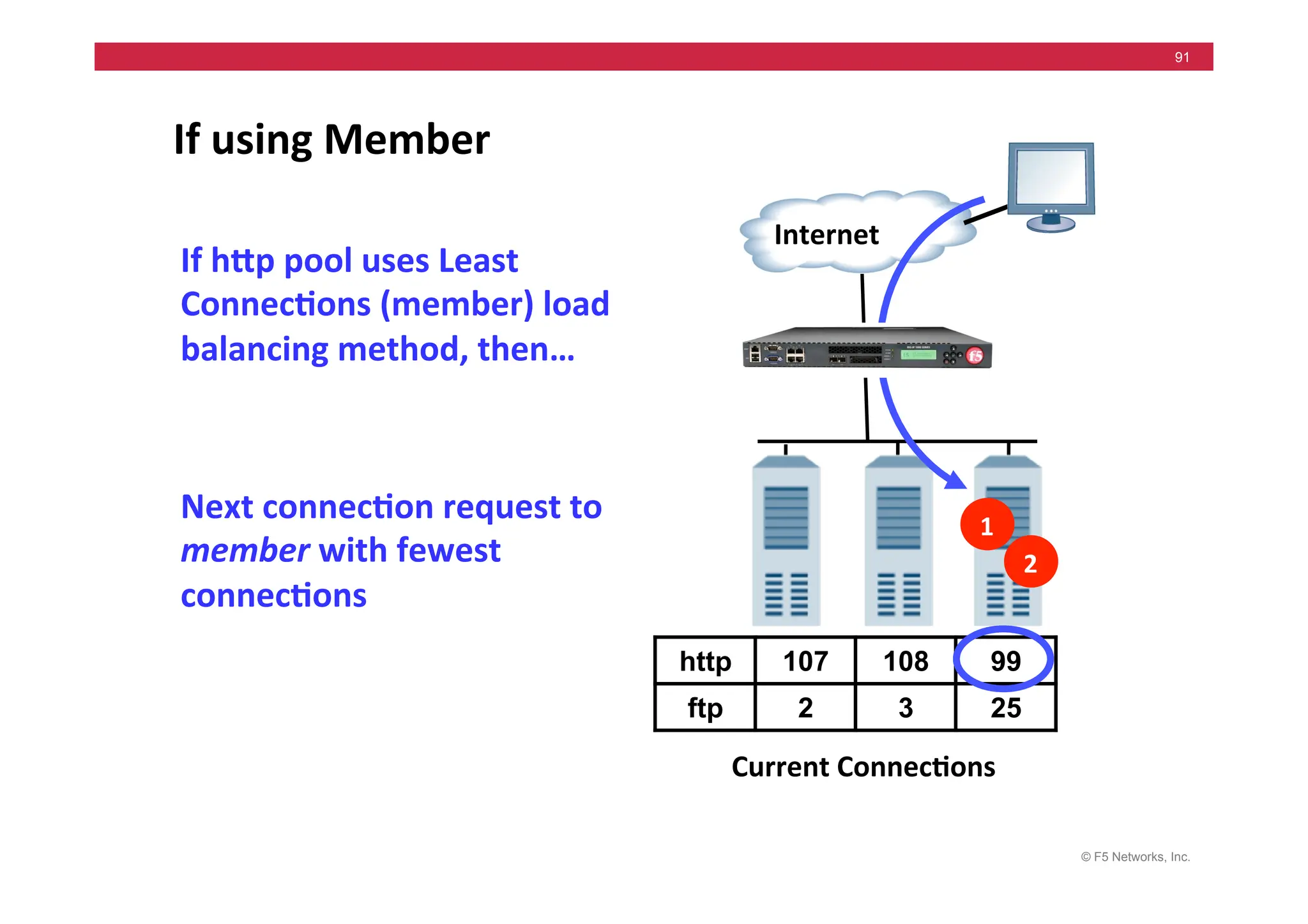
If	
  using	
  Member	
  
Internet	
  
Next	
  connec5on	
  request	
  to	
  
member	
  with	
  fewest	
  
connec5ons	
  
Current	
  Connec5ons	
  
http 107 108 99
ftp 2 3 25
1	
  
2	
  
If	
  hMp	
  pool	
  uses	
  Least	
  
Connec5ons	
  (member)	
  load	
  
balancing	
  method,	
  then…	
  
© F5 Networks, Inc.
92
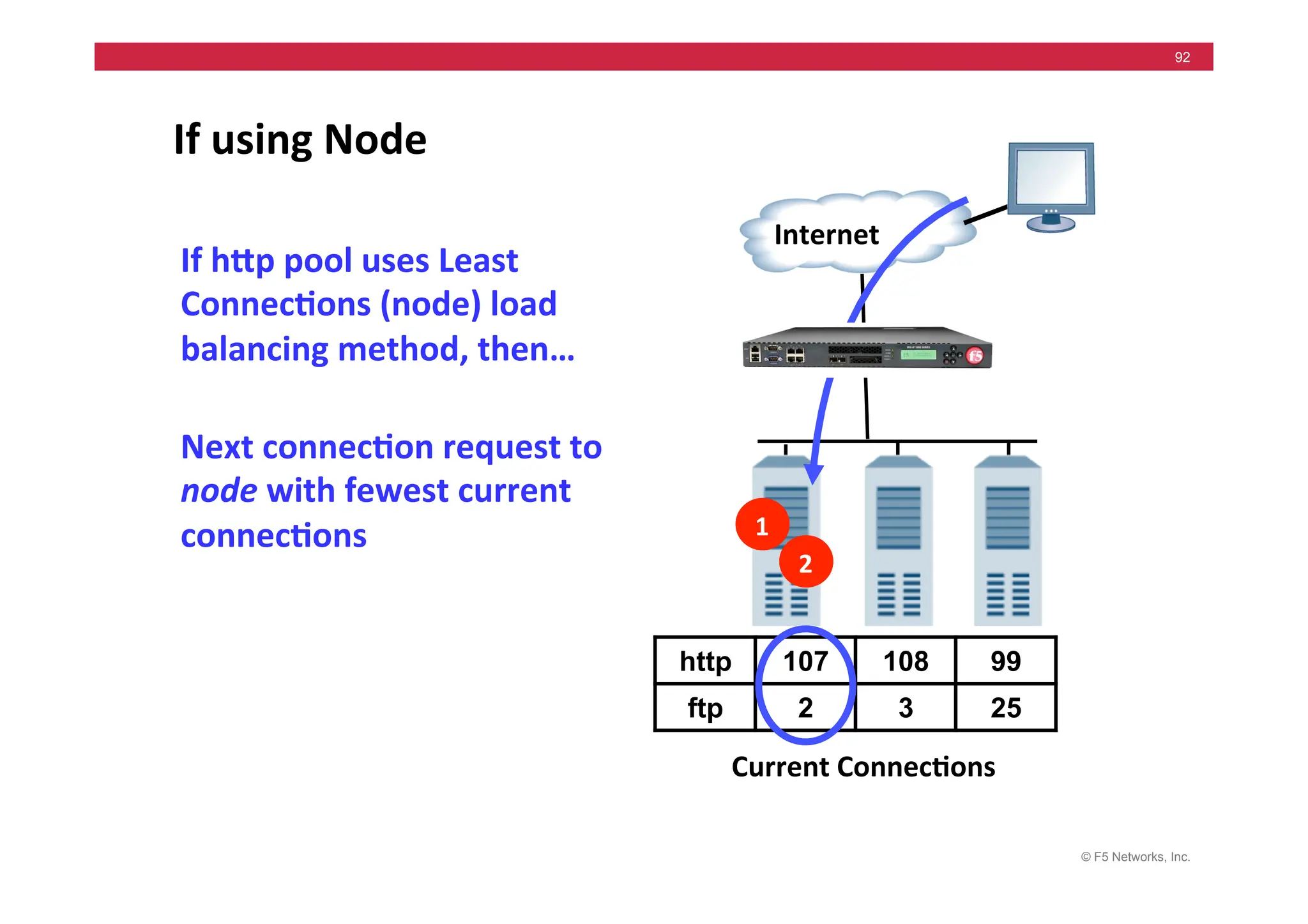
If	
  using	
  Node	
  
1	
  
2	
  
Internet	
  
Next	
  connec5on	
  request	
  to	
  
node	
  with	
  fewest	
  current	
  
connec5ons	
  
Current	
  Connec5ons	
  
http 107 108 99
ftp 2 3 25
If	
  hMp	
  pool	
  uses	
  Least	
  
Connec5ons	
  (node)	
  load	
  
balancing	
  method,	
  then…	
  
© F5 Networks, Inc.
93
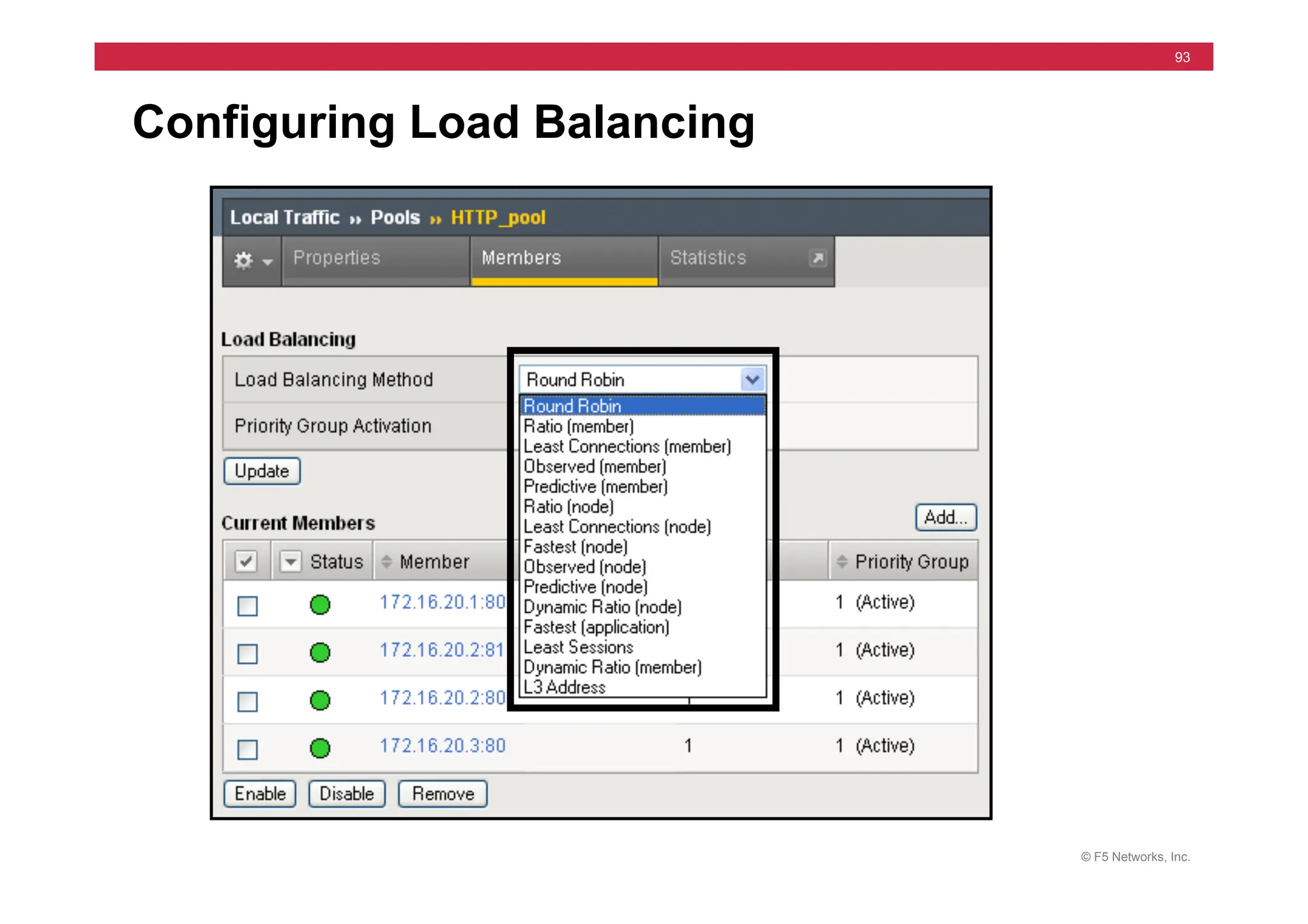
Configuring Load Balancing
© F5 Networks, Inc.
94
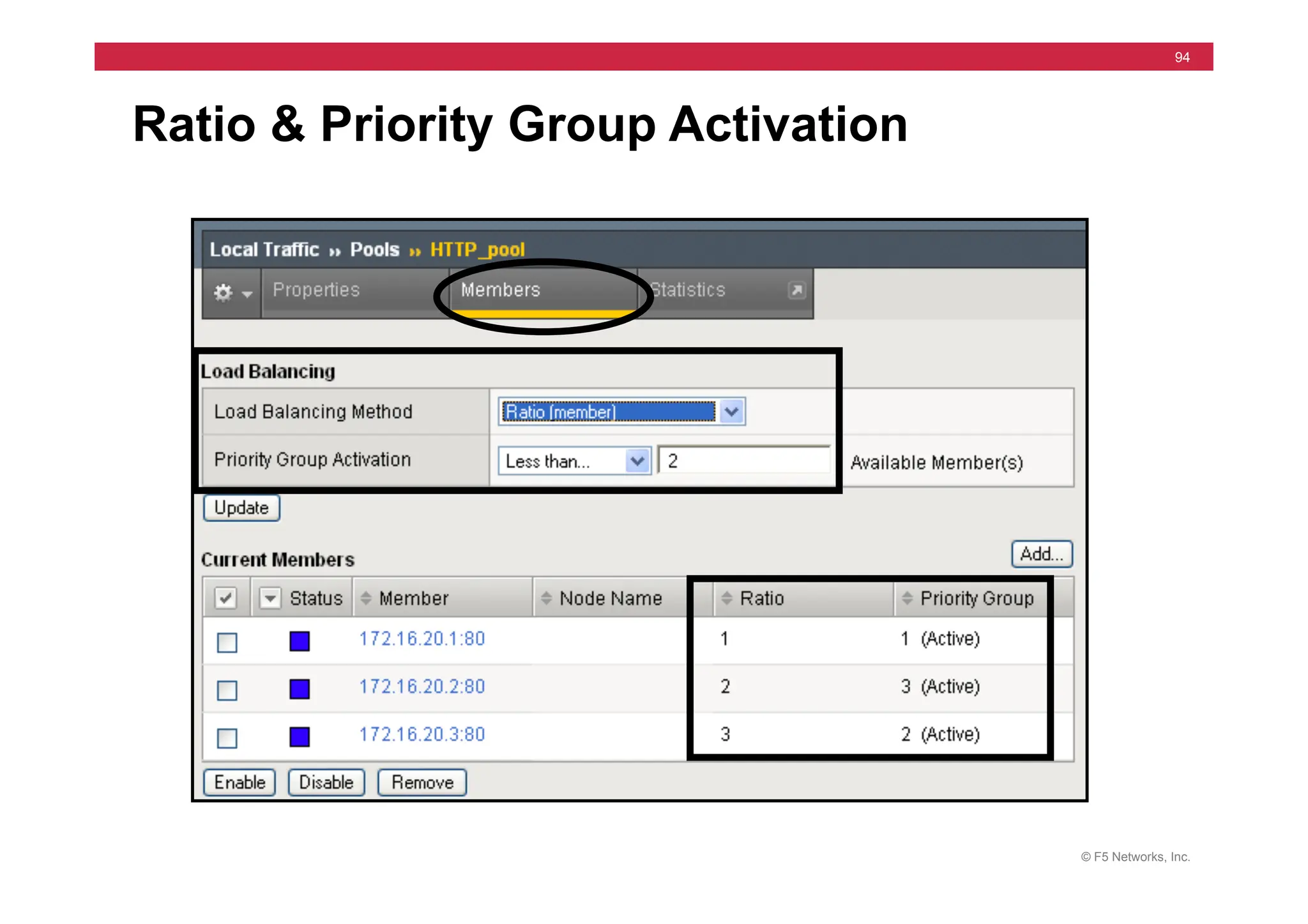
Ratio & Priority Group Activation
© F5 Networks, Inc.
95
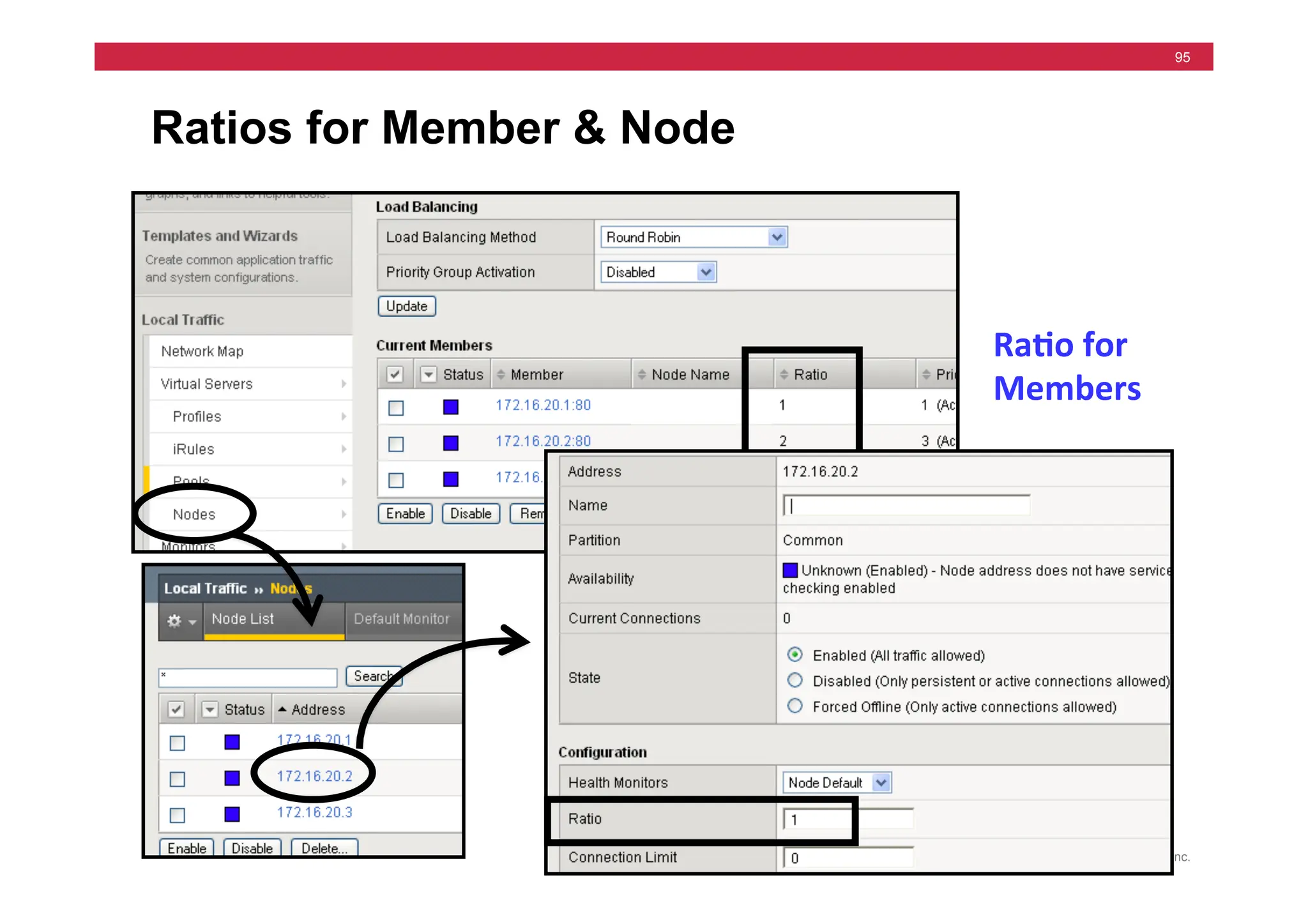
Ratios for Member & Node
Ra5o	
  for	
  
Members	
  
© F5 Networks, Inc.
96
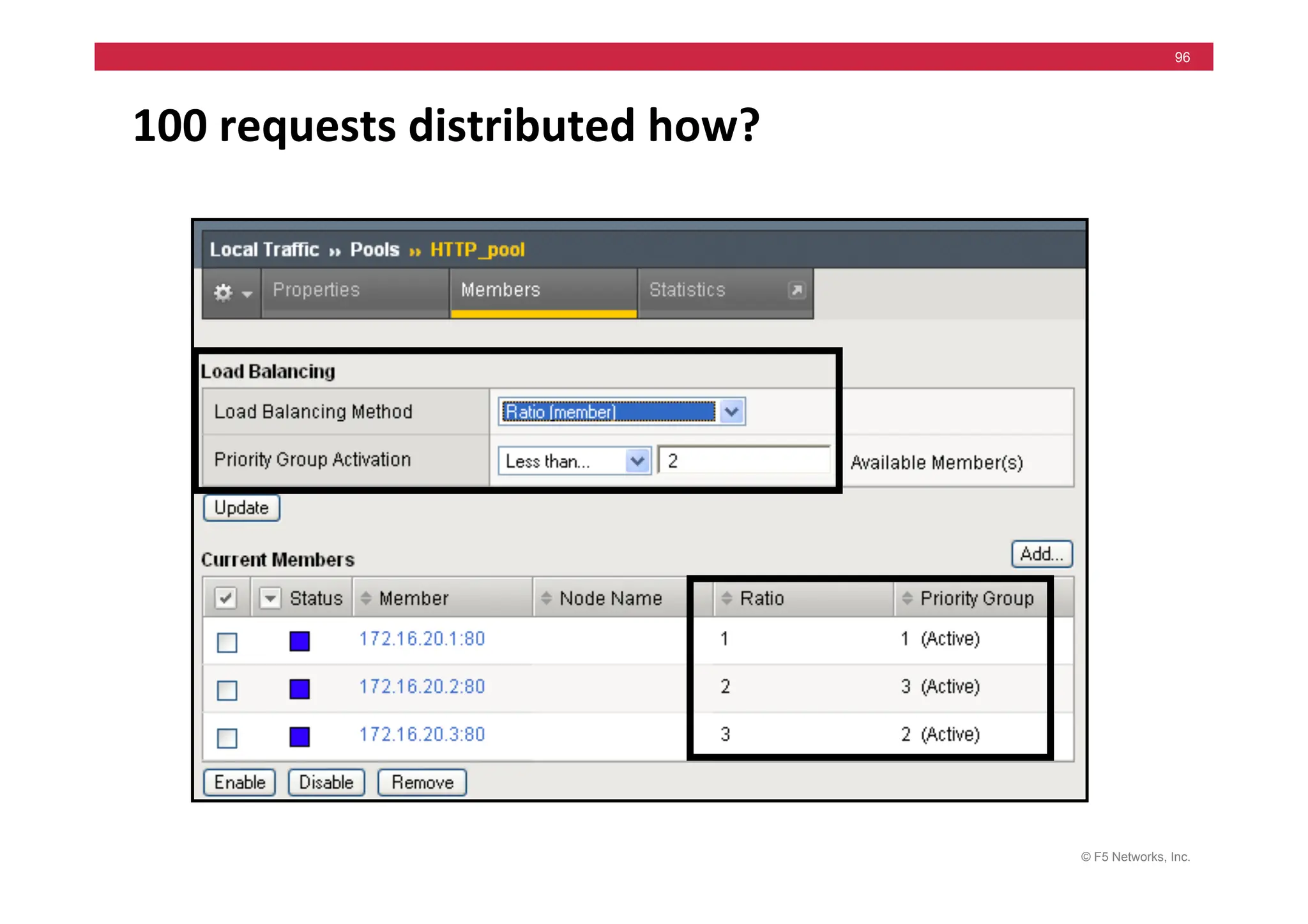
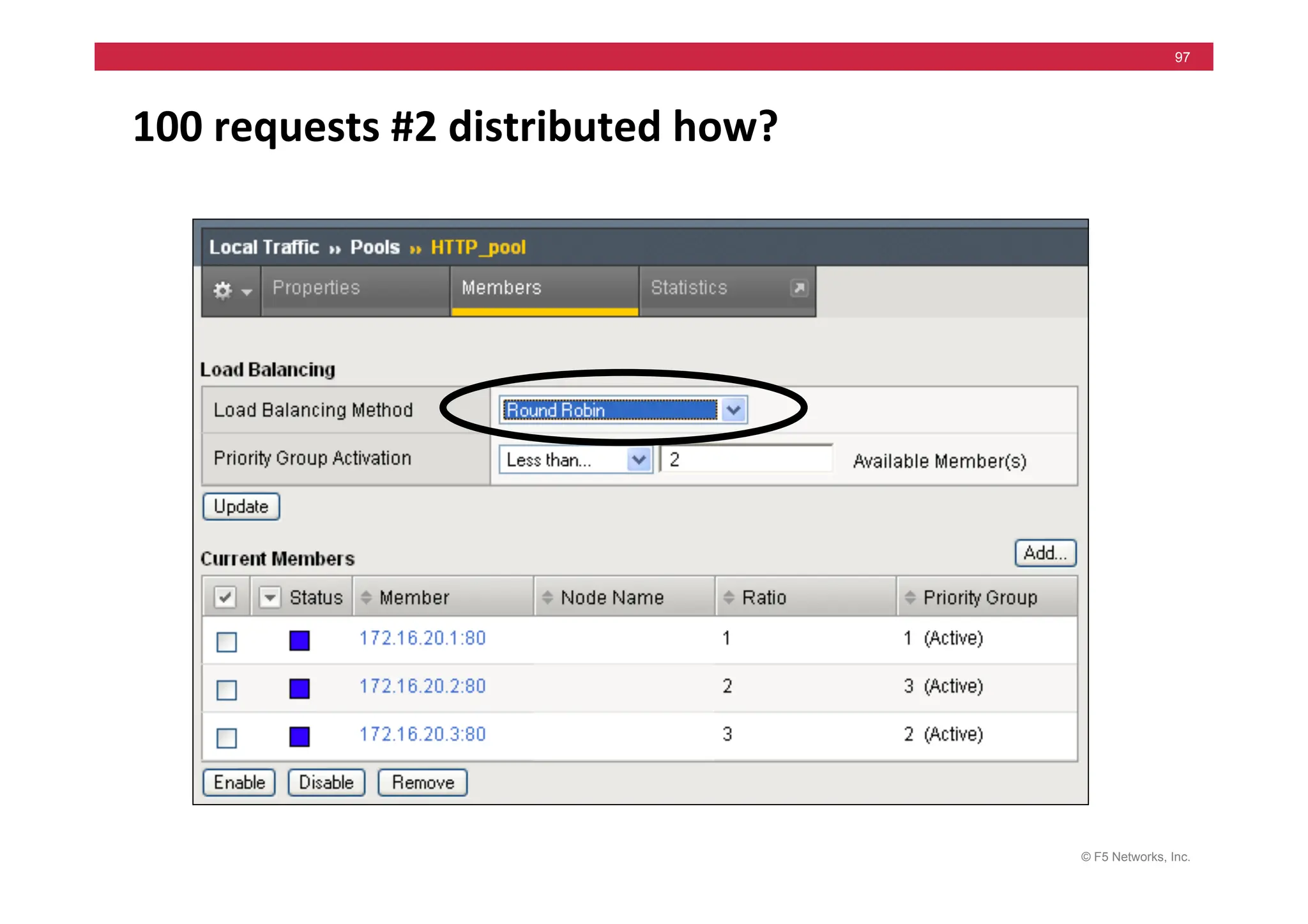
100	
  requests	
  distributed	
  how?	
  
© F5 Networks, Inc.
97
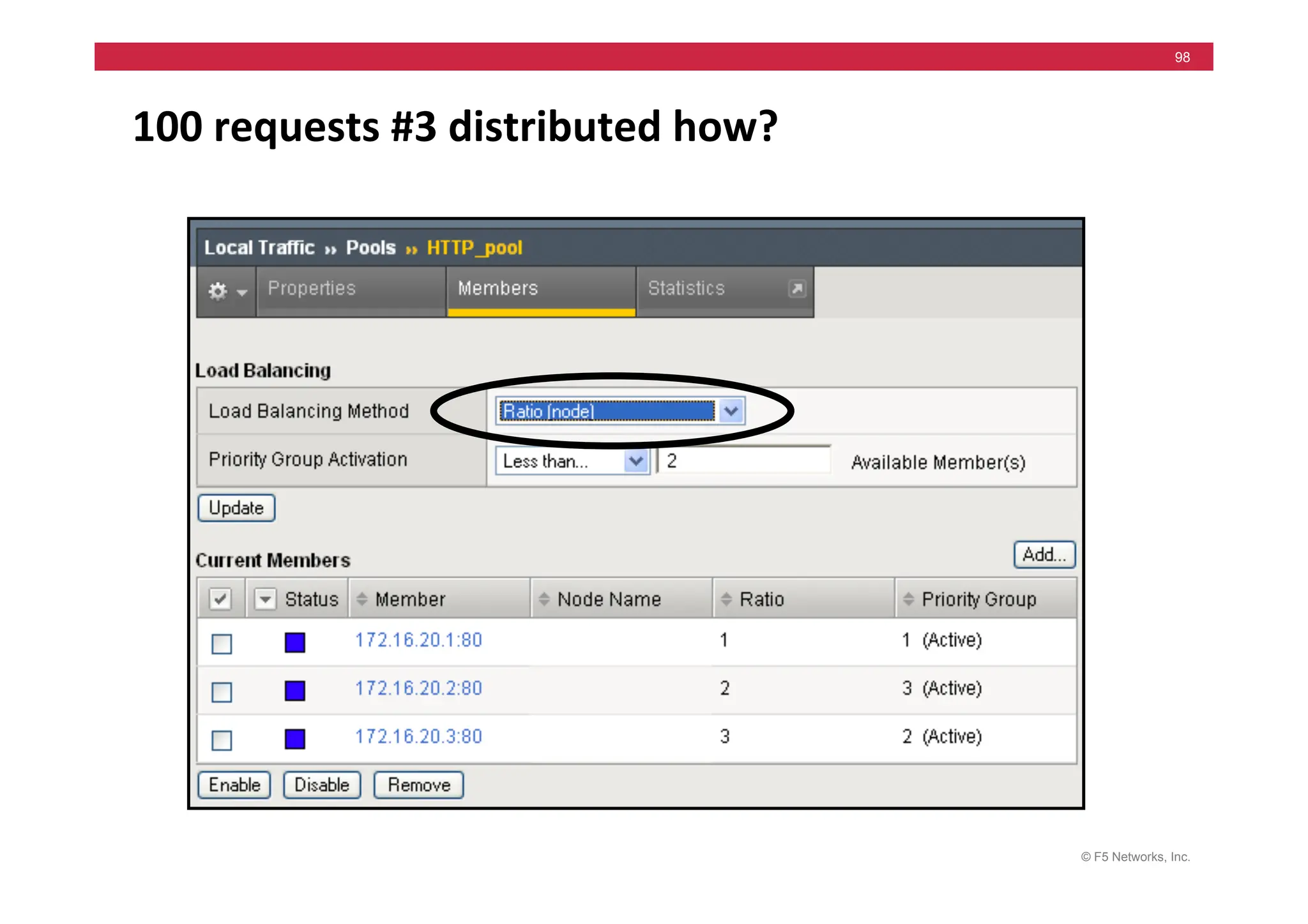
100	
  requests	
  #2	
  distributed	
  how?	
  
© F5 Networks, Inc.
98
100	
  requests	
  #3	
  distributed	
  how?	
  
© F5 Networks, Inc.
99
100	
  requests	
  #4	
  distributed	
  how?	
  
© F5 Networks, Inc.
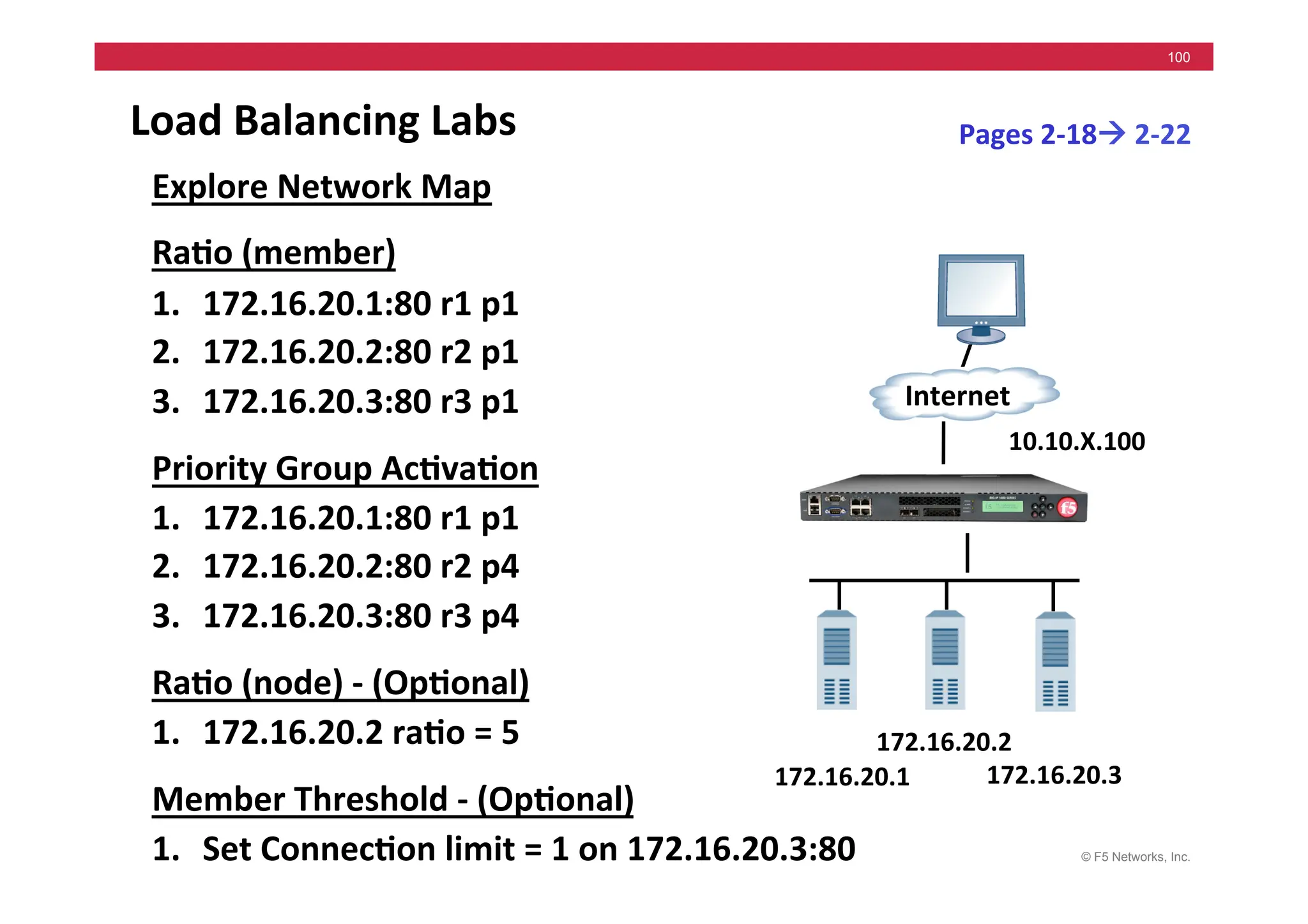
100
Load	
  Balancing	
  Labs	
  
Explore	
  Network	
  Map	
  
Ra5o	
  (member)	
  
1. 172.16.20.1:80	
  r1	
  p1	
  
2. 172.16.20.2:80	
  r2	
  p1	
  
3. 172.16.20.3:80	
  r3	
  p1	
  
Priority	
  Group	
  Ac5va5on	
  
1. 172.16.20.1:80	
  r1	
  p1	
  
2. 172.16.20.2:80	
  r2	
  p4	
  
3. 172.16.20.3:80	
  r3	
  p4	
  
Ra5o	
  (node)	
  -­‐	
  (Op5onal)	
  
1. 172.16.20.2	
  ra5o	
  =	
  5	


Member	
  Threshold	
  -­‐	
  (Op5onal)	
  
1. Set	
  Connec5on	
  limit	
  =	
  1	
  on	
  172.16.20.3:80	
  
Pages	
  2-­‐18!	
  2-­‐22	
  
172.16.20.1	
  
Internet	
  
172.16.20.3	
  
172.16.20.2	
  
10.10.X.100	
  
© F5 Networks, Inc.
101
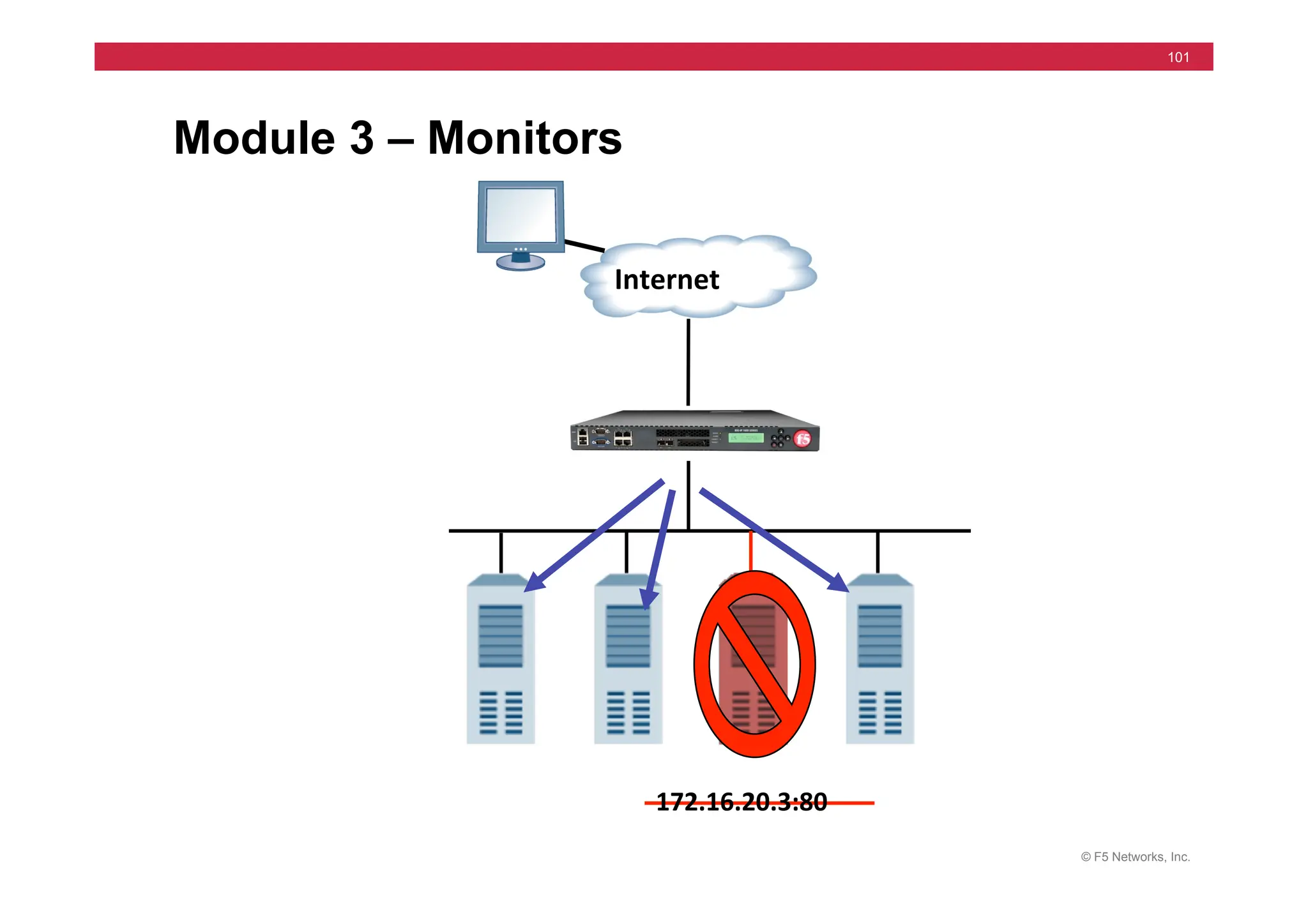
Module 3 – Monitors
Internet	
  
172.16.20.3:80	
  
© F5 Networks, Inc.
102
Module 3 - Outline
• Monitor Concepts
• Configuring Monitors
• Assigning Monitors
• Status: Node, Member, Pool, Virtual Server
• Health Monitor Labs
© F5 Networks, Inc.
103
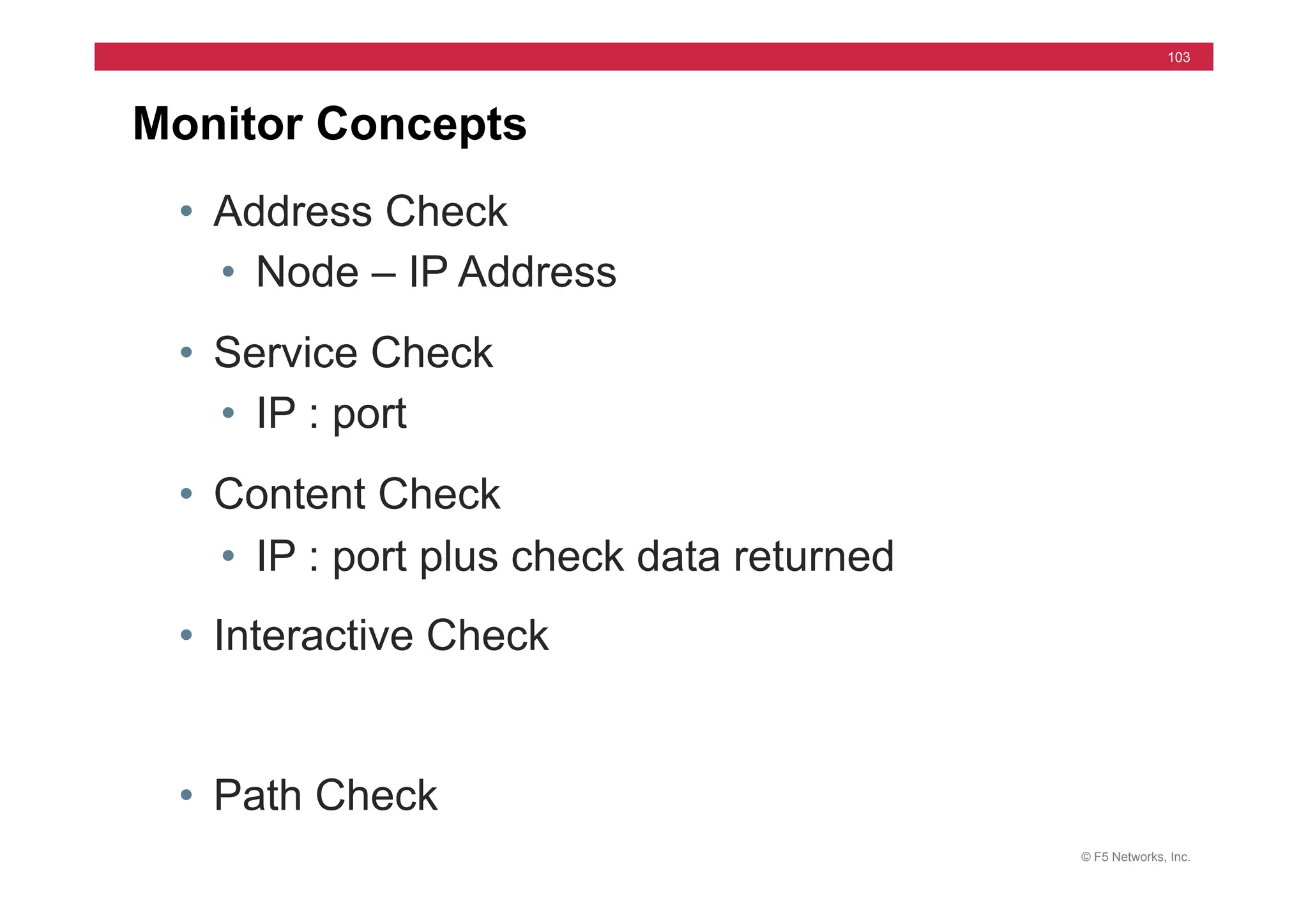
Monitor Concepts
• Address Check
• Node – IP Address
• Service Check
• IP : port
• Content Check
• IP : port plus check data returned
• Interactive Check
• Path Check
© F5 Networks, Inc.
104
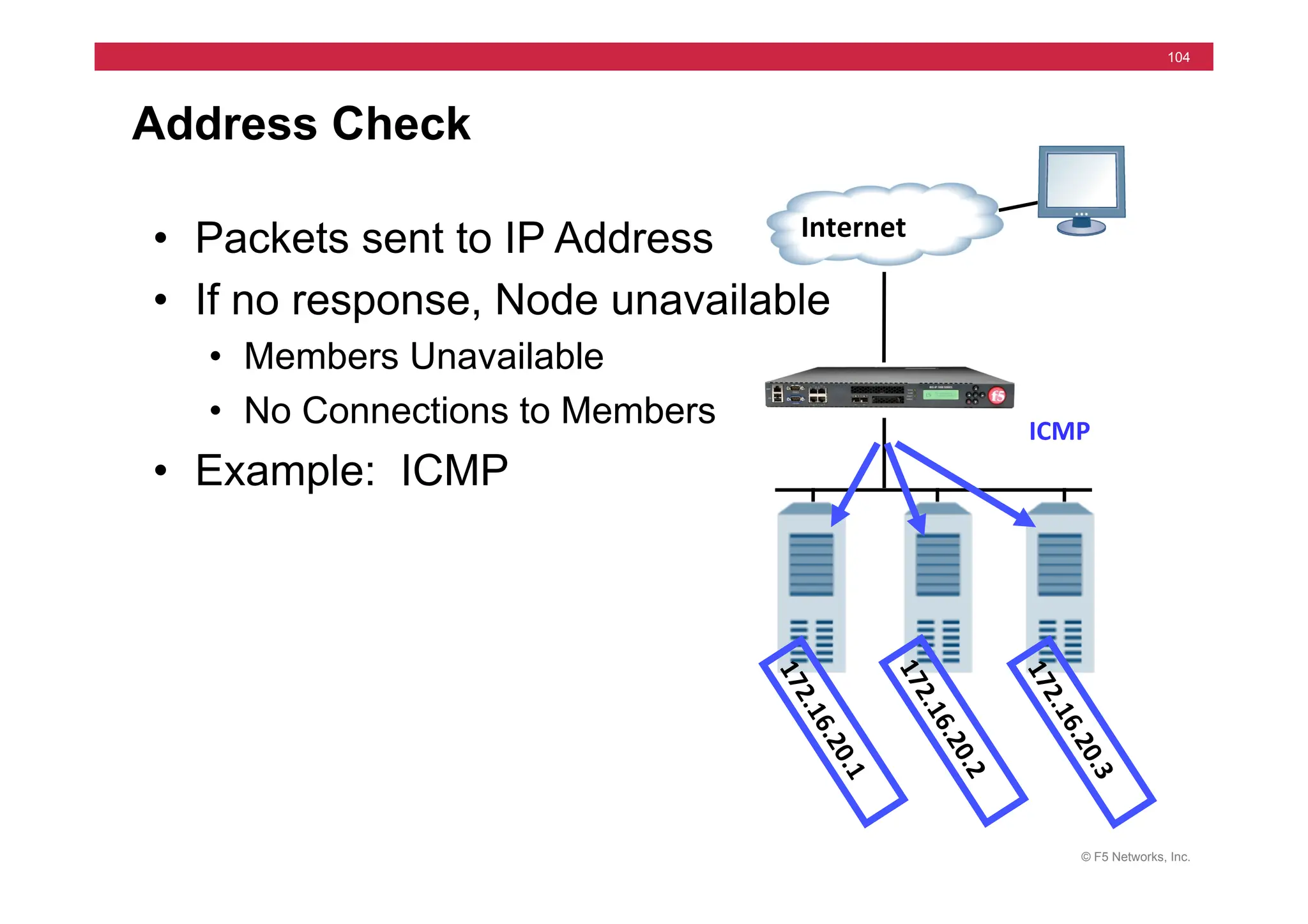
Address Check
• Packets sent to IP Address
• If no response, Node unavailable
• Members Unavailable
• No Connections to Members
• Example: ICMP
Internet	
  
ICMP	
  
© F5 Networks, Inc.
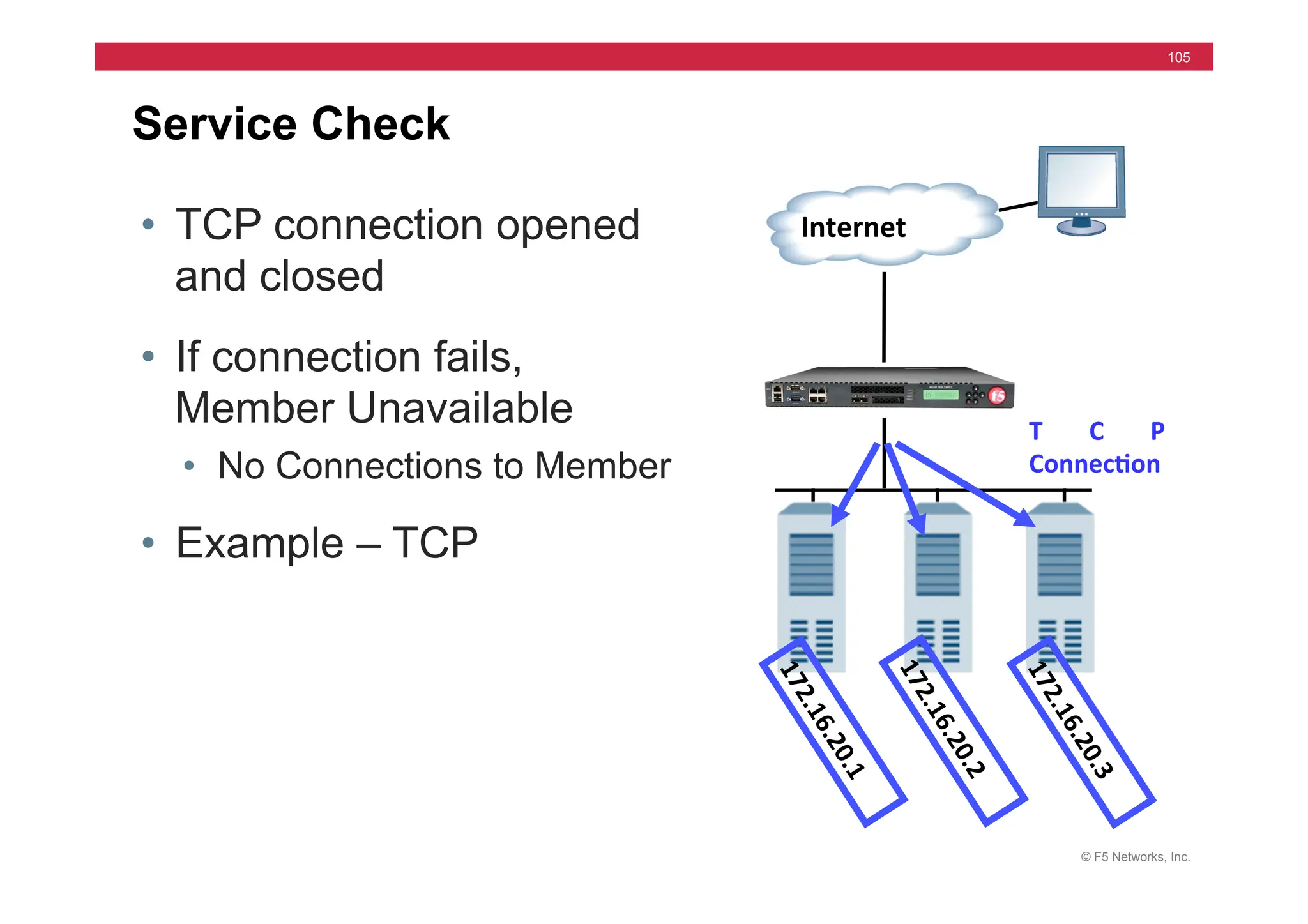
105
Service Check
• TCP connection opened
and closed
• If connection fails,
Member Unavailable
• No Connections to Member
• Example – TCP
Internet	
  
T C P	
  
Connec5on	
  
© F5 Networks, Inc.
106
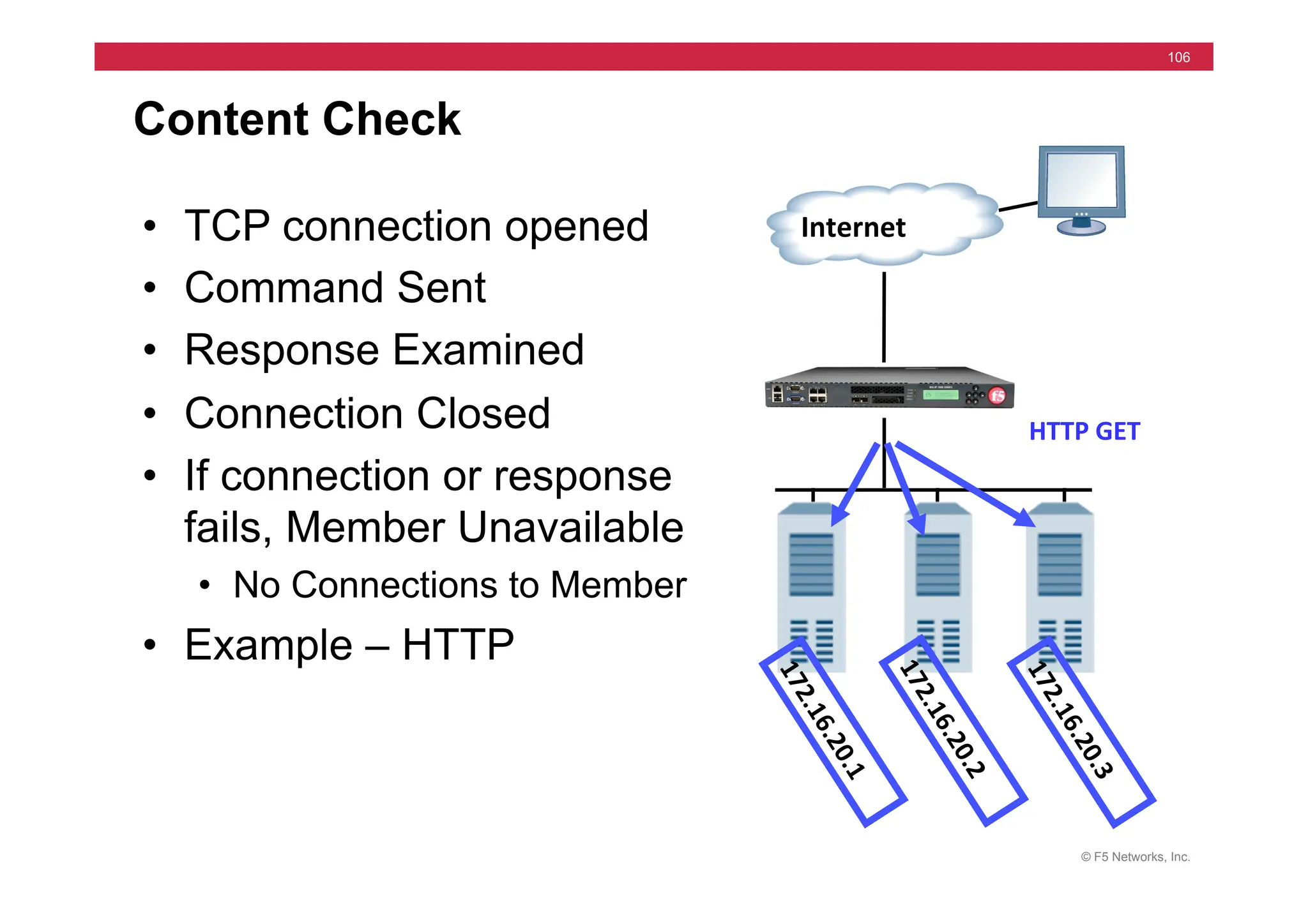
Content Check
• TCP connection opened
• Command Sent
• Response Examined
• Connection Closed
• If connection or response
fails, Member Unavailable
• No Connections to Member
• Example – HTTP
Internet	
  
HTTP	
  GET	
  
© F5 Networks, Inc.
107
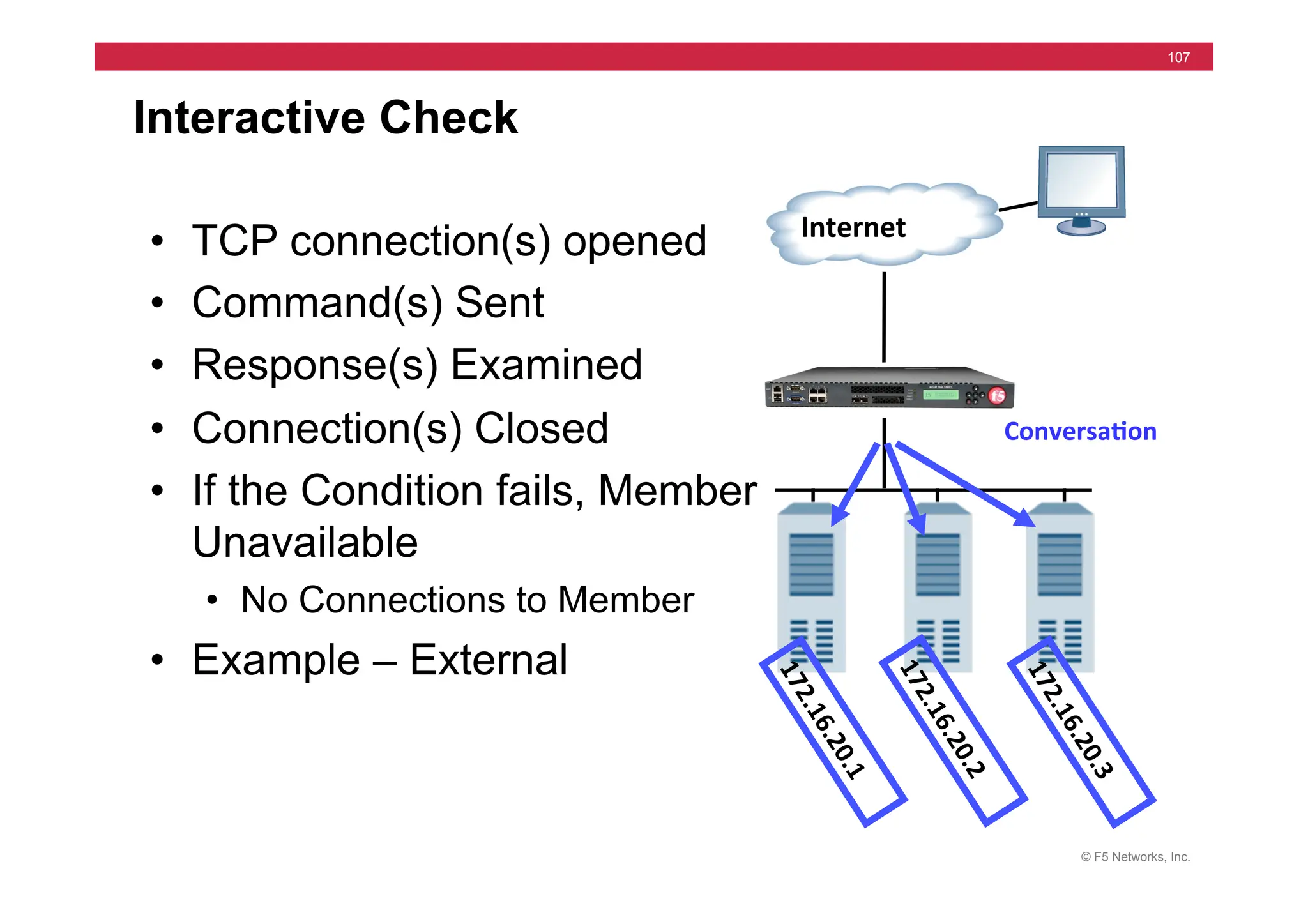
Interactive Check
• TCP connection(s) opened
• Command(s) Sent
• Response(s) Examined
• Connection(s) Closed
• If the Condition fails, Member
Unavailable
• No Connections to Member
• Example – External
Internet	
  
Conversa5on	
  
© F5 Networks, Inc.
108
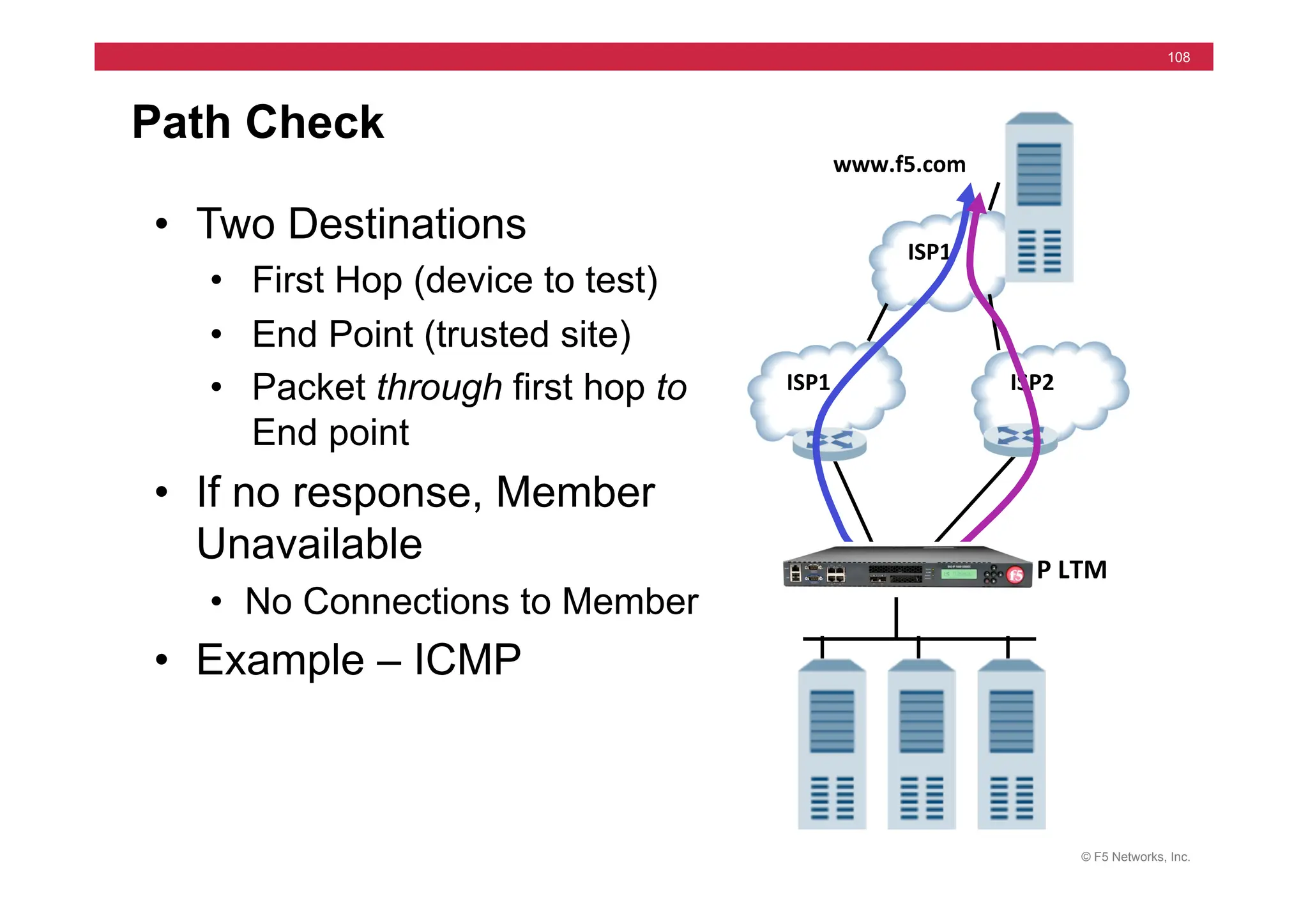
Path Check
ISP2	
  
ISP1	
  
ISP1	
  
www.f5.com	
  
BIG-­‐IP	
  LTM	
  
• Two Destinations
• First Hop (device to test)
• End Point (trusted site)
• Packet through first hop to
End point
• If no response, Member
Unavailable
• No Connections to Member
• Example – ICMP
© F5 Networks, Inc.
109
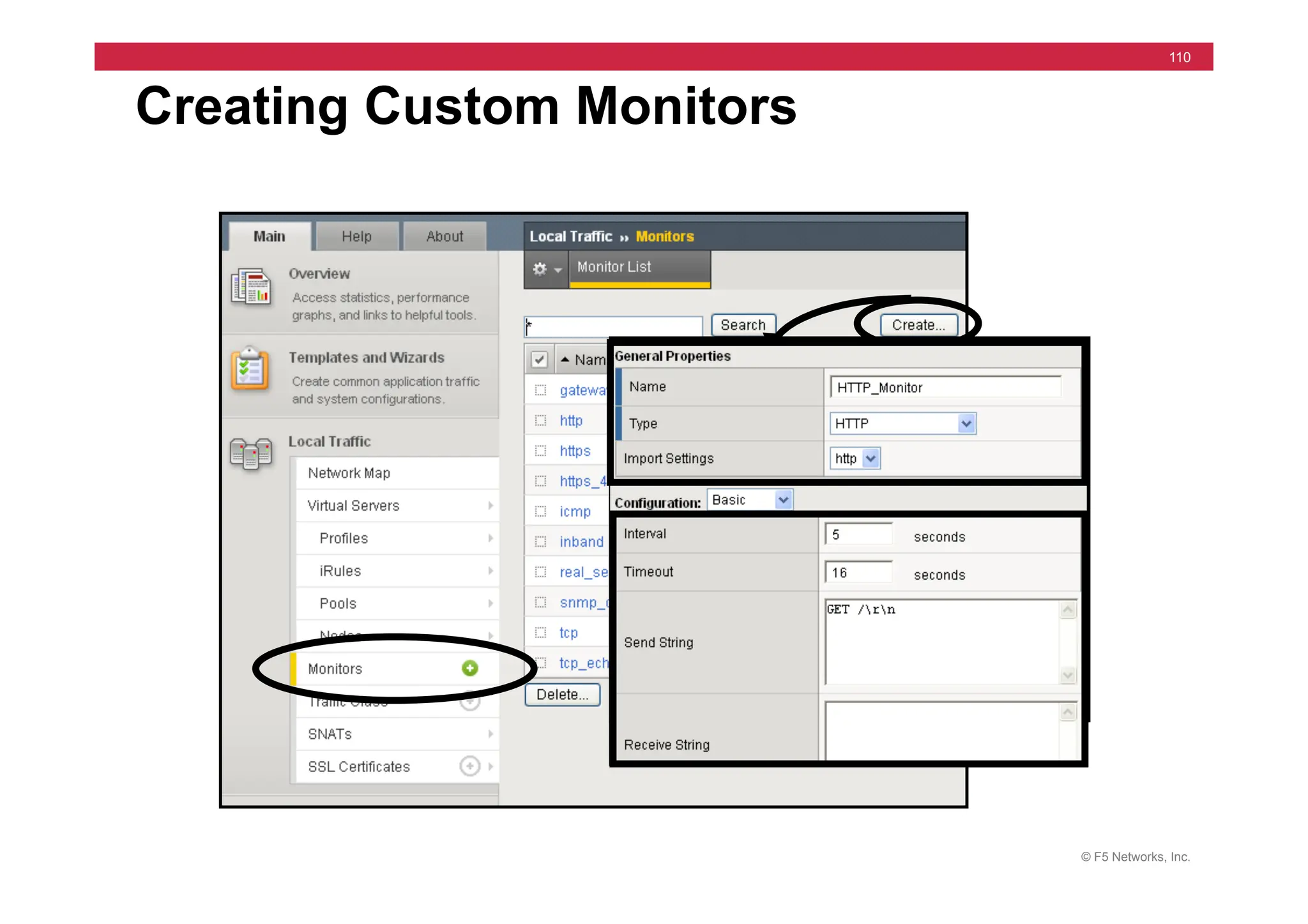
Configuring Monitors
• System Supplied Monitors (Templates)
• Address Checks (icmp)
• Service Checks (tcp)
• Content Checks (http)
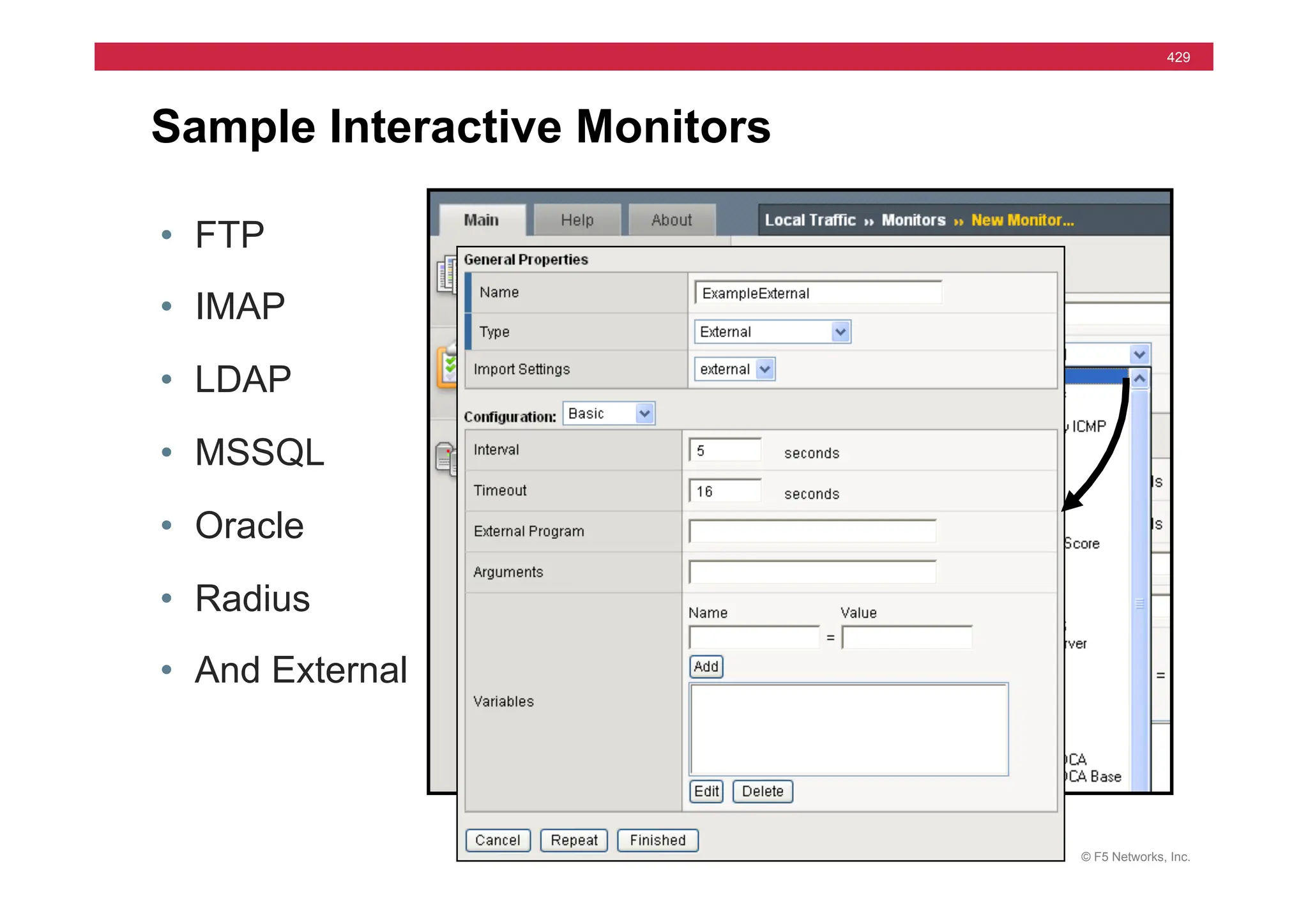
• Interactive Checks (ftp)
• Availability:
• Templates can be Customized
• Some Must be Customized before Assignment
• Some Should be Customized before Assignment
© F5 Networks, Inc.
110
Creating Custom Monitors
© F5 Networks, Inc.
111
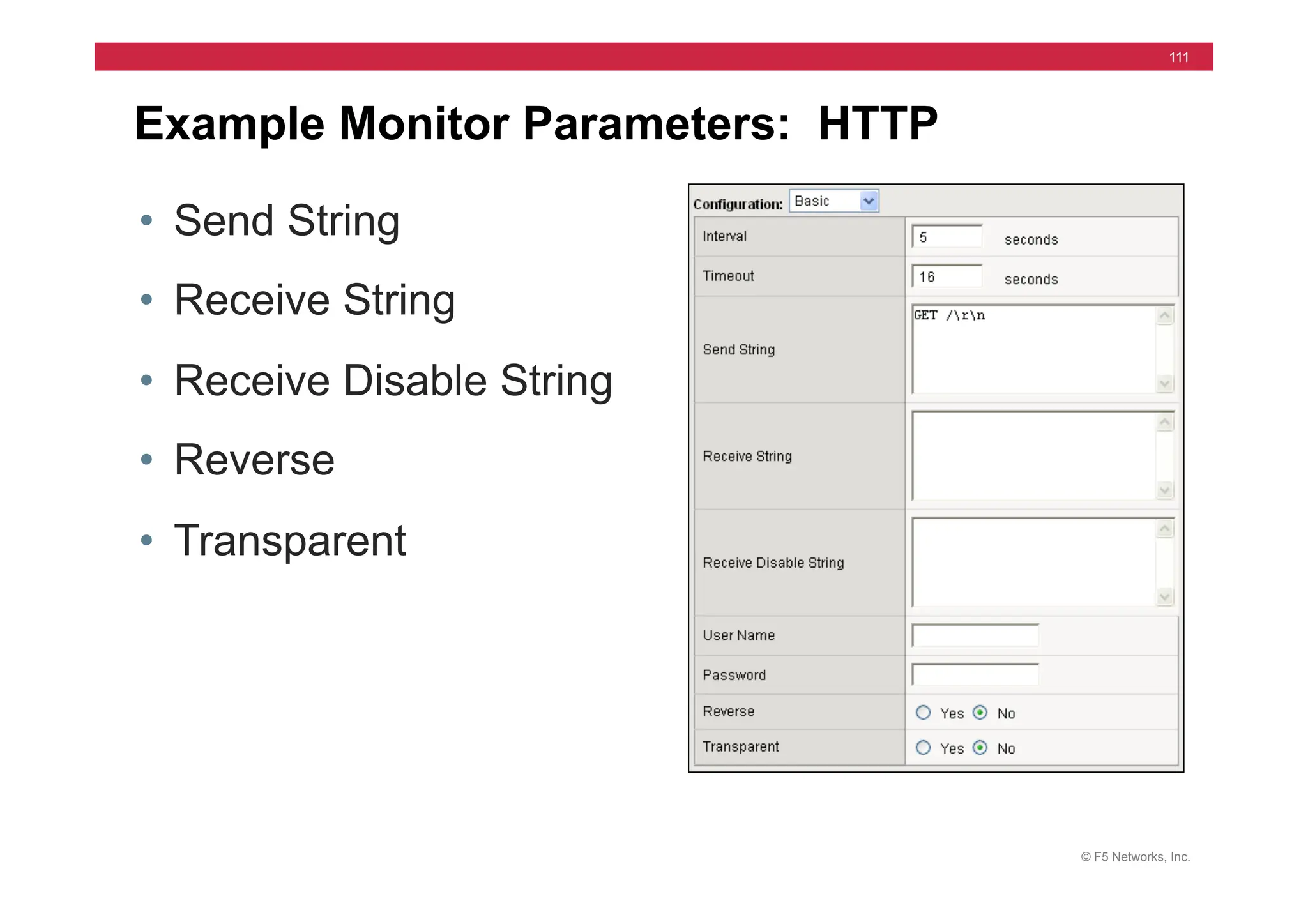
Example Monitor Parameters: HTTP
• Send String
• Receive String
• Receive Disable String
• Reverse
• Transparent
© F5 Networks, Inc.
112
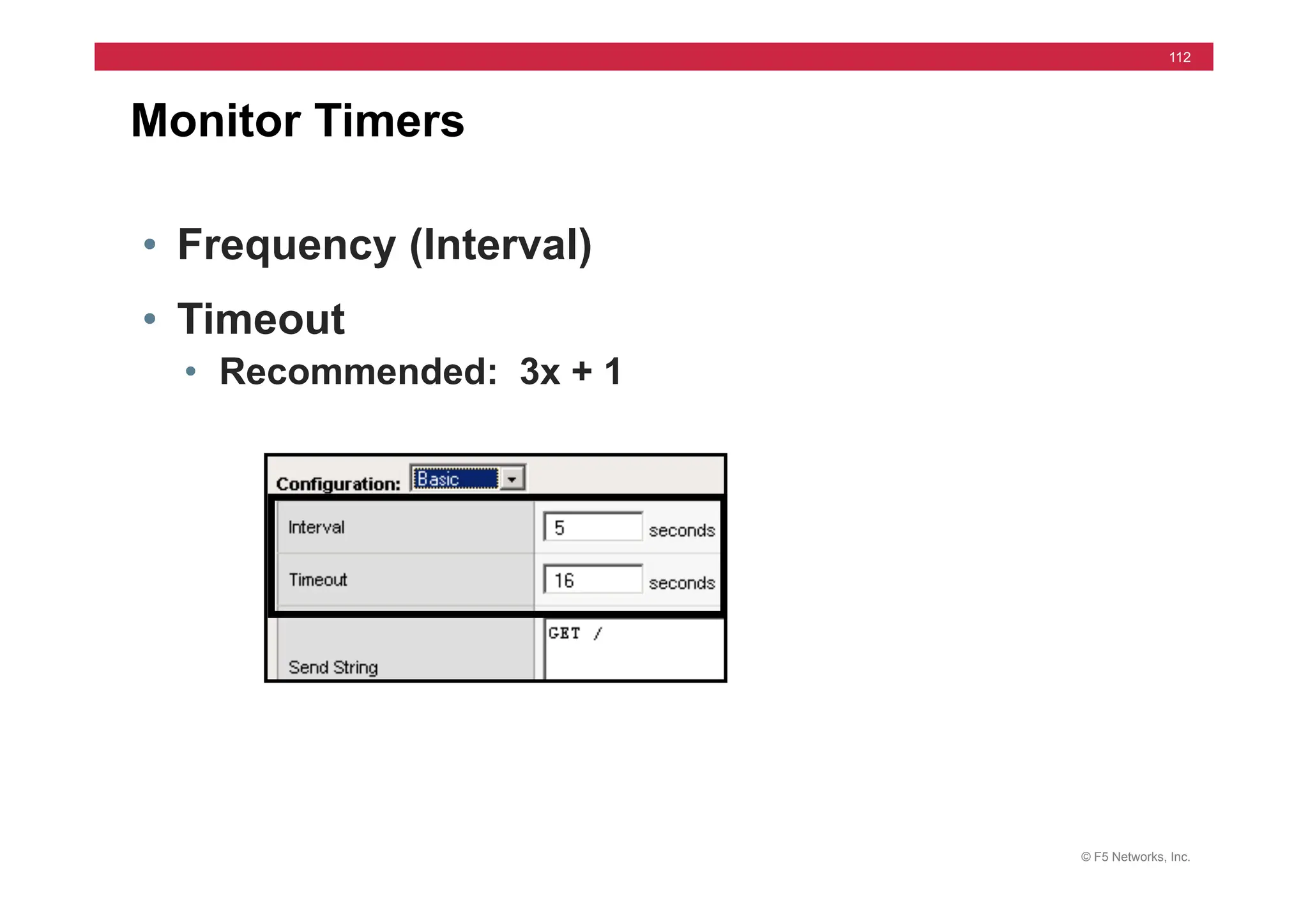
Monitor Timers
• Frequency (Interval)
• Timeout
• Recommended: 3x + 1
© F5 Networks, Inc.
113
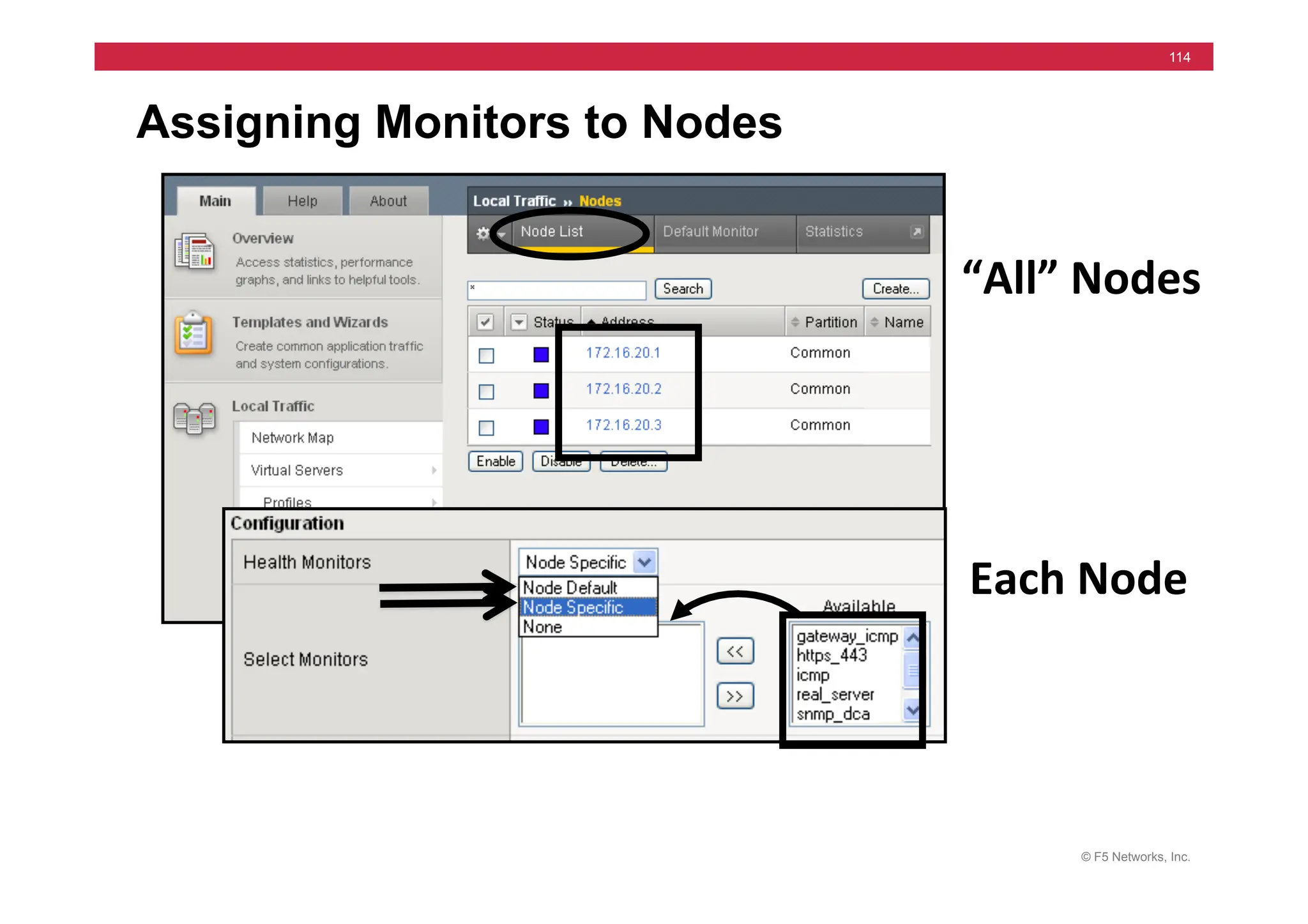
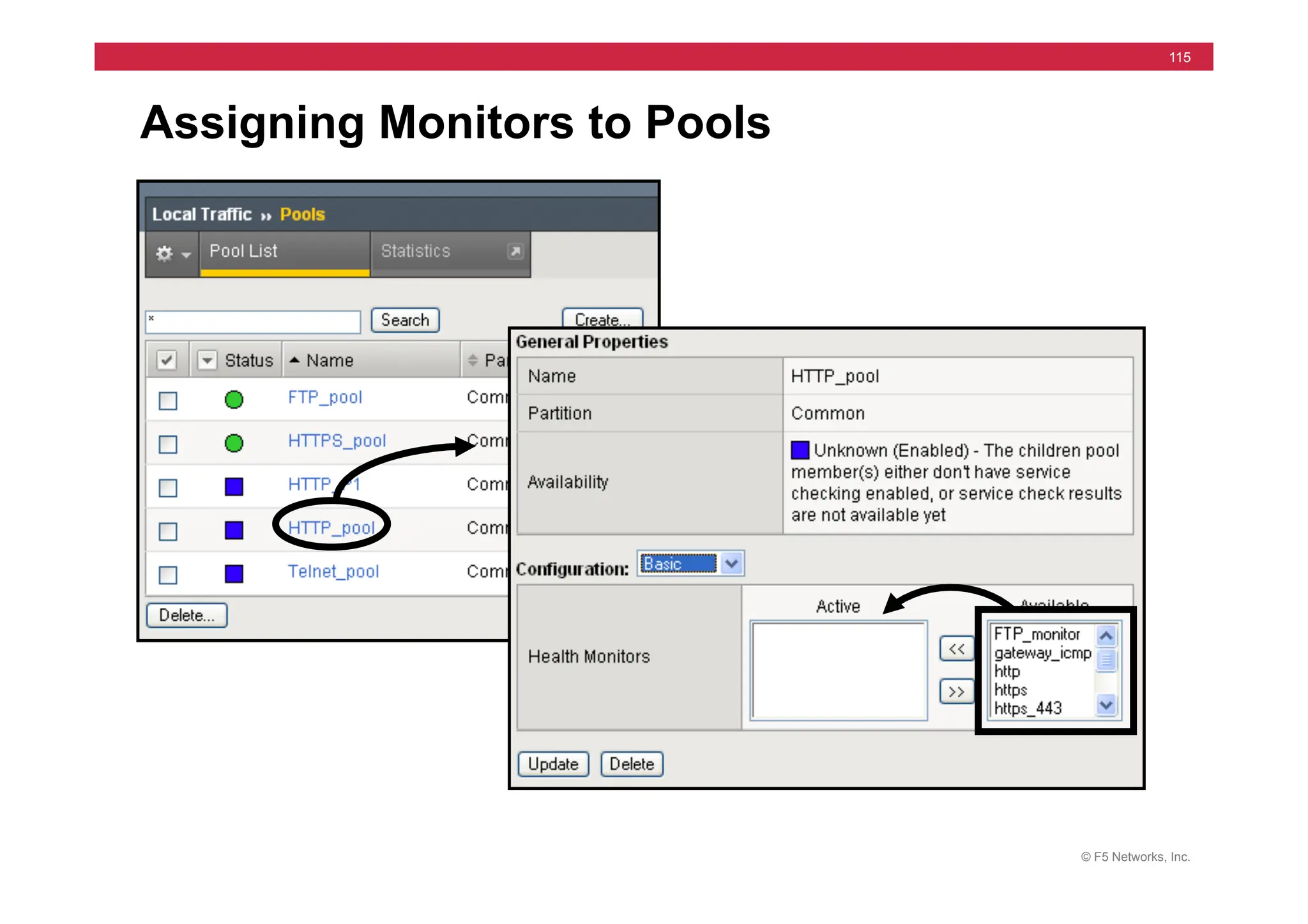
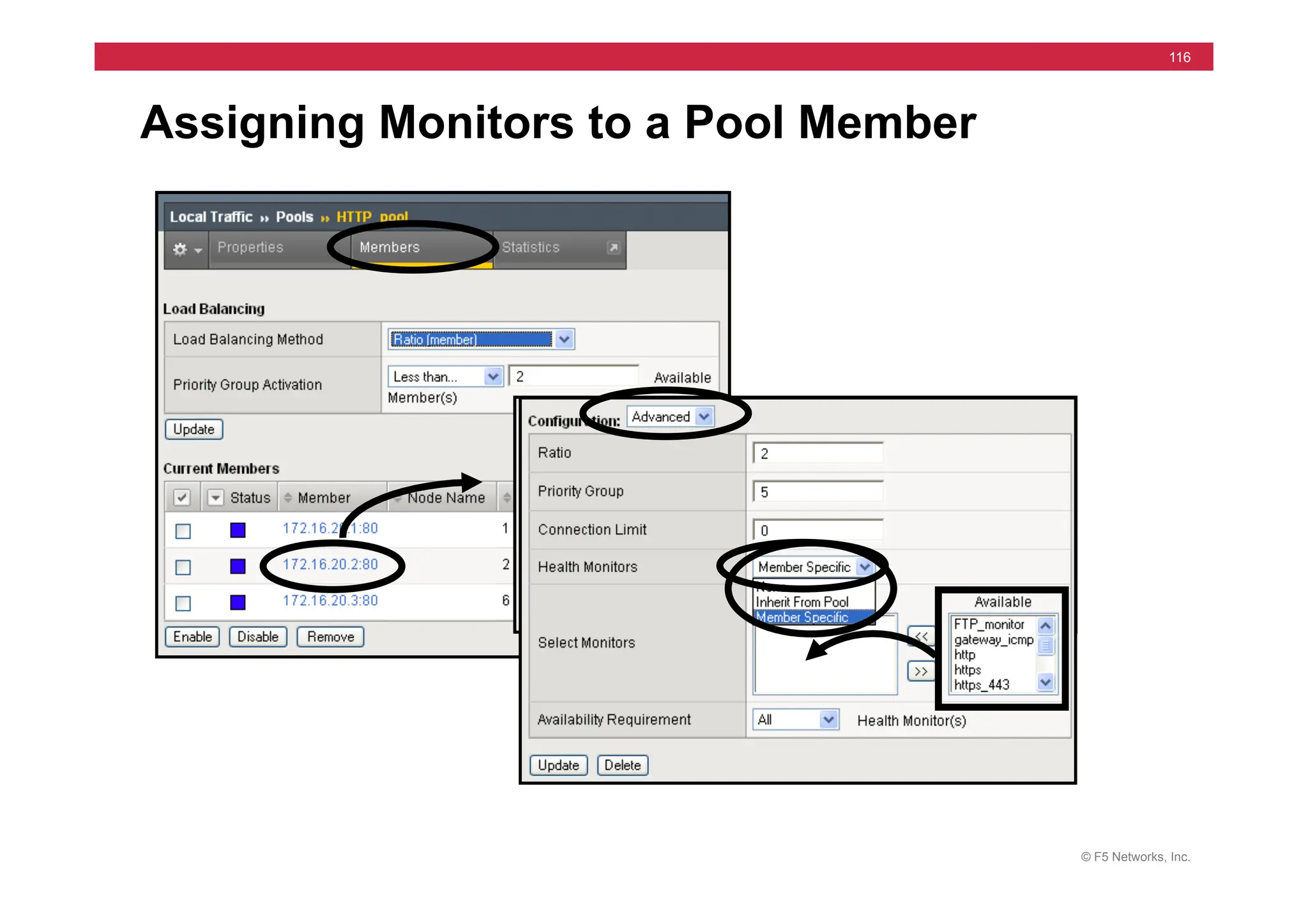
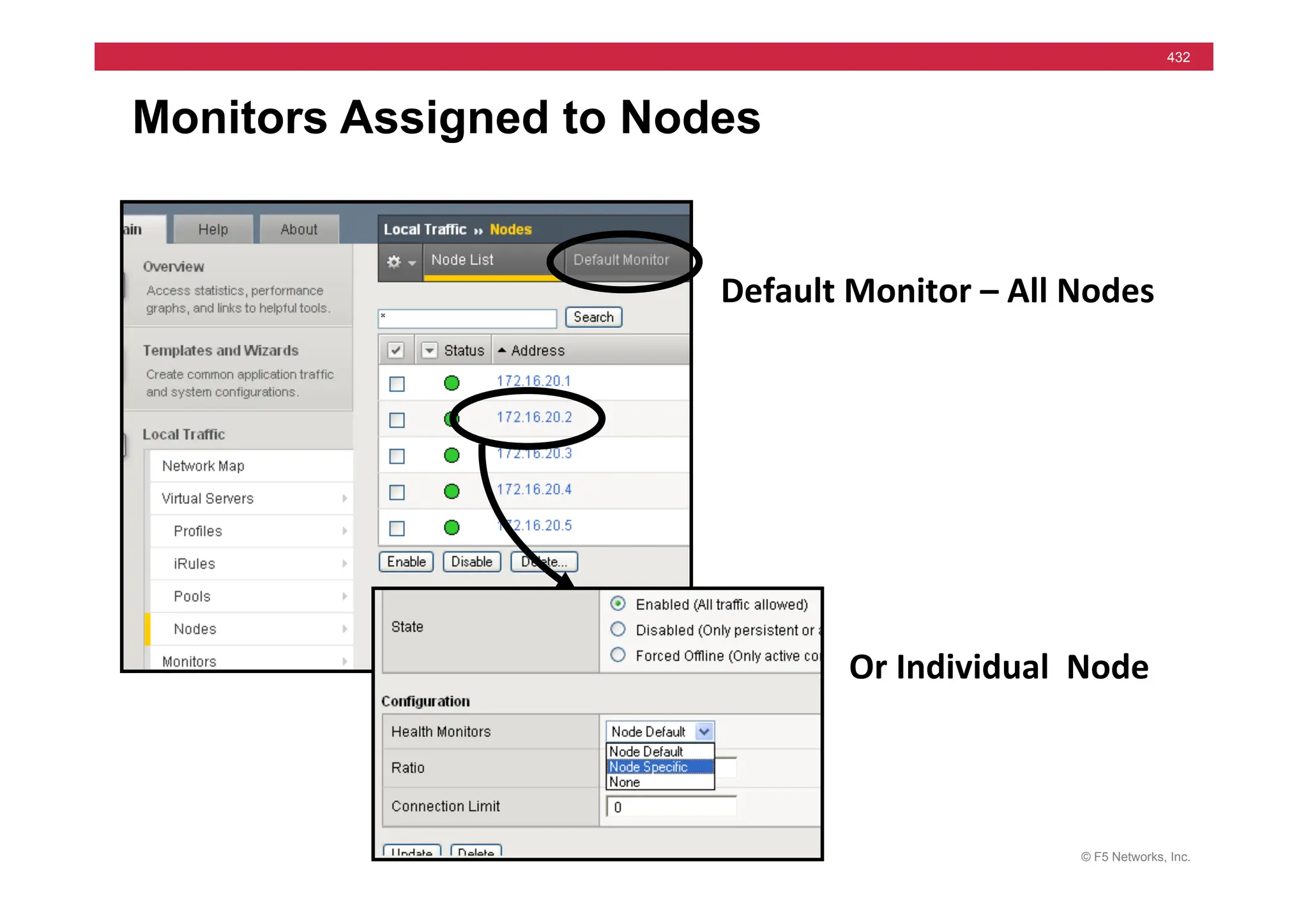
Assigning Monitors
• Default for all Nodes
• Single Node Options
• Node Default
• Node Specific
• None
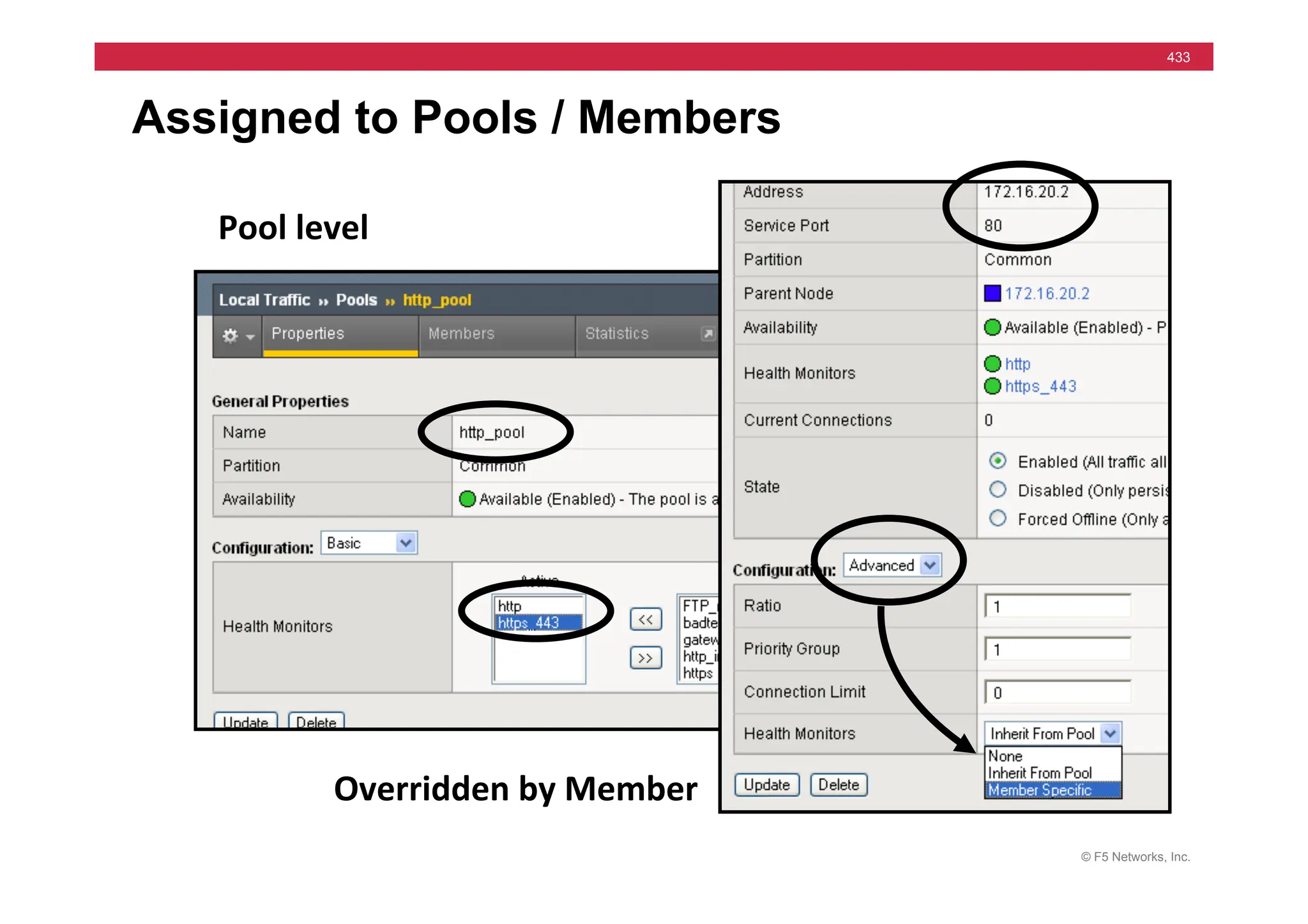
• Default all Members of a Pool
• Single Pool Member Options
• Inherit from Pool
• Member Specific
• None
© F5 Networks, Inc.
114
Assigning Monitors to Nodes
Each	
  Node	
  
“All”	
  Nodes	
  
© F5 Networks, Inc.
115
Assigning Monitors to Pools
© F5 Networks, Inc.
116
Assigning Monitors to a Pool Member
© F5 Networks, Inc.
117
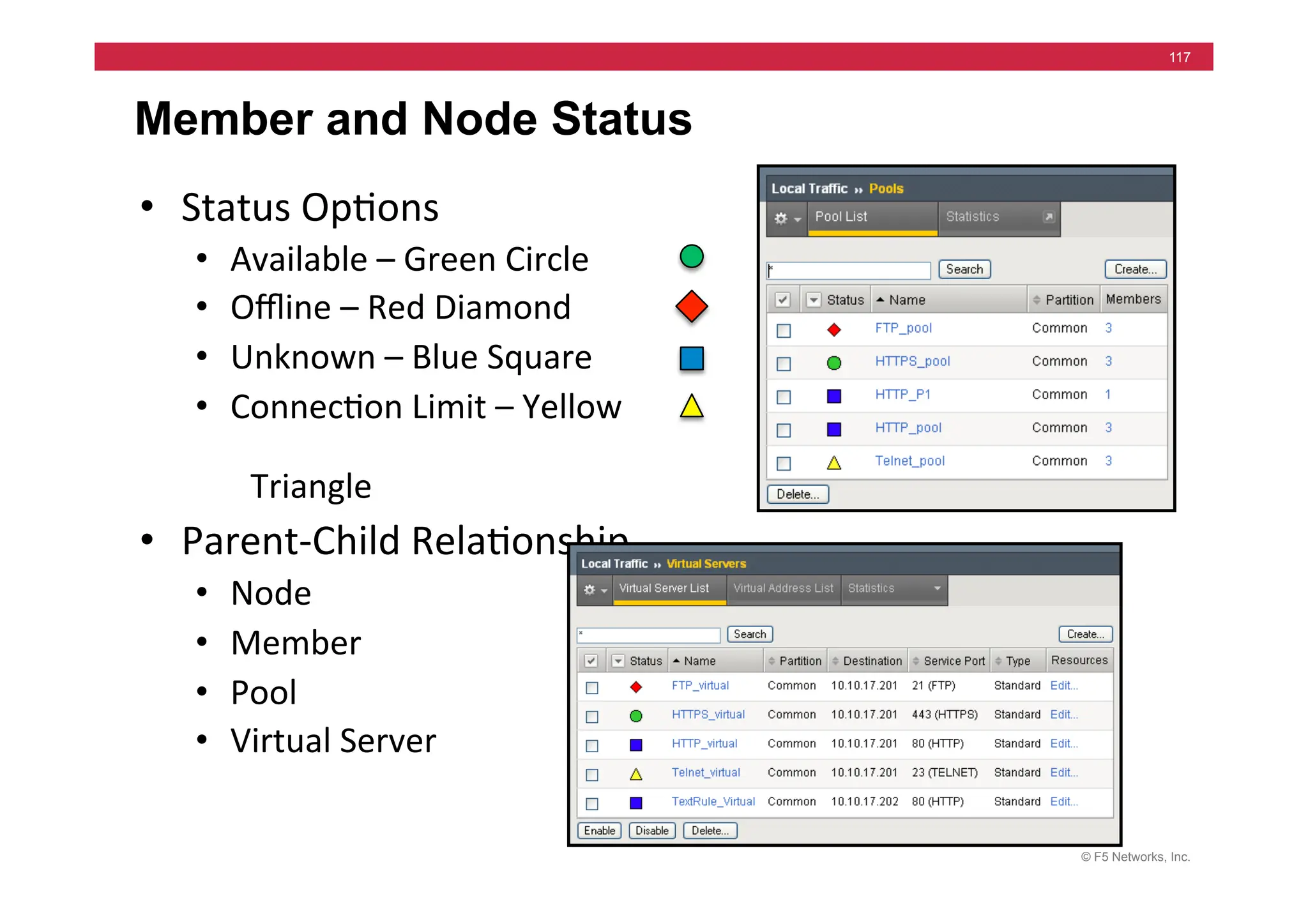
Member and Node Status
• Status	
  Op=ons	
  
• Available	
  –	
  Green	
  Circle	
  
• Offline	
  –	
  Red	
  Diamond	
  
• Unknown	
  –	
  Blue	
  Square	
  
• Connec=on	
  Limit	
  –	
  Yellow	


  Triangle	
  
• Parent-­‐Child	
  Rela=onship	
  
• Node	
  
• Member	
  
• Pool	
  
• Virtual	
  Server	
  
© F5 Networks, Inc.
118
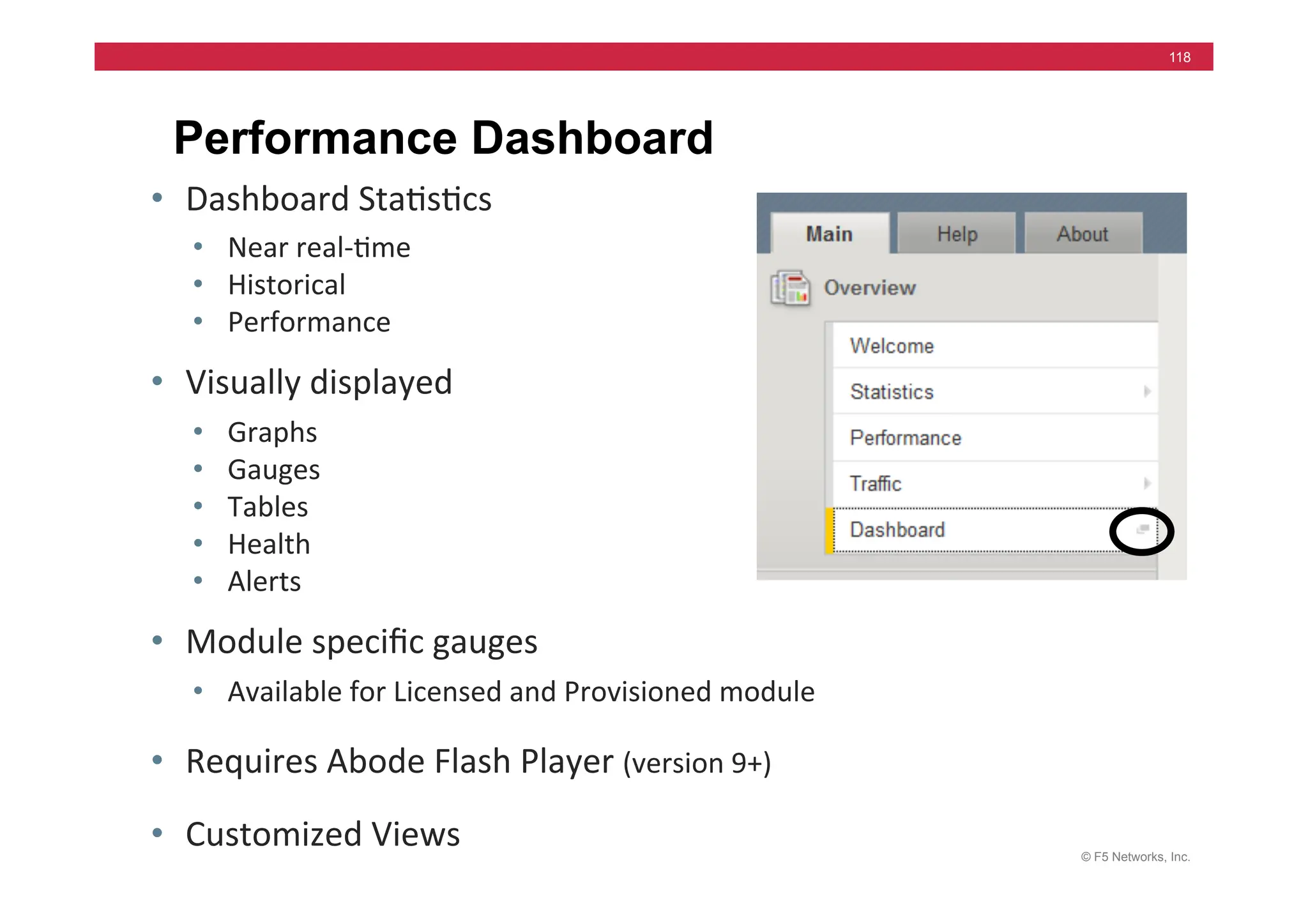
Performance Dashboard
• Dashboard	
  Sta=s=cs	
  
• Near	
  real-­‐=me	
  	
  
• Historical	
  
• Performance	
  
• Visually	
  displayed	
  
• Graphs	
  
• Gauges	
  
• Tables	
  
• Health	
  
• Alerts	
  
• Module	
  specific	
  gauges	
  
• Available	
  for	
  Licensed	
  and	
  Provisioned	
  module	
  
• Requires	
  Abode	
  Flash	
  Player	
  (version	
  9+)	
  
• Customized	
  Views	
  
© F5 Networks, Inc.
119
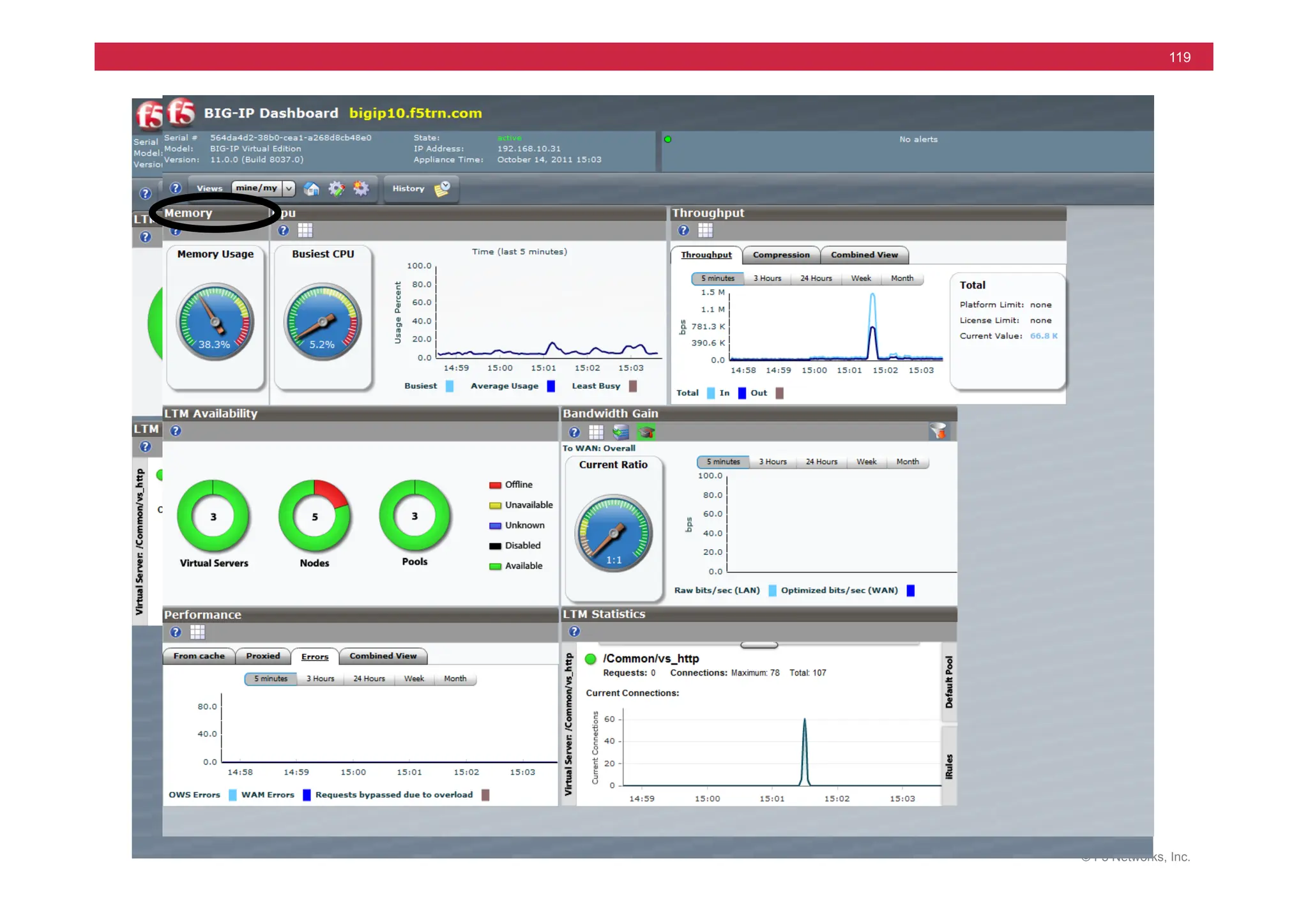
Performance Dashboard Screens
© F5 Networks, Inc.
120
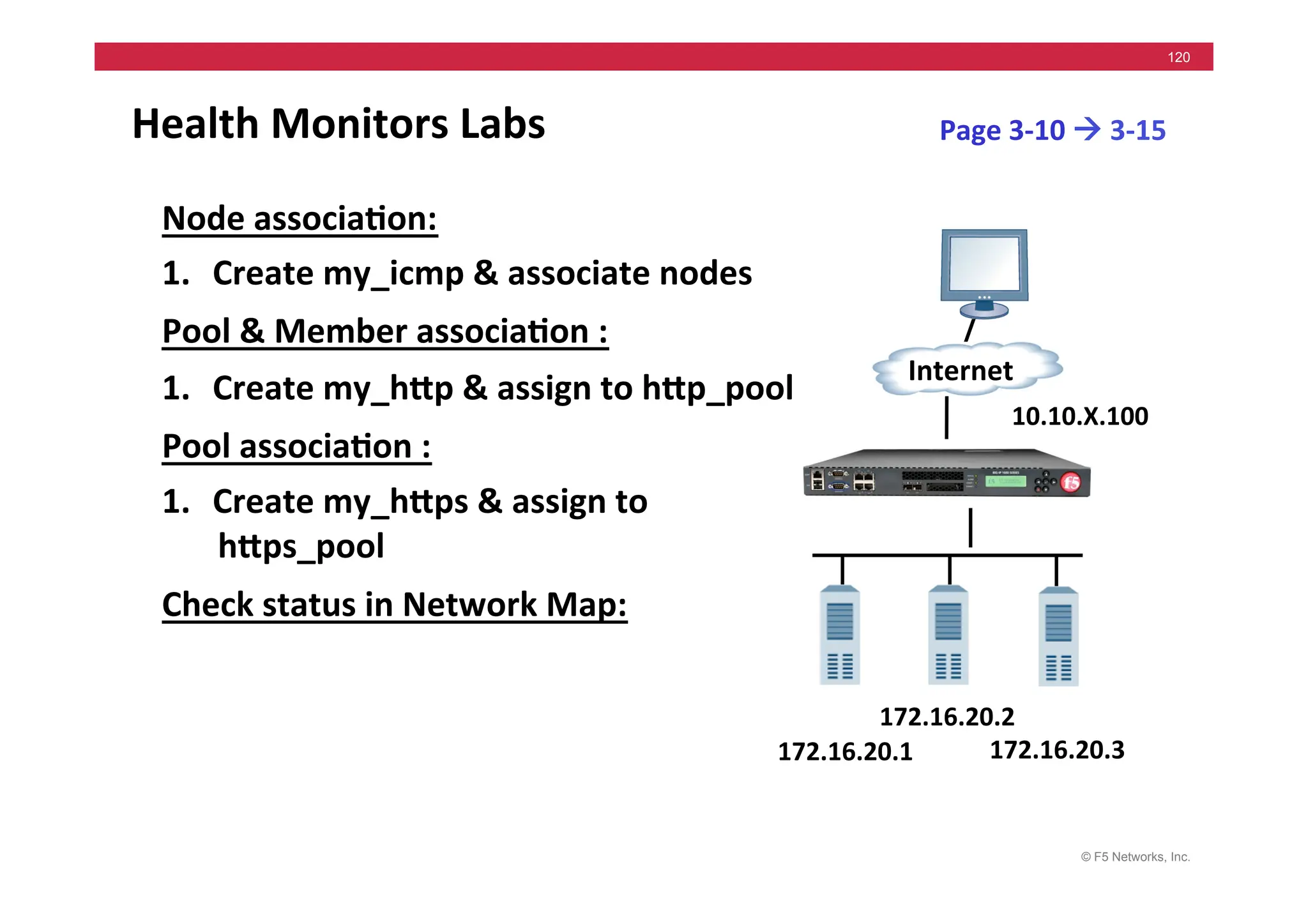
Health	
  Monitors	
  Labs	
  
Node	
  associa5on:	
  
1. Create	
  my_icmp	
  &	
  associate	
  nodes	
  
Pool	
  &	
  Member	
  associa5on	
  :	
  
1. Create	
  my_hMp	
  &	
  assign	
  to	
  hMp_pool	
  
Pool	
  associa5on	
  :	
  
1. Create	
  my_hMps	
  &	
  assign	
  to	
  
hMps_pool	
  
Check	
  status	
  in	
  Network	
  Map:	
  
Page	
  3-­‐10	
  !	
  3-­‐15	
  
172.16.20.1	
  
Internet	
  
172.16.20.3	
  
172.16.20.2	
  
10.10.X.100	
  
© F5 Networks, Inc.
121
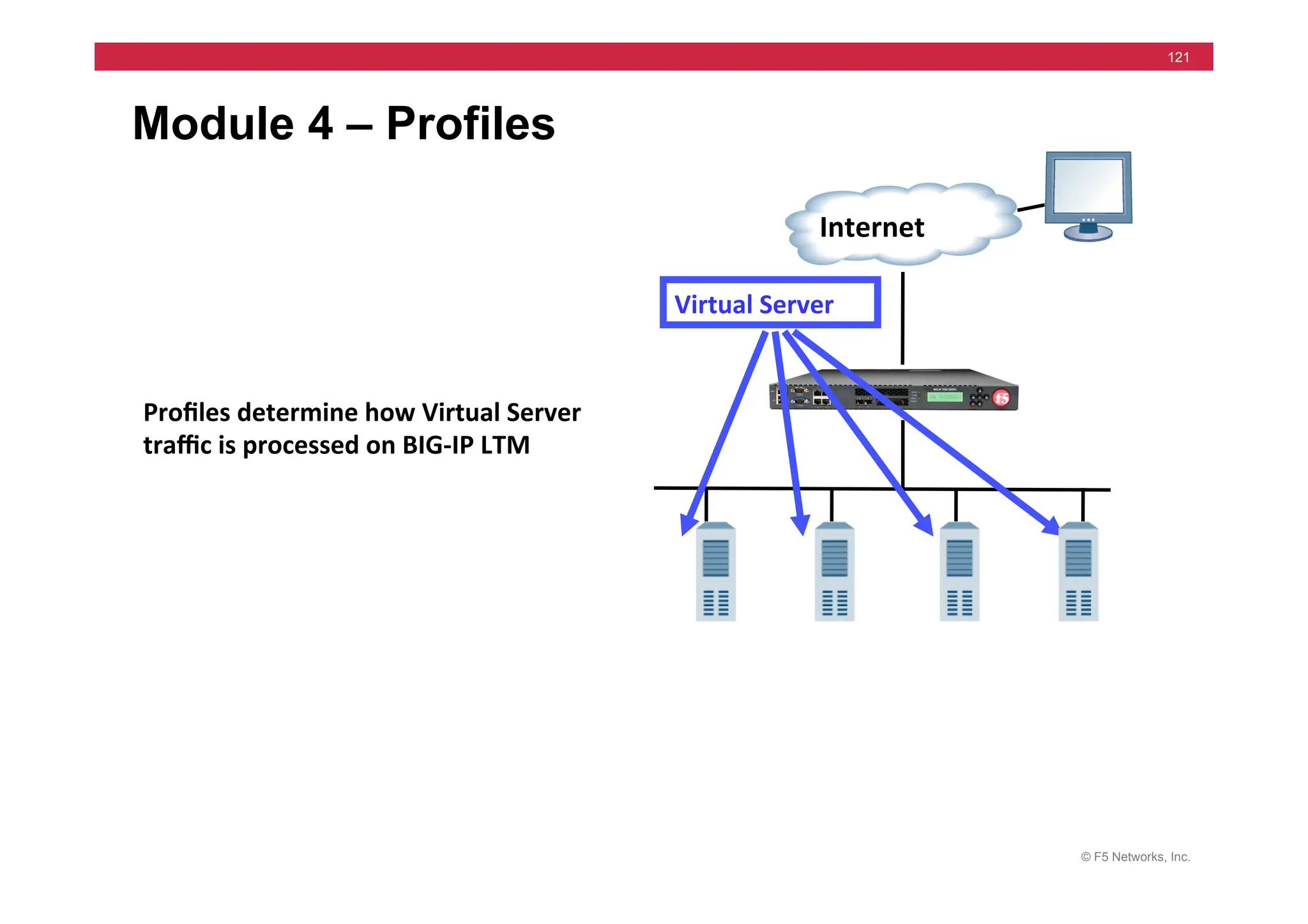
Module 4 – Profiles
Internet	
  
Virtual	
  Server	
  
Profiles	
  determine	
  how	
  Virtual	
  Server	
  
traffic	
  is	
  processed	
  on	
  BIG-­‐IP	
  LTM	
  
© F5 Networks, Inc.
122
Module 4 – Outline
• Profiles Concepts
• Profile Dependencies
• Profile Types
• Configuring Profiles
© F5 Networks, Inc.
123
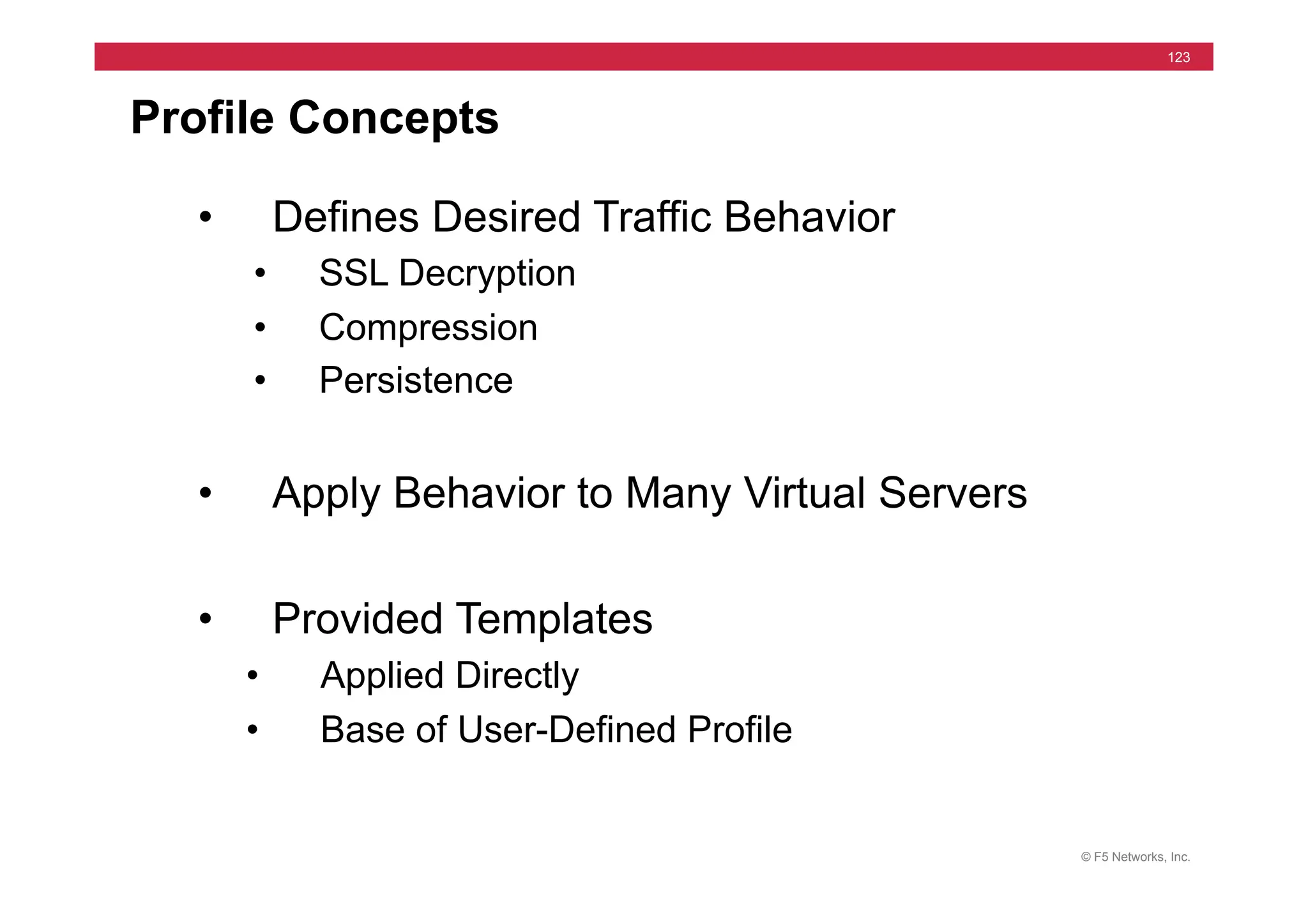
Profile Concepts
• Defines Desired Traffic Behavior
• SSL Decryption
• Compression
• Persistence
• Apply Behavior to Many Virtual Servers
• Provided Templates
• Applied Directly
• Base of User-Defined Profile
© F5 Networks, Inc.
124
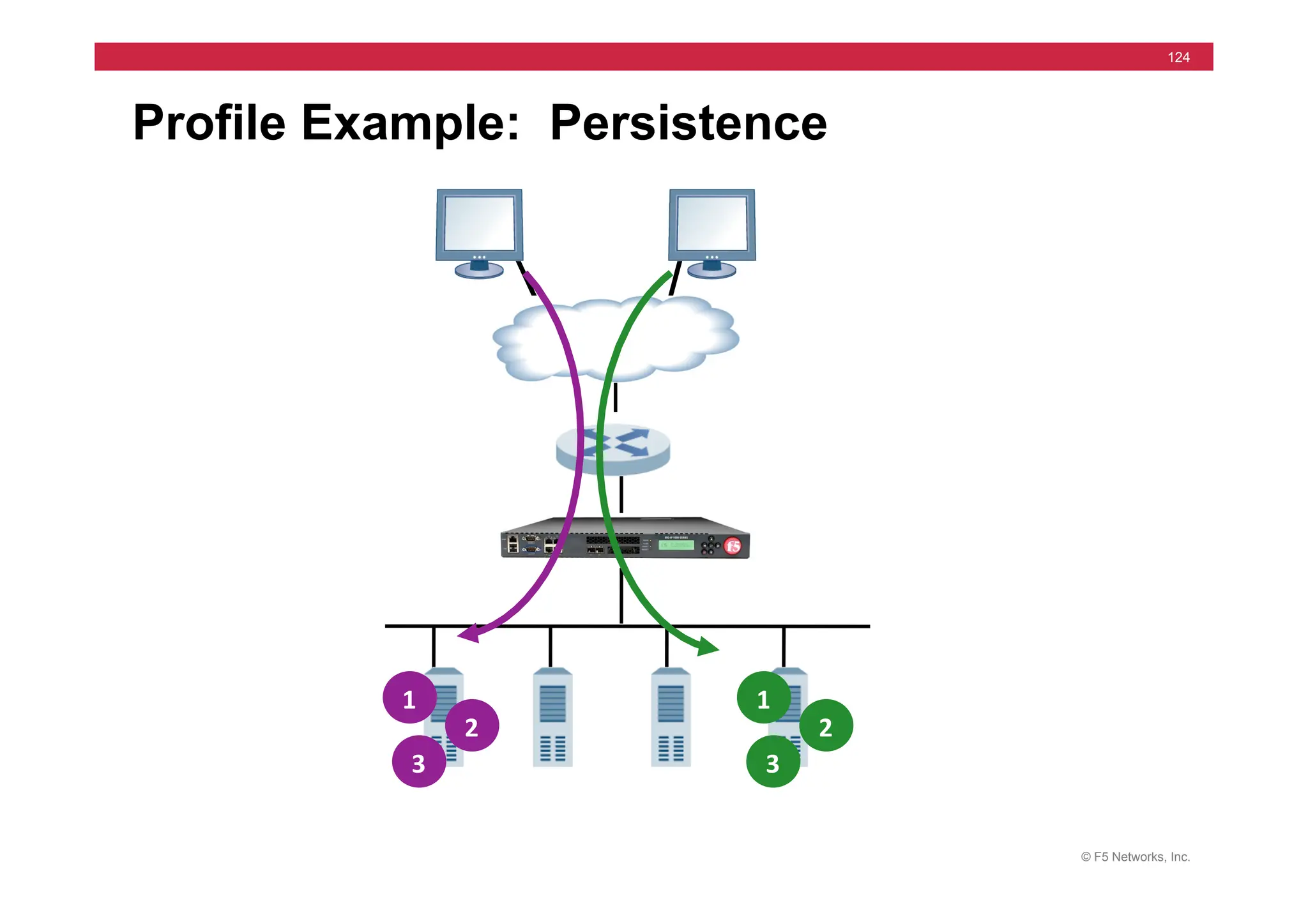
Profile Example: Persistence
1	
  
2	
  
3	
  
1	
  
2	
  
3	
  
© F5 Networks, Inc.
125
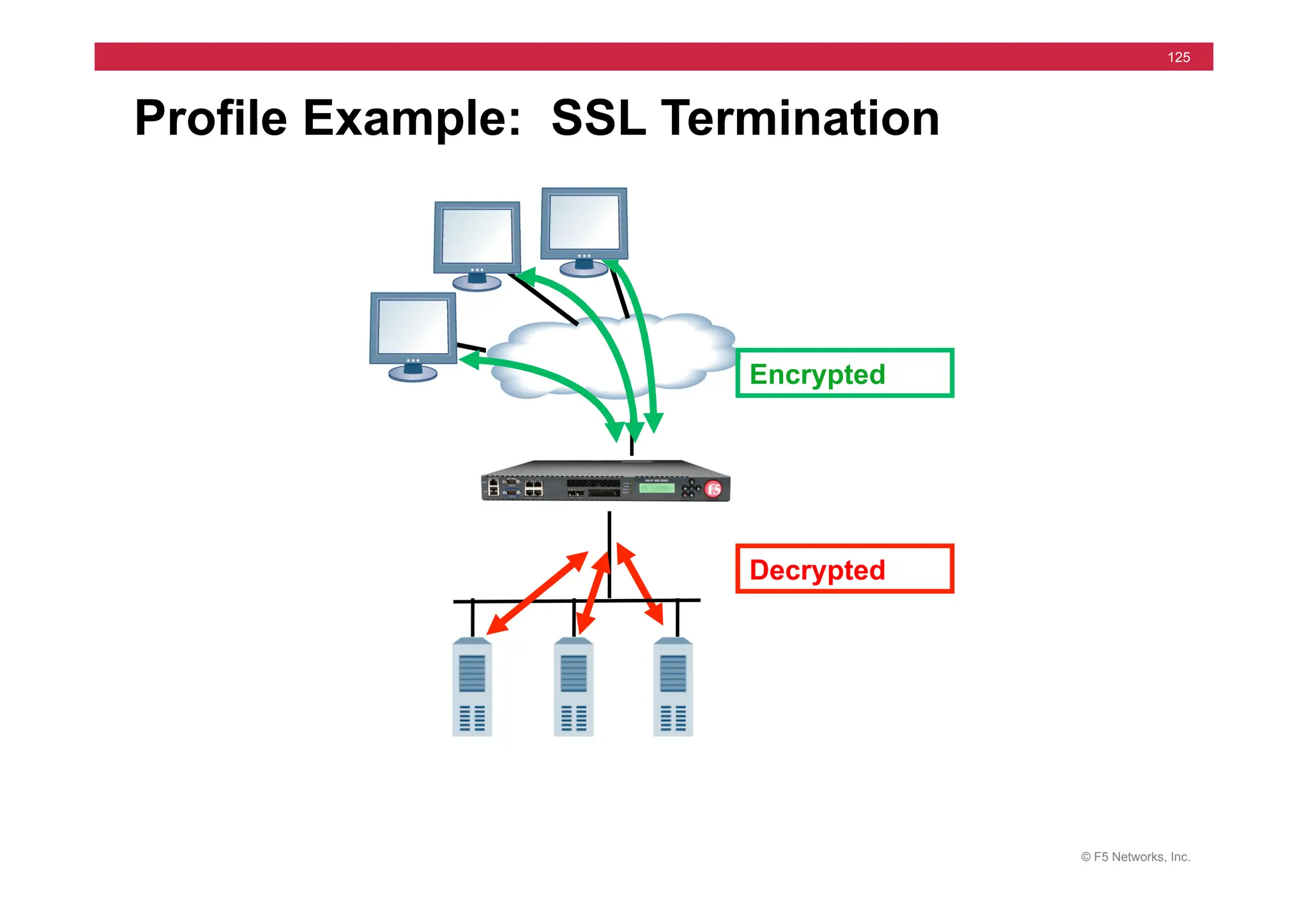
Profile Example: SSL Termination
Decrypted
Encrypted
© F5 Networks, Inc.
126
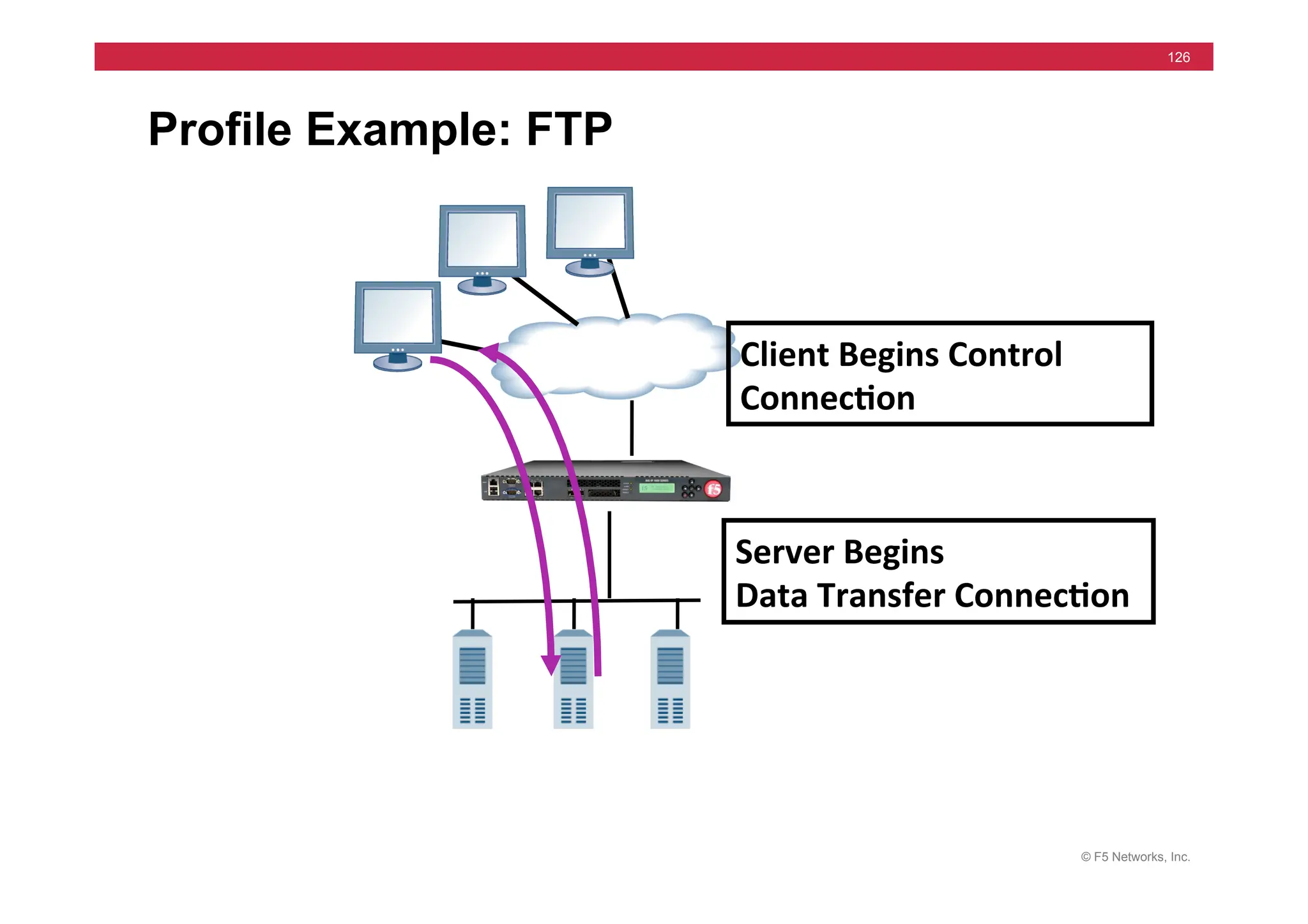
Profile Example: FTP
Client	
  Begins	
  Control	
  
Connec5on	
  
Server	
  Begins	
  	
  
Data	
  Transfer	
  Connec5on	
  
© F5 Networks, Inc.
127
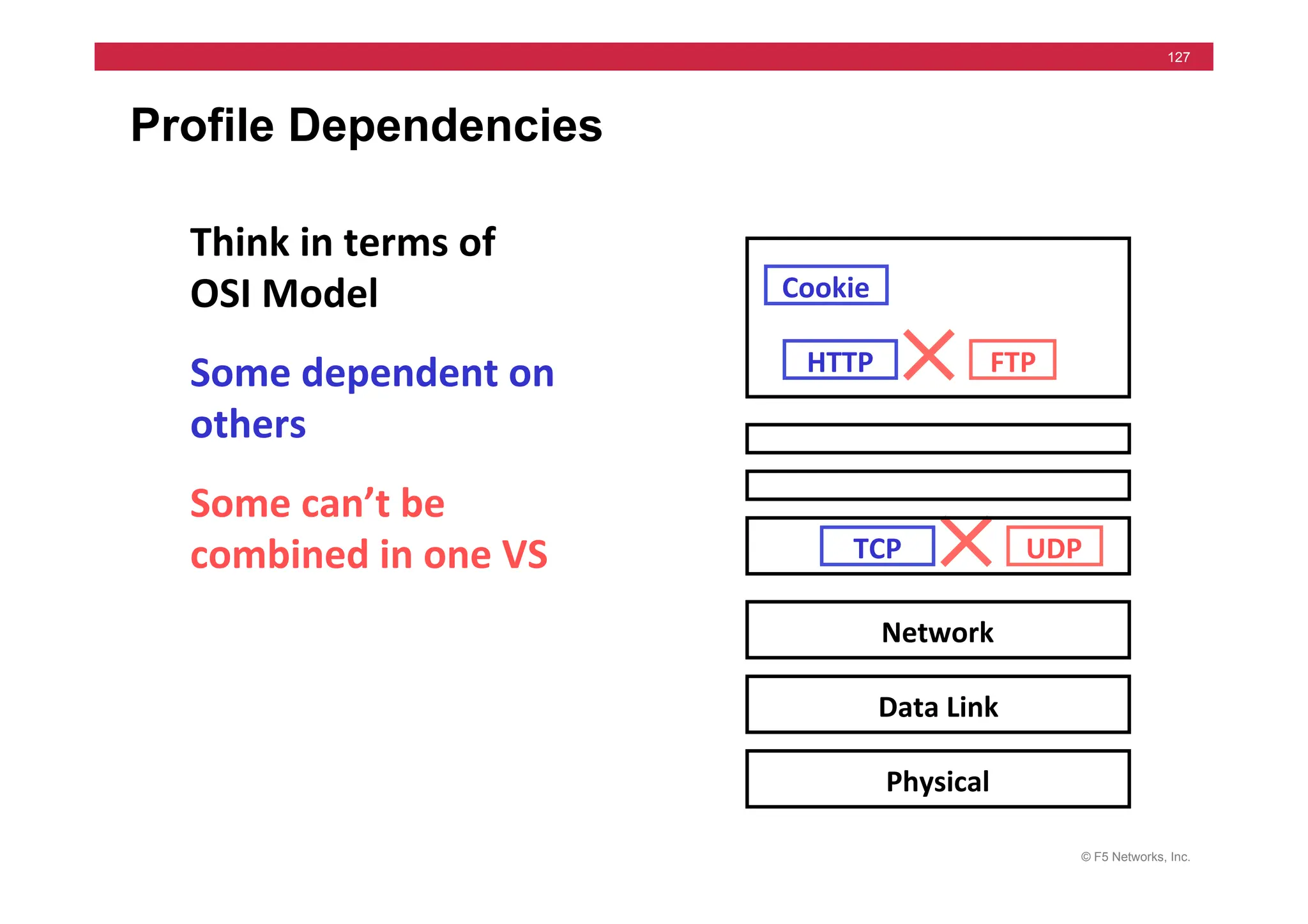
Profile Dependencies
Some	
  can’t	
  be	
  
combined	
  in	
  one	
  VS	
  
Some	
  dependent	
  on	
  
others	
  
Think	
  in	
  terms	
  of	
  
OSI	
  Model	
  
TCP	
  
HTTP	
  
Cookie	
  
UDP	
  
FTP	
  
Network	
  
Data	
  Link	
  
Physical	
  
© F5 Networks, Inc.
128
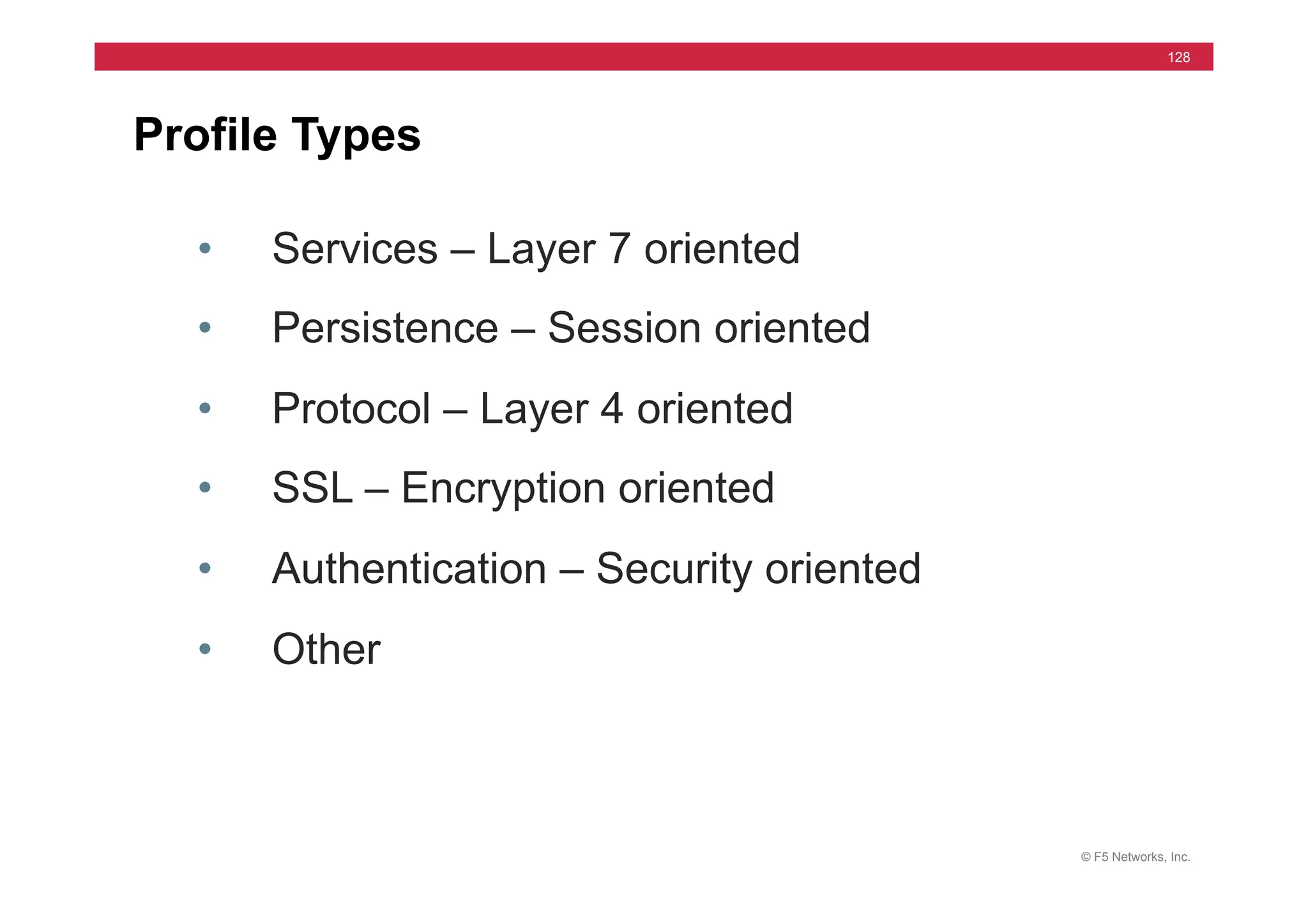
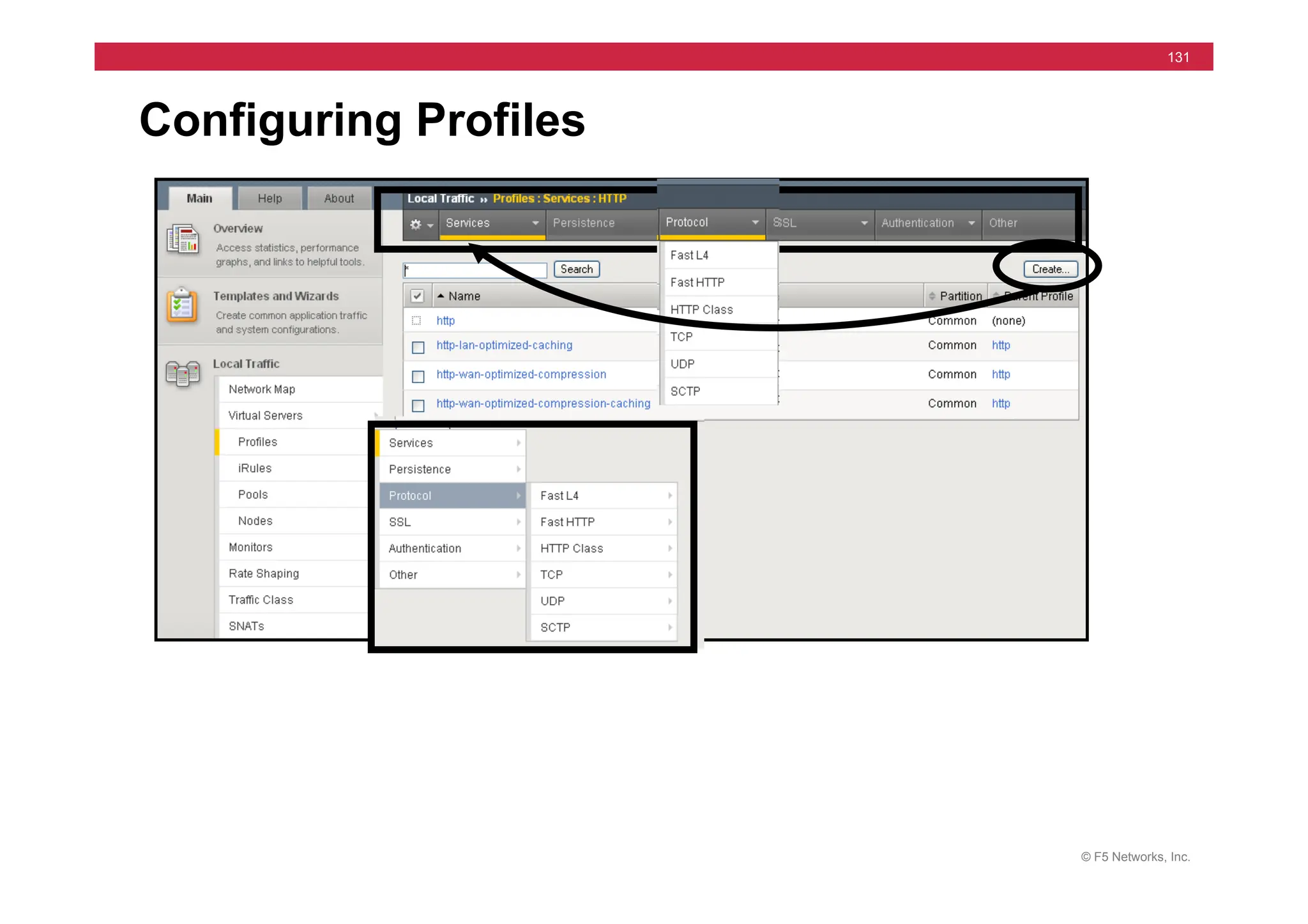
Profile Types
• Services – Layer 7 oriented
• Persistence – Session oriented
• Protocol – Layer 4 oriented
• SSL – Encryption oriented
• Authentication – Security oriented
• Other
© F5 Networks, Inc.
129
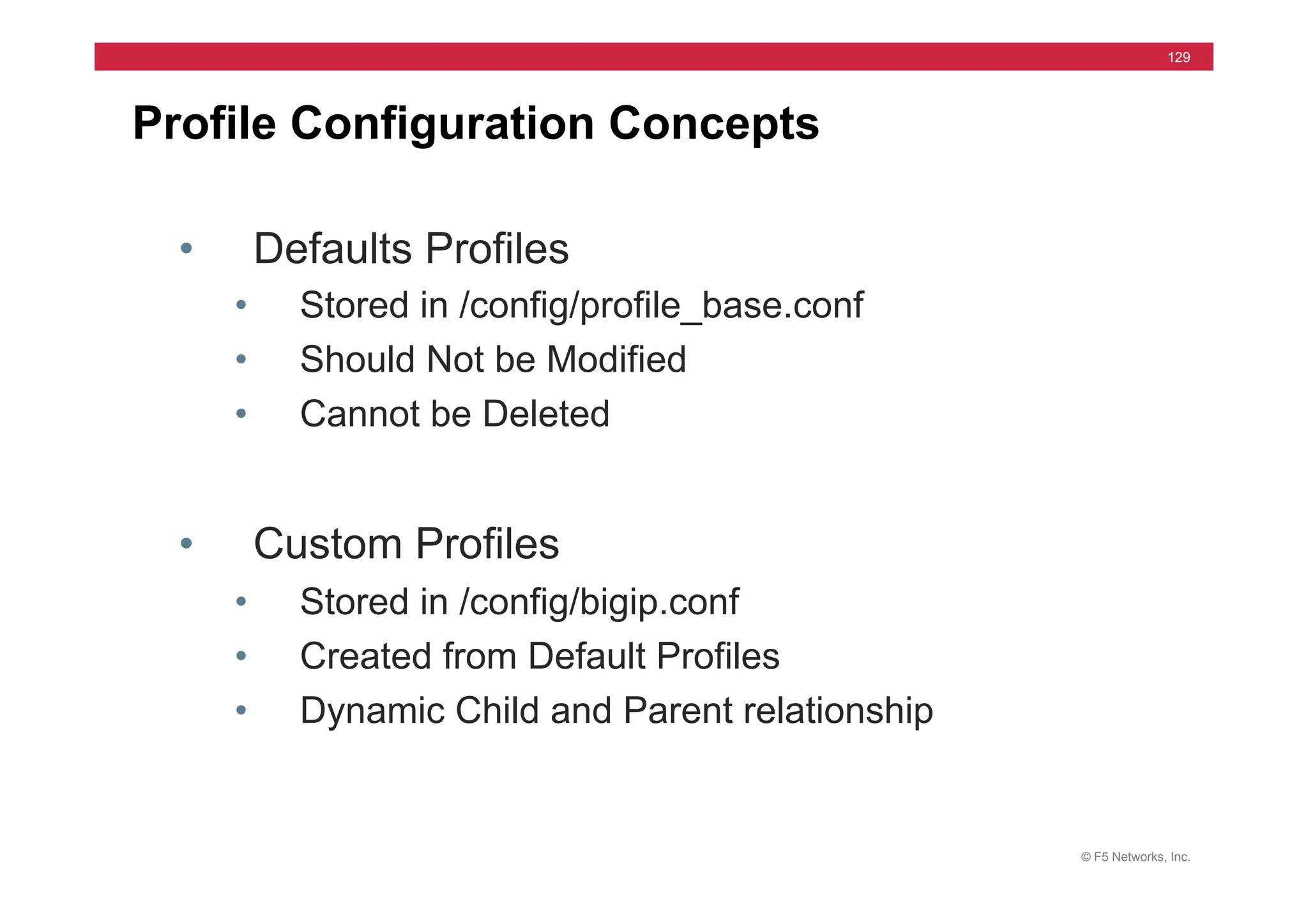
Profile Configuration Concepts
• Defaults Profiles
• Stored in /config/profile_base.conf
• Should Not be Modified
• Cannot be Deleted
• Custom Profiles
• Stored in /config/bigip.conf
• Created from Default Profiles
• Dynamic Child and Parent relationship
© F5 Networks, Inc.
130
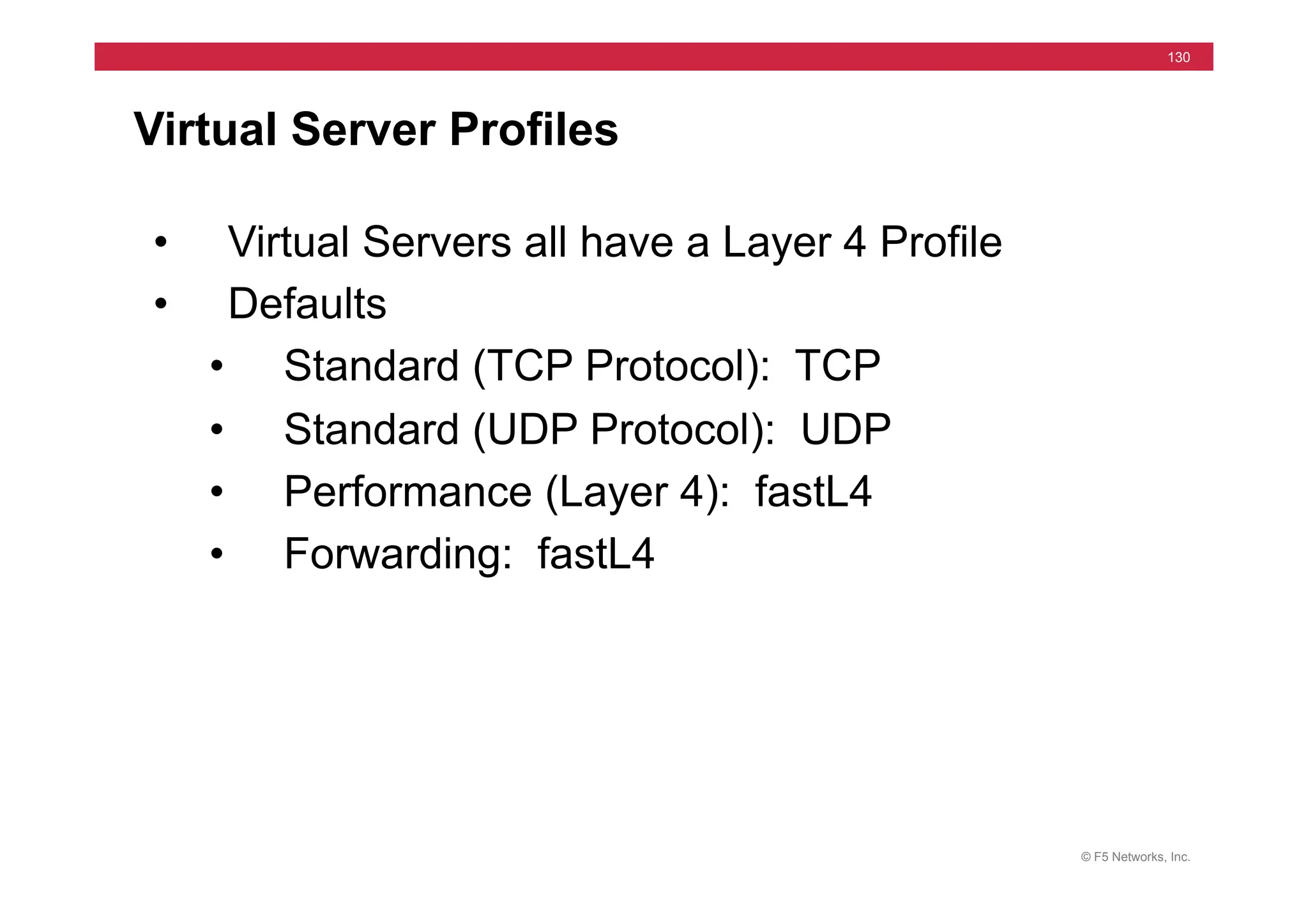
Virtual Server Profiles
• Virtual Servers all have a Layer 4 Profile
• Defaults
• Standard (TCP Protocol): TCP
• Standard (UDP Protocol): UDP
• Performance (Layer 4): fastL4
• Forwarding: fastL4
© F5 Networks, Inc.
131
Configuring Profiles
© F5 Networks, Inc.
132
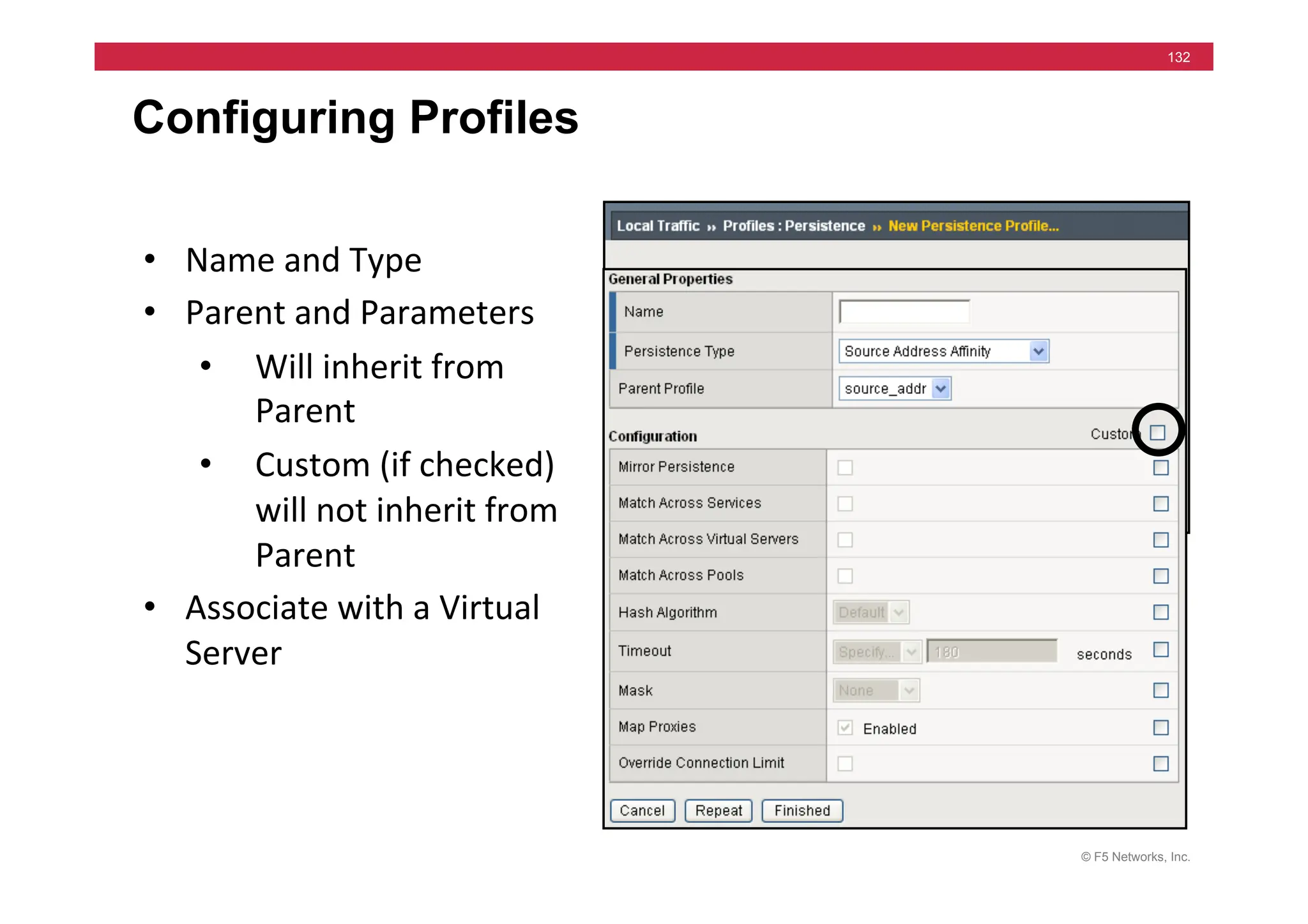
Configuring Profiles
• Name	
  and	
  Type	
  
• Parent	
  and	
  Parameters	
  
• Will	
  inherit	
  from	
  
Parent	
  
• Custom	
  (if	
  checked)	
  
will	
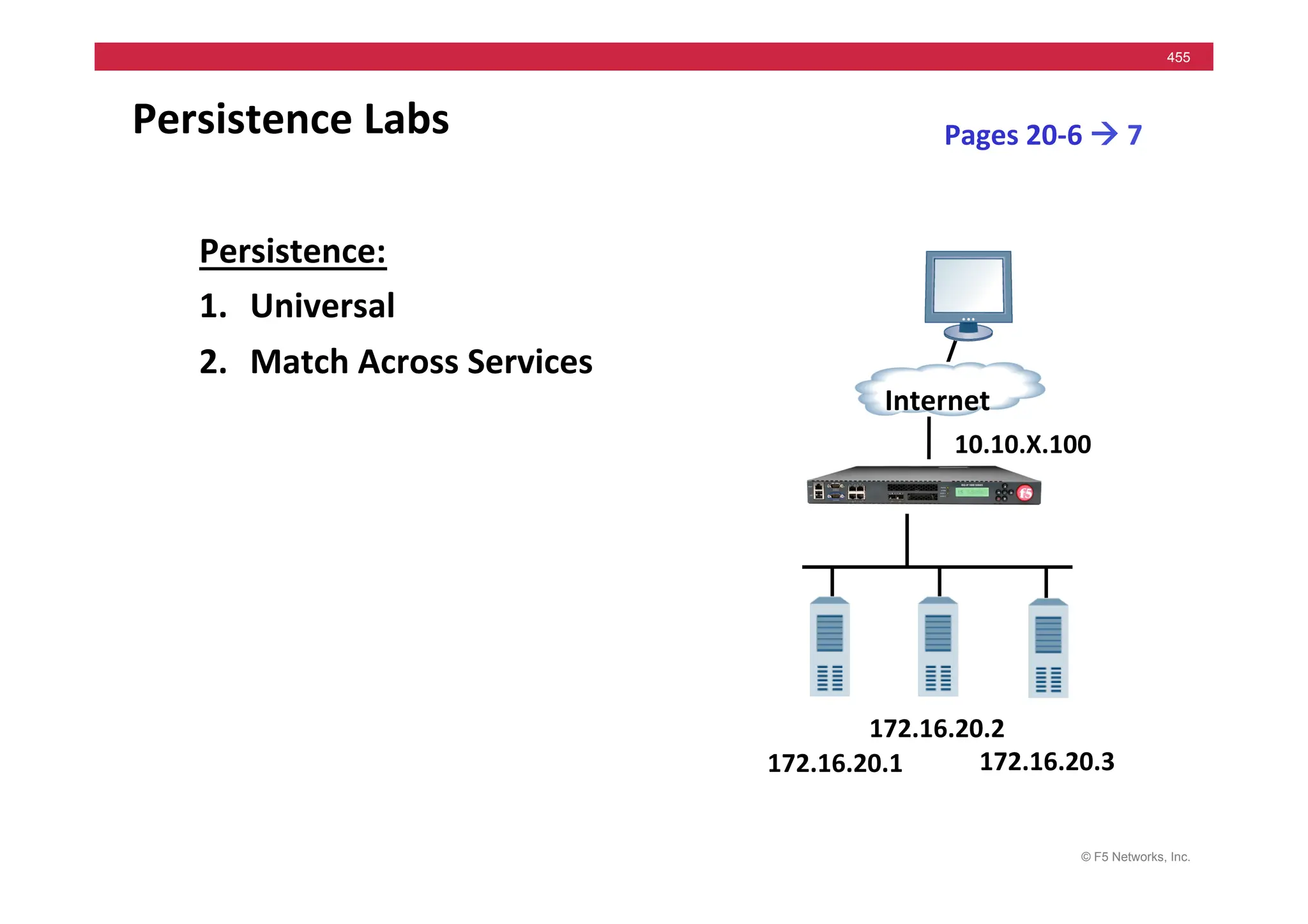
  not	
  inherit	
  from	
  
Parent	
  
• Associate	
  with	
  a	
  Virtual	
  
Server	
  
© F5 Networks, Inc.
133
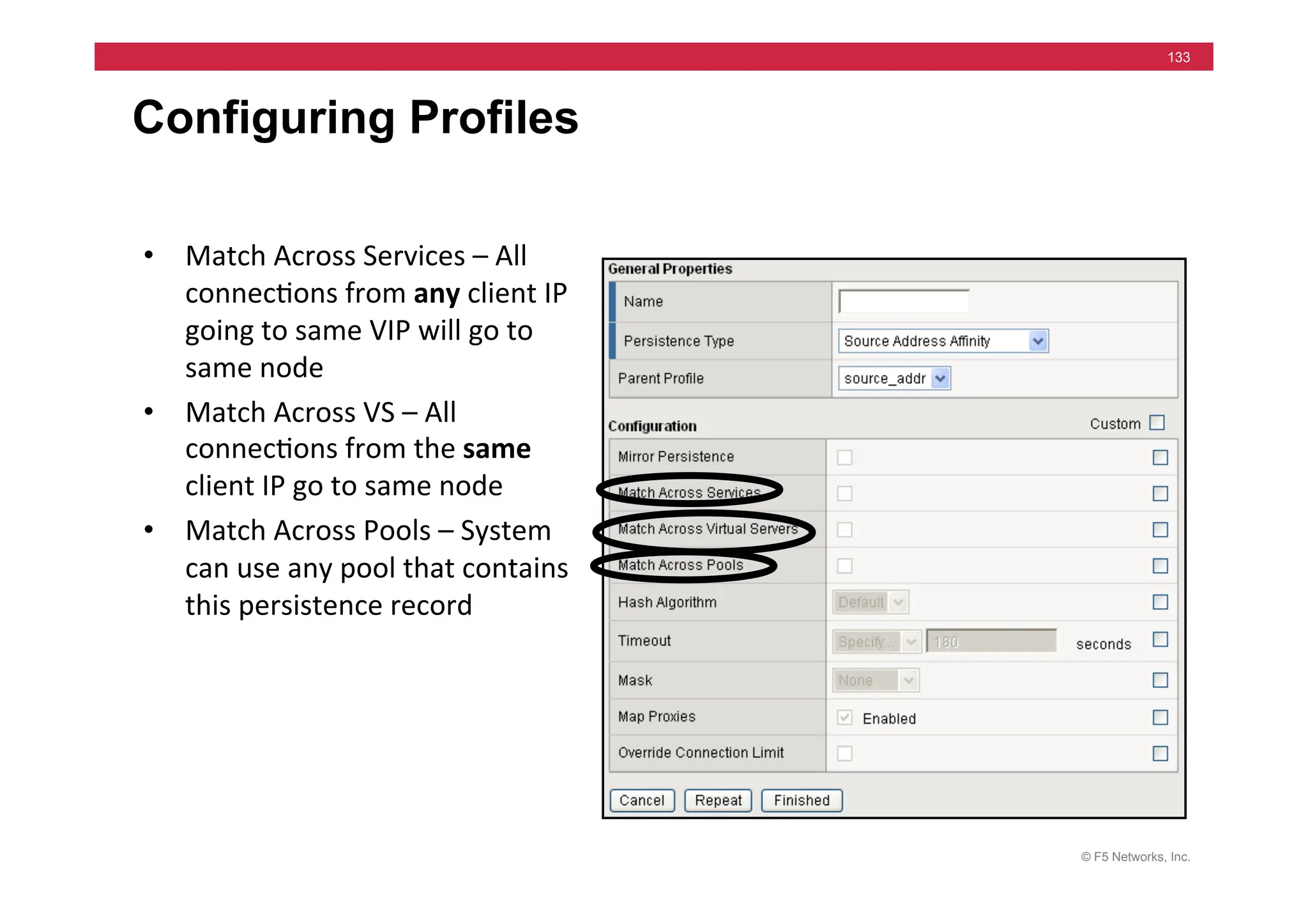
Configuring Profiles
• Match	
  Across	
  Services	
  –	
  All	
  
connec=ons	
  from	
  any	
  client	
  IP	
  
going	
  to	
  same	
  VIP	
  will	
  go	
  to	
  
same	
  node	
  	
  
• Match	
  Across	
  VS	
  –	
  All	
  
connec=ons	
  from	
  the	
  same	
  
client	
  IP	
  go	
  to	
  same	
  node	
  
• Match	
  Across	
  Pools	
  –	
  System	
  
can	
  use	
  any	
  pool	
  that	
  contains	
  
this	
  persistence	
  record	
  
© F5 Networks, Inc.
134
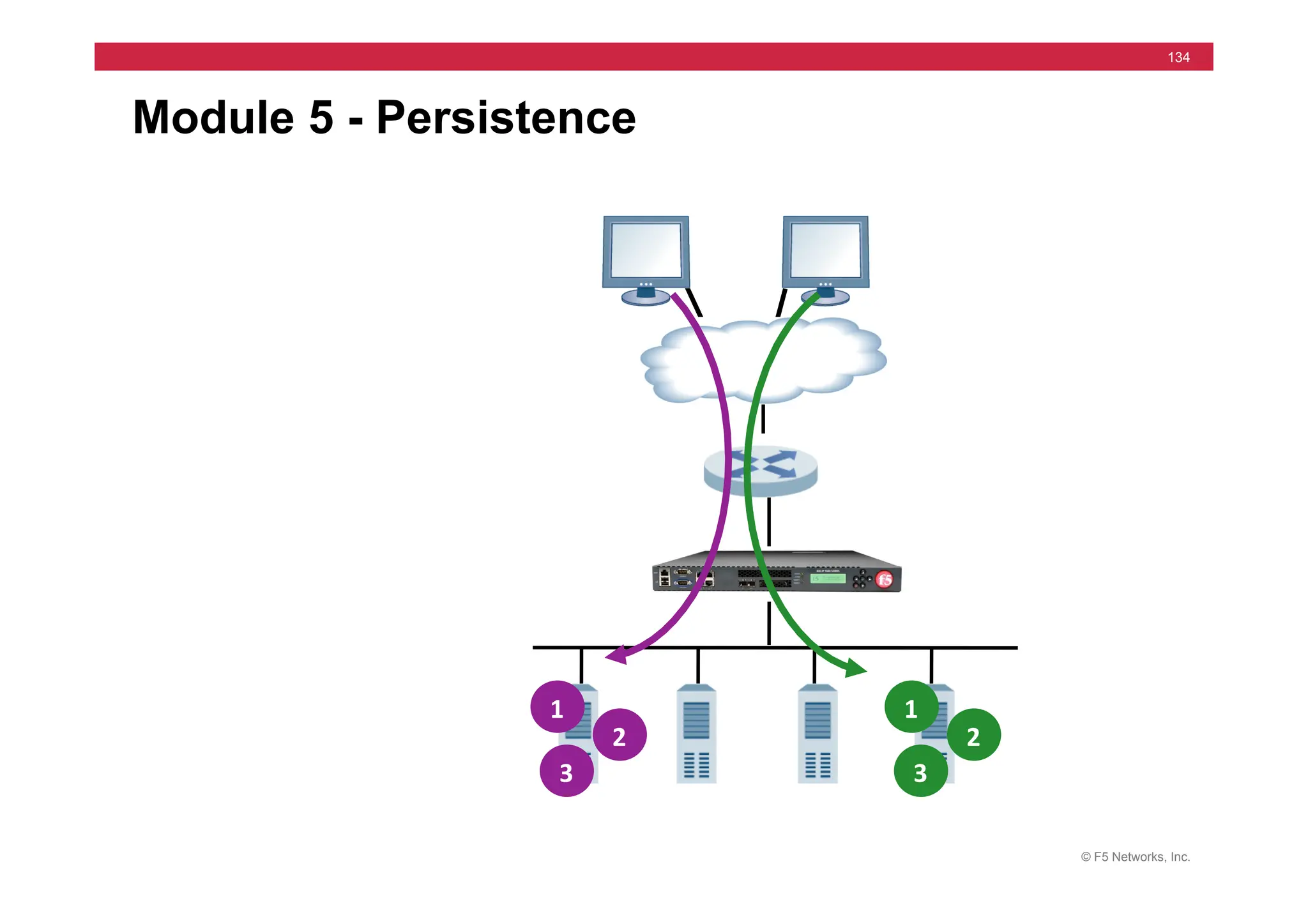
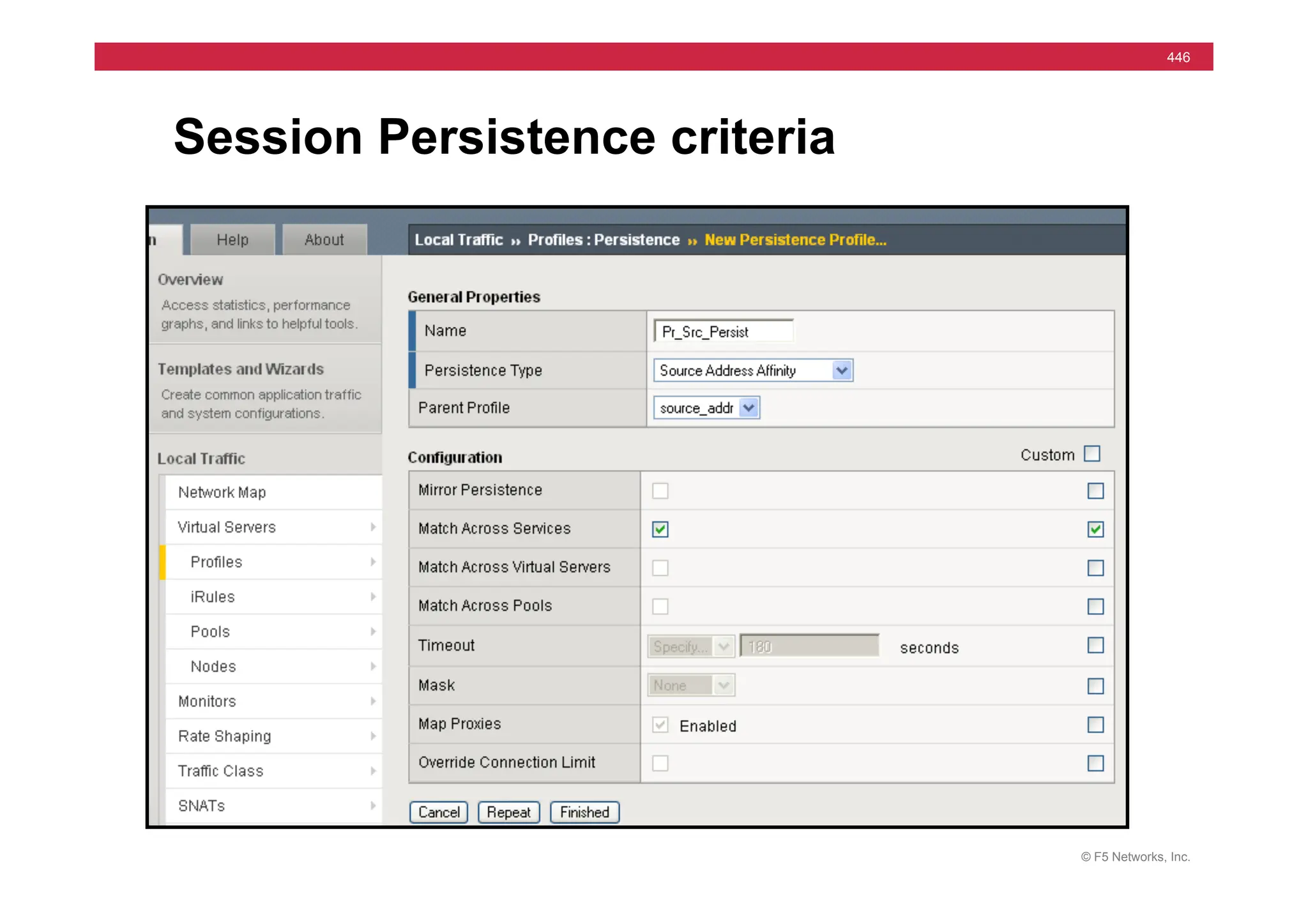
Module 5 - Persistence
1	
  
2	
  
3	
  
1	
  
2	
  
3	
  
© F5 Networks, Inc.
135
Module 5 – Outline
• Source Address Persistence
• Source Address Persist Lab
• Cookie Persistence
• Insert, Rewrite, & Passive
• Cookie Persist Lab
© F5 Networks, Inc.
136
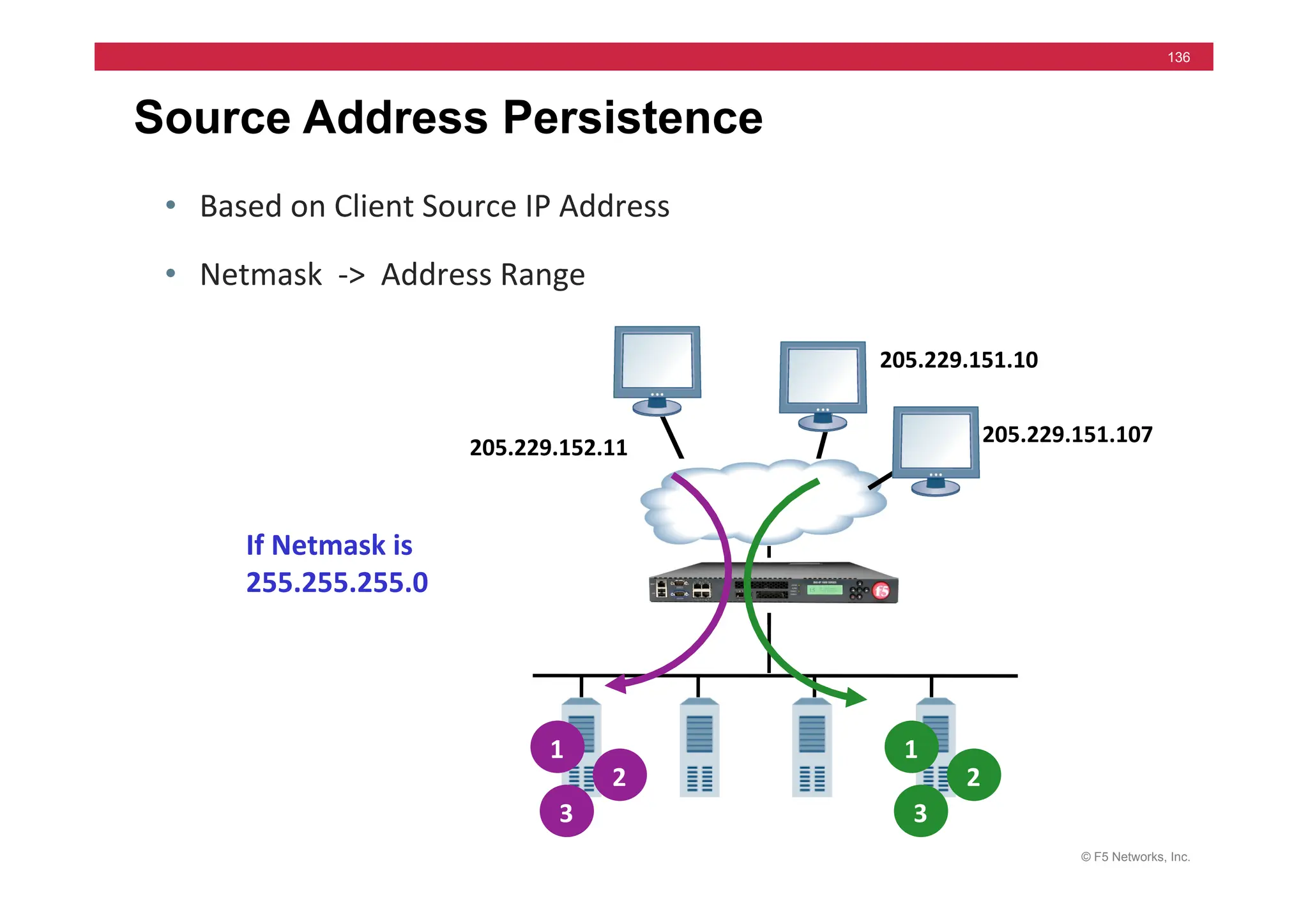
Source Address Persistence
• Based	
  on	
  Client	
  Source	
  IP	
  Address	
  
• Netmask	
  	
  -­‐>	
  	
  Address	
  Range	
  
1	
  
2	
  
3	
  
1	
  
2	
  
3	
  
205.229.151.10	
  
205.229.152.11	
  
If	
  Netmask	
  is	
  
255.255.255.0	
  
205.229.151.107	
  
© F5 Networks, Inc.
137
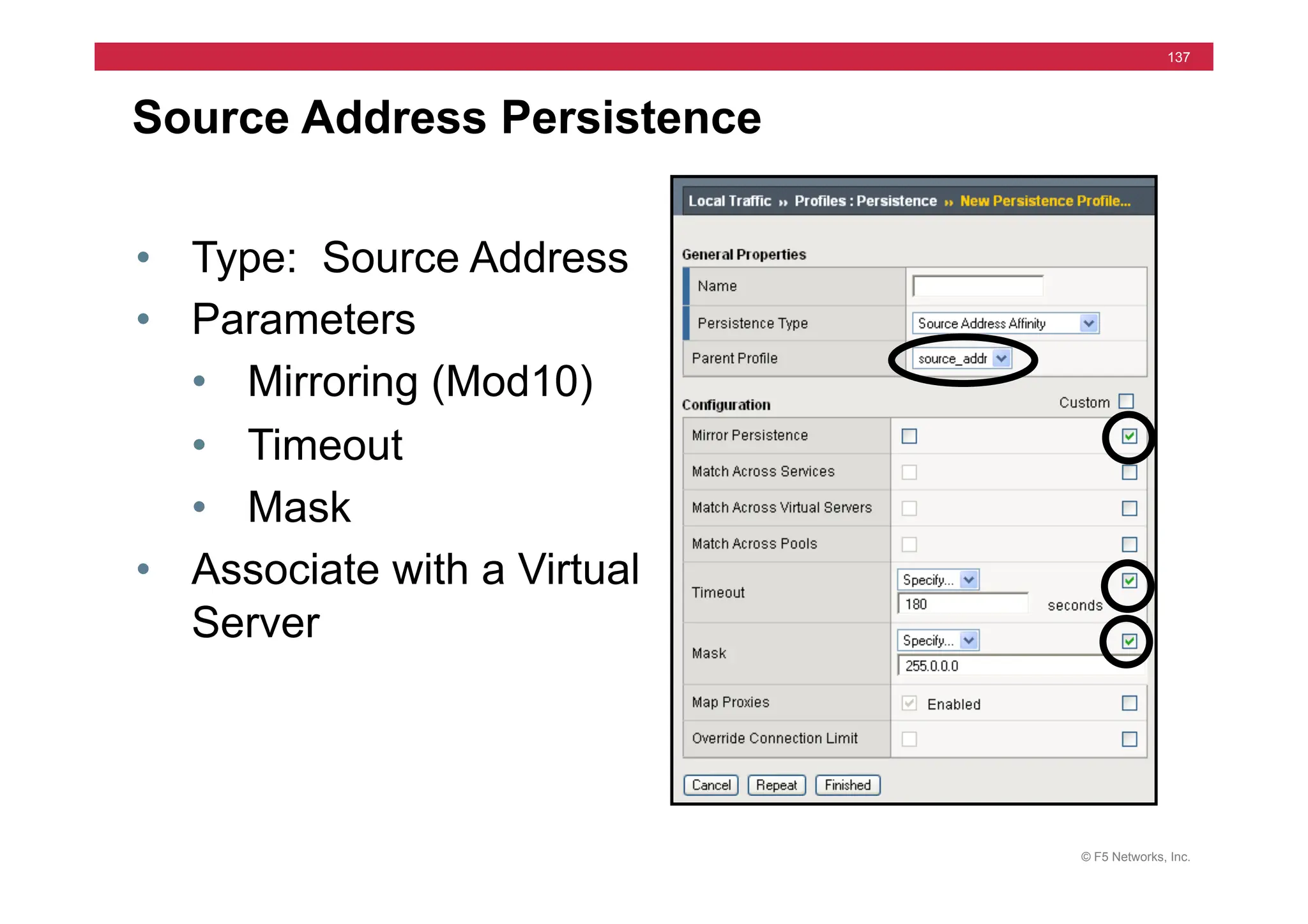
Source Address Persistence
• Type: Source Address
• Parameters
• Mirroring (Mod10)
• Timeout
• Mask
• Associate with a Virtual
Server
© F5 Networks, Inc.
138
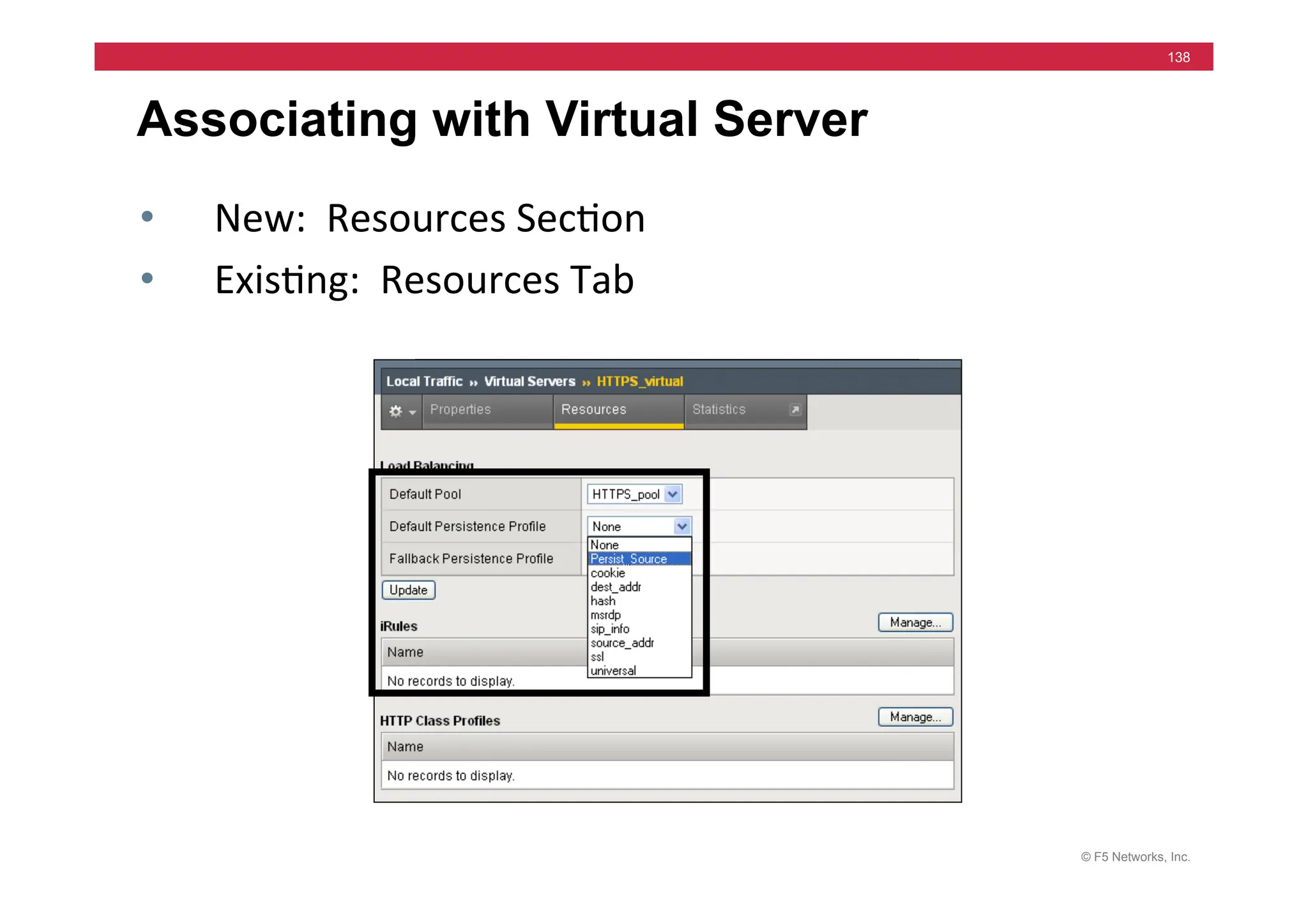
Associating with Virtual Server
• New:	
  	
  Resources	
  Sec=on	
  
• Exis=ng:	
  	
  Resources	
  Tab	
  
© F5 Networks, Inc.
139
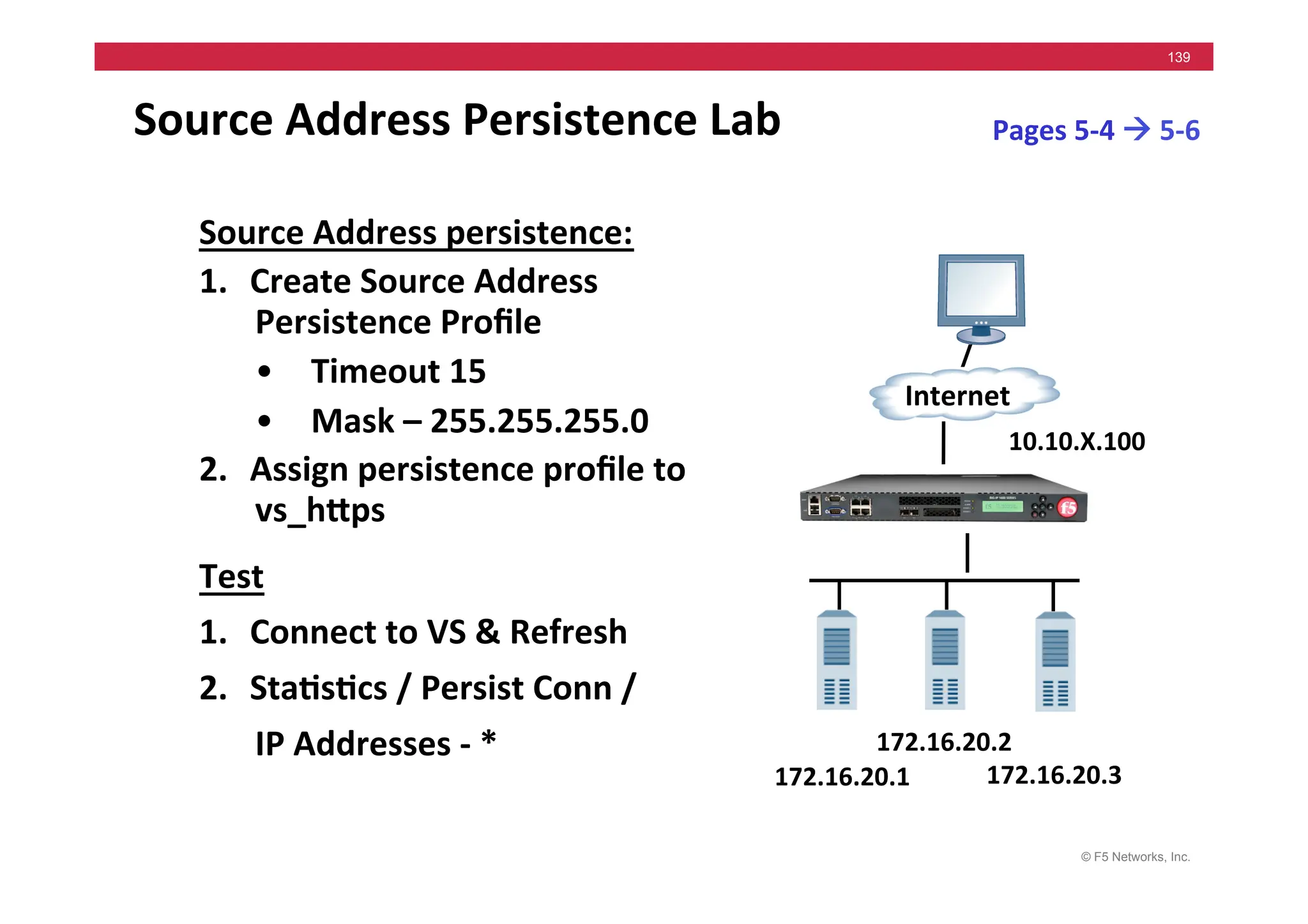
Source	
  Address	
  Persistence	
  Lab	
  
Source	
  Address	
  persistence:	
  
1. Create	
  Source	
  Address	
  
Persistence	
  Profile	
  
• Timeout	
  15	
  
• Mask	
  –	
  255.255.255.0	
  
2. Assign	
  persistence	
  profile	
  to	
  
vs_hMps	
  
Test	
  
1. Connect	
  to	
  VS	
  &	
  Refresh	
  	
  
2. Sta5s5cs	
  /	
  Persist	
  Conn	
  /	


  IP	
  Addresses	
  -­‐	
  *	
  	
  
172.16.20.1	
  
Internet	
  
172.16.20.3	
  
172.16.20.2	
  
10.10.X.100	
  
Pages	
  5-­‐4	
  !	
  5-­‐6	
  
© F5 Networks, Inc.
140
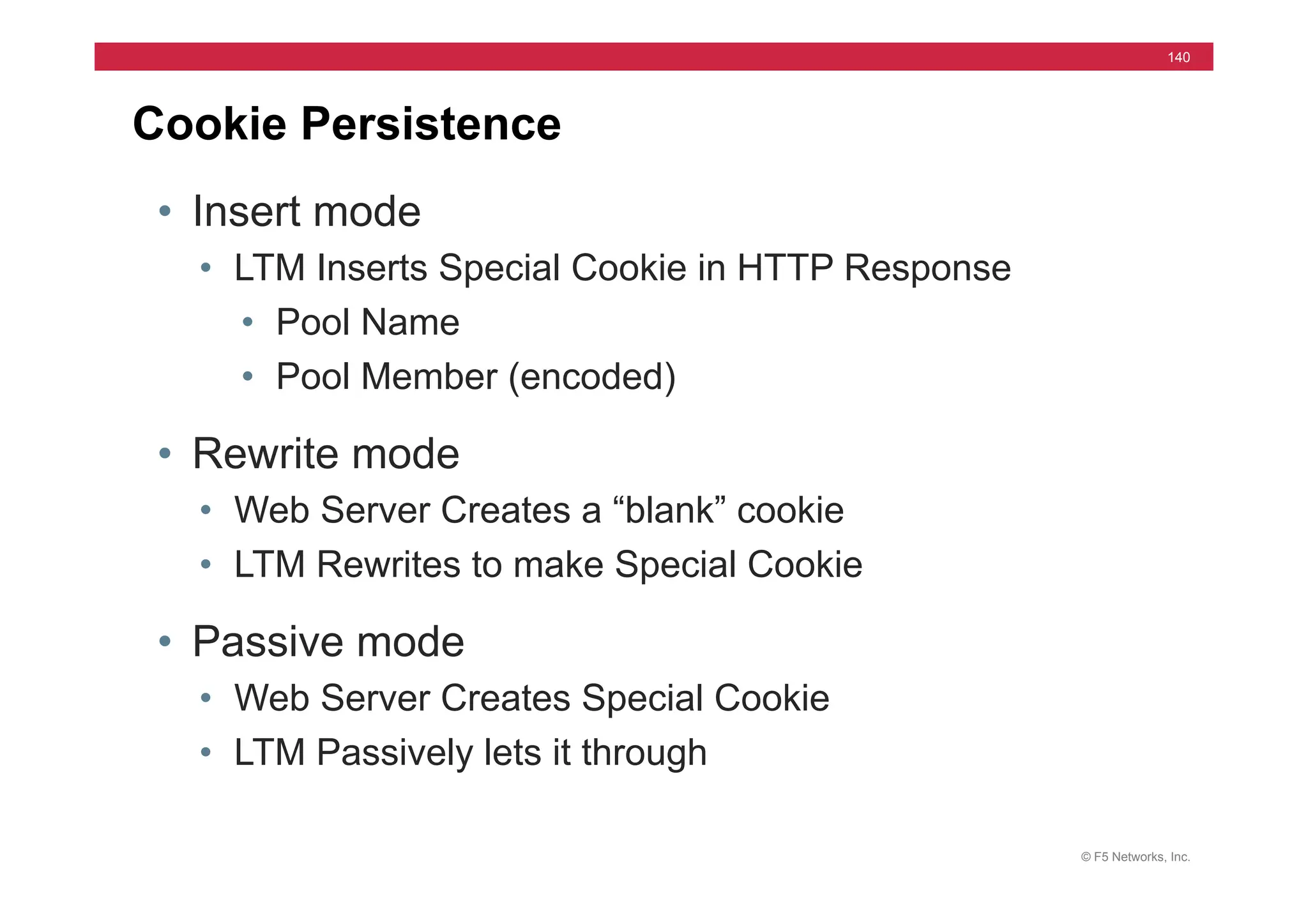
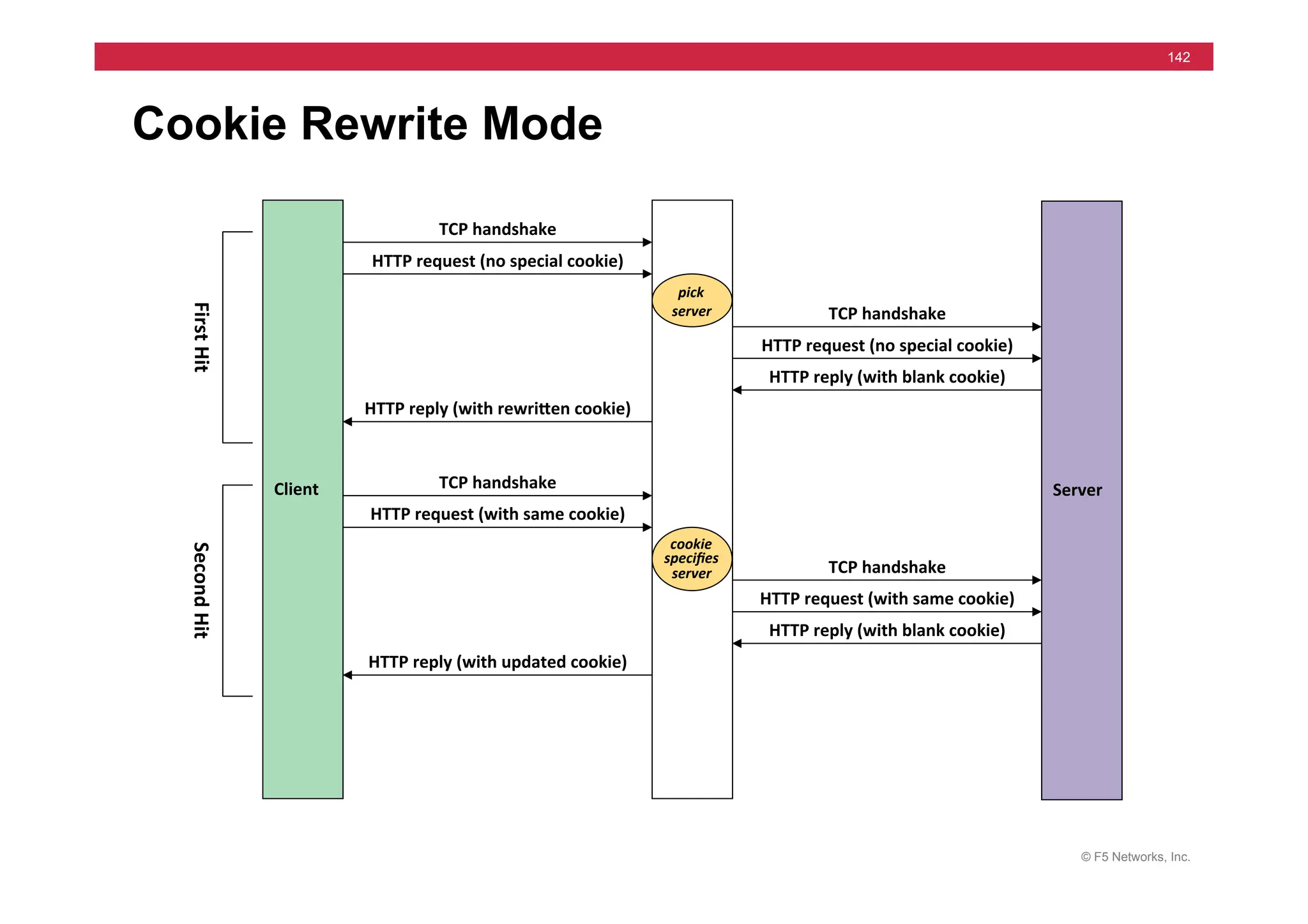
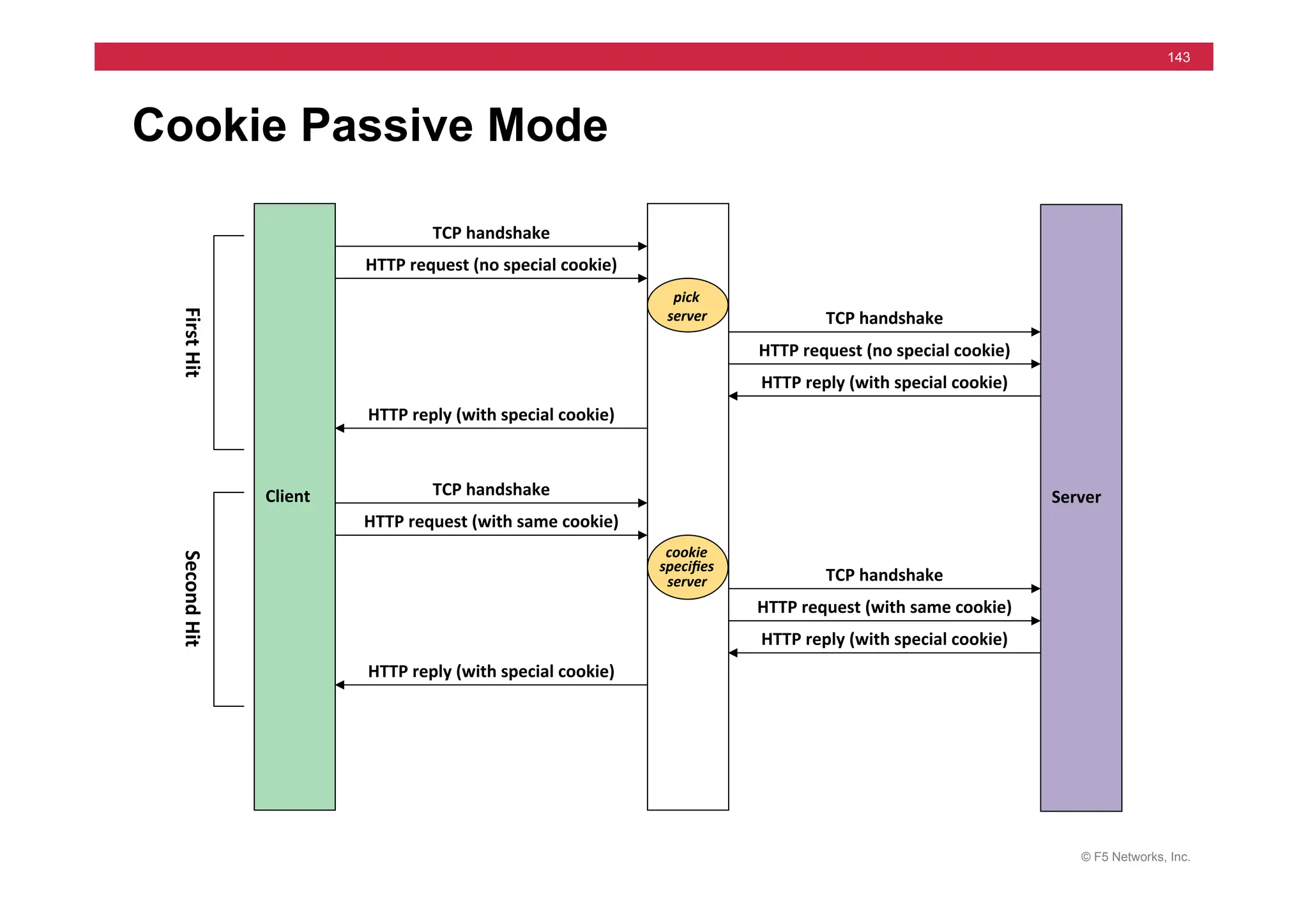
Cookie Persistence
• Insert mode
• LTM Inserts Special Cookie in HTTP Response
• Pool Name
• Pool Member (encoded)
• Rewrite mode
• Web Server Creates a “blank” cookie
• LTM Rewrites to make Special Cookie
• Passive mode
• Web Server Creates Special Cookie
• LTM Passively lets it through
© F5 Networks, Inc.
141
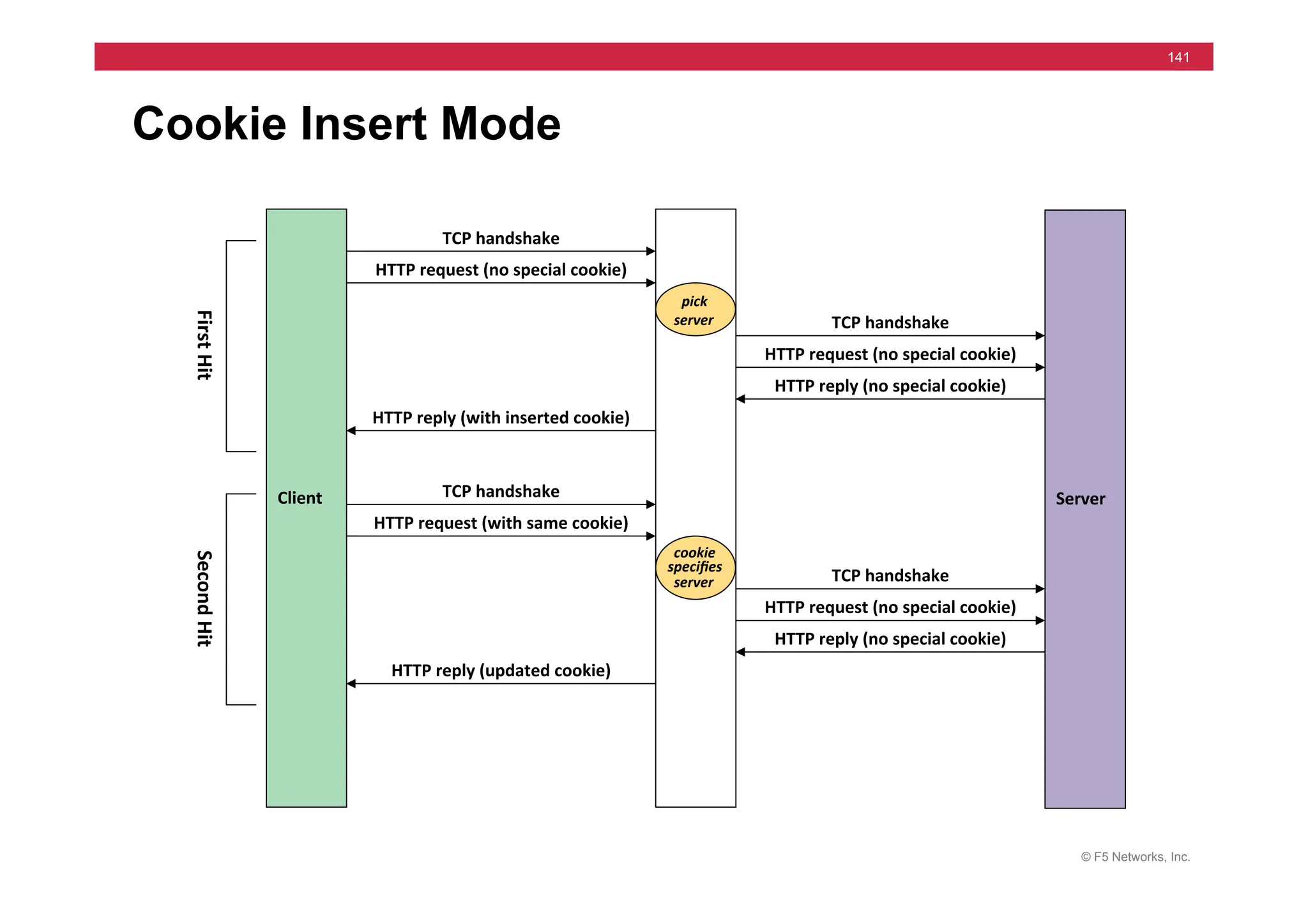
Client	
   Server	
  
HTTP	
  request	
  (no	
  special	
  cookie)	
  
TCP	
  handshake	
  
TCP	
  handshake	
  
HTTP	
  request	
  (no	
  special	
  cookie)	
  
HTTP	
  reply	
  (no	
  special	
  cookie)	
  
HTTP	
  reply	
  (with	
  inserted	
  cookie)	
  
pick	
  
server	
  	
  
HTTP	
  request	
  (with	
  same	
  cookie)	
  
TCP	
  handshake	
  
TCP	
  handshake	
  
HTTP	
  request	
  (no	
  special	
  cookie)	
  
HTTP	
  reply	
  (no	
  special	
  cookie)	
  
HTTP	
  reply	
  (updated	
  cookie)	
  
cookie	
  
specifies	
  
server	
  	
  
First	
  
H
it	
  
Second	
  
H
it	
  
Cookie Insert Mode
© F5 Networks, Inc.
142
Client	
   Server	
  
HTTP	
  request	
  (no	
  special	
  cookie)	
  
TCP	
  handshake	
  
TCP	
  handshake	
  
HTTP	
  request	
  (no	
  special	
  cookie)	
  
HTTP	
  reply	
  (with	
  blank	
  cookie)	
  
HTTP	
  reply	
  (with	
  rewriMen	
  cookie)	
  
pick	
  
server	
  	
  
HTTP	
  request	
  (with	
  same	
  cookie)	
  
TCP	
  handshake	
  
TCP	
  handshake	
  
HTTP	
  request	
  (with	
  same	
  cookie)	
  
HTTP	
  reply	
  (with	
  blank	
  cookie)	
  
HTTP	
  reply	
  (with	
  updated	
  cookie)	
  
cookie	
  
specifies	
  
server	
  	
  
First	
  
H
it	
  
Second	
  
H
it	
  
Cookie Rewrite Mode
© F5 Networks, Inc.
143
Client	
   Server	
  
HTTP	
  request	
  (no	
  special	
  cookie)	
  
TCP	
  handshake	
  
TCP	
  handshake	
  
HTTP	
  request	
  (no	
  special	
  cookie)	
  
HTTP	
  reply	
  (with	
  special	
  cookie)	
  
HTTP	
  reply	
  (with	
  special	
  cookie)	
  
pick	
  
server	
  	
  
HTTP	
  request	
  (with	
  same	
  cookie)	
  
TCP	
  handshake	
  
TCP	
  handshake	
  
HTTP	
  request	
  (with	
  same	
  cookie)	
  
HTTP	
  reply	
  (with	
  special	
  cookie)	
  
HTTP	
  reply	
  (with	
  special	
  cookie)	
  
cookie	
  
specifies	
  
server	
  	
  
First	
  
H
it	
  
Second	
  
H
it	
  
Cookie Passive Mode
© F5 Networks, Inc.
144
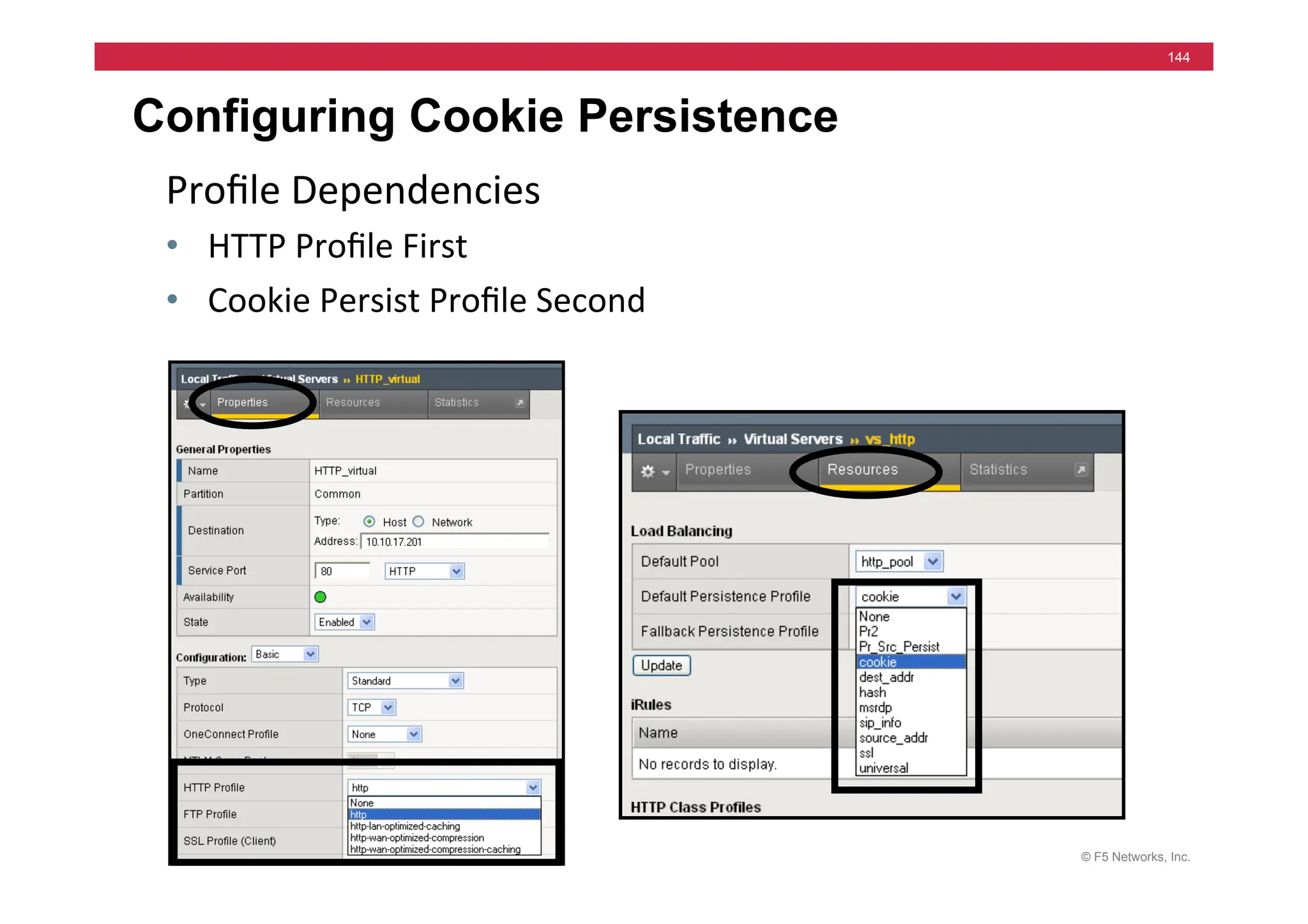
Configuring Cookie Persistence
Profile	
  Dependencies	
  	
  
• HTTP	
  Profile	
  First	
  
• Cookie	
  Persist	
  Profile	
  Second	
  
© F5 Networks, Inc.
145
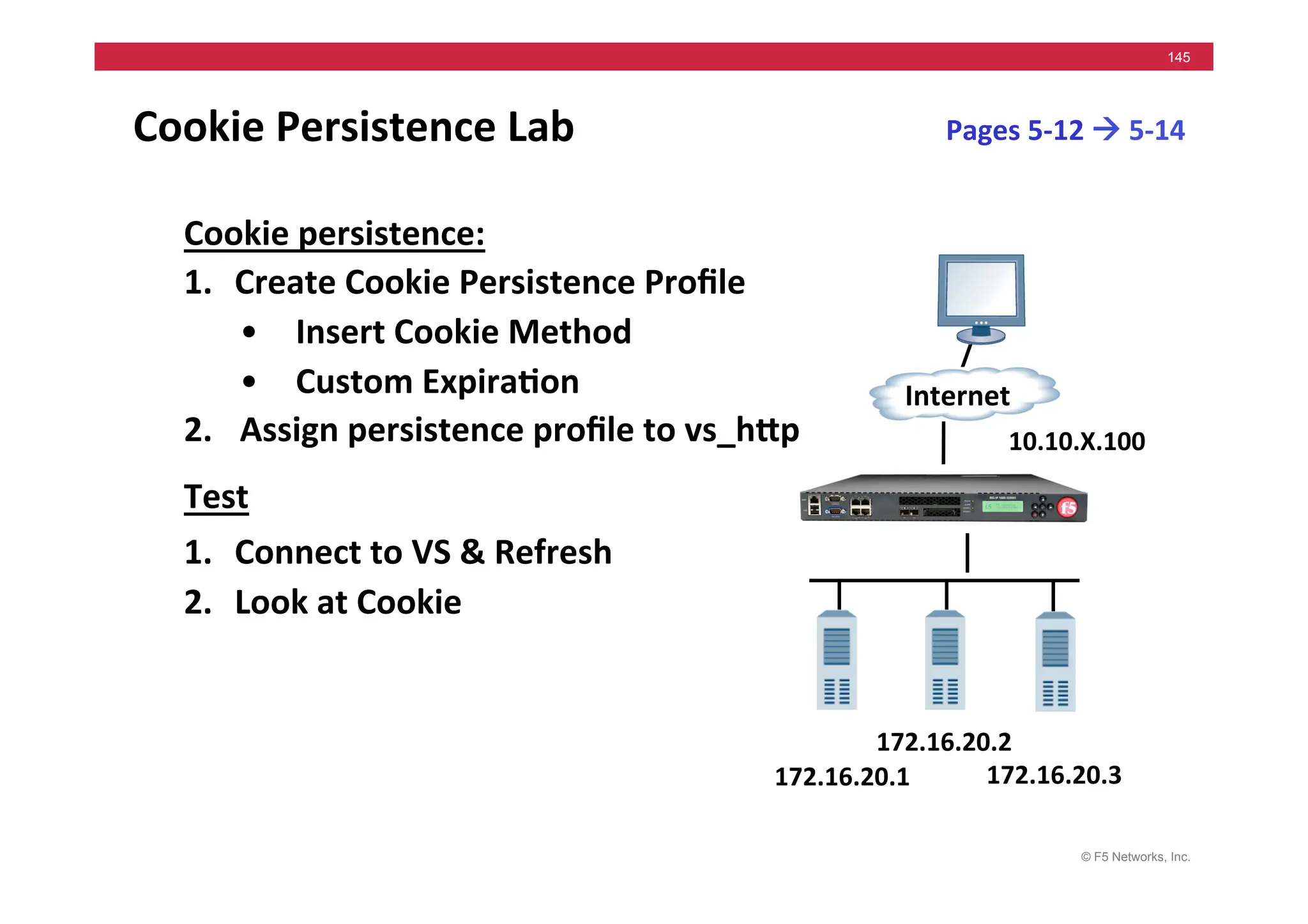
Cookie	
  Persistence	
  Lab	
  	
  
Cookie	
  persistence:	
  
1. Create	
  Cookie	
  Persistence	
  Profile	
  	
  
• Insert	
  Cookie	
  Method	
  
• Custom	
  Expira5on	
  
2. 	
  Assign	
  persistence	
  profile	
  to	
  vs_hMp	
  
Test	
  
1. Connect	
  to	
  VS	
  &	
  Refresh	
  	
  
2. Look	
  at	
  Cookie	
  
172.16.20.1	
  
Internet	
  
172.16.20.3	
  
172.16.20.2	
  
10.10.X.100	
  
Pages	
  5-­‐12	
  !	
  5-­‐14	
  
© F5 Networks, Inc.
146
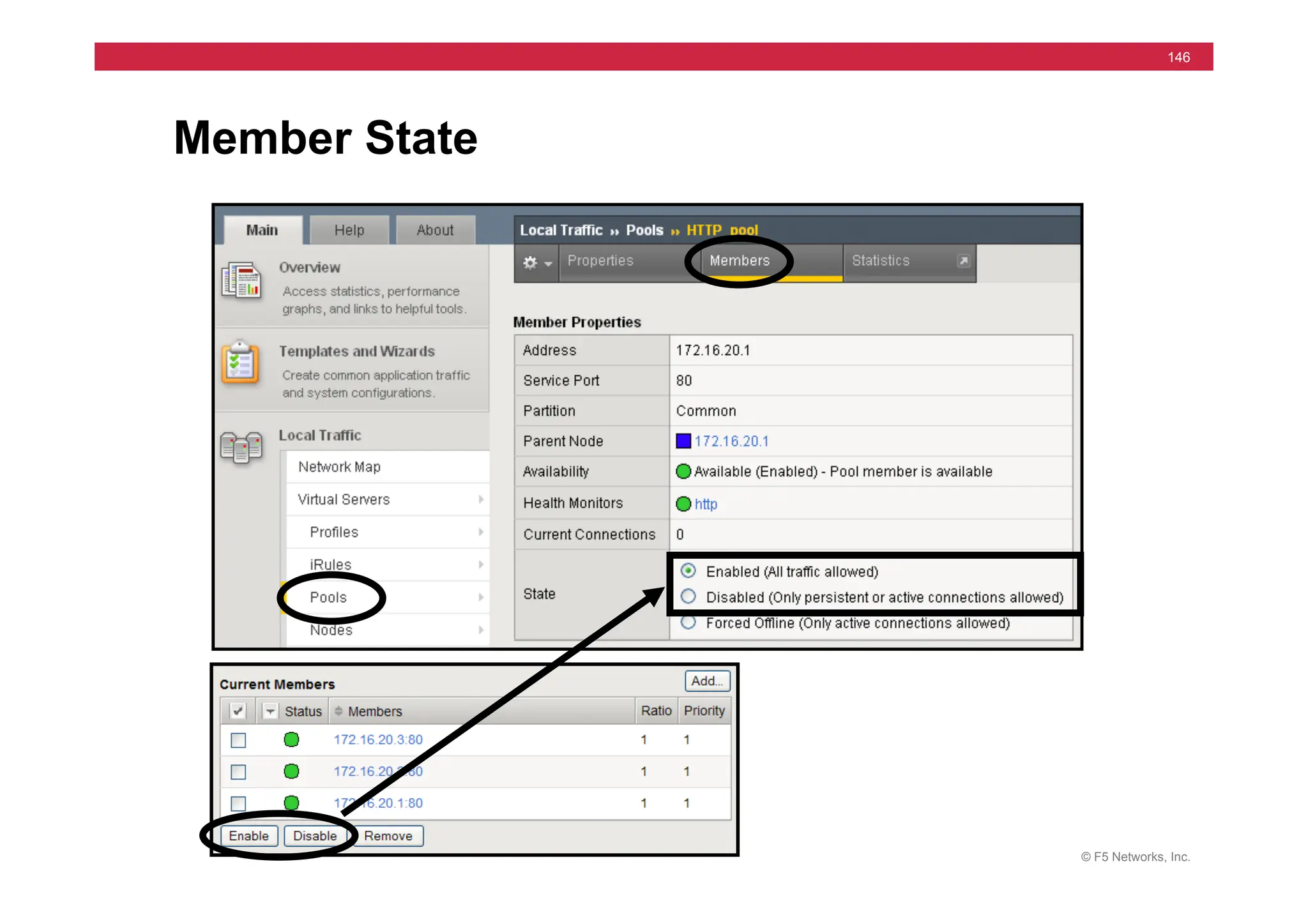
Member State
© F5 Networks, Inc.
147
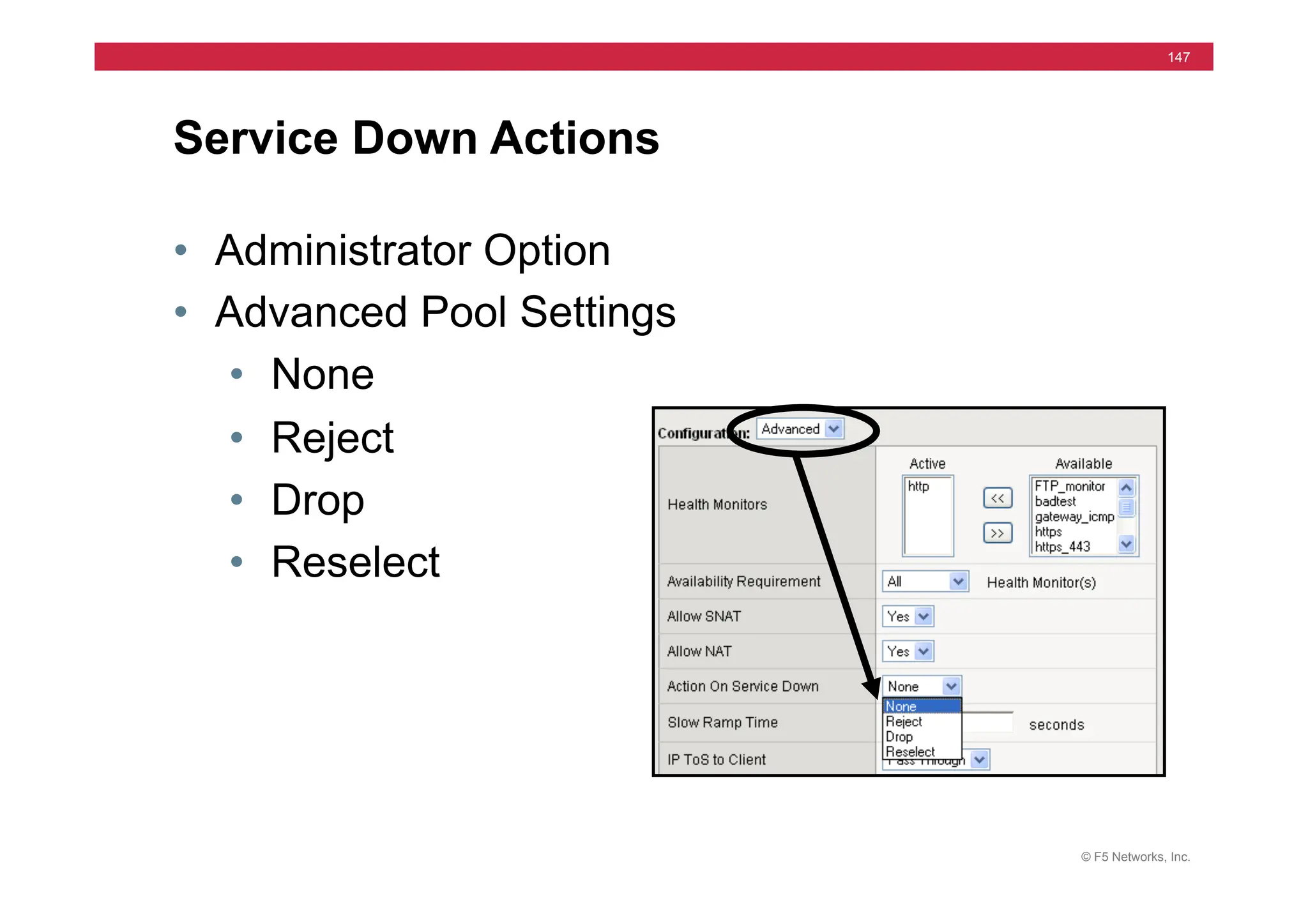
Service Down Actions
• Administrator Option
• Advanced Pool Settings
• None
• Reject
• Drop
• Reselect
© F5 Networks, Inc.
148
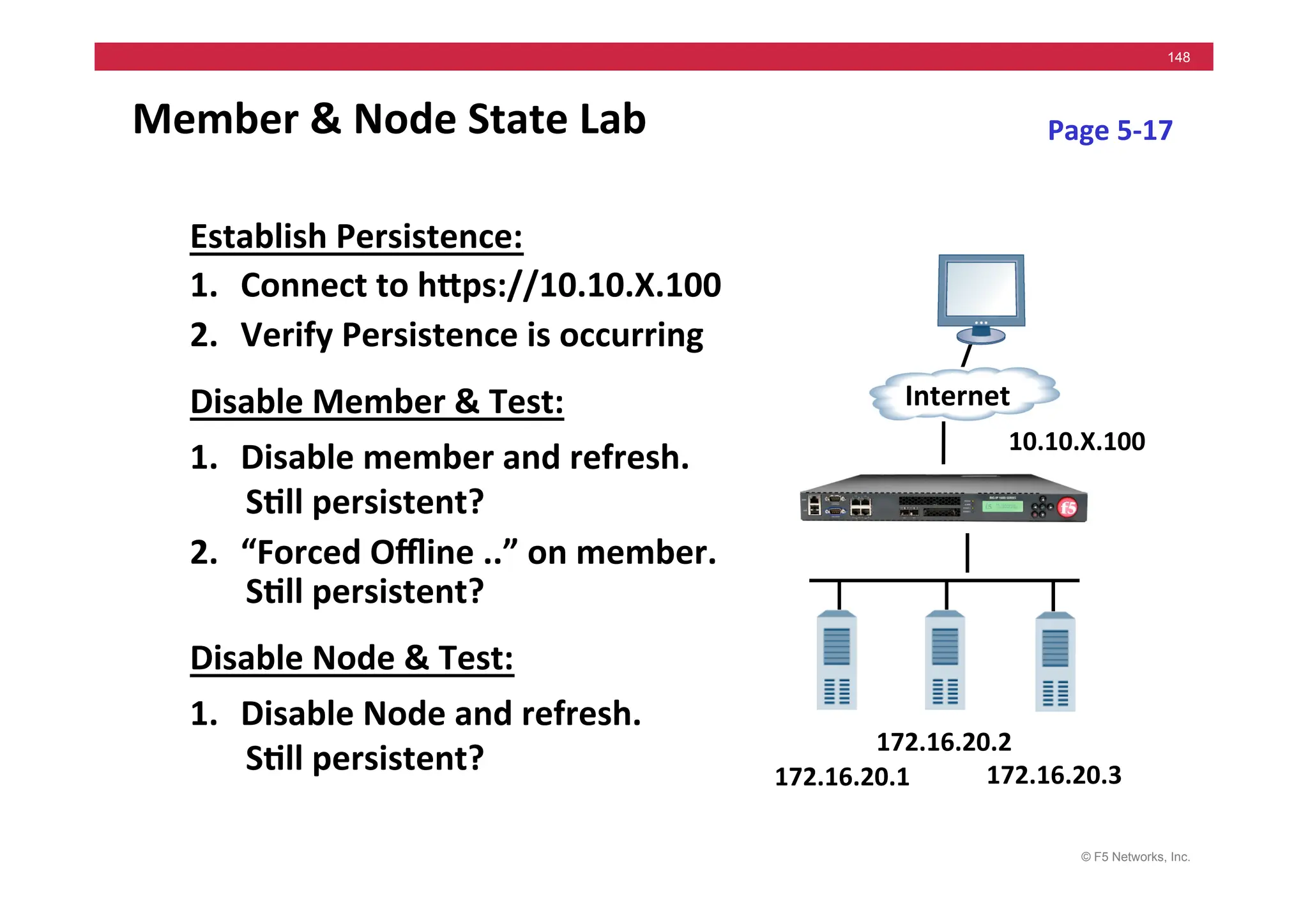
Member	
  &	
  Node	
  State	
  Lab	
  
Establish	
  Persistence:	
  
1. Connect	
  to	
  hMps://10.10.X.100	
  
2. Verify	
  Persistence	
  is	
  occurring	
  
Disable	
  Member	
  &	
  Test:	
  
1. Disable	
  member	
  and	
  refresh.	


S5ll	
  persistent?	
  
2. “Forced	
  Offline	
  ..”	
  on	
  member.	
  	
  
S5ll	
  persistent?	
  
Disable	
  Node	
  &	
  Test:	
  
1. Disable	
  Node	
  and	
  refresh.	


S5ll	
  persistent?	
   172.16.20.1	
  
Internet	
  
172.16.20.3	
  
172.16.20.2	
  
10.10.X.100	
  
Page	
  5-­‐17	
  
© F5 Networks, Inc.
149
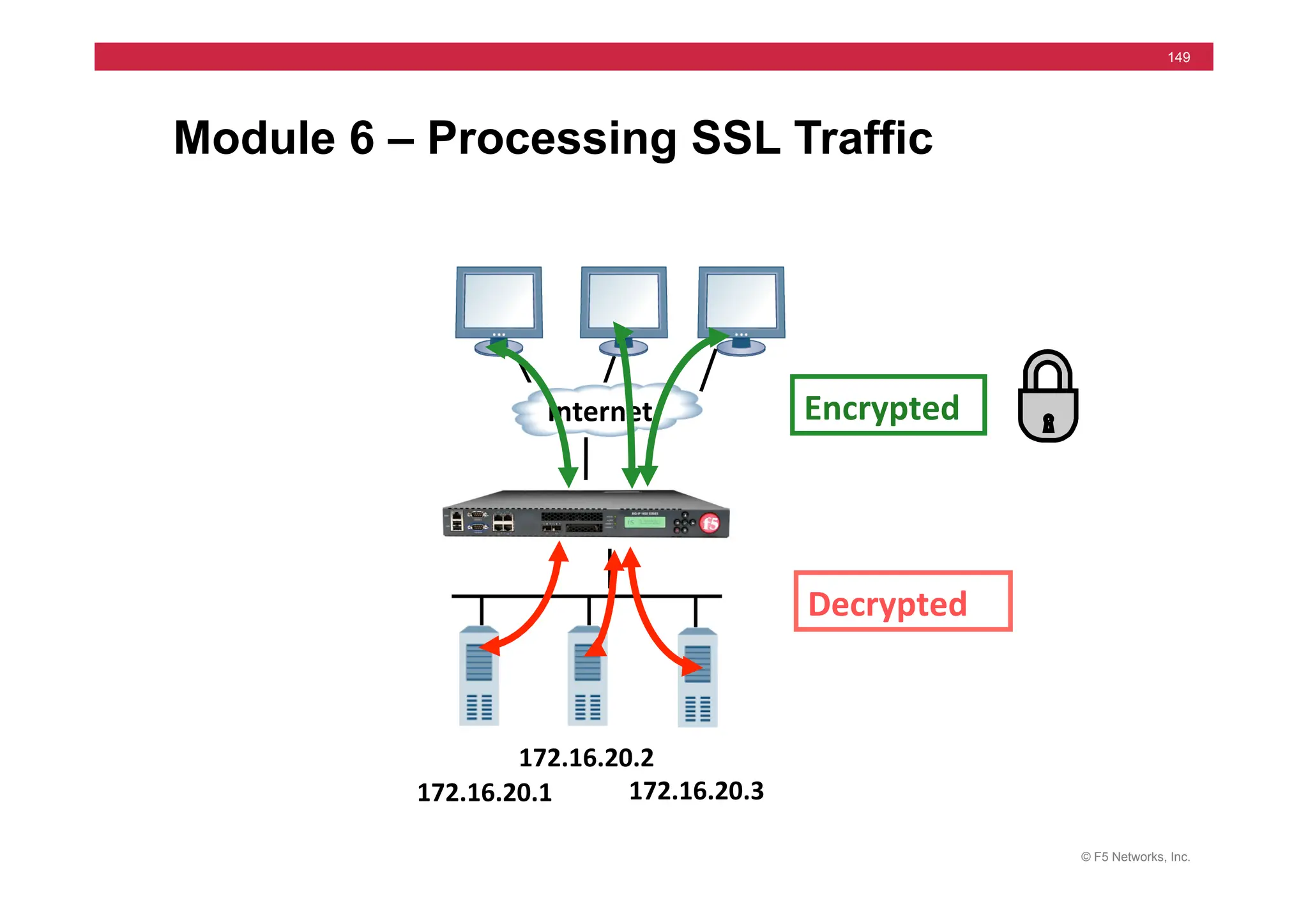
Module 6 – Processing SSL Traffic
Decrypted	
  
Encrypted	
  
172.16.20.1	
  
Internet	
  
172.16.20.3	
  
172.16.20.2	
  
© F5 Networks, Inc.
150
Module 6 – Outline
• Client SSL
• Server SSL
• Configuring SSL Profiles
• Client SSL Labs
© F5 Networks, Inc.
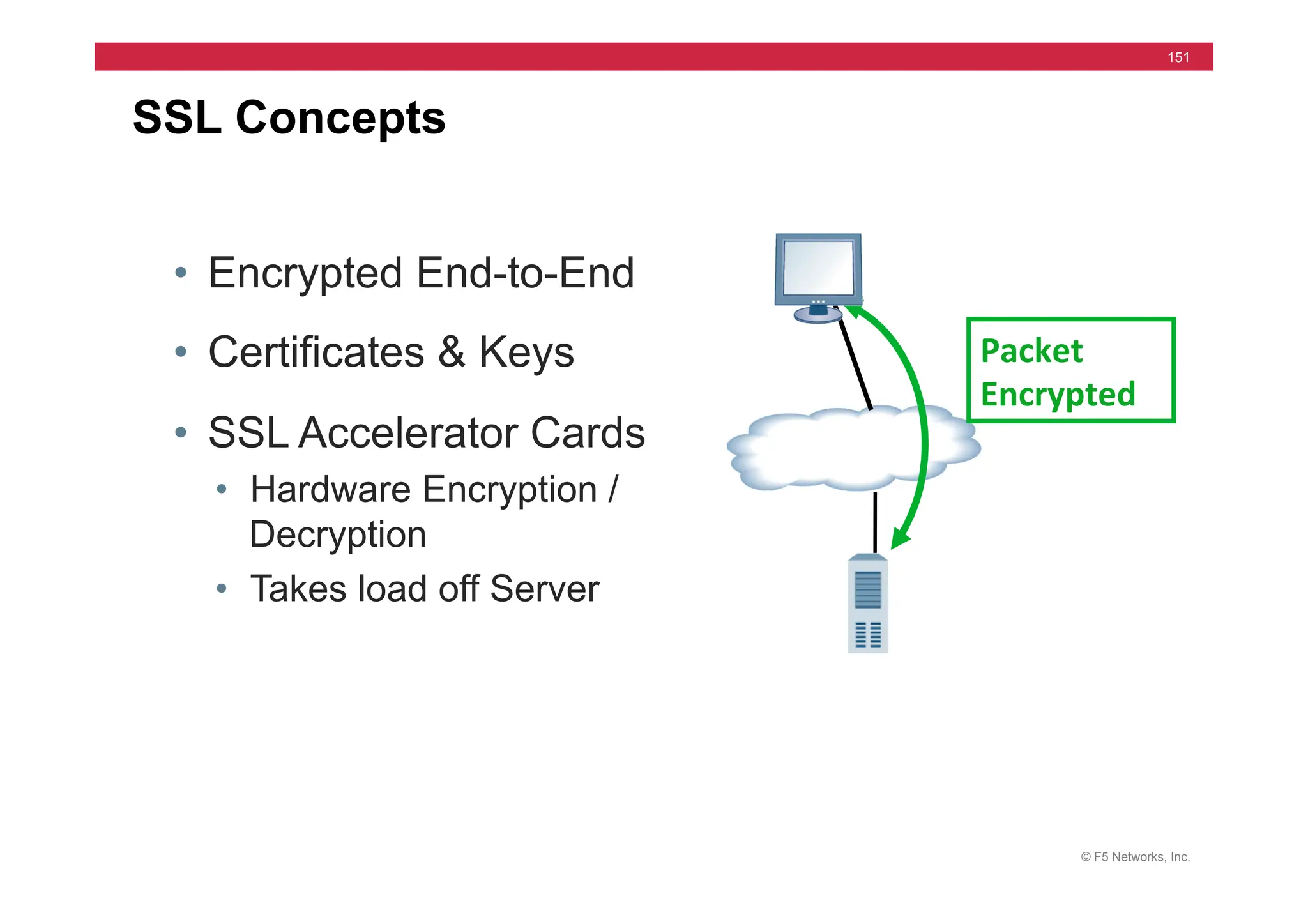
151
• Encrypted End-to-End
• Certificates & Keys
• SSL Accelerator Cards
• Hardware Encryption /
Decryption
• Takes load off Server
SSL Concepts
Packet	
  
Encrypted	
  
© F5 Networks, Inc.
152
SSL Termination
Advantages
• SSL key exchange done by hardware
• SSL bulk encryption done by hardware
• Centralize certificate management
• Offload SSL traffic from Web Servers
• Allows rule processing & cookie persistence
© F5 Networks, Inc.
153
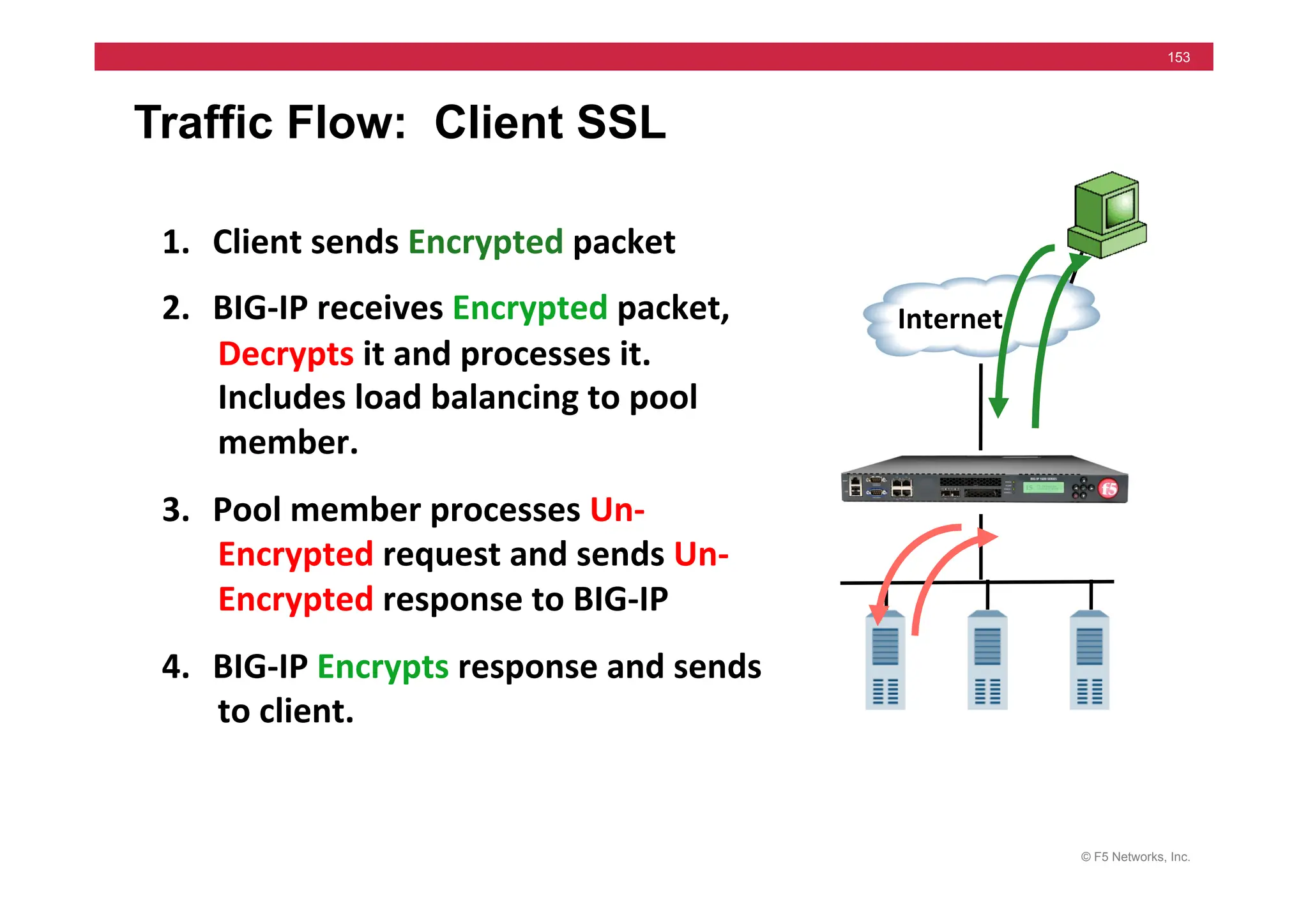
Traffic Flow: Client SSL
1. Client	
  sends	
  Encrypted	
  packet	
  
2. BIG-­‐IP	
  receives	
  Encrypted	
  packet,	
  
Decrypts	
  it	
  and	
  processes	
  it.	
  	
  
Includes	
  load	
  balancing	
  to	
  pool	
  
member.	
  
3. Pool	
  member	
  processes	
  Un-­‐
Encrypted	
  request	
  and	
  sends	
  Un-­‐
Encrypted	
  response	
  to	
  BIG-­‐IP	
  
4. BIG-­‐IP	
  Encrypts	
  response	
  and	
  sends	
  
to	
  client.	
  
Internet	
  
© F5 Networks, Inc.
154
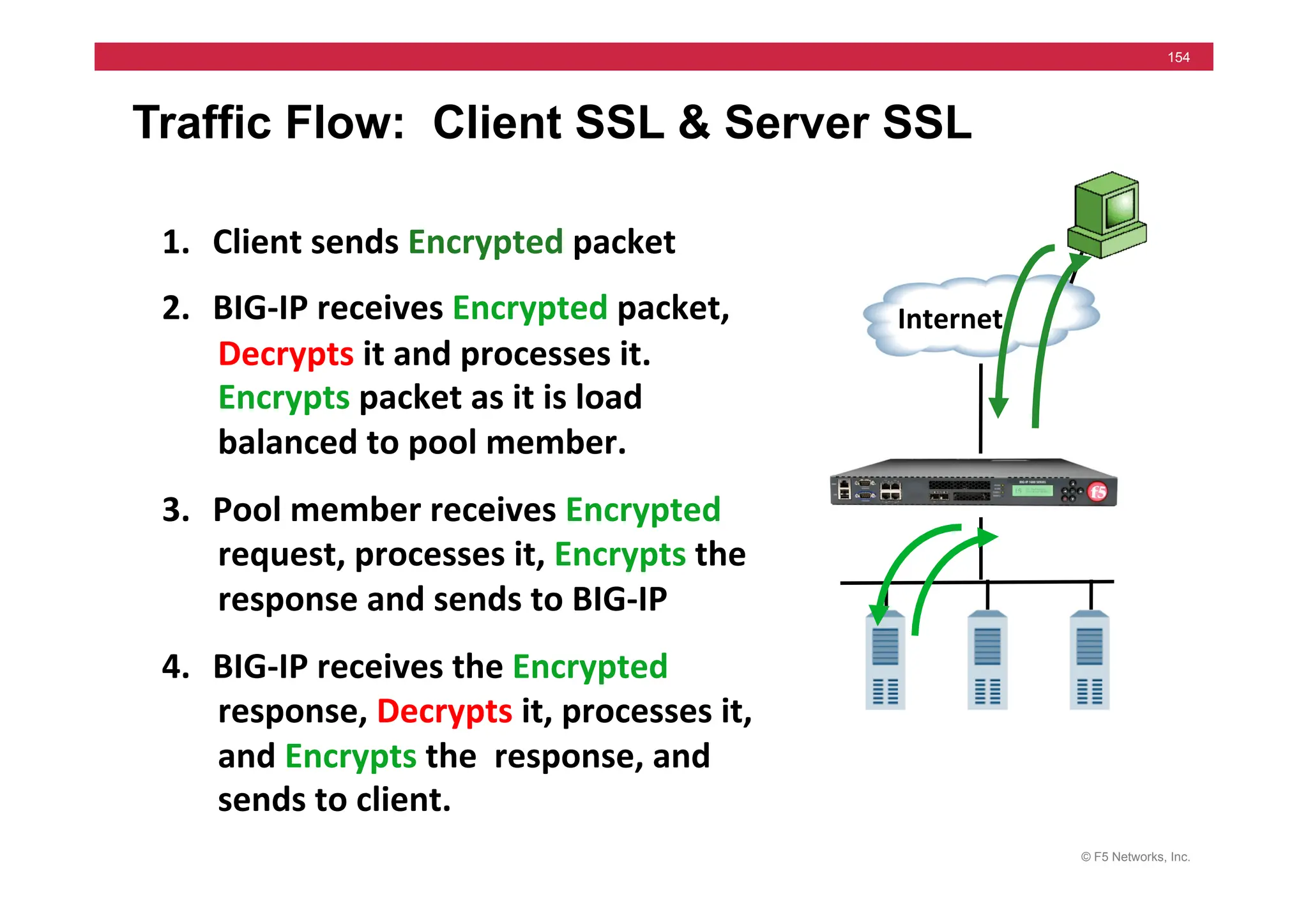
Traffic Flow: Client SSL & Server SSL
1. Client	
  sends	
  Encrypted	
  packet	
  
2. BIG-­‐IP	
  receives	
  Encrypted	
  packet,	
  
Decrypts	
  it	
  and	
  processes	
  it.	
  	
  
Encrypts	
  packet	
  as	
  it	
  is	
  load	
  
balanced	
  to	
  pool	
  member.	
  
3. Pool	
  member	
  receives	
  Encrypted	
  	
  
request,	
  processes	
  it,	
  Encrypts	
  the	
  
response	
  and	
  sends	
  to	
  BIG-­‐IP	
  
4. BIG-­‐IP	
  receives	
  the	
  Encrypted	
  
response,	
  Decrypts	
  it,	
  processes	
  it,	
  
and	
  Encrypts	
  the	
  	
  response,	
  and	
  
sends	
  to	
  client.	
  
Internet	
  
© F5 Networks, Inc.
155
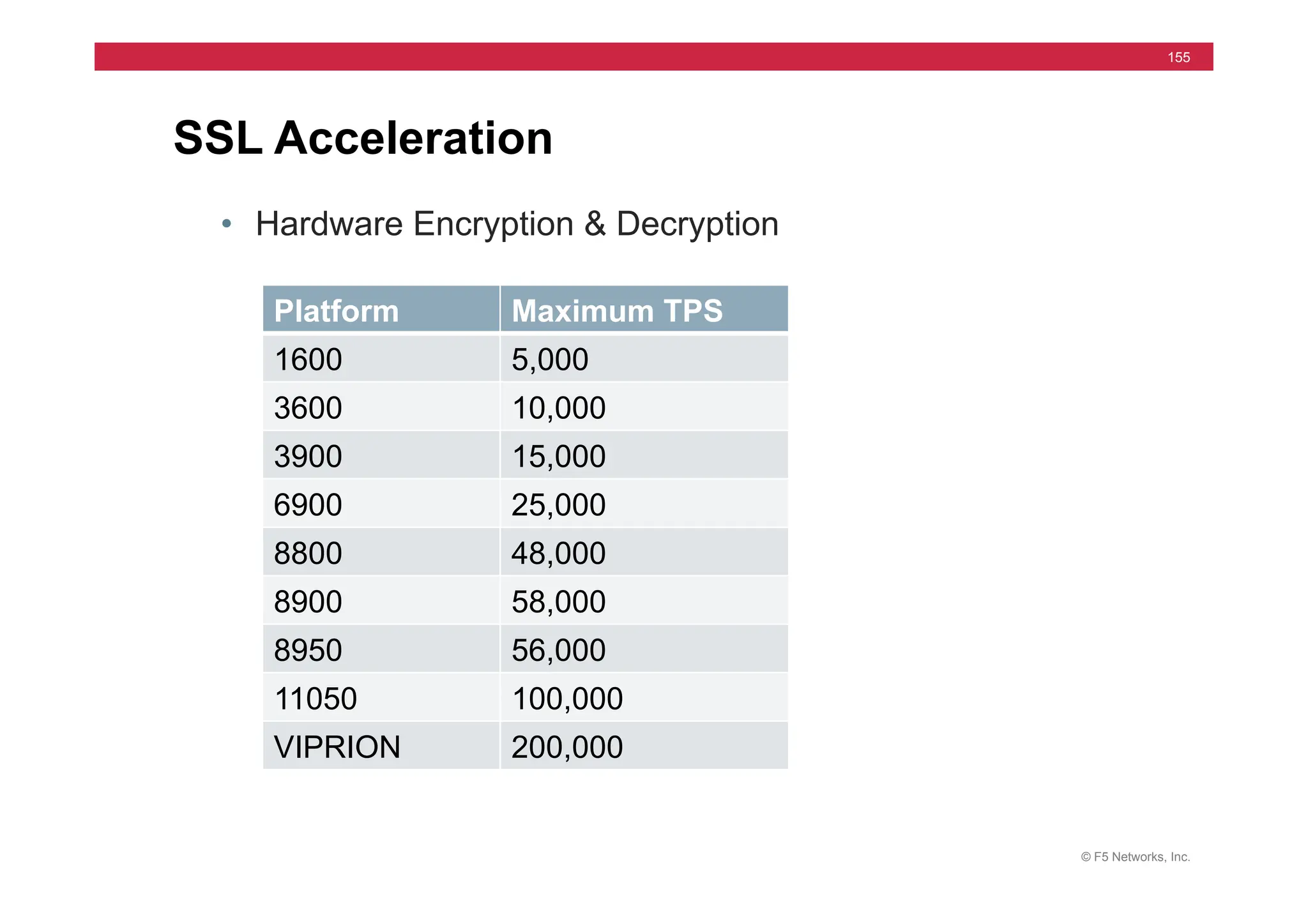
SSL Acceleration
• Hardware Encryption & Decryption
Platform Maximum TPS
1600 5,000
3600 10,000
3900 15,000
6900 25,000
8800 48,000
8900 58,000
8950 56,000
11050 100,000
VIPRION 200,000
© F5 Networks, Inc.
156
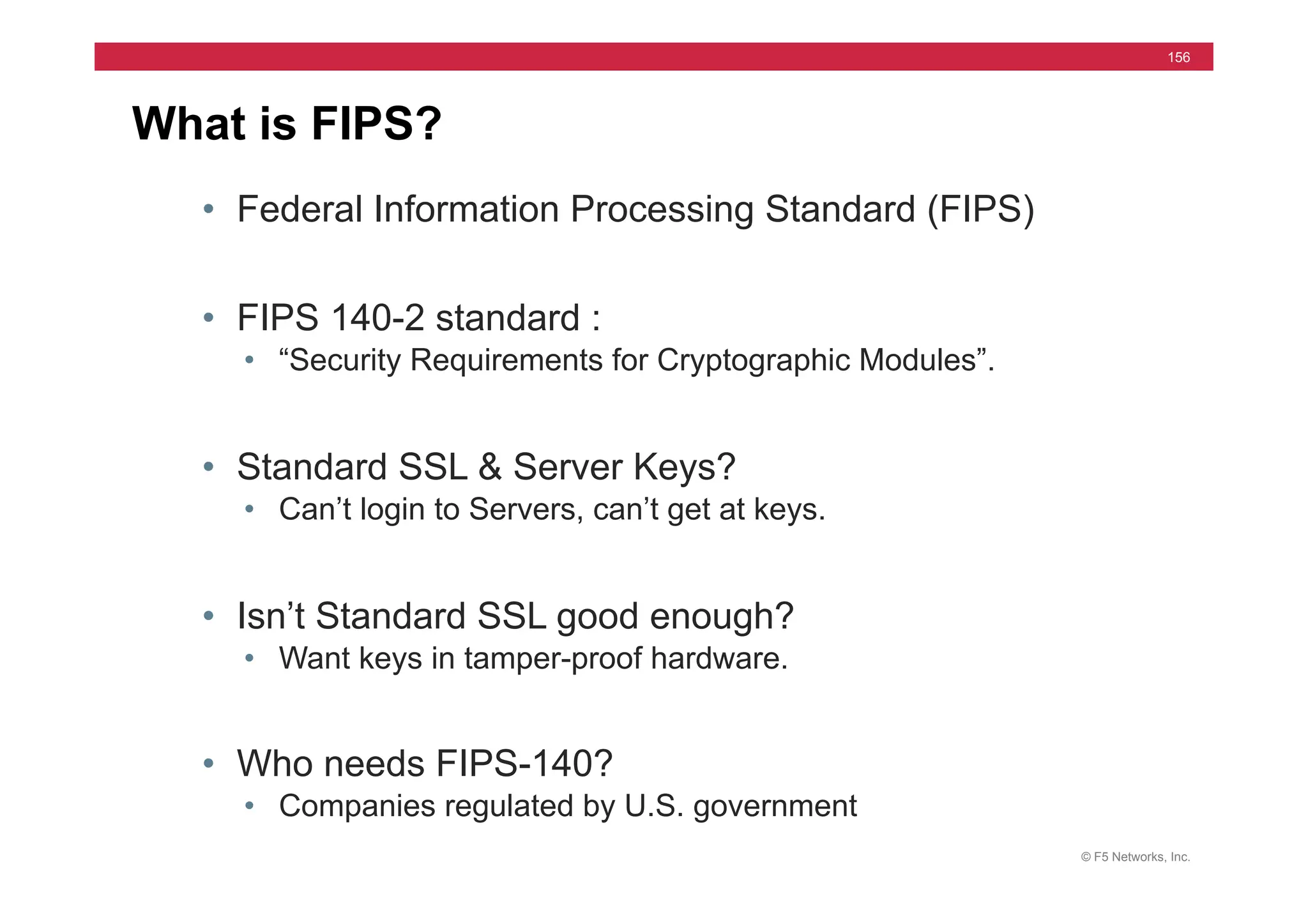
What is FIPS?
• Federal Information Processing Standard (FIPS)
• FIPS 140-2 standard :
• “Security Requirements for Cryptographic Modules”.
• Standard SSL & Server Keys?
• Can’t login to Servers, can’t get at keys.
• Isn’t Standard SSL good enough?
• Want keys in tamper-proof hardware.
• Who needs FIPS-140?
• Companies regulated by U.S. government
© F5 Networks, Inc.
157
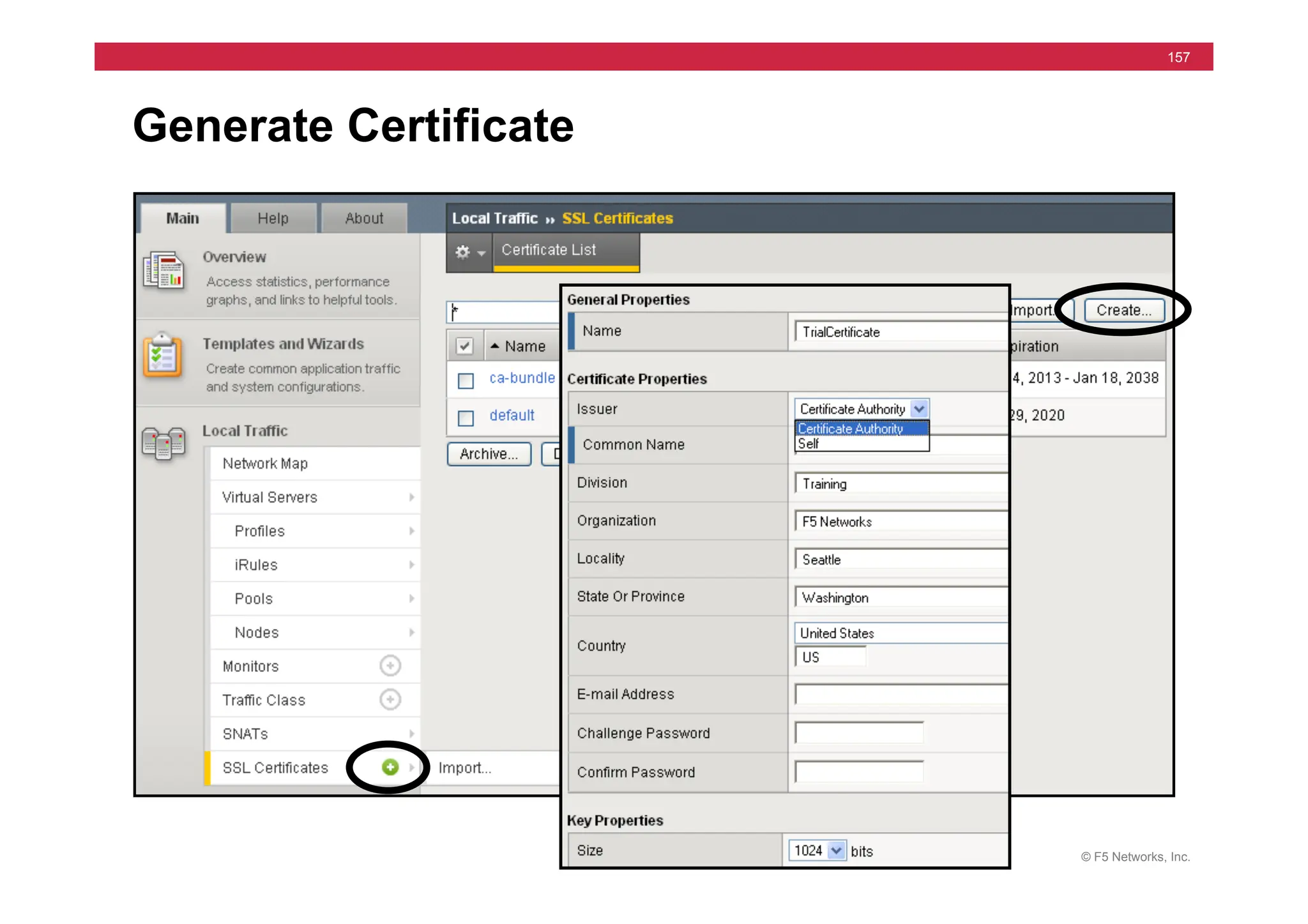
Generate Certificate
© F5 Networks, Inc.
158
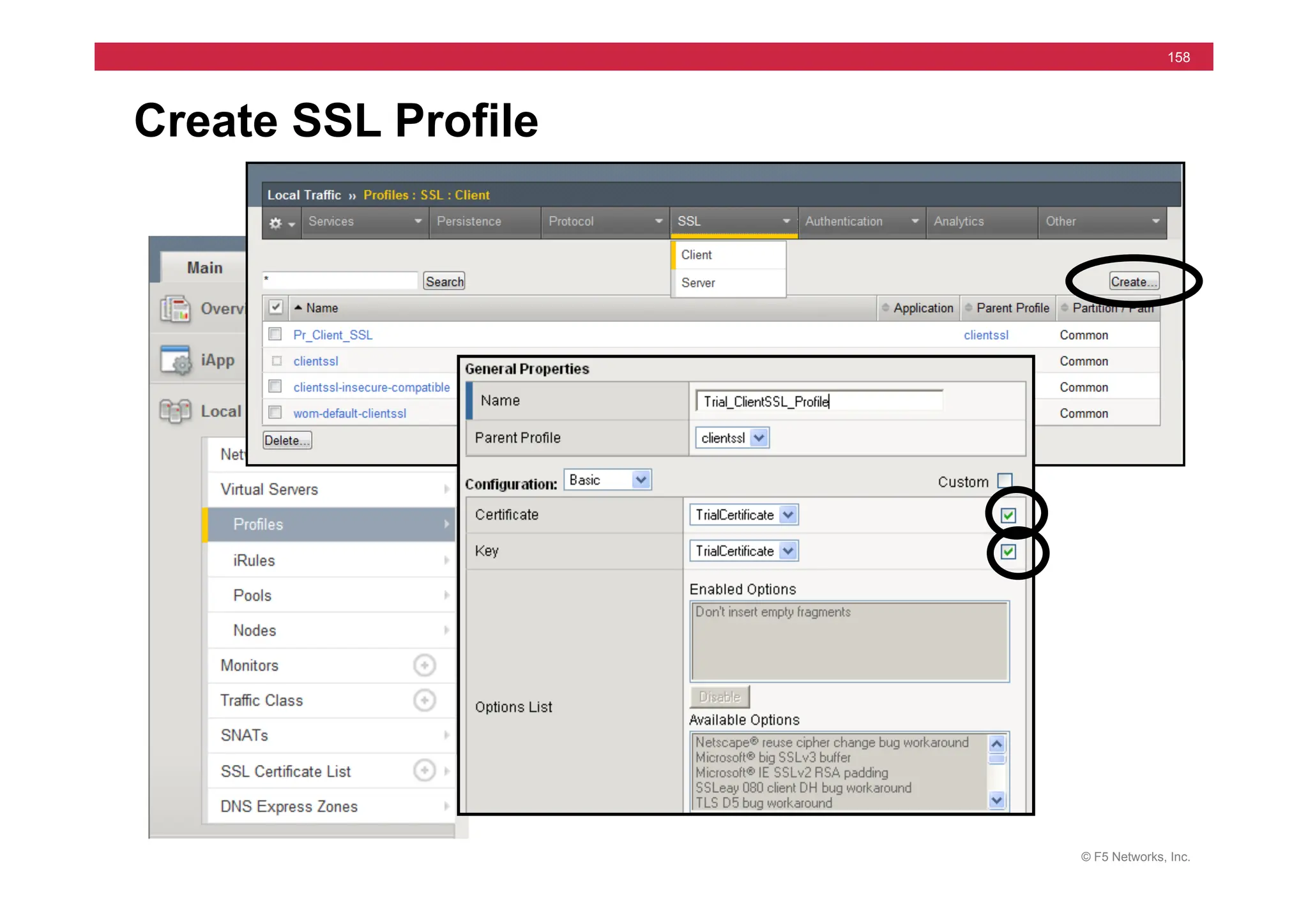
Create SSL Profile
© F5 Networks, Inc.
159
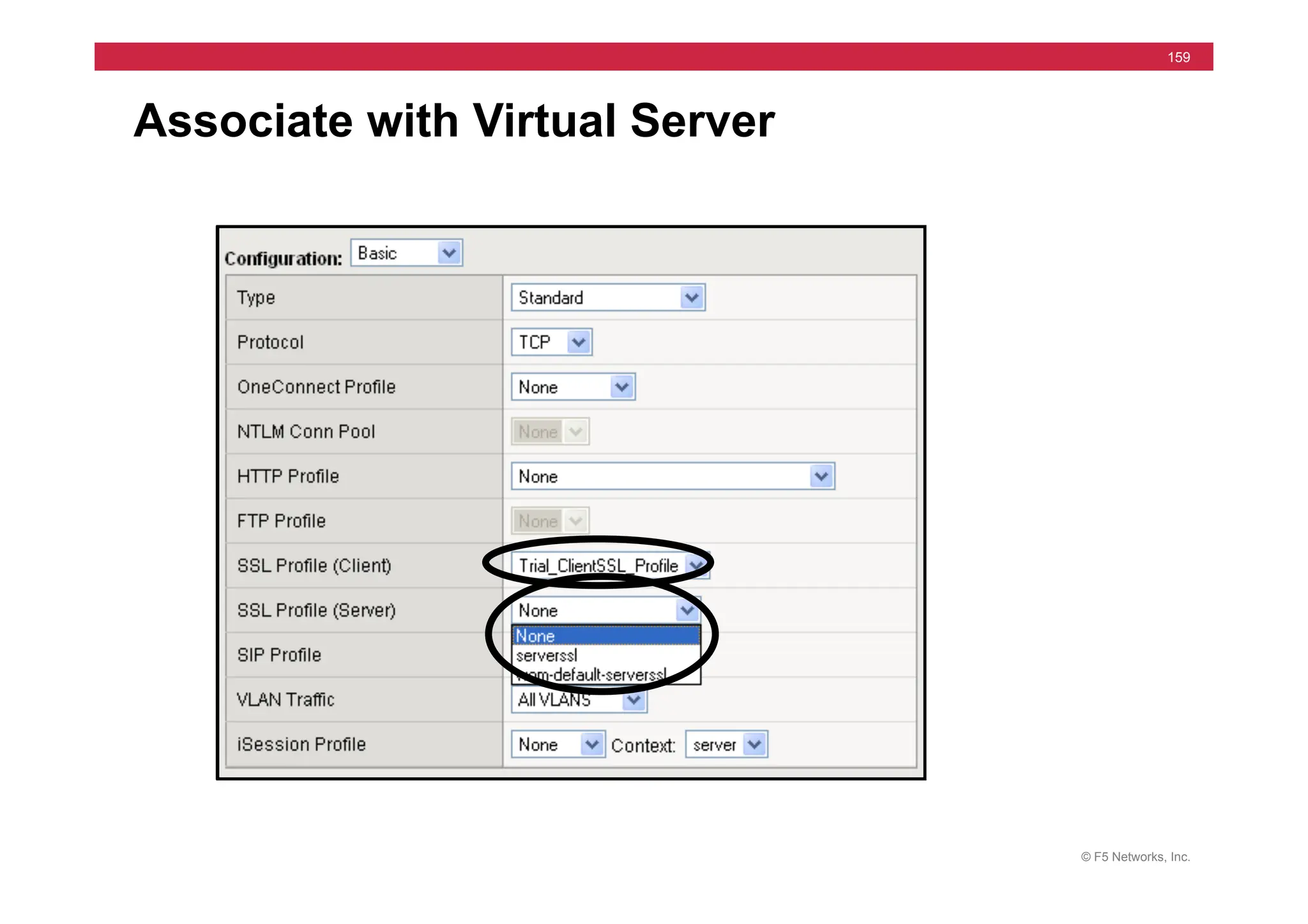
Associate with Virtual Server
© F5 Networks, Inc.
160
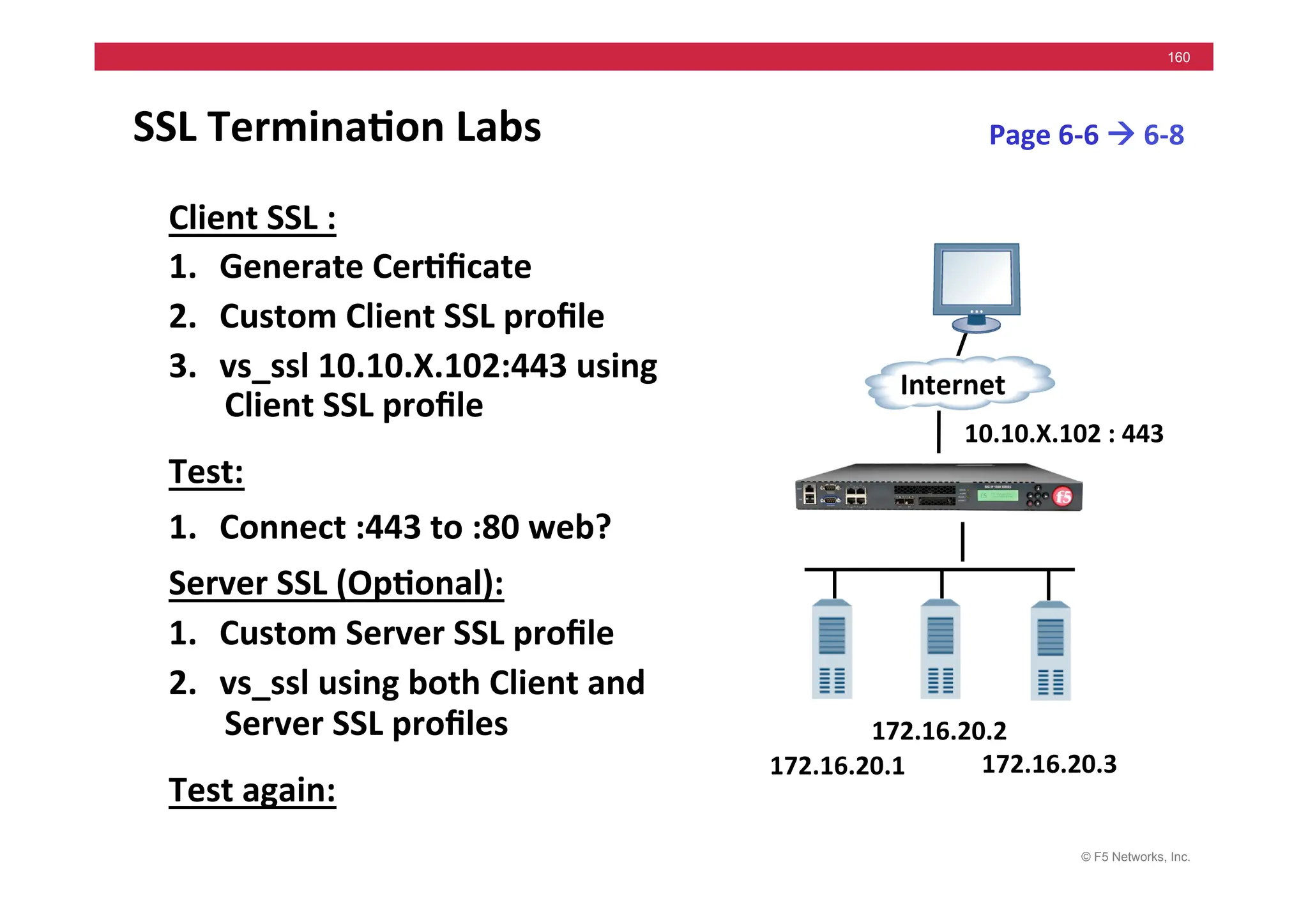
SSL	
  Termina5on	
  Labs	
  
Client	
  SSL	
  :	
  
1. Generate	
  Cer5ficate	
  
2. Custom	
  Client	
  SSL	
  profile	
  	
  
3. vs_ssl	
  10.10.X.102:443	
  using	
  
Client	
  SSL	
  profile	
  
Test:	
  
1. Connect	
  :443	
  to	
  :80	
  web?	
  
Server	
  SSL	
  (Op5onal):	
  
1. Custom	
  Server	
  SSL	
  profile	
  	
  
2. vs_ssl	
  using	
  both	
  Client	
  and	
  
Server	
  SSL	
  profiles	
  
Test	
  again:	
  
Page	
  6-­‐6	
  !	
  6-­‐8	
  
172.16.20.1	
  
Internet	
  
172.16.20.3	
  
172.16.20.2	
  
10.10.X.102	
  :	
  443	
  
© F5 Networks, Inc.
161
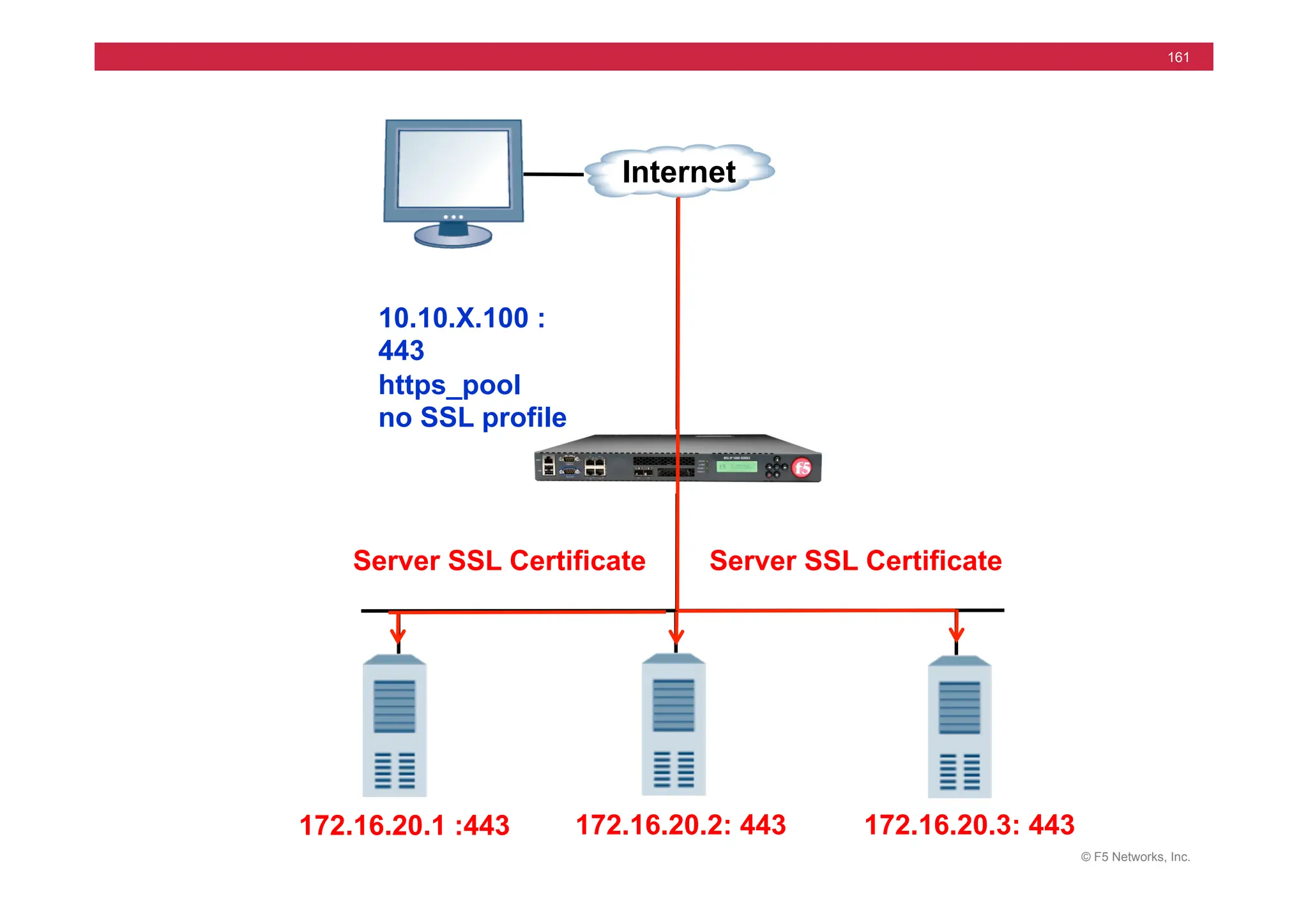
172.16.20.1 :443
10.10.X.100 :
443
https_pool
no SSL profile
172.16.20.3: 443
172.16.20.2: 443
Internet
Server SSL Certificate Server SSL Certificate
© F5 Networks, Inc.
162
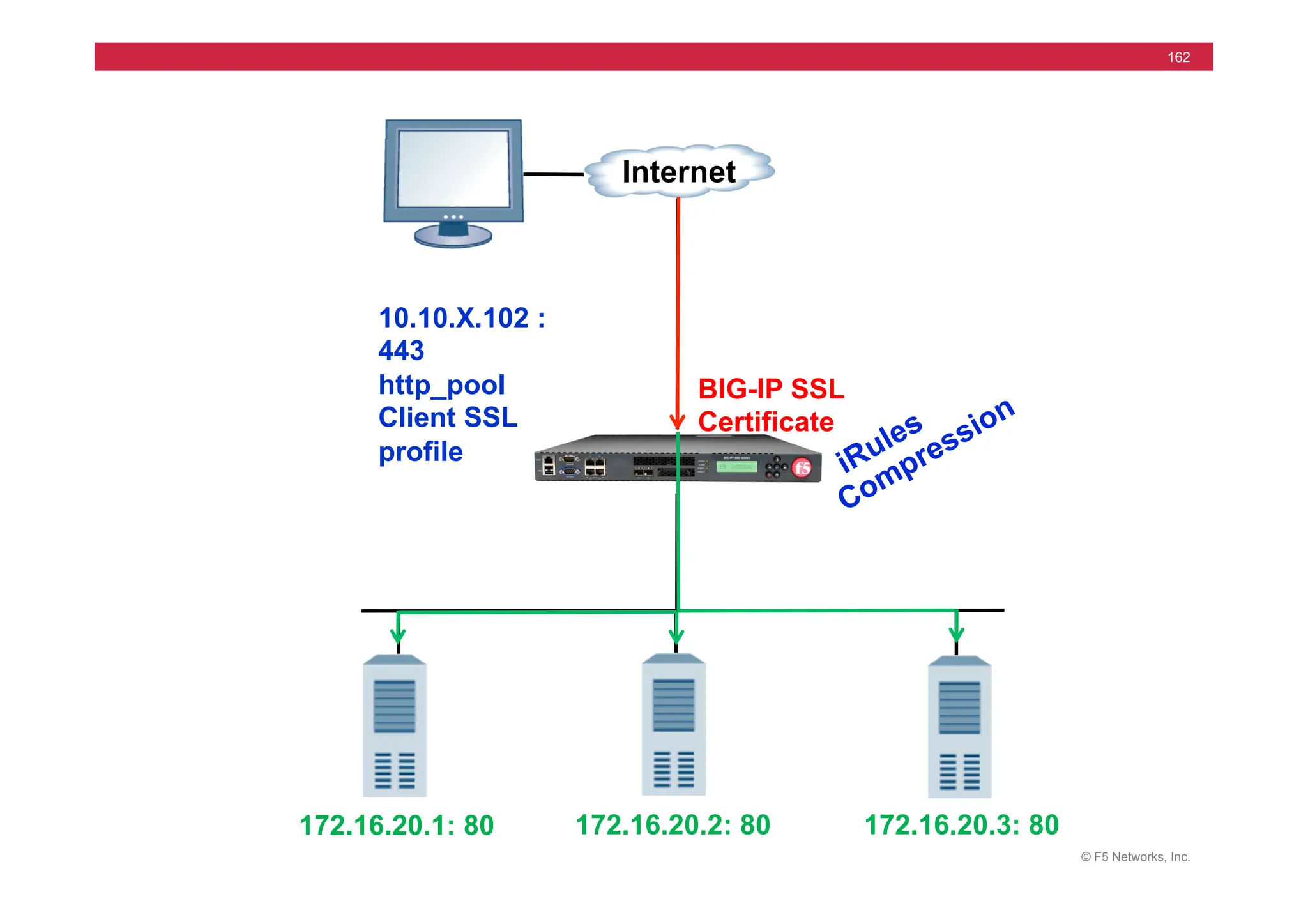
172.16.20.1: 80
10.10.X.102 :
443
http_pool
Client SSL
profile
172.16.20.3: 80
172.16.20.2: 80
Internet
BIG-IP SSL
Certificate
© F5 Networks, Inc.
163
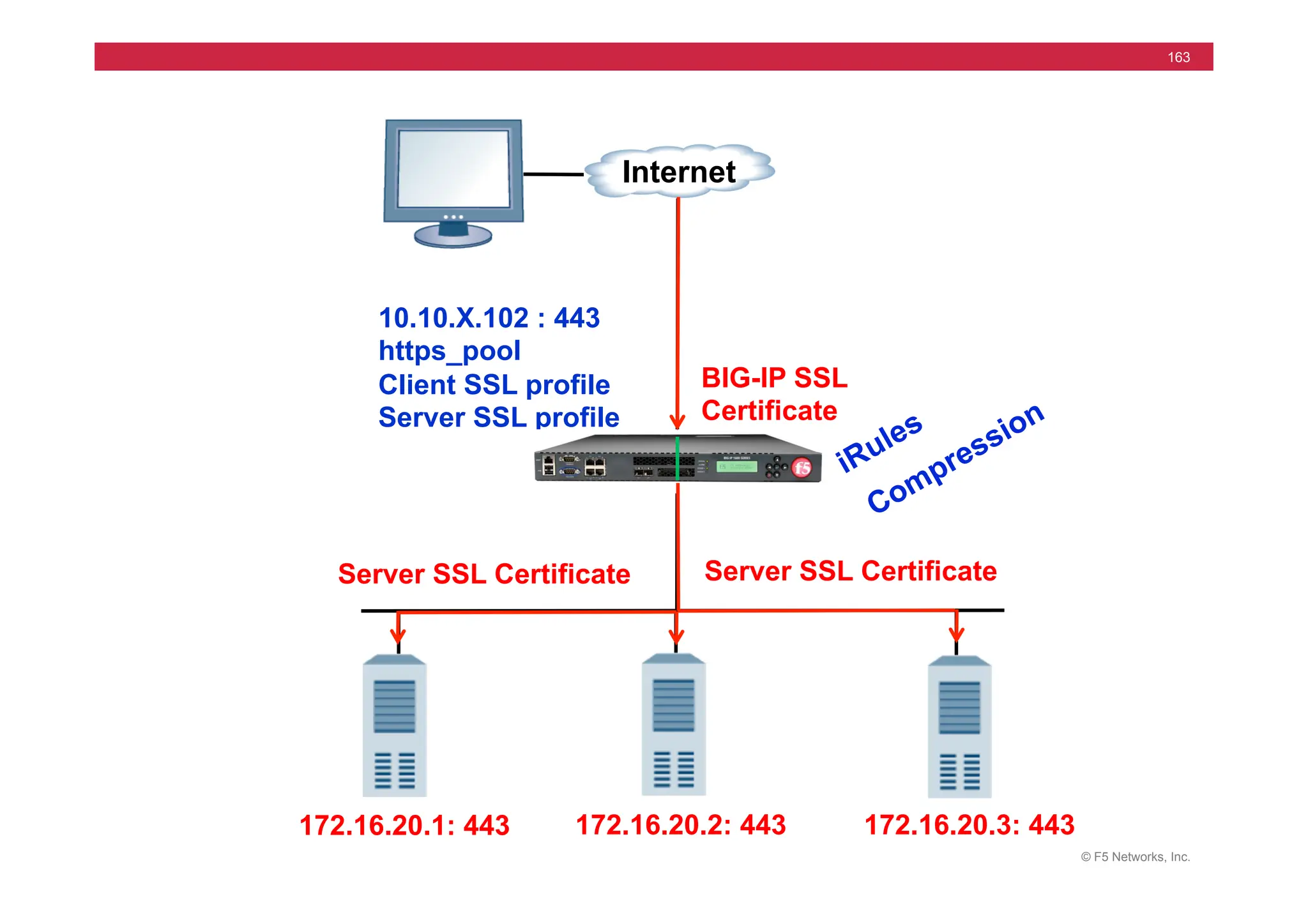
172.16.20.1: 443
10.10.X.102 : 443
https_pool
Client SSL profile
Server SSL profile
172.16.20.3: 443
172.16.20.2: 443
Internet
BIG-IP SSL
Certificate
Server SSL Certificate Server SSL Certificate
© F5 Networks, Inc.
164
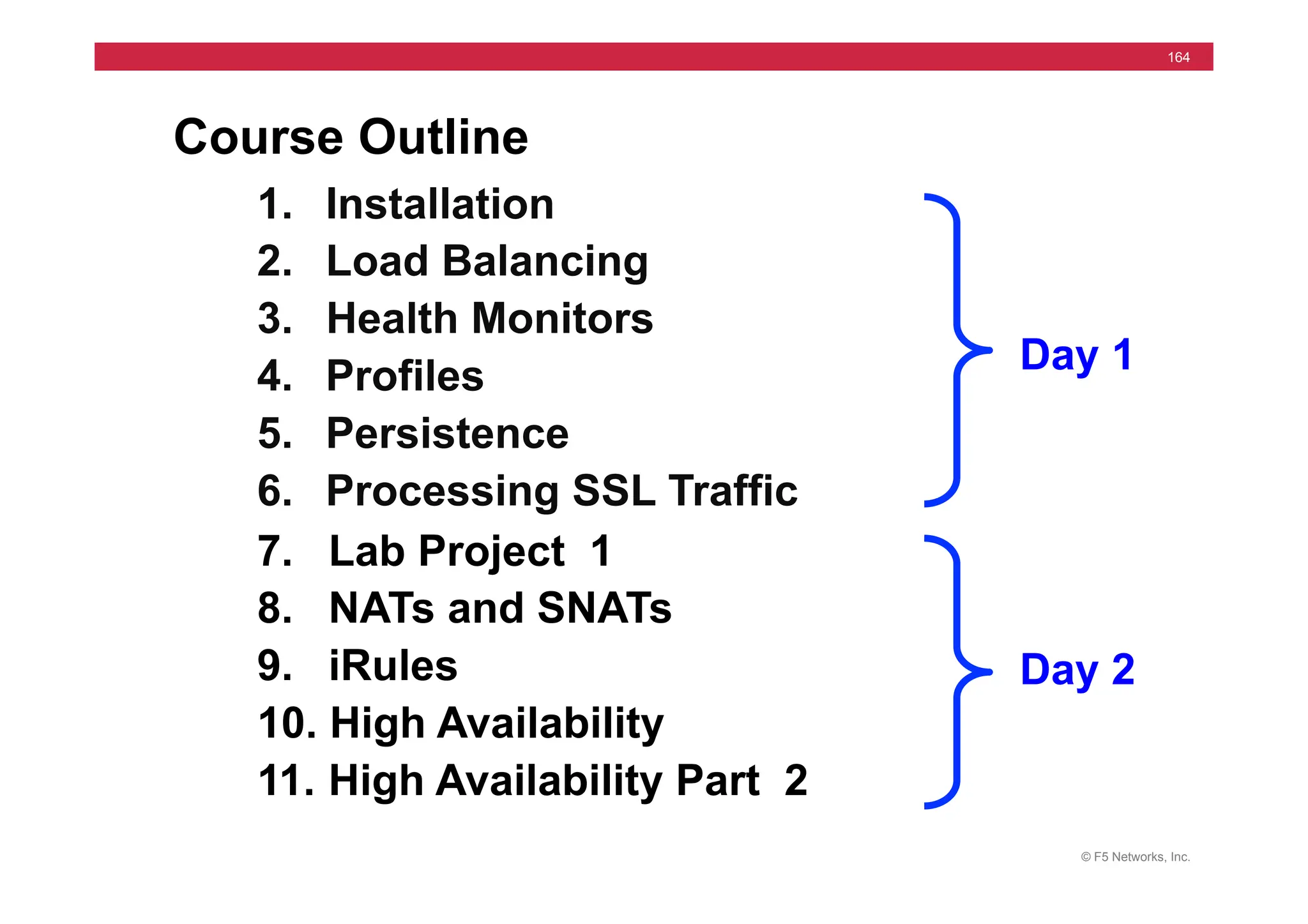
Course Outline
1. Installation
2. Load Balancing
3. Health Monitors
4. Profiles
5. Persistence
6. Processing SSL Traffic
7. Lab Project 1
8. NATs and SNATs
9. iRules
10. High Availability
11. High Availability Part 2
Day 1
Day 2
© F5 Networks, Inc.
165
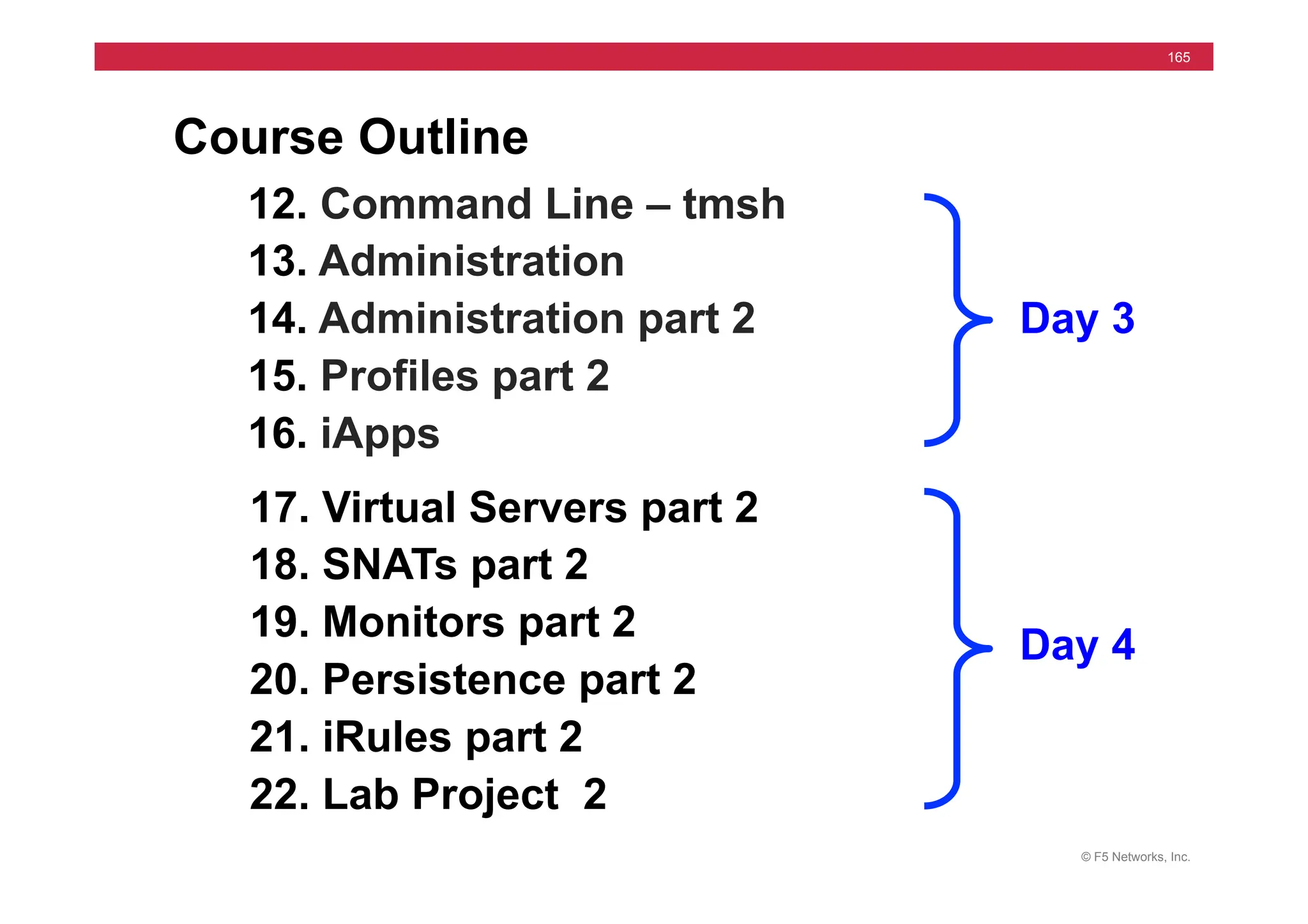
Course Outline
12. Command Line – tmsh
13. Administration
14. Administration part 2
15. Profiles part 2
16. iApps
17. Virtual Servers part 2
18. SNATs part 2
19. Monitors part 2
20. Persistence part 2
21. iRules part 2
22. Lab Project 2
Day 3
Day 4
© F5 Networks, Inc.
166
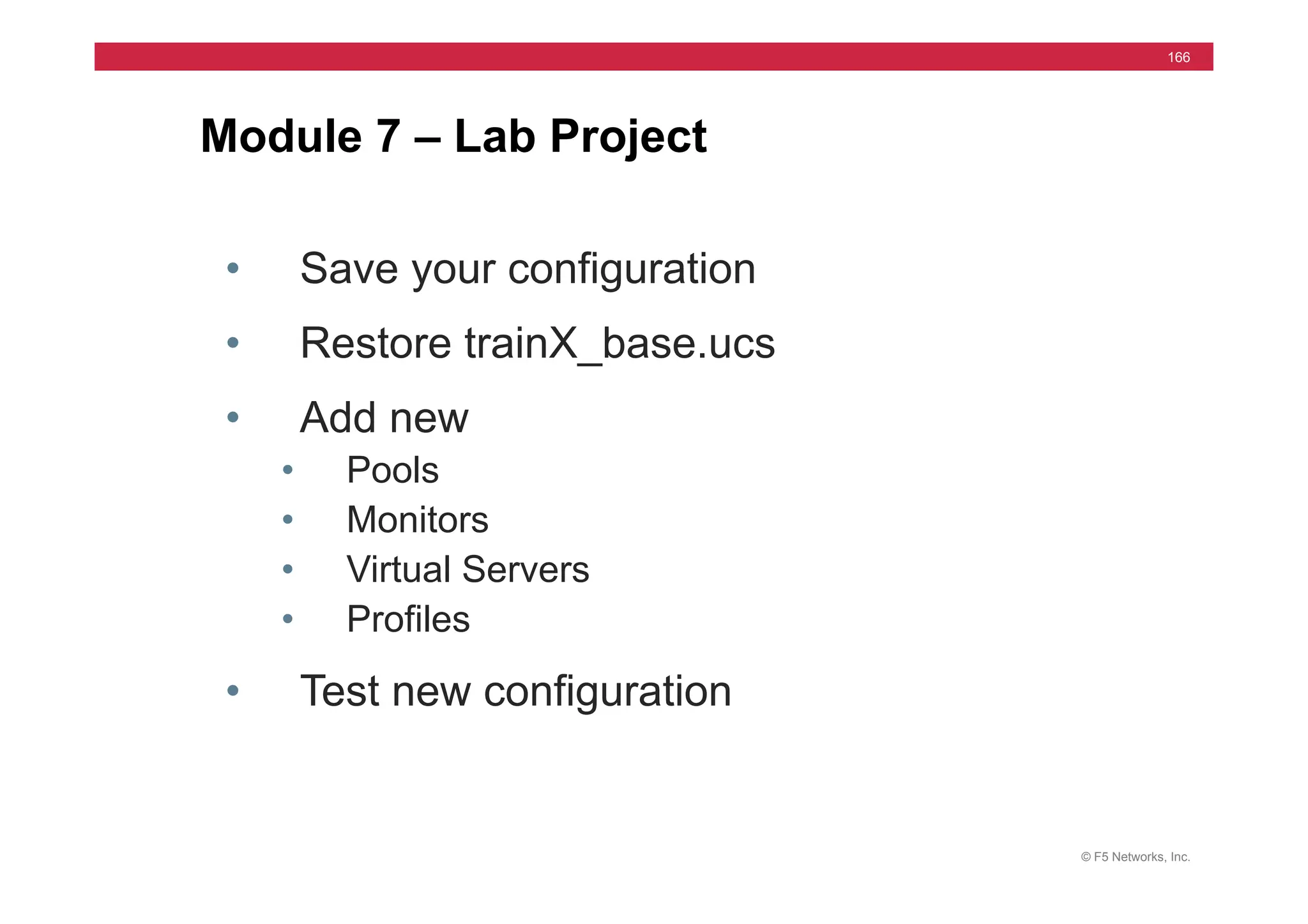
Module 7 – Lab Project
• Save your configuration
• Restore trainX_base.ucs
• Add new
• Pools
• Monitors
• Virtual Servers
• Profiles
• Test new configuration
© F5 Networks, Inc.
167
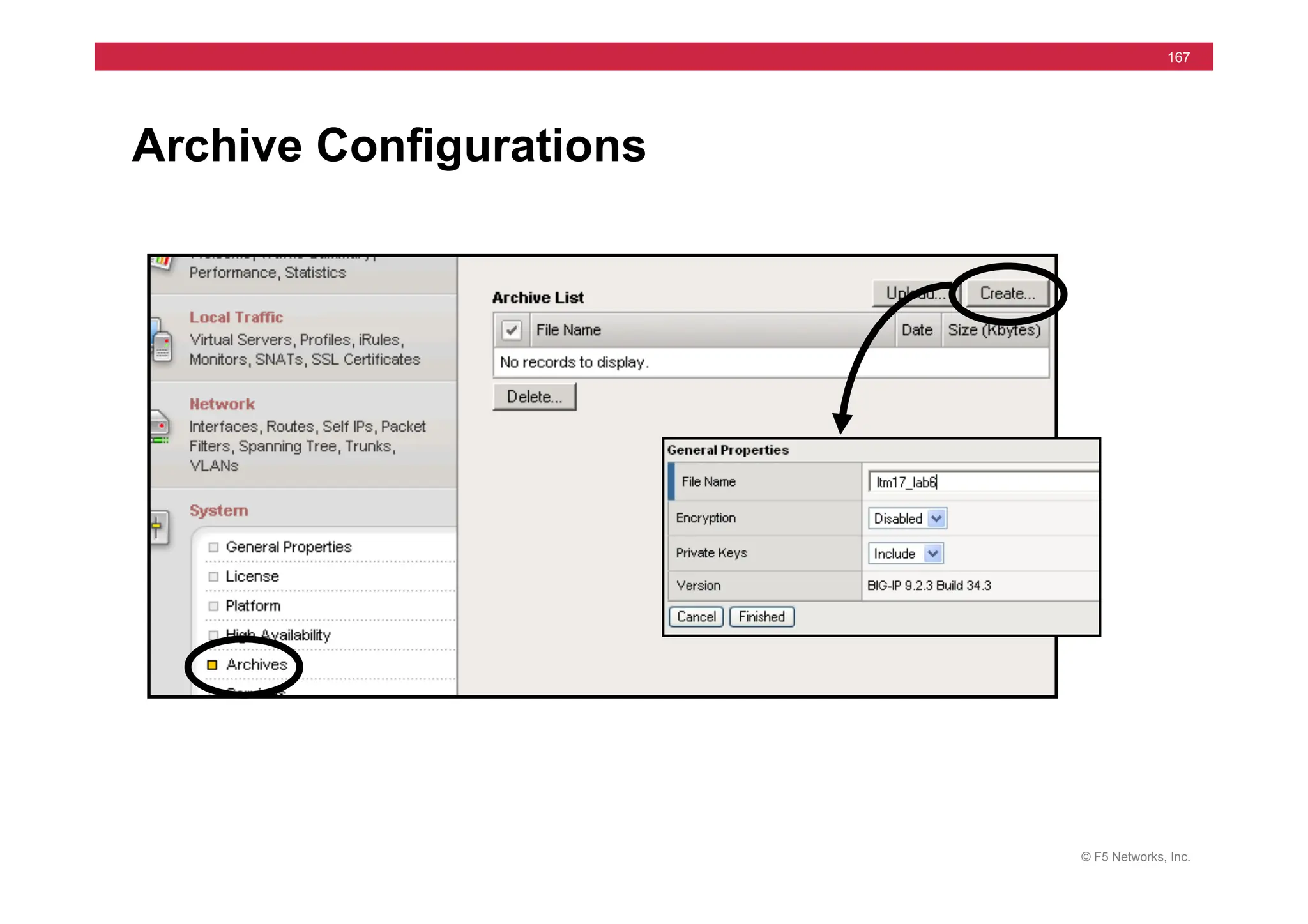
Archive Configurations
© F5 Networks, Inc.
168
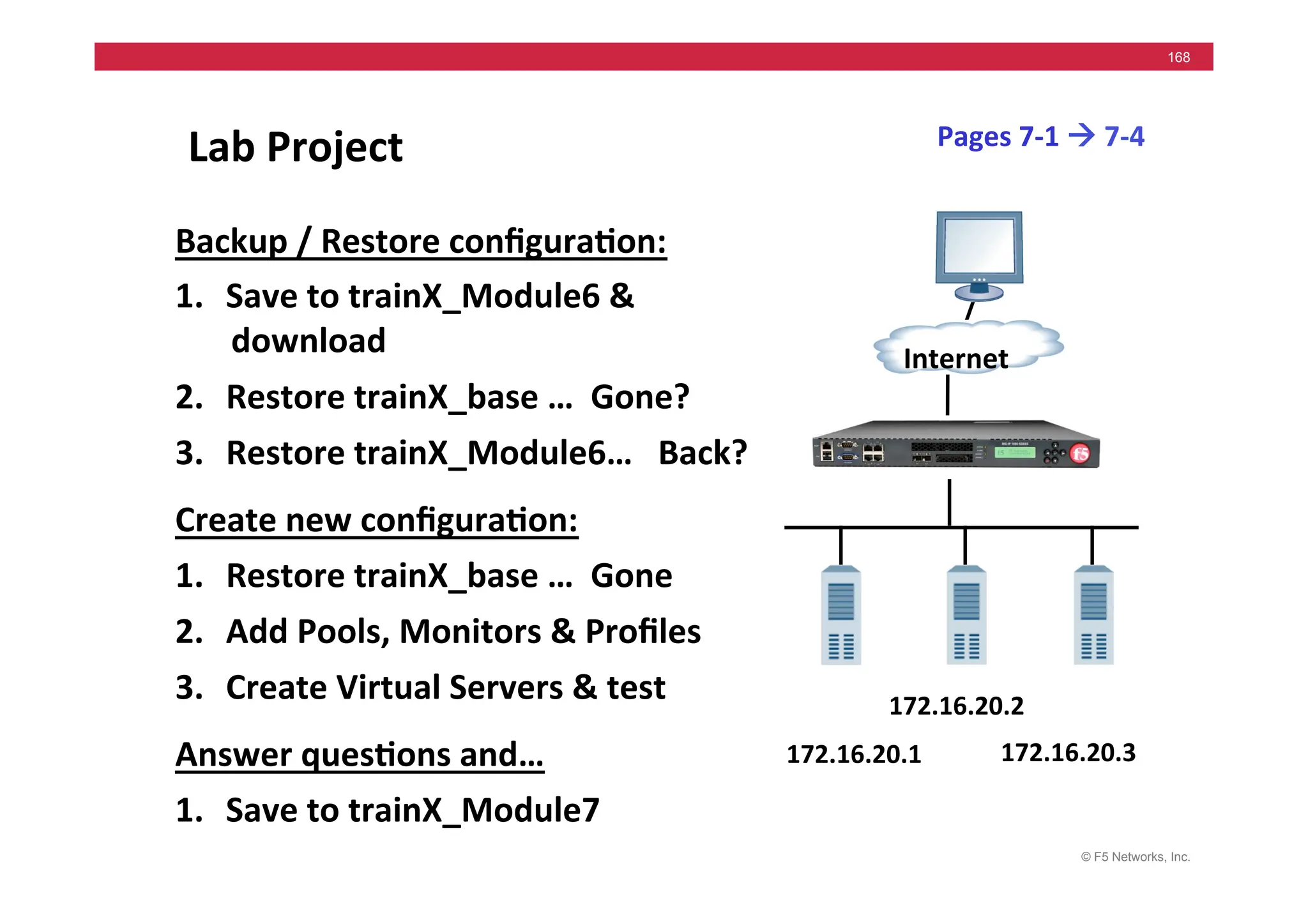
Lab	
  Project	
  
Backup	
  /	
  Restore	
  configura5on:	
  
1. Save	
  to	
  trainX_Module6	
  &	
  
download	
  
2. Restore	
  trainX_base	
  …	
  	
  Gone?	
  
3. Restore	
  trainX_Module6…	
  	
  	
  Back?	
  
Create	
  new	
  configura5on:	
  
1. Restore	
  trainX_base	
  …	
  	
  Gone	
  
2. Add	
  Pools,	
  Monitors	
  &	
  Profiles	
  
3. Create	
  Virtual	
  Servers	
  &	
  test	
  
Answer	
  ques5ons	
  and…	
  
1. Save	
  to	
  trainX_Module7	
  
172.16.20.1	
  
Internet	
  
172.16.20.2	
  
172.16.20.3	
  
Pages	
  7-­‐1	
  !	
  7-­‐4	
  
© F5 Networks, Inc.
169
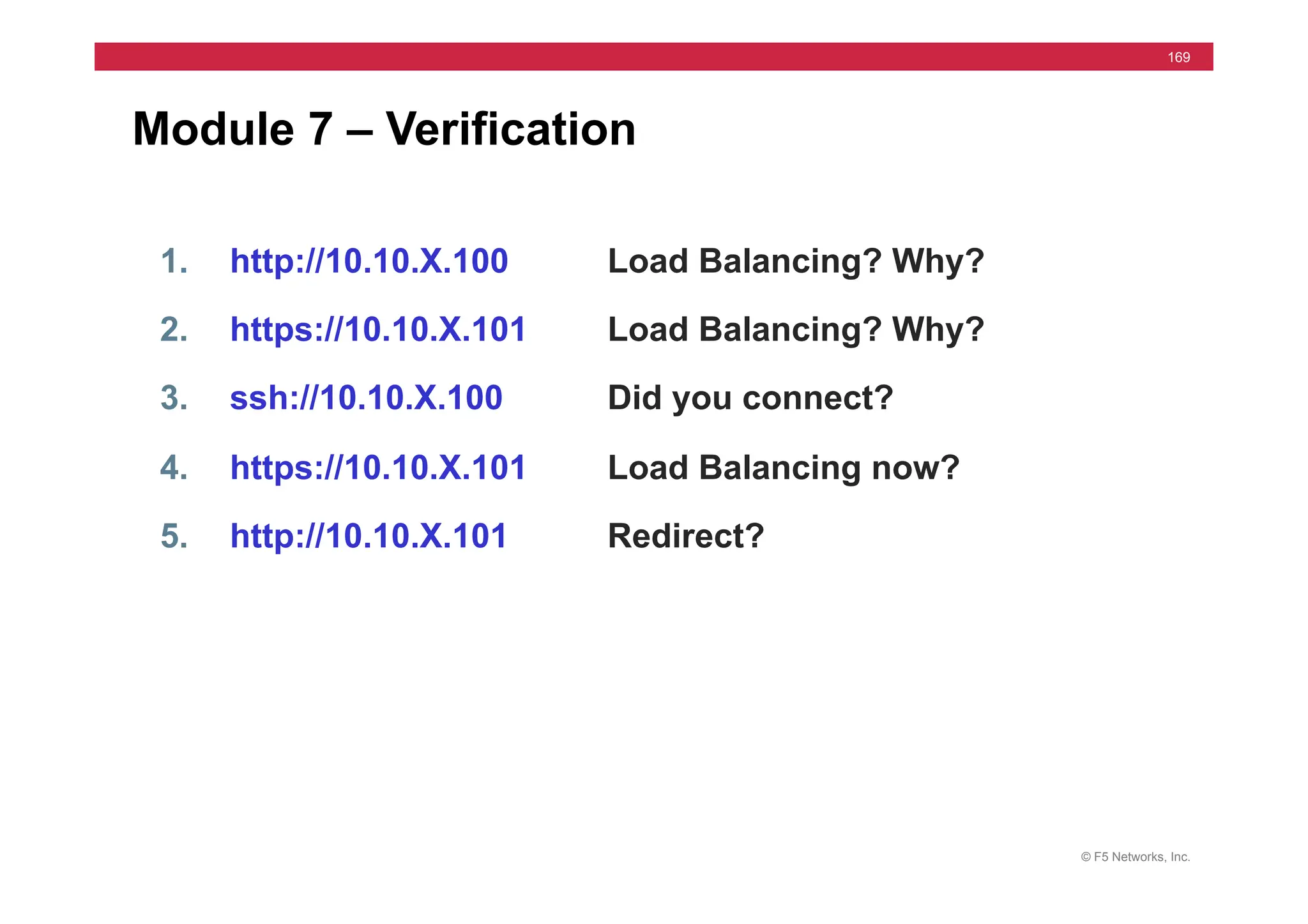
Module 7 – Verification
1. http://10.10.X.100 Load Balancing? Why?
2. https://10.10.X.101 Load Balancing? Why?
3. ssh://10.10.X.100 Did you connect?
4. https://10.10.X.101 Load Balancing now?
5. http://10.10.X.101 Redirect?
© F5 Networks, Inc.
170
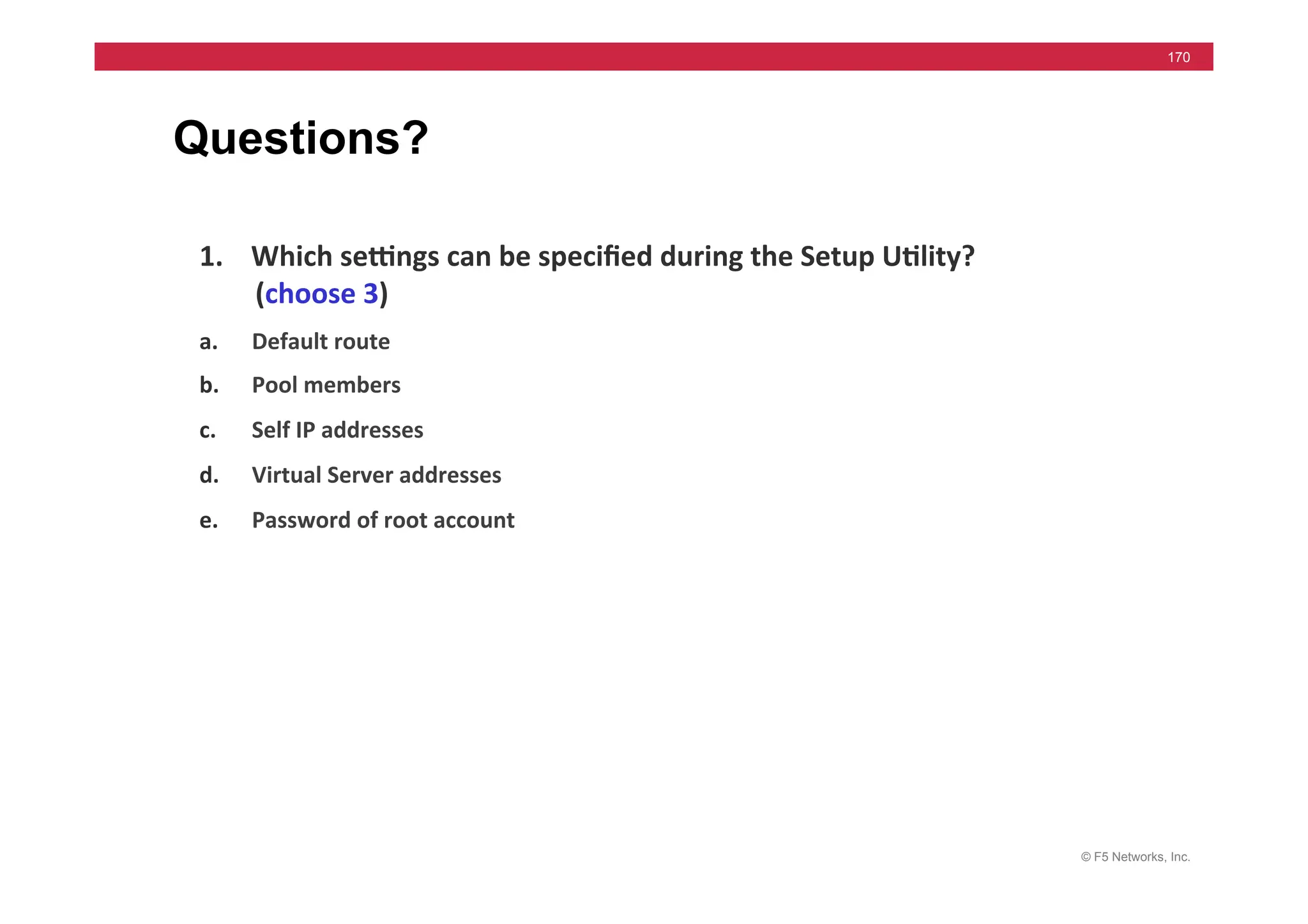
Questions?
1. Which	
  sewngs	
  can	
  be	
  specified	
  during	
  the	
  Setup	
  U5lity?	
  
(choose	
  3)	
  	
  
a. Default	
  route	
  	
  
b. Pool	
  members	
  	
  
c. Self	
  IP	
  addresses	
  	
  
d. Virtual	
  Server	
  addresses	
  	
  
e. Password	
  of	
  root	
  account	
  
Answer: A, C & E
© F5 Networks, Inc.
171
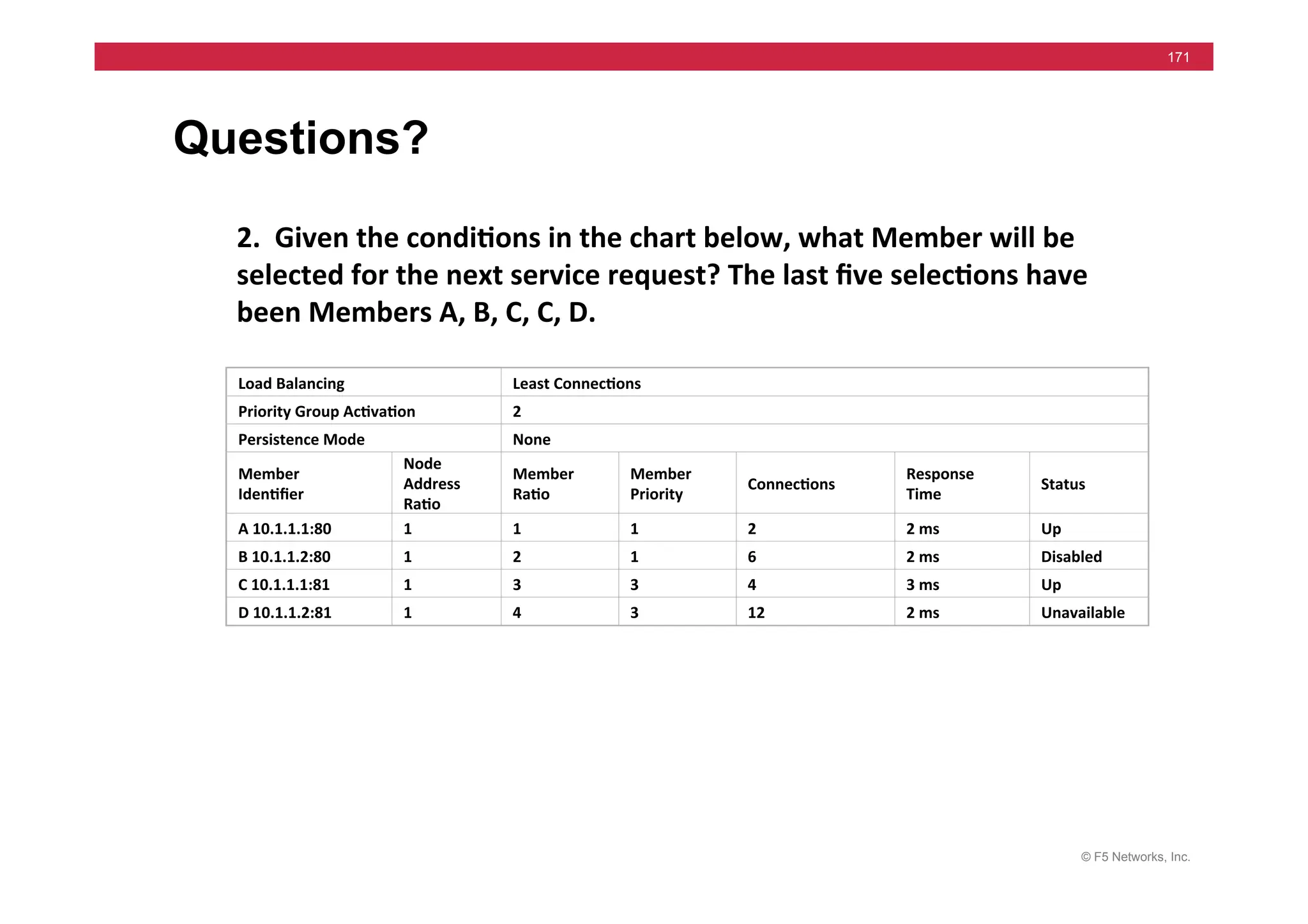
Questions?
2.	
  	
  Given	
  the	
  condi5ons	
  in	
  the	
  chart	
  below,	
  what	
  Member	
  will	
  be	
  
selected	
  for	
  the	
  next	
  service	
  request?	
  The	
  last	
  five	
  selec5ons	
  have	
  
been	
  Members	
  A,	
  B,	
  C,	
  C,	
  D.	
  
Load	
  Balancing	
   Least	
  Connec5ons	
  
Priority	
  Group	
  Ac5va5on	
   2	
  
Persistence	
  Mode	
   None	
  
Member	
  
Iden5fier	
  
Node	
  
Address	
  
Ra5o	
  
Member	
  
Ra5o	
  
Member	
  
Priority	
  
Connec5ons	
  
Response	
  
Time	
  
Status	
  
A	
  10.1.1.1:80	
   1	
   1	
   1	
   2	
   2	
  ms	
   Up	
  
B	
  10.1.1.2:80	
   1	
   2	
   1	
   6	
   2	
  ms	
   Disabled	
  
C	
  10.1.1.1:81	
   1	
   3	
   3	
   4	
   3	
  ms	
   Up	
  
D	
  10.1.1.2:81	
   1	
   4	
   3	
   12	
   2	
  ms	
   Unavailable	
  
Answer:	
  	
  	
  A	
  
© F5 Networks, Inc.
172
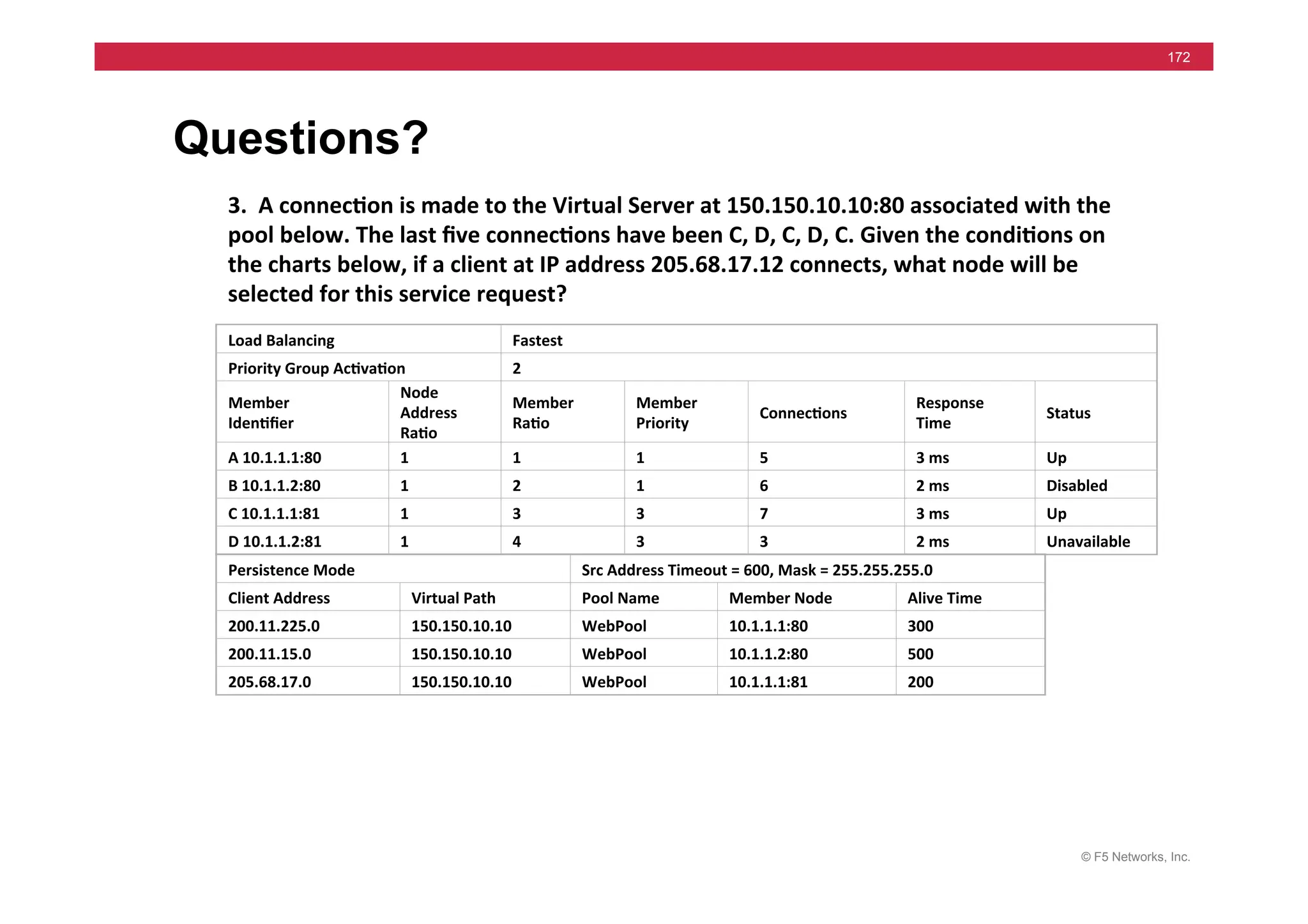
Questions?
3.	
  	
  A	
  connec5on	
  is	
  made	
  to	
  the	
  Virtual	
  Server	
  at	
  150.150.10.10:80	
  associated	
  with	
  the	
  
pool	
  below.	
  The	
  last	
  five	
  connec5ons	
  have	
  been	
  C,	
  D,	
  C,	
  D,	
  C.	
  Given	
  the	
  condi5ons	
  on	
  
the	
  charts	
  below,	
  if	
  a	
  client	
  at	
  IP	
  address	
  205.68.17.12	
  connects,	
  what	
  node	
  will	
  be	
  
selected	
  for	
  this	
  service	
  request?	
  	
  
Load	
  Balancing	
   Fastest	
  
Priority	
  Group	
  Ac5va5on	
   2	
  
Member	
  
Iden5fier	
  
Node	
  
Address	
  
Ra5o	
  
Member	
  
Ra5o	
  
Member	
  
Priority	
  
Connec5ons	
  
Response	
  
Time	
  
Status	
  
A	
  10.1.1.1:80	
   1	
   1	
   1	
   5	
   3	
  ms	
   Up	
  
B	
  10.1.1.2:80	
   1	
   2	
   1	
   6	
   2	
  ms	
   Disabled	
  
C	
  10.1.1.1:81	
   1	
   3	
   3	
   7	
   3	
  ms	
   Up	
  
D	
  10.1.1.2:81	
   1	
   4	
   3	
   3	
   2	
  ms	
   Unavailable	
  
Persistence	
  Mode	
   Src	
  Address	
  Timeout	
  =	
  600,	
  Mask	
  =	
  255.255.255.0	
  
Client	
  Address	
   Virtual	
  Path	
   Pool	
  Name	
   Member	
  Node	
   Alive	
  Time	
  
200.11.225.0	
   150.150.10.10	
   WebPool	
   10.1.1.1:80	
   300	
  
200.11.15.0	
   150.150.10.10	
   WebPool	
   10.1.1.2:80	
   500	
  
205.68.17.0	
   150.150.10.10	
   WebPool	
   10.1.1.1:81	
   200	
  
Answer:	
  	
  	
  C	
  
© F5 Networks, Inc.
173
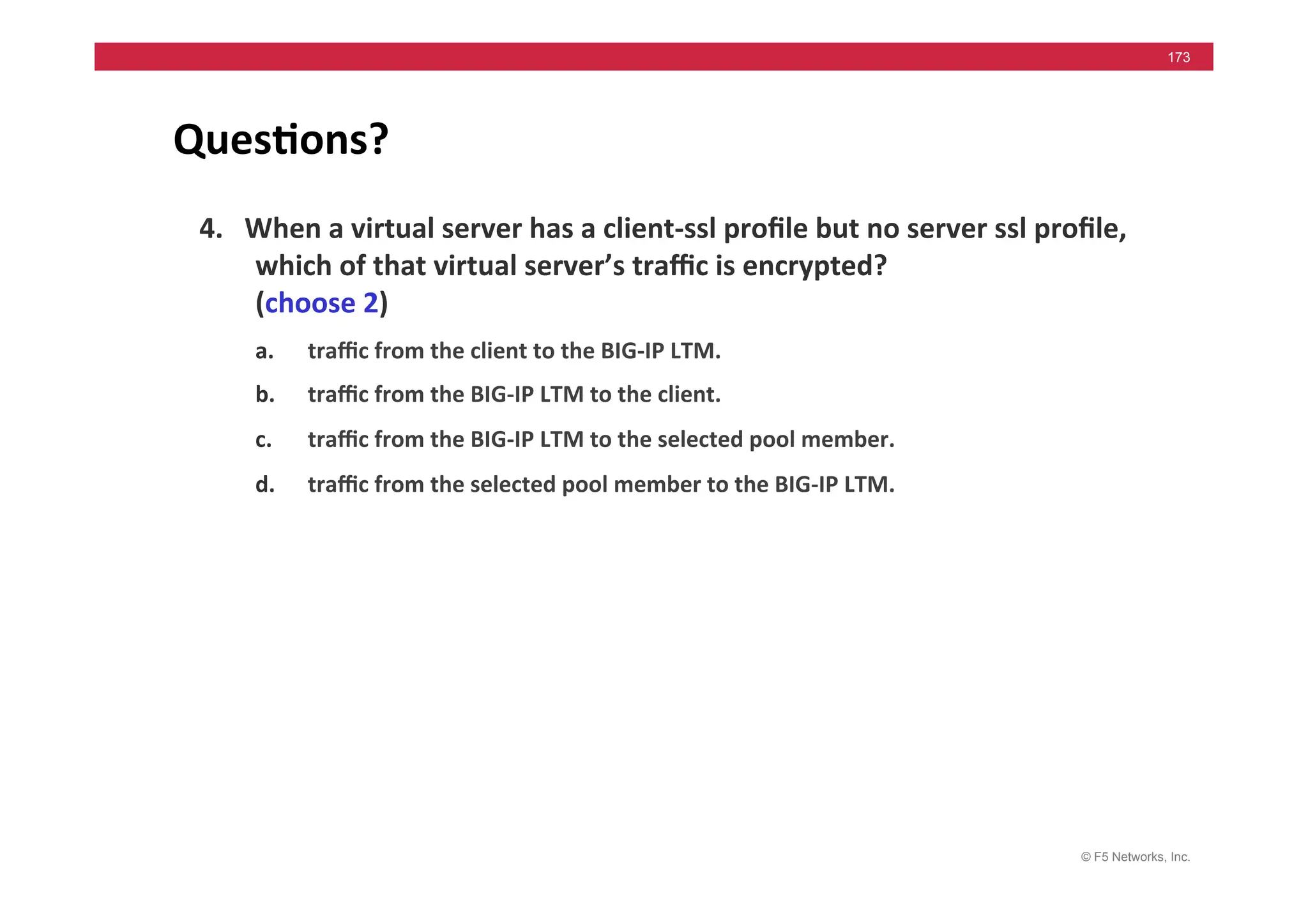
Ques5ons?	
  
4.	
  	
  	
  When	
  a	
  virtual	
  server	
  has	
  a	
  client-­‐ssl	
  profile	
  but	
  no	
  server	
  ssl	
  profile,	
  
which	
  of	
  that	
  virtual	
  server’s	
  traffic	
  is	
  encrypted?	
  
(choose	
  2)	
  	
  
a. traffic	
  from	
  the	
  client	
  to	
  the	
  BIG-­‐IP	
  LTM.	
  	
  
b. traffic	
  from	
  the	
  BIG-­‐IP	
  LTM	
  to	
  the	
  client.	
  	
  
c. traffic	
  from	
  the	
  BIG-­‐IP	
  LTM	
  to	
  the	
  selected	
  pool	
  member.	
  	
  
d. traffic	
  from	
  the	
  selected	
  pool	
  member	
  to	
  the	
  BIG-­‐IP	
  LTM.	
  	
  
Answer:	
  	
  	
  a	
  &	
  b	
  
© F5 Networks, Inc.
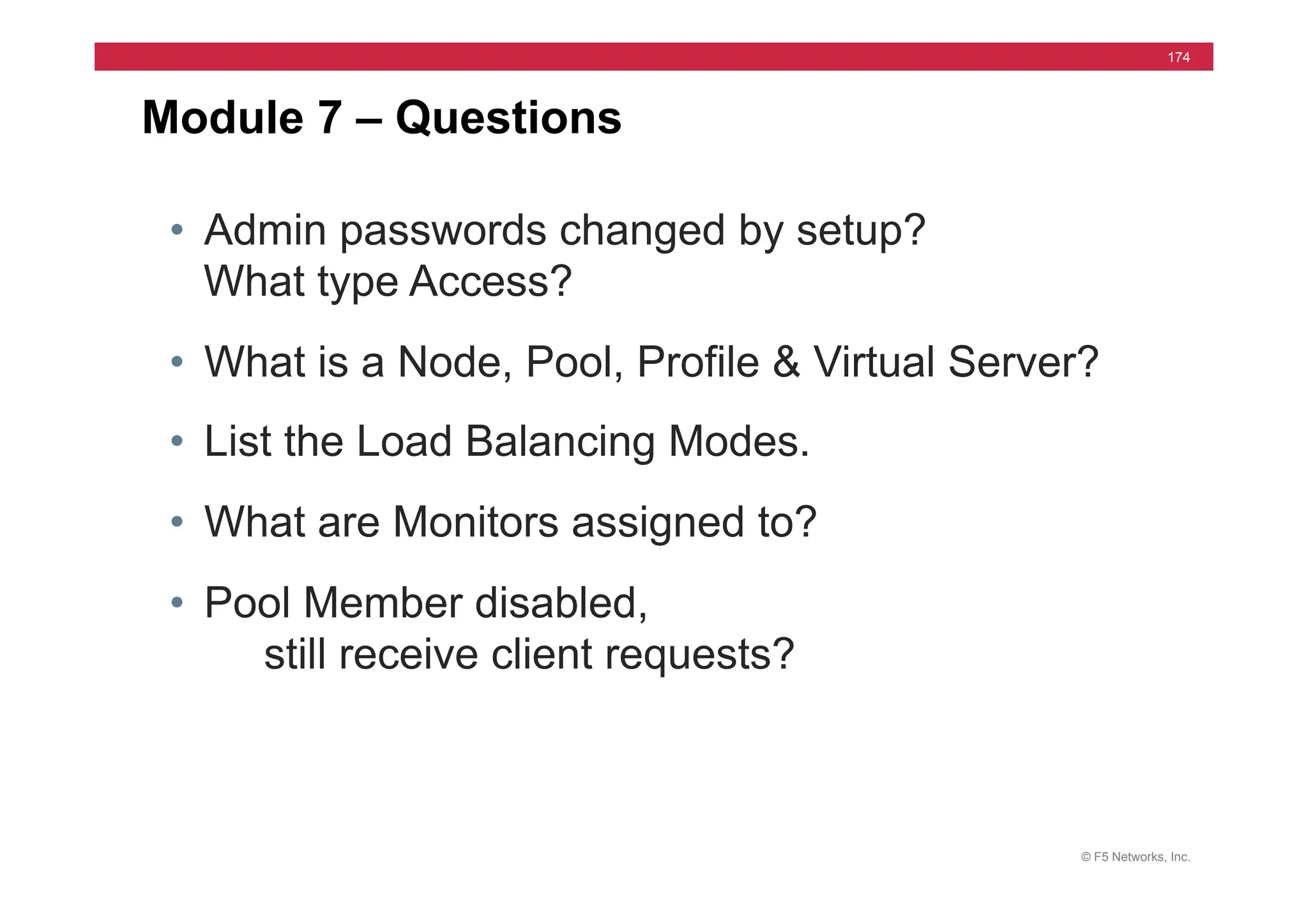
174
• Admin passwords changed by setup?
What type Access?
• What is a Node, Pool, Profile & Virtual Server?
• List the Load Balancing Modes.
• What are Monitors assigned to?
• Pool Member disabled,
still receive client requests?
Module 7 – Questions
© F5 Networks, Inc.
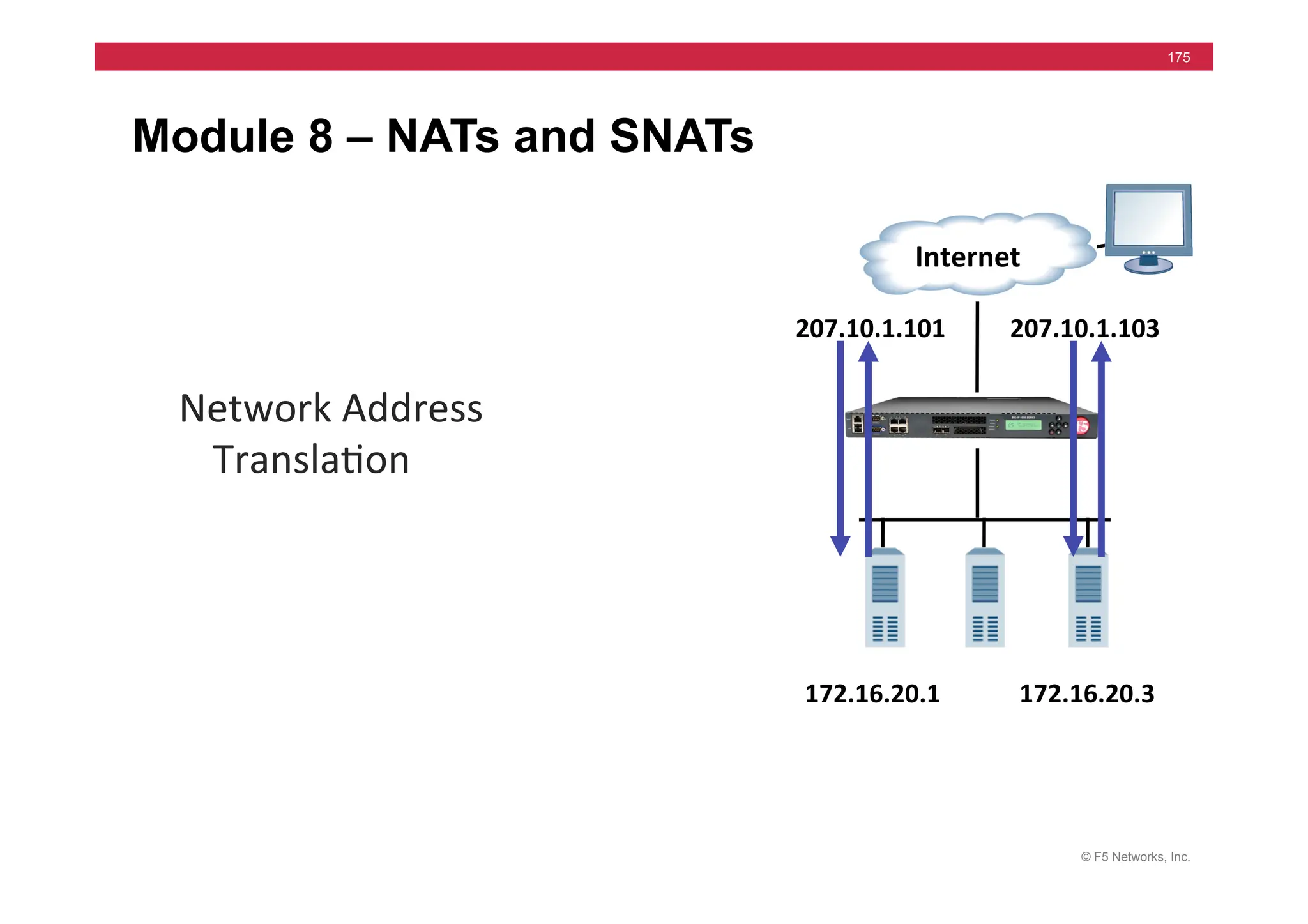
175
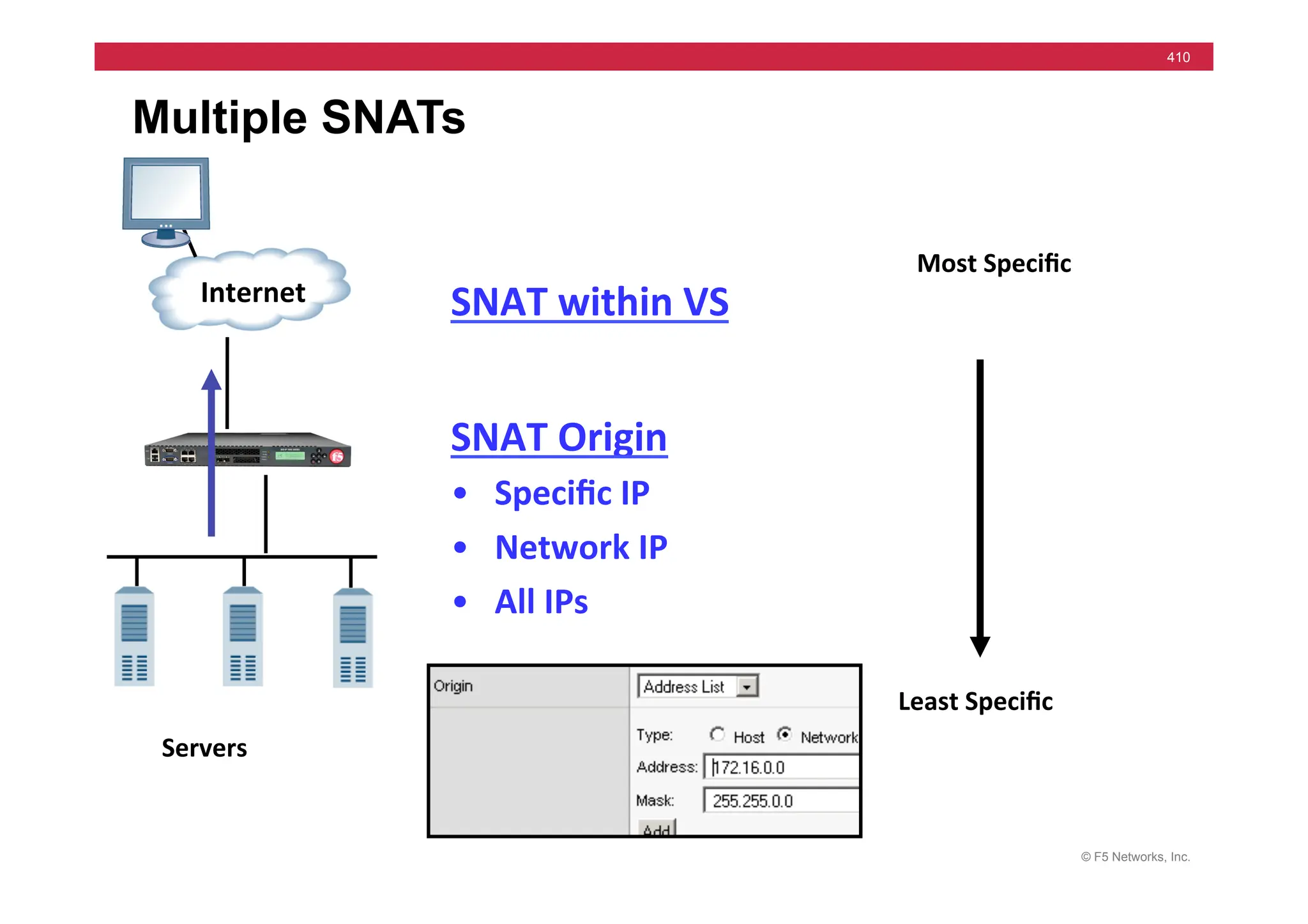
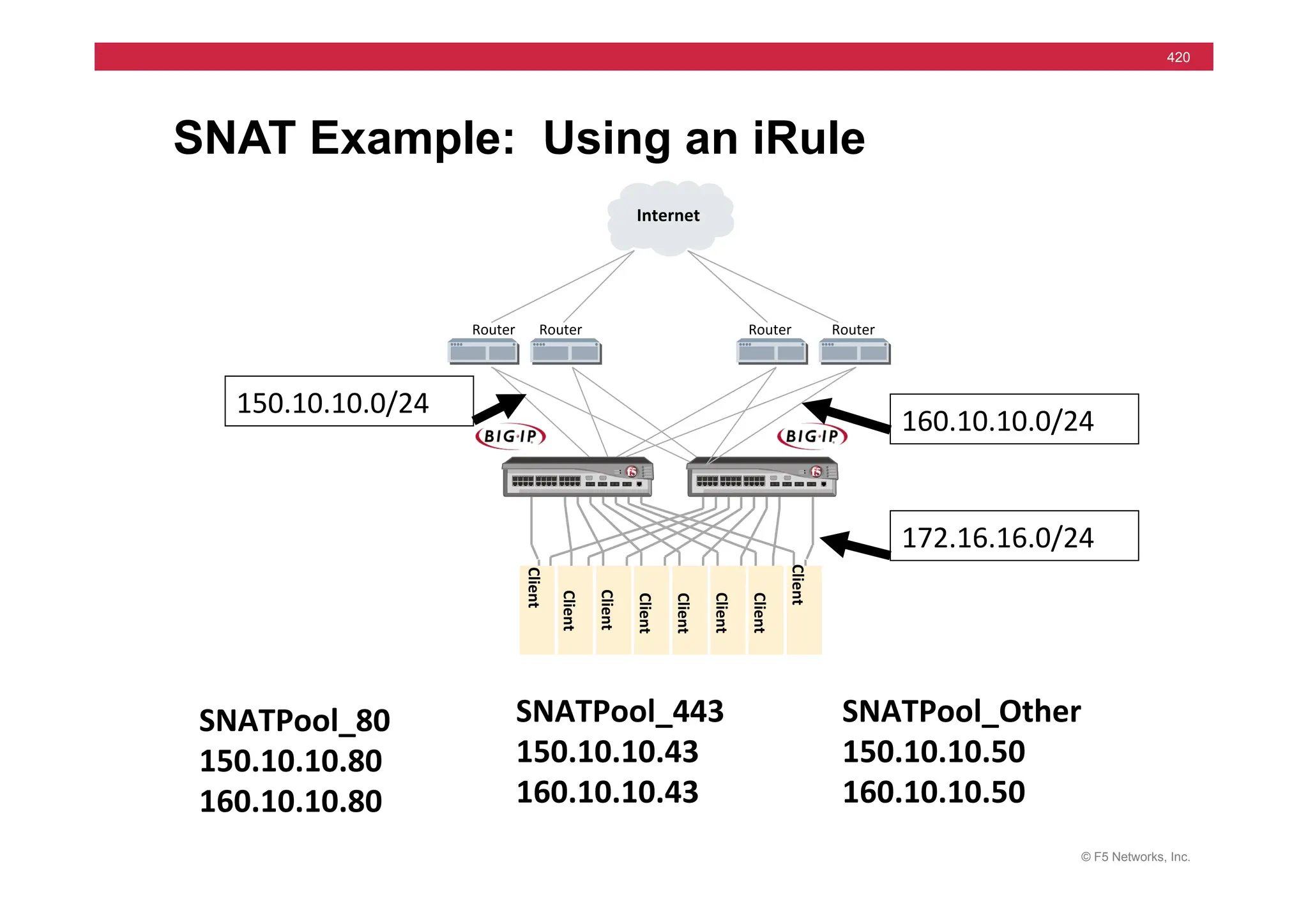
Module 8 – NATs and SNATs


  Internet	
  
207.10.1.103	
  
172.16.20.3	
  
Network	
  Address	
  
Transla=on	
  
207.10.1.101	
  
172.16.20.1	
  
© F5 Networks, Inc.
176
Module 8 – Outline
• NAT’s
• NAT Lab
• SNAT Concepts
• Configuring SNATs
• SNAT Labs
© F5 Networks, Inc.
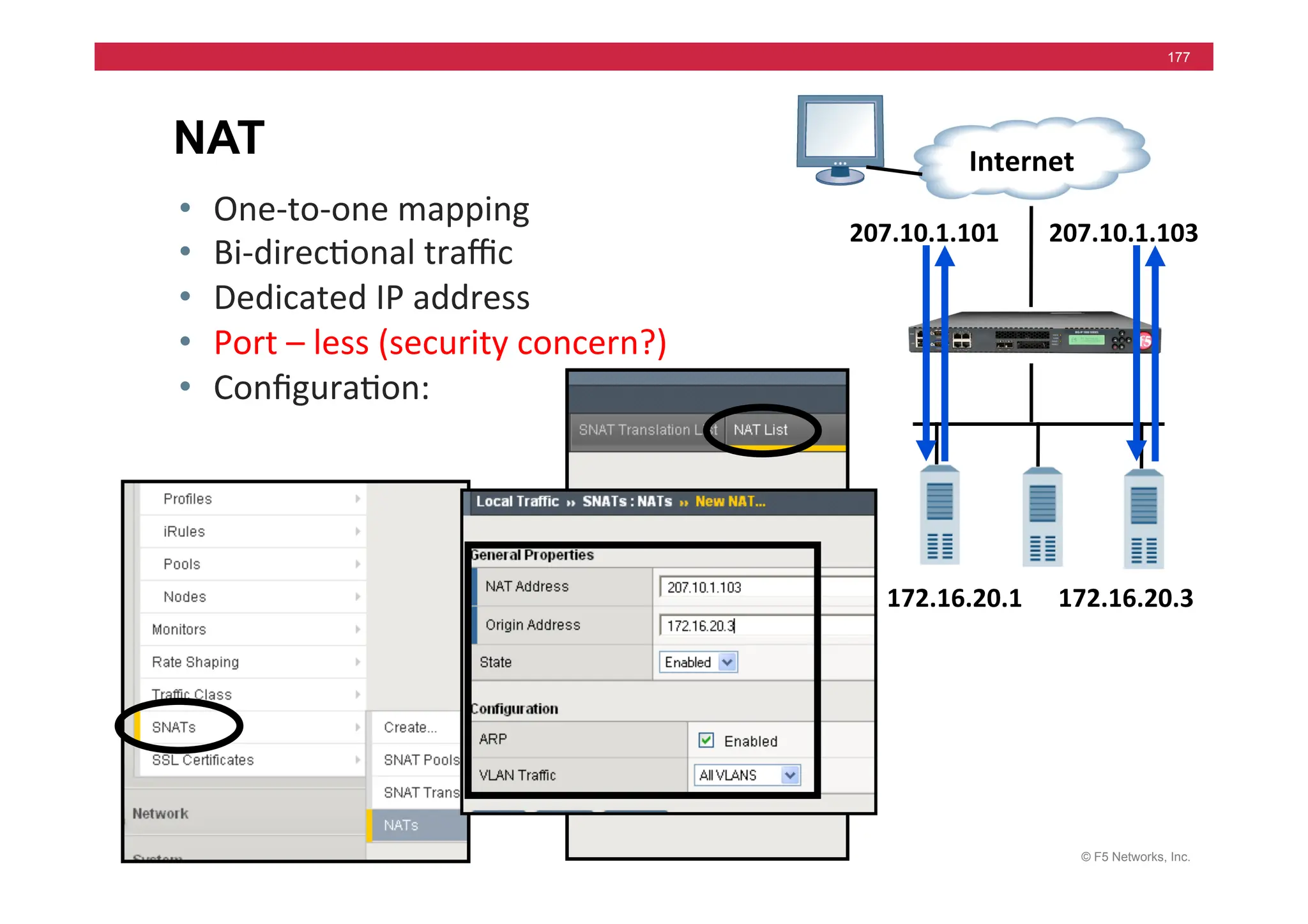
177
NAT
• One-­‐to-­‐one	
  mapping	
  
• Bi-­‐direc=onal	
  traffic	
  
• Dedicated	
  IP	
  address	
  
• Port	
  –	
  less	
  (security	
  concern?)	
  
• Configura=on:	


  Internet	
  
207.10.1.103	
  
172.16.20.3	
  
207.10.1.101	
  
172.16.20.1	
  
© F5 Networks, Inc.
178
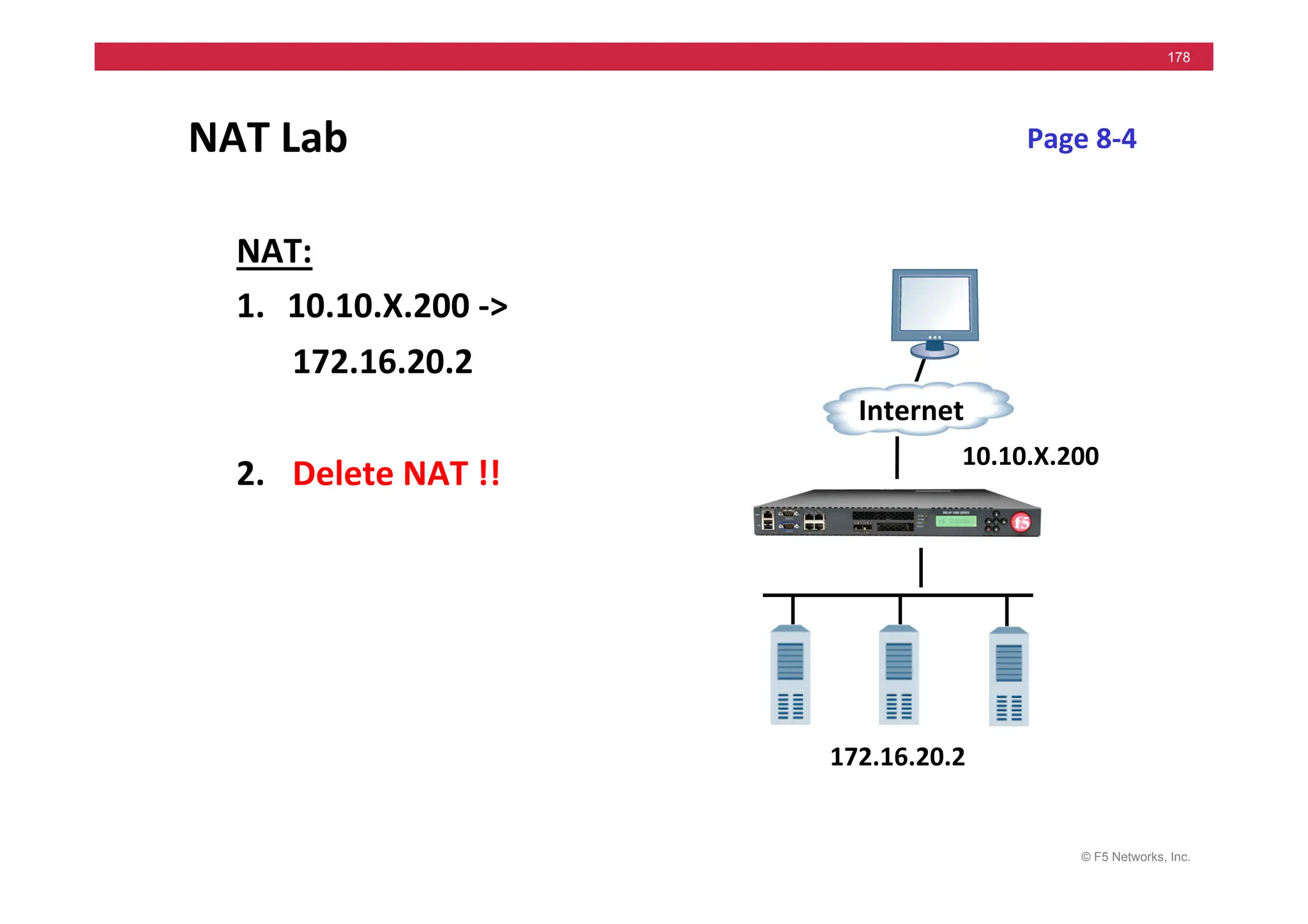
NAT	
  Lab	
  
NAT:	
  
1. 10.10.X.200	
  -­‐>	
  
	
  172.16.20.2	


2. 	
  Delete	
  NAT	
  !!	


Page	
  8-­‐4	
  
Internet	
  
172.16.20.2	
  
10.10.X.200	
  
© F5 Networks, Inc.
179
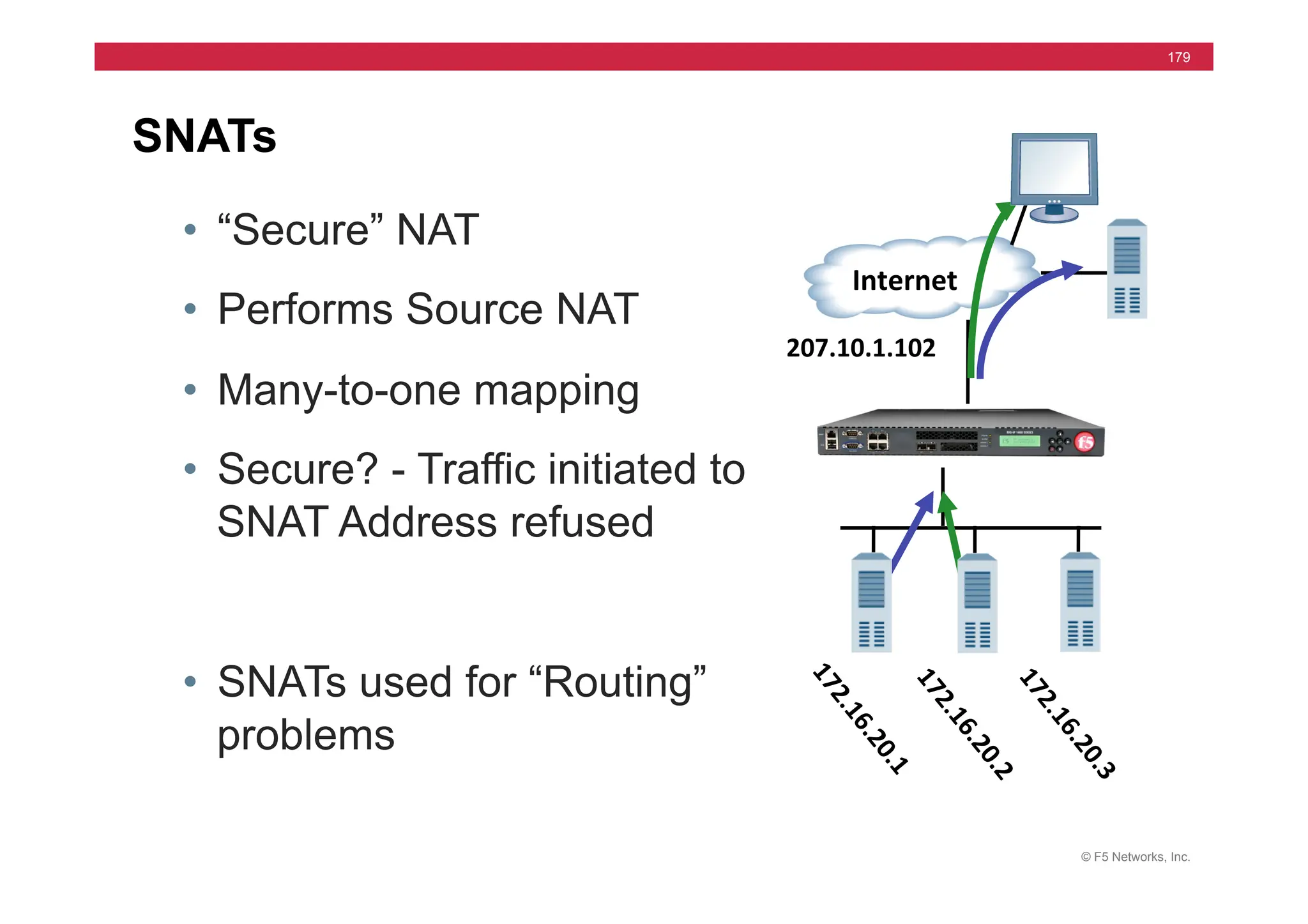
SNATs
	
  	
  Internet	
  
207.10.1.102	
  
• “Secure” NAT
• Performs Source NAT
• Many-to-one mapping
• Secure? - Traffic initiated to
SNAT Address refused
• SNATs used for “Routing”
problems
© F5 Networks, Inc.
180
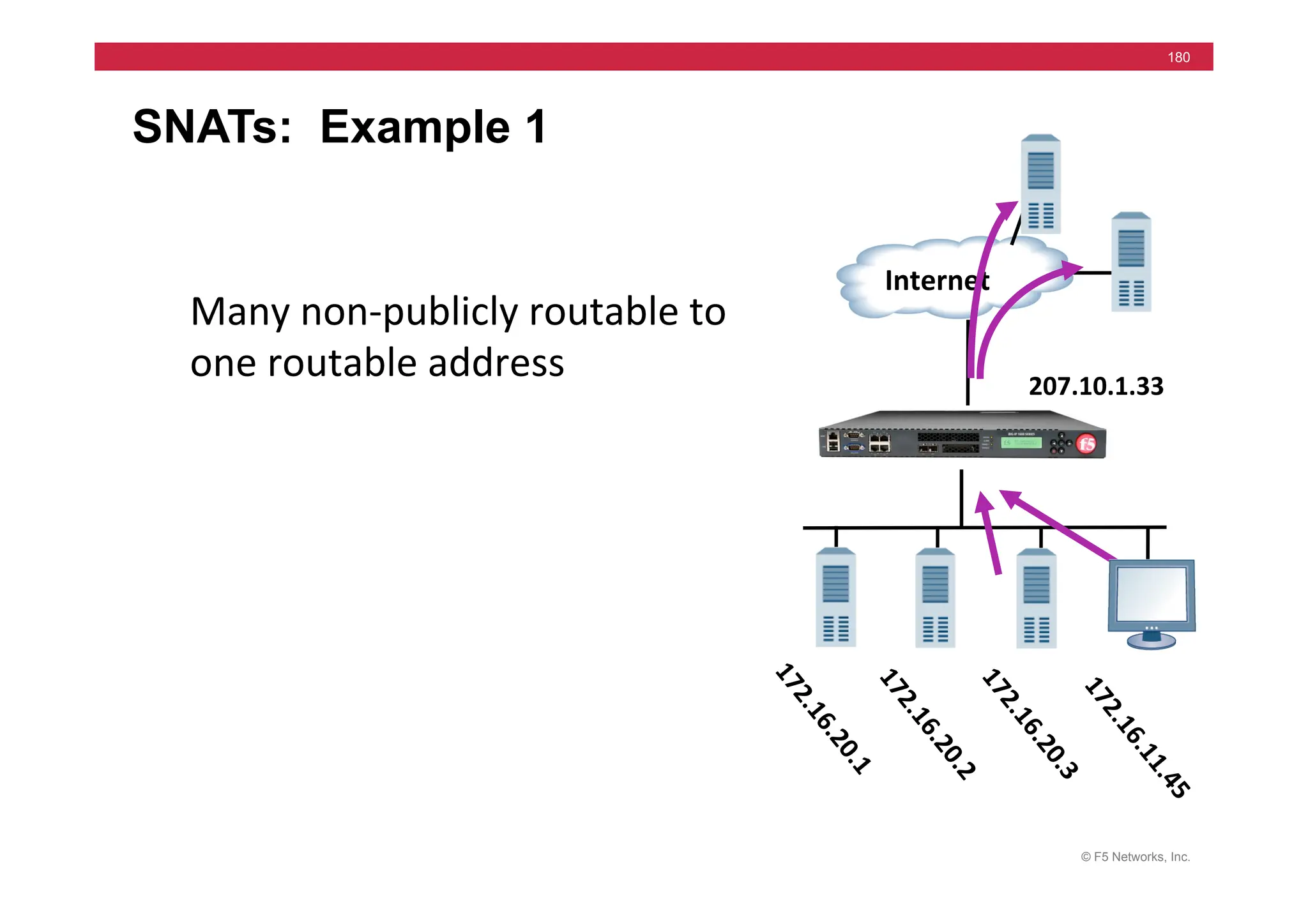
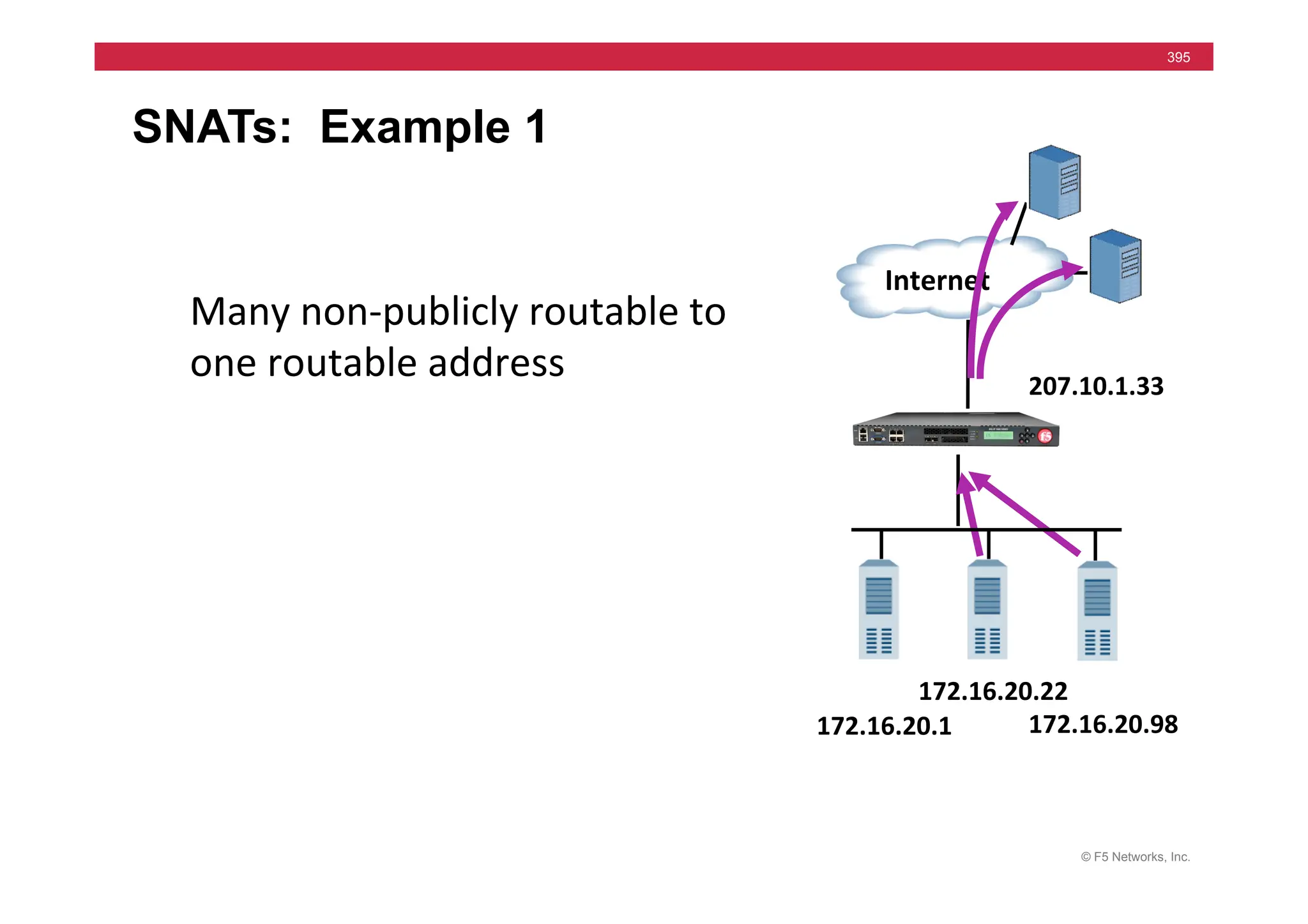
SNATs: Example 1
	
  	
  Internet	
  
207.10.1.33	
  
Many	
  non-­‐publicly	
  routable	
  to	
  
one	
  routable	
  address	
  
© F5 Networks, Inc.
181
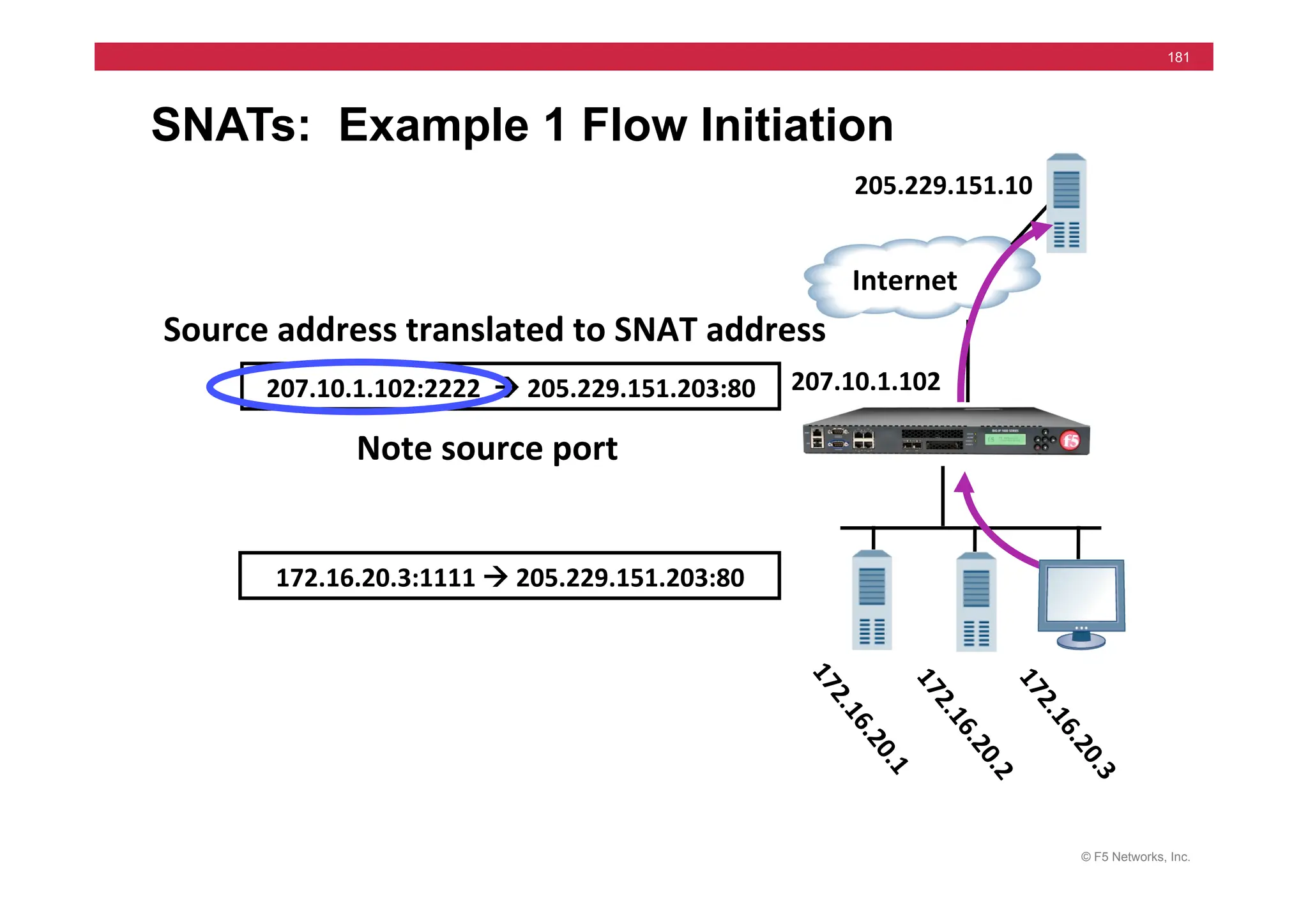
SNATs: Example 1 Flow Initiation
172.16.20.3:1111	
  !	
  205.229.151.203:80	
  
207.10.1.102:2222	
  	
  !	
  205.229.151.203:80	
  
Source	
  address	
  translated	
  to	
  SNAT	
  address	
  	
  
Note	
  source	
  port	


  Internet	
  
207.10.1.102	
  
205.229.151.10	
  
© F5 Networks, Inc.
182
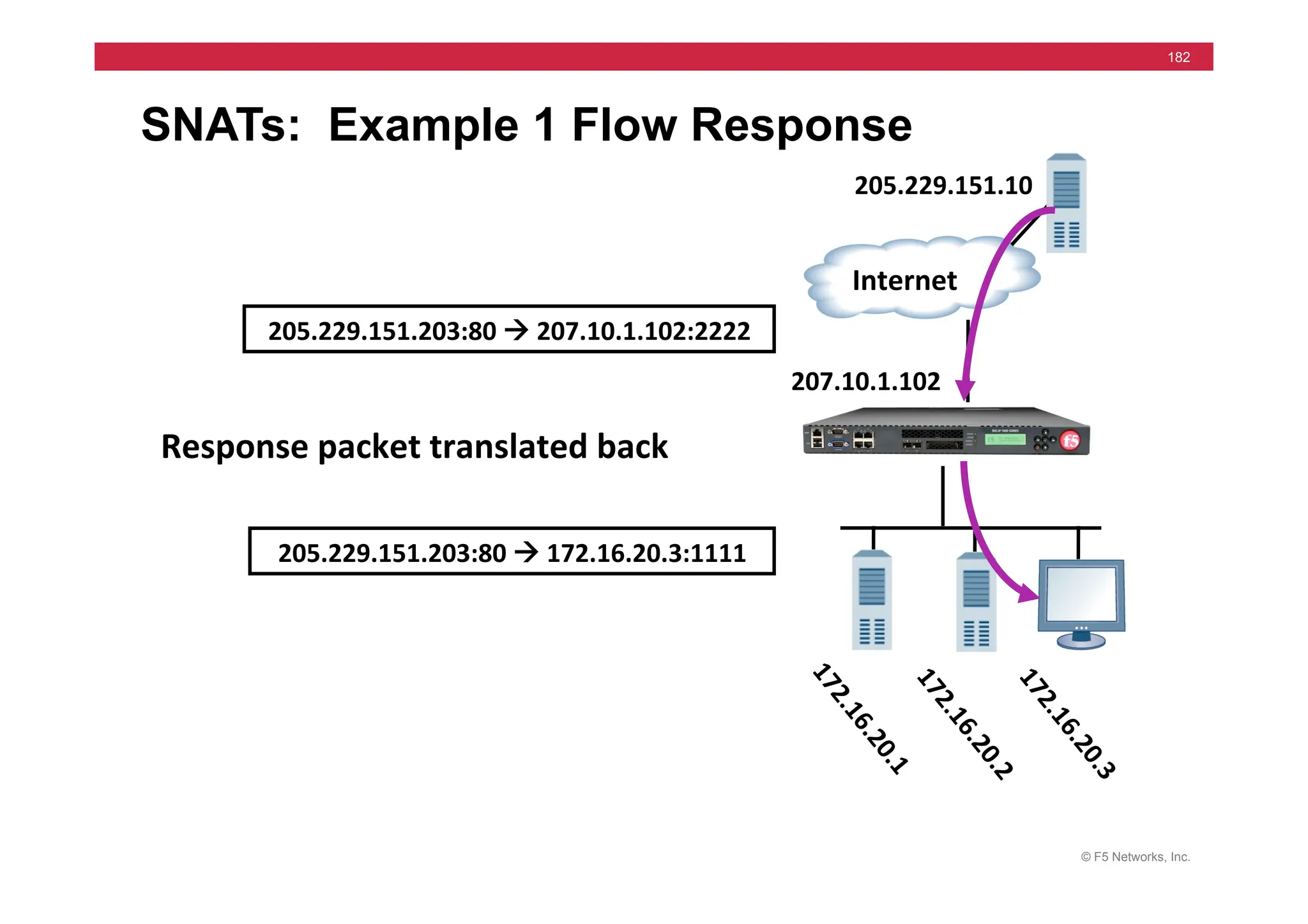
SNATs: Example 1 Flow Response
205.229.151.203:80	
  !	
  172.16.20.3:1111	
  
205.229.151.203:80	
  !	
  207.10.1.102:2222	
  
Response	
  packet	
  translated	
  back	


  Internet	
  
207.10.1.102	
  
205.229.151.10	
  
© F5 Networks, Inc.
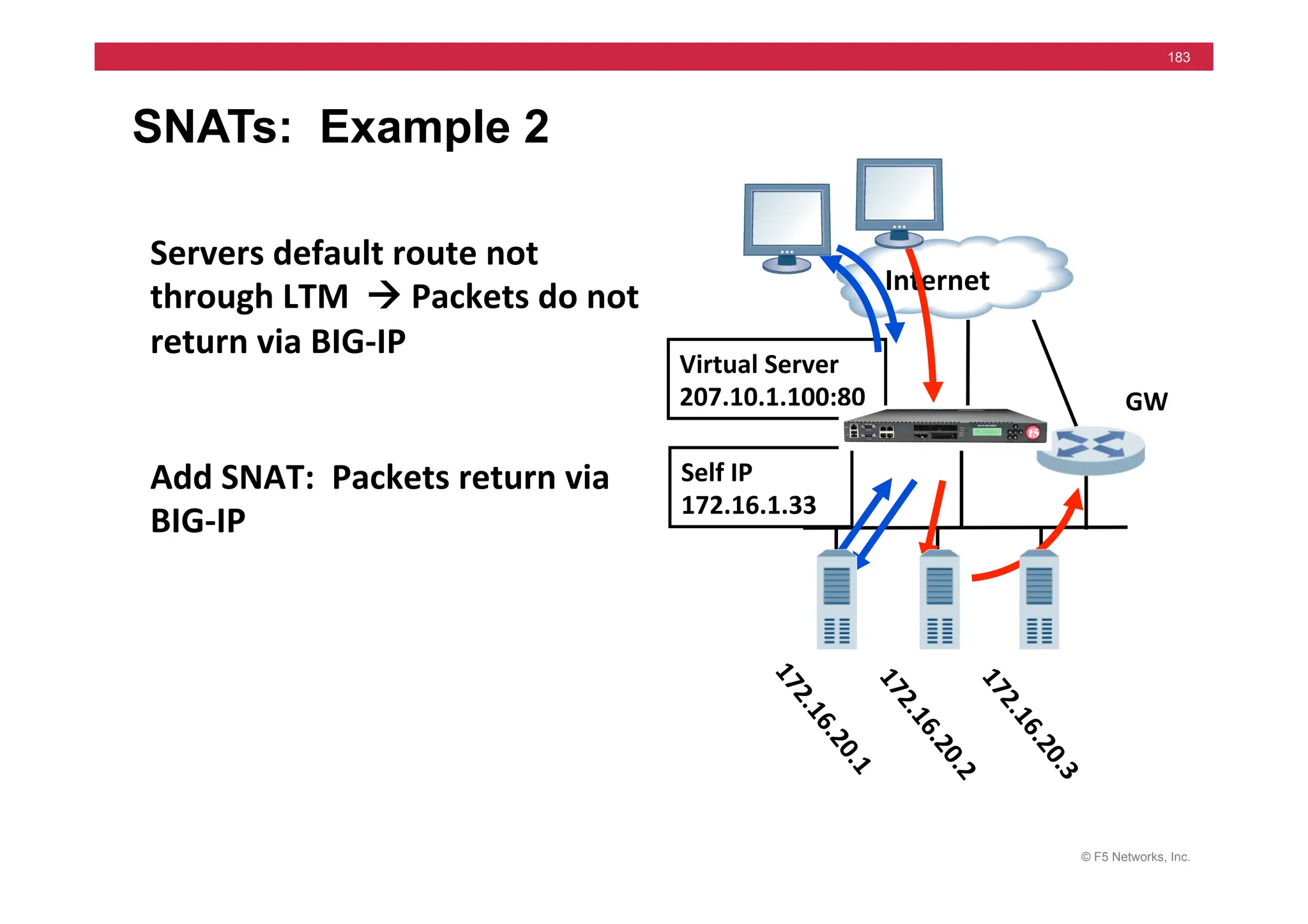
183
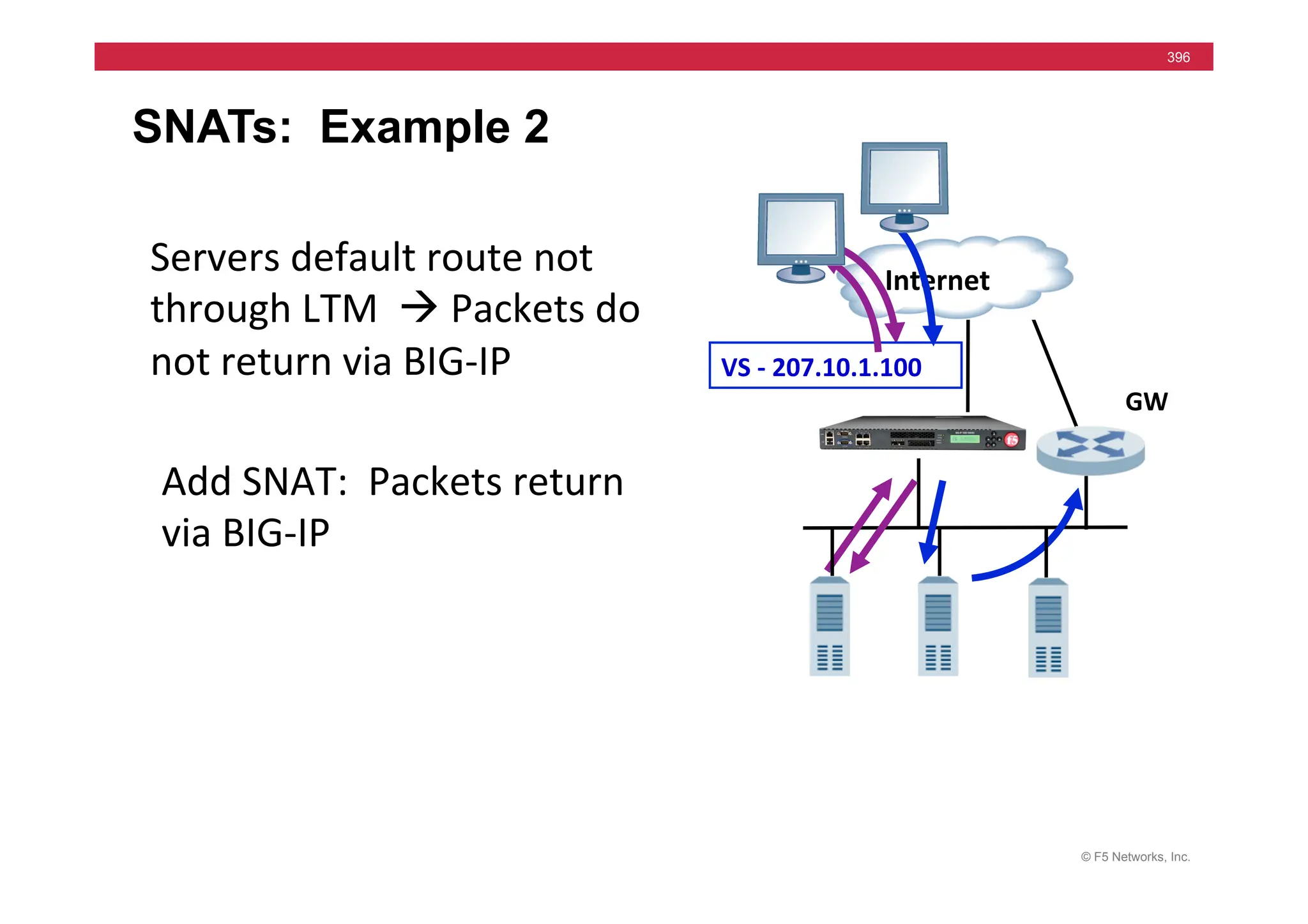
SNATs: Example 2
	
  	
  Internet	
  
Self	
  IP	
  
172.16.1.33	
  
Virtual	
  Server	
  
207.10.1.100:80	
   GW	
  
Servers	
  default	
  route	
  not	
  
through	
  LTM	
  	
  !	
  Packets	
  do	
  not	
  
return	
  via	
  BIG-­‐IP	
  
Add	
  SNAT:	
  	
  Packets	
  return	
  via	
  
BIG-­‐IP	
  
© F5 Networks, Inc.
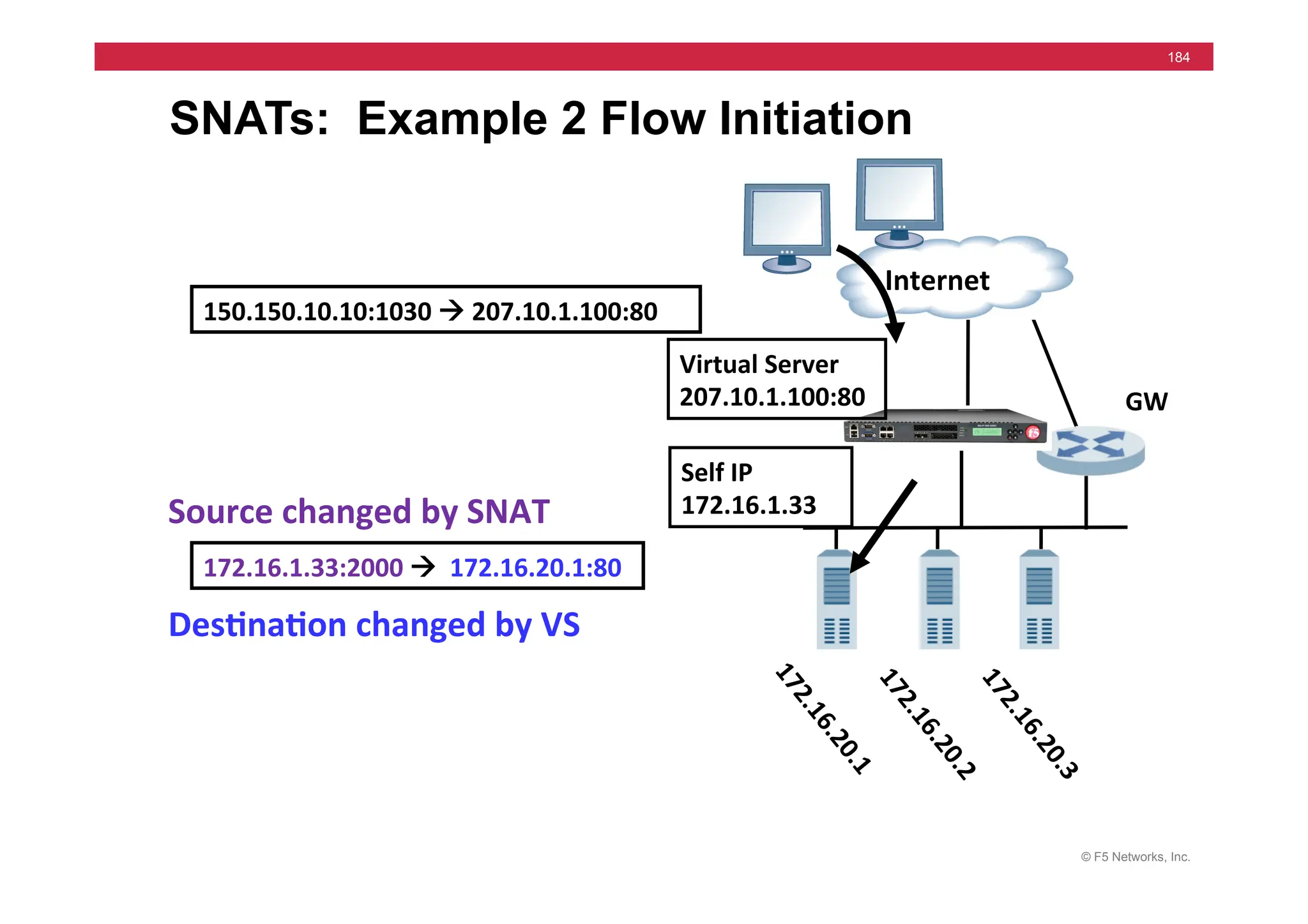
184
SNATs: Example 2 Flow Initiation
172.16.1.33:2000	
  !	
  	
  172.16.20.1:80	
  
150.150.10.10:1030	
  !	
  207.10.1.100:80	
  
Des5na5on	
  changed	
  by	
  VS	
  
Source	
  changed	
  by	
  SNAT	


  Internet	
  
GW	
  
Self	
  IP	
  
172.16.1.33	
  
Virtual	
  Server	
  
207.10.1.100:80	
  
© F5 Networks, Inc.
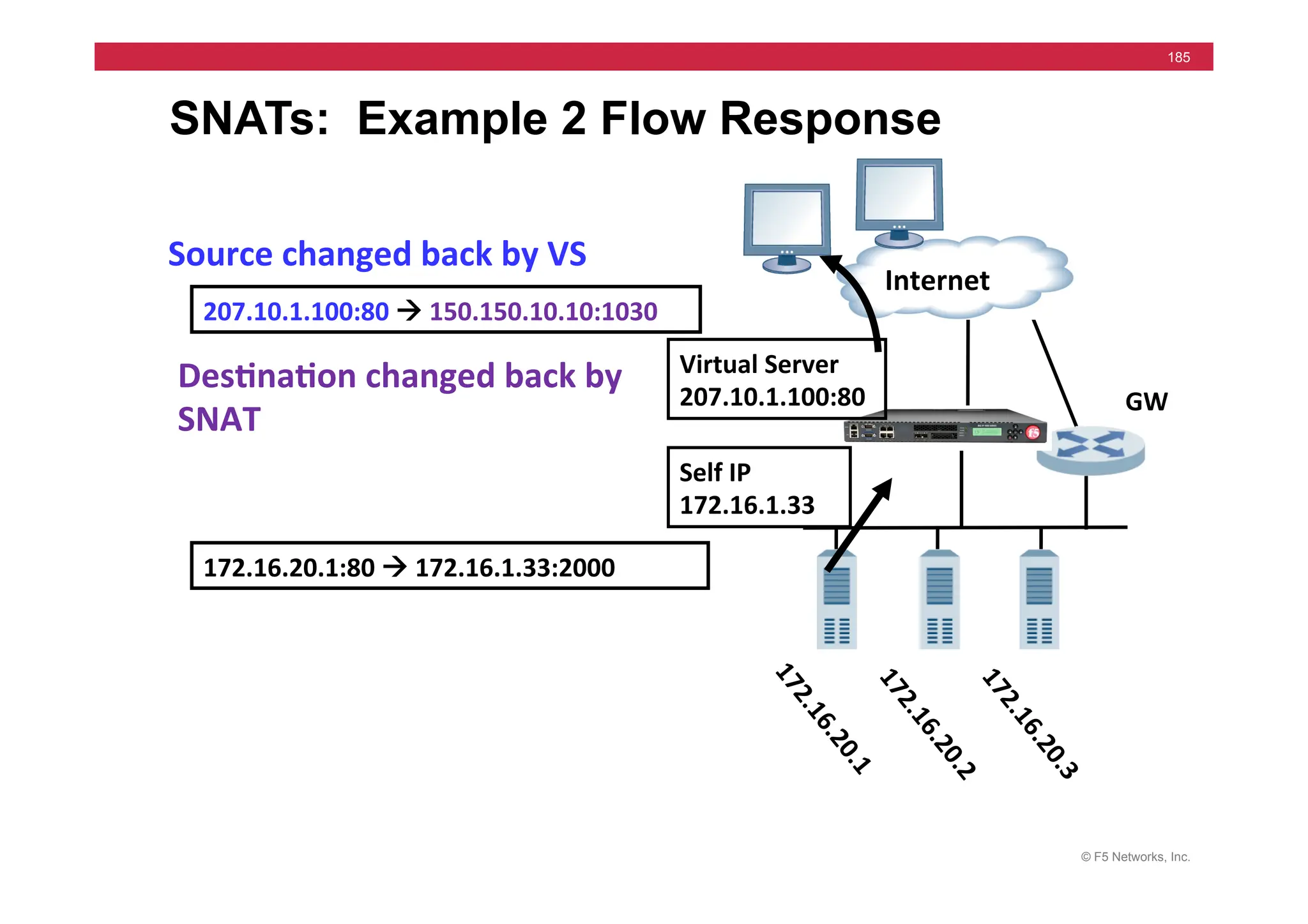
185
SNATs: Example 2 Flow Response
172.16.20.1:80	
  !	
  172.16.1.33:2000	
  	
  
207.10.1.100:80	
  !	
  150.150.10.10:1030	
  	
  
Source	
  changed	
  back	
  by	
  VS	
  
Des5na5on	
  changed	
  back	
  by	
  
SNAT	


  Internet	
  
GW	
  
Self	
  IP	
  
172.16.1.33	
  
Virtual	
  Server	
  
207.10.1.100:80	
  
© F5 Networks, Inc.
186
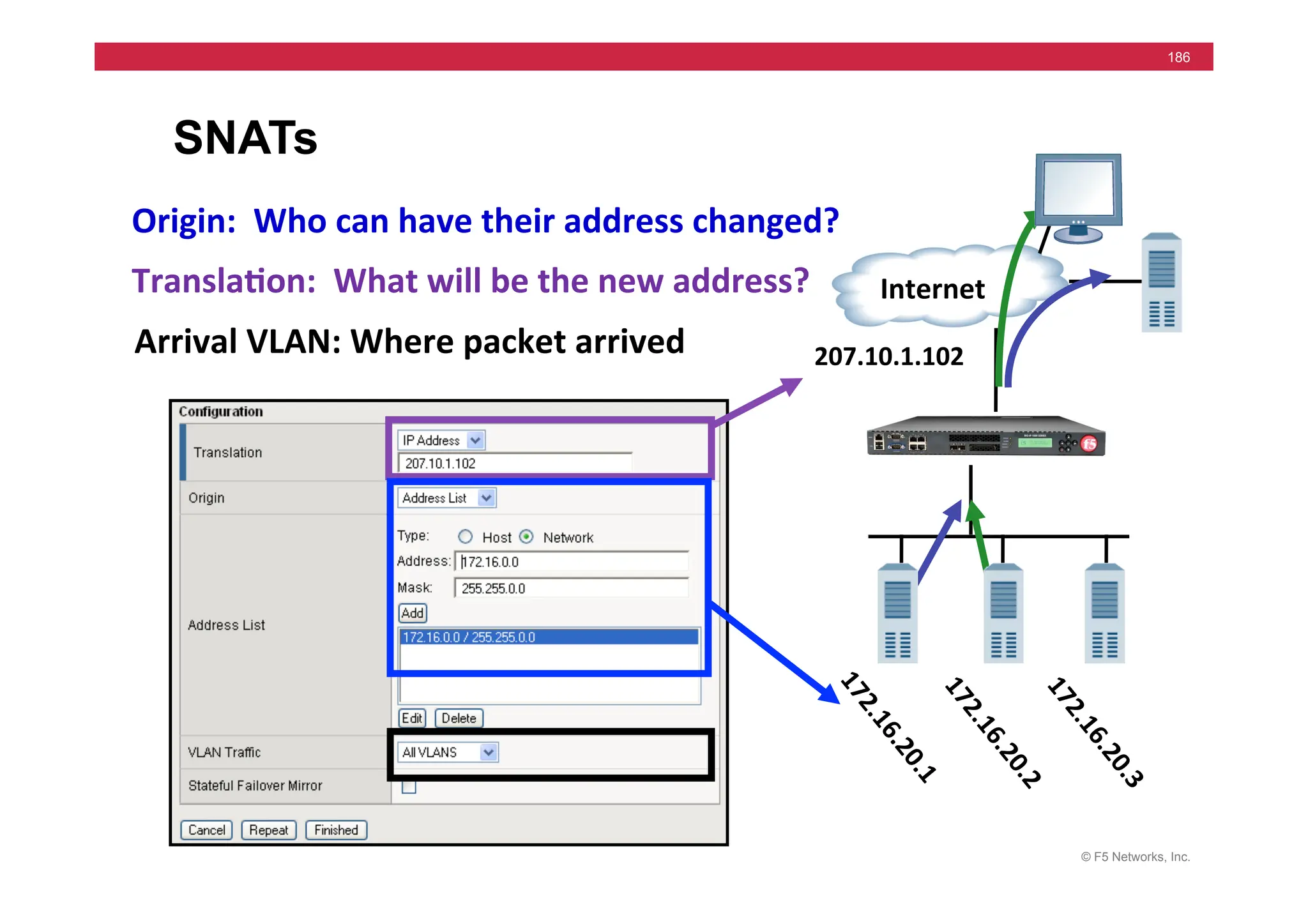
SNATs
	
  	
  Internet	
  
207.10.1.102	
  
Origin:	
  	
  Who	
  can	
  have	
  their	
  address	
  changed?	
  
Transla5on:	
  	
  What	
  will	
  be	
  the	
  new	
  address?	
  
Arrival	
  VLAN:	
  Where	
  packet	
  arrived	
  
© F5 Networks, Inc.
187
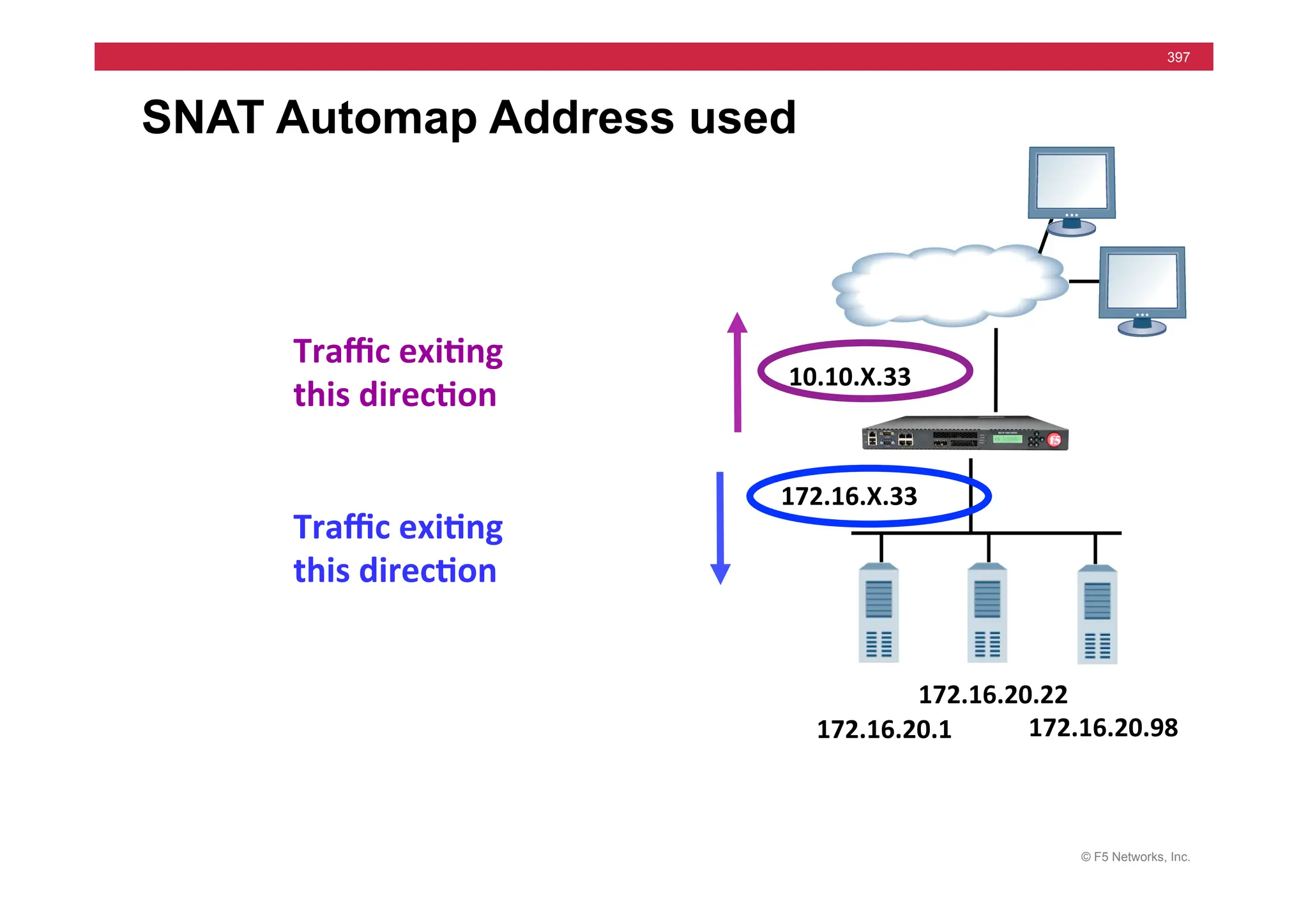
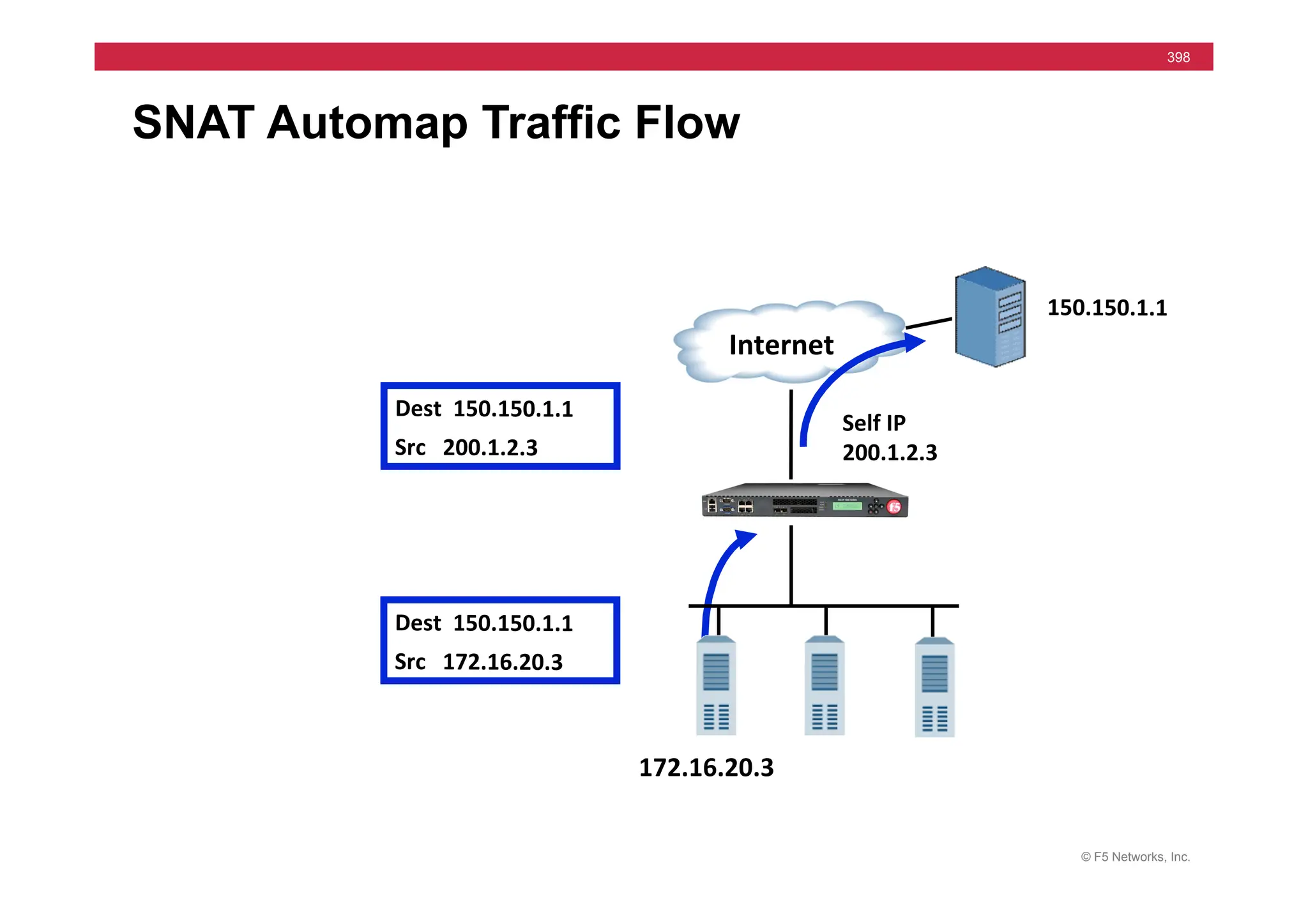
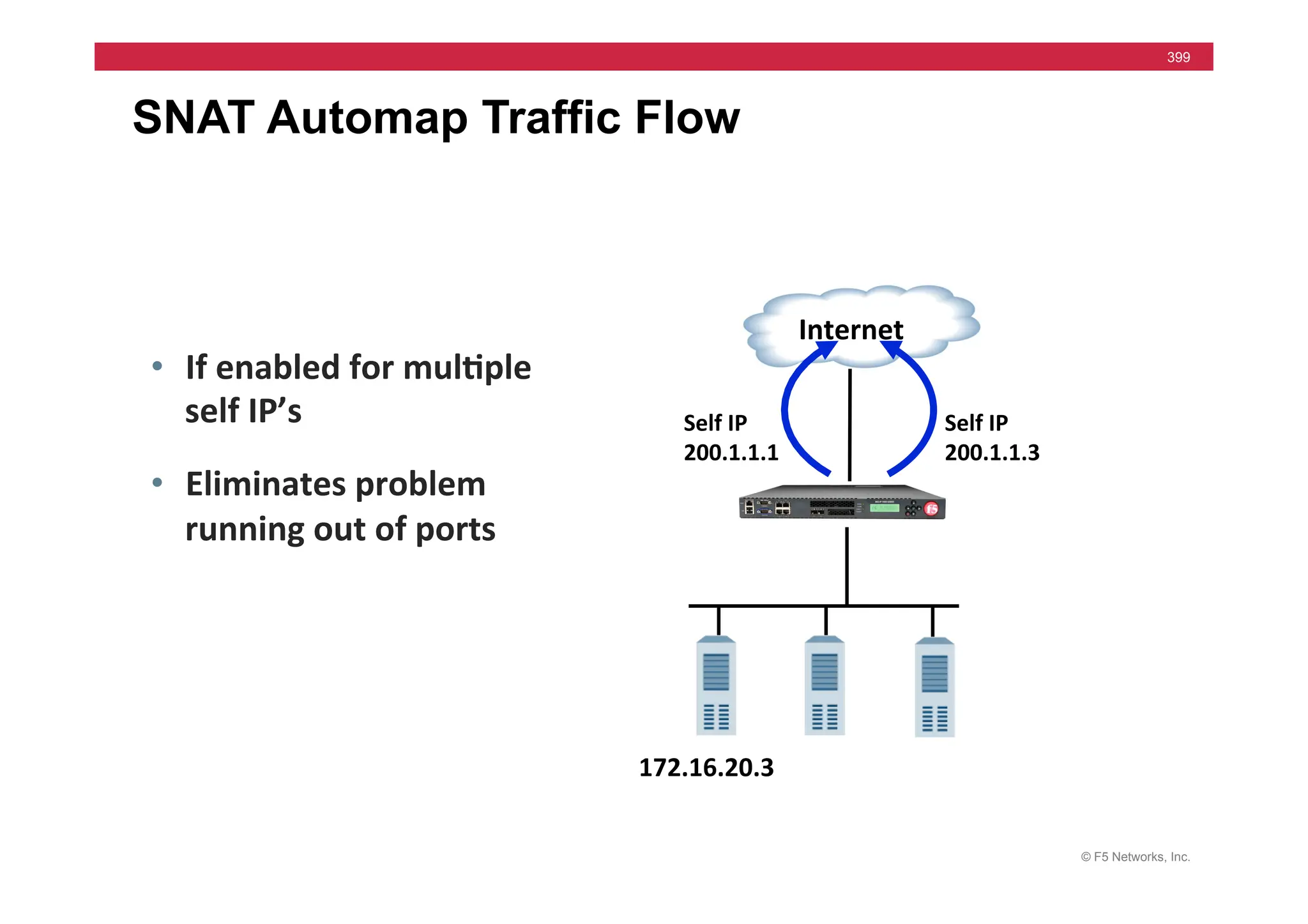
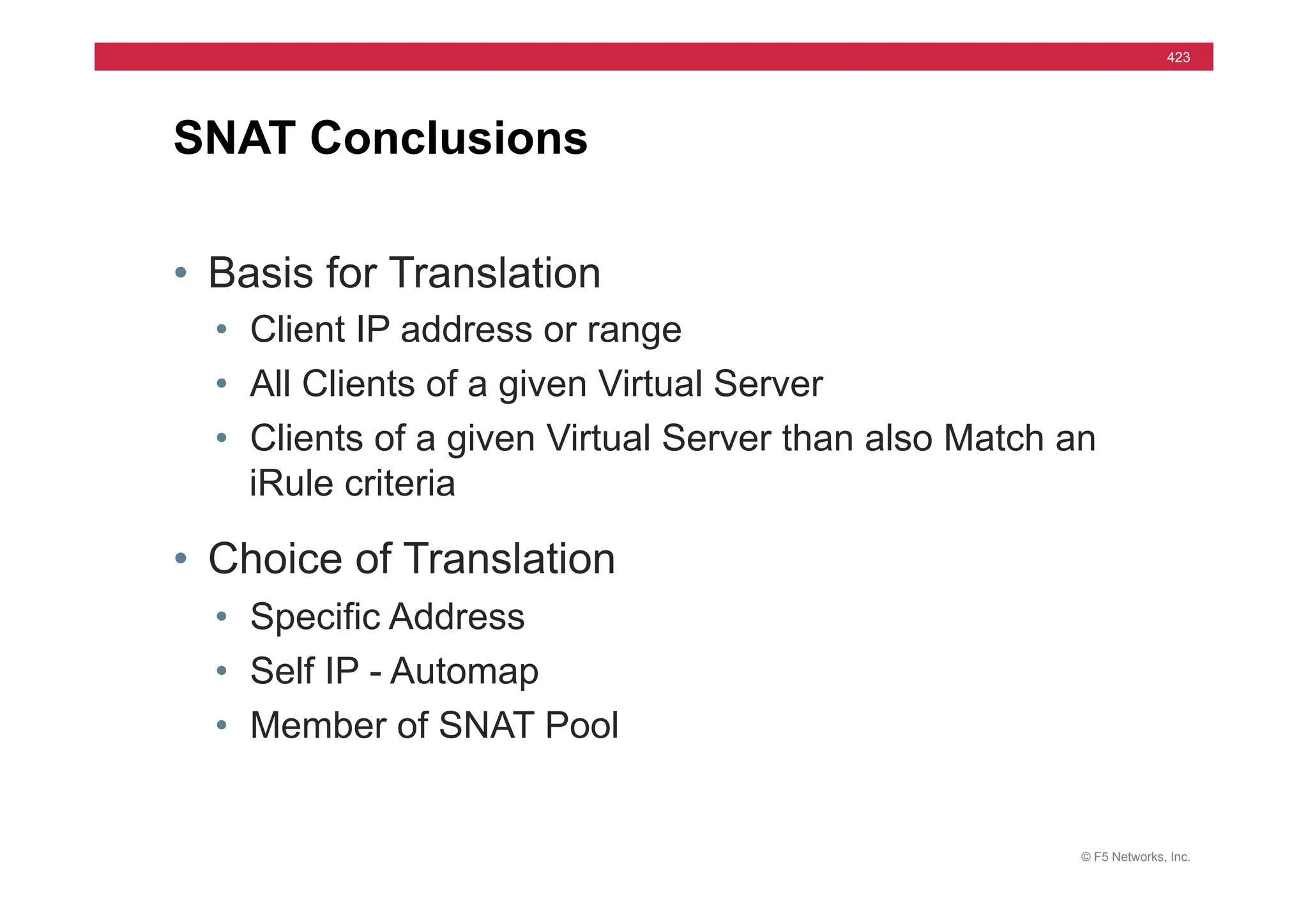
SNATs using Automap
• Automap: Option for “changed to what”
• Self IP Addresses Used
• Floating Self-IP Addresses used if failover set up
• Egress or Exit VLAN will be used as closer to the
network devices where packet exists
© F5 Networks, Inc.
188
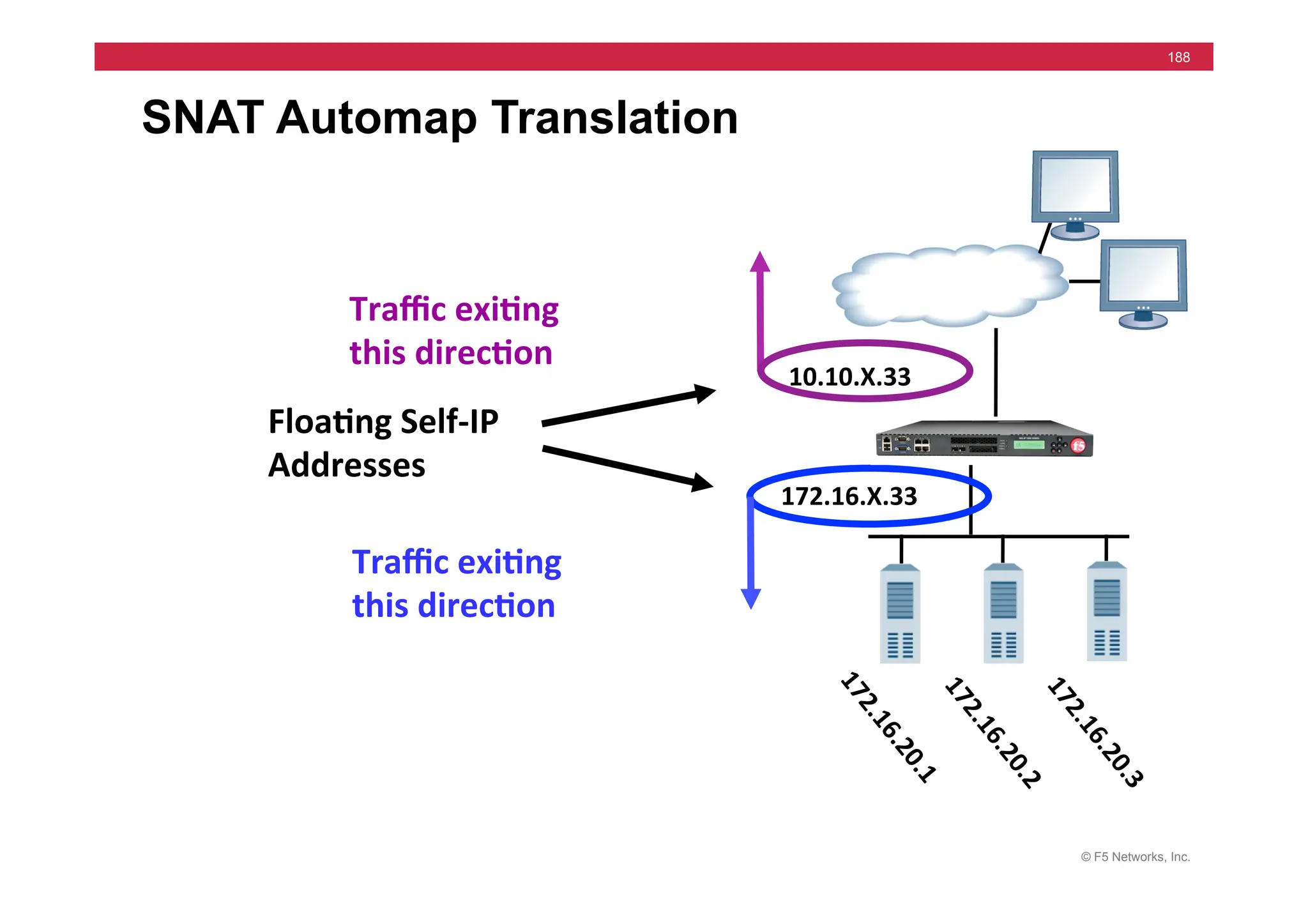
SNAT Automap Translation


172.16.X.33	
  
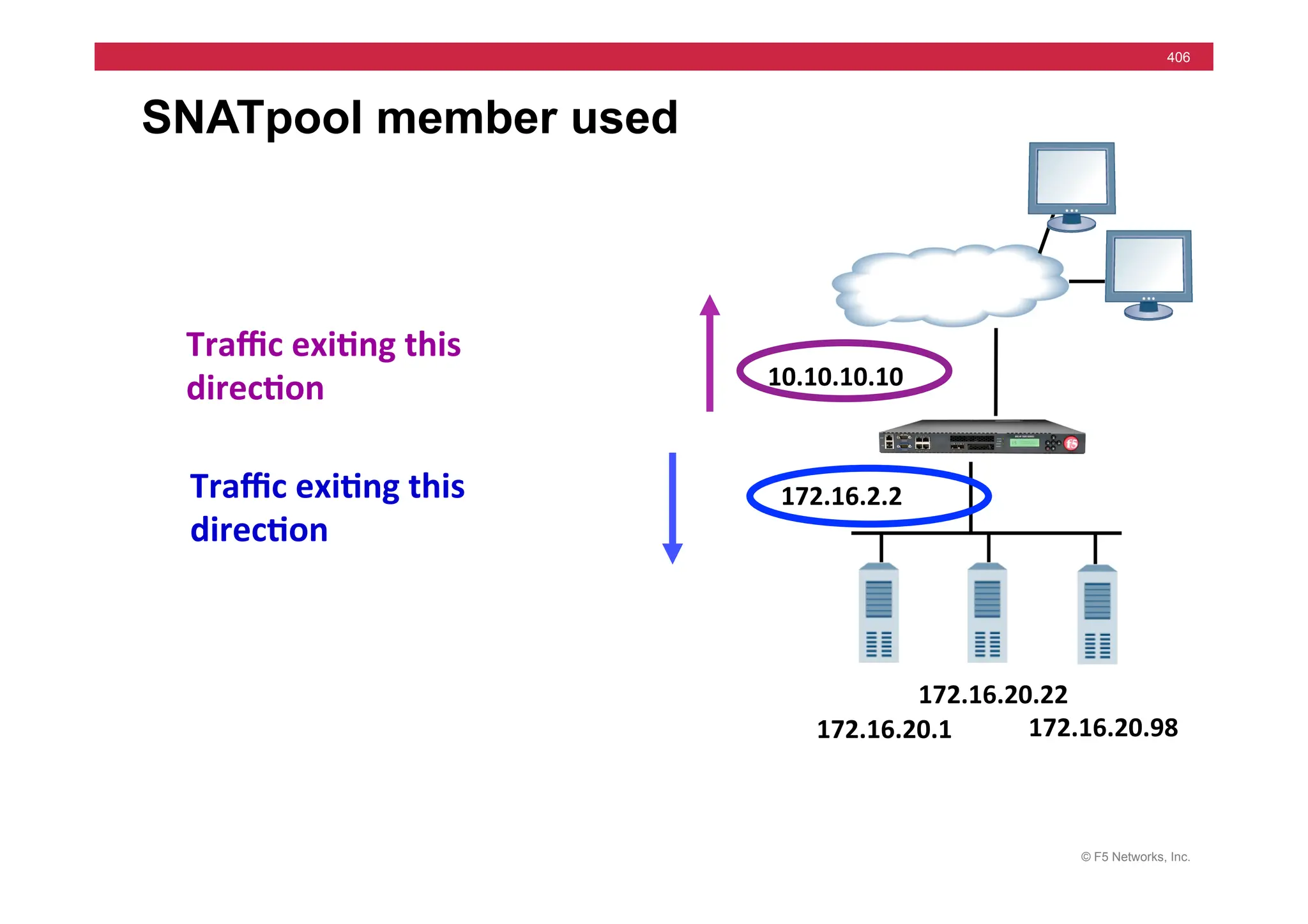
10.10.X.33	
  
Traffic	
  exi5ng	
  
this	
  direc5on	
  
Traffic	
  exi5ng	
  
this	
  direc5on	
  
Floa5ng	
  Self-­‐IP	
  
Addresses	
  
© F5 Networks, Inc.
189
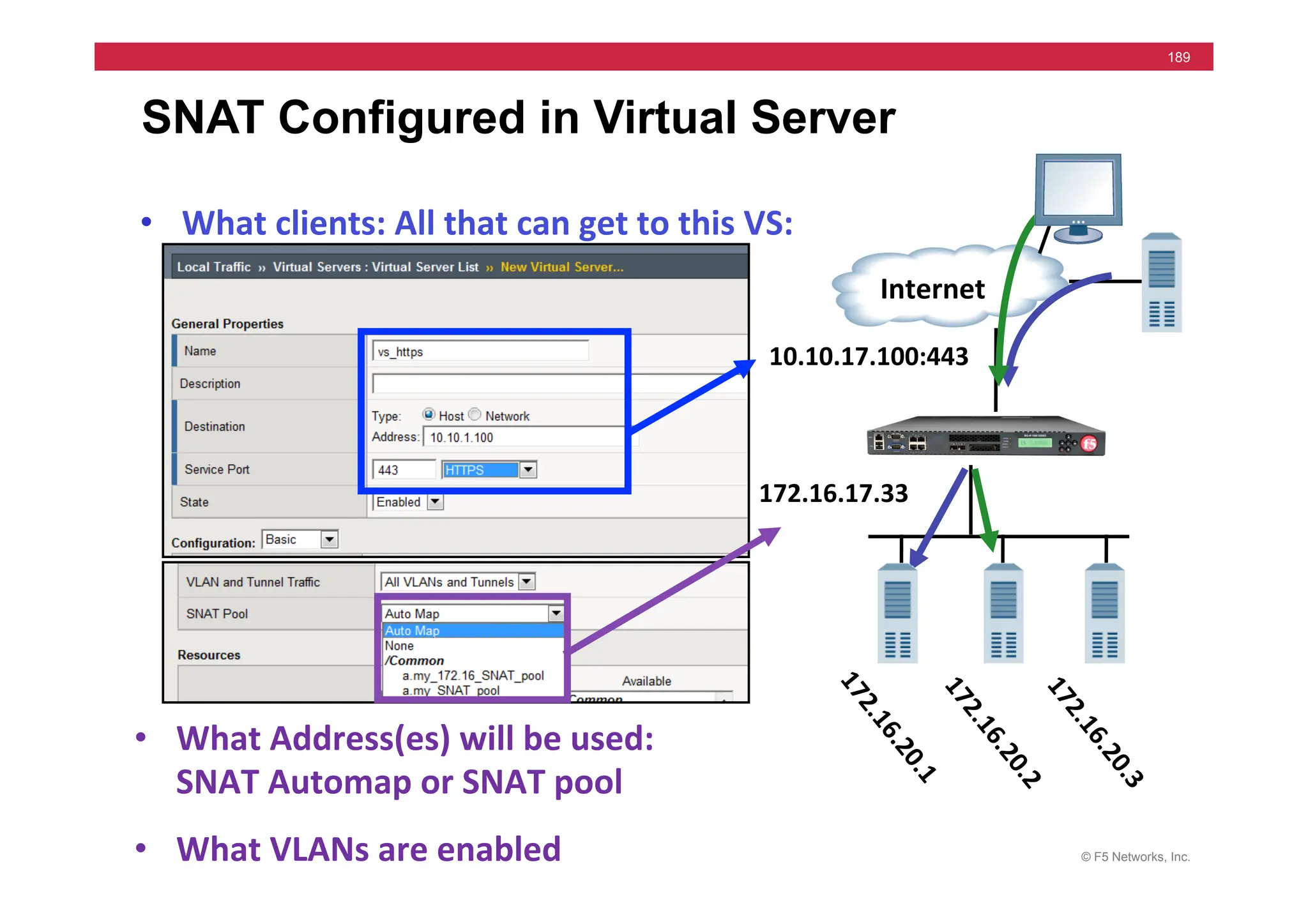
SNAT Configured in Virtual Server
• What	
  clients:	
  All	
  that	
  can	
  get	
  to	
  this	
  VS:	
  
• What	
  Address(es)	
  will	
  be	
  used:	


SNAT	
  Automap	
  or	
  SNAT	
  pool	
  	
  
• What	
  VLANs	
  are	
  enabled	


  Internet	
  
10.10.17.100:443	
  
172.16.17.33	
  
© F5 Networks, Inc.
190
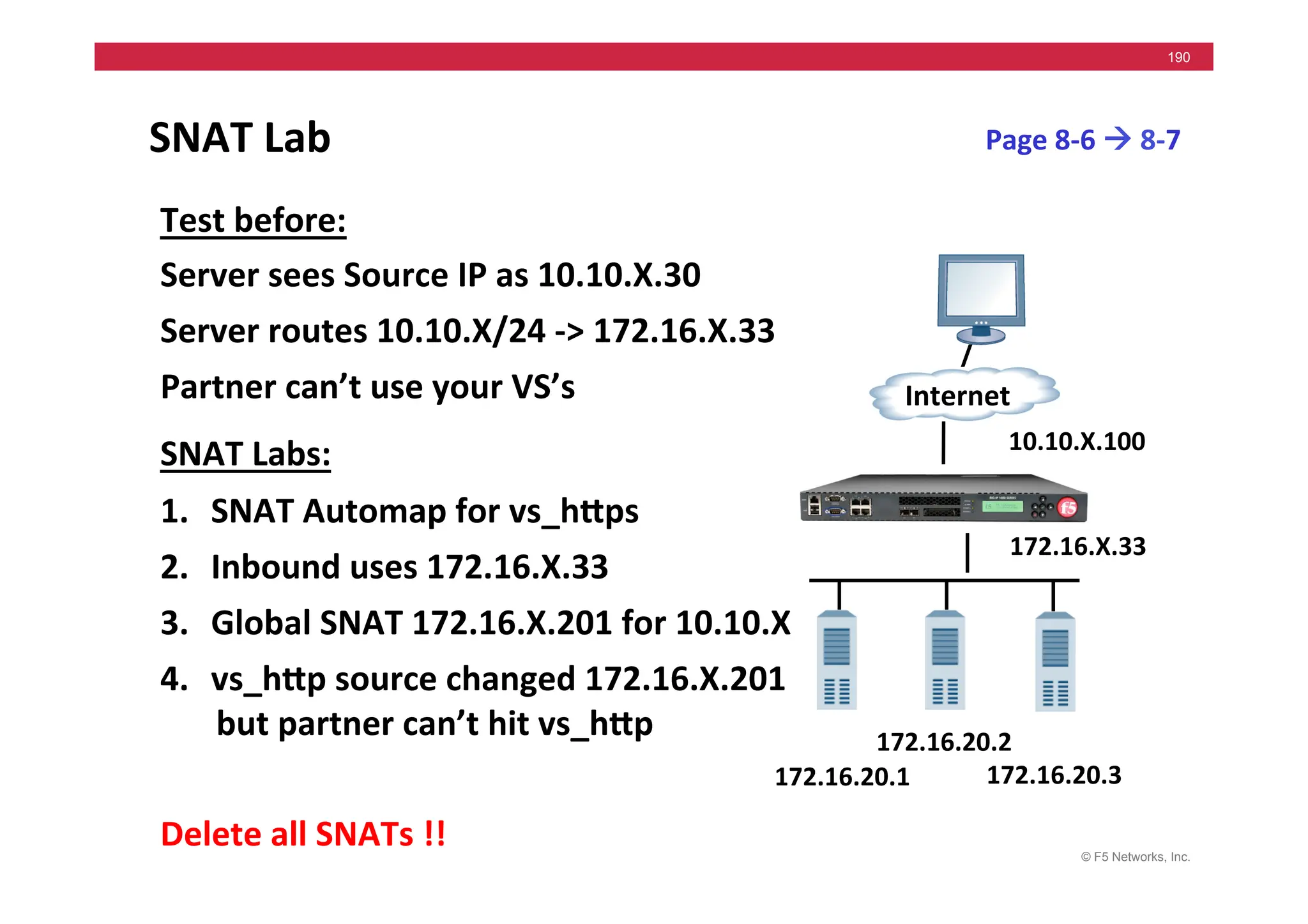
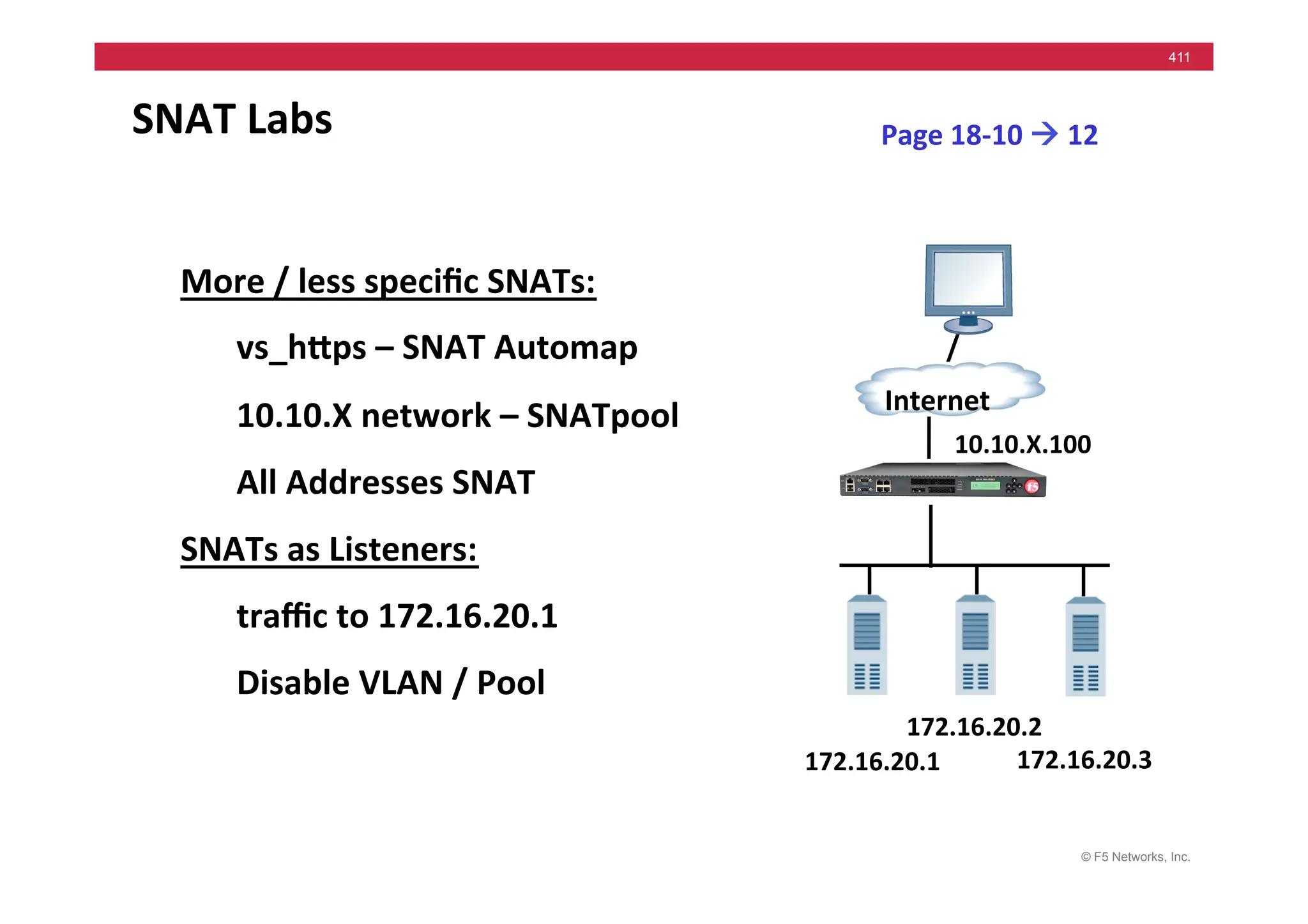
SNAT	
  Lab	
  
Test	
  before:	
  
Server	
  sees	
  Source	
  IP	
  as	
  10.10.X.30	
  
Server	
  routes	
  10.10.X/24	
  -­‐>	
  172.16.X.33	
  
Partner	
  can’t	
  use	
  your	
  VS’s	
  
SNAT	
  Labs:	
  
1. SNAT	
  Automap	
  for	
  vs_hMps	
  
2. Inbound	
  uses	
  172.16.X.33	
  
3. Global	
  SNAT	
  172.16.X.201	
  for	
  10.10.X	
  
4. vs_hMp	
  source	
  changed	
  172.16.X.201	
  
but	
  partner	
  can’t	
  hit	
  vs_hMp	
  
Delete	
  all	
  SNATs	
  !!	
  
Page	
  8-­‐6	
  !	
  8-­‐7	
  
172.16.20.1	
  
Internet	
  
172.16.20.3	
  
172.16.20.2	
  
10.10.X.100	
  
172.16.X.33	
  
© F5 Networks, Inc.
191
Module 9 - iRules
Internet	
  
when	
  CLIENT_ACCEPTED	
  {	


  if	
  {	
  [[IP::remote_addr]	
  starts_with	
  “10.”	
  ]	
  }	
  	
  {	


  pool	
  ten_pool	


  }	


  else	
  	
  {	


  pool	
  customer_pool	


  }	
  
	
  }	


ten_pool	
   customer_pool	
  
© F5 Networks, Inc.
192
• iRule Concepts & Syntax
• iRule Events
• Configuring iRules
• iRules Labs
Module 9 – Outline
© F5 Networks, Inc.
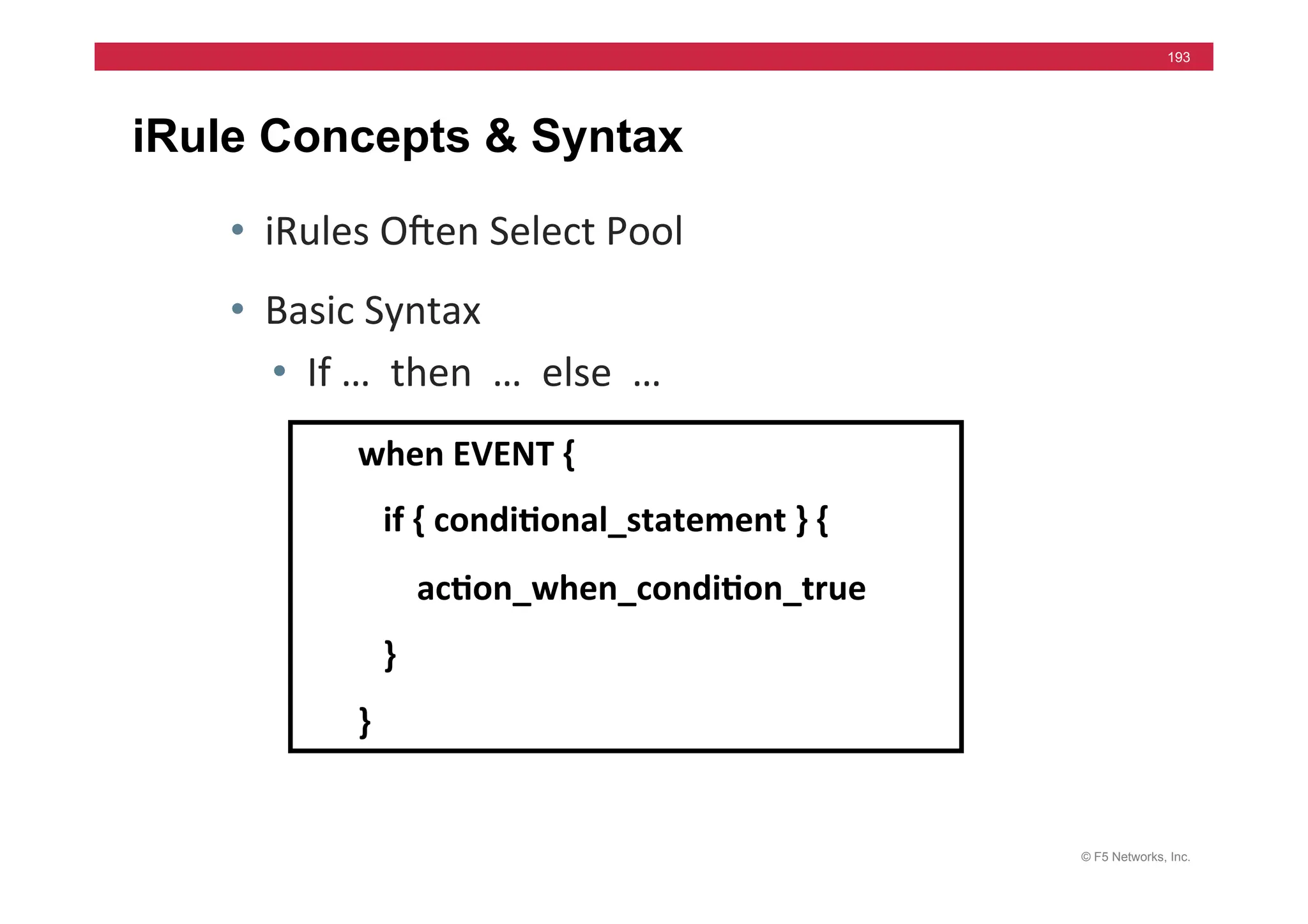
193
iRule Concepts & Syntax
• iRules	
  Ohen	
  Select	
  Pool	
  
• Basic	
  Syntax	
  
• If	
  …	
  	
  then	
  	
  …	
  	
  else	
  	
  …	
  
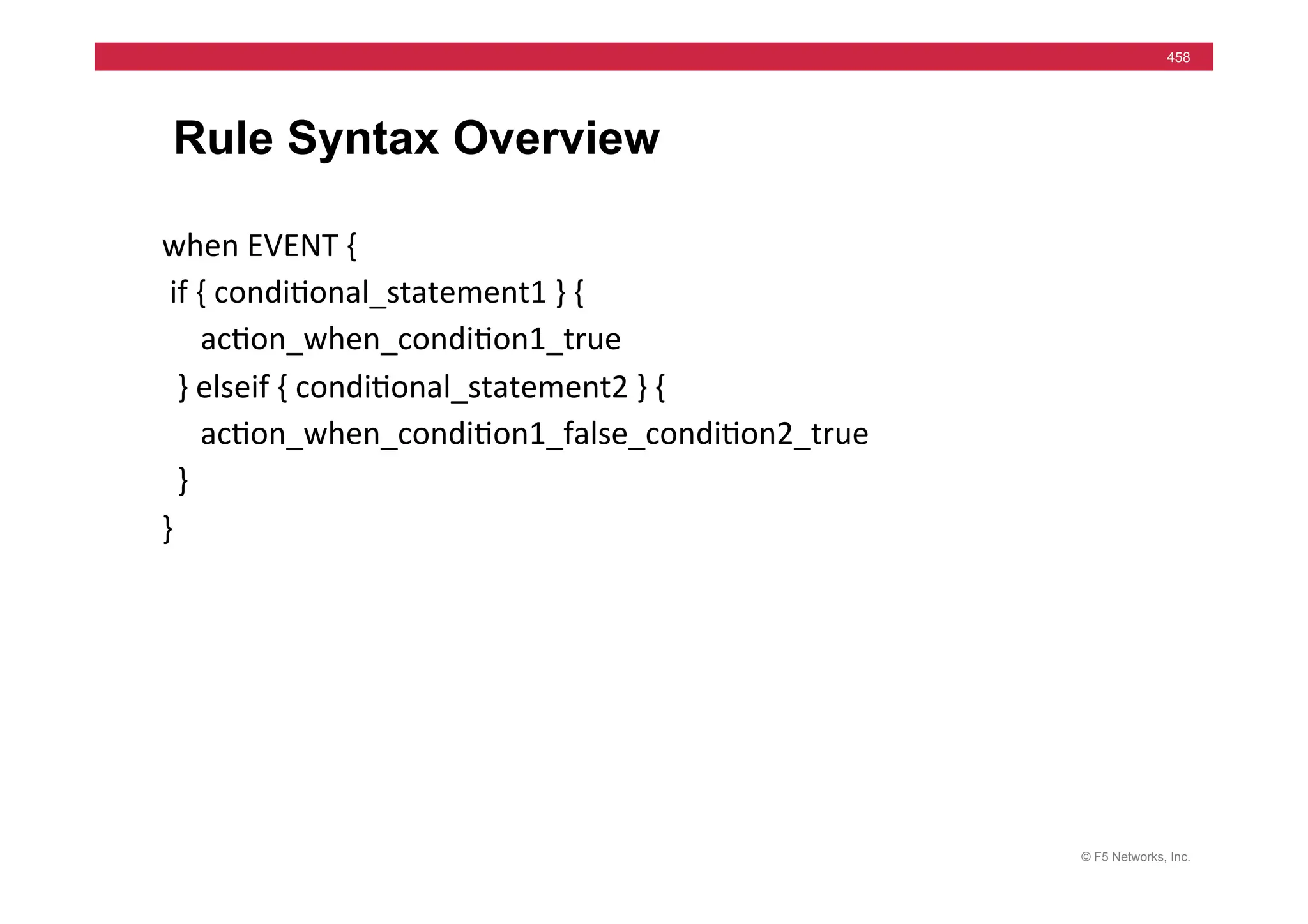
when	
  EVENT	
  {	


  if	
  {	
  condi5onal_statement	
  }	
  {	


  ac5on_when_condi5on_true	


  }	
  
}	
  
© F5 Networks, Inc.
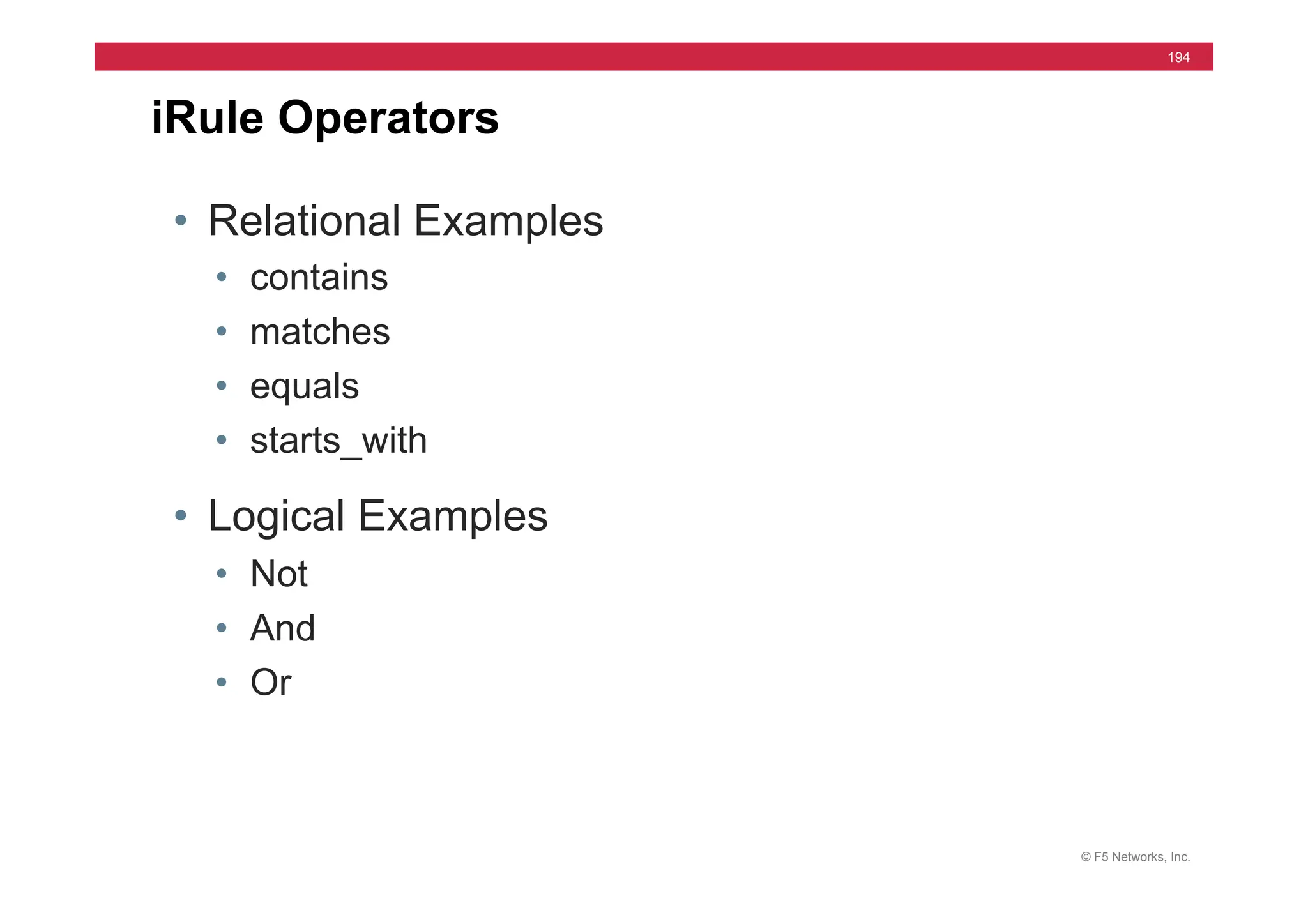
194
• Relational Examples
• contains
• matches
• equals
• starts_with
• Logical Examples
• Not
• And
• Or
iRule Operators
© F5 Networks, Inc.
195
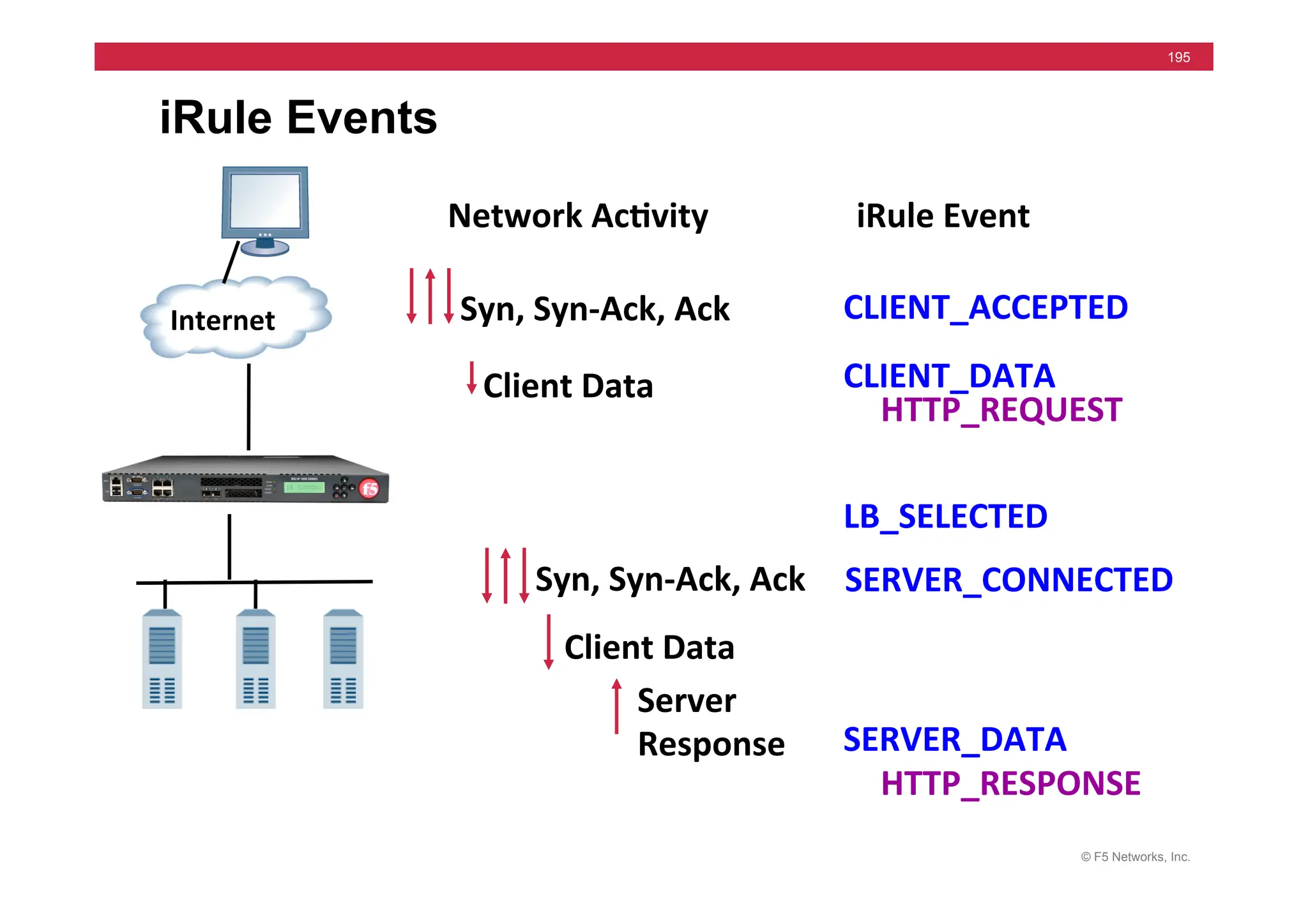
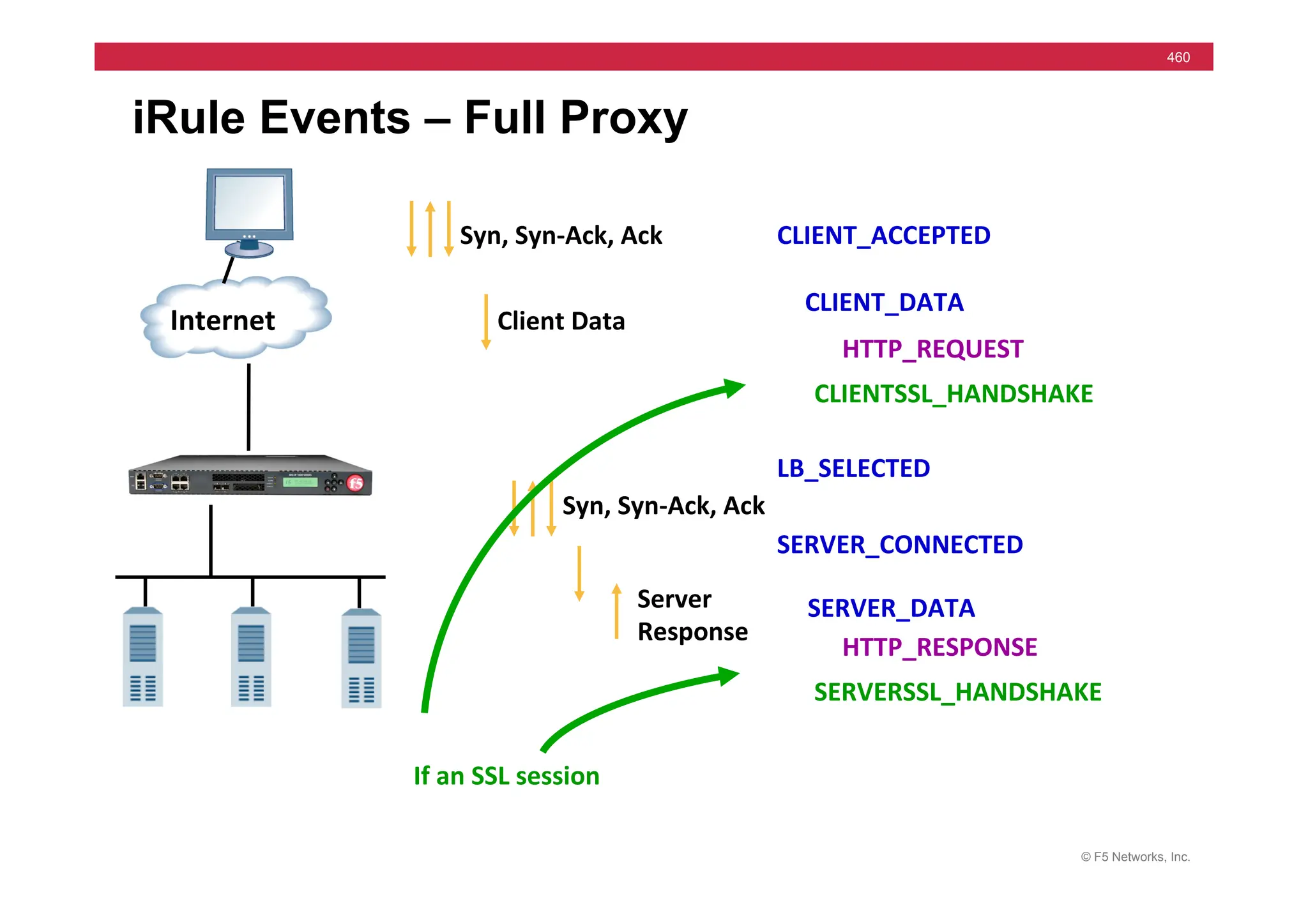
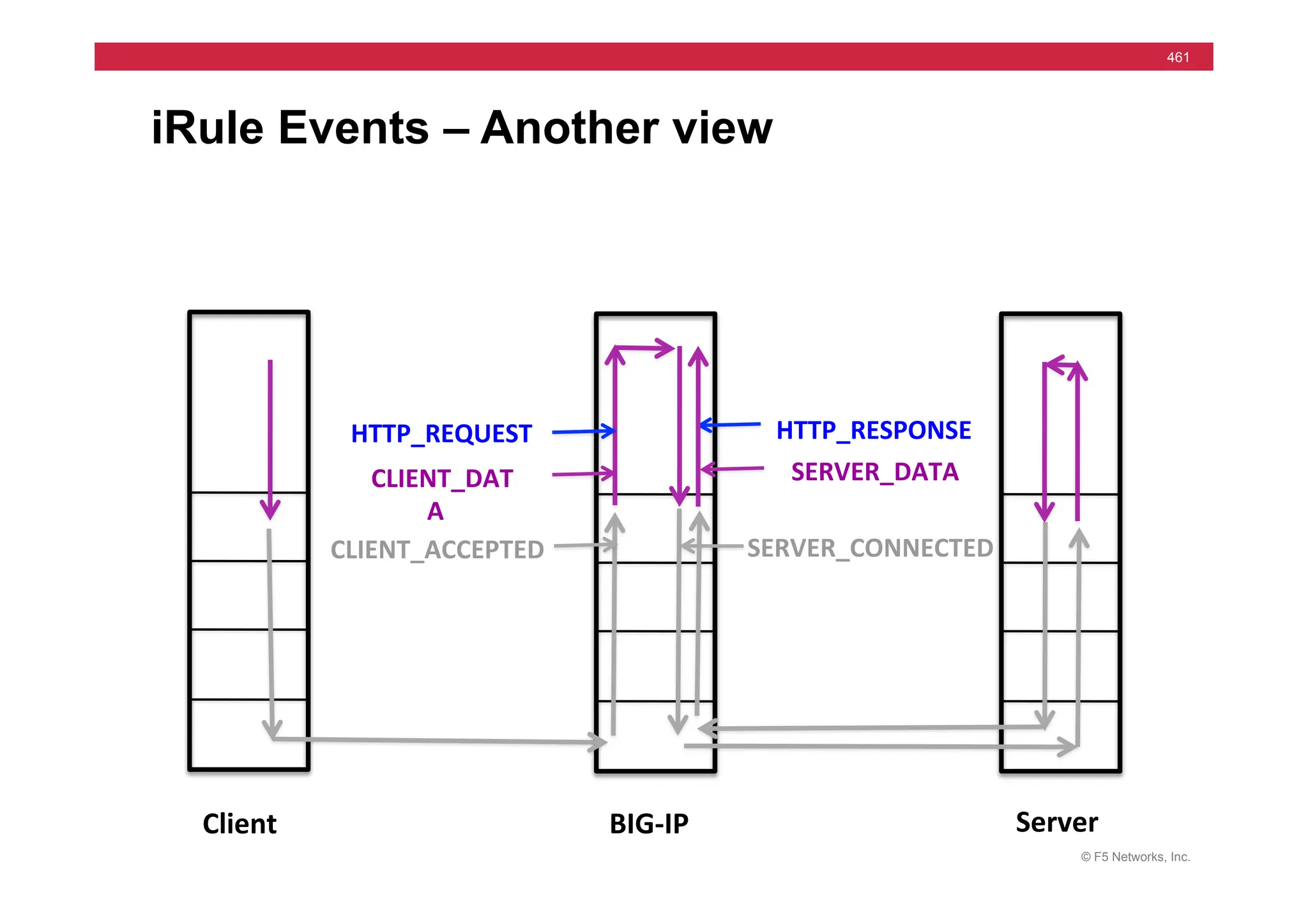
iRule Events
CLIENT_ACCEPTED	
  
Internet	
  
CLIENT_DATA	
  
HTTP_REQUEST	
  
SERVER_CONNECTED	
  
SERVER_DATA	
  
HTTP_RESPONSE	
  
LB_SELECTED	
  
Syn,	
  Syn-­‐Ack,	
  Ack	
  
Client	
  Data	
  
Syn,	
  Syn-­‐Ack,	
  Ack	
  
Server	
  
Response	


  Client	
  Data	
  
iRule	
  Event	
  
Network	
  Ac5vity	
  
© F5 Networks, Inc.
196
HTTP Event Example
Pool selection based on Browser
rule	
  BrowserType	
  {	


  when	
  HTTP_REQUEST	
  {	


  if	
  {	
  [[HTTP::header	
  User-­‐Agent]	
  contains	
  “MSIE”]	
  }	


  {	
  pool	
  /Common/IE_pool	
  }	


  elseif	
  {	
  [[HTTP::header	
  User-­‐Agent]	
  contains	
  “Mozilla”]	
  }	
  
	
  {	
  pool	
  /Common/Mz_pool	
  }	


  }	
  	
  
}	
  
else { /Common/
Other_browser } }
© F5 Networks, Inc.
197
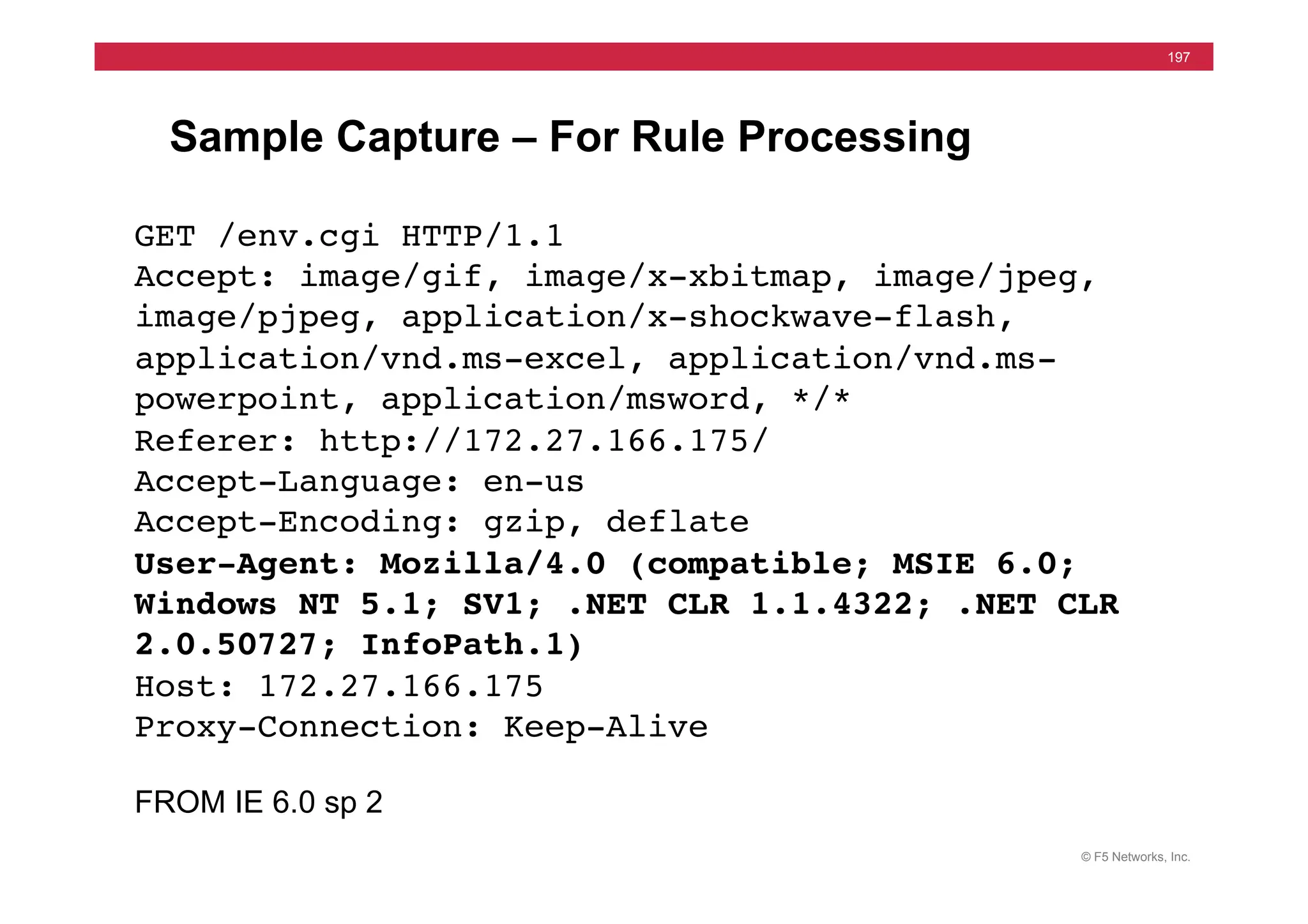
Sample Capture – For Rule Processing
GET /env.cgi HTTP/1.1!
Accept: image/gif, image/x-xbitmap, image/jpeg,
image/pjpeg, application/x-shockwave-flash,
application/vnd.ms-excel, application/vnd.ms-
powerpoint, application/msword, */*!
Referer: http://172.27.166.175/!
Accept-Language: en-us!
Accept-Encoding: gzip, deflate!
User-Agent: Mozilla/4.0 (compatible; MSIE 6.0;
Windows NT 5.1; SV1; .NET CLR 1.1.4322; .NET CLR
2.0.50727; InfoPath.1)!
Host: 172.27.166.175!
Proxy-Connection: Keep-Alive!
!
FROM IE 6.0 sp 2
© F5 Networks, Inc.
198
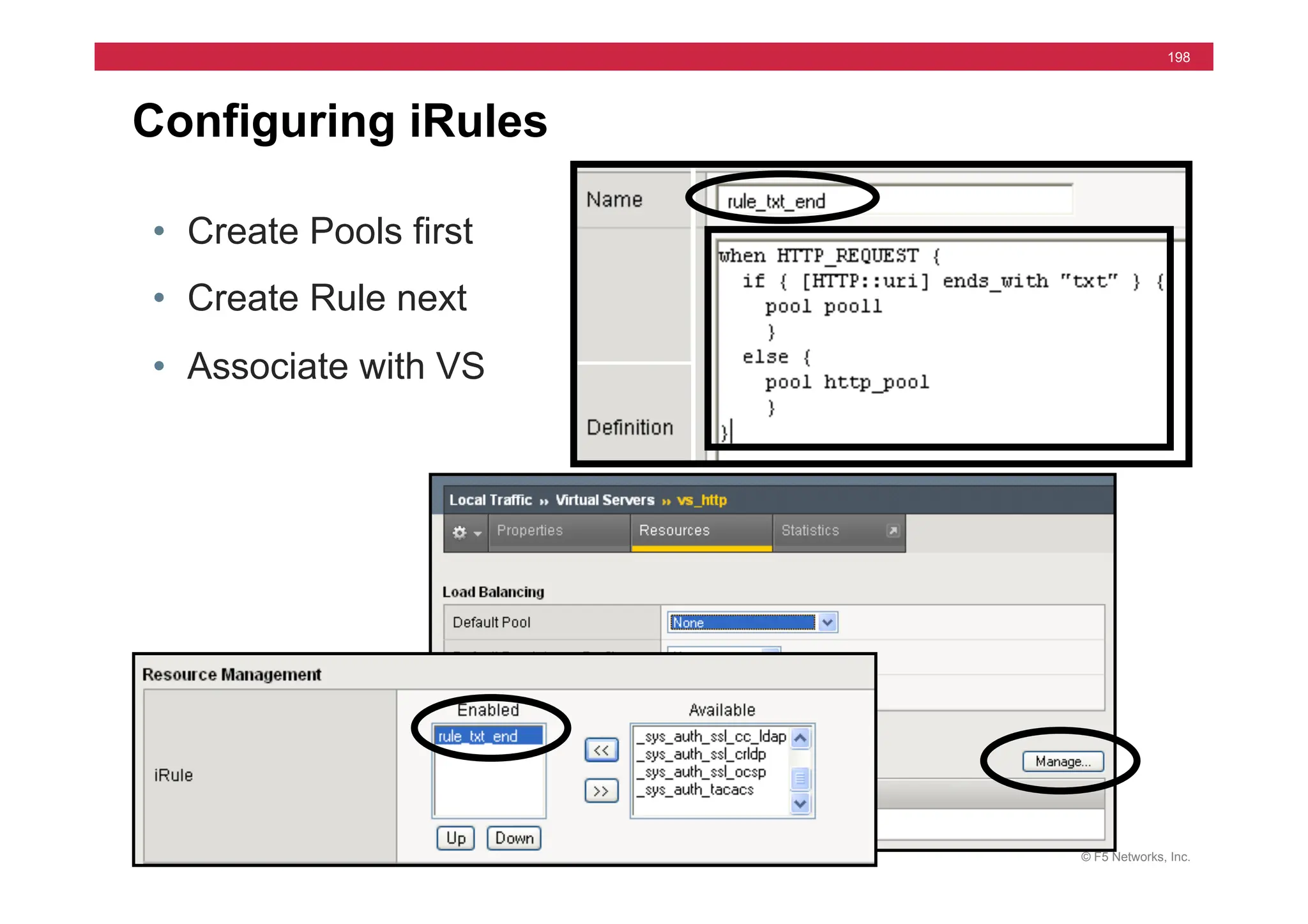
Configuring iRules
• Create Pools first
• Create Rule next
• Associate with VS
© F5 Networks, Inc.
199
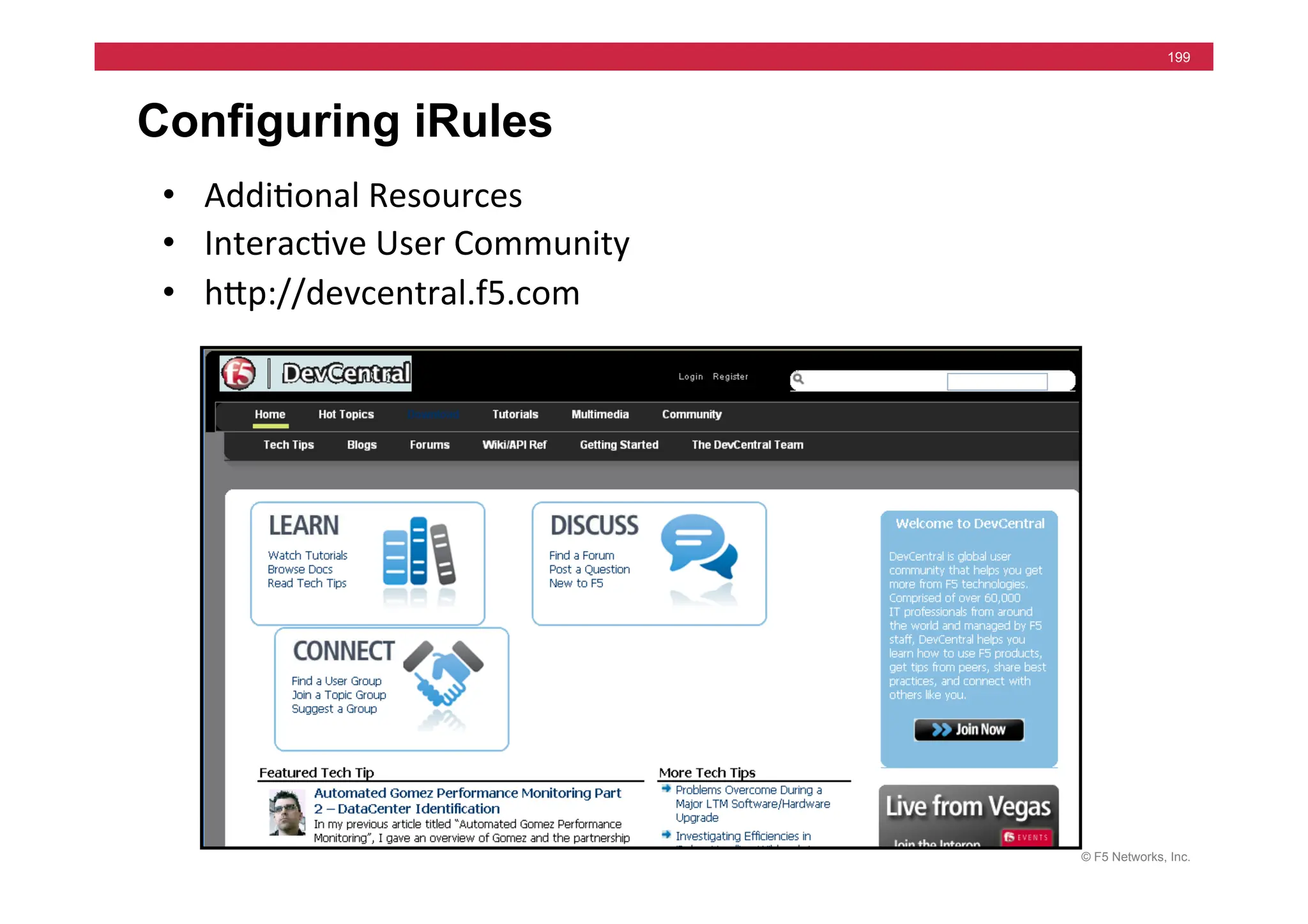
Configuring iRules
• Addi=onal	
  Resources	
  
• Interac=ve	
  User	
  Community	
  
• hjp://devcentral.f5.com	
  
© F5 Networks, Inc.
200
iRules	
  Labs	
  
Simple	
  Rule:	
  
1. Pool1,	
  2,	
  3	
  –	
  only	
  172.16.20.1,2,3:*	
  
2. rule	
  –	
  	
  	
  rule_txt_ends	
  
3. 	
  VS	
  10.10.X.102:80	
  -­‐>	
  rule	
  	
  
4. pool3	
  default,	
  then	
  else	
  leg	
  
Rule	
  Lab	
  #2:	
  
1. rule	
  –	
  	
  	
  rule_tcp_port	
  
2. 	
  VS	
  10.10.X.103:*	
  -­‐>	
  rule	
  &	
  pool3	
  
when	
  HTTP_REQUEST	
  {	
  
if	
  {	
  [HTTP::uri]	
  ends_with	
  “txt”}	
  	
  	
  {	
  pool	
  	
  /Common/pool1	
  	
  	
  }	
  	
  }	
  
when	
  CLIENT_ACCEPTED	
  {	
  	
  
if	
  {	
  [TCP::local_port]	
  equals	
  80}	
  	
  	
  {	
  	
  pool	
  	
  /Common/pool1	
  	
  }	
  
elseif	
  {	
  [TCP::local_port]	
  equals	
  443}	
  	
  {	
  pool	
  	
  /Common/pool2	


  }	
  	
  }	
  
Pages	
  9-­‐6	
  !	
  9-­‐10	
  
172.16.20.1	
  
Internet	
  
172.16.20.3	
  
172.16.20.2	
  
10.10.X.100	
  
© F5 Networks, Inc.
201
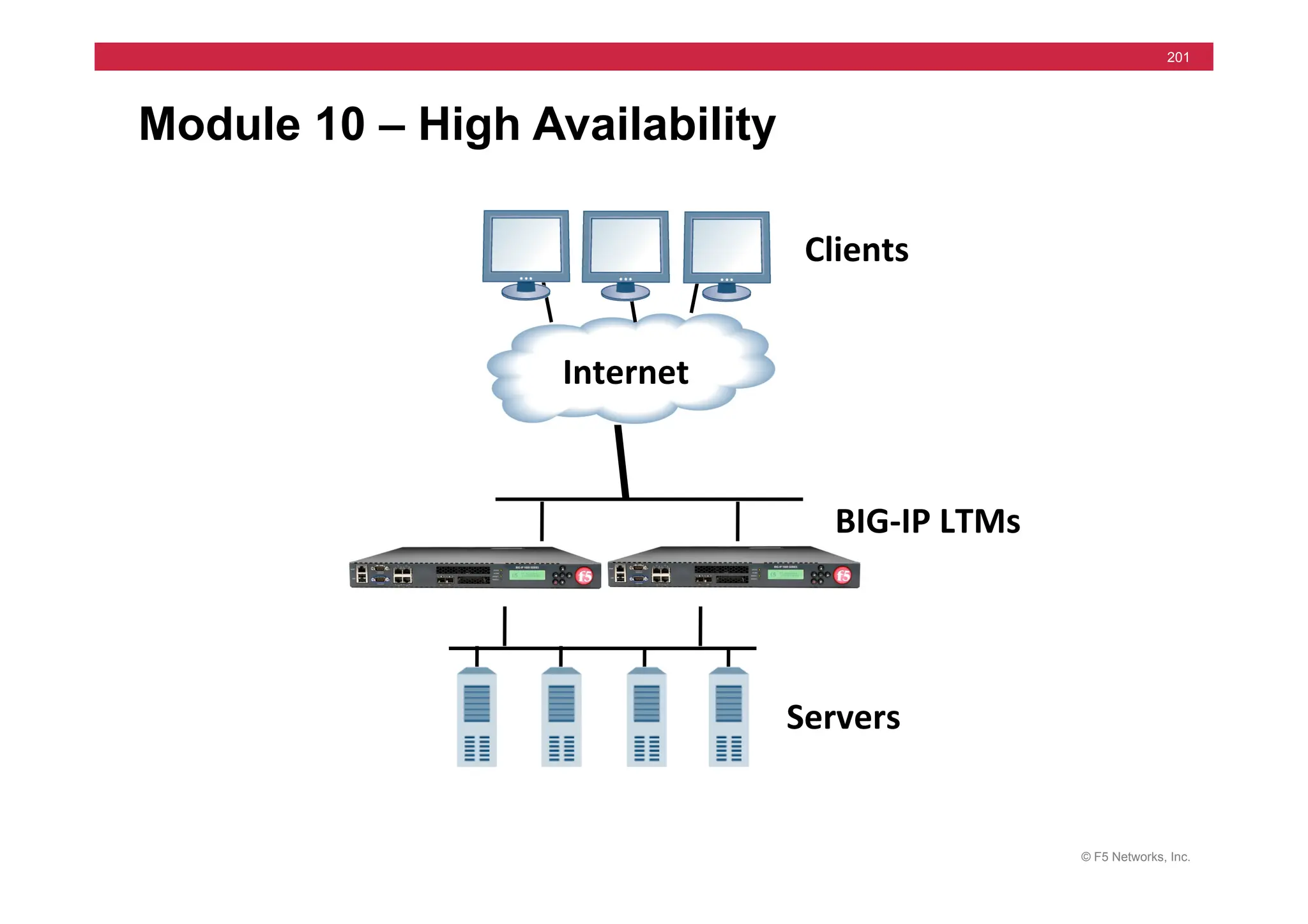
Module 10 – High Availability
Internet	
  
Clients	
  
Servers	
  
BIG-­‐IP	
  LTMs	
  
© F5 Networks, Inc.
202
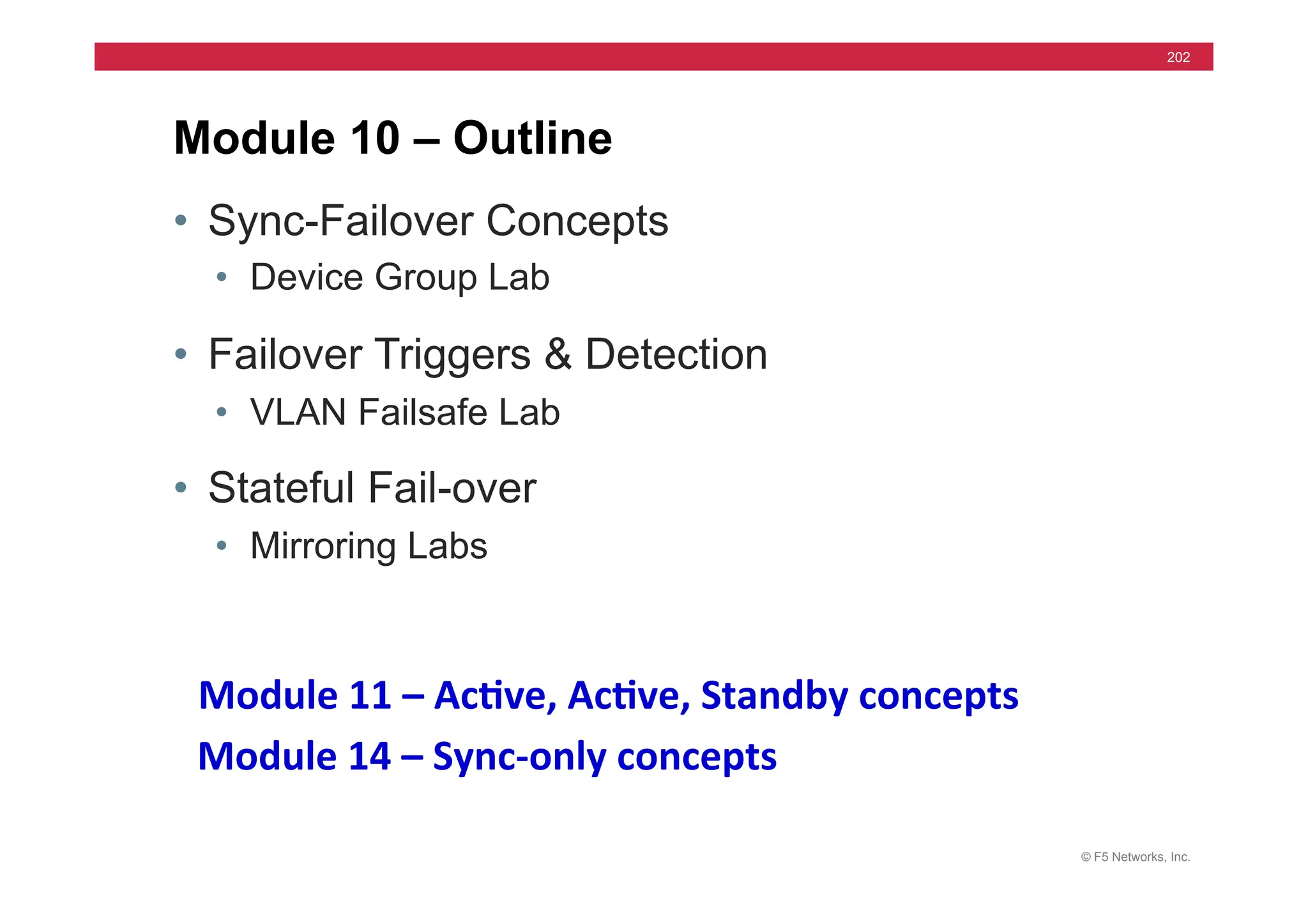
• Sync-Failover Concepts
• Device Group Lab
• Failover Triggers & Detection
• VLAN Failsafe Lab
• Stateful Fail-over
• Mirroring Labs
Module 10 – Outline
Module	
  11	
  –	
  Ac5ve,	
  Ac5ve,	
  Standby	
  concepts	
  	
  
Module	
  14	
  –	
  Sync-­‐only	
  concepts	
  	
  
© F5 Networks, Inc.
203
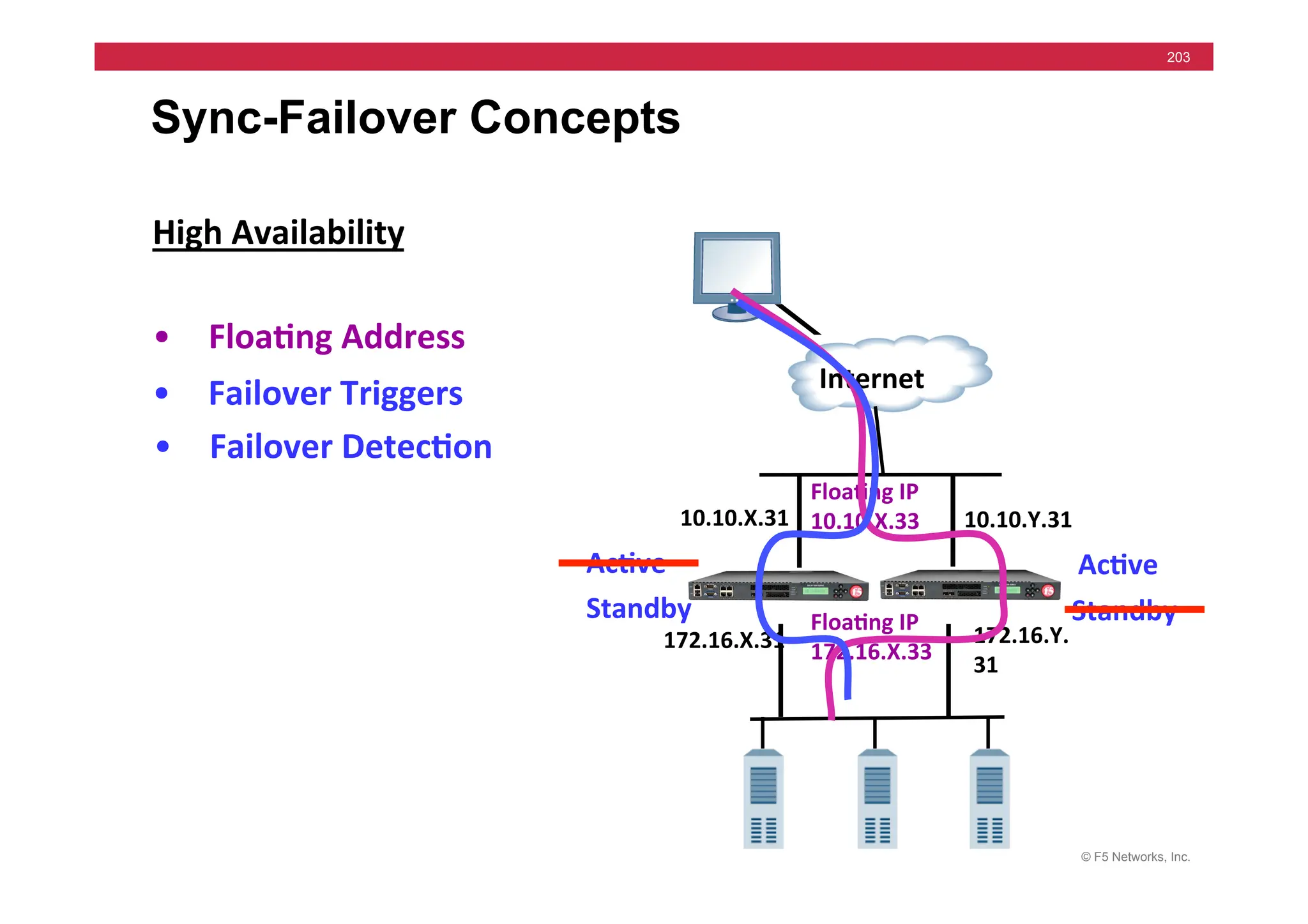
Sync-Failover Concepts
High	
  Availability	
  
10.10.Y.31	
  
Internet	
  
10.10.X.31	
  
Floa5ng	
  IP	
  
10.10.X.33	
  
Floa5ng	
  IP	
  
172.16.X.33	
  
• Floa5ng	
  Address	
  
172.16.Y.
31	
  
172.16.X.31	
  
• Failover	
  Triggers	
  
• Failover	
  Detec5on	
  
Ac5ve	
  
Standby	
  
Ac5ve	
  
Standby	
  
© F5 Networks, Inc.
204
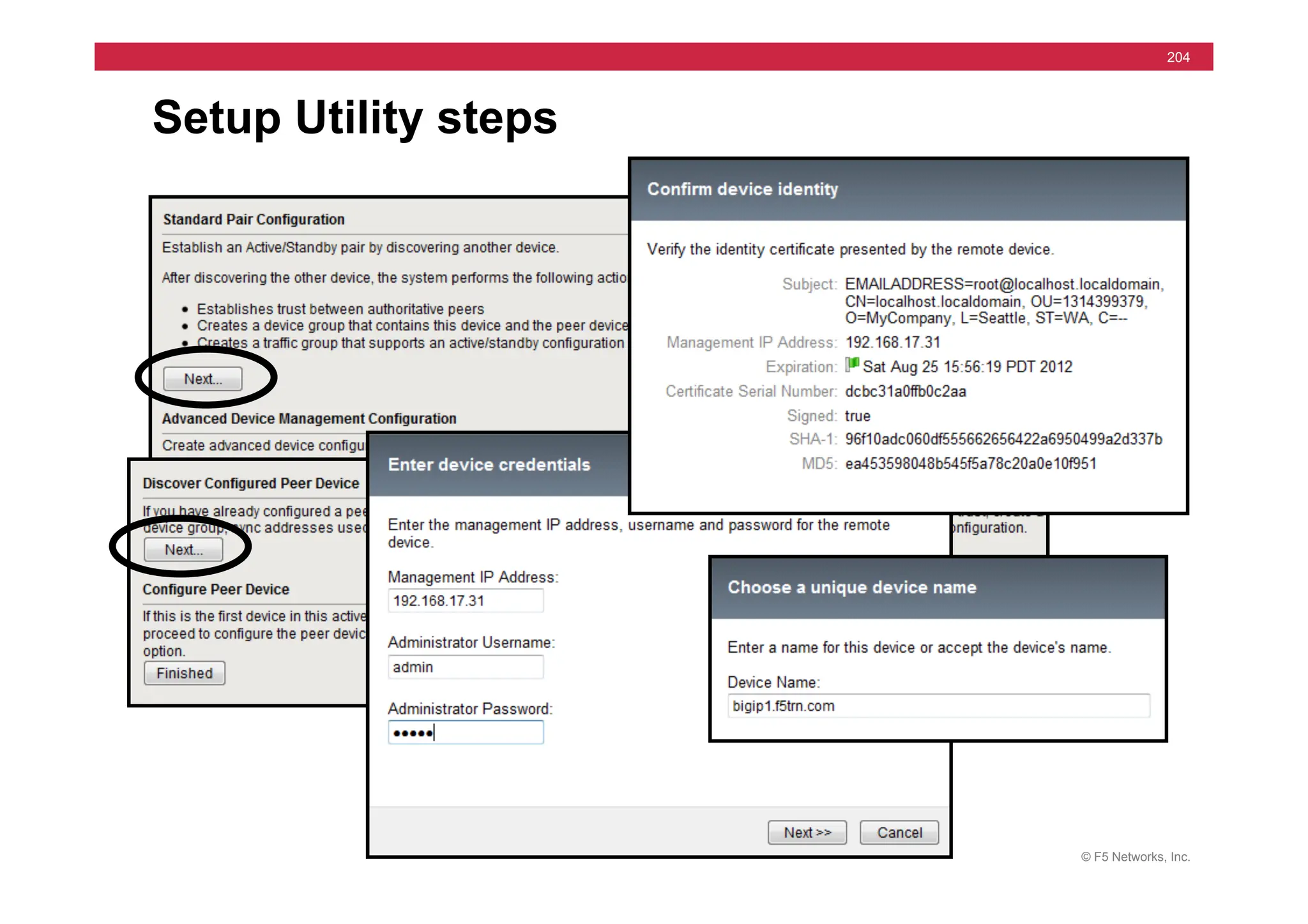
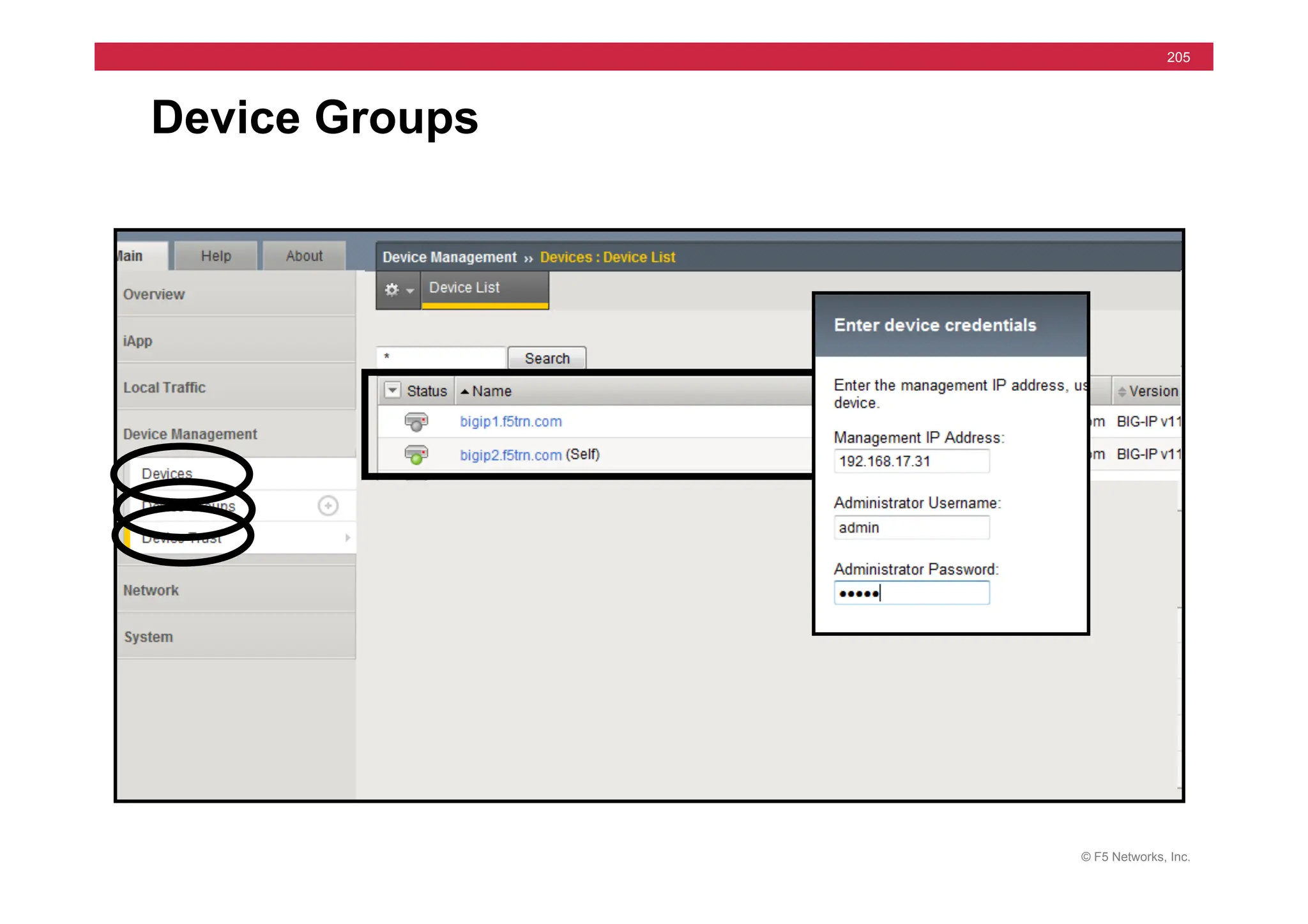
Setup Utility steps
© F5 Networks, Inc.
205
Device Groups
© F5 Networks, Inc.
206
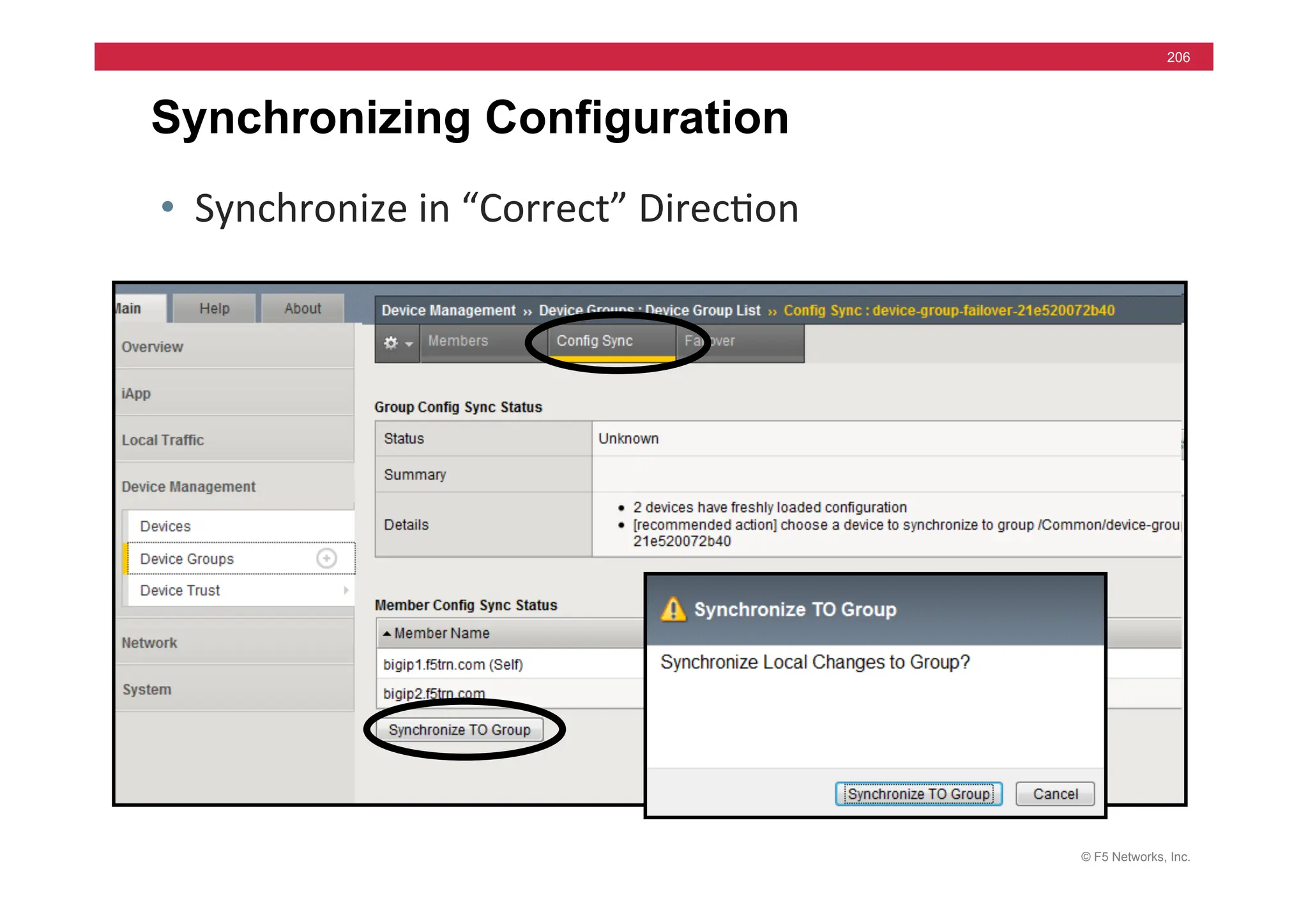
Synchronizing Configuration
• Synchronize	
  in	
  “Correct”	
  Direc=on	
  
© F5 Networks, Inc.
207
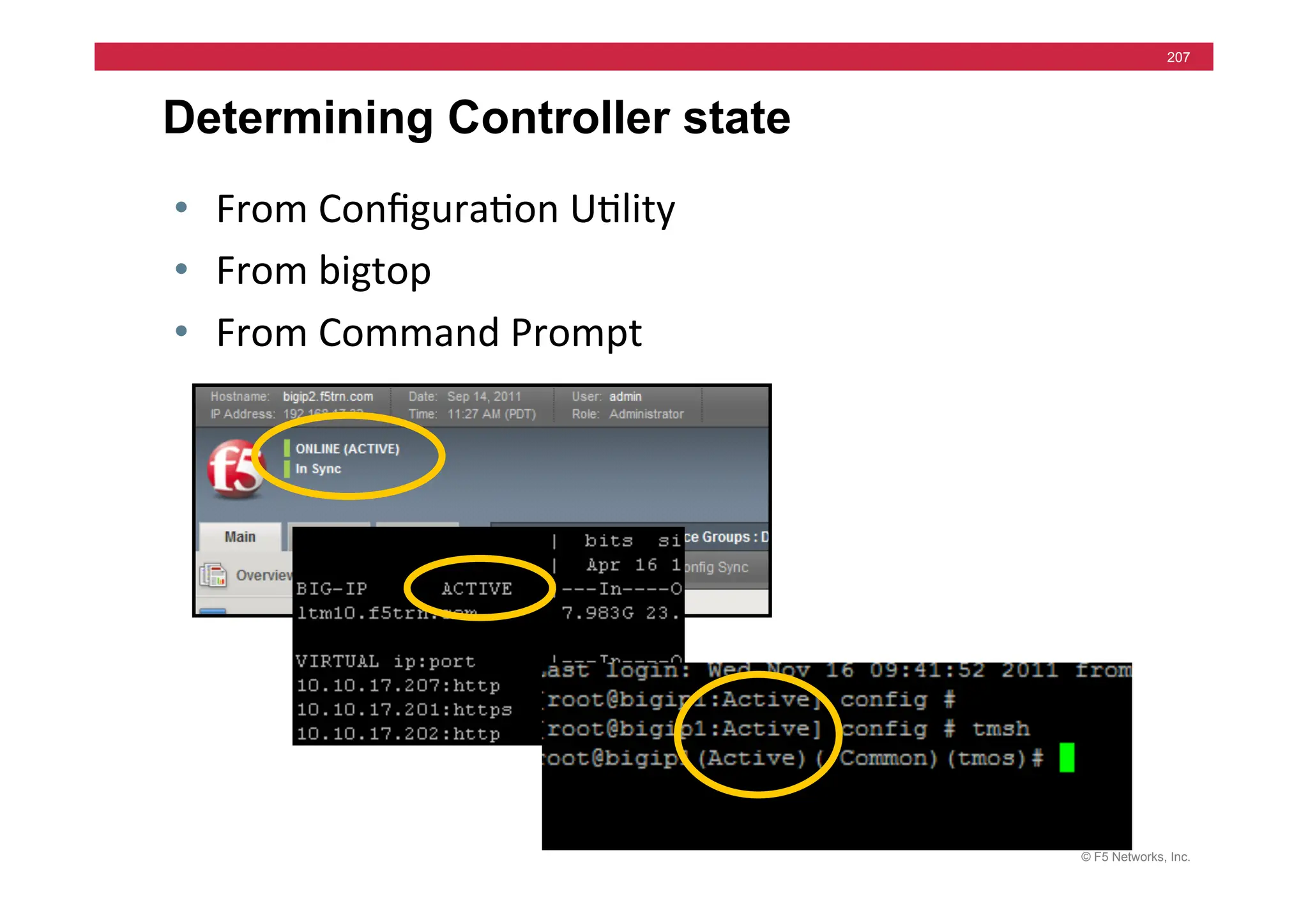
Determining Controller state
• From	
  Configura=on	
  U=lity	
  
• From	
  bigtop	
  
• From	
  Command	
  Prompt	
  
© F5 Networks, Inc.
208
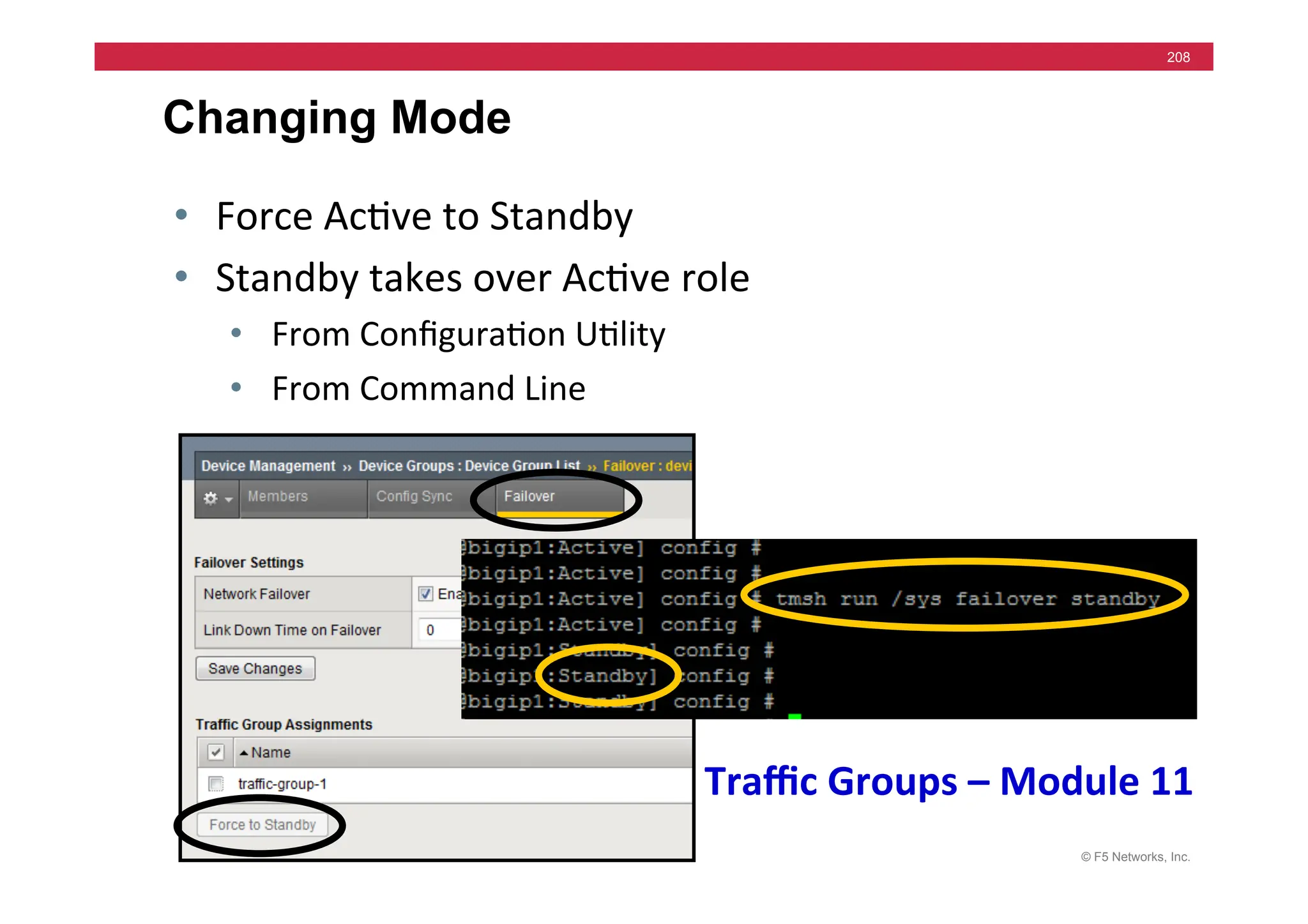
Changing Mode
• Force	
  Ac=ve	
  to	
  Standby	
  
• Standby	
  takes	
  over	
  Ac=ve	
  role	
  
• From	
  Configura=on	
  U=lity	
  
• From	
  Command	
  Line	
  
Traffic	
  Groups	
  –	
  Module	
  11	
  
© F5 Networks, Inc.
209
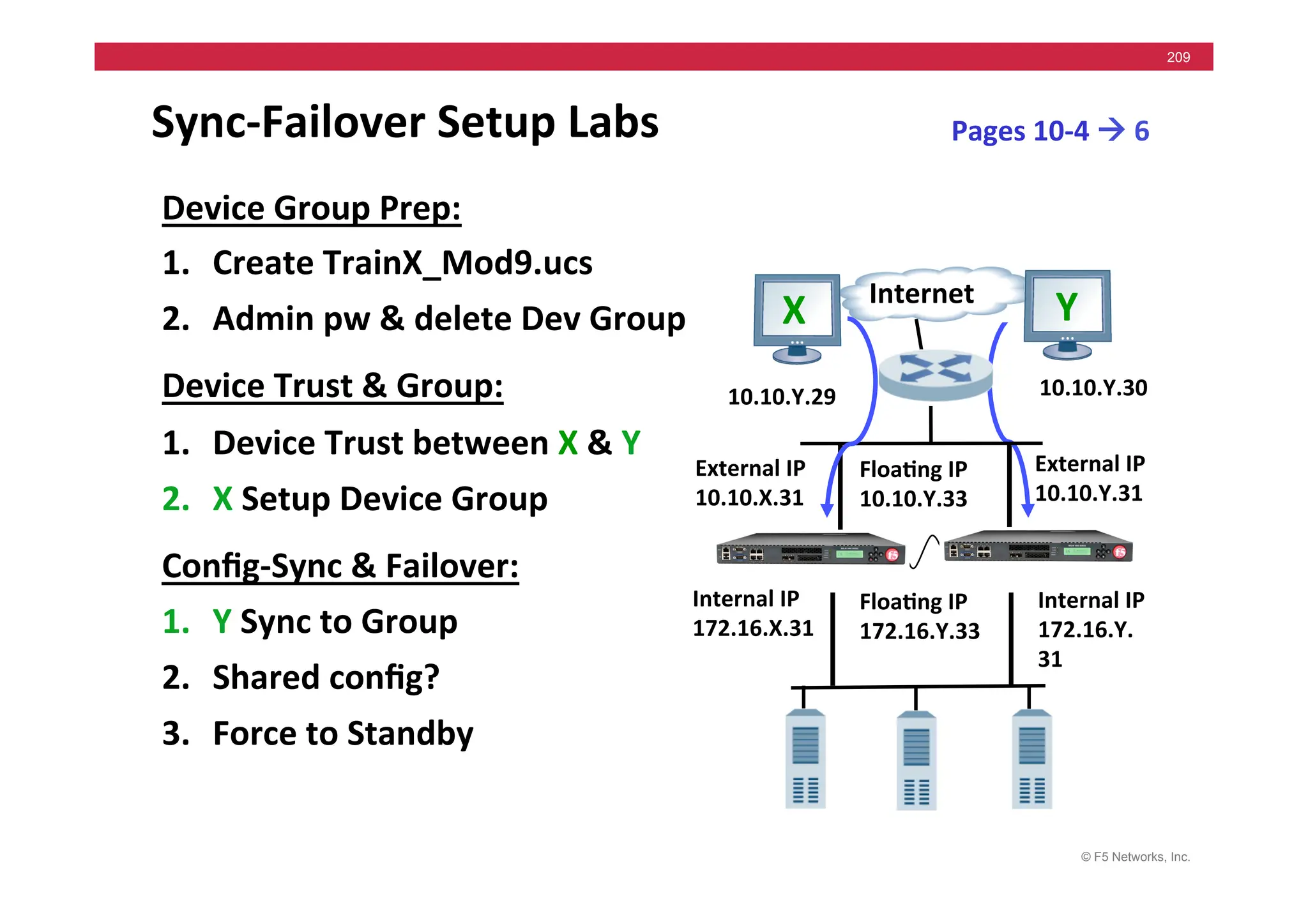
Sync-­‐Failover	
  Setup	
  Labs	
  
Device	
  Group	
  Prep:	
  
1. Create	
  TrainX_Mod9.ucs	
  
2. Admin	
  pw	
  &	
  delete	
  Dev	
  Group	
  
Device	
  Trust	
  &	
  Group:	
  
1. Device	
  Trust	
  between	
  X	
  &	
  Y	
  
2. X	
  Setup	
  Device	
  Group	
  
Config-­‐Sync	
  &	
  Failover:	
  
1. Y	
  Sync	
  to	
  Group	
  
2. Shared	
  config?	
  
3. Force	
  to	
  Standby	
  
Internet	
  
External	
  IP	
  
10.10.Y.31	
  
External	
  IP	
  
10.10.X.31	
  
Floa5ng	
  IP	
  	
  
10.10.Y.33	
  
Internal	
  IP	
  
172.16.Y.
31	
  
Internal	
  IP	
  
172.16.X.31	
  
Floa5ng	
  IP	
  	
  
172.16.Y.33	
  
Pages	
  10-­‐4	
  !	
  6	
  
10.10.Y.29	
   10.10.Y.30	
  
X	
   Y	
  
© F5 Networks, Inc.
210
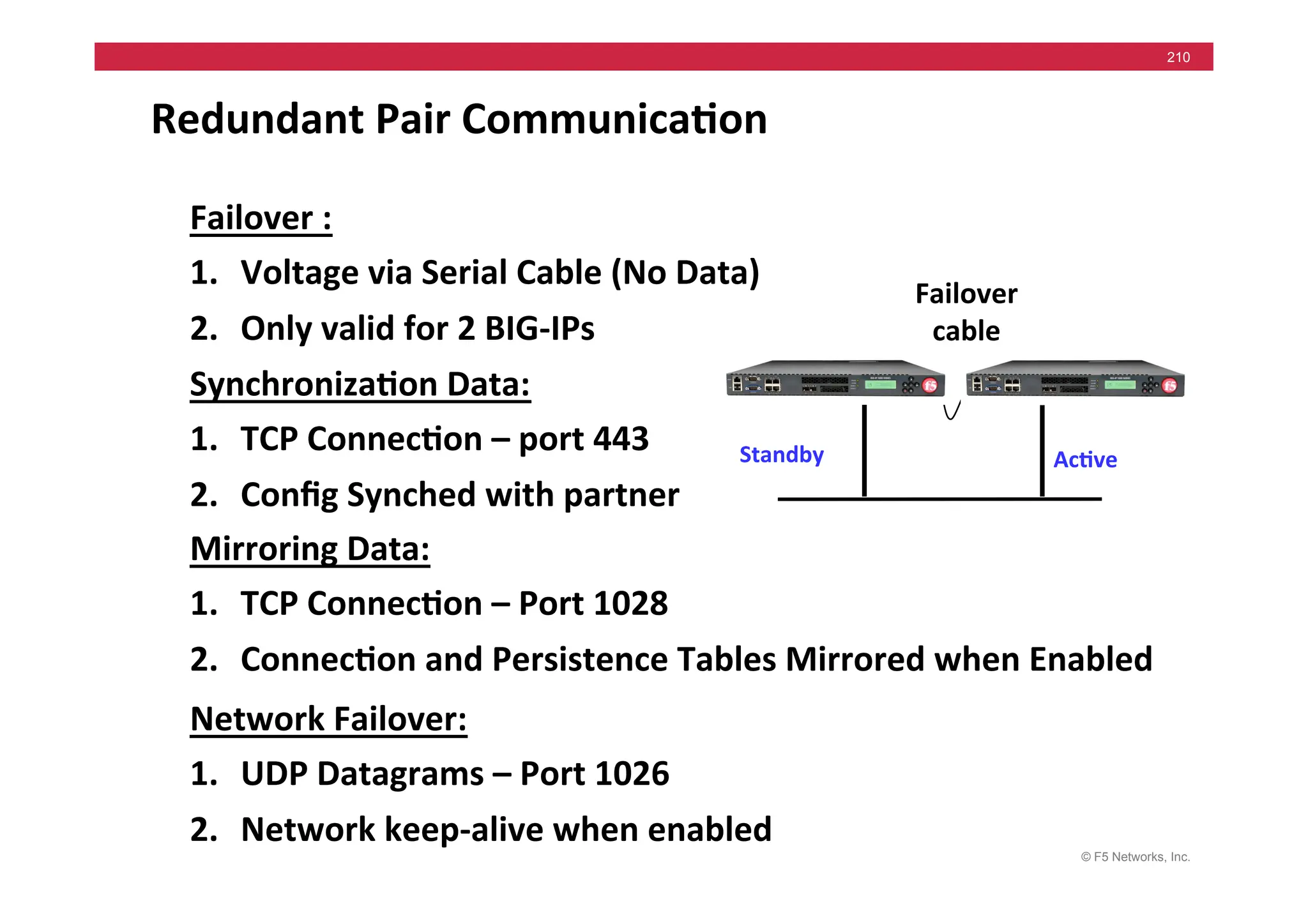
Redundant	
  Pair	
  Communica5on	
  
Failover	
  :	
  
1. Voltage	
  via	
  Serial	
  Cable	
  (No	
  Data)	
  
2. Only	
  valid	
  for	
  2	
  BIG-­‐IPs	
  
Ac5ve	
  
Standby	
  
Failover	
  
cable	
  
Synchroniza5on	
  Data:	
  
1. TCP	
  Connec5on	
  –	
  port	
  443	
  
2. Config	
  Synched	
  with	
  partner	
  
Mirroring	
  Data:	
  
1. TCP	
  Connec5on	
  –	
  Port	
  1028	
  
2. Connec5on	
  and	
  Persistence	
  Tables	
  Mirrored	
  when	
  Enabled	
  
Network	
  Failover:	
  
1. UDP	
  Datagrams	
  –	
  Port	
  1026	
  
2. Network	
  keep-­‐alive	
  when	
  enabled	
  	
  
© F5 Networks, Inc.
211
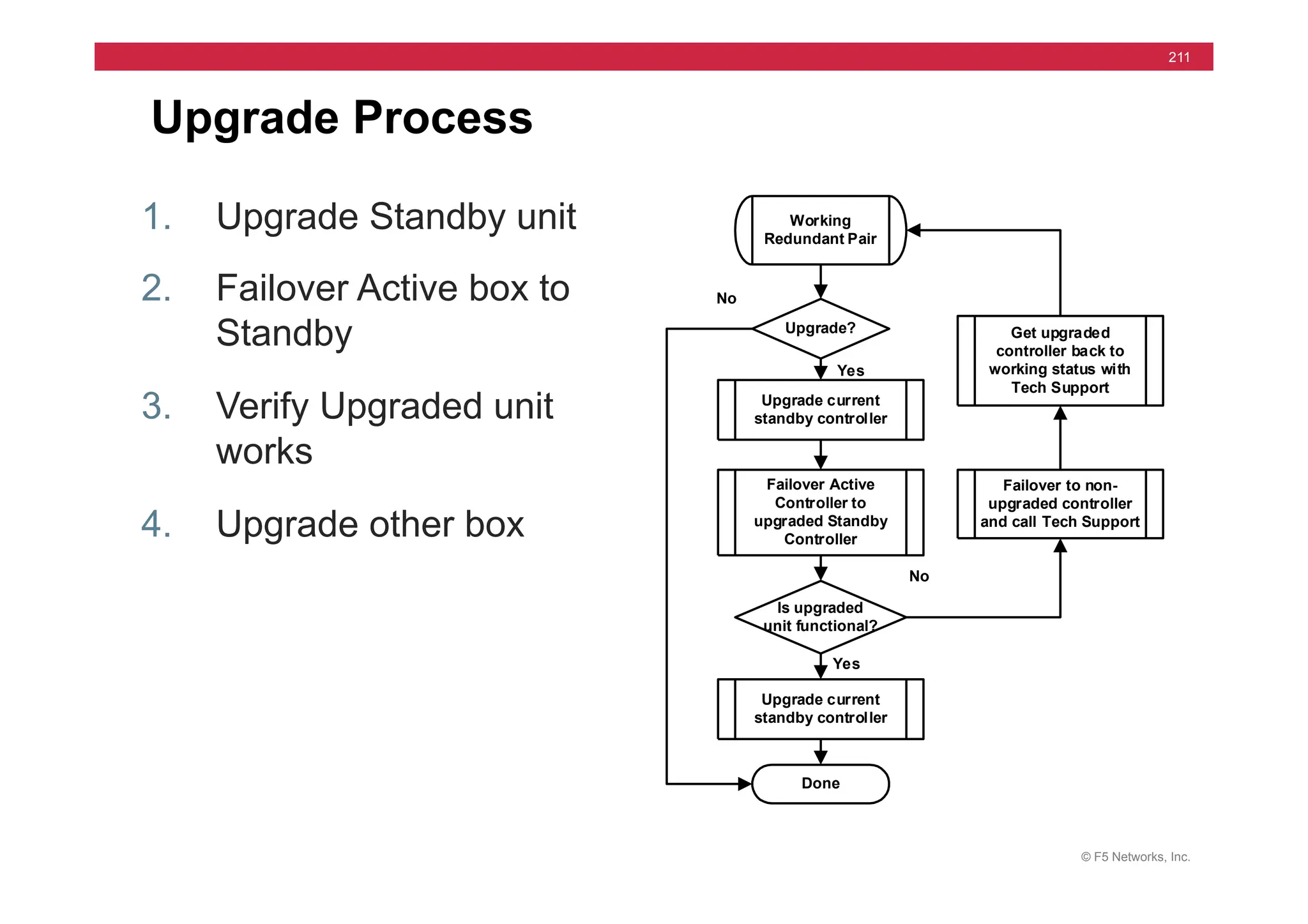
Upgrade Process
1. Upgrade Standby unit
2. Failover Active box to
Standby
3. Verify Upgraded unit
works
4. Upgrade other box
Working
Redundant Pair
Upgrade?
Done
Is upgraded
unit functional?
Upgrade current
standby controller
Failover Active
Controller to
upgraded Standby
Controller
No
Upgrade current
standby controller
Yes
Yes
No
Failover to non-
upgraded controller
and call Tech Support
Get upgraded
controller back to
working status with
Tech Support
© F5 Networks, Inc.
212
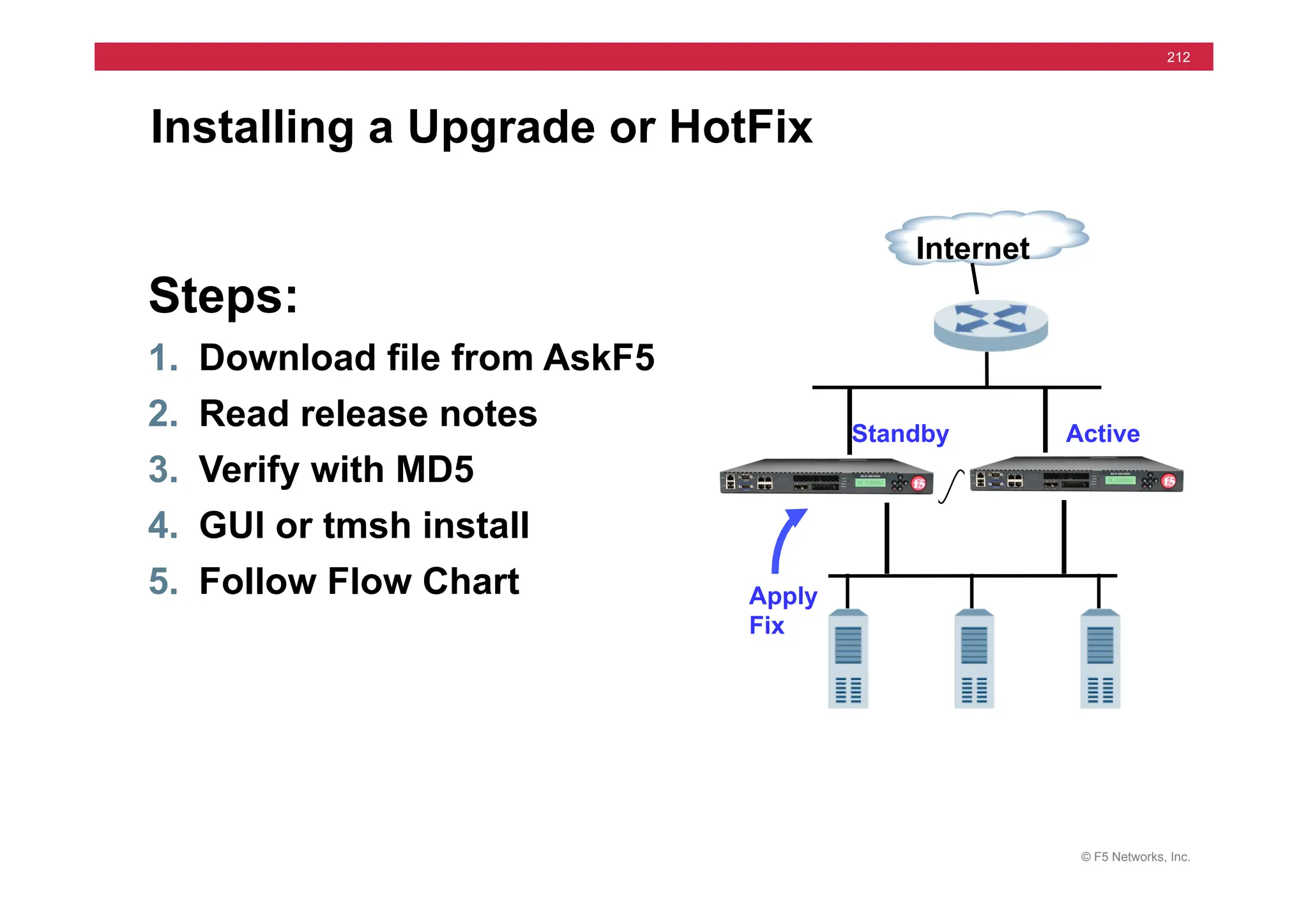
Installing a Upgrade or HotFix
Steps:
1. Download file from AskF5
2. Read release notes
3. Verify with MD5
4. GUI or tmsh install
5. Follow Flow Chart
Internet
Active
Standby
Apply
Fix
© F5 Networks, Inc.
213
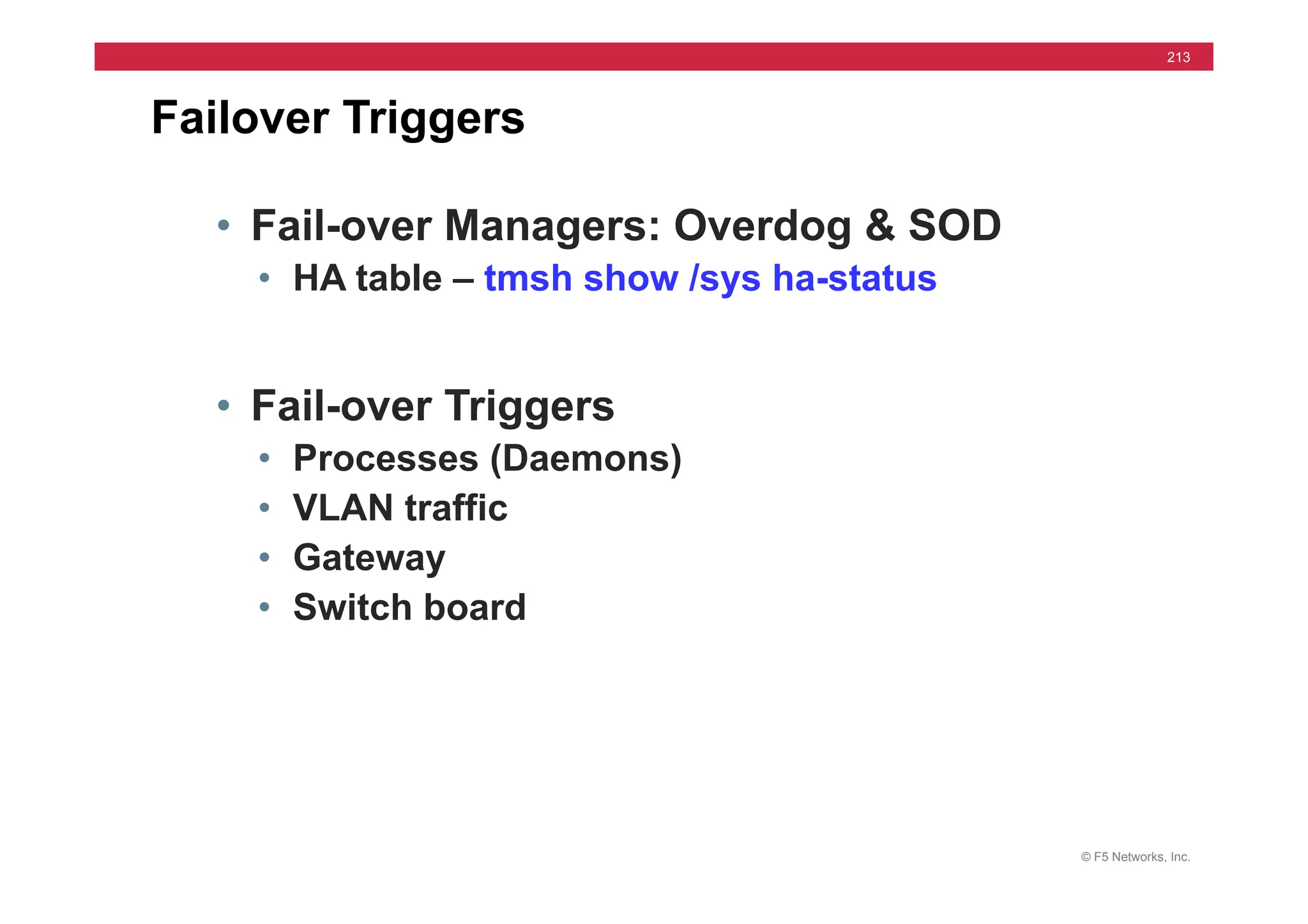
Failover Triggers
• Fail-over Managers: Overdog & SOD
• HA table – tmsh show /sys ha-status
• Fail-over Triggers
• Processes (Daemons)
• VLAN traffic
• Gateway
• Switch board
© F5 Networks, Inc.
214
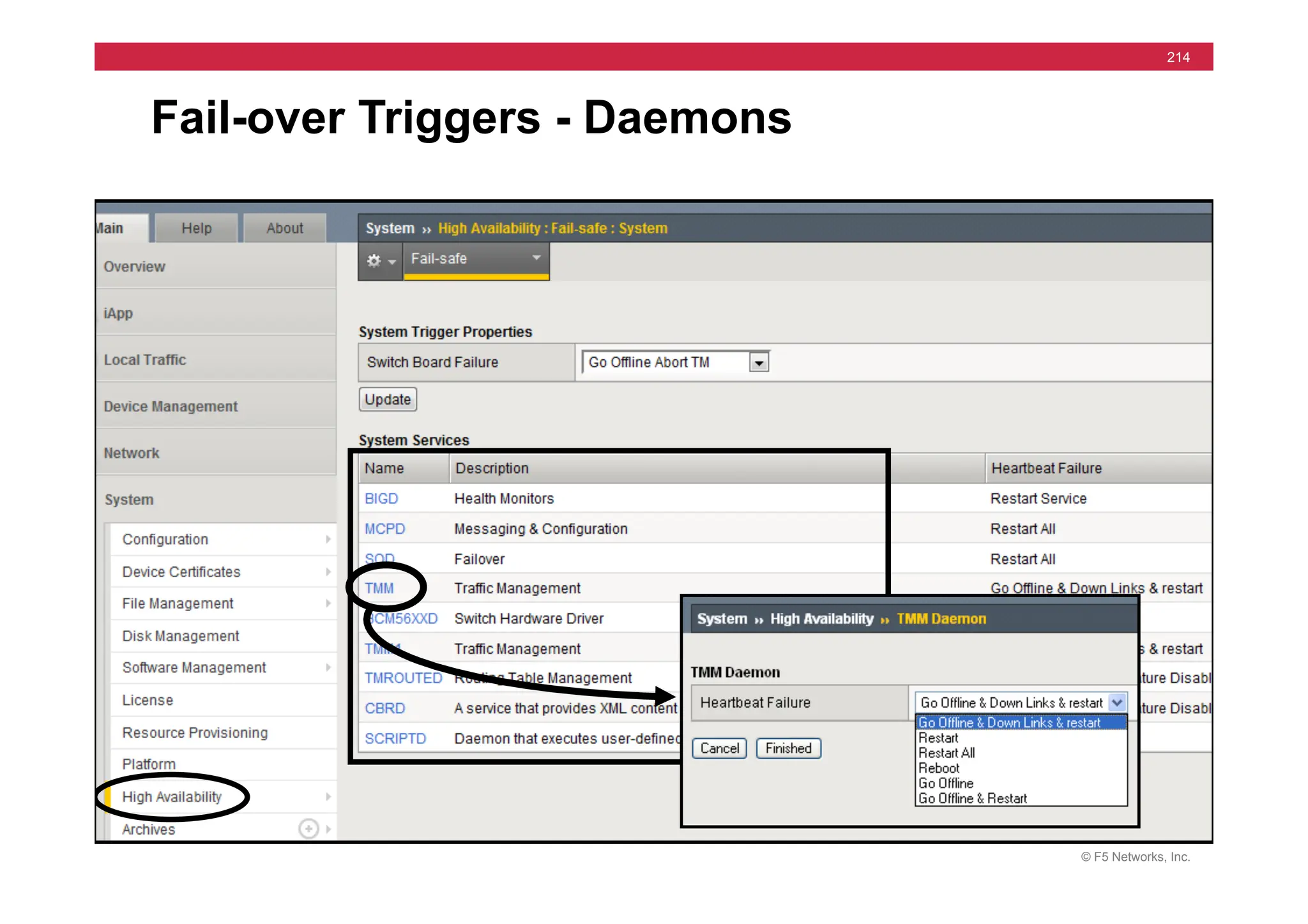
Fail-over Triggers - Daemons
© F5 Networks, Inc.
215
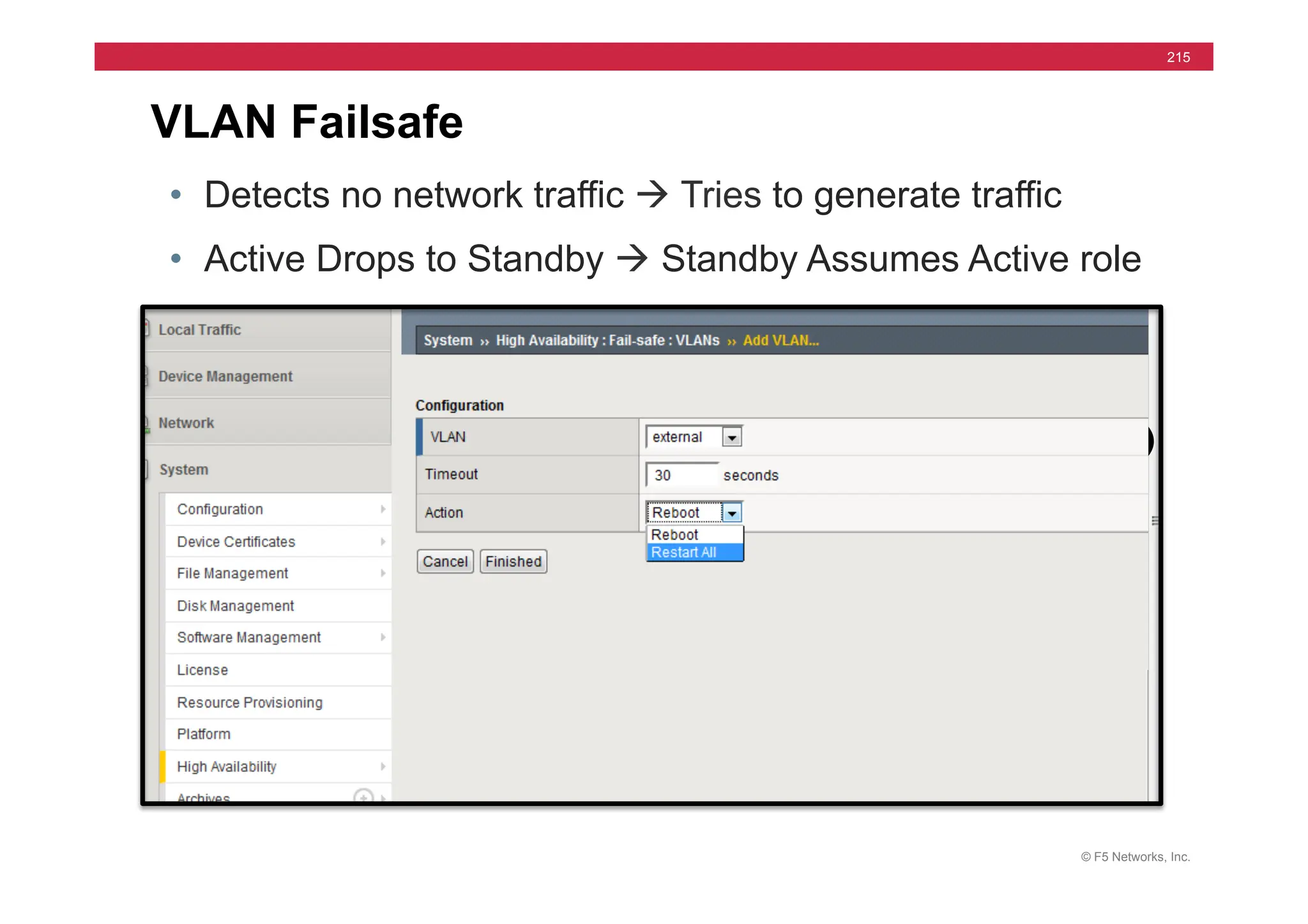
VLAN Failsafe
• Detects no network traffic à Tries to generate traffic
• Active Drops to Standby à Standby Assumes Active role
© F5 Networks, Inc.
216
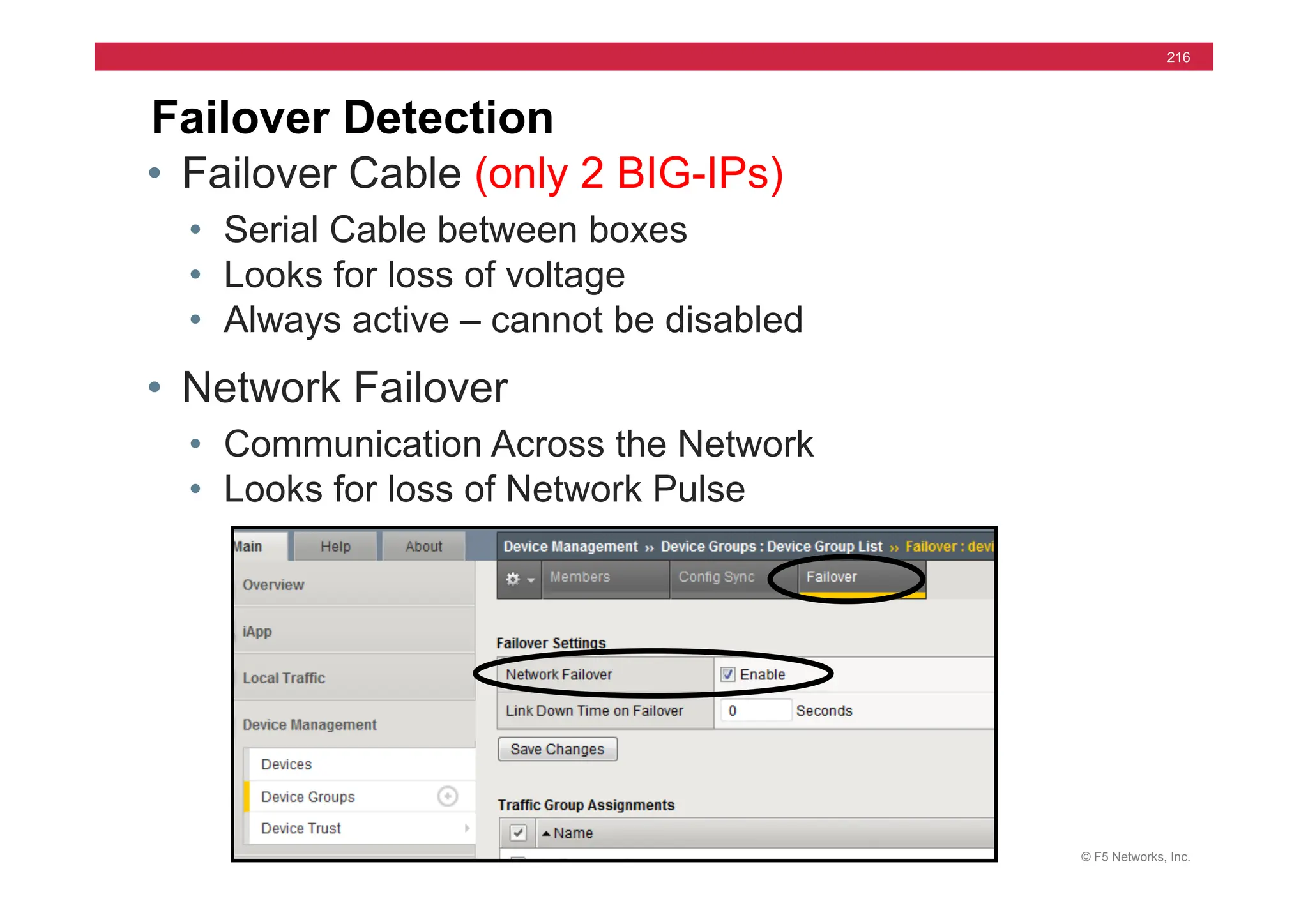
Failover Detection
• Failover Cable (only 2 BIG-IPs)
• Serial Cable between boxes
• Looks for loss of voltage
• Always active – cannot be disabled
• Network Failover
• Communication Across the Network
• Looks for loss of Network Pulse
© F5 Networks, Inc.
217
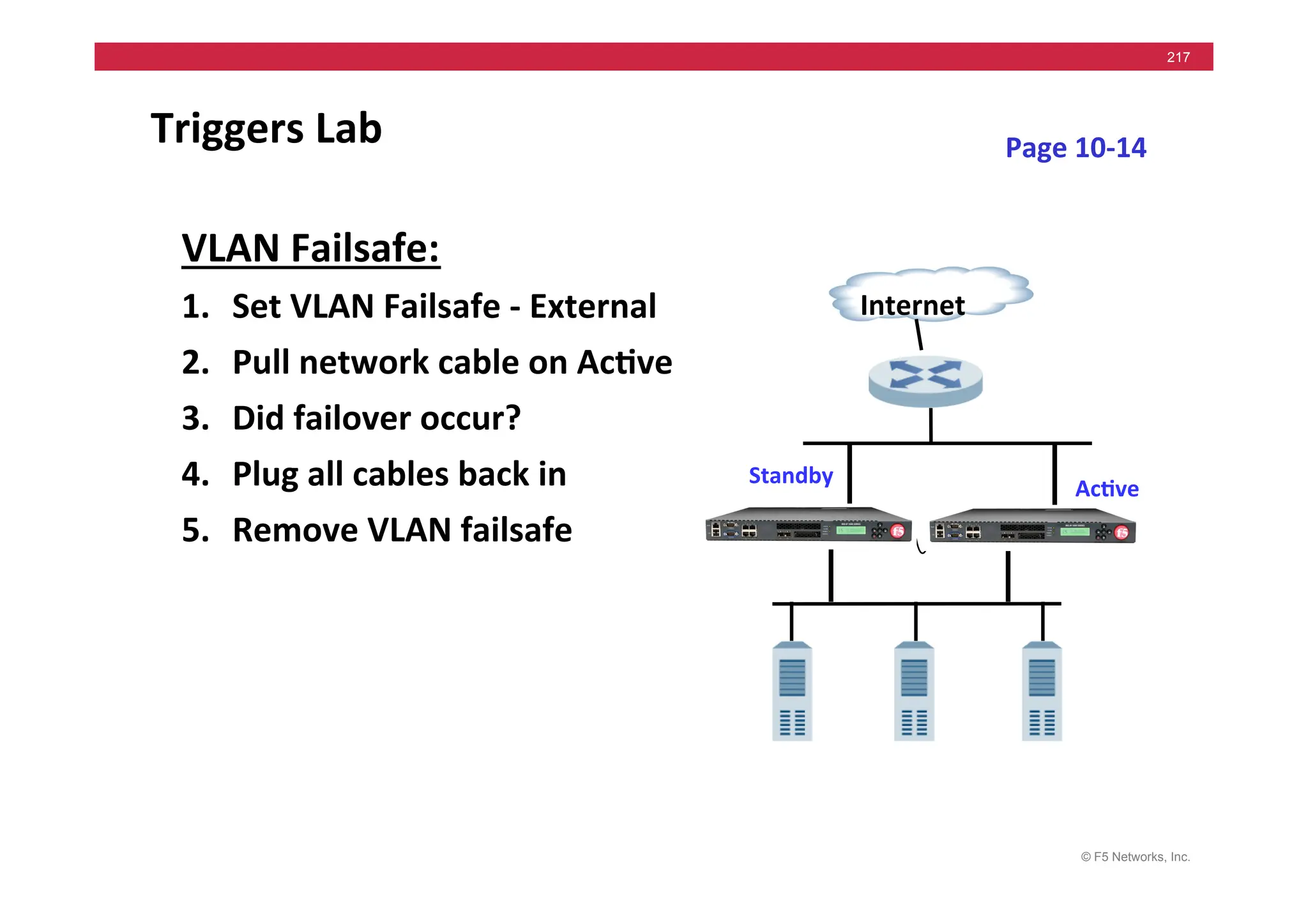
Triggers	
  Lab	
  
Internet	
  
Ac5ve	
  
Standby	
  
Page	
  10-­‐14	
  
VLAN	
  Failsafe:	
  
1. Set	
  VLAN	
  Failsafe	
  -­‐	
  External	
  
2. Pull	
  network	
  cable	
  on	
  Ac5ve	
  
3. Did	
  failover	
  occur?	
  
4. Plug	
  all	
  cables	
  back	
  in	
  
5. Remove	
  VLAN	
  failsafe	
  
© F5 Networks, Inc.
218
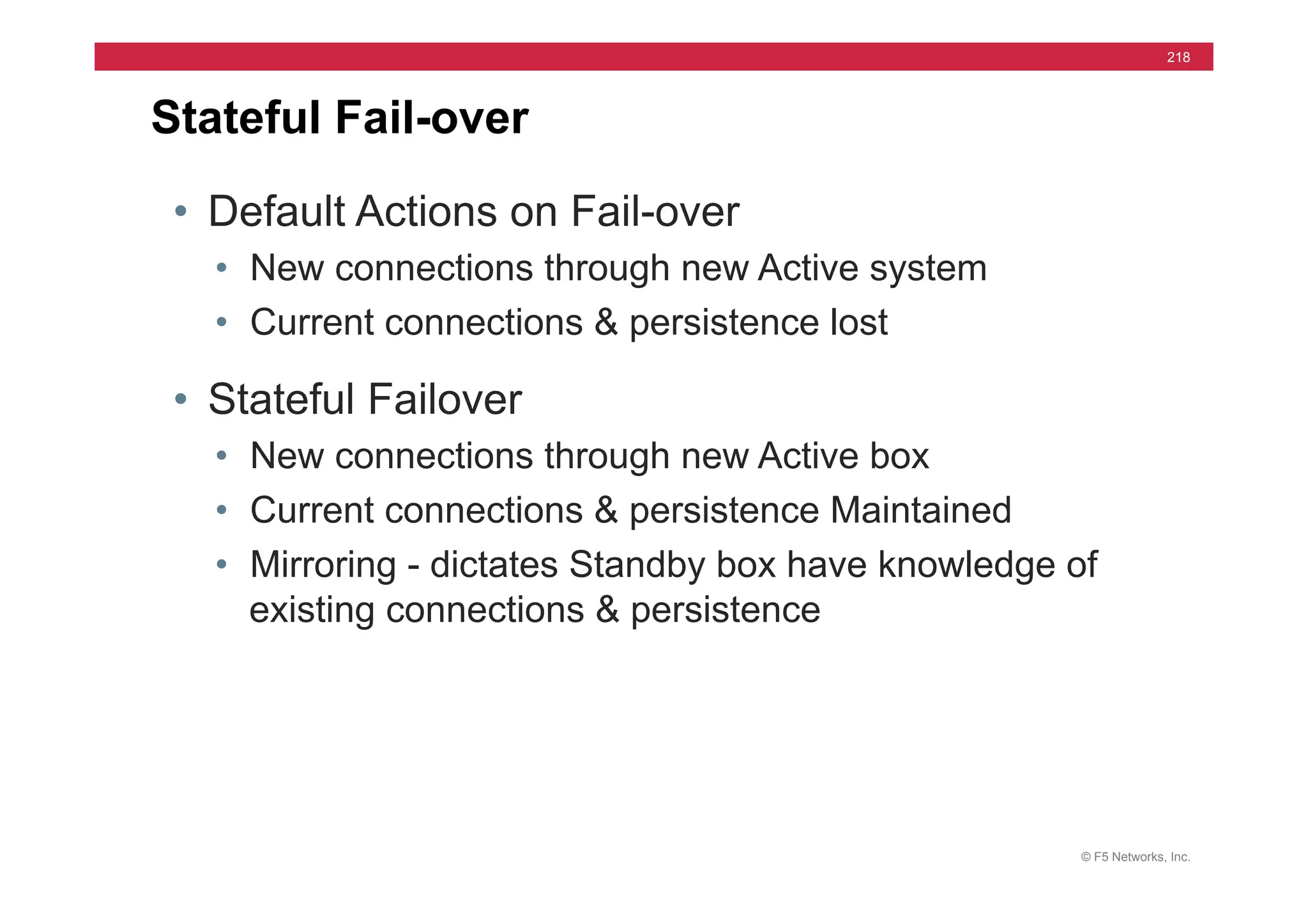
• Default Actions on Fail-over
• New connections through new Active system
• Current connections & persistence lost
• Stateful Failover
• New connections through new Active box
• Current connections & persistence Maintained
• Mirroring - dictates Standby box have knowledge of
existing connections & persistence
Stateful Fail-over
© F5 Networks, Inc.
219
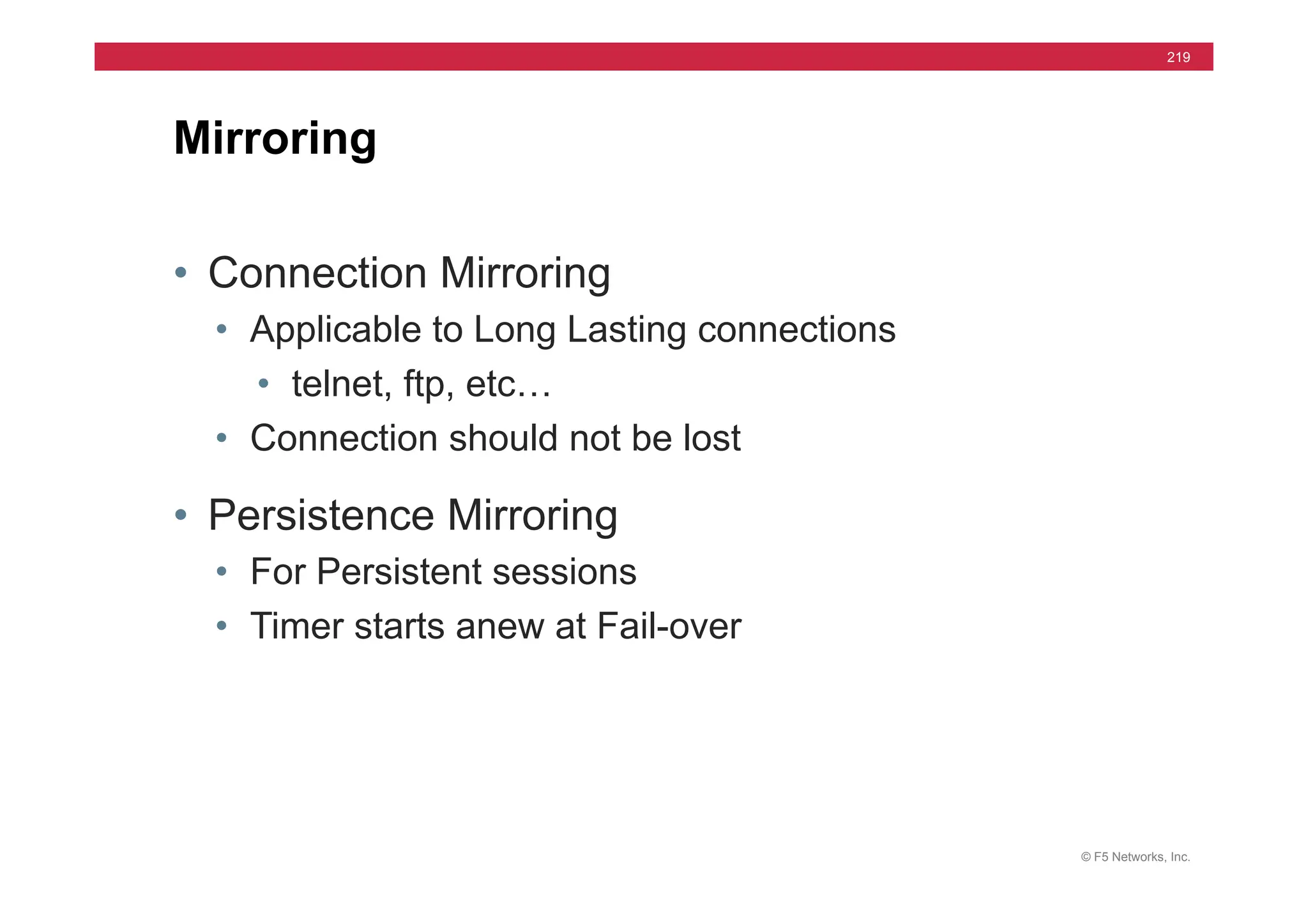
Mirroring
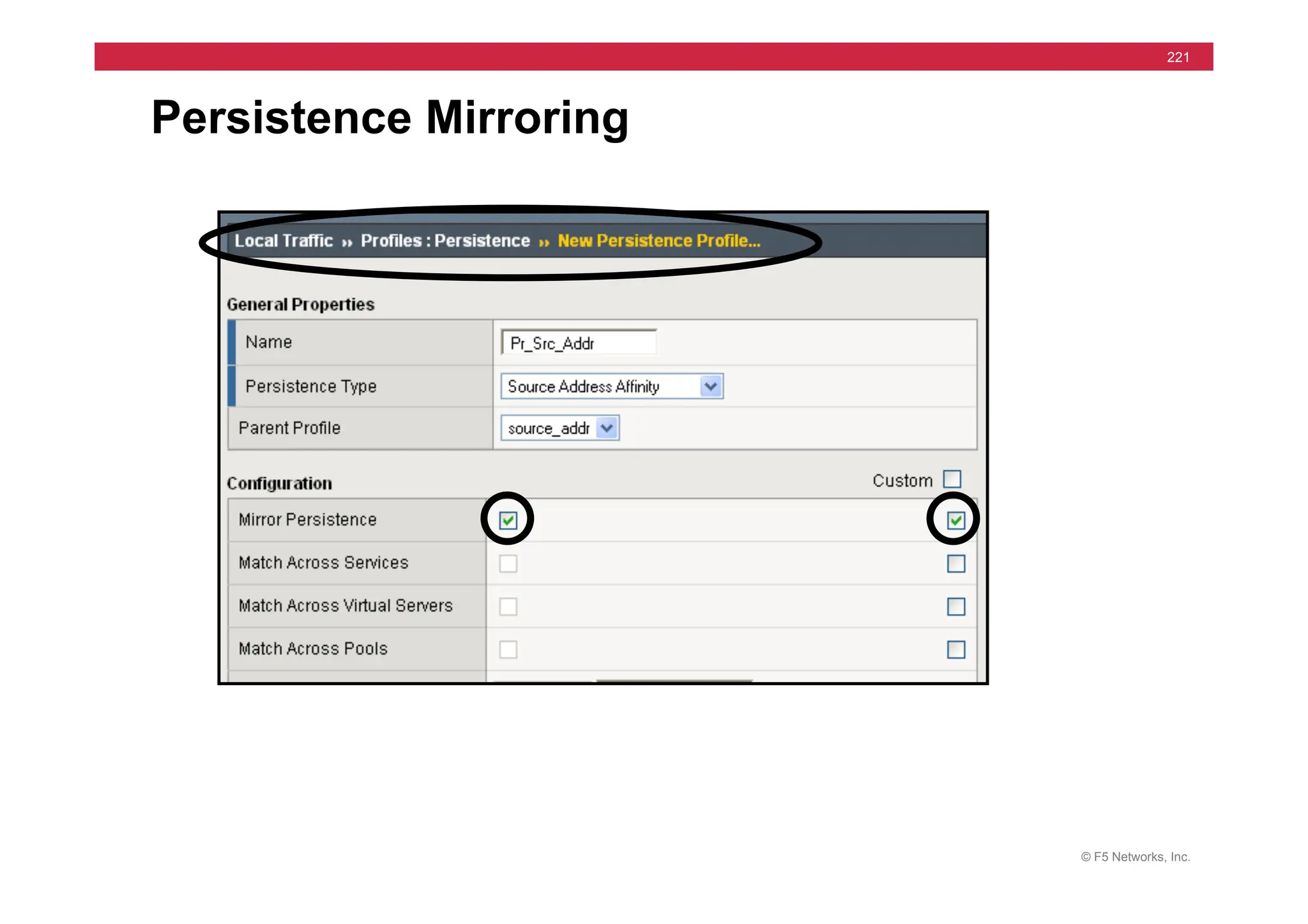
• Connection Mirroring
• Applicable to Long Lasting connections
• telnet, ftp, etc…
• Connection should not be lost
• Persistence Mirroring
• For Persistent sessions
• Timer starts anew at Fail-over
© F5 Networks, Inc.
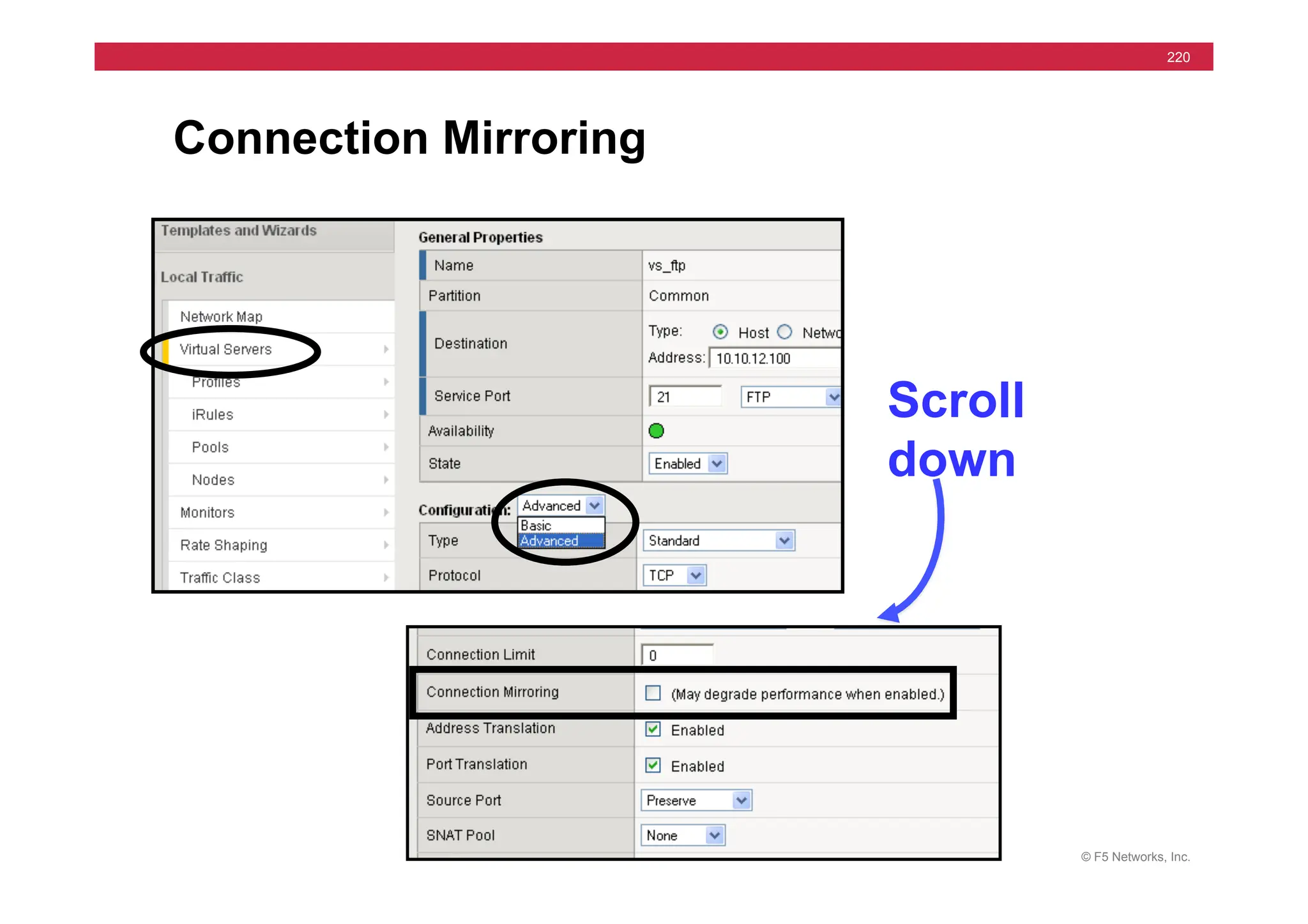
220
Connection Mirroring
Scroll
down
© F5 Networks, Inc.
221
Persistence Mirroring
© F5 Networks, Inc.
222
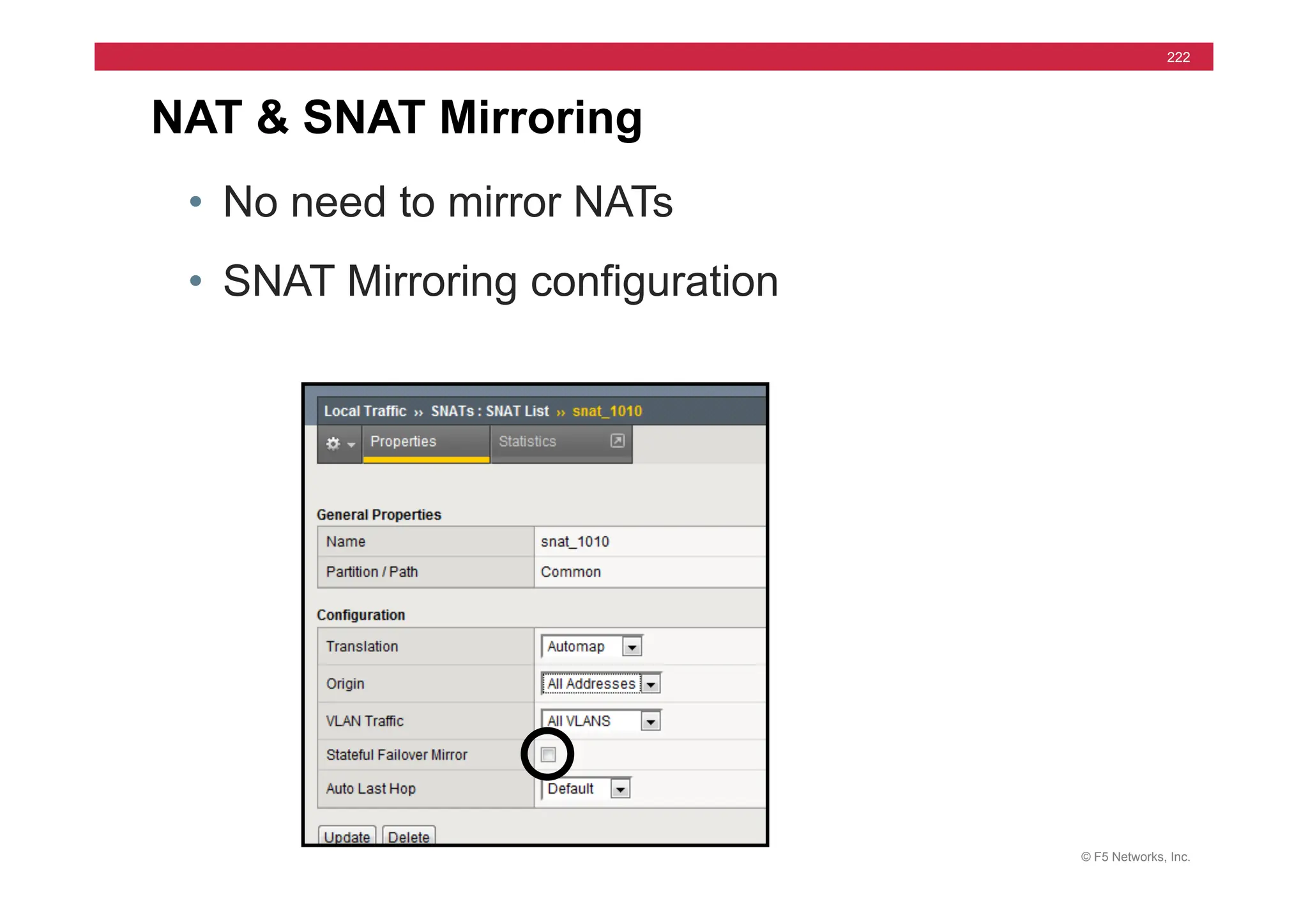
NAT & SNAT Mirroring
• No need to mirror NATs
• SNAT Mirroring configuration
© F5 Networks, Inc.
223
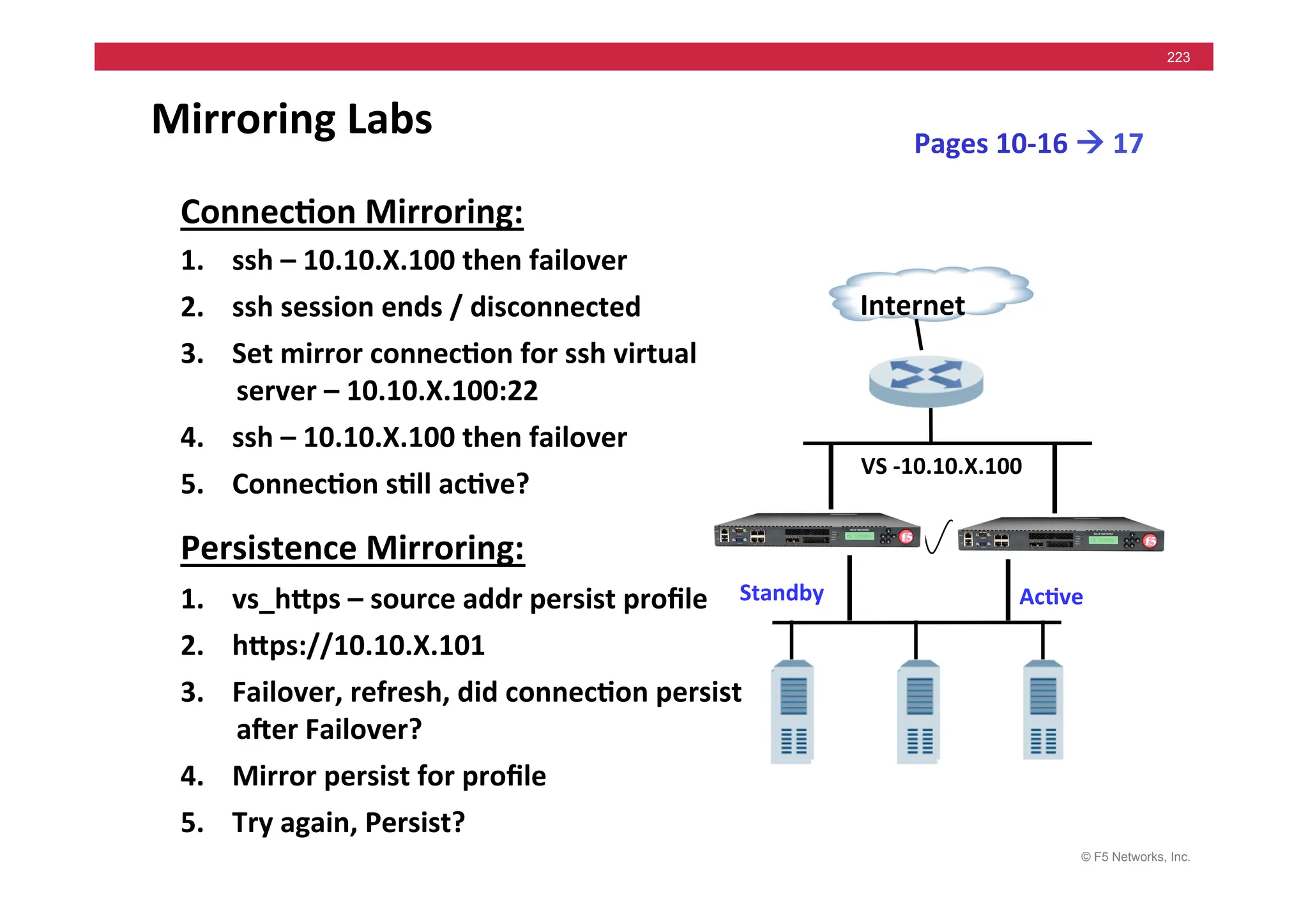
Mirroring	
  Labs	
  
Connec5on	
  Mirroring:	
  
1. ssh	
  –	
  10.10.X.100	
  then	
  failover	
  
2. ssh	
  session	
  ends	
  /	
  disconnected	
  
3. Set	
  mirror	
  connec5on	
  for	
  ssh	
  virtual	
  
server	
  –	
  10.10.X.100:22	
  
4. ssh	
  –	
  10.10.X.100	
  then	
  failover	
  
5. Connec5on	
  s5ll	
  ac5ve?	
  
Persistence	
  Mirroring:	
  
1. vs_hMps	
  –	
  source	
  addr	
  persist	
  profile	
  
2. hMps://10.10.X.101	
  
3. Failover,	
  refresh,	
  did	
  connec5on	
  persist	
  
ager	
  Failover?	
  
4. Mirror	
  persist	
  for	
  profile	
  
5. Try	
  again,	
  Persist?	
  
Internet	
  
VS	
  -­‐10.10.X.100	
  
Ac5ve	
  
Standby	
  
Pages	
  10-­‐16	
  !	
  17	
  
© F5 Networks, Inc.
224
Module 11 – High Availability Part 2
• Traffic Group Concepts
• Traffic Group Configuration
• Mac Masquerading
• Traffic Group Lab
• N+1 Concepts
• N+1 Lab
© F5 Networks, Inc.
225
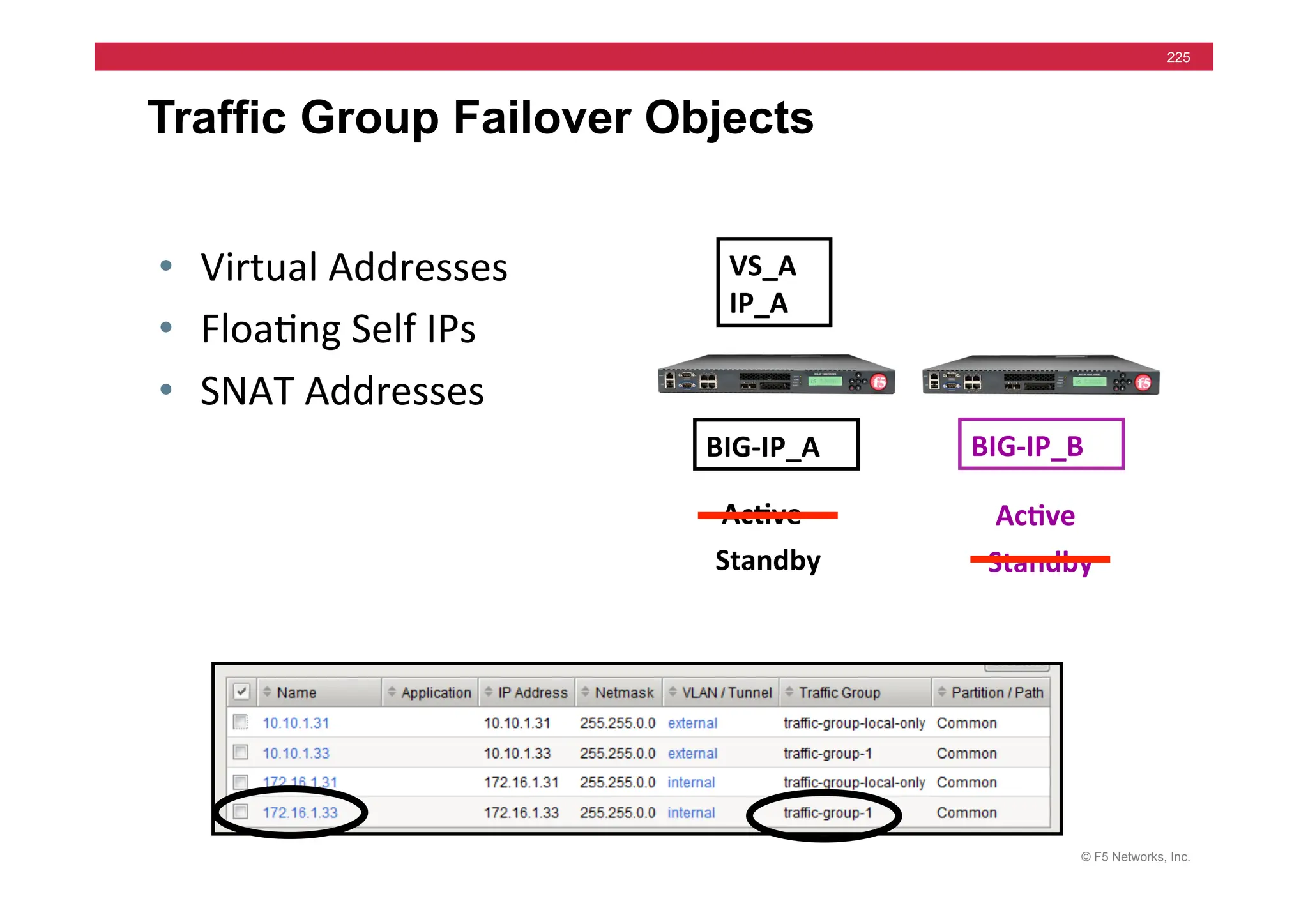
Traffic Group Failover Objects
VS_A	
  
IP_A	
  
BIG-­‐IP_A	
   BIG-­‐IP_B	
  
Standby	
  
Ac5ve	
   Ac5ve	
  
Standby	
  
• Virtual	
  Addresses	
  
• Floa=ng	
  Self	
  IPs	
  
• SNAT	
  Addresses	
  
© F5 Networks, Inc.
226
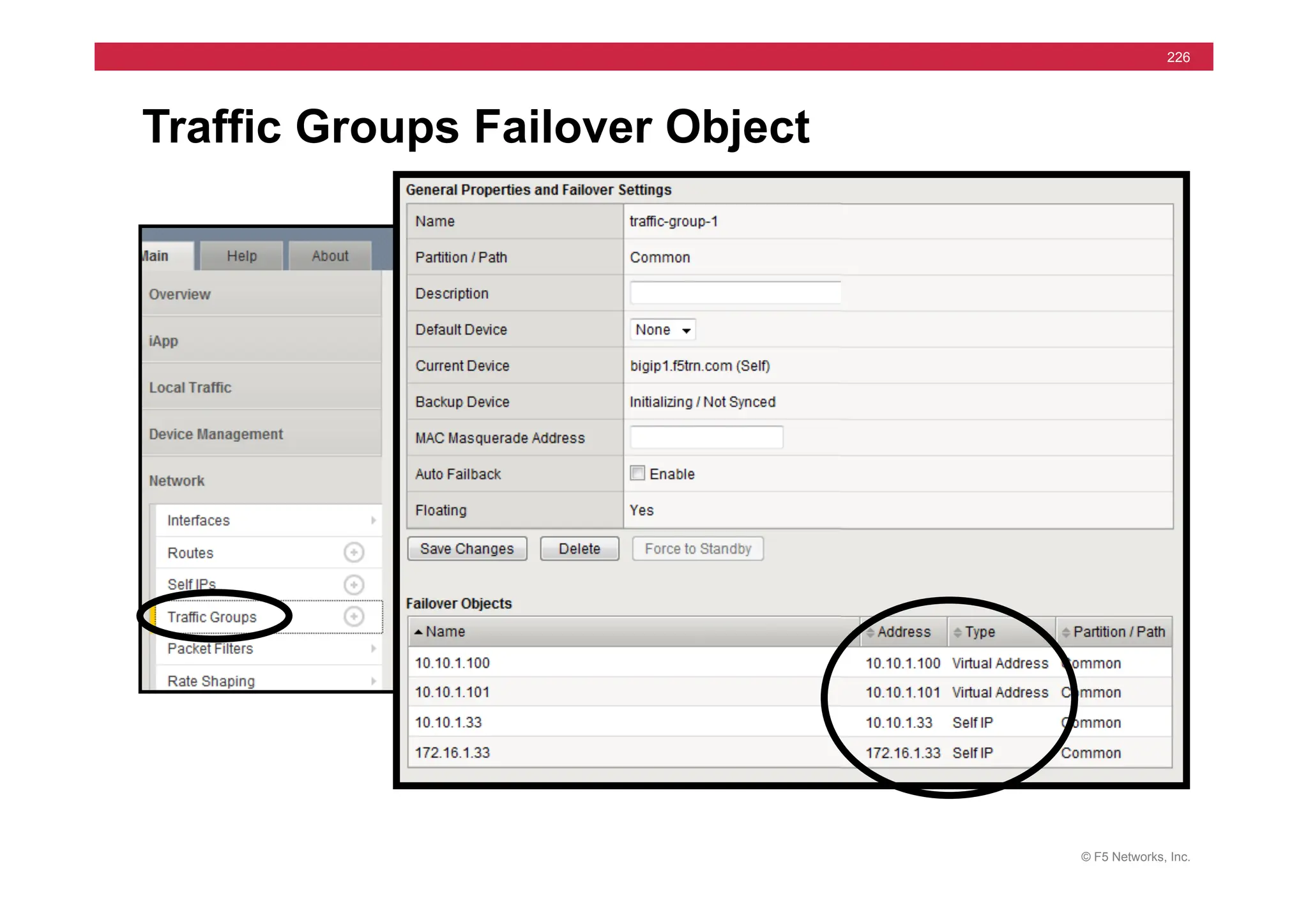
Traffic Groups Failover Object
© F5 Networks, Inc.
227
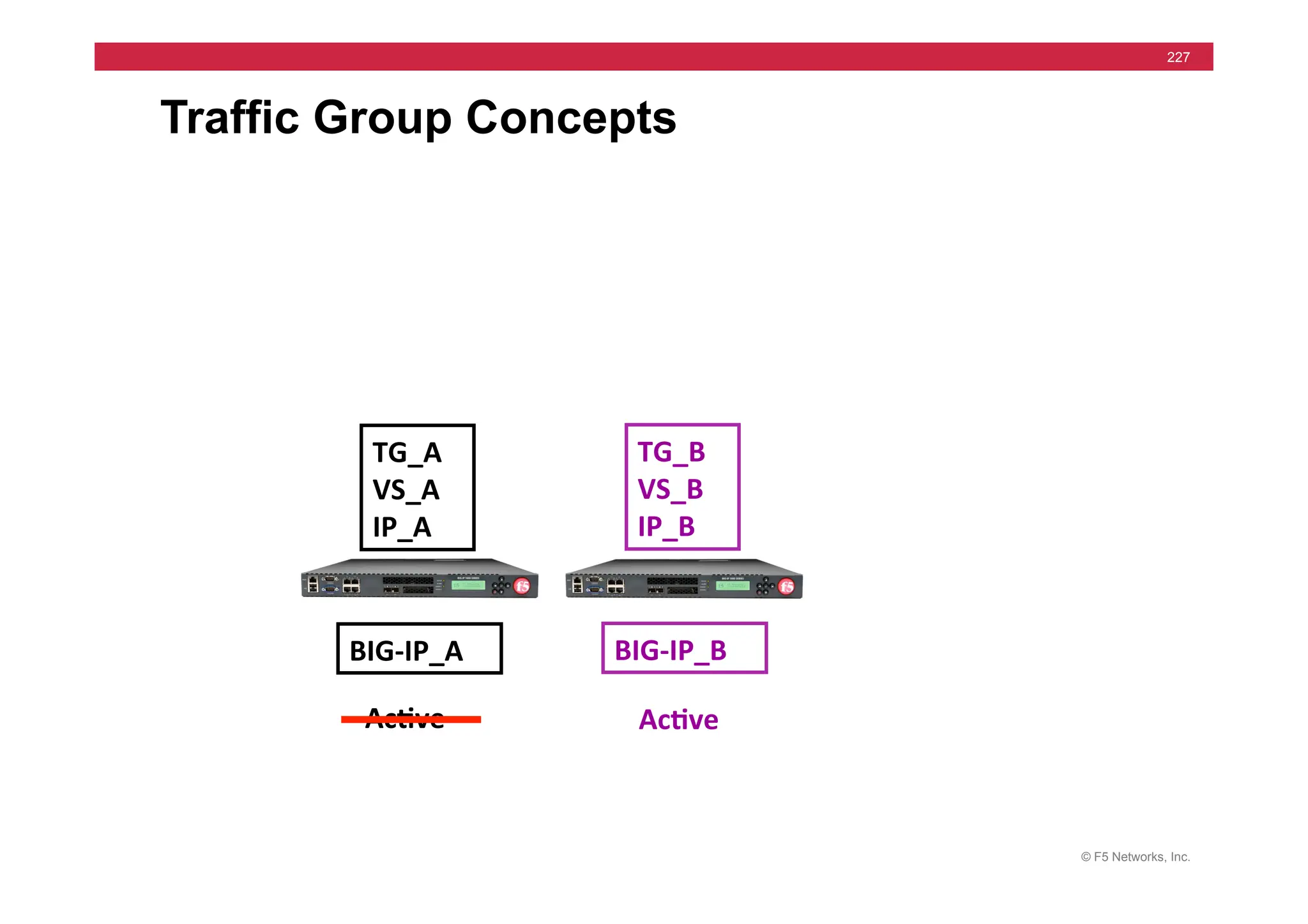
Traffic Group Concepts
TG_A	
  
VS_A	
  
IP_A	
  
TG_B	
  
VS_B	
  
IP_B	
  
BIG-­‐IP_A	
   BIG-­‐IP_B	
  
Ac5ve	
   Ac5ve	
  
© F5 Networks, Inc.
228
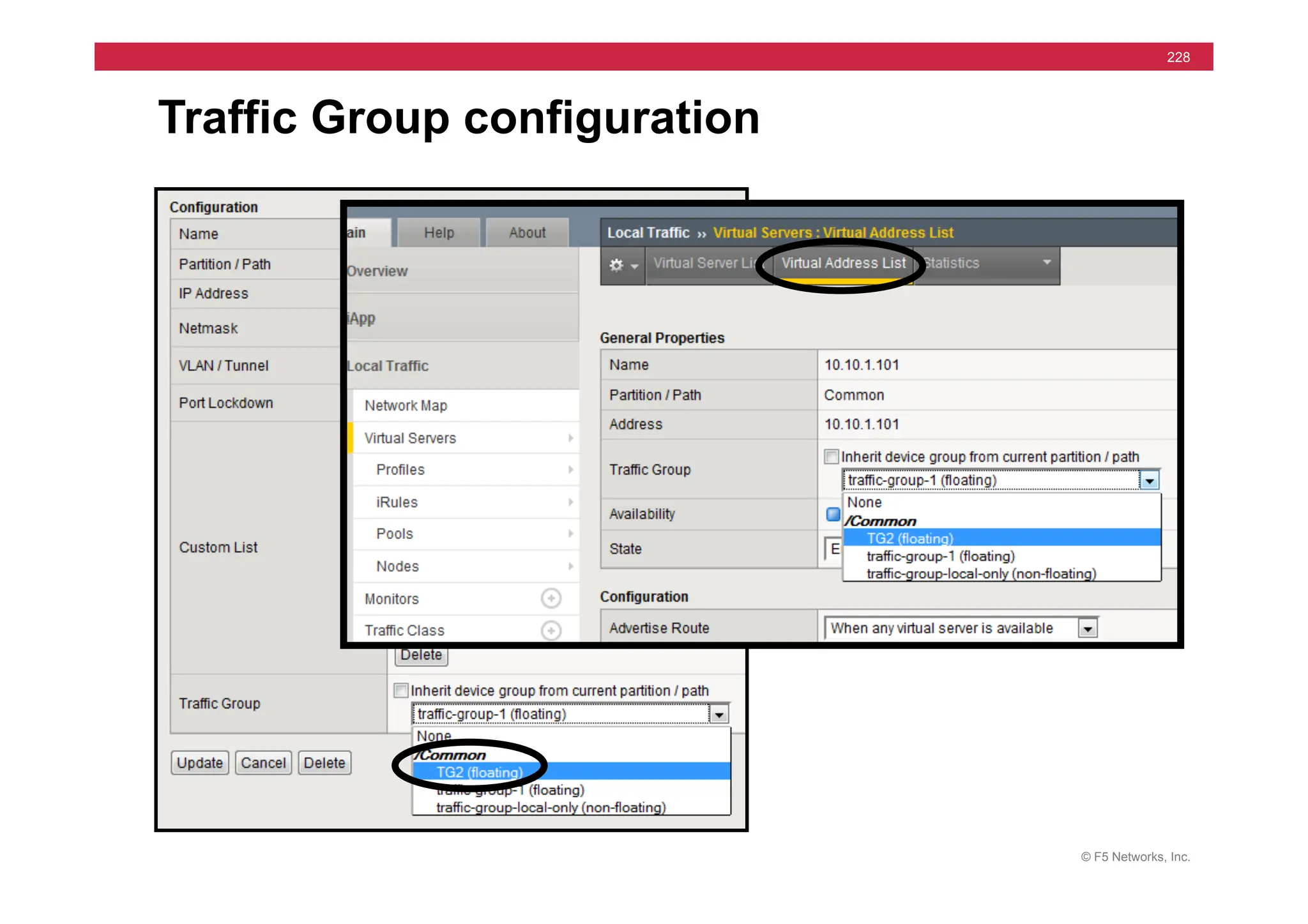
Traffic Group configuration
© F5 Networks, Inc.
229
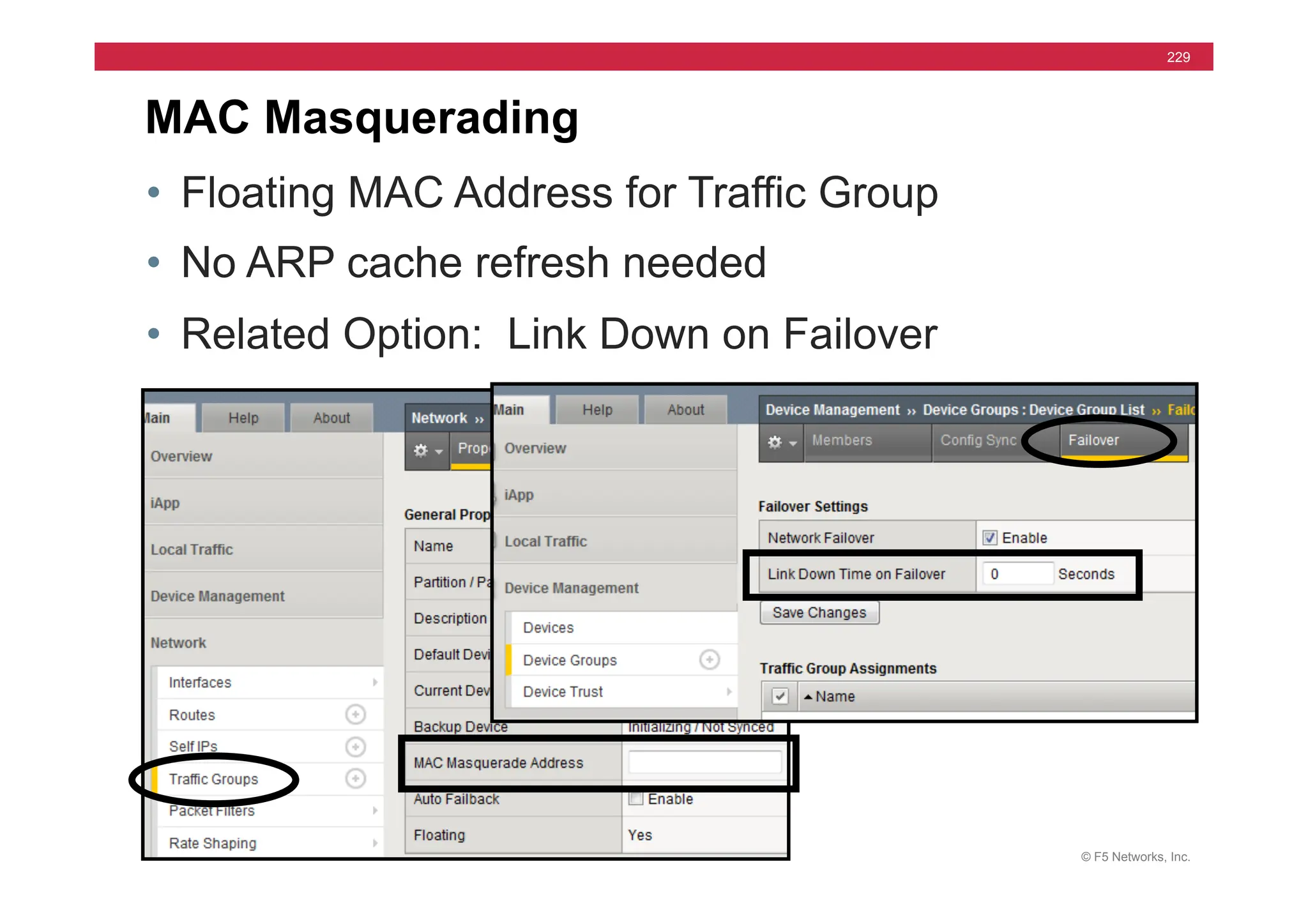
MAC Masquerading
• Floating MAC Address for Traffic Group
• No ARP cache refresh needed
• Related Option: Link Down on Failover
© F5 Networks, Inc.
230
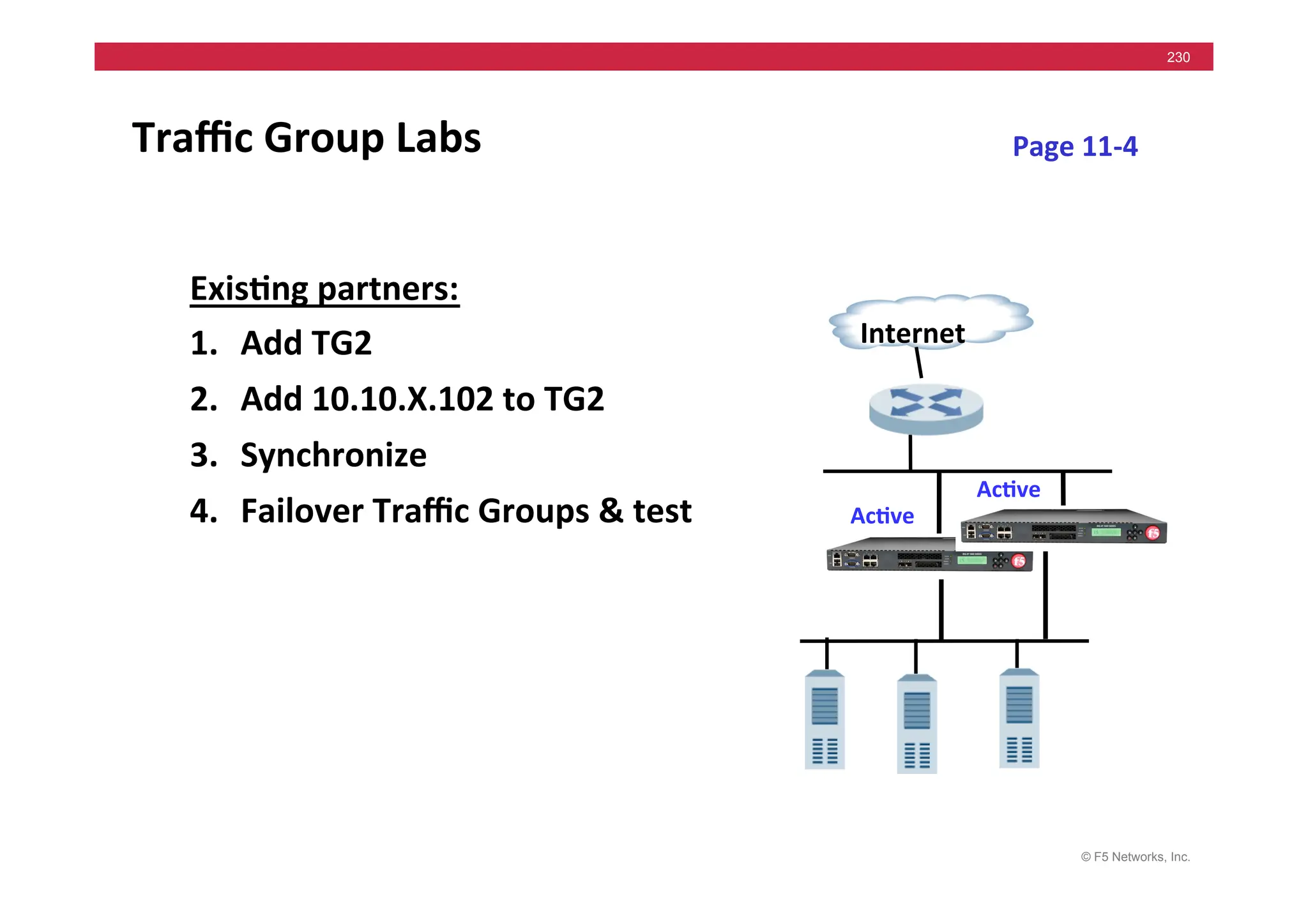
Traffic	
  Group	
  Labs	
  
Exis5ng	
  partners:	
  
1. Add	
  TG2	
  	
  
2. Add	
  10.10.X.102	
  to	
  TG2	
  
3. Synchronize	
  
4. Failover	
  Traffic	
  Groups	
  &	
  test	
  
Internet	
  
Ac5ve	
  
Page	
  11-­‐4	
  
Ac5ve	
  
© F5 Networks, Inc.
231
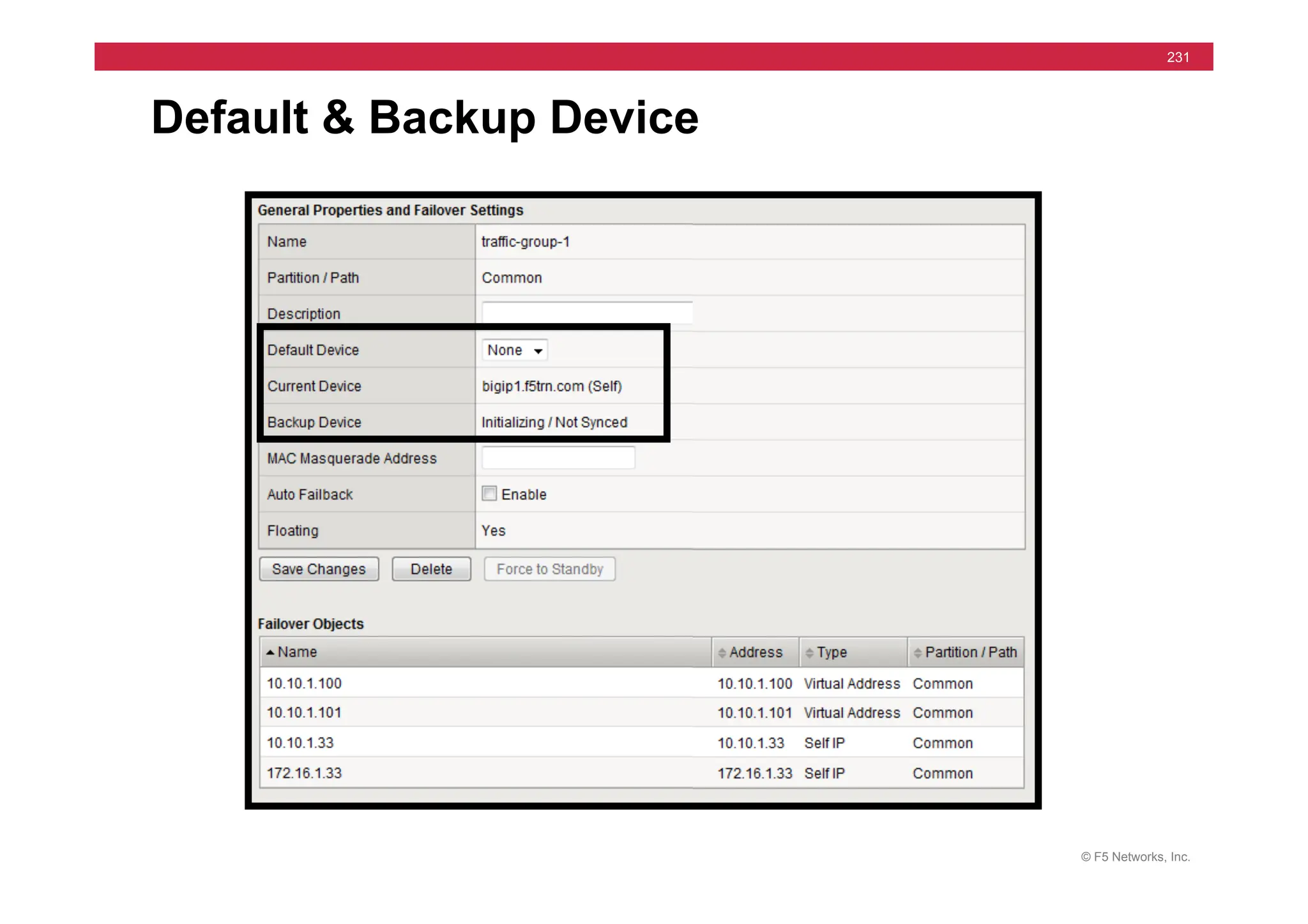
Default & Backup Device
© F5 Networks, Inc.
232
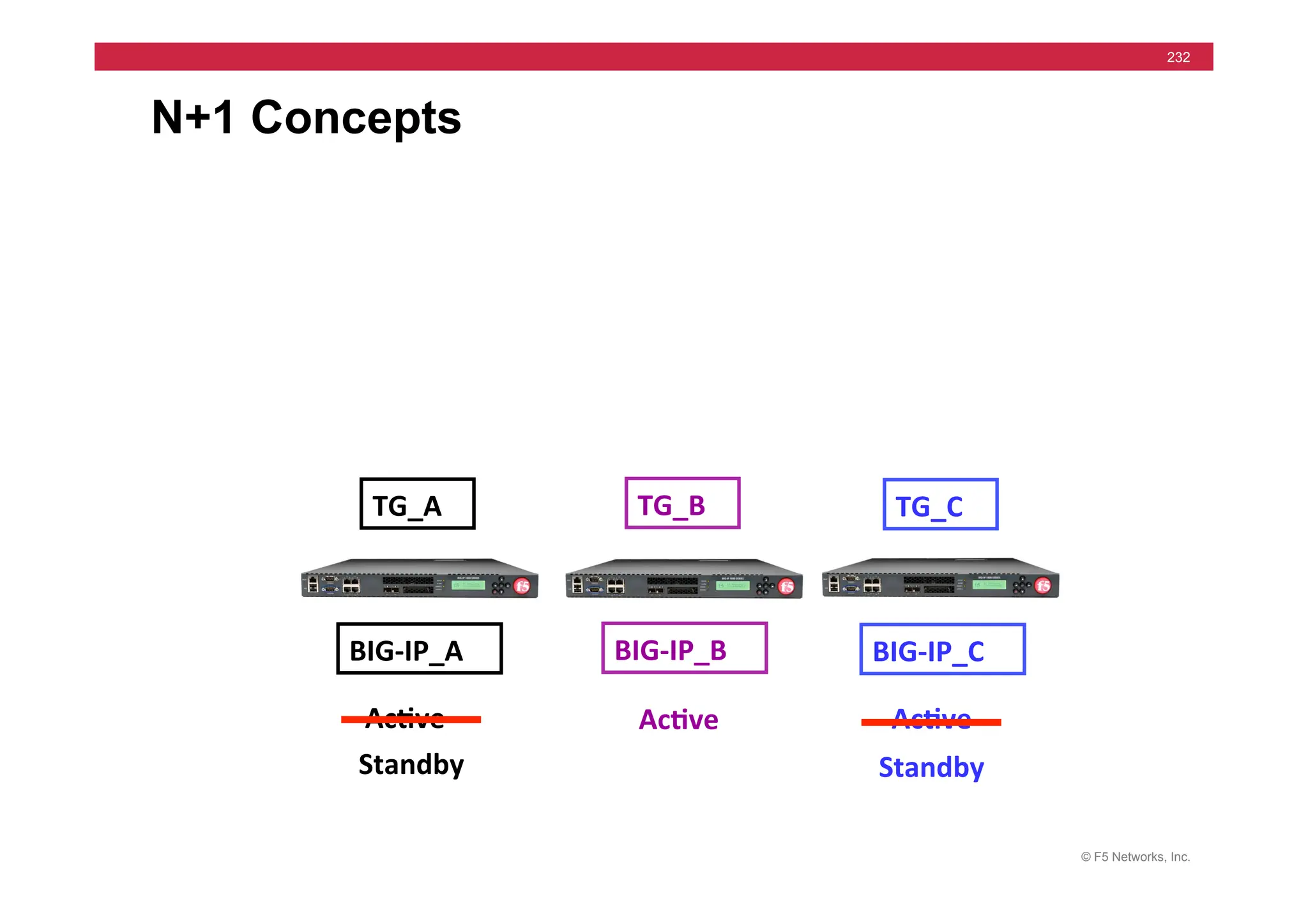
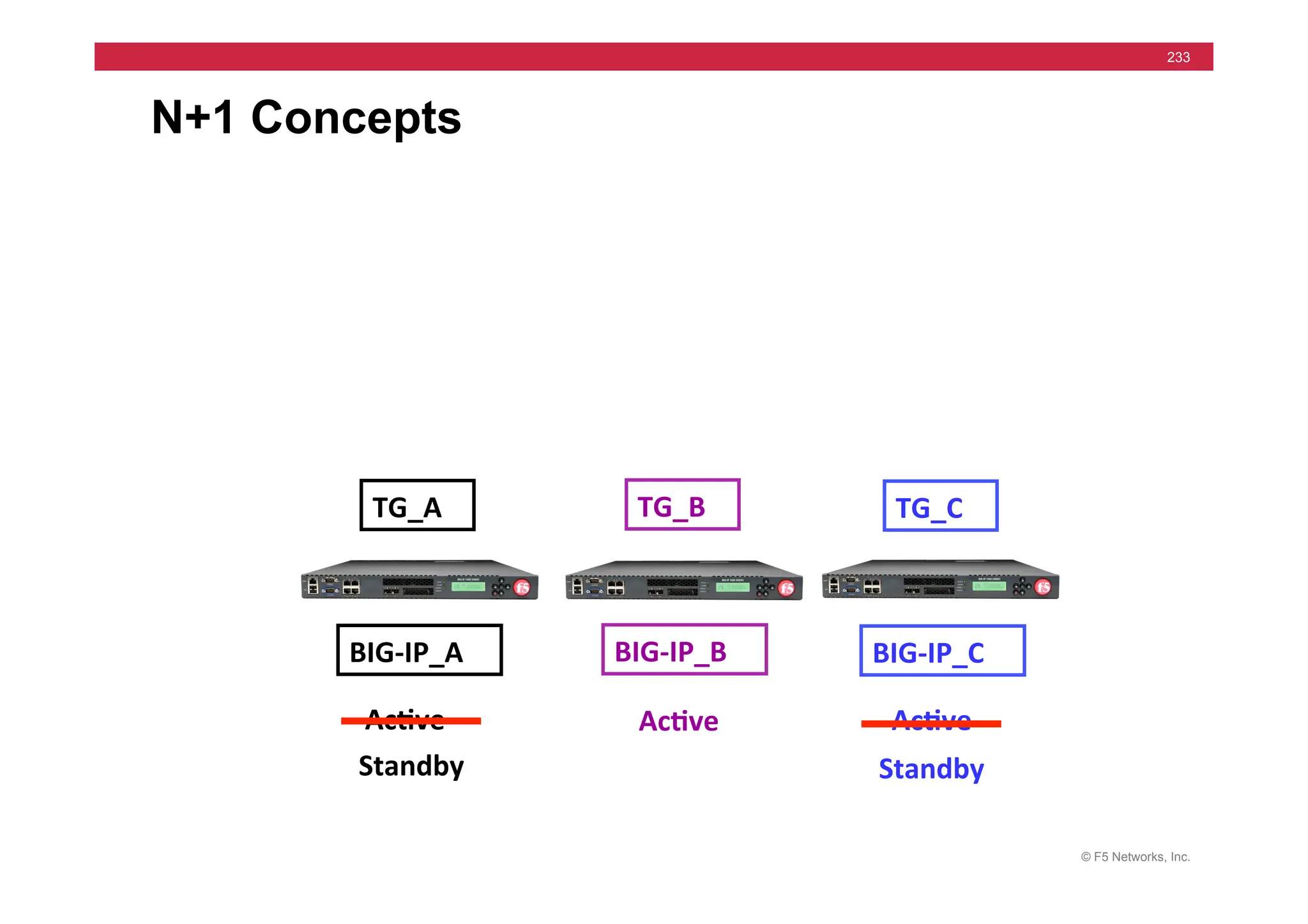
N+1 Concepts
TG_A	
   TG_B	
   TG_C	
  
BIG-­‐IP_A	
   BIG-­‐IP_B	
   BIG-­‐IP_C	
  
Standby	
  
Ac5ve	
   Ac5ve	
   Ac5ve	
  
Standby	
  
© F5 Networks, Inc.
233
N+1 Concepts
TG_A	
   TG_B	
   TG_C	
  
BIG-­‐IP_A	
   BIG-­‐IP_B	
   BIG-­‐IP_C	
  
Standby	
  
Ac5ve	
   Ac5ve	
   Ac5ve	
  
Standby	
  
© F5 Networks, Inc.
234
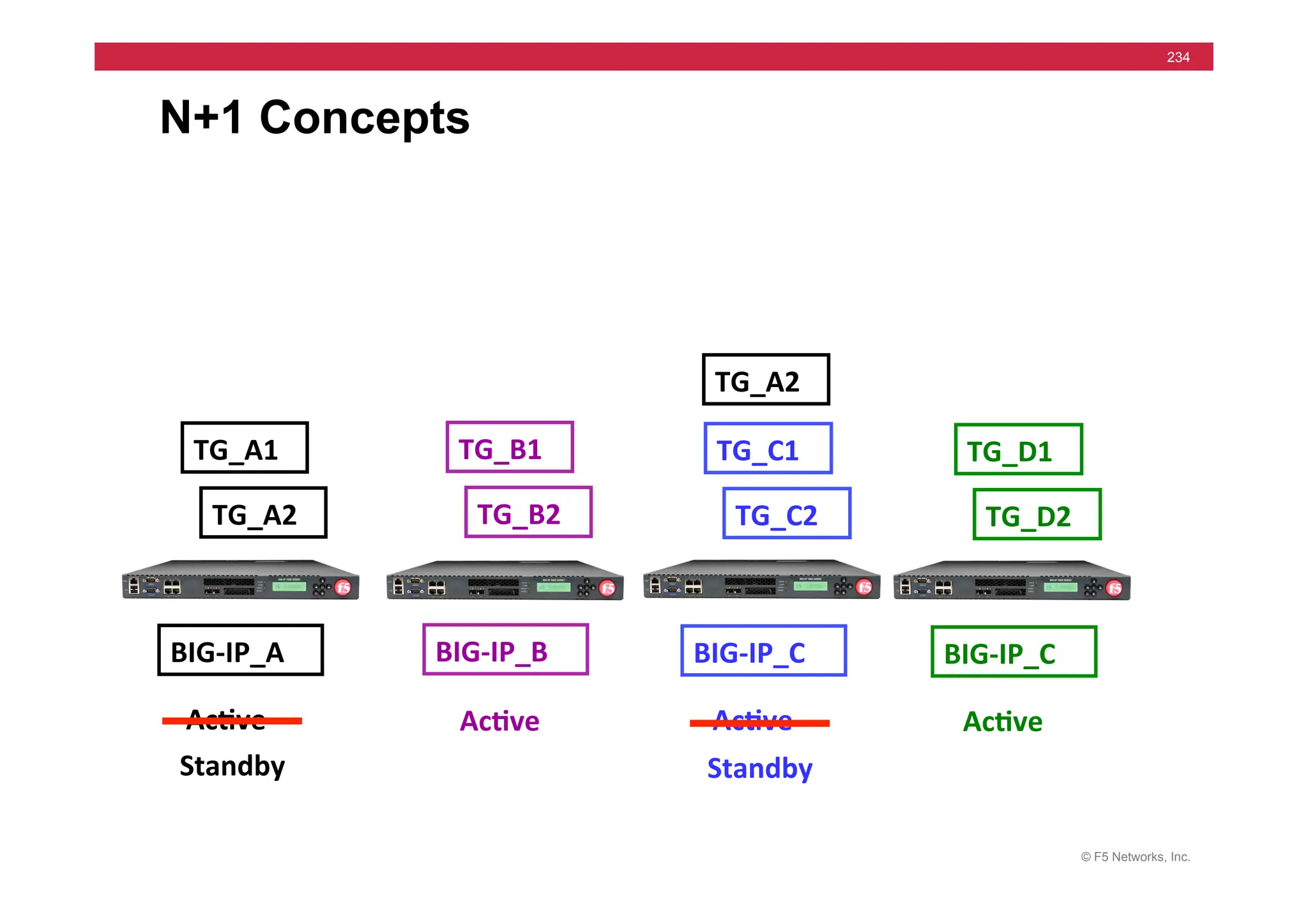
N+1 Concepts
TG_A1	
   TG_B1	
   TG_C1	
  
BIG-­‐IP_A	
   BIG-­‐IP_B	
   BIG-­‐IP_C	
  
Standby	
  
Ac5ve	
   Ac5ve	
   Ac5ve	
  
TG_A2	
   TG_B2	
   TG_C2	
  
TG_D1	
  
BIG-­‐IP_C	
  
Ac5ve	
  
Standby	
  
TG_D2	
  
TG_A2	
  
© F5 Networks, Inc.
235
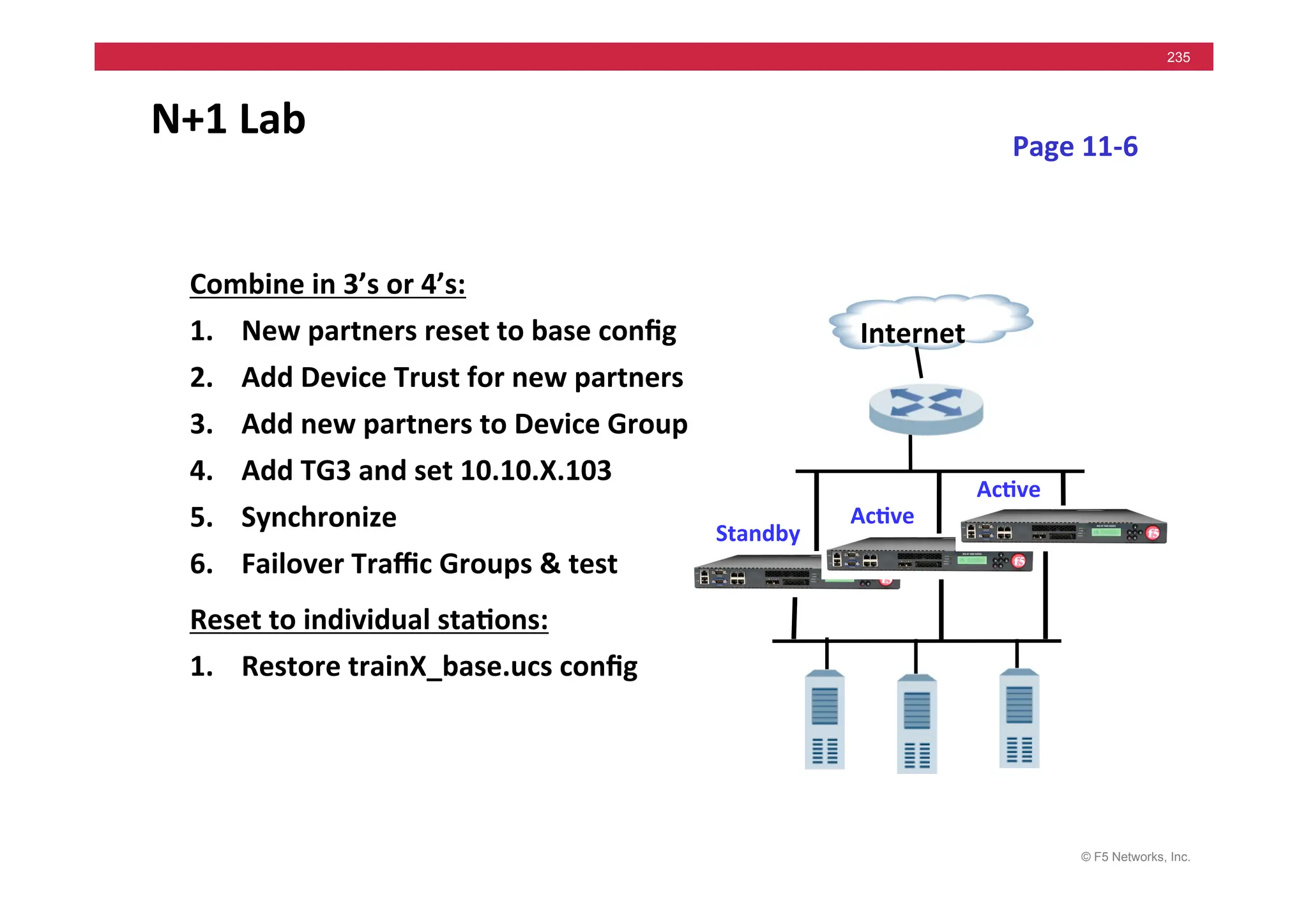
N+1	
  Lab	
  
Combine	
  in	
  3’s	
  or	
  4’s:	
  
1. New	
  partners	
  reset	
  to	
  base	
  config	
  
2. Add	
  Device	
  Trust	
  for	
  new	
  partners	
  
3. Add	
  new	
  partners	
  to	
  Device	
  Group	
  
4. Add	
  TG3	
  and	
  set	
  10.10.X.103	
  
5. Synchronize	
  
6. Failover	
  Traffic	
  Groups	
  &	
  test	
  
Reset	
  to	
  individual	
  sta5ons:	
  
1. Restore	
  trainX_base.ucs	
  config	
  
Internet	
  
Ac5ve	
  
Standby	
  
Page	
  11-­‐6	
  
Ac5ve	
  
© F5 Networks, Inc.
236
Course Outline
1. Installation
2. Load Balancing
3. Health Monitors
4. Profiles
5. Persistence
6. Processing SSL Traffic
7. Lab Project 1
8. NATs and SNATs
9. iRules
10. High Availability
11. High Availability Part 2
Day 1
Day 2
© F5 Networks, Inc.
237
Course Outline
12. Command Line – tmsh
13. Administration
14. Administration part 2
15. Profiles part 2
16. iApps
17. Virtual Servers part 2
18. SNATs part 2
19. Monitors part 2
20. Persistence part 2
21. iRules part 2
22. Lab Project 2
Day 3
Day 4
© F5 Networks, Inc.
238
• Expectations:
• Knowledge of previous concepts
• Goals:
• Command Line for configuring
• More complex aspects of LTM
• Practical application of concepts
Remainder of Course
© F5 Networks, Inc.
239
Module 12: Command Line
tmos>	
  create	
  /ltm	
  virtual	
  vs_hMp	
  
des5na5on	
  10.10.17.100:80	
  
persist	
  add	
  {	
  Pr_Src_Persist	
  }	
  
pool	
  /Common/hMp_pool	
  
OR	
  
© F5 Networks, Inc.
240
• tmsh command shell
• tmsh syntax & command completion lab
• create Pools, Profile & Virtual Servers lab
• /config/bigip.conf file
• Edit bigip.conf file lab
• Optional labs: SNAT, Monitor…
Module 12 Agenda
© F5 Networks, Inc.
241
• Hierarchical structure
• Modules
• Components
• Commands
• Verb-Object syntax
• create virtual …
• modify pool …
tmsh (TM Shell) Architecture
© F5 Networks, Inc.
242
Hierarchical Structure
• tmsh	
  
• “root”	
  level	
  
• Access:	
  	
  tmsh	
  
• Prompt:	
  	
  tmos	
  
© F5 Networks, Inc.
243
Hierarchical Structure
tmos	
  
auth	
  
cli	
  
gtm	
  
ltm	
  
net	
  
sys	
  
persistence	
  
selngs	
  
monitor	
  
profile	
  
rate-­‐shaping	
  
tunnels	
  
performance	
  
monitor	
  
hjp	
  
bigip	
  
inband	
  
hjp	
  
wideip	
  
snat	
  
Modules	
   Sub-­‐Modules	
   Components	
  
vlan	
  
© F5 Networks, Inc.
244
Navigating the Hierarchy
• Navigation to a Module: name
• Back up one level: exit
• Change to root: /
• Leave TM Shell: quit
© F5 Networks, Inc.
245
Help and Completion
• Completion
• Continuation
• Syntax Examples
Space	
  and	
  Tab	
  
© F5 Networks, Inc.
246
Keyboard Map
• Keyboard	
  short	
  cuts	
  
• Common	
  examples:	
  
• Ctrl	
  +	
  C 	
   	
  Cancels	
  the	
  current	
  command	
  
• Ctrl	
  +	
  E 	
   	
  Moves	
  cursor	
  to	
  end	
  of	
  line	
  
• Ctrl	
  +	
  G 	
   	
  Clears	
  all	
  characters	
  from	
  line	
  
• Ctrl	
  +	
  K 	
   	
  Deletes	
  from	
  cursor	
  to	
  end	
  of	
  line	
  
• Ctrl	
  +	
  L 	
   	
  Clears	
  screen	
  but	
  not	
  the	
  line	
  
• Esc	
  +	
  U 	
   	
  Changes	
  word	
  to	
  uppercase	
  
• Up	
  Arrow
	
   	
  Scrolls	
  up	
  through	
  command	
  history	
  
• Down	
  Arrow 	
  Scrolls	
  down	
  though	
  command	
  history	
  
© F5 Networks, Inc.
247
Global commands
• create
• delete
• exit
• list
• load
• modify
• quit
• run
• run big3d_install
• save
• show
© F5 Networks, Inc.
248
LTM Components
ltm	
   persistence	
  
profile	
  
pool	
  
Source	
  addr,	
  Cookie	
  	
  &	
  	
  
others…	
  
virtual	
  
monitor	
   Clientssl	
  &	
  20+	
  others	
  
hjp	
  &	
  30+	
  others	
  
Node	
  &	
  
others…	
  
snat	
  
tmos	
  
Components	
  
For	
  more	
  informa5on	
  -­‐	
  tmsh	
  Reference	
  Guide	
  
© F5 Networks, Inc.
249
• Pool
• Virtual Server
tmsh Examples
© F5 Networks, Inc.
250
Creating, Modifying, Listing a Pool
© F5 Networks, Inc.
251
Creating a Virtual Server
© F5 Networks, Inc.
252
• /config/bigip.conf
• Virtual Servers, Pools, SNATs, Monitors, etc…
• /config/bigip_base.conf
• VLANs, Interfaces, Self IPs, Device Groups, etc…
• /config/BigDB.dat
• System settings
• And many others…
Config files
© F5 Networks, Inc.
253
save, load & list
DISK	
  
RAM	
  
Store	
  Running	
  Configura5on	
  !	


tmsh	
  save	
  /sys	
  config	
  
Load	
  Stored	
  Configura5on	
  !	
  
tmsh	
  load	
  /sys	
  config	
  
To	
  Disk	
  
From	
  Disk	
  
View	
  Running	
  Configura5on	
  !	


tmsh	
  list	
  …	
  
© F5 Networks, Inc.
254
BigDB.dat Database
• Central	
  configura=on	
  file	
  
• Located	
  in	
  /config/BigDB.dat	
  	
  or	
  	
  
• “modify	
  /sys	
  db”	
  commands	
  
modify	
  /	
  sys	
  db	
  failover.network	
  	
  
value	
  	
  enable	
  
• Examples:	
  
© F5 Networks, Inc.
255
• /var/local/ucs/<filename>.ucs
• Zipped archive file
• tmsh save /sys ucs <filename>
• /var/local/scf/<filename>.scf
• Readable single config file
• tmsh save /sys config file <filename>
Configuration archives
© F5 Networks, Inc.
256
Restoration to another System
Backup	
  System	
  
tmsh	
  save	
  /sys	
  ucs	
  <filename>	
  
Original	
  System	
  
Replacement	
  System	
  
Install	
  Archive	
  on	
  Alternate	
  System	
  
tmsh	
  modify	
  /sys	
  global-­‐sewngs	
  hostname	
  <name>	
  
tmsh	
  load	
  /sys	
  ucs	
  <filename>	
  
License	
  System	
  
Backup	
  somewhere	
  off	
  system	
  
scp	
  or	
  gp	
  <filename>	
  
© F5 Networks, Inc.
257
bigpipe (v9) – tmsh
• b	
  pool	
  gp_pool	
  {	
  lb	
  method	
  member	
  least	
  conn	
  members	
  
172.16.20.1:21	
  	
  	
  172.16.20.2:21	
  	
  	
  172.16.20.3:21	
  }	
  	
  
• create	
  /ltm	
  pool	
  gp_pool	
  load-­‐balancing-­‐mode	
  least-­‐connec5ons-­‐
member	
  members	
  add	
  {	
  172.16.20.1:21	
  172.16.20.2:21	


172.16.20.3:21	
  }	
  
bigpipe	
  list	
  
tmsh	
  list	
  
Appendix	
  C	
  –	
  v9	
  bigpipe	
  lab	
  
© F5 Networks, Inc.
258
Command	
  Line	
  Labs	
  
1. tmsh	
  command	
  comple5on	
  &	
  syntax	
  
2. tmos	
  >	
  create	
  	
  hMp_pool	
  
3. Look	
  at	
  /config/bigip.conf	
  	
  file	
  
4. tmos	
  >	
  save	
  /sys	
  config	
  
5. tmos	
  >	
  create	
  	
  hMps_pool	
  &	
  ssh_pool	
  
6. tmos	
  >	
  create	
  persistence:	
  
7. tmos	
  >	
  create	
  	
  vs_hMp	
  
8. tmos	
  >	
  save	
  /sys	
  config	
  
9. tmos	
  >	
  create	
  	
  vs_hMps	
  &	
  vs_ssh	
  
10. Save	
  &	
  Test	
  configura5on	
  
11. Op5onal:	
  SNAT	
  &	
  Monitor	
  
Pages	
  12-­‐13	
  !	
  17	
  
172.16.20.1	
  
Internet	
  
172.16.20.3	
  
172.16.20.2	
  
10.10.X.100	
  
© F5 Networks, Inc.
259
Config Verification
1. bigip.conf contains? bigip_base.conf?
2. http://10.10.X.100 Load Balancing? Why?
3. https://10.10.X.100 Load Balancing? Why?
4. ssh to 10.10.X.100 Does it work?
5. Optional Labs – Working?
• SNAT
• Monitor
© F5 Networks, Inc.
260
Module 13: Administration
• iHealth & qkview
• tcpdump, bigtop & bigstart commands
• F5 VLAN Terminology
• Restricting Access
• Logging and Notification
• Labs:
• Remote Syslog Server
• SNMP trap
• iHealth
• Optional: Packet Filters
© F5 Networks, Inc.
261
BIG-IP iHealth
Available	
  at	
  hMps://ihealth.f5.com	
  
© F5 Networks, Inc.
262
• Consists of two components:
• BIG-IP Diagnostics
• BIG-IP iHealth Viewer
• Input data provided by the qkview file
BIG-IP iHealth
© F5 Networks, Inc.
263
BIG-IP iHealth qkview file
© F5 Networks, Inc.
264
Upload qkview file to BIG-IP iHealth
© F5 Networks, Inc.
265
Command line tools
• tcpdump
• bigtop
• bigstart
© F5 Networks, Inc.
266
• tcpdump - packet capture tool
• Part of Unix Operating System
• Capture traffic through any interface
• More on tcpdump in Troubleshooting course
tcpdump
© F5 Networks, Inc.
267
Command Switches for tcpdump
-i <interface>
-e
-n
-X
-r <file>
-w <file>
> <file>
-c <number of packets>
-s <number of bytes>
host <ip address>
port <service>
“and”, “or”, “not”
© F5 Networks, Inc.
268
Three-way Handshake
1.	
  	
  Syn	
  	
  
Internet	
  
Des5na5on	
  
Source	
  
2.	
  	
  Syn	
  Ack	
  	
  
3.	
  	
  Ack	
  	
  
© F5 Networks, Inc.
269
Monitor Example
• Capture	
  data	
  between	
  Internal	
  
interface	
  &	
  Node	
  
• tcpdump	
  –i	
  internal	
  –n	
  host	
  
172.16.20.1	
  and	
  port	
  80	
  
Client	


  Internet	
  
172.16.20.1	
  
© F5 Networks, Inc.
270
tcpdump -i internal -n host 172.16.20.1 and port 80
09:50:32.811118 172.16.17.31.39613 > 172.16.20.1.80: S 444272268:444272268(0) win
16384 <mss 1460,nop,wscale 0,nop,nop,timestamp[|tcp]> (DF)
09:50:32.811383 172.16.20.1.80 > 172.16.17.31.39613: S 1938541816:1938541816(0) ack
444272269 win 17520 <mss 1460,nop,wscale 0,nop,nop,timestamp[|tcp]> (DF)
09:50:32.811430 172.16.17.31.39613 > 172.16.20.1.80: . ack 1 win 17520
<nop,nop,timestamp 1162263 3552379> (DF)
09:50:32.811759 172.16.17.31.39613 > 172.16.20.1.80: P 1:8(7) ack 1 win 17520
<nop,nop,timestamp 1162263 3552379> (DF)
09:50:32.844589 172.16.20.1.80 > 172.16.17.31.39613: . 1:1449(1448) ack 8 win 17520
<nop,nop,timestamp 3552379 1162263> (DF)
09:50:32.844714 172.16.17.31.39613 > 172.16.20.1.80: . ack 1449 win 16072
<nop,nop,timestamp 1162263 3552379> (DF)
09:50:32.844851 172.16.17.31.39613 > 172.16.20.1.80: F 8:8(0) ack 1449 win 16072
<nop,nop,timestamp 1162263 3552379> (DF)
09:50:32.845692 172.16.20.1.80 > 172.16.17.31.39613: . 1449:2897(1448) ack 8 win 17520
<nop,nop,timestamp 3552379 1162263> (DF)
09:50:37.757819 172.16.17.31.39621 > 172.16.20.1.80: S 454708950:454708950(0) win
16384 <mss 1460,nop,wscale 0,nop,nop,timestamp[|tcp]> (DF)
© F5 Networks, Inc.
271
Virtual Server Example
• Capture	
  data	
  of	
  both	
  internal	
  &	
  
external	
  interface	
  
• tcpdump	
  –i	
  external	
  –n	
  host	
  
10.10.17.25	
  and	
  port	
  80	
  
10.10.17.25	
  
Client	


  Internet	
  
• tcpdump	
  –i	
  internal	
  –n	
  host	
  
10.10.17.25	
  and	
  port	
  80	
  
10.10.17.100	
  
172.16.20.1	
   172.16.20.3	
  
172.16.20.2	
  
© F5 Networks, Inc.
272
tcpdump -i external -n host 10.10.17.25 and port 80
12:03:59.218520 10.10.17.25.1287 > 10.10.17.100.80: S 19608494:19608494(0) win 8192 <mss
1460,nop,nop,sackOK> (DF)
12:03:59.218775 10.10.17.100.80 > 10.10.17.25.1287: S 4036340102:4036340102(0) ack 19608495 win
17520 <mss 1460> (DF)
12:03:59.219598 10.10.17.25.1287 > 10.10.17.100.80: . ack 1 win 8760 (DF)
….
12:03:59.221980 10.10.17.100.80 > 10.10.17.25.1287: F 172:172(0) ack 279 win 17520 (DF)
12:03:59.222571 10.10.17.25.1287 > 10.10.17.100.80: . ack 173 win 8589 (DF)
12:03:59.223080 10.10.17.25.1287 > 10.10.17.100.80: F 279:279(0) ack 173 win 8589 (DF)
tcpdump -i internal -n host 10.10.17.25 and port 80
12:03:59.218600 10.10.17.25.1287 > 172.16.20.1.80: S 19608494:19608494(0) win 8192 <mss
1460,nop,nop,sackOK> (DF)
12:03:59.218749 172.16.20.1.80 > 10.10.17.25.1287: S 4036340102:4036340102(0) ack 19608495 win
17520 <mss 1460> (DF)
12:03:59.219619 10.10.17.25.1287 > 172.16.20.1.80: . ack 1 win 8760 (DF)
….
12:03:59.221965 172.16.20.1.80 > 10.10.17.25.1287: F 172:172(0) ack 279 win 17520 (DF)
12:03:59.222592 10.10.17.25.1287 > 172.16.20.1.80: . ack 173 win 8589 (DF)
12:03:59.223100 10.10.17.25.1287 > 172.16.20.1.80: F 279:279(0) ack 173 win 8589 (DF)
© F5 Networks, Inc.
273
Other tcpdump comments
Saving	
  output	
  to	
  a	
  file	
  
tcpdump	
  –w	
  <filename>	
  host	
  10.10.10.30	
  and	
  port	
  80	


FastL4	
  Virtual	
  	
  -­‐>	
  	
  no	
  tcpdump	
  output	
  
© F5 Networks, Inc.
274
bigtop Command
© F5 Networks, Inc.
275
bigtop Command options
• q	
  or	
  Ctrl	
  +	
  c	
  
• bigtop	
  –delay	
  #	
  
• bigtop	
  –n	
  
• bigtop	
  –once	
  
• bigtop	
  –once|more	
  
© F5 Networks, Inc.
276
bigstart Commands
• Ac=ons	
  
• Stop,	
  Start,	
  Restart	
  
• Start	
  on	
  Boot,	
  Include	
  in	
  Default	
  
• Processes	
  
• bigd	
  –	
  Monitors	
  
• alertd	
  –	
  No=fica=on	
  
• bigstart	
  status	
  
© F5 Networks, Inc.
277
Connection Management
© F5 Networks, Inc.
278
Idle Connection Management
Reaper	
  High	
  Water	
  Mark	
  95%	
  
Un=l	
  memory	
  u=liza=on	
  returns	
  under	
  the	
  
Low	
  Water	
  Mark,	
  the	
  Idle	
  Timeout	
  is	
  reduce,	
  
more	
  and	
  more.	
  
When	
  memory	
  u=liza=on	
  reachs	
  the	
  Low	
  
Water	
  Mark,	
  all	
  half-­‐open	
  connec=ons	
  are	
  
dropped.	
  
When	
  memory	
  u=liza=on	
  reachs	
  the	
  High	
  
Water	
  Mark,	
  no	
  new	
  connec=ons	
  are	
  allowed	
  
un=l	
  memory	
  use	
  drops	
  below	
  the	
  Low	
  Water	
  
Mark.	
  	
  
Reaper	
  Low	
  Water	
  Mark	
  85%	
  
Memory	
  U=liza=on	
  
Time	
  
© F5 Networks, Inc.
279
• Types of identification:
• Port
• MAC
• VLAN Tag
• VLAN Name
VLANs
© F5 Networks, Inc.
280
VLAN Tagging in F5 terms
• 802.1q format
• Additional header on frame
© F5 Networks, Inc.
281
VLAN Trunking in F5 terms
Same as Fast Etherchannel or Port Channeling
© F5 Networks, Inc.
282
Restricting Network Access
• VS,	
  SNAT,	
  NAT	
  disable	
  by	
  
VLAN	
  
• iRules	
  
• Port	
  Lockdown	
  
• ssh	
  Access	
  
• Packet	
  Filters	
  
Client	
  Traffic	
  
Admin	
  Traffic	
  
Switch	
  Ports	
  for	
  
Admin	
  or	
  Client	
  Traffic	
  
© F5 Networks, Inc.
283
Virtual Server
• IP	
  +	
  Port	
  “Listener”	
  
•	
  	
  disable	
  by	
  VLAN	
  
Virtual	
  Server	
  
10.10.17.100:80	
  
© F5 Networks, Inc.
284
Port Lockdown
“Default”	
  list	
  includes:	
  
• UDP	
  –	
  DNS,	
  SNMP,	
  RIP	
  &	
  iQuery	
  
• TCP	
  –	
  SSH,	
  DNS,	
  SNMP,	
  HTTPS	
  &	
  iQuery	
  
© F5 Networks, Inc.
285
Restricting ssh Access


  Internet	
  
216.34.94.32	
  
216.34.94.15	
  
216.34.91.10	
  
Deny	
  
Allow	
  216.34.94.*	
  
© F5 Networks, Inc.
286
Packet Filters
© F5 Networks, Inc.
287
Packet Filter Rule Configuration
• Enable	
  /	
  Disable	
  
• Filter	
  Order	
  
• Filter	
  Ac5ons	
  
• Accept,	
  Discard,	
  Reject,	
  Con5nue	
  
• Filters	
  Logged?	
  
• Filter	
  on:	
  
• protocol	
  
• src	
  or	
  dest	
  host	
  or	
  network	
  
• dest	
  port	
  
• and,	
  or,	
  not	
  
• Don’t	
  apply	
  to	
  Mgmt	
  port	
  
© F5 Networks, Inc.
288
System Log
• Possible	
  Messages	
  Defined	
  as	
  Facility.Level	
  
System	
  Log	
  
Log	
  Files	
  
Remote	
  Log	
  
Alertd	
  
EMail	
  
EMail	
  
SNMP	
  Traps	
  
LCD	
  
© F5 Networks, Inc.
289
Viewing Log Files
• Command Line
• tail, more, cat, …
• Configuration Utility
• System / Logs
© F5 Networks, Inc.
290
Log Files & Local Facilities
• Archived:	


• /var/log/<file>.1.gz	
  -­‐-­‐	
  /var/log/<file>.8.gz	
  
• LTM	
   	
   	
  -­‐	
  /var/log/ltm 	


  local0	
  
• EM 	
   	
   	
  -­‐	
  /var/log/em 	


  local1	
  
• GTM 	
   	
  -­‐	
  /var/log/gtm	


  local2	
  
• ASM 	
   	
  -­‐	
  /var/log/asm	


  local3	
  
• iControl 	
   	
  -­‐	
  /var/log/ltm 	


  local4	
  
• Packet	
  Filter	
   	
  -­‐	
  /var/log/pkuilter 	
   	
   	
  local5	
  
• HTTPD	
  Errors	
   	
  -­‐	
  /var/log/hjpd/hjpd_errors	
   	
  local6	
  
• Boot	
  Process	
   	
  -­‐	
  /var/log/boot.log 	
   	
   	
  local7	
  
© F5 Networks, Inc.
291
Changing syslog-ng.conf
• File	
  -­‐	
  	
  /var/run/config/syslog-­‐ng.conf	
  
• tmsh	
  list	
  /sys	
  syslog	
  remote-­‐servers	
  
• tmsh	
  modify	
  /sys	
  syslog	
  remote-­‐servers	
  add	
  	
  
{	
  <name>	
  {	
  host	
  10.10.17.30	
  }	
  }	
  
• bigstart	
  status	
  syslog-­‐ng	
  
© F5 Networks, Inc.
292
Configuring SNMP Traps
• Specifying	
  Trap	
  Des5na5ons	
  
• /config/snmp/snmpd.conf	
  
• Specifying	
  Trap	
  Events	
  
• /etc/alertd/alert.conf	
  
• /config/user_alert.conf	
  
alert	
  FilterHTTP	
  "discard	
  on	
  vlan	
  (.*?)"	
  {	


  snmptrap	
  OID=	
  ".1.3.6.1.4.1.3375.2.4.0.200";	


  lcdwarn	
  descrip5on=	
  "No	
  WEB"	
  priority=	
  “4";	


  email	
  toaddress=	
  "root"	


  fromaddress=	
  "root"	


  body=	
  "This	
  is	
  another	
  test	
  ...	
  “	


}	
  
© F5 Networks, Inc.
293
Syslog	
  &	
  Command	
  Line	
  Labs	
  
1. Syslog	
  remote	
  server:	
  
	
  tmsh	
  modify	
  /sys	
  syslog	
  remote-­‐servers	
  add	
  
{<name>{	
  host	
  X.X.X.X	
  }}	
  
	
  tcpdump	
  command	
  for	
  output	
  
2. SNMP	
  trap:	
  
Enable	
  SNMP	
  traps	
  
tcpdump	
  command	
  for	
  output	
  
3. iHealth:	
  
Upload	
  qkview	
  to	
  iHealth	
  &	
  analyze	
  
4. Op5onal	
  Labs:	
  
Packet	
  Filters,	
  then	
  DISABLE	
  
tcpdump,	
  bigtop,	
  bigstart	
  
Internet	
  
10.10.X.100	
  
Pages	
  13-­‐31	
  !	
  38	
  
172.16.20.1	
   172.16.20.3	
  
172.16.20.2	
  
© F5 Networks, Inc.
294
Module 14: Administration Part 2
• Installation topics – Appendix A
• Administrative Roles & Partitions
• Admin Domains Lab
• Clustered MultiProcessing (CMP & vCMP)
• Sync-Only Administrative Groups
• Sync-Only Device Groups Lab
© F5 Networks, Inc.
295
• Syntax
• install /sys software image [image.iso] volume [HD1.#]
• Used for Hotfix also
• install /sys software hotfix [hotfix.iso] volume [HD1.#]
• Install to Inactive Volume
• Set default boot
• run /util bash –c “switchboot”
• switchboot from linux
• list /sys software volume [ [default-boot-location]
install from tmsh
© F5 Networks, Inc.
296
switchboot
© F5 Networks, Inc.
297
• Image List – List / Import Images
• Hotfix List – List / Import Hotfixes
• Boot Location – List / Change Boot
System > Software Management
© F5 Networks, Inc.
298
• List of Installed Images
• Import additional images
• Select image to install / create Volume
Software Management > Image List
© F5 Networks, Inc.
299
• Roles
• Partition
• Terminal
User Roles & Partitions
© F5 Networks, Inc.
300
User Roles and Access
All	
  Users	
  –	
  Access	
  Varies	
  
Administrators	
  
Administrators	
  
User	
  Managers	
  
© F5 Networks, Inc.
301
User Roles and Access
• Administrators:	
  	
  Full	
  Access	
  
• Resource	
  Administrators:	
  	
  Full	
  Access	
  to	
  Local	
  Traffic	


• User	
  Managers:	
  	
  Edit	
  User	
  Accounts	
  
• Applica5on	
  Editors:	
  	
  Monitor	
  Assignment;	
  Enable/
Disable	
  Members	
  and	
  Nodes	
  
• Operators:	
  	
  Enable/Disable	
  Members	
  
• Guest:	
  	
  View	
  only	
  
© F5 Networks, Inc.
302
Command Line Access
Terminal	
  Access	
  -­‐	
  Disabled	
  by	
  Default	
  
• tmsh:	
  	
  command	
  line	
  shell	
  
• Advanced	
  Shell:	
  	
  root	
  level	
  access	
  
• Only	
  Admins	
  and	
  Resource	
  Admins	


© F5 Networks, Inc.
303
Common Partition
Common	
  
•Installa5on	
  objects	


•Default	
  Par55on	
  
© F5 Networks, Inc.
304
Partitions – Common, Users, and Defined
• Separate	
  User	
  Par55on	
  
• Object	
  names	
  unique	
  
Par55on	
  1	
   Par55on	
  2	
  
Common	
  
sjones	
  
tbrown	
  
vs_hjp1	
  
vs_hjp2	
  
vs_hjp	
  
hjp_pool	
  
Par55on	
  User	
  
© F5 Networks, Inc.
305
Partitions – User Accounts – Example 1
vs_hjp1	
  
vs_hjp2	
  
vs_hjp	
  
hjp_pool	
  
Par55on	
  1	
   Par55on	
  2	
  
Common	
  
User	
  Par55on	
  
Sjones	
  
Sjones	
  	
  
•	
  	
  Manager	
  
•	
  	
  Par55on	
  1	
  only	
  
hjp_pool	
  
•	
  	
  But	
  can	
  use	
  Objects	
  from	
  
Common	
  
© F5 Networks, Inc.
306
Partitions – User Accounts – Example 2
vs_hjp1	
  
vs_hjp2	
  
vs_hjp	
  
hjp_pool	
  
Par55on	
  1	
   Par55on	
  2	
  
Common	
  
User	
  Par55on	
  
tbrown	
  
tbrown	
  	
  
•	
  	
  Operator	
  –	
  (Enable	
  /	
  
Disable)	
  
•	
  	
  All	
  Par55ons	
  
pool1	
  
pool2	
  
© F5 Networks, Inc.
307
Admin	
  Par55ons	
  Lab	
  
Add	
  Par55ons:	
  
1. part1	
  &	
  part2	
  
Add	
  users:	
  
1. adm1	
  –>	
  part1	
  	
  
2. adm2	
  –>	
  part2	
  	
  
Add	
  Resources:	
  
1. VS2	
  &	
  hMp2_pool	
  in	
  part2	
  
2. VS1	
  &	
  hMp1_pool	
  in	
  part1	
  
3. New	
  bigip.conf	
  files	
  in	
  /
config/par55ons/	
  
Page	
  14-­‐6	
  !	
  8	
  
Internet	
  
10.10.X.100	
  
172.16.20.1	
   172.16.20.3	
  
172.16.20.2	
  
© F5 Networks, Inc.
308
• CMP accelerates traffic
• Only for multi-core systems
• Creates separate instances of TMM
• Workload shared between TMMs
• Automatically enabled on all Virtual Servers
• Enabled / Disabled by tmsh command
CMP – Clustered Multi-Processing
© F5 Networks, Inc.
309
• SMP = Symmetric Multi-Processing
• SMP distributes threads across multiple CPUs
• CMP allows multiple TMMs
• One TMM instance per CPU Core
CMP not SMP
© F5 Networks, Inc.
310
Without CMP
Processor	
  Core	
  1	
   Processor	
  Core	
  2	
  
100	
  %	
  
TMM	
  
• TMM	
  uses	
  up	
  to	
  100%	
  of	
  
CPU	
  
• Other	
  CPU	
  for	
  other	
  
processes	
  
© F5 Networks, Inc.
311
With CMP
Processor	
  Core	
  1	
   Processor	
  Core	
  2	
  
90	
  %	
  
TMM0	
   TMM1	
  
Config	
  
• TMM	
  uses	
  up	
  to	
  90%	
  
of	
  each	
  CPU	
  
• Each	
  TMM	
  instance	
  
references	
  same	
  
configura=on	
  
© F5 Networks, Inc.
312
With CMP
Processor	
  Core	
  1	
   Processor	
  Core	
  2	
  
TMM0	
   TMM1	
  
Virtual	
  Server	
  
• Virtual	
  Server	
  
connec=ons	
  are	
  
distributed	
  across	
  
instances	
  of	
  TMM	
  
© F5 Networks, Inc.
313
• Clustered MultiProcessing (CMP)
• Load balancing of multiple processing cores
• Dedicated memory, network interface, etc.
• Independent Traffic Manager Microkernel (TMM)
• Near 1:1 scaling
• Virtual Clustered MultiProcessing (vCMP)
• Hypervisor – first purpose-built
• Resource segmentation
• Independent virtual ADCs (BIG-IP)
Virtual Clustered MultiProcessing (vCMP)
© F5 Networks, Inc.
314
Multi-Tenancy and Virtualization
Hardware
OS
Partition
1
Partition
2
Partition
3
Partition
4
Multi-Tenancy Feature Virtualization
Flexible and Shared Z Resource
Allocation
[ Static & Dedicated
Shared Z Operating
System
[ Unique per Partition
Hardware
Instance
1
Instance
2
Instance
3
Instance
4
OS OS OS OS
Hypervisor
Hardware
OS
Partition
1
Partition
2
Partition
3
Partition
4
© F5 Networks, Inc.
315
BIG-IP VIPRION vCMP
• Multiple BIG-IP Virtual Instances on VIPRION
© F5 Networks, Inc.
316
BIG-IP Platform Line-up
"
"
"
"
BIG-IP 3900
Quad	
  core	
  CPU	
  
"
"
" BIG-IP 6900
2x	
  Dual	
  core	
  CPU	
  
"
"
" BIG-IP 8900
2x	
  Quad	
  core	
  CPU
	
  
"
"
" BIG-IP 11000
2x	
  Hex	
  core	
  CPU


   BIG-IP 1600
Dual	
  core	
  CPU	


   BIG-IP 3600
Dual	
  core	
  CPU	
  
VIPRION 2400
"


  Quad	
  core	
  CPU	
  /


  2100	
  Blades	
  (4x)	
  
Applica=on	
  Switch	
  
"
"
"
VIPRION 4400"
2x	
  Quad	
  core	
  CPU	
  /
	
  
4200	
  Blades	
  	
  (4x)	
  
VIPRION	
  Chassis	
  
Production
"
Lab
"
Virtual	
  Edi=ons	
  
Price	
  
Func=on	
  /	
  Performance	
  
© F5 Networks, Inc.
317
Administrative Folders
Similar	
  to	
  directories	
  
• Hold	
  objects	
  
• In	
  bigip_base.conf	
  
• Par==ons	
  and	
  iApps	
  use	
  folders	
  
• Can	
  =e	
  to	
  Sync-­‐Only	
  Device	
  Groups	
  
© F5 Networks, Inc.
318
• Synchronize config objects to many BIG-IPs
• Examples are Profiles, iRules
• NOT failover objects like Virtual Addresses
Sync-Only Groups
© F5 Networks, Inc.
319
Sync-Only Group Concepts
VS_A	
  
VS_E	
  
VS_D	
  
BIG-­‐IP_A	
  
BIG-­‐IP_E	
  
BIG-­‐IP_D	
  
VS_B	
  
BIG-­‐IP_B	
  
VS_C	
  
BIG-­‐IP_C	
  
Profiles_A	
  
Profiles_A	
  
Profiles_A	
  
Profiles_A	
  
Profiles_A	
  
© F5 Networks, Inc.
320
Sync-Only & Sync-Failover
VS_A	
  
VS_E	
  
VS_D	
  
BIG-­‐IP_A	
  
BIG-­‐IP_E	
  
BIG-­‐IP_D	
  
VS_B	
  
BIG-­‐IP_B	
  
VS_C	
  
BIG-­‐IP_C	
  
Profiles_A	
  
Profiles_A	
  
Profiles_A	
  
Profiles_A	
  
Profiles_A	
  
© F5 Networks, Inc.
321
Folders & Device Groups
© F5 Networks, Inc.
322
Sync-­‐Only	
  Group	
  Lab	
  
Steps:	
  
1. Create	
  Device	
  Trust	
  
2. Create	
  Sync-­‐Only	
  Device	
  
Group	
  
3. Create	
  Folder	
  /Common/
Objects	
  
4. Point	
  Folder	
  to	
  Sync-­‐Only	
  
Group	
  
5. Add	
  iRule	
  &	
  Profile	
  to	
  Folder	
  
6. Synchronize	
  to	
  Group	
  
Internet	
  
Page	
  14-­‐16	
  
© F5 Networks, Inc.
323
• Full Proxy & TCP profiles
• HTTP Profile options
• OneConnect
• HTTP Compression
• HTTP Caching
• Streaming
• Authentication
• F5 Acceleration Technologies
Module 15: Profiles part 2
© F5 Networks, Inc.
324
TMOS – Full Application Proxy
Internet	
  
Syn,	
  Syn-­‐Ack,	
  Ack	
  
Client	
  Data	
  
Syn,	
  Syn-­‐Ack,	
  Ack	
  
Server	
  
Response	
  
Client	
  Data	
  
Full	
  Proxy	
  
TCP	
  Express	
  
Client	
  side	
  
Server	
  side	
  
© F5 Networks, Inc.
325
Before Application Proxy at L4
Internet	
  
TCP	
  flow	
  
#1	
  
#1	
  
#2	
  
#2	
  
#4	
  
#4	
  
#5	
  
#5	
  
#3	
  
#3	
  
Resend	
  bytes	
  
#3	
  
#3	
  
© F5 Networks, Inc.
326
After Application Proxy at L4
Internet	
  
TCP	
  flow	
  
#1	
  
#1	
  
#2	
  
#2	
  
#4	
  
#4	
  
#5	
  
#5	
  
#3	
  
Resend	
  bytes	
  
#3	
  
#3	
  
© F5 Networks, Inc.
327
Other examples
• Servers	
  with	
  legacy	
  TCP/IP	
  stacks	
  
• Different	
  TCP	
  profiles	
  for	
  client	
  
and	
  server	
  
Internet	
  
TCP	
  Express	
  
Client	
  side	
  
Server	
  side	
  
TCP	
  
Gateway	
  
IP	
  v4	
  
IP	
  v6	
  
© F5 Networks, Inc.
328
TCP LAN and WAN default profiles
TCP LAN Optimized
• Proxy Buffer Low – 98304
• Slow Start – disable
• Bandwidth delay – disable
• Nagle – disable
• ACK on push – enable
TCP WAN Optimized
• Proxy Buffer Low – 131072
• Nagle – enable
• Selective ACKs – enable
© F5 Networks, Inc.
329
• Client Address Insertion
• Allows retention of original client source address after SNAT
• Custom HTTP header or an XForwarded For header
• OneConnect
• Reuse server side connections
• Chunking
• Allows iRules and Compression to function with Chunked http data
HTTP Profile Options
© F5 Networks, Inc.
330
• Unchunk
• Unchunk if chunked - send unchunked
• Rechunk
• Unchunk if chunked – send chunked
• Selective
• Unchunk if chunked – send as received
• Preserve
• If chunked, send unprocessed
• If unchunked, process and send
Chunking
© F5 Networks, Inc.
331
Traffic Flow through BIG-IP LTM
1. Client	
  sends	
  request	
  packet	
  
2. BIG-­‐IP	
  LTM	
  forwards	
  requests	
  to	
  
server	
  
3. Server’s	
  response	
  may	
  be	
  chunked	
  
or	
  unchunked	
  
4. 	
  	
  BIG-­‐IP	
  LTM	
  may:	
  
• Chunk	
  Unchunked	
  Data	
  
• Unchunk	
  Chunked	
  Data	
  
• Leave	
  Data	
  Alone	
  
• Process	
  Unchunked	
  Data	
  
Internet	
  
© F5 Networks, Inc.
332
• Keep Alives
• HTTP Version Variation
• Reuse of Idle connections
• Determining Idle Connections
• LTM Full Proxy
• Client Side and Server Side Connections
• Server Side Re-Use for Multiple Clients
One Connect - Overview
© F5 Networks, Inc.
333
One Connect - Aggregation
Internet	
  
No	
  Aggrega=on	
   Aggrega=on	
  
Internet	
  
Mul=ple	
  Clients	
  
Internet	
  
© F5 Networks, Inc.
334
One Connect - Aggregation
Internet	
  
No	
  Aggrega=on	
   Aggrega=on	
  
Internet	
  
Mul=ple	
  Clients	
  
Internet	
  
© F5 Networks, Inc.
335
One-Connect Profile
© F5 Networks, Inc.
336
HTTP Compression
• hjp	
  Profile	
  Selng	
  
Data	
  to	
  Client	
  Compressed	
  
Data	
  from	
  Server	
  Uncompressed	
  
Internet	
  
© F5 Networks, Inc.
337
HTTP Compression - Process
• Client à LTM
• I can accept gzip / deflate traffic
• I want file /host/path/info.html
• LTM à Server
• I cannot accept compressed data
• I want file /host/path/info.html
• Server à LTM
• Here is your data
• LTM à Client
• I compressed the data using deflate. Here it is.
© F5 Networks, Inc.
338
• Content Options
• URI Matching
• Content Type Matching
Configuring Compression
• Tuning Options
• Memory Management
• Compression Levels
© F5 Networks, Inc.
339
Compression	
  Lab	
  
Steps:	
  
1. Custom	
  HTTP	
  Profile	
  
2. Verify	
  Size	
  of	
  Data	
  
Pages	
  15-­‐12!	
  13	
  
Internet	
  
10.10.X.10Y	
  
172.16.20.1	
   172.16.20.3	
  
172.16.20.2	
  
© F5 Networks, Inc.
340
RAM Cache
• Enhance	
  client	
  response	
  	
  
• Minimize	
  server	
  load	
  
• Cache	
  sta=c	
  reusable	
  content	
  
Data	
  Served	
  from	
  Cache	
  
No	
  Communica5on	
  with	
  Server	
  
Internet	
  
© F5 Networks, Inc.
341
HTTP Caching Process - Miss
• Client à LTM
• I want this object
• LTM à Server
• I want this object
• Server à LTM
• Here is your data
• LTM à LTM RAM Cache
• Cache appropriate data
• LTM à Client
• Here is your data
© F5 Networks, Inc.
342
HTTP Caching Process - Hit
• Client à LTM
• I want this object
• LTM à Client
• Here is your data
• LTM RAM Cache
• Update counters
© F5 Networks, Inc.
343
HTTP Caching - Configuration
• Content Options
• URI Matching
• Content Type Matching
• Tuning Options
• Memory Management
© F5 Networks, Inc.
344
Streaming Profile
© F5 Networks, Inc.
345
Authentication
• Valid	
  Server	
  types:	
  
• LDAP	
  
• Radius	
  
• TACACS	
  
• SSL	
  Cert	
  –	
  LDAP	
  	
  
• OCSP	
  
Authen5ca5on	
  
Server	
  
Invalid	
  Cert	
  
valid	
  Cert	
  
• Valid	
  Authen=ca=on	
  –	
  allow	
  
• Invalid	
  –	
  disallow	
  	
  
© F5 Networks, Inc.
346
Configuring Authentication Profiles
© F5 Networks, Inc.
347
Optimization Technologies
Internet	
  
SSL	
  
Term	
  
Encrypted	
  
Un-­‐	
  
Encrypted	
  
Full	
  Proxy	
  
HTTP	
  
Compress	
  
Compress	
  
Un-­‐	
  
Compress	
  
TCP	
  Express	
  
TCP	
  client	
  
profile	
  
TCP	
  Server	
  
profile	
  
One	
  
Connect	
  
clients	
  
Re-­‐use	
  
connec5ons	
  
Content	
  
Rewri5ng	
  
iRule	
  
iRule	
  
© F5 Networks, Inc.
348
Full Application Proxy – Another view
Client	
   BIG-­‐IP	
   Server	
  
TCP	
  	
  WAN	
   TCP	
  	
  LAN	
  
HTTP	
  Compress	
   Not	
  Compressed	
  
SSL	
  Encrypted	
   Not	
  Encrypted	
  
OneConnect	
  
IP	
  v6	
   IP	
  v4	
  
© F5 Networks, Inc.
349
Op5onal	
  Labs	
  
Op5onal:	
  RAM	
  Cache:	
  
1. Custom	
  HTTP	
  Profile	
  
2. Verify	
  Number	
  of	
  Requests	
  
3. View	
  RAM	
  Cache	
  Object	
  List	
  
Op5onal:	
  Stream	
  Profile:	
  
1. “Server	
  3”	
  -­‐>	
  “Node	
  333”	


Op5onal:	
  Authen5ca5on:	
  
1. iRule	
  –	
  sys_auth_ssl_cc_ldap	
  
Pages	
  15-­‐24	
  !	
  25	
  
Internet	
  
10.10.X.10Y	
  
172.16.20.1	
   172.16.20.3	
  
172.16.20.2	
  
© F5 Networks, Inc.
350
Module 16 – iApps
© F5 Networks, Inc.
351
• Simplified Application Deployment
• Templates
• Application Services
• Analytics
• DevCentral EcoSystem
• iApps Lab
iApps Outline
© F5 Networks, Inc.
352
Exchange	
  2010	
  Deployment	
  Guide	


Saves	
  (Minimum)	
  
• 14	
  days	
  to	
  research	
  (Exch)	
  
• 14-­‐21	
  days	
  to	
  research	
  (F5)	
  
• 5	
  days	
  to	
  setup	
  test	
  environment	
  (Exch)	
  
• 3	
  days	
  to	
  setup	
  test	
  environment	
  (F5)	
  	
  
• 30	
  days	
  to	
  test	
  (Exch/F5)	
  
• 1	
  day	
  implementa=on	
  (Exch/F5)	
  
Stats	
  
• 100	
  pages	
  of	
  configura=on	
  
• 1200	
  steps	
  	
  
• 20%	
  inputs	
  
Costs	
  
• 2	
  hours	
  to	
  read	
  guide	
  
• 8	
  hours	
  to	
  gather	
  inputs	
  
• 8	
  hours	
  to	
  configure	
  	
  
• 100	
  %	
  chance	
  of	
  misconfigura=ons	
  
v10 Templates and Deployment Guides
© F5 Networks, Inc.
353
v10 Templates vs. iApps Templates
v10 iApps
Deploy Yes Yes
Maintenance No Yes
Updates With BIG-IP Yes
Customize No Yes
EcoSystem (DevCentral) No Yes
Application View No Yes
Analytics and Statistics No Yes
Multiple Module No Yes
© F5 Networks, Inc.
354
BIG-IP v10: Maintaining Application Objects
Application Objects
Virtual Servers
vs_owa
Virtual Server
vs_anywhere
Virtual Server
vs_activesync
Virtual Server
vs_autodiscvr
Virtual Server
vs_rpc.ca
Virtual Server
vs_pop3
Virtual Server
vs_imap
Virtual Server
Pools
owa_pool
Pool
rpc.ca_pool
Pool
pop3_pool
Pool
imap_pool
Pool
Monitors
owa
Monitor
anywhere
Monitor
activesync
Monitor
autodiscovr
Monitor
rpc.ca
Monitor
pop3
Monitor
imap
Monitor
Profiles
TCP
Profile
HTTP
Profile
NTLM
Profile
Client.SSL
Profile
OneConnect
Profile
Cookie
Profile
Src.Addr.Af
Profile
Class
Profile
Policies
OWA_Accel
Policy
AAA
Policy
SSO
Policy
iRules
HTTP
redirect
iRule
OWA append
iRule
Universal
Persistence
iRule
© F5 Networks, Inc.
355
BIG-IP v11: Managing Applications
Exchange 2010
vs_owa
Virtual Server
owa_pool
Pool
owa
Monitor
pop3
Monitor
TCP
Profile
Client.SSL
Profile
OWA_Accel
Policy
SSO
Policy
HTTP
redirect
iRule
OWA append
iRule
Oracle 11
vs_vpn
Virtual Server
vpn_pool
Pool
Oracle
Monitor
Wk_Encrypt
Redirect
iRule
Client.SSL
Profile
www.co.com
vs_com
Virtual Server
www_pool
Pool
HTTP
Monitor
Proxy
Pass
iRule
HTTP
Profile
Cont.type
Reporting
iRule
intra.co.com
vs_intra
Virtual Server
intra_pool
Pool
HTTP
Monitor
HTTP
Profile
HTTP
Throttle
iRule
Intra Access
Policy
Virtual Servers Pools Monitors Profiles Policies iRules
Application Objects
HTTP
Monitor
Intra Access
Policy
vs_intra
Virtual Server
intra_pool
Pool
HTTP
Profile
HTTP
Throttle
iRule
FTP
Profile
vs_com
Virtual Server
www_pool
Pool
Proxy
Pass
iRule
HTTP
Profile
Cont.type
Reporting
iRule
HTTP
Monitor
Oracle
Monitor
vs_vpn
Virtual Server
vpn_pool
Pool
Wk_Encrypt
Redirect
iRule
Client.SSL
Profile
pop3
Monitor
owa_pool
Pool
owa
Monitor
TCP
Profile
Client.SSL
Profile
OWA_Accel
Policy
SSO
Policy
HTTP
redirect
iRule
OWA append
iRule
vs_owa
Virtual Server
© F5 Networks, Inc.
356
iApps Defined
• Application management framework
• Application focused
• Standard structure
• Custom solutions
• Simplify deployment and maintenance
• Templates - deploy
• Application Service - manage
• Contextual view
• Analytics and statistics
• Multiple Module support:
LTM, GTM, APM, WAM, WOM, ASM, AVR
© F5 Networks, Inc.
357
iApps Components
1. Application Services
2. iApps Templates
3. Analytics and Statistics
4. DevCentral Ecosystem
© F5 Networks, Inc.
358
Application Services
• Folder containing iApp objects
• Management interface
• Initial configuration (Deployment)
• Reconfiguration (Maintenance)
• Four tabs:
• Properties - Object properties
• Reconfigure - Allows changes to initial configuration
• Components - Hierarchy and Availability view
• Analytics - Statistics grouped by application
© F5 Networks, Inc.
359
iApps Templates
• Application requirements
• 20+ iApps templates
• Multiple deployments
• Customize template
• Copy existing template
• Export / Import template
• From Scratch
• DevCentral EcoSystem
© F5 Networks, Inc.
360
• Sections Includes:
• Presentation to users
• Implementations of inputs
• Help inline
• DevCentral EcoSystem
• F5 supported Templates
• Additional Templates
iApps Template Sections
Help: HTML
Presentation: APL
Implementation: TMSH / TCL
© F5 Networks, Inc.
361
The Presentation Section
• Visual aspect of template
• Application Presentation
Language (APL)
© F5 Networks, Inc.
362
• The creation of Application Service
• BIG-IP Objects:
• Virtual Servers
• Pools
• Monitors
• Profiles
• Total Control Language (TCL)
• Logic structure
• Traffic Management Shell (TMSH)
• TMOS control
The Implementation Section
© F5 Networks, Inc.
363
The Help Section
• The support information
• Help created with HTML sub-set
b
blo
br
cod
dd
dl
dt
em
<p><b>HTTP	
  web	
  Template</b></p>	
  
<p>This	
  template	
  creates	
  a	
  complete	


  …	
  implementa=ons.	
  	
  Before	
  you	
  start:	
  </p>	
  
<ul>	


  <li>Check	
  System	
  ::	
  Resource	
  Provisioning	
  to	
  ensure	
  
that	
  LTM	
  (local	
  traffic	
  manager)	
  is	
  provisioned.</li>	


  …	
  
</ul>	
  
<p><b>Sync	
  and/or	
  Failover	
  Groups</b></p>	
  
© F5 Networks, Inc.
364
iApps Analytics
— Application Visibility and Reporting module
— Real-time application performance statistics
— Application level reports
— Application performance tuning
© F5 Networks, Inc.
365
Captured Transactions
• Troubleshooting
• 1000 transactions
• Requests
• Responses
• Analytics profile
• Filters
• Local logging
• Remote logging
• syslog server
• SIEM device
(ie. Splunk)
© F5 Networks, Inc.
366
iApps Ecosystem
• Share custom iApps templates
• Updates for F5 iApps templates
• Discuss iApps implementations
• Tips from other users and F5 support
© F5 Networks, Inc.
367
iApps Codeshare on DevCentral
F5 Contributed iApps Templates:
• HTTP with Arbitrary iRule Addition
• HTTP with Priority Group Activation
• DNSExpress iApp
• Microsoft Lync Server 2010 Updated iApp
• Citrix XenApp / XenDesktop Combined Load-balancing iApp
F5 Contributed iApp Libraries:
• IP Matching Data Profile iApp
• Generic per Object Metadata Library
• Custom iApp data profiles and other useful procedures
list as of 10.2011
© F5 Networks, Inc.
368
Provision AVR
© F5 Networks, Inc.
369
Creating Analytics Profile
© F5 Networks, Inc.
370
Configuring Application Services
© F5 Networks, Inc.
371
Reconfiguring Application Services
© F5 Networks, Inc.
372
Application Services Components
© F5 Networks, Inc.
373
Components
• Application centric view
• Associated objects
• Enable/Disable objects
• Links to objects
© F5 Networks, Inc.
374
Application Services Analytics
© F5 Networks, Inc.
375
iApps	
  Lab	
   Page	
  16-­‐10	
  !	
  20	
  
Provisioning:	
  
1. Provision	
  AVR	
  
Applica5on	
  Service:	
  
1. my_web	
  
2. f5.hMp	
  template	
  
3. vs	
  10.10.X.110	
  
2nd	
  Applica5on	
  Service:	
  
1. Customize	
  template	
  
2. my_other_web	
  
3. my_hMp_template	
  
4. vs	
  10.10.X.111	
  
5. View	
  status	
  
Analy5cs:	
  
1. Drive	
  traffic	
  
2. View	
  sta5s5cs	
  
3. Capture	
  traffic	
  
© F5 Networks, Inc.
376
Course Outline
1. Installation
2. Load Balancing
3. Health Monitors
4. Profiles
5. Persistence
6. Processing SSL Traffic
7. Lab Project 1
8. NATs and SNATs
9. iRules
10. High Availability
11. High Availability Part 2
Day 1
Day 2
© F5 Networks, Inc.
377
Course Outline
12. Command Line – tmsh
13. Administration
14. Administration part 2
15. Profiles part 2
16. iApps
17. Virtual Servers part 2
18. SNATs part 2
19. Monitors part 2
20. Persistence part 2
21. iRules part 2
22. Lab Project 2
Day 3
Day 4
© F5 Networks, Inc.
378
• Virtual Server Concepts
• Network VS
• Forwarding VS
• More specific – Less specific
• Forwarding VS Lab
• Path Load Balancing
• Transparent VS
• Auto Last Hop
Module 17: Virtual Servers part 2
© F5 Networks, Inc.
379
Virtual Server configuration
Des5na5on	
  	
  “Listener”	
  	
  
•	
  	
  Host	
  
•	
  	
  Network	
  
What	
  to	
  do	
  with	
  packet	
  
•	
  	
  Standard	
  (LB)	
  
•	
  	
  Forwarding	
  
•	
  	
  FastL4	
  
© F5 Networks, Inc.
380
Network Forwarding Virtual Server
172.16.0.0:0	
  
Clients	
  route	
  -­‐>	
  BIG-­‐IP	
  
No	
  Address	
  Transla5on	
  
10.10/16	
  NW	


  Internet	
  
172.16.20.1	
   172.16.20.98	
  
172.16.20.22	
  
© F5 Networks, Inc.
381
Disabling ARPs and VLANs
© F5 Networks, Inc.
382
Multiple Virtual Servers
•	
  Specific	
  IP	
  :	
  Specific	
  Port	
  
•	
  Specific	
  IP	
  :	
  All	
  Ports	
  
•	
  Network	
  IP	
  :	
  Specific	
  Port	
  
•	
  Network	
  IP	
  :	
  All	
  Ports	
  
•	
  All	
  IPs	
  	
  :	
  	
  All	
  Ports	


  Internet	
  
Servers	
  
Least	
  Specific	
  
Most	
  Specific	
  
More	
  in	
  Architec5ng	
  class	
  
Des5na5on	
  Listener	
  	
  
© F5 Networks, Inc.
383
Forwarding	
  Virtual	
  Server	
  Lab	
  
Network	
  Forwarding	
  VS	
  :	
  
1. hMp://172.16.20.1	
  doesn’t	
  work	
  
2. Add	
  FW	
  VS	
  -­‐	
  172.16.0.0	
  
3. hMp://172.16.20.1,	
  .2	
  &	
  .3	
  -­‐	
  work	
  
4. hMps	
  and	
  ssh	
  to	
  172.16	
  –	
  work	
  
Reject	
  VS:	
  
1. Add	
  172.16.0.0:80	
  reject	
  VS	
  
2. hMp://172.16.20.X	
  doesn’t	
  work	
  
3. Add	
  FW	
  VS	
  172.16.20.2:*	
  but	
  only	
  
enable	
  on	
  External	
  VLAN	
  
4. Only	
  hMp://172.16.20.2	
  works	


Delete	
  172.16	
  Virtuals:	
  
Page	
  17-­‐3	
  
Internet	
  
172.16.0.0	
  
172.16.20.1	
   172.16.20.3	
  
172.16.20.2	
  
© F5 Networks, Inc.
384
• Multiple Components
• Transparent Virtual Server
• Auto Last Hop
• Transparent Monitor
• Troubleshooting
Path Load Balancing
© F5 Networks, Inc.
385
Transparent Virtual Servers
• Transparent	
  Virtual	
  Server	
  
-­‐	
  through	
  not	
  to	
  pool	
  
members	
  -­‐	
  no	
  address	
  
transla5on	
  
• Network	
  Transparent	
  
Virtual	
  Server	
  
• Wildcard	
  Virtual	
  Server	
  
0.0.0.0:0	
  –>	
  all	
  networks	
  	
  
ISP	
  #1	
  
Virtual	
  Server	
  
0.0.0.0:0	


  Internet	
  
172.16.20.3	
  
ISP	
  #2	
  
© F5 Networks, Inc.
386
Transparent Virtual Servers
ISP	
  #2	
  
ISP	
  #1	
  
Virtual	
  Server	
  
0.0.0.0:0	
  
02..…02	
  
MAC	
  
RouterPool	
  
02....01	
  
211.1.1.254	
   222.2.2.254	
  
Src	
  –	
  x.x.x.x	
  
Dest	
  –	
  216.34.94.17	
  	
  
Src	
  –	
  x.x.x.x	
  
Dest	
  –	
  216.34.94.17	
  
MAC	
  –	
  02:00:00:00:00:01	
  
No	
  Des5na5on	
  IP	
  
Address	
  Transla5on	
  
© F5 Networks, Inc.
387
Transparent Virtual Servers
200.1.1.0	
  /	
  24	
  
202.1.1.0	
  /	
  24	
  
VS:	
  202.1.1.0	
  
201.1.1.0	
  /	
  24	


  Internet	
  
190.1.1.0	
  /	
  24	
  
.1	
  
Virtual	
  Server	
  
• Load	
  Balancing	
  type	
  
• Address	
  Transla=on	
  disable	
  
• Port	
  Transla=on	
  disable	
  
• Default	
  Pool:	
  
– 201.1.1.1	
  
– 201.1.1.2	
  
.254	
  
.1	
   .2	
  
.254	
  
.2	
  
.1	
   .3	
  
Src:	
  190.1.1.1	
  
Dest:	
  202.1.1.1	
  	
  
Src:	
  190.1.1.1	
  
Dest:	
  202.1.1.1	
  	
  
Client	
  rou5ng:	
  
To	
  reach	
  202.1.1.0/24,	
  
go	
  at	
  the	
  BIG-­‐IP	
  
Src:	
  190.1.1.1	
  
Dest:	
  202.1.1.1	
  	
  
201.1.1.2	
  
201.1.1.1	
  
Client	
  rou5ng:	
  
To	
  reach	
  202.1.1.0/24,	
  
go	
  at	
  the	
  BIG-­‐IP	
  
No	
  IP	
  Address	
  
Transla5on	
  
© F5 Networks, Inc.
388
Transparent Virtual Server
Internet	
  
Src	
  -­‐	
  207.17.117.21	
  
Dest	
  –	
  216.34.94.17	
  	
  
207.17.117.21	
  
Virtual	
  Server:	
  	
  
216.34.94.0:0	
  
Src	
  –	
  207.17.117.21	
  
Dest	
  –	
  216.34.94.17	
  
MAC	
  –	
  02:00:00:00:00:02	
  
216.34.100.0	
  Network	
  
216.34.100.3	
  
02..…02	
   02..…03	
  
MAC	
  
RouterPool	
  
02....01	
  
No	
  IP	
  Address	
  
Transla5on	
  
216.34.94.0	
  Network	
  
216.34.100.1	
   216.34.100.2	
  
© F5 Networks, Inc.
389
ISP	
  #1	
   ISP	
  #2	
  
Auto Last Hop Feature
Internet	
  
Request	
  #1	
  
• Thru	
  ISP	
  #1	
  
• Reply	
  needs	
  to	
  return	
  
thru	
  ISP	
  #1	
  not	
  ISP	
  #2	
  
Request	
  #2	
  
• Forward	
  and	
  back	
  
thru	
  ISP	
  #2	
  
Default	
  
Gateway	
  
© F5 Networks, Inc.
390
Path Load Balancing – Inbound
199.1.1.0/24	
  
200.1.1.0/24	
  
201.1.1.0/24	
  
202.1.1.0/24	


  Internet	
  
Ac5ve	
  
Ac5ve	
  
Request	
  #2	
  
• In	
  and	
  Out	
  thru	
  IDS	
  #2	
  
Return	
  Path	
  
• Thru	
  same	
  IDS	
  #1	
  –	
  Last	
  Hop	
  
LTM	
  #1	
  
LTM	
  #2	
  
Inbound	
  Request	
  
• LTM#1	
  –	
  Transparent	
  VS	
  
• LB	
  Thru	
  IDS	
  #1	
  
• LTM#2	
  –	
  LB	
  Nodes	
  
I D S	
  
#1	
  
I D S	
  
#2	
  
I D S	
  
#3	
  
© F5 Networks, Inc.
391
Path Load Balancing – Outbound
199.1.1.0/24	
  
202.1.1.0/24	
  
ISP#1	
  
LTM#1	
  
Request	
  #2	
  
• Out	
  &	
  In	
  same	
  path	
  
Return	
  Path	
  same,	
  why?	
  
• Same	
  ISP	
  –	
  SNAT	
  	
  
• Same	
  IDS	
  –	
  Last	
  Hop	
  LTM#1	
  
ISP#2	
  
LTM#2	
  
Outbound	
  Request	
  
• Wildcard	
  VS	
  –	
  LTM#2	
  –	
  LB	
  thru	
  IDS’s	
  
• LTM#1	
  –	
  LB	
  Links	
  
200.1.1.0/24	
  
201.1.1.0/24	
  
I D S	
  
#1	
  
I D S	
  
#2	
  
I D S	
  
#3	
  
© F5 Networks, Inc.
392
• Inbound traffic – non-translating
• Outbound traffic – non-translating
• Inbound traffic – translating
• Outbound traffic - translating
Configuration Overview
© F5 Networks, Inc.
393
• SNAT Review
• More on SNATs
• SNAT Labs
• VIP Bounceback
• VIP Bounceback Lab
• Other SNAT Options
Module 18: SNATs part 2
© F5 Networks, Inc.
394
SNATs
	
  	
  Internet	
  
207.10.1.102	
  
Who	
  can	
  be	
  changed	
  –	
  Listener	
  traffic	
  from	
  
Changed	
  to	
  what	
  
Where	
  packet	
  arrived	
  from	
  
172.16.20.1	
   172.16.20.98	
  
172.16.20.22	
  
© F5 Networks, Inc.
395
SNATs: Example 1
	
  	
  Internet	
  
207.10.1.33	
  
Many	
  non-­‐publicly	
  routable	
  to	
  
one	
  routable	
  address	
  
172.16.20.1	
   172.16.20.98	
  
172.16.20.22	
  
© F5 Networks, Inc.
396
SNATs: Example 2
	
  	
  Internet	
  
VS	
  -­‐	
  207.10.1.100	
  
GW	
  
Servers	
  default	
  route	
  not	
  
through	
  LTM	
  	
  à	
  Packets	
  do	
  
not	
  return	
  via	
  BIG-­‐IP	
  
Add	
  SNAT:	
  	
  Packets	
  return	
  
via	
  BIG-­‐IP	
  
© F5 Networks, Inc.
397
SNAT Automap Address used


172.16.X.33	
  
10.10.X.33	
  
Traffic	
  exi5ng	
  
this	
  direc5on	
  
Traffic	
  exi5ng	
  
this	
  direc5on	
  
172.16.20.1	
   172.16.20.98	
  
172.16.20.22	
  
© F5 Networks, Inc.
398
SNAT Automap Traffic Flow


  Internet	
  
Self	
  IP	
  
200.1.2.3	
  
Dest	
  	
  150.150.1.1	
  	
  
Src	
  	
  	
  172.16.20.3	
  
Dest	
  	
  150.150.1.1	
  	
  
Src	
  	
  	
  200.1.2.3	
  
150.150.1.1	
  
172.16.20.3	
  
© F5 Networks, Inc.
399
SNAT Automap Traffic Flow
• If	
  enabled	
  for	
  mul5ple	
  
self	
  IP’s	
  
• Eliminates	
  problem	
  
running	
  out	
  of	
  ports	


  Internet	
  
Self	
  IP	
  
200.1.1.3	
  
Self	
  IP	
  
200.1.1.1	
  
172.16.20.3	
  
© F5 Networks, Inc.
400
SNAT Automap ISP #1
Self	
  IP	
  
211.1.10.10	
  
Dest	
  	
  X.X.X.X	
  	
  
Src	
  	
  	
  172.16.20.3	
  
Dest	
  	
  X.X.X.X	
  	
  
Src	
  	
  	
  211.1.10.10	
  
211.1	
  /	
  16	
  
ISP	
  #1	
  
222.2	
  /	
  16	
  
ISP	
  #2	
  
Self	
  IP	
  
222.2.10.10	
  
Virtual	
  Server	
  
0.0.0.0:0	


  Internet	
  
First	
   request	
   is	
   Load	
   Balanced	
   to	
  
router	
   on	
   ISP	
   #1	
   using	
   wildcard	
  
Virtual	
  Server	
  
172.16.20.3	
  
© F5 Networks, Inc.
401
SNAT Automap ISP #2
Self	
  IP	
  
211.1.10.10	
  
211.1	
  /	
  16	
  
ISP	
  #1	
  
222.2	
  /	
  16	
  
ISP	
  #2	
  
Self	
  IP	
  
222.2.10.10	
  
Dest	
  	
  Y.Y.Y.Y	
  	
  
Src	
  	
  	
  172.16.20.3	
  
Dest	
  	
  Y.Y.Y.Y	
  	
  
Src	
  	
  	
  222.2.10.10	
  
Virtual	
  Server	
  
0.0.0.0:0	


  Internet	
  
Second	
  request	
  is	
  Load	
  Balanced	
  to	
  
router	
   on	
   ISP	
   #2	
   using	
   wildcard	
  
Virtual	
  Server	
  
172.16.20.3	
  
© F5 Networks, Inc.
402
SNAT ISP #1
ISP	
  #2	
  
ISP	
  #1	
  
Virtual	
  Server	
  
0.0.0.0:0	
  
172.16.20.3	
  
02..…02	
  
MAC	
  
RouterPool	
  
02....01	
  
211.1.1.254	
   222.2.2.254	
  
Src	
  –	
  172.16.20.3	
  
Dest	
  –	
  216.34.94.17	
  	
  
Src	
  –	
  211.1.1.33	
  
Dest	
  –	
  216.34.94.17	
  
MAC	
  –	
  02:00:00:00:00:01	
  
Self	
  IP	
  
222.2.2.33	
  
Self	
  IP	
  
211.1.1.33	
  
© F5 Networks, Inc.
403
SNAT ISP #2
ISP	
  #2	
  
ISP	
  #1	
  
Virtual	
  Server	
  
0.0.0.0:0	
  
172.16.20.3	
  
02..…02	
  
MAC	
  
RouterPool	
  
02....01	
  
211.1.1.254	
   222.2.2.254	
  
Src	
  –	
  172.16.20.3	
  
Dest	
  –	
  216.34.94.17	
  	
  
Src	
  –	
  222.2.2.33	
  
Dest	
  –	
  216.34.94.17	
  
MAC	
  –	
  02:00:00:00:00:02	
  
Self	
  IP	
  
222.2.2.33	
  
Self	
  IP	
  
211.1.1.33	
  
© F5 Networks, Inc.
404
SNATpool Configuration
© F5 Networks, Inc.
405
• Automap changed to what
• Floating Self IP Addresses
• Egress VLANs
• SNATpool changed to what
• Pool of Addresses
• Egress VLANs
SNAT Automap & SNAT Pool
© F5 Networks, Inc.
406
SNATpool member used


172.16.2.2	
  
10.10.10.10	
  
Traffic	
  exi5ng	
  this	
  
direc5on	
  
Traffic	
  exi5ng	
  this	
  
direc5on	
  
172.16.20.1	
   172.16.20.98	
  
172.16.20.22	
  
© F5 Networks, Inc.
407
SNATs as listeners
	
  	
  Internet	
  
SNAT	
  to	
  
207.10.1.102	
  
traffic	
  from	
  172.16	
  -­‐>	
  207.10.1.102	
  
192.168	
  traffic	
  not	
  SNATed	
  
Without	
  VS,	
  only	
  172.16	
  traffic	
  
processed	
  by	
  LTM	
  not	
  192.168	
  
VS	
  0.0.0.0:0	
  
Listener	
  traffic	
  from	
  
172.16.20.1	
   192.168.5.3	
  
© F5 Networks, Inc.
408
SNAT recommendations
172.16.X.X	
  
205.X.X.X	
  
At	
  least	
  one	
  SNATpool	
  member	
  for	
  
each	
  exit	
  VLAN	
  
192.168.X.X	
  
10.X.X.X	
  
172.16.X.X	
  
SNATpool	
  
members	
  
192.168.X.X	
  
205.X.X.X	
  
Enabled	
  on	
  
VLANS	
  
192.168.X.X	
  
10.X.X.X	
  
© F5 Networks, Inc.
409
• Source IP
• IP Address
• SNATpool
• Automap
• Configured in:
• SNAT (client source listener)
• Within VS (Automap or SNATpool)
SNAT configuration
© F5 Networks, Inc.
410
Multiple SNATs
SNAT	
  within	
  VS	


SNAT	
  Origin	
  
•	
  	
  	
  Specific	
  IP	
  
•	
  	
  	
  Network	
  IP	
  
•	
  	
  	
  All	
  IPs	


  Internet	
  
Servers	
  
Least	
  Specific	
  
Most	
  Specific	
  
© F5 Networks, Inc.
411
SNAT	
  Labs	
  
More	
  /	
  less	
  specific	
  SNATs:	
  
	
  vs_hMps	
  –	
  SNAT	
  Automap	
  
	
  10.10.X	
  network	
  –	
  SNATpool	


  All	
  Addresses	
  SNAT	
  
SNATs	
  as	
  Listeners:	
  
	
  traffic	
  to	
  172.16.20.1	
  
	
  Disable	
  VLAN	
  /	
  Pool	
  
Page	
  18-­‐10	
  !	
  12	
  
Internet	
  
10.10.X.100	
  
172.16.20.1	
   172.16.20.3	
  
172.16.20.2	
  
© F5 Networks, Inc.
412
• Issue: Servers have path back to client NOT
via LTM system
• Directly Connected
• Alternate Default Route
• Required: Force Return via LTM
VIP Bounceback: a SNAT Application
© F5 Networks, Inc.
413
Database	
  
Servers	
  
VIP Bounceback: Example
• Two	
  Tiered	
  Applica=on	
  
• Client	
  Request	
  LB	
  Across	
  Web	
  
Servers	
  
• Web	
  Server	
  Request	
  LB	
  Across	
  
Database	
  Server	
  
• Issue:	
  	
  Database	
  Response	
  Directly	
  
to	
  Web	
  Servers	
  
• Solu=on:	
  	
  SNAT	
  Traffic	


  Internet	
  
Web	
  
Servers	
  
© F5 Networks, Inc.
414
Need	
  informa5on	
  from	
  the	
  database	
  
servers	
  to	
  process	
  the	
  request	
  
VIP Bounceback


  Internet	
  
172.16.20.2	
  
172.16.20.3	
  
190.1.1.1	
  
200.1.1.254	
  
VS	
  Web	
  Servers	
  
200.1.1.100	
  
172.16.20.1	
  
172.16.1.1	
  
172.16.1.2	
  
172.16.1.3	
   Web	
  Servers	
  
Src	
  190.1.1.1	
  
Dst	
  200.1.1.100	
  
Database	
  Servers	
  
VS	
  DB	
  Servers	
  
172.16.1.100	
  
Src	
  172.16.20.2	
  
Dst	
  172.16.1.100	
  
Src	
  172.16.20.2	
  
Dst	
  172.16.1.2	
  
VS	
  Web	
  Servers	
  
200.1.1.100	


IP	
  Pool	
  Members:	
  
172.16.20.1-­‐3	
  
VS	
  DB	
  Servers	
  
172.16.1.100	


IP	
  Pool	
  Members:	
  
172.16.1.1-­‐3	
  
To	
  avoid	
  rou5ng	
  issues,	
  VS	
  
DB	
  Servers	
  needs	
  NAT/SNAT	
  
Src	
  172.16.1.254	
  
Dst	
  172.16.1.2	
  
172.16.1.254	
  
LB
LB
Src	
  172.16.1.2	
  
Dst	
  172.16.1.254	
  
Src	
  172.16.1.2	
  
Dst	
  172.16.20.2	
  
© F5 Networks, Inc.
415
VIP	
  Bounceback	
  Lab	
  
Steps:	
  
1. Add	
  pool	
  hMp_outside	
  
10.10.20.1,	
  2	
  &	
  3	
  
2. Create	
  VS	
  –	
  10.10.X.102:80	
  
3. Test	
  VS,	
  doesn’t	
  work	
  use	
  
tcpdump	
  to	
  check	
  
4. Add	
  SNAT	
  to	
  VS	
  
5. Test	
  again,	
  works	
   10.10.X.102	
  
Page	
  18-­‐14	
  
10.10.X.30	
  
10.10.20.1	
  
20.3	
  
20.2	
  
Optional Lab
© F5 Networks, Inc.
416
• UDP & TCP or All Traffic
• SNATing in an iRule
Additional SNAT Options
© F5 Networks, Inc.
417
SNAT Example: Using an iRule
when	
  CLIENT_ACCEPTED	
  {	


  if	
  {	
  [TCP::local_port]	
  ==	
  531	
  }	
  {	


  snatpool	
  chat_snatpool	


  }	


  elseif	
  {	
  [TCP::local_port]	
  ==	
  25	
  }	
  {	


  snatpool	
  smtp_snatpool	


  }	


  else	
  {	


  snatpool	
  other_snatpool	


  }	
  
}	
  
© F5 Networks, Inc.
418
SNAT Example: Using an iRule
when	
  CLIENT_ACCEPTED	
  {	


  set	
  MYPORT	
  [TCP::local_port]	


  switch	
  $MYPORT	
  {	


  80	
  {	
  snatpool	
  SNATPool_80	


  pool	
  hMp_pool	
  }	


  443	
  {	
  snatpool	
  SNATPool_443	


  pool	
  hMps_pool	
  	
  }	


  default	
  	
  {	
  pool	
  Pool_Other	
  }	


  }	
  
}	


  Internet	
  
Pool_Other	
  
HTTP	
  &	
  HTTPS	
  
GW	
  
© F5 Networks, Inc.
419
SNATing in an iRule
Internet	
  
Router	
   Router	
  
Client	
  
Client	
  
Client	
  
Client	
  
Client	
  
Client	
  
Client	
  
Client	
  
Router	
   Router	
  
172.16.16.0/24	
  	
  
Internal	
  
150.10.10.0/24	
  
External	
  1	
  	
  
160.10.10.0/24	
  
External	
  2	
  
© F5 Networks, Inc.
420
SNAT Example: Using an iRule
Internet	
  
Router	
   Router	
  
Client	
  
Client	
  
Client	
  
Client	
  
Client	
  
Client	
  
Client	
  
Client	
  
Router	
   Router	
  
172.16.16.0/24	
  	
  
150.10.10.0/24	
  	
  
160.10.10.0/24	
  	
  
SNATPool_80	
  	
  
150.10.10.80	
  
160.10.10.80	
  
SNATPool_443	
  	
  
150.10.10.43	
  
160.10.10.43	
  
SNATPool_Other	
  	
  
150.10.10.50	
  
160.10.10.50	
  
© F5 Networks, Inc.
421
SNAT Example: Using an iRule
when	
  CLIENT_ACCEPTED	
  {	


  if	
  {	
  [TCP::local_port]	
  ==	
  80	
  }	
  {	


  snatpool	
  SNATPool_80	


  }	


  elseif	
  {	
  [TCP::local_port]	
  ==	
  443	
  }	
  {	


  snatpool	
  SNATPool_443	


  }	


  else	
  {	


  snatpool	
  SNATPool_Other	


  }	
  
}	
  
© F5 Networks, Inc.
422
SNAT Example: Using an iRule
virtual	
  wildcard	
  {	


  des=na=on	
  0.0.0.0:any	


  mask	
  0.0.0.0	


  ip	
  protocol	
  tcp	


  profile	
  tcp	


  pool	
  routers	


  rule	
  rule_SNAT	
  
}	


pool	
  routers	
  {	


  member	
  150.10.10.254:any	


  member	
  160.10.10.254:any	
  
}	


© F5 Networks, Inc.
423
• Basis for Translation
• Client IP address or range
• All Clients of a given Virtual Server
• Clients of a given Virtual Server than also Match an
iRule criteria
• Choice of Translation
• Specific Address
• Self IP - Automap
• Member of SNAT Pool
SNAT Conclusions
© F5 Networks, Inc.
424
Traffic Flow – Big Picture
Virtual	
  
Server	
  
NAT	
   SNAT	
  
Client	
  side	
  
Node	
  side	
  
Address	
  Transla5on	
  
Address	
  not	
  
Translated	
  
Forwarding	
  
Virtual	
  Srv	
  
Transparent	
  
Virtual	
  Srv	
  
© F5 Networks, Inc.
425
Traffic Flow
Object	
   VLANs	
  Enabled	
  
Virtual	
  Server	
   Source	
  VLAN	
  
NAT	
   Source	
  VLANs	
  for	
  all	
  flows	
  
SNAT	
   Source	
  VLAN	
  
© F5 Networks, Inc.
426
Module 19: Monitors part 2
	
  	
  Internet	
  
172.16.20.3	
  
© F5 Networks, Inc.
427
• Scripted Monitors
• EAV Monitors
• Advanced Monitor Options
• Multiple Assignments
• Manual Resume
• Receive Disabled String
• Alternate Destinations
• Passive Monitors
• Monitor Labs
Monitors – Outline
© F5 Networks, Inc.
428
Scripted Monitors
• Multiple “Sends” and “Expects”
expect “220”
send “HELO bigip1.host.netrn”
expect “250”
send “quitrn”
• Saved in a Reference File
/config/eav/<filename>
© F5 Networks, Inc.
429
Sample Interactive Monitors
• FTP
• IMAP
• LDAP
• MSSQL
• Oracle
• Radius
• And External
© F5 Networks, Inc.
430
• EAV – Extended Application Verification
• External Program
• Independent Action
• Positive Results à “up” to standard out
status=$?	


  if	
  [	
  $status	
  –eq	
  0	
  ]	


  then	


  echo	
  “up”	


  fi	
  
Portion of an External Monitor
© F5 Networks, Inc.
431
• Monitors can be assigned to:
• Default (All Nodes)
• Nodes (Override Default)
• Pools (All Members)
• Pool Members (Override Pool)
Monitor Associations
© F5 Networks, Inc.
432
Monitors Assigned to Nodes
Default	
  Monitor	
  –	
  All	
  Nodes	
  
Or	
  Individual	
  	
  Node	
  
© F5 Networks, Inc.
433
Assigned to Pools / Members
Pool	
  level	
  
Overridden	
  by	
  Member	
  
© F5 Networks, Inc.
434
Assigning Multiple Monitors
• Multiple Monitors
• Test Dependent Services
• Test Alternate Paths
© F5 Networks, Inc.
435
Destination Definition
• Alias Address or Port
• Dependent Service on same Node
• Dependent Service on separate Node
© F5 Networks, Inc.
436
10.10.10.10:50 172.16.20.5:80 10.10.10.10:50 172.16.20.5:80
Monitor Definition & Assignment
Monitor
Definition
Monitor Assignment Checked Device Device whose State is
Determined
* 172.16.20.1 172.16.20.1 172.16.20.1
*:* 172.16.20.2:80 172.16.20.2:80 172.16.20.2:80
*:443 172.16.20.3:80 172.16.20.3:443 172.16.20.3:80
10.10.10.10 172.16.20.4 10.10.10.10 172.16.20.4
© F5 Networks, Inc.
437
f5.com	
  
Transparent Monitors
ISP	
  #2	
  
ISP	
  #1	
  
02..…02	
  
MAC	
  
RouterPool	
  
02....01	
  
211.1.1.254	
   222.2.2.254	
  
Src	
  –	
  222.2.2.31	
  
Dest	
  –	
  216.34.94.17	
  
MAC	
  –	
  02:00:00:00:00:02	
  
Self	
  IP	
  
222.2.2.31	
  
Self	
  IP	
  
211.1.1.31	
  
© F5 Networks, Inc.
438
Manual Resume
• After Monitor Fails and Successful Again
• Default: Mark Available (Up)
• Manual Resume: Mark Unavailable (Forced Down)
© F5 Networks, Inc.
439
Receive Disabled String
• Match Marks Object Disabled
• Requires Receive String and No Match
• Allows Server Admins to Disabled Members
© F5 Networks, Inc.
440
Inband Monitors
• Monitor Success of Client Connections
• Layer 4 only
• Failures Can be Detected Quickly
• Recovery May be Slow
© F5 Networks, Inc.
441
Passive and Active Monitors together
VS	
  -­‐	
  207.10.1.100	
  
Inband	
  when	
  marked	
  up	
  
Then	
  Ac5ve	
  Monitoring	
  un5l	
  Up	
   172.16.20.1	
   172.16.20.98	
  
172.16.20.22	
  
Set	
  Retry	
  =	
  0	
  (To	
  Disable)	
  
3	
  Failures	
  mark	
  Down	
  
© F5 Networks, Inc.
442
Using Active and Passive Monitors Together
Pool	
  Member(s)	
  Up	
  
Client	
  
Applica=on	
  Traffic	
  
If	
  LTM	
  observes	
  successful	
  L4	
  connec=ons…	
  
If	
  LTM	
  observes	
  connec=on	
  failures…	
  
Server	
  Pool	
  
Pool	
  Member(s)	
  Down	
  
Ac=ve	
  Monitors	
  Begin	
  
If	
  Ac=ve	
  Monitors	
  report	
  good	
  server	
  status…	
  
Ac=ve	
  Monitors	
  stop	
  and	
  Passive	
  Monitors	
  
Resume	
  monitoring	
  
© F5 Networks, Inc.
443
Monitors	
  Labs	
  
Monitors:	
  
1. Mul5ple	
  Monitors	
  
• Monitor	
  with	
  Alias	
  port	
  
• Mul5ple	
  monitors	
  to	
  one	
  pool	
  
• Availability	
  Requirements	
  
2. Receive	
  Disable	
  String	
  
3. Manual	
  resume	
  
• Set	
  Manual	
  resume	
  –	
  monitor	
  
• Resume	
  pool	
  member	
  
4. Op5onal:	
  	
  Inband	
  monitor	
  lab	
  
Page	
  19-­‐13	
  !	
  15	
  
Internet	
  
10.10.X.100	
  
172.16.20.1	
   172.16.20.3	
  
172.16.20.2	
  
© F5 Networks, Inc.
444
Module 20: Persistence part 2
Subsequent	
  connec5ons	
  from	
  
a	
  user	
  sent	
  to	
  same	
  server	
  –	
  
load	
  balancing	
  modes	
  
superceded	
  
1	
  
2	
  
3	
  
1	
  
2	
  
3	
  
© F5 Networks, Inc.
445
• Review
• Source Address
• HTTP Cookie Persistence
• Session Persistence Criteria
• Match Across…
• Other Persistence Types
• SSL Persistence
• SIP Persistence
• Destination Address
• Universal Persistence
• Persistence Labs
Persistence – Outline
© F5 Networks, Inc.
446
Session Persistence criteria
© F5 Networks, Inc.
447
• Based on SSL Session ID
• Remains Constant When Client IP Address
Changes
• Persistence Lost if Browser Changes
SSL Session ID
• Configuration
• Persistence Profile
SSL Persistence
© F5 Networks, Inc.
448
• Session Initiation Protocol (SIP)
• Supports Call-ID persistence from proxy servers
that support SIP
• Most common in telephony & multimedia
• Configuration
• Persistence Profile
SIP Persistence
© F5 Networks, Inc.
449
• Based on Destination IP
• Also called Sticky Persistence
• Most commonly used with:
• Caching servers
• Multiple ISP’s outbound
Destination Address
© F5 Networks, Inc.
450
Destination Address
• Traffic	
  LB	
  Across	
  
Mul5ple	
  ISPs	
  
• Client	
  Source	
  Address	
  
Varies	
  with	
  ISP	
  Choice	
  
Services	
  
Client	
  
Internet	
  
ISP	
  #1	
   ISP	
  #2	
  
Client	
  
© F5 Networks, Inc.
451
Destination Address
• Traffic	
  LB	
  Across	
  
Mul5ple	
  Caches	
  
• Cache	
  Separated	
  by	
  
Des5na5on	
  
Services	
  
Client	
  
Internet	
  
Client	
  
© F5 Networks, Inc.
452
IP	
  &	
  TCP	
  Header	
  
TCP	
  Data	
  
Universal Persistence
• Can	
  LTM	
  iden=fy	
  returning	
  client?	
  
• Fields	
  in	
  client	
  request	
  used	
  so	
  far	
  
SSL	
  Session	
  ID	
  
IP	
  Address	
  
SIP	
  Call	
  ID	
  
HTTP	
  Headers	
  
User	
  Defined	
  Fields	
  
• Let	
  customer	
  choose	
  
© F5 Networks, Inc.
453
Universal Persistence
• Persist	
  on	
  any	
  part	
  of	
  packet	
  
• Syntax	
  based	
  on	
  iRules	
  
when	
  HTTP_REQUEST	
  {	


  persist	
  uie	
  [findstr	
  [HTTP::uri]	
  “user=“	
  5	
  “&”	
  ]	
  	
  }	
  
hMp://www.test.com/?env.cgi&user=abc&pw=456	
  
More	
  detail	
  on	
  findstr	
  command	
  –	
  iRules	
  Part	
  2	
  
© F5 Networks, Inc.
454
Configuring Universal Persistence
Profile	
  needed	
  for	
  Timeout	
  &	
  Mirroring	
  
© F5 Networks, Inc.
455
Persistence	
  Labs	
  
Persistence:	
  
1. Universal	
  
2. Match	
  Across	
  Services	
  
Pages	
  20-­‐6	
  !	
  7	
  
Internet	
  
10.10.X.100	
  
172.16.20.1	
   172.16.20.3	
  
172.16.20.2	
  
© F5 Networks, Inc.
456
Module 21 – iRules part 2
Internet	
  
when	
  CLIENTSSL_HANDSHAKE	
  {	


  if	
  {	
  [[IP::remote_addr]	
  equals	
  10.10.10.10	
  ]}	
  {	


  pool	
  my_pool	


  }	


  }	
  
my_pool	
   Default	
  
© F5 Networks, Inc.
457
• Additional examples
• Re-visit Events
• Commands
• Context
• iRules Labs
iRules – Outline
© F5 Networks, Inc.
458
Rule Syntax Overview
when	
  EVENT	
  {	
  
	
  if	
  {	
  condi=onal_statement1	
  }	
  {	


  ac=on_when_condi=on1_true	


  }	
  elseif	
  {	
  condi=onal_statement2	
  }	
  {	


  ac=on_when_condi=on1_false_condi=on2_true	


  }	
  
}	
  
© F5 Networks, Inc.
459
TCL Syntax Example
when	
  CLIENT_ACCEPTED	
  {	


  set	
  MYPORT	
  [TCP::local_port]	


  #log	
  local0.	
  "Port	
  is	
  $MYPORT"	


  switch	
  $MYPORT	
  {	


  80	
  {	


  snatpool	
  SNATPool_80	


  pool	
  hMp_pool	


  }	


  443	
  {	


  snatpool	
  SNATPool_443	


  pool	
  hMps_pool	


  }	
  
© F5 Networks, Inc.
460
iRule Events – Full Proxy
CLIENT_ACCEPTED	
  
Internet	
  
CLIENT_DATA	
  
HTTP_REQUEST	
  
SERVER_CONNECTED	
  
SERVER_DATA	
  
HTTP_RESPONSE	
  
LB_SELECTED	
  
Syn,	
  Syn-­‐Ack,	
  Ack	
  
Client	
  Data	
  
Syn,	
  Syn-­‐Ack,	
  Ack	
  
Server	
  
Response	
  
CLIENTSSL_HANDSHAKE	
  
SERVERSSL_HANDSHAKE	
  
If	
  an	
  SSL	
  session	
  
© F5 Networks, Inc.
461
iRule Events – Another view
Client	
   BIG-­‐IP	
   Server	
  
CLIENT_DAT
A	
  
HTTP_REQUEST	
  
SERVER_DATA	
  
SERVER_CONNECTED	
  
HTTP_RESPONSE	
  
CLIENT_ACCEPTED	
  
© F5 Networks, Inc.
462
Pre-Requisites for iRules: Profiles
Event	
   Profile	
  Requirement(s)	
  
IP	
  events	
   No	
  addi5onal	
  profile	
  requirement	
  
UDP	
  events	
   Requires	
  a	
  udp-­‐	
  or	
  fastL4-­‐based	
  profile	
  
TCP	
  events	
   Requires	
  a	
  tcp-­‐	
  or	
  fastL4-­‐based	
  profile	
  
HTTP	
  events	
   Requires	
  an	
  hjp-­‐	
  and	
  a	
  tcp-­‐based	
  profile	
  
SSL	
  events	
   Requires	
  either	
  a	
  clientssl-­‐	
  or	
  serverssl-­‐based	
  profile,	
  
depending	
  on	
  the	
  Rule	
  context.	
  
AUTH	
  events	
   No	
  addi5onal	
  profile	
  requirement	
  
© F5 Networks, Inc.
463
• Various Points Client-Server Communication
• Protocol
• IP TCP UDP SCTP
• Application
• HTTP RTSP SIP XML
• Security and Access
• APM ASM AUTH CLIENTSSL SERVERSSL
• Other
• CACHE DNS GLOBAL STREAM
iRule Event Groups
© F5 Networks, Inc.
464
• Connection Establishment, Data Communication
• CLIENT_ACCEPTED
• CLIENT_CLOSED
• CLIENT_DATA
• SERVER_CLOSED
• SERVER_CONNECTED
• SERVER_DATA
iRule Event Examples - Protocol
© F5 Networks, Inc.
465
iRule Event Examples - Application
• HTTP
• HTTP_REQUEST & HTTP_RESPONSE
• RTSP
• RTSP_REQUEST & RTSP_RESPONSE
• SIP
• SIP_REQUEST & SIP_RESPONSE
• XML
• XML_BEGIN_ELEMENT & XML_END_ELEMENT
© F5 Networks, Inc.
466
iRule Event Examples – Security and Access
• APM
• ACCESS_ACL_ALLOWED & ACCESS_ACL_DENIED
• ASM
• ASM_REQUEST_BLOCKING &
ASM_REQUEST_VIOLATION
• AUTH
• AUTH_ERROR & AUTH_FAILURE
• CLIENTSSL
• CLIENTSSL_CLIENTCERT & CLIENTSSL_DATA
• SERVERSSL
• SERVERSSL_DATA & SERVERSSL_HANDSHAKE
© F5 Networks, Inc.
467
iRule Event Examples - Other
• CACHE
• CACHE_REQUEST & CACHE_RESPONSE
• DNS
• DNS_REQUEST & DNS_RESPONSE
• GLOBAL
• LB_FAILED, LB_SELECTED, & RULE_INIT
• STREAM
• STREAM_MATCHED
© F5 Networks, Inc.
468
iRule Commands
• General Format NAMESPACE::parameter
• HTTP::method
• IP::client_addr
• Read Only and Read / Write
• HTTP::header – returns or modifies headers
• HTTP::response – returns response
• Return May Vary with Event Context
• IP::remote_addr (client’s or server’s?)
• Best Resouce: devcentral.f5.com
© F5 Networks, Inc.
469
Example HTTP Commands
iRule Command Result
HTTP::header
[value] <name>
Returns value of the http header named <name>.
The “value” keyword can be omitted if the
<name> does not collide with any of the header
subcommands.
HTTP::header count Returns the number of http headers present on
the request or response.
HTTP::method Returns the type of HTTP request method.
HTTP::status Returns the response status code.
HTTP::uri
[<string>]
Set/Get the complete uri of the request.
HTTP::is_redirect Returns true if the response is a 3XX redirect.
© F5 Networks, Inc.
470
Example TCP Commands
iRule Command Result
TCP::remote_port Returns the current context’s remote TCP
port/service number.
TCP::local_port Returns the current context’s local TCP port/
service number.
TCP::payload [<size>] Returns the collected TCP data content.
TCP::payload length Returns the amount of collected TCP data
content in bytes.
TCP::collect <length> Causes TCP to start collecting the specified
amount of payload data and executes the
TCP_DATA rule event when this occurs.
TCP::release Causes TCP to resume processing the
connection and flushes collected data.
© F5 Networks, Inc.
471
Example UDP Commands
iRule Command Result
UDP::remote_port Returns the current context’s remote UDP
port/service number.
UDP::local_port Returns the current context’s local UDP port/
service number.
UDP::payload [<size>] Returns the current UDP payload content.
UDP::payload length Returns the amount of UDP payload content
in bytes.
© F5 Networks, Inc.
472
iRule Context
With	
  reference	
  to	
  whom?	
  
Internet	
  
Client	
  Side	
  
Server	
  Side	
  
when	
  CLIENT_ACCEPTED	
  {	


  if	
  {	
  [[IP::remote_addr]	
  equals	
  …	
  
when	
  SERVER_CONNECTED	
  {	


  if	
  {	
  [[clientside[IP::remote_addr]	
  equals	
  …	
  
© F5 Networks, Inc.
473
• Data Group
• class, findclass, matchclass
• String
• domain, findstr, substr, getfield
• Utility
• b64decode, b64encode, decode_uri
Example Functions
© F5 Networks, Inc.
474
findstr Example
when	
  HTTP_REQUEST	
  {	


  if	
  {	
  [	
  findstr	
  [HTTP::uri]	
  "user="	
  5	
  "&"	
  ]	
  starts_with	
  “A"	
  }	
  {	


  pool	
  Alogin_pool	
  	
  }	


  elseif	
  {	
  [	
  findstr	
  [HTTP::uri]	
  "user="	
  5	
  "&"	
  ]	
  starts_with	
  “B"	
  }	
  {	


  pool	
  Blogin_pool	
  	
  	
  }	


  else	
  {	
  pool	
  other_pool	
  }	
  
}	
  
hMp://host/path/file.ext?parameters	
  
hMp://host/path/file.ext?comp=F5;user=B23456&...	
  
HTTP::uri	
  
© F5 Networks, Inc.
475
iRule Logging
• iRules can cause content / status to be logged
• To log into /var/log/ltm:
log local0. “[<strings>]”
• Example:
log local0. “[ findstr [HTTP::uri] "user=" 5 "&" ]”
• Best Practice: log value iRule uses
• High Speed Logging
© F5 Networks, Inc.
476
iRule Variables
• Store Data for use at later times
• No Variable Typing … all Strings
• To define a variable and set the value:
set variable_name “value”
• Example:
set debug 1
© F5 Networks, Inc.
477
Course Outline
1. Installation
2. Load Balancing
3. Health Monitors
4. Profiles
5. Persistence
6. Processing SSL Traffic
7. Lab Project 1
8. NATs and SNATs
9. iRules
10. High Availability
11. High Availability Part 2
Day 1
Day 2
© F5 Networks, Inc.
478
Course Outline
12. Command Line – tmsh
13. Administration
14. Administration part 2
15. Profiles part 2
16. iApps
17. Virtual Servers part 2
18. SNATs part 2
19. Monitors part 2
20. Persistence part 2
21. iRules part 2
22. Lab Project 2
Day 3
Day 4
© F5 Networks, Inc.
479
BIG-IP LTM courses
Operators
/
Admins/
Engineers
Application
Developers
Network
Architects
BIG-IP LTM
Essentials
BIG-IP LTM
Essentials
BIG-IP LTM
Essentials
Troubleshootin
g BIG-IP
Configuring
BIG-IP with
iRules
Configuring
BIG-IP with
iRules
BIG-IP LTM
Adv Topics
BIG-IP LTM
Adv Topics
Architecting
BIG-IP
Offered as
WBT
© F5 Networks, Inc.
480
Other F5 Product Courses
• BIG-IP GTM – Global Traffic Manager
• BIG-IP ASM – Application Security Manager
• ARX Configuring & Admin
• ARX Troubleshooting & Monitoring
• BIG-IP APM – Access Policy Manager
• BIG-IP WAM – WebAccelerator
• BIG-IP WOM – WAN Optimization Module
• Firepass
© F5 Networks, Inc.
481
Thank You!
F5 Networks Training
© F5 Networks, Inc.
482
Module 22 – Lab Project options
• iRules Labs # 1 to 6
• Path Load Balancing Lab
• Appendix C – v9 & v10 labs
• Appendix D – http fundamentals
© F5 Networks, Inc.
483
iRules	
  Projects	
  
Rules:	
  
1. findstr	
  
2. TCP::payload	
  
3. Set	
  variable	
  &	
  logging	
  
4. Redirect	
  404	
  
Op5onal:	
  
1. Redirect	
  404	
  &	
  Capture	
  File	
  
2. Apology	
  Message	
  on	
  Failed	
  Pool	
  
Page	
  22-­‐4	
  !	
  10	
  
Internet	
  
10.10.X.10Y	
  
172.16.20.1	
   172.16.20.3	
  
172.16.20.2	
  
© F5 Networks, Inc.
484
Path	
  Load	
  Balancing	
  Lab	
  
Steps	
  for	
  your	
  BIG-­‐IP:	
  
1. Restore	
  base	
  config	
  
2. Change	
  172.16.X.31/33	
  Self	
  IP’s	
  to	
  
10.20.X.31/33	
  Self	
  IP’s	
  
3. Transparent	
  Virtual	
  Server	
  with	
  
members	
  10.20.30.1	
  &	
  ..30.2	
  
4. Transparent	
  Monitor	
  to	
  check	
  System	
  
B’s	
  VS	
  
Instructor	
  BIG-­‐IP:	
  
1. Has	
  “Standard”	
  VS’s	
  from	
  
10.30.17.100	
  to	
  172.16.	
  pools	
  
Troubleshoot:	
  
1. tcpdump	
  –	
  LTM	
  #X	
  
LTM	
  	
  #X	
  
Inst	
  	
  LTM	
  
10.10.0.0/16	
  
10.20.0.0/16	
  
10.30.0.0/16	
  
172.16.0.0/16	
  
PC	
  	
  	
  10.10.X.30	
  
Transparent	
  
Device	
  
Servers	
  
Pages	
  22-­‐11	
  !	
  12	
  
© F5 Networks, Inc.
485
• Instructor Notes for Class flow
• Instructor Notes to Setup class
Additional Slides
© F5 Networks, Inc.
486
Instructor Setup Notes
Topic Lesson Instructional Objectives Time
Course Introduction Class Introductions Introduce yourself, and then have each student provide:
• Name, Work Function & Networking Experience
• F5 Product Experience and any F5 classes
• Objectives for attending class
30 min.
Course Outline & Objectives Review course objectives and map to student objectives. Present course agenda and administrative details.
About F5 Discuss how F5 started and where F5’s products fit in the market space.
Module 1 – Installation &
Initial Access
Overview, Setup, Configuration
Utilities.
Learn basics of BIG-IP LTM and its operation in the network, Purpose and functionality of the Setup Utility &
How to access BIG-IP LTM Configuration utilities
60 min
Install Lab (Setup) Successfully install BIG-IP LTM System using Setup utility.
BIG-IP hardware and platforms Discuss the different hardware platforms for BIG-IP LTM and the basic architecture like SCCP, AOM and
TMM.
Lab to set an IP Address on SCCP Set an IP Address on the SCCP or AOM and then watch the box reboot while connected using an SSH network
connection.
15 min
Module 2 – Load Balancing Introduce Nodes, Pools, & Virtual
Servers
Learn the concepts and how to configure Nodes, Pools and Virtual Servers 90 min
Virtual Servers and Pools Lab Successfully configure a Virtual Server using port 80 and 443.
Introduce Load Balancing Modes Be able to list the different Load Balancing Modes and explain the differences between them.
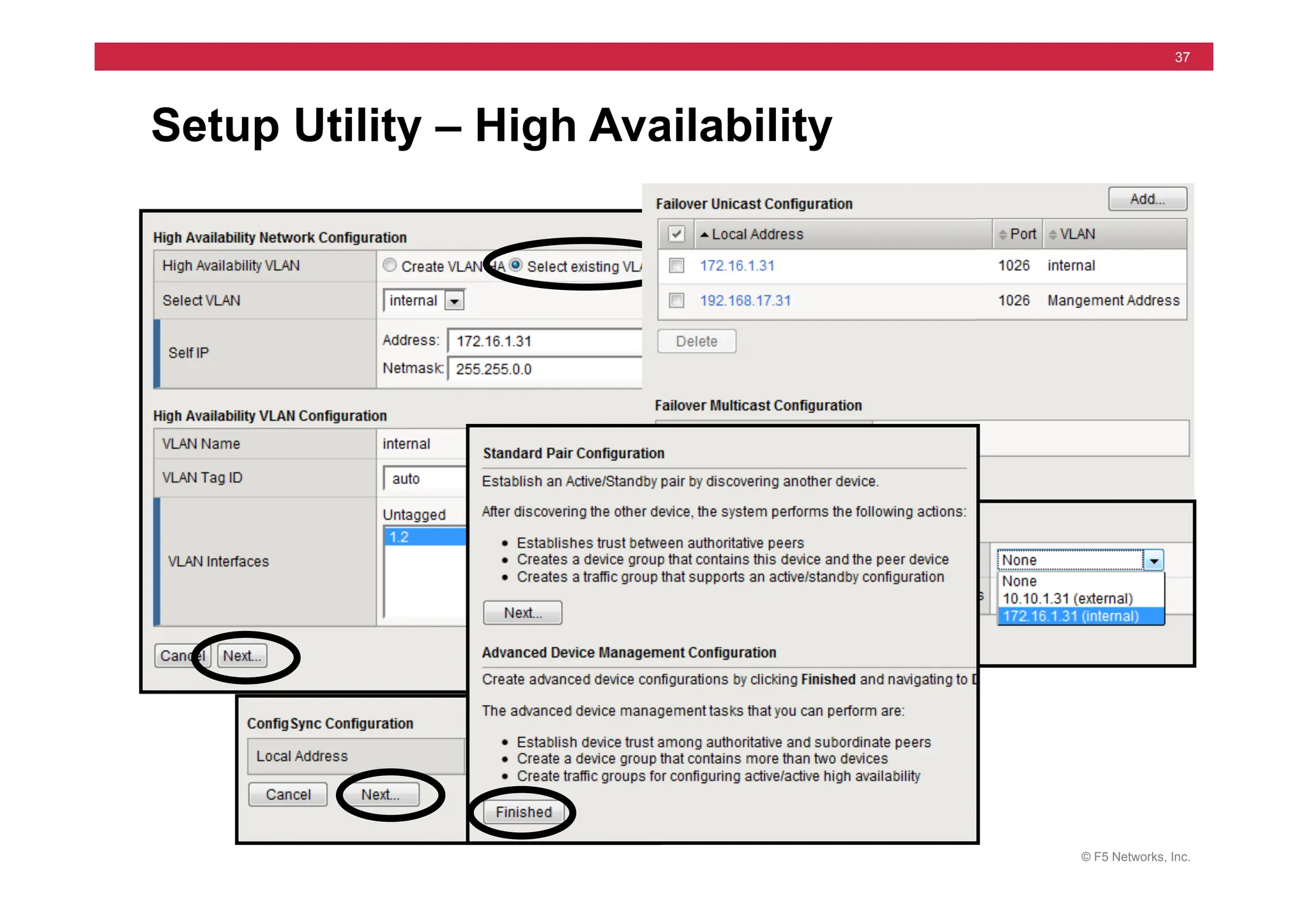
Load Balancing Labs Successfully configure and test the Round Robin, Ratio and Load Balancing with Priority Group Activation.
Module 3 – Monitors Introduce Monitors Learn the concepts and goals of monitors. Differentiate between monitor templates and user-defined monitors. 60 min
Monitor Labs Successfully assign a default and individual monitors to both nodes and pool members.
Module 4 – Profiles Introduce Profiles Learn the function and importance of profiles in effecting the way a given virtual server will process traffic.
Module 5 – Persistence Introduce Persistence Learn the concept of Persistence, and be able to discuss methods, advantages and disadvantages of source
address and cookie persistence.
75 min
Persistence Labs Successfully configure and implement source address and cookie persistence profiles.
Object Management Learn about managing node and node availability and when the BIG-IP LTM will direct traffic to a given
device.
Module 6 –
SSL Termination
Introduce Client and Server SSL
Profiles
Learn basic SSL Concepts, BIG-IP LTM SSL Proxy and Server SSL components. 60 min
SSL Profile Labs Successfully create client SSL profile using a self-signed certificate and associate it with an appropriate virtual
server.
END OF DAY ONE DAY 1 TOTAL: 6 ½ Hours.
© F5 Networks, Inc.
487
Instructor Setup Notes
Topic Lesson Instructional Objectives Time
Module 7 – Configuration
Project
Configuration Project In one cohesive Project, configure everything from the previous day; Virtual Servers, Pools, Monitors, Load
Balancing and Persistence.
60 min
Review Previous Day Review Lab Project results and the six Questions in Module 7
Module 8 – NATs and SNATs NATs Learn how Virtual Servers, NATs and SNATs provide complimentary address translation options. Learn the
features of NATs and SNATs and how they are configured.
75 min
NATs lab Successfully configure and use NATs
SNATs Introduction Learn the basic features of SNATs
SNATs Labs Successfully configure and use several SNATs.
Module 9 – iRules iRule Introduction Learn basic function and syntax of iRules. Learn about the events that drive iRules. 60 min
iRules Labs Successfully configure and use iRules that direct traffic to specific pools.
Module 10 – Installation of a
Redundant Pair
Introduce Redundant Pair Concepts Learn Redundant Pair concepts and how to configure a BIG-IP LTM System as either the Active or Standby box
of a Redundant Pair.
60 min
Setup Lab for a Redundant Pair Successfully configure both boxes of a Redundant Pair (one as Active and the other as Standby).
Synchronization Lab Successfully synchronize the configuration of the two boxes
Module 11 – High Availability Introduce Failover Concepts Learn the conditions that will automatically trigger a failover and how to configure BIG-IP LTM System to
automatically detect these conditions.
105 min
Failover Labs Successfully configure and test VLAN Arming and compare hard-wired and network failover.
Introduce Stateful failover options Learn the concept mirroring connection and persistence information.
Mirroring Labs Successfully configure and test Connection and Persistence Mirroring on a Redundant Pair of BIG-IP LTMs.
MAC Masquerading Learn the concept of MAC Masquerading
Lab on MAC Masquerading Successfully configure and test MAC Masquerading during a failover between a Redundant Pair of BIG-IP
LTMs.
Module 12 – Maintaining BIG-IP
LTM
Introduce F5 resources that help
with support.
Learn about tcpdump, qkview, and Ask F5. 30 min
Next courses & class review Review topics in this course, by answering test questions.
END OF DAY TWO DAY 2 TOTAL: 6 ½ Hours.
© F5 Networks, Inc.
488
Instructor Setup Notes
Module Pg # Time Change
1 Make hardware it’s own section after install lab and also separate the SCCP / AOM lab
more from install and cleanup
2-6 Minor edits & ppt changes
Day 2
7 – 12 Minor edits & ppt changes
Appx A – D Minor edits
Module Pg # Time Change
Preface – Mod 1 Minor edits only, new products added
2 – Load Balance Added section and lab steps for Network Map
3 – 6 Minor edits only
Day 2
7, 9, 10 & 12 Minor edits only
8 – SNATs Changed ppt slides and lab steps to flow better. Main focus is on SNAT changing source
address. Discussion about SNAT being a “listener” moved to Adv course.
11 – Failover Screen changes in ppt and lab step changes.
Appendix A – C Minor edits only
Appendix D Added HTTP basics section in case students need it.
© F5 Networks, Inc.
489
Instructor Setup Notes
• 13th Edit – v11.0.0 Dec 2011
• 12th Edit – v10.0.0 June 2009
• 11th Edit – v9.4.5 Feb 2009
• 10th Edit – v9.4.4 June 2008
• 9th Edit – v9.3.1 July 2007
• 8th Edit – v9.2.3 June 2006
© F5 Networks, Inc.
490
Instructor Lab Setup Notes
• See notes pages below
© F5 Networks, Inc.
491
Instructor Lab Setup Notes
Example A
Example B
© F5 Networks, Inc.
492
Instructor Lab Setup Notes
Internal Shared Alias
172.16.##.33
255.255.0.0
The Servers should boot with the following routes:
route add -net 10.10.1 -netmask 255.255.255.0 -gateway 172.16.1.33
route add -net 10.10.2 -netmask 255.255.255.0 -gateway 172.16.2.33
route add -net 10.10.3 -netmask 255.255.255.0 -gateway 172.16.3.33
route add -net 10.10.4 -netmask 255.255.255.0 -gateway 172.16.4.33
route add -net 10.10.5 -netmask 255.255.255.0 -gateway 172.16.5.33
route add -net 10.10.6 -netmask 255.255.255.0 -gateway 172.16.6.33
route add -net 10.10.7 -netmask 255.255.255.0 -gateway 172.16.7.33
route add -net 10.10.8 -netmask 255.255.255.0 -gateway 172.16.8.33
route add -net 10.10.9 -netmask 255.255.255.0 -gateway 172.16.9.33
route add -net 10.10.10 -netmask 255.255.255.0 -gateway 172.16.10.33
route add -net 10.10.11 -netmask 255.255.255.0 -gateway 172.16.11.33
route add -net 10.10.12 -netmask 255.255.255.0 -gateway 172.16.12.33
route add -net 10.10.13 -netmask 255.255.255.0 -gateway 172.16.13.33
route add -net 10.10.14 -netmask 255.255.255.0 -gateway 172.16.14.33
route add -net 10.10.15 -netmask 255.255.255.0 -gateway 172.16.15.33
route add -net 10.10.16 -netmask 255.255.255.0 -gateway 172.16.16.33
route add -net 10.10.17 -netmask 255.255.255.0 -gateway 172.16.17.33
Server
172.16.20.1
255.255.0.0
FTP Server
Web Server
(80 & 443)
SSH Server
Server
172.16.20.2
255.255.0.0
FTP Server
Web Server
(80 & 443)
SSH Server
Server
172.16.20.3
255.255.0.0
FTP Server
Web Server
(80 & 443)
SSH Server
External Shared Alias
10.10.##.33
255.255.0.0
10.10.##.31
255.255.0.0
172.16.##.31
255.255.0.0
10.10.##.32
255.255.0.0
172.16.##.32
255.255.0.0
Servers
BIG-IP ##
Station ##
IP Address
10.10.##.30
255.255.0.0
Default Route
10.10.##.33
© 2011 F5 Networks, Inc. All rights reserved. F5, F5 Networks, the F5 logo, BIG-IP, ARX, FirePass, iControl, iRules, TMOS,
and VIPRION are registered trademarks of F5 Networks, Inc. in the U.S. and in certain other countries

F5 - Configuring BIG-IP LTM v11 - Instructor PPT.pdf

  • 1.
    Configuring BIG-IP LTMv11 12/19/2011 Uploaded by Foucss learnflakes.net
  • 2.
    © F5 Networks,Inc. 2 Introductions Instructor: – Name: – Experience: Students: – Name: – Company: – Job Title: – Network Experience: – Industry Experience: – F5 Product Exposure:
  • 3.
    © F5 Networks,Inc. 3 Classroom Facilities • Emergencies • Class Roster/Sign In • Cell phones, email and internet use • Breaks and lunch • Punctuality • Side conversations • Food and beverages • Parking • Restrooms • Smoking
  • 4.
    © F5 Networks,Inc. 4 • BIG-IP Product Family (Application Delivery Controller) • ARX Series (File Virtualization) • Enterprise Manager (F5 Device Management) Product Offerings
  • 5.
    © F5 Networks,Inc. 5 BIG-IP Traffic Management Operating System (TMOS) Clients TMOS  Overview Full  Application  Proxy Syn Syn/Ack Ack Client  data Ack Client   data Server response Servers (nodes) Client  side profile Server  side profile TCP Syn/Ack Syn
  • 6.
    © F5 Networks,Inc. 6 BIG-IP Local Traffic Manager Local Load Balancing • Load balance traffic • Monitor server status • iRules LTM
  • 7.
    © F5 Networks,Inc. 7 BIG-IP GTM Wide Area Load Balancing • Resolve DNS Queries to Best Answer • Monitor Server Status • Example: Resolve www.f5.com 207.46.134.222 65.197.145.183 143.166.83.200 Company Data Center and Servers www.f5.com = ? 65.197.145.183 www.f5.com = ? 143.166.83.200 GTM
  • 8.
    © F5 Networks,Inc. 8 BIG-IP Access Policy Manager (APM) Application servers Web servers E-mail servers Terminal servers Mobile • Client Machine • Authentication Policy Manager Access Manager File servers Local Remote • Which resources Authentication server APM
  • 9.
    © F5 Networks,Inc. 9 • Positive and Negative Security Logic • Application Learning • Attack Signatures • Deployment Wizard • Policy Builder • XML and JSON Support • Full Reporting BIG-IP Application Security Manager 207.17.117.25 192.168.10.1 ASM Virtual Server
  • 10.
    © F5 Networks,Inc. 10 Link Load Balancing BIG-IP Link Controller ISP #1 ISP #2 • Outbound Links • Inbound Links • Load Balance Servers Link Controller
  • 11.
    © F5 Networks,Inc. 11 Client Client Primary Data Center Remote Data Center Internet or WAN BIG-IP Local Traffic Manager +WAN Optimization Manager BIG-IP Local Traffic Manager +WAN Optimization Manager BIG-IP WAN Optimization Manager (WOM) and WebAccelerator (WA) • Cache closer to client (WA) • TCP profiles reduce packet loss and latency (LTM) • Data deduplication (WOM) • Compression when sending data (WOM) • Increase TCP connections for faster content delivery (WA)
  • 12.
    © F5 Networks,Inc. 12 • BIG-IP Edge Gateway includes: • Application Security Manager • WAN Optimization Manager • WebAccelerator Module (WAM) BIG-IP Edge Gateway
  • 13.
    © F5 Networks,Inc. 13 Adaptive Resource Switch (ARX) Decouples logical access from physical file locations • Data Migration • Storage Tiering • Load Balancing • Data Replication
  • 14.
    © F5 Networks,Inc. 14 ARX Cloud Extender (CE) • Cloud storage tier for file data • Communicates with native cloud protocols • Requires ARX ownership/purchase, not sold stand-alone Local File Storage Private Cloud Cloud Storage Provider ARX Windows Server running ARX CE Users and Applications
  • 15.
    © F5 Networks,Inc. 15 • Software platform for data management services • Creates file system inventories and reports • Monitors storage usage • Provides statistics and trend reports • Assists deployment with script creation F5 Data Manager (DM)
  • 16.
    © F5 Networks,Inc. 16 Enterprise Manager (EM) • Device Inventory • Software Installs • Configuration Backup • ASM Policy Synch and Attack Signatures • SSL Certificate Monitoring • Performance Monitoring • Enable/Disable Objects Enterprise Manager WebAccelerator LTM GTM ASM Edge Gateway WOM Link Controller Centralized Management
  • 17.
    © F5 Networks,Inc. 17 BIG-IP Platforms " " " " BIG-IP 3900 Quad  core  CPU   " " " BIG-IP 6900 2x  Dual  core  CPU   " " " BIG-IP 8900 2x  Quad  core  CPU   " " " BIG-IP 11000 2x  Hex  core  CPU         BIG-IP 1600 Dual  core  CPU           BIG-IP 3600 Dual  core  CPU   VIPRION 2400 "                                Quad  core  CPU  /                          2100  Blades  (4x)   Applica=on  Switch   " " " VIPRION 4400" 2x  Quad  core  CPU  /   4200  Blades    (4x)   VIPRION  Chassis   Production ! Lab ! Virtual  Edi=ons   Price   Func=on  /  Performance  
  • 18.
    © F5 Networks,Inc. 18 ARX Series Data Manager Workgroup Departmental Enterprise ARX4000 ARX VE ARX2000 ARX2500 ARX1500 ARX Cloud Extender Price   Scale  /  Performance  
  • 19.
    © F5 Networks,Inc. 19 • LTM VE • GTM VE • ASM VE • APM VE • WAM VE • WOM VE • ARX VE • FirePass VE • EM VE Virtual Edition (VE)
  • 20.
    © F5 Networks,Inc. 20 • Getting Started F5 Services • Technical Support Services • Professional Services • Global Training Services
  • 21.
    © F5 Networks,Inc. 21 • Essentials • What’s New • Technology Overview F5 University
  • 22.
    © F5 Networks,Inc. 22 • Release notes • Product manuals • Known solutions • Hotfix information • Downloads • EOL products • Upgrades AskF5 Knowledge Base
  • 23.
    © F5 Networks,Inc. 23 http://devcentral.f5.com/ • F5 blogs, Wiki, podcasts, tutorials, discussion forums • Tech tips, code sharing, developer resources, daily news • Participation in DevCentral is free, but requires registration DevCentral
  • 24.
    © F5 Networks,Inc. 24 • Diagnostics • Health Viewer • qkview files iHealth
  • 25.
    © F5 Networks,Inc. 25 Course Outline 1. Installation 2. Load Balancing 3. Health Monitors 4. Profiles 5. Persistence 6. Processing SSL Traffic 7. Lab Project 1 8. NATs and SNATs 9. iRules 10. High Availability 11. High Availability Part 2 Day 1 Day 2
  • 26.
    © F5 Networks,Inc. 26 Course Outline 12. Command Line – tmsh 13. Administration 14. Administration part 2 15. Profiles part 2 16. iApps 17. Virtual Servers part 2 18. SNATs part 2 19. Monitors part 2 20. Persistence part 2 21. iRules part 2 22. Lab Project 2 Day 3 Day 4
  • 27.
    © F5 Networks,Inc. 27 Module 1 - Installation Internet B I G - I P LTMs Clients Servers
  • 28.
    © F5 Networks,Inc. 28 Module 1 - Outline • MGMT IP Address • Setup Utility • Licensing • Provisioning • Standard Network Config • Install Lab • BIG-IP Platforms • AskF5 • SCCP / AOM Lab
  • 29.
    © F5 Networks,Inc. 29 BIG-IP Chassis Front (3600) • Tri-Speed Ethernet Ports • Auto Sensing • Numbering: Top to Bottom, Left to Right • 2 Gigabit SFP Ports • Management (MGMT) Port is eth0 USB Failover Ethernet MGMT Console LCD Panel Gigabit SFP Controls Fan Ports
  • 30.
    © F5 Networks,Inc. 30 config Utility Initial IP Address is 192.168.1.245
  • 31.
    © F5 Networks,Inc. 31 BIG-IP Setup Utility • Licensing • Provisioning • Root & Admin passwords • Standard Network Config • IP Addresses • VLAN Interfaces • Redundancy • Config Sync • Mirroring
  • 32.
    © F5 Networks,Inc. 32 Internet   License Process – Automated •    Ac=vate  to  Begin   •    Enter  Registra=on  Key   •    Select  Parameters   •    Get  License  from  F5   •    Run  Setup  U=lity   •    Reboot   PC   BIG-­‐IP   License  the  system   F5  License  Server   ac5vate.F5.com  
  • 33.
    © F5 Networks,Inc. 33 License Process – Manual PC   BIG-­‐IP   F5  License  Server   ac5vate.F5.com   Internet   •  Select  “Manual”   •  Copy  Dossier  Locally   •  Move  PC     •  Send  Dossier  to  License  Server   •  Get  License  from  F5   •  Copy  License  to  BIG-­‐IP  System   •  Run  Setup  U=lity   •  Reboot   License  the  system   PC  
  • 34.
    © F5 Networks,Inc. 34 Provisioning • Manage Resources by Module • LTM usually provisioned
  • 35.
    © F5 Networks,Inc. 35 Management Port & User Admin https://Management IP Address
  • 36.
    © F5 Networks,Inc. 36 Standard Network Config
  • 37.
    © F5 Networks,Inc. 37 Setup Utility – High Availability
  • 38.
    © F5 Networks,Inc. 38 Web Configuration Utility For LTM
  • 39.
    © F5 Networks,Inc. 39 Setup / Configuration Access Two Interfaces: • Web Interface • HTTPS (remote) • Command Line • SSH (remote) • Management Port • Self-IPs • SCCP / AOM • Serial Terminal
  • 40.
    © F5 Networks,Inc. 40 BIG-IP Backup Process • Stores Configuration • UCS files: User Configuration Set • UCS files include license
  • 41.
    © F5 Networks,Inc. 41 Installa5on  Labs  –  Physical  Machines     Config  U5lity:   1. MGMT  IP  -­‐  192.168.X.31       Setup  U5lity:   1. hMps://192.168.X.31   2. Ac5vate  License  &  Provision  LTM   3. Passwords  –  rootX,  adminX   4. Network  Failover   5. Internal  VLAN  172.16.X.31  &  33   6. External  VLAN  10.10.X.31  &  33   7. HA  VLAN  select  Internal   Test  Access  &  Backup:   1. hMps://10.10.X.31   2. ssh  to  10.10.X.31   3. Create  TrainX_base.ucs   Internal  172.16.X.31   Floa5ng  172.16.X.33   Pages  1-­‐9  !  1-­‐19   172.16.20.1   Internet   172.16.20.3   172.16.20.2   External  10.10.X.31   Floa5ng  10.10.X.33   MGMT   192.168.X.31  
  • 42.
    © F5 Networks,Inc. 42 Installa5on  Labs  –  Remote  to  London   Config  U5lity:   1. MGMT  IP  -­‐  192.168.X.31   2. Get  License  files  from:  192.168.253.1       Setup  U5lity:   1. hMps://192.168.X.31   2. Ac5vate  License  &  Provision  LTM   3. Passwords  –  rootX,  adminX   4. Network  Failover   5. Internal  VLAN  172.16.X.31  &  33   6. External  VLAN  10.10.X.31  &  33   7. HA  VLAN  select  Internal   Test  Access  &  Backup:   1. hMps://10.10.X.31   2. ssh  to  10.10.X.31   3. Create  TrainX_base.ucs   Internal  172.16.X.31   Floa5ng  172.16.X.33   Pages  1-­‐9  !  1-­‐19   172.16.20.1   Internet   172.16.20.3   172.16.20.2   External  10.10.X.31   Floa5ng  10.10.X.33   MGMT   192.168.X.31  
  • 43.
    © F5 Networks,Inc. 43 BIG-IP Hardware Platforms • 11000  (3U)  Series   – 2X  hex  core  CPUs,  32  G  Ram,     10X  10Gig  ports,  Dual  Power   • 8900  (2U)  Series   – 2X  quad  core  CPUs,  16  G  Ram,     16X  ports,  2X10Gig,  Dual  Power   • 6900  (2U)  &  3900  (1U)  Series   – 4  core  CPUs,  8G  Ram,  8-­‐16  ports   • 3600  (1U)  &  1600  (1U)  Series   – 2  core  CPUs,  4G  Ram,  4-­‐8  ports   • Integrated  SSL  Accelera5on   • LCD  panel  control  interface   • For  current  info  -­‐>  hMp://www.f5.com   8900   1600  
  • 44.
    © F5 Networks,Inc. 44 3600 platform inside All one board A. Processor B. SSL chip A B C. AOM C D D. 8G CF card
  • 45.
    © F5 Networks,Inc. 45 BIG-IP VIPRION • Viprion 4400 (7U) Chassis – 4X Power Supplies • Viprion 4200 Blades – 2X quad core CPUs, 16 G Ram, 8X 1Gig and 12X10Gig ports • Viprion 2400 (4U) Chassis – 2X Power Supplies • Viprion 2100 Blades – 1X quad core CPUs, 16 G Ram, 8X10Gig ports
  • 46.
    © F5 Networks,Inc. 46 Add-on Hardware Orderable • Redundant Power Supply • FIPS SSL Accelerator card • Small Form Pluggable (SFP) • RAM Customer Replaceable • Power Supply • Fan Chassis • RAID disk on some platforms
  • 47.
    © F5 Networks,Inc. 47 BIG-IP Software versions LTM, GTM, LC, ASM, WAM Y Y APM, WOM, EGW, LTM VE V10.1 Y VE for GTM, ASM, APM, WOM N Y Hardware V10.x V11.x VIPRION 4400 Y Y VIPRION 2400 V10.2 Y 8900, 6900, 3900, 3600, 1600 Y Y 11000 V10.2 Y 3400,1500 Y No
  • 48.
    © F5 Networks,Inc. 48 SCCP and AOM Separate Linux System Lights out Management SCCP (previous platforms) 1500, 3400, 6400 & 8800 AOM (new platforms) 1600, 3600, 6900 & 8900 TMM is BIG-IP TMM AOM
  • 49.
    © F5 Networks,Inc. 49 SCCP and AOM Network config • Keystroke to Access – Esc ( • Set IP Address (Serial Console)
  • 50.
    © F5 Networks,Inc. 50 • Case Creation via the support web portal • Telephone • Web Portal at Ask F5 • Information Needed • System Serial Number • Problem Description and Impact • Contact Information • Product Documentation • See Solutions 135 and 2486 Working with F5 Support
  • 51.
    © F5 Networks,Inc. 51 Ask F5 – http://tech.f5.com
  • 52.
    © F5 Networks,Inc. 52 Ask F5 – SOL135
  • 53.
    © F5 Networks,Inc. 53 • tech.out file (qkview) • Log files • Packet traces (tcpdump) • UCS archive • Core files Product Specific Information
  • 54.
    © F5 Networks,Inc. 54 Op5onal:    AOM  Lab   Add  IP  Address:   1. Keystroke  –  Esc  (            !  ESC  Shig-­‐9   2. Serial  console  op5on  N   3. Configure  192.168.X.35   4. ssh  to  192.16.X.35   Reboot  from  AOM:   1. Reboot  for  license   2. Note:    Connec5on  not  lost   AskF5:   1. Read  several  Solu5ons   Host  MGMT  IP   192.168.X.31   Page  1-­‐23   AOM  IP   192.168.X.35   TMM   AOM  
  • 55.
    © F5 Networks,Inc. 55 Module 2 – Load Balancing 1   2   3   4   5   6   7   8   Internet  
  • 56.
    © F5 Networks,Inc. 56 Module 2 – Outline • Virtual Servers, Members & Nodes • Configuring Virtual Servers & Pools • Virtual Server & Pool Lab • Network Map • Load Balancing Modes • Configuring Load Balancing • Load Balancing Labs
  • 57.
    © F5 Networks,Inc. 57 Pools, Members and Nodes 172.16.20.1   172.16.20.2   172.16.20.3   Node    =  IP  address   :80   :80   :80   Pool  Member  =  Node  +  Port   Pool  =  Group  of  pool  members  
  • 58.
    © F5 Networks,Inc. 58 Virtual Server Internet   Virtual  Server   • IP  Address  +  Service  (Port)   Combina5on   • “Listens”  for  and  manages   traffic     • Normally  Associated  with  a   Pool   216.34.94.17:80   Pool  Members  
  • 59.
    © F5 Networks,Inc. 59 Virtual Server to Pool Members Internet   Virtual  Server   216.34.94.17:80   Pool   Members   Maps   to  
  • 60.
    © F5 Networks,Inc. 60 Virtual Server - Address Translation Actual  Server  Address:     Pool  Members   Network   Address   Transla5on   Virtual  Server   Internet   216.34.94.17:80   1 7 2 . 1 6 . 2 0 . 4 : 8 0 8 0   1 7 2 . 1 6 . 2 0 . 1 : 8 0   1 7 2 . 1 6 . 2 0 . 2 : 4 0 0 2   1 7 2 . 1 6 . 2 0 . 3 : 8 0  
  • 61.
    © F5 Networks,Inc. 61 Network Flow - Packet #1 resolves  www.f5.com  to   BIG-­‐IP  LTM  Virtual  Server   Address  216.34.94.17       Internet   www.f5.com   DNS  Server   216.34.94.17:80  
  • 62.
    © F5 Networks,Inc. 62 Network Flow - Packet #1 LTM  translates  Dest   Address  to  Node  based  on   Load  Balancing   Internet   Packet  #  1       Src  -­‐  207.17.117.20:4003   Dest  –  216.34.94.17:80   Packet  #  1       Src  –  207.17.117.20:4003   Dest  –  172.16.20.1:80   207.17.117.20   216.34.94.17:80  
  • 63.
    © F5 Networks,Inc. 63 Network Flow – Packet #1 Return LTM  translates  Src  Address   back  to  Virtual  Server   Address   Internet   Packet  #  1  -­‐  return     Dest  -­‐  207.17.117.20:4003   Src  –  216.34.94.17:80   Packet  #  1  -­‐  return     Dest  –  207.17.117.20:4003   Src  –  172.16.20.1:80   207.17.117.20   216.34.94.17:80  
  • 64.
    © F5 Networks,Inc. 64 Network Flow - Packet #2 Internet   Packet  #  2       Src  -­‐  207.17.117.21:4003   Dest  –  216.34.94.17:80   Packet  #  2       Src  –  207.17.117.21:4003   Dest  –  172.16.20.2:4002   207.17.117.21   216.34.94.17:80  
  • 65.
    © F5 Networks,Inc. 65 Network Flow – Packet #2 Return Internet   Packet  #  2  -­‐  return     Dest  -­‐  207.17.117.21:4003   Src  –  216.34.94.17:80   Packet  #  2  -­‐  return     Dest  –  207.17.117.21:4003   Src  –  172.16.20.2:4002   207.17.117.21   216.34.94.17:80  
  • 66.
    © F5 Networks,Inc. 66 Network Flow - Packet #3 Internet   Packet  #  3       Src  -­‐  207.17.117.25:4003   Dest  –  216.34.94.17:80   Packet  #  3       Src  –  207.17.117.25:4003   Dest  –  172.16.20.4:8080   207.17.117.25   216.34.94.17:80  
  • 67.
    © F5 Networks,Inc. 67 Network Flow – Packet #3 Return Internet   Packet  #  3  -­‐  return     Dest  -­‐  207.17.117.25:4003   Src  –  216.34.94.17:80   Packet  #  3  -­‐  return     Dest  –  207.17.117.25:4003   Src  –  172.16.20.4:8080   207.17.117.25   216.34.94.17  
  • 68.
    © F5 Networks,Inc. 68 More than NAT – Full Proxy Architecture Internet   Syn,  Syn-­‐Ack,  Ack   Client  Data   Syn,  Syn-­‐Ack,  Ack   Server   Response   Separate  Client  and   Server  connec5ons   More  on  this  later  
  • 69.
    © F5 Networks,Inc. 69 Configuring Pools
  • 70.
    © F5 Networks,Inc. 70 Configuring Virtual Servers Scroll down
  • 71.
    © F5 Networks,Inc. 71 Statistics • Summary • Virtual Servers • Pools • Nodes
  • 72.
    © F5 Networks,Inc. 72 Logs
  • 73.
    © F5 Networks,Inc. 73 Virtual Servers & Pools Lab Pool:   1. hMp_pool  @  172.16.20.1  -­‐-­‐  3:80   Virtual  Server:   1. vs_hMp  -­‐  10.10.X.100:80   2. Resource  -­‐  hMp_pool   Test:   1. Connect  to  VS  &  Refresh     2. bigtop  and  Sta5s5cs   Virtual  Server:   1. vs_hMps  -­‐  10.10.X.100:443   2. hMps_pool  @  172.16.20.1-­‐3  :443   Check  BIG-­‐IP  LTM  Sta5s5cs:   Pages  2-­‐6  !  2-­‐10   172.16.20.1   Internet   172.16.20.3   172.16.20.2   10.10.X.100  
  • 74.
    © F5 Networks,Inc. 74 Network Map
  • 75.
    © F5 Networks,Inc. 75 Load Balancing Modes • Round  Robin   • Ra5o       • Least  Connec5ons   • Fastest   • Observed   • Predic5ve   • Dynamic  Ra5o       • Priority  Group  Ac5va5on   • Fallback  Host   Sta5c   Dynamic   F a i l u r e   Mechanisms  
  • 76.
    © F5 Networks,Inc. 76 Round Robin Clients   Router   Members   Client  requests  are   distributed  evenly   1   2   3   4   5   6   7   8   Internet   BIG-­‐IP  LTM  
  • 77.
    © F5 Networks,Inc. 77 Ratio Clients   Router   Members   Internet   BIG-­‐IP  LTM   1   2   3   4   8   9   10   11   5   7   12   14   6   13   If  ra5o  set  to  3:2:1:1  
  • 78.
    © F5 Networks,Inc. 78 Least Connections Next  requests  goes  to   device  with  fewest  open   connec5ons   Clients   Router   Members   Internet   BIG-­‐IP  LTM   1   2   Current  Connec5ons   3   4   5   6   459   461   460   470  
  • 79.
    © F5 Networks,Inc. 79 Least Connections Next  requests  goes  to   device  with  fewest  open   connec5ons   Clients   Router   Members   Internet   BIG-­‐IP  LTM   1   2   Current  Connec5ons   3   4   5   6   459   461   460   470   461   460   462   462   461   462  
  • 80.
    © F5 Networks,Inc. 80 Least Connections Some  5me  later,  number   of  connec5ons  change   Clients   Router   Members   Internet   BIG-­‐IP  LTM   Current  Connec5ons   421   113   213   113   112   114   114   61   63   62  
  • 81.
    © F5 Networks,Inc. 81 Fastest Next  request  to  the   member  with  fewest   outstanding  layer  7  requests   Clients   Router   Members   Internet   BIG-­‐IP  LTM   2   5   1   4   3   6   10  req      10  req          10  req        17  req  
  • 82.
    © F5 Networks,Inc. 82 Fastest Some  5me  later,  request   count  changes   Clients   Router   Members   Internet   BIG-­‐IP  LTM   10  req      10  req            7  req          7  req   102   104   101   103  
  • 83.
    © F5 Networks,Inc. 83 Least Sessions Next  request  to  the   member  with  fewest     exis5ng  persistence  records   Clients   Router   Members   Internet   BIG-­‐IP  LTM   2   5   1   4   3   6   10  per      10  per        10  per        17  per  
  • 84.
    © F5 Networks,Inc. 84 Weighted Least Connections Next  request  to  the   member  with  fewest   connec5ons  percentage   based  on  its  connec5on   limit.   Clients   Router   Members   Internet   BIG-­‐IP  LTM   2   1   50%                    40%            40%                  60%   50%                    50%            50%                  60%   50%                    50%            40%                  60%   Capacity  
  • 85.
    © F5 Networks,Inc. 85 Observed Servers  are  dynamically   assigned  ra5os  based  on   past  load.    Requests  are   distributed  based  on  the   current  ra5o  values.     Clients   Router   Members   Internet   BIG-­‐IP  LTM   1   2      2                            3                            3                              2  
  • 86.
    © F5 Networks,Inc. 86 Predictive Servers  are  dynamically   assigned  ra5os  based  on   past  load.    Requests  are   distributed  based  on  the   current  ra5o  values.     Clients   Router   Members   Internet   BIG-­‐IP  LTM   1   2      1                          4                            1                              4  
  • 87.
    © F5 Networks,Inc. 87 Priority Group Activation Clients   Router   Server   Pool   1   3   5   2   4   6   Internet   Priority  5   Priority  10   With  Priority  Group   Ac5va5on  set  to  2,  and  3  of   highest  priority  members   available,  lower  priority   members  aren’t  used.   BIG-­‐IP  LTM  
  • 88.
    © F5 Networks,Inc. 88 Priority Group Activation Clients   Router   Server   Pool   Internet   Priority  5   Priority  10   If  number  of  members  falls   below  Priority  Group   Ac5va5on  (2),  next  highest   priority  members  are  used   also.   BIG-­‐IP  LTM   5   1   2   6   3   7   4   8  
  • 89.
    © F5 Networks,Inc. 89 Fallback Host (http) If  all  members  fail,  then   client  can  be  sent  an  hMp   redirect.   Clients   Router   Members   Internet   BIG-­‐IP  LTM  
  • 90.
    © F5 Networks,Inc. 90 Pool Member vs. Node Load Balancing by: • Pool Member • IP Address & service • Node • Total services for one IP Address
  • 91.
    © F5 Networks,Inc. 91 If  using  Member   Internet   Next  connec5on  request  to   member  with  fewest   connec5ons   Current  Connec5ons   http 107 108 99 ftp 2 3 25 1   2   If  hMp  pool  uses  Least   Connec5ons  (member)  load   balancing  method,  then…  
  • 92.
    © F5 Networks,Inc. 92 If  using  Node   1   2   Internet   Next  connec5on  request  to   node  with  fewest  current   connec5ons   Current  Connec5ons   http 107 108 99 ftp 2 3 25 If  hMp  pool  uses  Least   Connec5ons  (node)  load   balancing  method,  then…  
  • 93.
    © F5 Networks,Inc. 93 Configuring Load Balancing
  • 94.
    © F5 Networks,Inc. 94 Ratio & Priority Group Activation
  • 95.
    © F5 Networks,Inc. 95 Ratios for Member & Node Ra5o  for   Members  
  • 96.
    © F5 Networks,Inc. 96 100  requests  distributed  how?  
  • 97.
    © F5 Networks,Inc. 97 100  requests  #2  distributed  how?  
  • 98.
    © F5 Networks,Inc. 98 100  requests  #3  distributed  how?  
  • 99.
    © F5 Networks,Inc. 99 100  requests  #4  distributed  how?  
  • 100.
    © F5 Networks,Inc. 100 Load  Balancing  Labs   Explore  Network  Map   Ra5o  (member)   1. 172.16.20.1:80  r1  p1   2. 172.16.20.2:80  r2  p1   3. 172.16.20.3:80  r3  p1   Priority  Group  Ac5va5on   1. 172.16.20.1:80  r1  p1   2. 172.16.20.2:80  r2  p4   3. 172.16.20.3:80  r3  p4   Ra5o  (node)  -­‐  (Op5onal)   1. 172.16.20.2  ra5o  =  5       Member  Threshold  -­‐  (Op5onal)   1. Set  Connec5on  limit  =  1  on  172.16.20.3:80   Pages  2-­‐18!  2-­‐22   172.16.20.1   Internet   172.16.20.3   172.16.20.2   10.10.X.100  
  • 101.
    © F5 Networks,Inc. 101 Module 3 – Monitors Internet   172.16.20.3:80  
  • 102.
    © F5 Networks,Inc. 102 Module 3 - Outline • Monitor Concepts • Configuring Monitors • Assigning Monitors • Status: Node, Member, Pool, Virtual Server • Health Monitor Labs
  • 103.
    © F5 Networks,Inc. 103 Monitor Concepts • Address Check • Node – IP Address • Service Check • IP : port • Content Check • IP : port plus check data returned • Interactive Check • Path Check
  • 104.
    © F5 Networks,Inc. 104 Address Check • Packets sent to IP Address • If no response, Node unavailable • Members Unavailable • No Connections to Members • Example: ICMP Internet   ICMP  
  • 105.
    © F5 Networks,Inc. 105 Service Check • TCP connection opened and closed • If connection fails, Member Unavailable • No Connections to Member • Example – TCP Internet   T C P   Connec5on  
  • 106.
    © F5 Networks,Inc. 106 Content Check • TCP connection opened • Command Sent • Response Examined • Connection Closed • If connection or response fails, Member Unavailable • No Connections to Member • Example – HTTP Internet   HTTP  GET  
  • 107.
    © F5 Networks,Inc. 107 Interactive Check • TCP connection(s) opened • Command(s) Sent • Response(s) Examined • Connection(s) Closed • If the Condition fails, Member Unavailable • No Connections to Member • Example – External Internet   Conversa5on  
  • 108.
    © F5 Networks,Inc. 108 Path Check ISP2   ISP1   ISP1   www.f5.com   BIG-­‐IP  LTM   • Two Destinations • First Hop (device to test) • End Point (trusted site) • Packet through first hop to End point • If no response, Member Unavailable • No Connections to Member • Example – ICMP
  • 109.
    © F5 Networks,Inc. 109 Configuring Monitors • System Supplied Monitors (Templates) • Address Checks (icmp) • Service Checks (tcp) • Content Checks (http) • Interactive Checks (ftp) • Availability: • Templates can be Customized • Some Must be Customized before Assignment • Some Should be Customized before Assignment
  • 110.
    © F5 Networks,Inc. 110 Creating Custom Monitors
  • 111.
    © F5 Networks,Inc. 111 Example Monitor Parameters: HTTP • Send String • Receive String • Receive Disable String • Reverse • Transparent
  • 112.
    © F5 Networks,Inc. 112 Monitor Timers • Frequency (Interval) • Timeout • Recommended: 3x + 1
  • 113.
    © F5 Networks,Inc. 113 Assigning Monitors • Default for all Nodes • Single Node Options • Node Default • Node Specific • None • Default all Members of a Pool • Single Pool Member Options • Inherit from Pool • Member Specific • None
  • 114.
    © F5 Networks,Inc. 114 Assigning Monitors to Nodes Each  Node   “All”  Nodes  
  • 115.
    © F5 Networks,Inc. 115 Assigning Monitors to Pools
  • 116.
    © F5 Networks,Inc. 116 Assigning Monitors to a Pool Member
  • 117.
    © F5 Networks,Inc. 117 Member and Node Status • Status  Op=ons   • Available  –  Green  Circle   • Offline  –  Red  Diamond   • Unknown  –  Blue  Square   • Connec=on  Limit  –  Yellow                                Triangle   • Parent-­‐Child  Rela=onship   • Node   • Member   • Pool   • Virtual  Server  
  • 118.
    © F5 Networks,Inc. 118 Performance Dashboard • Dashboard  Sta=s=cs   • Near  real-­‐=me     • Historical   • Performance   • Visually  displayed   • Graphs   • Gauges   • Tables   • Health   • Alerts   • Module  specific  gauges   • Available  for  Licensed  and  Provisioned  module   • Requires  Abode  Flash  Player  (version  9+)   • Customized  Views  
  • 119.
    © F5 Networks,Inc. 119 Performance Dashboard Screens
  • 120.
    © F5 Networks,Inc. 120 Health  Monitors  Labs   Node  associa5on:   1. Create  my_icmp  &  associate  nodes   Pool  &  Member  associa5on  :   1. Create  my_hMp  &  assign  to  hMp_pool   Pool  associa5on  :   1. Create  my_hMps  &  assign  to   hMps_pool   Check  status  in  Network  Map:   Page  3-­‐10  !  3-­‐15   172.16.20.1   Internet   172.16.20.3   172.16.20.2   10.10.X.100  
  • 121.
    © F5 Networks,Inc. 121 Module 4 – Profiles Internet   Virtual  Server   Profiles  determine  how  Virtual  Server   traffic  is  processed  on  BIG-­‐IP  LTM  
  • 122.
    © F5 Networks,Inc. 122 Module 4 – Outline • Profiles Concepts • Profile Dependencies • Profile Types • Configuring Profiles
  • 123.
    © F5 Networks,Inc. 123 Profile Concepts • Defines Desired Traffic Behavior • SSL Decryption • Compression • Persistence • Apply Behavior to Many Virtual Servers • Provided Templates • Applied Directly • Base of User-Defined Profile
  • 124.
    © F5 Networks,Inc. 124 Profile Example: Persistence 1   2   3   1   2   3  
  • 125.
    © F5 Networks,Inc. 125 Profile Example: SSL Termination Decrypted Encrypted
  • 126.
    © F5 Networks,Inc. 126 Profile Example: FTP Client  Begins  Control   Connec5on   Server  Begins     Data  Transfer  Connec5on  
  • 127.
    © F5 Networks,Inc. 127 Profile Dependencies Some  can’t  be   combined  in  one  VS   Some  dependent  on   others   Think  in  terms  of   OSI  Model   TCP   HTTP   Cookie   UDP   FTP   Network   Data  Link   Physical  
  • 128.
    © F5 Networks,Inc. 128 Profile Types • Services – Layer 7 oriented • Persistence – Session oriented • Protocol – Layer 4 oriented • SSL – Encryption oriented • Authentication – Security oriented • Other
  • 129.
    © F5 Networks,Inc. 129 Profile Configuration Concepts • Defaults Profiles • Stored in /config/profile_base.conf • Should Not be Modified • Cannot be Deleted • Custom Profiles • Stored in /config/bigip.conf • Created from Default Profiles • Dynamic Child and Parent relationship
  • 130.
    © F5 Networks,Inc. 130 Virtual Server Profiles • Virtual Servers all have a Layer 4 Profile • Defaults • Standard (TCP Protocol): TCP • Standard (UDP Protocol): UDP • Performance (Layer 4): fastL4 • Forwarding: fastL4
  • 131.
    © F5 Networks,Inc. 131 Configuring Profiles
  • 132.
    © F5 Networks,Inc. 132 Configuring Profiles • Name  and  Type   • Parent  and  Parameters   • Will  inherit  from   Parent   • Custom  (if  checked)   will  not  inherit  from   Parent   • Associate  with  a  Virtual   Server  
  • 133.
    © F5 Networks,Inc. 133 Configuring Profiles • Match  Across  Services  –  All   connec=ons  from  any  client  IP   going  to  same  VIP  will  go  to   same  node     • Match  Across  VS  –  All   connec=ons  from  the  same   client  IP  go  to  same  node   • Match  Across  Pools  –  System   can  use  any  pool  that  contains   this  persistence  record  
  • 134.
    © F5 Networks,Inc. 134 Module 5 - Persistence 1   2   3   1   2   3  
  • 135.
    © F5 Networks,Inc. 135 Module 5 – Outline • Source Address Persistence • Source Address Persist Lab • Cookie Persistence • Insert, Rewrite, & Passive • Cookie Persist Lab
  • 136.
    © F5 Networks,Inc. 136 Source Address Persistence • Based  on  Client  Source  IP  Address   • Netmask    -­‐>    Address  Range   1   2   3   1   2   3   205.229.151.10   205.229.152.11   If  Netmask  is   255.255.255.0   205.229.151.107  
  • 137.
    © F5 Networks,Inc. 137 Source Address Persistence • Type: Source Address • Parameters • Mirroring (Mod10) • Timeout • Mask • Associate with a Virtual Server
  • 138.
    © F5 Networks,Inc. 138 Associating with Virtual Server • New:    Resources  Sec=on   • Exis=ng:    Resources  Tab  
  • 139.
    © F5 Networks,Inc. 139 Source  Address  Persistence  Lab   Source  Address  persistence:   1. Create  Source  Address   Persistence  Profile   • Timeout  15   • Mask  –  255.255.255.0   2. Assign  persistence  profile  to   vs_hMps   Test   1. Connect  to  VS  &  Refresh     2. Sta5s5cs  /  Persist  Conn  /      IP  Addresses  -­‐  *     172.16.20.1   Internet   172.16.20.3   172.16.20.2   10.10.X.100   Pages  5-­‐4  !  5-­‐6  
  • 140.
    © F5 Networks,Inc. 140 Cookie Persistence • Insert mode • LTM Inserts Special Cookie in HTTP Response • Pool Name • Pool Member (encoded) • Rewrite mode • Web Server Creates a “blank” cookie • LTM Rewrites to make Special Cookie • Passive mode • Web Server Creates Special Cookie • LTM Passively lets it through
  • 141.
    © F5 Networks,Inc. 141 Client   Server   HTTP  request  (no  special  cookie)   TCP  handshake   TCP  handshake   HTTP  request  (no  special  cookie)   HTTP  reply  (no  special  cookie)   HTTP  reply  (with  inserted  cookie)   pick   server     HTTP  request  (with  same  cookie)   TCP  handshake   TCP  handshake   HTTP  request  (no  special  cookie)   HTTP  reply  (no  special  cookie)   HTTP  reply  (updated  cookie)   cookie   specifies   server     First   H it   Second   H it   Cookie Insert Mode
  • 142.
    © F5 Networks,Inc. 142 Client   Server   HTTP  request  (no  special  cookie)   TCP  handshake   TCP  handshake   HTTP  request  (no  special  cookie)   HTTP  reply  (with  blank  cookie)   HTTP  reply  (with  rewriMen  cookie)   pick   server     HTTP  request  (with  same  cookie)   TCP  handshake   TCP  handshake   HTTP  request  (with  same  cookie)   HTTP  reply  (with  blank  cookie)   HTTP  reply  (with  updated  cookie)   cookie   specifies   server     First   H it   Second   H it   Cookie Rewrite Mode
  • 143.
    © F5 Networks,Inc. 143 Client   Server   HTTP  request  (no  special  cookie)   TCP  handshake   TCP  handshake   HTTP  request  (no  special  cookie)   HTTP  reply  (with  special  cookie)   HTTP  reply  (with  special  cookie)   pick   server     HTTP  request  (with  same  cookie)   TCP  handshake   TCP  handshake   HTTP  request  (with  same  cookie)   HTTP  reply  (with  special  cookie)   HTTP  reply  (with  special  cookie)   cookie   specifies   server     First   H it   Second   H it   Cookie Passive Mode
  • 144.
    © F5 Networks,Inc. 144 Configuring Cookie Persistence Profile  Dependencies     • HTTP  Profile  First   • Cookie  Persist  Profile  Second  
  • 145.
    © F5 Networks,Inc. 145 Cookie  Persistence  Lab     Cookie  persistence:   1. Create  Cookie  Persistence  Profile     • Insert  Cookie  Method   • Custom  Expira5on   2.  Assign  persistence  profile  to  vs_hMp   Test   1. Connect  to  VS  &  Refresh     2. Look  at  Cookie   172.16.20.1   Internet   172.16.20.3   172.16.20.2   10.10.X.100   Pages  5-­‐12  !  5-­‐14  
  • 146.
    © F5 Networks,Inc. 146 Member State
  • 147.
    © F5 Networks,Inc. 147 Service Down Actions • Administrator Option • Advanced Pool Settings • None • Reject • Drop • Reselect
  • 148.
    © F5 Networks,Inc. 148 Member  &  Node  State  Lab   Establish  Persistence:   1. Connect  to  hMps://10.10.X.100   2. Verify  Persistence  is  occurring   Disable  Member  &  Test:   1. Disable  member  and  refresh.       S5ll  persistent?   2. “Forced  Offline  ..”  on  member.     S5ll  persistent?   Disable  Node  &  Test:   1. Disable  Node  and  refresh.       S5ll  persistent?   172.16.20.1   Internet   172.16.20.3   172.16.20.2   10.10.X.100   Page  5-­‐17  
  • 149.
    © F5 Networks,Inc. 149 Module 6 – Processing SSL Traffic Decrypted   Encrypted   172.16.20.1   Internet   172.16.20.3   172.16.20.2  
  • 150.
    © F5 Networks,Inc. 150 Module 6 – Outline • Client SSL • Server SSL • Configuring SSL Profiles • Client SSL Labs
  • 151.
    © F5 Networks,Inc. 151 • Encrypted End-to-End • Certificates & Keys • SSL Accelerator Cards • Hardware Encryption / Decryption • Takes load off Server SSL Concepts Packet   Encrypted  
  • 152.
    © F5 Networks,Inc. 152 SSL Termination Advantages • SSL key exchange done by hardware • SSL bulk encryption done by hardware • Centralize certificate management • Offload SSL traffic from Web Servers • Allows rule processing & cookie persistence
  • 153.
    © F5 Networks,Inc. 153 Traffic Flow: Client SSL 1. Client  sends  Encrypted  packet   2. BIG-­‐IP  receives  Encrypted  packet,   Decrypts  it  and  processes  it.     Includes  load  balancing  to  pool   member.   3. Pool  member  processes  Un-­‐ Encrypted  request  and  sends  Un-­‐ Encrypted  response  to  BIG-­‐IP   4. BIG-­‐IP  Encrypts  response  and  sends   to  client.   Internet  
  • 154.
    © F5 Networks,Inc. 154 Traffic Flow: Client SSL & Server SSL 1. Client  sends  Encrypted  packet   2. BIG-­‐IP  receives  Encrypted  packet,   Decrypts  it  and  processes  it.     Encrypts  packet  as  it  is  load   balanced  to  pool  member.   3. Pool  member  receives  Encrypted     request,  processes  it,  Encrypts  the   response  and  sends  to  BIG-­‐IP   4. BIG-­‐IP  receives  the  Encrypted   response,  Decrypts  it,  processes  it,   and  Encrypts  the    response,  and   sends  to  client.   Internet  
  • 155.
    © F5 Networks,Inc. 155 SSL Acceleration • Hardware Encryption & Decryption Platform Maximum TPS 1600 5,000 3600 10,000 3900 15,000 6900 25,000 8800 48,000 8900 58,000 8950 56,000 11050 100,000 VIPRION 200,000
  • 156.
    © F5 Networks,Inc. 156 What is FIPS? • Federal Information Processing Standard (FIPS) • FIPS 140-2 standard : • “Security Requirements for Cryptographic Modules”. • Standard SSL & Server Keys? • Can’t login to Servers, can’t get at keys. • Isn’t Standard SSL good enough? • Want keys in tamper-proof hardware. • Who needs FIPS-140? • Companies regulated by U.S. government
  • 157.
    © F5 Networks,Inc. 157 Generate Certificate
  • 158.
    © F5 Networks,Inc. 158 Create SSL Profile
  • 159.
    © F5 Networks,Inc. 159 Associate with Virtual Server
  • 160.
    © F5 Networks,Inc. 160 SSL  Termina5on  Labs   Client  SSL  :   1. Generate  Cer5ficate   2. Custom  Client  SSL  profile     3. vs_ssl  10.10.X.102:443  using   Client  SSL  profile   Test:   1. Connect  :443  to  :80  web?   Server  SSL  (Op5onal):   1. Custom  Server  SSL  profile     2. vs_ssl  using  both  Client  and   Server  SSL  profiles   Test  again:   Page  6-­‐6  !  6-­‐8   172.16.20.1   Internet   172.16.20.3   172.16.20.2   10.10.X.102  :  443  
  • 161.
    © F5 Networks,Inc. 161 172.16.20.1 :443 10.10.X.100 : 443 https_pool no SSL profile 172.16.20.3: 443 172.16.20.2: 443 Internet Server SSL Certificate Server SSL Certificate
  • 162.
    © F5 Networks,Inc. 162 172.16.20.1: 80 10.10.X.102 : 443 http_pool Client SSL profile 172.16.20.3: 80 172.16.20.2: 80 Internet BIG-IP SSL Certificate
  • 163.
    © F5 Networks,Inc. 163 172.16.20.1: 443 10.10.X.102 : 443 https_pool Client SSL profile Server SSL profile 172.16.20.3: 443 172.16.20.2: 443 Internet BIG-IP SSL Certificate Server SSL Certificate Server SSL Certificate
  • 164.
    © F5 Networks,Inc. 164 Course Outline 1. Installation 2. Load Balancing 3. Health Monitors 4. Profiles 5. Persistence 6. Processing SSL Traffic 7. Lab Project 1 8. NATs and SNATs 9. iRules 10. High Availability 11. High Availability Part 2 Day 1 Day 2
  • 165.
    © F5 Networks,Inc. 165 Course Outline 12. Command Line – tmsh 13. Administration 14. Administration part 2 15. Profiles part 2 16. iApps 17. Virtual Servers part 2 18. SNATs part 2 19. Monitors part 2 20. Persistence part 2 21. iRules part 2 22. Lab Project 2 Day 3 Day 4
  • 166.
    © F5 Networks,Inc. 166 Module 7 – Lab Project • Save your configuration • Restore trainX_base.ucs • Add new • Pools • Monitors • Virtual Servers • Profiles • Test new configuration
  • 167.
    © F5 Networks,Inc. 167 Archive Configurations
  • 168.
    © F5 Networks,Inc. 168 Lab  Project   Backup  /  Restore  configura5on:   1. Save  to  trainX_Module6  &   download   2. Restore  trainX_base  …    Gone?   3. Restore  trainX_Module6…      Back?   Create  new  configura5on:   1. Restore  trainX_base  …    Gone   2. Add  Pools,  Monitors  &  Profiles   3. Create  Virtual  Servers  &  test   Answer  ques5ons  and…   1. Save  to  trainX_Module7   172.16.20.1   Internet   172.16.20.2   172.16.20.3   Pages  7-­‐1  !  7-­‐4  
  • 169.
    © F5 Networks,Inc. 169 Module 7 – Verification 1. http://10.10.X.100 Load Balancing? Why? 2. https://10.10.X.101 Load Balancing? Why? 3. ssh://10.10.X.100 Did you connect? 4. https://10.10.X.101 Load Balancing now? 5. http://10.10.X.101 Redirect?
  • 170.
    © F5 Networks,Inc. 170 Questions? 1. Which  sewngs  can  be  specified  during  the  Setup  U5lity?   (choose  3)     a. Default  route     b. Pool  members     c. Self  IP  addresses     d. Virtual  Server  addresses     e. Password  of  root  account   Answer: A, C & E
  • 171.
    © F5 Networks,Inc. 171 Questions? 2.    Given  the  condi5ons  in  the  chart  below,  what  Member  will  be   selected  for  the  next  service  request?  The  last  five  selec5ons  have   been  Members  A,  B,  C,  C,  D.   Load  Balancing   Least  Connec5ons   Priority  Group  Ac5va5on   2   Persistence  Mode   None   Member   Iden5fier   Node   Address   Ra5o   Member   Ra5o   Member   Priority   Connec5ons   Response   Time   Status   A  10.1.1.1:80   1   1   1   2   2  ms   Up   B  10.1.1.2:80   1   2   1   6   2  ms   Disabled   C  10.1.1.1:81   1   3   3   4   3  ms   Up   D  10.1.1.2:81   1   4   3   12   2  ms   Unavailable   Answer:      A  
  • 172.
    © F5 Networks,Inc. 172 Questions? 3.    A  connec5on  is  made  to  the  Virtual  Server  at  150.150.10.10:80  associated  with  the   pool  below.  The  last  five  connec5ons  have  been  C,  D,  C,  D,  C.  Given  the  condi5ons  on   the  charts  below,  if  a  client  at  IP  address  205.68.17.12  connects,  what  node  will  be   selected  for  this  service  request?     Load  Balancing   Fastest   Priority  Group  Ac5va5on   2   Member   Iden5fier   Node   Address   Ra5o   Member   Ra5o   Member   Priority   Connec5ons   Response   Time   Status   A  10.1.1.1:80   1   1   1   5   3  ms   Up   B  10.1.1.2:80   1   2   1   6   2  ms   Disabled   C  10.1.1.1:81   1   3   3   7   3  ms   Up   D  10.1.1.2:81   1   4   3   3   2  ms   Unavailable   Persistence  Mode   Src  Address  Timeout  =  600,  Mask  =  255.255.255.0   Client  Address   Virtual  Path   Pool  Name   Member  Node   Alive  Time   200.11.225.0   150.150.10.10   WebPool   10.1.1.1:80   300   200.11.15.0   150.150.10.10   WebPool   10.1.1.2:80   500   205.68.17.0   150.150.10.10   WebPool   10.1.1.1:81   200   Answer:      C  
  • 173.
    © F5 Networks,Inc. 173 Ques5ons?   4.      When  a  virtual  server  has  a  client-­‐ssl  profile  but  no  server  ssl  profile,   which  of  that  virtual  server’s  traffic  is  encrypted?   (choose  2)     a. traffic  from  the  client  to  the  BIG-­‐IP  LTM.     b. traffic  from  the  BIG-­‐IP  LTM  to  the  client.     c. traffic  from  the  BIG-­‐IP  LTM  to  the  selected  pool  member.     d. traffic  from  the  selected  pool  member  to  the  BIG-­‐IP  LTM.     Answer:      a  &  b  
  • 174.
    © F5 Networks,Inc. 174 • Admin passwords changed by setup? What type Access? • What is a Node, Pool, Profile & Virtual Server? • List the Load Balancing Modes. • What are Monitors assigned to? • Pool Member disabled, still receive client requests? Module 7 – Questions
  • 175.
    © F5 Networks,Inc. 175 Module 8 – NATs and SNATs      Internet   207.10.1.103   172.16.20.3   Network  Address   Transla=on   207.10.1.101   172.16.20.1  
  • 176.
    © F5 Networks,Inc. 176 Module 8 – Outline • NAT’s • NAT Lab • SNAT Concepts • Configuring SNATs • SNAT Labs
  • 177.
    © F5 Networks,Inc. 177 NAT • One-­‐to-­‐one  mapping   • Bi-­‐direc=onal  traffic   • Dedicated  IP  address   • Port  –  less  (security  concern?)   • Configura=on:        Internet   207.10.1.103   172.16.20.3   207.10.1.101   172.16.20.1  
  • 178.
    © F5 Networks,Inc. 178 NAT  Lab   NAT:   1. 10.10.X.200  -­‐>    172.16.20.2     2.  Delete  NAT  !!     Page  8-­‐4   Internet   172.16.20.2   10.10.X.200  
  • 179.
    © F5 Networks,Inc. 179 SNATs    Internet   207.10.1.102   • “Secure” NAT • Performs Source NAT • Many-to-one mapping • Secure? - Traffic initiated to SNAT Address refused • SNATs used for “Routing” problems
  • 180.
    © F5 Networks,Inc. 180 SNATs: Example 1    Internet   207.10.1.33   Many  non-­‐publicly  routable  to   one  routable  address  
  • 181.
    © F5 Networks,Inc. 181 SNATs: Example 1 Flow Initiation 172.16.20.3:1111  !  205.229.151.203:80   207.10.1.102:2222    !  205.229.151.203:80   Source  address  translated  to  SNAT  address     Note  source  port      Internet   207.10.1.102   205.229.151.10  
  • 182.
    © F5 Networks,Inc. 182 SNATs: Example 1 Flow Response 205.229.151.203:80  !  172.16.20.3:1111   205.229.151.203:80  !  207.10.1.102:2222   Response  packet  translated  back      Internet   207.10.1.102   205.229.151.10  
  • 183.
    © F5 Networks,Inc. 183 SNATs: Example 2    Internet   Self  IP   172.16.1.33   Virtual  Server   207.10.1.100:80   GW   Servers  default  route  not   through  LTM    !  Packets  do  not   return  via  BIG-­‐IP   Add  SNAT:    Packets  return  via   BIG-­‐IP  
  • 184.
    © F5 Networks,Inc. 184 SNATs: Example 2 Flow Initiation 172.16.1.33:2000  !    172.16.20.1:80   150.150.10.10:1030  !  207.10.1.100:80   Des5na5on  changed  by  VS   Source  changed  by  SNAT      Internet   GW   Self  IP   172.16.1.33   Virtual  Server   207.10.1.100:80  
  • 185.
    © F5 Networks,Inc. 185 SNATs: Example 2 Flow Response 172.16.20.1:80  !  172.16.1.33:2000     207.10.1.100:80  !  150.150.10.10:1030     Source  changed  back  by  VS   Des5na5on  changed  back  by   SNAT      Internet   GW   Self  IP   172.16.1.33   Virtual  Server   207.10.1.100:80  
  • 186.
    © F5 Networks,Inc. 186 SNATs    Internet   207.10.1.102   Origin:    Who  can  have  their  address  changed?   Transla5on:    What  will  be  the  new  address?   Arrival  VLAN:  Where  packet  arrived  
  • 187.
    © F5 Networks,Inc. 187 SNATs using Automap • Automap: Option for “changed to what” • Self IP Addresses Used • Floating Self-IP Addresses used if failover set up • Egress or Exit VLAN will be used as closer to the network devices where packet exists
  • 188.
    © F5 Networks,Inc. 188 SNAT Automap Translation       172.16.X.33   10.10.X.33   Traffic  exi5ng   this  direc5on   Traffic  exi5ng   this  direc5on   Floa5ng  Self-­‐IP   Addresses  
  • 189.
    © F5 Networks,Inc. 189 SNAT Configured in Virtual Server • What  clients:  All  that  can  get  to  this  VS:   • What  Address(es)  will  be  used:                                       SNAT  Automap  or  SNAT  pool     • What  VLANs  are  enabled      Internet   10.10.17.100:443   172.16.17.33  
  • 190.
    © F5 Networks,Inc. 190 SNAT  Lab   Test  before:   Server  sees  Source  IP  as  10.10.X.30   Server  routes  10.10.X/24  -­‐>  172.16.X.33   Partner  can’t  use  your  VS’s   SNAT  Labs:   1. SNAT  Automap  for  vs_hMps   2. Inbound  uses  172.16.X.33   3. Global  SNAT  172.16.X.201  for  10.10.X   4. vs_hMp  source  changed  172.16.X.201   but  partner  can’t  hit  vs_hMp   Delete  all  SNATs  !!   Page  8-­‐6  !  8-­‐7   172.16.20.1   Internet   172.16.20.3   172.16.20.2   10.10.X.100   172.16.X.33  
  • 191.
    © F5 Networks,Inc. 191 Module 9 - iRules Internet   when  CLIENT_ACCEPTED  {              if  {  [[IP::remote_addr]  starts_with  “10.”  ]  }    {                          pool  ten_pool                  }              else    {                            pool  customer_pool                }    }       ten_pool   customer_pool  
  • 192.
    © F5 Networks,Inc. 192 • iRule Concepts & Syntax • iRule Events • Configuring iRules • iRules Labs Module 9 – Outline
  • 193.
    © F5 Networks,Inc. 193 iRule Concepts & Syntax • iRules  Ohen  Select  Pool   • Basic  Syntax   • If  …    then    …    else    …   when  EVENT  {        if  {  condi5onal_statement  }  {                  ac5on_when_condi5on_true        }   }  
  • 194.
    © F5 Networks,Inc. 194 • Relational Examples • contains • matches • equals • starts_with • Logical Examples • Not • And • Or iRule Operators
  • 195.
    © F5 Networks,Inc. 195 iRule Events CLIENT_ACCEPTED   Internet   CLIENT_DATA   HTTP_REQUEST   SERVER_CONNECTED   SERVER_DATA   HTTP_RESPONSE   LB_SELECTED   Syn,  Syn-­‐Ack,  Ack   Client  Data   Syn,  Syn-­‐Ack,  Ack   Server   Response        Client  Data   iRule  Event   Network  Ac5vity  
  • 196.
    © F5 Networks,Inc. 196 HTTP Event Example Pool selection based on Browser rule  BrowserType  {      when  HTTP_REQUEST  {            if  {  [[HTTP::header  User-­‐Agent]  contains  “MSIE”]  }      {  pool  /Common/IE_pool  }            elseif  {  [[HTTP::header  User-­‐Agent]  contains  “Mozilla”]  }    {  pool  /Common/Mz_pool  }      }     }   else { /Common/ Other_browser } }
  • 197.
    © F5 Networks,Inc. 197 Sample Capture – For Rule Processing GET /env.cgi HTTP/1.1! Accept: image/gif, image/x-xbitmap, image/jpeg, image/pjpeg, application/x-shockwave-flash, application/vnd.ms-excel, application/vnd.ms- powerpoint, application/msword, */*! Referer: http://172.27.166.175/! Accept-Language: en-us! Accept-Encoding: gzip, deflate! User-Agent: Mozilla/4.0 (compatible; MSIE 6.0; Windows NT 5.1; SV1; .NET CLR 1.1.4322; .NET CLR 2.0.50727; InfoPath.1)! Host: 172.27.166.175! Proxy-Connection: Keep-Alive! ! FROM IE 6.0 sp 2
  • 198.
    © F5 Networks,Inc. 198 Configuring iRules • Create Pools first • Create Rule next • Associate with VS
  • 199.
    © F5 Networks,Inc. 199 Configuring iRules • Addi=onal  Resources   • Interac=ve  User  Community   • hjp://devcentral.f5.com  
  • 200.
    © F5 Networks,Inc. 200 iRules  Labs   Simple  Rule:   1. Pool1,  2,  3  –  only  172.16.20.1,2,3:*   2. rule  –      rule_txt_ends   3.  VS  10.10.X.102:80  -­‐>  rule     4. pool3  default,  then  else  leg   Rule  Lab  #2:   1. rule  –      rule_tcp_port   2.  VS  10.10.X.103:*  -­‐>  rule  &  pool3   when  HTTP_REQUEST  {   if  {  [HTTP::uri]  ends_with  “txt”}      {  pool    /Common/pool1      }    }   when  CLIENT_ACCEPTED  {     if  {  [TCP::local_port]  equals  80}      {    pool    /Common/pool1    }   elseif  {  [TCP::local_port]  equals  443}    {  pool    /Common/pool2        }    }   Pages  9-­‐6  !  9-­‐10   172.16.20.1   Internet   172.16.20.3   172.16.20.2   10.10.X.100  
  • 201.
    © F5 Networks,Inc. 201 Module 10 – High Availability Internet   Clients   Servers   BIG-­‐IP  LTMs  
  • 202.
    © F5 Networks,Inc. 202 • Sync-Failover Concepts • Device Group Lab • Failover Triggers & Detection • VLAN Failsafe Lab • Stateful Fail-over • Mirroring Labs Module 10 – Outline Module  11  –  Ac5ve,  Ac5ve,  Standby  concepts     Module  14  –  Sync-­‐only  concepts    
  • 203.
    © F5 Networks,Inc. 203 Sync-Failover Concepts High  Availability   10.10.Y.31   Internet   10.10.X.31   Floa5ng  IP   10.10.X.33   Floa5ng  IP   172.16.X.33   • Floa5ng  Address   172.16.Y. 31   172.16.X.31   • Failover  Triggers   • Failover  Detec5on   Ac5ve   Standby   Ac5ve   Standby  
  • 204.
    © F5 Networks,Inc. 204 Setup Utility steps
  • 205.
    © F5 Networks,Inc. 205 Device Groups
  • 206.
    © F5 Networks,Inc. 206 Synchronizing Configuration • Synchronize  in  “Correct”  Direc=on  
  • 207.
    © F5 Networks,Inc. 207 Determining Controller state • From  Configura=on  U=lity   • From  bigtop   • From  Command  Prompt  
  • 208.
    © F5 Networks,Inc. 208 Changing Mode • Force  Ac=ve  to  Standby   • Standby  takes  over  Ac=ve  role   • From  Configura=on  U=lity   • From  Command  Line   Traffic  Groups  –  Module  11  
  • 209.
    © F5 Networks,Inc. 209 Sync-­‐Failover  Setup  Labs   Device  Group  Prep:   1. Create  TrainX_Mod9.ucs   2. Admin  pw  &  delete  Dev  Group   Device  Trust  &  Group:   1. Device  Trust  between  X  &  Y   2. X  Setup  Device  Group   Config-­‐Sync  &  Failover:   1. Y  Sync  to  Group   2. Shared  config?   3. Force  to  Standby   Internet   External  IP   10.10.Y.31   External  IP   10.10.X.31   Floa5ng  IP     10.10.Y.33   Internal  IP   172.16.Y. 31   Internal  IP   172.16.X.31   Floa5ng  IP     172.16.Y.33   Pages  10-­‐4  !  6   10.10.Y.29   10.10.Y.30   X   Y  
  • 210.
    © F5 Networks,Inc. 210 Redundant  Pair  Communica5on   Failover  :   1. Voltage  via  Serial  Cable  (No  Data)   2. Only  valid  for  2  BIG-­‐IPs   Ac5ve   Standby   Failover   cable   Synchroniza5on  Data:   1. TCP  Connec5on  –  port  443   2. Config  Synched  with  partner   Mirroring  Data:   1. TCP  Connec5on  –  Port  1028   2. Connec5on  and  Persistence  Tables  Mirrored  when  Enabled   Network  Failover:   1. UDP  Datagrams  –  Port  1026   2. Network  keep-­‐alive  when  enabled    
  • 211.
    © F5 Networks,Inc. 211 Upgrade Process 1. Upgrade Standby unit 2. Failover Active box to Standby 3. Verify Upgraded unit works 4. Upgrade other box Working Redundant Pair Upgrade? Done Is upgraded unit functional? Upgrade current standby controller Failover Active Controller to upgraded Standby Controller No Upgrade current standby controller Yes Yes No Failover to non- upgraded controller and call Tech Support Get upgraded controller back to working status with Tech Support
  • 212.
    © F5 Networks,Inc. 212 Installing a Upgrade or HotFix Steps: 1. Download file from AskF5 2. Read release notes 3. Verify with MD5 4. GUI or tmsh install 5. Follow Flow Chart Internet Active Standby Apply Fix
  • 213.
    © F5 Networks,Inc. 213 Failover Triggers • Fail-over Managers: Overdog & SOD • HA table – tmsh show /sys ha-status • Fail-over Triggers • Processes (Daemons) • VLAN traffic • Gateway • Switch board
  • 214.
    © F5 Networks,Inc. 214 Fail-over Triggers - Daemons
  • 215.
    © F5 Networks,Inc. 215 VLAN Failsafe • Detects no network traffic à Tries to generate traffic • Active Drops to Standby à Standby Assumes Active role
  • 216.
    © F5 Networks,Inc. 216 Failover Detection • Failover Cable (only 2 BIG-IPs) • Serial Cable between boxes • Looks for loss of voltage • Always active – cannot be disabled • Network Failover • Communication Across the Network • Looks for loss of Network Pulse
  • 217.
    © F5 Networks,Inc. 217 Triggers  Lab   Internet   Ac5ve   Standby   Page  10-­‐14   VLAN  Failsafe:   1. Set  VLAN  Failsafe  -­‐  External   2. Pull  network  cable  on  Ac5ve   3. Did  failover  occur?   4. Plug  all  cables  back  in   5. Remove  VLAN  failsafe  
  • 218.
    © F5 Networks,Inc. 218 • Default Actions on Fail-over • New connections through new Active system • Current connections & persistence lost • Stateful Failover • New connections through new Active box • Current connections & persistence Maintained • Mirroring - dictates Standby box have knowledge of existing connections & persistence Stateful Fail-over
  • 219.
    © F5 Networks,Inc. 219 Mirroring • Connection Mirroring • Applicable to Long Lasting connections • telnet, ftp, etc… • Connection should not be lost • Persistence Mirroring • For Persistent sessions • Timer starts anew at Fail-over
  • 220.
    © F5 Networks,Inc. 220 Connection Mirroring Scroll down
  • 221.
    © F5 Networks,Inc. 221 Persistence Mirroring
  • 222.
    © F5 Networks,Inc. 222 NAT & SNAT Mirroring • No need to mirror NATs • SNAT Mirroring configuration
  • 223.
    © F5 Networks,Inc. 223 Mirroring  Labs   Connec5on  Mirroring:   1. ssh  –  10.10.X.100  then  failover   2. ssh  session  ends  /  disconnected   3. Set  mirror  connec5on  for  ssh  virtual   server  –  10.10.X.100:22   4. ssh  –  10.10.X.100  then  failover   5. Connec5on  s5ll  ac5ve?   Persistence  Mirroring:   1. vs_hMps  –  source  addr  persist  profile   2. hMps://10.10.X.101   3. Failover,  refresh,  did  connec5on  persist   ager  Failover?   4. Mirror  persist  for  profile   5. Try  again,  Persist?   Internet   VS  -­‐10.10.X.100   Ac5ve   Standby   Pages  10-­‐16  !  17  
  • 224.
    © F5 Networks,Inc. 224 Module 11 – High Availability Part 2 • Traffic Group Concepts • Traffic Group Configuration • Mac Masquerading • Traffic Group Lab • N+1 Concepts • N+1 Lab
  • 225.
    © F5 Networks,Inc. 225 Traffic Group Failover Objects VS_A   IP_A   BIG-­‐IP_A   BIG-­‐IP_B   Standby   Ac5ve   Ac5ve   Standby   • Virtual  Addresses   • Floa=ng  Self  IPs   • SNAT  Addresses  
  • 226.
    © F5 Networks,Inc. 226 Traffic Groups Failover Object
  • 227.
    © F5 Networks,Inc. 227 Traffic Group Concepts TG_A   VS_A   IP_A   TG_B   VS_B   IP_B   BIG-­‐IP_A   BIG-­‐IP_B   Ac5ve   Ac5ve  
  • 228.
    © F5 Networks,Inc. 228 Traffic Group configuration
  • 229.
    © F5 Networks,Inc. 229 MAC Masquerading • Floating MAC Address for Traffic Group • No ARP cache refresh needed • Related Option: Link Down on Failover
  • 230.
    © F5 Networks,Inc. 230 Traffic  Group  Labs   Exis5ng  partners:   1. Add  TG2     2. Add  10.10.X.102  to  TG2   3. Synchronize   4. Failover  Traffic  Groups  &  test   Internet   Ac5ve   Page  11-­‐4   Ac5ve  
  • 231.
    © F5 Networks,Inc. 231 Default & Backup Device
  • 232.
    © F5 Networks,Inc. 232 N+1 Concepts TG_A   TG_B   TG_C   BIG-­‐IP_A   BIG-­‐IP_B   BIG-­‐IP_C   Standby   Ac5ve   Ac5ve   Ac5ve   Standby  
  • 233.
    © F5 Networks,Inc. 233 N+1 Concepts TG_A   TG_B   TG_C   BIG-­‐IP_A   BIG-­‐IP_B   BIG-­‐IP_C   Standby   Ac5ve   Ac5ve   Ac5ve   Standby  
  • 234.
    © F5 Networks,Inc. 234 N+1 Concepts TG_A1   TG_B1   TG_C1   BIG-­‐IP_A   BIG-­‐IP_B   BIG-­‐IP_C   Standby   Ac5ve   Ac5ve   Ac5ve   TG_A2   TG_B2   TG_C2   TG_D1   BIG-­‐IP_C   Ac5ve   Standby   TG_D2   TG_A2  
  • 235.
    © F5 Networks,Inc. 235 N+1  Lab   Combine  in  3’s  or  4’s:   1. New  partners  reset  to  base  config   2. Add  Device  Trust  for  new  partners   3. Add  new  partners  to  Device  Group   4. Add  TG3  and  set  10.10.X.103   5. Synchronize   6. Failover  Traffic  Groups  &  test   Reset  to  individual  sta5ons:   1. Restore  trainX_base.ucs  config   Internet   Ac5ve   Standby   Page  11-­‐6   Ac5ve  
  • 236.
    © F5 Networks,Inc. 236 Course Outline 1. Installation 2. Load Balancing 3. Health Monitors 4. Profiles 5. Persistence 6. Processing SSL Traffic 7. Lab Project 1 8. NATs and SNATs 9. iRules 10. High Availability 11. High Availability Part 2 Day 1 Day 2
  • 237.
    © F5 Networks,Inc. 237 Course Outline 12. Command Line – tmsh 13. Administration 14. Administration part 2 15. Profiles part 2 16. iApps 17. Virtual Servers part 2 18. SNATs part 2 19. Monitors part 2 20. Persistence part 2 21. iRules part 2 22. Lab Project 2 Day 3 Day 4
  • 238.
    © F5 Networks,Inc. 238 • Expectations: • Knowledge of previous concepts • Goals: • Command Line for configuring • More complex aspects of LTM • Practical application of concepts Remainder of Course
  • 239.
    © F5 Networks,Inc. 239 Module 12: Command Line tmos>  create  /ltm  virtual  vs_hMp   des5na5on  10.10.17.100:80   persist  add  {  Pr_Src_Persist  }   pool  /Common/hMp_pool   OR  
  • 240.
    © F5 Networks,Inc. 240 • tmsh command shell • tmsh syntax & command completion lab • create Pools, Profile & Virtual Servers lab • /config/bigip.conf file • Edit bigip.conf file lab • Optional labs: SNAT, Monitor… Module 12 Agenda
  • 241.
    © F5 Networks,Inc. 241 • Hierarchical structure • Modules • Components • Commands • Verb-Object syntax • create virtual … • modify pool … tmsh (TM Shell) Architecture
  • 242.
    © F5 Networks,Inc. 242 Hierarchical Structure • tmsh   • “root”  level   • Access:    tmsh   • Prompt:    tmos  
  • 243.
    © F5 Networks,Inc. 243 Hierarchical Structure tmos   auth   cli   gtm   ltm   net   sys   persistence   selngs   monitor   profile   rate-­‐shaping   tunnels   performance   monitor   hjp   bigip   inband   hjp   wideip   snat   Modules   Sub-­‐Modules   Components   vlan  
  • 244.
    © F5 Networks,Inc. 244 Navigating the Hierarchy • Navigation to a Module: name • Back up one level: exit • Change to root: / • Leave TM Shell: quit
  • 245.
    © F5 Networks,Inc. 245 Help and Completion • Completion • Continuation • Syntax Examples Space  and  Tab  
  • 246.
    © F5 Networks,Inc. 246 Keyboard Map • Keyboard  short  cuts   • Common  examples:   • Ctrl  +  C    Cancels  the  current  command   • Ctrl  +  E    Moves  cursor  to  end  of  line   • Ctrl  +  G    Clears  all  characters  from  line   • Ctrl  +  K    Deletes  from  cursor  to  end  of  line   • Ctrl  +  L    Clears  screen  but  not  the  line   • Esc  +  U    Changes  word  to  uppercase   • Up  Arrow    Scrolls  up  through  command  history   • Down  Arrow  Scrolls  down  though  command  history  
  • 247.
    © F5 Networks,Inc. 247 Global commands • create • delete • exit • list • load • modify • quit • run • run big3d_install • save • show
  • 248.
    © F5 Networks,Inc. 248 LTM Components ltm   persistence   profile   pool   Source  addr,  Cookie    &     others…   virtual   monitor   Clientssl  &  20+  others   hjp  &  30+  others   Node  &   others…   snat   tmos   Components   For  more  informa5on  -­‐  tmsh  Reference  Guide  
  • 249.
    © F5 Networks,Inc. 249 • Pool • Virtual Server tmsh Examples
  • 250.
    © F5 Networks,Inc. 250 Creating, Modifying, Listing a Pool
  • 251.
    © F5 Networks,Inc. 251 Creating a Virtual Server
  • 252.
    © F5 Networks,Inc. 252 • /config/bigip.conf • Virtual Servers, Pools, SNATs, Monitors, etc… • /config/bigip_base.conf • VLANs, Interfaces, Self IPs, Device Groups, etc… • /config/BigDB.dat • System settings • And many others… Config files
  • 253.
    © F5 Networks,Inc. 253 save, load & list DISK   RAM   Store  Running  Configura5on  !       tmsh  save  /sys  config   Load  Stored  Configura5on  !   tmsh  load  /sys  config   To  Disk   From  Disk   View  Running  Configura5on  !       tmsh  list  …  
  • 254.
    © F5 Networks,Inc. 254 BigDB.dat Database • Central  configura=on  file   • Located  in  /config/BigDB.dat    or     • “modify  /sys  db”  commands   modify  /  sys  db  failover.network     value    enable   • Examples:  
  • 255.
    © F5 Networks,Inc. 255 • /var/local/ucs/<filename>.ucs • Zipped archive file • tmsh save /sys ucs <filename> • /var/local/scf/<filename>.scf • Readable single config file • tmsh save /sys config file <filename> Configuration archives
  • 256.
    © F5 Networks,Inc. 256 Restoration to another System Backup  System   tmsh  save  /sys  ucs  <filename>   Original  System   Replacement  System   Install  Archive  on  Alternate  System   tmsh  modify  /sys  global-­‐sewngs  hostname  <name>   tmsh  load  /sys  ucs  <filename>   License  System   Backup  somewhere  off  system   scp  or  gp  <filename>  
  • 257.
    © F5 Networks,Inc. 257 bigpipe (v9) – tmsh • b  pool  gp_pool  {  lb  method  member  least  conn  members   172.16.20.1:21      172.16.20.2:21      172.16.20.3:21  }     • create  /ltm  pool  gp_pool  load-­‐balancing-­‐mode  least-­‐connec5ons-­‐ member  members  add  {  172.16.20.1:21  172.16.20.2:21       172.16.20.3:21  }   bigpipe  list   tmsh  list   Appendix  C  –  v9  bigpipe  lab  
  • 258.
    © F5 Networks,Inc. 258 Command  Line  Labs   1. tmsh  command  comple5on  &  syntax   2. tmos  >  create    hMp_pool   3. Look  at  /config/bigip.conf    file   4. tmos  >  save  /sys  config   5. tmos  >  create    hMps_pool  &  ssh_pool   6. tmos  >  create  persistence:   7. tmos  >  create    vs_hMp   8. tmos  >  save  /sys  config   9. tmos  >  create    vs_hMps  &  vs_ssh   10. Save  &  Test  configura5on   11. Op5onal:  SNAT  &  Monitor   Pages  12-­‐13  !  17   172.16.20.1   Internet   172.16.20.3   172.16.20.2   10.10.X.100  
  • 259.
    © F5 Networks,Inc. 259 Config Verification 1. bigip.conf contains? bigip_base.conf? 2. http://10.10.X.100 Load Balancing? Why? 3. https://10.10.X.100 Load Balancing? Why? 4. ssh to 10.10.X.100 Does it work? 5. Optional Labs – Working? • SNAT • Monitor
  • 260.
    © F5 Networks,Inc. 260 Module 13: Administration • iHealth & qkview • tcpdump, bigtop & bigstart commands • F5 VLAN Terminology • Restricting Access • Logging and Notification • Labs: • Remote Syslog Server • SNMP trap • iHealth • Optional: Packet Filters
  • 261.
    © F5 Networks,Inc. 261 BIG-IP iHealth Available  at  hMps://ihealth.f5.com  
  • 262.
    © F5 Networks,Inc. 262 • Consists of two components: • BIG-IP Diagnostics • BIG-IP iHealth Viewer • Input data provided by the qkview file BIG-IP iHealth
  • 263.
    © F5 Networks,Inc. 263 BIG-IP iHealth qkview file
  • 264.
    © F5 Networks,Inc. 264 Upload qkview file to BIG-IP iHealth
  • 265.
    © F5 Networks,Inc. 265 Command line tools • tcpdump • bigtop • bigstart
  • 266.
    © F5 Networks,Inc. 266 • tcpdump - packet capture tool • Part of Unix Operating System • Capture traffic through any interface • More on tcpdump in Troubleshooting course tcpdump
  • 267.
    © F5 Networks,Inc. 267 Command Switches for tcpdump -i <interface> -e -n -X -r <file> -w <file> > <file> -c <number of packets> -s <number of bytes> host <ip address> port <service> “and”, “or”, “not”
  • 268.
    © F5 Networks,Inc. 268 Three-way Handshake 1.    Syn     Internet   Des5na5on   Source   2.    Syn  Ack     3.    Ack    
  • 269.
    © F5 Networks,Inc. 269 Monitor Example • Capture  data  between  Internal   interface  &  Node   • tcpdump  –i  internal  –n  host   172.16.20.1  and  port  80   Client        Internet   172.16.20.1  
  • 270.
    © F5 Networks,Inc. 270 tcpdump -i internal -n host 172.16.20.1 and port 80 09:50:32.811118 172.16.17.31.39613 > 172.16.20.1.80: S 444272268:444272268(0) win 16384 <mss 1460,nop,wscale 0,nop,nop,timestamp[|tcp]> (DF) 09:50:32.811383 172.16.20.1.80 > 172.16.17.31.39613: S 1938541816:1938541816(0) ack 444272269 win 17520 <mss 1460,nop,wscale 0,nop,nop,timestamp[|tcp]> (DF) 09:50:32.811430 172.16.17.31.39613 > 172.16.20.1.80: . ack 1 win 17520 <nop,nop,timestamp 1162263 3552379> (DF) 09:50:32.811759 172.16.17.31.39613 > 172.16.20.1.80: P 1:8(7) ack 1 win 17520 <nop,nop,timestamp 1162263 3552379> (DF) 09:50:32.844589 172.16.20.1.80 > 172.16.17.31.39613: . 1:1449(1448) ack 8 win 17520 <nop,nop,timestamp 3552379 1162263> (DF) 09:50:32.844714 172.16.17.31.39613 > 172.16.20.1.80: . ack 1449 win 16072 <nop,nop,timestamp 1162263 3552379> (DF) 09:50:32.844851 172.16.17.31.39613 > 172.16.20.1.80: F 8:8(0) ack 1449 win 16072 <nop,nop,timestamp 1162263 3552379> (DF) 09:50:32.845692 172.16.20.1.80 > 172.16.17.31.39613: . 1449:2897(1448) ack 8 win 17520 <nop,nop,timestamp 3552379 1162263> (DF) 09:50:37.757819 172.16.17.31.39621 > 172.16.20.1.80: S 454708950:454708950(0) win 16384 <mss 1460,nop,wscale 0,nop,nop,timestamp[|tcp]> (DF)
  • 271.
    © F5 Networks,Inc. 271 Virtual Server Example • Capture  data  of  both  internal  &   external  interface   • tcpdump  –i  external  –n  host   10.10.17.25  and  port  80   10.10.17.25   Client        Internet   • tcpdump  –i  internal  –n  host   10.10.17.25  and  port  80   10.10.17.100   172.16.20.1   172.16.20.3   172.16.20.2  
  • 272.
    © F5 Networks,Inc. 272 tcpdump -i external -n host 10.10.17.25 and port 80 12:03:59.218520 10.10.17.25.1287 > 10.10.17.100.80: S 19608494:19608494(0) win 8192 <mss 1460,nop,nop,sackOK> (DF) 12:03:59.218775 10.10.17.100.80 > 10.10.17.25.1287: S 4036340102:4036340102(0) ack 19608495 win 17520 <mss 1460> (DF) 12:03:59.219598 10.10.17.25.1287 > 10.10.17.100.80: . ack 1 win 8760 (DF) …. 12:03:59.221980 10.10.17.100.80 > 10.10.17.25.1287: F 172:172(0) ack 279 win 17520 (DF) 12:03:59.222571 10.10.17.25.1287 > 10.10.17.100.80: . ack 173 win 8589 (DF) 12:03:59.223080 10.10.17.25.1287 > 10.10.17.100.80: F 279:279(0) ack 173 win 8589 (DF) tcpdump -i internal -n host 10.10.17.25 and port 80 12:03:59.218600 10.10.17.25.1287 > 172.16.20.1.80: S 19608494:19608494(0) win 8192 <mss 1460,nop,nop,sackOK> (DF) 12:03:59.218749 172.16.20.1.80 > 10.10.17.25.1287: S 4036340102:4036340102(0) ack 19608495 win 17520 <mss 1460> (DF) 12:03:59.219619 10.10.17.25.1287 > 172.16.20.1.80: . ack 1 win 8760 (DF) …. 12:03:59.221965 172.16.20.1.80 > 10.10.17.25.1287: F 172:172(0) ack 279 win 17520 (DF) 12:03:59.222592 10.10.17.25.1287 > 172.16.20.1.80: . ack 173 win 8589 (DF) 12:03:59.223100 10.10.17.25.1287 > 172.16.20.1.80: F 279:279(0) ack 173 win 8589 (DF)
  • 273.
    © F5 Networks,Inc. 273 Other tcpdump comments Saving  output  to  a  file   tcpdump  –w  <filename>  host  10.10.10.30  and  port  80     FastL4  Virtual    -­‐>    no  tcpdump  output  
  • 274.
    © F5 Networks,Inc. 274 bigtop Command
  • 275.
    © F5 Networks,Inc. 275 bigtop Command options • q  or  Ctrl  +  c   • bigtop  –delay  #   • bigtop  –n   • bigtop  –once   • bigtop  –once|more  
  • 276.
    © F5 Networks,Inc. 276 bigstart Commands • Ac=ons   • Stop,  Start,  Restart   • Start  on  Boot,  Include  in  Default   • Processes   • bigd  –  Monitors   • alertd  –  No=fica=on   • bigstart  status  
  • 277.
    © F5 Networks,Inc. 277 Connection Management
  • 278.
    © F5 Networks,Inc. 278 Idle Connection Management Reaper  High  Water  Mark  95%   Un=l  memory  u=liza=on  returns  under  the   Low  Water  Mark,  the  Idle  Timeout  is  reduce,   more  and  more.   When  memory  u=liza=on  reachs  the  Low   Water  Mark,  all  half-­‐open  connec=ons  are   dropped.   When  memory  u=liza=on  reachs  the  High   Water  Mark,  no  new  connec=ons  are  allowed   un=l  memory  use  drops  below  the  Low  Water   Mark.     Reaper  Low  Water  Mark  85%   Memory  U=liza=on   Time  
  • 279.
    © F5 Networks,Inc. 279 • Types of identification: • Port • MAC • VLAN Tag • VLAN Name VLANs
  • 280.
    © F5 Networks,Inc. 280 VLAN Tagging in F5 terms • 802.1q format • Additional header on frame
  • 281.
    © F5 Networks,Inc. 281 VLAN Trunking in F5 terms Same as Fast Etherchannel or Port Channeling
  • 282.
    © F5 Networks,Inc. 282 Restricting Network Access • VS,  SNAT,  NAT  disable  by   VLAN   • iRules   • Port  Lockdown   • ssh  Access   • Packet  Filters   Client  Traffic   Admin  Traffic   Switch  Ports  for   Admin  or  Client  Traffic  
  • 283.
    © F5 Networks,Inc. 283 Virtual Server • IP  +  Port  “Listener”   •    disable  by  VLAN   Virtual  Server   10.10.17.100:80  
  • 284.
    © F5 Networks,Inc. 284 Port Lockdown “Default”  list  includes:   • UDP  –  DNS,  SNMP,  RIP  &  iQuery   • TCP  –  SSH,  DNS,  SNMP,  HTTPS  &  iQuery  
  • 285.
    © F5 Networks,Inc. 285 Restricting ssh Access      Internet   216.34.94.32   216.34.94.15   216.34.91.10   Deny   Allow  216.34.94.*  
  • 286.
    © F5 Networks,Inc. 286 Packet Filters
  • 287.
    © F5 Networks,Inc. 287 Packet Filter Rule Configuration • Enable  /  Disable   • Filter  Order   • Filter  Ac5ons   • Accept,  Discard,  Reject,  Con5nue   • Filters  Logged?   • Filter  on:   • protocol   • src  or  dest  host  or  network   • dest  port   • and,  or,  not   • Don’t  apply  to  Mgmt  port  
  • 288.
    © F5 Networks,Inc. 288 System Log • Possible  Messages  Defined  as  Facility.Level   System  Log   Log  Files   Remote  Log   Alertd   EMail   EMail   SNMP  Traps   LCD  
  • 289.
    © F5 Networks,Inc. 289 Viewing Log Files • Command Line • tail, more, cat, … • Configuration Utility • System / Logs
  • 290.
    © F5 Networks,Inc. 290 Log Files & Local Facilities • Archived:       • /var/log/<file>.1.gz  -­‐-­‐  /var/log/<file>.8.gz   • LTM      -­‐  /var/log/ltm        local0   • EM      -­‐  /var/log/em        local1   • GTM    -­‐  /var/log/gtm        local2   • ASM    -­‐  /var/log/asm        local3   • iControl    -­‐  /var/log/ltm        local4   • Packet  Filter    -­‐  /var/log/pkuilter      local5   • HTTPD  Errors    -­‐  /var/log/hjpd/hjpd_errors    local6   • Boot  Process    -­‐  /var/log/boot.log      local7  
  • 291.
    © F5 Networks,Inc. 291 Changing syslog-ng.conf • File  -­‐    /var/run/config/syslog-­‐ng.conf   • tmsh  list  /sys  syslog  remote-­‐servers   • tmsh  modify  /sys  syslog  remote-­‐servers  add     {  <name>  {  host  10.10.17.30  }  }   • bigstart  status  syslog-­‐ng  
  • 292.
    © F5 Networks,Inc. 292 Configuring SNMP Traps • Specifying  Trap  Des5na5ons   • /config/snmp/snmpd.conf   • Specifying  Trap  Events   • /etc/alertd/alert.conf   • /config/user_alert.conf   alert  FilterHTTP  "discard  on  vlan  (.*?)"  {                  snmptrap  OID=  ".1.3.6.1.4.1.3375.2.4.0.200";                  lcdwarn  descrip5on=  "No  WEB"  priority=  “4";                  email  toaddress=  "root"                  fromaddress=  "root"                  body=  "This  is  another  test  ...  “       }  
  • 293.
    © F5 Networks,Inc. 293 Syslog  &  Command  Line  Labs   1. Syslog  remote  server:    tmsh  modify  /sys  syslog  remote-­‐servers  add   {<name>{  host  X.X.X.X  }}    tcpdump  command  for  output   2. SNMP  trap:   Enable  SNMP  traps   tcpdump  command  for  output   3. iHealth:   Upload  qkview  to  iHealth  &  analyze   4. Op5onal  Labs:   Packet  Filters,  then  DISABLE   tcpdump,  bigtop,  bigstart   Internet   10.10.X.100   Pages  13-­‐31  !  38   172.16.20.1   172.16.20.3   172.16.20.2  
  • 294.
    © F5 Networks,Inc. 294 Module 14: Administration Part 2 • Installation topics – Appendix A • Administrative Roles & Partitions • Admin Domains Lab • Clustered MultiProcessing (CMP & vCMP) • Sync-Only Administrative Groups • Sync-Only Device Groups Lab
  • 295.
    © F5 Networks,Inc. 295 • Syntax • install /sys software image [image.iso] volume [HD1.#] • Used for Hotfix also • install /sys software hotfix [hotfix.iso] volume [HD1.#] • Install to Inactive Volume • Set default boot • run /util bash –c “switchboot” • switchboot from linux • list /sys software volume [ [default-boot-location] install from tmsh
  • 296.
    © F5 Networks,Inc. 296 switchboot
  • 297.
    © F5 Networks,Inc. 297 • Image List – List / Import Images • Hotfix List – List / Import Hotfixes • Boot Location – List / Change Boot System > Software Management
  • 298.
    © F5 Networks,Inc. 298 • List of Installed Images • Import additional images • Select image to install / create Volume Software Management > Image List
  • 299.
    © F5 Networks,Inc. 299 • Roles • Partition • Terminal User Roles & Partitions
  • 300.
    © F5 Networks,Inc. 300 User Roles and Access All  Users  –  Access  Varies   Administrators   Administrators   User  Managers  
  • 301.
    © F5 Networks,Inc. 301 User Roles and Access • Administrators:    Full  Access   • Resource  Administrators:    Full  Access  to  Local  Traffic       • User  Managers:    Edit  User  Accounts   • Applica5on  Editors:    Monitor  Assignment;  Enable/ Disable  Members  and  Nodes   • Operators:    Enable/Disable  Members   • Guest:    View  only  
  • 302.
    © F5 Networks,Inc. 302 Command Line Access Terminal  Access  -­‐  Disabled  by  Default   • tmsh:    command  line  shell   • Advanced  Shell:    root  level  access   • Only  Admins  and  Resource  Admins    
  • 303.
    © F5 Networks,Inc. 303 Common Partition Common   •Installa5on  objects     •Default  Par55on  
  • 304.
    © F5 Networks,Inc. 304 Partitions – Common, Users, and Defined • Separate  User  Par55on   • Object  names  unique   Par55on  1   Par55on  2   Common   sjones   tbrown   vs_hjp1   vs_hjp2   vs_hjp   hjp_pool   Par55on  User  
  • 305.
    © F5 Networks,Inc. 305 Partitions – User Accounts – Example 1 vs_hjp1   vs_hjp2   vs_hjp   hjp_pool   Par55on  1   Par55on  2   Common   User  Par55on   Sjones   Sjones     •    Manager   •    Par55on  1  only   hjp_pool   •    But  can  use  Objects  from   Common  
  • 306.
    © F5 Networks,Inc. 306 Partitions – User Accounts – Example 2 vs_hjp1   vs_hjp2   vs_hjp   hjp_pool   Par55on  1   Par55on  2   Common   User  Par55on   tbrown   tbrown     •    Operator  –  (Enable  /   Disable)   •    All  Par55ons   pool1   pool2  
  • 307.
    © F5 Networks,Inc. 307 Admin  Par55ons  Lab   Add  Par55ons:   1. part1  &  part2   Add  users:   1. adm1  –>  part1     2. adm2  –>  part2     Add  Resources:   1. VS2  &  hMp2_pool  in  part2   2. VS1  &  hMp1_pool  in  part1   3. New  bigip.conf  files  in  / config/par55ons/   Page  14-­‐6  !  8   Internet   10.10.X.100   172.16.20.1   172.16.20.3   172.16.20.2  
  • 308.
    © F5 Networks,Inc. 308 • CMP accelerates traffic • Only for multi-core systems • Creates separate instances of TMM • Workload shared between TMMs • Automatically enabled on all Virtual Servers • Enabled / Disabled by tmsh command CMP – Clustered Multi-Processing
  • 309.
    © F5 Networks,Inc. 309 • SMP = Symmetric Multi-Processing • SMP distributes threads across multiple CPUs • CMP allows multiple TMMs • One TMM instance per CPU Core CMP not SMP
  • 310.
    © F5 Networks,Inc. 310 Without CMP Processor  Core  1   Processor  Core  2   100  %   TMM   • TMM  uses  up  to  100%  of   CPU   • Other  CPU  for  other   processes  
  • 311.
    © F5 Networks,Inc. 311 With CMP Processor  Core  1   Processor  Core  2   90  %   TMM0   TMM1   Config   • TMM  uses  up  to  90%   of  each  CPU   • Each  TMM  instance   references  same   configura=on  
  • 312.
    © F5 Networks,Inc. 312 With CMP Processor  Core  1   Processor  Core  2   TMM0   TMM1   Virtual  Server   • Virtual  Server   connec=ons  are   distributed  across   instances  of  TMM  
  • 313.
    © F5 Networks,Inc. 313 • Clustered MultiProcessing (CMP) • Load balancing of multiple processing cores • Dedicated memory, network interface, etc. • Independent Traffic Manager Microkernel (TMM) • Near 1:1 scaling • Virtual Clustered MultiProcessing (vCMP) • Hypervisor – first purpose-built • Resource segmentation • Independent virtual ADCs (BIG-IP) Virtual Clustered MultiProcessing (vCMP)
  • 314.
    © F5 Networks,Inc. 314 Multi-Tenancy and Virtualization Hardware OS Partition 1 Partition 2 Partition 3 Partition 4 Multi-Tenancy Feature Virtualization Flexible and Shared Z Resource Allocation [ Static & Dedicated Shared Z Operating System [ Unique per Partition Hardware Instance 1 Instance 2 Instance 3 Instance 4 OS OS OS OS Hypervisor Hardware OS Partition 1 Partition 2 Partition 3 Partition 4
  • 315.
    © F5 Networks,Inc. 315 BIG-IP VIPRION vCMP • Multiple BIG-IP Virtual Instances on VIPRION
  • 316.
    © F5 Networks,Inc. 316 BIG-IP Platform Line-up " " " " BIG-IP 3900 Quad  core  CPU   " " " BIG-IP 6900 2x  Dual  core  CPU   " " " BIG-IP 8900 2x  Quad  core  CPU   " " " BIG-IP 11000 2x  Hex  core  CPU         BIG-IP 1600 Dual  core  CPU           BIG-IP 3600 Dual  core  CPU   VIPRION 2400 "                                Quad  core  CPU  /                          2100  Blades  (4x)   Applica=on  Switch   " " " VIPRION 4400" 2x  Quad  core  CPU  /   4200  Blades    (4x)   VIPRION  Chassis   Production " Lab " Virtual  Edi=ons   Price   Func=on  /  Performance  
  • 317.
    © F5 Networks,Inc. 317 Administrative Folders Similar  to  directories   • Hold  objects   • In  bigip_base.conf   • Par==ons  and  iApps  use  folders   • Can  =e  to  Sync-­‐Only  Device  Groups  
  • 318.
    © F5 Networks,Inc. 318 • Synchronize config objects to many BIG-IPs • Examples are Profiles, iRules • NOT failover objects like Virtual Addresses Sync-Only Groups
  • 319.
    © F5 Networks,Inc. 319 Sync-Only Group Concepts VS_A   VS_E   VS_D   BIG-­‐IP_A   BIG-­‐IP_E   BIG-­‐IP_D   VS_B   BIG-­‐IP_B   VS_C   BIG-­‐IP_C   Profiles_A   Profiles_A   Profiles_A   Profiles_A   Profiles_A  
  • 320.
    © F5 Networks,Inc. 320 Sync-Only & Sync-Failover VS_A   VS_E   VS_D   BIG-­‐IP_A   BIG-­‐IP_E   BIG-­‐IP_D   VS_B   BIG-­‐IP_B   VS_C   BIG-­‐IP_C   Profiles_A   Profiles_A   Profiles_A   Profiles_A   Profiles_A  
  • 321.
    © F5 Networks,Inc. 321 Folders & Device Groups
  • 322.
    © F5 Networks,Inc. 322 Sync-­‐Only  Group  Lab   Steps:   1. Create  Device  Trust   2. Create  Sync-­‐Only  Device   Group   3. Create  Folder  /Common/ Objects   4. Point  Folder  to  Sync-­‐Only   Group   5. Add  iRule  &  Profile  to  Folder   6. Synchronize  to  Group   Internet   Page  14-­‐16  
  • 323.
    © F5 Networks,Inc. 323 • Full Proxy & TCP profiles • HTTP Profile options • OneConnect • HTTP Compression • HTTP Caching • Streaming • Authentication • F5 Acceleration Technologies Module 15: Profiles part 2
  • 324.
    © F5 Networks,Inc. 324 TMOS – Full Application Proxy Internet   Syn,  Syn-­‐Ack,  Ack   Client  Data   Syn,  Syn-­‐Ack,  Ack   Server   Response   Client  Data   Full  Proxy   TCP  Express   Client  side   Server  side  
  • 325.
    © F5 Networks,Inc. 325 Before Application Proxy at L4 Internet   TCP  flow   #1   #1   #2   #2   #4   #4   #5   #5   #3   #3   Resend  bytes   #3   #3  
  • 326.
    © F5 Networks,Inc. 326 After Application Proxy at L4 Internet   TCP  flow   #1   #1   #2   #2   #4   #4   #5   #5   #3   Resend  bytes   #3   #3  
  • 327.
    © F5 Networks,Inc. 327 Other examples • Servers  with  legacy  TCP/IP  stacks   • Different  TCP  profiles  for  client   and  server   Internet   TCP  Express   Client  side   Server  side   TCP   Gateway   IP  v4   IP  v6  
  • 328.
    © F5 Networks,Inc. 328 TCP LAN and WAN default profiles TCP LAN Optimized • Proxy Buffer Low – 98304 • Slow Start – disable • Bandwidth delay – disable • Nagle – disable • ACK on push – enable TCP WAN Optimized • Proxy Buffer Low – 131072 • Nagle – enable • Selective ACKs – enable
  • 329.
    © F5 Networks,Inc. 329 • Client Address Insertion • Allows retention of original client source address after SNAT • Custom HTTP header or an XForwarded For header • OneConnect • Reuse server side connections • Chunking • Allows iRules and Compression to function with Chunked http data HTTP Profile Options
  • 330.
    © F5 Networks,Inc. 330 • Unchunk • Unchunk if chunked - send unchunked • Rechunk • Unchunk if chunked – send chunked • Selective • Unchunk if chunked – send as received • Preserve • If chunked, send unprocessed • If unchunked, process and send Chunking
  • 331.
    © F5 Networks,Inc. 331 Traffic Flow through BIG-IP LTM 1. Client  sends  request  packet   2. BIG-­‐IP  LTM  forwards  requests  to   server   3. Server’s  response  may  be  chunked   or  unchunked   4.    BIG-­‐IP  LTM  may:   • Chunk  Unchunked  Data   • Unchunk  Chunked  Data   • Leave  Data  Alone   • Process  Unchunked  Data   Internet  
  • 332.
    © F5 Networks,Inc. 332 • Keep Alives • HTTP Version Variation • Reuse of Idle connections • Determining Idle Connections • LTM Full Proxy • Client Side and Server Side Connections • Server Side Re-Use for Multiple Clients One Connect - Overview
  • 333.
    © F5 Networks,Inc. 333 One Connect - Aggregation Internet   No  Aggrega=on   Aggrega=on   Internet   Mul=ple  Clients   Internet  
  • 334.
    © F5 Networks,Inc. 334 One Connect - Aggregation Internet   No  Aggrega=on   Aggrega=on   Internet   Mul=ple  Clients   Internet  
  • 335.
    © F5 Networks,Inc. 335 One-Connect Profile
  • 336.
    © F5 Networks,Inc. 336 HTTP Compression • hjp  Profile  Selng   Data  to  Client  Compressed   Data  from  Server  Uncompressed   Internet  
  • 337.
    © F5 Networks,Inc. 337 HTTP Compression - Process • Client à LTM • I can accept gzip / deflate traffic • I want file /host/path/info.html • LTM à Server • I cannot accept compressed data • I want file /host/path/info.html • Server à LTM • Here is your data • LTM à Client • I compressed the data using deflate. Here it is.
  • 338.
    © F5 Networks,Inc. 338 • Content Options • URI Matching • Content Type Matching Configuring Compression • Tuning Options • Memory Management • Compression Levels
  • 339.
    © F5 Networks,Inc. 339 Compression  Lab   Steps:   1. Custom  HTTP  Profile   2. Verify  Size  of  Data   Pages  15-­‐12!  13   Internet   10.10.X.10Y   172.16.20.1   172.16.20.3   172.16.20.2  
  • 340.
    © F5 Networks,Inc. 340 RAM Cache • Enhance  client  response     • Minimize  server  load   • Cache  sta=c  reusable  content   Data  Served  from  Cache   No  Communica5on  with  Server   Internet  
  • 341.
    © F5 Networks,Inc. 341 HTTP Caching Process - Miss • Client à LTM • I want this object • LTM à Server • I want this object • Server à LTM • Here is your data • LTM à LTM RAM Cache • Cache appropriate data • LTM à Client • Here is your data
  • 342.
    © F5 Networks,Inc. 342 HTTP Caching Process - Hit • Client à LTM • I want this object • LTM à Client • Here is your data • LTM RAM Cache • Update counters
  • 343.
    © F5 Networks,Inc. 343 HTTP Caching - Configuration • Content Options • URI Matching • Content Type Matching • Tuning Options • Memory Management
  • 344.
    © F5 Networks,Inc. 344 Streaming Profile
  • 345.
    © F5 Networks,Inc. 345 Authentication • Valid  Server  types:   • LDAP   • Radius   • TACACS   • SSL  Cert  –  LDAP     • OCSP   Authen5ca5on   Server   Invalid  Cert   valid  Cert   • Valid  Authen=ca=on  –  allow   • Invalid  –  disallow    
  • 346.
    © F5 Networks,Inc. 346 Configuring Authentication Profiles
  • 347.
    © F5 Networks,Inc. 347 Optimization Technologies Internet   SSL   Term   Encrypted   Un-­‐   Encrypted   Full  Proxy   HTTP   Compress   Compress   Un-­‐   Compress   TCP  Express   TCP  client   profile   TCP  Server   profile   One   Connect   clients   Re-­‐use   connec5ons   Content   Rewri5ng   iRule   iRule  
  • 348.
    © F5 Networks,Inc. 348 Full Application Proxy – Another view Client   BIG-­‐IP   Server   TCP    WAN   TCP    LAN   HTTP  Compress   Not  Compressed   SSL  Encrypted   Not  Encrypted   OneConnect   IP  v6   IP  v4  
  • 349.
    © F5 Networks,Inc. 349 Op5onal  Labs   Op5onal:  RAM  Cache:   1. Custom  HTTP  Profile   2. Verify  Number  of  Requests   3. View  RAM  Cache  Object  List   Op5onal:  Stream  Profile:   1. “Server  3”  -­‐>  “Node  333”     Op5onal:  Authen5ca5on:   1. iRule  –  sys_auth_ssl_cc_ldap   Pages  15-­‐24  !  25   Internet   10.10.X.10Y   172.16.20.1   172.16.20.3   172.16.20.2  
  • 350.
    © F5 Networks,Inc. 350 Module 16 – iApps
  • 351.
    © F5 Networks,Inc. 351 • Simplified Application Deployment • Templates • Application Services • Analytics • DevCentral EcoSystem • iApps Lab iApps Outline
  • 352.
    © F5 Networks,Inc. 352 Exchange  2010  Deployment  Guide     Saves  (Minimum)   • 14  days  to  research  (Exch)   • 14-­‐21  days  to  research  (F5)   • 5  days  to  setup  test  environment  (Exch)   • 3  days  to  setup  test  environment  (F5)     • 30  days  to  test  (Exch/F5)   • 1  day  implementa=on  (Exch/F5)   Stats   • 100  pages  of  configura=on   • 1200  steps     • 20%  inputs   Costs   • 2  hours  to  read  guide   • 8  hours  to  gather  inputs   • 8  hours  to  configure     • 100  %  chance  of  misconfigura=ons   v10 Templates and Deployment Guides
  • 353.
    © F5 Networks,Inc. 353 v10 Templates vs. iApps Templates v10 iApps Deploy Yes Yes Maintenance No Yes Updates With BIG-IP Yes Customize No Yes EcoSystem (DevCentral) No Yes Application View No Yes Analytics and Statistics No Yes Multiple Module No Yes
  • 354.
    © F5 Networks,Inc. 354 BIG-IP v10: Maintaining Application Objects Application Objects Virtual Servers vs_owa Virtual Server vs_anywhere Virtual Server vs_activesync Virtual Server vs_autodiscvr Virtual Server vs_rpc.ca Virtual Server vs_pop3 Virtual Server vs_imap Virtual Server Pools owa_pool Pool rpc.ca_pool Pool pop3_pool Pool imap_pool Pool Monitors owa Monitor anywhere Monitor activesync Monitor autodiscovr Monitor rpc.ca Monitor pop3 Monitor imap Monitor Profiles TCP Profile HTTP Profile NTLM Profile Client.SSL Profile OneConnect Profile Cookie Profile Src.Addr.Af Profile Class Profile Policies OWA_Accel Policy AAA Policy SSO Policy iRules HTTP redirect iRule OWA append iRule Universal Persistence iRule
  • 355.
    © F5 Networks,Inc. 355 BIG-IP v11: Managing Applications Exchange 2010 vs_owa Virtual Server owa_pool Pool owa Monitor pop3 Monitor TCP Profile Client.SSL Profile OWA_Accel Policy SSO Policy HTTP redirect iRule OWA append iRule Oracle 11 vs_vpn Virtual Server vpn_pool Pool Oracle Monitor Wk_Encrypt Redirect iRule Client.SSL Profile www.co.com vs_com Virtual Server www_pool Pool HTTP Monitor Proxy Pass iRule HTTP Profile Cont.type Reporting iRule intra.co.com vs_intra Virtual Server intra_pool Pool HTTP Monitor HTTP Profile HTTP Throttle iRule Intra Access Policy Virtual Servers Pools Monitors Profiles Policies iRules Application Objects HTTP Monitor Intra Access Policy vs_intra Virtual Server intra_pool Pool HTTP Profile HTTP Throttle iRule FTP Profile vs_com Virtual Server www_pool Pool Proxy Pass iRule HTTP Profile Cont.type Reporting iRule HTTP Monitor Oracle Monitor vs_vpn Virtual Server vpn_pool Pool Wk_Encrypt Redirect iRule Client.SSL Profile pop3 Monitor owa_pool Pool owa Monitor TCP Profile Client.SSL Profile OWA_Accel Policy SSO Policy HTTP redirect iRule OWA append iRule vs_owa Virtual Server
  • 356.
    © F5 Networks,Inc. 356 iApps Defined • Application management framework • Application focused • Standard structure • Custom solutions • Simplify deployment and maintenance • Templates - deploy • Application Service - manage • Contextual view • Analytics and statistics • Multiple Module support: LTM, GTM, APM, WAM, WOM, ASM, AVR
  • 357.
    © F5 Networks,Inc. 357 iApps Components 1. Application Services 2. iApps Templates 3. Analytics and Statistics 4. DevCentral Ecosystem
  • 358.
    © F5 Networks,Inc. 358 Application Services • Folder containing iApp objects • Management interface • Initial configuration (Deployment) • Reconfiguration (Maintenance) • Four tabs: • Properties - Object properties • Reconfigure - Allows changes to initial configuration • Components - Hierarchy and Availability view • Analytics - Statistics grouped by application
  • 359.
    © F5 Networks,Inc. 359 iApps Templates • Application requirements • 20+ iApps templates • Multiple deployments • Customize template • Copy existing template • Export / Import template • From Scratch • DevCentral EcoSystem
  • 360.
    © F5 Networks,Inc. 360 • Sections Includes: • Presentation to users • Implementations of inputs • Help inline • DevCentral EcoSystem • F5 supported Templates • Additional Templates iApps Template Sections Help: HTML Presentation: APL Implementation: TMSH / TCL
  • 361.
    © F5 Networks,Inc. 361 The Presentation Section • Visual aspect of template • Application Presentation Language (APL)
  • 362.
    © F5 Networks,Inc. 362 • The creation of Application Service • BIG-IP Objects: • Virtual Servers • Pools • Monitors • Profiles • Total Control Language (TCL) • Logic structure • Traffic Management Shell (TMSH) • TMOS control The Implementation Section
  • 363.
    © F5 Networks,Inc. 363 The Help Section • The support information • Help created with HTML sub-set b blo br cod dd dl dt em <p><b>HTTP  web  Template</b></p>   <p>This  template  creates  a  complete      …  implementa=ons.    Before  you  start:  </p>   <ul>      <li>Check  System  ::  Resource  Provisioning  to  ensure   that  LTM  (local  traffic  manager)  is  provisioned.</li>                …   </ul>   <p><b>Sync  and/or  Failover  Groups</b></p>  
  • 364.
    © F5 Networks,Inc. 364 iApps Analytics — Application Visibility and Reporting module — Real-time application performance statistics — Application level reports — Application performance tuning
  • 365.
    © F5 Networks,Inc. 365 Captured Transactions • Troubleshooting • 1000 transactions • Requests • Responses • Analytics profile • Filters • Local logging • Remote logging • syslog server • SIEM device (ie. Splunk)
  • 366.
    © F5 Networks,Inc. 366 iApps Ecosystem • Share custom iApps templates • Updates for F5 iApps templates • Discuss iApps implementations • Tips from other users and F5 support
  • 367.
    © F5 Networks,Inc. 367 iApps Codeshare on DevCentral F5 Contributed iApps Templates: • HTTP with Arbitrary iRule Addition • HTTP with Priority Group Activation • DNSExpress iApp • Microsoft Lync Server 2010 Updated iApp • Citrix XenApp / XenDesktop Combined Load-balancing iApp F5 Contributed iApp Libraries: • IP Matching Data Profile iApp • Generic per Object Metadata Library • Custom iApp data profiles and other useful procedures list as of 10.2011
  • 368.
    © F5 Networks,Inc. 368 Provision AVR
  • 369.
    © F5 Networks,Inc. 369 Creating Analytics Profile
  • 370.
    © F5 Networks,Inc. 370 Configuring Application Services
  • 371.
    © F5 Networks,Inc. 371 Reconfiguring Application Services
  • 372.
    © F5 Networks,Inc. 372 Application Services Components
  • 373.
    © F5 Networks,Inc. 373 Components • Application centric view • Associated objects • Enable/Disable objects • Links to objects
  • 374.
    © F5 Networks,Inc. 374 Application Services Analytics
  • 375.
    © F5 Networks,Inc. 375 iApps  Lab   Page  16-­‐10  !  20   Provisioning:   1. Provision  AVR   Applica5on  Service:   1. my_web   2. f5.hMp  template   3. vs  10.10.X.110   2nd  Applica5on  Service:   1. Customize  template   2. my_other_web   3. my_hMp_template   4. vs  10.10.X.111   5. View  status   Analy5cs:   1. Drive  traffic   2. View  sta5s5cs   3. Capture  traffic  
  • 376.
    © F5 Networks,Inc. 376 Course Outline 1. Installation 2. Load Balancing 3. Health Monitors 4. Profiles 5. Persistence 6. Processing SSL Traffic 7. Lab Project 1 8. NATs and SNATs 9. iRules 10. High Availability 11. High Availability Part 2 Day 1 Day 2
  • 377.
    © F5 Networks,Inc. 377 Course Outline 12. Command Line – tmsh 13. Administration 14. Administration part 2 15. Profiles part 2 16. iApps 17. Virtual Servers part 2 18. SNATs part 2 19. Monitors part 2 20. Persistence part 2 21. iRules part 2 22. Lab Project 2 Day 3 Day 4
  • 378.
    © F5 Networks,Inc. 378 • Virtual Server Concepts • Network VS • Forwarding VS • More specific – Less specific • Forwarding VS Lab • Path Load Balancing • Transparent VS • Auto Last Hop Module 17: Virtual Servers part 2
  • 379.
    © F5 Networks,Inc. 379 Virtual Server configuration Des5na5on    “Listener”     •    Host   •    Network   What  to  do  with  packet   •    Standard  (LB)   •    Forwarding   •    FastL4  
  • 380.
    © F5 Networks,Inc. 380 Network Forwarding Virtual Server 172.16.0.0:0   Clients  route  -­‐>  BIG-­‐IP   No  Address  Transla5on   10.10/16  NW        Internet   172.16.20.1   172.16.20.98   172.16.20.22  
  • 381.
    © F5 Networks,Inc. 381 Disabling ARPs and VLANs
  • 382.
    © F5 Networks,Inc. 382 Multiple Virtual Servers •  Specific  IP  :  Specific  Port   •  Specific  IP  :  All  Ports   •  Network  IP  :  Specific  Port   •  Network  IP  :  All  Ports   •  All  IPs    :    All  Ports        Internet   Servers   Least  Specific   Most  Specific   More  in  Architec5ng  class   Des5na5on  Listener    
  • 383.
    © F5 Networks,Inc. 383 Forwarding  Virtual  Server  Lab   Network  Forwarding  VS  :   1. hMp://172.16.20.1  doesn’t  work   2. Add  FW  VS  -­‐  172.16.0.0   3. hMp://172.16.20.1,  .2  &  .3  -­‐  work   4. hMps  and  ssh  to  172.16  –  work   Reject  VS:   1. Add  172.16.0.0:80  reject  VS   2. hMp://172.16.20.X  doesn’t  work   3. Add  FW  VS  172.16.20.2:*  but  only   enable  on  External  VLAN   4. Only  hMp://172.16.20.2  works     Delete  172.16  Virtuals:   Page  17-­‐3   Internet   172.16.0.0   172.16.20.1   172.16.20.3   172.16.20.2  
  • 384.
    © F5 Networks,Inc. 384 • Multiple Components • Transparent Virtual Server • Auto Last Hop • Transparent Monitor • Troubleshooting Path Load Balancing
  • 385.
    © F5 Networks,Inc. 385 Transparent Virtual Servers • Transparent  Virtual  Server   -­‐  through  not  to  pool   members  -­‐  no  address   transla5on   • Network  Transparent   Virtual  Server   • Wildcard  Virtual  Server   0.0.0.0:0  –>  all  networks     ISP  #1   Virtual  Server   0.0.0.0:0        Internet   172.16.20.3   ISP  #2  
  • 386.
    © F5 Networks,Inc. 386 Transparent Virtual Servers ISP  #2   ISP  #1   Virtual  Server   0.0.0.0:0   02..…02   MAC   RouterPool   02....01   211.1.1.254   222.2.2.254   Src  –  x.x.x.x   Dest  –  216.34.94.17     Src  –  x.x.x.x   Dest  –  216.34.94.17   MAC  –  02:00:00:00:00:01   No  Des5na5on  IP   Address  Transla5on  
  • 387.
    © F5 Networks,Inc. 387 Transparent Virtual Servers 200.1.1.0  /  24   202.1.1.0  /  24   VS:  202.1.1.0   201.1.1.0  /  24        Internet   190.1.1.0  /  24   .1   Virtual  Server   • Load  Balancing  type   • Address  Transla=on  disable   • Port  Transla=on  disable   • Default  Pool:   – 201.1.1.1   – 201.1.1.2   .254   .1   .2   .254   .2   .1   .3   Src:  190.1.1.1   Dest:  202.1.1.1     Src:  190.1.1.1   Dest:  202.1.1.1     Client  rou5ng:   To  reach  202.1.1.0/24,   go  at  the  BIG-­‐IP   Src:  190.1.1.1   Dest:  202.1.1.1     201.1.1.2   201.1.1.1   Client  rou5ng:   To  reach  202.1.1.0/24,   go  at  the  BIG-­‐IP   No  IP  Address   Transla5on  
  • 388.
    © F5 Networks,Inc. 388 Transparent Virtual Server Internet   Src  -­‐  207.17.117.21   Dest  –  216.34.94.17     207.17.117.21   Virtual  Server:     216.34.94.0:0   Src  –  207.17.117.21   Dest  –  216.34.94.17   MAC  –  02:00:00:00:00:02   216.34.100.0  Network   216.34.100.3   02..…02   02..…03   MAC   RouterPool   02....01   No  IP  Address   Transla5on   216.34.94.0  Network   216.34.100.1   216.34.100.2  
  • 389.
    © F5 Networks,Inc. 389 ISP  #1   ISP  #2   Auto Last Hop Feature Internet   Request  #1   • Thru  ISP  #1   • Reply  needs  to  return   thru  ISP  #1  not  ISP  #2   Request  #2   • Forward  and  back   thru  ISP  #2   Default   Gateway  
  • 390.
    © F5 Networks,Inc. 390 Path Load Balancing – Inbound 199.1.1.0/24   200.1.1.0/24   201.1.1.0/24   202.1.1.0/24        Internet   Ac5ve   Ac5ve   Request  #2   • In  and  Out  thru  IDS  #2   Return  Path   • Thru  same  IDS  #1  –  Last  Hop   LTM  #1   LTM  #2   Inbound  Request   • LTM#1  –  Transparent  VS   • LB  Thru  IDS  #1   • LTM#2  –  LB  Nodes   I D S   #1   I D S   #2   I D S   #3  
  • 391.
    © F5 Networks,Inc. 391 Path Load Balancing – Outbound 199.1.1.0/24   202.1.1.0/24   ISP#1   LTM#1   Request  #2   • Out  &  In  same  path   Return  Path  same,  why?   • Same  ISP  –  SNAT     • Same  IDS  –  Last  Hop  LTM#1   ISP#2   LTM#2   Outbound  Request   • Wildcard  VS  –  LTM#2  –  LB  thru  IDS’s   • LTM#1  –  LB  Links   200.1.1.0/24   201.1.1.0/24   I D S   #1   I D S   #2   I D S   #3  
  • 392.
    © F5 Networks,Inc. 392 • Inbound traffic – non-translating • Outbound traffic – non-translating • Inbound traffic – translating • Outbound traffic - translating Configuration Overview
  • 393.
    © F5 Networks,Inc. 393 • SNAT Review • More on SNATs • SNAT Labs • VIP Bounceback • VIP Bounceback Lab • Other SNAT Options Module 18: SNATs part 2
  • 394.
    © F5 Networks,Inc. 394 SNATs    Internet   207.10.1.102   Who  can  be  changed  –  Listener  traffic  from   Changed  to  what   Where  packet  arrived  from   172.16.20.1   172.16.20.98   172.16.20.22  
  • 395.
    © F5 Networks,Inc. 395 SNATs: Example 1    Internet   207.10.1.33   Many  non-­‐publicly  routable  to   one  routable  address   172.16.20.1   172.16.20.98   172.16.20.22  
  • 396.
    © F5 Networks,Inc. 396 SNATs: Example 2    Internet   VS  -­‐  207.10.1.100   GW   Servers  default  route  not   through  LTM    à  Packets  do   not  return  via  BIG-­‐IP   Add  SNAT:    Packets  return   via  BIG-­‐IP  
  • 397.
    © F5 Networks,Inc. 397 SNAT Automap Address used       172.16.X.33   10.10.X.33   Traffic  exi5ng   this  direc5on   Traffic  exi5ng   this  direc5on   172.16.20.1   172.16.20.98   172.16.20.22  
  • 398.
    © F5 Networks,Inc. 398 SNAT Automap Traffic Flow      Internet   Self  IP   200.1.2.3   Dest    150.150.1.1     Src      172.16.20.3   Dest    150.150.1.1     Src      200.1.2.3   150.150.1.1   172.16.20.3  
  • 399.
    © F5 Networks,Inc. 399 SNAT Automap Traffic Flow • If  enabled  for  mul5ple   self  IP’s   • Eliminates  problem   running  out  of  ports        Internet   Self  IP   200.1.1.3   Self  IP   200.1.1.1   172.16.20.3  
  • 400.
    © F5 Networks,Inc. 400 SNAT Automap ISP #1 Self  IP   211.1.10.10   Dest    X.X.X.X     Src      172.16.20.3   Dest    X.X.X.X     Src      211.1.10.10   211.1  /  16   ISP  #1   222.2  /  16   ISP  #2   Self  IP   222.2.10.10   Virtual  Server   0.0.0.0:0        Internet   First   request   is   Load   Balanced   to   router   on   ISP   #1   using   wildcard   Virtual  Server   172.16.20.3  
  • 401.
    © F5 Networks,Inc. 401 SNAT Automap ISP #2 Self  IP   211.1.10.10   211.1  /  16   ISP  #1   222.2  /  16   ISP  #2   Self  IP   222.2.10.10   Dest    Y.Y.Y.Y     Src      172.16.20.3   Dest    Y.Y.Y.Y     Src      222.2.10.10   Virtual  Server   0.0.0.0:0        Internet   Second  request  is  Load  Balanced  to   router   on   ISP   #2   using   wildcard   Virtual  Server   172.16.20.3  
  • 402.
    © F5 Networks,Inc. 402 SNAT ISP #1 ISP  #2   ISP  #1   Virtual  Server   0.0.0.0:0   172.16.20.3   02..…02   MAC   RouterPool   02....01   211.1.1.254   222.2.2.254   Src  –  172.16.20.3   Dest  –  216.34.94.17     Src  –  211.1.1.33   Dest  –  216.34.94.17   MAC  –  02:00:00:00:00:01   Self  IP   222.2.2.33   Self  IP   211.1.1.33  
  • 403.
    © F5 Networks,Inc. 403 SNAT ISP #2 ISP  #2   ISP  #1   Virtual  Server   0.0.0.0:0   172.16.20.3   02..…02   MAC   RouterPool   02....01   211.1.1.254   222.2.2.254   Src  –  172.16.20.3   Dest  –  216.34.94.17     Src  –  222.2.2.33   Dest  –  216.34.94.17   MAC  –  02:00:00:00:00:02   Self  IP   222.2.2.33   Self  IP   211.1.1.33  
  • 404.
    © F5 Networks,Inc. 404 SNATpool Configuration
  • 405.
    © F5 Networks,Inc. 405 • Automap changed to what • Floating Self IP Addresses • Egress VLANs • SNATpool changed to what • Pool of Addresses • Egress VLANs SNAT Automap & SNAT Pool
  • 406.
    © F5 Networks,Inc. 406 SNATpool member used       172.16.2.2   10.10.10.10   Traffic  exi5ng  this   direc5on   Traffic  exi5ng  this   direc5on   172.16.20.1   172.16.20.98   172.16.20.22  
  • 407.
    © F5 Networks,Inc. 407 SNATs as listeners    Internet   SNAT  to   207.10.1.102   traffic  from  172.16  -­‐>  207.10.1.102   192.168  traffic  not  SNATed   Without  VS,  only  172.16  traffic   processed  by  LTM  not  192.168   VS  0.0.0.0:0   Listener  traffic  from   172.16.20.1   192.168.5.3  
  • 408.
    © F5 Networks,Inc. 408 SNAT recommendations 172.16.X.X   205.X.X.X   At  least  one  SNATpool  member  for   each  exit  VLAN   192.168.X.X   10.X.X.X   172.16.X.X   SNATpool   members   192.168.X.X   205.X.X.X   Enabled  on   VLANS   192.168.X.X   10.X.X.X  
  • 409.
    © F5 Networks,Inc. 409 • Source IP • IP Address • SNATpool • Automap • Configured in: • SNAT (client source listener) • Within VS (Automap or SNATpool) SNAT configuration
  • 410.
    © F5 Networks,Inc. 410 Multiple SNATs SNAT  within  VS     SNAT  Origin   •      Specific  IP   •      Network  IP   •      All  IPs        Internet   Servers   Least  Specific   Most  Specific  
  • 411.
    © F5 Networks,Inc. 411 SNAT  Labs   More  /  less  specific  SNATs:    vs_hMps  –  SNAT  Automap    10.10.X  network  –  SNATpool      All  Addresses  SNAT   SNATs  as  Listeners:    traffic  to  172.16.20.1    Disable  VLAN  /  Pool   Page  18-­‐10  !  12   Internet   10.10.X.100   172.16.20.1   172.16.20.3   172.16.20.2  
  • 412.
    © F5 Networks,Inc. 412 • Issue: Servers have path back to client NOT via LTM system • Directly Connected • Alternate Default Route • Required: Force Return via LTM VIP Bounceback: a SNAT Application
  • 413.
    © F5 Networks,Inc. 413 Database   Servers   VIP Bounceback: Example • Two  Tiered  Applica=on   • Client  Request  LB  Across  Web   Servers   • Web  Server  Request  LB  Across   Database  Server   • Issue:    Database  Response  Directly   to  Web  Servers   • Solu=on:    SNAT  Traffic        Internet   Web   Servers  
  • 414.
    © F5 Networks,Inc. 414 Need  informa5on  from  the  database   servers  to  process  the  request   VIP Bounceback      Internet   172.16.20.2   172.16.20.3   190.1.1.1   200.1.1.254   VS  Web  Servers   200.1.1.100   172.16.20.1   172.16.1.1   172.16.1.2   172.16.1.3   Web  Servers   Src  190.1.1.1   Dst  200.1.1.100   Database  Servers   VS  DB  Servers   172.16.1.100   Src  172.16.20.2   Dst  172.16.1.100   Src  172.16.20.2   Dst  172.16.1.2   VS  Web  Servers   200.1.1.100     IP  Pool  Members:   172.16.20.1-­‐3   VS  DB  Servers   172.16.1.100     IP  Pool  Members:   172.16.1.1-­‐3   To  avoid  rou5ng  issues,  VS   DB  Servers  needs  NAT/SNAT   Src  172.16.1.254   Dst  172.16.1.2   172.16.1.254   LB LB Src  172.16.1.2   Dst  172.16.1.254   Src  172.16.1.2   Dst  172.16.20.2  
  • 415.
    © F5 Networks,Inc. 415 VIP  Bounceback  Lab   Steps:   1. Add  pool  hMp_outside   10.10.20.1,  2  &  3   2. Create  VS  –  10.10.X.102:80   3. Test  VS,  doesn’t  work  use   tcpdump  to  check   4. Add  SNAT  to  VS   5. Test  again,  works   10.10.X.102   Page  18-­‐14   10.10.X.30   10.10.20.1   20.3   20.2   Optional Lab
  • 416.
    © F5 Networks,Inc. 416 • UDP & TCP or All Traffic • SNATing in an iRule Additional SNAT Options
  • 417.
    © F5 Networks,Inc. 417 SNAT Example: Using an iRule when  CLIENT_ACCEPTED  {      if  {  [TCP::local_port]  ==  531  }  {                snatpool  chat_snatpool      }      elseif  {  [TCP::local_port]  ==  25  }  {                snatpool  smtp_snatpool      }      else  {                snatpool  other_snatpool      }   }  
  • 418.
    © F5 Networks,Inc. 418 SNAT Example: Using an iRule when  CLIENT_ACCEPTED  {        set  MYPORT  [TCP::local_port]        switch  $MYPORT  {              80  {  snatpool  SNATPool_80                              pool  hMp_pool  }                443  {  snatpool  SNATPool_443                                      pool  hMps_pool    }                default    {  pool  Pool_Other  }        }   }        Internet   Pool_Other   HTTP  &  HTTPS   GW  
  • 419.
    © F5 Networks,Inc. 419 SNATing in an iRule Internet   Router   Router   Client   Client   Client   Client   Client   Client   Client   Client   Router   Router   172.16.16.0/24     Internal   150.10.10.0/24   External  1     160.10.10.0/24   External  2  
  • 420.
    © F5 Networks,Inc. 420 SNAT Example: Using an iRule Internet   Router   Router   Client   Client   Client   Client   Client   Client   Client   Client   Router   Router   172.16.16.0/24     150.10.10.0/24     160.10.10.0/24     SNATPool_80     150.10.10.80   160.10.10.80   SNATPool_443     150.10.10.43   160.10.10.43   SNATPool_Other     150.10.10.50   160.10.10.50  
  • 421.
    © F5 Networks,Inc. 421 SNAT Example: Using an iRule when  CLIENT_ACCEPTED  {      if  {  [TCP::local_port]  ==  80  }  {                snatpool  SNATPool_80      }      elseif  {  [TCP::local_port]  ==  443  }  {                snatpool  SNATPool_443      }      else  {                snatpool  SNATPool_Other      }   }  
  • 422.
    © F5 Networks,Inc. 422 SNAT Example: Using an iRule virtual  wildcard  {        des=na=on  0.0.0.0:any        mask  0.0.0.0        ip  protocol  tcp        profile  tcp        pool  routers        rule  rule_SNAT   }     pool  routers  {        member  150.10.10.254:any        member  160.10.10.254:any   }    
  • 423.
    © F5 Networks,Inc. 423 • Basis for Translation • Client IP address or range • All Clients of a given Virtual Server • Clients of a given Virtual Server than also Match an iRule criteria • Choice of Translation • Specific Address • Self IP - Automap • Member of SNAT Pool SNAT Conclusions
  • 424.
    © F5 Networks,Inc. 424 Traffic Flow – Big Picture Virtual   Server   NAT   SNAT   Client  side   Node  side   Address  Transla5on   Address  not   Translated   Forwarding   Virtual  Srv   Transparent   Virtual  Srv  
  • 425.
    © F5 Networks,Inc. 425 Traffic Flow Object   VLANs  Enabled   Virtual  Server   Source  VLAN   NAT   Source  VLANs  for  all  flows   SNAT   Source  VLAN  
  • 426.
    © F5 Networks,Inc. 426 Module 19: Monitors part 2    Internet   172.16.20.3  
  • 427.
    © F5 Networks,Inc. 427 • Scripted Monitors • EAV Monitors • Advanced Monitor Options • Multiple Assignments • Manual Resume • Receive Disabled String • Alternate Destinations • Passive Monitors • Monitor Labs Monitors – Outline
  • 428.
    © F5 Networks,Inc. 428 Scripted Monitors • Multiple “Sends” and “Expects” expect “220” send “HELO bigip1.host.netrn” expect “250” send “quitrn” • Saved in a Reference File /config/eav/<filename>
  • 429.
    © F5 Networks,Inc. 429 Sample Interactive Monitors • FTP • IMAP • LDAP • MSSQL • Oracle • Radius • And External
  • 430.
    © F5 Networks,Inc. 430 • EAV – Extended Application Verification • External Program • Independent Action • Positive Results à “up” to standard out status=$?      if  [  $status  –eq  0  ]      then          echo  “up”      fi   Portion of an External Monitor
  • 431.
    © F5 Networks,Inc. 431 • Monitors can be assigned to: • Default (All Nodes) • Nodes (Override Default) • Pools (All Members) • Pool Members (Override Pool) Monitor Associations
  • 432.
    © F5 Networks,Inc. 432 Monitors Assigned to Nodes Default  Monitor  –  All  Nodes   Or  Individual    Node  
  • 433.
    © F5 Networks,Inc. 433 Assigned to Pools / Members Pool  level   Overridden  by  Member  
  • 434.
    © F5 Networks,Inc. 434 Assigning Multiple Monitors • Multiple Monitors • Test Dependent Services • Test Alternate Paths
  • 435.
    © F5 Networks,Inc. 435 Destination Definition • Alias Address or Port • Dependent Service on same Node • Dependent Service on separate Node
  • 436.
    © F5 Networks,Inc. 436 10.10.10.10:50 172.16.20.5:80 10.10.10.10:50 172.16.20.5:80 Monitor Definition & Assignment Monitor Definition Monitor Assignment Checked Device Device whose State is Determined * 172.16.20.1 172.16.20.1 172.16.20.1 *:* 172.16.20.2:80 172.16.20.2:80 172.16.20.2:80 *:443 172.16.20.3:80 172.16.20.3:443 172.16.20.3:80 10.10.10.10 172.16.20.4 10.10.10.10 172.16.20.4
  • 437.
    © F5 Networks,Inc. 437 f5.com   Transparent Monitors ISP  #2   ISP  #1   02..…02   MAC   RouterPool   02....01   211.1.1.254   222.2.2.254   Src  –  222.2.2.31   Dest  –  216.34.94.17   MAC  –  02:00:00:00:00:02   Self  IP   222.2.2.31   Self  IP   211.1.1.31  
  • 438.
    © F5 Networks,Inc. 438 Manual Resume • After Monitor Fails and Successful Again • Default: Mark Available (Up) • Manual Resume: Mark Unavailable (Forced Down)
  • 439.
    © F5 Networks,Inc. 439 Receive Disabled String • Match Marks Object Disabled • Requires Receive String and No Match • Allows Server Admins to Disabled Members
  • 440.
    © F5 Networks,Inc. 440 Inband Monitors • Monitor Success of Client Connections • Layer 4 only • Failures Can be Detected Quickly • Recovery May be Slow
  • 441.
    © F5 Networks,Inc. 441 Passive and Active Monitors together VS  -­‐  207.10.1.100   Inband  when  marked  up   Then  Ac5ve  Monitoring  un5l  Up   172.16.20.1   172.16.20.98   172.16.20.22   Set  Retry  =  0  (To  Disable)   3  Failures  mark  Down  
  • 442.
    © F5 Networks,Inc. 442 Using Active and Passive Monitors Together Pool  Member(s)  Up   Client   Applica=on  Traffic   If  LTM  observes  successful  L4  connec=ons…   If  LTM  observes  connec=on  failures…   Server  Pool   Pool  Member(s)  Down   Ac=ve  Monitors  Begin   If  Ac=ve  Monitors  report  good  server  status…   Ac=ve  Monitors  stop  and  Passive  Monitors   Resume  monitoring  
  • 443.
    © F5 Networks,Inc. 443 Monitors  Labs   Monitors:   1. Mul5ple  Monitors   • Monitor  with  Alias  port   • Mul5ple  monitors  to  one  pool   • Availability  Requirements   2. Receive  Disable  String   3. Manual  resume   • Set  Manual  resume  –  monitor   • Resume  pool  member   4. Op5onal:    Inband  monitor  lab   Page  19-­‐13  !  15   Internet   10.10.X.100   172.16.20.1   172.16.20.3   172.16.20.2  
  • 444.
    © F5 Networks,Inc. 444 Module 20: Persistence part 2 Subsequent  connec5ons  from   a  user  sent  to  same  server  –   load  balancing  modes   superceded   1   2   3   1   2   3  
  • 445.
    © F5 Networks,Inc. 445 • Review • Source Address • HTTP Cookie Persistence • Session Persistence Criteria • Match Across… • Other Persistence Types • SSL Persistence • SIP Persistence • Destination Address • Universal Persistence • Persistence Labs Persistence – Outline
  • 446.
    © F5 Networks,Inc. 446 Session Persistence criteria
  • 447.
    © F5 Networks,Inc. 447 • Based on SSL Session ID • Remains Constant When Client IP Address Changes • Persistence Lost if Browser Changes SSL Session ID • Configuration • Persistence Profile SSL Persistence
  • 448.
    © F5 Networks,Inc. 448 • Session Initiation Protocol (SIP) • Supports Call-ID persistence from proxy servers that support SIP • Most common in telephony & multimedia • Configuration • Persistence Profile SIP Persistence
  • 449.
    © F5 Networks,Inc. 449 • Based on Destination IP • Also called Sticky Persistence • Most commonly used with: • Caching servers • Multiple ISP’s outbound Destination Address
  • 450.
    © F5 Networks,Inc. 450 Destination Address • Traffic  LB  Across   Mul5ple  ISPs   • Client  Source  Address   Varies  with  ISP  Choice   Services   Client   Internet   ISP  #1   ISP  #2   Client  
  • 451.
    © F5 Networks,Inc. 451 Destination Address • Traffic  LB  Across   Mul5ple  Caches   • Cache  Separated  by   Des5na5on   Services   Client   Internet   Client  
  • 452.
    © F5 Networks,Inc. 452 IP  &  TCP  Header   TCP  Data   Universal Persistence • Can  LTM  iden=fy  returning  client?   • Fields  in  client  request  used  so  far   SSL  Session  ID   IP  Address   SIP  Call  ID   HTTP  Headers   User  Defined  Fields   • Let  customer  choose  
  • 453.
    © F5 Networks,Inc. 453 Universal Persistence • Persist  on  any  part  of  packet   • Syntax  based  on  iRules   when  HTTP_REQUEST  {              persist  uie  [findstr  [HTTP::uri]  “user=“  5  “&”  ]    }   hMp://www.test.com/?env.cgi&user=abc&pw=456   More  detail  on  findstr  command  –  iRules  Part  2  
  • 454.
    © F5 Networks,Inc. 454 Configuring Universal Persistence Profile  needed  for  Timeout  &  Mirroring  
  • 455.
    © F5 Networks,Inc. 455 Persistence  Labs   Persistence:   1. Universal   2. Match  Across  Services   Pages  20-­‐6  !  7   Internet   10.10.X.100   172.16.20.1   172.16.20.3   172.16.20.2  
  • 456.
    © F5 Networks,Inc. 456 Module 21 – iRules part 2 Internet   when  CLIENTSSL_HANDSHAKE  {          if  {  [[IP::remote_addr]  equals  10.10.10.10  ]}  {          pool  my_pool          }      }   my_pool   Default  
  • 457.
    © F5 Networks,Inc. 457 • Additional examples • Re-visit Events • Commands • Context • iRules Labs iRules – Outline
  • 458.
    © F5 Networks,Inc. 458 Rule Syntax Overview when  EVENT  {    if  {  condi=onal_statement1  }  {            ac=on_when_condi=on1_true      }  elseif  {  condi=onal_statement2  }  {            ac=on_when_condi=on1_false_condi=on2_true      }   }  
  • 459.
    © F5 Networks,Inc. 459 TCL Syntax Example when  CLIENT_ACCEPTED  {        set  MYPORT  [TCP::local_port]        #log  local0.  "Port  is  $MYPORT"        switch  $MYPORT  {            80  {                  snatpool  SNATPool_80                  pool  hMp_pool                    }            443  {                  snatpool  SNATPool_443                  pool  hMps_pool                    }  
  • 460.
    © F5 Networks,Inc. 460 iRule Events – Full Proxy CLIENT_ACCEPTED   Internet   CLIENT_DATA   HTTP_REQUEST   SERVER_CONNECTED   SERVER_DATA   HTTP_RESPONSE   LB_SELECTED   Syn,  Syn-­‐Ack,  Ack   Client  Data   Syn,  Syn-­‐Ack,  Ack   Server   Response   CLIENTSSL_HANDSHAKE   SERVERSSL_HANDSHAKE   If  an  SSL  session  
  • 461.
    © F5 Networks,Inc. 461 iRule Events – Another view Client   BIG-­‐IP   Server   CLIENT_DAT A   HTTP_REQUEST   SERVER_DATA   SERVER_CONNECTED   HTTP_RESPONSE   CLIENT_ACCEPTED  
  • 462.
    © F5 Networks,Inc. 462 Pre-Requisites for iRules: Profiles Event   Profile  Requirement(s)   IP  events   No  addi5onal  profile  requirement   UDP  events   Requires  a  udp-­‐  or  fastL4-­‐based  profile   TCP  events   Requires  a  tcp-­‐  or  fastL4-­‐based  profile   HTTP  events   Requires  an  hjp-­‐  and  a  tcp-­‐based  profile   SSL  events   Requires  either  a  clientssl-­‐  or  serverssl-­‐based  profile,   depending  on  the  Rule  context.   AUTH  events   No  addi5onal  profile  requirement  
  • 463.
    © F5 Networks,Inc. 463 • Various Points Client-Server Communication • Protocol • IP TCP UDP SCTP • Application • HTTP RTSP SIP XML • Security and Access • APM ASM AUTH CLIENTSSL SERVERSSL • Other • CACHE DNS GLOBAL STREAM iRule Event Groups
  • 464.
    © F5 Networks,Inc. 464 • Connection Establishment, Data Communication • CLIENT_ACCEPTED • CLIENT_CLOSED • CLIENT_DATA • SERVER_CLOSED • SERVER_CONNECTED • SERVER_DATA iRule Event Examples - Protocol
  • 465.
    © F5 Networks,Inc. 465 iRule Event Examples - Application • HTTP • HTTP_REQUEST & HTTP_RESPONSE • RTSP • RTSP_REQUEST & RTSP_RESPONSE • SIP • SIP_REQUEST & SIP_RESPONSE • XML • XML_BEGIN_ELEMENT & XML_END_ELEMENT
  • 466.
    © F5 Networks,Inc. 466 iRule Event Examples – Security and Access • APM • ACCESS_ACL_ALLOWED & ACCESS_ACL_DENIED • ASM • ASM_REQUEST_BLOCKING & ASM_REQUEST_VIOLATION • AUTH • AUTH_ERROR & AUTH_FAILURE • CLIENTSSL • CLIENTSSL_CLIENTCERT & CLIENTSSL_DATA • SERVERSSL • SERVERSSL_DATA & SERVERSSL_HANDSHAKE
  • 467.
    © F5 Networks,Inc. 467 iRule Event Examples - Other • CACHE • CACHE_REQUEST & CACHE_RESPONSE • DNS • DNS_REQUEST & DNS_RESPONSE • GLOBAL • LB_FAILED, LB_SELECTED, & RULE_INIT • STREAM • STREAM_MATCHED
  • 468.
    © F5 Networks,Inc. 468 iRule Commands • General Format NAMESPACE::parameter • HTTP::method • IP::client_addr • Read Only and Read / Write • HTTP::header – returns or modifies headers • HTTP::response – returns response • Return May Vary with Event Context • IP::remote_addr (client’s or server’s?) • Best Resouce: devcentral.f5.com
  • 469.
    © F5 Networks,Inc. 469 Example HTTP Commands iRule Command Result HTTP::header [value] <name> Returns value of the http header named <name>. The “value” keyword can be omitted if the <name> does not collide with any of the header subcommands. HTTP::header count Returns the number of http headers present on the request or response. HTTP::method Returns the type of HTTP request method. HTTP::status Returns the response status code. HTTP::uri [<string>] Set/Get the complete uri of the request. HTTP::is_redirect Returns true if the response is a 3XX redirect.
  • 470.
    © F5 Networks,Inc. 470 Example TCP Commands iRule Command Result TCP::remote_port Returns the current context’s remote TCP port/service number. TCP::local_port Returns the current context’s local TCP port/ service number. TCP::payload [<size>] Returns the collected TCP data content. TCP::payload length Returns the amount of collected TCP data content in bytes. TCP::collect <length> Causes TCP to start collecting the specified amount of payload data and executes the TCP_DATA rule event when this occurs. TCP::release Causes TCP to resume processing the connection and flushes collected data.
  • 471.
    © F5 Networks,Inc. 471 Example UDP Commands iRule Command Result UDP::remote_port Returns the current context’s remote UDP port/service number. UDP::local_port Returns the current context’s local UDP port/ service number. UDP::payload [<size>] Returns the current UDP payload content. UDP::payload length Returns the amount of UDP payload content in bytes.
  • 472.
    © F5 Networks,Inc. 472 iRule Context With  reference  to  whom?   Internet   Client  Side   Server  Side   when  CLIENT_ACCEPTED  {            if  {  [[IP::remote_addr]  equals  …   when  SERVER_CONNECTED  {            if  {  [[clientside[IP::remote_addr]  equals  …  
  • 473.
    © F5 Networks,Inc. 473 • Data Group • class, findclass, matchclass • String • domain, findstr, substr, getfield • Utility • b64decode, b64encode, decode_uri Example Functions
  • 474.
    © F5 Networks,Inc. 474 findstr Example when  HTTP_REQUEST  {      if  {  [  findstr  [HTTP::uri]  "user="  5  "&"  ]  starts_with  “A"  }  {      pool  Alogin_pool    }          elseif  {  [  findstr  [HTTP::uri]  "user="  5  "&"  ]  starts_with  “B"  }  {          pool  Blogin_pool      }      else  {  pool  other_pool  }   }   hMp://host/path/file.ext?parameters   hMp://host/path/file.ext?comp=F5;user=B23456&...   HTTP::uri  
  • 475.
    © F5 Networks,Inc. 475 iRule Logging • iRules can cause content / status to be logged • To log into /var/log/ltm: log local0. “[<strings>]” • Example: log local0. “[ findstr [HTTP::uri] "user=" 5 "&" ]” • Best Practice: log value iRule uses • High Speed Logging
  • 476.
    © F5 Networks,Inc. 476 iRule Variables • Store Data for use at later times • No Variable Typing … all Strings • To define a variable and set the value: set variable_name “value” • Example: set debug 1
  • 477.
    © F5 Networks,Inc. 477 Course Outline 1. Installation 2. Load Balancing 3. Health Monitors 4. Profiles 5. Persistence 6. Processing SSL Traffic 7. Lab Project 1 8. NATs and SNATs 9. iRules 10. High Availability 11. High Availability Part 2 Day 1 Day 2
  • 478.
    © F5 Networks,Inc. 478 Course Outline 12. Command Line – tmsh 13. Administration 14. Administration part 2 15. Profiles part 2 16. iApps 17. Virtual Servers part 2 18. SNATs part 2 19. Monitors part 2 20. Persistence part 2 21. iRules part 2 22. Lab Project 2 Day 3 Day 4
  • 479.
    © F5 Networks,Inc. 479 BIG-IP LTM courses Operators / Admins/ Engineers Application Developers Network Architects BIG-IP LTM Essentials BIG-IP LTM Essentials BIG-IP LTM Essentials Troubleshootin g BIG-IP Configuring BIG-IP with iRules Configuring BIG-IP with iRules BIG-IP LTM Adv Topics BIG-IP LTM Adv Topics Architecting BIG-IP Offered as WBT
  • 480.
    © F5 Networks,Inc. 480 Other F5 Product Courses • BIG-IP GTM – Global Traffic Manager • BIG-IP ASM – Application Security Manager • ARX Configuring & Admin • ARX Troubleshooting & Monitoring • BIG-IP APM – Access Policy Manager • BIG-IP WAM – WebAccelerator • BIG-IP WOM – WAN Optimization Module • Firepass
  • 481.
    © F5 Networks,Inc. 481 Thank You! F5 Networks Training
  • 482.
    © F5 Networks,Inc. 482 Module 22 – Lab Project options • iRules Labs # 1 to 6 • Path Load Balancing Lab • Appendix C – v9 & v10 labs • Appendix D – http fundamentals
  • 483.
    © F5 Networks,Inc. 483 iRules  Projects   Rules:   1. findstr   2. TCP::payload   3. Set  variable  &  logging   4. Redirect  404   Op5onal:   1. Redirect  404  &  Capture  File   2. Apology  Message  on  Failed  Pool   Page  22-­‐4  !  10   Internet   10.10.X.10Y   172.16.20.1   172.16.20.3   172.16.20.2  
  • 484.
    © F5 Networks,Inc. 484 Path  Load  Balancing  Lab   Steps  for  your  BIG-­‐IP:   1. Restore  base  config   2. Change  172.16.X.31/33  Self  IP’s  to   10.20.X.31/33  Self  IP’s   3. Transparent  Virtual  Server  with   members  10.20.30.1  &  ..30.2   4. Transparent  Monitor  to  check  System   B’s  VS   Instructor  BIG-­‐IP:   1. Has  “Standard”  VS’s  from   10.30.17.100  to  172.16.  pools   Troubleshoot:   1. tcpdump  –  LTM  #X   LTM    #X   Inst    LTM   10.10.0.0/16   10.20.0.0/16   10.30.0.0/16   172.16.0.0/16   PC      10.10.X.30   Transparent   Device   Servers   Pages  22-­‐11  !  12  
  • 485.
    © F5 Networks,Inc. 485 • Instructor Notes for Class flow • Instructor Notes to Setup class Additional Slides
  • 486.
    © F5 Networks,Inc. 486 Instructor Setup Notes Topic Lesson Instructional Objectives Time Course Introduction Class Introductions Introduce yourself, and then have each student provide: • Name, Work Function & Networking Experience • F5 Product Experience and any F5 classes • Objectives for attending class 30 min. Course Outline & Objectives Review course objectives and map to student objectives. Present course agenda and administrative details. About F5 Discuss how F5 started and where F5’s products fit in the market space. Module 1 – Installation & Initial Access Overview, Setup, Configuration Utilities. Learn basics of BIG-IP LTM and its operation in the network, Purpose and functionality of the Setup Utility & How to access BIG-IP LTM Configuration utilities 60 min Install Lab (Setup) Successfully install BIG-IP LTM System using Setup utility. BIG-IP hardware and platforms Discuss the different hardware platforms for BIG-IP LTM and the basic architecture like SCCP, AOM and TMM. Lab to set an IP Address on SCCP Set an IP Address on the SCCP or AOM and then watch the box reboot while connected using an SSH network connection. 15 min Module 2 – Load Balancing Introduce Nodes, Pools, & Virtual Servers Learn the concepts and how to configure Nodes, Pools and Virtual Servers 90 min Virtual Servers and Pools Lab Successfully configure a Virtual Server using port 80 and 443. Introduce Load Balancing Modes Be able to list the different Load Balancing Modes and explain the differences between them. Load Balancing Labs Successfully configure and test the Round Robin, Ratio and Load Balancing with Priority Group Activation. Module 3 – Monitors Introduce Monitors Learn the concepts and goals of monitors. Differentiate between monitor templates and user-defined monitors. 60 min Monitor Labs Successfully assign a default and individual monitors to both nodes and pool members. Module 4 – Profiles Introduce Profiles Learn the function and importance of profiles in effecting the way a given virtual server will process traffic. Module 5 – Persistence Introduce Persistence Learn the concept of Persistence, and be able to discuss methods, advantages and disadvantages of source address and cookie persistence. 75 min Persistence Labs Successfully configure and implement source address and cookie persistence profiles. Object Management Learn about managing node and node availability and when the BIG-IP LTM will direct traffic to a given device. Module 6 – SSL Termination Introduce Client and Server SSL Profiles Learn basic SSL Concepts, BIG-IP LTM SSL Proxy and Server SSL components. 60 min SSL Profile Labs Successfully create client SSL profile using a self-signed certificate and associate it with an appropriate virtual server. END OF DAY ONE DAY 1 TOTAL: 6 ½ Hours.
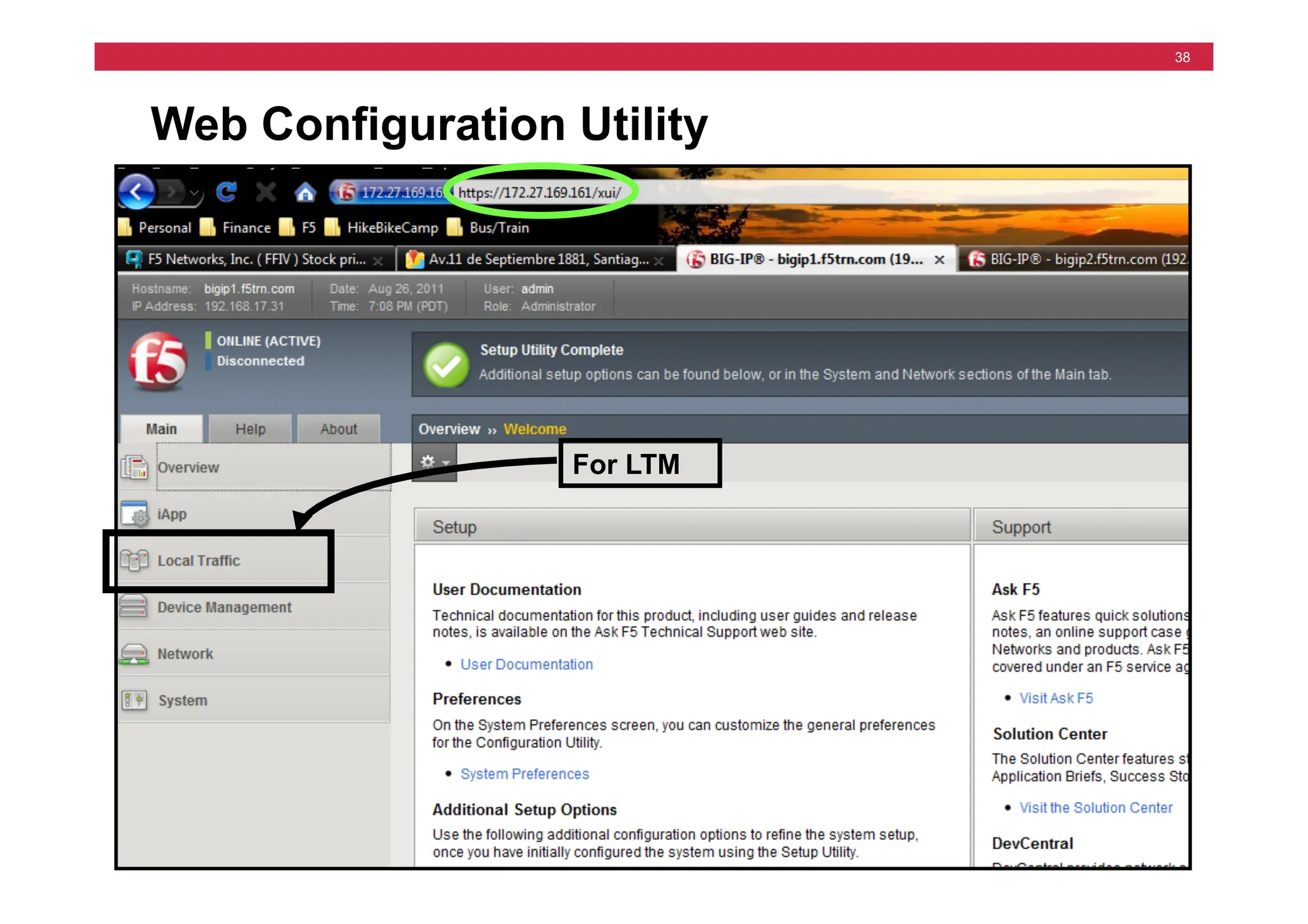
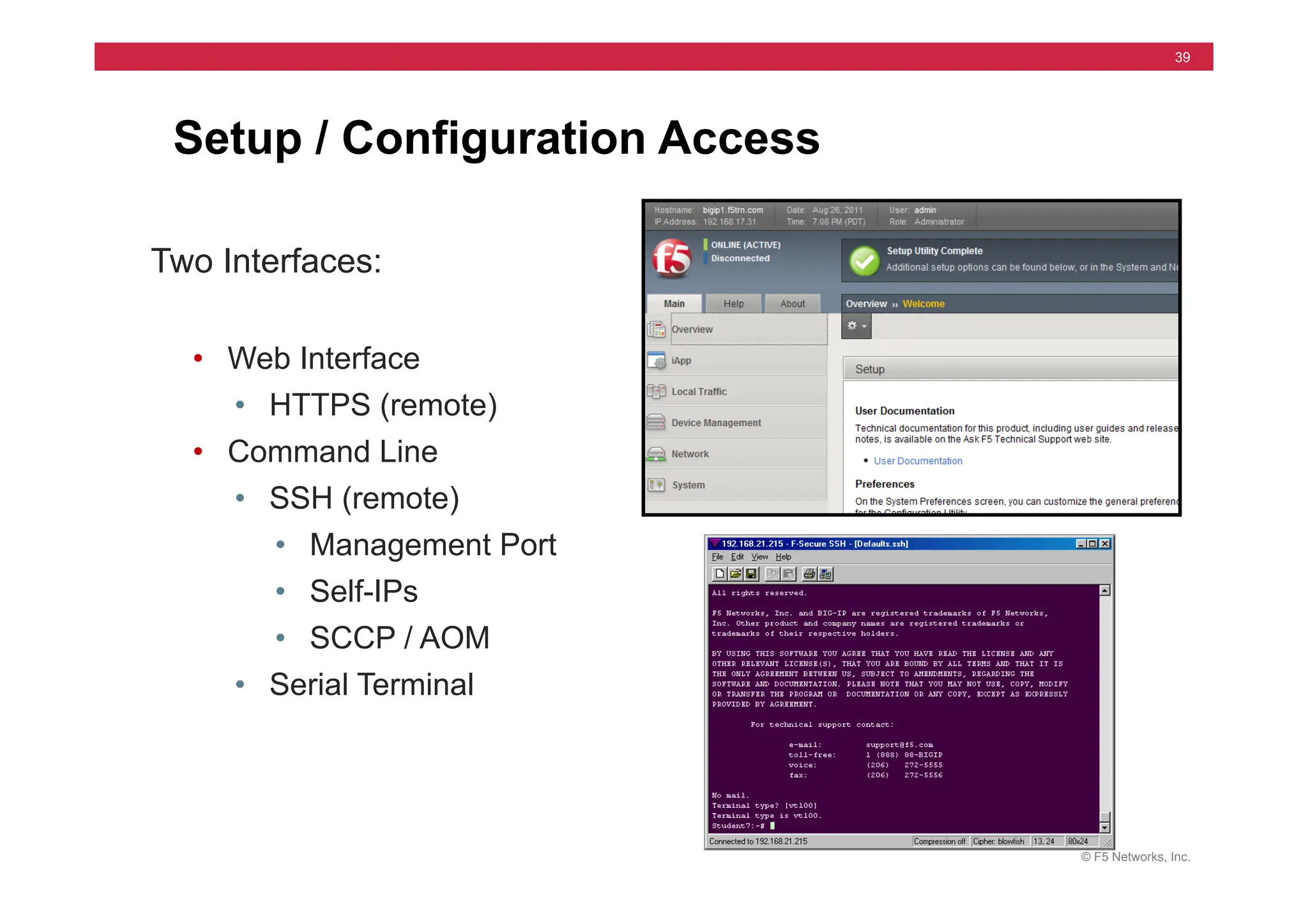
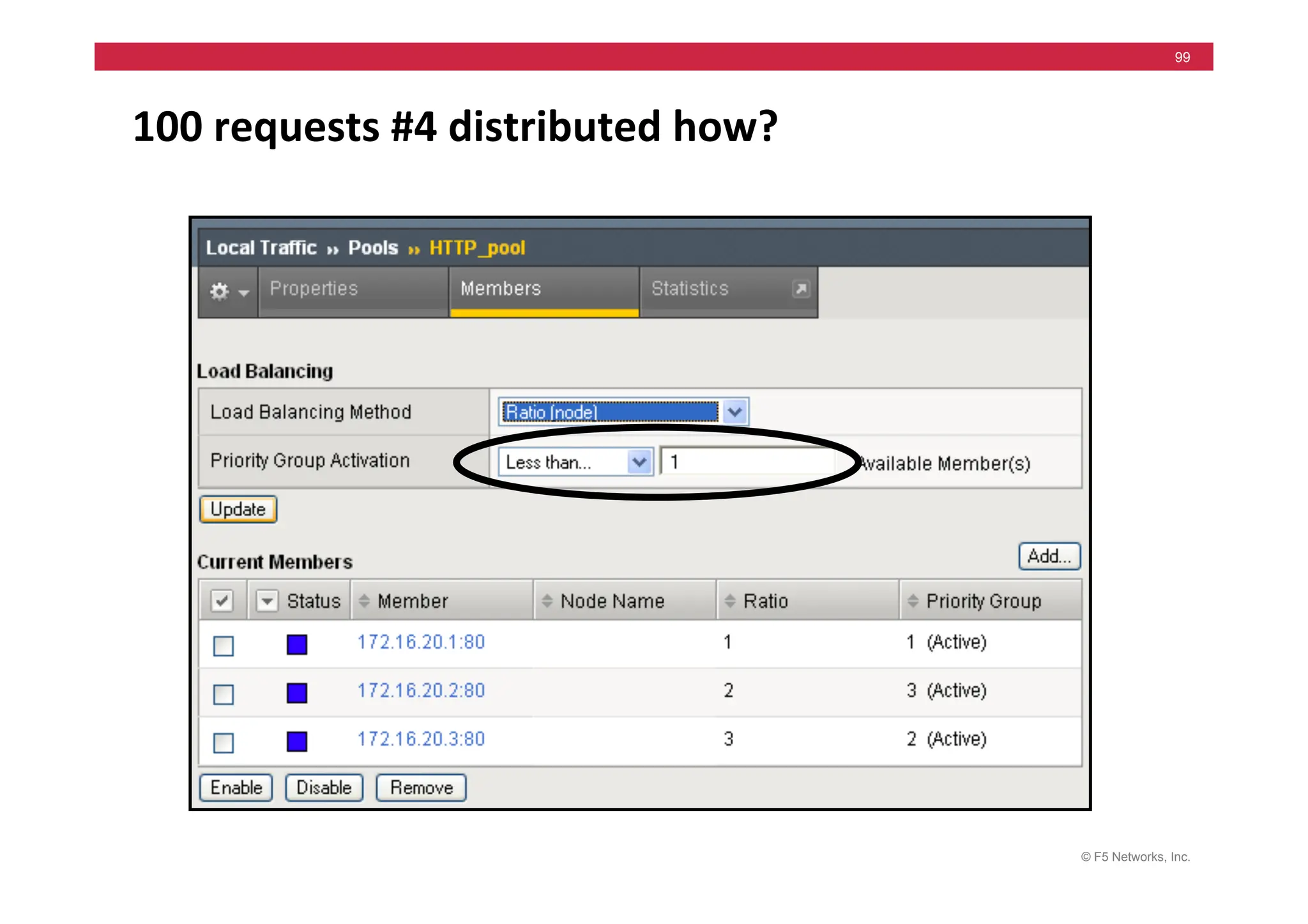
  • 487.
    © F5 Networks,Inc. 487 Instructor Setup Notes Topic Lesson Instructional Objectives Time Module 7 – Configuration Project Configuration Project In one cohesive Project, configure everything from the previous day; Virtual Servers, Pools, Monitors, Load Balancing and Persistence. 60 min Review Previous Day Review Lab Project results and the six Questions in Module 7 Module 8 – NATs and SNATs NATs Learn how Virtual Servers, NATs and SNATs provide complimentary address translation options. Learn the features of NATs and SNATs and how they are configured. 75 min NATs lab Successfully configure and use NATs SNATs Introduction Learn the basic features of SNATs SNATs Labs Successfully configure and use several SNATs. Module 9 – iRules iRule Introduction Learn basic function and syntax of iRules. Learn about the events that drive iRules. 60 min iRules Labs Successfully configure and use iRules that direct traffic to specific pools. Module 10 – Installation of a Redundant Pair Introduce Redundant Pair Concepts Learn Redundant Pair concepts and how to configure a BIG-IP LTM System as either the Active or Standby box of a Redundant Pair. 60 min Setup Lab for a Redundant Pair Successfully configure both boxes of a Redundant Pair (one as Active and the other as Standby). Synchronization Lab Successfully synchronize the configuration of the two boxes Module 11 – High Availability Introduce Failover Concepts Learn the conditions that will automatically trigger a failover and how to configure BIG-IP LTM System to automatically detect these conditions. 105 min Failover Labs Successfully configure and test VLAN Arming and compare hard-wired and network failover. Introduce Stateful failover options Learn the concept mirroring connection and persistence information. Mirroring Labs Successfully configure and test Connection and Persistence Mirroring on a Redundant Pair of BIG-IP LTMs. MAC Masquerading Learn the concept of MAC Masquerading Lab on MAC Masquerading Successfully configure and test MAC Masquerading during a failover between a Redundant Pair of BIG-IP LTMs. Module 12 – Maintaining BIG-IP LTM Introduce F5 resources that help with support. Learn about tcpdump, qkview, and Ask F5. 30 min Next courses & class review Review topics in this course, by answering test questions. END OF DAY TWO DAY 2 TOTAL: 6 ½ Hours.
  • 488.
    © F5 Networks,Inc. 488 Instructor Setup Notes Module Pg # Time Change 1 Make hardware it’s own section after install lab and also separate the SCCP / AOM lab more from install and cleanup 2-6 Minor edits & ppt changes Day 2 7 – 12 Minor edits & ppt changes Appx A – D Minor edits Module Pg # Time Change Preface – Mod 1 Minor edits only, new products added 2 – Load Balance Added section and lab steps for Network Map 3 – 6 Minor edits only Day 2 7, 9, 10 & 12 Minor edits only 8 – SNATs Changed ppt slides and lab steps to flow better. Main focus is on SNAT changing source address. Discussion about SNAT being a “listener” moved to Adv course. 11 – Failover Screen changes in ppt and lab step changes. Appendix A – C Minor edits only Appendix D Added HTTP basics section in case students need it.
  • 489.
    © F5 Networks,Inc. 489 Instructor Setup Notes • 13th Edit – v11.0.0 Dec 2011 • 12th Edit – v10.0.0 June 2009 • 11th Edit – v9.4.5 Feb 2009 • 10th Edit – v9.4.4 June 2008 • 9th Edit – v9.3.1 July 2007 • 8th Edit – v9.2.3 June 2006
  • 490.
    © F5 Networks,Inc. 490 Instructor Lab Setup Notes • See notes pages below
  • 491.
    © F5 Networks,Inc. 491 Instructor Lab Setup Notes Example A Example B
  • 492.
    © F5 Networks,Inc. 492 Instructor Lab Setup Notes Internal Shared Alias 172.16.##.33 255.255.0.0 The Servers should boot with the following routes: route add -net 10.10.1 -netmask 255.255.255.0 -gateway 172.16.1.33 route add -net 10.10.2 -netmask 255.255.255.0 -gateway 172.16.2.33 route add -net 10.10.3 -netmask 255.255.255.0 -gateway 172.16.3.33 route add -net 10.10.4 -netmask 255.255.255.0 -gateway 172.16.4.33 route add -net 10.10.5 -netmask 255.255.255.0 -gateway 172.16.5.33 route add -net 10.10.6 -netmask 255.255.255.0 -gateway 172.16.6.33 route add -net 10.10.7 -netmask 255.255.255.0 -gateway 172.16.7.33 route add -net 10.10.8 -netmask 255.255.255.0 -gateway 172.16.8.33 route add -net 10.10.9 -netmask 255.255.255.0 -gateway 172.16.9.33 route add -net 10.10.10 -netmask 255.255.255.0 -gateway 172.16.10.33 route add -net 10.10.11 -netmask 255.255.255.0 -gateway 172.16.11.33 route add -net 10.10.12 -netmask 255.255.255.0 -gateway 172.16.12.33 route add -net 10.10.13 -netmask 255.255.255.0 -gateway 172.16.13.33 route add -net 10.10.14 -netmask 255.255.255.0 -gateway 172.16.14.33 route add -net 10.10.15 -netmask 255.255.255.0 -gateway 172.16.15.33 route add -net 10.10.16 -netmask 255.255.255.0 -gateway 172.16.16.33 route add -net 10.10.17 -netmask 255.255.255.0 -gateway 172.16.17.33 Server 172.16.20.1 255.255.0.0 FTP Server Web Server (80 & 443) SSH Server Server 172.16.20.2 255.255.0.0 FTP Server Web Server (80 & 443) SSH Server Server 172.16.20.3 255.255.0.0 FTP Server Web Server (80 & 443) SSH Server External Shared Alias 10.10.##.33 255.255.0.0 10.10.##.31 255.255.0.0 172.16.##.31 255.255.0.0 10.10.##.32 255.255.0.0 172.16.##.32 255.255.0.0 Servers BIG-IP ## Station ## IP Address 10.10.##.30 255.255.0.0 Default Route 10.10.##.33
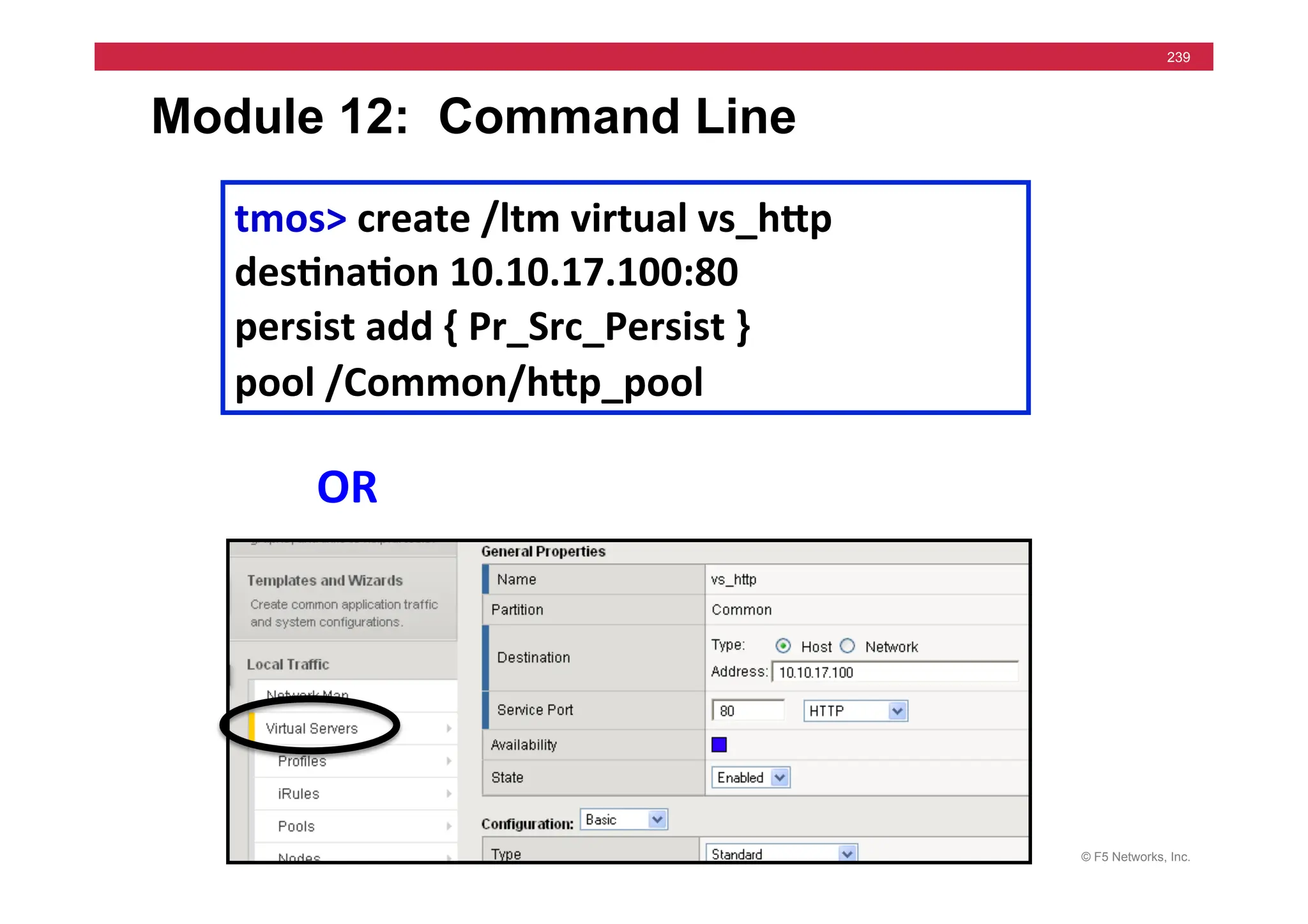
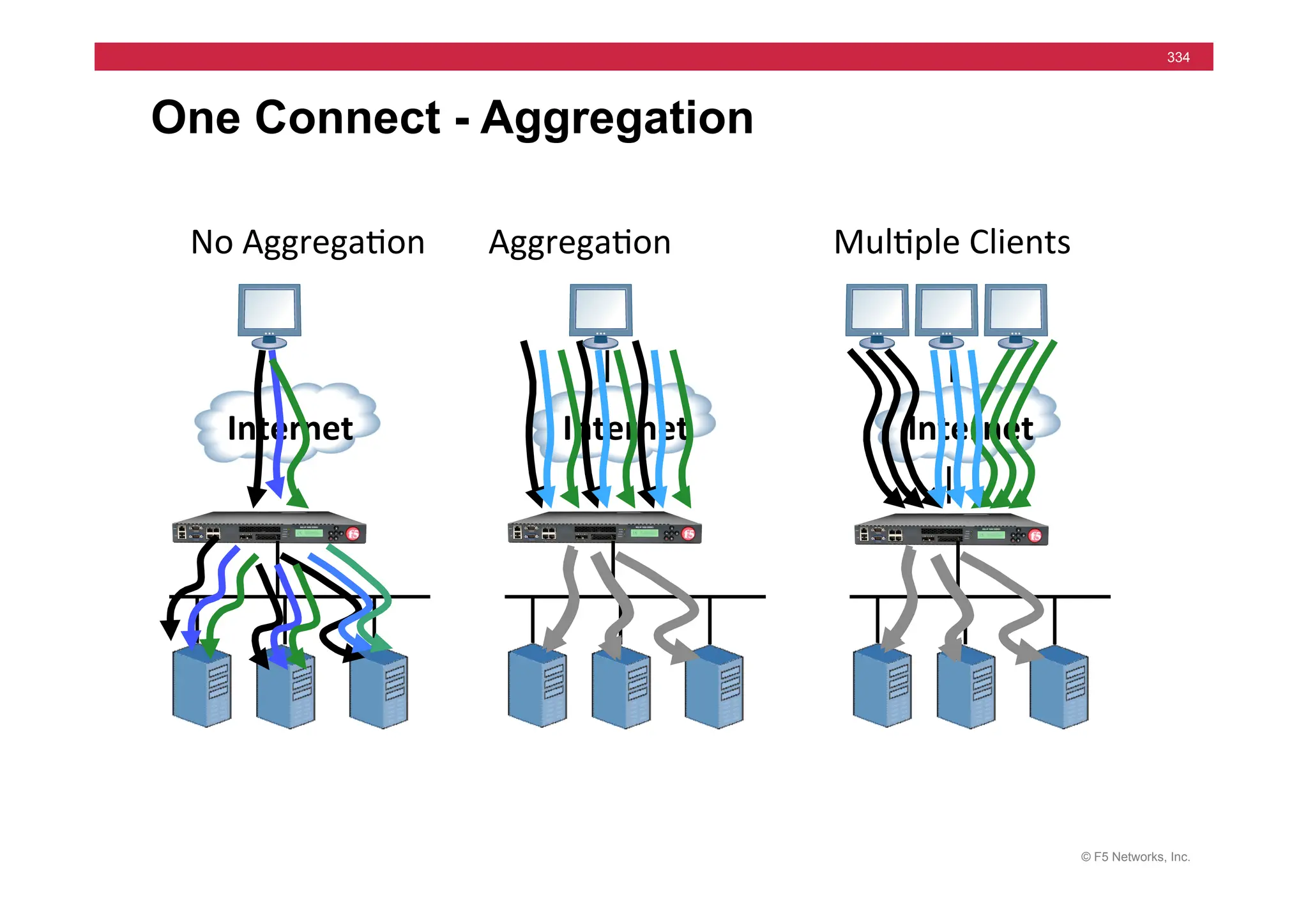
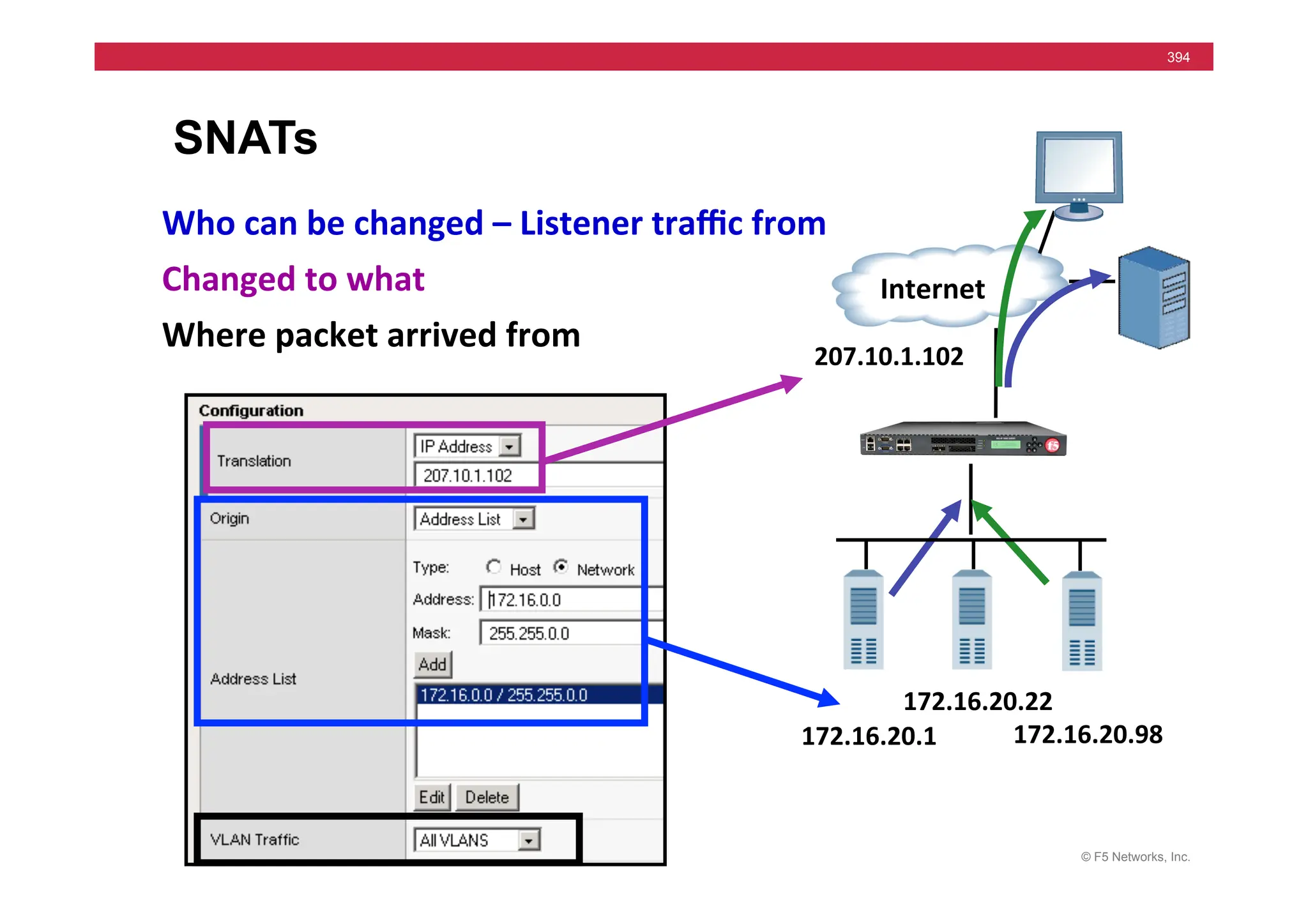
  • 493.
    © 2011 F5Networks, Inc. All rights reserved. F5, F5 Networks, the F5 logo, BIG-IP, ARX, FirePass, iControl, iRules, TMOS, and VIPRION are registered trademarks of F5 Networks, Inc. in the U.S. and in certain other countries