VMware Mirage Storage and Network Deduplication,
DEMYSTIFIED
Anil Gupta, VMware
Kapil Kasetwar, VMware
Shlomo Wygodny, VMware
EUC5507
#EUC5507
22
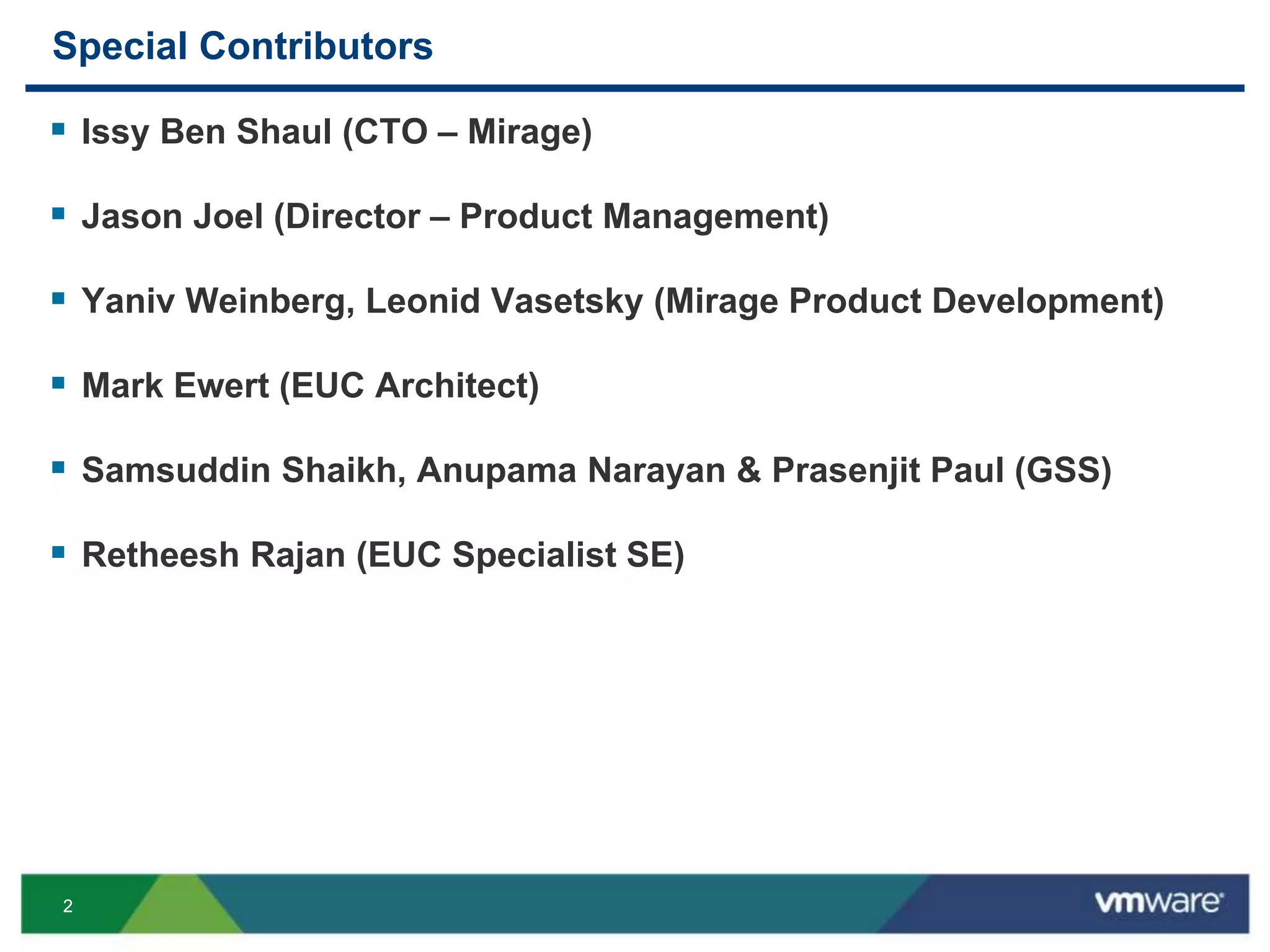
Special Contributors
 Issy Ben Shaul (CTO – Mirage)
 Jason Joel (Director – Product Management)
 Yaniv Weinberg, Leonid Vasetsky (Mirage Product Development)
 Mark Ewert (EUC Architect)
 Samsuddin Shaikh, Anupama Narayan & Prasenjit Paul (GSS)
 Retheesh Rajan (EUC Specialist SE)
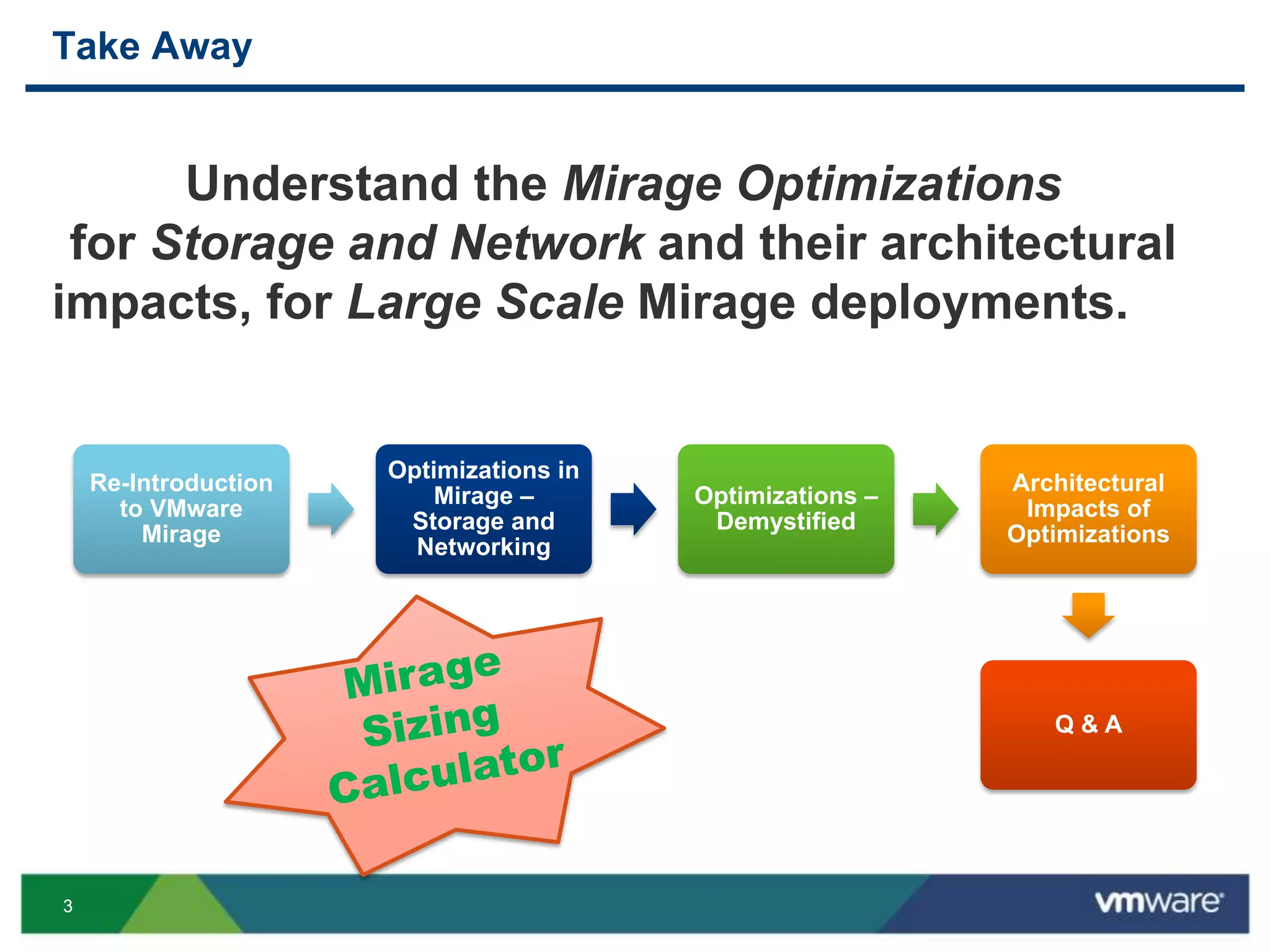
33
Re-Introduction
to VMware
Mirage
Optimizations in
Mirage –
Storage and
Networking
Optimizations –
Demystified
Architectural
Impacts of
Optimizations
Q & A
Take Away
Understand the Mirage Optimizations
for Storage and Network and their architectural
impacts, for Large Scale Mirage deployments.
44
RE-INTRODUCTION
TO VMWARE MIRAGE
55
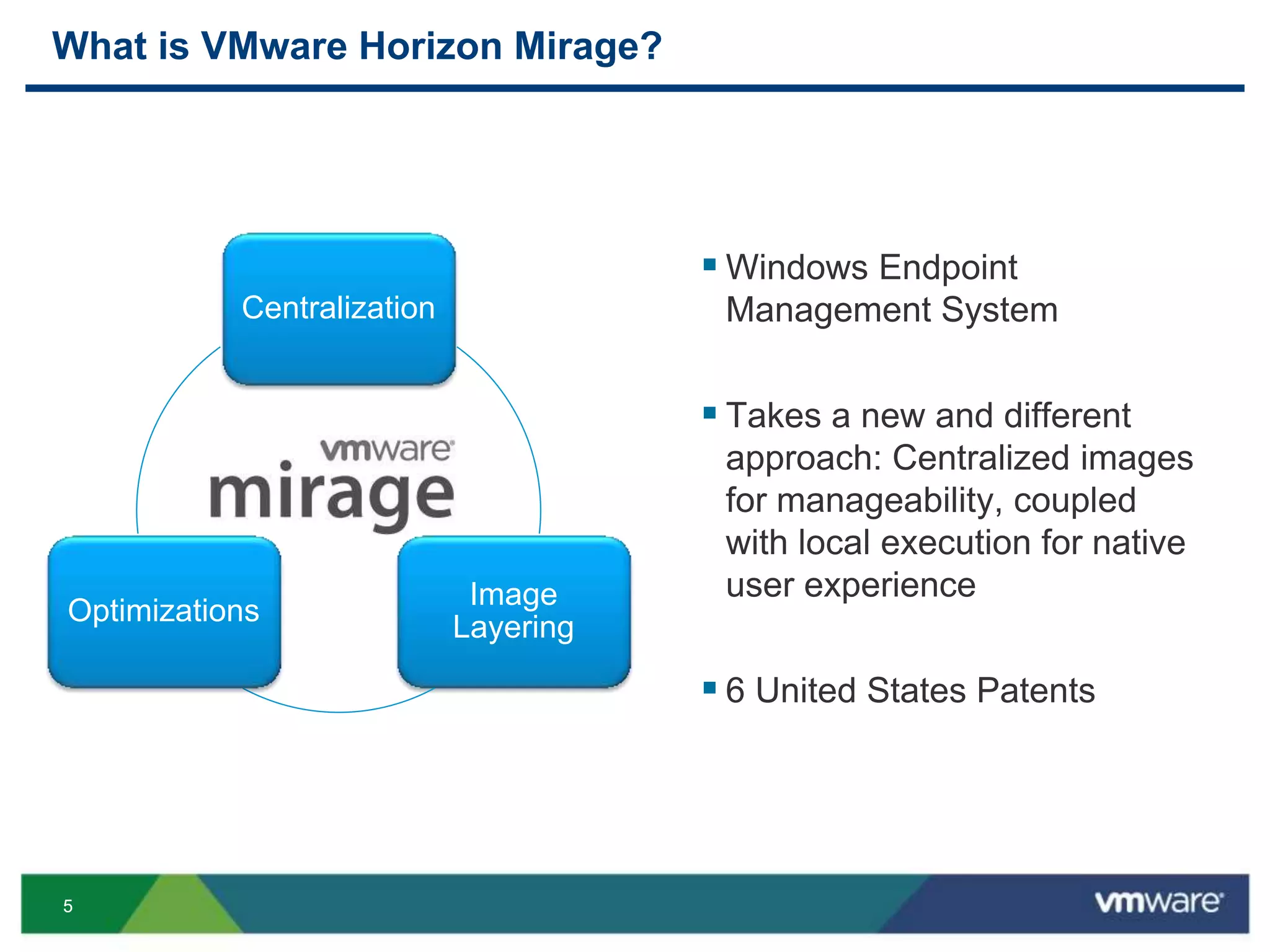
What is VMware Horizon Mirage?
 Windows Endpoint
Management System
 Takes a new and different
approach: Centralized images
for manageability, coupled
with local execution for native
user experience
 6 United States Patents
Centralization
Image
Layering
Optimizations
66
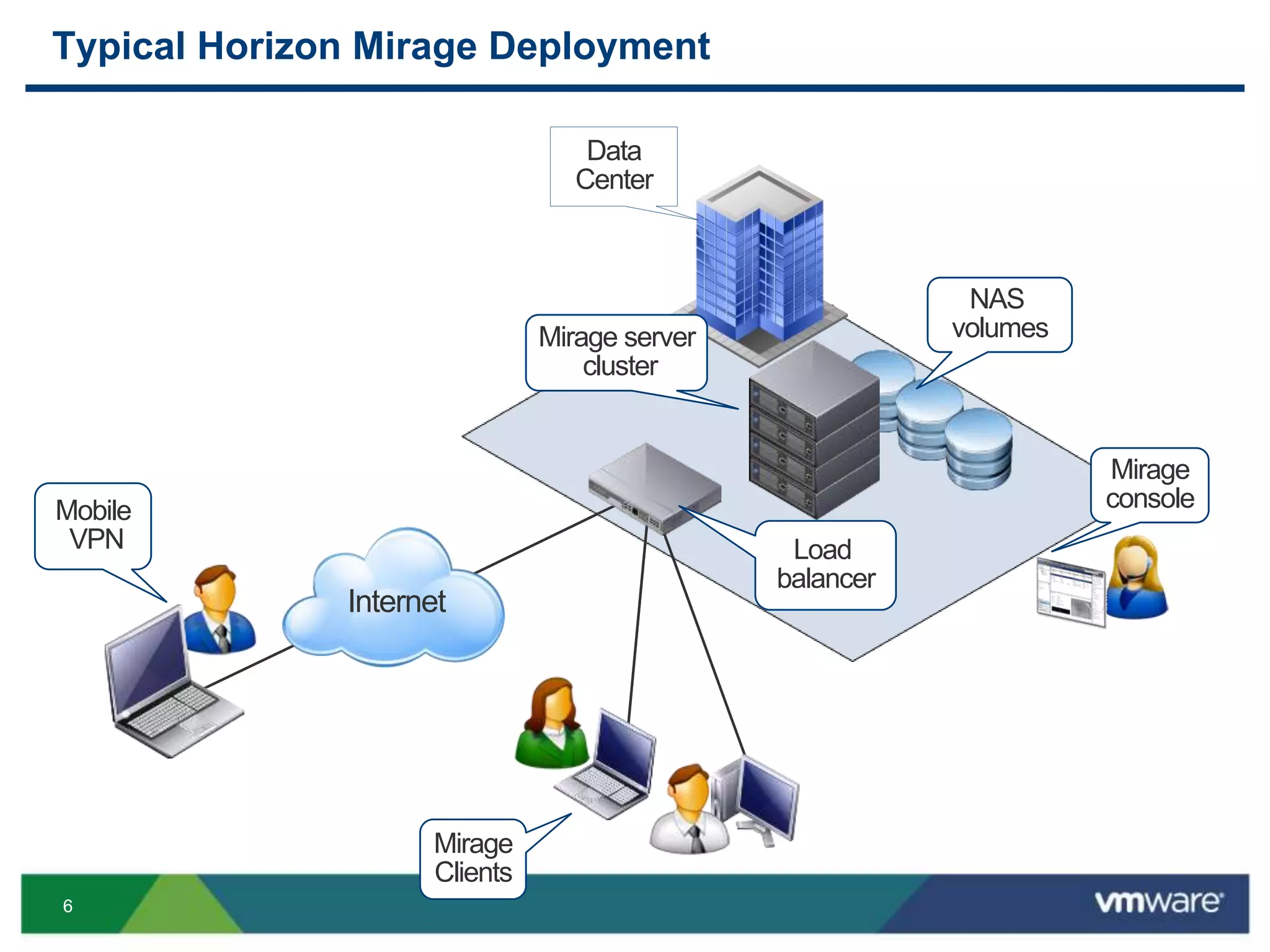
Typical Horizon Mirage Deployment
Mirage server
cluster
NAS
volumes
Mirage
console
Load
balancer
Internet
Mobile
VPN
Mirage
Clients
Data
Center
77
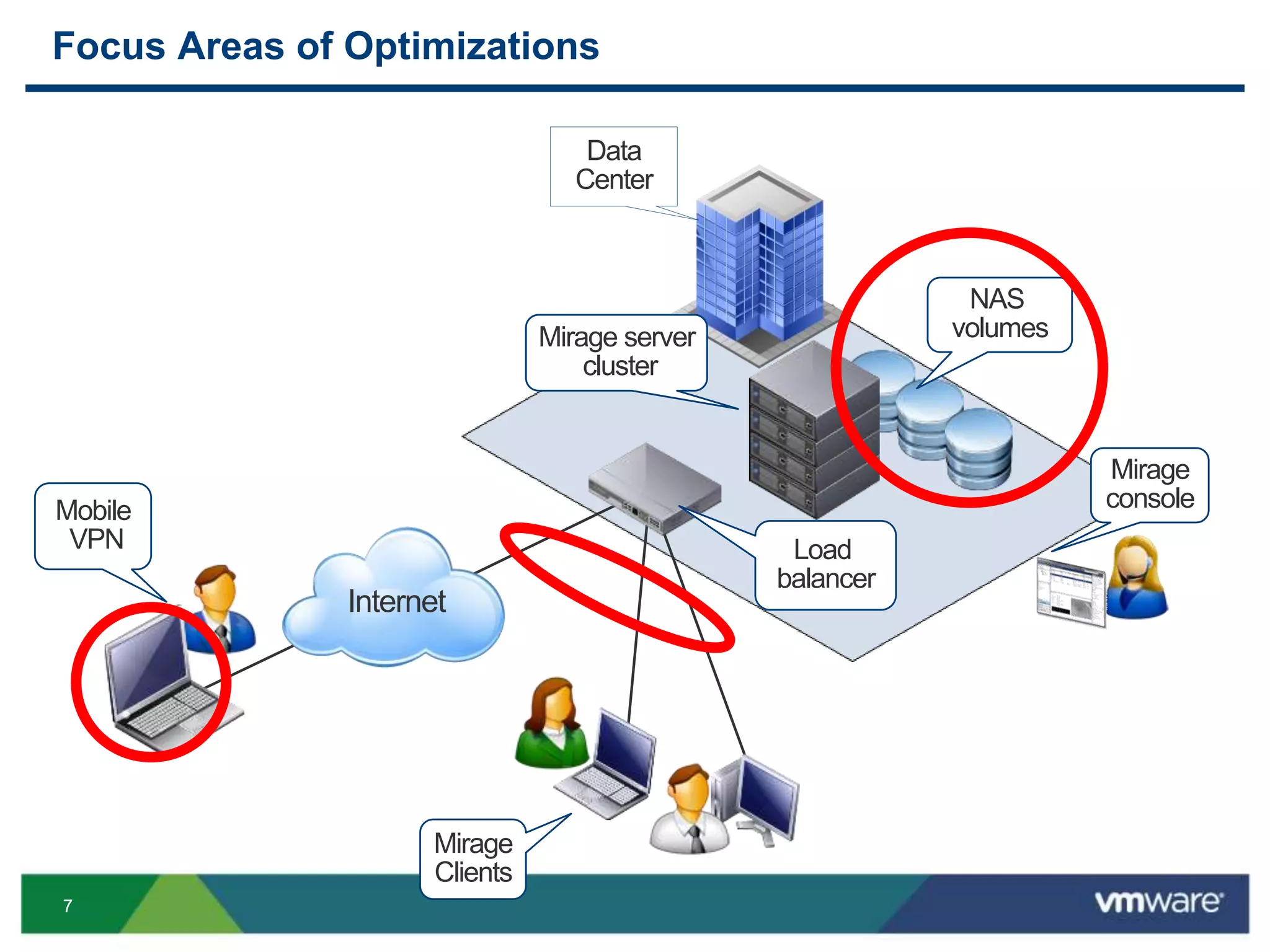
Focus Areas of Optimizations
Mirage server
cluster
NAS
volumes
Mirage
console
Load
balancer
Internet
Mobile
VPN
Mirage
Clients
Data
Center
88
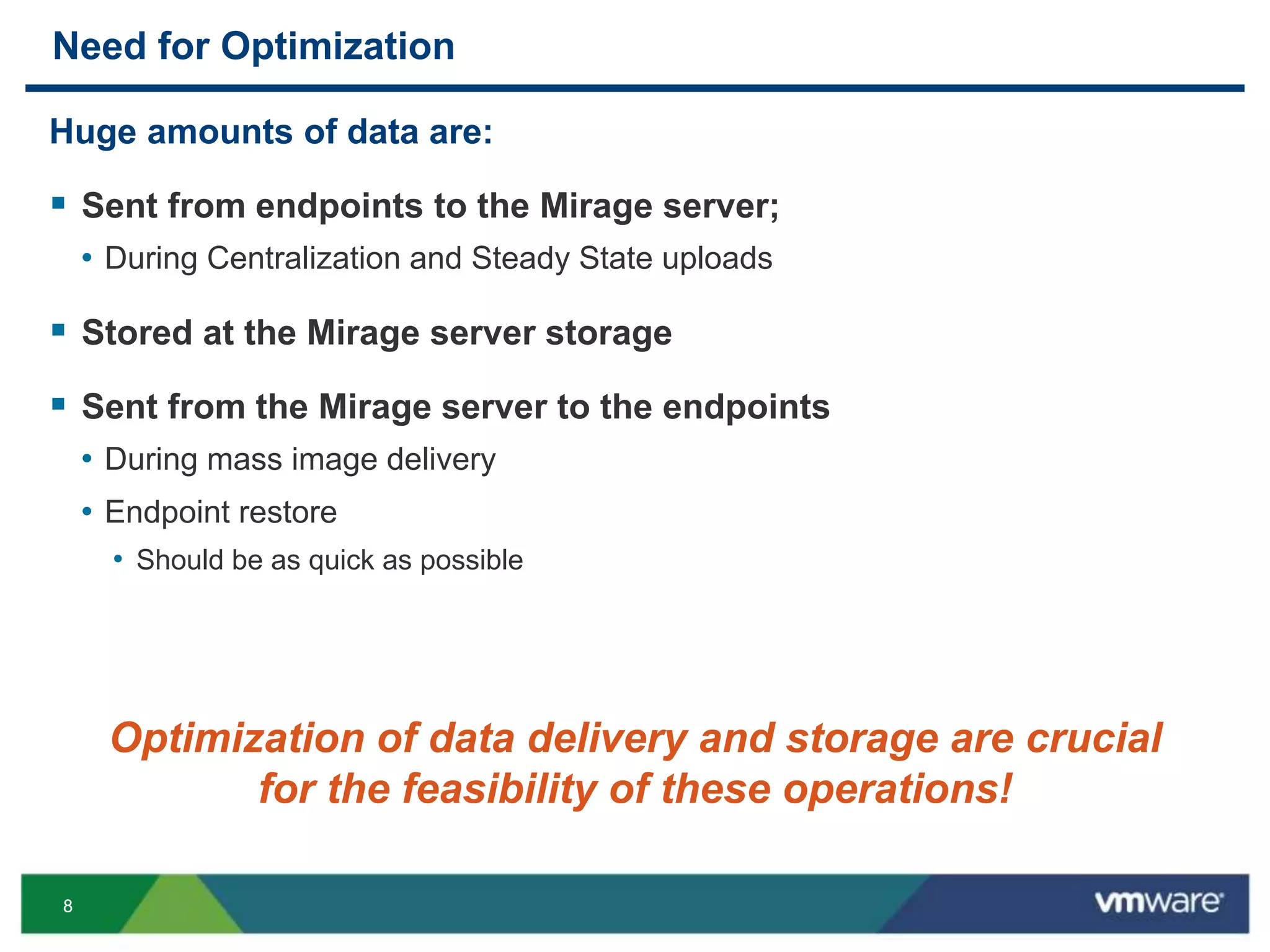
Need for Optimization
Huge amounts of data are:
 Sent from endpoints to the Mirage server;
• During Centralization and Steady State uploads
 Stored at the Mirage server storage
 Sent from the Mirage server to the endpoints
• During mass image delivery
• Endpoint restore
• Should be as quick as possible
Optimization of data delivery and storage are crucial
for the feasibility of these operations!
99
OPTIMIZATIONS IN MIRAGE –
STORAGE AND NETWORKING
1010
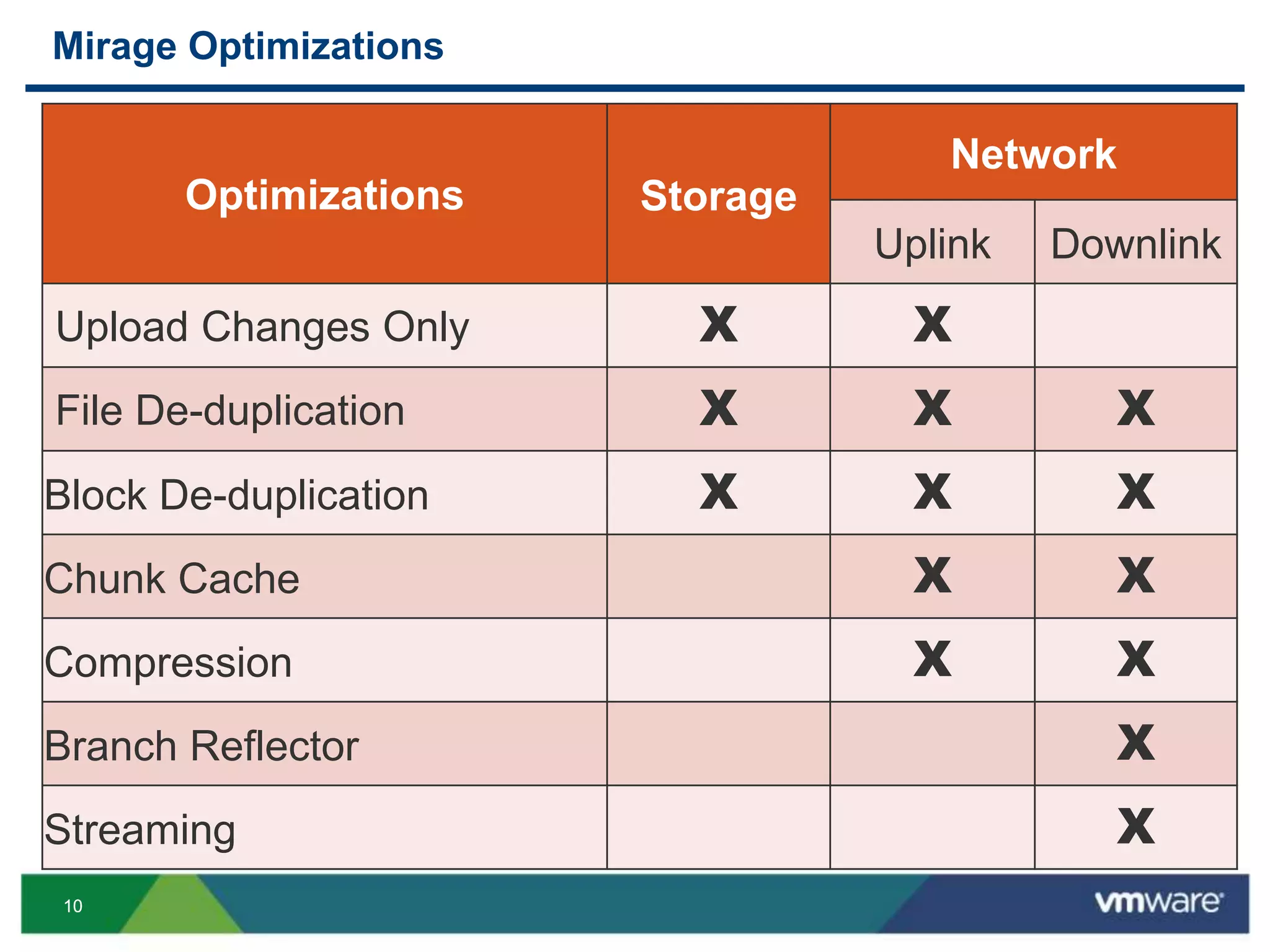
Mirage Optimizations
VMware Confidential
Optimizations Storage
Network
Uplink Downlink
Upload Changes Only X X
File De-duplication X X X
Block De-duplication X X X
Chunk Cache X X
Compression X X
Branch Reflector X
Streaming X
1111
OPTIMIZATIONS – DEMYSTIFIED
1
1212
Uploading File Modifications
VMware Confidential
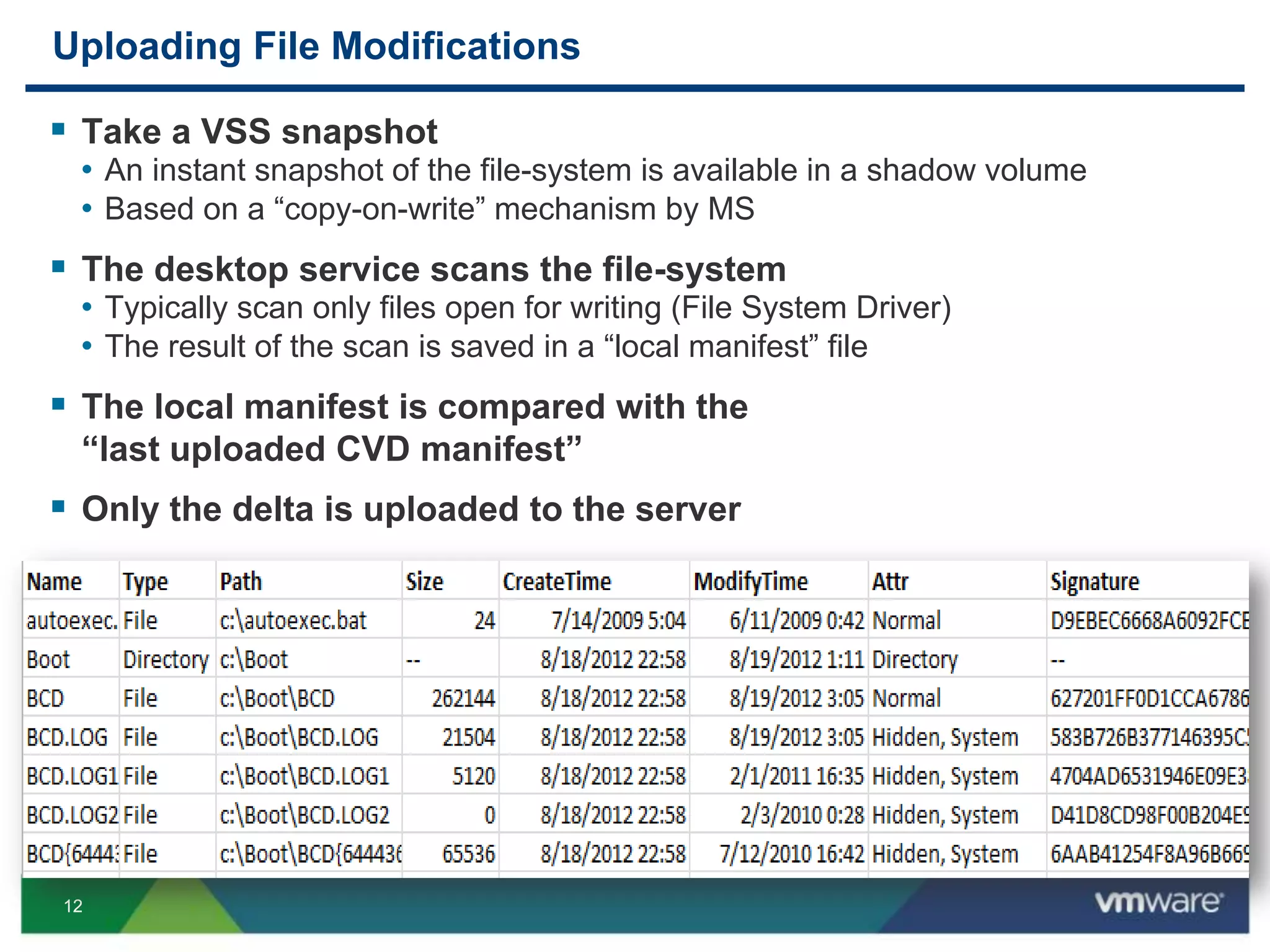
 Take a VSS snapshot
• An instant snapshot of the file-system is available in a shadow volume
• Based on a “copy-on-write” mechanism by MS
 The desktop service scans the file-system
• Typically scan only files open for writing (File System Driver)
• The result of the scan is saved in a “local manifest” file
 The local manifest is compared with the
“last uploaded CVD manifest”
 Only the delta is uploaded to the server
1313
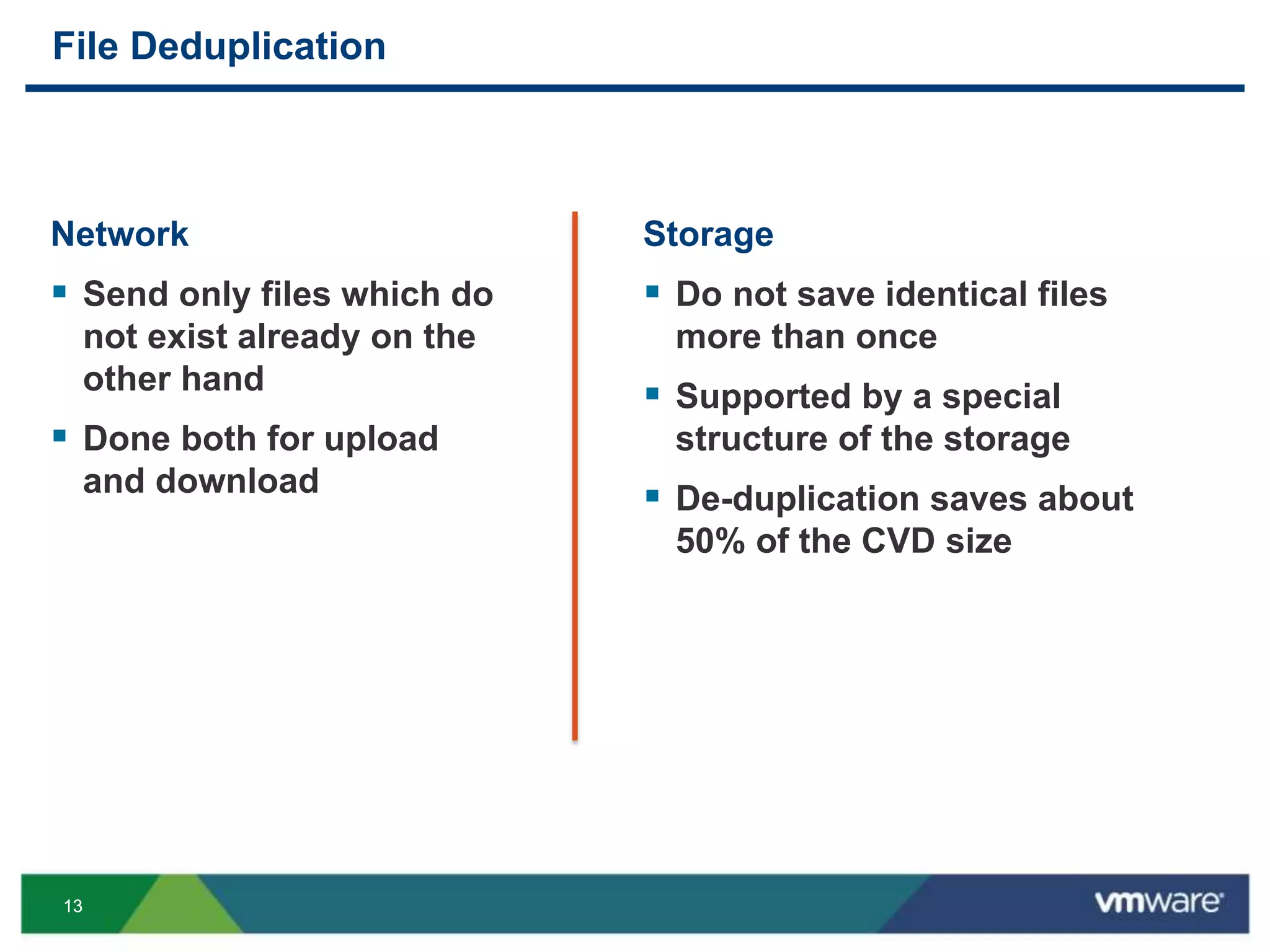
File Deduplication
Network
 Send only files which do
not exist already on the
other hand
 Done both for upload
and download
Storage
 Do not save identical files
more than once
 Supported by a special
structure of the storage
 De-duplication saves about
50% of the CVD size
1414
WAN Optimizations – File Level De-Duplication
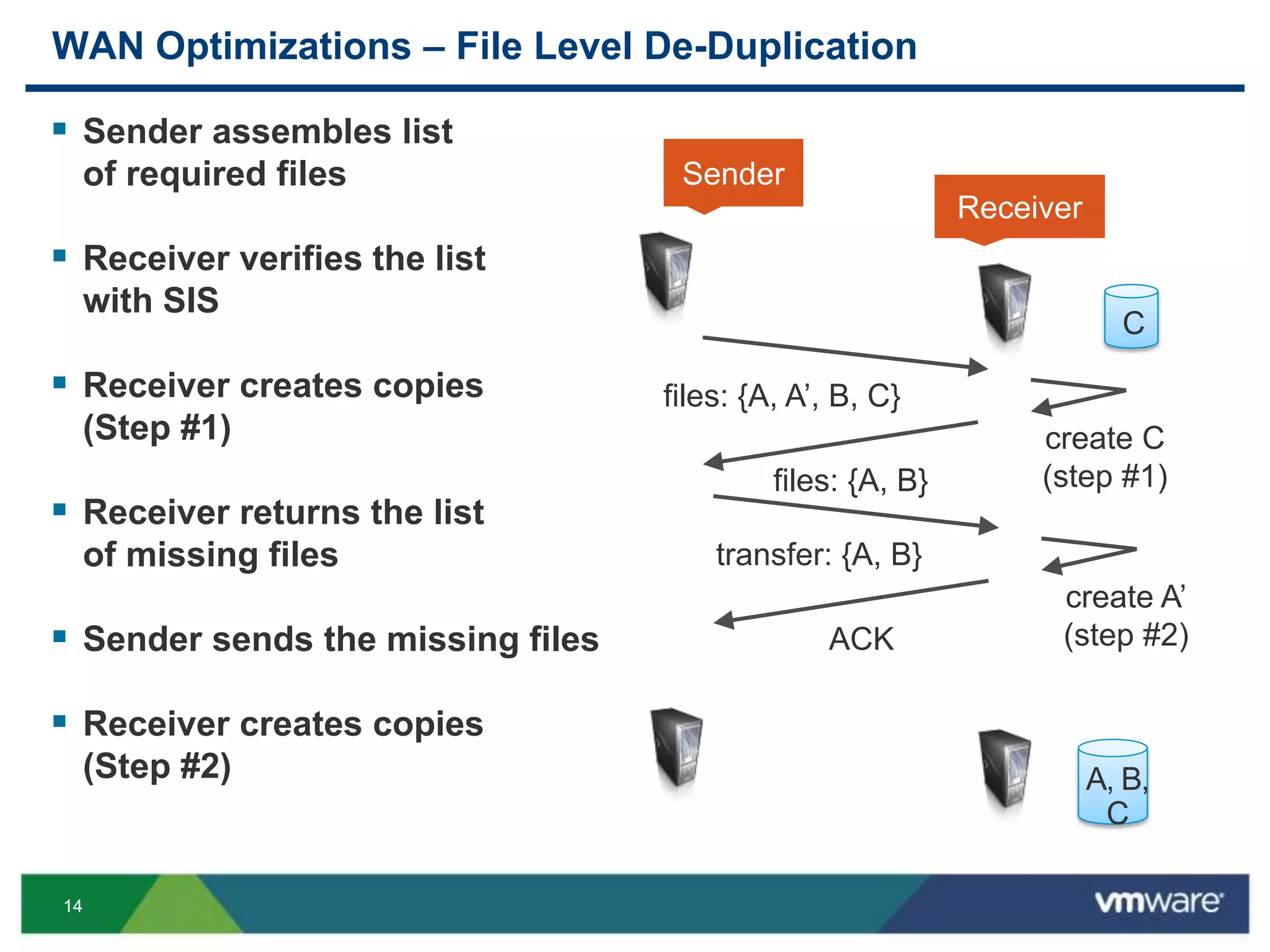
 Sender assembles list
of required files
 Receiver verifies the list
with SIS
 Receiver creates copies
(Step #1)
 Receiver returns the list
of missing files
 Sender sends the missing files
 Receiver creates copies
(Step #2)
files: {A, A’, B, C}
files: {A, B}
create C
(step #1)
transfer: {A, B}
ACK
create A’
(step #2)
Sender
Receiver
C
A, B,
C
1515
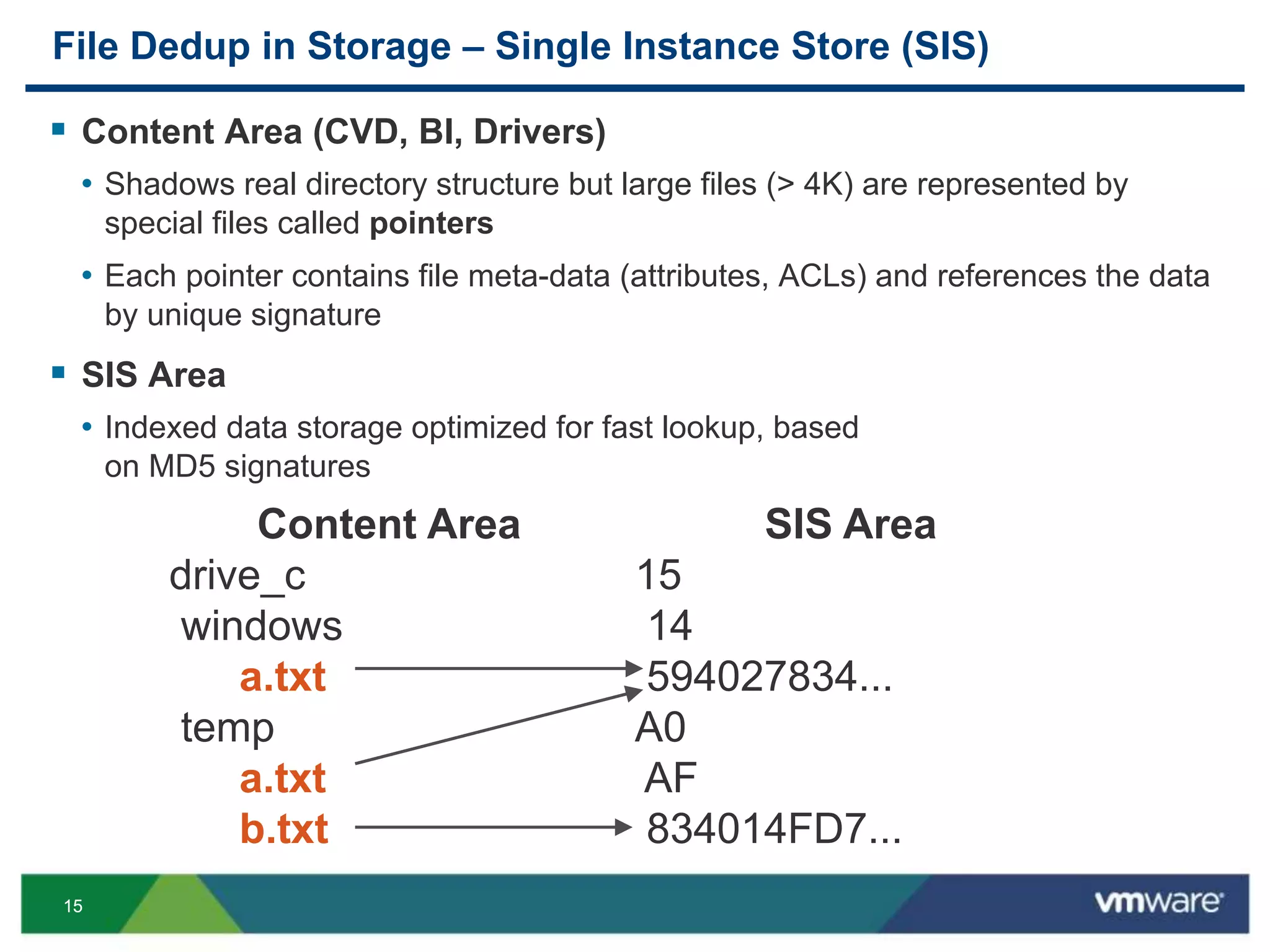
File Dedup in Storage – Single Instance Store (SIS)
 Content Area (CVD, BI, Drivers)
• Shadows real directory structure but large files (> 4K) are represented by
special files called pointers
• Each pointer contains file meta-data (attributes, ACLs) and references the data
by unique signature
 SIS Area
• Indexed data storage optimized for fast lookup, based
on MD5 signatures
Content Area
drive_c
windows
a.txt
temp
a.txt
b.txt
SIS Area
15
14
594027834...
A0
AF
834014FD7...
1616
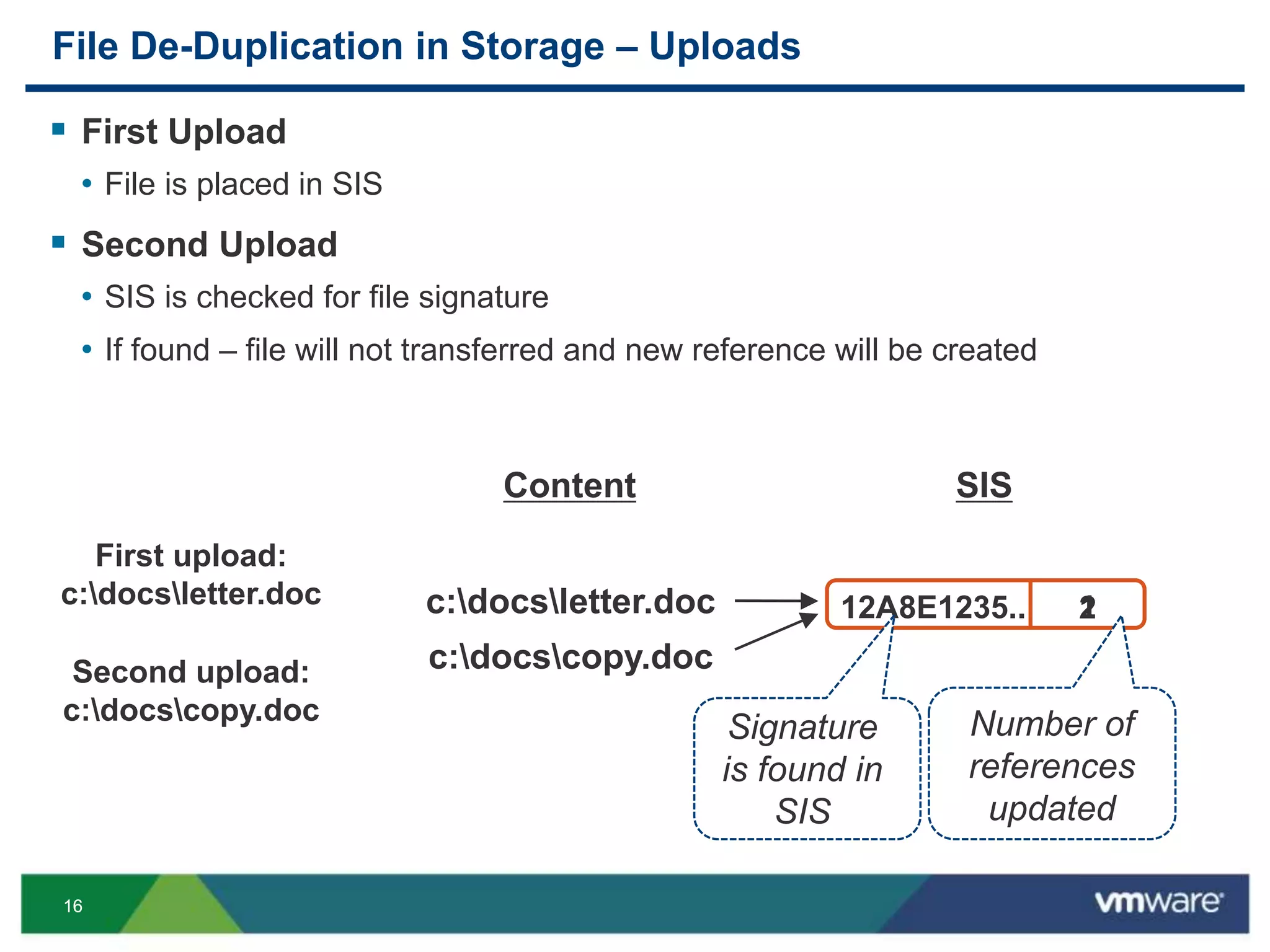
File De-Duplication in Storage – Uploads
 First Upload
• File is placed in SIS
 Second Upload
• SIS is checked for file signature
• If found – file will not transferred and new reference will be created
112A8E1235..
SISContent
2
First upload:
c:docsletter.doc c:docsletter.doc
Second upload:
c:docscopy.doc
c:docscopy.doc
Signature
is found in
SIS
Number of
references
updated
1717
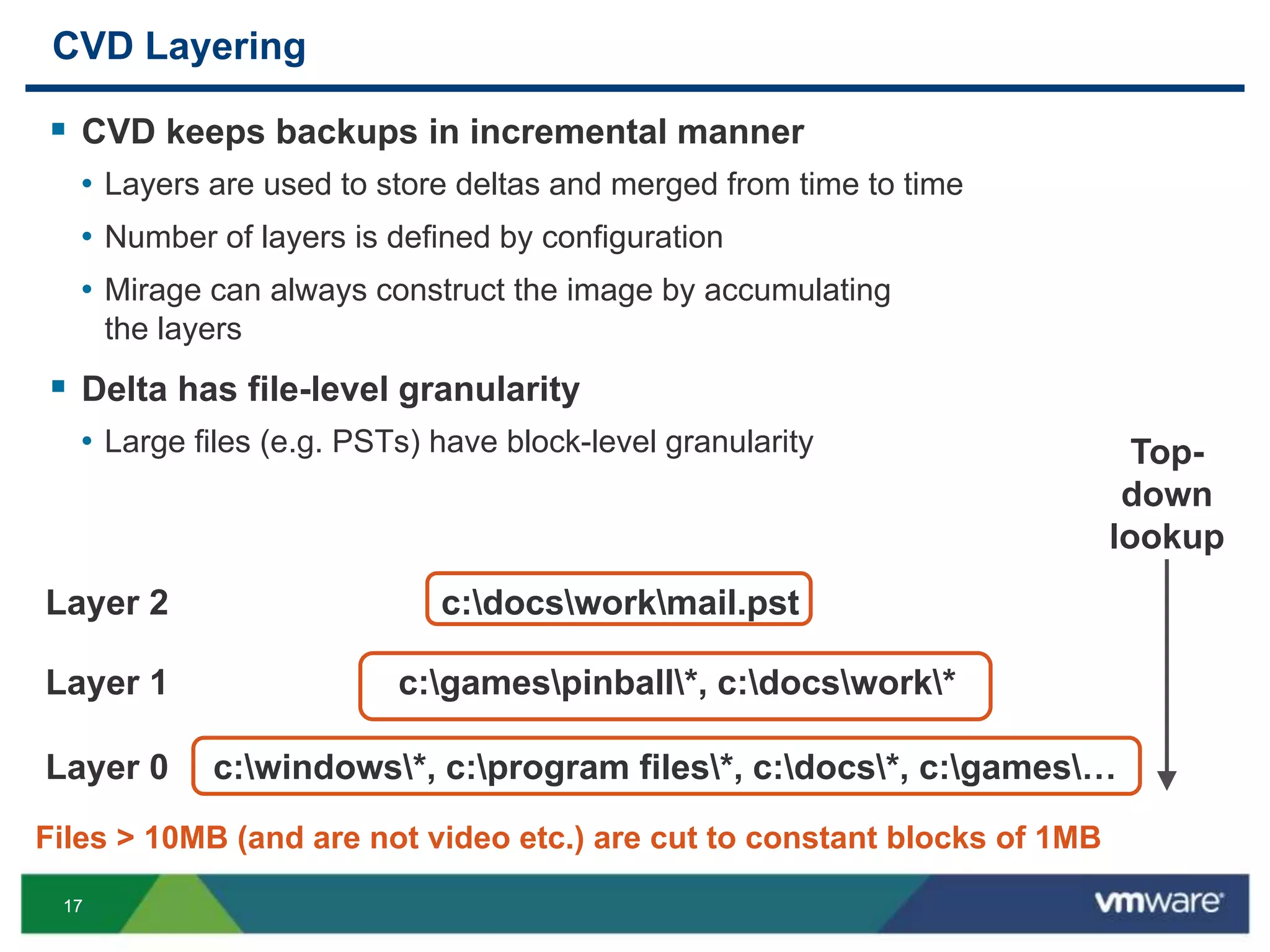
CVD Layering
 CVD keeps backups in incremental manner
• Layers are used to store deltas and merged from time to time
• Number of layers is defined by configuration
• Mirage can always construct the image by accumulating
the layers
 Delta has file-level granularity
• Large files (e.g. PSTs) have block-level granularity
c:windows*, c:program files*, c:docs*, c:games…Layer 0
c:gamespinball*, c:docswork*Layer 1
c:docsworkmail.pstLayer 2
Top-
down
lookup
Files > 10MB (and are not video etc.) are cut to constant blocks of 1MB
1818
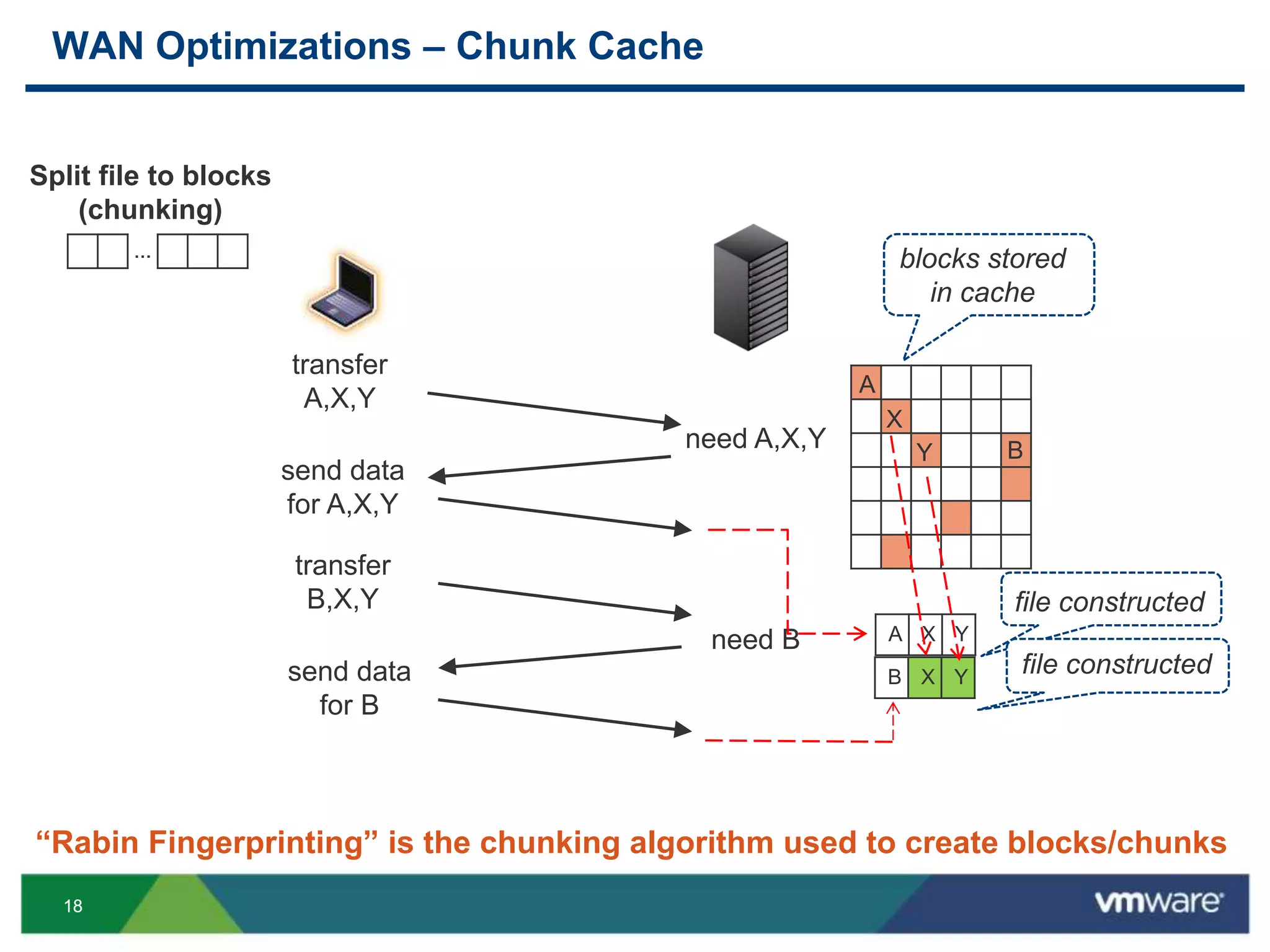
“Rabin Fingerprinting” is the chunking algorithm used to create blocks/chunks
transfer
A,X,Y
transfer
B,X,Y
A
X
Y
need A,X,Y
send data
for A,X,Y
need B
send data
for B
B
A X Y
B X Y
…
Split file to blocks
(chunking)
WAN Optimizations – Chunk Cache
file constructed
file constructed
blocks stored
in cache
1919
WAN Optimizations – Compression
 Use standard Lempel–Ziv (LZ) compression
 Done on-the-fly while transmitting
 Lossless
 Saves 20-30% of the transmitted data
 Requires CPU Resources + Time
• May be eliminated for LAN environments
 Storage is not compressed by Mirage, but
can be compressed by the file system (NTFS)
2020
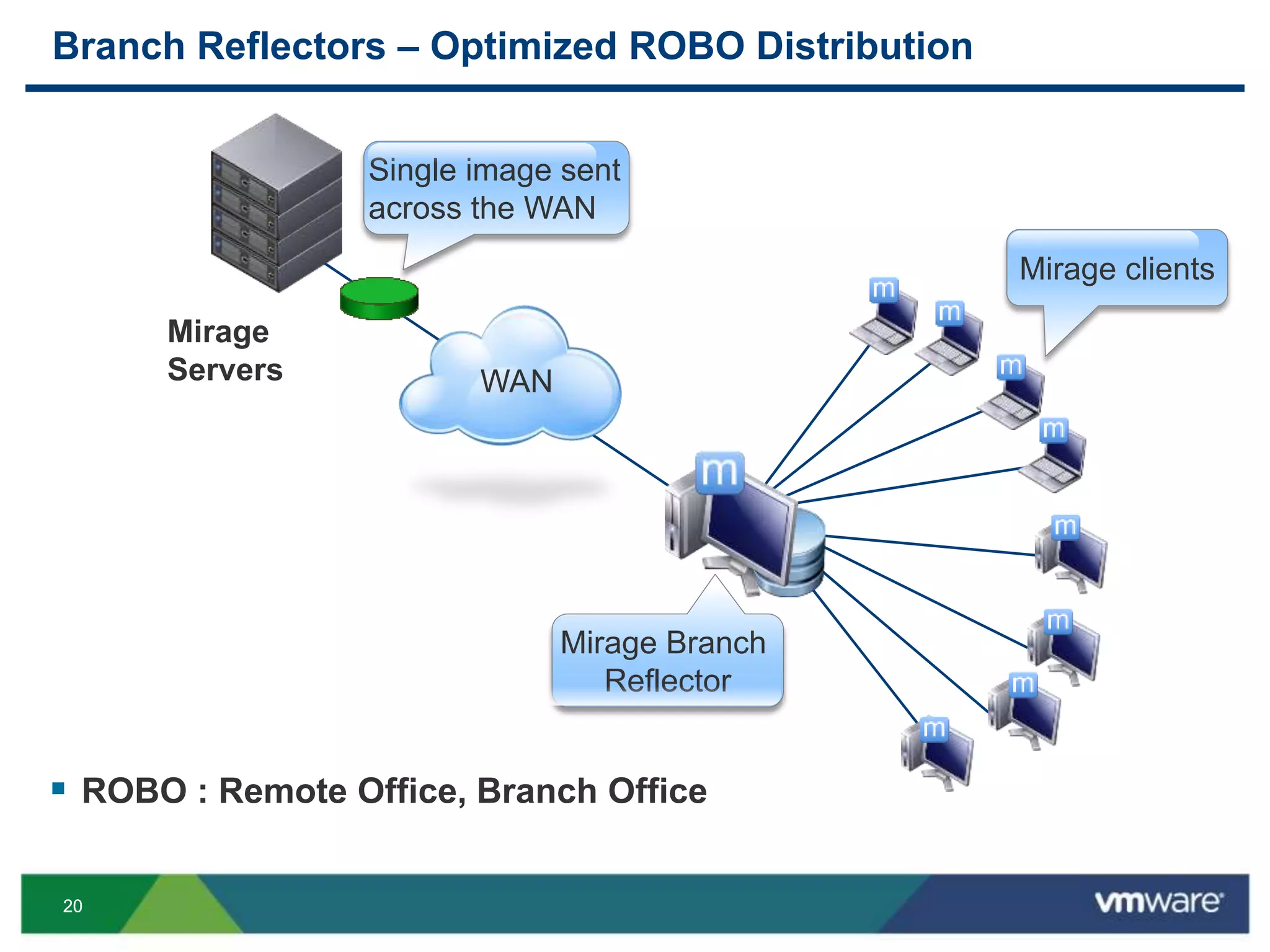
Branch Reflectors – Optimized ROBO Distribution
 ROBO : Remote Office, Branch Office
Mirage
Servers
Mirage Branch
Reflector
Mirage clients
Single image sent
across the WAN
WAN
2121
Base Layer Update with Branch Reflector
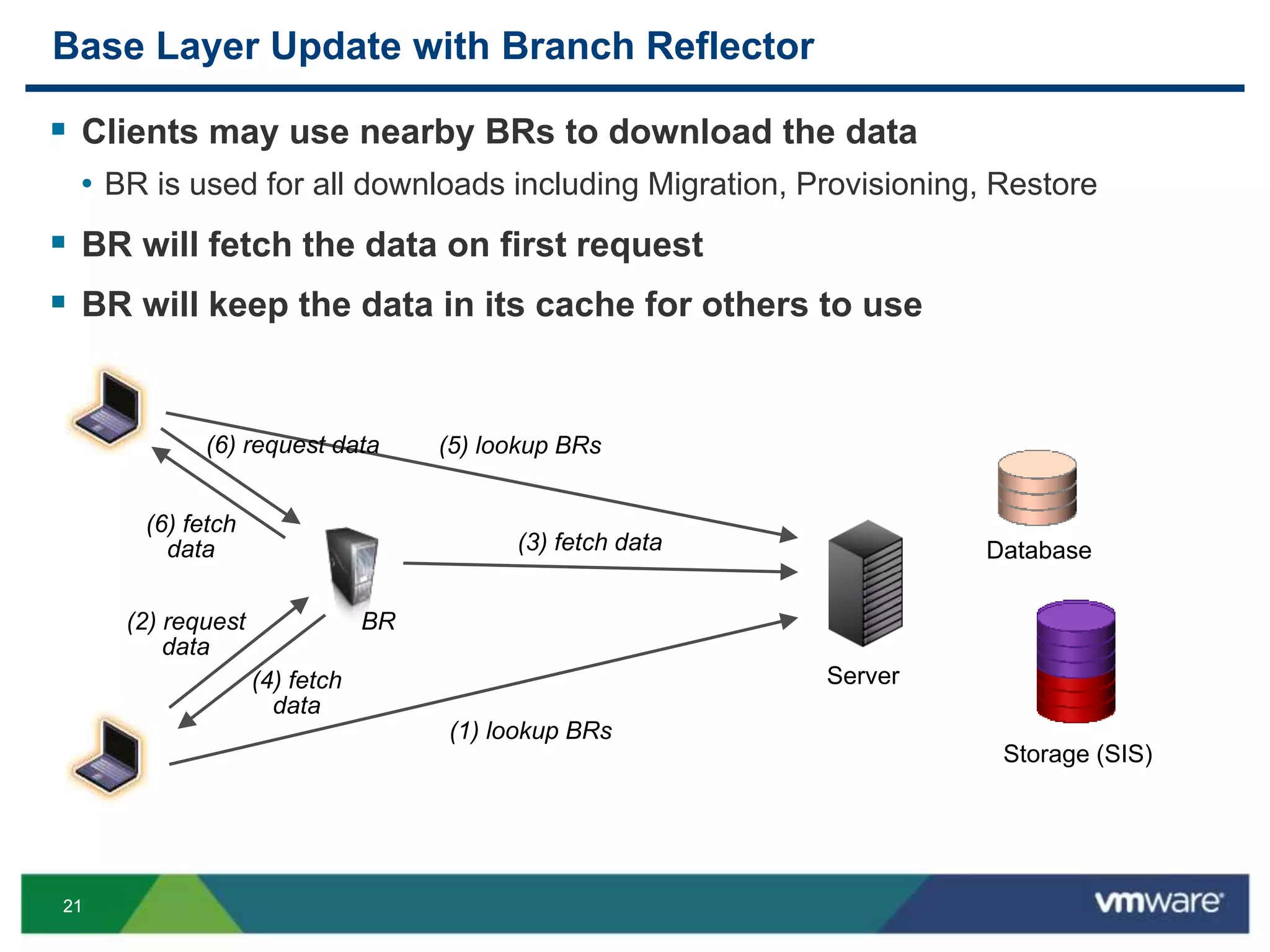
 Clients may use nearby BRs to download the data
• BR is used for all downloads including Migration, Provisioning, Restore
 BR will fetch the data on first request
 BR will keep the data in its cache for others to use
Storage (SIS)
Database
Server
(1) lookup BRs
(2) request
data
(3) fetch data
(4) fetch
data
(5) lookup BRs(6) request data
(6) fetch
data
BR
2222
Streaming
 What if the user has 100 GB of data to be restored?
• We want the user to get back to work ASAP!!! 
 Files to be downloaded in restore are split into two
• 1. Files to Pre-fetch: essential files
• Static set (e.g. c:windowssystem32drivers*)
• Dynamic set (e.g. c:program filesMcAfee*)
• Login set (e.g. c:program filesMyFavouriteApp* ; c:docsMyFavouriteDoc.docx)
• …
• 2. Files to stream: all the rest
 Streaming allows the user to start working before all of his files
were downloaded.
2323
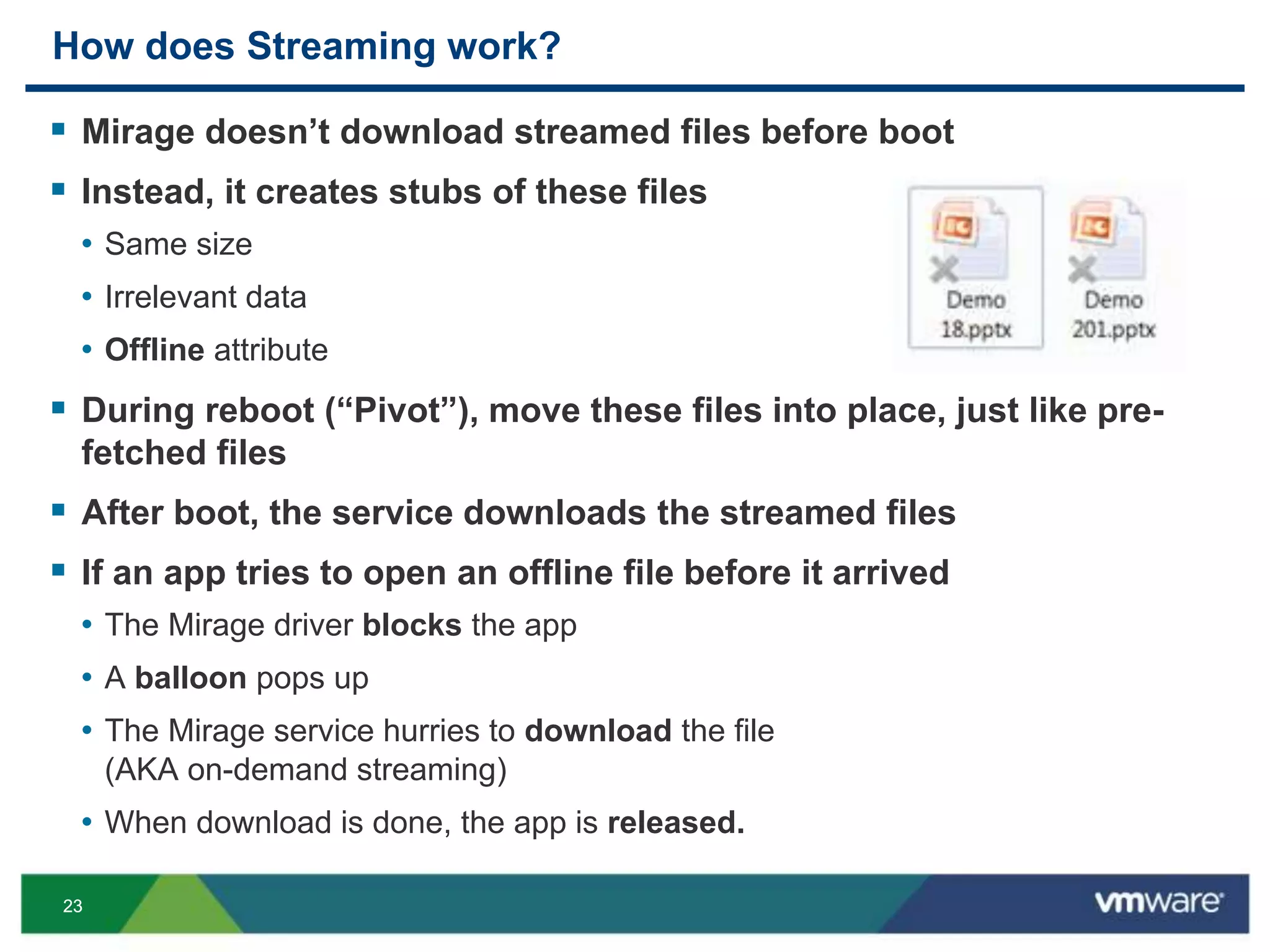
How does Streaming work?
 Mirage doesn’t download streamed files before boot
 Instead, it creates stubs of these files
• Same size
• Irrelevant data
• Offline attribute
 During reboot (“Pivot”), move these files into place, just like pre-
fetched files
 After boot, the service downloads the streamed files
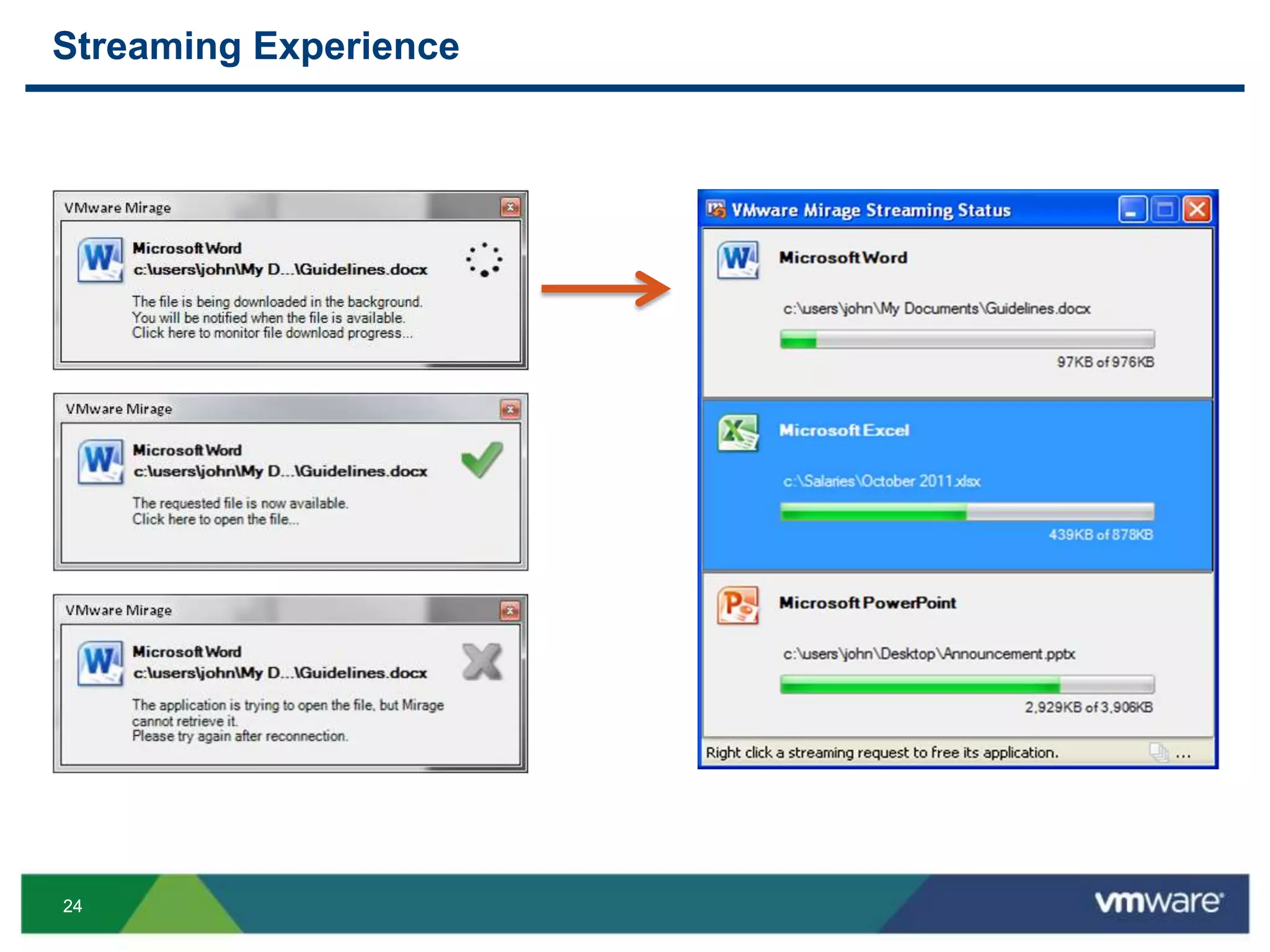
 If an app tries to open an offline file before it arrived
• The Mirage driver blocks the app
• A balloon pops up
• The Mirage service hurries to download the file
(AKA on-demand streaming)
• When download is done, the app is released.
2424
Streaming Experience
2525
ARCHITECTURAL IMPACTS
Storage & Network Optimizations
2626
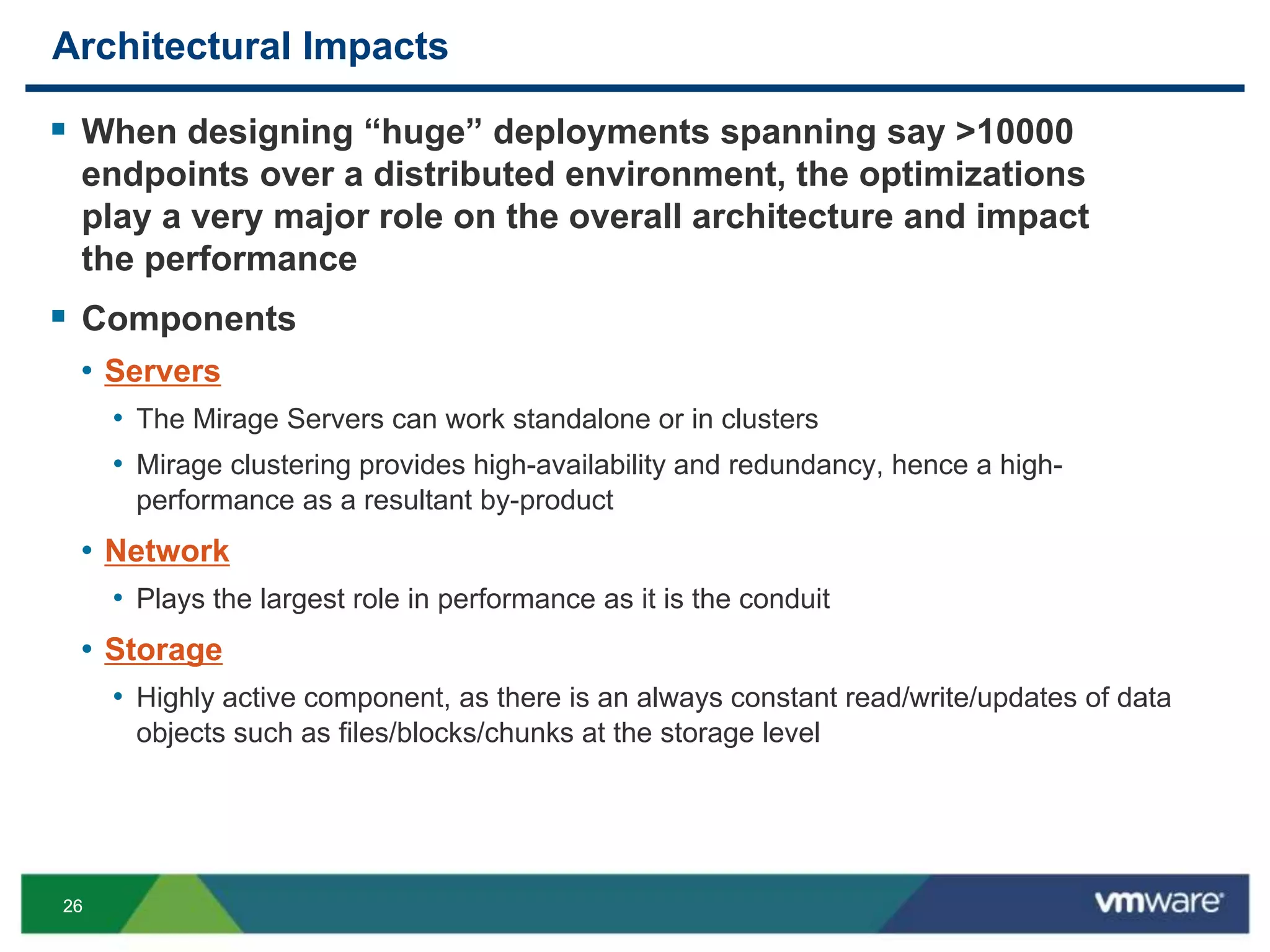
Architectural Impacts
 When designing “huge” deployments spanning say >10000
endpoints over a distributed environment, the optimizations
play a very major role on the overall architecture and impact
the performance
 Components
• Servers
• The Mirage Servers can work standalone or in clusters
• Mirage clustering provides high-availability and redundancy, hence a high-
performance as a resultant by-product
• Network
• Plays the largest role in performance as it is the conduit
• Storage
• Highly active component, as there is an always constant read/write/updates of data
objects such as files/blocks/chunks at the storage level
2727
HORIZON MIRAGE NETWORK
2828
Network
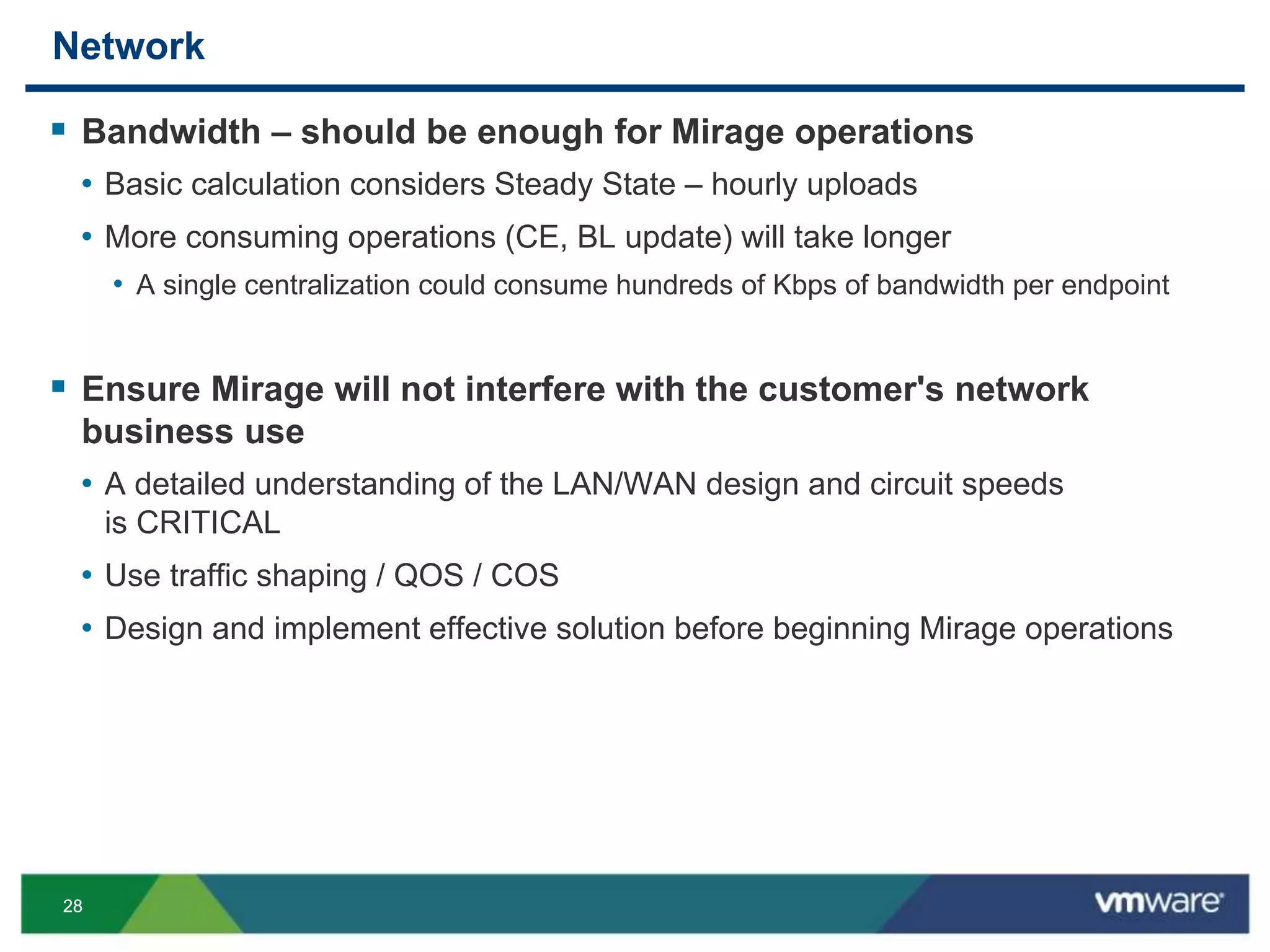
 Bandwidth – should be enough for Mirage operations
• Basic calculation considers Steady State – hourly uploads
• More consuming operations (CE, BL update) will take longer
• A single centralization could consume hundreds of Kbps of bandwidth per endpoint
 Ensure Mirage will not interfere with the customer's network
business use
• A detailed understanding of the LAN/WAN design and circuit speeds
is CRITICAL
• Use traffic shaping / QOS / COS
• Design and implement effective solution before beginning Mirage operations
2929
Endpoint “Steady State” Uplink Bandwidth Estimation
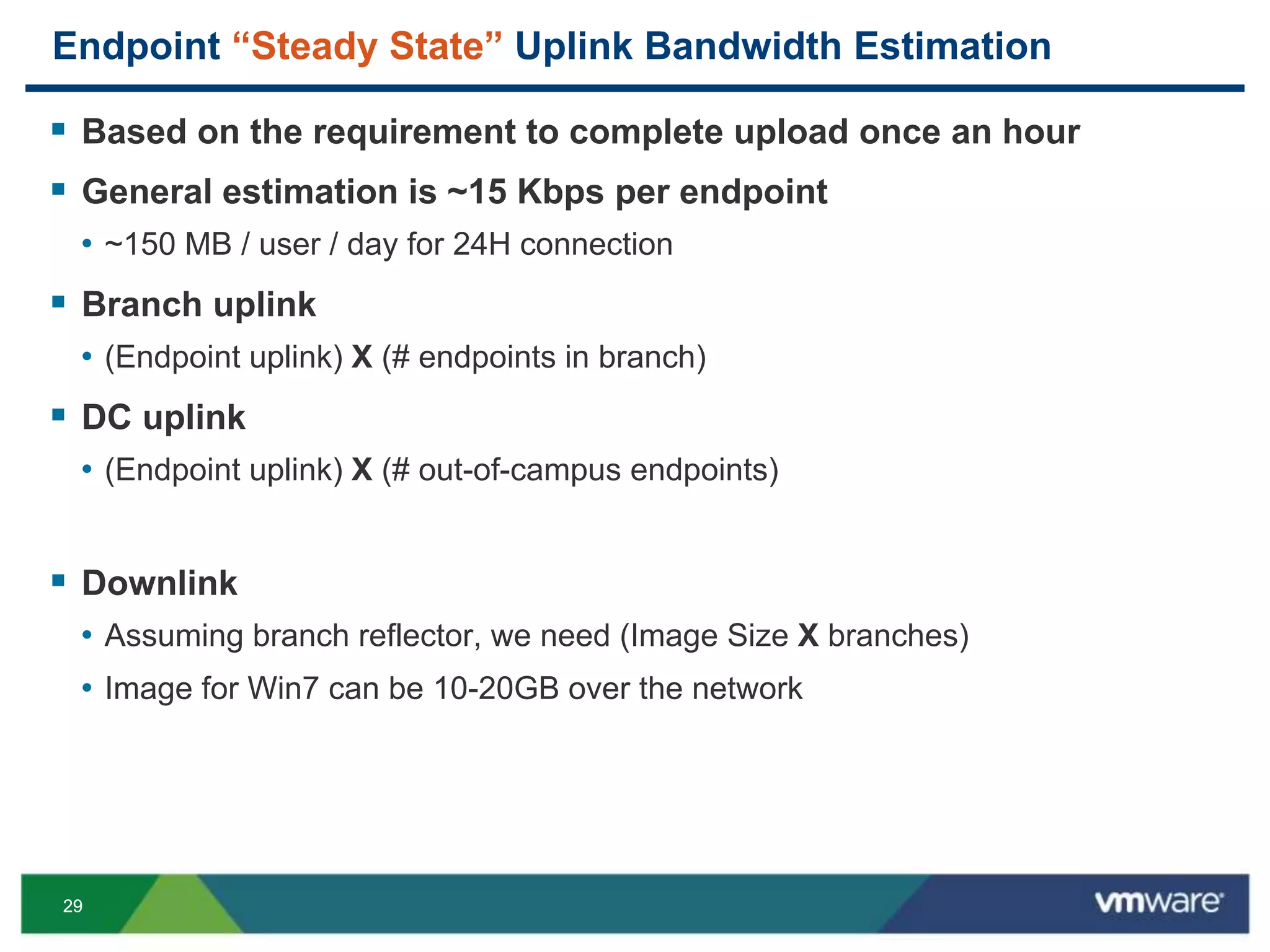
 Based on the requirement to complete upload once an hour
 General estimation is ~15 Kbps per endpoint
• ~150 MB / user / day for 24H connection
 Branch uplink
• (Endpoint uplink) X (# endpoints in branch)
 DC uplink
• (Endpoint uplink) X (# out-of-campus endpoints)
 Downlink
• Assuming branch reflector, we need (Image Size X branches)
• Image for Win7 can be 10-20GB over the network
3030
Centralization Bandwidth Requirement
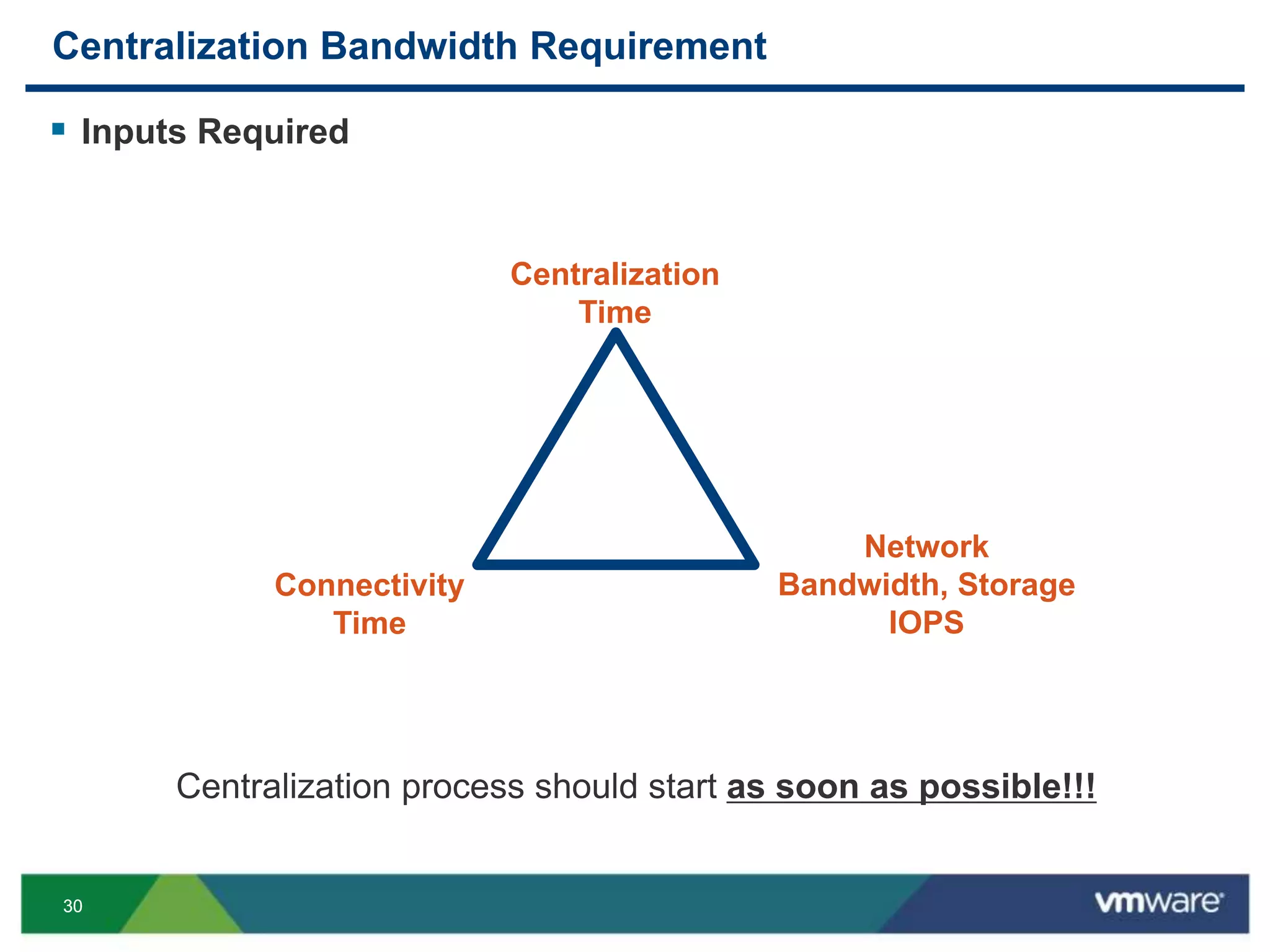
 Inputs Required
Centralization
Time
Network
Bandwidth, Storage
IOPS
Connectivity
Time
Centralization process should start as soon as possible!!!
3131
HORIZON MIRAGE STORAGE
3232
Storage – Architecture
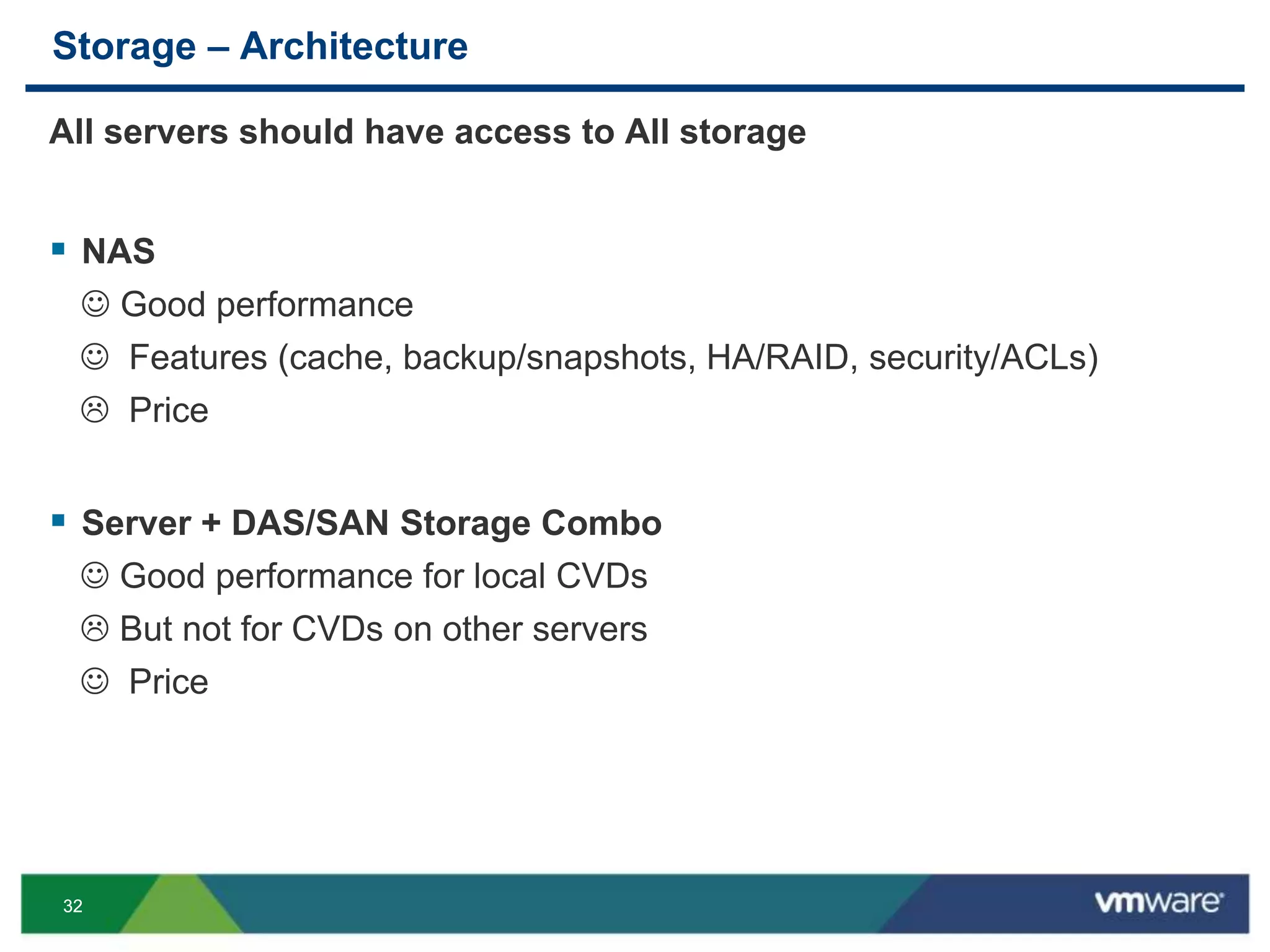
All servers should have access to All storage
 NAS
 Good performance
 Features (cache, backup/snapshots, HA/RAID, security/ACLs)
 Price
 Server + DAS/SAN Storage Combo
 Good performance for local CVDs
 But not for CVDs on other servers
 Price
3333
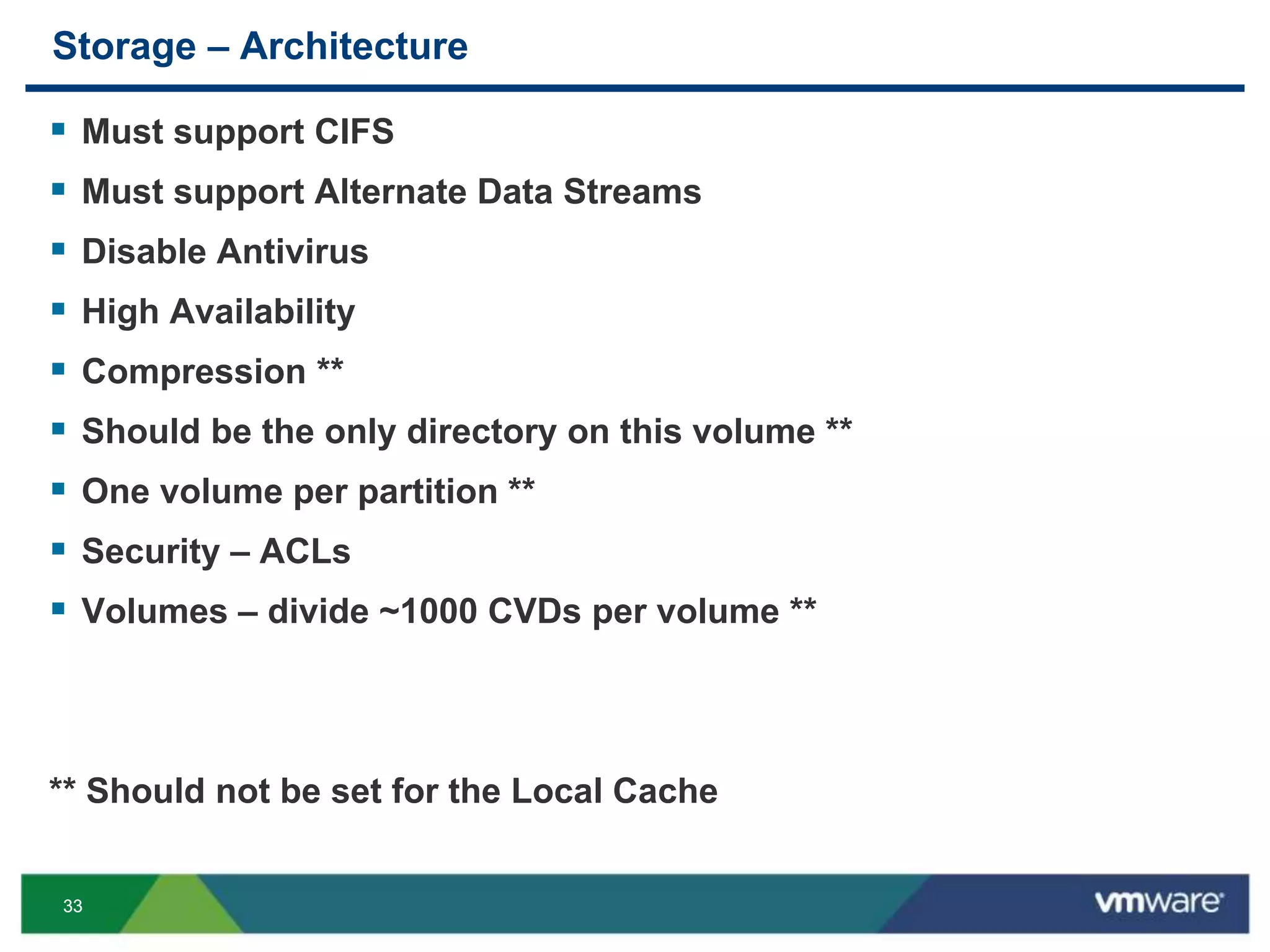
Storage – Architecture
 Must support CIFS
 Must support Alternate Data Streams
 Disable Antivirus
 High Availability
 Compression **
 Should be the only directory on this volume **
 One volume per partition **
 Security – ACLs
 Volumes – divide ~1000 CVDs per volume **
** Should not be set for the Local Cache
3434
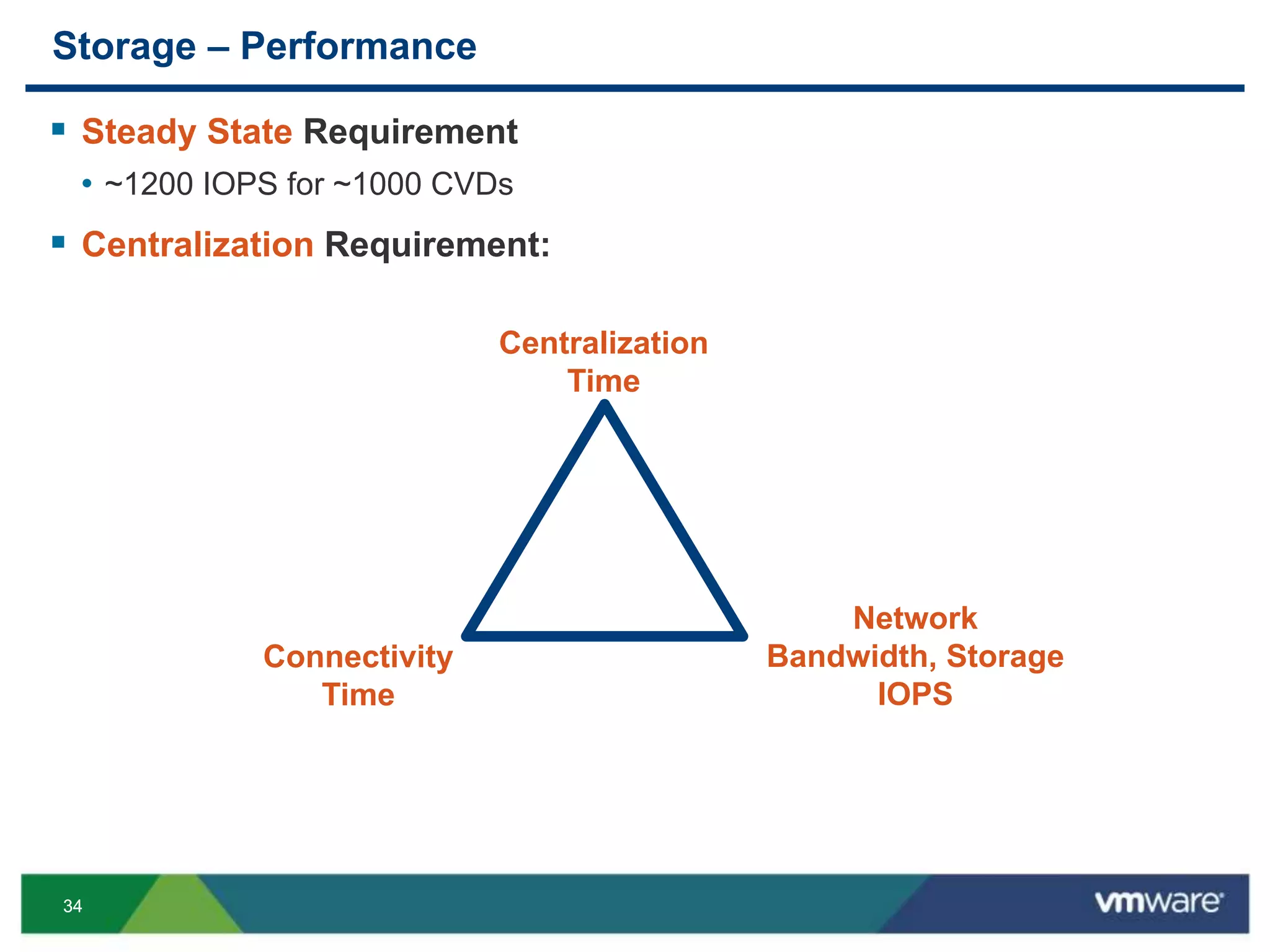
Storage – Performance
 Steady State Requirement
• ~1200 IOPS for ~1000 CVDs
 Centralization Requirement:
Centralization
Time
Network
Bandwidth, Storage
IOPS
Connectivity
Time
3535
MIRAGE SIZING CALCULATOR
3636
Mirage Sizing Calculator
 Calculates the “Estimation Time for Centralization” , based on the
various inputs such as CVD Size, Network Bandwidth, Storage IOPS etc
 Built & Tested by Engineering for Professional Services, based on
actual customer experiences and lab measurements
 Released as part of VMware Horizon Mirage 4.2.3
[The Mirage Sizing Calculator is available via your local SE or Partner]
3737
TAKEAWAYS
3838
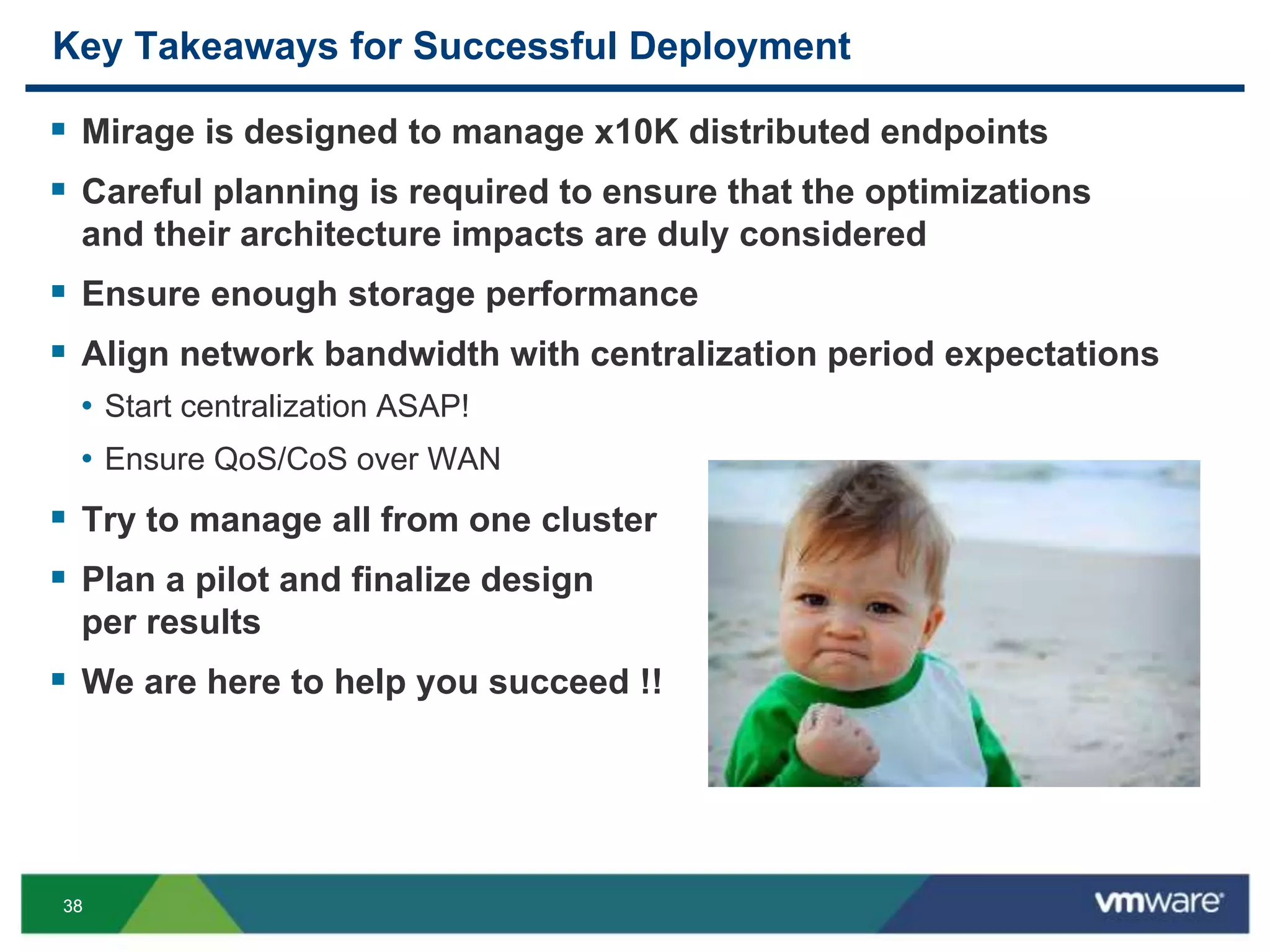
Key Takeaways for Successful Deployment
 Mirage is designed to manage x10K distributed endpoints
 Careful planning is required to ensure that the optimizations
and their architecture impacts are duly considered
 Ensure enough storage performance
 Align network bandwidth with centralization period expectations
• Start centralization ASAP!
• Ensure QoS/CoS over WAN
 Try to manage all from one cluster
 Plan a pilot and finalize design
per results
 We are here to help you succeed !!
3939
Q & A
4040
Other VMware Activities Related to This Session
 HOL:
HOL-MBL-1309
Horizon Mirage - Manage Physical Desktops
 Group Discussions:
EUC1000-GD; EUC1004-GD
Mirage with Daniel Beveridge or Mark Ewert
THANK YOU
VMware Mirage Storage and Network Deduplication,
DEMYSTIFIED
Anil Gupta, VMware
Kapil Kasetwar, VMware
Shlomo Wygodny, VMware
EUC5507
#EUC5507

VMworld 2013: VMware Mirage Storage and Network Deduplication, DEMYSTIFIED

  • 1.
    VMware Mirage Storageand Network Deduplication, DEMYSTIFIED Anil Gupta, VMware Kapil Kasetwar, VMware Shlomo Wygodny, VMware EUC5507 #EUC5507
  • 2.
    22 Special Contributors  IssyBen Shaul (CTO – Mirage)  Jason Joel (Director – Product Management)  Yaniv Weinberg, Leonid Vasetsky (Mirage Product Development)  Mark Ewert (EUC Architect)  Samsuddin Shaikh, Anupama Narayan & Prasenjit Paul (GSS)  Retheesh Rajan (EUC Specialist SE)
  • 3.
    33 Re-Introduction to VMware Mirage Optimizations in Mirage– Storage and Networking Optimizations – Demystified Architectural Impacts of Optimizations Q & A Take Away Understand the Mirage Optimizations for Storage and Network and their architectural impacts, for Large Scale Mirage deployments.
  • 4.
  • 5.
    55 What is VMwareHorizon Mirage?  Windows Endpoint Management System  Takes a new and different approach: Centralized images for manageability, coupled with local execution for native user experience  6 United States Patents Centralization Image Layering Optimizations
  • 6.
    66 Typical Horizon MirageDeployment Mirage server cluster NAS volumes Mirage console Load balancer Internet Mobile VPN Mirage Clients Data Center
  • 7.
    77 Focus Areas ofOptimizations Mirage server cluster NAS volumes Mirage console Load balancer Internet Mobile VPN Mirage Clients Data Center
  • 8.
    88 Need for Optimization Hugeamounts of data are:  Sent from endpoints to the Mirage server; • During Centralization and Steady State uploads  Stored at the Mirage server storage  Sent from the Mirage server to the endpoints • During mass image delivery • Endpoint restore • Should be as quick as possible Optimization of data delivery and storage are crucial for the feasibility of these operations!
  • 9.
    99 OPTIMIZATIONS IN MIRAGE– STORAGE AND NETWORKING
  • 10.
    1010 Mirage Optimizations VMware Confidential OptimizationsStorage Network Uplink Downlink Upload Changes Only X X File De-duplication X X X Block De-duplication X X X Chunk Cache X X Compression X X Branch Reflector X Streaming X
  • 11.
  • 12.
    1212 Uploading File Modifications VMwareConfidential  Take a VSS snapshot • An instant snapshot of the file-system is available in a shadow volume • Based on a “copy-on-write” mechanism by MS  The desktop service scans the file-system • Typically scan only files open for writing (File System Driver) • The result of the scan is saved in a “local manifest” file  The local manifest is compared with the “last uploaded CVD manifest”  Only the delta is uploaded to the server
  • 13.
    1313 File Deduplication Network  Sendonly files which do not exist already on the other hand  Done both for upload and download Storage  Do not save identical files more than once  Supported by a special structure of the storage  De-duplication saves about 50% of the CVD size
  • 14.
    1414 WAN Optimizations –File Level De-Duplication  Sender assembles list of required files  Receiver verifies the list with SIS  Receiver creates copies (Step #1)  Receiver returns the list of missing files  Sender sends the missing files  Receiver creates copies (Step #2) files: {A, A’, B, C} files: {A, B} create C (step #1) transfer: {A, B} ACK create A’ (step #2) Sender Receiver C A, B, C
  • 15.
    1515 File Dedup inStorage – Single Instance Store (SIS)  Content Area (CVD, BI, Drivers) • Shadows real directory structure but large files (> 4K) are represented by special files called pointers • Each pointer contains file meta-data (attributes, ACLs) and references the data by unique signature  SIS Area • Indexed data storage optimized for fast lookup, based on MD5 signatures Content Area drive_c windows a.txt temp a.txt b.txt SIS Area 15 14 594027834... A0 AF 834014FD7...
  • 16.
    1616 File De-Duplication inStorage – Uploads  First Upload • File is placed in SIS  Second Upload • SIS is checked for file signature • If found – file will not transferred and new reference will be created 112A8E1235.. SISContent 2 First upload: c:docsletter.doc c:docsletter.doc Second upload: c:docscopy.doc c:docscopy.doc Signature is found in SIS Number of references updated
  • 17.
    1717 CVD Layering  CVDkeeps backups in incremental manner • Layers are used to store deltas and merged from time to time • Number of layers is defined by configuration • Mirage can always construct the image by accumulating the layers  Delta has file-level granularity • Large files (e.g. PSTs) have block-level granularity c:windows*, c:program files*, c:docs*, c:games…Layer 0 c:gamespinball*, c:docswork*Layer 1 c:docsworkmail.pstLayer 2 Top- down lookup Files > 10MB (and are not video etc.) are cut to constant blocks of 1MB
  • 18.
    1818 “Rabin Fingerprinting” isthe chunking algorithm used to create blocks/chunks transfer A,X,Y transfer B,X,Y A X Y need A,X,Y send data for A,X,Y need B send data for B B A X Y B X Y … Split file to blocks (chunking) WAN Optimizations – Chunk Cache file constructed file constructed blocks stored in cache
  • 19.
    1919 WAN Optimizations –Compression  Use standard Lempel–Ziv (LZ) compression  Done on-the-fly while transmitting  Lossless  Saves 20-30% of the transmitted data  Requires CPU Resources + Time • May be eliminated for LAN environments  Storage is not compressed by Mirage, but can be compressed by the file system (NTFS)
  • 20.
    2020 Branch Reflectors –Optimized ROBO Distribution  ROBO : Remote Office, Branch Office Mirage Servers Mirage Branch Reflector Mirage clients Single image sent across the WAN WAN
  • 21.
    2121 Base Layer Updatewith Branch Reflector  Clients may use nearby BRs to download the data • BR is used for all downloads including Migration, Provisioning, Restore  BR will fetch the data on first request  BR will keep the data in its cache for others to use Storage (SIS) Database Server (1) lookup BRs (2) request data (3) fetch data (4) fetch data (5) lookup BRs(6) request data (6) fetch data BR
  • 22.
    2222 Streaming  What ifthe user has 100 GB of data to be restored? • We want the user to get back to work ASAP!!!   Files to be downloaded in restore are split into two • 1. Files to Pre-fetch: essential files • Static set (e.g. c:windowssystem32drivers*) • Dynamic set (e.g. c:program filesMcAfee*) • Login set (e.g. c:program filesMyFavouriteApp* ; c:docsMyFavouriteDoc.docx) • … • 2. Files to stream: all the rest  Streaming allows the user to start working before all of his files were downloaded.
  • 23.
    2323 How does Streamingwork?  Mirage doesn’t download streamed files before boot  Instead, it creates stubs of these files • Same size • Irrelevant data • Offline attribute  During reboot (“Pivot”), move these files into place, just like pre- fetched files  After boot, the service downloads the streamed files  If an app tries to open an offline file before it arrived • The Mirage driver blocks the app • A balloon pops up • The Mirage service hurries to download the file (AKA on-demand streaming) • When download is done, the app is released.
  • 24.
  • 25.
  • 26.
    2626 Architectural Impacts  Whendesigning “huge” deployments spanning say >10000 endpoints over a distributed environment, the optimizations play a very major role on the overall architecture and impact the performance  Components • Servers • The Mirage Servers can work standalone or in clusters • Mirage clustering provides high-availability and redundancy, hence a high- performance as a resultant by-product • Network • Plays the largest role in performance as it is the conduit • Storage • Highly active component, as there is an always constant read/write/updates of data objects such as files/blocks/chunks at the storage level
  • 27.
  • 28.
    2828 Network  Bandwidth –should be enough for Mirage operations • Basic calculation considers Steady State – hourly uploads • More consuming operations (CE, BL update) will take longer • A single centralization could consume hundreds of Kbps of bandwidth per endpoint  Ensure Mirage will not interfere with the customer's network business use • A detailed understanding of the LAN/WAN design and circuit speeds is CRITICAL • Use traffic shaping / QOS / COS • Design and implement effective solution before beginning Mirage operations
  • 29.
    2929 Endpoint “Steady State”Uplink Bandwidth Estimation  Based on the requirement to complete upload once an hour  General estimation is ~15 Kbps per endpoint • ~150 MB / user / day for 24H connection  Branch uplink • (Endpoint uplink) X (# endpoints in branch)  DC uplink • (Endpoint uplink) X (# out-of-campus endpoints)  Downlink • Assuming branch reflector, we need (Image Size X branches) • Image for Win7 can be 10-20GB over the network
  • 30.
    3030 Centralization Bandwidth Requirement Inputs Required Centralization Time Network Bandwidth, Storage IOPS Connectivity Time Centralization process should start as soon as possible!!!
  • 31.
  • 32.
    3232 Storage – Architecture Allservers should have access to All storage  NAS  Good performance  Features (cache, backup/snapshots, HA/RAID, security/ACLs)  Price  Server + DAS/SAN Storage Combo  Good performance for local CVDs  But not for CVDs on other servers  Price
  • 33.
    3333 Storage – Architecture Must support CIFS  Must support Alternate Data Streams  Disable Antivirus  High Availability  Compression **  Should be the only directory on this volume **  One volume per partition **  Security – ACLs  Volumes – divide ~1000 CVDs per volume ** ** Should not be set for the Local Cache
  • 34.
    3434 Storage – Performance Steady State Requirement • ~1200 IOPS for ~1000 CVDs  Centralization Requirement: Centralization Time Network Bandwidth, Storage IOPS Connectivity Time
  • 35.
  • 36.
    3636 Mirage Sizing Calculator Calculates the “Estimation Time for Centralization” , based on the various inputs such as CVD Size, Network Bandwidth, Storage IOPS etc  Built & Tested by Engineering for Professional Services, based on actual customer experiences and lab measurements  Released as part of VMware Horizon Mirage 4.2.3 [The Mirage Sizing Calculator is available via your local SE or Partner]
  • 37.
  • 38.
    3838 Key Takeaways forSuccessful Deployment  Mirage is designed to manage x10K distributed endpoints  Careful planning is required to ensure that the optimizations and their architecture impacts are duly considered  Ensure enough storage performance  Align network bandwidth with centralization period expectations • Start centralization ASAP! • Ensure QoS/CoS over WAN  Try to manage all from one cluster  Plan a pilot and finalize design per results  We are here to help you succeed !!
  • 39.
  • 40.
    4040 Other VMware ActivitiesRelated to This Session  HOL: HOL-MBL-1309 Horizon Mirage - Manage Physical Desktops  Group Discussions: EUC1000-GD; EUC1004-GD Mirage with Daniel Beveridge or Mark Ewert
  • 41.
  • 43.
    VMware Mirage Storageand Network Deduplication, DEMYSTIFIED Anil Gupta, VMware Kapil Kasetwar, VMware Shlomo Wygodny, VMware EUC5507 #EUC5507