Vlogging Students’ Oral Speeches  for Assessment Purposes TESOL 2007 Conference Seattle
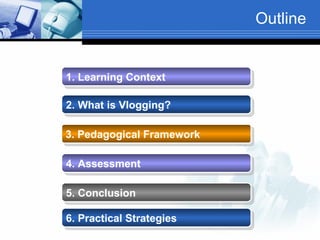
Outline 2. What is Vlogging?   3. Pedagogical Framework   4. Assessment   5. Conclusion   1. Learning Context   6. Practical Strategies
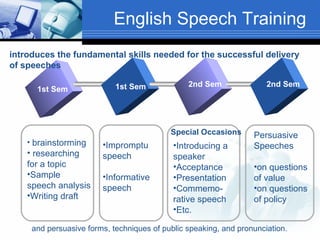
English Speech Training 1st Sem 1st Sem 2nd Sem 2nd Sem brainstorming researching for a topic Sample speech analysis Writing draft Impromptu speech Informative speech Introducing a speaker Acceptance Presentation Commemo-rative speech Etc. Persuasive Speeches on questions of value on questions of policy and persuasive forms, techniques of public speaking, and pronunciation.  introduces the fundamental skills needed for the successful delivery of speeches Special Occasions
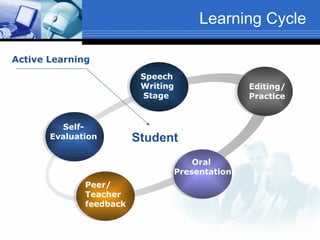
Learning Cycle Self- Evaluation Speech Writing Stage Editing/ Practice Oral  Presentation Peer/ Teacher feedback Student Active Learning
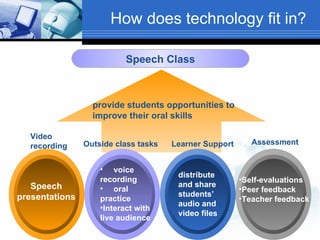
How does technology fit in? Speech Class Speech presentations distribute and share students’ audio and video files   voice recording   oral practice Interact with live audience Self-evaluations  Peer feedback Teacher feedback provide students opportunities to improve their oral skills Video recording Outside class tasks Learner Support Assessment
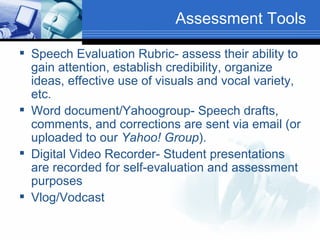
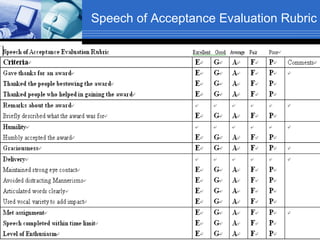
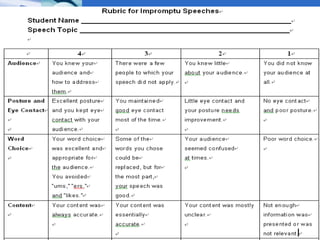
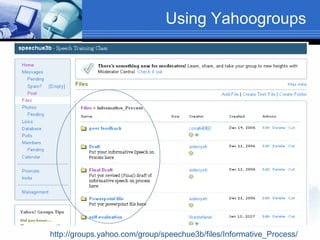
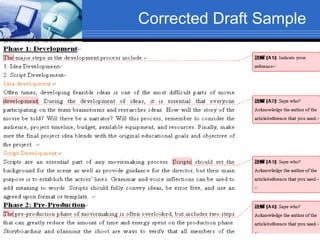
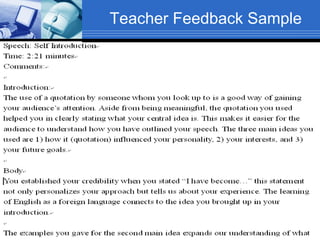
Assessment Tools Speech Evaluation Rubric- assess their ability to gain attention, establish credibility, organize ideas, effective use of visuals and vocal variety, etc. Word document/Yahoogroup- Speech drafts, comments, and corrections are sent via email (or uploaded to our  Yahoo! Group ).  Digital Video Recorder- Student presentations are recorded for self-evaluation and assessment purposes Vlog/Vodcast
Pedagogical Framework Blended Learning Constructivist Principle The use of audio/video digital recording promotes meaningful learning based on constructivist theoretical principles, which in addition to encouraging active student engagement also provide learners the chance to reflect upon their errors and progress.
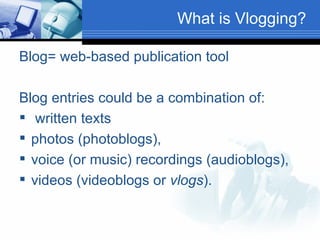
What is Vlogging? Blog= web-based publication tool Blog entries could be a combination of: written texts  photos (photoblogs),  voice (or music) recordings (audioblogs), videos (videoblogs or  vlogs ).
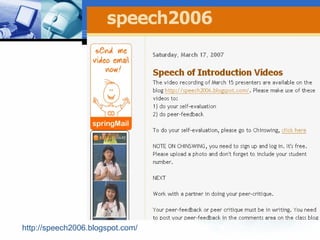
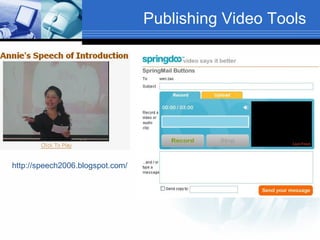
http://speech2006.blogspot.com/
Podcasting Podcast= iPod  +   broadcast  online audio (usually in mp3 format) and/or video file (mp4) Podcasting= delivery of audio/video content via webfeed or RSS (really simple syndication) feeds
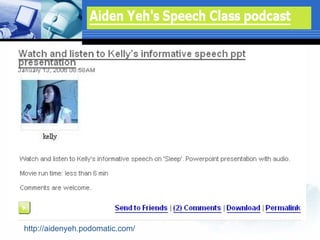
http://aidenyeh.podomatic.com/
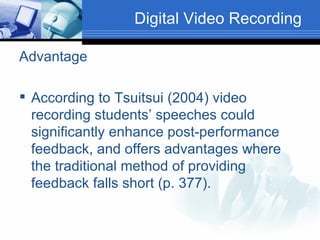
Digital Video Recording  Advantage According to Tsuitsui (2004) video recording students’ speeches could significantly enhance post-performance feedback, and offers advantages where the traditional method of providing feedback falls short (p. 377).
Publishing Video Tools http://speech2006.blogspot.com/
Speech of Acceptance Evaluation Rubric
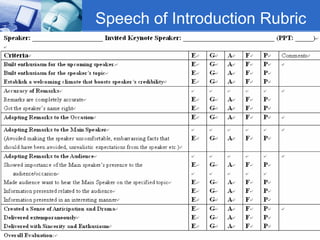
Speech of Introduction Rubric
 
Using Yahoogroups http://groups.yahoo.com/group/speechue3b/files/Informative_Process/
Corrected Draft Sample
Teacher Feedback Sample
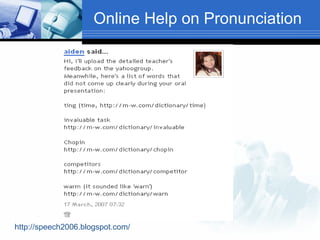
Online Help on Pronunciation  http://speech2006.blogspot.com/
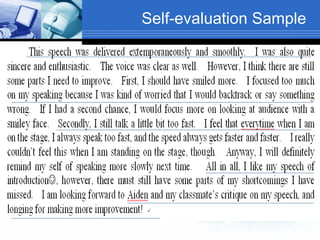
Self-evaluation Sample
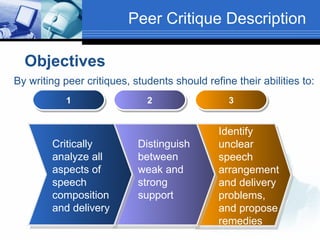
Peer Critique Description 1 2 3 By writing peer critiques, students should refine their abilities to:   Objectives Critically analyze all aspects of speech composition and delivery  Distinguish between weak and strong support  Identify unclear speech arrangement and delivery problems, and propose remedies
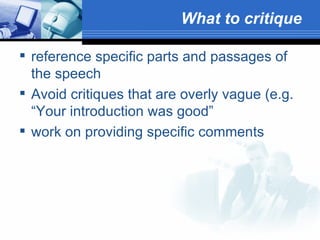
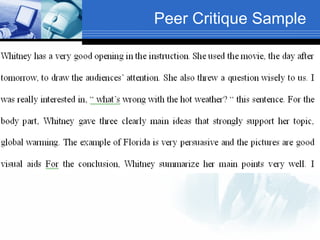
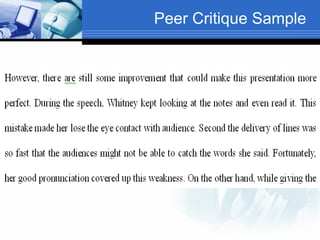
What to critique   reference specific parts and passages of the speech  Avoid critiques that are overly vague (e.g. “Your introduction was good”  work on providing specific comments
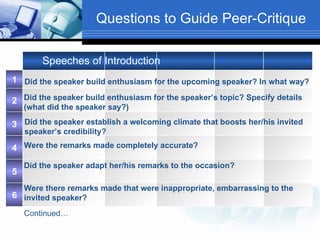
Questions to Guide Peer-Critique Speeches of Introduction Did the speaker build enthusiasm for the upcoming speaker? In what way?   Did the speaker build enthusiasm for the speaker’s topic? Specify details  (what did the speaker say?)   Did the speaker establish a welcoming climate that boosts her/his invited  speaker’s credibility?   Were the remarks made completely accurate?   Did the speaker adapt her/his remarks to the occasion?   Were there remarks made that were inappropriate, embarrassing to the  invited speaker?  Continued… 4 3 6 5 2 1
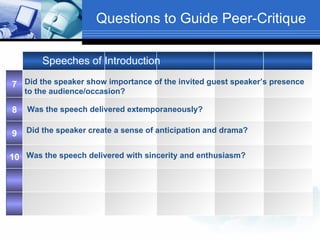
Questions to Guide Peer-Critique Speeches of Introduction Did the speaker show importance of the invited guest speaker’s presence  to the audience/occasion?   Did the speaker create a sense of anticipation and drama?  Was the speech delivered extemporaneously?   Was the speech delivered with sincerity and enthusiasm?   10 9 8 7
Peer Critique Sample
Authentic Learning Students’ motivation to improve on their craft is enhanced  Real audience The presence of a real audience has positive ramifications to student learning and therefore ‘stimulate student education’ (Stanley, 2006, p. 5).
Posted Messages Message posted by a colleague on student’s podcast, February 17, 2006,  “ Thank you for a very clear explanation. You should perhaps know that I listened to your presentation after a very bad night's sleep! Let's hope it goes better tonight. It should do if I follow your good advice!” Student's response, February 20, 2006,    “ I'm sorry that I reply you so late, because I just get ready for the second semester. Thank you for your advice and I really hope these tips do help you sleep well.”
Meaningful Learning “ I can see my weaknesses when watching video, and also learn from other classmates, because sometimes you wouldn’t know your weaknesses when you’re doing the presentation. ” Student self-evaluation from Speech Training Class
More Learning Opportunities In a f2f class, details of students' speeches may tend to be lost in the rush to get through all performances.  Critiques and reflection may be delayed for several class periods, extending over weeks.  Blending online tools with our f2f class allows students far more opportunity for immediate reflection and steady improvement of their own performances.
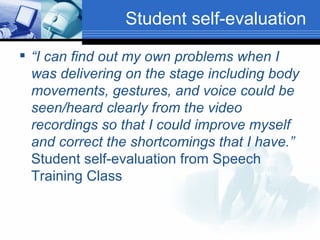
Student self-evaluation “ I can find out my own problems when I was delivering on the stage including body movements, gestures, and voice could be seen/heard clearly from the video recordings so that I could improve myself and correct the shortcomings that I have.”  Student self-evaluation from Speech Training Class
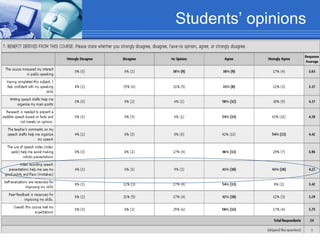
Students’ opinions
Conclusion creates an optimal learning environment  promotes the idea that learning does not only take place in the classroom.  promotes learning mobility and autonomy while providing learner support.  provides students a truly motivating learning experience.
Practical Strategies  Video recording Producing Publishing students’ oral speeches
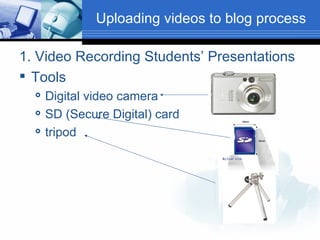
Uploading videos to blog process 1. Video Recording Students’ Presentations Tools Digital video camera SD (Secure Digital) card tripod
2. Transfer the video files from SD card to your computer hard drive SD card reader Copy/transfer the files High light the files you wish to transfer/copy Cut/copy and paste (the files) to your hard drive Note: make sure that all the files have been successfully transferred before removing your SD card from your computer/card reader  Uploading videos to blog process
3. Video files AVI (Audio Video Interleave) WMV (Windows Media Video) MP4/MPEG-4 file format- latest compression standard file format specified as a part of the MPEG-4 (Moving Picture Experts Group) international standard RM (Real Media) Quick time video files Convert AVI to WMV or MP4 to compress the file Uploading videos to blog process
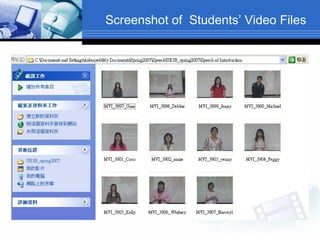
Screenshot of  Students’ Video Files
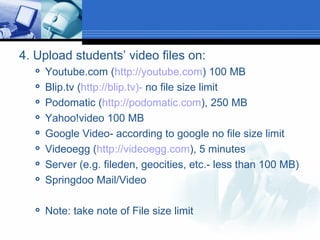
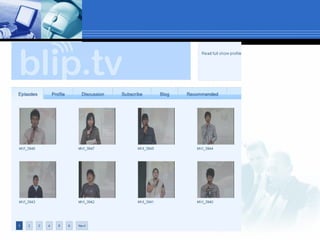
4. Upload students’ video files on: Youtube.com ( http://youtube.com ) 100 MB Blip.tv ( http://blip.tv)-  no file size limit Podomatic ( http://podomatic.com ), 250 MB Yahoo!video 100 MB Google Video- according to google no file size limit Videoegg ( http://videoegg.com ), 5 minutes Server (e.g. fileden, geocities, etc.- less than 100 MB) Springdoo Mail/Video Note: take note of File size limit
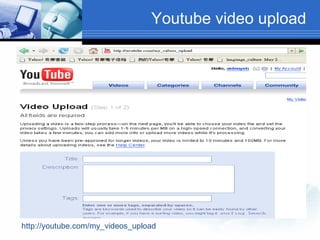
Youtube video upload http://youtube.com/my_videos_upload
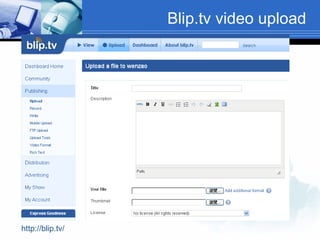
Blip.tv video upload http://blip.tv/
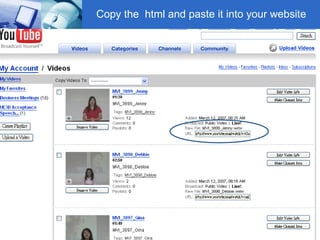
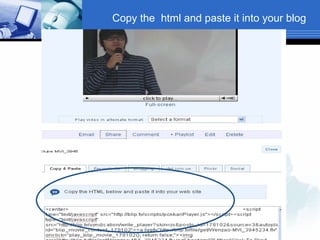
Copy the  html and paste it into your website
 
Copy the  html and paste it into your blog
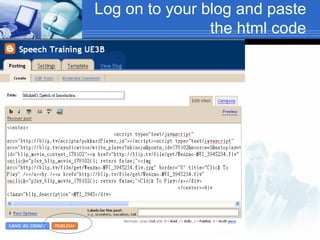
Log on to your blog and paste the html code
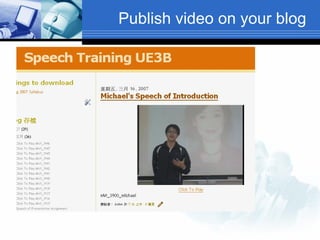
Publish video on your blog
End

Vlogging

  • 1.
    Vlogging Students’ OralSpeeches for Assessment Purposes TESOL 2007 Conference Seattle
  • 2.
    Outline 2. Whatis Vlogging? 3. Pedagogical Framework 4. Assessment 5. Conclusion 1. Learning Context 6. Practical Strategies
  • 3.
    English Speech Training1st Sem 1st Sem 2nd Sem 2nd Sem brainstorming researching for a topic Sample speech analysis Writing draft Impromptu speech Informative speech Introducing a speaker Acceptance Presentation Commemo-rative speech Etc. Persuasive Speeches on questions of value on questions of policy and persuasive forms, techniques of public speaking, and pronunciation. introduces the fundamental skills needed for the successful delivery of speeches Special Occasions
  • 4.
    Learning Cycle Self-Evaluation Speech Writing Stage Editing/ Practice Oral Presentation Peer/ Teacher feedback Student Active Learning
  • 5.
    How does technologyfit in? Speech Class Speech presentations distribute and share students’ audio and video files   voice recording   oral practice Interact with live audience Self-evaluations Peer feedback Teacher feedback provide students opportunities to improve their oral skills Video recording Outside class tasks Learner Support Assessment
  • 6.
    Assessment Tools SpeechEvaluation Rubric- assess their ability to gain attention, establish credibility, organize ideas, effective use of visuals and vocal variety, etc. Word document/Yahoogroup- Speech drafts, comments, and corrections are sent via email (or uploaded to our Yahoo! Group ). Digital Video Recorder- Student presentations are recorded for self-evaluation and assessment purposes Vlog/Vodcast
  • 7.
    Pedagogical Framework BlendedLearning Constructivist Principle The use of audio/video digital recording promotes meaningful learning based on constructivist theoretical principles, which in addition to encouraging active student engagement also provide learners the chance to reflect upon their errors and progress.
  • 8.
    What is Vlogging?Blog= web-based publication tool Blog entries could be a combination of: written texts photos (photoblogs), voice (or music) recordings (audioblogs), videos (videoblogs or vlogs ).
  • 9.
  • 10.
    Podcasting Podcast= iPod + broadcast online audio (usually in mp3 format) and/or video file (mp4) Podcasting= delivery of audio/video content via webfeed or RSS (really simple syndication) feeds
  • 11.
  • 12.
    Digital Video Recording Advantage According to Tsuitsui (2004) video recording students’ speeches could significantly enhance post-performance feedback, and offers advantages where the traditional method of providing feedback falls short (p. 377).
  • 13.
    Publishing Video Toolshttp://speech2006.blogspot.com/
  • 14.
    Speech of AcceptanceEvaluation Rubric
  • 15.
  • 16.
  • 17.
  • 18.
  • 19.
  • 20.
    Online Help onPronunciation http://speech2006.blogspot.com/
  • 21.
  • 22.
    Peer Critique Description1 2 3 By writing peer critiques, students should refine their abilities to: Objectives Critically analyze all aspects of speech composition and delivery Distinguish between weak and strong support Identify unclear speech arrangement and delivery problems, and propose remedies
  • 23.
    What to critique reference specific parts and passages of the speech Avoid critiques that are overly vague (e.g. “Your introduction was good” work on providing specific comments
  • 24.
    Questions to GuidePeer-Critique Speeches of Introduction Did the speaker build enthusiasm for the upcoming speaker? In what way? Did the speaker build enthusiasm for the speaker’s topic? Specify details (what did the speaker say?) Did the speaker establish a welcoming climate that boosts her/his invited speaker’s credibility? Were the remarks made completely accurate? Did the speaker adapt her/his remarks to the occasion? Were there remarks made that were inappropriate, embarrassing to the invited speaker? Continued… 4 3 6 5 2 1
  • 25.
    Questions to GuidePeer-Critique Speeches of Introduction Did the speaker show importance of the invited guest speaker’s presence to the audience/occasion? Did the speaker create a sense of anticipation and drama? Was the speech delivered extemporaneously? Was the speech delivered with sincerity and enthusiasm? 10 9 8 7
  • 26.
  • 27.
  • 28.
    Authentic Learning Students’motivation to improve on their craft is enhanced Real audience The presence of a real audience has positive ramifications to student learning and therefore ‘stimulate student education’ (Stanley, 2006, p. 5).
  • 29.
    Posted Messages Messageposted by a colleague on student’s podcast, February 17, 2006, “ Thank you for a very clear explanation. You should perhaps know that I listened to your presentation after a very bad night's sleep! Let's hope it goes better tonight. It should do if I follow your good advice!” Student's response, February 20, 2006,   “ I'm sorry that I reply you so late, because I just get ready for the second semester. Thank you for your advice and I really hope these tips do help you sleep well.”
  • 30.
    Meaningful Learning “I can see my weaknesses when watching video, and also learn from other classmates, because sometimes you wouldn’t know your weaknesses when you’re doing the presentation. ” Student self-evaluation from Speech Training Class
  • 31.
    More Learning OpportunitiesIn a f2f class, details of students' speeches may tend to be lost in the rush to get through all performances. Critiques and reflection may be delayed for several class periods, extending over weeks. Blending online tools with our f2f class allows students far more opportunity for immediate reflection and steady improvement of their own performances.
  • 32.
    Student self-evaluation “I can find out my own problems when I was delivering on the stage including body movements, gestures, and voice could be seen/heard clearly from the video recordings so that I could improve myself and correct the shortcomings that I have.” Student self-evaluation from Speech Training Class
  • 33.
  • 34.
    Conclusion creates anoptimal learning environment promotes the idea that learning does not only take place in the classroom. promotes learning mobility and autonomy while providing learner support. provides students a truly motivating learning experience.
  • 35.
    Practical Strategies Video recording Producing Publishing students’ oral speeches
  • 36.
    Uploading videos toblog process 1. Video Recording Students’ Presentations Tools Digital video camera SD (Secure Digital) card tripod
  • 37.
    2. Transfer thevideo files from SD card to your computer hard drive SD card reader Copy/transfer the files High light the files you wish to transfer/copy Cut/copy and paste (the files) to your hard drive Note: make sure that all the files have been successfully transferred before removing your SD card from your computer/card reader Uploading videos to blog process
  • 38.
    3. Video filesAVI (Audio Video Interleave) WMV (Windows Media Video) MP4/MPEG-4 file format- latest compression standard file format specified as a part of the MPEG-4 (Moving Picture Experts Group) international standard RM (Real Media) Quick time video files Convert AVI to WMV or MP4 to compress the file Uploading videos to blog process
  • 39.
    Screenshot of Students’ Video Files
  • 40.
    4. Upload students’video files on: Youtube.com ( http://youtube.com ) 100 MB Blip.tv ( http://blip.tv)- no file size limit Podomatic ( http://podomatic.com ), 250 MB Yahoo!video 100 MB Google Video- according to google no file size limit Videoegg ( http://videoegg.com ), 5 minutes Server (e.g. fileden, geocities, etc.- less than 100 MB) Springdoo Mail/Video Note: take note of File size limit
  • 41.
    Youtube video uploadhttp://youtube.com/my_videos_upload
  • 42.
    Blip.tv video uploadhttp://blip.tv/
  • 43.
    Copy the html and paste it into your website
  • 44.
  • 45.
    Copy the html and paste it into your blog
  • 46.
    Log on toyour blog and paste the html code
  • 47.
  • 48.