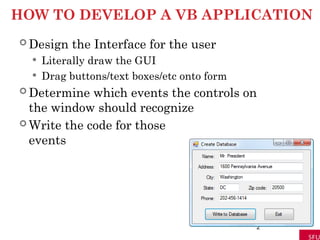
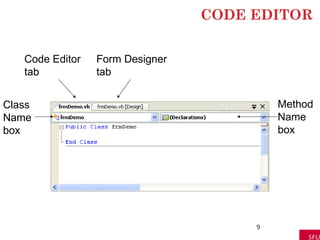
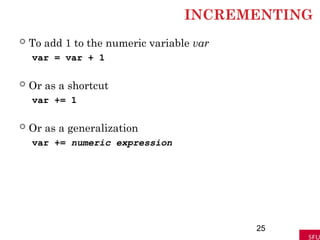
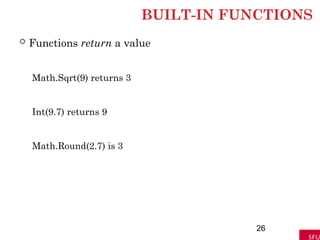
HOW TO DEVELOPA VB APPLICATION
Design the Interface for the user
Literally draw the GUI
Drag buttons/text boxes/etc onto form
Determine which events the controls on
the window should recognize
Write the code for those
events
2
3.
WHAT HAPPENS WHENPROGRAM IS
RUNNING
1. VB monitors the controls for events
2. If event occurs, it runs procedures assigned to
that event
3. If no event exists, it goes back to #1.
3
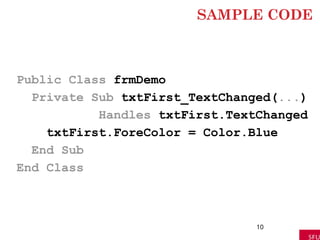
SAMPLE CODE
Public ClassfrmDemo
Private Sub txtFirst_TextChanged(...)
Handles txtFirst.TextChanged
txtFirst.ForeColor = Color.Blue
End Sub
End Class
10
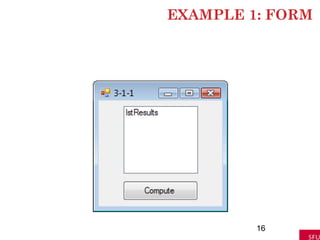
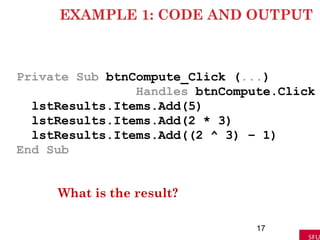
EXAMPLE 1: CODEAND OUTPUT
Private Sub btnCompute_Click (...)
Handles btnCompute.Click
lstResults.Items.Add(5)
lstResults.Items.Add(2 * 3)
lstResults.Items.Add((2 ^ 3) – 1)
End Sub
What is the result?
17
18.
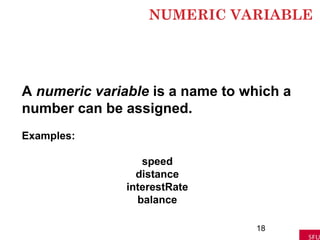
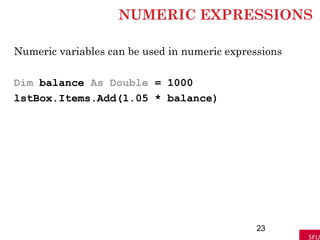
NUMERIC VARIABLE
18
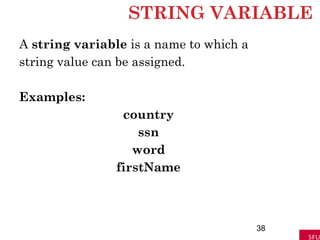
A numericvariable is a name to which a
number can be assigned.
Examples:
speed
distance
interestRate
balance
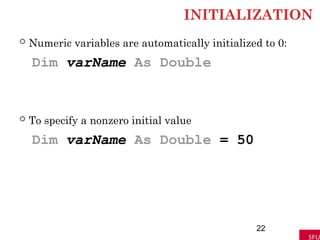
INITIALIZATION
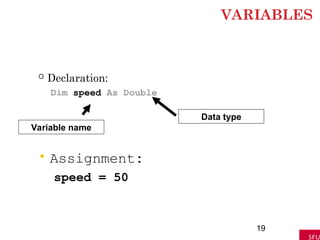
Numeric variablesare automatically initialized to 0:
Dim varName As Double
To specify a nonzero initial value
Dim varName As Double = 50
22
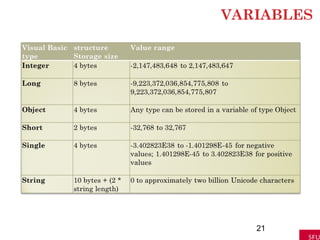
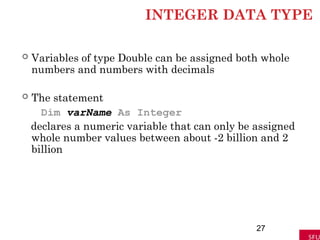
INTEGER DATA TYPE
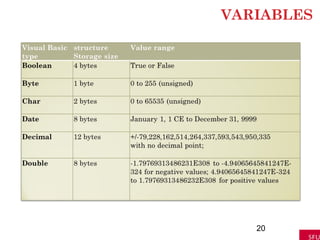
Variables of type Double can be assigned both whole
numbers and numbers with decimals
The statement
Dim varName As Integer
declares a numeric variable that can only be assigned
whole number values between about -2 billion and 2
billion
27
28.
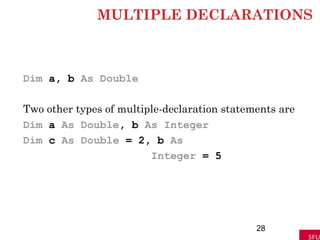
MULTIPLE DECLARATIONS
Dim a,b As Double
Two other types of multiple-declaration statements are
Dim a As Double, b As Integer
Dim c As Double = 2, b As
Integer = 5
28
29.
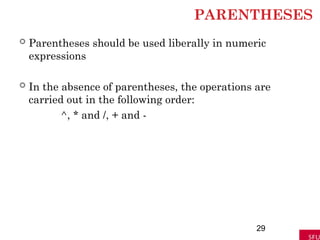
PARENTHESES
Parentheses shouldbe used liberally in numeric
expressions
In the absence of parentheses, the operations are
carried out in the following order:
^, * and /, + and -
29
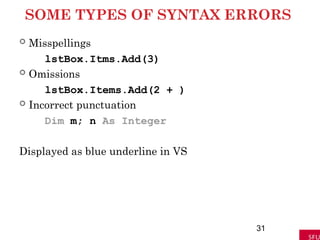
SOME TYPES OFSYNTAX ERRORS
Misspellings
lstBox.Itms.Add(3)
Omissions
lstBox.Items.Add(2 + )
Incorrect punctuation
Dim m; n As Integer
Displayed as blue underline in VS
31
32.
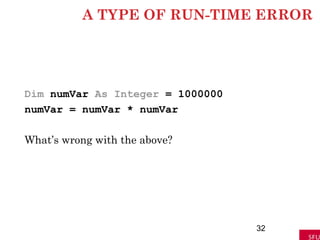
A TYPE OFRUN-TIME ERROR
Dim numVar As Integer = 1000000
numVar = numVar * numVar
What’s wrong with the above?
32
33.
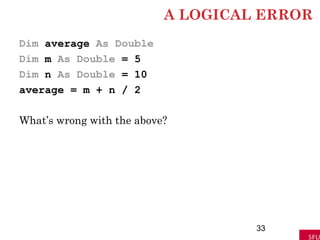
A LOGICAL ERROR
Dimaverage As Double
Dim m As Double = 5
Dim n As Double = 10
average = m + n / 2
What’s wrong with the above?
33
34.
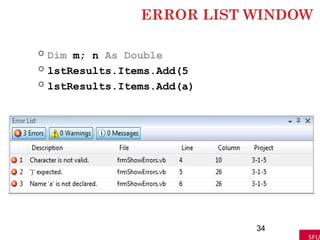
ERROR LIST WINDOW
Dim m; n As Double
lstResults.Items.Add(5
lstResults.Items.Add(a)
34
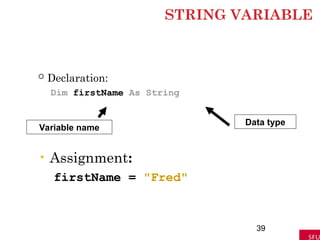
STRING VARIABLE
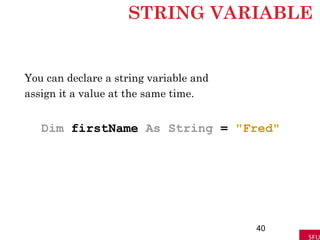
You candeclare a string variable and
assign it a value at the same time.
Dim firstName As String = "Fred"
40
41.
ADD METHOD
Let strbe a string literal or variable. Then,
lstBox.Items.Add(str)
displays the value of str in the list box.
41
42.
STRING VARIABLE
You canassign the value of one string variable to another
Dim strVar1 As String = "Hello"
Dim strVar2 As String = "Goodbye"
strVar2 = strVar1
lstOutput.Items.Add(strVar2)
42
43.
VARIABLES AND STRINGS
PrivateSub btnDisplay_Click(...) Handles
btnDisplay.Click
Dim president As String
president = "George Washington"
lstOutput.Items.Add("president")
lstOutput.Items.Add(president)
End Sub
43
44.
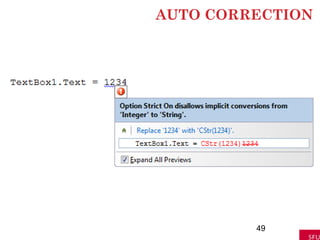
OPTION STRICT
VisualBasic allows numeric variables to be assigned
strings and vice versa, a poor programming practice.
To prevent such assignments, set Option Strict
to On in the Options dialog box.
44
45.
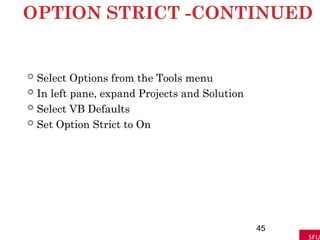
OPTION STRICT -CONTINUED
Select Options from the Tools menu
In left pane, expand Projects and Solution
Select VB Defaults
Set Option Strict to On
45
46.
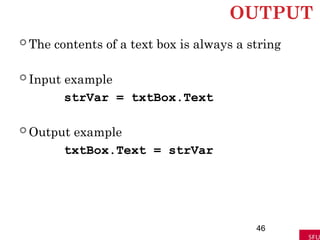
OUTPUT
The contentsof a text box is always a string
Input example
strVar = txtBox.Text
Output example
txtBox.Text = strVar
46
47.
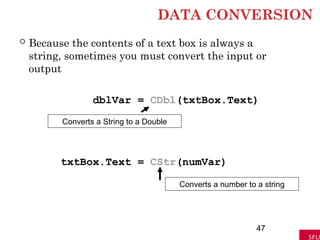
DATA CONVERSION
Becausethe contents of a text box is always a
string, sometimes you must convert the input or
output
dblVar = CDbl(txtBox.Text)
txtBox.Text = CStr(numVar)
47
Converts a String to a Double
Converts a number to a string
48.
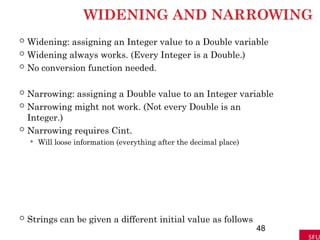
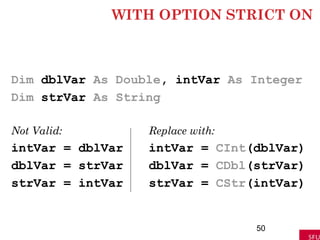
WIDENING AND NARROWING
Widening: assigning an Integer value to a Double variable
Widening always works. (Every Integer is a Double.)
No conversion function needed.
Narrowing: assigning a Double value to an Integer variable
Narrowing might not work. (Not every Double is an
Integer.)
Narrowing requires Cint.
Will loose information (everything after the decimal place)
Strings can be given a different initial value as follows
48
STRING PROPERTIES
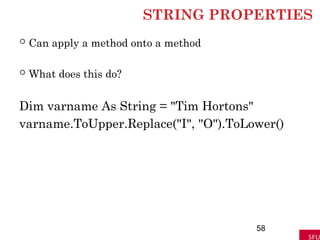
Canapply a method onto a method
What does this do?
Dim varname As String = "Tim Hortons"
varname.ToUpper.Replace("I", "O").ToLower()
58
59.
POSITIONS IN ASTRING
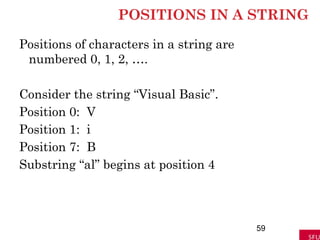
Positions of characters in a string are
numbered 0, 1, 2, ….
Consider the string “Visual Basic”.
Position 0: V
Position 1: i
Position 7: B
Substring “al” begins at position 4
59
60.
SUBSTRING METHOD
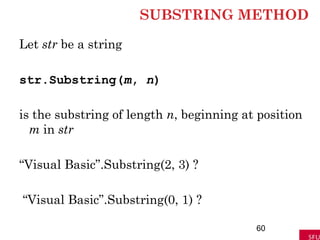
Let strbe a string
str.Substring(m, n)
is the substring of length n, beginning at position
m in str
“Visual Basic”.Substring(2, 3) ?
“Visual Basic”.Substring(0, 1) ?
60
61.
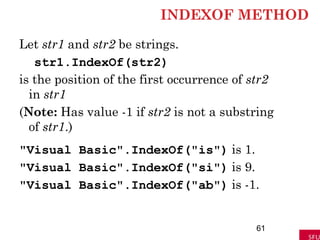
INDEXOF METHOD
Let str1and str2 be strings.
str1.IndexOf(str2)
is the position of the first occurrence of str2
in str1
(Note: Has value -1 if str2 is not a substring
of str1.)
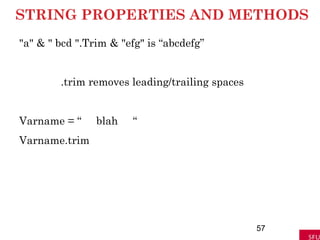
"Visual Basic".IndexOf("is") is 1.
"Visual Basic".IndexOf("si") is 9.
"Visual Basic".IndexOf("ab") is -1.
61
62.
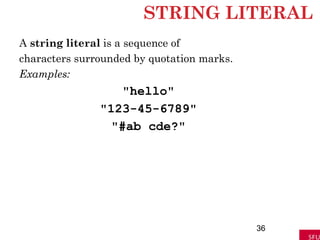
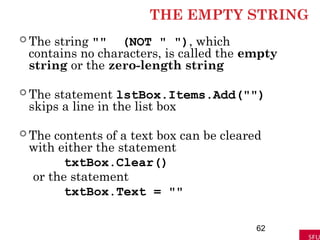
THE EMPTY STRING
The string "" (NOT " "), which
contains no characters, is called the empty
string or the zero-length string
The statement lstBox.Items.Add("")
skips a line in the list box
The contents of a text box can be cleared
with either the statement
txtBox.Clear()
or the statement
txtBox.Text = ""
62
63.
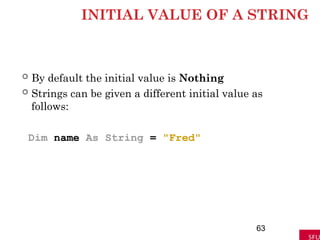
INITIAL VALUE OFA STRING
By default the initial value is Nothing
Strings can be given a different initial value as
follows:
Dim name As String = "Fred"
63
64.
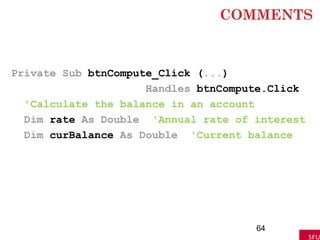
COMMENTS
Private Sub btnCompute_Click(...)
Handles btnCompute.Click
'Calculate the balance in an account
Dim rate As Double 'Annual rate of interest
Dim curBalance As Double 'Current balance
64
65.
INTERNAL DOCUMENTATION
1. Otherpeople can easily understand the program
2. You can understand the program when you read it
later
3. Long programs are easier to read because the
purposes of individual pieces can be determined at
a glance
65
66.
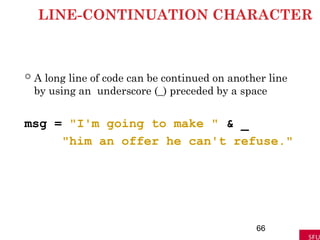
LINE-CONTINUATION CHARACTER
Along line of code can be continued on another line
by using an underscore (_) preceded by a space
msg = "I'm going to make " & _
"him an offer he can't refuse."
66
67.
SCOPE
The scopeof a variable is the portion of the program
that can refer to it
Variables declared inside an event procedure are
said to have local scope and are only available in
the event procedure in which they are declared
67
68.
SCOPE
Variables declaredoutside an event procedure are
said to have class-level scope and are available to
every event procedure.
Usually declared after
Public Class formName
(Declarations section of Code Editor.)
68
69.
AUTOMATIC COLORIZATION
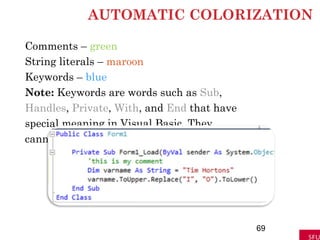
Comments –green
String literals – maroon
Keywords – blue
Note: Keywords are words such as Sub,
Handles, Private, With, and End that have
special meaning in Visual Basic. They
cannot be used as variable names.
69
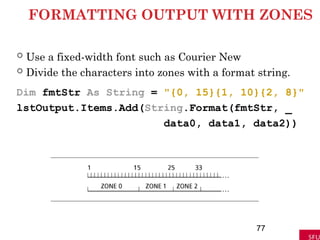
FORMATTING OUTPUT WITHZONES
Use a fixed-width font such as Courier New
Divide the characters into zones with a format string.
Dim fmtStr As String = "{0, 15}{1, 10}{2, 8}"
lstOutput.Items.Add(String.Format(fmtStr, _
data0, data1, data2))
77
78.
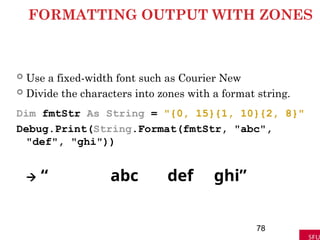
FORMATTING OUTPUT WITHZONES
Use a fixed-width font such as Courier New
Divide the characters into zones with a format string.
Dim fmtStr As String = "{0, 15}{1, 10}{2, 8}"
Debug.Print(String.Format(fmtStr, "abc",
"def", "ghi"))
“ abc def ghi”
78
79.
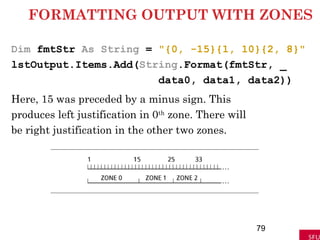
FORMATTING OUTPUT WITHZONES
Dim fmtStr As String = "{0, -15}{1, 10}{2, 8}"
lstOutput.Items.Add(String.Format(fmtStr, _
data0, data1, data2))
Here, 15 was preceded by a minus sign. This
produces left justification in 0th
zone. There will
be right justification in the other two zones.
79
80.
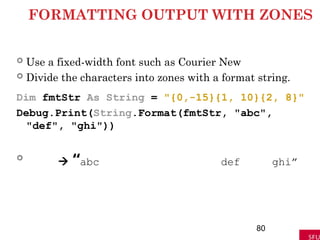
FORMATTING OUTPUT WITHZONES
Use a fixed-width font such as Courier New
Divide the characters into zones with a format string.
Dim fmtStr As String = "{0,-15}{1, 10}{2, 8}"
Debug.Print(String.Format(fmtStr, "abc",
"def", "ghi"))
“abc def ghi”
80
81.
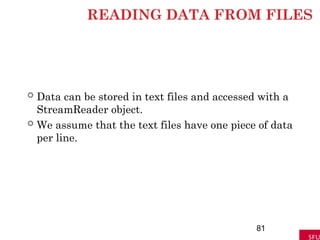
READING DATA FROMFILES
Data can be stored in text files and accessed with a
StreamReader object.
We assume that the text files have one piece of data
per line.
81
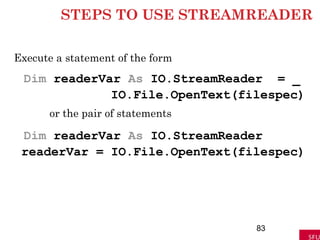
STEPS TO USESTREAMREADER
Execute a statement of the form
Dim readerVar As IO.StreamReader = _
IO.File.OpenText(filespec)
or the pair of statements
Dim readerVar As IO.StreamReader
readerVar = IO.File.OpenText(filespec)
83
84.
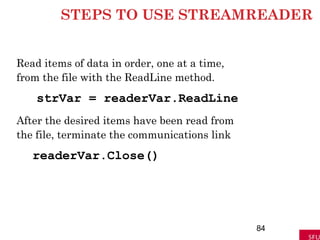
STEPS TO USESTREAMREADER
Read items of data in order, one at a time,
from the file with the ReadLine method.
strVar = readerVar.ReadLine
After the desired items have been read from
the file, terminate the communications link
readerVar.Close()
84
85.
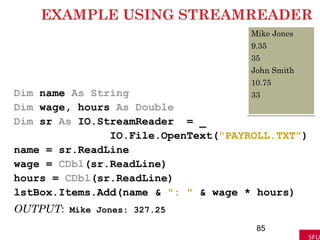
EXAMPLE USING STREAMREADER
Dimname As String
Dim wage, hours As Double
Dim sr As IO.StreamReader = _
IO.File.OpenText("PAYROLL.TXT")
name = sr.ReadLine
wage = CDbl(sr.ReadLine)
hours = CDbl(sr.ReadLine)
lstBox.Items.Add(name & ": " & wage * hours)
OUTPUT: Mike Jones: 327.25
85
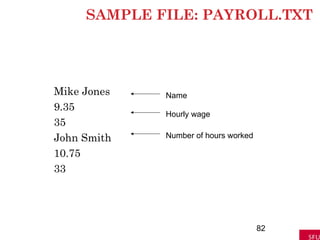
Mike Jones
9.35
35
John Smith
10.75
33
86.
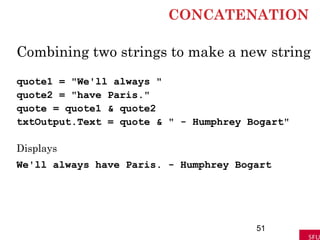
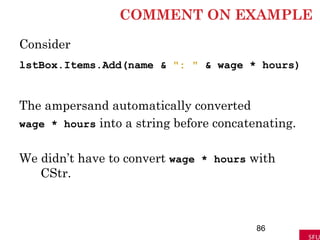
COMMENT ON EXAMPLE
Consider
lstBox.Items.Add(name& ": " & wage * hours)
The ampersand automatically converted
wage * hours into a string before concatenating.
We didn’t have to convert wage * hours with
CStr.
86
87.
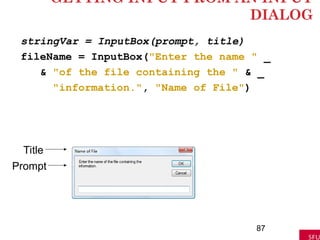
GETTING INPUT FROMAN INPUT
DIALOG
stringVar = InputBox(prompt, title)
fileName = InputBox("Enter the name " _
& "of the file containing the " & _
"information.", "Name of File")
87
Title
Prompt
88.
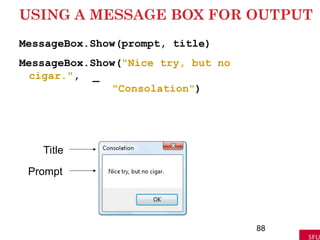
USING A MESSAGEBOX FOR OUTPUT
MessageBox.Show(prompt, title)
MessageBox.Show("Nice try, but no
cigar.", _
"Consolation")
88
Title
Prompt
89.
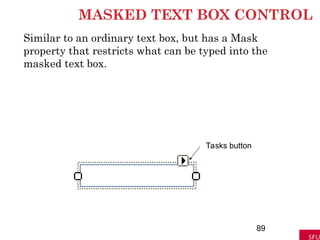
MASKED TEXT BOXCONTROL
Similar to an ordinary text box, but has a Mask
property that restricts what can be typed into the
masked text box.
89
Tasks button
90.
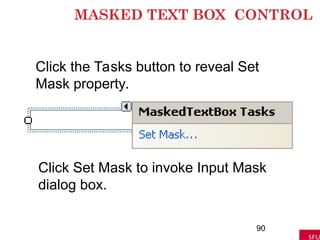
MASKED TEXT BOXCONTROL
90
Click the Tasks button to reveal Set
Mask property.
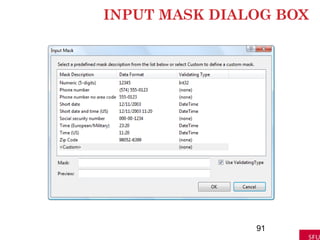
Click Set Mask to invoke Input Mask
dialog box.
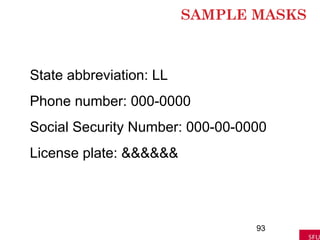
MASK
92
A Mask settingis a sequence of
characters, with 0, L, and & having special
meanings.
0 Placeholder for a digit.
L Placeholder for a letter.
& Placeholder for a character
#23 declares a variable named varName to be of type Double. Actually, the Dim statement
causes the computer to set aside a location in memory with the name varName. Since
varName is a numeric variable, the Dim statement also places the number zero in that
memory location. (We say that zero is the initial value or default value of the variable.)
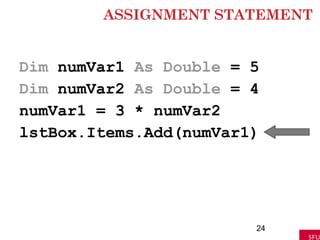
#24 declares a variable named varName to be of type Double. Actually, the Dim statement
causes the computer to set aside a location in memory with the name varName. Since
varName is a numeric variable, the Dim statement also places the number zero in that
memory location. (We say that zero is the initial value or default value of the variable.)
#83 1. Execute a statement of the form
Dim readerVar As IO.StreamReader
A StreamReader is an object from the Input/Output class that can read a stream of
characters coming from a disk or coming over the Internet. The Dim statement
declares the variable readerVar to be of type StreamReader.
2. Execute a statement of the form
readerVar = IO.File.OpenText(filespec)
where filespec identifies the file to be read. This statement establishes a communi-cations
link between the computer and the disk drive for reading data from the disk.
Data then can be input from the specified file and assigned to variables in the pro-gram.
This assignment statement is said to “open the file for input.”
Just as with other variables, the declaration and assignment statements in Steps
2 and 3 can be combined into the single statement
Dim readerVar As IO.StreamReader = IO.File.OpenText(filespec)
3. Read items of data in order, one at a time, from the file with the ReadLine method.
Each datum is retrieved as a string. A statement of the form
strVar = readerVar.ReadLine
causes the program to look in the file for the next unread line of data and assign it
to the variable strVar. The data can be assigned to a numeric variable if it is first
converted to a numeric type with a statement such as
numVar = CDbl(readerVar.ReadLine)
Note: If all the data in a file have been read by ReadLine statements and another item
is requested by a ReadLine statement, the item retrieved will have the value Nothing.
4. After the desired items have been read from the file, terminate the communications
link set in Step 3 with the statement
readerVar.Close()
#84 1. Execute a statement of the form
Dim readerVar As IO.StreamReader
A StreamReader is an object from the Input/Output class that can read a stream of
characters coming from a disk or coming over the Internet. The Dim statement
declares the variable readerVar to be of type StreamReader.
2. Execute a statement of the form
readerVar = IO.File.OpenText(filespec)
where filespec identifies the file to be read. This statement establishes a communi-cations
link between the computer and the disk drive for reading data from the disk.
Data then can be input from the specified file and assigned to variables in the pro-gram.
This assignment statement is said to “open the file for input.”
Just as with other variables, the declaration and assignment statements in Steps
2 and 3 can be combined into the single statement
Dim readerVar As IO.StreamReader = IO.File.OpenText(filespec)
3. Read items of data in order, one at a time, from the file with the ReadLine method.
Each datum is retrieved as a string. A statement of the form
strVar = readerVar.ReadLine
causes the program to look in the file for the next unread line of data and assign it
to the variable strVar. The data can be assigned to a numeric variable if it is first
converted to a numeric type with a statement such as
numVar = CDbl(readerVar.ReadLine)
Note: If all the data in a file have been read by ReadLine statements and another item
is requested by a ReadLine statement, the item retrieved will have the value Nothing.
4. After the desired items have been read from the file, terminate the communications
link set in Step 3 with the statement
readerVar.Close()
#85 1. Execute a statement of the form
Dim readerVar As IO.StreamReader
A StreamReader is an object from the Input/Output class that can read a stream of
characters coming from a disk or coming over the Internet. The Dim statement
declares the variable readerVar to be of type StreamReader.
2. Execute a statement of the form
readerVar = IO.File.OpenText(filespec)
where filespec identifies the file to be read. This statement establishes a communi-cations
link between the computer and the disk drive for reading data from the disk.
Data then can be input from the specified file and assigned to variables in the pro-gram.
This assignment statement is said to “open the file for input.”
Just as with other variables, the declaration and assignment statements in Steps
2 and 3 can be combined into the single statement
Dim readerVar As IO.StreamReader = IO.File.OpenText(filespec)
3. Read items of data in order, one at a time, from the file with the ReadLine method.
Each datum is retrieved as a string. A statement of the form
strVar = readerVar.ReadLine
causes the program to look in the file for the next unread line of data and assign it
to the variable strVar. The data can be assigned to a numeric variable if it is first
converted to a numeric type with a statement such as
numVar = CDbl(readerVar.ReadLine)
Note: If all the data in a file have been read by ReadLine statements and another item
is requested by a ReadLine statement, the item retrieved will have the value Nothing.
4. After the desired items have been read from the file, terminate the communications
link set in Step 3 with the statement
readerVar.Close()
#86 1. Execute a statement of the form
Dim readerVar As IO.StreamReader
A StreamReader is an object from the Input/Output class that can read a stream of
characters coming from a disk or coming over the Internet. The Dim statement
declares the variable readerVar to be of type StreamReader.
2. Execute a statement of the form
readerVar = IO.File.OpenText(filespec)
where filespec identifies the file to be read. This statement establishes a communi-cations
link between the computer and the disk drive for reading data from the disk.
Data then can be input from the specified file and assigned to variables in the pro-gram.
This assignment statement is said to “open the file for input.”
Just as with other variables, the declaration and assignment statements in Steps
2 and 3 can be combined into the single statement
Dim readerVar As IO.StreamReader = IO.File.OpenText(filespec)
3. Read items of data in order, one at a time, from the file with the ReadLine method.
Each datum is retrieved as a string. A statement of the form
strVar = readerVar.ReadLine
causes the program to look in the file for the next unread line of data and assign it
to the variable strVar. The data can be assigned to a numeric variable if it is first
converted to a numeric type with a statement such as
numVar = CDbl(readerVar.ReadLine)
Note: If all the data in a file have been read by ReadLine statements and another item
is requested by a ReadLine statement, the item retrieved will have the value Nothing.
4. After the desired items have been read from the file, terminate the communications
link set in Step 3 with the statement
readerVar.Close()
#88 MsgBox(prompt, , title)
is executed, where prompt and title are strings, a message dialog box appears with prompt
displayed and the title bar caption title and stays on the screen until the user presses
Enter, clicks on the box in the upper-right corner, or clicks OK. For instance, the state-ment
MsgBox("Nice try, but no cigar.", , "Consolation")