VB IDE Tips and Tricks for Visual Studio 2010 Kevin Pilch-Bisson IDE Dev Lead [email_address] http://twitter.com/Pilchie
Modern IDE Demo
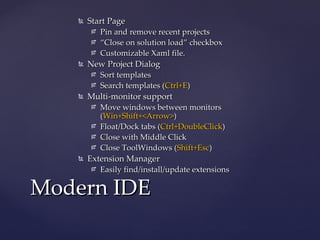
Start Page Pin and remove recent projects “ Close on solution load” checkbox Customizable Xaml file. New Project Dialog Sort templates Search templates ( Ctrl+E ) Multi-monitor support Move windows between monitors ( Win+Shift+<Arrow> ) Float/Dock tabs ( Ctrl+DoubleClick ) Close with Middle Click Close ToolWindows ( Shift+Esc ) Extension Manager Easily find/install/update extensions Modern IDE
Highlight current line Control click “Go to definition” Colorized parameter help Html copy Automatic brace completion Document well options Solution navigator Triple click Searchable add references dialog  In the Extension Manager online gallery! Productivity Power Tools
Writing and modifying code Demo
Navigate To ( Ctrl+, ) IntelliSense suggestion Mode ( Ctrl+Alt+Space ) Highlight References ( Ctrl+Shift+Up/Down ) Go to Definiton ( F12 ) Find all References ( Shift+F12 ) Smart Tags ( Ctrl+. ) Rename, Generate From Usage, Implement Interface Error list ( Ctrl+W, Ctrl+E  and  F8/Shift+F8 ) Override/Partial completion Pinnable DataTips IntelliTrace Writing and modifying code
http://www.devexpress.com/CodeRushX CodeRush Xpress
Over 50 refactorings Introduce explaining variable Inline temporary Move type to file Navigation enhancements Camel Case navigation ( Alt+Left/Right ) Integrates with existing features Smart tags, etc. CodeRush Xpress
Deep Insight Demo
Architecture Explorer View all objects in solution, generate arbitrary diagrams Dependency Diagrams Overall view of system Custom grouping Butterfly view of methods Deep Insight
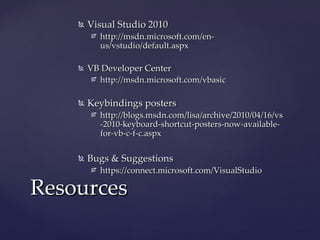
Visual Studio 2010 http://msdn.microsoft.com/en-us/vstudio/default.aspx VB Developer Center http://msdn.microsoft.com/vbasic Keybindings posters http://blogs.msdn.com/lisa/archive/2010/04/16/vs-2010-keyboard-shortcut-posters-now-available-for-vb-c-f-c.aspx Bugs & Suggestions https://connect.microsoft.com/VisualStudio Resources
[email_address] http://twitter.com/Pilchie Q & A

devLink - VB IDE Tips and Tricks for Visual Studio 2010

  • 1.
    VB IDE Tipsand Tricks for Visual Studio 2010 Kevin Pilch-Bisson IDE Dev Lead [email_address] http://twitter.com/Pilchie
  • 2.
  • 3.
    Start Page Pinand remove recent projects “ Close on solution load” checkbox Customizable Xaml file. New Project Dialog Sort templates Search templates ( Ctrl+E ) Multi-monitor support Move windows between monitors ( Win+Shift+<Arrow> ) Float/Dock tabs ( Ctrl+DoubleClick ) Close with Middle Click Close ToolWindows ( Shift+Esc ) Extension Manager Easily find/install/update extensions Modern IDE
  • 4.
    Highlight current lineControl click “Go to definition” Colorized parameter help Html copy Automatic brace completion Document well options Solution navigator Triple click Searchable add references dialog In the Extension Manager online gallery! Productivity Power Tools
  • 5.
  • 6.
    Navigate To (Ctrl+, ) IntelliSense suggestion Mode ( Ctrl+Alt+Space ) Highlight References ( Ctrl+Shift+Up/Down ) Go to Definiton ( F12 ) Find all References ( Shift+F12 ) Smart Tags ( Ctrl+. ) Rename, Generate From Usage, Implement Interface Error list ( Ctrl+W, Ctrl+E and F8/Shift+F8 ) Override/Partial completion Pinnable DataTips IntelliTrace Writing and modifying code
  • 7.
  • 8.
    Over 50 refactoringsIntroduce explaining variable Inline temporary Move type to file Navigation enhancements Camel Case navigation ( Alt+Left/Right ) Integrates with existing features Smart tags, etc. CodeRush Xpress
  • 9.
  • 10.
    Architecture Explorer Viewall objects in solution, generate arbitrary diagrams Dependency Diagrams Overall view of system Custom grouping Butterfly view of methods Deep Insight
  • 11.
    Visual Studio 2010http://msdn.microsoft.com/en-us/vstudio/default.aspx VB Developer Center http://msdn.microsoft.com/vbasic Keybindings posters http://blogs.msdn.com/lisa/archive/2010/04/16/vs-2010-keyboard-shortcut-posters-now-available-for-vb-c-f-c.aspx Bugs & Suggestions https://connect.microsoft.com/VisualStudio Resources
  • 12.