Virtualizing Networks for Fun and Profit Matt Maisel Brian Reitz
Download VirtualBox and Leonidas VDI http://www.virtualbox.org/wiki/Downloads Copy Leonidas virtual drive image onto your desktop from a flash drive
The 300 LEONIDAS Solution A product of SRA 221, Fall 2008
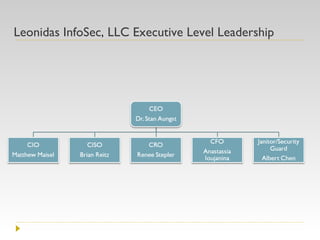
Leonidas InfoSec, LLC Executive Level Leadership
Malicious Attackers, Tonight You Dine in Hell!
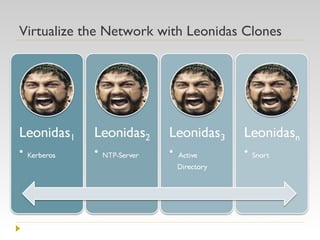
Virtualize the Network with Leonidas Clones
 
Leonidas Fights for the Future of the Free Enterprise Virtualization will move processing power back to the mainframe Virtualization redefines rapid development and disaster recovery Virtualization makes baseline management easy Open Source software is coming to a level of maturity
The Cogs of Leonidas Technical Implementation
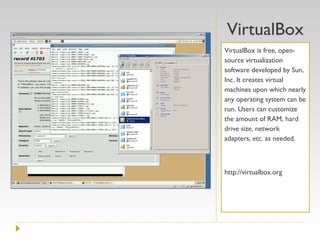
VirtualBox VirtualBox is free, open-source virtualization software developed by Sun, Inc. It creates virtual machines upon which nearly any operating system can be run. Users can customize the amount of RAM, hard drive size, network adapters, etc. as needed. http://virtualbox.org
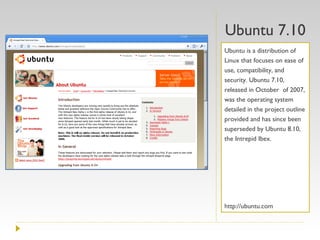
Ubuntu 7.10 Ubuntu is a distribution of Linux that focuses on ease of use, compatibility, and security. Ubuntu 7.10, released in October  of 2007, was the operating system detailed in the project outline provided and has since been superseded by Ubuntu 8.10, the Intrepid Ibex. http://ubuntu.com
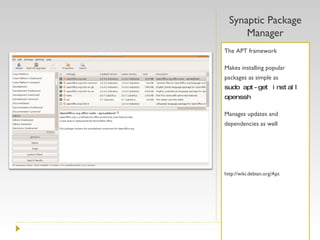
Synaptic Package Manager The APT framework Makes installing popular packages as simple as  sudo apt-get install openssh Manages updates and dependencies as well http://wiki.debian.org/Apt
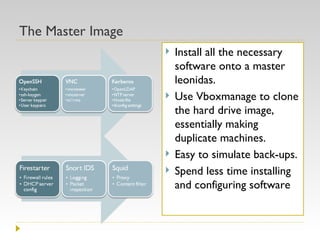
The Master Image Install all the necessary software onto a master leonidas.  Use Vboxmanage to clone the hard drive image, essentially making duplicate machines. Easy to simulate back-ups. Spend less time installing and configuring software
Definitions and terms SRA Club? What’s that mean?
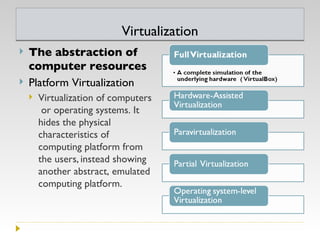
Virtualization The abstraction of computer resources  Platform Virtualization Virtualization of computers or operating systems. It hides the physical characteristics of computing platform from the users,   instead showing another abstract, emulated computing platform.
Cloud Computing Internet, "cloud," based development and use of computer technology that provides real-time scalable resources are provided “as a service” over the Internet to users who need not have knowledge of, expertise in, or control over the technology infrastructure that supports them. Google Apps Salesforce.com, Amazon Web Services
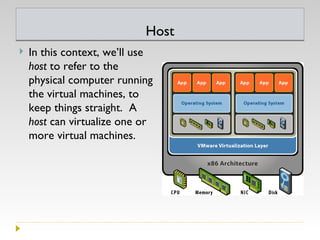
Host In this context, we’ll use  host  to refer to the physical computer running the virtual machines, to keep things straight.  A  host  can virtualize one or more virtual machines.
Commandline A mechanism for interacting with a computer operating system or software by typing commands to perform specific tasks.
Virtualization software VirtualBox Xen VMWare  VMWare Server VMWare ESX VMWare Workstation Parallels Desktop for Mac QEMU Microsoft Virtual Server Microsoft Virtual PC
VMWare vs. Virtualbox Free, open-source, limited vs free, licensed, and limited?
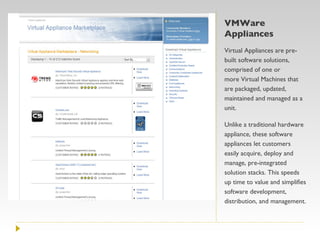
VMWare Appliances Virtual Appliances are pre-built software solutions, comprised of one or more Virtual Machines that are packaged, updated, maintained and managed as a unit.  Unlike a traditional hardware appliance, these software appliances let customers easily acquire, deploy and manage, pre-integrated solution stacks. This speeds up time to value and simplifies software development, distribution, and management.
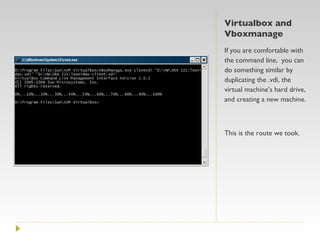
Virtualbox and Vboxmanage If you are comfortable with the command line,  you can do something similar by duplicating the .vdi, the virtual machine’s hard drive, and creating a new machine. This is the route we took.
Which is better? Virtualbox Open-source (partly) Free for personal use Easy to set up Cloned virtual machines can be tuned as needed -Some capabilities require the command-line Networking can be tricky VMWare  Many different versions Some are free (Server, Player) Registration is needed for some Appliances can’t be tweaked Appliance Marketplace Easier VM networking Verdict: Hard to say
Practical Applications Why bother with virtual machines?
1. Learning Linux without fear Don’t worry about hardware requirements  Automatically set up internet access, too! Keep your current operating system Try out different operating systems Use only the tools you need Easily recover from catastrophic failure The infamous “rm –rf /”
2. Try some hacking! Perfectly legal to hack your own (virtualized) computer Damn Vulnerable Linux  [http://damnvulnerablelinux.org] Proof of concept exploits and attacks See how fast an unpatched copy of Windows can get exploited. Don’t forget the MSDN Academic Alliance! Brute-force attacks
3. Learn some networking! Equipment is expensive! Easily try differences between OS’s *nix systems:  ifconfig Windows systems:  ipconfig Because it’s virtual, you can pull it up anytime you need it in minutes. Much more convenient than trying to get in the networking lab.
4. Great for in-class demos
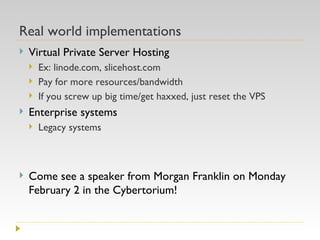
Real world implementations Virtual Private Server Hosting Ex: linode.com, slicehost.com Pay for more resources/bandwidth If you screw up big time/get haxxed, just reset the VPS Enterprise systems Legacy systems Come see a speaker from Morgan Franklin on Monday February 2 in the Cybertorium!
DEMONSTRATIONS Virtualbox and internal networking
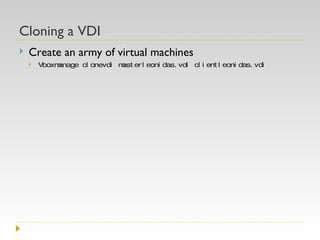
Cloning a VDI Create an army of virtual machines Vboxmanage clonevdi masterleonidas.vdi clientleonidas.vdi
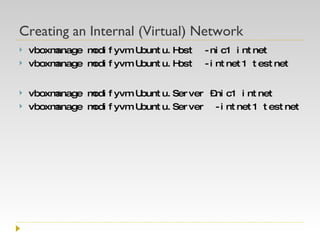
Creating an Internal (Virtual) Network vboxmanage modifyvm Ubuntu.Host  -nic1 intnet vboxmanage modifyvm Ubuntu.Host  -intnet1 testnet vboxmanage modifyvm Ubuntu.Server –nic1 intnet vboxmanage modifyvm Ubuntu.Server  -intnet1 testnet
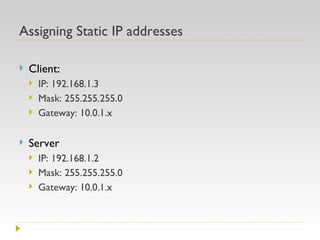
Assigning Static IP addresses Client: IP: 192.168.1.3 Mask: 255.255.255.0 Gateway: 10.0.1.x Server IP: 192.168.1.2 Mask: 255.255.255.0 Gateway: 10.0.1.x
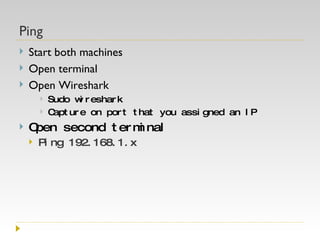
Ping  Start both machines Open terminal Open Wireshark Sudo wireshark Capture on port that you assigned an IP Open second terminal Ping 192.168.1.x
Questions?

Virtualizing Testbeds For Fun And Profit

  • 1.
    Virtualizing Networks forFun and Profit Matt Maisel Brian Reitz
  • 2.
    Download VirtualBox andLeonidas VDI http://www.virtualbox.org/wiki/Downloads Copy Leonidas virtual drive image onto your desktop from a flash drive
  • 3.
    The 300 LEONIDASSolution A product of SRA 221, Fall 2008
  • 4.
    Leonidas InfoSec, LLCExecutive Level Leadership
  • 5.
  • 6.
    Virtualize the Networkwith Leonidas Clones
  • 7.
  • 8.
    Leonidas Fights forthe Future of the Free Enterprise Virtualization will move processing power back to the mainframe Virtualization redefines rapid development and disaster recovery Virtualization makes baseline management easy Open Source software is coming to a level of maturity
  • 9.
    The Cogs ofLeonidas Technical Implementation
  • 10.
    VirtualBox VirtualBox isfree, open-source virtualization software developed by Sun, Inc. It creates virtual machines upon which nearly any operating system can be run. Users can customize the amount of RAM, hard drive size, network adapters, etc. as needed. http://virtualbox.org
  • 11.
    Ubuntu 7.10 Ubuntuis a distribution of Linux that focuses on ease of use, compatibility, and security. Ubuntu 7.10, released in October of 2007, was the operating system detailed in the project outline provided and has since been superseded by Ubuntu 8.10, the Intrepid Ibex. http://ubuntu.com
  • 12.
    Synaptic Package ManagerThe APT framework Makes installing popular packages as simple as sudo apt-get install openssh Manages updates and dependencies as well http://wiki.debian.org/Apt
  • 13.
    The Master ImageInstall all the necessary software onto a master leonidas. Use Vboxmanage to clone the hard drive image, essentially making duplicate machines. Easy to simulate back-ups. Spend less time installing and configuring software
  • 14.
    Definitions and termsSRA Club? What’s that mean?
  • 15.
    Virtualization The abstractionof computer resources Platform Virtualization Virtualization of computers or operating systems. It hides the physical characteristics of computing platform from the users, instead showing another abstract, emulated computing platform.
  • 16.
    Cloud Computing Internet,"cloud," based development and use of computer technology that provides real-time scalable resources are provided “as a service” over the Internet to users who need not have knowledge of, expertise in, or control over the technology infrastructure that supports them. Google Apps Salesforce.com, Amazon Web Services
  • 17.
    Host In thiscontext, we’ll use host to refer to the physical computer running the virtual machines, to keep things straight. A host can virtualize one or more virtual machines.
  • 18.
    Commandline A mechanismfor interacting with a computer operating system or software by typing commands to perform specific tasks.
  • 19.
    Virtualization software VirtualBoxXen VMWare VMWare Server VMWare ESX VMWare Workstation Parallels Desktop for Mac QEMU Microsoft Virtual Server Microsoft Virtual PC
  • 20.
    VMWare vs. VirtualboxFree, open-source, limited vs free, licensed, and limited?
  • 21.
    VMWare Appliances VirtualAppliances are pre-built software solutions, comprised of one or more Virtual Machines that are packaged, updated, maintained and managed as a unit. Unlike a traditional hardware appliance, these software appliances let customers easily acquire, deploy and manage, pre-integrated solution stacks. This speeds up time to value and simplifies software development, distribution, and management.
  • 22.
    Virtualbox and VboxmanageIf you are comfortable with the command line, you can do something similar by duplicating the .vdi, the virtual machine’s hard drive, and creating a new machine. This is the route we took.
  • 23.
    Which is better?Virtualbox Open-source (partly) Free for personal use Easy to set up Cloned virtual machines can be tuned as needed -Some capabilities require the command-line Networking can be tricky VMWare Many different versions Some are free (Server, Player) Registration is needed for some Appliances can’t be tweaked Appliance Marketplace Easier VM networking Verdict: Hard to say
  • 24.
    Practical Applications Whybother with virtual machines?
  • 25.
    1. Learning Linuxwithout fear Don’t worry about hardware requirements Automatically set up internet access, too! Keep your current operating system Try out different operating systems Use only the tools you need Easily recover from catastrophic failure The infamous “rm –rf /”
  • 26.
    2. Try somehacking! Perfectly legal to hack your own (virtualized) computer Damn Vulnerable Linux [http://damnvulnerablelinux.org] Proof of concept exploits and attacks See how fast an unpatched copy of Windows can get exploited. Don’t forget the MSDN Academic Alliance! Brute-force attacks
  • 27.
    3. Learn somenetworking! Equipment is expensive! Easily try differences between OS’s *nix systems: ifconfig Windows systems: ipconfig Because it’s virtual, you can pull it up anytime you need it in minutes. Much more convenient than trying to get in the networking lab.
  • 28.
    4. Great forin-class demos
  • 29.
    Real world implementationsVirtual Private Server Hosting Ex: linode.com, slicehost.com Pay for more resources/bandwidth If you screw up big time/get haxxed, just reset the VPS Enterprise systems Legacy systems Come see a speaker from Morgan Franklin on Monday February 2 in the Cybertorium!
  • 30.
    DEMONSTRATIONS Virtualbox andinternal networking
  • 31.
    Cloning a VDICreate an army of virtual machines Vboxmanage clonevdi masterleonidas.vdi clientleonidas.vdi
  • 32.
    Creating an Internal(Virtual) Network vboxmanage modifyvm Ubuntu.Host -nic1 intnet vboxmanage modifyvm Ubuntu.Host -intnet1 testnet vboxmanage modifyvm Ubuntu.Server –nic1 intnet vboxmanage modifyvm Ubuntu.Server -intnet1 testnet
  • 33.
    Assigning Static IPaddresses Client: IP: 192.168.1.3 Mask: 255.255.255.0 Gateway: 10.0.1.x Server IP: 192.168.1.2 Mask: 255.255.255.0 Gateway: 10.0.1.x
  • 34.
    Ping Startboth machines Open terminal Open Wireshark Sudo wireshark Capture on port that you assigned an IP Open second terminal Ping 192.168.1.x
  • 35.