Virtualization 
Technology 
Submitted To:- Prof. Rajan Manaro 
Submitted By:- Taranpreet Singh 
MCA 3rd sem 
Roll No:- 90
Virtualization 
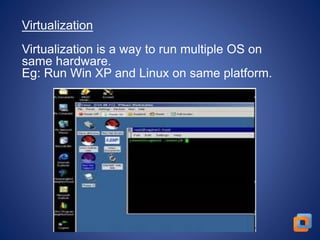
Virtualization is a way to run multiple OS on 
same hardware. 
Eg: Run Win XP and Linux on same platform.
Reasons for Moving to Virtualization 
It saves money: 
It’s good for the environment 
It reduces system administration work 
It gets better use from hardware 
It makes software installation easier
What is Virtual Machine 
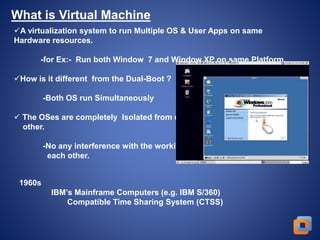
A virtualization system to run Multiple OS & User Apps on same 
Hardware resources. 
-for Ex:- Run both Window 7 and Window XP on same Platform. 
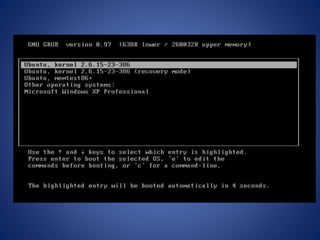
How is it different from the Dual-Boot ? 
-Both OS run Simultaneously 
 The OSes are completely Isolated from each 
other. 
-No any interference with the working of 
each other. 
1960s 
IBM’s Mainframe Computers (e.g. IBM S/360) 
Compatible Time Sharing System (CTSS)
Uses of virtualization 
Server Consolidation 
-Run a Web server and a Mail server on the same physical server 
Easier development 
-Develop critical operating system components (file system, disk 
driver) 
without affecting computer stability 
Quality Assurance 
-Testing a network product (e.g., a firewall) may require tens of 
computers 
Cloud computing 
-The modern buzz-word 
-Amazon sells computing power 
Indeed – an OS provides isolation between processes 
-Each has it’s own virtual memory 
-Controlled access to I/O devices (disk, network) via system calls 
-Process scheduler to decide which process runs on which CPU 
core
Hypervisor 
It is a software layer that allows several virtual machines to run 
on a physical machine 
The Physical OS and Hardware are called the Host 
The Virtual Machine OS and Applications are called the Guest 
Type 1 (bare-metal) 
VM1 VM2 
Hypervisor 
Hardware 
VMware ESX, Microsoft Hyper-V, Xen 
Guest 
Host 
Type 2 (hosted) 
VM1 VM2 
Process Hypervisor 
OS 
Hardware 
Guest 
VMware Workstation, Microsoft Virtual PC, 
Sun VirtualBox, QEMU, KVM 
Host
Hypervisors are currently classified in two types: 
Type 1 :-- Software that runs directly on a given hardware 
platform. 
like -- Xen, VMware's ESX Server, and Sun's Hypervisor (released in 
2005). 
Type 2 :-- Software that runs within an operating system 
environment. 
like -- VMware server and Microsoft Virtual Server.
Virtualization Project Steps 
1. Evaluate your current server workloads. 
2. Define your system architecture. 
3. Select your virtualization software and hosting hardware. 
4. Migrate your existing servers to the new virtualization 
environment. 
5. Administer your virtualized environment.
Thank U

Virtualization

  • 1.
    Virtualization Technology SubmittedTo:- Prof. Rajan Manaro Submitted By:- Taranpreet Singh MCA 3rd sem Roll No:- 90
  • 2.
    Virtualization Virtualization isa way to run multiple OS on same hardware. Eg: Run Win XP and Linux on same platform.
  • 3.
    Reasons for Movingto Virtualization It saves money: It’s good for the environment It reduces system administration work It gets better use from hardware It makes software installation easier
  • 4.
    What is VirtualMachine A virtualization system to run Multiple OS & User Apps on same Hardware resources. -for Ex:- Run both Window 7 and Window XP on same Platform. How is it different from the Dual-Boot ? -Both OS run Simultaneously  The OSes are completely Isolated from each other. -No any interference with the working of each other. 1960s IBM’s Mainframe Computers (e.g. IBM S/360) Compatible Time Sharing System (CTSS)
  • 5.
    Uses of virtualization Server Consolidation -Run a Web server and a Mail server on the same physical server Easier development -Develop critical operating system components (file system, disk driver) without affecting computer stability Quality Assurance -Testing a network product (e.g., a firewall) may require tens of computers Cloud computing -The modern buzz-word -Amazon sells computing power Indeed – an OS provides isolation between processes -Each has it’s own virtual memory -Controlled access to I/O devices (disk, network) via system calls -Process scheduler to decide which process runs on which CPU core
  • 6.
    Hypervisor It isa software layer that allows several virtual machines to run on a physical machine The Physical OS and Hardware are called the Host The Virtual Machine OS and Applications are called the Guest Type 1 (bare-metal) VM1 VM2 Hypervisor Hardware VMware ESX, Microsoft Hyper-V, Xen Guest Host Type 2 (hosted) VM1 VM2 Process Hypervisor OS Hardware Guest VMware Workstation, Microsoft Virtual PC, Sun VirtualBox, QEMU, KVM Host
  • 7.
    Hypervisors are currentlyclassified in two types: Type 1 :-- Software that runs directly on a given hardware platform. like -- Xen, VMware's ESX Server, and Sun's Hypervisor (released in 2005). Type 2 :-- Software that runs within an operating system environment. like -- VMware server and Microsoft Virtual Server.
  • 8.
    Virtualization Project Steps 1. Evaluate your current server workloads. 2. Define your system architecture. 3. Select your virtualization software and hosting hardware. 4. Migrate your existing servers to the new virtualization environment. 5. Administer your virtualized environment.
  • 11.

Editor's Notes

  • #4 Easier software installations. Software vendors can use virtual machines to ship entire software configurations. For example, installing a complete mail server solution on a real machine can be a tedious task. With VirtualBox, such a complex setup (then often called an "appliance") can be packed into a virtual machine. Installing and running a mail server becomes as easy as importing such an appliance into VirtualBox.