✋ Type questions in the chat window during the presentation
⏺ This workshop is being recorded & will be available for replay
💬 This workshop is live captioned
📱 www.3playmedia.com l @3playmedia l #a11y
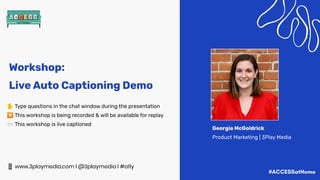
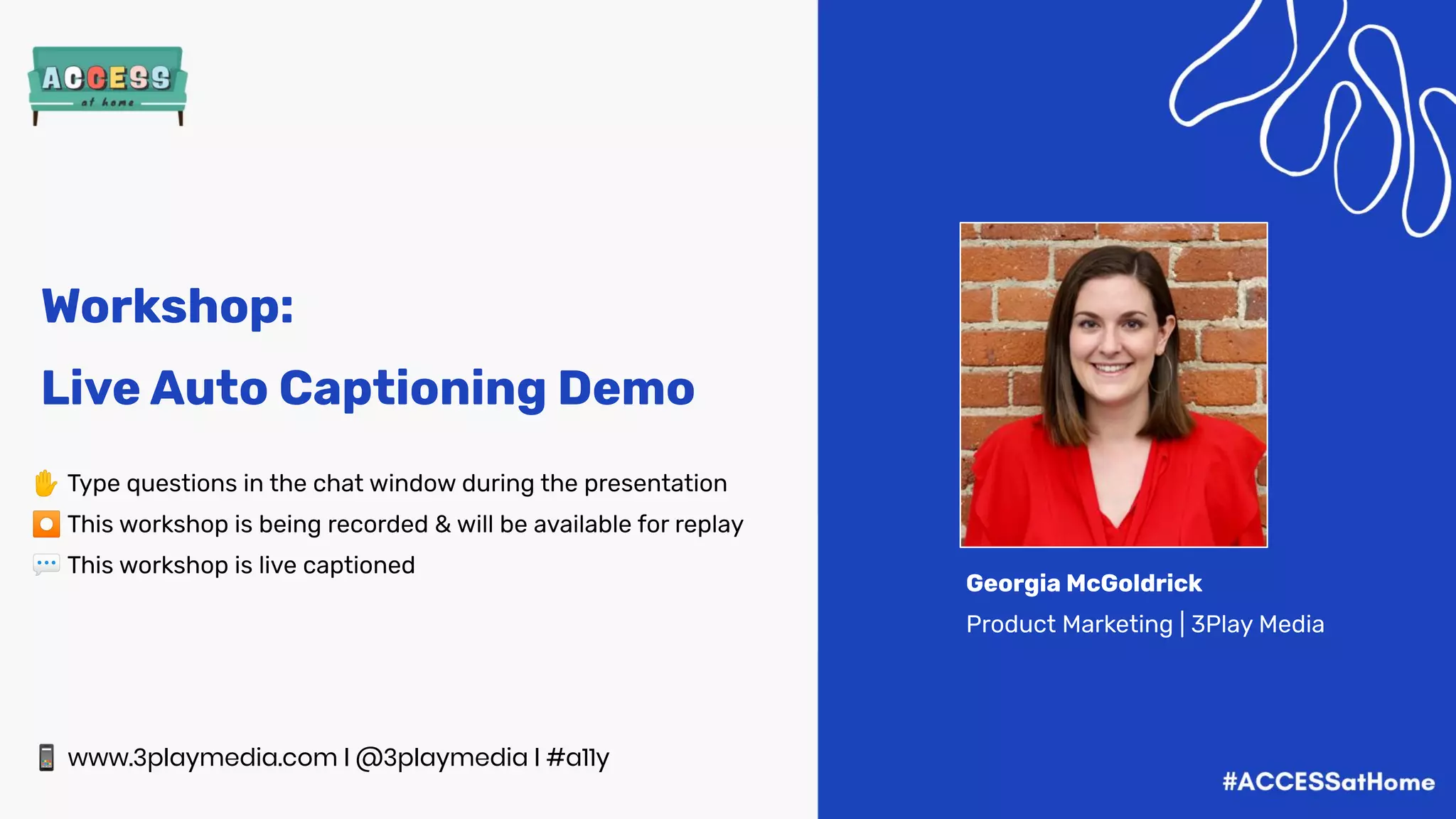
Georgia McGoldrick
Product Marketing | 3Play Media
Workshop:
Live Auto Captioning Demo
On today’s agenda...
What is 3Play’s Live Auto Captioning solution? 🔬
How does it work? 🤔
Demo time 🖥
How captions benefit all users 👍
Quality of live auto captions 💯
Post-event video accessibility tips 👈
Q&A
Polling Question:
How are you using live video?
What is 3Play’s Live Auto
Captioning Solution?
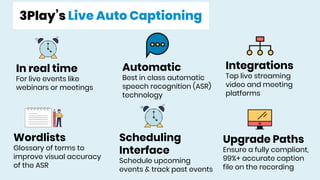
3Play’s Live Auto Captioning
In real time
For live events like
webinars or meetings
Automatic
Best in class automatic
speech recognition (ASR)
technology
Integrations
Top live streaming
video and meeting
platforms
Wordlists
Glossary of terms to
improve visual accuracy
of the ASR
Upgrade Paths
Ensure a fully compliant,
99%+ accurate caption
file on the recording
Scheduling
Interface
Schedule upcoming
events & track past events
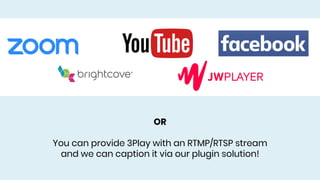
OR
You can provide 3Play with an RTMP/RTSP stream
and we can caption it via our plugin solution!
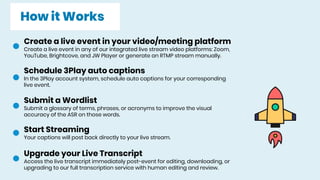
How it Works
Create a live event in your video/meeting platform
Create a live event in any of our integrated live stream video platforms: Zoom,
YouTube, Brightcove, and JW Player or generate an RTMP stream manually.
Schedule 3Play auto captions
In the 3Play account system, schedule auto captions for your corresponding
live event.
Submit a Wordlist
Submit a glossary of terms, phrases, or acronyms to improve the visual
accuracy of the ASR on those words.
Start Streaming
Your captions will post back directly to your live stream.
Upgrade your Live Transcript
Access the live transcript immediately post-event for editing, downloading, or
upgrading to our full transcription service with human editing and review.
Let’s Demo!
Why should you caption
live streams?
ACCESSIBILITY
A11y
41% of videos are incomprehensible
without sound or captions.
Captions improve brand recall, verbal
memory, and behavioral intent.
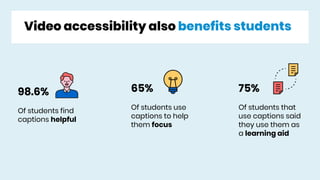
Video accessibility also benefits students
98.6%
Of students find
captions helpful
65%
Of students use
captions to help
them focus
75%
Of students that
use captions said
they use them as
a learning aid
Let’s talk quality.
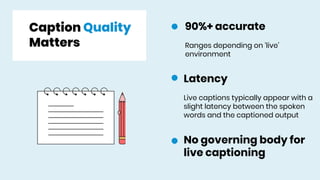
Caption Quality
Matters
90%+ accurate
Ranges depending on ‘live’
environment
Latency
Live captions typically appear with a
slight latency between the spoken
words and the captioned output
No governing body for
live captioning
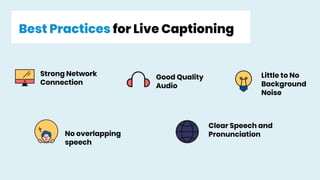
Best Practices for Live Captioning
Strong Network
Connection
Good Quality
Audio
Little to No
Background
Noise
No overlapping
speech
Clear Speech and
Pronunciation
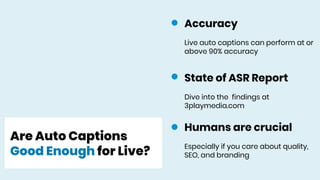
Are Auto Captions
Good Enough for Live?
State of ASR Report
Dive into the findings at
3playmedia.com
Humans are crucial
Especially if you care about quality,
SEO, and branding
Accuracy
Live auto captions can perform at or
above 90% accuracy
What should you do
post-event?
DIY
Your live transcript is available in
the 3Play account system
immediately after your event.
From there, you can edit the
transcript yourself, and download
in the appropriate caption format.
Upgrade in 3Play
Upgrade your live transcript to
3Play’s full transcription service
with human editing and human
review.
Upgrading ensures a fully
accessible, and compliant solution
with 99%+ accuracy.
Questions about Live? Contact us!
livecaptioning@3playmedia.com
Support Documentation to Get Started:
https://support.3playmedia.com/hc/en-us/categories/360001804494-Live-Auto-Captioning
Learn More on the Website:
https://www.3playmedia.com/solutions/services/liveautocaptioning/
(NEW) Zoom How-To-Guide:
https://www.3playmedia.com/solutions/how-it-works/how-to-guides/zoom-live-auto-captions/
Questions?
Comments?
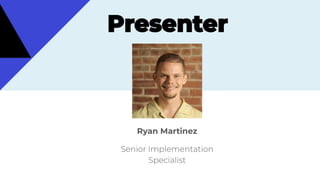
Ryan Martinez
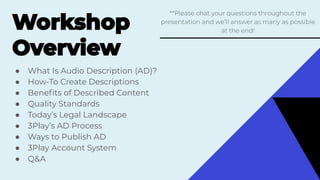
● What Is Audio Description (AD)?
● How-To Create Descriptions
● Benefits of Described Content
● Quality Standards
● Today’s Legal Landscape
● 3Play’s AD Process
● Ways to Publish AD
● 3Play Account System
● Q&A
��
��
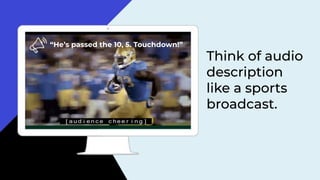
“He’s passed the 10, 5. Touchdown!”
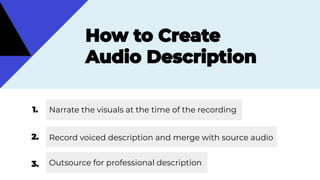
Narrate the visuals at the time of the recording
Record voiced description and merge with source audio
Outsource for professional description
��
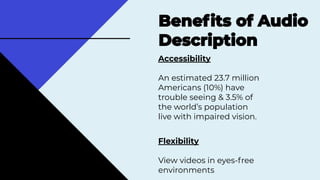
Accessibility
An estimated 23.7 million
Americans (10%) have
trouble seeing & 3.5% of
the world’s population
live with impaired vision.
Flexibility
View videos in eyes-free
environments
��
��
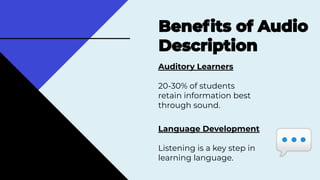
Auditory Learners
20-30% of students
retain information best
through sound.
��
Language Development
Listening is a key step in
learning language.
💬
Legal Compliance
May be required by law
Inattentional Blindness
Phenomena where you
fail to recognize visuals
“in plain sight.”��
⭐
⭐
��
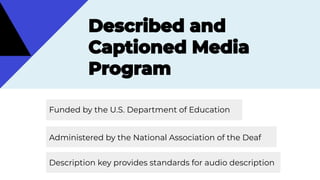
Funded by the U.S. Department of Education
Administered by the National Association of the Deaf
Description key provides standards for audio description
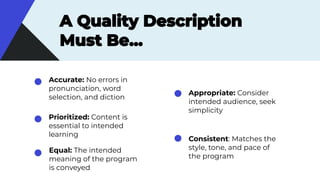
Accurate: No errors in
pronunciation, word
selection, and diction
Prioritized: Content is
essential to intended
learning
Equal: The intended
meaning of the program
is conveyed
Appropriate: Consider
intended audience, seek
simplicity
Consistent: Matches the
style, tone, and pace of
the program
��
www.descriptionkey.org/quality_description.html
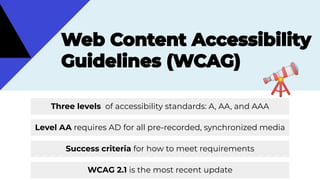
Level AA requires AD for all pre-recorded, synchronized media
Success criteria for how to meet requirements
🔭
Three levels of accessibility standards: A, AA, and AAA
WCAG 2.1 is the most recent update
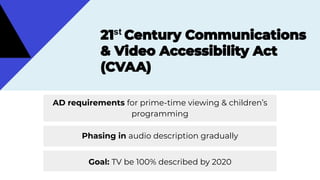
st
AD requirements for prime-time viewing & children’s
programming
Goal: TV be 100% described by 2020
��
Phasing in audio description gradually
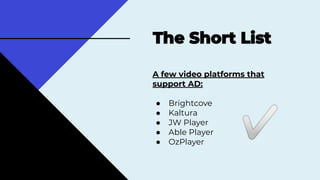
A few video platforms that
support AD:
● Brightcove
● Kaltura
● JW Player
● Able Player
● OzPlayer
✅
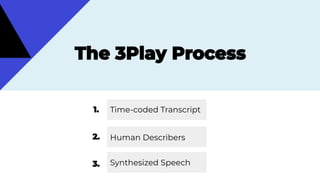
Time-coded Transcript
Human Describers
Synthesized Speech
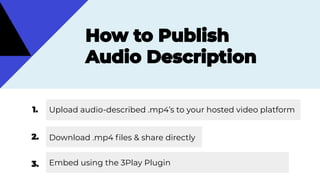
Upload audio-described .mp4’s to your hosted video platform
Download .mp4 files & share directly
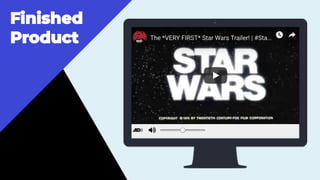
Embed using the 3Play Plugin
��
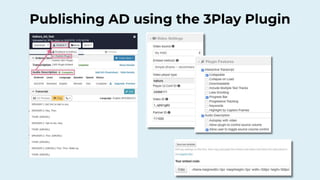
Publishing AD using the 3Play Plugin
ACCESS 2020:
Plugins, VPIs, and
APIs
Neel Indap
Senior Software Engineer
neel@3playmedia.com
Derek Mei
Senior UX Designer
derek@3playmedia.com
Agenda
◘ The 3Play Plugin
◘ Video Platform Integrations
◘ The 3Play API
◘ Q&A
Welcome to ACCESS 2020!
3
Plugins
4
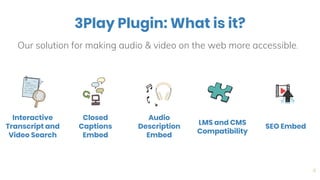
3Play Plugin: What is it?
Our solution for making audio & video on the web more accessible.
Interactive
Transcript and
Video Search
Closed
Captions
Embed
SEO Embed
Audio
Description
Embed
LMS and CMS
Compatibility
5
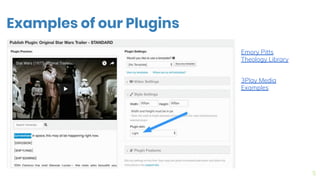
Examples of our Plugins
Emory Pitts
Theology Library
3Play Media
Examples
6
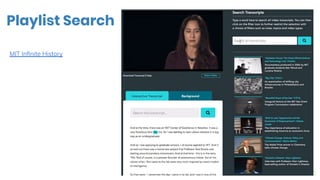
Playlist Search
MIT Infinite History
7
VPIs
Video Platform Integrations
8
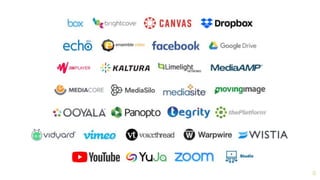
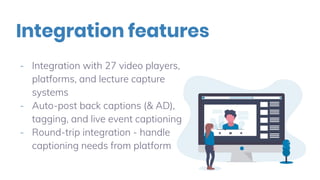
- Integration with 27 video players,
platforms, and lecture capture
systems
- Auto-post back captions (& AD),
tagging, and live event captioning
- Round-trip integration - handle
captioning needs from platform
Integration features
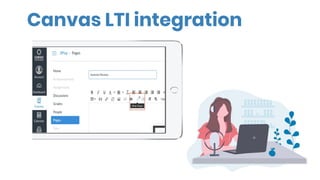
Canvas LTI integration
11
APIs
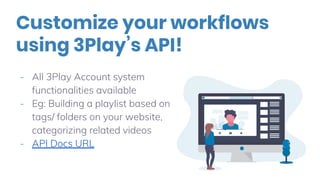
Customize your workflows
using 3Play’s API!
- All 3Play Account system
functionalities available
- Eg: Building a playlist based on
tags/ folders on your website,
categorizing related videos
- API Docs URL
13
What’s Next?
What’s in store for the future?
Plugins Repackaging
- More accessible plugins
- More responsive plugins
- Revisiting customer needs for the plugins (Q2)
Exploring Additional VPIs
- Additional integrations for Live
Extending API Capabilities
- Adding in more endpoints and functions for our API
Join our Beta Programs or
Request New Features!
We want to hear from YOU!
We’re always rolling out new
features for our products and would
love your thoughts. If you have
feature requests, send them our way
as well!
Please email product@3playmedia.com for more information.
Other ways for staying in
the loop
Check out the “What’s New” page in the
account system for monthly product
updates.
Follow us on social media and keep up to
date with our blog
17
Questions?

Video Accessibility with 3Play Media

  • 1.
    ✋ Type questionsin the chat window during the presentation ⏺ This workshop is being recorded & will be available for replay 💬 This workshop is live captioned 📱 www.3playmedia.com l @3playmedia l #a11y Georgia McGoldrick Product Marketing | 3Play Media Workshop: Live Auto Captioning Demo
  • 2.
    On today’s agenda... Whatis 3Play’s Live Auto Captioning solution? 🔬 How does it work? 🤔 Demo time 🖥 How captions benefit all users 👍 Quality of live auto captions 💯 Post-event video accessibility tips 👈 Q&A
  • 3.
    Polling Question: How areyou using live video?
  • 4.
    What is 3Play’sLive Auto Captioning Solution?
  • 5.
    3Play’s Live AutoCaptioning In real time For live events like webinars or meetings Automatic Best in class automatic speech recognition (ASR) technology Integrations Top live streaming video and meeting platforms Wordlists Glossary of terms to improve visual accuracy of the ASR Upgrade Paths Ensure a fully compliant, 99%+ accurate caption file on the recording Scheduling Interface Schedule upcoming events & track past events
  • 6.
    OR You can provide3Play with an RTMP/RTSP stream and we can caption it via our plugin solution!
  • 7.
    How it Works Createa live event in your video/meeting platform Create a live event in any of our integrated live stream video platforms: Zoom, YouTube, Brightcove, and JW Player or generate an RTMP stream manually. Schedule 3Play auto captions In the 3Play account system, schedule auto captions for your corresponding live event. Submit a Wordlist Submit a glossary of terms, phrases, or acronyms to improve the visual accuracy of the ASR on those words. Start Streaming Your captions will post back directly to your live stream. Upgrade your Live Transcript Access the live transcript immediately post-event for editing, downloading, or upgrading to our full transcription service with human editing and review.
  • 8.
  • 9.
    Why should youcaption live streams?
  • 10.
  • 11.
    41% of videosare incomprehensible without sound or captions.
  • 12.
    Captions improve brandrecall, verbal memory, and behavioral intent.
  • 13.
    Video accessibility alsobenefits students 98.6% Of students find captions helpful 65% Of students use captions to help them focus 75% Of students that use captions said they use them as a learning aid
  • 14.
  • 15.
    Caption Quality Matters 90%+ accurate Rangesdepending on ‘live’ environment Latency Live captions typically appear with a slight latency between the spoken words and the captioned output No governing body for live captioning
  • 16.
    Best Practices forLive Captioning Strong Network Connection Good Quality Audio Little to No Background Noise No overlapping speech Clear Speech and Pronunciation
  • 17.
    Are Auto Captions GoodEnough for Live? State of ASR Report Dive into the findings at 3playmedia.com Humans are crucial Especially if you care about quality, SEO, and branding Accuracy Live auto captions can perform at or above 90% accuracy
  • 18.
    What should youdo post-event?
  • 19.
    DIY Your live transcriptis available in the 3Play account system immediately after your event. From there, you can edit the transcript yourself, and download in the appropriate caption format. Upgrade in 3Play Upgrade your live transcript to 3Play’s full transcription service with human editing and human review. Upgrading ensures a fully accessible, and compliant solution with 99%+ accuracy.
  • 20.
    Questions about Live?Contact us! livecaptioning@3playmedia.com Support Documentation to Get Started: https://support.3playmedia.com/hc/en-us/categories/360001804494-Live-Auto-Captioning Learn More on the Website: https://www.3playmedia.com/solutions/services/liveautocaptioning/ (NEW) Zoom How-To-Guide: https://www.3playmedia.com/solutions/how-it-works/how-to-guides/zoom-live-auto-captions/
  • 21.
  • 23.
  • 24.
    ● What IsAudio Description (AD)? ● How-To Create Descriptions ● Benefits of Described Content ● Quality Standards ● Today’s Legal Landscape ● 3Play’s AD Process ● Ways to Publish AD ● 3Play Account System ● Q&A ��
  • 25.
  • 26.
    “He’s passed the10, 5. Touchdown!”
  • 28.
    Narrate the visualsat the time of the recording Record voiced description and merge with source audio Outsource for professional description
  • 29.
  • 30.
    Accessibility An estimated 23.7million Americans (10%) have trouble seeing & 3.5% of the world’s population live with impaired vision. Flexibility View videos in eyes-free environments �� ��
  • 31.
    Auditory Learners 20-30% ofstudents retain information best through sound. �� Language Development Listening is a key step in learning language. 💬
  • 33.
    Legal Compliance May berequired by law Inattentional Blindness Phenomena where you fail to recognize visuals “in plain sight.”��
  • 34.
  • 35.
  • 37.
  • 38.
    Funded by theU.S. Department of Education Administered by the National Association of the Deaf Description key provides standards for audio description
  • 39.
    Accurate: No errorsin pronunciation, word selection, and diction Prioritized: Content is essential to intended learning Equal: The intended meaning of the program is conveyed Appropriate: Consider intended audience, seek simplicity Consistent: Matches the style, tone, and pace of the program
  • 40.
  • 42.
    Level AA requiresAD for all pre-recorded, synchronized media Success criteria for how to meet requirements 🔭 Three levels of accessibility standards: A, AA, and AAA WCAG 2.1 is the most recent update
  • 43.
    st AD requirements forprime-time viewing & children’s programming Goal: TV be 100% described by 2020 �� Phasing in audio description gradually
  • 44.
    A few videoplatforms that support AD: ● Brightcove ● Kaltura ● JW Player ● Able Player ● OzPlayer ✅
  • 46.
  • 47.
    Upload audio-described .mp4’sto your hosted video platform Download .mp4 files & share directly Embed using the 3Play Plugin
  • 48.
  • 49.
    Publishing AD usingthe 3Play Plugin
  • 53.
    ACCESS 2020: Plugins, VPIs,and APIs Neel Indap Senior Software Engineer neel@3playmedia.com Derek Mei Senior UX Designer derek@3playmedia.com
  • 54.
    Agenda ◘ The 3PlayPlugin ◘ Video Platform Integrations ◘ The 3Play API ◘ Q&A Welcome to ACCESS 2020!
  • 55.
  • 56.
    4 3Play Plugin: Whatis it? Our solution for making audio & video on the web more accessible. Interactive Transcript and Video Search Closed Captions Embed SEO Embed Audio Description Embed LMS and CMS Compatibility
  • 57.
    5 Examples of ourPlugins Emory Pitts Theology Library 3Play Media Examples
  • 58.
  • 59.
  • 60.
  • 61.
    - Integration with27 video players, platforms, and lecture capture systems - Auto-post back captions (& AD), tagging, and live event captioning - Round-trip integration - handle captioning needs from platform Integration features
  • 62.
  • 63.
  • 64.
    Customize your workflows using3Play’s API! - All 3Play Account system functionalities available - Eg: Building a playlist based on tags/ folders on your website, categorizing related videos - API Docs URL
  • 65.
  • 66.
    What’s in storefor the future? Plugins Repackaging - More accessible plugins - More responsive plugins - Revisiting customer needs for the plugins (Q2) Exploring Additional VPIs - Additional integrations for Live Extending API Capabilities - Adding in more endpoints and functions for our API
  • 67.
    Join our BetaPrograms or Request New Features! We want to hear from YOU! We’re always rolling out new features for our products and would love your thoughts. If you have feature requests, send them our way as well! Please email product@3playmedia.com for more information.
  • 68.
    Other ways forstaying in the loop Check out the “What’s New” page in the account system for monthly product updates. Follow us on social media and keep up to date with our blog
  • 69.