GIT HANDS-ON WORKSHOP
VCS FOR TEAMWORK
SOFTWARE DEVELOPMENT BOOTCAMP
BY DEVNET LIMITED
AT INTERNATIONAL ISLAMIC UNIVERSITY CHITTAGONG
15th-16th Nov, 2019
ANIS UDDIN AHMAD
WHO AM I
Head of Software Development
Devnet Limited
WHY ARE WE HERE?
THE PROBLEM STATEMENT
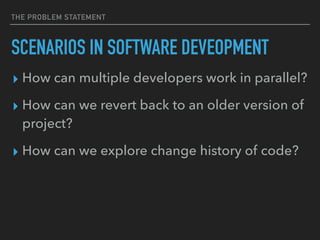
SCENARIOS IN SOFTWARE DEVEOPMENT
▸ How can multiple developers work in parallel?
▸ How can we revert back to an older version of
project?
▸ How can we explore change history of code?
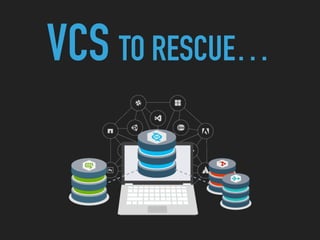
VCS TO RESCUE…
WHAT IS THAT BTW?
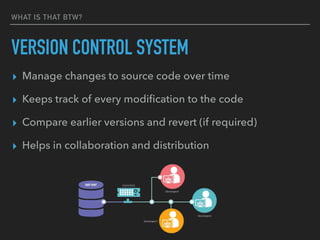
VERSION CONTROL SYSTEM
▸ Manage changes to source code over time
▸ Keeps track of every modification to the code
▸ Compare earlier versions and revert (if required)
▸ Helps in collaboration and distribution
DISTRIBUTED VERSION CONTROLS SYSTEM
* SPOILER ALERT: YOU HAVE TO LEARN IT - TODAY OR TOMORROW!
BASIC CONCEPTS
BASIC CONCEPTS
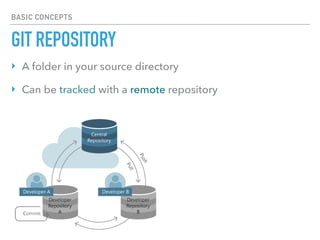
GIT REPOSITORY
‣ A folder in your source directory
‣ Can be tracked with a remote repository
BASIC CONCEPTS
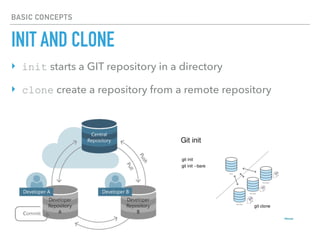
INIT AND CLONE
‣ init starts a GIT repository in a directory
‣ clone create a repository from a remote repository
BASIC CONCEPTS
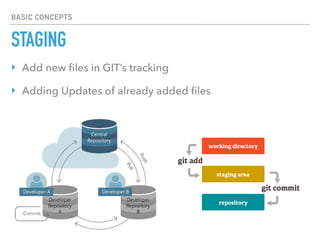
STAGING
‣ Add new files in GIT’s tracking
‣ Adding Updates of already added files
BASIC CONCEPTS
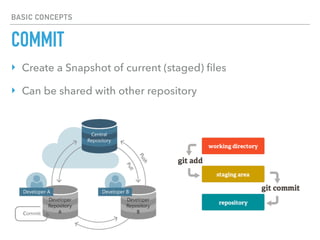
COMMIT
‣ Create a Snapshot of current (staged) files
‣ Can be shared with other repository
BASIC CONCEPTS
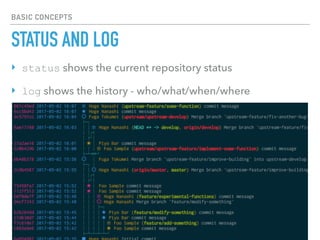
STATUS AND LOG
‣ status shows the current repository status
‣ log shows the history - who/what/when/where
BASIC CONCEPTS
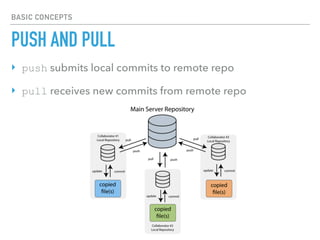
PUSH AND PULL
‣ push submits local commits to remote repo
‣ pull receives new commits from remote repo
BASIC CONCEPTS
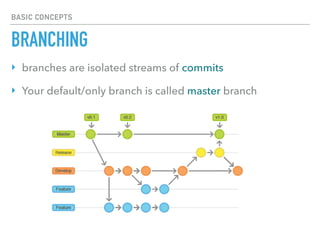
BRANCHING
‣ branches are isolated streams of commits
‣ Your default/only branch is called master branch
BASIC CONCEPTS
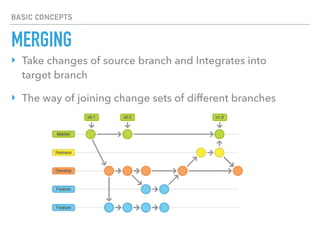
MERGING
‣ Take changes of source branch and Integrates into
target branch
‣ The way of joining change sets of different branches
HANDS-ON EXPERIENCE
LET’S GET SOME
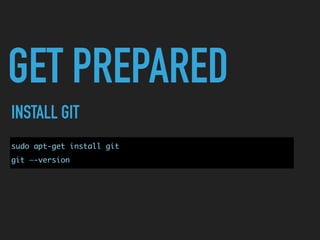
GET PREPARED
INSTALL GIT
sudo apt-get install git
git —-version
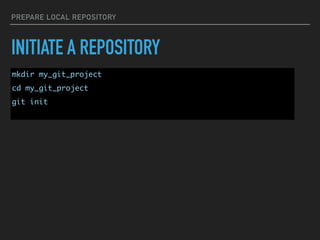
PREPARE LOCAL REPOSITORY
INITIATE A REPOSITORY
mkdir my_git_project
cd my_git_project
git init
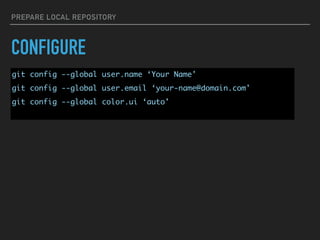
PREPARE LOCAL REPOSITORY
CONFIGURE
git config --global user.name ‘Your Name'
git config --global user.email ‘your-name@domain.com'
git config --global color.ui ‘auto'
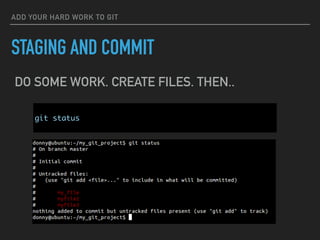
ADD YOUR HARD WORK TO GIT
STAGING AND COMMIT
git status
DO SOME WORK. CREATE FILES. THEN..
ADD YOUR HARD WORK TO GIT
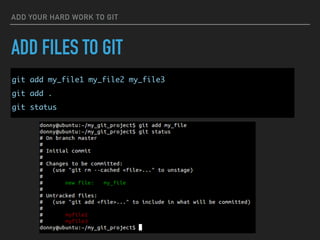
ADD FILES TO GIT
git add my_file1 my_file2 my_file3
git add .
git status
ADD YOUR HARD WORK TO GIT
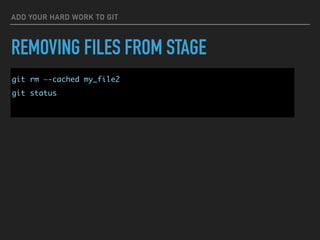
REMOVING FILES FROM STAGE
git rm —-cached my_file2
git status
ADD YOUR HARD WORK TO GIT
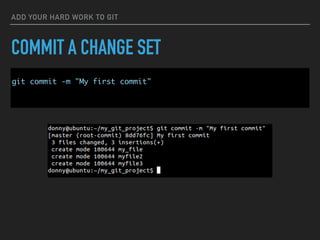
COMMIT A CHANGE SET
git commit -m "My first commit"
CONTINUE ADDING CHANGES… AND CHECK THE TRACE
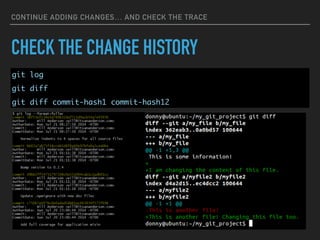
CHECK THE CHANGE HISTORY
git log
git diff
git diff commit-hash1 commit-hash12
STARTING TEAMWORK
LET’S GO CLOUD
CREATE AN ACCOUNT
HTTPS://GITHUB.COM/
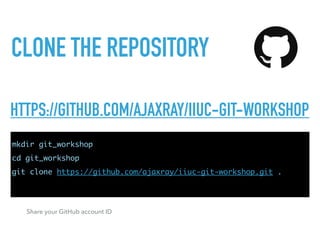
CLONE THE REPOSITORY
HTTPS://GITHUB.COM/AJAXRAY/IIUC-GIT-WORKSHOP
mkdir git_workshop
cd git_workshop
git clone https://github.com/ajaxray/iiuc-git-workshop.git .
Share your GitHub account ID
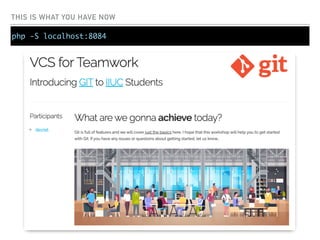
THIS IS WHAT YOU HAVE NOW
php -S localhost:8084
START CONTRIBUTING
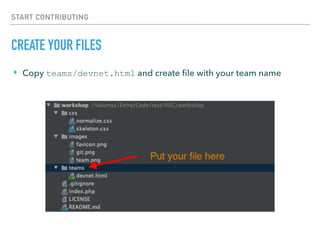
CREATE YOUR FILES
‣ Copy teams/devnet.html and create file with your team name
START CONTRIBUTING
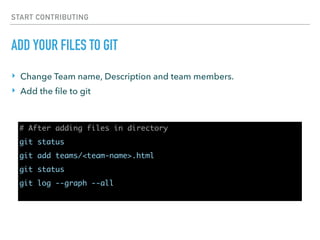
ADD YOUR FILES TO GIT
# After adding files in directory
git status
git add teams/<team-name>.html
git status
git log --graph --all
‣ Change Team name, Description and team members.
‣ Add the file to git
CREATE A SNAPSHOT OF THE PROGRESS
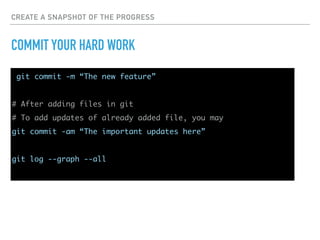
COMMIT YOUR HARD WORK
git commit -m “The new feature”
# After adding files in git
# To add updates of already added file, you may
git commit -am “The important updates here”
git log --graph --all
SUBMIT YOUR CONTRIBUTION
PUSH TO REMOTE REPOSITORY
# Get the updates from server first
git pull
# Now submit your commits to remote repository
git push
git push [origin] [master]
GET THE UPDATES AND CHECK PROGRESS
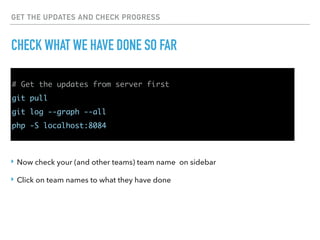
CHECK WHAT WE HAVE DONE SO FAR
# Get the updates from server first
git pull
git log --graph --all
php -S localhost:8084
‣ Now check your (and other teams) team name on sidebar
‣ Click on team names to what they have done
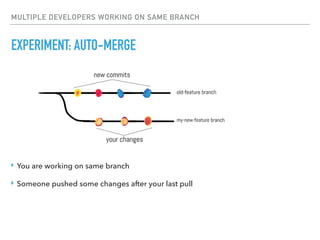
MULTIPLE DEVELOPERS WORKING ON SAME BRANCH
EXPERIMENT: AUTO-MERGE
‣ You are working on same branch
‣ Someone pushed some changes after your last pull
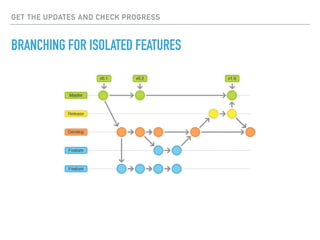
DIFFERENT TEAMS/DEVS ARE WORKING ON DIFFERENT FEATURE
BRANCHING FOR ISOLATED FEATURES
# See List of available branches
git branch
# Create and switch to branch
git branch [branch_name]
git checkout [branch_name]
# Create and immediately switch to new branch
git checkout -b [branch_name]
# Check the branching state
git log --graph --all
GET THE UPDATES AND CHECK PROGRESS
BRANCHING FOR ISOLATED FEATURES
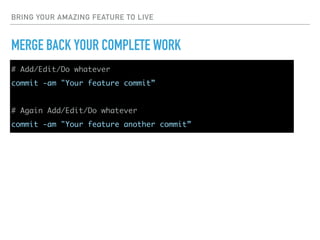
BRING YOUR AMAZING FEATURE TO LIVE
MERGE BACK YOUR COMPLETE WORK
# Add/Edit/Do whatever
commit -am "Your feature commit”
# Again Add/Edit/Do whatever
commit -am "Your feature another commit”
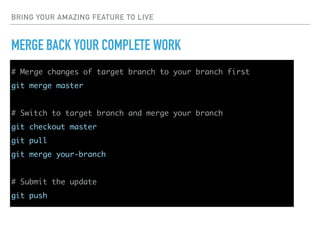
BRING YOUR AMAZING FEATURE TO LIVE
MERGE BACK YOUR COMPLETE WORK
# Merge changes of target branch to your branch first
git merge master
# Switch to target branch and merge your branch
git checkout master
git pull
git merge your-branch
# Submit the update
git push
QUESTIONS?

VCS for Teamwork - GIT Workshop

  • 1.
    GIT HANDS-ON WORKSHOP VCSFOR TEAMWORK SOFTWARE DEVELOPMENT BOOTCAMP BY DEVNET LIMITED AT INTERNATIONAL ISLAMIC UNIVERSITY CHITTAGONG 15th-16th Nov, 2019
  • 2.
    ANIS UDDIN AHMAD WHOAM I Head of Software Development Devnet Limited
  • 3.
  • 4.
    THE PROBLEM STATEMENT SCENARIOSIN SOFTWARE DEVEOPMENT ▸ How can multiple developers work in parallel? ▸ How can we revert back to an older version of project? ▸ How can we explore change history of code?
  • 5.
  • 6.
    WHAT IS THATBTW? VERSION CONTROL SYSTEM ▸ Manage changes to source code over time ▸ Keeps track of every modification to the code ▸ Compare earlier versions and revert (if required) ▸ Helps in collaboration and distribution
  • 7.
  • 8.
    DISTRIBUTED VERSION CONTROLSSYSTEM * SPOILER ALERT: YOU HAVE TO LEARN IT - TODAY OR TOMORROW!
  • 9.
  • 10.
    BASIC CONCEPTS GIT REPOSITORY ‣A folder in your source directory ‣ Can be tracked with a remote repository
  • 11.
    BASIC CONCEPTS INIT ANDCLONE ‣ init starts a GIT repository in a directory ‣ clone create a repository from a remote repository
  • 12.
    BASIC CONCEPTS STAGING ‣ Addnew files in GIT’s tracking ‣ Adding Updates of already added files
  • 13.
    BASIC CONCEPTS COMMIT ‣ Createa Snapshot of current (staged) files ‣ Can be shared with other repository
  • 14.
    BASIC CONCEPTS STATUS ANDLOG ‣ status shows the current repository status ‣ log shows the history - who/what/when/where
  • 15.
    BASIC CONCEPTS PUSH ANDPULL ‣ push submits local commits to remote repo ‣ pull receives new commits from remote repo
  • 16.
    BASIC CONCEPTS BRANCHING ‣ branchesare isolated streams of commits ‣ Your default/only branch is called master branch
  • 17.
    BASIC CONCEPTS MERGING ‣ Takechanges of source branch and Integrates into target branch ‣ The way of joining change sets of different branches
  • 18.
  • 19.
    GET PREPARED INSTALL GIT sudoapt-get install git git —-version
  • 20.
    PREPARE LOCAL REPOSITORY INITIATEA REPOSITORY mkdir my_git_project cd my_git_project git init
  • 21.
    PREPARE LOCAL REPOSITORY CONFIGURE gitconfig --global user.name ‘Your Name' git config --global user.email ‘your-name@domain.com' git config --global color.ui ‘auto'
  • 22.
    ADD YOUR HARDWORK TO GIT STAGING AND COMMIT git status DO SOME WORK. CREATE FILES. THEN..
  • 23.
    ADD YOUR HARDWORK TO GIT ADD FILES TO GIT git add my_file1 my_file2 my_file3 git add . git status
  • 24.
    ADD YOUR HARDWORK TO GIT REMOVING FILES FROM STAGE git rm —-cached my_file2 git status
  • 25.
    ADD YOUR HARDWORK TO GIT COMMIT A CHANGE SET git commit -m "My first commit"
  • 26.
    CONTINUE ADDING CHANGES…AND CHECK THE TRACE CHECK THE CHANGE HISTORY git log git diff git diff commit-hash1 commit-hash12
  • 27.
  • 28.
  • 29.
    CLONE THE REPOSITORY HTTPS://GITHUB.COM/AJAXRAY/IIUC-GIT-WORKSHOP mkdirgit_workshop cd git_workshop git clone https://github.com/ajaxray/iiuc-git-workshop.git . Share your GitHub account ID
  • 30.
    THIS IS WHATYOU HAVE NOW php -S localhost:8084
  • 31.
    START CONTRIBUTING CREATE YOURFILES ‣ Copy teams/devnet.html and create file with your team name
  • 32.
    START CONTRIBUTING ADD YOURFILES TO GIT # After adding files in directory git status git add teams/<team-name>.html git status git log --graph --all ‣ Change Team name, Description and team members. ‣ Add the file to git
  • 33.
    CREATE A SNAPSHOTOF THE PROGRESS COMMIT YOUR HARD WORK git commit -m “The new feature” # After adding files in git # To add updates of already added file, you may git commit -am “The important updates here” git log --graph --all
  • 34.
    SUBMIT YOUR CONTRIBUTION PUSHTO REMOTE REPOSITORY # Get the updates from server first git pull # Now submit your commits to remote repository git push git push [origin] [master]
  • 35.
    GET THE UPDATESAND CHECK PROGRESS CHECK WHAT WE HAVE DONE SO FAR # Get the updates from server first git pull git log --graph --all php -S localhost:8084 ‣ Now check your (and other teams) team name on sidebar ‣ Click on team names to what they have done
  • 36.
    MULTIPLE DEVELOPERS WORKINGON SAME BRANCH EXPERIMENT: AUTO-MERGE ‣ You are working on same branch ‣ Someone pushed some changes after your last pull
  • 37.
    DIFFERENT TEAMS/DEVS AREWORKING ON DIFFERENT FEATURE BRANCHING FOR ISOLATED FEATURES # See List of available branches git branch # Create and switch to branch git branch [branch_name] git checkout [branch_name] # Create and immediately switch to new branch git checkout -b [branch_name] # Check the branching state git log --graph --all
  • 38.
    GET THE UPDATESAND CHECK PROGRESS BRANCHING FOR ISOLATED FEATURES
  • 39.
    BRING YOUR AMAZINGFEATURE TO LIVE MERGE BACK YOUR COMPLETE WORK # Add/Edit/Do whatever commit -am "Your feature commit” # Again Add/Edit/Do whatever commit -am "Your feature another commit”
  • 40.
    BRING YOUR AMAZINGFEATURE TO LIVE MERGE BACK YOUR COMPLETE WORK # Merge changes of target branch to your branch first git merge master # Switch to target branch and merge your branch git checkout master git pull git merge your-branch # Submit the update git push
  • 41.