ÀLA
WORDPRESS
UX SESSIONS
1. USABILITY
TIAGO GONCALVES, 2017
A.
B.
C.
D.
E.
IMPORTANCE OF USABILITY
LAWS OF USABILITy
10 USABILITY HEURISTICS
UI TERMINOLOGY
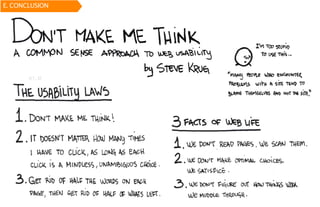
CONCLUSION
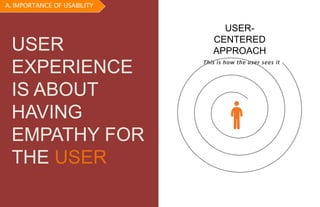
USER-
CENTERED
APPROACH
This is how the user sees it
USER
EXPERIENCE
IS ABOUT
HAVING
EMPATHY FOR
THE USER
A. IMPORTANCE OF USABILITY
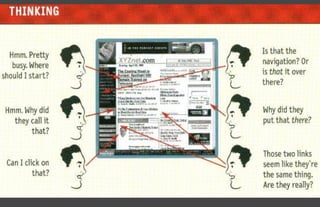
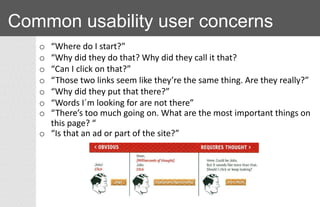
Common usability user concerns
o “Where do I start?”
o “Why did they do that? Why did they call it that?
o “Can I click on that?”
o “Those two links seem like they’re the same thing. Are they really?”
o “Why did they put that there?”
o “Words I´m looking for are not there”
o “There’s too much going on. What are the most important things on
this page? “
o “Is that an ad or part of the site?”
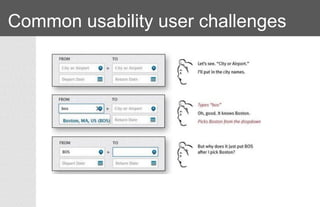
Common usability user challenges
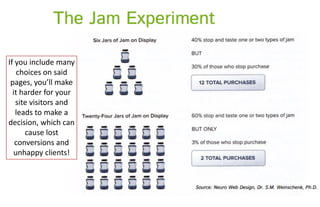
If you include many
choices on said
pages, you’ll make
it harder for your
site visitors and
leads to make a
decision, which can
cause lost
conversions and
unhappy clients!
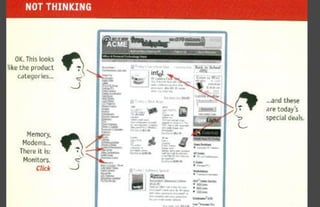
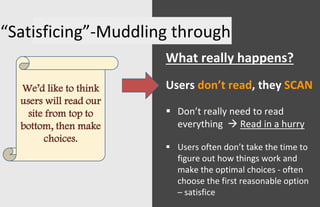
“Satisficing”-Muddling through
What really happens?
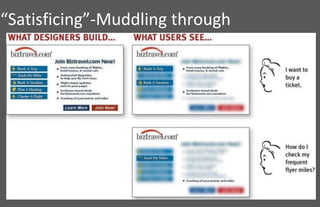
Users don’t read, they SCAN
 Don’t really need to read
everything  Read in a hurry
 Users often don’t take the time to
figure out how things work and
make the optimal choices - often
choose the first reasonable option
– satisfice
We’d like to think
users will read our
site from top to
bottom, then make
choices.
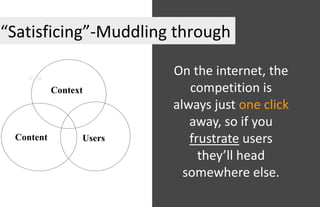
“Satisficing”-Muddling through
Context
UsersContent
On the internet, the
competition is
always just one click
away, so if you
frustrate users
they’ll head
somewhere else.
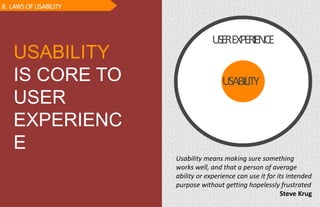
USABILITY
USEREXPERIENCE
Usability means making sure something
works well, and that a person of average
ability or experience can use it for its intended
purpose without getting hopelessly frustrated
Steve Krug
USABILITY
IS CORE TO
USER
EXPERIENC
E
B. LAWS OF USABILITY
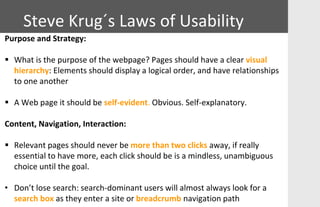
Purpose and Strategy:
 What is the purpose of the webpage? Pages should have a clear visual
hierarchy: Elements should display a logical order, and have relationships
to one another
 A Web page it should be self-evident. Obvious. Self-explanatory.
Content, Navigation, Interaction:
 Relevant pages should never be more than two clicks away, if really
essential to have more, each click should be is a mindless, unambiguous
choice until the goal.
• Don’t lose search: search-dominant users will almost always look for a
search box as they enter a site or breadcrumb navigation path
Steve Krug´s Laws of Usability
Steve Krug´s
Laws of Usability
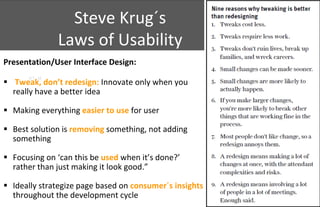
Presentation/User Interface Design:
 Tweak, don’t redesign: Innovate only when you
really have a better idea
 Making everything easier to use for user
 Best solution is removing something, not adding
something
 Focusing on ‘can this be used when it’s done?’
rather than just making it look good.”
 Ideally strategize page based on consumer´s insights
throughout the development cycle
Steve Krug´s Laws of Usability
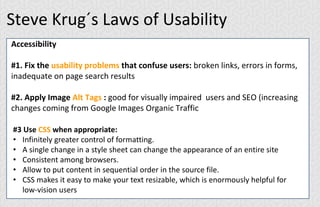
Accessibility
#1. Fix the usability problems that confuse users: broken links, errors in forms,
inadequate on page search results
#2. Apply Image Alt Tags : good for visually impaired users and SEO (increasing
changes coming from Google Images Organic Traffic
#3 Use CSS when appropriate:
• Infinitely greater control of formatting.
• A single change in a style sheet can change the appearance of an entire site
• Consistent among browsers.
• Allow to put content in sequential order in the source file.
• CSS makes it easy to make your text resizable, which is enormously helpful for
low-vision users
Steve Krug´s Laws of Usability
Accessibility
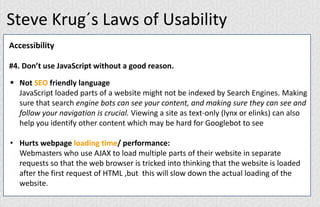
#4. Don’t use JavaScript without a good reason.
 Not SEO friendly language
JavaScript loaded parts of a website might not be indexed by Search Engines. Making
sure that search engine bots can see your content, and making sure they can see and
follow your navigation is crucial. Viewing a site as text-only (lynx or elinks) can also
help you identify other content which may be hard for Googlebot to see
• Hurts webpage loading time/ performance:
Webmasters who use AJAX to load multiple parts of their website in separate
requests so that the web browser is tricked into thinking that the website is loaded
after the first request of HTML ,but this will slow down the actual loading of the
website.
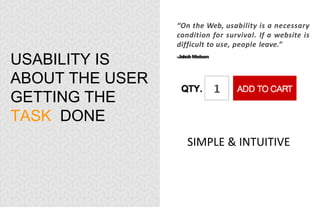
USABILITY IS
ABOUT THE USER
GETTING THE
TASK DONE
“On the Web, usability is a necessary
condition for survival. If a website is
difficult to use, people leave.”
-JakobNielsen
SIMPLE & INTUITIVE
TURN
LEFT TURN
LEFT
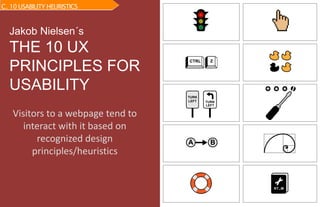
Jakob Nielsen´s
THE 10 UX
PRINCIPLES FOR
USABILITY
C. 10 USABILITY HEURISTICS
Visitors to a webpage tend to
interact with it based on
recognized design
principles/heuristics
Jakob Nielsen
THE Usabilty Guru
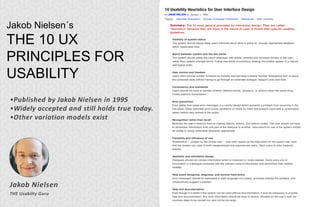
Jakob Nielsen´s
THE 10 UX
PRINCIPLES FOR
USABILITY
•Published by Jakob Nielsen in 1995
•Widely accepted and still holds true today.
•Other variation models exist
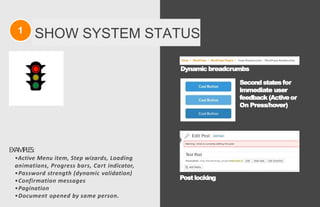
1 SHOW SYSTEM STATUS
EXAMPLES:
•Active Menu item, Step wizards, Loading
animations, Progress bars, Cart indicator,
•Password strength (dynamic validation)
•Confirmation messages
•Pagination
•Document opened by same person.
Postlocking
Dynamic breadcrumbs
Second states for
immediate user
feedback (Activeor
On Press/hover)
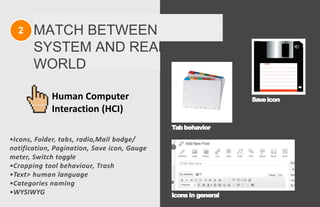
2 MATCH BETWEEN
SYSTEM AND REAL
WORLD
•Icons, Folder, tabs, radio,Mail badge/
notification, Pagination, Save icon, Gauge
meter, Switch toggle
•Cropping tool behaviour, Trash
•Text> human language
•Categories naming
•WYSIWYG
Tabbehavior
Saveicon
Icons in general
Human Computer
Interaction (HCI)
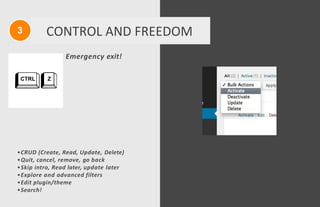
3 CONTROL AND FREEDOM
Emergency exit!
•CRUD (Create, Read, Update, Delete)
•Quit, cancel, remove, go back
•Skip intro, Read later, update later
•Explore and advanced filters
•Edit plugin/theme
•Search!
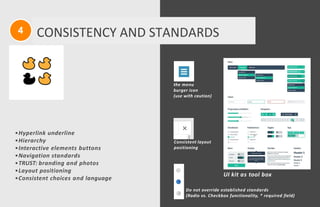
the menu
burger icon
(use with caution)
Consistent layout
positioning
UI kit as tool box
Do not override established standards
(Radio vs. Checkbox functionality, * required field)
4 CONSISTENCY AND STANDARDS
•Hyperlink underline
•Hierarchy
•Interactive elements buttons
•Navigation standards
•TRUST: branding and photos
•Layout positioning
•Consistent choices and language
wordpress.org/plugins/ecwid-shopping-cart/
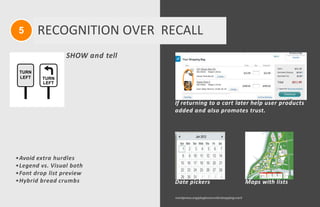
If returning to a cart later help user products
added and also promotes trust.
Date pickers Maps with lists
5 RECOGNITION OVER RECALL
TURN
LEFT TURN
LEFT
•Avoid extra hurdles
•Legend vs. Visual both
•Font drop list preview
•Hybrid bread crumbs
SHOW and tell
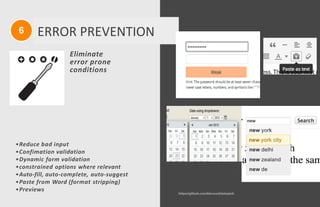
6 ERROR PREVENTION
Eliminate
error prone
conditions
https://github.com/kbwood/datepick
•Reduce bad input
•Confimation validation
•Dynamic form validation
•constrained options where relevant
•Auto-fill, auto-complete, auto-suggest
•Paste from Word (format stripping)
•Previews
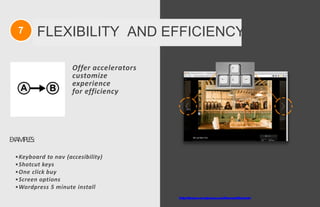
7 FLEXIBILITY AND EFFICIENCY
http://theme.wordpress.com/themes/illustratr/
Offer accelerators
customize
experience
for efficiency
EXAMPLES:
•Keyboard to nav (accesibility)
•Shotcut keys
•One click buy
•Screen options
•Wordpress 5 minute install
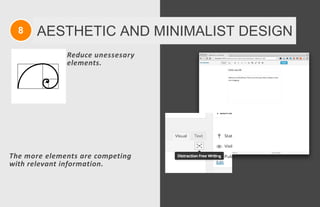
8 AESTHETIC AND MINIMALIST DESIGN
Reduce unessesary
elements.
The more elements are competing
with relevant information.
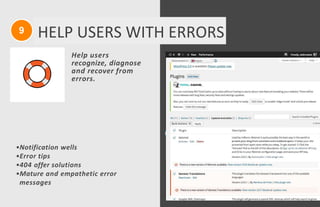
Help users
recognize, diagnose
and recover from
errors.
•Notification wells
•Error tips
•404 offer solutions
•Mature and empathetic error
messages
9 HELP USERS WITH ERRORS
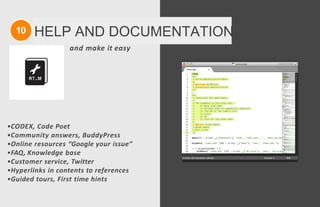
10 HELP AND DOCUMENTATION
and make it easy
•CODEX, Code Poet
•Community answers, BuddyPress
•Online resources “Google your issue”
•FAQ, Knowledge base
•Customer service, Twitter
•Hyperlinks in contents to references
•Guided tours, First time hints
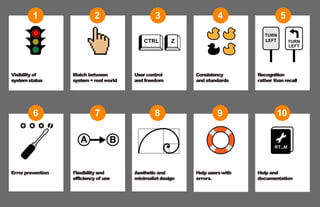
Visibility of
systemstatus
1
Error prevention
6
Flexibility and
efficiency of use
7
Aestheticand
minimalist design
8
Help userswith
errors.
9
Help and
documentation
10
Match between
system + real world
2
User control
and freedom
3
Consistency
and standards
4
Recognition
rather thanrecall
TURN
LEFT TURN
LEFT
5
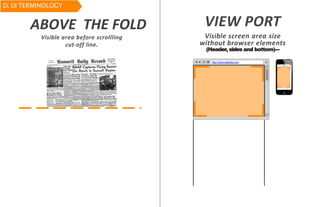
http://www.website.com
ABOVE THE FOLD VIEW PORT
Visible screen area size
without browser elements
(Header, sides and bottom)---
Visible area before scrollling
cut-off line.
D. UI TERMINOLOGY
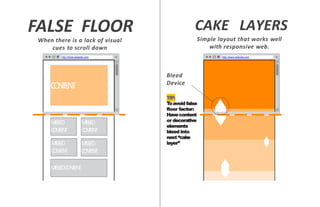
http://www.website.com http://www.website.com
CAKE LAYERS
TIP:
Toavoid false
floor factor:
Havecontent
or decorative
elements
bleed into
next “cake
layer”
Simple layout that works well
with responsive web.
CONTENT
MISSED
CONTENT
MISSED
CONTENT
MISSED
CONTENT
MISSED
CONTENT
MISSEDCONTENT
Bleed
Device
FALSE FLOOR
When there is a lack of visual
cues to scroll down
http://www.website.com
website.com other website.com Facebook
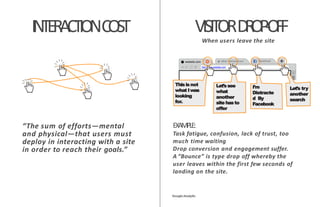
INTERACTIONCOST
“The sum of efforts—mental
and physical—that users must
deploy in interacting with a site
in order to reach their goals.”
EXAMPLE:
Task fatigue, confusion, lack of trust, too
much time waiting
Drop conversion and engagement suffer.
A “Bounce” is type drop off whereby the
user leaves within the first few seconds of
landing on the site.
GoogleAnalytic
This is not
what Iwas
looking
for.
Let’s try
another
search
Let’ssee
what
another
site hasto
offer
I’m
Distracte
d By
Facebook
VISITORDROP-OFF
When users leave the site
A. INTROE. CONCLUSION
http://www.slideshare.net/TiagoAfonso11
DOWNLOAD THIS PPT AND MORE AT:

UX Usability Heuristics

  • 1.
    ÀLA WORDPRESS UX SESSIONS 1. USABILITY TIAGOGONCALVES, 2017 A. B. C. D. E. IMPORTANCE OF USABILITY LAWS OF USABILITy 10 USABILITY HEURISTICS UI TERMINOLOGY CONCLUSION
  • 2.
    USER- CENTERED APPROACH This is howthe user sees it USER EXPERIENCE IS ABOUT HAVING EMPATHY FOR THE USER A. IMPORTANCE OF USABILITY
  • 5.
    Common usability userconcerns o “Where do I start?” o “Why did they do that? Why did they call it that? o “Can I click on that?” o “Those two links seem like they’re the same thing. Are they really?” o “Why did they put that there?” o “Words I´m looking for are not there” o “There’s too much going on. What are the most important things on this page? “ o “Is that an ad or part of the site?”
  • 6.
  • 8.
    If you includemany choices on said pages, you’ll make it harder for your site visitors and leads to make a decision, which can cause lost conversions and unhappy clients!
  • 9.
    “Satisficing”-Muddling through What reallyhappens? Users don’t read, they SCAN  Don’t really need to read everything  Read in a hurry  Users often don’t take the time to figure out how things work and make the optimal choices - often choose the first reasonable option – satisfice We’d like to think users will read our site from top to bottom, then make choices.
  • 10.
  • 11.
    “Satisficing”-Muddling through Context UsersContent On theinternet, the competition is always just one click away, so if you frustrate users they’ll head somewhere else.
  • 12.
    USABILITY USEREXPERIENCE Usability means makingsure something works well, and that a person of average ability or experience can use it for its intended purpose without getting hopelessly frustrated Steve Krug USABILITY IS CORE TO USER EXPERIENC E B. LAWS OF USABILITY
  • 13.
    Purpose and Strategy: What is the purpose of the webpage? Pages should have a clear visual hierarchy: Elements should display a logical order, and have relationships to one another  A Web page it should be self-evident. Obvious. Self-explanatory. Content, Navigation, Interaction:  Relevant pages should never be more than two clicks away, if really essential to have more, each click should be is a mindless, unambiguous choice until the goal. • Don’t lose search: search-dominant users will almost always look for a search box as they enter a site or breadcrumb navigation path Steve Krug´s Laws of Usability
  • 14.
    Steve Krug´s Laws ofUsability Presentation/User Interface Design:  Tweak, don’t redesign: Innovate only when you really have a better idea  Making everything easier to use for user  Best solution is removing something, not adding something  Focusing on ‘can this be used when it’s done?’ rather than just making it look good.”  Ideally strategize page based on consumer´s insights throughout the development cycle
  • 15.
    Steve Krug´s Lawsof Usability Accessibility #1. Fix the usability problems that confuse users: broken links, errors in forms, inadequate on page search results #2. Apply Image Alt Tags : good for visually impaired users and SEO (increasing changes coming from Google Images Organic Traffic #3 Use CSS when appropriate: • Infinitely greater control of formatting. • A single change in a style sheet can change the appearance of an entire site • Consistent among browsers. • Allow to put content in sequential order in the source file. • CSS makes it easy to make your text resizable, which is enormously helpful for low-vision users
  • 16.
    Steve Krug´s Lawsof Usability Accessibility #4. Don’t use JavaScript without a good reason.  Not SEO friendly language JavaScript loaded parts of a website might not be indexed by Search Engines. Making sure that search engine bots can see your content, and making sure they can see and follow your navigation is crucial. Viewing a site as text-only (lynx or elinks) can also help you identify other content which may be hard for Googlebot to see • Hurts webpage loading time/ performance: Webmasters who use AJAX to load multiple parts of their website in separate requests so that the web browser is tricked into thinking that the website is loaded after the first request of HTML ,but this will slow down the actual loading of the website.
  • 17.
    USABILITY IS ABOUT THEUSER GETTING THE TASK DONE “On the Web, usability is a necessary condition for survival. If a website is difficult to use, people leave.” -JakobNielsen SIMPLE & INTUITIVE
  • 18.
    TURN LEFT TURN LEFT Jakob Nielsen´s THE10 UX PRINCIPLES FOR USABILITY C. 10 USABILITY HEURISTICS Visitors to a webpage tend to interact with it based on recognized design principles/heuristics
  • 19.
    Jakob Nielsen THE UsabiltyGuru Jakob Nielsen´s THE 10 UX PRINCIPLES FOR USABILITY •Published by Jakob Nielsen in 1995 •Widely accepted and still holds true today. •Other variation models exist
  • 20.
    1 SHOW SYSTEMSTATUS EXAMPLES: •Active Menu item, Step wizards, Loading animations, Progress bars, Cart indicator, •Password strength (dynamic validation) •Confirmation messages •Pagination •Document opened by same person. Postlocking Dynamic breadcrumbs Second states for immediate user feedback (Activeor On Press/hover)
  • 21.
    2 MATCH BETWEEN SYSTEMAND REAL WORLD •Icons, Folder, tabs, radio,Mail badge/ notification, Pagination, Save icon, Gauge meter, Switch toggle •Cropping tool behaviour, Trash •Text> human language •Categories naming •WYSIWYG Tabbehavior Saveicon Icons in general Human Computer Interaction (HCI)
  • 22.
    3 CONTROL ANDFREEDOM Emergency exit! •CRUD (Create, Read, Update, Delete) •Quit, cancel, remove, go back •Skip intro, Read later, update later •Explore and advanced filters •Edit plugin/theme •Search!
  • 23.
    the menu burger icon (usewith caution) Consistent layout positioning UI kit as tool box Do not override established standards (Radio vs. Checkbox functionality, * required field) 4 CONSISTENCY AND STANDARDS •Hyperlink underline •Hierarchy •Interactive elements buttons •Navigation standards •TRUST: branding and photos •Layout positioning •Consistent choices and language
  • 24.
    wordpress.org/plugins/ecwid-shopping-cart/ If returning toa cart later help user products added and also promotes trust. Date pickers Maps with lists 5 RECOGNITION OVER RECALL TURN LEFT TURN LEFT •Avoid extra hurdles •Legend vs. Visual both •Font drop list preview •Hybrid bread crumbs SHOW and tell
  • 25.
    6 ERROR PREVENTION Eliminate errorprone conditions https://github.com/kbwood/datepick •Reduce bad input •Confimation validation •Dynamic form validation •constrained options where relevant •Auto-fill, auto-complete, auto-suggest •Paste from Word (format stripping) •Previews
  • 26.
    7 FLEXIBILITY ANDEFFICIENCY http://theme.wordpress.com/themes/illustratr/ Offer accelerators customize experience for efficiency EXAMPLES: •Keyboard to nav (accesibility) •Shotcut keys •One click buy •Screen options •Wordpress 5 minute install
  • 27.
    8 AESTHETIC ANDMINIMALIST DESIGN Reduce unessesary elements. The more elements are competing with relevant information.
  • 28.
    Help users recognize, diagnose andrecover from errors. •Notification wells •Error tips •404 offer solutions •Mature and empathetic error messages 9 HELP USERS WITH ERRORS
  • 29.
    10 HELP ANDDOCUMENTATION and make it easy •CODEX, Code Poet •Community answers, BuddyPress •Online resources “Google your issue” •FAQ, Knowledge base •Customer service, Twitter •Hyperlinks in contents to references •Guided tours, First time hints
  • 30.
    Visibility of systemstatus 1 Error prevention 6 Flexibilityand efficiency of use 7 Aestheticand minimalist design 8 Help userswith errors. 9 Help and documentation 10 Match between system + real world 2 User control and freedom 3 Consistency and standards 4 Recognition rather thanrecall TURN LEFT TURN LEFT 5
  • 31.
    http://www.website.com ABOVE THE FOLDVIEW PORT Visible screen area size without browser elements (Header, sides and bottom)--- Visible area before scrollling cut-off line. D. UI TERMINOLOGY
  • 32.
    http://www.website.com http://www.website.com CAKE LAYERS TIP: Toavoidfalse floor factor: Havecontent or decorative elements bleed into next “cake layer” Simple layout that works well with responsive web. CONTENT MISSED CONTENT MISSED CONTENT MISSED CONTENT MISSED CONTENT MISSEDCONTENT Bleed Device FALSE FLOOR When there is a lack of visual cues to scroll down
  • 33.
    http://www.website.com website.com other website.comFacebook INTERACTIONCOST “The sum of efforts—mental and physical—that users must deploy in interacting with a site in order to reach their goals.” EXAMPLE: Task fatigue, confusion, lack of trust, too much time waiting Drop conversion and engagement suffer. A “Bounce” is type drop off whereby the user leaves within the first few seconds of landing on the site. GoogleAnalytic This is not what Iwas looking for. Let’s try another search Let’ssee what another site hasto offer I’m Distracte d By Facebook VISITORDROP-OFF When users leave the site
  • 34.
  • 35.