#wpewebinar
Combining Form and Function for Maximum Conversions
Krystle Christensen and Collette Carlson, Digital River
May 2, 2018
Not Just a Pretty Face
#wpewebinar
What You’ll Learn
• The art of listening to inform your website strategy
• The role and importance of Information Architecture
• Five things to pay attention to when developing your website
• Common mistakes 
• How to evolve your site through iterative steps
• Q&A
#wpewebinar
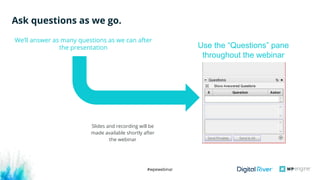
Ask questions as we go.
We’ll answer as many questions as we can after
the presentation
Slides and recording will be
made available shortly after
the webinar
Use the “Questions” pane
throughout the webinar
#wpewebinar
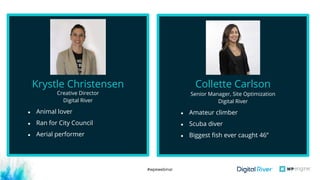
Creative Director
Digital River
Krystle Christensen
● Animal lover
● Ran for City Council
● Aerial performer
Senior Manager, Site Optimization
Digital River
Collette Carlson
● Amateur climber
● Scuba diver
● Biggest fish ever caught 46’’
#wpewebinar
#wpewebinar
The art of listening to inform
your website strategy
#wpewebinar
Know who your users are
A web experience that is built for the
wrong type of user is like speaking to
someone in a language they do not
understand.
Common Mistake:
Speaking to your competitors’ customers
and assuming they are the same as yours. 
#wpewebinar
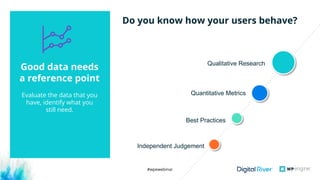
Do you know how your users behave?
Best Practices
Quantitative Metrics
Qualitative Research
Good data needs
a reference point
Evaluate the data that you
have, identify what you
still need.
Independent Judgement
#wpewebinar
• The role and importance of
Information Architecture
#wpewebinar
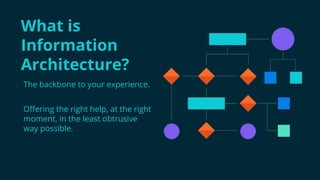
The backbone to your experience.
Offering the right help, at the right
moment, in the least obtrusive
way possible.
What is
Information
Architecture?
#wpewebinar
• Number of pages on the site
• Complexity of the navigation
• Hierarchy of content
• Meaningful choices or actions on pages
• User’s journey
Use Case:
We worked with a software client that had a very complex
navigation driven by internal priorities and product team
demands. To illustrate the need to simplify and to understand
the best approach, card sorting and tree testing methods were
used.
Key elements in IA
Cognitive load is the
amount of
information that a
person can process
at any given moment.
#wpewebinar
• 5 things to pay attention to
when developing your
website
#wpewebinar
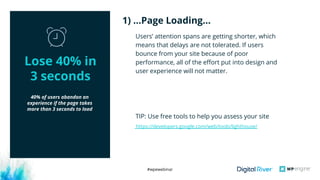
40% of users abandon an
experience if the page takes
more than 3 seconds to load
Users’ attention spans are getting shorter, which
means that delays are not tolerated. If users
bounce from your site because of poor
performance, all of the effort put into design and
user experience will not matter.
TIP: Use free tools to help you assess your site
1) …Page Loading…
Lose 40% in
3 seconds
https://developers.google.com/web/tools/lighthouse/
#wpewebinar
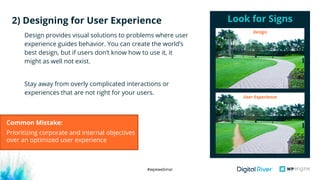
Design provides visual solutions to problems where user
experience guides behavior. You can create the world’s
best design, but if users don’t know how to use it, it
might as well not exist.
Stay away from overly complicated interactions or
experiences that are not right for your users.
Look for Signs2) Designing for User Experience
User Experience
Design
Common Mistake:
Prioritizing corporate and internal objectives
over an optimized user experience
#wpewebinar
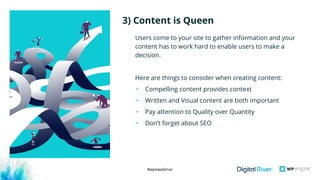
Users come to your site to gather information and your
content has to work hard to enable users to make a
decision. 
Here are things to consider when creating content:
• Compelling content provides context 
• Written and Visual content are both important
• Pay attention to Quality over Quantity
• Don’t forget about SEO
3) Content is Queen
#wpewebinar
Users will abandon if you create too many of these common
friction points:
• Too many pages or clicks
• Complex ecosystem of sites
• Too many form fields
• Gating content
• Pop-ups that disturb the user
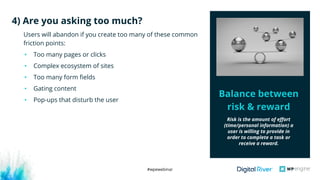
4) Are you asking too much?
Balance between
risk & reward
Risk is the amount of effort
(time/personal information) a
user is willing to provide in
order to complete a task or
receive a reward.
#wpewebinar
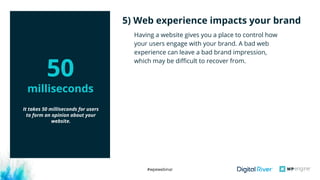
Having a website gives you a place to control how
your users engage with your brand. A bad web
experience can leave a bad brand impression,
which may be difficult to recover from.
5) Web experience impacts your brand
It takes 50 milliseconds for users
to form an opinion about your
website. 
50
milliseconds
#wpewebinar
How to evolve your site:
 when to fix outright vs. test
#wpewebinar
Before you adjust,
create an
action plan:
1. Ask questions
2. Align your analysis
3. Group your
Opportunities
4. Prioritize
5. TAKE ACTION
#wpewebinar
Start by analyzing the complexity of the problem and the
cost associated with fixing it. Here are examples of where
implementation may make the most sense:
• Something that is broken
• Missing content
• Post conversion problems
Use Case:
A client launched a new product and was happy with the
high conversion rate. However, post purchase customers
were confused. They didn’t understand how to begin using
the product or sign into their account. This, in the end, left
customers dissatisfied and unhappy. 
When to Implement
#wpewebinar
Start with areas of the site that have enough traffic to
support statistically relevant A/B or Multi-Variant tests.
Testing is important if you believe the change you are
making may have a significant impact.
• Uncertainty with competing internal needs
• Too many creative options
• Potential conversion barriers
• Changes to offers, discounts, prices 
• New page designs or flows
When to Test
#wpewebinar
You should never consider your listening and
testing to be done. The fast-paced world of
technology is in constant motion. If you stop
listening, you could end up damaging your
relationship with your users.
Use Case: 
A few years ago we ran a test for a client to an
inconclusive result. When we ran that same
test again a year later, we found the
challenger performed and gave us a nice lift! 
Never Stop Listening
#wpewebinar
Key Takeaways:
1. Never stop listening
2. Review your Information
Architecture
3. Pay attention to the
details
4. Prioritize and take action
5. Evaluate and Repeat
#wpewebinar
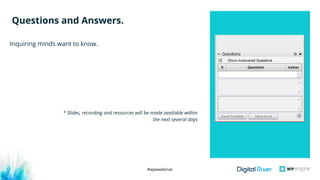
Inquiring minds want to know.
Questions and Answers.
* Slides, recording and resources will be made available within
the next several days
#wpewebinar
Resources.
Engage Digital River
Learn more about MarketForce
Read Digital River Blog
WP Engine Ecommerce-related Resources
#wpewebinar
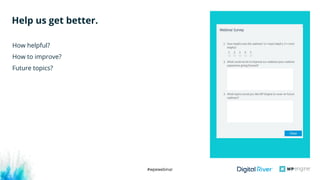
How helpful?
How to improve?
Future topics?
Help us get better.
How helpful?
How to improve?
Future topics?
#wpewebinar
Thank You.

Not Just a Pretty Face: Combining Form and Function for Maximum Conversions

  • 1.
    #wpewebinar Combining Form andFunction for Maximum Conversions Krystle Christensen and Collette Carlson, Digital River May 2, 2018 Not Just a Pretty Face
  • 2.
    #wpewebinar What You’ll Learn •The art of listening to inform your website strategy • The role and importance of Information Architecture • Five things to pay attention to when developing your website • Common mistakes  • How to evolve your site through iterative steps • Q&A
  • 3.
    #wpewebinar Ask questions aswe go. We’ll answer as many questions as we can after the presentation Slides and recording will be made available shortly after the webinar Use the “Questions” pane throughout the webinar
  • 4.
    #wpewebinar Creative Director Digital River KrystleChristensen ● Animal lover ● Ran for City Council ● Aerial performer Senior Manager, Site Optimization Digital River Collette Carlson ● Amateur climber ● Scuba diver ● Biggest fish ever caught 46’’
  • 5.
  • 6.
    #wpewebinar The art oflistening to inform your website strategy
  • 7.
    #wpewebinar Know who yourusers are A web experience that is built for the wrong type of user is like speaking to someone in a language they do not understand. Common Mistake: Speaking to your competitors’ customers and assuming they are the same as yours. 
  • 8.
    #wpewebinar Do you knowhow your users behave? Best Practices Quantitative Metrics Qualitative Research Good data needs a reference point Evaluate the data that you have, identify what you still need. Independent Judgement
  • 9.
    #wpewebinar • The roleand importance of Information Architecture
  • 10.
    #wpewebinar The backbone toyour experience. Offering the right help, at the right moment, in the least obtrusive way possible. What is Information Architecture?
  • 11.
    #wpewebinar • Number ofpages on the site • Complexity of the navigation • Hierarchy of content • Meaningful choices or actions on pages • User’s journey Use Case: We worked with a software client that had a very complex navigation driven by internal priorities and product team demands. To illustrate the need to simplify and to understand the best approach, card sorting and tree testing methods were used. Key elements in IA Cognitive load is the amount of information that a person can process at any given moment.
  • 12.
    #wpewebinar • 5 thingsto pay attention to when developing your website
  • 13.
    #wpewebinar 40% of usersabandon an experience if the page takes more than 3 seconds to load Users’ attention spans are getting shorter, which means that delays are not tolerated. If users bounce from your site because of poor performance, all of the effort put into design and user experience will not matter. TIP: Use free tools to help you assess your site 1) …Page Loading… Lose 40% in 3 seconds https://developers.google.com/web/tools/lighthouse/
  • 14.
    #wpewebinar Design provides visualsolutions to problems where user experience guides behavior. You can create the world’s best design, but if users don’t know how to use it, it might as well not exist. Stay away from overly complicated interactions or experiences that are not right for your users. Look for Signs2) Designing for User Experience User Experience Design Common Mistake: Prioritizing corporate and internal objectives over an optimized user experience
  • 15.
    #wpewebinar Users come toyour site to gather information and your content has to work hard to enable users to make a decision.  Here are things to consider when creating content: • Compelling content provides context  • Written and Visual content are both important • Pay attention to Quality over Quantity • Don’t forget about SEO 3) Content is Queen
  • 16.
    #wpewebinar Users will abandonif you create too many of these common friction points: • Too many pages or clicks • Complex ecosystem of sites • Too many form fields • Gating content • Pop-ups that disturb the user 4) Are you asking too much? Balance between risk & reward Risk is the amount of effort (time/personal information) a user is willing to provide in order to complete a task or receive a reward.
  • 17.
    #wpewebinar Having a websitegives you a place to control how your users engage with your brand. A bad web experience can leave a bad brand impression, which may be difficult to recover from. 5) Web experience impacts your brand It takes 50 milliseconds for users to form an opinion about your website.  50 milliseconds
  • 18.
    #wpewebinar How to evolveyour site:  when to fix outright vs. test
  • 19.
    #wpewebinar Before you adjust, createan action plan: 1. Ask questions 2. Align your analysis 3. Group your Opportunities 4. Prioritize 5. TAKE ACTION
  • 20.
    #wpewebinar Start by analyzingthe complexity of the problem and the cost associated with fixing it. Here are examples of where implementation may make the most sense: • Something that is broken • Missing content • Post conversion problems Use Case: A client launched a new product and was happy with the high conversion rate. However, post purchase customers were confused. They didn’t understand how to begin using the product or sign into their account. This, in the end, left customers dissatisfied and unhappy.  When to Implement
  • 21.
    #wpewebinar Start with areasof the site that have enough traffic to support statistically relevant A/B or Multi-Variant tests. Testing is important if you believe the change you are making may have a significant impact. • Uncertainty with competing internal needs • Too many creative options • Potential conversion barriers • Changes to offers, discounts, prices  • New page designs or flows When to Test
  • 22.
    #wpewebinar You should neverconsider your listening and testing to be done. The fast-paced world of technology is in constant motion. If you stop listening, you could end up damaging your relationship with your users. Use Case:  A few years ago we ran a test for a client to an inconclusive result. When we ran that same test again a year later, we found the challenger performed and gave us a nice lift!  Never Stop Listening
  • 23.
    #wpewebinar Key Takeaways: 1. Neverstop listening 2. Review your Information Architecture 3. Pay attention to the details 4. Prioritize and take action 5. Evaluate and Repeat
  • 24.
    #wpewebinar Inquiring minds wantto know. Questions and Answers. * Slides, recording and resources will be made available within the next several days
  • 25.
    #wpewebinar Resources. Engage Digital River Learnmore about MarketForce Read Digital River Blog WP Engine Ecommerce-related Resources
  • 26.
    #wpewebinar How helpful? How toimprove? Future topics? Help us get better. How helpful? How to improve? Future topics?
  • 27.