Website Usability: Making Your Website Hum
Wednesday, April 20, 2016 - 4:30 - 6:00 PM
1
Presented by John Thyfault
• Vice President, Search Engine & Social Media Marketing, Beasley
Direct Marketing, Inc.
• Instructor, UC Santa Cruz Silcon Valley Extension and
Online Marketing Institute
• Instructor, The Direct Marketing Association
Workshop Overview
• What is website usability & why does it matter
• Americans with Disabilities Act Implications on usability
• Elements of a usable website
– Understanding you user
– Accessibility
– Identity
– Navigation
– Content
• Tools for usability testing
! Mobile Sites
3
About Beasley Direct Marketing
Beasley Direct Marketing, Inc. provides copywriting, design,
programming, and consulting services for the following direct
marketing channels:
• !"#$%&'())*'#+,'!-./'
• -0#12'*$"#34"5'6"718+5'6"214"$#9121:;'<=,1:75'
#+,'>$?#,%#7:'
• 61$"%:'0#12'(@1:&'#+,'@1:&?=:')ABC7/'
• C#+,1+8')#8"'6"718+'(@1:&'#+,'@1:&?=:')ABC7/'
• D?912"'
• E1,"?'
• !?%1#2''
• F"971:"'6"718+'
• *#:#2?8G"*?00"$%"'
• >$?%&=$"5'F&1:"')#H"$5'#+,'I=1,"'%?H;'#+,'
,"718+'
• C17:'>=12,1+8'#+,'*BD'6#:#9#7"'D#+#8"0"+:'
• J"2"0#$K"3+8'
• J$#+72#3?+'L?$'#22'?L':&"'#9?4"'
• -M"%=34"'6#7&9?#$,'J$#%K1+85'B"H?$3+85'#+,'
C"#,'<7718+0"+:''
4
About The Instructor
John Thyfault
Vice President, Search Engine & Social Media Marketing
Beasley Direct Marketing
John Thyfault has more than 20 years of marketing, sales and product development experience. His
knowledge of search engine optimization (SEO), pay per click (PPC) marketing and social media
marketing, combined with an in-depth understanding of customer identification, market analysis and
segmentation, allows him to deliver high returns on client marketing investment.
Prior to working with Beasley Direct, John was Senior Client Services Project Director at
ThirdAge.com, a first wave baby boomer lifestyle and community website. At ThirdAge he
successfully led major client sponsorships for Tylenol, American Century, Intel, IBM, and Revlon.
John has led workshops for the Silicon Valley American Marketing Association, the Direct Marketing
Association in Northern and Southern California and the Business Marketing Association. He also
teaches Search Engine Marketing at University of California, Santa Cruz, Extension in Silicon Valley
and is currently leading day long seminars as part of the Online Marketing Summit's 2011
International Tour.
5
What Is Usability
“Usability is the science of making technology
work for people.”
Dr. Peter J. Meyers, President of usereffect
(www.usereffect.com)
Making the interface between people &
technology seamless
6
Dr. Jakob Nielsen’s Definition
Ph.D. computer-human interaction, Sun
Microsystems Distinguished Engineer, All Around
Guru
Components of Usability
• Learnability
• Efficiency
• Memorability
• Errors
• Satisfaction
7
Why Worry About Usability?
It has impact on your bottom line
Visitors
• 85% abandon a site due to poor design
• 83% leave because it takes too many clicks to get
what they want
• 62% gave up looking for an item while shopping
online
• 40% don’t return due to a negative content
experience such as hard to use content
Kathy McShea, Usability Testing: Options to Fit Any Budget, Emerald
Strategies, 2008
8
Why Worry About Usability?
It has impact on your bottom line
Your Organization’s
• 50% of sales are lost because a visitor can’t find
content
• 49% of sites fail to comply with simple usability
principles
Kathy McShea, Usability Testing: Options to Fit Any
Budget, Emerald Strategies, 2008
9
National Federation of the Blind vs.
Target Corporation
• NFB brought suit against Target for having its
site, a “place of public accommodation” not
accessible to the visually impaired in 2006
• Target settled out of court in 2008 - $6 million
fund for claims plus re-working of the site to
accommodate the visually impaired
• Taking care of usability up front for everyone is
much less expensive than a forced retro-fit
http://www.aseonline.org/epeopleweek/2008/September/TargetSettlesAccessibilitySuitADAAppliesto.aspx
10
Elements Of A Usable Website
Defining The User
• Who are your ideal users? You probably will
have more than one
• Where are they in the buying cycle?
• What do you want them to do on your site?
• What will they come to your site?
• What parts of the site will they go to?
• How do they interact with your site?
11
Elements Of A Usable Website
Defining The User
• Research the user’s goals
• Support call data
• Field surveys
• Speak with current customers
• Look at web traffic patterns
• Look at referring data from search engines and other
sites
12
Elements Of A Usable Website
Defining The User
• Define your company’s goals on the site
• Sales
• Awareness
• Support
• Lead generation
• You can have multiple goals but map them
before you start development
13
Elements Of A Usable Website
Understanding User Interactions
• Knowing how your user interacts with the site is
one of the keys to building a friendly site
• Both quantitative and qualitative info is needed
• Methods of info gathering
• Eye tracking
• Web analytics
• Focus groups
• Individual user Q&A session
14
Elements Of A Usable Website
Understanding User Interactions
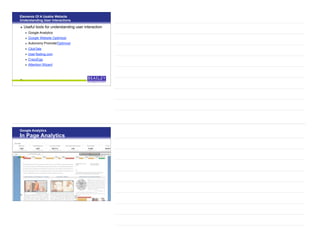
• Useful tools for understanding user interaction
• Google Analytics
• Google Website Optimizer
• Autonomy Promote/Optimost
• ClickTale
• UserTesting.com
• CrazyEgg
• Attention Wizard
15
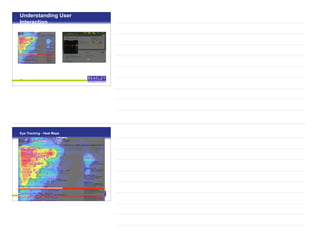
Google Analytics
In Page Analytics
16
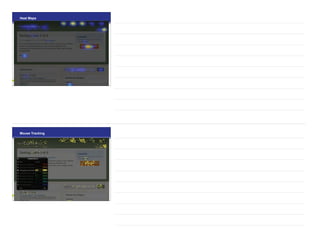
Understanding User
Interaction
17
Eye Tracking - Heat Maps
18
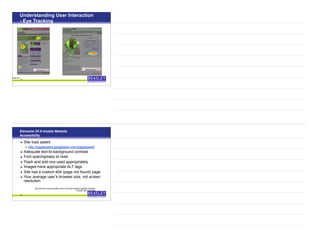
Heat Maps
191919
Mouse Tracking
202020
Understanding User Interaction
- Eye Tracking
21
Before After
on Wizard - a virtual tool
Elements Of A Usable Website
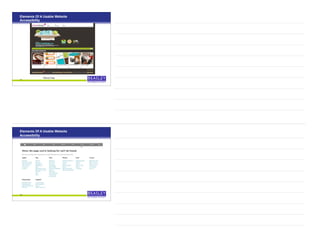
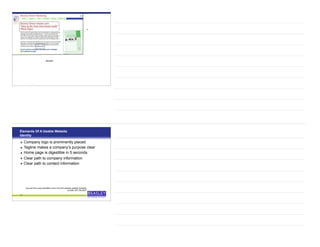
Accessibility
• Site load speed
• http://pagespeed.googlelabs.com/pagespeed/
• Adequate text-to-background contrast
• Font spacing/easy to read
• Flash and add-ons used appropriately
• Images have appropriate ALT tags
• Site has a custom 404 (page not found) page
• Your average user’s browser size, not screen
resolution
22
Sourced from www.usereffect.com’s 25 point website usability checklist,
© 2009, 847-708-6007
Elements Of A Usable Website
Accessibility
23
Elements Of A Usable Website
Accessibility
24
Elements Of A Usable Website
Accessibility
25
Elements Of A Usable Website
Accessibility
26
Elements Of A Usable Website
Accessibility
27
Elements Of A Usable Website
Accessibility
28
Elements Of A Usable Website
Accessibility
29
Elements Of A Usable Website
Accessibility
30
With Flash
Elements Of A Usable Website
Accessibility
31
Without Flash
Elements Of A Usable Website
Accessibility
32
33
1024x768
800x600
Elements Of A Usable Website
Identity
• Company logo is prominently placed
• Tagline makes a company’s purpose clear
• Home page is digestible in 5 seconds
• Clear path to company information
• Clear path to contact information
34
Sourced from www.usereffect.com’s 25 point website usability checklist,
© 2009, 847-708-6007
35
Elements Of A Usable Website
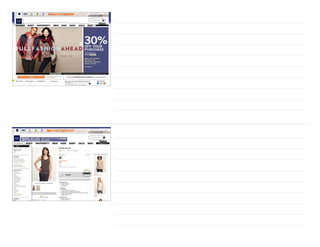
Navigation
• Main navigation is easily identifiable
• Navigation labels are clear and concise
• Number of buttons/links is reasonable
• Company logo is linked to home page
• Links are consistent and easy to identify
• Site search is easy to access
36
Sourced from www.usereffect.com’s 25 point website usability checklist,
© 2009, 847-708-6007
37
38
Elements Of A Usable Website
Content
• Major headlines are clear & consistent
• Critical content and calls to action are above
the fold
• Styles & colors are consistent within sections
and across site
• Bold, italic and other emphasis is used only
when needed
• Ads & pop ups are unobtrusive
39
Sourced from www.usereffect.com’s 25 point website
usability checklist © 2009, 847-708-6007
Elements Of A Usable Website
Content
• Main copy is concise and explanatory
• Copy is designed for readers, browsers and
skimmers
• URLs are meaningful & user friendly
• Page titles are explanatory (both on page & in
source code)
40
Sourced from www.usereffect.com’s 25 point website usability checklist,
© 2009, 847-708-6007
41
42
http://reviews.cnet.com/dslr-buying-guide/http://reviews.cnet.com/dslr-buying-guide/
• Reduce the amount of content
• Single column layouts work best
• Present that navigation differently
• Minimize text entry
• Decide whether you need more than 1 mobile site
• Design for touchscreen and non-touchscreen users
• Take advantage of inbuilt functionality
43
http://www.webcredible.co.uk/user-friendly-resources/web-usability/mobile-guidelines.shtml
Usability & Mobile Devices
A Whole Workshop By Itself
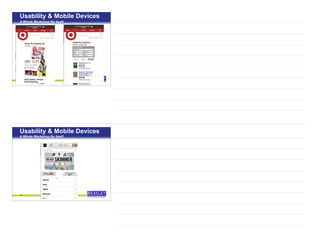
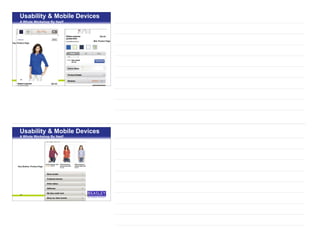
• Google Webmaster Tools are sending out usability
notices now
• A defined viewing area (or viewport) that adjusts to the
device’s screen size.
• Content that flows in the viewport, so that users don’t
have to scroll horizontally or pinch the screen in order to
see the entire page.
• Fonts that scale for easier reading on small screens.
• Easy-to-touch elements (e.g., buttons) that are well-
spaced from other touch elements.
• Visual design and motion driven by mobile-friendly
technology.
44
Usability & Mobile Devices
A Whole Workshop By Itself
Usability & Mobile Devices
A Whole Workshop By Itself
45
Facebook
464646
Usability & Mobile Devices
A Whole Workshop By Itself
474747
Usability & Mobile Devices
A Whole Workshop By Itself
48
Usability & Mobile Devices
A Whole Workshop By Itself
49
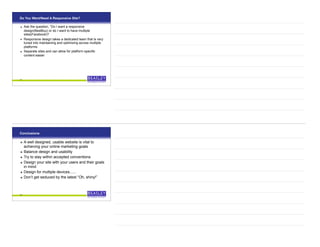
Top, Product Page
Mid, Product Page
Usability & Mobile Devices
A Whole Workshop By Itself
50
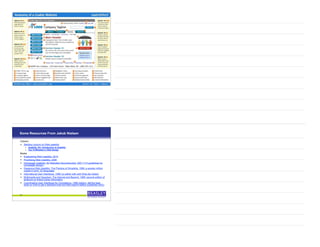
Very Bottom, Product Page
Usability & Mobile Devices
A Whole Workshop By Itself
Do You Want/Need A Responsive Site?
! Ask the question, “Do I want a responsive
design(BestBuy) or do I want to have multiple
sites(Facebook)?
! Responsive design takes a dedicated team that is very
tuned into maintaining and optimizing across multiple
platforms
! Separate sites and can allow for platform specific
content easier
51
Conclusions
• A well designed, usable website is vital to
achieving your online marketing goals
• Balance design and usability
• Try to stay within accepted conventions
• Design your site with your users and their goals
in mind
• Design for multiple devices......
• Don’t get seduced by the latest “Oh, shiny!”
52
53
Some Resources From Jakob Nielsen
Column
• Alertbox column on Web usability
• Usability 101: Introduction to Usability
• Top 10 Mistakes in Web Design
Books
• Eyetracking Web Usability, 2010
• Prioritizing Web Usability, 2006
• Homepage Usability: 50 Websites Deconstructed, 2001 (113 guidelines for
homepage design)
• Designing Web Usability: The Practice of Simplicity, 1999: a quarter million
copies in print; 22 languages
• International User Interfaces, 1996 (co-editor with with Elisa del Galdo)
• Multimedia and Hypertext: The Internet and Beyond, 1995: second edition of
textbook on linked online information
• Coordinating User Interfaces for Consistency, 1989 (editor): still the best
book on how to get a standard look-and-feel (reprint edition published 2002)
54
Jakob Nielsen’s 10 High Profit Redesign
Priorities
• Email newsletters
• Informative product pages
• High quality photography
• Product differentiation & comparisons
• Support for on page re-ordering of content
• Simplified text
• Cater to seniors
• Gift giving/gift certificate support
• Search
• User testing
55
Optimize Your Landing Pages With
This Guide
•Optimize your landing pages with this 10-page,
hands-on guide offering tips on:
–Design
–Personalization
–Offers
–Usability
http://www.BeasleyDirect.com/Landing-Pages-
Guide.html
56
Learn How to Optimize Your Emails
Learn how to optimize your emails for delivery
through spam filters and for consistency across
email browsers in this handy guide. Learn how
to:
– Get your email around spam filters
– Make your email look consistent across
browsers
– Optimize your design for blocked images
and preview pane
http://www.BeasleyDirect.com/Email-Audit-
Guide.html
57
New Guide on
Multichannel Marketing
Hot off the press, this new guide offers tips on how to
save money and optimize effectiveness
http://www.BeasleyDirect.com/Multi-Channel-
Marketing
58
Thank You!!
John Thyfault
Beasley Direct Marketing, Inc.
http://www.beasleydirect.com/search_marketing.html
jthyfault@beasleydirect.com
650-323-1881
@JohnThyfault
59

Website Usability - Direct Marketing Association NorCal 042016

  • 1.
    Website Usability: MakingYour Website Hum Wednesday, April 20, 2016 - 4:30 - 6:00 PM 1 Presented by John Thyfault • Vice President, Search Engine & Social Media Marketing, Beasley Direct Marketing, Inc. • Instructor, UC Santa Cruz Silcon Valley Extension and Online Marketing Institute • Instructor, The Direct Marketing Association
  • 2.
    Workshop Overview • Whatis website usability & why does it matter • Americans with Disabilities Act Implications on usability • Elements of a usable website – Understanding you user – Accessibility – Identity – Navigation – Content • Tools for usability testing ! Mobile Sites 3 About Beasley Direct Marketing Beasley Direct Marketing, Inc. provides copywriting, design, programming, and consulting services for the following direct marketing channels: • !"#$%&'())*'#+,'!-./' • -0#12'*$"#34"5'6"718+5'6"214"$#9121:;'<=,1:75' #+,'>$?#,%#7:' • 61$"%:'0#12'(@1:&'#+,'@1:&?=:')ABC7/' • C#+,1+8')#8"'6"718+'(@1:&'#+,'@1:&?=:')ABC7/' • D?912"' • E1,"?' • !?%1#2'' • F"971:"'6"718+' • *#:#2?8G"*?00"$%"' • >$?%&=$"5'F&1:"')#H"$5'#+,'I=1,"'%?H;'#+,' ,"718+' • C17:'>=12,1+8'#+,'*BD'6#:#9#7"'D#+#8"0"+:' • J"2"0#$K"3+8' • J$#+72#3?+'L?$'#22'?L':&"'#9?4"' • -M"%=34"'6#7&9?#$,'J$#%K1+85'B"H?$3+85'#+,' C"#,'<7718+0"+:'' 4
  • 3.
    About The Instructor JohnThyfault Vice President, Search Engine & Social Media Marketing Beasley Direct Marketing John Thyfault has more than 20 years of marketing, sales and product development experience. His knowledge of search engine optimization (SEO), pay per click (PPC) marketing and social media marketing, combined with an in-depth understanding of customer identification, market analysis and segmentation, allows him to deliver high returns on client marketing investment. Prior to working with Beasley Direct, John was Senior Client Services Project Director at ThirdAge.com, a first wave baby boomer lifestyle and community website. At ThirdAge he successfully led major client sponsorships for Tylenol, American Century, Intel, IBM, and Revlon. John has led workshops for the Silicon Valley American Marketing Association, the Direct Marketing Association in Northern and Southern California and the Business Marketing Association. He also teaches Search Engine Marketing at University of California, Santa Cruz, Extension in Silicon Valley and is currently leading day long seminars as part of the Online Marketing Summit's 2011 International Tour. 5 What Is Usability “Usability is the science of making technology work for people.” Dr. Peter J. Meyers, President of usereffect (www.usereffect.com) Making the interface between people & technology seamless 6
  • 4.
    Dr. Jakob Nielsen’sDefinition Ph.D. computer-human interaction, Sun Microsystems Distinguished Engineer, All Around Guru Components of Usability • Learnability • Efficiency • Memorability • Errors • Satisfaction 7 Why Worry About Usability? It has impact on your bottom line Visitors • 85% abandon a site due to poor design • 83% leave because it takes too many clicks to get what they want • 62% gave up looking for an item while shopping online • 40% don’t return due to a negative content experience such as hard to use content Kathy McShea, Usability Testing: Options to Fit Any Budget, Emerald Strategies, 2008 8
  • 5.
    Why Worry AboutUsability? It has impact on your bottom line Your Organization’s • 50% of sales are lost because a visitor can’t find content • 49% of sites fail to comply with simple usability principles Kathy McShea, Usability Testing: Options to Fit Any Budget, Emerald Strategies, 2008 9 National Federation of the Blind vs. Target Corporation • NFB brought suit against Target for having its site, a “place of public accommodation” not accessible to the visually impaired in 2006 • Target settled out of court in 2008 - $6 million fund for claims plus re-working of the site to accommodate the visually impaired • Taking care of usability up front for everyone is much less expensive than a forced retro-fit http://www.aseonline.org/epeopleweek/2008/September/TargetSettlesAccessibilitySuitADAAppliesto.aspx 10
  • 6.
    Elements Of AUsable Website Defining The User • Who are your ideal users? You probably will have more than one • Where are they in the buying cycle? • What do you want them to do on your site? • What will they come to your site? • What parts of the site will they go to? • How do they interact with your site? 11 Elements Of A Usable Website Defining The User • Research the user’s goals • Support call data • Field surveys • Speak with current customers • Look at web traffic patterns • Look at referring data from search engines and other sites 12
  • 7.
    Elements Of AUsable Website Defining The User • Define your company’s goals on the site • Sales • Awareness • Support • Lead generation • You can have multiple goals but map them before you start development 13 Elements Of A Usable Website Understanding User Interactions • Knowing how your user interacts with the site is one of the keys to building a friendly site • Both quantitative and qualitative info is needed • Methods of info gathering • Eye tracking • Web analytics • Focus groups • Individual user Q&A session 14
  • 8.
    Elements Of AUsable Website Understanding User Interactions • Useful tools for understanding user interaction • Google Analytics • Google Website Optimizer • Autonomy Promote/Optimost • ClickTale • UserTesting.com • CrazyEgg • Attention Wizard 15 Google Analytics In Page Analytics 16
  • 9.
  • 10.
  • 11.
    Understanding User Interaction -Eye Tracking 21 Before After on Wizard - a virtual tool Elements Of A Usable Website Accessibility • Site load speed • http://pagespeed.googlelabs.com/pagespeed/ • Adequate text-to-background contrast • Font spacing/easy to read • Flash and add-ons used appropriately • Images have appropriate ALT tags • Site has a custom 404 (page not found) page • Your average user’s browser size, not screen resolution 22 Sourced from www.usereffect.com’s 25 point website usability checklist, © 2009, 847-708-6007
  • 12.
    Elements Of AUsable Website Accessibility 23 Elements Of A Usable Website Accessibility 24
  • 13.
    Elements Of AUsable Website Accessibility 25 Elements Of A Usable Website Accessibility 26
  • 14.
    Elements Of AUsable Website Accessibility 27 Elements Of A Usable Website Accessibility 28
  • 15.
    Elements Of AUsable Website Accessibility 29 Elements Of A Usable Website Accessibility 30 With Flash
  • 16.
    Elements Of AUsable Website Accessibility 31 Without Flash Elements Of A Usable Website Accessibility 32
  • 17.
    33 1024x768 800x600 Elements Of AUsable Website Identity • Company logo is prominently placed • Tagline makes a company’s purpose clear • Home page is digestible in 5 seconds • Clear path to company information • Clear path to contact information 34 Sourced from www.usereffect.com’s 25 point website usability checklist, © 2009, 847-708-6007
  • 18.
    35 Elements Of AUsable Website Navigation • Main navigation is easily identifiable • Navigation labels are clear and concise • Number of buttons/links is reasonable • Company logo is linked to home page • Links are consistent and easy to identify • Site search is easy to access 36 Sourced from www.usereffect.com’s 25 point website usability checklist, © 2009, 847-708-6007
  • 19.
  • 20.
    Elements Of AUsable Website Content • Major headlines are clear & consistent • Critical content and calls to action are above the fold • Styles & colors are consistent within sections and across site • Bold, italic and other emphasis is used only when needed • Ads & pop ups are unobtrusive 39 Sourced from www.usereffect.com’s 25 point website usability checklist © 2009, 847-708-6007 Elements Of A Usable Website Content • Main copy is concise and explanatory • Copy is designed for readers, browsers and skimmers • URLs are meaningful & user friendly • Page titles are explanatory (both on page & in source code) 40 Sourced from www.usereffect.com’s 25 point website usability checklist, © 2009, 847-708-6007
  • 21.
  • 22.
    • Reduce theamount of content • Single column layouts work best • Present that navigation differently • Minimize text entry • Decide whether you need more than 1 mobile site • Design for touchscreen and non-touchscreen users • Take advantage of inbuilt functionality 43 http://www.webcredible.co.uk/user-friendly-resources/web-usability/mobile-guidelines.shtml Usability & Mobile Devices A Whole Workshop By Itself • Google Webmaster Tools are sending out usability notices now • A defined viewing area (or viewport) that adjusts to the device’s screen size. • Content that flows in the viewport, so that users don’t have to scroll horizontally or pinch the screen in order to see the entire page. • Fonts that scale for easier reading on small screens. • Easy-to-touch elements (e.g., buttons) that are well- spaced from other touch elements. • Visual design and motion driven by mobile-friendly technology. 44 Usability & Mobile Devices A Whole Workshop By Itself
  • 23.
    Usability & MobileDevices A Whole Workshop By Itself 45 Facebook 464646 Usability & Mobile Devices A Whole Workshop By Itself
  • 24.
    474747 Usability & MobileDevices A Whole Workshop By Itself 48 Usability & Mobile Devices A Whole Workshop By Itself
  • 25.
    49 Top, Product Page Mid,Product Page Usability & Mobile Devices A Whole Workshop By Itself 50 Very Bottom, Product Page Usability & Mobile Devices A Whole Workshop By Itself
  • 26.
    Do You Want/NeedA Responsive Site? ! Ask the question, “Do I want a responsive design(BestBuy) or do I want to have multiple sites(Facebook)? ! Responsive design takes a dedicated team that is very tuned into maintaining and optimizing across multiple platforms ! Separate sites and can allow for platform specific content easier 51 Conclusions • A well designed, usable website is vital to achieving your online marketing goals • Balance design and usability • Try to stay within accepted conventions • Design your site with your users and their goals in mind • Design for multiple devices...... • Don’t get seduced by the latest “Oh, shiny!” 52
  • 27.
    53 Some Resources FromJakob Nielsen Column • Alertbox column on Web usability • Usability 101: Introduction to Usability • Top 10 Mistakes in Web Design Books • Eyetracking Web Usability, 2010 • Prioritizing Web Usability, 2006 • Homepage Usability: 50 Websites Deconstructed, 2001 (113 guidelines for homepage design) • Designing Web Usability: The Practice of Simplicity, 1999: a quarter million copies in print; 22 languages • International User Interfaces, 1996 (co-editor with with Elisa del Galdo) • Multimedia and Hypertext: The Internet and Beyond, 1995: second edition of textbook on linked online information • Coordinating User Interfaces for Consistency, 1989 (editor): still the best book on how to get a standard look-and-feel (reprint edition published 2002) 54
  • 28.
    Jakob Nielsen’s 10High Profit Redesign Priorities • Email newsletters • Informative product pages • High quality photography • Product differentiation & comparisons • Support for on page re-ordering of content • Simplified text • Cater to seniors • Gift giving/gift certificate support • Search • User testing 55 Optimize Your Landing Pages With This Guide •Optimize your landing pages with this 10-page, hands-on guide offering tips on: –Design –Personalization –Offers –Usability http://www.BeasleyDirect.com/Landing-Pages- Guide.html 56
  • 29.
    Learn How toOptimize Your Emails Learn how to optimize your emails for delivery through spam filters and for consistency across email browsers in this handy guide. Learn how to: – Get your email around spam filters – Make your email look consistent across browsers – Optimize your design for blocked images and preview pane http://www.BeasleyDirect.com/Email-Audit- Guide.html 57 New Guide on Multichannel Marketing Hot off the press, this new guide offers tips on how to save money and optimize effectiveness http://www.BeasleyDirect.com/Multi-Channel- Marketing 58
  • 30.
    Thank You!! John Thyfault BeasleyDirect Marketing, Inc. http://www.beasleydirect.com/search_marketing.html jthyfault@beasleydirect.com 650-323-1881 @JohnThyfault 59