Copyright © 2013, Oracle and/or its affiliates. All rights reserved.1
Copyright © 2013, Oracle and/or its affiliates. All rights reserved.2
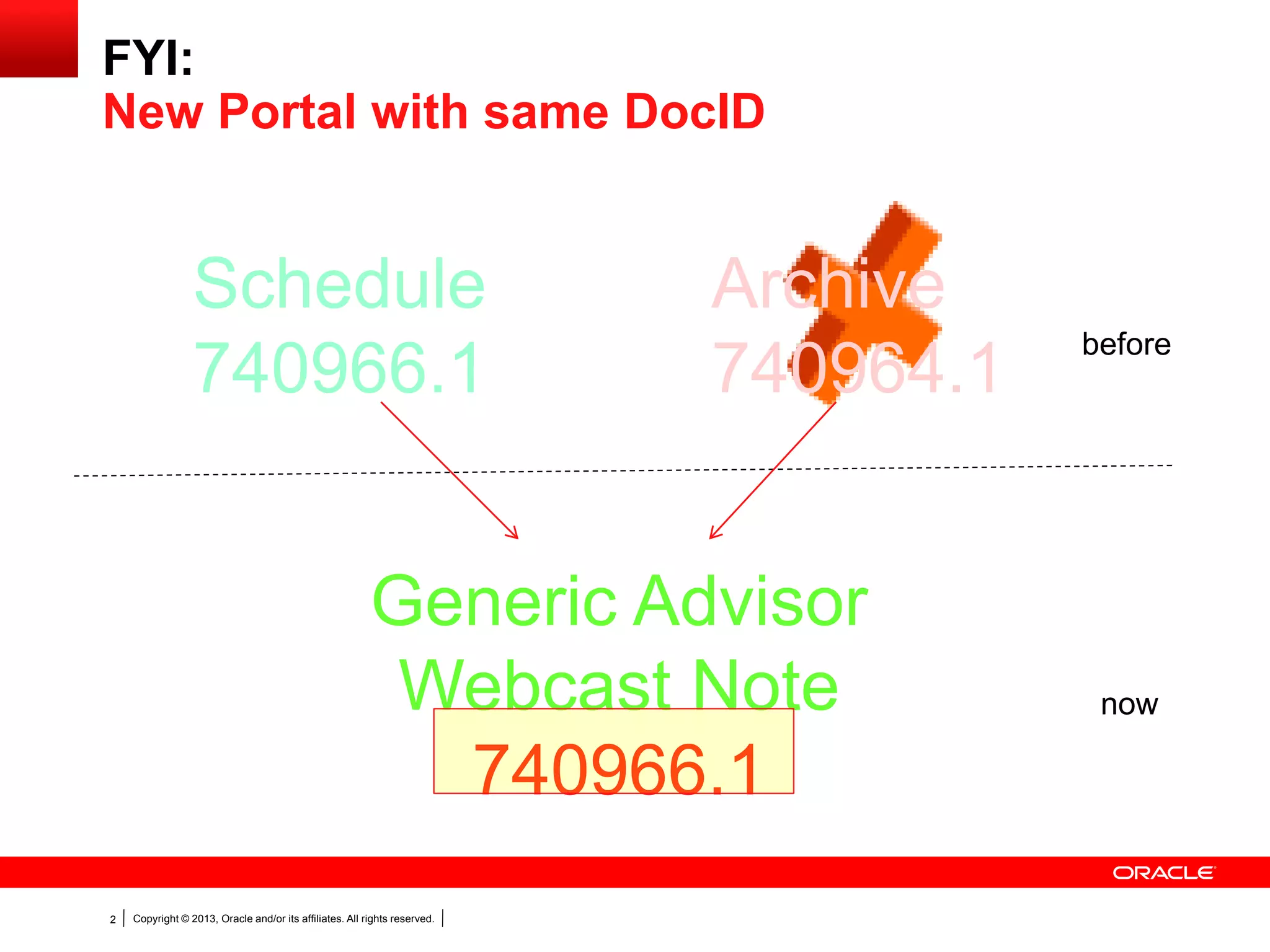
FYI:
New Portal with same DocID
Archive
740964.1
Schedule
740966.1
Generic Advisor
Webcast Note
740966.1
before
now
Copyright © 2013, Oracle and/or its affiliates. All rights reserved.3
Using Change Management in Primavera Contract
Management
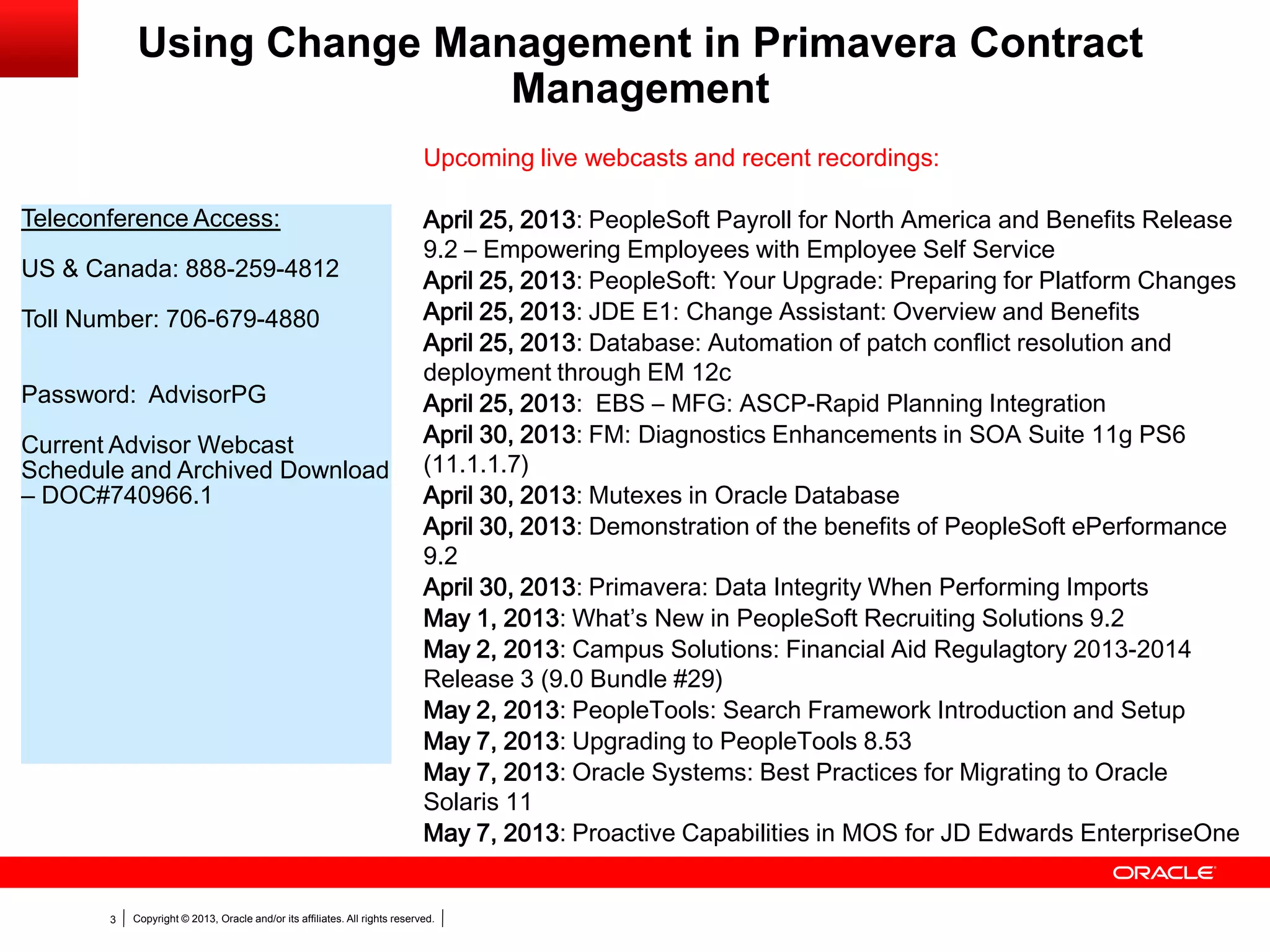
Teleconference Access:
US & Canada: 888-259-4812
Toll Number: 706-679-4880
Password: AdvisorPG
Current Advisor Webcast
Schedule and Archived Download
– DOC#740966.1
Upcoming live webcasts and recent recordings:
April 25, 2013: PeopleSoft Payroll for North America and Benefits Release
9.2 – Empowering Employees with Employee Self Service
April 25, 2013: PeopleSoft: Your Upgrade: Preparing for Platform Changes
April 25, 2013: JDE E1: Change Assistant: Overview and Benefits
April 25, 2013: Database: Automation of patch conflict resolution and
deployment through EM 12c
April 25, 2013: EBS – MFG: ASCP-Rapid Planning Integration
April 30, 2013: FM: Diagnostics Enhancements in SOA Suite 11g PS6
(11.1.1.7)
April 30, 2013: Mutexes in Oracle Database
April 30, 2013: Demonstration of the benefits of PeopleSoft ePerformance
9.2
April 30, 2013: Primavera: Data Integrity When Performing Imports
May 1, 2013: What’s New in PeopleSoft Recruiting Solutions 9.2
May 2, 2013: Campus Solutions: Financial Aid Regulagtory 2013-2014
Release 3 (9.0 Bundle #29)
May 2, 2013: PeopleTools: Search Framework Introduction and Setup
May 7, 2013: Upgrading to PeopleTools 8.53
May 7, 2013: Oracle Systems: Best Practices for Migrating to Oracle
Solaris 11
May 7, 2013: Proactive Capabilities in MOS for JD Edwards EnterpriseOne
Copyright © 2013, Oracle and/or its affiliates. All rights reserved.4
The following is intended to outline our general
product direction. It is intended for information
purposes only, and may not be incorporated into
any contract. It is not a commitment to deliver any
material, code, or functionality, and should not be
relied upon in making purchasing decision. The
development, release, and timing of any features
or functionality described for Oracle’s products
remains at the sole discretion of Oracle.
Safe Harbor Statement
<Insert Picture Here>
Using Change Management in Primavera Contract
Management
Sunny Bains
Janette Caceres
Senior Technical Support Engineers
Copyright © 2013, Oracle and/or its affiliates. All rights reserved.6
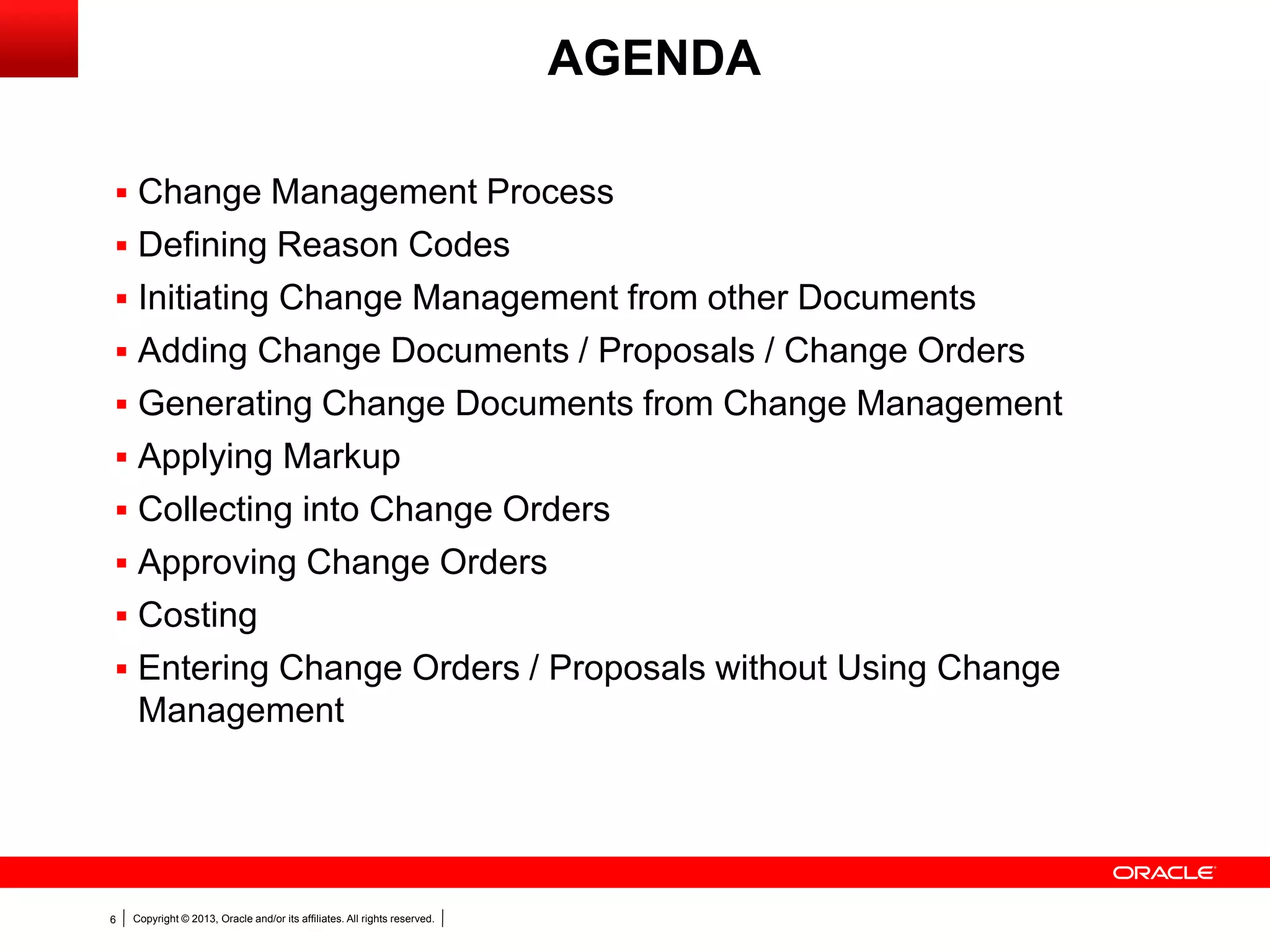
AGENDA
 Change Management Process
 Defining Reason Codes
 Initiating Change Management from other Documents
 Adding Change Documents / Proposals / Change Orders
 Generating Change Documents from Change Management
 Applying Markup
 Collecting into Change Orders
 Approving Change Orders
 Costing
 Entering Change Orders / Proposals without Using Change
Management
Copyright © 2013, Oracle and/or its affiliates. All rights reserved.7
 Contracts and Purchase Orders often change
 Change Management automates the Change Process
 Change Management is a workflow process
Change Management
Copyright © 2013, Oracle and/or its affiliates. All rights reserved.8
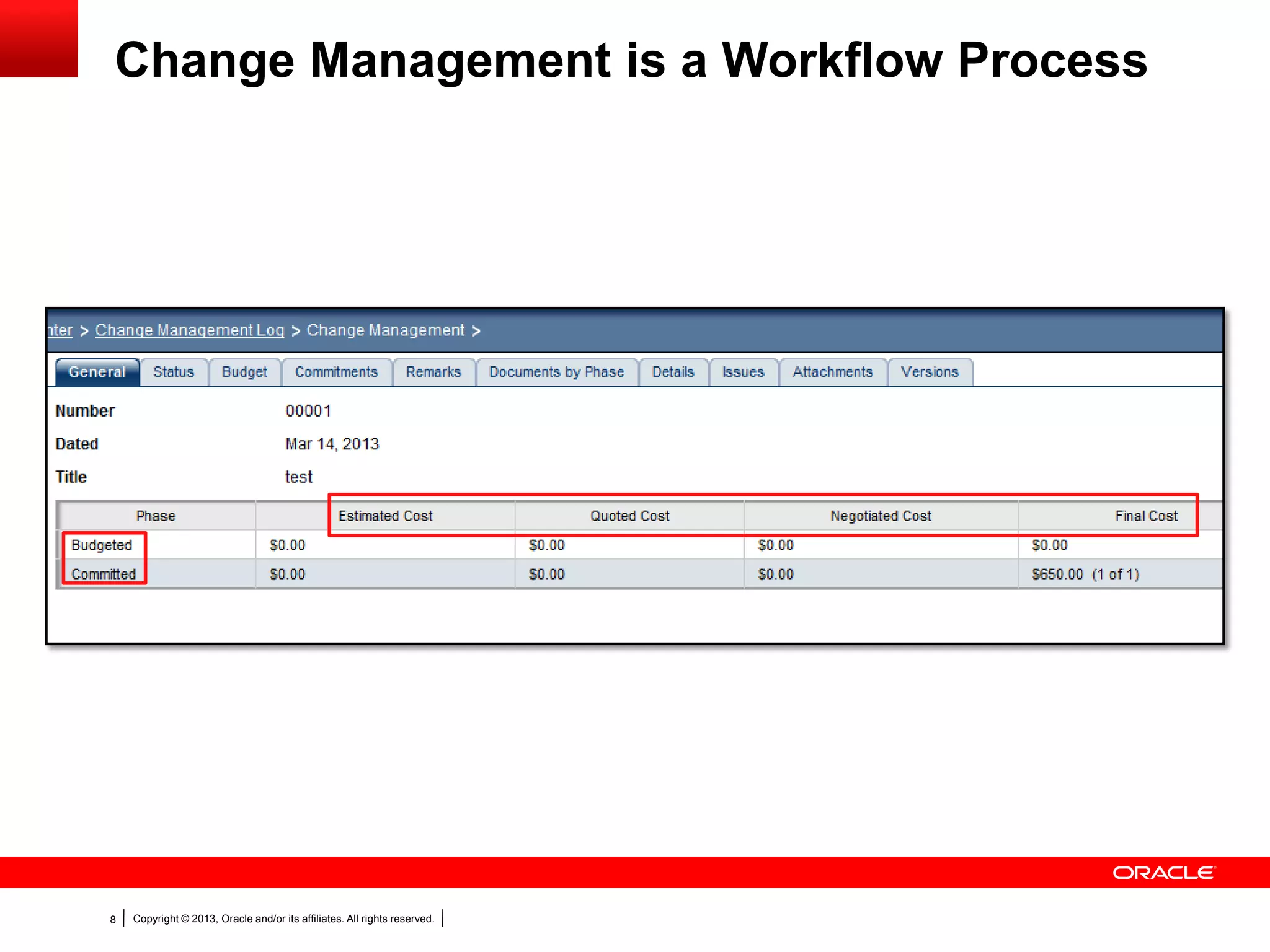
Change Management is a Workflow Process
Copyright © 2013, Oracle and/or its affiliates. All rights reserved.9
 Create customized workflow with Change Management
 Helps simplify the Change process
 One location to enter all necessary information
Change Management
Copyright © 2013, Oracle and/or its affiliates. All rights reserved.10
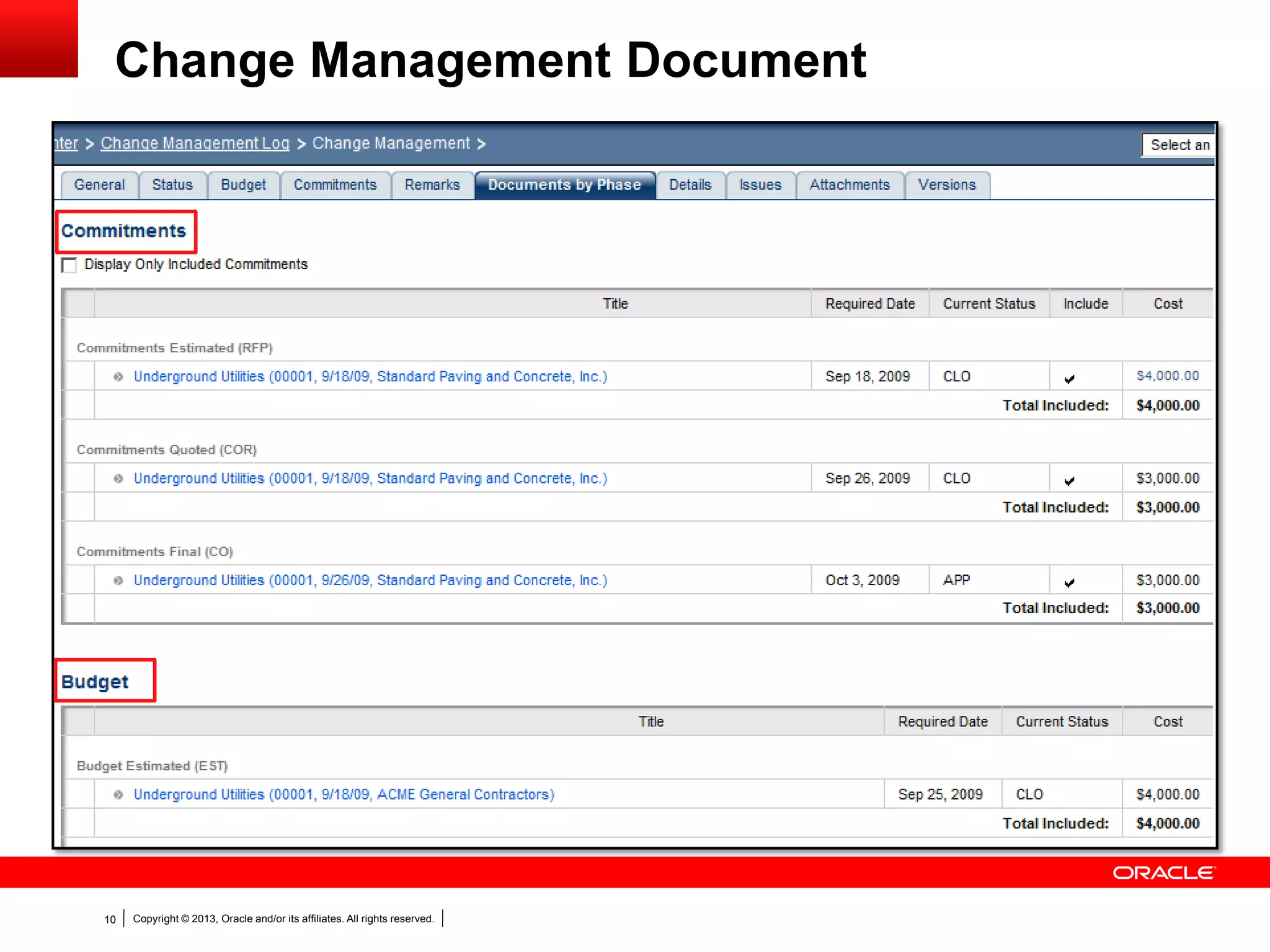
Change Management Document
Copyright © 2013, Oracle and/or its affiliates. All rights reserved.11
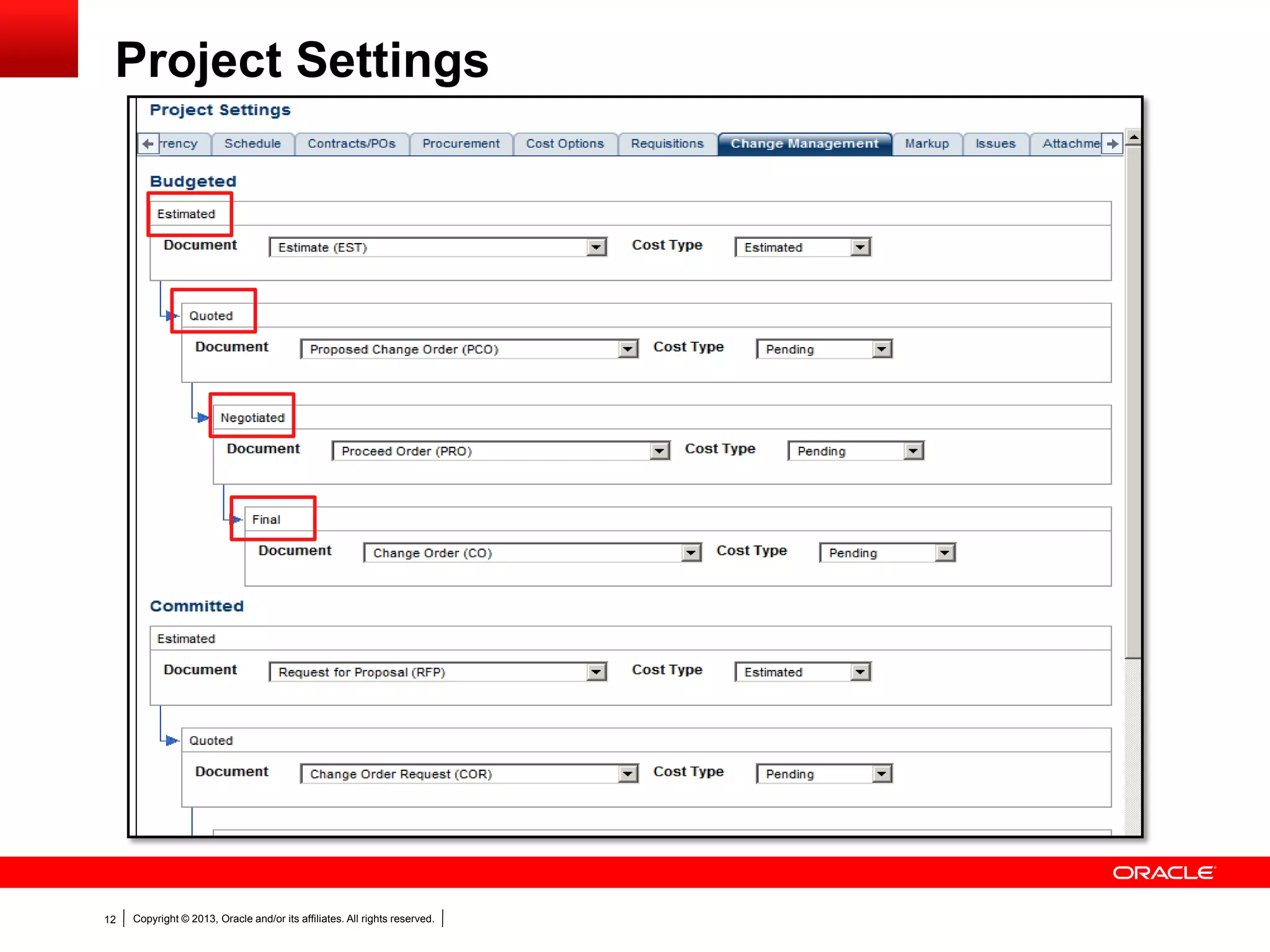
Project Settings
Copyright © 2013, Oracle and/or its affiliates. All rights reserved.12
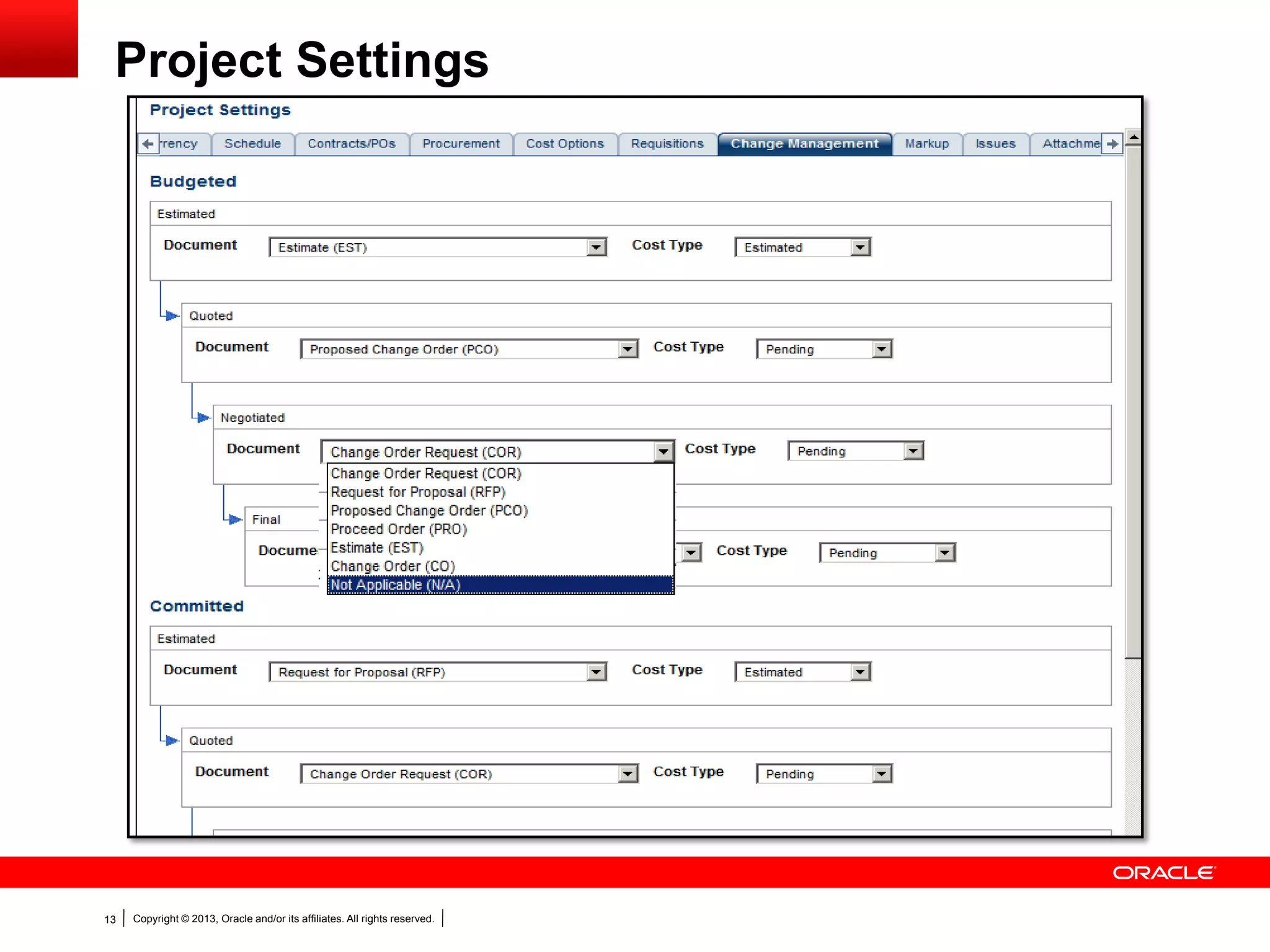
Project Settings
Copyright © 2013, Oracle and/or its affiliates. All rights reserved.13
Project Settings
Copyright © 2013, Oracle and/or its affiliates. All rights reserved.14
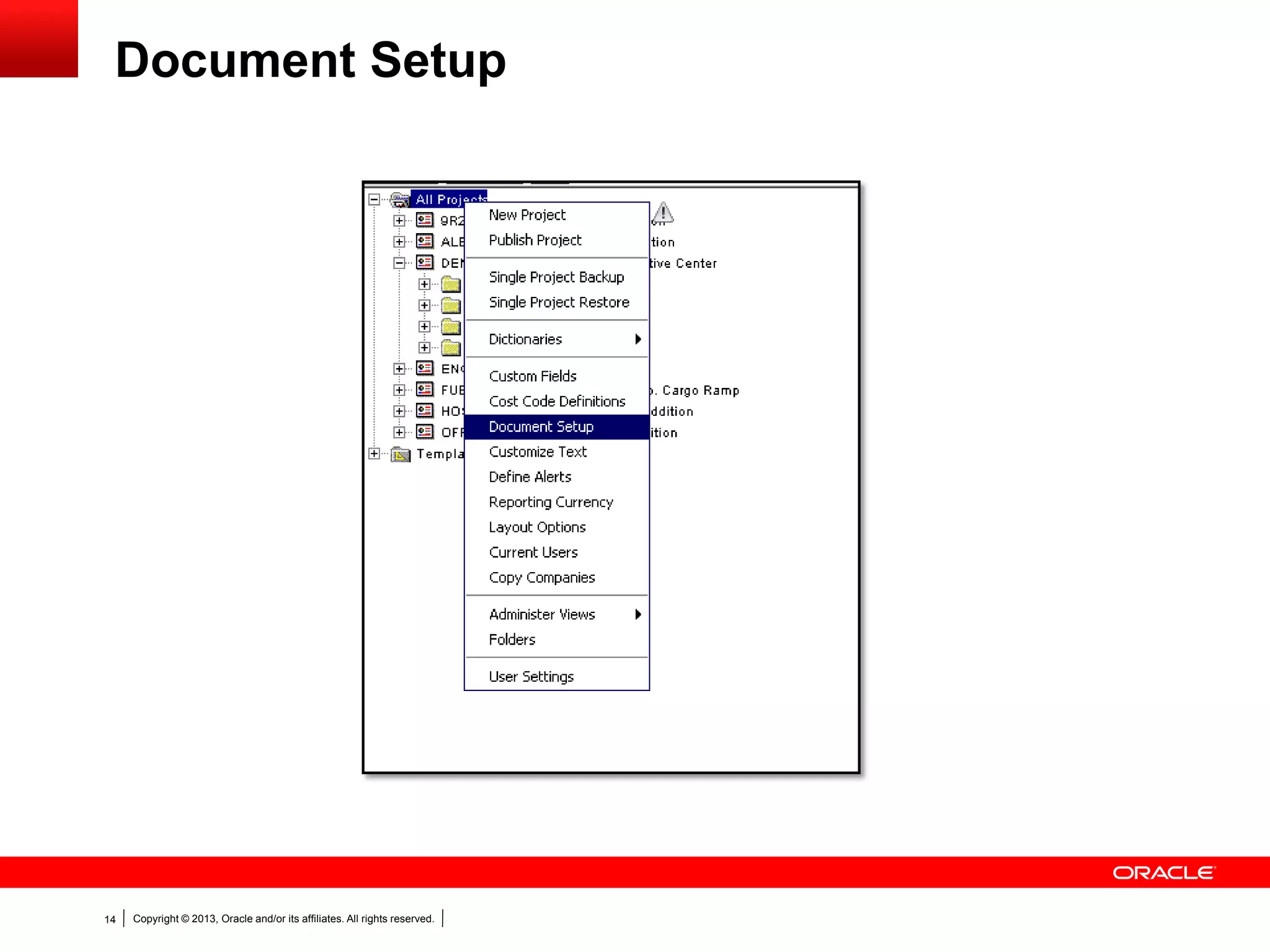
Document Setup
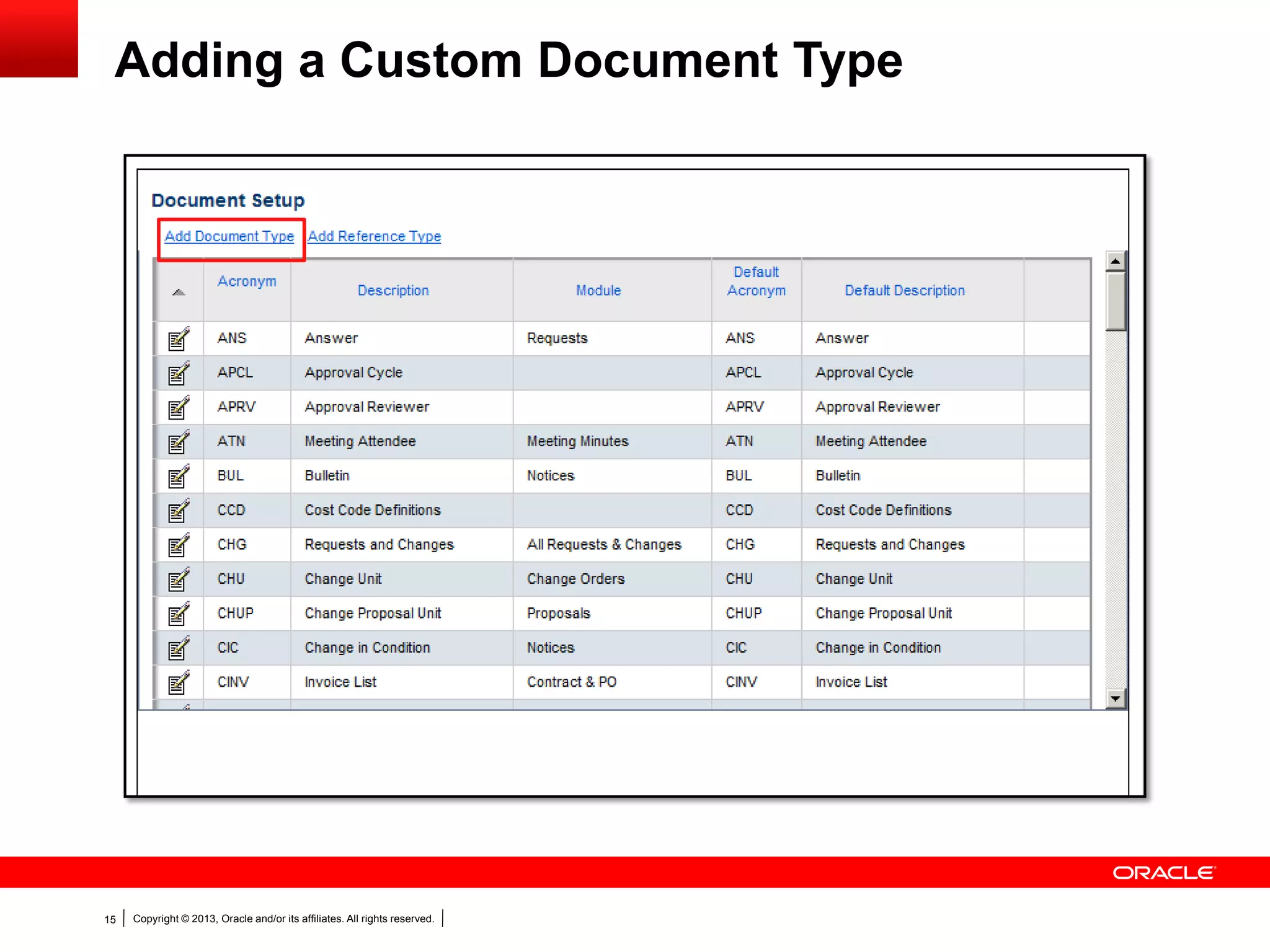
Copyright © 2013, Oracle and/or its affiliates. All rights reserved.15
Adding a Custom Document Type
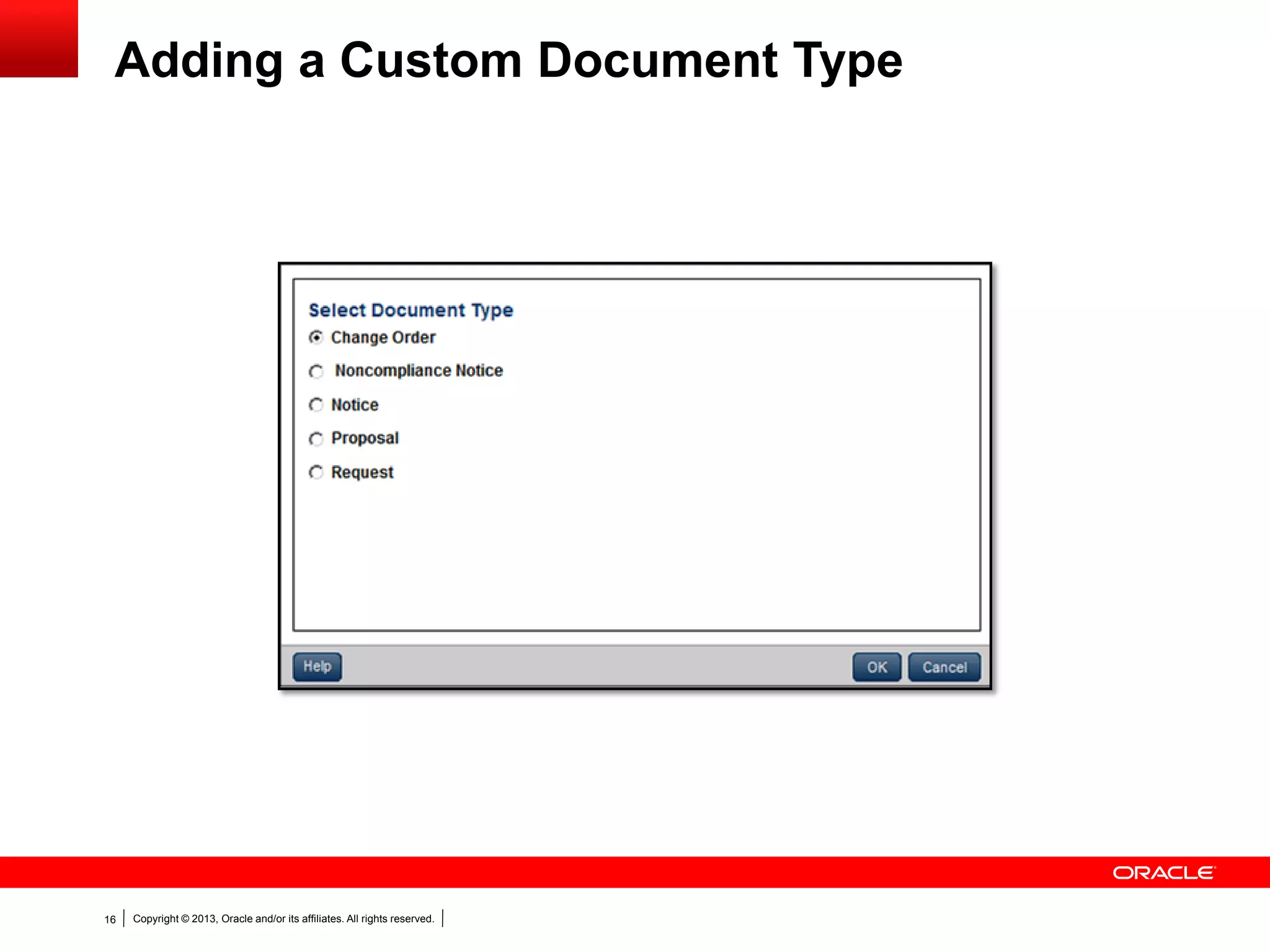
Copyright © 2013, Oracle and/or its affiliates. All rights reserved.16
Adding a Custom Document Type
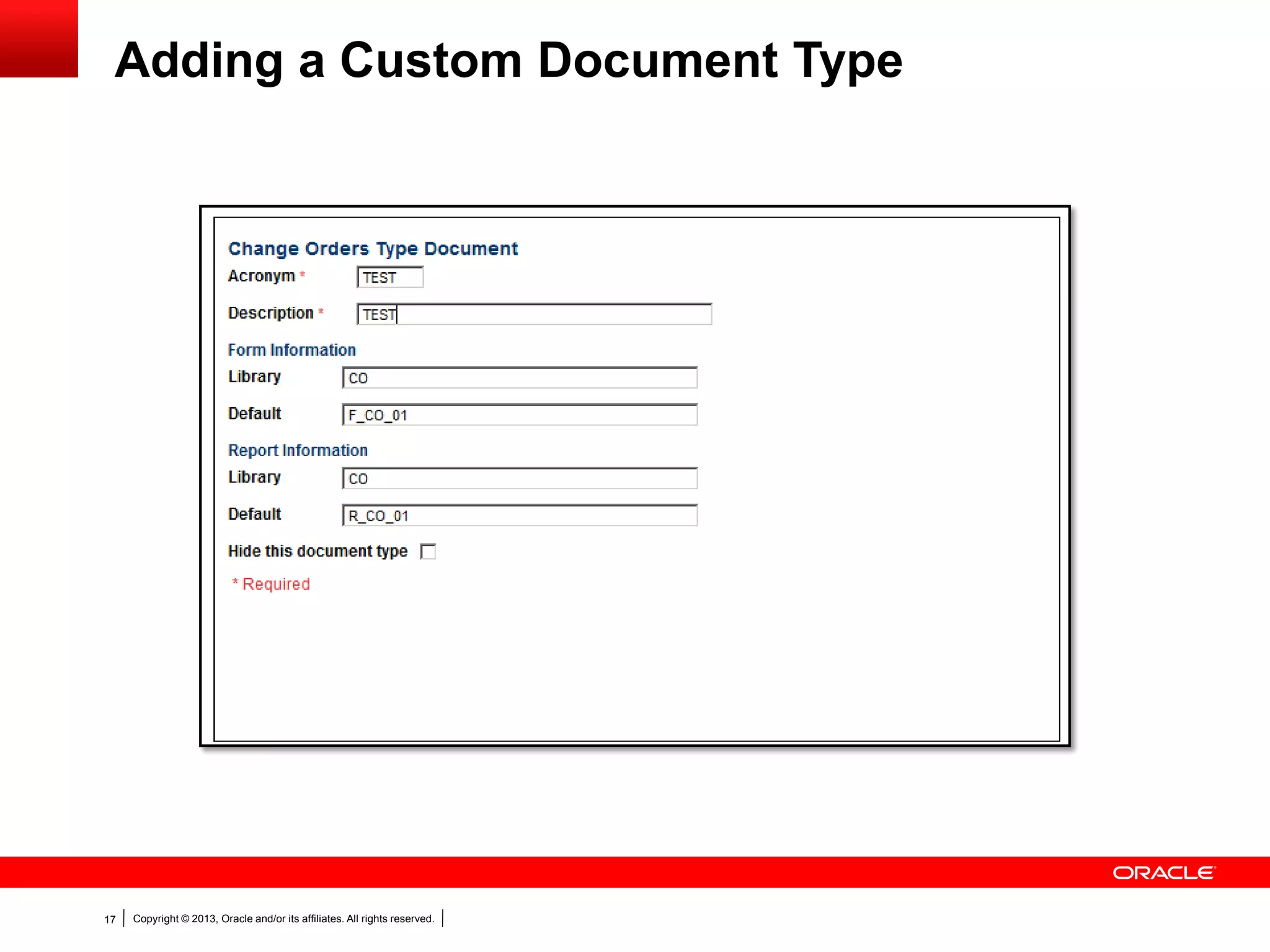
Copyright © 2013, Oracle and/or its affiliates. All rights reserved.17
Adding a Custom Document Type
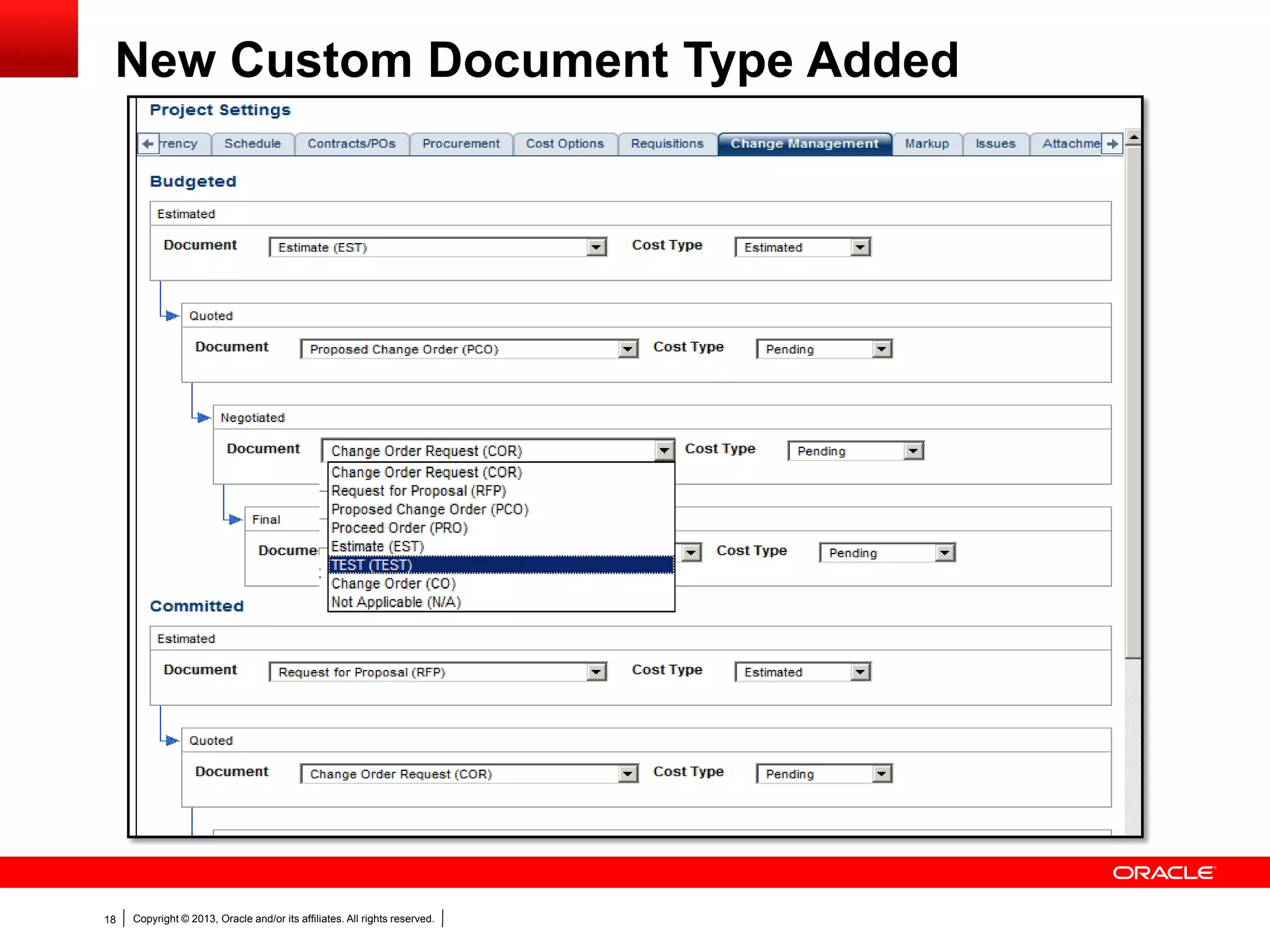
Copyright © 2013, Oracle and/or its affiliates. All rights reserved.18
New Custom Document Type Added
Copyright © 2013, Oracle and/or its affiliates. All rights reserved.19
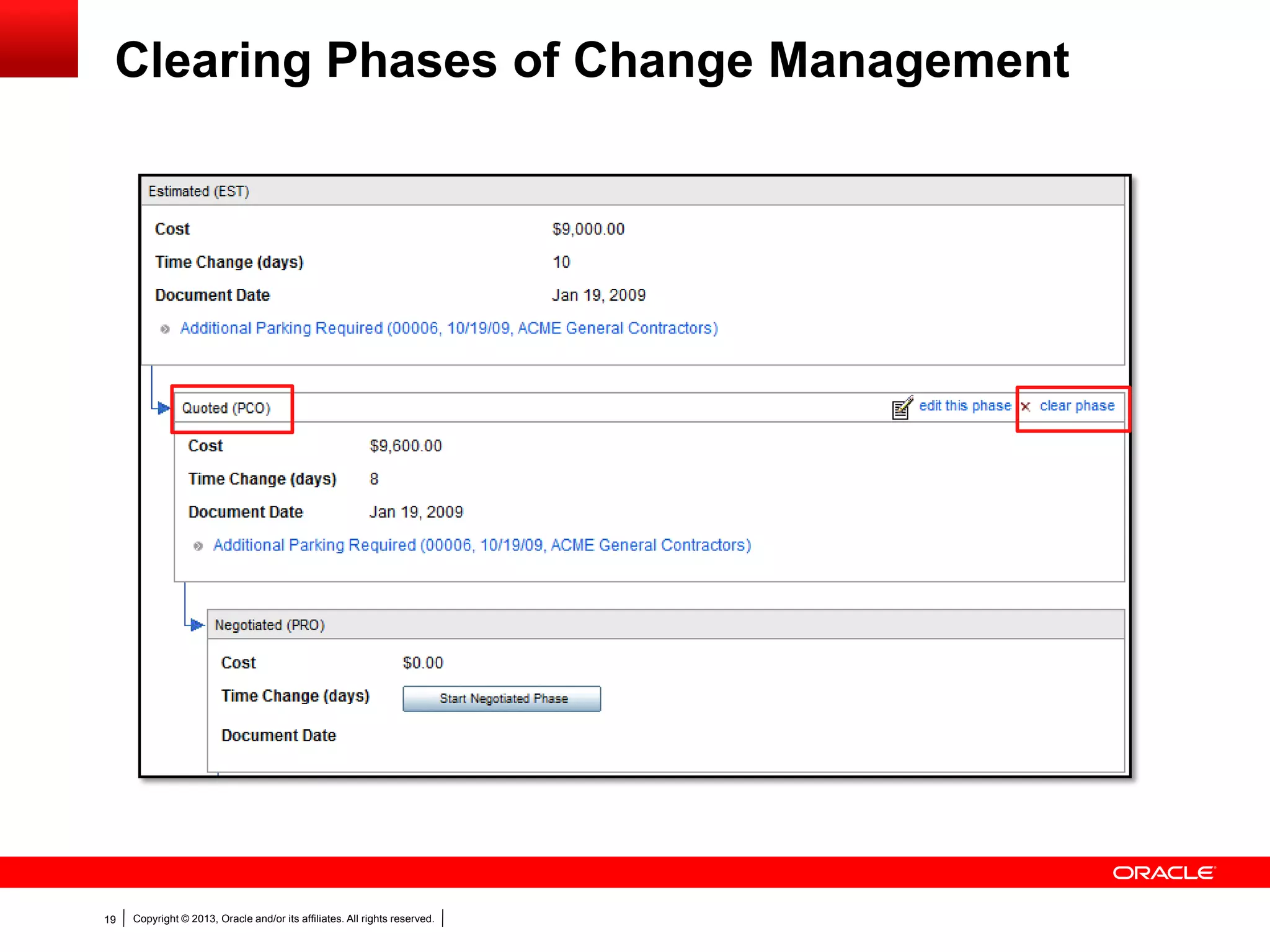
Clearing Phases of Change Management
Copyright © 2013, Oracle and/or its affiliates. All rights reserved.20
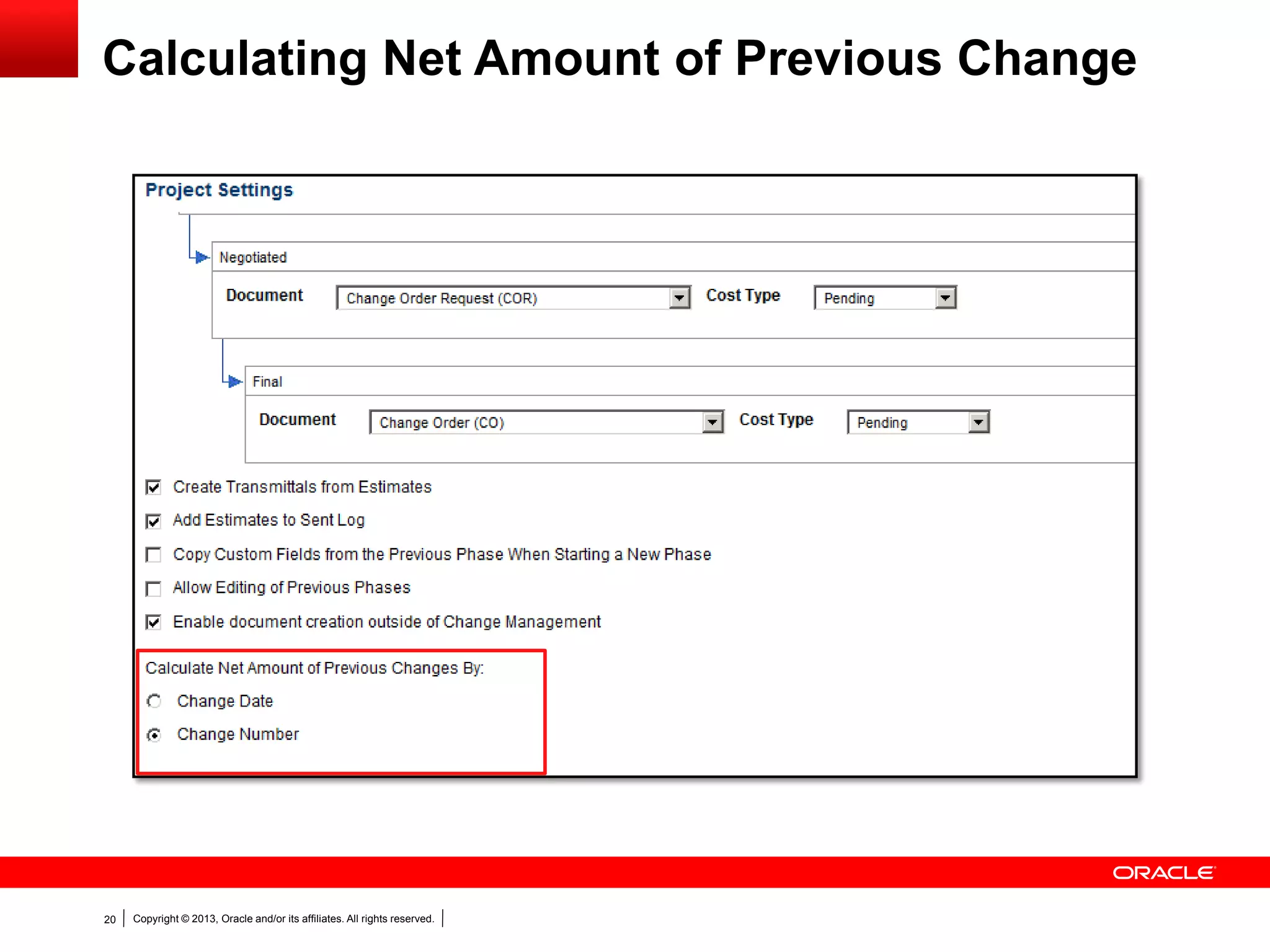
Calculating Net Amount of Previous Change
Copyright © 2013, Oracle and/or its affiliates. All rights reserved.21
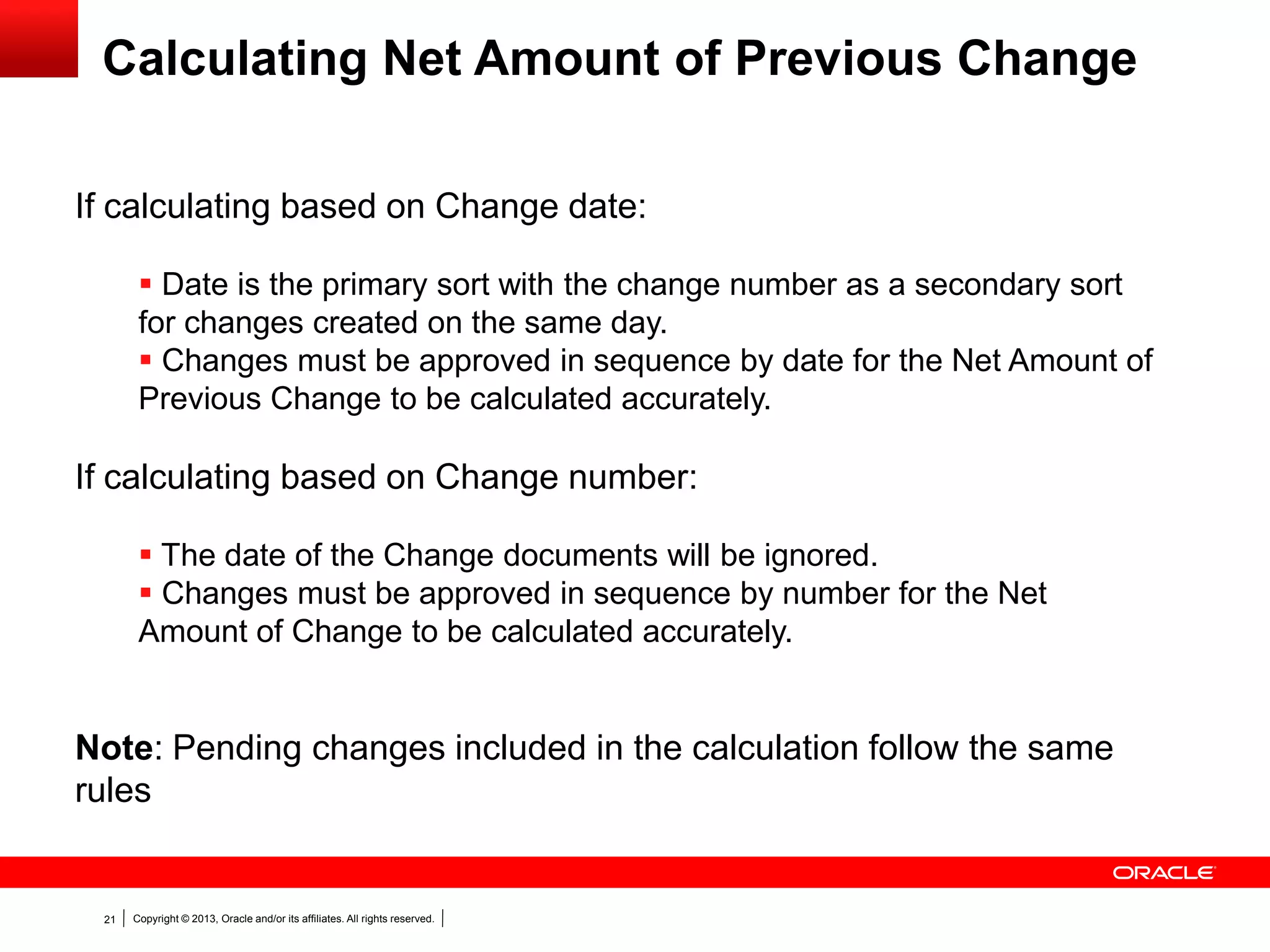
Calculating Net Amount of Previous Change
If calculating based on Change date:
 Date is the primary sort with the change number as a secondary sort
for changes created on the same day.
 Changes must be approved in sequence by date for the Net Amount of
Previous Change to be calculated accurately.
If calculating based on Change number:
 The date of the Change documents will be ignored.
 Changes must be approved in sequence by number for the Net
Amount of Change to be calculated accurately.
Note: Pending changes included in the calculation follow the same
rules
Copyright © 2013, Oracle and/or its affiliates. All rights reserved.22
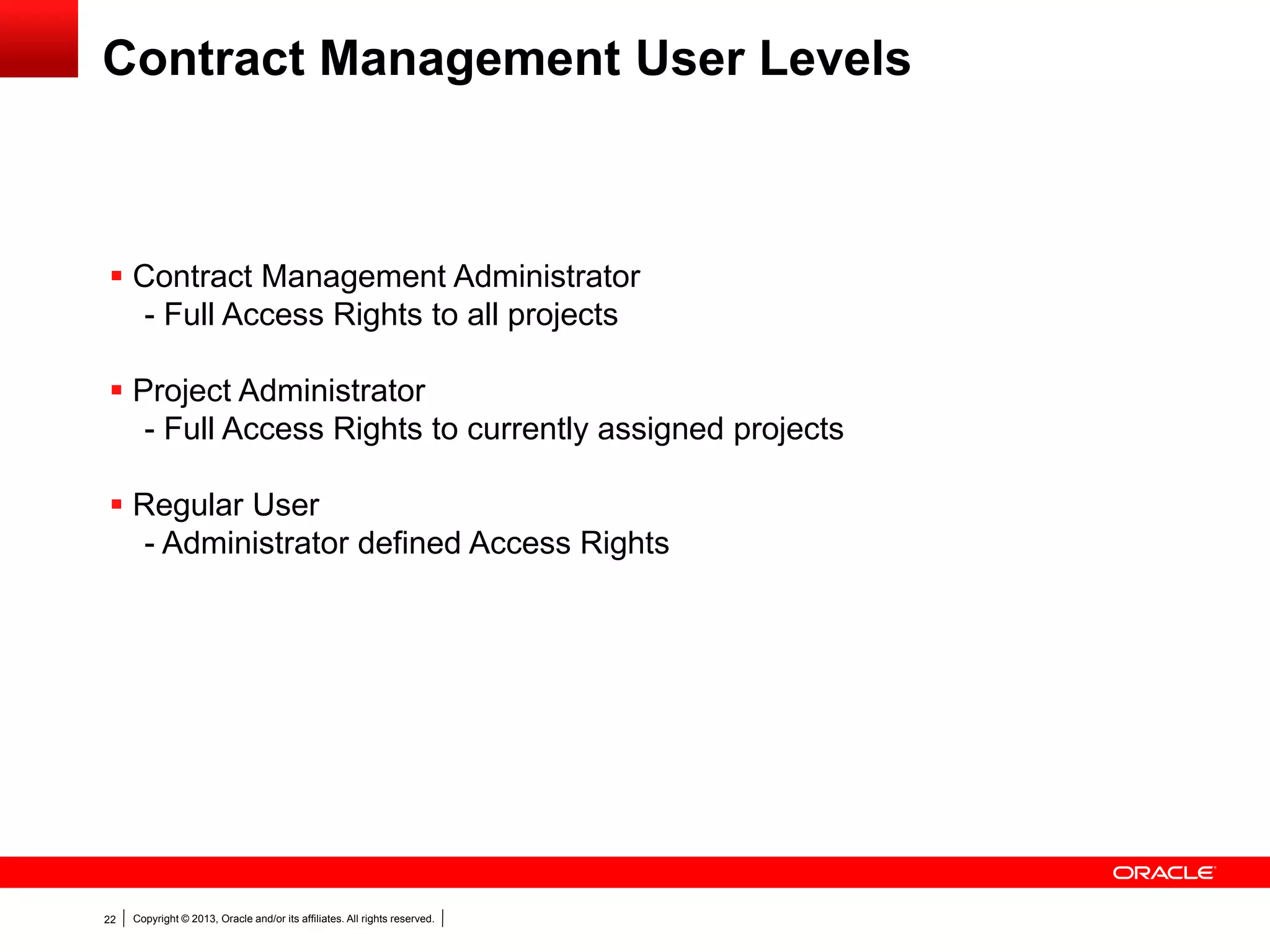
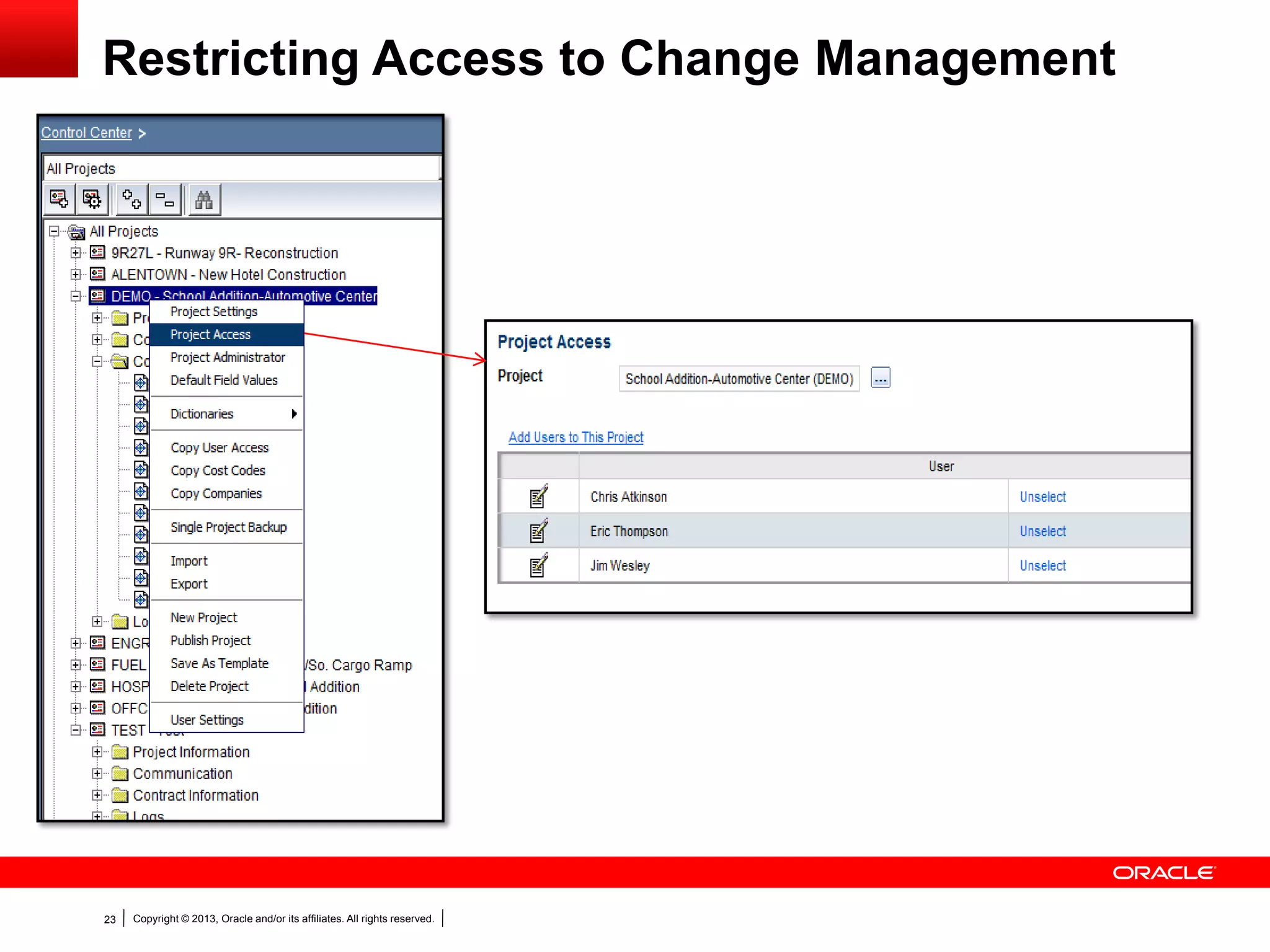
Contract Management User Levels
 Contract Management Administrator
- Full Access Rights to all projects
 Project Administrator
- Full Access Rights to currently assigned projects
 Regular User
- Administrator defined Access Rights
Copyright © 2013, Oracle and/or its affiliates. All rights reserved.23
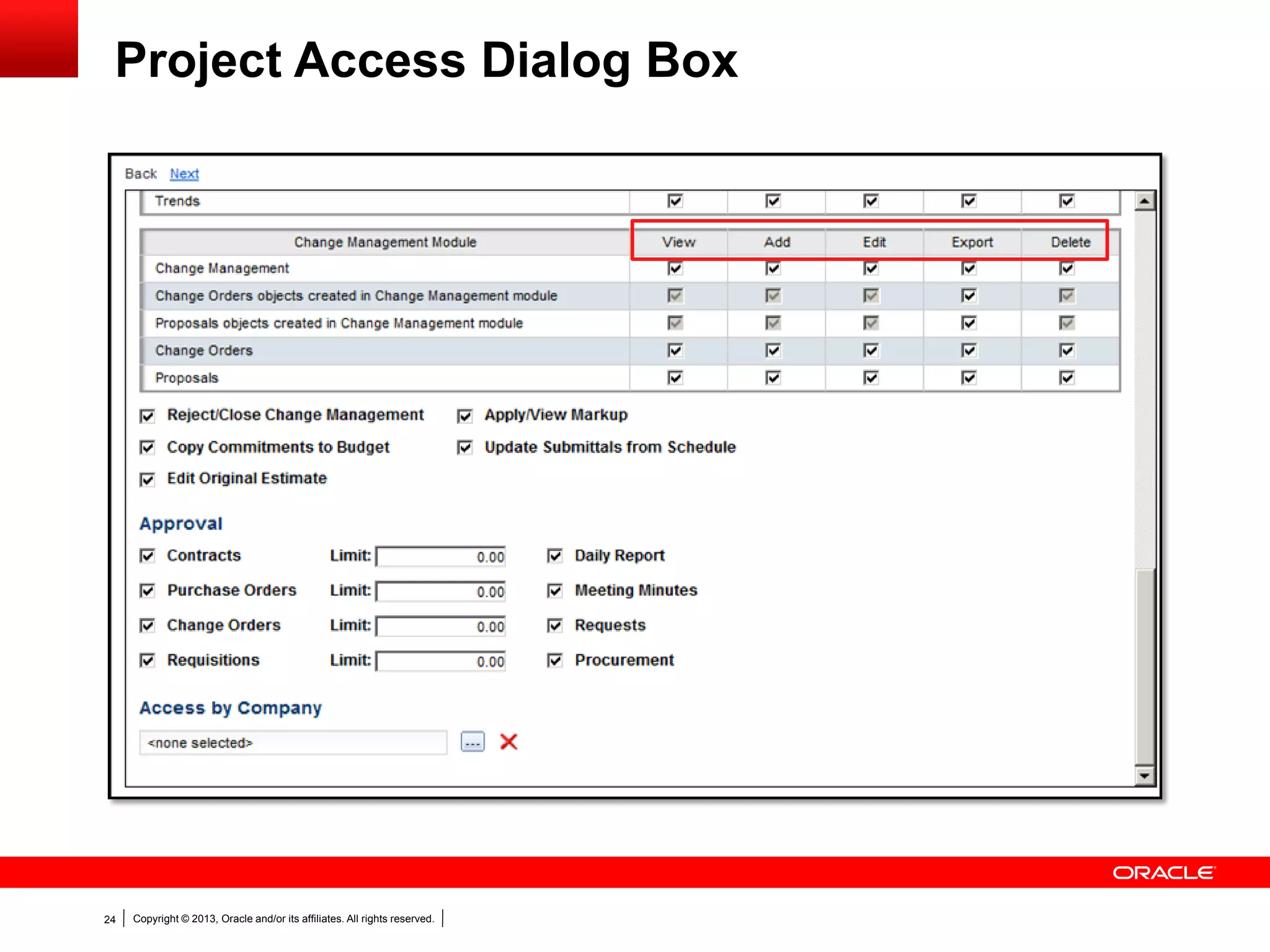
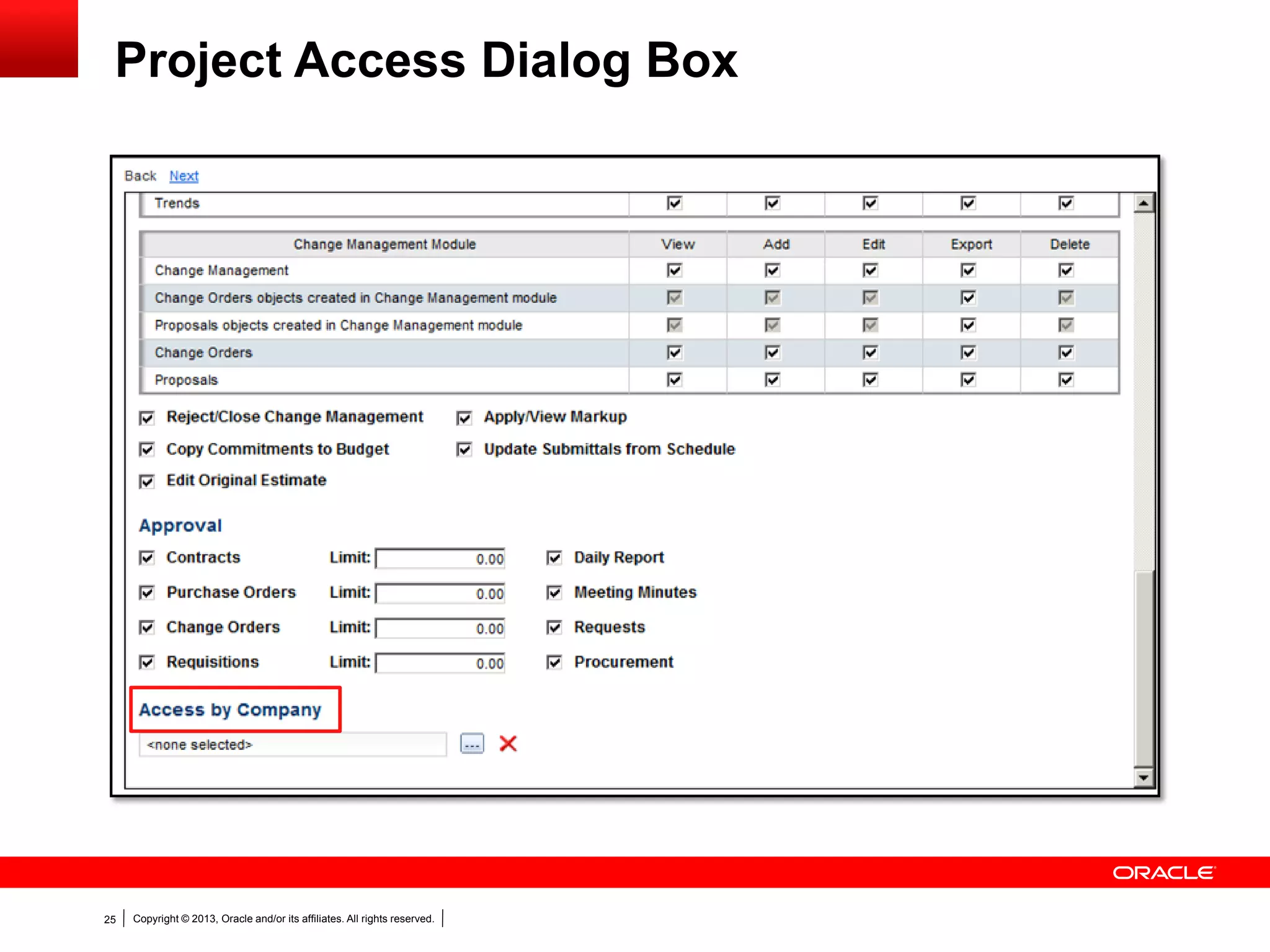
Restricting Access to Change Management
Copyright © 2013, Oracle and/or its affiliates. All rights reserved.24
Project Access Dialog Box
Copyright © 2013, Oracle and/or its affiliates. All rights reserved.25
Project Access Dialog Box
Copyright © 2013, Oracle and/or its affiliates. All rights reserved.26
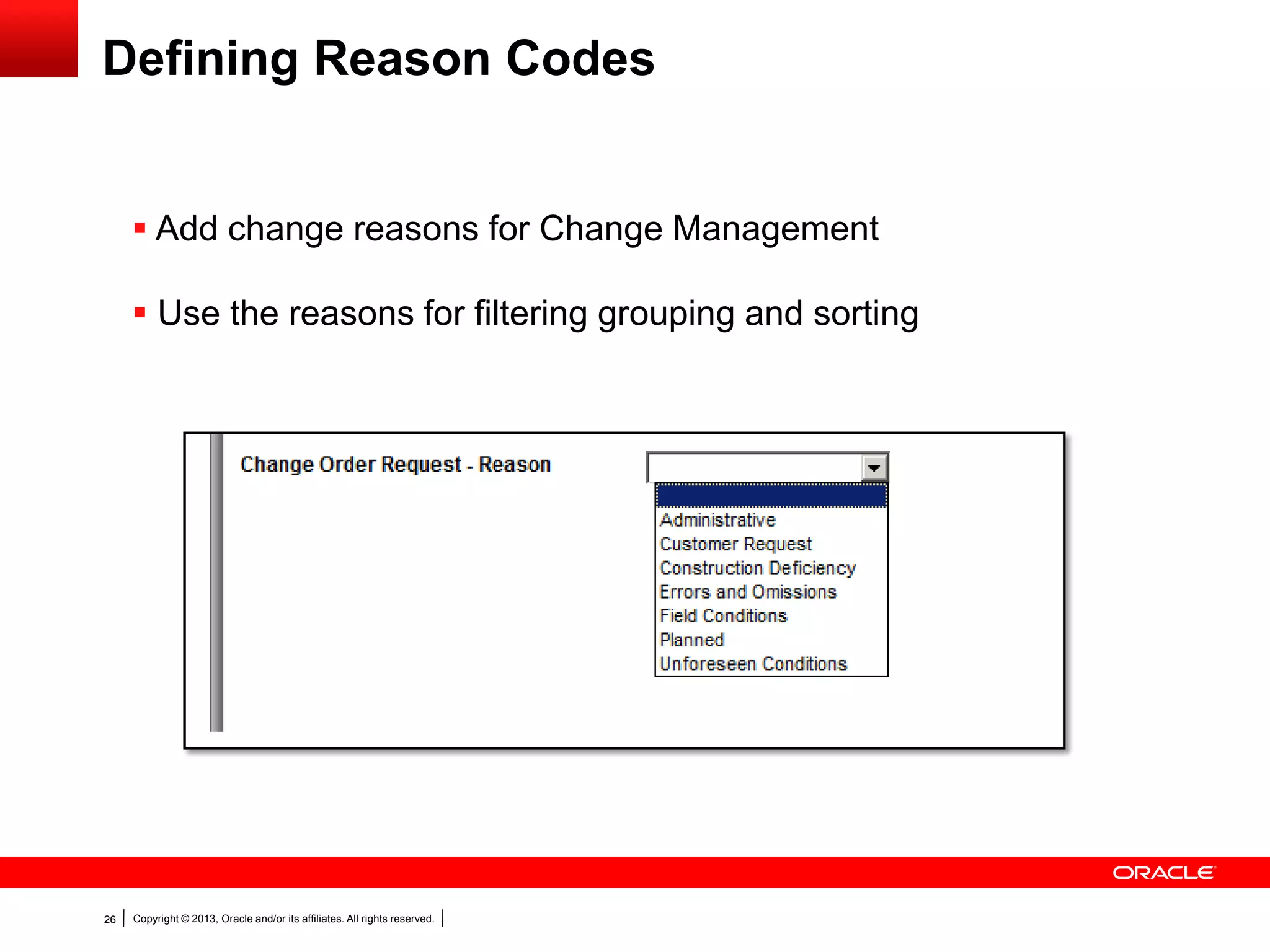
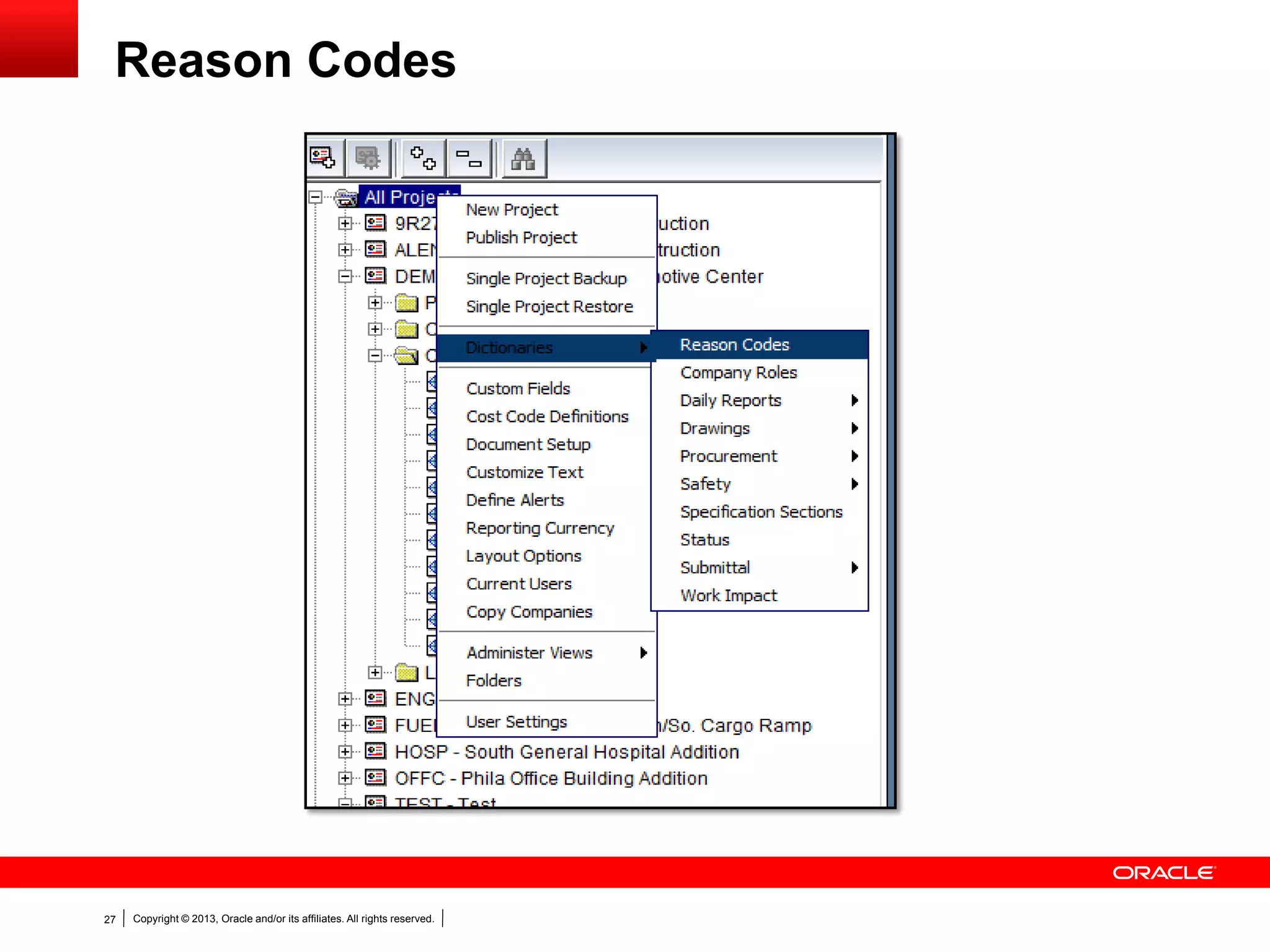
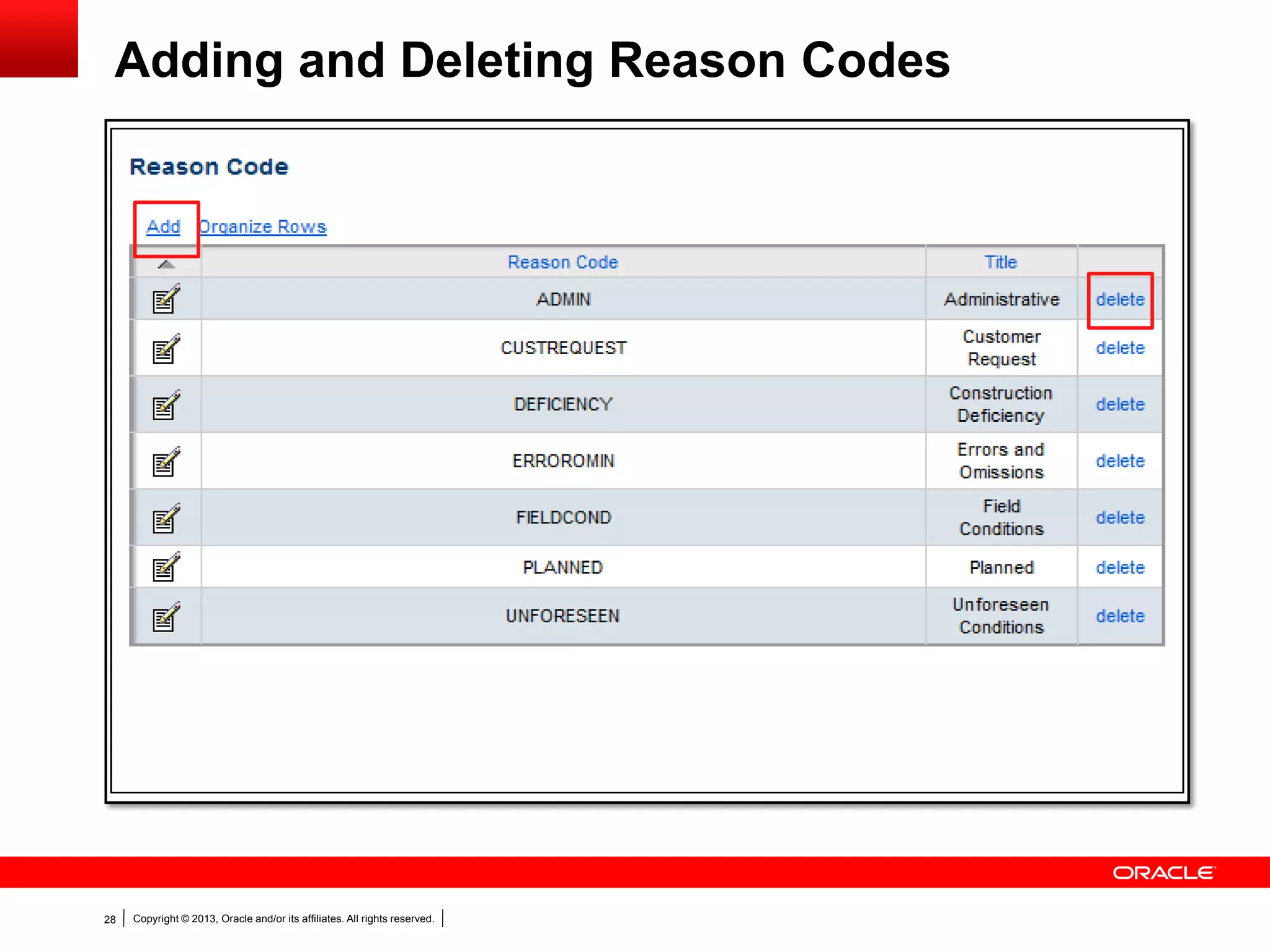
Defining Reason Codes
 Add change reasons for Change Management
 Use the reasons for filtering grouping and sorting
Copyright © 2013, Oracle and/or its affiliates. All rights reserved.27
Reason Codes
Copyright © 2013, Oracle and/or its affiliates. All rights reserved.28
Adding and Deleting Reason Codes
Copyright © 2013, Oracle and/or its affiliates. All rights reserved.29
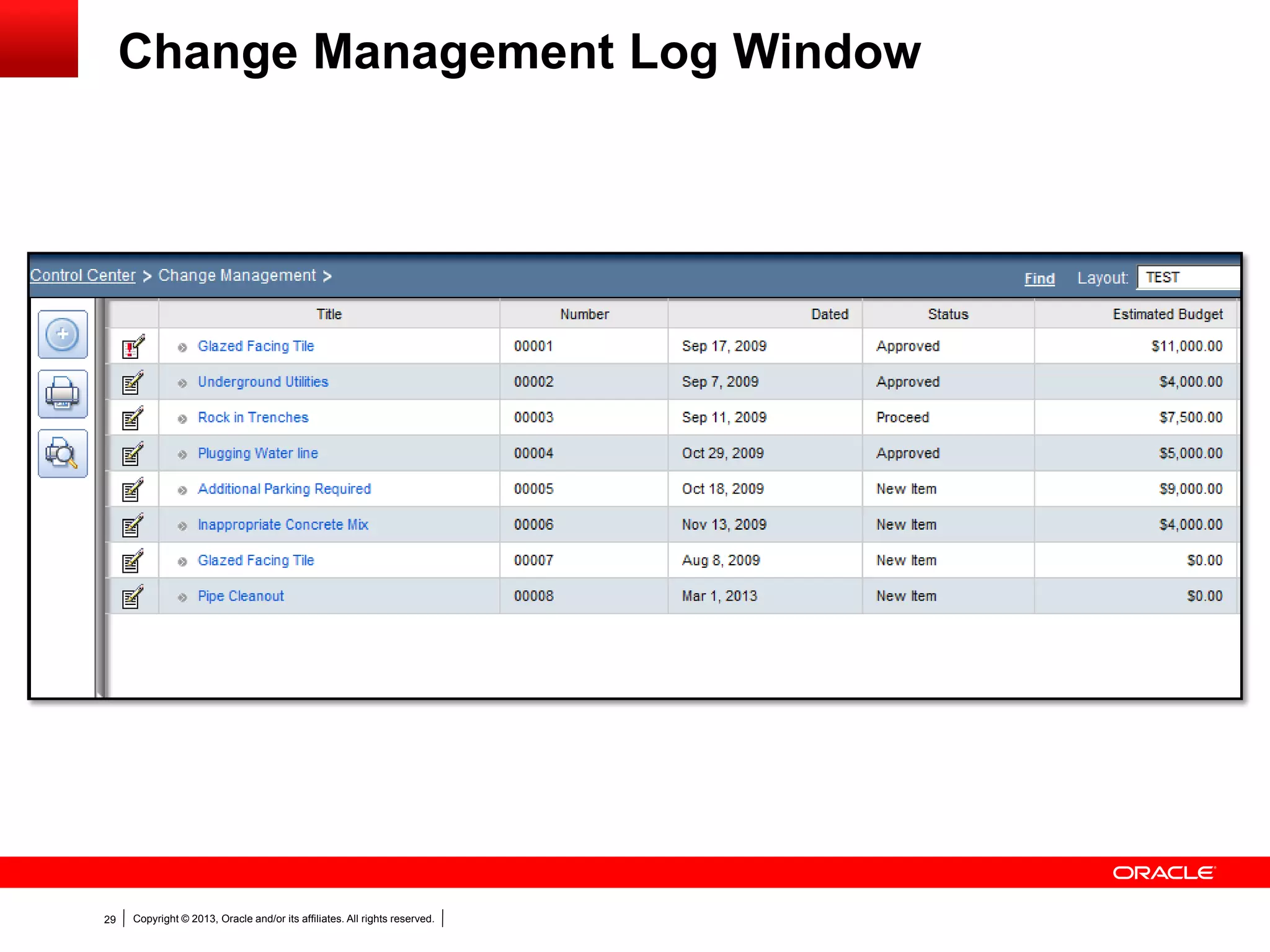
Change Management Log Window
Copyright © 2013, Oracle and/or its affiliates. All rights reserved.30
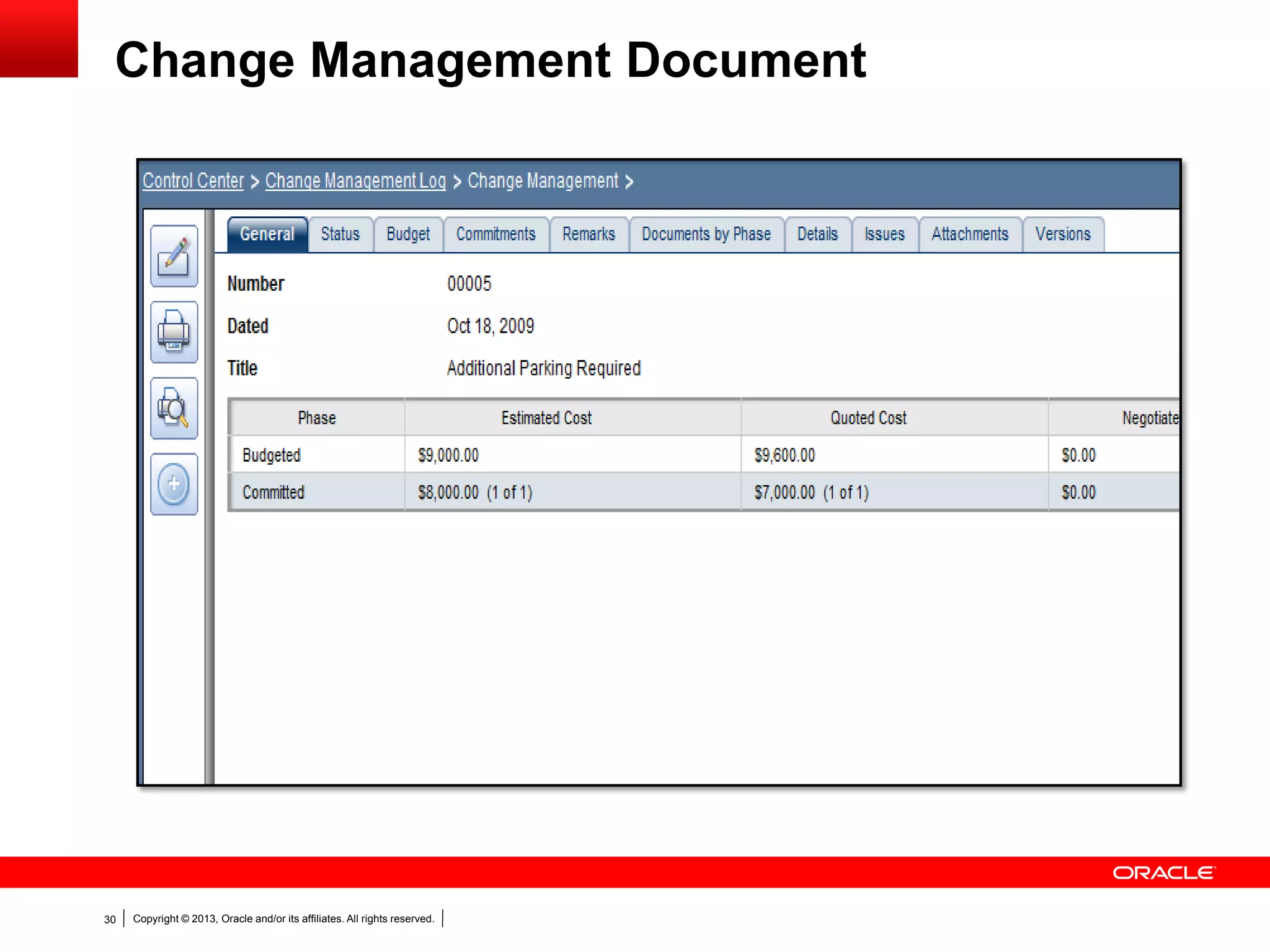
Change Management Document
Copyright © 2013, Oracle and/or its affiliates. All rights reserved.31
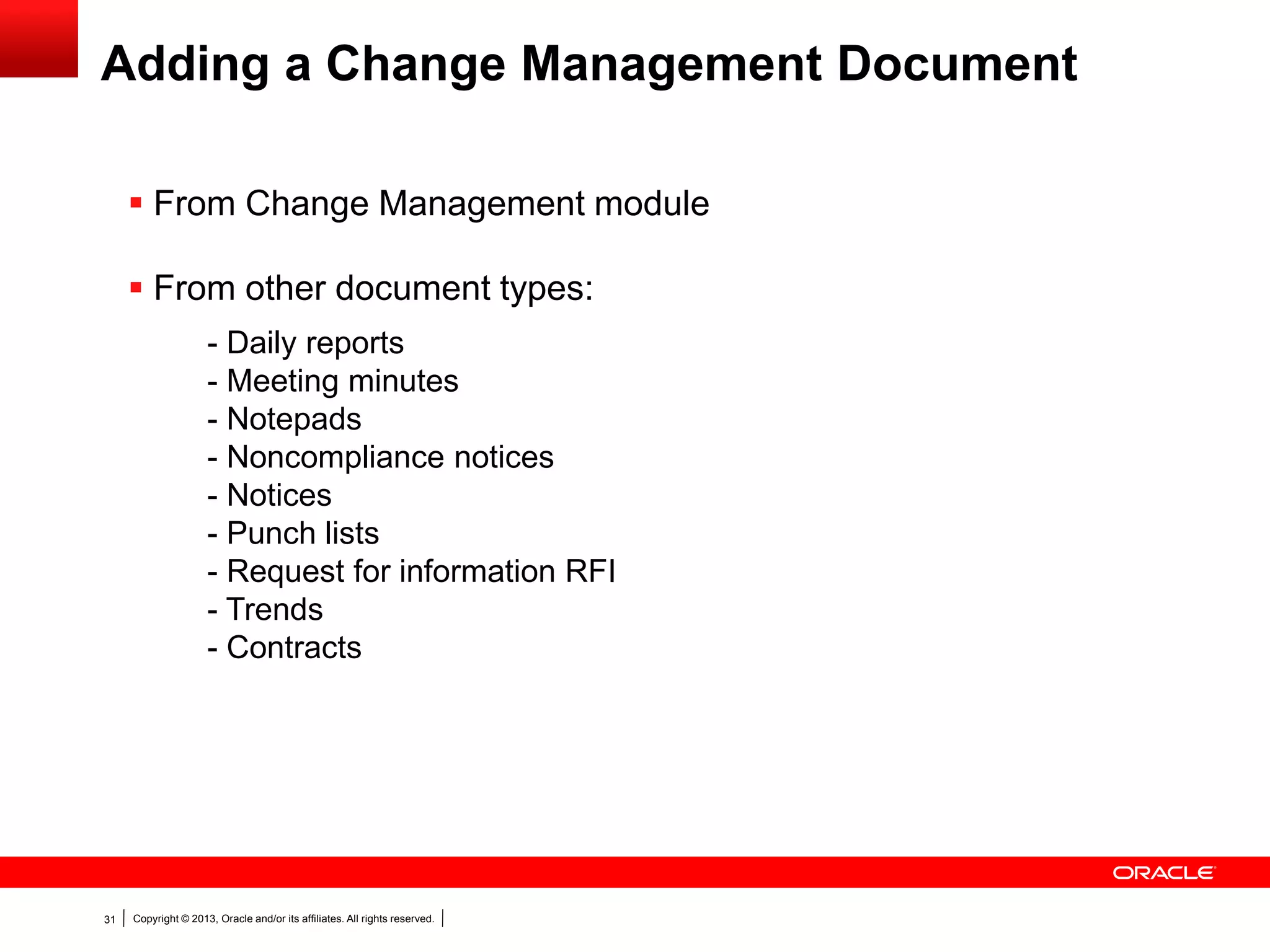
Adding a Change Management Document
 From Change Management module
 From other document types:
- Daily reports
- Meeting minutes
- Notepads
- Noncompliance notices
- Notices
- Punch lists
- Request for information RFI
- Trends
- Contracts
Copyright © 2013, Oracle and/or its affiliates. All rights reserved.32
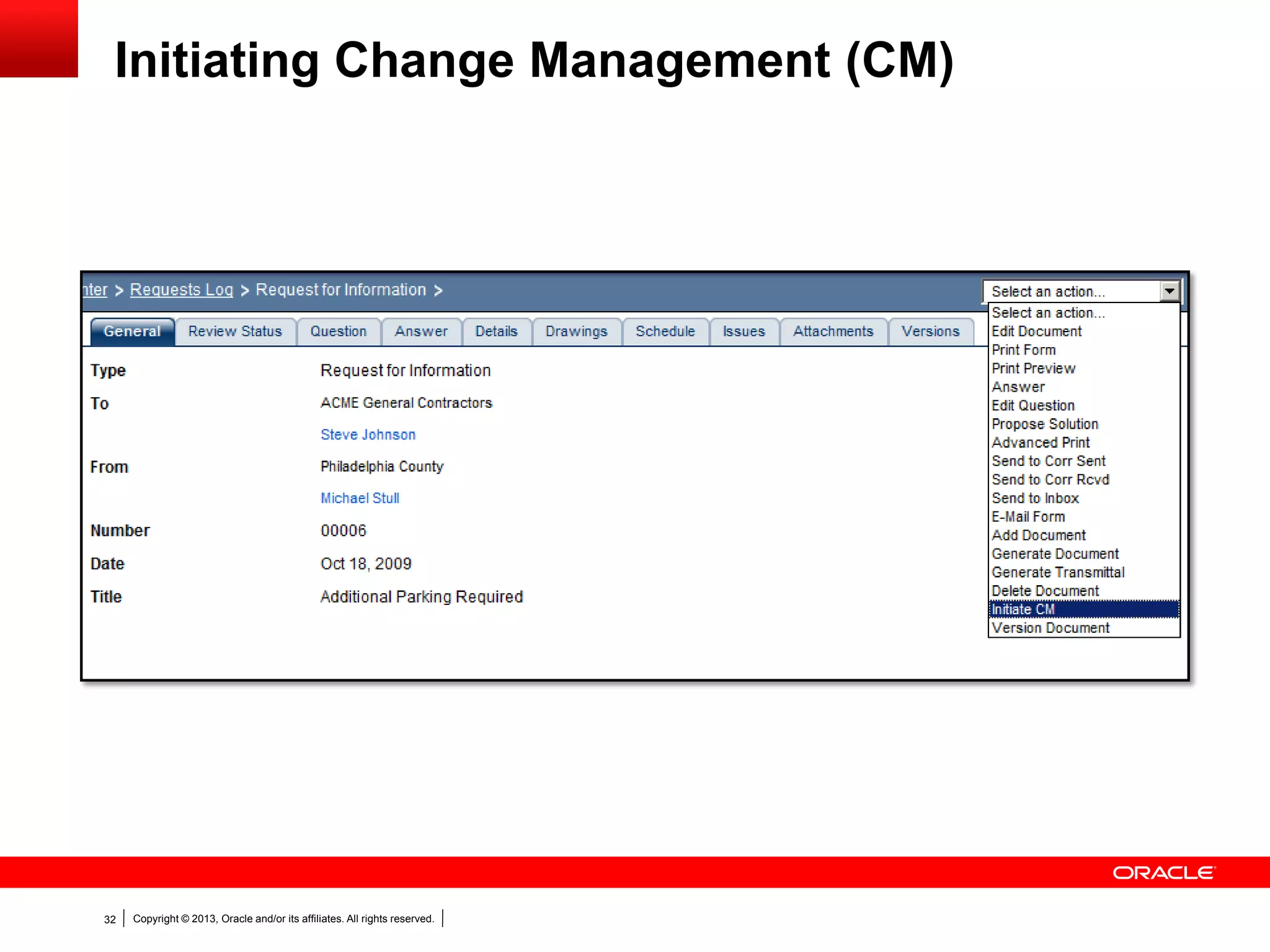
Initiating Change Management (CM)
Copyright © 2013, Oracle and/or its affiliates. All rights reserved.33
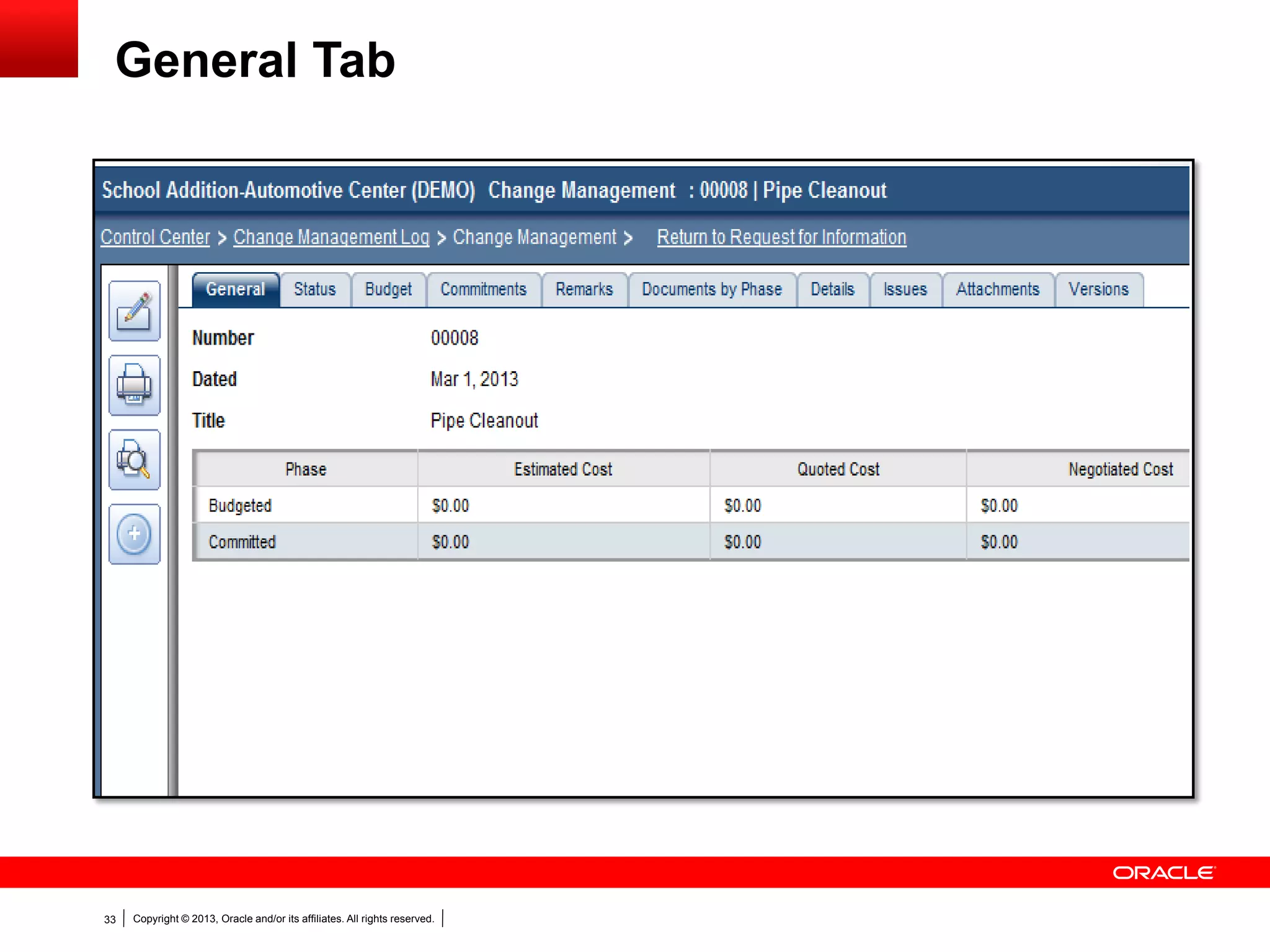
General Tab
Copyright © 2013, Oracle and/or its affiliates. All rights reserved.34
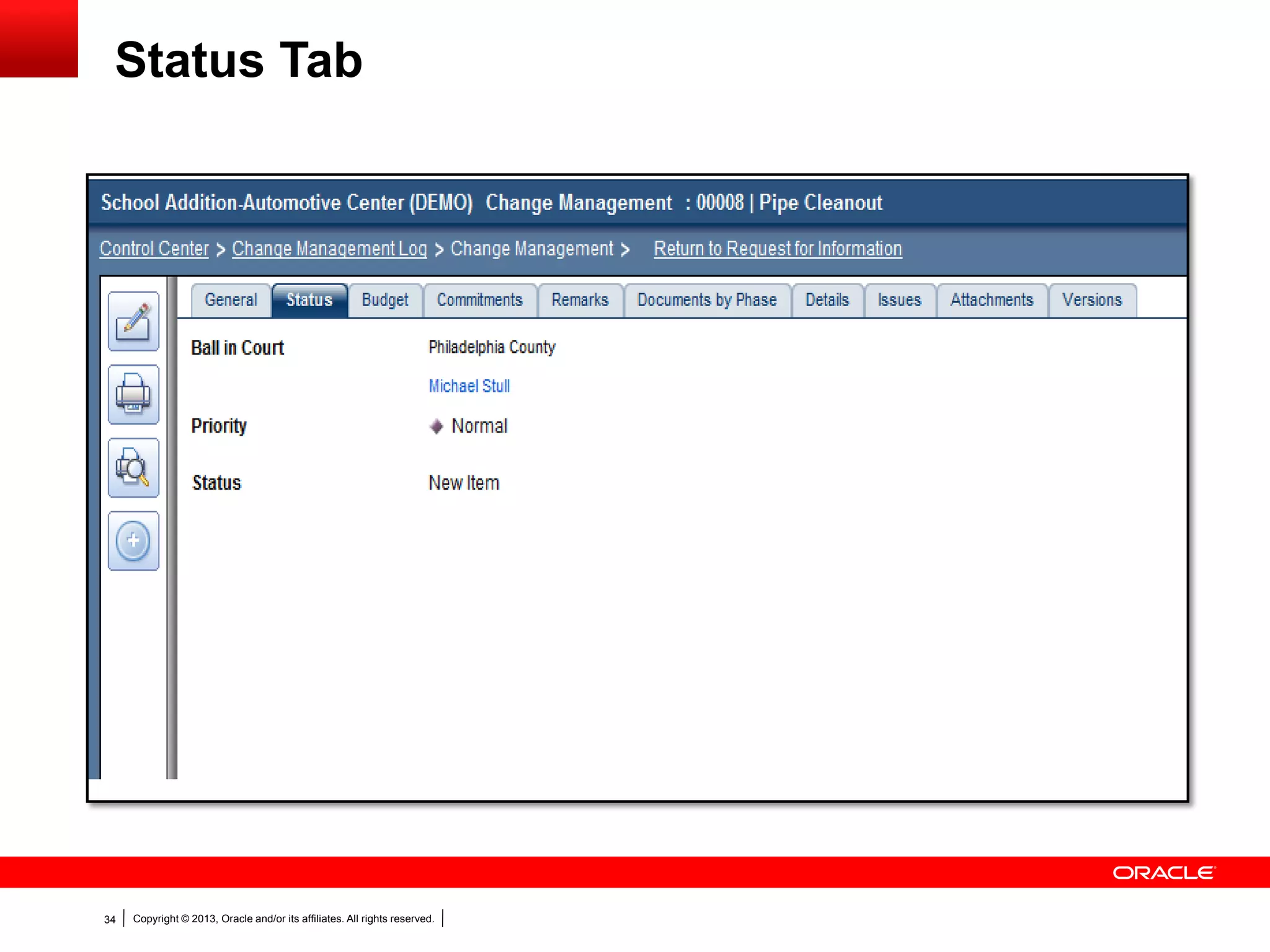
Status Tab
Copyright © 2013, Oracle and/or its affiliates. All rights reserved.35
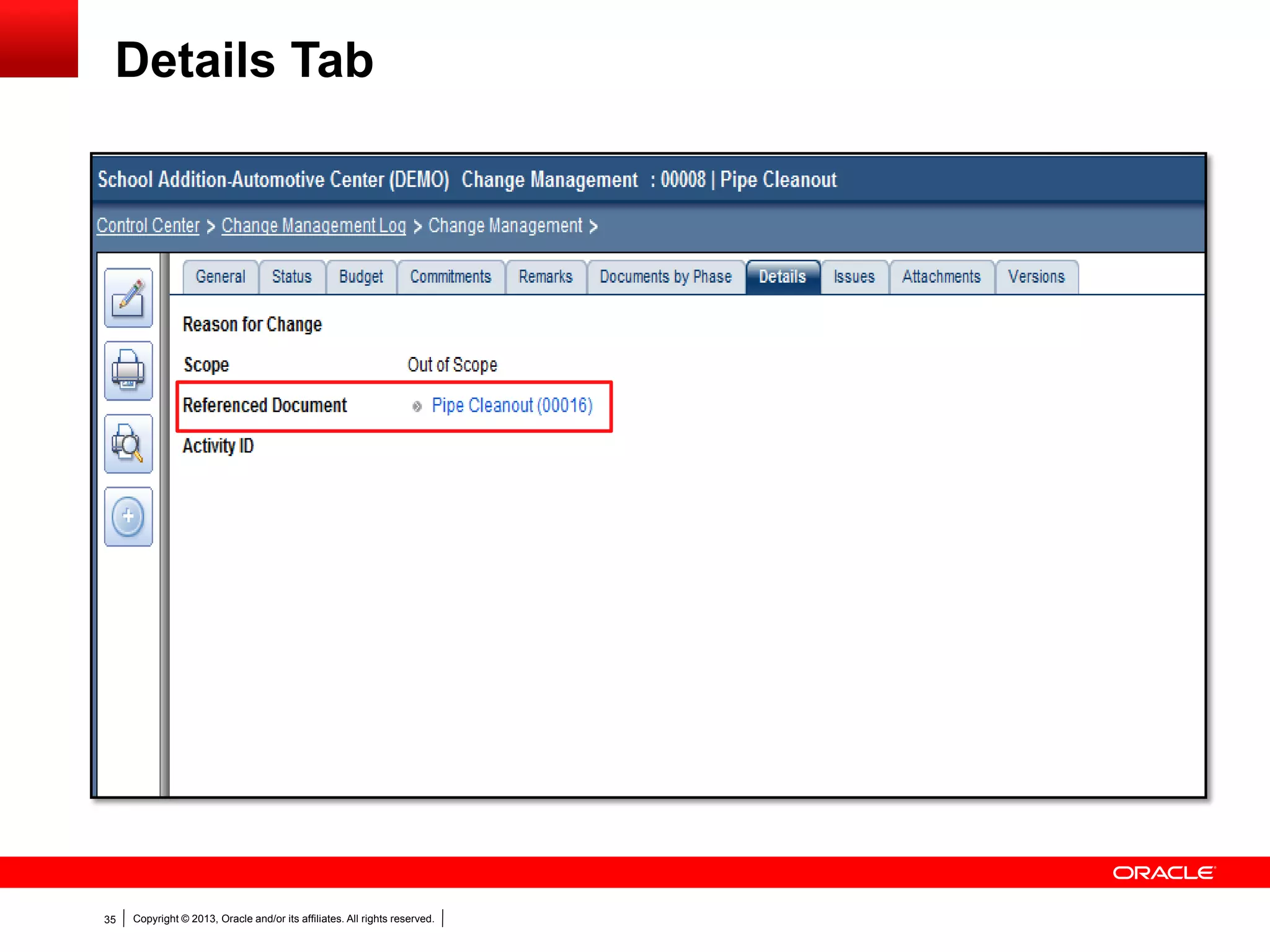
Details Tab
Copyright © 2013, Oracle and/or its affiliates. All rights reserved.36
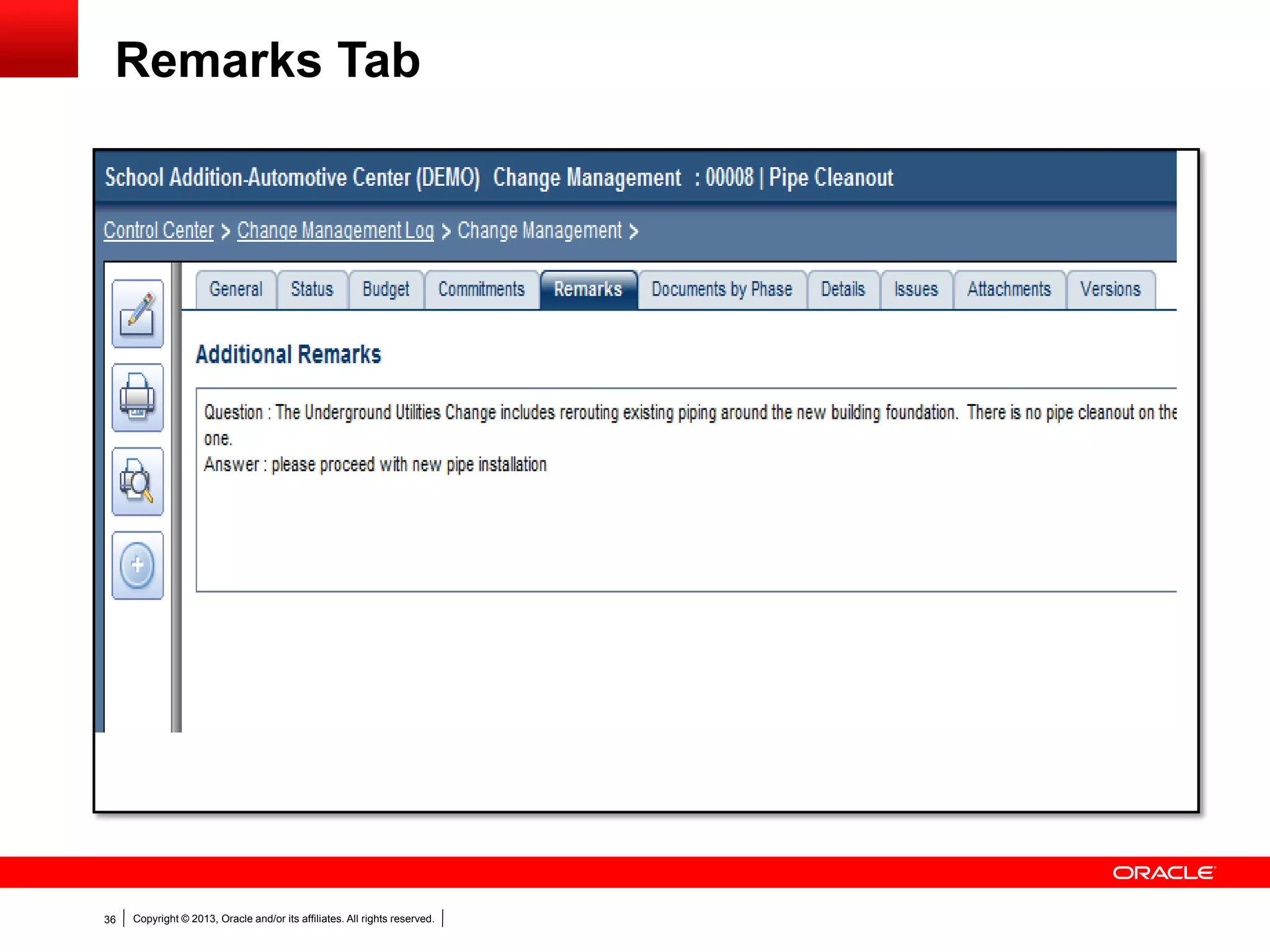
Remarks Tab
Copyright © 2013, Oracle and/or its affiliates. All rights reserved.37
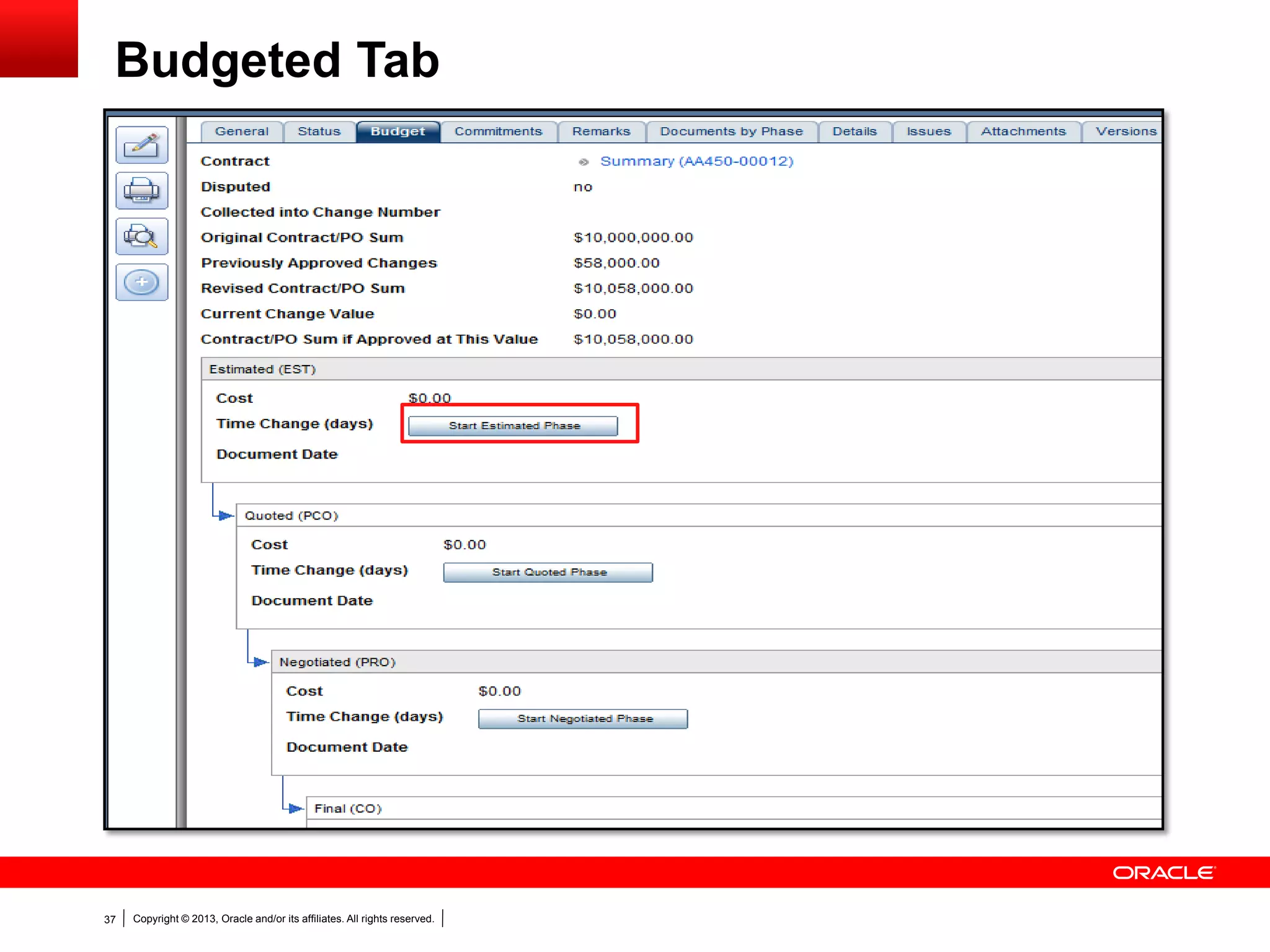
Budgeted Tab
Copyright © 2013, Oracle and/or its affiliates. All rights reserved.38
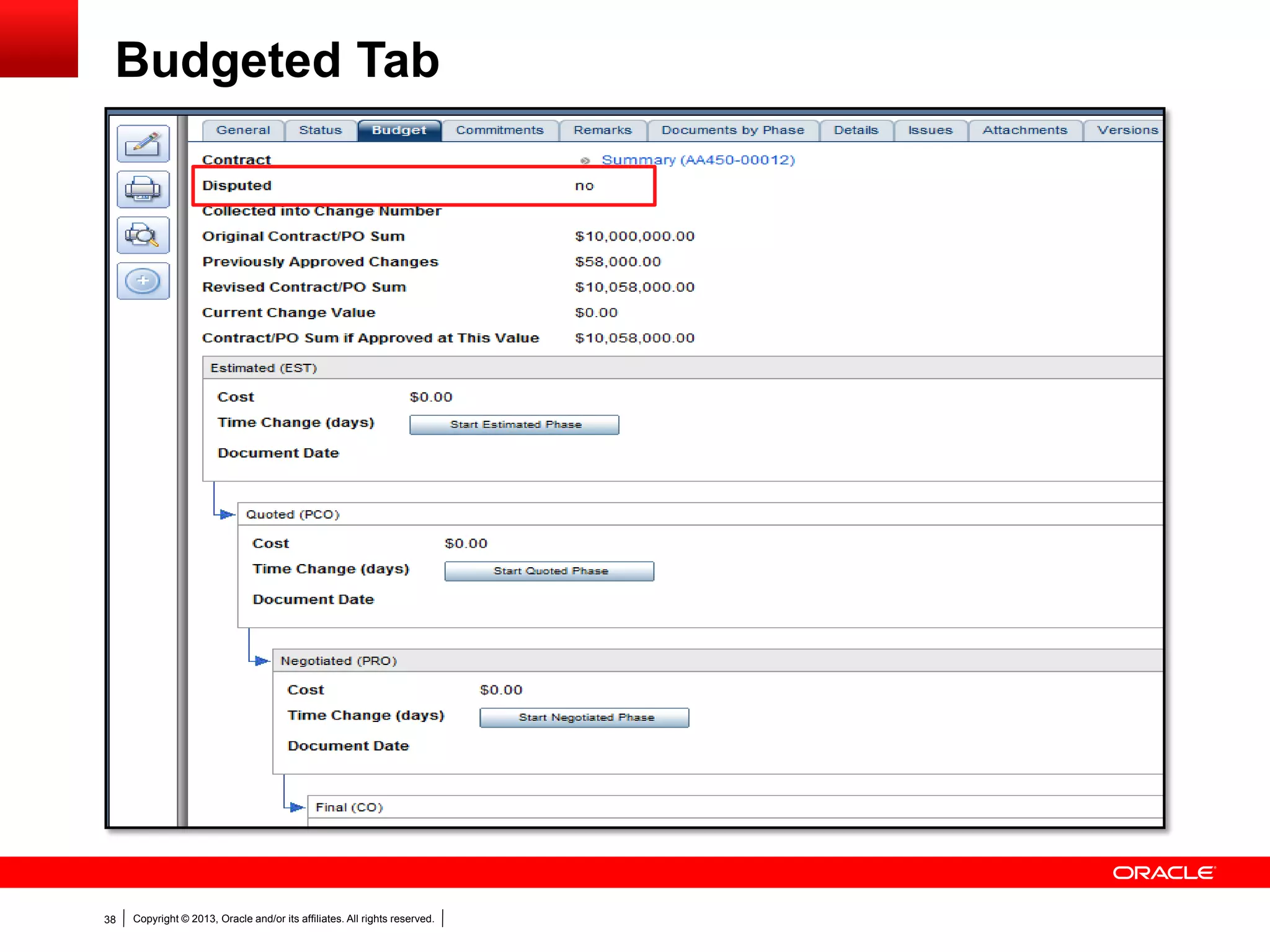
Budgeted Tab
Copyright © 2013, Oracle and/or its affiliates. All rights reserved.39
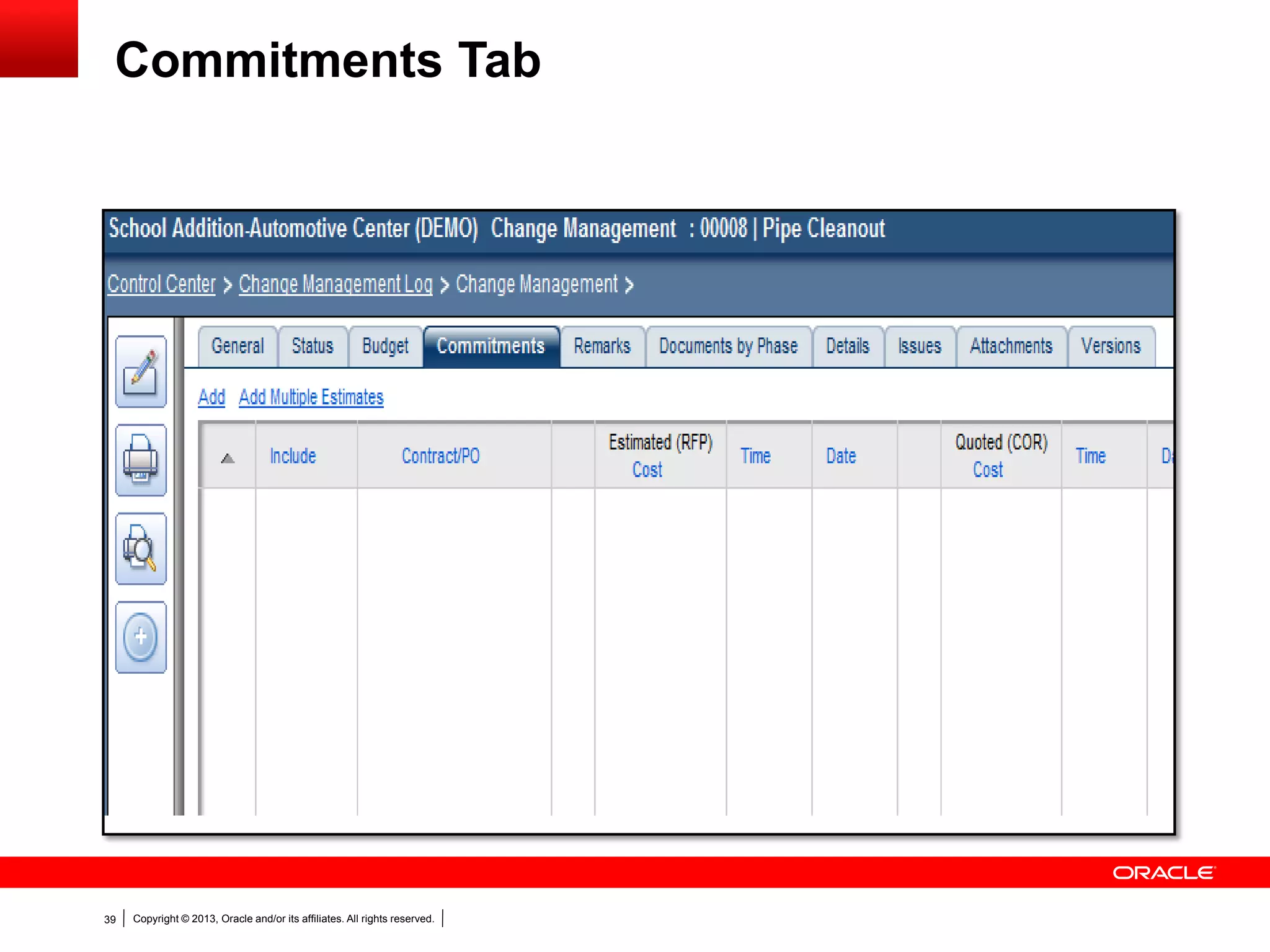
Commitments Tab
Copyright © 2013, Oracle and/or its affiliates. All rights reserved.40
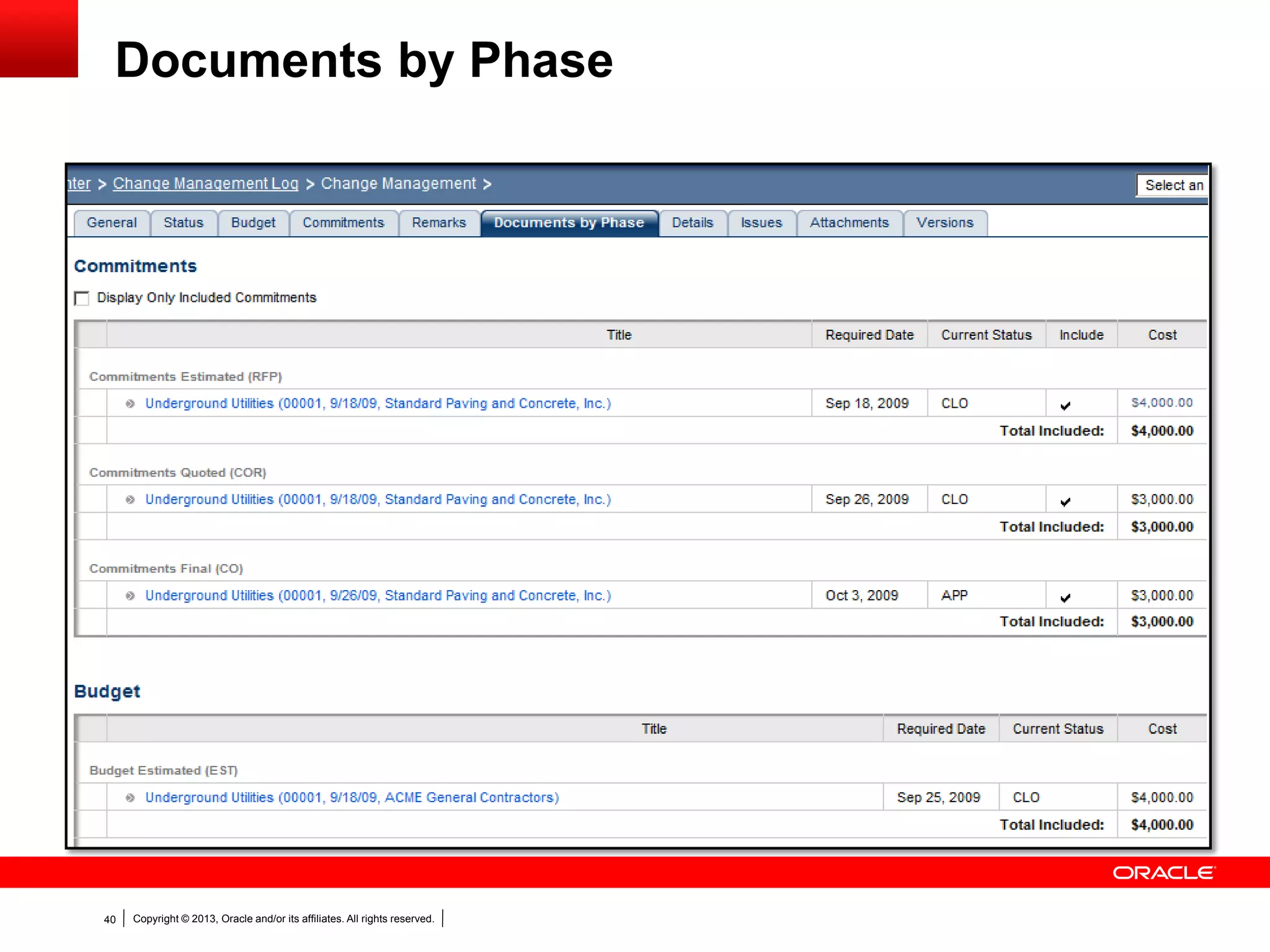
Documents by Phase
Copyright © 2013, Oracle and/or its affiliates. All rights reserved.41
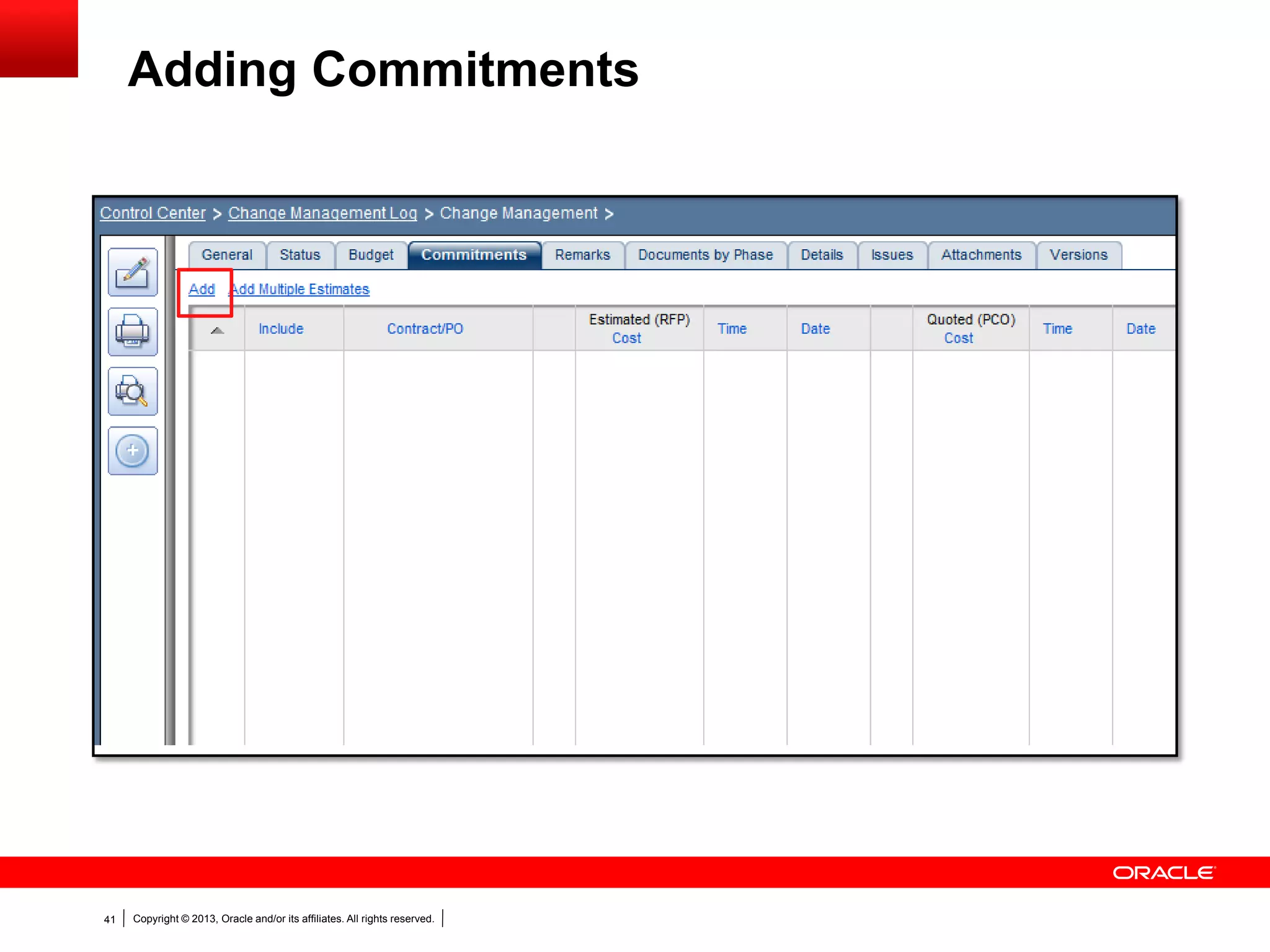
Adding Commitments
Copyright © 2013, Oracle and/or its affiliates. All rights reserved.42
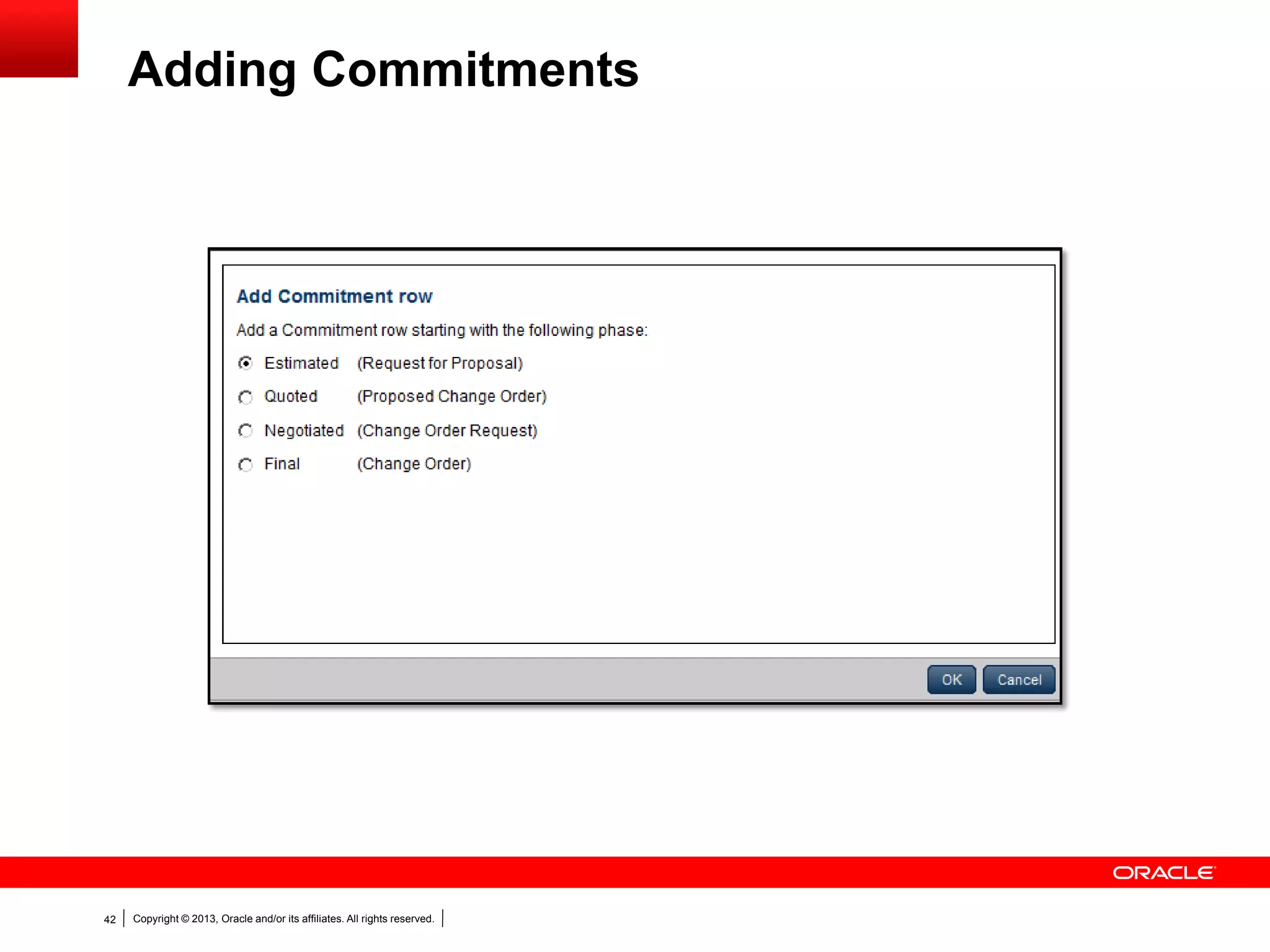
Adding Commitments
Copyright © 2013, Oracle and/or its affiliates. All rights reserved.43
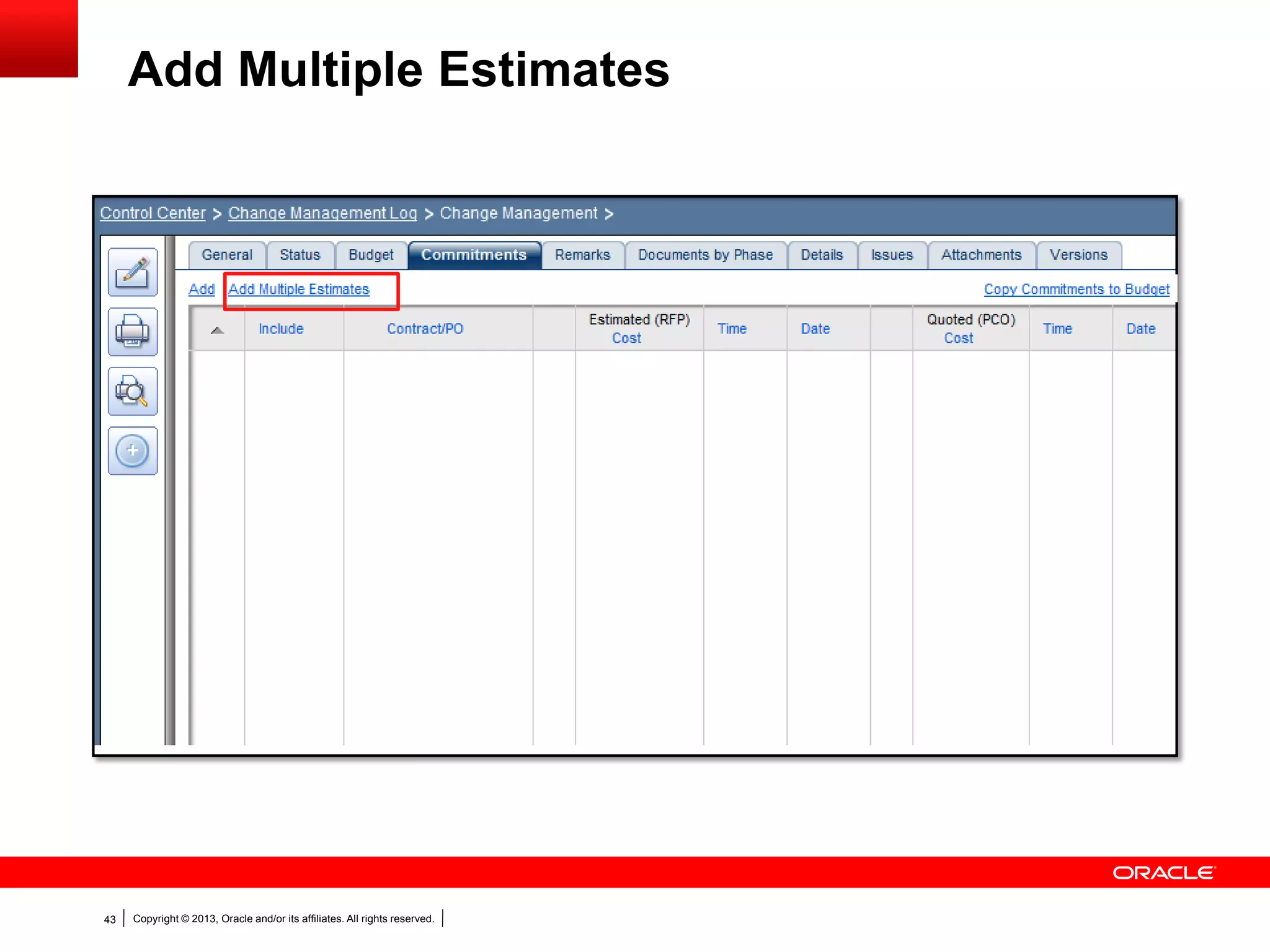
Add Multiple Estimates
Copyright © 2013, Oracle and/or its affiliates. All rights reserved.44
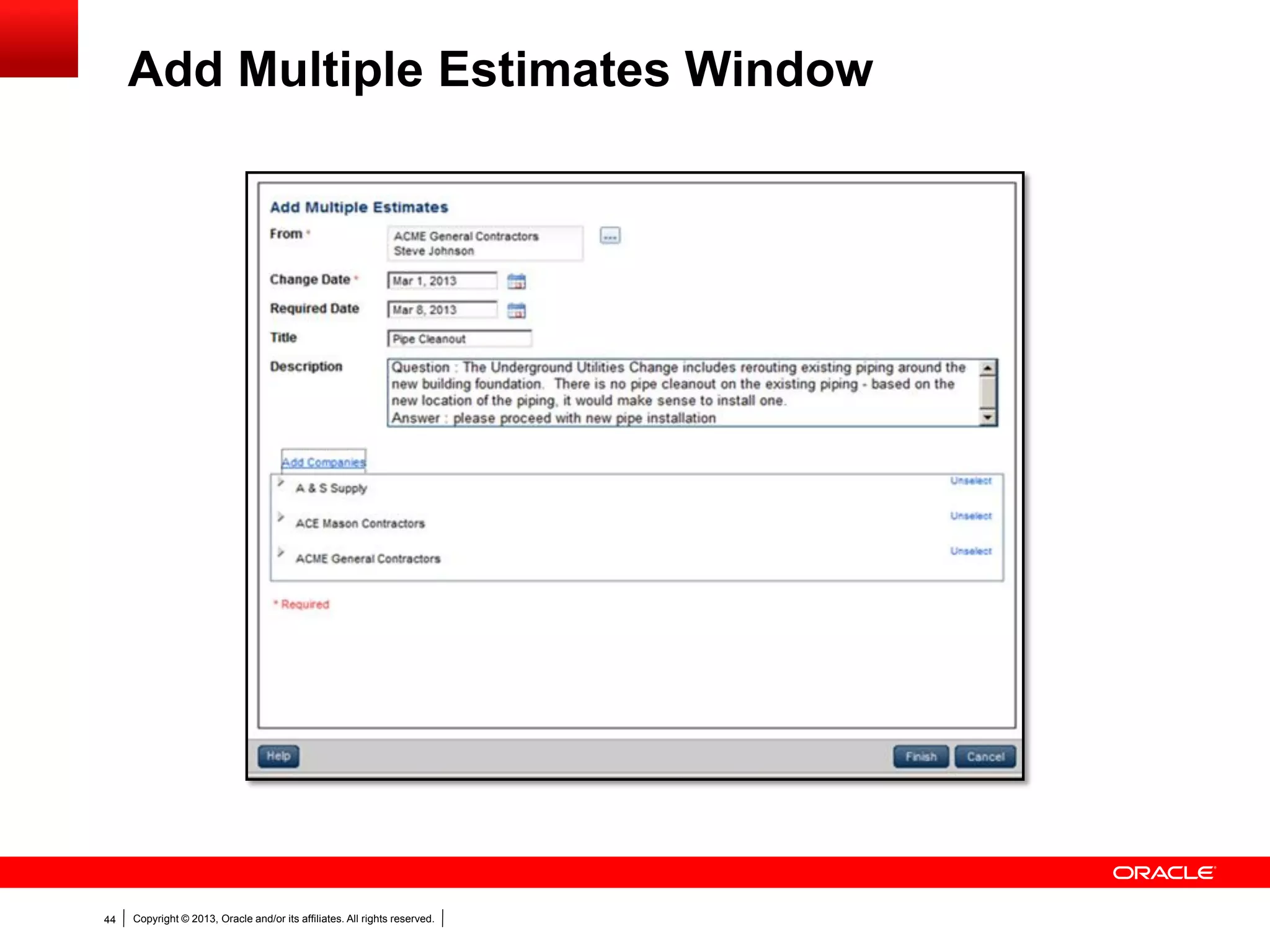
Add Multiple Estimates Window
Copyright © 2013, Oracle and/or its affiliates. All rights reserved.45
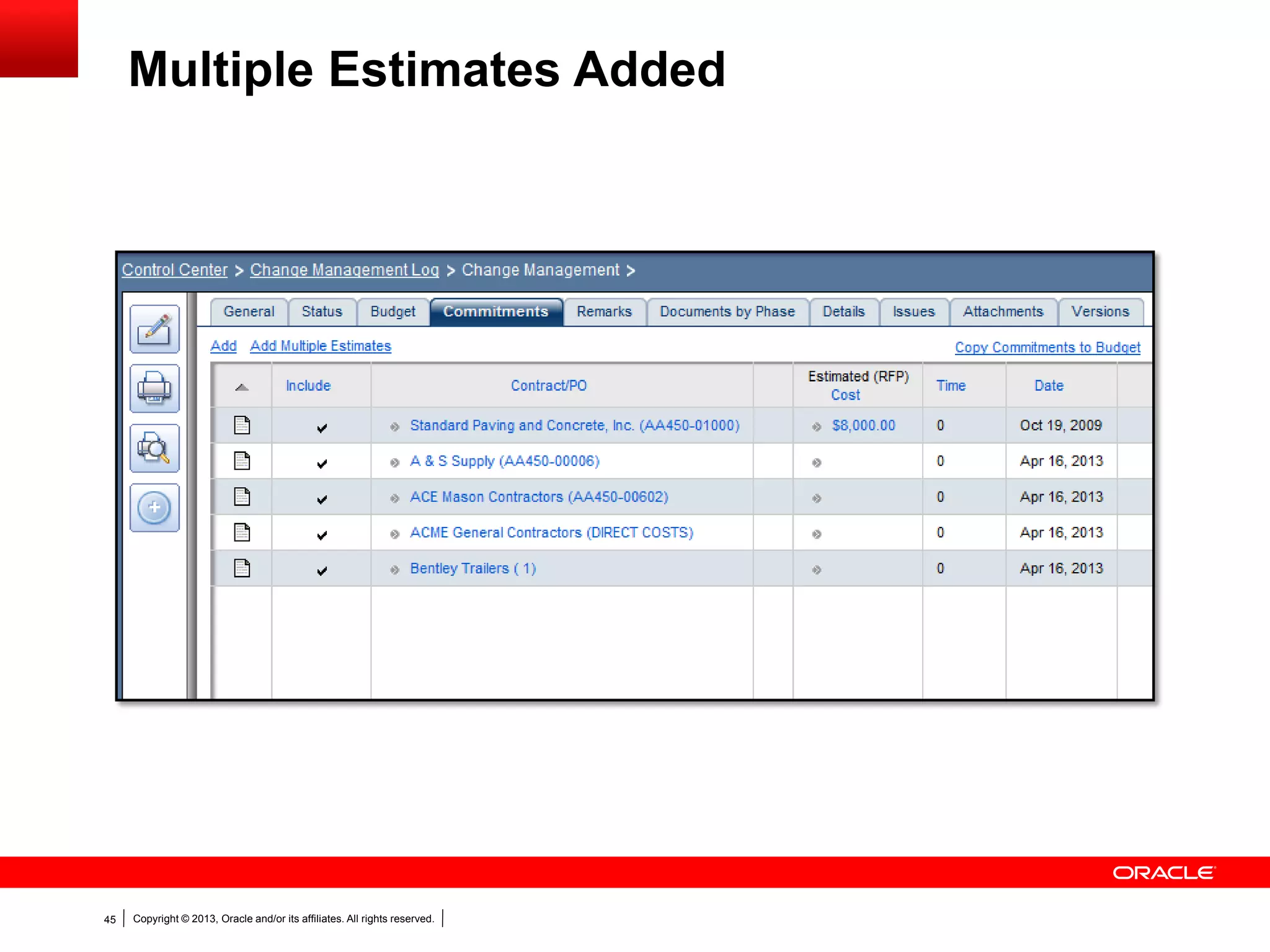
Multiple Estimates Added
Copyright © 2013, Oracle and/or its affiliates. All rights reserved.46
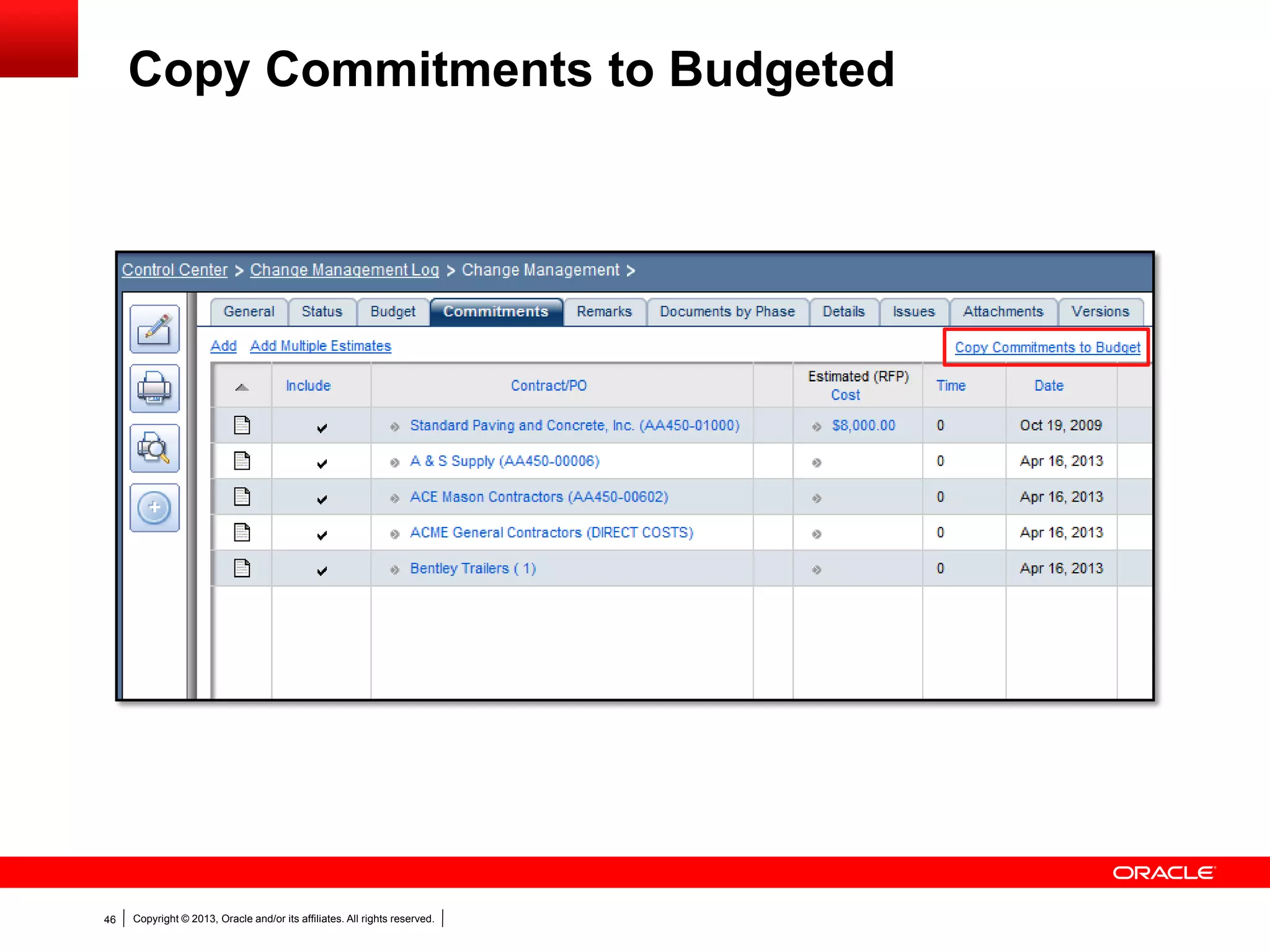
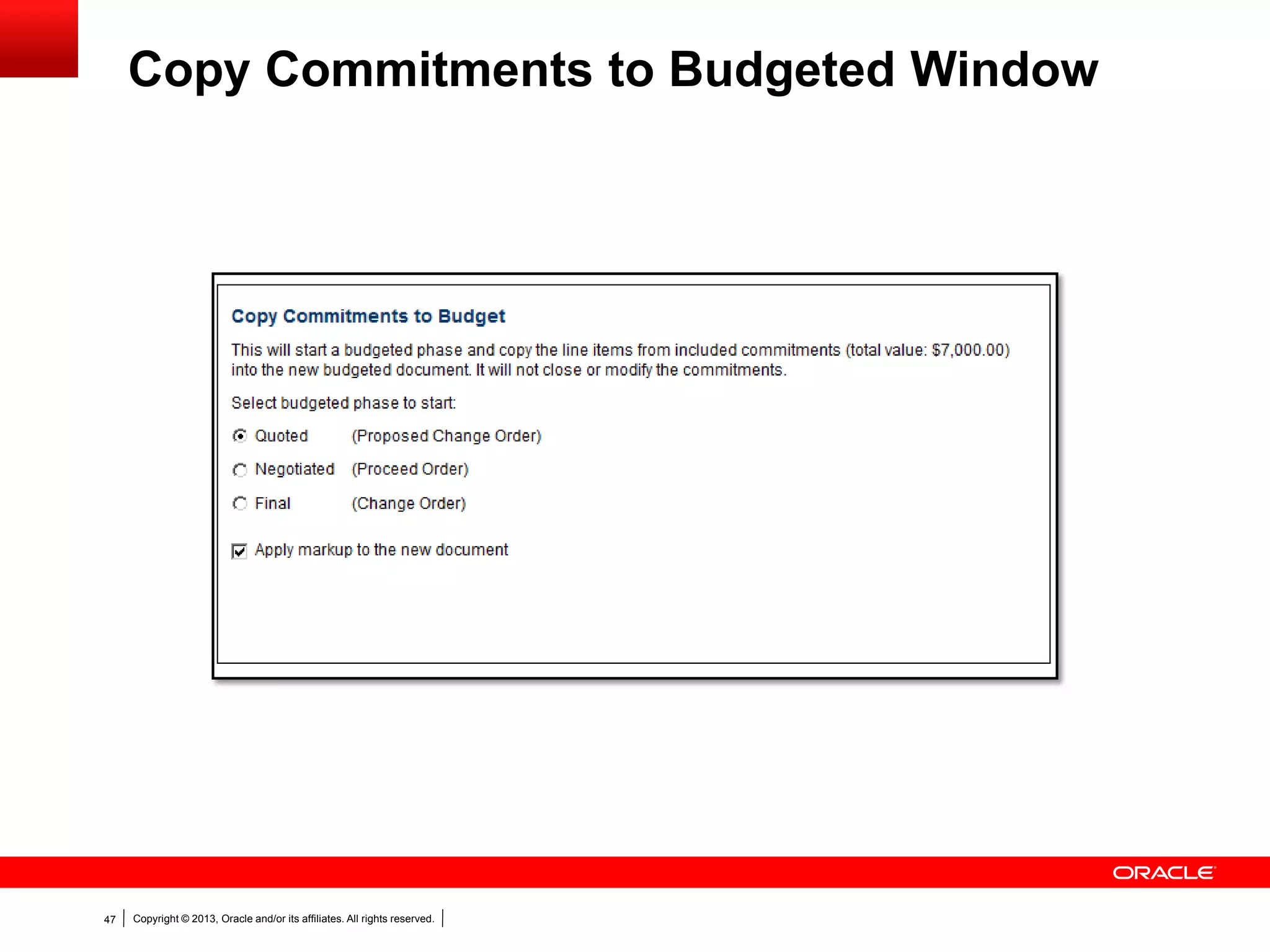
Copy Commitments to Budgeted
Copyright © 2013, Oracle and/or its affiliates. All rights reserved.47
Copy Commitments to Budgeted Window
Copyright © 2013, Oracle and/or its affiliates. All rights reserved.48
Deleting Generated Proposal/Change
Documents
 Documents created via Change Management can not be deleted
outside of Change Management
 Document can not be deleted if later phases have been generated
from it.
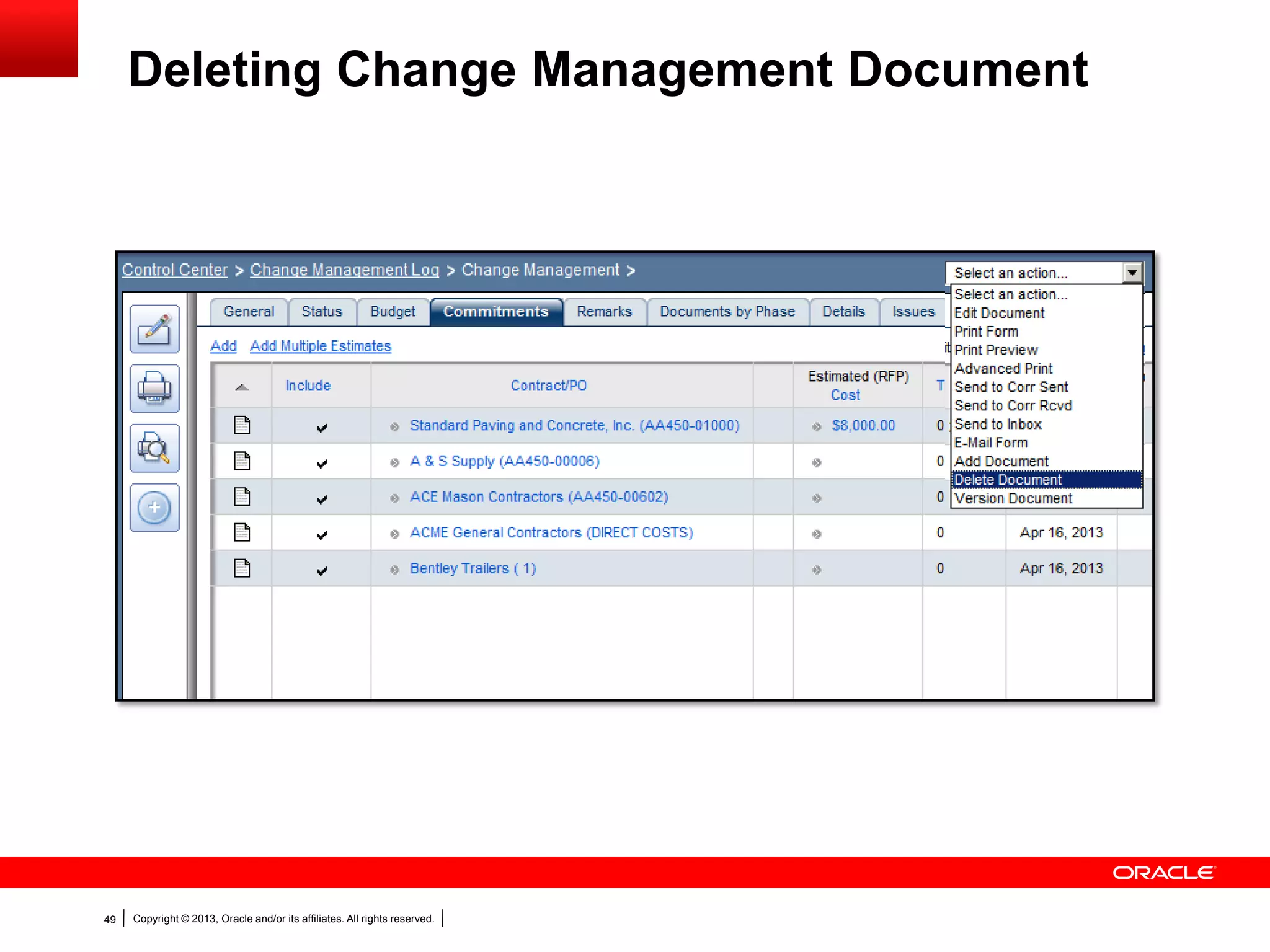
Copyright © 2013, Oracle and/or its affiliates. All rights reserved.49
Deleting Change Management Document
Copyright © 2013, Oracle and/or its affiliates. All rights reserved.50
 Costing information assigned to generated documents
 Post to any portion of the Cost Worksheet
Costing Generated Documents
Copyright © 2013, Oracle and/or its affiliates. All rights reserved.51
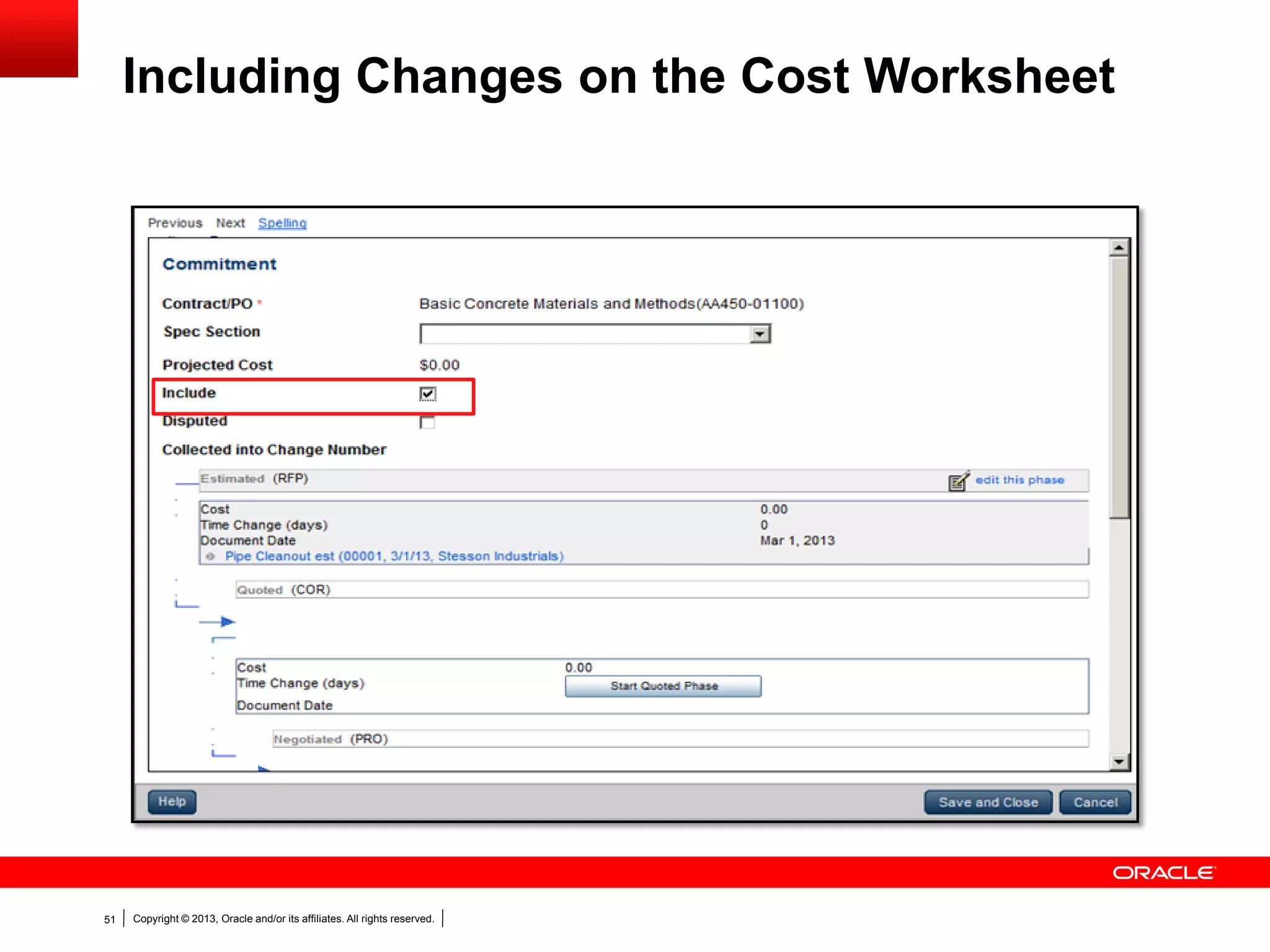
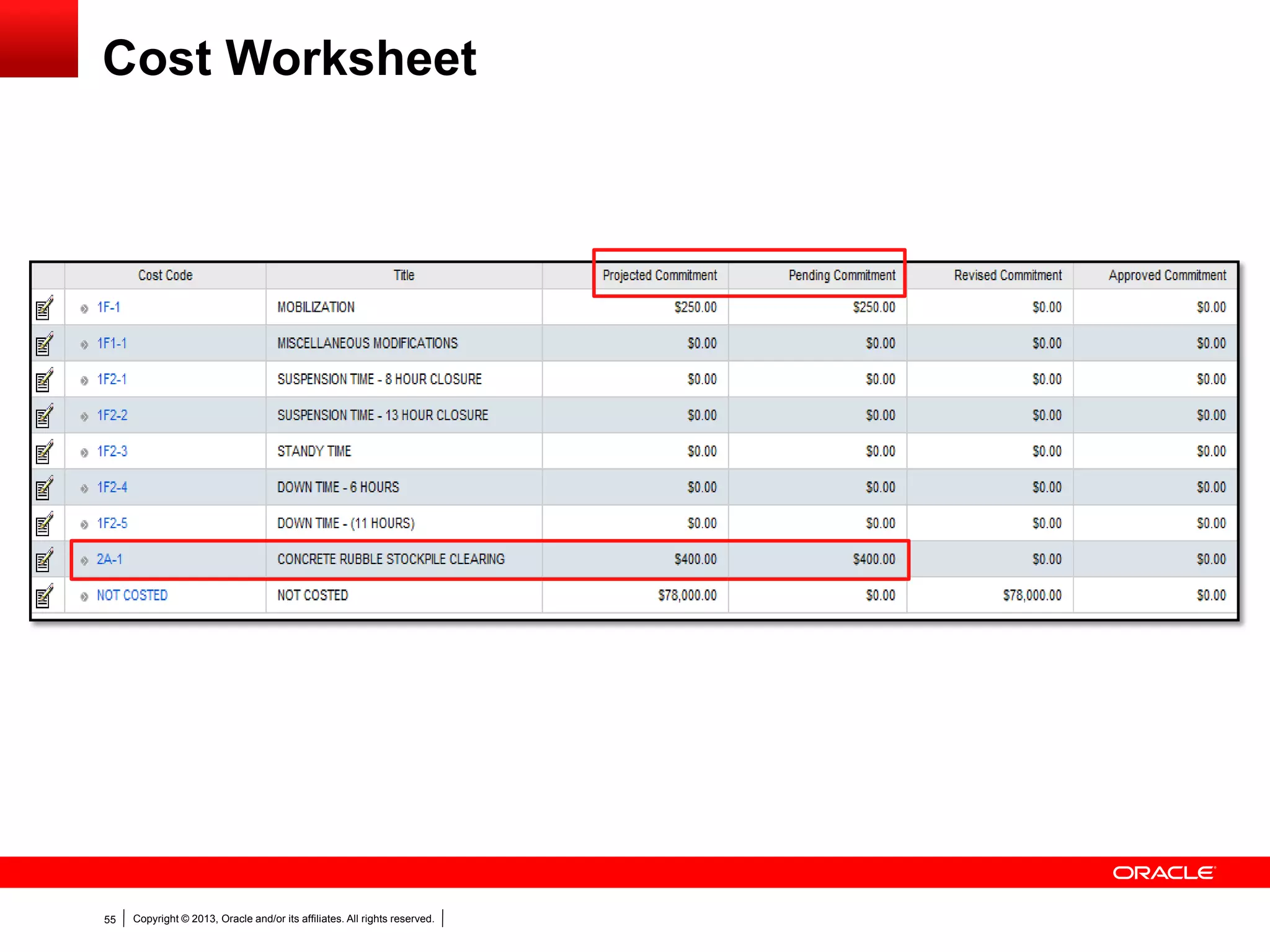
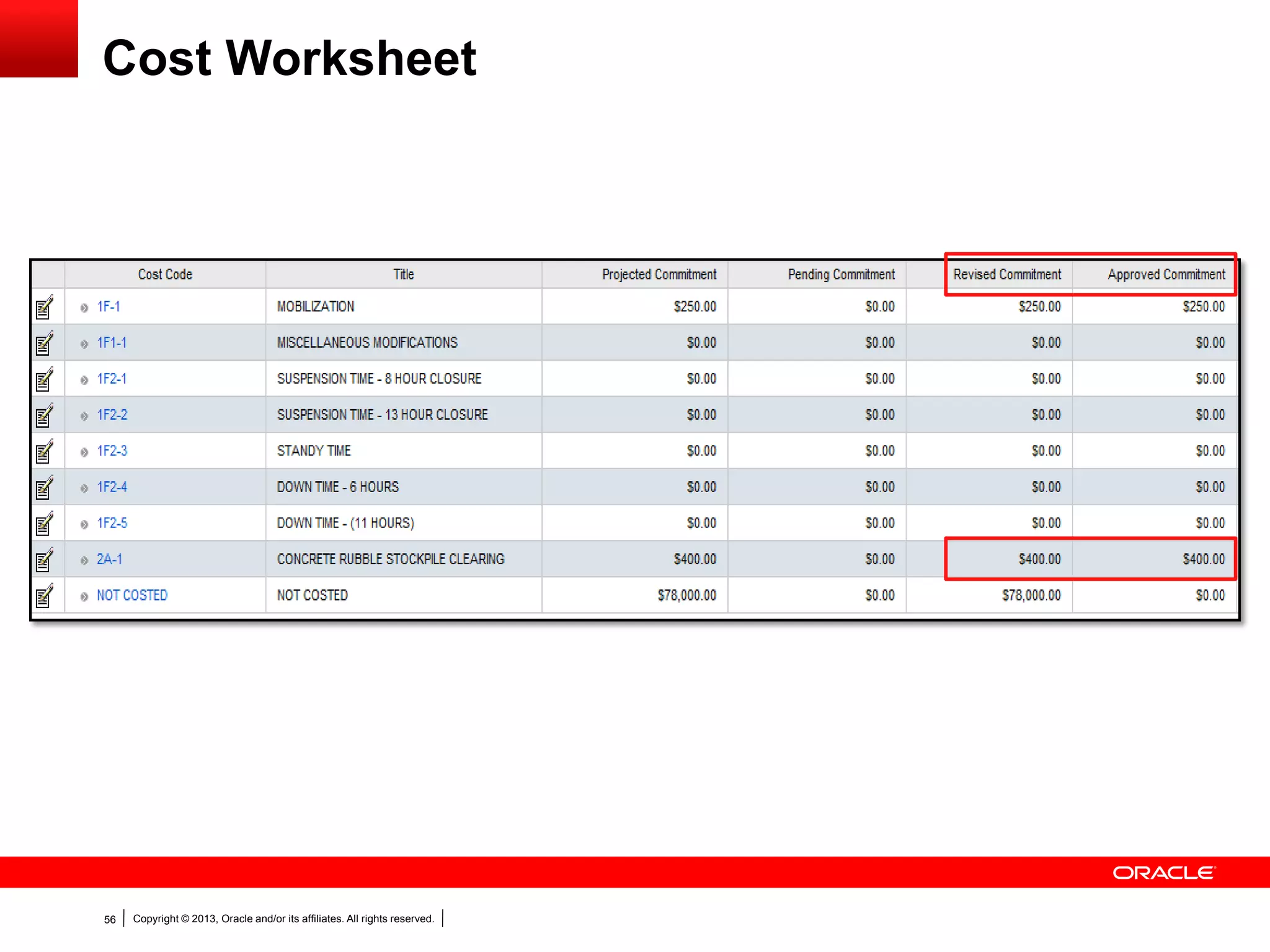
Including Changes on the Cost Worksheet
Copyright © 2013, Oracle and/or its affiliates. All rights reserved.52
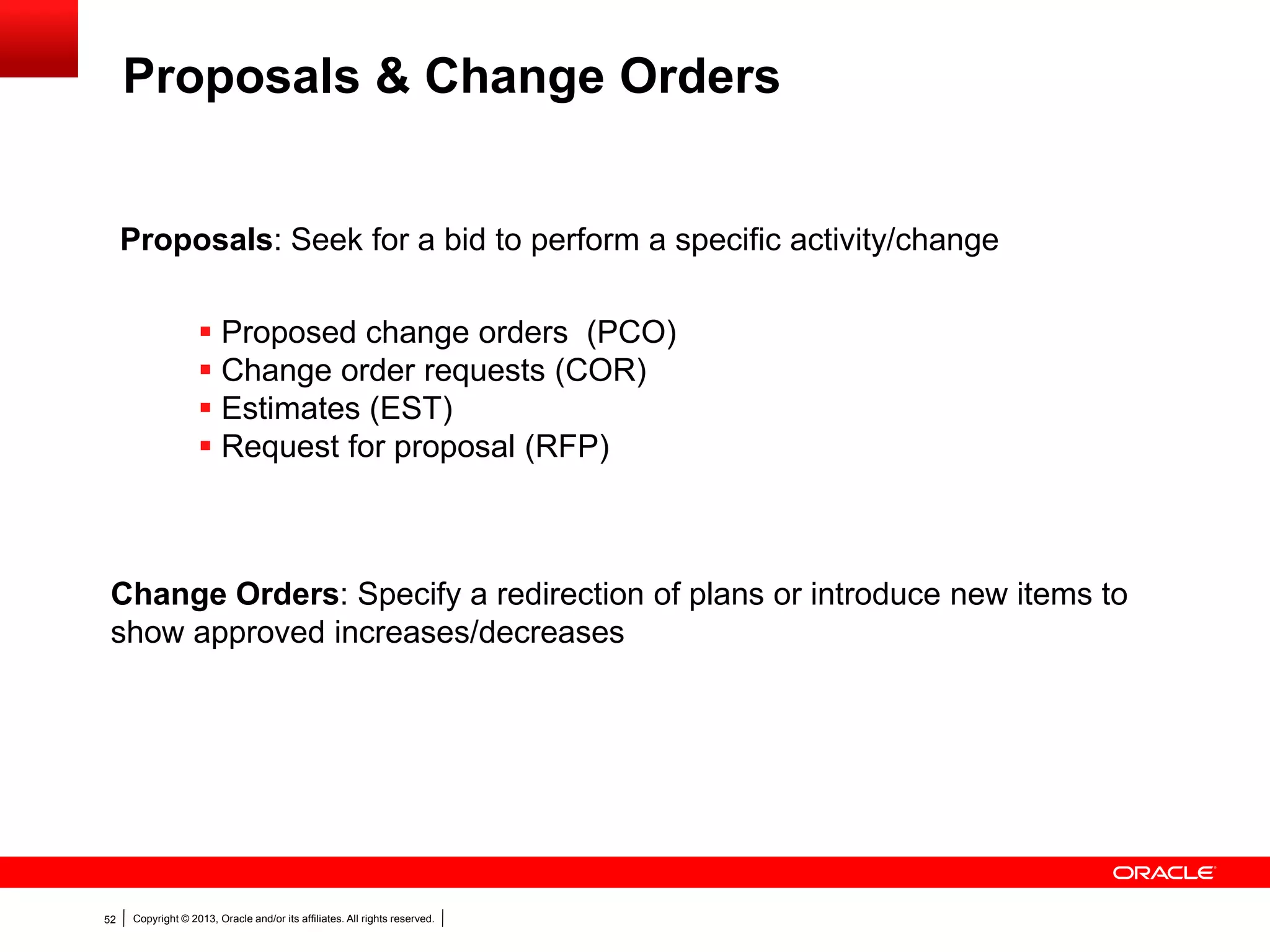
 Proposed change orders (PCO)
 Change order requests (COR)
 Estimates (EST)
 Request for proposal (RFP)
Proposals: Seek for a bid to perform a specific activity/change
Change Orders: Specify a redirection of plans or introduce new items to
show approved increases/decreases
Proposals & Change Orders
Copyright © 2013, Oracle and/or its affiliates. All rights reserved.53
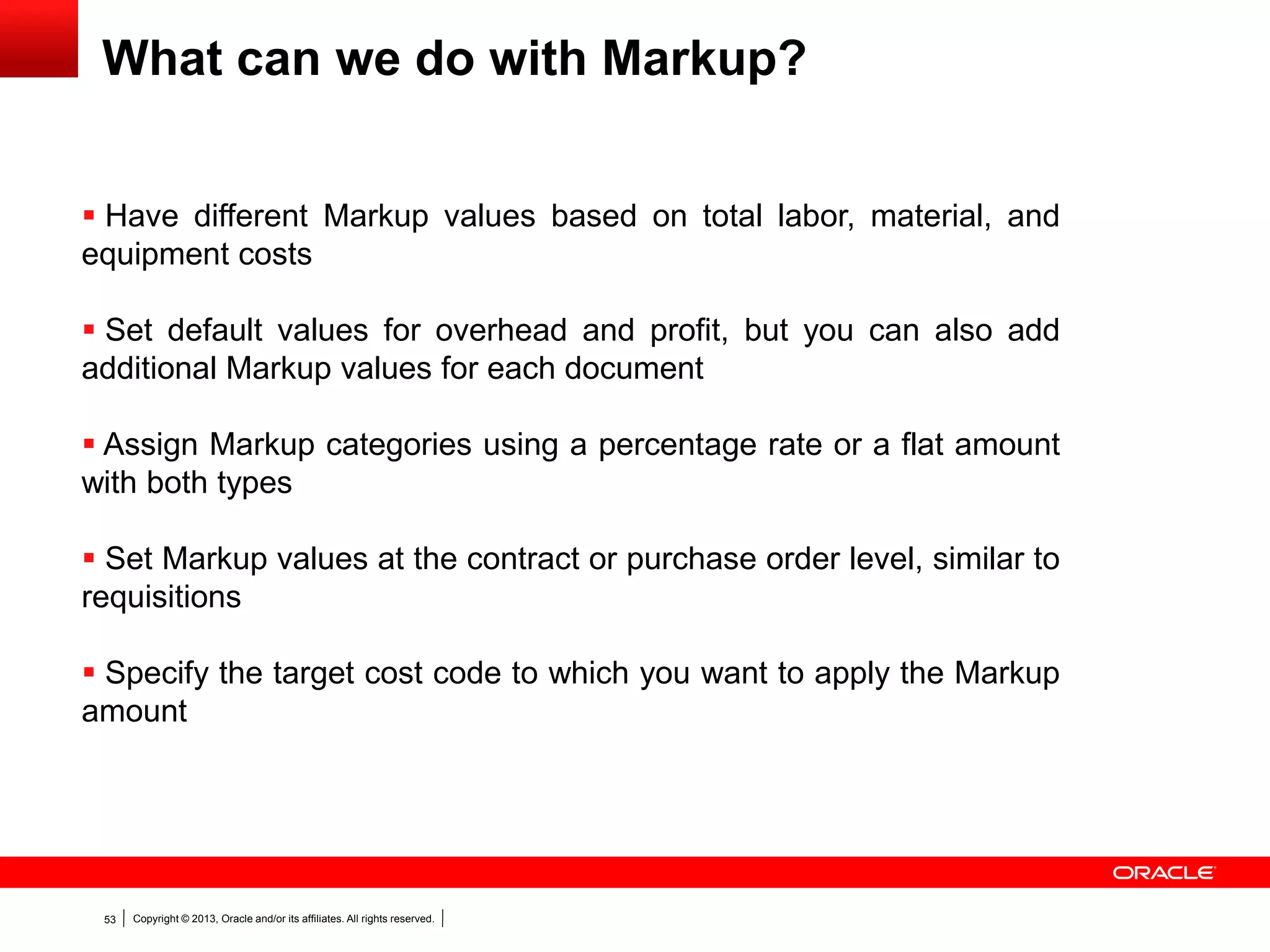
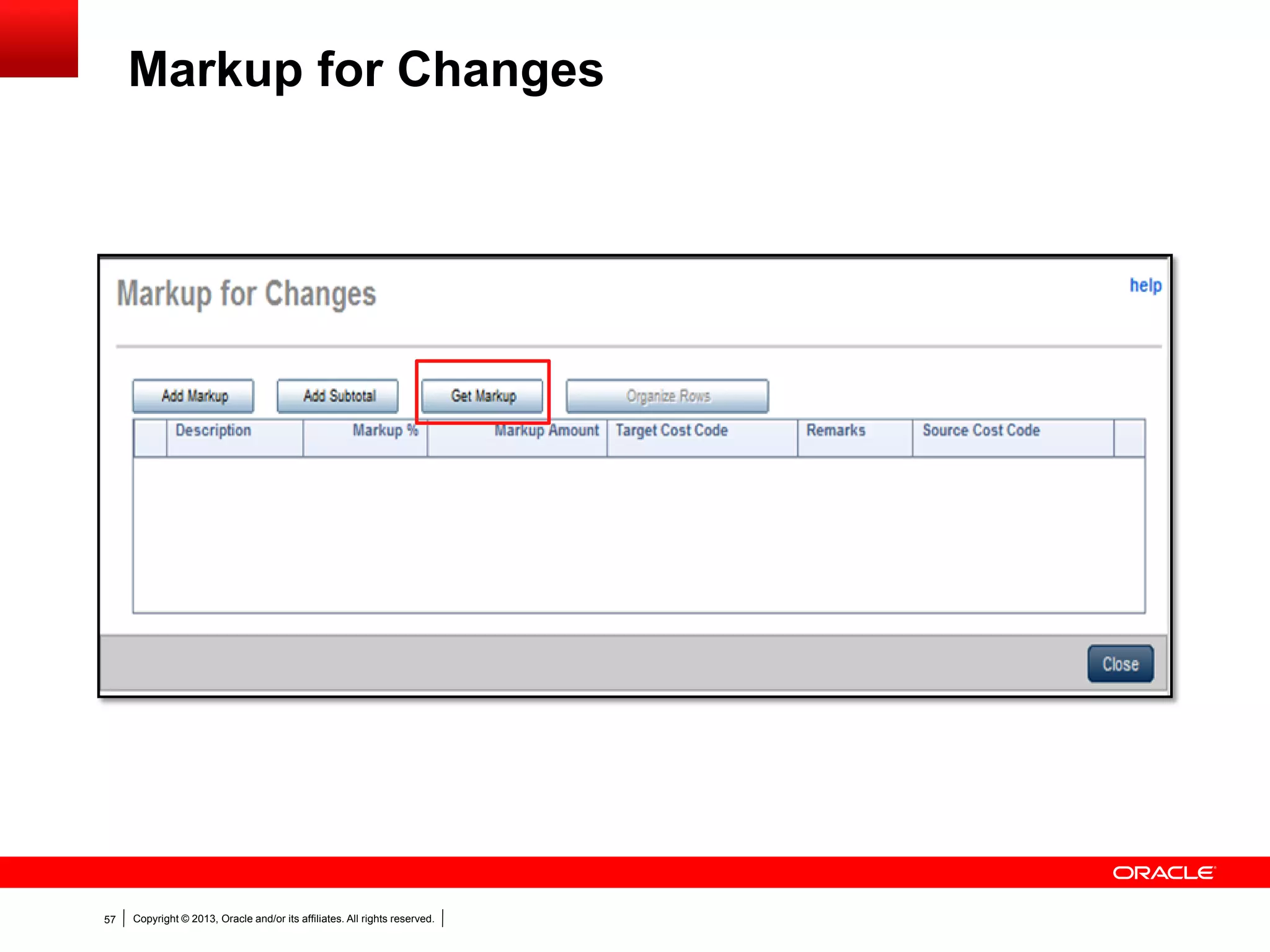
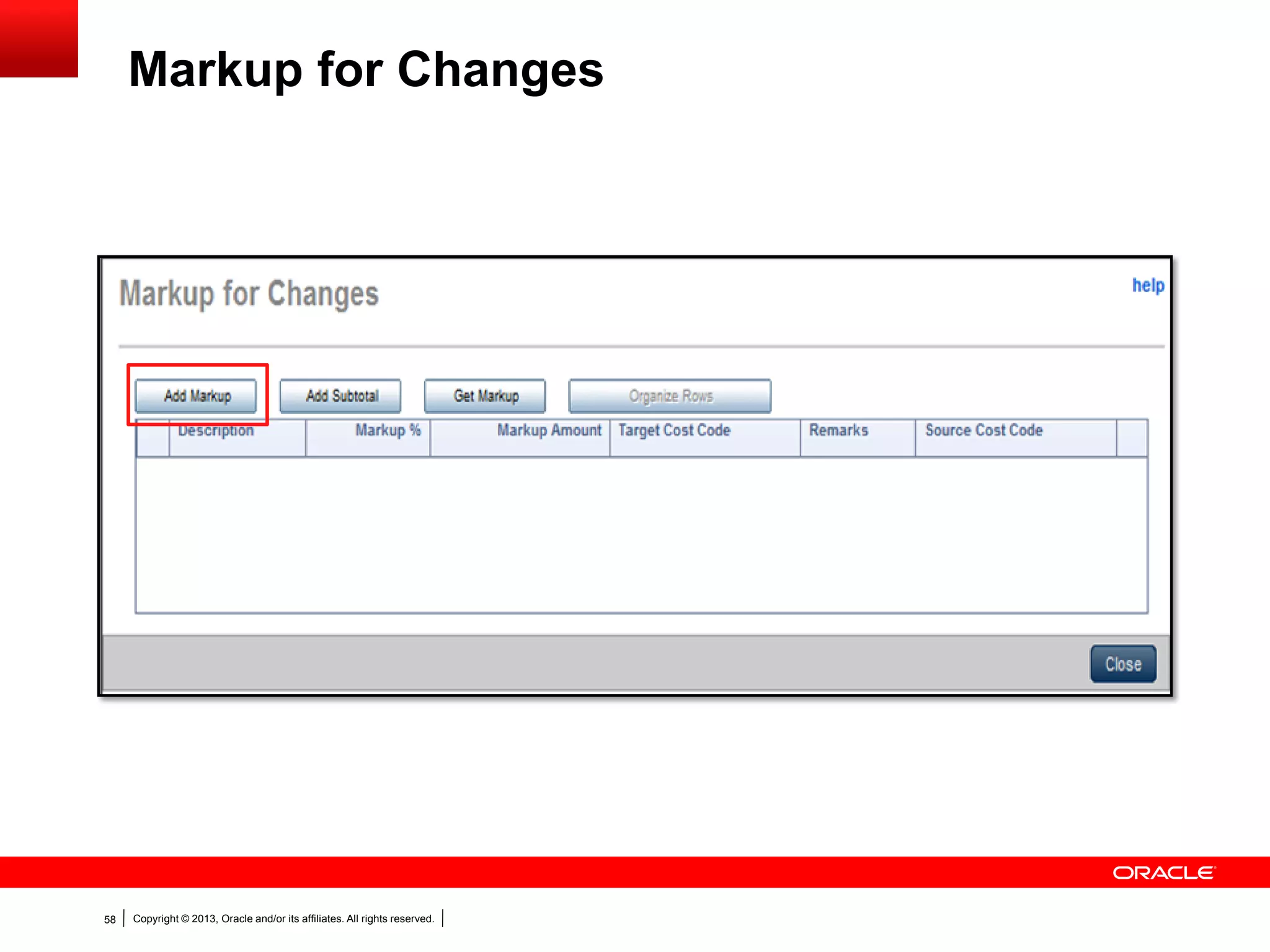
What can we do with Markup?
 Have different Markup values based on total labor, material, and
equipment costs
 Set default values for overhead and profit, but you can also add
additional Markup values for each document
 Assign Markup categories using a percentage rate or a flat amount
with both types
 Set Markup values at the contract or purchase order level, similar to
requisitions
 Specify the target cost code to which you want to apply the Markup
amount
Copyright © 2013, Oracle and/or its affiliates. All rights reserved.54
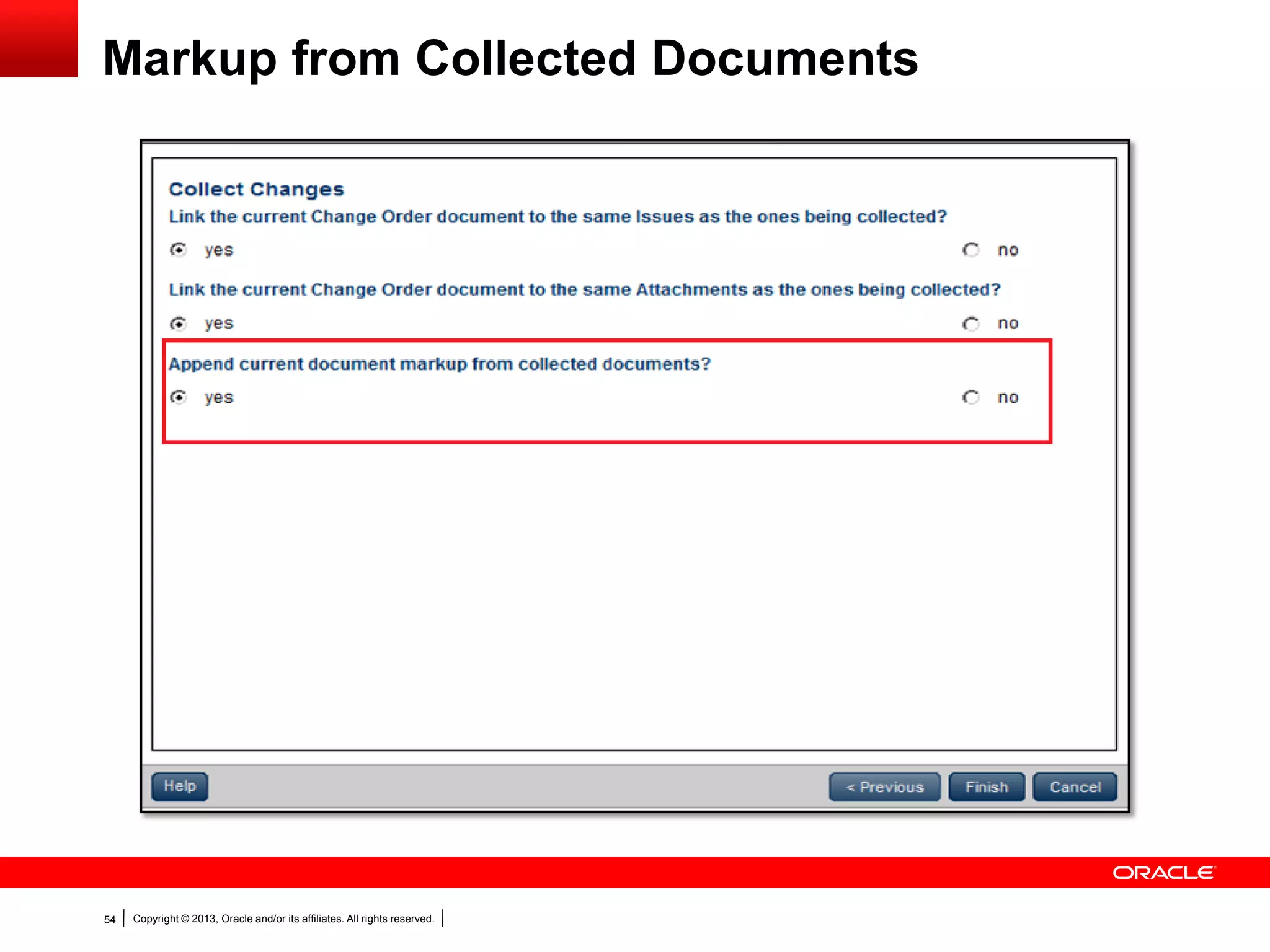
Markup from Collected Documents
Copyright © 2013, Oracle and/or its affiliates. All rights reserved.55
Cost Worksheet
Copyright © 2013, Oracle and/or its affiliates. All rights reserved.56
Cost Worksheet
Copyright © 2013, Oracle and/or its affiliates. All rights reserved.57
Markup for Changes
Copyright © 2013, Oracle and/or its affiliates. All rights reserved.58
Markup for Changes
Copyright © 2013, Oracle and/or its affiliates. All rights reserved.59
Adding a Change Order Outside of Change
Management
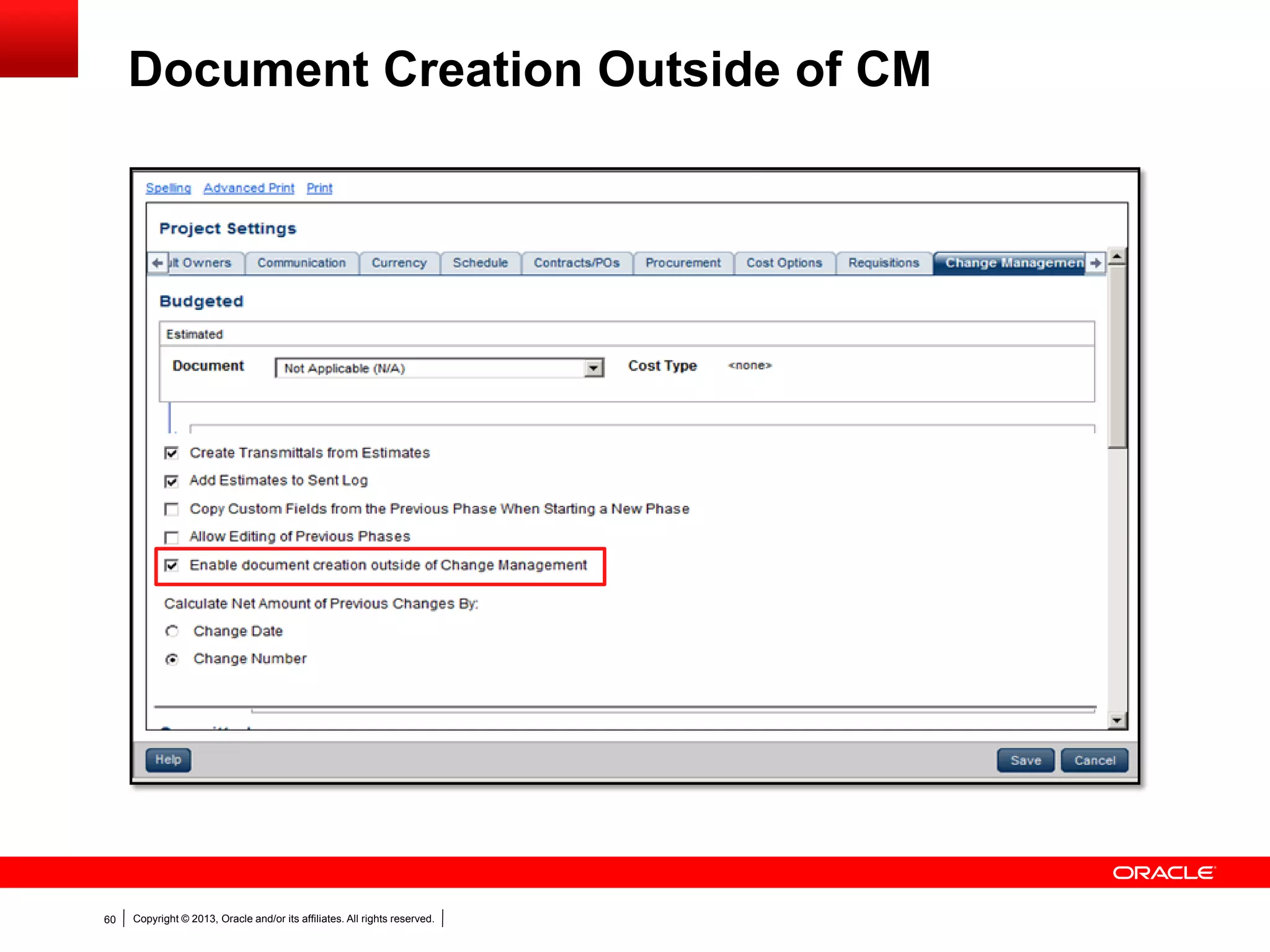
 Enable setting in Project Settings dialog box
 Need to have collected at least one Change Order document
Copyright © 2013, Oracle and/or its affiliates. All rights reserved.60
Document Creation Outside of CM
Copyright © 2013, Oracle and/or its affiliates. All rights reserved.61
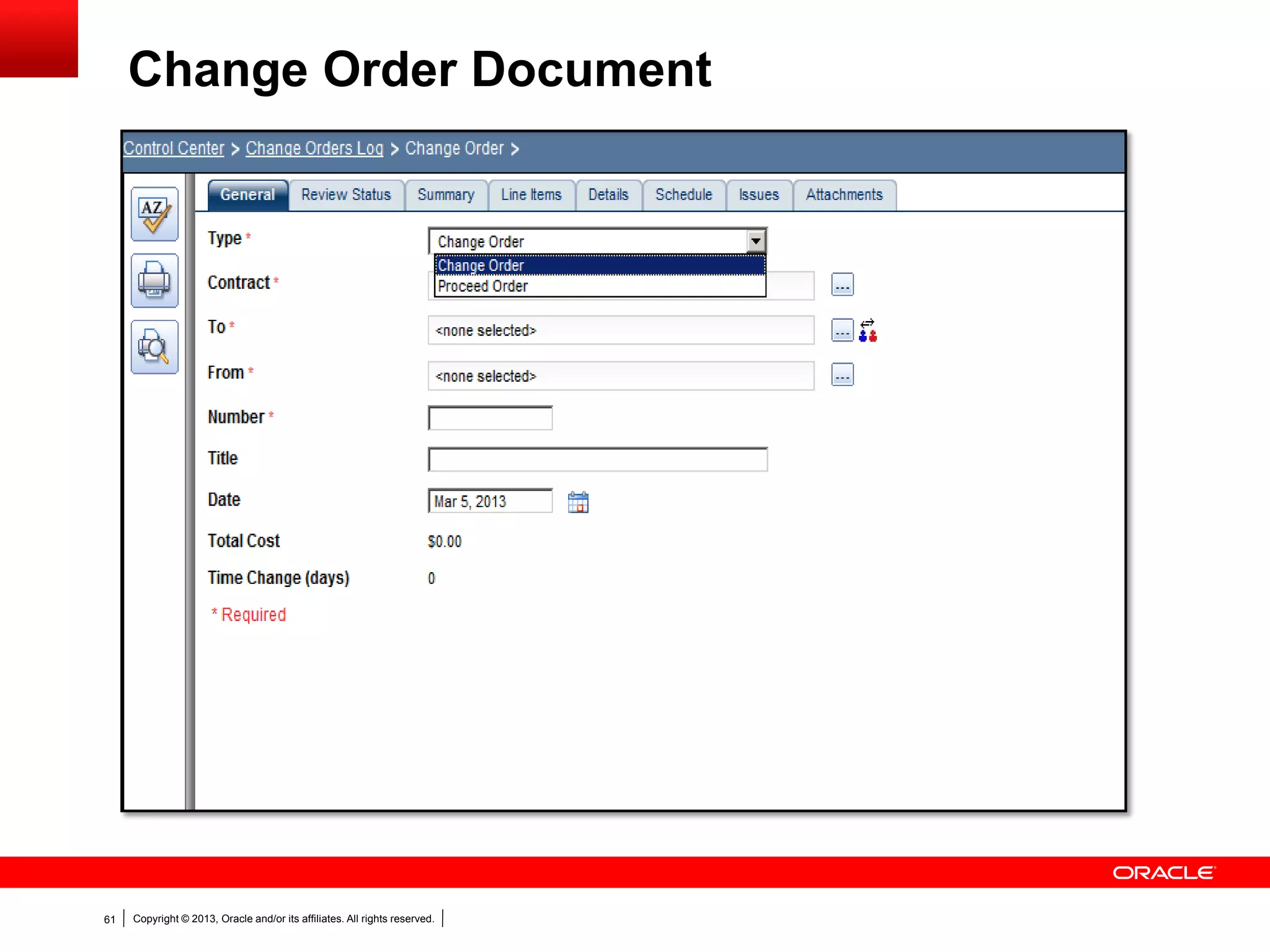
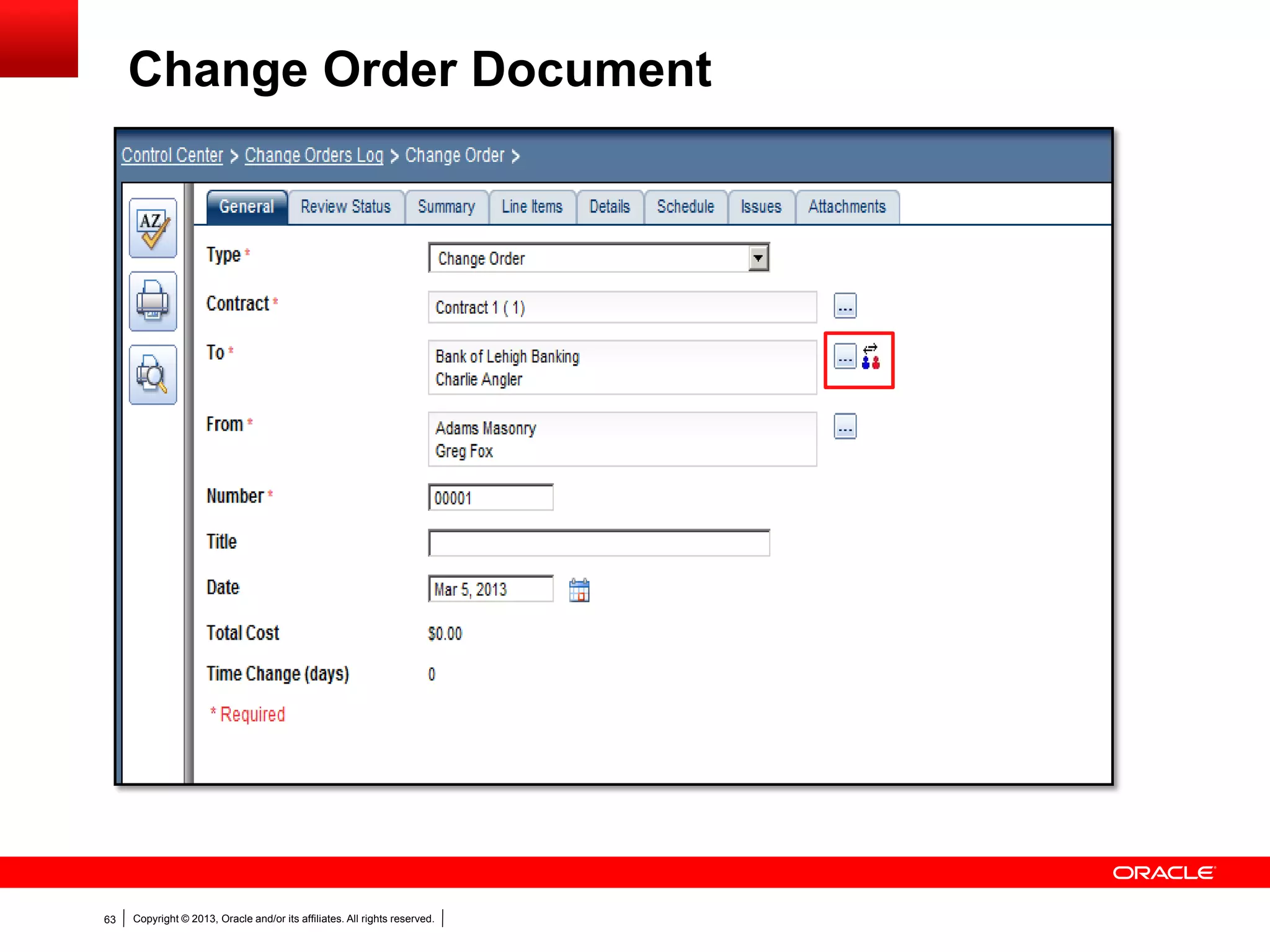
Change Order Document
Copyright © 2013, Oracle and/or its affiliates. All rights reserved.62
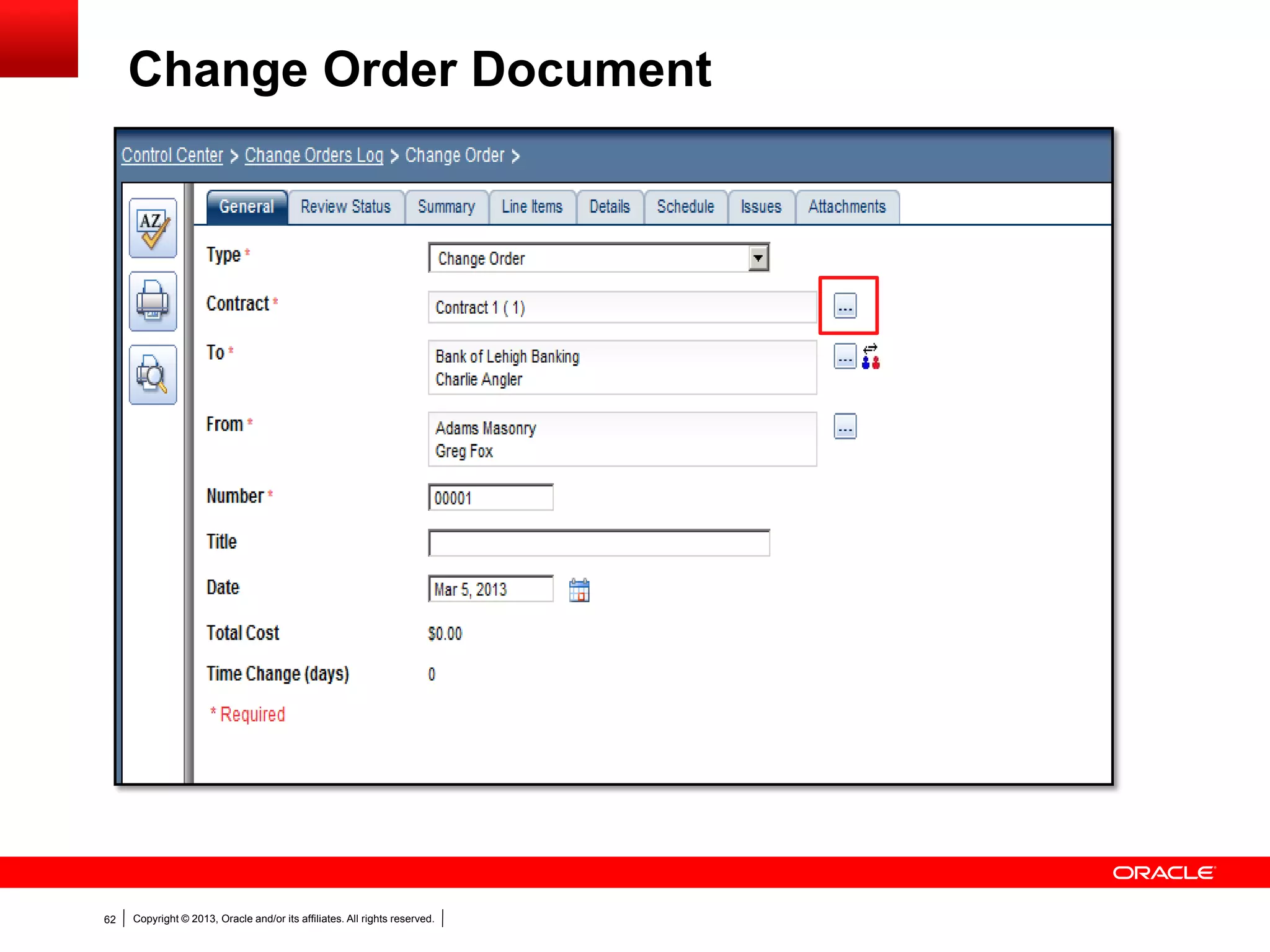
Change Order Document
Copyright © 2013, Oracle and/or its affiliates. All rights reserved.63
Change Order Document
Copyright © 2013, Oracle and/or its affiliates. All rights reserved.64
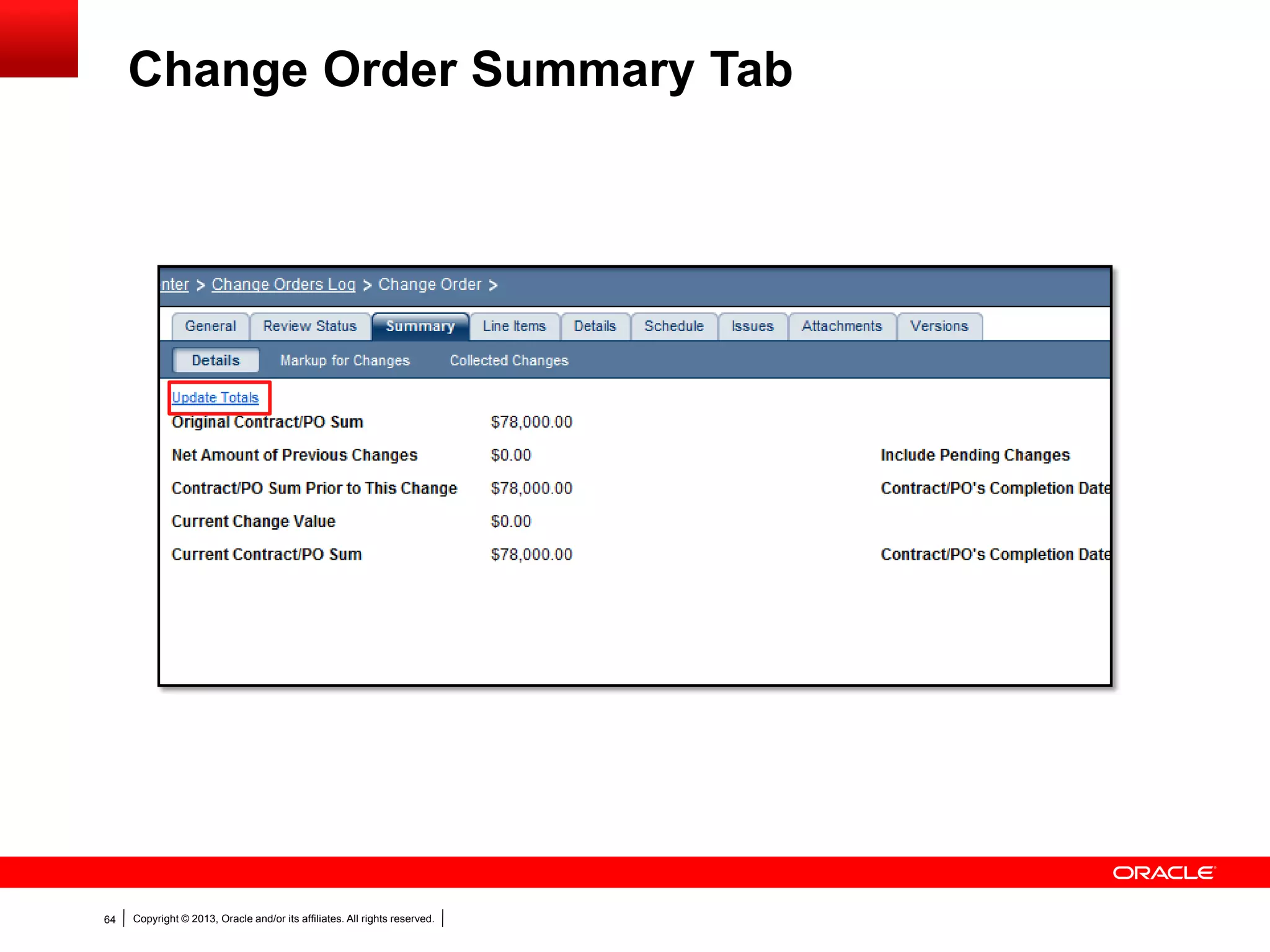
Change Order Summary Tab
Copyright © 2013, Oracle and/or its affiliates. All rights reserved.65
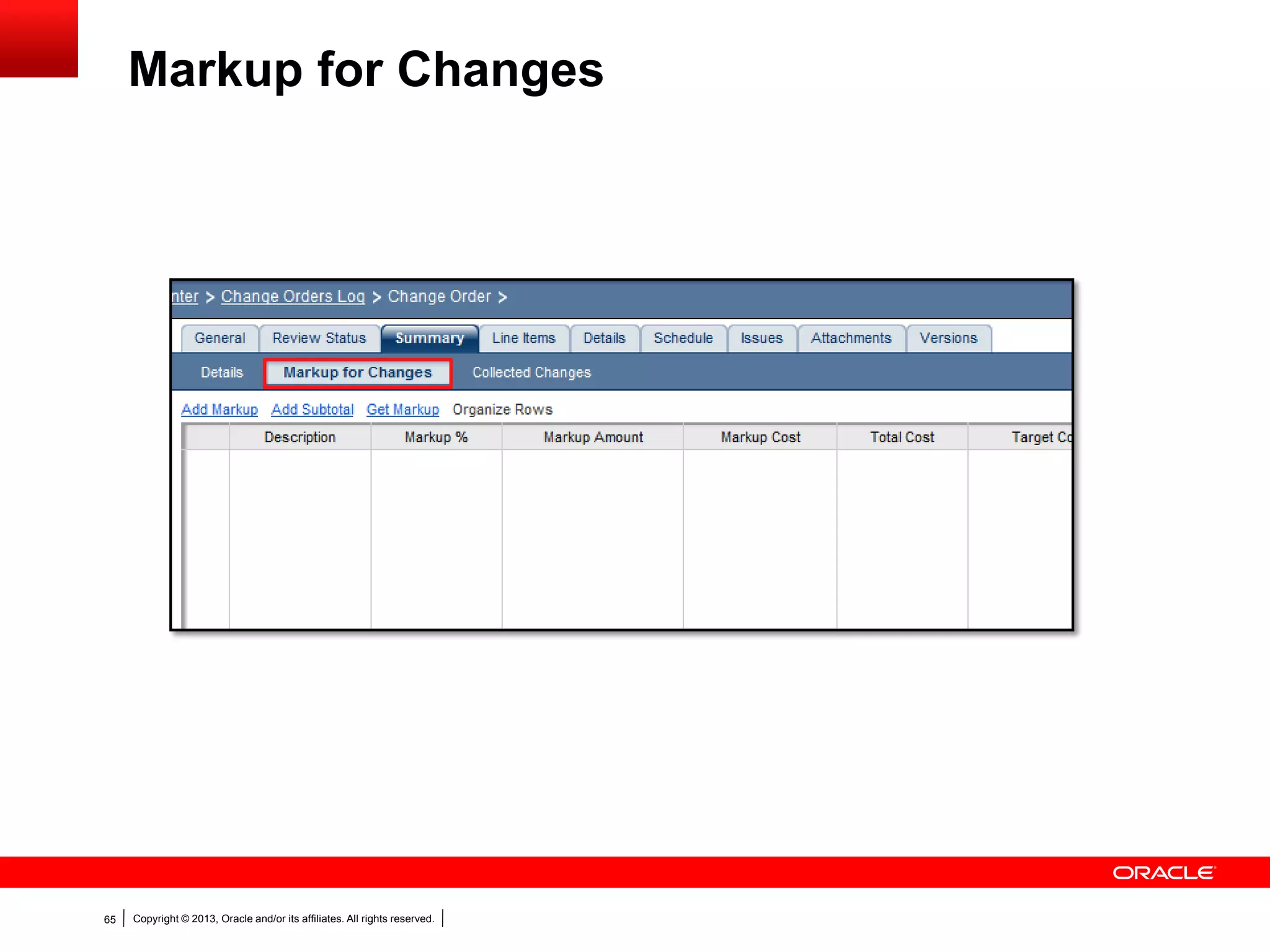
Markup for Changes
Copyright © 2013, Oracle and/or its affiliates. All rights reserved.66
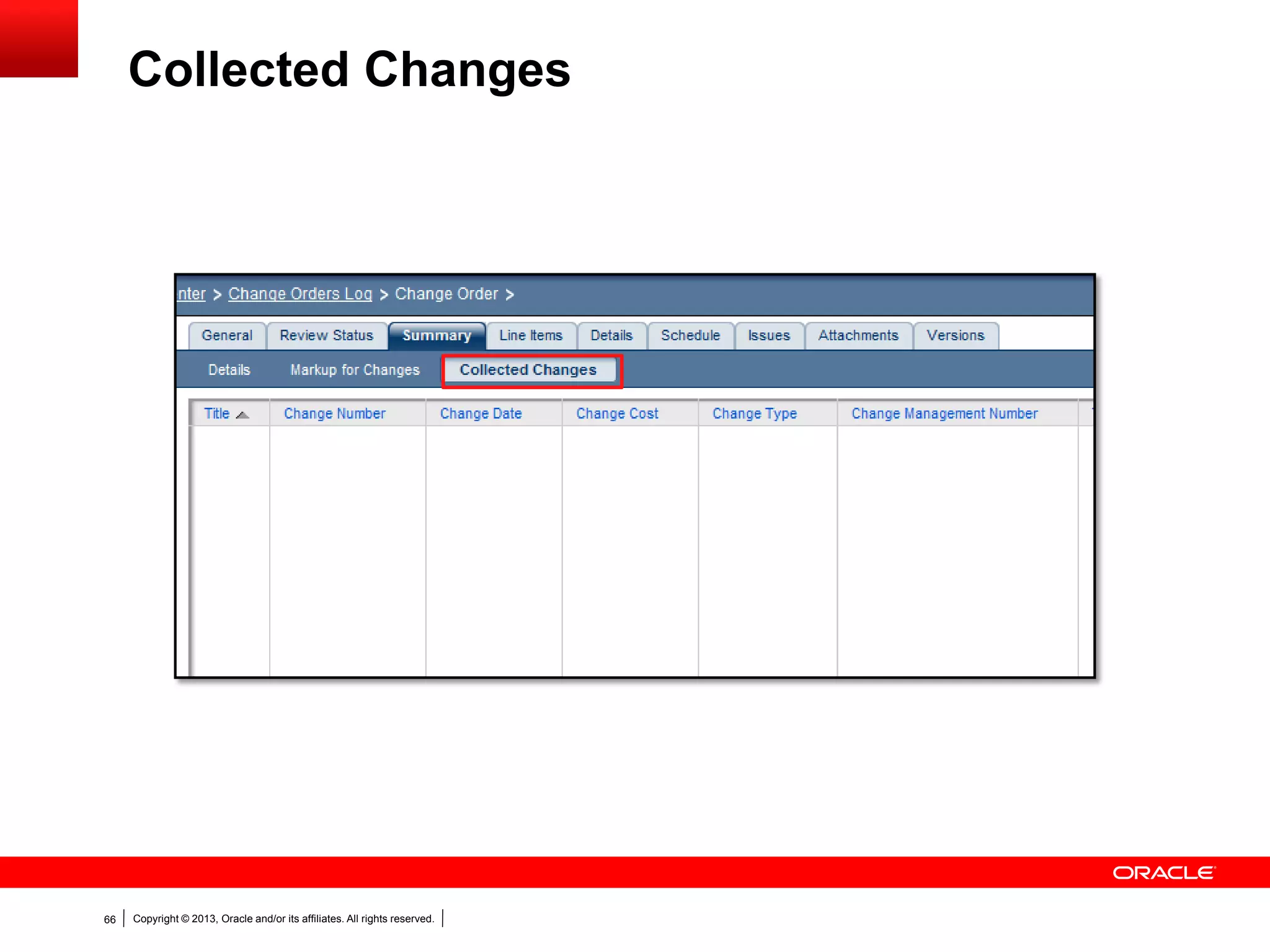
Collected Changes
Copyright © 2013, Oracle and/or its affiliates. All rights reserved.67
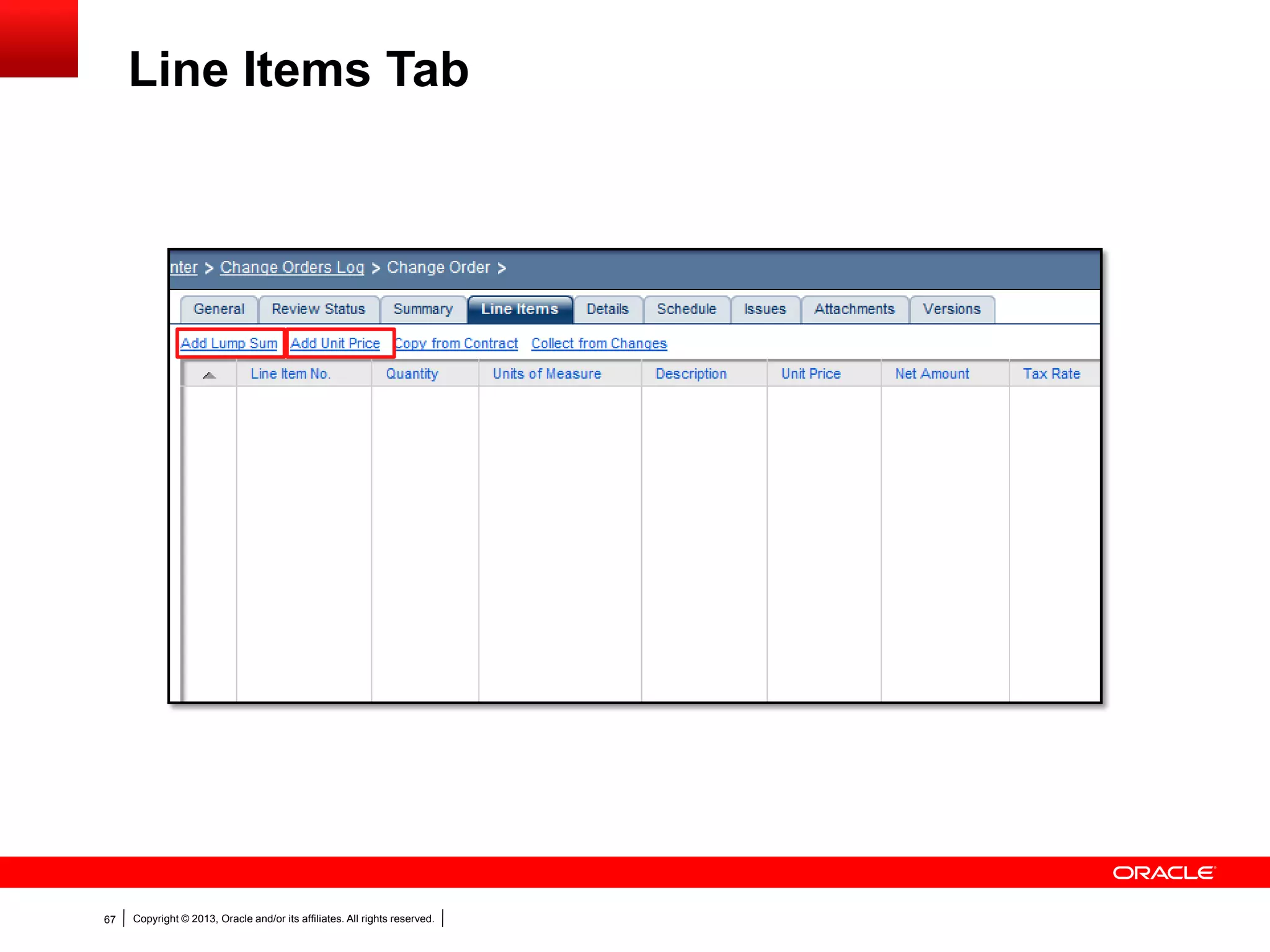
Line Items Tab
Copyright © 2013, Oracle and/or its affiliates. All rights reserved.68
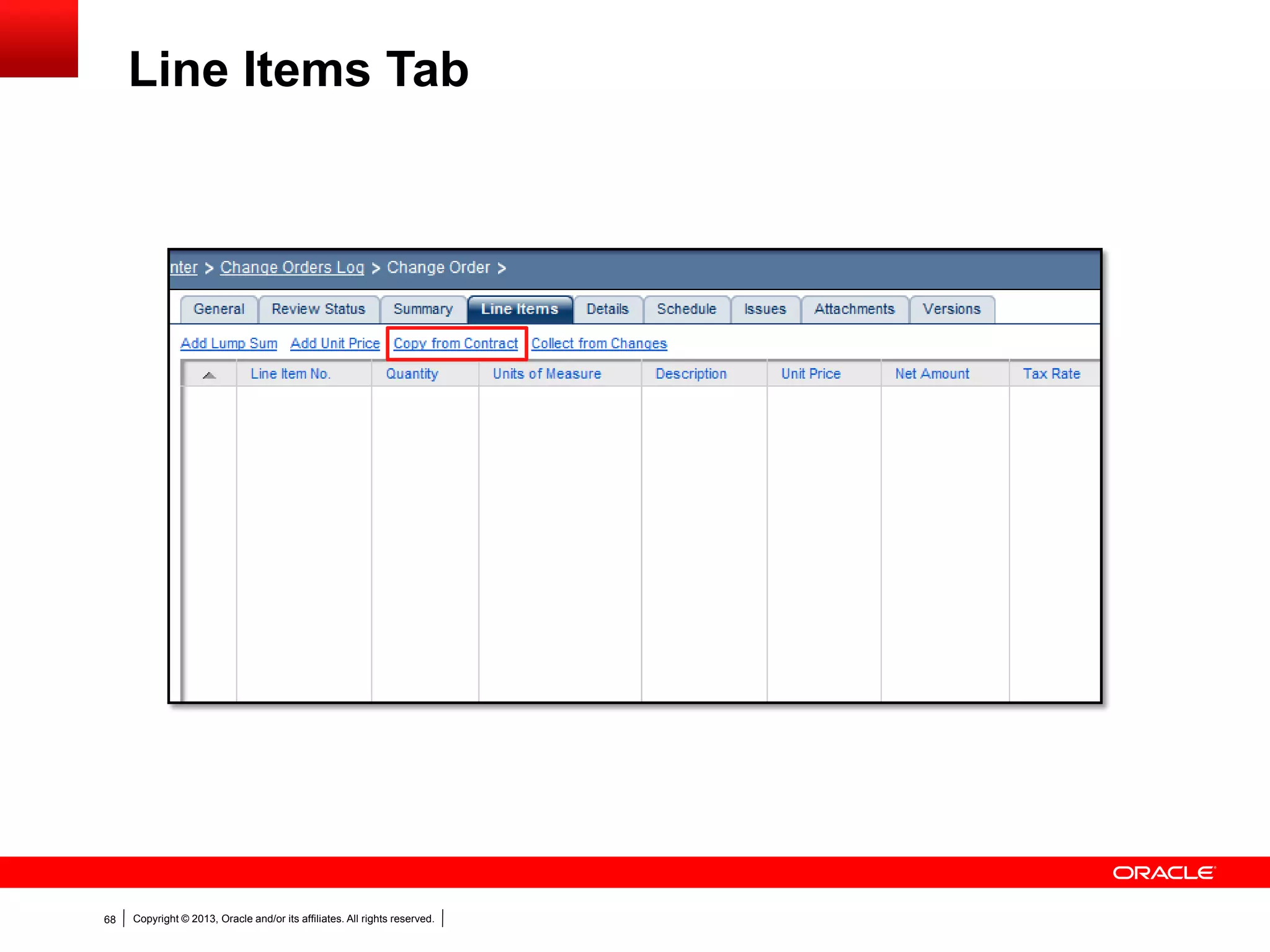
Line Items Tab
Copyright © 2013, Oracle and/or its affiliates. All rights reserved.69
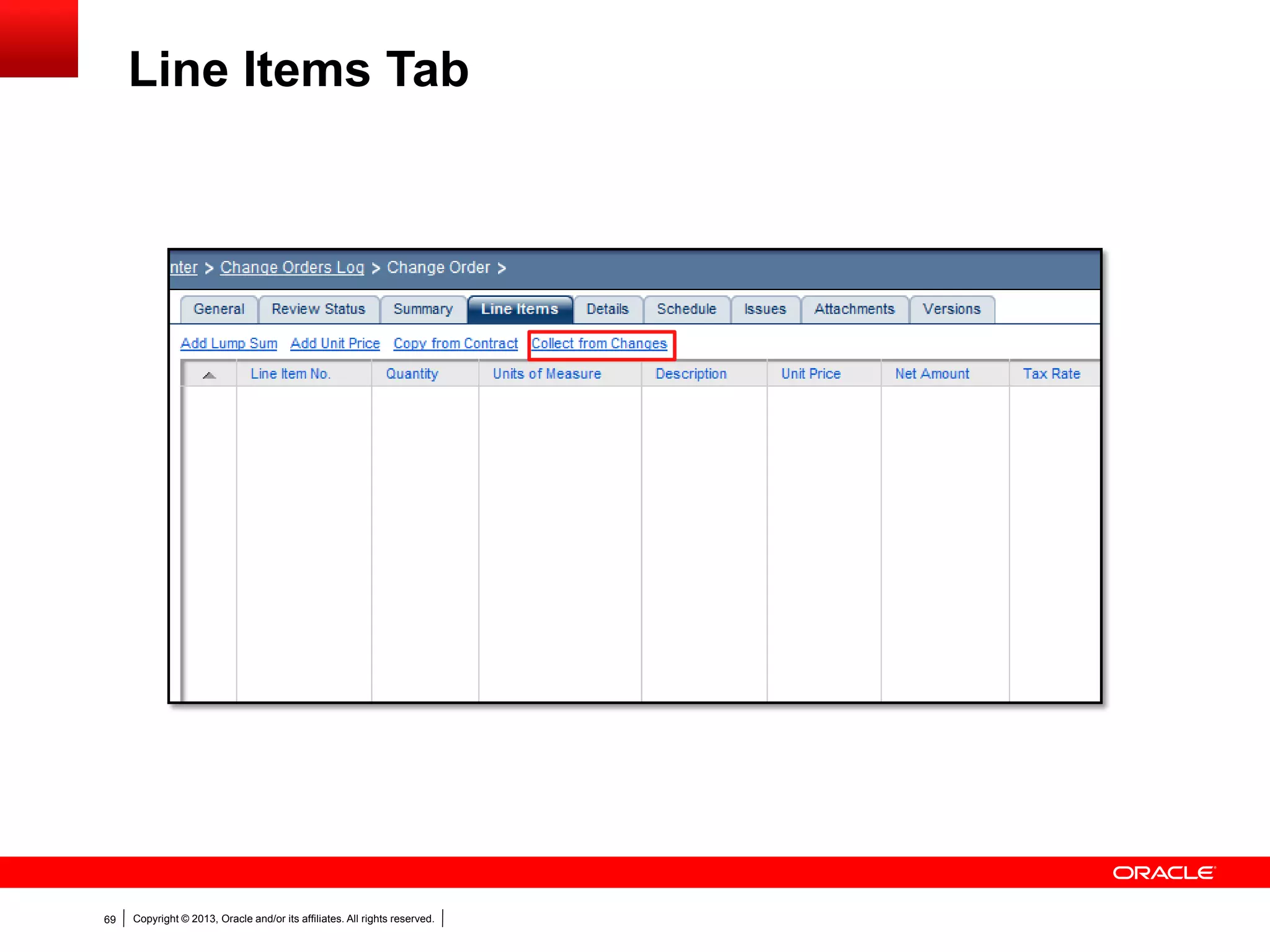
Line Items Tab
Copyright © 2013, Oracle and/or its affiliates. All rights reserved.70
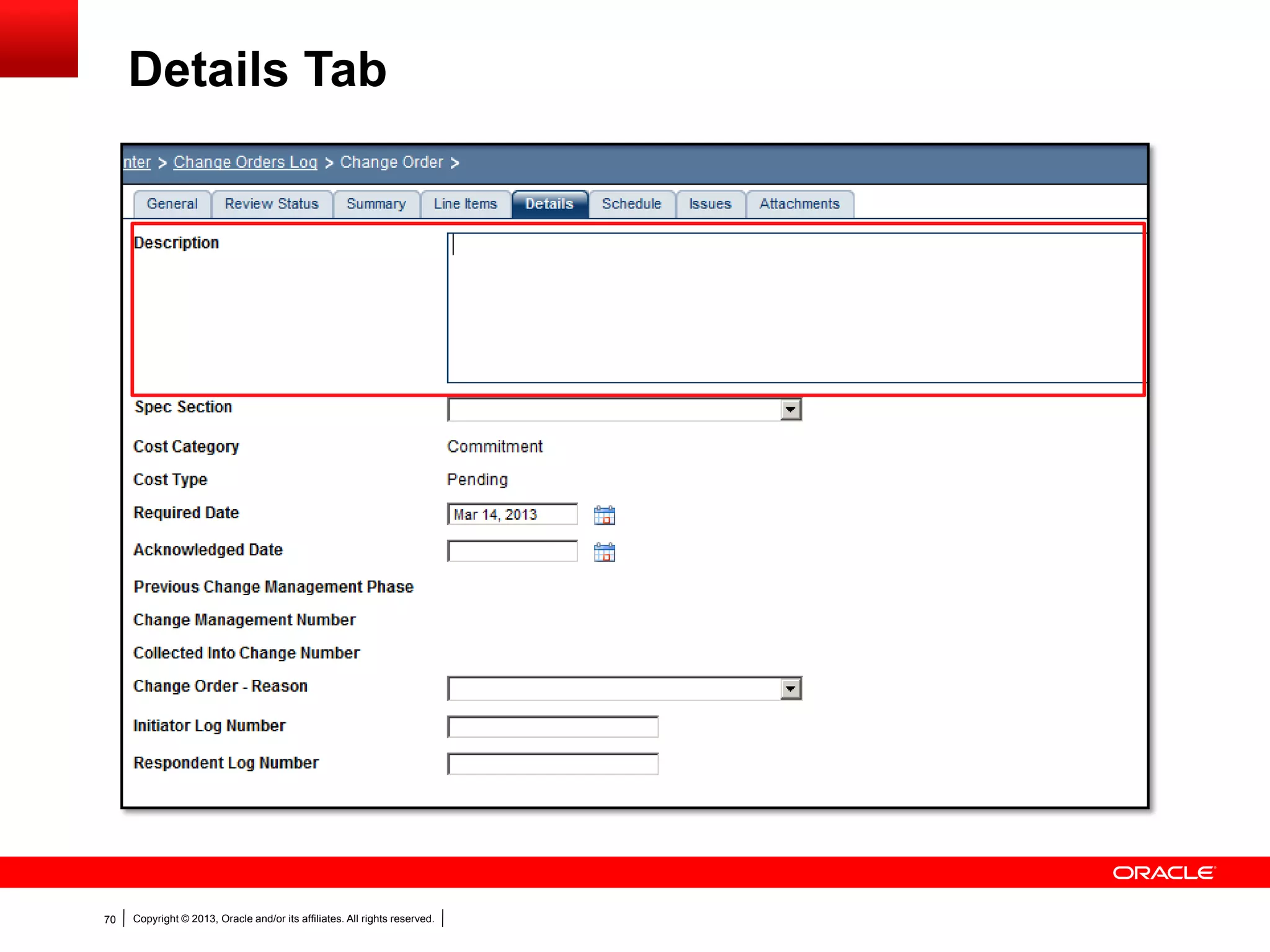
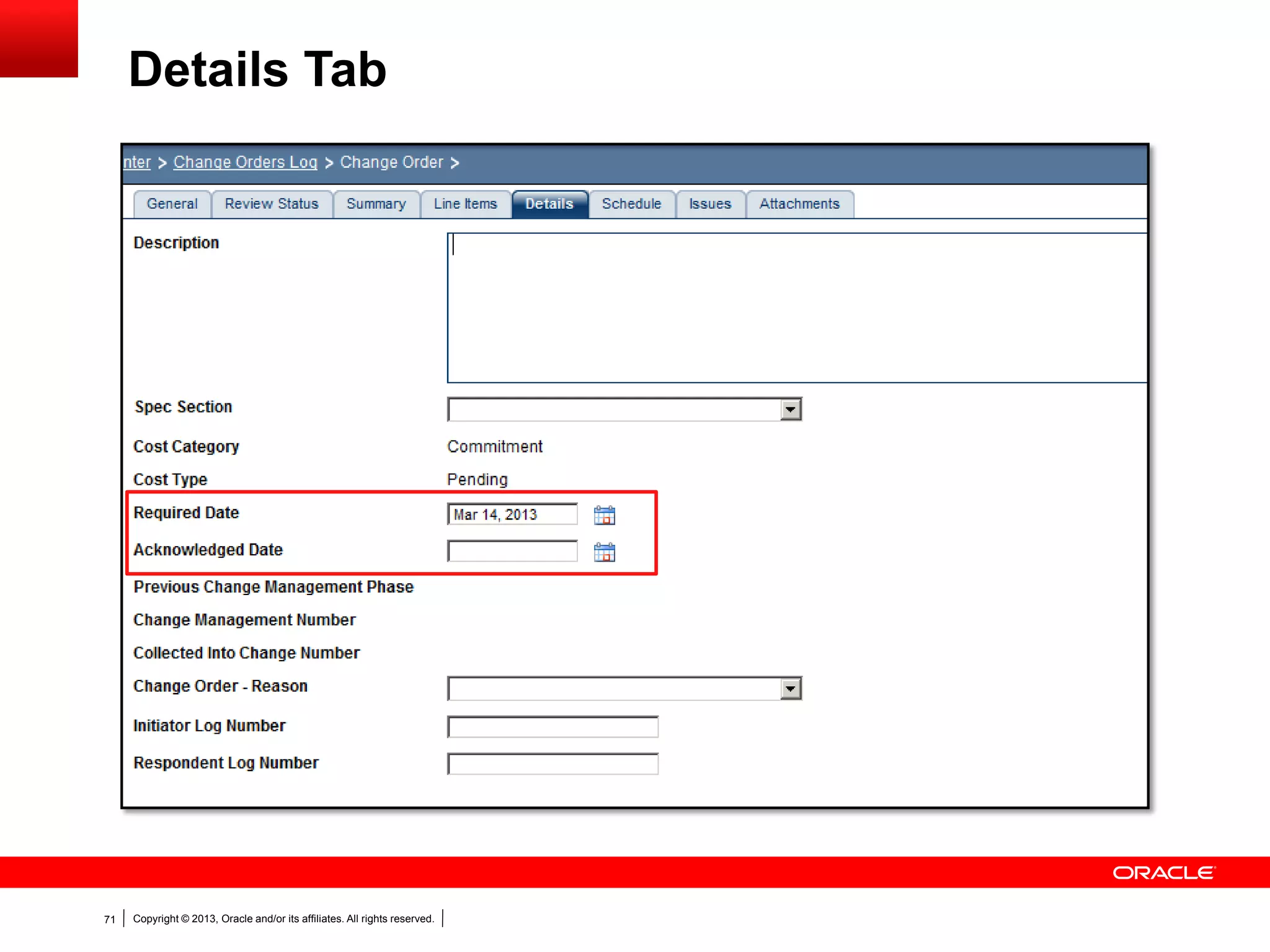
Details Tab
Copyright © 2013, Oracle and/or its affiliates. All rights reserved.71
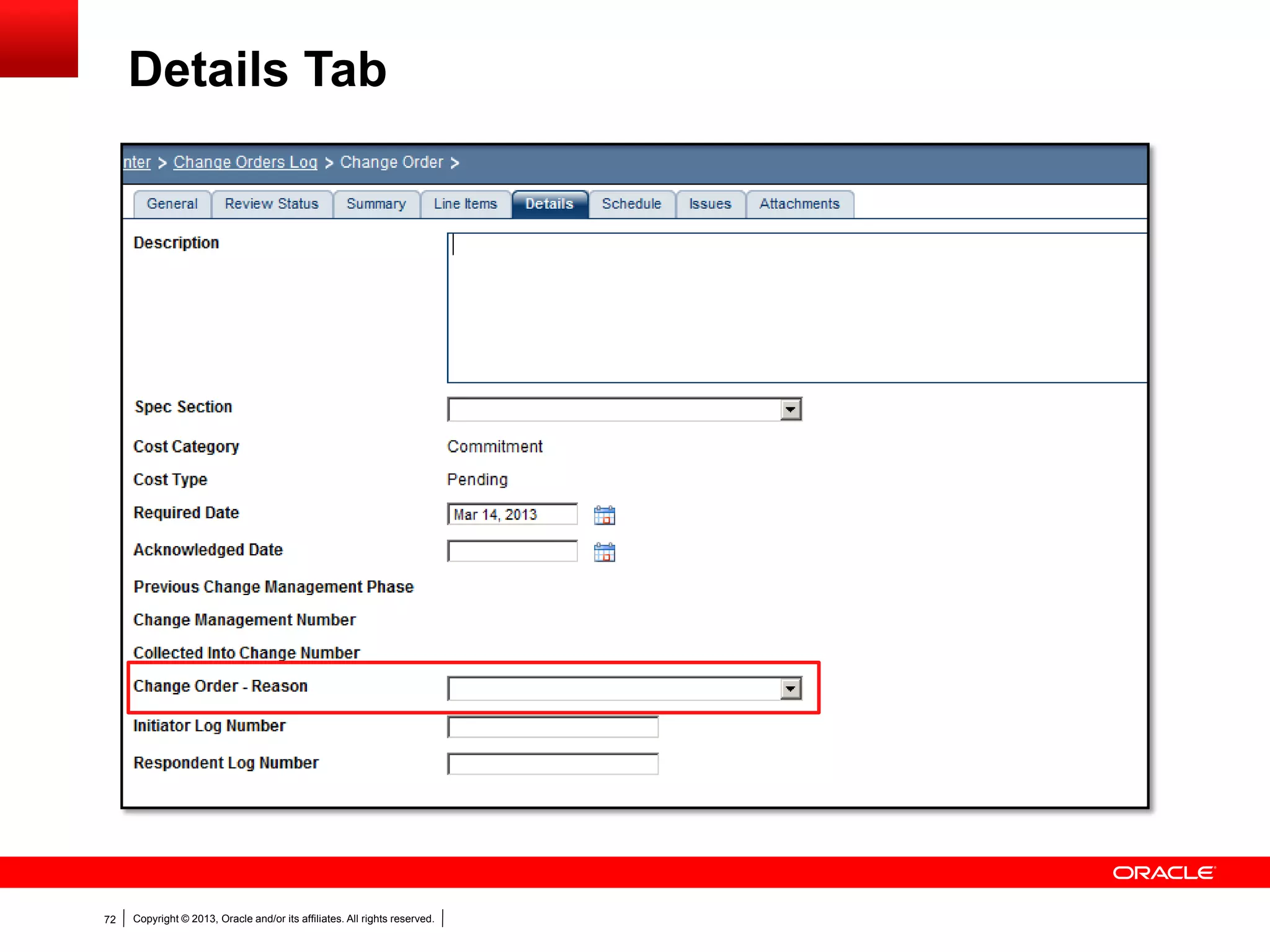
Details Tab
Copyright © 2013, Oracle and/or its affiliates. All rights reserved.72
Details Tab
Copyright © 2013, Oracle and/or its affiliates. All rights reserved.73
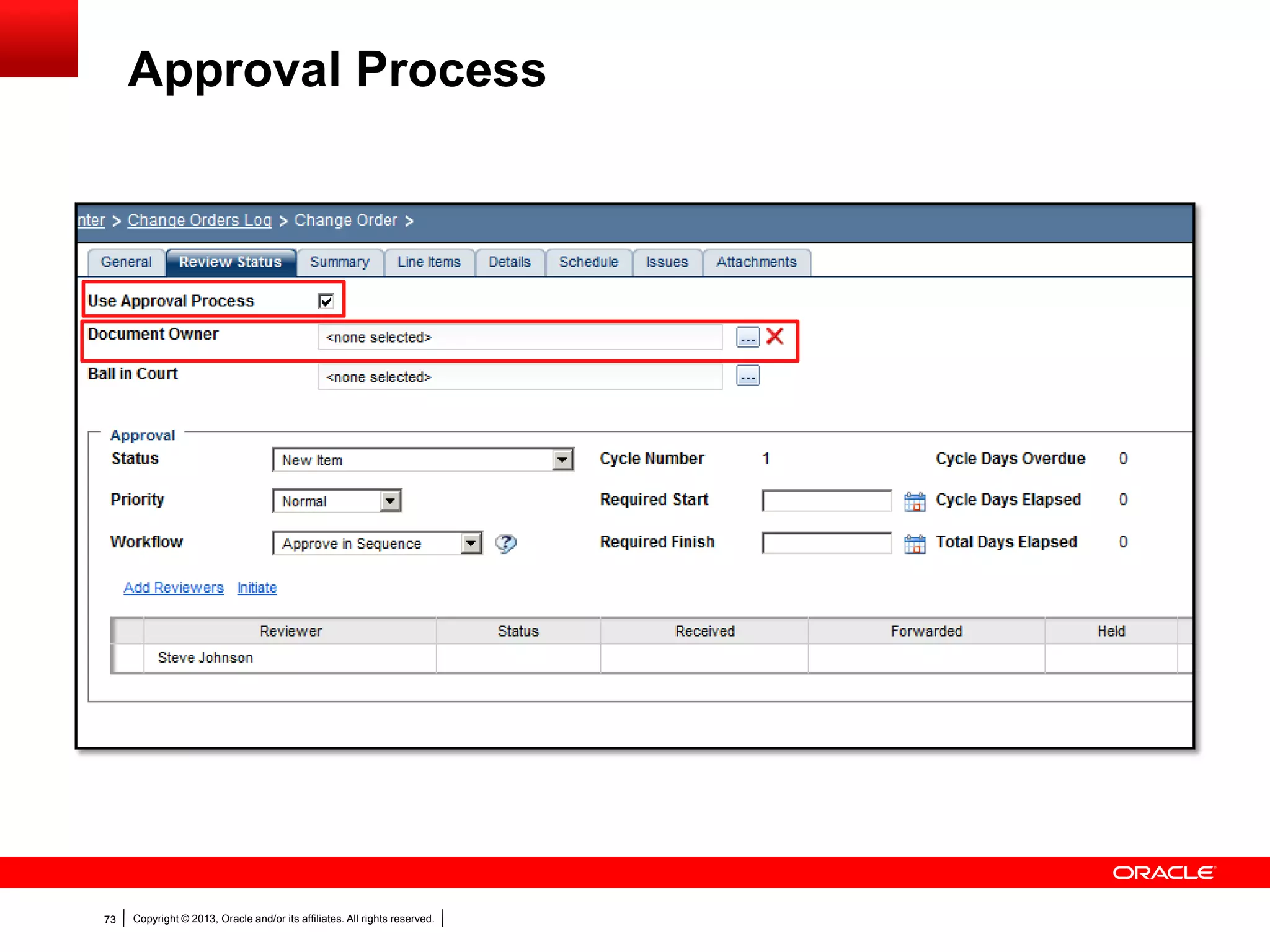
Approval Process
Copyright © 2013, Oracle and/or its affiliates. All rights reserved.74
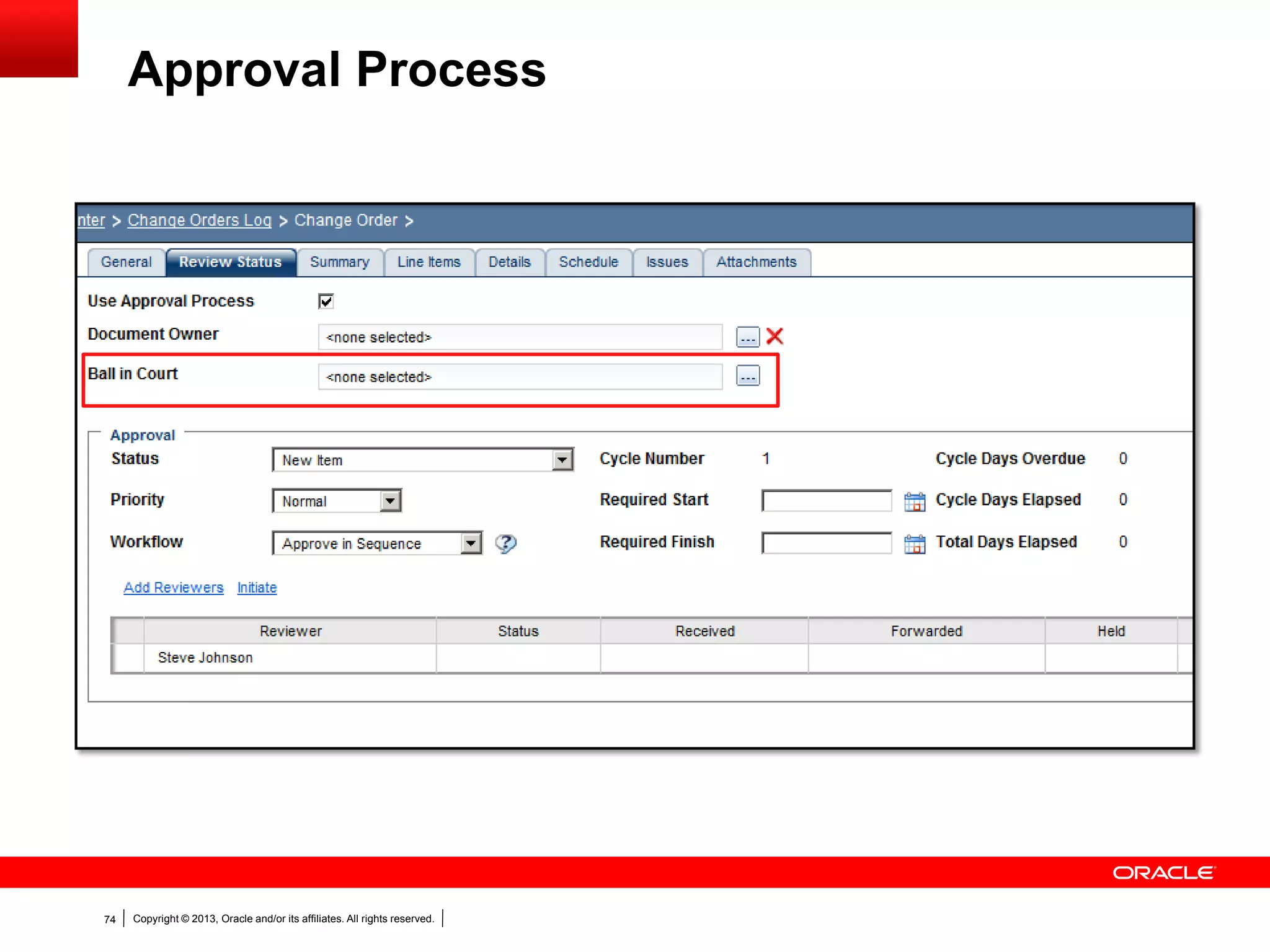
Approval Process
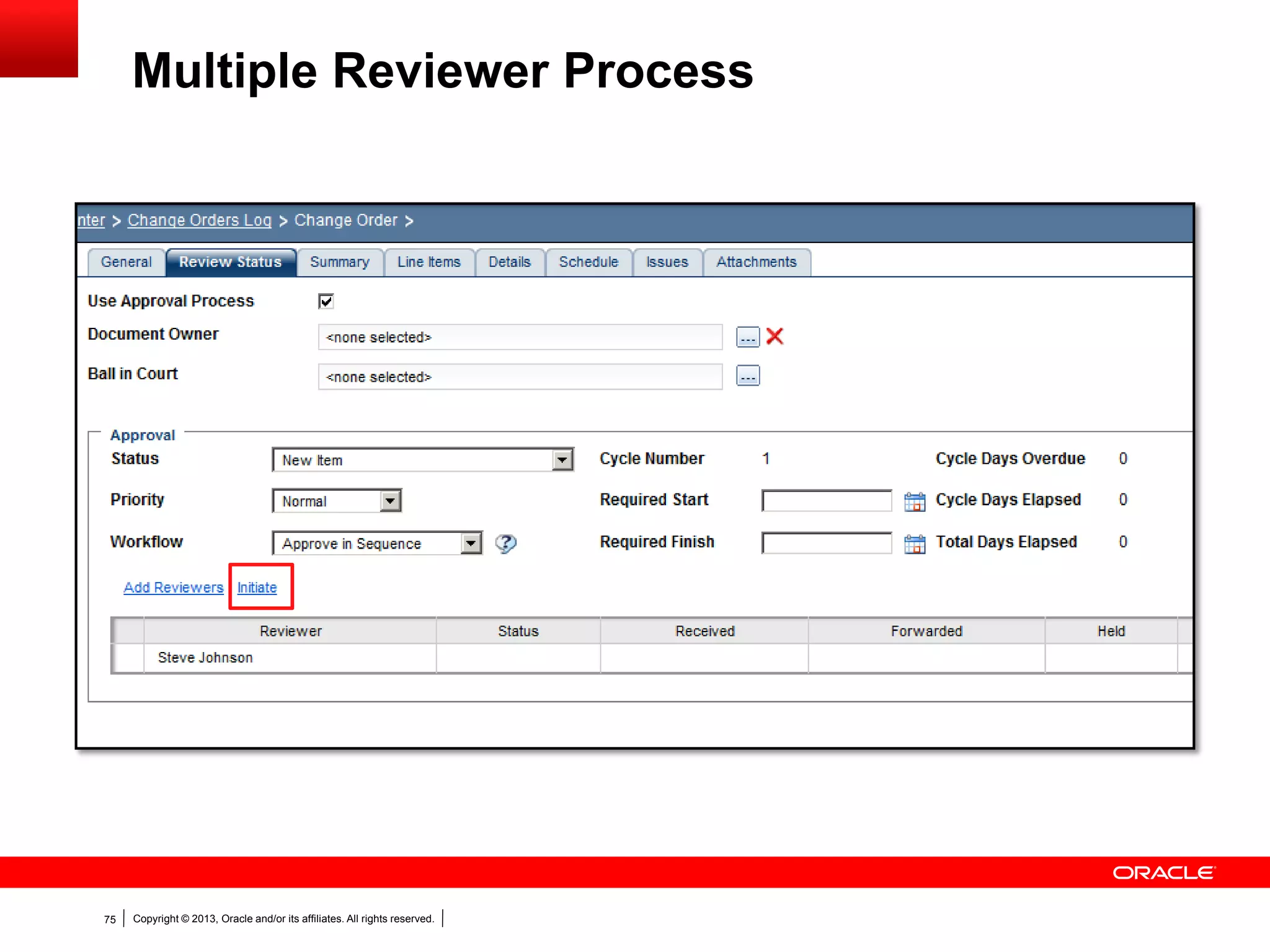
Copyright © 2013, Oracle and/or its affiliates. All rights reserved.75
Multiple Reviewer Process
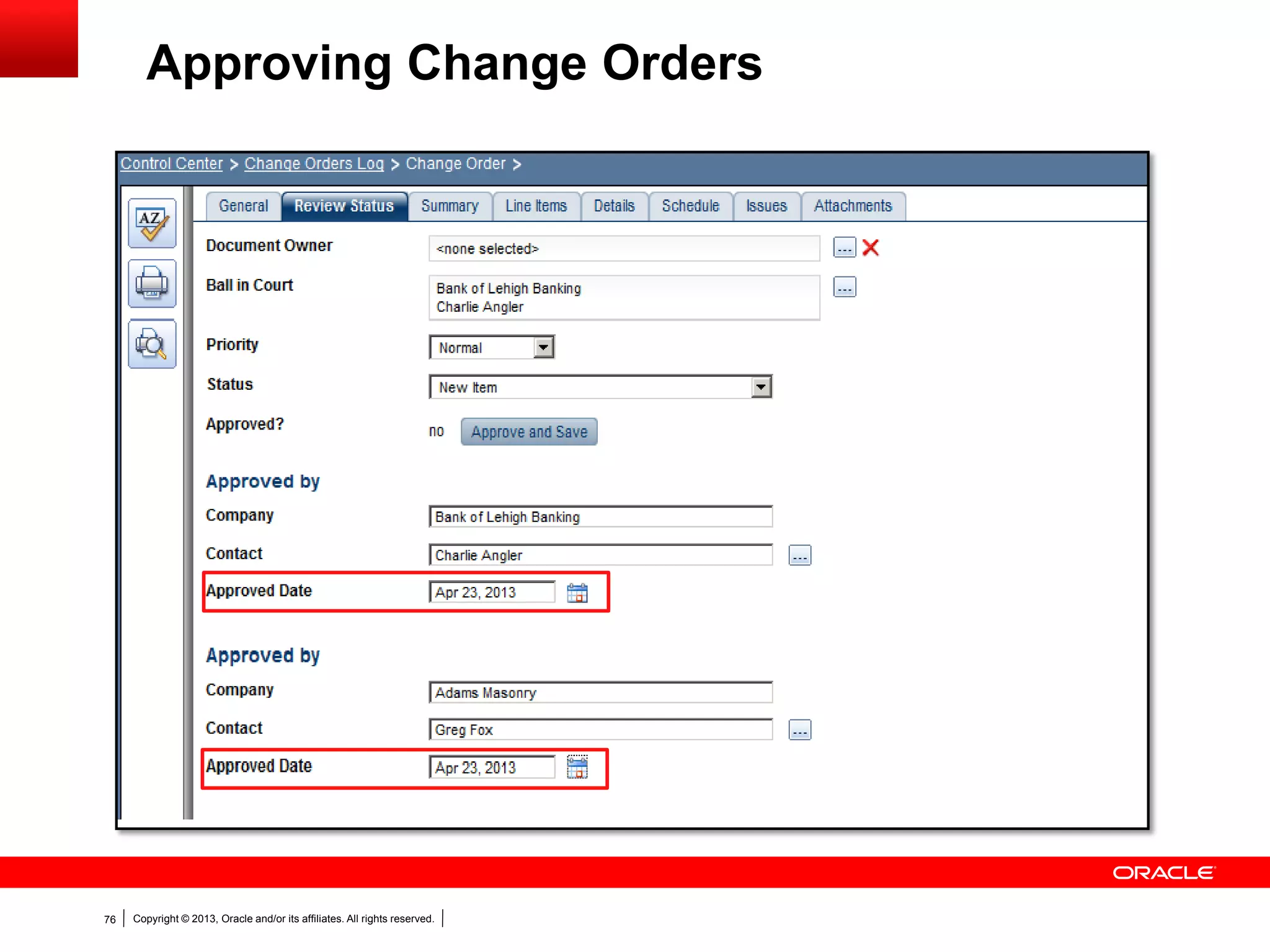
Copyright © 2013, Oracle and/or its affiliates. All rights reserved.76
Approving Change Orders
Copyright © 2013, Oracle and/or its affiliates. All rights reserved.77
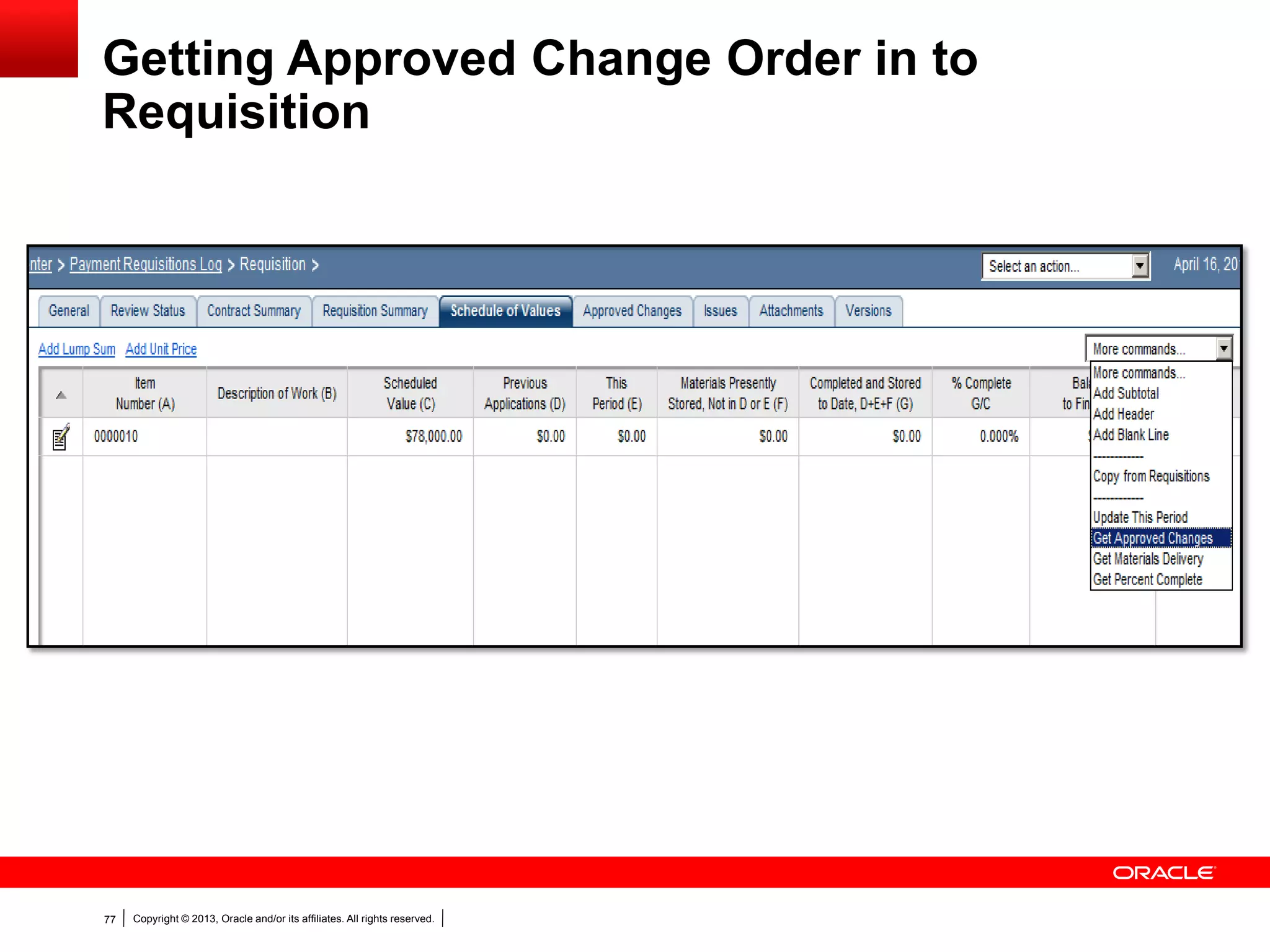
Getting Approved Change Order in to
Requisition
Copyright © 2013, Oracle and/or its affiliates. All rights reserved.78
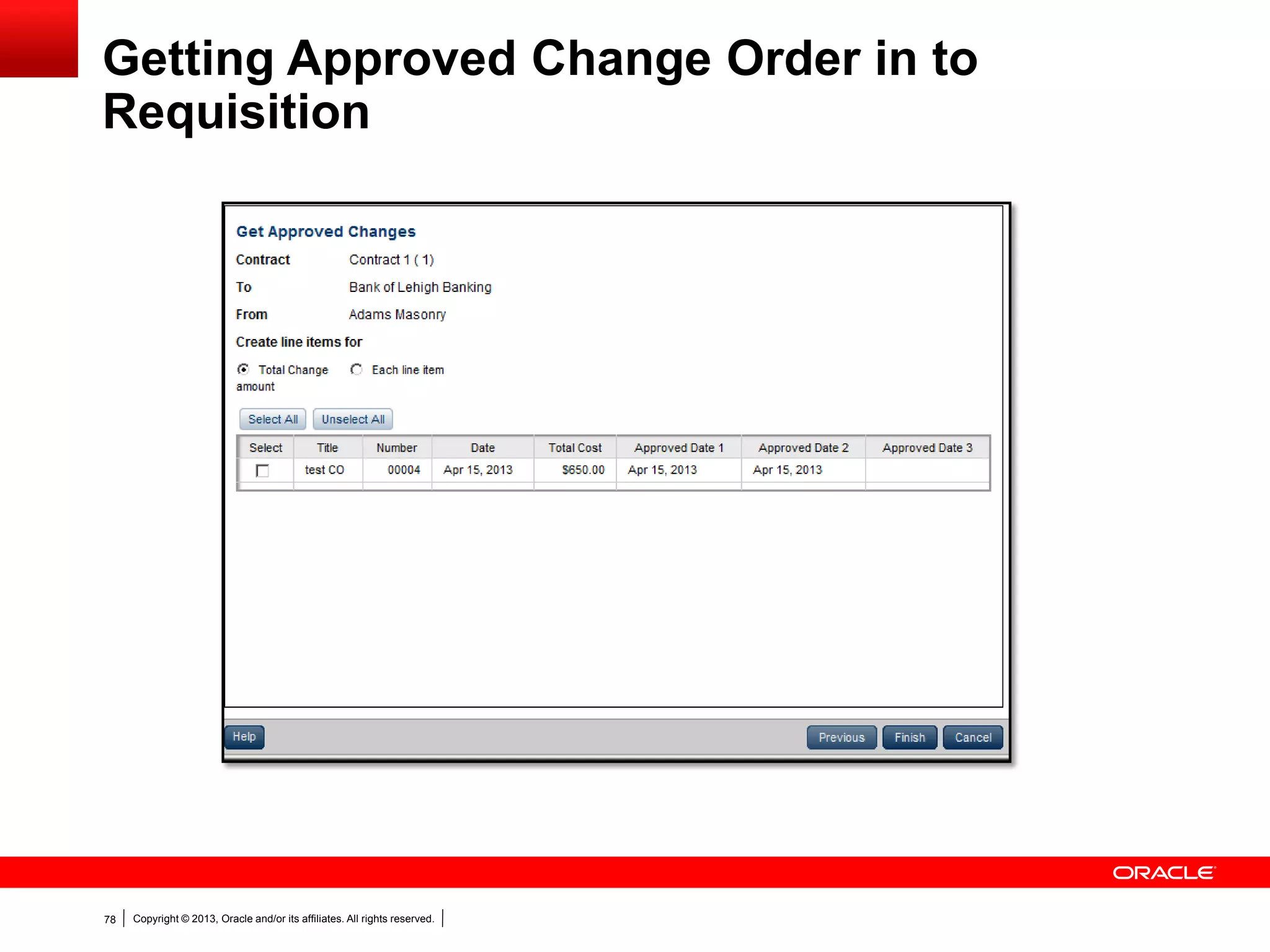
Getting Approved Change Order in to
Requisition
Copyright © 2013, Oracle and/or its affiliates. All rights reserved.79
Collecting into Change Orders
 Collect costs from pending Change Orders
 Multiple Changes from one Contract into one Change Order
Copyright © 2013, Oracle and/or its affiliates. All rights reserved.80
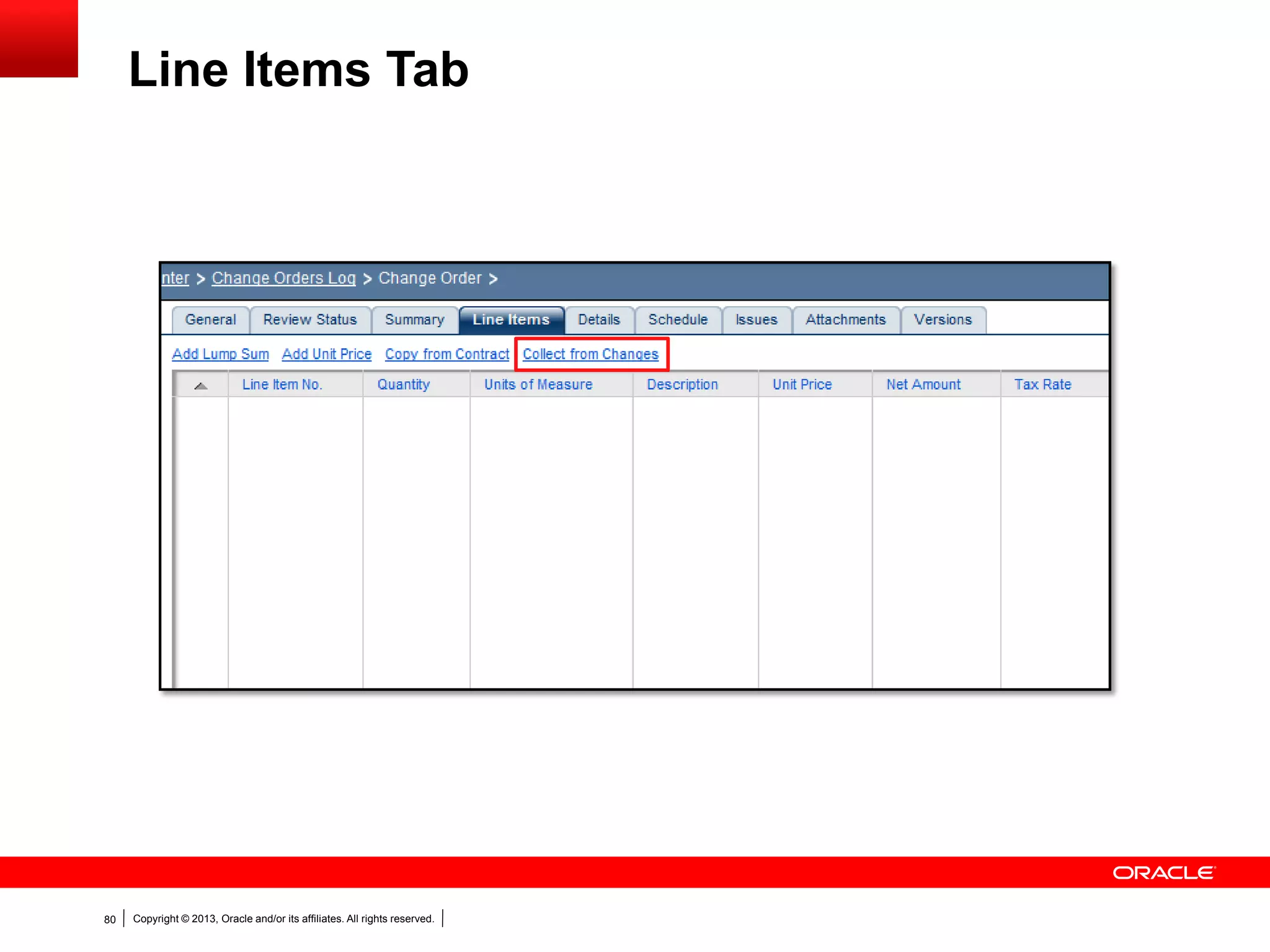
Line Items Tab
Copyright © 2013, Oracle and/or its affiliates. All rights reserved.81
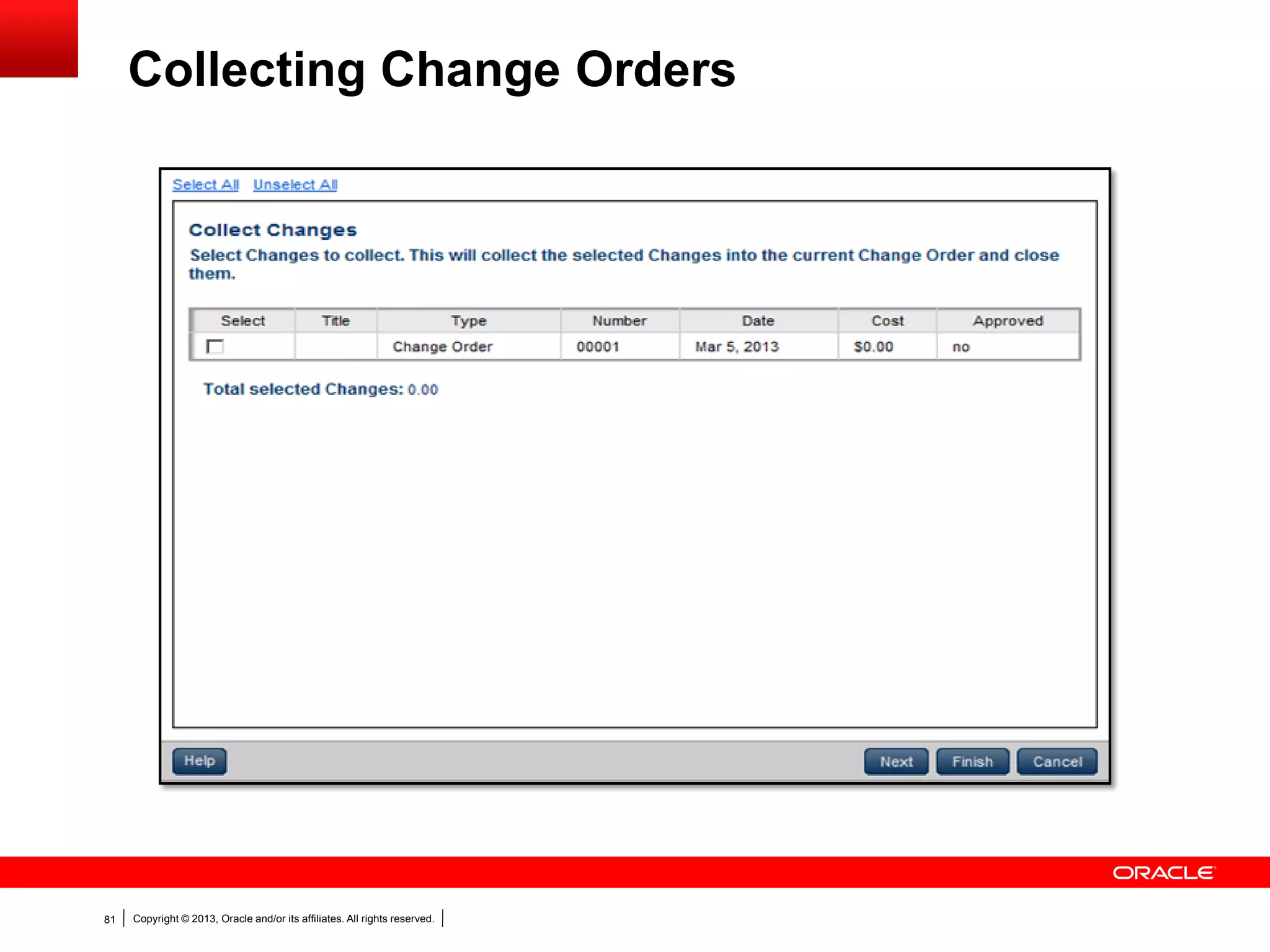
Collecting Change Orders
Copyright © 2013, Oracle and/or its affiliates. All rights reserved.82
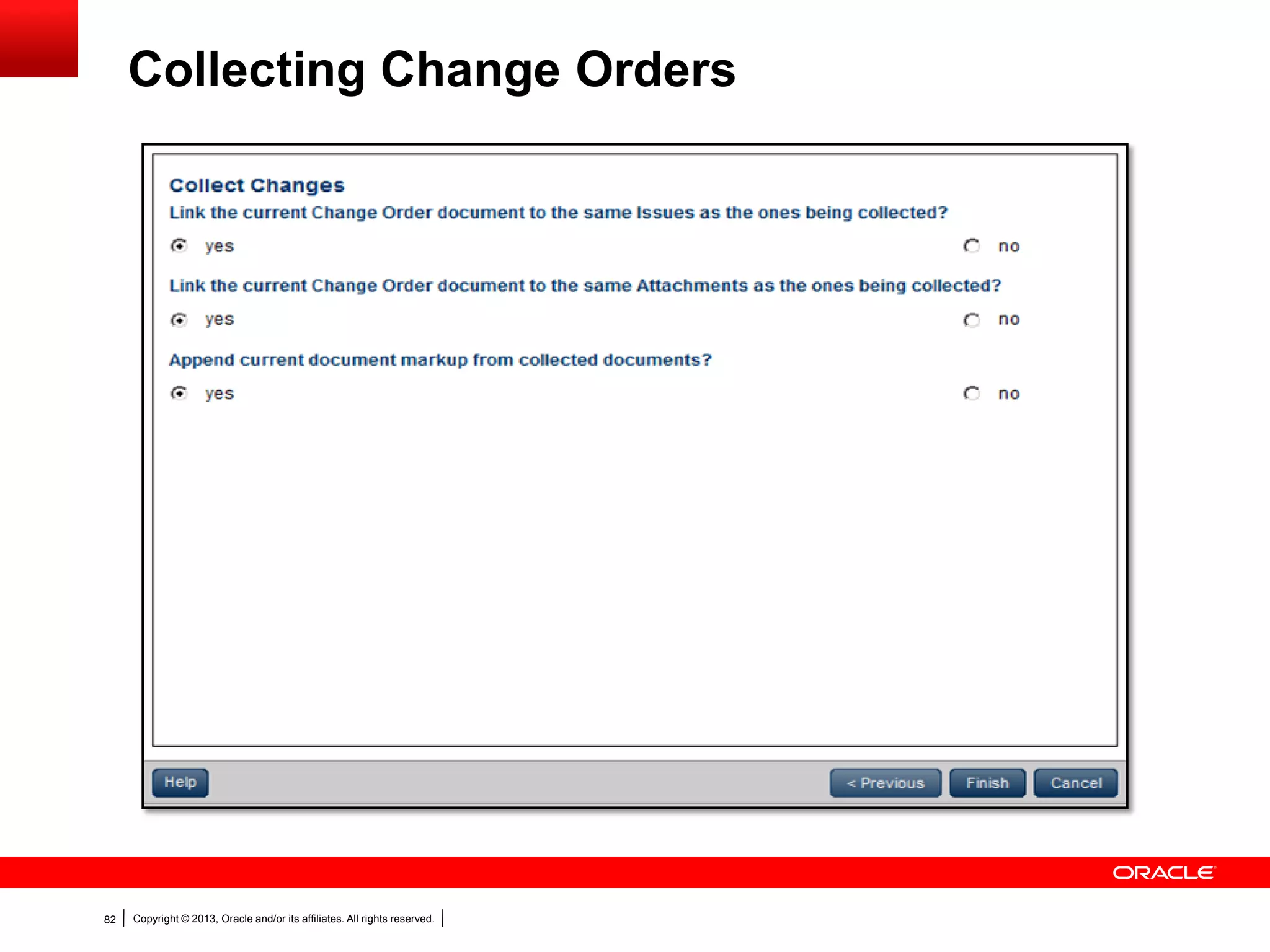
Collecting Change Orders
Copyright © 2013, Oracle and/or its affiliates. All rights reserved.83
 Collect from Changes option only available if created
outside of Change Management
 Change Order must not have been collected before
 Change Order should not have status of Approved,
Closed or Rejected
 Status of Change Order collected in to another Change
Order gets set to Closed
Collecting into Change Orders
Copyright © 2013, Oracle and/or its affiliates. All rights reserved.84
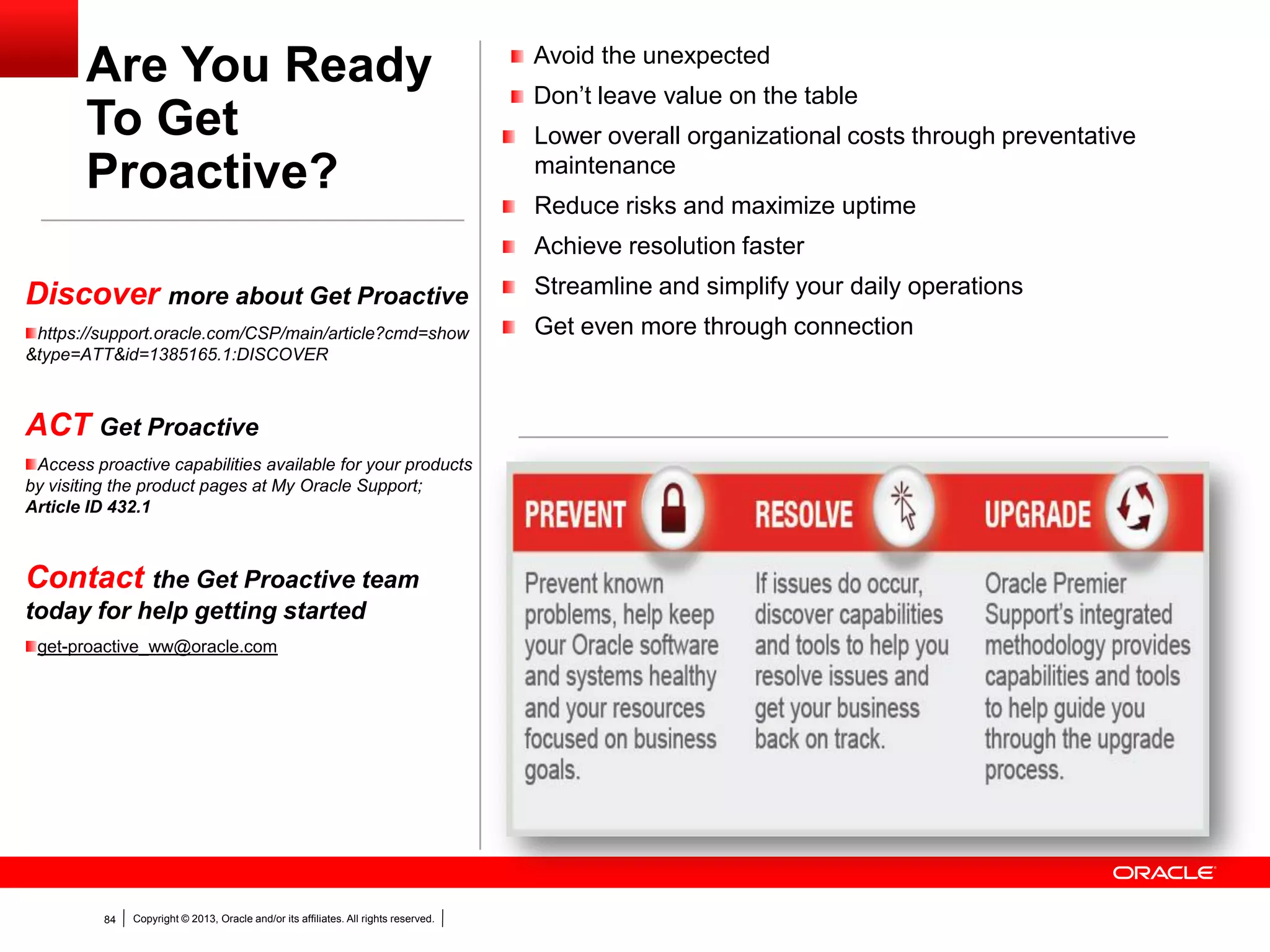
Are You Ready
To Get
Proactive?
Avoid the unexpected
Don’t leave value on the table
Lower overall organizational costs through preventative
maintenance
Reduce risks and maximize uptime
Achieve resolution faster
Streamline and simplify your daily operations
Get even more through connection
Discover more about Get Proactive
https://support.oracle.com/CSP/main/article?cmd=show
&type=ATT&id=1385165.1:DISCOVER
ACT Get Proactive
Access proactive capabilities available for your products
by visiting the product pages at My Oracle Support;
Article ID 432.1
Contact the Get Proactive team
today for help getting started
get-proactive_ww@oracle.com
Copyright © 2013, Oracle and/or its affiliates. All rights reserved.85
Copyright © 2013, Oracle and/or its affiliates. All rights reserved.86
THANK YOU

Using Change Management in Primavera Contract Management

  • 1.
    Copyright © 2013,Oracle and/or its affiliates. All rights reserved.1
  • 2.
    Copyright © 2013,Oracle and/or its affiliates. All rights reserved.2 FYI: New Portal with same DocID Archive 740964.1 Schedule 740966.1 Generic Advisor Webcast Note 740966.1 before now
  • 3.
    Copyright © 2013,Oracle and/or its affiliates. All rights reserved.3 Using Change Management in Primavera Contract Management Teleconference Access: US & Canada: 888-259-4812 Toll Number: 706-679-4880 Password: AdvisorPG Current Advisor Webcast Schedule and Archived Download – DOC#740966.1 Upcoming live webcasts and recent recordings: April 25, 2013: PeopleSoft Payroll for North America and Benefits Release 9.2 – Empowering Employees with Employee Self Service April 25, 2013: PeopleSoft: Your Upgrade: Preparing for Platform Changes April 25, 2013: JDE E1: Change Assistant: Overview and Benefits April 25, 2013: Database: Automation of patch conflict resolution and deployment through EM 12c April 25, 2013: EBS – MFG: ASCP-Rapid Planning Integration April 30, 2013: FM: Diagnostics Enhancements in SOA Suite 11g PS6 (11.1.1.7) April 30, 2013: Mutexes in Oracle Database April 30, 2013: Demonstration of the benefits of PeopleSoft ePerformance 9.2 April 30, 2013: Primavera: Data Integrity When Performing Imports May 1, 2013: What’s New in PeopleSoft Recruiting Solutions 9.2 May 2, 2013: Campus Solutions: Financial Aid Regulagtory 2013-2014 Release 3 (9.0 Bundle #29) May 2, 2013: PeopleTools: Search Framework Introduction and Setup May 7, 2013: Upgrading to PeopleTools 8.53 May 7, 2013: Oracle Systems: Best Practices for Migrating to Oracle Solaris 11 May 7, 2013: Proactive Capabilities in MOS for JD Edwards EnterpriseOne
  • 4.
    Copyright © 2013,Oracle and/or its affiliates. All rights reserved.4 The following is intended to outline our general product direction. It is intended for information purposes only, and may not be incorporated into any contract. It is not a commitment to deliver any material, code, or functionality, and should not be relied upon in making purchasing decision. The development, release, and timing of any features or functionality described for Oracle’s products remains at the sole discretion of Oracle. Safe Harbor Statement
  • 5.
    <Insert Picture Here> UsingChange Management in Primavera Contract Management Sunny Bains Janette Caceres Senior Technical Support Engineers
  • 6.
    Copyright © 2013,Oracle and/or its affiliates. All rights reserved.6 AGENDA  Change Management Process  Defining Reason Codes  Initiating Change Management from other Documents  Adding Change Documents / Proposals / Change Orders  Generating Change Documents from Change Management  Applying Markup  Collecting into Change Orders  Approving Change Orders  Costing  Entering Change Orders / Proposals without Using Change Management
  • 7.
    Copyright © 2013,Oracle and/or its affiliates. All rights reserved.7  Contracts and Purchase Orders often change  Change Management automates the Change Process  Change Management is a workflow process Change Management
  • 8.
    Copyright © 2013,Oracle and/or its affiliates. All rights reserved.8 Change Management is a Workflow Process
  • 9.
    Copyright © 2013,Oracle and/or its affiliates. All rights reserved.9  Create customized workflow with Change Management  Helps simplify the Change process  One location to enter all necessary information Change Management
  • 10.
    Copyright © 2013,Oracle and/or its affiliates. All rights reserved.10 Change Management Document
  • 11.
    Copyright © 2013,Oracle and/or its affiliates. All rights reserved.11 Project Settings
  • 12.
    Copyright © 2013,Oracle and/or its affiliates. All rights reserved.12 Project Settings
  • 13.
    Copyright © 2013,Oracle and/or its affiliates. All rights reserved.13 Project Settings
  • 14.
    Copyright © 2013,Oracle and/or its affiliates. All rights reserved.14 Document Setup
  • 15.
    Copyright © 2013,Oracle and/or its affiliates. All rights reserved.15 Adding a Custom Document Type
  • 16.
    Copyright © 2013,Oracle and/or its affiliates. All rights reserved.16 Adding a Custom Document Type
  • 17.
    Copyright © 2013,Oracle and/or its affiliates. All rights reserved.17 Adding a Custom Document Type
  • 18.
    Copyright © 2013,Oracle and/or its affiliates. All rights reserved.18 New Custom Document Type Added
  • 19.
    Copyright © 2013,Oracle and/or its affiliates. All rights reserved.19 Clearing Phases of Change Management
  • 20.
    Copyright © 2013,Oracle and/or its affiliates. All rights reserved.20 Calculating Net Amount of Previous Change
  • 21.
    Copyright © 2013,Oracle and/or its affiliates. All rights reserved.21 Calculating Net Amount of Previous Change If calculating based on Change date:  Date is the primary sort with the change number as a secondary sort for changes created on the same day.  Changes must be approved in sequence by date for the Net Amount of Previous Change to be calculated accurately. If calculating based on Change number:  The date of the Change documents will be ignored.  Changes must be approved in sequence by number for the Net Amount of Change to be calculated accurately. Note: Pending changes included in the calculation follow the same rules
  • 22.
    Copyright © 2013,Oracle and/or its affiliates. All rights reserved.22 Contract Management User Levels  Contract Management Administrator - Full Access Rights to all projects  Project Administrator - Full Access Rights to currently assigned projects  Regular User - Administrator defined Access Rights
  • 23.
    Copyright © 2013,Oracle and/or its affiliates. All rights reserved.23 Restricting Access to Change Management
  • 24.
    Copyright © 2013,Oracle and/or its affiliates. All rights reserved.24 Project Access Dialog Box
  • 25.
    Copyright © 2013,Oracle and/or its affiliates. All rights reserved.25 Project Access Dialog Box
  • 26.
    Copyright © 2013,Oracle and/or its affiliates. All rights reserved.26 Defining Reason Codes  Add change reasons for Change Management  Use the reasons for filtering grouping and sorting
  • 27.
    Copyright © 2013,Oracle and/or its affiliates. All rights reserved.27 Reason Codes
  • 28.
    Copyright © 2013,Oracle and/or its affiliates. All rights reserved.28 Adding and Deleting Reason Codes
  • 29.
    Copyright © 2013,Oracle and/or its affiliates. All rights reserved.29 Change Management Log Window
  • 30.
    Copyright © 2013,Oracle and/or its affiliates. All rights reserved.30 Change Management Document
  • 31.
    Copyright © 2013,Oracle and/or its affiliates. All rights reserved.31 Adding a Change Management Document  From Change Management module  From other document types: - Daily reports - Meeting minutes - Notepads - Noncompliance notices - Notices - Punch lists - Request for information RFI - Trends - Contracts
  • 32.
    Copyright © 2013,Oracle and/or its affiliates. All rights reserved.32 Initiating Change Management (CM)
  • 33.
    Copyright © 2013,Oracle and/or its affiliates. All rights reserved.33 General Tab
  • 34.
    Copyright © 2013,Oracle and/or its affiliates. All rights reserved.34 Status Tab
  • 35.
    Copyright © 2013,Oracle and/or its affiliates. All rights reserved.35 Details Tab
  • 36.
    Copyright © 2013,Oracle and/or its affiliates. All rights reserved.36 Remarks Tab
  • 37.
    Copyright © 2013,Oracle and/or its affiliates. All rights reserved.37 Budgeted Tab
  • 38.
    Copyright © 2013,Oracle and/or its affiliates. All rights reserved.38 Budgeted Tab
  • 39.
    Copyright © 2013,Oracle and/or its affiliates. All rights reserved.39 Commitments Tab
  • 40.
    Copyright © 2013,Oracle and/or its affiliates. All rights reserved.40 Documents by Phase
  • 41.
    Copyright © 2013,Oracle and/or its affiliates. All rights reserved.41 Adding Commitments
  • 42.
    Copyright © 2013,Oracle and/or its affiliates. All rights reserved.42 Adding Commitments
  • 43.
    Copyright © 2013,Oracle and/or its affiliates. All rights reserved.43 Add Multiple Estimates
  • 44.
    Copyright © 2013,Oracle and/or its affiliates. All rights reserved.44 Add Multiple Estimates Window
  • 45.
    Copyright © 2013,Oracle and/or its affiliates. All rights reserved.45 Multiple Estimates Added
  • 46.
    Copyright © 2013,Oracle and/or its affiliates. All rights reserved.46 Copy Commitments to Budgeted
  • 47.
    Copyright © 2013,Oracle and/or its affiliates. All rights reserved.47 Copy Commitments to Budgeted Window
  • 48.
    Copyright © 2013,Oracle and/or its affiliates. All rights reserved.48 Deleting Generated Proposal/Change Documents  Documents created via Change Management can not be deleted outside of Change Management  Document can not be deleted if later phases have been generated from it.
  • 49.
    Copyright © 2013,Oracle and/or its affiliates. All rights reserved.49 Deleting Change Management Document
  • 50.
    Copyright © 2013,Oracle and/or its affiliates. All rights reserved.50  Costing information assigned to generated documents  Post to any portion of the Cost Worksheet Costing Generated Documents
  • 51.
    Copyright © 2013,Oracle and/or its affiliates. All rights reserved.51 Including Changes on the Cost Worksheet
  • 52.
    Copyright © 2013,Oracle and/or its affiliates. All rights reserved.52  Proposed change orders (PCO)  Change order requests (COR)  Estimates (EST)  Request for proposal (RFP) Proposals: Seek for a bid to perform a specific activity/change Change Orders: Specify a redirection of plans or introduce new items to show approved increases/decreases Proposals & Change Orders
  • 53.
    Copyright © 2013,Oracle and/or its affiliates. All rights reserved.53 What can we do with Markup?  Have different Markup values based on total labor, material, and equipment costs  Set default values for overhead and profit, but you can also add additional Markup values for each document  Assign Markup categories using a percentage rate or a flat amount with both types  Set Markup values at the contract or purchase order level, similar to requisitions  Specify the target cost code to which you want to apply the Markup amount
  • 54.
    Copyright © 2013,Oracle and/or its affiliates. All rights reserved.54 Markup from Collected Documents
  • 55.
    Copyright © 2013,Oracle and/or its affiliates. All rights reserved.55 Cost Worksheet
  • 56.
    Copyright © 2013,Oracle and/or its affiliates. All rights reserved.56 Cost Worksheet
  • 57.
    Copyright © 2013,Oracle and/or its affiliates. All rights reserved.57 Markup for Changes
  • 58.
    Copyright © 2013,Oracle and/or its affiliates. All rights reserved.58 Markup for Changes
  • 59.
    Copyright © 2013,Oracle and/or its affiliates. All rights reserved.59 Adding a Change Order Outside of Change Management  Enable setting in Project Settings dialog box  Need to have collected at least one Change Order document
  • 60.
    Copyright © 2013,Oracle and/or its affiliates. All rights reserved.60 Document Creation Outside of CM
  • 61.
    Copyright © 2013,Oracle and/or its affiliates. All rights reserved.61 Change Order Document
  • 62.
    Copyright © 2013,Oracle and/or its affiliates. All rights reserved.62 Change Order Document
  • 63.
    Copyright © 2013,Oracle and/or its affiliates. All rights reserved.63 Change Order Document
  • 64.
    Copyright © 2013,Oracle and/or its affiliates. All rights reserved.64 Change Order Summary Tab
  • 65.
    Copyright © 2013,Oracle and/or its affiliates. All rights reserved.65 Markup for Changes
  • 66.
    Copyright © 2013,Oracle and/or its affiliates. All rights reserved.66 Collected Changes
  • 67.
    Copyright © 2013,Oracle and/or its affiliates. All rights reserved.67 Line Items Tab
  • 68.
    Copyright © 2013,Oracle and/or its affiliates. All rights reserved.68 Line Items Tab
  • 69.
    Copyright © 2013,Oracle and/or its affiliates. All rights reserved.69 Line Items Tab
  • 70.
    Copyright © 2013,Oracle and/or its affiliates. All rights reserved.70 Details Tab
  • 71.
    Copyright © 2013,Oracle and/or its affiliates. All rights reserved.71 Details Tab
  • 72.
    Copyright © 2013,Oracle and/or its affiliates. All rights reserved.72 Details Tab
  • 73.
    Copyright © 2013,Oracle and/or its affiliates. All rights reserved.73 Approval Process
  • 74.
    Copyright © 2013,Oracle and/or its affiliates. All rights reserved.74 Approval Process
  • 75.
    Copyright © 2013,Oracle and/or its affiliates. All rights reserved.75 Multiple Reviewer Process
  • 76.
    Copyright © 2013,Oracle and/or its affiliates. All rights reserved.76 Approving Change Orders
  • 77.
    Copyright © 2013,Oracle and/or its affiliates. All rights reserved.77 Getting Approved Change Order in to Requisition
  • 78.
    Copyright © 2013,Oracle and/or its affiliates. All rights reserved.78 Getting Approved Change Order in to Requisition
  • 79.
    Copyright © 2013,Oracle and/or its affiliates. All rights reserved.79 Collecting into Change Orders  Collect costs from pending Change Orders  Multiple Changes from one Contract into one Change Order
  • 80.
    Copyright © 2013,Oracle and/or its affiliates. All rights reserved.80 Line Items Tab
  • 81.
    Copyright © 2013,Oracle and/or its affiliates. All rights reserved.81 Collecting Change Orders
  • 82.
    Copyright © 2013,Oracle and/or its affiliates. All rights reserved.82 Collecting Change Orders
  • 83.
    Copyright © 2013,Oracle and/or its affiliates. All rights reserved.83  Collect from Changes option only available if created outside of Change Management  Change Order must not have been collected before  Change Order should not have status of Approved, Closed or Rejected  Status of Change Order collected in to another Change Order gets set to Closed Collecting into Change Orders
  • 84.
    Copyright © 2013,Oracle and/or its affiliates. All rights reserved.84 Are You Ready To Get Proactive? Avoid the unexpected Don’t leave value on the table Lower overall organizational costs through preventative maintenance Reduce risks and maximize uptime Achieve resolution faster Streamline and simplify your daily operations Get even more through connection Discover more about Get Proactive https://support.oracle.com/CSP/main/article?cmd=show &type=ATT&id=1385165.1:DISCOVER ACT Get Proactive Access proactive capabilities available for your products by visiting the product pages at My Oracle Support; Article ID 432.1 Contact the Get Proactive team today for help getting started get-proactive_ww@oracle.com
  • 85.
    Copyright © 2013,Oracle and/or its affiliates. All rights reserved.85
  • 86.
    Copyright © 2013,Oracle and/or its affiliates. All rights reserved.86 THANK YOU