USING 
AUDACITY 
ETEC 523 - ED LARA, KATHY LEWIS AND 
FELISA ISAKSON
AUDACITY FEATURES 
• Record audio to single track 
• Multi Track Editing and Mixing 
• Basic to complex editing capabilities
REASONS TO USE AUDACITY 
• FREE and Open Source 
• Fairly easy to learn 
• Applications very similar to other audio editing programs 
• Updated often, good online discussion boards 
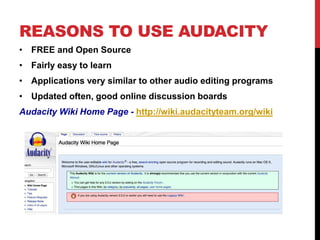
Audacity Wiki Home Page - http://wiki.audacityteam.org/wiki
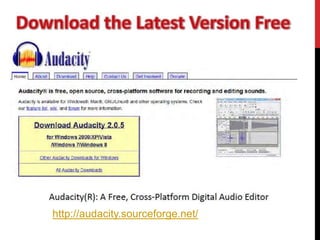
http://audacity.sourceforge.net/
TO RECORD AND 
PLAYBACK 
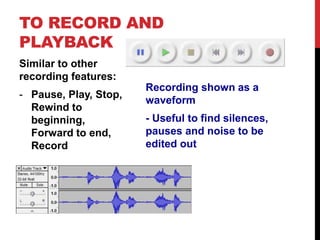
Similar to other 
recording features: 
- Pause, Play, Stop, 
Rewind to 
beginning, 
Forward to end, 
Record 
Recording shown as a 
waveform 
- Useful to find silences, 
pauses and noise to be 
edited out
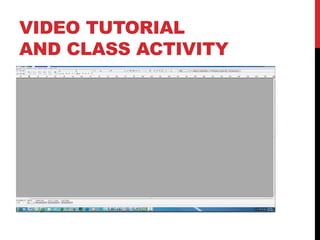
VIDEO TUTORIAL 
AND CLASS ACTIVITY
LESSONS AND RESOURCES 
10 Great ways to use Audacity with your Students: 
http://kerileebeasley.com/2009/04/08/10-great-ways-to-use-audacity-with- 
your-students/ 
Audacity Lesson Plans: 
http://www.makeandbreakeducation.com/category/audacity-lesson-plans/ 
Audacity Lesson Plan – Tell a Story Using Foley Sound Effects 
http://www.freeaudacitytutorial.com/audacity-lesson-plan-tell-story-sound- 
effects/
*“Podsafe”: 
Sounds that are safe to use 
・Wikipedia: Podsafe 
・www.podsafeaudio.com/ 
・http://www.freemusicarchive.org/ 
・http://www.quietamerican.org/ 
・ 
Slide info taken from slideshare 
http://www.slideshare.net/duncanmm/audacity-and-audio-editing
Online Audacity 
tutorials 
Educause’s screencast tutorial: 
http://www.educause.edu/Screencasts/Audacity/Untitled.html 
Daniel James’s tutorial: 
http://quicktoots.linuxaudio.org/toots/audacity/ 
Hamilton High School CSLA Presentation – Using Audacity 
Slide info taken from slideshare 
http://www.slideshare.net/duncanmm/audacity-and-audio-editing

Using audacity

  • 1.
    USING AUDACITY ETEC523 - ED LARA, KATHY LEWIS AND FELISA ISAKSON
  • 2.
    AUDACITY FEATURES •Record audio to single track • Multi Track Editing and Mixing • Basic to complex editing capabilities
  • 3.
    REASONS TO USEAUDACITY • FREE and Open Source • Fairly easy to learn • Applications very similar to other audio editing programs • Updated often, good online discussion boards Audacity Wiki Home Page - http://wiki.audacityteam.org/wiki
  • 4.
  • 5.
    TO RECORD AND PLAYBACK Similar to other recording features: - Pause, Play, Stop, Rewind to beginning, Forward to end, Record Recording shown as a waveform - Useful to find silences, pauses and noise to be edited out
  • 6.
    VIDEO TUTORIAL ANDCLASS ACTIVITY
  • 7.
    LESSONS AND RESOURCES 10 Great ways to use Audacity with your Students: http://kerileebeasley.com/2009/04/08/10-great-ways-to-use-audacity-with- your-students/ Audacity Lesson Plans: http://www.makeandbreakeducation.com/category/audacity-lesson-plans/ Audacity Lesson Plan – Tell a Story Using Foley Sound Effects http://www.freeaudacitytutorial.com/audacity-lesson-plan-tell-story-sound- effects/
  • 8.
    *“Podsafe”: Sounds thatare safe to use ・Wikipedia: Podsafe ・www.podsafeaudio.com/ ・http://www.freemusicarchive.org/ ・http://www.quietamerican.org/ ・ Slide info taken from slideshare http://www.slideshare.net/duncanmm/audacity-and-audio-editing
  • 9.
    Online Audacity tutorials Educause’s screencast tutorial: http://www.educause.edu/Screencasts/Audacity/Untitled.html Daniel James’s tutorial: http://quicktoots.linuxaudio.org/toots/audacity/ Hamilton High School CSLA Presentation – Using Audacity Slide info taken from slideshare http://www.slideshare.net/duncanmm/audacity-and-audio-editing